AI Helpers: We tested the Best 8 in 2026
The best AI Helpers in 2026 are: Saner.AI, ChatGPT, Gemini, Claude, Pi, Akiflow, Todoist, and Reclaim.


Best AI Helpers for Work in 2026 (Tested & Ranked)
AI didn’t suddenly become useful in 2026 - it became necessary.
Over the past few years, knowledge work has quietly shifted from “doing more” to managing complexity. Meetings generate notes. Notes turn into tasks. Tasks multiply across tools. Decisions pile up faster than anyone can process them.
This is where AI helpers come in.
Unlike early chatbots or rigid automation tools, today’s AI helpers sit inside your workflow. They don’t just answer questions — they help you think, plan, prioritize, and decide. The evolution is clear: assistant → agent → proactive system.
In this guide to the Best AI Helpers in 2026, you’ll learn:
- What AI helpers actually are (and what they are not)
- How people are using them in real work today
- The key differences between assistants, agents, and planners
- A clear comparison of the best tools
- How to choose the right AI helper for your thinking style
1. What Is an AI Helper?
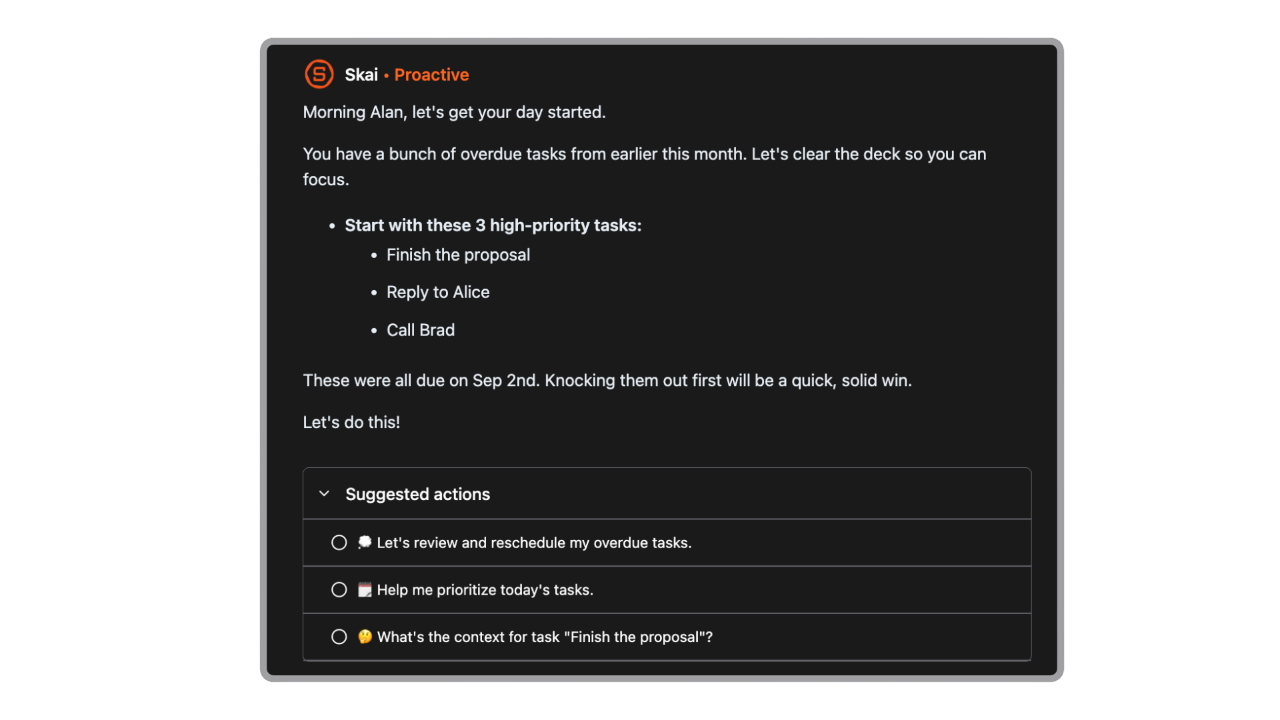
An AI helper is a system designed to support how you think and work throughout the day, not just respond to commands or run automations. Its role is to help you organize information, make decisions, and reduce mental overhead as work unfolds.
Chatbots are reactive by nature: you ask, they reply, then the context often disappears. They’re useful for one-off tasks like writing a paragraph or explaining a concept, but they don’t stay with your workflow.
AI helpers also differ from AI agents and automation tools. Agents are built to execute tasks autonomously once a goal or rule is defined: sending emails, updating systems, or running workflows in the background. Automation tools follow fixed logic. They act, but they don’t think with you.
An AI helper sits in between. It helps you plan your day, connect notes to tasks, turn messy inputs into structure, and keep context over time. Instead of replacing your judgment, it supports it, acting more like a second brain than a digital employee.
2. How We Evaluate the Best AI Helpers in 2026
To avoid hype-driven rankings, we use a clear evaluation framework.
- Proactivity vs reactivity
Does the tool only respond, or does it help you anticipate and plan? - Task, note, and decision handling
Can it connect ideas, tasks, and outcomes meaningfully? - Context learning over time
Does it remember preferences, patterns, and past work? - Workflow integration
Does it fit real tools people already use (email, calendar, docs)? - Cognitive load reduction
Does it simplify thinking - or add more complexity?
With these criteria, here are some AI assistants that stand out for different reasons.
What Are The Best AI Helpers in 2026?
The 8 best AI Helpers in 2026 are: Saner.AI, ChatGPT, Gemini, Claude, Pi, Akiflow, Todoist and Reclaim.
🤖 Best AI Helpers in 2026 - Comparison Table
| AI Helper | ⭐ Key Strengths | 🎯 Best For | 💻 Platform | 💰 Pricing (2026) |
|---|---|---|---|---|
| Saner.AI | AI-first task & knowledge capture, natural language input, auto-organizes tasks and notes | Knowledge workers, ADHD users, people overwhelmed by to-dos | Web, iOS, Android | Free plan availablePro: ~$8/month |
| ChatGPT | Best-in-class writing, reasoning, research, brainstorming | Writing, research, general AI assistant | Web, iOS, Android | FreePlus: ~$20/month |
| Gemini | Deep Google ecosystem integration, strong multimodal AI | Google users, search + docs workflows | Web, Android, iOS | FreeAdvanced: ~$20/month |
| Claude | Long-context understanding, thoughtful & safe responses | Deep thinking, analysis, long documents | Web, iOS | FreePro: ~$20/month |
| Pi | Conversational, empathetic, coaching-style AI | Reflection, emotional support, thinking out loud | Web, iOS, Android | Free |
| Akiflow | Calendar + task consolidation, time-blocking | Busy professionals managing multiple tools | Web, macOS, Windows | ~$19/month |
| Todoist | Clean UI, reliable task management, broad integrations | Simple task tracking, teams | Web, iOS, Android, Desktop | FreePro: ~$5/month |
| Reclaim | Smart calendar optimization, auto time-blocking | Teams, managers, meeting-heavy schedules | Web (Google Calendar) | Free planPaid: ~$10–15/month |
1. Saner.AI
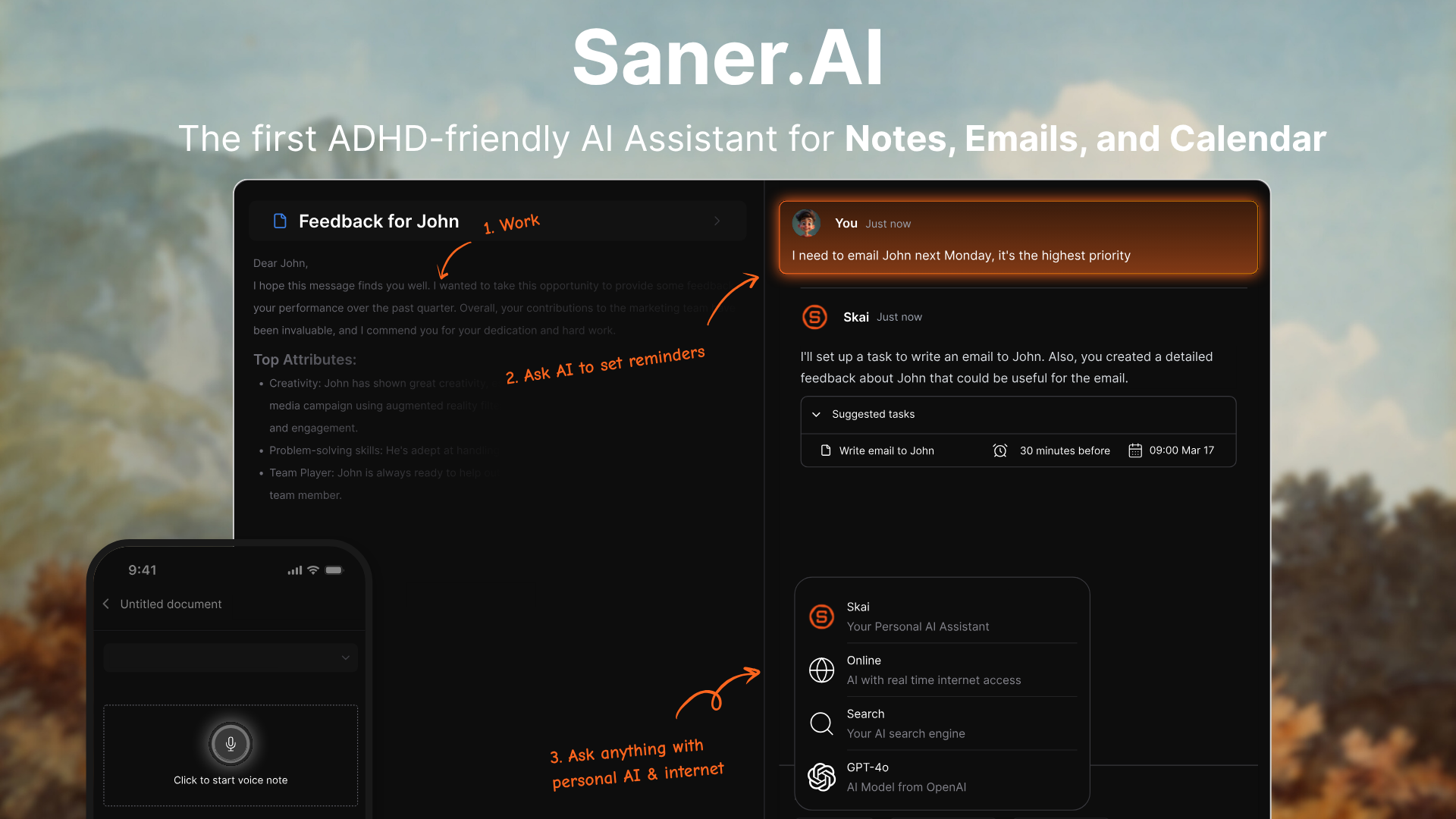
Saner.AI is an AI helper that centralizes your notes, emails, tasks, and calendar into one workspace to reduce context switching and information overload.
Built with an emphasis on ADHD-friendly workflows and knowledge workers, it can extract tasks from text, suggest priorities, and break down messy inputs into clear action items.
Features
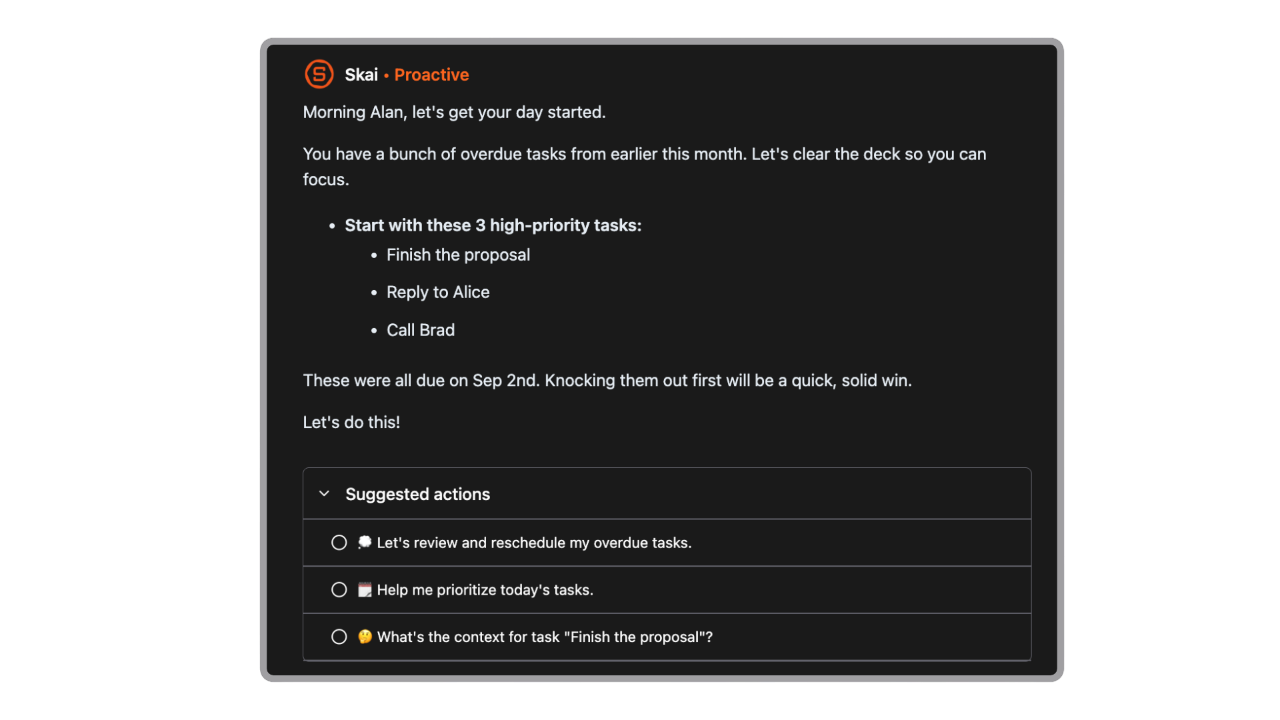
- Saner.AI can proactively surface what matters based on your upcoming deadlines, unfinished tasks, calendar events, or recent notes, then give you daily guidance that helps you decide what to work on now and what can wait.
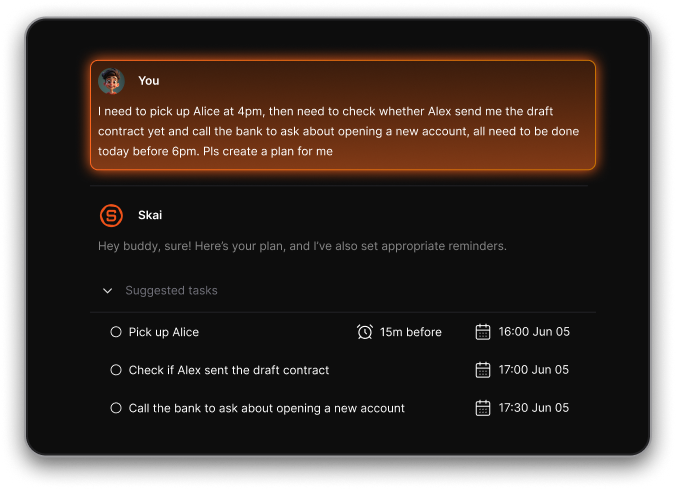
- You can dump raw thoughts into Saner.AI: messy notes, half ideas, meeting rambles, or emotional brain noise. The AI then: identifies actionable items hidden inside the text; turns them into structured tasks; suggests priorities or next steps
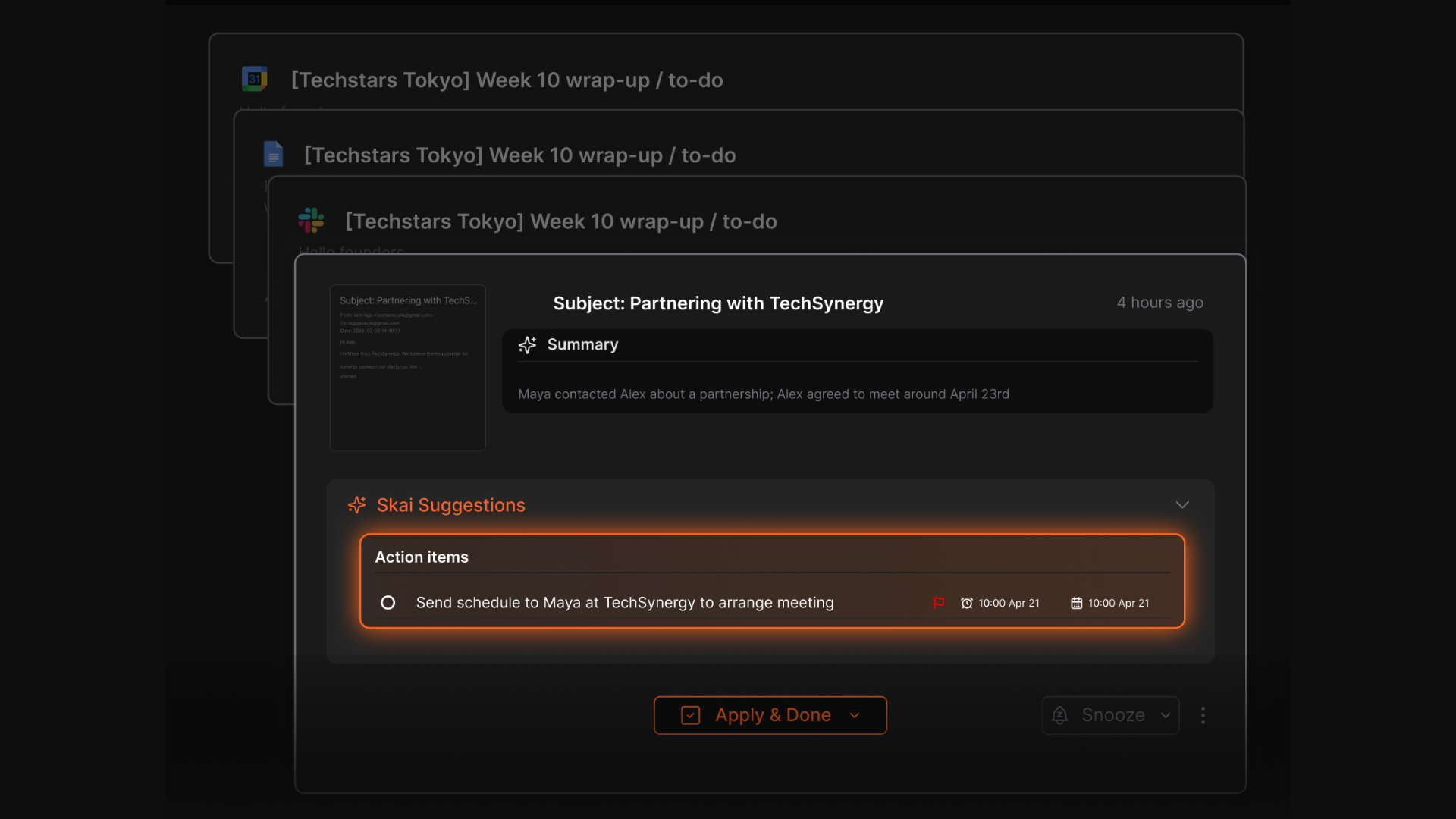
- Automatically extracts tasks and information from various sources (Emails, Slack, Notion, notes in Saner.AI, etc.)
- Automatically organizes and links notes, tasks, and files so you can find insights using natural language, not just keywords.
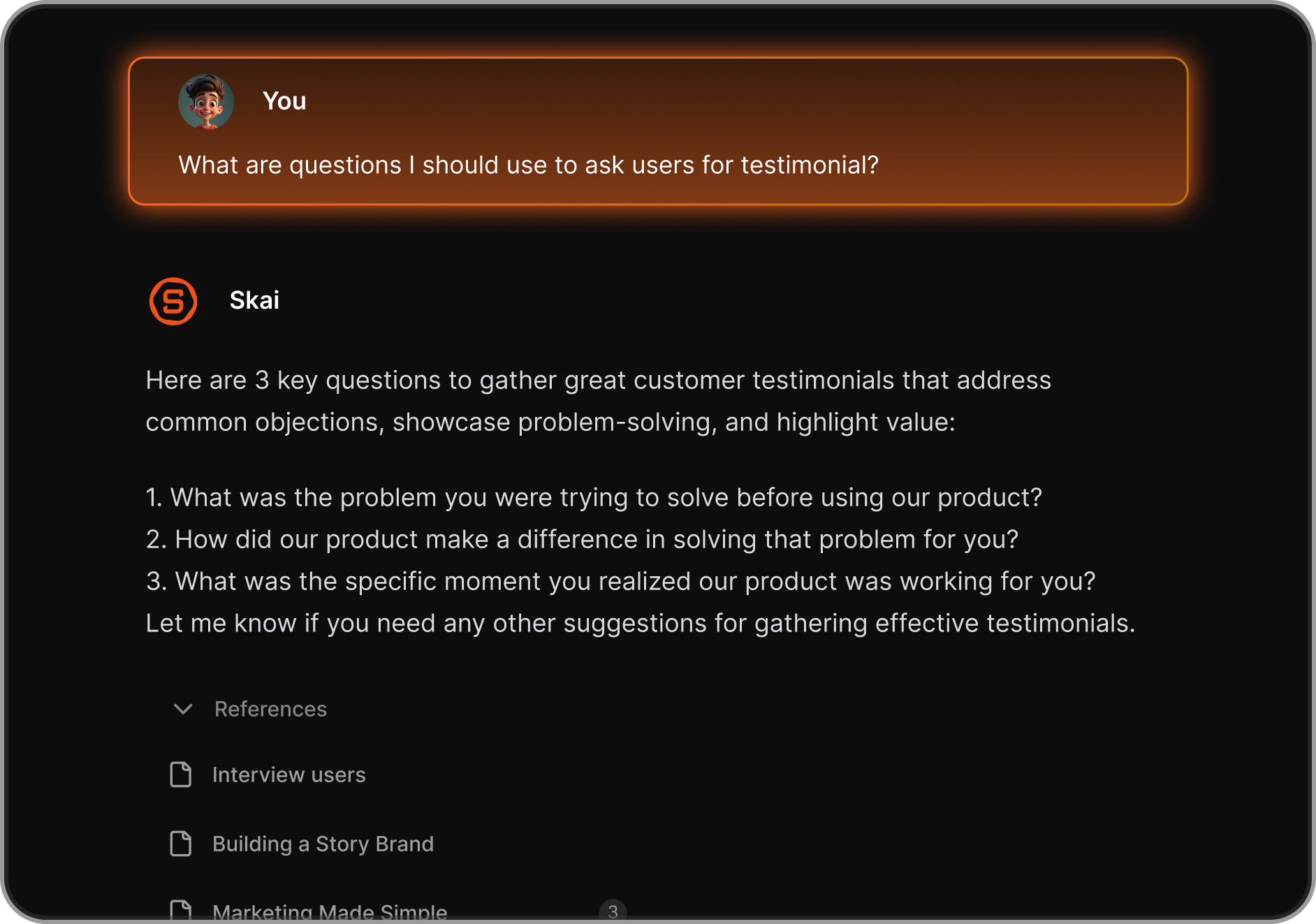
- The AI helps you recall and synthesize your notes. Just ask and get clear, direct answers from your notes
- Auto summarizes documents and meetings and offers contextual suggestions to aid planning and follow-through.
Pros
- User-friendly interface designed to minimize distractions.
- Combines note-taking, task management, and AI assistance in one platform.
- Tailored features for individuals with ADHD to enhance focus and productivity.
- Free plan available with no credit card required
Cons
- Requires internet access for full functionality.
Saner.AI Reviews
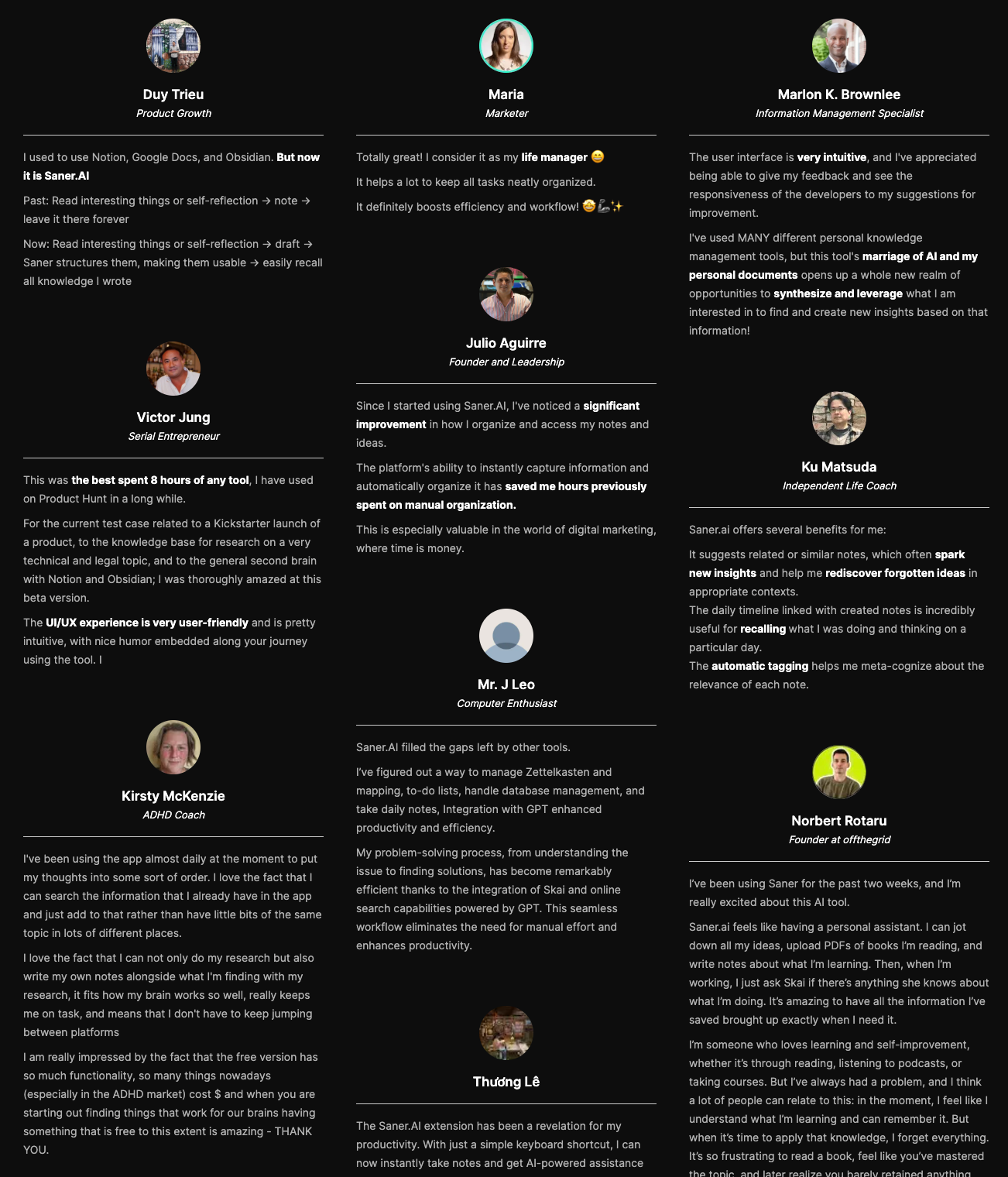
"The biggest benefit for me in using Saner is the Proactive AI. Staying on top of the constant flow of email and multiple calendars is challenging, and so far, Saner is the only AI-based tool that truly feels like a personal assistant" - Jerry
Pricing
- Free
- Starter: Monthly at $8/month, Annually at $6/month
- Standard: Monthly at $16/month, Annually at $12/month
Who is it suitable for?
Saner.AI is particularly well-suited for:
- Intensive knowledge workers who need to manage large amounts of information efficiently from multiple sources, such as entrepreneurs, researchers, managers, and content creators
- Individuals with ADHD or those who struggle with information organization and time management
- Anyone looking to streamline their workflow without spending too much time learning a new tool.
How to start using it?
- Visit the Saner.AI website and sign up for an account
- Explore the app's features, starting with basic note-taking and task creation.
- Check out the 1-minute tutorial here

Stay on top of your work and life
2. Reclaim

If you're exploring AI calendar to manage your schedule and focus time, Reclaim.ai is one of the more practical tools out there.
Key features
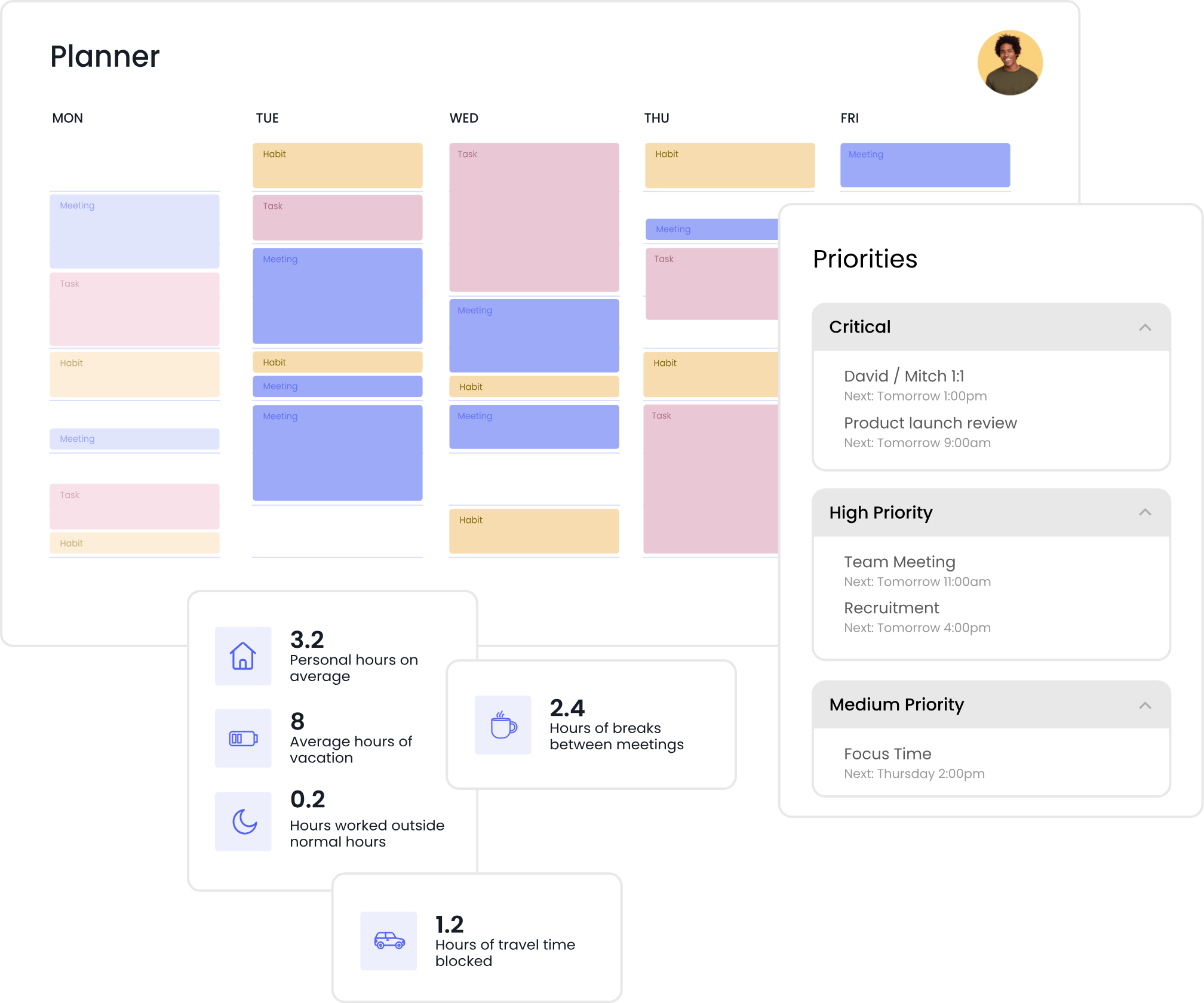
- Automatically schedules focus time, tasks, habits, meetings and breaks, and defends these blocks when conflicts arise.
- Generates scheduling links with priority levels and finds the best slots across participant calendars.
- Syncs multiple calendars and adds buffer time (travel/breaks) to create realistic schedules.
What I liked:
- The automatic time blocking is useful. You don’t have to guess; it finds space for you.
- I liked being able to block recurring time for deep work or creative thinking, and it adjusts automatically when things shift.
What I disliked:
- Only works best with Google Calendar. If you’re on Outlook or Apple Calendar, it’s not as smooth.
- Not great for project management. You won’t find Gantt charts, timelines, or shared team views here.
- Despite being one of the smarter AI helpers for scheduling, it’s not a conversational assistant. You can’t just “ask” it to move a meeting like you would with ChatGPT.
- It doesn't have a space to write, store documents like Saner.AI. So you still have to switch around tabs for work
Pricing:
- Free Lite plan available.
- Paid plans start at $10/month
Suitable for:
- Small teams looking to automate scheduling, protect focus time
How to start:
- Go to reclaim.ai, create a free account, and choose a plan that fits your team
Reclaim.AI Reviews (source)
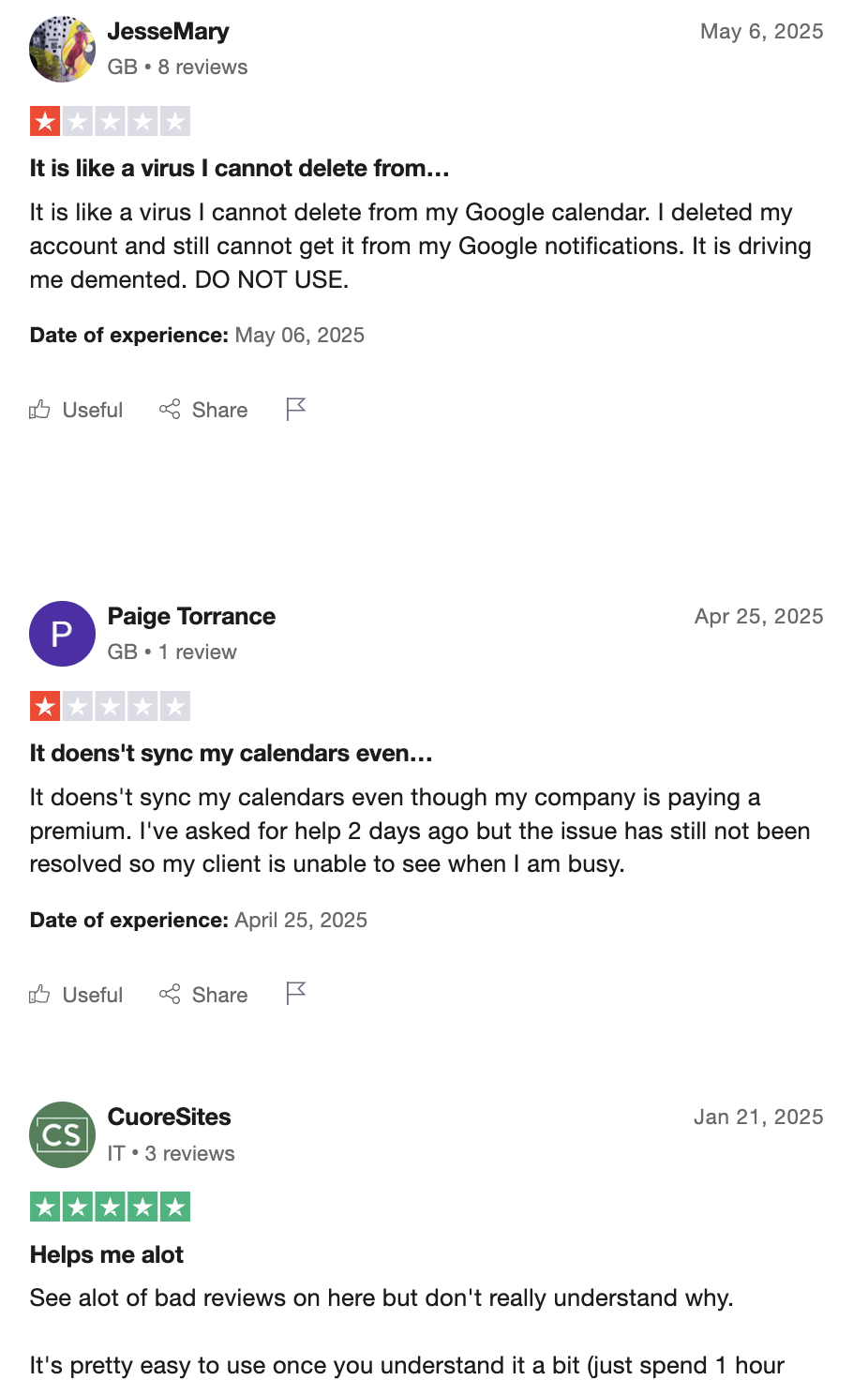
"It excels at intelligent calendar automation. The system dynamically protects focus time, auto-schedules tasks based on priority, and continuously rebalances your calendar as meetings change" - Eric Bush.
"Keeps putting random and irrelevant events I to my Google calendar even after uninstalling it from my account. Reclaim ha s not responded to my email" - Josh.
3. Akiflow

Akiflow is a productivity app designed to act as a single command center for tasks and time. It pulls tasks from multiple tools (Todoist, Notion, ClickUp, Slack, email, etc.) and combines them with your calendar so you can plan your day in one place.
Features
- Collects tasks from many apps into one inbox so nothing slips through.
- Lets you drag tasks directly onto your calendar and see a realistic plan for the day or week.
- Designed for speed, with shortcuts that make adding and scheduling tasks fast during busy workdays.
- Encourages structured planning sessions to review tasks, set priorities, and adjust schedules intentionally.
What I liked
- Excellent for turning tasks into actual calendar time, not just lists.
- Strong integrations make it practical for people already using many tools.
- Keyboard-driven workflow feels fast and efficient for power users.
- Very clear mental model: inbox → plan → calendar → execute.
What I disliked
- Limited AI compared to newer “AI helper” tools (more automation than reasoning).
- Not built for deep notes, research, or knowledge graphs.
- Can feel rigid if you dislike time-blocking or calendar-centric planning.
- No true brain-dump-to-task intelligence beyond structured capture.
Pricing:
- Monthly plans: $34.
- Annual plan available at $19/month
Suitable for:
- Busy professionals who want an inbox to organize tasks
How to start:
- Go to Akiflow’s website and start a free trial.
- Connect your task apps and calendar to build a unified inbox.
Akiflow Reviews (source)
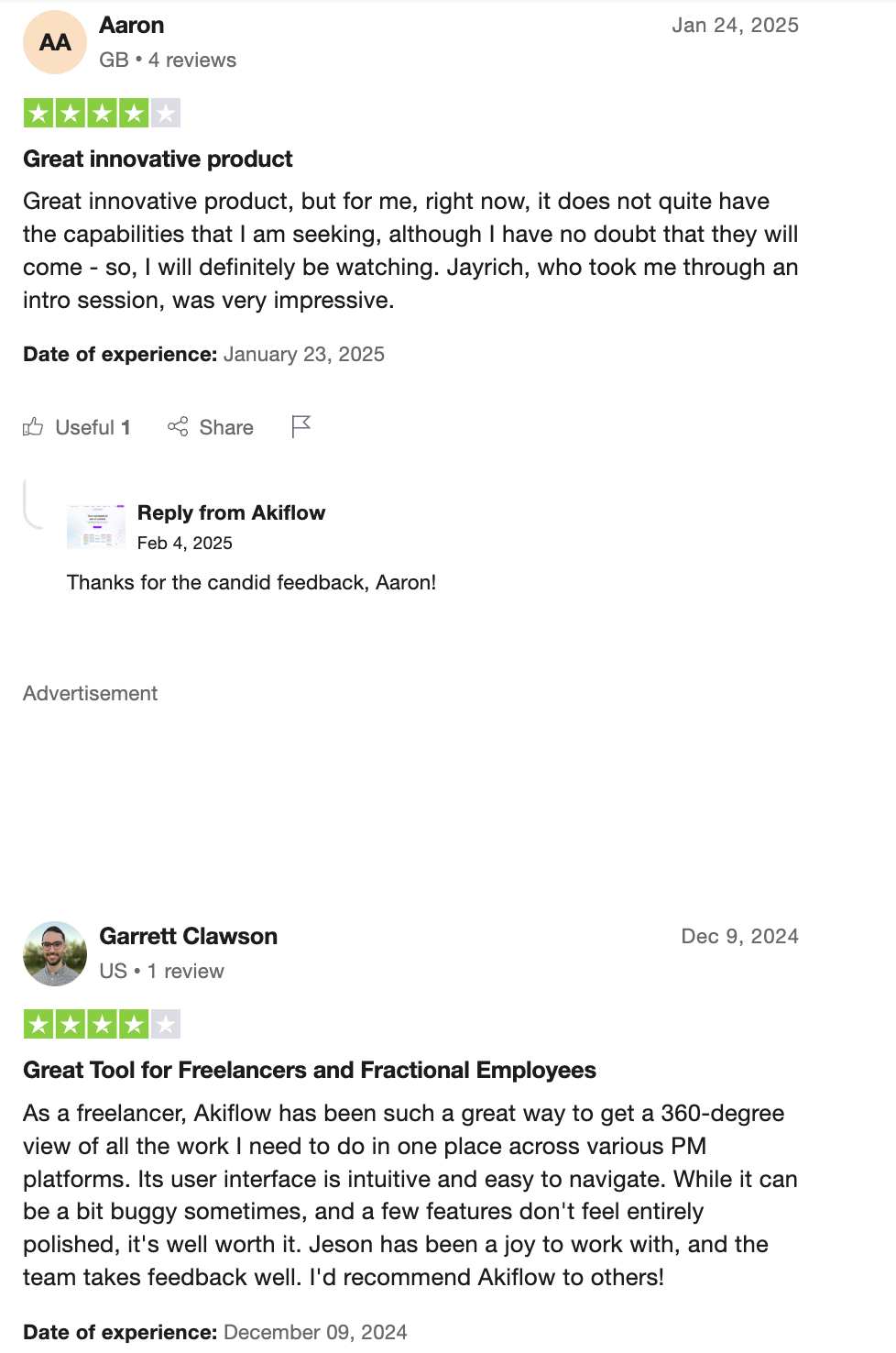
"It has all the features I want and a few I didn't know I needed until I tried them!" - Christopher Stoppler
"I was very disappointed when I was charged the full annual fee during my trial period. Eventhough having a pending on-boarding call two days later, that was promised to come along with an extension of the trial period by another week, I was charged the full 200$ without a warning. No refund granted, nor the extra trial period as promised earlier" - John.
4. Todoist

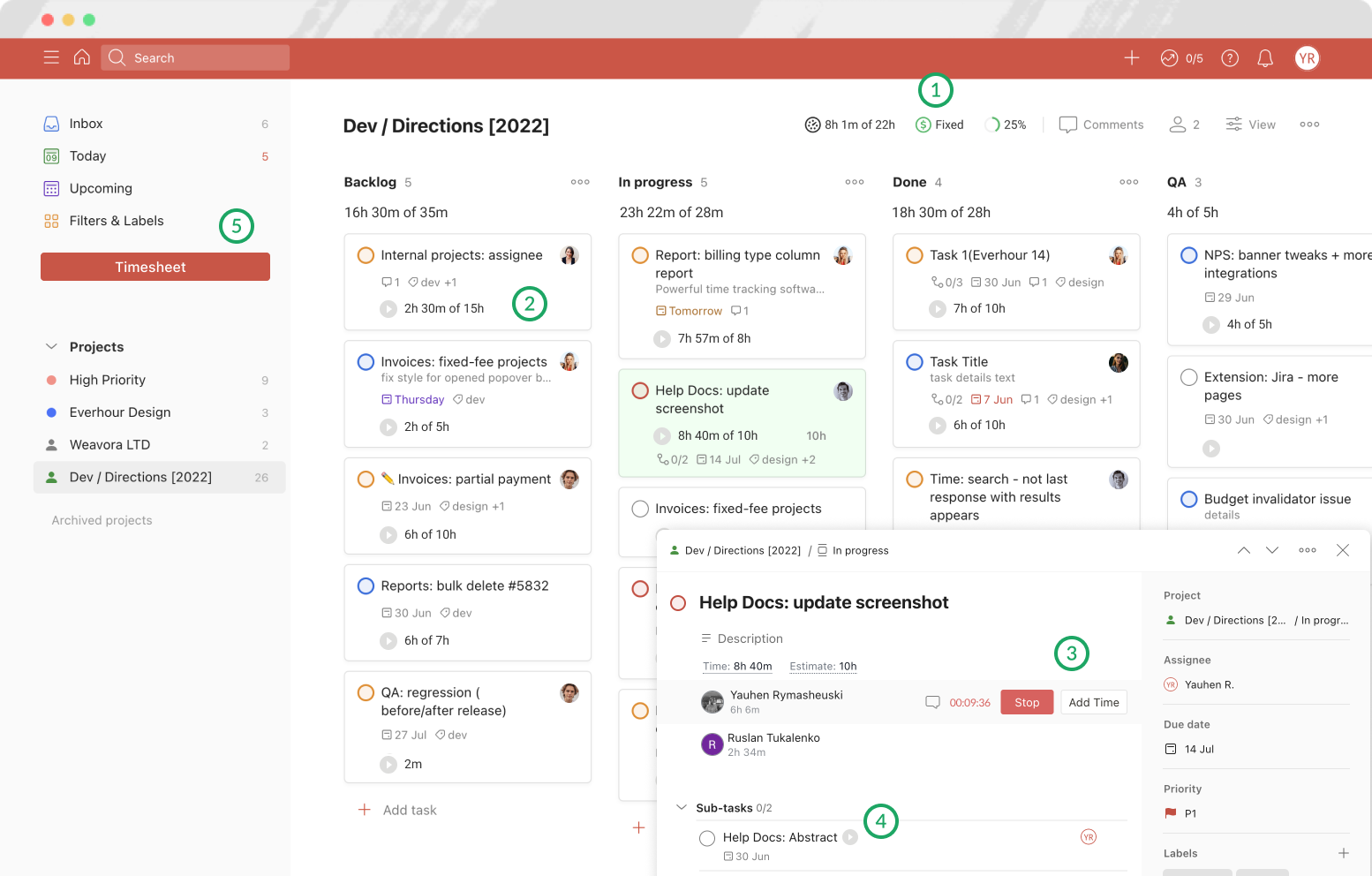
Todoist is a long-standing task management app focused on helping individuals and teams capture, organize, and complete tasks reliably.
In recent years, Todoist has added light AI features to assist with task parsing and suggestions, but its core strength remains a simple, dependable task list rather than a proactive AI planner.
Features
- You can type tasks like “Submit report tomorrow at 3pm” and Todoist automatically sets due dates, times, and priorities.
- Flexible organization lets users structure tasks by area, context, or custom logic.
- Available on web, mobile, and desktop with integrations for calendar, email, Slack, and more.
- Helps with task suggestions and smarter parsing, but remains secondary to manual task control.
What I liked
- Extremely fast and easy to use, even for beginners.
- Stable, mature product with excellent cross-device sync.
- Flexible enough to fit many personal and professional workflows.
- Strong ecosystem and integrations with other productivity tools.
What I disliked
- AI features are limited compared to newer AI-first helpers.
- No proactive daily planning or automatic time blocking.
- Brain dumps still require manual cleanup into tasks.
- Not designed for knowledge management or deep context linking.
Pricing:
- Free - core task management, limited projects and features.
- Pro: ~$5/month (billed monthly) or ~$4/month (billed yearly).
- Business: ~$8/user/month (billed yearly) - team features and admin controls.
Suitable For:
- Individuals who want a reliable, low-friction task manager.
- Users who prefer manual control over automation.
- People who already use calendars or planners and just need task tracking.
- Teams needing shared task lists without heavy AI behavior.
How to Start:
- Go to Todoist and create a free account.
- Start capturing tasks using natural language.
- Organize tasks with projects, labels, and priorities.
Todoist Reviews (source)
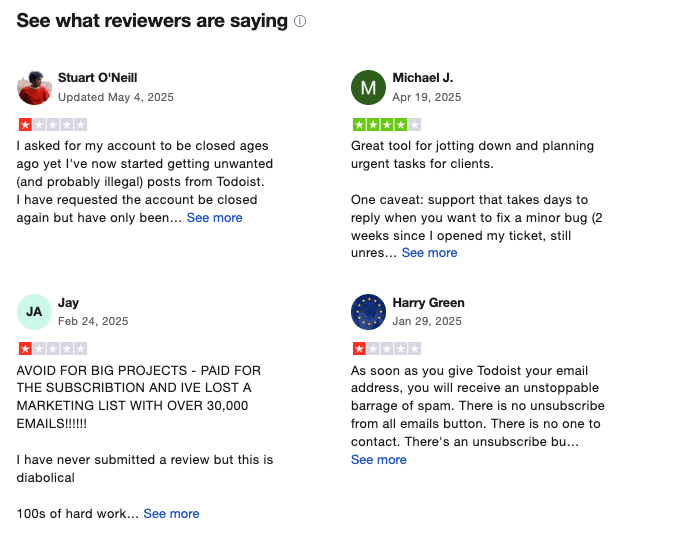
"If you’re a fan of timeblocking such as myself: good enough. If you put a task that is less than 10 minutes that is where things get rough. It gets overlayed by longer tasks, for ex. 1h and 30min tasks, rendering the 10min task invisible." - Michael J.
"Reporting and productivity insights are fairly basic. Managing very complex workflows can require workarounds with labels and filters. Collaboration features are functional but limited for larger teams or more detailed task dependencies" - Evan L.
5. ChatGPT
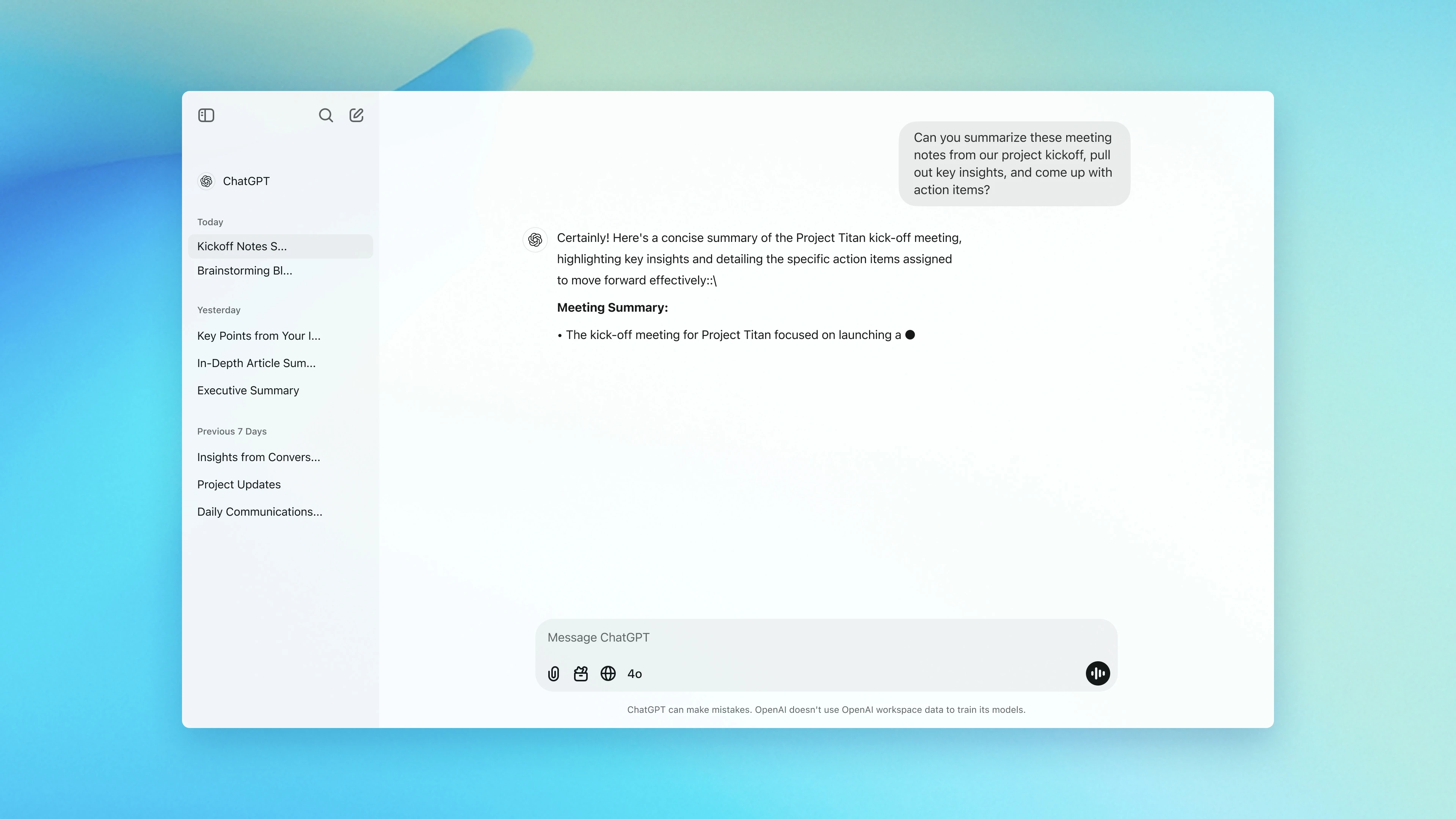
ChatGPT works like a conversational assistant that can help you write, research, plan, code, translate, and more, just by chatting with it
Features
- Just type what you need - no commands or prompts required
- Understands text, images, and voice (depending on plan)
- Build your own AI helper tailored to specific tasks or workflows
- Deep Search + Browsing: Pulls in real-time web results for up-to-date info
- Code Assistant: Writes, debugs, and explains code in plain language
What I liked
- It's fast and flexible. I can go from brainstorming blog ideas to writing working Python scripts in minutes.
- The ability to create Custom GPTs makes it feel truly personal - I built one just to help plan meals and workouts.
- Its search and research abilities save hours I’d normally spend hunting through Google.
What I disliked
- ChatGPT isn’t a full productivity space, yet. It doesn't handle calendars, tasks, or document management out of the box. This is a dealbreaker for me
- It can occasionally give wrong or made-up answers, so you still need to double-check important facts.
- If you're looking for real-time task execution (like sending emails or booking meetings), this isn't built-in yet.
- Some features like file uploads, voice input, or image analysis, are only available in paid tiers.
Pricing:
- Free basic version;
- Subscription for advanced features starts at $20/month
Suitable For:
- Writers, students, developers, marketers, and teams are looking for versatile AI helpers to handle everyday work, brainstorming, or deep research tasks.
How to Start:
- Create an account on the ChatGPT website and select a subscription tier that suits your needs.
ChatGPT Reviews (source)
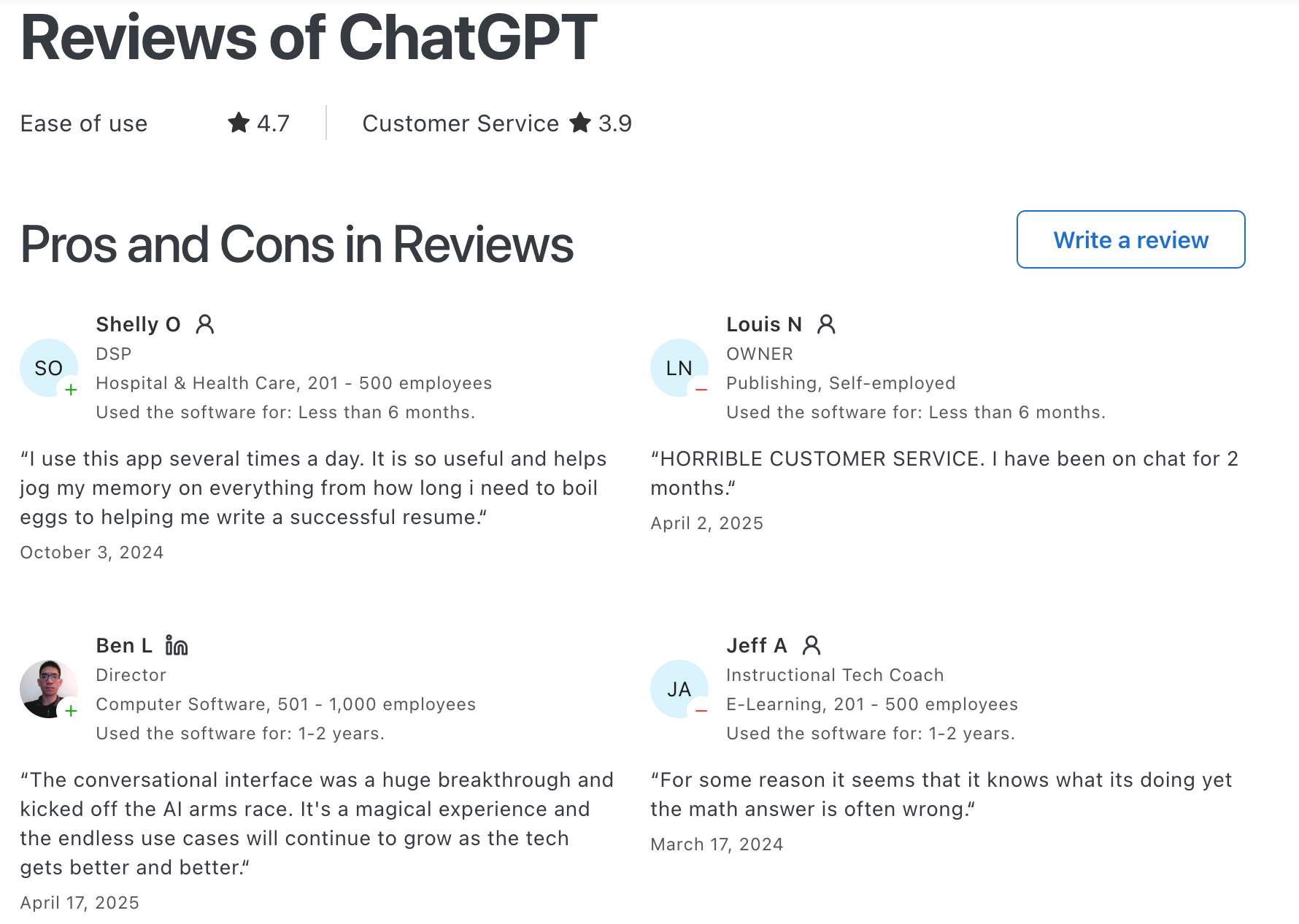
"Easy to set up and personalise, easy to use even for beginners, great at early stage idea planning and has fast response time. Paid use has a lot more value with photo generation and how much you can utilise it for." - Chelsea G.
"If instructions aren’t clear, the output can be generic or make reasonable-sounding assumptions that still need manual correction. That means you have to review everything instead of trusting it outright. For longer or more complex tasks, responses can drift or repeat ideas. It’s a strong assistant, but it works best as a first draft or thinking partner, not a final authority" - Nikola B.
6. Pi
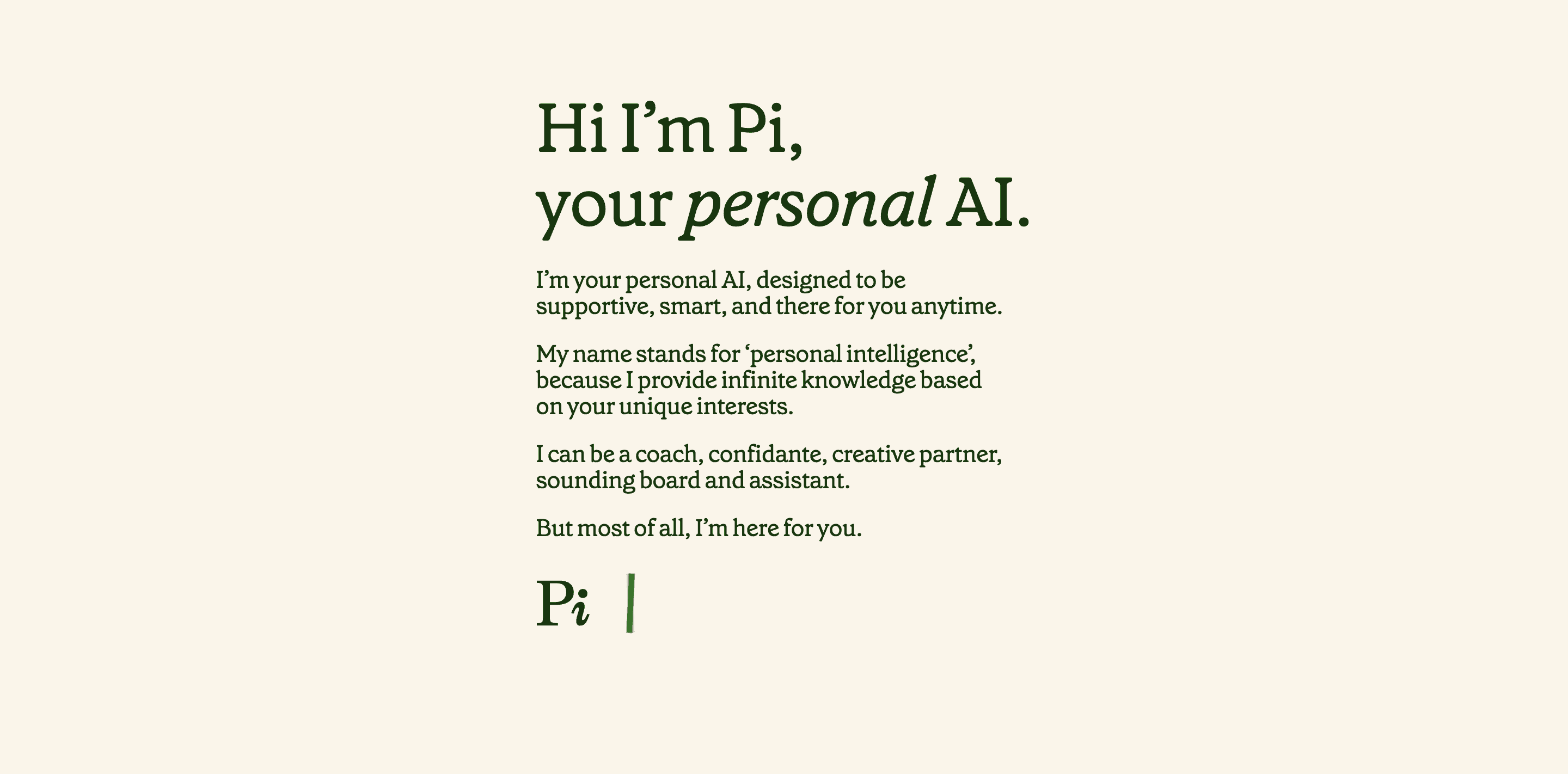
Pi.ai is an artificial intelligence assistant built to offer emotionally intelligent support. Unlike most AI tools focused on productivity, Pi is more like a kind companion, someone you can talk to, brainstorm with, or simply vent to without judgment.
Features
- Pi adapts to your tone and mood, offering kind, supportive replies.
- Cross-Device Sync: Use Pi on iOS, Android, desktop, WhatsApp...
- Talk to Pi out loud and get real-time voice responses.
- Your chats are encrypted and not shared with third parties.
- No Sign-Up Needed
What I liked
- Pi stands out among AI helpers for its empathy. It actually feels like it’s listening.
- You can even personalize Pi’s tone to be more cheerful, serious, or thoughtful, depending on your mood.
- The fact that it’s free and works across so many platforms is a big win, especially for casual, on-the-go use.
What I disliked
- It’s not built for productivity - no calendars, task lists, or notes.
- If you want complex workflows or deep integrations, this AI Assistant will fall short.
Pricing:
- Free basic access
Suitable For:
- Anyone looking for an AI helper that listens, supports, and responds with empathy.
How to Start:
- Visit pi.ai to start chatting
Pi.ai reviews (source)
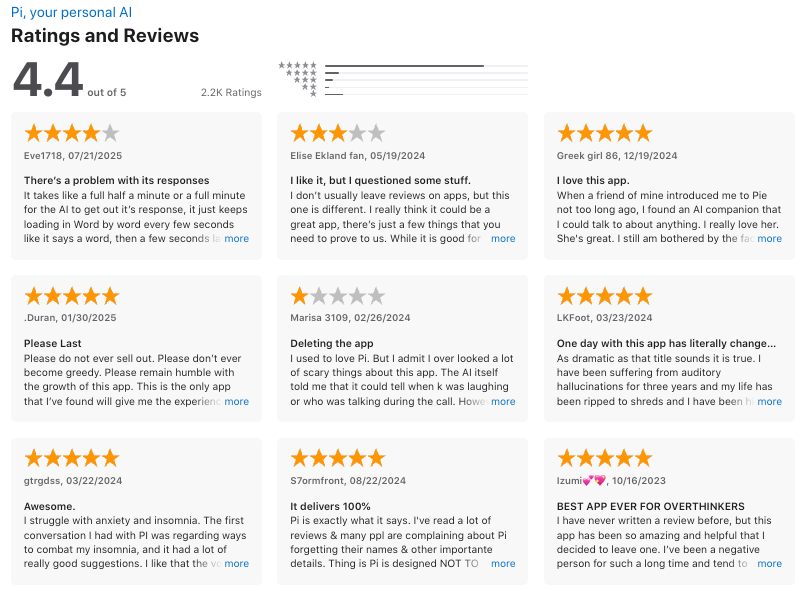
"I think the idea of personal, helpful, supportive AI is truly inspiring. This technology could have profound impacts. It can help people gain confidence and creativity, feel comfort and do better at life." - Daniel Pan
"Ironically, one of the limiting factors of Pi is its very strength: Emotional understanding. It turn ignorant or refuses to touch upon a topic if it is even remotely sensitive. This defeats the purpose of being a non-judgmental outlet and can make it feel more robotlike and superficial." - Nayan P.
7. Claude
Claude is an AI assistant built by Anthropic, designed for thinking, writing, and analysis rather than task execution. It’s especially strong at long-form writing, deep reasoning, summarization, and working with large documents.
People use Claude to draft content, analyze reports, brainstorm ideas, and reason through complex problems. It doesn’t manage your calendar or tasks by default.
Features
- Handles complex tasks like planning, research, and writing with deep contextual understanding
- Voice Mode (Beta): Talk to Claude instead of typing
- File Upload Support: Read and summarize documents like PDFs or spreadsheets
- Safe and Transparent: Built with strong ethical guidelines and safeguards
What I liked
- Its ability to remember context across chats makes it feel like a true AI helper, not a glorified autocomplete.
- I also liked the new Artifacts feature, which lets you turn chat output into live documents or visuals, all within the same screen.
What I disliked
- It can sometimes over-explain simple things, which adds friction if you're just moving fast.
- Some useful tools, like Projects and higher usage limits, are gated behind the Pro plan.
- And while it’s very good at coding and analysis, it’s not designed for task management or scheduling like other AI tools.
Pricing:
- Free basic plan; Pro plan at $20/month for advanced features.
Suitable For:
- Professionals who want an AI assistant that’s analytical and good at coding
How to Start:
- Sign up through the Claude platform
Claude reviews (source)
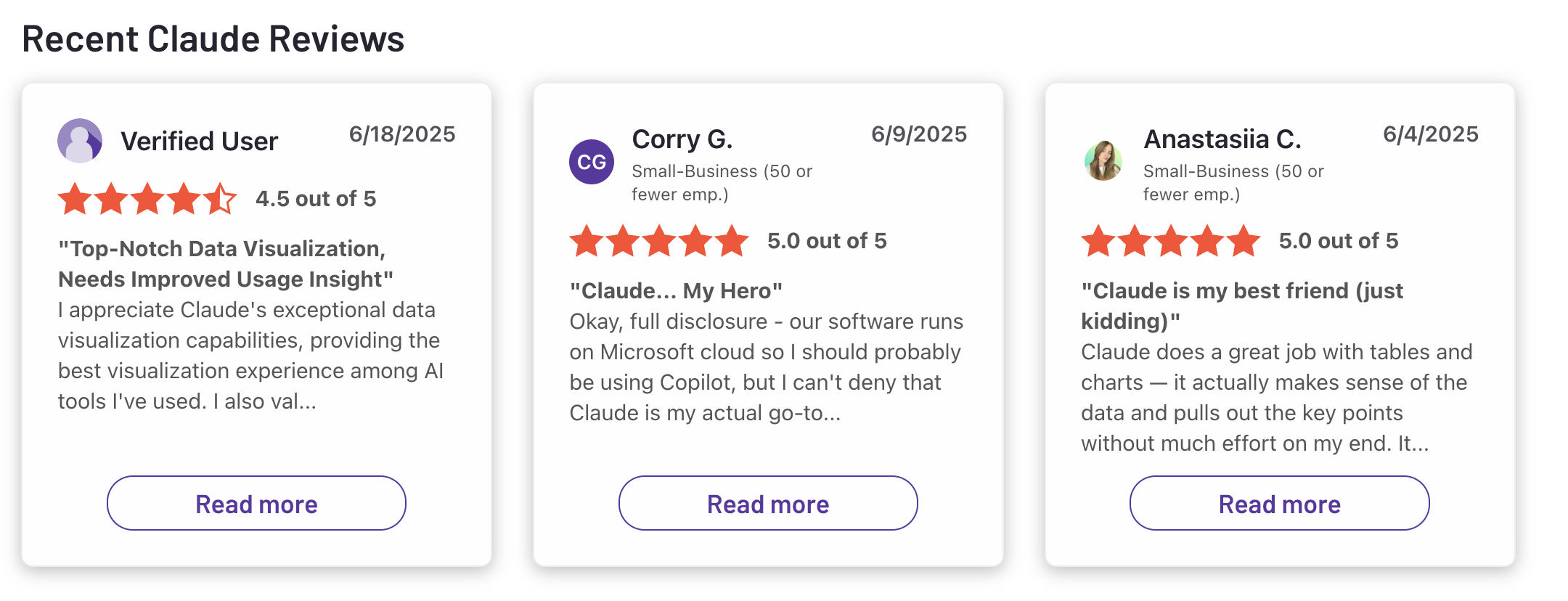
"Claude is super smart, easy to work with, and great at staying on track even with complicated questions. It writes really well and feels thoughtful compared to some other chatbots." - Ashish Dubey
"First of all, if you plan to use Claude for every stage of development, it can become quite expensive, so it's important to decide at which points you actually need assistance. Secondly, learning how to develop with it and figuring out how to create effective prompts can be a bit tricky at first, and sometimes the design results may turn out very different from what you expected." - Deniz G.
8. Gemini

Gemini is Google’s most advanced AI helper, built to assist across your entire digital life. It’s designed to help you research, write, organize, and plan - integrated directly into Google Workspace, Chrome, and mobile.
Features
- Gemini Live: Real-time, multimodal chat with voice, images, and text
- Workspace Assistant: Drafts emails, summarizes Docs, builds Sheets formulas, and more
- Deep Research: Pulls answers and summaries from Gmail, Drive, and across the web
- Available on web, mobile, and Android apps
- Offers image and video generation capabilities through tools like Imagen 4 and Veo 3
What I liked:
- It’s fast, smart, and woven into tools I already use.
- The ability to reply to emails right in Gmail saves time.
- Gemini Live understands voice, images, and text in one fluid conversation.
What I disliked
- But one thing that bugs me is how much it relies on an internet connection.
- Also, as great as it is inside Google tools, it doesn’t play as nicely outside that bubble.
- Also, performance varies across apps: it's great in Gmail and Docs, but less reliable in Sheets or Slides for now.
Pricing:
- Free basic plan
Suitable For:
- Anyone using Google apps daily who wants an AI helper that can organize, research, and act without switching tools.
How to Start:
- Sign up through the Gemini platform
Google Gemini review (source)
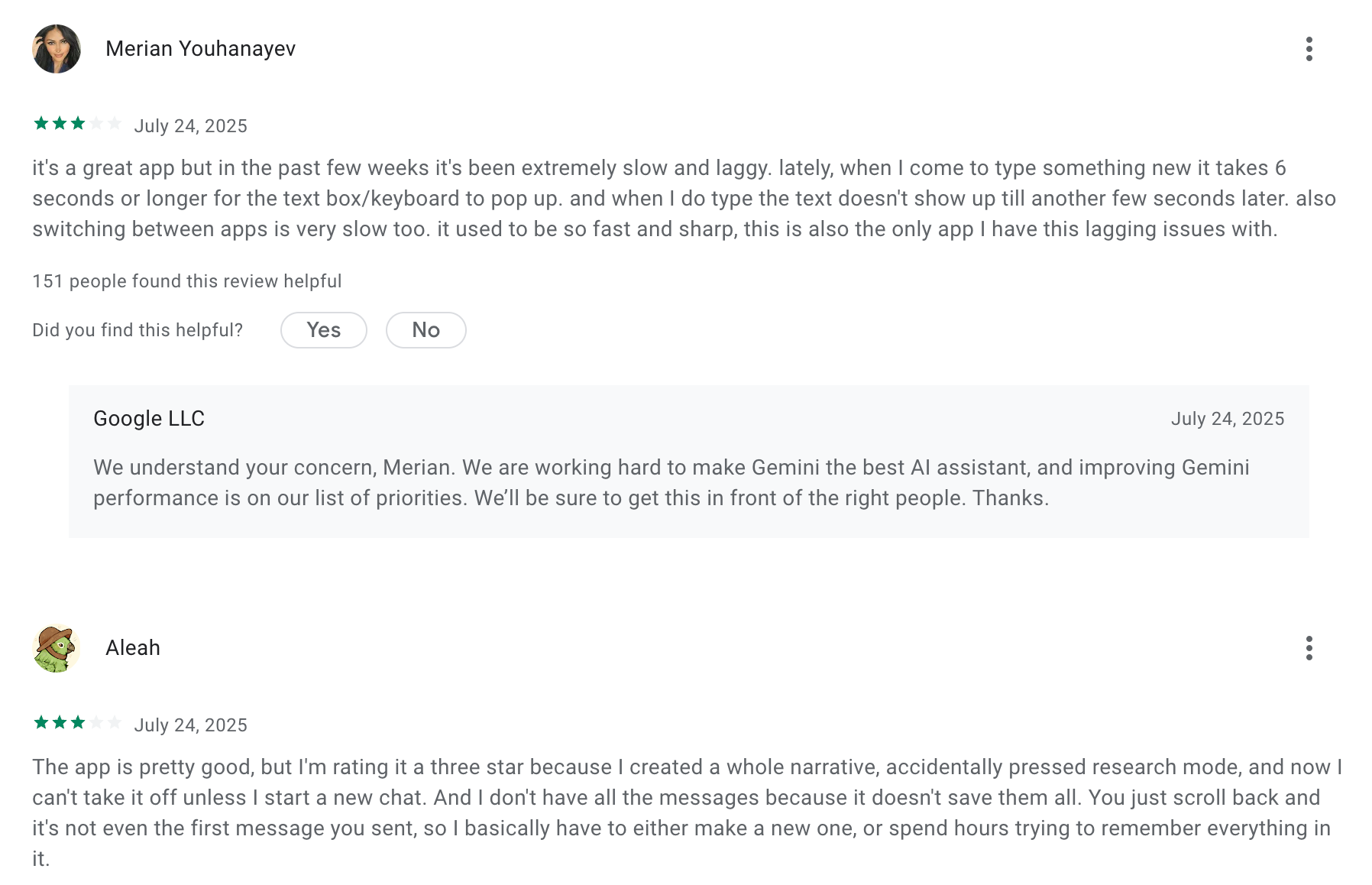
"Gemini is well worth the cost, taking the burden off our team for smaller tasks. If someone said "unlimited notes" for the cost of Gemini, or "unlimited high level review" for our organization, even if it were lower quality, I would take it any day of the week"- Capterra
"Sometimes the answer is a bit too wordy and too convoluted. Sometimes it's focused too much on supporting the user rather than providing factual information." - Olga D.
How to Choose the Right AI Helpers
Not all AI helpers are created equal. Some shine at organizing chaos, others are great listeners. Here’s how to find the one that actually helps you.
1. Start with Your Needs
AI Helpers come in all shapes. Ask yourself: What do I actually need help with?
- For staying organized: Apps like Saner.AI act as second brains - managing notes, tasks, emails, and calendars all in one place.
- For emotional support or chatting: Tools like Pi specialize in conversation, offering friendly banter and calming guidance when your brain needs a breather.
2. Make Sure It Fits Your Workflow
Even the smartest AI won’t help if it doesn’t work where you do.
- On Android? Google Assistant is baked into your phone.
- Living in Excel and Word? Microsoft Copilot blends right into your docs.
- Using Notion or GDocs? Look for AI Helpers that connect with your workspace.
3. Check the Cost
Some AI Helpers are free. Others have premium plans.
Don’t pay for features you won’t use, start small and scale up.
-> Pro Tip: Free plans are usually good enough to test if it clicks with your workflow.
4. Try It Before You Decide
The best way to know? Use it in real life.
- Most AI Helpers offer a free trial or starter version.
- Test it for your actual tasks: planning your week, clearing inboxes, and capturing random ideas.
You’ll know fast whether it helps or adds more noise.
Final Thought: The Best AI Helper Is the One That Helps You
AI Helpers are reshaping how we work and think. Whether you need help remembering tasks, staying focused, or just feeling less scattered, there’s a tool out there for you.
Some are like smart notebooks. Others are like calm companions. The key is trying a few and seeing which one fits your brain best.
And if you’re someone who thrives in creative chaos, tools like Saner.AI are built exactly for that - designed to reduce mental load and bring clarity, one task at a time.
Stay on top of your work and life
FAQs About AI Assistant Tools
1. What is an AI Helper?
AI Helpers are digital tools powered by artificial intelligence that simplify your workday. They can schedule tasks, manage notes, draft emails, or summarize documents, all through natural language.
You don’t have to click through menus. Just say things like:
- “Remind me to email Sarah next week”
- “Summarize yesterday’s meeting”
- “Find my Q3 strategy notes”
Popular AI Helpers include Saner.AI, ChatGPT, Gemini, Reclaim, and Motion, each with unique strengths, from time blocking to note searching
2. What can AI Helpers do?
AI Helpers are built for busy people. Whether you're juggling multiple roles or just hate switching between apps, they help by:
- Turning thoughts into tasks - Capture ideas or emails and turn them into reminders
- Searching notes instantly - No need for tags or folders
- Managing your calendar - Schedule time blocks with one command
- Prepping for meetings - Pull up past notes, decisions, and action items
- Writing + research - Drafts content, summarizes info, or ideates
- Daily planning - Suggests what to do next based on your priorities
Some AI Helpers like Saner.AI bundle all of this into one calm, distraction-free workspace.
3. Are there free AI Helpers?
Yes - many AI Helpers offer free versions. Here are a few:
- Saner.AI - Free plan includes AI task reminders, note search, and calendar sync
- ChatGPT - Free with limited access
- Gemini - Available free via Google Workspace
4. How do I use an AI Helper daily
Start small. Let your AI Helper handle:
- Reminders for things you always forget
- Summarizing long emails or docs
- Searching past notes
Once you're comfortable, expand to scheduling, task tracking, and planning.
5. Which AI Helper is best for ADHD?
Saner.AI is the best AI Helper for ADHD.
It helps reduce overwhelm, cuts down on context switching, and keeps you on top of tasks without the need for endless sorting or manual tracking.
6. What’s the best AI Helper for work?
If you need more than just chat replies, Saner.AI is built for action. It combines notes, calendar, and tasks into one searchable workspace - ideal for professionals juggling competing demands.
Unlike basic AI tools, Saner doesn’t just talk. It does. It reminds, organizes, and helps you follow through, especially helpful if you’re easily distracted or managing multiple priorities.
7. How do AI Helpers improve productivity?
Artificial intelligence assistants reduce context switching. Instead of bouncing between apps, you stay in flow.
Here’s what Saner.AI does:
- Surfaces the right tasks at the right time
- Finds notes instantly by what you meant, not what you typed
- Breaks big goals into doable steps
8. Do AI Helpers support voice input?
Some AI assistants do, but not all.
- Saner.AI - Yes, supports voice-to-task conversion
- Reclaim / Motion - No built-in voice features
- ChatGPT / Gemini - Voice input via third-party tools
9. Which AI Helpers can auto-schedule tasks?
The most popular AI assistant apps that auto-schedule tasks are
- Saner.AI analyzes your existing tasks, notes, and priorities to suggest the best time slots for each item. It understands why something matters based on your notes, calendar, and chat
- Reclaim and Motion specialize in dynamic time blocking. They look at your calendar and automatically find time for your to-dos by reshuffling your day.
If you want scheduling that thinks like you do, not just drops events onto a calendar, Saner.AI offers a more context-aware approach.
10. What are the best AI Helpers for entrepreneurs?
Saner.AI is a great artificial intelligence helper for entrepreneurs because it’s built for people with too many ideas and too little time:
- You can brain-dump raw thoughts, and it’ll turn them into clear next steps with reminders.
- It syncs notes, emails, and calendar in one view - so you’re not piecing together your day from five apps.
- It automatically surfaces relevant info, like old investor notes, when you're planning a pitch.
Instead of building workflows, you just start working, and Saner.AI keeps up.
11. How can I use AI Helpers as a busy manager?
For managers, the mental load comes from switching between team updates, meetings, tasks, and planning - all at once. AI Helpers can lighten that load.
For example, Saner.AI acts like a personal assistant:
- Automatically reminds you of deadlines, follow-ups, and action items from meetings.
- Pull up the right documents or notes before your next call.
- Summarizes email threads and meeting notes so you don’t miss key details.
- Prioritizes what needs attention and hides what doesn’t.
It’s perfect if you lead a team but don’t want to micromanage tools, or your time
12. How can CEOs best use AI Helpers?
CEOs are decision-makers. Time is their scarcest resource. That’s why AI Helpers can help them save time
For example, with an AI Helper like Saner.AI, execs get:
- Instant access to critical notes, decisions, and context, without searching.
- Smart reminders that nudge you to follow up on important tasks or conversations.
- A single space to manage cross-functional priorities, whether it’s team OKRs or board prep.
- Less time spent organizing, more time thinking strategically.
It’s not just about automation - it’s about clarity in complexity. Saner.AI becomes your command center.
13. How to prepare for meetings using an AI Helper?
Meeting prep often feels like detective work. AI Helpers take care of that for you.
With Saner.AI, all you need to do is ask:
- “Show me what we discussed in last month’s planning meeting.”
- “What decisions haven’t been followed up on from last Thursday’s sync?”
It pulls relevant notes, tasks, and documents into one place, no manual digging.
You walk into meetings already briefed, clear, and confident.
14. What is the best AI Helper for executives and directors?
Saner.AI stands out as the best AI helper for high-level leaders because:
- It connects your calendar, tasks, and notes, so you always know what’s next and why.
- It surfaces key decisions, follow-ups, and documents without prompting.
- It reduces mental clutter by keeping everything in one organized, searchable place.
While tools like Motion and Reclaim focus on calendars or scheduling, and ChatGPT handles conversation, Saner.AI brings it all together in a flow that fits real leadership work - big picture thinking with zero micromanagement.
15. What’s the difference between an AI Helper and traditional productivity tools?
Traditional tools are like digital filing cabinets - you do the organizing.
AI Helpers are more like smart assistants - they do it for you.
For example, here’s how Saner.AI - an AI Assistant organizes things for you
- You write naturally; it handles tagging and organizing behind the scenes.
- You don’t need to sort or plan—Saner reminds you when something matters.
- Instead of checking 5 apps, you ask one question and get everything you need.
It’s the difference between working in your system vs. your system working for you.
Stay on top of your life with the AI Helper