
AI Task Management Guide: How to Organize Work and Life with AI

I used to think I had a productivity problem. I'd start Monday with a clear list, by Wednesday it was wrong, and by Friday I was triaging things I'd completely forgotten. But I realized the list wasn't the problem. The system was.
Most task management tools are built on a flawed assumption: that if you write things down carefully enough and label them correctly, the right work will get done at the right time. They put the entire burden of judgment on you - what to do, when to do it, how long it'll take - and then offer nothing when reality doesn't go to plan.
AI task management is built on a different assumption. Your job is to tell the system what exists. Its job is to figure out when it happens.
This guide covers what AI task management actually is, how it works, who it helps most, and how to get started instantly.
1) What Is AI Task Management?
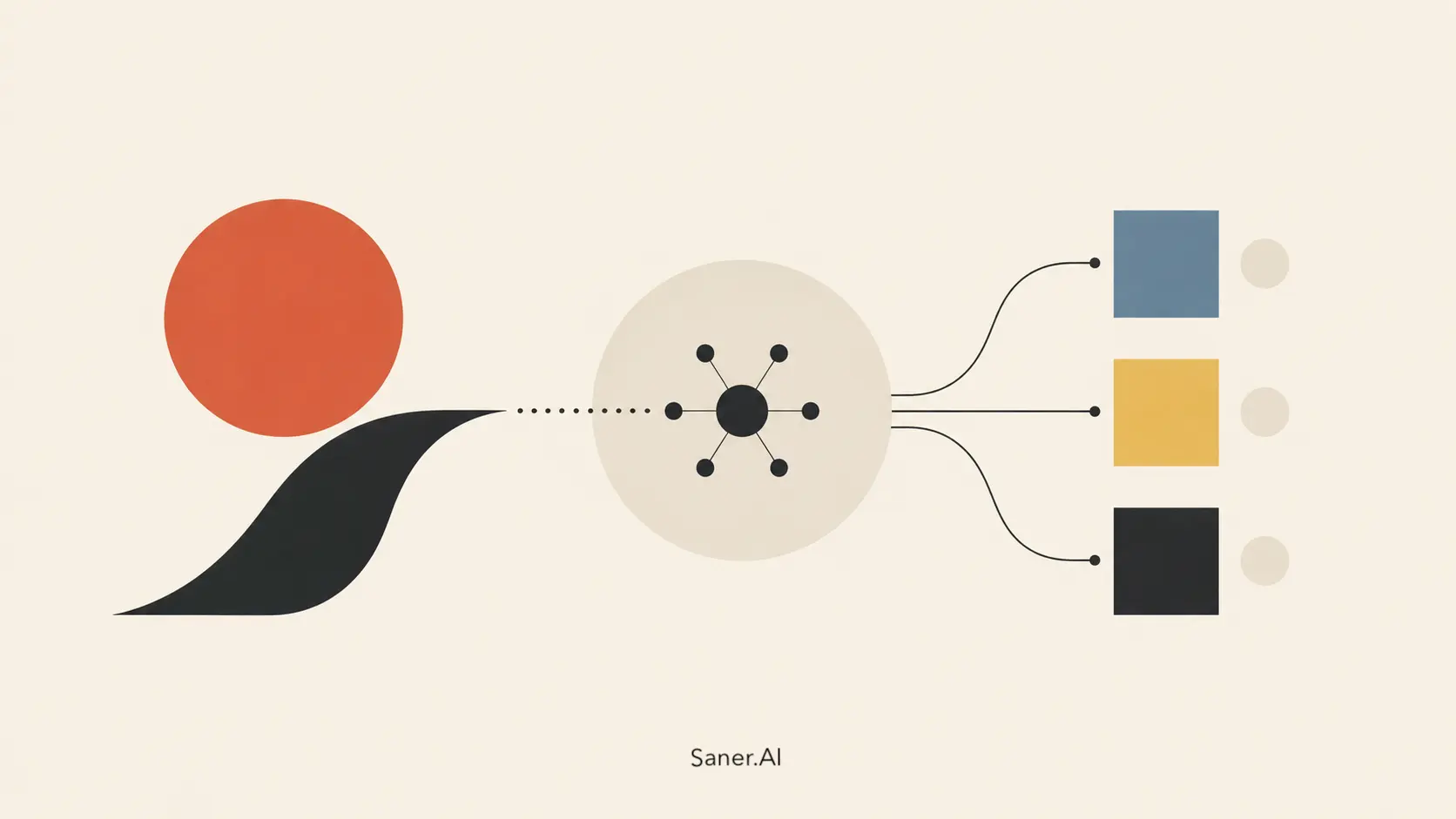
AI task management is a system where artificial intelligence handles the organizational layer of your work: pulling tasks from wherever they originate, sorting them by what actually matters right now, placing them on your calendar, and rearranging everything when priorities shift.
The keyword is handles. Not suggests. Not reminds you to do manually. Handles.
A traditional task manager is a container. You put things in, you decide when to work on them, and you move them around when life changes. An AI task manager is a coordinator. It watches what comes in, understands your schedule and capacity, and turns your task list into a working plan without waiting for you to do it.
The most important distinction is that the output is time on your calendar, not items on a list. A task sitting in a backlog with no scheduled time is just a worry with a label.
2) The Problems with Traditional Task Management
The productivity industry has spent decades telling people to make better lists. More detailed lists. Lists with priorities, due dates, and tags. Lists inside lists.
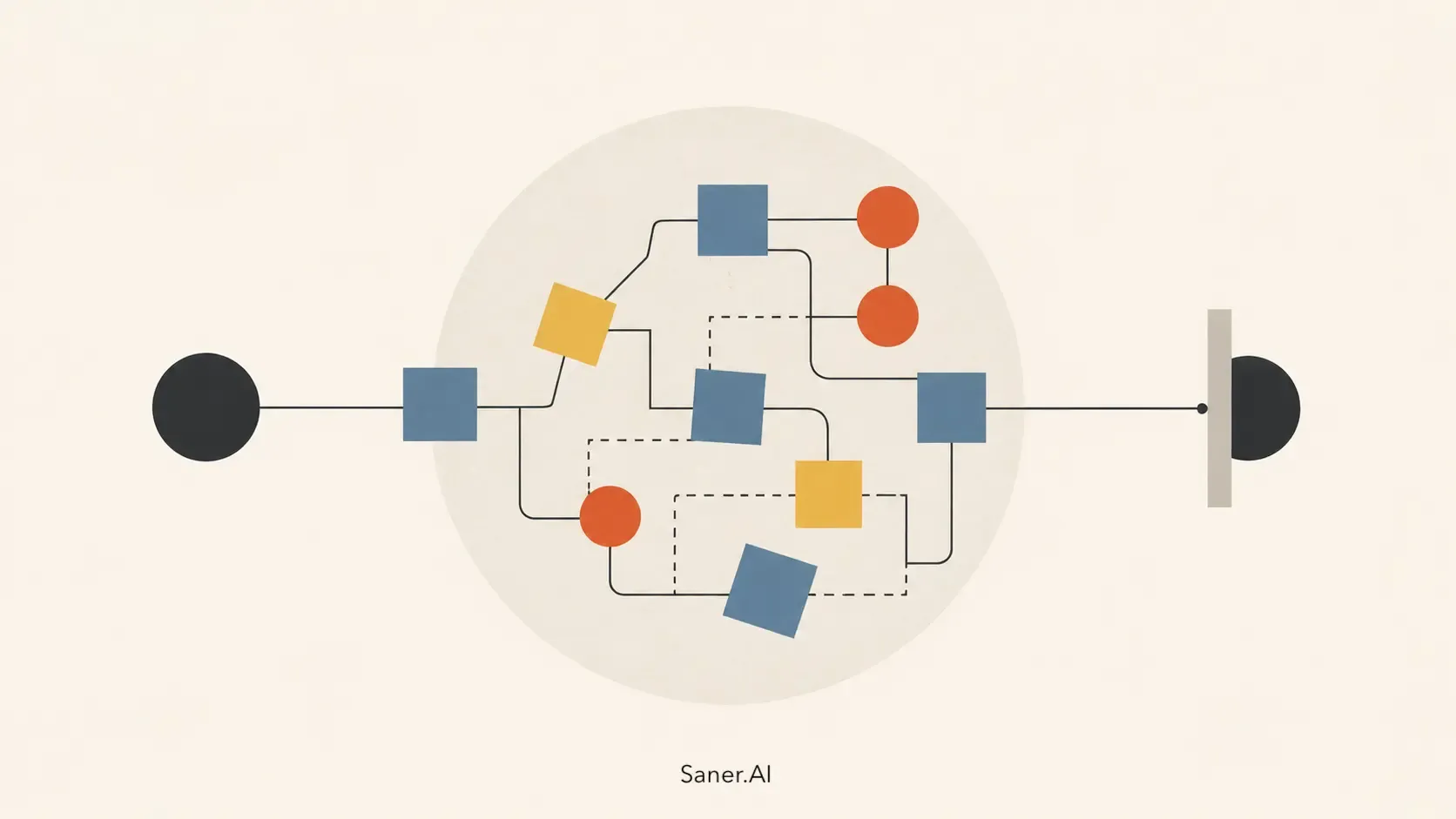
Better lists don't fix the actual problem. The actual problem is that most tasks don't start as tasks, your list lives somewhere completely separate from your calendar, and no tool tells you when things fall apart.
Here's what's actually happening:
- The list and the calendar don't talk to each other. You plan in your task app. You live in your calendar. On paper, Tuesday afternoon has three hours free. In reality, it has a deadline, a call that ran long, and two tasks that moved from Monday. Your task manager doesn't know any of that.
- Task capture is broken. According to Asana's Anatomy of Work Index, which surveyed over 10,000 knowledge workers globally, the average person spends roughly 60% of their working day on "work about work" — chasing status updates, switching between apps, and managing communications — rather than on the skilled work they were actually hired to do. The tasks buried in all that noise never make it onto any list.
- The search overhead alone is staggering. The McKinsey Global Institute's Social Economy report found that knowledge workers spend roughly 1.8 hours every day simply searching for and gathering information. That's 9.3 hours a week, or approximately nine full work weeks per year, not spent on actual work.
- Every time you switch context, you pay a tax. Research by Professor Gloria Mark at UC Irvine, published in her widely cited paper The Cost of Interrupted Work, found that it takes an average of 23 minutes and 15 seconds to fully regain focus after an interruption. Separately, the American Psychological Association's task-switching research found that the cumulative cost of switching between tasks can reduce overall productivity by as much as 40%. You're not just losing the minutes you spend jumping between things. You're losing the focus windows on either side.
- Prioritization is a manual sport. Most tools let you label priority. You mark things High, Medium, or Low, and then you have six High items and still have to decide which one matters today. The labels never actually reduce the decision-making.
- The plan collapses silently. A meeting moves, a dependency breaks, someone sends you something urgent. Traditional task tools have no awareness of any of it. They show you the list you built on Monday, whether or not it still makes any sense on Thursday.
None of this is a discipline problem. It's a system problem. And it's exactly what AI task management is designed to replace.
👉 Related: Best Task Extractor from Emails and Notes
How AI Task Management Actually Works
The 5 Things a Good AI Task Manager Should Do
Understanding the mechanics matters, because this category ranges from "smart reminder app" to "genuine AI scheduling engine." Here's what's actually happening inside the better tools.
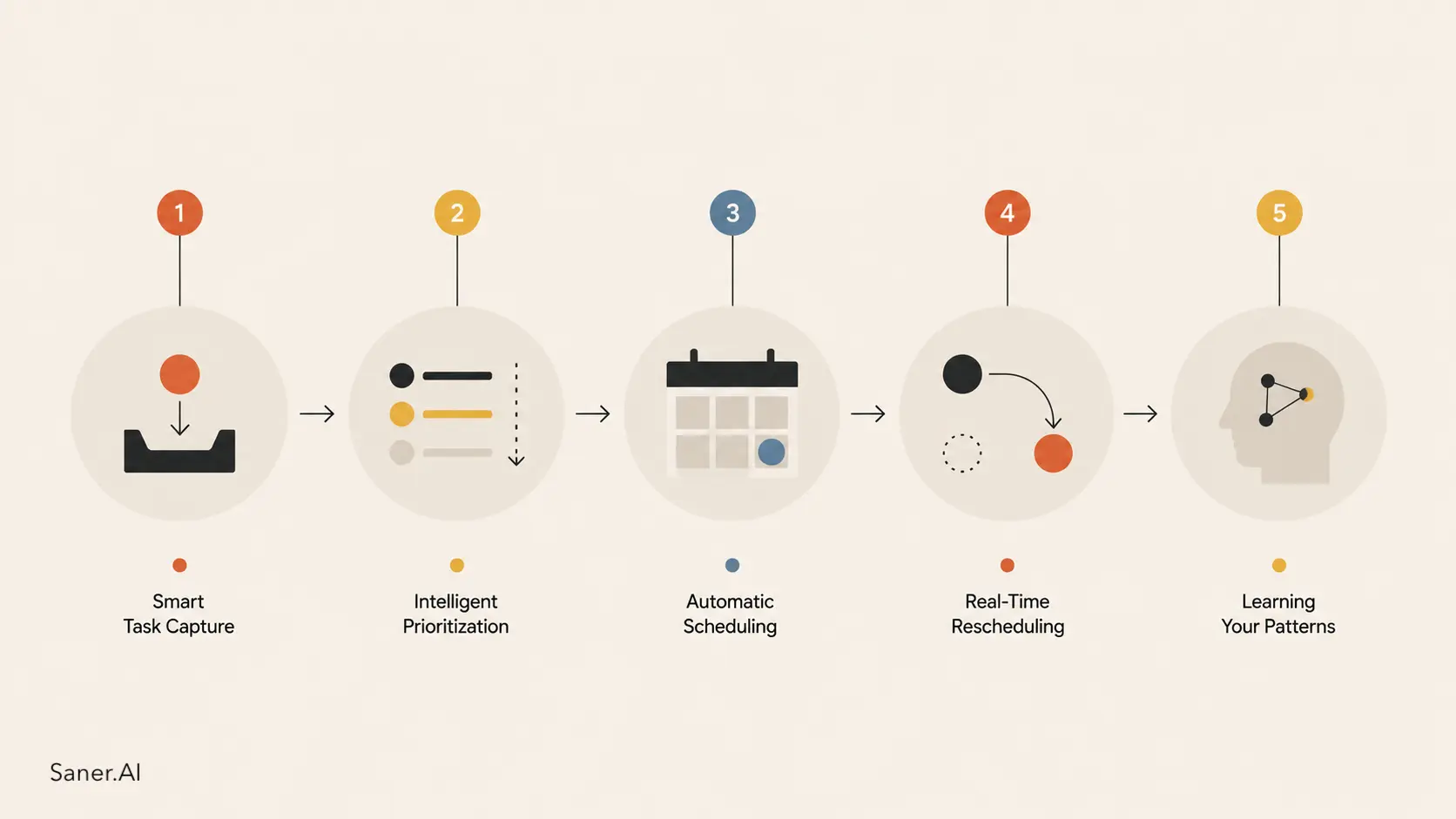
Smart Task Capture
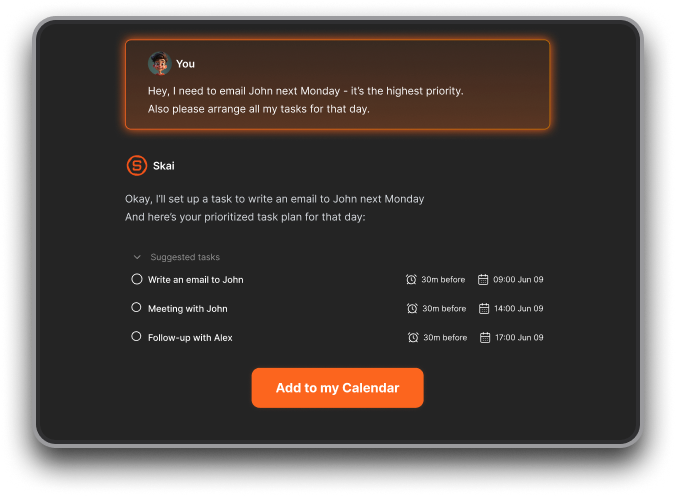
The input problem: tasks scattered across email, Slack, meeting notes, and documents, voice memos, gets solved at the source. AI reads where your tasks actually originate and extracts them automatically.
- You label an email. The AI pulls out the action item, the deadline buried in the thread, and the person it involves.
- You paste meeting notes. Follow-up items get separated from the discussion and added to your task list.
- You drop in a voice memo. It becomes a structured task. You stop being the bottleneck between "a task exists somewhere" and "it's somewhere I'll actually see it."
👉 Related: Best AI for brain dump
Intelligent Prioritization
Static labels (High/Medium/Low) are a guess you make once. Dynamic AI prioritization is a continuous calculation.
A good AI task manager weighs deadline proximity, estimated duration, available calendar time, meeting density, and task dependencies together. It doesn't just tell you something is urgent. It tells you that this specific task needs to happen this afternoon, between 2 and 3 PM, because that's the only window before the deadline, and you have a 90-minute meeting tomorrow morning that closes off your next available slot.
That level of specificity is not possible when a human is doing it manually for every task, every day.
Automatic Scheduling
This is where the list-and-calendar divorce gets resolved.
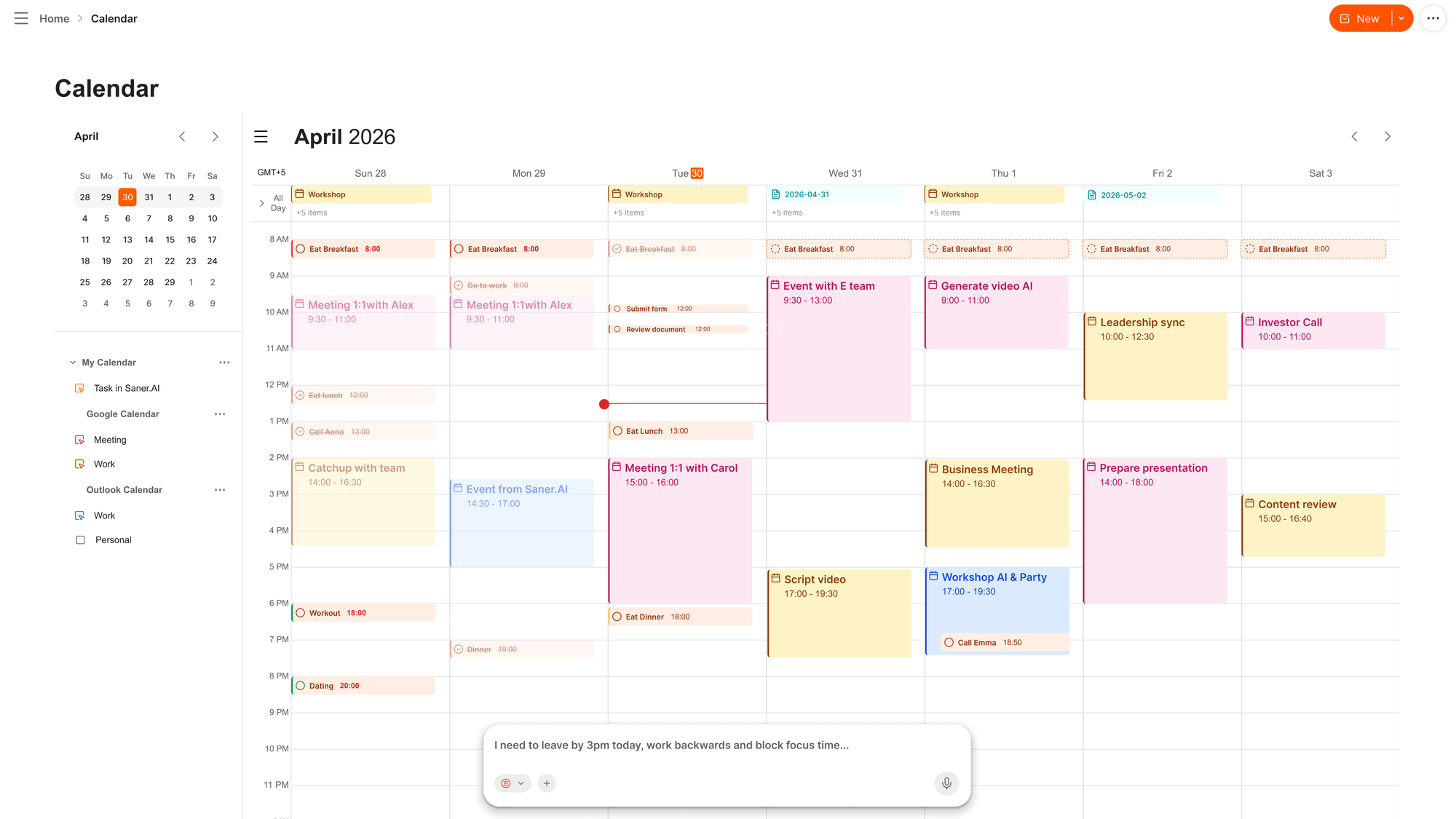
Instead of maintaining a task list in one app and a calendar in another, AI scheduling connects them. It places task work on your calendar the way a meeting gets booked - with a start time, a duration, and a real slot you're expected to use.
👉 Related: Best AI calendar
Real-Time Rescheduling
When something changes — a meeting gets added, a deadline moves, you run over on a task — the system adapts. Your whole plan doesn't collapse. It rearranges.
In practice, this means Monday morning's schedule isn't ruined by a Tuesday afternoon change. The AI sees the conflict, finds available capacity, and moves things accordingly. You get notified of what changed instead of discovering at 4 PM that nothing got done.
Learning Your Patterns
The AI gets more accurate over time. When you consistently push certain task types to the afternoon, it stops scheduling deep work after 3 PM. When your time estimates are always 30% too optimistic, it builds in a buffer automatically. When you tend to avoid a specific kind of task, it flags it before it becomes a crisis.
This is what separates a genuinely intelligent system from a smarter-looking to-do list.
Who Needs AI Task Management (And Who Doesn't)
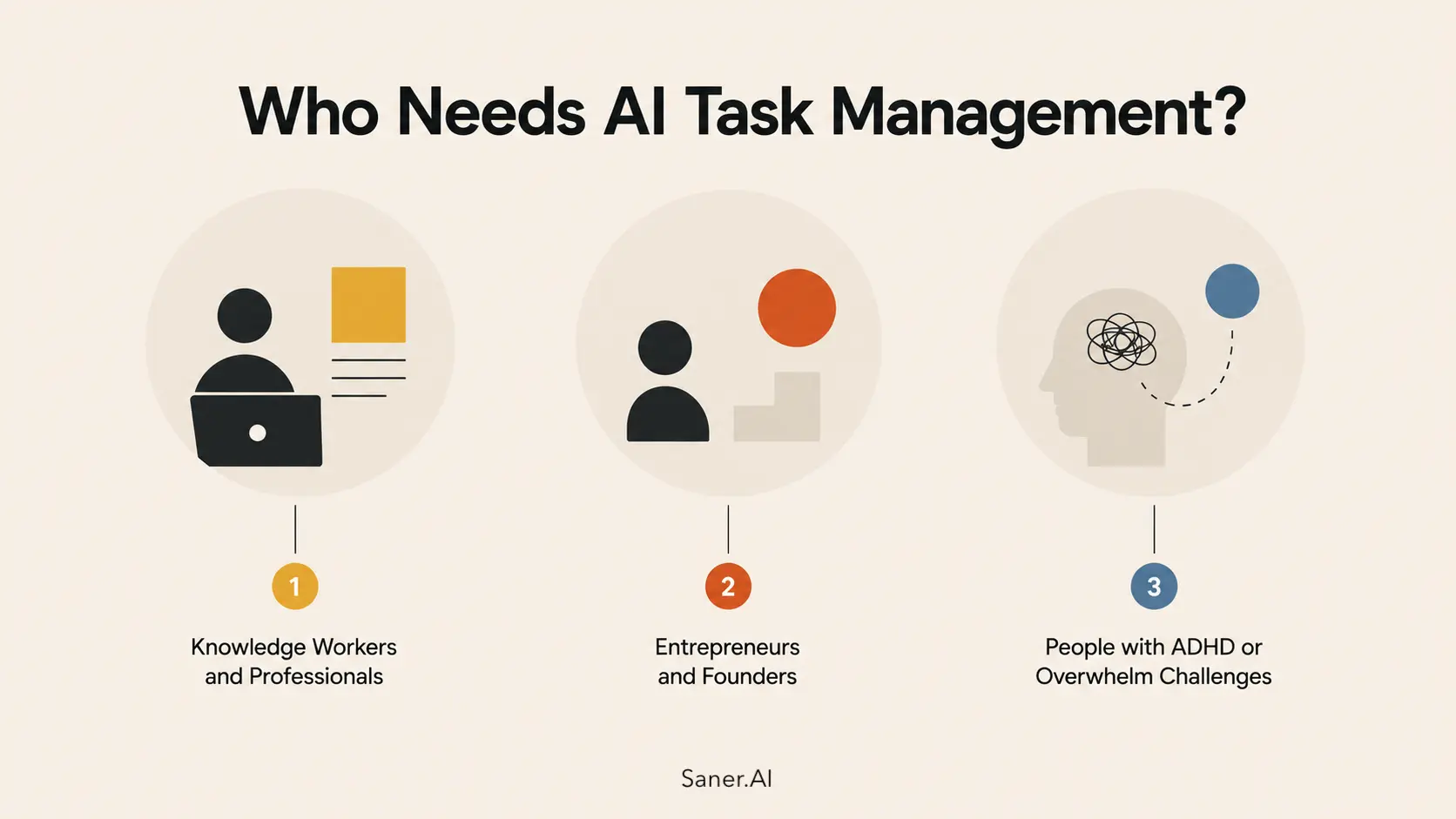
1) Knowledge Workers and Professionals
If your work arrives from multiple directions — email, meetings, Slack, documents, manager requests — and you're responsible for your own prioritization, AI task management pays off faster than almost any other workflow change.
The capture problem is most severe in this group. Work arrives in fragmented ways throughout the day, tasks are embedded in conversations rather than assigned through structured systems, and the calendar fills up with meetings that create planning pressure without solving it. AI task management addresses all three.
Related: Best AI Tools for Knowledge Workers
2) Entrepreneurs and Founders
Running a company without a full support structure means coordinating everything yourself. No project manager is tracking what's moving, no assistant is flagging things falling through the cracks, and no one is telling you that you've booked yourself into an impossible week.
AI task management acts as that coordination layer. It doesn't make decisions for you, but it handles the logistics of when things happen so you can focus your energy on the judgment calls that actually require you.
Related: Best AI Tools for Entrepreneurs
3) People with ADHD or Overwhelm Challenges
This is where AI task management stops being a productivity optimization and starts being something more fundamental.
The core issue isn't laziness or poor discipline. It's neurological.
Dr. Russell Barkley, one of the leading ADHD researchers in the world and a clinical psychologist whose work is extensively cited by CHADD, describes ADHD as fundamentally a disorder of executive dysfunction and impaired time perception rather than a simple attention deficit. His research characterizes the ADHD brain as operating with only two time zones: NOW and NOT NOW. As documented by Understood.org, a deadline three weeks away registers as "not now" and carries no emotional urgency until it becomes imminent — at which point the urgency arrives as panic rather than planning.
Barkley's decades of research consistently support the use of externalized systems to compensate for what he calls "time blindness" — the reduced ability to perceive time passing and use that awareness to guide behavior.
AI task management is exactly this kind of externalized system: one that tracks what needs to happen, assigns it to a real-time slot on the calendar, and surfaces it before it becomes a crisis.
For people with ADHD specifically, the features that matter most are:
- Proactive reminders that arrive before the urgent-panic threshold, not after
- Tasks that live on a visible calendar in concrete time blocks, not buried in a scrolling backlog
- Automatic rescheduling, because rigidly built plans create more anxiety when they inevitably shift
- Capture that doesn't depend on remembering to write something down
A tool that requires consistent manual system maintenance will consistently fail people whose executive function makes that maintenance the hardest part. A tool that handles maintenance automatically removes the failure point entirely.
Related: ADHD Productivity: The Complete Guide and Best ADHD Apps
When You Probably Don't Need It
If your work is mostly reactive - you show up, respond to what comes in, and don't manage a large backlog of independent tasks - a simple to-do list is fine. If you have fewer than 5 tasks a week and your calendar runs itself, the overhead of setting up an AI task system probably isn't worth the return.
AI task management earns its place when task volume is high, sources are multiple, and re-planning happens regularly. Below that threshold, it's solving a problem you don't have.
AI Task Manager vs. To-Do List vs. Project Management Tool
These three categories get conflated constantly. They're meaningfully different, and picking the wrong one is a common reason people abandon tools after two weeks.
| Traditional To-Do List | AI Task Manager | Project Management Tool | |
|---|---|---|---|
| Task capture | Manual | Automatic (email, notes, voice) | Manual |
| Scheduling | None — you decide when | Auto-blocks calendar time | Manual (Gantt, boards) |
| Prioritization | You assign labels | AI calculates dynamically | You assign manually |
| Re-planning when things change | Manual | Automatic | Manual |
| Learns your habits | No | Yes, over time | No |
| Best for | Simple personal task lists | Individuals with high task volume | Teams managing complex projects |
| Examples | Todoist, Apple Reminders | Saner.AI, Motion, Reclaim | Asana, ClickUp, Jira |
The clearest way to think about it: a to-do list stores tasks, an AI task manager schedules them, and a project management tool coordinates them across a team. You might use all three for different things. Most individuals only need the first two, and often only the second.
How to Get Started with AI Task Management
The most common mistake when starting with an AI to-do list is trying to automate everything in week one. People connect every integration, configure every setting, and then abandon the whole thing when it doesn't immediately match the demo. A staged approach works considerably better.
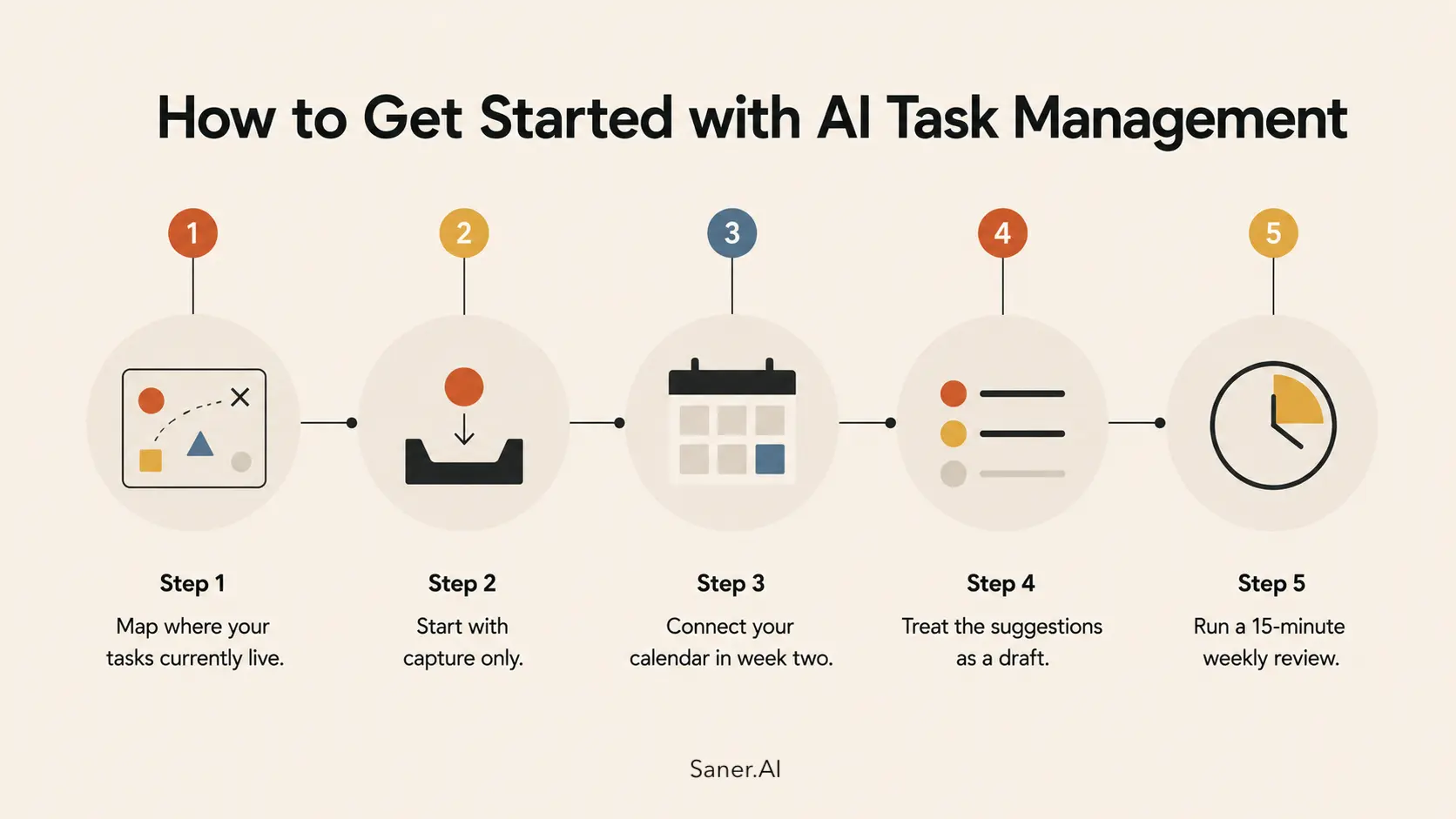
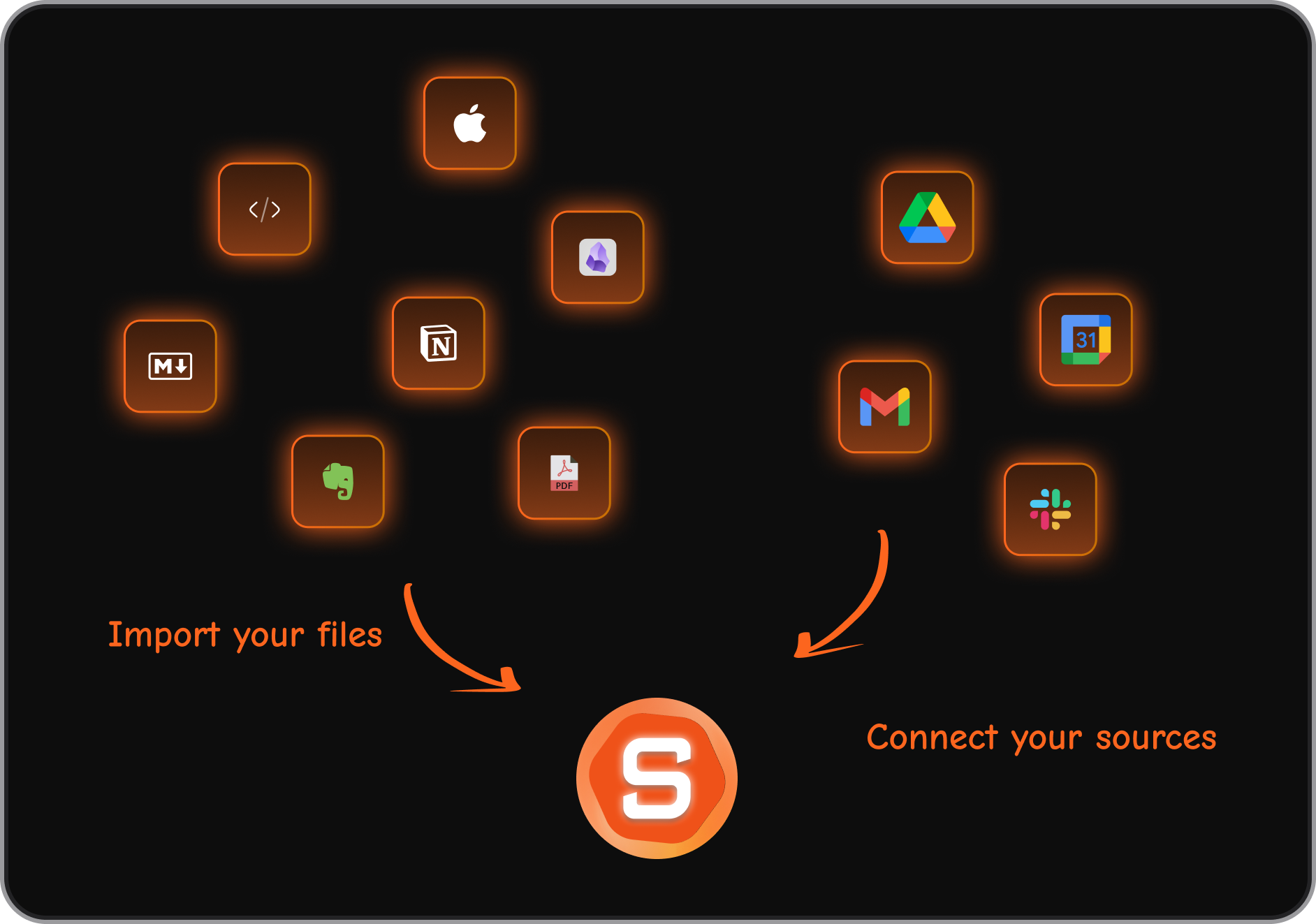
Step 1: Map where your tasks currently live.
- Before picking any tool, spend one day writing down every source a task comes from. Email? Meeting notes? Slack? Voice? Verbal commitments you make in hallway conversations?
- The right AI task manager for you is the one that connects to your actual sources, not the ones in the marketing video. This takes 20 minutes and saves weeks of wrong-tool regret.
Step 2: Start with capture only.
- In week one, don't worry about scheduling or prioritization. Just use the tool to capture everything. If a task comes in, it goes in the system.
- The goal at this stage is completeness, not optimization. You need to trust the capture layer before you can rely on the planning layer.
Step 3: Connect your calendar in week two.
- Once your task list feels complete, bring in your calendar. This is when scheduling features start to matter.
- Let the AI see what time you actually have available and begin placing task blocks against it.
Step 4: Treat the suggestions as a draft.
- AI scheduling isn't infallible, especially early on. Review the plan each morning and push back where suggestions don't fit. The system learns from your corrections.
Step 5: Run a 15-minute weekly review.
- AI task management handles logistics. It doesn't replace your judgment about what actually matters.
- A short weekly review — what got done, what didn't, what should shift — keeps the system accurate and prevents the AI from optimizing around the wrong priorities.
👉 Related: How to Plan Your Day Effectively and How to Get Organized
The Best AI Task Management Tools
Rather than ranking every option here, we've done that separately with hands-on testing. Here's a quick map of the landscape by use case, since a founder's needs and a knowledge worker's needs look different even when they're searching the same keyword.
For individuals who want notes, tasks, calendar, and AI in one place:
- The most effective setup combines task capture from email and documents with calendar scheduling and a conversational interface, so you can drop in whatever's in your head and let the AI sort it.
- Saner.AI is built around exactly this workflow, designed specifically for people who think in fragments and need a system that organizes for them rather than expecting them to maintain the structure themselves.

Stay on top of your work and life
For full auto-scheduling across a packed calendar:
- Motion and Reclaim both automatically build and rebuild your daily schedule around deadlines and available time. They're best when your primary problem is scheduling density.
For teams managing projects across people:
- ClickUp, Asana, and Notion handle the coordination and visibility layer for groups. The AI features in these tools have matured considerably, but they're team coordination tools, not personal task managers.
For full hands-on reviews, pricing, and head-to-head comparisons:
- Best AI Task Manager Apps
- Best AI Calendar Apps
- Best Planning AI Tools
- Motion Alternatives
- Akiflow Alternatives
- Sunsama vs Motion
The Bottom Line
The to-do list had a good run. It's genuinely useful for simple situations. But for anyone managing high task volume across multiple sources with a calendar that never stays empty, it's the wrong tool.
AI task management doesn't ask you to be more disciplined. It asks you to tell it what exists, and then it handles the when. That shift, from maintaining a system to feeding one, is where the real productivity gains live.
If you want to start with something built around exactly this: task capture from email and notes, calendar scheduling, and a conversational interface so you can think out loud and let the AI sort it into a real plan - try Saner.AI
Frequently Asked Questions about AI task management
What is AI task management?
- AI task management is a system where artificial intelligence handles the capture, prioritization, scheduling, and rescheduling of your tasks automatically. Instead of maintaining a list manually and deciding when to work on things yourself, the AI assistant connects to your task sources, places work on your calendar, and adapts when priorities change.
How is an AI task manager different from a regular to-do list?
- A to-do list stores tasks. An AI task manager schedules them.
- The core difference is that an AI task manager connects to your calendar and places task work into specific time blocks, so your list becomes a working plan rather than a backlog you review and quietly ignore.
Can AI task managers read my email to find tasks?
- Yes, this is one of the core capabilities of the better tools. Rather than requiring you to manually copy tasks from emails into a separate app, AI task managers can scan incoming messages, extract action items and deadlines, and add them to your task list automatically. Saner.AI's task extractor does this across both email and notes.
Will an AI task manager schedule my tasks on my calendar automatically?
- Yes, though the degree varies by tool. Some tools fully auto-schedule your day and rearrange it when things change. Others suggest time blocks that you approve before they appear on your calendar. The right level of automation depends on how much control you want to retain.
Is AI task management worth it for individuals, or just teams?
- It's genuinely more valuable for individuals than for teams in many cases. Teams already have coordination tools, project managers, and shared systems. Individuals — especially solo founders, knowledge workers, and anyone managing their own schedule — have no such infrastructure. AI task management fills that gap directly.
What is the difference between an AI task manager and a project management tool?
- A project management tool (Asana, ClickUp, Jira) coordinates work across a team: assignments, dependencies, timelines, shared visibility.
- An AI task manager handles your personal workflow: what you specifically need to do, when you're going to do it, and how your day adjusts when things change. The two solve different problems and often coexist.
How long does it take for AI task management to start working well?
- Most people notice improvement within two weeks, but the real benefits — accurate scheduling based on learned patterns, realistic capacity estimates, fewer manual re-planning sessions — typically emerge around the four-to-six-week mark. The system learns from your behavior, so it gets more accurate the longer you use it consistently.
Do I need to keep using a separate calendar if I use an AI task manager?
- Not necessarily. Most AI task managers sync deeply with your existing calendar (Google Calendar, Outlook) rather than replacing it. Your calendar stays the source of truth for meetings and commitments; the AI task manager layers task scheduling on top of it.
Is AI task management good for people with ADHD?
- It's one of the strongest use cases in the whole category. Dr. Russell Barkley's research on ADHD as a disorder of executive function and time perception directly supports the use of externalized systems — ones outside the brain that track what needs to happen, when, and that surface it before it becomes urgent.
- AI task management externalizes the scheduling, prioritization, and re-planning functions that are hardest for ADHD brains, removing the dependency on internal working memory.
- For ADHD specifically, prioritize tools with proactive reminders, calendar-visible task blocks, and automatic rescheduling over tools that require active daily manual maintenance.
What is the best free AI task manager?
- Saner.AI offers a free tier that includes task creation from natural language, calendar sync, and AI search across your notes.
- Reclaim.ai has a free plan covering habit scheduling and basic calendar management.
- Todoist's free tier includes some AI task suggestions.
- The best choice depends on whether your priority is capture, scheduling, or both.



