Artificial Intelligence Apps: We Tested 30+ Apps in 2026


Every month, there's a new AI app promising to fix your deep-down problem. Most of them do one thing well and the rest badly. A few actually change how you work. This list is about the second group.
I looked at tools across writing, research, productivity, coding, and voice, because "AI app" means something different depending on what you do all day. For each one, I asked the same questions: Does it save real time, or just feel impressive in a demo? What does it cost once the free plan runs out? And is it something you'd still be using three months from now?
I'll cover what each app does best, who it's built for, and where it falls short. No affiliate rankings, no sponsored placements, just what I found after using them.
I. What is Artificial Intelligence?
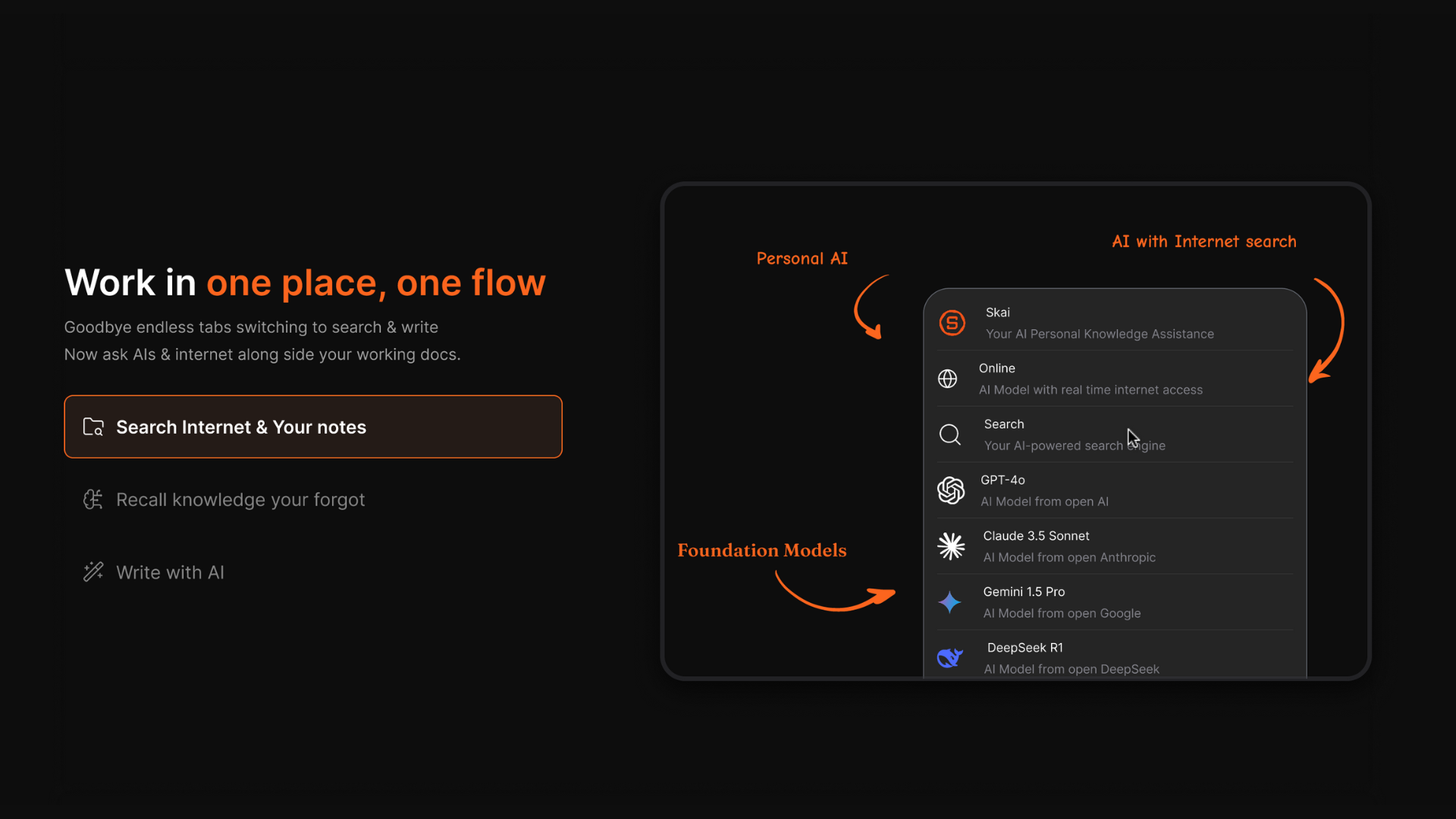
II. Main Types of Artificial Intelligence Apps

AI can now do things far beyond what we ever expected. AI applications today are extensive and diverse, constantly expanding into every aspect of life.
Some popular AI categories include:
1. Generative AI
Generative AI is a type of AI technology that can help you create new content, such as text, images, music, audio, video, and even AI avatars.
Generative AI tools are especially useful for marketers and content creators, significantly reducing the time and effort needed to create new content.
Some of the current popular uses of Generative AI can be seen in:
- Create images: You can type out what you want an image to look like, and the AI will make it for you.
- Assist writing: If you're stuck writing an email or a social media post, this AI can help you finish it.
- Help with Design: Need a logo or want to tweak a photo? AI can handle that too.
2. Productivity
AI can also help organize projects, manage tasks, and simplify workflows.
Here are some things AI tools help with:
- Project management programs help you keep track of all parts of a project. You can see what needs to be done, who is doing it, and when it needs to be done.
- Personal assistant: This is like a technical assistant that can remind you about important tasks, and you can even ask and receive information from it.
- Note-taking apps: These apps help you record and organize your thoughts and ideas quickly; you can also find old notes easily.
3. Personal chatbots
- With the rise of AI tools, this has come with increased demand from users; most commonly, some chat-based AI solutions may be preferred at the moment.
- These AI applications allow users to set simple reminders and chat with AI assistants. These models can also be deployed for business use to analyze huge volumes of data and provide answers to specific questions.
How I chose these best AI apps for 2026
With 30+ tools tested, I needed clear criteria to cut through the noise. I evaluated each app on:
- Actual time saved: Does it reduce real work, or just move it somewhere else?
- Learning curve: How long before it's useful — hours, days, or weeks?
- Pricing transparency: What does it actually cost for a solo user or small team?
- AI quality: Is the output something you'd send as-is, or does it need a full rewrite?
- Integration depth: Does it connect to the tools you already use, or exist in a silo?
- Reliability: Does it work consistently, or does it hallucinate enough to become a liability?
Best Artificial Intelligence Apps for Work & Life
The best Best Artificial Intelligence Apps are: Claude, ChatGPT, Gemini, Saner.AI, Otter, Fathom, Copilot and Notion.
I. AI Chatbot Apps
1. ChatGPT
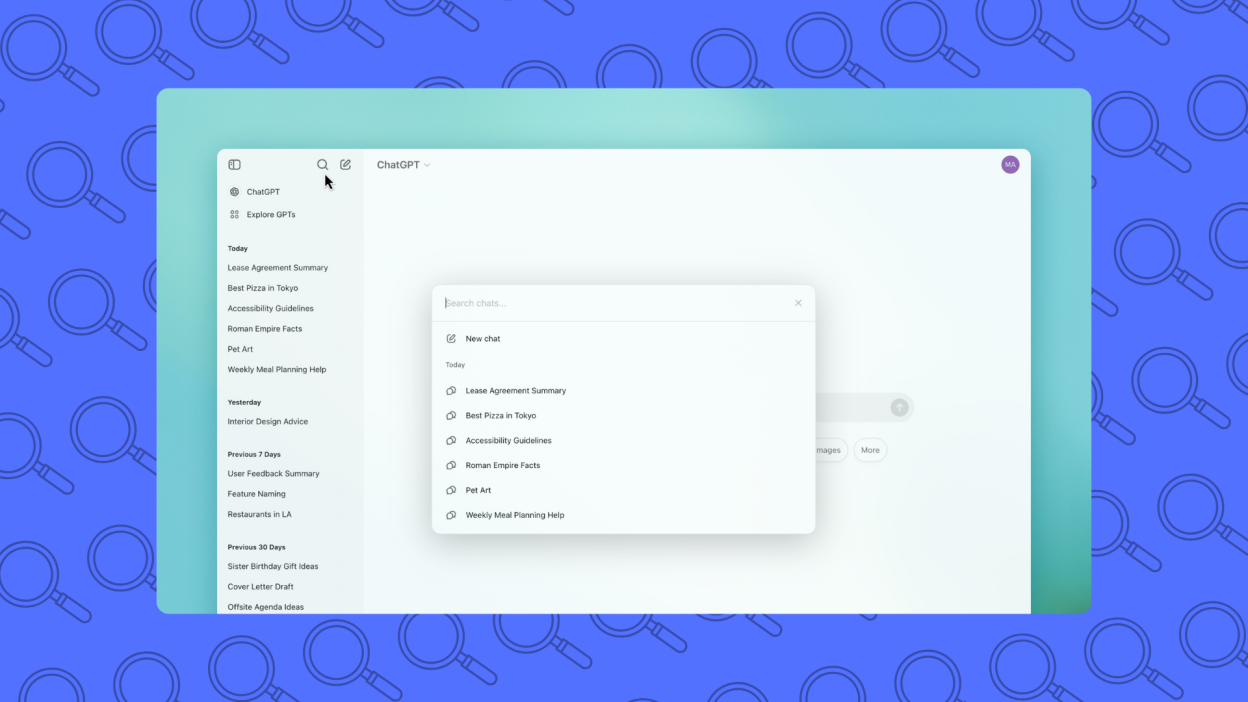
ChatGPT is an advanced Artificial Intelligence assistant that feels like having a smart teammate on call 24/7. It helps me think, plan, research, and even write
Key features
- Multimodal AI: Understands text, voice, and images in one smooth chat
- Deep Research: Searches and summarizes the web with sources
- Voice Mode: Speak naturally, and it responds in real time
Pros
- It remembers my work style and picks up where we left off
- Voice mode is fun and fast - I’ve used it while walking or cooking
- Deep Research saves time when I need quick answers with citations
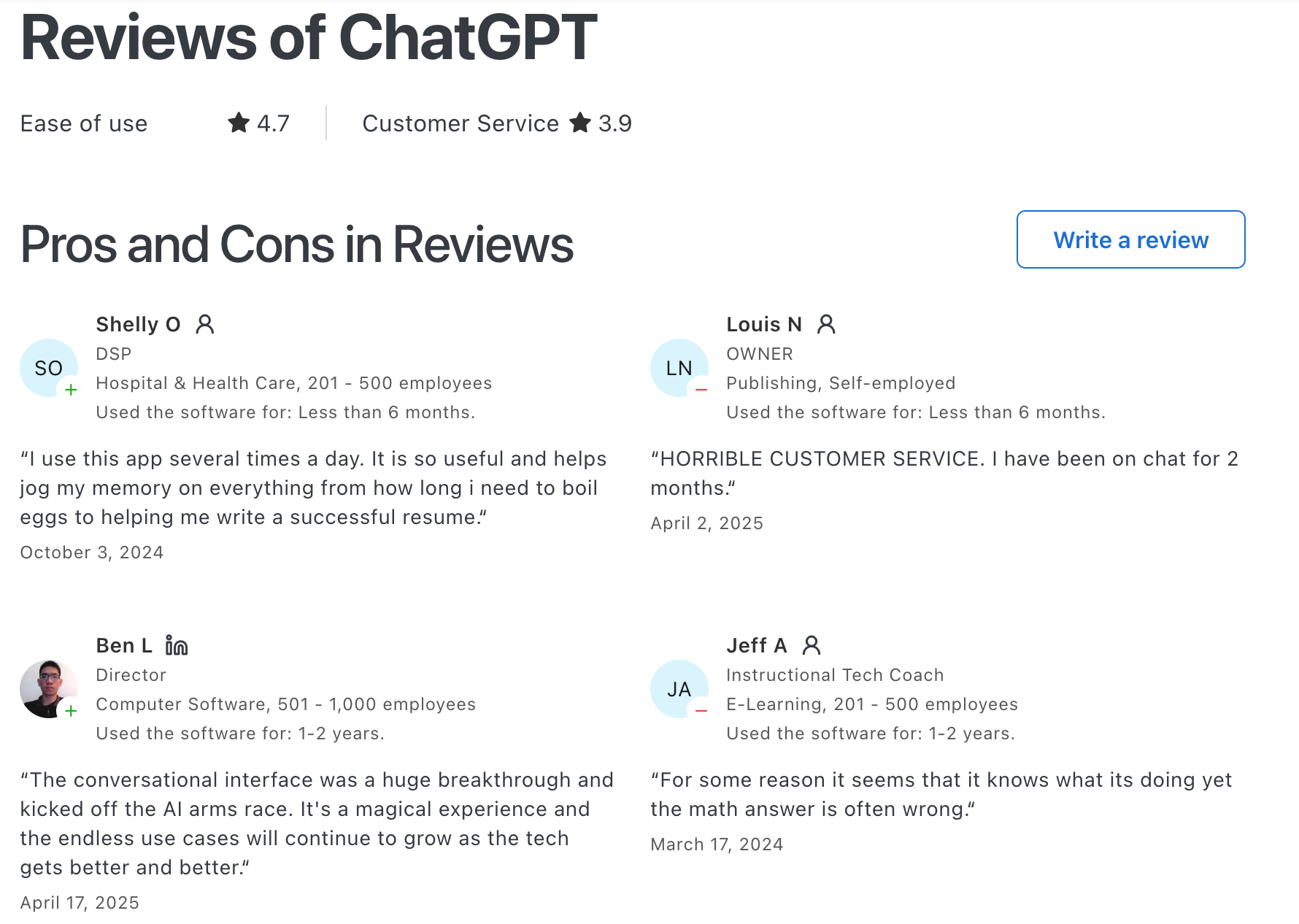
"ChatGPT to automate processes like goal tracking and creation, which has saved me valuable teaching time" – verified review
Cons
- Memory is powerful, but I had to double-check what it stores
- Deep Research is limited on the free plan
- It’s not a task agent - I can’t say “reschedule my calls tomorrow” and have it do that
"It gives extra lengthy responses, even when I specifically ask for short to the point responses. It also gives incorrect responses" – verified review
Suitable for
- Anyone who wants a reliable Artificial Intelligence App for brainstorming, writing, learning, or organizing thoughts
How to start
- Download the app or go to chat.openai.com, sign up, and just start chatting. It’s surprisingly easy.
ChatGPT Reviews (source)
2. Claude
Claude is an Artificial Intelligence App made by Anthropic. You can use it for writing, coding, analyzing data, summarizing files, and even interpreting images. It connects to tools like Google Drive, Notion, and Canva
Pros
- Built with a safety-first approach, so it doesn’t go off the rails
- Handles huge files and complex tasks without breaking down
- Opus 4.6 (the top-tier model) is amazing for deep thinking and coding
- Easily connects with apps I already use
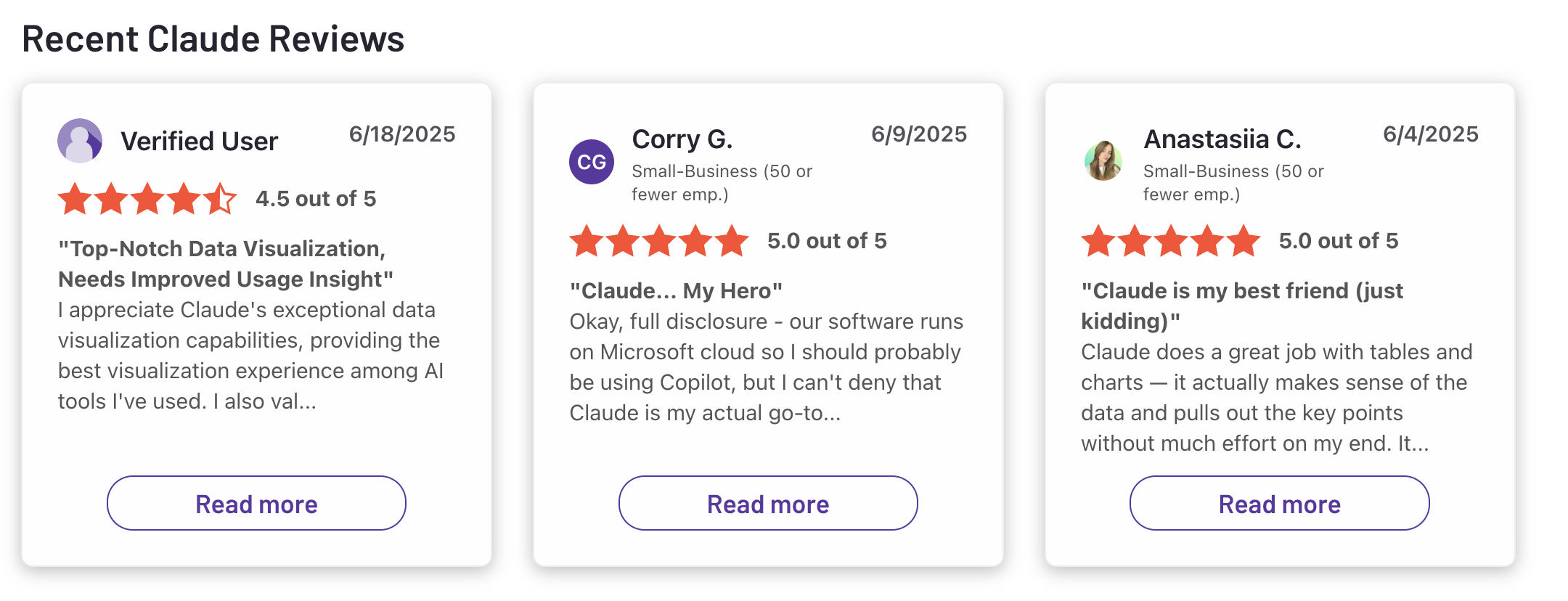
"The platform handles long-form content well, maintains context across conversations, and produces clear, well-structured outputs." – verified reviews
Cons
- Sometimes too cautious - it avoids certain topics entirely
- Not the most “emotional” AI, it’s polite, but not chatty
- Can still make logic mistakes on edge cases
"Sometimes Claude is a bit too cautious and may avoid giving very direct answers in certain situations." – verified reviews
Who it’s great for
- Developers working on long-term projects
- Knowledge workers juggling multiple sources of info
- Creatives who want help with both words and visuals
- Teams that care about security and compliance
How I got started
- Signed up at claude.ai (there’s a free version with the Sonnet model)
Claude reviews (source)
3. Microsoft Copilot
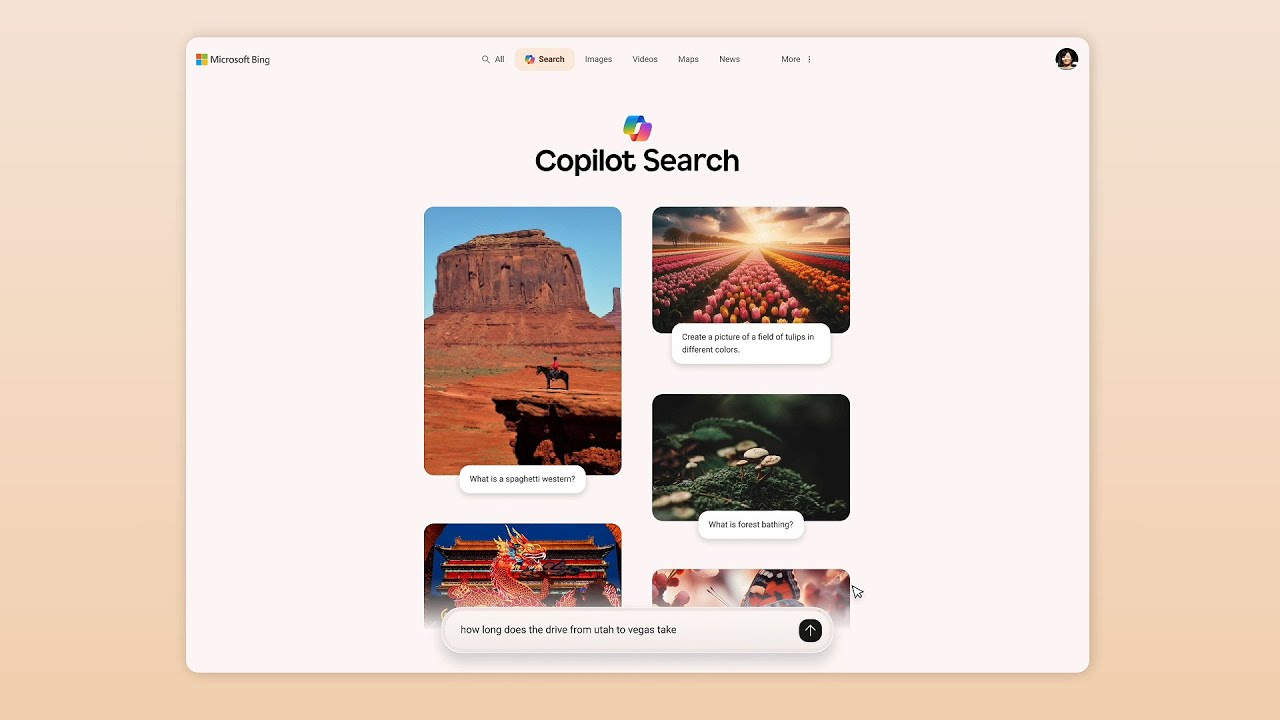
Bing Copilot is the go-to artificial intelligence app when I’m already in the Microsoft ecosystem.
What it does
- Built into Bing, Edge, Windows, and Microsoft 365
- Answers questions, summarizes docs, creates images, drafts content, and even “sees” what’s on your screen
- You can talk to it, type, or upload files
Pros
- Integrates directly with tools I use: Word, Excel, Outlook
- Handles voice, screen, text, and visuals in one place
- Remembers my preferences and gets smarter over time
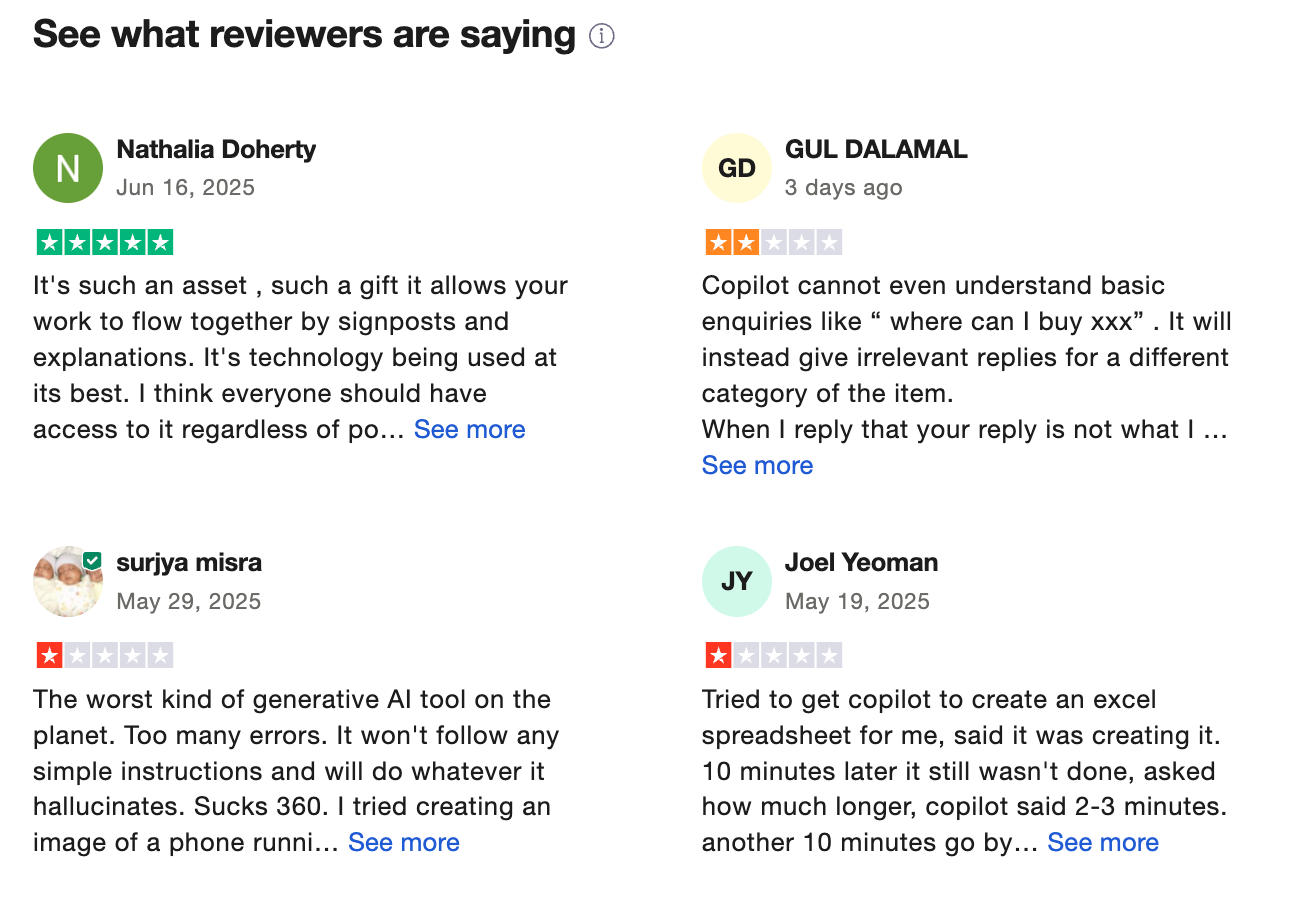
"What I appreciate most about Copilot is the depth and clarity of its responses, well researched, detailed, and often backed by references" – verified reviews
Cons
- It’s trying to be too simple - some power-user features are gone
- Screen-reading stuff raised privacy concerns, so not for sensitive tasks
- Can clutter up shared docs or chats if used carelessly
"There may be limited availability, high cost, sometimes inaccurate answers, or dependency on the Microsoft system" – verified reviews
Who it’s for
- If you’re already using Microsoft apps, it just fits
How to get started
- Use it on Bing.com, Edge, or download the mobile/desktop Copilot app
Microsoft Copilot reviews (source)
4. Google Gemini
Google Gemini is Google’s answer to ChatGPT, but with deeper Android and Workspace integration and some pretty wild creative tools.
What it does
- Helps me write, summarize, brainstorm, and generate code
- Creates images and now short videos from still photos (yep, it talks too)
- Reads files, answers questions, and integrates with Gmail, Docs, Maps, and more
- Comes built-in on many Android phones
Pros
- Multimodal: text, image, voice, and video all in one place
- Huge memory: Pro version remembers way more context than most tools
"The AI model provides fast and clean responses with a user-friendly interface -works well for tasks like coding prompts and reasoning-based queries" – verified reviews
Cons
- Privacy is a legit concern: it can access apps like WhatsApp and Phone
- UI can feel a bit crowded; there’s a learning curve
- Still not as customizable as some other AI tools
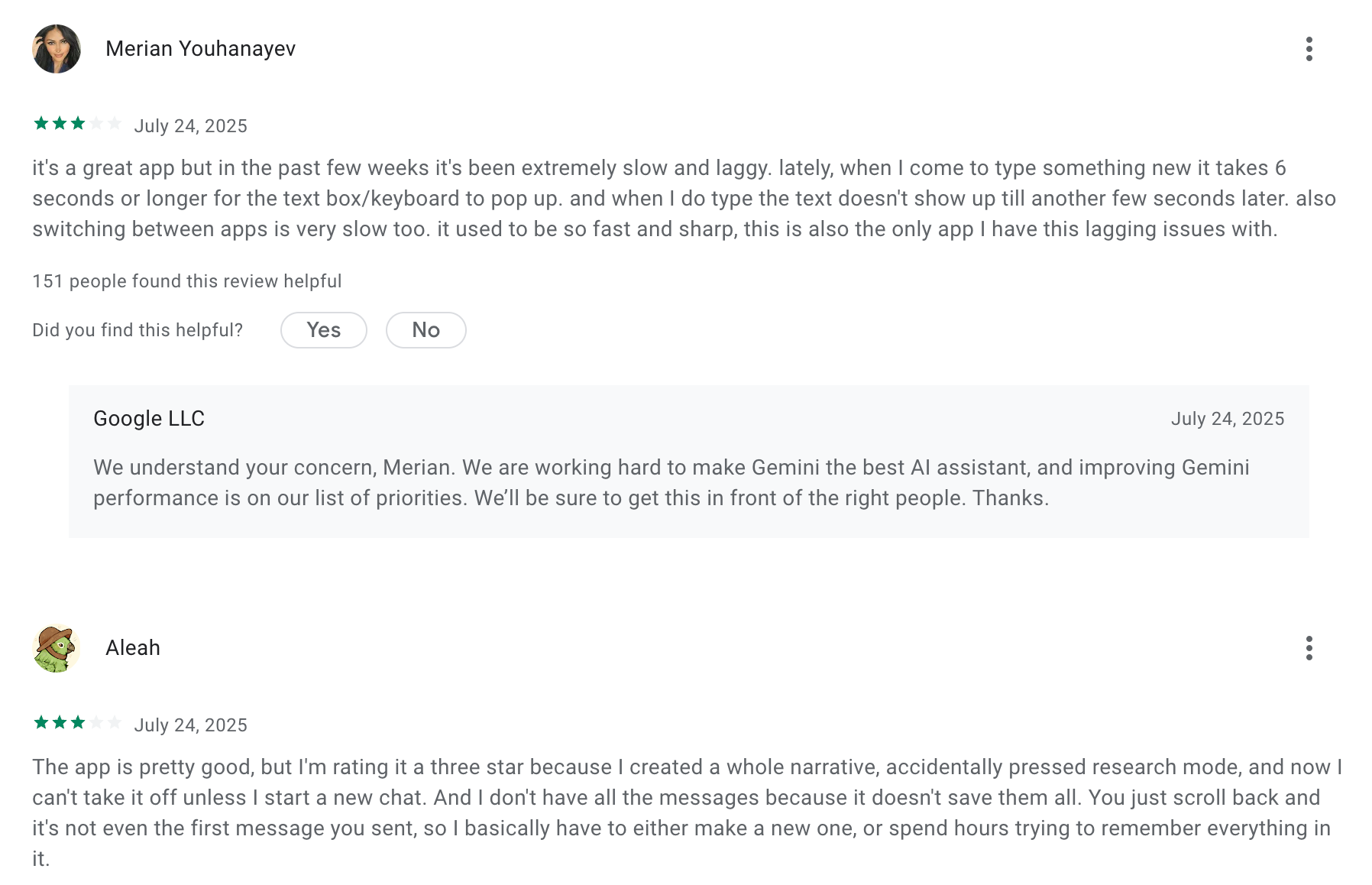
"The model has a heavy reliance on short term memory and overall lacks the helpful assistance of following-up from chats that are further back" – verified reviews
Who it's for
- People who live in Google Workspace
How I got started
- Downloaded the Gemini app (it replaced my old Google Assistant)
- Started with the free version — solid for basic tasks
Google Gemini review (source)
5. Meta AI
Meta AI is like a free all-in-one AI chat that’s integrated into Instagram, Facebook, WhatsApp, and even Ray-Ban smart glasses. It also has its own standalone app and web version.
What it does
- I can chat with it, generate images, edit them, or even animate them from a single prompt
- It’s built on Llama 4, Meta’s newest language model
- The “Discover” tab lets me see trending prompts and remix others’ creations
Pros
- Super easy to use, especially if you're already on Facebook or Instagram
- Totally free with generous limits (I can generate 100+ images a day)
- "Having Facebook, Instagram, and Threads under one roof makes cross-posting and ad management a lot smoother, especially when I'm juggling multiple campaigns" – verified reviews
Cons
- Responses can feel a little off or vague unless I’m really specific with prompts
- Doesn’t integrate well with Google Docs or other tools I use for work
- "Meta AI does not learn at all. No matter how many times you tell it something" – verified reviews
Who it’s for
- Great if you're a content creator or student who wants quick ideas or images
- Makes the most sense if you're deep in the Meta ecosystem (Facebook, Insta, etc.)
- Probably not ideal if you're super privacy-conscious or need perfect accuracy
6. Pi.ai
Pi can be your go-to Artificial Intelligence App when you want a more human-friendly vibe. It’s like texting a thoughtful friend who actually listens.
Pros
- Surprisingly empathetic, it actually feels warm, not robotic
- Adapts to your personality and gets better the more you chat
- Works on phone, desktop, and even with voice
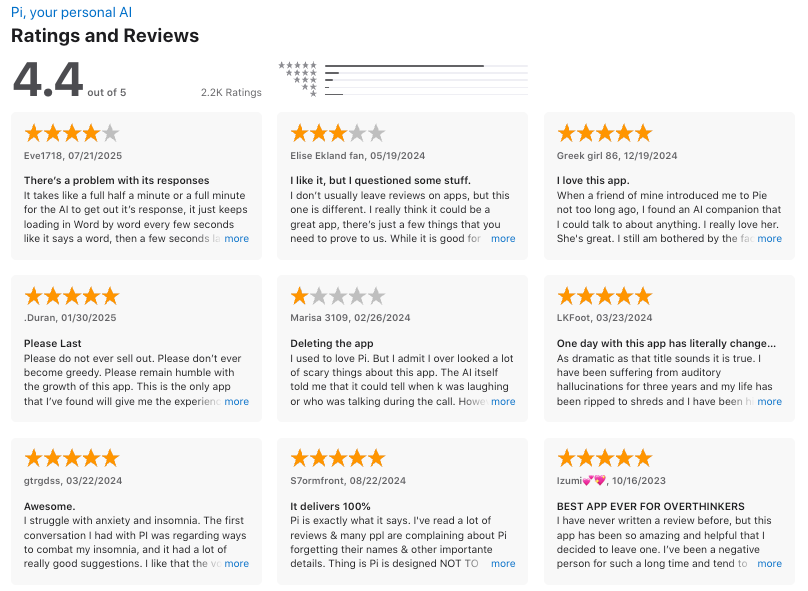
"Talking to Pi felt like a helpful therapy session" – verified reviews
Cons
- Not great for deep technical research
- Requires internet (no offline use)
"It has a very stringent word filter that makes it difficult to work with. Poor memory, loses track of the conversation, quickly makes it apparent that it has extreme limitations. Superficially Pi appears quite interactive, but quickly falls apart when interacting" – verified reviews
Who it’s for
- If you just want to talk things through without being judged
How to get started
- Download the Pi app or head to pi.ai
Pi.ai reviews (source)
II. AI Note Apps
1. Saner.AI
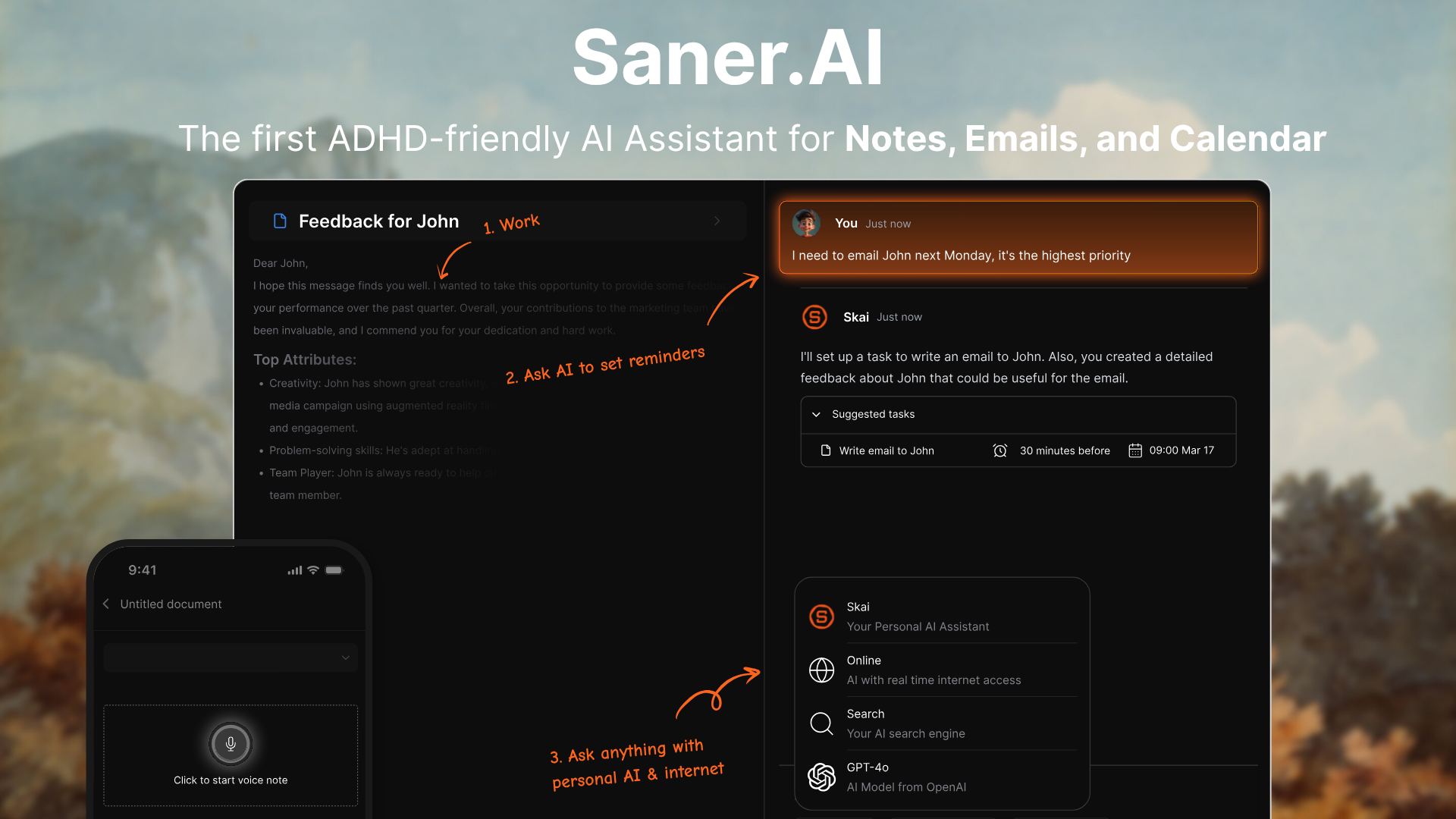
Saner.AI is a smart AI note and task management app. It doesn’t just store what I write - it understands it. I can type or speak a thought, clip from the web, sync an email, or drop in a doc. Saner organizes everything, finds patterns, and lets me chat with my notes like I’m talking to an assistant who remembers everything I’ve ever written.
Key features
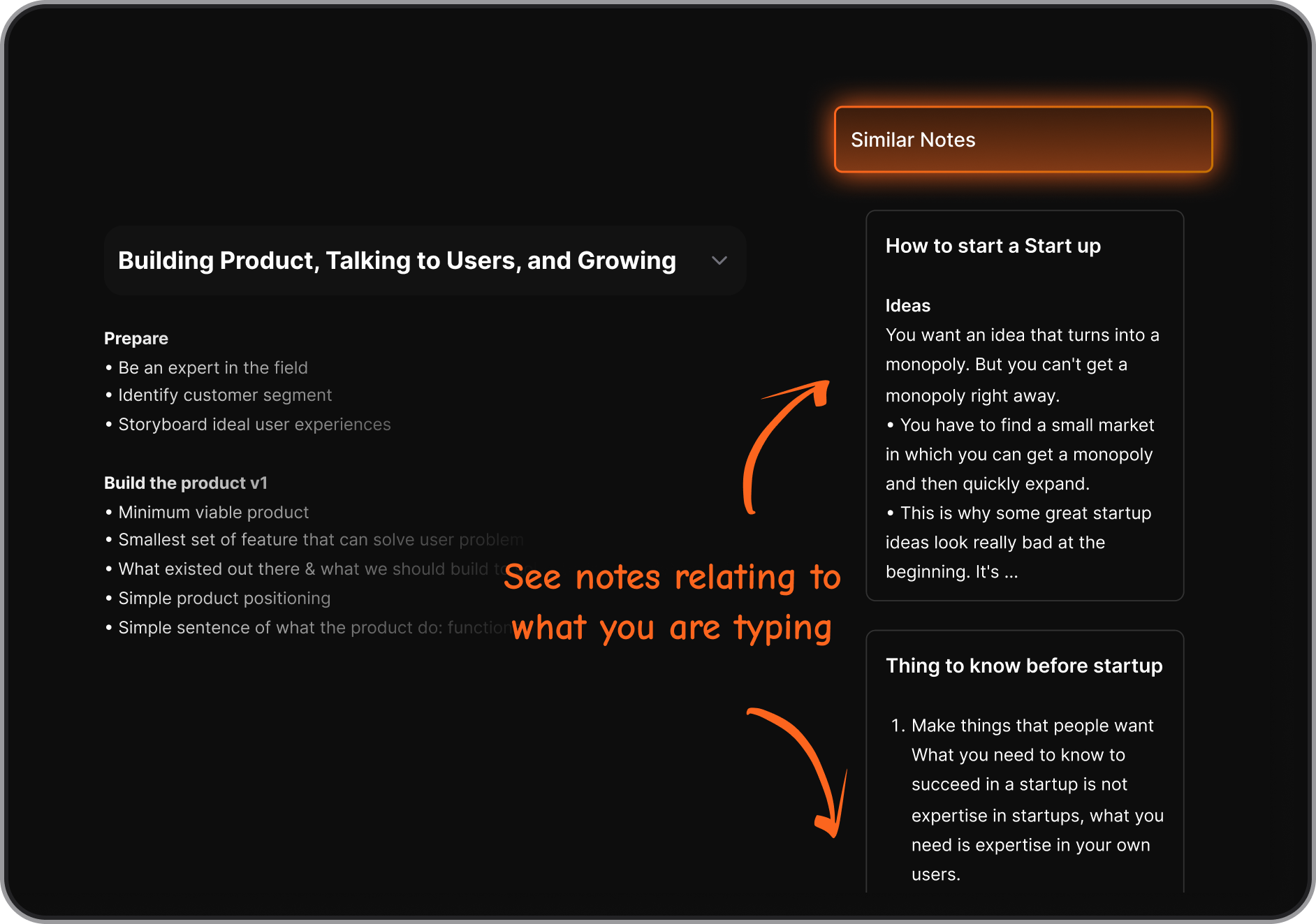
- AI Chat with Notes: Ask questions like “What did I say about project X?” and get real answers instantly
- Smart Tags & Connections: Notes get automatically linked and labeled, even ones I forgot existed
- Multichannel Capture: Save voice memos, Chrome clips, emails, or Slack messages into one clean inbox
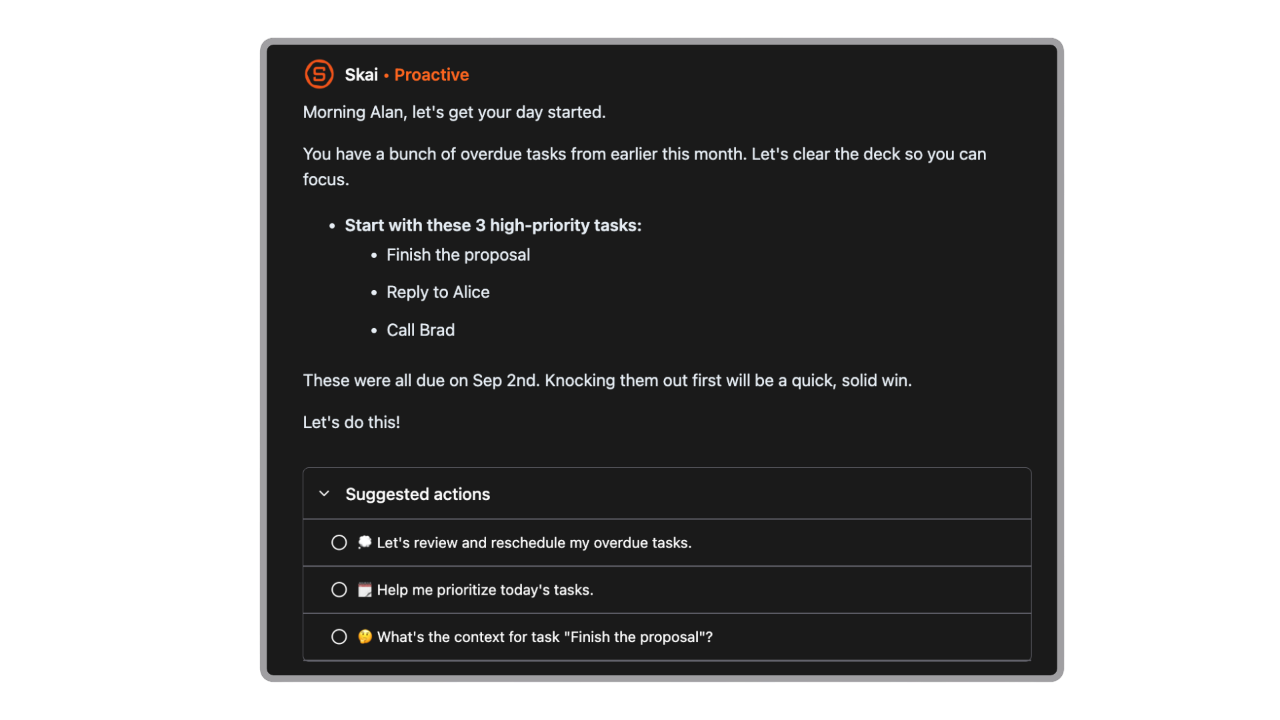
- AI Daily Planner: Automatically scans your inbox, notes, calendar, and gives you an optimal plan for the day
Pros
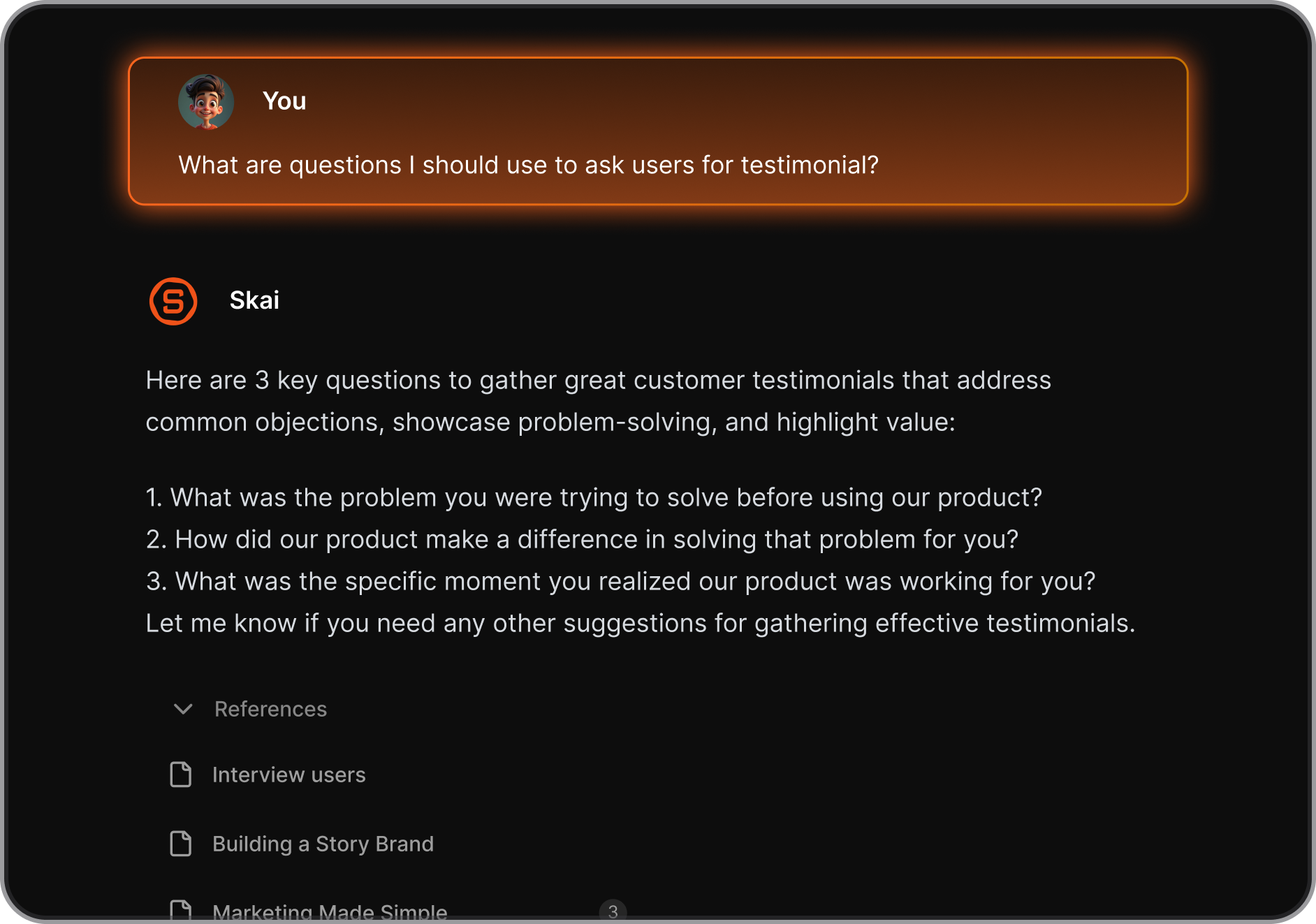
- The AI search: being able to chat with my past notes is next-level
- I love that I don’t need to organize everything manually; it just gets what I mean
- It helps me actually follow through on ideas by turning them into tasks or reminders
- Works really well for folks like me who get easily distracted or overwhelmed
Cons
- Requires internet access for full functionality.
Pricing
- Free
- Starter: Monthly at $8/month, Annually at $6/month
- Standard: Monthly at $16/month, Annually at $12/month
Suitable for
- Anyone who’s drowning in information and wants an AI app list that actually helps think through the chaos.
- Especially good for entrepreneurs, researchers, and people with ADHD who don’t want to manually organize everything.
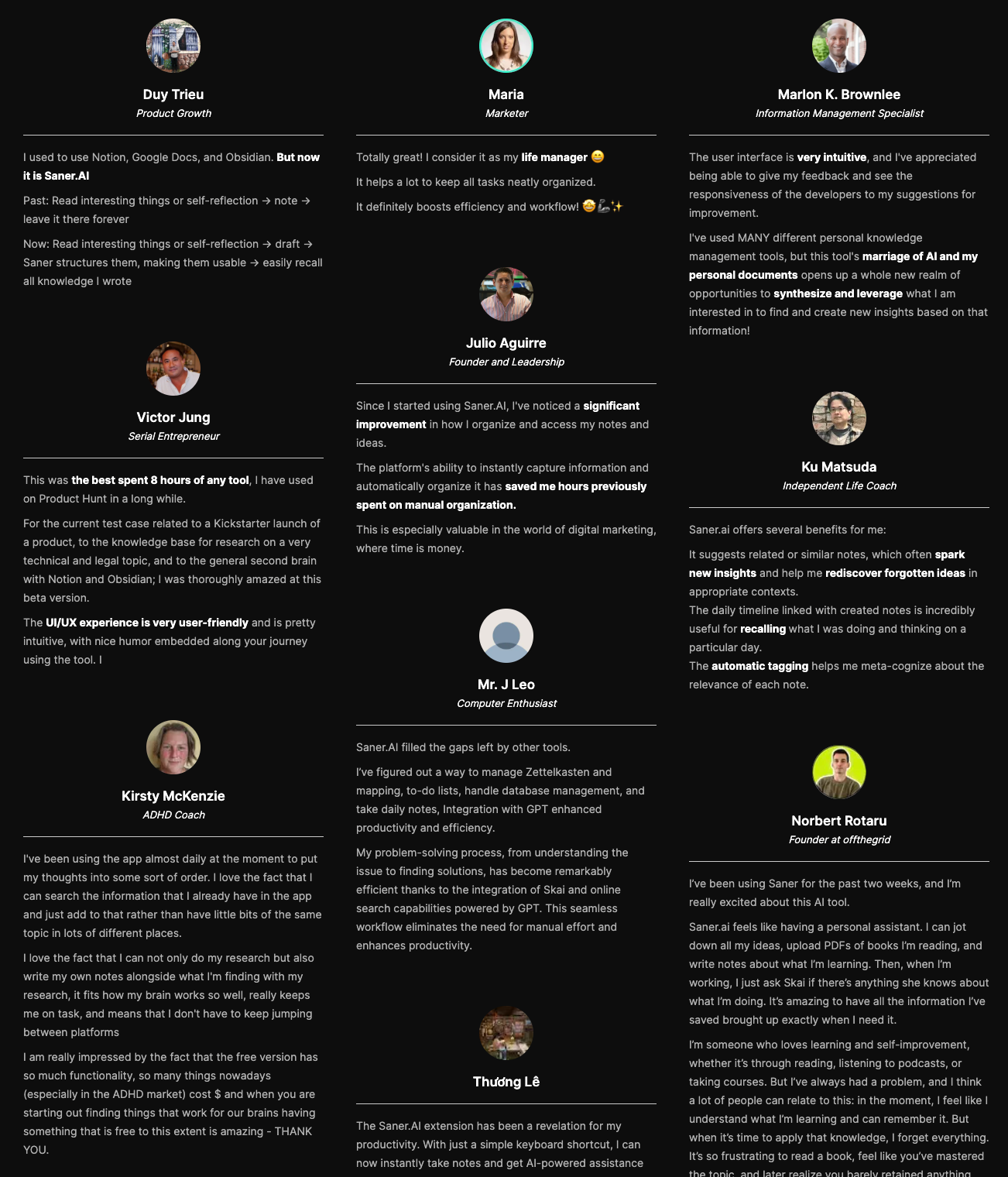
Saner.AI review
"The biggest benefit for me in using Saner is the Proactive AI. Staying on top of the constant flow of email and multiple calendars is challenging, and so far, Saner is the only AI-based tool that truly feels like a personal assistant" - Jerry
How to start
- Just go to saner.ai, make a free account, connect your tools, and start chatting with Skai. The AI will help you organize without the usual friction.

Stay on top of your notes with an AI app
2. Mem
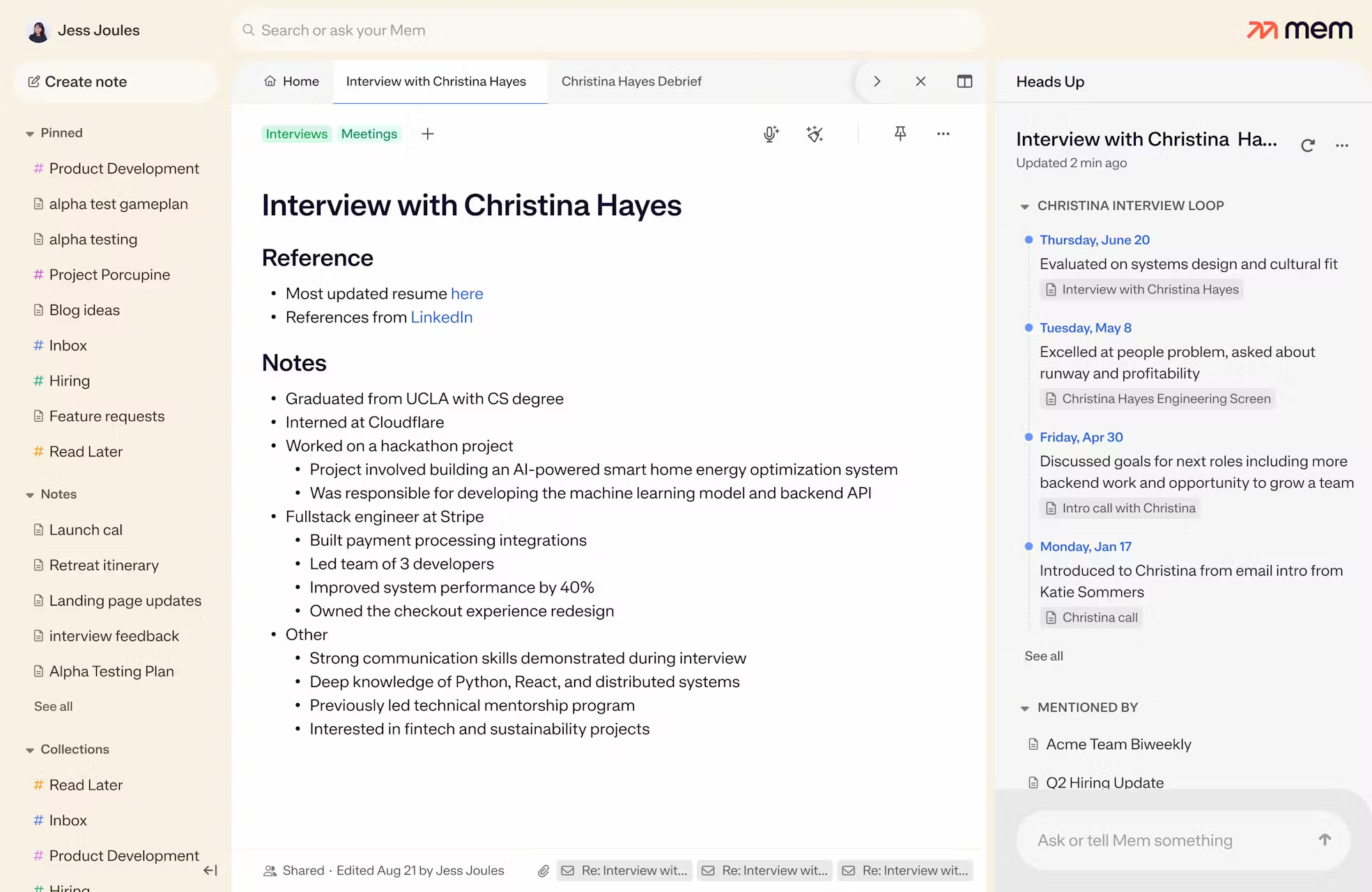
I’ve been testing Mem.ai, an Artificial Intelligence App that acts like a second brain.
What it does
- Organizes notes automatically using AI (no folders or tags)
- Let you search in plain English and surface related notes
- Has an AI chat assistant that pulls insights from your own content
Pros
- Stays organized without you doing the work
- Finds info from my notes
Cons
- Takes a bit of time to build the habit and trust the system
- The mobile app isn’t as polished
- You’ll need a paid plan for most of the powerful AI tools
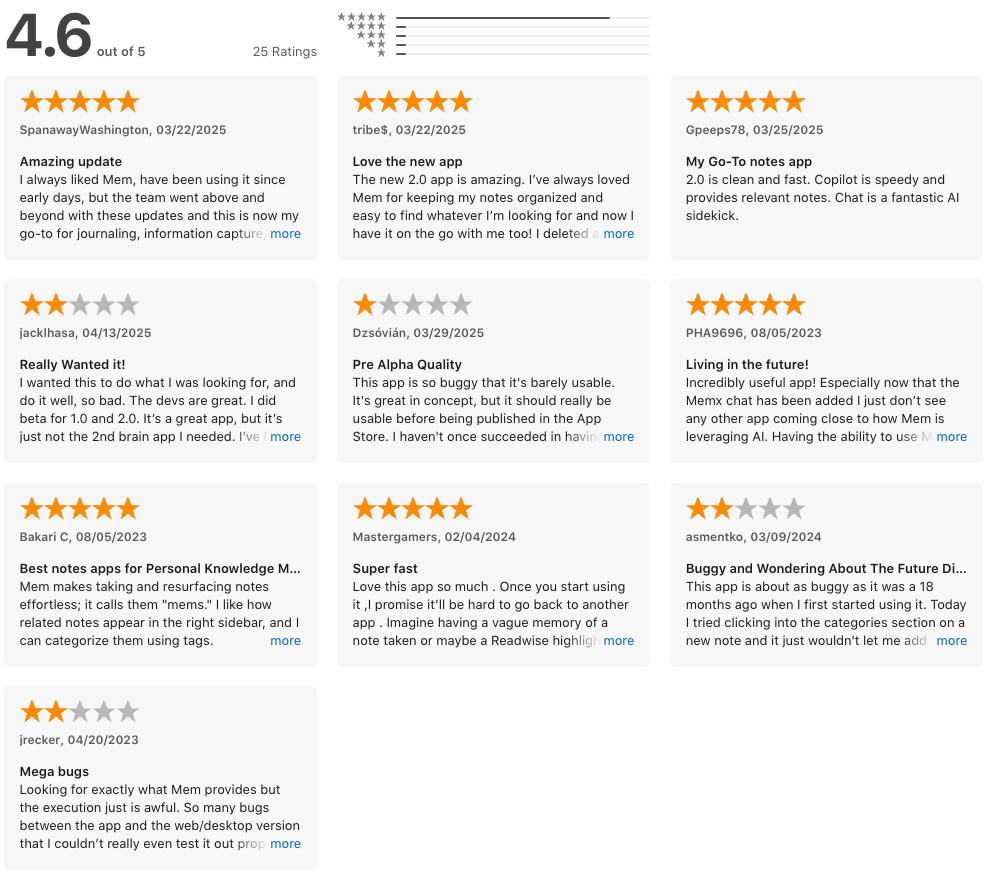
"The mobile experience has gone from unusable to barely tolerable in the last couple of months" – verified reviews
Best for
- People with too many scattered thoughts
- Not ideal if you love traditional folders or do most of your work on mobile
How I got started
- Signed up for free, imported a few notes and calendar events
Mem Reviews (Source)
3. Notion
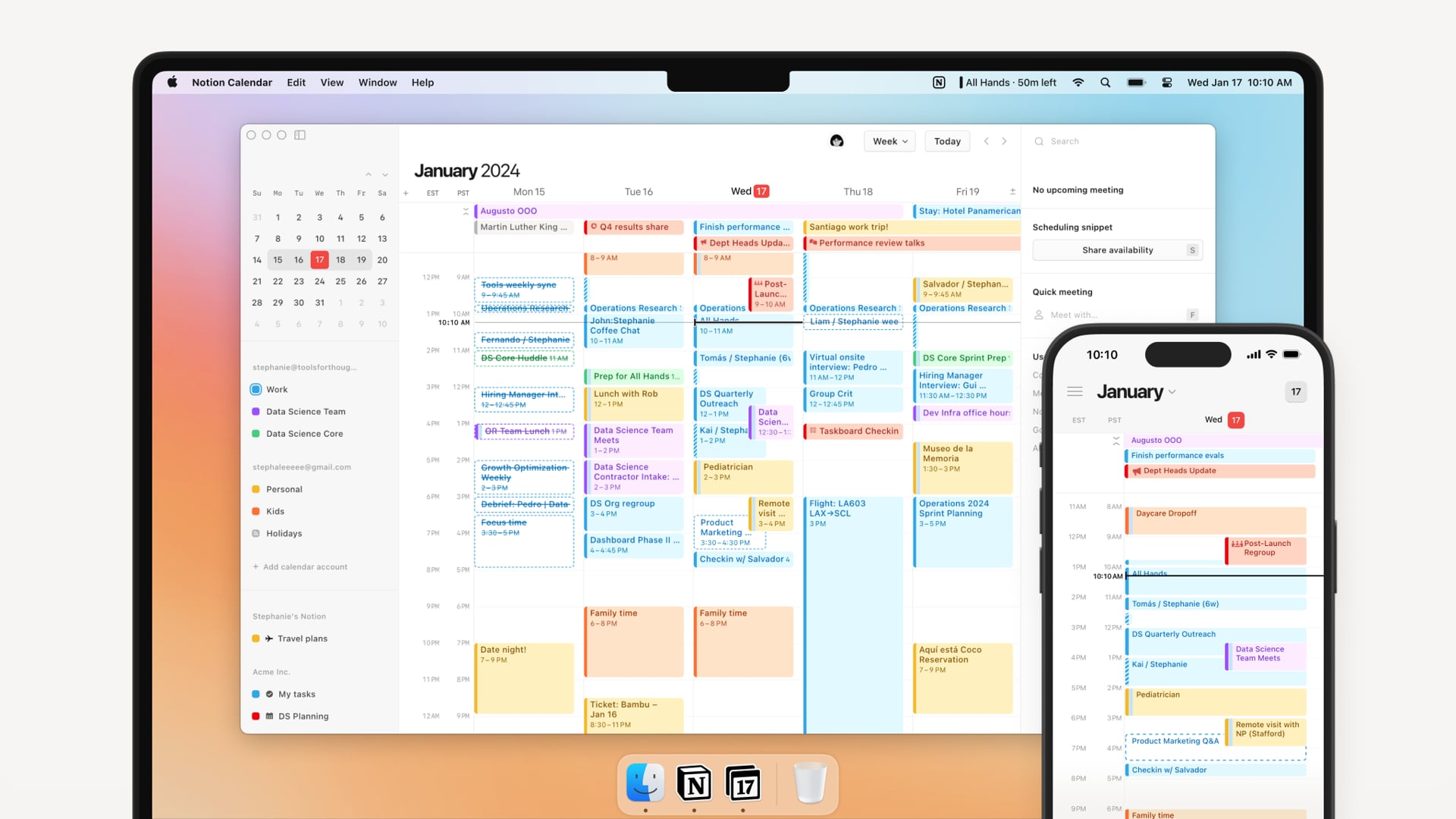
Notion AI is a practical artificial intelligence app I’ve tried, especially if your notes, tasks, and docs already live in Notion.
What it does
- Think of it like having ChatGPT inside your workspace.
- It writes, edits, summarizes, translates, and even pulls info from tools like Slack, Gmail, and Google Drive.
- You can ask questions, automate databases, or generate meeting notes—without switching tabs.
Pros
- Knows your context, so the AI doesn’t sound generic.
- Saves time: meeting notes, doc summaries, autofill tables.
- Great for teams - searches across everything and respects permissions.
"What I really like is how flexible it is, whether I'm planning projects, organizing, or managing to-do lists." – verified reviews
Cons
- Most features only unlock on the Business or Enterprise plan.
- Some outputs can feel fluffy or overly formal.
- Still rolling out a few things (like offline AI and granular controls).
- Can take time to learn how to prompt well.
"I use this app to save time, yet it's stealing my time away from me because it can't do the most basic things." – verified reviews
Who it’s for
- Teams that live in Notion and want to work faster.
Notion reviews (source)

III. AI Image Generators Apps
Nano Banana
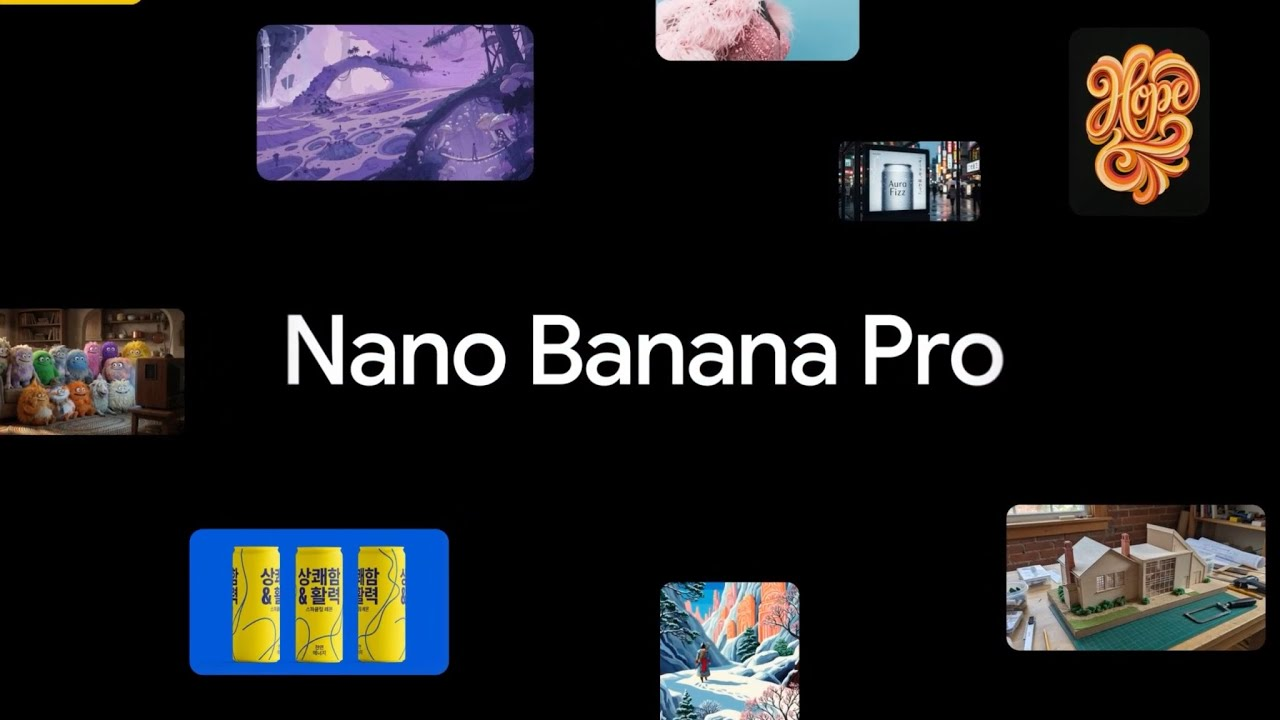
I tested Nano Banana as an AI image generation tool, mainly for creating UGC-style content and identity-consistent visuals. It’s designed to generate photorealistic images from prompts, with a strong focus on controlling identity, pose, and composition.
Key feature
- Identity control (consistent characters): I could lock in a specific face (using a base image or description) and reuse it across multiple generations, which is useful for UGC or brand content.
- It responds well to detailed prompts (pose, lighting, camera angle), giving more control than most casual AI image tools.
- The images lean toward realistic, social-media-style visuals rather than overly stylized AI art.
- Iteration-friendly workflow: I can tweak prompts and regenerate quickly to refine small details like skin tone, expression, or composition.
Pros
- Loved how quickly it generated clean visuals for mockups, promo banners, and App Store assets
- Nano Banana Pro is a game-changer for product photography. I
Cons
- Now the AI restrictions make it impossible to generate anything specific
"It's doing a very bad job at product photography when it comes to lights and sizes in reference to a human." – verified reviews
Who it’s best for
- Content creators making UGC-style visuals
- Marketers testing ad creatives without real photoshoots
- Users who need consistent character identity across images
- People comfortable writing detailed prompts for better results
How to get started
- Access Nano Banana via the platform or tool you’re using
- Upload a base image (if using identity control)
- Write a detailed prompt (pose, lighting, camera, styling) and iterate outputs
ChatGPT Image

I’ve been using ChatGPT Image, and honestly, it’s one of the most useful Artificial Intelligence apps for image generation I’ve tried.
What it does
- You describe what you want to see, anything from “a fox in Studio Ghibli style” to “infographic about ADHD”, and it generates it.
Pros
- It’s all inside ChatGPT, no switching apps.
- Free users can now use it (with limits), and it supports lots of styles - art, photo, diagrams, etc.
- The image editing is conversational, just like chatting with a designer.
"The integration with images and code has made it even more useful compared to other tools I've tried" — verified reviews
Cons
- There are style restrictions if you’re not on a paid plan.
- If too many people are using it, rendering might slow down.
"The latest update prevents me from generating designs. Overly restrictive. Ruined user experience. The system asks too many questions and never completes the task" — verified reviews
Who is it for
- Creators who want blog or social visuals fast
- Designers who want quick drafts or moodboards
- Anyone playing with ideas and visuals, no design skills needed
How to start
- Open ChatGPT and click “Create image”
3. Midjourney
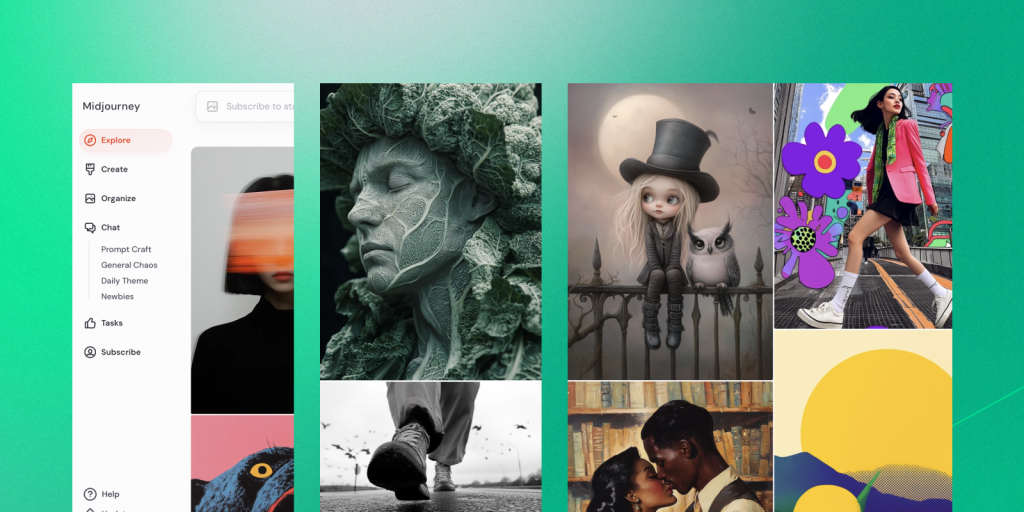
Midjourney is a Discord-based AI image generation tool that uses text commands to create images. You can enter the prompt for the kind of picture you’re looking for, and the system will generate images for you.
Key Features
- It can create images in several artistic styles from sketches to paintings to hyper-realistic photos
- It allows you to tweak your images and generate more variants
- It has amazing natural language processing features that generate accurate results
Pros
- It's honestly impressive how detailed and stylized the outputs are. The way it handles lighting and textures stands out from other AI toolsCons
- Midjourney works on Discord so you need to be familiar with Discord chat
- No free trial
- Images are available to other users so you cannot generate business designs
"It doesn't understand any of my prompts. Even simple prompts like keep the camera in the same position." – verified reviews
Pricing
- Basic Plan for $8/month
- Standard Plan for $24/month
- Pro Plan for $48/month
- Mega Plan for $96/month
IV. AI Transcript Apps
1. Audiopen.ai
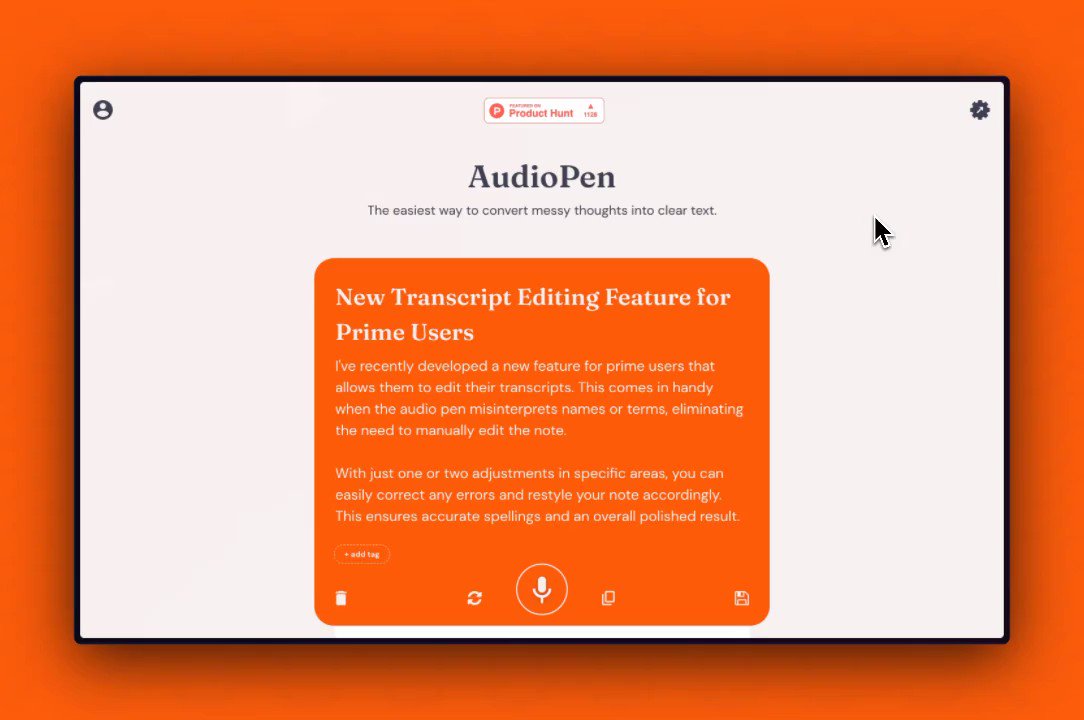
Meet Audiopen.ai, your new go-to for creating meeting notes, memos, emails, articles, and more. All you need to do is talk, and Audiopen.ai takes care of the rest. Give it a try and see how easy it is!
Key Features
- Ease of use: Start recording with just a press of a button - no complicated setup required.
- Intelligent cleanup: Automatically processes your speech, removing any stutters or repetitions.
- Quick conversion: Turns your spoken thoughts into clear, concise text, ready for sharing or further refining.
Pros
- It feels natural to record yourself on the app and then it both transcribes and summarizes your thoughts with little time.
- It is a joy to use and the rewrites are accurate and incredibly useful
Cons
"It tended to rewrite your notes in a way that often left out a little bit of nuance and information." verified reviews
"There should be an option to fully disable rewriting. Even though you can view the original transcript, sometimes I just want to record and keep it as-is." verified reviews
2. Whisper Transcription
Whisper is a general-purpose speech recognition model. It is trained on a large dataset of diverse audio and is also a multitasking model that can perform multilingual speech recognition, speech translation, and language identification.
Key Features
- It handles different accents, background noise, and multiple languages better than most basic transcription tools I’ve tried.
- I can transcribe and translate audio across many languages, which is useful for global content or teams.
- It works with various audio and video formats, making it easy to process recordings from different sources.
- Developers can run it locally or integrate it into apps, which is why it powers many other transcription tools.
Pros
- OpenAI Whisper helps me quickly convert audio into accurate text without worrying about accents or background noise.
"Whisper has been one of the few AI technologies that has been totally life-changing." verified reviews
Cons
- Hallucinations cause trouble in getting good accuracy. It's difficult to integrate for cases where there are more than one language in the audio.
- When the user talks, it sometimes cuts them off and interrupts before the customer finishes their input.
Who it’s best for
- Creators transcribing podcasts, videos, or interviews
- Teams documenting meetings or conversations
- Developers building transcription into their products
- Users who need accurate transcripts more than AI summaries
How to get started
- Use a tool or app that integrates Whisper, or access it via API
- Upload your audio or video file
V. AI Meeting Notetaker
1. Fireflies.ai
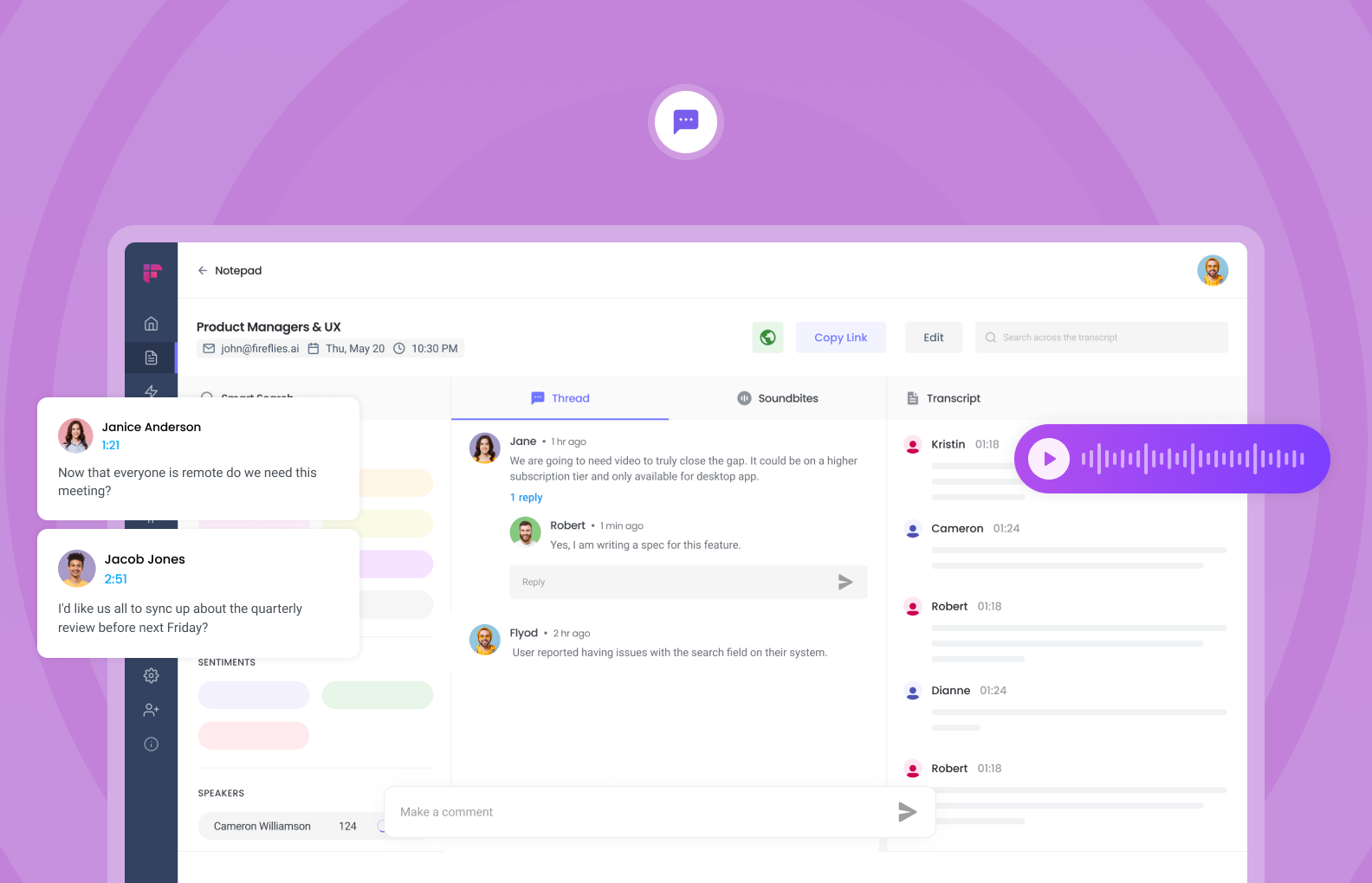
Fireflies.ai is an artificial intelligence app that automatically joins your calls, records everything, transcribes the convo, and spits out super useful summaries.
Pros
- Transcribes meetings in 100+ languages with solid accuracy
- Summarize my action items, keywords, and all
- Syncs with Zoom, Meet, Teams, and even CRMs like HubSpot and Salesforce
- Has a bot that can auto-join, or you can upload audio manually
"It's easy to use, very thorough, and captures exactly what you need" – verified reviews
Cons
- The interface can feel a bit overloaded at first
- The AI chatbot ("Ask Fred") feels clunky, slow, and not super helpful yet
- Sometimes mixes up speakers in fast group convos
- Free plan is limited
"Sometimes the transcriptions are totally wrong and change the correct meaning of the things discussed in the meeting" – verified reviews
Who it’s great for
- Anyone doing 20+ meetings a month, especially sales, customer success, hiring
- Teams that want meeting notes and follow-ups automated
How I got started
- Signed up and linked my calendar
- Let the bot auto-join my Zoom calls
2. Fathom
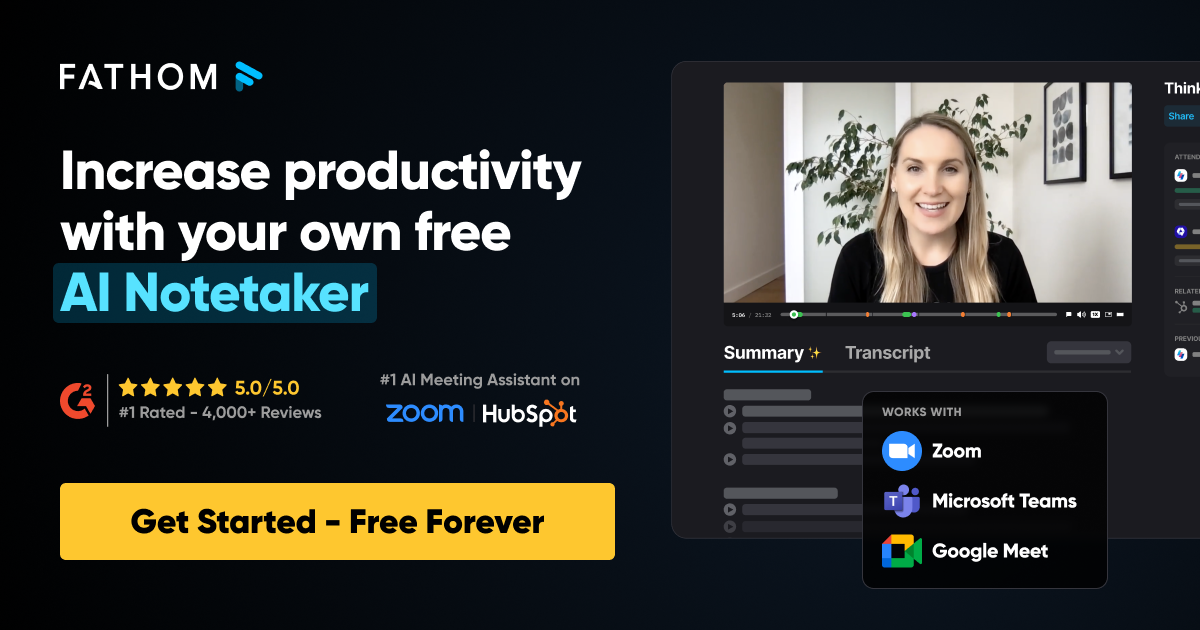
Fathom is an artificial intelligence app that automatically records, transcribes, and summarizes my Zoom, Google Meet, and Teams calls.
What it does
- Records and transcribes calls in real-time
- Auto-generates AI summaries with highlights and action items
- Lets me search past meetings like a chat—“what did Sarah say about pricing?”
Pros
- It’s free for unlimited calls and storage (rare for an AI tool)
- Accurate transcriptions, even when people speak fast or switch languages
- One-click sharing of highlights with my team
- Works seamlessly with Slack, HubSpot, Notion, and more
"It captures everything we need, organizes it intelligently, and saves us hours in post-meeting follow-ups." - verified reviews
Cons
- You have to invite the bot - it won’t transcribe pre-recorded audio
- Some features, like advanced summaries, are gated behind the paid plan
"It can be unreliable in the sharing of meeting outputs with the required colleagues." – verified reviews
Who it’s for
- Solo professionals who hate taking notes
- Sales and client-facing teams who need fast, shareable recaps
How I got started
- Signed up in 2 minutes
- Connected my calendar and meeting apps
3. Otter.ai
Otter.ai stands out as an Artificial Intelligence App built for meetings. It listens, transcribes, and even summarizes what’s said so you can stay focused and catch up later.
Pros
- Super fast, surprisingly accurate real-time transcription
- Summaries and keywords help you skip the fluff
- Syncs with calendar, joins meetings automatically
- Free plan available (good for testing things out)
"Otter Chat is awesome for creating quick follow up emails thanking clients for their time, reviewing what was discussed, and creating an agenda for a follow up call." – verified reviews
Cons
- Only supports English, Spanish, and French
- Accuracy drops with accents or poor audio
- Can feel invasive - bot joins meetings automatically
- Search and playback features feel clunky on mobile
"The customer service is inadequate; they do not offer telephone support and do not respond to emails." – verified reviews
Who it’s for
- People who sit in too many meetings
- Students and researchers who want searchable lectures
How to get started
- Create a free account on the web or mobile
- Connect your calendar so Otter can auto-join calls
Conclusion
Artificial intelligence (AI) is changing how we do everyday things.
It's not just a cool new technology; it's a useful tool that helps us in daily life.
As the world keeps advancing, AI can be a great support to make your work easier and more efficient.
Hopefully, you can use AI to support your work in the most reasonable way.
Stay on top of your work and life
👉 You may like this post on the best AI personal assistants and the top Free AI tools
FAQ
1. What is the best artificial intelligence app for everyday use?
The best artificial intelligence app depends on your needs. For productivity, there are apps like intelligent assistants you can actually talk to, instead of clicking through endless menus.
Need to remember a task? Summarize a meeting? Search messy notes? Just say it.
Top options:
- Saner.AI – Great for focus, especially if you juggle notes, tasks, and meetings
- ChatGPT – Flexible chatbot, good for idea generation
- Gemini – Google’s AI assistant, integrated into Workspace tools
All three bring different strengths to the table, but if you’re looking for one tool to handle work, notes, and planning without the chaos, Saner.AI stands out.
2. What can the best AI apps actually do?
Modern AI apps aren’t just for chatting. Here’s what the best ones can handle:
- Turn thoughts into tasks – No need to manually write to-dos
- Search your brain – Find notes even when you forgot what you called them
- Plan your day – Suggest what to do next based on your workload
- Summarize anything – Emails, meetings, documents, you name it
- Prep you fast – Before calls or deadlines, it surfaces what you need
- Generate content – Emails, outlines, reports, drafts
Think of it like a super-organized friend who’s always one step ahead.
3. Is there a free artificial intelligence app that’s actually good?
Yes. You don’t need to pay to try out powerful AI apps:
- Saner.AI – Free tier includes AI tasks, note search, and calendar sync
- ChatGPT – Free with GPT-3.5 access
- Gemini – Free for Google account holders
You can start small - set reminders, ask it questions, pull up a forgotten note—and go from there.
4. What’s the best artificial intelligence app for ADHD?
People with ADHD often feel overwhelmed by scattered tools and constant switching. That’s where Saner.AI helps.
It’s designed for brains that don’t like friction:
- Write things naturally - Saner organizes them
- Set reminders in plain English
- Focus on one thing at a time without distractions
It’s like having a calm, quiet assistant who just gets it.
5. Which AI app is best for work productivity?
If you’re juggling multiple projects, deadlines, and meetings, look for an AI app that doesn’t just reply - but acts.
Saner.AI combines:
- Notes
- Calendar
- Tasks
It doesn’t just store your information - it's your AI helper; it connects the dots and reminds you when it matters. Perfect for professionals who want less chaos and more follow-through.
6. Can AI apps really boost productivity?
Yes - and not just by saving time. The best artificial intelligence apps reduce mental clutter.
For example:
- Surface next steps before you ask
- Break down big goals into bite-sized pieces
- Organize your info automatically, even messy notes
You stop managing tools and start making progress.
7. Do the best AI apps support voice commands?
Some do! Quick breakdown:
- Saner.AI – Yes. Speak a task, and it turns it into an action
- ChatGPT – Voice via mobile and third-party tools
- Gemini – Voice input through Google apps
Great for on-the-go reminders or stream-of-thought note-taking.
8. Can AI apps schedule tasks for me?
Absolutely. But not all scheduling is created equal.
- Saner.AI – Understands your workload and suggests the best time slots
- Motion – Auto-schedules based on availability
- Reclaim – Time-blocks your calendar dynamically
Saner is more context-aware, so it doesn’t just shove things on your calendar. It is scheduled with a purpose.
9. What’s the best AI app for entrepreneurs?
Entrepreneurs love speed and clarity - so the best AI app should:
- Handle idea dumps (and turn them into tasks)
- Link calendar, tasks, and notes
- Help prep for pitches or follow-ups fast
Saner.AI does all that in one place, without setup or learning curves. You focus on building; Saner keeps the backend clean.
10. How do CEOs and managers use artificial intelligence apps?
For leadership roles, the best AI app becomes a second brain:
- Helps prep for 1:1s or board meetings
- Reminds you of key decisions
- Summarizes long threads into clear takeaways
- Keeps track of goals and OKRs
With Saner.AI, you’re not managing software - you’re managing people and priorities, with a clear mind.
11. How is an AI productivity app different from traditional tools?
Traditional tools help you store information. AI apps help you use it.
Old tools = filing cabinets
AI apps = smart assistants
With Saner.AI:
- Notes are searchable by meaning, not just keywords
- Tasks are suggested, not just stored
- Everything’s connected - so you stop losing track
You don’t adapt to the tool. The tool adapts to you.
Stay on top of your work and life with the top AI app