ADHD Planners: We Reviewed the Best 10 Apps (Free & Paid)
The best 10 ADHD Planners in 2026 are: Saner.AI, Finch, Tiimo, Sunsama, Todoist and Goblins.tools

The 10 Best ADHD Planners in 2026
Living with ADHD means your relationship with planners is... complicated. You've probably downloaded a dozen apps, used them for three days, and abandoned them when the novelty wore off.
We tested the tools that actually get how ADHD works: the time blindness, the task paralysis, the tendency to lose an hour to a single notification. For example, Saner is built specifically for productivity work, with an automatic schedule that helps you start your day more easily. We looked at how each tool handles distraction, what kind of structure it gives you without overwhelming you, and whether it's actually something you'll open tomorrow.
Key insights
- Visual and time-aware features matter more for ADHD brains than raw feature count or customization
- Sustainability beats novelty - the right tool is one you'll still be using in three months, not three days
Quick guide: 10 best ADHD planners
- Saner.AI: Best for ADHD users who want AI to help with prioritization, planning, and task initiation
- Tiimo: Built for visual thinkers who need to see their day as time, not text
- Llama Life: Works for people who need a countdown timer to make tasks feel real
- Sunsama: Good for professionals who want a daily ritual that pulls tasks from multiple tools
- TickTick: Works if you want a full-featured task manager with a built-in Pomodoro timer
- Structured: Best for visual timeline planning on iPhone and iPad
- Finch: Fits people who need emotional momentum, not just productivity metrics
- Todoist: Works for ADHD users who do better with a simple, fast inbox to capture everything
- Goblin.tools: Good for breaking tasks into smaller steps when you're stuck and can't start
- Any.do: Works if you want a minimal daily focus view without a lot of setup
1. What is ADHD?
ADHD is a brain-based condition that affects how people focus, organize information, manage time, and regulate impulses. It usually shows up in a few core ways:
- Inattention often means struggling to stay focused, finish tasks, or keep things organized.
- Hyperactivity often shows up as internal restlessness, racing thoughts, or the urge to multitask nonstop.
- Impulsivity means interrupting, chasing quick wins, or feeling frustrated by long-term goals that don’t offer immediate feedback.
2. What are ADHD planners?
ADHD planners are planning tools designed to support executive dysfunction rather than rely on discipline or consistency. These tools help externalize thinking, lower cognitive load, and make it easier to start and adjust tasks without guilt.
3. How We Tested the Best ADHD Planners
The right ADHD planner doesn't just organize tasks - it works with how your brain actually operates under pressure, distraction, and uncertainty. We evaluated each app based on what ADHD users actually struggle with day to day:
- Friction to start: How quickly can you capture a task or open your plan when your focus is already slipping?
- Time awareness: Does it show time visually, or just as a list that makes everything feel equally urgent?
- Overwhelm protection: Does it help you focus on one thing, or does it show you everything at once?
- Distraction resistance: Is the interface calm, or does it pull you into settings and customization rabbit holes?
- Reminders and nudges: Does it re-engage you gently when you've gone quiet, or stay silent until you remember it exists?
- Task breakdown support: Can it help you split a vague task into steps you can actually act on?
- Sustainability: Is this something you'll keep using, or does it rely on a level of consistency that ADHD makes hard?
What are the Best ADHD Planners?
The best ADHD Planners in 2026 are: Saner.AI, Finch, Tiimo, Sunsama, Todoist, Goblins.tools, Any.do, Llama Life, Structured, TickTick
🧠✨ Best ADHD Planners in 2026 – Comparison Table
| 🧩 Planner | 🚀 Key Strengths | 🎯 Best For | 💻 Platform | 💰 Pricing |
|---|---|---|---|---|
| Saner.AI | Proactive AI daily planning, brain-dump → tasks, task breakdown, check-ins during the day | ADHD adults who struggle with planning, prioritization, and task initiation | Web, Mobile | Free plan available; Paid plans from ~$8/month |
| Finch | Gamified self-care, emotional regulation, habit tracking with a virtual pet | ADHD users needing motivation, emotional support, and gentle routines | iOS, Android | Free; Plus from ~$40/year |
| Tiimo | Visual schedules, time-blocking, gentle reminders, ADHD-friendly UI | ADHD users with time blindness and need visual structure | iOS, Android, Web | Free trial; Paid from ~$6/month |
| Sunsama | Daily planning rituals, calendar + task integration, focus on realistic workloads | Knowledge workers with ADHD who plan workdays intentionally | Web, macOS, iOS | ~$20/month |
| Todoist | Clean task management, natural language input, strong integrations | ADHD users who want simple, flexible task lists | Web, Windows, macOS, iOS, Android | Free; Pro from ~$5/month |
| Goblins.tools | AI-powered task breakdown, tone checking, cognitive load reduction tools | ADHD users stuck on task initiation or overwhelmed by vague tasks | Web | Free |
| Any.do | Simple task lists, reminders, calendar sync | ADHD beginners who want lightweight task management | Web, iOS, Android | Free; Premium from ~$3/month |
| Llama Life | Simple day lists, time estimates, no distractions | ADHD users needing focus and gentle accountability | Web | Free; Paid from ~$6/month |
| Structured | Timeline-based daily planner, clear visual flow of the day | ADHD users who think in timelines rather than lists | iOS, macOS | Free; Pro ~$5/month |
| TickTick | Tasks + habits + Pomodoro + calendar in one app | ADHD users who want an all-in-one productivity system | Web, Windows, macOS, iOS, Android | Free; Premium ~$3/month |
1) Saner.AI
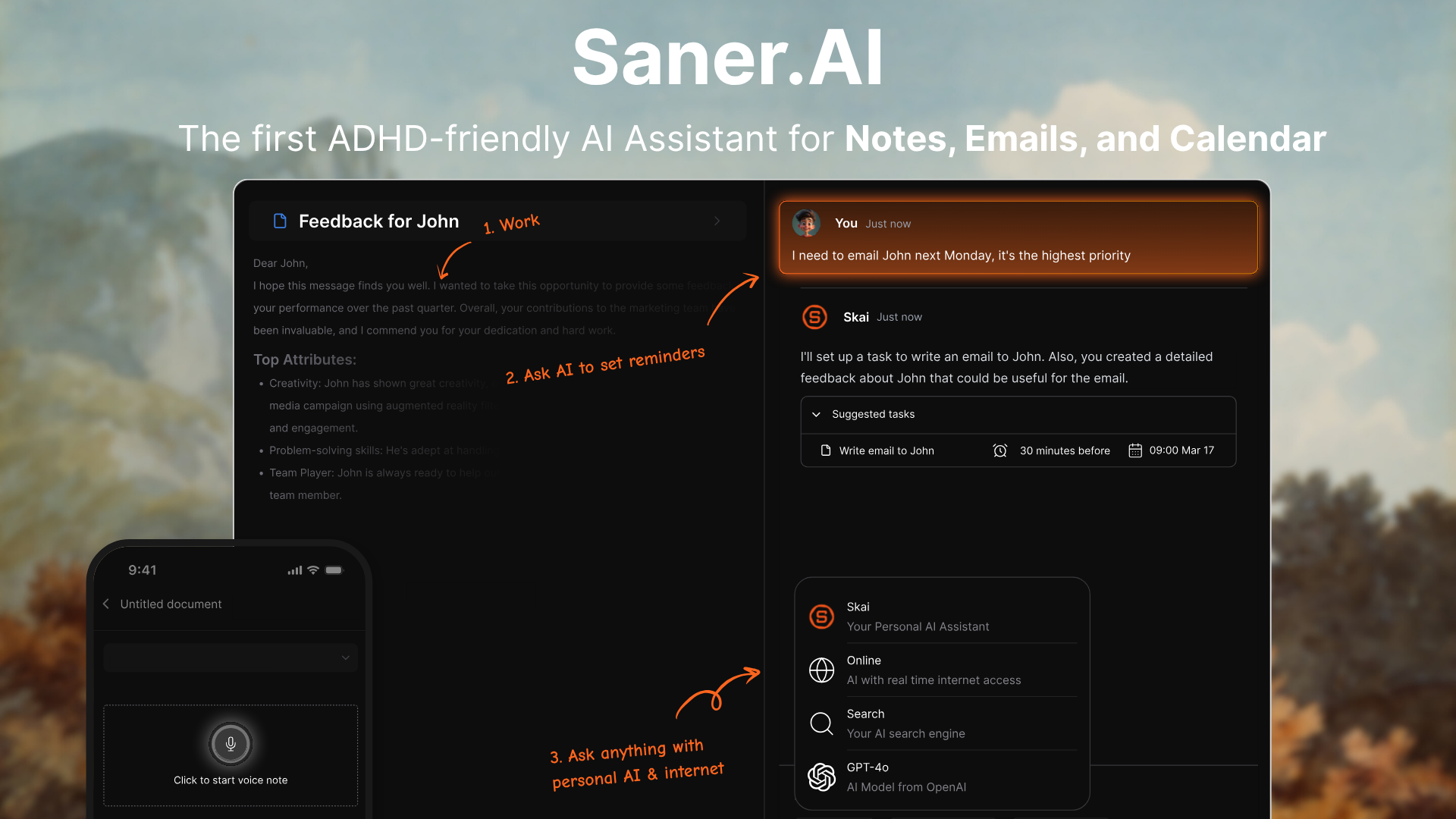
Saner.AI is an ADHD planner that helps you turn chaotic thoughts into clear tasks. It’s like having a personal planner that understands how your brain works, especially if you struggle with attention, overwhelm, or remembering what you were just doing.
Key features
- Brain-Dump to Tasks: Just type or speak your thoughts - Saner turns them into tasks, reminders, or scheduled plans
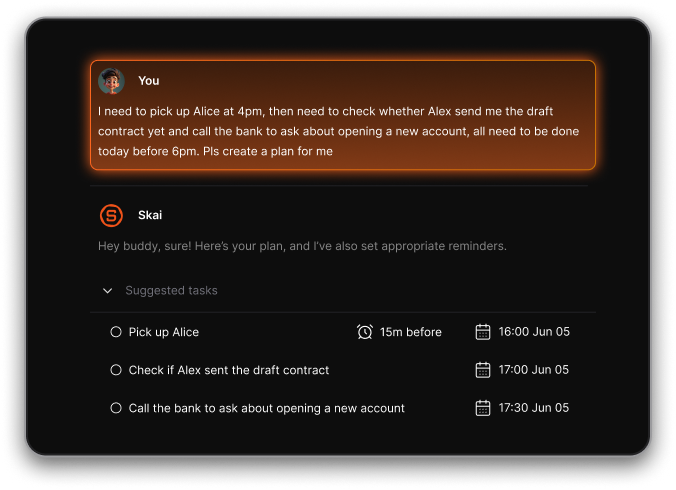
- Smart Task Assistant: You can chat with AI to schedule, break down, or reschedule tasks in natural language.
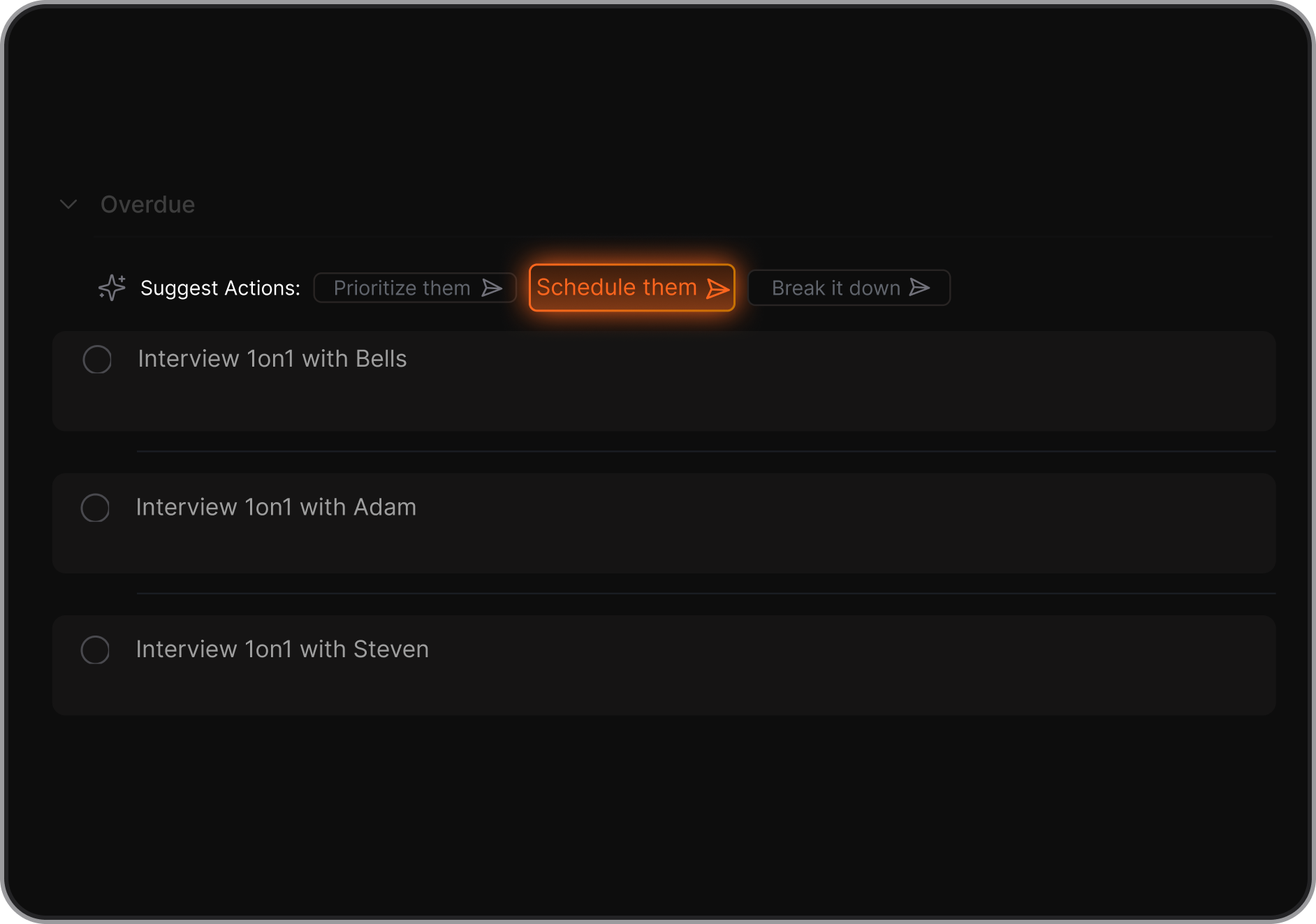
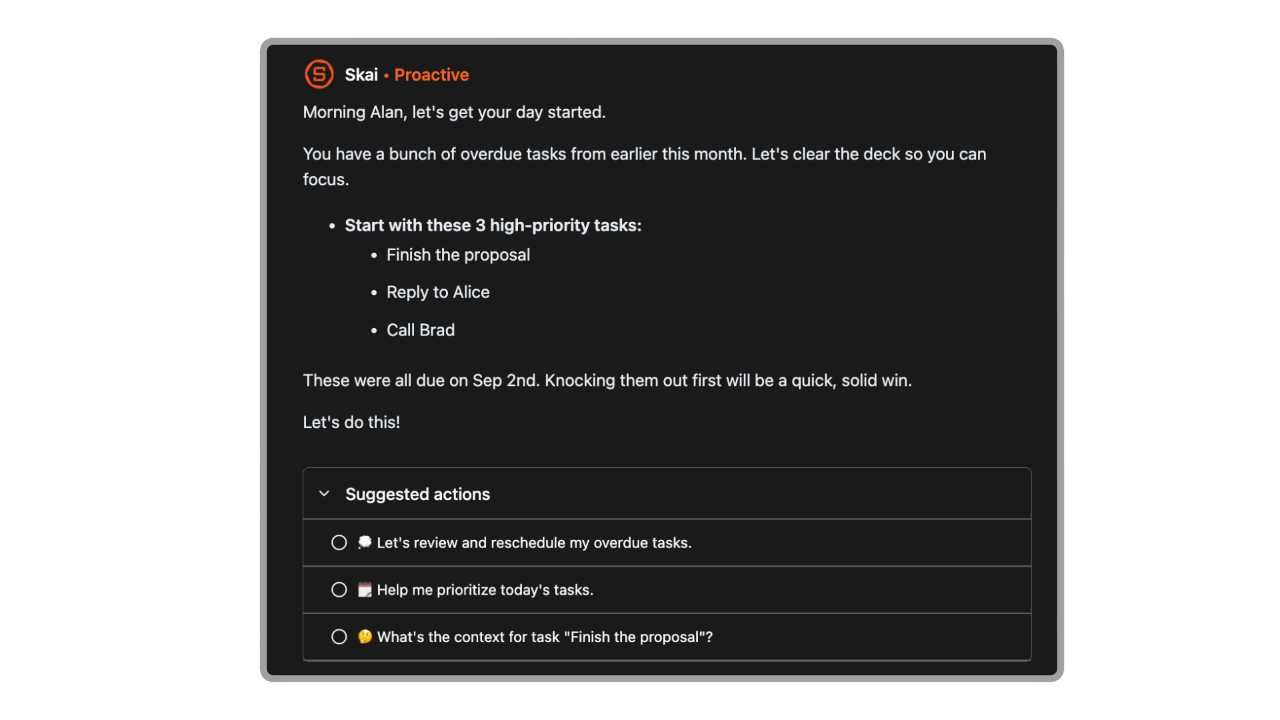
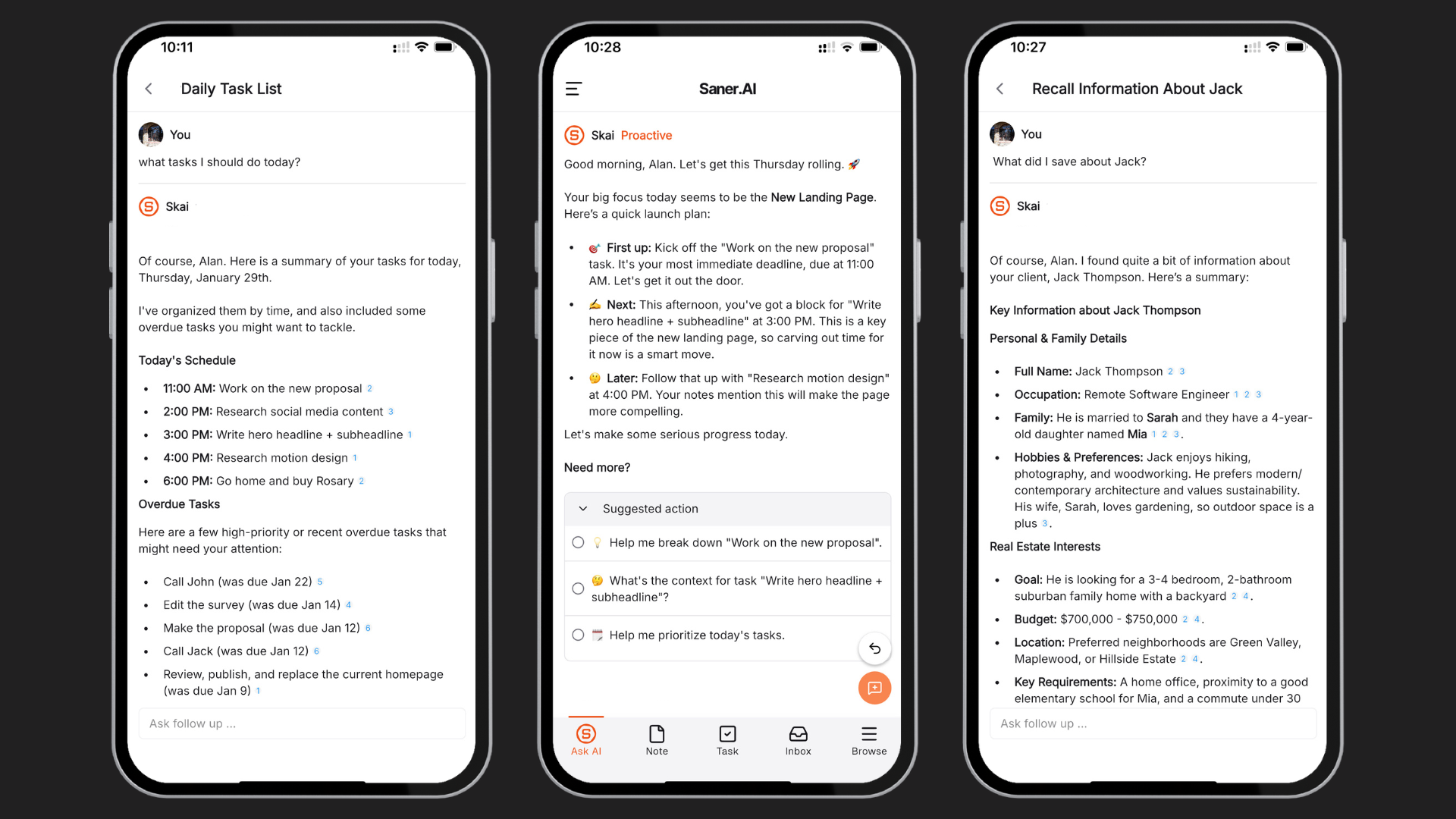
- Proactive check-in: Every morning, AI scans through your inbox and calendar and gives you the optimal action plan for the day
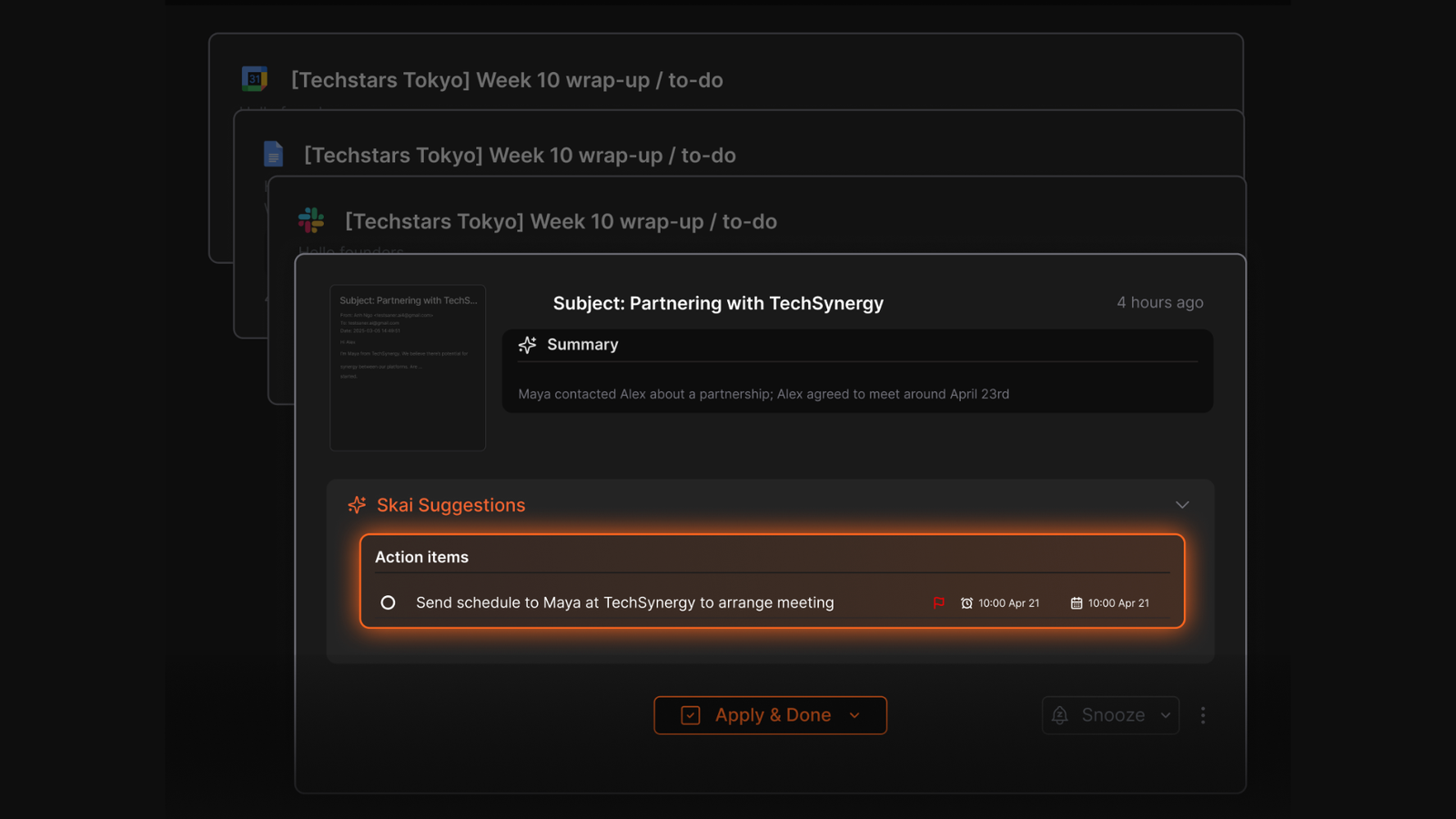
- Gmail Integration: Automatically pulls follow-ups and to-dos straight from your inbox
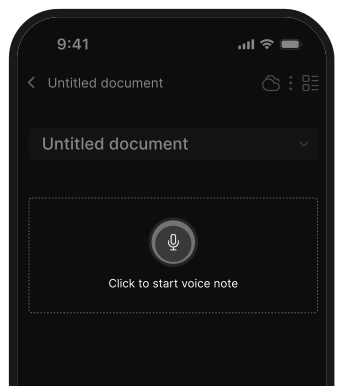
- Voice Capture: Record a voice or a note, and it’ll summarize or extract the to-dos for you
- Focus mode: Pins one task at a time, so you’re not distracted by a huge list
- ADHD-Friendly Design: Built specifically with input from 200+ ADHD users
What I liked
- I love how I can just brain-dump whatever’s in my head and it figures out the action items for me - no structure needed.
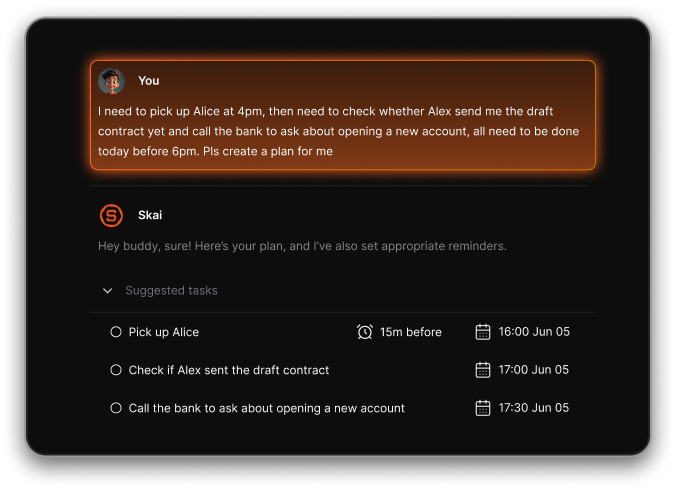
- The task assistant feels like texting a helpful friend. I can say “remind me to prep for my meeting,” and it just handles it.
- "I consider it as my life manager — it helps a lot to keep all tasks neatly organized. It definitely boosts efficiency and workflow!" – verified review
- "It tackles issues like context switching, overwhelm, and forgetfulness with ease" – verified review
- "It addresses my tendency to forget important tasks. With Saner.ai, I can easily keep track of my notes and tasks, which has made my workflow much smoother and less stressful" - AIToools
Cons
- Ideally, for personal task management, rather than for large team project management.
Pricing
- Free
- Starter: Monthly at $8/month, Annually at $6/month (with early user discount)
- Standard: Monthly at $16/month, Annually at $12/month
Suitable for
- Anyone with ADHD (or ADHD-like tendencies) who needs help turning messy thoughts into doable steps.
Saner.AI reviews
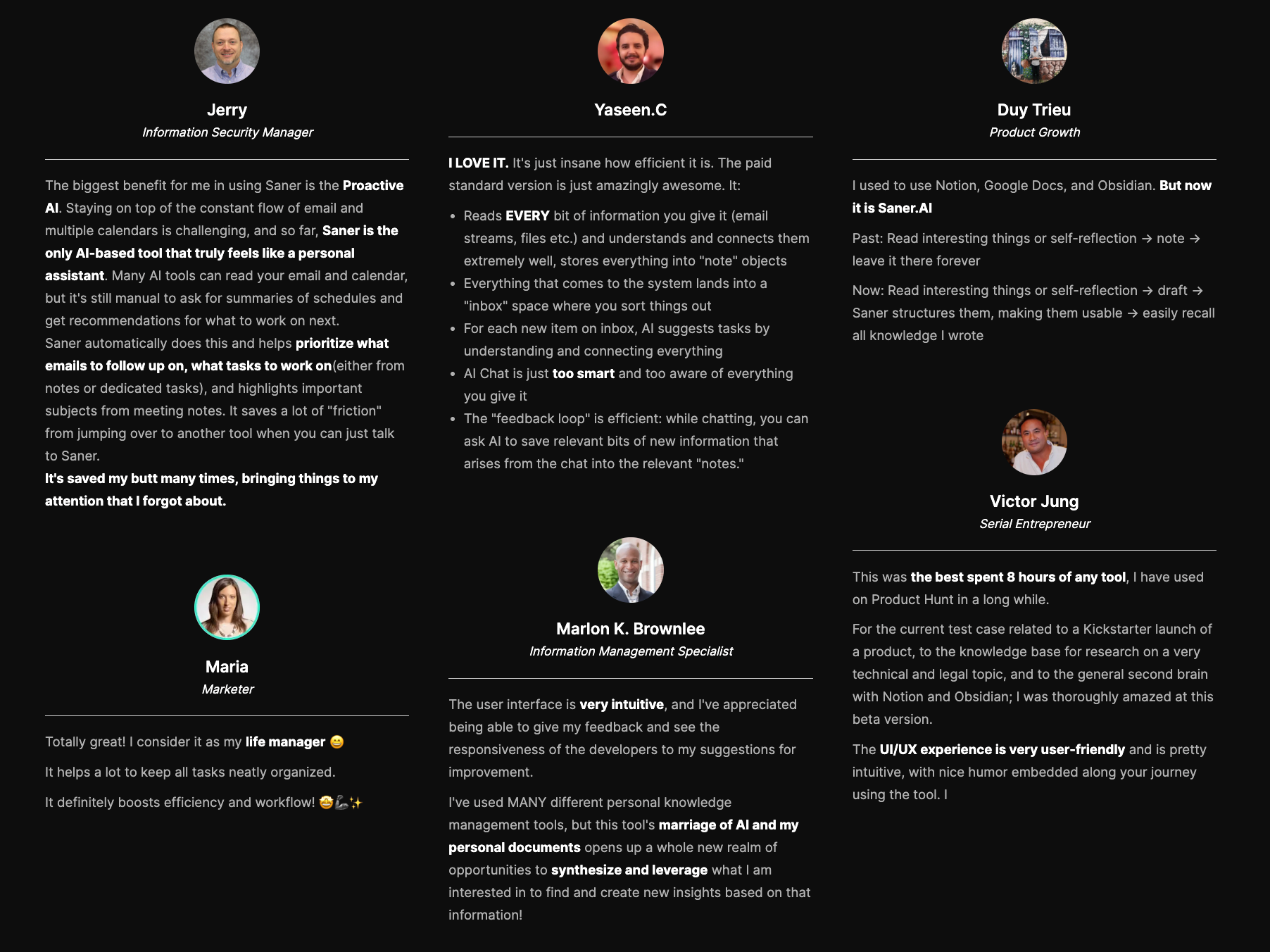
"The biggest benefit for me in using Saner is the Proactive AI. Staying on top of the constant flow of email and multiple calendars is challenging, and so far, Saner is the only AI-based tool that truly feels like a personal assistant" - Jerry
How to start
- Just go to saner.ai, make a free account, connect your tools, and start chatting with Skai. The AI will suggest tasks and help you organize without the usual friction.

Stay on top of life with the top ADHD Planner
2) Todoist
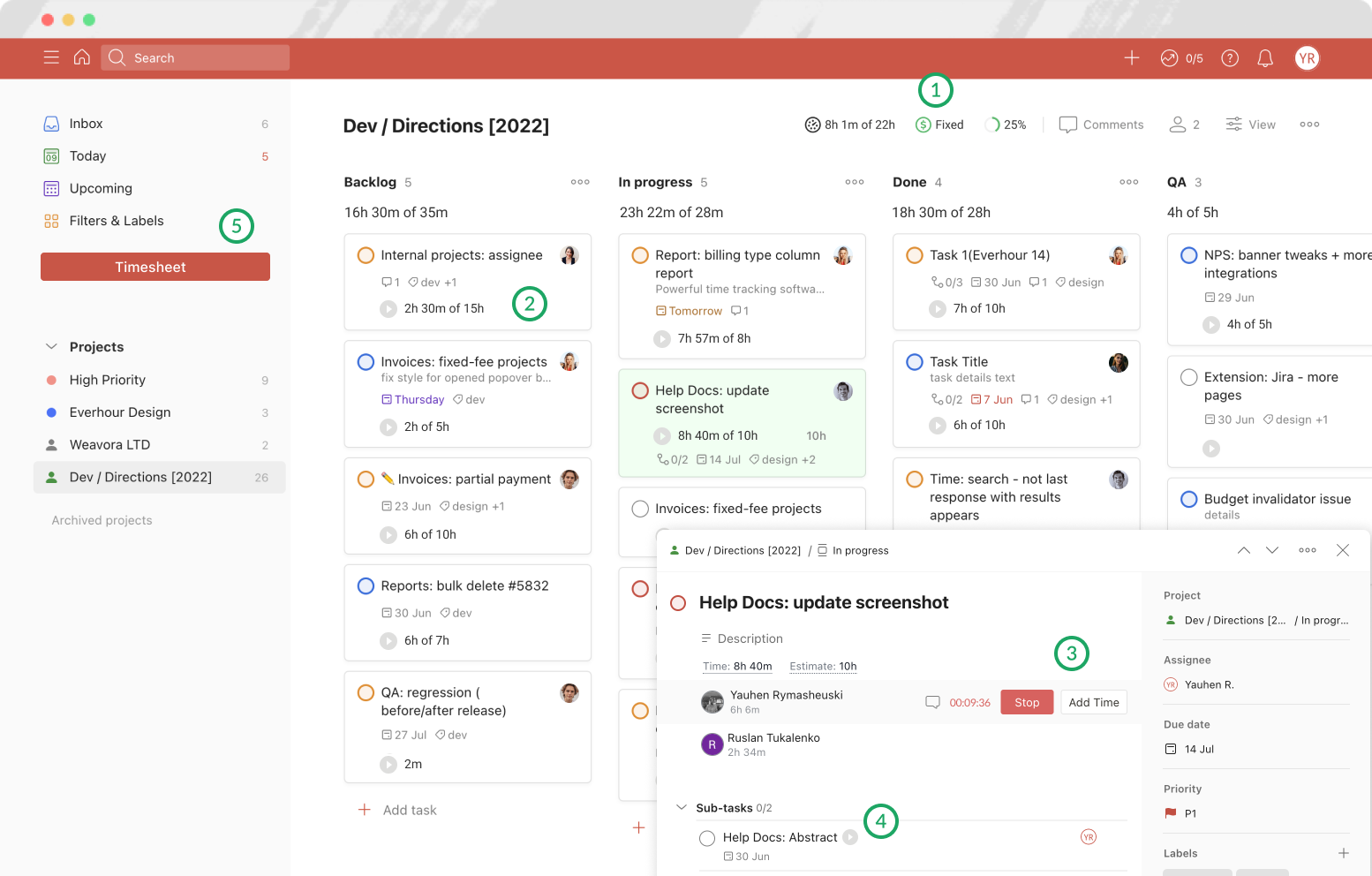
Todoist is a flexible task manager that can work as an ADHD planner. I’ve tried a bunch of tools and Todoist stands out for how fast it is to capture thoughts, structure routines, and stay on top of daily priorities.
Key features
- Helps you focus on what’s next without getting overwhelmed
- Great for building daily routines and ADHD-friendly habits
- Sort tasks by priority, energy level, or context
- Works on desktop, mobile, and browser
What I liked
- "Its distraction-free design allows students to be super detailed with their tasks" - ADDitude
- The “Today” view is good - it gives me a clean list of what I need to do now
- Setting up recurring routines (like journaling or meds) was smooth.
What I disliked
- The free version is limited - no reminders unless you go Pro, which is kind of essential for ADHD.
- No built-in time blocking - ADHD planners need an app that helps manage time as well as tasks - verified reviews
- It’s not visual or gamified, which some ADHD planners are. If you need dopamine boosts or habit tracking visuals, this might feel plain.
Pricing
- Free plan with basic task management
- Pro plan around $4/month with reminders, filters, and calendar sync
- Business plan for teams at $6/month
Suitable for
- Anyone with ADHD looking for a clean, focused way to manage tasks and routines - especially if you already like checklists.
Todoist reviews (source)
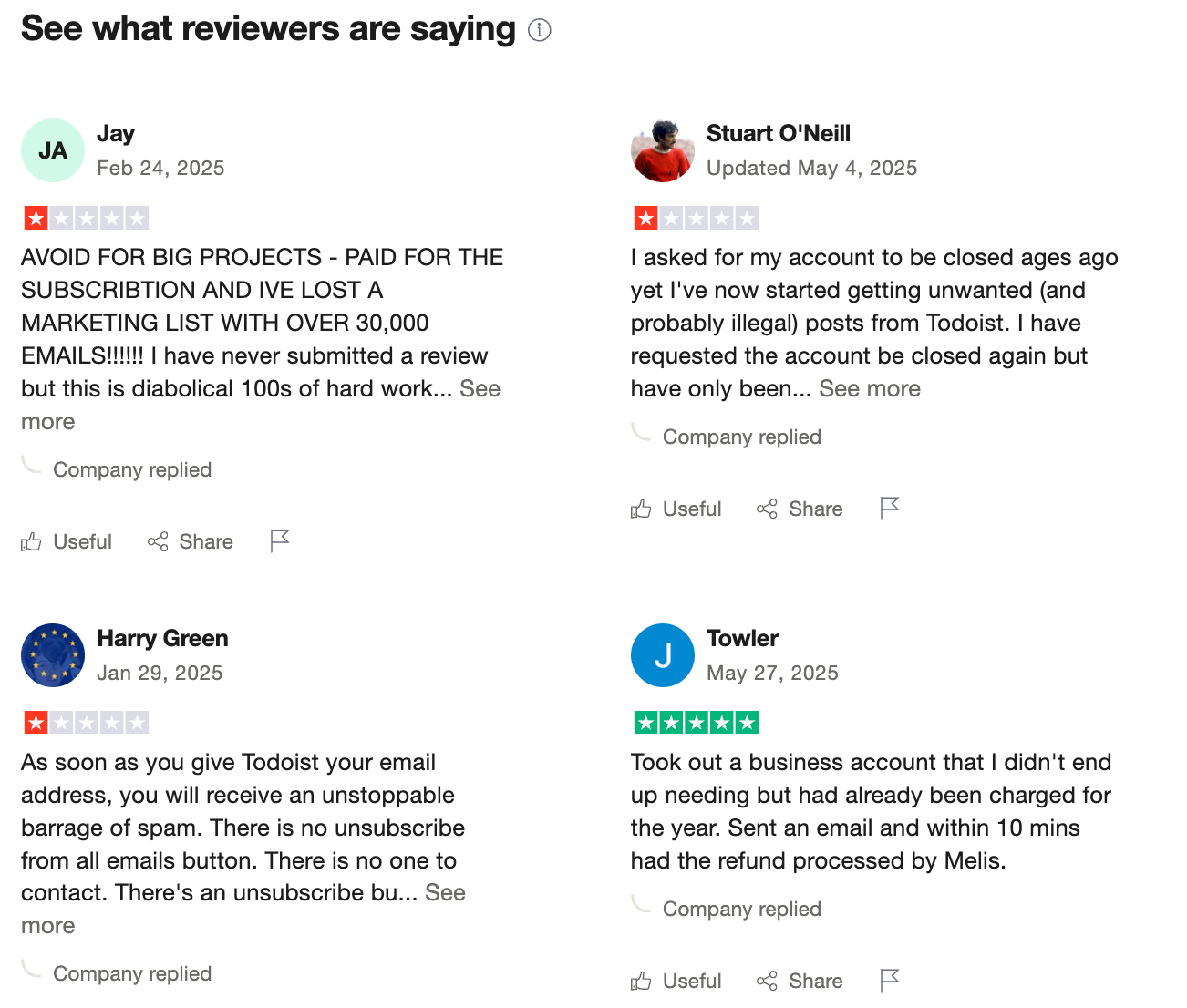
"With a superb interface, apps for every mainstream platform, and effective collaboration tools, Todoist is the to-do list app to beat." - PCmag
How to start
- Just download Todoist on any device, dump a few tasks into your Inbox, and try the “Today” view.
3) Sunsama

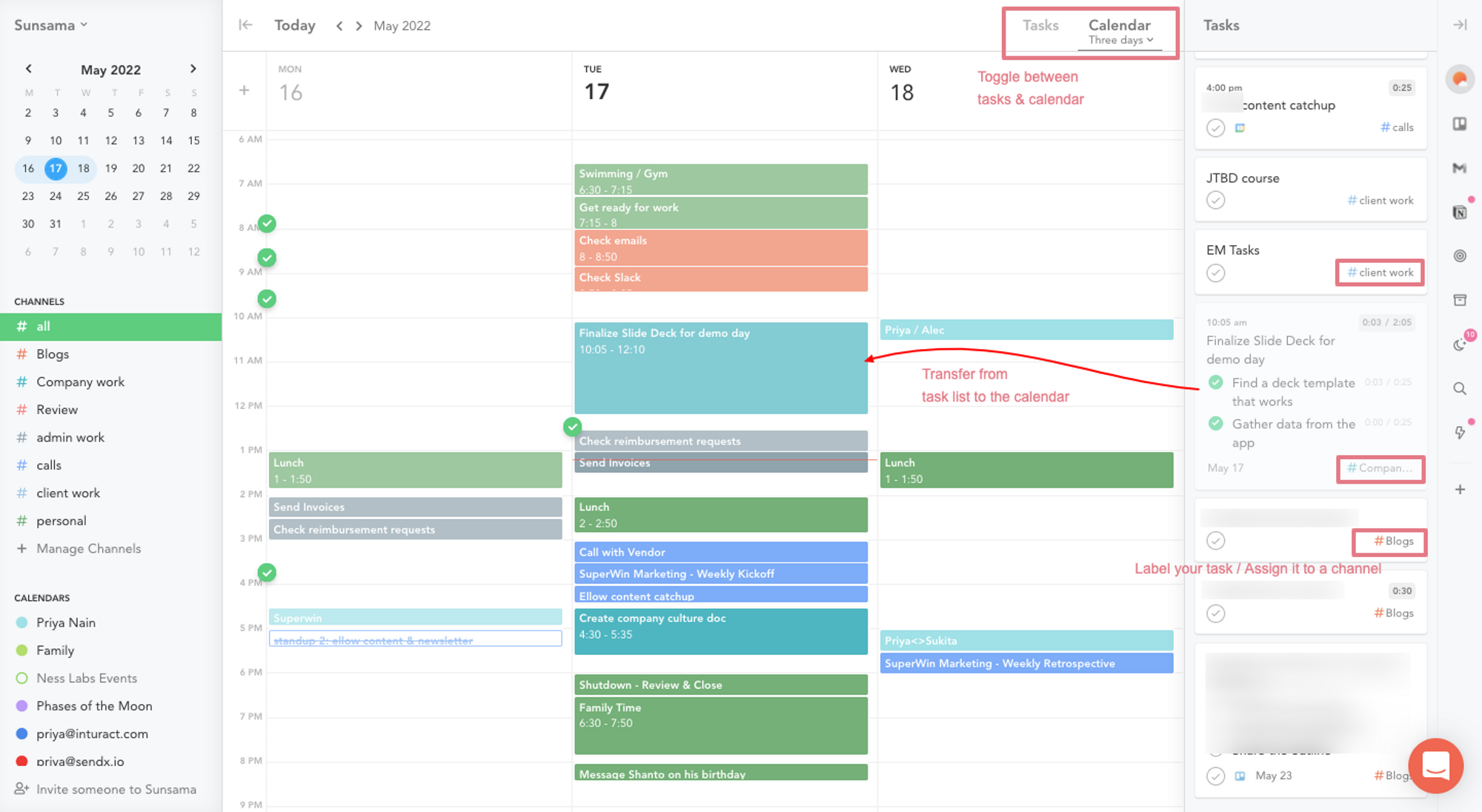
Sunsama is a daily planning tool designed to help you build intentional, realistic schedules. It guides you through planning your day, estimating time for tasks, and actually sticking to what you plan.
It’s best suited for people who want more mindful focus, fewer distractions, and a better sense of control over their time.
Key features
- Helps you plan each day intentionally without feeling overwhelmed
- Easily assign realistic durations to tasks so you don’t overcommit
- Built-in Pomodoro timer for staying on track
- Integrations: Syncs with Google Calendar, Outlook, Asana, Todoist, Trello, Gmail, and Slack
What I liked
- The daily planning ritual can keep you from trying to do too much in one day
- I like that it forces me to estimate how long each task will take
- "The integration with Google Calendar is seamless and together I can manage my day with less stress" – reviews
What I disliked
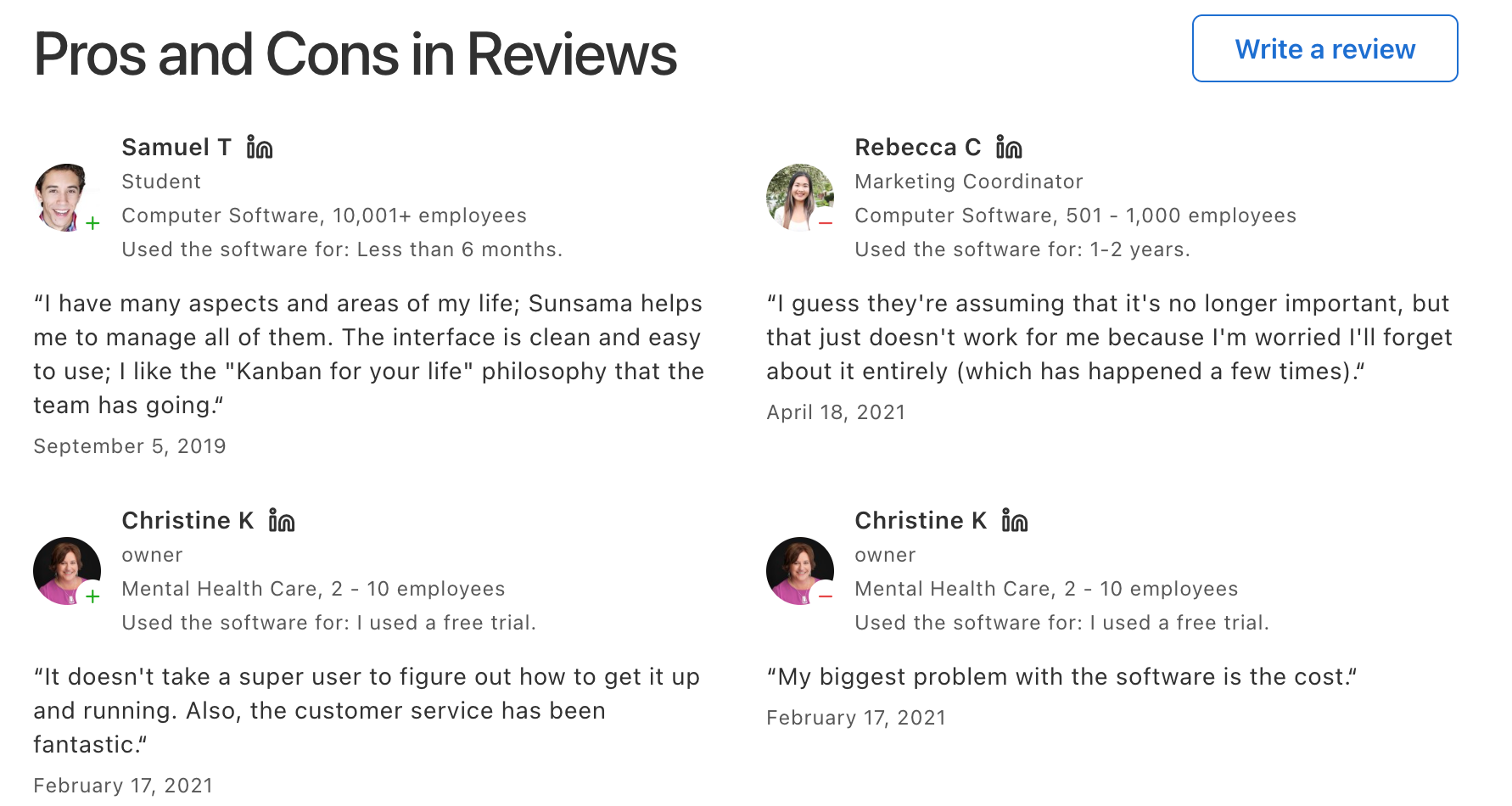
- "Sunsama doesn't automatically schedule or prioritize tasks for you — YOU need to do that each day, so if you forget or fall off the habit, you're paying for a tool that sits dormant" — a significant risk for ADHD users whose consistency is the first thing to slip – reviews
- "Sunsama's channel organisation system falls behind the folder system typical for to-do list apps" — leaving power users without the structured hierarchy ADHD brains sometimes need – reviews
- "The Android app is intended as a companion, not a replacement of the desktop version, and it lacks some functionality" — limiting for ADHD users who rely on mobile reminders and on-the-go capture – reviews
- $20/month is a little steep if you’re on a tight budget
- Not made for storing documents or managing emails
Pricing
- 14-day free trial available
- $20/month or $16/month if billed annually
- No free forever plan
Suitable for:
- People with ADHD (or ADHD-like tendencies) who want a daily planner that guides them toward focus, realistic expectations, and fewer distractions.
Sunsama reviews (source)
How to start:
- Just go to Sunsama, start the trial, and follow the daily planning ritual.
4) Any.do
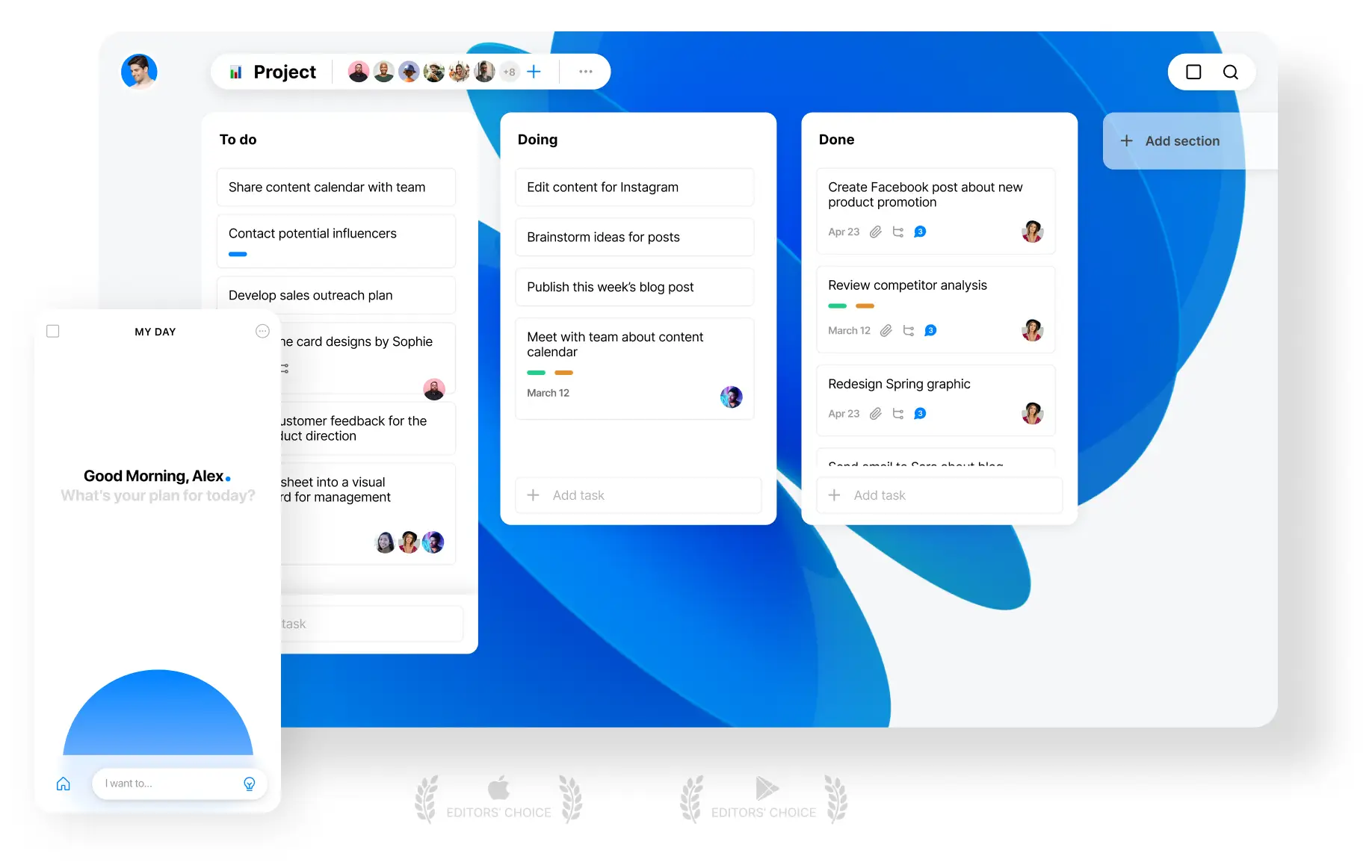
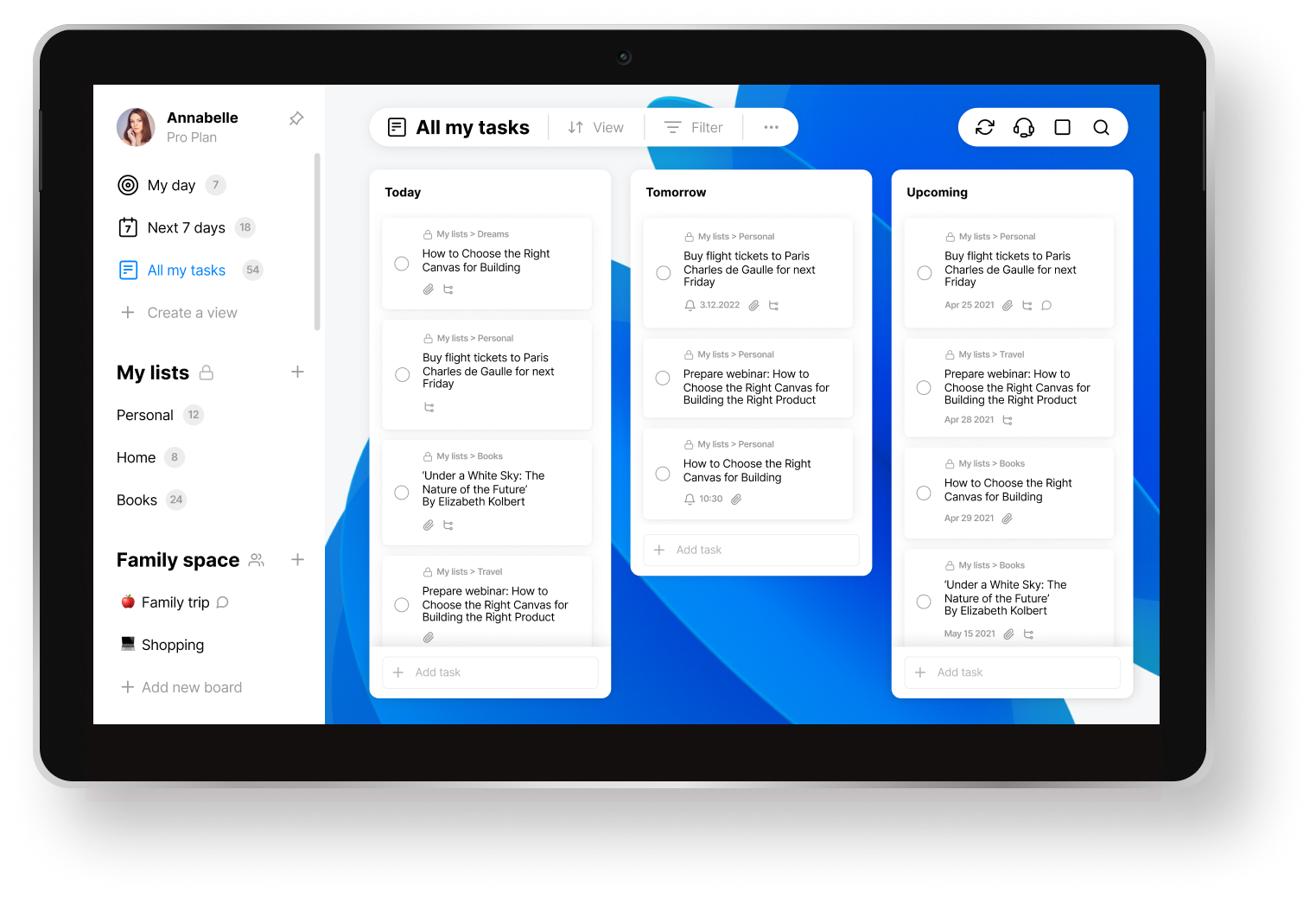
Any.do is a simple ADHD planner that helps you manage tasks, set reminders, and stay focused throughout the day. It combines to-dos, calendars, and a “Focus Mode” to keep your attention on what matters.
Key features
- Break big tasks into subtasks, color-code lists, and drag-and-drop to organize your day
- Connects with Google, Outlook, and Apple Calendar to reduce time blindness
- A Pomodoro-style timer with a visual tree that dies if you get distracted (yes, really)
- Works across desktop, mobile, and even wearables
Pros
- "As someone who is debilitated on a daily basis by their attention deficit disorder, this app has truly changed my life by making organising FUN" – reviews
- "The single best feature of Any.do is its incredibly clean and intuitive interface. It's minimal, easy to navigate, and makes getting tasks out of my head and into the app nearly instantaneous" – reviews
- The mobile app is clean and fast.
Cons
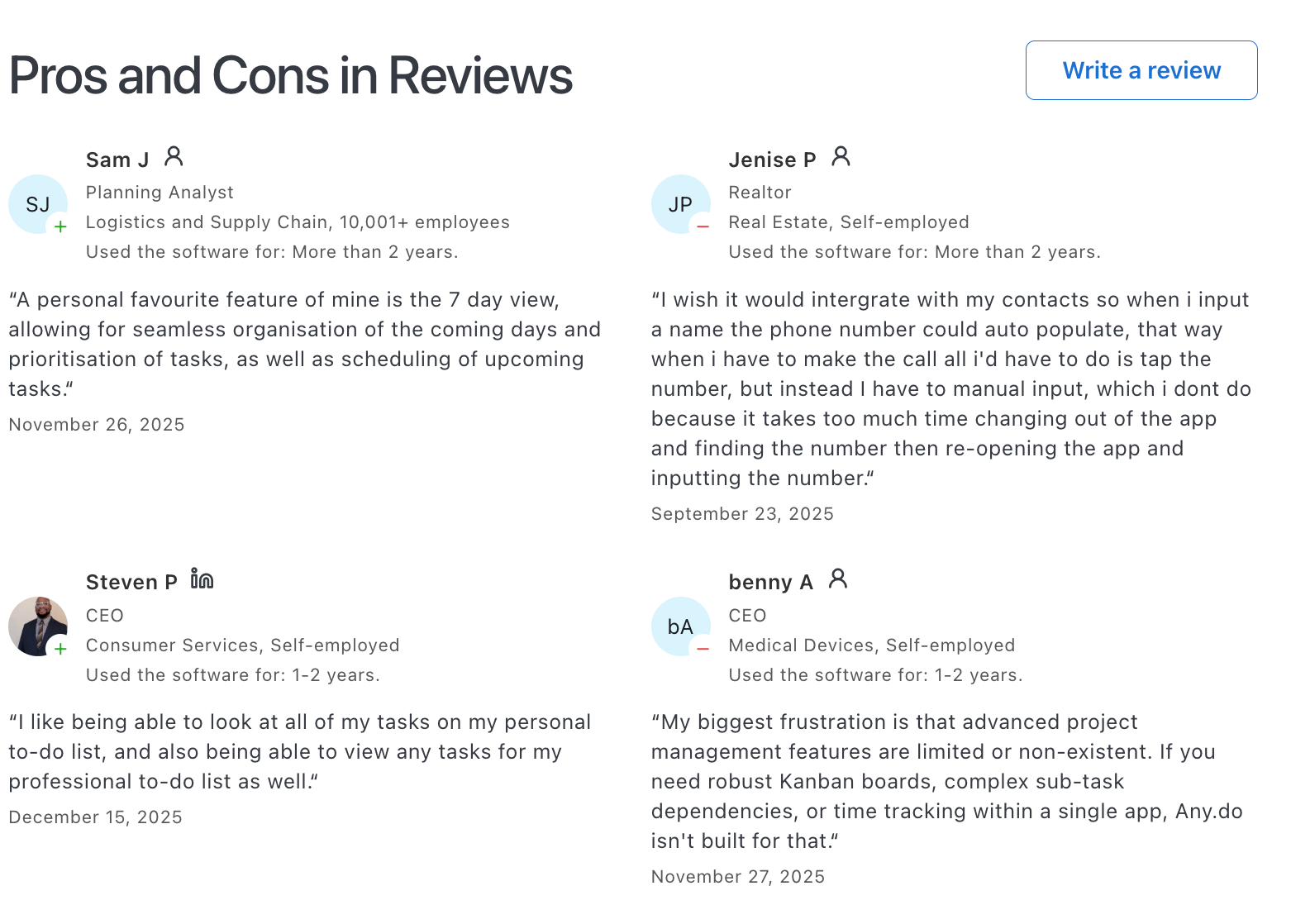
- "Advanced project management features are limited or non-existent. If you need robust Kanban boards, complex sub-task dependencies, or time tracking within a single app, Any.do isn't built for that" – reviews
- You can't chat with AI to schedule tasks, search notes or plan the day like with Saner.AI
- "Too simple — it lacks advanced features found in other similar tools. Pricing of the premium version is too high" – reviews
- "The desktop version is clunky, and there's no quick 'type it like a sentence' way to make tasks. Sharing and collaboration are super basic, and the calendar is frustrating to use—especially with no Apple Calendar sync on Mac" – reviews
Pricing
- Free plan available c
- Premium plan starts at $5.99/month.
Suitable for:
- People with ADHD are looking for a lightweight, structured planner that supports routines, reminders, and focus without too much setup.
Any.do Review
“My biggest frustration is that advanced project management features are limited or non-existent. If you need robust Kanban boards, complex sub-task dependencies, or time tracking within a single app, Any.do isn't built for that.“ - Benny
How to start:
- Go to any.do, create a free account, and start planning your day. Try the Focus Mode and My Day features if you’re on mobile.
5) TickTick

TickTick is an ADHD planner to stay on top of tasks, routines, and focus time. It combines to-do lists, calendar views, habit tracking, and a built-in Pomodoro timer, all in one clean interface.
Key features
- Quick-add tasks with voice, widgets, or natural language input
- Calendar views with time-blocking and drag-and-drop scheduling
- Syncs across all devices and integrates with Google Calendar, Zapier, and more
What I liked
- I like how fast it is to capture a thought.
- "The built-in Pomodoro timer helps me keep focus on each of the tasks and has increased my productivity significantly" – reviews
- "TickTick allows me to quickly input notes, tasks, or anything else from wherever I am" – reviews
What I disliked
- It can feel like a lot if you try to use every feature at once. I had to start small and build up.
- You don't have an AI Assistant to help you manage tasks
- "The app sometimes is buggy, especially with the desktop version which I am using the most" – reviews
- "Some users find the customization options limited for advanced needs" – reviews
- You have to remember to open it daily. It won’t magically keep you organized unless you build the habit.
Pricing
- Free plan available
- Premium plan at $3.99/month or $35.99/year
Suitable for
- People with ADHD who want an all-in-one planner that helps them capture ideas quickly, stay focused, and organize their time without chaos.
TickTick Reviews (Source)
Too basic, and yet too complicated for that simple task - Anti
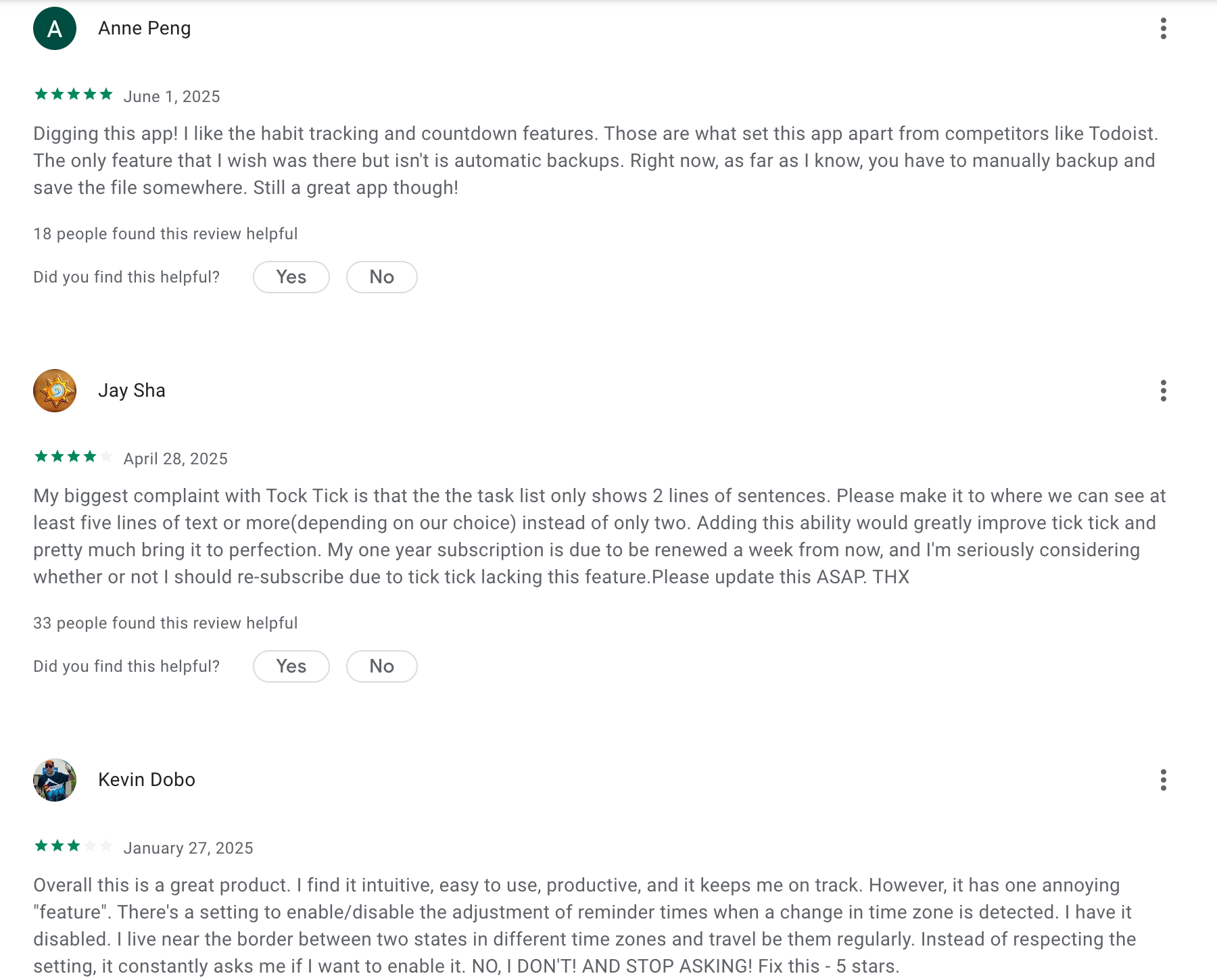
This is for creating good habits - Robert
How to start
- Just download TickTick, set up a few habits or tasks, and try the Pomodoro timer.
6) Llama Life
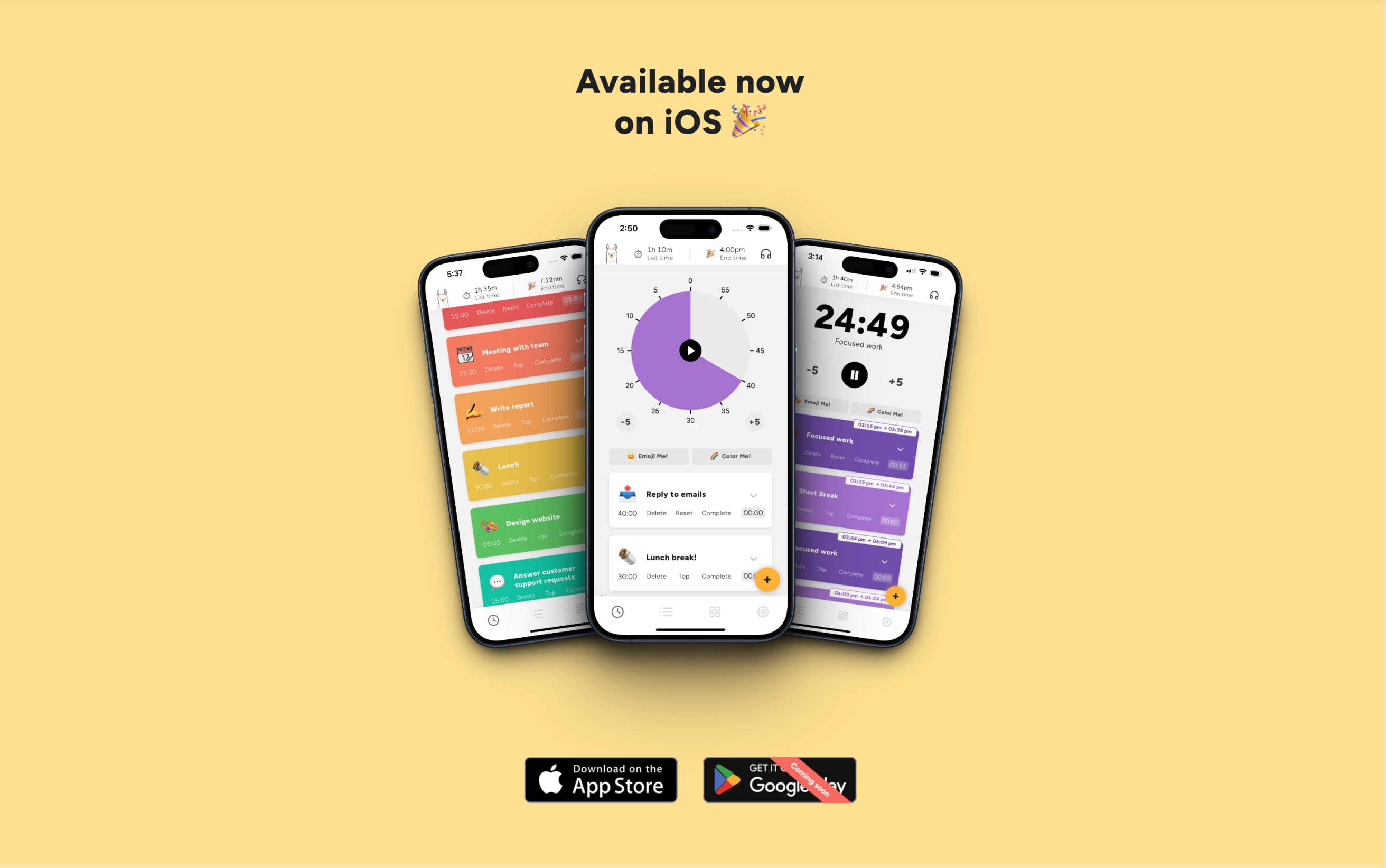
Llama Life is a playful, ADHD-friendly planner that helps you focus on one task at a time. It’s built around timers, sounds, and visual rewards - all designed to tackle time blindness, task paralysis, and overwhelm.
Key features
- Time-boxed task lists with countdown or pie timers
- Soundscapes and chimes to start, pause, or end tasks
- Visual rewards like confetti and emojis when you finish something
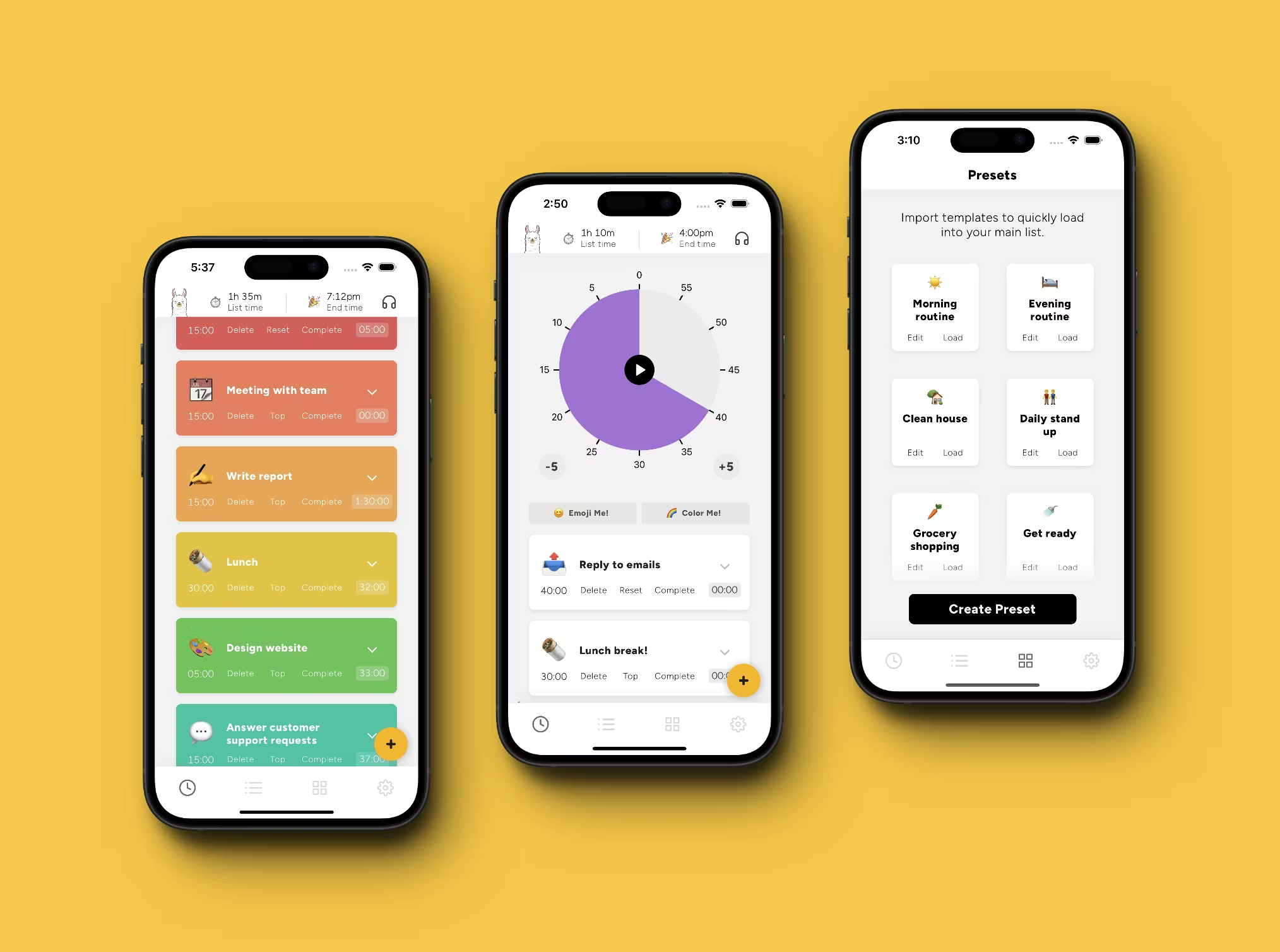
- “Preset Lists” for routines like mornings or shutdowns
Pros
- "This app has changed my life in terms of productivity. I love the colored tasks and presets" – reviews
- “Preset Lists” are helpful - I don’t have to rebuild my morning routine every day.
- "Its so simple! That makes it easy to use and therefore effective. One of the rare tools I use daily" – reviews
Cons
- "The app is still very formative and buggy. Lacks mobile support" – reviews
- "It won't work at all without signing up. Lacks keyboard accessibility — you have to use your mouse to navigate around the application" – reviews
- "The icons are weird and only hog space" – reviews
- "Paywall... Can't use the app without subscribing and paying a monthly fee" – reviews
- "No team plan for my company. An admin account with some analytics features and team management would be nice" – reviews
- You don't have an AI Assistant who you can ask to schedule tasks
Pricing
- Free trial available
- Around $6/month
Suitable for:
- People with ADHD or similar challenges who want an ADHD Planner that’s simple, visual, and fun.
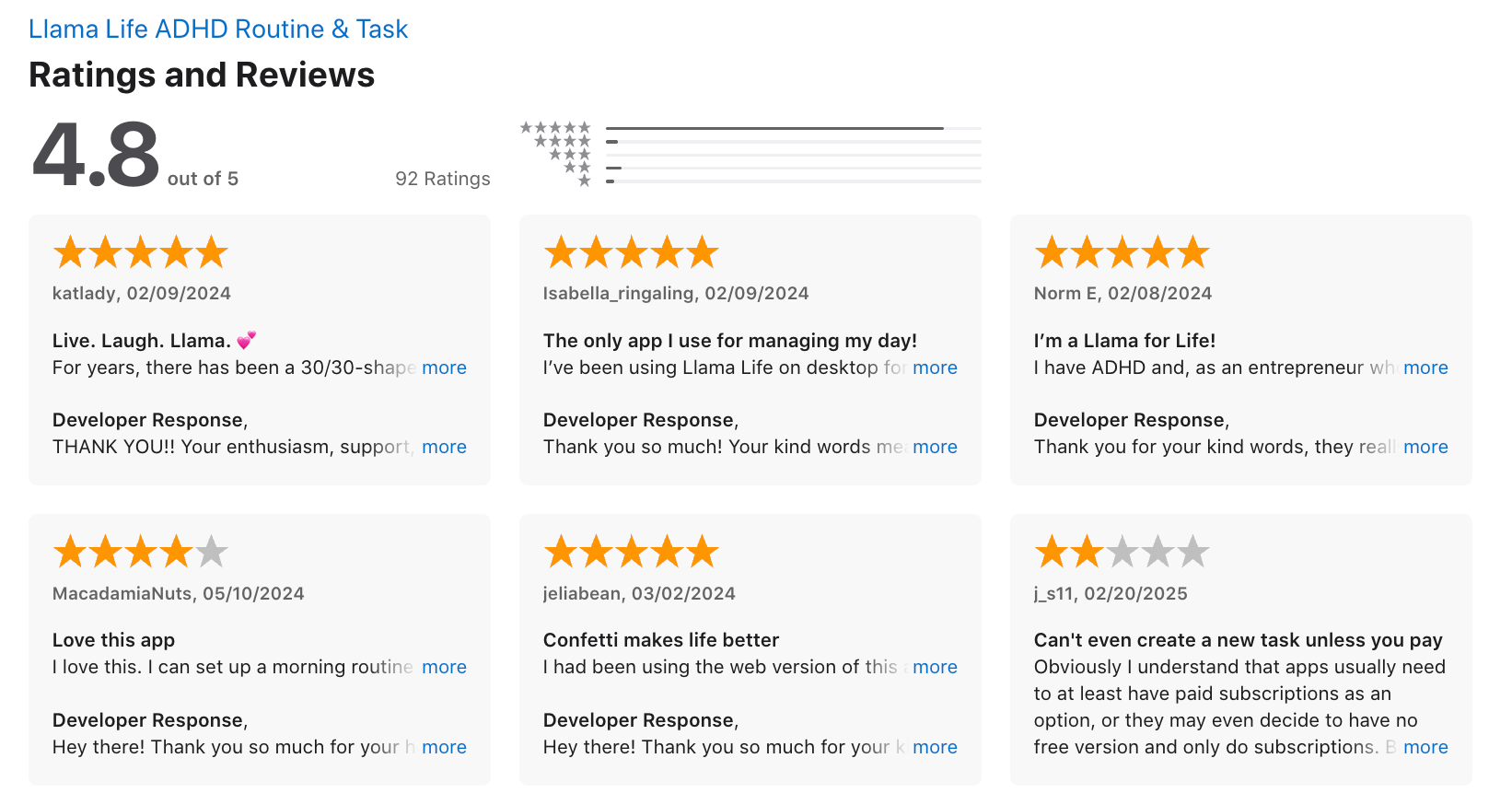
Llama Life reviews (source)
How to start:
- Head to Llama Life, try the free trial, and see how it fits into your day.
7) Structured
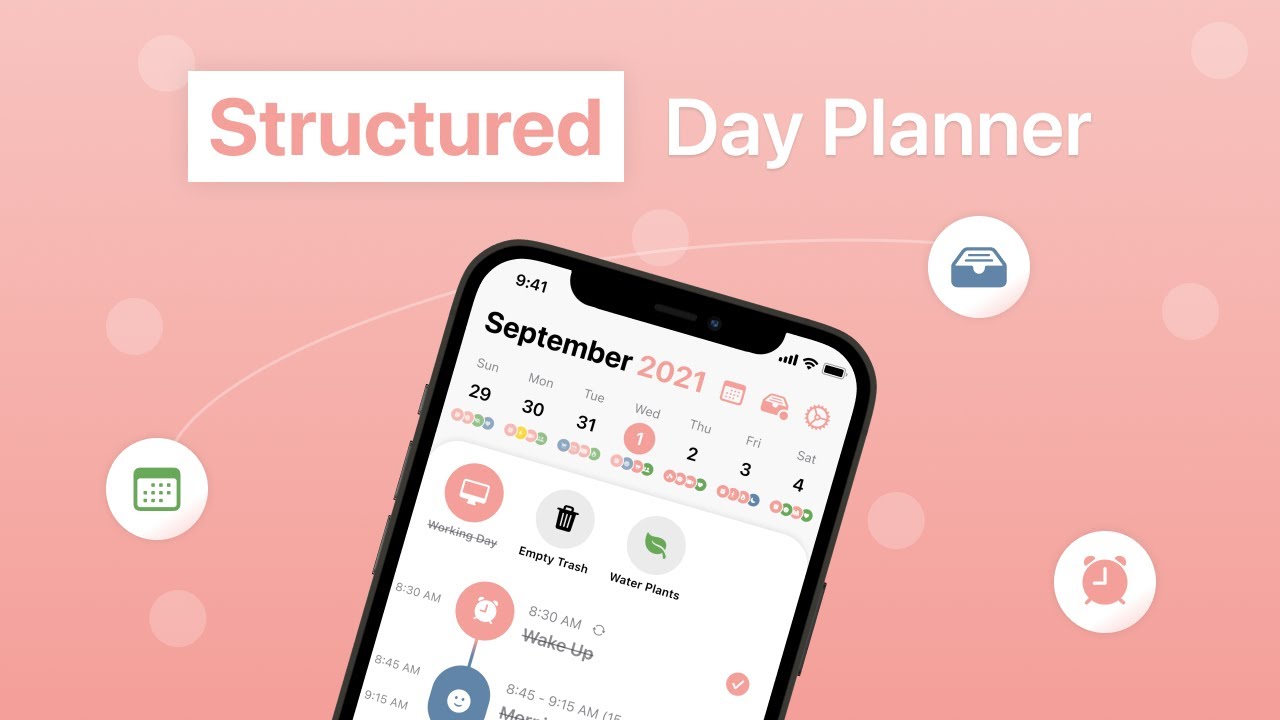
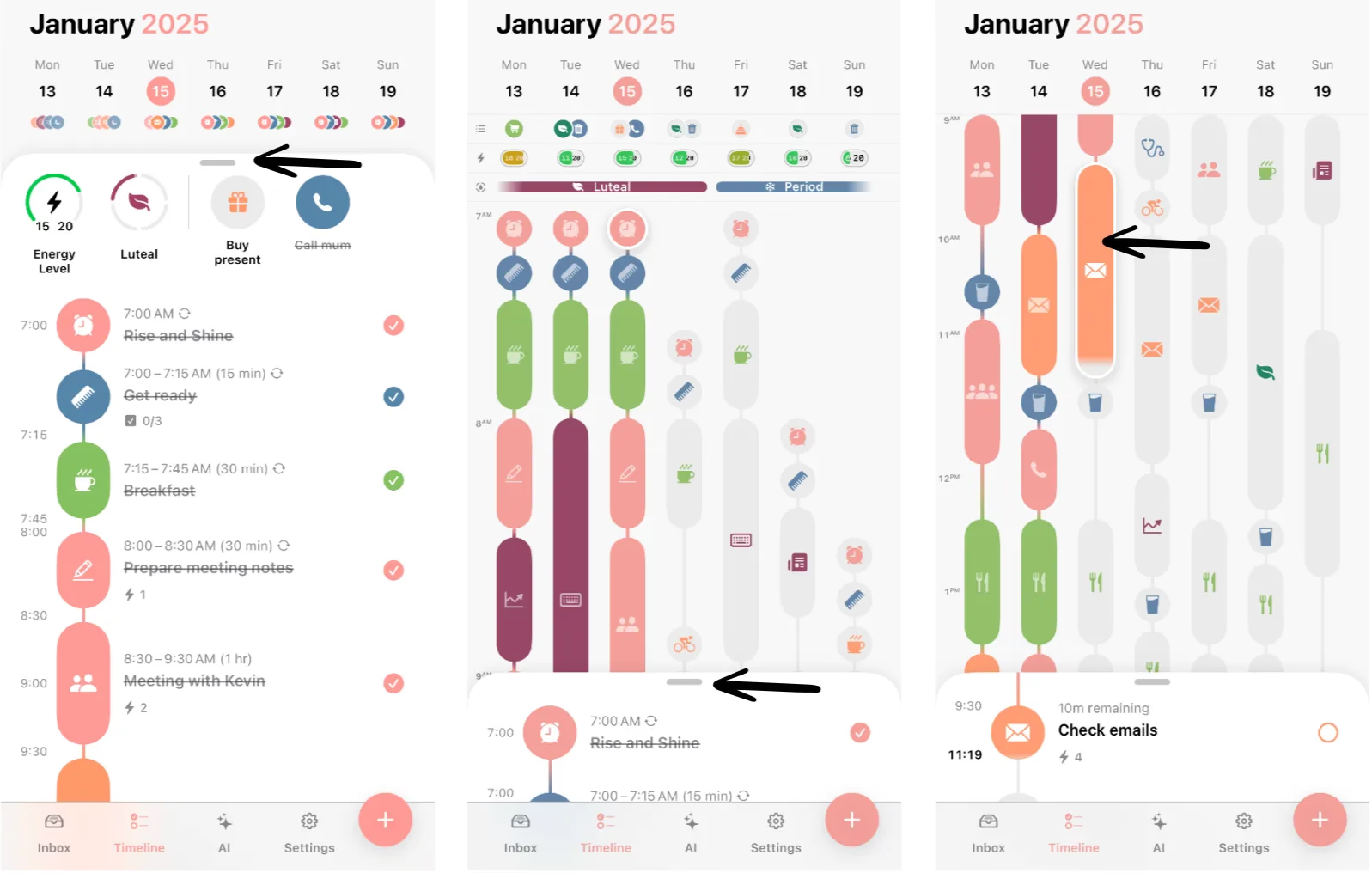
Structured is a visual ADHD planner that helps you see your day at a glance. It combines your tasks, calendar events, and habits into a simple timeline so you don’t have to juggle multiple apps or constantly replan your day.
Key features
- Combines to-dos and calendar events into a single view
- Easily reschedule tasks by swiping them to another time
- Break big tasks into smaller steps so they feel doable
- Works across iOS, Android, Mac, and Apple Watch
Pros
- "Structured is simple, straightforward, ridiculously easy to use, beautiful, and has just the right amount of customization" – reviews
- "Structured is amazing, it's so neat and organized and perfect for me, I am so productive and love the little features like sub-tasks and syncing with calendars" – reviews
- "Thoughtful updates and amazing attention to details that work well for ADHD brains" – reviews
Cons
- "The Android app is basically useless because the cloud sync does not work properly. I've had to clear storage multiple times just to see the data I have on my Mac" – reviews
- There’s no proactive AI help or smart scheduling suggestions
- "It's too cluttered and to navigate is annoying — I hate the modernization of apps, just make it simple. No glam or glow, just what you need" – reviews
- "I spent more time fighting the actual app than utilizing it in my actual life… paywalling essential features" – reviews
- It’s great for daily planning but not ideal for long-term project management. Power users may feel constrained.
Pricing
- Free plan
- Pro plan: ~USD $4.99/month or ~$29.99/year (Apple App Store)
Suitable for
- Anyone with ADHD who wants a visual, drag-and-drop planner to organize time, reduce overwhelm, and actually get stuff done
Structured review (source)
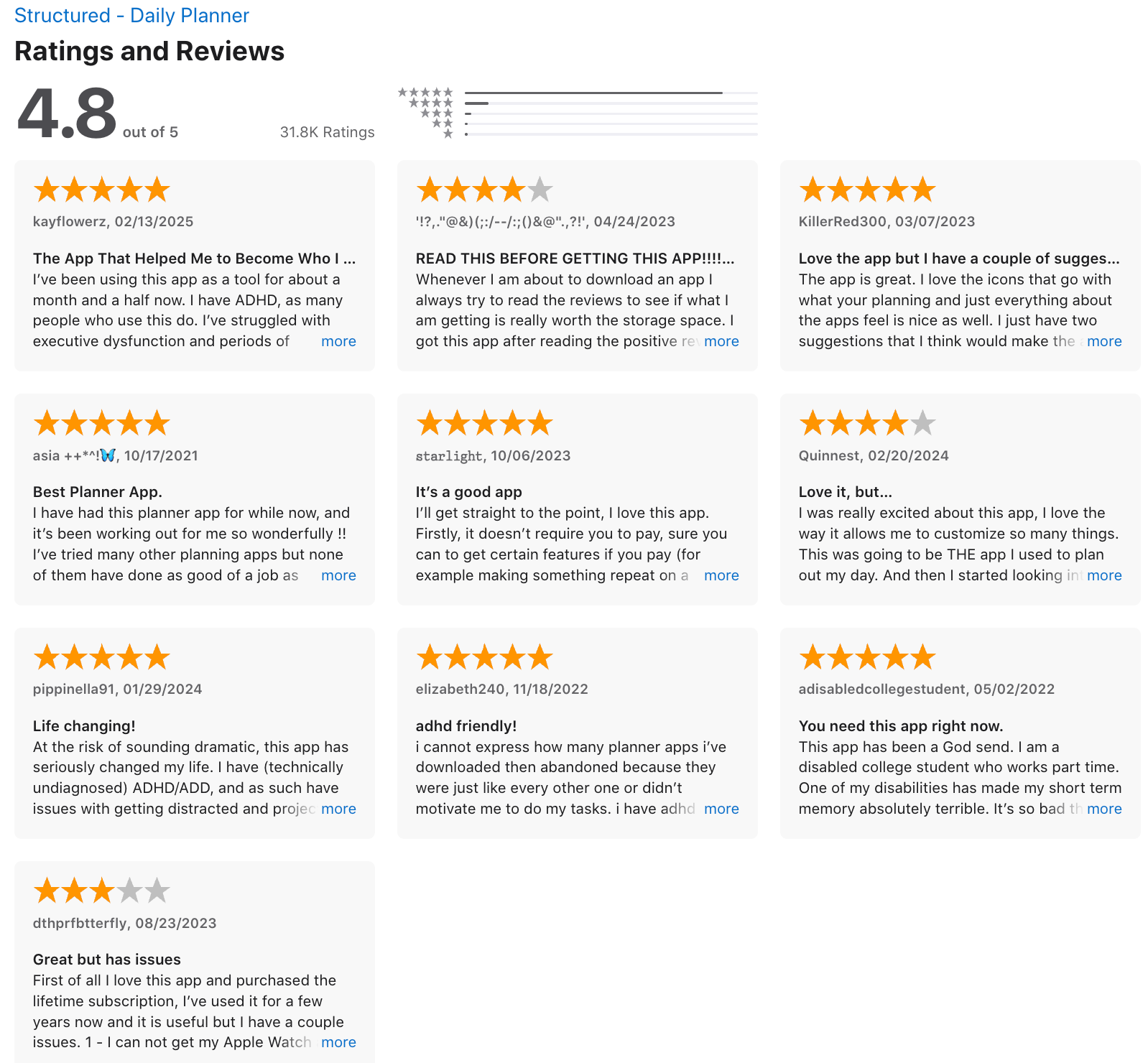
Solid app at a glance but haven't used it very long yet. Inbox tasks can't easily be reordered and the widgets are a little funky on android - Ferris
How to start
- Download the app, connect your calendar, and start adding tasks.
8) Tiimo
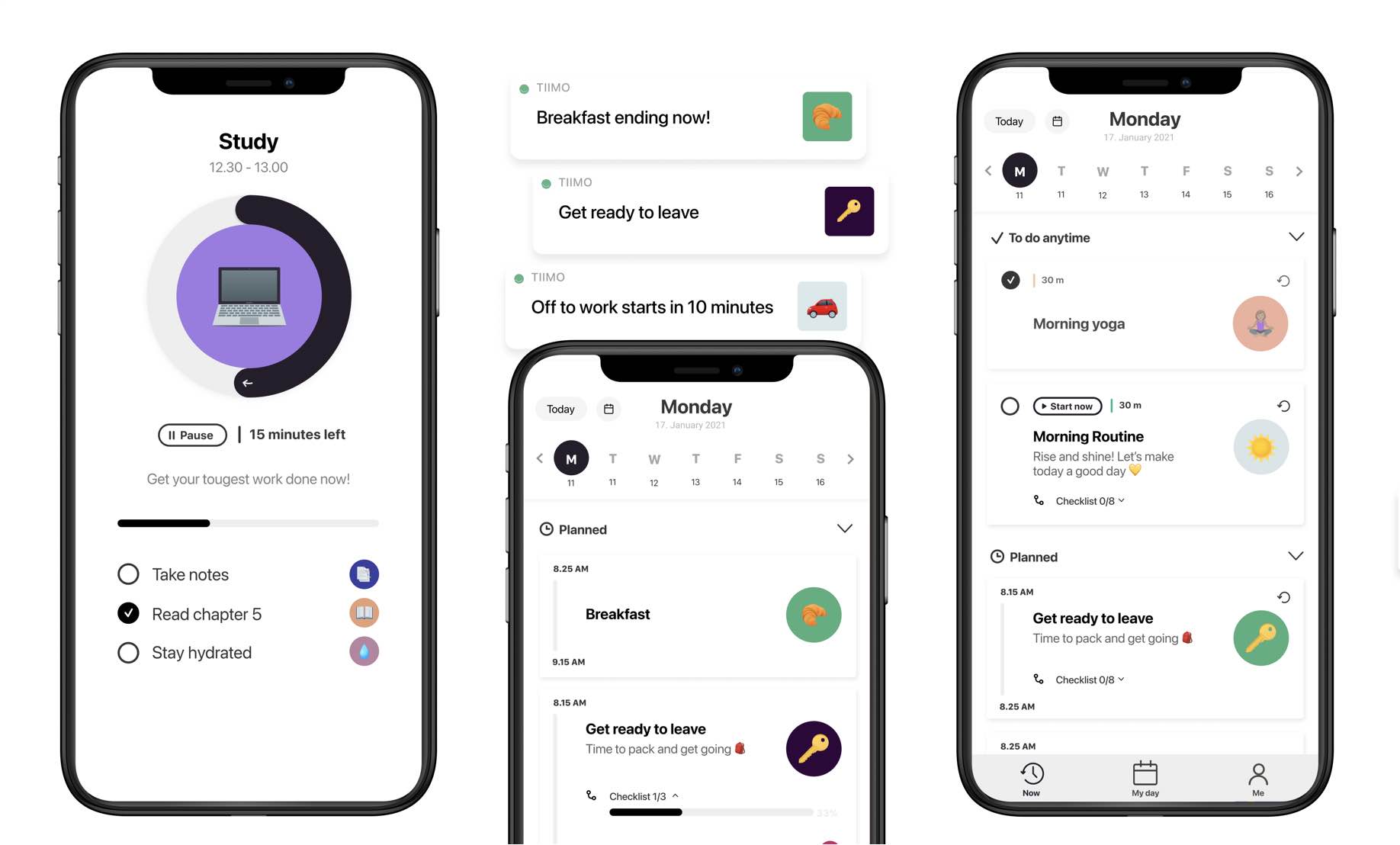
Tiimo is a visual daily planner built specifically for neurodivergent users, including people with ADHD. It focuses on turning plans into clear, visual routines instead of text-heavy to-do lists.
Key features
- Color-coded routines make time feel more tangible
- Breaks down big tasks into subtasks automatically
- Built-in Pomodoro-style timers help with starting and staying focused
- Works on iOS, web, Apple Watch, and (kind of) Android
Pros
- "Tiimo makes me feel 'in control' because I'm able to see my day visually and make scheduling a breeze." – reviews
- "I struggle with ADHD and have tried multiple apps to help me focus. This has been the only one that has actually helped!" – reviews
- Mood tracking is a nice bonus.
Cons
- "My entire schedule just disappeared out of thin air after I refreshed the page. I spent 3 hours on customer support trying to find a solution and guess what? No solution." – reviews
- "The app helps some, but the benefits become redundant when I have to manually go in and correct things because little bugs throw off my routine." – reviews
- Doesn’t integrate with other systems like Google Drive, Notion.
- "There's no dictation facility. You end up having to type everything manually, which isn't ideal." – reviews
- "The FAQ/help sections are a joke tbh. I'm super stressed trying to deal with it which is kind of counter productive." – reviews
Pricing:
- Free: Limited features with trial access
- Paid: ~USD $9.99/month or ~$69.99/year
Suitable for:
- Individuals with ADHD who want a planner that’s visual, gentle, and designed around how their brain works, especially iOS users.
Tiimo Reviews (source)
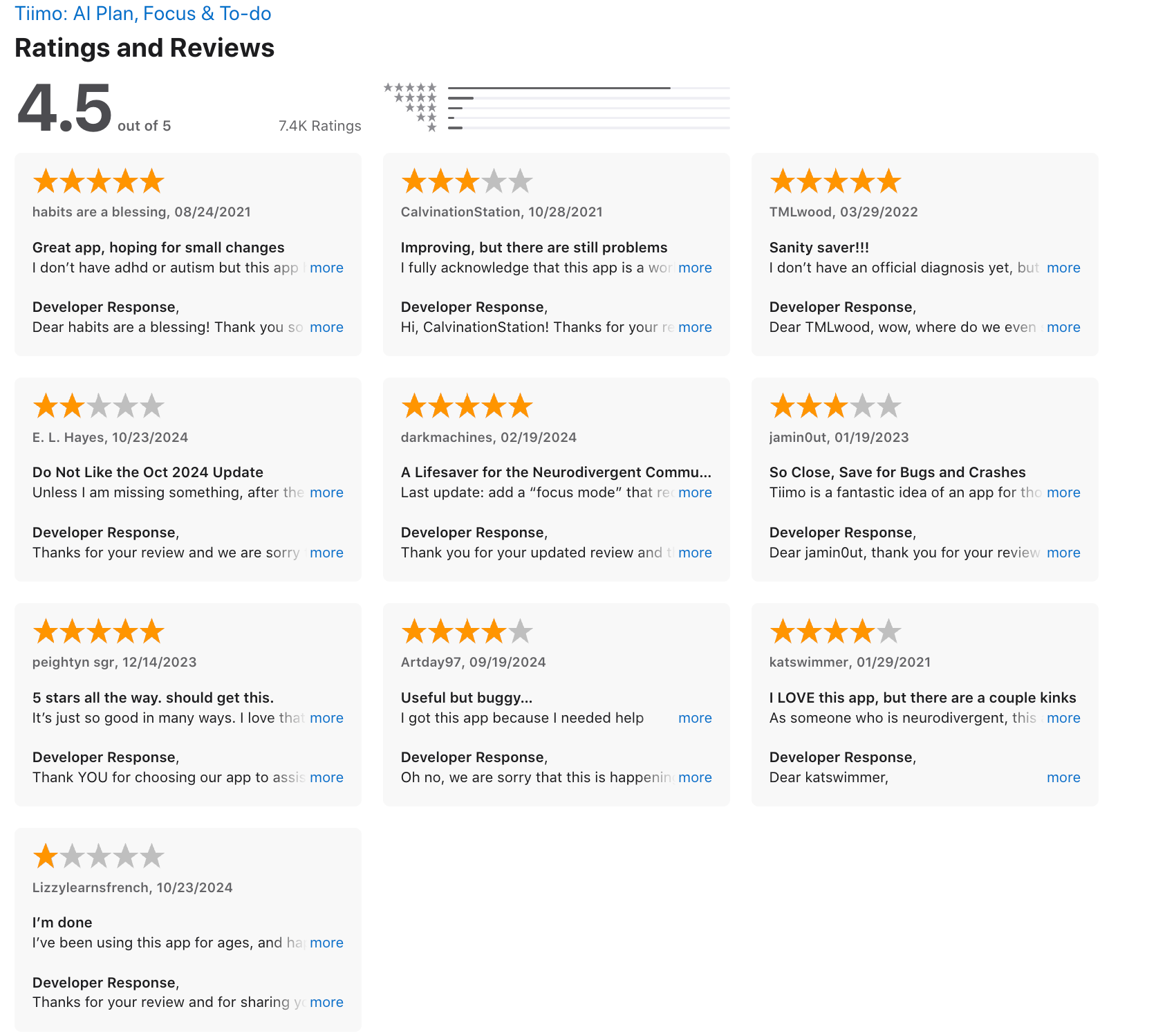
It doesn't do what it says it will do. Fails to import whole to do list. Fail to save edits mde to appointments. Began speaking to me in another language so I couldn't tell which button to press then loses all the data and request made. - Jane
Some of my favorite parts about Tiimo: The ability to set “anytime” tasks - I struggle with set times with my work already and I don’t want them in my personal life. - rahwri
How to start:
- Download Tiimo, try the free plan
9) Finch

Finch is a gamified ADHD planner that helps you build healthy routines through small daily goals. Instead of checking off a to-do list, you’re caring for a cute virtual bird, and in the process, you’re taking care of yourself.
Key features
- Add daily tasks like meds, hygiene, water, whatever matters to you
- Quick scale ratings and guided prompts help spot patterns
- You earn rewards and customize your bird and its world
- Reflect on your day with gentle, guided questions
- No time-blocking or deadlines
Pros
- "I like that Finch doesn't punish you for missing a day. There's no streak anxiety, which is perfect for ADHD. The rewards are actually motivating. It's low effort." – reviews
- I liked how flexible it was.
- Mood tracking is simple and insightful.
- "Finch works better because it gives me more flexibility/fluidity. I can snooze, delete, or archive goals" – reviews
What I didn’t like
- "I cannot use this app at night - it's actually been so helpful, but no dark mode makes it incredibly difficult to log things at night or use the app when I first get up" – reviews
- It’s a bit overwhelming at first- lots of icons, tools, journeys. Takes a few days to get the hang of.
- Some goals feel rigid. For example, if you set “drink 5 glasses of water,” it won’t count as partial progress.
- The mobile UI is cute, but not for everyone. If you don’t like gamified designs, this might feel too much.
- There’s no time-blocking or calendar view, so it’s not a traditional planner. More like a self-care tracker.
- You don't have an AI Assistant who you can ask to schedule tasks, search notes, or plan the day
Pricing
- Free plan with core features
- Paid plan is around $9.99/month
Suitable for
- People with ADHD, especially great for those who enjoy gamified apps and want a planner that feels more like a companion than a tool.
Finch reviews (source)
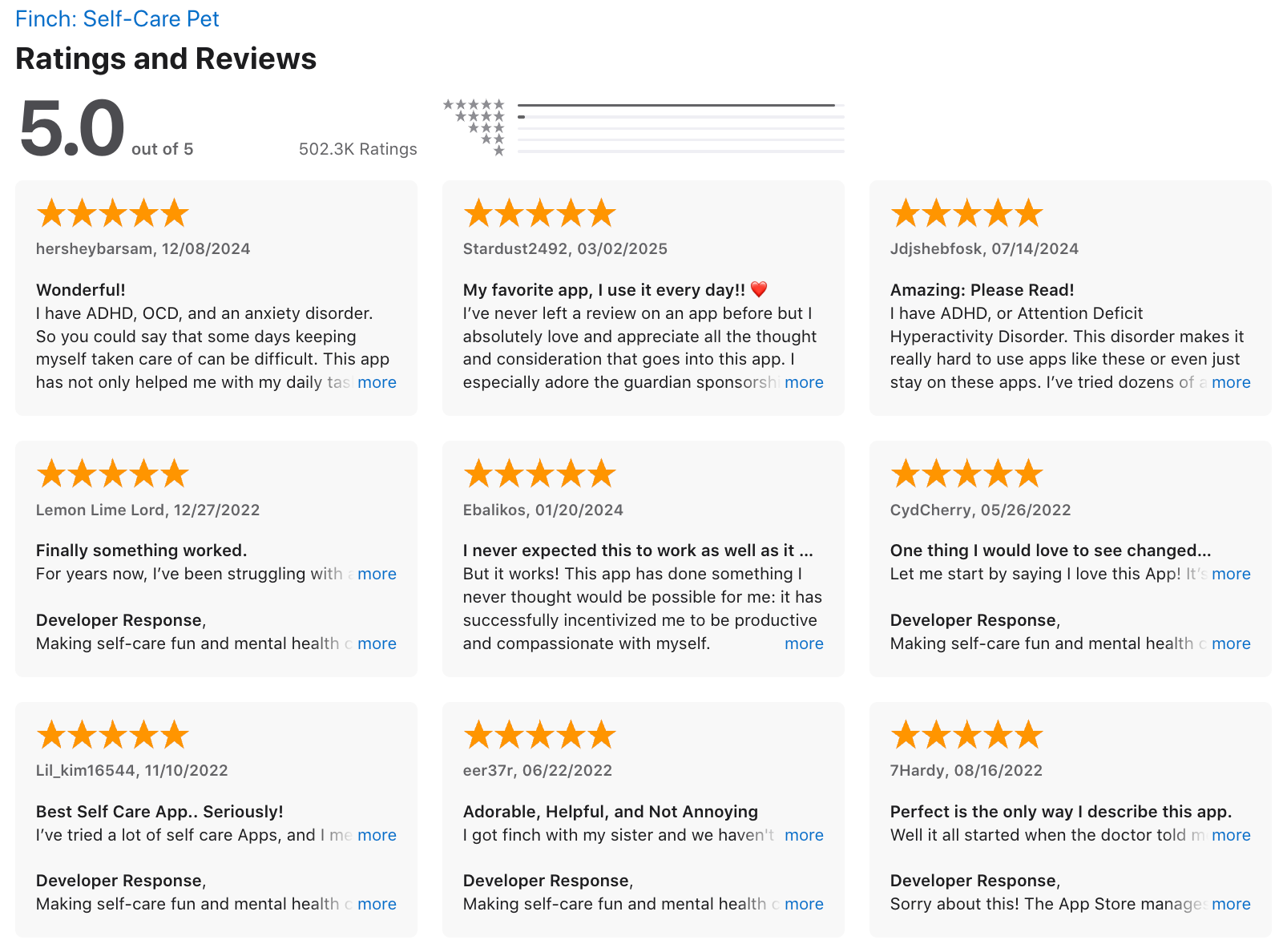
this used to be a lot more self-care focused, but lately the updates have been a lot more focused on cosmetics and gamifying features. The self care activites are hidden behind more menus than before - Ariane
I like finch because it allows me a massive amount of autonomy when it comes to how I make goals and what I need to do to complete them - hallowiener8D
How to start:
- Download Tiimo, try the free plan, and test the AI features during the trial. Stick to a few routines at first so you don’t get overwhelmed.
10) Goblin.Tools
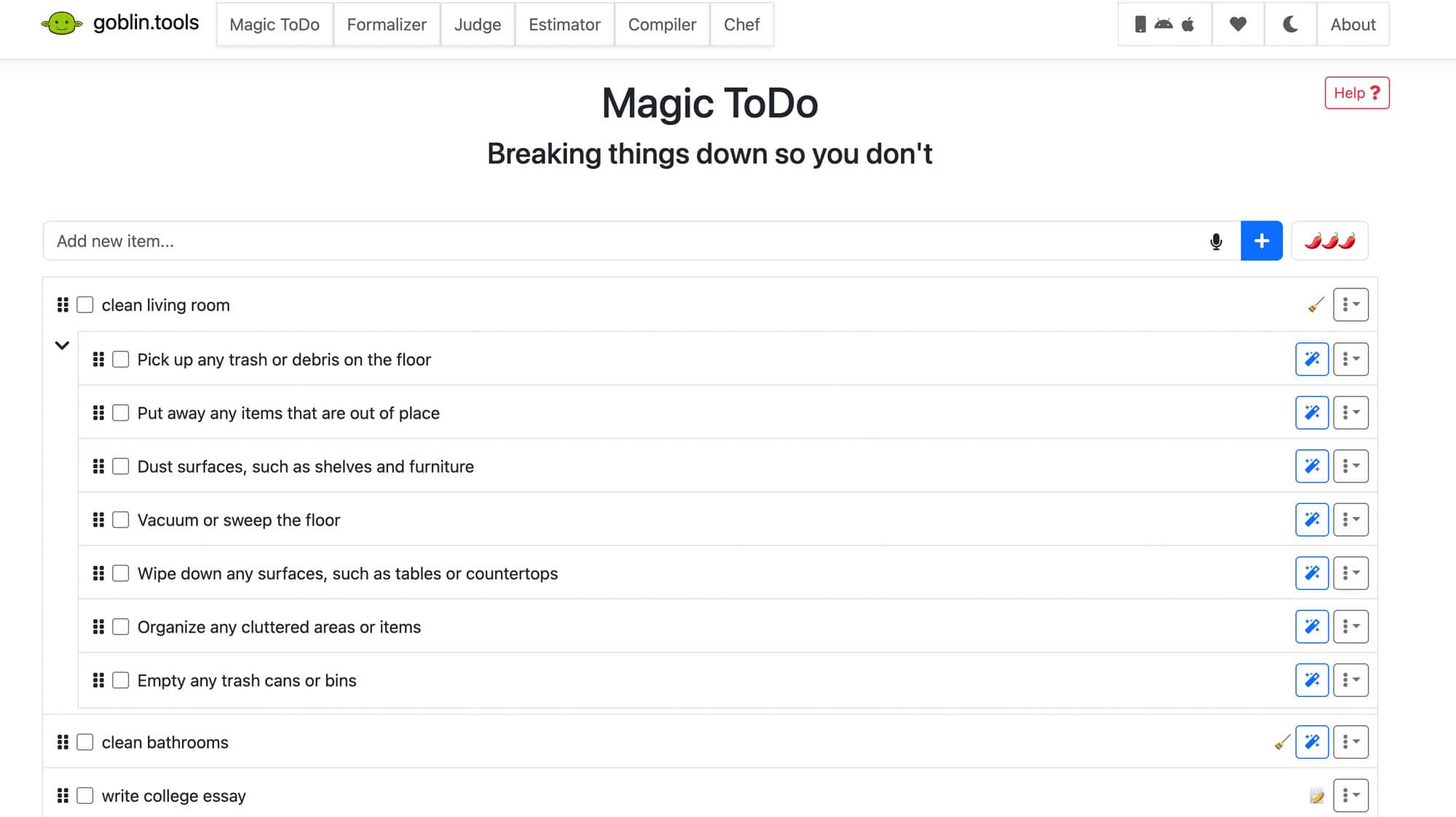
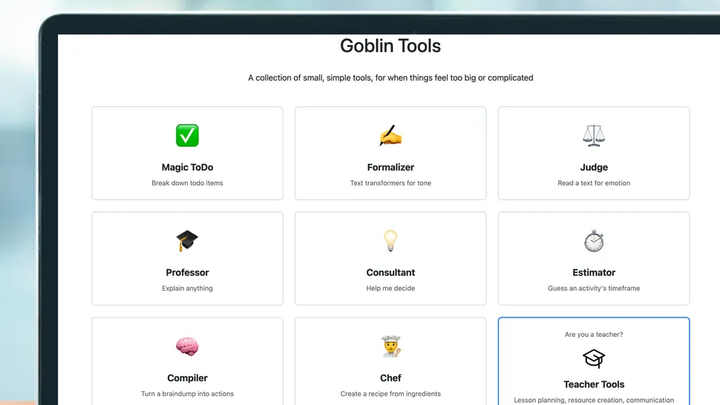
Goblin Tools is a simple AI ADHD planner that helps break down overwhelming tasks, estimate time, and communicate clearly. It’s made for neurodivergent brains and packs a set of micro-tools that make executive functioning easier
Key features
- Breaks down any task into bite-sized steps with adjustable detail
- Guesses how long things might take, helpful for time blindness
- Turns brain dumps into organized to-do lists
- No ads, no logins required on the web, with a low-cost mobile version
Pros
- "Instead of sitting in overwhelm and not knowing where to start, this gives me a stepping-off point. It helps me with making decisions" – reviews
- The Time Estimator is super handy when I have no idea how long a task will take
What I disliked
- It’s not a full planner - you still need to move tasks to your calendar manually.
- There’s no built-in habit tracker, reminders, or calendar sync, so you’ll need another app for that.
- "The features do not work well with each other. Putting multiple tasks in ideas and switching over to task helper causes all of them to stay batched together instead of being split" – reviews
- "The tasks I put in task helper kept disappearing, and none of them showed up on the home page or the calendar. Many other features don't work when I tap on them." – reviews
- No AI Assistant to manage the planner for you
Pricing
- Free on the web
- One-time low-cost purchase for iOS or Android
- Optional donation or in-app upgrades
Suitable for
- People with ADHD or executive dysfunction who want help breaking down tasks, estimating time, or writing more clearly, without diving into complicated productivity systems.
Goblin.tools reviews
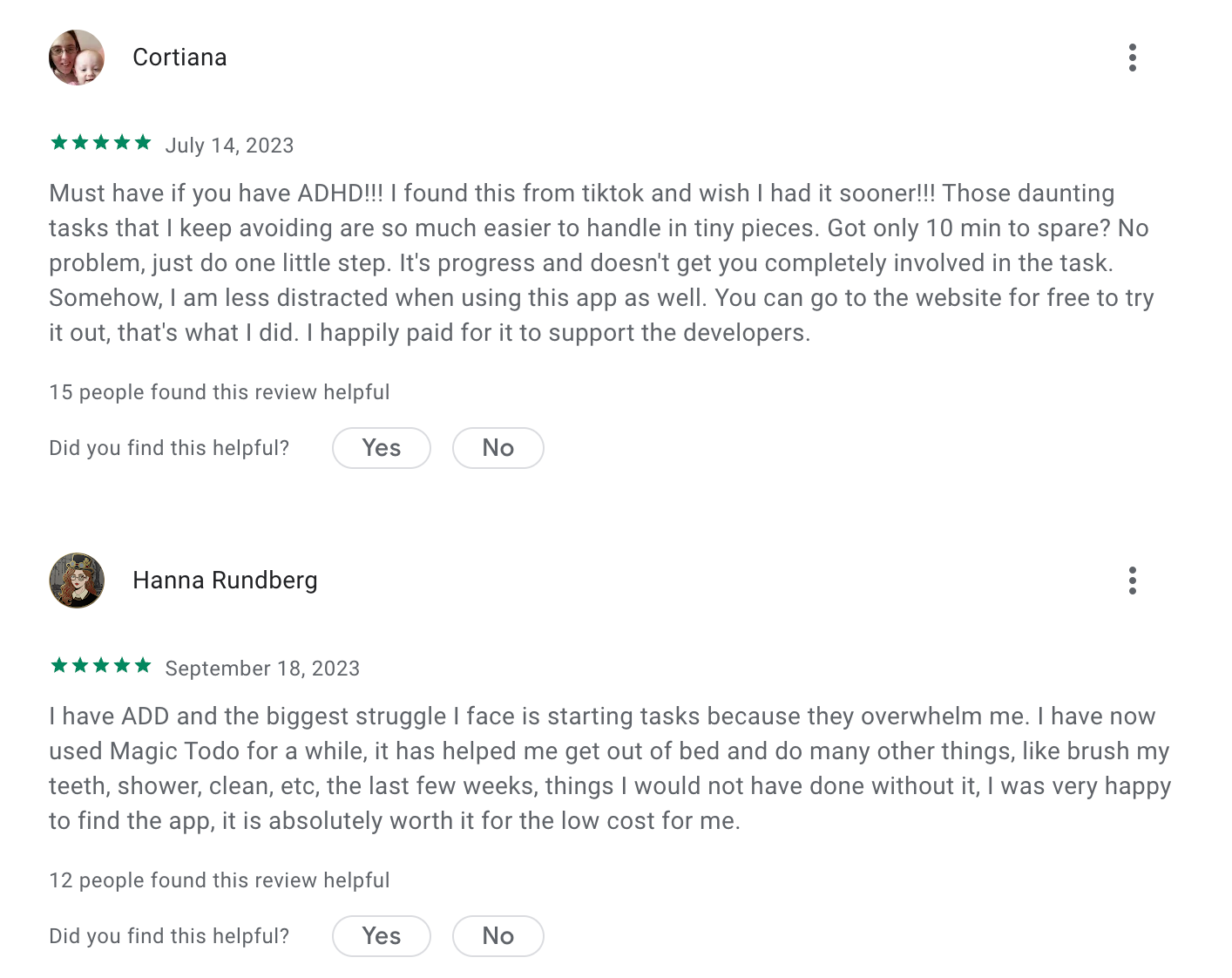
I have been using Goblin Tools on and off for several years. It does a very good job of breaking down tasks into smaller steps so I can get started on something - Sarah
How to start
- Go to goblin.tools and try Magic ToDo or Estimator first. No signup needed.
Conclusion: Choosing the Best ADHD Planner App for You
There’s no single “best” ADHD planner app - because ADHD doesn’t look the same for everyone. The tools in this guide solve different parts of the problem, and that’s a good thing.
- Some apps, like Saner.AI, focus on helping you think, plan, and prioritize when your brain feels scattered.
- Others, like Finch and Goblins.tools, lean into emotional support and breaking tasks down when things feel overwhelming.
- Visual planners such as Tiimo and Structured work well for time-blindness, while tools like Sunsama, Todoist, TickTick, Any.do, and Llama Life shine at task management, routines, or daily structure.
What matters most is whether you actually keep using it. ADHD-friendly tools should be flexible, forgiving, and easy to come back to after you fall off
If a planner helps you start more often, feel less overwhelmed, and follow through even a little better than before, it’s doing its job.
Stay on top of your work and life
Frequently Asked Questions about ADHD Planners
1. What is an ADHD Planner?
An ADHD planner is more than just a calendar or to-do list. It’s a system, digital or physical, designed to help people with ADHD organize their time, reduce overwhelm, and stay on track without burning out.
ADHD-friendly planners often include:
- Flexible scheduling (not rigid time blocks)
- Visual reminders and task breakdowns
- Built-in prompts to review, refocus, and reset
- Space for brain dumps and spontaneous ideas
Think of it as a planning tool that works with your brain, not against it.
2. Why do people with ADHD need a different kind of planner?
Traditional planners assume consistency and focus. Many adults with ADHD have greater difficulty managing time, organizing work, and prioritizing tasks. (according to semi-structured telephone interviews)
An ADHD planner addresses these pain points by:
- Showing the next step, not everything at once
- Using cues to prompt action at the right time
- Organizing tasks in a way that feels intuitive
3. What features should I look for in an ADHD planner?
Look for tools that support:
- Task breakdowns – helps you avoid overwhelm
- Reminders that repeat – so you don’t rely on memory
- Daily prioritization – suggests what to do next, not everything
- Low setup friction – easy to update, even on busy days
- Note linking – connect your thoughts without retyping
Bonus if the planner includes voice input, quick capture, or integrates with your calendar.
4. Are there digital ADHD planners?
Yes - and they’re growing in popularity. Digital ADHD planners often offer:
- Smart reminders and nudges
- Natural language input (“Remind me to call Sam Friday”)
- Integration with tasks, calendar, and notes
Popular digital ADHD planners include:
- Saner.AI – AI planner built by and for ADHDers
- Todoist – Simple to use
- Sunsama – time-blocking
Each has different strengths. Saner.AI, for instance, turns your messy thoughts into structured tasks without tags or checklists.
5. What’s the best ADHD planner for adults?
The best planner depends on your lifestyle, but ADHD adults often prefer:
- Minimal setups
- Mobile access
- Visual cues and reminders
- AI assistance or automation
Saner.AI is a strong option for adults who juggle work and life. It gently nudges you when it’s time to refocus and helps you turn ideas into action without feeling micromanaged.
6. Can AI be used as an ADHD planner?
Absolutely. AI planners like Saner.AI act like personal assistants. It:
- Understand your natural language
- Pull up old notes instantly
- Suggest tasks based on context
- Nudge you when you drift
This is especially helpful for ADHD users who struggle with planning consistency. AI doesn’t forget what you meant - even if you did.
7. How do I start using an ADHD planner?
Start simple. Don’t try to “do it all.” Use your ADHD planner to:
- Dump your thoughts at the start of the day
- Pick 1–3 important tasks (no more)
- Use reminders instead of relying on memory
- Review and reset weekly
If you’re using an AI ADHD planner like Saner.AI, just chat with it like you would with a friend:
“Help me plan tomorrow”
“What did I forget to do from last Friday?”
8. Are there free ADHD planner tools?
Yes! Some ADHD-friendly planners offer free versions:
- Saner.AI – Free plan includes task reminders, smart search, and calendar sync
- Goblin.tools – Basic task management
- Todoist – Free option available
Start with a free plan to explore what works for your brain.
9. What’s the best ADHD planner for students?
Students with ADHD need planners that help them:
- Keep track of assignments
- Break down big projects
- Avoid last-minute cramming
Look for ADHD planners that:
- Remind you about due dates before the panic
- Include checklists for multi-step tasks
- Let you search notes by topic or course
AI tools like Saner.AI work great here - it finds old class notes fast and reminds you of forgotten tasks before it’s too late.
10. Can ADHD planners help with motivation?
Yes. ADHD-friendly planners reduce friction, which helps you start. They also:
- Give structure without feeling rigid
- Remind you why something matters
- Turn big goals into small, doable steps
Many people with ADHD don’t lack motivation - they lack clarity and cues. A well-designed planner gives you both.
11. ADHD Planner vs traditional planner - what’s the difference?
| Feature | Traditional Planner | ADHD Planner |
|---|---|---|
| Fixed structure | ✅ | ❌ (too rigid) |
| Visual cues/reminders | ❌ | ✅ |
| Task breakdown support | ❌ | ✅ |
| Handles distractions | ❌ | ✅ (built for focus) |
| Adaptable scheduling | ❌ | ✅ |
ADHD planners are made for real brains, real distractions, and real chaos. They don’t expect perfection—they help you stay afloat.
12. What's the best ADHD planner for professionals?
Professionals with ADHD often need:
- Smart prioritization
- Fewer apps to juggle
- Automatic follow-up reminders
Saner.AI is especially strong here. It combines notes, calendar, and task lists in one brain-friendly space. You can talk to it like a teammate, and it reminds you when things slip.
13. Can an ADHD planner reduce burnout?
Yes - when used correctly. A good ADHD planner like Saner.AI:
- Helps you focus on fewer things
- Gives clarity during chaos
- Nudges you to rest before exhaustion
14. How do I stay consistent with using an ADHD planner?
Staying consistent is one of the hardest parts, especially with ADHD. Most people fall off not because the system is bad, but because it requires too much effort to maintain.
To improve consistency:
- Keep it frictionless: Use a planner you can update quickly (voice input helps).
- Build a habit loop: Pair planning with an existing habit (e.g., review your planner with your morning coffee).
- Allow resets: Missed a day (or a week)? Just pick it back up. No guilt.
- Use reminders that come to you, not ones you have to check.
Planners like Saner.AI are designed to stay with you, even when you drop the ball. It nudges you back gently, no judgment.
15. Can ADHD planners help with emotional overwhelm?
Yes - this is one of the most under-discussed benefits.
For people with ADHD, emotional dysregulation is common. Overwhelm often comes not from the amount of work, but the feeling of being scattered or behind.
A well-designed ADHD planner like Saner.AI helps by:
- Externalizing your thoughts – so they’re not swirling in your head
- Breaking things down – so tasks feel doable, not impossible
- Prioritizing clearly, so you don’t waste energy deciding
- Providing structure during chaos, which creates a sense of control
Even just writing or saying “here’s what I need help with” can start calming your nervous system. ADHD planning isn’t just about getting things done - it’s about feeling grounded while doing them.
Stay on top of your life with the Top ADHD Planner