We Tested 12 AI Executive Assistants. Here are the best 6


I spend my days talking to founders and executives about where their time actually goes. I've tested most of the tools on this list myself, and I've read hundreds of reviews on G2 and Capterra to compare my impressions with what real users say.
This is written for leaders, founders, and senior operators who are done stitching together five different apps to do the job one assistant used to do. If you want the short version, it's below.
Quick answer: What are the best AI Executive Assistants right now?
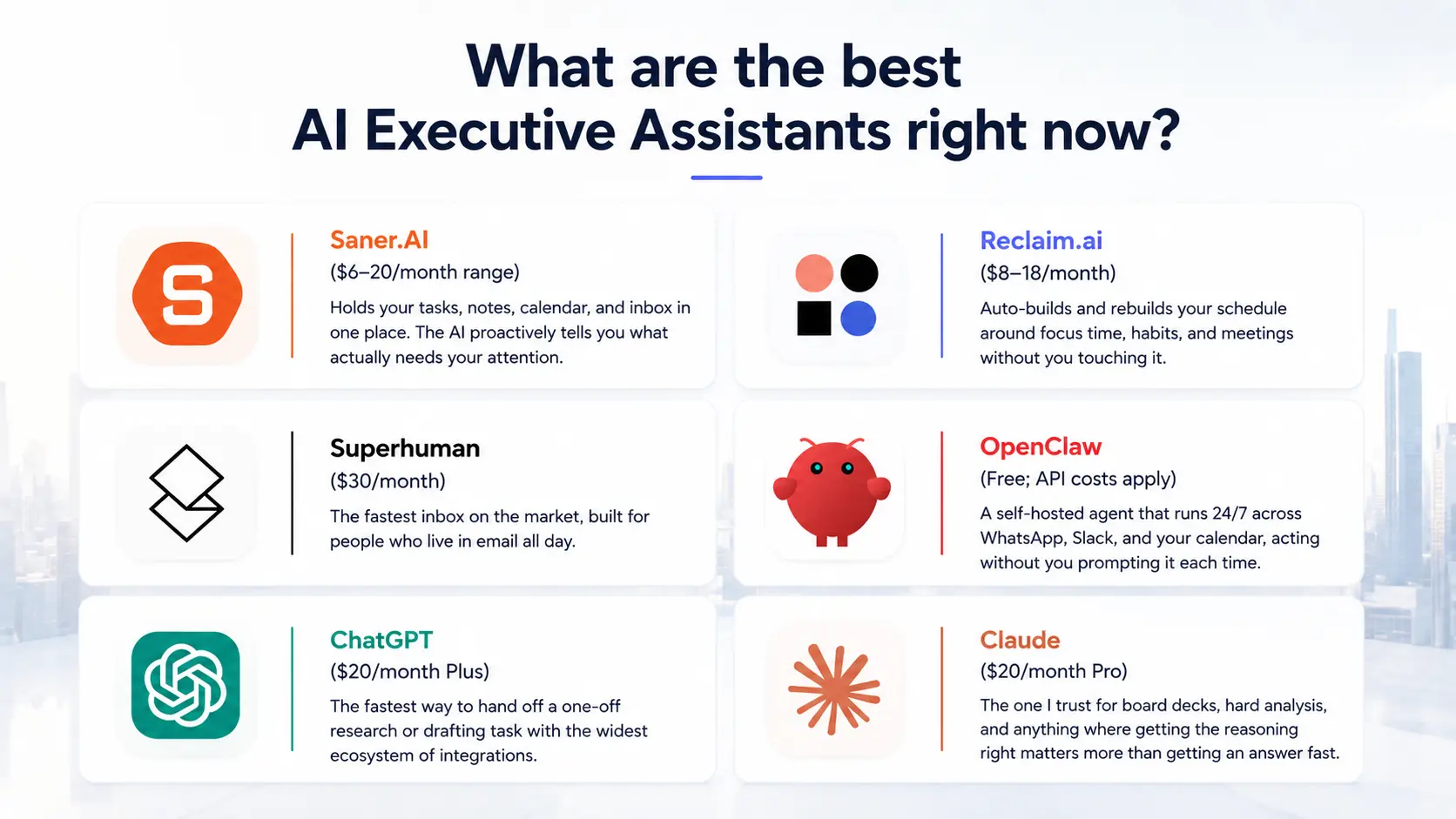
- Best AI executive assistant overall: Saner.AI ($6-20/month range) — holds your tasks, notes, calendar, and inbox in one place. The AI proactively tells you what to prioritize each morning
- Best for calendar defense: Reclaim.ai ($8-18/month) — auto-builds and rebuilds your schedule around focus time, habits, and meetings without you having to touch it.
- Best for email speed: Superhuman ($30/month) — the fastest inbox on the market, built for people who live in email all day.
- Best for always-on autonomous work: OpenClaw (free; model API costs apply) — a self-hosted agent that runs 24/7 across WhatsApp, Slack, and your calendar, acting without you prompting it each time.
- Best for quick tasks and broad app connections: ChatGPT ($20/month Plus) — the fastest way to hand off a one-off research or drafting task with the widest ecosystem of integrations.
- Best for high-stakes thinking and documents: Claude ($20/month Pro) — the one I trust for board decks, hard analysis, and anything where getting the reasoning right matters more than getting an answer fast.
What is an AI executive assistant?
An AI executive assistant is software that takes over the recurring admin work a human EA would otherwise do: reading and sorting your inbox, managing your calendar, prepping you for meetings, and keeping track of what you promised people.
How I chose these AI tools
I didn't pick these six because they're popular. I ran each tool against my own inbox, calendar, and task backlog for two weeks, cross-checked my impressions against verified reviews on G2 and Capterra rather than testimonials on the vendor's own site, and threw out anything I couldn't verify independently
Here's how I evaluated these AI assistants:
- Proactivity, not potential — does it act without a prompt, or does someone have to remember to open the app? I discounted anything that only looked proactive in a demo video.
- Verified user evidence — I weighted G2 and Capterra reviews with reviewer identity verification over anonymous testimonials, and I read the negative reviews first, not last.
- Follow-through over first impression — a tool that dazzles on day one and forgets context by day five failed this test. I specifically checked whether each tool remembered something I told it a week earlier.
- Disclosed limitations — I checked whether the vendor's own docs admit what the tool can't do (Claude's Gmail connector being draft-only, for example, or OpenClaw's own warning to treat inbound messages as untrusted).
- Price against a real alternative — a senior human EA runs $90k-$180k a year all-in. I checked whether each tool's price actually bought back hours, not just whether it was cheap.
- Data handling, stated plainly — where your inbox and calendar data goes, whether it trains on your content, and whether that's answered in the product docs or buried in a FAQ nobody reads.
Where I couldn't verify a claim independently, I didn't use it. A couple of tools I looked at made bold claims about proactive behavior that no reviewer, including paying customers, ever mentioned. Those didn't make the list.
What Are The Best AI Executive Assistants in 2026?
The best AI Executive Assistants are: Saner.AI, Claude, ChatGPT, Superhuman, OpenClaw, and Reclaim
The Best AI Executive Assistants - Comparison Table 🤖
| Tool | Best for | Category focus | Standout feature | Starting price |
|---|---|---|---|---|
| Saner.ai | Leaders who want AI to manage everything | Unified tasks, notes, calendar, email | Proactive daily planning across all your work in one view | ~$6-20/mo |
| Reclaim.ai | Protecting focus time | Calendar automation | Auto-defends and rebuilds your schedule around your real priorities | ~$8-18/mo |
| Superhuman | Fast inbox processing | Email triage and drafting | Built for speed, keyboard-first inbox zero | ~$30/mo |
| OpenClaw | Always-on automation | Autonomous cross-app execution | Self-hosted agent that acts without being prompted, 24/7 | Free (+ API costs) |
| ChatGPT | Quick one-off tasks | On-demand execution, broad integrations | Widest ecosystem of connected apps and plugins | ~$20/mo |
| Claude | High-stakes thinking and writing | Strategic analysis, document drafting | Reasoning you can trust for board-level decisions | ~$20/mo |
1. Saner.AI
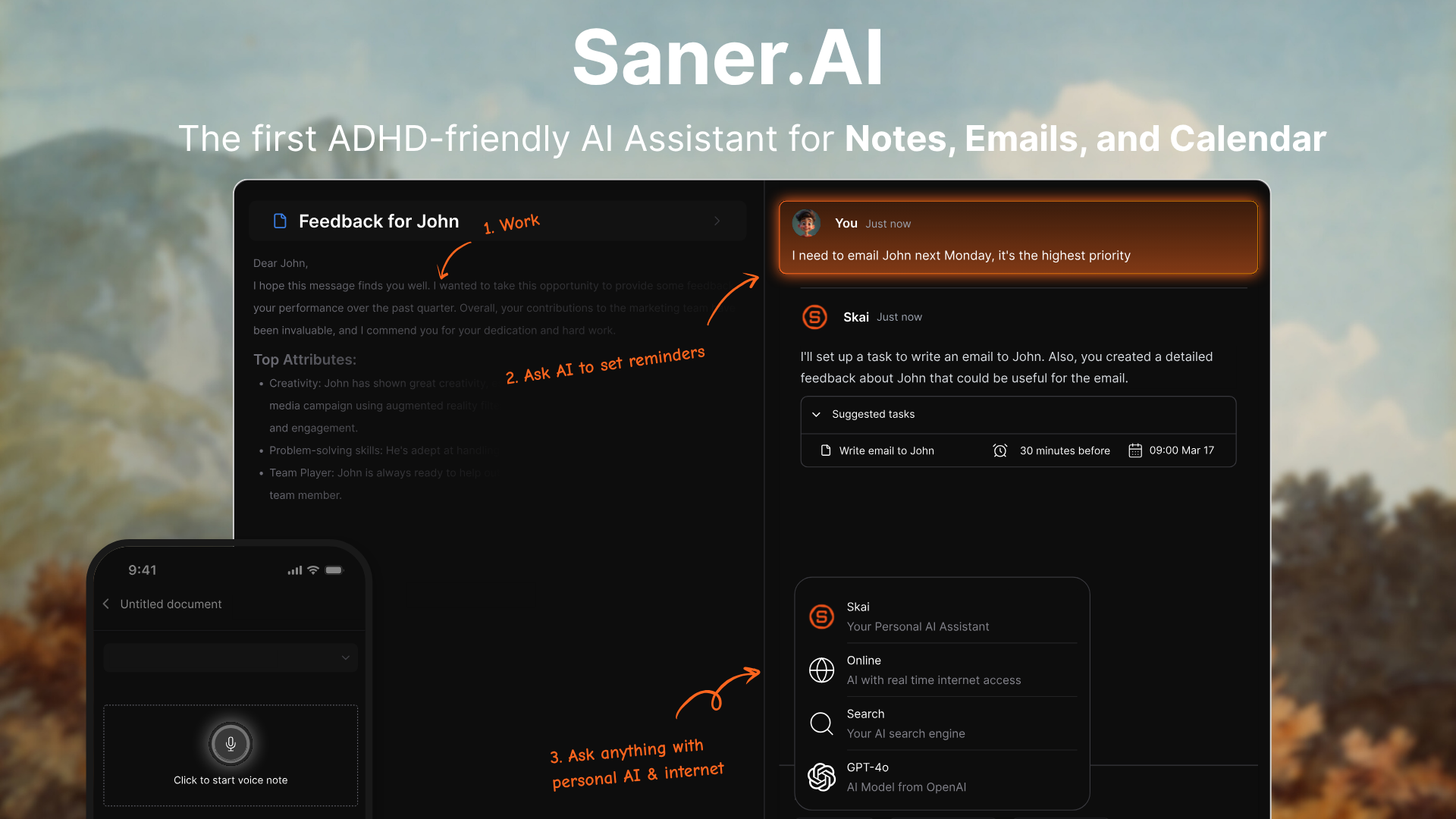
Saner.ai is an AI assistant that holds notes, tasks, calendar, and email in a single workspace and tells me what to do next. It was built around ADHD-style workflows, which turns out to matter for any leader whose attention gets shredded by context switching.
Key features
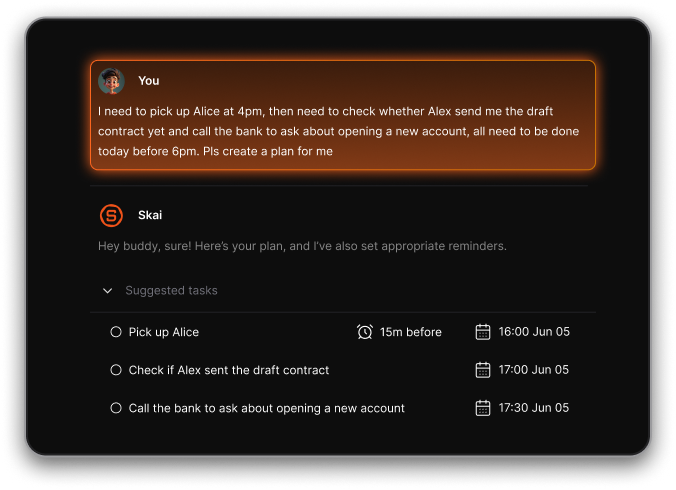
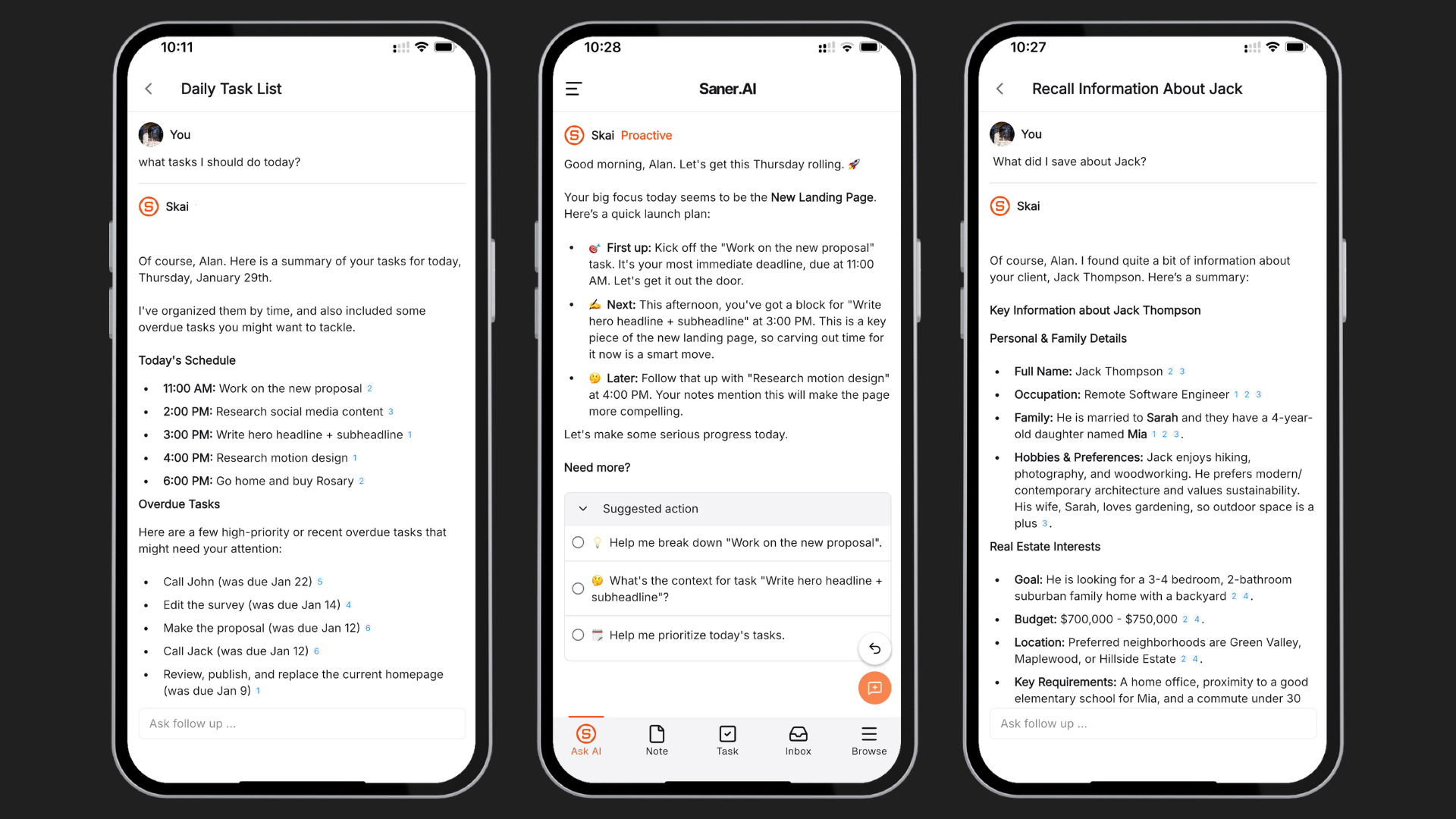
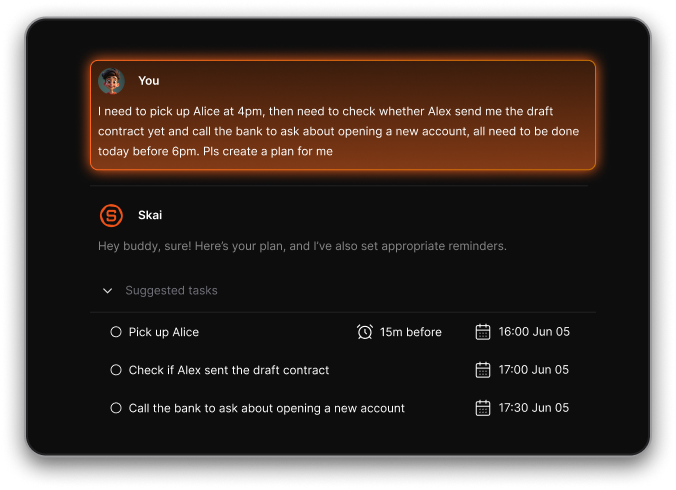
- Proactive Planning: Every morning, it scans through your inbox, calendars, tasks, and gives you a well-planned schedule for the day
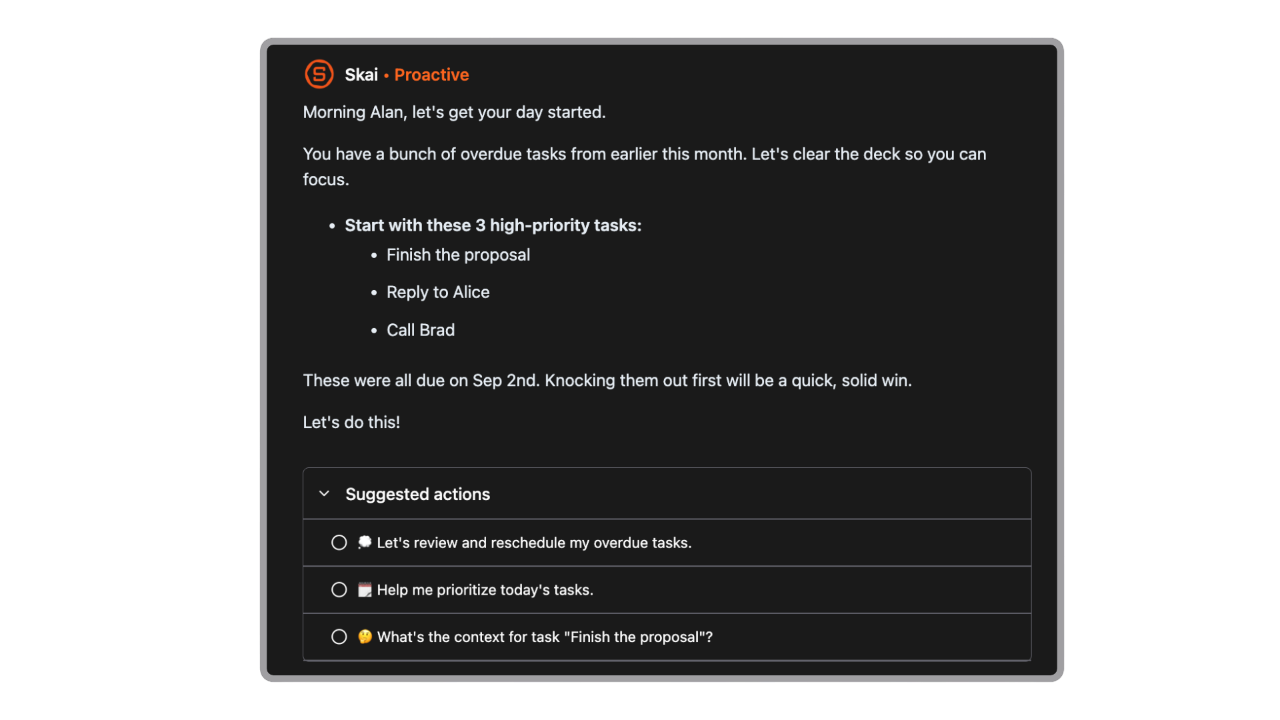
- Skai, the AI assistant: reads your thoughts and emails, pulls out the tasks hiding inside them, and prioritizes them without you filing anything.
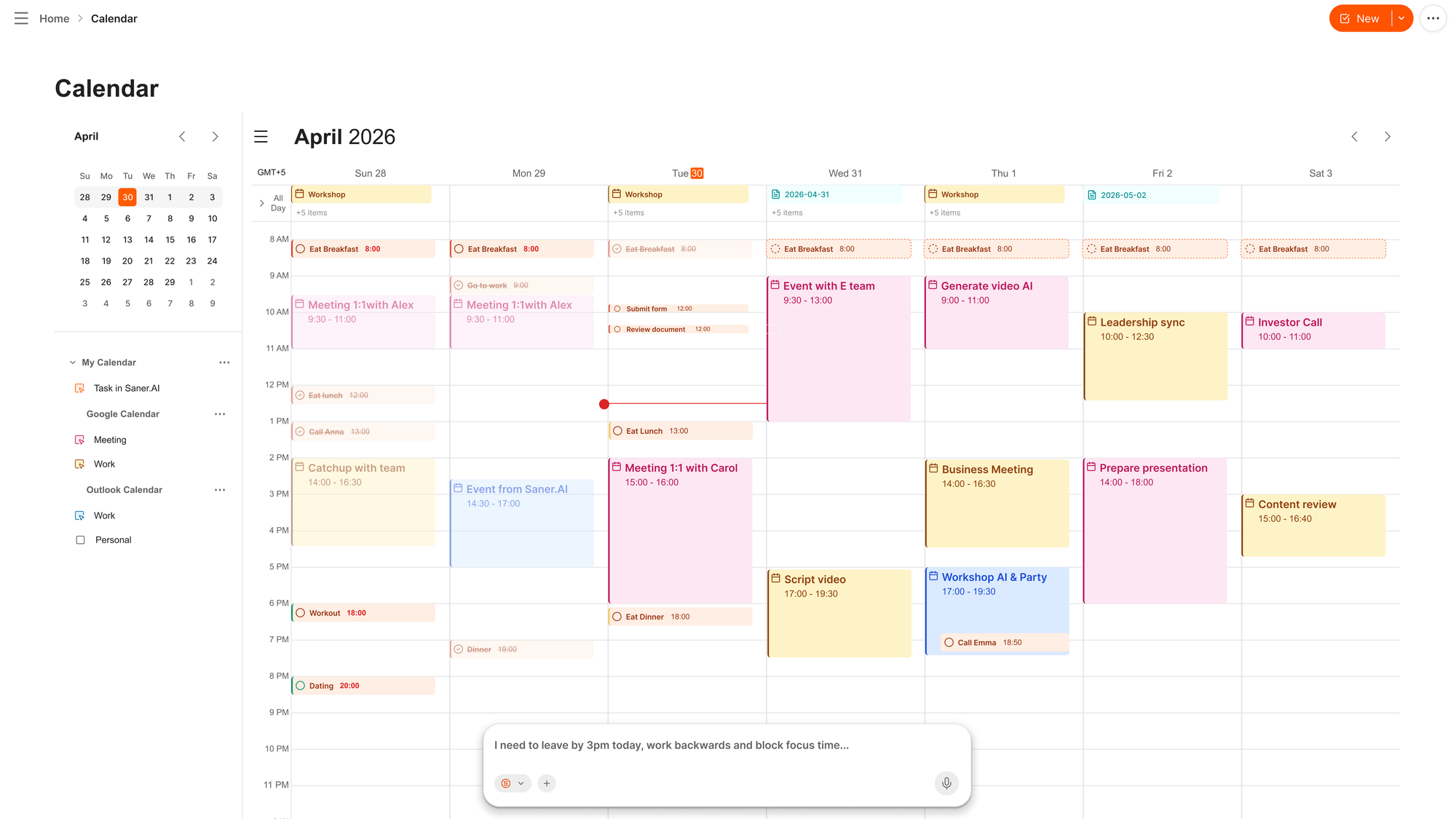
- Automatic AI scheduler: You can remove, reprioritize, or reschedule tasks by just voice
- Email triage in the same view as tasks: an email that says "review this by Friday" becomes a task without you retyping it. Connects to Gmail and Outlook.
Pros
- I stop tab-hopping. Notes, tasks, and inbox in one window is the single biggest time saver on this list.
- Zero manual organizing. I never tag or file anything, and search still finds it.
- The free tier is useful.
Cons
- Requires internet access for full functionality
Saner.AI Reviews
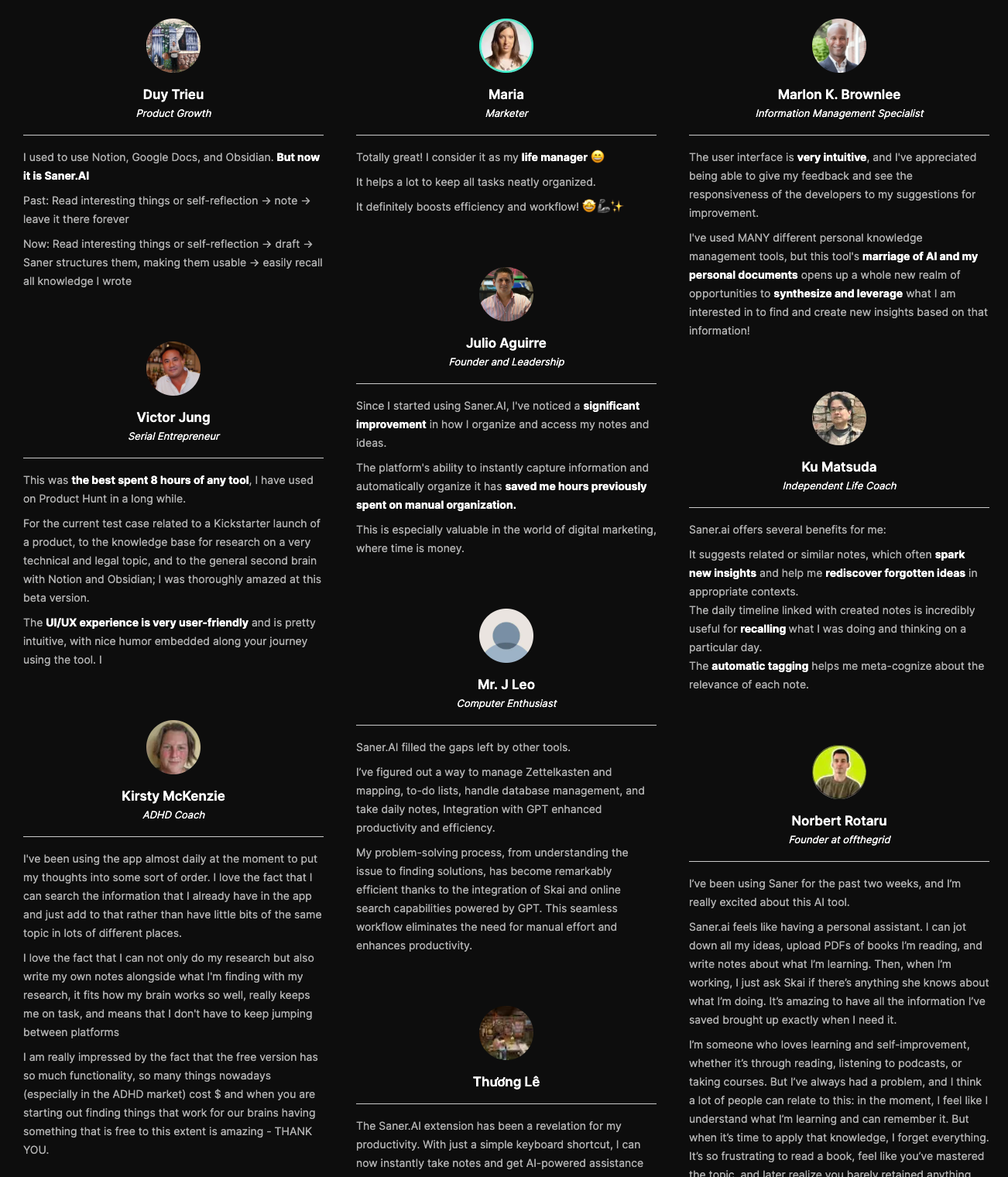
The biggest benefit for me in using Saner is the Proactive AI. Staying on top of the constant flow of email and multiple calendars is challenging, and so far, Saner is the only AI-based tool that truly feels like a personal assistant. - Jerry
Pricing (pricing page):
- Free — $0 — limited AI requests, notes, and storage. No card needed.
- Paid — from $8/month — unlimited tasks, advanced AI, integrations. Early-user discounts sometimes available.
Suitable for:
- Best for founders and leaders who are tired of stitching five tools together and want one assistant that sees the whole picture.
How to get started: Sign up, connect Gmail or Outlook and your calendar, then just talk to it for a week. Don't build a system. Skai learns your patterns, and the daily plan gets sharper around day three.

Work more efficient with your AI Executive Assistant
2. OpenClaw

OpenClaw is an open-source agent you run on your own machine that connects to WhatsApp, Telegram, Slack, or iMessage and does real work: reading files, browsing the web, monitoring your inbox, and acting without being asked.
Key features:
- The heartbeat: it wakes up on its own and acts, rather than waiting for a prompt. Ask it to watch your inbox for urgent messages and it will.
- Local execution: reads and writes files, runs scripts, controls a browser, all on your hardware. Your data stays yours.
- Persistent memory: stored as plain Markdown files on your machine. It learns who your colleagues are and what "work email" means to you.
- Skills system: extend it with community skills, or describe a task and have it write its own.
Pros:
- It actually does things instead of handing me a draft. One engineer had his agent negotiate $4,200 off a car purchase overnight
- I message it from WhatsApp like a person. No new app to open.
- It's free and model-agnostic. Run Claude, GPT, or a local model through it.
Cons:
- Prompt injection is a real risk. A malicious instruction buried in an email or webpage can manipulate it, and the docs themselves say to treat inbound messages as untrusted (docs).
- Setup needs a terminal and Node.js. Non-technical leaders will need help, and it wants an always-on machine.
- API costs are unpredictable. Light use runs $10-30/month, heavy automation can pass $100-150.
Pricing (openclaw.ai):
- Software — Free — MIT licensed, self-hosted.
- Model API — $10-150/month — depends entirely on how hard you work it.
- Hosted options — from ~$24/month — DigitalOcean and others offer one-click deploys.
Suitable for:
- Best for technical founders who want a genuine 24/7 agent and are comfortable owning the security posture themselves.
How to get started: Run openclaw onboard and connect Telegram or WhatsApp first, the terminal is a bad daily interface. Give it one job, not five. The gotcha most people miss: lock down allowFrom before you connect anything to your real inbox.
Clawdbot Reviews (source)
"After 10+ years of disappointment with Siri and Google Assistant, Clawdbot is the first AI assistant that genuinely changed how I work." - CARLOS O.
"It does work, the only issue is, installation and setup was a pain as you have to refer to documentation and a terminal wizard for setup along with API keys for Clawdbot to authenticate and access other platforms freely. " - Max
3. Reclaim
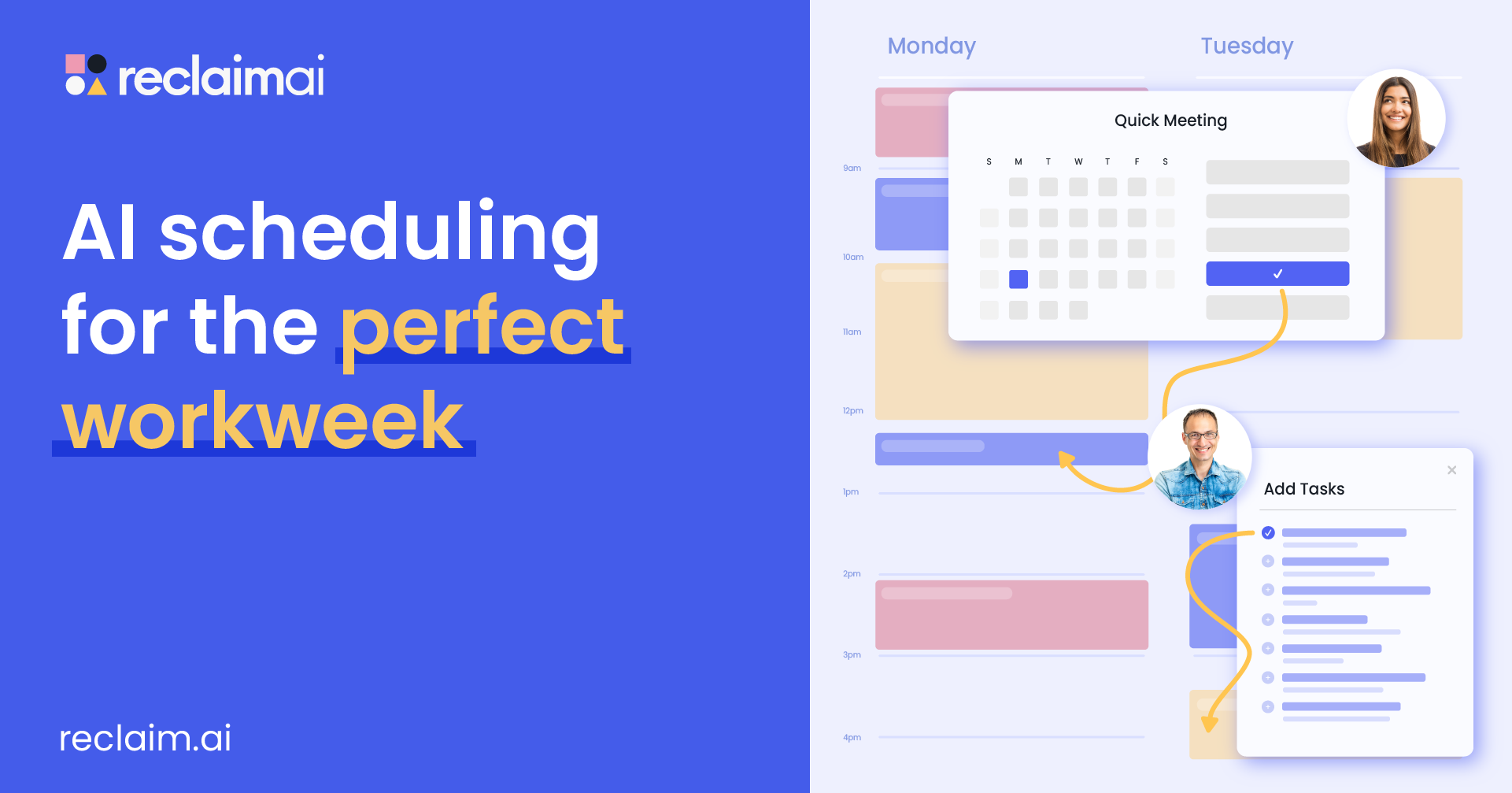
Reclaim sits on top of Google Calendar or Outlook and automatically places your tasks, habits, and focus blocks around your meetings, then moves them when your week changes. It feels closest to a real scheduling brain, not just another chatbot with a calendar add-on.
Key features
- Auto-scheduled tasks: syncs from Asana, Todoist, ClickUp, Jira, and Linear, then finds real time for each one.
- Habits: recurring blocks like lunch, exercise, or weekly review that flex around meetings instead of getting dropped.
- Focus Time defense: set a weekly goal and it protects the hours, with optional auto-decline during focus blocks.
- Smart 1:1s: finds the best time on both calendars for recurring meetings.
Pros
- When a meeting lands, everything else reshuffles itself.
- The price is fair for what it does, and reviewers switching from Motion consistently cite cost as the reason.
- It stays in its lane. It's a scheduling brain, not a bloated suite.
Cons
- There’s still no mobile app, which feels like a gap in 2026.
- It's a layer, not a calendar. You can't create or edit events inside it
- It’s not for project management - no timelines, no dependencies, no team dashboard.
- Full autopilot isn't for everyone. If you like planning your own day, it feels like it's taking the wheel.
Pricing (pricing page):
- Lite — Free — basic scheduling, up to 3 habits.
- Starter — ~$10/user/month — unlimited tasks and habits, full task integrations.
- Business — ~$15/user/month — unlimited Smart Meetings, longer scheduling range, CRM routing.
- Enterprise — ~$22/user/month — SSO, SCIM, org analytics. (Annual billing is cheaper; check the page.)
Suitable for:
- Best for leaders inside a larger org whose calendar gets booked by other people and who need focus time defended automatically.
How to get started: Connect your calendar, set one habit (lunch is the easiest test), and add a weekly Focus Time goal. Give it a full week before judging. The gotcha: it only works well if you're honest about task durations.
Reclaim.AI Reviews (source)
"Reclaim.ai is a high-leverage tool for professionals and teams who care about focus, accountability, and getting real work done. It’s pragmatic, well-built, and delivers ROI fast." - Eric Bush
"Even after unlinking in my google account all the "junk" it filled up my calander with remains. Even after delete my account it did not delete the events it created in the calander. Had to manually delete everything it created." - Myke
4. Superhuman
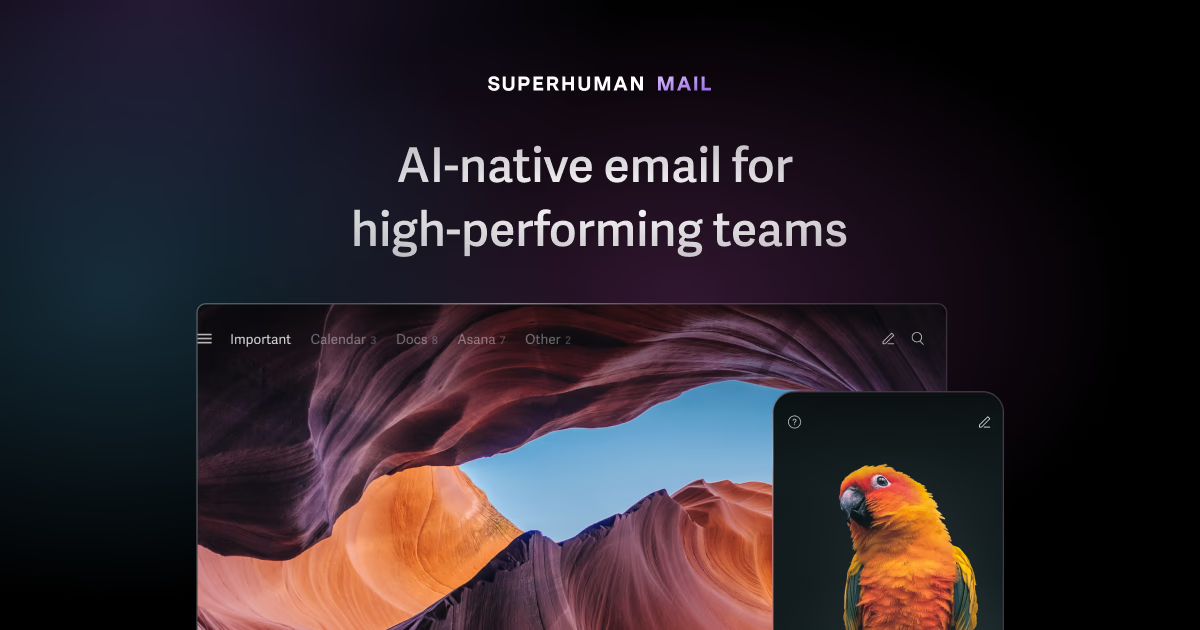
Superhuman is a keyboard-first email client that layers on top of Gmail or Outlook, with AI that drafts in your voice and auto-labels everything that lands. Grammarly acquired it in 2025 and the AI has gotten meaningfully better since. It's for people who accept that email is their job and want to be excellent at it.
Key features:
- Auto Drafts: writes follow-up replies in your voice before you open the message. Optional auto-send exists.
- Auto Labels and Auto Archive: sorts incoming mail into response needed, waiting on, meetings, cold pitches, and quietly bins the marketing spam.
- Split Inbox: separates VIP senders from noise so you triage in flow.
- 100+ keyboard shortcuts: the whole app runs without a mouse.
Pros:
- I get through mail roughly twice as fast.
- Hiding distractions and using hotkeys pushed me past the analysis paralysis of a full inbox.
Cons:
- $30/month for email is steep, and "expensive" is one of the most common tags in its G2 reviews (reviews).
- It has no calendar awareness.
- Steep learning curve, and your email content gets processed by third-party AI providers. Worth knowing if you handle sensitive material.
Pricing (pricing page):
- Starter — $30/user/month ($25 annual) — core client, Write with AI, Instant Reply, Auto Summarize, split inbox.
- Business — $40/user/month ($33 annual) — Auto Drafts, Ask AI, custom auto labels, HubSpot and Salesforce integrations.
- Enterprise — custom — SSO, analytics, dedicated CSM.
Suitable for:
- Best for executives processing 100+ emails a day who bill enough per hour that $1/hour saved is an obvious yes.
How to get started: Spend the first session learning Cmd+K and nothing else. Expect two weeks before the shortcuts feel natural. Below 50 emails a day, don't bother.
5. ChatGPT

ChatGPT is where I send tasks that don't need to live anywhere: research a board member, redraft a difficult message, summarize a 40-page contract. Agent mode and connectors have pushed it closer to a real assistant, and it has by far the widest ecosystem of connected apps. It's a brilliant contractor and a mediocre EA.
Key features:
- Agent mode: navigates websites, fills forms, works with your files, and can be set to repeat daily, weekly, or monthly. Tasks run 5-30 minutes.
- Gmail, Calendar, and Contacts connectors: reference your mail and schedule in chat, with write actions now supported for drafting and setting up meetings.
- Deep research: multi-step investigations across dozens of sources. Plus gets 10 runs a month.
- 60+ connectors on Business: Slack, Drive, SharePoint, GitHub, Linear, HubSpot.
Pros:
- I hand it a task, and it's done in minutes. Nothing else on this list has this range.
- Scheduled tasks give me a version of proactivity without any setup.
- $20 is easy to justify against how often I use it.
Cons:
- It waits for me. Outside scheduled tasks, nothing happens unless I open the app and ask.
- OpenAI's own docs warn about prompt injection risk in agent mode when it touches your email (docs).
- On consumer plans, chats can be used for training unless you opt out. Ads landed on Free and Go in February 2026.
Pricing (pricing page):
- Free — $0 — limited access, ads in the US.
- Go — $8/month — higher limits, but no Agent mode or Deep Research.
- Plus — $20/month — Agent mode, Tasks, Projects, Deep Research, custom GPTs.
- Pro — $100 or $200/month — 5x and 20x Plus limits.
- Business — $20/seat annual ($25 monthly, 2 seat minimum) — SSO, admin controls, 60+ connectors, no training on your data.
Suitable for:
- Best for leaders who want a fast, flexible generalist for research, drafting, and one-off tasks, alongside a tool that actually runs their day.
How to get started: Connect Gmail and Calendar first, then try one scheduled task, like a Monday morning digest. Skip Go. The jump to Plus is $12 and it's the difference between a chatbot and a work tool.
ChatGPT Reviews (source)
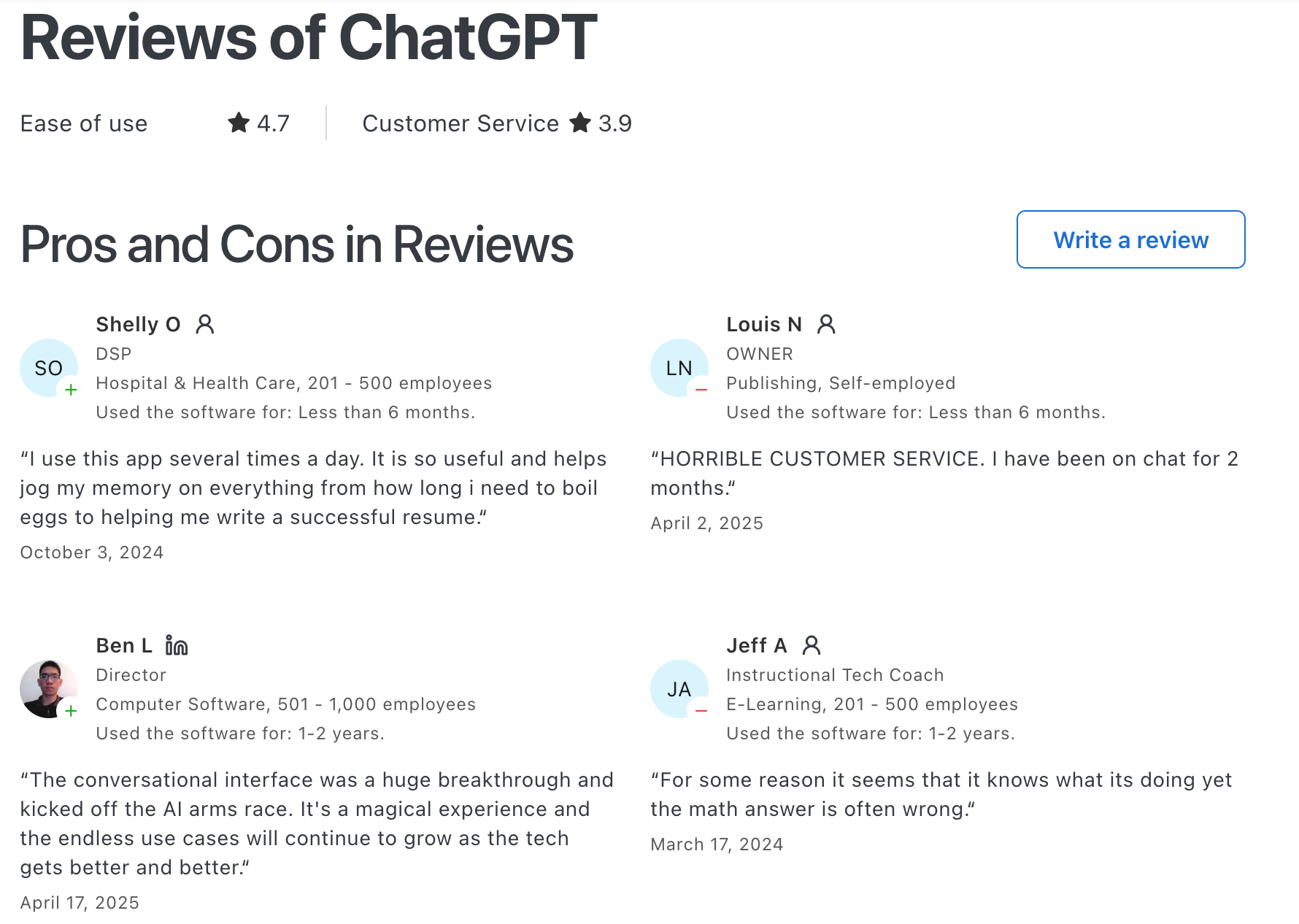
"Easy to set up and personalise, easy to use even for beginners, great at early stage idea planning and has fast response time. Paid use has a lot more value with photo generation and how much you can utilise it for."- Chelsea G.
"Contrastive framing, bad faith arguments, and incoherent conversational pattern paired with condescending "preachy" tone." - Kelly E
6. Claude
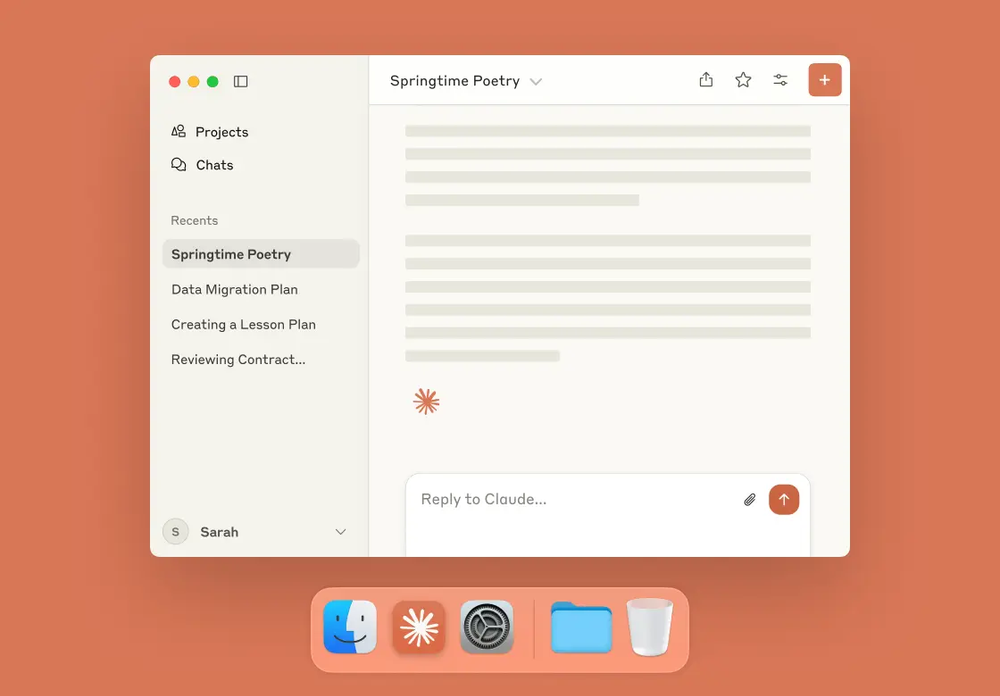
Claude is where I take work that has to be right: board decks, financial analysis, tough emails, anything where the reasoning matters more than the speed. The Google Workspace connector gives it full read/write on your calendar, and Cowork gives it a desktop agent that touches your actual files.
Key features:
- Google Calendar connector: full read/write. Creates, updates, deletes events, finds availability, RSVPs, adds Meet links (docs).
- Gmail connector: searches and reads your mail, drafts replies. It cannot send on your behalf, by design.
- Claude Cowork: desktop agent with file access and scheduled tasks. Went GA April 2026, included on every paid plan.
- Projects and memory: keeps context on a workstream across conversations instead of restarting each time.
Pros:
- The output quality on hard analysis is the best I've used.
- Every action needs my approval, and it cites what it used. For anything touching my inbox, that's the right default.
- Anthropic doesn't train on your Gmail, Drive, or Calendar connector data.
Cons
- Gmail is draft-only. Claude can book the meeting but can't send the confirmation, so I finish that part by hand (docs).
- No triggers. Connectors only work inside a conversation I start. Nothing happens while I'm away.
- Cowork's scheduled tasks only run while your computer is awake with the desktop app open.
- The Microsoft 365 connector is read-only, so Outlook-first leaders get less out of it.
Pricing (pricing page):
- Free — $0 — Sonnet 5, web search, memory, connectors.
- Pro — $20/month ($17 annual) — Research mode, unlimited Projects, Claude Code, Cowork, Design, Microsoft 365.
- Max — $100 or $200/month — 5x or 20x Pro usage, higher output limits.
- Team — from ~$20/seat — central billing, SSO, admin controls.
- Enterprise — custom — SCIM, audit logs, compliance API.
Suitable for:
- Best for leaders who need a thinking partner for high-stakes documents and decisions, not a background agent.
How to get started: Turn on the Google Workspace connector and start with a real question. Expect to approve each action. If you want it working on files, install the desktop app and try Cowork on one folder before you give it more.
Claude reviews (source)
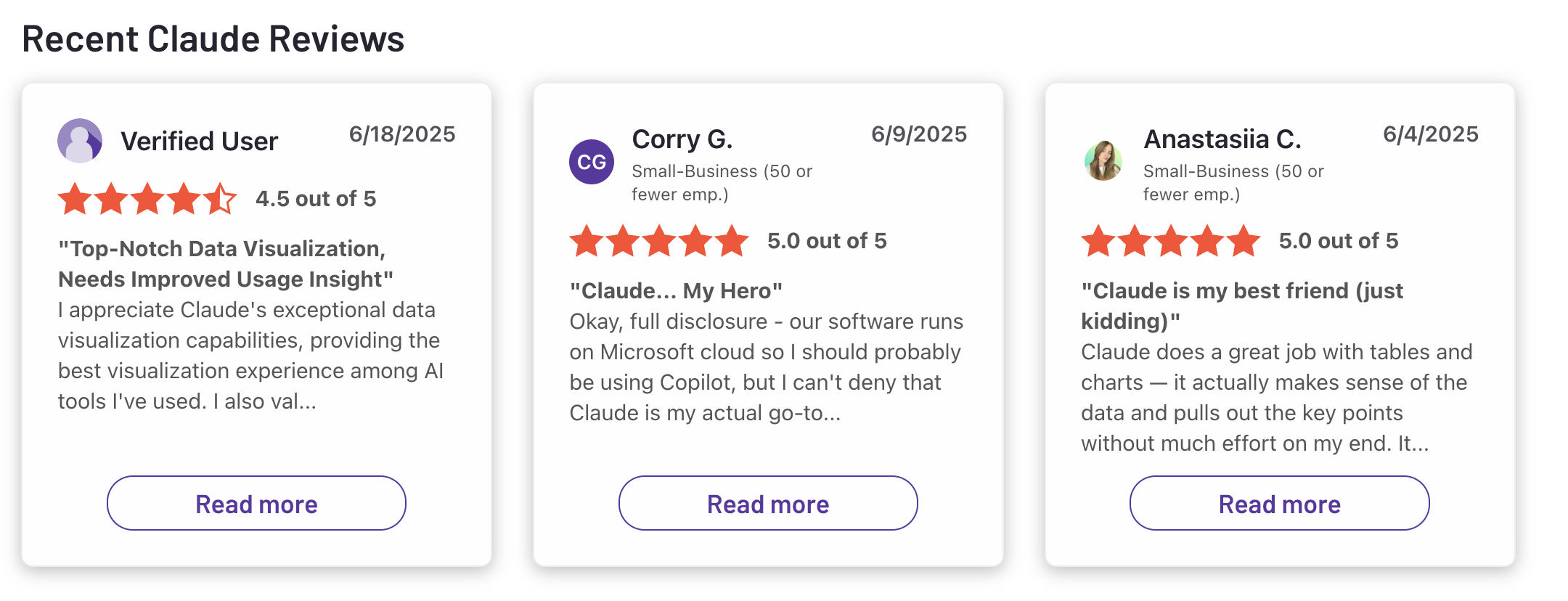
"Claude is super smart, easy to work with, and great at staying on track even with complicated questions. It writes really well and feels thoughtful compared to some other chatbots."- Ashish Dubey
"the fact that even paid users get to wowk around time limitations is absurd and ridiculously overpriced. i pay 20usd per motnh and have the possibility to work with it only for 30 minutes every 5 hours." - Pietro Preti
Conclusion: Choosing the Right AI Executive Assistant
The real split in this list isn't which tool has the most features; it's proactive versus reactive. Reclaim, OpenClaw, and Saner.AI act while you're not looking. Superhuman, ChatGPT, and Claude wait for you to ask.
If your calendar and inbox keep drowning you between the moments you remember to check an app, you need the proactive kind, and that's most leaders.
My own stack starts with Saner.AI because it's the only one holding tasks, notes, calendar, and email in the same view and telling me what actually matters today; then I layer in Claude for anything high-stakes enough to need real thinking.
Pick based on where your week actually leaks, not on which tool has the shiniest demo.
Stay on top of your work and life
AI Executive Assistants – FAQ
1. What is an AI Executive Assistant?
An AI Executive Assistant is a digital assistant powered by artificial intelligence, designed to handle executive-level tasks like scheduling, email drafting, meeting prep, and decision tracking. Think of it as your right hand but without the overhead.
Instead of navigating through apps or hiring extra help, just ask:
- “Summarize this email thread and draft a reply”
- “What are the key decisions from last week’s leadership sync?”
- “Find my hiring plan notes from March”
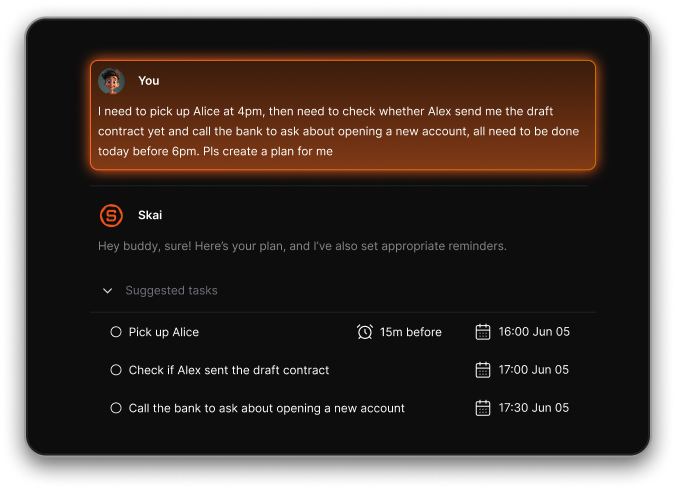
Popular AI Executive Assistants include Saner.AI, Claude, and Openclaw, each serving different executive needs, from managing information to automating calendars.
2. What can an AI Executive Assistant do?
A well-designed AI Executive Assistant can help streamline your day by handling:
- Smart scheduling – Book focus blocks, meetings, or reschedule without manual juggling
- Meeting prep – Pull notes, action items, and decisions from past conversations
- Information recall – Find files, notes, or past chats using natural language
- Email and writing help – Draft replies, summarize chains, or brainstorm new content
- Prioritization – Recommend what to tackle next based on goals and context
- Follow-up tracking – Remind you of key tasks or stakeholder updates
Some, like Saner.AI, go further by combining notes, calendar, and tasks into one focused workspace.
3. Who benefits most from AI Executive Assistants?
AI Executive Assistants are built for:
- CEOs and founders juggling decisions across functions
- Managers who need help remembering tasks and prepping for 1:1s
- Executives balancing strategy and execution
- Busy professionals who want to reduce context switching and tool fatigue
4. Are there free AI Executive Assistants?
Yes, you can get started without paying:
- Saner.AI – Free plan includes AI reminders, natural language note search, and calendar sync
- ChatGPT – Free with GPT (limited tools but great chat)
- Claude
5. Can an AI Executive Assistant help when I feel overwhelmed?
Yes. That’s exactly what it’s for.
Overwhelm often comes from juggling too many tasks, tabs, and mental to-dos. An AI Executive Assistant like Saner.AI helps you by:
- Offloading your mental clutter into organized, actionable steps
- Reminding you at the right time - without you having to track it
- Surfacing what matters now, and hiding what doesn’t
Especially if you’re neurodivergent or just overloaded, tools like Saner.AI create calm by reducing decision fatigue and context switching.
6. Can an AI Executive Assistant really improve productivity?
Yes - especially if you manage multiple teams or projects. Here’s how:
- Reduces manual planning and redundant tasks
- Surfaces relevant info at the right time
- Helps you follow through on decisions
- Frees up mental energy by keeping everything in one system
7. What’s the best AI Executive Assistant for ADHD professionals?
People with ADHD need tools that are minimal, forgiving, and intelligent - not just shiny task lists.
Saner.AI is purpose-built for that:
- Turns thoughts and half-formed notes into structured tasks
- Organizes without needing folders or tags
- Nudges you when things are falling through the cracks
- Reduces the friction of starting, finishing, or remembering
8. Which AI Executive Assistants support voice input?
Some do! Here’s a quick look:
- Saner.AI – Yes, native voice-to-task support
- ChatGPT & Claude – Voice via mobile apps or browser integrations
Voice helps turn fleeting thoughts into saved actions, fast.
9. Which AI Executive Assistants can auto-schedule tasks?
If you want help with time management, try:
- Saner.AI – Context-aware scheduling based on your information
- Reclaim – Optimizes calendar blocks dynamically
Saner stands out for its ability to connect what you're thinking with what’s on your calendar.
10. Best AI Executive Assistant for entrepreneurs?
Saner.AI is ideal for founders who wear many hats:
- Turns unstructured notes into clear next steps
- Surfaces past investor convos or team docs instantly
- Helps you plan without feeling like planning
You get momentum without building a system from scratch.
11. How can managers use AI Executive Assistants?
Managers often juggle updates, follow-ups, and people. An AI assistant like Saner.AI helps by:
- Reminding you of team deliverables
- Summarizing long updates
- Surfacing documents before meetings
- Filtering what matters so you can lead more, manage less
12. How can CEOs use an AI Executive Assistant?
For execs, clarity and time are everything. An AI Executive Assistant like Saner.AI helps by:
- Centralize access to notes, tasks, and meeting history
- Track strategic goals and decisions across teams
- Nudge you when action is needed - not after it’s too late
- Keep you in control without micromanaging tools
13. How do I make sure I actually use my AI Executive Assistant?
Start by making it part of how you think, not another tool to manage.
Try:
- Typing brain dumps and asking it to organize them
- Using it instead of a notebook for to-dos and ideas
- Asking it questions you’d normally Google, but tailored to your data
- Letting it summarize meetings or prep agendas
Once it starts saving you time and reducing stress, it becomes second nature
14. What tasks should I not trust an AI Executive Assistant with
Good question. While AI is great at organization, memory, and writing, it’s not ideal for:
- Sensitive emotional conversations
- Strategic decisions that require human intuition
- Legal or financial advice (without human review)
- Anything involving judgment of tone or relationships
Use AI to handle the noise, so you can focus on what only you can do - like leading, thinking, and connecting.
15. How are AI Executive Assistants different from traditional tools?
Here’s the difference:
- Old tools = To-do lists, calendars, and files you organize manually
- AI Executive Assistants = Smart systems that organize for you
With Saner.AI, you just take notes or ask questions - it figures out the structure, reminds you of what matters, and turns ideas into follow-through.
Stay on top of your work with an AI Executive Assistant