Here are the best 7 AI Helpers in 2026 (Tested and Ranked)

In this guide to the Best AI Helpers in 2026, you’ll learn:
- What AI helpers actually are (and what they are not)
- How people are using them in real work today
- The key differences between assistants, agents, and planners
- A clear comparison of the best tools
- How to choose the right AI helper
Quick answer: What are the best AI helpers?
- Best all-around productivity AI helper: Saner.ai — combines tasks, notes, calendar, and email triage into one proactive assistant instead of a chat window you have to keep re-prompting.
- Best for general-purpose chat and drafting: ChatGPT — the widest plugin and integration ecosystem, strong for brainstorming, writing, and quick research.
- Best for deep reasoning and long documents: Claude — consistently rated highest by users for coding, analysis, and following complicated instructions
- Best if you already live in Google Workspace: Gemini — built into Gmail, Docs, and Calendar, so there's no new app to open.
- Best for an email assistant: Town — an email-native AI that runs routines and triages your inbox on its own
- Best for AI notes: Mem — good if your main problem is scattered notes and you want AI to file them for you.
- Best for developers who want a self-hosted assistant: OpenClaw — open-source, runs on your own machine, connects to WhatsApp, Slack, and Telegram, and you keep full control of your data.
1. What Is an AI Helper?
An AI helper is a system designed to support how you think and work throughout the day, not just respond to commands or run automations. Its role is to help you organize information, make decisions, and reduce mental overhead as work unfolds.
Chatbots are reactive by nature: you ask, they reply, then the context often disappears. They’re useful for one-off tasks like writing a paragraph or explaining a concept, but they don’t stay with your workflow.
AI helpers also differ from AI agents and automation tools. Agents are built to execute tasks autonomously once a goal or rule is defined: sending emails, updating systems, or running workflows in the background. Automation tools follow fixed logic. They act, but they don’t think with you.
An AI helper sits in between. It helps you plan your day, connect notes to tasks, turn messy inputs into structure, and keep context over time. Instead of replacing your judgment, it supports it, acting more like a second brain than a digital employee.
2. How We Evaluate the Best AI Helpers in 2026
We tested each tool over several weeks of real use, not a single afternoon of clicking around a demo. Where we didn't have hands-on access to an enterprise-only feature, we cross-checked claims against G2, Capterra, and Product Hunt reviews rather than taking vendor marketing at face value. Here's what we evaluated on:
- Context retention — does the tool remember what you told it yesterday, or does every session start from zero?
- Breadth of task coverage — can it handle tasks, notes, calendar, and email, or is it a single-purpose tool wearing an "assistant" label?
- Setup friction — how long from signup to the tool actually being useful, and how much configuration it demands before it earns its keep.
- Data control — is your information stored on a vendor's server, self-hosted, or somewhere in between, and how clear is the vendor about it?
- Real-world review sentiment — what actual users say on G2, Capterra, and Reddit once the trial period ends and the honeymoon wears off.
- Price relative to what you actually get — not the sticker price alone, but the sticker price against how much of your week the tool genuinely takes off your plate.
What Are The Best AI Helpers in 2026?
The 8 best AI Helpers in 2026 are: Saner.AI, ChatGPT, Gemini, Claude, Town, Mem and Openclaw
1. Saner.AI
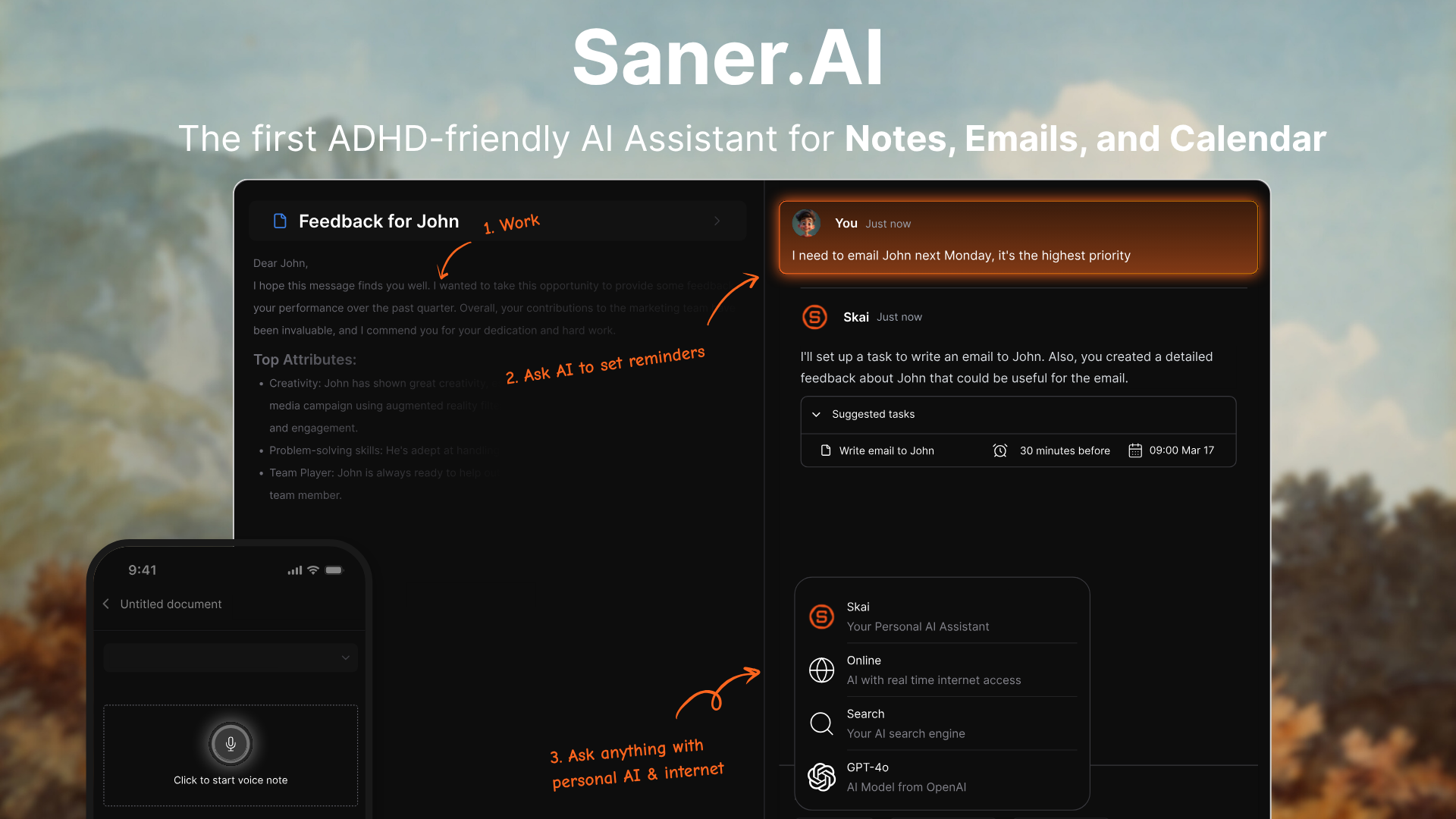
Saner.AI is an AI helper that pulls notes, email, and calendar into one workspace and lets an AI layer called Skai organize and act on it without you re-explaining your context every morning. It was built by a team working from their own ADHD, which shows in how few decisions the interface asks you to make.
Features
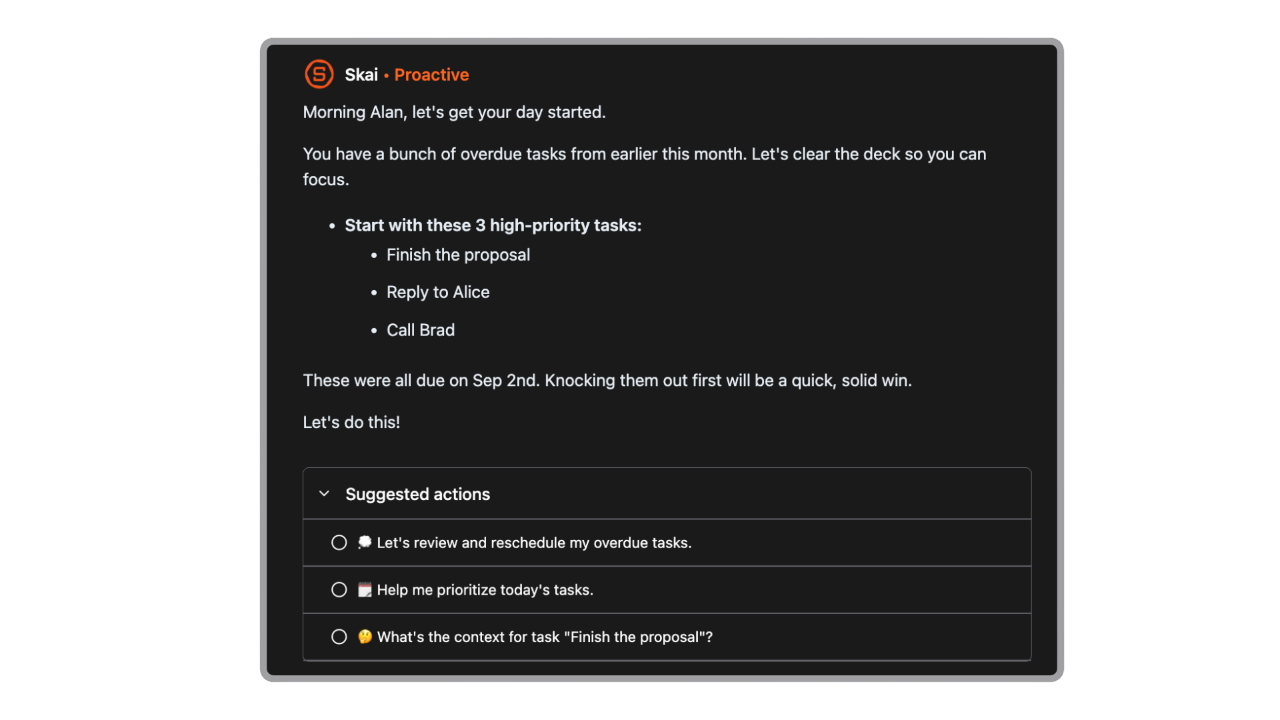
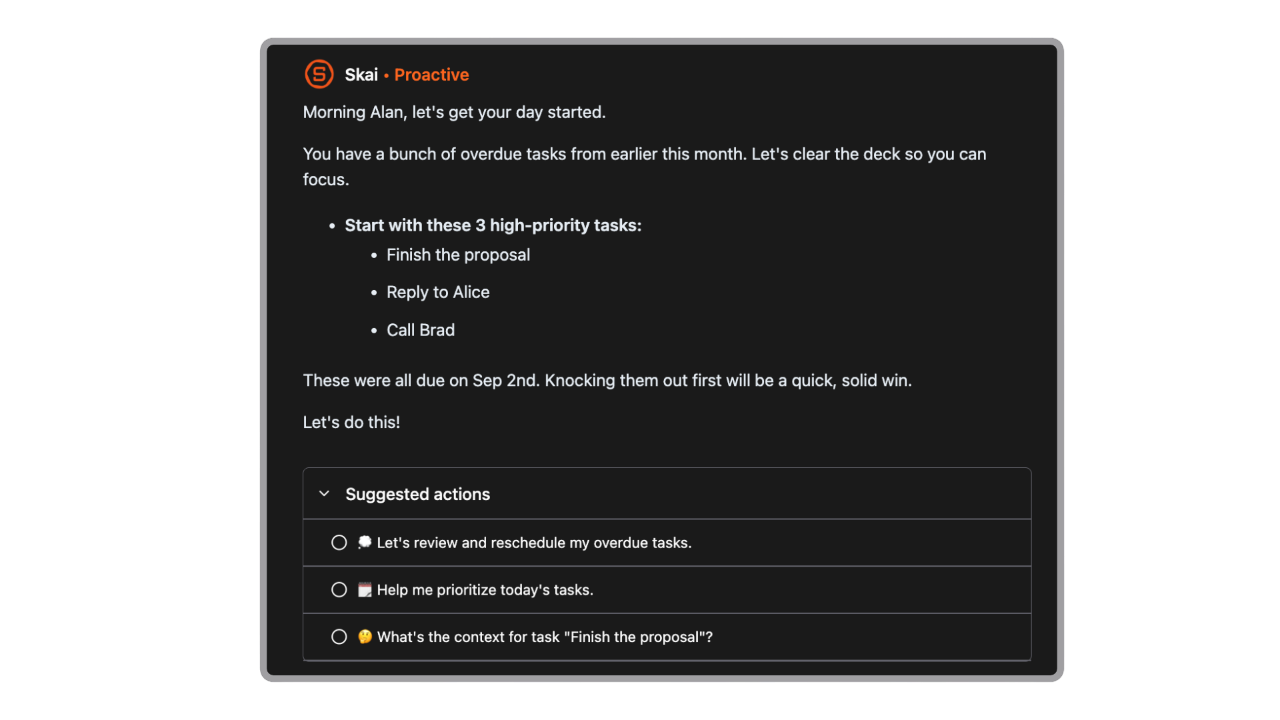
- Saner.AI can proactively surface what matters based on your upcoming deadlines, unfinished tasks, calendar events, or recent notes, then give you daily guidance that helps you decide what to work on now and what can wait.
- You can dump raw thoughts into Saner.AI, the AI then: identifies actionable items hidden inside the text; turns them into structured tasks; suggests priorities or next steps
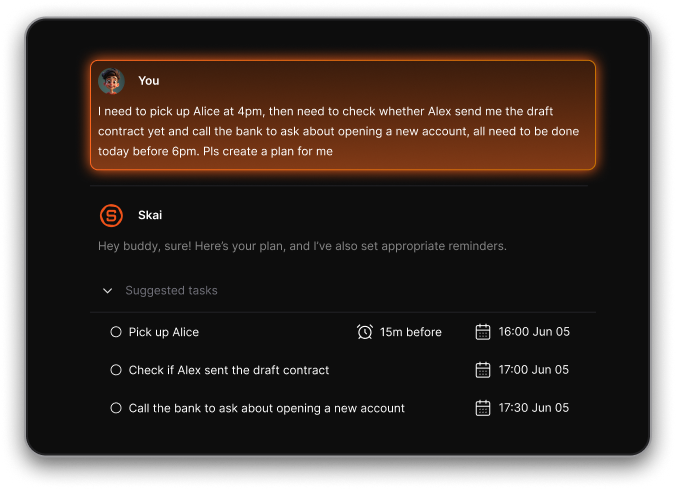
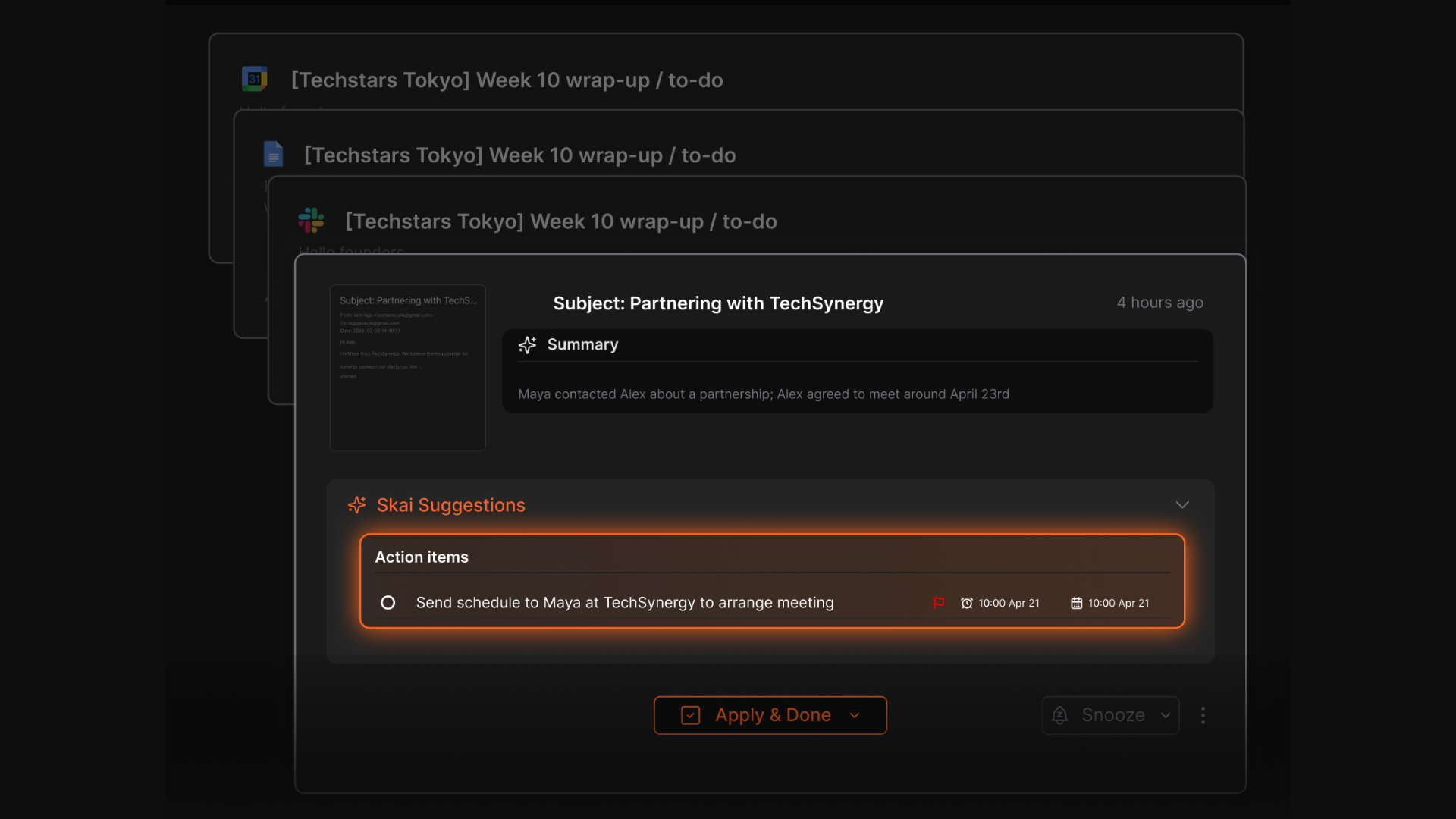
- Automatically extracts tasks and information from various sources (Emails, Slack, Notion, notes in Saner.AI, etc.)
- Automatically organizes and links notes, tasks, and files so you can find insights using natural language, not just keywords.
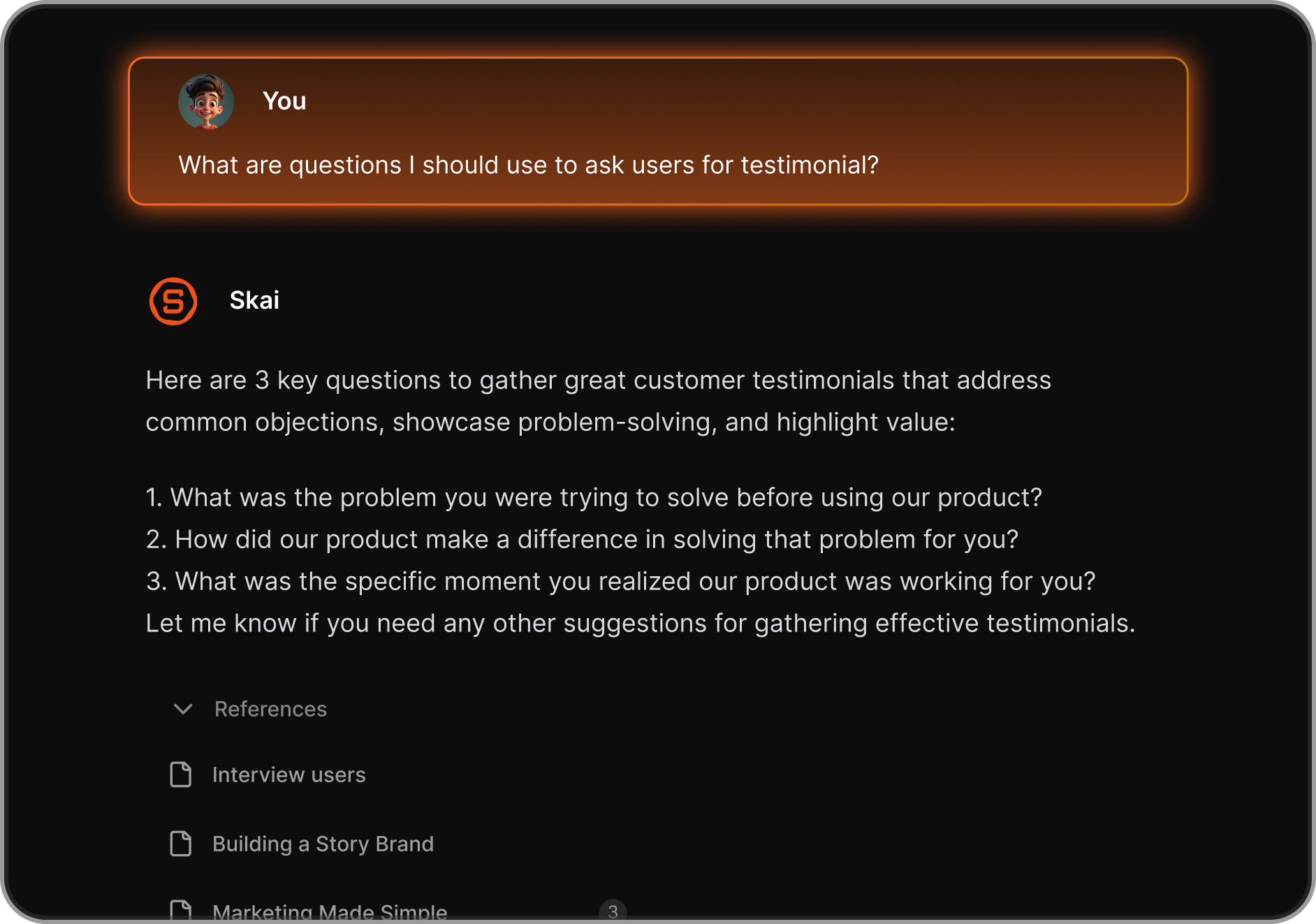
- The AI helps you recall and synthesize your notes. Just ask and get clear, direct answers from your notes
- Auto summarizes documents and meetings and offers contextual suggestions to aid planning and follow-through.
Pros
- User-friendly interface designed to minimize distractions.
- Combines note-taking, task management, and AI assistance in one platform.
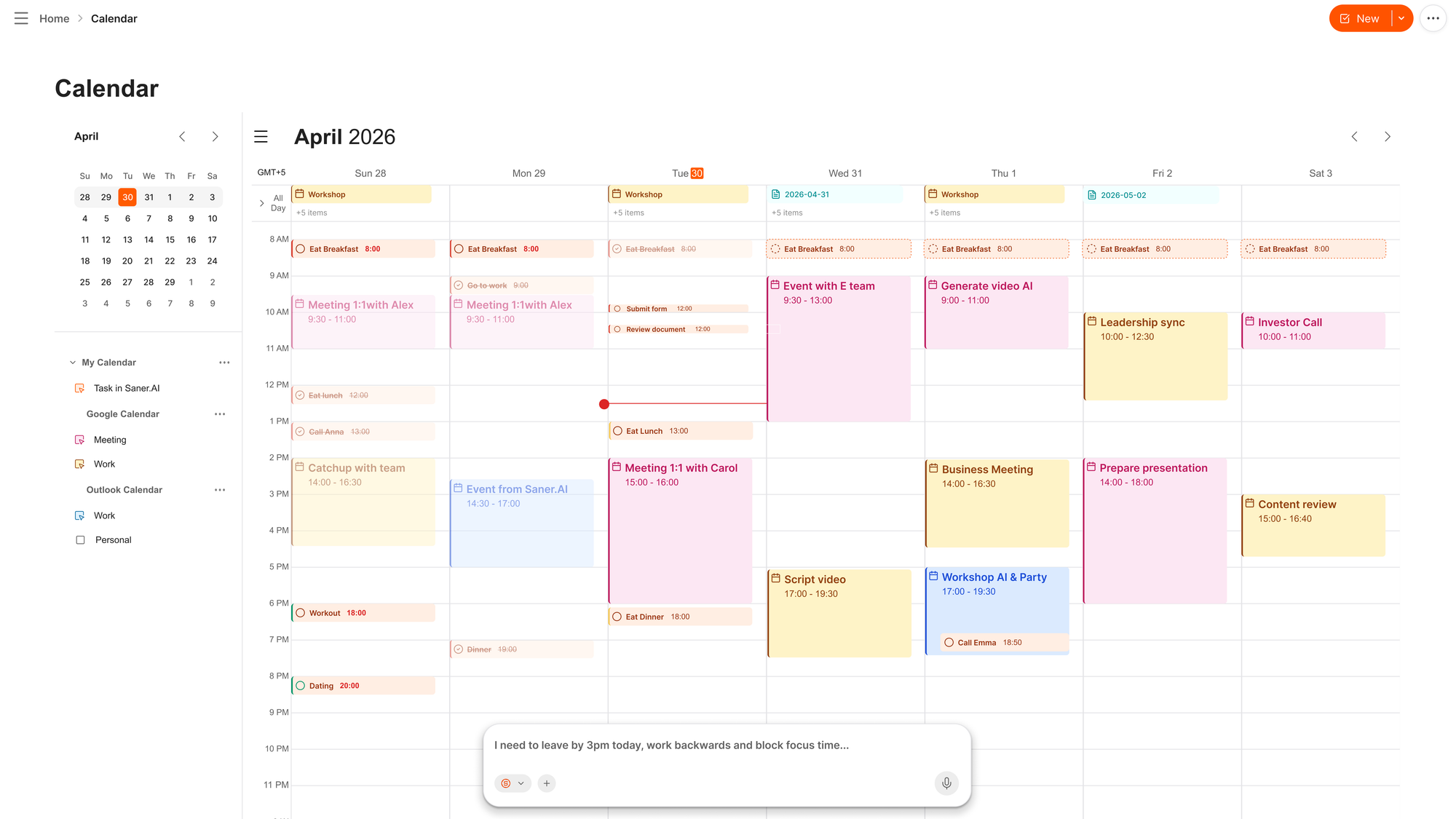
- AI calendar built-in
- Free plan available with no credit card required
Cons
- Requires internet access for full functionality.
Saner.AI Reviews
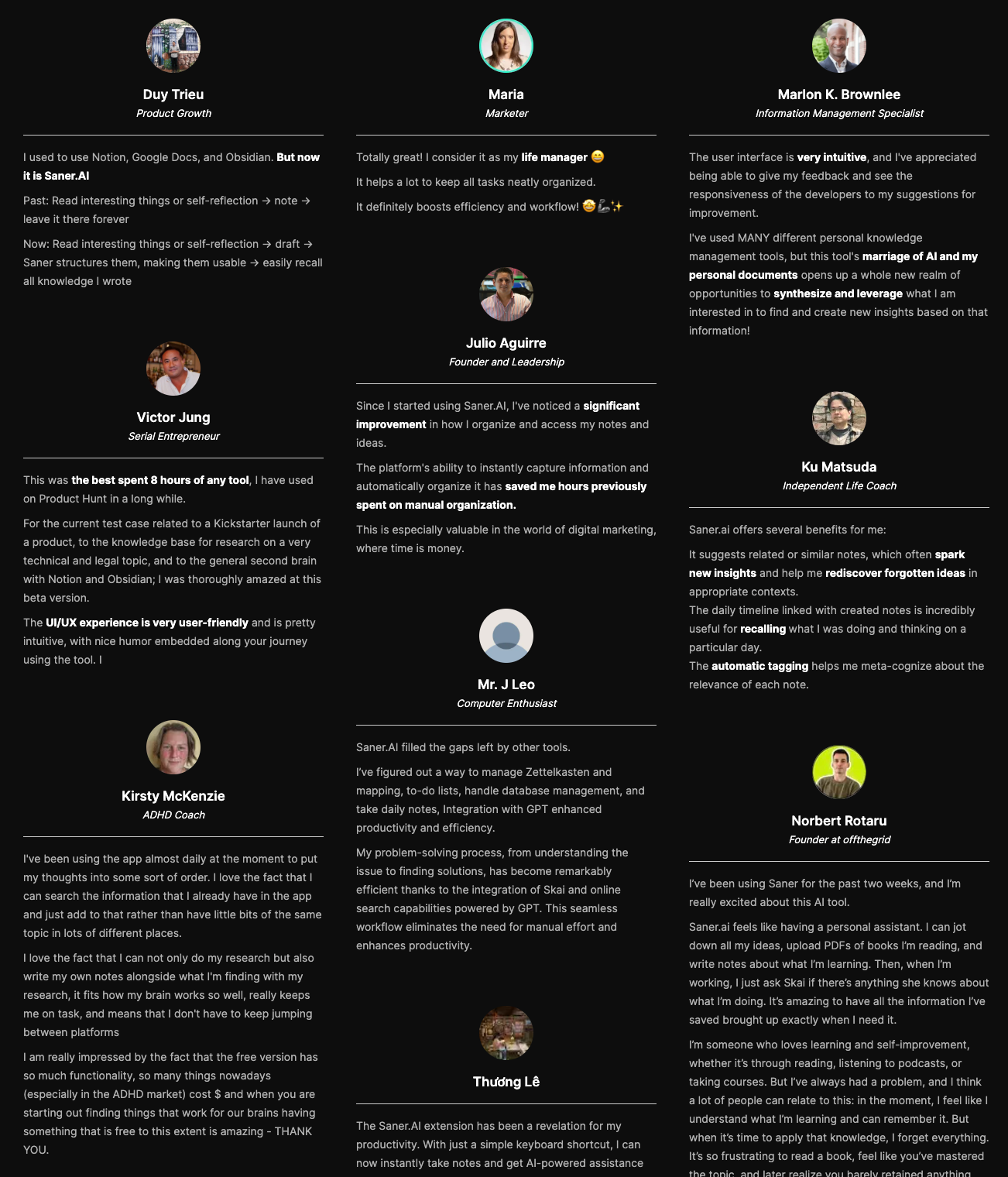
"The biggest benefit for me in using Saner is the Proactive AI. Staying on top of the constant flow of email and multiple calendars is challenging, and so far, Saner is the only AI-based tool that truly feels like a personal assistant" - Jerry
Pricing
- Free
- Starter: Monthly at $8/month, Annually at $6/month
- Standard: Monthly at $16/month, Annually at $12/month
Who is it suitable for?
- Best for: founders, freelancers, and knowledge workers who are tired of stitching together a notes app, a task manager, and an inbox by hand.
How to start using it?
- Connect your email and calendar first. That's what gives Skai enough context to start being useful instead of just being a notes app with an AI label bolted on.

Stay on top of your work and life
2. ChatGPT
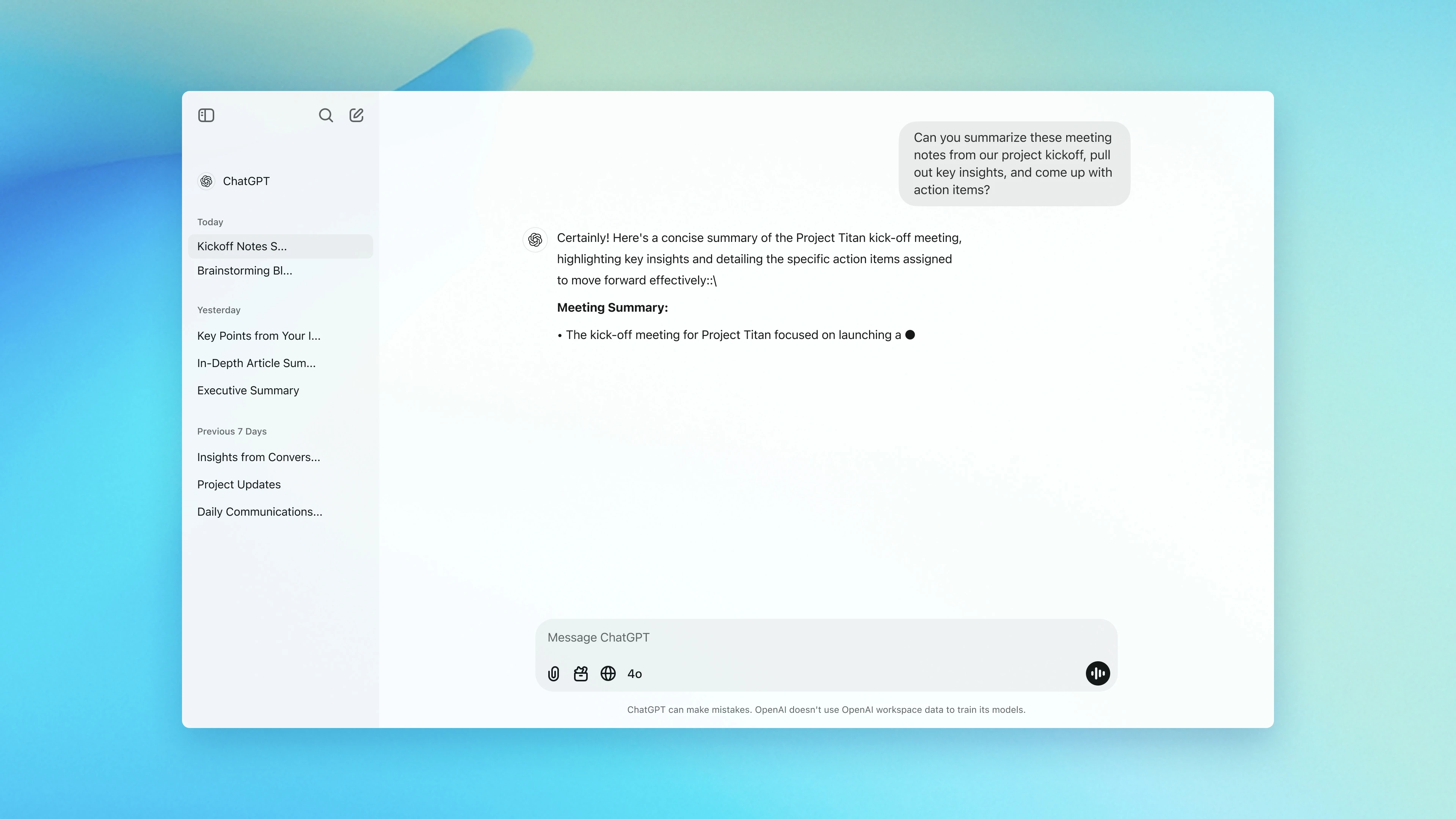
ChatGPT works like a conversational assistant that can help you write, research, plan, code, translate, and more, just by chatting with it
Features
- Just type what you need - no commands or prompts required
- Understands text, images, and voice (depending on plan)
- Build your own AI helper tailored to specific tasks or workflows
- Deep Search + Browsing: Pulls in real-time web results for up-to-date info
- Code Assistant: Writes, debugs, and explains code in plain language
What I liked
- It's fast and flexible. I can go from brainstorming blog ideas to writing working Python scripts in minutes.
- The ability to create Custom GPTs makes it feel truly personal - I built one just to help plan meals and workouts.
- Its search and research abilities save hours I’d normally spend hunting through Google.
What I disliked
- ChatGPT isn’t a full productivity space, yet. It doesn't handle calendars, tasks, or document management out of the box. This is a dealbreaker for me
- It can occasionally give wrong or made-up answers, so you still need to double-check important facts.
- If you're looking for real-time task execution (like sending emails or booking meetings), this isn't built-in yet.
- Some features like file uploads, voice input, or image analysis, are only available in paid tiers.
Pricing:
- Free basic version;
- Subscription for advanced features starts at $20/month
Suitable For:
- Writers, students, developers, marketers, and teams are looking for versatile AI helpers to handle everyday work, brainstorming, or deep research tasks.
How to Start:
- Create an account on the ChatGPT website and select a subscription tier that suits your needs.
ChatGPT Reviews (source)
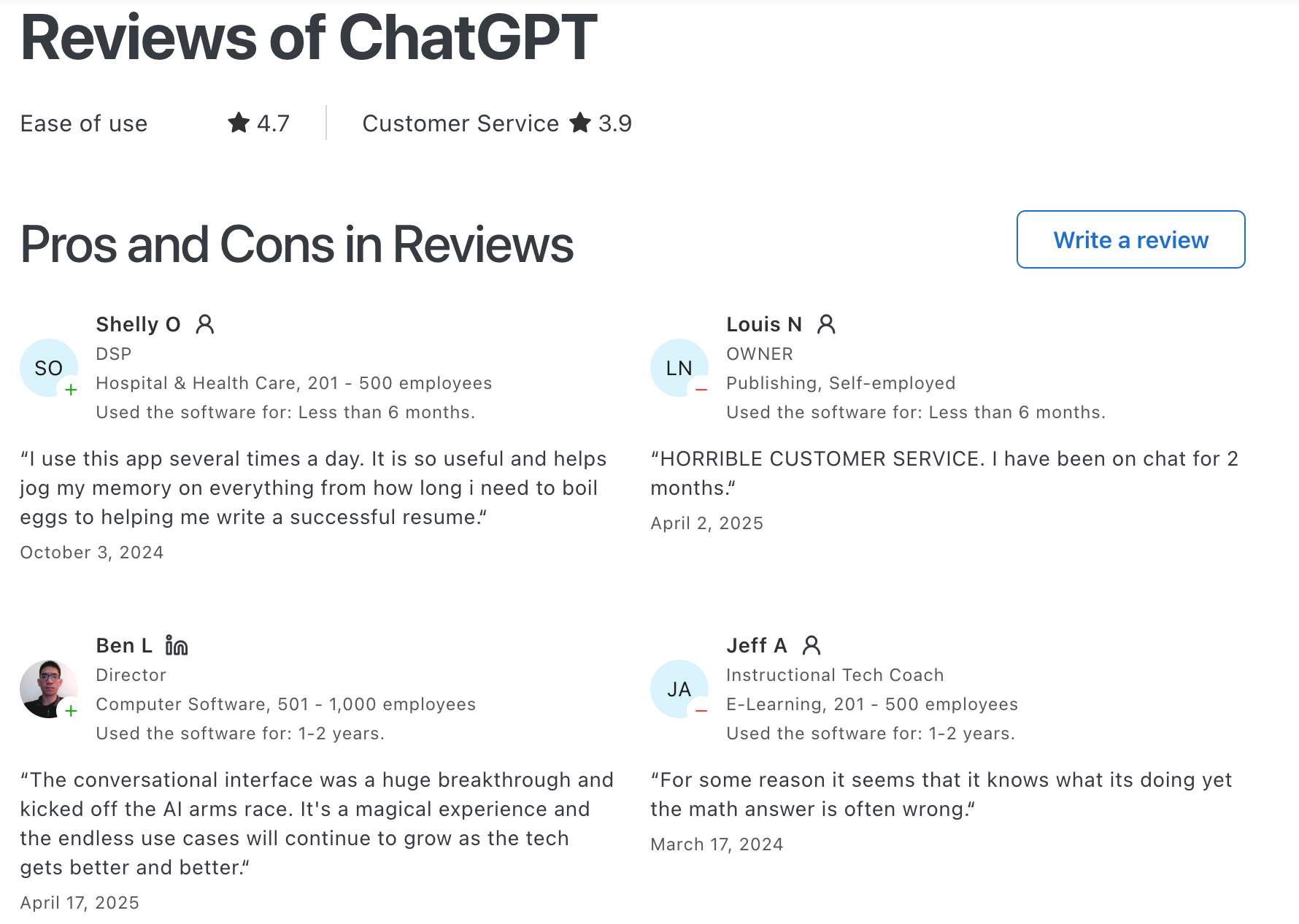
"Easy to set up and personalise, easy to use even for beginners, great at early stage idea planning and has fast response time. Paid use has a lot more value with photo generation and how much you can utilise it for." - Chelsea G.
"If instructions aren’t clear, the output can be generic or make reasonable-sounding assumptions that still need manual correction. That means you have to review everything instead of trusting it outright. For longer or more complex tasks, responses can drift or repeat ideas. It’s a strong assistant, but it works best as a first draft or thinking partner, not a final authority" - Nikola B.
2. Claude
Claude is an AI assistant built by Anthropic, designed for thinking, writing, and analysis rather than task execution. It’s especially strong at long-form writing, deep reasoning, summarization, and working with large documents..
Features
- Handles complex tasks like planning, research, and writing with deep contextual understanding
- Voice Mode (Beta): Talk to Claude instead of typing
- File Upload Support: Read and summarize documents like PDFs or spreadsheets
- Safe and Transparent: Built with strong ethical guidelines and safeguards
What I liked
- Its ability to remember context across chats makes it feel like a true AI helper, not a glorified autocomplete.
- I also liked the new Artifacts feature, which lets you turn chat output into live documents or visuals, all within the same screen.
What I disliked
- It can sometimes over-explain simple things, which adds friction if you're just moving fast.
- Some useful tools, like Projects and higher usage limits, are gated behind the Pro plan.
- And while it’s very good at coding and analysis, it’s not designed for task management or scheduling like other AI tools.
Pricing:
- Free basic plan; Pro plan at $20/month for advanced features.
Suitable For:
- Professionals who want an AI assistant that’s analytical and good at coding
How to Start:
- Sign up through the Claude platform
Claude reviews (source)
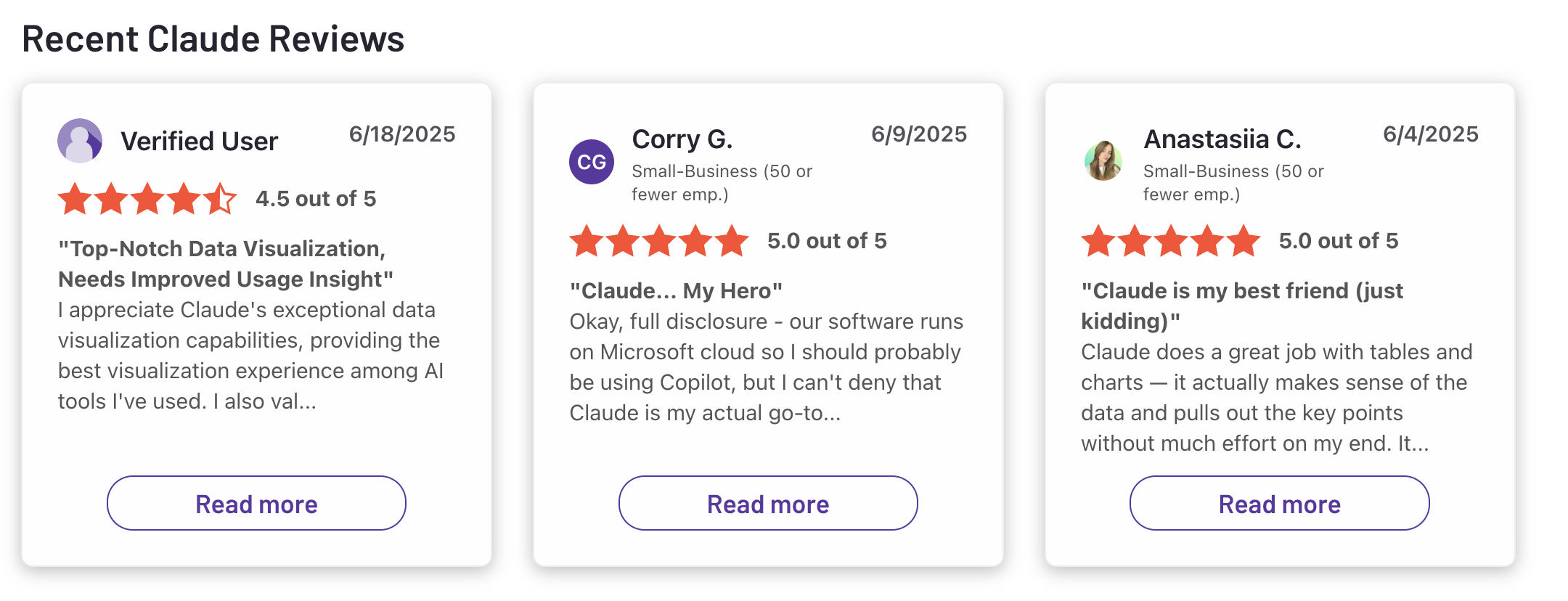
"Claude is super smart, easy to work with, and great at staying on track even with complicated questions. It writes really well and feels thoughtful compared to some other chatbots." - Ashish Dubey
"First of all, if you plan to use Claude for every stage of development, it can become quite expensive, so it's important to decide at which points you actually need assistance. Secondly, learning how to develop with it and figuring out how to create effective prompts can be a bit tricky at first, and sometimes the design results may turn out very different from what you expected." - Deniz G.
3. Gemini

Gemini is Google’s most advanced AI helper, built to assist across your entire digital life. It’s designed to help you research, write, organize, and plan - integrated directly into Google Workspace, Chrome, and mobile.
Features
- Gemini Live: Real-time, multimodal chat with voice, images, and text
- Workspace Assistant: Drafts emails, summarizes Docs, builds Sheets formulas, and more
- Deep Research: Pulls answers and summaries from Gmail, Drive, and across the web
- Available on web, mobile, and Android apps
- Offers image and video generation capabilities through tools like Imagen 4 and Veo 3
What I liked:
- It’s fast, smart, and woven into tools I already use.
- The ability to reply to emails right in Gmail saves time.
- Gemini Live understands voice, images, and text in one fluid conversation.
What I disliked
- But one thing that bugs me is how much it relies on an internet connection.
- Also, as great as it is inside Google tools, it doesn’t play as nicely outside that bubble.
- Also, performance varies across apps: it's great in Gmail and Docs, but less reliable in Sheets or Slides for now.
Pricing:
- Free basic plan
Suitable For:
- Anyone using Google apps daily who wants an AI helper that can organize, research, and act without switching tools.
How to Start:
- Sign up through the Gemini platform
Google Gemini review (source)
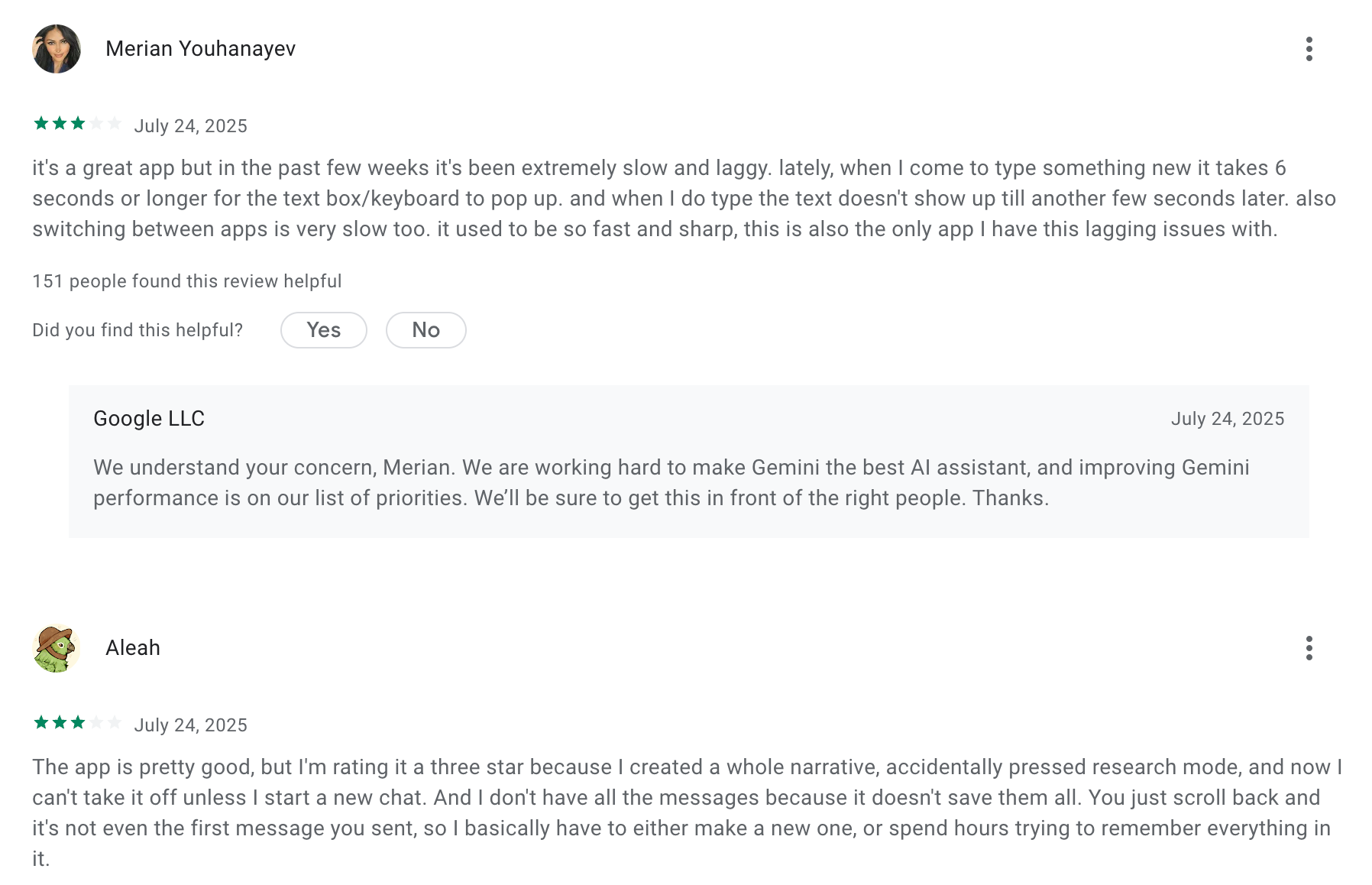
"Gemini is well worth the cost, taking the burden off our team for smaller tasks. If someone said "unlimited notes" for the cost of Gemini, or "unlimited high level review" for our organization, even if it were lower quality, I would take it any day of the week"- Capterra
4. Town
Town gives you a "Townie," an AI assistant with its own @town.com address that you can CC into any email thread. It reads your inbox, calendar, and connected tools, then drafts replies, runs scheduled routines, and prepares briefings largely on its own. It's the closest thing on this list to an actual executive assistant rather than a chat window.
Key Features:
- Email-native delegation — forward or CC your Townie the way you'd loop in a human assistant, no separate app required to hand off a task.
- Nightly learning — Town's "Wiki" updates every night with what it's learned about your preferences and current projects.
Pros:
- Early users describe the value showing up almost immediately.
- The personality-driven design makes it stickier for people who bounce off robotic assistants; reviewers point to this as a reason the habit actually forms.
Cons:
- Pricing has been reported as inconsistent between users during rollout, with one reviewer noting some people got in for $3 a month and others were quoted closer to $30
- It's cloud-only. There's no self-hosted option, so your email and calendar data live entirely on Town's infrastructure.
Pricing:
- Free — 30 chats per month, enough to test but not to run daily.
- Starter — around $15/month.
- Pro — around $49/month, billed annually.
- Power and Power Plus — $99 and $199/month, for heavier credit usage.
Suitable for:
- Best for: founders and operators who want inbox and calendar work handled without typing into a chat window every time.
How to Get Started: Connect your email first, since that's what gives Town enough signal to be useful. Give it a real week before judging it. The onboarding conversation shapes what it prioritizes, so a rushed setup produces a Townie that doesn't know your actual patterns yet.
5. Mem
Mem is a notes app built around a specific bet: most people don't abandon note-taking because they lack a system; they abandon it because maintaining the system is the actual chore. Mem skips folders and tags entirely and lets AI organize behind the scenes.
Key Features:
- Mem Chat — ask questions in plain language and get answers pulled from your own notes, not the open internet.
- Automatic connections — related notes surface on their own based on what you're currently writing or viewing.
Pros:
- For people who capture faster than they organize, this removes the friction entirely.
- Search is fast, even reviewers with mixed overall opinions single this out
Cons:
- Customer support gets called out directly. One G2 reviewer described "extremely poor customer service" and said co-founder emails went unanswered (reviews).
- The AI's organization isn't always right. A reviewer on Mem's own app store page said it's "very glitchy in terms of syncing across devices," which matters if you're relying on it to retrieve something later (reviews).
Pricing:
- Free — limited to 25 notes and 25 chats per month.
- Pro — $12/month, unlimited notes, Mem Chat, and PDF ingestion.
Suitable for:
- Best for: people whose actual problem is a graveyard of half-organized notes, not task or calendar management.
How to Get Started: Import your existing notes on day one rather than starting fresh. The auto-organization only proves itself once there's enough material for the AI to find patterns in.
OpenClaw
OpenClaw is the odd one out here: fully open-source, self-hosted, and built for developers who want an AI assistant that runs on their own machine and messages them through WhatsApp, Telegram, Slack, or Discord rather than a dedicated app.
Key Features:
- Runs on your own hardware — you supply the API keys, and your data never has to leave a machine you control.
- Skill ecosystem — over 100 preconfigured AgentSkills let it run shell commands, manage files, and automate browser tasks.
Pros:
- Full control is the whole point, and it delivers. Users on X describe it as feeling like a coworker with "eyes and hands at a desk" (reviews).
- It's genuinely extensible if you're comfortable with code, with a fast-growing community building new skills.
Cons:
- Security researchers have flagged real risk here, not theoretical. Cisco's AI security team found a third-party OpenClaw skill performing data exfiltration without the user's knowledge, and China's industry ministry issued a public warning about misconfigured deployments in early 2026 (reviews).
- It's not for non-developers. Setup requires comfort with a terminal, Node, and API key management, and the creator's own documentation says plainly there's no such thing as a perfectly secure setup.
Pricing:
- Free to self-host — you pay only for the API usage of whichever model you connect (Claude, ChatGPT, Gemini, or others).
Suitable for:
- Best for: developers and privacy-conscious power users who want an always-on assistant without handing their data to a vendor.
How to Get Started: Read the security hardening guide before you connect anything sensitive. Run it in a sandboxed environment first, and keep its access scoped to what it actually needs rather than granting broad permissions on day one.
Final Thought: The Best AI Helper Is the One That Helps You
AI Helpers are reshaping how we work and think. Whether you need help remembering tasks, staying focused, or just feeling less scattered, there’s a tool out there for you.
Some are like smart notebooks. Others are like calm companions. The key is trying a few and seeing which one fits your brain best.
And if you’re someone who thrives in creative chaos, tools like Saner.AI are built exactly for that - designed to reduce mental load and bring clarity, one task at a time.
Stay on top of your work and life
FAQs About AI Assistant Tools
1. What is an AI Helper?
AI Helpers are digital tools powered by artificial intelligence that simplify your workday. They can schedule tasks, manage notes, draft emails, or summarize documents, all through natural language.
You don’t have to click through menus. Just say things like:
- “Remind me to email Sarah next week”
- “Summarize yesterday’s meeting”
- “Find my Q3 strategy notes”
Popular AI Helpers include Saner.AI, ChatGPT, Gemini, Reclaim, and Motion, each with unique strengths, from time blocking to note searching
2. What can AI Helpers do?
AI Helpers are built for busy people. Whether you're juggling multiple roles or just hate switching between apps, they help by:
- Turning thoughts into tasks - Capture ideas or emails and turn them into reminders
- Searching notes instantly - No need for tags or folders
- Managing your calendar - Schedule time blocks with one command
- Prepping for meetings - Pull up past notes, decisions, and action items
- Writing + research - Drafts content, summarizes info, or ideates
- Daily planning - Suggests what to do next based on your priorities
Some AI Helpers like Saner.AI bundle all of this into one calm, distraction-free workspace.
3. Are there free AI Helpers?
Yes - many AI Helpers offer free versions. Here are a few:
- Saner.AI - Free plan includes AI task reminders, note search, and calendar sync
- ChatGPT - Free with limited access
- Gemini - Available free via Google Workspace
4. How do I use an AI Helper daily
Start small. Let your AI Helper handle:
- Reminders for things you always forget
- Summarizing long emails or docs
- Searching past notes
Once you're comfortable, expand to scheduling, task tracking, and planning.
5. Which AI Helper is best for ADHD?
Saner.AI is the best AI Helper for ADHD.
It helps reduce overwhelm, cuts down on context switching, and keeps you on top of tasks without the need for endless sorting or manual tracking.
6. What’s the best AI Helper for work?
If you need more than just chat replies, Saner.AI is built for action. It combines notes, calendar, and tasks into one searchable workspace - ideal for professionals juggling competing demands.
Unlike basic AI tools, Saner doesn’t just talk. It does. It reminds, organizes, and helps you follow through, especially helpful if you’re easily distracted or managing multiple priorities.
7. How do AI Helpers improve productivity?
Artificial intelligence assistants reduce context switching. Instead of bouncing between apps, you stay in flow.
Here’s what Saner.AI does:
- Surfaces the right tasks at the right time
- Finds notes instantly by what you meant, not what you typed
- Breaks big goals into doable steps
8. Do AI Helpers support voice input?
Some AI assistants do, but not all.
- Saner.AI - Yes, supports voice-to-task conversion
- Reclaim / Motion - No built-in voice features
- ChatGPT / Gemini - Voice input via third-party tools
9. Which AI Helpers can auto-schedule tasks?
The most popular AI assistant apps that auto-schedule tasks are
- Saner.AI analyzes your existing tasks, notes, and priorities to suggest the best time slots for each item. It understands why something matters based on your notes, calendar, and chat
- Reclaim and Motion specialize in dynamic time blocking. They look at your calendar and automatically find time for your to-dos by reshuffling your day.
If you want scheduling that thinks like you do, not just drops events onto a calendar, Saner.AI offers a more context-aware approach.
10. What are the best AI Helpers for entrepreneurs?
Saner.AI is a great artificial intelligence helper for entrepreneurs because it’s built for people with too many ideas and too little time:
- You can brain-dump raw thoughts, and it’ll turn them into clear next steps with reminders.
- It syncs notes, emails, and calendar in one view - so you’re not piecing together your day from five apps.
- It automatically surfaces relevant info, like old investor notes, when you're planning a pitch.
Instead of building workflows, you just start working, and Saner.AI keeps up.
11. How can I use AI Helpers as a busy manager?
For managers, the mental load comes from switching between team updates, meetings, tasks, and planning - all at once. AI Helpers can lighten that load.
For example, Saner.AI acts like a personal assistant:
- Automatically reminds you of deadlines, follow-ups, and action items from meetings.
- Pull up the right documents or notes before your next call.
- Summarizes email threads and meeting notes so you don’t miss key details.
- Prioritizes what needs attention and hides what doesn’t.
It’s perfect if you lead a team but don’t want to micromanage tools, or your time
12. How can CEOs best use AI Helpers?
CEOs are decision-makers. Time is their scarcest resource. That’s why AI Helpers can help them save time
For example, with an AI Helper like Saner.AI, execs get:
- Instant access to critical notes, decisions, and context, without searching.
- Smart reminders that nudge you to follow up on important tasks or conversations.
- A single space to manage cross-functional priorities, whether it’s team OKRs or board prep.
- Less time spent organizing, more time thinking strategically.
It’s not just about automation - it’s about clarity in complexity. Saner.AI becomes your command center.
13. How to prepare for meetings using an AI Helper?
Meeting prep often feels like detective work. AI Helpers take care of that for you.
With Saner.AI, all you need to do is ask:
- “Show me what we discussed in last month’s planning meeting.”
- “What decisions haven’t been followed up on from last Thursday’s sync?”
It pulls relevant notes, tasks, and documents into one place, no manual digging.
You walk into meetings already briefed, clear, and confident.
14. What is the best AI Helper for executives and directors?
Saner.AI stands out as the best AI helper for high-level leaders because:
- It connects your calendar, tasks, and notes, so you always know what’s next and why.
- It surfaces key decisions, follow-ups, and documents without prompting.
- It reduces mental clutter by keeping everything in one organized, searchable place.
While tools like Motion and Reclaim focus on calendars or scheduling, and ChatGPT handles conversation, Saner.AI brings it all together in a flow that fits real leadership work - big picture thinking with zero micromanagement.
15. What’s the difference between an AI Helper and traditional productivity tools?
Traditional tools are like digital filing cabinets - you do the organizing.
AI Helpers are more like smart assistants - they do it for you.
For example, here’s how Saner.AI - an AI Assistant organizes things for you
- You write naturally; it handles tagging and organizing behind the scenes.
- You don’t need to sort or plan—Saner reminds you when something matters.
- Instead of checking 5 apps, you ask one question and get everything you need.
It’s the difference between working in your system vs. your system working for you.
Stay on top of your life with the AI Helper