
AI Note-Taking Apps: We Ranked The 7 Best in 2026


7 Best AI Note-Taking Apps in 2026: Boost Your Productivity and Creativity
In 2026, a note-taking app shouldn't just be a blank canvas; it should be an active thinking partner. Powered by advanced semantic search and contextual AI, the best platforms on the market now do the organizing for you-clustering related thoughts, surfacing old insights precisely when you need them, and turning chaotic brain dumps into structured summaries.
In this article, we evaluated the leading AI note-taking platforms to find out which ones truly act as an extension of your mind, how each app handles privacy, how effectively their AI searches across fragmented data, and the specific trade-offs you'll face between highly structured databases and minimalist, fluid layouts.
Top 3 AI note-taking apps of 2026
2. Notion (Best for All-in-One Collaboration): It can auto-fill tables, generate project timelines from raw notes, and act as a central workspace wiki.
3. NotebookLM (Best for Research & Document Synthesis): If your "notes" are mostly PDFs, long articles, and transcripts. It creates a private playground dedicated exclusively to the source documents you feed it.
AI Note-taking apps have been well-documented to boost productivity of employees:
How we chose the best AI note-taking apps
The ideal digital "second brain" should eliminate friction, not create it. We evaluated each platform against the real-world hurdles of information overload:
- Semantic Retrieval: Can the AI find a note based on its meaning and concept, even if you can't remember the exact keywords or title?
- Contextual Synthesis: Does the AI just summarize individual pages, or can it connect the dots across entirely separate notebooks?
- Frictionless Capture: How many clicks does it take to get an idea out of your head (or a clip from the web) and into the app?
- Action Optimization: Can the tool automatically extract actionable tasks and deadlines from your messy paragraphs of text?
- Data Control & Privacy: How securely does the app handle your proprietary data? Does it offer local storage options or ensure your notes aren't used to train public LLMs?
- Interface Cleanliness: Does the UI promote deep focus, or does it trigger cognitive overwhelm with too many menus and moving parts?
What are the Best AI Note-taking apps?
The Best AI Note-taking apps in 2026 are: Notion, Saner.AI, Mem, Tana, NotebookLM, Obsidian, Supernote.
🧾 Quick Comparison Table: Best AI Note-Taking Apps in 2026
| App | 🎯 Best For | 🤖 AI Capabilities | 📱 Platforms | 🆓 Free Plan | 💳 Paid Plan (Latest 2026) |
|---|---|---|---|---|---|
| Notion | All-in-one workspace (notes + docs + databases) | Notion AI for writing, summarizing, autofill, Q&A across workspace | Web, iOS, Android, Windows, Mac | Yes | Plus ~$10/month, AI add-on extra (~$8–10/month) |
| Saner.AI | AI-first thinking & task-note integration | Auto-organized notes, AI tagging, instant retrieval, task extraction | Web, iOS, Android | Free trial | From ~$8–16/month |
| Mem | Lightweight AI knowledge capture | AI-powered search, auto-linking notes, contextual writing help | Web, iOS | Limited free plan | From ~$14/month |
| Tana | Power users & networked thinking | AI node creation, smart commands, structured knowledge graphs | Web | Yes (limited) | Paid plans from ~$10–18/month |
| NotebookLM | Research & document analysis | AI grounded Q&A based on uploaded sources, summaries, audio overviews | Web | Yes | Advanced features via Google One AI Premium (~$20/month) |
| Obsidian | Local-first knowledge base | AI via plugins (community-based), backlinking & graph view | Windows, Mac, Linux, iOS, Android | Yes | Sync add-on ~$8/month (optional) |
| Supernote | Handwriting-first digital notes | Limited AI (handwriting recognition, smart organization) | Supernote devices + companion app | No (hardware required) | Device purchase ~$300–600 |
1. Notion (now with Notion AI)
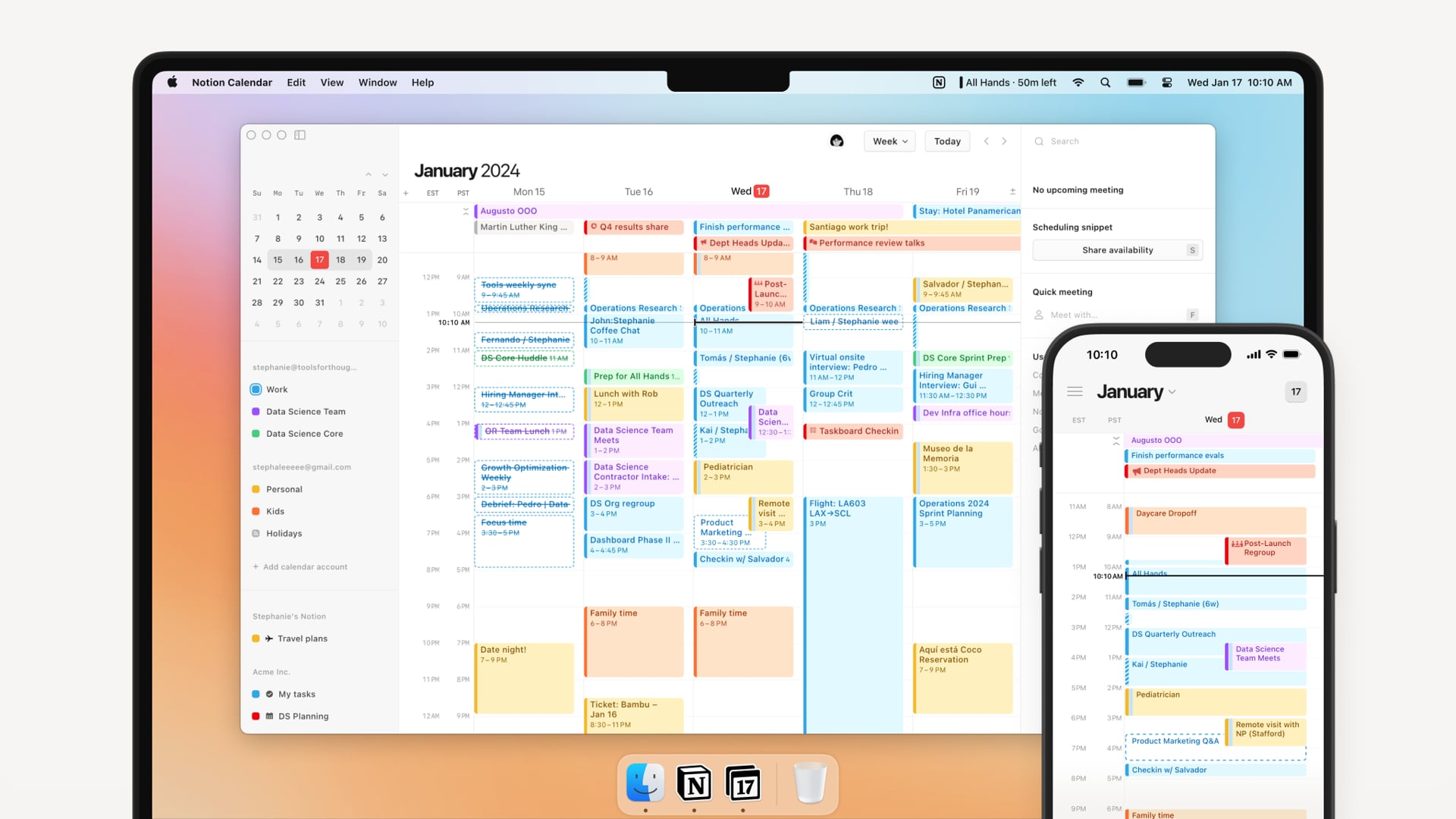
Notion is one of the most flexible productivity tools available today. With recent upgrades like AI meeting transcription, workspace-wide search, and Notion Mail. It's now aiming to be a connected thinking environment for individuals and teams.
Key features
- Notion AI Writing: Rephrase, brainstorm, summarize, adjust tone, and autogenerate content
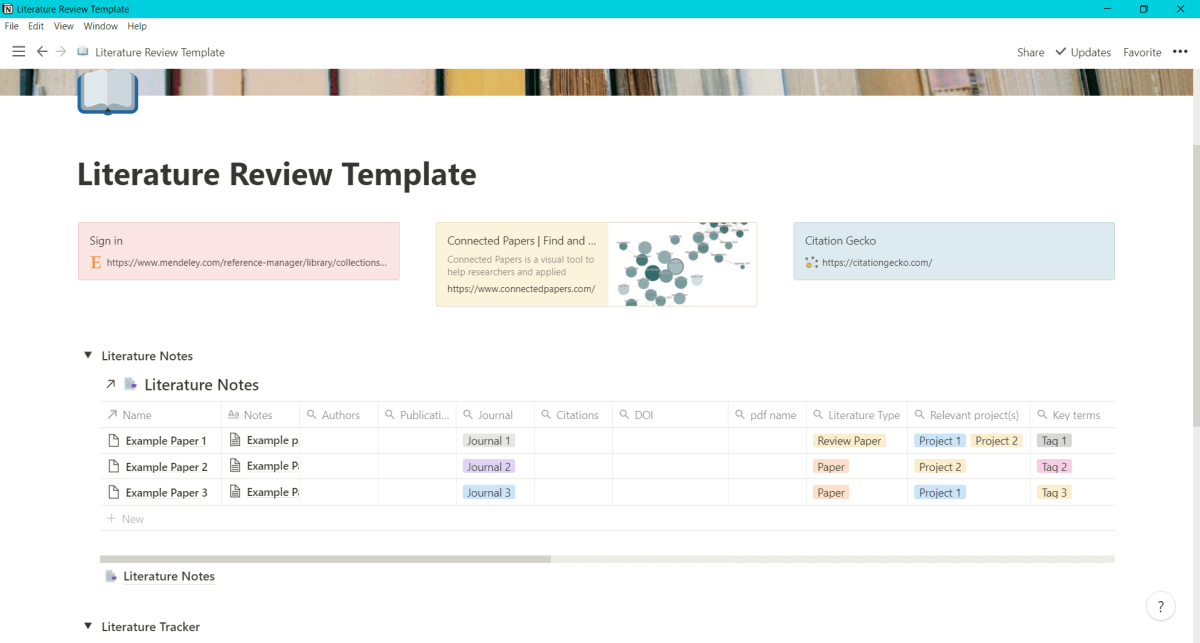
- Unified Workspace: Combine notes, tasks, tables, timelines, and databases in a single interface
- AI Research Mode: Pull insights from your entire workspace to draft structured docs
- Templates + Blocks: Highly customizable templates for wikis, projects, reading lists, and more
"I am completely obsessed with color-coordinating my project boards—it fits my exact aesthetic and keeps my grid perfectly curated without the behind-the-scenes chaos." - verified review
Pros
- I like how everything lives in one place.
- And the workspace search with AI is great when I’ve written something months ago and only vaguely remember it.
- "As a notebook, Notion has a clean and pleasant interface with very little unnecessary clutter." - verified review
Cons
- The learning curve can be steep if you’re just looking for a simple note app.
- Offline support still isn’t as reliable as I’d like, especially during travel.
- Also, the AI features are not included by default, so you’ll need to pay to unlock full access to Notion AI and Notion Mail.
- "I’m very disappointed with their AI. It suggested permanently deleting all of my databases with no way to restore them." - verified review
Pricing
- Free plan available with unlimited pages and blocks
- Notion AI add-on: $10/month per user (or ~$8/month annually)
Suitable for
- Professionals, researchers, students, and teams looking for a customizable, AI-powered workspace to take notes, organize projects, and streamline communication.
How to start
- Head to Notion.com
- Create a free account, explore a few templates, and activate Notion AI when you’re ready to level up your note-taking.
Notion reviews (source)
"We use Notion for basically everything - our agency KB, project management, and CRM. It’s the backbone of how we stay organized." - Alex

"Started out as a very neat tool. However have a nasty habit of attempting to charge you piecemeal for lots of interlinking services. Was paying 50GBP a month for something I didn´t use, on deliberately opaque pricing." - Alasdair
2. Saner.AI
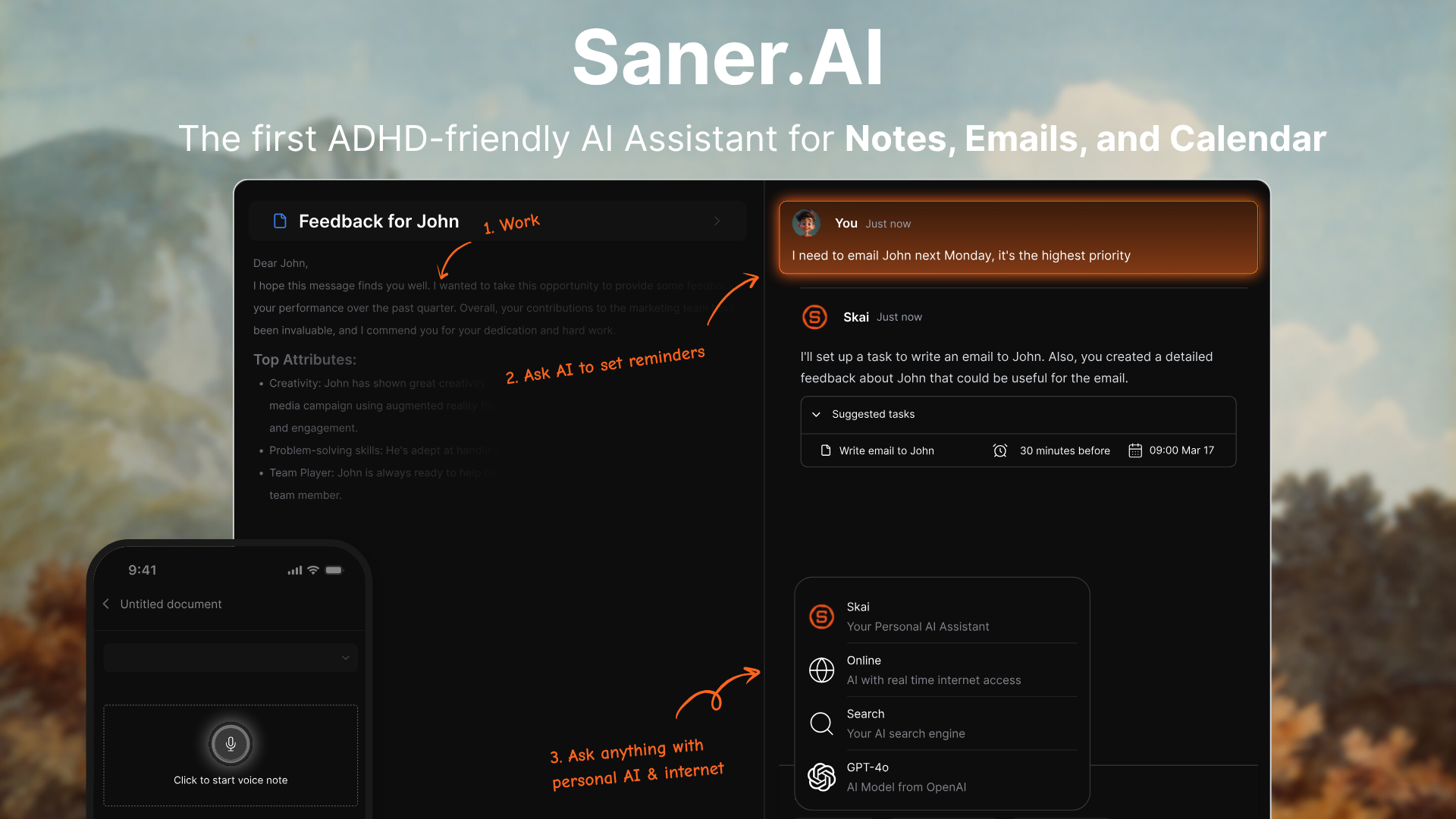
Saner.AI is a proactive AI assistant designed to be your second brain. It helps you capture messy thoughts, organize tasks, search your notes, and plan your day, without the overwhelm.
What makes it stand out is how naturally it fits into the way our brains work, especially if you're juggling multiple inputs or have an ADHD-prone workflow.
Key features
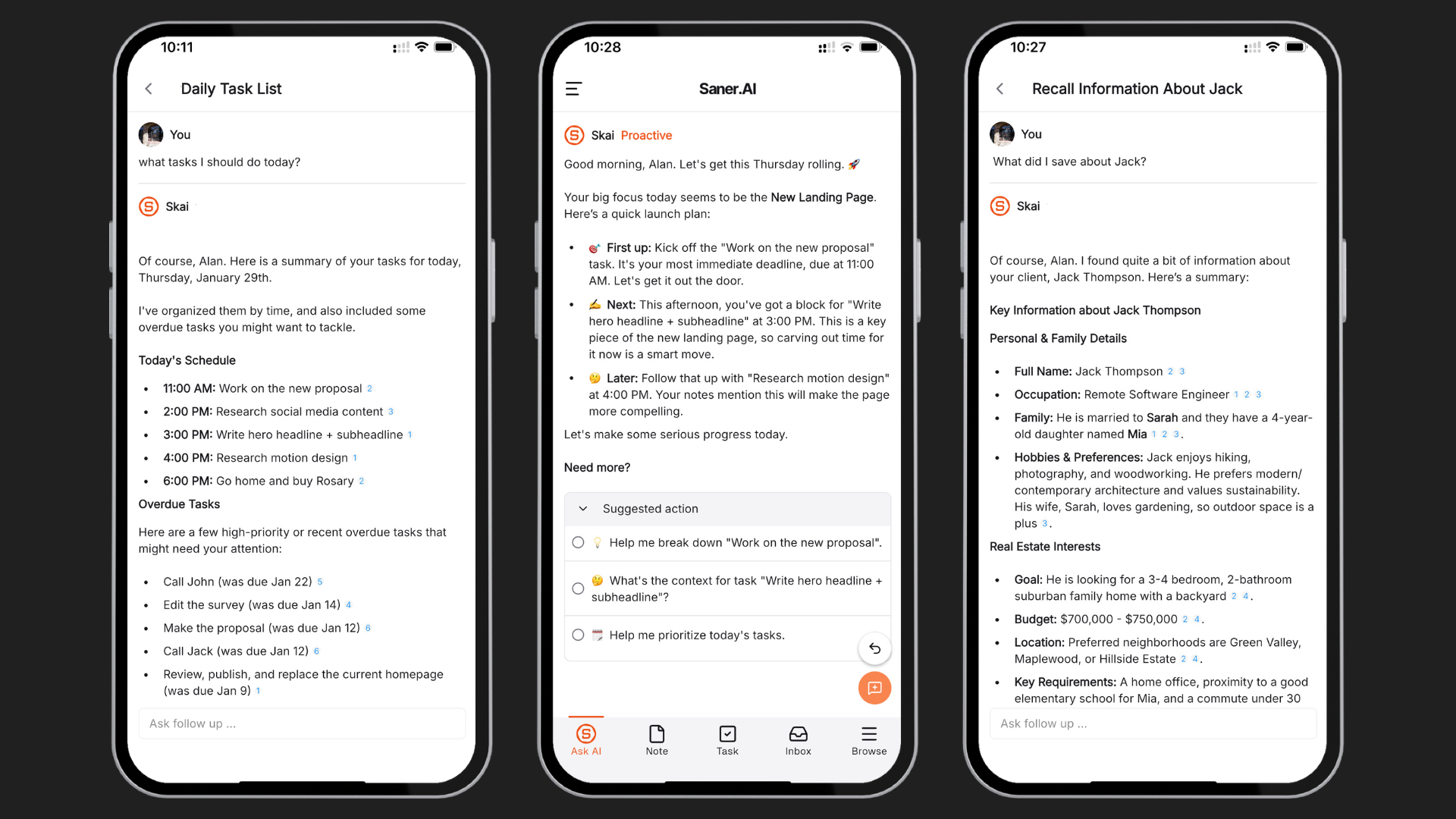
- AI Chat Assistant (Skai): Ask questions, recall info, summarize notes, or get clarity from scattered thoughts. It’s like ChatGPT, but it knows your context.
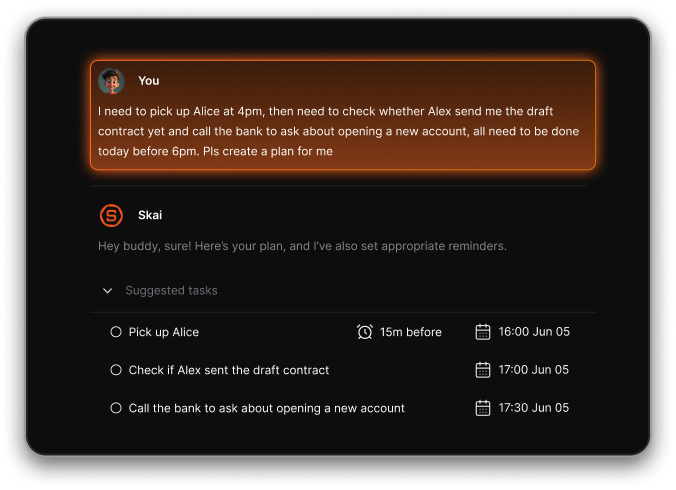
- Smart Task Capture: Dump your thoughts, and Saner turns them into structured tasks, with deadlines, steps, and reminders.
- Daily Planning: Every morning, it suggests a prioritized day plan based on your tasks, emails, and calendar events.
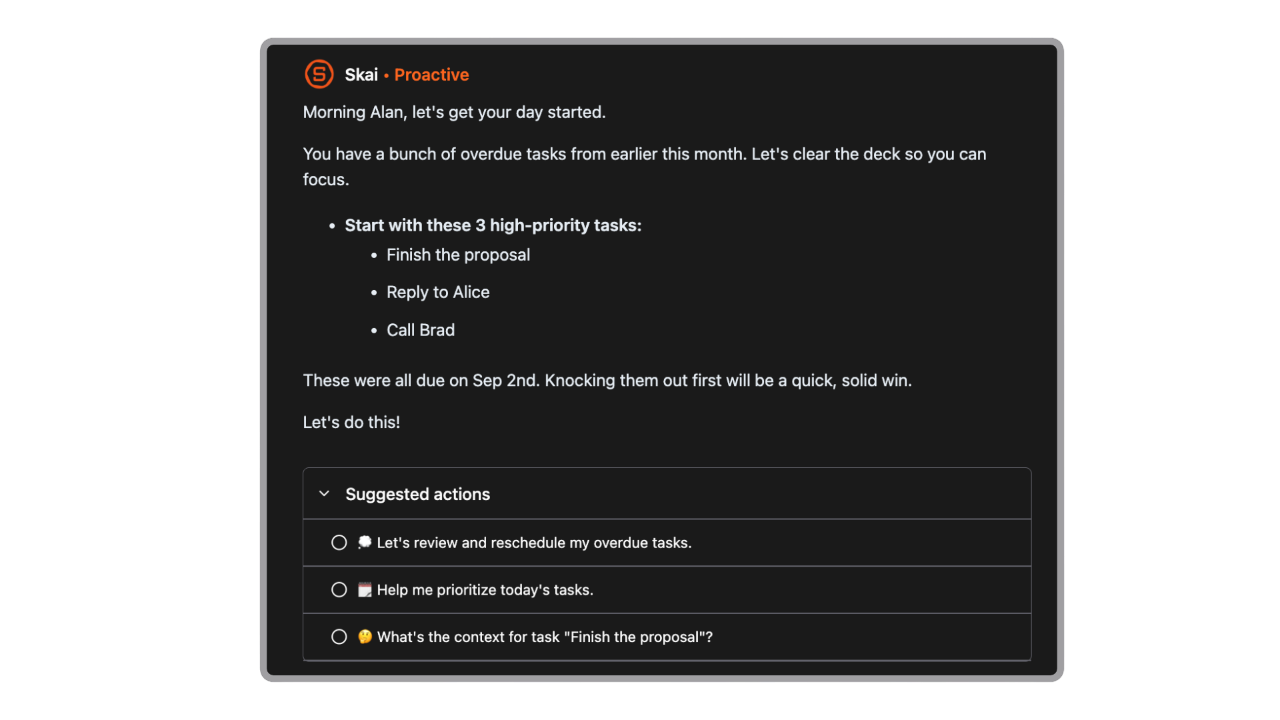
- Task Assistant: Turns thoughts or messages into to-dos, reminders, or calendar events
- Focus Mode: Clean writing and thinking space, distraction-free
- Chrome + Mobile Apps: Easy to clip from the web or capture on the go
Pros
- What makes Saner.AI stand out is how it blends note-taking, task planning, and recall into one smooth experience. You don’t just write things down - you can actually talk to your notes.
- I also liked how it pulls in context from your emails and calendar, then helps you act on it.
- There’s no pressure to organize right away. Just capture first, and let the AI help sort things later.
- It feels like a tool that helps you think clearly, not just store information.
Cons
- Requires internet access for full functionality.
Pricing
- Free
- Starter: Monthly at $8/month, Annually at $6/month (with early user discount)
- Standard: Monthly at $16/month, Annually at $12/month (with early user discount)
Suitable for
- ADHD professionals and creatives who need clarity from chaos
- Founders, managers, and solo workers looking for an AI that helps think, not just store
- People are tired of juggling separate tools for notes, tasks, and day planning
Saner.AI Reviews
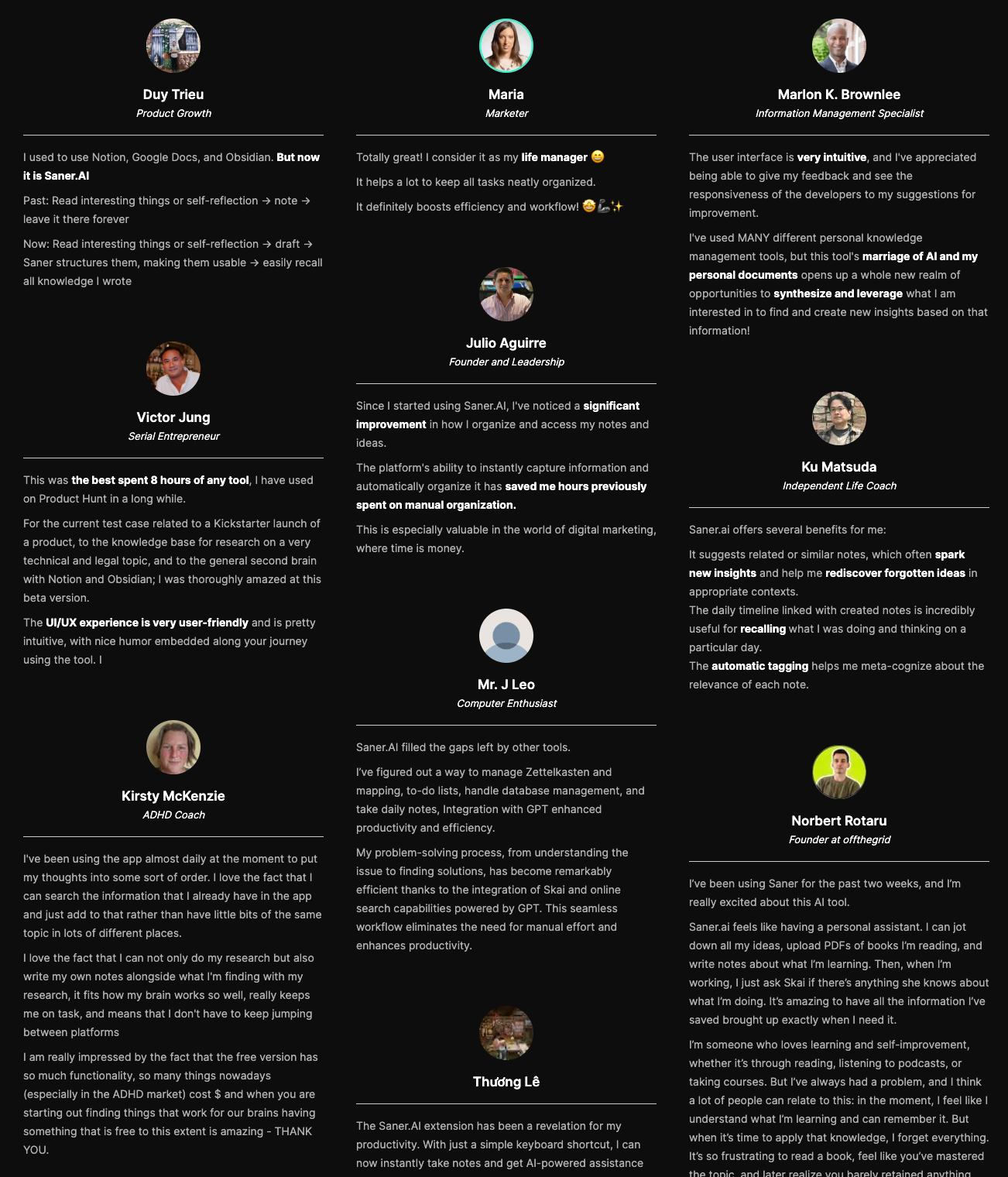
"The biggest benefit for me in using Saner is the Proactive AI. Staying on top of the constant flow of email and multiple calendars is challenging, and so far, Saner is the only AI-based tool that truly feels like a personal assistant." - Jerry
How to start
- Go to saner.ai and create a free account.
- You can try the core features right away and decide if you want to upgrade for more power and integration.

The AI Note-taking app for you notes, tasks and emails
3. Mem.ai
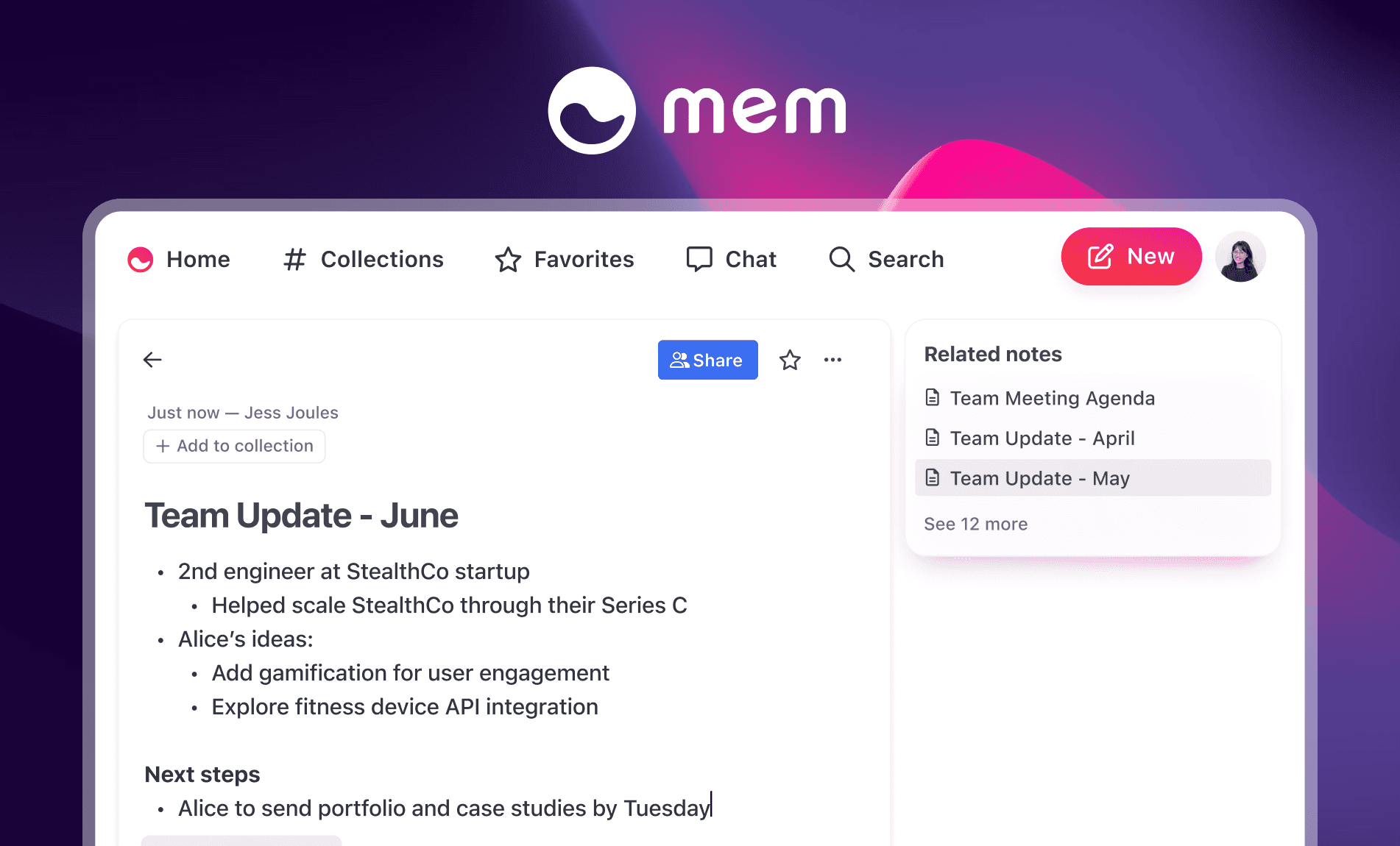
Mem.ai is am AI note-taking app designed to act as your second brain. It helps you capture thoughts instantly, organizes them automatically, and lets you search or chat with your notes like you would with an assistant.
Key features
- Smart Search: Finds relevant info, even when you forget what you called it
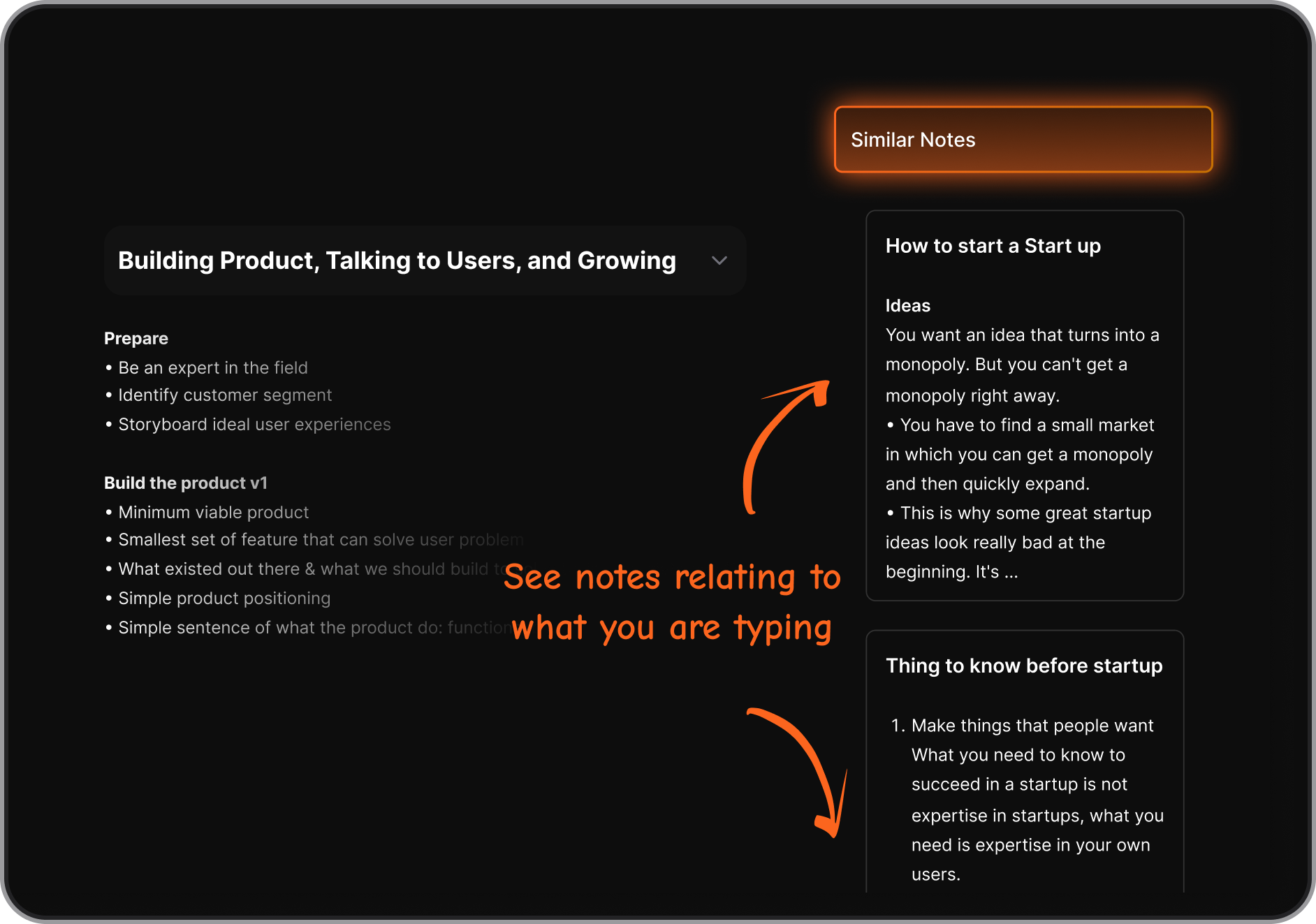
- Related Mems: Surfaces context automatically
- Mem Chat: A conversational AI assistant that summarizes, drafts, and pulls insights
- Templates: Save custom structures for recurring use like meetings or projects
Pros
- The AI feels useful - Mem can draft follow-ups, summarize meeting notes
- And the UI is not too much like Notion
Cons
- The folderless system takes some getting used to, especially if you're used to Notion or Evernote.
- It doesn’t support complex visual note organization like maps or heavy linking - so it may not suit hardcore PKM users.
- Some parts feel early-stage - onboarding could be smoother, and performance may dip with too many notes.
- You cannot chat with AI to manage your tasks, calendars or emails like with Saner.AI
Pricing
- Free plan with basic notes and search
- Mem X (premium) at $8/month for AI features
Suitable for
- Professionals, creatives, and small teams looking for the best AI note-taking app that organizes their thoughts without friction
How to start
- Just sign up for a free account at Mem.ai and start capturing notes. You can upgrade anytime for more AI and team features.
Mem.ai Reviews (Source)
"Mem is a fantastic implementation of AI in the note-taking space. Being able to generate content with an AI that's consistently trained on your content is great." - Tom Panos
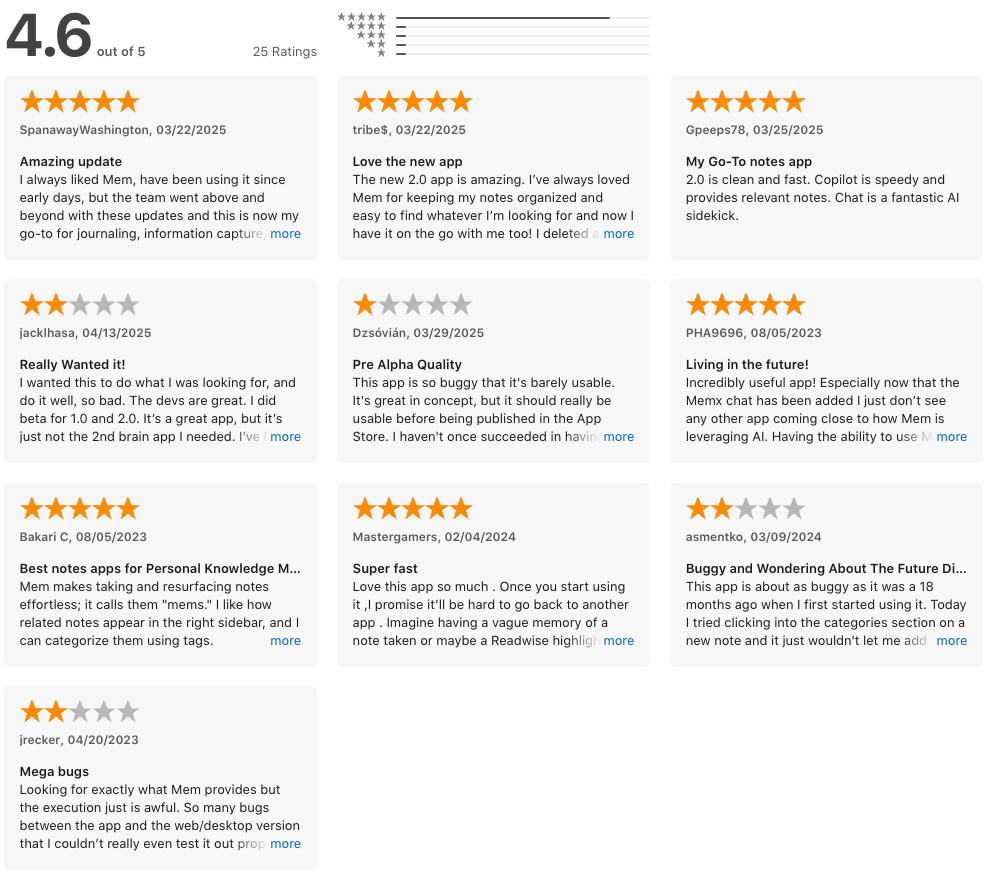
"Tagged items don't always appear when you search for that tag or in "collections" which are defined by tags. If it can work out the bugs and deliver on the promise of AI powered note-taking it'll be awesome, but at the moment it's a bit frustrating. The mobile experience has gone from un-useable to barely tolerable in the last couple of months. " - Matt Gelgota
4. Obsidian
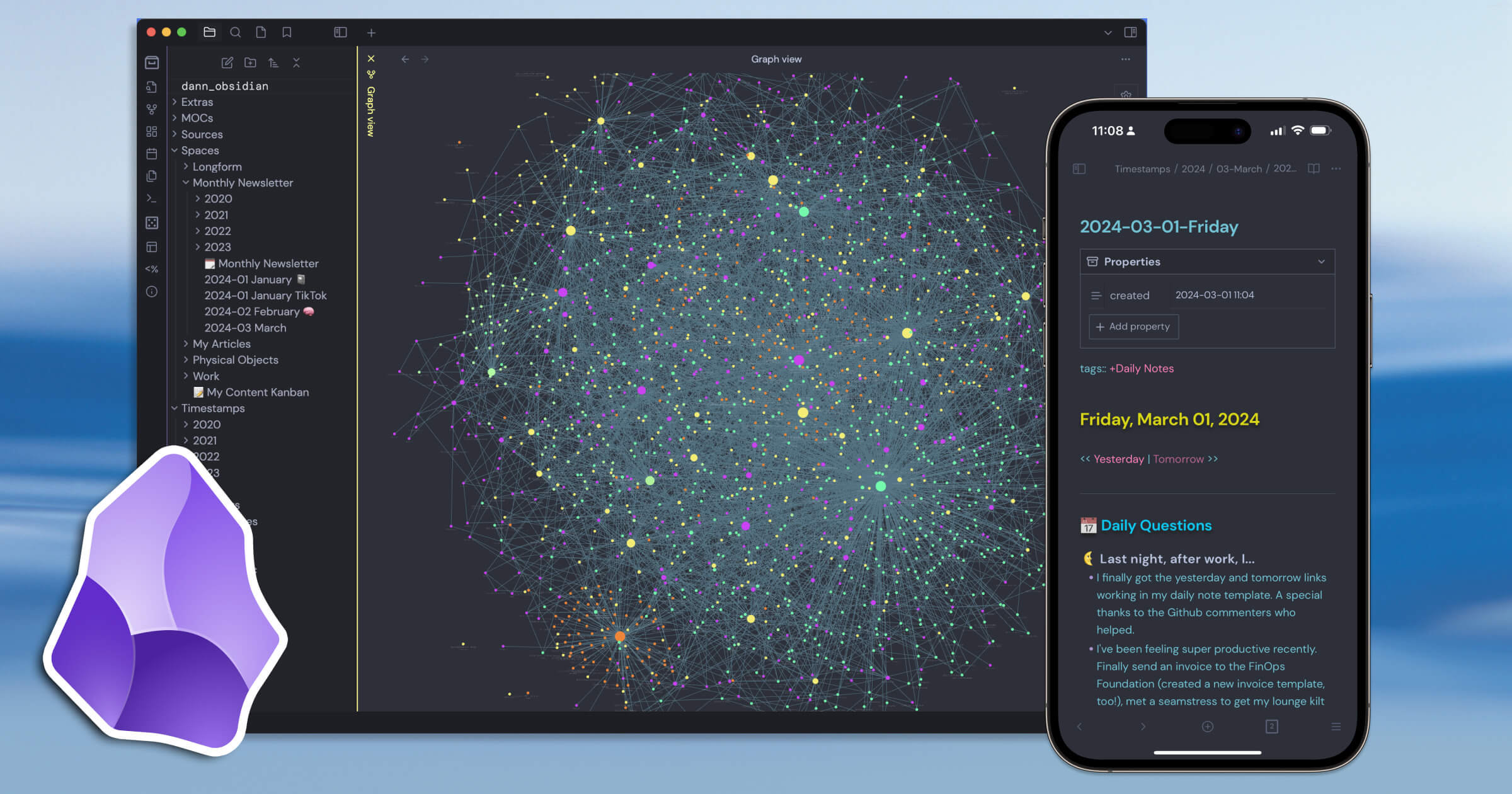
While the core app doesn’t include built-in AI, Obsidian earns its spot as one of the Best AI Note-Taking Apps thanks to its thriving plugin ecosystem. With the right setup, you can chat with your notes, auto-tag ideas, summarize long documents, and even run AI-powered search across your entire knowledge base.
Key Features
- AI Assistant Plugins: Add ChatGPT-style tools to summarize, generate, or query your notes
- RAG Workflows: Turn your vault into a vector-searchable knowledge base
- Auto-Tagging & Organization: Use plugins to detect and label topics automatically
- AI-Powered Flashcards & Spaced Repetition: Great for learners and knowledge workers
- Video/Web Summarization: Pull in content and get AI-generated summaries
- Local-First & Markdown-Based: Own your data, sync across devices if you choose
"The combination of local-first Markdown storage and the powerful graph view is unmatched. I love that I truly own my data—since every note is just a plain text file on my hard drive, I never have to worry about vendor lock-in." - verifed review
Pros
- I love how flexible Obsidian is
- Another thing I like is that everything is stored locally in simple Markdown files.
- It also plays well with other tools. With plugins like Templater or Dataview, you can automate note formatting, surface key ideas, and create smart dashboards that pull from AI-generated content.
Cons
- Obsidian doesn’t come with built-in AI out of the box
- "It can become overcomplicated if you start adding too many plugins. The software then takes longer to start up, which creates some unnecessary friction." - verified review
- Mobile AI support is also limited. While Obsidian runs on iOS and Android, many AI workflows are better suited to desktop for now.
- You cannot chat with AI to manage your tasks, calendars or emails like with Saner.AI
Pricing
- Free for personal use
- Sync service available at $8/month
Suitable for
- Professionals, researchers, and students who want an AI-enhanced note-taking app with full data ownership, customization, and community-powered tools. Especially great for power users who aren’t afraid to tweak settings and workflows.
How to start
- Download Obsidian from obsidian.md
- Create a vault
- Head to “Settings → Community plugins” and install any AI plugins that fit your needs
- Set up your LLM API key if required
Obsidian review (source)
"It's good in note taking, formatting, sharing notes, navigating your notes every single thing...This app is literally good at every single things possible." - Tasnimul Haque
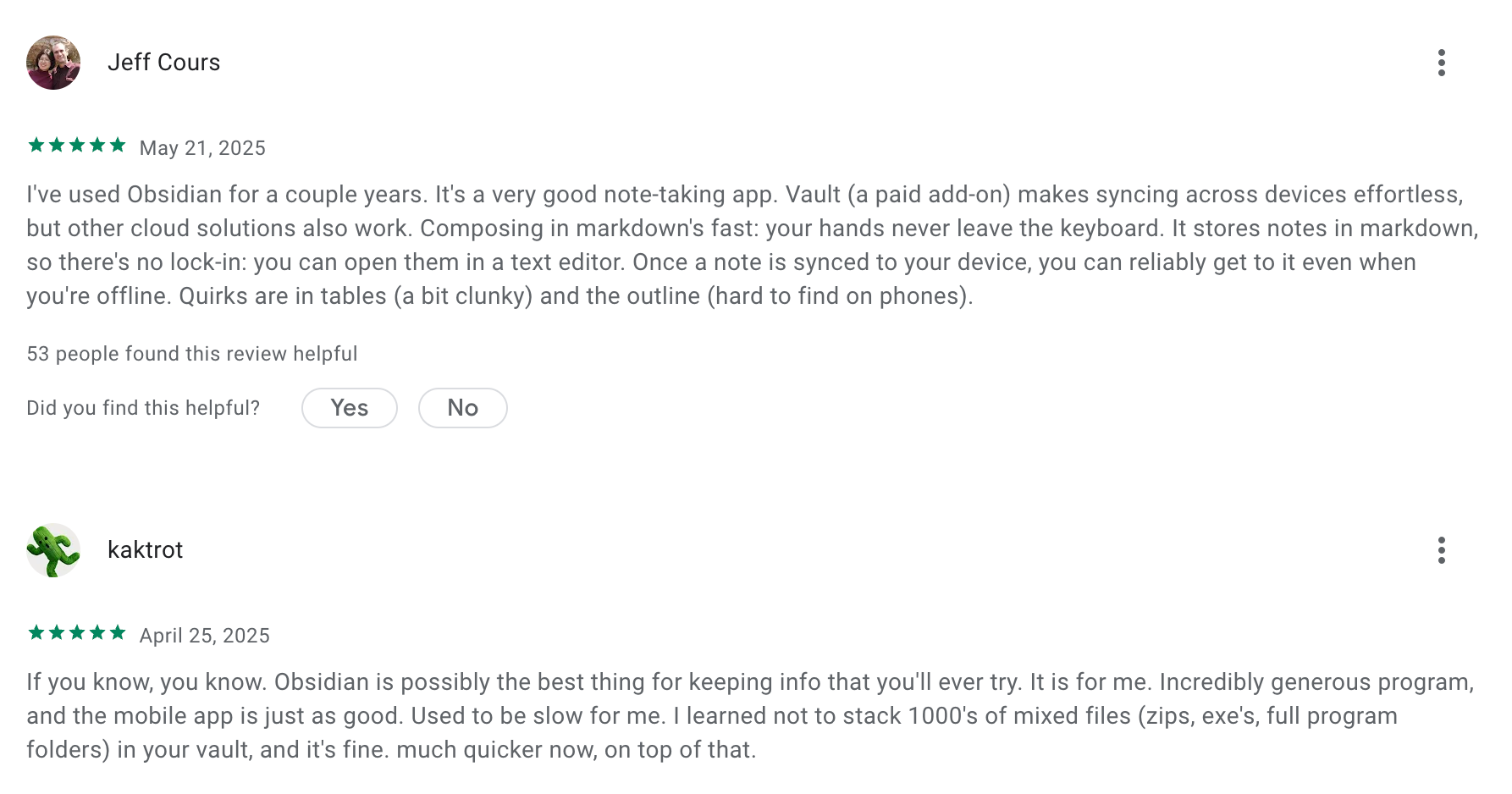
"I suffered from the sync issue. I bought the plan and still tons of storage. What I edit on my phone suddenly didn't sync with my other 2 devices. I had checked all the setting, even the activity logs stated the synce had done. But it still didn't sync at all. Very annoying for this." - Ming Le
5. Tana
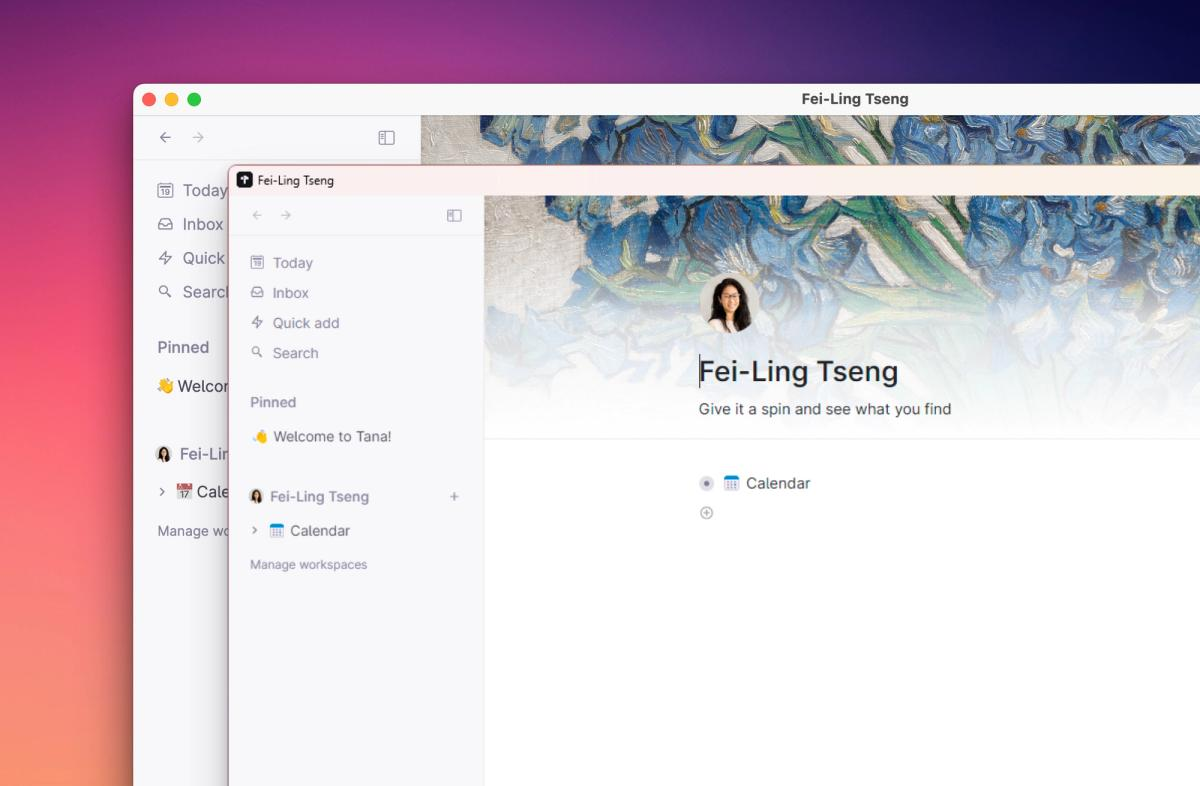
I’ve spent a few weeks using Tana as my primary AI note-taking app, and it’s unlike traditional textarea tools. At its core, Tana is a structured knowledge workspace where notes, tasks, projects, and relationships live in a dynamic graph instead of isolated pages.
Key feature
- The Supertags Architecture: Supertags convert everyday bulleted notes into actionable database entries by instantly applying predefined structural schemas and custom data fields.
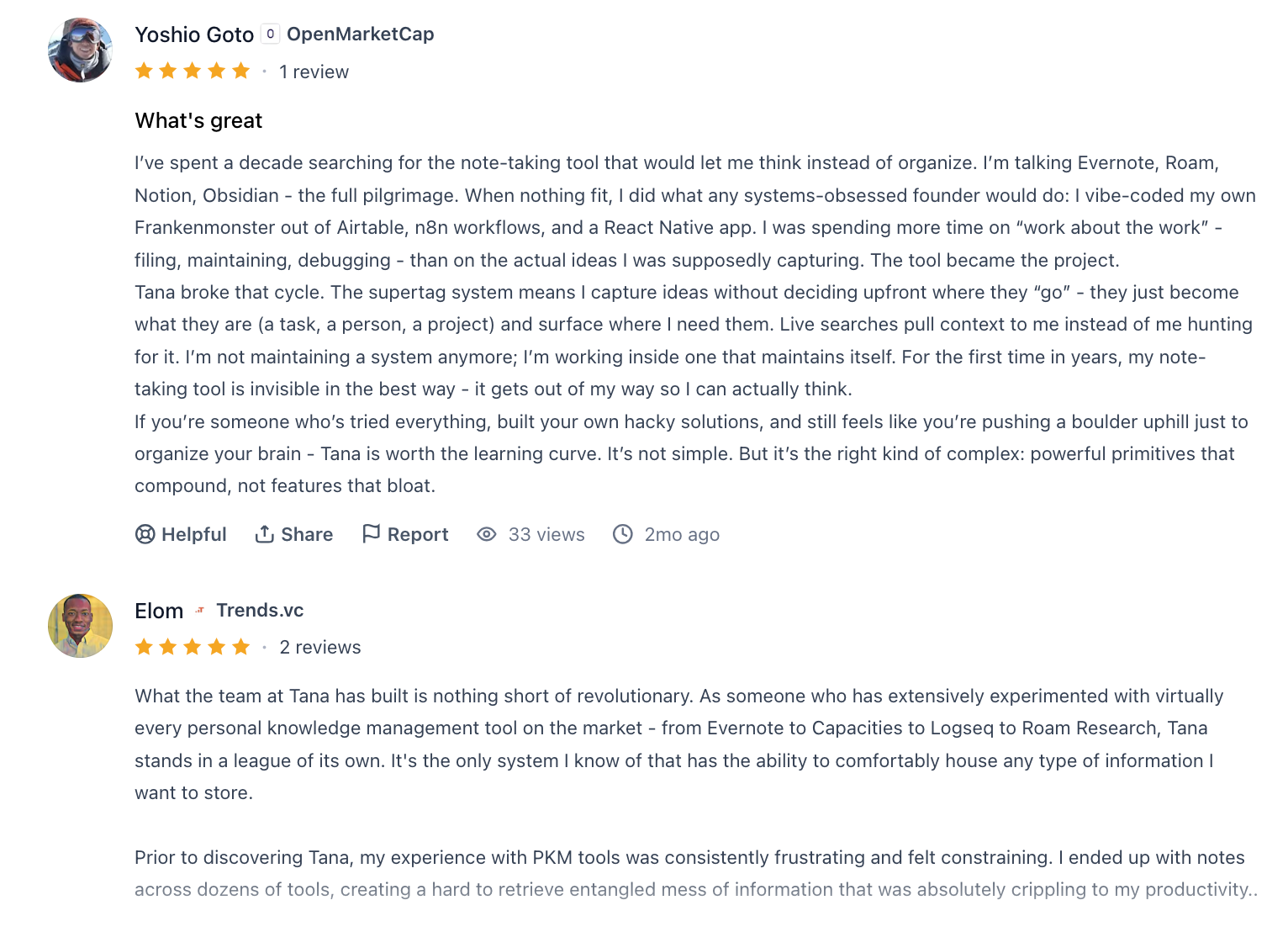
"The supertag system means I capture ideas without deciding upfront where they 'go' - they just become what they are (a task, a person, a project) and surface where I need them." – Verified Review
- Contextual AI Actions & Core Transcriptions: Tana’s AI assistant reads your notes, enabling meeting summaries, audio transcriptions, and automated workflow triggers without relying on clumsy external bots.
- Live Search and Queries: Tana pulls contextual data directly into your workspace by executing real-time structural queries across your entire graph
Pros
- Turning notes into rich, connected information feels powerful for long-term knowledge work.
- Summaries and actionable outputs from voice or text save significant time.
- You’re not trapped in a linear page hierarchy; everything reacts dynamically to your inputs.
- Quick entry from widgets means ideas don’t slip away—even on the go.
Cons
- Supertags and graph logic take real effort to master compared with simple note apps.
- The free plan’s AI credits and workspace limits mean serious usage almost requires paid tiers.
- While capture is smooth, deep editing on mobile feels weaker than desktop.
- If you build a complex system in Tana, leaving means exporting lots of linked content.
Pricing
- Free includes basic editor, 500 AI credits/month, limited workspaces.
- Plus: ~$8/month billed annually ($10 if monthly)
- Pro: ~$9/month billed annually ($17-18/mo monthly)
Suitable for
- Knowledge workers & researchers who want interconnected ideas, tasks, and resources in one place.
- People who use AI to augment their writing and meeting workflows.
- Project managers or founders juggling meetings, tasks, and long-term plans across contexts.
Tana reviews (source)
"Runs at the speed of your thought. It can be whatever you want it to be, from a digital bullet journal to a fully fledged AI workflow app." - Dani Comar.
"The mobile app is STILL missing essential functionality and Tana both admits this readily on Slack and says that there is nothing the can do about it for quite some time yet." - Aaronjbach
How to start
- Go to tana.inc and create a free account.
- Download the desktop app and mobile app (iOS or Android) to sync captures everywhere.
- Start with a few Supertags and your Daily Notes to see how Tana connects tasks, ideas, and meetings.
6. Supernotes
Supernotes is a fast, lightweight note-taking app built around a unique notecard format. The massive hype surrounding Supernote stems from its approach to artificial intelligence; instead of distracting users with automated chat widgets, it uses on-device AI to convert complex handwriting into text across dozens of languages.
Key features
- Notecard-style notes: Each card is capped at ~1,200 characters to promote clarity and avoid clutter
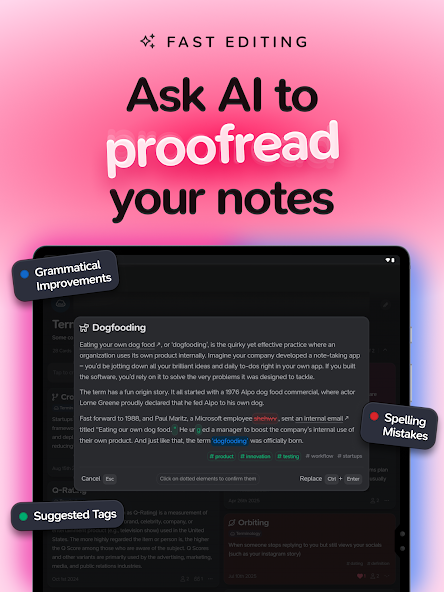
- AI Assist: Get grammar suggestions, typo fixes, and phrasing improvements without interrupting your flow
- Graph view: Visualize how your notes connect in both 2D and 3D knowledge maps
- Fast universal search: Use command-style search to jump between notes or toggle features instantly
- Real-time collaboration: Share individual notes or entire notebooks, editable by others with permission
Pros
- I liked how the notecard format nudges you to write better, not more.
- The AI is subtle but helpful
- Also, the app feels lightning fast. Notes load instantly, and the shortcuts make everything feel snappy and smooth.
Cons
- There’s a small learning curve with the markdown syntax - creating tasks or tags takes getting used to.
- If you’re looking for a full-featured AI assistant that chats, summarizes meetings, or schedules your day, Supernotes isn’t that.
- Some advanced features like offline collaboration or deeper task/project views are still limited compared to tools like Notion or Obsidian.
Pricing
- Free tier includes up to 100 notecards
- Monthly subscription starts at around $11
- Annual plan available with discounts
Suitable for
- Writers, students, PKM (personal knowledge management) fans, and anyone who wants a distraction-free, structured way to take notes and organize ideas.
How to start
- Sign up for a free Supernotes account, create a few cards, and explore features like tagging, linking, and AI suggestions.
- Upgrade if you need more cards or want priority support.
Supernotes review (source)
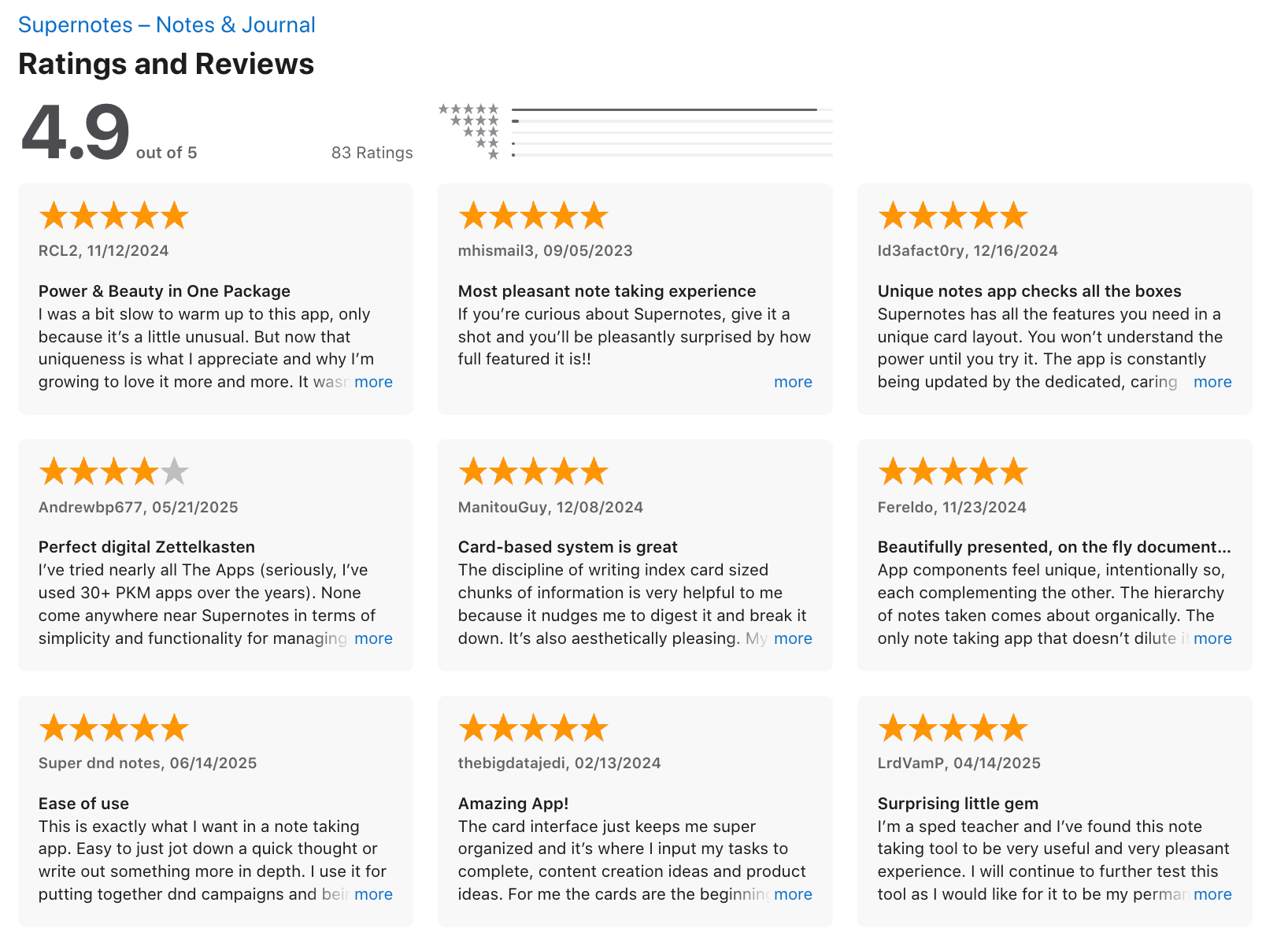
"This is what exactly what I want in a note-taking app. Easy to jot down a quick thought or write out something more in depth." - super dnd notes
"The initial space for the note is limited and there should be a way to either alert the writer that they reached the limit and then prompt to edit or continue as a journal entry which the app could then switch the note to a journal entry and the writer can then continue knowing that the note/journal entry will be saved." - L Laine
7. NotebookLM
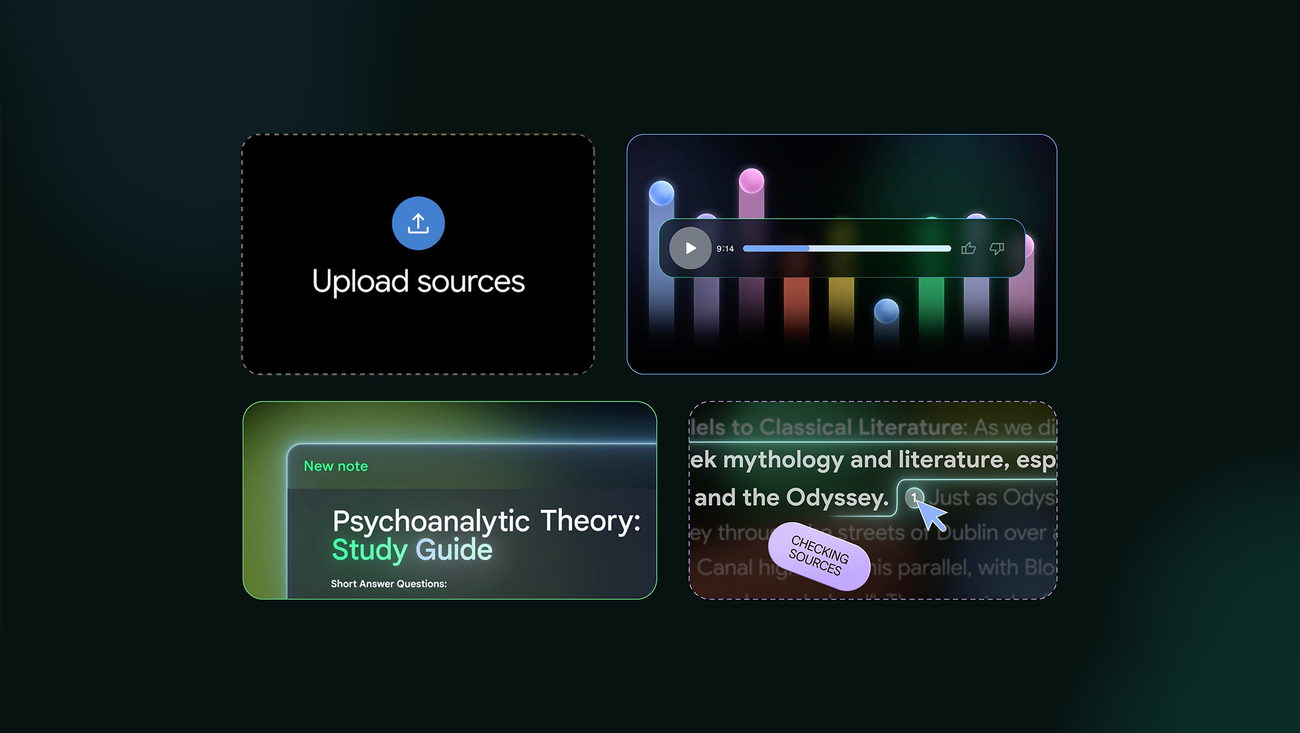
NotebookLM is an AI note-taking app by Google that turns your sources into a personal research assistant. You can upload PDFs, Google Docs, web articles, and more, then ask questions or generate summaries, timelines, study guides - even podcast-style audio overviews.
Key features
- Source-grounded AI: Answers and summaries are always backed by your uploaded content
- Audio Overviews: Converts your research into AI-generated podcast-style discussions
- Study Tools: Generates timelines, FAQs, study guides, and summaries from complex material
- Contextual Chat: Lets you ask questions and get answers directly tied to your documents
"NotebookLM does not simply extract a single sentence; it synthesizes information across paragraphs and across documents..." — Verified Review
- Cross-device support: Now available on desktop and mobile, with continued updates
Pros
- I like how it stays grounded - every answer is tied to something I uploaded
- The Audio Overview is also a unique feature. It feels like your notes are being narrated by two intelligent co-hosts, which is surprisingly engaging.
- It’s also incredibly fast and handles mixed media - like PDFs and web articles - better than most other AI tools I’ve tried.
Cons
- There’s not much built-in note organization—you can’t link concepts across notebooks like you can in tools like Obsidian.
- Mobile apps are available, but still missing a few features like full Google Drive import and discovery tools.
- You cannot chat with AI to manage your tasks, calendar, and emails like with Saner.AI
- "NotebookLM's magic fades fast once you try connecting dots across topics." — Verified Review
Pricing
- Free tier available with core features
- NotebookLM Plus is available via Google One AI Premium (for higher limits)
Suitable for
- Students, professionals, researchers, and writers who want an AI that works with their own materials. It’s especially great for those doing deep reading, synthesis, or preparing reports and presentations.
How to start
- Go to NotebookLM
- Sign in with your Google account
- Start a new notebook. Upload your sources, explore summaries or audio overviews, and chat with the AI to extract key insights. No setup needed.
NotebookLM review (source)
"I consider the NotebookLM web app to be the best educational tool available. You can convert any web pages or documents you select into a very engaging video or podcast that provides an explanation of the subject." - Josef H
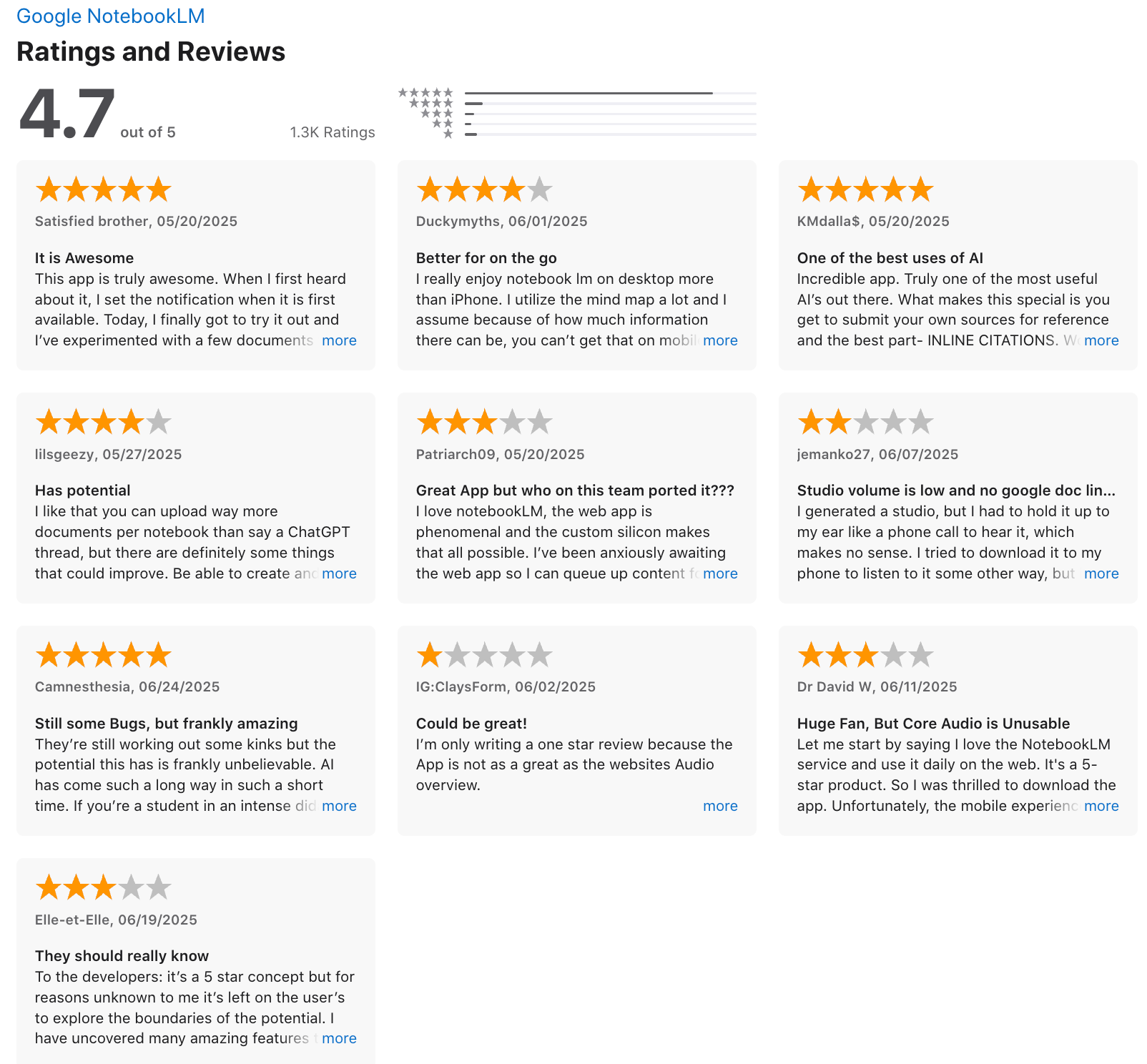
"Terrible UX. You spend 10 minutes writing a long prompt...you go to another tab and come back to Google notebook tab and the prompt is gone..." - Hugh Gee
Final Thoughts: What Is the Best AI Note-Taking App in 2026?
The truth? There isn’t one single “best AI note-taking app” for everyone in 2026 — because not everyone thinks, plans, or works the same way.
But here’s the real pain point most people don’t admit: We don’t struggle with taking notes. We struggle with turning notes into clarity, priorities, and action.
That’s where Saner.AI stands out.
Instead of acting like a digital filing cabinet, it behaves more like a calm, context-aware assistant. You just write things down naturally such as messy thoughts, tasks, meeting notes, and it organizes, connects, and surfaces what matters. No complex folders. No over-engineering your system.
It’s proactive without being overwhelming.
So how should you choose?
Try 2–3 tools from different categories (structured workspace, AI research assistant, proactive task manager).
Test them in real scenarios - meetings, planning sessions, content drafts, weekly reviews.
Pay attention to how you feel after using them.
If a tool helps you feel clearer, less scattered, and more in control of your day, that’s your best AI note-taking app.
And if what you want is an AI that doesn’t just store your notes, but helps you think and act on them - start with Saner.AI.
Stay on top of your work and life with the best AI Note-taking app in 2026
FAQ: Best AI Note-Taking Apps
1. What is an AI Note-Taking App?
An AI note-taking app is a tool that uses artificial intelligence to help you capture, organize, and retrieve your notes faster - without manually tagging or sorting everything yourself.
Think of it as a smart assistant built into your workspace. You can search using natural language, get automatic summaries, or even have it turn your thoughts into tasks.
Popular options include:
- Saner.AI – Ideal for task-focused users and ADHD-prone professionals
- Notion AI – Great for collaborative docs and structured databases
- Obsidian + AI plugins – Perfect for knowledge graph enthusiasts
- NotebookLM – Built by Google for summarizing large info sets
- Mem, Supernotes – Lightweight tools for personal thinking
2. How are AI Note-Taking Apps better than traditional tools?
AI tools do more than just store your notes. They think with you. Here’s how they improve your workflow:
- Smart search: Find what you meant, not just exact keywords
- Auto-summarization: Get the key points from long docs instantly
- Task extraction: Notes with action items? AI turns them into tasks
- Natural input: Talk or type like you would to a human—no need for rigid formats
3. What’s the best AI note-taking app for ADHD users?
Saner.AI is designed with ADHD brains in mind. It minimizes context switching and helps users stay focused by:
- Organizing notes, tasks, and calendar in one place
- Suggesting what to do next, instead of relying on willpower
- Turning thought dumps into actionable plans with gentle reminders
4. Can AI apps help me find old notes easily?
Yes - this is one of their biggest strengths.
AI note tools like Saner.AI use semantic search, meaning you can ask things like:
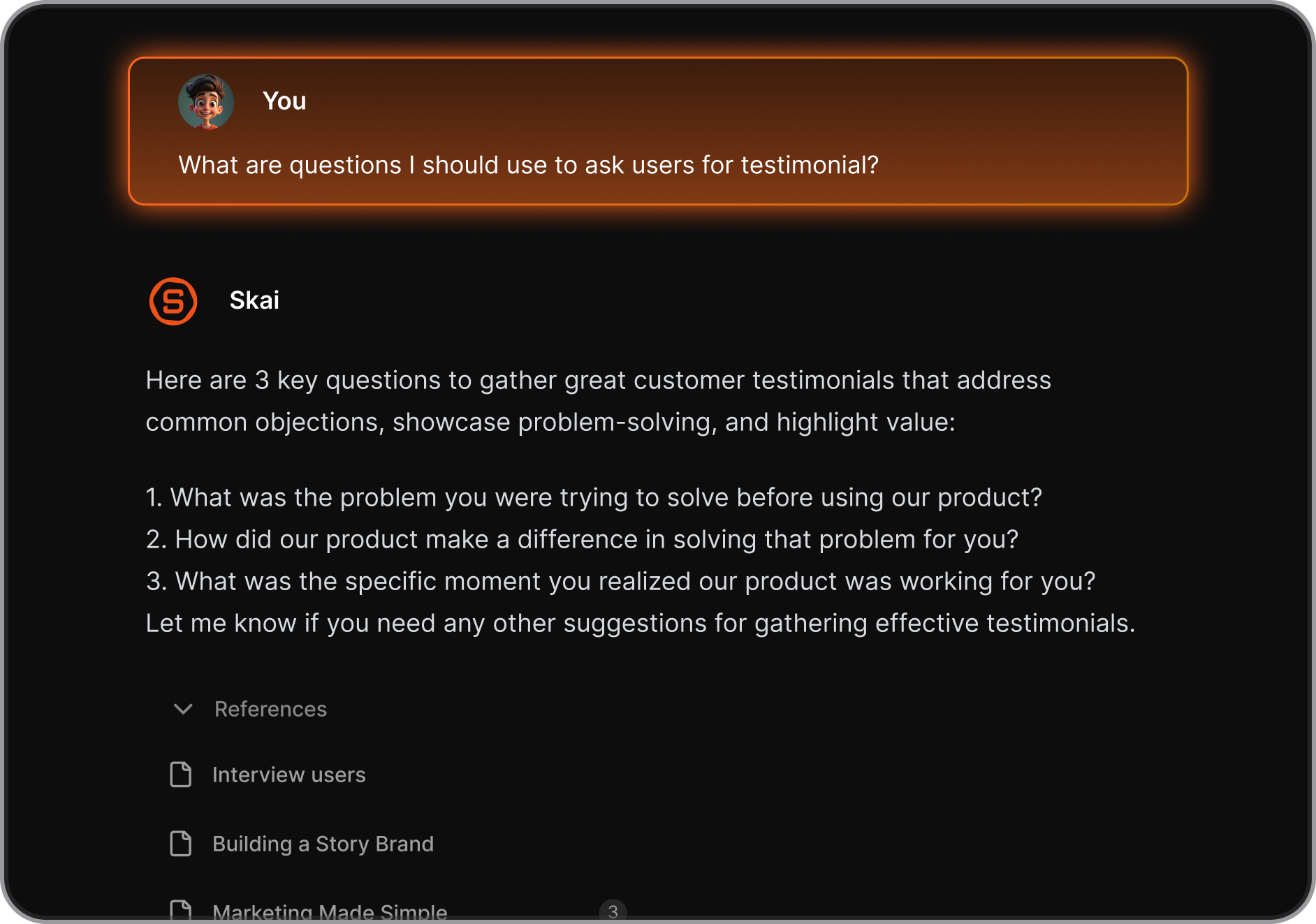
- “What did I say about my Q2 strategy?”
- “Find the research from last week’s meeting”
Even if you forgot the exact words, they’ll pull up what you need.
5. Are there free AI note-taking apps?
Most tools offer generous free plans. Here are a few:
- Saner.AI – Free tier includes AI reminders, natural language search, and calendar sync
- NotebookLM – Free for now via Google Labs
6. Which AI note apps help with daily planning?
If you want help managing your day, try:
- Saner.AI – Builds a smart day plan based on your notes, tasks, and schedule
Saner stands out for users who want their notes, calendar, and task list to work together seamlessly.
7. Can AI note-taking tools turn thoughts into tasks?
Yes, and it's a game changer.
With tools like Saner.AI, just type or say:
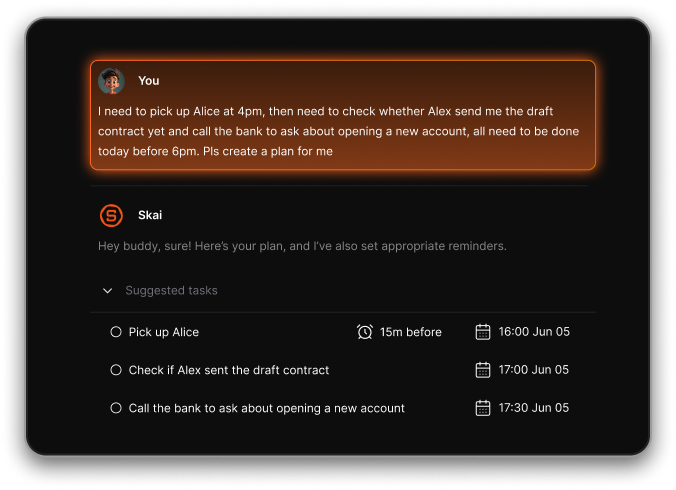
- “Remind me to follow up on the marketing plan tomorrow”
- “This idea is for the Q4 campaign—make it a task for next week”
It auto-generates tasks and slots them into your calendar.
8. What’s the best AI note-taking app for professionals?
Professionals juggling multiple priorities love:
- Saner.AI – Combines notes, email, tasks, and planning in one assistant-like interface
- Obsidian (with AI) – Great for long-form knowledge building
- Notion AI – Ideal for teams who document everything
Saner helps you do the work, not just store information.
9. Can AI help with meeting notes?
Absolutely. AI-powered note apps can:
- Summarize meeting transcripts
- Extract key decisions and to-dos
- Create follow-up tasks automatically
With Saner.AI, you can ask:
“What did we decide in yesterday’s sync?”
and it pulls up relevant notes and pending tasks.
10. Which AI note-taking app is best for entrepreneurs?
Entrepreneurs love Saner.AI because it:
- Turns brain dumps into structured action plans
- Keeps investor convos, team updates, and personal notes in one space
- Plans the day automatically, based on your inputs and priorities
You move fast - Saner helps your notes keep up.
11. What about executives and team leads?
Executives often deal with high information volume. A good AI note-taking app should:
- Organize decisions, meeting notes, and OKRs
- Surface important follow-ups without you digging
- Act like a chief of staff for your brain
Saner.AI excels here by connecting dots across tasks, notes, and meetings.
12. Can AI tools replace traditional productivity apps?
Not entirely - but they simplify the stack.
Instead of juggling 5 apps (calendar, to-dos, docs, notes, reminders), one smart tool can:
- Understand your messy inputs
- Connect related info across apps
- Suggest what matters most, when it matters
If traditional tools are filing cabinets, AI note apps are smart assistants.
13. Do AI note-taking apps support voice input?
Some do. Quick breakdown:
- Saner.AI – Yes, supports voice-to-task and voice input for notes
- ChatGPT / Gemini – Voice available via browser or mobile
- Notion AI – No native voice, but can be paired with voice-to-text
14. Can AI note apps help with writing?
Yes - many have built-in writing help. For example:
- Saner.AI – Summarizes notes, generates responses, drafts plans
- ChatGPT – Excellent for generating content or rewriting
- Notion AI – Great for outlining and brainstorming in collaborative docs
15. What’s the easiest way to try one?
Start simple:
- Pick a free tool like Saner.AI or ChatGPT
- Add a few notes or thoughts from your day
- Ask: “What should I focus on today?” or “Summarize this note”
Once you feel the benefit, you can build a system around it.
Stay on top of your work and life with an AI Note-taking app



