We Tested 6 Best AI Organization Tools in 2026

6 Best AI Organization tools to become more productive
Many of my friends, who are good at their jobs, still spend half their day feeling like they're losing. Most of them struggle with having too many tools, and those tools don't talk to each other.
With AI advancements, I decided to test the leading platforms over several weeks, tracking which ones actually changed how the day flows and which ones just added another login to manage.
For example, Saner.AI pulls your notes, tasks, and emails into a single workspace where its built-in AI assistant automatically organizes everything without you touching a folder or tag.
We'll look at how each tool can help you become more organized in each aspect of work, like project management, meeting notes organization, presentation making, or simply day-to-day planning
Key insights
- The right pick depends on how your work is structured. Solo knowledge workers, meeting-heavy teams, and automation-first operators each need something different
Quick guide: 6 best AI organization tools in 2026
- Saner.AI: Works best for knowledge professionals who want one AI place for notes, tasks, and emails - no manual sorting required
- Asana AI: Built for teams that need structured project tracking with AI-generated work summaries and reporting built in
- Reclaim.AI: Made for people who want their calendar to schedule itself around priorities, habits, and focus blocks
- Fathom: Records, transcribes, and summarizes meetings so nothing discussed gets lost once the call ends
- Zapier: The connective layer between apps lets you build automated workflows without writing code
- Notion AI: Brings AI writing, summarization, and Q&A directly into the workspace that many teams are already using
How we chose the best AI organization tools
We evaluated each platform against the problems that actually slow people down day to day:
- Organization depth: Does it actually help you get organized?
- Integration range: How well does it work with the apps already in your stack - Gmail, Slack, Google Calendar, Zoom?
- Learning curve: How quickly can a new user get real value from it before needing an onboarding session?
- Solo vs. team fit: Is it designed for individual workflows, collaborative team projects, or both?
- Pricing vs. output: Is there a usable free tier, and does the paid plan justify the cost for a small team?
Now, let's dive in!
What are the best AI Organization tools in 2026?
Best AI Organization tools in 2026 are: Saner.AI, Asana AI, Reclaim.AI, Fathom, Zapier, Notion AI
🧠 Best AI Organization Tools in 2026
| 🧰 Tool | 🎯 Best For | ⚙️ Key Features | 💰 Pricing (2026) |
|---|---|---|---|
| Saner.AI | AI-first personal organization | Natural capture (“just write”), auto-organized tasks & notes, daily planning, ADHD-friendly workflow | Free; Paid ~$8–16/mo |
| Asana AI | AI-powered team project management | Smart task creation, workflow automation, summaries, project insights | Free; Paid from $10.99/user/mo |
| Reclaim.ai | AI time & calendar optimization | Smart scheduling, auto time-blocking, habit planning, calendar sync | Free; Paid from $8/mo |
| Fathom | AI meeting assistant | Record, transcribe, summarize meetings, auto-highlight key moments | Free; Paid from ~$19/mo |
| Zapier | Workflow automation (no-code AI) | Automate workflows, connect apps, AI actions, triggers & integrations | Free; Paid from $19.99/mo |
| Notion AI | All-in-one workspace with AI | AI writing, summarization, task + doc management, knowledge base | Free; AI add-on from $10/mo |
1. Saner.AI - Note, Task Management & One app for your Knowledge Management
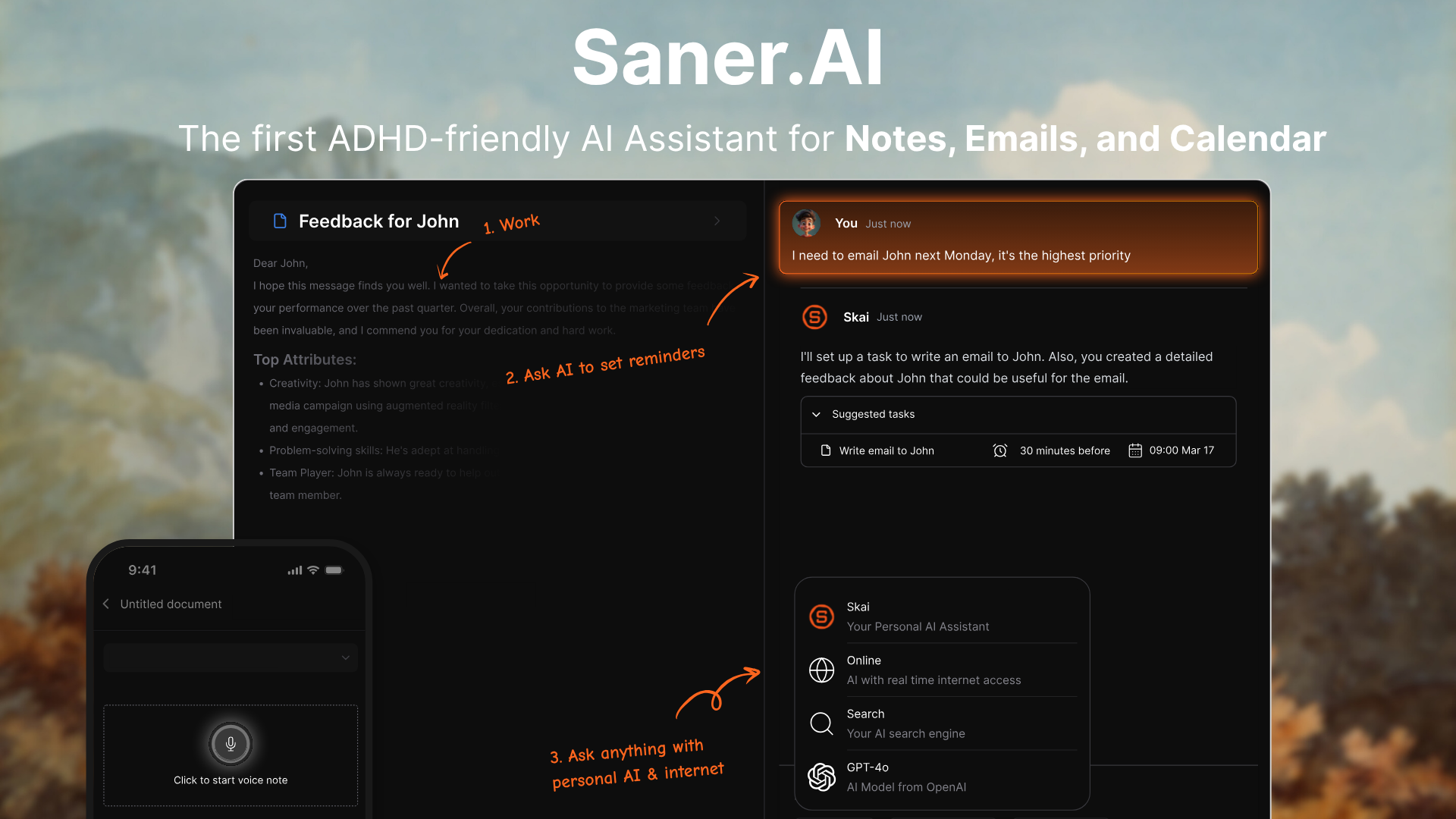
Saner.AI is a personal AI assistant built for knowledge workers and people with ADHD who are drowning in scattered notes, overflowing inboxes, and too many tasks. The pitch is simple: stop organizing manually and let the AI do it.
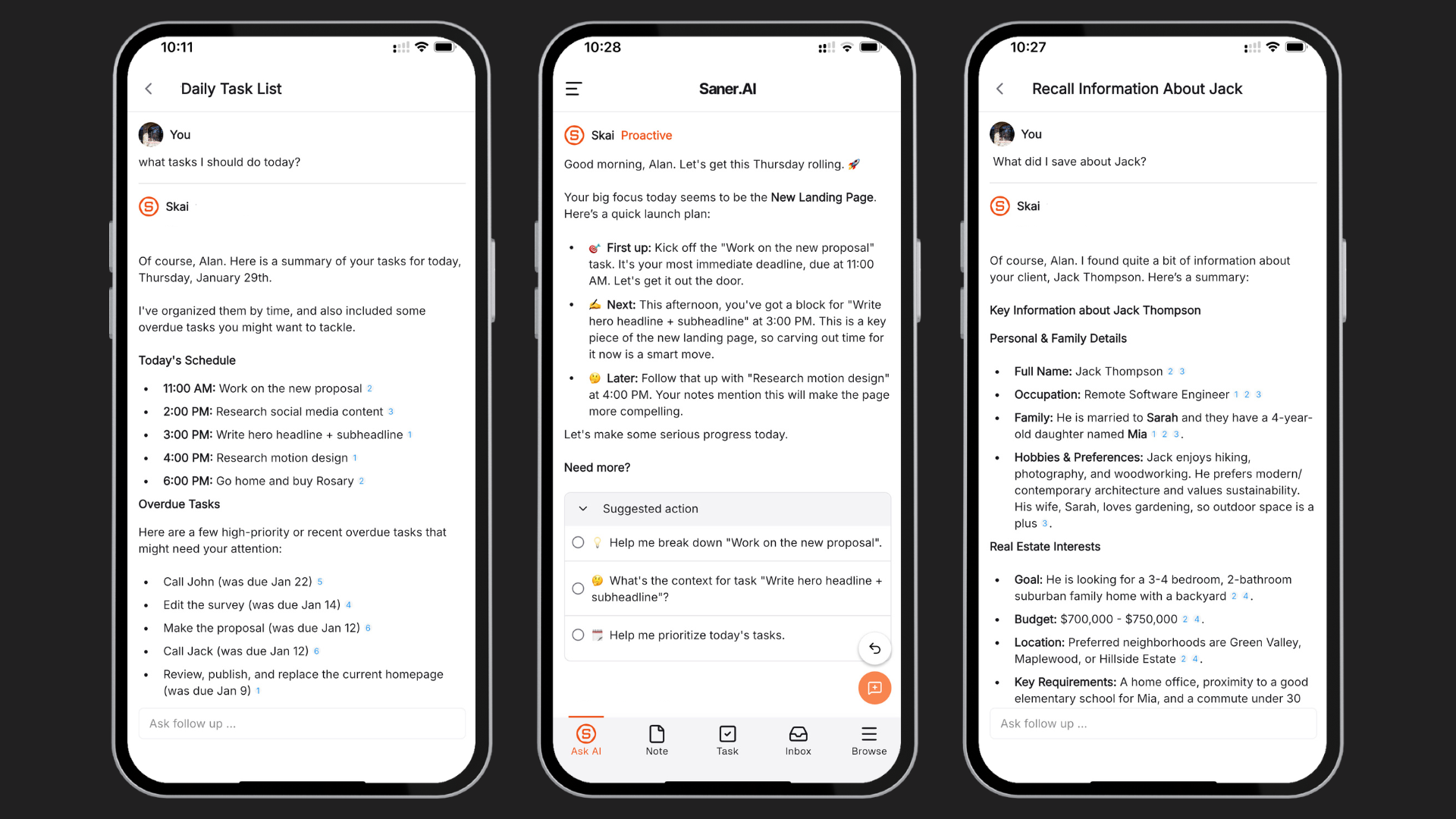
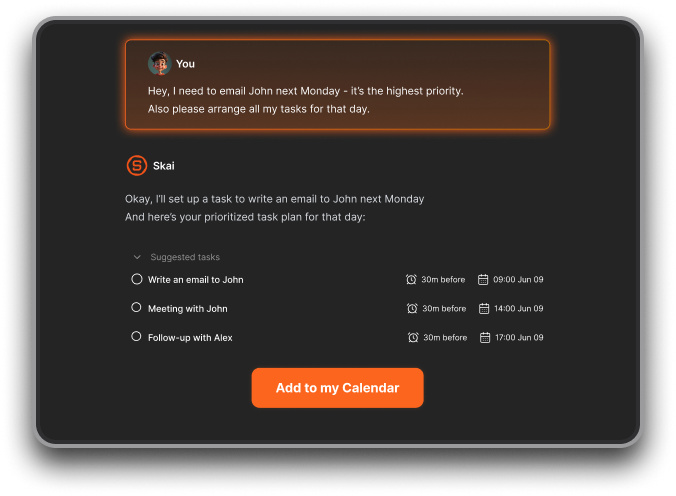
At the center of the product is Skai, Saner's own AI assistant. Skai answers questions about your own knowledge and plans your day
Key Feature
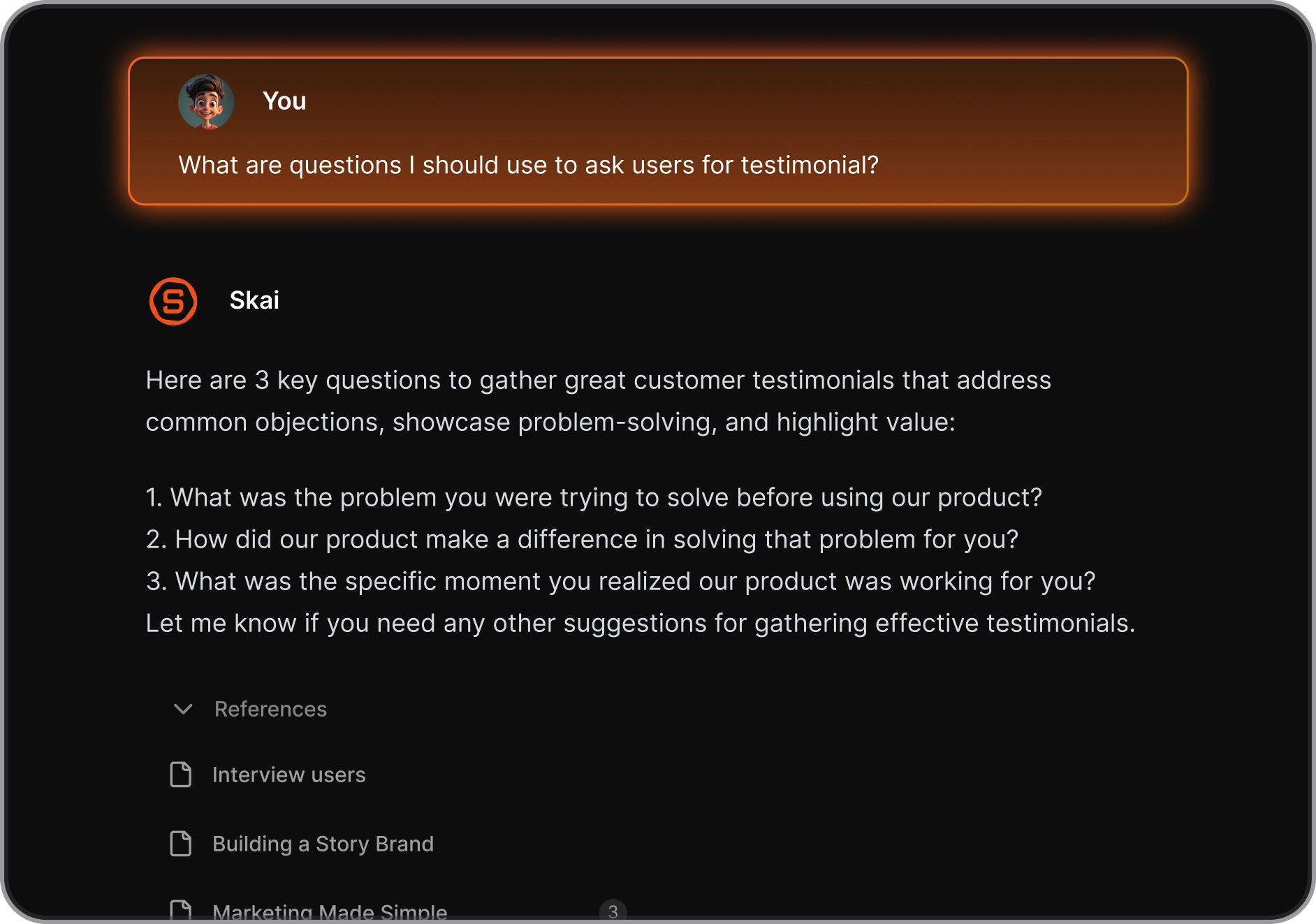
- Most apps in this space bolt on a chat window and call it AI. Skai is different in that it focus on managing your work. You can ask it what you were working on last Thursday, request a summary of a topic you've been tracking, or have it parse a brain dump into a clean task list.
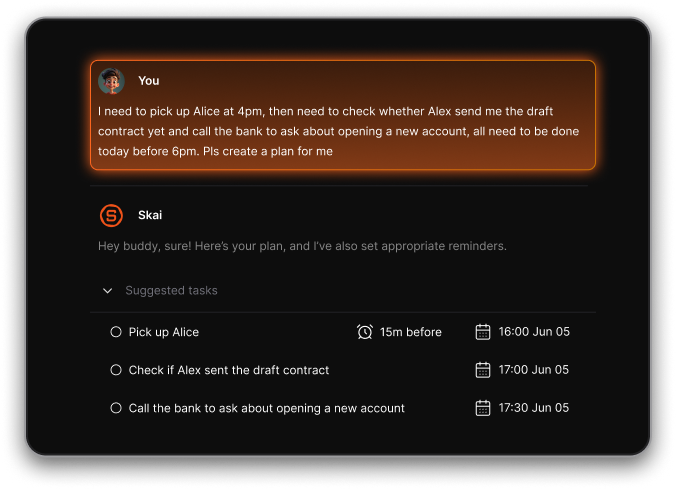
- Instead of needing the exact word you used when saving a note, Saner's search understands what you're looking for. Type a question in, and it finds the answer from across your notes.
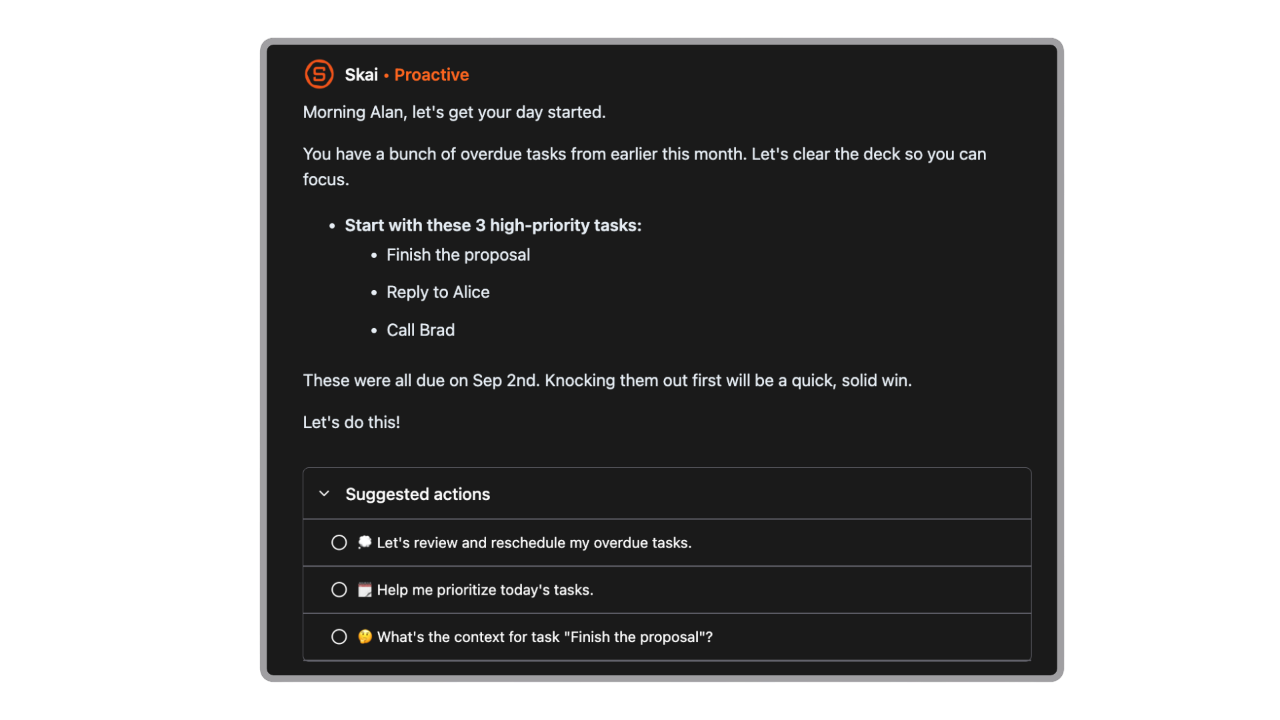
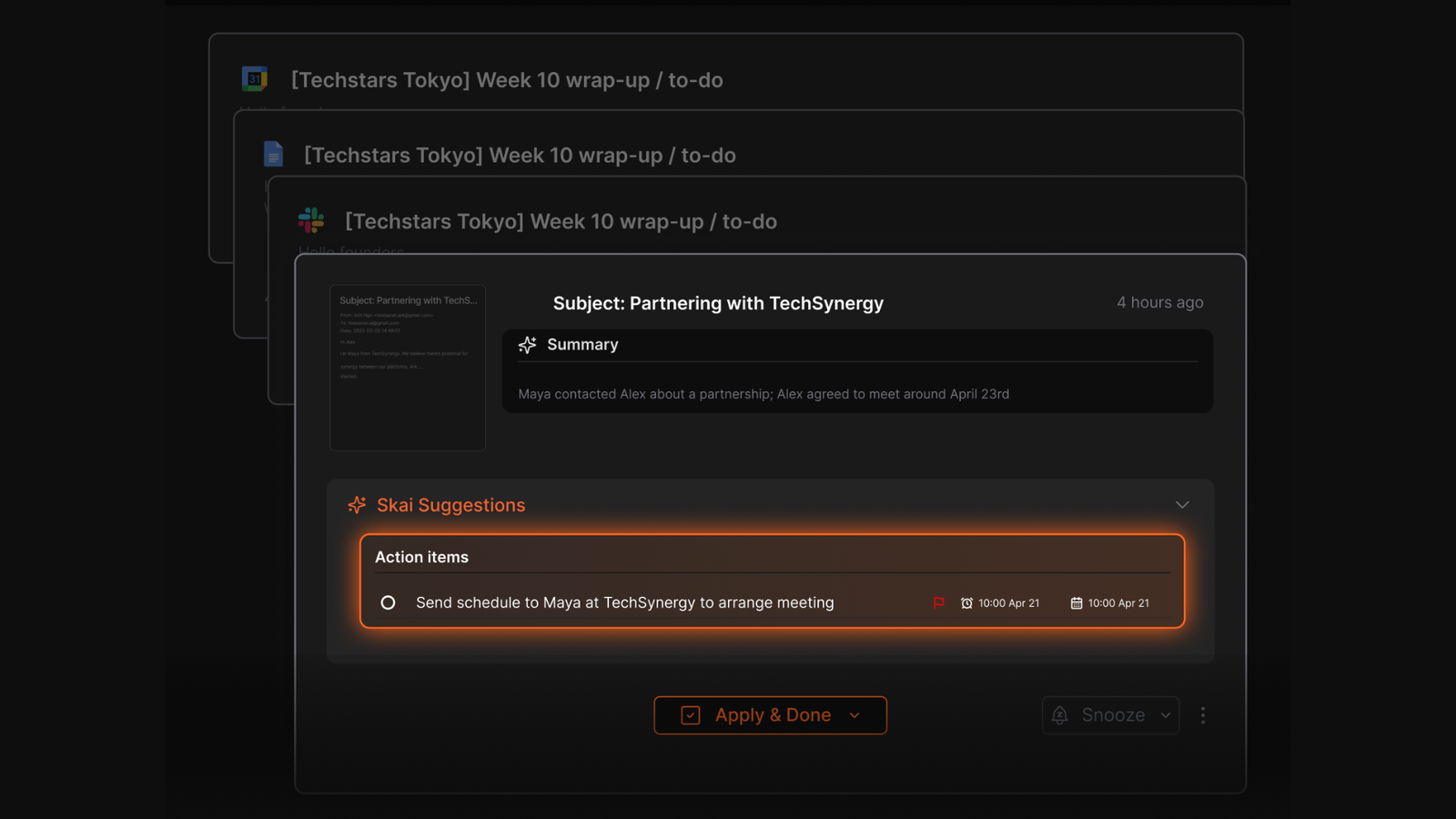
- Proactive day plan: Skai gives you an optimal schedule each day, and automatically reminds you of important tasks
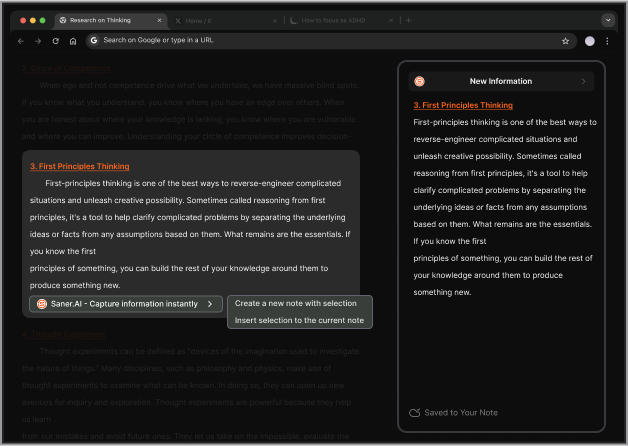
- The extension lets you clip content from any webpage without switching tabs. It opens as a side panel, so you stay in your browser while saving the note.
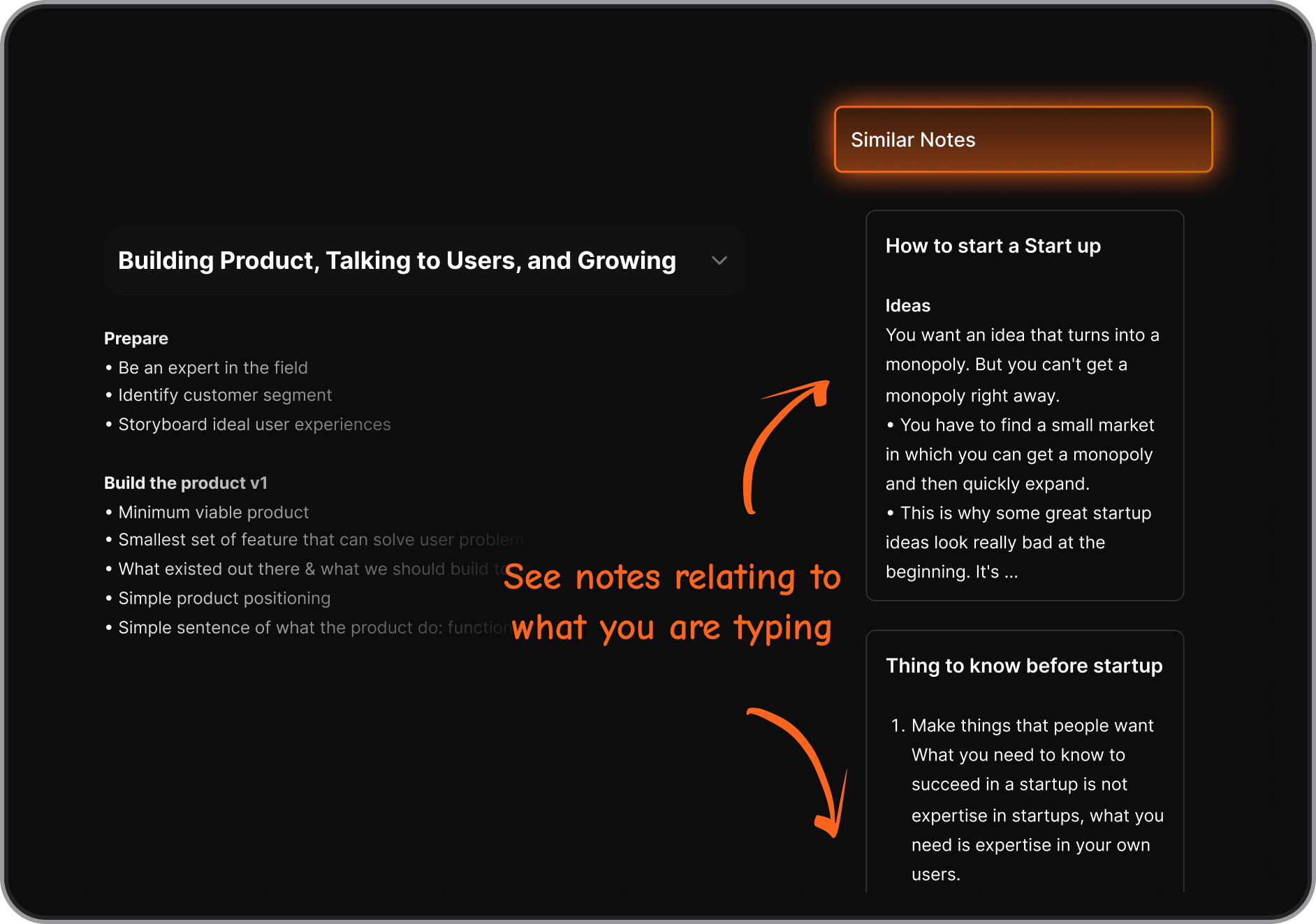
- Every note you capture gets tagged and categorized by Skai without you doing anything. The system also builds connections between related notes over time.
- Saner connects to Gmail, Google Drive, Google Calendar, and Slack. Tasks get pulled in from emails automatically. Calendar events appear alongside your notes. Everything stays searchable from one place.
Pros
- Clean interface; not visually overwhelming
- Auto-sort daily planning based on what you've noted
- "Skai (the AI) instantly parses it into a clean to-do list, suggests realistic due dates if I don't specify, and asks for confirmation on timings. One tap, and everything's added to my tasks." — Apple App Store reviews
- Low learning curve, useful from day one, no database setup required
- "I was impressed that saner.ai answers questions based on my own knowledge through Skai." — Product Hunt reviews
Cons
- Saner is currently a solo tool
Best for:
- Knowledge workers who accumulate notes across many places and spend too long finding things
- People with ADHD who want automatic organization rather than manual filing systems
- Entrepreneurs and freelancers managing multiple projects without a team behind them
- Researchers, writers, or consultants who need to query their own knowledge base fast
Pricing Table
| Plan | Monthly (billed monthly) | Monthly (billed annually) | Free Trial | Free Version |
|---|---|---|---|---|
| Free | $0 | $0 | — | ✅ Yes |
| Starter | $12/month | $8/month ($96/yr) | Yes | ❌ |
| Standard | $20/month | $16/month ($192/yr) | Yes | ❌ |
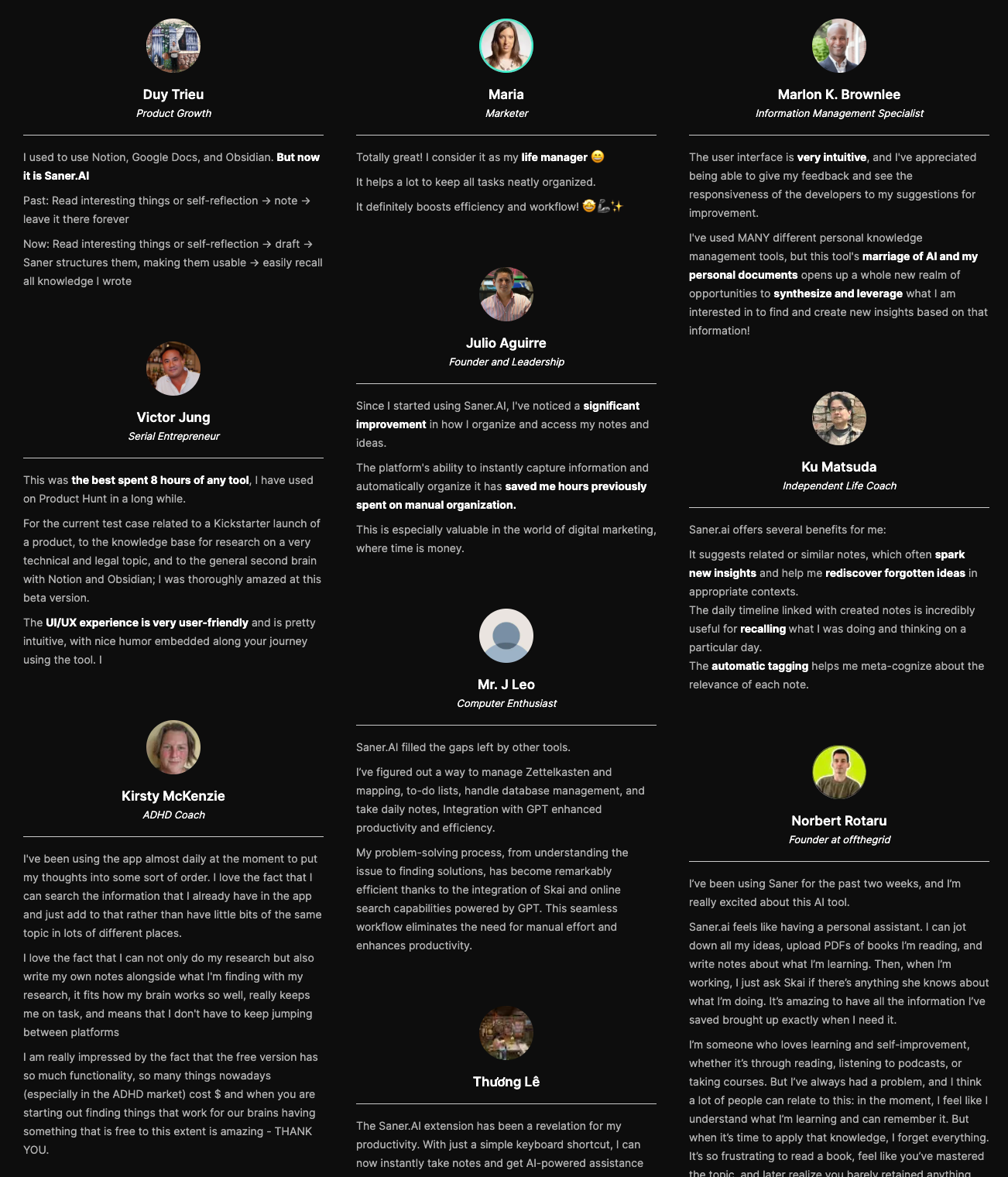
Saner.AI reviews (source)
How to get started
- Create an account on saner.ai, then start to input your task

Stay on top of your work and life
2. Asana AI - Project tracking & Prioritization
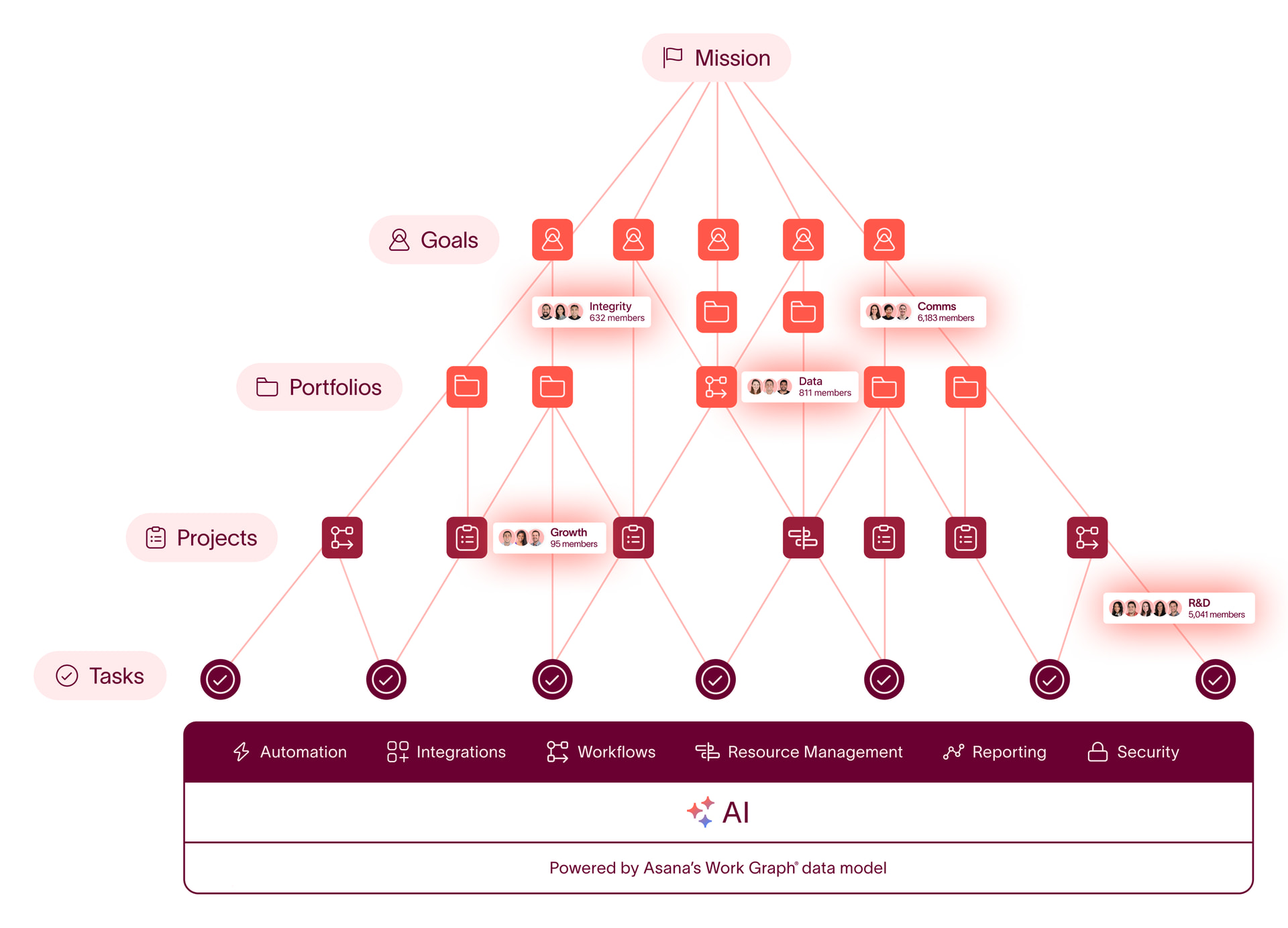
Asana AI helps summarize work, suggest next steps, and reduce manual coordination. I still created projects, tasks, and timelines, but AI helped me understand progress faster and remove small repetitive steps like writing updates or organizing information.
Key features
- I could instantly generate summaries of tasks, projects, or updates.
- It helps suggest next steps, priorities, or missing pieces in a workflow, which reduces manual planning effort.
- Instead of writing reports from scratch, AI can draft updates based on actual project activity.
- I can ask questions about projects (like blockers or deadlines), and it surfaces relevant information quickly.
Pros
- Saves time on reporting, updates, and coordination
- "We use Asana for a variety of things, one of the main use cases is our Product and Development Team using Asana for project management and idea submissions." – verified reviews
- "The interface is user-friendly, and features like automated workflows and visual timelines make managing complex projects much simpler." – verified reviews
- Improves visibility across projects and teams
- Helps reduce manual thinking for routine planning tasks
Cons
- "The mobile app doesn't offer the same functionality as the desktop version, which can be limiting when managing complex projects on the go." – verified reviews
- "One downside to using Asana is that it doesn't support assigning work to a large group of individuals very well.." – verified reviews
- "There are no real incentive, gamification, or nudging features, so there is little in the platform itself that motivates users to take action beyond just looking at the numbers." – verified reviews
- Less useful for solo users with simple workflows
- Some AI outputs still need review or editing
Pricing
- Free plan available (basic features, no advanced AI)
- Starter plan: around $10.99/user/month (billed yearly)
- Advanced plan: around $24.99/user/month (billed yearly, includes AI features)
Who it’s best for
- Teams managing complex workflows and multiple projects
- Marketing, product, and operations teams need visibility and coordination
- Businesses looking to optimize productivity without changing tools
Asana review (sources)
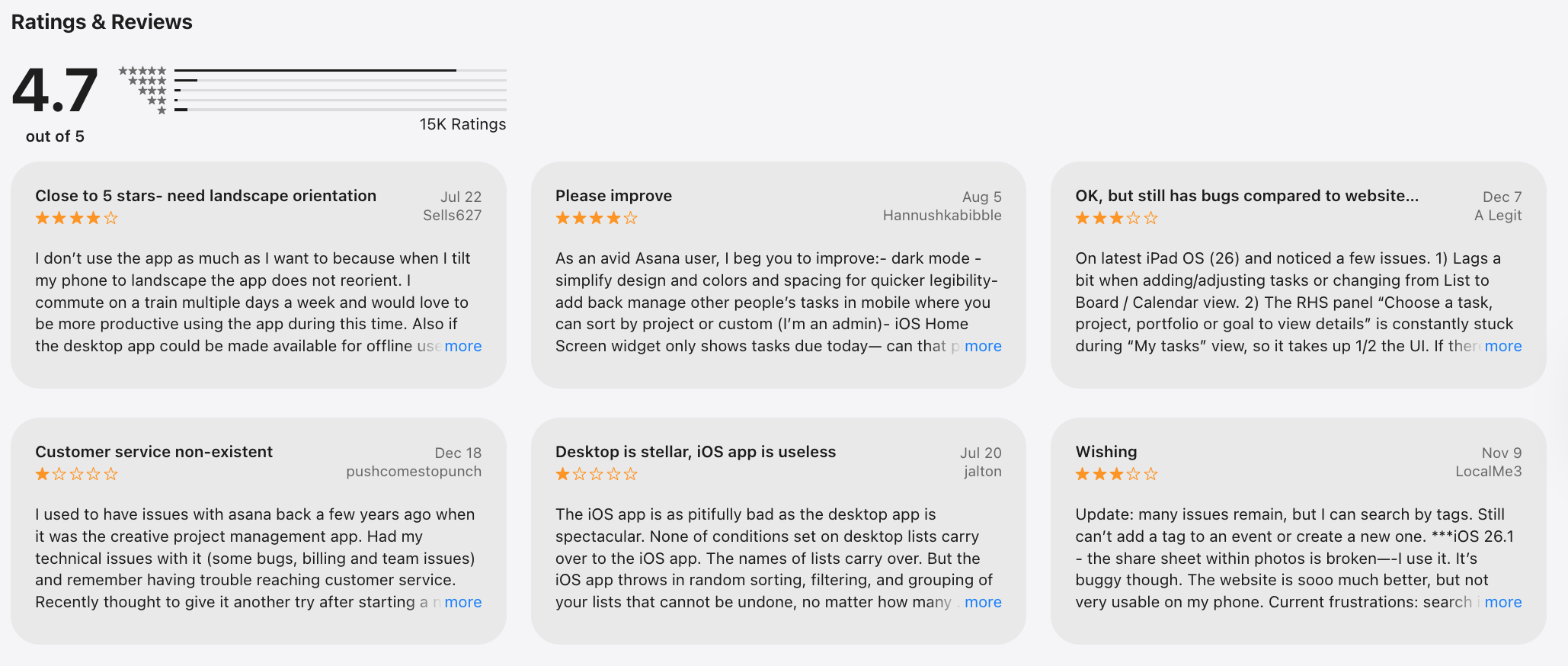
"Asana is really helpful for planning work and managing tasks. Everything is well organized and easy to follow. It helps me stay productive and focused. Overall, it’s a great app for work and teamwork." - Maisarah Asri
"Doesn't provide the same task grouping functionality as the website, and the web interface is a pita to use on a phone." - Henry Bevan
How to get started
- Go to Asana
- Create a workspace and set up your projects
3. Reclaim.ai - AI time blocking & scheduling
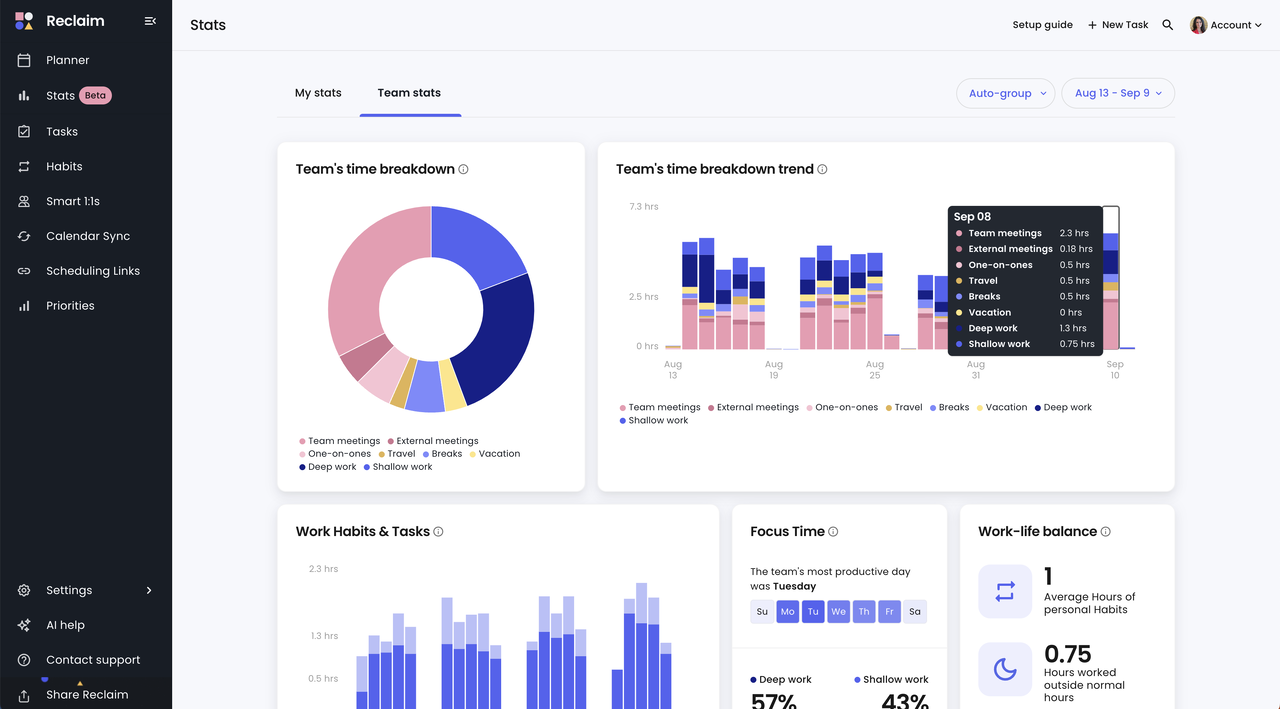
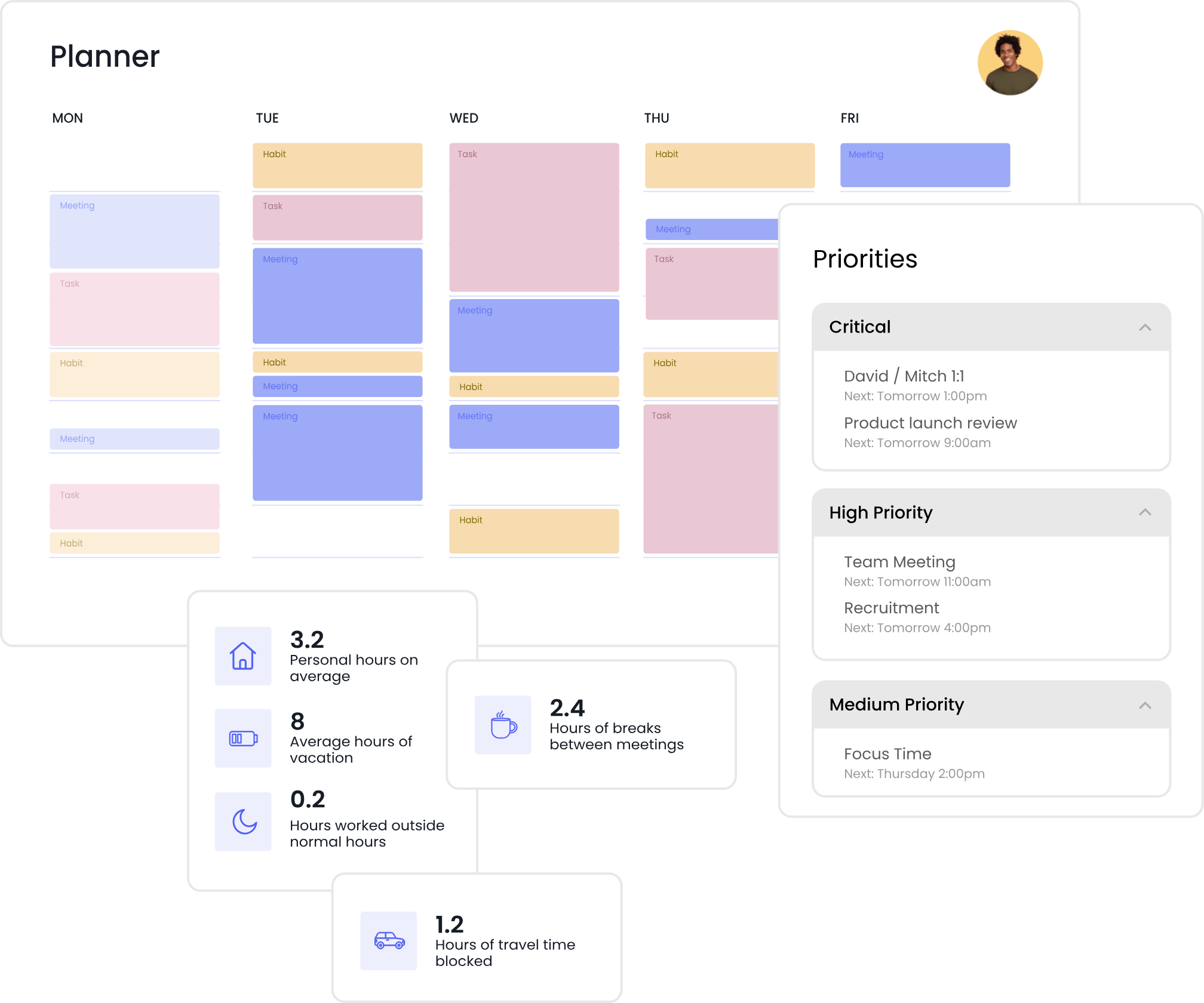
Reclaim AI is an AI scheduling and time management tool, what stood out is how it connects tasks directly to your calendar. It automatically finds time for tasks, moves things when conflicts come up, and protects time for focus.
Key features
- I could add tasks with deadlines, and Reclaim automatically schedules them into my calendar.
- It protects focus time by blocking slots for deep work, habits, or routines
- I can set recurring habits (like workouts or planning time), and it intelligently fits them into my week without conflicts.
- It syncs with Google Calendar and updates everything in real time
Pros
- Removes the need to manually plan your day or week
- Helps ensure tasks actually get done, not just listed
- Adapts automatically when priorities or meetings change
- Great balance between structure and flexibility
- "Reclaim.ai really helps me focus on what needs to get done, when it needs to get done. My day is considerably more productive now" – verified reviews
Cons
- Works best if you rely heavily on Google Calendar
- Can feel unfamiliar if you’re used to manually controlling your schedule
- "Even after deleting my account it did not delete the events it created in the calendar. Had to manually delete everything it created. Huge waste of my time" – verified reviews
- Requires accurate task input to work effectively
- Less useful for note-taking or knowledge management
- "The pricing for personal use is high, and the free version is very limited. You can have only 1 habit" – verified reviews
Pricing
- Free plan available (limited features)
- Starter plan: around $8/month (billed yearly)
- Business plan: around $12/user/month (billed yearly)
Who it’s best for
- Professionals managing busy schedules and multiple priorities
- People who struggle to turn tasks into actual time blocks
- Teams that want better visibility into time and workload
- Anyone looking for AI organization tools in 2026 to optimize productivity and workflow
Reclaim.AI Reviews (source)
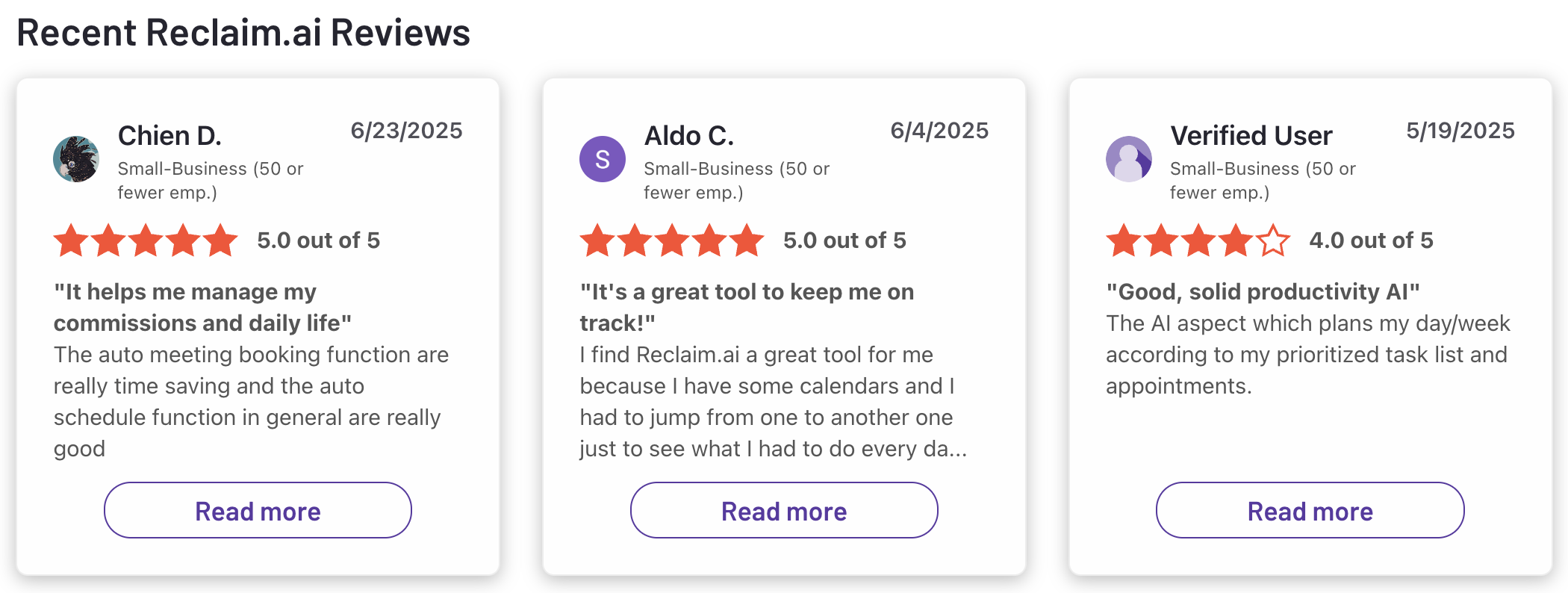
"Absolutely love Reclaim.ai! This is my third year subscribing and as a solopreneur and mum, it has helped me sync family commitments as well as work, but also helped me to focus and increased my productivity." - Zehra Jagani
"Keeps putting random and irrelevant events I to my Google calendar even after uninstalling it from my account." - Josh
How to get started
- Go to Reclaim AI
- Connect your Google Calendar
- Add tasks and habits, then let the AI schedule your time automatically
4. Fathom AI - Meeting notes & summaries
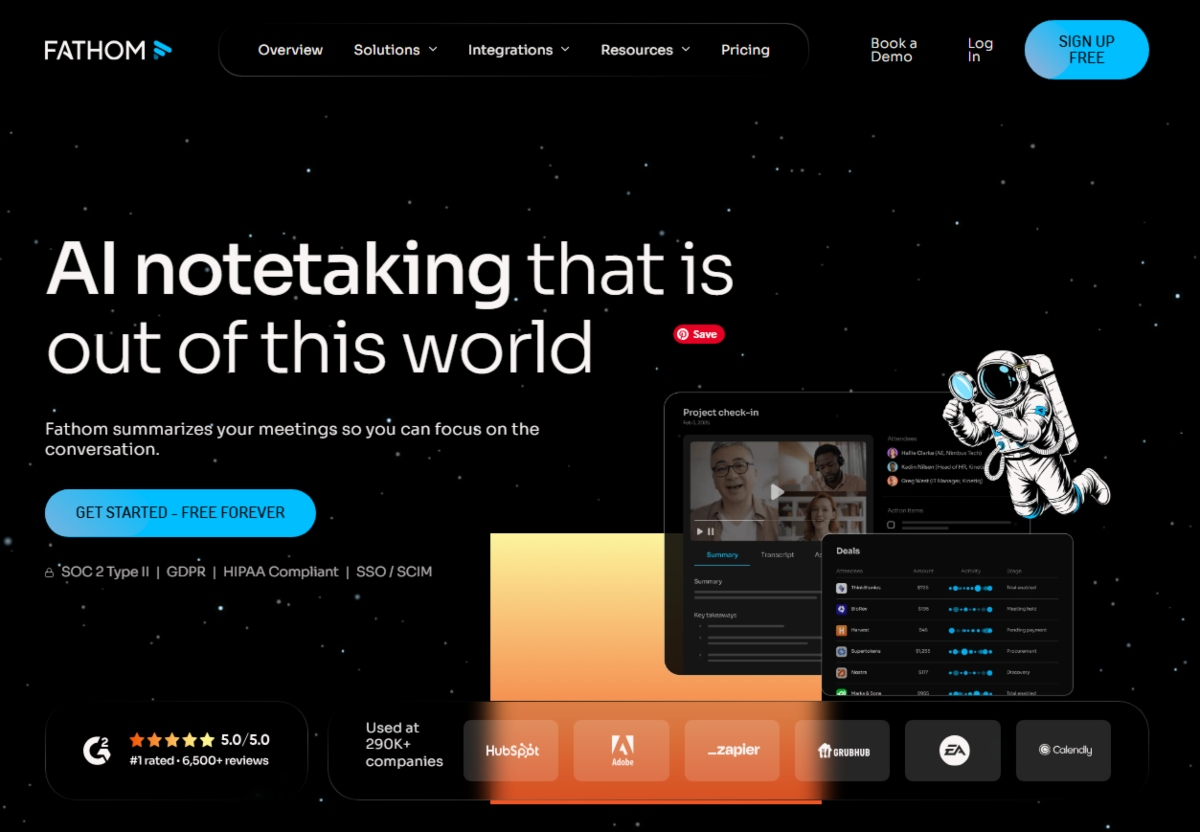
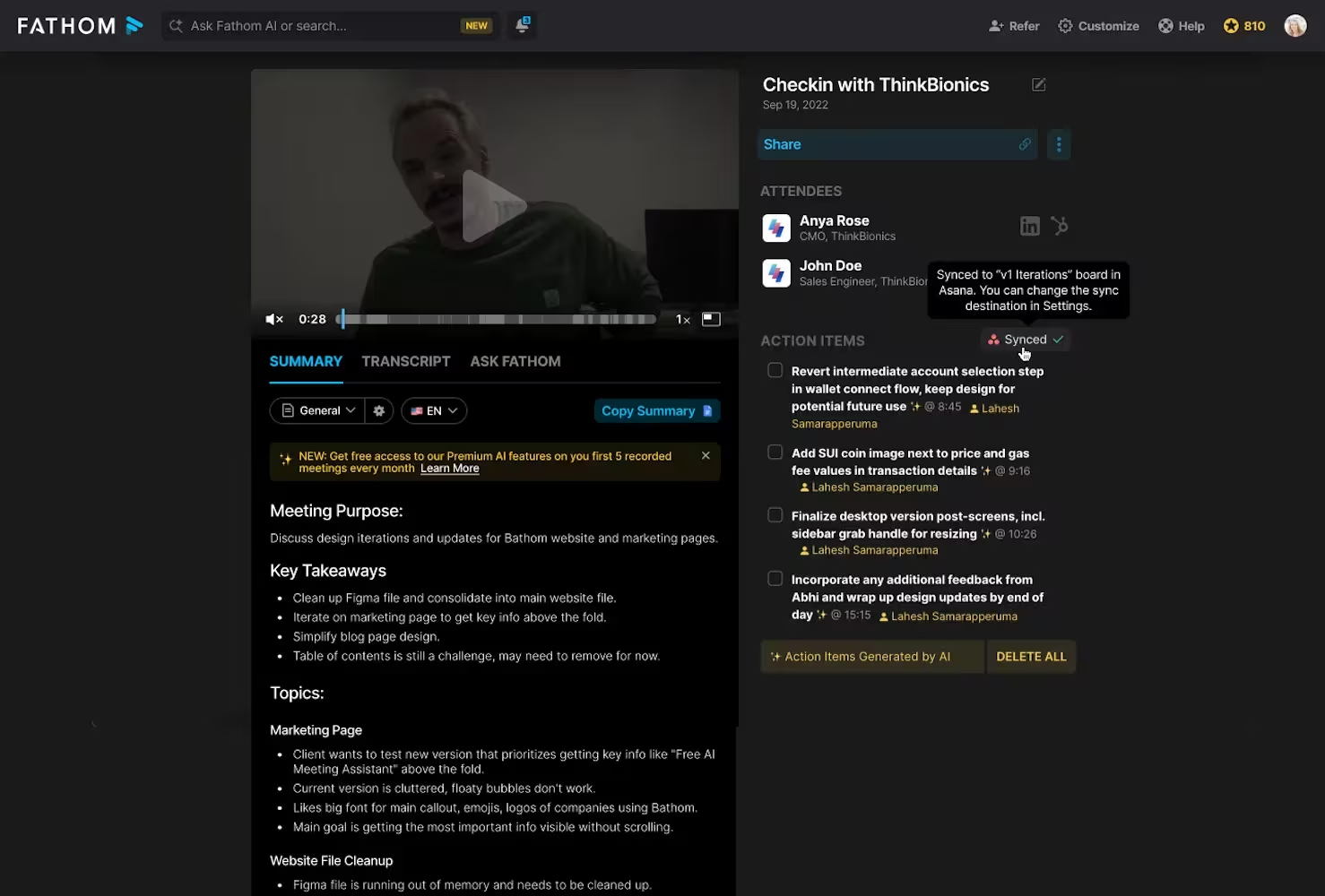
I tested Fathom as an AI meeting assistant, and it’s designed to automatically record, transcribe, and summarize meetings, mainly on Zoom. After each call, I get summaries, key points, and action items without doing anything manually.
Key features
- It joins meetings (especially Zoom) and records everything with accurate transcripts.
- After the meeting, it creates structured summaries with key points and highlights.
- Action item detection: It identifies next steps and decisions from the conversation, helping me turn meetings into actual tasks.
- It can push meeting insights into tools like CRMs or Slack, which helps keep workflows connected without manual updates.
Pros
- Saves a lot of time by removing manual note-taking
- "I don't have to frantically scribble notes during meetings anymore. I'm sent an accurate, straightforward to-do list in my recap email after every meeting!" – verified reviews
- "Fathom helps remember and keep track of the myriad conversations on Zoom. It interacts seamlessly and then emails me a summary of the conversation." – verified reviews
- "It's highly accurate, easy to use, and provides excellent insights that go beyond just transcription." – verified reviews
- Makes past meetings searchable and easy to revisit
Cons
- "I don't like the presence of the bot as a video attendee on the main screen. It's distracting, particularly in one-on-one meetings because I'd rather be looking at people on the screen." – verified reviews
- "Quite a lot of mistakes in the meeting summary, more than acceptable." – verified reviews
- "There is no app version of this AI Notetaker. An app version would make it easier to record in-person meetings without a PC present." – verified reviews
- Some features are more useful for teams than individuals
- Requires getting used to reviewing AI summaries instead of notes
Pricing
- Free plan available (core recording + transcription features)
- Paid plans: typically around $15–$29/month per user
- Team/Business plans available with higher-tier features
Who it’s best for
- Professionals who spend a lot of time in meetings
- Sales, customer success, or remote teams
- Managers who need clear meeting records and follow-ups
Fathom Reviews (source)
"Helps me keep track of my meeting notes and action items are clearly defined for me and my clients post-meeting." - Dylan Denlinger
How to get started
- Go to Fathom and connect your Zoom account
- Let it automatically join your meetings
- Review summaries and action items after each call to stay organized
5. Notion AI - Knowledge base & decision docs
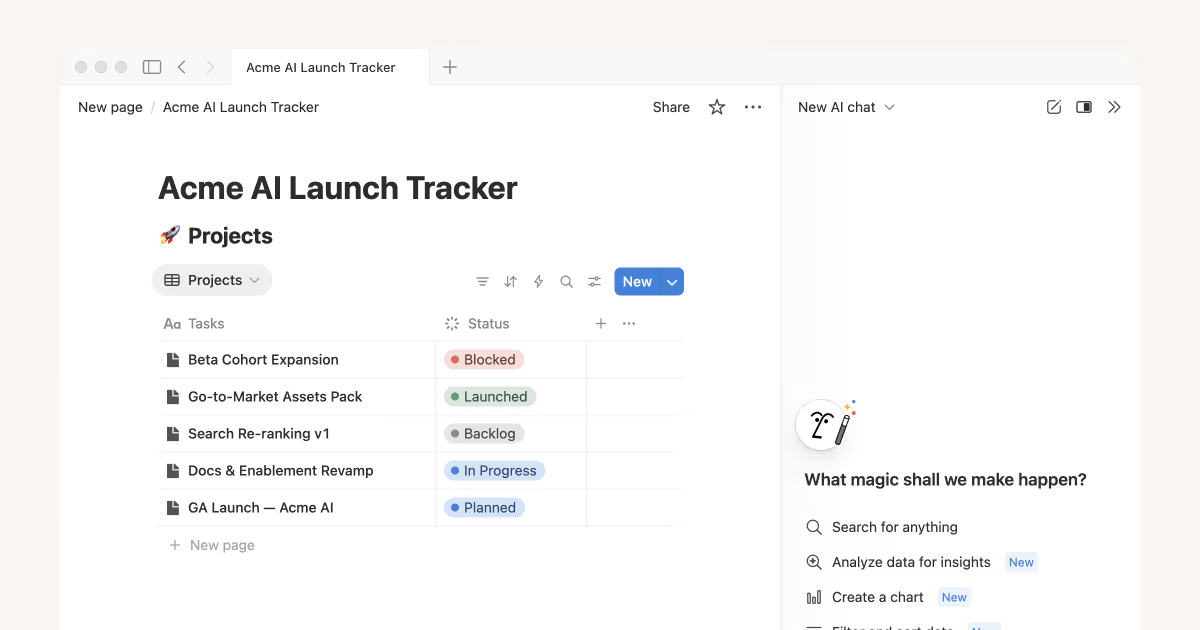
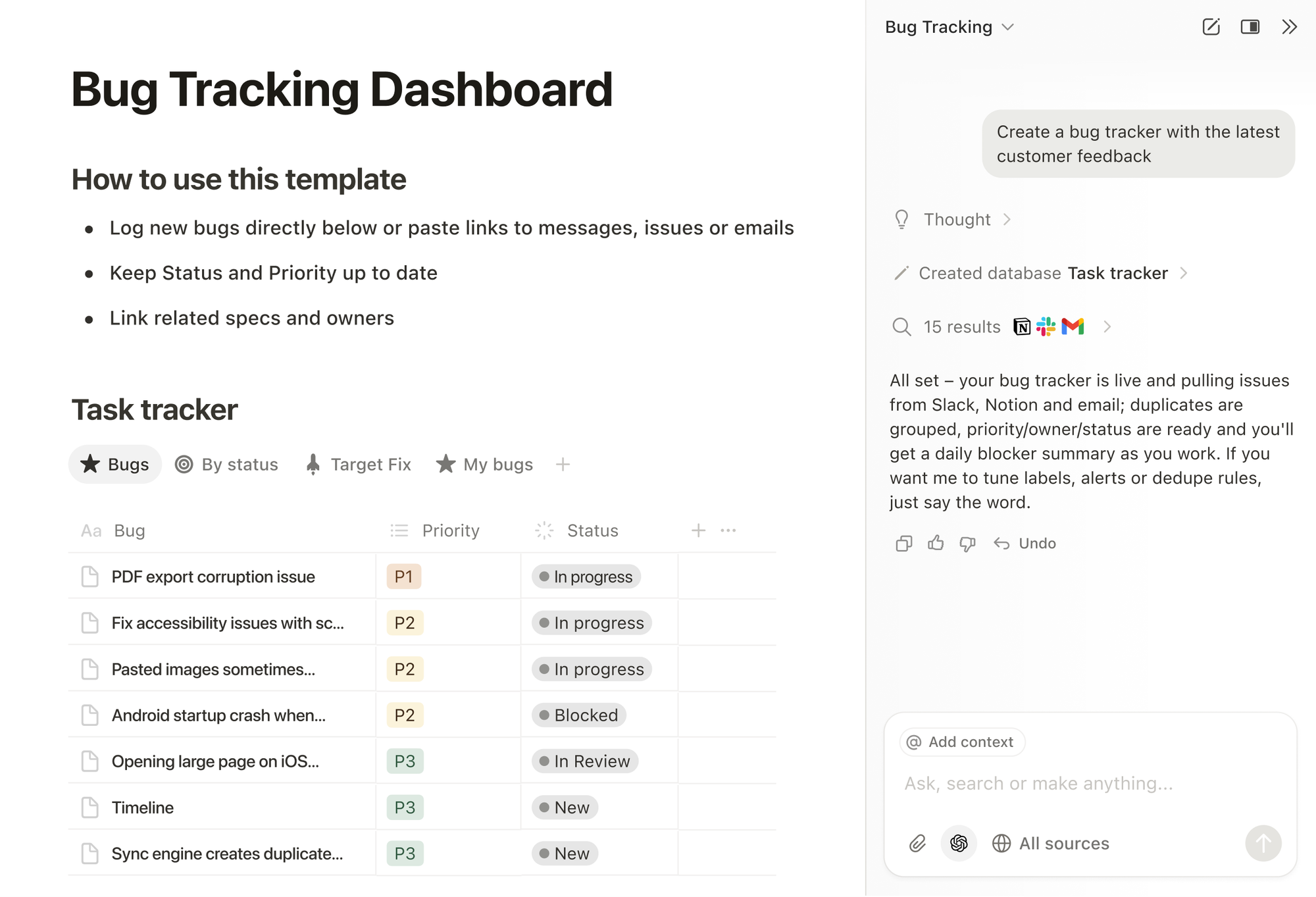
Notion AI sits on top of Notion’s workspace and helps turn messy information into something structured and usable. It doesn’t replace your system, but it makes maintaining that system much easier.
Key features
- AI writing and summarization: I used it to summarize long notes and documents into key points or action items.
- It can turn raw notes into structured tasks or checklists
- The AI works directly inside pages, which keeps everything in one flow.
Pros
- Works inside an existing system (no need to switch tools)
- "I love how flexible it is, whether I'm planning projects, organizing TO-DO lists, it's become part of my daily routine." – verified reviews
- "I love that I can have a 'Tasks' database where one item is a simple checkbox, but clicking into it reveals a full project brief, a linked 'Client' database entry, and an embedded Figma file." – verified reviews
- "Creating and formatting documents is intuitive and efficient, and features like tables, databases, and strong search capabilities help keep information well organized and accessible." – verified reviews
Cons
- Can feel redundant if you don’t manage a lot of written content
- "Permissions and complex databases are a headache to support, and big workspaces bog down, so new editors must be taught not to kill views or duplicate fields when deploying department-level templates." – verified reviews
- "Setting up effective workflows often requires significant customization, which can be time-consuming. As workspaces grow, performance can slow down, and finding information can become difficult without strict organization." – verified reviews
- "Just spent 45 mins trying to copy and paste something from one page to another — started glitching out and being slow for ages." – verified reviews
- AI outputs sometimes need manual review or edits
- Requires an additional paid add-on
Pricing
- Notion Plus: around $10/month (billed yearly)
- Notion Business: around $18/user/month
- Notion AI add-on: around $8–10/month per user
Notion reviews (source)

"I use Notion for everything. Literally. From work (task management, documentations) to personal shopping lists, to-dos, research, meal planner, recipes, etc." - Iuliana Murariu
'It has amazing potential but the free version is just too limited. For example I can't even add one "to do" to my to do list because I don't have any blocks left." - Jana Hayes
Who it’s best for
- Knowledge workers managing notes, docs, and workflows
- Teams that rely on documentation and collaboration
- Content creators, marketers, and operators
How to get started
- Go to Notion and create an account
- Upgrade to a plan with Notion AI
6. Zapier - Workflow automation layer
I tested Zapier as an automation tool. It connects different apps and automates workflows between them. What I found most useful is how it removes repetitive steps. For example, I could automatically turn form responses into tasks, save email attachments to cloud storage, or send reminders without doing anything manually.
Key features
- App integrations (6,000+ apps): I could connect tools like Gmail, Slack, Google Sheets, Notion
- Automated workflows (“Zaps”): I set triggers and actions (e.g., when I receive an email → create a task)
- Zapier can suggest or generate workflows based on what I describe
- Multi-step workflows: I can create more complex automations with multiple steps, filters, and conditions to match real workflows.
Pros
- Saves significant time by automating repetitive tasks
- Works with a wide range of tools across different workflows
- "I genuinely love using Zapier. It's the tool I reach for first because it's reliable, predictable, and doesn't bury me in unnecessary AI layers." – verified reviews
- "It also has a community that helped me debug issues when I encountered them, as well as the client support team that has always remained attentive to solving my inquiries." – verified reviews
- AI features reduce the learning curve for beginners
Cons
- "Even simple automations feel overwhelming to them, and the interface isn't very beginner-friendly. " – verified reviews
- "It can be SO finicky and stop working sometimes, and troubleshooting issues in the platform is a huge pain." – verified reviews
- "Bugs and inadequate client assistance from teams sometimes stifle processes, particularly when combining several property management software involves technical debugging." – verified reviews
- Setup can still feel complex for advanced workflows
- Errors in automation may go unnoticed without monitoring
- Not a standalone productivity tool, it depends on other apps
Pricing
- Free plan available (limited tasks and single-step Zaps)
- Starter plan: around $19.99/month (billed yearly)
- Professional plan: around $49/month (billed yearly)
- Team/Company plans: higher tiers with advanced features and pricing
Who it’s best for;
- Marketers, operations, and sales teams handling repetitive processes
- Businesses looking to optimize productivity without hiring developers
- Anyone who wants to automate tasks instead of manually organizing them
Zapier reviews (source)
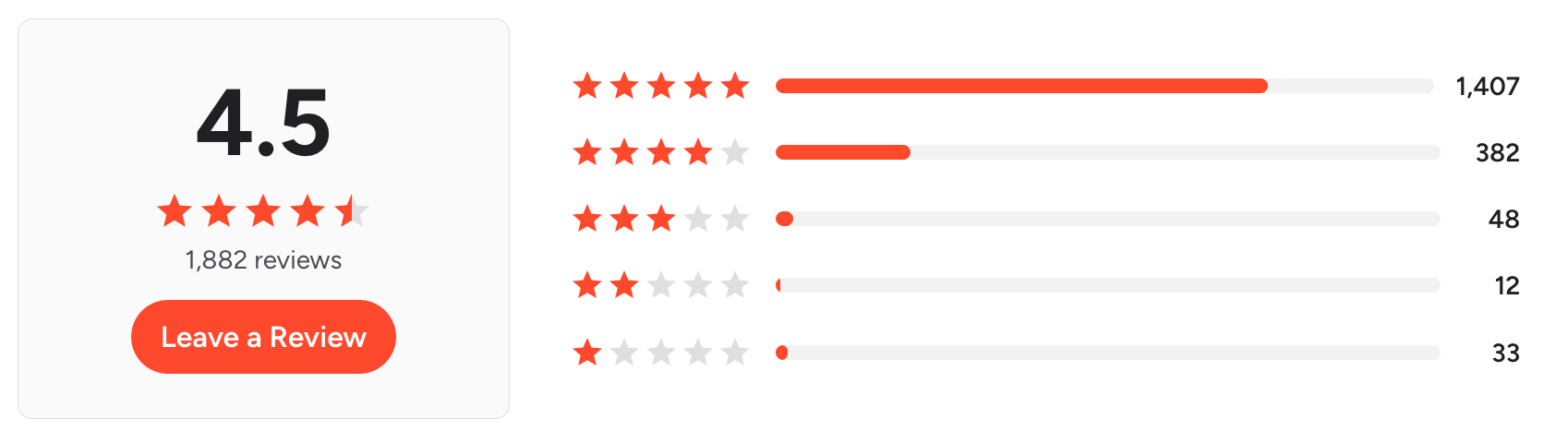
"Zapier has made connecting our services together a breeze. Currently it is being used to manage our drip automation for e-commerce and communications. Piping people into the correct streams on our email marketing platform." - Rob L
"Sometimes the AI can really help with troubleshooting, but it's hit or miss. I haven't found that it's reliable all the time." - Jordan G
How to get started
- Go to Zapier
- Connect the apps you use (Gmail, Slack, etc.)
- Create your first automation (Zap) using a trigger and action
- Use AI suggestions to build workflows faster
Conclusion - Best Organization Tool in 2026
- Some people need an AI that thinks ahead and organizes their day before they even ask (like Saner.AI).
- Others rely on structured project systems with automation layers (like Asana + AI).
- And some prefer invisible workflows running in the background (think Zapier or meeting assistants like Fathom).
The real advantage isn’t which tool is smartest; it’s which one reduces friction in how you already work.
If you’re starting from scratch, begin with Saner.AI. It’s one of the few tools designed to act like a true thinking partner, capturing ideas effortlessly, organizing them intelligently, and helping you move through your day with less noise and more control
Stay on top of your work and life
FAQs: Best AI Organization Tools in 2026
1. What are AI organization tools?
AI organization tools are apps that use artificial intelligence to help you capture, plan, and execute tasks more efficiently.
Instead of manually sorting notes or scheduling your day, these tools understand context and automate decisions, like prioritizing tasks, summarizing meetings, or blocking focus time.
Popular examples include Saner.AI, Notion AI, and Zapier.
2. How are AI organization tools different from traditional productivity apps?
Traditional tools require manual input (tags, folders, lists).
AI organization tools act more like assistants:
- Understand messy input (notes, chats, voice)
- Suggest priorities automatically
- Connect tasks, calendar, and knowledge
For example, Saner.AI organizes tasks directly from your notes, no tagging or setup required.
3. What can AI organization tools actually do?
Most modern AI organization tools can:
- Turn notes into tasks
- Auto-schedule your calendar
- Summarize meetings
- Retrieve information instantly
- Suggest daily priorities
Tools like Fathom focus on meetings, while Reclaim.AI specializes in scheduling.
4. What are the best AI organization tools in 2026?
Some of the top AI organization tools include:
- Saner.AI – AI-first task + knowledge system
- Asana (AI features) – Team project workflows
- Reclaim.AI – Smart scheduling
- Fathom – Meeting summaries
- Zapier – Workflow automation
- Notion AI – All-in-one workspace
5. Which AI organization tool is best for personal productivity?
If you want a single tool to manage tasks, notes, and planning, Saner.AI stands out.
It allows you to:
- Capture thoughts instantly
- Turn them into tasks automatically
- Get reminders based on context (not just time)
6. Which AI organization tools are best for teams?
For team collaboration and project tracking:
- Asana – Structured team workflows
- Notion AI – Shared knowledge + docs
- Zapier – Connects tools across teams
7. Are there free AI organization tools?
Yes, many AI organization tools offer free plans:
- Saner.AI – Core AI task + note features
- Notion AI – Limited AI usage
- Asana – Free tier for small teams
8. How do AI organization tools improve productivity?
They improve productivity by:
- Reducing app switching
- Eliminating manual organization
- Surfacing what matters at the right time
For example, Saner.AI surfaces relevant tasks based on your notes and priorities—so you don’t have to constantly decide what to do next.
9. What is the best AI organization tool for scheduling?
If scheduling is your main problem:
- Reclaim.AI – Dynamic time blocking
- Saner.AI – Context-aware scheduling from tasks
Reclaim focuses on calendar optimization, while Saner connects scheduling with your actual work.
10. Can AI organization tools replace multiple apps?
Yes - this is one of their biggest advantages.
Instead of using separate apps for:
- Notes
- Tasks
- Calendar
Tools like Saner.AI combine everything into one system, reducing fragmentation.
11. Which AI organization tool is best for ADHD or overwhelmed users?
Saner.AI is particularly effective because it:
- Requires no complex setup
- Turns brain dumps into structured tasks
- Minimizes context switching
This makes it easier to stay focused without rigid systems.
12. Can AI organization tools help with meetings?
Yes, especially tools like:
- Fathom – Records and summarizes meetings
- Saner.AI – Links meeting notes to tasks
You can instantly retrieve decisions, action items, and follow-ups.
13. How do AI organization tools handle automation?
Automation varies by tool:
- Zapier – Connects thousands of apps
- Saner.AI – Automates task creation and prioritization internally
Zapier is best for cross-app workflows, while Saner focuses on personal execution.
14. What is the best AI organization tool for content creators?
For content workflows:
- Gamma – AI content generation
- Notion AI – Writing + documentation
- Saner.AI – Turning ideas into actionable content tasks
Together, they cover ideation → creation → execution.
15. How do I choose the right AI organization tool?
Start with your main problem:
- Too many scattered tasks → Saner.AI
- Overloaded calendar → Reclaim.AI
- Team coordination → Asana
- Workflow automation → Zapier
Stay on top of your work and life