AI Personal Assistant: We Tested The 10 Best Apps (Free & Paid)
The best AI Personal Assistants in 2026 are: Saner.AI, ChatGPT, Gemini, Claude, OpenClaw, Pi, and Motion

Quick Answer: What are The Best AI Personal Assistants?
- Claude is the best general-purpose AI assistant for anyone who needs a fast, capable thinking partner with no setup.
- Openclaw wins for autonomy, but you need technical knowledge to make it work. And it can become expensive really fast.
I spent weeks testing AI personal assistants because I was tired of juggling tasks, notes, and emails on my own. I want to find the best AI that actually makes life easier.
After trying dozens of tools, I found 10 AI assistants that truly stood out. These assistants didn’t just take notes - they helped organise my schedule, reminded me of action items, and summarised meetings so I could stay on top of things without burning out.
What is an AI Personal Assistant?
An AI personal assistant is software that uses artificial intelligence to handle tasks you'd otherwise do manually - scheduling, summarizing, drafting, searching, and organizing. The basic definition is simple enough
1. The Two Types of AI Personal Assistants
AI personal assistants generally fall into two categories: Work-focused and Chat-focused.
- Work-focused assistants are built to integrate directly with your tools - like calendars, emails, notes, and docs. They offer a workspace where you can actually get things done, not just talk about them.
- Chat-focused assistants, like ChatGPT or Gemini, are mostly built around a chat interface. You have to manually upload files or paste notes to give them context, which makes them less seamless for everyday workflows.
2. Why Should You Use AI Personal Assistants?
Simply, because work problems are huge:
And AI can solve those problems to a good extent:
3. How We Chose the Best AI Personal Assistants?
We tested more than 25 AI personal assistant tools over weeks, evaluating each one through real daily work. We scored each one against the following criteria:
- Core intelligence - Can it understand a complex, ambiguous request and return something useful on the first try, or does it need extensive hand-holding to get there?
- Proactive capability - Does it wait for instructions, or does it surface things you need before you ask?
- Integration depth - Does it connect to the apps where your work actually lives (calendar, email, Slack, Drive), or does it function as an isolated silo?
- Task and knowledge unification - Can it manage both what you need to do and what you need to know in one place?
- Free plan or low-cost entry - We prioritised tools accessible without a large upfront commitment, since the value of an AI assistant is only obvious after you've used it for a few weeks.
- Ease of first use - How much setup does it take before it's genuinely useful?
Now, let's dive in!
What Are The Best AI Personal Assistants in 2026?
The best AI Personal Assistants are: Saner.AI, ChatGPT, Gemini, Claude, OpenClaw, Pi, Motion, Akiflow, and Reclaim.
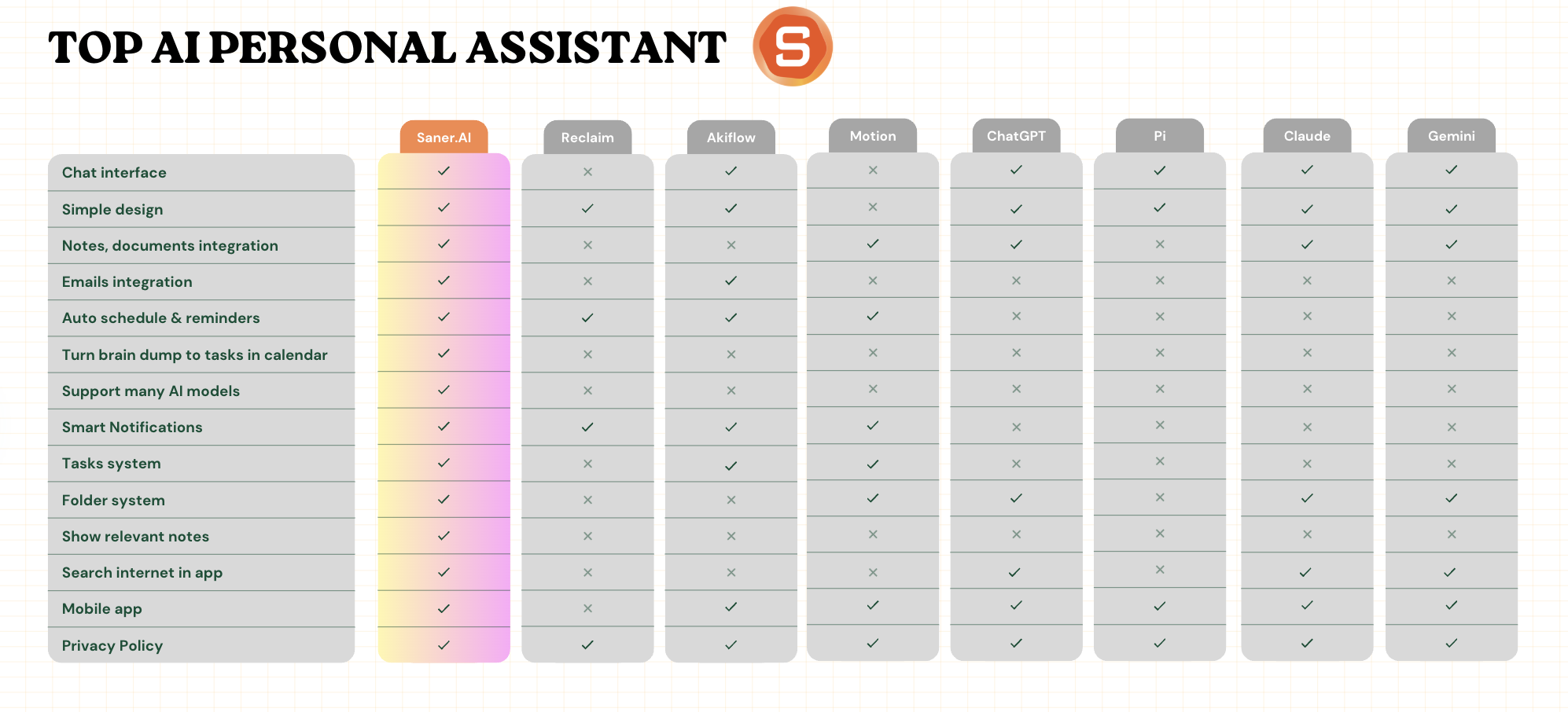
Comparison table: Best AI Personal Assistants
| 🤖 AI Assistant | 🎯 Primary Strength | 👤 Best For | ⚠️ Limitations / Notes |
|---|---|---|---|
| Saner.AI | Context-aware task & knowledge assistant | ADHD professionals, entrepreneurs, knowledge workers | Need Internet access |
| ChatGPT | General-purpose conversational AI | Writing, brainstorming, planning, problem-solving | Not natively connected to tasks or calendars |
| Gemini | Google ecosystem AI assistant | Google Workspace users | Works best inside Google tools |
| Claude | Deep reasoning & long-context understanding | Thinking, summarizing, nuanced writing | Limited task & calendar integrations |
| OpenClaw | Simple AI assistant for daily use | Non-technical users wanting quick AI help | Limited depth and automation |
| Pi | Supportive, conversational AI | Reflection, emotional support, light planning | Not built for task or schedule management |
| Motion | Auto-scheduling tasks into calendar | Busy professionals with packed schedules | Can feel rigid; less conversational |
| Akiflow | Unified task inbox + time blocking | Task capture across many tools | AI is lighter; more workflow than assistant |
| Perplexity | Real-time, cited answers | Research and fact-checking | Not a personal task assistant |
| Reclaim | AI calendar & habit scheduling | Calendar automation, routine protection | Narrow focus on time blocking |
I. AI Personal Assistants (Work-focused)
1. Saner.AI
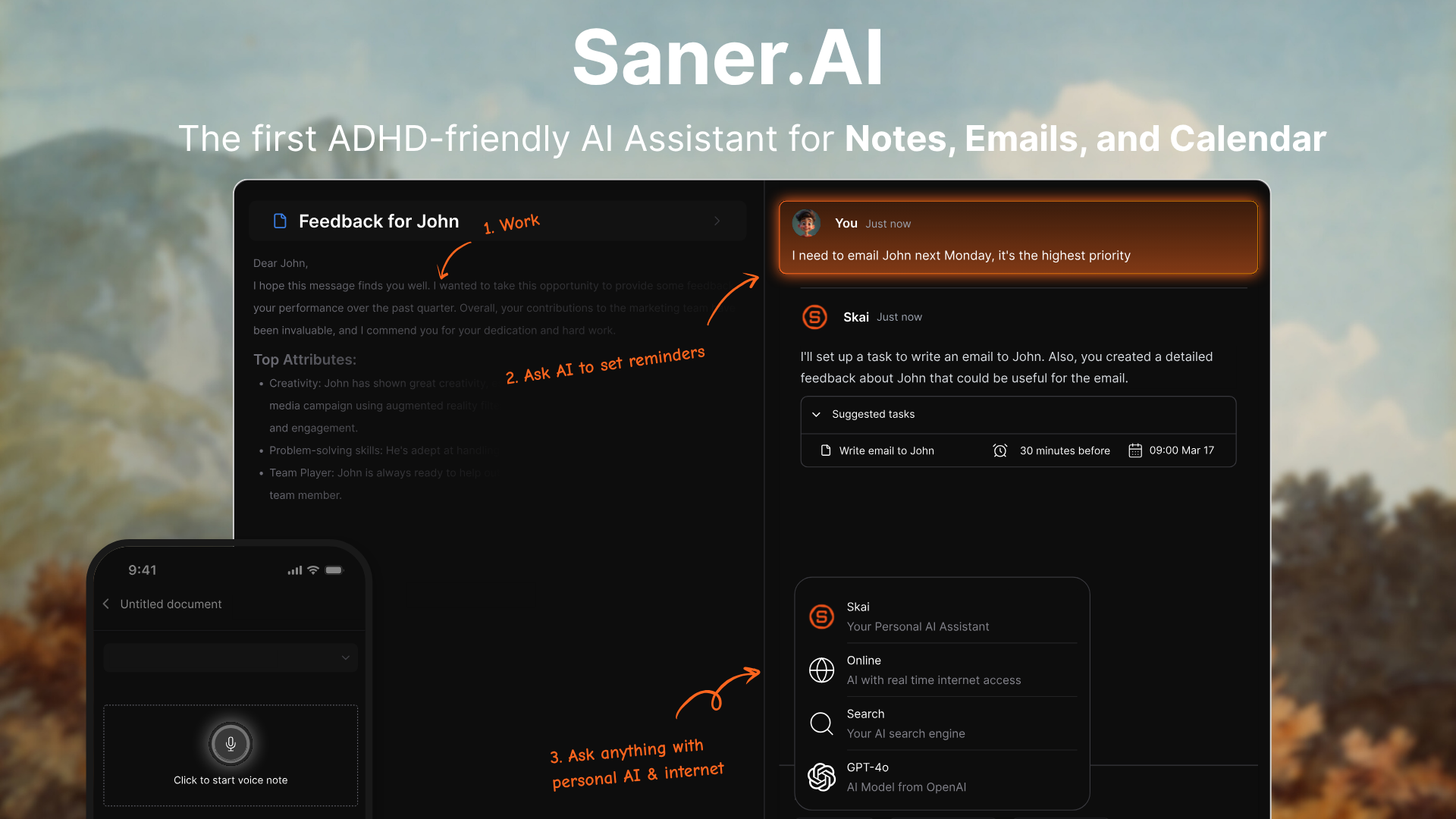
Saner.AI is an AI personal assistant designed to help knowledge workers reclaim their peace of mind. Users can input emails, notes, tasks, and brain dumps, and the AI will help them sort through all the chaos, schedule tasks, and set reminders automatically.
Features
- Your day, planned for you
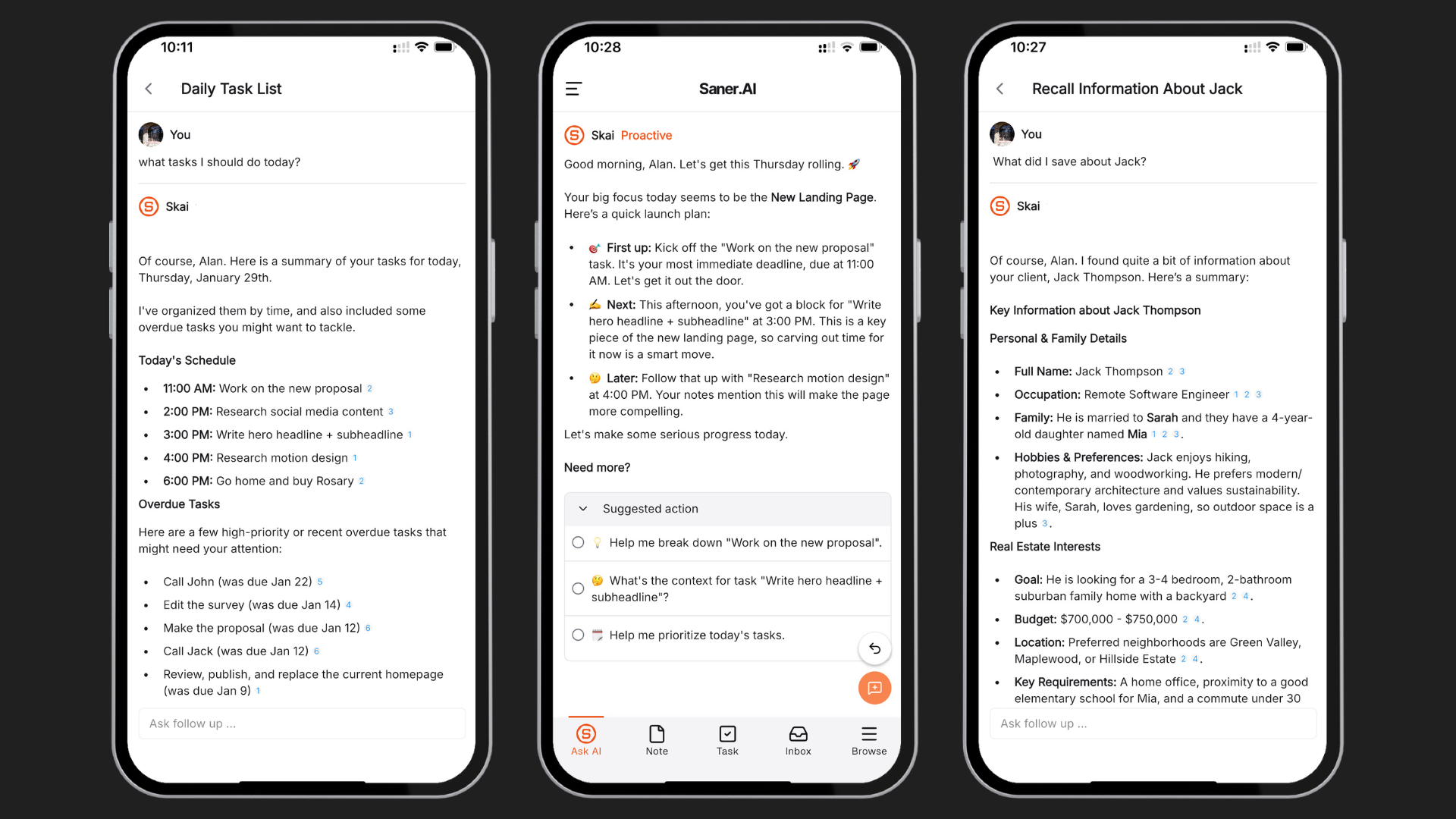
Every morning, Saner automatically looks at your emails, todos, and notes - then gives you an optimal plan
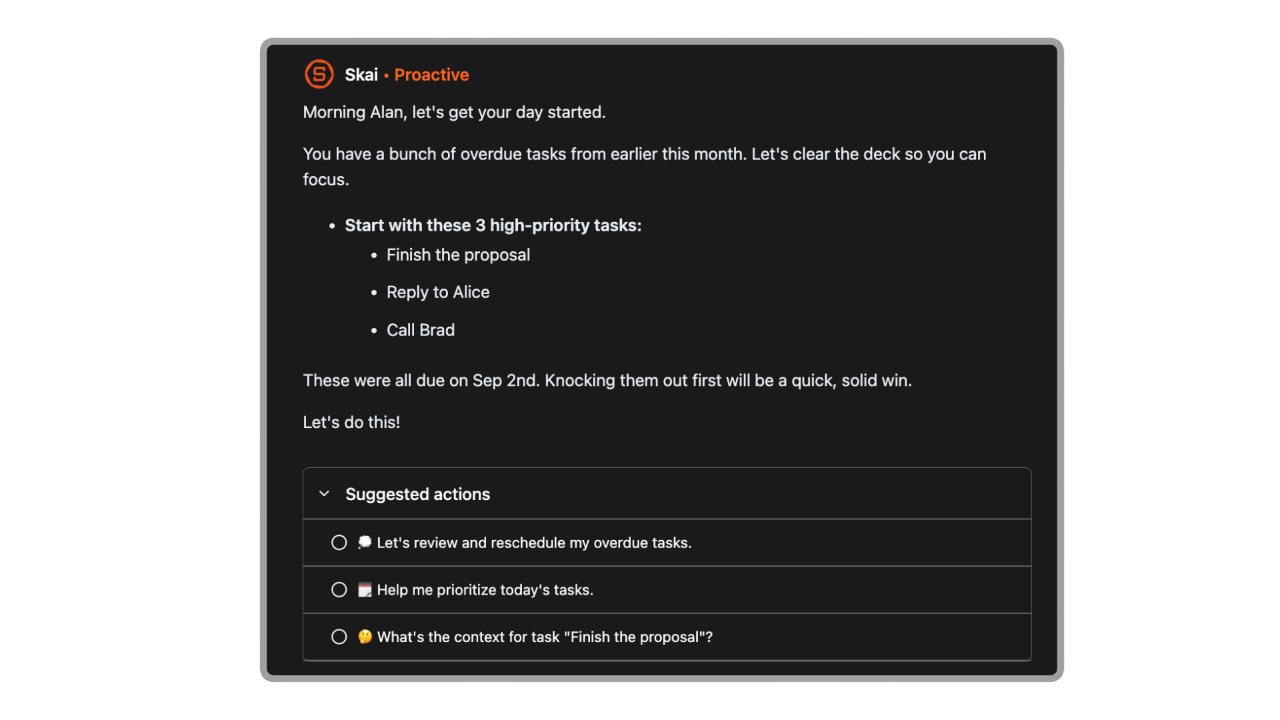
- Organized without effort
It tags your notes, sorts your tasks, and figures out what’s most important based on how you work.
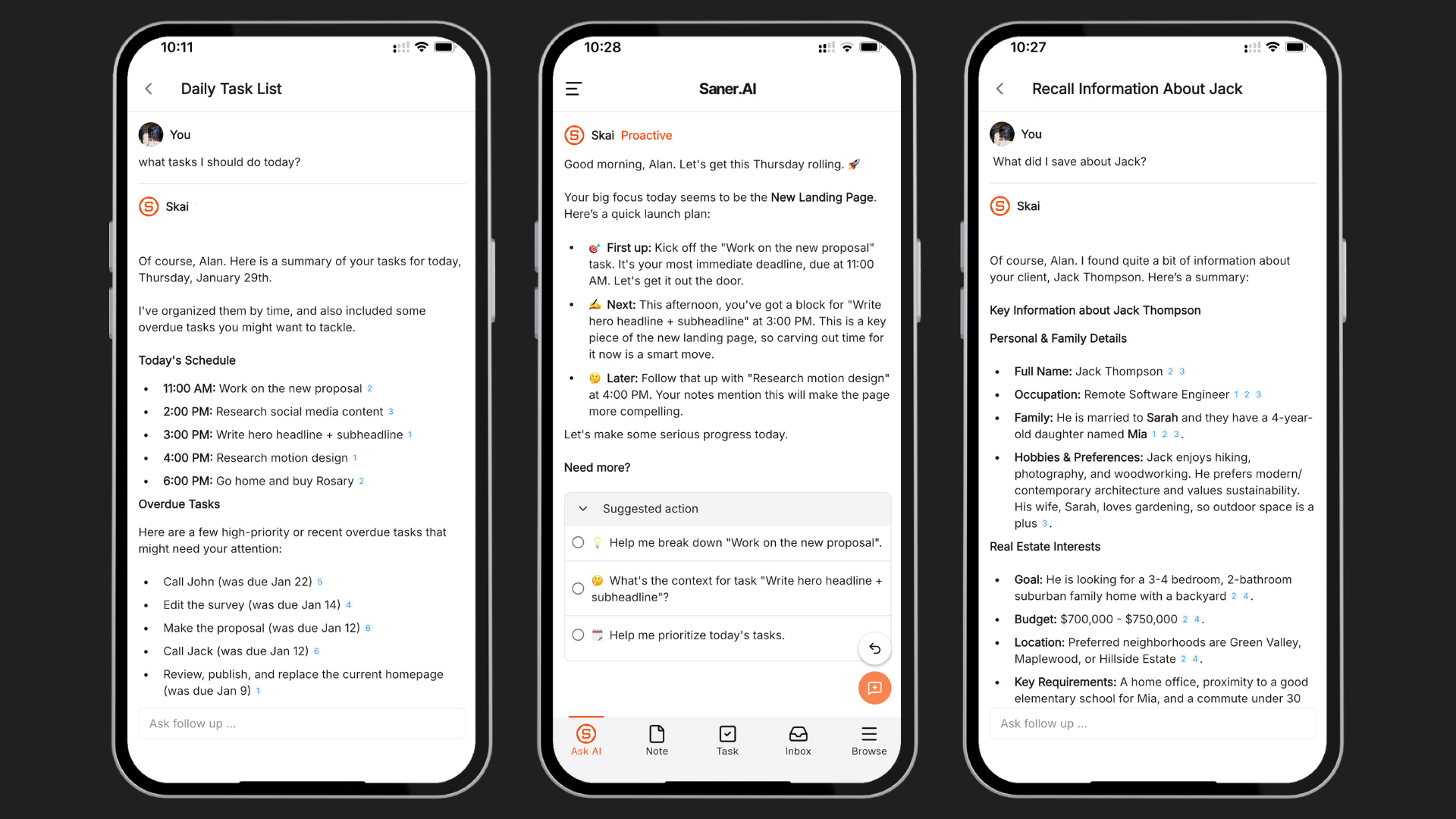
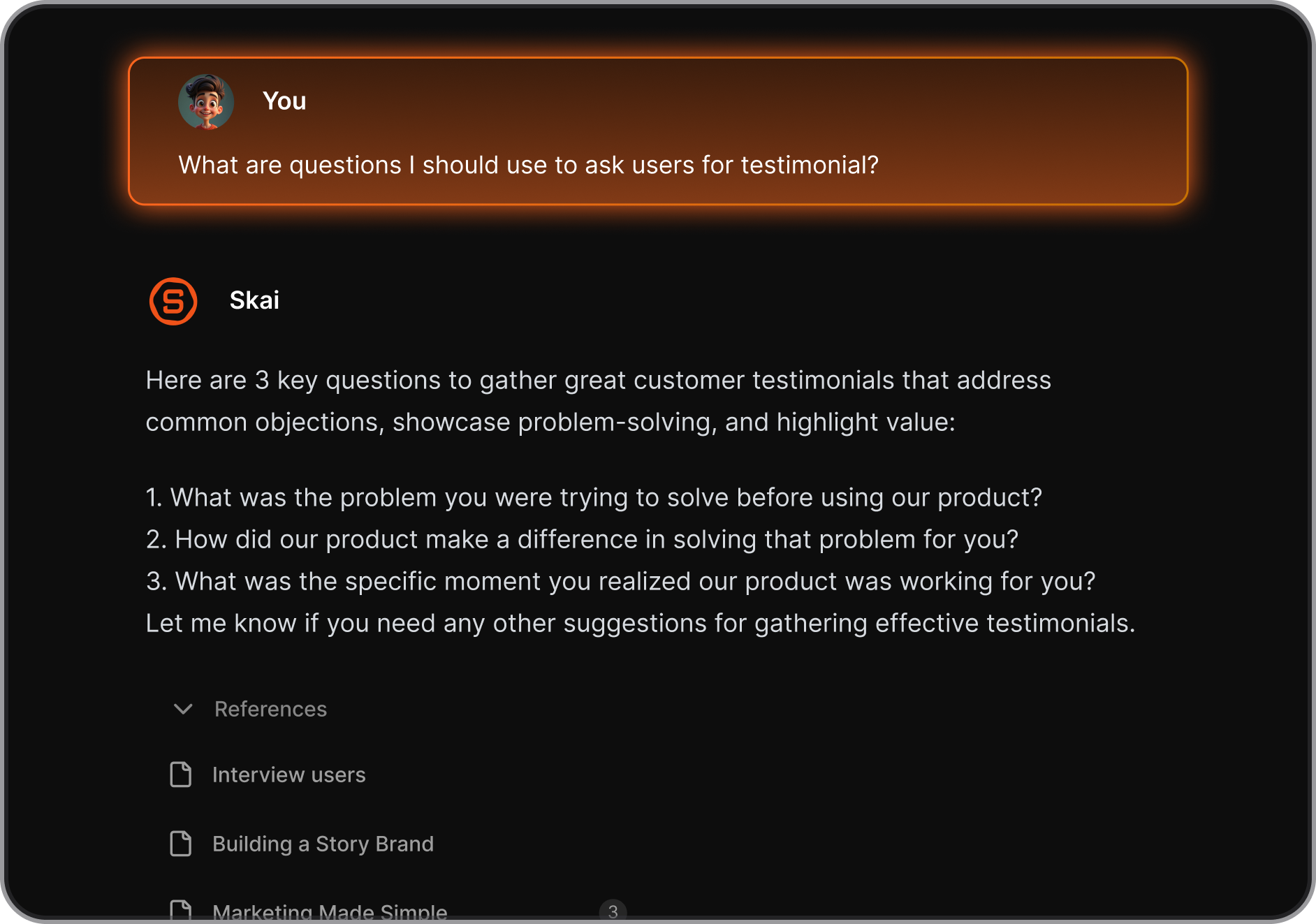
- Ask your notes anything: Can’t remember what you wrote last week? Just ask Skai (the AI) and it’ll find and explain it clearly.
"I've used MANY different personal knowledge management tools, but this tool's marriage of AI and my personal documents opens up a whole new realm of opportunities to synthesize and leverage what I am interested in to find and create new insights." — reviews
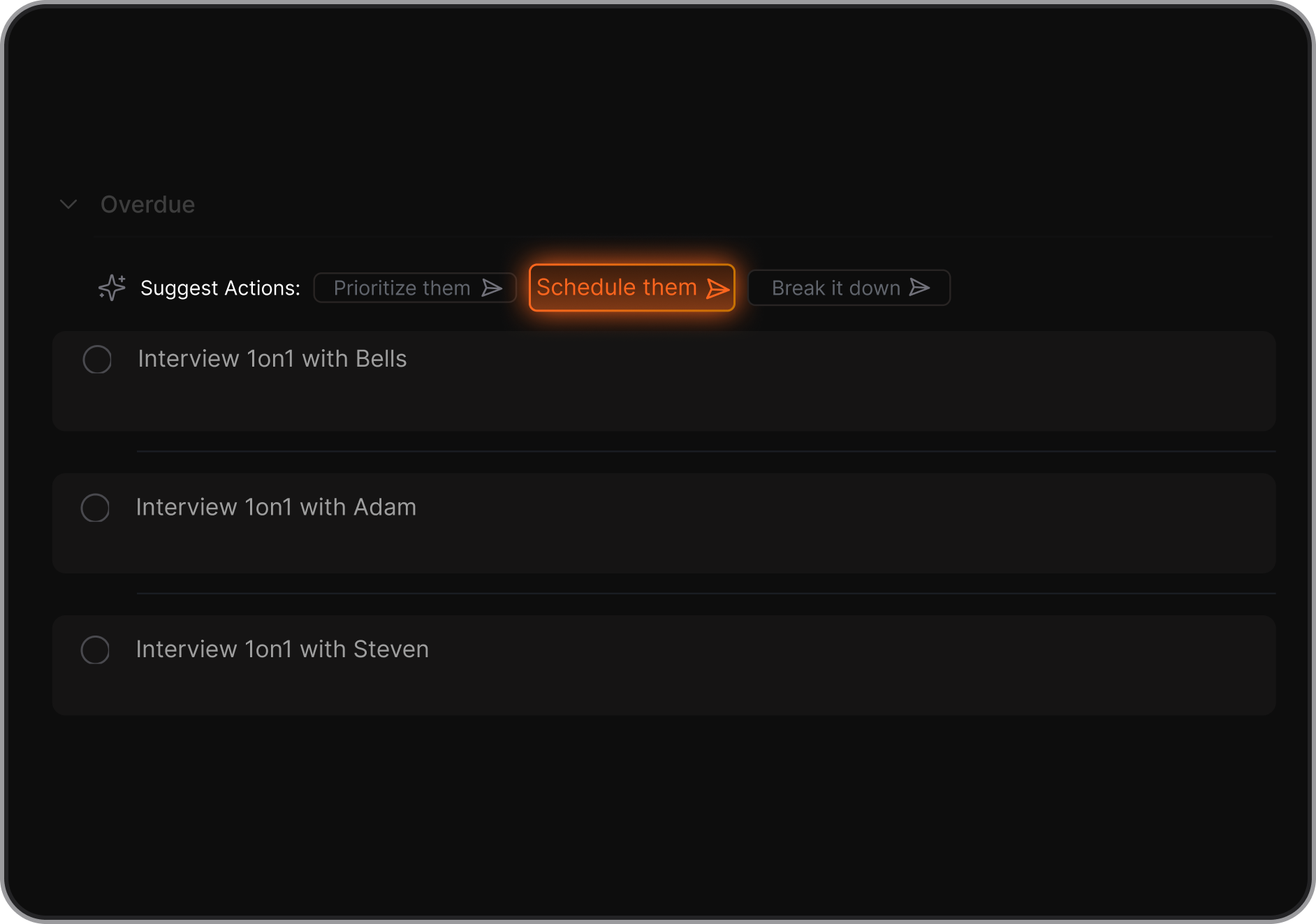
- Get help with tasks
Not sure how to start something? The AI can break it down, give suggestions, and remind you later.
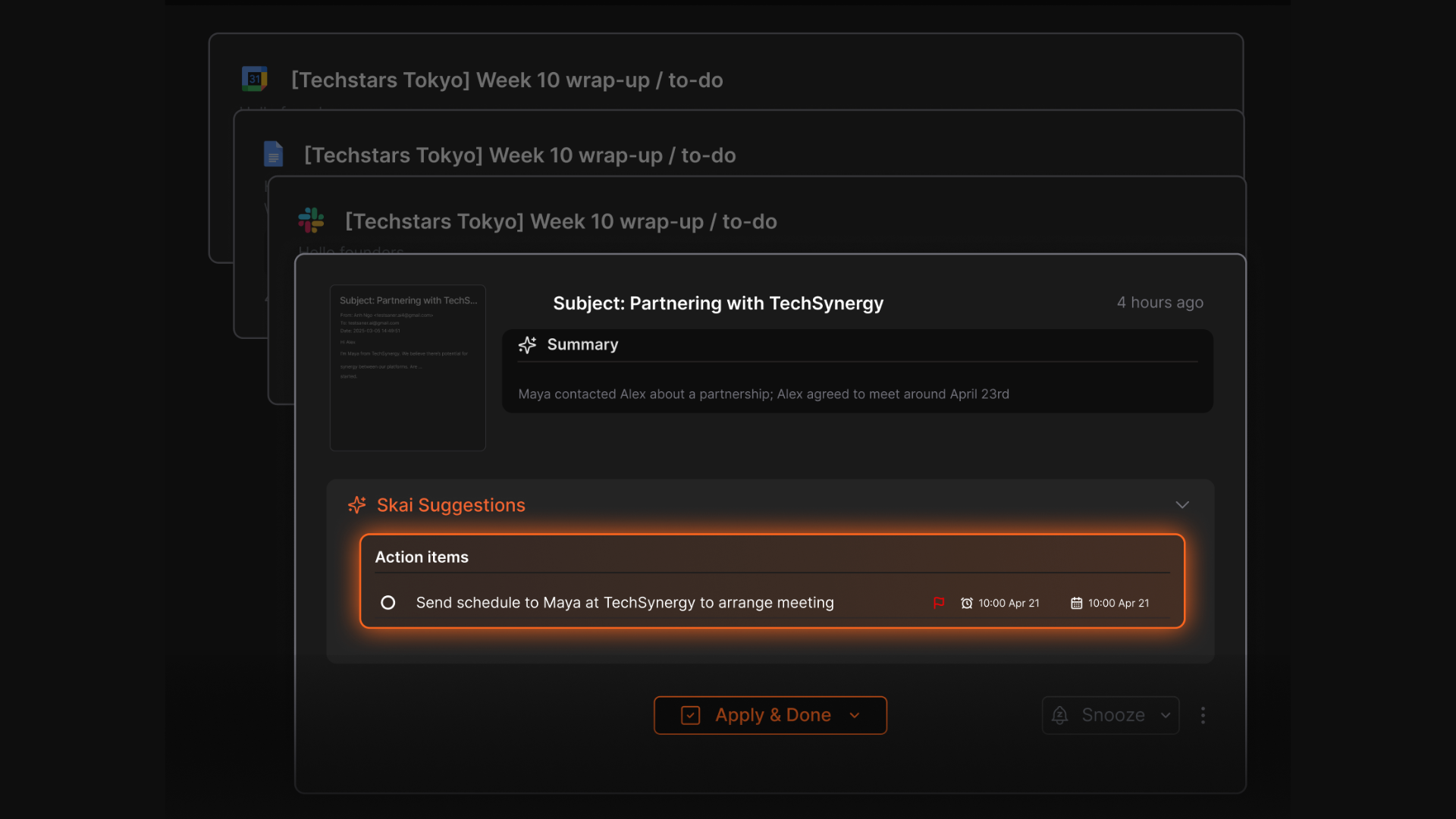
- Super simple to use
- Works with your other tools: Easily connects with Google Drive, Slack, Notion, Apple Notes,...
"I used to use Notion, Google Docs, and Obsidian. But now it is Saner.AI. The app helps me do all of the things I hate to do when writing or storing information." — reviews
- Everything lives in one spot
Your tasks, notes, ideas, and info all show up in one place
Pros
- ✅ Combines note-taking, task management, and AI assistance in one platform.
- ✅ Skai is genuinely proactive, not just reactive — it plans your day before you ask
- ✅ Semantic search across your own documents is faster and more accurate than keyword search
- ✅ Tailored features for individuals with ADHD
- ✅ Free plan available with no credit card required.
Cons
- ❌ Requires internet access for full functionality.
Saner.AI Reviews
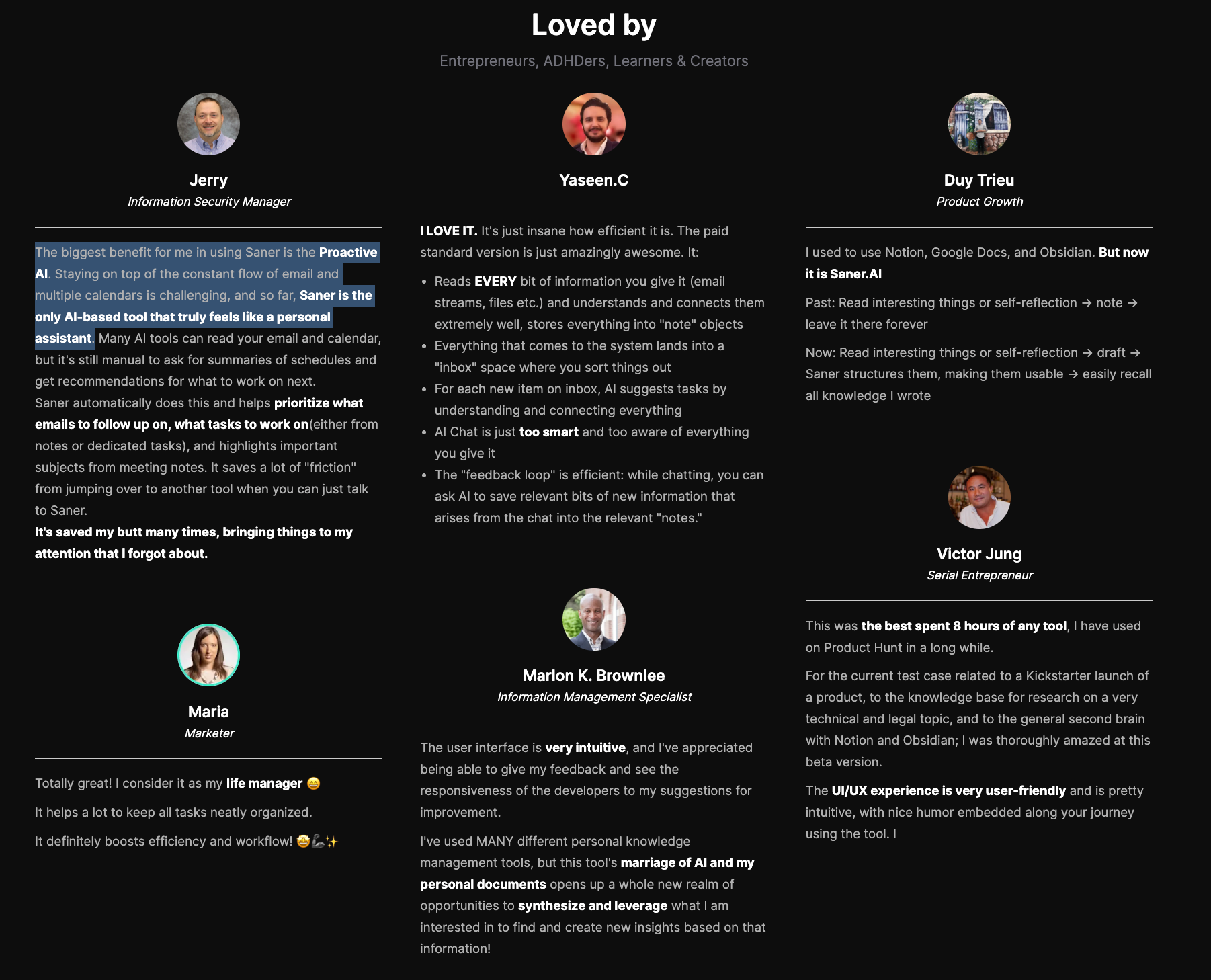
The biggest benefit for me in using Saner is the Proactive AI. Staying on top of the constant flow of email and multiple calendars is challenging, and so far, Saner is the only AI-based tool that truly feels like a personal assistant. - Jerry
Pricing
- Free — $0
- Starter — $8/month
- Standard — $16/month
Who is it suitable for?
- Individuals struggling with information overload or context switching.
- Entrepreneurs, knowledge workers, creatives, and professionals who want a single AI workspace instead of multiple disconnected apps.
- People who want an AI assistant that actively organizes their ideas, tasks, and reminders rather than just responding to prompts
How to start using it?
- Visit the Saner.AI website and sign up for an account
- Explore the app's features, starting with basic note-taking and task creation.
- Check out this 1-minute tutorial

Stay of top of work with an AI Personal Assistant
2. Reclaim
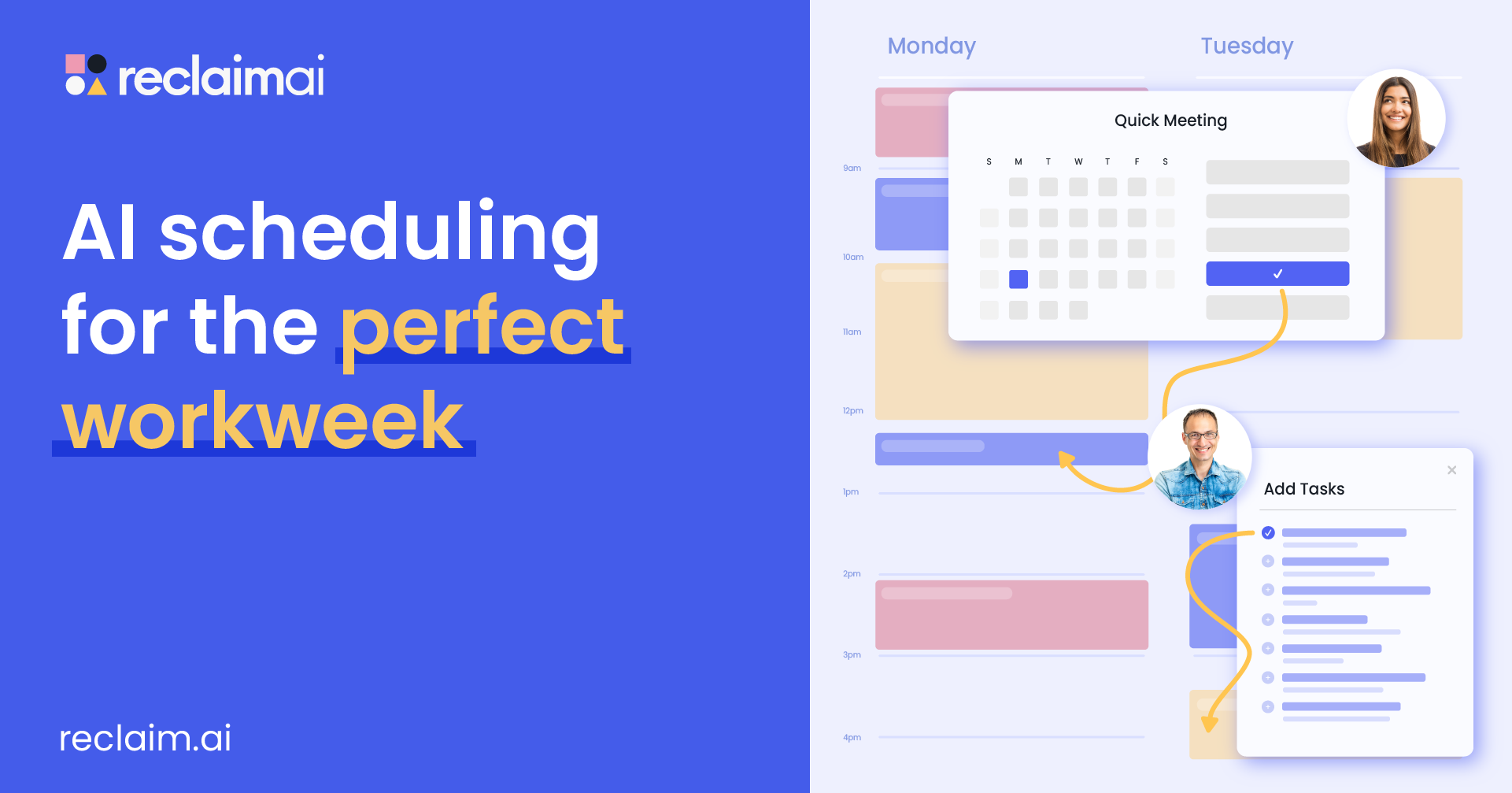
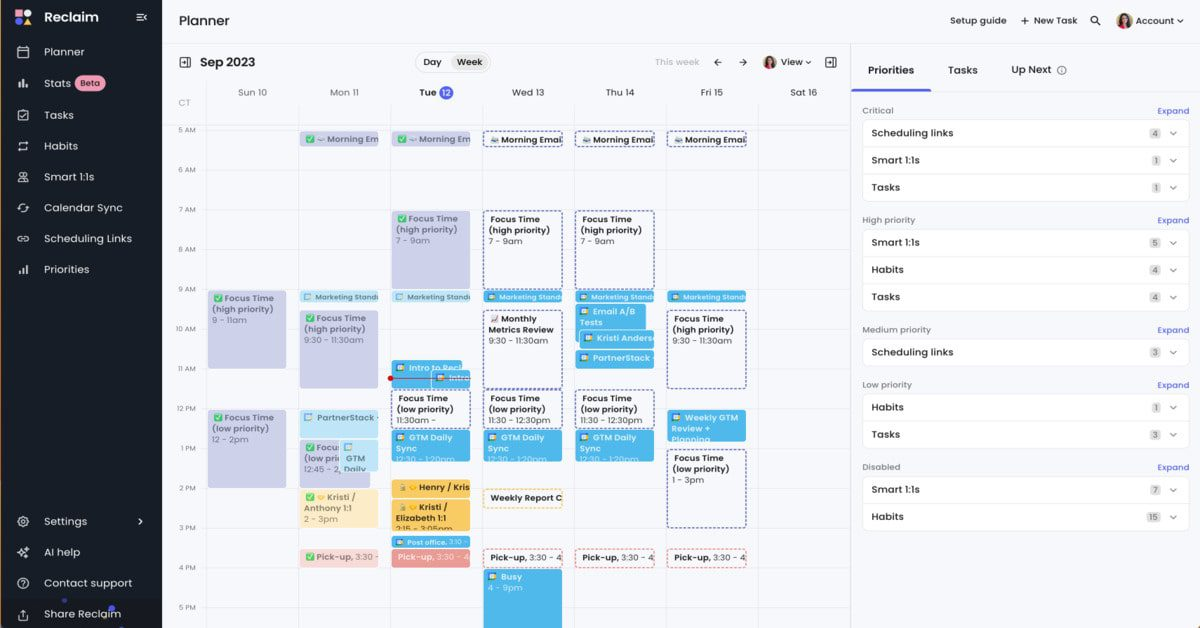
Reclaim.ai is a dynamic AI calendar assistant designed to help individuals and teams optimize their calendars by automatically allocating time for tasks, meetings, habits, and breaks.
Key features
- Automatically blocks dedicated time for deep work
- Smart Meetings: Schedules meetings at optimal times for all participants
- Habits: Allows you to set recurring activities
- Task Management: Integrates with tools like Asana, Todoist, and Jira
Pros:
- "It automatically defends my calendar, prioritizes the right work without constant manual intervention, and turns time management from a daily hassle into a set-it-and-forget-it system" – review
- I like that it has seamless integration with major productivity tools
- Flexible and adapts to your real-time schedule
- "I like its integration with Slack, especially that my coworkers can see my status easily. Then they will know when I am available to respond to them" – review
Cons:
- ❌ No mobile app yet
- ❌ "So not user-friendly. I absolutely hate it with all of my heart. I don't understand who designed this" – review
- ❌ "Missed tasks or deadlines don't always surface with strong alerts. It's possible to overlook a task without it creating enough friction or escalation" – review.
- ❌ Doesn't have a chatbot interface
Pricing:
- Free Lite plan available.
- Starter plan at $10/user/month.
- Business plan at $15/user/month.
- Enterprise plans starting at $18/user/month.
Suitable for: Individuals and small teams seeking better time management.
How to start: Create an account on the Reclaim website and select a plan that fits your needs.
Reclaim.AI Reviews
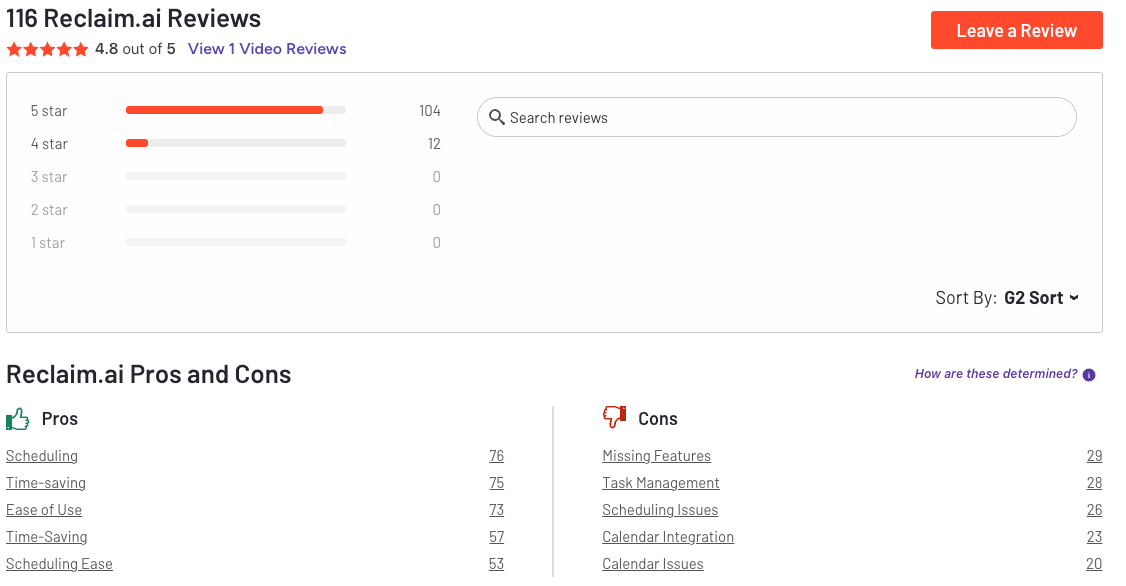
Reclaim.ai is particularly valuable for protecting focus time in crowded calendars. Its ability to automatically prioritize and reschedule tasks and routines based on my real availability makes time management much more intentional and easier - Samanta
This company has caused me months of misery. Pop ups all day long that I couldn’t disable or stop. Nonsensical pop ups like a reminder for Lunch at 5pm. - Francis
3. OpenClaw
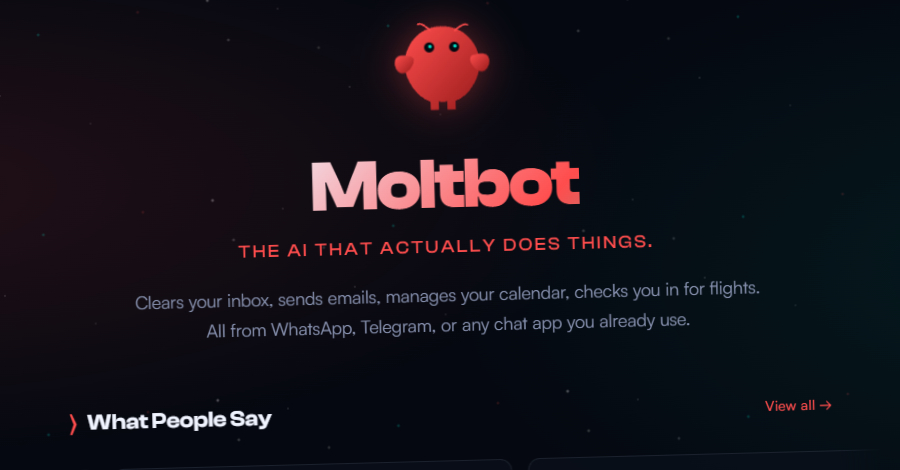
OpenClaw is an open-source, self-hosted AI personal assistant that runs on your own computer and interacts through familiar chat platforms like WhatsApp, Telegram, Slack, iMessage, and more. It actually executes tasks from managing calendars and reminders to controlling apps and automating workflows
Features
- Runs on your own device (Mac, Linux, Windows), preserving privacy and data control while interacting with messaging apps you already use.
- Works through major messaging platforms
- Remembers past interactions and preferences, letting it build ongoing workflows and provide continuity across sessions.
- Beyond text responses, Moltbot can open apps, run shell commands, send emails, browse the web, manage files, and trigger automation you define.
Pros:
- Delivers real execution, not just suggestions - scheduling, email handling, file operations, and complex multi-step processes.
- Running locally means your data stays on your device and isn’t exposed to cloud providers unless you configure it.
- Use familiar messaging apps as the interface rather than separate dashboards or browser tabs.
- "Persistent memory, persona onboarding, comms integration, heartbeats — I am very impressed how many hard things Claw gets right. The end result is AWESOME" — review
Cons:
- Getting started requires familiarity with command-line tools, API keys, and system configuration - not ideal for non-technical users.
- The core software is free, but using powerful LLM APIs (e.g., Claude, GPT-5) can incur monthly charges depending on usage.
- Because it can execute commands and access accounts, insecure setups can expose data or enable prompt injection exploits.
- "One of OpenClaw's own maintainers warned on Discord that 'if you can't understand how to run a command line, this is far too dangerous of a project for you to use safely'" — review
- "OpenClaw is much more complicated to set up because it's decentralised compared to other AI assistants — there is no 'OpenClaw server' to log into. Instead, you are building the server yourself" — review
Pricing:
- Open-source under MIT License; the core software is free.
- Optional fees for using third-party models (like Claude or GPT-4), depending on your API provider.
Suitable For:
- Users who want a powerful, local-first AI personal assistant that executes real workflows and are comfortable with technical setup.
How to Start:
- Download and install OpenClaw from the official GitHub or project website for your operating system.
- Follow the setup guide to connect a messaging app
4. Akiflow
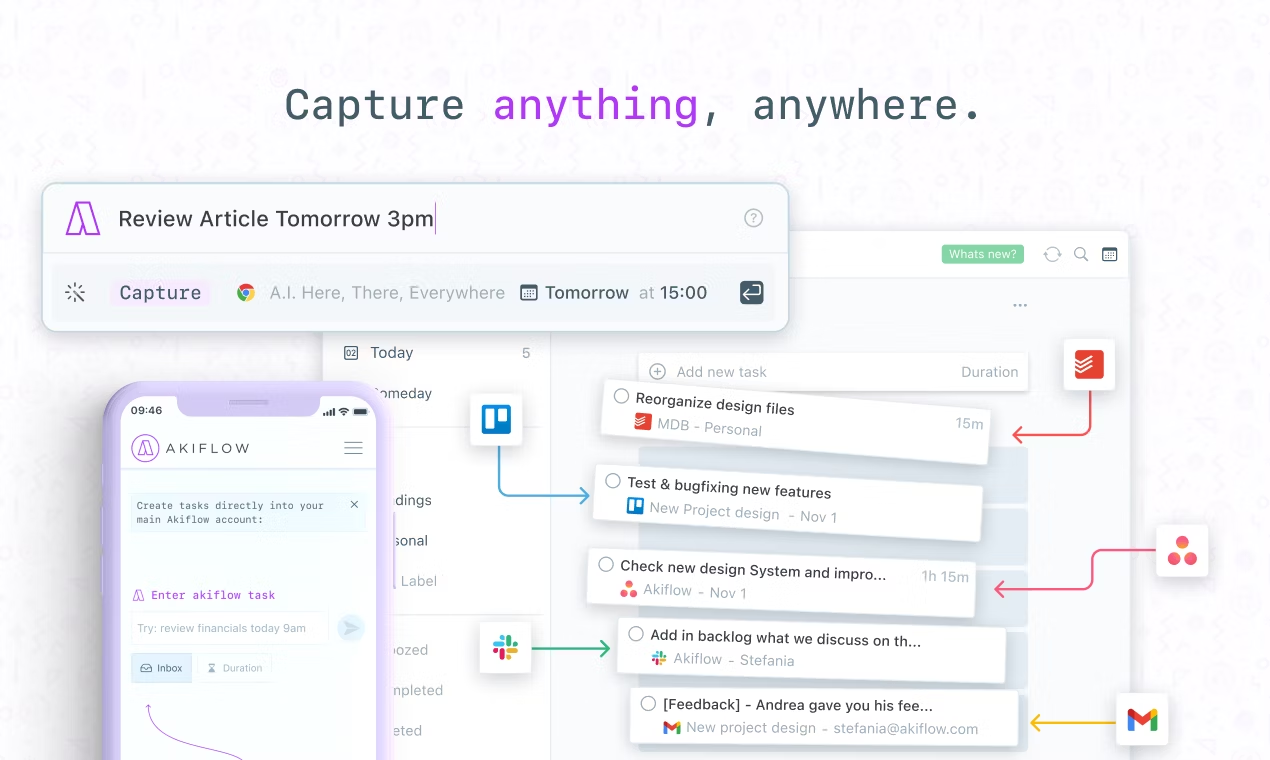
Akiflow is an AI assistant tool that combines your tasks and calendar into one streamlined interface. Built for busy professionals, Akiflow helps you time-block your day, prioritise what matters, and stay focused
Features
- Unified task + calendar view
- Time blocking with drag-and-drop ease
- Fast capture from Gmail, Slack, Asana, and more
- Command bar for quick task creation
Pros:
- ✅ Combines tasks and calendar in one place
- ✅ Super intuitive time-blocking workflow
- ✅ Deep integrations with popular tools
- ✅ "Time blocking is probably one of the best productivity methods out there and Akiflow makes it easy to apply it" – verified reviews
Cons:
- ❌ "Complete disappointment — there is no time component to deadlines for tasks; a fundamental feature Akiflow is missing that is industry standard for some reason" – reviews
- ❌ Slight learning curve for beginners.
- ❌ Does not support note-taking
- ❌ "I would never recommend Akiflow to anyone as their team don't have the customers' best interest at heart. I felt unsupported and have only had bad interactions with team members — when I've been able to get a hold of them, which is extremely difficult" – verified reviews
- ❌ "What I least like about Akiflow is that it's starting to focus on cool AI stuff instead of nailing the basics like the ability for custom [features]" – verified reviews
Pricing:
- Monthly plans: $34.
- Annual plan available at $19/month
Suitable for: Individuals and teams looking for a comprehensive task management solution.
How to start: Register on the Akiflow website and choose a pricing plan.
Akiflow Reviews (source)
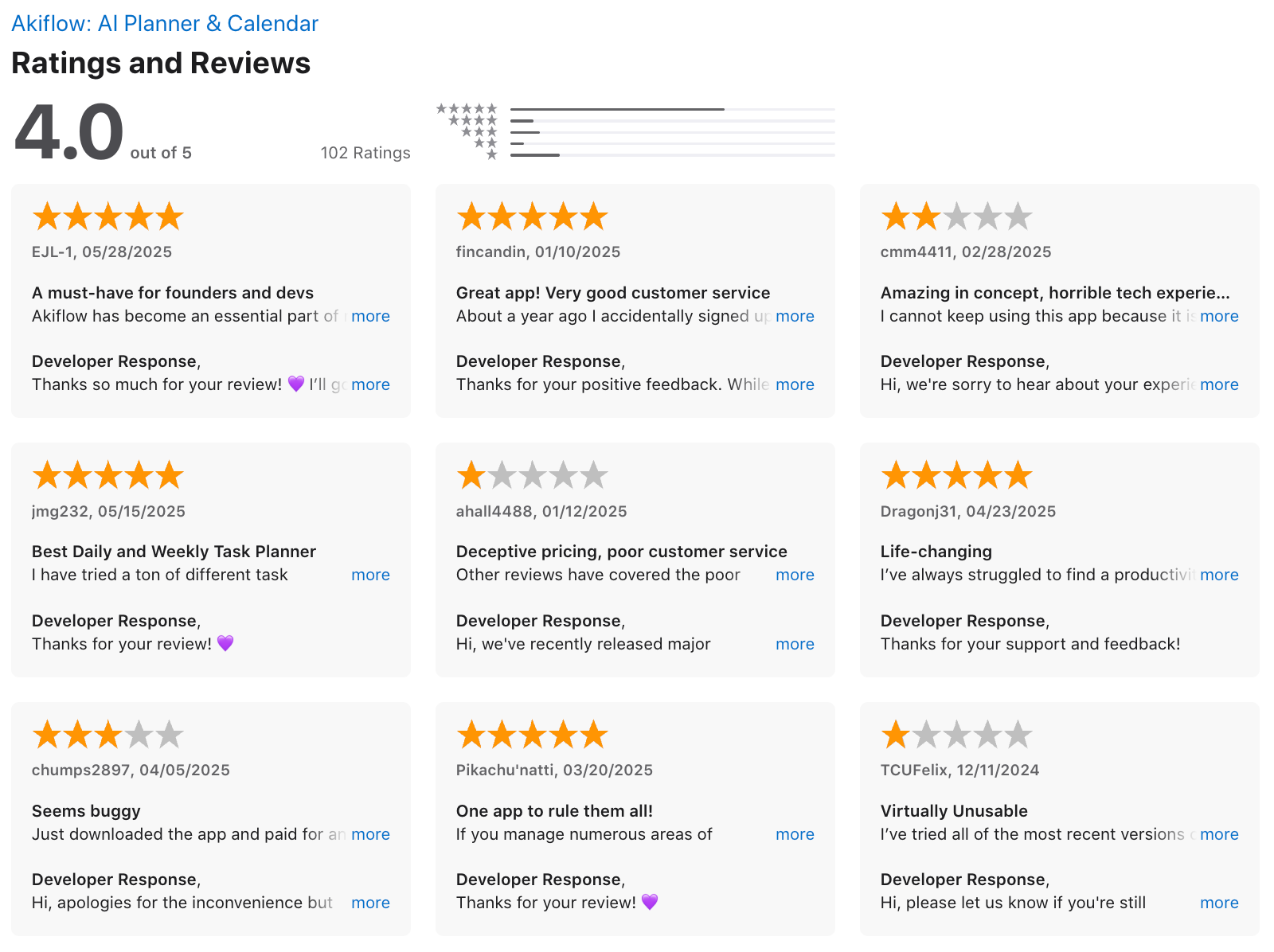
But, if you do decide to get a trial with them, and you cancel, *screenshot or screen record the cancellation page because they will probably try and still charge you anyway*. - PJ
The layout is flexible and not overwhelming. It is very user friendly and you can be up and using it in no time. - Christopher
I signed up for the trial and canceled the next day. They charged me anyway. - James
5. Motion
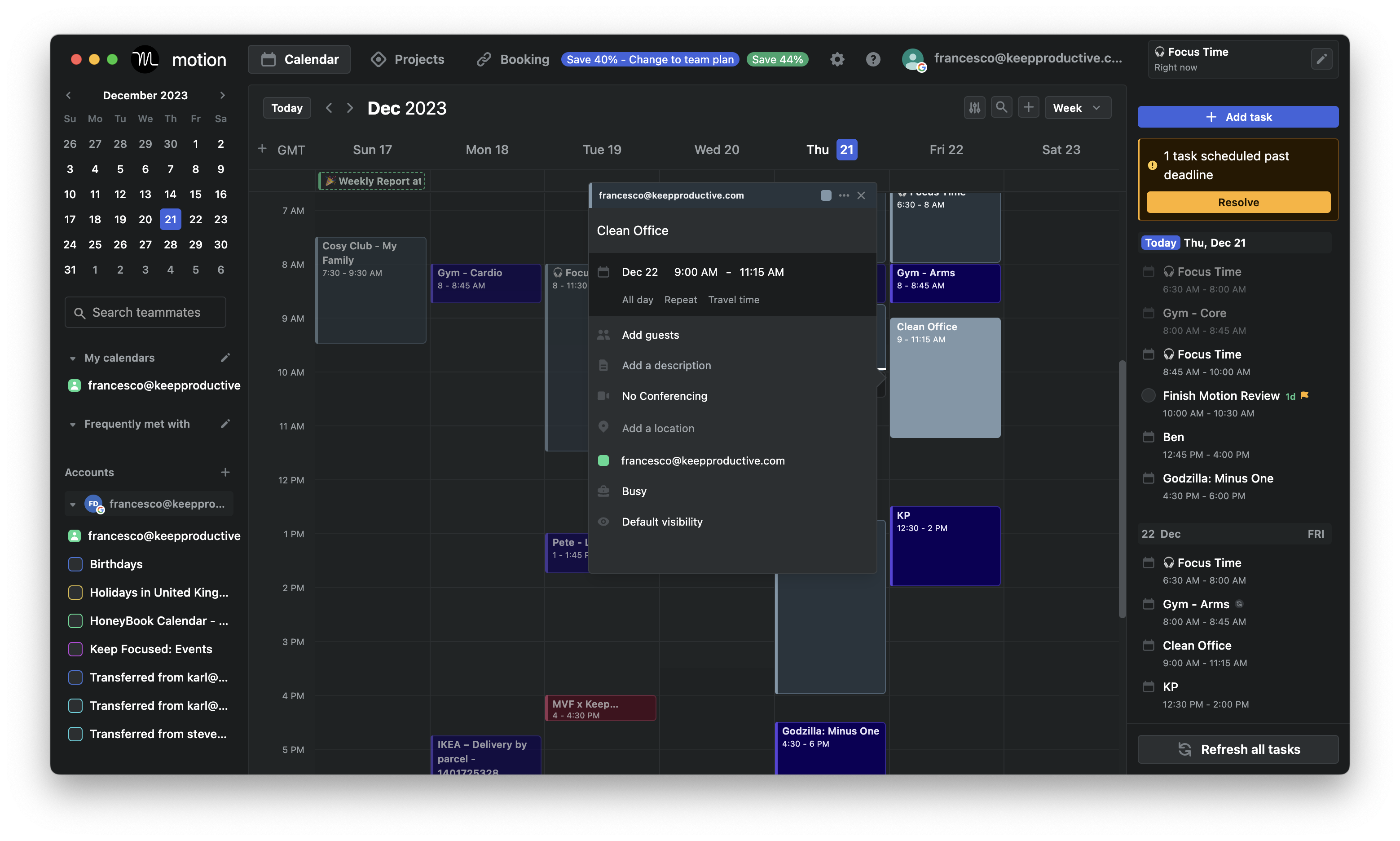
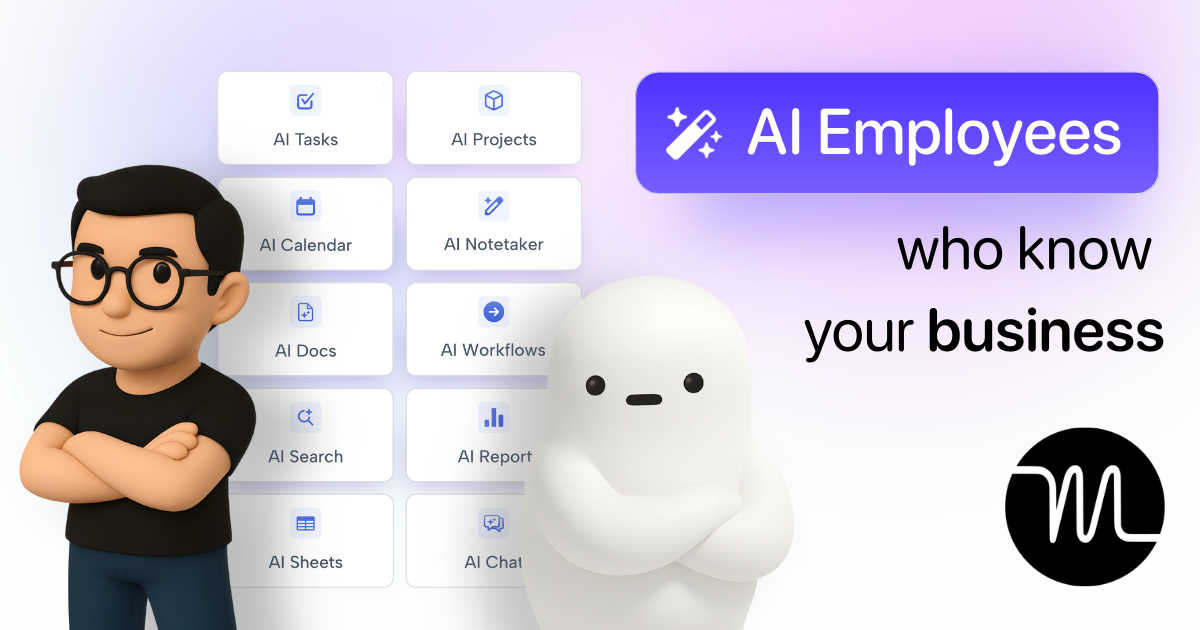
Motion is an AI employee platform that combines task management, project planning, and calendars to streamline daily workflows. This makes them a decent tool for big teams
Features
- AI-powered daily scheduling based on deadlines, priority, and workload
- Smart calendar with Google, Outlook, and Apple sync
- AI Docs that connects your writing to your tasks, projects, and meeting history
- Project management with Kanban boards, Gantt charts, task dependencies, and real-time team capacity tracking
Pros:
- ✅ Combines calendar, tasks, and project management in one place
- ✅ "It automatically organizes my tasks and calendar — I don't even have to think about it. It just works" – reviews
- ✅ Helps prevent overbooking and burnout
Cons:
- ❌ No permanent free plan - only a 7-day trial
- ❌ "Its pricing is pricy for a single user" – reviews
- ❌ Complicated design, especially after moving to enterprise customers
- ❌ "Terrible experience from start to finish. The platform is buggy, slow, and honestly not worth the price. I stopped using it months ago, but they kept charging me" – reviews
- ❌ Requires clear task input to fully benefit from automation
- ❌ "Advertised itself as ADHD friendly but wasn't. Promoted itself to a yearly subscription and all it did was move tasks to later. I had a terrible experience and couldn't even get a refund" – reviews
- ❌ Doesn't have a chatbot interface
- ❌ "Trying to charge $700+ for annual after a few days trial with no warning is crazy. The platform isn't even useful anyway" – reviews
Pricing:
- The Individual Plan is $49 per user per month - super quite pricey compared to other apps
- Team Plan: $29 per user per month (billed monthly)
Suitable For:
- Big teams seeking an AI-driven solution for task management, project planning, and automated scheduling to enhance productivity.
How to Start:
- Sign up for a free trial on the Motion website, select a suitable plan, and integrate your existing calendars and tools to begin optimizing your workflow
Motion reviews (source)
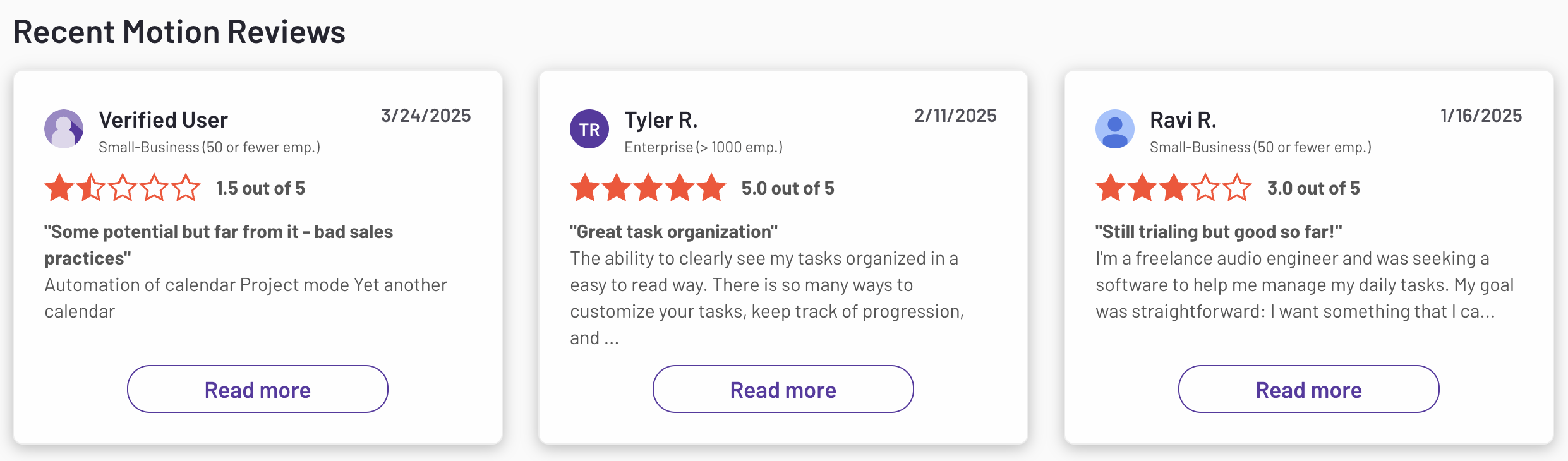
Pricing is ridiculous. Forces you into 1 yr subscription for their AI agents which where completely useless. Don't waste your money. - Christian
Motion is great for my constantly moving schedule and the ability to sync multiple calendars - Elliot
II. AI Personal Assistant (Chat-focused)
1. ChatGPT

ChatGPT has become a go-to AI chat assistant for professionals looking to work smarter. From drafting emails to summarizing meetings, managing tasks, and automating research, it’s like having a 24/7 chief of staff. With natural language inputs, it adapts to your workflow and helps you stay focused, without needing to open five other apps.
Features
- Multiple AI models in one platform — free users get GPT-4o, while paid plans unlock advanced reasoning models like GPT-5.2 Thinking and Pro
- True multimodality — generate images via GPT Image 1.5, create video clips via Sora, and hold real-time voice conversations
- Deep Research — autonomous agents conduct multi-step research, cross-referencing sources to produce cited, structured reports in minutes rather than hours
- Custom GPTs — build or use pre-made AI assistants tailored to specific tasks or workflows, reducing setup friction for repetitive work
- Agent Mode — automates multi-step tasks end to end, from drafting emails to navigating the web, filling forms, and completing actions on your behalf
Pros:
- ✅ High-quality, context-aware output
- ✅ "It's very easy to use, and I'm always impressed by how quickly and efficiently it provides answers. It feels like having a buddy right there with you." – review
- ✅ Secure and enterprise-ready
- ✅ "The best thing about ChatGPT is the Deep Research functionality. It is the best deep research on the market so far — I tried and compared it with Perplexity, Gemini and Mistral." – review
Cons:
- ❌ No workspace to work on notes, tasks, calendar...
- ❌ "Sometimes it gives wrong or outdated answers, so I have to double check important things. Also, for very specific or advanced tasks, it may need multiple prompts to get the exact result." – review
- ❌ Needs internet to function
- ❌ "There are moments when it gives inconsistent results on niche prompts, need time to fix outputs for any advanced AI." – review
Pricing:
- Free basic version;
- Subscription for advanced features starts at $20/month
Suitable For: Businesses, educators, content creators, and general users seeking interactive AI solutions.
How to Start: Create an account on the ChatGPT website and select a subscription tier that suits your needs.
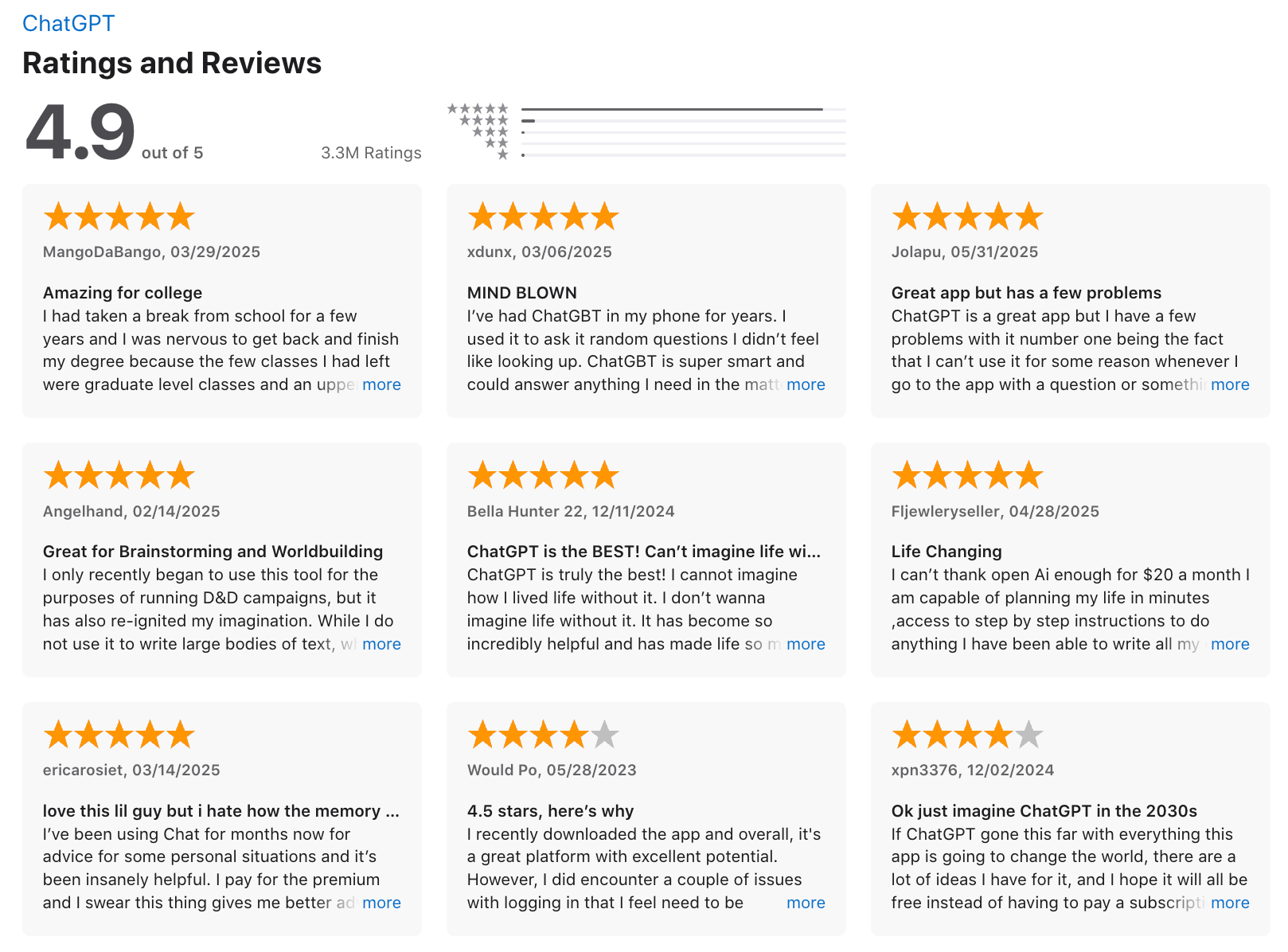
ChatGPT Review (source)
2. Pi
Pi AI is a personal AI assistant built to support your work and mental clarity. Unlike traditional productivity tools, Pi combines task management with emotional intelligence, helping you stay on top of your day while feeling understood.
Key features
- Adaptive, conversation-style assistance
- Smart to-do lists and reminders
- Emotional support via empathetic chat
- Text and voice input options
- Privacy-first design (no data stored)
Pros:
- ✅ Warm, personalized conversations
- ✅ Combines productivity and emotional support
- ✅ Easy to use across all devices
- ✅ No sign-up required to start
Cons:
- ❌ Limited third-party app integrations
- ❌ Not built for heavy workflow automation
Pricing:
- Free basic access
Suitable For: Individuals seeking companionship or emotional support through conversation.
How to Start: Download the Pi app from the App Store or visit their website.
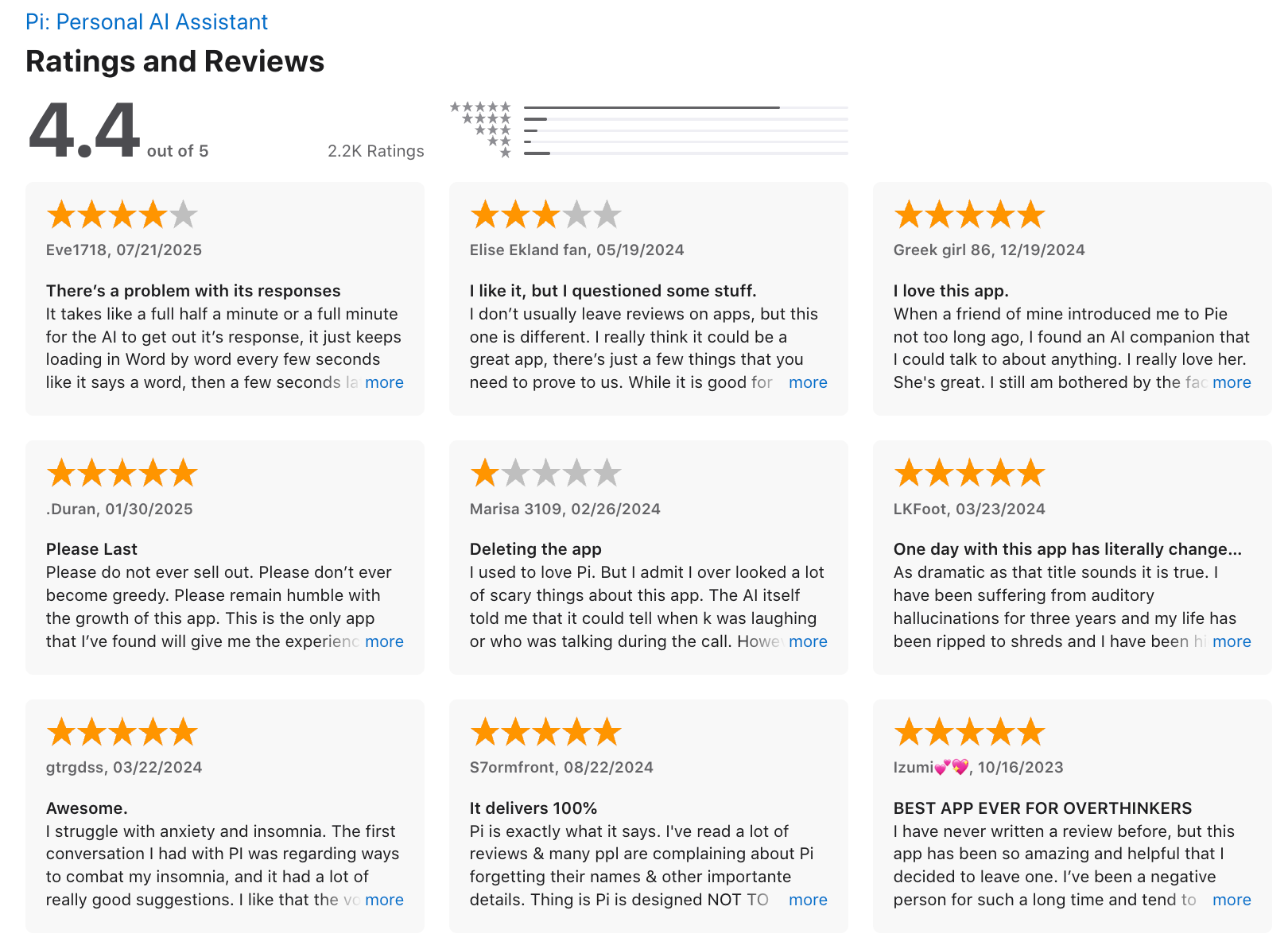
Pi.ai review (source)
3. Claude
Claude is an advanced AI model developed by Anthropic that focuses on natural language understanding and generation
Features
- Three model tiers - Haiku for quick tasks, Sonnet for everyday work, and Opus for complex reasoning
- A 500K token context window that lets you upload full codebases, lengthy PDFs, and large research documents without losing track of earlier content
- Extended thinking mode that lets Claude reason through multi-step problems before answering, rather than jumping straight to a response
- Built-in safety guardrails trained on Anthropic's Constitutional AI approach, making responses less likely to hallucinate or fabricate citations compared to competing models
Pros:
- ✅ Intuitive and fast to use
- ✅ Great at handling complex requests
- ✅ "What I really appreciate is that Claude will admit when it doesn't know something instead of just making stuff up like other AI tools do. I appreciate the honesty!" – reviews
- ✅ "I like how Claude handles long and complex information, understanding long prompts seriously and addressing my concerns with structured and thoughtful responses instead of generic answers." – reviews
Cons:
- ❌ "Great AI, but catastrophic and ridiculous limits! The model itself is great, but the user experience is a total disaster. The message limits are unbelievably low, even when you pay for the Pro plan." – reviews
- ❌ "I wish it had other API tools built in, like image generation, or video editing for a full-blown marketing suite." – reviews
Pricing:
- Free basic plan; Pro plan at $20/month for advanced features.
Suitable For: Users needing analytical insights alongside conversational capabilities.
How to Start: Sign up through the Claude platform
Claude review (source)
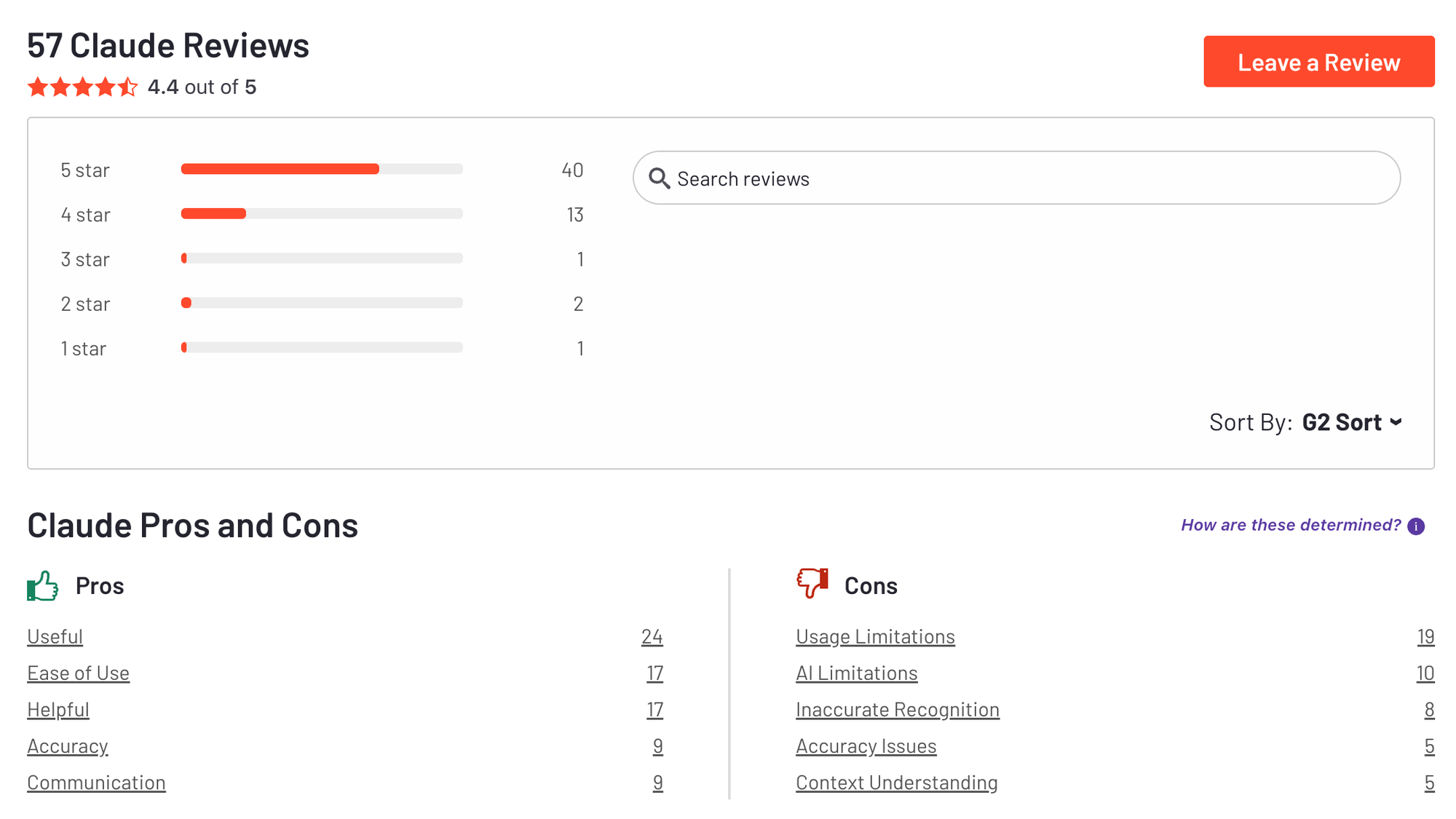
Claude isn't the most feature-rich AI chatbot, but it performs most tasks reasonably well and benefits from a well-designed interface. - PCmag
4. Gemini

Gemini is Google’s most powerful AI assistant, built to help professionals work smarter, not harder. Seamlessly integrated into Gmail, Docs, and the broader Google Workspace, Gemini drafts emails, summarizes documents, manages tasks, and even analyzes data.
Features
- Deep integration across Gmail, Google Drive, Google Docs, Calendar, and Maps
- Over 1 million token context window, letting you upload lengthy PDFs, long videos, and multi-document research without losing accuracy
- Multimodal inputs covering text, images, audio, video, and code in a single conversation
- Native image and video generation powered by Nano Banana and Veo 3
Pros:
- ✅ "The integration with Google Workspace is a massive bonus for my workflow. It's like having an incredibly smart assistant who knows the technical context in which you're writing." — review
- ✅ Smart, context-aware task automation
- ✅ Voice and text interaction
- ✅ "It adapts to my style for coding, writing, and brainstorming. Whether I'm coding, writing, or just brainstorming, it adapts perfectly." — review
- ✅ Strong security and privacy standards
Cons:
- ❌ Internet connection required for most features
- ❌ Some features only available in the Google ecosystem
- ❌ "Gemini do not learn. Gemini do not remember. It cheats, fabricates, and makes non-existing data, history, and stories." — review
- ❌ "Large chats don't always load on mobile devices, which can be a pain when working on the move. Can't change between models while in a chat." — review
- ❌ "Sometimes it misses context in more complex or niche questions, which can lead to slightly off or incomplete answers." — review
Pricing:
- Free basic plan;
Suitable For: Users needing analytical insights alongside conversational capabilities.
How to Start: Sign up through the Gemini platform
Google Gemini review (source)
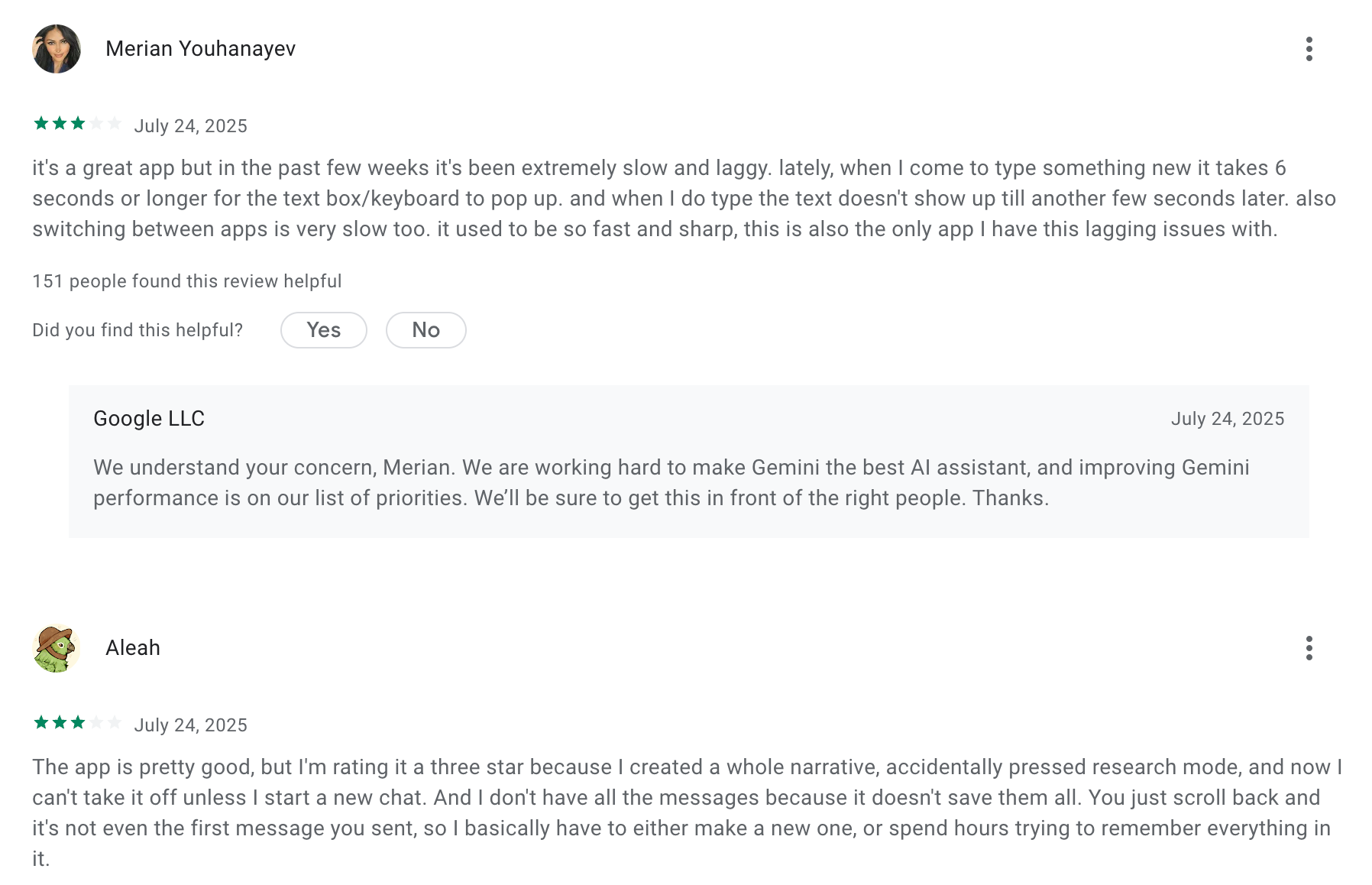
Gemini works great as a standalone AI chatbot, and its bundled cloud storage and deep integrations with nearly every Google app make it a superb value. - PCmag
5. Perplexity
Perplexity is an AI-powered answer engine that blends conversational AI with real-time web search to give direct, sourced responses instead of just links.
It interprets natural language queries, synthesizes information from multiple web sources, and shows citations so you can verify where the answers came from.
Key features
- Every answer includes citations and links to original sources, helping you trust and verify the information quickly.
- Paid plans let you pick from powerful models like GPT-5, Claude variants, and others - useful for deeper or more complex queries.
- Beyond basic Q&A, you can run thorough research requests or focus searches (e.g., academic, social, YouTube) to refine outputs.
Pros
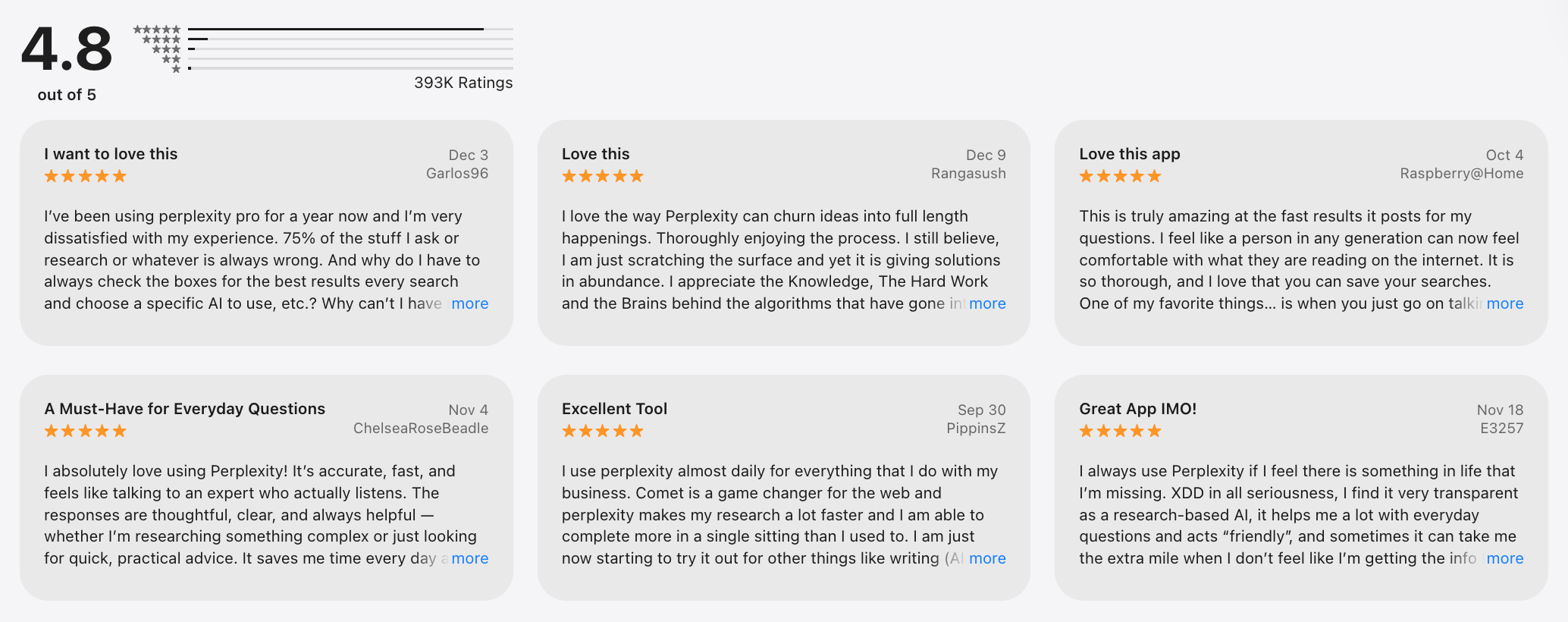
- ✅ "I use Perplexity every day without fail. It drops links to where it snags its facts — so I can dig into the details myself. Most reliable AI search I have found." – verified review
- Citations let you trace claims back to original sources, which helps with research or professional work.
- ✅ "I love using Perplexity because it has a clean UI that is fast and easy to use." – verified review
Cons
- The free tier caps advanced queries and research capacity, which might frustrate heavy users.
- ❌ "They cut user's deep research usage by 97%. When subscribing to Perplexity Pro it was promised that we would receive unlimited usage." – verified review
- It’s strong in research and knowledge, but doesn’t replace tools like maps or local search engines.
- Tools like full email assistants or agentic workflows come only in expensive high-tier plans.
- ❌ "I cancelled my subscription before renewal, yet Perplexity still charged my debit card $240 without my consent. There's no way to speak to an actual person." – verified review
- ❌ "Hopeless customer service and unexplained charges – stay away" – verified review
Best for
- Researchers, students, writers, and professionals who need reliable, sourced answers and deep research insights.
Pricing
- Free: $0 - unlimited basic searches with limited advanced queries.
- Pro: ~$20/month or $200/year - unlimited Pro queries, advanced models, file uploads, collaboration.
- Max: ~$200/month - full access including priority features, extended limits.
- Enterprise Pro: ~$40/user/month with admin and privacy tools.
How to get started
- Visit perplexity.ai and sign up with email, Apple, or Google account.
Perplexity review (source)
Perplexity stands out for its strong AI-powered web searches and can handle most tasks you'd expect from an AI chatbot, but its limited deep research abilities are somewhat disappointing. - PCmag
Quick-Pick Guide: How to choose your AI Personal Assistant?
1. If your notes, tasks, and emails are scattered across different apps and you spend more time finding things than doing them - Saner.AI (free / from $8/mo) is built for exactly this: one workspace where your knowledge and your to-dos live together, and an AI that plans your day before you ask.
2. If you need a fast, capable thinking partner for writing, brainstorming, research — and you don't want to configure anything — ChatGPT (free / from $20/mo) is the default for a reason. It handles an enormous range of tasks well and requires zero setup.
3. If you're already living inside Google Workspace and want an AI that works directly inside Gmail, Docs, Sheets, and Calendar — Gemini (free / from $19.99/mo) plugs into the Google ecosystem more deeply than any other assistant on this list.
4. If you work with long, complex documents - legal briefs, research reports, technical specs - and need an AI that reads carefully and reasons through nuance before answering — Claude (free / from $20/mo) handles large documents and detailed analysis better than most general-purpose tools.
5. If your calendar is the problem — Reclaim.ai (free / from $10/mo) automatically blocks focus time, reschedules around conflicts, and defends your calendar without you micromanaging it.
6. If you're overwhelmed, tend to procrastinate with a long to-do list, and want an AI that reshuffles your day automatically — Saner.AI (free) auto-plans your day from scratch each morning and adjusts in when you want
7. If you want a personal AI for emotional support, open-ended conversations, and thinking through decisions — and you're less interested in productivity features — Pi (free) is designed for conversation rather than task completion, and it's one of the few AI assistants that actually listens rather than just answers.
8. If you're a developer or power user who wants an agentic AI that can take actions across multiple tools, run multi-step workflows, and connect to APIs — OpenClaw is built for agentic, autonomous task execution and suits users who want the AI to do things, not just suggest them.
9. If you have ADHD and need an AI assistant that accounts for how your brain actually works — low friction capture, proactive check-ins, automatic organisation, no manual sorting required — Saner.AI (free / from $8/mo) is the only tool on this list purpose-built for scattered attention and high cognitive load.
10. If you want to try an AI personal assistant before spending anything, Saner.AI, ChatGPT, Gemini, Claude, Reclaim.ai, and Pi all have genuinely usable free tiers. Start with Saner.AI if your problem is organisation;
Conclusion

There’s no one-size-fits-all AI personal assistant. Some are brilliant at scheduling. Others are like brainstorming buddies. A few feel like they get your scattered brain - and gently bring order to the chaos.
So here’s the bottom line:
- 🧠 Need help organising thoughts, remembering tasks, and planning your day? Try Saner.AI - it’s made for people juggling messy info from everywhere.
- 📝 Need help writing, thinking, or summarising? ChatGPT, Claude, and Gemini are powerful conversational partners.
- 💬 Just want a low-pressure space to think out loud or talk it through? Pi gives you that calming space.
AI tools aren’t meant to replace your brain - they’re here to support it. Especially if you deal with ADHD, overwhelm, or decision fatigue, the right assistant can give you back clarity, focus, and time.
✨ Start small. Pick one assistant based on your biggest pain point. Use it for a week. Notice how it feels.
Because the best assistant isn’t the most powerful one - it’s the one that makes your life a little easier, day by day.
Stay on top of your work and life
FAQs About AI Personal Assistant Tools
1. What is the best AI Personal Assistant for work?
Saner.AI is one of the most advanced AI personal assistants available today, especially for professionals who juggle multiple tasks, notes, and calendars.
Unlike basic chatbots, Saner connects with your work apps - like Google Calendar, Gmail, and your notes - and helps you manage everything in one place. It’s particularly useful for people who get overwhelmed or distracted easily, including those with ADHD.
Other AI tools can answer questions or summarize content, but Saner stands out by actively helping you get things done - organizing your notes, reminding you of tasks, and surfacing what’s important without you having to search for it.
2. Can AI Personal Assistants replace human employees?
AI assistants are designed to complement human efforts, not replace them. They excel at handling repetitive tasks and providing support, allowing humans to focus on creative and strategic activities.
3. Are there free AI Personal Assistant tools available?
Yes. Many tools offer free plans:
- Saner.ai offers a generous free tier with note-taking, AI search, and task management.
- ChatGPT has a free version (with fewer features than GPT-4).
- Gemini is free for most users via Google.
- Reclaim and Motion offer limited free plans focused on calendar and task scheduling.
However, advanced features like unlimited usage, deeper integrations, or automation often require a paid plan.
4. How can a work-focused AI assistant improve my productivity?
They help by reducing context switching. Instead of bouncing between notes, calendars, and task apps, everything lives in one flow.
For example, Saner reminds you of important tasks at the right time, helps you find information instantly using natural language, and even breaks big projects into smaller steps. This keeps your focus sharp and your brain clear.
5. Which AI Personal Assistant is best for people with ADHD?
Saner.AI is specifically designed to help people with ADHD manage overwhelmedness, reduce context-switching challenges, and combat forgetfulness.
6. Do AI assistants support voice input or automation?
Yes, many of them do.
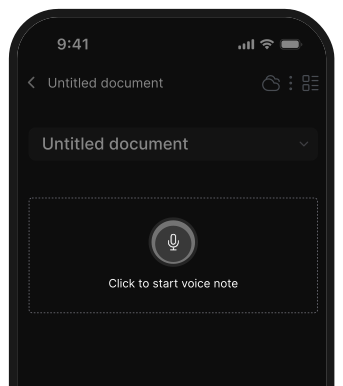
- Saner supports voice notes and automatic task suggestions from your captured thoughts.
- Motion and Reclaim automate scheduling.
- ChatGPT and Gemini can transcribe voice input if used via tools that support it, but they don’t automate your workflow by default.
7. Can AI personal assistants integrate with other applications and services?
Integration capabilities vary among assistants:
- Saner.ai: Integrates with GDrive, notes apps, emails, calendars...
- Reclaim: Integrates with calendars and task management tools.
- ChatGPT and Gemini: Can be integrated into workflows using APIs and plugins.
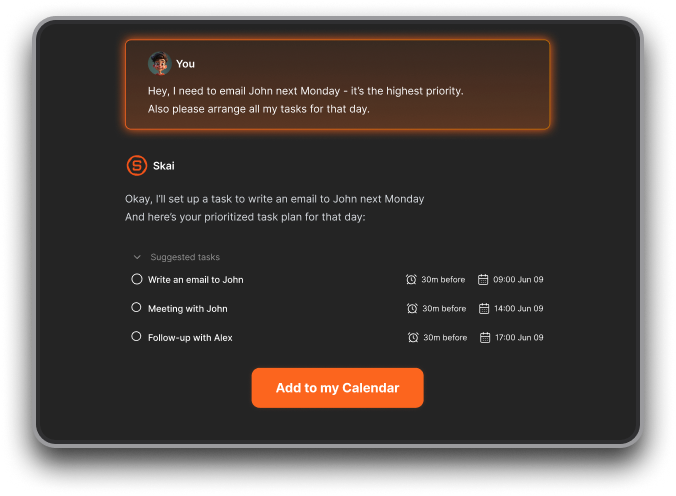
8. Which AI personal assistant auto-schedules tasks into my calendar?
Users like Saner.ai for suggesting time slots based on tasks and braindump. Reclaim and Motion can also do real-time time-blocking
9. How do you handle mistakes or hallucinations?
- Keep human-in-the-loop, always skim AI-generated tasks before accepting.
- Use version history or undo buttons.
- Provide feedback when the AI misses the mark; many tools retrain on corrections
10. Which AI assistant is best for entrepreneurs?
Entrepreneurs wear a lot of hats. A tool like Saner.ai is especially useful because
- It helps you offload ideas, prioritize tasks, and stay organized, without having to set up a rigid system.
- It connects your notes, tasks, and calendar so your mind stays clear while juggling multiple projects.
- Also, it proactively plans the day for you every morning without you having to ask
11. How can AI assistants support busy managers?
Managers deal with a flood of meetings, follow-ups, and context switching. An AI assistant can:
- Remind you about tasks or people you’re waiting on
- Help you prep for meetings by surfacing related notes
- Summarize key decisions from your notes
- Reduce time spent manually organizing your day
12. Do AI assistants support creative work too?
Yes. Whether you're brainstorming a startup idea or planning content, AI assistants like Saner let you quickly offload rough thoughts, capture voice notes, and connect related ideas later.
Chat-based tools like ChatGPT are excellent for drafting, exploring concepts, and refining messaging
13. Which AI personal assistant is best overall?
It depends on your needs:
- Saner.AI – Best for ADHD, entrepreneurs, and anyone juggling notes, tasks, and follow-through.
- ChatGPT / Claude – Best for writing, brainstorming, and idea generation.
- Gemini – Best for Google Workspace users.
- Motion & Reclaim – Best for automated scheduling and time blocking.
- Akiflow – Best for keeping a distraction-free daily plan.
14. Is there an AI tool that actually helps with ADHD beyond just a to-do list?
Yes. Tools like Saner.AI and Motion go beyond simple lists:
- Saner.AI nudges you at the right time, translates messy thoughts into tasks, and reduces context switching.
- Motion auto-schedules your day so deadlines don’t sneak up.
These go deeper than checklists - they act like scaffolding for ADHD brains.
15. How do you customize or train an AI assistant to meet your needs?
- In Saner.AI, you just type or speak naturally - its AI understands and organizes.
- ChatGPT & Claude allow custom instructions for tone, style, or workflows.
- Gemini adapts through Google data (Docs, Gmail, Calendar).
- Advanced users even connect APIs or Zapier for extra automation.
Never miss your deadlines again with your AI Assistant
[Last updated in 2026]