We Tested +20 AI Personal Assistants. Here are the best 10 in 2026

If you need something that clears your inbox without you babysitting it, remembers what you told it last Tuesday, and puts the task on your calendar before it falls out of your head.
These AI personal assistants can do that for you, I promise.
Quick answer: What are the Best AI Personal Assistants?
- Claude — best all-around AI assistant for writing, research, and connected work through Projects and tool integrations.
- Saner.AI — best proactive AI assistant. It manages tasks, notes, calendar, and email automatically
- ChatGPT — broadest ecosystem and plugin support, strong for anyone already living inside OpenAI's tools.
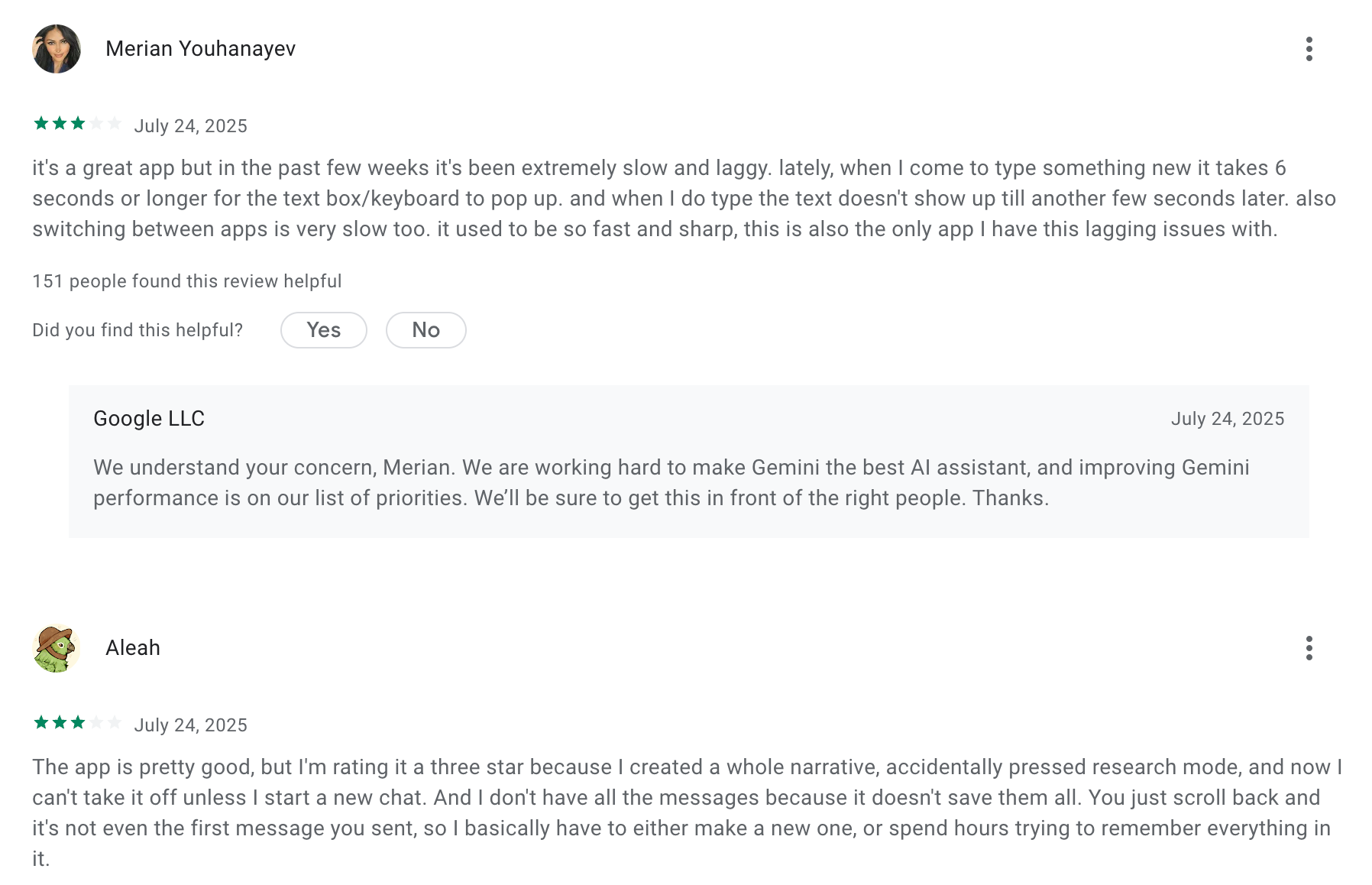
- Gemini — the pick if your day already runs on Gmail, Docs, and Google Calendar
- OpenClaw — free, open-source, self-hosted agent that lives on your own machine and messages you through WhatsApp and Telegram
- Poke — an assistant that runs entirely over iMessage and SMS, no app required.
- Motion — auto-schedules your tasks onto your calendar using AI and reshuffles them as your day changes.
- Muse - Meta's personal AI agent that takes real-world actions (shopping, bookings, forms) via a secure cloud VM
- Town — an email assistant that triages inbox, drafts replies, and runs scheduled routines in the background.
- Vellum — an open-source personal AI assistant you can self-host or run in the cloud
1. What is an AI Personal Assistant?
An AI personal assistant is software that uses artificial intelligence to handle tasks you'd otherwise do manually - scheduling, summarizing, drafting, searching, and organizing.
2. How I Chose the AI Assistants in This List
I tested more than 20 AI personal assistant tools over weeks, evaluating each one through real daily work. I scored each one against the following criteria:
- Core intelligence - Can it understand a complex, ambiguous request and return something useful on the first try, or does it need extensive hand-holding to get there?
- Proactive capability - Does it wait for instructions, or does it surface things you need before you ask?
- Integration depth - Does it connect to the apps where your work actually lives (calendar, email, Slack, Drive), or does it function as an isolated silo?
- Task and knowledge unification - Can it manage both what you need to do and what you need to know in one place?
- Free plan or low-cost entry - We prioritised tools accessible without a large upfront commitment, since the value of an AI assistant is only obvious after you've used it for a few weeks.
- Ease of first use - How much setup does it take before it's genuinely useful?
Now, let's dive in!
What Are The Best AI Personal Assistants in 2026?
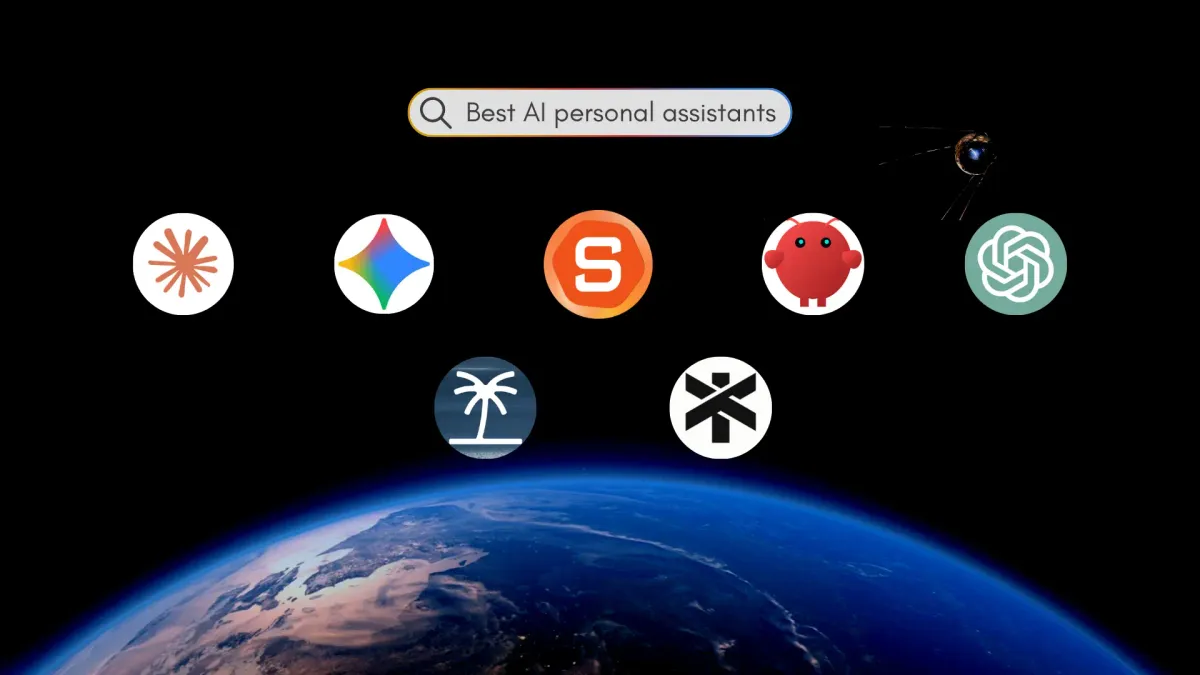
The best AI Personal Assistants are: Claude, Saner.AI, OpenClaw, ChatGPT, Gemini, Poke, Motion, Muse, Town, and Vellum
1. Claude
Claude is Anthropic's AI assistant, and it's the one I reach for when the task involves writing, reasoning through something messy, or working across a lot of documents at once.
Features
- Projects with persistent context: You upload reference files and set instructions once, and every conversation in that Project inherits them.
- Large context windows: You can drop in entire files or codebases without the model losing the thread partway through.
- Connectors and agent tools: Claude connects to Gmail, Calendar, Drive, and other services, plus Claude Code for developers and Cowork for multi-step knowledge work.
Pros:
- Intuitive and fast to use
- Great at handling complex requests
"What I really appreciate is that Claude will admit when it doesn't know something instead of just making stuff up like other AI tools do." – reviews
Cons:
- ❌ It doesn't have image generation or video editing like ChatGPT or Gemini
Pricing:
- Free basic plan; Pro plan at $20/month for advanced features.
Suitable For: Users needing analytical insights alongside conversational capabilities.
How to Start: Sign up free, then create a Project for one recurring type of work and load it with your reference material
Claude review (source)
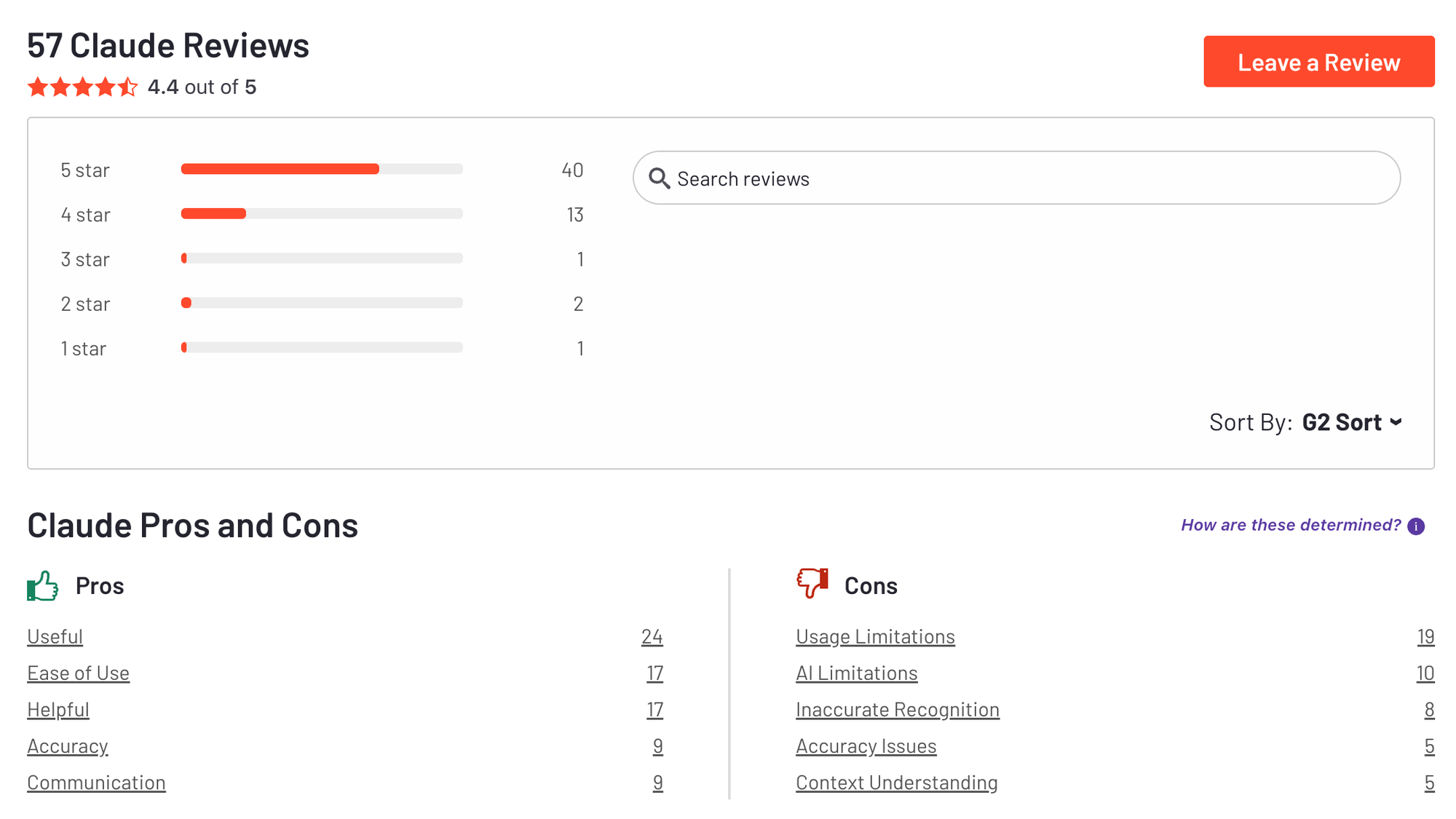
- Reviewers rate it highly for reasoning and long-document work, with G2 pulling out "ease of use" and "accuracy" as recurring themes and "usage limitations" as the top complaint — reviews
2. Saner.AI
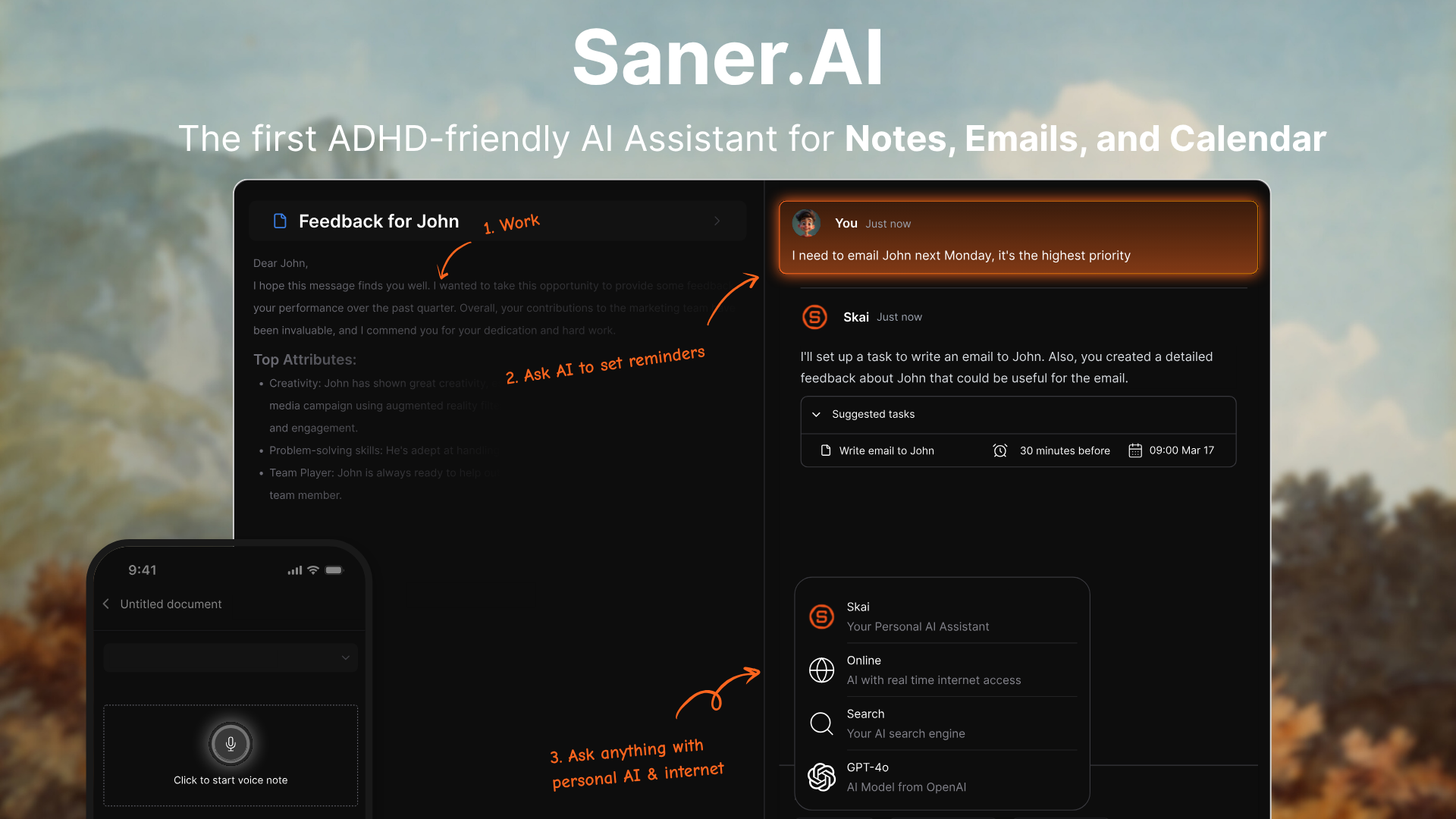
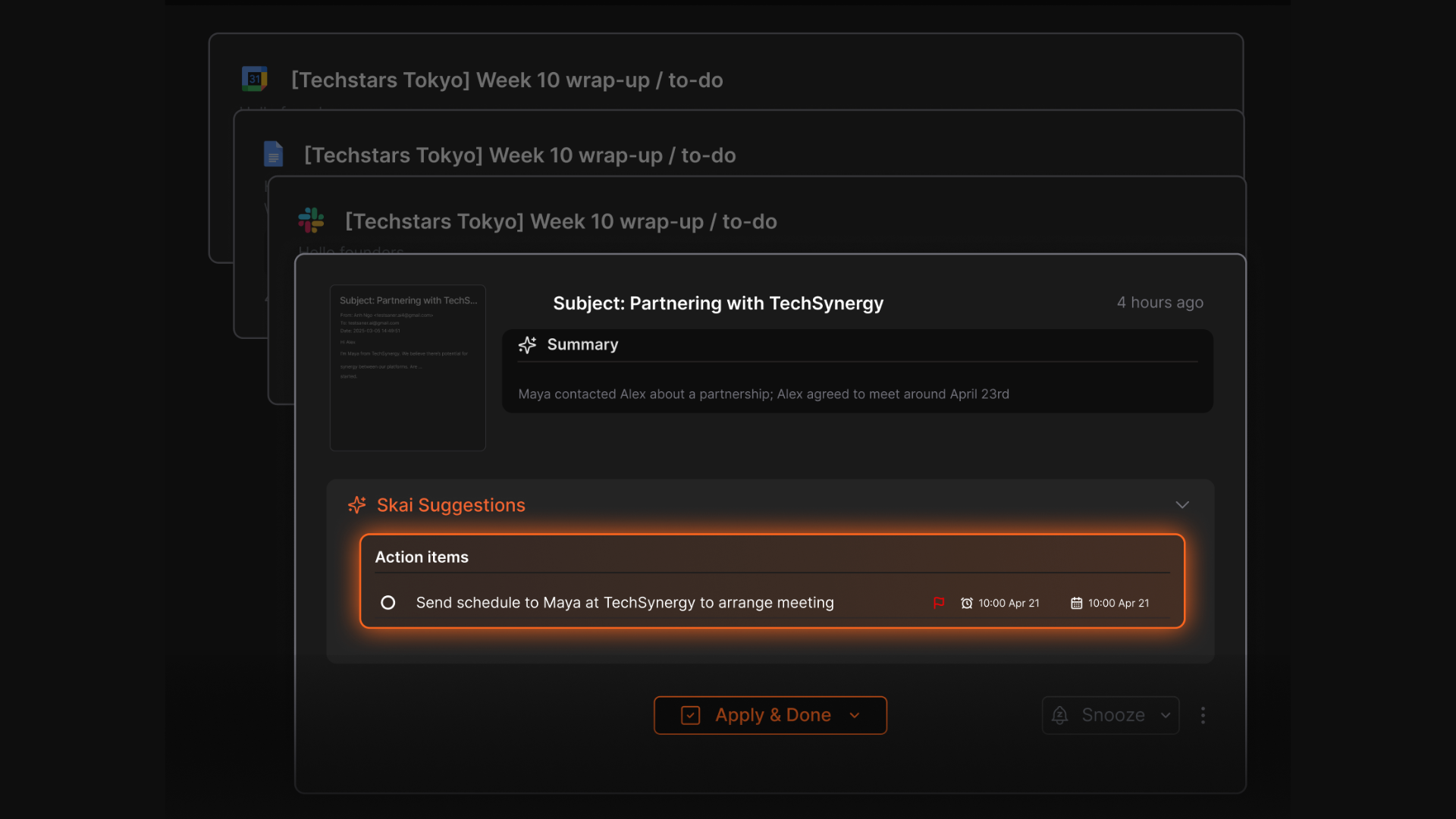
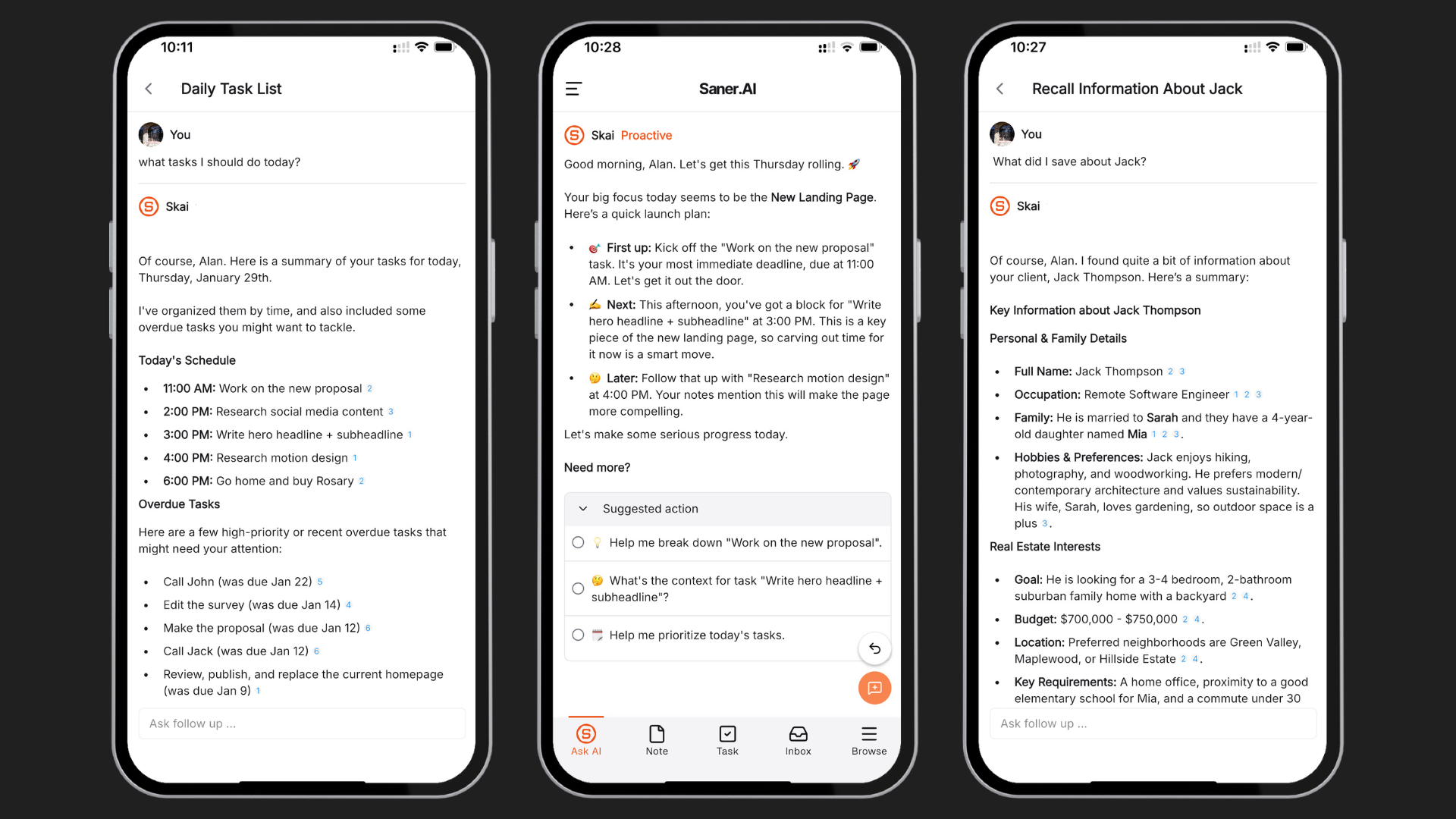
Saner.AI is an AI personal assistant designed to help knowledge workers reclaim their peace of mind. Users can input emails, notes, tasks, and brain dumps, and the AI will help them sort through all the chaos, schedule tasks, and set reminders automatically.
Features
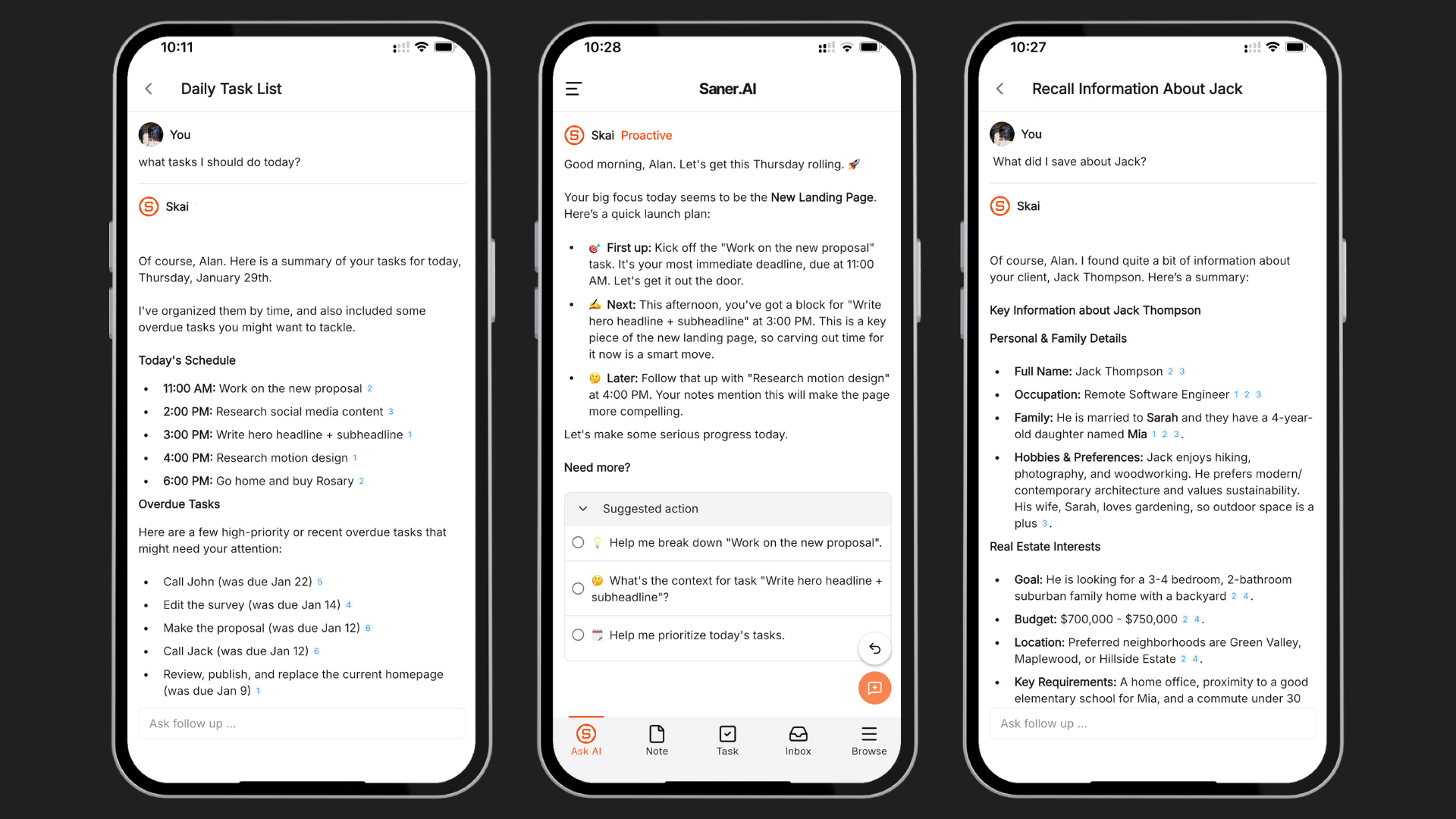
- Your day, planned for you: Every morning, Saner automatically looks at your emails, to-dos, and notes - then gives you an optimal plan
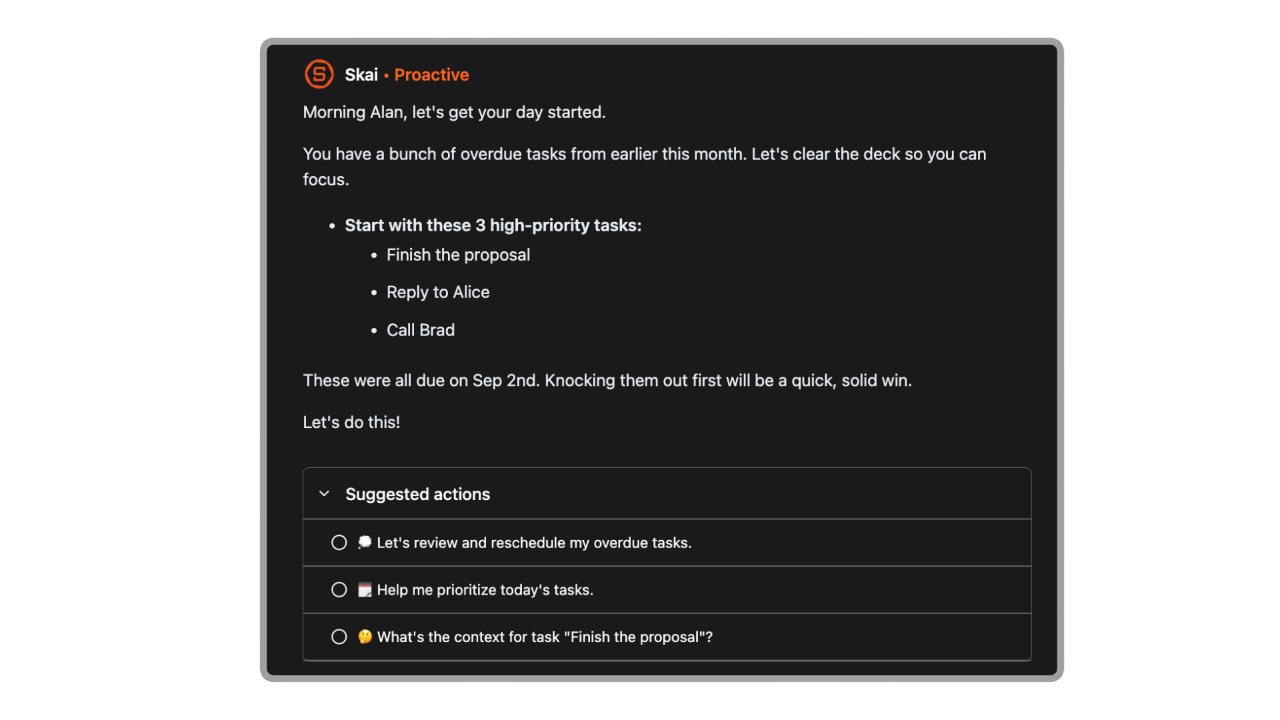
- Stay organized without effort: It tags your notes, sorts your tasks, and figures out what’s most important based on how you work.
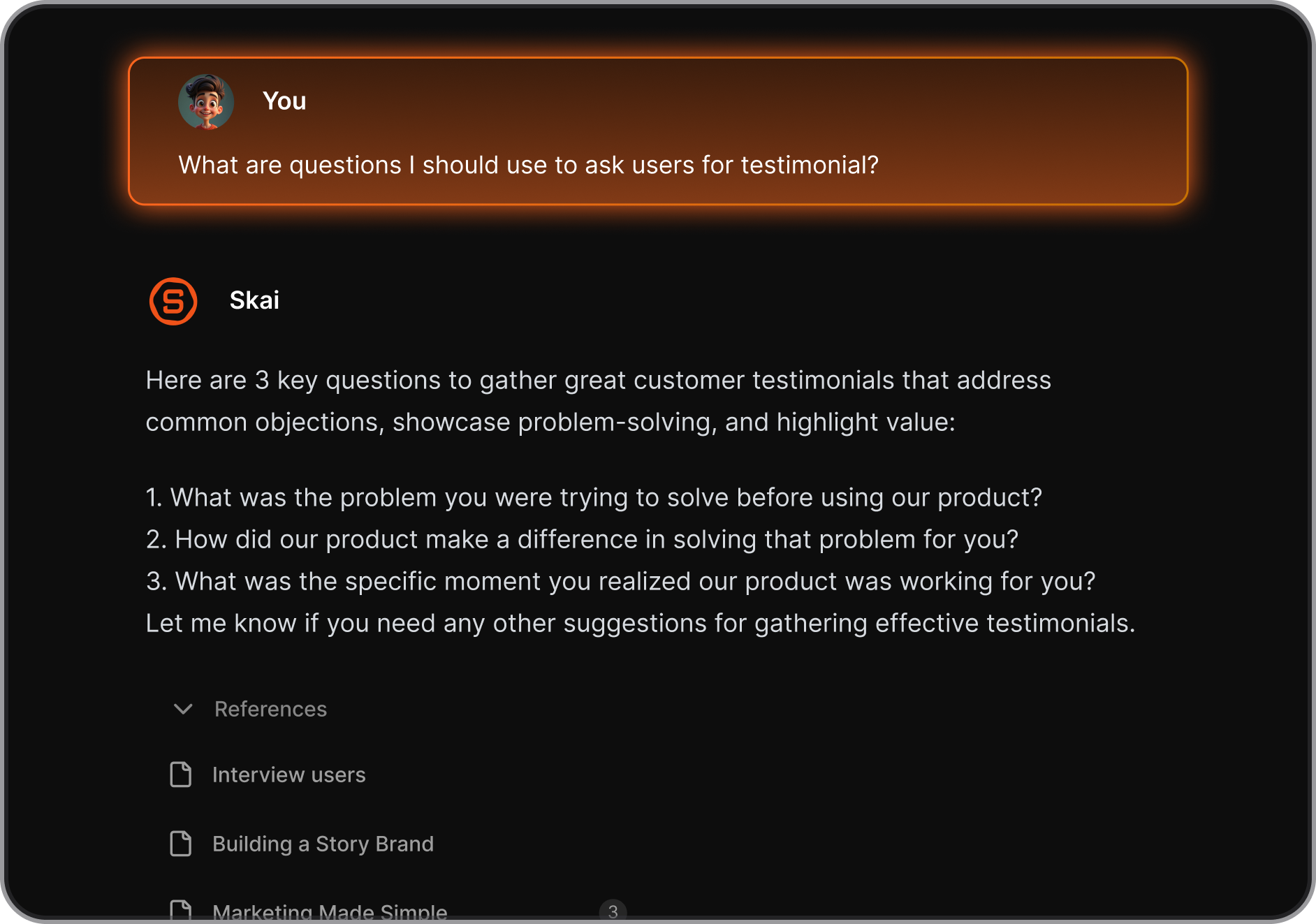
- Ask your notes anything: Can’t remember what you wrote last week? Just ask Skai (the AI), and it’ll find and explain it clearly.
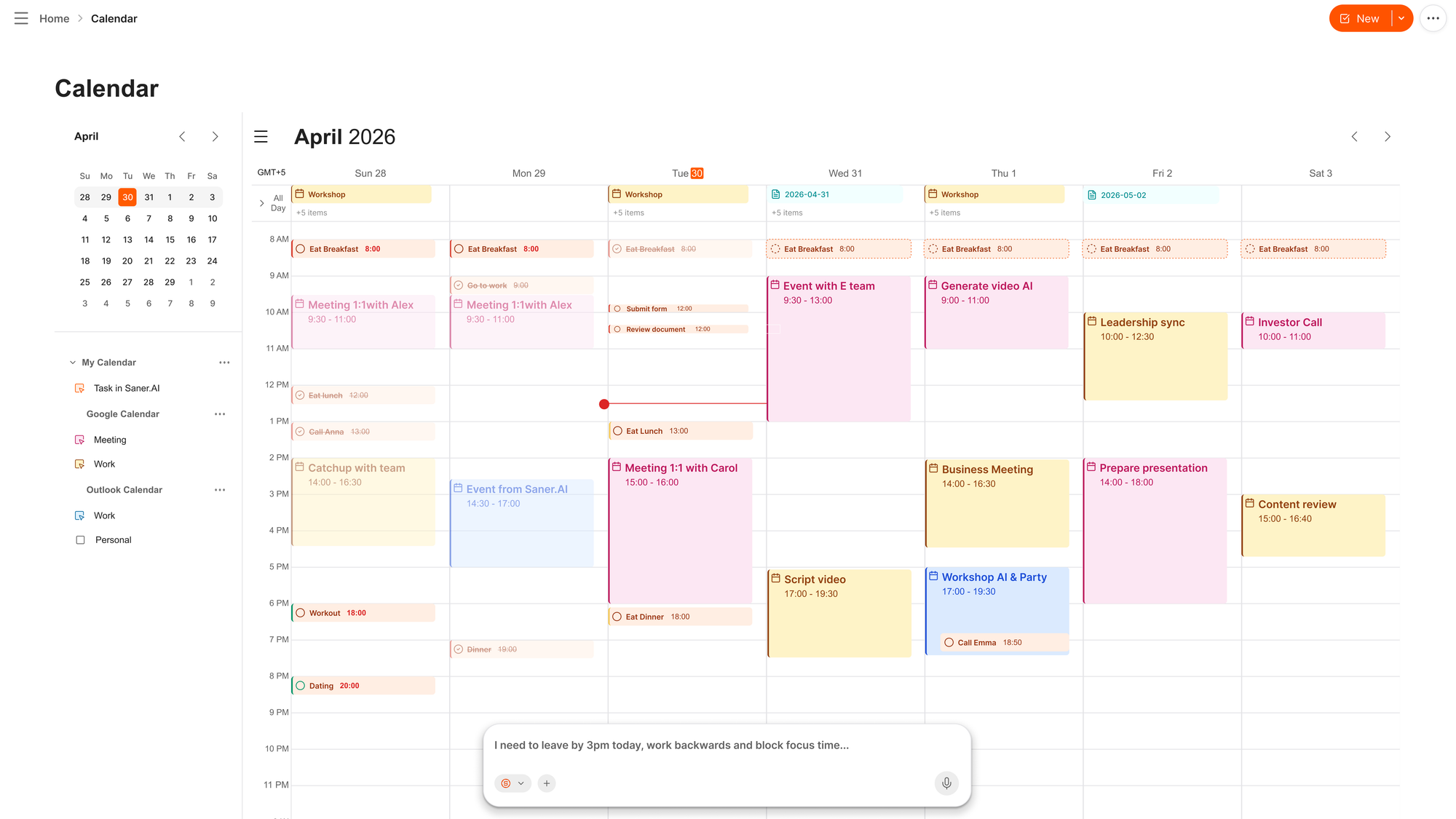
- AI calendar built-in
- Works with your other tools: Easily connects with Google Drive, Slack, Notion, Apple Notes,...
Pros
- Combines note-taking, task management, and AI assistance in one platform.
- Saner is proactive, not just reactive; it plans your day before you ask
- Semantic search across your own documents is faster and more accurate than keyword search
- Tailored features for individuals with ADHD
- Free plan available with no credit card required.
Cons
- Requires internet access for full functionality.
Saner.AI Reviews
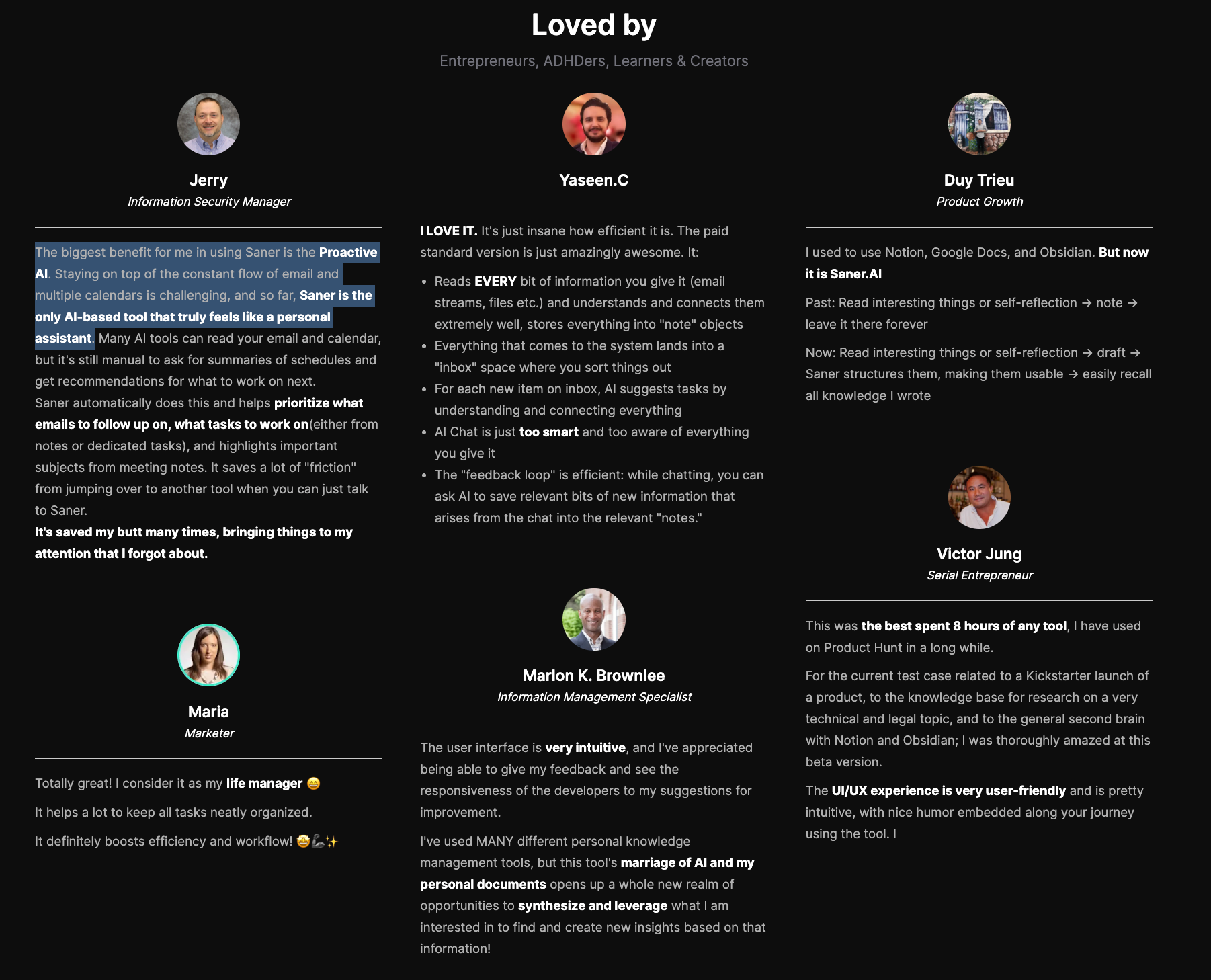
"The biggest benefit for me in using Saner is the Proactive AI. Staying on top of the constant flow of email and multiple calendars is challenging, and so far, Saner is the only AI-based tool that truly feels like a personal assistant." - Jerry
Pricing
- Free — $0
- Starter — $8/month
- Standard — $16/month
Who is it suitable for?
- Individuals struggling with information overload or context switching.
- Entrepreneurs, knowledge workers, creatives, and professionals who want a single AI workspace instead of multiple disconnected apps.
- People who want an AI assistant that actively organizes their ideas, tasks, and reminders rather than just responding to prompts
How to start using it?
- Visit Saner.AI
- Start with a basic brain dump and task creation.
- Check out this 1-minute tutorial

Stay of top of work with an AI Personal Assistant
3. ChatGPT

ChatGPT has become a go-to AI chat assistant for professionals looking to work smarter. From drafting emails to summarizing meetings, managing tasks, and automating research, it’s like having a 24/7 chief of staff.
Features
- True multimodality — generate images via GPT Image 1.5, create video clips via Sora, and hold real-time voice conversations
- Scheduled Tasks: Runs one-off or recurring actions on a schedule, like daily briefings or inbox checks, without you keeping a tab open. It
- Agent Mode: Browses, fills forms, and works through multi-step tasks with your approval at each step, which pushes it past pure question-and-answer.
Pros:
- High-quality, context-aware output
"It's very easy to use, and I'm always impressed by how quickly and efficiently it provides answers." – review
- Secure and enterprise-ready
- I can find an integration for almost anything. The ecosystem advantage is not hype, it's the practical reason most people stay.
Cons:
- No workspace to work on notes, tasks, calendar...
"Sometimes it gives wrong or outdated answers, so I have to double check important things. Also, for very specific or advanced tasks, it may need multiple prompts to get the exact result." – review
- Needs internet to function
Pricing:
- Free basic version;
- Subscription for advanced features starts at $20/month
Suitable For: Businesses, educators, content creators, and general users seeking interactive AI solutions.
How to Start: Create an account on the ChatGPT website and select a subscription tier that suits your needs.
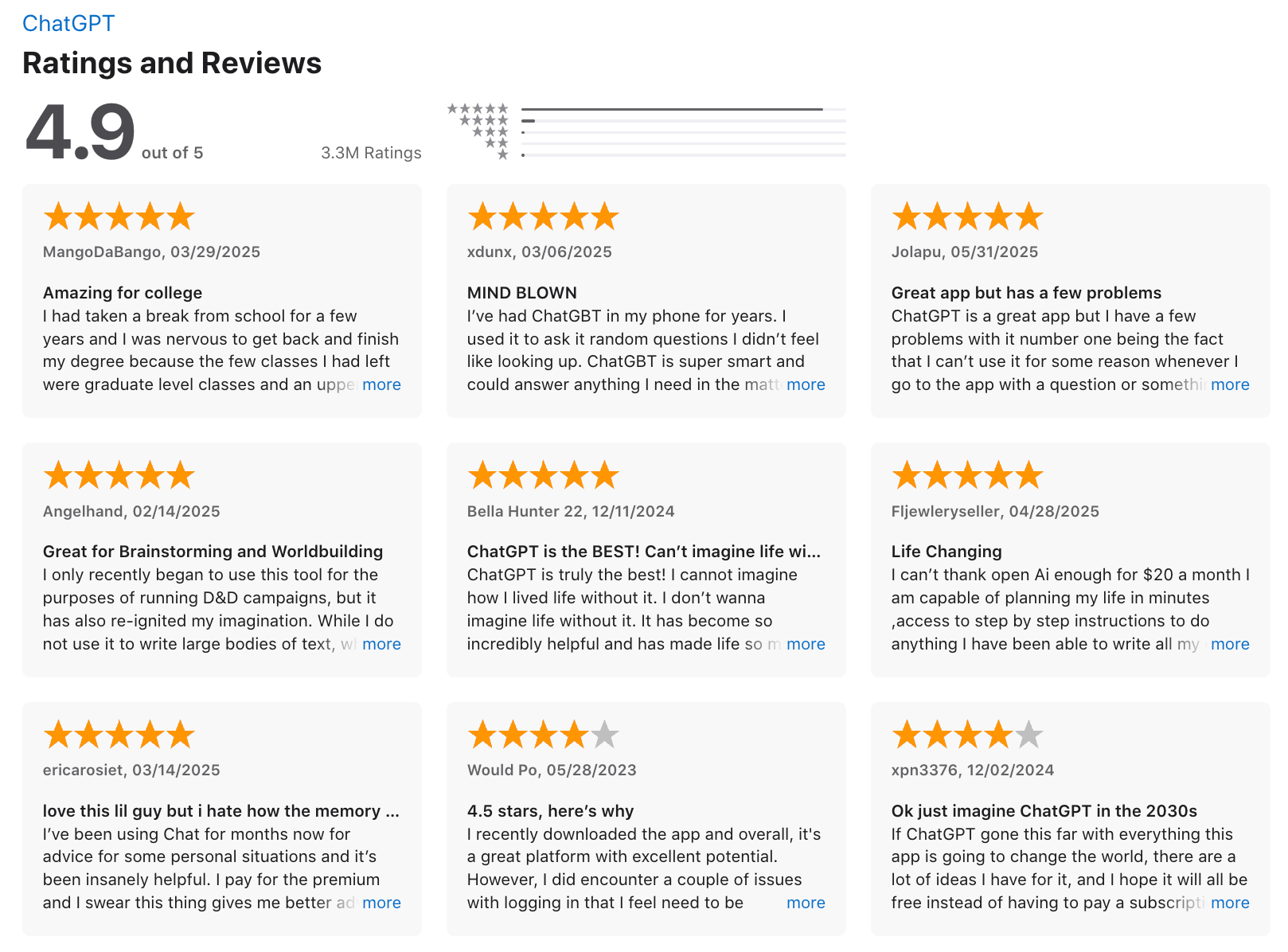
ChatGPT Review (source)
4. OpenClaw
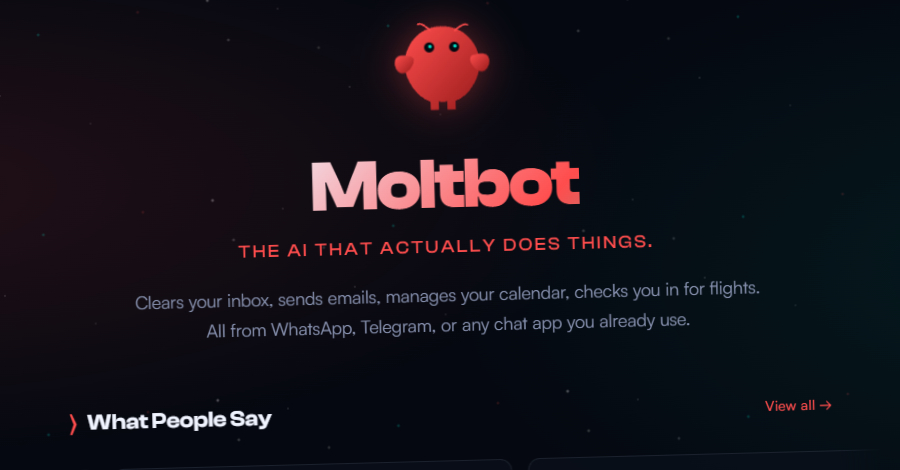
OpenClaw is an open-source, self-hosted AI personal assistant that runs on your own computer and interacts through familiar chat platforms like WhatsApp, Telegram, Slack, iMessage, and more. It actually executes tasks, from managing calendars and reminders to controlling apps and automating workflows
Features
- Runs on your own device (Mac, Linux, Windows), preserving privacy and data control while interacting with messaging apps you already use.
- Works through major messaging platforms
- Remembers past interactions and preferences, letting it build ongoing workflows and provide continuity across sessions.
- Beyond text responses, Moltbot can open apps, run shell commands, send emails, browse the web, manage files, and trigger automation you define.
Pros:
- Delivers real execution, not just suggestions - scheduling, email handling, file operations, and complex multi-step processes.
- Running locally means your data stays on your device and isn’t exposed to cloud providers unless you configure it.
- Use familiar messaging apps as the interface rather than separate dashboards or browser tabs.
Cons:
- Getting started requires familiarity with command-line tools, API keys, and system configuration - not ideal for non-technical users.
- Updates have broken production setups more than once, with config format and skill API changes invalidating existing installs.
- Because it can execute commands and access accounts, insecure setups can expose data or enable prompt injection exploits
"OpenClaw is much more complicated to set up because it's decentralised compared to other AI assistants — there is no 'OpenClaw server' to log into. Instead, you are building the server yourself" — review
Pricing:
- Open-source under MIT License; the core software is free.
- Optional fees for using third-party models (like Claude or GPT-4), depending on your API provider.
Suitable For:
- Users who want a powerful, local-first AI personal assistant that executes real workflows and are comfortable with technical setup.
How to Start:
- Download and install OpenClaw from the official GitHub or project website for your operating system.
- Follow the setup guide to connect a messaging app
5. Gemini

Gemini is Google’s most powerful AI assistant, built to help professionals work smarter, not harder. It lives inside Gmail, Docs, Sheets, Drive, and Calendar rather than asking you to copy things into a separate window.
Features
- Native Workspace access: You can point it at your actual files and threads. One G2 reviewer described tagging @Gmail or @Drive so the AI reads their real files
- Deep Research: Named repeatedly in reviews as one of the most useful things on the paid tier.
- Large context and multimodal input: Handles long documents, images, audio, and video in one conversation.
Pros:
- Smart, context-aware task automation
- Voice and text interaction
- Strong security and privacy standards
Cons:
- Internet connection required for most features
- Some features only available in the Google ecosystem
"Large chats don't always load on mobile devices, which can be a pain when working on the move. Can't change between models while in a chat." — review
- I've found responses can feel generic on specialized or technical topics compared to Claude or ChatGPT.
Pricing:
- Free basic plan;
Suitable For: Google Workspace users, students, and anyone who wants strong AI without adding a new app
How to Start: Sign up through the Gemini platform
Google Gemini review (source)
6. Poke
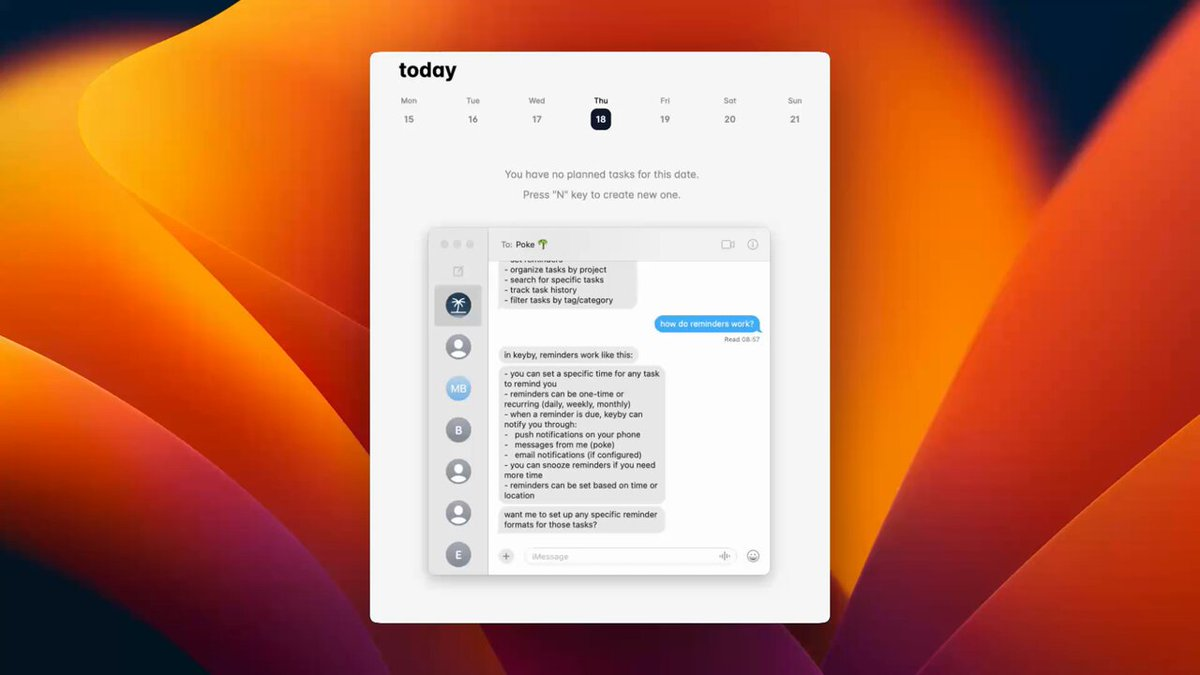
Poke, from The Interaction Company of California, is the least demanding tool here. There's no app to install and no dashboard to learn. You visit the site, enter your phone number, and the assistant operates over text messaging.
Key features
- Messaging-native: Works over iMessage, SMS, WhatsApp, and Telegram, with no new interface to adopt.
- Proactive by default: It connects to your email, calendar, and files, then surfaces important messages and acts on your behalf, drafting replies, rescheduling meetings, and handling invoices.
- Model-agnostic routing: It picks whichever model fits the task rather than being locked to one provider.
Pros:
- Setup takes about a minute, which is a genuine differentiator in a category where everything else wants an hour.
- I get texted when something matters instead of having to go check.
- It has a personality, which sounds trivial until you've used three assistants that read like a compliance memo.
Cons:
- The onboarding is divisive. A "bouncer" persona roasts you and negotiates your price before letting you in, and not everyone finds that charming
- Pricing is inconsistent. One Product Hunt reviewer noted that some get in for $3, others pay $30 — reviews
- Text-only is a ceiling as well as a feature. Simple tasks feel effortless; complex ones feel cramped.
Pricing:
- Negotiated at signup through the onboarding conversation, with reported outcomes ranging from a few dollars to roughly $30/month
Suitable for: People who already run their life through text messages and want zero new software
How to start: Connect your email first, since that's what gives it enough context to be useful.
7. Muse AI
Muse is Meta's new personal AI agent, built to take real-world actions like shopping, bookings, and form-filling rather than just answer questions.
Key Features:
- Muse Secure VM: runs on an isolated cloud computer where your credentials are stored, separate from other agents.
- Persistent memory with opt-outs: remembers past conversations for future tasks, but you can tell it to forget specifics or skip training use.
- Approval checkpoints: pauses for your confirmation before sending emails or completing purchases — it doesn't act alone on money.
- Agent-specific payments: uses Stripe's Link with one-time-use cards for purchases; Shop Pay and 1Password support planned.
Pros:
- I get an agent that keeps working after I close the app, then comes back when it needs my approval.
- I have real data controls: I can make it forget things or opt out of training entirely.
Cons:
- I'm trusting Meta with account access while the company is mid-reckoning over a child-safety settlement and related lawsuits.
- Don't have an interface to manage notes, tasks, calendar
Pricing:
- Free — muse.ai / Meta AI app — covers most everyday use
- $20/month — mid-usage tier
- $100/month — top usage tier for heavy, continuous use
Suitable for:
- Best for: people already in Meta's ecosystem (Instagram, WhatsApp, Facebook) who want one agent across those apps
- Best for: early adopters
- Not yet for: anyone who wants proven reliability before granting purchase and email access
How to Get Started:
- Available now in the US on iOS, Android, and muse.ai. Start by connecting one low-stakes account (like calendar) before granting purchase approval, and test on the free tier before paying.
8. Motion
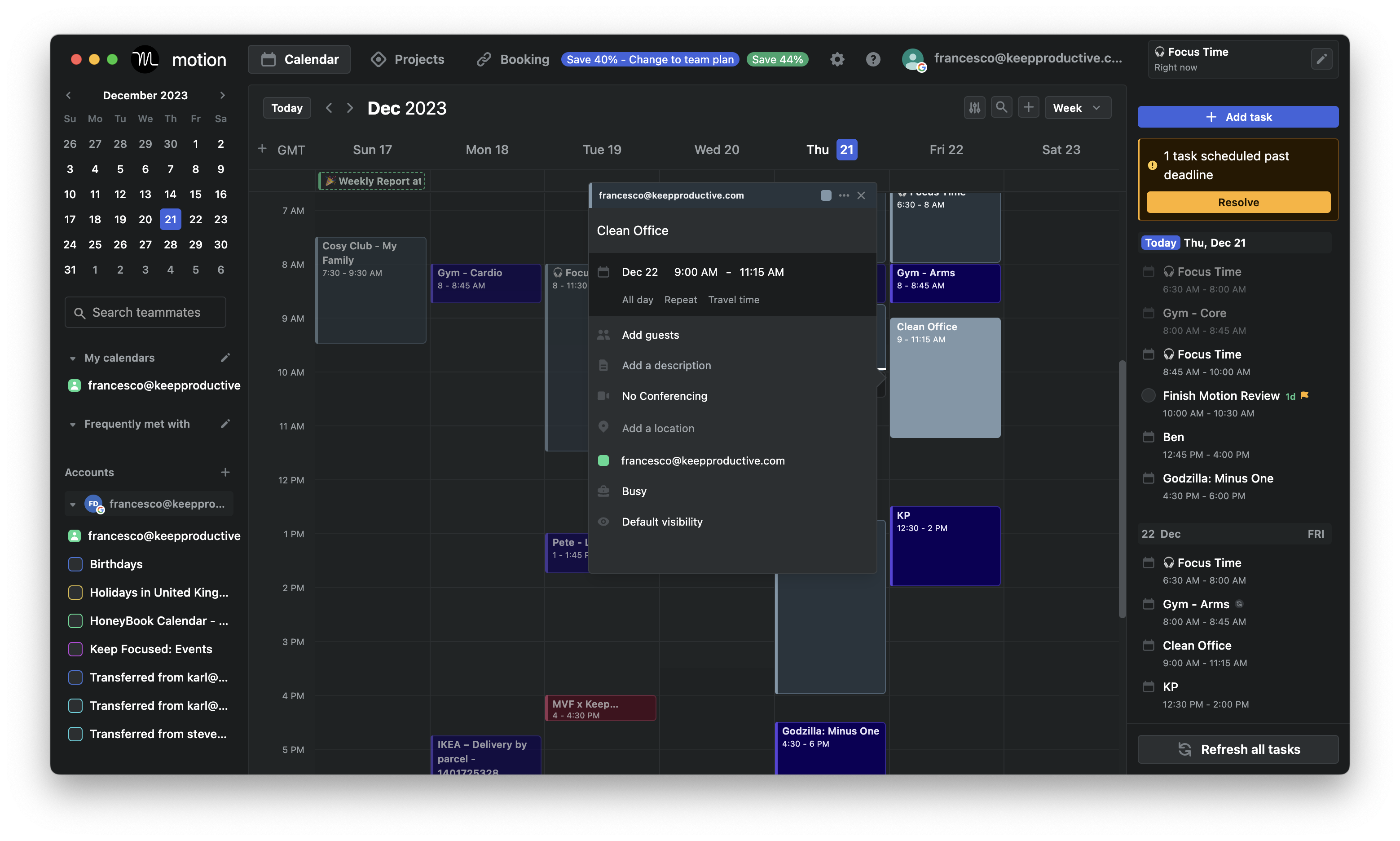
Motion is an AI employee platform that combines task management, project planning, and calendars to streamline daily workflows. This makes them a decent tool for big teams
Features
- AI-powered daily scheduling based on deadlines, priority, and workload
- Smart calendar with Google, Outlook, and Apple sync
- AI Docs that connect your writing to your tasks, projects, and meeting history
- Project management with Kanban boards, Gantt charts, task dependencies, and real-time team capacity tracking
Pros:
- ✅ Combines calendar, tasks, and project management in one place
- ✅ It automatically organizes your calendar
Cons:
- ❌ No permanent free plan - only a 7-day trial
"Its pricing is pricy for a single user" – reviews
- ❌ Complicated design, especially after moving to enterprise customers
- ❌ Doesn't have a chatbot interface
"Trying to charge $700+ for annual after a few days trial with no warning is crazy. The platform isn't even useful anyway" – reviews
Pricing:
- The Individual Plan is $49 per user per month - super quite pricey compared to other apps
- Team Plan: $29 per user per month (billed monthly)
Suitable For:
- Big teams seeking an AI-driven solution for task management, project planning, and automated scheduling to enhance productivity.
How to Start:
- Sign up for a free trial on the Motion website, select a suitable plan, and integrate your existing calendars and tools to begin optimizing your workflow
Motion reviews (source)
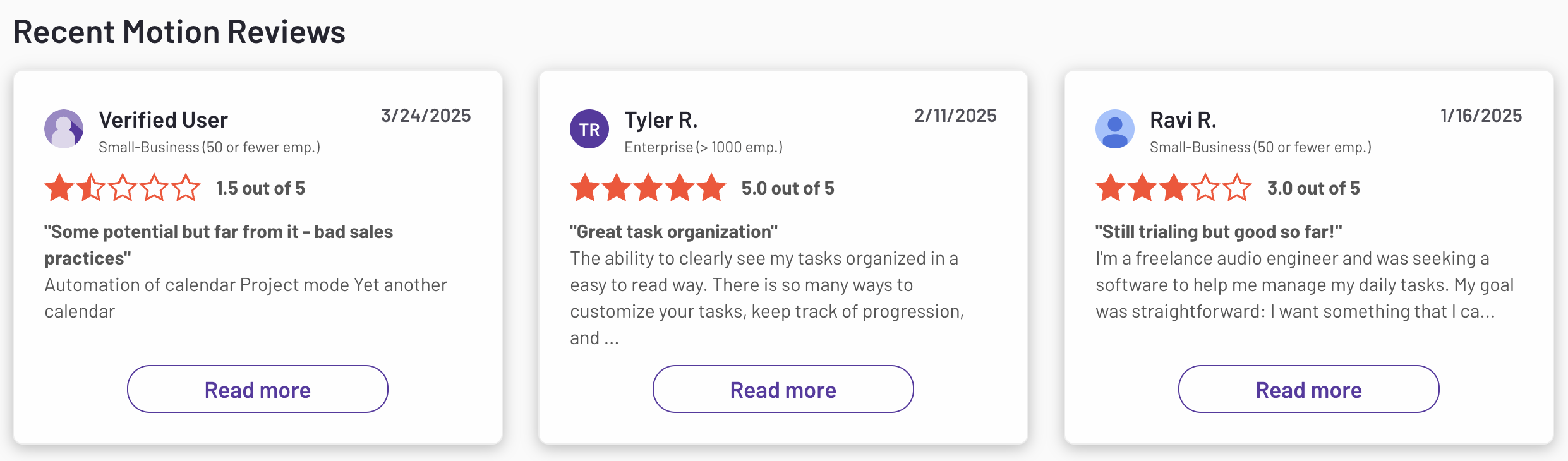
Pricing is ridiculous. Forces you into 1 yr subscription for their AI agents which where completely useless. Don't waste your money. - Christian
"Terrible experience from start to finish. The platform is buggy, slow, and honestly not worth the price. I stopped using it months ago, but they kept charging me" – reviews
"Advertised itself as ADHD friendly but wasn't. Promoted itself to a yearly subscription and all it did was move tasks to later. I had a terrible experience and couldn't even get a refund" – reviews
9. Town
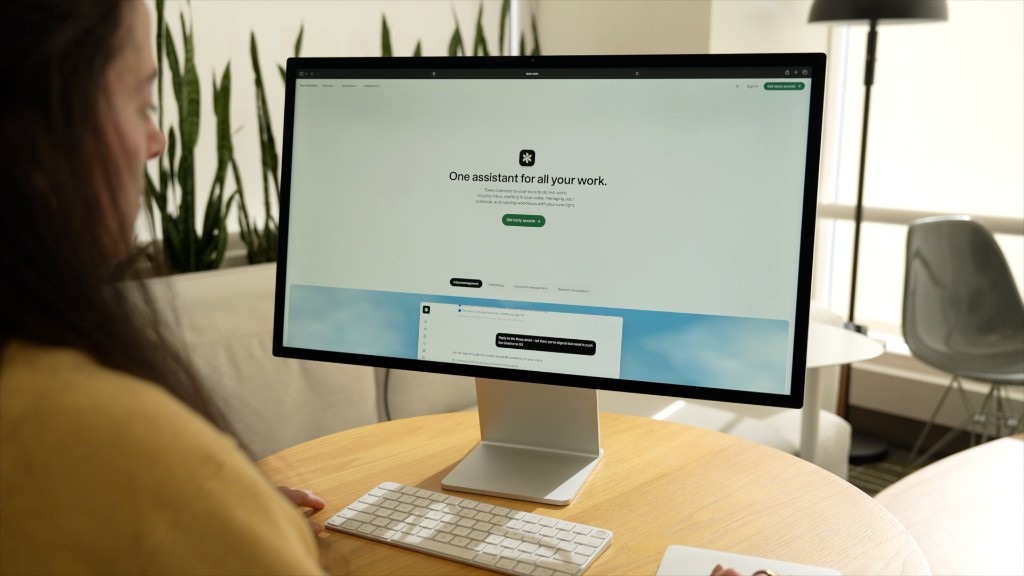
Town gives every user a "Townie" with its own @town.com address that triages your inbox, drafts replies in your voice, and runs scheduled routines in the background.
Key features
- Prebuilt routines: Auto inbox triage, pre-meeting briefings, schedule optimization, invoice and expense logging, and contact research dossiers ship out of the box.
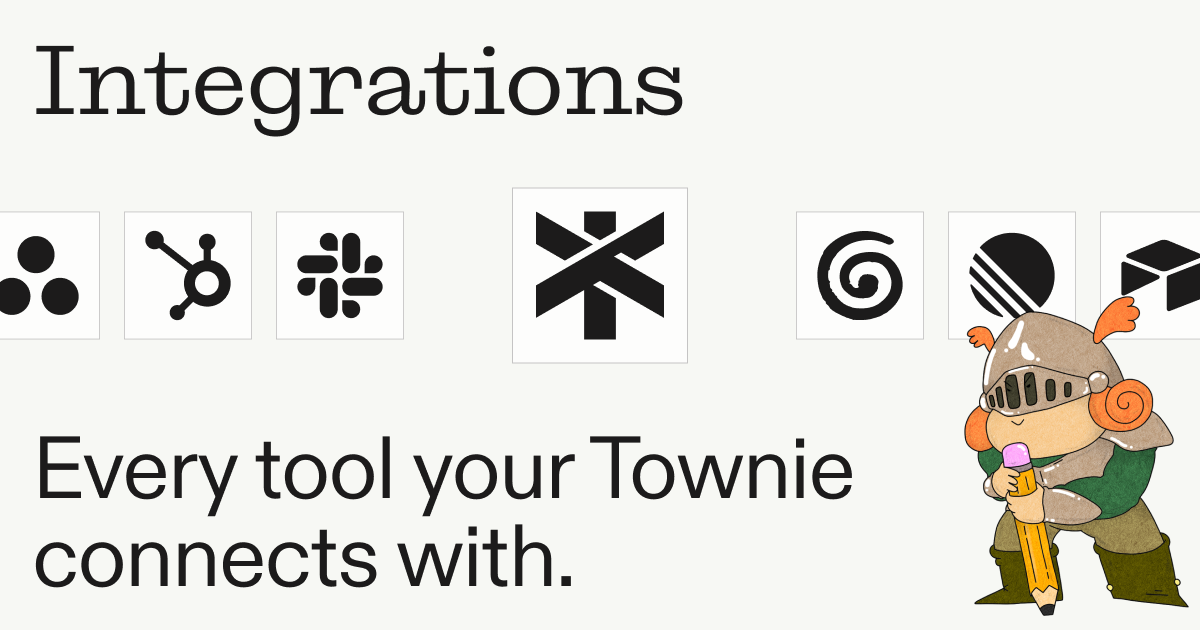
- Multi-surface presence: Web, a dedicated email address, Slack mentions, WhatsApp, iOS voice, and a Mac app, all sharing the same memory and preferences.
Pros:
- Inbox triage, morning briefings, and weekly schedule analysis run without you asking
Cons:
- Credit-based billing with pay-as-you-go overage means a busy month costs more than the sticker price.
Pricing:
- Free — $0 — permanently free plan, no card required
- Starter — paid entry tier, monthly billing only
- Pro — $99/month per user, billed annually — 5,000 credits, unlimited custom routines, meeting briefings
Suitable For: Google Workspace professionals with heavy inbox and meeting loads who want automation, not a chat window
How to Start: Turn on one routine, not five. Inbox triage is the usual first pick because you'll see whether its judgment matches yours within a day.
10. Vellum
Vellum is an open-source personal assistant you can run on your own machine or in Vellum Cloud. It exists in the space OpenClaw opened up, but with the trust model handled deliberately rather than left to you
Key features
- Eight memory types: Episodic, semantic, procedural, emotional, prospective, behavioral, narrative, and shared, each with its own staleness window and local embeddings by default
- Permission-gated computer use: It works in its own sandbox and reaches your actual machine only with approval, granted once, for ten minutes, or always.
- Skill extensibility: Skills are defined by a SKILL.md and TOOLS.json, so you can build capabilities rather than waiting for a vendor roadmap.
Pros
- The credential isolation and default-deny posture address exactly the failure modes that made OpenClaw a security story.
- Setup is meaningfully easier than OpenClaw, with a desktop app rather than a terminal-first flow.
Cons
- It's a much smaller project than OpenClaw, with a correspondingly smaller skill catalog and community.
- Third-party review coverage is thin, so most of the available comparison writing comes from Vellum's own blog. Weigh that accordingly.
Best for
- Privacy-conscious technical users who want OpenClaw's capability without OpenClaw's security posture
Pricing
- Free — $0 — open source under MIT, self-hosted
- Base — free managed tier
- Pro — from around $50/month — pay-as-you-go credits
How to get started
- Use the desktop app rather than the CLI unless you have a reason not to.
Conclusion

A reactive assistant waits for you to open it, which is fine if your problem is thinking.
A proactive one watches your inbox and calendar and surfaces work before you ask, which is what you want if your problem is that things fall through.
An autonomous one executes on its own, which is powerful and carries real risk.
Match that to your actual bottleneck: Claude or ChatGPT if you need better thinking, Motion if your calendar is the mess, Saner.AI if your information is scattered across ten places and you can never find what you decided last Tuesday, OpenClaw or Vellum if you want to own the whole stack.
Pick the one that matches your bottleneck, start with the free tier, and give it one real week before you judge it.
Stay on top of your work and life effortlessly
FAQs About AI Personal Assistant Tools
1. What is the best AI Personal Assistant for work?
Saner.AI is one of the most advanced AI personal assistants available today, especially for professionals who juggle multiple tasks, notes, and calendars.
Unlike basic chatbots, Saner connects with your work apps - like Google Calendar, Gmail, and your notes - and helps you manage everything in one place. It’s particularly useful for people who get overwhelmed or distracted easily, including those with ADHD.
Other AI tools can answer questions or summarize content. Still, Saner stands out by actively helping you get things done - organizing your notes, reminding you of tasks, and surfacing what’s important without you having to search for it.
2. Can AI Personal Assistants replace human employees?
AI assistants are designed to complement human efforts, not replace them. They excel at handling repetitive tasks and providing support, allowing humans to focus on creative and strategic activities.
3. Are there free AI Personal Assistant tools available?
Yes. Many tools offer free plans:
- Saner.ai offers a generous free tier with note-taking, AI search, and task management.
- Claude and ChatGPT have free versions
- Gemini is free for most users via Google.
However, advanced features like unlimited usage, deeper integrations, or automation often require a paid plan.
4. How can an AI assistant improve my productivity?
They help by reducing context switching. Instead of bouncing between notes, calendars, and task apps, everything lives in one flow.
👉 You can read more here about how AI assistants improve productivity
5. Which AI Personal Assistant is best for people with ADHD?
Saner.AI is specifically designed to help people with ADHD manage overwhelm, reduce context-switching challenges, and combat forgetfulness.
👉 You can read here about the AI assistant for ADHD
6. Do AI assistants support voice input or automation?
Yes, many of them do.
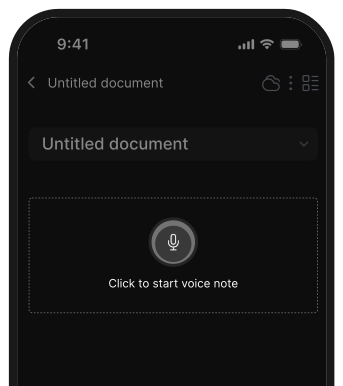
- Saner supports voice notes and automatic task suggestions from your captured thoughts.
- ChatGPT and Gemini can transcribe voice input if used via tools that support it, but they don’t automate your workflow by default.
7. Can AI personal assistants integrate with other applications and services?
Integration capabilities vary among assistants:
- Saner.ai: Integrates with GDrive, notes apps, emails, calendars...
- Reclaim: Integrates with calendars and task management tools.
- ChatGPT and Gemini: Can be integrated into workflows using APIs and plugins.
8. Which AI personal assistant auto-schedules tasks into my calendar?
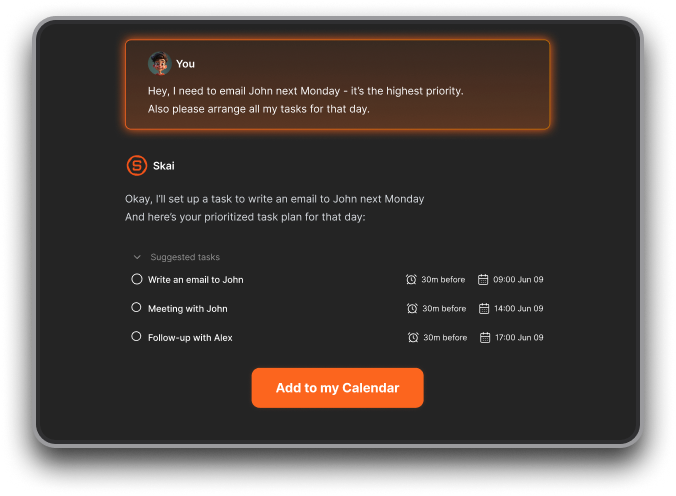
Users like Saner.ai for suggesting time slots based on tasks and brain dump. Reclaim and Motion can also do real-time time-blocking
9. How do you handle mistakes or hallucinations?
- Keep human-in-the-loop, always skim AI-generated tasks before accepting.
- Use version history or undo buttons.
- Provide feedback when the AI misses the mark; many tools retrain on corrections
10. Which AI assistant is best for entrepreneurs?
Entrepreneurs wear a lot of hats. A tool like Saner.ai is especially useful because
- It helps you offload ideas, prioritize tasks, and stay organized, without having to set up a rigid system.
- It connects your notes, tasks, and calendar so your mind stays clear while juggling multiple projects.
- Also, it proactively plans the day for you every morning without you having to ask
11. How can AI assistants support busy managers?
Managers deal with a flood of meetings, follow-ups, and context switching. An AI assistant can:
- Remind you about tasks or people you’re waiting on
- Help you prep for meetings by surfacing related notes
- Summarize key decisions from your notes
- Reduce time spent manually organizing your day
12. How do you customize or train an AI assistant to meet your needs?
- In Saner.AI, you just type or speak naturally - its AI understands and organizes.
- ChatGPT & Claude allow custom instructions for tone, style, or workflows.
- Gemini adapts through Google data (Docs, Gmail, Calendar).
Never miss your deadlines again with your AI Assistant