We tested 14 AI Secretary Apps. Here are the best 7


The right AI secretary app in 2026 can monitor incoming communications, update your schedule, manage cross-platform workflows, and turn messy inputs into structured action without requiring constant hand-holding.
In this post, we’ll look at how each platform handles task execution, which app ecosystems it integrates with, and the trade-offs you’ll face regarding pricing, privacy, and setup complexity.
Quick guide: What are the best AI secretary apps?
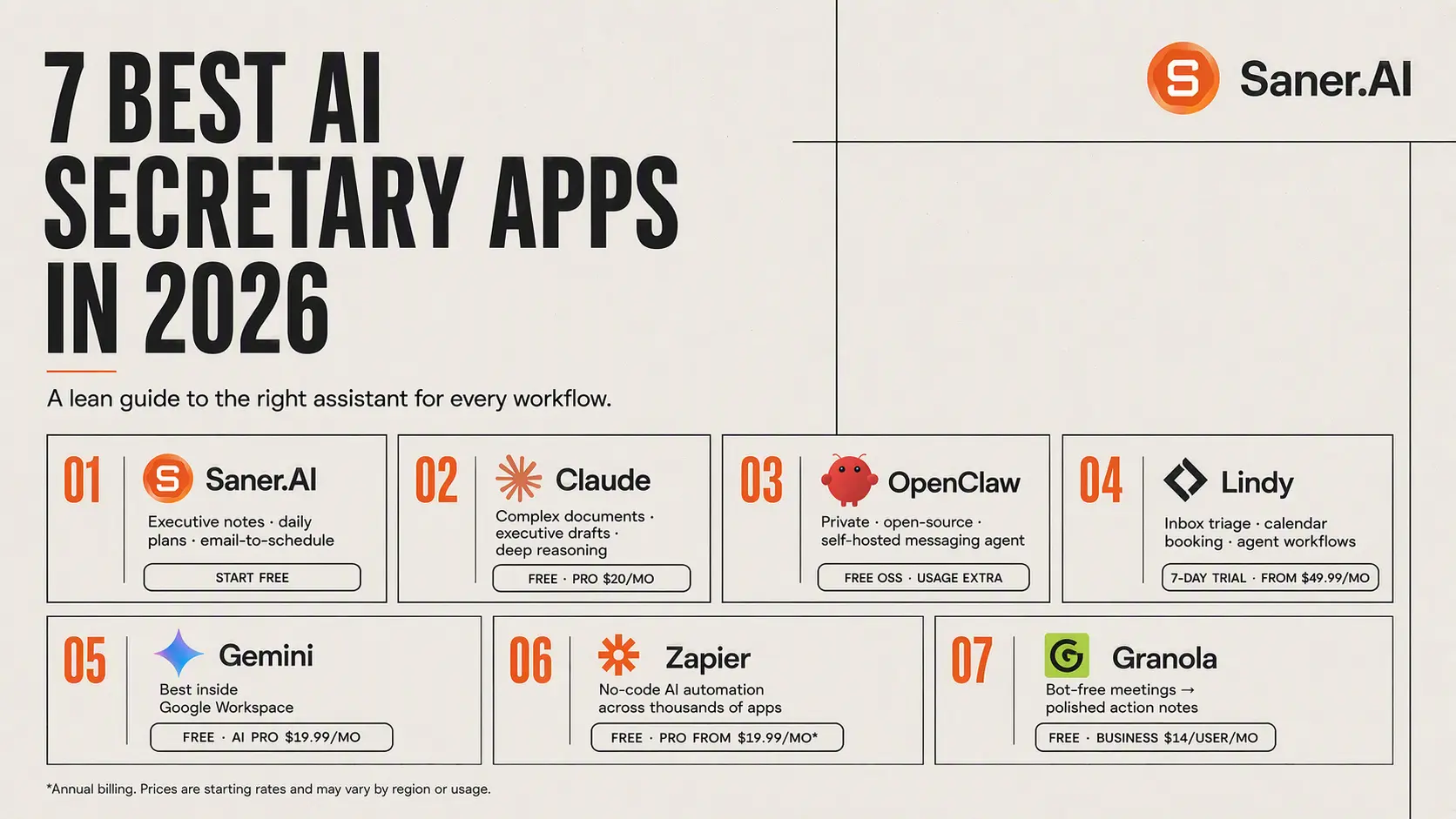
2. Claude: Best for complex document analysis, executive draft writing, and high-reasoning admin tasks.
3. OpenClaw: Best for privacy-conscious users needing an open-source, self-hosted AI agent that operates through messaging apps
4. Lindy: Best for autonomous inbox triage, automated calendar booking, and multi-step executive assistant workflows.
5. Gemini: Best for users deeply embedded in the Google Workspace ecosystem
6. Zapier: Best for building background automated AI secretaries that trigger actions across thousands of web apps without coding.
7. Granola: Best for turning unstructured meeting conversations into polished, actionable notes without bloated meeting bots.
How we chose the best AI secretary apps
An effective AI secretary must do more than hold a conversation; it needs to solve real administrative bottlenecks. We evaluated each platform based on the core operational demands of modern workflows for weeks:
- Actionability & Autonomy: Can the AI execute real-world tasks (like sending emails, creating calendar events, or updating databases) rather than just generating advice?
- Context Retention: How well does it remember your personal preferences, past interactions, and unique organizational style over time?
- Ecosystem Integration: Does it seamlessly connect with your existing tech stack (email clients, calendars, messaging apps, and project boards)?
- Ease of Setup vs. Customization: Does the tool work out of the box for immediate productivity, or does it offer deep API/flow customization for complex needs?
- Data Security & Privacy: How safely does the platform handle sensitive business communications, credentials, and personal records?
What are the best AI secretary apps in 2026?
The Best 7 AI secretary apps are Saner.AI, Claude, Lindy, Gemini, OpenClaw, Zapier, and Granola
1. Claude
Claude works as an executive assistant for technical work, written research, and visual asset production. It keeps context across tasks so you rarely have to re-explain your preferences or background.
What it does well:
- Handles technical execution through Claude Code: It runs terminal commands, reads your files, edits code, and fixes bugs directly.
- Generates working visual layouts through Claude Design: You describe what you need, and it builds functional HTML pages, UI prototypes, or presentation decks in a side-by-side workspace.
- Remembers your project context: Projects let you save brand rules, background documents, and style guides that Claude checks automatically every time you start a new task.
- Solves complex logic problems: Extended thinking lets it work through messy strategy problems and long documents without dropping details.
What it doesn't do well:
- Lacks native call handling: If you need an assistant to dial into live phone calls or manage automated voice notes, you need a dedicated voice app.
- Does not generate raw video or audio: It handles text, code, and vector graphics, but leaves media creation to other tools.
- Requires initial setup time: You have to spend time organizing context files and project folders before it feels genuinely personalized.
Who it's actually for: Founders, developers, and team leads who need an AI assistant for deep work, coding, and visual generation rather than basic scheduling.
2. Saner.AI
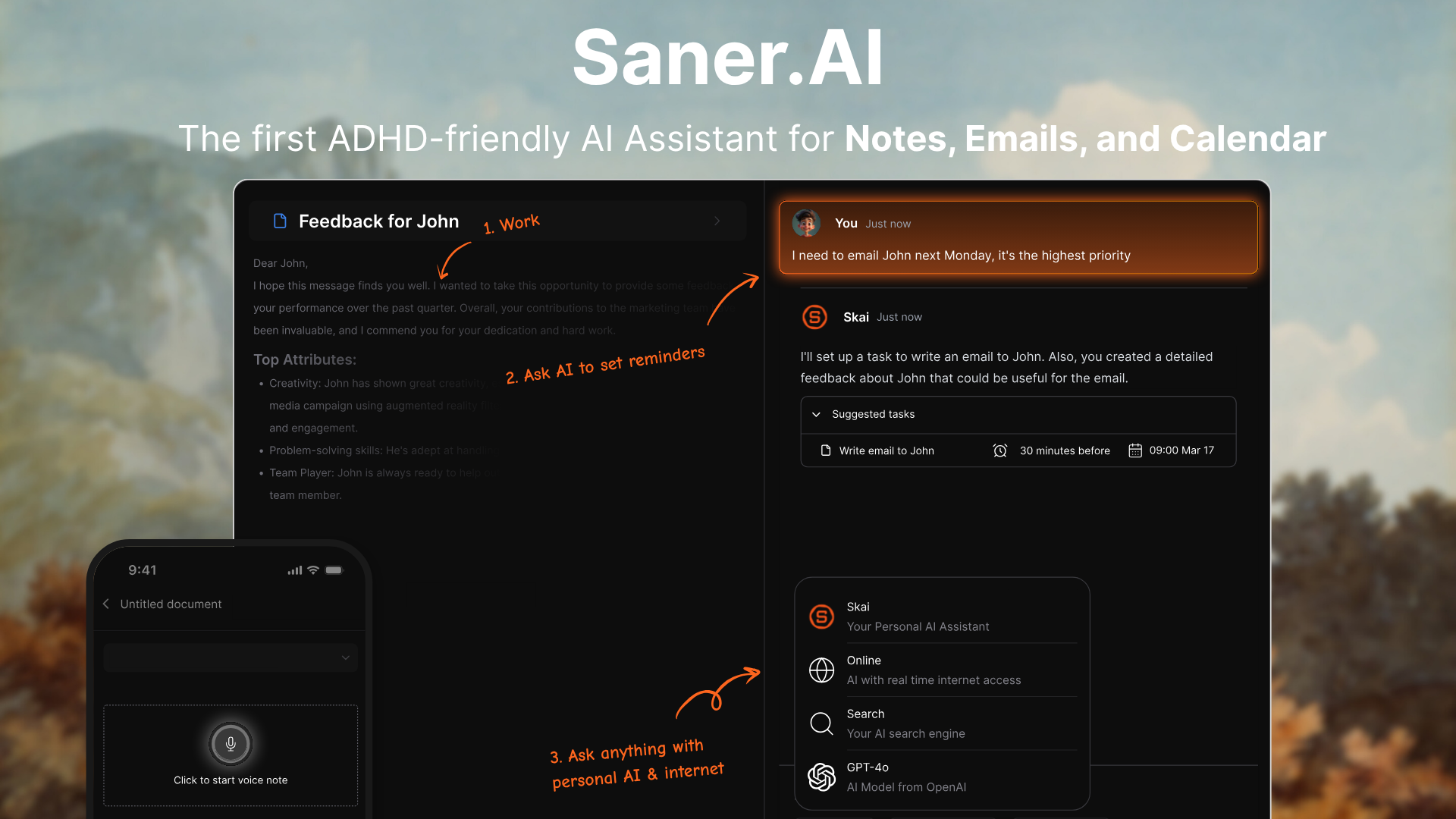
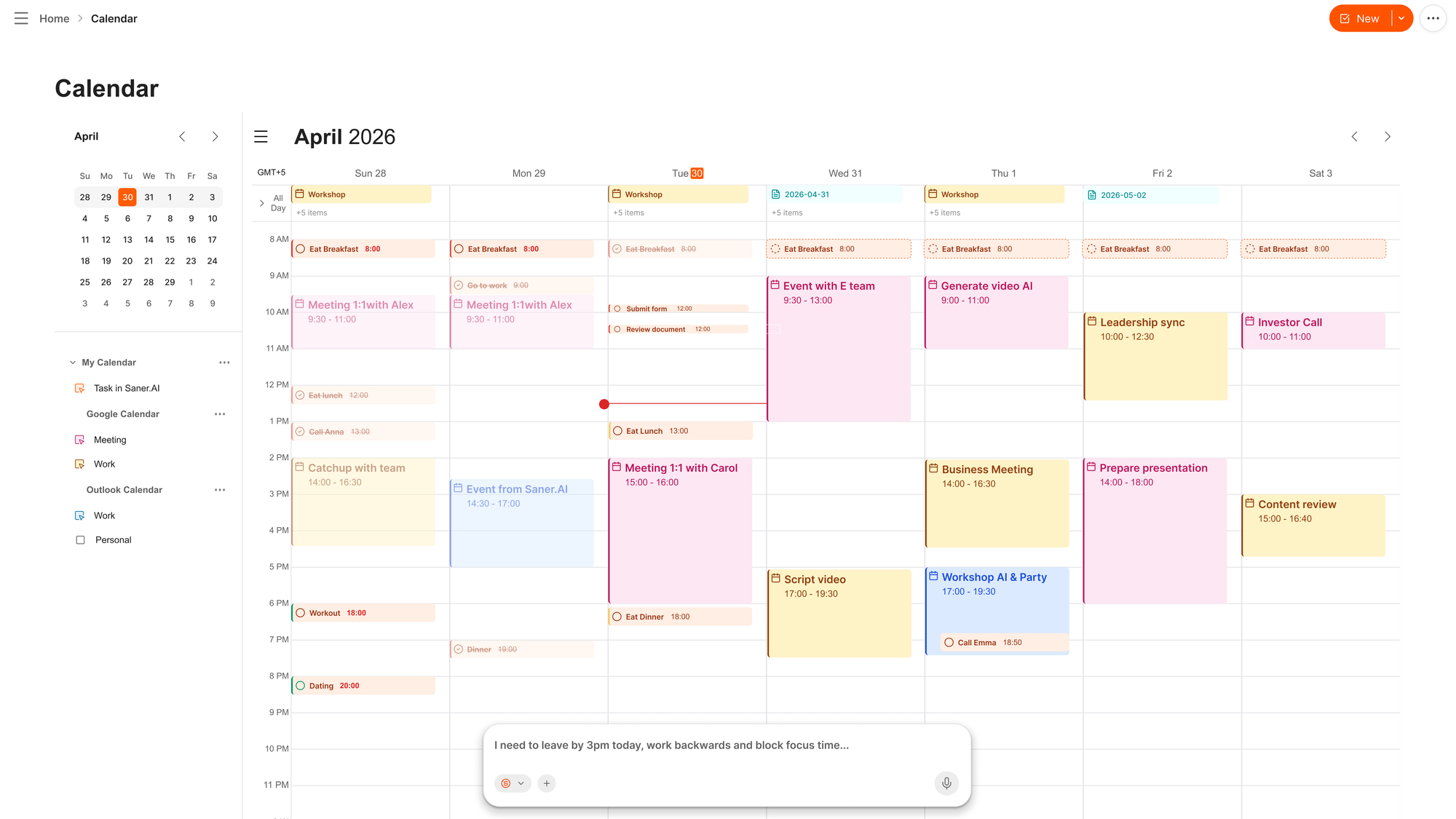
Saner.AI is built for knowledge workers who handle scattered notes, tasks, emails, and schedules; it gathers your daily commitments into one screen. Its primary function among AI secretary apps is proactive assistance. Instead of waiting for you to type specific search prompts, the system reads through your open task lists, inbox items, and schedule to build a daily agenda and suggest your next priorities.
Key feature
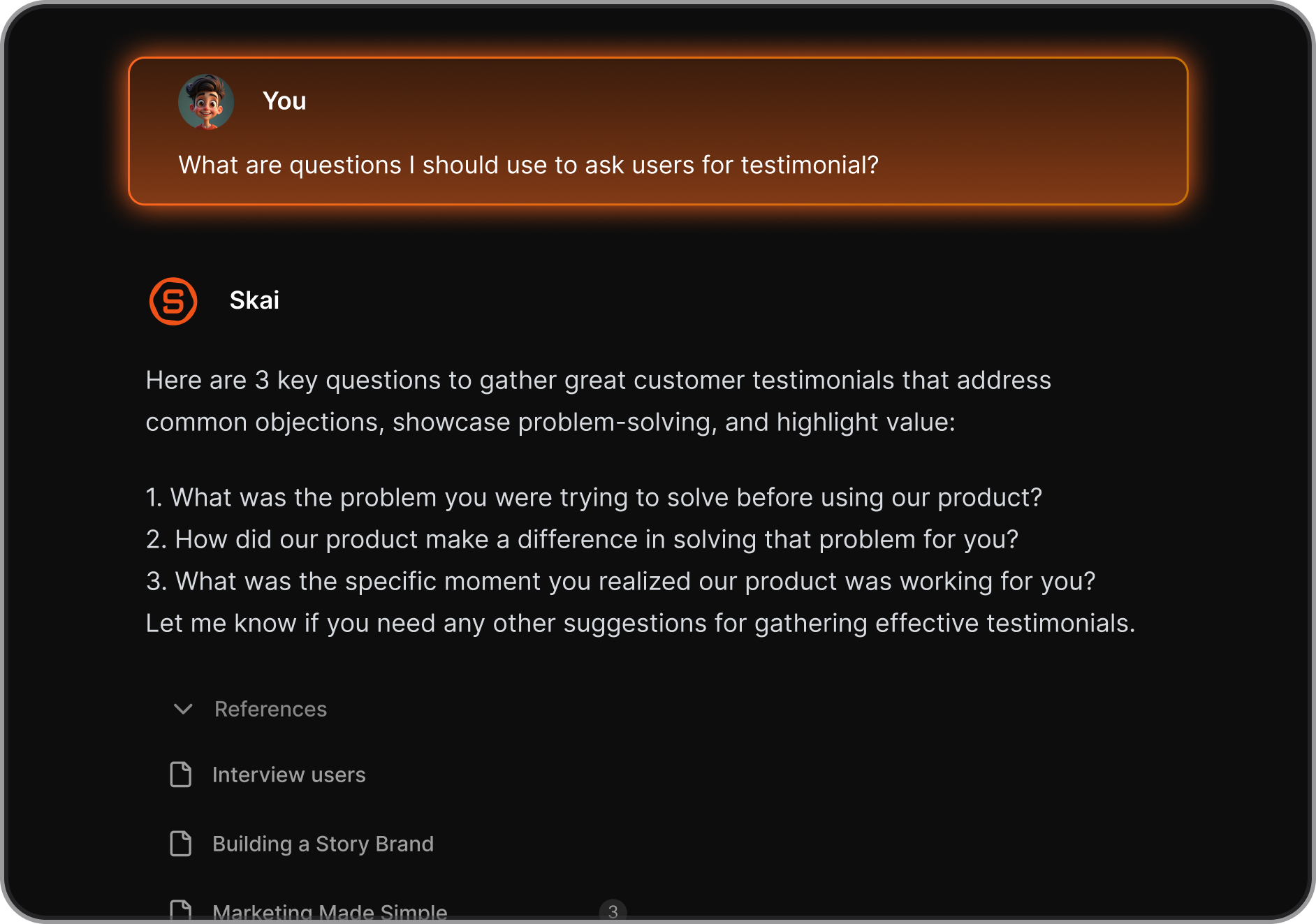
- Proactive daily planner
I used the daily planner feature to build my morning schedule without manually sorting through old task lists and calendar invites.
- Contextual AI assistant
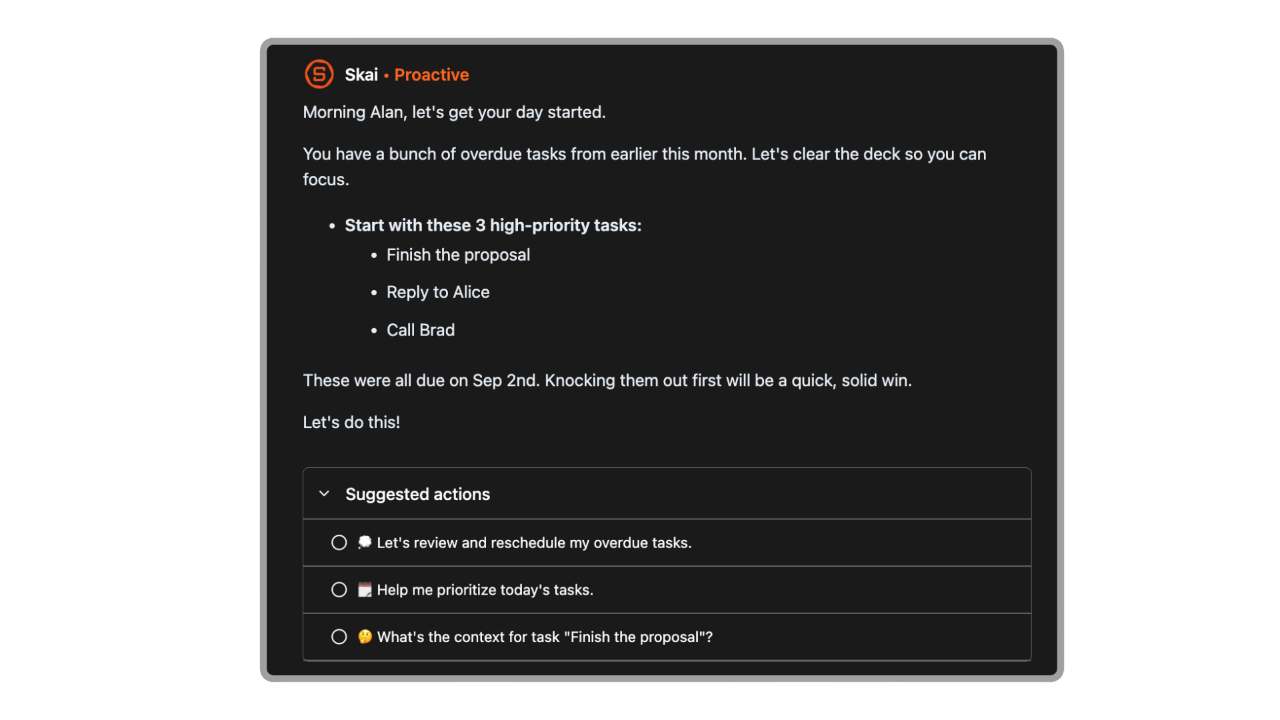
I tried asking the built-in assistant direct questions about old client notes, and it retrieved the specific facts without requiring manually tagged folders.
- Unified inbox and AI calendar
It centralized unread emails, active task cards, and schedule blocks inside a single panel. I can also chat with the calendar to reschedule my day
Pros
- I like how the system automatically drafts my daily agenda every morning based on open project tasks and email requests.
- I can record quick voice notes on my phone and have them converted straight into organized task items.
- I used the focus mode setting and noticed my writing speed increased once the side navigation menus were hidden.
Cons
- I noticed that the workspace works far better with Google Calendar and Gmail than with Microsoft Outlook apps.
Who is it best for
- Saner.AI is best for busy professionals, entrepreneurs, and individuals with ADHD who need an automated secretary to organize messy notes, process incoming messages, and create structured daily plans.
Pricing table
| Plan | Price (USD) | Secretary features |
| Free | $0/mo | Basic task capture, calendar sync, note search, and 30 AI messages per month. |
| Starter | $8/mo | 30 AI messages per day, 5GB storage, extended voice notes, and full app integrations. |
| Standard | $16/mo | Unlimited AI messages, 100GB storage, unlimited voice recording, and early feature updates. |
What people say about Saner.AI
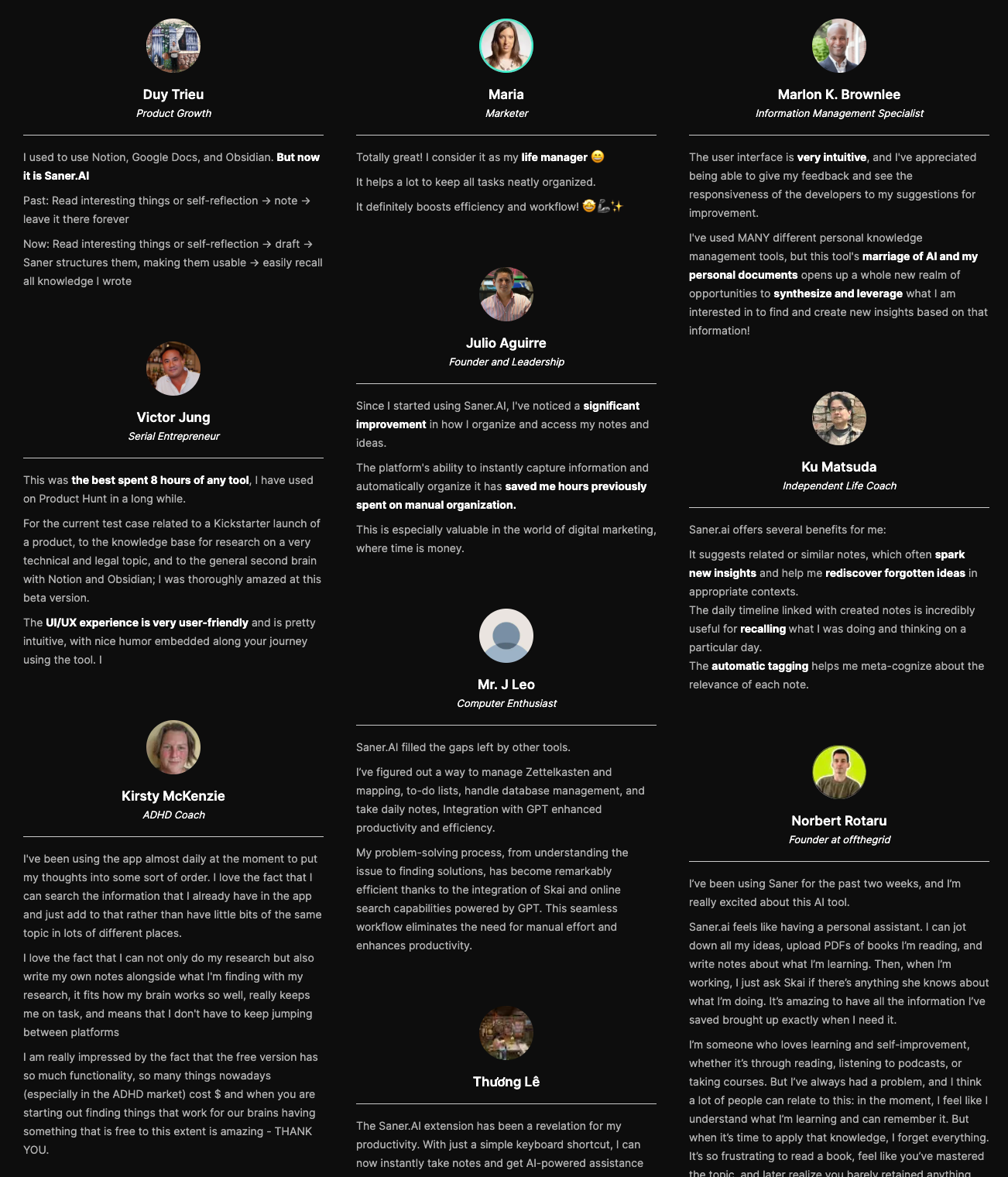
Users report that the tool functions as an active assistant that structures messy ideas rather than acting as a basic storage folder.
"Totally great! While alternative second-brain tools feel like static databases, Saner feels like an active partner." - Verified Review
How to get started
- Step 1: Create an account on the official website and link your primary Google Calendar or Gmail account.
- Step 2: Install the Chrome browser extension to capture webpage snippets, emails, and text notes directly from your web tabs.
- Step 3: Open the daily planner screen every morning to review and adjust the automatically generated agenda for your workday.

Stay on top of your work and life effortlessly
3. OpenClaw
OpenClaw is an open-source AI agent that lives inside your existing messaging apps, running background tasks, calendar updates, and browser workflows directly on your computer.
What it does well:
- Works in chat platforms you already use: You message your assistant over Telegram, Signal, WhatsApp, or Slack to update your calendar or draft replies.
- Complete data privacy: Interaction logs and memory files remain saved on your local hard drive instead of a company server.
- Autonomous background scheduling: A built-in heartbeat system wakes the agent up on a set schedule so it can sort your inbox or organize meeting prep before your day starts.
- Model flexibility: You choose which language model powers the bot, from Claude to open-source alternatives, without being locked into one vendor.
What it doesn't do well:
- High technical barrier: Getting the local gateway running requires command-line setup, which makes it impractical if you aren't comfortable in a terminal.
- Potential security exposure: Giving an automated bot access to your local terminal and inbox opens up real prompt injection risks if you don't configure permissions carefully.
Who it's actually for: Developers and power users who want a self-hosted personal assistant integrated directly into their messaging apps.
4. Lindy
Lindy handles your calendar, inbox, and daily meeting prep through simple text messages. It reads your email, prepares context for upcoming calls, and manages scheduling without forcing you to open another dashboard.
What it does well:
- iMessage interface: You can text Lindy directly to reschedule calls, check your schedule, or draft email replies. It feels more like messaging a real person than operating software.
- Inbox triage: It sorts incoming mail, archives junk, and leaves ready-to-send responses in your drafts folder so you only spend time approving them.
- Pre-meeting prep: Before every call, Lindy pulls context from old email threads, previous notes, and your calendar to send you a quick summary of who you are meeting.
- Fast setup: You can connect your Google or Outlook account and start using pre-made templates within five minutes.
What it doesn't do well:
- Credit-based limits: Heavy usage can run through monthly task credits quickly, which makes costs harder to predict on lower plans.
- Draft bottleneck: Because Lindy leaves outgoing emails in your draft folder for safety, you still have to review and hit send on every single message.
- Inconsistent customer support: Standard plans rely mostly on self-serve guides or an automated bot for help, reserving live human support for enterprise accounts.
Who it's actually for: Executives, founders, and busy professionals who want an AI to handle email triage and calendar logistics directly from their phone text thread.
5. Gemini
Gemini runs your schedule and inbox directly inside Google Workspace without leaving your flow.
Gemini sits inside Gmail, Calendar, and Docs through Google Workspace extensions. It pulls info across your messages to condense messy threads, locate buried event details, and write quick replies.
What it does well:
- Direct Google Workspace access: Gemini reads your active inbox and calendar in real time, so you can ask it to find that flight confirmation from last month without digging through search filters.
- Fast thread breakdowns: It boils long email chains down to a few key points, which saves time when you get dragged into a massive group thread late.
- Quick event creation: Typing a sentence like "put coffee with Sarah on Friday at 2 PM on my calendar" creates the invite without opening a new tab.
- Hands-free mobile commands: Because Google replaced Assistant with Gemini across Android, you can trigger scheduling requests while walking or driving.
What it doesn't do well:
- Cannot send emails on its own: Gemini creates draft replies, but it requires you to physically click send every time.
- No background automation: It only responds to direct prompts, so it won't triage incoming mail or reorganize your morning while you're offline.
- Poor fit for non-Google setups: If your company relies on Outlook or Slack instead of Google, Gemini loses almost all of its practical utility.
Who it's actually for: Google Workspace users who want a conversational assistant to clear out inbox clutter and handle routine calendar updates.
6. Granola
Granola takes notes during meetings without sending a bot to join your call. It records audio directly on your computer, transcribes the conversation, and blends the transcript with whatever quick thoughts you type during the meeting.
What it does well:
- Bot-free capture: It runs locally on your machine, so you never have to deal with a visible recorder asking for permission or cluttering your participant list.
- Hybrid note-taking: You jot down rough bullet points while people talk, and Granola fills in the surrounding context from the transcript.
- Cross-meeting search: You can ask questions across past calls using plain text to find specific feedback, commitments, or decisions.
- Flat pricing: The paid plan gives you unlimited transcription time without monthly minute caps or surprise overage charges.
What it doesn't do well:
- Limited free history: The free tier allows unlimited meetings, but notes vanish from your view after 30 days unless you pay.
- No raw audio playback: Granola deletes the audio file after creating the text, so you cannot listen back to double-check mistaken transcriptions.
- Requires typing: The AI works best when you give it direction, meaning you cannot completely zone out and expect perfect notes.
Who it's actually for: People in back-to-back meetings who want transcript summaries without inviting a virtual bot to every call.
7. Zapier
Zapier acts like a remote administrative team that runs quietly in the background, handling your scheduling, inbox triage, and app updates without needing constant hand-holding.
What it does well:
- Deep connections with thousands of work tools: Zapier links to practically every app you already use, so your AI secretary can move data between Gmail, Google Calendar, Slack, and your CRM without breaking a sweat.
- Autonomous task completion: The Zapier Agents feature can actively carry out multi-step instructions. It can draft email replies based on new form submissions, prepare meeting briefs, and update project boards on its own.
- Customizable human approval steps: You can require the agent to pause and ask for your sign-off before sending an important email or updating a sensitive file. That keeps the automation useful while keeping you from worrying about rogue messages.
- Web browser integration: The Chrome extension brings your secretary along as you browse. If you are looking at a prospect's LinkedIn page, you can ask it to summarize their company background and draft an outreach email right there.
What it doesn't do well:
- Requires patience to set up properly: You have to spend time defining triggers, setting rules, and writing detailed instructions.
- Monthly costs add up fast: Once your automated agents start handling dozens of daily tasks across different apps, you will burn through task limits quickly, forcing you onto higher-paid plans.
- Can feel overly mechanical: While it handles logical tasks well, the text outputs often sound robotic if you do not spend time fine-tuning the prompt instructions.
Who it's actually for: Professionals and small teams who use dozens of web apps daily and want an automated assistant to handle repetitive admin chores across all of them.
Conclusion: Finding the AI assistant that actually fits your brain
I have tried dozens of productivity apps over the past few years. Most of them promise to transform your life, but end up giving you an extra job: managing the app itself. You dump tasks in one place, notes in another, and spend half your afternoon searching through tabs just to figure out what you should be working on next.
If you want an AI assistant that organizes your information without asking you to maintain a complex system, try Saner AI. It acts as a central workspace for your messy thoughts, notes, and tasks, bringing them together so you do not have to copy and paste context between five different tools every day.
Stay on top of your work and life effortlessly
Frequently asked questions
1. What is an AI secretary app?
Think of it as a digital assistant that handles the tedious administrative tasks filling up your workday. Instead of spending hours managing calendars, summarizing long meeting calls, sorting through inbox clutter, or transferring data between apps, these tools run in the background to handle those steps automatically.
2. Will an AI secretary replace human executive assistants?
Probably not completely. While tools like Zapier or Saner.AI can manage complex workflows and schedule meetings faster than any human, they don't have human emotional intelligence yet. They work best as force multipliers for human assistants rather than total replacements.
3. How secure are AI secretary apps with sensitive company data?
It varies depending on the platform you choose. Established enterprise models like Gemini and Claude follow strict data privacy standards and do not train on corporate data without permission. If privacy is your top concern, open-source options like OpenClaw let you run models locally on your own machine so your data never leaves your device.
4. Can these tools integrate with my existing tech stack?
Yes. Most modern AI assistants are built specifically to connect with the tools you already use every day—including Google Workspace, Microsoft Outlook, Slack, and Zoom. Platforms like Zapier specialize in bridging the gap between thousands of different applications seamlessly.
5. Which AI secretary app is best for taking meeting notes?
Granola excels if you want clean, structured meeting summaries without forcing an intrusive bot to join your call. It operates quietly in the background, transcribing your audio and organizing key action items so you can focus on the conversation.
6. Are AI secretary tools expensive to run?
Not necessarily. Most services offer decent free plans or affordable entry tiers starting around $10 to $20 per month. Highly customized autonomous agents or heavy API usage through platforms like OpenClaw will cost more, but basic administrative automation is accessible on almost any budget.
7. How do I choose the right AI assistant for my specific workflow?
Start by identifying your biggest daily bottleneck. If you lose hours to meeting notes, try Granola. If you need heavy app automation across multiple tools, look into Zapier. If your main challenge is keeping track of scattered personal notes and tasks, a specialized executive assistant like Saner AI might be the best fit.
8. Do I need coding skills to build custom AI automation?
No. Most modern platforms rely on simple, plain-English instructions. You can describe what you want the assistant to do in everyday language, and the software handles the underlying setup for you.
9. Can AI assistants manage my email inbox automatically?
They can draft replies, summarize lengthy threads, categorize incoming messages, and flag urgent requests. However, it is usually wise to keep a human approval step in place before letting an agent send emails directly to clients.
10. What is the best way to get started with AI secretary apps?
Pick one repetitive, annoying task you handle every week - like summarizing a weekly call or organizing meeting follow-ups - and test a single tool on that specific job. Give yourself a week or two to test how it fits into your routine before introducing additional tools.
Stay on top of your life with an AI secretary