
AI Time Management: We Tested The Best 7 Apps (Free & Paid)
The Best AI Time Management Apps are Saner.ai, Reclaim.ai, Motion, Skedpal, Clockwise, Beforesunset, Sunsama

7 Best AI Time Management Apps
If you’re searching for the best AI time management apps, you’re probably not looking for another to-do list. You want help deciding what to work on, when to work on it, and how to stay focused without constantly re-planning your day.
Traditional time management tools break down because they’re manual, rigid, and disconnected. You move one meeting and suddenly your entire plan collapses. Tasks pile up, priorities blur, and context switching creates mental overload.
That’s where AI time management apps come in. Instead of forcing you to plan everything yourself, these tools use AI to prioritize tasks, adapt schedules, and help you focus on what matters most.
This guide is for professionals, entrepreneurs, managers, students, and ADHD users who want practical help managing time in real life. You’ll learn how AI time management apps work, who they’re best for, and which tools actually deliver in 2026.
1. What Is an AI Time Management App?
An AI time management app is a tool that uses artificial intelligence to help you plan, prioritize, and manage your time automatically. Unlike traditional calendars or task managers, AI-powered tools don’t just store information. They actively suggest optimal decisions based on your workload, deadlines, and constraints.
Most AI time management apps can:
- Prioritize tasks based on urgency and importance
- Schedule tasks into your calendar automatically
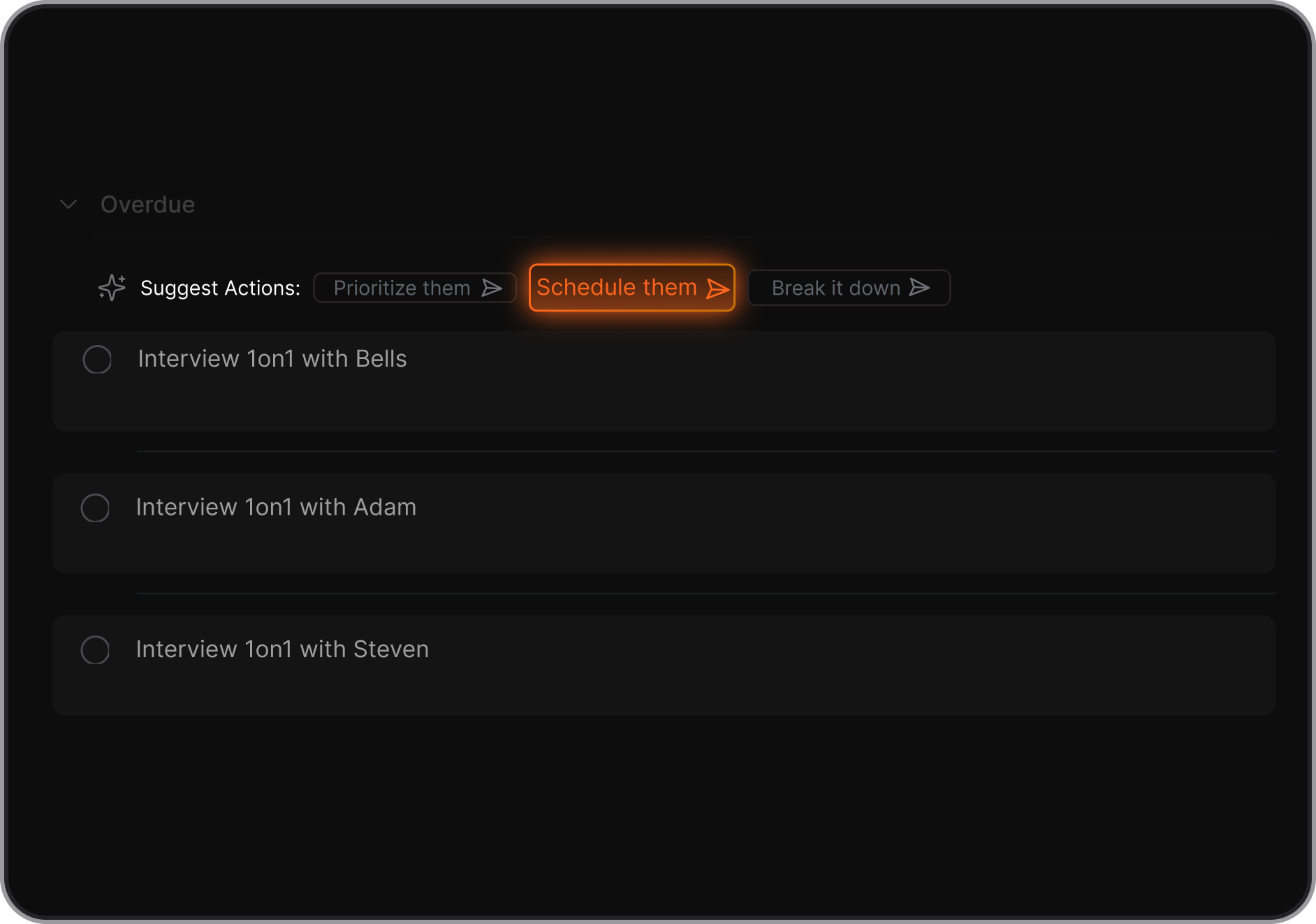
- Adapt your plan when meetings or deadlines change
- Reduce cognitive load by handling planning for you
In short, AI time management tools shift planning from something you do manually to something that happens continuously in the background.
2. How AI Time Management Apps Actually Work
While each tool is different, most AI time management apps follow the same basic workflow.
1. Input sources: The app pulls data from tasks, calendars, emails, notes, or projects. Some tools also allow brain dumps or natural language input.
2. AI prioritization logic: The AI evaluates urgency, deadlines, effort, and dependencies to decide what should happen first.
3. Scheduling and rescheduling: Tasks are automatically placed into your calendar. If a meeting moves or a deadline changes, the plan adjusts without you needing to rebuild it.
4. Focus and reminders: Many tools help protect focus time, reduce interruptions, or nudge you when it’s time to switch tasks.
3. How I Tested These AI Time Management Apps
I tested each tool using the same real-world setup: a busy work calendar, overlapping meetings, shifting deadlines, and a mix of deep work and reactive tasks. I didn’t optimize workflows or pre-structure tasks beyond what I’d normally do.
For each app, I focused on how quickly it got useful, how much manual setup it required, and whether it actually reduced planning effort day to day. I also paid close attention to how well the tools handled change - missed tasks, moved meetings, and unexpected work.
Now, let's dive in!
What are the Best AI Time Management Apps?
The Best AI Time Management Apps are Saner.ai, Reclaim.ai, Motion, Skedpal, Clockwise, Beforesunset, Sunsama
🧾 Comparison Table: Best AI Time Management Apps
| 🧠 App | 🎯 Primary Focus | 🤖 AI / Automation Strength | 💰 Pricing (Typical) | 👤 Best For | ⭐ Notable Features |
|---|---|---|---|---|---|
| Saner.ai | AI planner + task prioritization | AI understands messy inputs and builds adaptive daily plans | Freemium + paid tiers | ADHD users, knowledge workers, founders | Turns notes into tasks, context-aware planning, reduces mental overload |
| Reclaim.ai | Automated calendar scheduling | Strong auto-scheduling and rescheduling around meetings | Free plan + paid tiers | Calendar-heavy professionals | Smart time blocking, habits, buffer time, auto-rescheduling |
| Motion | All-in-one AI scheduler | Very strong automation with strict task scheduling | Paid (mid-range) | Managers, operators, deadline-driven users | Auto-prioritizes tasks, continuous re-planning, rigid structure |
| SkedPal | AI calendar planning | Rule-based, flexible “fuzzy” scheduling | Paid plans (trial available) | Power users with complex schedules | Custom rules, adaptive time blocks, deep scheduling control |
| Clockwise | Team calendar optimization | AI optimizes meetings and focus time across teams | Free + paid (team/enterprise) | Teams with meeting overload | Focus blocks, meeting reshuffling, team-wide calendar intelligence |
| BeforeSunset AI | AI daily planning | AI generates simple daily plans from tasks | Affordable paid plans | Solo workers, light planners | Clean UI, daily planning, focus tools like Pomodoro |
| Sunsama | Guided daily planning | Light AI assistance, mostly human-led planning | Paid (mid-range) | Intentional planners | Daily planning ritual, task + calendar sync, reflections |
1. Saner.AI
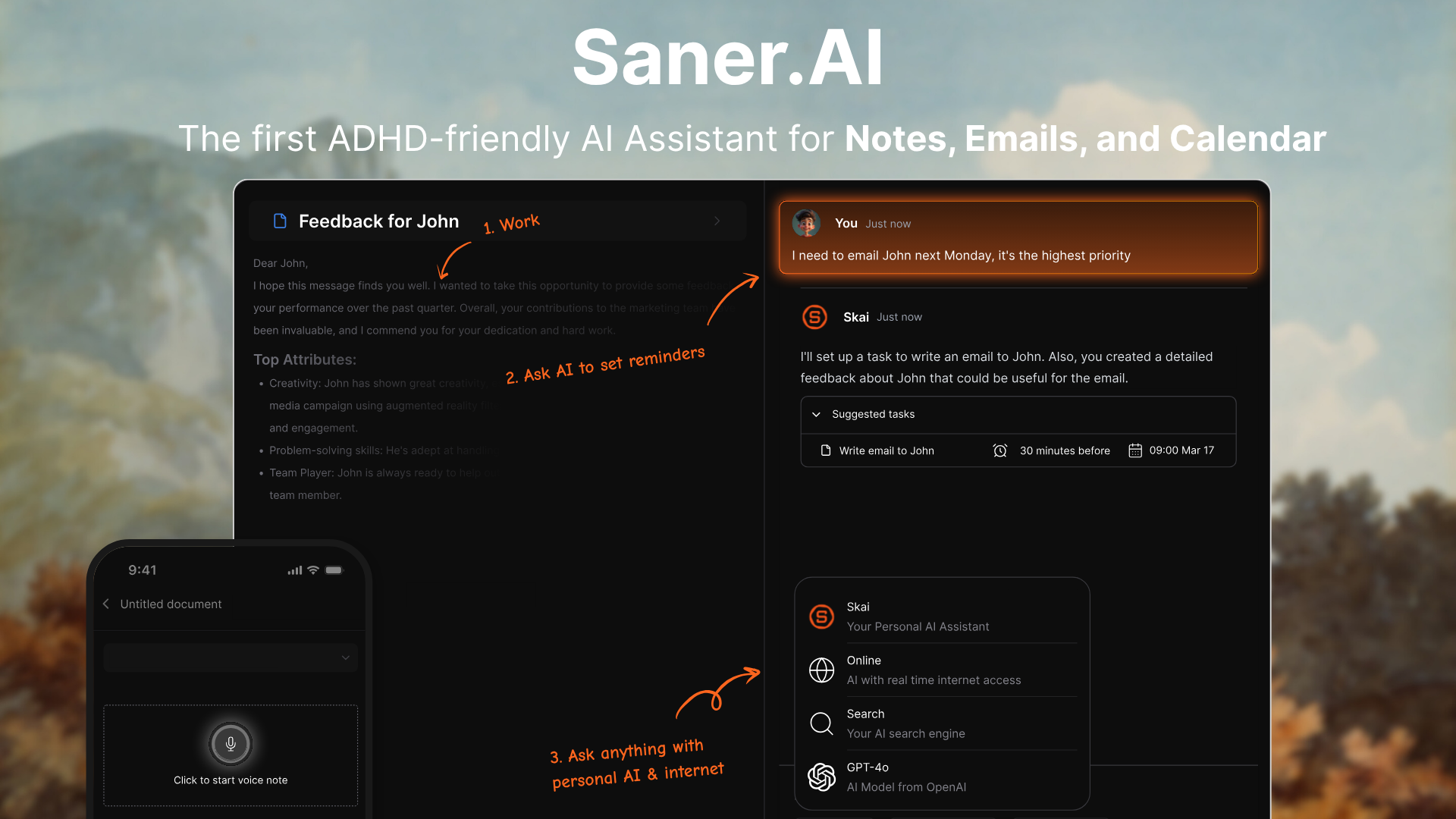
Saner.AI is an AI time management and productivity app built to help people stay on top of their day without juggling multiple tools. It acts like a personal AI assistant that understands your notes, tasks, emails, and calendar, then turns messy inputs into clear priorities and next steps.
It’s especially popular with knowledge workers, entrepreneurs, and ADHD-prone users who struggle with information overload.
Key features
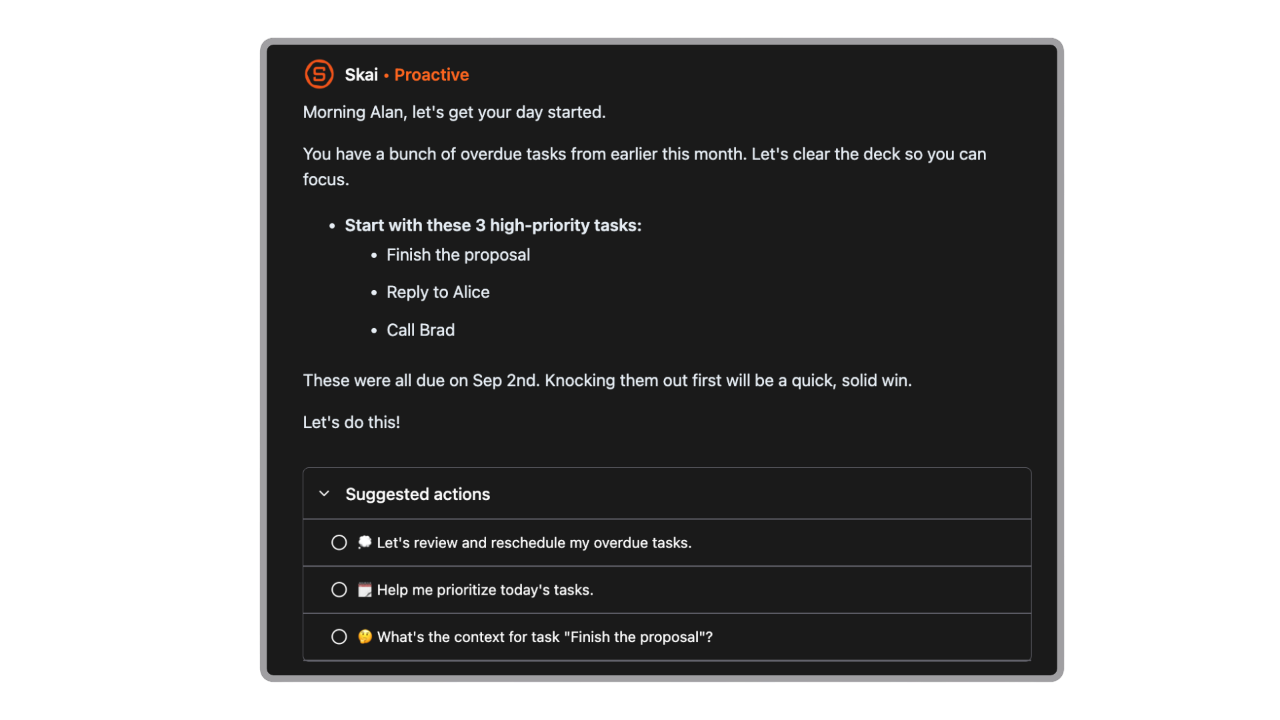
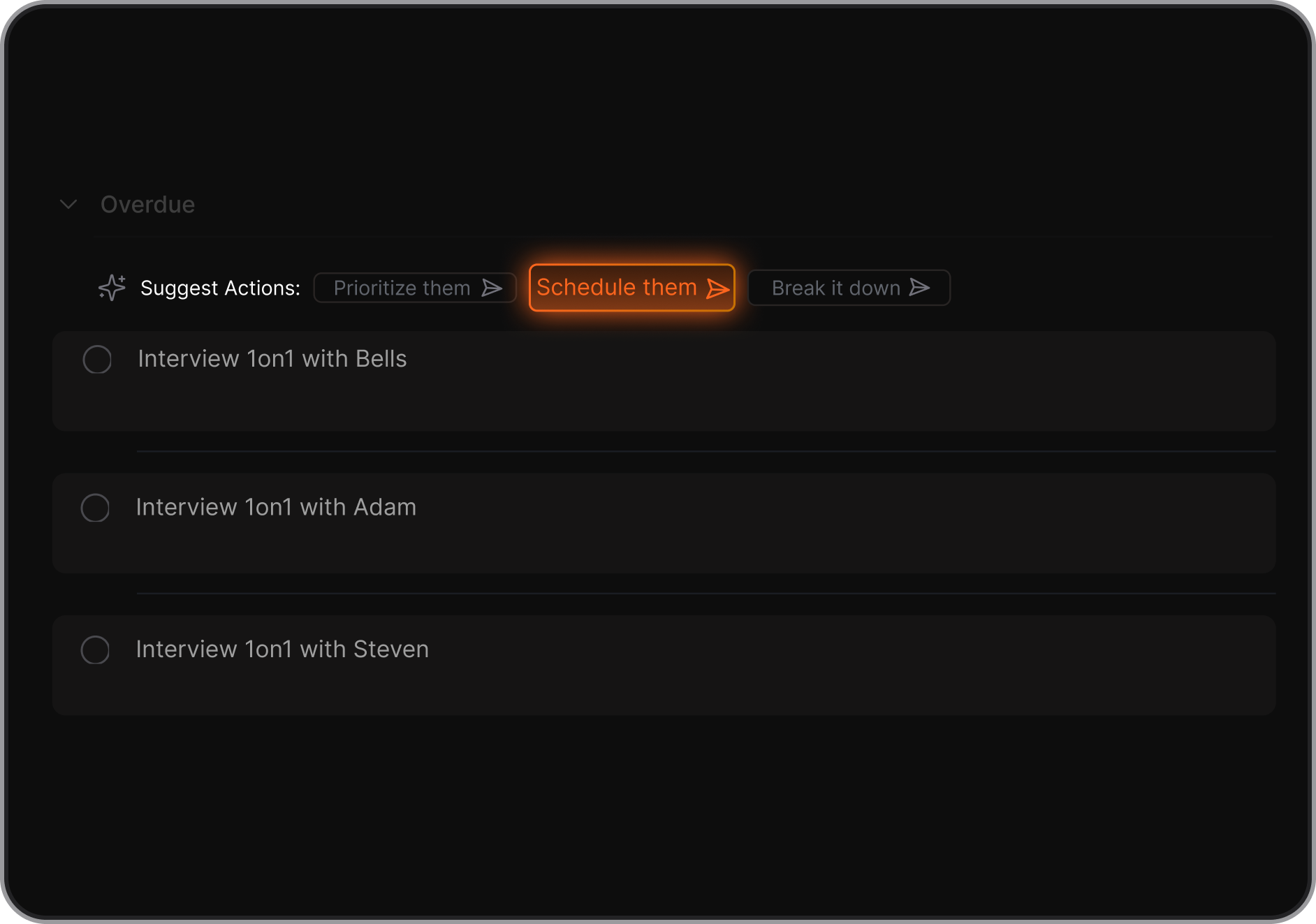
- AI Day Planning: Automatically goes through your emails, todos, notes, and gives you a day plan
- Natural-language search to find anything by asking questions instead of browsing folders
- Time management support through prioritization, reminders, and daily planning
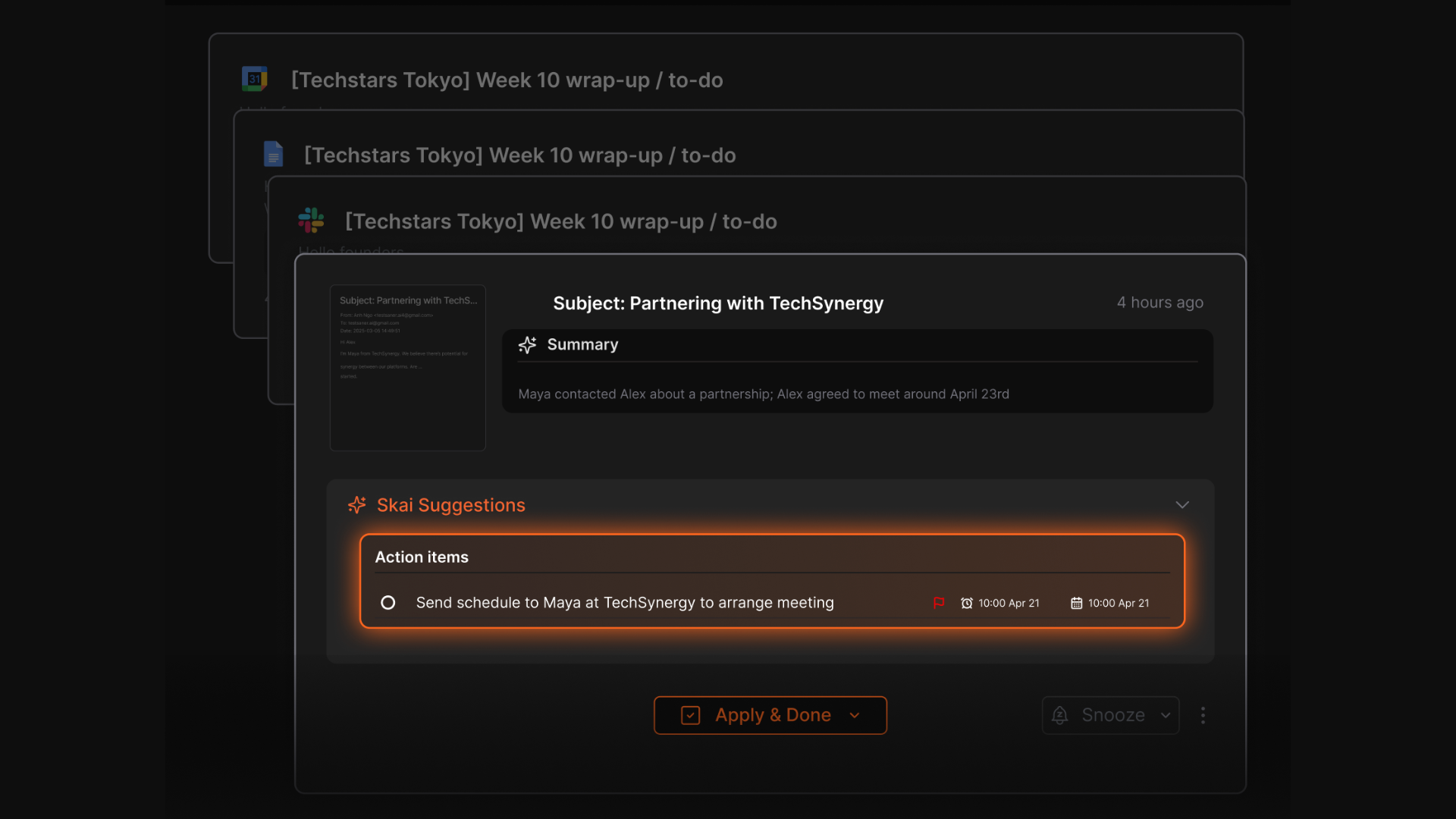
- AI task extraction that turns notes, messages, and ideas into actionable to-dos
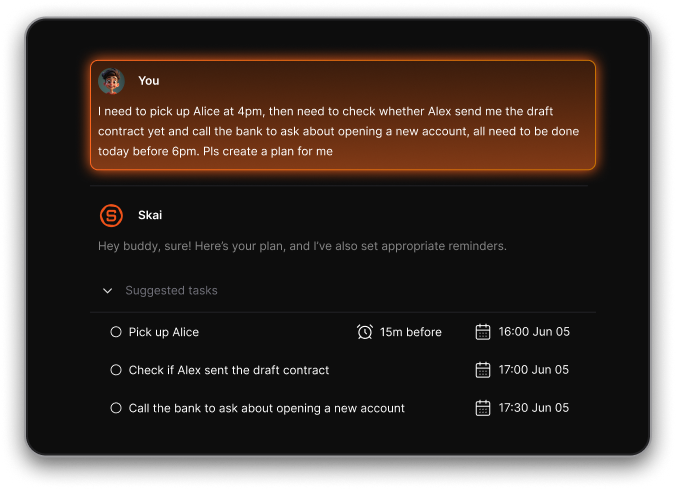
- Auto Reminders: Sets intelligent reminders for things you’re likely to forget — no manual setup needed
What I liked
- The AI feels assistant-like, not just a chatbot answering isolated prompts
- Tasks come with context, so you remember why something matters
- The interface is designed to be ADHD-friendly and less overwhelming
Cons
- Not ideal for large teams or project timelines - no Gantt charts or complex task dependencies.
Pricing
- Free
- Starter: Monthly at $8/month, Annually at $6/month (with early user discount)
- Standard: Monthly at $16/month, Annually at $12/month (with early user discount)
Who is it suitable for?
- People who feel overwhelmed by scattered notes, tasks, and emails
- Professionals who want an AI assistant to help plan and prioritize their day
- ADHDers who need structure without rigid systems
Saner.AI review

How to start using it?
- Create a free account on Saner.ai
- Connect your calendar, email, or workspace tools
- Start adding notes or tasks and ask the AI to organize your day

Stay on top of your life with the AI Time Management app
2. Motion
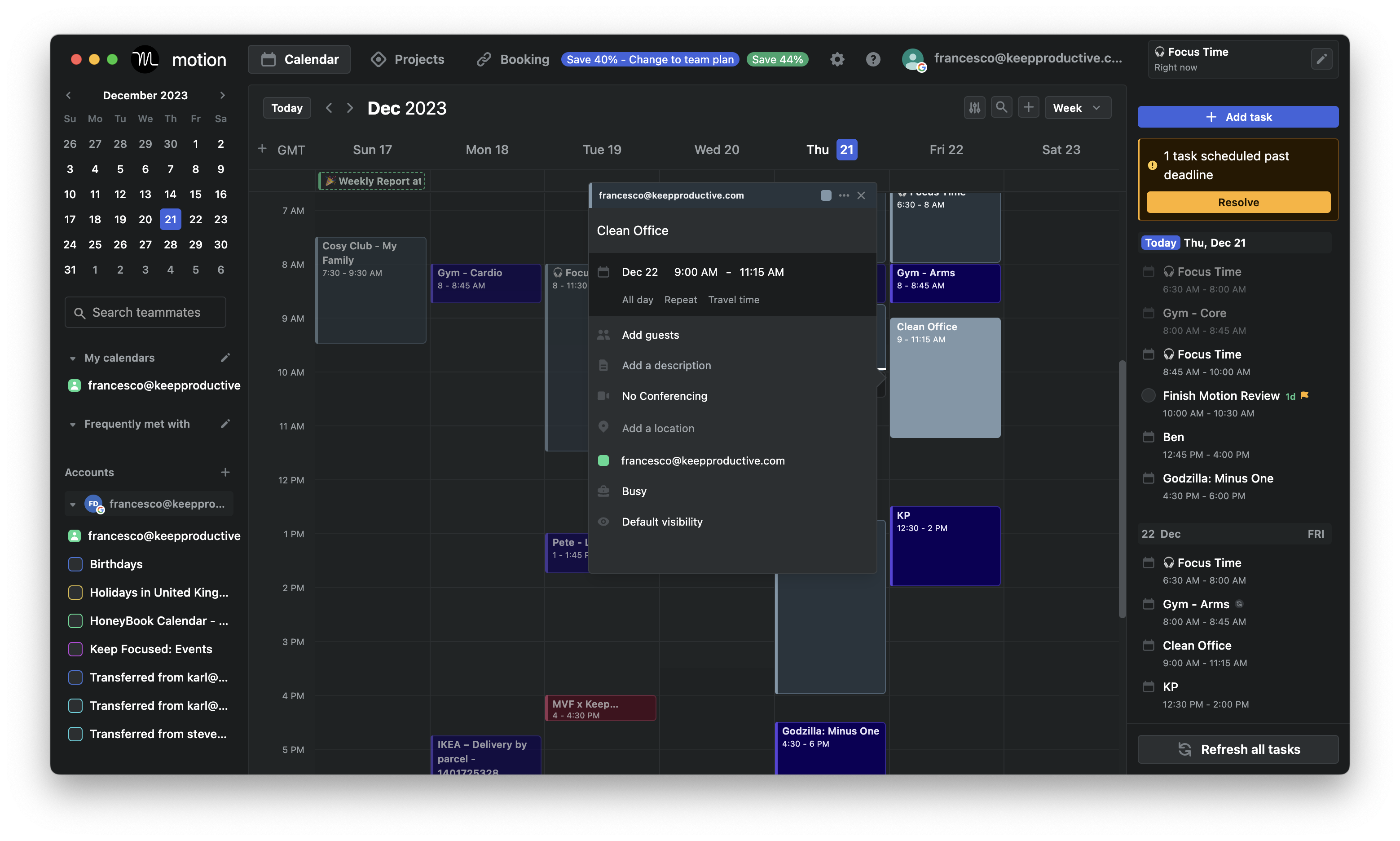
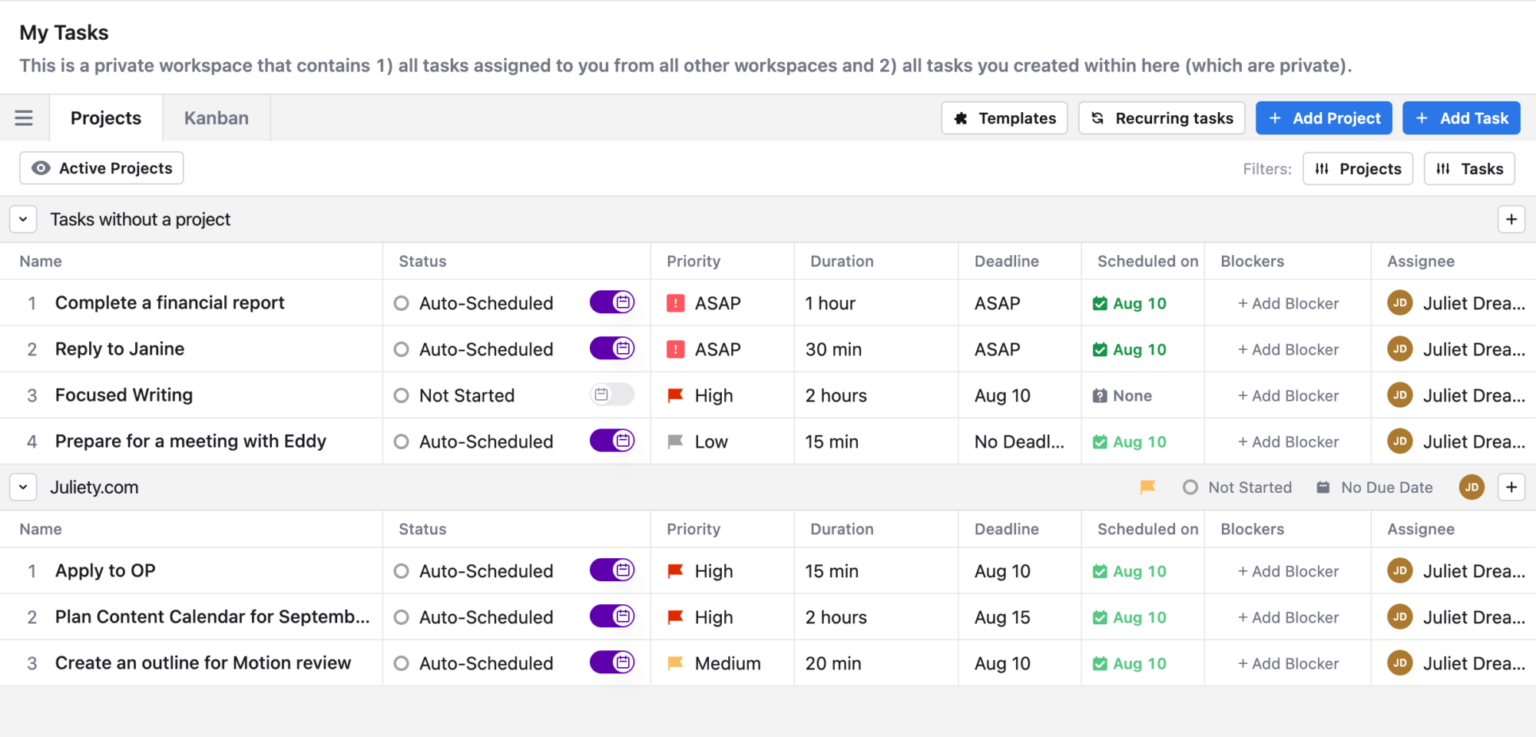
Motion is an AI time management app that automatically plans your day by combining your calendar, tasks, meetings, and projects into one system. Now it's transitioning to AI Employees
Key features
- AI-driven daily schedule that automatically time-blocks tasks based on deadlines and priorities
- Automatic rescheduling when meetings run long or new tasks come in
- Unified view for tasks, calendar events, and projects in one workspace
- AI meeting scheduling that reduces back-and-forth coordination
What I liked:
- The schedule adapts in real time when things change, which feels very practical
- Having tasks and calendar connected
What I disliked:
- There’s no permanent free plan, only a limited free trial
- Pricing is relatively high compared to simpler task or calendar apps
- Initial setup takes time to get priorities, task durations, and rules right
- The mobile app feels more limited compared to the desktop experience
Pricing:
- Free trial (7–14 days depending on plan)
- $29/user/month for the AI Workspace plan
- $49/user/month for the AI Employee plan
Suitable for
- Founders and entrepreneurs juggling meetings and deadlines
- Teams that need shared scheduling and workload visibility
How to start
- Create a Motion account
- Connect your calendar
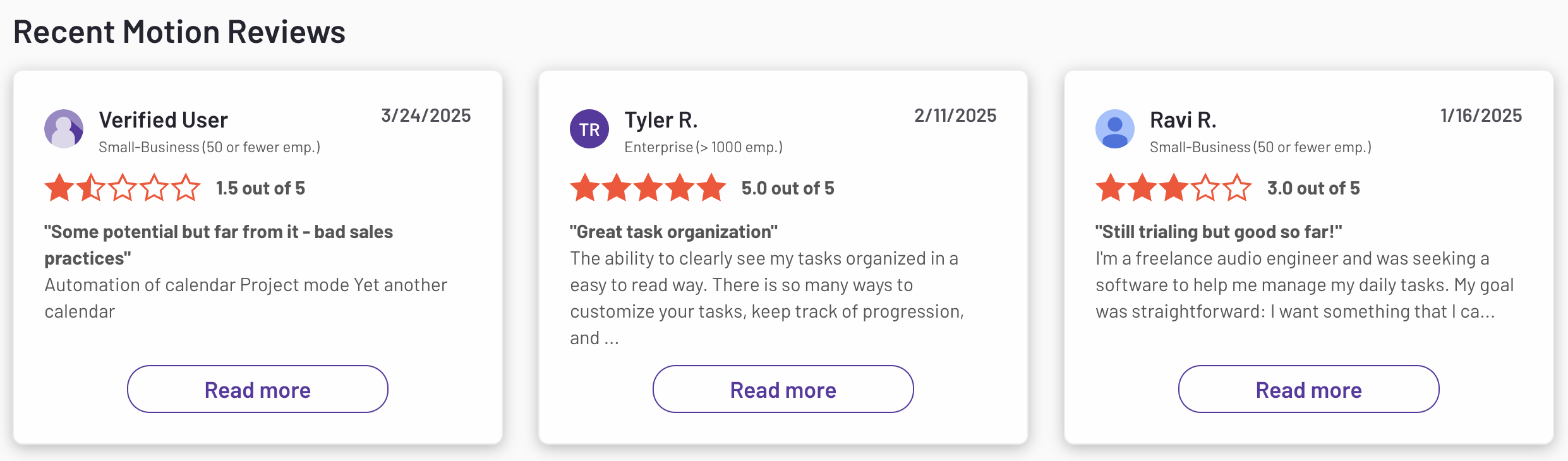
Motion reviews (source)
3. Beforesunset
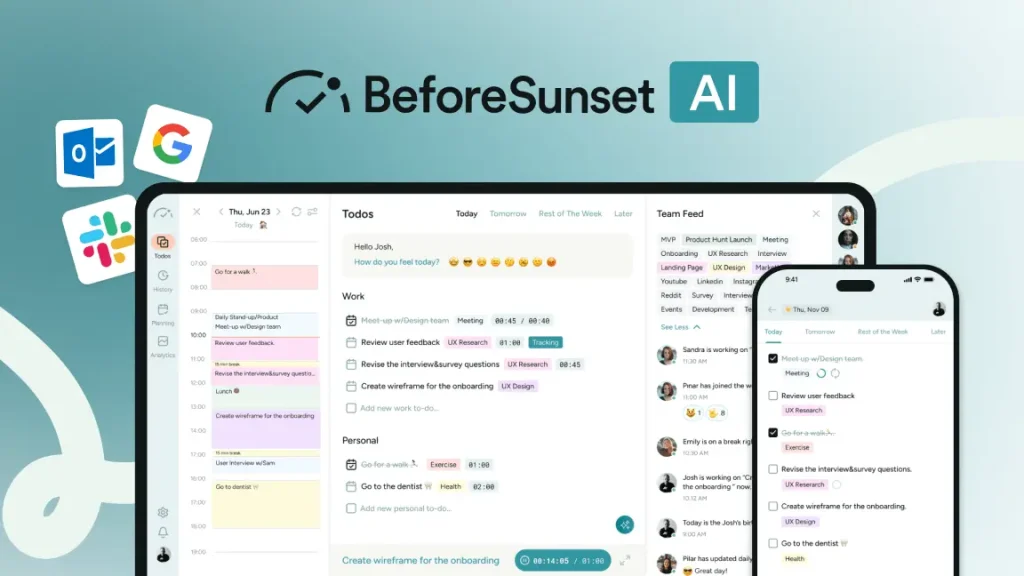
BeforeSunset is an AI time management and daily planning app designed to help you organize tasks, plan your day realistically, and finish work without burning out. It focuses on turning simple to-do lists into structured, time-blocked schedules using AI
Key features
- AI-powered daily planning that turns tasks into a time-blocked schedule
- Calendar integration with Google Calendar and Outlook
- Focus mode with timers to support deep work
What I liked
- Very clean, calm interface that reduces overwhelm
- Easy to get started without a learning curve
What I disliked
- It’s not a conversational AI - you can’t “chat” with it to schedule something
- Mobile experience feels less polished than the web app
- Team features exist but are fairly lightweight compared to full project management tools
Pricing
- Free plan
- Pro plan: $7/month or $5/month billed annually
Suitable for
- Individuals who struggle with traditional to-do lists
- People who want AI help with time blocking and daily planning
- Professionals looking for a calmer, more guided planning experience
How to start
- Go to BeforeSunset and create a free account
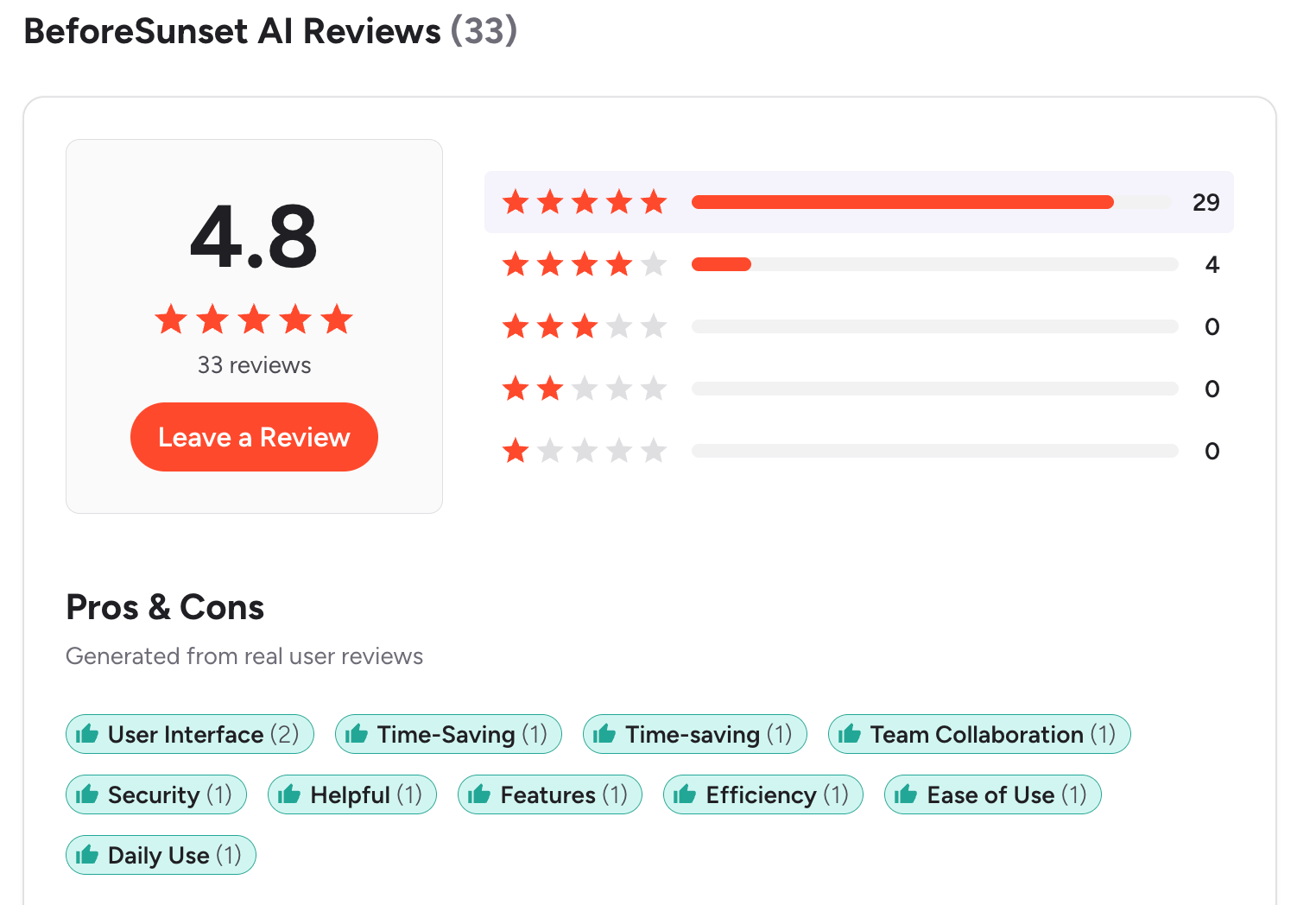
BeforeSunset reviews (source)
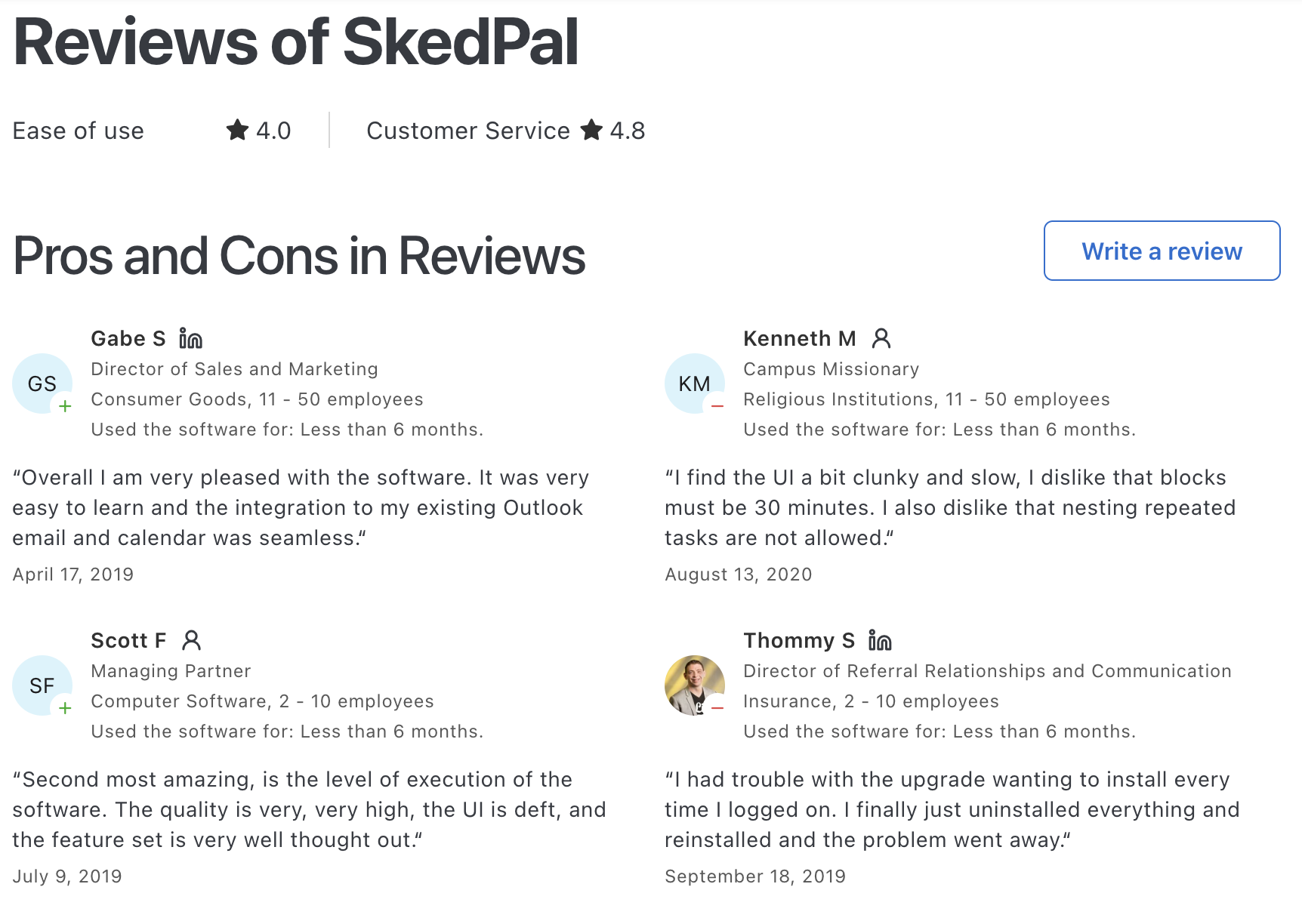
4. SkedPal

SkedPal is an AI calendar app that combines your to-do list with your calendar. It automatically turns tasks into a realistic, time-blocked schedule based on priorities, deadlines, and availability
Key features
- Dynamic rescheduling when meetings change or new tasks appear
- Unified task list and calendar so work and events live in one place
- Priority, deadline, and workload capacity rules
What I liked
- It adapts well when your day changes
- Priority and rule-based logic gives more control than simple planners
What I disliked
- There’s a noticeable learning curve before it works really well
- Setup takes time, especially configuring rules and preferences
- The interface feels more functional than modern or polished

- No AI Assistant to chat with to manage tasks
Pricing
- Free trial available (14 days)
- Core plan: $9.95/month (basic AI scheduling, single calendar sync, task priorities)
- Pro plan: $14.95/month (longer planning horizon, multiple calendars, smart reminders, time tracking)
Suitable for
- Knowledge workers with complex schedules and frequent changes
- Users who like structured planning with flexible rescheduling
How to start
- Create an account on SkedPal and connect your calendar
SkedPal Reviews (source)
5. Sunsama
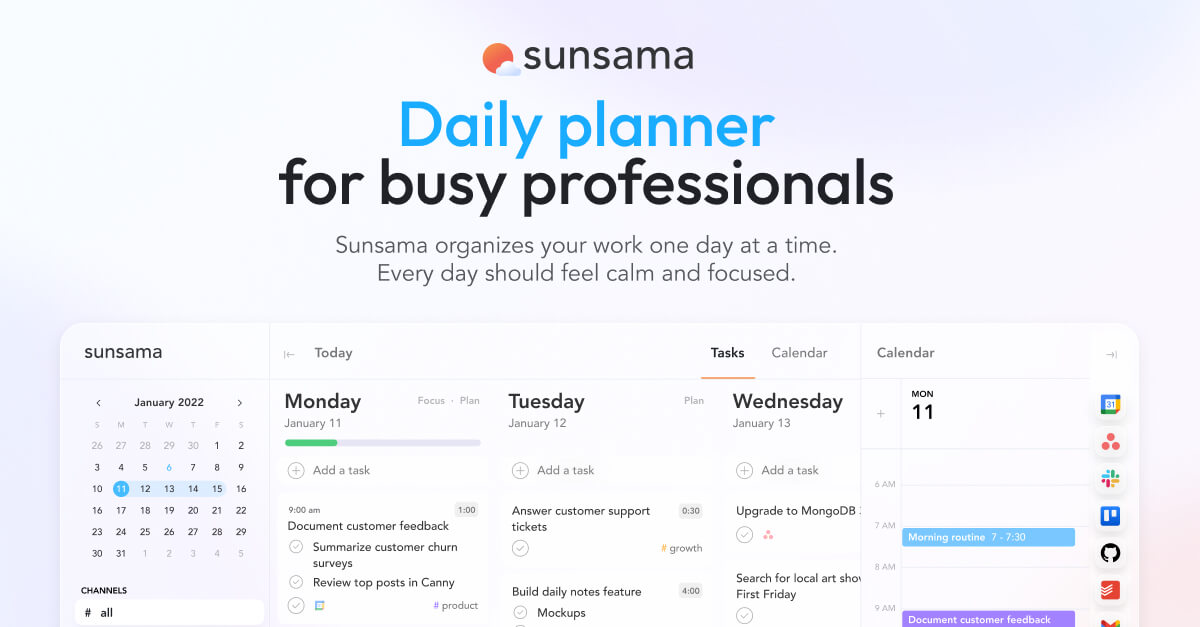
Sunsama is an AI daily planning and time management app designed to help you plan your work intentionally, avoid overload, and stay focused. Instead of fully automating your schedule, it guides you to plan your day realistically using your tasks, calendar, and priorities in one place.
Key features
- Guided daily planning ritual that helps you choose what fits into your day
- Unified task + calendar view that pulls in work from tools like Google Calendar, Outlook, Asana, Trello, Jira,...
- Manual time-blocking with drag-and-drop scheduling
- Focus mode and Pomodoro timer for deep work sessions
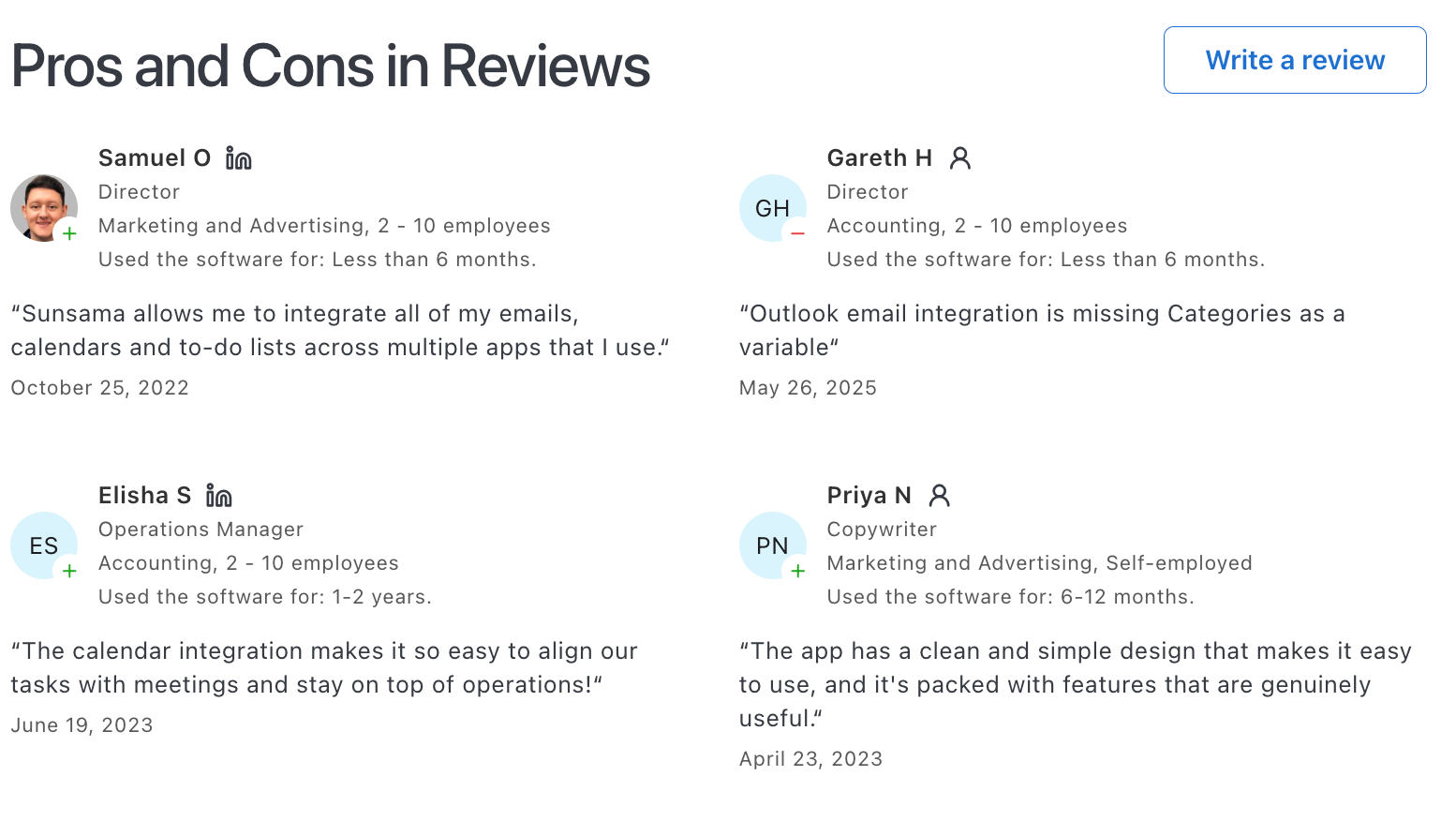
What I liked
- Strong focus on work-life balance, not just productivity at all costs
- Clean, calm interface that makes planning feel intentional instead of stressful
What I disliked
- Not a fully automated AI scheduler, most planning is still manual
- No free plan, only a limited trial
- Lacks a dedicated mobile app
- Don't have an AI Assistant that you can converse with
- Limited automation and advanced workflow logic compared to AI-first schedulers
Pricing
- $20 per month per user
Suitable for
- Professionals and freelancers who want intentional, mindful time management
- People who feel overwhelmed by too many tasks and meetings
How to start
- Create an account and connect your calendar and task tools
Sunsama Reviews (Source)
6. Reclaim

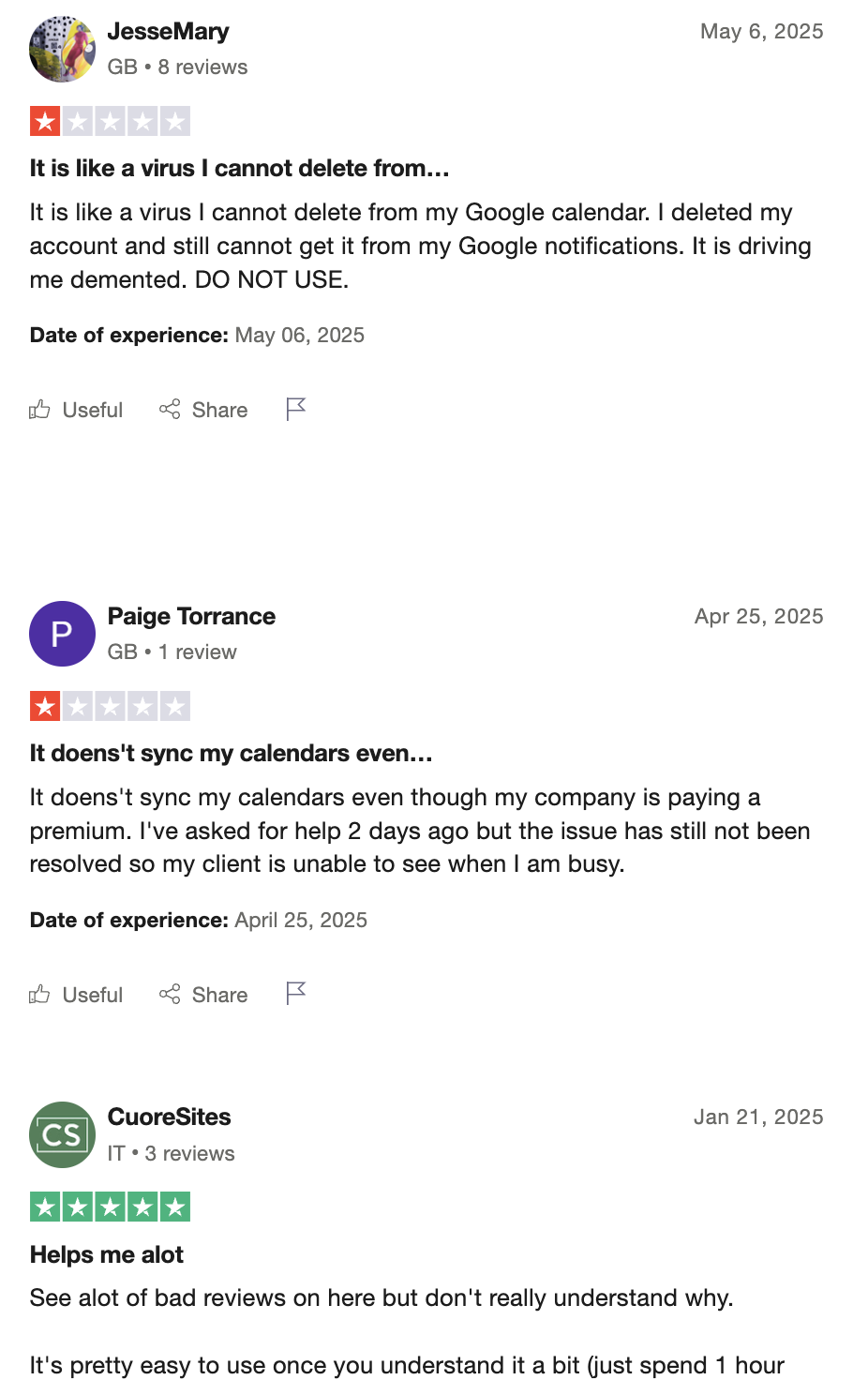
Reclaim is an AI time management and scheduling app that works on top of your existing calendar. It automatically schedules tasks, meetings, habits, breaks, and focus time so your calendar stays realistic and balanced instead of overbooked.
Key Features
- AI smart scheduling that automatically finds the best time slots for tasks, habits, and meetings
- Focus Time blocks that protect uninterrupted deep work
- Smart Meetings for auto-scheduling 1:1s and recurring team meetings
What I Liked
- It actively manages your calendar
- Great for defending focus time in meeting-heavy schedules

What I Didn’t Like
- The free plan is quite limited once you rely on it daily
- Some setup is required to tune priorities and rules correctly
- Not a full task or project management system, it’s calendar-first
- If you’re hoping for a chat-style assistant you can talk to, Reclaim doesn’t have that kind of conversational interface
Pricing
- Free plan with limited features
- Starter: $10/user/month
- Business: $15/user/month
Who It’s For
- Busy professionals with overloaded calendars
- Teams that want AI-assisted scheduling without manual time blocking
- People who struggle to protect focus time
How to Get Started
- Go to Reclaim and create a free account
- Connect your calendar
Reclaim.AI Reviews (source)
7. Clockwise
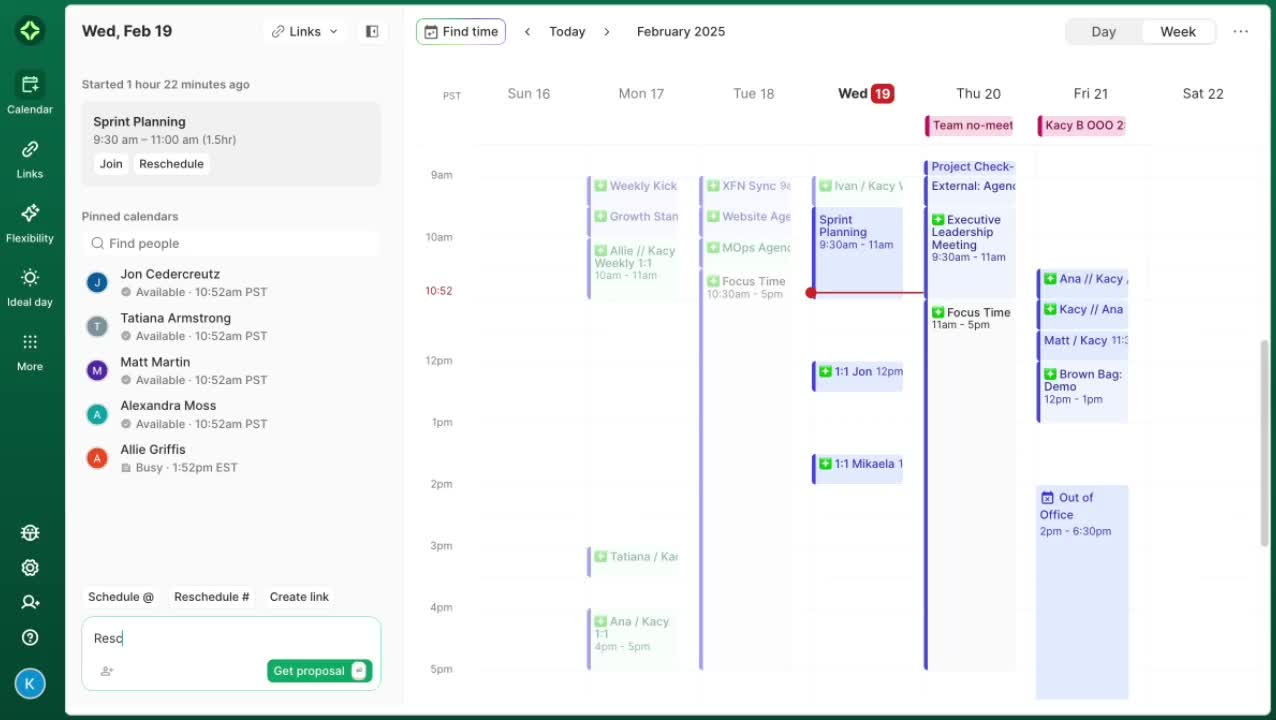
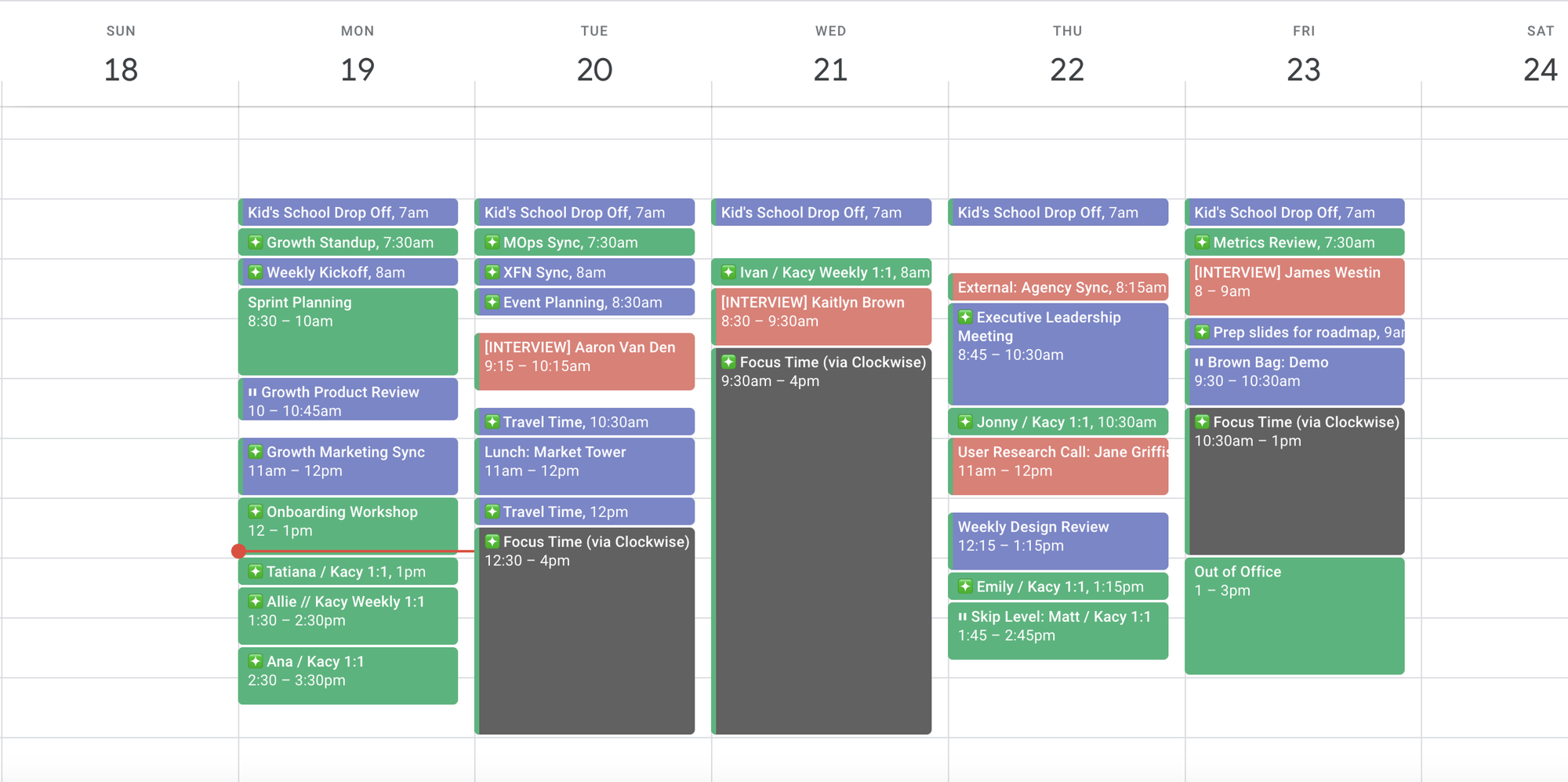
Clockwise is an AI time management and calendar optimization app designed to automatically create focus time by intelligently rearranging meetings. It works mainly with Google Calendar and helps teams protect deep work hours
Key features
- Focus Time blocks that protect uninterrupted work periods
- Smart scheduling that respects individual preferences and team-wide priorities
- Team analytics showing meeting load, focus time, and schedule health
What I liked
- The automatic focus time creation is genuinely useful for knowledge workers.
- Works well for teams, not just individuals, especially in meeting-heavy environments.
What I disliked
- Mostly limited to Google Calendar, which excludes some users.
- Less helpful if your calendar is already rigid or meeting-heavy with no flexibility.
- Not a full AI task management tool, it focuses only on calendar time.
Pricing
- Free plan available
- Teams plan at $6.75/user/month
- Business plan at $11.50/user/month
Suitable for
- Teams overwhelmed by meetings who want more uninterrupted focus time
- Knowledge workers and managers working in meeting-heavy companies
How to start
- Go to Clockwise and connect your Google Calendar
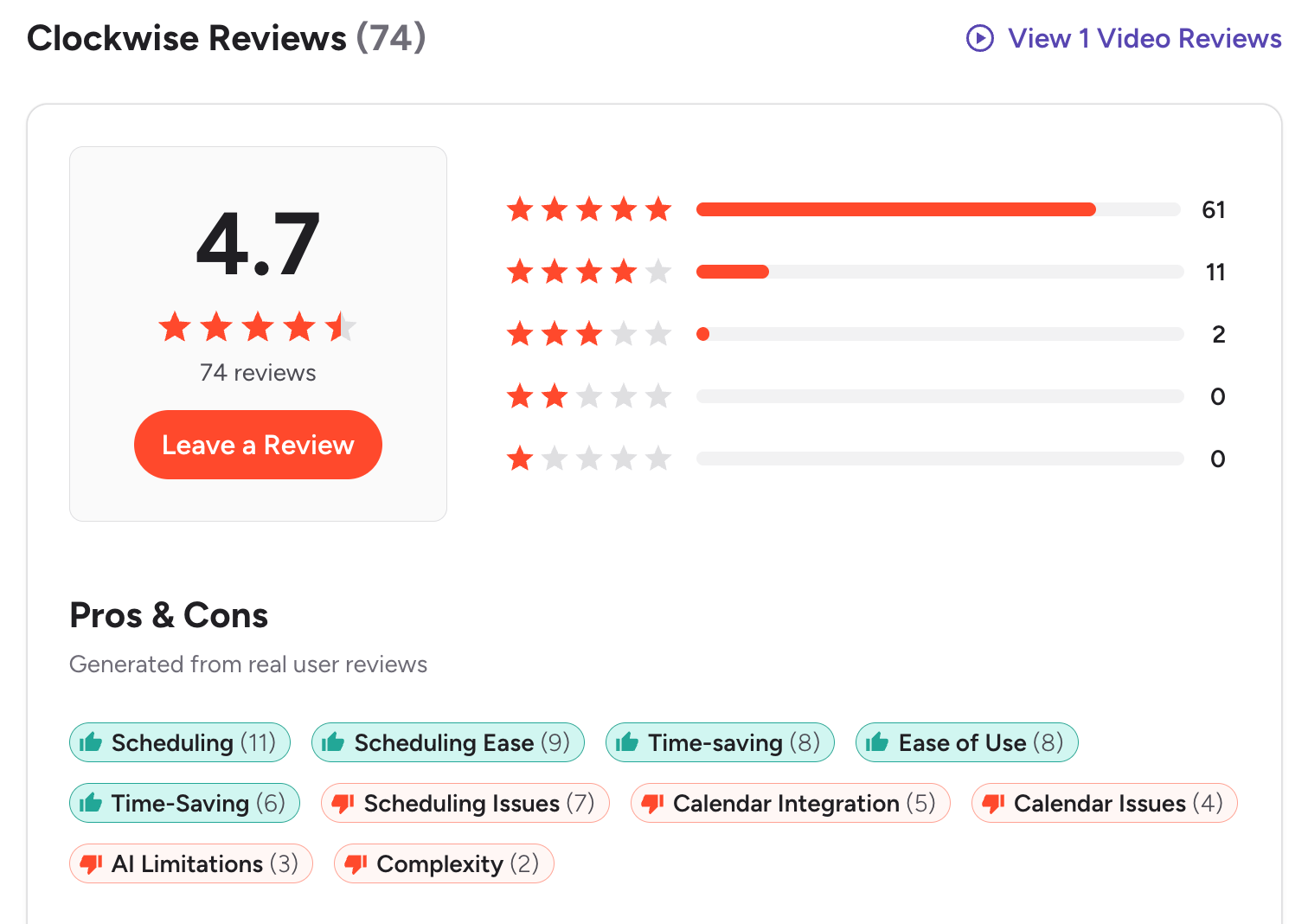
Clockwise reviews (source)
✅ Conclusion: Choosing the Best AI Time Management App for How You Actually Work
AI time management apps aren’t about squeezing more tasks into your day. They’re about reducing the mental effort it takes to decide what matters now and when to work on it.
The biggest takeaway from this list is that there’s no single “best AI time management app” for everyone. Each tool shines in a different situation. Some excel at fully automated scheduling, others at protecting focus time, and others at helping you think clearly when everything feels overwhelming.
- If your calendar constantly changes, tools like Reclaim.ai or Motion can take planning off your plate.
- If meetings are killing your focus, Clockwise can quietly fix that in the background.
- If your challenge is scattered thoughts, cognitive overload, or ADHD-related friction, Saner.AI may feel more natural and sustainable.
The right choice isn’t the most powerful tool. It’s the one that fits your real workflow, your tolerance for structure, and the amount of control you want to give to automation.
Start small. Try one app. Pay attention to whether it reduces stress, not just whether it adds features. When AI works well, you shouldn’t feel more managed. You should feel more clear, focused, and in control of your time.
Stay on top of your work and life
FAQ: Best AI Time Management Apps (2026 Guide)
1. What are AI time management apps?
AI time management apps use artificial intelligence to help you plan, schedule, and prioritize your work automatically.
Instead of manually organizing tasks and calendars, these tools can:
- Turn ideas or messages into tasks
- Auto-schedule work based on priorities
- Protect focus time
- Adjust plans when your day changes
Popular AI time management apps include Saner.ai, Motion, Reclaim.ai, SkedPal, Clockwise, Sunsama, and BeforeSunset AI - each designed for slightly different work styles.
2. What problems do AI time management apps solve?
Traditional planners assume you have unlimited focus and time. AI time management apps are built for reality.
They help with:
- Decision fatigue from too many tasks
- Constant rescheduling when plans change
- Overbooked calendars and no focus time
- Forgetting follow-ups or context from notes
- ADHD-related overwhelm and task paralysis
The best AI time management apps reduce mental load by deciding when and what you should work on next.
3. How do AI time management apps actually work?
Most AI time management apps connect to your calendar and task list, then use rules or AI models to plan your day.
Common approaches:
- Auto-scheduling: Motion, Reclaim, SkedPal, Saner.AI
- Calendar optimization: Clockwise
- Daily planning with reflection: Saner.AI, Sunsama, BeforeSunset AI
- Context-aware task creation from notes and messages: Saner.AI
Some tools focus on time blocks, others on context and priorities. The best choice depends on how you think and work.
4. What is the best AI time management app overall?
There’s no single best app for everyone - but there are clear winners by use case.
- Best for messy thinkers & ADHD: Saner.ai
- Best for strict auto-scheduling: Motion
- Best for flexible time blocking: Reclaim.ai
- Best for algorithmic planners: SkedPal
- Best for teams and meetings: Clockwise
- Best for intentional daily planning: Sunsama, Saner.AI
If you struggle more with clarity than time blocks, tools that understand notes and context tend to work better long-term.
5. Are there free AI time management apps?
Yes. Several AI time management apps offer free plans or trials.
- Saner.ai – Free plan with AI task capture, reminders, and calendar sync
- Reclaim.ai – Free tier for personal scheduling
- Clockwise – Free version for individual calendar optimization
- Motion, Sunsama, SkedPal – Typically paid after trial
Free plans are best for testing how AI planning fits your workflow before committing.
6. Which AI time management app is best for ADHD?
For ADHD users, the biggest challenge is not scheduling - it’s starting, remembering, and switching less.
Apps that work best for ADHD:
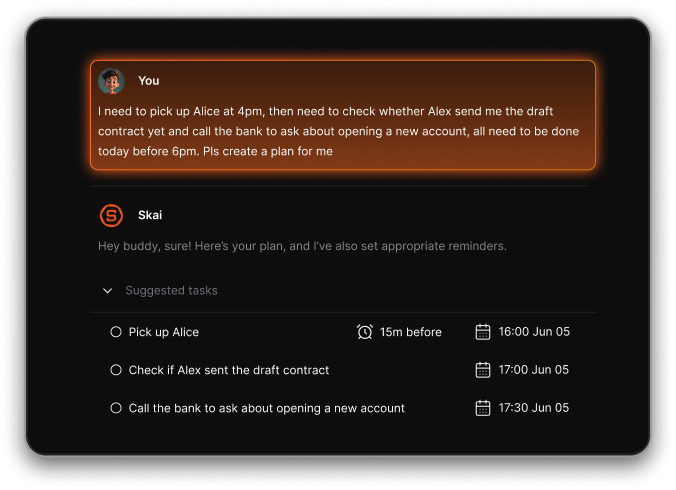
- Saner.ai – Turns brain dumps into tasks and reminders automatically
- Motion – Removes planning decisions by auto-scheduling
- Sunsama – Encourages daily reflection and realistic planning
Rigid systems can backfire. ADHD-friendly tools reduce friction instead of adding more structure to maintain.
7. Which AI time management apps auto-schedule tasks?
Several AI time management apps can automatically place tasks on your calendar:
- Saner.AI – Auto-schedules based on your requests
- Reclaim.ai – Dynamically blocks time around meetings
- SkedPal – Rule-based scheduling using availability logic
Saner.ai takes a slightly different approach by suggesting timing based on context, notes, and priorities, rather than just calendar gaps.
8. What’s the difference between AI scheduling apps and AI planners?
They sound similar, but they solve different problems.
- AI scheduling apps focus on when work happens
Examples: Saner.AI, Reclaim, Clockwise - AI planners focus on what matters and why
Examples: Saner.ai, Sunsama, BeforeSunset AI
If you already know exactly what to do, scheduling tools shine.
If your tasks are messy or unclear, planning-first tools work better.
9. Can AI time management apps replace to-do lists?
For many people, yes.
The best AI time management apps:
- Create tasks automatically from notes or messages
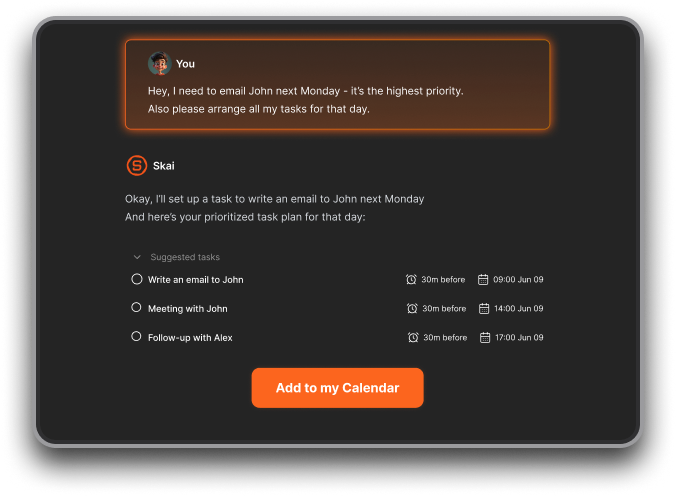
- Surface the right task at the right time
- Reduce the need to constantly review long lists
Instead of managing tasks manually, you respond to prompts and reminders—making follow-through easier.
10. Are AI time management apps good for entrepreneurs?
Yes - especially for founders juggling many unfinished threads.
Entrepreneurs often benefit from:
- Turning scattered ideas into actionable tasks (Saner.ai)
- Auto-planning deep work around meetings (Saner.AI, Reclaim)
AI time management apps act like a second brain, keeping important work from falling through the cracks.
11. What’s the best AI time management app for managers?
Managers need help remembering context, not just scheduling.
Helpful features include:
- Follow-up reminders from meetings
- Pulling notes before 1:1s
- Protecting focus time between meetings
Saner.ai and Clockwise are popular for managers because they reduce cognitive load without forcing heavy task systems.
12. Can AI time management apps help with meeting overload?
Yes. Many are designed specifically for this.
- Clockwise reshapes meeting schedules to create focus blocks
- Reclaim.ai defends time for important work
- Saner.ai links meeting notes to tasks so decisions don’t get lost
This is especially useful for remote teams and leadership roles.
13. How accurate are AI time management apps?
They improve over time - but they’re not magic.
Accuracy depends on:
- How well tasks are defined
- Calendar integration quality
- Whether the app understands context (not just deadlines)
Apps that learn from your notes and behavior tend to feel more accurate than purely rule-based schedulers.
14. Do AI time management apps work across tools like email and notes?
Some do, some don’t.
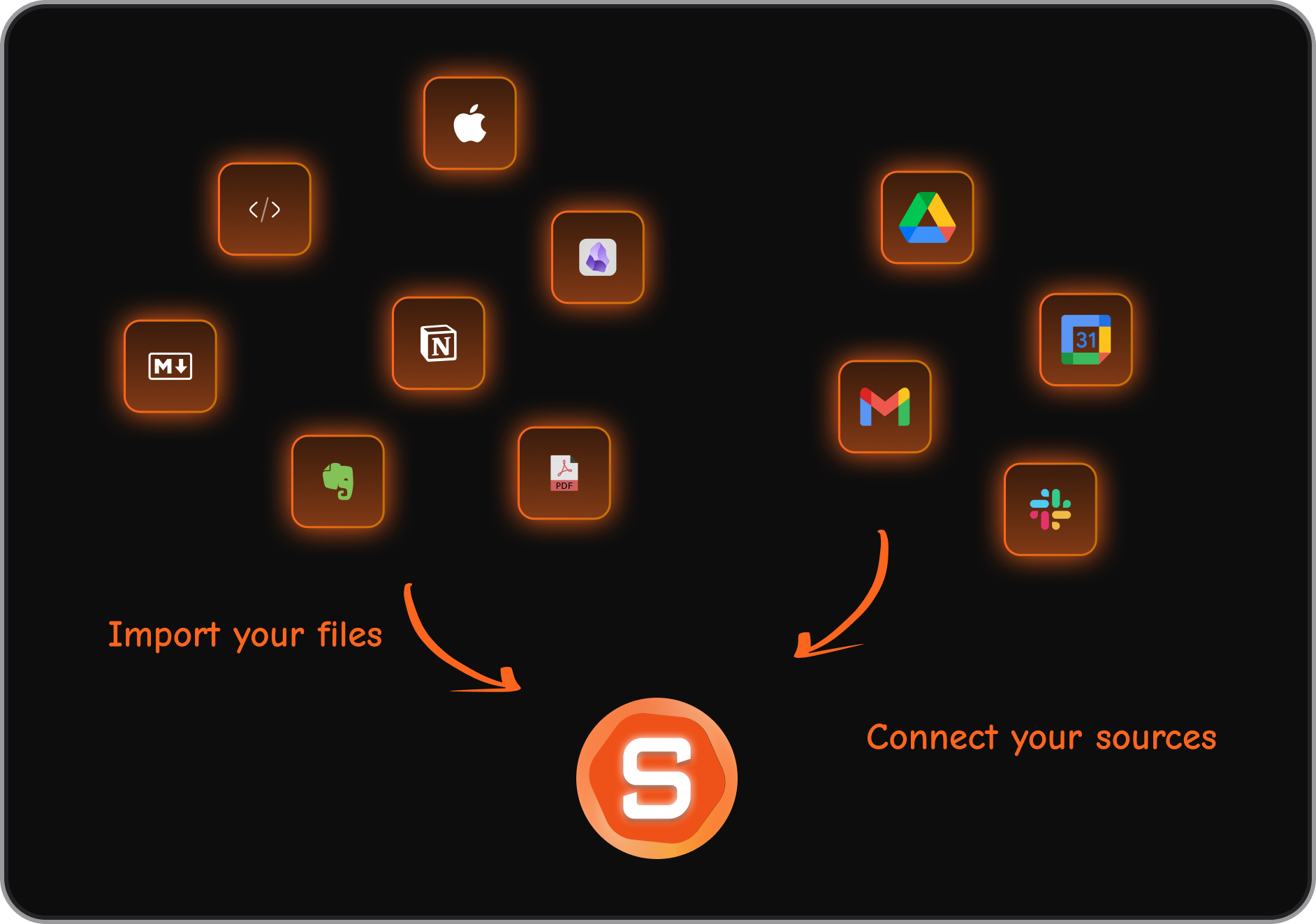
- Saner.ai connects notes, tasks, reminders, and calendar context
- Motion / Reclaim / Clockwise focus mainly on calendar + tasks
- Sunsama / BeforeSunset AI rely more on manual input
If your work lives across email, notes, and conversations, context-aware tools reduce fragmentation.
15. How are AI time management apps different from traditional planners?
Traditional planners expect you to organize everything yourself.
AI time management apps:
- Adapt when your day changes
- Decide what to prioritize
- Reduce planning friction
- Help you focus, not just track tasks
Think of them less as planners - and more as assistants for your time.
The AI Calendar that organizes your day



