
We Tested 15 AmpleNote Alternatives. Here are the best 7 Apps
The best AmpleNote Alternatives are Saner.AI, Apple Notes, Craft, Capacities, Tana, Notion, and Obsidian

The 7 Best AmpleNote Alternatives
If you’re searching for the best AmpleNote alternatives, you’re probably feeling one of three things:
- You love AmpleNote’s mix of notes, tasks, and calendar…
- But something isn’t clicking: workflow friction, missing integrations, pricing, or AI limitations.
- And now you want to know which other tools offer similar (or better) organization, planning, and knowledge-management power - without the headaches.
You’re in the right place.
In this guide, we’ll break down what AmpleNote does well, where it falls short, and — most importantly — the top AmpleNote alternatives across note-taking, daily planning, task management, and AI productivity.
We’ll compare usability, unique strengths, pricing, and who each tool is best for so you can pick the right one with confidence.
1. What Is AmpleNote?
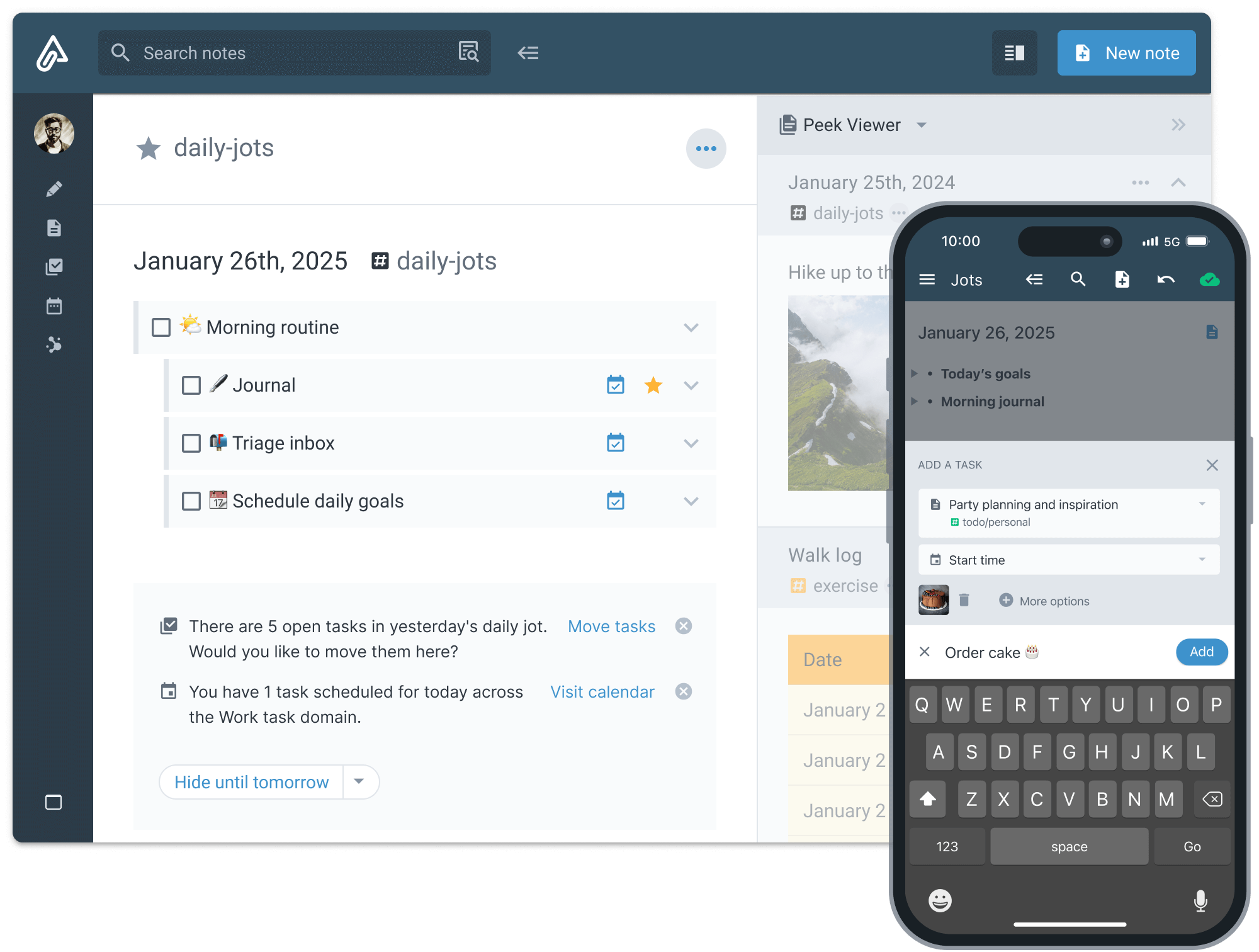
AmpleNote is a productivity app that combines:
- Note-taking
- Tasks & “Jots”
- A calendar-based planner
- Smart scheduling features
- A lightweight knowledge system using backlinks
It’s designed for people who want a single place to write, plan, and organize work without juggling multiple apps.
Why Some Users Look for AmpleNote Alternatives
Even fans of AmpleNote run into limitations, such as:
- The UI can feel dated or cluttered
- Syncing across devices sometimes lags
- AI features are not as advanced as competitors
- Limited visual organization options
- Task management lacks deeper automation
- Not ideal for large, interconnected knowledge systems
If any of that resonates, you’ll find better-fit options below.
2. How I Tested These AmpleNote Alternatives
To make this list genuinely useful, I tested each app using the same workflow:
- Created sample notes, tasks, and a daily plan
- Used each tool for at least 2–3 days to understand real-world friction
- Tested AI features: summarization, search, task suggestions, and content generation
- Evaluated mobile + desktop usability
- Checked syncing speed and cross-device reliability
- Assessed pricing vs. value for everyday users
- Compared how each tool handles overwhelm, complexity, and context switching
This testing approach highlights not just features, but how each app feels to use, which matters even more when you're planning your entire life inside it.
Now, let's dive in!
What are the best AmpleNote Alternatives?
The best AmpleNote Alternatives are Saner.AI, Apple Notes, Craft, Capacities, Tana, Notion, and Obsidian
Comparison Table: Best AmpleNote Alternatives
| Tool | 💰 Pricing | 🤖 AI Features | 📝 Note-taking Strength | 📅 Task & Planning Strength | 🎓 Ease of Use | ⭐ Best For |
|---|---|---|---|---|---|---|
| Saner.AI | Free + Paid tiers | Yes — strong AI: summarization, auto-organization, semantic search, task generation | Strong — great for notes + knowledge capture | Strong — built-in task system and planning flows | Very easy | ADHD users, busy pros, creators who want AI to organize everything |
| Apple Notes | Free (iCloud storage optional) | Minimal | Basic — great for quick notes but not PKM | Weak — almost no task/project workflows | Easiest | Casual users, Apple ecosystem, simple workflows |
| Craft | Free + Paid | Basic AI | Strong — beautiful, structured documentation | Medium — some planning features but not full task management | Easy | Writers, designers, clean documentation lovers |
| Capacities | Free + Pro | Good AI on Pro | Strong — object-based PKM (ideas, people, projects) | Low — not task focused | Medium | Researchers, creators, second-brain builders |
| Tana | Free + Paid | Excellent AI commands & automation | Strong — structured PKM with supertags & fields | Strong — flexible task workflows | Medium–High learning curve | Power users, researchers, complex workflow builders |
| Notion | Free + Paid | Good AI assistant | Strong — flexible pages, databases, wikis | Strong — tasks, boards, calendars, projects | Medium learning curve | Teams, entrepreneurs, all-in-one workspace users |
| Obsidian | Free (sync optional) | Plugin-based AI (not built-in) | Very strong — markdown, graph, deep linking | Weak by default (plugins needed) | Medium–Hard | Researchers, writers, privacy-focused users |
1. Saner.AI
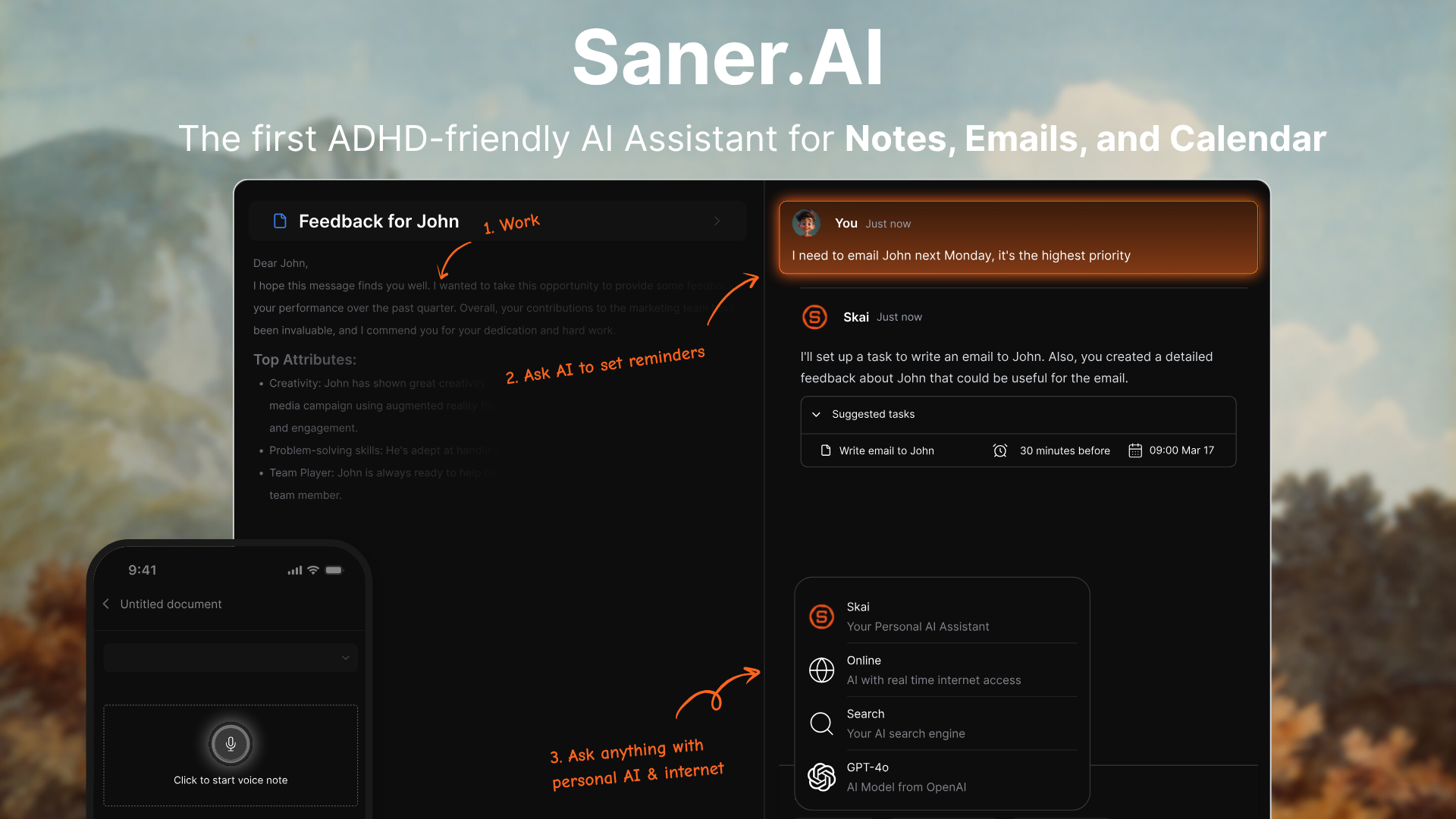
Saner.AI is an AI workspace that helps you manage notes, tasks, emails, and ideas without getting overwhelmed. It automatically organizes your information, understands context, and lets you search your knowledge using natural language.
It’s designed for busy professionals and ADHD thinkers who want a “second brain” that does the organizing for them.
Key features
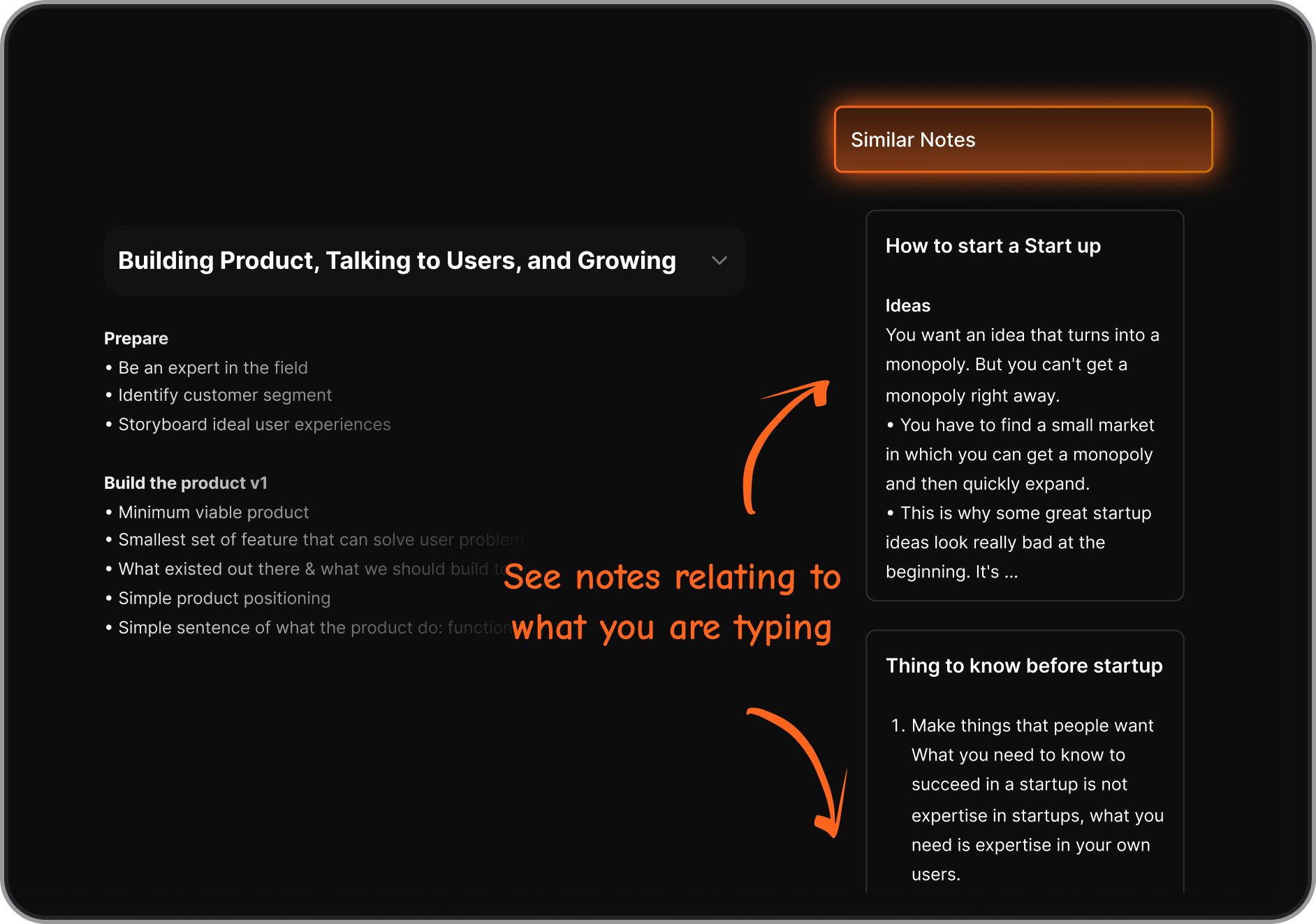
- Semantic search that lets you ask questions instead of relying on keywords
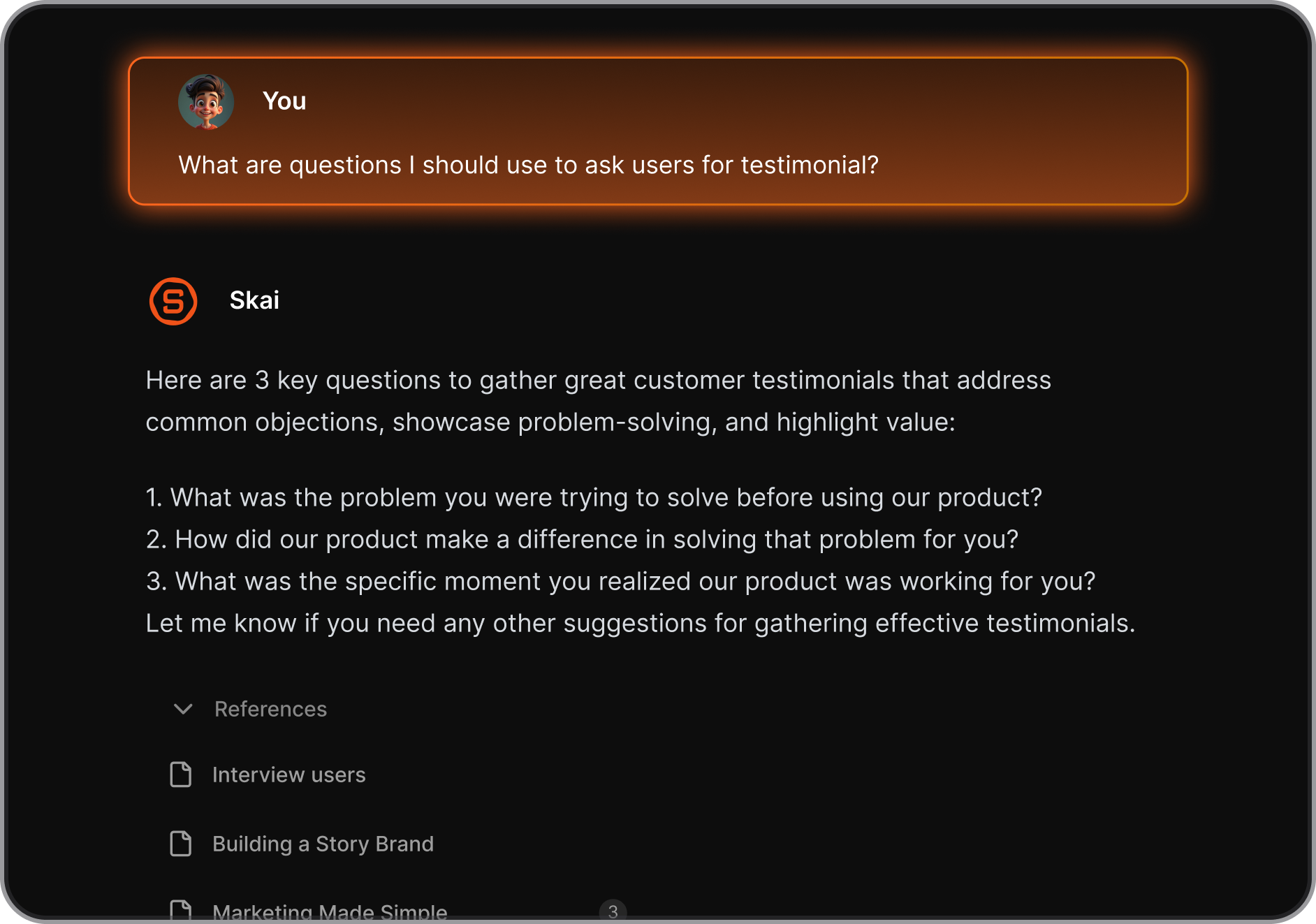
- AI assistant that auto-organizes and tags your notes
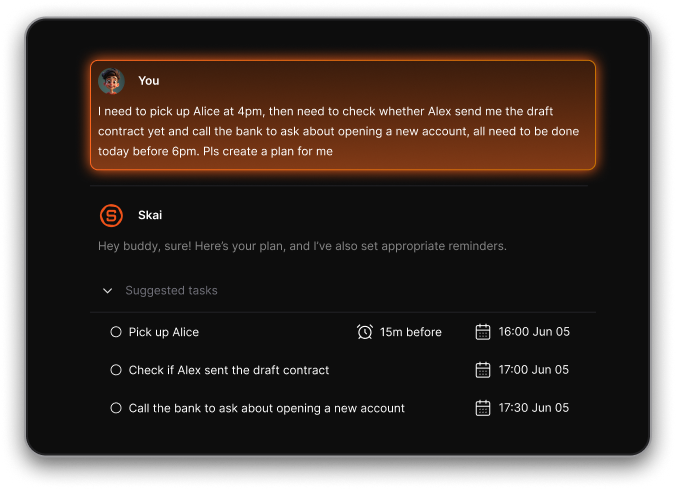
- Talk-to-Task: Just braindump, and it’ll create structured to-dos with reminders
- Central workspace for notes, tasks, and connected email/calendar
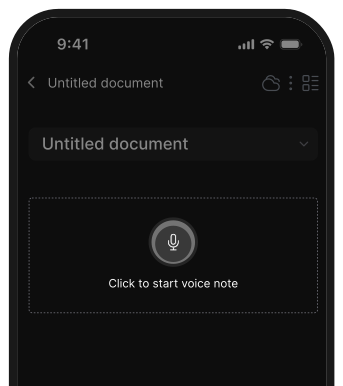
- Cross-platform access on web, mobile, and browser extension
- Sync across web, iOS, Android, and Chrome
What I liked
- Natural-language search makes it easy to find information you barely remember
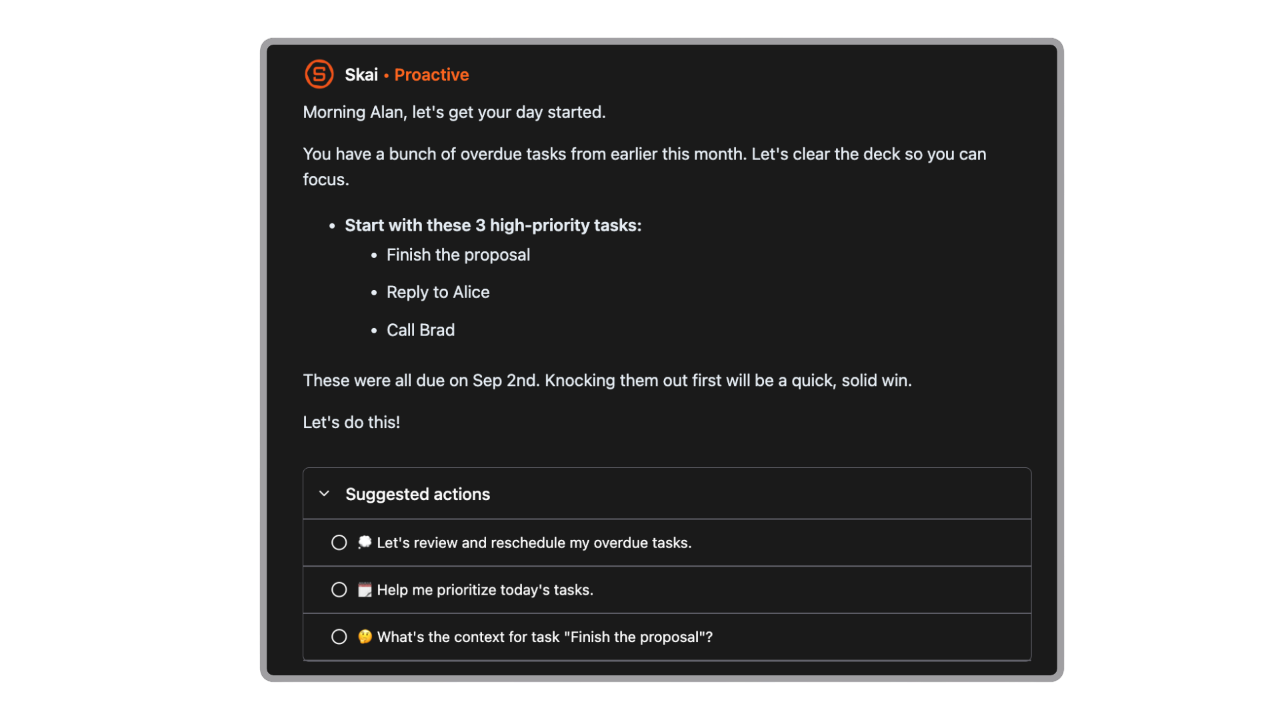
- It proactively plans my day every morning
- Combines notes + tasks + scheduling, so you switch apps less
- Great for fast capture - especially helpful for creatives and ADHD brains
Cons
- Requires internet access for full functionality.
Pricing
- Free plan available
- Paid plans start around $8/month (annual)
- Higher-tier plans around $16–20/month for full features
Suitable for
- People who want an AI second brain
- Professionals juggling lots of information
- Entrepreneurs, researchers, and heavy note-takers
- ADHD-prone users who struggle with traditional organization
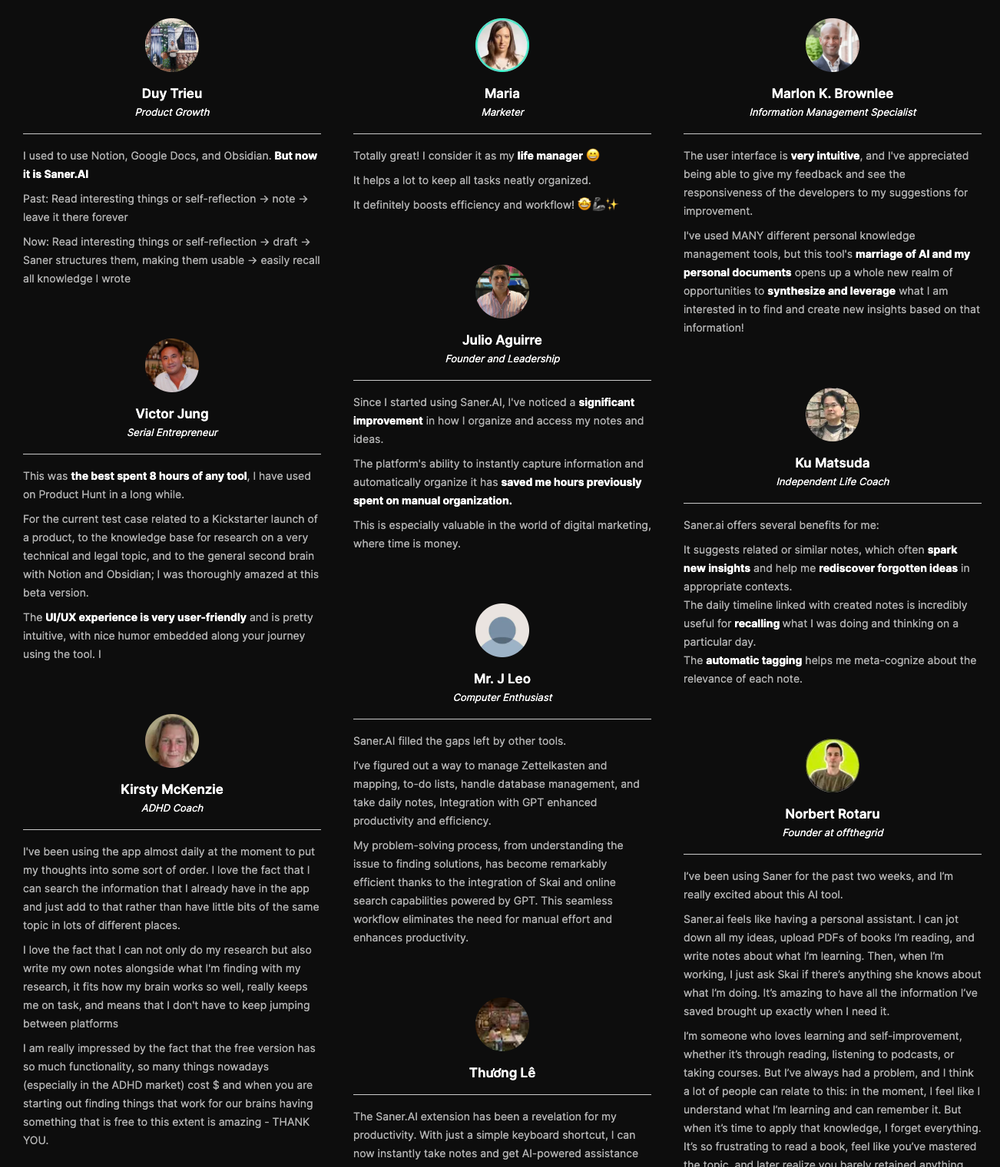
Saner.AI Reviews
How to start
- Go to Saner.AI
- Create a free account
- Start capturing notes or tasks and let the AI handle organization

The top AmpleNote Alternative
2. Apple Notes
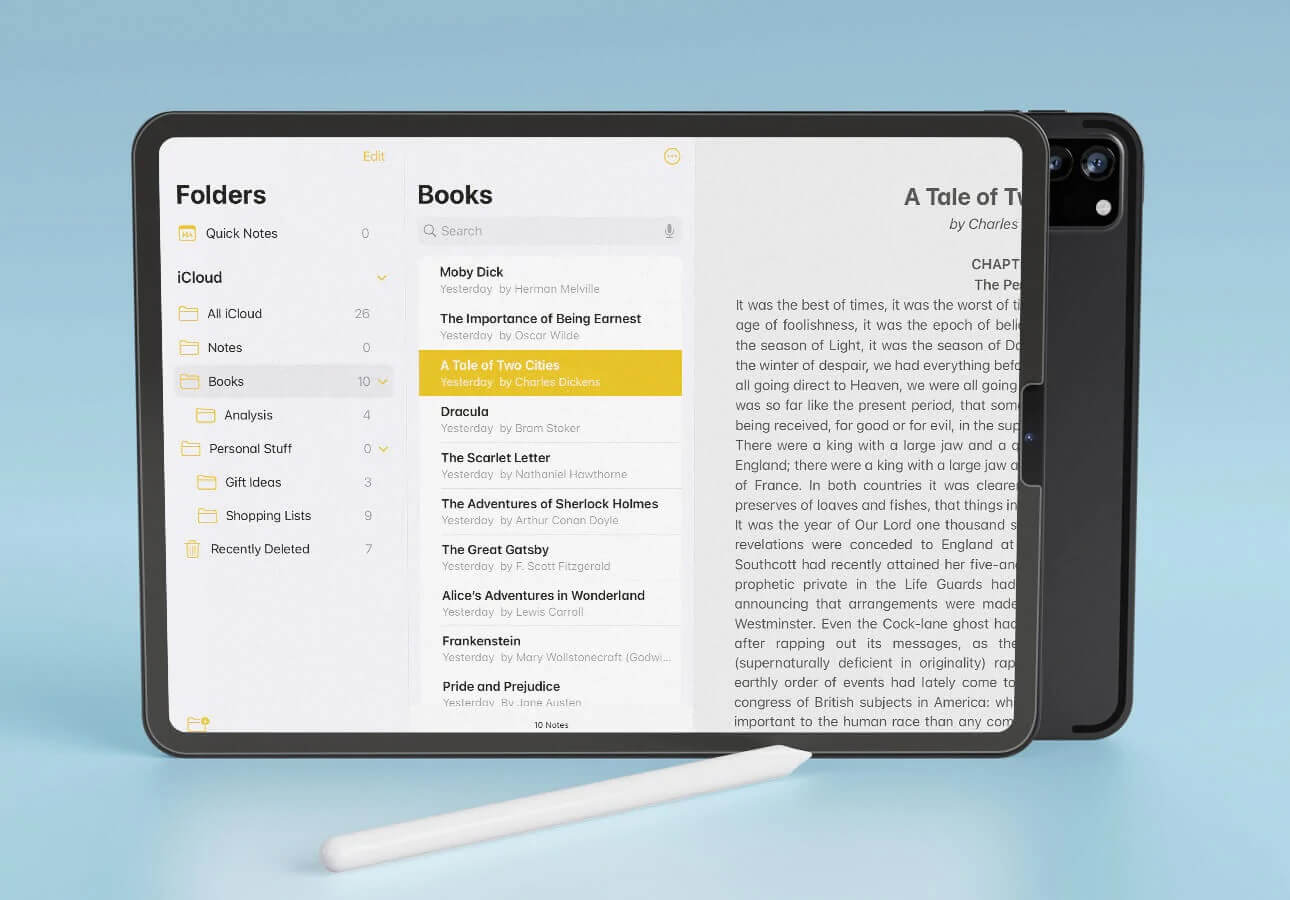
Apple Notes is the free, built-in notes app on Apple devices, offering fast, simple note capture with iCloud sync. It can work as an Amplenote alternative for users who want ease of use rather than advanced productivity features.
Key features
- Syncs instantly across iPhone, iPad, and Mac via iCloud
- Supports rich text, checklists, tables, file attachments, images, and sketches
- Works well with Apple Pencil for handwriting and drawings
- Organizes notes with folders, subfolders, tags, and Smart Folders
What I liked
- Very beginner-friendly and requires zero setup
- Seamless integration across the Apple ecosystem
- Great for quick notes, lists, and capturing media or scanned documents
What I disliked
- No integrated task + calendar workflow like Amplenote
- No advanced note-linking, scheduling, or productivity features
- Harder to export or migrate large collections of notes
- Can feel too simple for people building knowledge management system
Pricing
- Free (only iCloud storage costs apply if you exceed the free tier)
Suitable for
- Apple users who want a simple, reliable notes app
- People who capture quick ideas, lists, sketches, or attachments
How to start
- Open the Notes app on your Apple device
- Sign in with your Apple ID to enable iCloud sync
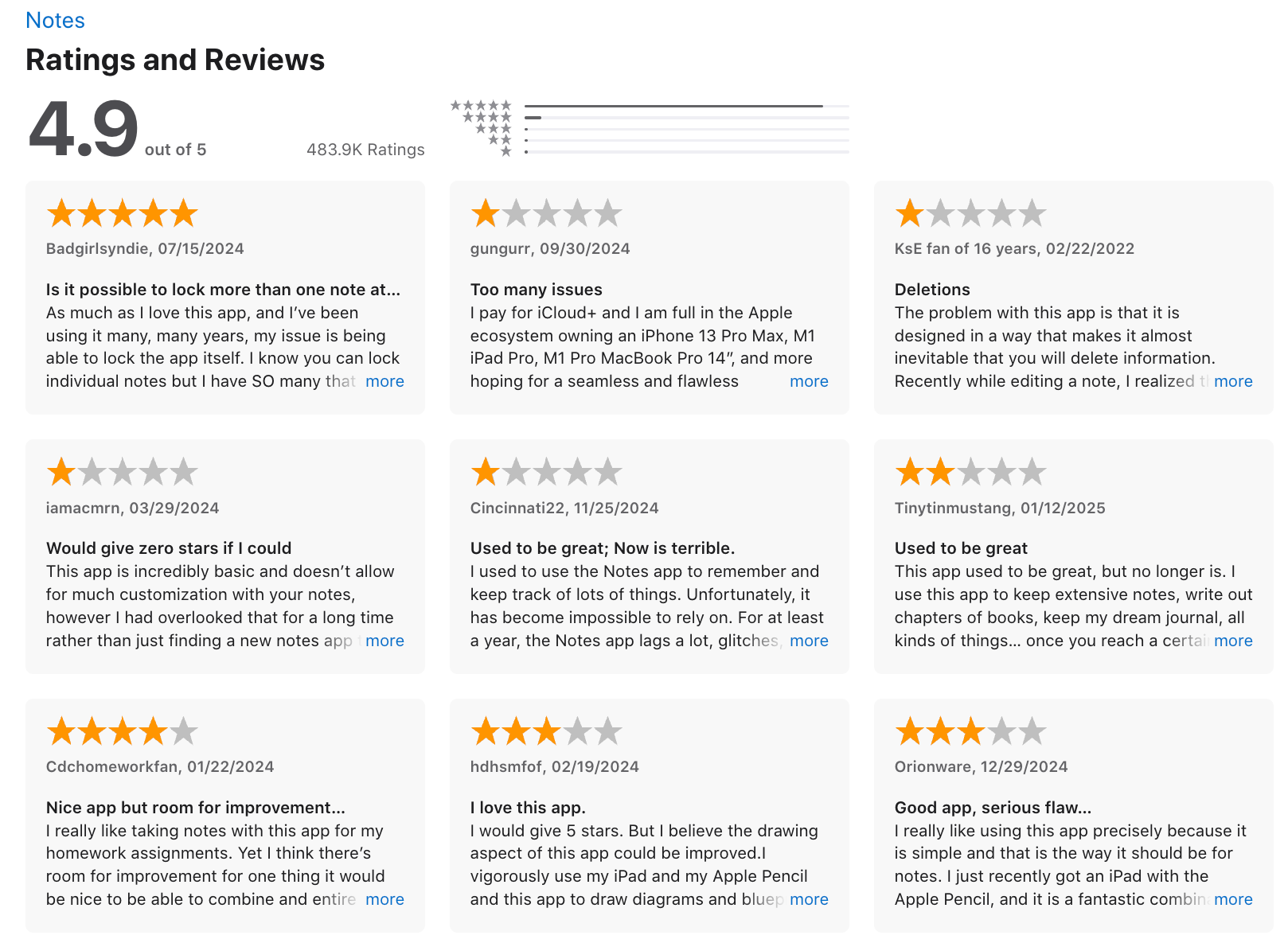
Apple Notes reviews (source)
3. Craft
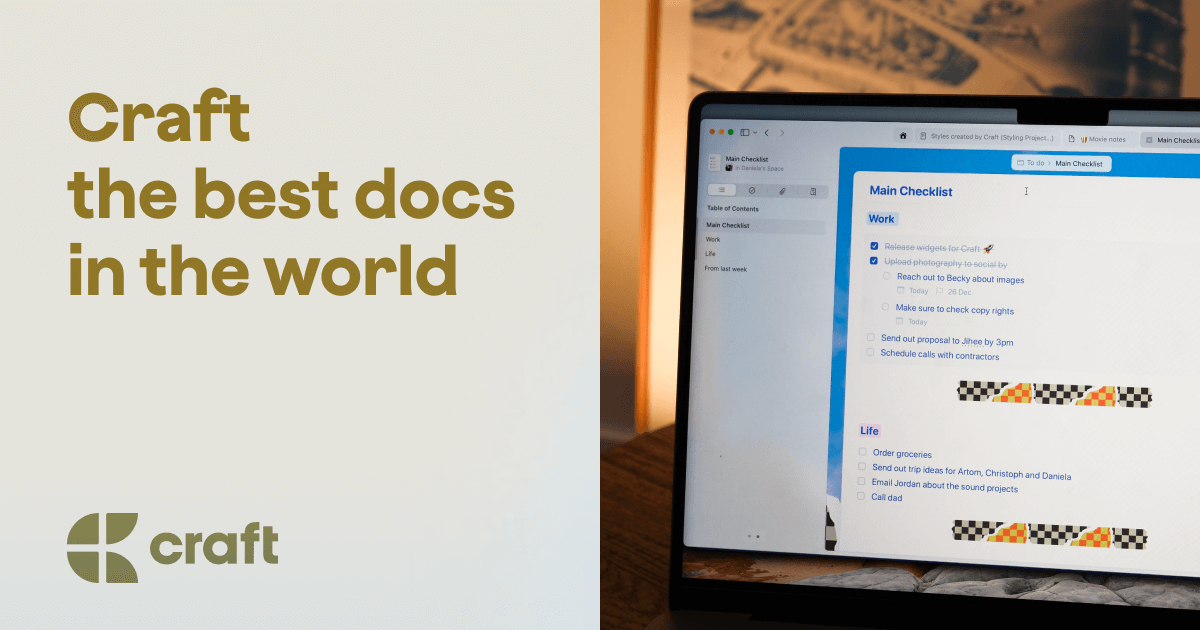
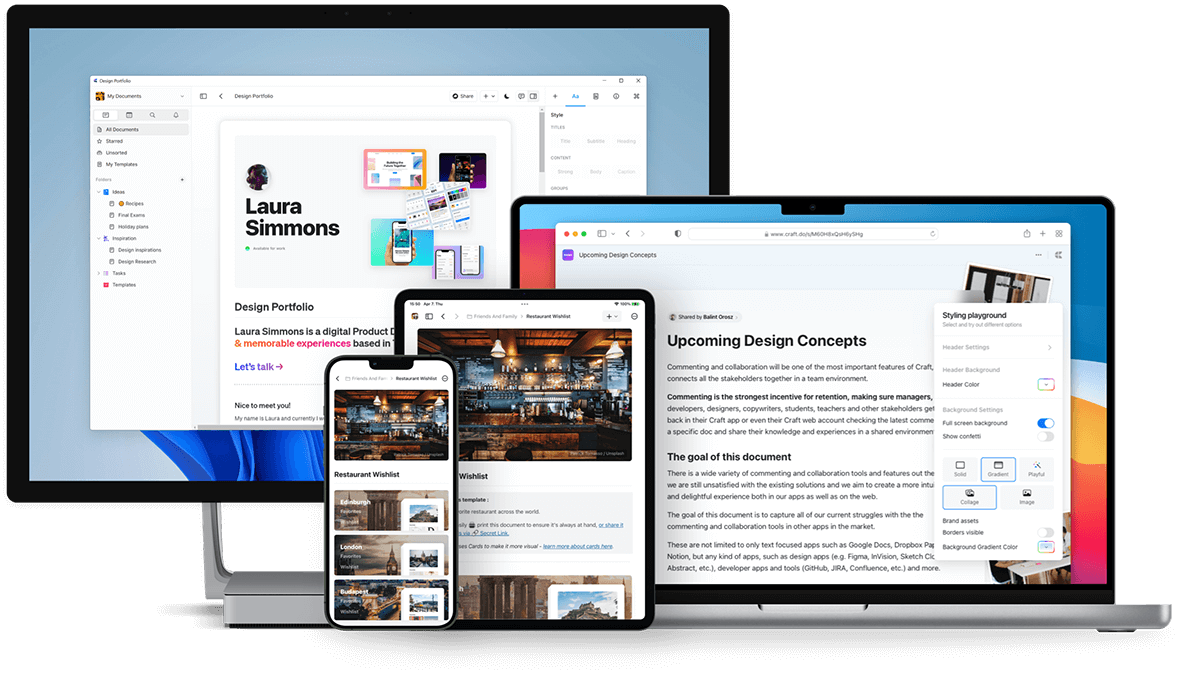
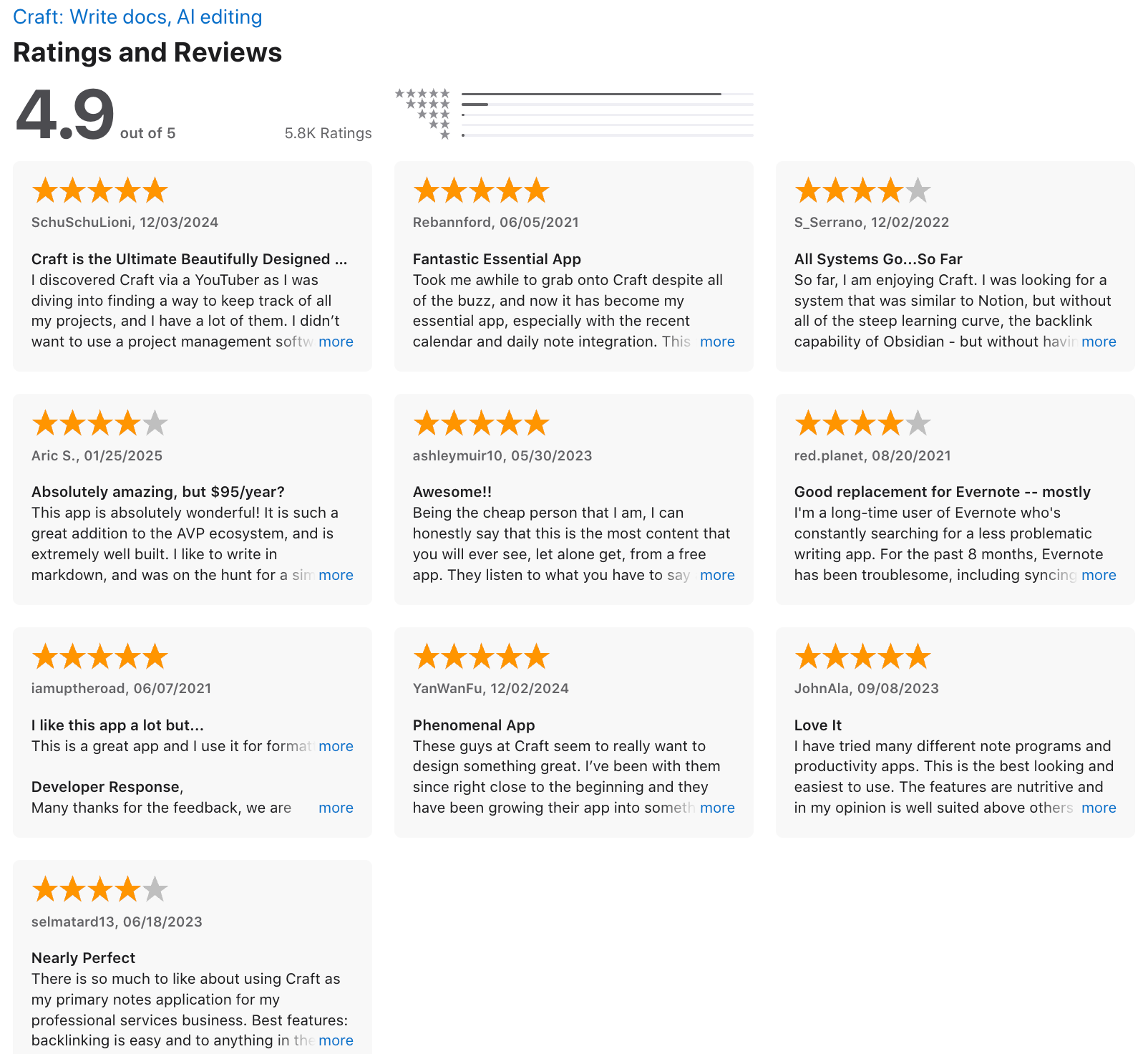
Craft is a modern note-taking and document app built for people who want clean, polished notes with a simple task system. It can work as an Amplenote alternative if you value writing experience and design more than advanced productivity features.
Key features
- Block-based editor for mixing text, images, tables, and media
- Page and block linking for connected-note workflows
- Beautiful typography and layout for a distraction-free writing experience
- Real-time collaboration and easy sharing
What I liked
- Linking between notes makes it useful for personal knowledge management
- Collaboration feels smooth and lightweight
What I disliked
- Less powerful than Amplenote for productivity workflows
- Limited advanced PKM features compared to tools like Obsidian or Reflect
- You don't have an AI assistant to manage work via chat
Pricing
- Free plan with core features
- Pro plan at $10/month or $96/year
Suitable for:
- Users who prioritize writing comfort and beautiful notes
- People who want simple task tracking inside a note app
- Individuals or teams that collaborate on docs
How to start:
- Go to Craft
- Create a free account
Craft review (source)
4. Obsidian
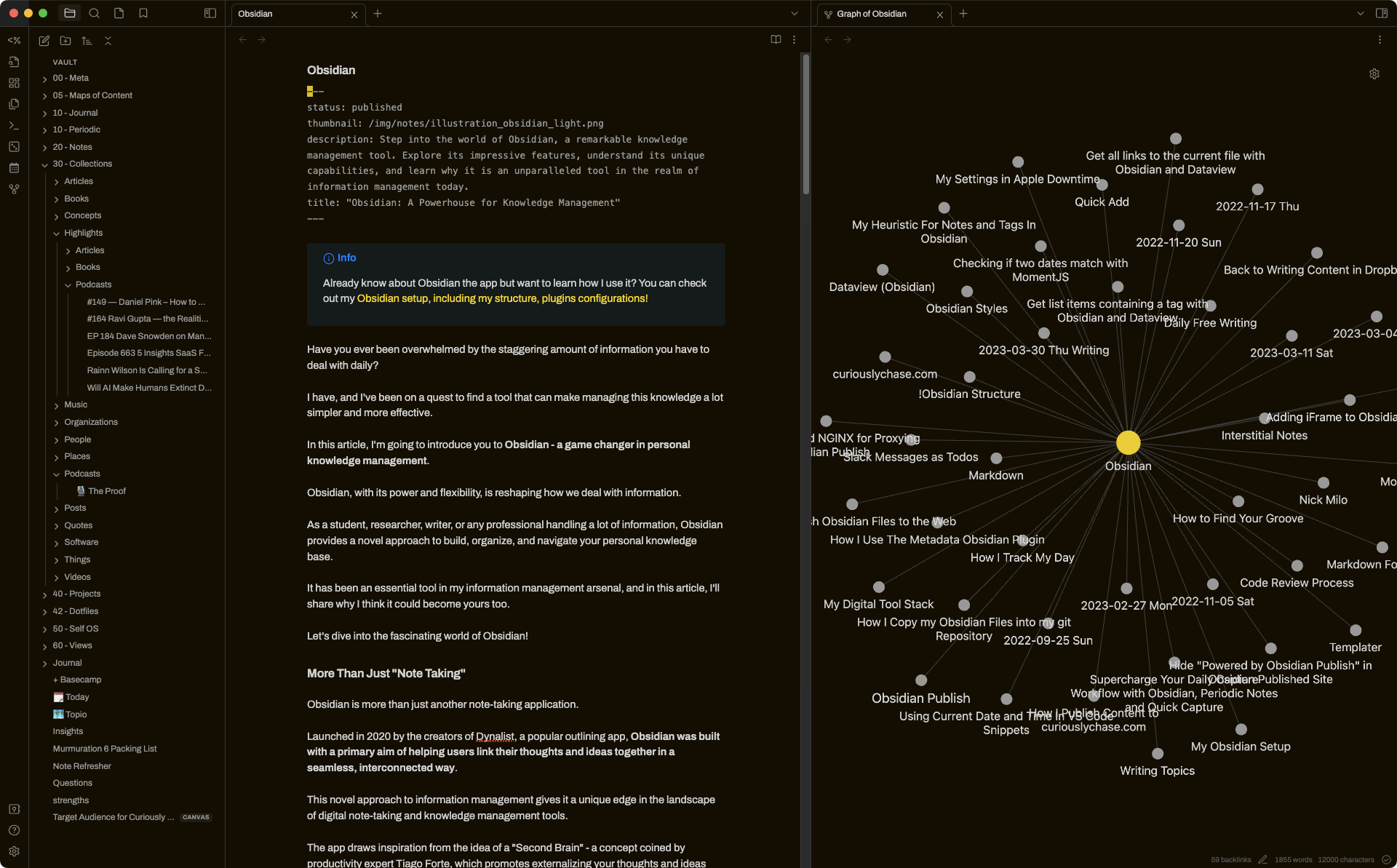
Obsidian is a flexible note-taking app built on local Markdown files. Many people use it as an Amplenote alternative when they want more control, customization, and a deeper “knowledge base” setup instead of a structured notes-tasks-calendar workflow.
Key features
- Notes stored as local Markdown files you fully own
- Internal linking and graph view to connect ideas
- Large plugin ecosystem for customizing workflows
- Cross-platform apps for desktop and mobile
What I liked:
- You keep full control of your notes since everything lives in plain Markdown files
- Extremely customizable, especially with community plugins
- Great for research, writing, and building a long-term knowledge system
What I disliked
- Requires more setup time if you want advanced workflows
- Can feel overwhelming for beginners due to the amount of customization
- There are no native task reminders
- Don't have an AI assistant built in
Pricing
- Free plan with all core features
- Sync plan: $5/month
- Sync + Publish plan: $10/month
Suitable for:
- People who want a “second brain” or knowledge base with deep linking
- Writers, researchers, and students
How to start:
- Download the app from obsidian.md
- Create a vault (your note folder)
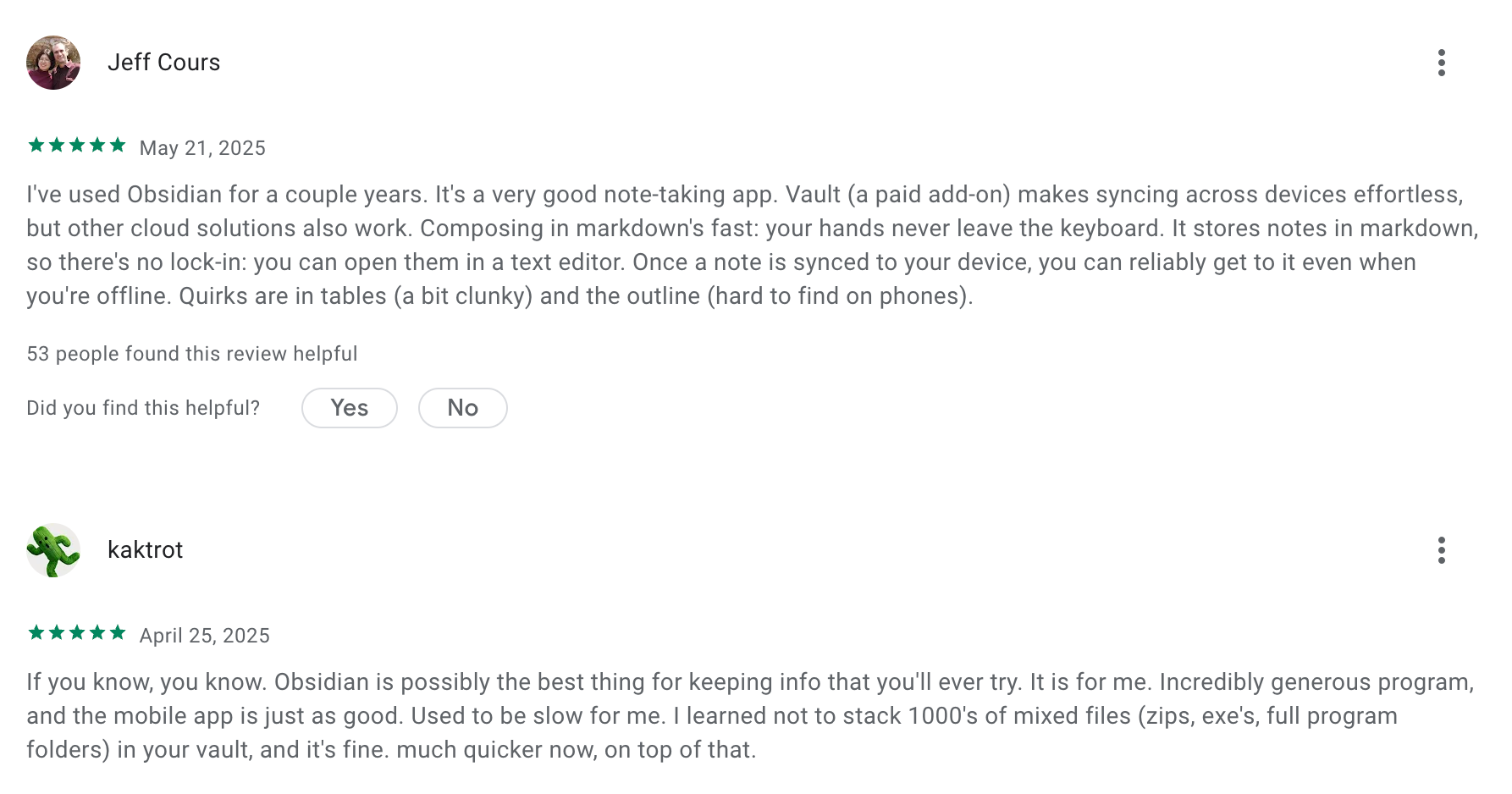
Obsidian review (source)
5. Tana
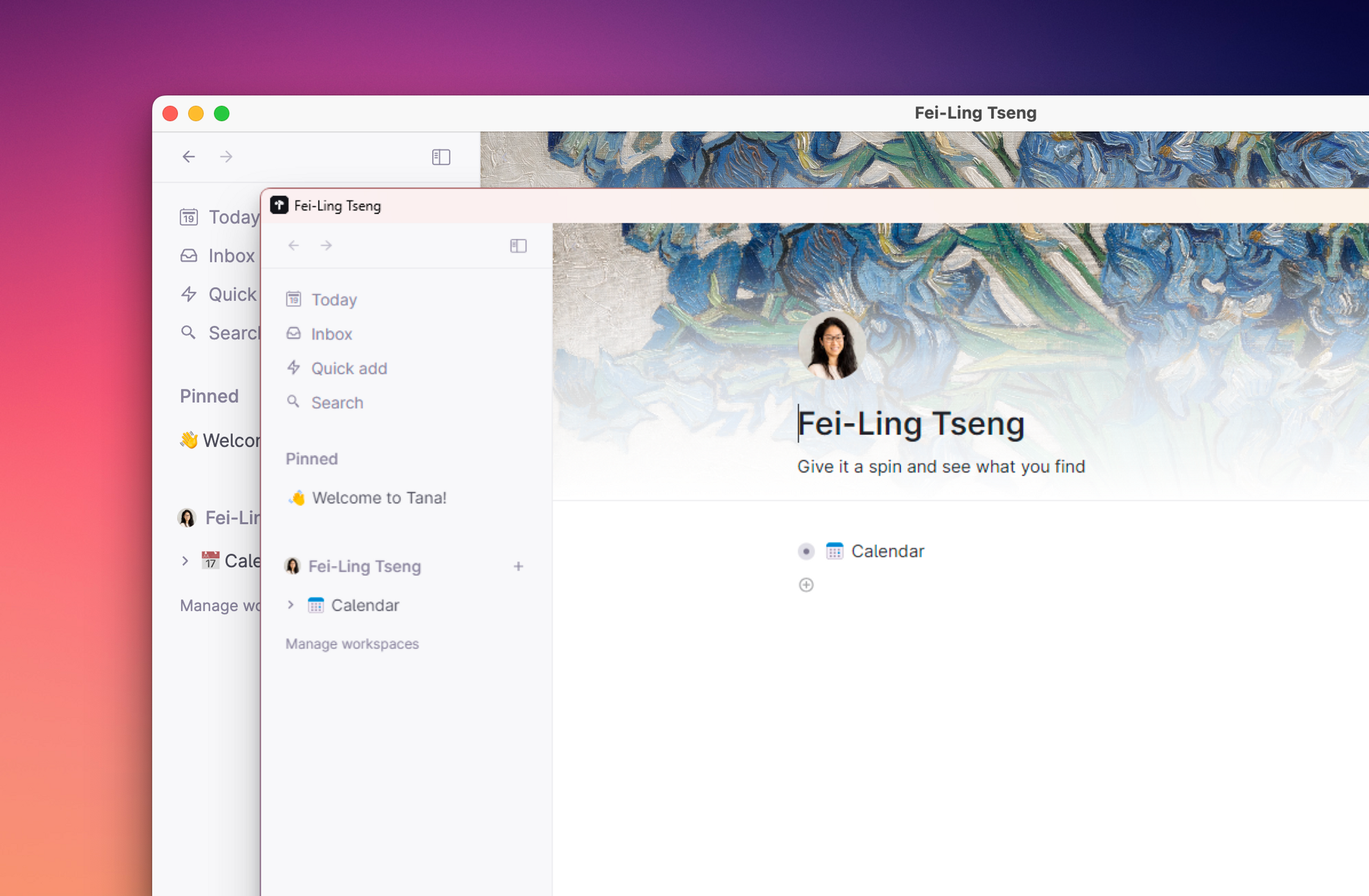
Tana is an AI workspace that lets you capture ideas, tasks, and projects inside a connected workspace. It combines outliner editing, database-like structure, and built-in AI to help you organize information and turn raw notes into actionable workflows.
Features
- Outliner-style notes where everything is a “node” you can link, tag, or reference
- Supertags that turn notes into structured objects (tasks, projects, meetings, books, etc.)
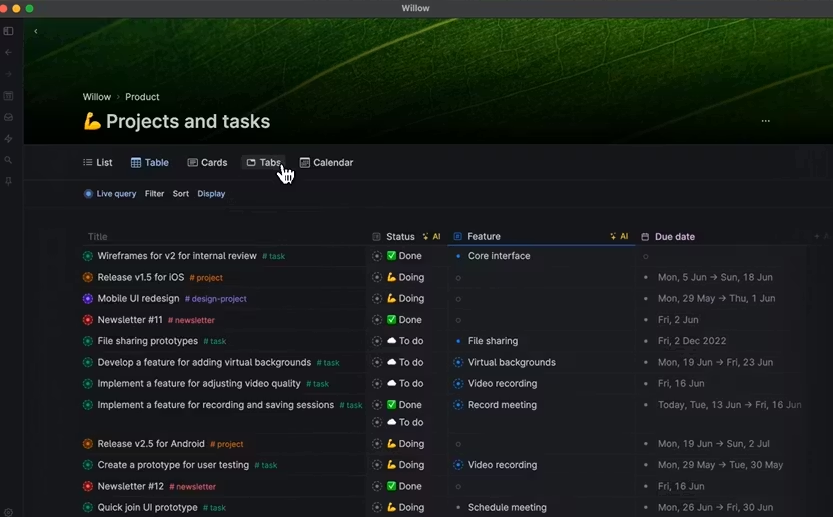
- Multiple views: lists, tables, cards, boards
Pros
- Notes, tasks, and knowledge live in one connected system
- Supertags and dynamic views make it easy to turn simple notes into organized systems
Cons
- Learning curve is real, especially if you want to use advanced Supertags or custom views
- Flexibility can create inconsistency if you don’t maintain structure
- Integrations are more limited compared to tools focused heavily on task management or calendar workflows
Price
- Monthly at $18/month, Annually at $14/month
Suitable for:
- Researchers and teams managing interconnected information
- Individuals or teams who prefer flexible, customizable systems over rigid templates
How to start:
- Go to Tana
- Create a free account
Tana Reviews (Source)
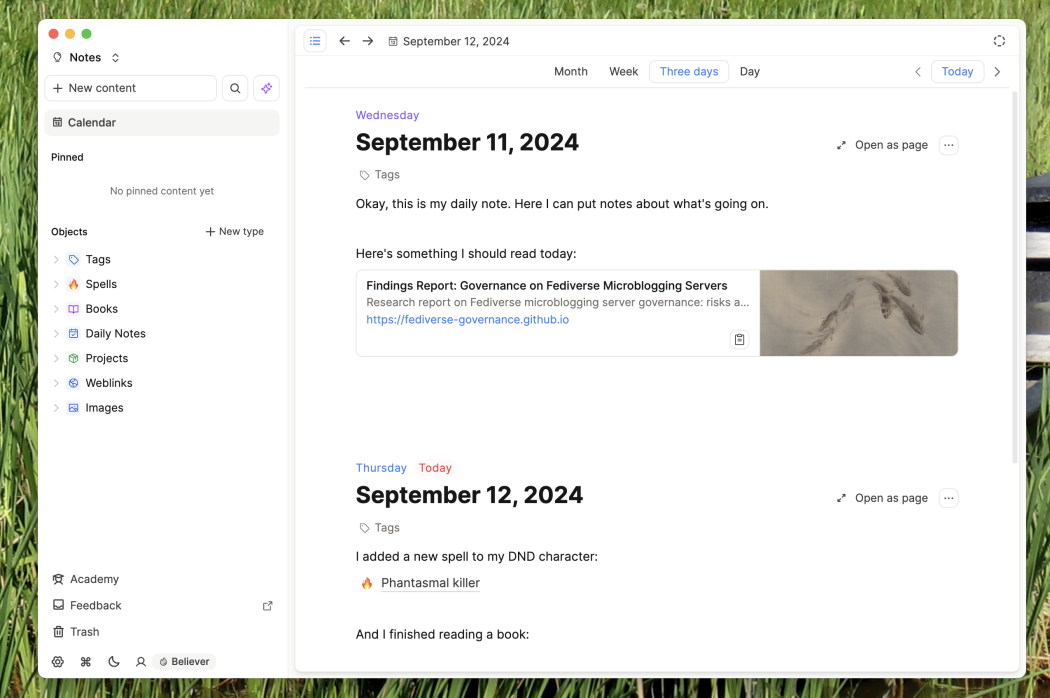
6. Capacities
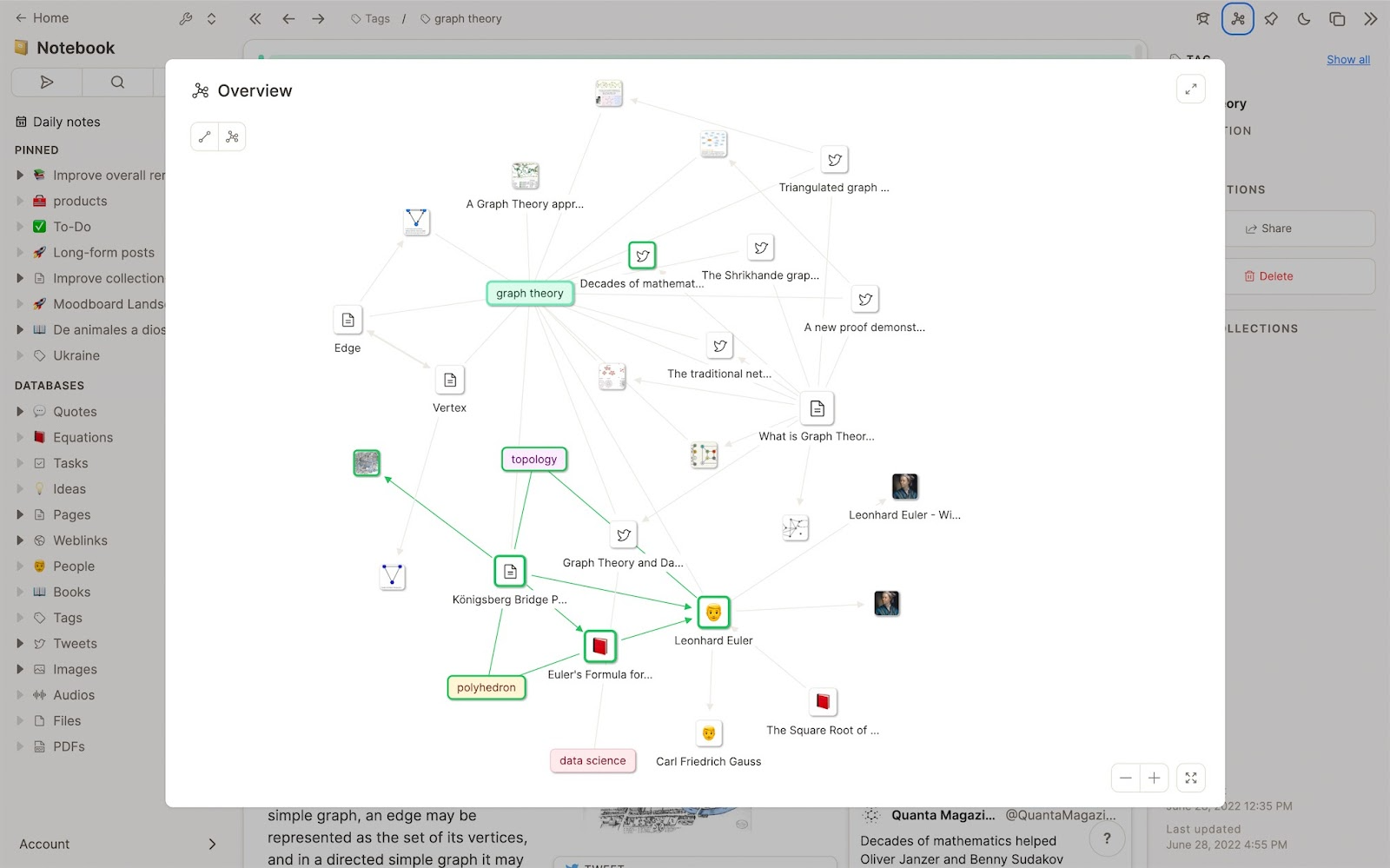
Capacities is an all-in-one note-taking and knowledge-organization tool built around a “digital objects” model. Instead of traditional folders or pages, everything you store becomes an object you can link, tag, structure, and reuse across your workspace.
Key features
- Object-based knowledge system (people, projects, ideas, notes, media)
- Daily notes with automatic linking to related objects
- Smart collections that group related notes by tags or properties
- Built-in AI assistant for summarizing, expanding, and organizing notes
What I liked:
- The object model feels natural once you start using it. It makes big, messy knowledge bases easier to navigate.
- Daily notes act like an automatic hub that ties your work together without manual effort.
What I disliked:
- It’s less task-oriented than AmpleNote. If you want a combined notes + powerful to-do system, you’ll still need another tool.
- The learning curve is real. Users coming from simple note apps may feel overwhelmed.
- Mobile apps are improving but still not as fast or polished as competitors.
- Collaboration is limited compared to mainstream tools.
Pricing:
- Free plan with limited storage
- Pro plan around $12–15/month
Suitable for:
- People who prefer a networked-thinking or second-brain approach instead of linear notebooks
- Researchers, creators, founders, and anyone managing large, interconnected ideas
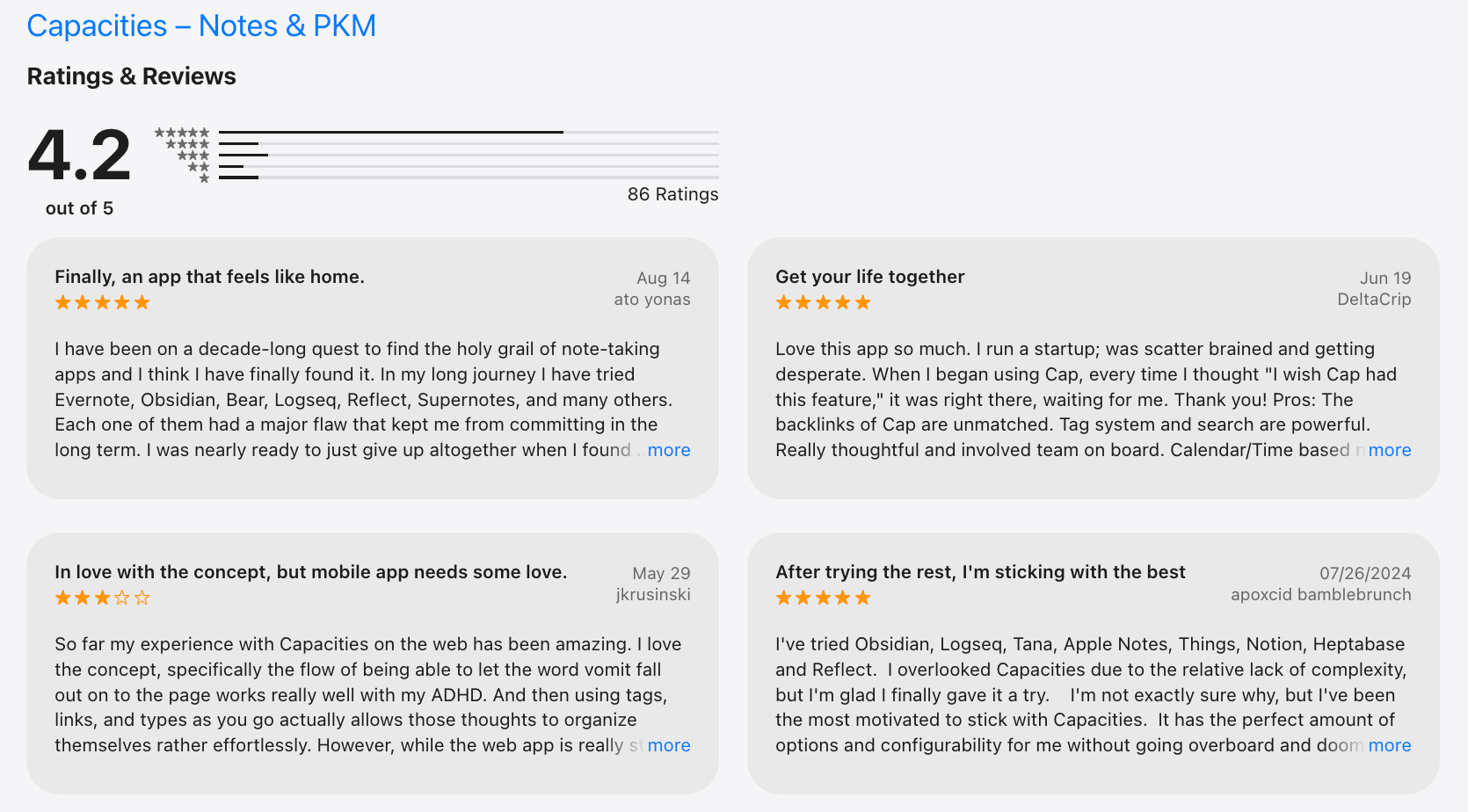
Capacities reviews (source)
7. Notion

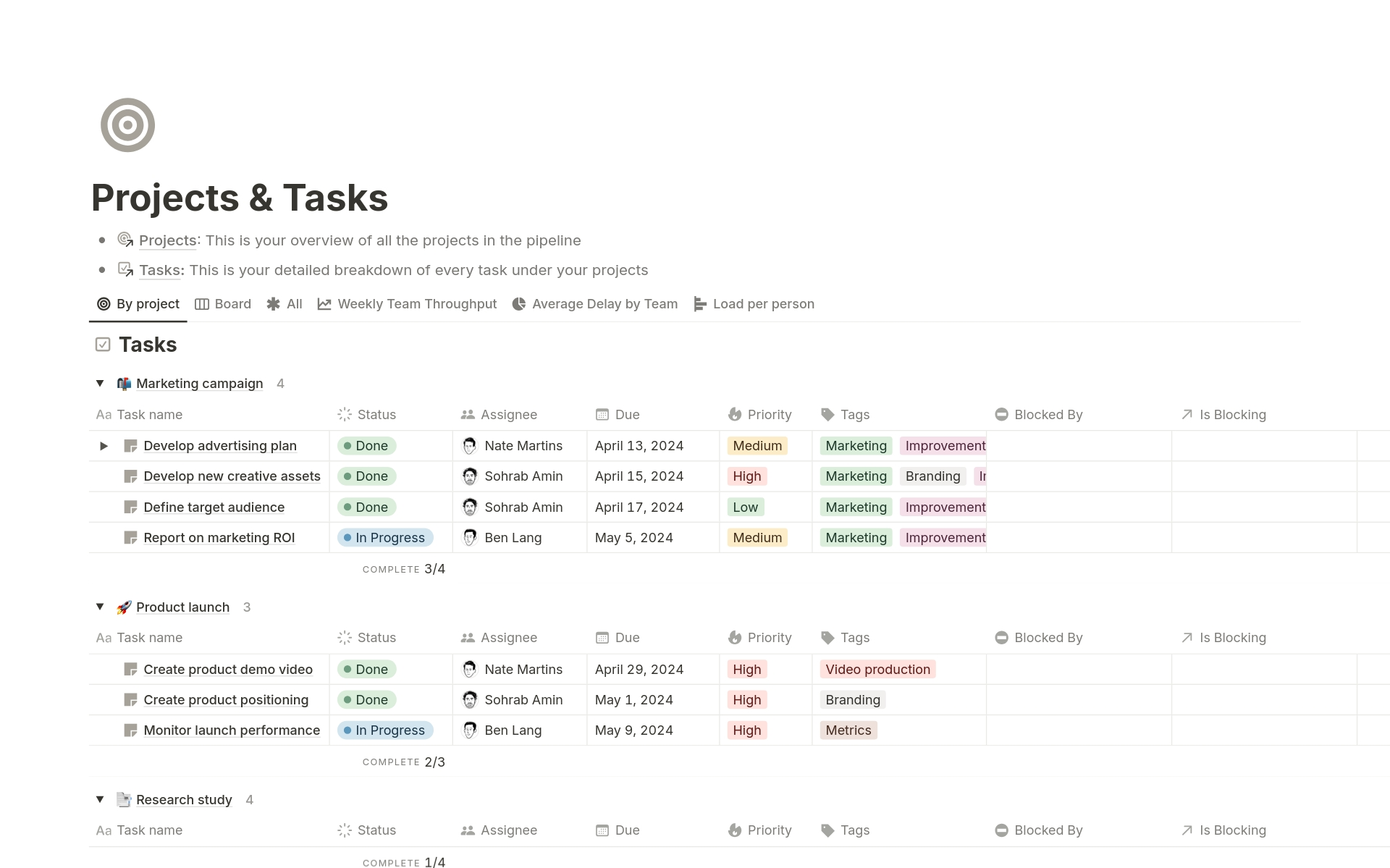
Notion is an all-in-one workspace for note-taking, documentation, project management, and structured databases. Many users choose it as an Amplenote alternative when they need more customization, collaboration, or complex organization.
Key features
- Block-based editor for notes, documents, and mixed media
- Databases for structured organization (tables, boards, calendars, lists)
- Strong collaboration with real-time editing and shared workspaces
- Large library of templates for wikis, projects, meeting notes, and workflows
What I liked
- Extremely flexible
- Great for teams that need shared spaces, documentation, and workflow structure
- Database features make it easy to organize and filter large amounts of information
What I disliked
- The flexibility can feel overwhelming - you often need to design your setup manually
- Not as seamless as Amplenote for quick notes-to-tasks-to-schedule workflows
- More steps required for simple capture or lightweight to-dos
Pricing
- Free plan
- Plus plan: $10/user/month (billed annually)
- Business plan: $20/user/month (billed annually)
Suitable for:
- Teams building shared wikis, knowledge bases, or project boards
- People who prefer designing their own productivity system
How to start:
- Go to Notion and create a free account
Notion reviews (source)

Conclusion: Choosing the Best AmpleNote Alternative for Your Workflow
Finding the right productivity tool isn’t about chasing the one with the most features - it’s about choosing the one that matches the way your brain works. AmpleNote offers a solid blend of notes, tasks, and daily planning, but the landscape has evolved.
Today’s tools bring stronger AI, cleaner interfaces, deeper knowledge systems, and smarter ways to reduce overwhelm.
- If you want an AI workspace that feels like a clearer, calmer version of AmpleNote, Saner.AI is the closest match.
- If you prefer visual organization, Craft or Capacities shine.
- If you want raw power and customization, Tana, Notion, or Obsidian will meet you where you are.
- And if you just want the simplest tool to jot things down quickly, Apple Notes remains unbeatable.
The “best” tool ultimately depends on your needs - daily planning, research, creativity, ADHD-friendly support, or team collaboration.
The right tool should make your life easier, not busier - and once you find that fit, your productivity system finally starts to feel like home.
Stay on top of your work and life
FAQ: Best AmpleNote Alternatives (2026 Guide)
1. What are the best AmpleNote alternatives?
If you love AmpleNote’s mix of notes + tasks but want more power, AI, or customization, the best alternatives today include:
- Saner.AI – AI workspace for notes, tasks, and calendar with deep context understanding
- Apple Notes – Simple, fast, great for Apple ecosystem users
- Craft – Beautiful pages, publishing, and collaboration
- Capacities – Object-based system for structured knowledge
- Tana – Outliner-style with powerful supertags and workflows
- Notion – Flexible all-in-one workspace for teams and docs
- Obsidian – Local-first, markdown, backlink-focused knowledge base
Each tool solves AmpleNote’s limitations differently - whether you need better AI, less complexity, or deeper organization.
2. Why would someone look for an AmpleNote alternative?
Common reasons people switch include:
- Wanting smarter AI for summarizing, reminding, and retrieving notes
- Feeling overwhelmed by manual linking and tagging
- Wanting a cleaner, calmer interface
- Needing stronger task + calendar integration
- Preferring offline storage (or the opposite: stronger cloud sync)
- Wanting a system that requires less setup and fewer rules
Many users move to alternatives because they want less friction and more clarity in their daily workflow.
3. Is Saner.AI a good AmpleNote alternative?
Yes. Saner.AI is one of the closest “plug-and-play” upgrades if you like AmpleNote but want more AI help and less manual linking.
Users choose Saner.AI because it:
- Understands your notes even when they’re messy
- Turns brain dumps into tasks automatically
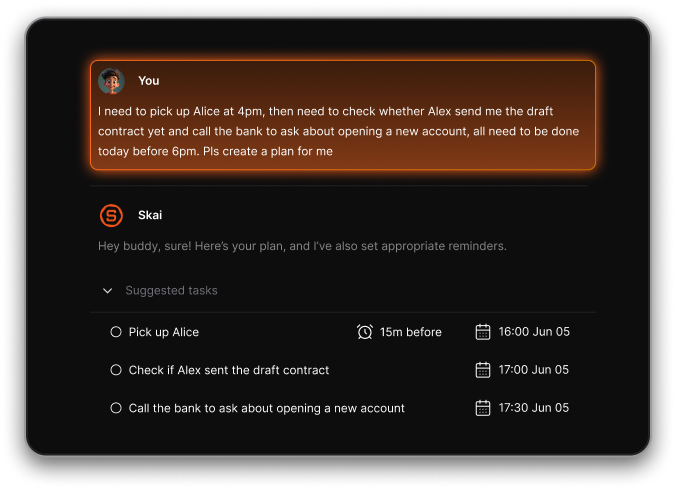
- Shows the right task at the right time
- Connects notes, tasks, and calendar without needing complex setup
- Works especially well for ADHD-prone, overwhelmed, or fast-moving professionals
If AmpleNote feels like a system you need to maintain, Saner.AI feels like a system that maintains you.
4. Is there a free AmpleNote alternative?
Yes - several strong options have free plans:
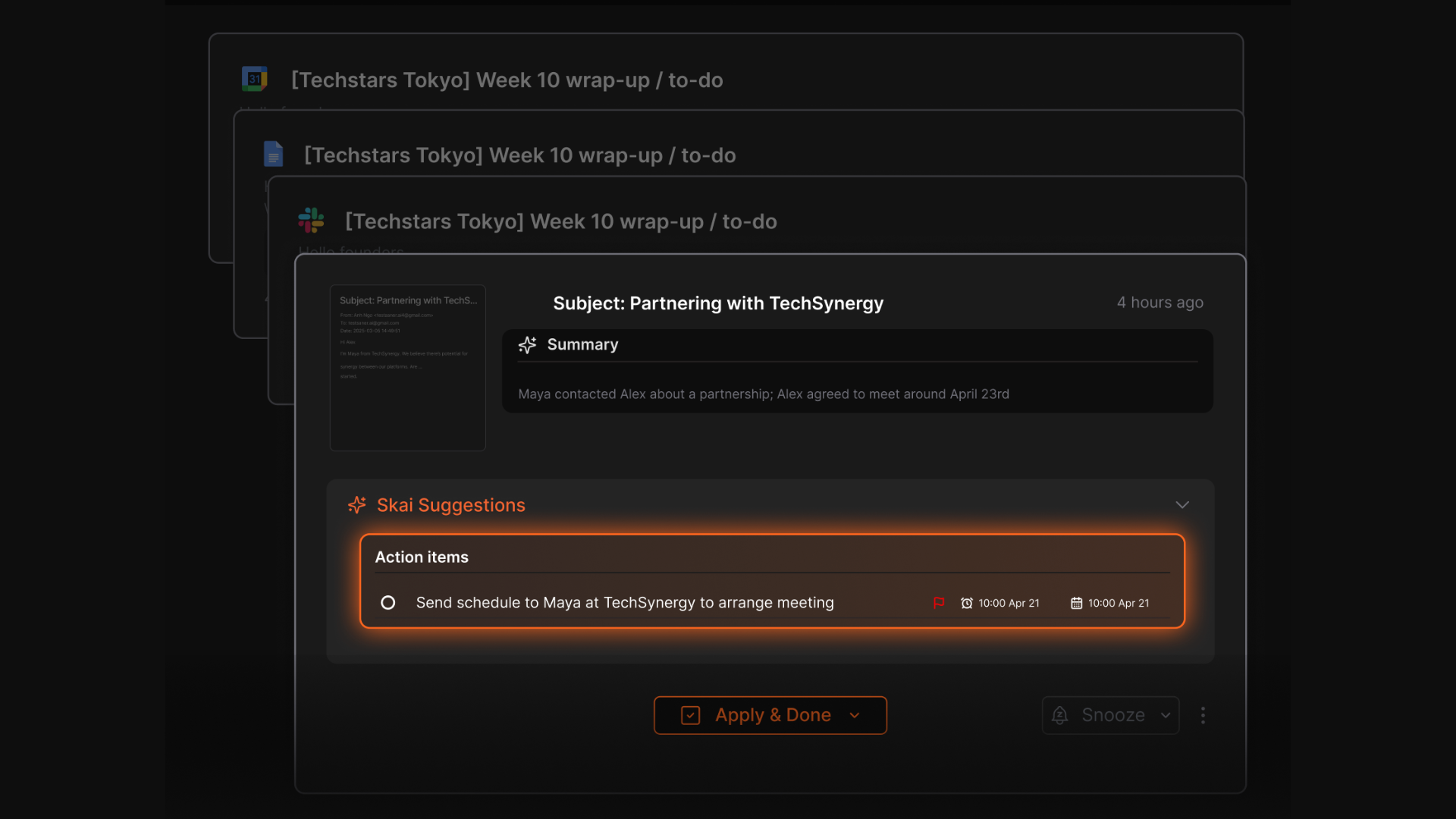
- Saner.AI – AI reminders, natural language note search, task extraction
- Apple Notes – Free for all Apple users
- Obsidian – Free for personal use
- Notion – Free personal plan
- Capacities – Free tier with limited object types
You don’t need a paid plan to build a solid workflow.
5. Which AmpleNote alternative is best for task management?
If tasks are your priority:
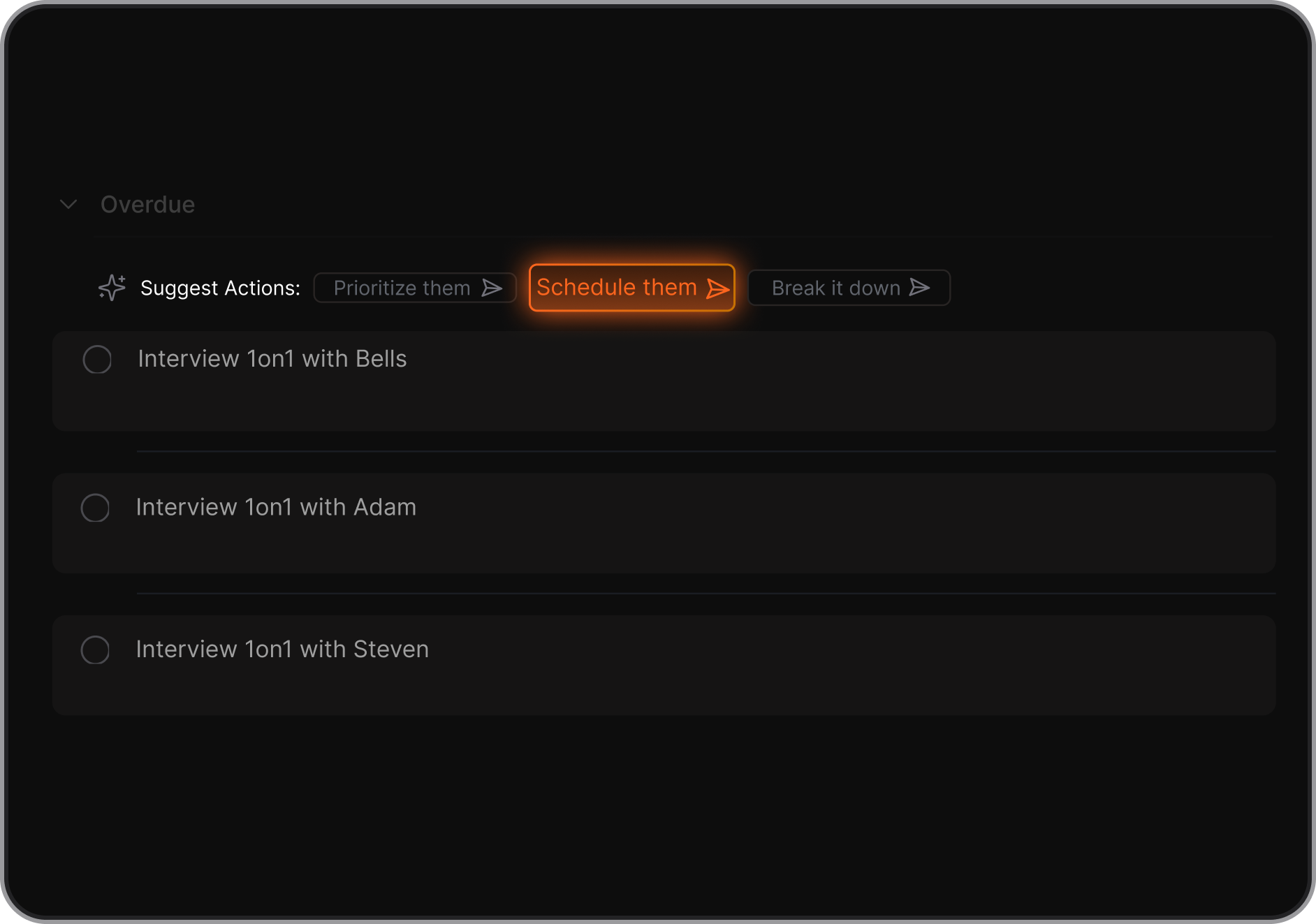
- Saner.AI – Understands your notes and auto-generates tasks; reminds you contextually
- Tana – Powerful structured workflows with supertags
- Notion – Great for custom databases, Kanban boards, and team tracking
- Apple Notes – Simple to-dos for light users
For users who want minimal setup and maximum clarity, Saner.AI ranks highest because it handles organization for you.
6. Which AmpleNote alternative is best for note-taking?
It depends on your style:
- Obsidian – For backlinking, PKM, and deep thinking
- Craft – For beautiful pages and publishing
- Capacities – For structured knowledge with objects
- Apple Notes – For capturing ideas instantly
- Saner.AI – For people who want notes to auto-connect to tasks and priorities
If you want a “second brain” that thinks with you, Obsidian or Capacities fits best.
If you want a “personal assistant that organizes your brain,” Saner.AI fits better.
7. Which AmpleNote alternative is best for ADHD users?
Saner.AI stands out for ADHD and overwhelmed users because it:
- Reduces context switching
- Turns messy notes into actionable steps
- Surfaces what matters without you remembering where it lives
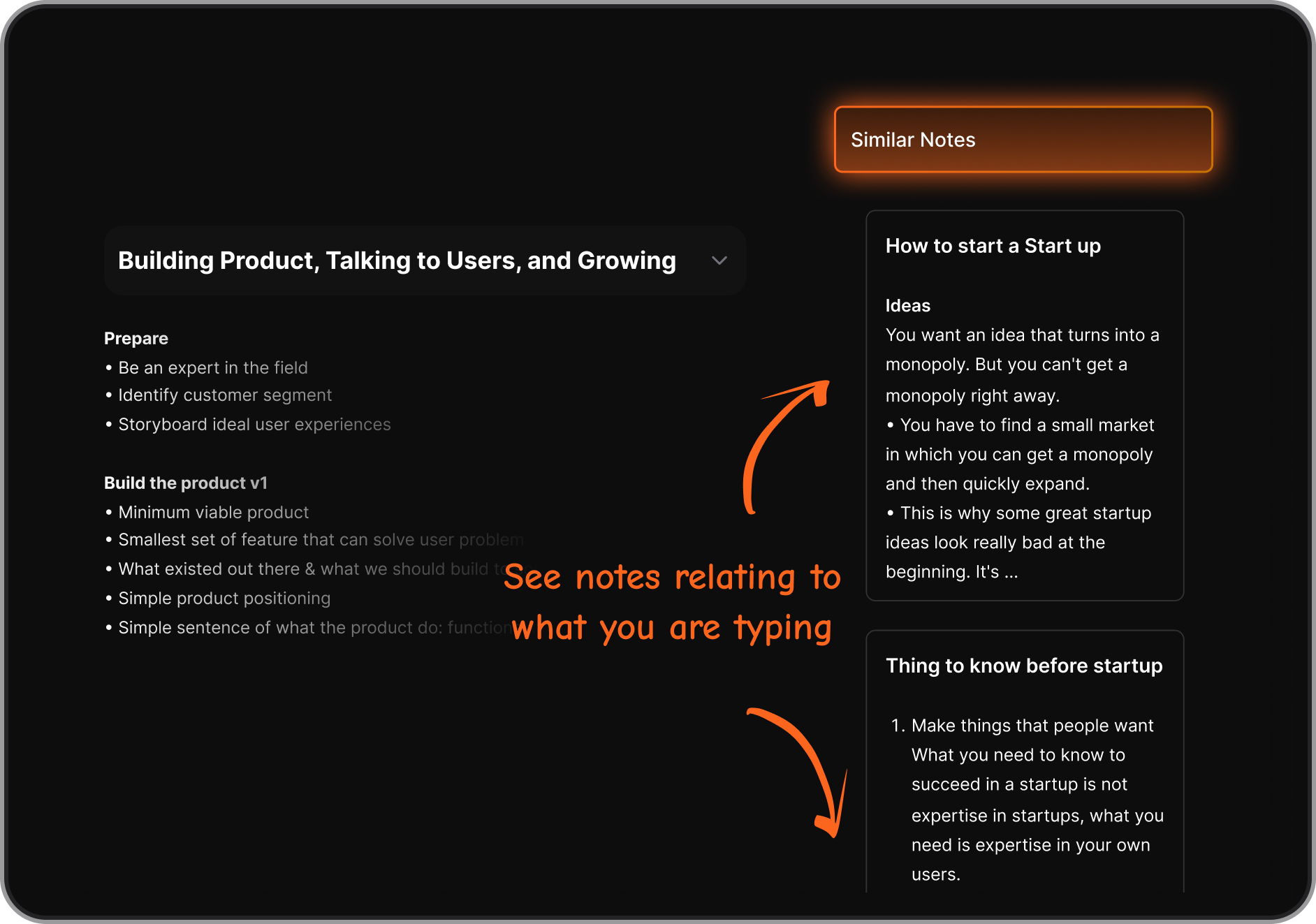
- Creates a calm, distraction-free workspace
AmpleNote requires more manual linking; Saner automates the mental load.
8. What’s the simplest alternative to AmpleNote?
If you want zero learning curve:
- Apple Notes – Easiest capture app
- Craft – Clean interface, easy to organize
- Saner.AI – Simple to start; AI handles complexity for you
Most users who feel overwhelmed by AmpleNote’s structure find relief switching to these tools.
9. What’s the most powerful alternative to AmpleNote?
If advanced features matter:
- Saner.AI – Combine notes, tasks, calendar, and a proactive AI,
- Obsidian – Plugins, customization, graph view, markdown freedom
- Notion – Databases and team collaboration
These tools require more setup but offer a much higher ceiling.
10. Which AmpleNote alternative has the best AI features?
Today’s strongest AI-powered options:
- Saner.AI – Deep note understanding, contextual reminders, automatic task creation
- Notion AI – Writing, summarizing, and drafting help
- Tana – AI workflows built into supertags
Saner.AI focuses on action (not just text generation), making it great for productivity rather than passive note storage.
11. Can any AmpleNote alternatives auto-generate tasks from notes?
Yes. The best ones are:
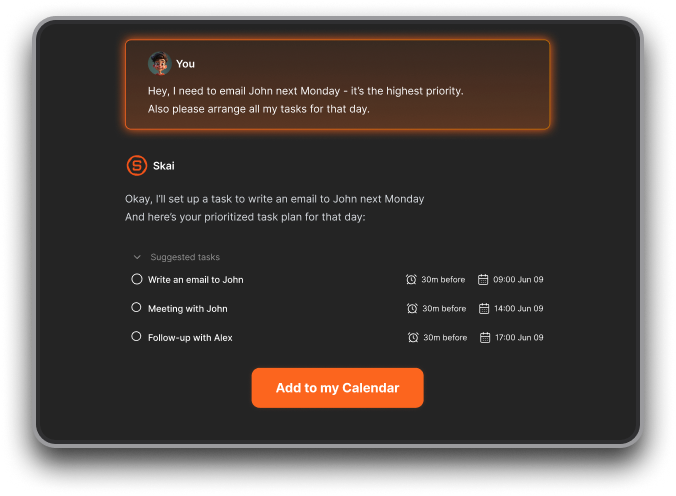
- Saner.AI – Extracts tasks automatically and prioritizes them
- Tana – Task creation via supertags
- Notion – Supports AI task generation with templates
AmpleNote does this partially, but these tools are more seamless.
12. Which alternative is best for building a second brain?
For users who want the knowledge + action combo, Saner.AI is the closest because it ties notes directly into what you need to do next.
13. Which AmpleNote alternative is best for beginners?
- Apple Notes – Most intuitive
- Craft – Visually simple
- Saner.AI – Great for beginners because AI reduces setup and decisions
If AmpleNote feels too complicated, start here.
14. What’s the best alternative for entrepreneurs and founders?
Founders love:
- Saner.AI — Because it turns messy thoughts into tasks, connects notes to follow-ups, and reduces decision fatigue
- Notion — For team documentation and investor updates
- Tana — For structured processes
Saner.AI is ideal for solo operators juggling dozens of priorities.
15. Is there an AmpleNote alternative that combines notes, tasks, and calendar?
Yes — and this is where AmpleNote has strong competitors:
- Saner.AI – Notes + tasks + calendar with AI prioritization
- Notion – Notes + tasks + calendar templates
- Tana – Can combine all three with setup
Saner.AI is the most ready out of the box with minimal configuration.
16. Which alternative is best for cross-platform use?
- Notion – Great across devices
- Saner.AI – Available on all major platforms
- Obsidian – Works everywhere, including offline
- Craft – Best on Apple but works on web too
Apple Notes is the only one locked to a single ecosystem.
17. Which AmpleNote alternative has the least setup required?
Top “no setup needed” options:
- Apple Notes
- Craft
- Saner.AI (AI handles organization for you)
If you don’t want to manage templates, databases, or linking, these three shine.
18. Which AmpleNote alternative is best for long-term knowledge storage?
If you want a tool that lasts decades:
- Obsidian — Local markdown storage
- Capacities — Structured, future-proof knowledge
- Saner.Ai — Folder hierarchy + AI assistant
Saner.AI is better for ongoing work, follow-through, and daily execution.
20. What’s the best overall AmpleNote alternative in 2025?
It depends on your workflow:
| Need | Best Alternative |
|---|---|
| AI-powered productivity | Saner.AI |
| Simple notes | Apple Notes |
| Beautiful documents | Craft |
| Personal knowledge graph | Obsidian / Capacities |
| Team collaboration | Notion |
| Structured workflows | Tana |
If you want a tool that helps you think less, do more, and stay organized without maintaining a system, Saner.AI is the strongest all-around choice.
Stay on top of your work and life



