
We Tested 15 Apple Notes Alternatives. Here are the best 7
The best Apple Notes Alternatives are Saner.AI, Bear, Craft, AmpleNote, Reflect, Notion, and Obsidian


The 7 Best Apple Notes Alternatives
If you’re searching for Apple Notes alternatives, you’re not alone. Apple Notes is one of the most convenient default apps on the iPhone and Mac, but many users eventually hit its limits - especially when their work, projects, or ideas grow more complex. Most people start with Apple Notes because it’s simple, fast, and everywhere in the Apple ecosystem. But as soon as you try to manage long-term goals, organize hundreds of notes, or integrate AI into your workflow, cracks begin to show.
Apple Notes is great for quick capture, handwriting, checklists, and syncing across Apple devices. But it struggles with deeper needs like structured organization, advanced search, cross-platform access, collaboration, automation, and modern AI features that help you think, plan, and summarize information effortlessly.
This guide breaks down the best Apple Notes alternatives in 2025, ranked by real features, use cases, and pricing - so you can find the one that actually fits how you think and work.
1. What Is Apple Notes?
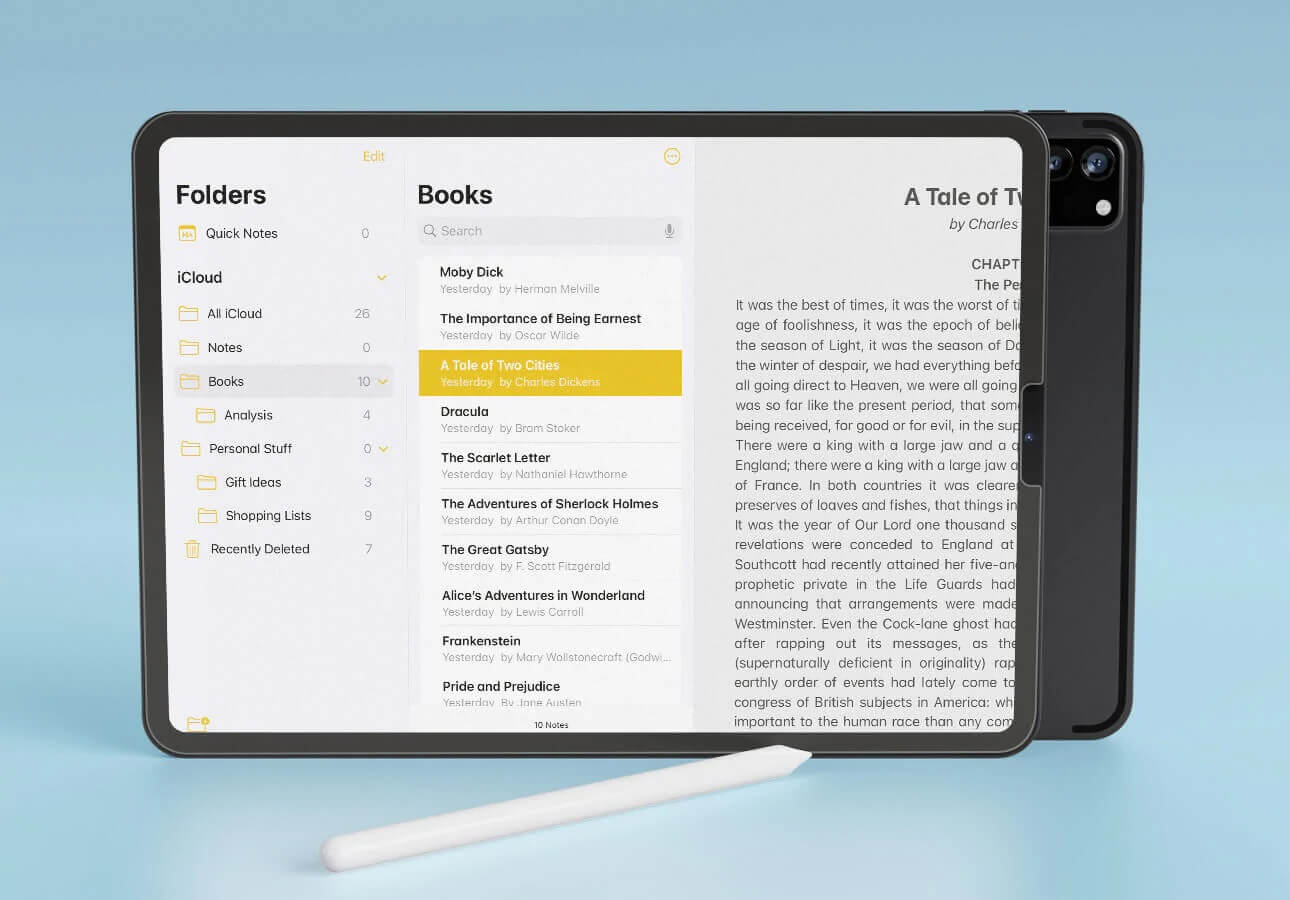
Apple Notes is Apple’s built-in note-taking app designed for fast capture and everyday use. It’s simple, lightweight, and deeply integrated into the Apple ecosystem.
Why do so many people use it:
- It’s free and preinstalled
- Works instantly across iPhone, iPad, and Mac
- Supports handwritten notes, sketches, and photos
- Easy to “just open and jot something down”
- Great for quick lists and simple organization
For millions of users, Apple Notes is a frictionless capture space - but it’s not designed to scale into a full productivity or knowledge system.
2. Why People Look for Apple Notes Alternatives
As your life or workspace becomes more complex, Apple Notes starts to fall short. The most common complaints include:
1. Notes pile up and become impossible to manage
2. Limited search.
3. Weak long-term organization
4. Not cross-platform
5. Lack of collaboration
6. No AI features
7. Notes + tasks live separately
For anyone managing school, work, personal goals, ADHD organization, or long-form thinking - it’s simply not enough.
3. How I Tested These Apple Notes Alternatives
To rank these Apple Notes alternatives fairly, I tested each app in real workflows across a few core areas:
1. Daily capture speed
I used every app as my default notes tool to see how quickly I could jot ideas, lists, or reminders, especially on mobile.
2. Organization & structure
I recreated real notes - project docs, meeting notes, random ideas - and checked how well each tool handled tags, folders, backlinks, linking, and templates.
3. AI usefulness
For apps with AI, I evaluated how well they summarized notes, extracted tasks, organized content, and answered questions about my workspace.
4. Real-world workflows
I used each app for planning my day, writing long-form content, managing tasks, and organizing research to see where each tool naturally fits.
Now, let's dive in!
What are the best Apple Notes Alternatives?
The best Apple Notes Alternatives are Saner.AI, Bear, Craft, AmpleNote, Reflect, Notion, Obsidian
Comparison Table: Best Apple Notes Alternatives
| Tool | 📱 Platforms / Sync | 🤖 AI / Smart Features | 🗂️ Organization Style | 🧠 Ideal Use Case / Strength |
|---|---|---|---|---|
| Saner.AI | Web, iOS, Android | Advanced AI: auto-organization, semantic search, task extraction, AI chat | Tags, AI linking, unified notes + tasks, workspace search | Best for ADHD brains, professionals, knowledge workers, people who want AI to organize for them |
| Bear | iOS, iPadOS, macOS | Minimal AI | Markdown, nested tags, clean writing environment | Best for writers, Apple-only users, people who want a beautiful minimalist notes app |
| Craft | iOS, macOS, Windows, Web | Light AI assistant | Pages, subpages, rich media, block-based structure | Best for visual thinkers, teams, and people who make polished documents |
| Amplenote | iOS, Android, Web, desktop apps | Limited AI (mostly task-focused) | Bi-directional linking, notes → tasks → calendar | Best for productivity-focused users who want planning + notes in one system |
| Reflect | iOS, Desktop, Web | Basic smart linking | Backlinks, daily notes, simple interface | Best for journalers, thinkers, and people who want lightweight networked notes |
| Notion | iOS, Android, Windows, macOS, Web | Strong AI assistant (summaries, writing, Q&A) | Databases, templates, blocks, advanced structures | Best for teams, students, project-heavy work, and custom workspaces |
| Obsidian | Windows, macOS, Linux, iOS, Android | AI via plugins | Markdown vaults, backlinks, graph view, plugins | Best for privacy-focused users, researchers, and anyone building a long-term knowledge base |
1. Saner.AI
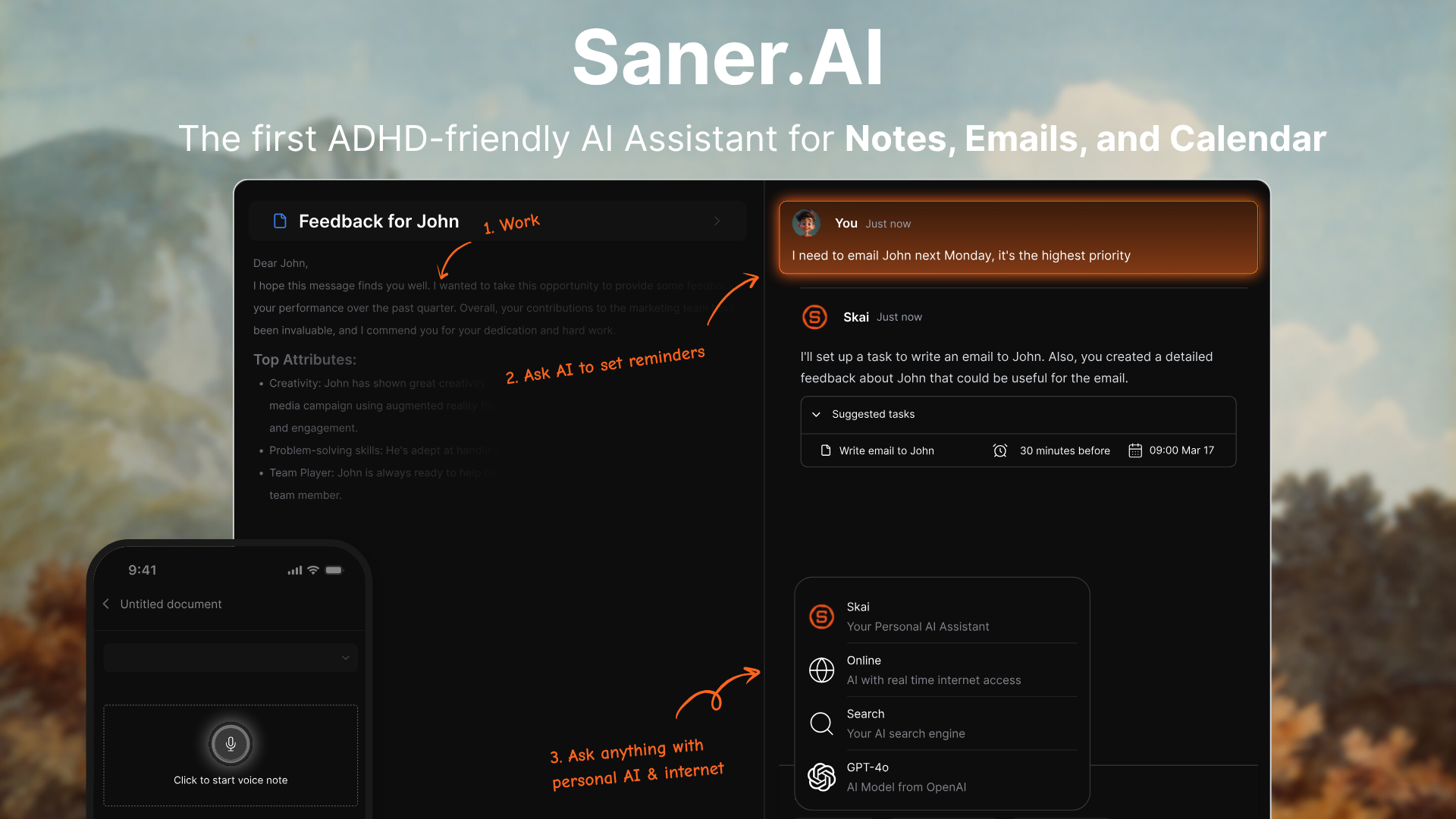
Saner.AI is an AI note-taking app that combines notes, tasks, email, and calendar into one place. Instead of being just a notes app, it works like a personal AI assistant that organizes your information, connects ideas, and helps you act on them. This makes it a strong Apple Notes alternative if you want more intelligence and automation.
Key features
- Semantic search that lets you find things with natural language, not keywords
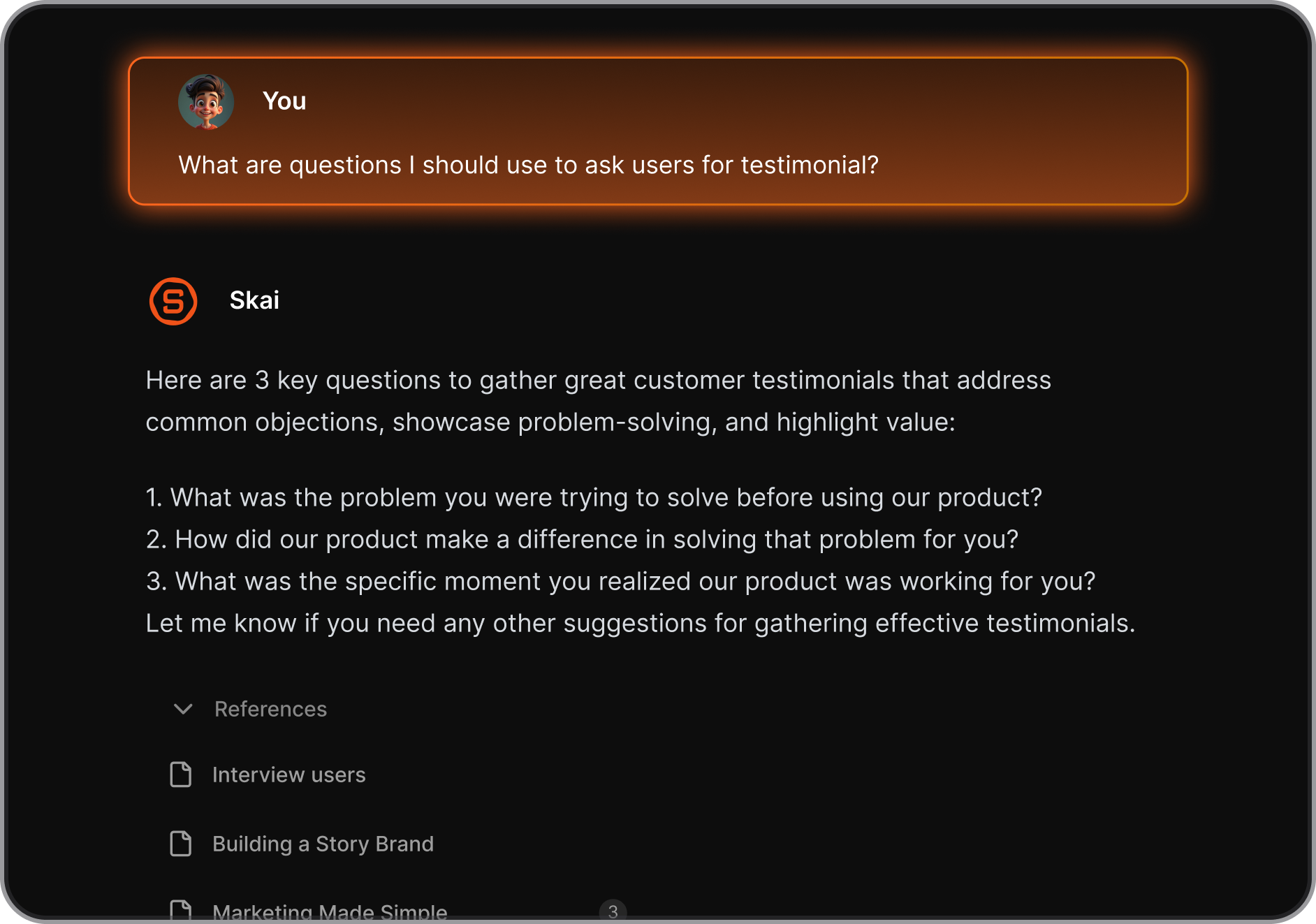
- AI assistant (“Skai”) that organizes your notes, tasks, and ideas automatically
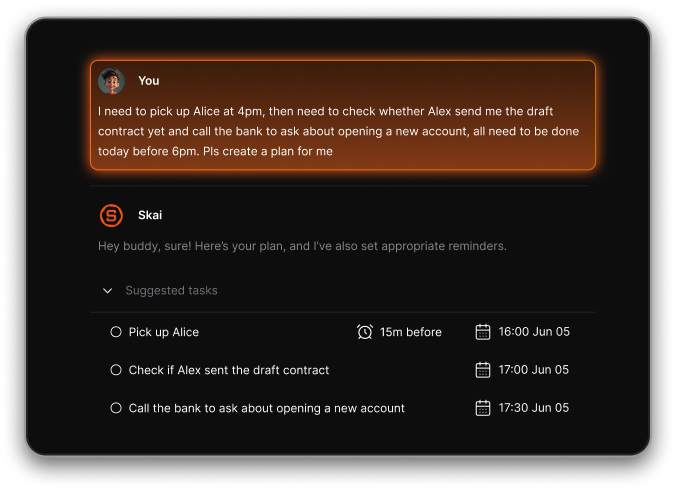
- Natural Talk-to-Task Conversion: Just write in your own words, and it’ll create structured to-dos with reminders
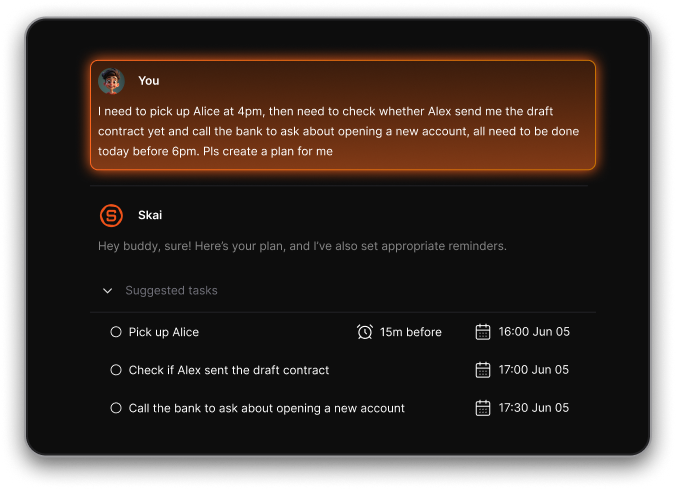
- Unified workspace that combines notes, tasks, email, and calendar
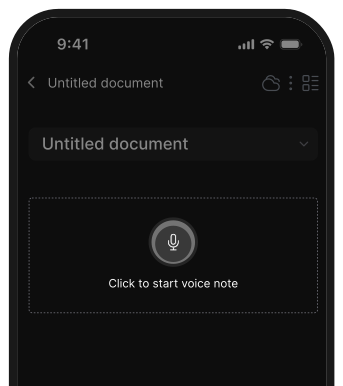
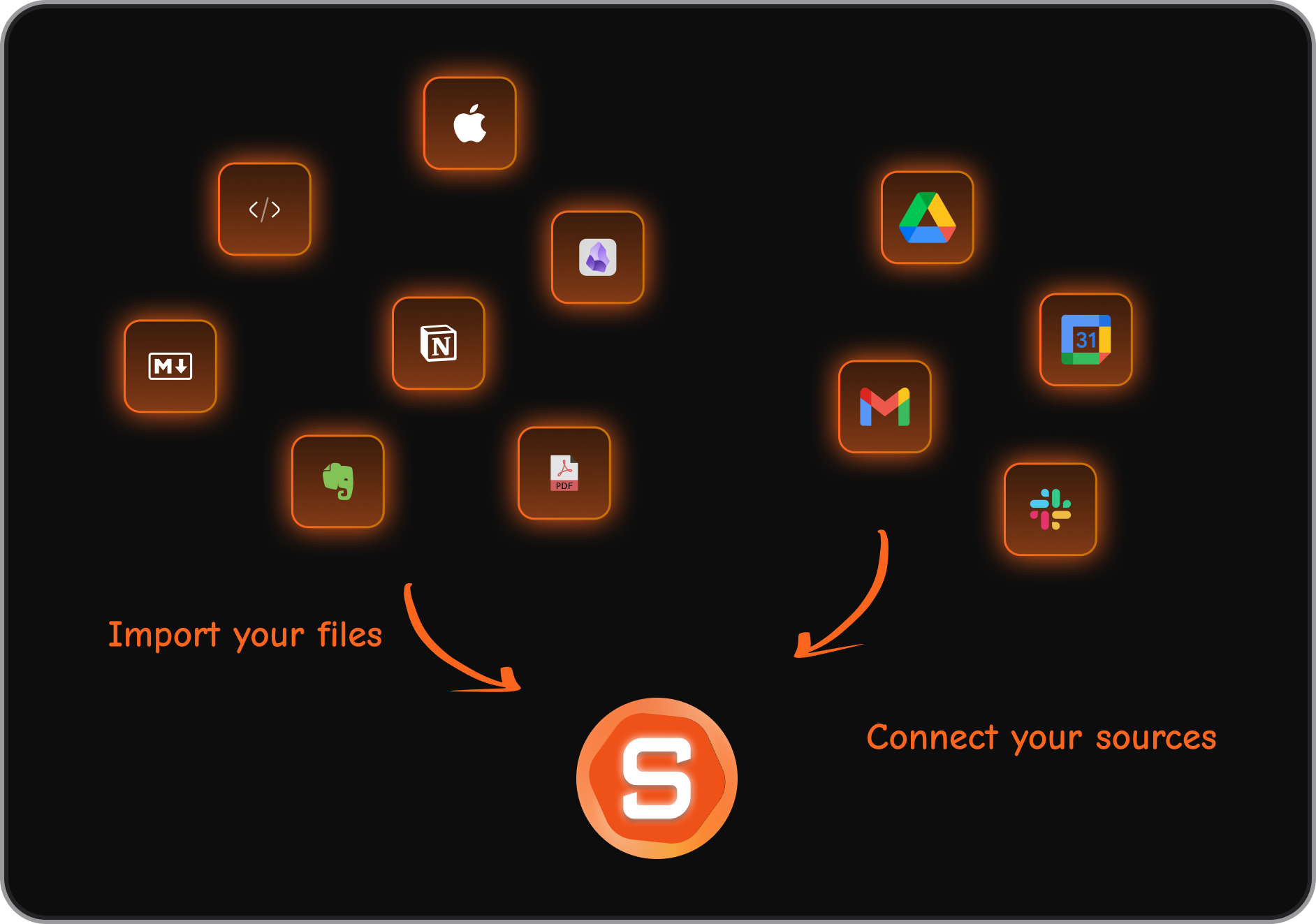
- Multiple capture methods: voice notes, quick-capture, uploads, browser extension
- Sync across web, iOS, Android, and Chrome
What I liked
- It feels like a real second brain: information is organized for you, not by you
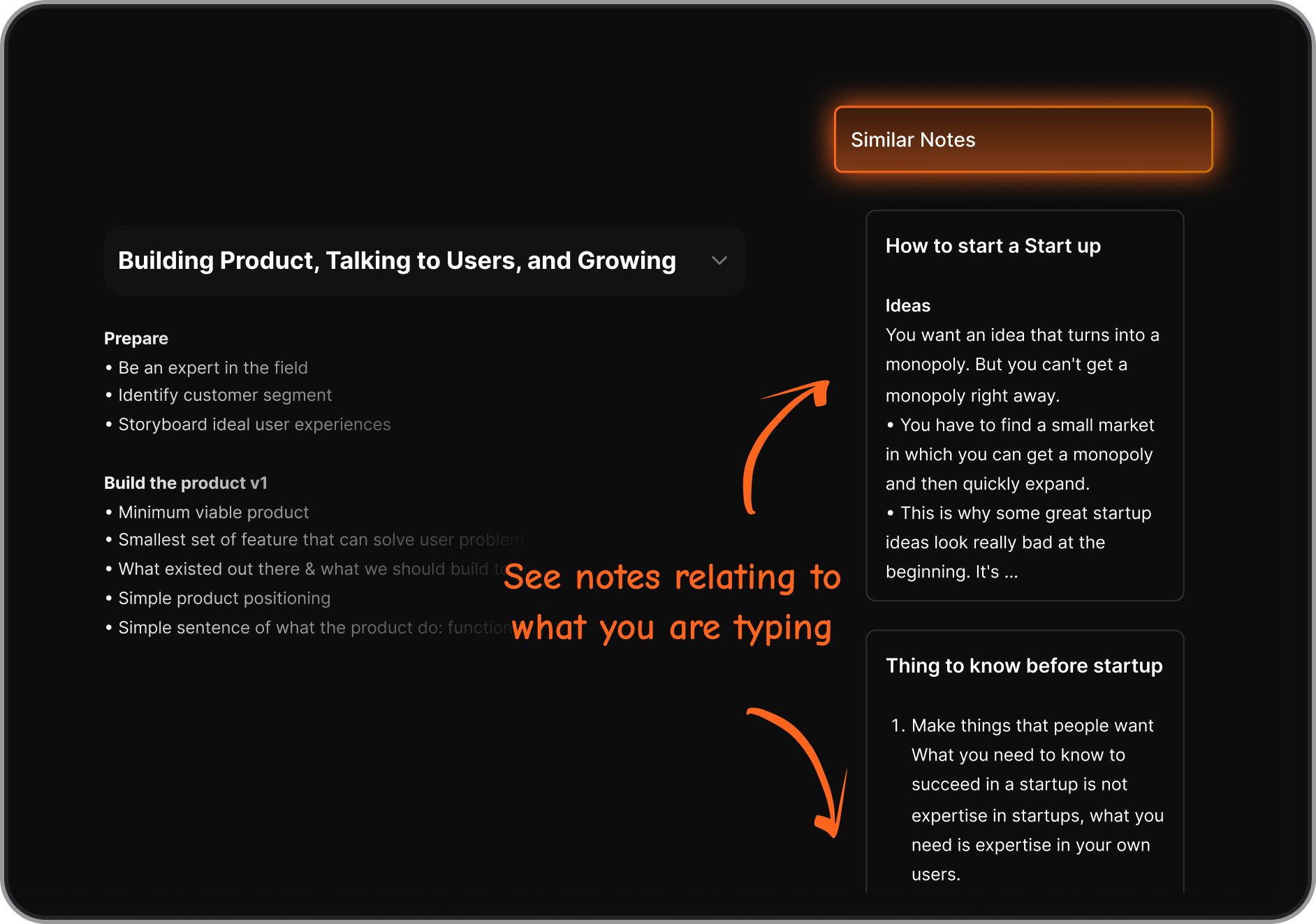
- Natural-language search makes finding info extremely easy
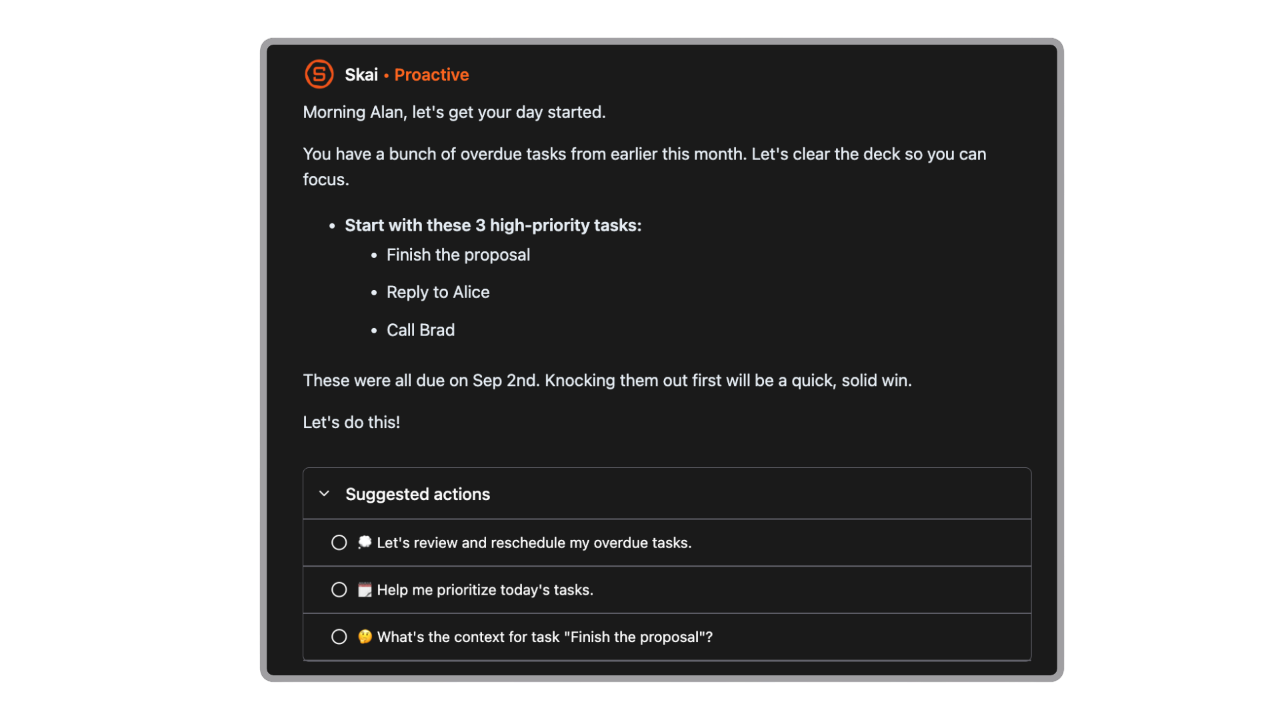
- It proactively gives me a day brief every morning
Cons
- Requires internet access for full functionality.
Pricing
- Free
- Starter: Monthly at $8/month, Annually at $6/month (with early user discount)
- Standard: Monthly at $16/month, Annually at $12/month (with early user discount)
Suitable for
- People who handle a lot of ideas, tasks, emails, or research
- Knowledge workers, students, founders, writers, and ADHD-prone users
- Anyone who wants more automation and intelligence than Apple Notes
- Users who want an all-in-one workspace instead of juggling multiple apps
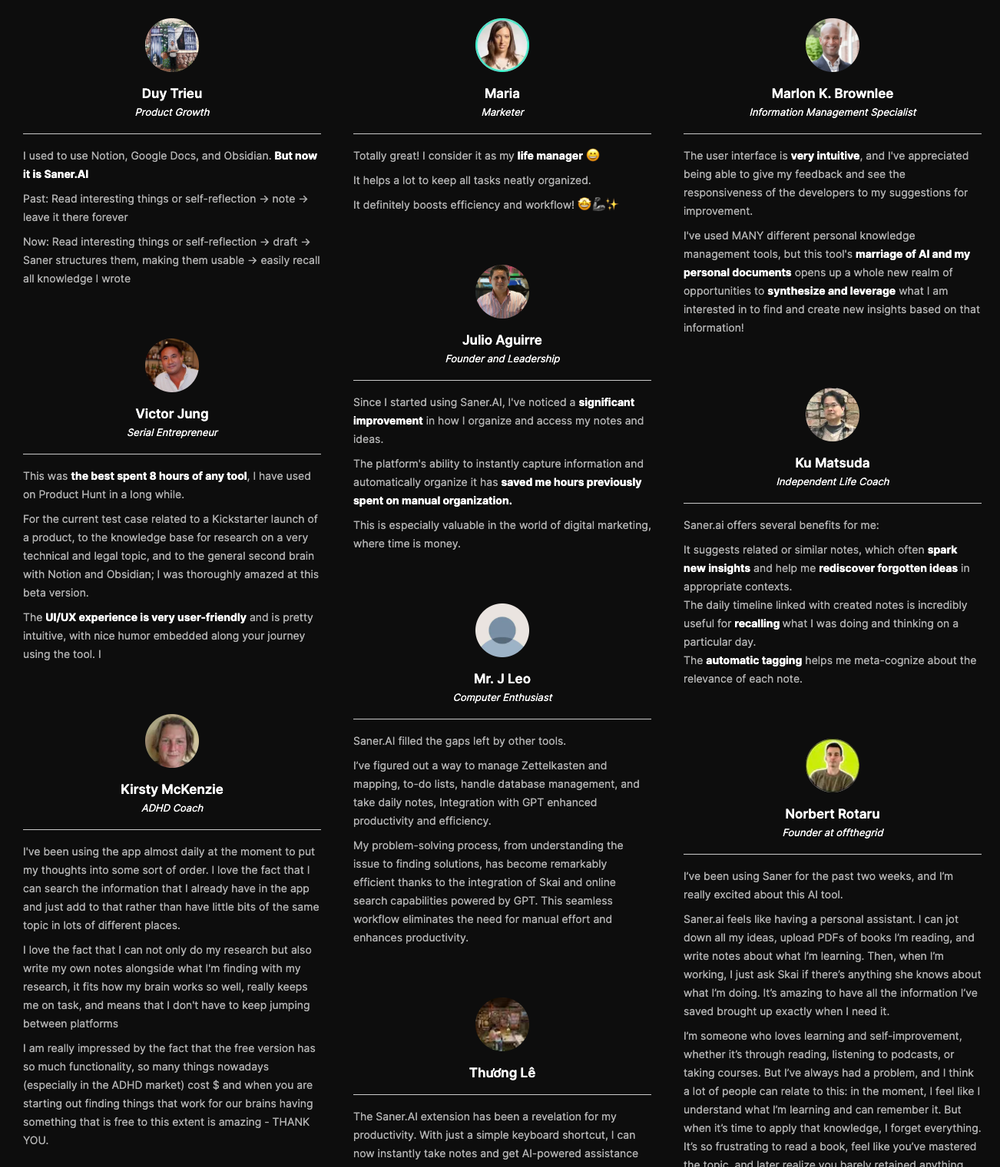
Saner.AI Reviews
How to start
- Sign up on Saner.AI or download the mobile app
- Create a free account
- Start capturing notes and let the AI organize and connect everything for you

The top Apple Note Alternative
2. Bear
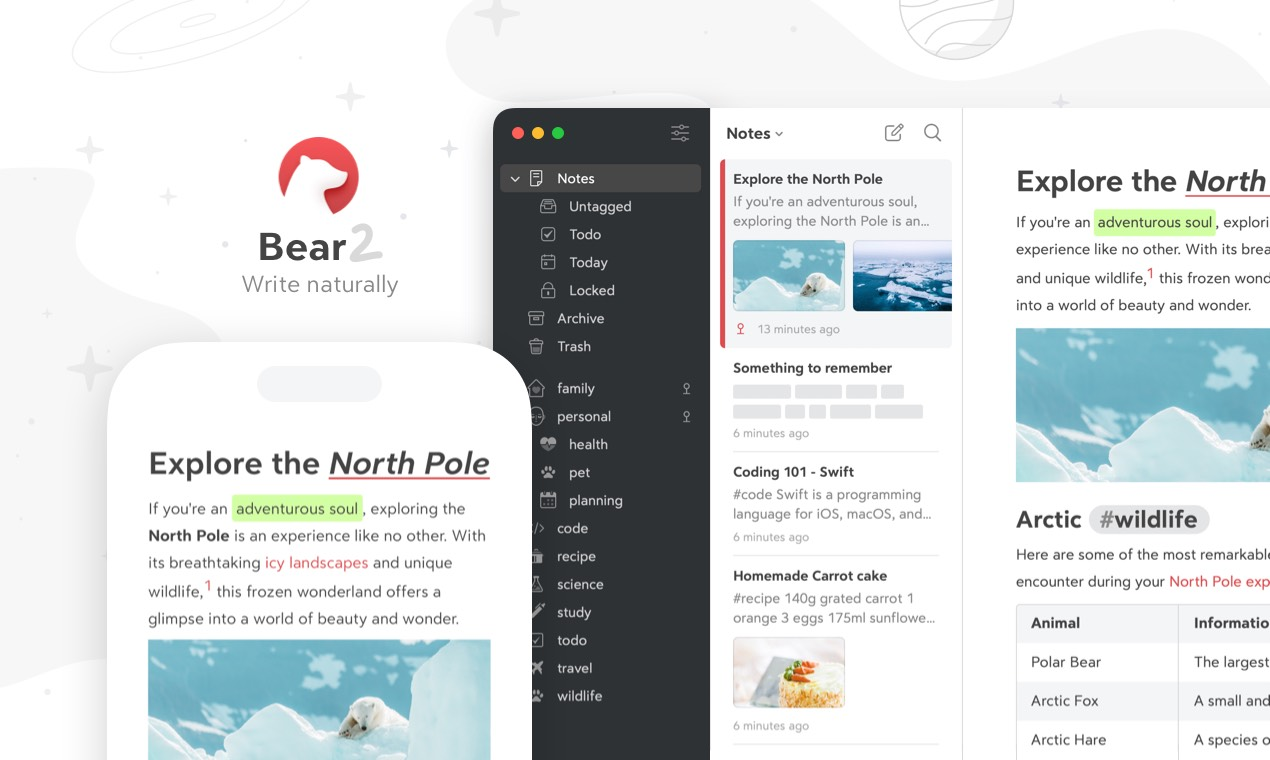
Bear is a Markdown-focused notes app for Apple users.
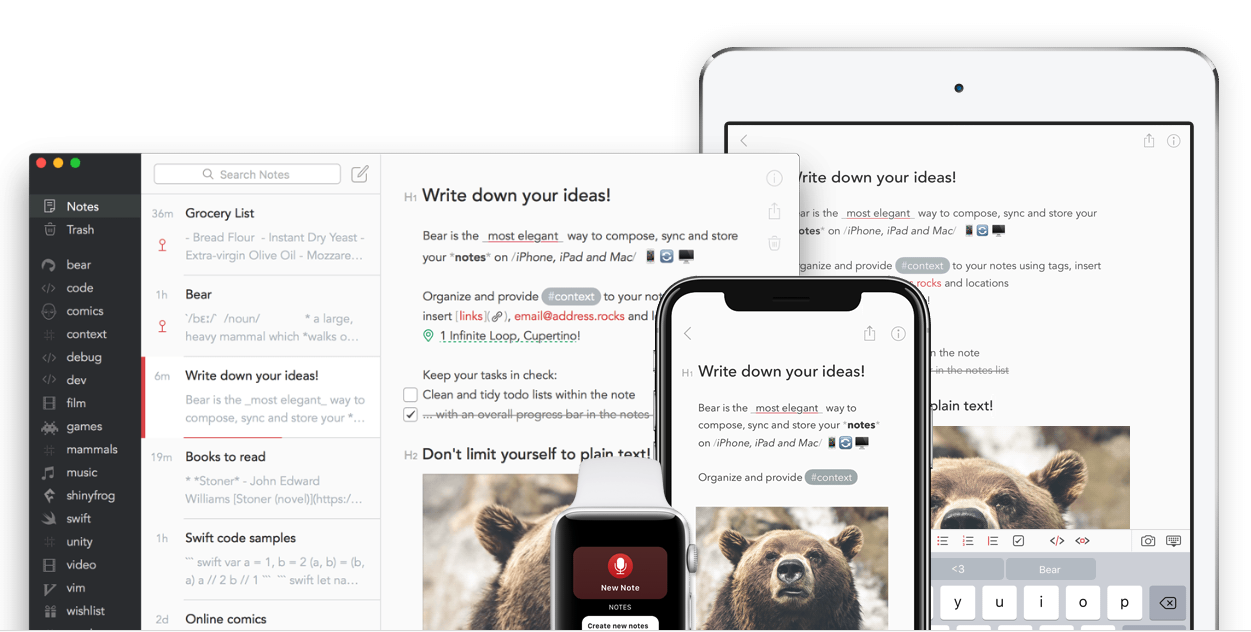
It works on Mac, iPhone, and iPad, and is built for people who want a clean writing experience, flexible tagging, and note-linking. Many use it as an Apple Notes alternative because it offers better organisation, better export options, and a smoother writing workflow.
Key features
- Markdown-first editor for fast, keyboard-friendly formatting
- Tag-based organization with nested tags
- Backlinks and internal note-linking for building a connected knowledge base
- OCR search across text, images, and PDFs (Bear Pro)
What I liked
- Writing feels smooth and distraction-free
- Tag-based system is flexible and more powerful than Apple Notes folders
- Note-linking helps connect ideas and build a personal knowledge base
What I disliked
- Apple-only - no Windows, Android, or web version
- No traditional folders if you prefer a strict hierarchy
- Collaboration is limited compared to Apple Notes
- No AI assistant to talk to your notes
Pricing
- Free version for basic notes
- Bear Pro: about $2.99/month or $29.99/year
Suitable for
- Apple-only users who want a better writing experience than Apple Notes
- Writers, students, and researchers who prefer Markdown
How to start
- Download Bear from the Mac App Store or iOS App Store
- Try the free version
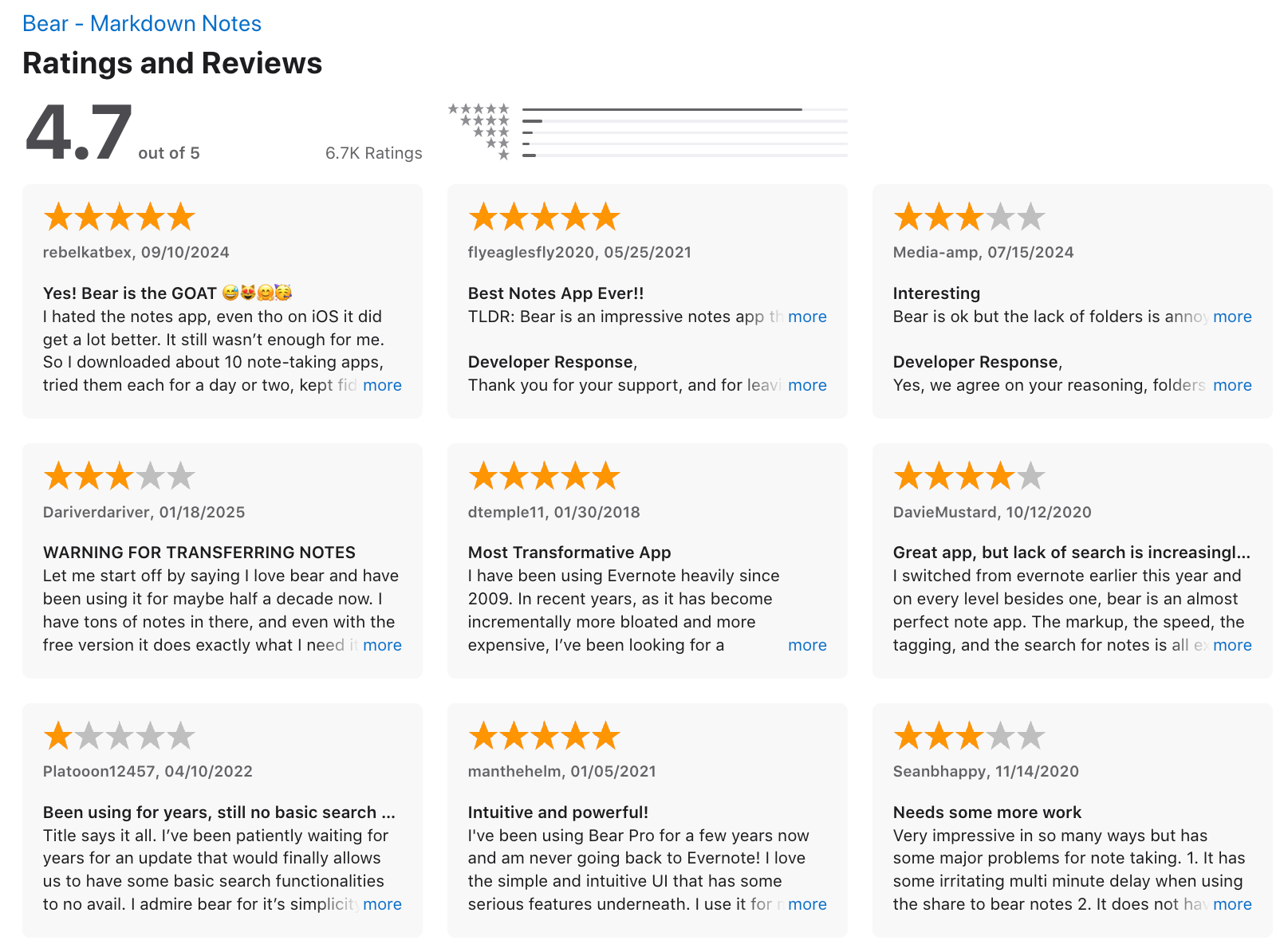
Bear reviews (source)
3. Craft
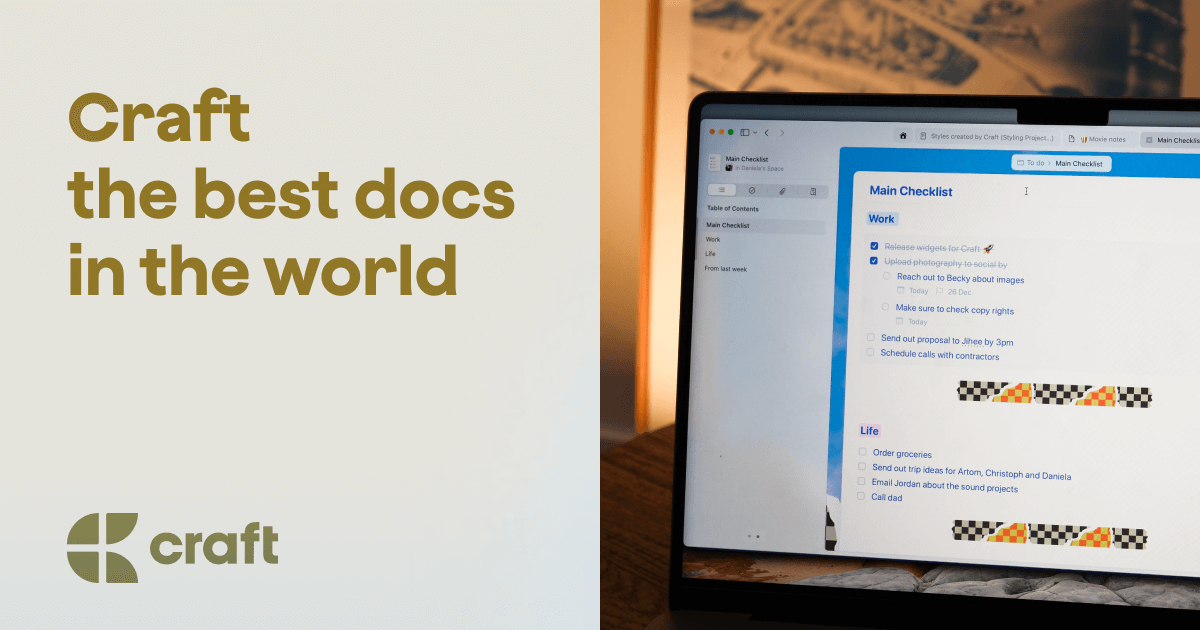
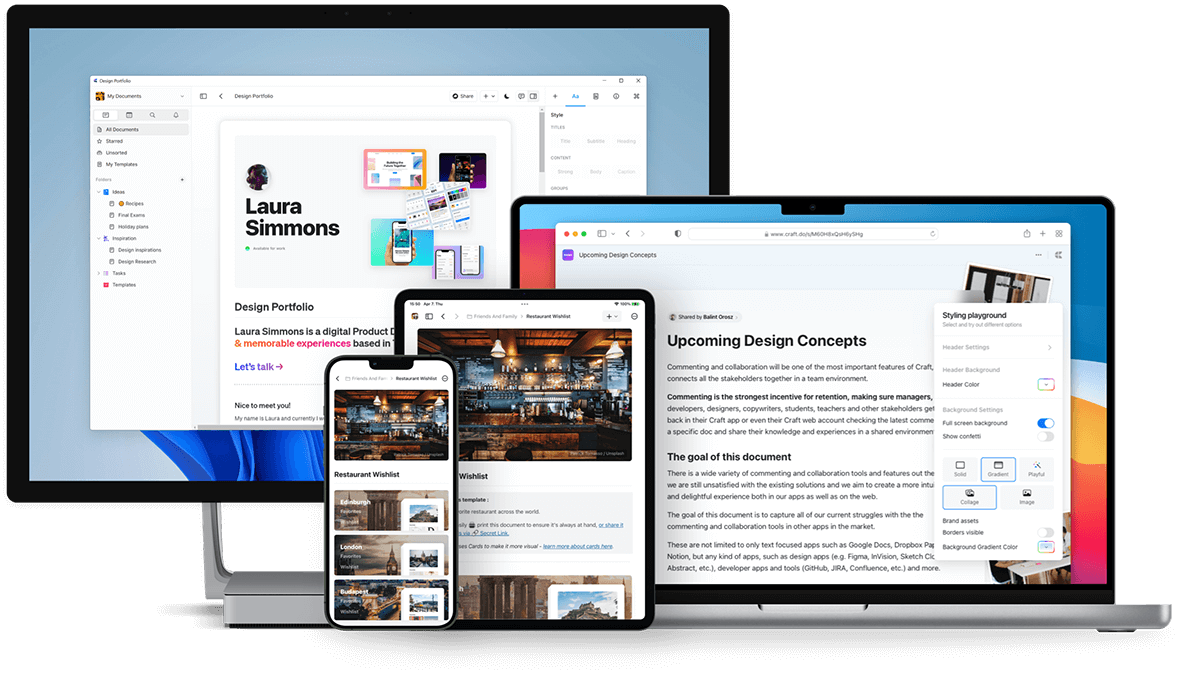
Craft is a polished note-taking and writing app that works as a more flexible, structured alternative to Apple Notes. It uses a block-based editor so you can reorganize content easily, create nested pages, embed media, and collaborate across devices
Key features
- Block-based editor for flexible writing and restructuring
- Beautiful, minimal interface focused on readability
- Supports images, files, embeds, and rich media
- Nested pages to organize information more deeply than Apple Notes
What I liked
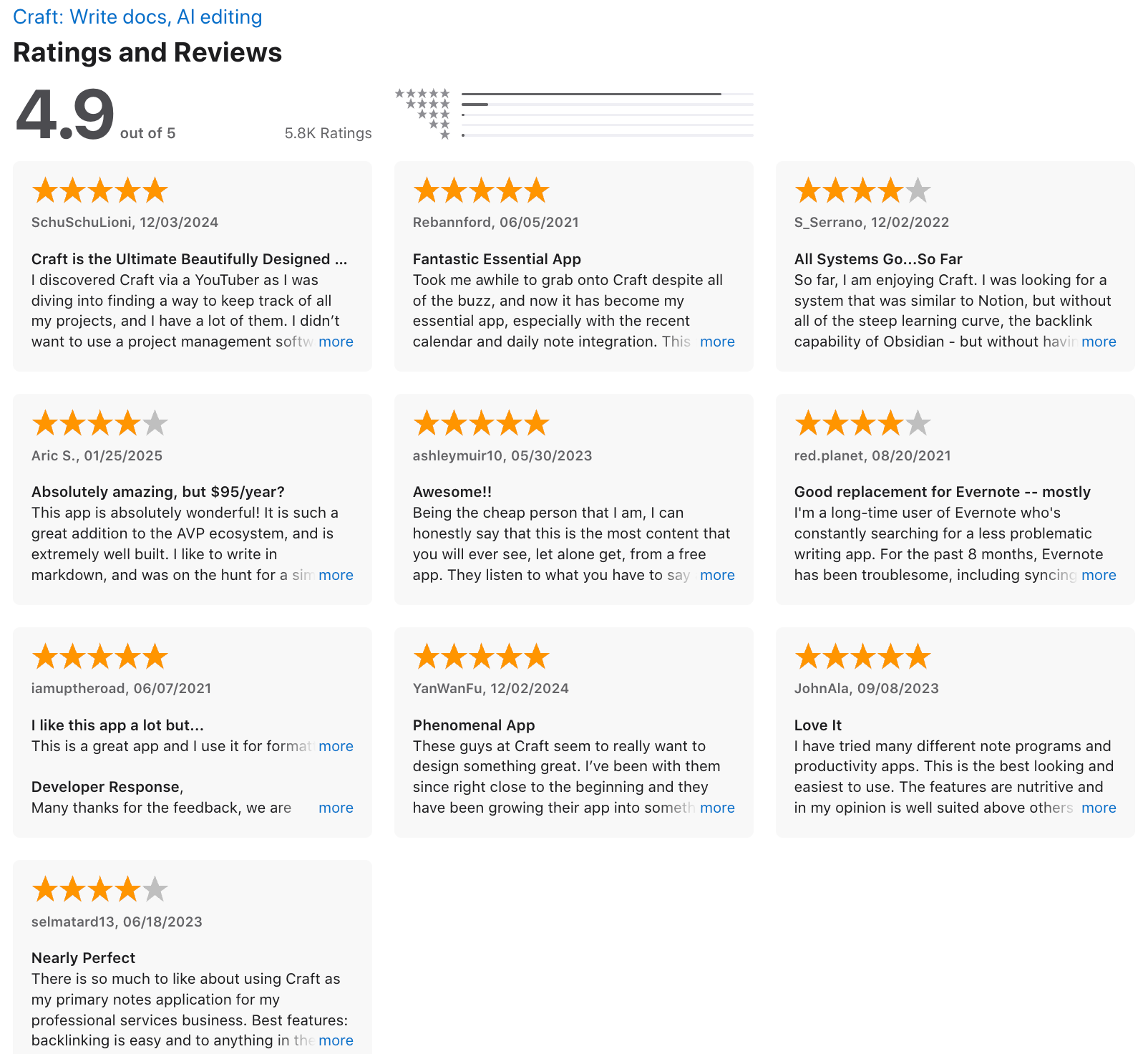
- More structure than Apple Notes
- Block editor makes it easy to move, indent, or nest sections as ideas evolve
- Clean, pleasant writing experience with strong formatting options
What I disliked
- More complex than Apple Notes if you just want quick, simple notes
- Free plan limits (block limits, storage) can be restrictive for heavy users
- Lacks advanced database/project management features found in tools like Notion
- You don't have an AI assistant to manage work like with Saner.AI
Pricing
- Free plan with core features
- Pro plan at $10/month or $96/year
Suitable for:
- People wanting an Apple Notes alternative with more structure and design polish
- Students, writers, entrepreneurs, and creators who work with long-form content
How to start:
- Download Craft on macOS, iOS, iPadOS, Windows, or open the web version
- Create a free account
Craft review (source)
4. Obsidian
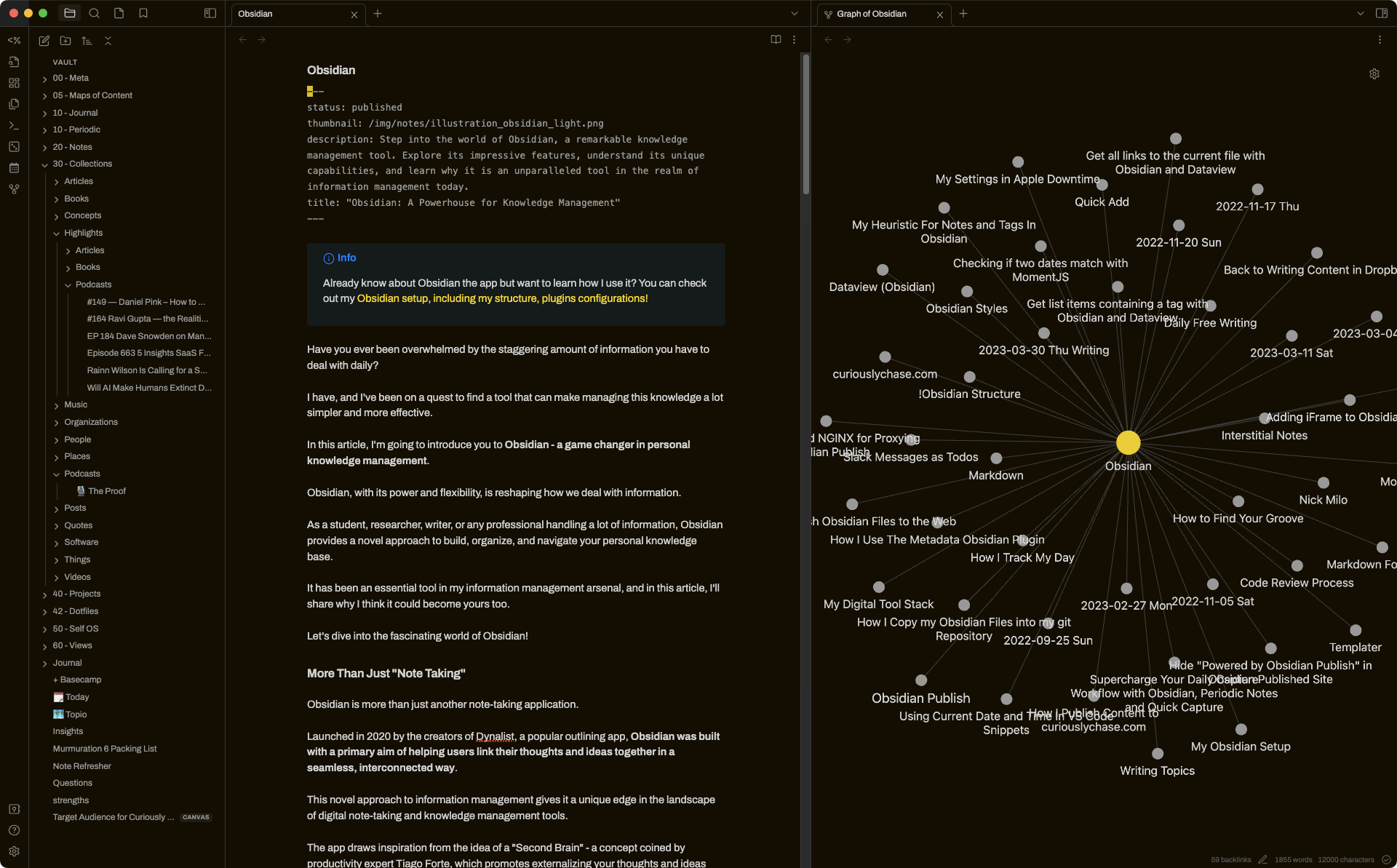
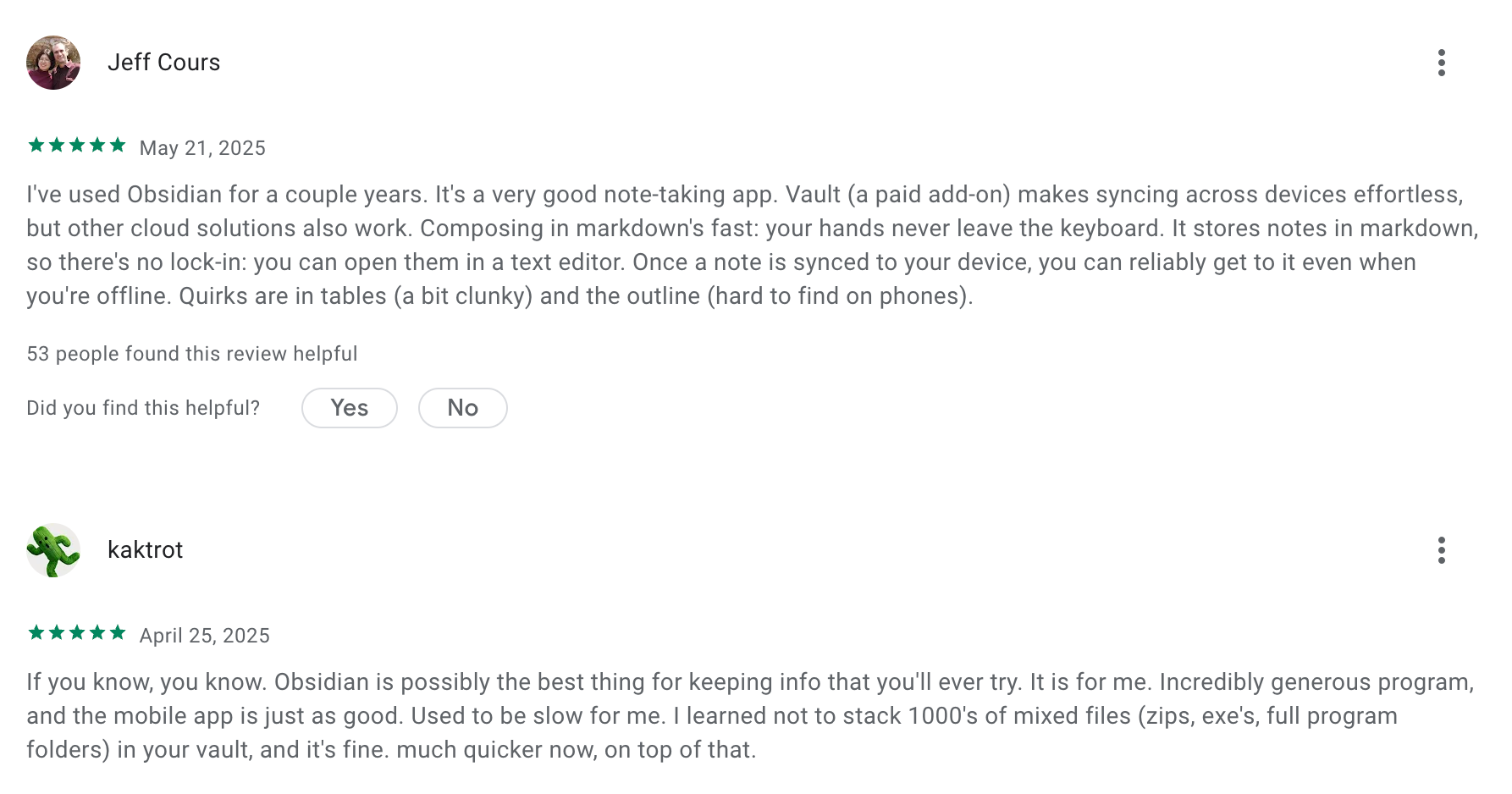
Obsidian is a Markdown-based note-taking app that stores everything locally on your device. It’s a strong Apple Notes alternative if you want more control over your data, deeper organization, and the ability to link ideas like a personal knowledge base.
Key features
- Stores all notes as plain Markdown files you fully own
- Works fully offline with local storage
- Lets you link notes and view backlinks to build a connected knowledge base
- Graph view to visualize relationships between ideas
What I liked:
- You own your data because everything is stored as simple local files
- Great for long-term thinking, research, and multi-layered projects
- Linking + backlinks make it easy to see how ideas connect
What I disliked
- Learning curve is steeper than Apple Notes, especially with plugins
- Quick capture (photos, scanned docs, on-the-go notes) can feel slower
- There are no native task reminders or ADHD-specific features
- Don't have an AI assistant built in
Pricing
- Free plan with all core features
- Sync plan: $5/month
- Sync + Publish plan: $10/month
Suitable for:
- Users who want a graph “second brain” system
- Researchers, writers, students, creators, and knowledge workers
- People who value portability and offline access
How to start:
- Download Obsidian on desktop or mobile
- Create a “vault” (a folder that stores all your notes)
Obsidian review (source)
5. AmpleNote
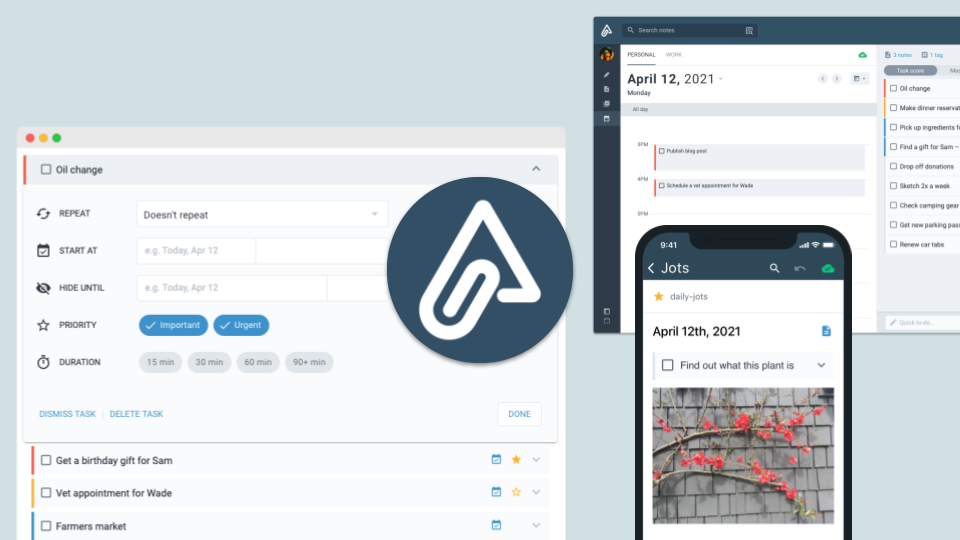
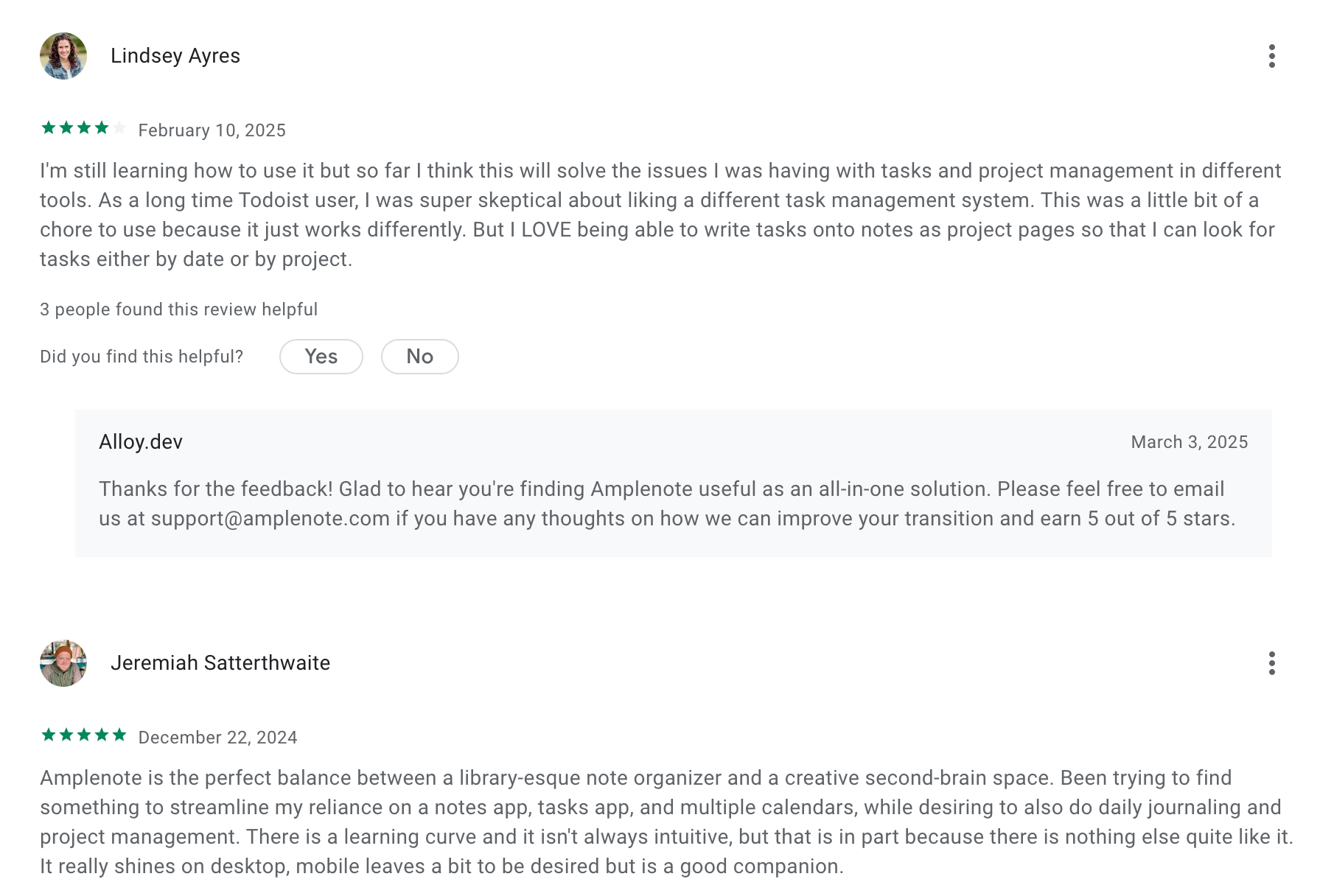
AmpleNote is a note-taking and productivity tool that combines notes, tasks, and scheduling in one place. It’s often used as an Apple Notes alternative because it goes beyond simple note storage and helps you actually organize, prioritize, and act on your ideas.
Key features
- Notes, to-dos, and calendar scheduling combined in a single workspace
- Markdown + rich-text editor with support for images, embeds, and attachments
- Bi-directional linking and backlinks to build a connected “second brain”
- Prioritized task system with scoring, filters, and focus modes
What I liked
- Helps you turn raw notes into actionable tasks without switching apps
- Backlinks and linked notes make long-term knowledge building easier
What I disliked
- More complex and heavier than Apple Notes if you just want simple note storage
- Some of the best features (desktop app, large uploads, publishing/sharing) require a paid plan
- The interface can feel dense until you get used to the workflow
- You don't have an AI assistant for notes, tasks, and calendar
Pricing
- Free plan with basic notes and tasks
- Pro plan: around $6/month
- Unlimited plan: around $10/month
- Founder plan: around $20/month
Suitable for
- People who want a note app that also handles to-dos and scheduling
- Users building a personal knowledge base or “second brain”
How to start
- Go to AmpleNote
- Create a free account
Amplenote review (source)
6. Reflect
Reflect is a modern note-taking app designed to act like a connected “second brain.” It goes beyond basic note storage by helping you link ideas, organize research, and use AI to speed up your writing and thinking.
Key features
- Networked notes with bi-directional backlinks to connect ideas
- AI tools for summarizing notes, transcribing voice, and chatting with your notes
- Daily Notes system for quick capture of thoughts, tasks, and meetings
- Clean, minimalist UI with fast search and flexible organization
What I liked
- It’s fast
- Simple, distraction-free interface that still feels powerful
- Strong privacy model with encryption and offline capabilities
What I disliked
- Slight learning curve compared to Apple Notes’ simplicity
- Backlinks and knowledge-graph style organization may feel excessive for casual users
- Not many updates recently
- You don't have a comprehensive AI assistant like Saner.AI
- There’s no free tier, just a 14-day trial.
Pricing
- 14-day free trial
- $10/month billed annually
Suitable for
- Students, researchers, writers, and knowledge workers
- Anyone who wants AI note-taking and fast organization
How to start
- Go to Reflect’s website
- Create an account
7. Notion

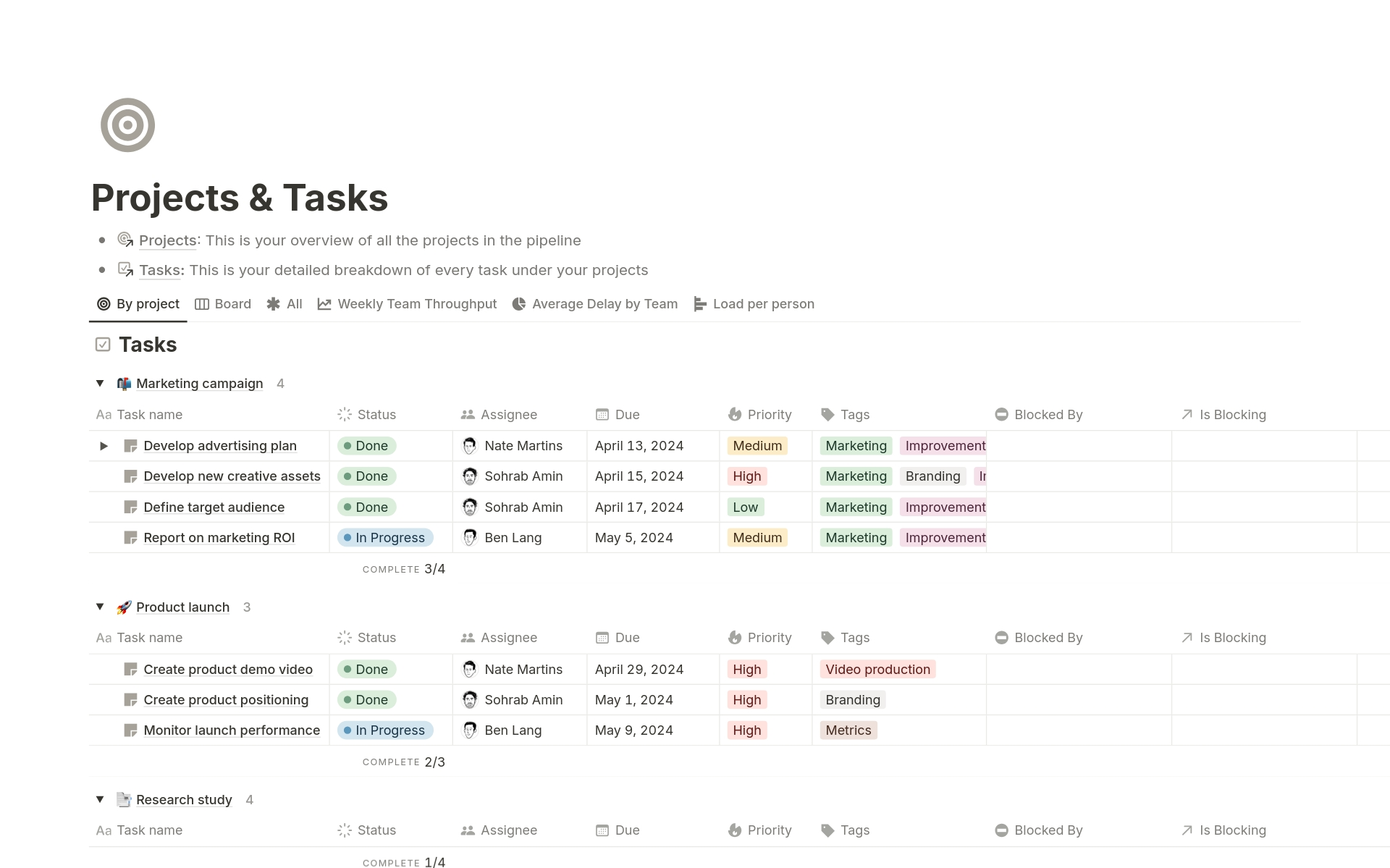
Notion is an all-in-one workspace that works well as an Apple Notes alternative if you need more structure, organization, and cross-platform access. It combines notes, documents, databases, and tasks into one flexible workspace.
Key features
- Block-based editor for text, images, tables, checklists, embeds, and more
- Nested pages and database-style organization for complex note systems
- Cross-platform support across iOS, macOS, Windows, Android, and web
- Collaboration tools for sharing pages and working in real time
What I liked
- Very flexible
- Great for people who work across multiple devices or platforms
- Strong formatting and structuring options compared to simple note apps
What I disliked
- The freedom can feel like too much sometimes - it’s easy to get stuck tweaking your system
- Can feel too heavy for quick, simple notes
- Not ideal for handwriting or Apple Pencil users
Pricing
- Free plan
- Plus plan: $10/user/month (billed annually)
- Business plan: $20/user/month (billed annually)
Suitable for:
- Users who need more than simple text notes
- Teams that want shared documents and workspaces
How to start:
- Go to Notion
- Create a free account
Notion reviews (source)

Conclusion: Choosing the Right Apple Notes Alternative in 2025
Finding the right notes app isn’t just about features - it’s about choosing a workspace that matches how your brain works. Apple Notes is great for quick capture, but once you’re juggling projects, planning your day, or trying to stay organized across devices, its limitations become hard to ignore.
The good news is that 2025 offers more powerful, flexible, and AI-driven options than ever.
If you want the smoothest upgrade with the least friction, Saner.AI is the best all-around choice. It takes what Apple Notes does well (fast capture) and adds everything it’s missing - AI organization, task extraction, daily planning, cross-platform access, and deep search.
But the “best” tool depends on you:
- Writers & minimalists → Bear
- Visual thinkers & teams → Craft
- Productivity-driven planners → Amplenote
- Journalers & reflective thinkers → Reflect
- Students & teams → Notion
- Long-term knowledge builders → Obsidian
No matter which path you choose, upgrading from Apple Notes can dramatically improve your clarity, reduce mental clutter, and help you stay organised - especially as your notes, tasks, and ideas grow.
If you try one or two apps from this list, you’ll instantly feel which one “clicks.” And once you find the right system, the way you think, plan, and work gets easier - not harder.
Stay on top of your work and life
FAQ: Best Apple Notes Alternatives (2025 Guide)
1. What makes a good Apple Notes alternative?
A great Apple Notes alternative should fix the limitations people usually run into—lack of organization, weak cross-platform support, limited formatting, and no real AI assistance.
When people search for the Best Apple Notes Alternatives, they’re usually looking for tools that offer things Apple Notes doesn’t, like:
- Better long-form writing
- Tagging / backlinks
- Smarter search
- Sync across iOS + Windows + Android
- AI that understands or organizes notes
- Task and project features
- Better integration with work apps
Tools like Saner.AI, Bear, Craft, Amplenote, Reflect, Notion, and Obsidian each specialize in different parts of this.
2. Why do people switch from Apple Notes?
Common reasons include:
- Hard to stay organized with large note volumes
- No backlinks or graph-style relationships
- No integrated tasks or daily planning
- AI features are minimal
- Exporting and cross-platform access can feel limited
- Hard to manage work + personal info in one system
If any of these resonate, trying Apple Notes alternatives may make your workflow smoother and less cluttered.
3. What are the best Apple Notes alternatives overall?
Here are the top options depending on what you need:
- Saner.AI – best for AI note understanding, task creation, and daily planning
- Bear – best for beautiful writing and markdown
- Craft – best for document-style notes and collaboration
- Amplenote – best for combining tasks + notes + scheduling
- Reflect – best for simple, quiet, minimal PKM
- Notion – best for advanced databases and team docs
- Obsidian – best for power users who love linking, plugins, and offline vaults
Each solves a different pain Apple Notes users face.
4. Which Apple Notes alternative is best for cross-platform use?
Many Apple Notes users switch because they want to access notes on Windows or Android. Best options:
- Saner.AI – Works on all major platforms
- Notion – Universal access via web + apps
- Obsidian – Mac, Windows, Linux, mobile
- Amplenote – Strong cross-platform sync
Bear and Craft remain Apple-ecosystem heavy, so look elsewhere if you use mixed devices.
5. Which Apple Notes alternatives offer AI features?
AI is a major reason people move away from Apple Notes. Best AI-powered options:
- Saner.AI – Understands messy notes, turns text into tasks, finds context, builds daily plans
- Notion – Good for rewriting, summarizing, generating content
- Reflect – Light, simple AI summarization
Obsidian offers AI plugins, but requires setup.
If you want natural-language organization or AI task generation, Saner.AI is built for that specifically.
6. What’s the best Apple Notes alternative for ADHD or overwhelmed users?
Users with ADHD or high workloads usually need a tool that reduces friction and handles planning automatically.
Best options:
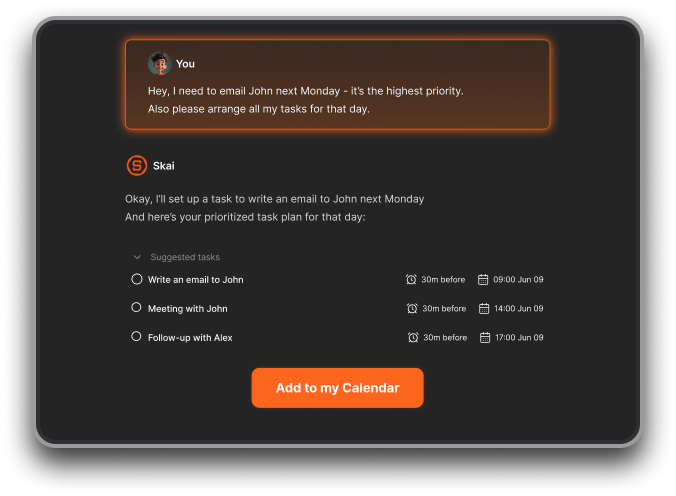
- Saner.AI – Converts brain dumps into tasks, auto-preps your day, reduces context switching
- Reflect – Extremely minimal and distraction-free
- Amplenote – Strong task scoring + calendar integration
Apple Notes tends to become chaotic quickly for neurodivergent users, so these alternatives are often easier to maintain.
7. Which Apple Notes alternative is best for writing?
If your primary use is writing:
- Bear – Clean, fast markdown with beautiful themes
- Craft – Page-based structure for documents and polished layouts
- Obsidian – Great for long-form writing with backlinks and plugins
Apple Notes lacks advanced formatting, which is why writers prefer these tools.
8. What’s the most beginner-friendly alternative to Apple Notes?
If you don’t want complex setups:
- Saner.AI – Chat-based workflow; simply write and it organizes for you
- Reflect – Almost zero UI complexity
- Craft – Clean, intuitive, no learning curve
Obsidian and Notion are powerful but can feel overwhelming for new users.
9. What’s the best Apple Notes alternative for organizing research or meeting notes?
Top picks:
- Saner.AI – Finds insights from your notes, links context together, and turns takeaways into tasks
- Notion – Great for structured team knowledge
- Obsidian – Ideal for linking research notes via graph view
- Reflect – Minimal, great for daily logs + spaced repetition style recall
Apple Notes doesn’t scale well for research-heavy workflows.
10. Which Apple Notes alternatives support tasks and calendars?
If you want tasks inside your notes (Apple Notes can't do this well):
- Saner.AI – Turns text into tasks, syncs with calendar, creates daily plans
- Amplenote – Notes + tasks + scheduling tightly integrated
- Notion – Databases can act as tasks (with more setup)
Craft, Bear, and Reflect offer lighter task features.
11. What’s the best Apple Notes alternative for teams?
For collaboration:
- Notion – Still the strongest for team knowledge
- Craft – Very smooth document collaboration
- Saner.AI – Good for individual workflow, but can support sharing context with teammates
Reflect, Obsidian, and Bear are more individual-focused.
12. Are there free Apple Notes alternatives?
Yes, many offer free tiers:
- Saner.AI – Free plan with AI understanding, tasks, calendar sync
- Bear – Free for basic writing
- Obsidian – Core app is free
- Notion – Free personal plan
- Craft – Free plan for individual use
Amplenote and Reflect also offer limited free versions.
13. Which Apple Notes alternative is best for long-term knowledge management?
For PKM (Personal Knowledge Management):
- Obsidian – Local vault, backlinks, plugins
- Reflect – Backlinks + spaced repetition style resurfacing
- Saner.AI – AI that understands your notes and retrieves context
- Notion – Databases for structured knowledge
Apple Notes struggles when the number of notes grows into the hundreds.
14. Which Apple Notes alternative is best for journaling?
Best journaling-friendly tools:
- Reflect – Clean, private, perfect for daily logs
- Bear – Beautiful writing experience
- Saner.AI – Helps turn reflections into actions when needed
Craft is also good if you want visually polished entries.
15. Which Apple Notes alternatives work across iPhone, iPad, and Mac?
All of these support Apple devices well:
- Saner.AI
- Bear
- Craft
- Amplenote
- Reflect
- Notion
- Obsidian
But only some also support Windows + Android.
16. Can Apple Notes alternatives migrate existing Apple Notes content?
Generally yes:
- Saner.AI – Import via copy/paste, file import, or email-to-note
- Craft – Imports Apple Notes directly
- Bear – Supports partial import
- Notion – Supports Apple Notes import on Mac
- Obsidian – Requires exporting first
Migration is easiest with Craft or Notion.
17. Which Apple Notes alternative is best for people juggling work and personal life?
If you want one tool for everything:
- Saner.AI – Handles notes, tasks, reminders, and daily planning in one space
- Amplenote – Strong for life + work planning
- Notion – Good for full-life operating systems (with setup)
Apple Notes can feel too linear and cluttered for complex life management.
18. Which Apple Notes alternative is best for quick note capture?
For speed:
- Saner.AI – Voice or text capture instantly turns into organized info
- Bear – Extremely fast and lightweight
- Reflect – Opens to a clean page instantly
Obsidian and Notion can feel slower on mobile.
19. Which Apple Notes alternative should I choose if I want AI-powered search?
If search is your priority:
- Saner.AI – Best semantic search; finds meaning, not just keywords
- Notion – Good AI search but works best in structured spaces
- Reflect – Light AI for quick summaries
Apple Notes uses basic keyword search, so upgrading to semantic understanding is a big improvement.
20. What’s the best Apple Notes alternative for students?
Top picks:
- Saner.AI – Study notes → tasks, summaries, reminders
- Notion – Study trackers, class databases
- Obsidian – Great for knowledge-heavy subjects
- Craft – Beautiful class notes and handouts
Students often outgrow Apple Notes because organization becomes difficult across semesters.
21. What’s the simplest Apple Notes alternative with no setup required?
If you want something that just works:
- Saner.AI – You write normally; it organizes for you
- Reflect – Zero setup journaling + notes
- Bear – Clean and straightforward
Obsidian and Notion require more configuration.
Stay on top of your work and life



