Best apps for people over 40: Stay organized, healthy, and stress-free

7 best apps to stay organized, healthy, and stress-free in your 40s & 50s
I've talked to enough people in their 40s and 50s to notice a pattern. Most of the apps on their phones were built for someone else. They assume unlimited time, perfect memory, or a 22-year-old's patience for onboarding tutorials.
Life at this stage looks different. You're managing your health more seriously, keeping track of more financial moving parts, and trying to stay sharp without burning out. The right apps can actually help with that.
For example, Saner.AI combines note-taking, task management, and an AI assistant in one place, so you're not bouncing between five different tools just to stay on top of your day. We looked at how each app handles real-life complexity, what type of user it fits best, and what you're trading away when you pick one over another.
Key insights
- The best apps for people in their 40s and 50s this stage do more with less setup. Fewer taps, less friction, more actual value on day one
- Health and finance apps have improved a lot in recent years. The real challenge now is finding ones that don't feel like a part-time job to maintain
- Every app on this list works on both iPhone and Android, and most offer a free tier that's worth trying before you commit to paying
Quick guide: 7 best apps to stay organized, healthy, and stress-free in your 40s & 50s
- Saner.AI: Best for staying organized with an AI that actually remembers things for you
- Sleep Cycle: Best for sleep cycle and keeping your sleep quality on track
- Calm: Best for managing stress, balancing mood with meditation
- MyFitnessPal: Best for tracking food and fitness without making it complicated
- Lumosity: Best for keeping your mind sharp with short daily brain exercises
- Beeper: Best if you're tired of switching between five messaging apps
- Quicken Simplifi: Best for tracking your spending without doing your own accounting
How we chose the best apps?
The apps on this list had to earn their place. We didn't just look at ratings. We asked whether each one actually fits the way people in their 40s and 50s live and work. These were the factors we focused on:
- Ease of use: Can you pick it up without watching a tutorial? Does it feel logical from day one?
- Life-stage fit: Does it address real things people deal with at this point in life, like medication schedules, retirement savings, or managing a busier calendar?
- Cross-platform availability: Does it work on both iPhone and Android without losing features?
- Privacy and data handling: What does it do with your health data, location, or financial information?
- Free vs. paid value: Is the free version genuinely useful, or does it exist mainly to push you into a subscription?
- Active development: Is the app still being updated and supported, or has the team moved on?
Now, let's dive in!
What are the best apps for people over 40 to stay organized, healthy, and stress-free?
7 best apps for people in their 40s and 50s in 2026 are: Saner.AI, Sleep Cycle, Calm, MyFitnessPal, Lumosity, Beeper, and Quicken Simplifi.
🧠 Best Apps to Stay Organized, Healthy & Stress-Free in Your 40s & 50s (2026)
| 📱 App | 🎯 Best For | ⚙️ Key Features | 💰 Pricing (2026) |
|---|---|---|---|
| Saner.AI | Mental clarity & daily organization | AI task capture, auto-organize notes, daily planning, reduce mental overload | Free; Paid ~$8–16/mo |
| Sleep Cycle | Better sleep quality | Smart alarm, sleep tracking, snore detection, sleep insights | Free; Premium ~$39.99/year |
| Calm | Stress & anxiety reduction | Guided meditation, sleep stories, breathing programs, relaxing music | Limited free; Premium ~$69.99/year |
| MyFitnessPal | Nutrition & weight management | Calorie tracking, barcode scanner, macro insights, fitness integration | Free; Premium ~$19.99/mo or $79.99/year |
| Lumosity | Brain training & cognitive health | Memory games, attention training, personalized programs | Free; Premium ~$11.99/mo or $59.99/year |
| Beeper | Simplified communication | Unified inbox (WhatsApp, iMessage, Slack, etc.), cross-platform messaging | Free; Paid ~$10/mo |
| Quicken Simplifi | Personal finance & budgeting | Expense tracking, subscriptions, spending insights, financial planning | Paid ~$47.88/year |
1. Saner.AI
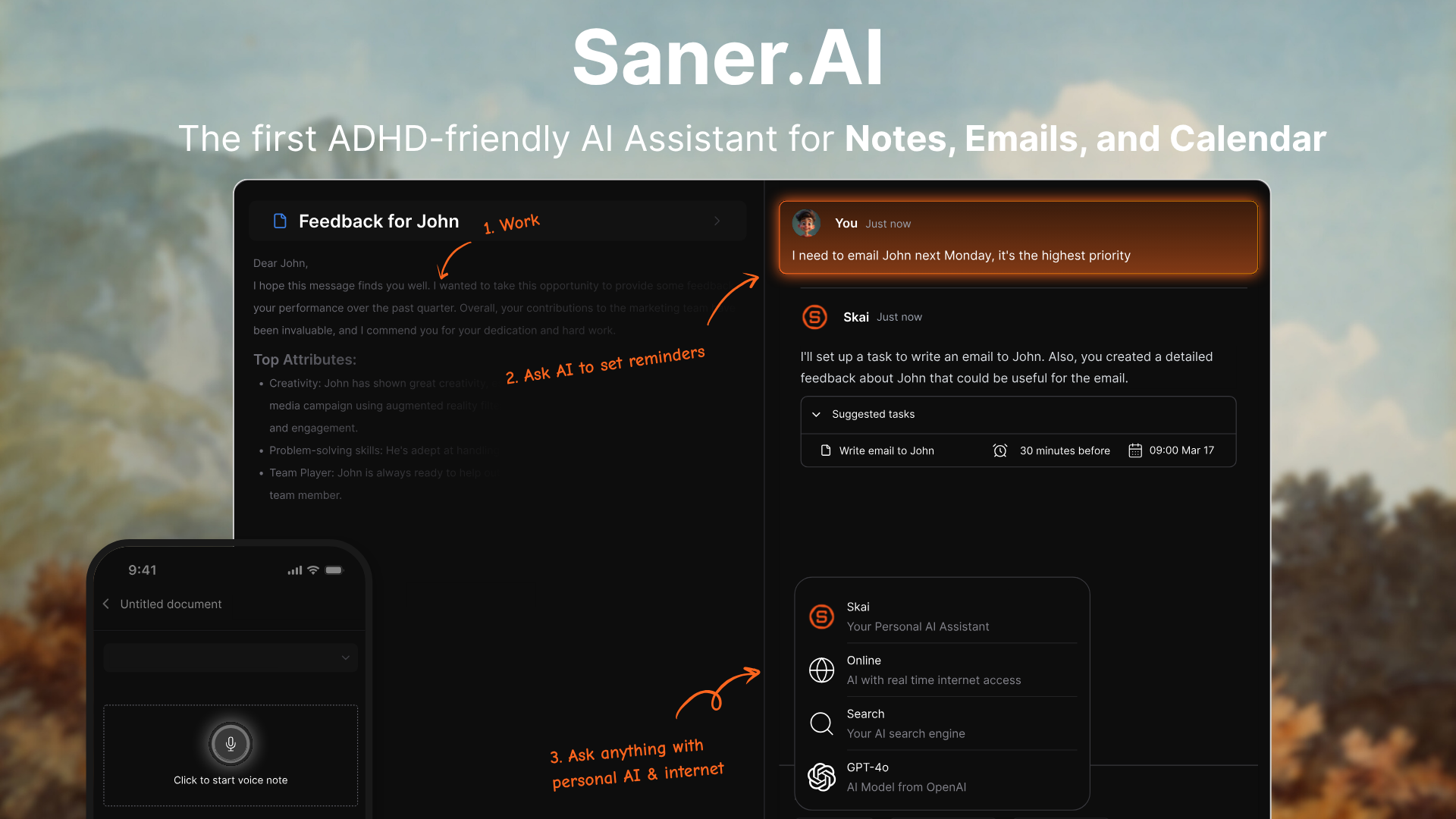
Saner.AI is an AI productivity assistant built specifically for people who struggle with information overload, and that includes many people in their 40s and 50s juggling careers, families, and a lot of digital noise.
The app pulls your notes, emails, tasks, and calendar into one place, and a personal AI called Skai does the organizing for you. No folders. No tagging systems you have to maintain. You capture the thought; Skai figures out what to do with it.
Key features
- If you dump a brain-full of to-dos into the app, the AI identifies the tasks inside and breaks them into steps with suggested timelines.
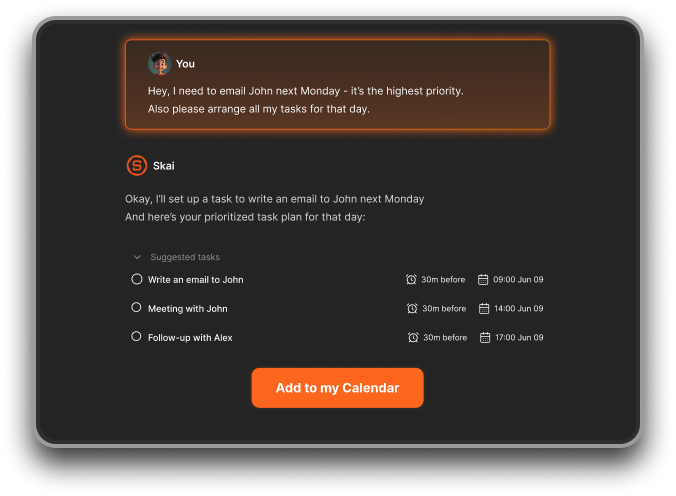
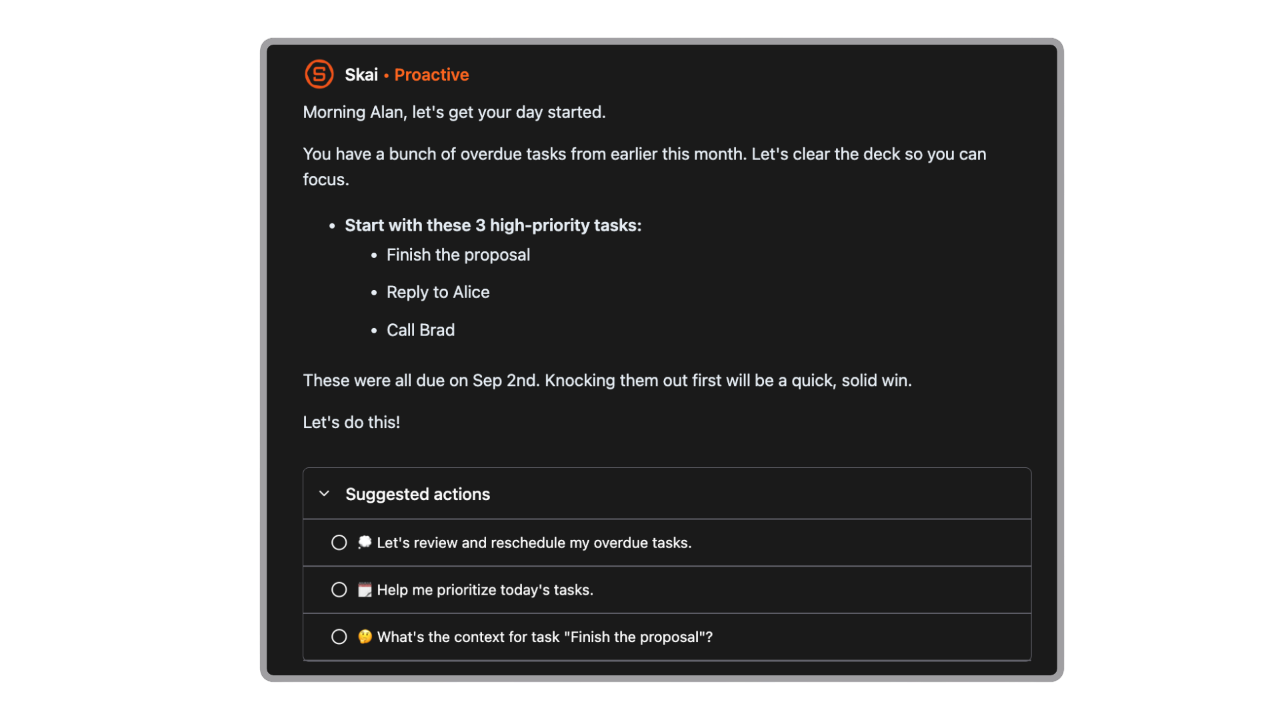
- Every morning, Skai generates a prioritized day plan based on your tasks, emails, and calendar. You don't set it up; it just happens.
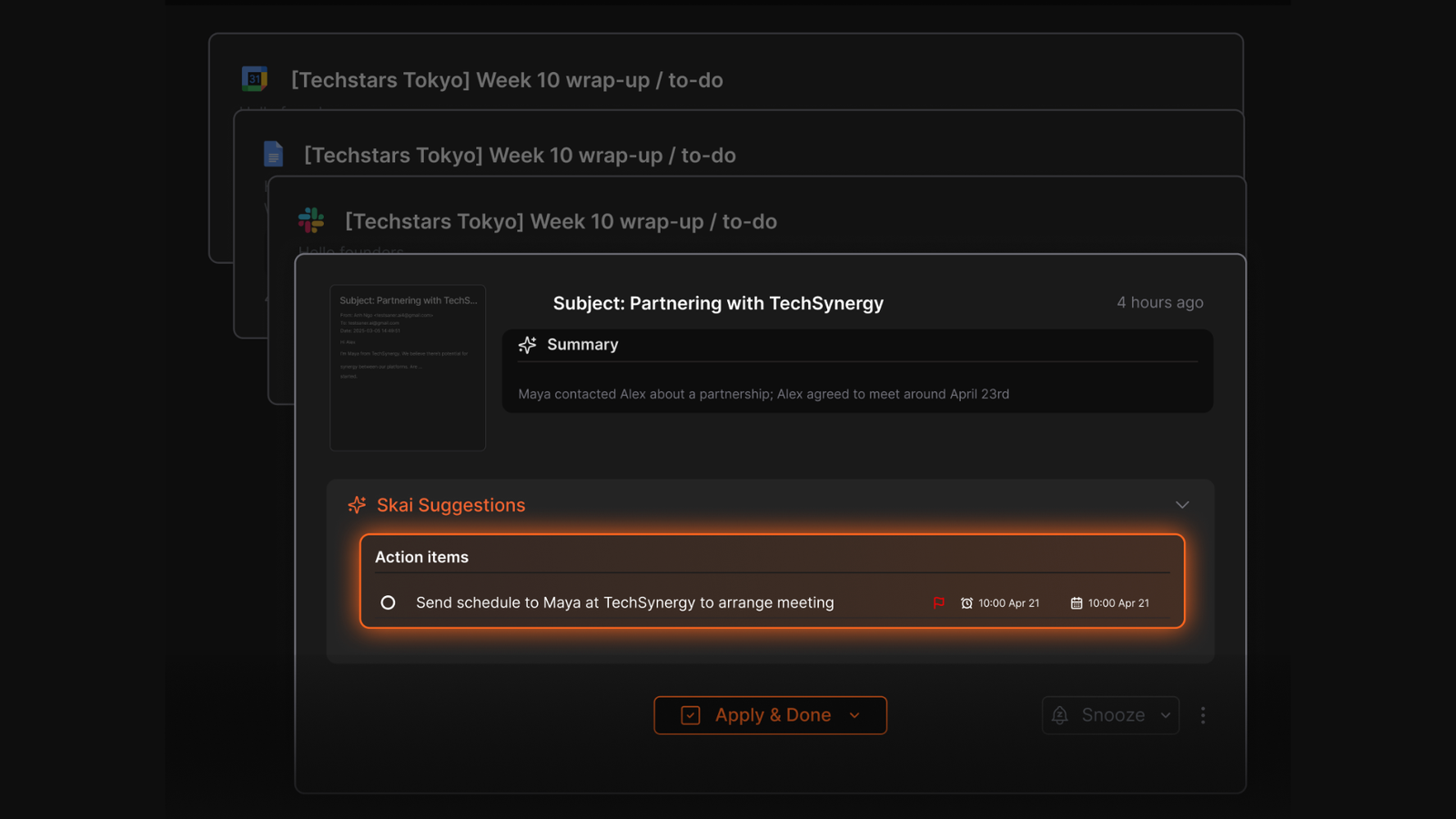
- Saner's Smart Inbox pulls your Gmail, Slack messages, and calendar events into a single feed. Skai then sorts and prioritizes them for you, flagging what needs action and letting everything else stay quiet.
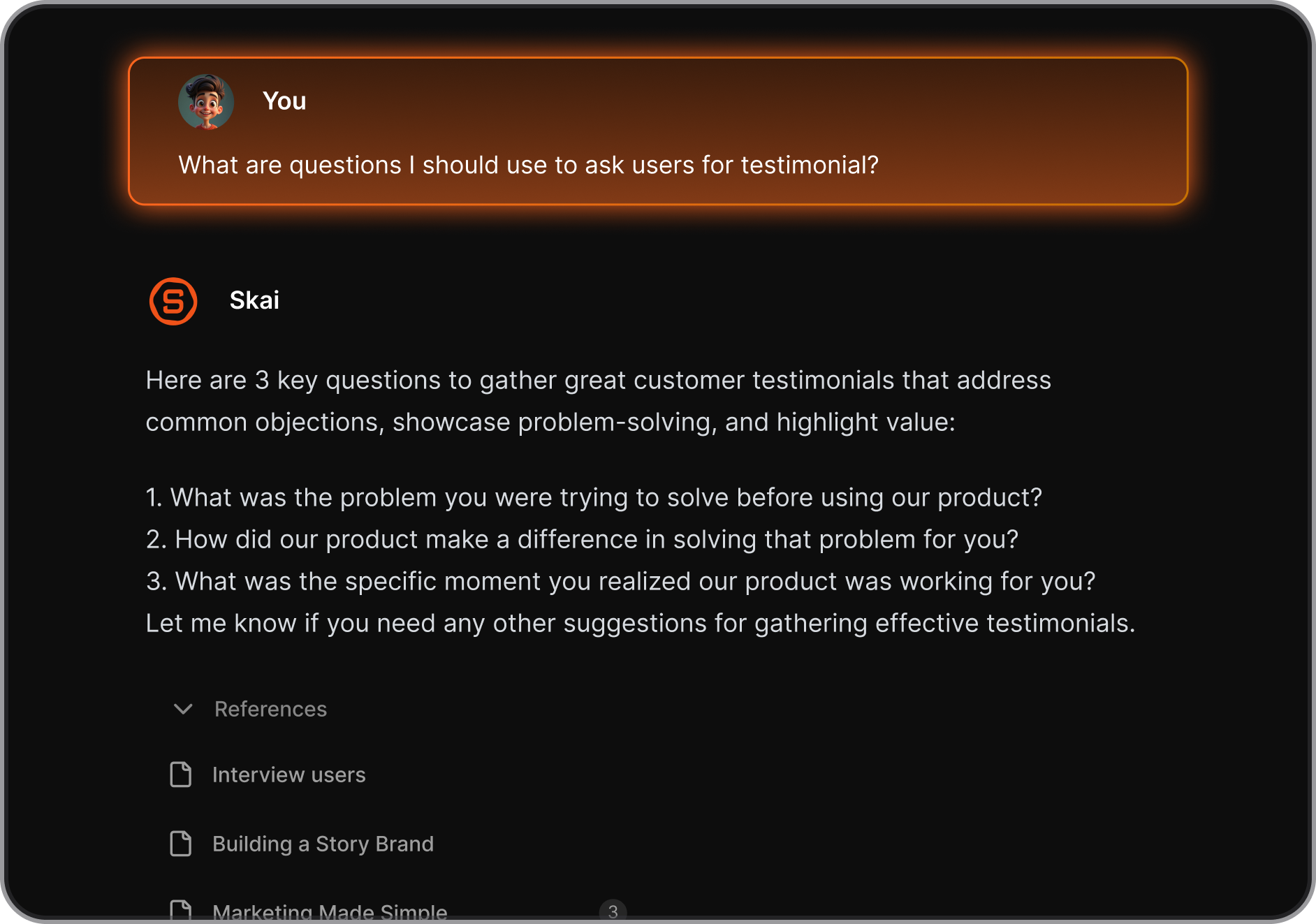
- You can ask it "What did I write about the Q3 strategy last month?" and it pulls the answer with a citation so you know where it came from. It also suggests tags and titles for new notes automatically, which means the organization happens whether you think about it or not.
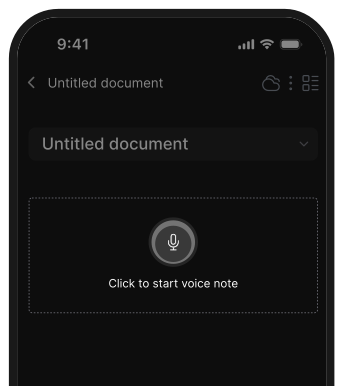
- For anyone whose best ideas come in the car, on a walk, or right before bed, voice capture matters. You open the app or the Chrome extension, hit record, and Saner converts it to text and auto-organizes the note.
Pros
- Very low effort to maintain with no complex setup or constant organizing
- Helps reduce mental clutter and decision fatigue
- Combines notes + tasks in one place
- Chrome extension clips web content directly into your knowledge base
- Semantic search finds ideas, not just keywords
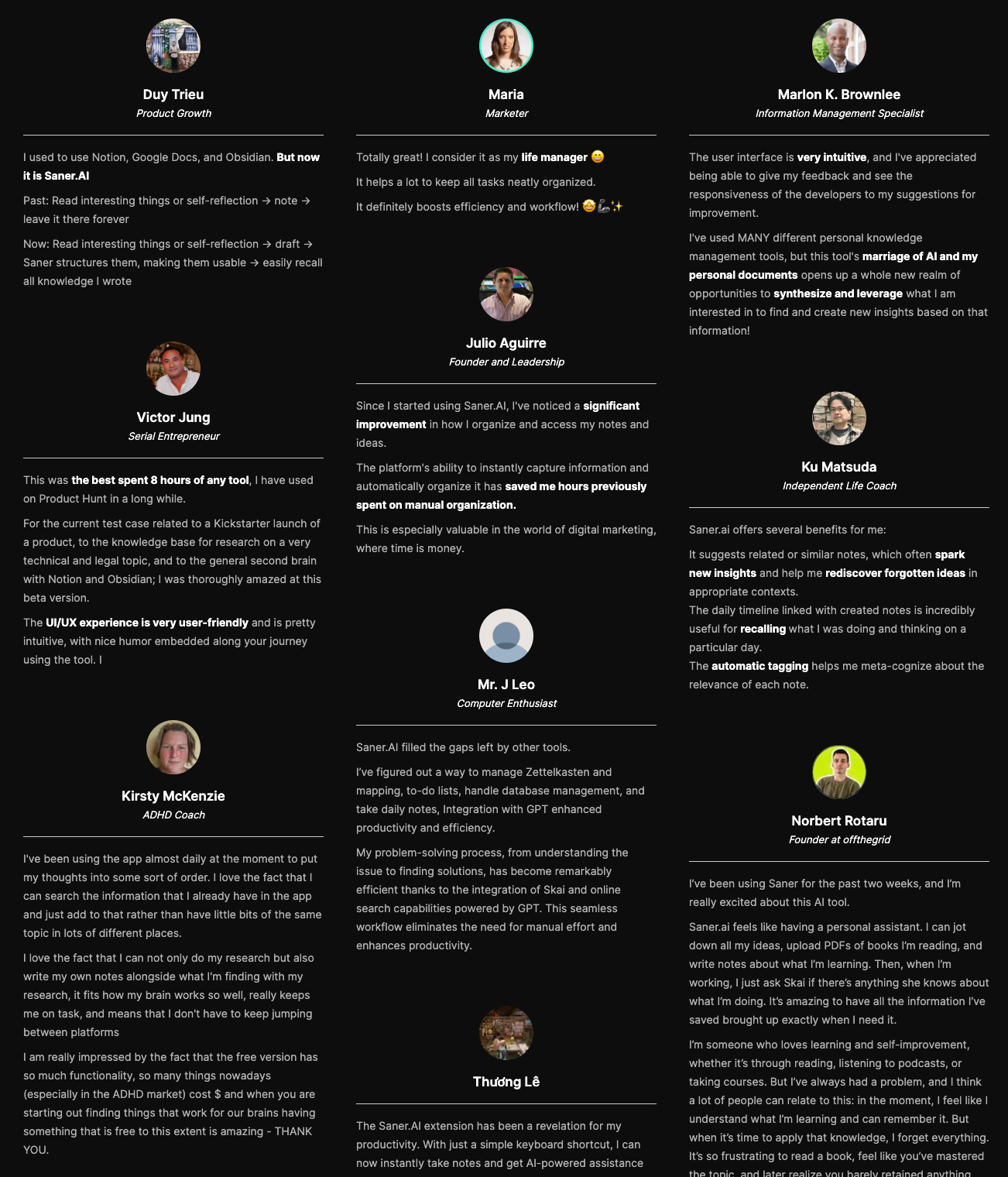
- "The user interface is very intuitive. This tool's marriage of AI and my personal documents opens up a whole new realm of opportunities to synthesize and leverage what I am interested in to find and create new insights." - verified review
- "Just tried out Saner.ai, and I'm really impressed! As a marketer exploring new tools, I found this AI-powered productivity app to be incredibly helpful, especially for those with ADHD. It tackles issues like context switching, overwhelm, and forgetfulness with ease." - verified review
Cons
- Limited for team collaboration or complex workflows
- "I prefer to post information using IFTTT or RestAPI, so I look forward to this in the future. I also don't mind paying for it, so I would be happy if the capacity per file was increased. If I try to place e-books as knowledge and have Skai search for them, 10MB is not enough. — verified review
Pricing
- Free plan available (core features with limits)
- Paid plan: around $8–16/month
- Yearly plan: discounted compared to monthly billing
Who it’s best for
- Professionals in their 40s & 50s managing both work and personal responsibilities
- People feeling overwhelmed by too many tools or systems
- Anyone who wants a simpler, lower-effort way to stay organized
- Users who prefer clarity and consistency over complex setups
Saner.AI reviews
"The biggest benefit for me in using Saner is the Proactive AI. Staying on top of the constant flow of email and multiple calendars is challenging, and so far, Saner is the only AI-based tool that truly feels like a personal assistant." — Jerry
How to get started
- Go to Saner.AI
- Create an account and start by writing down your tasks or thoughts
- Let the AI organize and suggest your daily plan automatically

Stay on top of your work and life
2. Sleep Cycle
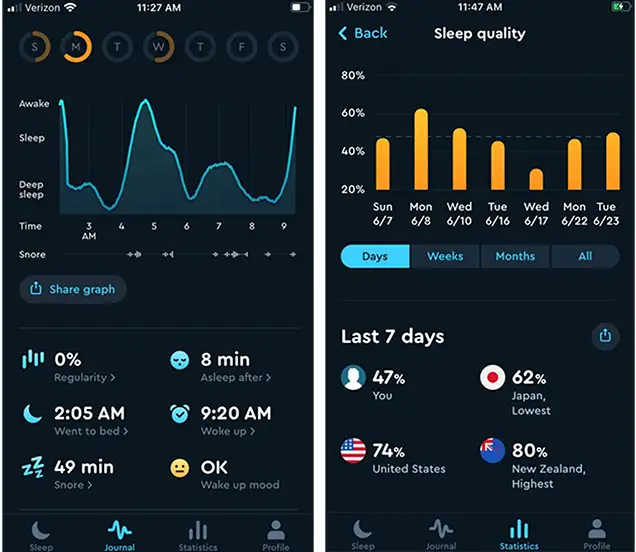
I tested Sleep Cycle as a sleep tracking app, and it focuses on improving how you wake up and understand your sleep patterns over time. Instead of just tracking hours, it analyzes sleep quality and wakes you up during a lighter sleep phase.
What I found useful is how it connects sleep to daily energy. When I slept better, I felt more focused and less stressed the next day, which directly affects how organized and productive I can be.
Key features
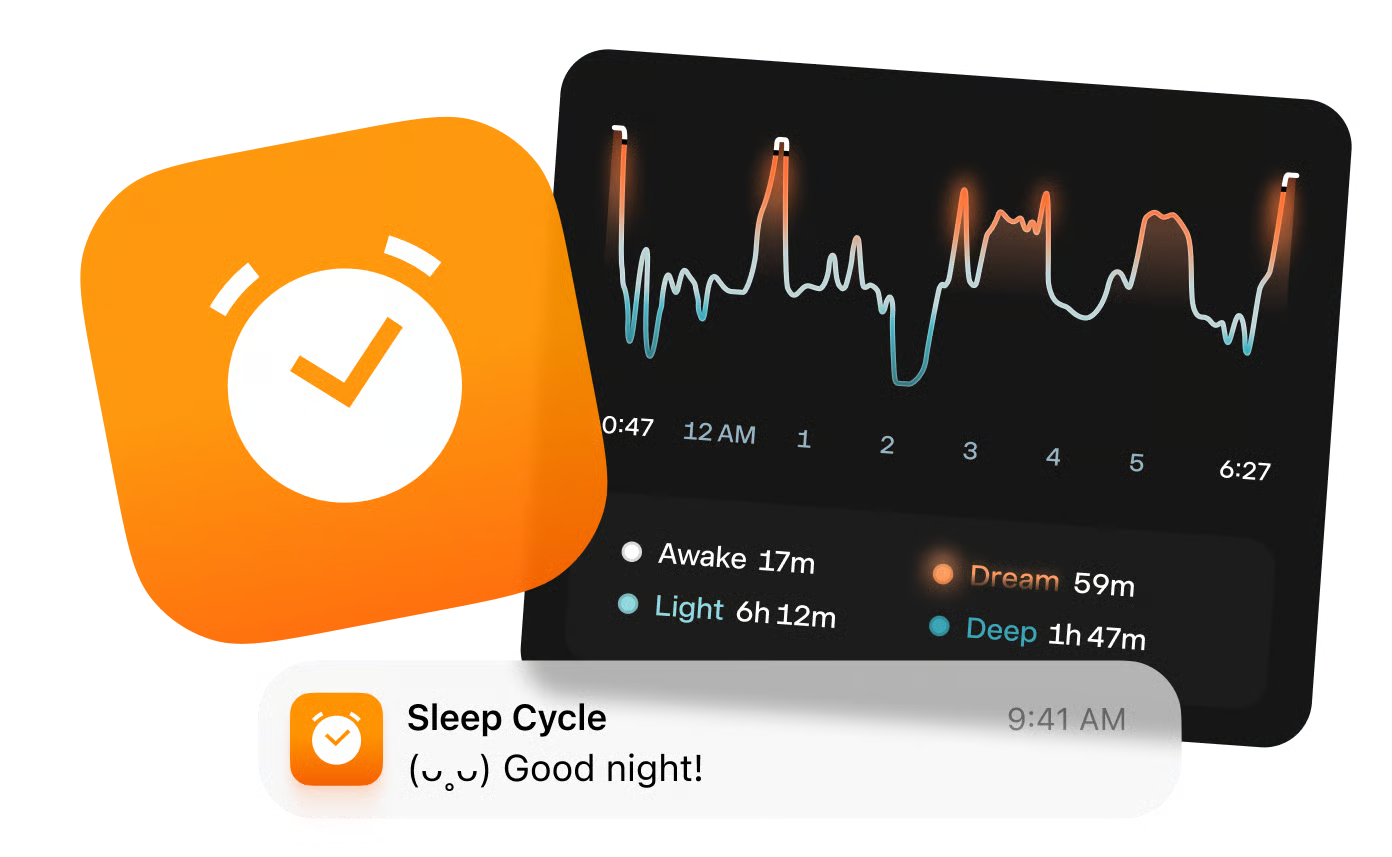
- Smart alarm clock: It wakes me up within a chosen time window when I’m in a lighter sleep phase. I noticed I feel less groggy compared to fixed alarms.
- Sleep tracking and insights: It tracks sleep quality, duration, and patterns, helping me understand what affects my rest over time.
- Snore detection and sound recording: It can detect snoring or disturbances, which is useful if sleep quality is an issue.
- Sleep trends and reports: I can see long-term patterns, which helps me adjust habits for better energy and lower stress.
Pros
- Helps improve sleep quality, which directly impacts focus and daily organization
- Simple to use—just set it and sleep
- Makes waking up feel more natural and less stressful
- Useful insights without being overwhelming
- "I love the app and how much data I get out of my sleep. It's helped me improve my sleeping patterns, and got me to pay more attention at the quality of it." – verified reviews
- "Within a few days, I was able to tell the difference in my quality of sleep. I used to struggle to get up in the morning but now when Sleep Cycle wakes me up at the optimum time I feel well rested." – verified reviews
Cons
- Requires keeping your phone near you while sleeping
- Data may not be 100% accurate compared to wearables
- Limited beyond sleep (not a full health tracking system)
- "The only downside is that they only have one payment option — which is to pay for the entire year. There is no monthly payment option." – verified reviews
- "They are slowly removing features and putting them behind a pay wall." – verified reviews
Pricing
- Free plan available (basic features)
- Premium plan: around $39.99/year (~$3–4/month equivalent)
Who it’s best for
- People in their 40s & 50s wanting better sleep and more stable energy
- Anyone feeling tired, unfocused, or stressed during the day
- Users who want a simple way to improve sleep without wearables
- People looking to support overall health and daily consistency
Sleep Cycle reviews (source)
"long term user. I mainly track breathing and snoring along with SPO2 on my Garmin. Sleep Cycle has been reliable, easy to use and the recordings are helpful." - Jason Pierrotti
"The gentle alarm and sleep aids are great, but the tracker is ineffective. It cannot truly distinguish sleep from wakefulness, relying on guesses from the accelerometer and microphone." - Max Deike
How to get started
- Download Sleep Cycle from the App Store or Google Play
- Place your phone near your bed and set your wake-up window
- Track your sleep and adjust habits based on the insights
3. Calm
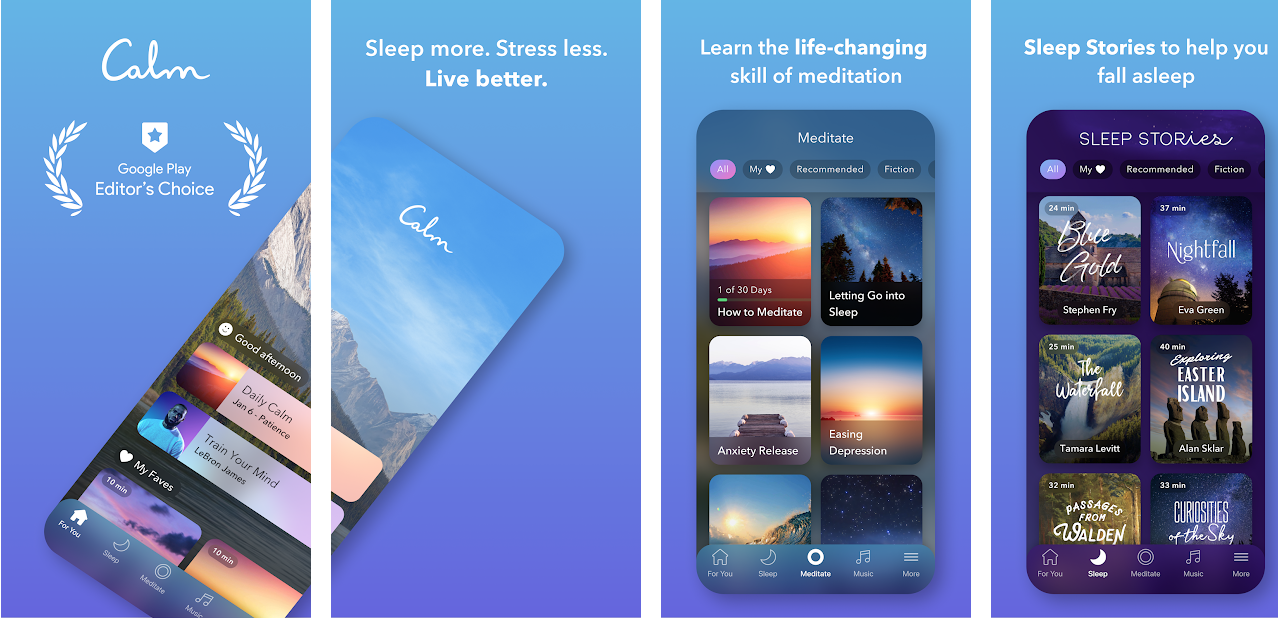
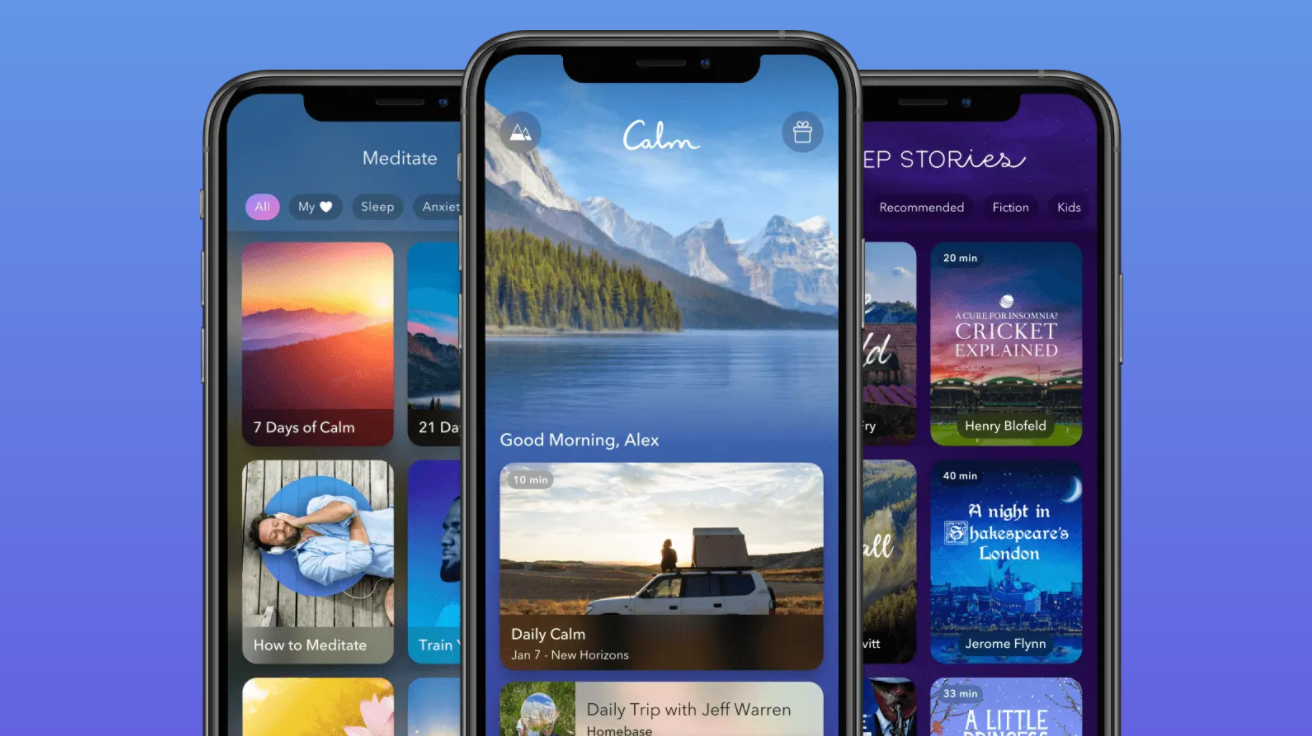
Calm as a mental wellness and stress management app, and it’s built to help you slow down, sleep better, and manage daily stress. Instead of productivity, it focuses on mental clarity—which, honestly, is just as important for staying organized long-term.
What I noticed is that it fits easily into a routine. I could use it in short sessions—like 10 minutes in the morning or before bed—and it actually helped me reset mentally. For people in their 40s & 50s juggling work, family, and health, that reset matters more than trying to push productivity harder.
It’s not an organization tool directly, but it solves a core problem: when your mind is calmer, everything else becomes easier to manage.
Key features
- Guided meditations: I could follow short sessions for stress, anxiety, focus, or sleep. It’s easy to fit into a busy schedule.
- Sleep stories and soundscapes: These help wind down at night, especially if your mind keeps running through tasks or worries.
- Daily Calm sessions: A new short session each day, which helps build a consistent habit without overthinking what to do.
- Breathing exercises: Quick tools I can use anytime I feel overwhelmed during the day.
Pros
- Easy to use, even if you’ve never tried meditation before
- Fits into short daily routines (no big time commitment)
- Supports better sleep, which impacts energy and productivity
- "Using the app feels like taking a small break from the noise of the day. The gentle sounds and calming voices make it easier to relax and fall asleep faster" – verified reviews
- "A very nice app that helps to relax and chill. Sometimes it's very hard for me to calm my mind and then Calm is very helpful" – verified reviews
Cons
- Not a productivity or organization tool by itself
- Requires consistency to feel long-term benefits
- Some content can feel repetitive over time
- Full access requires a paid subscription
- "Good content in a somewhat clunky app. It is difficult to navigate and even more difficult to figure out downloads for offline listening" – verified reviews
- "Impossible to find the next video as it is like a library with no organization or semblance of order. " – verified review
Pricing
- Limited free content available
- Premium plan: around $14.99/month
- Yearly plan: around $69.99/year
Who it’s best for
- People in their 40s & 50s dealing with stress from work and life responsibilities
- Anyone struggling with sleep or mental overload
- Users who want to feel more calm and focused throughout the day
- People who want a simple, guided approach to mindfulness
Calm reviews (source)
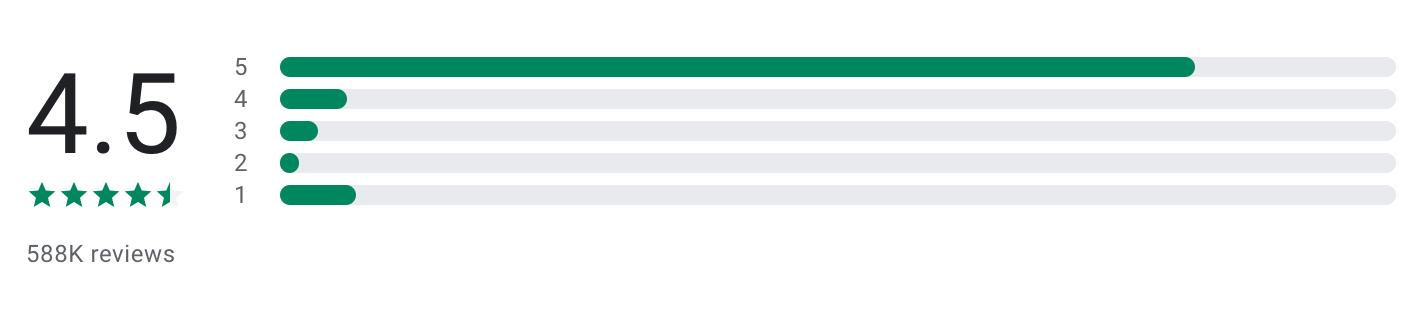
"I'm more often in a stressed or anxious state of mind than not which has endured for most of my life and while medication has been helpful, this app, which I don't use nearly often enough (because I don't priortize my 'self') is the only thing that has actually helped me without fail." - Mary McDonald
"I found it difficult to use. I want a brief "calm down" practice, not a 30 minute story, but couldn't figure out how to get that. But most significantly, if I am paying for a subscription, there should be no ads or pop-ups. (If there are ads, the app should be free.)" - Linda Williamson
How to get started
- Download Calm or go to the app
- Start with a short guided meditation or sleep story
- Build a simple daily habit (morning or before bed works best)
4. MyFitnessPal
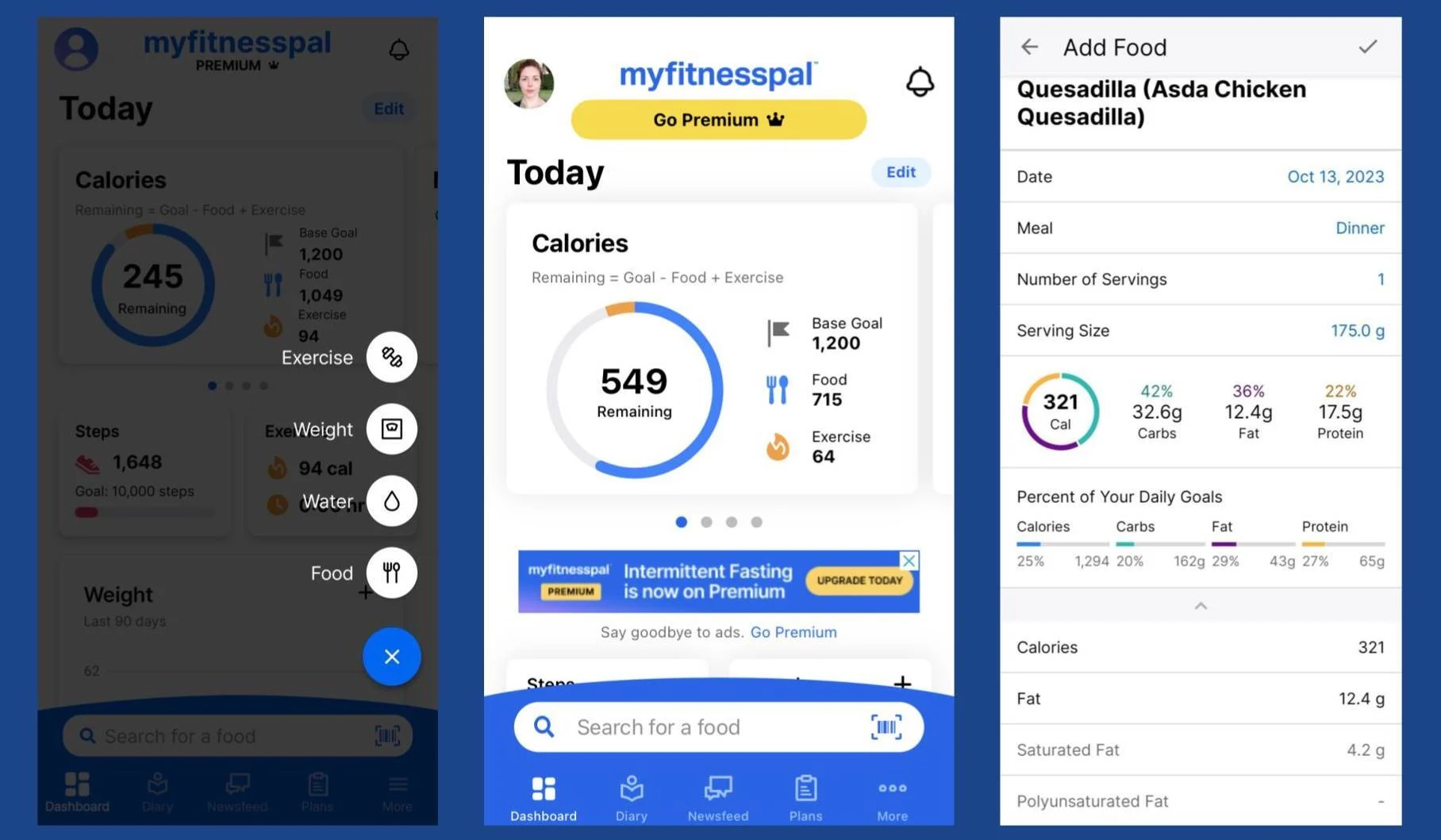
MyFitnessPal is a health tracking app, and it’s mainly focused on helping you stay aware of what you eat and how it impacts your body. Instead of guessing, I could log meals, track calories, and see patterns over time.
For people in their 40s & 50s, where metabolism, energy, and health become more important, this kind of awareness can make a big difference without needing extreme changes.
Key features
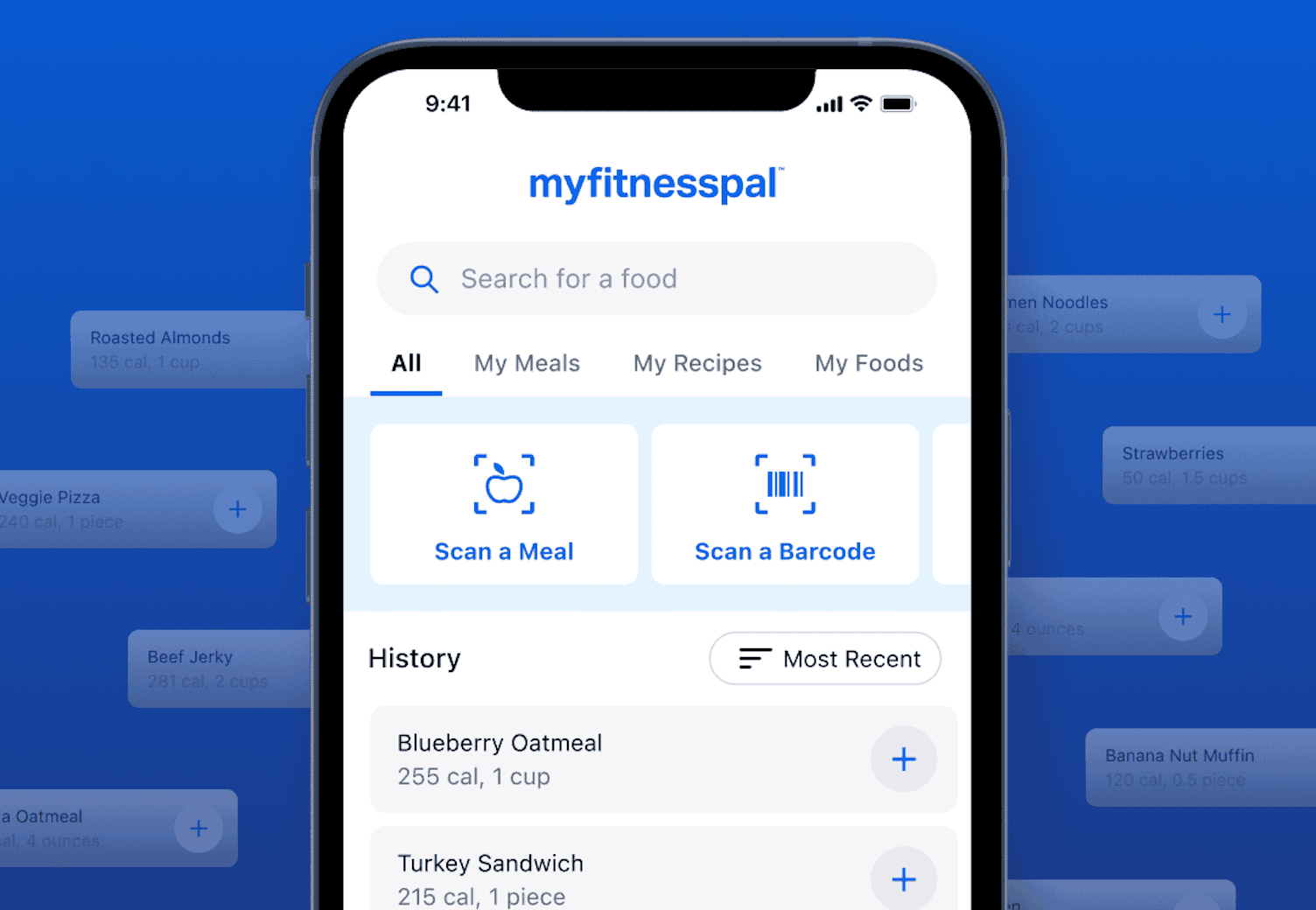
- I could log meals quickly using a large food database, including local and packaged foods. It made it easier to understand what I’m actually eating day to day.
- The app breaks down macros (protein, carbs, fats) and key nutrients, helping me make better choices without overthinking.
- I can set realistic goals and track progress over time, which keeps things consistent rather than extreme.
- It connects with apps and devices to track activity, giving a more complete view of health.
Pros
- Makes healthy eating more manageable and less stressful
- Large database, easy to log food quickly
- Helps build awareness instead of forcing strict diets
- "Great app, which is easy to navigate and so good at making me take the right choices of foods to ensure I stay on plan." – verified reviews
- "It's got the right mix of reminders, encouragement, and 'pats on the back' when I remember to do everything before the need to be prompted." – verified reviews
- "Helps me stay on track and keep weight off. You don't realize the calories you consume daily unless you track them!" – verified reviews
Cons
- Logging food daily can feel repetitive over time
- Free version includes ads and some feature limits
- Accuracy depends on how consistently you track
- Can feel overly detailed for users who want a simpler approach
- "The new update is far too messy. It is not intuitive for typical daily, routine food logging like before." – verified reviews
- "Too many foods — even when you select the 'only checked' green tick box — have the wrong nutrition, quantities out by 100% or 1000%." – verified reviews
- "My progress photos keep disappearing every week after uploading and it doesn't record my weightloss. Despite emailing and also asking in the forum nobody has answered my query." – verified reviews
Pricing
- Free plan available (basic tracking)
- Premium plan: around $19.99/month or ~$79.99/year
Who it’s best for
- Adults in their 40s & 50s who want to stay healthy without extreme dieting
- People trying to manage weight, energy levels, or nutrition habits
- Anyone who wants a simple way to stay accountable with food
- Users looking to build sustainable, low-stress health routines
MyFitnessPal reviews (source)
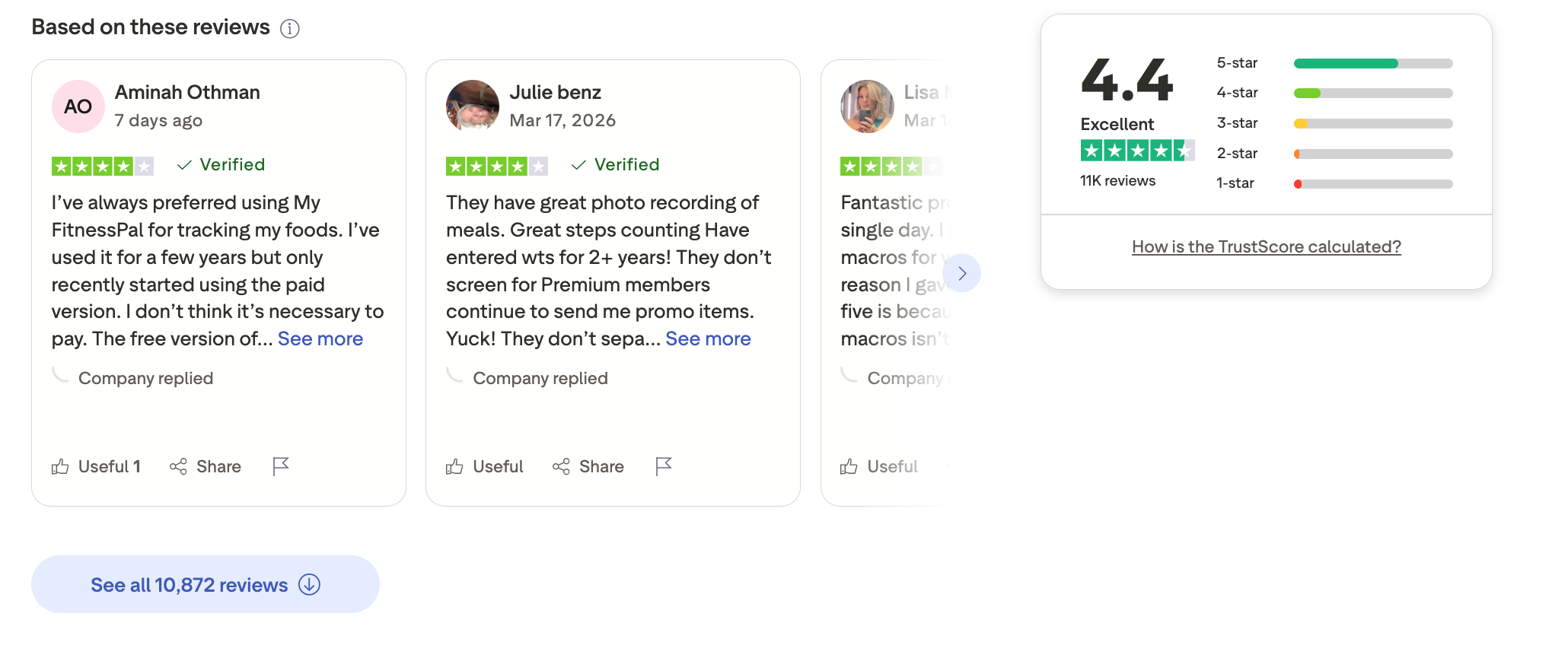
"It is great app for a free calorie counting recorder and food journal! I have reached many weight and health goals with it being a big part of my success throughout the years." - Sarah Green
"Crashes a lot, some of the functionality makes no sense, bit of a pick move putting the barcode reader behind a paywall." - Steven Grant
How to get started
- Download MyFitnessPal or go to the website
- Create an account and set your health goals
- Start logging meals and tracking your daily habits consistently
5. Lumosity
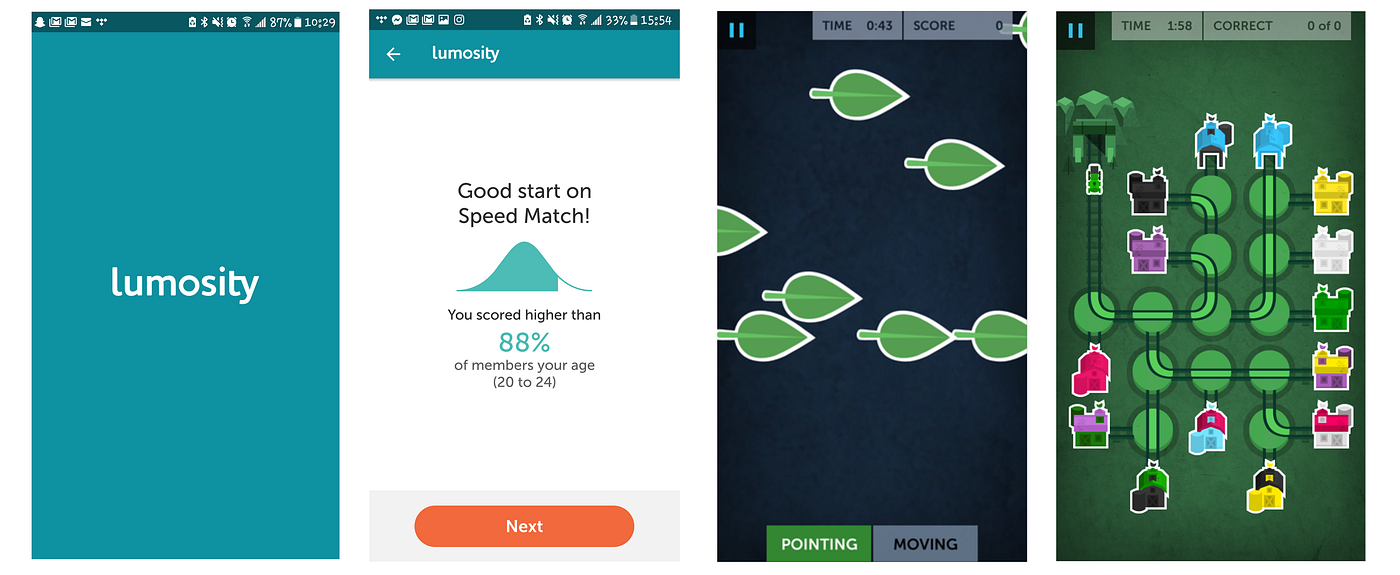
I tested Lumosity as a brain training app, and it’s built to help with memory, focus, and mental sharpness through short daily exercises. The app gives you a set of games each day that target different cognitive skills like attention, problem-solving, and flexibility.
What I noticed is that it’s very easy to stick with. Sessions are short (around 10–15 minutes), and everything is structured for you. I didn’t have to plan anything, just open the app and start.
Key features
- Daily brain training sessions: I get a personalized set of exercises each day, which helps build consistency without overthinking what to do.
- Focus and memory training: The games target attention and recall, which can make it easier to manage daily tasks and stay organized.
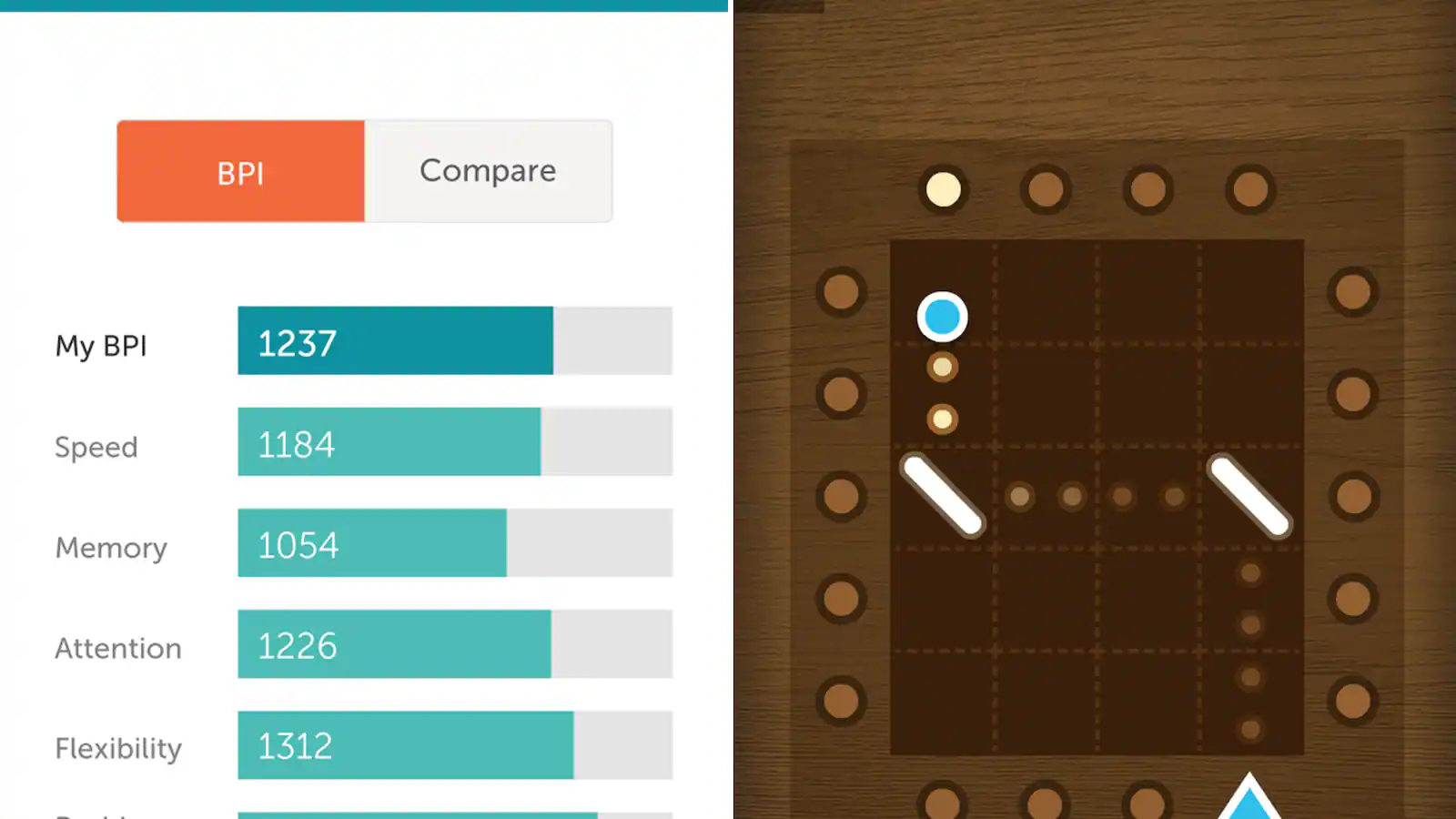
- Progress tracking: I can see how my performance changes over time, which helps me stay motivated and aware of my mental habits.
- Short, structured routines: Sessions are quick and guided, making it easy to fit into a daily routine without adding stress.
Pros
- Easy to maintain as a daily habit (low time commitment)
- Helps improve focus and mental clarity over time
- Can support stress reduction through light, engaging activities
- "I've been 'playing' Lumocity for a year now, and have been impressed with how it has improved my maths, memory, speed at doing tasks... I'm really pleased with improvements." – verified reviews
- "I was in a serious car accident that gave me a concussion and left me unable to put sentences together or find my way around my neighborhood grocery store... my doctor recommended Lumosity Brain Training. The games were fun, but most importantly they worked." – verified reviews
- "I am over 80 years old and find the Lumosity site one where I am challenged to use my brain and try new activities." – verified reviews
Cons
- Benefits are gradual, not immediate
- Some features locked behind paid plans
- Can feel repetitive over time
- "The site is 'down' as often as it is working. In the middle of a game, it will shut off. Even trying to access the site requires multiple times to access it. The support staff is of NO assistance." – verified reviews
- "When I first started using this app, it was like a miracle... Yet, with time, it became more boring." – verified reviews
Pricing
- Free plan available (limited games)
- Premium plan: around $11.99/month
- Yearly plan: around $59.99/year (cheaper per month)
Who it’s best for
- People looking to improve focus and reduce mental fatigue
- Users who prefer simple, guided daily routines
- Anyone wanting a light, low-stress way to support cognitive health
Lumosity reviews (source)
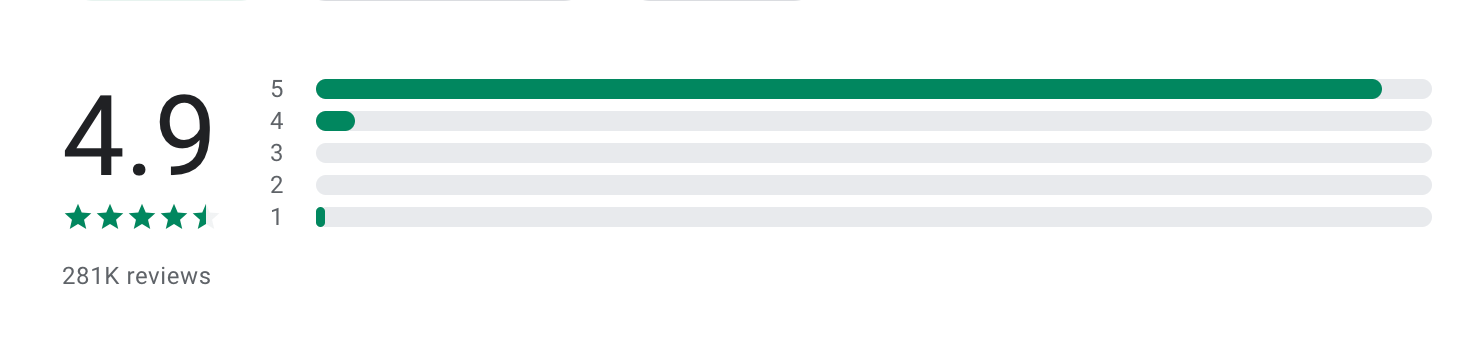
"I am in my 50's and noticed my processing and memory are not what they used to be. Lumosity is challenging my brain, and I believe it is helping speed up my processing and improving my memory." - Alice Christopher
"Most games are blocked by limited access, I like the games and gameplay but to really enjoy the process you have to pay. Since there's no evidence of results before and after playing I don't know if it's worth to put money in this app." - Sofia Necerin
How to get started
- Go to Lumosity or download the app
- Create an account and complete your baseline test
- Start with daily sessions and track your progress over time
6. Quicken Simplifi
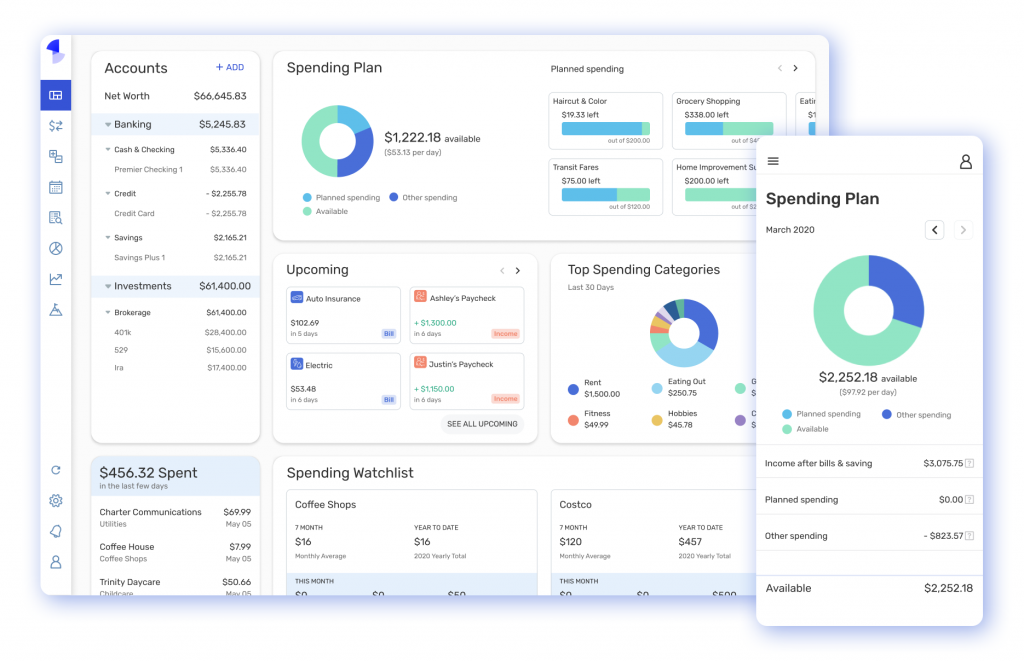
I tested Quicken Simplifi as a personal finance app, and it’s built to give a clear, real-time view of your money. What I found useful is how it focuses on clarity over complexity. Instead of traditional budgeting categories that take time to set up, it shows what you can safely spend after accounting for bills and savings.
For me, it’s less about tracking every dollar perfectly and more about reducing financial stress and staying in control, especially important when you’re balancing long-term goals, family expenses, and daily spending.
Key features
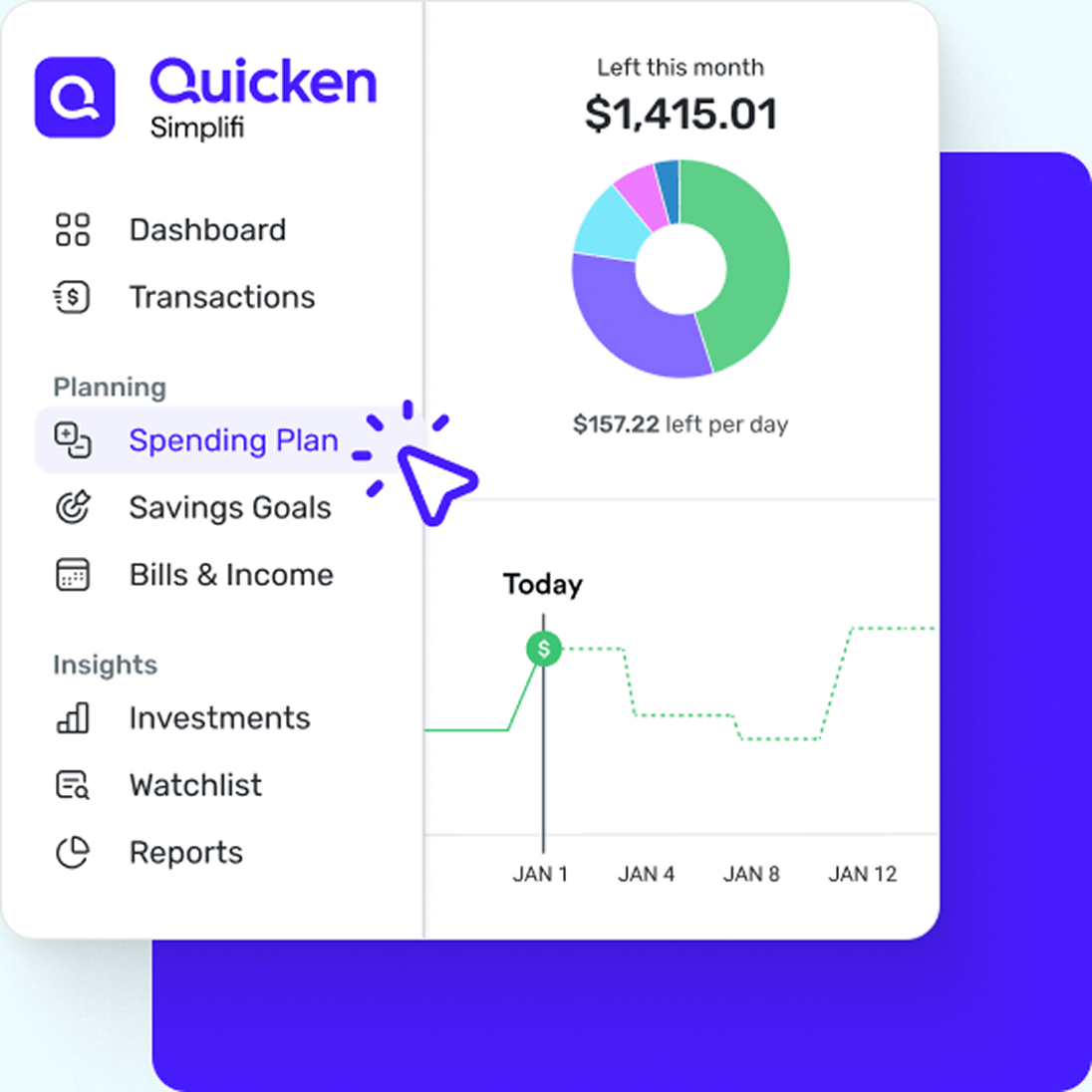
- Real-time spending plan: It shows how much I can spend after bills and savings, which makes day-to-day decisions much easier.
- Automatic transaction tracking: It syncs with accounts and categorizes spending, so I don’t have to manually log everything.
- Subscription and bill tracking: I can see recurring expenses clearly, which helps avoid surprises and reduce unnecessary costs.
- Financial insights and reports: It breaks down spending trends, helping me adjust habits over time.
Pros
- Very clear view of cash flow and “safe to spend” amount
- Reduces financial stress by simplifying budgeting
- Minimal manual input once accounts are connected
- Helps identify unnecessary subscriptions and spending leaks
- "Quicken makes tracking my finances easy. I have used it for many years, and it remains my go-to tool for staying on top of my personal finances." – verified reviews
- "I love the connections to bank and credit card accounts to pull in and verify transactions. This helps me keep track of things and not forget to enter a transaction." – verified reviews
Cons
- Requires linking financial accounts (may not suit everyone)
- Less customizable than advanced finance tools
- Primarily focused on US-based financial institutions
- Subscription-based (no free permanent plan)
- "It's glitchy these days and you all are charging higher fees for decreased functionality." – verified reviews
- "It keeps miscategorizing transactions or messing up more than Mint did. Example: A transaction with a restaurant with an obvious name... the category ends up as 'Clothing' or 'Medical'." – verified reviews
Pricing
- No free plan (trial available)
- Paid plan: around $2.99–$5.99/month (often billed yearly at ~$35–$72/year)
Who it’s best for
- Adults in their 40s & 50s managing household finances and long-term goals
- People who want a simple way to stay on top of spending and bills
Quicken Simplifi reviews (source)
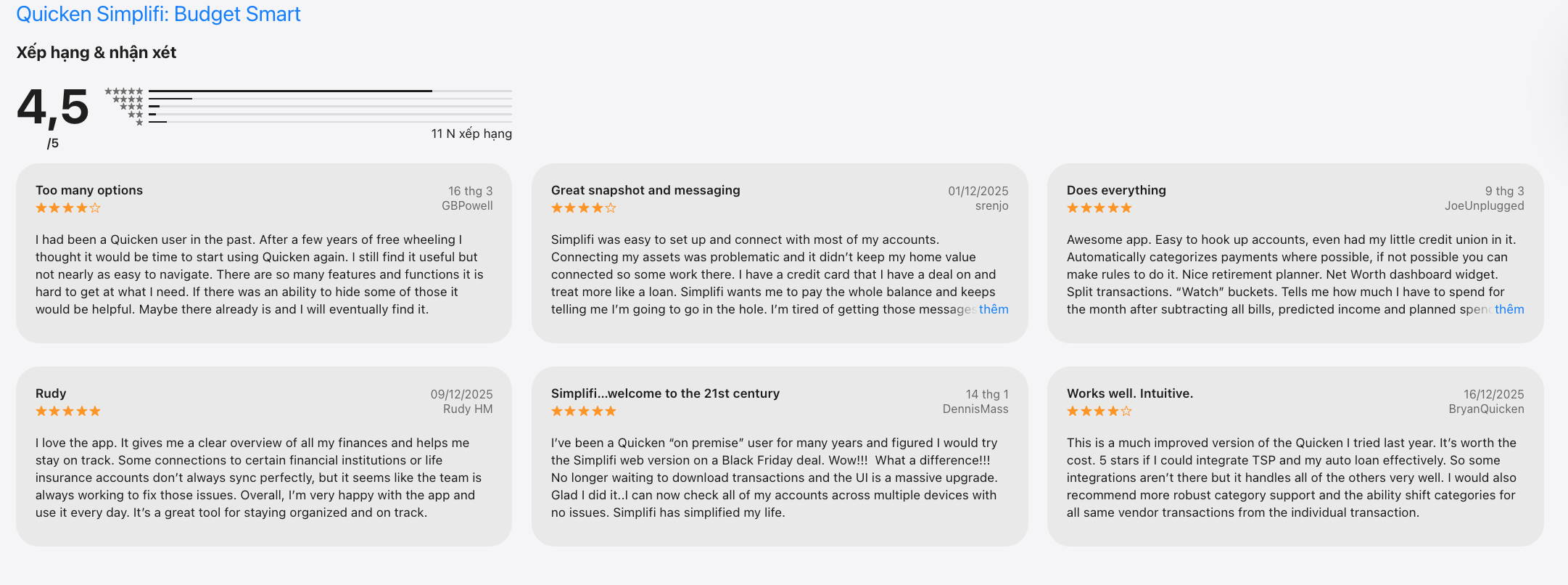
"Powerful tool that is easy to use. Reliable, updates are quick and painless. Makes financial information accessible and complete. Continuous history of every transaction." - Turbo Tom
"Having more and more trouble with functionality in the software. Seems to be very buggy." - Jeremy
How to get started
- Go to Quicken Simplifi
- Create an account and connect your financial accounts
- Review your spending plan and start tracking your cash flow
7. Beeper
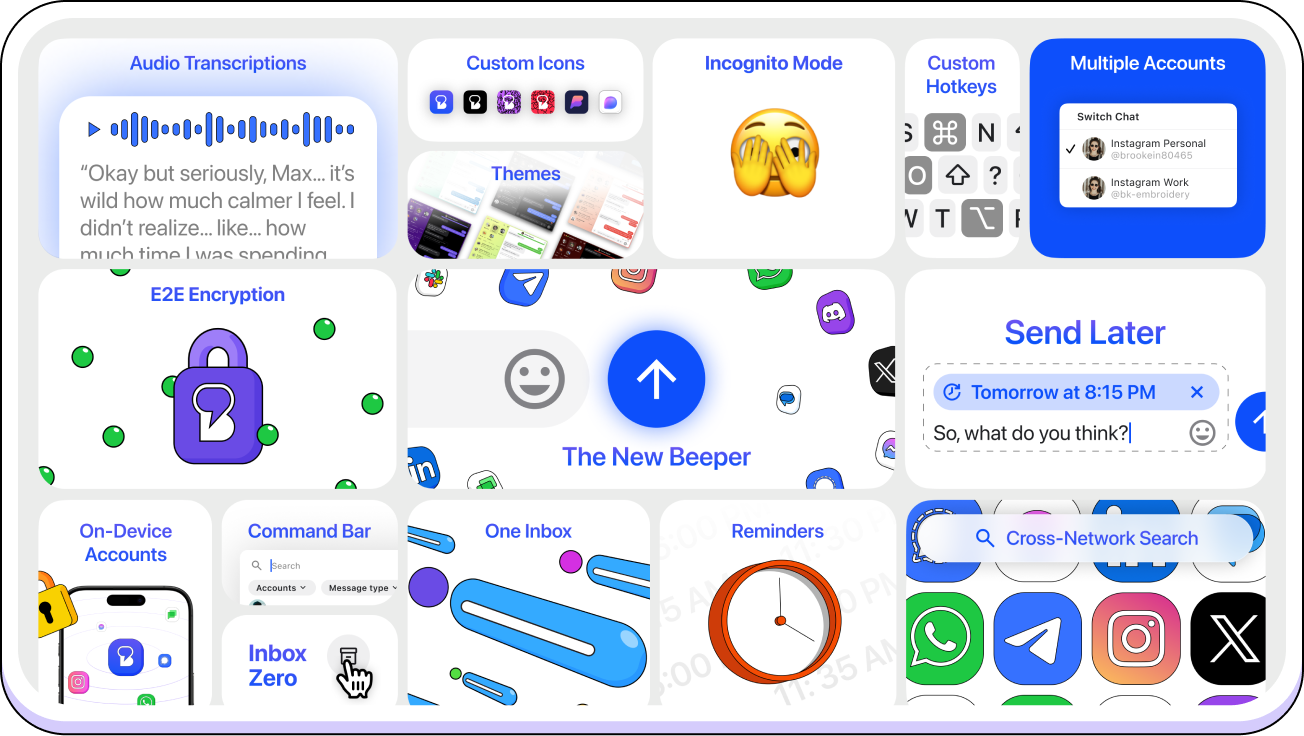
I tested Beeper as a unified messaging app. In my experience, this directly solves one of the biggest problems with staying organized and stress-free: constant context switching.
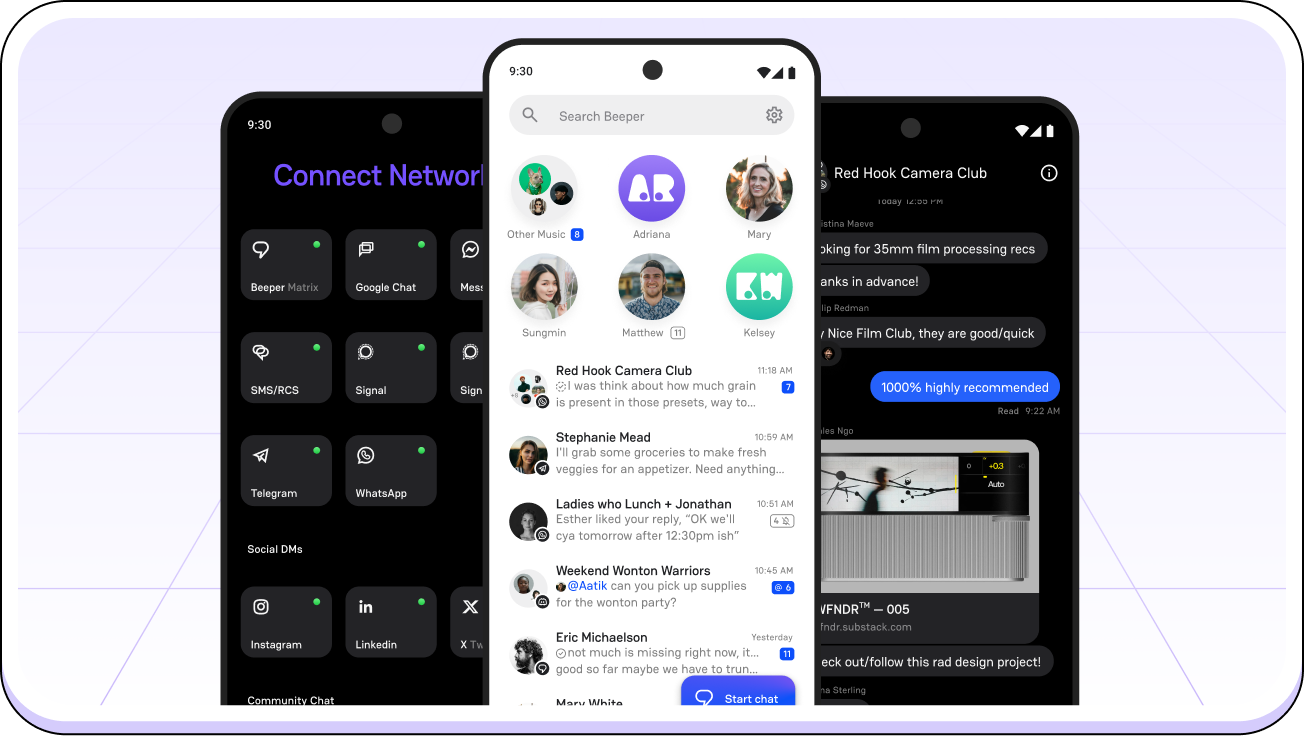
Instead of checking WhatsApp, Messenger, Slack, and others separately, I could manage everything in one inbox. It doesn’t try to replace your messaging apps but to connect them. That alone reduced a lot of small daily friction and mental load.
Key features
- I could connect platforms like WhatsApp, Messenger, Slack, and more into one place. This made it much easier to stay on top of conversations without switching apps.
- Messages sync across desktop and mobile, so I can reply from anywhere without losing context.
- I can search messages from all connected apps in one go, which saves time when trying to find important info.
- Having everything in one app reduced distractions and helped me respond more intentionally instead of constantly reacting.
Pros
- Reduces app switching, which lowers stress and saves time
- Improves response time without feeling overwhelmed
- Simple setup compared to managing multiple apps separately
- "Makes it much easier to keep on top of what is a growing list of people to keep up with." – verified reviews
- "I just want something that works and does what it says. Top features I enjoy is getting iMessage thru to a Windows machine / Android device and scheduling messages to any platform I use on Beeper." – verified reviews
Cons
- Depends on integrations (some platforms may have limitations)
- Can feel overwhelming if you connect too many apps at once
- Not a full productivity tool, only focused on communication
- Occasional sync delays depending on platform
- "Every time when I try to send a message, Beeper doesn't send the message directly. I also have some problems of my messages disappearing from Beeper entirely." – verified reviews
- "It takes an insufferably long time for it to be sent, and sometimes it just gives you an error randomly." – verified reviews
Pricing
- Free plan available (basic usage)
- Paid plan: around $10/month (varies by features and integrations)
Who it’s best for
- Professionals in their 40s & 50s managing both work and personal communication
- People overwhelmed by too many messaging apps
- Remote workers juggling multiple platforms daily
- Anyone wanting a simpler, more centralized communication setup
Beeper reviews (source)
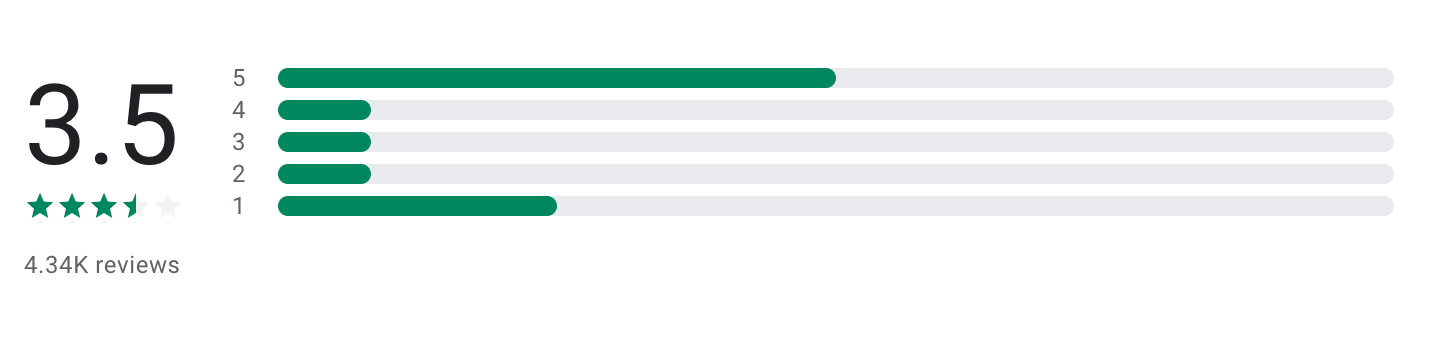
"Beeper has become one of those 'quintessential' apps I have to install on any new device I get. I adore having all of my chats in one place and the app works very seamlessly in replacing the default messaging client for me." - Jonah Rinberg
"Used to be great, but now notifications do not appear, and tons of messages are totally missed. They don't appear in beeper (you can only find them on pc or the official app)." - Sylar z
How to get started
- Go to Beeper
- Create an account and connect your messaging apps
- Start managing all conversations from one unified inbox
Conclusion - Choosing apps to stay organized, healthy, and stress-free in your 40s & 50s (2026)
In your 40s & 50s, staying organized, healthy, and stress-free is more about removing friction from everyday life.
And that's what you should be looking for in an app.
- Some act like a second brain — capturing tasks, ideas, and plans before they overwhelm you (that’s where Saner.AI shines).
- Others support your body and energy in the background (like Sleep Cycle, Calm and MyFitnessPal).
- You might also want tools that keep your mind sharp (Lumosity), simplify communication (Beeper), or reduce daily decision fatigue (Quicken Simplifi).
Here’s a simple way to start:
✨ Build a “minimum effective stack”, just a few apps that cover your life
🧪 Let them run in your real routine (not an ideal one)
🧠 Keep what reduces decisions, drop what adds pressure
👇 If you want one place to anchor everything:
Start with Saner.AI, especially if you’re tired of juggling apps and just want something that helps you stay organized without thinking about it.
Stay on top of your work and life
FAQs: Best Organization Tools for Staying Organized, Healthy & Stress-Free (40s & 50s)
1. What are the best organization tools for people in their 40s and 50s?
The best organization tools combine simplicity with real-life usefulness—not complexity.
Top options in 2026 include:
- Saner.AI - AI-powered task + note organization
- Sleep Cycle - smarter sleep tracking
- Calm - manage sleep, stress, and balance with meditation, soundtrack
- MyFitnessPal - nutrition and health tracking
- Lumosity - cognitive fitness
- Beeper - unified communication
- Quicken Simplifi - money management
The key is choosing tools that reduce mental load, not add more systems to manage.
2. What makes a good organization tool as you get older?
The best organization tools for midlife focus on:
- Clarity over complexity
- Automation over manual tracking
- Fewer apps, more integration
- Health + life balance (not just work)
Tools like Saner.AI stand out because they organize information for you, instead of requiring constant input.
3. How can AI-powered organization tools improve daily life?
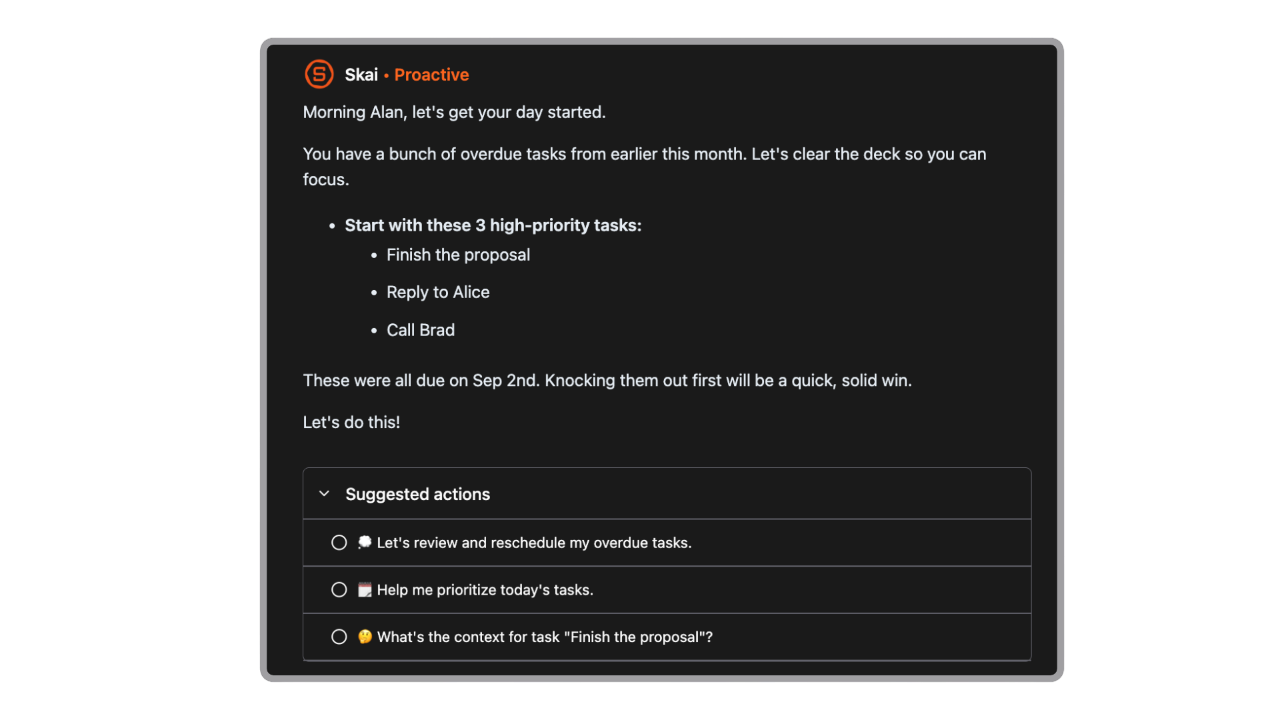
AI-powered organization tools act like a second brain.
For example, Saner.AI can:
- Turn random thoughts into actionable tasks
- Surface what matters today automatically
- Find notes instantly without folders or tags
- Suggest priorities based on your workload
4. What is a Personal GPT and how does it help with organization?
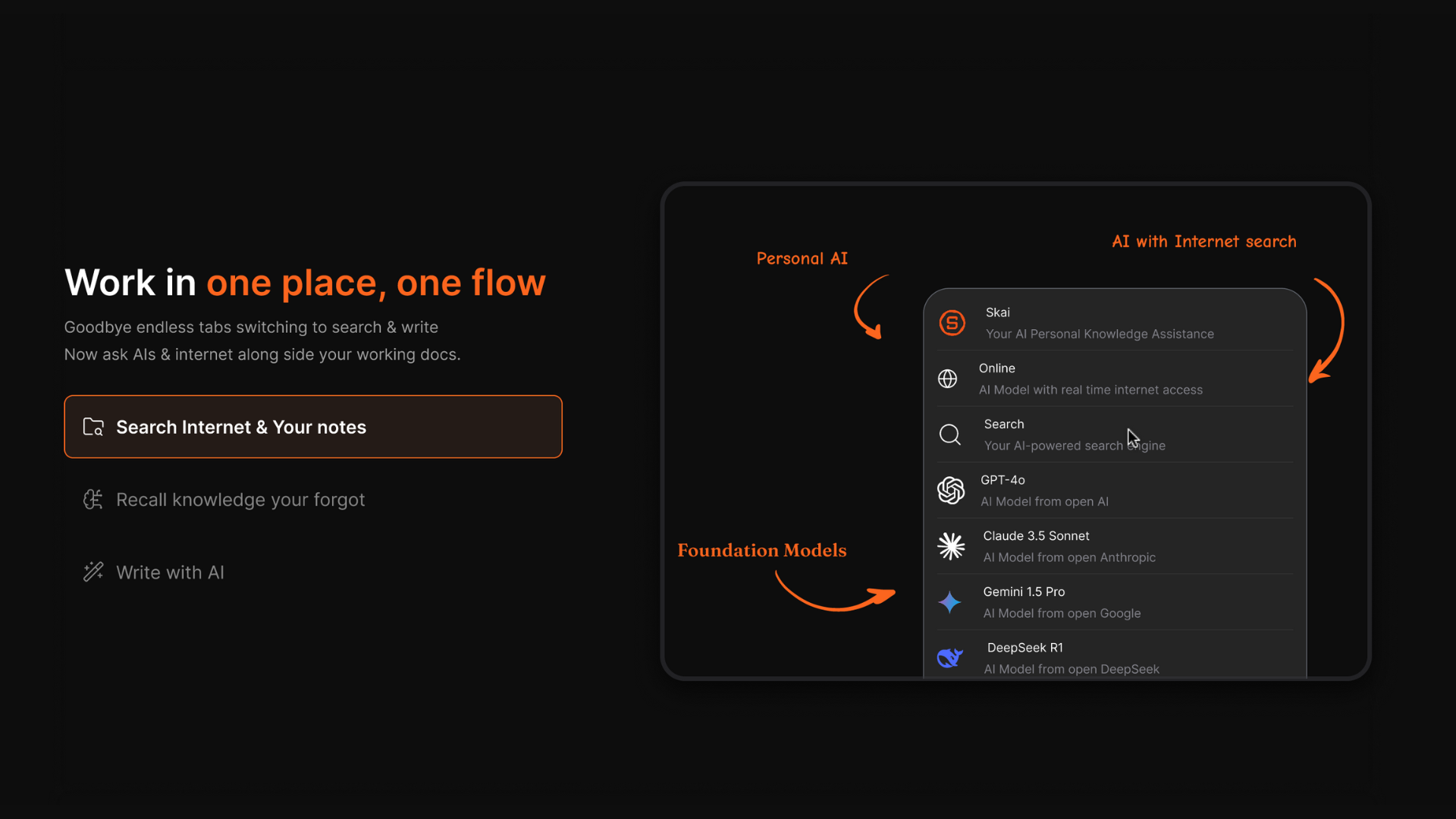
A Personal GPT is an AI assistant that helps manage your tasks, notes, and daily planning through conversation.
Instead of organizing manually, you can simply say:
- “Remind me to call the doctor tomorrow”
- “Summarize today’s meeting”
Tools like Saner.AI act as a personal command center, combining notes, tasks, and calendar into one system.
5. Which organization tool is best for managing both work and life?
If you want one tool instead of five, Saner.AI is one of the most effective options.
It combines:
- Task management
- Notes and knowledge storage
- Calendar awareness
So you don’t have to switch between apps—everything lives in one place.
6. Are there organization tools that help reduce stress?
Yes—and the best ones reduce cognitive overload, not just track tasks.
Examples:
- Sleep Cycle improves sleep quality
- Saner.AI reduces mental clutter
- Quicken Simplifi removes financial uncertainty
Less friction = less stress.
7. What are the best organization tools for health tracking?
For physical and mental well-being:
- MyFitnessPal – diet and calorie tracking
- Sleep Cycle – sleep optimization
- Lumosity – mental sharpness
These tools help maintain energy, which directly impacts productivity.
8. Can organization tools help with mental clarity and focus?
Yes—especially AI-driven ones.
Saner.AI helps by:
- Breaking big tasks into smaller steps
- Highlighting priorities automatically
- Removing the need to “remember everything”
This creates a clearer, calmer workflow.
9. What’s the best organization tool for people who hate complicated systems?
Look for tools that work with natural input, not rigid structures.
Saner.AI is designed for this:
- No folders or tagging required
- Just write naturally
- AI organizes everything in the background
Perfect if you’ve tried tools before and gave up.
10. How do organization tools help with time management?
They make time visible and intentional.
For example:
- Saner.AI suggests what to focus on today
- Instacart saves hours on errands
- Beeper reduces app switching
Time saved = energy gained.
11. Are there organization tools that combine multiple functions in one app?
Yes—and this is a major trend in 2026.
Instead of using separate apps for tasks, notes, and planning, tools like Saner.AI unify everything into a single workspace.
This reduces fragmentation and keeps your system simple.
12. What’s the best organization tool for managing finances?
Quicken Simplifi is a strong option for:
- Tracking spending
- Managing subscriptions
- Planning budgets
Financial clarity plays a huge role in reducing stress during midlife.
13. How do organization tools improve communication?
Instead of juggling multiple apps:
Beeper brings different messaging platforms into one inbox.
This helps you:
- Respond faster
- Avoid missed messages
- Reduce distractions
14. Do organization tools actually improve productivity?
Yes—when they reduce friction.
The most effective organization tools:
- Eliminate unnecessary steps
- Surface what matters automatically
- Help you follow through
For example, Saner.AI doesn’t just store tasks—it actively helps you complete them.
15. How should I choose the right organization tools for my lifestyle?
Start with your biggest pain point:
- Overwhelm → use AI tools like Saner.AI
- Health → use MyFitnessPal or Sleep Cycle, Calm
- Money → use Quicken Simplifi
Then keep it simple:
👉 2–3 tools that fit your life > 10 tools you never use
Stay on top of your work and life