Best Apps for Seniors in 2026 (That Actually Make Life Easier)
The best apps for Seniors are Medisafe, GoodRx, Life360, Saner.AI, Lumosity, Zoom, and Uber

The 7 Best Apps for Seniors
We went through dozens of tools, read hundreds of real user reviews, and tested what actually holds up for older adults managing life, staying connected with family, keeping their minds sharp, and staying safe on the go.
Here's how we evaluated everything: ease of use for non-tech-heavy users, real-world reliability, pricing that doesn't feel like a trap, and whether the app solves problems that actually matter to people over 60.
Key insights:
- Most of the best apps for seniors are free or have solid free versions — you don't need to spend a lot
- Safety and medication management apps tend to have the highest stakes, so we weighted reliability heavily for those
- The best overall productivity tool for seniors with memory concerns may not be a "senior app" at all — it's an AI assistant built for people who need help keeping track of things
Quick guide
- Medisafe — Best for managing multiple medications with caregiver alerts
- GoodRx — Best for cutting prescription drug costs
- Life360 — Best for family location sharing and safety check-ins
- Lumosity — Best brain training app for daily cognitive workouts
- Saner.AI — Best for seniors who want an assistant to help them remember, organize, and stay on top of everything
- Zoom — Best for video calls with family
- Uber — Best for getting around without a car
How We Chose These Apps
Senior-focused app roundups usually bury the lede. They list twenty apps, give you a paragraph each, and leave you no clearer on what to actually download. We tried a different approach.
We prioritized apps that solve specific, high-stakes problems - missed medications, getting stranded, losing touch with family, mental decline, money drains on prescriptions. Then we looked at real user reviews from people actually using these apps day-to-day, not sponsored testimonials.
Our criteria:
- Ease of setup — Can a person with minimal tech experience get started in under ten minutes?
- Reliability — Does it work consistently, or does it glitch when it matters most?
- Price — Is the free version genuinely useful, or is it just bait?
- Real reviews — We read reviews from App Store, Google Play, Trustpilot, and Capterra, not just the five-star highlights
- Specific senior value — Does it solve something that matters more as you age?
Now, let's dive in!
What are the best apps for seniors?
The best apps for Seniors are Medisafe, GoodRx, Life360, Saner.AI, Lumosity, Zoom, Uber
Comparison Table - best apps for Seniors
| App | Best For | Free Version | Paid Plan | Platform |
|---|---|---|---|---|
| Medisafe | Medication management | Up to 2 meds free | Premium available | iOS & Android |
| GoodRx | Prescription savings | Yes (always) | Gold: $9.99/mo | iOS & Android |
| Life360 | Family safety & location | Yes (basic) | From $7.99/mo | iOS & Android |
| Lumosity | Brain training | Limited games | ~$12/mo or $60/yr | iOS & Android |
| Saner.AI | Memory & organization | Yes | From $8/mo | iOS, Android, Web |
| Zoom | Video calls | Yes (40-min limit) | From $13.33/mo | iOS, Android, Web |
| Uber | Transportation | N/A (pay per ride) | N/A | iOS & Android |
1. Medisafe
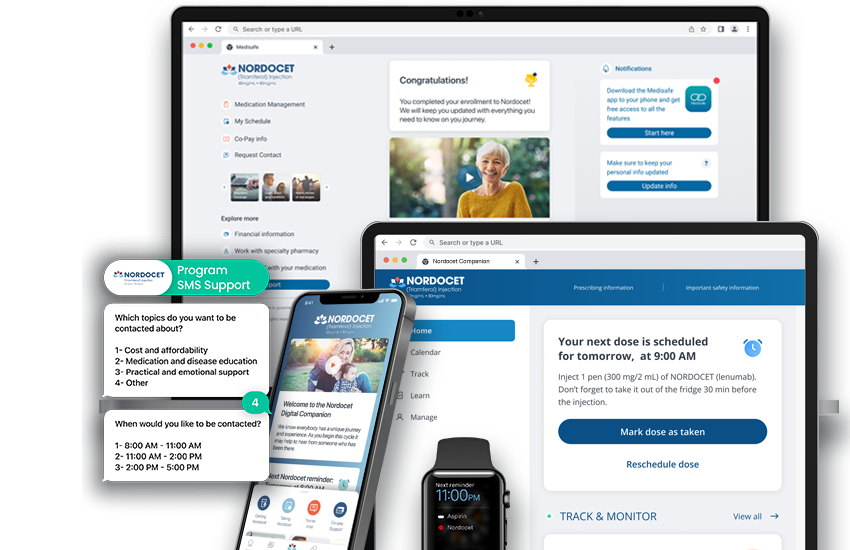
If you take more than two medications a day, a pill box isn't enough. Medisafe is the most trusted medication management app available right now, with over 7 million users worldwide relying on it to stay on schedule.
Key Features
- Medfriend Network — Family members get notified if you miss a dose. This isn't just a reminder app; it's a safety net for people who live alone or have conditions that require strict adherence. One user's story from the Medisafe reviews page puts it plainly: after her mother had a stroke and started forgetting medications, the app alerted her from Amsterdam that her mom had missed several doses — and that alert led to emergency services finding her stuck in the bathroom after a second stroke. "I highly recommend the Medisafe app, and will be forever grateful that it ultimately saved Mom's life." — reviews
- Multi-medication tracking — The app handles complex schedules with ease, including medications taken every other day, patches changed on rotating cycles, and doses at five different time intervals. "I currently have 26 daily medications to keep track of with constant changes in dosages. With Medisafe, I don't have to think about meds at all during the day." — reviews
- Drug interaction alerts — It flags potential interactions between your medications, something even some doctors miss. One reviewer discovered through the app that their diabetic medications were working against their epileptic medication — something their doctors hadn't caught. — reviews
- Health metrics tracking — You can log blood pressure, glucose levels, mood, and pain — all in one place — and share that data directly with your doctor.
Pros
- Free to use for up to 2 medications; a reasonable barrier for people just getting started
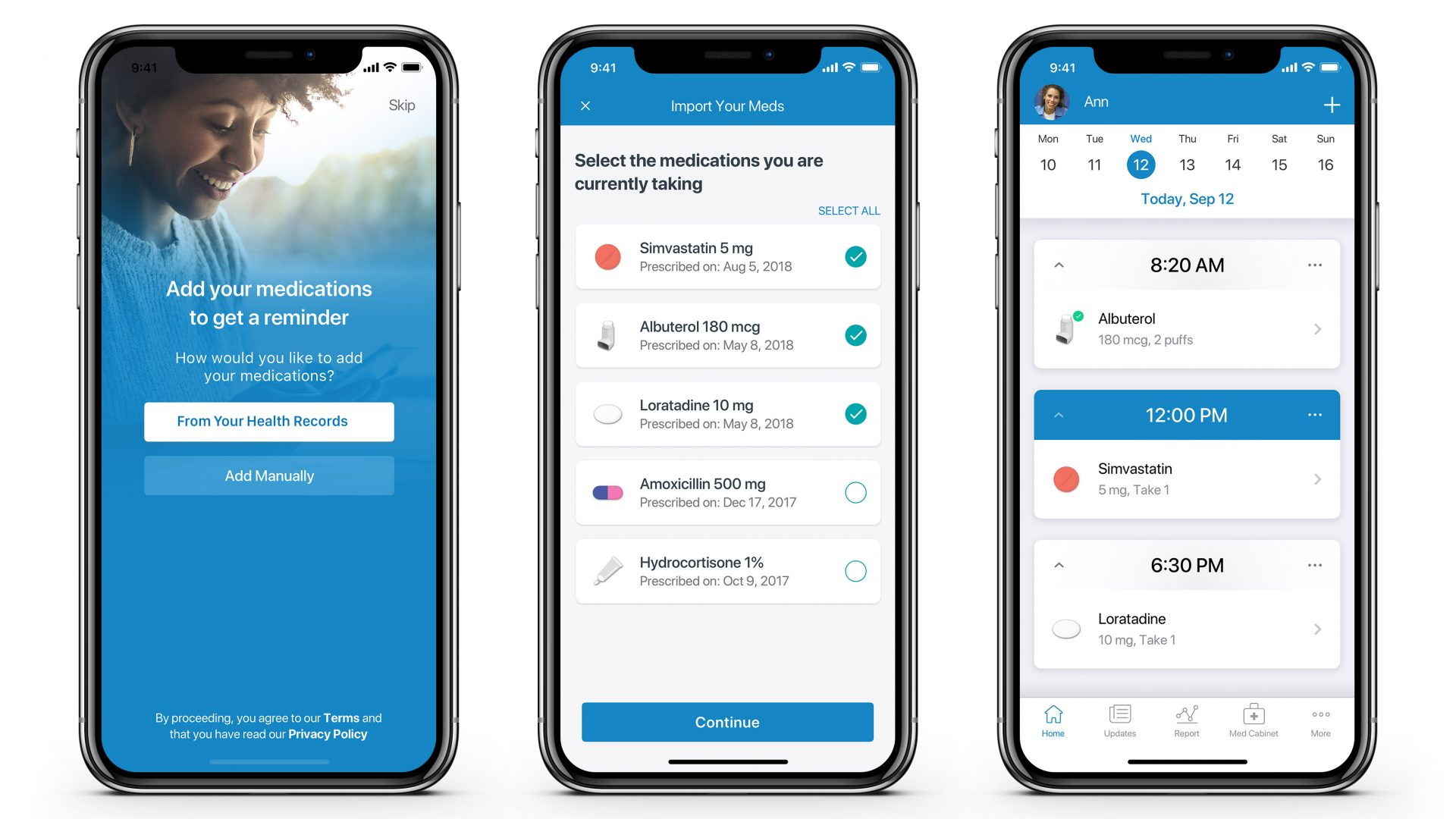
- The interface uses pill icons and color-coding that make it easy for people who aren't tech-savvy
- Smartwatch integration so you can confirm doses from your wrist
- HIPAA-compliant with 256-bit encryption, so your health data stays private
Cons
- The free version now limits reminders to 2 medications, which frustrated longtime users when the policy changed.
- "I had been using this app across different platforms, and they are now charging for notifications above 2 meds." — reviews
- Outside the U.S., some features are locked behind the premium tier — a real issue for international users
- Medfriend notifications can be delayed by up to 4 hours in some cases, which is a serious gap for people relying on it for safety
Pricing
- Free: Up to 2 medications
- Premium: Available via in-app subscription (pricing varies by region)
Reviews
- The overall user sentiment is strongly positive, especially from people managing chronic illnesses. A clinical study published in JMIR Human Factors found 100% of participants would recommend the app to family and friends. One particularly moving review: "Like having a pharmacist at home. I am quite sure that if I didn't have it, I would never remember to take all the medications I'm currently on." — reviews
Who Is It Best For?
- Seniors managing multiple medications, especially those with chronic conditions or those who live alone. Also good for adult children setting up medication management for an aging parent.
How to Start Using It
- Download Medisafe from the App Store or Google Play. Create a free account, then add your medications one by one. You can scan barcodes or search by name. Add a family member as a Medfriend so they receive alerts if you miss a dose.
2. GoodRx - App for Cutting Prescription Costs
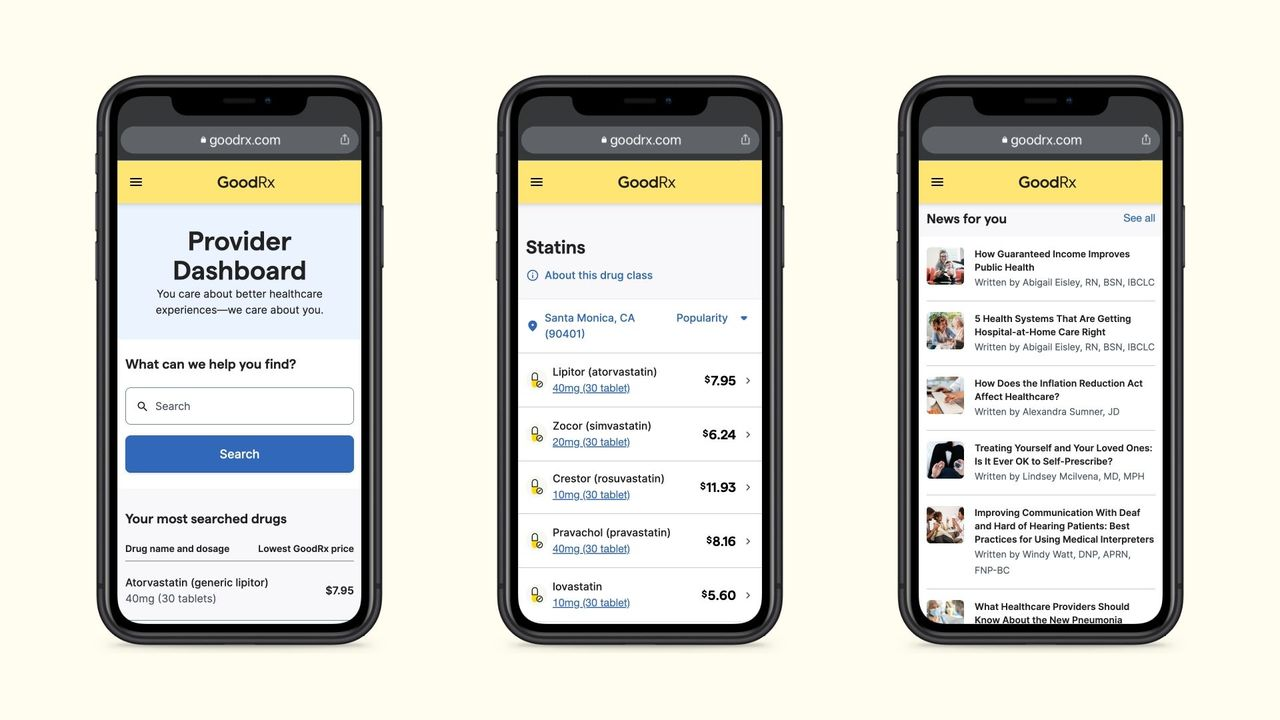
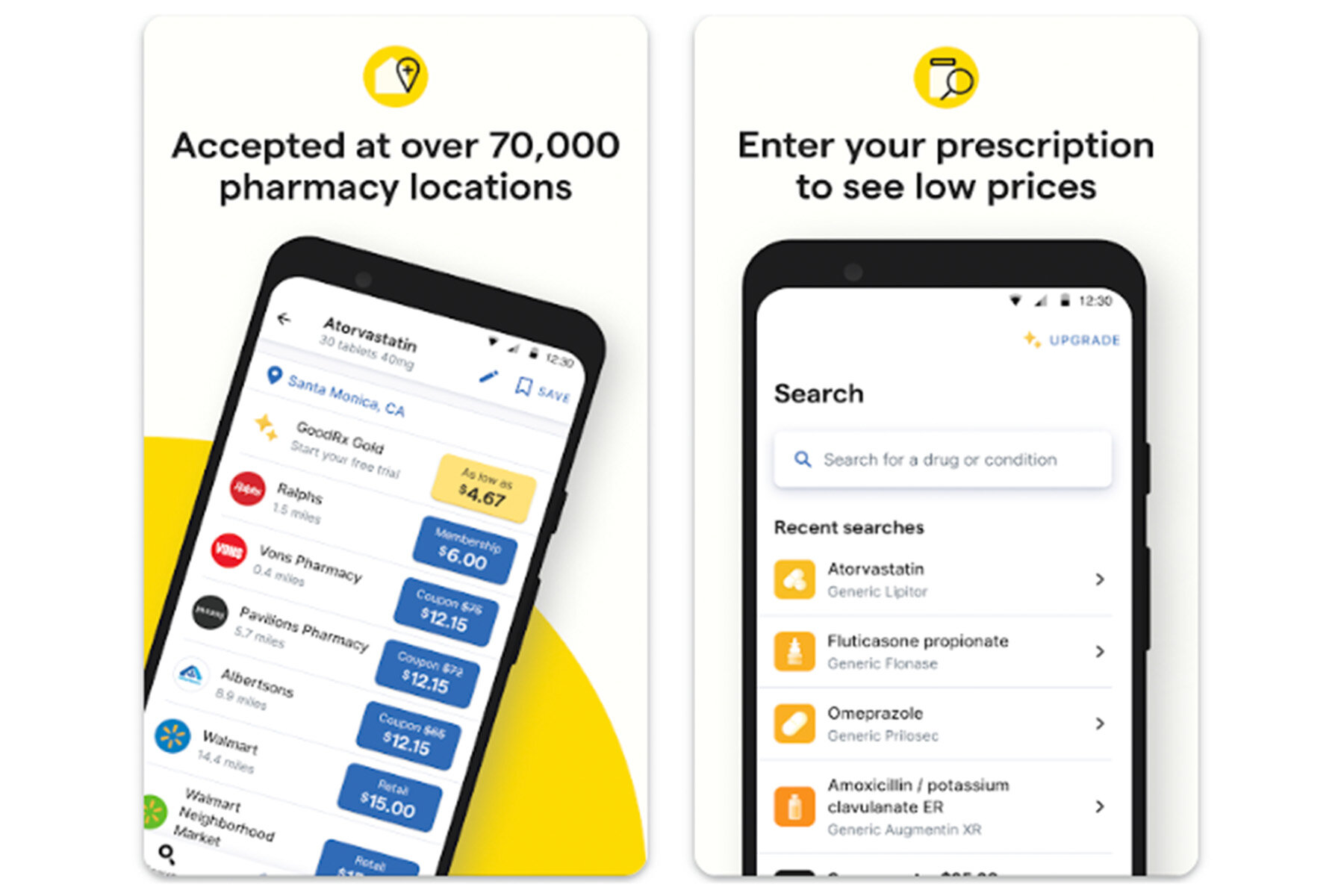
Prescription drugs are one of the biggest financial drains for seniors, especially those on fixed incomes. GoodRx doesn't replace insurance - it often beats it. The app compares prices across more than 70,000 pharmacies nationwide and gives you a coupon to show the pharmacist at checkout.
Key Features
- Real-time price comparison — GoodRx shows you exactly how much each nearby pharmacy charges for your prescription, right now. Not an estimate — the actual price with the coupon applied. Savings of up to 80% are common, especially on generics. "GoodRx has saved me hundreds of dollars since I first started using the service." — reviews
- No sign-up required - You don't need to create an account or enter a credit card to start finding savings. Just open the app, type in your medication, and show the screen to your pharmacist.
- Refill reminders and pill identification - The app remembers medications you've searched and reminds you when refills are due.
- Smart spell-check for medication names - If you type "Omoprixole" instead of "Omeprazole," it figures out what you meant. Small thing, but it matters when medication names are long and complicated.
Pros
- The free card can save up to 80% on prescriptions with no membership needed
- Accepted at over 70,000 pharmacies, more than most competitors
- Works even if you have insurance - sometimes the GoodRx price is lower than your copay
- 4.8 stars on both the App Store and Google Play
- Coupons don't expire
Cons
- Can't be combined with insurance — you choose one or the other at the counter
- GoodRx Gold ($9.99/month for individuals) is worth it if you take multiple expensive medications, but otherwise the math doesn't always work out
- Some pharmacies occasionally push back on accepting the coupons, though this is usually a training issue
Pricing
- Free: Prescription discount card, no signup required
- GoodRx Gold: $9.99/month (individual) or $19.99/month (up to 5 family members, including pets)
Reviews
The reviews speak for themselves. One App Store user wrote:
"I've ignored the ads for GoodRx for years. Then I needed a drug that wasn't covered by my insurance, and my doctor showed me I could get it for significantly less. Very happy I found this app." — reviews
A senior on Trustpilot put it simply:
"Each time I have used GoodRx when I have had my prescriptions filled, I have always received my discount promised by GoodRx and have never had any problems from a pharmacy. Being a senior citizen..." — reviews
Who Is It Best For?
- Any senior paying for prescriptions, with or without insurance. It's especially valuable if you're on a fixed income or take medications not well-covered by Medicare.
How to Start Using It
- Download GoodRx from the App Store or Google Play. Type in your medication name, pick the nearest pharmacy, and show the coupon to your pharmacist. You can also print the coupon from GoodRx.com if you don't have a smartphone.
3. Life360 - Family Safety App
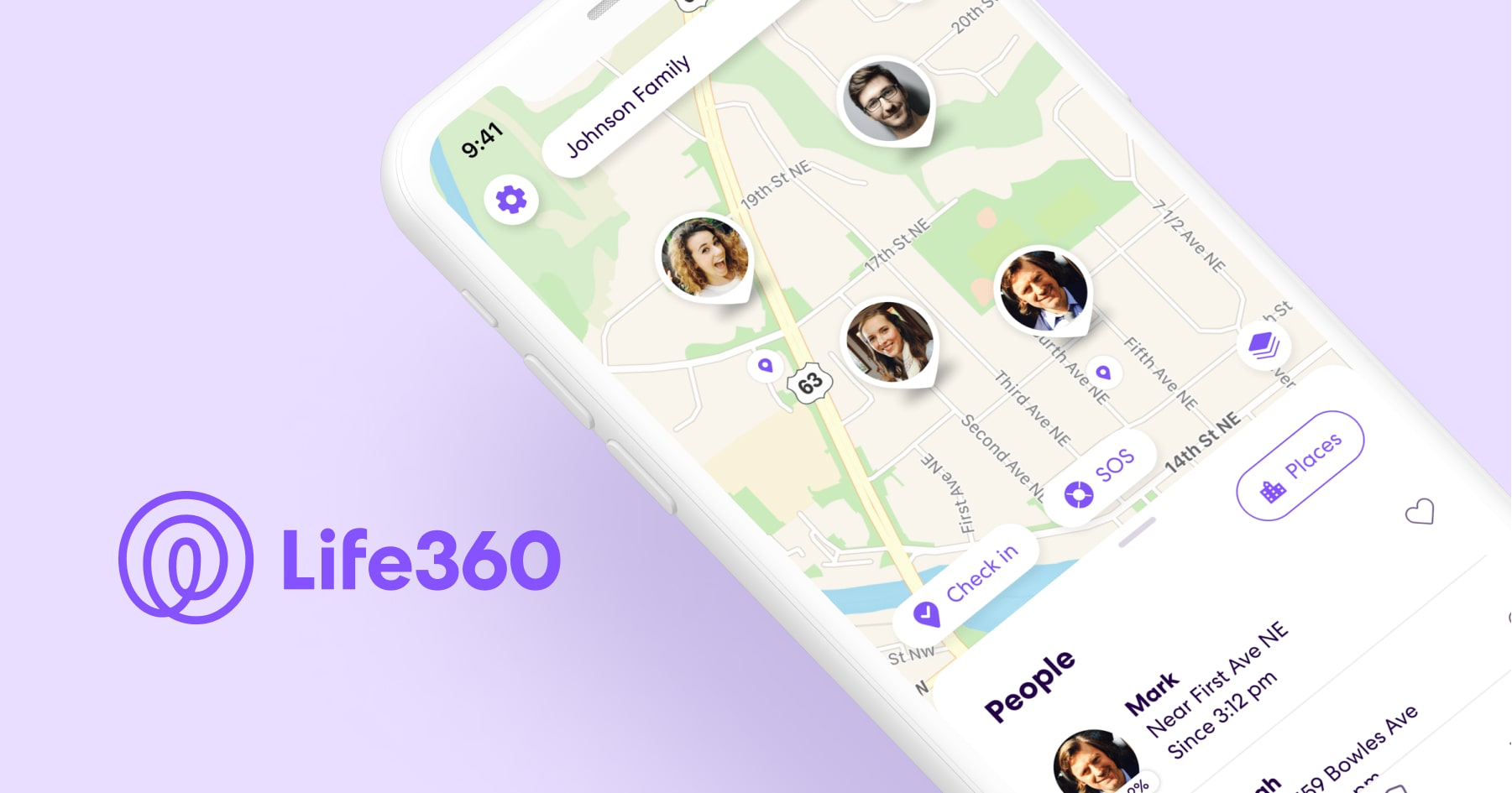
When you live alone or have health concerns, knowing that family can check in - without you having to text first - is reassuring. Life360 lets you share your location with a circle of trusted people and receive alerts when you arrive somewhere or need help.
Key Features
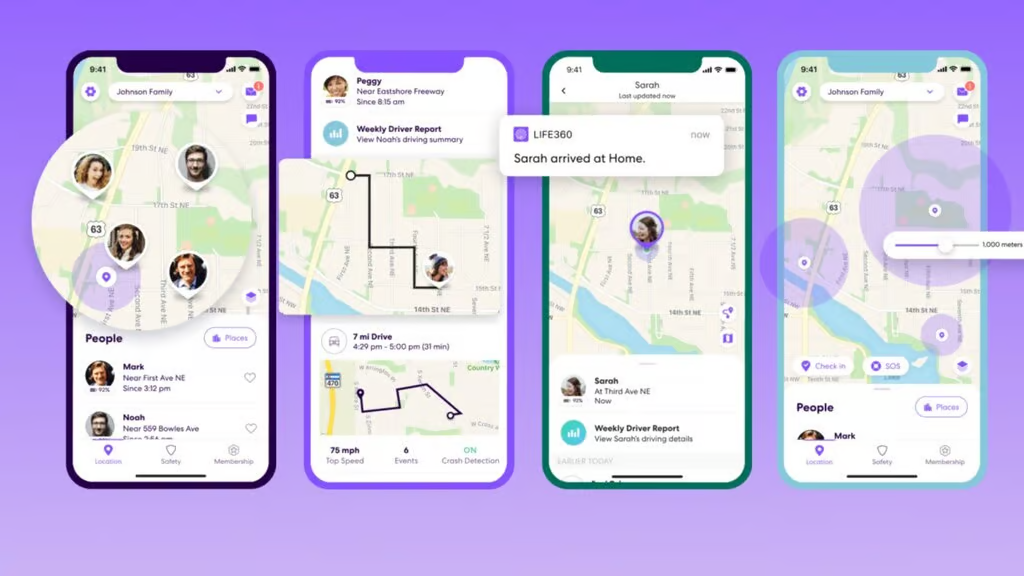
- Real-time location sharing — Family members can see exactly where you are on a map, without you having to call or text. Helpful for seniors who live alone and have adult children who worry. "Life360 keeps the family together, safe, secure, and our whereabouts can be found if in an emergency." — reviews
- SOS alerts — One tap sends your exact location to your emergency contacts. You don't need to dial 911 or explain where you are.
- Crash detection — The app detects when a car accident may have occurred and alerts your circle automatically. One user shared that they received a crash alert for a family member before anyone knew what had happened. — reviews
- Place alerts — You can set up alerts so your family gets a notification when you arrive home from an appointment, or when you've left the house during a time that seems unusual.
Pros
- The free version covers the basics - location sharing, SOS, and place alerts
- Setup is genuinely easy, even for people not comfortable with technology
- Available on both iOS and Android
- Crash detection adds a layer of safety that a standard phone plan doesn't provide
Cons
- Location accuracy has frustrated some users — the app occasionally shows you as somewhere you're not. "This app frequently doesn't register movement in time." — reviews
- Customer service is difficult to reach, with many users reporting AI-only support that couldn't resolve their issue
- The premium tiers ($14.99/month for Platinum) are expensive, and some advertised features like roadside assistance have had reliability issues in practice
Pricing
- Free: Basic location sharing and SOS
- Silver: Basic safety features
- Gold: ~$7.99/month — includes crash detection with live agent support, 30-day location history, roadside assistance
- Platinum: ~$14.99/month — adds travel support, medical assistance, and up to $1 million in stolen fund reimbursement
Reviews
"Love being able to have peace of mind knowing where everyone is without having to text." — reviews
One user whose father had a stroke and uses a motorized wheelchair said the app gives her peace of mind when he leaves the house. Even when he sometimes turns off location sharing, the option being there matters. — reviews
Who Is It Best For?
- Seniors who live alone, those recovering from a health event, and adult children who want to stay connected without calling their parents every hour.
How to Start Using It
- Download Life360 from the App Store or Google Play. Create an account, then invite family members to join your circle. Each person needs to install the app and accept the invite. Set up your home location and any other important places for automatic alerts.
4. Lumosity - Brain Training App

Keeping your mind active matters. Lumosity has been around since 2007 and has over 100 million users. The games are built around five cognitive skills: memory, attention, processing speed, problem-solving, and flexibility.
It's worth being upfront: Lumosity settled a $2 million FTC case in 2016 over claims that it could prevent Alzheimer's and dementia - claims that weren't supported by the evidence at the time. The science on brain training is still mixed. That said, many users find the games genuinely enjoyable, and research does show improvements in specific cognitive tasks with regular use.
Key Features
- 40+ adaptive games — The difficulty adjusts based on how you're doing. You're not stuck playing the same level forever, and you're not thrown into something impossibly hard on day one. "The daily workouts are welcome, more fun than push ups, and they make my day go even better." — reviews
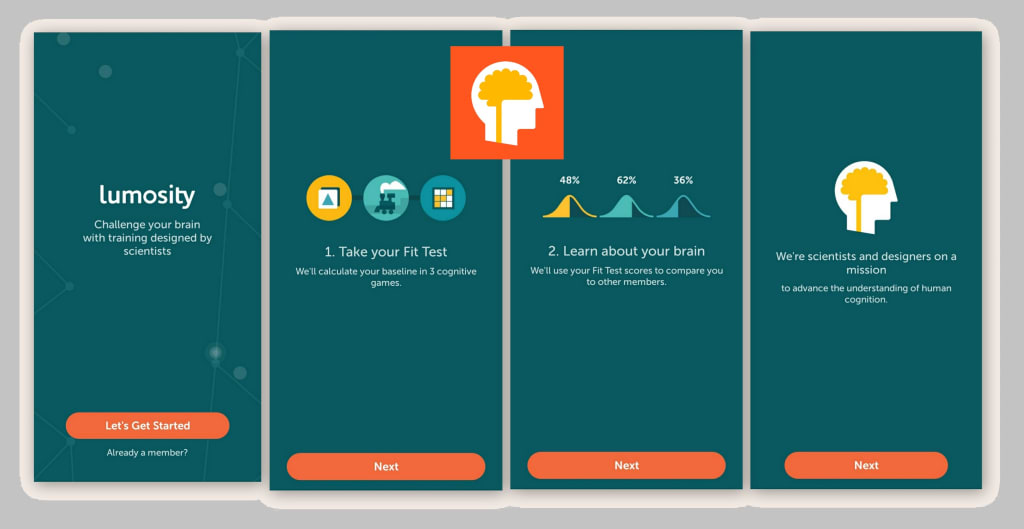
- Personalized training programs — After a quick fit test, Lumosity builds a daily workout based on your goals and baseline performance. If you want to focus on memory, that's what your program emphasizes.
- Progress tracking — You can see how you've improved over time across each cognitive skill area.
- Research collaboration — Lumosity works with 40+ university researchers, and a peer-reviewed study found that users improved more than a crossword puzzle control group on working memory, processing speed, and problem-solving over 10 weeks.
Pros
- Fun enough to actually stick with - many users have paid memberships for years
- Free version gives you a few games to try before committing
- Clean, uncluttered interface
- Progress comparisons with others in your age group
Cons
- The FTC settlement is worth knowing about — don't treat this as medical prevention
- Some games have display issues after updates that haven't been fully resolved
- "I have read articles that say Lumosity only trains your brain for the specific games they offer and that very little of the benefit is applicable to your normal life." — reviews
- The premium subscription is required for full access
Pricing
- Free: Limited game access
- Premium: ~$12/month or $60/year
Reviews
- "I have been a Lumosity paid member for several years. Like many of the other reviewers, I noticed a positive change in my brain power after using it for a little while." — reviews
- "Great app for exercising the cognitive part of your brain responsible for things like memory, social interactions and learning. I try and play the free games every day." — reviews
Who Is It Best For?
- Seniors who want daily mental exercise built around games rather than reading or puzzles. Good for people who want structure - a daily workout they can complete in 15 minutes. Not a medical tool, but a consistent mental workout.
How to Start Using It
- Download Lumosity from the App Store or Google Play. Take the free Fit Test to establish your baseline. Select the cognitive areas you want to work on and start your daily training program.
5. Saner.AI - AI Personal Assistant
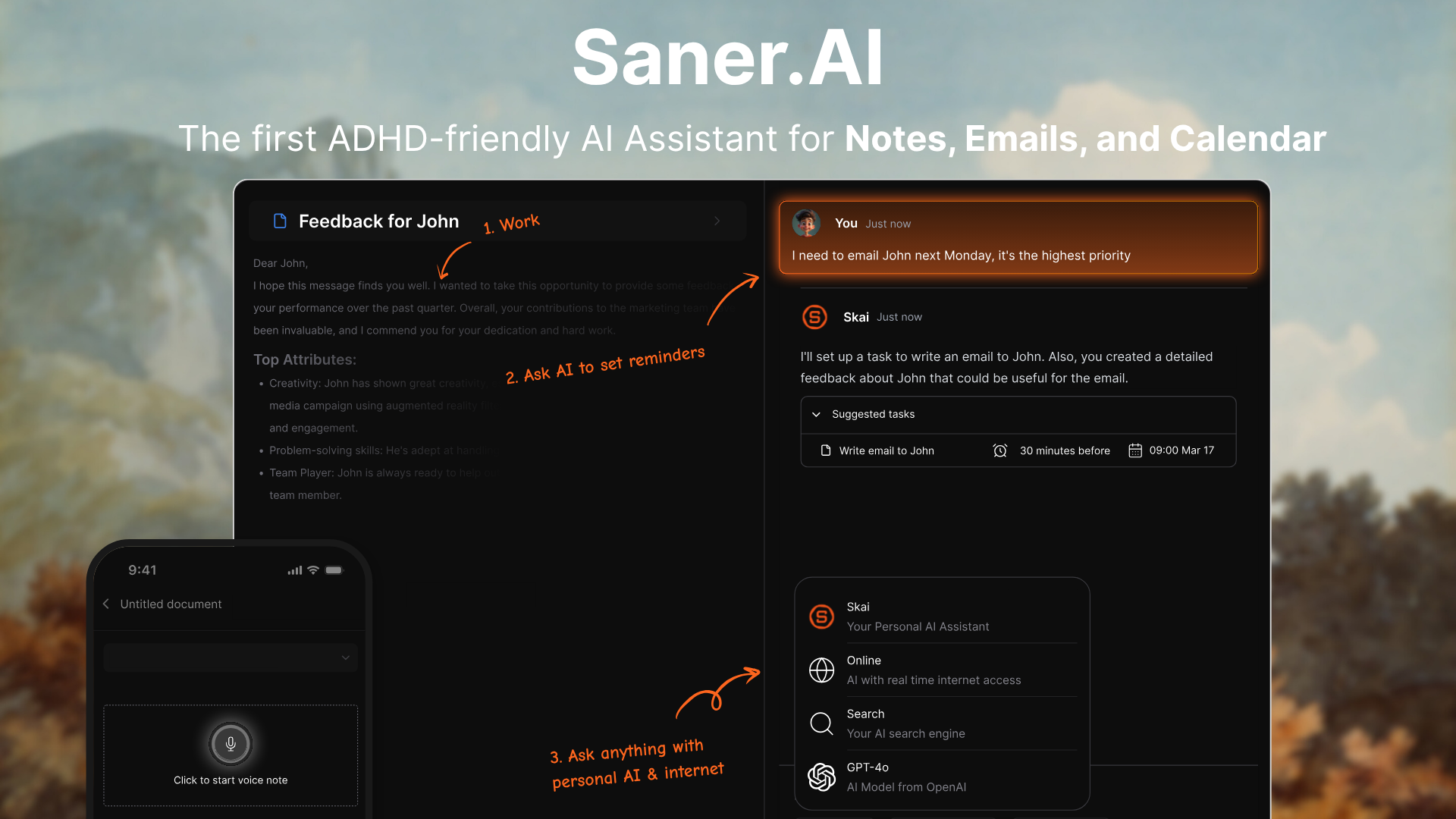
This one might surprise you. Saner.AI wasn't built specifically for seniors - it was built for people with ADHD who struggle with forgetfulness, information overload, and keeping track of everything across multiple apps. But that description fits a lot of older adults too.
As we get older, managing information gets harder. Appointments pile up. Notes get lost. You remember you need to call the doctor but forget why. Saner.AI works as an AI assistant that sits across your notes, emails, and calendar - and actually helps you find and recall things when you need them.
Key Features
- AI note organization — You write something down, and the AI (called Skai) automatically tags and organizes it. You don't have to think about where to file things. "Since I started using Saner.AI, I've noticed a significant improvement in how I organize and access my notes and ideas." — reviews
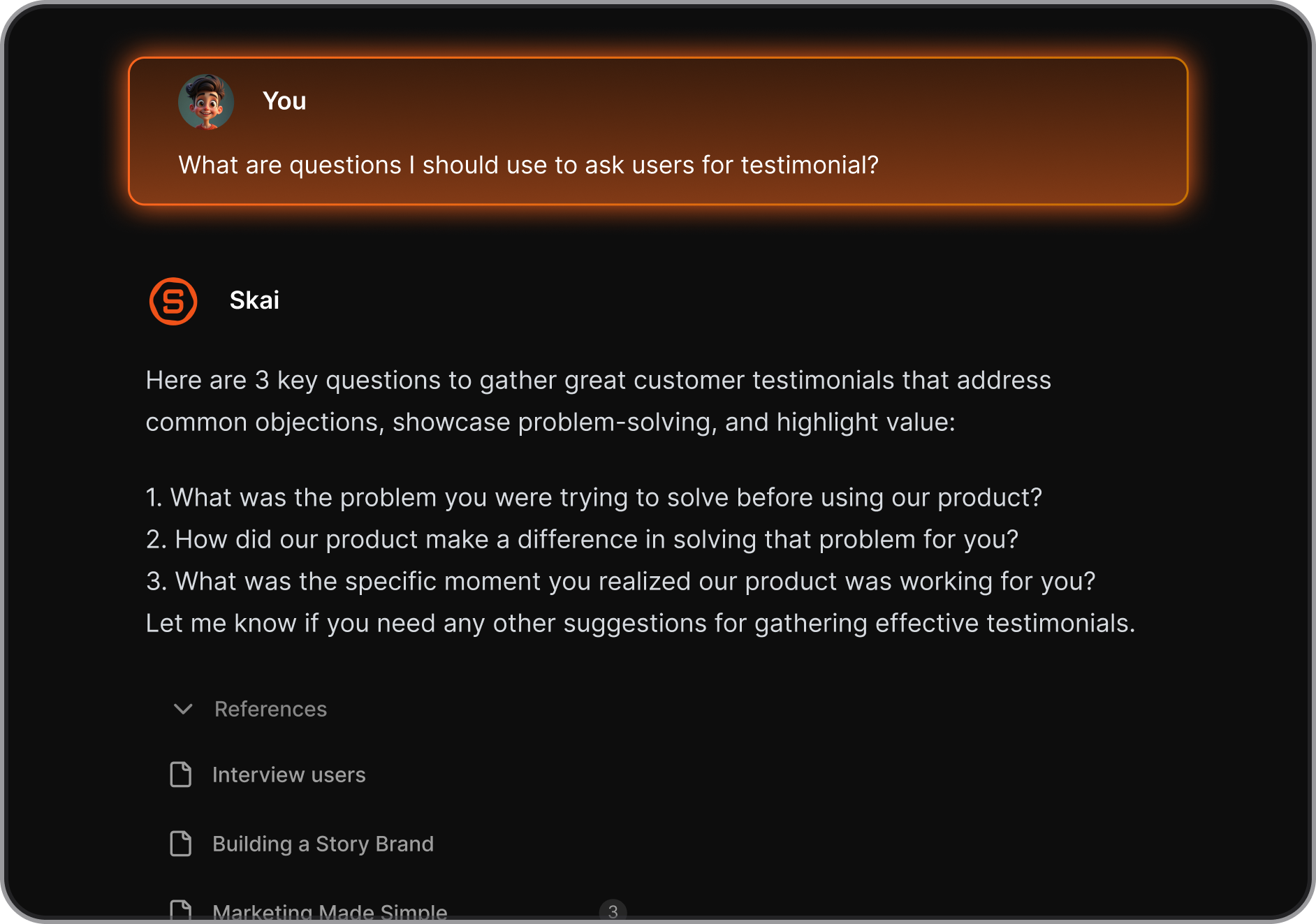
- Semantic search - Instead of remembering the exact words you used, you can ask "what did I write about my blood pressure last month?" and the app finds it. This is different from a regular search bar — it understands what you're looking for.
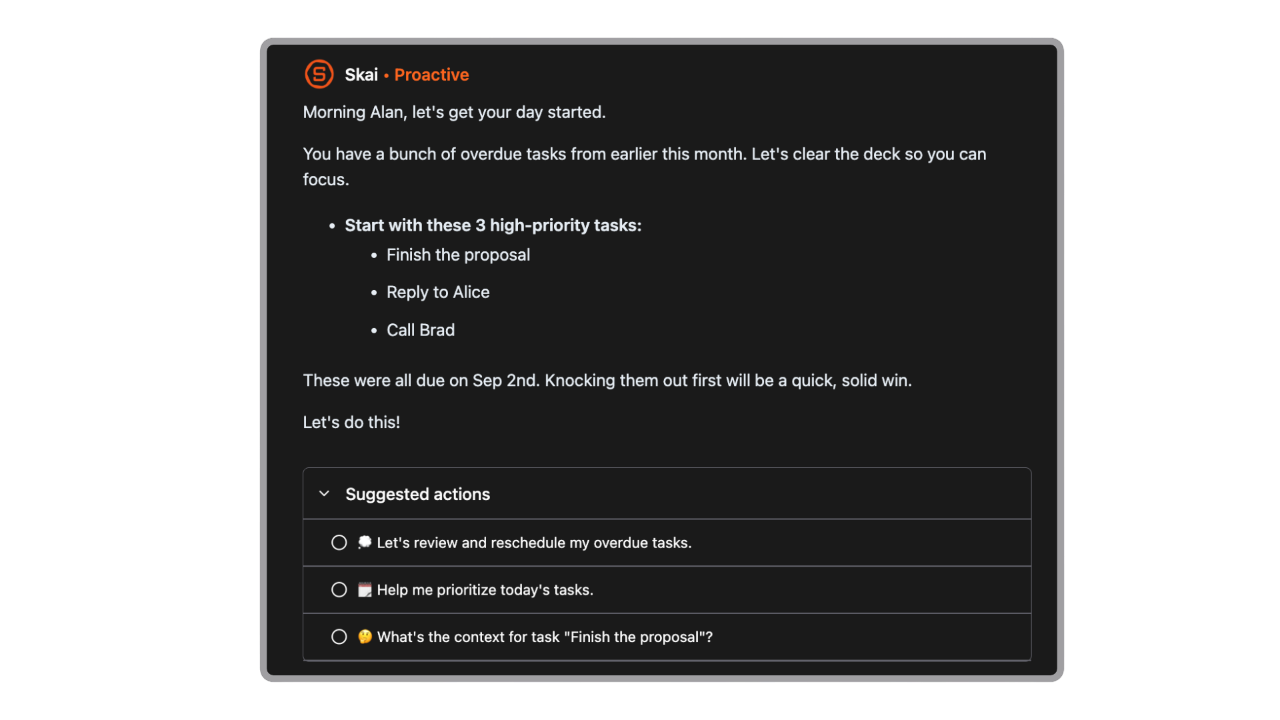
- Automatic reminder - Every day, the AI tells you what your tasks are, what you should focus on
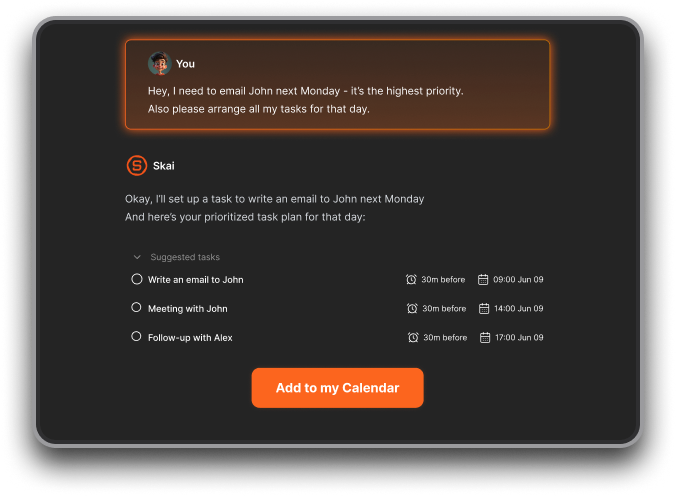
- Calendar and email integration — Saner.AI connects to Gmail and Google Calendar, so your appointments, tasks, and notes live in one place instead of scattered across five apps. "It's like having a personal AI assistant that knows me well." — reviews
Pros
- Reduces the number of apps you need to juggle - everything goes through one place
- Voice input works well for people who find typing difficult
- The AI saves the effort of manually organizing information - you talk, the app sorts it
- Free plan available to start
- Works on iOS, Android, and web browser
Cons
- It's still a relatively new app compared to established options like Medisafe or GoodRx — some rough edges remain
Pricing
- Free: Available
- Starter: $8/month (billed annually) or $12/month
- Standard: $16/month (billed annually) or $20/month
Reviews
- "I used to use Notion, Google Docs, and Obsidian. But now it is Saner.AI. The app helps me do all of the things I hate to do when writing and storing information." — reviews
- "Just tried out Saner.ai, and I'm really impressed. It tackles issues like context switching, overwhelm, and forgetfulness with ease." — reviews

Who Is It Best For?
- Seniors who feel overwhelmed by too many apps, too many notes, and too much to keep track of. Particularly useful for managing health information, doctor's notes, appointment reminders, and personal journals - all searchable and organized by AI. Also good for older adults with early memory concerns who want a tool to help them stay on top of daily life.
How to Start Using It
- Go to saner.ai and sign up for the free plan. Connect your Gmail and Google Calendar if you want full integration.
- Start by adding a few thoughts - upcoming appointments, questions for your doctor, things you don't want to forget - then the AI will turn them into reminders for you
- Ask Skai (the AI assistant) to find or summarize them whenever you need.
6. Zoom - Video Calling App for Seniors
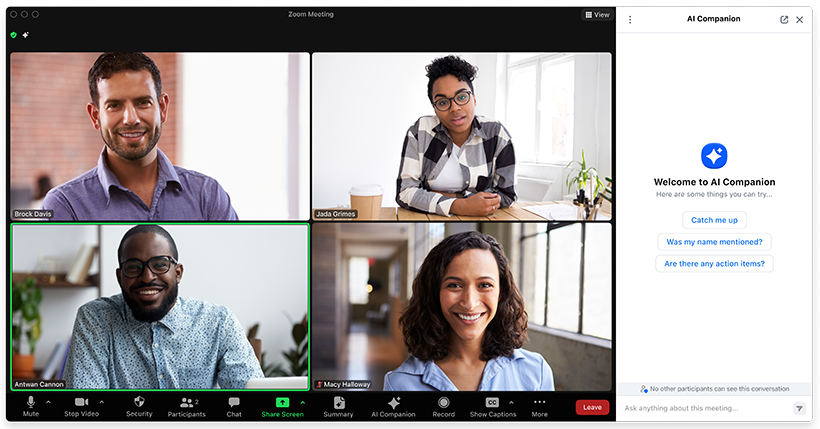
Distance from family is one of the hardest realities of aging. Zoom makes video calls simple enough that most seniors can get set up with minimal help. The free version supports one-on-one calls with no time limit and group calls up to 40 minutes.
Key Features
- Large video interface — Zoom's interface is relatively uncluttered. Faces are large and easy to see.
- Works across all devices — Whether family members are on iPhone, Android, or a computer, Zoom connects them
- Group calls — Multiple family members can join at once, making it work for family gatherings from anywhere
- Virtual backgrounds — Not essential, but seniors often appreciate them for privacy or just fun
Pros
- The free version handles most everyday video calling needs
- Widely used, so family members are likely already on it
- Works on tablets, which have larger screens that are easier for seniors to use
Cons
- The 40-minute limit on free group calls can be disruptive at family dinner time
- Occasional audio and video quality issues depending on internet speed
- Not the simplest app for a first-time user — some initial help setting up is often needed
Pricing
- Free: Unlimited one-on-one calls, 40-minute group calls
- Pro: $13.33/month — unlimited meeting duration
Who Is It Best For?
- Seniors who want to see family faces, not just hear their voices. Especially good for those with hearing difficulties, where visual cues from the conversation help a lot.
How to Start Using It
- Download Zoom from the App Store or Google Play. Create a free account with your email. Ask a family member to send you a meeting link - click it and you're in. You don't even need to know how to start a meeting yourself; someone else can initiate and you just join.
7. Uber - Transportation App for Seniors
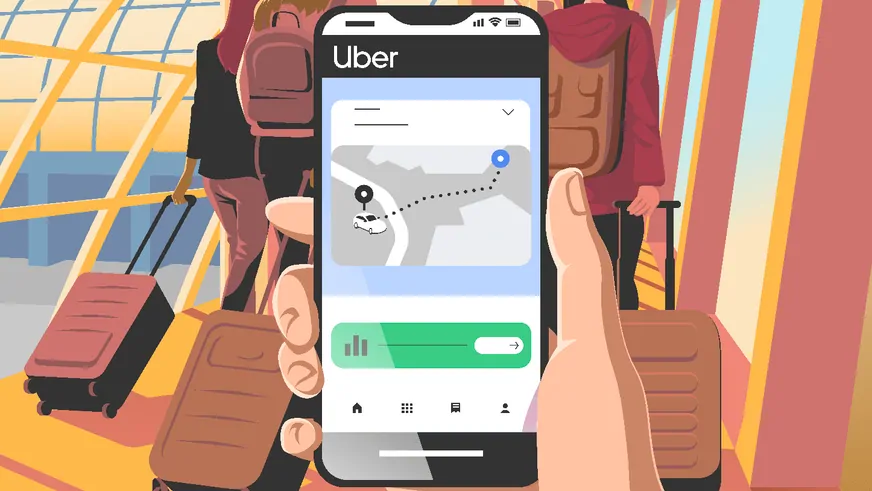
Not everyone can or should drive forever. Uber makes it possible to get to appointments, grocery stores, and social events without depending on family or navigating confusing public transit.
Key Features
- On-demand rides — Request a car, see who's coming and when, and track them on a map as they approach
- Scheduled rides — You can book a ride up to 30 days in advance, perfect for medical appointments
- Share trip details — Family members can follow your ride in real-time for safety
- Uber Assist — A service option specifically for passengers who need extra help getting in and out of the vehicle
Pros
- No cash needed — payment is automatic through the app
- You can see the driver's photo, car model, and license plate before they arrive
- Available in hundreds of cities, including suburban areas
Cons
- Surge pricing during busy times can make rides expensive
- The app requires a smartphone with data connection
- Some seniors find the interface confusing on first use
Pricing
- Pay per ride — no subscription required
- Prices vary by distance, time of day, and demand
Who Is It Best For?
- Seniors who no longer drive, those recovering from a procedure, or anyone who needs reliable transportation to medical appointments without depending on family.
How to Start Using It
- Download the Uber app from the App Store or Google Play. Enter your home address and a payment method. Enter your destination, confirm your ride, and wait. The app shows exactly when your driver arrives.
Conclusion
The best apps for seniors aren't necessarily the ones marketed to seniors.
- Medisafe and GoodRx solve immediate, high-stakes problems — medication safety and prescription costs — and do it well.
- Life360 gives families a way to stay connected without turning into helicopter parents.
- Lumosity offers something to do every morning that actually engages the brain.
- Zoom and Uber handle the practicalities of staying social and mobile.
But the one worth a closer look is Saner.AI. The problems it solves - remembering things, finding information you know you stored somewhere, keeping everything in one place - are exactly the problems that quietly get harder with age. It's not branded as a senior app, but it has an AI that does the mental organizing work you'd otherwise have to do yourself.
For a generation that spent decades keeping everything in order without help, an AI assistant that handles the filing while you focus on living isn't a luxury. It might just be the most practical tool on this list.

Stay on top of your work and life
FAQ on the best apps for seniors
1. What is the easiest app for seniors to use? GoodRx is probably the easiest to get value from immediately - you open it, type a medication name, and it shows you cheaper options. No account needed. Zoom comes close for video calling, especially if a family member helps with the initial setup.
2. Are there free apps for seniors? Yes. GoodRx's core prescription discount service is completely free. Life360 has a solid free tier for basic location sharing. Lumosity lets you try several games before paying. Saner.AI also offers a free plan to get started.
3. What app helps seniors remember to take their medications? Medisafe is the best option for this. It handles complex multi-medication schedules, sends reminders, and alerts family members if a dose is missed.
4. Is there an app that saves money on prescriptions? GoodRx. It compares prices at over 70,000 pharmacies and often beats insurance copays, especially for generics. No sign-up needed to start saving.
5. What's the best safety app for seniors who live alone? Life360 for location sharing and SOS alerts. For fall detection specifically, apps like FallSafety Pro offer automatic fall alerts to emergency contacts.
6. Are brain training apps actually useful for seniors? The evidence is mixed. They likely improve performance on the specific tasks the app trains, and some studies show spillover benefits. But they're not a substitute for staying physically active and socially connected. If you enjoy the games, keep playing — but don't rely on them as medical prevention.
7. Can seniors use Uber without help? Most can, though initial setup usually goes better with a family member helping. Once the app is configured, ordering a ride takes under two minutes.
8. What's the best video call app for seniors? Zoom is the most widely used and works across all devices. FaceTime is simpler for iPhone-to-iPhone calls. If your family is already on a particular platform, match what they use.
9. Is there an app to help seniors organize their thoughts and notes? Saner.AI does this well. You can speak or type notes, and the AI organizes and tags them automatically. The semantic search means you can find anything by asking a question in plain language rather than remembering exact keywords.
10. How can seniors get the most out of their smartphones? Start with three apps that solve problems you actually have - don't try to install everything at once. Medication reminders, one video call app, and GoodRx for prescriptions get most people 80% of the value. Add more as you get comfortable.
Stay on top of your work and life