
We Tested 15 Bear Alternatives. Here are the best 7 Apps
The best Bear Alternatives are Saner.AI, Apple Notes, Craft, AmpleNote, Reflect, Notion, and Obsidian


The 7 Best Bear Alternatives
If you love Bear but feel like you’re starting to outgrow it - you’re not alone. Many users begin searching for Bear alternatives once they hit the app’s natural limits: Apple-only ecosystem, limited AI features, minimal organization for big knowledge bases, no graph view, and almost zero collaboration.
Bear is still one of the most beautifully designed Markdown apps ever made - but in 2026, most knowledge workers need more than fast, aesthetic note-taking.
This guide breaks down the best Bear alternatives, ranked by real features, real limitations, and real workflows - not hype. Whether you’re a writer, student, researcher, founder, or someone building a second brain, you’ll find the tool that fits how you think.
1. What Is Bear?
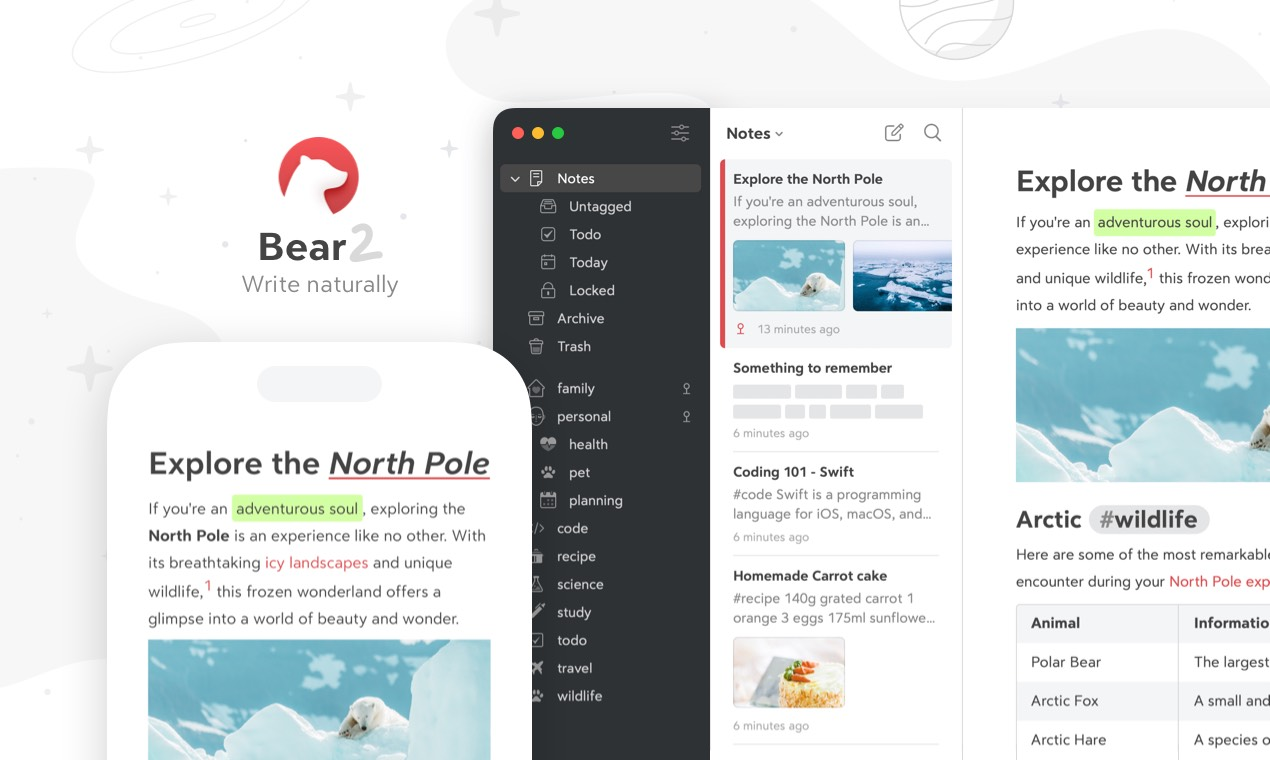
Bear is a minimal designed Markdown note-taking app made exclusively for Apple users (iOS, iPadOS, macOS). It’s beloved for its fast editor, elegant typography, and simple hashtag-based organization.
2. Why People Look for Bear Alternatives
Here are the most common reasons users start searching:
- No cross-platform support (Apple-only forever)
- Limited AI (no deep knowledge search or synthesis)
- Not ideal for large knowledge bases
- No graph view
- No built-in daily planner or tasks
- Weak for research & long-form projects
- Minimal collaboration or sharing
- Basic organization (tags only)
- Limited integrations
🔄 What users want instead
| Bear Limitation | What Users Look For |
|---|---|
| Apple-only | True cross-platform sync |
| Limited AI | AI-native workflows, knowledge search, summarization |
| Simple tags | Databases, backlinks, advanced structure |
| No graph view | Visual knowledge mapping |
| No collaboration | Real-time editing & sharing |
| Minimal task support | Built-in planning, calendars, task management |
| Basic note search | Semantic + AI-powered search |
3. How I Tested These Bear Alternatives
To create a trustworthy list, I tested each Bear competitor using the same criteria and real workflows:
- Used each app
- Imported a set of my own notes, journals, research files, and meeting summaries
- Tested speed, editor experience, search accuracy, and mobile fluidity
- Checked cross-platform support, sync reliability, and export quality
- Compared pricing, long-term sustainability, and learning curve
- Evaluated how “Bear-like” each app feels
Now, let's dive in!
What are the best Bear Alternatives?
The best Bear Alternatives are Saner.AI, Apple Notes, Craft, AmpleNote, Reflect, Notion, Obsidian
Comparison Table: Best Bear Alternatives
| App / Tool | 📱 Platform / Sync | 🧠 AI / Smart Organization | 🗂️ Organization Style | ✨ Best Use Cases / Strengths | ⚠️ Limitations / Weaknesses |
|---|---|---|---|---|---|
| Saner.AI | Web, iOS, Android, Cloud sync | Strong AI: semantic search, automatic tagging, idea linking, summarization | AI-driven structure, auto-organization, tags | Great for messy notes, ADHD thinkers, researchers, founders, fast capture + deep knowledge search | Cloud-dependent; still evolving |
| Apple Notes | iOS / macOS / iPadOS + iCloud | Very limited AI | Folders, smart folders, loose structure | Best for simple daily notes, Apple ecosystem users, zero learning curve | Apple-only, not ideal for large knowledge bases, limited advanced features |
| Craft | macOS, iOS, Web | Light AI features | Cards, pages, hierarchical structure | Beautiful documents, structured writing, professional docs, team-friendly | Not ideal for huge PKM systems; heavier UX vs Bear |
| AmpleNote | Web, iOS, Android | Basic AI (main focus is tasks + notes) | Notes connected to tasks, calendar integration, linkable items | Best for people who mix tasks + notes, productivity workflows | UI less polished, less powerful for deep research or linking |
| Reflect | Web, Mobile | Light smart features (simple AI helpers) | Backlinks, daily notes, personal knowledge graph | Great for journaling, thought-linking, minimal PKM | Limited features, not built for heavy researchers or teams |
| Notion | Web, Mac, Windows, iOS, Android | Strong Notion AI (summaries, rewrites, Q&A) | Databases, nested pages, templates, structured blocks | Best for teams, wikis, projects, structured documents, students | Heavy, slower on large databases, overkill for quick notes |
| Obsidian | Windows, macOS, Linux, iOS, Android (local-first) | AI only via plugins | Vaults, folders, backlinks, graph view | Excellent for researchers, second-brain builders, long-term PKM | Requires setup, more complex, no built-in AI |
1. Saner.AI
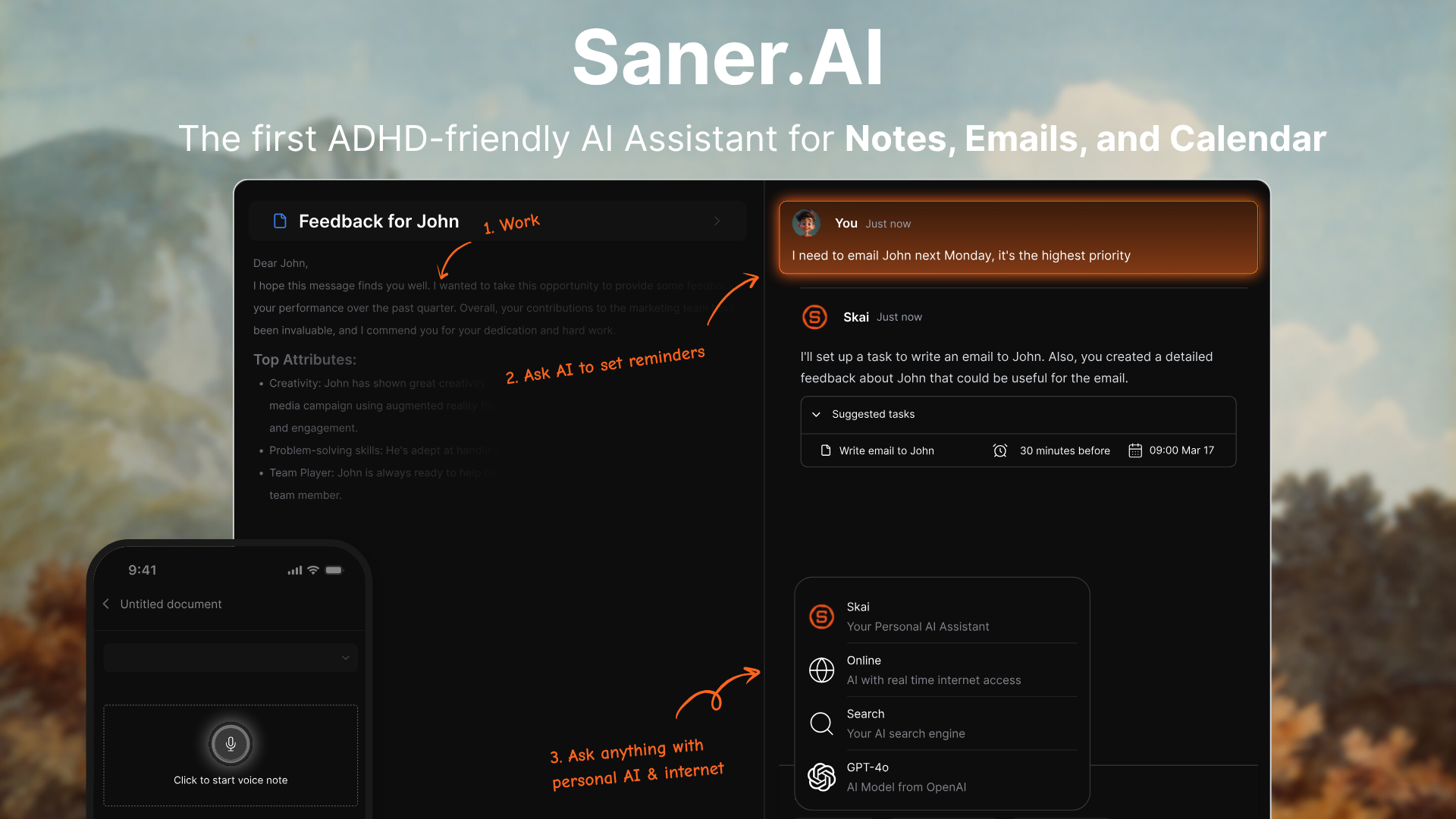
Saner.AI is an AI productivity and knowledge-management tool that unifies notes, tasks, emails, calendar, and documents into one workspace. It uses an AI assistant to automatically organize your information, connect ideas, and surface what you need without manual tagging or folders.
Key features
- Semantic search that lets you query your entire workspace in natural language
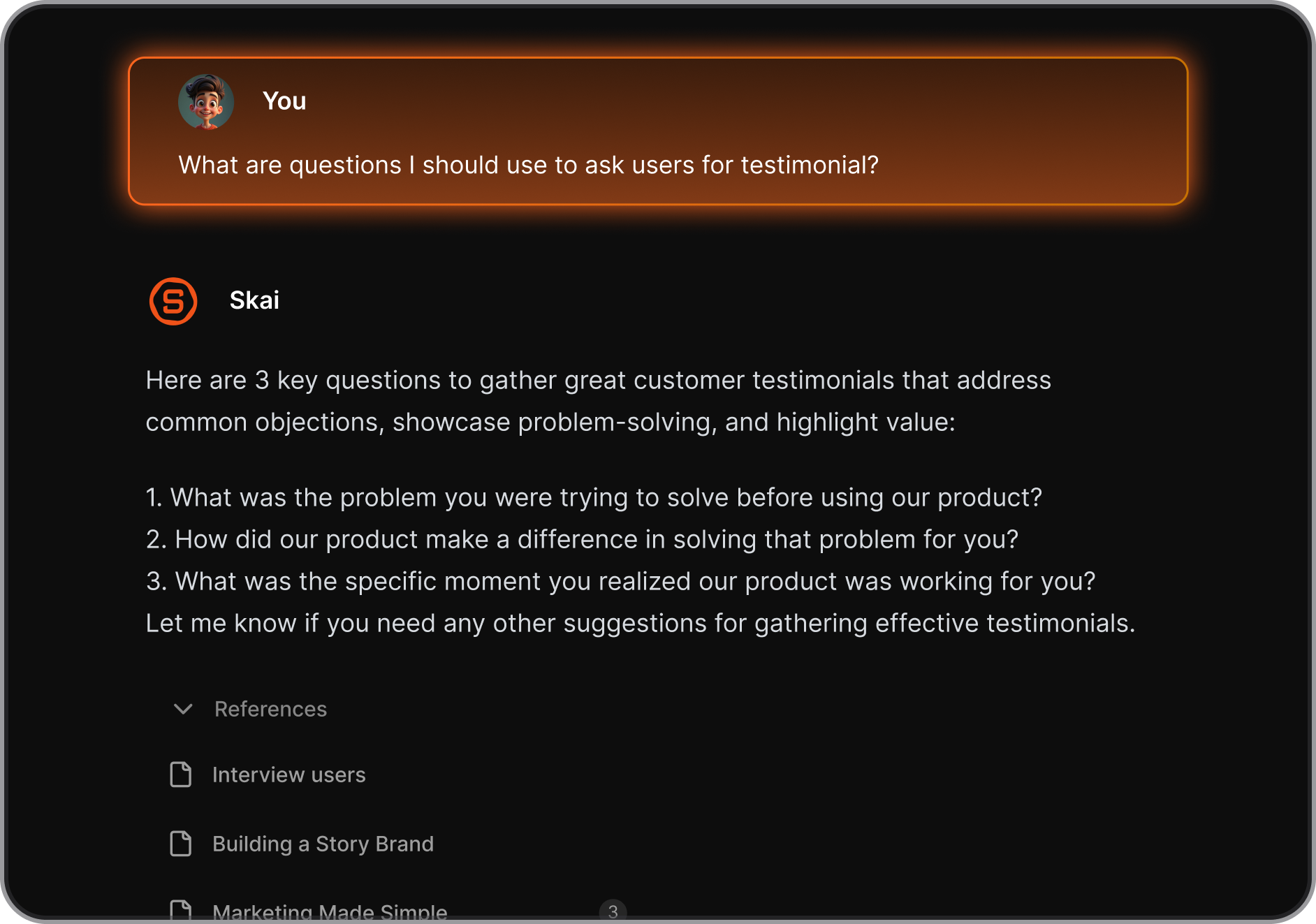
- AI assistant that analyzes, tags, and organizes notes automatically
- Talk-to-Task: Just braindump in your own words, and it’ll create structured to-dos with reminders
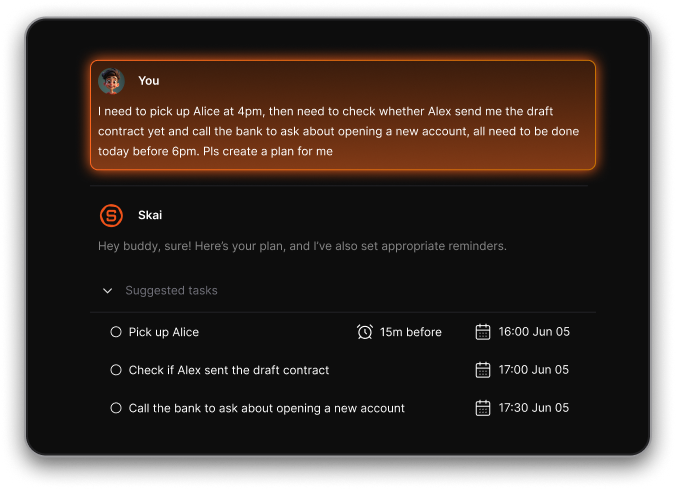
- Unified workspace for notes, tasks, calendar, email, and files
- Support for web, mobile apps, and a Chrome extension
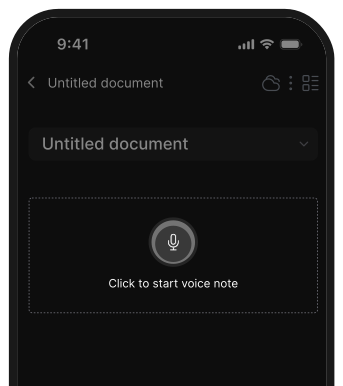
- Sync across web, iOS, Android, and Chrome
What I liked
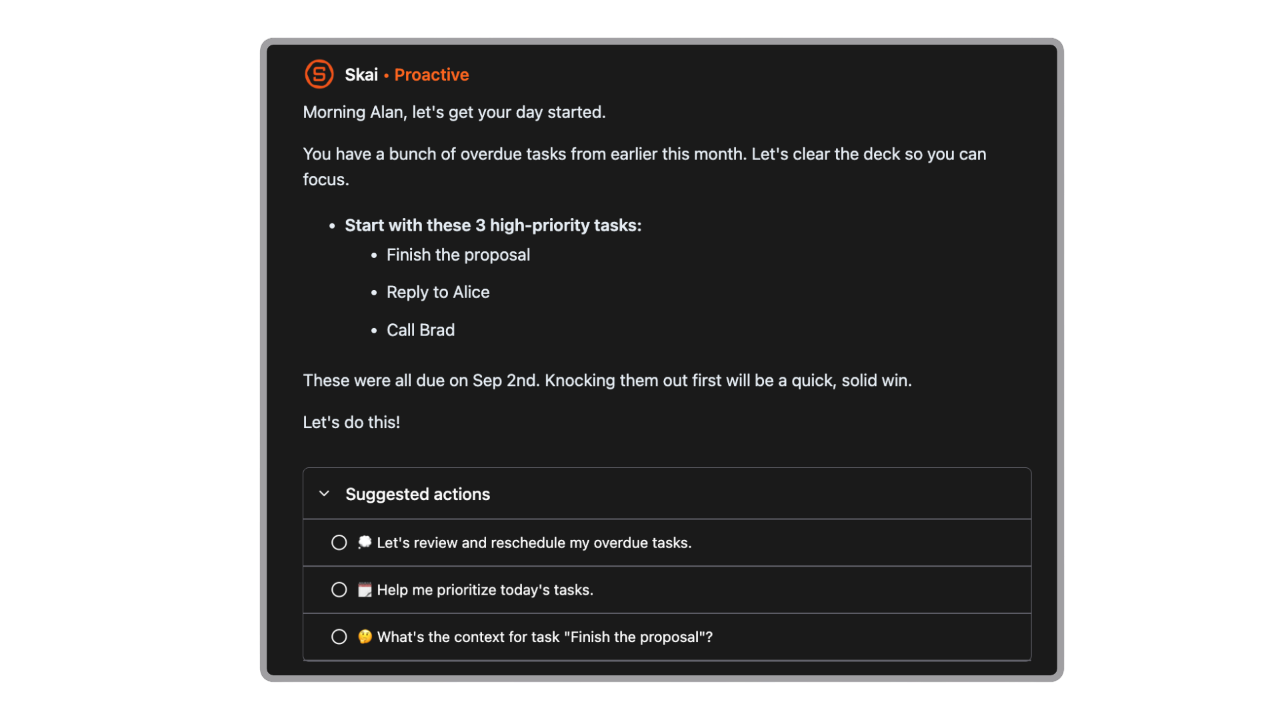
- It feels like a real second brain: information is organized for you, not by you
- Semantic search makes finding old notes or ideas simple and intuitive
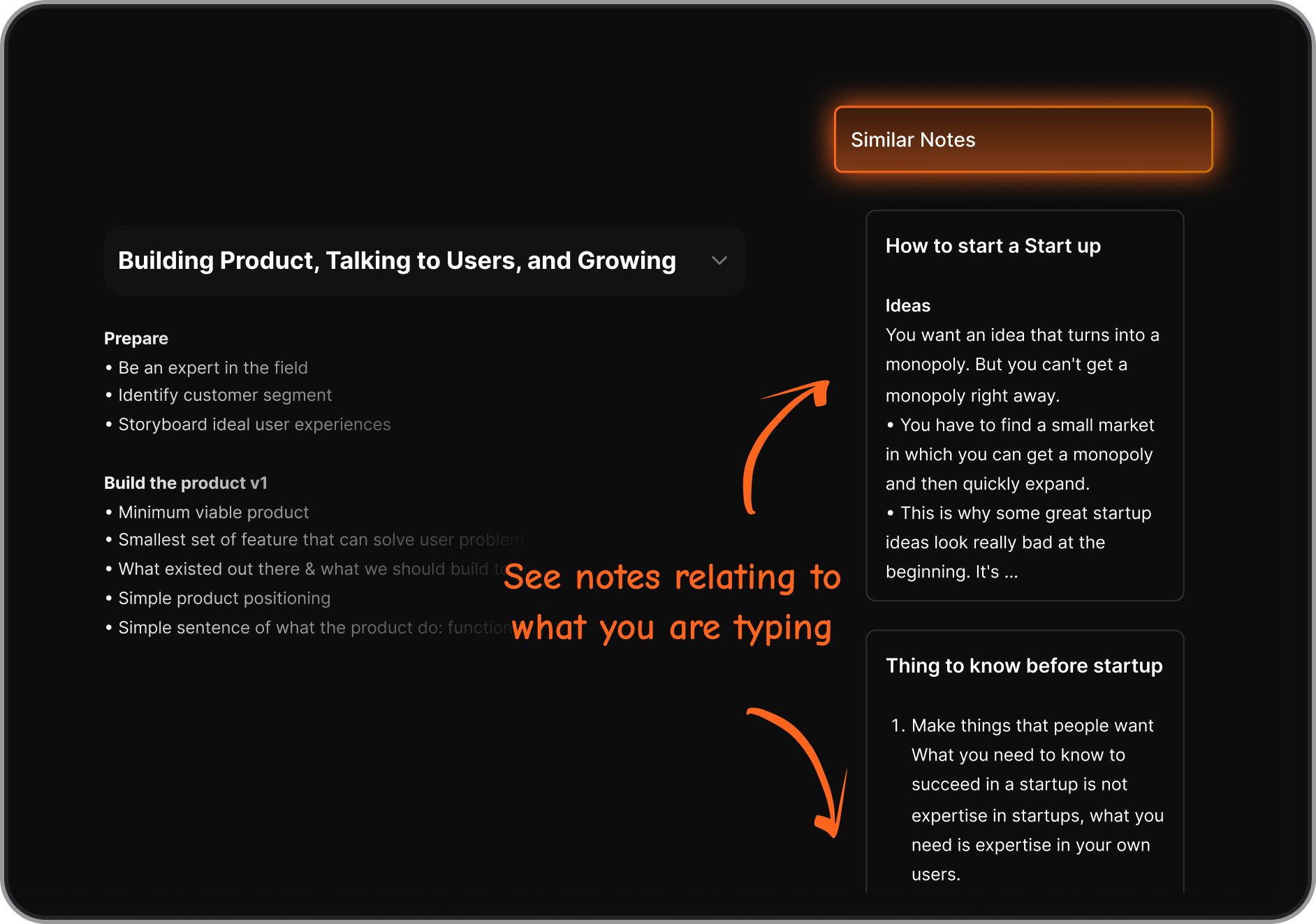
- It proactively plans my day every morning
Cons
- Requires internet access for full functionality.
Pricing
- Free plan
- Starter plan around $8–12/month
- Standard plan around $16–20/month with higher limits and extra features
Suitable for
- People who want an AI second brain instead of manual structure
- Teams and individuals managing notes, tasks, emails, and documents in multiple apps
- Entrepreneurs, students, researchers, and knowledge workers
- Users with ADHD or those who struggle with maintaining organization systems
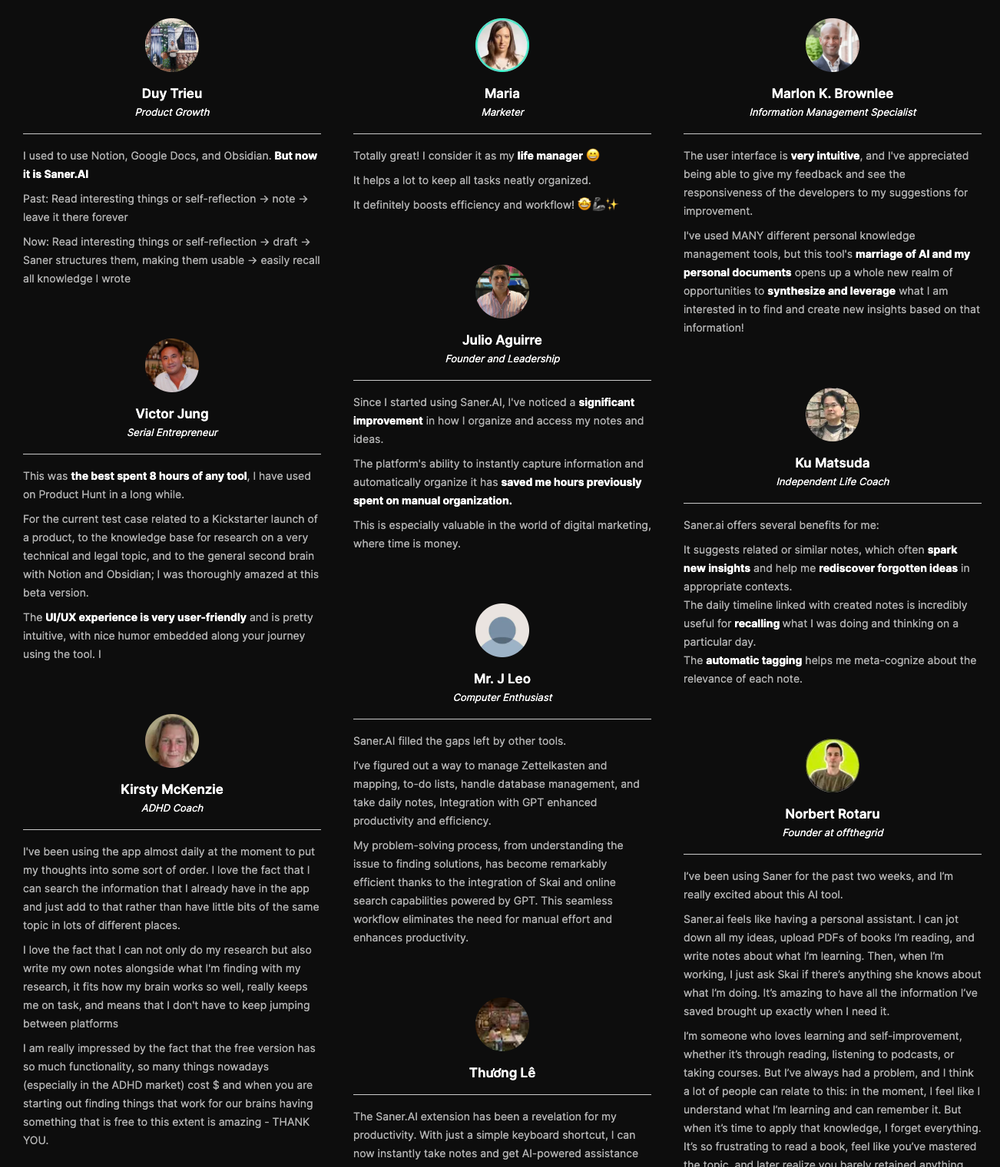
Saner.AI Reviews
How to start
- Sign up on Saner.AI
- Import your notes, emails, or documents
- Let the AI auto-organize and start using semantic search

The top Bear Alternative
2. Apple Notes
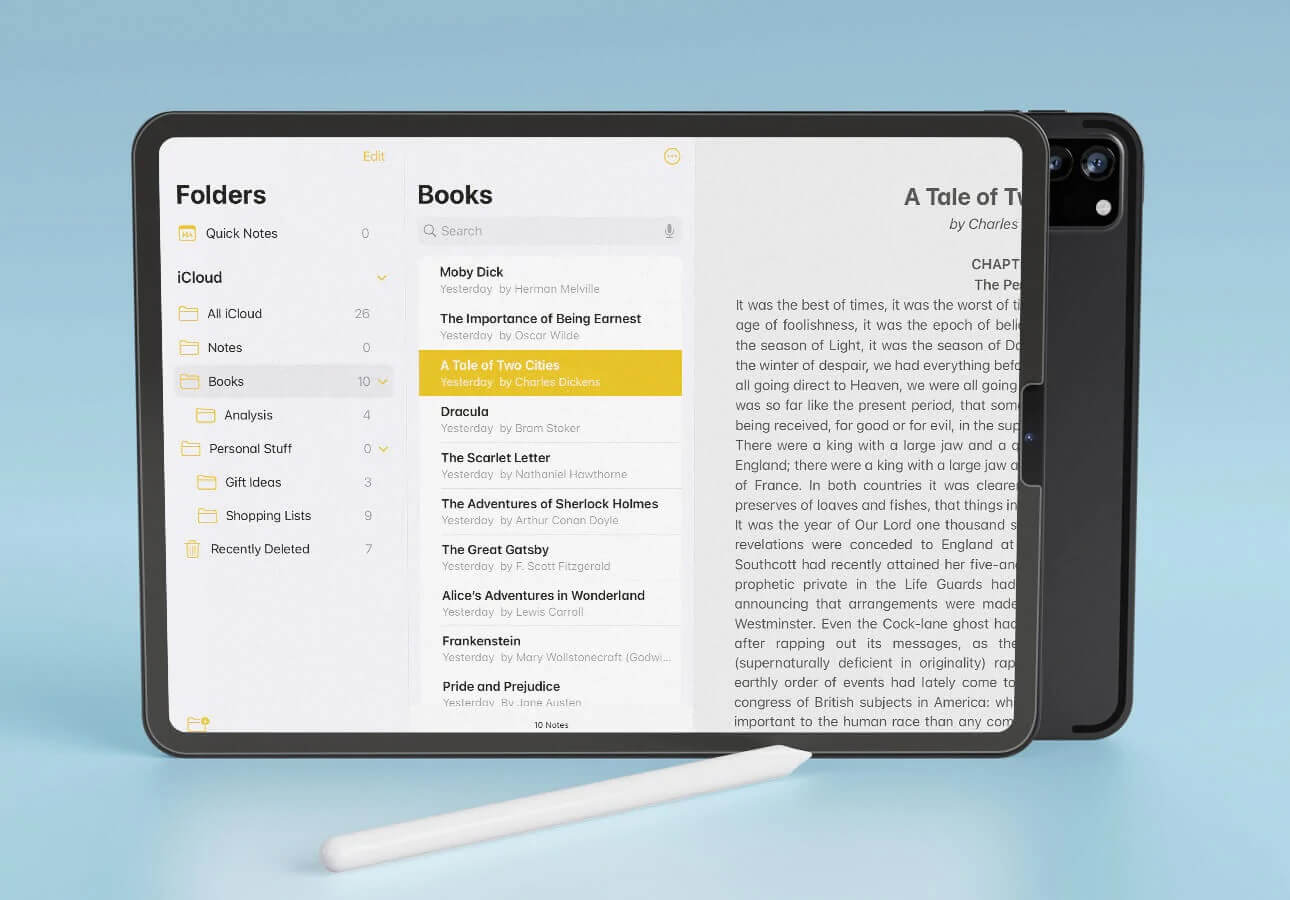
Apple Notes is the free, built-in notes app on iPhone, iPad, and Mac. It’s simple, fast, and great for everyday notes, quick capture, and syncing across Apple devices. It works as a Bear alternative if you don’t need advanced document structure or design.
Key features
- Rich-text notes with checklists, tables, attachments, and images
- Support for handwriting and sketches with Apple Pencil
- iCloud sync across iPhone, iPad, and Mac
- Quick Note for rapid capture from anywhere
What I liked
- Free and already installed on all Apple devices
- Very fast for capturing thoughts, tasks, and reference items
- Great handwriting experience on iPad with solid text conversion
What I disliked
- Limited structure: no nested pages or block-based editing
- Collaboration and sharing options aren’t as flexible
- Not ideal for long-form writing or large, organized knowledge management system
Pricing
- Completely free on all Apple devices.
Suitable for
- Apple users who want a simple, reliable note-taking app
- People who prefer speed over structure
How to start
- Open the Notes app on any Apple device
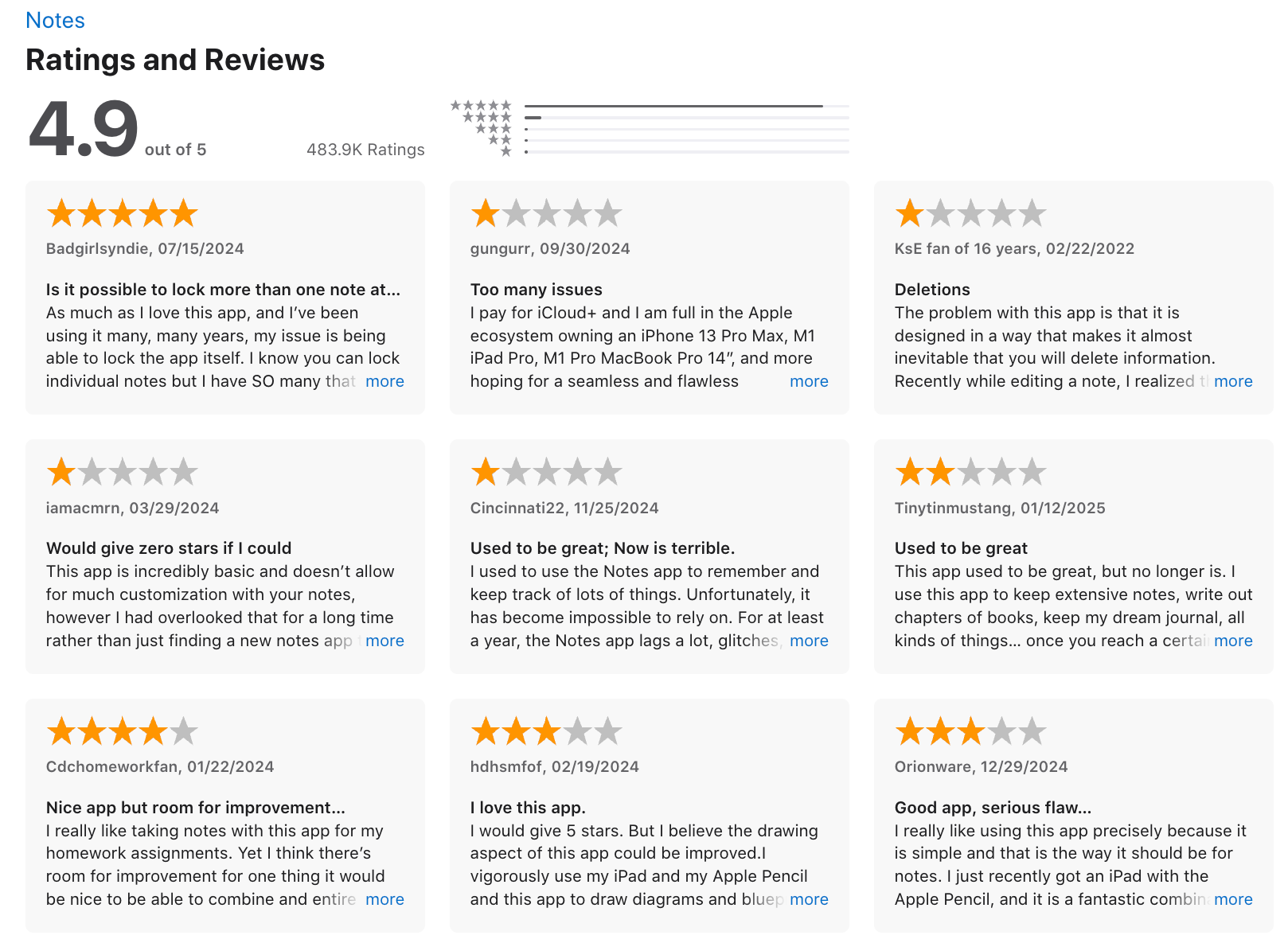
Apple Notes reviews (source)
3. Craft
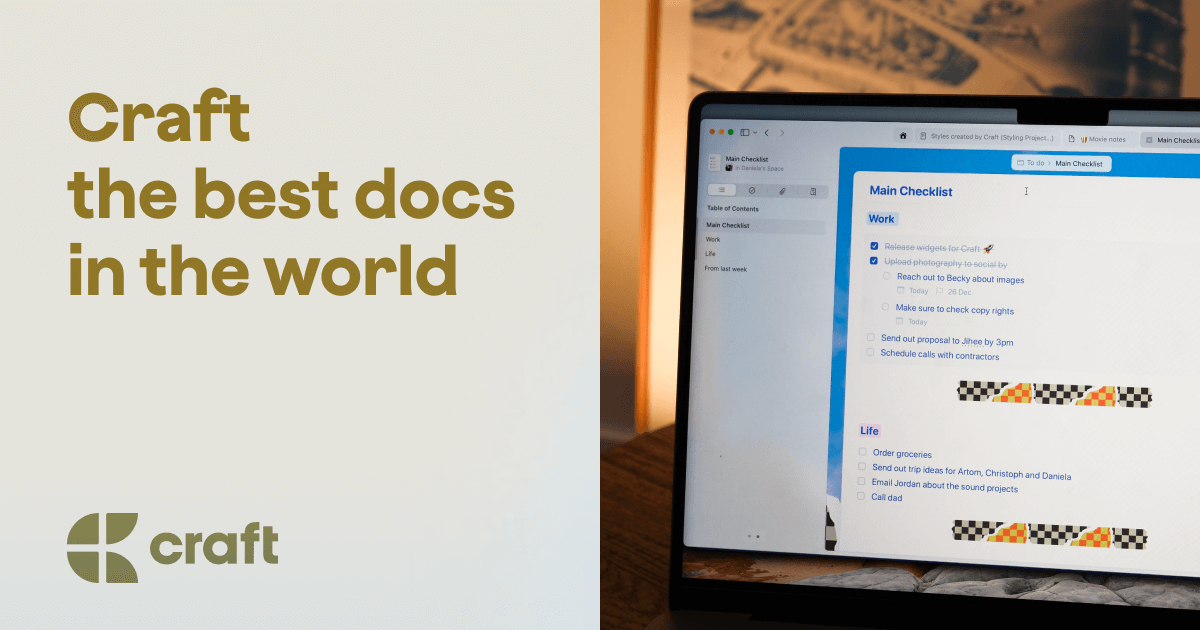
Craft is a modern note-taking and document app that blends rich formatting with a clean, native experience. It’s often seen as a Bear alternative because it supports beautiful writing, nested pages, backlinks, and multi-platform access beyond Apple devices.
Key features
- Block-based editor with rich text, images, files, code blocks, and Markdown support
- Nested pages and subpages to build connected notes and multi-layer documents
- Backlinks for creating a simple wiki or “second brain”
- Real-time collaboration and link-based sharing
What I liked
- More flexibility than Bear for structuring complex notes and multi-page documents
- Beautiful design with strong support for mixed media

What I disliked
- More complex than Bear
- Rich-text + blocks can feel heavy if you prefer pure Markdown writing
- May be overkill if you only need simple note-taking
- You don't have an AI assistant to manage work via chat
Pricing
- Free plan with core features
- Pro plan at $10/month or $96/year
Suitable for:
- Users who want more structure and flexibility than Bear provides
- People building a personal knowledge base, wiki, or multi-layer document system
- Writers who mix text with images, files, PDFs, or link-heavy research
How to start:
- Download Craft on macOS, iOS, Windows, or open the web version
- Create a workspace and start a new page
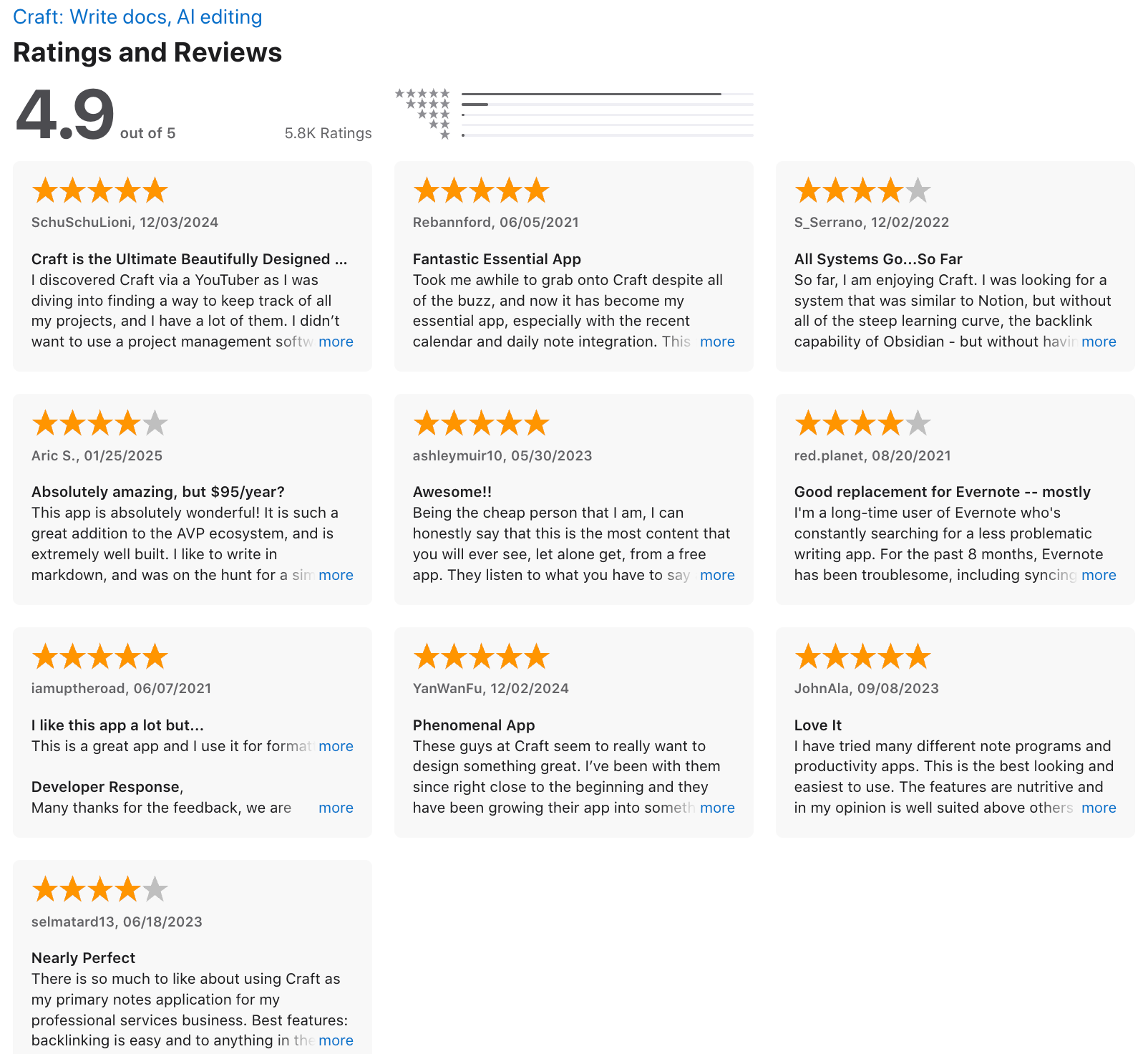
Craft review (source)
4. Obsidian
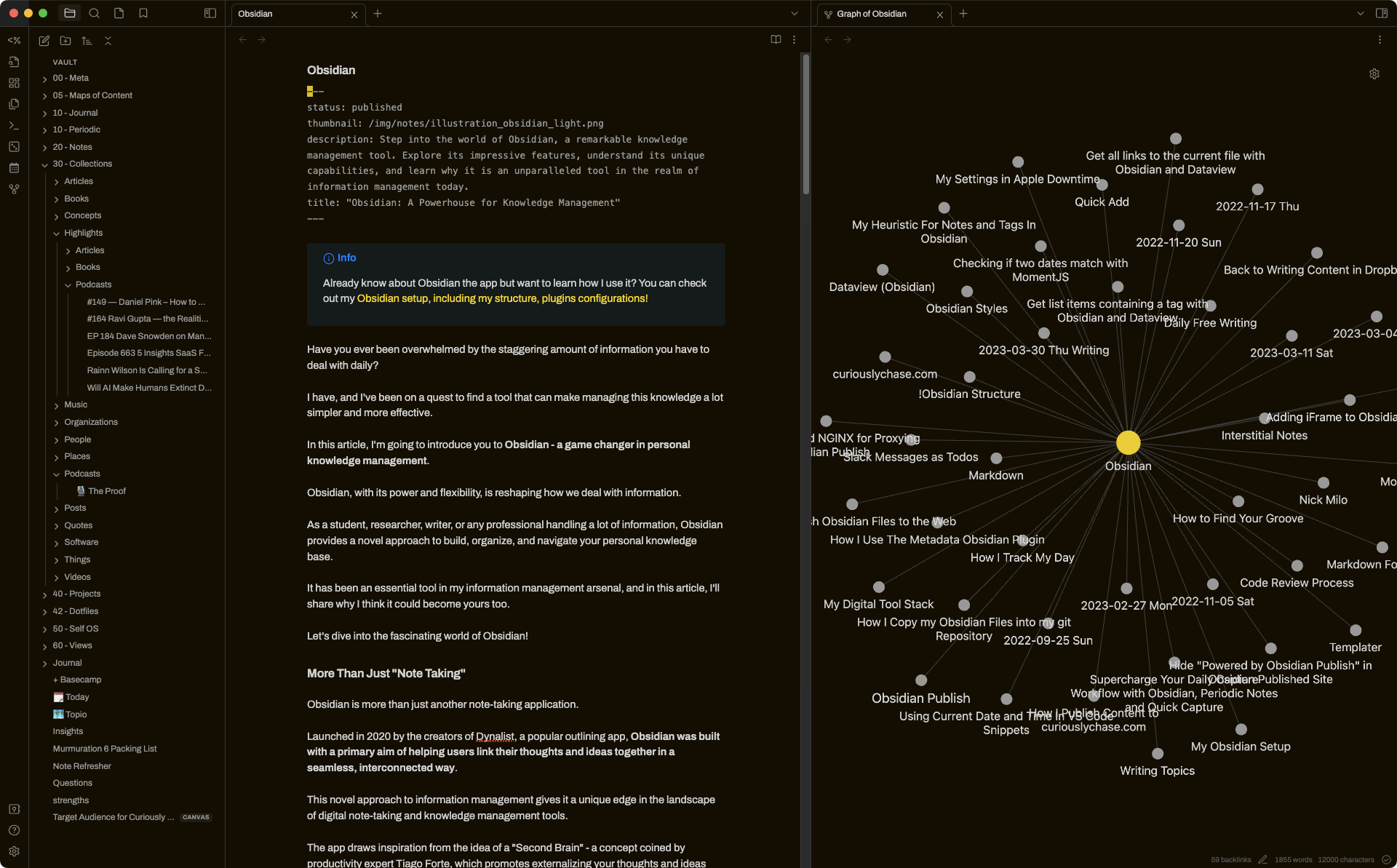
Obsidian is a markdown-based note app that lets you build an interconnected “second brain.” Notes are stored locally as plain-text files, and you can link ideas together, customize your workflow with plugins, and use it across any platform. It’s a strong Bear alternative for users who want more flexibility, structure, and long-term control over their notes.
Key features
- Local plain-text Markdown files you fully own
- Internal links, backlinks, and Graph View for connected thinking
- Folder/vault structure with optional tags and metadata
- Large ecosystem of core + community plugins for customization
What I liked:
- You own your data
- Linking + graph view makes complex ideas easier to organize
- Extremely flexible: can be simple or deeply customized
What I disliked
- Steeper learning curve compared to Bear’s simplicity
- Mobile app can feel less polished than Bear’s native design
- There are no native task reminders or ADHD-specific features
- Don't have an AI assistant built in
Pricing
- Free plan with all core features
- Sync plan: $5/month
- Sync + Publish plan: $10/month
Suitable for:
- Users who want to build a long-term knowledge base
- Researchers, writers, planners, and PKM-heavy workflows
How to start:
- Download the app from obsidian.md
- Create a vault (your note folder)
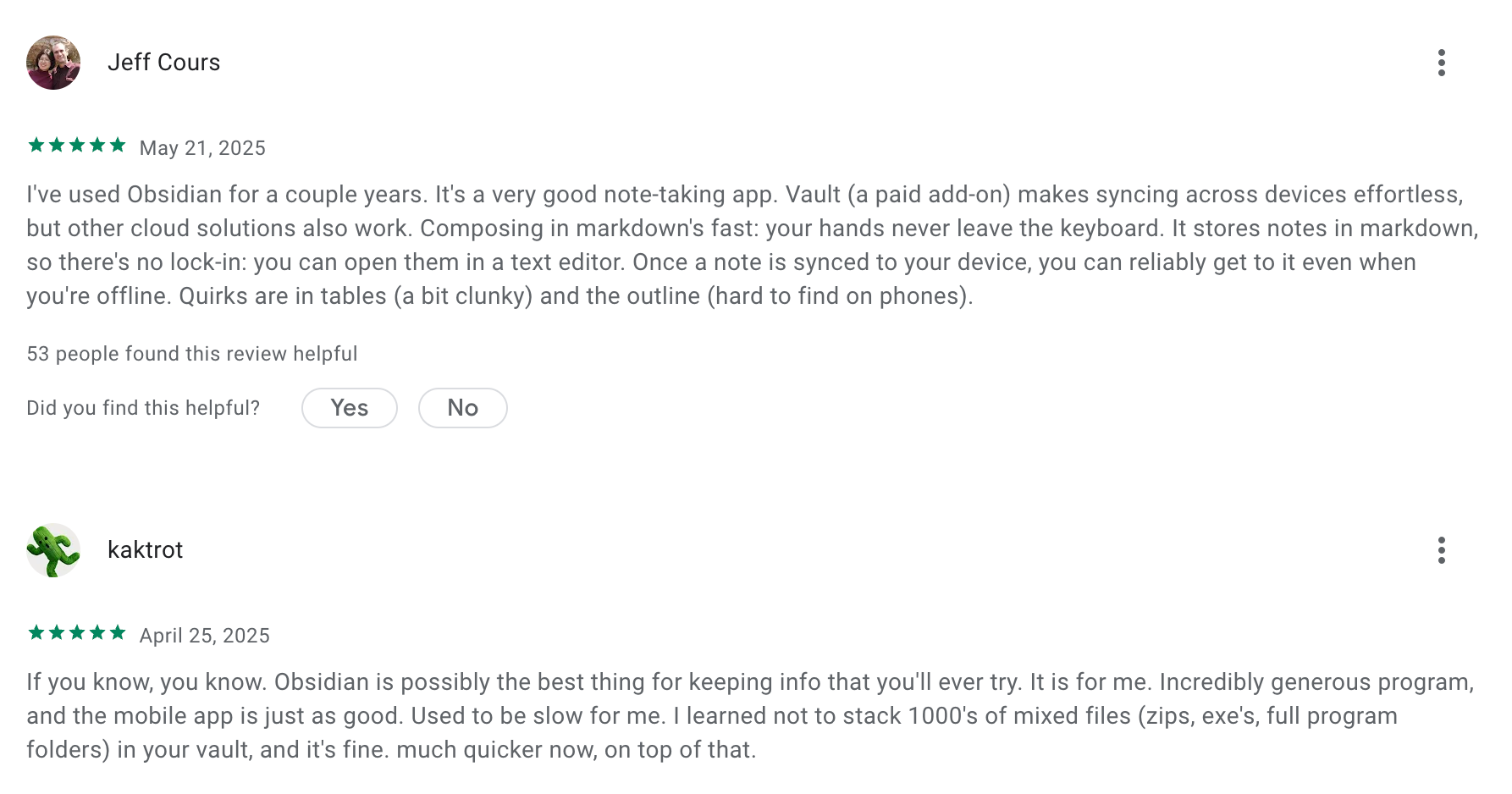
Obsidian review (source)
5. AmpleNote
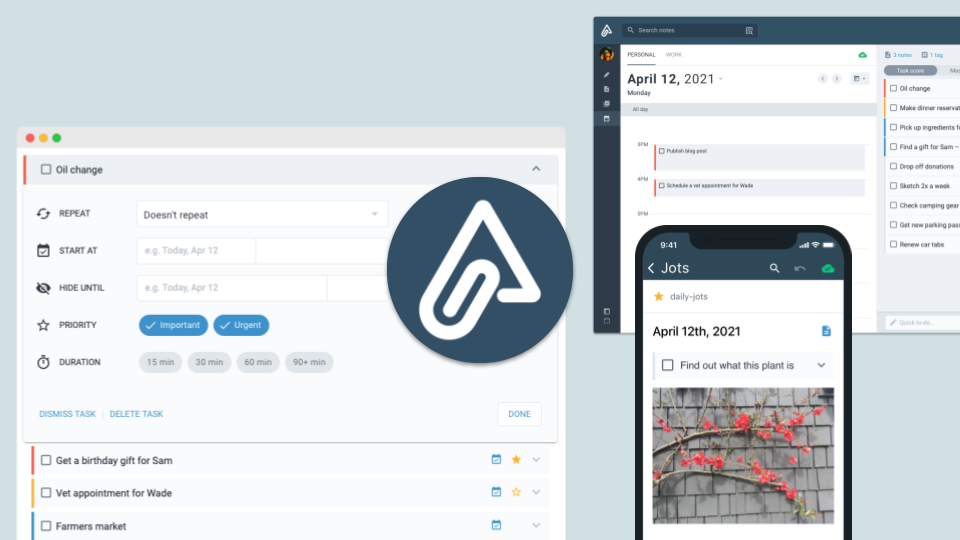
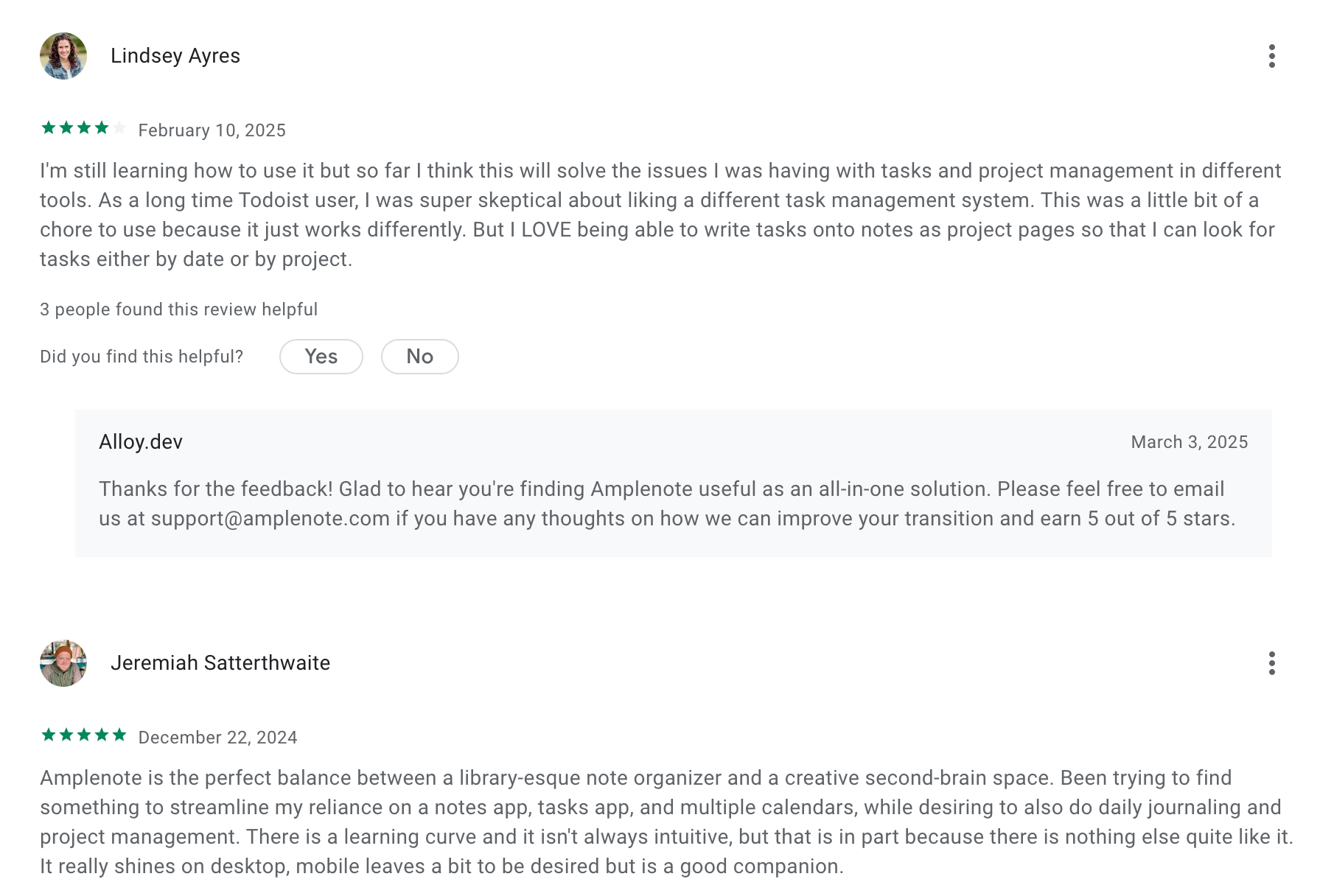
Amplenote is a note-taking and task-management app that combines notes, to-dos, and calendar scheduling in one place. It’s designed for people who want to capture ideas and turn them into action without jumping between multiple apps.
Key features
- Multiple writing modes: Jots for quick capture, full Notes for long-form writing, Tasks for action items, and a built-in Calendar
- Rich editor with markdown or WYSIWYG, tables, attachments, images, and media
- Strong task management inside notes: deadlines, recurring tasks, estimated time, prioritization scoring
What I liked
- Combines notes, tasks, and calendar in one app, reducing the need for separate tools
- Easy workflow from quick capture → detailed note → actionable task
What I disliked
- Tasks live inside notes, which can feel less intuitive compared to standalone task managers
- Heavy notes with lots of images or files can load more slowly
- The interface is powerful but not minimal
- You don't have an AI assistant for notes, tasks, and calendar
Pricing
- Free plan with basic notes and tasks
- Pro plan: around $6/month
- Unlimited plan: around $10/month
- Founder plan: around $20/month
Suitable for
- People who want a single app for notes, tasks, and scheduling
- Users who prefer linked notes, tags, and structured organization
How to start
- Go to AmpleNote and reate a free account
Amplenote review (source)
6. Reflect
Reflect is a minimalist, networked note-taking app that helps you capture ideas, link thoughts. It’s often considered a Bear alternative for people who want backlinks, daily notes, and a more “second-brain” style workspace.
Key features
- Backlinked notes that automatically connect ideas across your workspace
- Built-in AI for summarizing, outlining, rewriting, and extracting action items
- Daily notes with optional calendar + meeting integration
- Web clipper for saving articles or snippets directly into your notes
What I liked
- It’s fast
- Backlinks turn your notes into a knowledge graph instead of isolated pages
What I disliked
- Less formatting flexibility than Bear (limited to markdown-style text)
- Graph view is still basic and can get messy as your notes grow
- The link-based structure has a learning curve if you prefer simple folders
- You don't have a comprehensive AI assistant like Saner.AI
- There’s no free tier,
Pricing
- 14-day free trial
- $10/month billed annually
Suitable for
- People building a personal knowledge base
- Users who take lots of meeting notes, research notes, or daily journals
- Anyone who wants AI note-taking
How to start
- Go to Reflect’s website and create an account
7. Notion
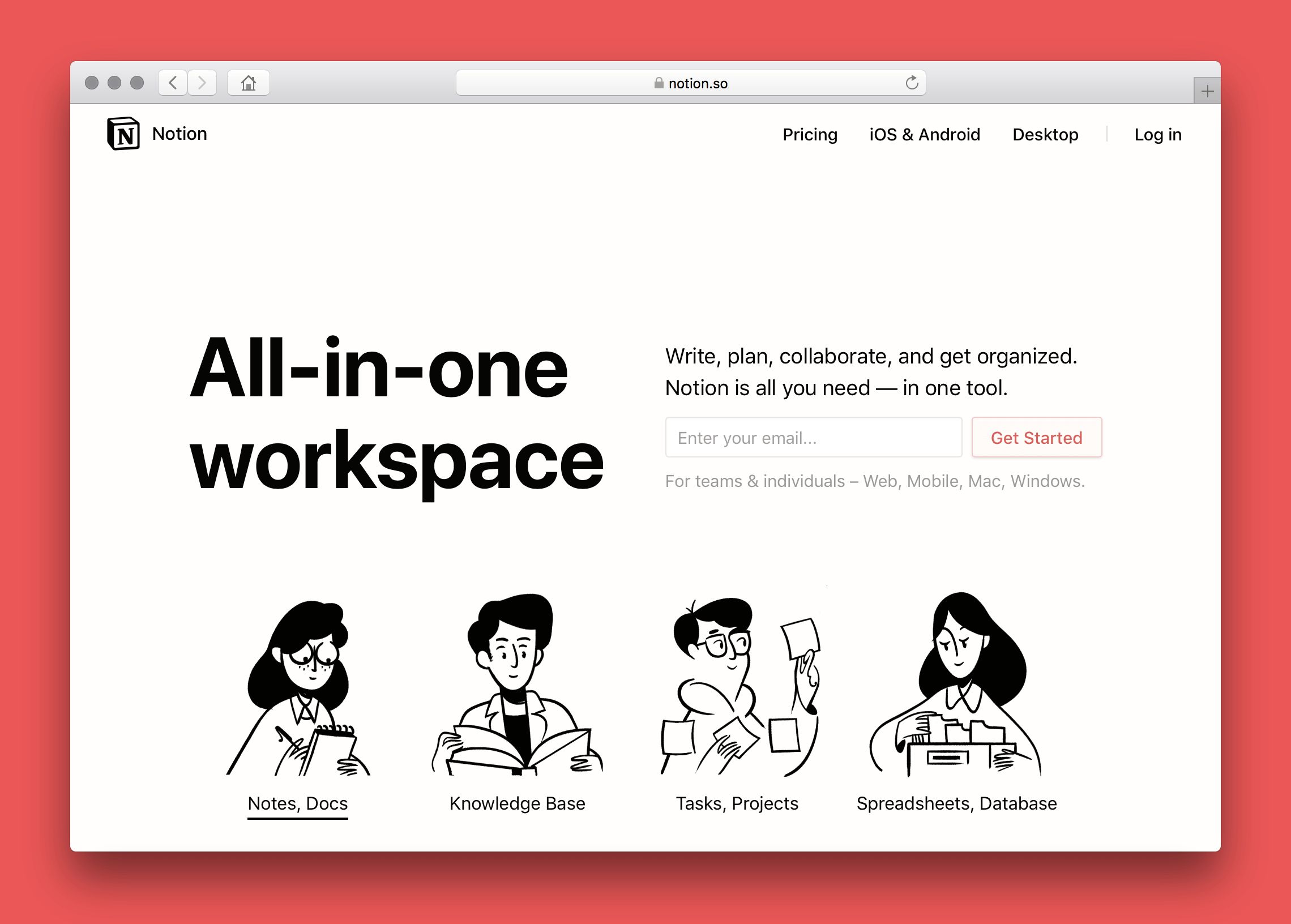
Notion is an all-in-one workspace that combines notes, tasks, wikis, and databases. Many people consider it a Bear alternative because it can replace both simple note-taking and heavier organizational tools in one place.
Key features
- All-in-one workspace for notes, docs, tasks, and wikis
- Database system with multiple views (table, kanban, calendar, list, gallery)
- Large library of templates for personal and team workflows
- Real-time collaboration across desktop, mobile, and web
What I liked
- Extremely flexible
- Great for organizing large or complex information, not just quick notes
- Template library helps you start fast without building everything from scratch
What I disliked
- Not as fast or distraction-free as Bear for simple writing
- Can feel heavy and overwhelming if you only need a note-taking app
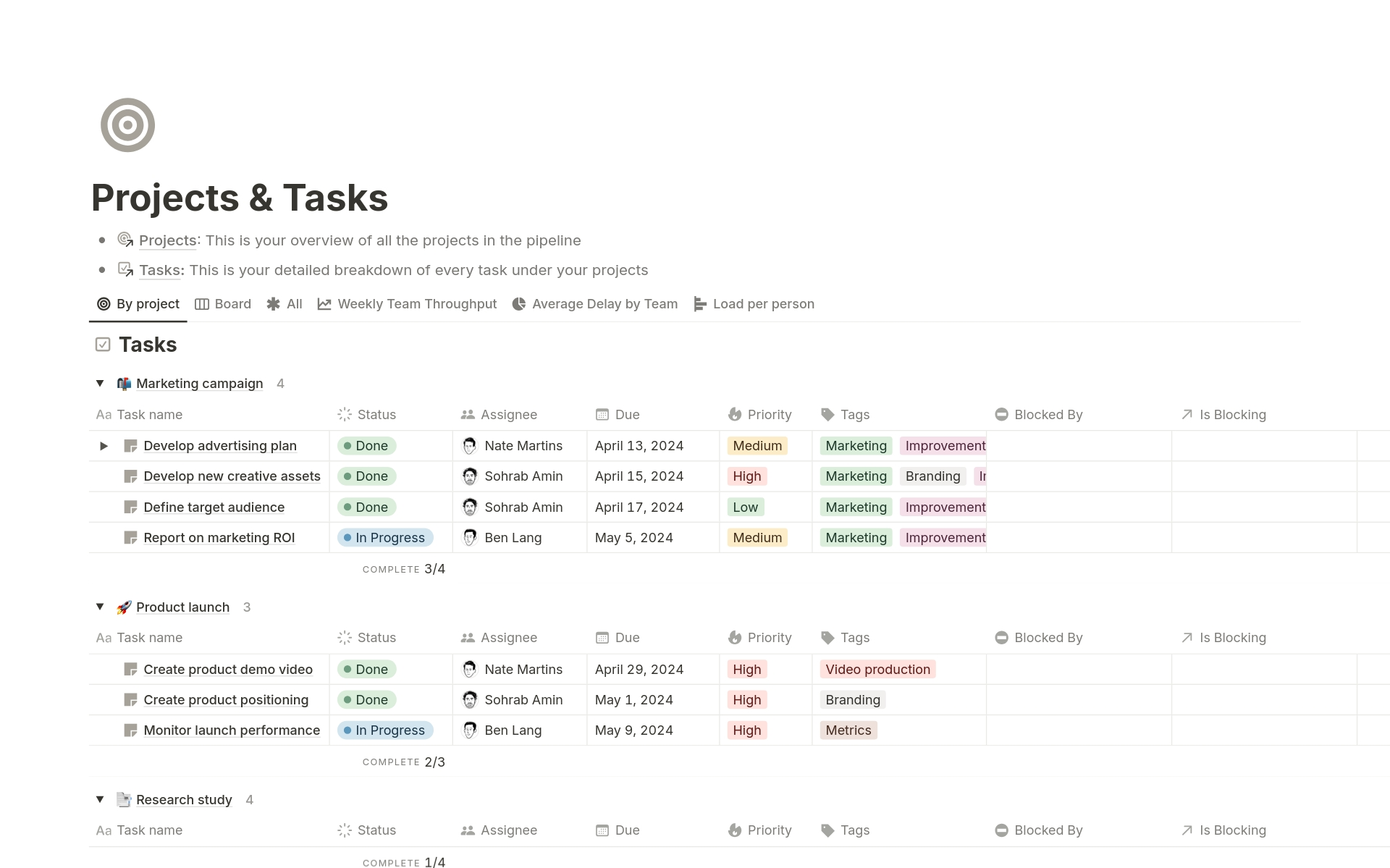
- Requires setup and maintenance to get the most out of its database system
- The learning curve higher compared to lightweight note apps
Pricing
- Free plan
- Plus plan: $10/user/month (billed annually)
- Business plan: $20/user/month (billed annually)
Suitable for:
- Teams that need shared wikis, project management, and documentation
- People who prefer customization over minimalism
How to start:
- Go to Notion and create a free account
Notion reviews (source)

Conclusion: The Best Bear Alternative Depends on How You Think
Bear is an elegant writing apps - but as your workflow grows, your tools need to grow with you. That’s why so many people eventually look for Bear alternatives: cross-platform access, AI assistance, stronger organization, planning, collaboration, or simply a system that scales past a few hundred notes.
The good news? In 2026, you have more great options than ever.
If you want AI understanding and automatic organization, Saner.AI is the closest thing to a true "second brain."
If you want simplicity and speed, Apple Notes is unbeatable for everyday capture.
If you want beautiful documents, Craft shines.
If you want notes + tasks, AmpleNote is practical.
If you want deep linking and research, Obsidian remains the gold standard.
If you want team knowledge, Notion wins.
Each tool solves a different version of the same problem: how to think better, write better, and stay more organized.
So don’t feel pressure to choose the “perfect” app immediately.
👉 Try two or three
👉 Pay attention to what feels natural.
👉 Keep the one that makes your work noticeably easier - not just prettier.
In the end, the best Bear alternative isn’t just the one with the most features.
It’s the one that supports the way your mind works, today and as you evolve.
Stay on top of your work and life
FAQ: Best Bear Alternatives in 2026
1. What are the best alternatives to Bear?
If you love Bear for its clean writing experience but need more power, flexibility, or automation, several tools stand out as top Bear alternatives:
- Saner.AI – AI note-taking + task management + knowledge retrieval
- Apple Notes – Simple, fast, deeply integrated with iOS/macOS
- Craft – Beautiful documents and publishing
- AmpleNote – Notes + tasks with calendar integration
- Reflect – Minimal, linked-thought journaling
- Notion – Highly customizable all-in-one workspace
- Obsidian – Local-first Markdown + powerful linking and plugins
Each tool brings a different philosophy: from minimalism to full workspace systems to AI productivity.
2. Why do people look for Bear alternatives?
Common reasons users seek Bear alternatives include:
- Wanting better cross-device sync outside the Apple ecosystem
- Wanting integrated task management (Bear is notes-only)
- Wanting AI search, summarization, or organization
- Needing database-like structure or project management
- Wanting more powerful linking and graph views
- Wanting web access, which Bear still lacks
If you’re feeling limited in how Bear scales with your work or personal knowledge, these alternatives offer more headroom.
3. Which Bear alternative is best for AI-powered note-taking?
Saner.AI is currently the strongest Bear alternative for AI-powered workflows.
It can:
- Understand messy notes and turn them into tasks
- Retrieve information based on meaning, not keywords

- Summarize long notes or meetings
- Reduce context switching by combining notes, tasks, and calendar
- Help you think through ideas with conversational AI
If you want AI to actively help you work, Saner.AI is the closest “smart workspace” alternative to Bear.
4. Which Bear alternative is best for Apple users?
Two tools stand out if you want something native and deeply integrated with Apple devices:
- Apple Notes – Fast, stable, and great for handwritten notes
- Saner.AI – Easy to use with modern features
Both feel at home in the Apple ecosystem but offer more structure and collaboration features than Bear.
5. What’s the simplest Bear alternative for quick notes?
If you want something just as lightweight:
- Apple Notes → fastest for capturing thoughts
- Saner.AI → clean, minimalist voice notes on mobile apps
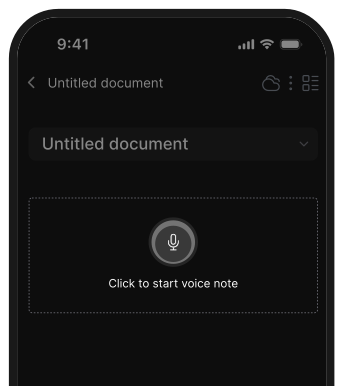
Both tools keep friction low and allow you to write without thinking about structure.
6. What’s the best Bear alternative for long-term knowledge management?
If your note system is growing and you need long-term scalability:
- Saner.AI – Best for AI-assisted knowledge retrieval
- Obsidian – Best for local-first knowledge bases
- Notion – Best for structured databases and team knowledge
Obsidian is ideal if you want full control.
Notion is ideal if you want a collaborative structure.
Saner.AI is ideal if you want your system to think with you, not just store information.
7. Which Bear alternative is best for writers?
Top picks for writing-focused workflows:
- Saner.AI – Best if you want AI-assisted drafting, summarizing, and outlining
- Craft – Best for beautiful, publish-ready documents
- Apple Notes – Best for fast drafting without distractions
- Obsidian – Best if your writing connects across many notes
These apps offer more output options and organization than Bear’s Markdown-only approach.
8. What’s the best Bear alternative with built-in task management?
Bear doesn’t support real task management, so these are better options:
- Saner.AI → AI tasks, reminders, scheduling, context-aware suggestions
- AmpleNote → Notes + calendar + task scores
- Notion → Fully customizable task systems
If you want notes and tasks living together without extra setups, Saner.AI and AmpleNote are the most seamless.
9. Which Bear alternatives work best for ADHD or overwhelmed users?
Users with ADHD often want:
- fewer tools to juggle
- clearer next steps
- AI help to reduce mental load
Best choice is: Saner.AI
- Turns scattered notes into organized tasks
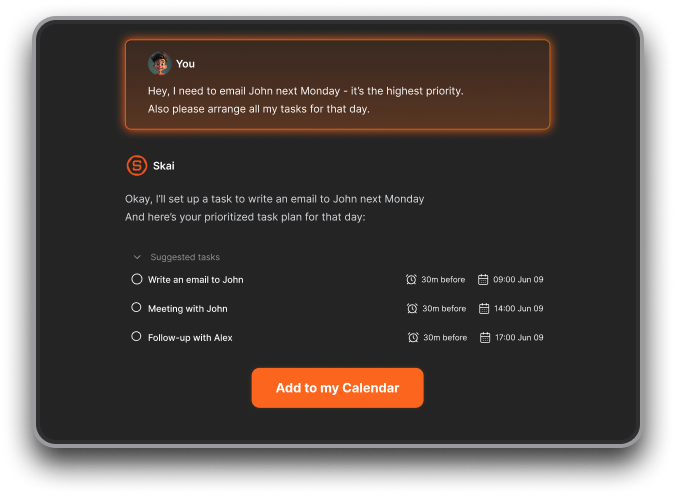
- Surfaces what matters at the right time
- Reduces context switching by combining notes, tasks, and calendar
- Great if you get overwhelmed by structure-heavy systems
Bear fans who find themselves overwhelmed benefit most from these two.
10. Which Bear alternative is best for teams or collaboration?
Because Bear is single-player by design, teams need stronger tools.
Best options:
- Notion – Real-time collaboration and shared docs
- Saner.AI – For individual use now, but great for cross-functional workflows using AI
If collaboration is the reason you’re leaving Bear, Notion and Saner.AI are the clear winners.
11. Which Bear alternative is best for creativity and linked thinking?
For users who liked Bear’s tag system but want deeper connections:
- Obsidian → best for bi-directional linking + graph view
- Reflect → daily notes + automatic backlinks
- Saner.AI → AI understands links even when you never add them
Obsidian is unbeatable for manual linking.
Reflect is perfect for journaling.
Saner.AI shines if you don’t want to manage links manually.
12. Are there free Bear alternatives?
Yes - many strong options offer free plans:
- Apple Notes – Completely free for Apple users
- Saner.AI – Free plan includes AI note search + task reminders
- Obsidian – Free for personal use
- Notion – Generous free tier
- Craft – Free for personal docs
- Reflect – Limited free plan
- AmpleNote – Basic free tier
Budget is not a barrier to finding a great Bear alternative.
13. What’s the easiest Bear alternative to set up?
If you don’t want complex systems:
- Apple Notes → zero setup
- Reflect → open and write
- Saner.AI → no folder or tag setup required; AI handles organization
These are ideal if you prefer writing over configuring apps.
14. What’s the most powerful Bear alternative for deep organization?
If you want full customization:
- Notion → build anything from wikis to databases
- Obsidian → plugins, themes, graph view, workflows
These tools scale far beyond Bear’s notes-only simplicity.
15. Are Bear alternatives good for journaling?
Yes - several tools are even better than Bear for reflective writing:
- Saner.AI → Has daily notes and can extract insights and themes from journal entries
- Reflect → built around daily notes
- Obsidian → templates + backlinks
- Apple Notes → simple and fast
16. Which Bear alternative has the best search?
Search is a major difference between tools.
- Saner.AI → meaning-based AI search
- Obsidian → powerful regex + plugin-based search
- Notion → indexed workspace search
- Craft → fast, intuitive search
If finding information fast is your priority, Saner.AI’s semantic search is the strongest.
17. How do I choose the best Bear alternative for my workflow?
Ask yourself:
- Do I want AI to help me? → Saner.AI
- Do I want simple? → Apple Notes or Reflect
- Do I want beautiful documents? → Craft
- Do I want notes + tasks? → AmpleNote or Saner.AI
- Do I want team collaboration? → Notion
- Do I want local control? → Obsidian
There’s no single “best” - just the best for your writing style and workflow.
Stay on top of your work and life



