
We Tested 15 Capacities Alternatives. Here are the best 7 Apps
The best Capacities Alternatives are Saner.AI, Obsidian, AmpleNote, Tana, Notion, Craft, and Anytype


The 7 Best Capacities Alternatives
If you’ve spent time inside Capacities, you already know the promise: a structured, object-based way of thinking. Your notes become “things,” everything connects, and your personal knowledge graph grows automatically.
But you also probably know the other side of that experience -the part that pushes people to search for Capacities alternatives.
Maybe the learning curve felt steeper than expected.
Maybe the system asked more of you than you wanted to think about.
Maybe you needed stronger AI support, better mobile apps, faster performance, or simply a more flexible way to capture ideas without building a digital ontology every time.
Below, you’ll find:
- A clear explanation of Capacities and why users switch
- A decision guide to help you pick the right replacement
- A full breakdown of the 7 best tools similar to Capacities
- A comparison table for quick evaluation
- Scenario-based recommendations
- FAQs o
Whether you’re a visual thinker, an AI note-taker, a PKM minimalist, or someone who wants structure without friction, this guide will help you choose confidently.
1. What is Capacities?
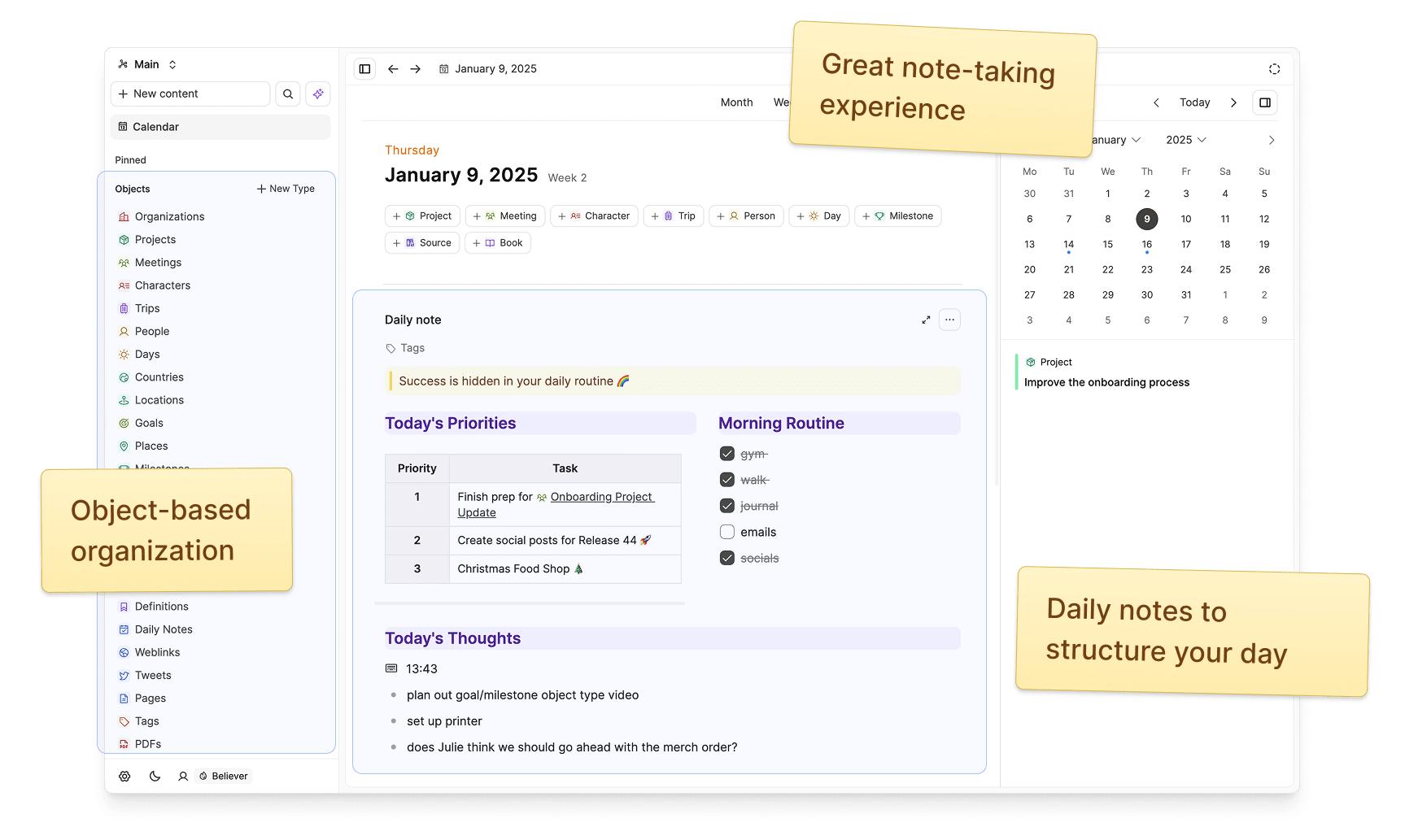
Capacities is a personal knowledge management app built around objects and collections. Instead of creating loose notes, you create structured entities: a book, a meeting, a person, a project - each with properties and relationships. Your workspace becomes a growing graph where everything is connected.
But many users explore alternatives because:
Common Reasons People Move Away from Capacities
- Steep learning curve: Object-based PKM requires a conceptual shift. Some users feel they’re “managing the system” more than capturing ideas.
- Rigid ontology: Great for order; challenging for messy thinkers, fast capture, and nonlinear creativity.
- Performance issues: Larger databases can feel slow or heavy.
- Missing workflows: Daily planning, writing, meeting notes, and project management can require workarounds.
- AI limitations: Capacities includes AI, but some users want deeper contextual understanding, chat-like reasoning, or autonomous summarization.
- Export + backup concerns: Structured systems carry complexity when migrating out.
- Collaboration constraints: Capacities is largely a single-player workspace, limiting team use cases.
If any of these resonate, you’re not alone - and that’s exactly why Best Capacities Alternatives is a growing search topic.
2. How to Choose the Best Capacities Alternative
Before jumping into tools, clarify what you actually want instead of Capacities.
Ask yourself:
- Do I need a more powerful AI?
Saner.AI, Notion AI, or Tana may feel more fluid. - Do I prefer local-first and privacy-first tools?
Obsidian is the strongest choice. - Do I need better mobile capture?
AmpleNote and Apple Notes excel here. - Do I want team collaboration?
Notion or Craft provide shared workspaces. - Do I want a simpler note-taking UX?
Apple Notes or Saner.AI may fit best.
Now, let's dive in!
What are the best Capacities Alternatives?
The best Capacities Alternatives are Saner.AI, Obsidian, AmpleNote, Tana, Notion, Craft and Anytype
Comparison Table: Best Capacities Alternatives
| 🛠️ Tool | 🌟 Best For / Strength | 📌 Key Features | 🤖 AI / Smart Features | 📚 Learning Curve | 💡 What Makes It Stand Out / Tradeoffs |
|---|---|---|---|---|---|
| Saner.AI | Fast thinking, AI-assisted insights, ADHD-friendly workflow | Unified inbox, contextual search, auto-insights, zero-setup knowledge base | Strong, built-in reasoning & summarization across all notes | Very easy — minimal setup | Great for nonlinear thinking; tradeoff: fewer database-style features |
| Obsidian | Deep PKM, research, privacy-focused users | Local Markdown vaults, backlinks, graph view, plugin ecosystem | Available via plugins; customizable | Medium — simple at first, advanced with plugins | Maximum control & privacy; tradeoff: requires manual setup and plugins |
| Craft | Beautiful writing, polished documents, clean note-taking | Block-based editor, elegant formatting, publishing options | Light AI for writing assistance | Easy — intuitive and visual | Best for polished docs; tradeoff: weaker for graph/PKM systems |
| AmpleNote | Tasks + notes + planning in one place | Notes, tasks, calendar, daily notes, backlinks | Moderate AI support | Medium — productivity-focused structure | Actionable notes & planning; tradeoff: utilitarian UI and limited collaboration |
| Tana | Power users who want structured PKM with flexibility | Supertags, node/outline-based system, graph-style linking, daily notes | Strong AI for workflow automation, summarization | Medium to hard — powerful but requires learning | Highly structured yet flexible; tradeoff: still evolving, complexity |
| Notion | Teams, collaboration, multi-purpose workspaces | Databases, wikis, blocks, templates, multi-view content | Built-in AI for writing, summarizing, and Q&A | Medium — easy to start, harder to master | Great for teams; tradeoff: can become messy or slow with scale |
| Anytype | Privacy-first, offline-first second brain | Object-based notes, databases, templates, graph view, local storage | Limited (not AI-native) | Medium to hard — object model requires learning | Strong privacy & object structure; tradeoff: ongoing development and complexity |
1. Saner.AI
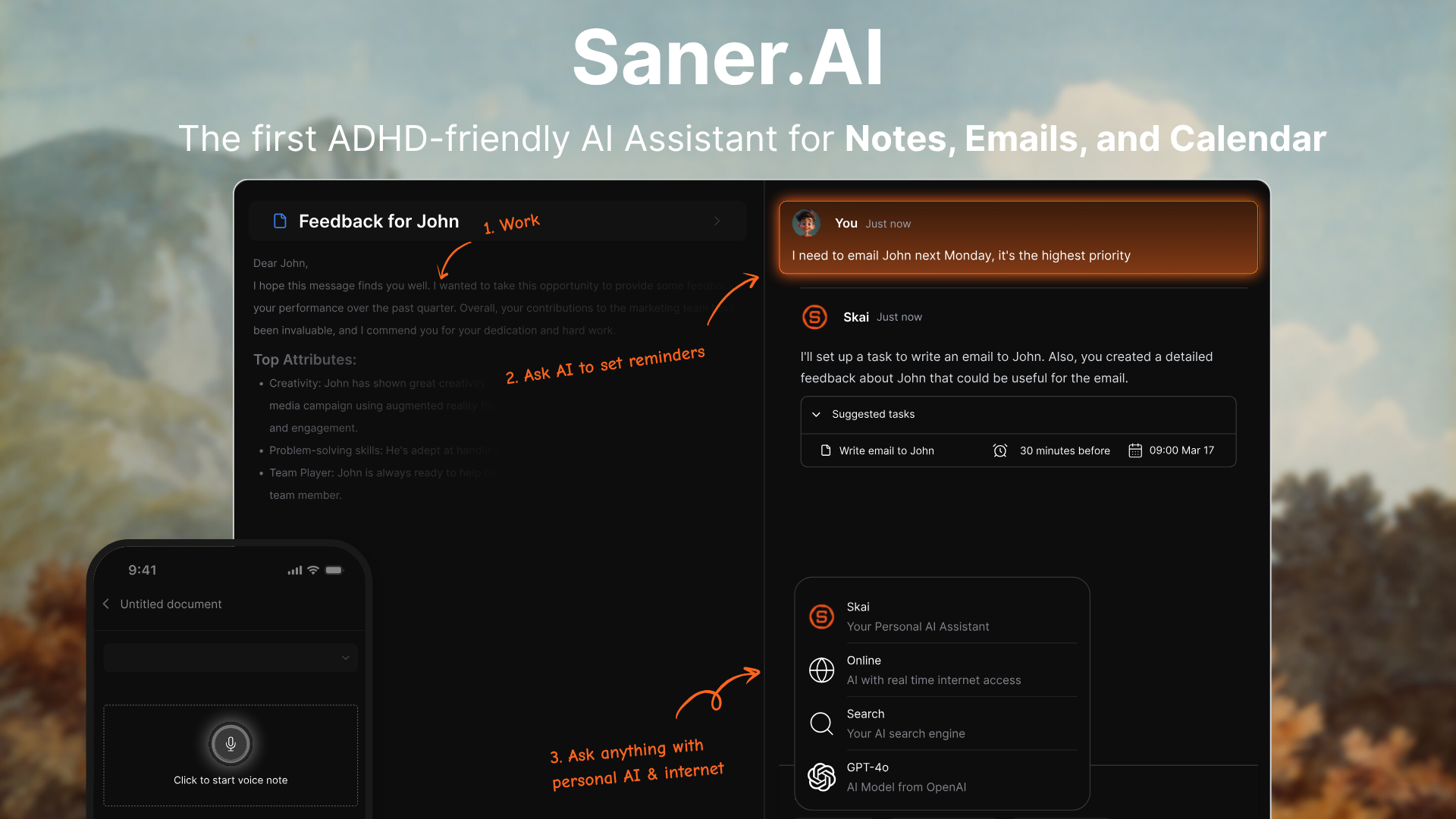
Saner.AI is an AI personal workspace that unifies your notes, emails, tasks, documents, and calendar. It’s designed to reduce information overload by automatically organizing everything and letting you search your entire life with natural language.
Key features
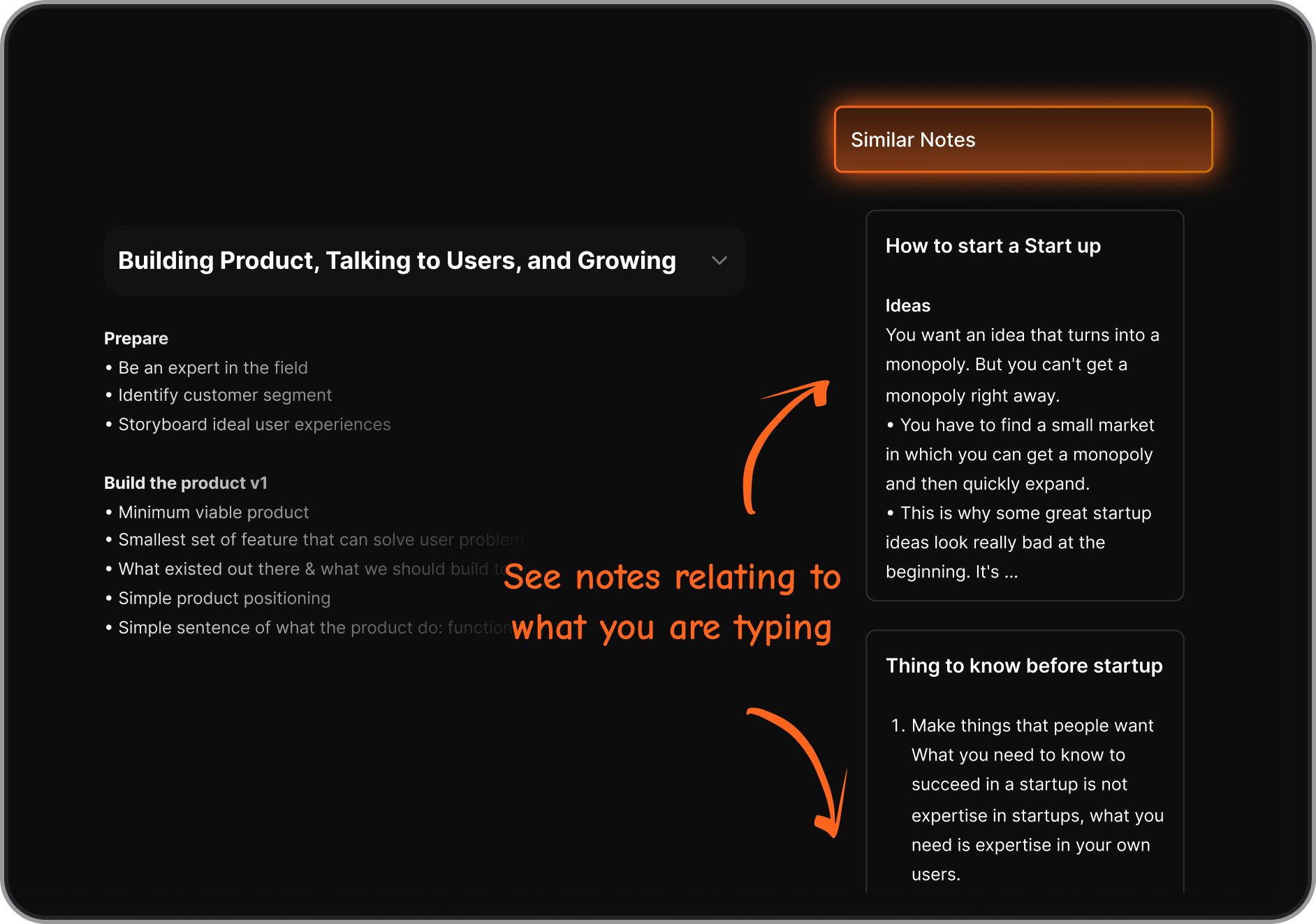
- Semantic search that lets you ask natural-language questions about your information
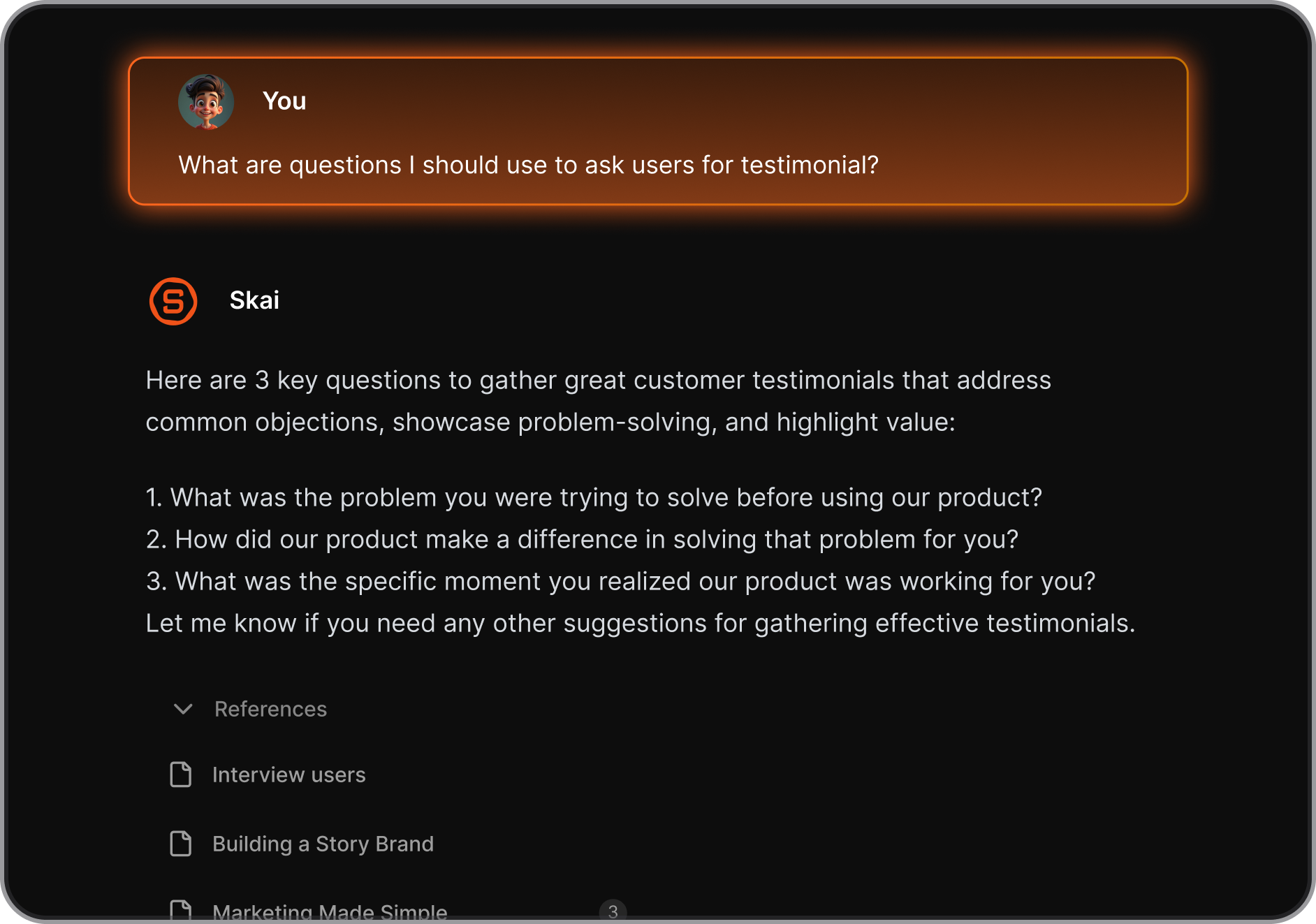
- AI assistant that organizes and tags notes, emails, tasks, and documents automatically
- Unified workspace for notes, tasks, email, calendar, and documents
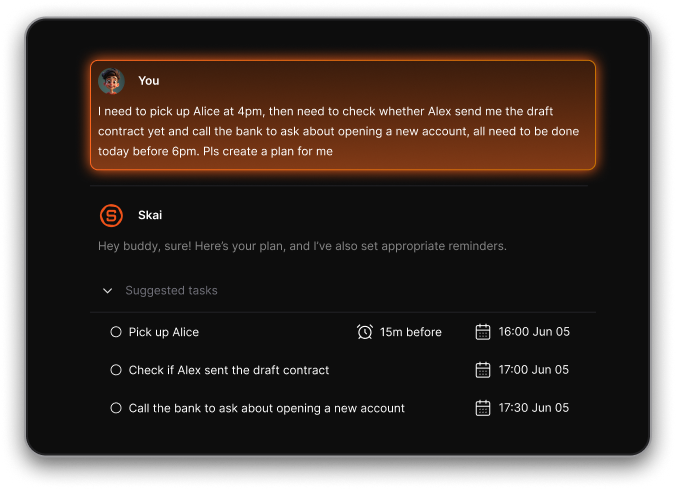
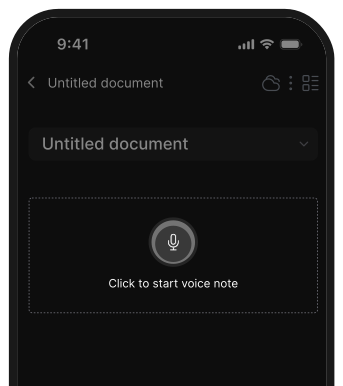
- Braindump to tasks: Just talk, and it’ll create structured to-dos with reminders
- Mobile apps + Chrome extension for capturing information anywhere
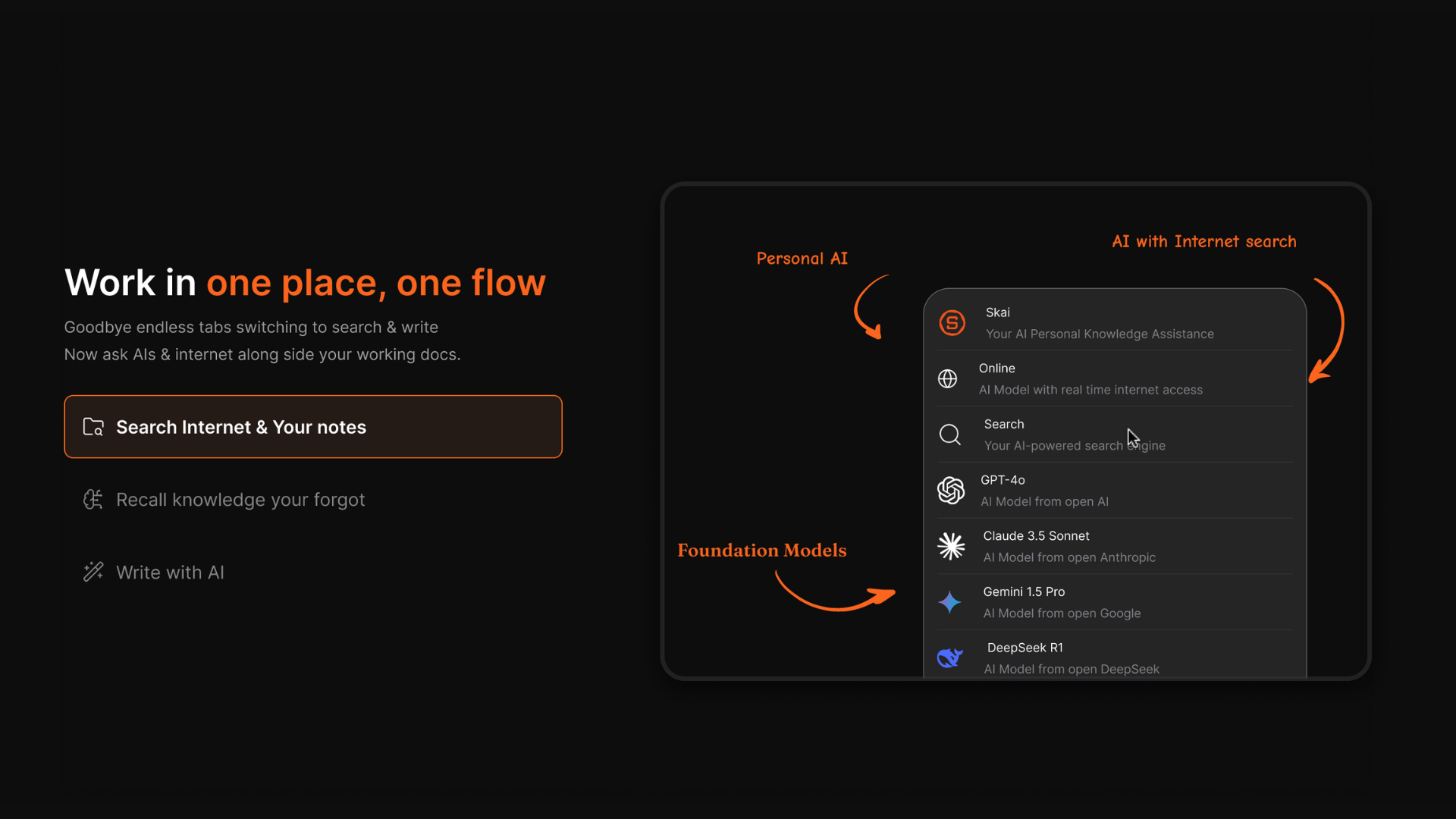
- Support for multiple AI models when you need more advanced processing
What I liked
- Cuts down information overload by auto-organizing everything for you
- Natural-language search makes finding old information feel effortless
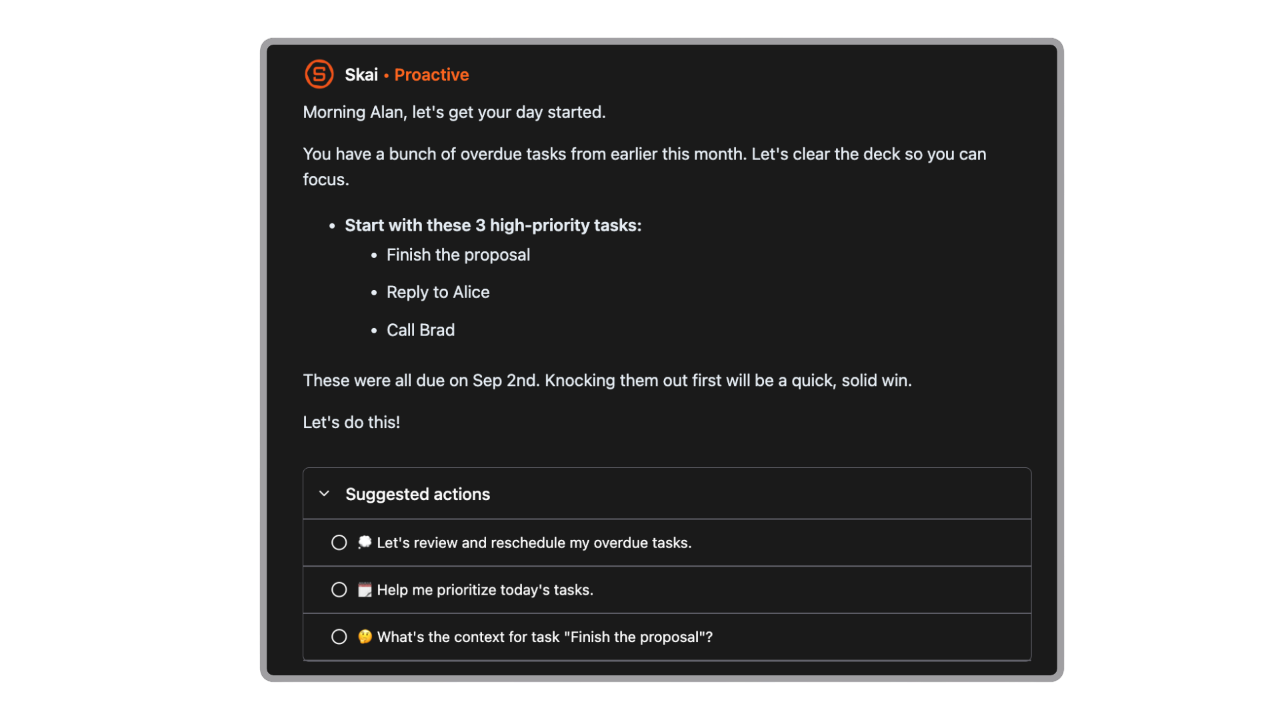
- It proactively plans my day every morning
- Minimal setup required compared to complex PKM tools
Cons
- Requires internet access for full functionality.
Pricing
- Free plan available
- Paid plans start around $8/month (annual)
- Higher-tier plans around $16–20/month for full features
Suitable for
- Busy professionals who want one workspace instead of five different apps
- People who prefer AI automation over manual organization systems
- ADHD users or overwhelmed knowledge workers who struggle with context-switching
- Creators, researchers, and entrepreneurs who handle large volumes of information
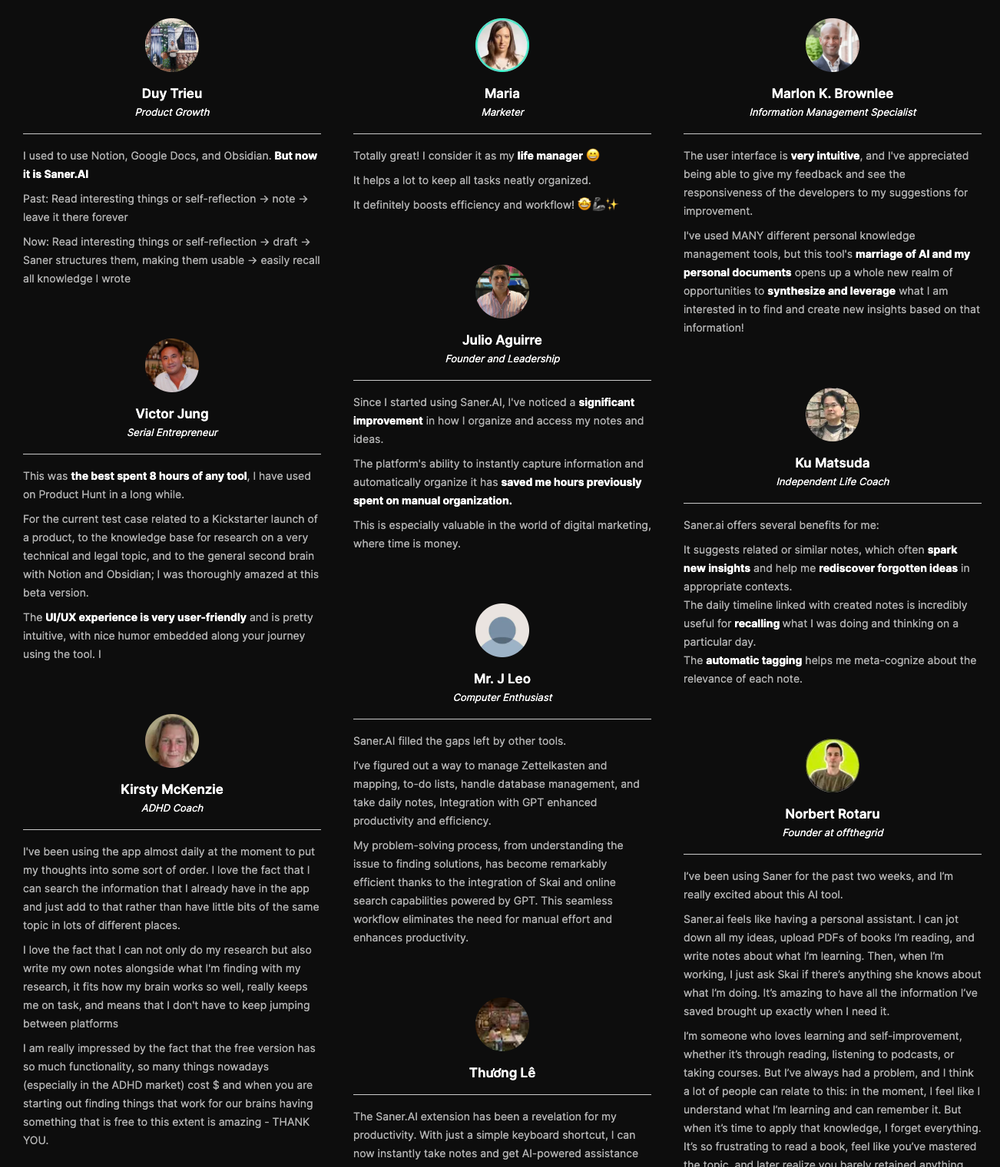
Saner.AI Reviews
How to start
- Go to Saner.AI and create a free account
- Import notes, emails, or documents
- Start using the AI assistant to organize, search, and manage your work

The top Capacities Alternative
2. Notion
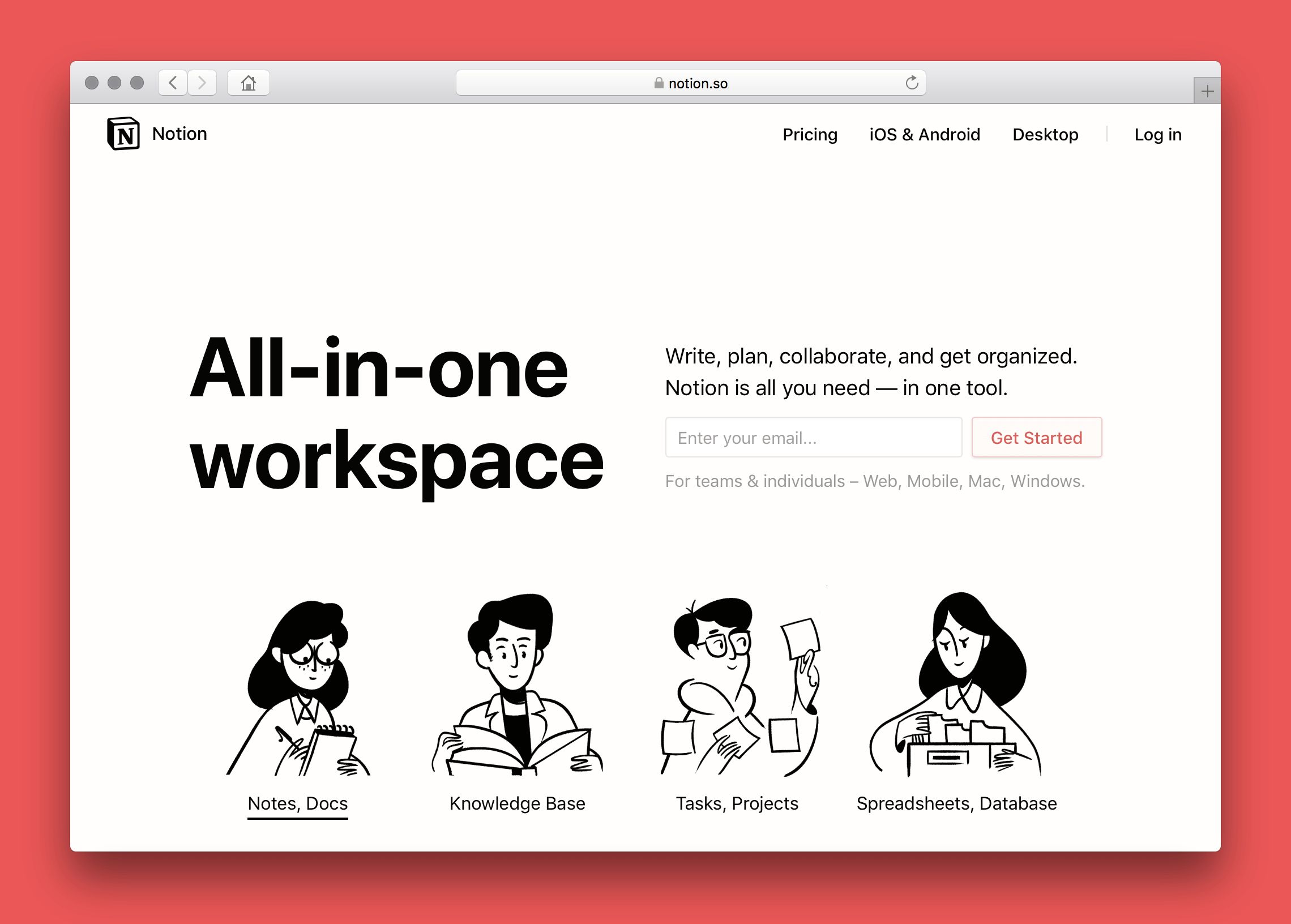
Notion is an all-in-one workspace for notes, wikis, documents, and databases. It’s often used as a Capacities alternative because you can organize information, build custom systems, and manage projects inside one flexible workspace.
Key features
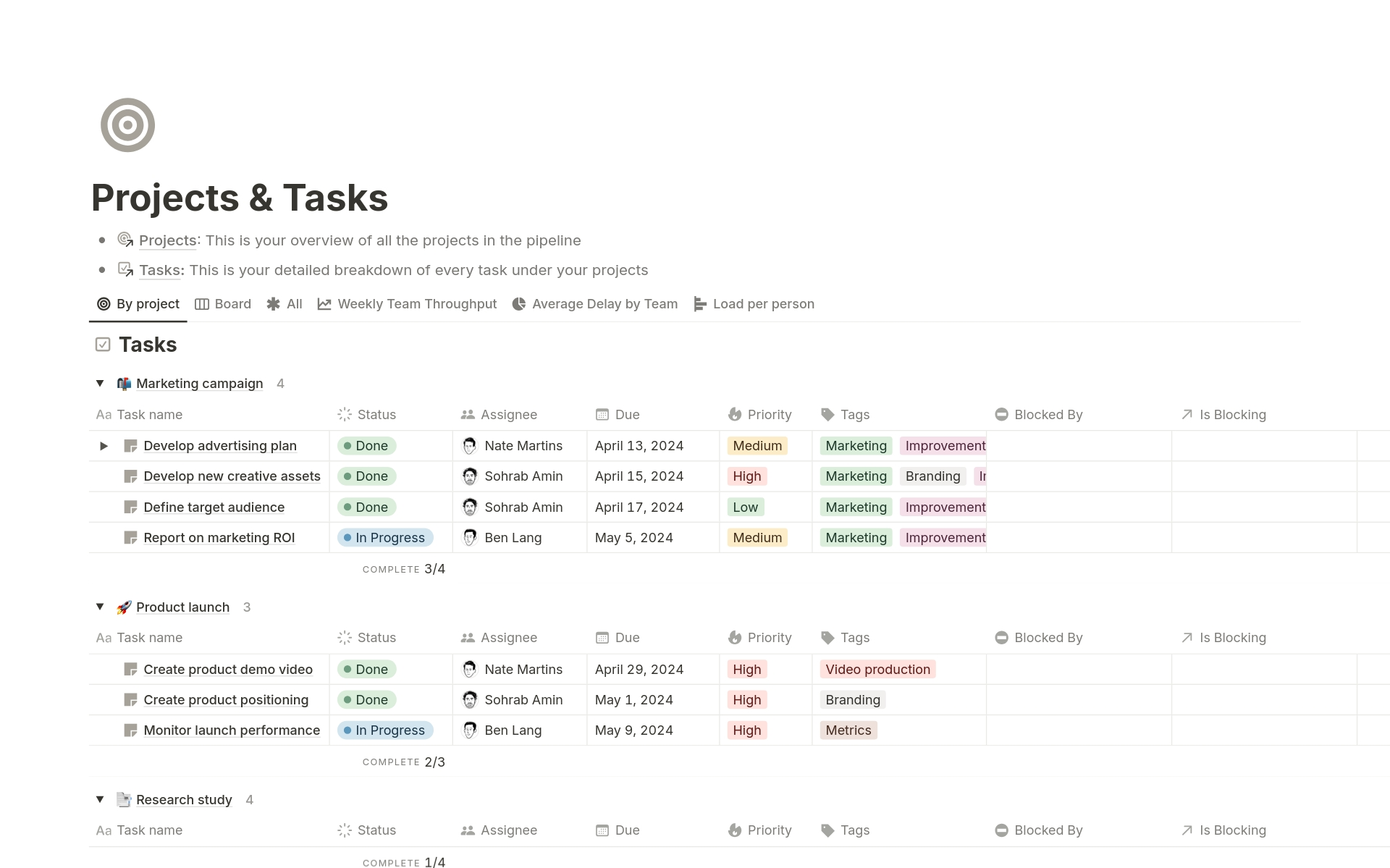
- Workspace that combines notes, docs, wikis, tasks, and databases
- Block-based editor with text, media, toggles, tables, and more
- Custom databases with multiple views like table, kanban, calendar, and gallery
- Large template library for personal and team workflows
What I liked
- Extremely flexible
- Databases are powerful for handling structured information like tasks, projects, or content calendars
- Collaboration tools make it strong for teams
- Template library makes it easy to build systems without starting from scratch
What I disliked
- Can feel rigid for free-form thinking, since everything sits inside pages or databases
- Not ideal for people who want graph-style idea linking like Capacities
- Large or complex setups can require ongoing maintenance
- Free plan may feel limited if you need heavy uploads, version history, or team access
Pricing
- Free plan
- Plus plan: $10/user/month (billed annually)
- Business plan: $20/user/month (billed annually)
Suitable for:
- Teams that collaborate on documents, wikis, or shared knowledge bases
- Users who want templates to speed up setup
How to start:
- Go to Notion and create a free account
Notion reviews (source)

3. Craft
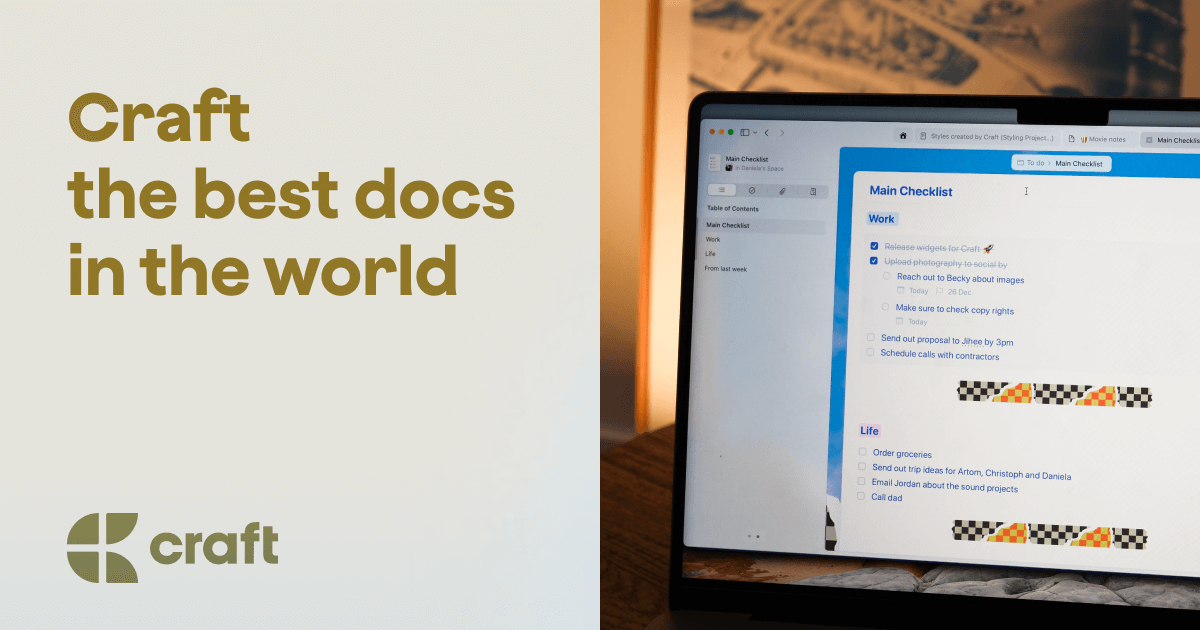
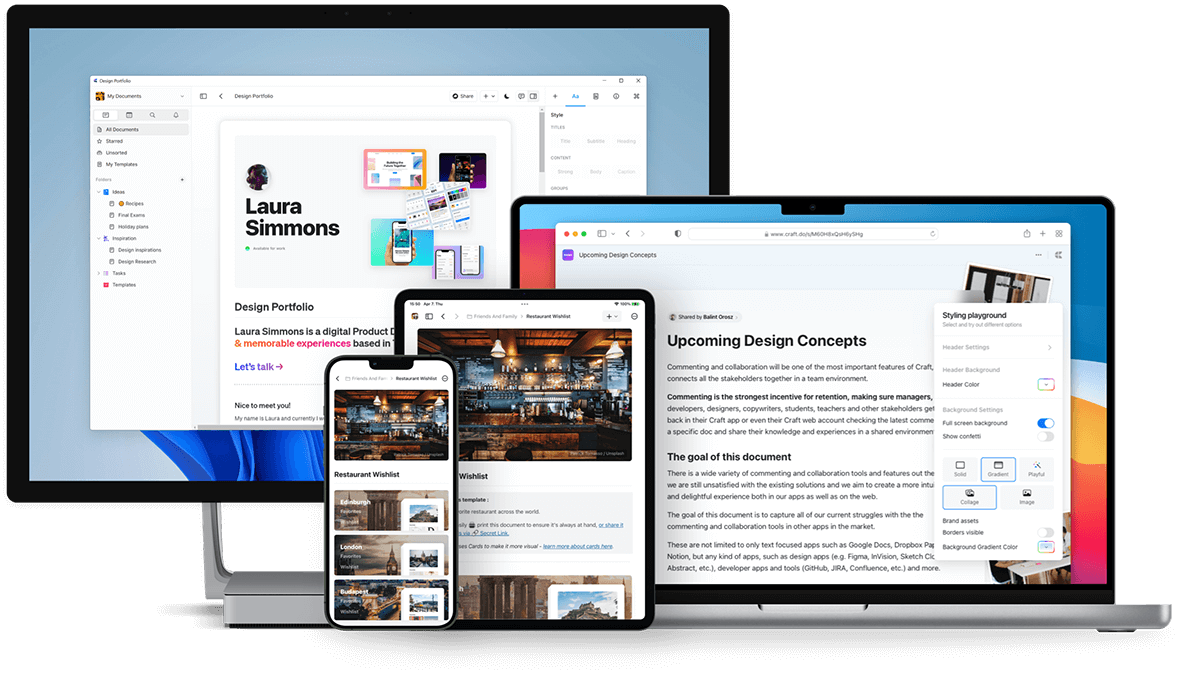
Craft is a note-taking and document-creation app that works well as a Capacities alternative if you prefer clean documents, simple organization, and easy sharing over complex knowledge-graph workflows.
Key features
- Block-based editor for flexible document creation
- Clean, minimalist interface that makes notes easy to read and share
- Real-time collaboration and shared document editing
- Public sharing with link access and export options
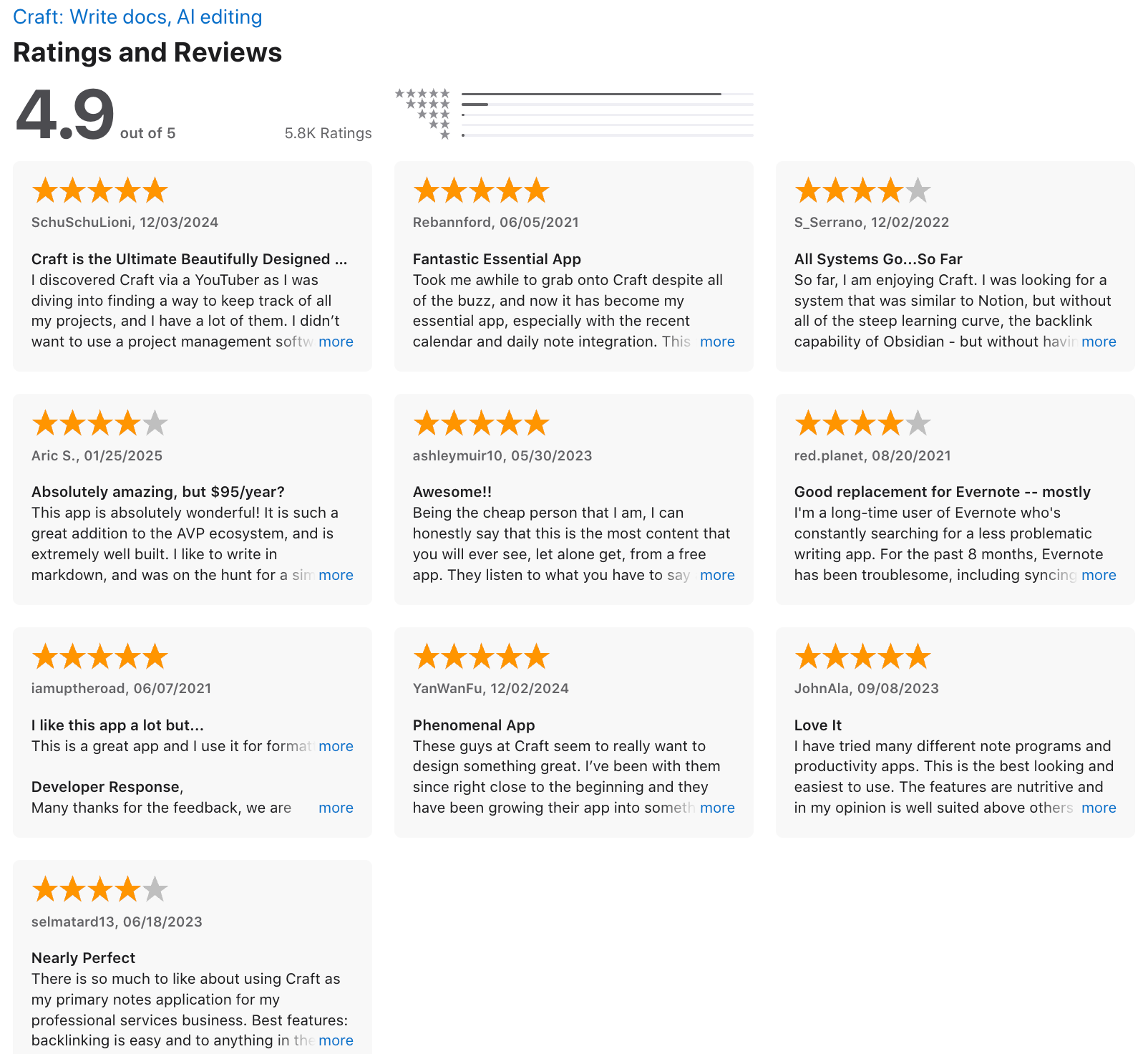
What I liked
- Linking between notes makes it useful for personal knowledge management
- Strong collaboration features for teams or shared notes
What I disliked
- Lacks the deep, object-based knowledge organization Capacities offers
- Linking and networked-note capabilities are more limited
- Not ideal for users who want a fully relational second brain or advanced PKM system
Pricing
- Free plan with core features
- Pro plan at $10/month or $96/year
Suitable for:
- Individuals or teams who want clean, easy-to-share documents
- Users who value simplicity over complex PKM features
How to start:
- Go to Craft and create a free account
Craft review (source)
4. Tana
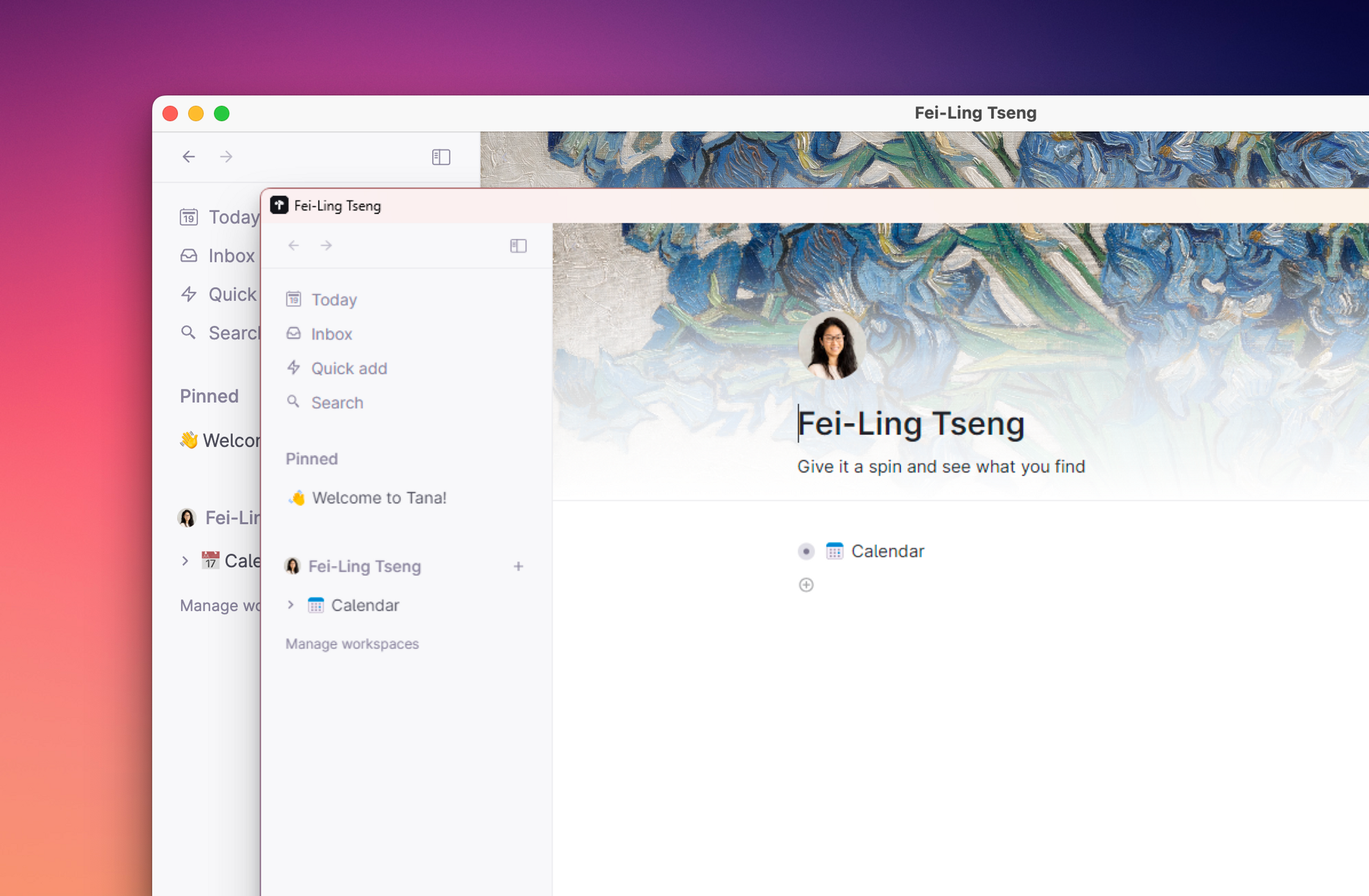
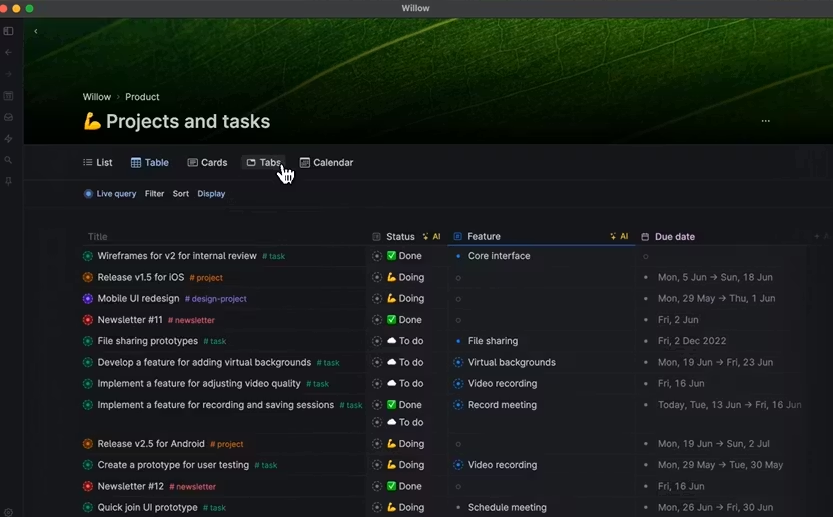
Tana is an AI note app that helps you capture ideas, connect notes, manage tasks, and build a flexible knowledge system without relying on rigid folders or databases.
Features
- Outliner-based workspace where every note, task, and project is a connected node
- Supertags that let you add structure, metadata, and workflows to your notes
- Multiple views and multi-window editing for easier cross-referencing
Pros
- The graph + outliner combo feels natural for people who think in ideas, not folders
- Supertags give you database-level structure without needing upfront schema planning
Cons
- Learning curve is real, especially around supertags and structuring your system
- Mobile and offline experience can feel limited compared to desktop
- The free tier has noticeable feature restrictions
- Without intentional structure, your workspace can get messy fast
Price
- Monthly at $18/month, Annually at $14/month
Suitable for:
- People building a second brain or doing heavy research, writing, or project work
- Anyone who prefers outliner-style thinking instead of traditional note apps
How to start:
- Create an account on Tana
- Begin with daily notes or quick capture to add information
Tana Reviews (Source)
5. AmpleNote
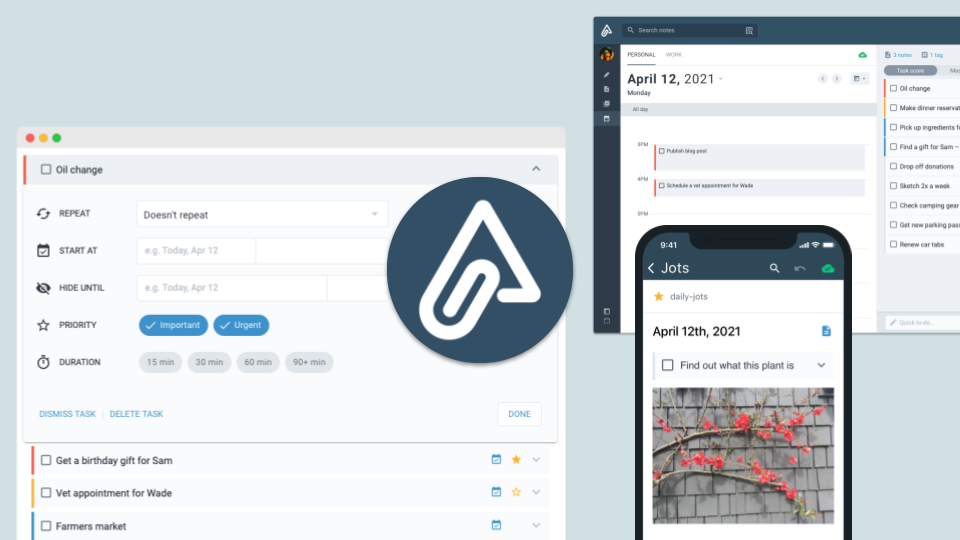
Amplenote is a note-taking and task-management app that helps you capture ideas, turn them into actionable to-dos, and organize everything with links, tags, and a built-in calendar. It works well as a simpler, more productivity-focused alternative to Capacities.
Key features
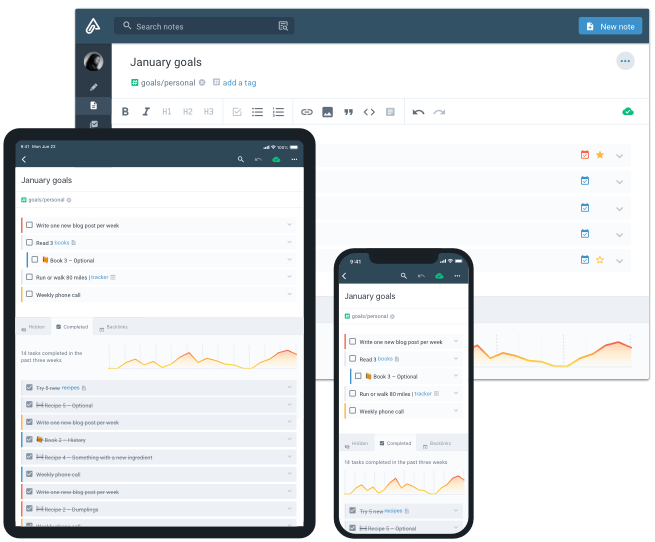
- Notes and tasks live in the same place, so you can embed to-dos directly inside your notes
- Bi-directional linking and nested tags for organizing ideas
- Task-scoring system that helps you prioritize what to do next
- Calendar integration for scheduling tasks and deadlines
What I liked
- Easy to move from note-taking to task execution without switching tools
- Task-scoring is helpful for prioritizing when you have too much to do
What I disliked
- Less “object-based” than Capacities, so it’s not ideal for people who want custom data structures
- Knowledge organization feels more linear compared to Capacities’ richer knowledge graph
- Limited customization for complex PKM workflows
- You don't have an AI assistant for notes, tasks, and calendar
Pricing
- Free plan with basic notes and tasks
- Pro plan: around $6/month
- Unlimited plan: around $10/month
- Founder plan: around $20/month
Suitable for
- Anyone looking for a simpler alternative to Capacities with less setup
- Students, professionals, and productivity-focused users
How to start
- Go to AmpleNote and create a free account
Amplenote review (source)
6. Anytype
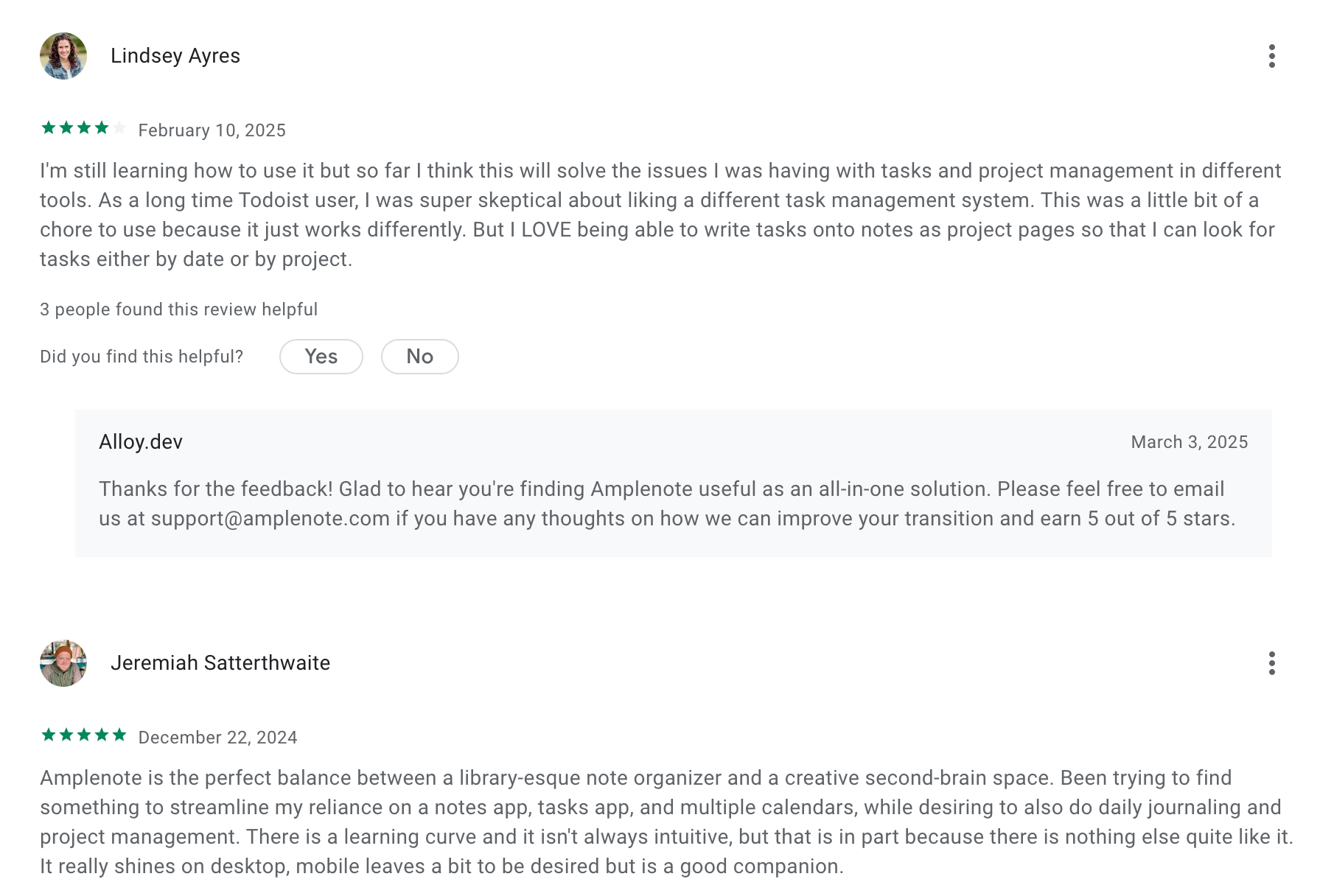
Anytype is a local-first, open-source knowledge management tool that lets you create interconnected notes, objects, and workflows. It’s designed for people who want privacy, offline access, and full control of their data, making it a strong Capacities alternative if you prefer local storage and flexible structure.
Key features
- Local-first storage with end-to-end encryption
- Peer-to-peer sync across devices
- Object-based system for notes, tasks, media, and databases
- Custom types, templates, and relations
What I liked
- Strong privacy model: your data stays local and encrypted
- Great for building a second brain with deep structure
- Flexible templates and custom object types
- Works smoothly offline, unlike many cloud-only tools
What I disliked
- Learning curve can be steep if you’re new to object-based systems
- Some features still feel early or unfinished
- Collaboration and integrations are limited
- Not ideal for teams or workflows needing lots of automation
Pricing
- Free plan with core features included
- Plus plan ranges from $5 - $20/month
Suitable for
- People who want a private, offline-first PKM system
- Users building a long-term second brain or research hub
- Anyone who likes Capacities’ graph-style thinking but wants more privacy
Anytype review (source)
7. Obsidian
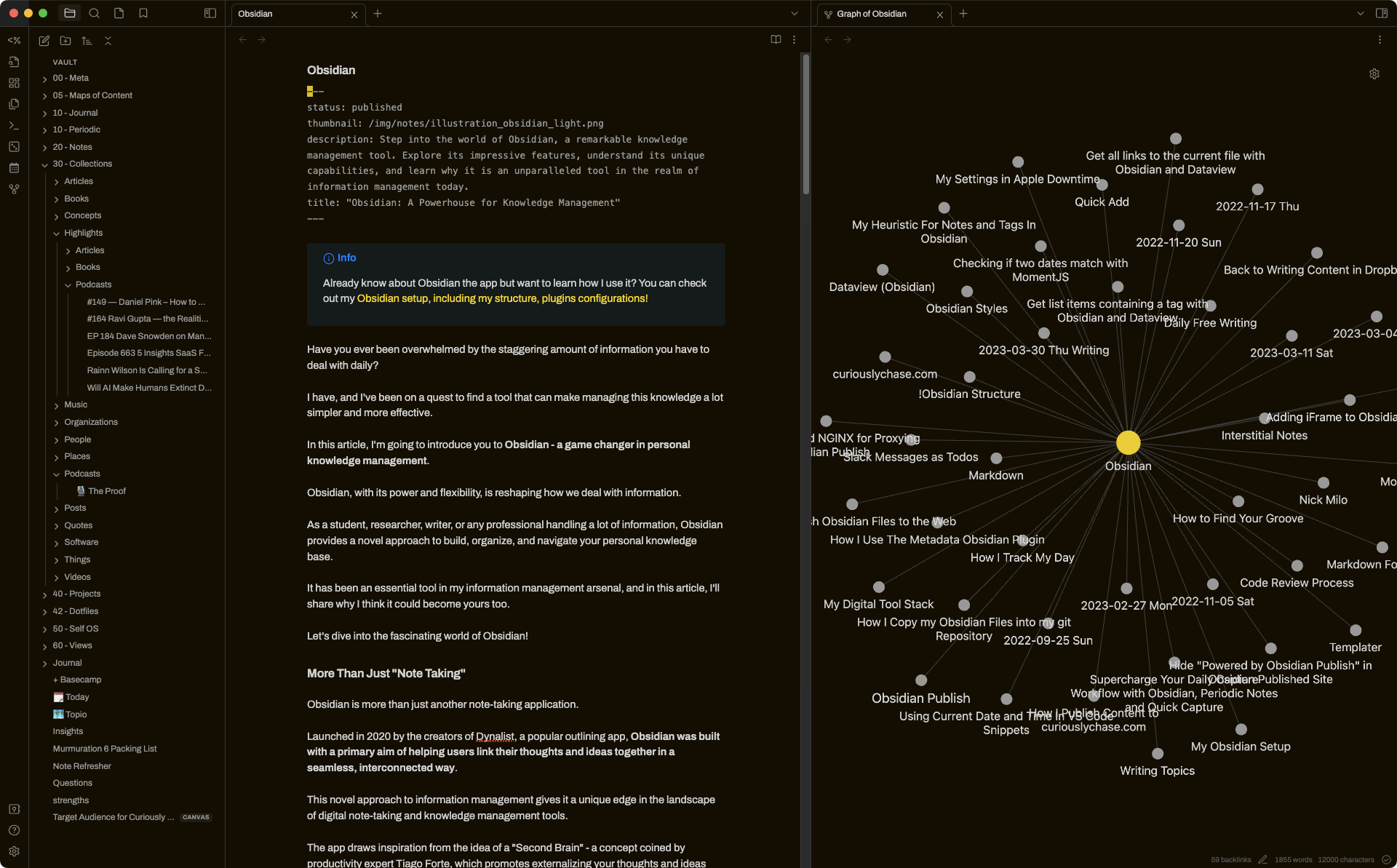
Obsidian is a markdown-based note-taking app that lets you build a flexible personal knowledge base. It stores everything locally, supports powerful linking between notes, and can be customized heavily with plugins. It’s a strong Capacities alternative if you want more control, privacy, and flexibility.
Key features
- Local storage with plain-text markdown files you fully own
- Internal linking system with visual graph view
- Large ecosystem of community plugins for tasks, calendars, metadata, databases, and automation
- Rich markdown editor for writing, planning, and organizing notes
What I liked:
- You own your data completely, which makes it future-proof and portable
- Very flexible - plugins let you turn Obsidian into almost anything you want
- Great for research and long-term knowledge building thanks to strong linking features
What I disliked
- Learning curve can be steep, especially when managing plugins and custom setups
- Organization can get messy without discipline, since Obsidian doesn’t enforce structure
- There are no native task reminders
- Don't have an AI assistant built in
Pricing
- Free plan with all core features
- Sync plan: $5/month
- Sync + Publish plan: $10/month
Suitable for:
- People who enjoy customizing their workspace and workflows
- Researchers, writers, developers, and long-term PKM users
How to start:
- Go to the Obsidian website
- Download the app for your device
- Create a vault and start writing in markdown
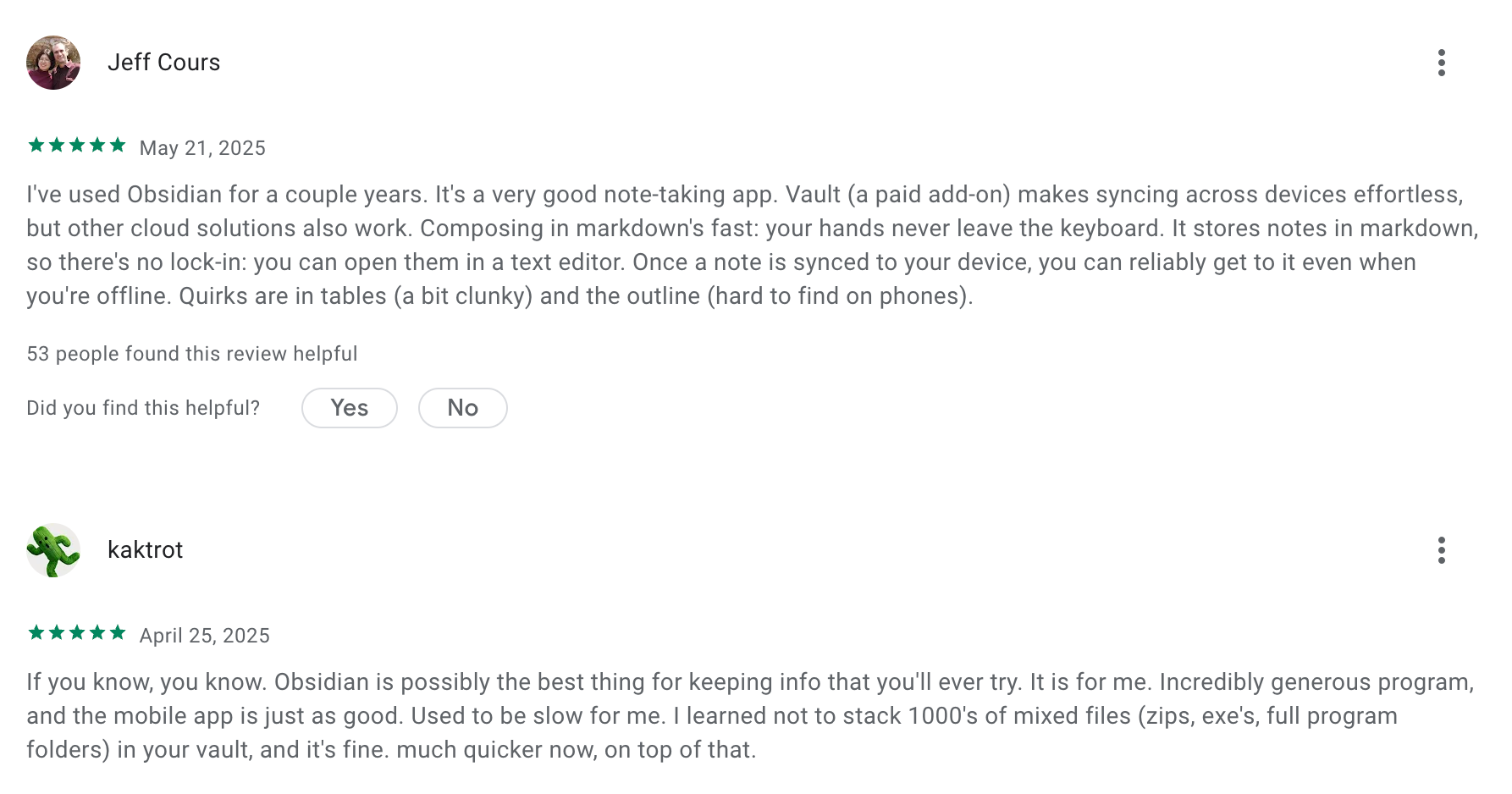
Obsidian review (source)
Conclusion: Choosing the Right Capacities Alternative Comes Down to How You Think
There’s no single “best” replacement for Capacities - only the tool that aligns with the way your brain naturally works.
If you loved the idea of structured thinking but felt overwhelmed by rigid ontologies or complex workflows, you’re not alone. Many people eventually look for something simpler, more flexible, faster, or more AI-powered. Fortunately, the PKM and notes ecosystem has evolved enough that you don’t have to compromise between power and usability anymore.
- If you want the lightest mental load and the strongest AI understanding, Saner.AI is the easiest place to think clearly without building systems.
- If you prefer privacy and full customization, Obsidian and Anytype offer complete control.
- If you care about writing beautifully, Craft delivers a focused, elegant experience.
- If tasks and planning drive your thinking, AmpleNote fits naturally into daily execution.
- If you still love structured knowledge models, Tana gives you that power without the same rigidity.
- If collaboration matters, Notion remains unmatched for teams and shared knowledge.
At the end of the day, the best tool isn’t the most feature-rich one — it’s the one that helps you capture ideas easily, return to them effortlessly, and think with more clarity than before.
Choose the app that feels intuitive, reduces friction, and supports the kind of work you actually do. When the tool disappears and your ideas take center stage, you’ve found the right alternative.
Stay on top of your work and life
FAQ: Best Capacities Alternatives
1. What are the best Capacities alternatives?
Capacities is loved for its networked thinking, visual structure, and flexible knowledge organization - but many users look for alternatives that offer better AI features, task management, or cross-platform support.
Some of the best Capacities alternatives include:
- Saner.AI – AI workspace for searching notes, planning, and reducing context switching
- Obsidian – Local-first knowledge base with powerful plugins
- Craft – Clean, beautiful docs with strong publishing features
- AmpleNote – Tight notes–tasks integration with “priority modes”
- Tana – Structured thinking with powerful AI, node-based workflows
- Notion – All-in-one docs, databases, and templating
- Anytype – Privacy-first, local-first, offline-friendly knowledge graph
Each tool fits a different style - some more visual, some more structured, some more AI-driven.
2. What should I look for in a Capacities alternative?
Most users switching from Capacities want one (or several) of these:
- More powerful AI search or summarization
- Better cross-device sync
- Stronger daily task workflows
- Offline mode or local data storage
- A simpler or more customizable system
- A tool that reduces mental load, not adds to it
Saner.AI and Tana stand out for AI; Obsidian and Anytype for privacy; Notion and Craft for team collaboration.
3. How is Saner.AI different from Capacities?
If your goal is fast retrieval, fewer apps, and less context switching, Saner.AI is one of the closest-but-better fits for many people migrating from Capacities.
Saner.AI offers:
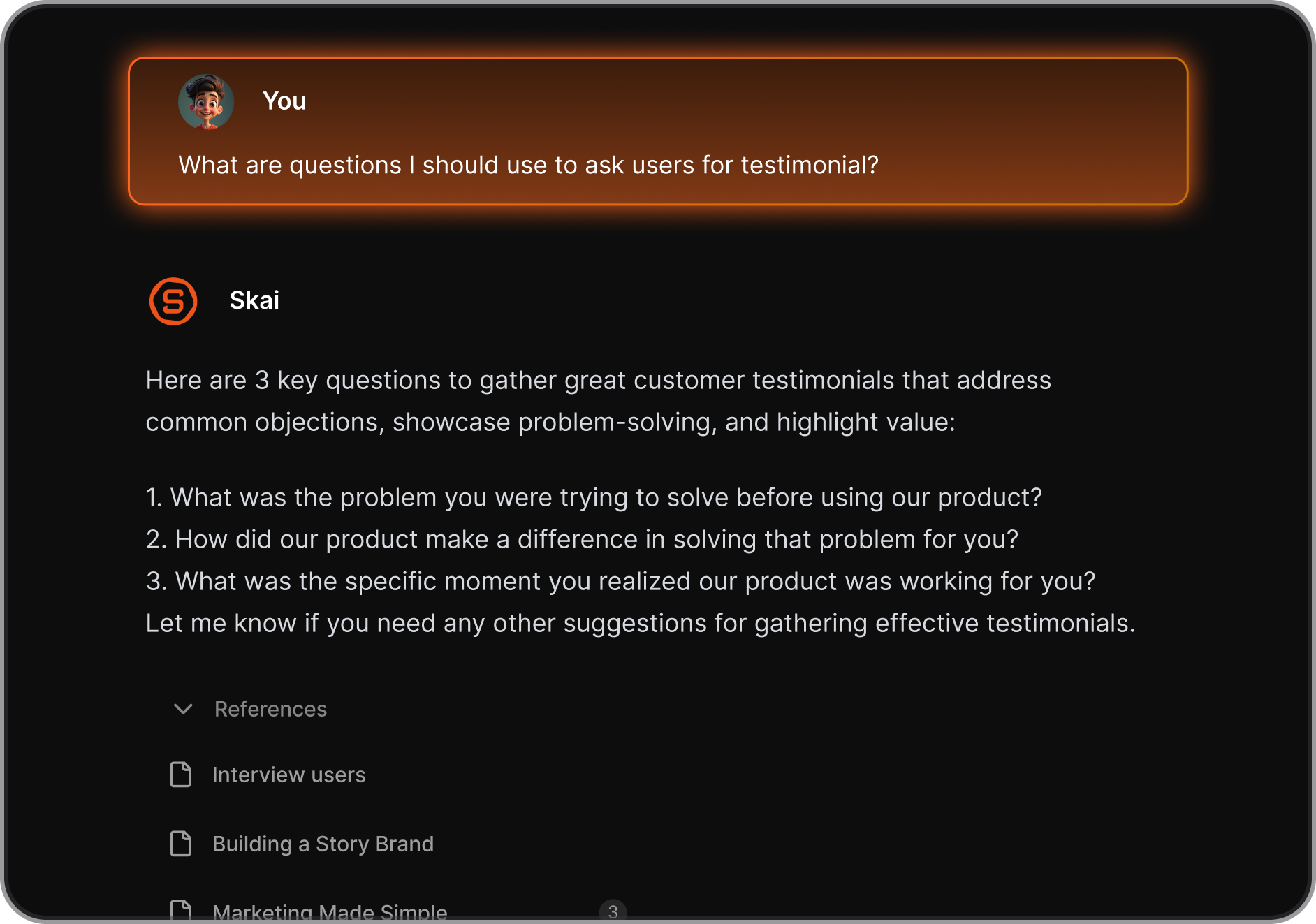
- AI that understands context across all your notes
- A combined space for notes, tasks, and calendar
- Natural-language command system (“find my investor notes”, “plan my week”, etc.)
- ADHD-friendly structure that works without manual tagging
Where Capacities focuses on visual organization, Saner.AI focuses on mental clarity and actionability.
4. Is Obsidian a good Capacities alternative?
Yes - especially for users who want full control.
Obsidian is best suited for:
- People who prefer local storage and privacy
- Heavy customization with plugins
- Knowledge workers who love markdown
- Users who want to shape their own system from scratch
It’s less guided than Capacities, but more flexible.
5. Which Capacities alternative is best for ADHD or overwhelmed professionals?
Saner.AI is especially helpful because it reduces friction:
- No tags or manual organization needed
- AI finds your notes even if they’re messy
- Turns brain dumps into actionable tasks
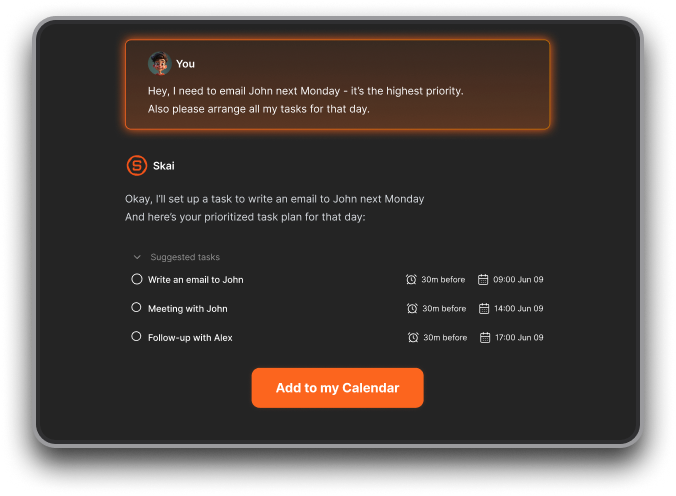
- Supports natural language planning
It’s built to limit context switching - the biggest productivity killer for ADHD users.
6. Can any of these Capacities alternatives replace multiple tools at once?
Yes. Most users consolidate 2–4 apps when switching.
Examples:
- Saner.AI → replaces note app + task app + AI search + planner
- Notion → replaces docs + wiki + database
- Tana → replaces outliners + knowledge graphs + structured workflows
Capacities alternatives often reduce tool sprawl if chosen well.
7. Which alternative is best for teams?
- Notion – Best for collaboration and shared databases
- Craft – Best for clean meeting notes and shareable docs
- Saner.AI – Best for teams wanting AI-powered search and actionable workflows
Capacities itself is more solo-focused, so switching is common for team environments.
8. Which Capacities alternative is most beginner-friendly?
If you want minimal setup:
- Craft → Easiest for writing and sharing
- AmpleNote → Easiest for notes + tasks
- Saner.AI → Easiest for AI workflows where the system organizes itself
Obsidian, Notion, and Tana are powerful but require more upfront structure.
9. Which Capacities alternative has the strongest AI?
If AI performance is your priority:
- Saner.AI – Best for context-based retrieval, daily planning, and actionability
- Tana – Great for structured templates and AI-powered fields
- Notion AI – Solid for writing and summaries but weaker for search
Capacities has good AI, but these tools go further for end-to-end workflows.
10. Are any Capacities alternatives free?
Yes - several offer generous free plans:
- Obsidian (core features)
- Anytype (free during beta)
- Craft (free personal plan)
- Notion (free personal tier)
- Saner.AI (free plan for note search, reminders, and AI assistance)
You can start experimenting without paying anything.
11. Which alternative is best for long-term knowledge management?
Depends on your style:
- Obsidian → Markdown longevity, future-proof
- Anytype → Local data, privacy-first
- Tana → Structured, scalable knowledge graph
- Saner.AI → AI-assisted knowledge retrieval that grows with you
Capacities users often switch because they want more scalability or better AI.
12. Which Capacities alternative is fastest to learn?
- Saner.AI
- Craft
- AmpleNote
All three require almost no setup.
Obsidian, Notion, and Tana have a steeper learning curve but greater long-term power.
13. Which tool should I choose if I want AI + task management + notes in one place?
Saner.AI currently offers the strongest integrated experience:
- Notes
- Tasks
- Calendar
- AI retrieval
- Natural language planning
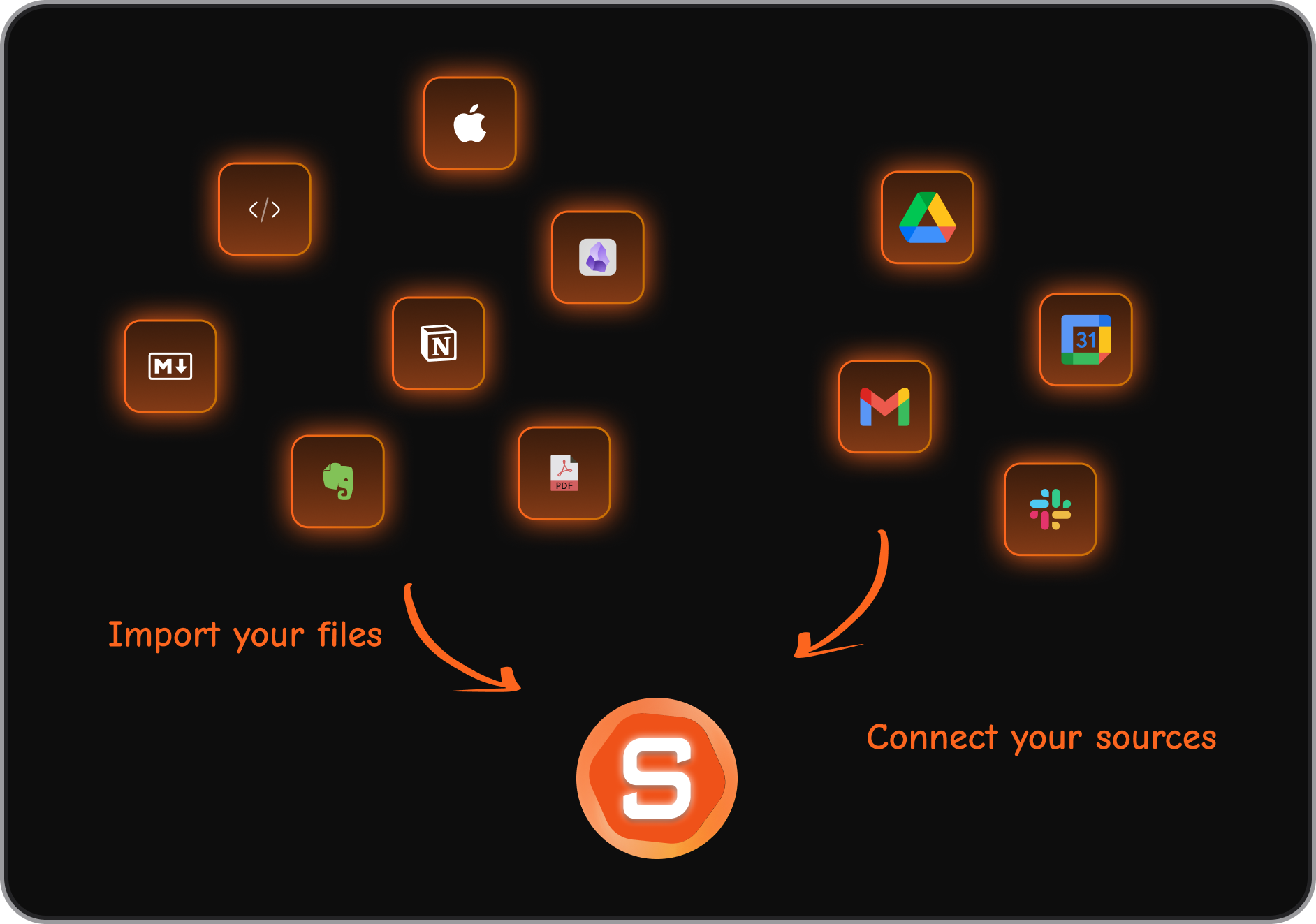
If you want fewer moving parts, it’s one of the best all-in-one Capacities alternatives.
14. What’s the best Capacities alternative overall?
There’s no universal winner—it depends on your workflow.
Best overall AI-first alternative: Saner.AI
Best privacy-first alternative: Anytype
Best flexible power-user alternative: Obsidian
Best for structured thinkers: Tana
Best for collaboration: Notion
Best for simple productivity: AmpleNote
Best for beautiful writing: Craft
If you want the closest “everything in one brain-like space,” Saner.AI is the top option.
Stay on top of your work and life



