We Tested 14 Claude Alternatives. Here are the best 7
The best Claude Alternatives are: ChatGPT, Gemini, Saner.AI, Copilot, Grok, Perplexity, Deepseek


The best 7 Claude Alternatives (Free & Paid)
Claude is good. Sometimes it's really good. But it's not the right tool for everyone, and depending on what you actually need - real-time web access, deeper task management, cheaper pricing, or tighter Microsoft integration - there are better options out there.
This post breaks down the seven strongest Claude alternatives in 2026, what each one is actually built for, and which one deserves your subscription money based on your specific situation.
Quick Answer: What are the Best Claude Alternatives?
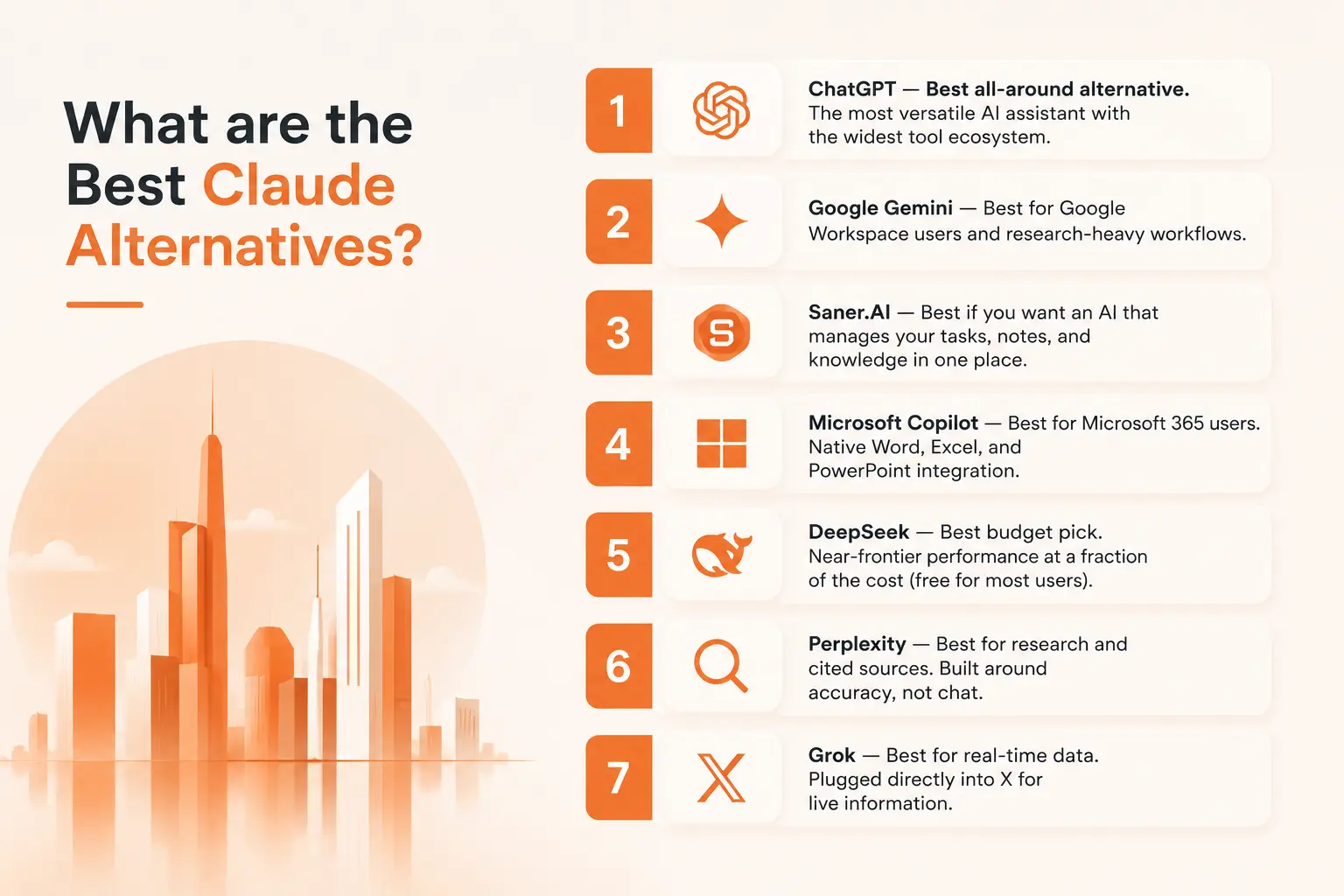
2) Google Gemini — Best for Google Workspace users and research-heavy workflows.
3) Saner.AI — Best if you want an AI that manages your tasks, notes, and knowledge in one place
4) Microsoft Copilot — Best for Microsoft 365 users. Native Word, Excel, and PowerPoint integration.
5) DeepSeek — Best budget pick. Near-frontier performance at a fraction of the cost (free for most users).
6) Perplexity — Best for research and cited sources. Built around accuracy, not chat.
7) Grok — Best for real-time data. Plugged directly into X (formerly Twitter) for live information.
1. What Is a Claude Alternative?
A Claude alternative is any AI assistant that can take on some or all of what Claude does in your workflow. That sounds obvious, but the category is worth defining carefully because most comparisons skip this step and end up comparing the wrong things.
2. Why Are People Looking for Claude Alternatives?
Claude is praised for writing quality and thoughtful responses. But it has gaps that push people toward other tools.
- The context problem is real, but so is the cost.
- Claude's paid tiers start at $20/month for Pro, climbing to $100–$200/month for Max. For heavy users who need serious usage capacity, that's a steep number
- The tool ecosystem is still catching up.
3. How We Chose Claude Alternatives
We evaluated over a dozen AI tools across real use cases - writing, research, task management, code generation, and long-document analysis. Each tool was tested at the free tier and the standard paid tier, with attention paid specifically to what breaks under real daily workloads rather than ideal conditions.
Here's what we looked at:
- Model quality — Accuracy and reasoning depth on non-trivial tasks, not just simple Q&A. How often does the model hallucinate, and how does it handle ambiguous or complex inputs?
- Context window — How much can the model hold in a single session, and does that limit actually show up for the workflows most users care about?
- Web search and real-time access — Does the tool search the web reliably by default, and how accurate and well-sourced are the results it returns?
- Multimodal capability — Can it handle images, voice, code, or documents?
- Integrations and workflow fit — Does it connect to email, calendar, notes, or task managers? Can it reduce app-switching rather than adding to it?
- Pricing and usage limits — What do you actually get at the free and $20/month tiers?
Now, let's dive in!
What Are The Best Claude Alternatives?
The best Claude Alternatives are: ChatGPT, Gemini, Saner.AI, Copilot, Grok, Perplexity, and Deepseek
Comparison Table: Best Claude Alternatives
| Tool | Best For | Pricing | Free Plan | Real-Time Web | Task Management | Rating |
|---|---|---|---|---|---|---|
| ChatGPT | All-around use | From $0 / $20 Pro | ✓ | ✓ | ✗ | 4.7/5 |
| Google Gemini | Google Workspace, research | From $0 / $20 Pro | ✓ | ✓ | ✗ | 4.5/5 |
| Microsoft Copilot | Microsoft 365 users | From $0 / $30 Copilot+ | ✓ | ✓ | Partial | 4.3/5 |
| DeepSeek | Budget users, coding | Free / ~$2 API | ✓ | ✗ | ✗ | 4.2/5 |
| Perplexity | Research with cited sources | From $0 / $20 Pro | ✓ | ✓ | ✗ | 4.4/5 |
| Grok | Real-time social/news data | From $0 / $30 SuperGrok | ✓ | ✓ | ✗ | 4.1/5 |
| Saner.AI | Knowledge workers, task + AI combo | From $0 / $8 Starter | ✓ | ✓ | ✓ | 4.6/5 |
1. ChatGPT

ChatGPT runs on OpenAI's GPT-5.2 and GPT-5.4 family of models, with different inference modes depending on what you need - fast responses, step-by-step reasoning, or maximum depth. The ecosystem around it is unmatched: Custom GPTs, a mature plugin library, code execution, document analysis, voice mode, and image generation via the new GPT Image 2 all live in the same interface.
Key features
- GPT‑5 model access (even on the free plan), with smart routing between fast/lightweight and deep/thorough modes
- Conversation branching lets you explore multiple threads from one idea without losing context
- Deep Research mode: It uses autonomous agents to run multi-step research, cross-reference sources, and return a structured, cited report.
"ChatGPT helps us scale our effort by doing deep research for us and also drafting and refining the basic structure of articles, social media posts, and applications." — reviews
What I liked:
- Deep Research mode is genuinely useful for multi-source synthesis
- Even free users get access to GPT‑5, which is impressive compared to most AI tools
- Custom GPTs let power users build reusable, workflow-specific tools. It's kind of similar to Claude Skills
What I disliked:
- It still hallucinates occasionally - you’ll need to fact-check important responses.
- Some features, like full Deep Research and advanced agents, are usage-limited on the free plan
- It won’t manage your calendar or send emails yet, so it’s not a complete solution for personal assistants
Pricing:
- Free plan available with GPT‑5 access, conversation branching, and lightweight Deep Research
- Plus plan at $20/month includes faster performance and more usage
- Team plan at $25–30/user/month adds shared workspaces, admin tools, and team memory
- Pro plan at $200/month for heavy users and developers
Suitable for:
- Professionals, students, entrepreneurs, and teams who want a flexible, powerful AI assistant for writing, planning, research, and automation.
How to start:
- Just head to chat.openai.com, create a free account, and try out the GPT‑5-powered assistant.
ChatGPT Reviews (source)
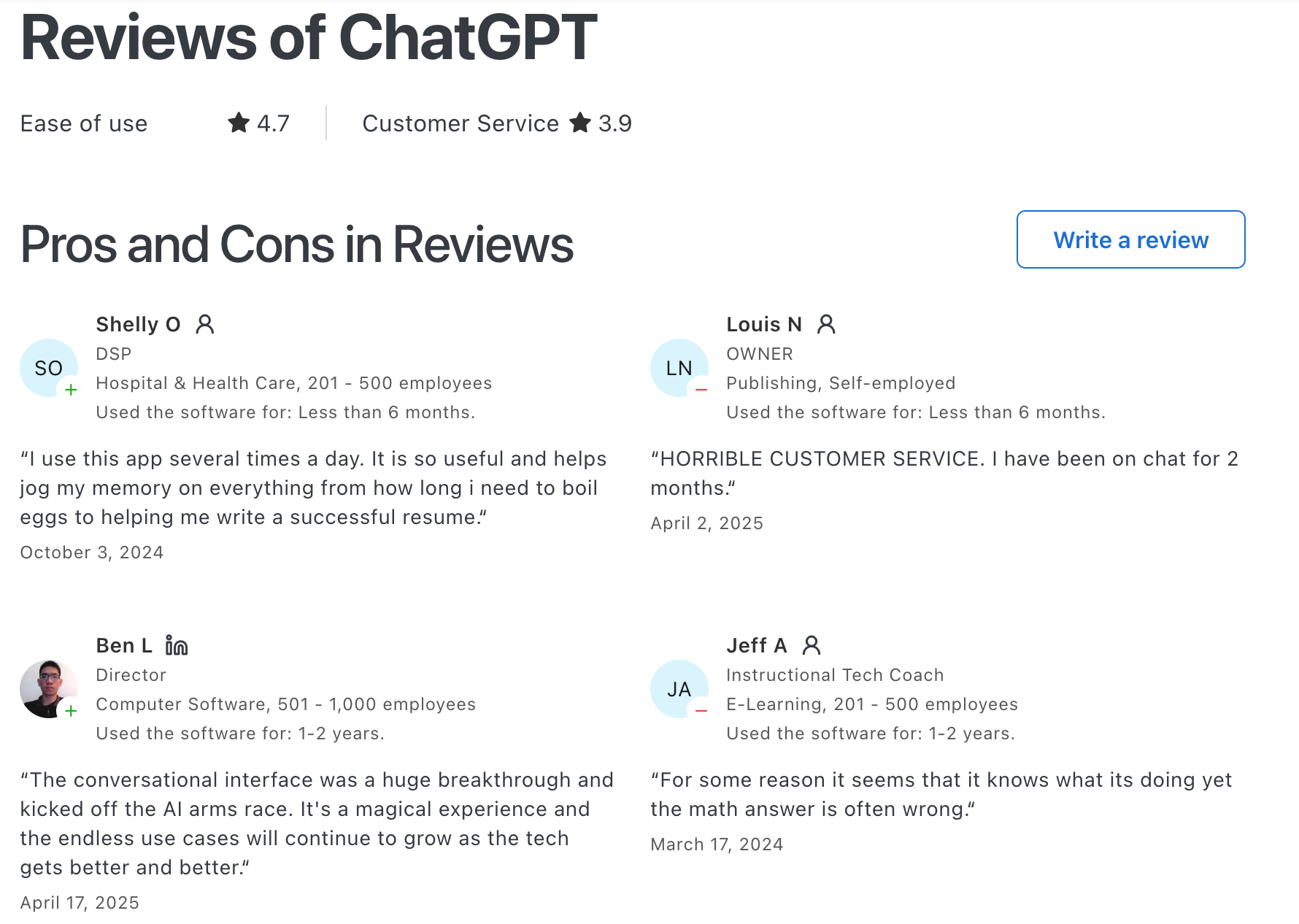
Users consistently describe ChatGPT as the best tool for getting unstuck — whether on code, a blank page, or a research rabbit hole.
"It works like a companion. My go-to app for research, generating copies, creating content." — reviews
The frustration that comes up most is inconsistency:
"There are moments when it gives inconsistent results on niche prompts." — reviews
2. Saner.AI
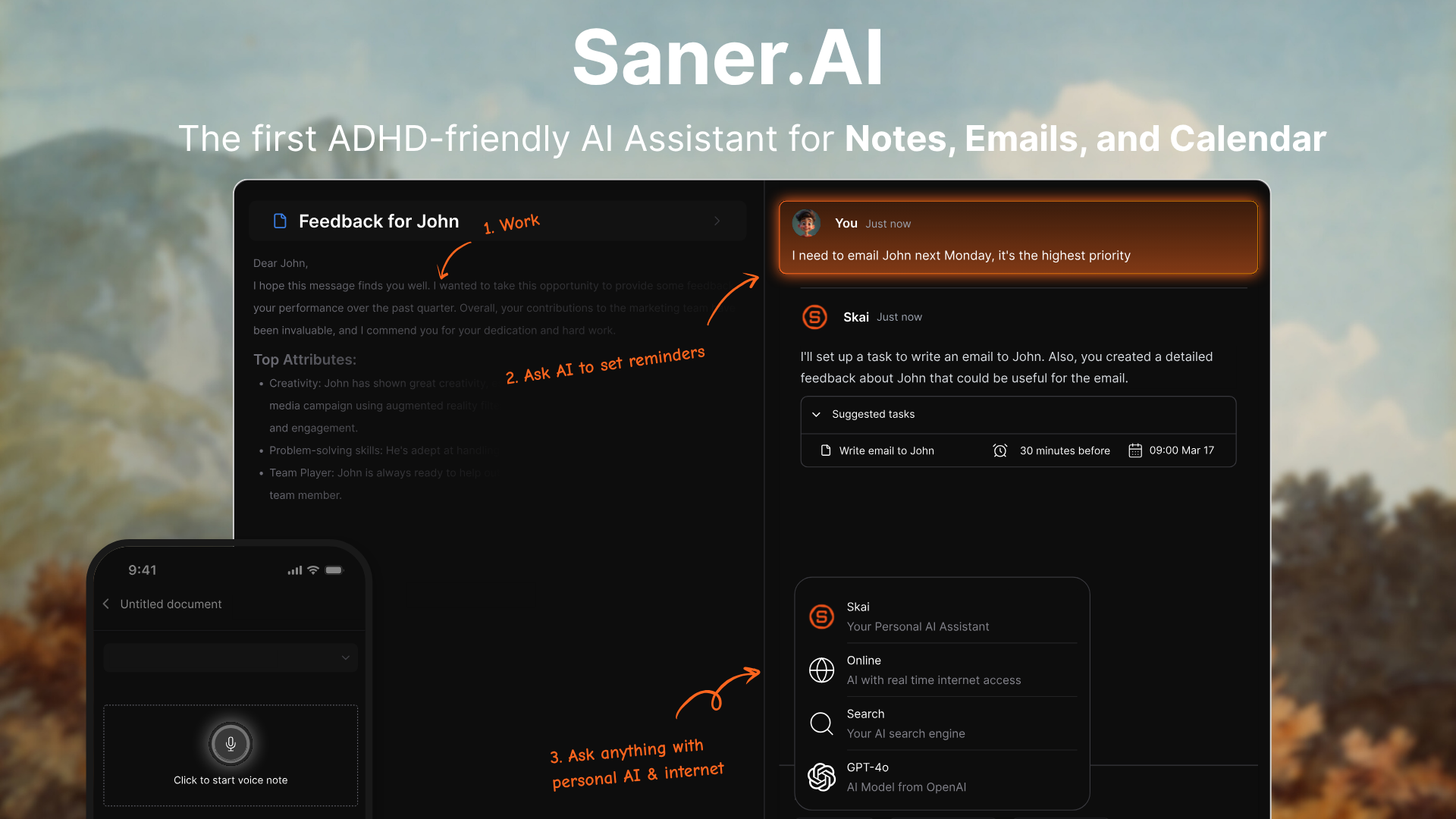
Saner.AI is an AI assistant that helps you manage your thoughts, tasks, notes, and calendar in one place. It’s especially helpful for professionals with ADHD or anyone who feels overwhelmed juggling multiple tools. You can chat with it to extract tasks from emails, get a daily plan, or search your notes
Key features
- All-in-one workspace: Combines tasks, notes, calendar, emails, and Slack into one AI-searchable hub
- Brain-dump to plan: You can vent or brain-dump in natural language, and Saner turns it into tasks with reminders
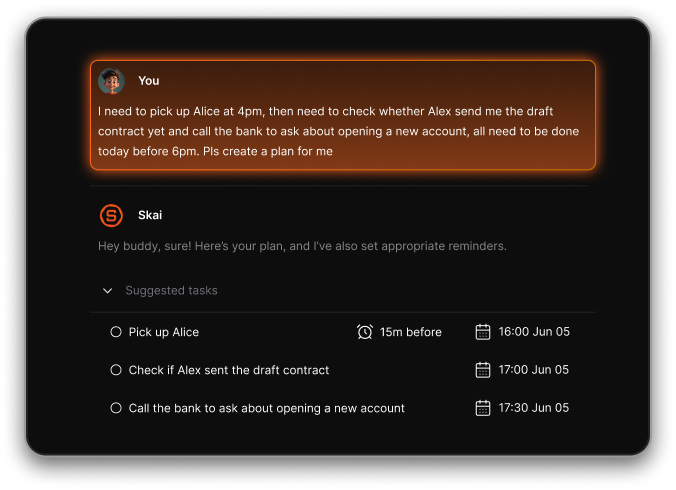
- Gmail & Calendar sync: Automatically extracts tasks and updates events based on your chat commands
- Semantic search: Ask questions in natural language to find your own notes. "What were my thoughts on the Q3 strategy?" returns relevant notes regardless of exact wording.
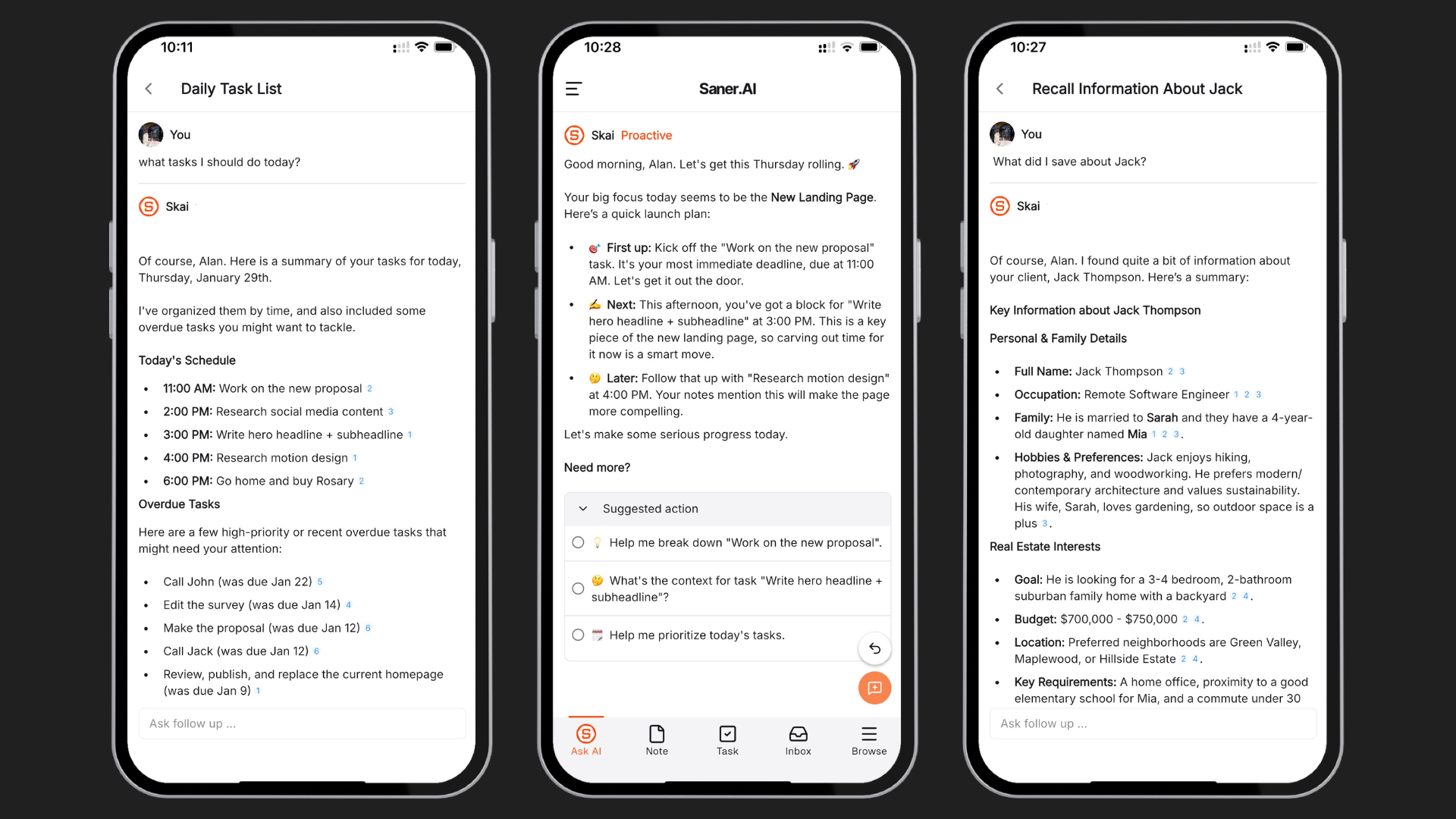
- Proactive daily planning: Saner suggests what to do based on your notes, tasks, and inbox - no setup needed
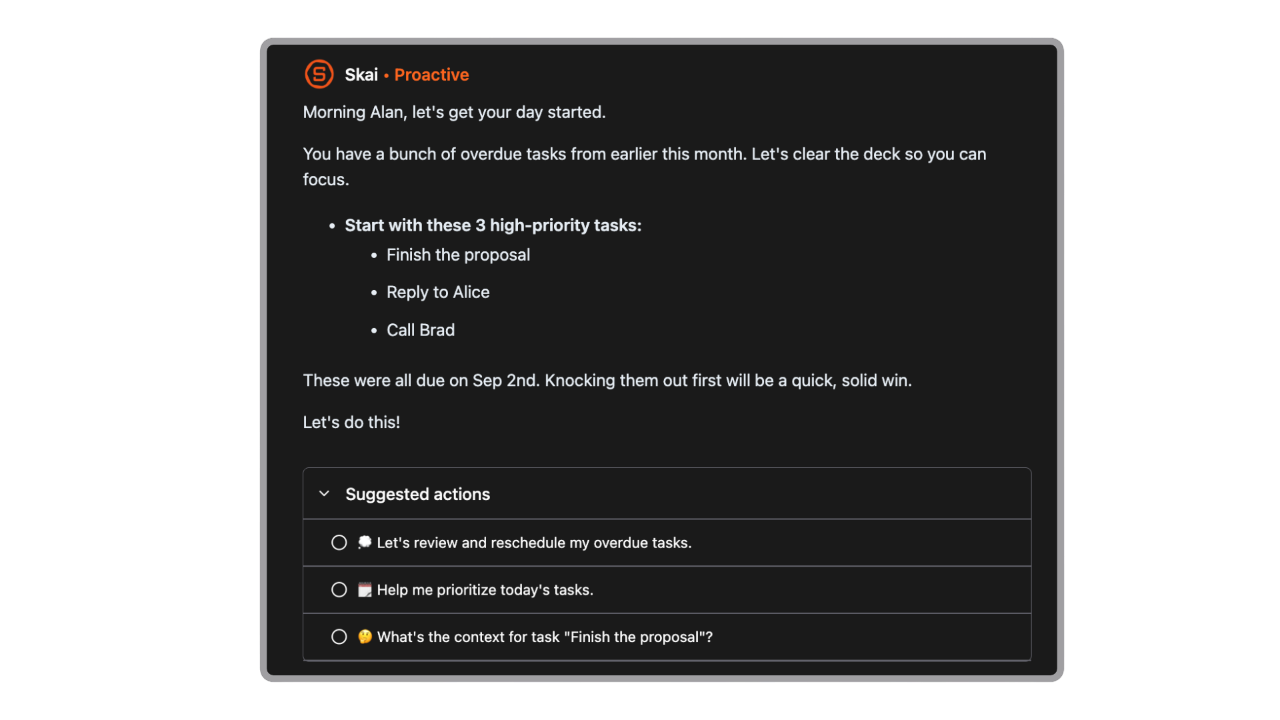
- ADHD-friendly UI: Minimalist design that helps reduce overwhelm and cognitive overload
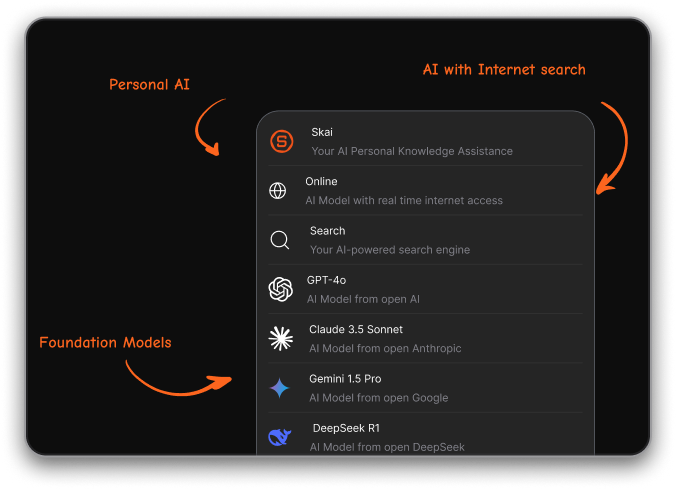
- Integrate many foundational models like Gemini, ChatGPT, Claude, DeepSeek
What I liked
- I like that you can talk to it like a human: saying “move tomorrow’s call to 3pm” or “remind me to email Sarah next week” actually works
- It connects the dots between your ideas, tasks, and emails
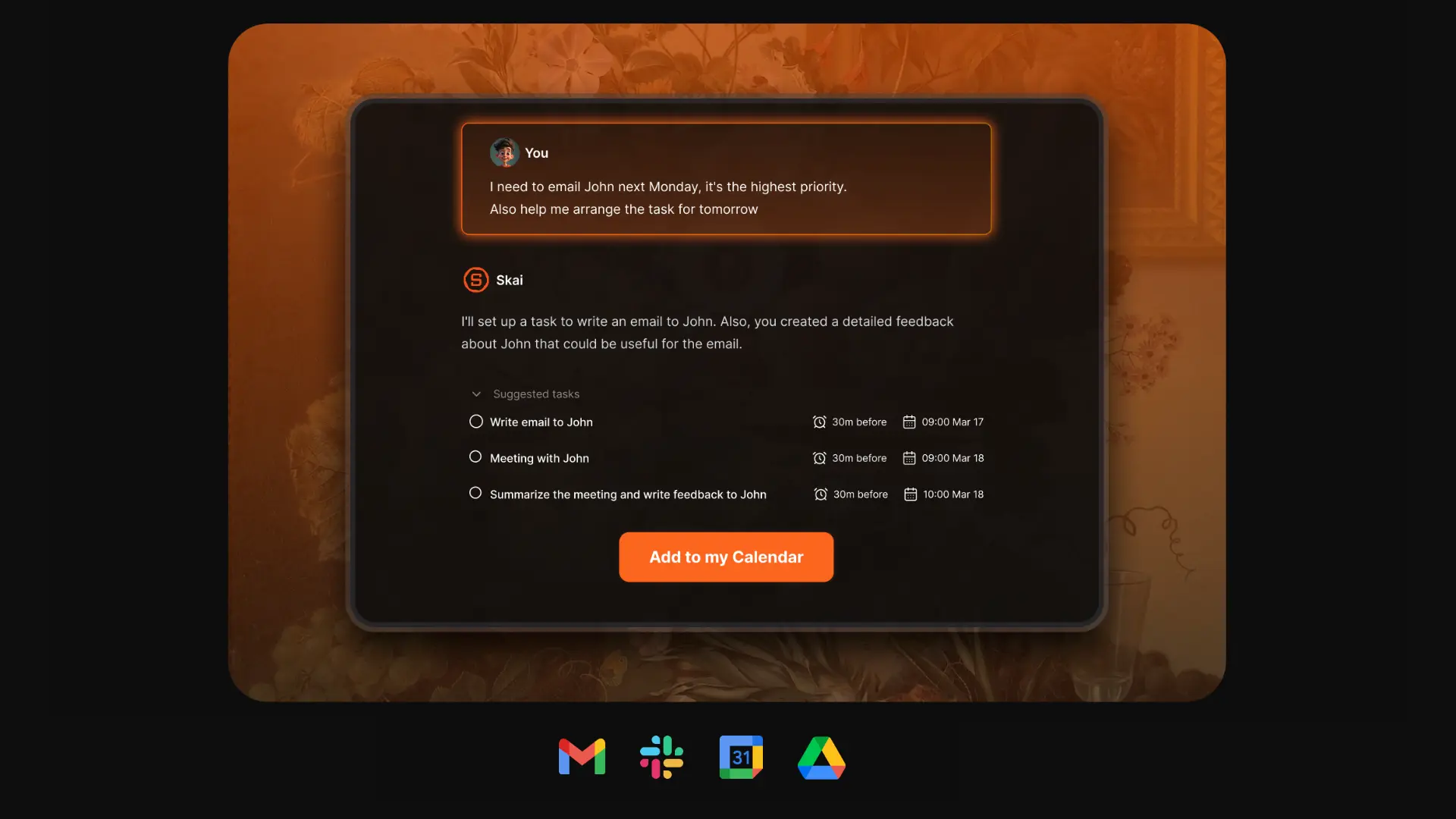
- You don’t need to maintain a system - just talk, dump, and Saner organizes it for you
- Search is contextual and feels smarter than traditional note apps
Cons
- Requires internet access for full functionality
Saner.AI Reviews
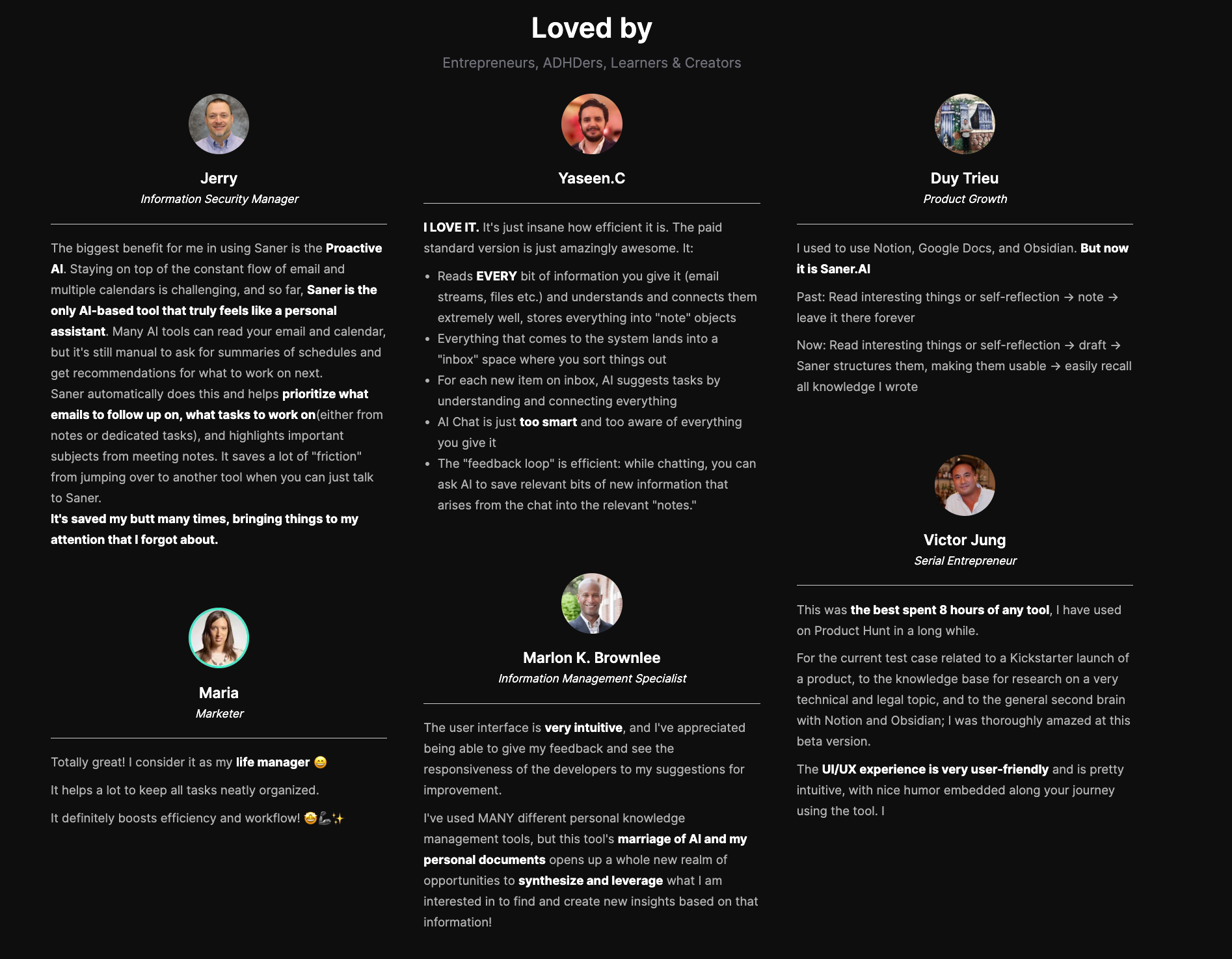
"Totally great! I consider it as my life manager. It helps a lot to keep all tasks neatly organized. It definitely boosts efficiency and workflow!" — reviews
Pricing
- Free
- Starter: Monthly at $8/month
- Standard: Monthly at $16/month
Who is it suitable for?
- Professionals, founders, and ADHD-prone individuals who want to reduce mental clutter, stay focused, and manage their day using one chat-based assistant.
How to start using it?
- Go to saner.ai, sign up for a free account, connect your email and calendar, and try brain-dumping your tasks or asking the assistant for help planning your day.

Work more efficient with the top Claude Alternative
3. Google Gemini

Google Gemini is Google’s flagship AI assistant designed to go beyond just text. It's built for people whose work lives inside Google - Gmail, Docs, Drive, Calendar, Meet - and who want an AI that can actually see what's in those tools, not just answer abstract questions about them.
The model is strong on its own. Gemini 3 Pro topped the LMArena leaderboard at launch, and the context window (up to 1 million tokens) is among the largest available.
Key features
- Multimodal input: Understands and generates text, images, audio, and video
- Smart reasoning: Gemini 2.5 models prioritize deep thinking before answering
- Google Workspace integration: Tag @Gmail or @Drive in a Gemini prompt and it reads your actual files.
"I love how easy it is to use and how it connects to the Google suite. I can ask Gemini to read through my emails or look at my calendar and propose dates." — reviews
What I liked:
- Deep integrations with Google tools make it practical for real work
- The nano banana image generation is amazing
- 1 million token context window handles very large documents without chunking
What I disliked:
- The free tier is pretty limited. If you use Gemini a lot, you’ll hit the daily cap quickly.
- Gemini Ultra is expensive - fine for enterprise users or power creators
- Gemini doesn’t always show sources. That makes it quite tiring for me when fact-checking
- Responses can feel formulaic; less natural conversational tone than Claude or ChatGPT
Pricing:
- Free plan with limited prompts and media generations
- AI Pro at ~$20/month includes 100 prompts/day, 1,000 images/day, 3 videos/day, audio summaries, and 2TB storage
- AI Ultra at ~$249/month with 500 prompts/day, 5 videos/day, Deep Think, and up to 30TB storage
Suitable for:
- Best for: Anyone whose work runs through Google Workspace.
- Not for: Users who primarily need long-form creative writing, detailed coding assistance, or task management.
How to start:
- Go to gemini.google.com or install the Gemini app on your Android or iOS device
- Sign in with your Google account
Google Gemini review (source)
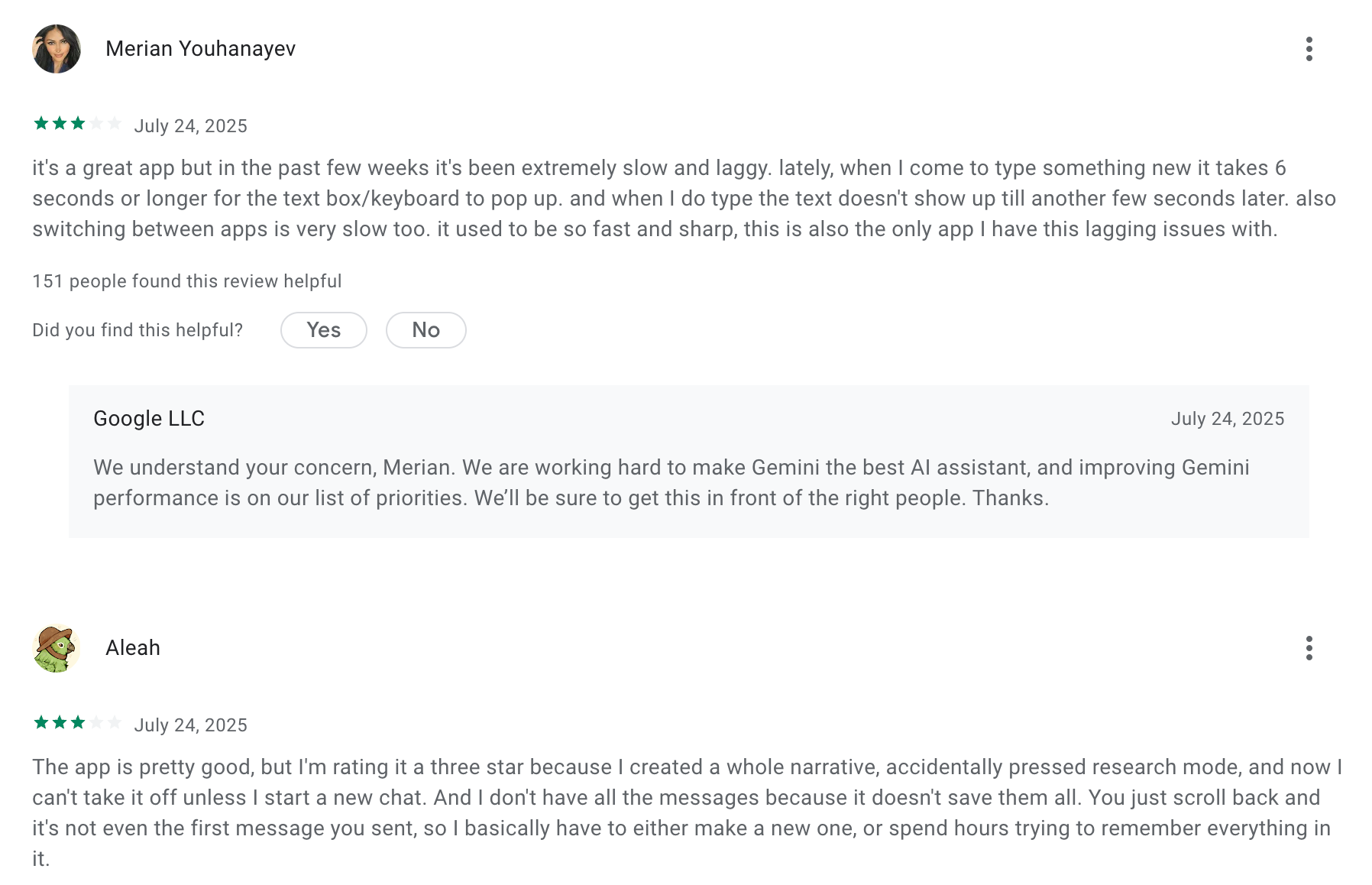
For anyone already inside Google Workspace, Gemini feels less like adding a new tool and more like their existing tools got smarter.
"I feel like it's steps ahead of every other AI when used like a personal assistant. Schedule my calendar, open a Google Doc, write this outline or proposal. It does all that and more." — reviews
The pushback comes from users with more creative or conversational needs:
"It still feels like it's on rails at times in providing answers." — reviews
4. Microsoft Copilot
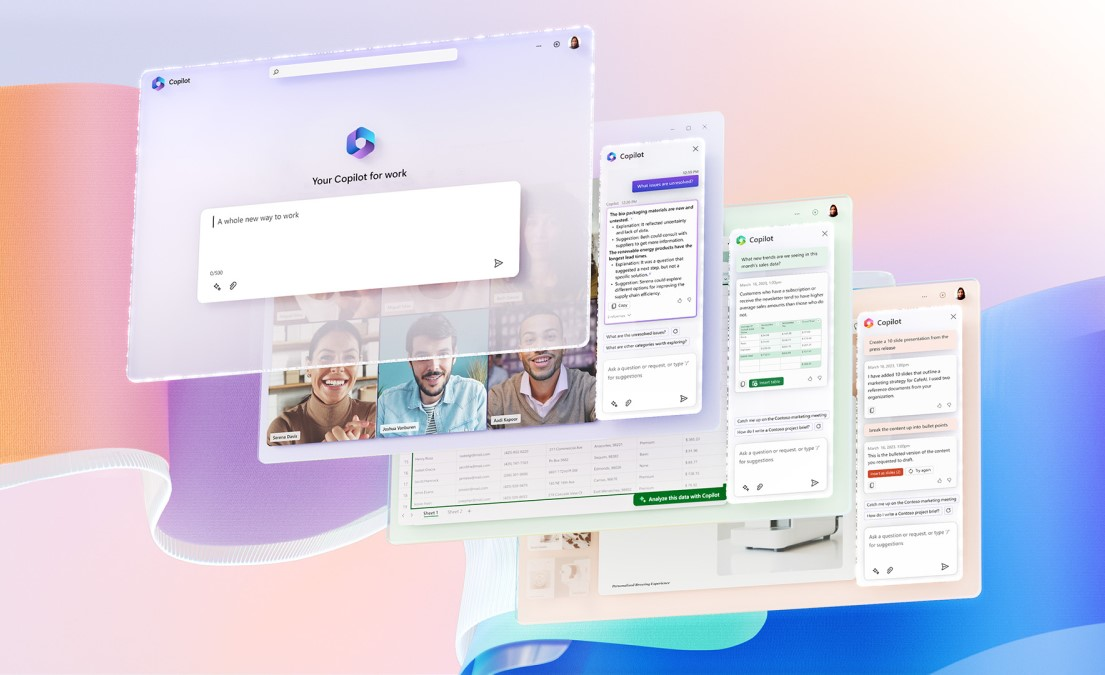
Microsoft Copilot is a versatile AI assistant built directly into Windows. It drafts in Word, builds slide decks in PowerPoint, creates pivot tables in Excel, summarizes email threads in Outlook, and takes notes in Teams meetings. For organizations already paying for Microsoft 365, it's the path of least resistance to deploying AI across a team.
Key features
- Smart Mode with GPT‑5: Automatically picks the best model for the task at hand - creative, logical, or visual
- PowerPoint automation: Copilot can pull content from existing documents, reports, or notes and draft a presentation structure from them.
- Microsoft 365 app integration: The entire suite — Word, Excel, PowerPoint, Outlook, Teams — has Copilot built in. No tab switching. No copy-pasting.
"What I like best is how seamlessly it integrates with Microsoft 365 applications. It saves time by providing intelligent assistance directly within my workflow." — reviews
What I liked
- Available across devices: Works on Windows, Mac, mobile, and web
- Meeting summarization in Teams is genuinely time-saving for teams with heavy meeting loads
- Familiar environment — no learning curve for users already working in Microsoft tools
What I disliked
- Some features Windows-only: Tools like Recall and Studio Effects need Copilot+ PCs
- Past privacy concerns: Recall got early criticism, though Microsoft now enforces strong privacy and local storage
- Pricing complexity: Different Copilot tiers for consumers, pros, and enterprise make it harder to choose
Pricing
- Free plan: Basic Copilot is available to all Microsoft users
- Copilot Pro: ~$20/month for GPT‑5 access, faster image tools, labs, and custom bots
- Business license: ~$30/month for Microsoft 365 Copilot across apps like Word, Excel, and Teams
Suitable for
- Professionals, knowledge workers, and business teams who already use Microsoft products and want an AI assistant that works natively inside their workflows
How to start
- Just sign in to Microsoft Copilot with your Microsoft account, try it for free
Copilot reviews (source)
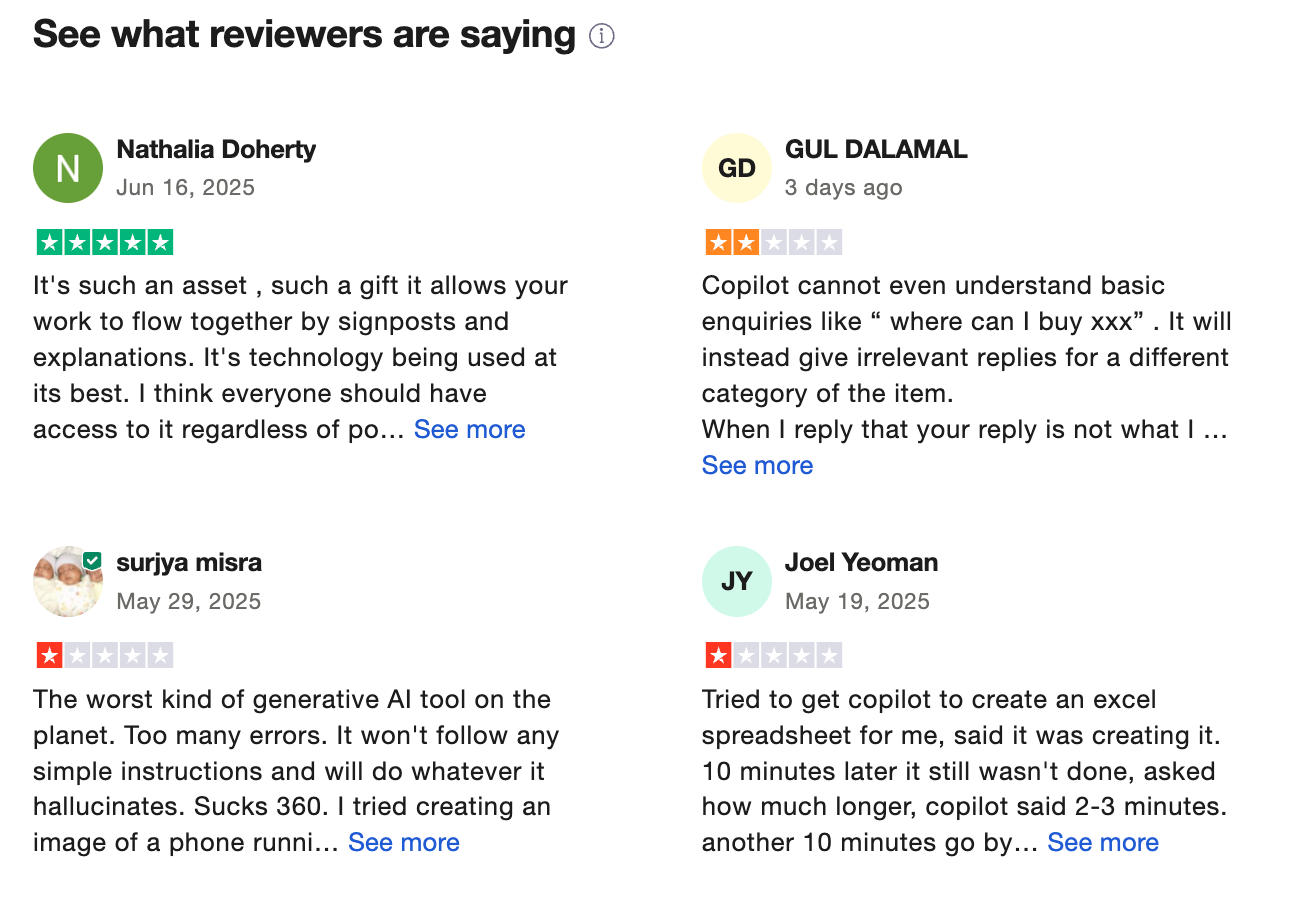
Copilot earns the strongest praise from people who spend most of their day inside Microsoft tools.
"It's a game-changer for productivity. It understands context from emails, documents, and the calendar, making it feel like a truly intelligent assistant." — reviews
The frustration is just as consistent:
"I view Copilot as a copycat of ChatGPT. Its capabilities are certainly impressive, but they don't quite match ChatGPT's level of sophistication." — reviews
5. DeepSeek
DeepSeek is a fast-rising open-source AI model that challenges Claude with its strong reasoning abilities, math performance, and transparent development approach.
Key features
- Open-source flexibility: Developers can download the model weights, run DeepSeek locally, and integrate it into custom applications without sending data to external servers.
- Strong performance in reasoning, coding, and mathematics
- DeepSeek-Prover model specialized in logic, theorem proving, and diagnostics
- Real-time web search and code-generation capabilities
What I liked
- The open-source licensing gives full transparency and flexibility to developers and institutions
- It’s cost-efficient to train and deploy, making it accessible even for small research teams
- API pricing is roughly 90% cheaper than comparable commercial models
What I disliked
- There are growing concerns around data privacy and surveillance, especially since it's built by a China-based company - several countries have banned it on government devices
- It’s not as conversational or polished as Claude when it comes to creative writing or storytelling
Pricing
- 100% free right now
Suitable for
- Developers, AI researchers, and power users who want full access to the model’s weights and training process
How to start
- Just head to chat.deepseek.com, create a free account, and you’re ready to go.
Deepseek reviews (source)
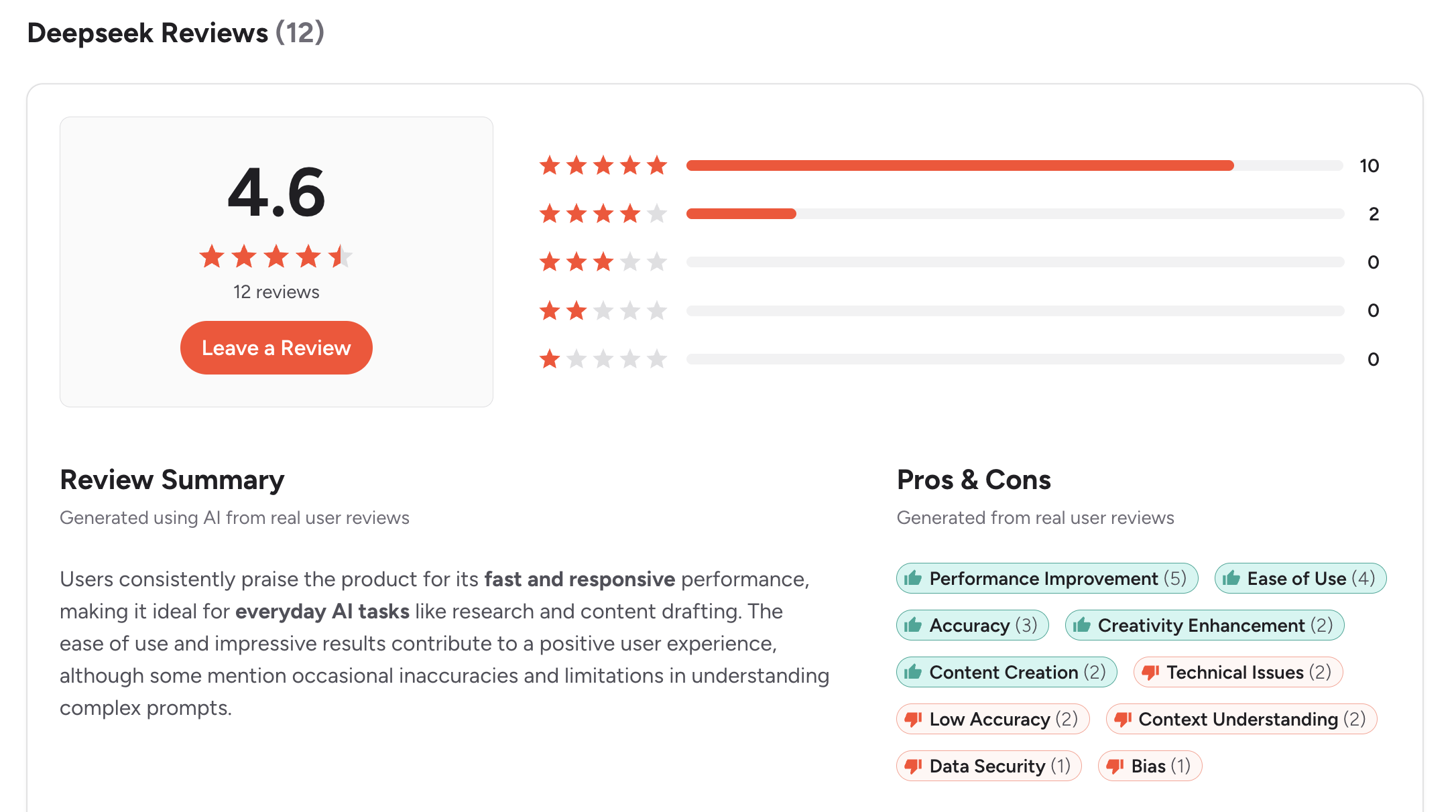
The strongest praise comes from technical users who care about cost and reasoning quality.
"As a marketing strategist, DeepSeek R1 and V3 have been a transformative tool for my team. Its outstanding performance-to-cost ratio, combined with open-source access, truly sets it apart." — reviews
The limitation that keeps coming up:
"The image and video generation features are still not available." — reviews
6. Perplexity
Perplexity is not a chatbot in the traditional sense. It's closer to a research assistant that happens to be conversational. Every answer comes with numbered citations linked to live sources. You're never getting a confident response with no way to check it, which is exactly what makes Claude, ChatGPT, and most other chat tools unreliable for research.
Key Features
- Cited answers: Every claim is tagged with a clickable source. This is not an add-on — it's the core mechanic of how Perplexity works.
"It doesn't flood you with ads, gives relevant results, and provides direct links to sources so you can judge their reliability yourself." — reviews
- Pro Search: For complex questions, it breaks the query into sub-questions, runs multiple independent searches, and compiles a structured response.
- Focus modes: Toggle between Web, Academic, Reddit, YouTube, and more to filter responses to specific source types.
- Model switching on Pro: Perplexity Pro lets you switch between GPT, Claude, Gemini, Grok, and Perplexity's own Sonar models in a single interface.
What I like:
- Every answer cites live sources - dramatically reducing hallucination risk for research tasks
- Pro Search handles multi-step research queries like a research agent
What I dislike:
- Customer support is poor - billing issues and refund requests often go unresolved
- Limited memory across sessions; follow-up questions in long threads can lose context
Pricing
- Free — Unlimited quick searches, 5 Pro searches/day
- Pro — $20/month — 300+ Pro searches/day, model switching, unlimited file uploads
- Enterprise Pro — $40/seat/month — Team access, enterprise security
Perplexity Reviews (source)
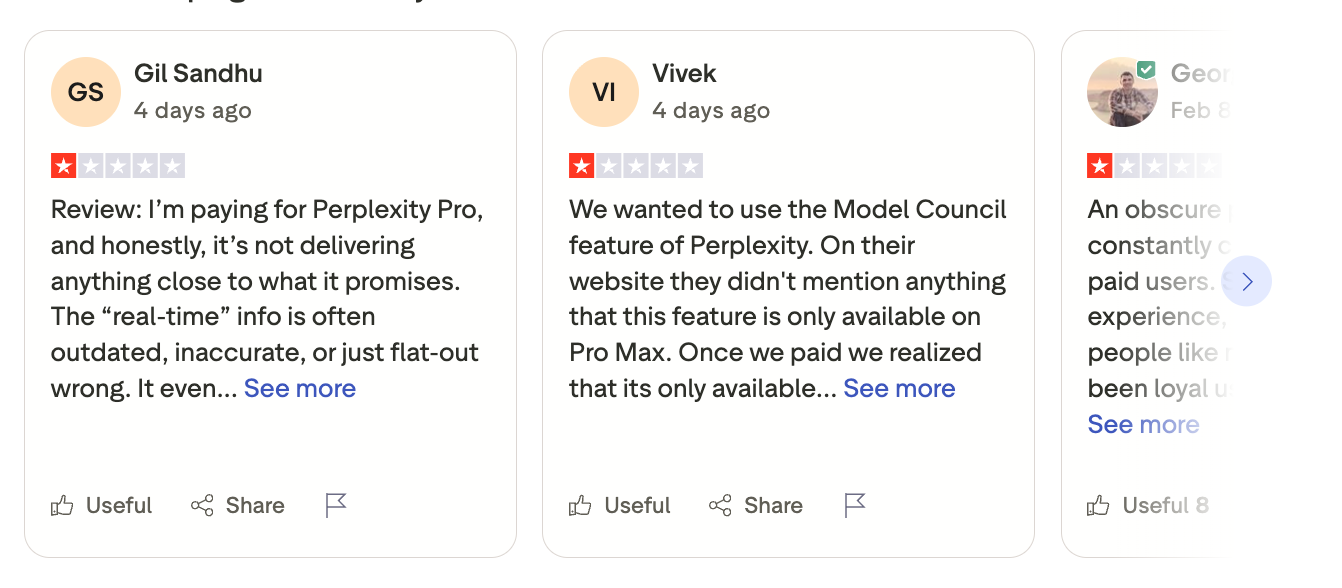
The most consistent theme is trust. Users who've been burned by hallucinating chatbots migrate to Perplexity and stay.
"It halves my research time for academic papers. The academic focus mode is incredible for literature reviews." — PhD student, reviews
On the flip side:
"Perplexity has literally ZERO customer support." — Trustpilot, December 2025
Best for
- Best for: Researchers, journalists, students, and analysts who need fast, source-verifiable answers and want to stop second-guessing whether an AI is making things up.
How to Get Started
- Go to perplexity.ai and use the free plan for a week. The free tier's 5 Pro searches per day is limiting, but it's enough to see whether the citation model changes how you research.
7. Grok
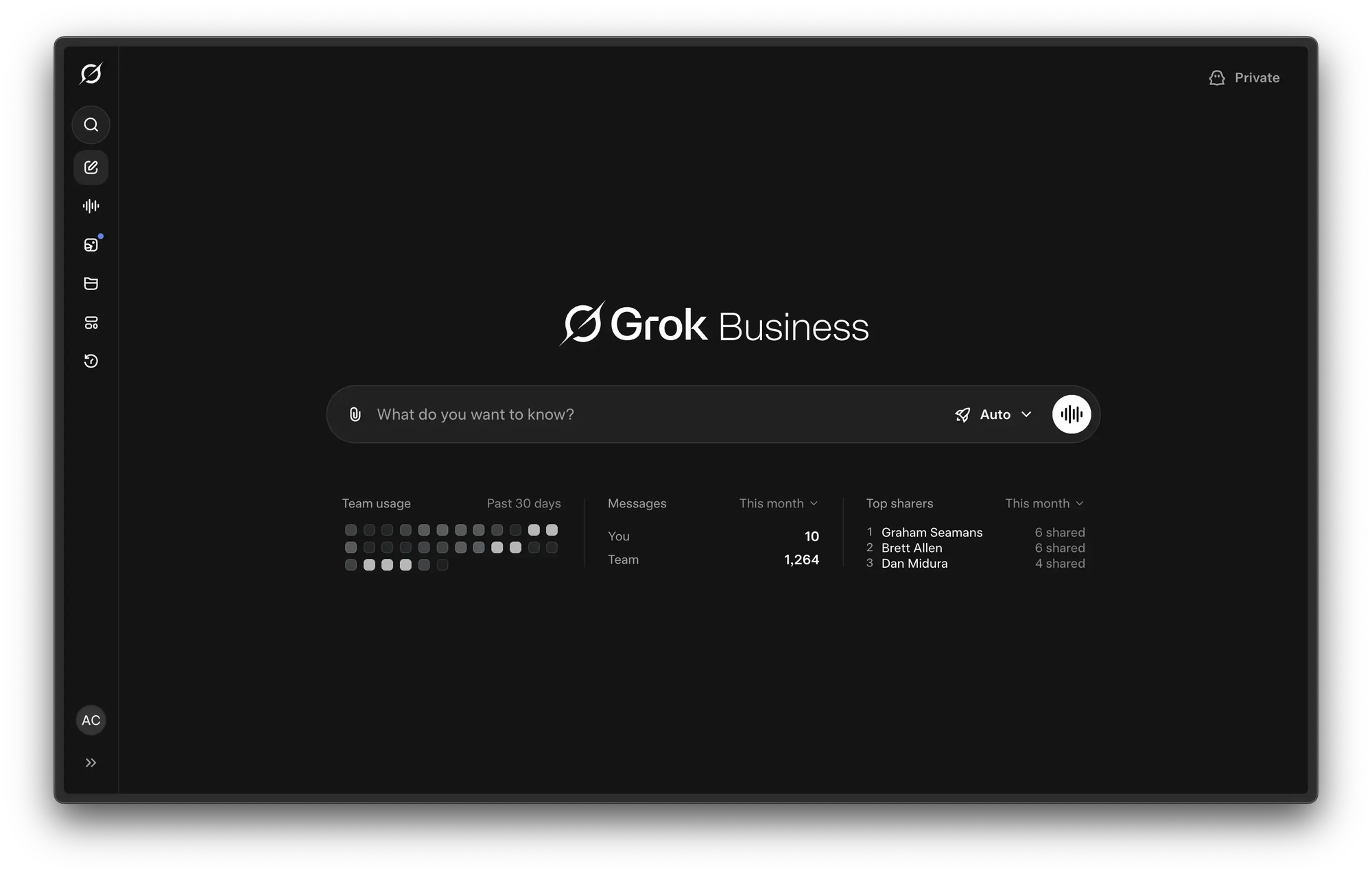
Grok is xAI's AI assistant, built by Elon Musk's team and plugged directly into X (formerly Twitter). That single differentiator - live access to the world's highest-volume real-time conversation platform - is what makes Grok genuinely different from every other tool on this list.
Key Features
- Real-time X data: Grok's core advantage. It reads live posts, trending topics, and community sentiment from X in real time.
- DeepSearch and DeeperSearch: Grok's research modes go beyond its X data integration to pull context from across the web.
- Unfiltered responses: Grok is designed to be less filtered than other mainstream AI assistants. For users who find Claude or ChatGPT over-cautious on legitimate queries, Grok often handles them more directly.
What I like
- Only AI with native real-time access to X data - unmatched for social listening and trending topic analysis
- Less restrictive content policy than most mainstream AI tools
What I dislike:
- Weaker creative writing and long-form content quality compared to Claude and ChatGPT
Pricing
- Free via X — Basic Grok access, limited usage
- X Premium — $8/month — Standard Grok access
- X Premium+ — $16/month — Higher usage limits
- SuperGrok — $30/month — Maximum access, DeepSearch, image/video generation
Grok Reviews (source)
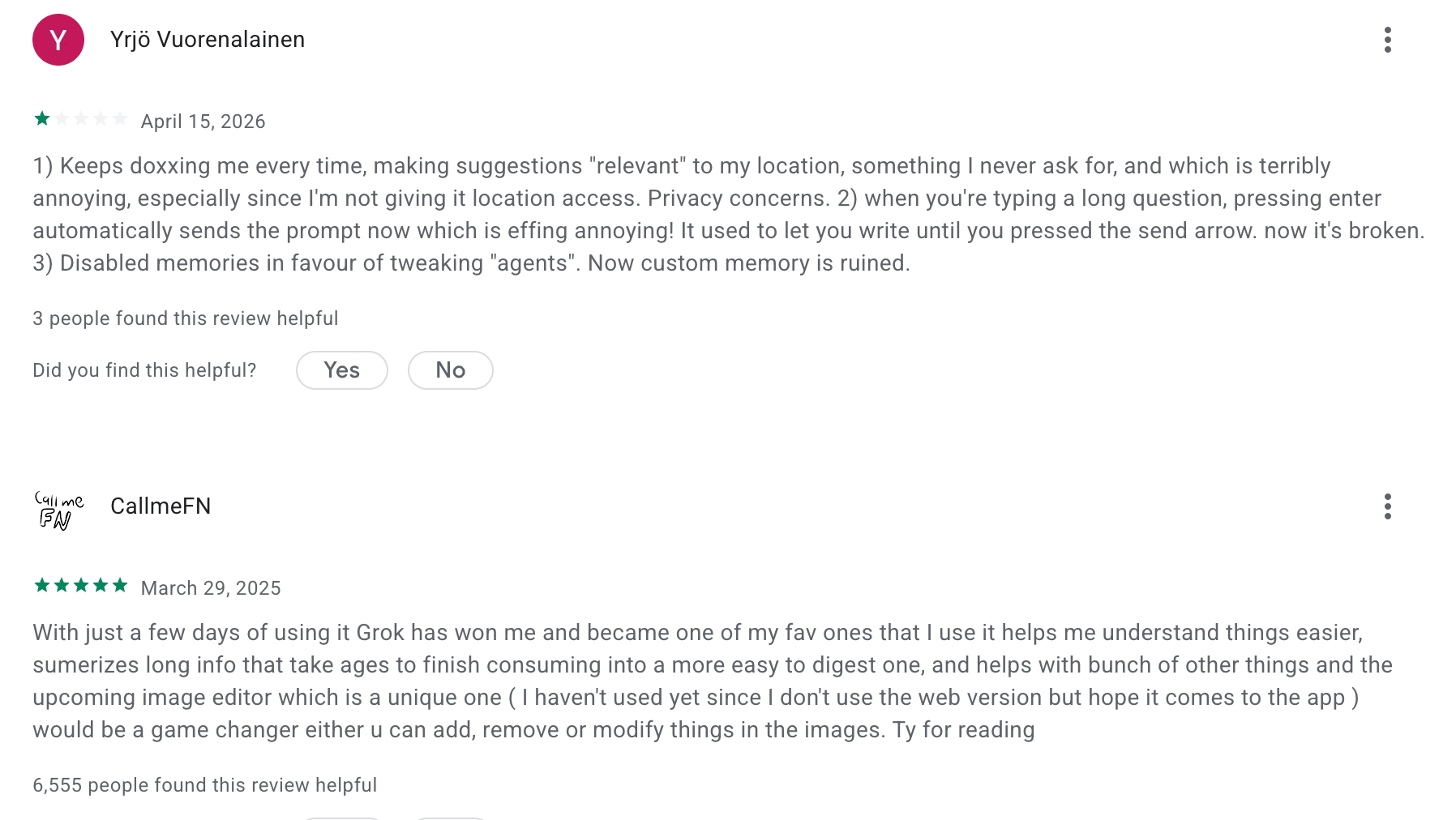
Users who get value from Grok are clear about why: it's the only tool that knows what's happening right now.
"Grok is seriously strong AI if you actually learn how to use it and feed it precise prompts." — r/grok
Best for / Not for
- Best for: Journalists, social media managers, PR professionals, and trend analysts who need real-time access to what people are actually saying, not just what was written last quarter.
- Not for: Users who need strong creative writing, long-form content, or task management. Here are potential Grok alternatives
How to Get Started
- Access Grok at grok.com or through X.com. The free tier is genuinely limited - you'll need at least X Premium ($8/month) for meaningful access.
Conclusion: Finding the Right Claude Alternative
Claude is a powerful AI tool - but it's not the only smart assistant on the block. Whether you're hitting usage limits, want deeper integrations, or just need a tool that better fits your workflow, there’s a growing list of AI alternatives worth exploring.
Here’s a quick recap to help you decide:
- ✅ For productivity and task planning → Try Saner.AI
- 🧰 For customization and AI flexibility → Go with ChatGPT
- 📨 For seamless integration with Google tools → Choose Google Gemini
- 🧑💼 For corporate and Microsoft 365 users → Stick with Microsoft Copilot
- 🧪 For open-source exploration → Check out DeepSeek
Each of these Claude alternatives brings something unique to the table - whether it’s real-time web search, calendar integration, deeper productivity features, or transparency for developers.
Still unsure? Start with a free plan. Most of these tools let you test things out without a credit card, so you can find the one that actually fits how you work - not the other way around.
In a world full of AI noise, choose the assistant that helps you think, work, and create better.
Stay on top of your work with top Claude Alternative
FAQ: Best Claude Alternatives
1. What is the best Claude alternative right now?
If you’re looking for the best Claude alternative, consider tools like Saner.AI, ChatGPT, Gemini, Copilot, and DeepSeek.
Each offers a unique approach:
- Saner.AI is built for productivity - turns messy thoughts into organized tasks.
- ChatGPT (by OpenAI) is conversational, creative, and widely adopted.
- Gemini (by Google) offers tight integration with Google Workspace tools.
- Copilot (by Microsoft) works best inside the Microsoft 365 ecosystem.
- DeepSeek is known for multilingual research and strong reasoning performance.
Your ideal Claude replacement depends on what you need - planning, writing, research, or day-to-day workflow automation.
2. Why are people switching from Claude to alternatives?
Users seek Claude alternatives because of:
- Limited availability (region or API access)
- Token limits or pricing models
- Lack of integrations with the tools they use daily
- Desire for more action-based features (like planning or task automation)
Alternatives like Saner.AI go beyond chat - helping with actual work execution, not just text generation.
3. What makes a good Claude alternative?
Look for these qualities:
- Accurate responses with less hallucination
- Contextual memory to follow your workflow
- Integrations with email, calendar, notes, etc.
- Personalization based on your goals or routines
- Fast response times, especially for work use
- Ease of use - you shouldn't need to "set it up" to be helpful
4. Which Claude alternative is best for productivity?
Saner.AI is purpose-built for productivity:
- Turn brain dumps into tasks
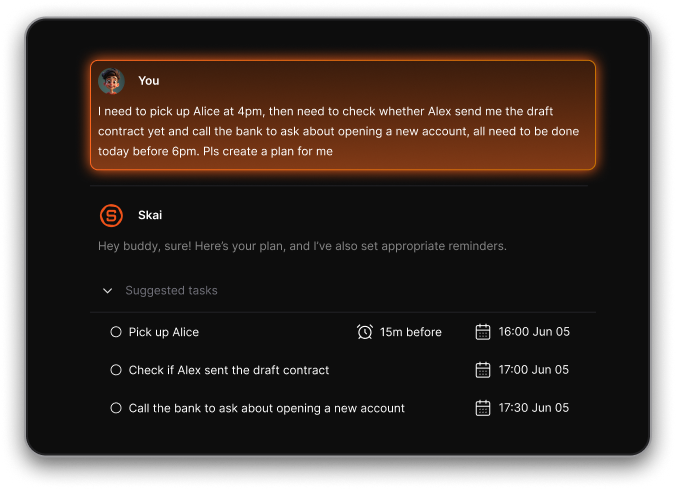
- Auto-create daily plans
- Connect notes, calendar, and reminders
- Great for reducing overwhelm and context switching
While Claude is great at writing and research, Saner.AI helps you execute.
5. Which Claude alternative is best for research?
Try:
- Perplexity AI – real-time, source-backed answers
- ChatGPT with browsing enabled
- DeepSeek – powerful multilingual search + long context windows
- Gemini – strong Google integration, ideal for pulling in current info
6. Is there a Claude alternative that helps with daily planning?
Yes:
- Saner.AI can auto-plan your day from notes, todos, and emails.
- Copilot helps inside Microsoft tools, but it's not ideal for external workflows.
7. What’s the best Claude alternative for ADHD or executive dysfunction?
Saner.AI can serve as an ADHD planner, designed with neurodivergent users in mind:
- Reduces mental overload
- Organizes messy input into clear plans
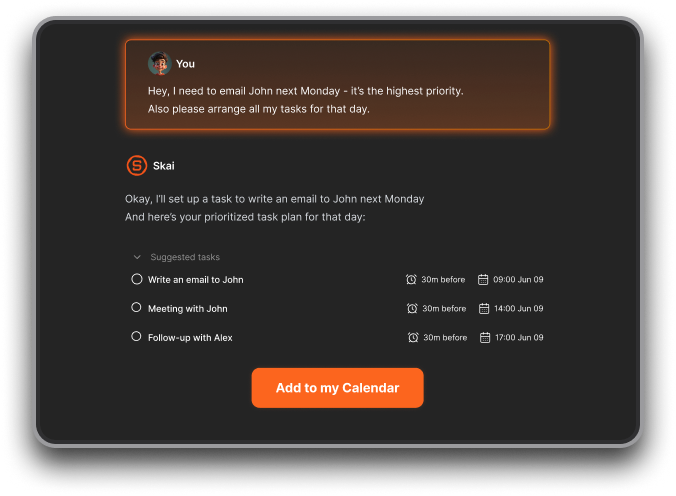
- Sends reminders and nudges at the right time
- Doesn’t require rigid systems or constant tagging
Perfect for those who struggle with focus, task-switching, and planning.
8. Which Claude alternative offers free plans?
Yes - some Claude alternatives have generous free options:
- Saner.AI – Free tier includes AI notes, reminders, and calendar sync
- ChatGPT – Free with limited access
- Gemini – Free with a Google account
- Copilot – Requires a Microsoft subscription
- DeepSeek – Free access available for individual use
9. Can Claude alternatives help with team collaboration?
Some do! Here’s how:
- Saner.AI – Share notes/tasks, align across meetings
- ChatGPT Team – Use shared memory and custom GPTs
- Copilot – Integrated deeply into Microsoft Teams
- Gemini – Best for Google Workspace teams
- DeepSeek – Better for solo research, not built for collaboration
10. Claude vs Saner.AI – how are they different?
| Feature | Claude | Saner.AI |
|---|---|---|
| Focus | Research + writing | Planning + productivity |
| Memory | Basic | Context-aware, cross-task |
| Integrations | Few | Gmail, Calendar, Notes, Tasks |
| Ideal for | Deep thinking | Executing your day |
| User type | Writers, researchers | Founders, managers, ADHD minds |
11. Claude vs ChatGPT – which is better for everyday use?
- Claude offers more thoughtful, often cautious reasoning
- ChatGPT is faster, more creative, and integrates better with plugins and third-party tools
- For casual use: ChatGPT
- For thoughtful research: Claude
12. Claude vs Gemini – which one should I use?
- Gemini integrates tightly with Google tools (Docs, Gmail, Calendar)
- Claude is more focused on reasoning and long context
- Gemini is better if you live in the Google ecosystem
- Claude is better if you’re writing essays or analyzing information
13. Can Claude alternatives summarize meetings or notes?
Yes:
- Saner.AI – Summarizes meetings, chats, and pulls out action items
- ChatGPT – Can do summaries if you paste transcripts
- Gemini – Good with Google Docs or emails
- Copilot – Strong if your meeting notes live in Microsoft 365
14. Which Claude alternative works best on mobile?
- Saner.AI – Support iOS + Android, works like a voice/text-based planner
- ChatGPT – Solid mobile apps (iOS + Android)
- Gemini – Works through Google apps
- Claude – No native app yet
- DeepSeek – Web only (as of now)
15. What Claude alternative can turn my messy thoughts into action?
Saner.AI shines here.
Instead of just replying, it:
- Parses rants and turns them into tasks
- Links context from notes, meetings, or emails
- Sends smart reminders
- Builds a daily plan that adapts to your needs
Think of it like “Claude + calendar + task manager” in one place.
Stay on top of your work and life