
Coda Alternatives: We Tested The 7 Best Apps (Free & Paid)
The Best Coda Alternatives are Saner.AI, Slite, Supernotes, Tana, Routine, Motion and Notion


The 7 Best Coda Alternatives
If you're exploring Coda alternatives in 2025, you’re not alone. Coda is an all-in-one doc platform - but it’s not always the best fit for everyone.
While Coda can be incredibly flexible, that flexibility comes with a downside: it takes time, templates, and tinkering before it becomes truly powerful.
If you're trying to improve workflow automation, streamline projects, or avoid tool bloat, choosing the right Coda alternative becomes critical - especially if you want a workspace that fits your thinking style.
In this guide, we’ll break down the best Coda alternatives - based on features, real-world use cases, pricing, and who each tool is best for.
1. What is Coda?
Coda is a flexible, all-in-one doc platform that combines documents, spreadsheets, databases, and automations in a single app. Users build pages, tables, and “Packs” (integrations) to create everything from project dashboards to CRM systems.
2. Why People Look for Coda Alternatives
Many users search for Coda replacements because they struggle with:
- Steep learning curve for new users
- Requires configuration before becoming useful
- Limited built-in AI features compared to newer AI-native tools
- Better suited for teams than solo users
- Performance issues with large docs
- Pricing can scale quickly with teams and automations
- Mobile experience is limited
- Templates require customization to work well
3. How I Tested These Coda Alternatives
To make this list genuinely useful, I read and tested these Coda alternatives using them in real workflows. I looked at:
- Ease of setup — how fast I could get productive without templates
- AI usefulness — not just writing, but planning, search, and automation
- Database flexibility — how well each tool handles structured info
- Speed + reliability — especially for large notes or tasks
- Mobile experience — because most tools fall apart on mobile
- Team vs personal workflows — how well they adapt to different work styles
- Pricing vs value — whether the features justify the cost
Now, let's dive in!
What are the Best Coda Alternatives?
The Best Coda Alternatives are Saner.AI, Slite, Supernotes, Tana, Routine, Motion and Notion
🧾 Comparison Table: Best Coda Alternatives
| Tool | Best For | Ease of Use | AI Strength | Database Power | Pricing |
|---|---|---|---|---|---|
| Saner.AI | Notes + tasks + AI planning | ★★★★★ | ★★★★★ | ★☆☆☆☆ | $0–$20 |
| Motion | Auto-scheduling | ★★★★☆ | ★★★★☆ | ★★☆☆☆ | $49+ |
| Slite | Team docs | ★★★★☆ | ★★★☆☆ | ★★☆☆☆ | $8–$25 |
| Supernotes | Note-taking | ★★★★★ | ★★☆☆☆ | ★★☆☆☆ | $0–$8 |
| Tana | Knowledge graph | ★★★☆☆ | ★★★★★ | ★★★★☆ | $10–$20 |
| Routine | Planning + tasks | ★★★★☆ | ★★★☆☆ | ★★☆☆☆ | $0–$18 |
| Notion | Docs + databases | ★★★☆☆ | ★★★☆☆ | ★★★★★ | $0–$24 |
| Coda | Team docs + automation | ★★☆☆☆ | ★★☆☆☆ | ★★★★★ | $0–$30+ |
1. Saner.AI
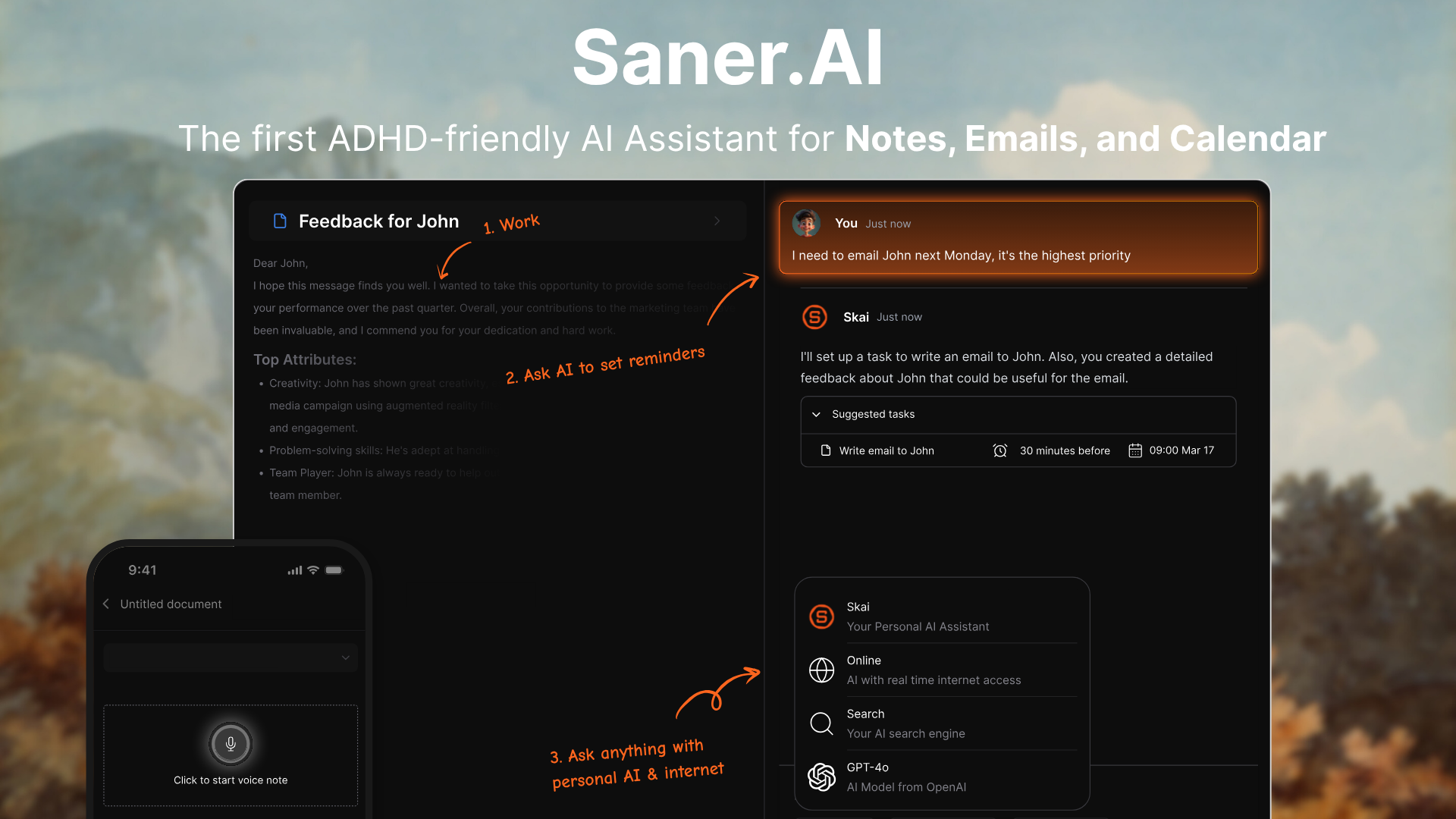
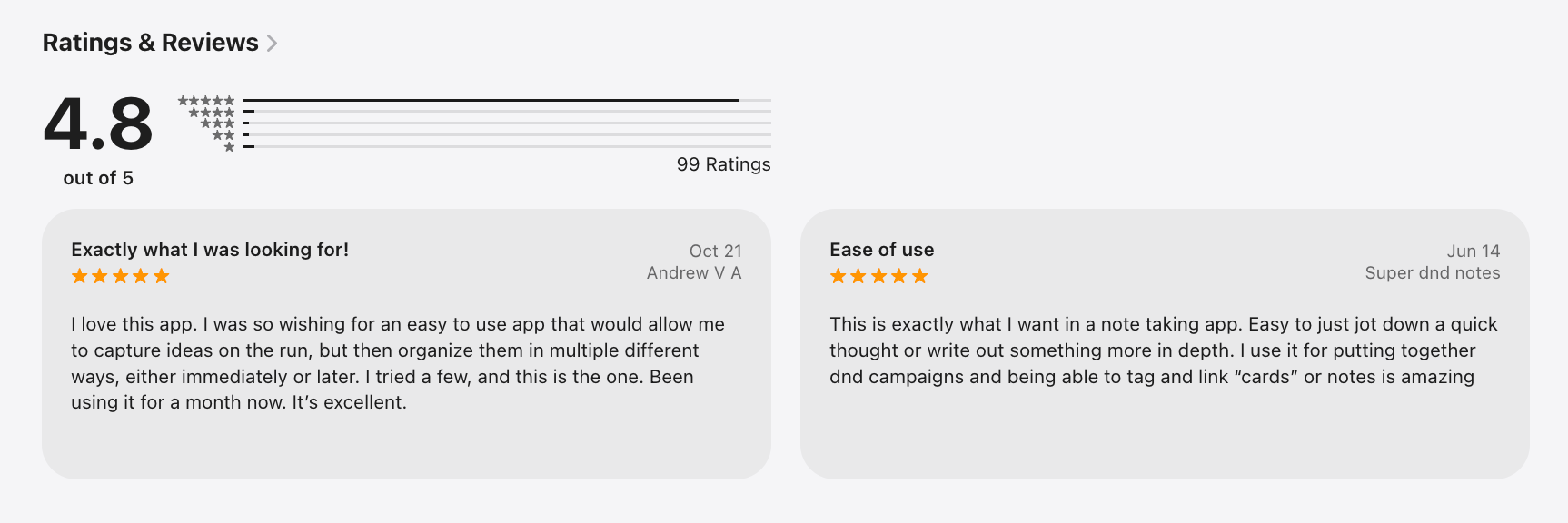
Saner.AI is an AI personal workspace that helps you manage notes, tasks, emails, and calendar in one place. It’s a strong Coda alternative if you want less setup, more automation, and an assistant that works with natural language instead of complex databases.
Key features
- Active Planning: The personal AI automatically gives you an optimal day plan
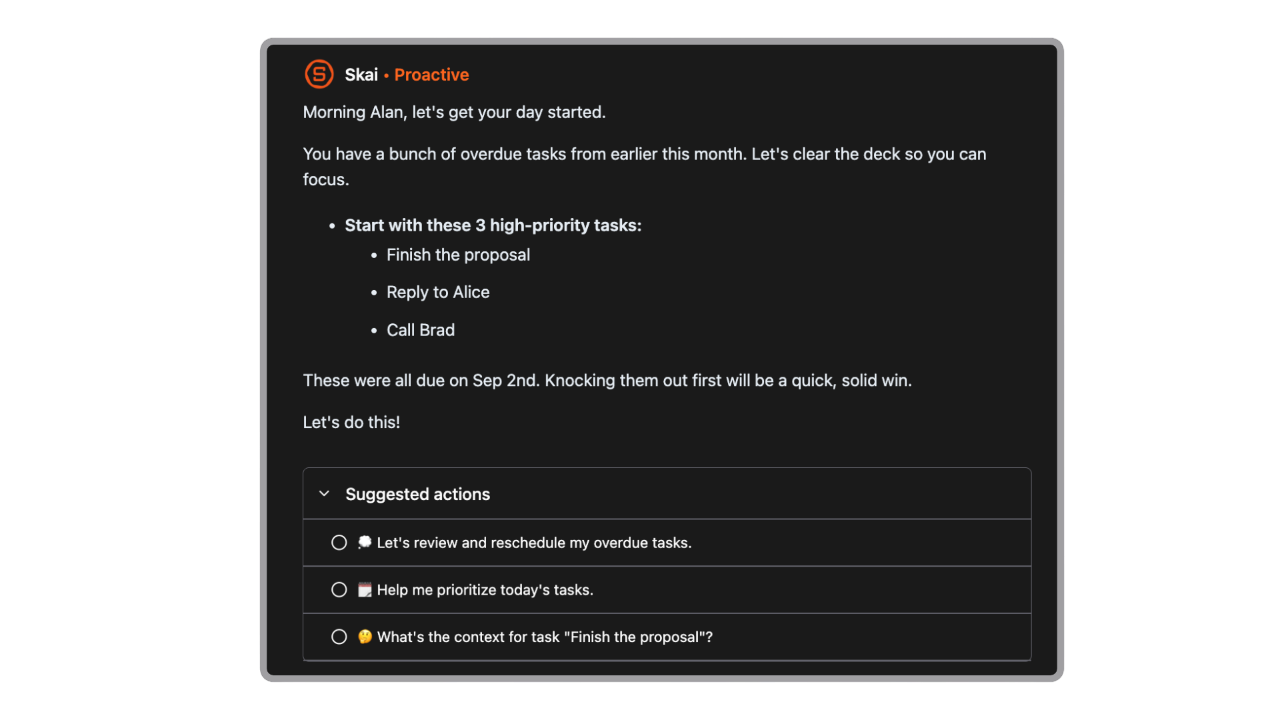
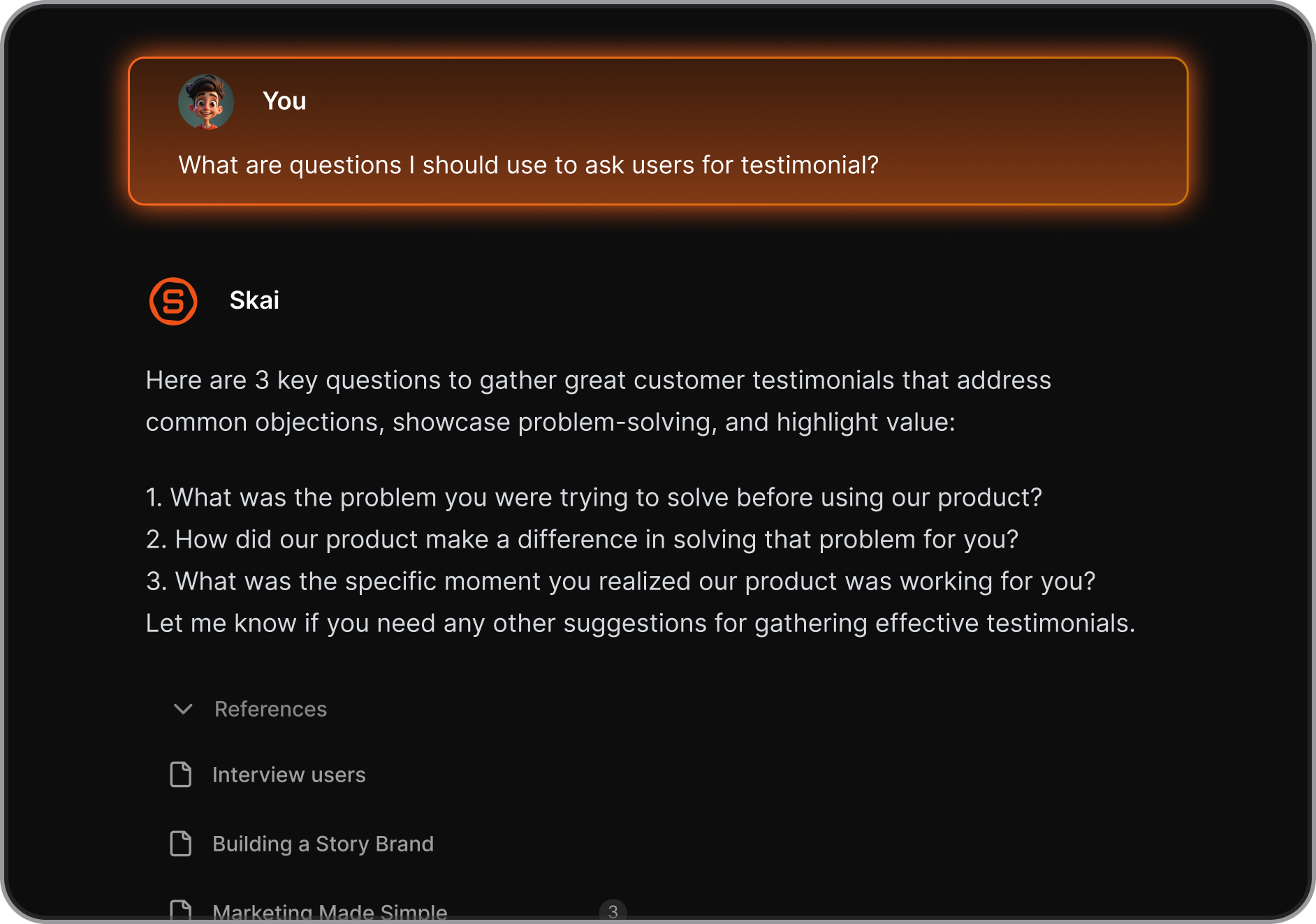
- AI assistant (Skai) that organizes notes, tags content, and links related information automatically
- Semantic search that lets you find ideas with natural language instead of keywords
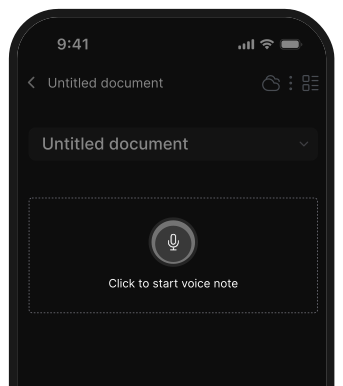
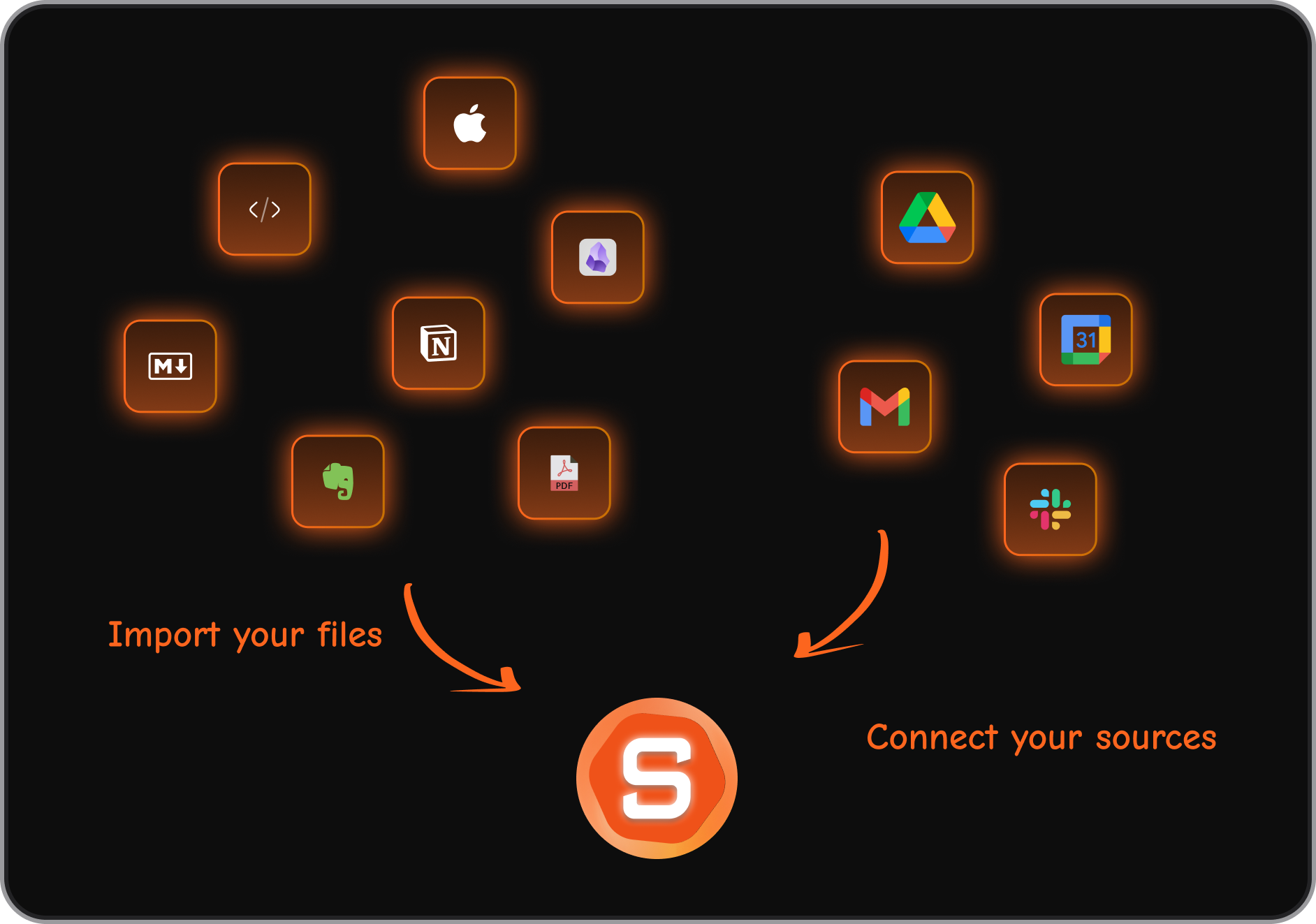
- Multi-format capture: voice notes, quick note via browser extension, file uploads, mobile input
What I liked
- Turns brain dumps into structured tasks, summaries, and reminders
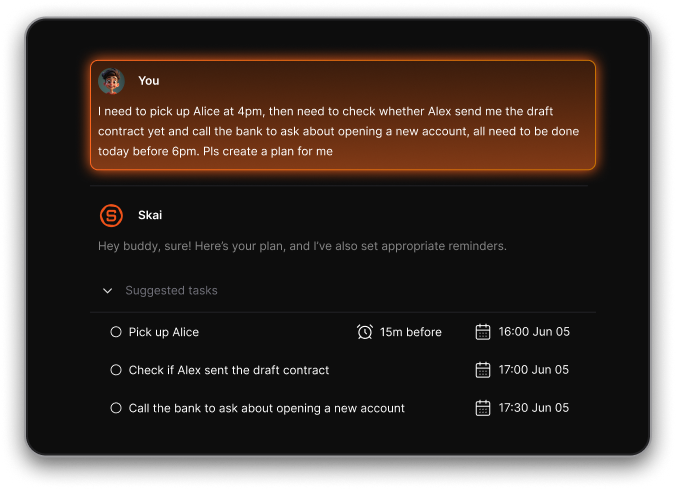
- Great for capturing info anywhere (voice, browser, mobile, copy-paste).
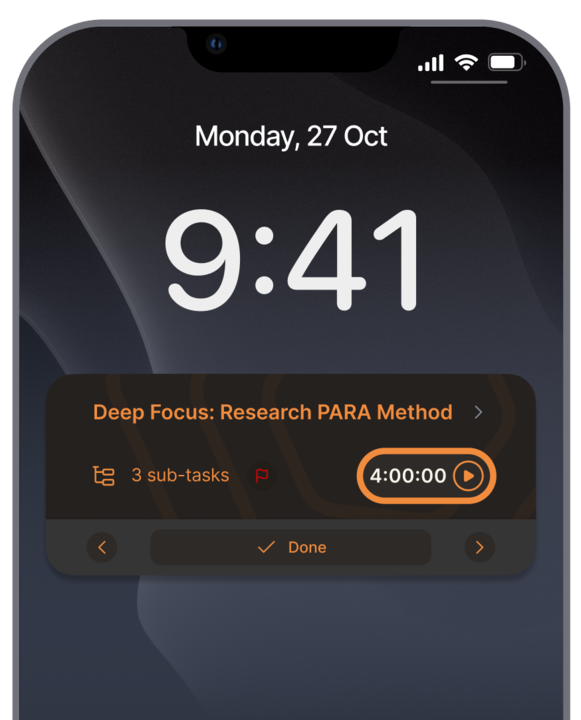
- Removes the need for manual organization. The AI keeps your notes and tasks tidy without setups or templates.
Cons
- Not ideal for large teams or project timelines.
Pricing
- Free plan available
- Paid plans start at $8/month
Who is it suitable for?
- Individuals who want an AI workspace instead of manual database setups
- ADHD-prone or overwhelmed users needing help reducing mental clutter
- Knowledge workers, freelancers, students, researchers juggling lots of notes and tasks
- Anyone who wants a simpler alternative to Coda without building tables, schemas, or templates
Saner.AI review

How to start using it?
- Go to Saner.AI
- Create a free account
- Start adding notes, tasks, ideas, or emails
- Let the AI auto-organize everything for you

Stay on top of your life with the Top Coda Alternative
2. Tana
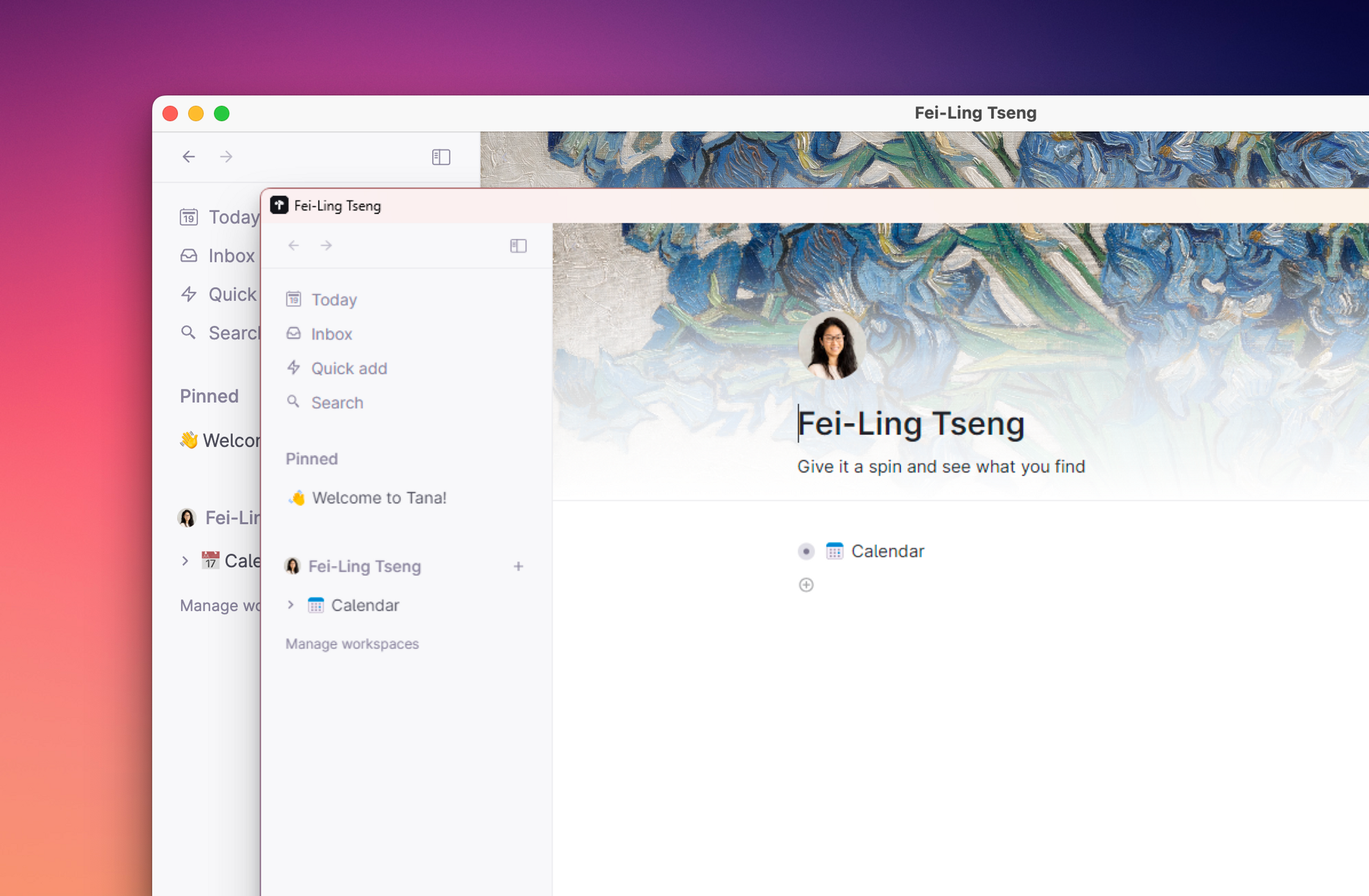
Tana is an AI note-taking app that combines documents, tasks, databases, and AI-powered organization in one place. Instead of configuring tables like Coda, Tana treats everything as a “node,” which makes it easy to connect ideas, structure projects.
Features
- Flexible “nodes” that act as documents, tasks, projects, or databases, depending on how you use them
- Supertags that automatically organize your notes with attributes, fields, and workflows
- Strong daily notes system that keeps everything searchable and linked
Pros
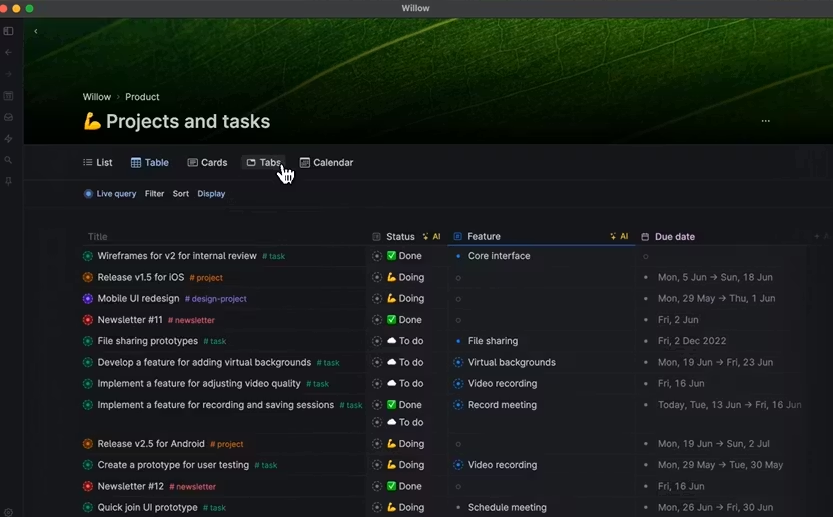
- Supertags make organization effortless - they act like smart templates without building full databases.
- Speed is fast. Everything feels instant, even in large workspaces.
Cons
- Still not ideal for large teams that need strict permissioning or operational workflows.
- The learning curve can feel unusual if you’re used to Coda’s more traditional table-based structure.
- Mobile experience is improving, but not as strong as desktop for heavy users.s
Price
- Monthly at $18/month, Annually at $14/month
Suitable for:
- Individuals and small teams who want a more fluid alternative to Coda
- Creators, researchers, founders, and thinkers who take lots of notes
How to start:
- Go to Tana
- Create a free account
Tana Reviews (Source)
3. Slite
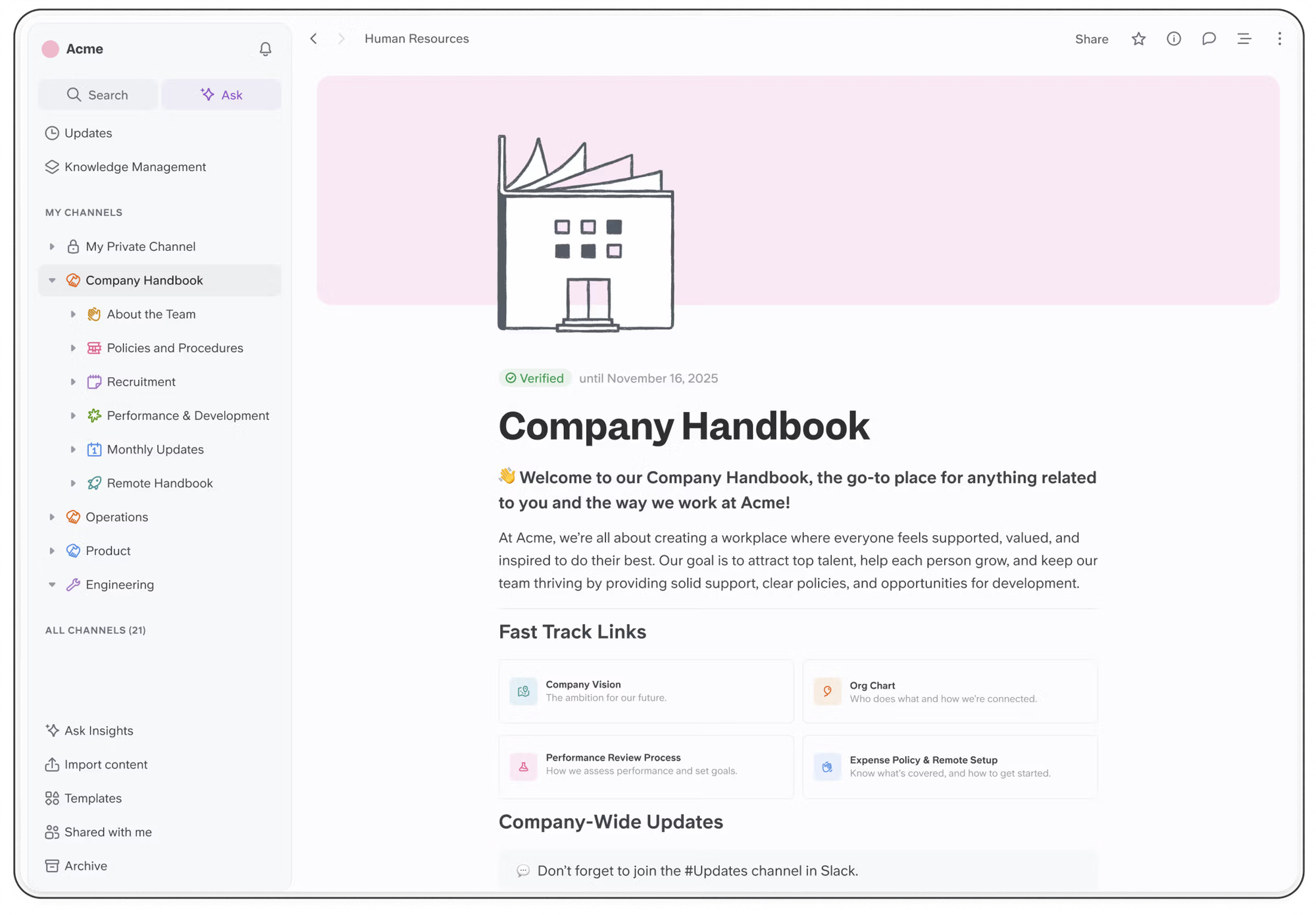
Slite is a collaborative knowledge management tool that helps teams create, organize, and search internal documents. It’s built for meeting notes, SOPs, onboarding guides, team documentation, and shared knowledge bases.
Key features
- Clean, distraction-free editor for writing and organizing team docs
- AI assistant that answers questions using your workspace content
- Real-time collaboration with comments, mentions, and shared editing
- Structured organization with channels, collections, and document hierarchies
What I liked
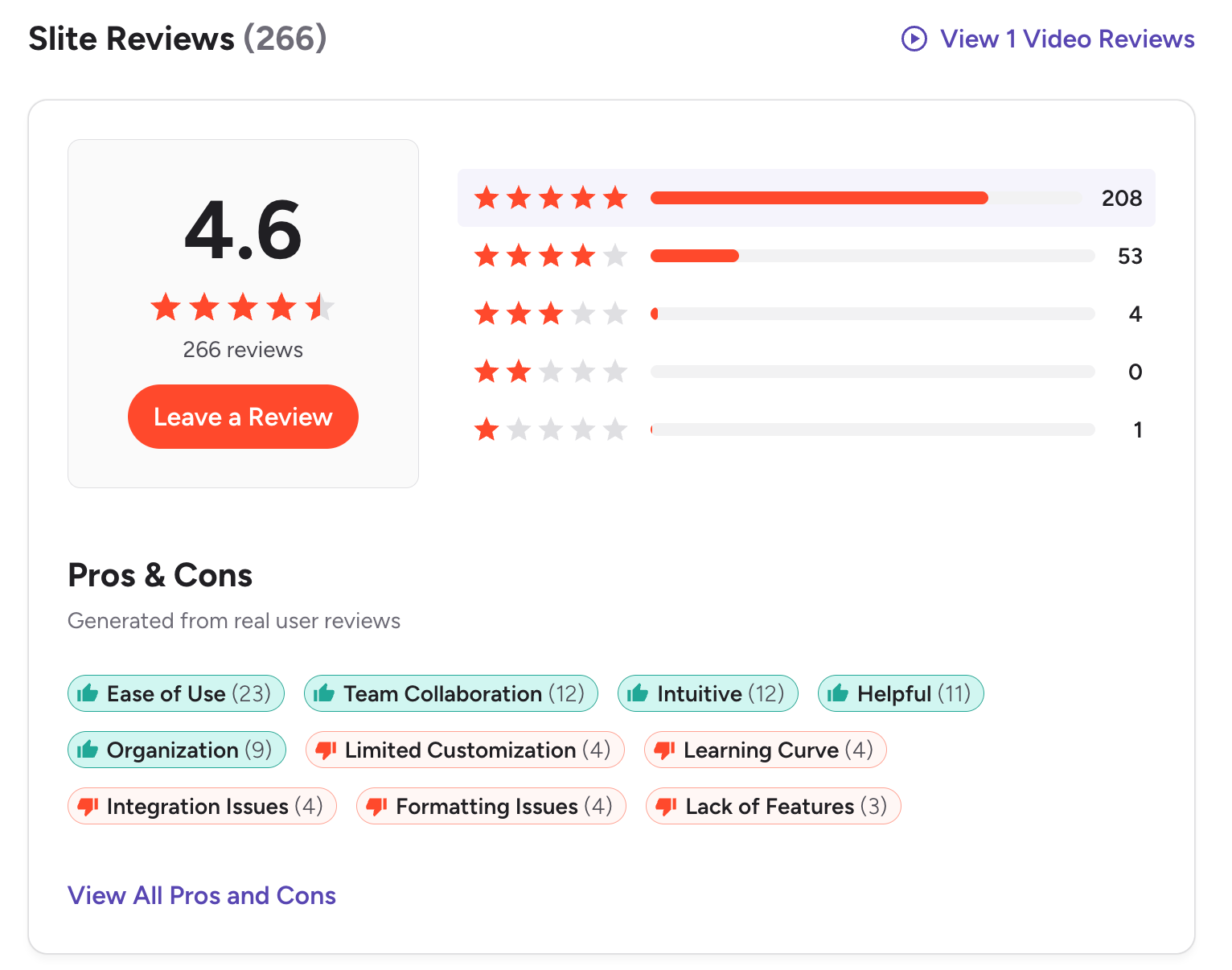
- Simple, intuitive UI with minimal setup needed
- Great for keeping team documentation clean and organized
What I disliked
- Free plan is restrictive for teams with lots of documentation
- Less flexible than Notion for tasks, databases, or broader workflows
- Offline support and advanced formatting options are limited
Pricing
- Free plan
- Paid plans from 25$/month
Suitable for
- Startups and small–mid-sized teams needing a simple knowledge base
- Remote teams organizing SOPs, onboarding, and internal processes
How to start
- Create a free account on Slite
- Set up your workspace and import or write your first docs
Slite Reviews (source)
4. Motion
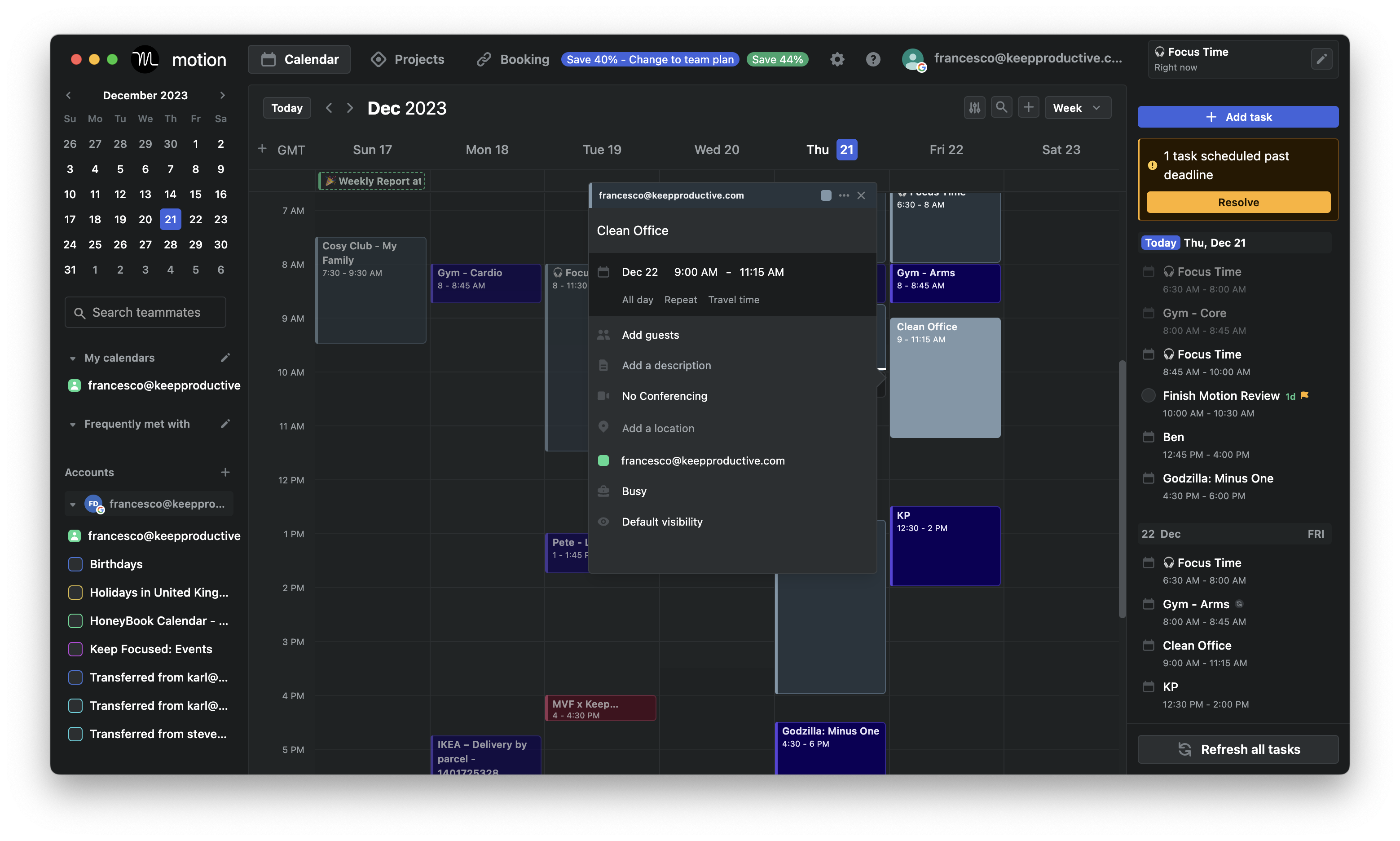
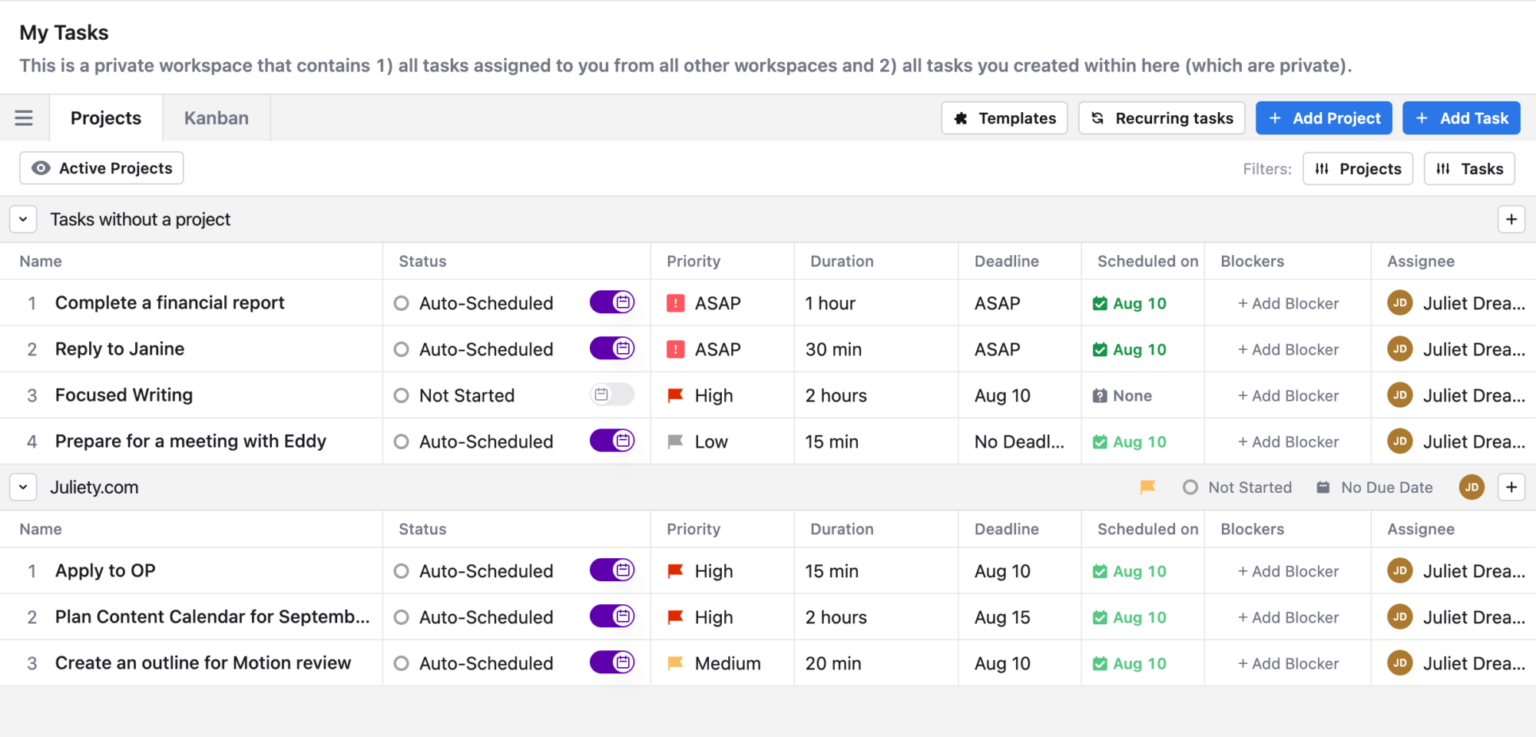
Motion is an AI platform that combines your calendar, tasks, projects, docs, and scheduling into one workspace. It’s built for busy professionals and teams who want to reduce the stress of constant decision-making.
Key features
- Dynamic rescheduling when plans change
- Unified workspace for calendar, tasks, projects, docs, and notes
- Project management with priorities, dependencies, and multiple views
- Team scheduling, task assignment, and workload balancing
What I liked:
- Everything lives in one connected workspace, so no switching between multiple apps
What I disliked:
- No permanent free plan
- Setup takes time because Motion tries to replace many tools at once
- The mobile app is fine, but the desktop/web version is much more powerful
- Can feel like overkill if you only need a simple task list or basic calendar
Pricing:
- Free 7-day trial available.
- Paid plans start around $49/month
Suitable for:
- Small teams needing shared scheduling and task assignment
How to start:
- Sign up for Motion
- Connect your calendars
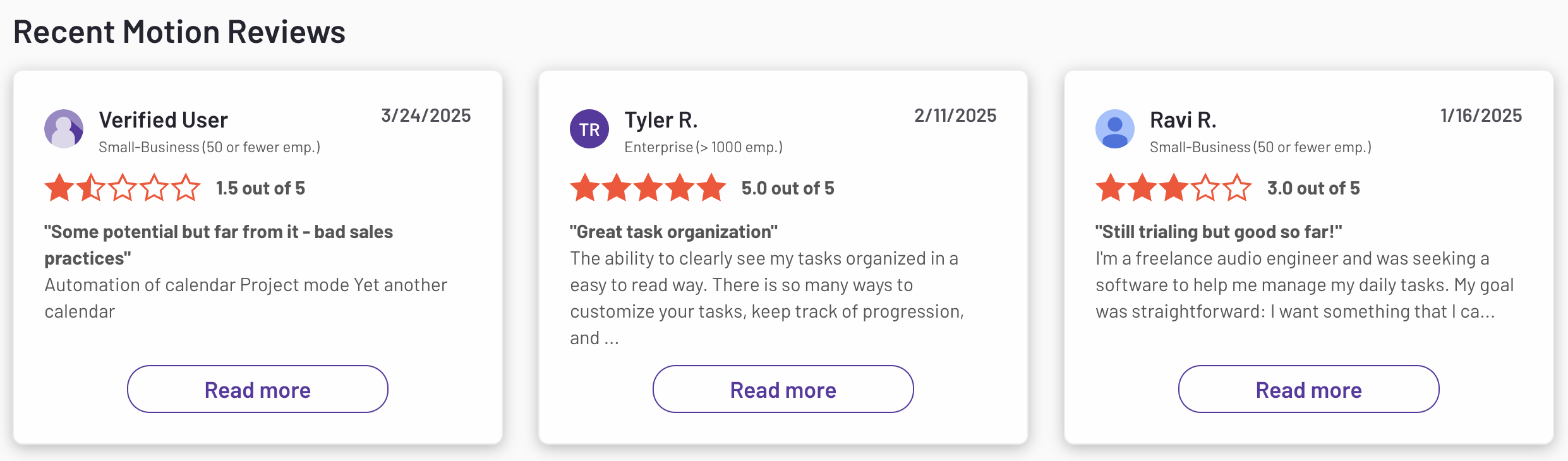
Motion reviews (source)
5. Notion
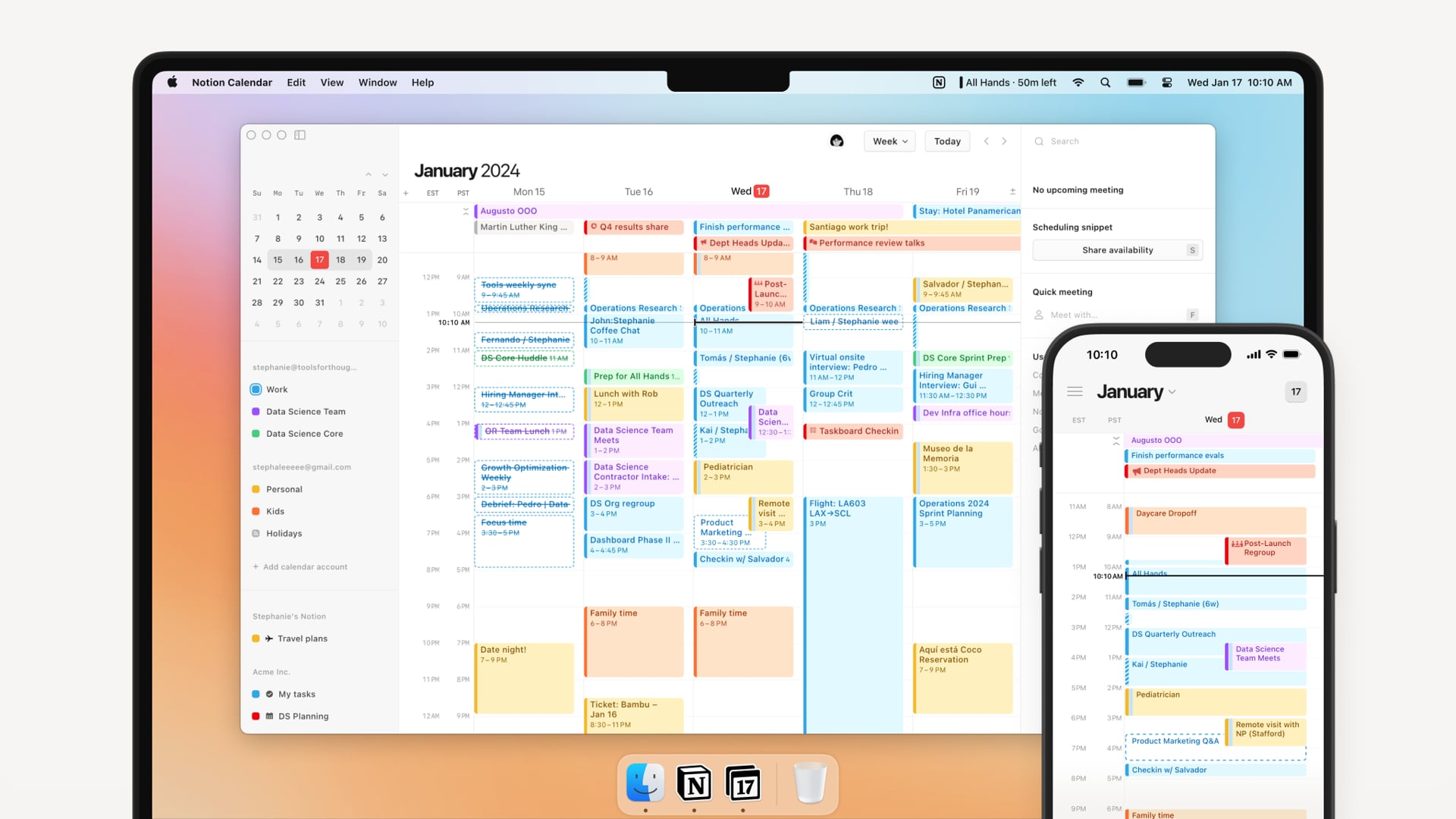
Notion is a flexible all-in-one workspace that combines notes, docs, tasks, databases, and collaboration in one place. You can use it for personal organization or scale it into a full team knowledge hub.
Key features
- Modular block-based editor for building notes, docs, tasks, and pages
- Database system with table, board, list, calendar, and gallery views
- Large template library for wikis, meeting notes, project trackers, and workflows
- AI assistant for writing, summarizing, researching, and analyzing PDFs
What I liked
- Extremely customizable
- One unified workspace instead of switching between multiple apps
- Templates help reduce setup time
What I disliked
- Steeper learning curve for complex setups or database-heavy systems
- Performance may lag in very large workspaces
- Mobile experience isn’t as smooth as desktop
Pricing
- Free plan — suitable for individuals, unlimited pages/blocks
- Plus plan — around $10/user/month (annual billing)
- Business plan — around $20/user/month (annual billing), includes AI
Suitable for
- Students and individuals who want a powerful note + task system
- Freelancers managing clients, projects, and content
- Startups and teams building shared docs, wikis, and project hubs
How to start
- Create a free Notion account
- Choose a template to speed up setup
Notion reviews (source)

6. Routine
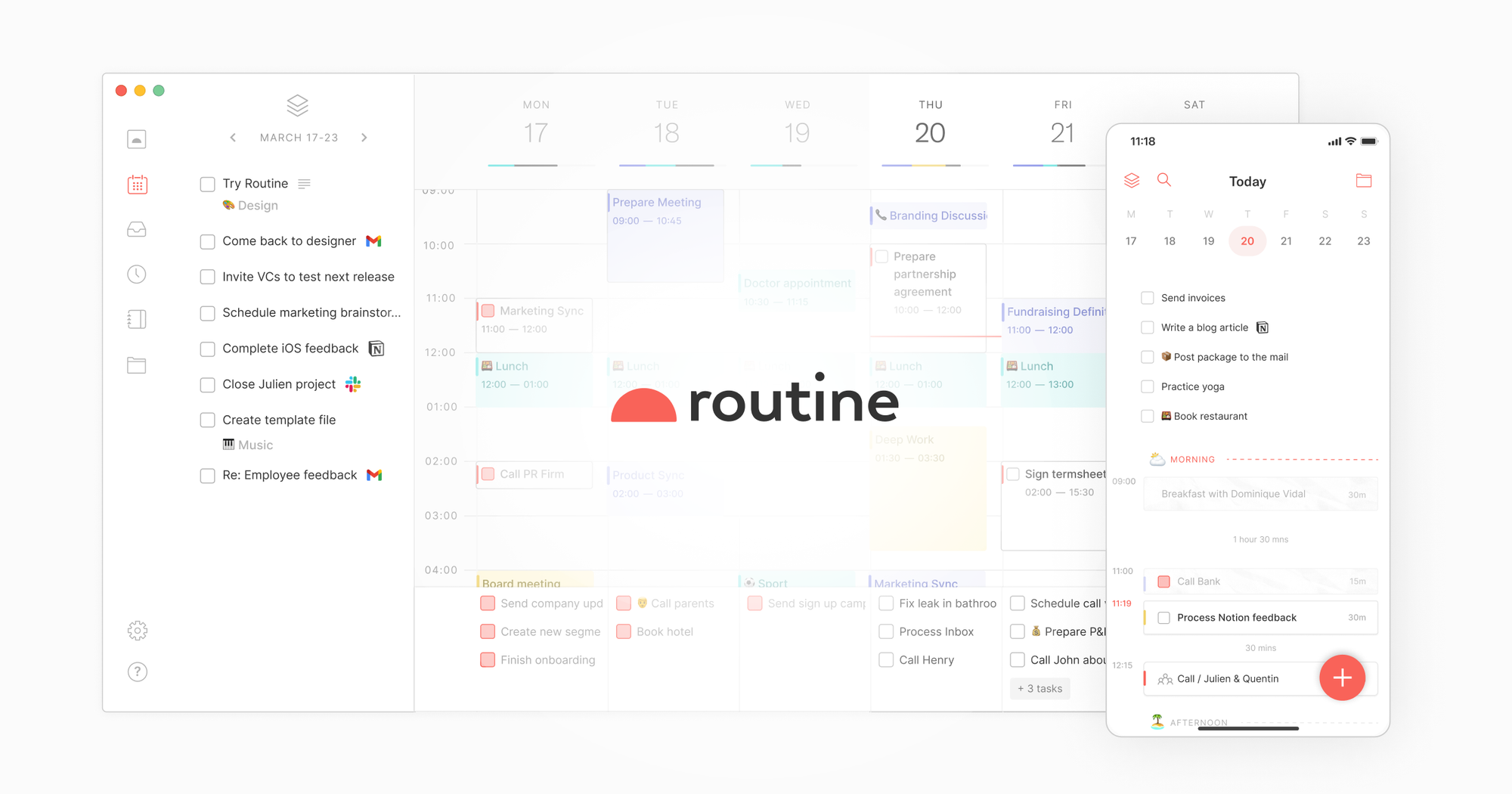
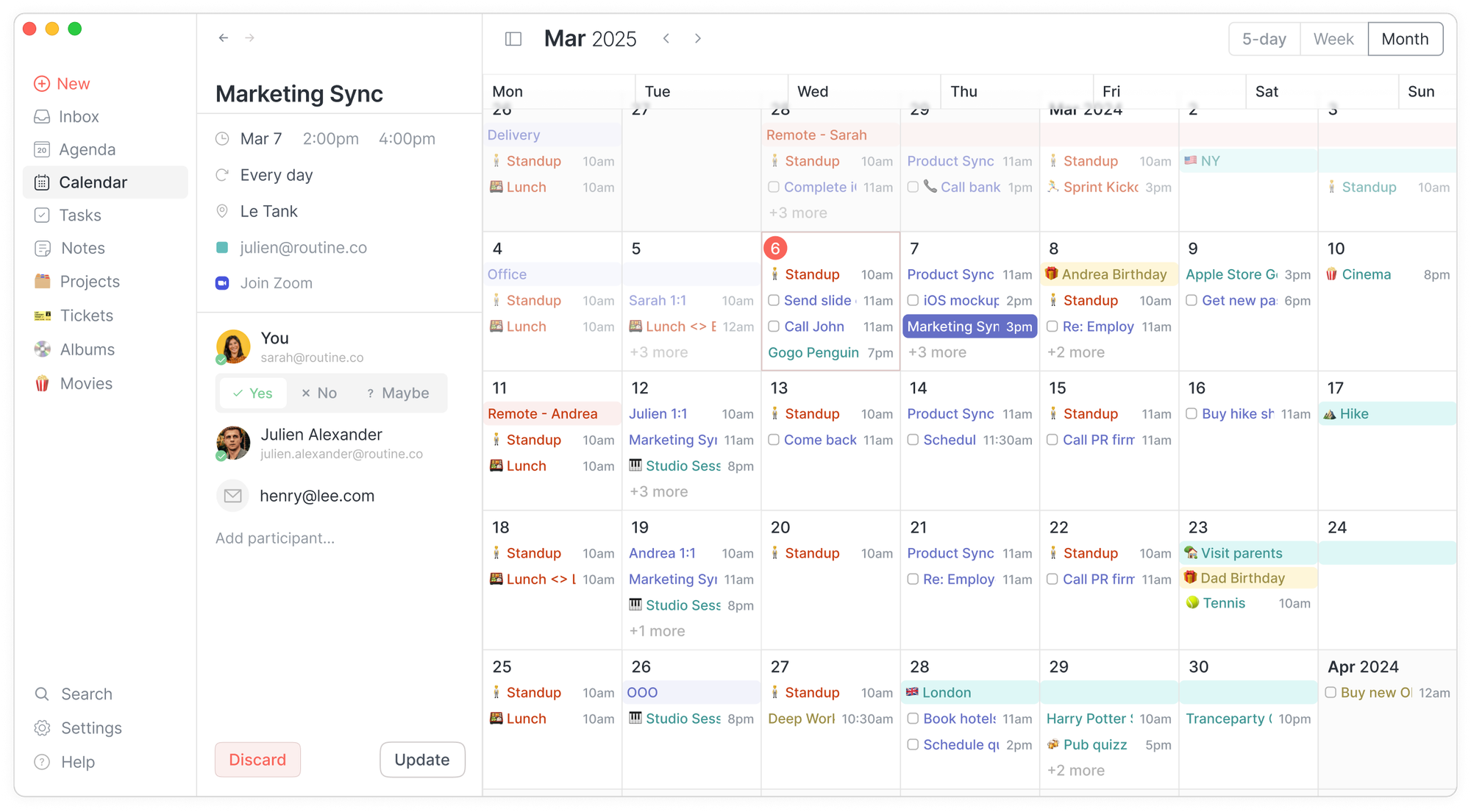
Routine.co is a productivity app that combines your calendar, tasks, notes, and contacts into one unified workspace. It’s designed to replace the clutter of using separate apps for planning, scheduling, note-taking, and daily organization.
Key Features
- Unified workspace with calendar, tasks, notes, and contacts in one place
- Natural-language quick-capture for fast task and event creation
- Time-blocking and drag-to-schedule workflows
- Cross-platform support across macOS, Windows, Web, and iOS
What I Liked
- It reduces tool overload by merging planning, scheduling, and notes into one clean interface
- Cross-platform and offline support make it reliable across different devices
What I Didn’t Like
- Not ideal for complex team project management or heavy technical workflows
- Notes editor is simpler than full documentation-focused tools
- Some users say moving tasks around can require extra manual adjustments
- There's no chat-style assistant that you can talk to, like “Move my deep work to Friday”
Pricing
- Free plan with core features
- Pro plan around $10/month
- Business plan around $15/month
Who It’s For
- Users who time-block, plan weekly, or take notes alongside tasks
- Anyone who prefers simple, fast, and clean productivity tools
How to Get Started
- Go to Routine.co
- Create a free account
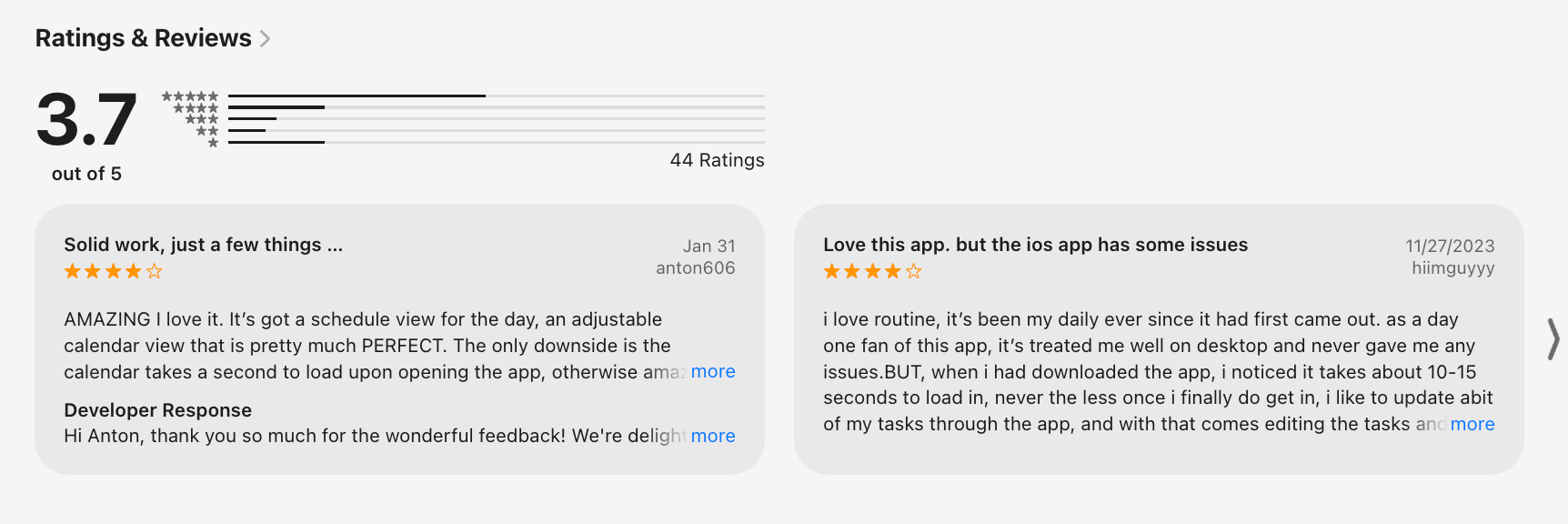
Routine Reviews (source)
7. Supernotes
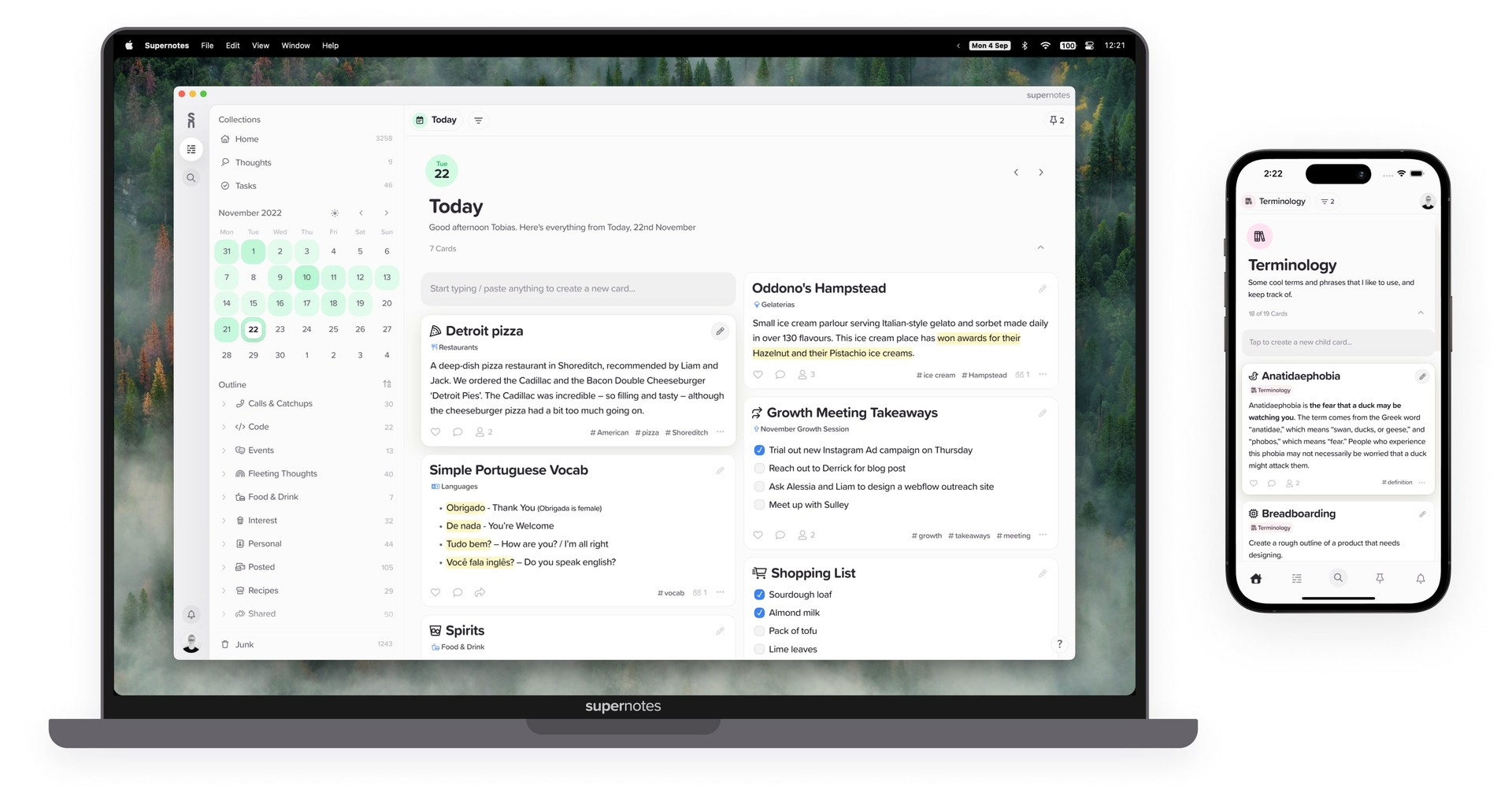
Supernotes is a note-taking and knowledge app built around small, structured “notecards” instead of long documents. It’s designed for students, researchers, and professionals who prefer fast capture, clean organization, and flexible linking across ideas.
Key features
- Notecard-based system for atomic notes
- Rich content support: Markdown, images, LaTeX, checklists, tables
- Multi-parent organization, tags, links, and graph/table views
- Cross-device apps with offline mode (Web, iOS, Android, Mac, Windows, Linux)
What I liked
- Breaking ideas into notecards keeps notes clean and easy to navigate
- Flexible content types make it useful for both study and work
- Strong offline capabilities and cross-device syncing
What I disliked
- Long-form writing can feel fragmented across multiple cards
- Switching from traditional document-style notes takes adjustment
- Free plan has a limited number of cards
Pricing
- Free plan with limited cards
- Unlimited plan around $11/month
Suitable for
- Students and researchers who want atomic notes + spaced repetition
- Professionals or writers who prefer structured, linkable notes
- Teams needing lightweight shared notes
How to start
- Sign up on Supernotes
- Create your first notecards and organize them with tags and links
Supernotes Reviews (source)
🏁 Conclusion: Choosing the Right Coda Alternative in 2025
Coda is still a powerful workspace - but the landscape has changed. In 2025, more users want tools that are simpler, faster, more AI-native, and aligned with how they actually think and work. Whether you need better personal productivity, smoother team collaboration, or an AI assistant that helps you plan instead of just write, there’s now a Coda alternative designed specifically for that.
The best approach is to choose a tool based on your real workflow:
- If you want AI that organizes your day, try Saner.AI.
- If you want automatic scheduling, try Motion.
- If you want team documentation, Slite or Notion are excellent.
- If you want knowledge graphs with tags, Tana is a good choice.
- If you want lightweight simplicity, Supernotes or Routine will feel easy.
Each tool in this list offers a different angle - and the right one depends on whether you prefer flexibility, automation, structure, or pure simplicity.
If you’re exploring modern workspaces, especially those powered by proactive AI, start testing a few options. The right alternative should feel intuitive, reduce friction, and make daily work easier - not harder.
If you're looking for an all-in-one workspace with intelligent planning and built-in AI, try tools like Saner.AI or any of the options above to see which one fits your thinking style best.
The AI Assistant that organizes your day
FAQ: Best Coda Alternatives (2025 Guide)
1. What are the best Coda alternatives in 2025?
The best Coda alternatives include Saner.AI, Slite, Supernotes, Tana, Routine, Motion, and Notion - each offering different strengths for note-taking, docs, project management, or AI workflows.
These alternatives provide lighter, faster, or more AI-native ways to work.
2. Why do people look for Coda alternatives?
Common reasons users search for replacements include:
• wanting simpler tools that don’t require setup
• preferring faster, cleaner writing environments
• needing stronger AI assistance (summaries, task extraction, insights)
• avoiding Coda’s learning curve and formula system
• wanting tools that work better for solo users or ADHD-prone workflows
• wanting cheaper or more flexible pricing
3. Which Coda alternative is best for personal productivity?
Saner.AI is the strongest personal-productivity alternative because it blends:
• notes
• tasks
• email
• calendar
• AI that understands your messy thoughts
Coda is powerful, but it requires setup. Saner works instantly and is ideal for people who want clarity without configuring templates or automations.
4. Which Coda alternative is best for teams?
Top team-friendly options:
• Slite – Clean, shared documentation with fast search
• Notion – Flexible workspace with deep collaboration
• Tana – Great for networked knowledge across teams
• Supernotes – Lightweight, card-based notes for research-heavy teams
Teams choose these when Coda feels too "database-heavy" or slow for everyday writing.
5. What’s the best Coda alternative for ADHD or overwhelmed users?
Saner.AI.
Because it reduces mental load by:
• turning brain dumps into tasks
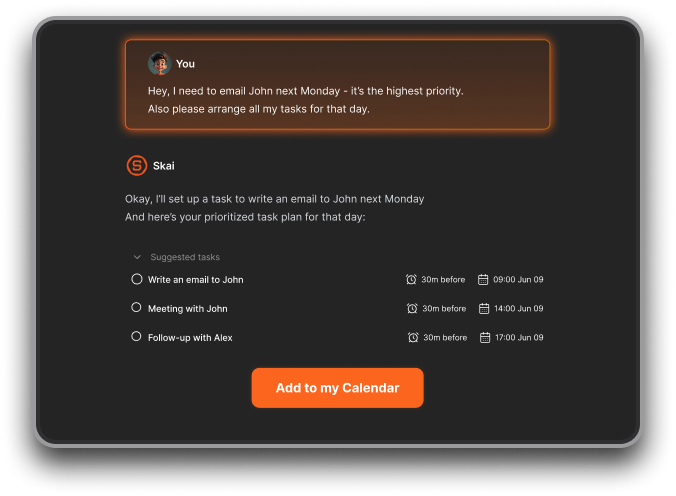
• reminding you of what matters at the right time
• eliminating context switching (notes, emails, tasks in one place)
• requiring zero template setup
Coda can feel overwhelming for neurodivergent users who need clarity - not complexity.
6. What's the best Coda alternative for project management?
Top picks:
• Motion – Auto-schedules tasks using your real calendar
• Routine – Clean task + planning system for solo operators
• Notion – Great for structured project dashboards
Choose Motion for automation, Notion for flexible databases, or Routine for simplicity.
7. What's the best Coda alternative for research and knowledge-heavy work?
• Tana – Excellent for atomic note-taking and knowledge graphs
• Saner.AI – Personal AI assistant suitable for students, researchers, and heavy readers
• Slite – Simple team notebooks with strong search
These tools offer lighter, faster research flows vs. Coda’s heavy database structure.
8. Which Coda alternative has the best AI features?
Strongest AI-native tools:
• Saner.AI – Understands your notes, tasks, calendar, emails
• Tana AI – AI for structure, tagging, organizing
• Motion – AI scheduling and prioritization
• Notion AI – Strong writing and summarization tools
If you want a true end-to-end AI workflow, Saner.AI leads because it connects everything - not just documents.
9. Which Coda alternatives are easier to learn?
Beginner-friendly tools:
• Saner.AI – Works out of the box with natural-language commands
• Supernotes – No setup, clean card writing
• Slite – Minimalist team notes
• Routine – Simple daily planner
Coda’s formula system can intimidate new users; these tools keep things simple.
10. Which Coda alternative is best for startups and entrepreneurs?
Saner.AI:
• turns messy ideas into tasks
• surfaces past investor notes automatically
• helps founders stay organized without building complex docs
• reduces mental load across many parallel tasks
Notion is also popular for startups needing a customizable hub.
11. Are any Coda alternatives better for automation?
Yes.
• Motion – Auto-plans your entire week
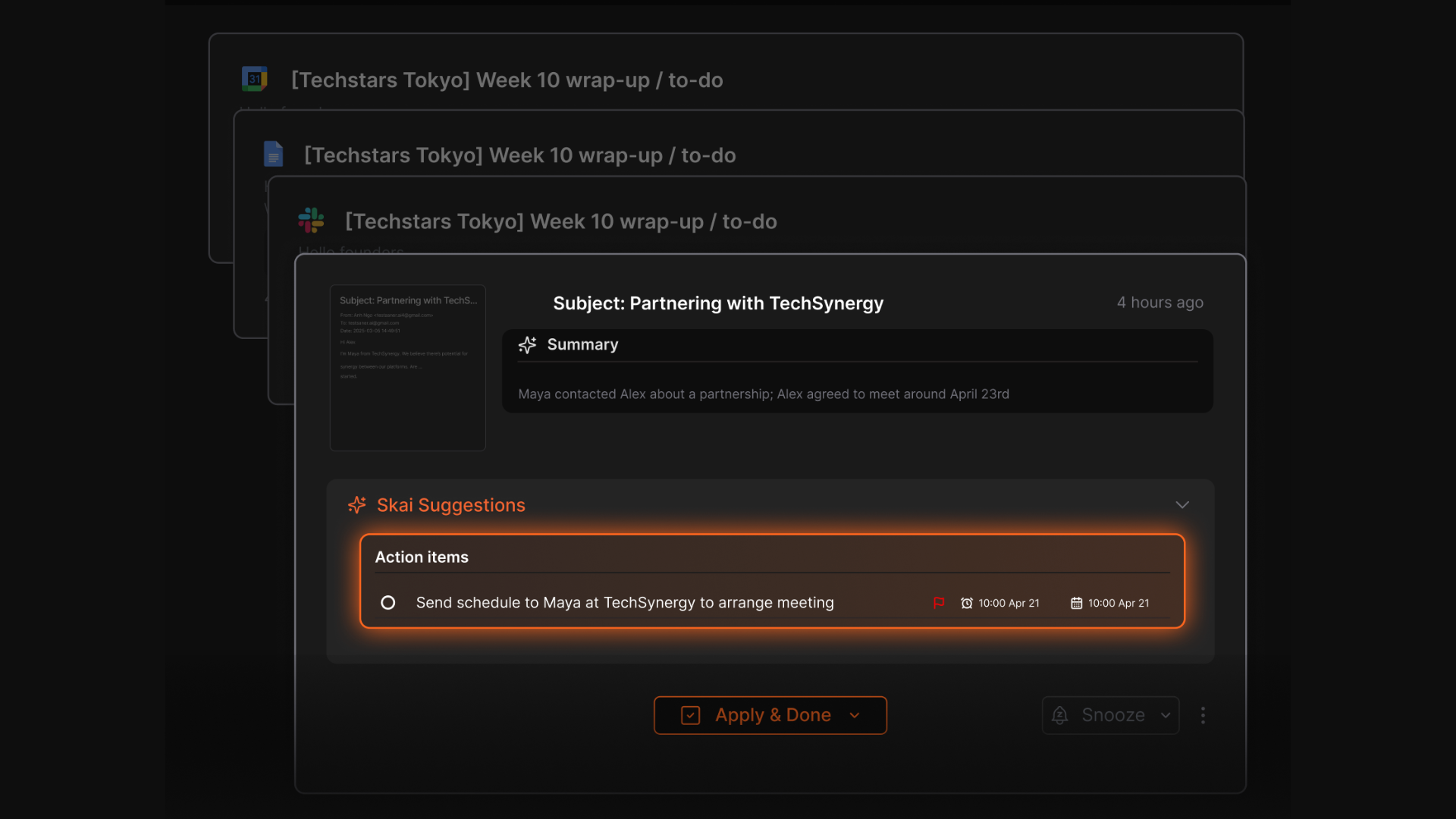
• Saner.AI – Converts notes, emails, and chats into tasks automatically
• Tana – AI-generated structure + tagging
• Notion – Integrates with Zapier/Make for workflow automation
Coda is powerful but requires configuration; these tools offer faster automation setups.
12. Which Coda alternative is best for writing and documentation?
• Slite – Minimal writing interface with strong team organization
• Saner.AI – Perfect for short, messy notes
• Notion – Great for long-form writing, company wikis
Choose Slite for teams, Supernotes for clarity, Notion for long docs.
13. Which Coda alternatives support natural-language task creation?
• Saner.AI – The most advanced (tasks, notes, scheduling, email context)
• Motion – Auto-schedules tasks
• Routine – Great for quick task capture
• Notion AI – Can generate tasks from text
Saner.AI is the strongest for users who think out loud or brain-dump.
14. What Coda alternative works best with Google Workspace?
• Saner.AI – Deep Gmail + Calendar integration
• Motion – Calendar-first experience
• Routine – Works well with Google Calendar
• Notion – Good, but not as integrated with Gmail/Calendar
Choose based on whether you want AI help (Saner) or auto-scheduling (Motion).
15. Are there free Coda alternatives?
Yes. These apps offer free plan:
• Saner.AI – Free plan
• Supernotes – Free tier
• Slite – Free for small teams
• Notion – Generous free plan
• Routine – Free tier available
Motion is the only one without a long-term free plan.
16. Can these tools replace full Coda workflows?
Mostly yes—depending on the workflow.
• Saner.AI → replaces personal workspaces, daily ops, tasks, meetings
• Notion → replaces docs, databases, team dashboards
• Motion → replaces task + scheduling systems
• Tana → replaces knowledge management and research
• Slite → replaces team documentation
• Supernotes → replaces reading/research notes
For highly custom database-heavy workflows, Coda still excels.
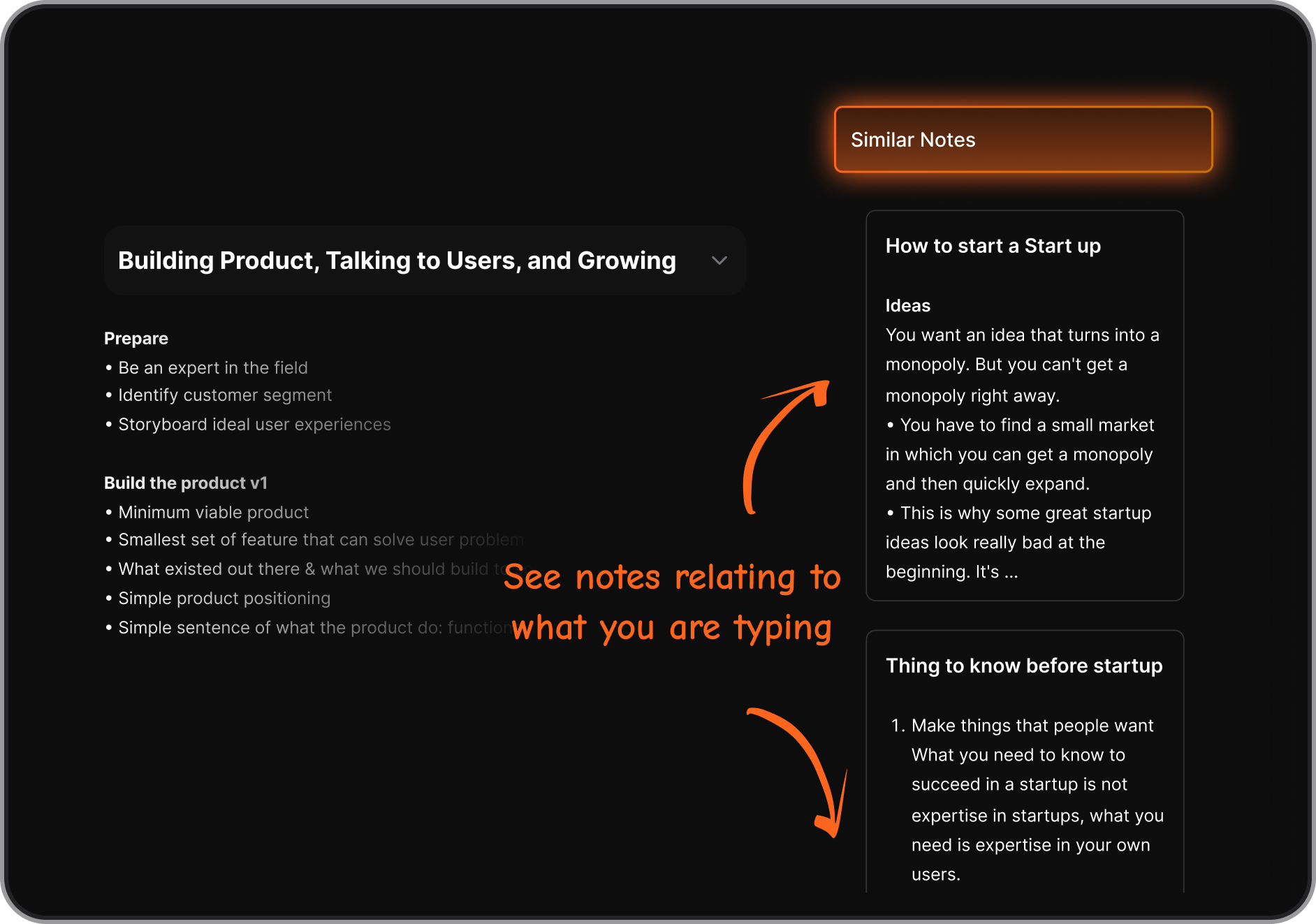
17. Which Coda alternative handles messy notes best?
Saner.AI
Because it understands context, extracts tasks, recalls old notes, and doesn’t need structure.
It is also strong because AI auto-organizes and tags your information.
18. Which Coda alternative is best for daily planning?
• Saner.AI – AI-powered plan built from your tasks + notes + calendar
• Motion – automatic scheduling
Saner is the only app who considers all your information, not just tasks.
19. Do these alternatives work well with mobile?
Yes, but the experience varies:
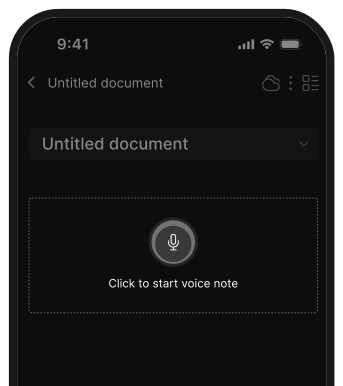
• Saner.AI – Mobile apps with voice, notes, task flow
• Notion – Strong mobile experience
• Routine – Good for mobile planning
• Supernotes – Fast and lightweight
Motion and Slite are more desktop-oriented but work fine on mobile.
20. What’s the best Coda alternative for people who hate complex systems?
Definitely Saner.AI, Supernotes, or Routine.
These tools are built to remove friction, not create it.
21. Which tool should I choose as a Coda alternative?
Choose Saner.AI if…
you want clarity, fewer apps, and an AI workspace that just works.
Choose Notion if…
you want flexible docs, pages, and dashboards.
Choose Motion if…
you want automated scheduling.
Choose Supernotes if…
you want simple, beautiful notes.
Choose Tana if…
you want a powerful networked second brain.
Choose Slite if…
you want a clean team doc tool.
Stay on top of your work and life



