Fyxer Alternatives: We Tested The Best 5 Apps (Free & Paid)

Fyxer isn’t for everyone.
Whether it's the price, limited customization, integration hiccups, or other issues, many professionals are now searching for the best Fyxer alternatives in 2026
This guide ranks the top alternatives - AI tools that help you take back control of your email, calendar, and meeting chaos.
Quick answer: What are the best Fyxer Alternatives?
- Saner.AI — best if you want the AI to also handle your tasks, notes, and calendar, not just your inbox. Free tier; paid from $8/month.
- Spark — best alternative for teams and solo users who want a polished client with AI drafting on any provider. Free tier; paid from around $8/month.
- Shortwave — best for Gmail-only users who want an AI assistant for search, summarizing, and drafting. Free tier; paid plans from around $9/month.
- Superhuman — best for speed-obsessed users who live in their inbox all day and want a keyboard-driven flow. No free tier, from around $25/month.
- Missive — best for teams that need a shared inbox with internal chat and assignment rules built around email. From $14/user/month.
How I chose these alternatives?
I ran each tool against the same live inbox for two weeks, roughly 50 emails a day, rather than a clean demo account. I judged them on:
- Draft quality — do the AI-written replies sound like me, or do they need a full rewrite before sending
- Provider support — does it actually work with Outlook and IMAP, or is it Gmail-only like a couple of tools on this list.
- Setup time — how long from connecting an inbox to getting a genuinely usable draft or triage.
- Team fit — does it handle a shared inbox and internal assignment, or is it built for one person only.
- Price-to-relief ratio — what the free tier actually covers, and whether the paid tier's time saved clearly beats the cost.
Let's dive in!
What are the Best Fyxer Alternatives?
The best Fyxer Alternatives are Saner.AI, Spark, Shortwave, Superhuman and Missive
Comparison Table: Best Fyxer Alternatives
| Tool | Price Range | Platforms | Key AI Features | Best For |
|---|---|---|---|---|
| Saner.AI | Free – $8/mo (Pro) | Web, iOS, Android, Chrome | AI across emails, notes, tasks, meetings; memory-aware assistant; daily planner | Entrepreneurs, ADHDers, executives |
| Superhuman | $30+/mo (no free plan) | Web, iOS (Gmail/Outlook) | AI replies, ultra-fast triage, smart follow-ups | Executives, founders, fast-paced workers |
| Shortwave | Free – $36/mo (Max plan) | Web, iOS, Android (Gmail only) | AI summaries, Smart Compose, AI Search, threads-based view | Gmail power users, productivity seekers |
| Missive | Free – $45/mo (Business) | Web, iOS, Android | Shared inbox, AI drafts, team commenting, calendar + rules | Small teams, client-facing roles |
| Spark Mail | Free – $7.99/mo | macOS, iOS, Android, Web | Smart inbox, AI replies, smart filters, shared drafts | Apple users, casual professionals |
1. Saner.AI
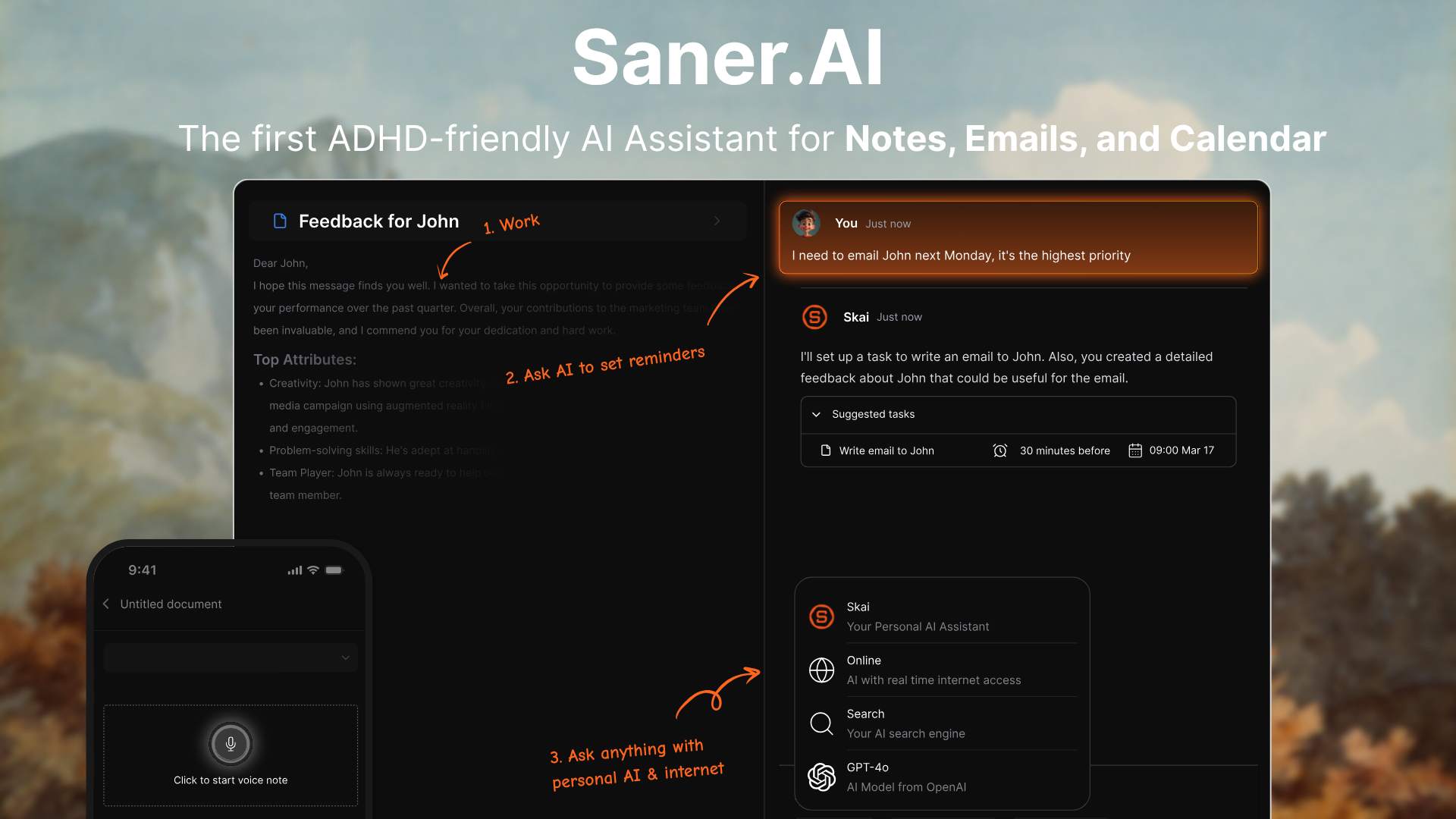
Saner.ai is a personal AI assistant designed to help you manage notes, emails, tasks, and calendar in one unified workspace. It’s especially useful if you struggle with context switching or want an ADHD-friendly workflow that removes mental clutter.
Unlike Fyxer, which focuses on faster emailing, Saner goes deeper: it helps you organize your work before you even hit send.
Key Features
- AI Daily Planner: Auto-generates your day plan from tasks, notes, emails, and calendar events
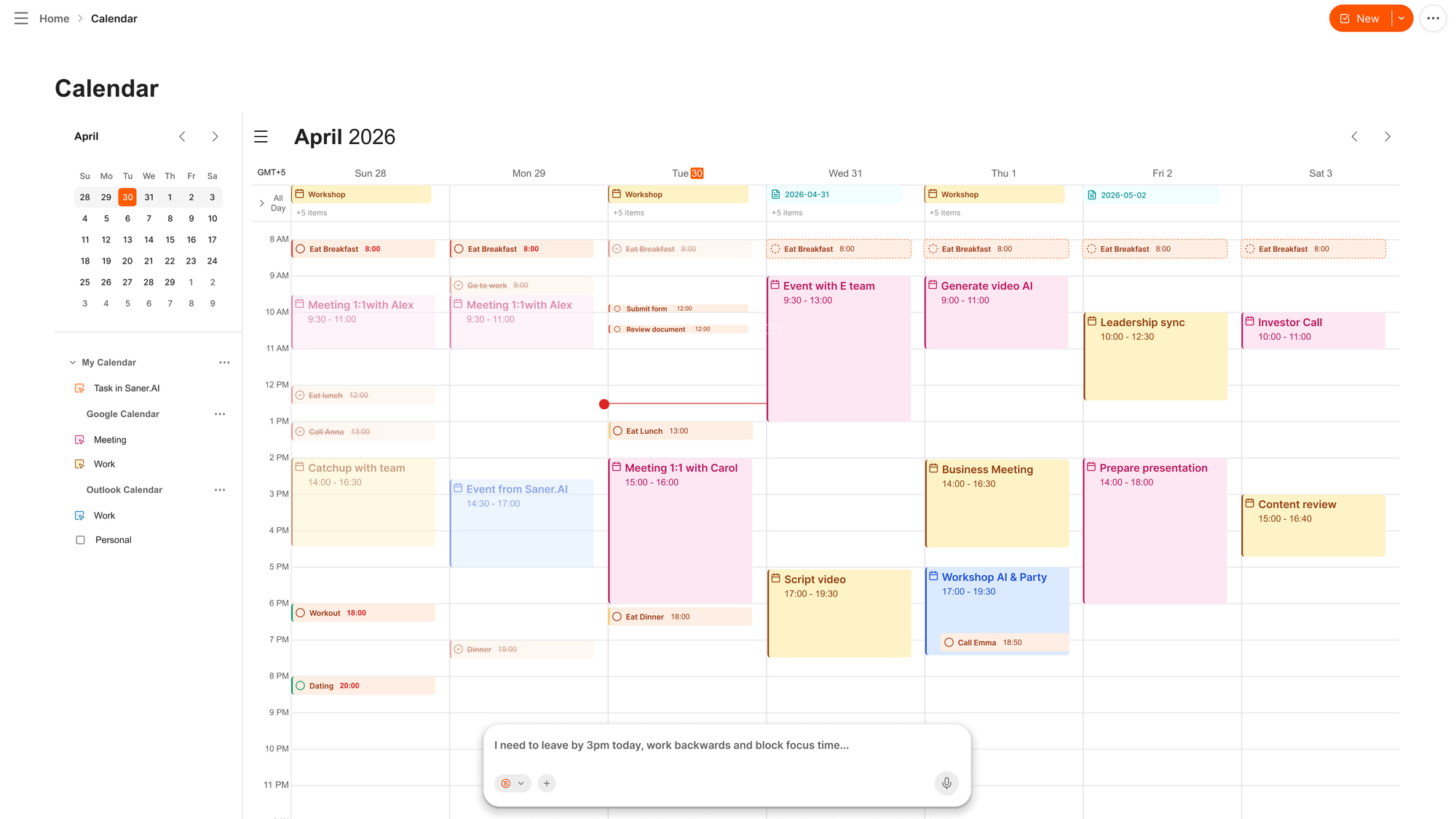
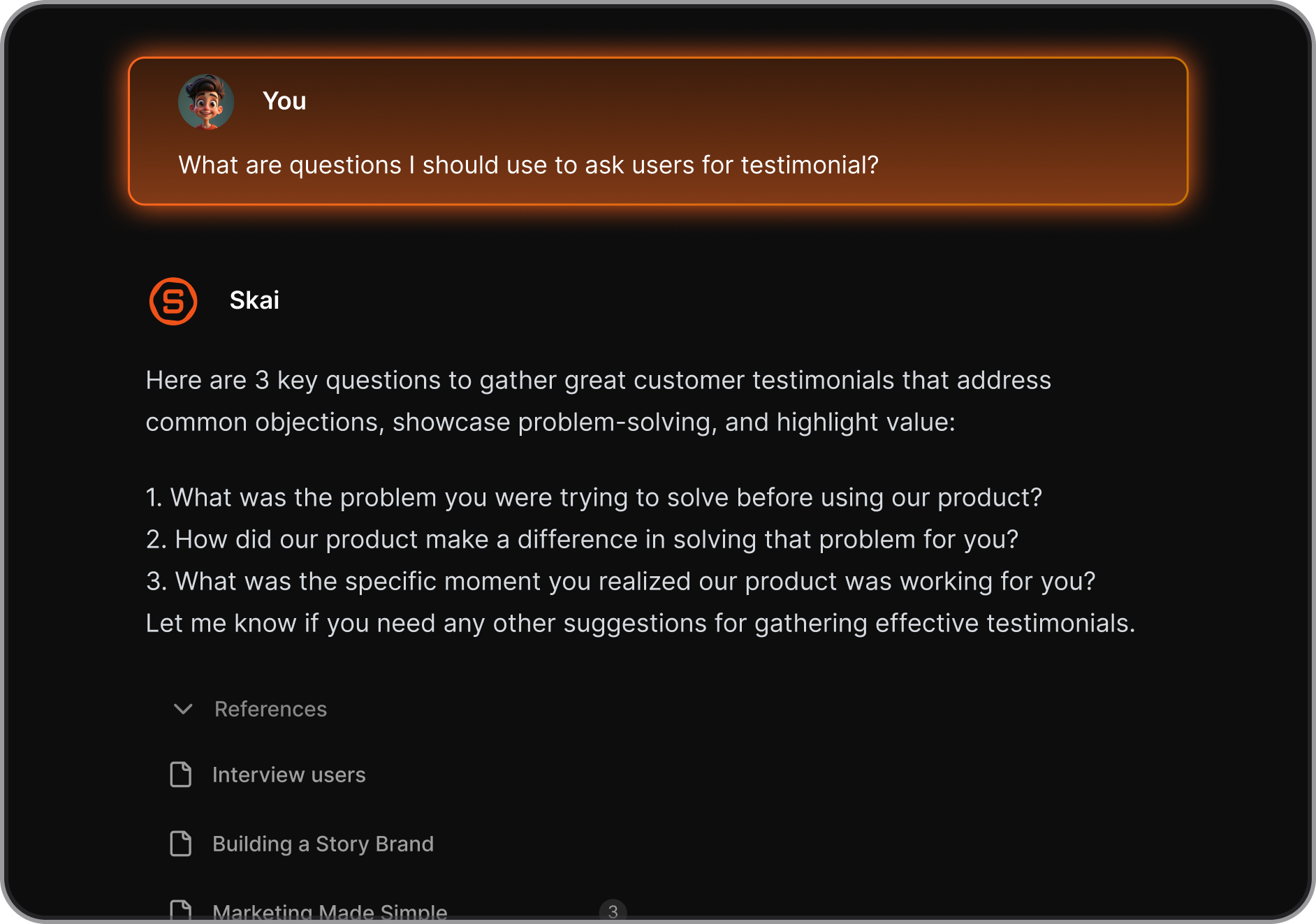
- Smart AI assistant (Skai): Lets you search, ask questions, and summarize your own information
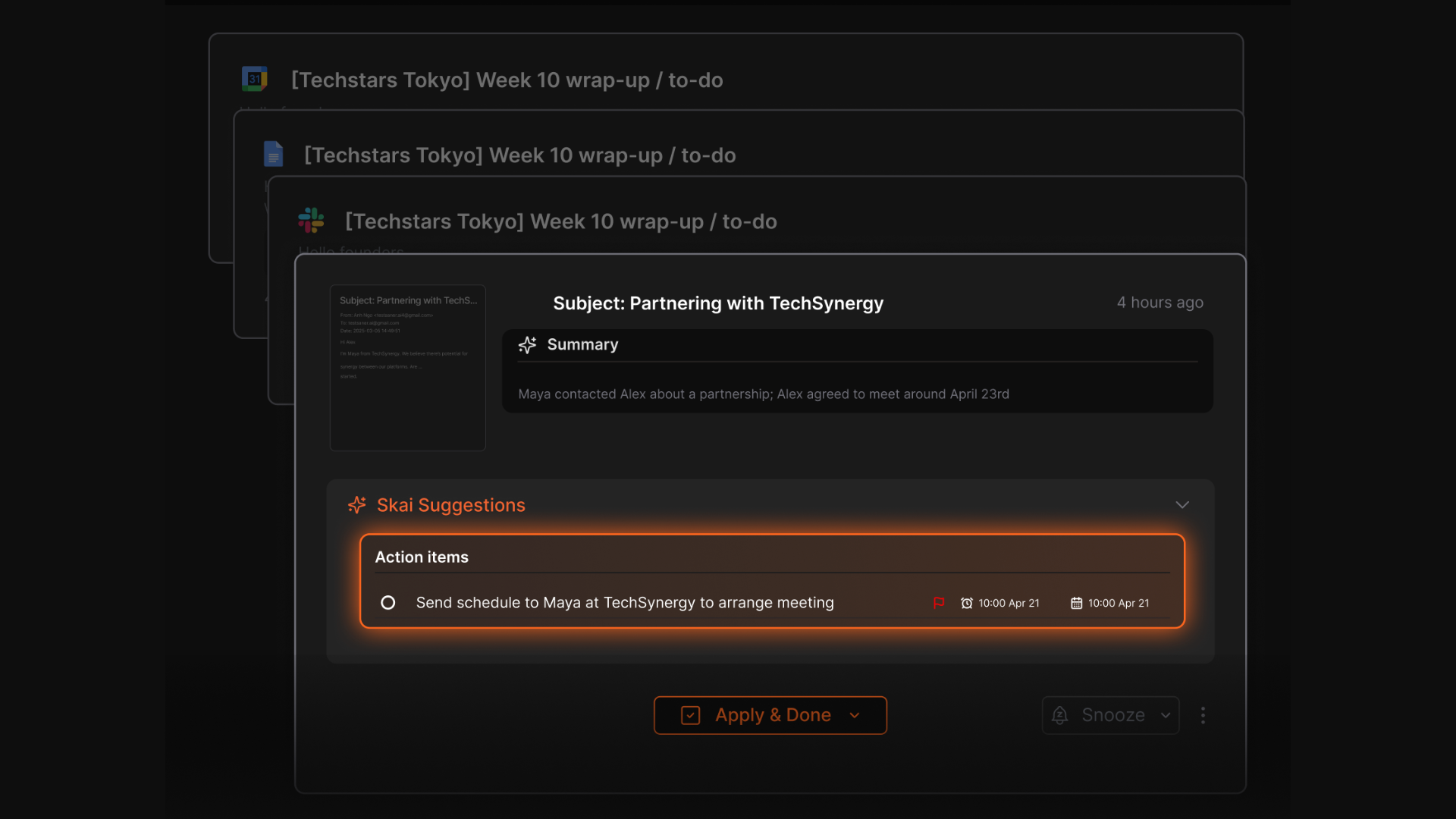
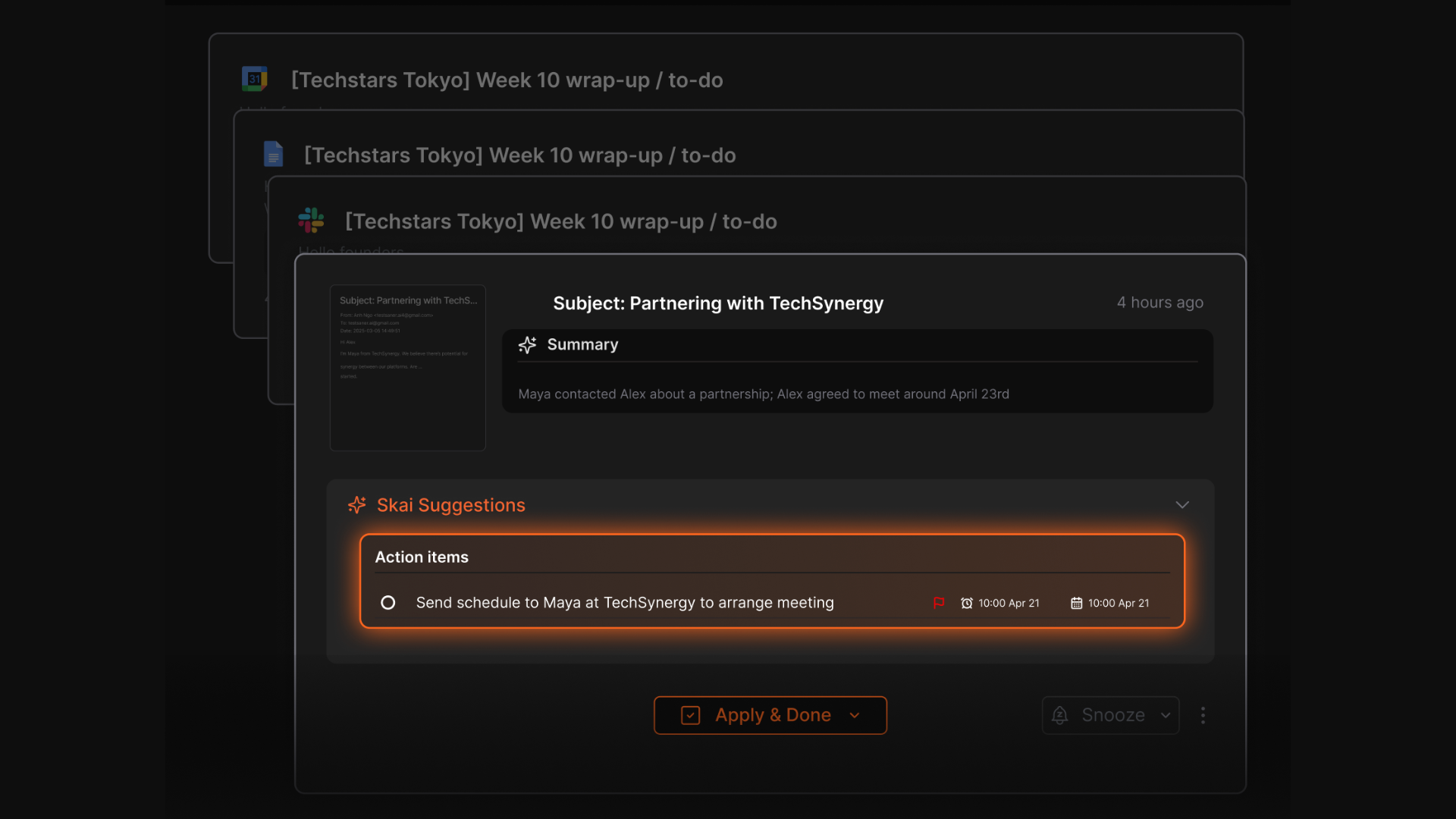
- Automatic task extraction: Detects tasks from emails, notes, or meetings and helps break them down
- Calendar sync: Syncs with Google Calendar so your tasks and reminders align with your schedule
- Cross-platform support: Available on web and Android, with iOS in development
- ADHD-friendly design: Built with minimal friction and fewer distractions in mind
What I liked
- Tasks get pulled automatically from what you write — no need to create to-dos manually
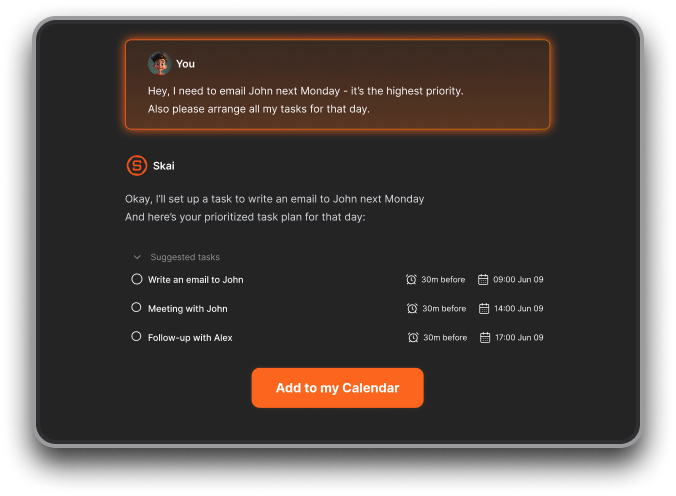
- The daily plan is proactive - I don't have to manually drag tasks onto my calendar. It reads what’s important and builds the day for me.
- You can just ask, and it’ll surface the exact note
- The layout is clean, which helps if you’re easily overwhelmed
What I disliked
- It’s not built for team collaboration yet
Pricing
- Free tier (30 AI messages/month). Starter is $8/month. Standard is $16/month
Who is it suitable for?
- People who feel overwhelmed managing notes, emails, and tasks across multiple apps
- Founders, managers, multitaskers whose real problem is scattered tools, not just a messy inbox.
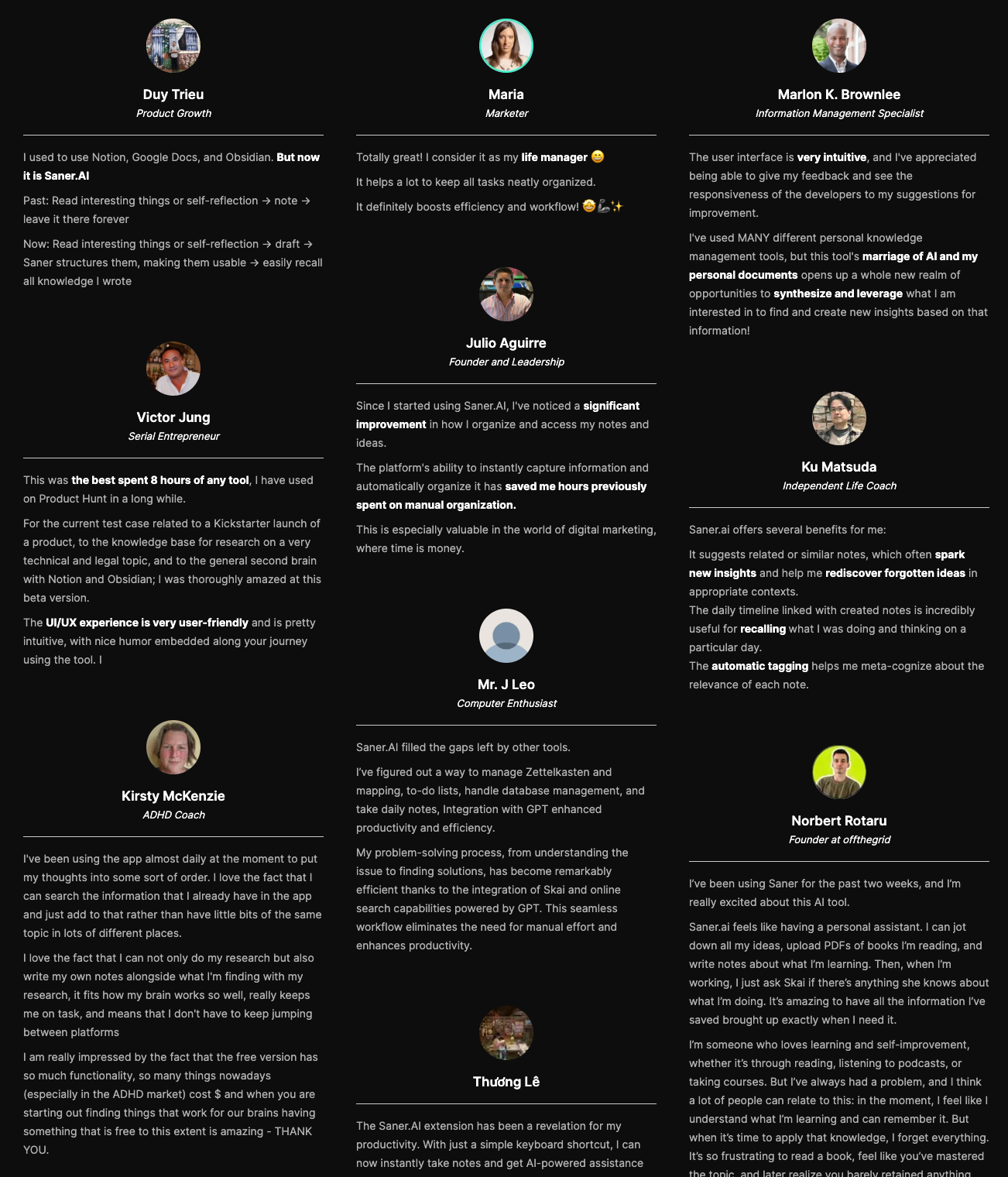
Saner.AI review
How to get started?
- Connect email and calendar first, then let a few days of normal use build up before judging the triage. It gets sharper once it has real context to sort through.

Stay on top of your Emails effortlessly
2. Shortwave
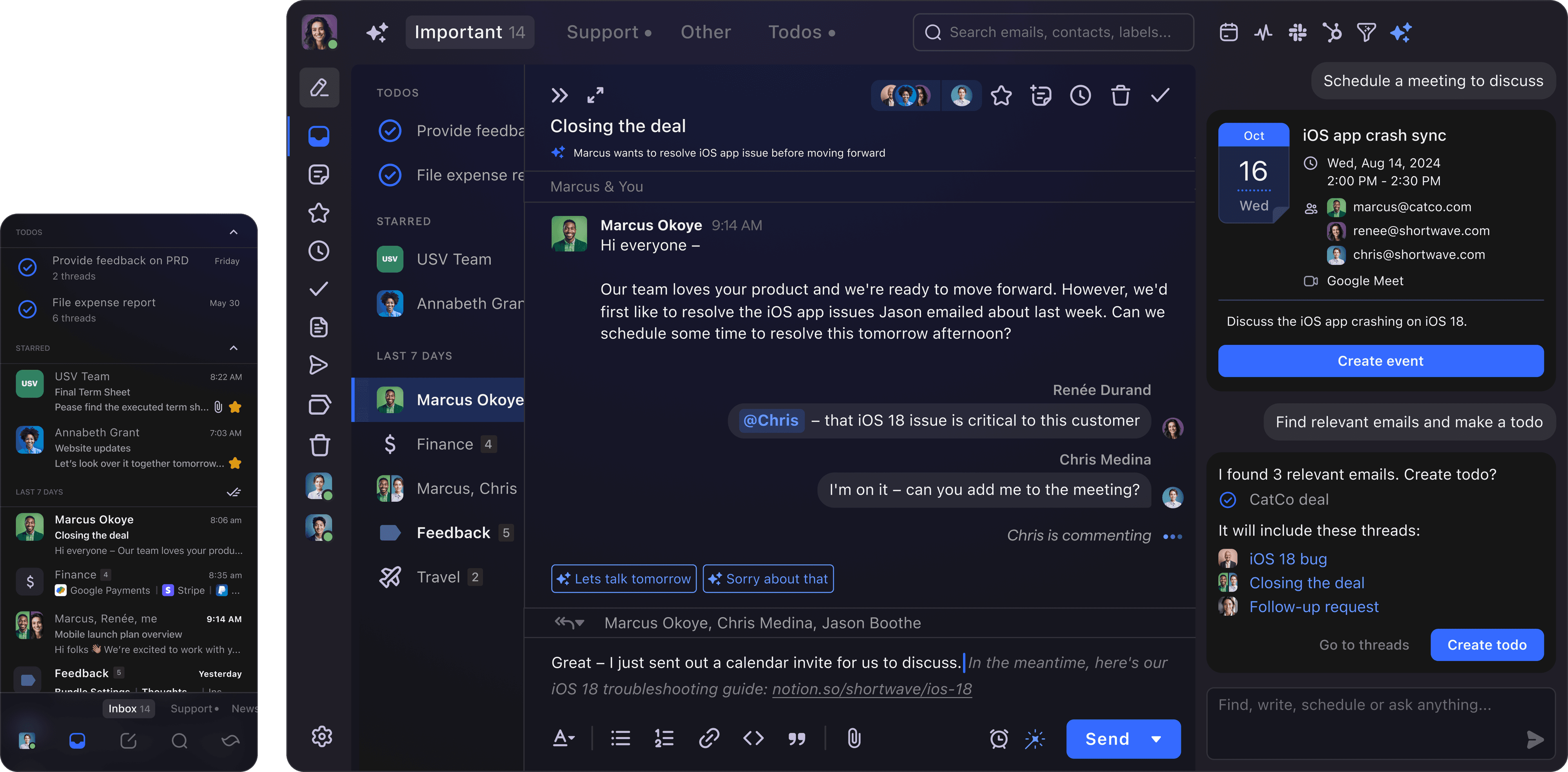
Shortwave is an AI-powered email assistant designed specifically for Gmail users. It helps you cut through inbox clutter with smart filters, bundles, AI drafting, and natural language search.
It’s a strong alternative to Fyxer if you're looking for more control, faster responses, and powerful automation inside your inbox
Key features
- Inbox automation: Create smart filters using plain English to automatically sort, archive, or label emails
- AI writing: Quickly draft replies by describing what you want to say (“follow up,” “reschedule,” “apologize”)
- AI search: Ask your inbox questions in natural language and get summaries, action items, or exact emails
What I liked:
- The AI search is helpful
- It's cross-platform and mobile-friendly, with a clean interface across iOS, Android, and desktop
What I disliked:
- Only works with Gmail - if you use Outlook or other providers, it won’t work for you
- Some of the AI features (like search and advanced writing) are locked behind a paid plan
- The interface can feel a little overwhelming at first, with all the smart features layered in
Pricing
- Free plan available
- Premium plan at $18/user/month
Suitable for:
- Gmail users who want AI assistance to manage email faster
- Freelancers, founders, and busy professionals who want faster replies and fewer distractions
How to start:
- Just head to shortwave.com, sign in with your Gmail, and start using the free plan
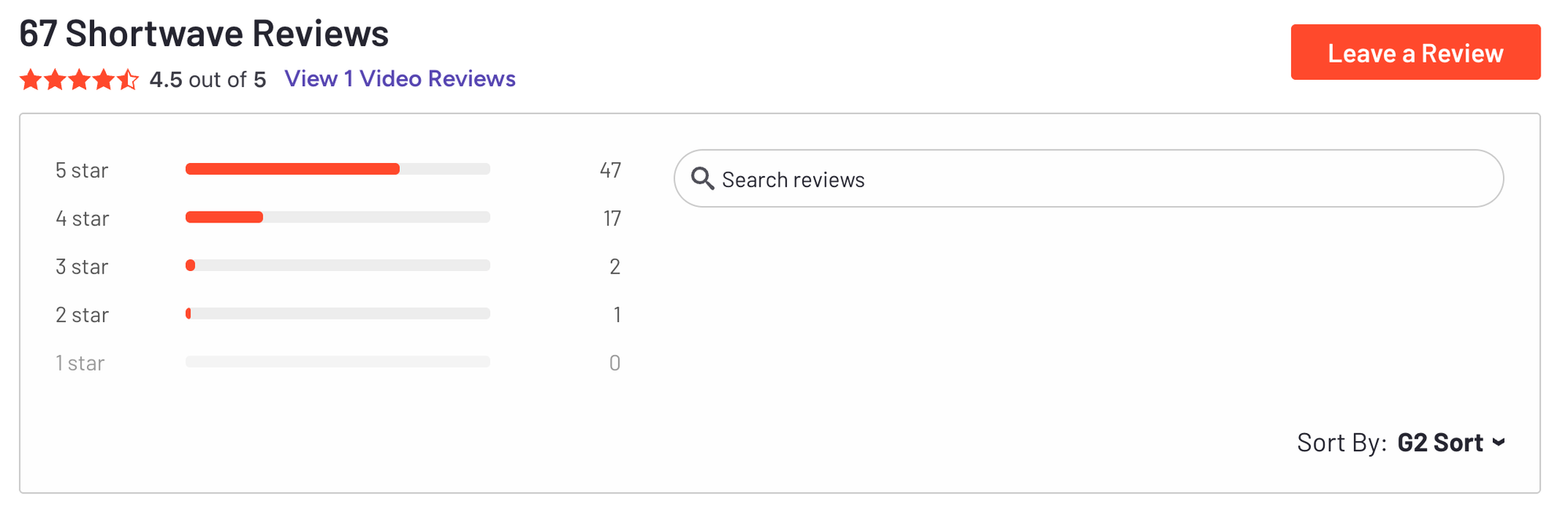
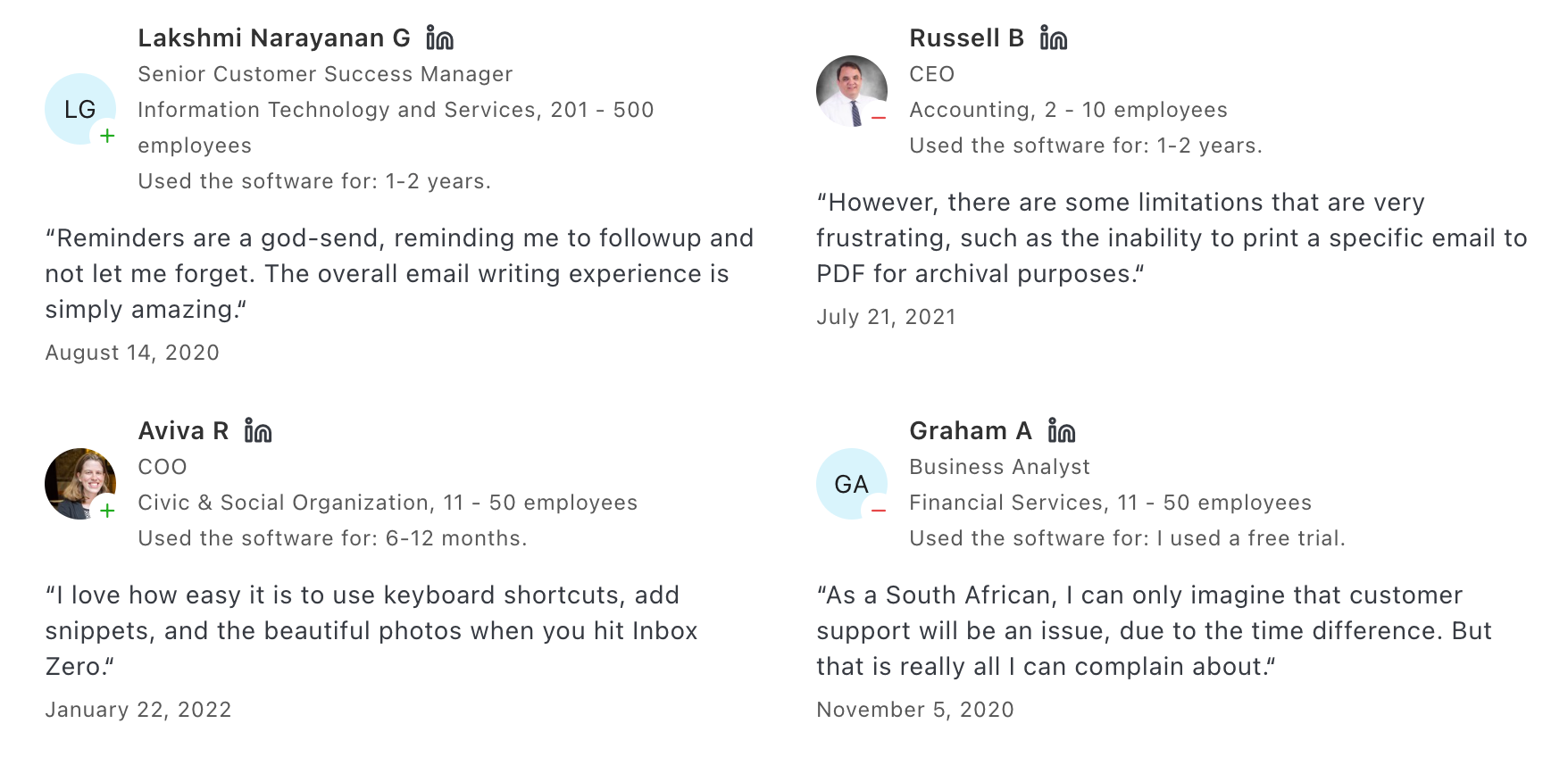
Shortwave reviews (source)
3. Missive

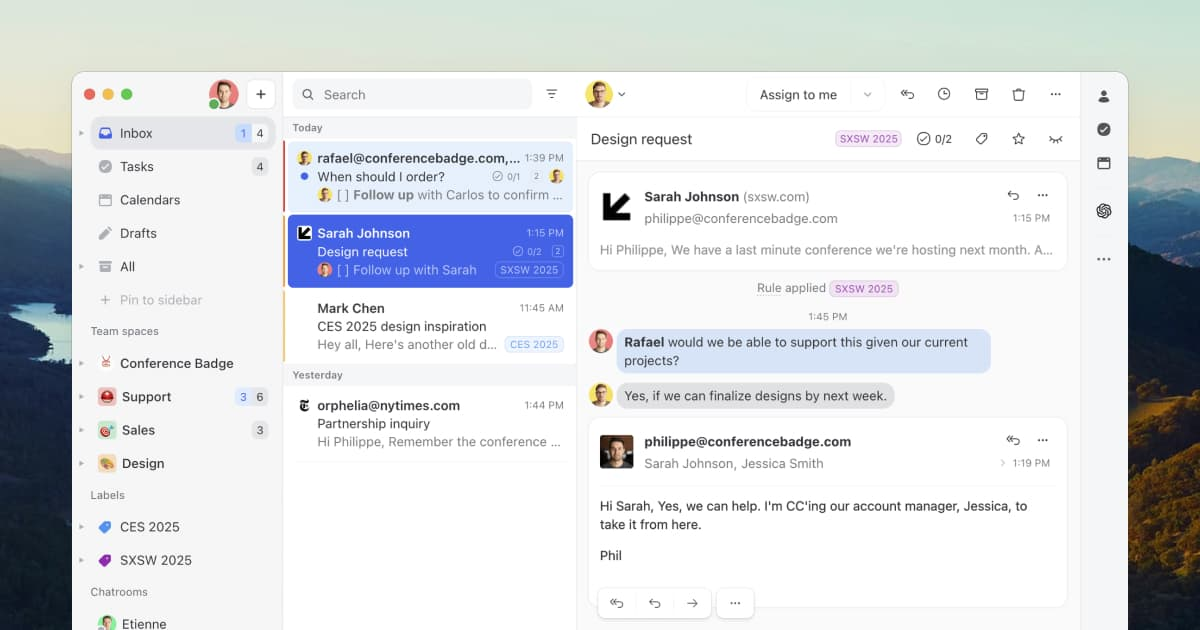
Missive is a smart team-centric email and collaboration tool built for shared inboxes, internal comments, and streamlined workflows. If Fyxer AI feels too assistant-focused or solo-oriented, Missive is a great alternative
Key features
- Shared inboxes: Multiple team members can handle the same email account without stepping on each other’s toes
- Internal comments: Chat privately inside email threads before replying externally
- Collaborative drafts: Write emails with teammates in real time
- Multichannel messaging: Bring SMS, Messenger, WhatsApp, Instagram into the same workspace
What I liked
- Internal comments make it super easy to align before responding
- The shared inbox setup is great for managing support or sales without confusion
What I disliked
- The mobile app isn’t as smooth as desktop - jumping between threads can feel clunky
- There's a learning curve if you’re new to shared inbox tools - not quite plug-and-play
- The search could be better
Price
- Starter plan at $18/user/month
- Productive plan at $30/user/month
- Business plan at $45/user/month
Suitable for
- Teams that rely on shared inboxes (support, sales, operations)
- Organizations that want to combine email + chat + tasking in one place
How to get started
- Sign up at missiveapp.com and connect your email accounts
- Set up shared inboxes for your team
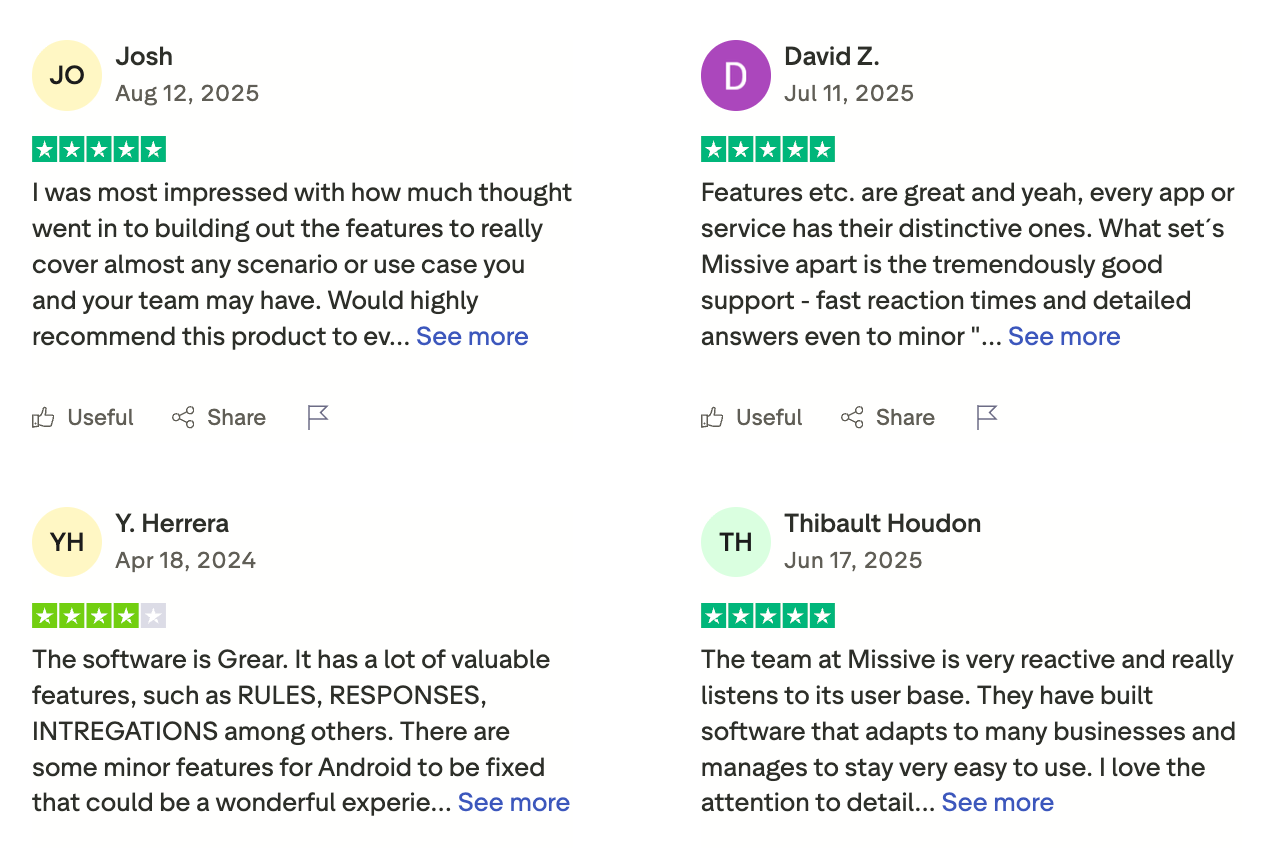
Missive reviews (source)
4. Spark
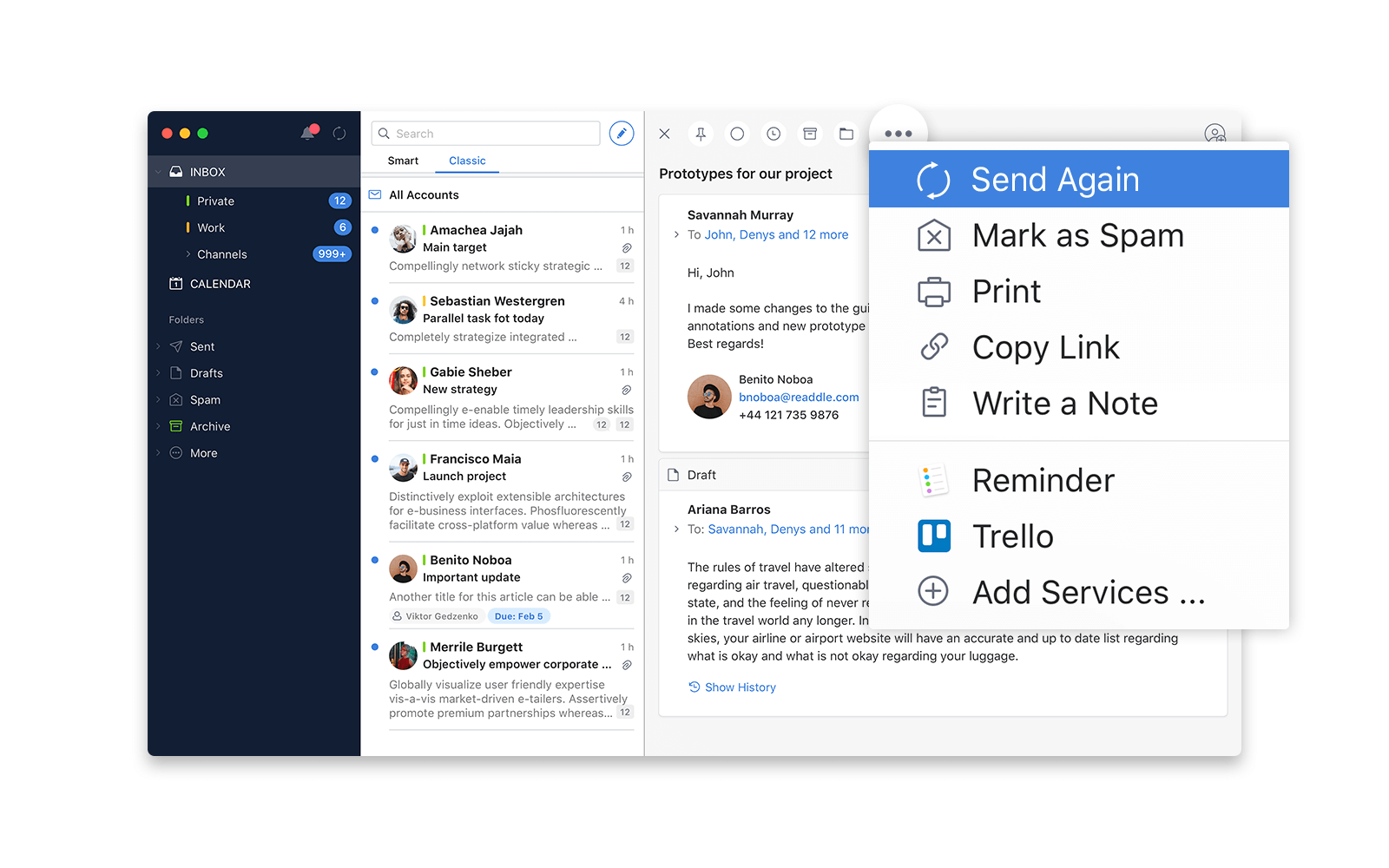
Spark is a minimalist email app with built-in AI features that help you write, reply, and organize emails faster. It’s a solid choice if your main goal is to handle email overload more efficiently.
What I liked
- Compose & reply with AI: Draft full messages based on a short prompt or bullet points
- Summarize long threads: Quickly catch up on lengthy conversations with AI-powered summaries
- Rewrite & tone shift: Rephrase your emails to sound more friendly, formal, or concise
What I disliked
- The AI assistant is useful - I could get a rough draft written in seconds and tweak from there
- The thread summary tool saves a lot of time on back-and-forths
- You can switch tones (formal, friendly, blunt) and shorten/expand with one click
What I disliked:
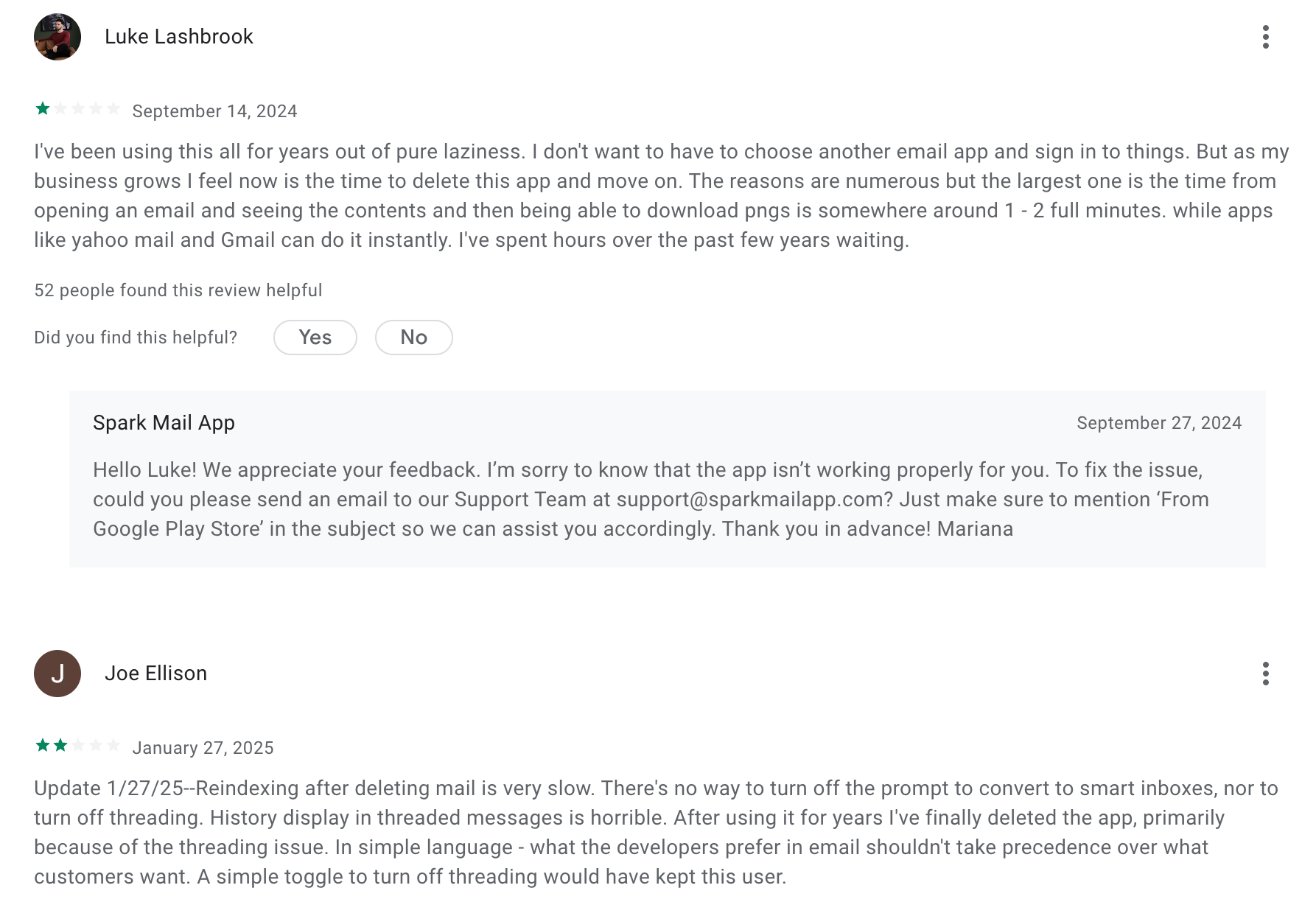
- The AI features are limited unless you upgrade to Premium, and even then there’s a usage cap
- Sometimes it doesn’t “learn” your tone or style as well as promised
Pricing
- Free plan with core features
- Premium Individual: around $59.99/year
- Team plan: starts at $6.99/user/month (billed annually)
Suitable for
- Small teams looking to collaborate on emails without switching tools
How to start
- Download the app on your device, connect your email account
Spark reviews (source)
5. Superhuman
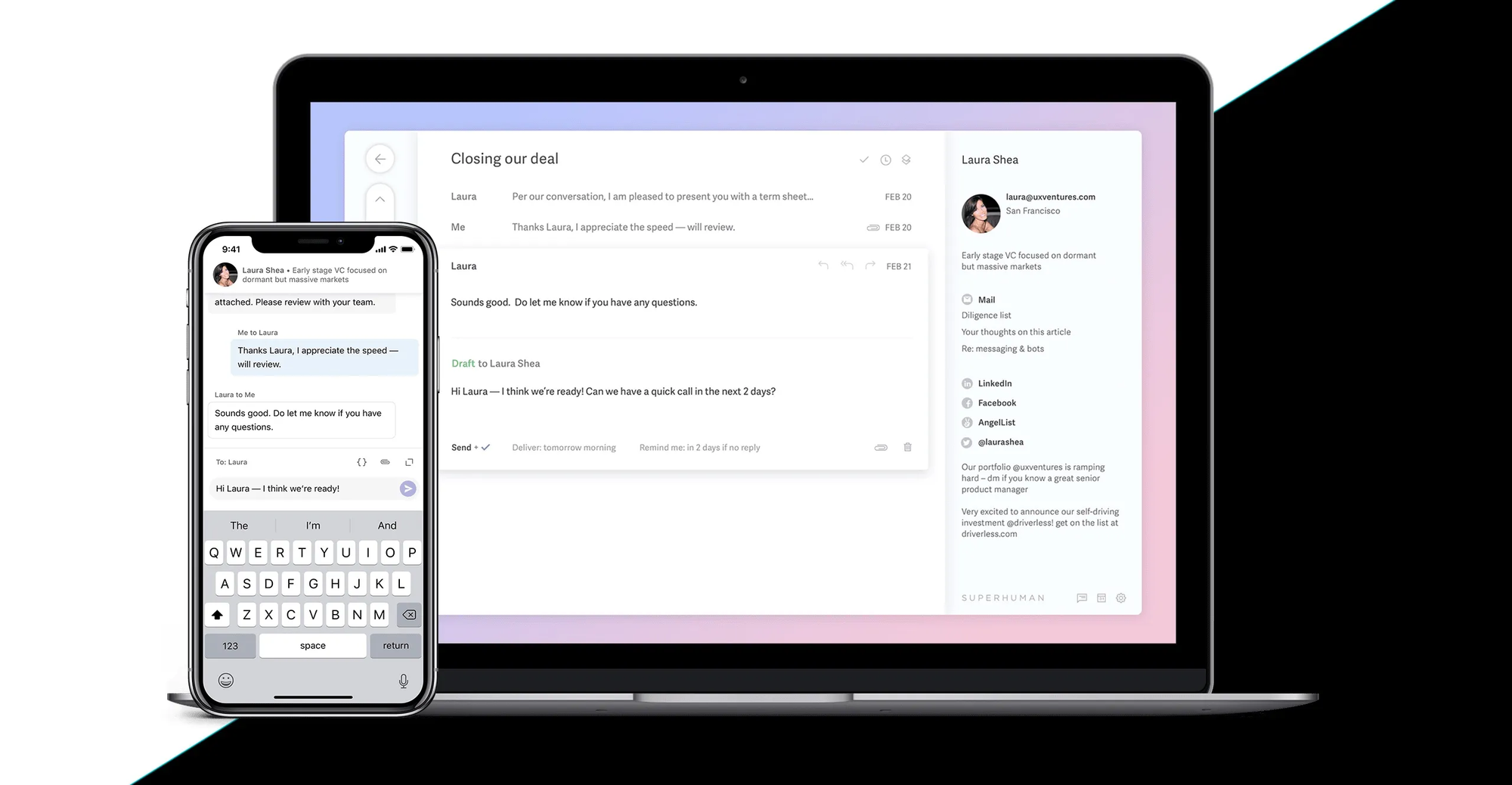
Superhuman is a premium email client designed for people who live in their inbox. It’s built for speed, with AI tools layered into a sleek interface that helps you process email faster, reply smarter, and stay on top of conversations without drowning in them.
Key features:
- AI-powered drafting: Write prompts or fragments and get full emails in your tone, ready to send
- Follow-up suggestions: Superhuman reminds you to follow up at the right time, and even helps you write the message
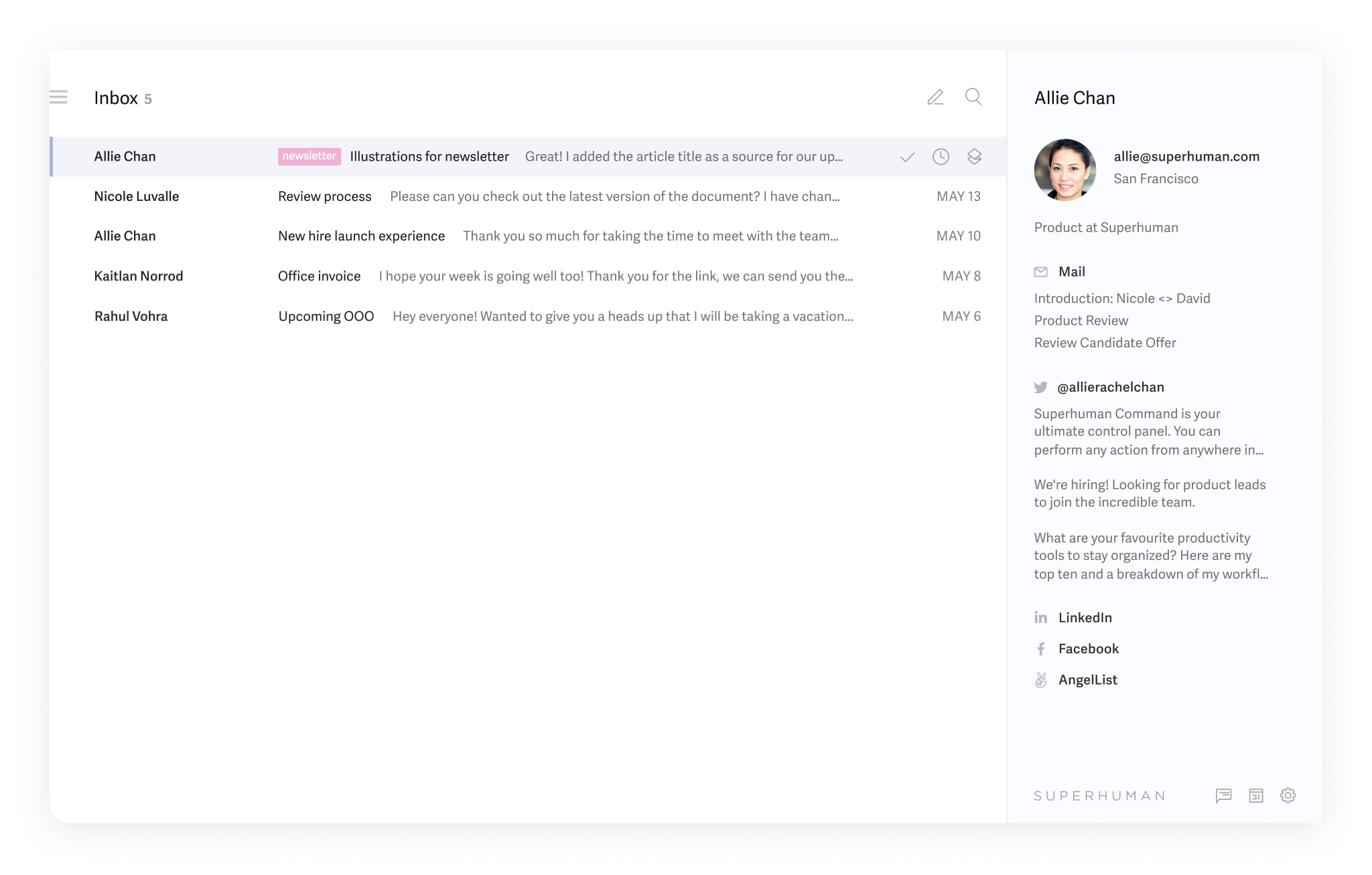
- Smart triage: Automatically filters and categorizes your inbox (e.g. newsletters, notifications, outreach)
- Split inbox: Lets you focus by creating separate inbox views like "Important," "To Reply," or "Newsletters"
What I liked
- The speed is real
- Drafts are surprisingly well-written, and you usually only need minor edits
- Split inbox and smart triage help reduce overwhelm, especially on high-volume days
What I disliked
- Pricing is steep, especially for solo users or small teams
- No support beyond Gmail and Outlook
- You need to learn keyboard shortcuts to get full value, which takes time
Pricing
- Starter: $30/user/month (or $25/month if billed annually)
- Business: $40/user/month (or $33/month annually)
Suitable for
- Professionals and teams who spend hours in email and want to move faster
- Founders, execs, and salespeople who write and reply to dozens of emails per day
How to start
- Go to superhuman.com and request access
- Connect your Gmail or Outlook account
Superhuman Review (source)
✅ Conclusion: Which Fyxer Alternative Should You Choose?
Fyxer AI has helped many professionals reduce inbox stress and automate admin work - but it’s not a one-size-fits-all solution.
Whether you're looking for more customization, better integrations, lower pricing, or an all-in-one workspace, there are powerful alternatives available in 2025.
Here’s a quick recap:
- 🧠 Want to connect emails, tasks, and meetings in one calm AI assistant?
👉 Try Saner.AI - great for entrepreneurs, ADHDers, and overwhelmed professionals. - ⚡ Need blazing-fast email with smart AI replies and premium UX?
👉 Go with Superhuman — ideal for execs and inbox warriors. - 💬 Rely on Gmail and want smarter threads, summaries, and search?
👉 Choose Shortwave — built on Gmail, made for productivity. - 👥 Working in a team with shared inboxes or client support workflows?
👉 Use Missive — best for collaborative email and internal commenting. - 🍎 Love Apple products and want a clean AI-enhanced experience?
👉 Try Spark Mail — seamless across macOS, iOS, and Android.
No matter your workflow, the right AI tool can turn email from a source of stress into a streamlined, almost invisible part of your day.
Stay on top of your work and life
FAQ: Best Fyxer Alternatives
1. Why look for Fyxer alternatives?
Fyxer is popular for email and meeting management, but not everyone finds it the perfect fit.
Common reasons people search for alternatives:
- Pricing feels high for individuals or small teams
- Limited customization compared to other tools
- Preference for lighter, faster apps
- Desire for deeper integrations with calendars, notes, or team workflows
That’s why tools like Saner.AI, Spark, Shortwave, Superhuman, and Missive are often compared as Fyxer competitors.
2. What makes a great Fyxer alternative?
When choosing, look for tools that cover these essentials:
- AI-powered email management – auto-draft, smart triage, personalization
- Meeting support – summaries, follow-ups, task extraction
- Calendar integration – scheduling and reminders
- Team collaboration – shared inboxes or workspaces
- Affordability – flexible plans for solo users and teams
- Privacy & security – strong data handling policies
3. Is Saner.AI a good alternative to Fyxer?
Yes. Saner.AI goes beyond email - it acts like a Personal AI workspace.
- Unifies notes, tasks, emails, and calendar in one space
- Understands messy inputs (voice notes, rough brain dumps) and turns them into tasks
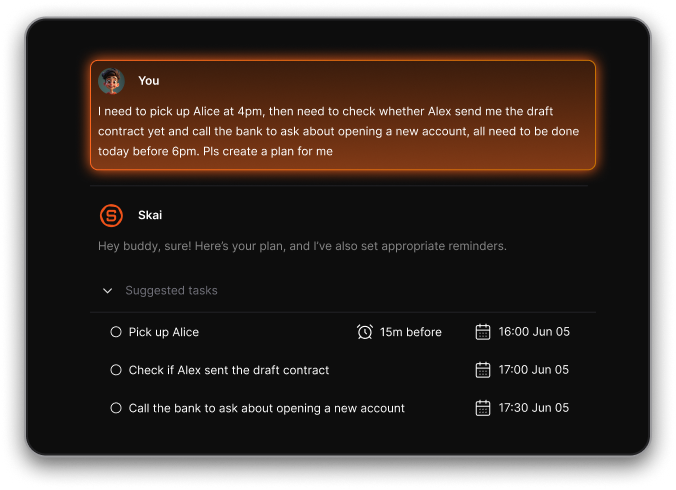
- Meeting prep + follow-through built in—summarizes notes, drafts follow-ups, reminds you later
- Especially helpful for ADHD-prone professionals who struggle with context switching
It’s best if you want an all-in-one alternative instead of just an inbox tool.
4. How does Superhuman stack up against Fyxer?
Superhuman is about speed and premium experience.
- Ultra-fast keyboard shortcuts
- Read status tracking (know when someone opened your email)
- AI-powered reply and summarization
- Focused, minimal design
It’s best for busy executives or founders who value speed above all, and don’t mind paying more.
5. Which Fyxer alternatives are best for individuals?
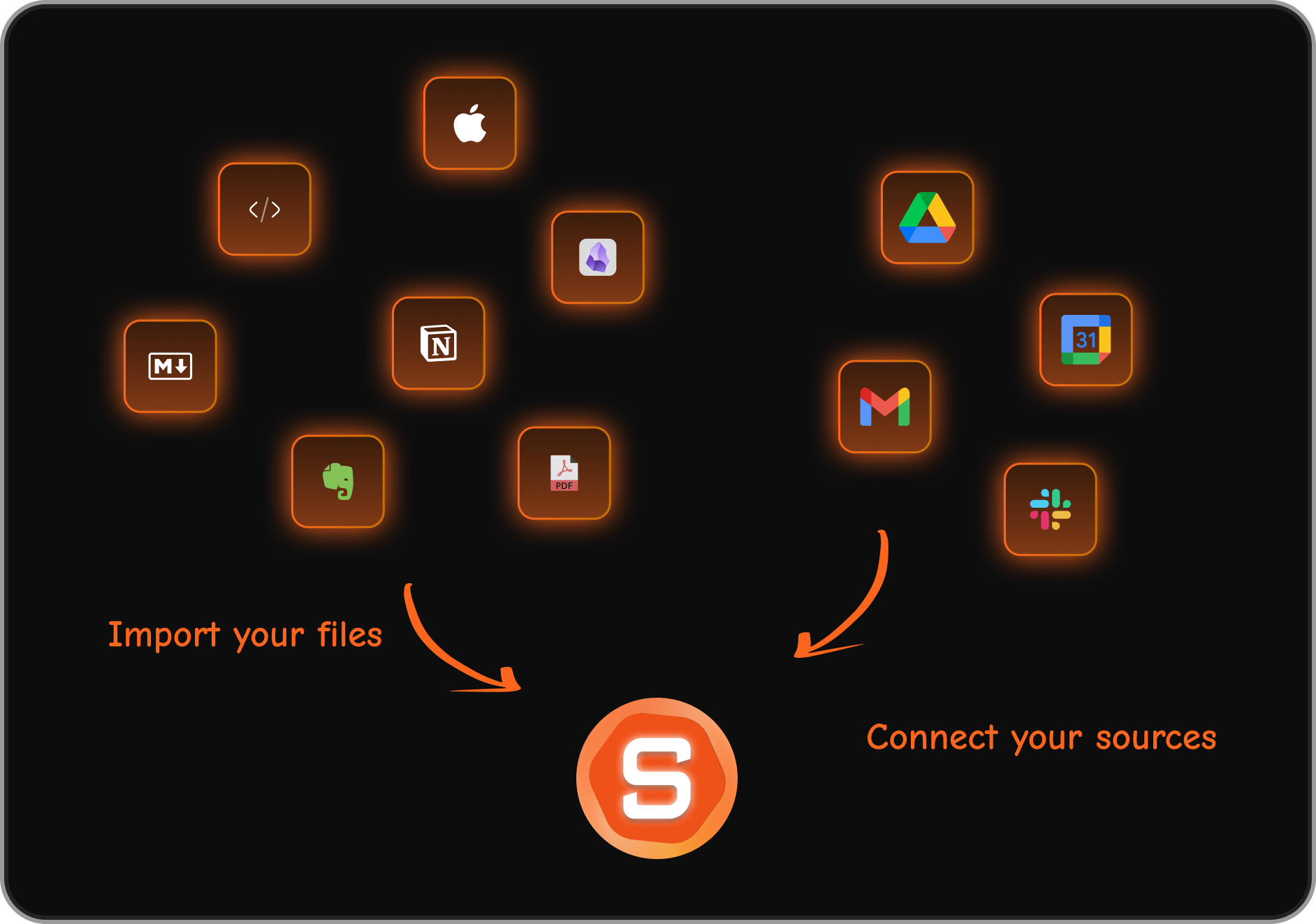
- Saner.AI – if you want email + notes + tasks + scheduling in one place
- Shortwave – if you live in Gmail and want speed + summaries
- Superhuman – if you value premium UX and shortcuts
6. Which are best for teams?
- Spark – team drafting and collaboration features
- Missive – excellent shared inboxes for agencies or customer-facing teams
- Saner.AI – for small teams needing an integrated workspace beyond email
7. Are there free alternatives to Fyxer?
Yes, though with limited features:
- Spark – free plan available for individuals
- Shortwave – free tier with AI summaries
- Saner.AI – free plan with email + task + note AI
- Missive – free for basic use (paid needed for full team features)
8. Do Fyxer alternatives also handle meetings?
- Saner.AI – yes, integrates notes + meetings + follow-ups
- Spark & Missive – mostly email-focused
- Shortwave & Superhuman – email-first, limited meeting support
If meeting automation is key, Saner.AI is the closest replacement.
9. What’s the best Fyxer alternative for ADHD or overwhelmed professionals?
Saner.AI is the best Fyxer alternative for ADHD because
- Cuts context switching
- Turns messy thoughts into organized actions
- Reminds you at the right time instead of expecting you to manage complex tags or systems
10. How do these tools compare on pricing?
- Saner.AI – free plan, affordable paid tiers
- Spark – free + premium team plans
- Shortwave – free tier, then paid
- Superhuman – premium only ($30+/mo)
- Missive – free for individuals, paid team tiers
11. Which tools work like Fyxer’s email pipeline?
Fyxer’s strength is organizing mail into categories (To Answer, Awaiting Response, FYI, etc.). Closest matches:
- Shortwave – groups emails into chat-style threads for clarity
- Saner.AI – converts messy emails or notes into actionable tasks
- Missive – shared inbox rules + labels for team workflows
12. Which AI email assistants do people actually use instead of Fyxer?
Real discussions on Reddit show these names come up most:
- Saner.AI – praised for going beyond just email
- Shortwave – especially among Gmail power users
- Superhuman – strong following among founders & execs
- Spark – popular for teams
- Missive – agency and support teams
The choice depends on whether you need personal productivity (Saner/Shortwave) or team collaboration (Spark/Missive).
13. What issues do people report with Fyxer alternatives?
From Reddit threads, common complaints include:
- Onboarding loops – some users got stuck setting up Saner.AI
- Buggy integrations – reconnecting accounts in early-stage tools
- Draft quality – AI replies sometimes need heavy editing
- Price vs. value – premium tools like Superhuman feel costly if you don’t use them daily
Tip: try the free tier before committing.
Stay on top of your email with AI