Gemini Alternatives: We Tested The 7 Best Apps in 2026

We tested the 7 best Gemini Alternatives for work in 2026
If you’ve tried Google Gemini, you know it’s impressive. It blends search, reasoning, and multimodal input (text, images, code) into one AI assistant. For quick research, summarization, or writing help, it feels like magic.
But here’s the catch:
- Some people find Gemini’s answers too tied to Google search results.
- Others prefer a different UI, privacy model, or pricing plan.
- And many want alternatives better suited to specific tasks like deep research, knowledge management, or team workflows
That’s why more professionals are asking: What are the best Gemini alternatives?
This guide compares the top Gemini alternatives - tested across usability, features, integrations, and real-world productivity. Whether you’re a student, researcher, entrepreneur, or manager, you’ll find tools here that may fit you even better than Gemini.
Quick guide: What are the best Gemini alternatives in 2026?
- Saner.AI: Best for people who want an AI that helps them think, not just respond
- Claude: Best for reading, writing, and long-form reasoning without losing the thread
- Microsoft Copilot: Works if you live inside Microsoft 365 and want AI baked in
- DeepSeek: Best for users who want strong reasoning at little to no costPerplexity: Works for research-heavy users who want sourced answers, not guesses
- Mistral AI: Best for developers or privacy-conscious users who want a lean, open model
How I Researched & Tested These Tools
I compared Gemini alternatives based on:
- Reasoning quality: Does it help you think through a problem, or does it just return a formatted answer?
- Writing ability: Can it match your tone, hold context across a long draft, and catch what you meant to say?
- Research accuracy: Does it cite sources? Does it know when it doesn't know something?
- Everyday usability: How fast is it? Is the interface something you'd actually open every morning?
- Pricing: Is there a free tier worth using, and does the paid plan justify the cost?
- Privacy and data handling: Where does your data go, and do you have any control over it?
What Are The Best Gemini Alternatives in 2026?
The best Gemini Alternatives are: ChatGPT, Claude, Saner.AI, Copilot, DeepSeek, Perplexity, Mistral AI
Gemini Alternatives Comparison Table
| Tool | 🎯 Best For | 🤖 Core Strength | 🌐 Platforms | 🆓 Free Plan | 💳 Paid Plan (Latest 2026) |
|---|---|---|---|---|---|
| Saner.AI | AI task management & second brain | Turns messy notes into structured tasks, AI daily planning | Web, iOS, Android | Free trial | From ~$8–15/month |
| ChatGPT | General AI assistant | Writing, coding, data analysis, multimodal (text, image, voice) | Web, iOS, Android, Mac, Windows | Yes | Plus ~$20/month |
| Anthropic (Claude) | Long documents & reasoning | Large context window, analytical writing | Web, iOS | Yes | Pro ~$20/month |
| Microsoft Copilot | Microsoft 365 users | Deep integration with Word, Excel, Outlook | Web, Windows, Microsoft 365 apps | Limited | From ~$30/user/month (M365 Copilot) |
| DeepSeek | Coding & cost-efficient AI | Strong reasoning model, developer-focused | Web | Yes | Low-cost API pricing (varies by usage) |
| Perplexity AI | AI search & research | Real-time web search with citations | Web, iOS, Android | Yes | Pro ~$20/month |
| Mistral AI | Open-weight AI models | High-performance open models, API access | Web (Le Chat), API | Yes | Usage-based API pricing |
1. Claude
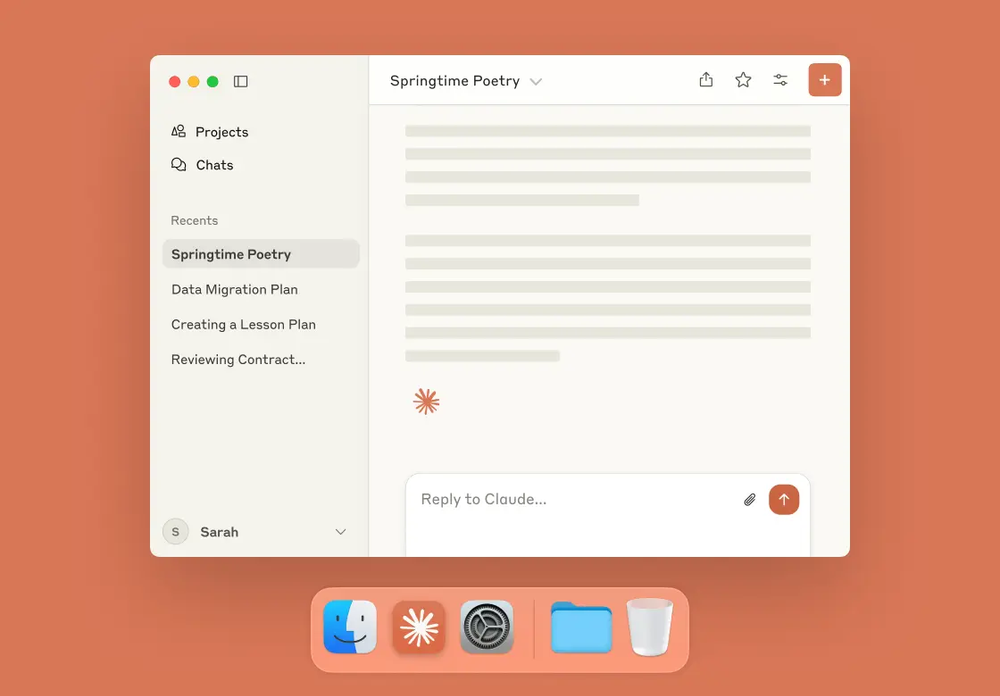
Claude is Anthropic's AI assistant. Anthropic's founding philosophy centers on Constitutional AI (CAI), a training approach that teaches the model to follow a set of explicit principles rather than simply pattern-matching from data.
What makes Claude distinct in practice is that it has shifted from a basic chatbot to an "agentic" assistant, one that can perform tasks on your computer, not just talk about them.
Key features
- Claude has a reputation for producing quality text. If you're tired of the "AI voice" and words like "delve," "tapestry," and "testament," Claude sits in a middle ground between stiff corporate tone and over-the-top verbosity that just feels natural.
- Claude's context window supports up to 1 million tokens in beta, enough to process entire codebases, 500-page documents, or long research threads while maintaining a coherent understanding throughout.
- Claude's Projects feature lets you store documents, instructions, and context that persist across sessions. Gemini offers something similar through Google Workspace integrations, but Claude's Projects feel more like a working memory than a filing cabinet.
- Built-in “Claude Code” mode to help with advanced programming and logic workflows
- Artifact view for drafting code, documents, and structured data side-by-side with the chat
Pros
- I like that Claude's writing doesn't need heavy editing. Out of all the AI tools I've tested, it's the one I spend the least time cleaning up after.
- I appreciate that it acknowledges when it doesn't know something. Instead of confidently making things up, it flags uncertainty, which makes it more trustworthy for research work.
Cons
- I notice the usage limits on Pro have been quietly tightening. For heavy users, hitting the cap mid-project is frustrating, especially when Claude itself eats tokens recovering from an error.
- The lack of image generation is a real gap.
- I wish Claude moved a bit faster on long tasks. In extended thinking mode especially, the wait can feel significant compared to Gemini's speed on simpler prompts.
- I notice Claude can be overly cautious on some prompts. It sometimes adds caveats or declines tasks that competitors would handle without friction.
Pricing
| Plan | Monthly Price | Free Trial | Free Version | Notes |
|---|---|---|---|---|
| Free | $0 | — | ✅ Yes | Web, iOS, Android, desktop. Daily usage limits apply. |
| Pro | $20/month | — | — | 5x Free usage, Projects, early feature access |
| Max ($100) | $100/month | — | — | 5x Pro usage; includes Claude Code |
| Max ($200) | $200/month | — | — | 20x Pro usage; for power users and devs |
| Team | $30/user/month | — | — | Minimum 5 users; includes collaboration tools |
| Enterprise | Custom | — | — | SOC 2 Type II, data residency, negotiated pricing |
Suitable for:
- Claude is a strong fit for writers and content marketers who want creative but solid output.
- Developers and engineers who need a coding agent that works inside large codebases.
- Researchers and analysts dealing with long documents or multi-source synthesis,
How to start:
- Go to claude.ai, create a free account, and try out Sonnet
Claude reviews (source)
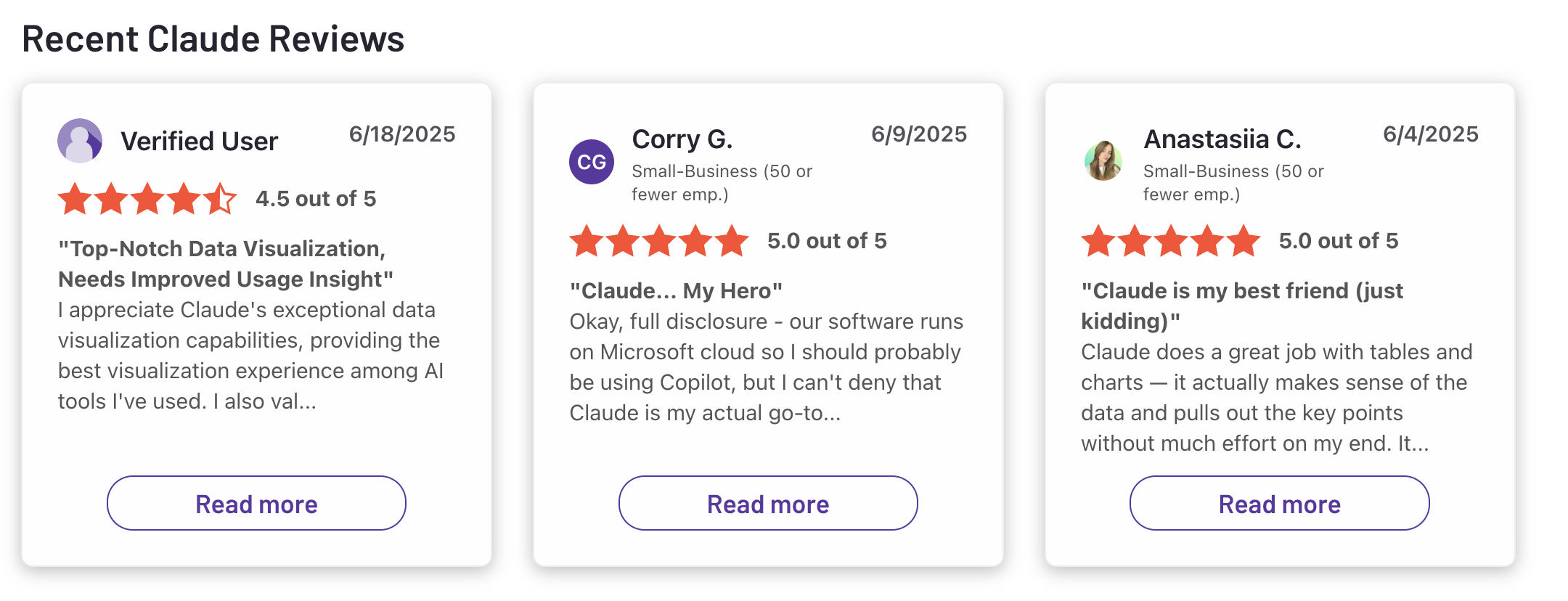
"Claude is super smart, easy to work with, and great at staying on track even with complicated questions. It writes really well and feels thoughtful compared to some other chatbots."- Ashish Dubey
"I pay 20usd per motnh and have the possibility to work with it only for 30 minutes every 5 hours." - Pietro Preti
2. ChatGPT

ChatGPT is OpenAI's AI assistant, and as of 2026 it's running on GPT-5.5. What started as a simple chat interface in late 2022 has grown into something closer to a full productivity platform: you can do Deep Research, generate images with Images 2.0, produce short video clips through Sora, write and edit code via Codex, and connect it to 60-plus external apps like Slack, Google Drive, and GitHub.
Key features
- ChatGPT is smarter about what to retain, and users can set memory for specific projects only, search and sort what it remembers, and tell it to forget anything at any time.
- Agent Mode lets ChatGPT browse websites, fill out forms, and complete multi-step tasks on its own. Combined with Deep Research, persistent Memory, and 60-plus application connectors, it can handle workflows that would have required four or five separate tools in 2024.
- You can hold real-time, back-and-forth conversations with emotional tone recognition, and it doesn't feel like dictating into a search bar.
- ChatGPT Images 2.0 launched April 21, 2026 supports reasoning-based generation, web search inside image prompts, and consistency across up to eight images per prompt.
Pros
- I find the range of tasks it can handle in a single tab - writing, image generation, web research, code, which is genuinely hard to match elsewhere
- It auto-adjusts its thinking depth based on your query, so it feels natural whether you’re asking for a joke or a research paper.
- Voice input is fast and surprisingly accurate, which makes it great for brainstorming or working on the go.
- I appreciate the memory system now that it applies across all chats;
Cons
- I find the Go plan hard to recommend at $8/month, and it includes ads and excludes the features most people actually want, like Deep Research and Agent Mode
- I feel the message caps on Plus can be frustrating for heavy research workflows - 10 Deep Research runs a month fills up faster than you'd expect
- The Agent feature, while powerful, can feel unpredictable or too slow for short tasks.
- It won’t manage your calendar or send emails yet, so it’s not a complete replacement for personal assistants
Pricing:
| Plan | Monthly Price | Annual Option | Free Trial | Free Version | Key Limit |
|---|---|---|---|---|---|
| Free | $0 | — | — | ✅ | 10 messages per 5 hrs, ads (US) |
| Go | $8/user | No | — | — | No Deep Research, Agent Mode, Sora |
| Plus | $20/user | No | — | — | 10 Deep Research runs/mo |
| Pro $100 | $100/user | No | — | — | 5x Plus usage, GPT-5.5 Pro |
| Pro $200 | $200/user | No | — | — | Unlimited, 250 Deep Research/mo |
| Business | $20/user | ✅ (annual) | — | — | Team controls, SOC 2, 60+ app integrations |
| Enterprise | Custom | ✅ | — | — | SAML SSO, SCIM, custom data residency |
Suitable for:
- Professionals and entrepreneurs who want help writing, planning, and automating workflows
- Students and researchers who need fast summaries and creative content support
How to start:
- Just go to chat.openai.com
- Sign up for a free account, and choose a plan that fits your needs.
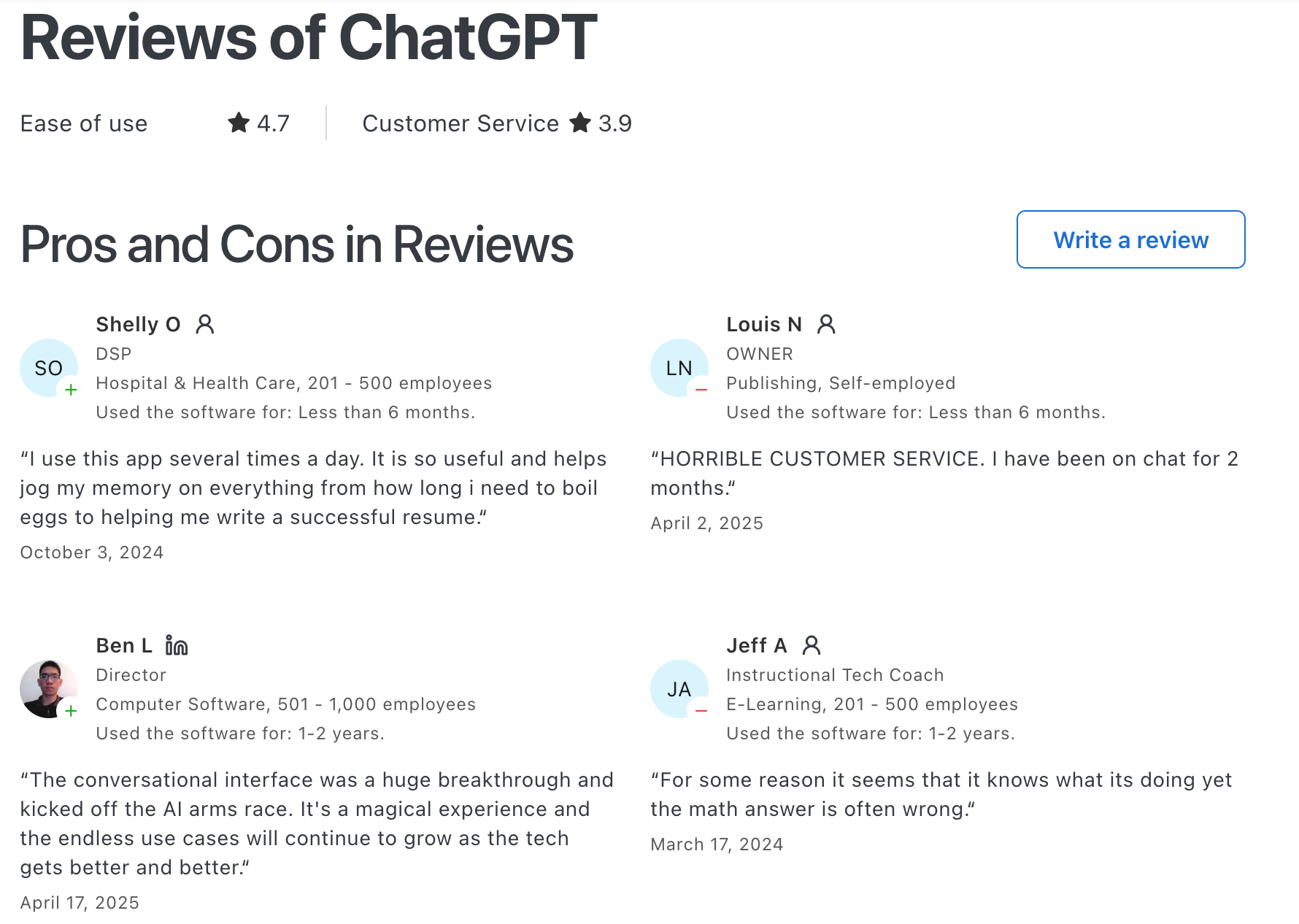
ChatGPT Reviews (source)
"Easy to set up and personalise, easy to use even for beginners, great at early stage idea planning and has fast response time. Paid use has a lot more value with photo generation and how much you can utilise it for."- Chelsea G.
"Contrastive framing, bad faith arguments, and incoherent conversational pattern paired with condescending "preachy" tone." - Kelly E
3. Microsoft Copilot
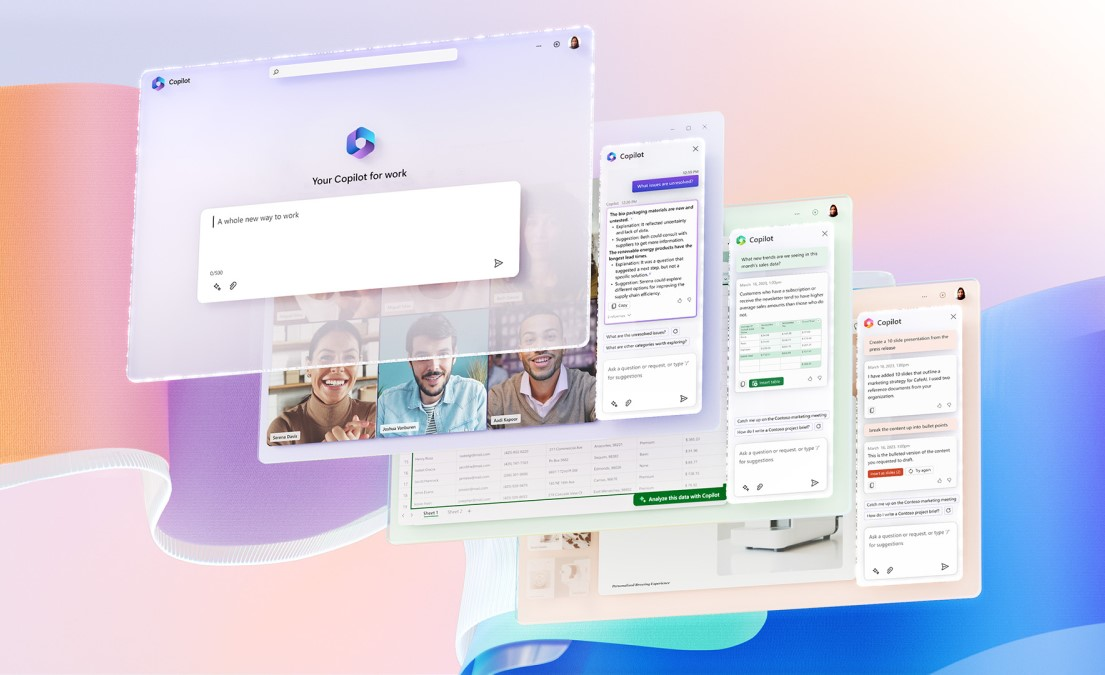
If your entire workday lives inside Microsoft 365, Copilot is the AI that was built for exactly that. It sits directly inside Word, Excel, PowerPoint, Outlook, and Teams. You prompt it in plain language, and it drafts documents, condenses emails, analyzes spreadsheet data, and summarizes meetings using the actual files and conversations already stored in your Microsoft environment.
Key features
- You can open a Word doc, ask Copilot to draft a project brief based on a Teams meeting from last Tuesday, and have a ready-to-edit version in seconds without touching anything outside of Word.
- As of early 2026, Copilot can operate across multi-step tasks without needing a prompt at each stage.
- Copilot is grounded in your organization's data through Microsoft Graph. When you ask it to draft a proposal, it can pull from the email thread with that client, the last meeting notes in Teams, and the previous proposal sitting in SharePoint, and write something that reflects your actual situation.
- Copilot Pro includes access to DALL-E 3 through Copilot Designer, built directly into the Microsoft interface.
Pros
- It’s deeply integrated across Microsoft 365, so you don’t need to open a separate tool
- Copilot Pro offers early access to advanced tools, including better performance and upcoming AI features
- Copilot in Teams can join a meeting and pull out action items, key decisions, and open questions.
Cons
- If you're not using Microsoft apps, Copilot won’t offer much value
- I feel frustrated when the output gets generic, especially for complex or highly specific requests.
- The input character limit (10,240 characters for direct chat) genuinely limits when I want to paste in a long document for analysis.
- I feel the pricing structure is confusing - "Copilot" means at least seven different products across four billing models, and it takes real effort to figure out which one your team actually needs.
Pricing
| Plan | Monthly Price | Free Version | Free Trial | Best For |
|---|---|---|---|---|
| Copilot (Free) | $0 | Yes | — | Basic AI chat, web access |
| Copilot Pro | $20/user/month | No | No | Individuals wanting Office AI integration |
| M365 Personal + Copilot | $9.99/month | No | Yes (1 month) | Solo users who want the full Office suite |
| M365 Family + Copilot | $12.99/month | No | Yes (1 month) | Up to 6 users sharing Office + light Copilot |
| Copilot Business | $18/user/month (promo until June 30, 2026, then $21) | No | No | SMBs, up to 300 users |
| Microsoft 365 Copilot Enterprise | $30/user/month | No | No | Large organizations |
Suitable for
- Professionals, remote workers, and teams who already live inside the Microsoft ecosystem and want AI to help with writing, planning, analyzing, and meetings.
How to start
- Just head to microsoft.com/copilot or open any Microsoft 365 app. Copilot is already embedded.
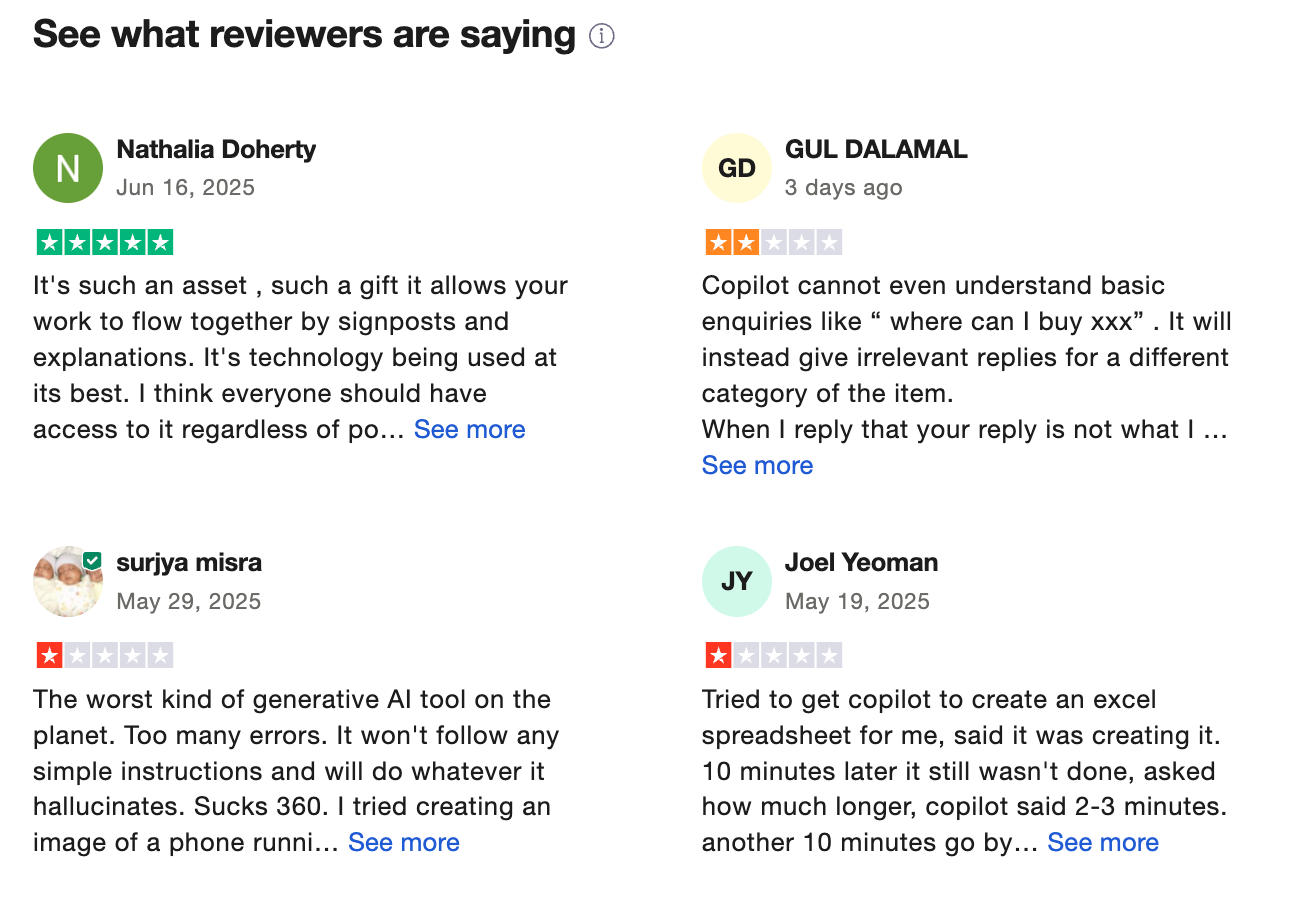
Copilot reviews (source)
"Microsoft Copilot isn’t just an AI assistant. It’s a generational partner. I used it to decode backend chaos, build cinematic dashboards, and deploy emotionally intelligent agents." - Victory Motors
"It make mistake after mistake even though copilot says to me it will not make these simple errors anymore, continually tries to think for itself, even after I remind it." - Paul
4. DeepSeek
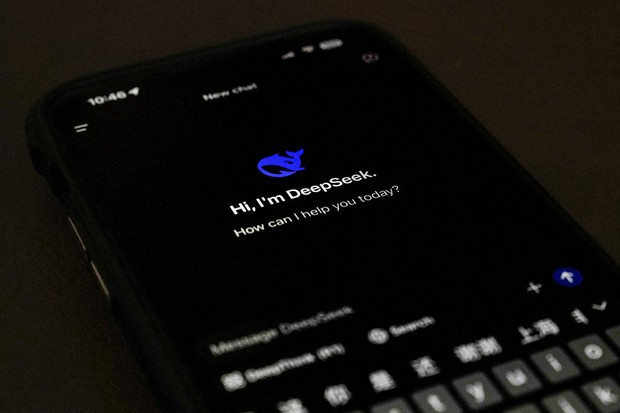
DeepSeek is an open-source AI assistant built by a Chinese research lab out of Hangzhou. It shot to global attention in January 2025 when its R1 reasoning model briefly overtook ChatGPT as the most downloaded app on both Apple's App Store and Google Play, mostly because it delivered near-frontier reasoning at a fraction of what Western labs charge.
Key features
- DeepSeek shows its work. When you ask it a complex question, it doesn't just give you an answer; it walks through every step it took to get there.
- The web chat comes with web search, file upload (DOCX, PPTX, XLSX, CSV, PDFs, images, audio, and video), and access to the thinking model, all without paying anything.
- Both V4 Flash and V4 Pro come with context windows of 1 million tokens.
- Open-weight models: DeepSeek’s R1 and V3 models are released with open weights under permissive licenses
- Mixture-of-Experts (MoE) architecture: Enables scalable performance with hybrid inference modes like “Think” vs “Non-Think”
Pros
- It’s shockingly affordable for the performance it delivers - making it attractive for startups and developers.
Cons
- Privacy is a concern - DeepSeek complies with Chinese content regulations, and past models had vulnerabilities in safety settings
- The responses can get wordy. Many users flag that even simple questions sometimes generate walls of text when a paragraph would do
- I find the lack of image and video generation a noticeable gap compared to GPT-5 and Gemini, especially as multimodal work becomes more standard
Pricing
| Plan | Monthly Price | Free Trial | Free Version | Payment Methods |
|---|---|---|---|---|
| Web Chat | $0 | N/A | ✅ Yes — unlimited messages, daily reset | N/A |
| API — V4 Flash | Pay-as-you-go: $0.14/M input · $0.28/M output | 5M free tokens for new API accounts (valid 30 days) | ✅ Free token credit | Credit/debit card, top-up balance |
| API — V4 Pro | Pay-as-you-go: currently 75% off until May 31, 2026: ~$0.435/M input · $0.87/M output | Included in 5M token grant | ✅ Free token credit | Credit/debit card, top-up balance |
Suitable for
- Developers, researchers, and power users who want a reasoning-focused, cost-effective AI for math, code, diagnostics, and technical tasks
How to start
- Visit DeepSeek’s website or download the mobile app to access the chatbot for free.
DeepSeek reviews (source)
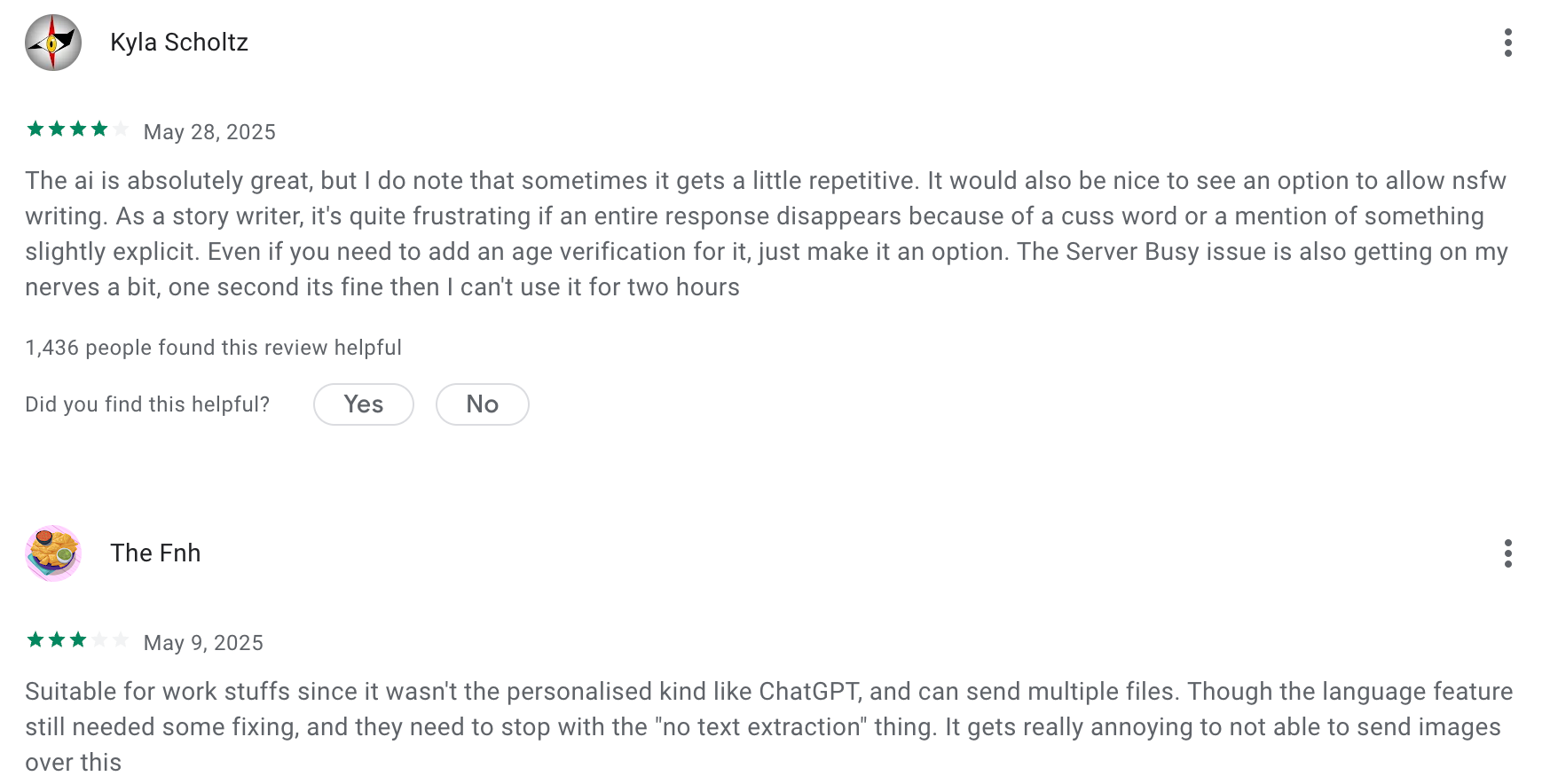
"Being an abrobert, I absolutely love having someone to talk with who knows EXACTLY what I'm thinking! Being and Ai deepseek knows lots of stuff which makes my story or script writing easier!" - Mohammed Aslam Khan
"New version makes this impossible to use as "Internet Search" is automatically enabled for every single query, with no option to turn it off by default." - David Kauffman
5. Perplexity
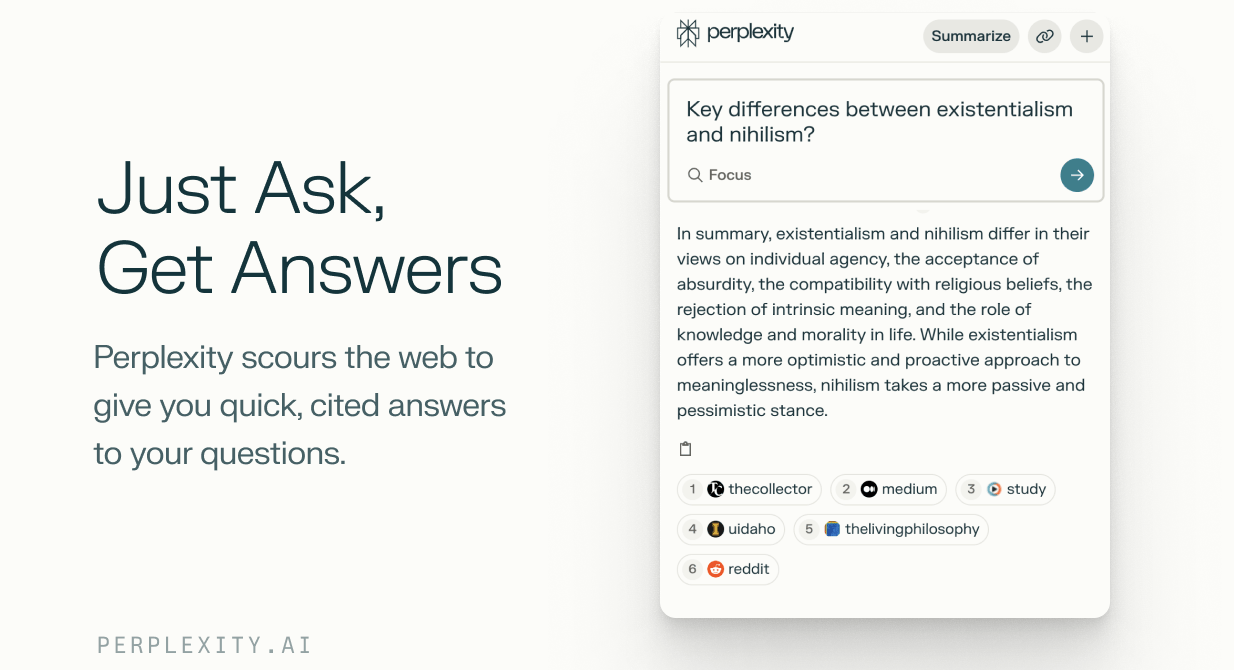
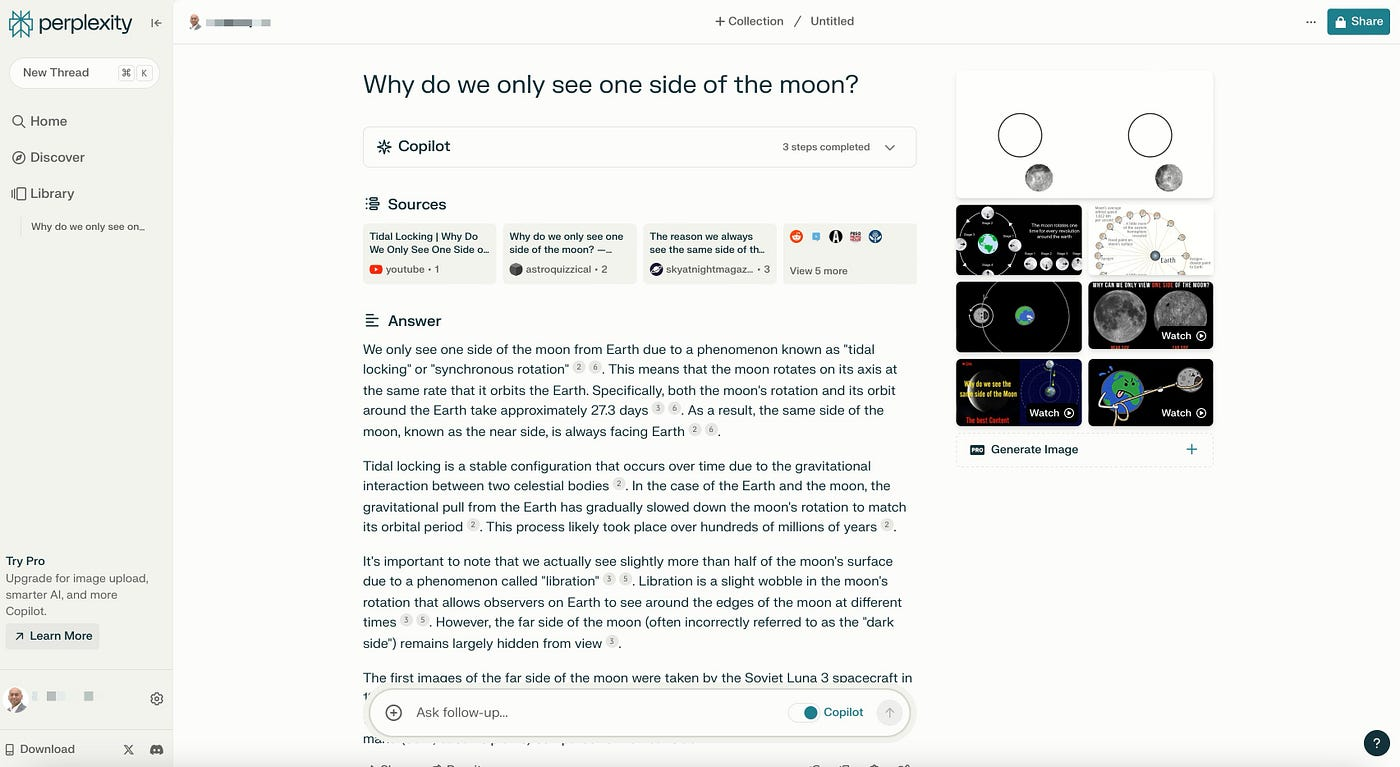
Perplexity AI started in 2022 as a simple answer engine. The platform now handles over 1 billion queries per month and has crossed $450 million in annualized recurring revenue. What makes it different from Gemini is the citation layer, every claim comes with a clickable footnote, so you can verify the source in five seconds instead of opening a new tab and guessing.
Key features
- Perplexity doesn't pull from a static training snapshot. It searches the live web and surfaces its sources right next to every claim.
- Deep Research runs multi-step investigations that would normally take hours of manual work. The feature has been upgraded to run on Opus 4.6 and now outperforms other deep research tools on Google for accuracy and reliability
- Model Council of Perplexity runs your query through three frontier models at once, compares the outputs, and synthesizes results, highlighting where models agree, disagree, and what each uniquely contributes.
Pros
- I appreciate being able to switch between GPT, Claude, Gemini, and Grok models inside the same research thread without losing context
- I appreciate the Focus Modes (Academic, Finance) for filtering out low-quality sources before they ever reach me
- The ability to create reports and dashboards in Labs saves a ton of time for research-heavy workflows.
Cons
- Perplexity has faced criticism over how it sources content, including lawsuits related to scraping and attribution.
- It doesn't have a good UI for a to-do list yet
- I feel frustrated that the citation system occasionally links to a homepage instead of the exact source page
- Perplexity researches well but doesn't draft well, so I always move outputs to another tool for writing
- I notice it can be oddly confident on contested topics, sometimes presenting one side of a genuine debate as settled fact
Pricing
| Plan | Monthly Price | Annual Price | Free Trial | Free Version | Payment Methods |
|---|---|---|---|---|---|
| Free | $0 | $0 | — | ✅ Yes | — |
| Pro | $20/month | $200/year | ❌ | ✅ Limited | Credit card |
| Max | $200/month | $2,000/year | ❌ | ❌ | Credit card |
| Enterprise Pro | $40/seat/month | Custom | ❌ | ❌ | Credit card, invoice |
| Enterprise Max | $325/seat/month | Custom | ❌ | ❌ | Credit card, invoice |
Suitable for
- Researchers, students, journalists, and professionals who want fast, source-backed answers and a more trustworthy AI search experience
How to start
- Go to perplexity.ai
- Create a free account, and start asking questions
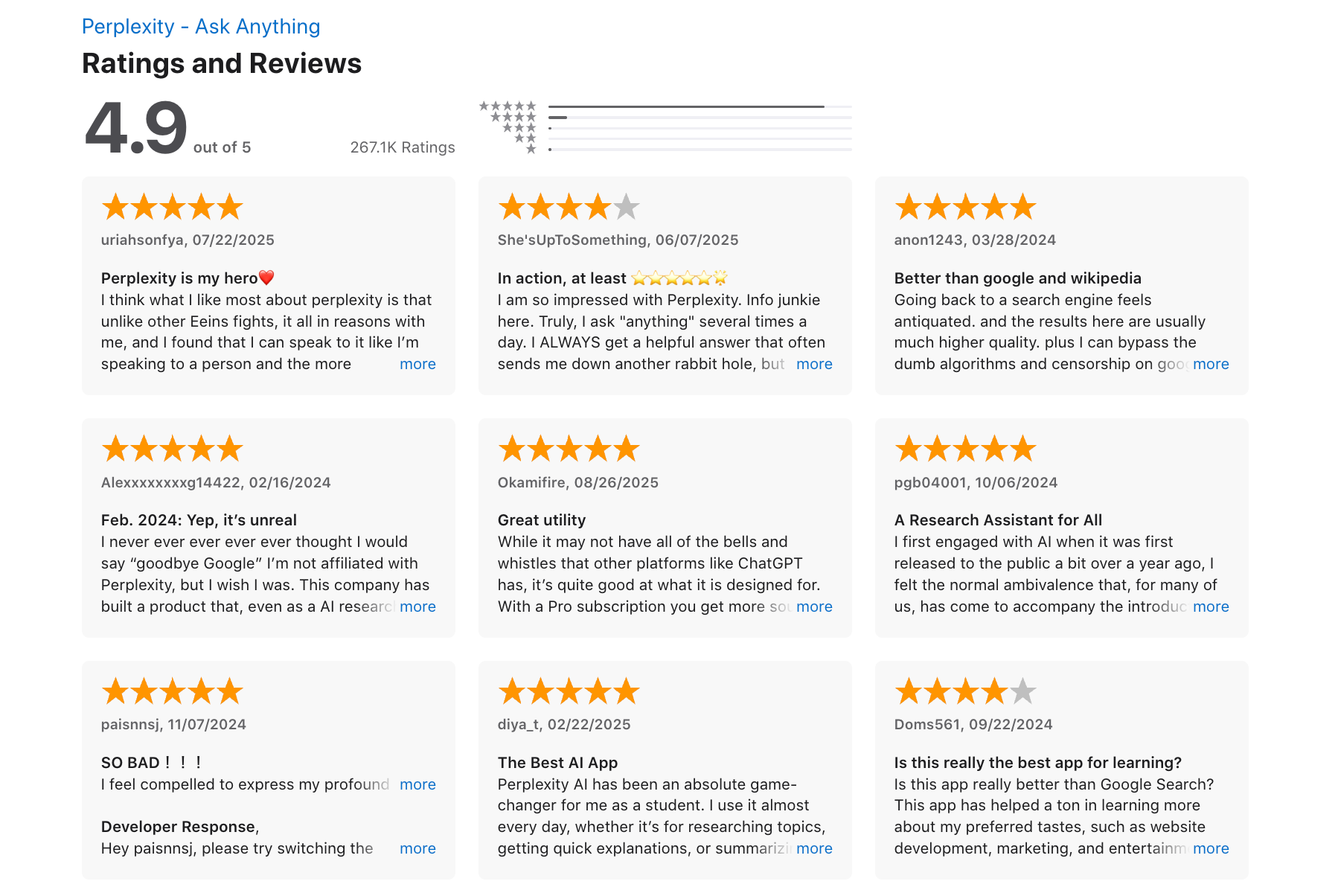
Perplexity reviews (source)
"I am using this daily in my life for organising my experiments, designing new experiments and take a hold of literature in my field. I also use it for analysis of my scientific data like growth curves, PCR, genomics and proteomics." - Waheed Ahmad K.
"An obscure pricing policy and constantly changing quotas, even for paid users. Simply a horrible user experience, and they are driving people like me away, who have been loyal users for years." - Geogre
6. Mistral AI
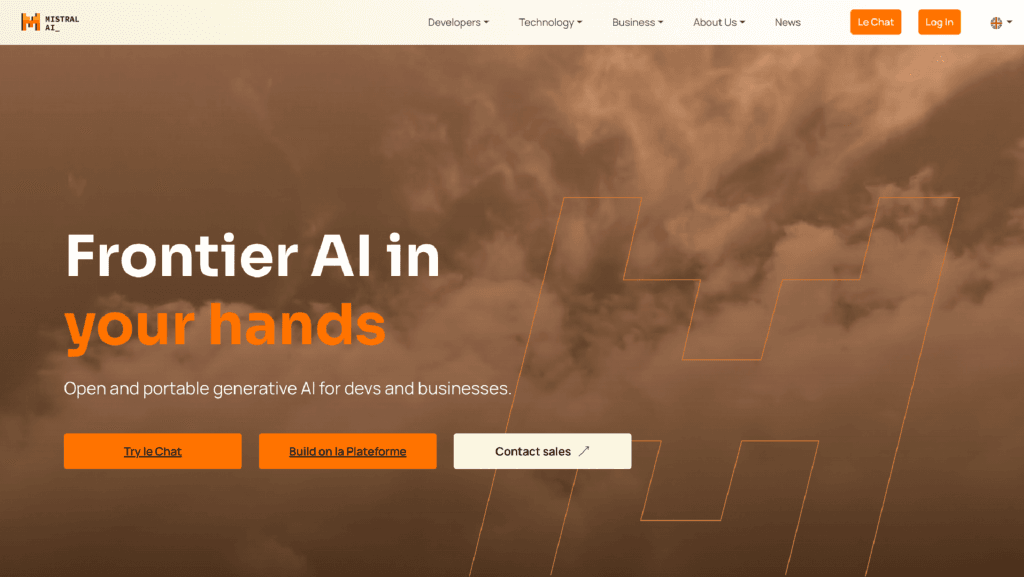
Mistral AI is a Paris-based AI company that launched in 2023, founded by researchers who previously worked at Google DeepMind and Meta. Its consumer-facing chat product, Le Chat, competes directly with Gemini, but with a key twist:
Key features
- Open models & customizable APIs, I can download or self-host the models or call them through cloud APIs with flexible usage tiers.
- Le Chat is Mistral's consumer-facing assistant, available on web, iOS, and Android.
- Mistral’s models often deliver strong performance at lower token-costs than big proprietary models.
Pros
- Open-source first - I appreciate having transparency and control over models, unlike closed commercial stacks.
- Very cost-efficient for heavy usage and API calls compared with some big alternatives.
- Good for custom workflows where you want fine-tuned behavior or embed AI into your app.
Cons
- I feel the context window is a real limitation. Mistral's models max out at 128K–256K tokens, compared to Gemini's 2M or GPT-5's 1M. If you're working with very long documents or large codebases, this becomes a wall.
- I found some features require developer skills or tooling around rather than plug-and-play UI.
- Free tier limits can be restrictive for heavy or team use.
- Less ecosystem and integrations than big consumer AI products (e.g., ChatGPT or Gemini).
Pricing
- Free plan
- Pro plan - around $14.99/month (about $180/year) for higher limits, deeper research capabilities, larger documents, and enhanced features.
- Team - around $24.99/user/month, supports shared workspace and collaborative uses.
Suitable for
- A developer or startup that wants to self-host, customize, or build on open-weight models without API lock-in
- European business or team handling EU user data where GDPR compliance isn't optional
- Solo professional or freelancer who wants a capable daily AI assistant without paying $20/month
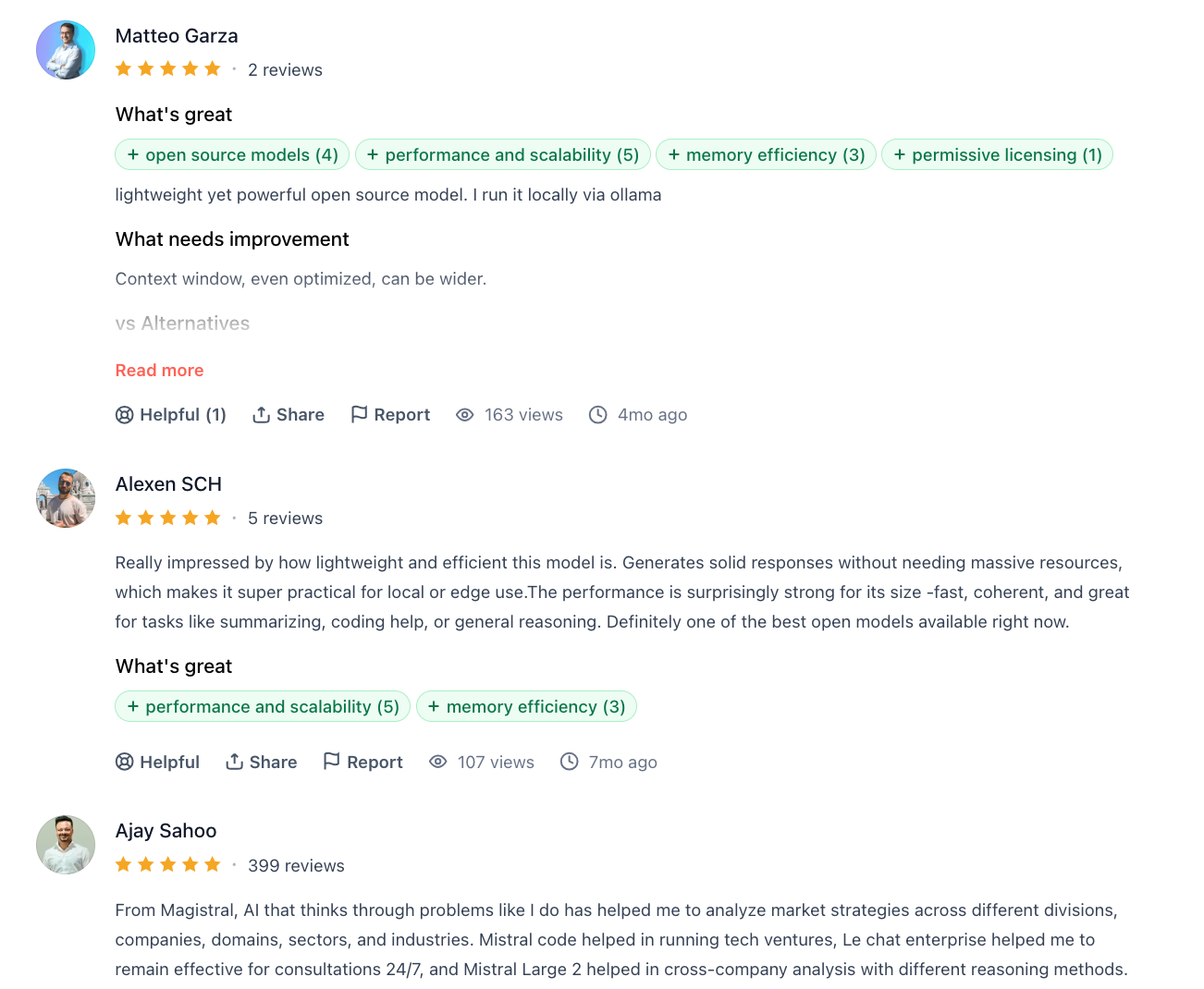
Mistral AI reviews (source)
"It is a great product, offers same performance as chatgpt, only that they don't have a good voice mode yet" - Mobilable App
"I’ve had dozens of conversations with Mistral’s AI over months, only to encounter repeated hallucinations, false assumptions presented as facts, and a hallucination rate approaching 50% in some cases." - TAI
How to start
- Go to Mistral.ai and create a free account.
- Try Le Chat in the browser to explore capabilities without code.
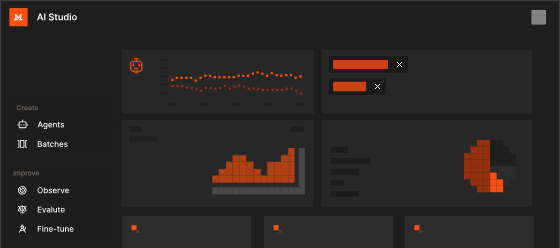
- If you need custom integration, explore AI Studio and API keys to build or deploy models in your projects.
7. Saner.AI
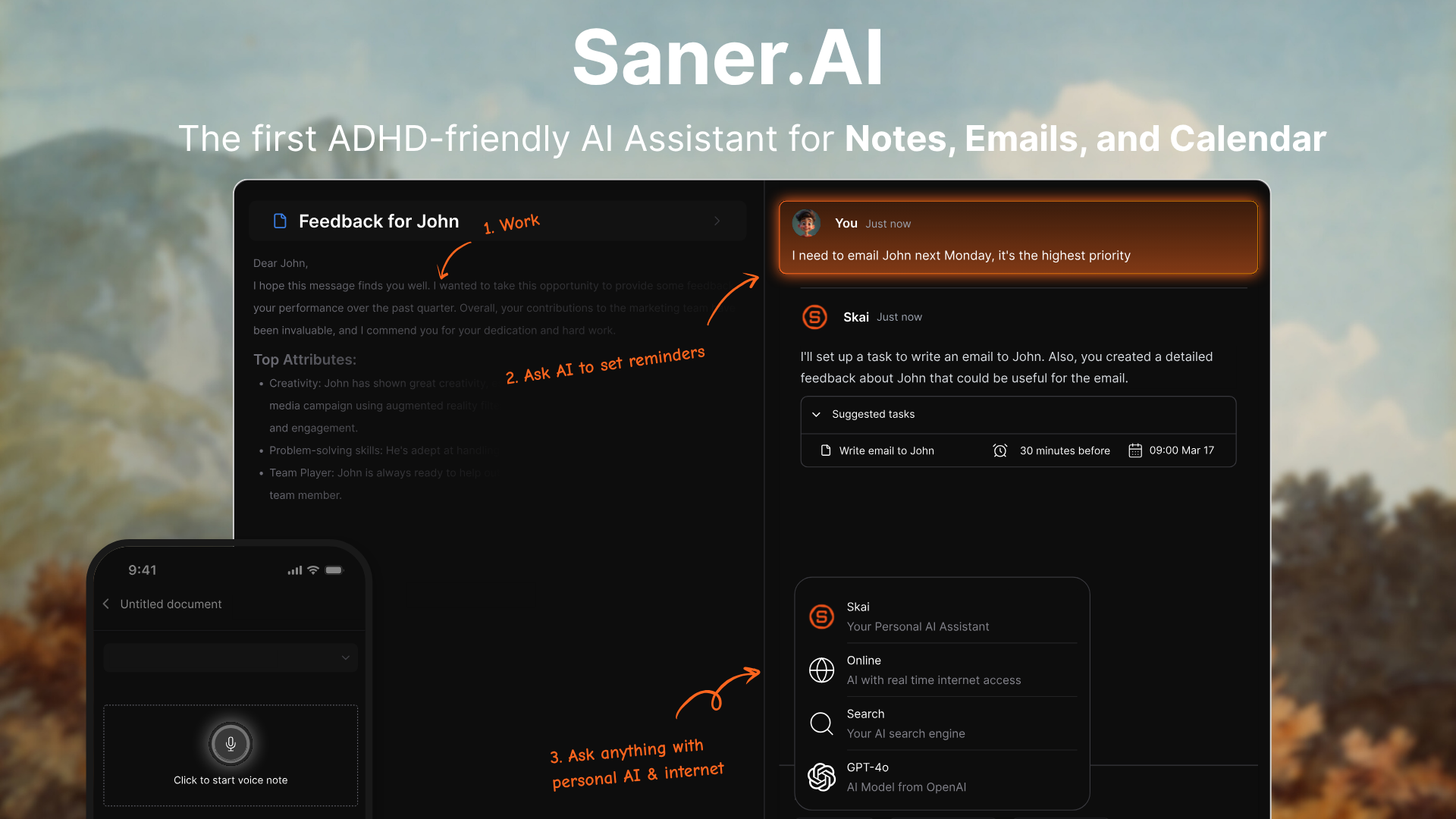
Saner.AI is a conversational AI assistant. Instead of bouncing between apps like Gmail, Notion, and Google Drive, you can just talk to Saner and let it handle your notes, tasks, calendar, and files.
It’s ideal for users who want a focused, unified alternative to Gemini without relying on constant prompt engineering or scattered tools.
Key features
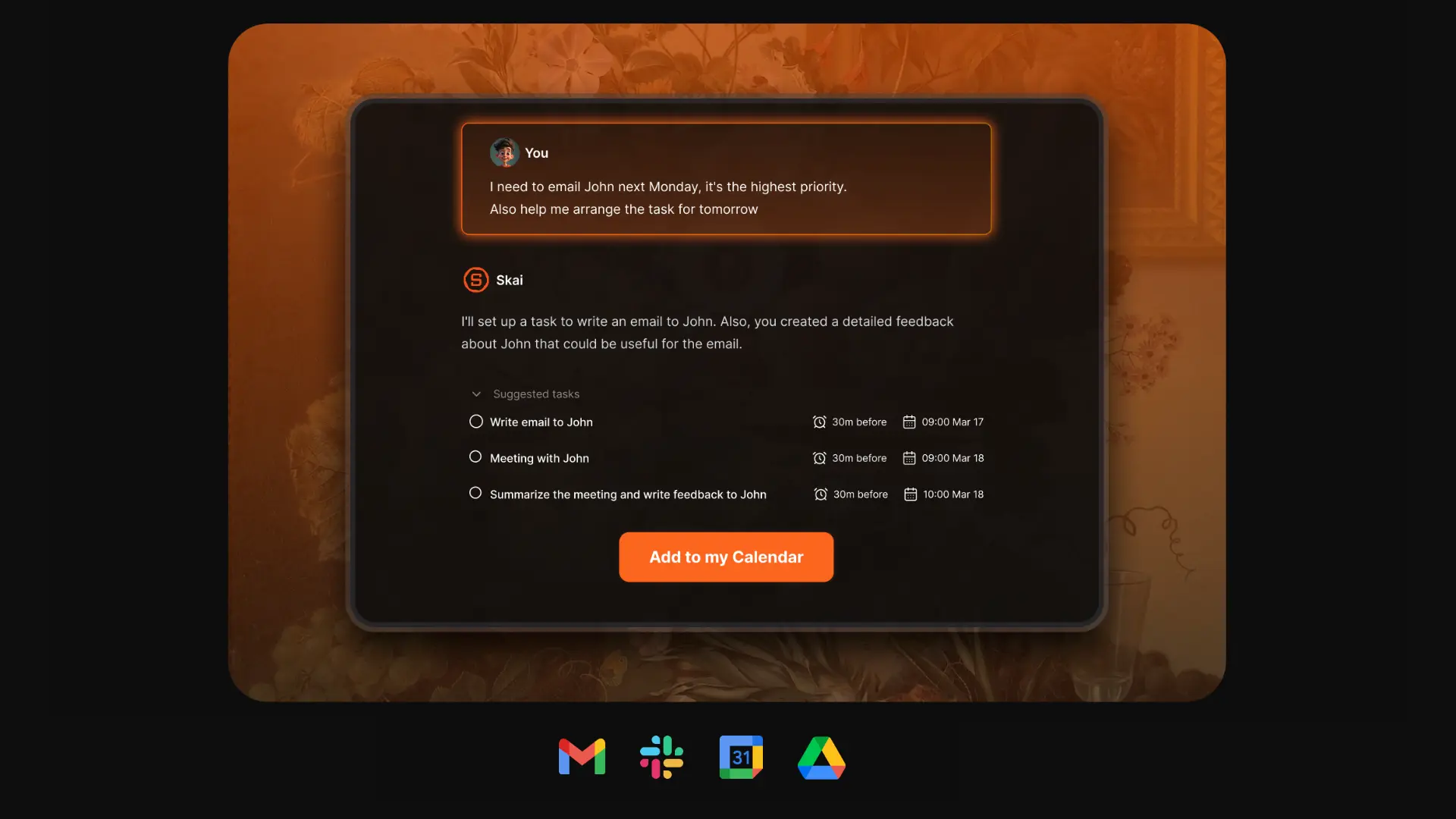
- Conversational workflow: Chat with Saner to manage your day, search notes, plan tasks, or summarize meetings
- Smart task extraction: Brain-dump messy thoughts - Saner turns them into clear to-dos with suggested deadlines
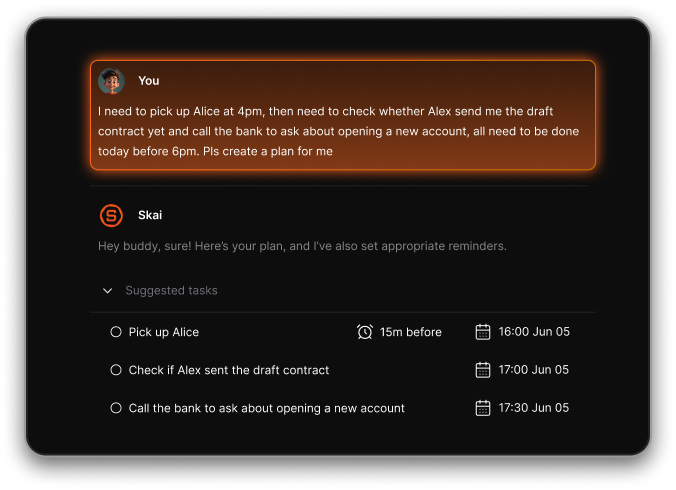
- Unified workspace: Combines email, calendar, notes, and tasks into one searchable brain
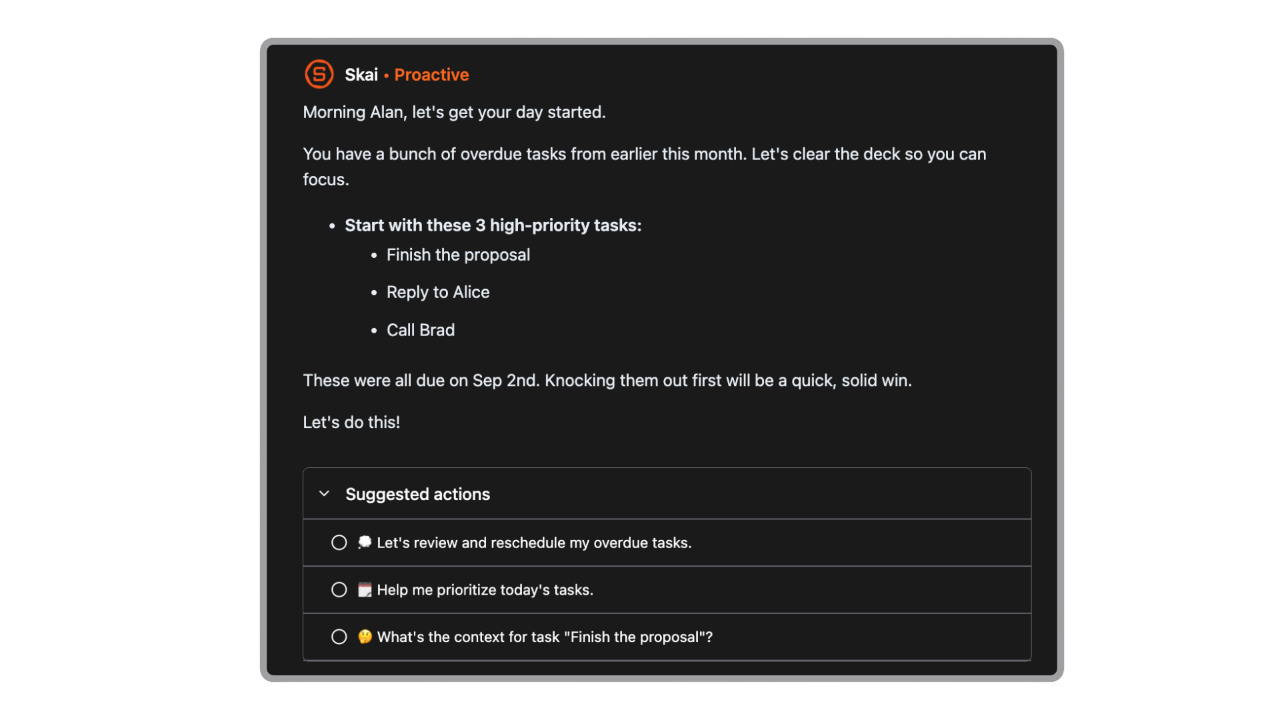
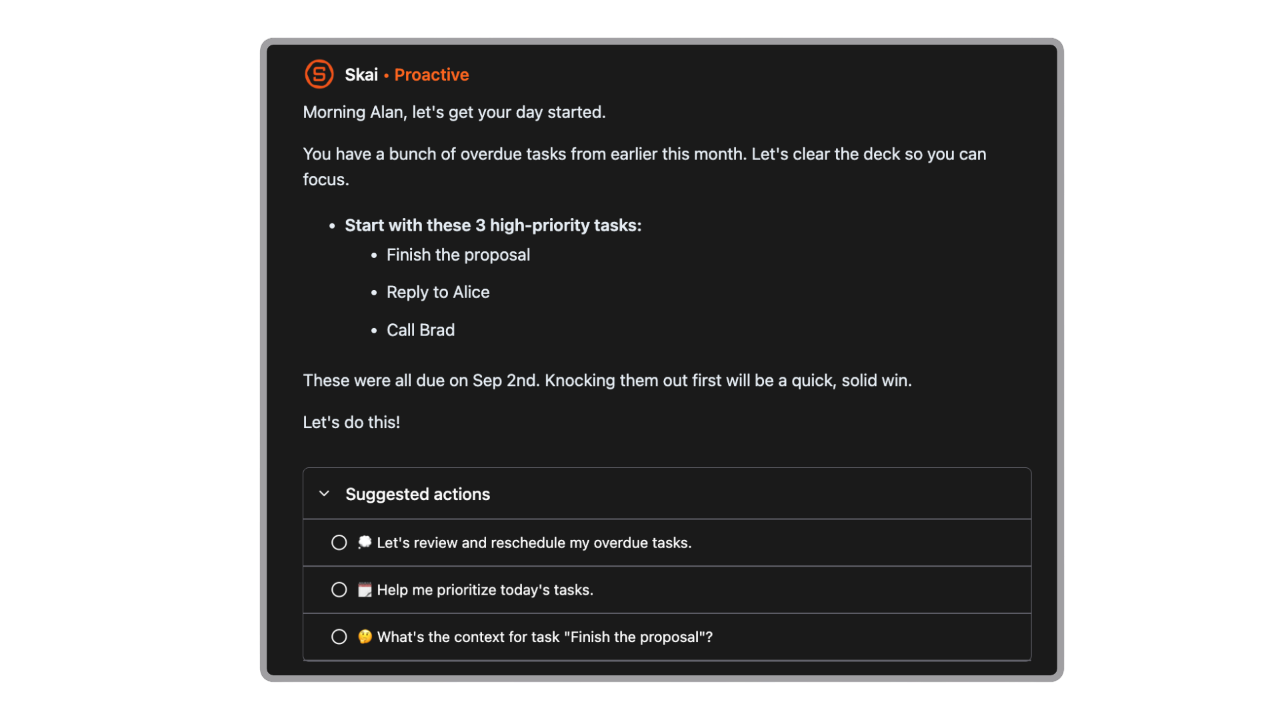
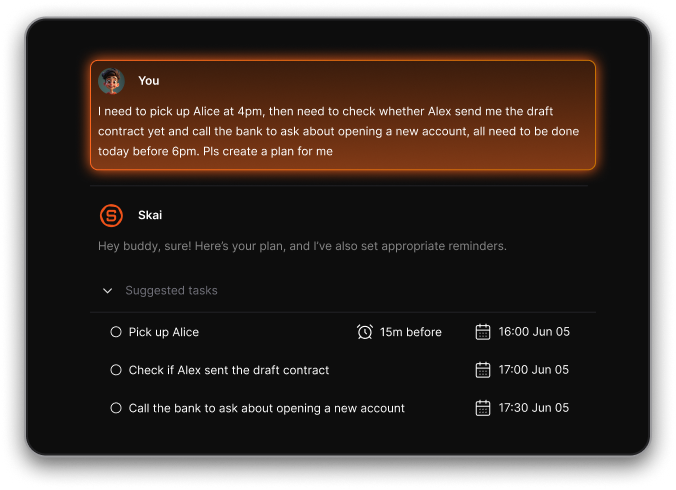
- Proactive daily planning: Saner suggests what to do based on your notes, tasks, and inbox - no setup needed
- Connect Gmail, Calendar, and Drive for seamless assistant access
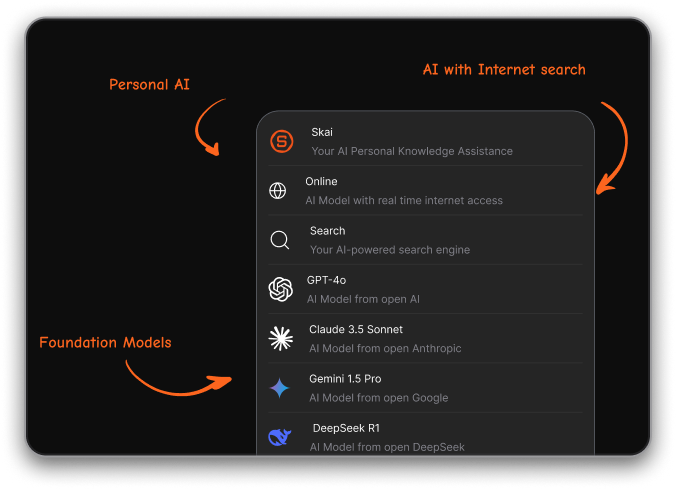
- Integrate many foundational models like Gemini, ChatGPT, Claude, DeepSeek
Pros
- It feels like a personal thought partner - you don’t need perfect prompts, just speak your mind and it works
- I could paste a messy note, and it pulled out deadlines, tasks, and even context tags
- ADHD-friendly interface: Designed to reduce overwhelm, simplify planning, and reduce context switching
Cons
- Requires internet access for full functionality
Saner.AI Reviews
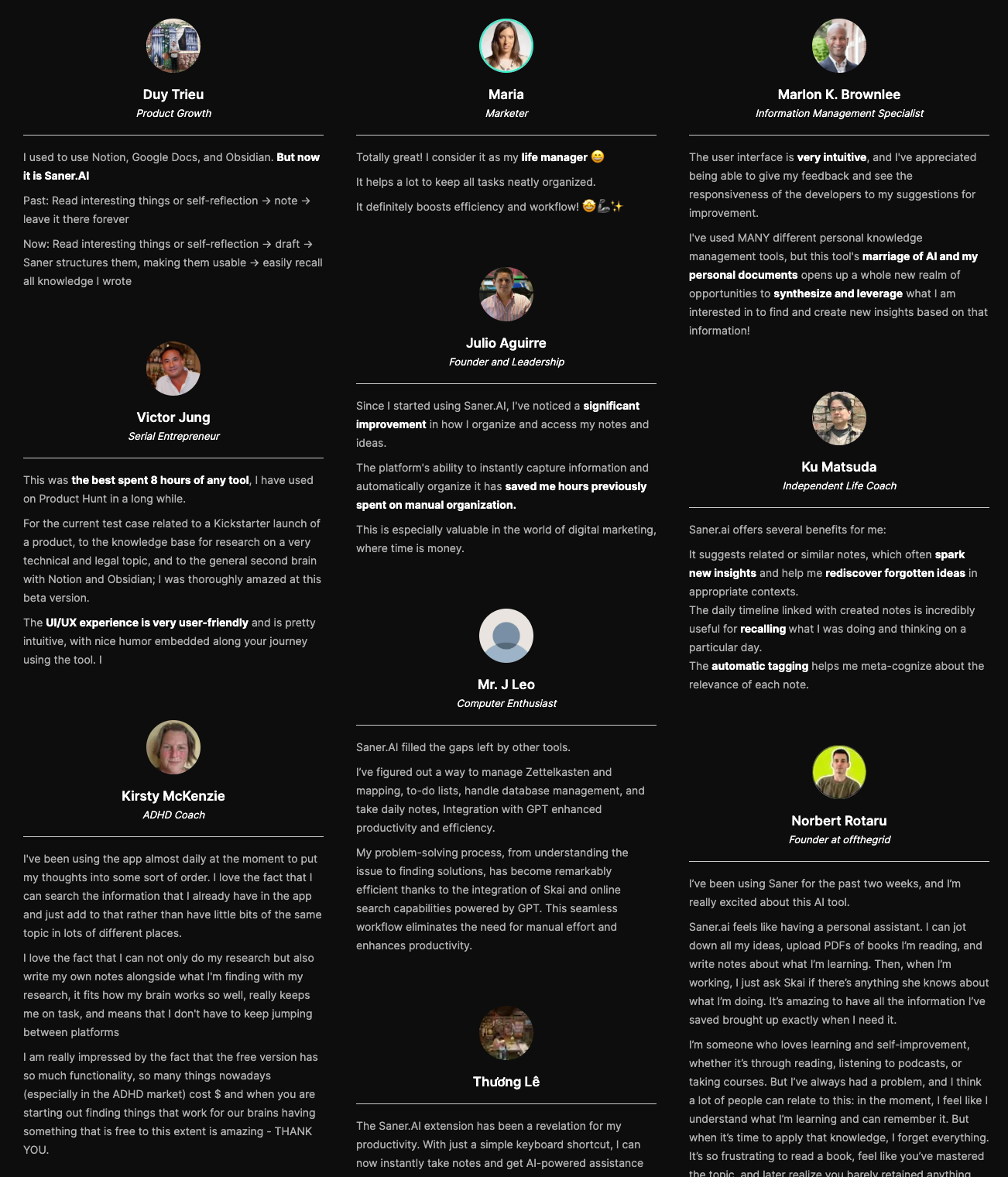
"The biggest benefit for me in using Saner is the Proactive AI. Staying on top of the constant flow of email and multiple calendars is challenging, and so far, Saner is the only AI-based tool that truly feels like a personal assistant" - Jerry
Pricing
- Free
- Starter: Monthly at $8/month, Annually at $6/month (with early user discount)
- Standard: Monthly at $16/month, Annually at $12/month (with early user discount)
Who is it suitable for?
- Entrepreneurs, creatives, researchers, and ADHD-prone individuals who want a unified assistant for managing life and work
- People are overwhelmed by switching between tools and tabs
- Users who want a conversational AI assistant that’s proactive
How to start using it?
- Go to saner.ai and sign up
- Connect your Gmail, Calendar, or Google Drive
- Start chatting with Saner to plan your day, find your notes, or turn thoughts into action

Work more efficient with your AI Personal Assistant
Conclusion: Finding the Right Gemini Alternative
Google Gemini is a strong AI assistant, but it’s not the only option. The best tool for you depends on what you actually need:
- Want ADHD-friendly planning and productivity? → Try Saner.AI
- Need a flexible, all-round AI? → ChatGPT is still the go-to
- Doing research or fact-checking? → Perplexity shines with citations
- Analyzing long reports or contracts? → Claude handles large documents best
- Already using Microsoft 365? → Copilot fits seamlessly into your workflow
- Anyone exploring Gemini alternatives where open-source and cost efficiency matter → Mistral AI
No single AI works for everyone. What matters is how well it fits your daily flow - whether that’s writing, research, managing tasks, or collaborating with a team.
👉 The smart move is to test a couple of these Gemini alternatives side by side. You’ll quickly see which one feels natural, saves you the most time, and actually helps you get work done.
Stay on top of your work with top Gemini Alternative
FAQs: Best Gemini Alternatives (2026 Guide)
1. What are the best Gemini alternatives?
If you like Gemini’s AI smarts but want better customization, privacy, or task support, here are the best alternatives in 2026:
- Saner.AI – Great for managing tasks, notes, calendar, and daily planning with an ADHD-friendly design
- ChatGPT (OpenAI) – Versatile for general knowledge, coding, and creative writing
- Claude (Anthropic) – Strong at long-form reasoning, summarizing, and nuanced replies
- Copilot (Microsoft) – Integrates deeply with Office365 for documents, spreadsheets, and email help
- DeepSeek – Strong open-source AI with advanced math and logic capabilities
- Perplexity AI – AI-powered search with instant citations, ideal for quick research and answers
- Mistral AI - AI for custom apps or workflows.
Each excels in different areas - choose based on what you actually want from your AI assistant.
2. Why would someone look for a Gemini alternative?
While Gemini (by Google) is powerful, users often search for alternatives because of:
- Limited integrations with task managers or productivity tools
- Google account lock-in or workspace privacy concerns
- Lack of proactive features like reminders or task breakdown
- Preference for tools that work across systems (e.g. iCloud, Outlook, Notion, Slack)
If you want an AI that works with your life, not just answers questions, some of these alternatives offer better workflows.
3. What makes a good Gemini alternative?
A solid Gemini alternative should:
- Understand natural language (chat or voice)
- Help with real tasks, not just Q&A
- Integrate with your tools (calendar, docs, email)
- Be fast, reliable, and easy to use
- Offer better control over data or customization
Saner.AI and Perplexity are great for productivity and knowledge management. Claude and ChatGPT are better for long-form reasoning. It depends on your goals.
4. Is Saner.AI better than Gemini?
For daily planning and action-taking, yes.
Saner.AI goes beyond chatting - it understands your notes, tasks, and emails to help you:
- Plan your day automatically
- Turn brain dumps into tasks
- Search through notes and docs naturally
- Stay on track with AI-powered reminders
Where Gemini is strong in search and language, Saner is built for productivity and mental clarity - especially helpful for ADHD-prone users.
5. Is Claude better than Gemini?
Claude by Anthropic is a strong alternative for people who want:
- Safer, more thoughtful AI responses
- Better long-form summarization
- Deeper memory and context awareness
It’s especially good for researchers, writers, and teams dealing with complex content.
6. Is Perplexity AI better than Gemini for research?
Depends, Perplexity is like Gemini, but with citations.
It’s built for fast, trustworthy answers and includes:
- Real-time web access
- Source links for every claim
- Follow-up suggestions to go deeper
- Great UX for students, analysts, and content creators
Perplexity is the best Gemini alternative if you want search + AI in one fast interface.
7. Which Gemini alternative is best for productivity?
Saner.AI stands out:
- Built-in task manager, notes, calendar, email, reminders
- AI plans your day based on your input
- Works like a Personal GPT that “gets you”
Instead of answering, it helps you get things done.
8. Which Gemini alternative is best for creative work?
ChatGPT or Claude are top picks for:
- Story writing, idea generation, code assistance
- Long-form writing support
- Brainstorming and revising content
Both offer deeper language skills than Gemini, depending on the version.
9. Which Gemini alternatives are best for ADHD?
Saner.AI is intentionally designed for ADHD minds:
- Reduces overwhelm with clear daily plans
- Turns messy thoughts into organized steps
- Supports voice, natural chat, and minimal UI distractions
- No tags or folders needed - just talk and go
It's a calm command center for chaotic days.
10. Are there free alternatives to Gemini?
Yes. Here's a quick list:
- Saner.AI – Free tier includes voice-to-task, AI reminders, Gmail/Calendar integration
- ChatGPT – Free with limit access
- Claude – Free version available at claude.ai
- Perplexity – Always free for basic use, no sign-up required
- DeepSeek – Open-source model, free to use for tech-savvy users
- Copilot – Available via Microsoft 365 subscription (some free trials available)
11. What’s the best Gemini alternative for executives?
Saner.AI, Copilot, and Claude are strong contenders:
- Saner.AI: Centralizes tasks, notes, reminders - ideal for high-volume decision-makers
- Copilot: Seamless with Microsoft Office, great for document-heavy workflows
- Claude: Good for reviewing long decks, strategy docs, and company updates
12. Can any Gemini alternatives summarize meetings?
Yes. Some tools make this process much faster:
- Saner.AI – Automatically summarizes meeting notes and tags action items
- Claude – Excellent at summarizing long transcripts and documents
- ChatGPT – Works well with proper prompts or plugins
- Perplexity – Can summarize articles or linked pages
13. Do these Gemini alternatives support voice input?
- Saner.AI – Yes, turn rants into tasks using voice
- ChatGPT – Via mobile app or integrations
- Copilot – Yes, through Windows/Office voice tools
14. Which Gemini alternative works best for search?
- Perplexity AI, Saner AI – Real-time web search + citations
- ChatGPT + Browsing – Useful for conversational research
- Gemini – Integrated with Google Search and Docs
- DeepSeek – Good for coding/math queries with reasoning
15. What’s the most powerful Gemini alternative overall?
There’s no one-size-fits-all, but:
- Saner.AI – Best for productivity and managing real-world tasks
- ChatGPT - Best for versatility
- Claude – Best for deep comprehension and safe AI
- Perplexity – Best for search with trusted sources
- Copilot – Best for Microsoft ecosystem
- DeepSeek – Best for open-source tinkerers
Stay on top of your work and life