
We tested the 5 Best Google Keep Alternatives in 2026


I used to love the absolute simplicity of Google Keep. I’d open the app, slap a neon yellow digital sticky note on the screen, and go about my day. But as my personal and professional projects grew, I ran into this problem. It treats all your thoughts like a flat pile of physical sticky notes on a messy desk. The moment you need a sub-task, a rich-media document, or deep database integration, it completely collapses.
Quick guide: What are the best Google Keep alternatives in 2026
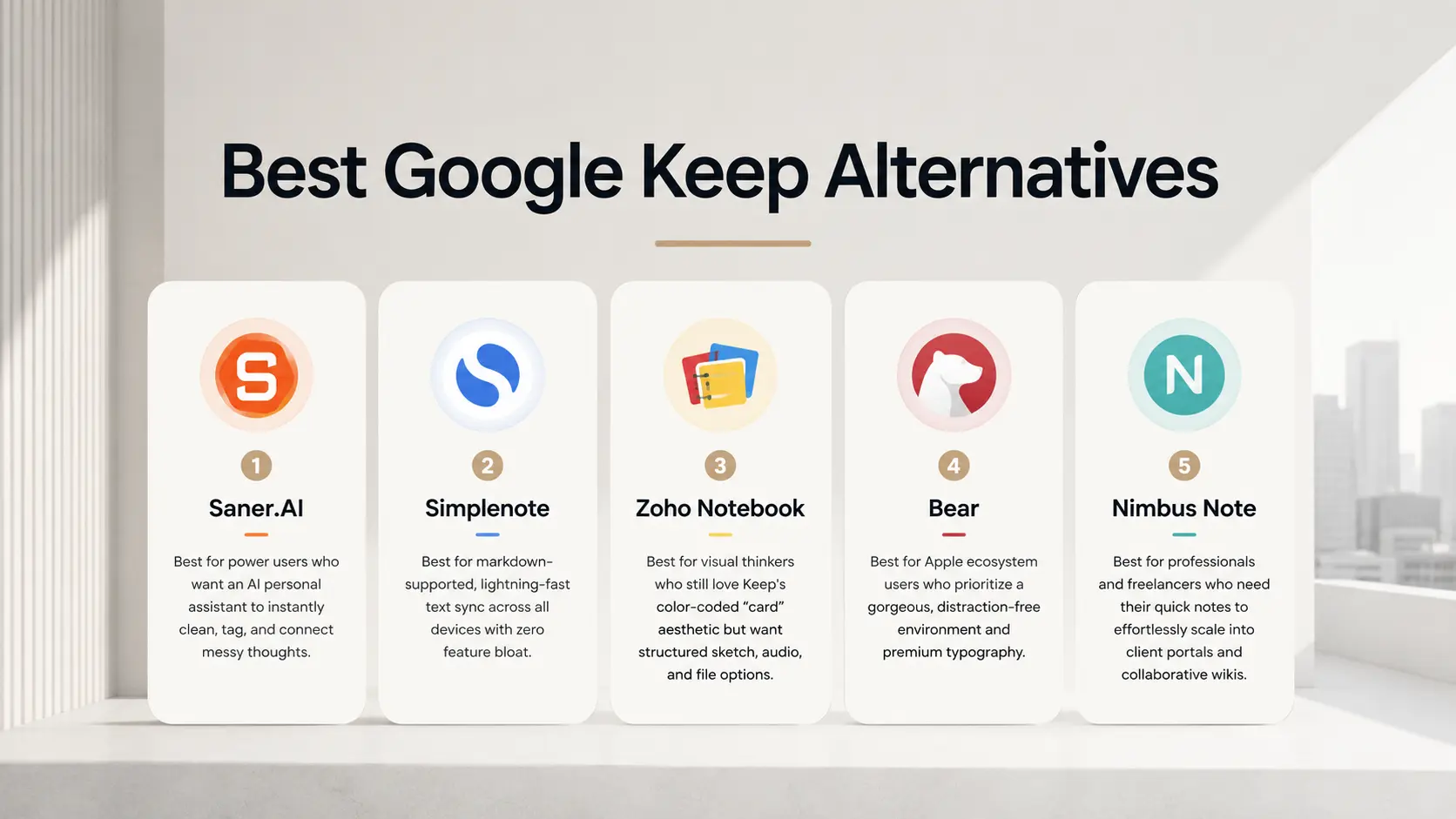
2. Simplenote: Best for markdown-supported, lightning-fast text sync across all devices with zero feature bloat.
3. Zoho Notebook: Best for visual thinkers who still love Keep's color-coded "card" aesthetic but want structured sketch, audio, and file options.
4. Bear: Best for Apple ecosystem users who prioritize a gorgeous, distraction-free environment and premium typography.
5. Nimbus Note: Best for professionals and freelancers who need their quick notes to effortlessly scale into client portals and collaborative wikis.
What Is Google Keep?
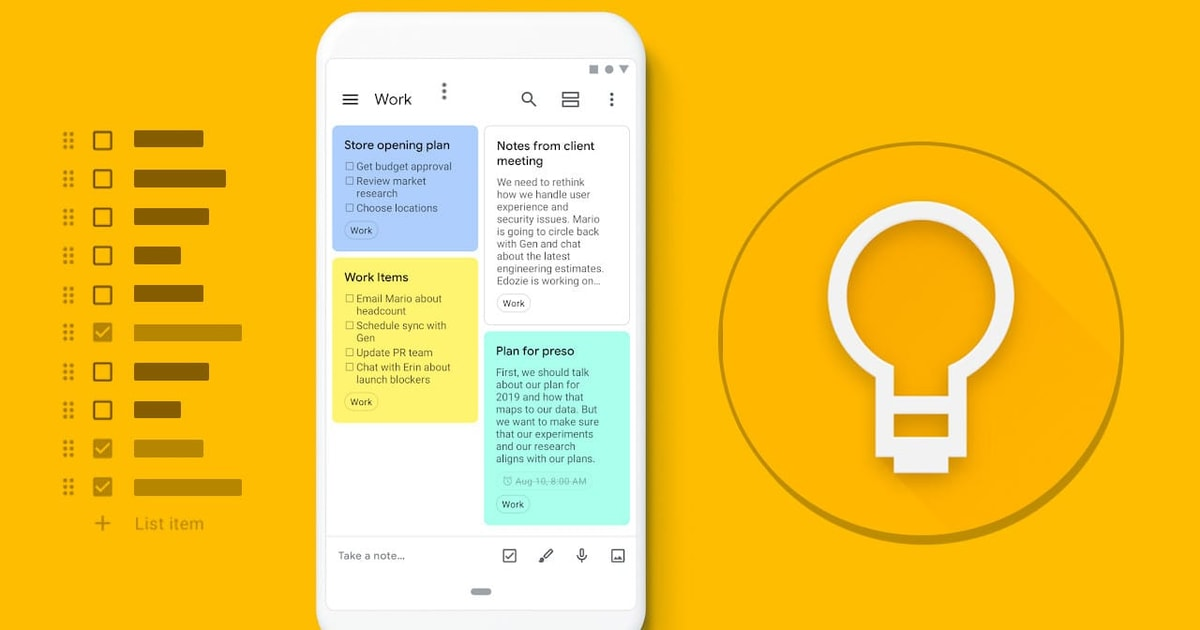
Google Keep is a free note-taking app developed by Google, designed for capturing quick thoughts, reminders, and simple to-do lists. It works like digital sticky notes that sync automatically across devices through a Google account. .
How we chose the best Google Keep alternatives
The perfect replacement for Google Keep shouldn't make note-taking feel like extra homework. We evaluated each tool based on the parameters that make lightweight apps work:
- Frictionless Capture Speed: Can you open the app and start typing an idea in less than two seconds, or does it lock you behind a loading screen?
- Visual Categorization: Does it offer color-coding, labels, or instant tagging so your brain can sort notes at a single glance?
- Widget & Mobile Accessibility: How intuitive are the home-screen widgets for quick text dumps while you are on the move?
- Search & Retrieval Power: When you have 500 notes, can the search function find exact phrases or images instantly?
- Data Portability: If you decide to move your notes later, does the app let you export your thoughts easily, or are you locked into a proprietary format?
- Cross-Platform Sync Stability: Does the app smoothly sync your grocery list from your laptop to your phone before you walk into the store?
What are the Best Google Keep Alternatives?
The Best Google Keep Alternatives are Saner.AI, Simplenote, Zoho Notebook, Bear, and Nimbus Note.
Google Keep Alternatives Comparison Table (2026)
| Tool | Key Strengths | Best For | Platforms | Pricing |
|---|---|---|---|---|
| Saner.AI | AI-first capture, auto-structured notes & tasks, blends to-do + notes seamlessly, minimal manual organization | Individuals who want frictionless capture and AI-managed organization | Web, Windows, macOS | Free plan available; Paid plans starting from ~$8/month |
| Simplenote | Extremely fast, distraction-free writing, instant sync, clean Markdown support | Users who want pure, simple text notes | Web, Windows, macOS, iOS, Android | Free, Sustainer plan around $19.99/month or $199.99/year, |
| Zoho Notebook | Rich note cards (text, audio, sketches), good organization, Zoho ecosystem | Users who like visual, multimedia notes | Web, Windows, macOS, iOS, Android | Free; Pro at ~$19.99/year |
| Bear | Beautiful UI, powerful Markdown, tag-based organization | Writers & creatives on Apple-only devices | macOS, iOS, iPadOS | Free; Pro at ~$29.99/year |
| Nimbus Note | Team collaboration, databases, document sharing, workspace structure | Teams needing docs + collaboration | Web, Windows, macOS, iOS, Android | Free; Paid plans from ~$4–6/user/month |
1. Simplenote

Simplenote is a lightweight, distraction-free note-taking app focused on speed and simplicity. It’s designed for quick text notes that sync instantly across devices. There are no complex features, formatting tools, or task systems - just plain notes. If Google Keep feels cluttered or unreliable, Simplenote is the opposite: minimal and predictable.
Key features
- Notes sync automatically across web, desktop, and mobile apps for quick capture and reference.
- Notes are organized using tags instead of folders. Combined with a good search, this makes it easy to retrieve notes even when you have hundreds.
- Every note keeps a history of changes, so you can roll back to previous versions. This is useful for writers and developers who frequently edit the same notes.
- Simplenote supports Markdown for basic formatting like headings, lists, and links. There’s no rich editor, which keeps writing fast and distraction-free.
Pros
- Extremely fast and simple
- Works on all major platforms (web, iOS, Android, Windows, macOS, Linux)
- Reliable cross-platform sync
- Markdown + version history is useful
Cons
- No images, attachments, or rich formatting
- The interface feels too basic for complex note systems
- No built-in tasks, reminders, or AI task management like Saner.AI.
Pricing
- Free with core features included
- Simplenote Premium: ~$10/year (adds extended version history and priority support)
Suitable for
- Writers, developers, and text-heavy note-takers
- People who want a simple Google Keep alternative without visual clutter
- Users who care more about speed and reliability than features
Simplenote review (source)
Many users switch to the tool because they want a basic text window that loads instantly and syncs perfectly across platforms.
"Simplenote is an app for taking notes. It is free to use and can be synced across devices. The features of Simplenote are simple and straightforward." —Verified Review
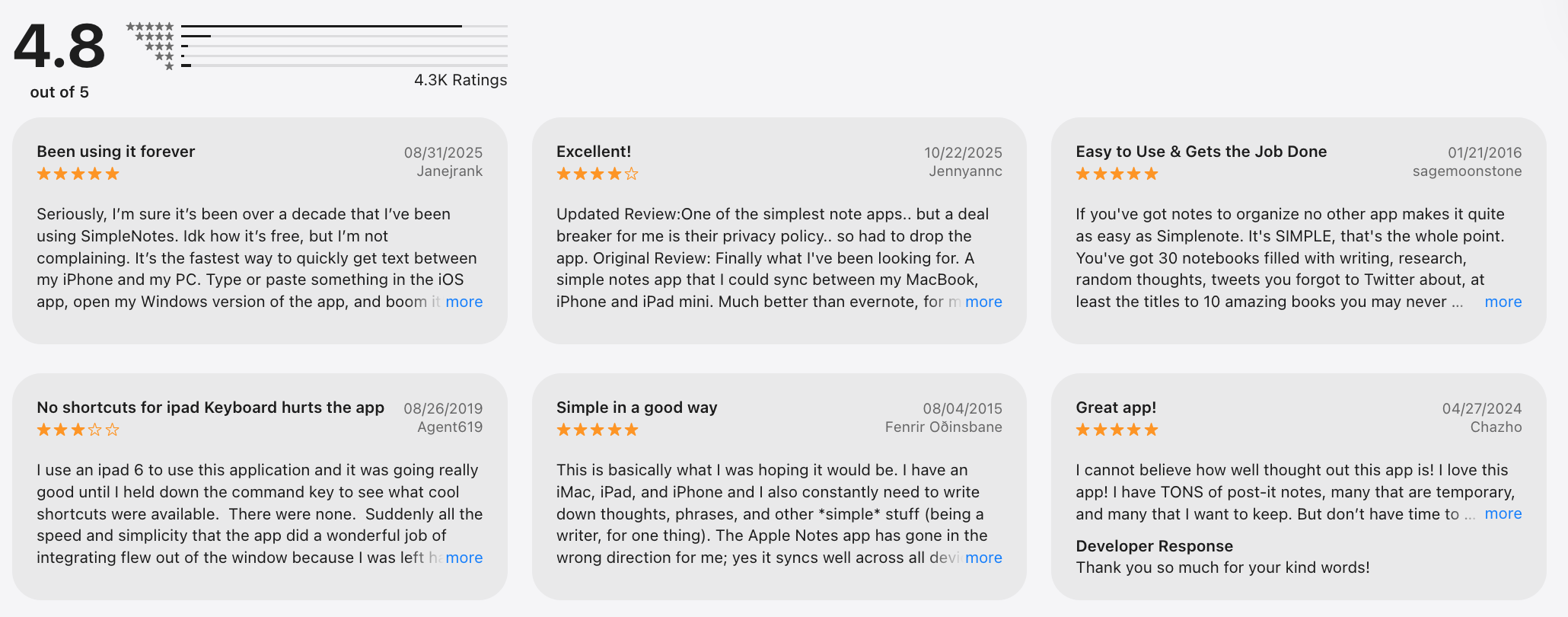
Other people express frustration when they realize the software cannot hold complex media or traditional rich-text files.
"The only issue with this app is that it is just for text notes. It doesn't support images, tables, or other formatting tools." — Verified Review
How to start
- Download the application on your computer or mobile device and register for a free Automattic profile.
- Select the new note icon to open a clean text window and begin typing your thoughts.
- Type a word into the tag field at the bottom of your workspace to sort your entry into a custom category.
2. Saner.AI
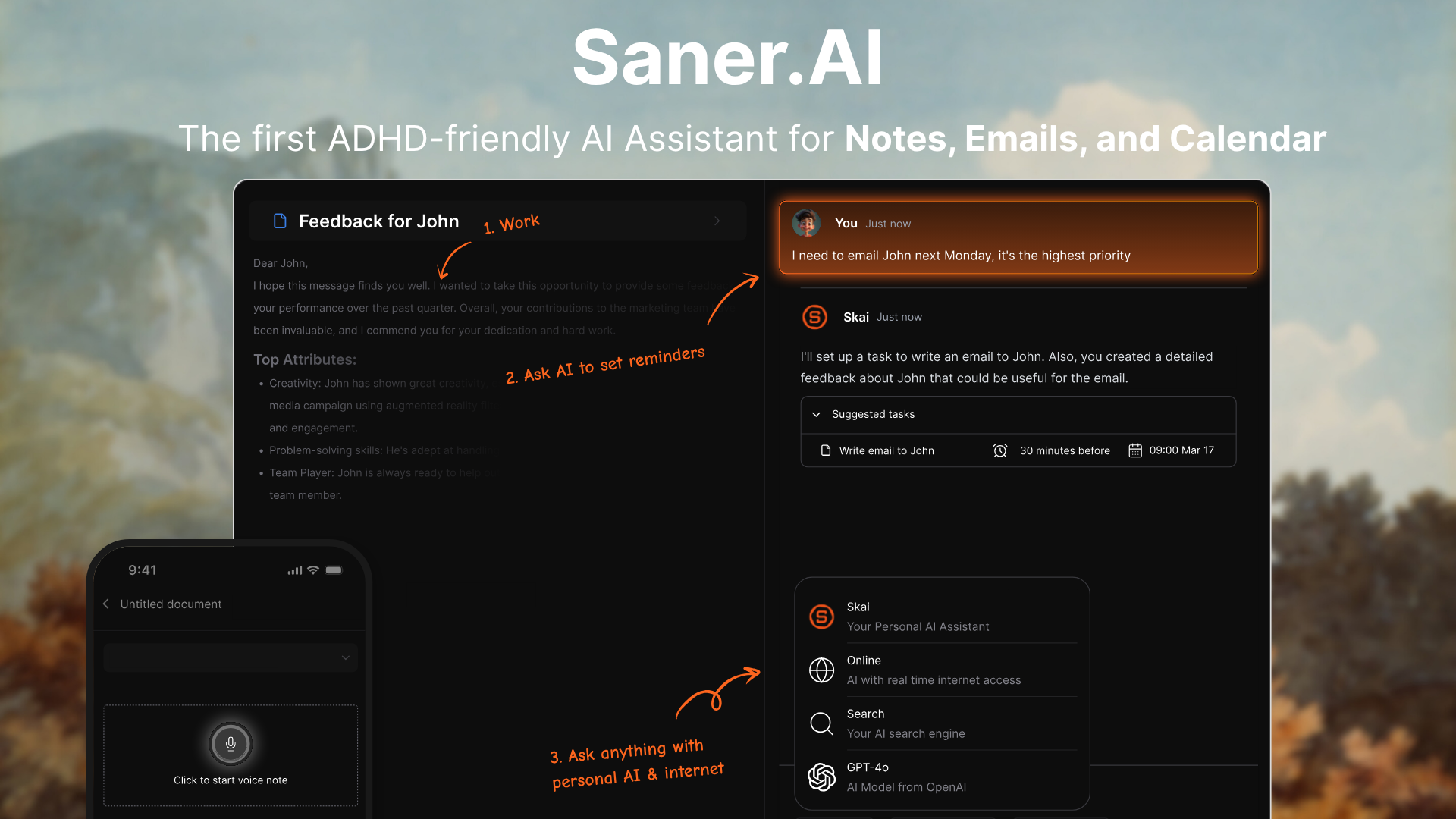
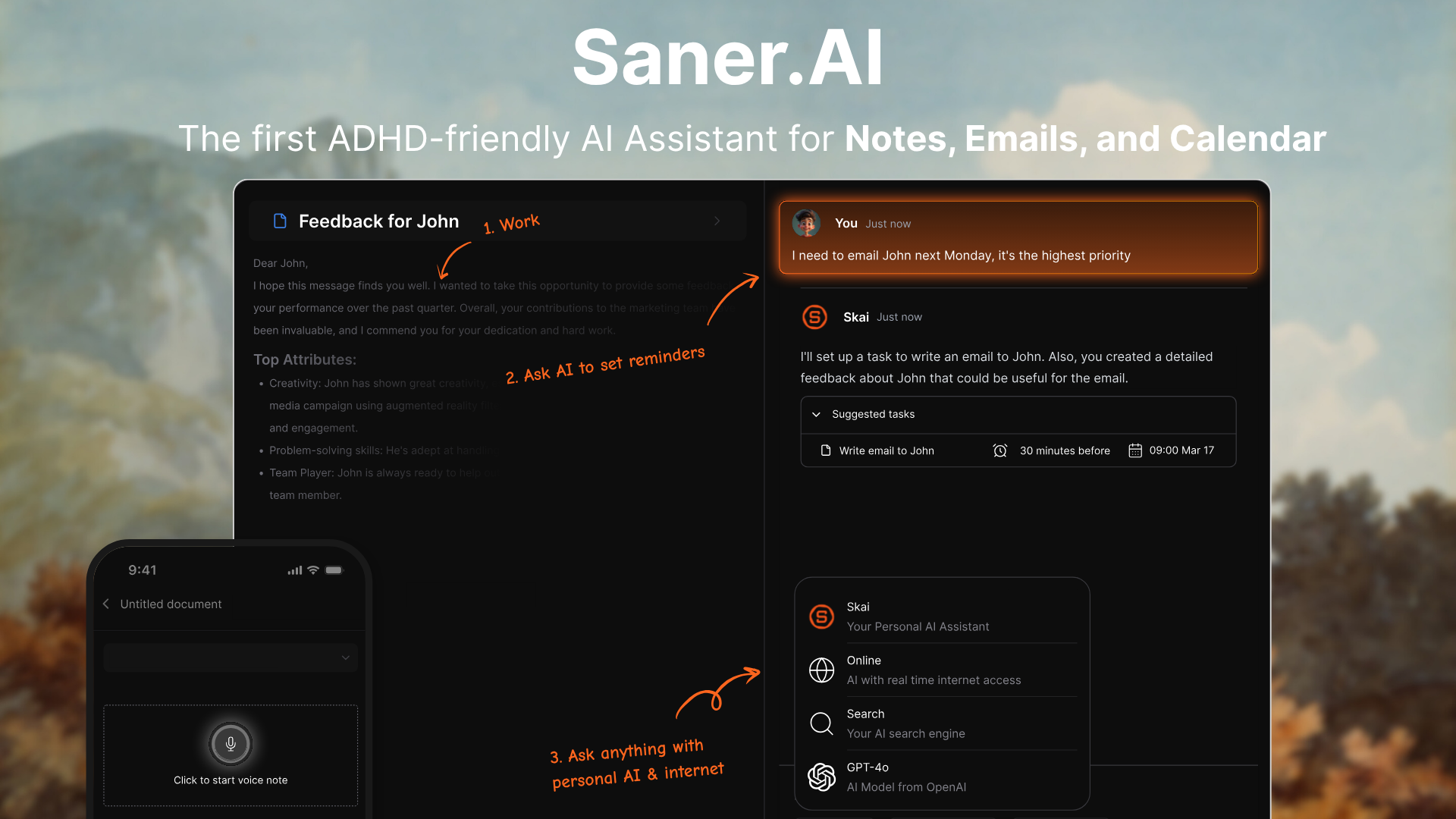
Saner.AI is an AI personal knowledge assistant that replaces basic note-taking tools. It acts as an upgrade for Google Keep users who find that simple sticky notes eventually turn into an overwhelming digital graveyard. The software combines quick capture, automated categorization, and a conversational AI helper called Skai to turn scattered thoughts into actionable tasks.
Key features
- Daily planning view: Saner.AI surfaces what matters today, so your notes don’t just sit unused.

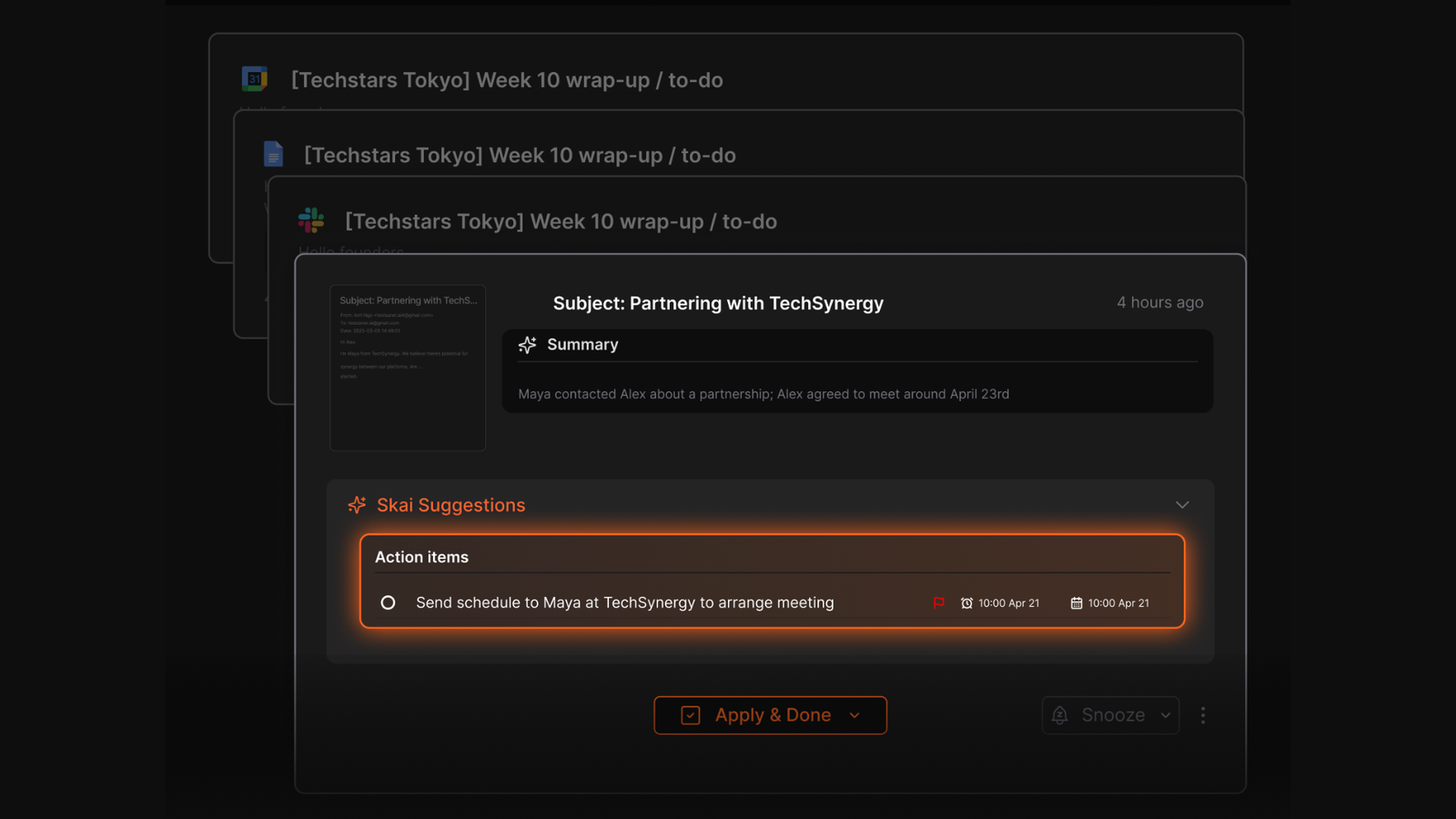
- AI task extraction
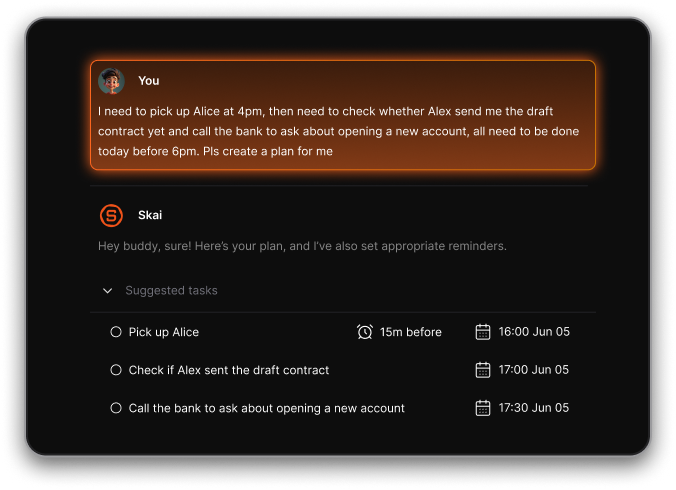
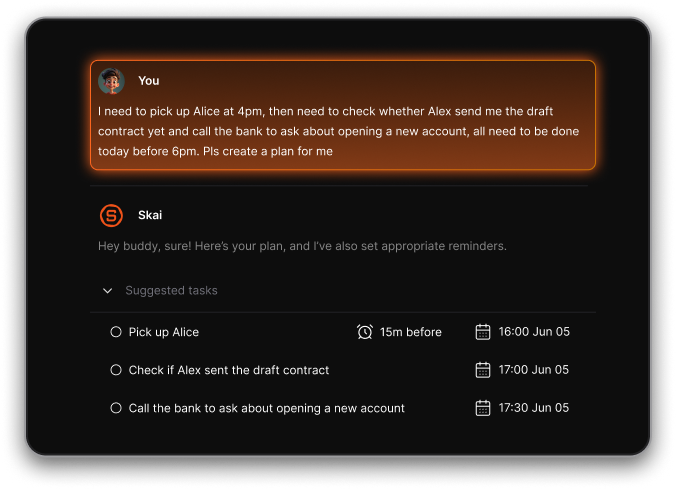
Saner.AI scans your written entries and automatically converts conversational action items into tasks that sync directly with your digital calendar. I like that it spots informal deadlines like "follow up next Friday" inside a long note block and creates a smart reminder automatically.
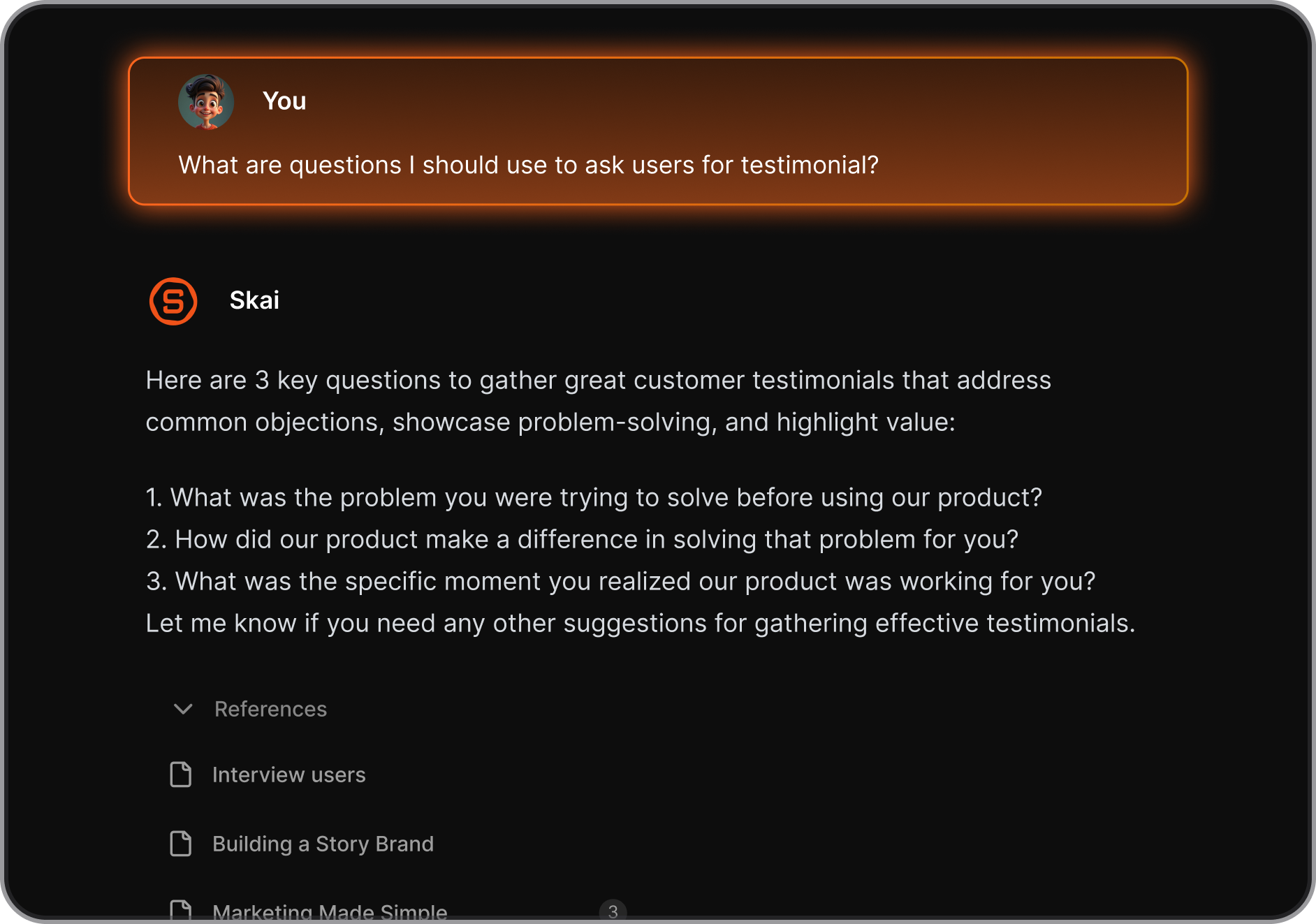
- Contextual AI assistant (Skai)
I tested it by uploading fragmented research files, and it accurately extracted my ideas without requiring me to open each file.
Pros
- Extremely low friction: you just write, the AI organizes everything for you.
- Much better for ongoing work and projects than Google Keep’s static notes.
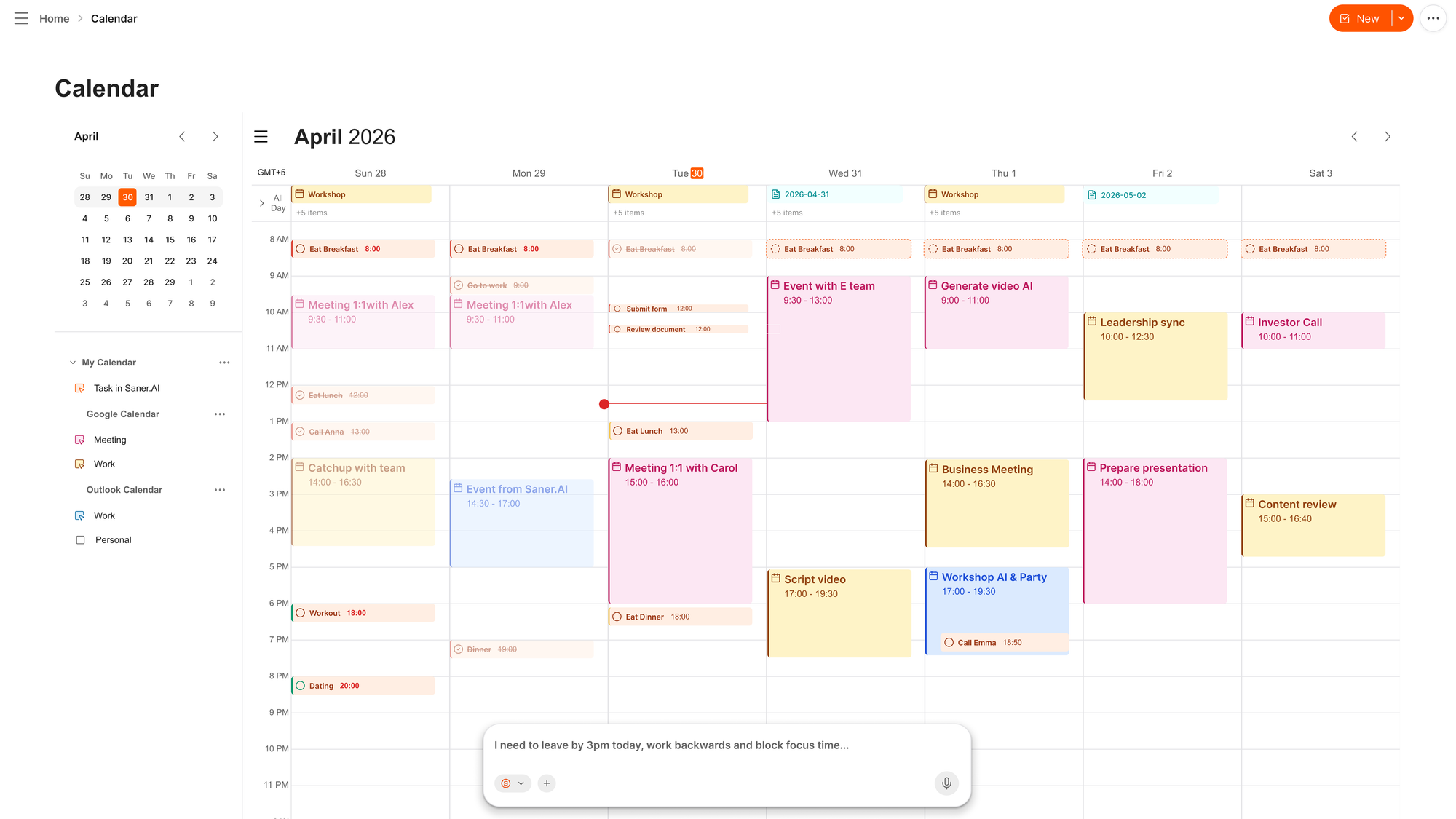
- AI calendar is handy for me to manage notes with calendar
Cons
- No offline-first experience like Google Keep.
Pricing
- Free plan available with core features.
- Paid plans start at around $8/month when billed monthly
Saner.AI reviews
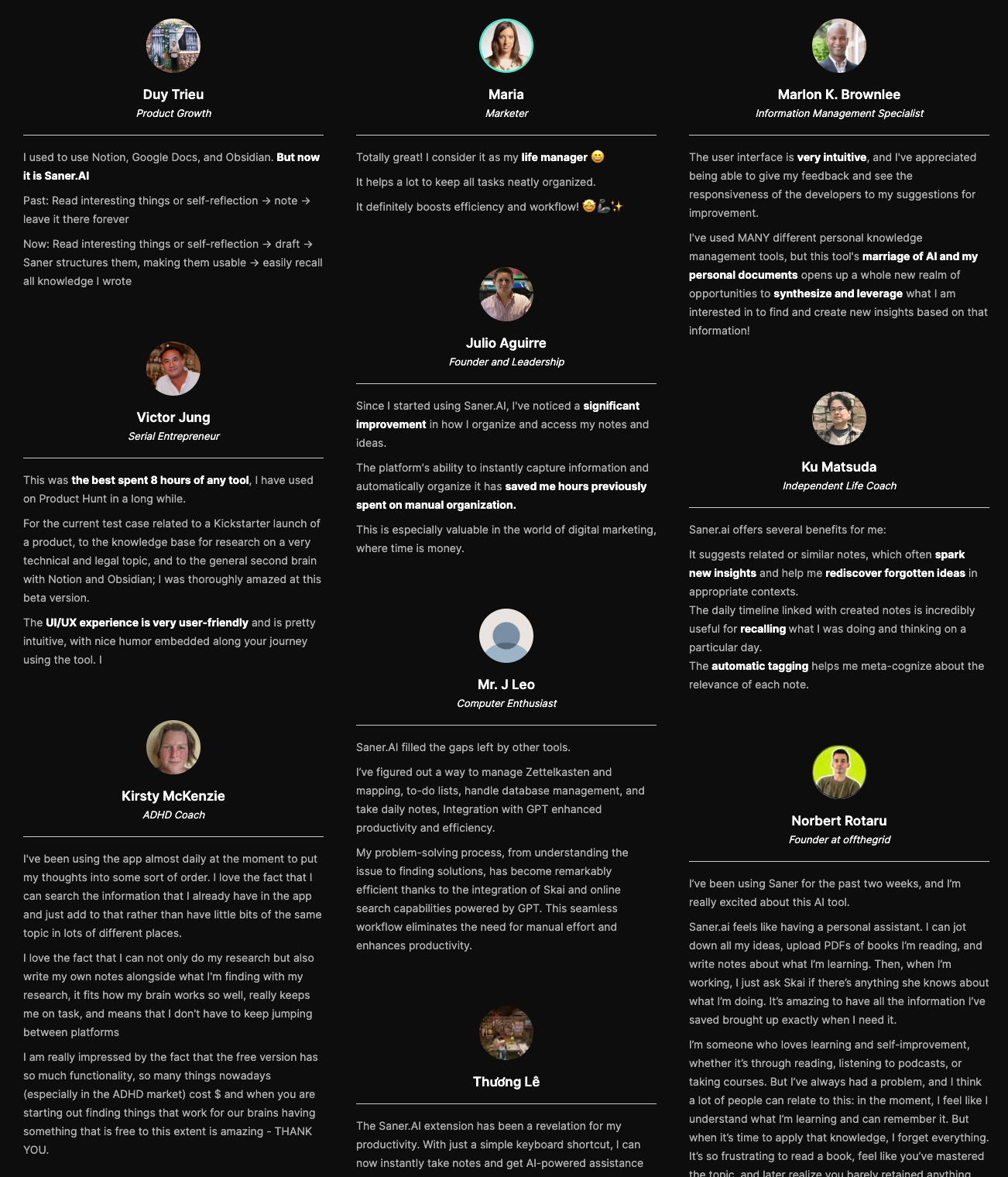
"I've used MANY different personal knowledge management tools, but this tool's marriage of AI and my personal documents opens up a whole new realm of opportunities to synthesize and leverage what I am interested in to find and create new insights based on that information!" — Verified Reviews
Suitable for
- Knowledge workers who use Google Keep but feel overwhelmed by scattered notes.
- People who mix ideas, tasks, and reminders in one place.
- Users who want an AI-managed workflow instead of manual lists.
How to start
- Visit the Saner.AI website.
- Create a free account and start adding notes or tasks in plain language.

Stay on top of your work with the Top Google Keep Alternative
3. Zoho Notebook
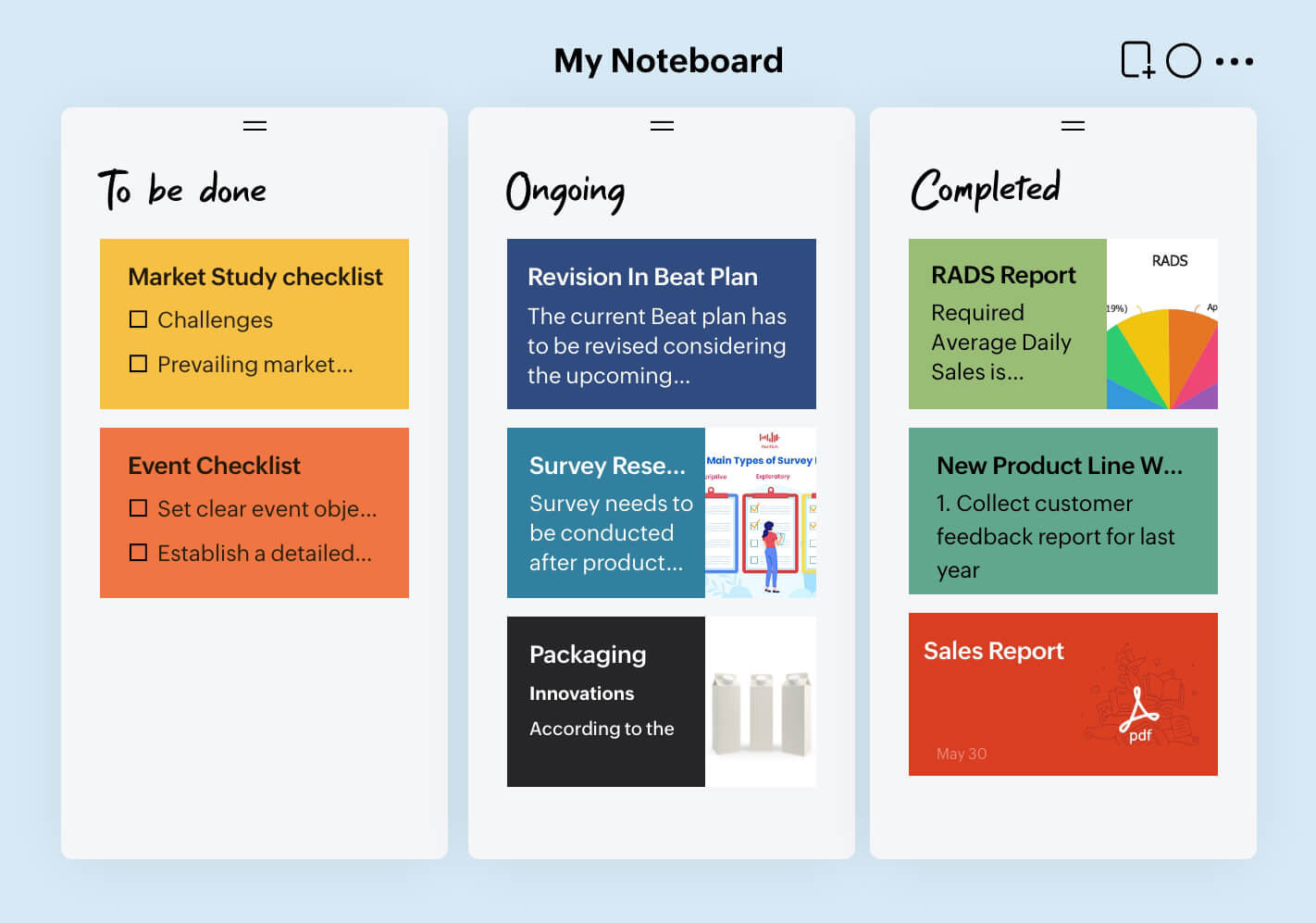
Zoho Notebook is an intuitive, card-based note-taking application designed to gather, arrange, and manage media, audio, and text snippets. It serves as a visual alternative to Google Keep, expanding on basic scratchpad tools with structured notebook bins and custom note cards.
Key features
- Visual card-based architecture: When testing this design, I noticed that the card styles let me categorize mixed media instantly, avoiding the messy look of traditional text blocks.
- Zoho Notebook supports images, audio notes, files, and sketches natively. Google Keep supports media, but Zoho’s presentation is cleaner and more structured.
- Notes sync across web, mobile, and desktop, and you can still access them offline.
Pros
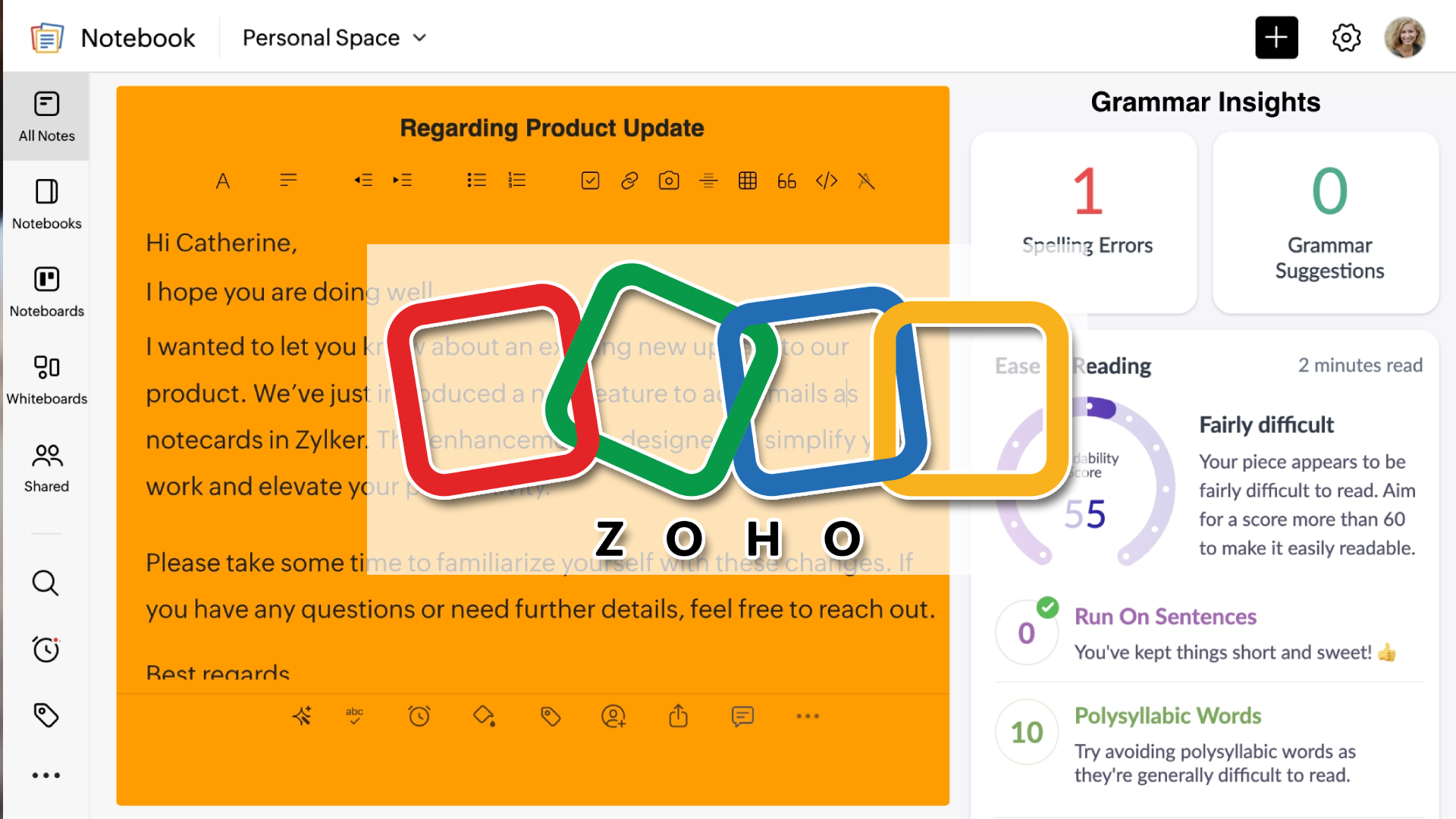
- Clean, visual, and easy to navigate
- Strong support for media-rich notes
- The free plan is generous for most users
Cons
- Search is slower compared to text-first apps.
- No built-in task management or reminders like Saner.AI.
- Less ideal for long-form or Markdown-heavy writing.
Pricing
- Free: $0/month (most core features included)
- Notebook Pro: ~$20/year (adds extra storage and advanced features)
Suitable for
- Users who like visual notes and card-style layouts
- People storing mixed content (text, images, audio)
- Users who want better organization without complexity
How to start
- Go to zoho.com
- Create a free Zoho account and start organizing your notes
Zoho Notebook review (source)
Users frequently highlight how the clean design simplifies daily task tracking and note organization without unnecessary feature bloat.
"Zoho Notebook has been one of the easiest note taking apps for me to use regularly because the interface feels very clean, simple, and well organized." — Verified Review

Some people find that the platform encounters synchronization drops or slower processing speeds when managing extensive databases.
"The interface can feel unintuitive at times, especially when organizing or searching for notes. Syncing across devices isn't always consistent, and performance can lag with larger notebooks." — Verified Review
4. Bear
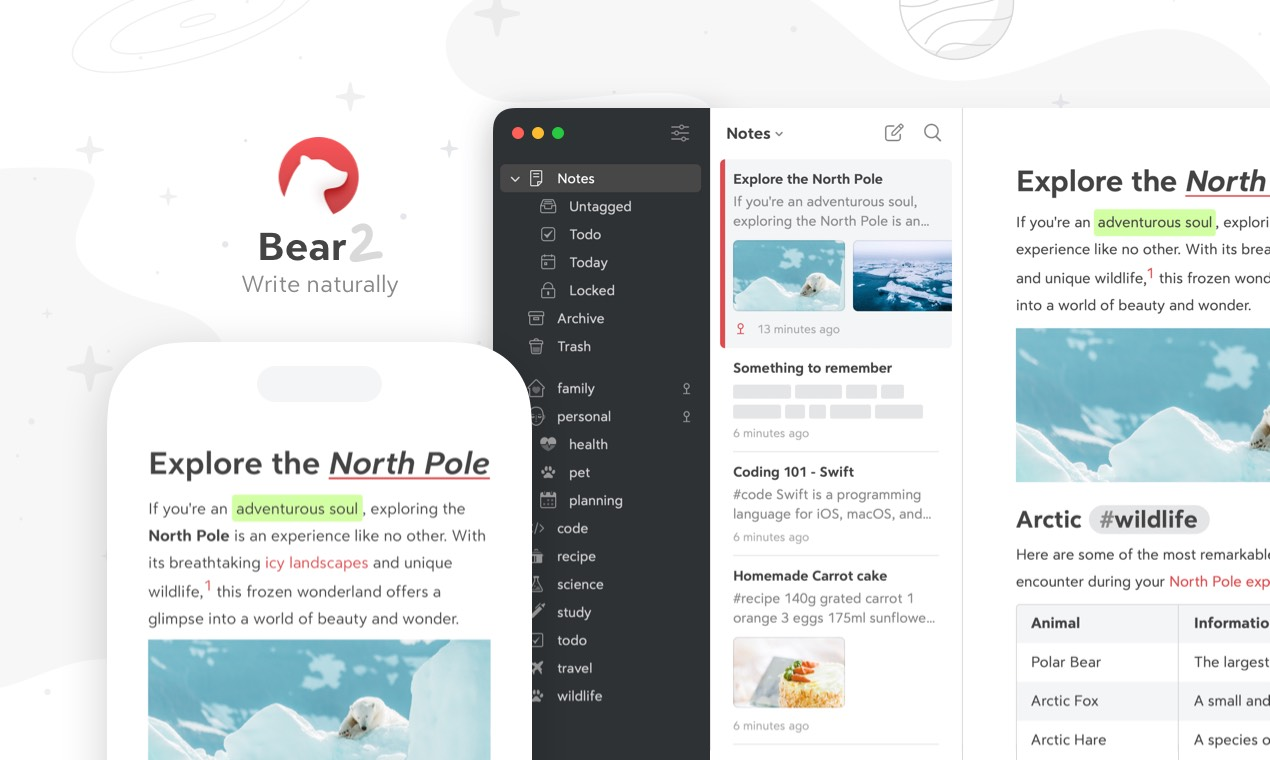
Bear is a minimalist, Markdown-based writing and note-taking application designed exclusively for Apple devices. It serves as a structured alternative to Google Keep for individuals who require a cleaner environment for organizing thoughts, research papers, or web clips.
Key features
- Flexible nested hashtag organization: I found that grouping notes with hashtags is simpler than setting up nested folders.
- First-class Markdown rendering: noticed how cleanly the app displays headings, checklists, and code snippets right as you type. It balances the utility of a plain-text Markdown file with the styling of a rich-text document.
- Local-first private web clipper: I used the browser extension to save research articles, and I like that version 2.0 processes everything directly on your device.
Pros
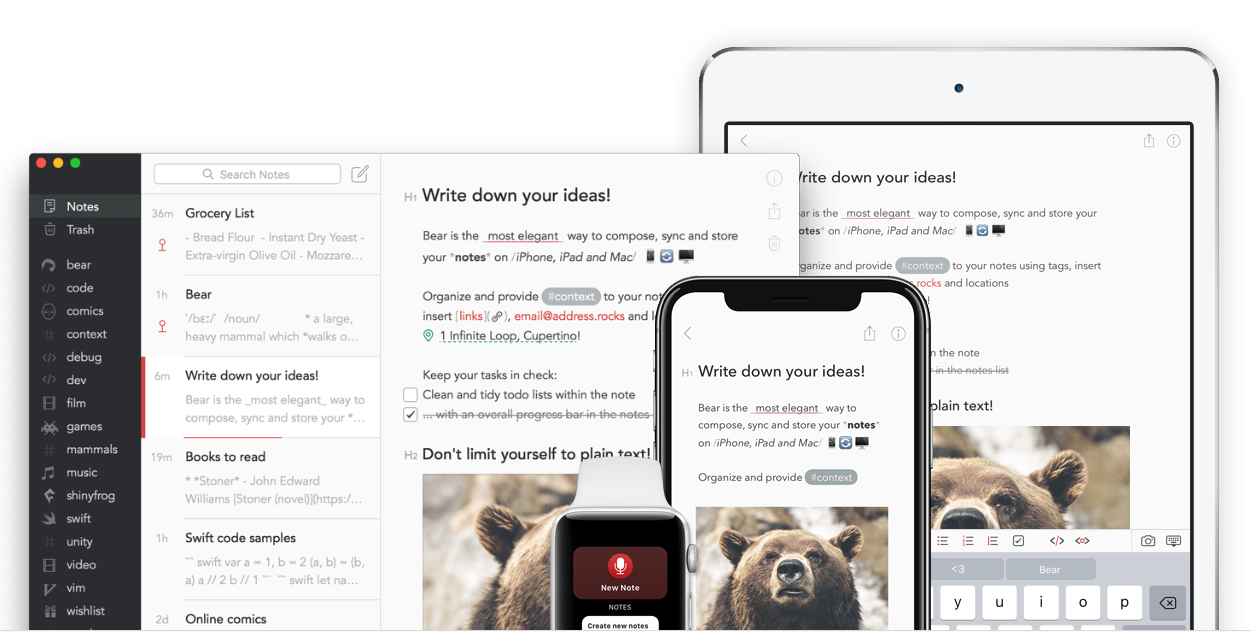
- Clean, distraction-free writing experience
- Excellent Markdown support for structured notes
- Fast performance, even with large note libraries
Cons
- Apple-only (no Windows, Android, or web app).
- No built-in task management or AI Assistant like Saner.AI.
- Limited collaboration and sharing features.
Pricing
- Free plan: Basic note-taking with limited export options.
- Bear Pro: ~$2.99/month or ~$29.99/year.
Suitable for
- Writers, bloggers, and content creators.
- Students or researchers who work mainly with text.
- Apple users who want a beautiful, lightweight Google Keep alternative focused on notes (not tasks).
How to start
- Download Bear from the Mac App Store or iOS App Store.
- Create notes using Markdown and organize them with tags.
Bear review (source)
"The simplicity of the user interface is key. With other note apps it is easy for me to lose or forget about notes because they are hidden behind layers of organization. In Bear, notes don't fall through the cracks of the interface design." — Verified Review

The primary concern for long-time users revolves around platform limitations, as cross-platform professionals feel locked out of their workflows.
"I don't really like that they promised a web version 4 or 5 years ago with no dice... I switched to Obsidian because of the extensibility and being cross-platform."- Verified Review
5. FuseBase
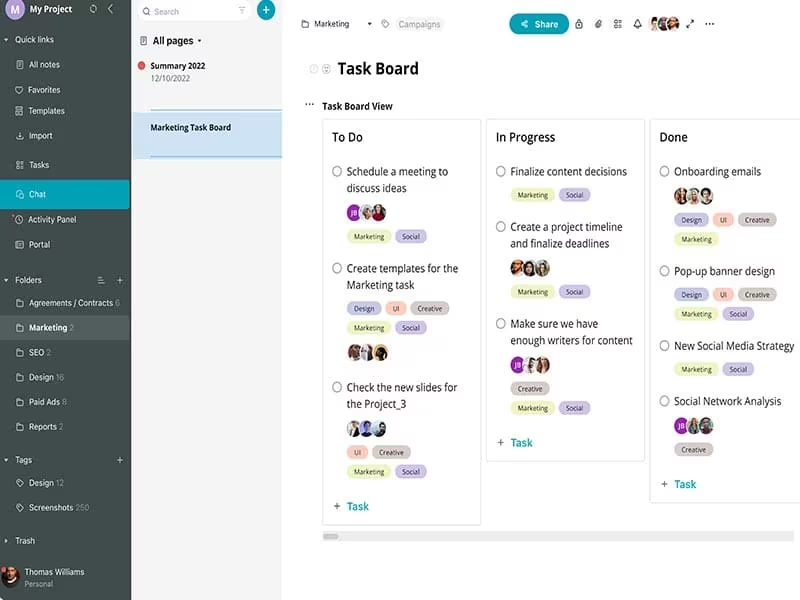
FuseBase, which many users still know by its original name Nimbus Note, is a structured workspace platform that serves as an advanced alternative to Google Keep. While Google Keep is built for quick, temporary sticky notes, this tool handles long-form document organization, client dashboards, and structured knowledge bases.
Key features
- Nested structure and tables
Unlike the flat, label-only layout of Google Keep, this workspace uses folders, subfolders, and multi-column databases to group data.
- Versatile web clipper extension
I like using the fragment clipper to grab individual tables and graphics from long market reports without cluttering my workspace with useless sidebar ads.
- Task and progress integration
The editor lets you turn any standard checklist item into a tracked assignment with due dates and custom reminders.
Pros
- Supports complex, long-form notes and documentation.
- Works on web, desktop, and mobile.
- Built-in tasks and web clipping add real productivity value
Cons
- Interface can feel heavy compared to Saner.AI.
- Learning curve is higher for new users.
- Performance may slow down with very large workspace.
- No AI Assistant
Pricing
- Free plan: Limited storage and features.
- Pro plan: ~$4–5/month (billed yearly).
- Business plan: ~$6–8/month (billed yearly), with team features and advanced permissions.
Suitable for
- Professionals managing lots of information or documentation.
- Users who want a more powerful Google Keep alternative.
- Individuals or small teams building a personal or shared knowledge base
How to start
- Visit Nimbus Note and create a free account.
- Set up folders to mirror how you think and work.
- Use the web clipper to start building your knowledge base.
Nimbus Note review (source)
Users frequently highlight how the platform consolidates disconnected applications into a unified, reliable operational hub.
"Our team was pleased to have everything consolidated in one place. Additionally, knowing that the company has been established in the industry for a long time gave us confidence in their reliability." — Verified Review
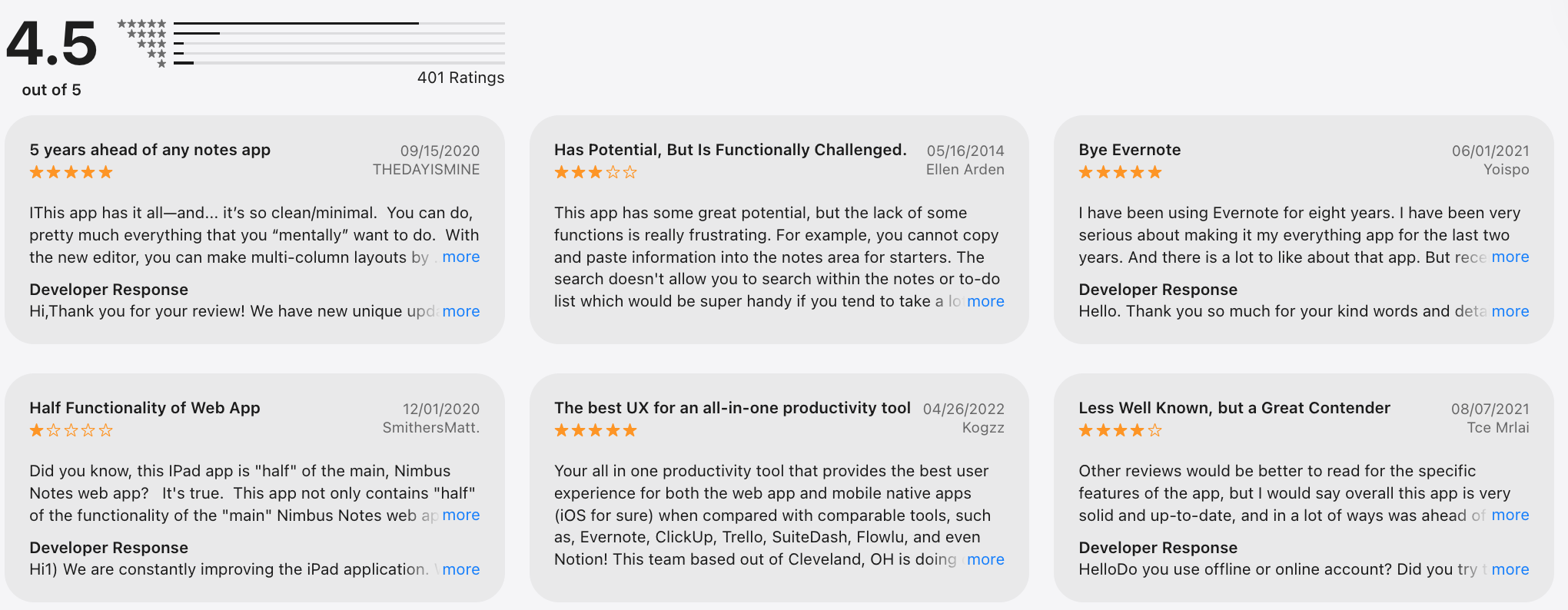
Conversely, some users report that regular feature updates can introduce minor stability issues that hinder daily speed.
Conclusion: Which Google Keep Alternatives would be suitable for you in 2026?
Here’s the truth: there’s no single “best Google Keep alternative” for everyone in 2026 - because people don’t think, plan, or work the same way.
- If you’re looking for a next-generation Google Keep alternative - one that doesn’t just store notes but actively helps you think, plan, and prioritize - Saner.AI clearly stands out.
- Some users want a simple, fast note-taking app that stays out of the way - that’s where Simplenote shines.
- If visual organization matters, Zoho Notebook offers a more colorful, notebook-style experience.
- Writers who value clean design and Markdown often gravitate toward Bear.
And for teams or research-heavy workflows, Nimbus Note brings structure beyond basic notes.
Our recommendation:
✨ Try 2–3 Google Keep alternatives with different strengths (simple notes, task-focused, AI-powered)
🧪 Use them in real life: daily planning, content ideas, quick thoughts, long-term goals
🧠 Measure mental clarity, not just features or price
If a tool helps you feel more focused, less scattered, and in control of your day, that’s your best Google Keep alternative.
Stay on top of your work and life
Best Google Keep alternatives: FAQ
1. The best alternative depends on what you felt Google Keep was missing.
The best Google Keep alternative depends on how you actually use notes.
If you mainly capture quick ideas, many lightweight apps work well. But if your notes often turn into things you need to remember or act on, tools like Saner.AI are often considered, as they connect notes with follow-ups rather than leaving them as static text.
2. Is there a better Google Keep replacement for productivity?
Yes. If productivity means actually following through, many Google Keep alternatives go further by:
- Turning notes into tasks
- Adding reminders and due dates
- Connecting notes with daily planning
An app like Saner.AI is often better suited for people who use Google Keep as a lightweight to-do list.
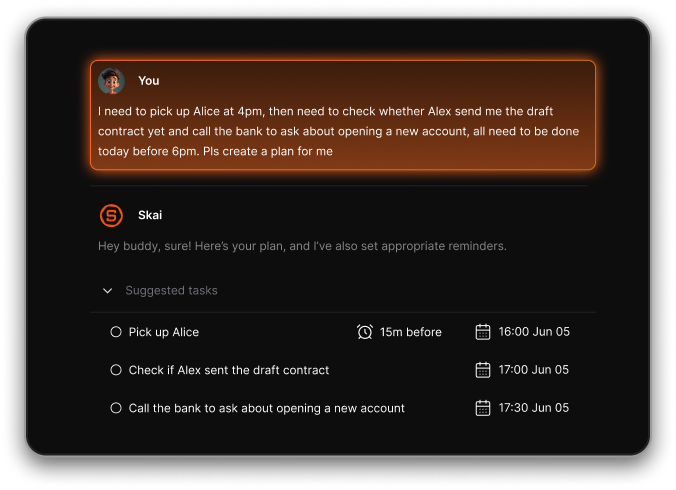
3. Which Google Keep alternative is best for turning notes into tasks?
Most note apps stop at storage. A smaller group focuses on execution.
Saner.AI is often mentioned here because it treats notes as potential actions, not just information, making it easier to move from “write it down” to “get it done.”
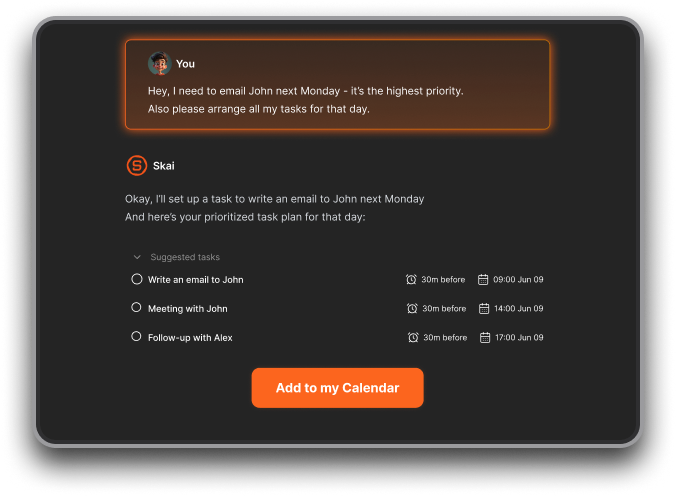
4. What are the limitations of Google Keep that alternatives solve?
Common reasons people switch away from Google Keep:
- No real folder or hierarchy
- Weak long-form writing support
- Limited task management
- Notes become cluttered over time
Google Keep alternatives typically focus on structure, retrieval, or follow-through.
5. Which Google Keep alternative is best for writing notes?
For writing-focused users, alternatives often prioritize:
- Clean, distraction-free editors
- Markdown or formatting support
- Long-form note organization
Apps like Saner.AI, Bear are popular among writers who find Google Keep too basic.
6. Which Google Keep alternative works best for daily planning?
Daily planning requires more than sticky notes.
Some alternatives, including Saner.AI, focus on surfacing what’s relevant today, rather than showing all notes at once - something Google Keep doesn’t handle well.
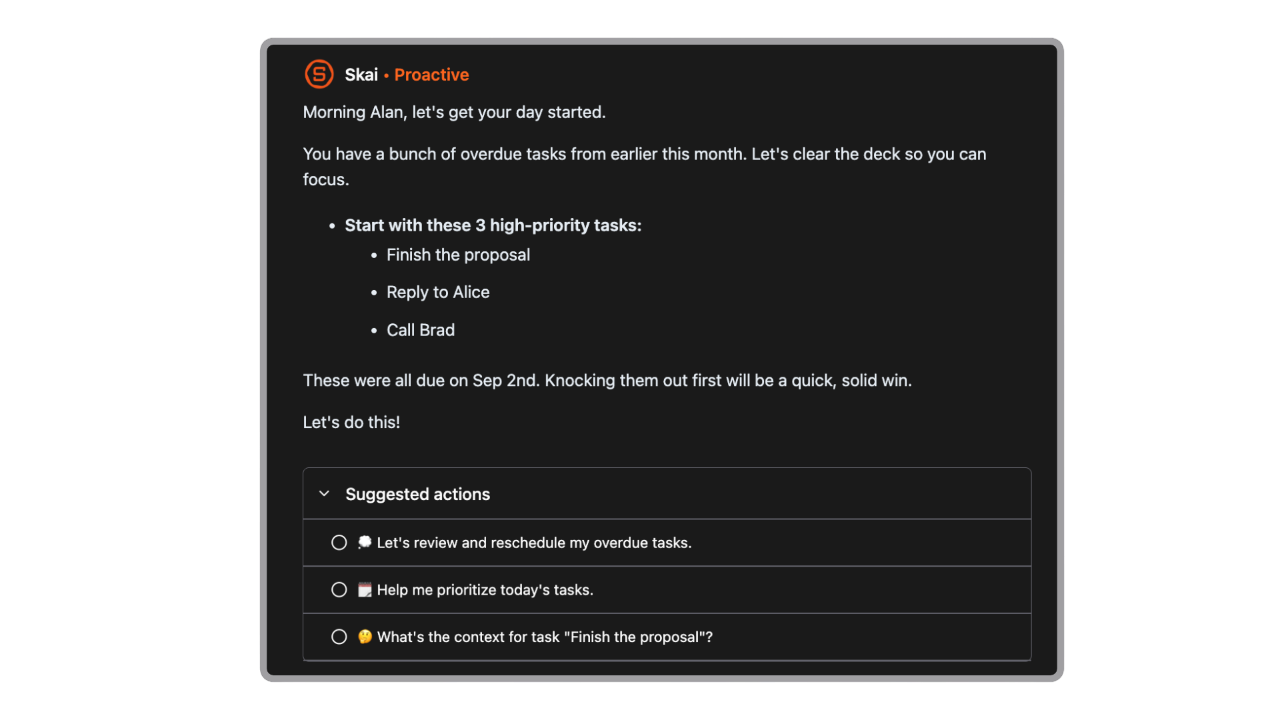
7. Which Google Keep alternative is best for remembering follow-ups?
Google Keep doesn’t natively handle follow-ups well.
Saner.AI is often mentioned in this context because it connects notes with reminders, making it easier to remember things like “check back next week” or “reply later.”
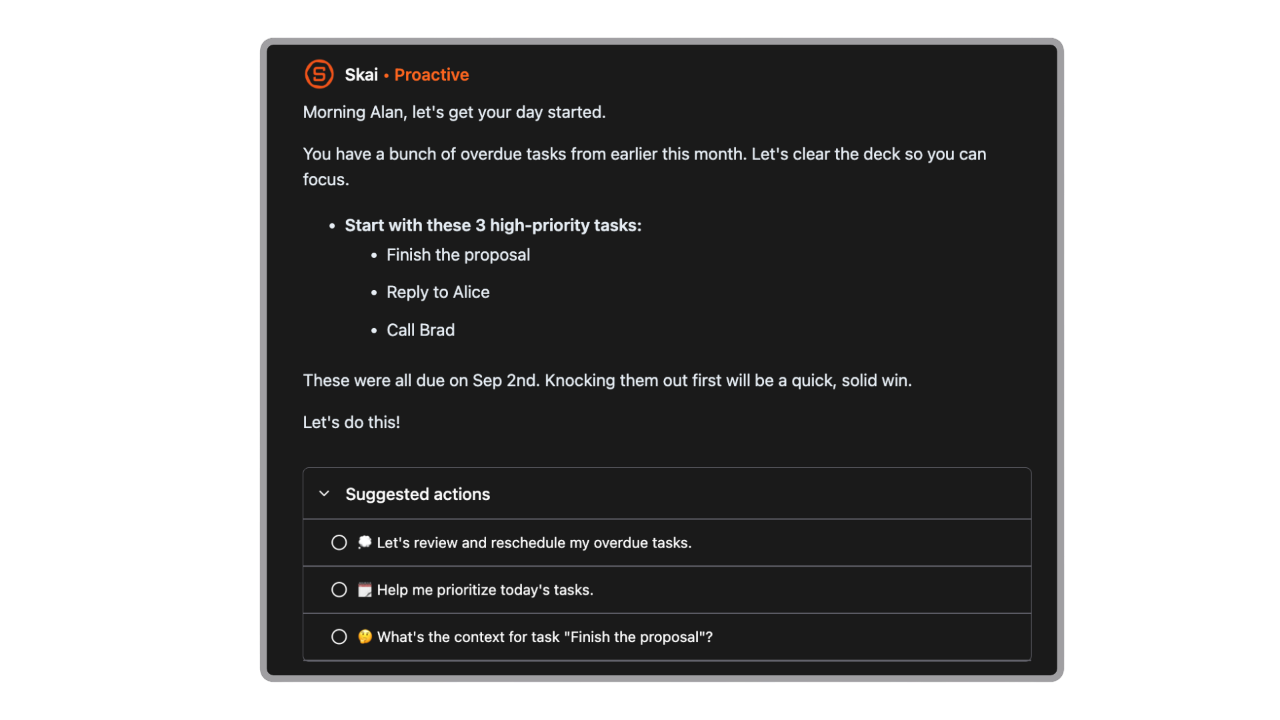
8. Which Google Keep alternative works best across devices?
Most modern alternatives support:
- Web
- iOS and Android
- Sync across devices
If cross-device access matters, check whether the app works offline and syncs reliably, and apps like Saner.AI fill in the gap perfectly.
9. Can Saner.AI replace both Google Keep and a to-do app?
For some users, yes.
Instead of keeping notes in Google Keep and tasks elsewhere, Saner.AI combines both, which is why it’s sometimes chosen as a single replacement rather than just a note app.
10. Which Google Keep alternative is best for minimalists?
Minimalists usually want:
- Zero setup
- Fast capture
- No dashboards or complexity
Apps like Saner.AI are often recommended as the closest “clean” replacement.
11. Are there Google Keep alternatives with AI features?
Yes. Newer tools use AI to:
- Understand messy notes
- Help you find things faster
- Suggest next actions
AI-powered Google Keep alternatives focus less on storage and more on reducing mental load.
12. What’s the best Google Keep alternative for work?
For work use, people often need:
- Task follow-ups
- Meeting notes
- Searchable context
Google Keep alternatives like Saner.AI designed for professionals usually combine notes, tasks, and reminders so nothing slips through.
13. Can I migrate from Google Keep to another app easily?
Most Google Keep alternatives support:
- Manual copy/paste
- Import from text or Google Takeout
While migration isn’t always one-click, many users take it as a chance to clean up old notes.
14. How does Saner.AI compare to other Google Keep alternatives?
In most “6 best Google Keep alternatives” comparisons:
- Google Keep = fast capture
- Writing apps = better long-form notes
- Task apps = stronger execution
Saner.AI usually sits in the middle - designed for people who want notes that don’t get forgotten.
Stay on top of your work and life



