
Lark Alternatives: We Tested The 7 Best Apps (Free & Paid)
The Best Lark Alternatives are Saner.AI, Coda, Slite, Monday, Asana, ClickUp, and Notion


The 7 Best Lark Alternatives
If you’re searching for Lark alternatives, you’re likely feeling some friction with the tool - whether it’s missing AI automation, limited customization, or workflows that don’t scale with your team. Lark is a strong all-in-one collaboration suite (docs, chat, calendar, meetings, cloud storage, workflow automation), but many teams eventually need more powerful AI features, deeper integrations, better project tracking, or more flexible documentation.
For others, the issue is simple: pricing, UX complexity, or needing tools that don’t lock you into the Lark ecosystem.
This guide breaks down the best tools similar to Lark, who they’re best for, and what to expect in terms of features and pricing.
1. What Is Lark?
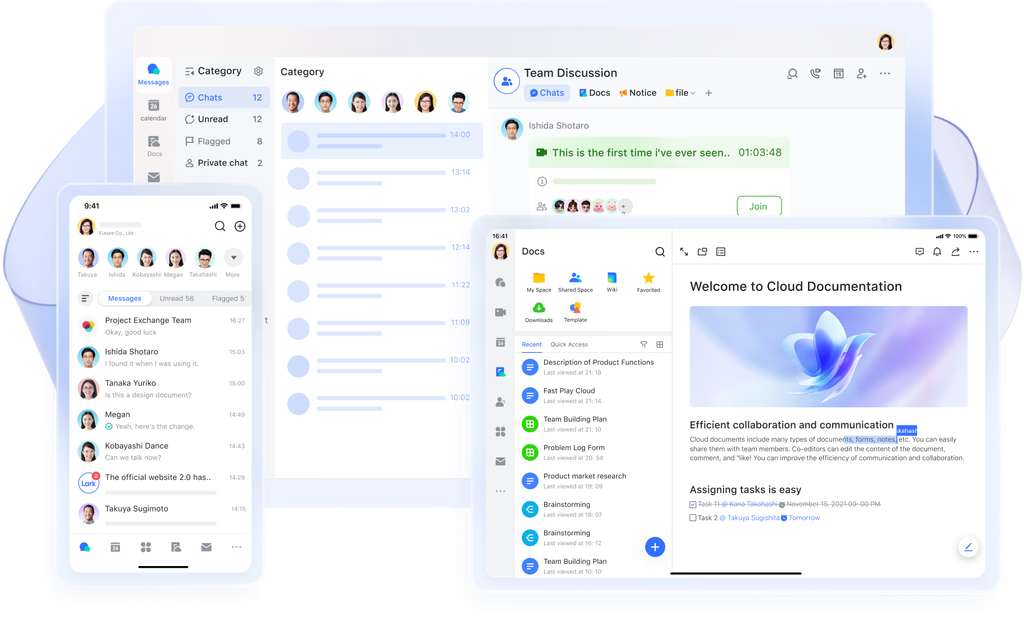
Lark is an all-in-one team collaboration platform combining:
- Docs & wikis, Chat & messaging
- Video meetings, Tasks
- Calendar, Cloud storage
- Workplace automation
2. Why People Look for Lark Alternatives
Despite its strengths, users often look for apps like Lark because of:
- Confusing UI - some users find the navigation less intuitive
- Limited customization for docs, dashboards, and hierarchies
- Not ideal for complex project workflows
- Rigid file and folder structures
- AI features aren’t as deep as newer AI-first tools
- Pricing concerns, especially for growing teams
- Strong reliance on the Lark ecosystem, making migration difficult
If you need better AI automation, deeper integrations, or more flexible documentation, switching makes sense.
3. How to Choose the Best Lark Alternative
Use this framework:
- Collaboration Features: Do you need chat, meetings, real-time editing, or async communication?
- Documents & Knowledge Management: Does the tool support wikis, databases, rich formatting, or smart AI insights?
- AI Automation Depth: Does it automate tasks, rewrite content, extract action items, or generate plans?
- Task & Project Management: Simple to-dos or full project roadmaps?
- Calendars & Communication: Included or integrated with Google/Microsoft ecosystem?
- Integrations: Does it work smoothly with your existing apps?
- Ease of Onboarding: How long will it take for your team to adopt the tool?
- Pricing: Is it affordable? Are AI credits expensive?
Now, let's dive in!
What are the Best Lark Alternatives?
The Best Lark Alternatives are Saner.AI, Coda, Slite, Monday, Asana, ClickUp and Notion
🧾 Comparison Table: Best Lark Alternatives
| Tool | Collaboration | Docs | AI Strength | Project Mgmt | Price | Best For |
|---|---|---|---|---|---|---|
| Saner.AI | Medium | Strong | ⭐ Very High | Light | $ | AI-first productivity |
| Coda | Medium | Very Strong | High | Medium | $$ | Custom workflows |
| Slite | Medium | Medium | Medium | Low | $ | Documentation |
| Monday | Medium | Low | High | Very High | $$–$$$ | Project-heavy teams |
| Asana | Low | Low | High | Very High | $$–$$$ | Structured PM |
| ClickUp | Medium | Strong | High | High | $ | All-in-one suite |
| Notion | Medium | Very Strong | Medium–High | Medium | $ | Wikis & docs |
1. Saner.AI
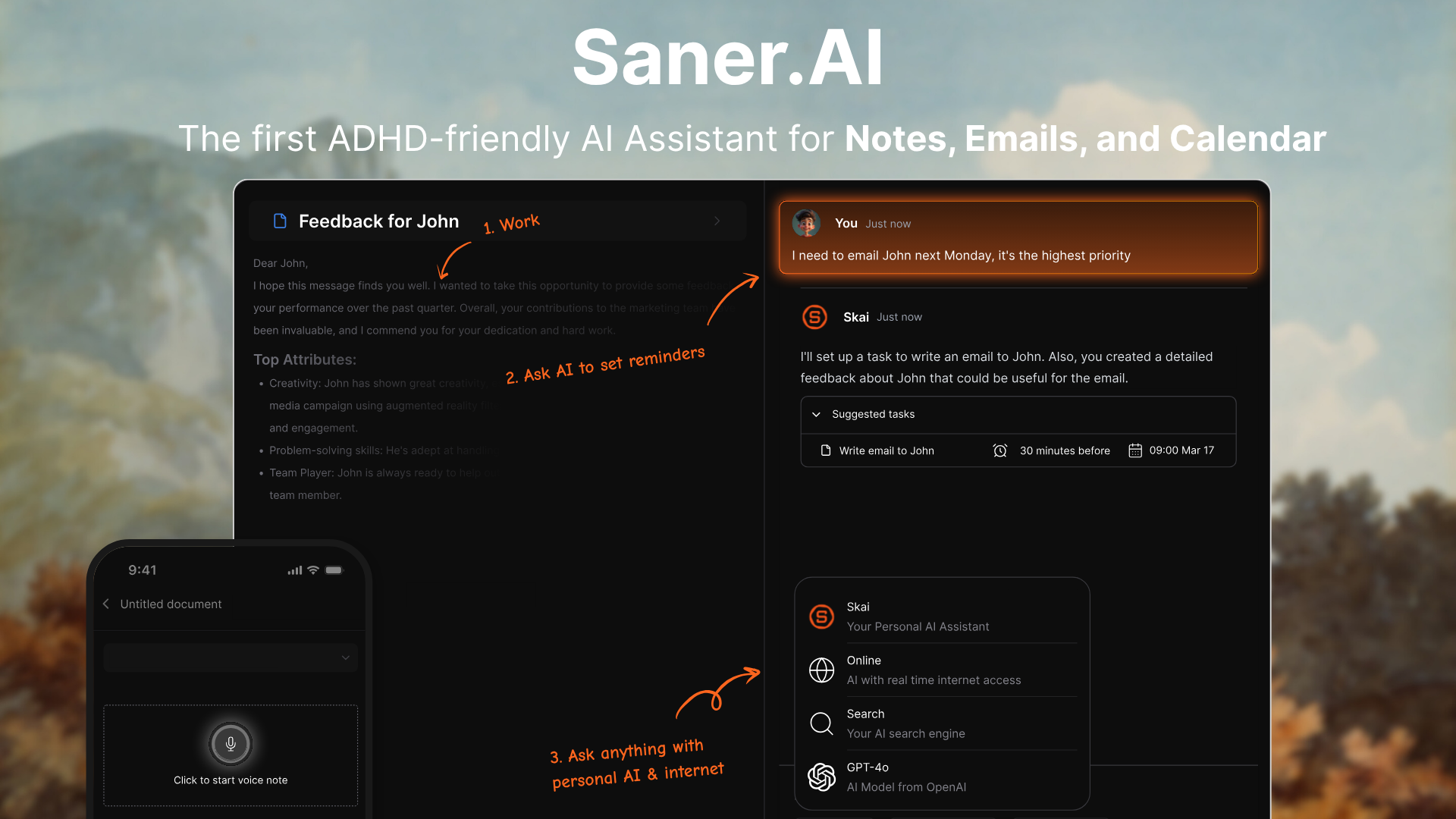
Saner.AI is an AI workspace that combines notes, tasks, email, and calendar into one place. It’s built to reduce context switching, organize your information automatically, and act like a personal “AI second brain”. It works well for individuals or small teams who want a smarter, more flexible alternative to traditional all-in-one suites like Lark.
Key features
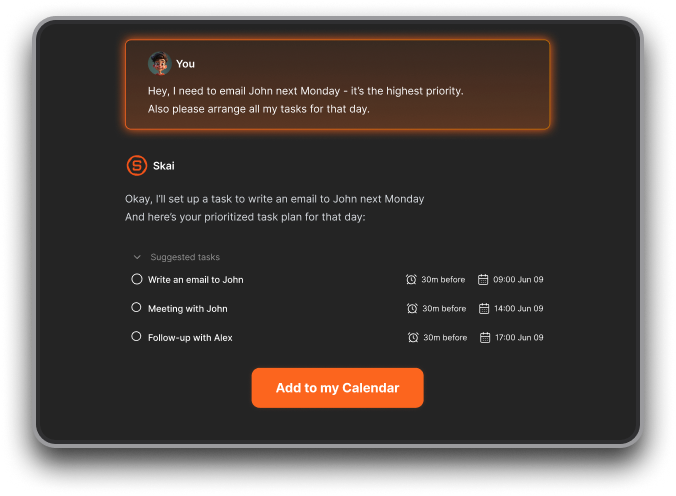
- Proactive Planning: The AI automatically gives you an optimal day plan every morning
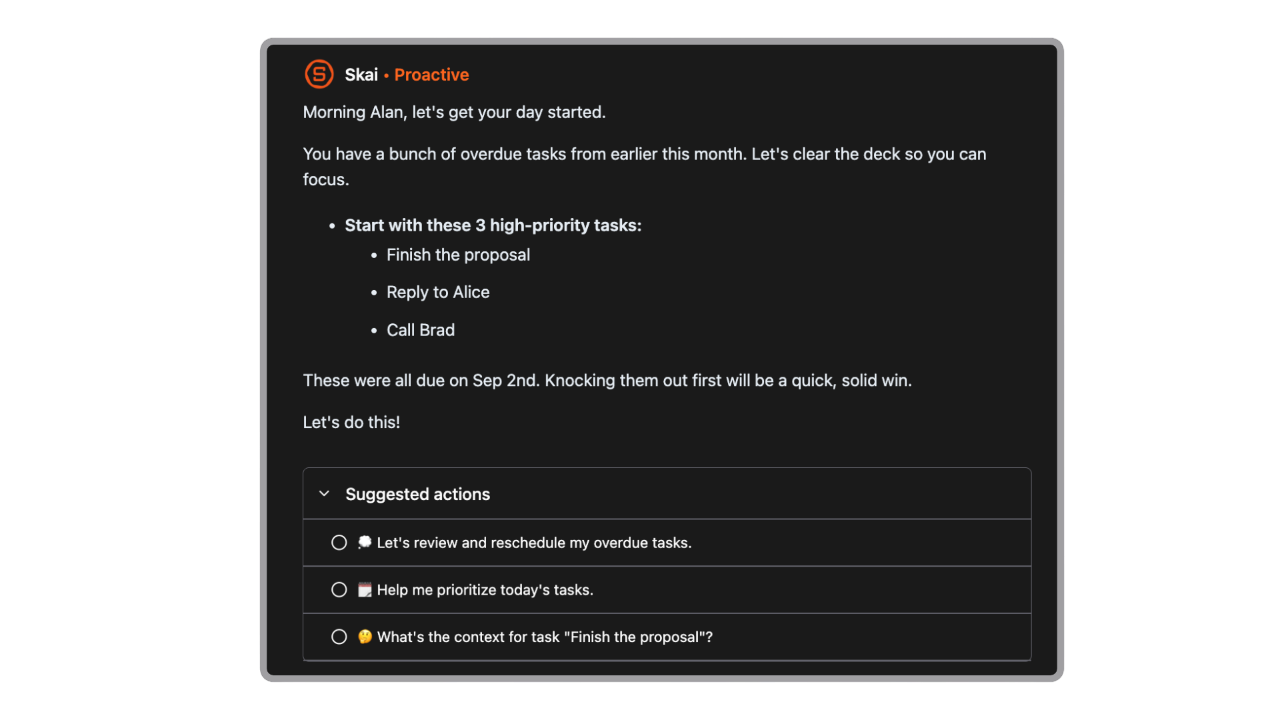
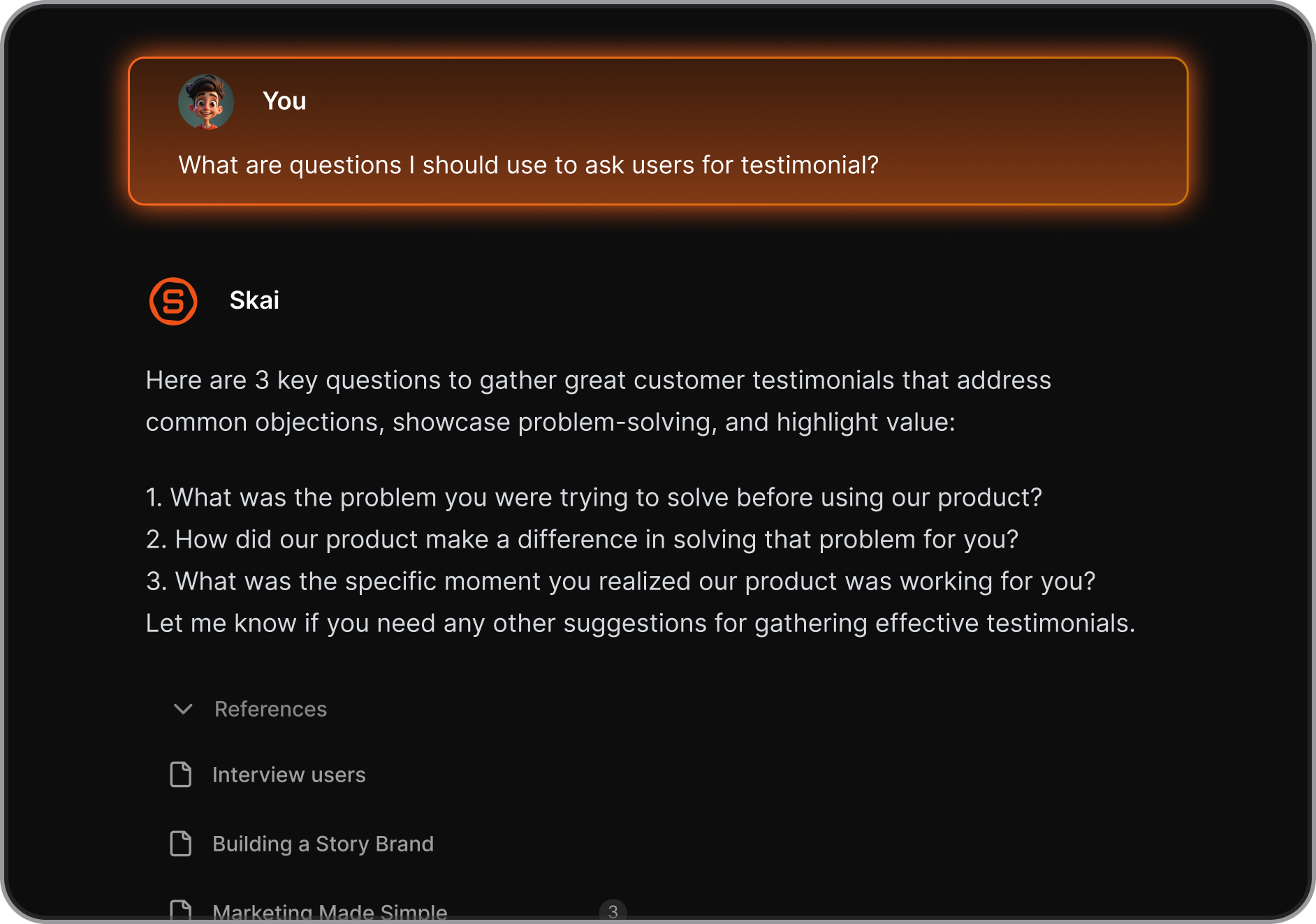
- AI assistant (“Skai”) that auto-organizes notes, tasks, and documents for you
- Semantic and natural-language search across everything
- Cross-platform access: web, mobile apps, and browser extension
- Integrations for email, calendar, and cloud storage
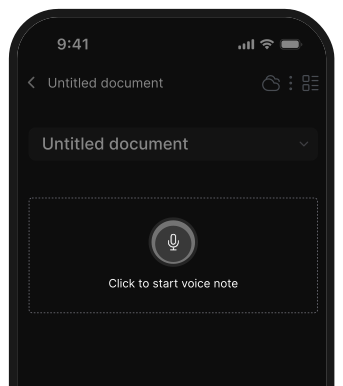
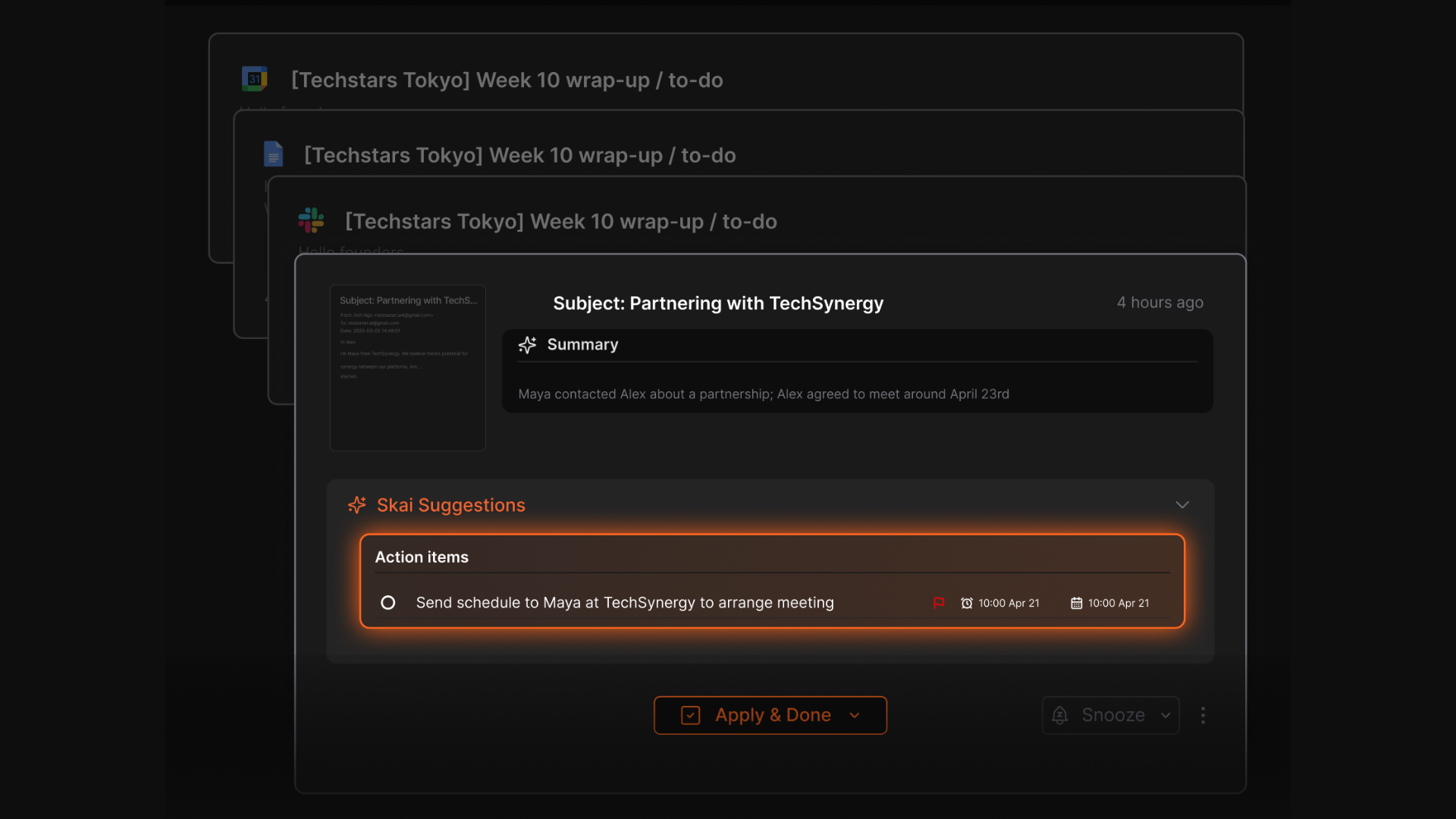
- Pulls tasks from notes/emails automatically to help with daily planning
What I liked
- Search is fast and intuitive - you don’t need to remember exact keywords
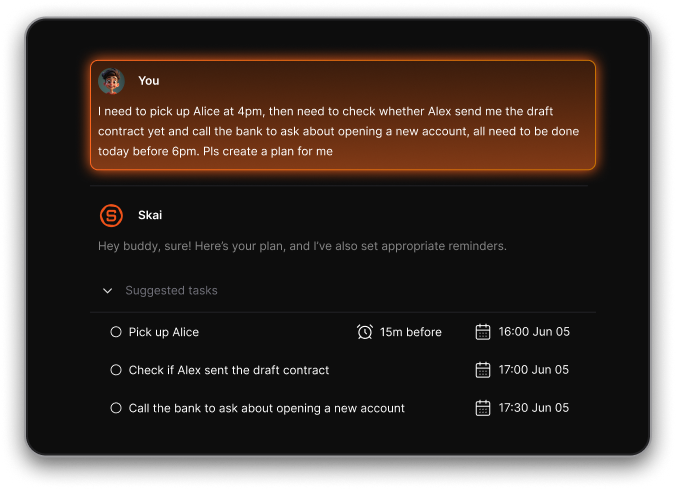
- Helps turn brain dumps into actionable tasks
- Helpful for users who get overwhelmed or struggle with organization
- Pricing is affordable compared to subscribing to several tools separately
Cons
- Not ideal for large teams or project timelines.
Pricing
- Free plan with core features and usage limits
- Paid tiers around $8–$16/month for unlimited notes, full AI access, integrations, and more
Who is it suitable for?
- Individuals with ADHD or anyone prone to overwhelm
- Knowledge workers, students, and researchers with lots of information to manage
- Solopreneurs or small teams who want an AI workspace
- People looking for a “second brain” rather than a full team chat suite
Saner.AI review

Why it works as a Lark alternative
- Lark focuses on team chat, meetings, and collaboration
- Saner.AI focuses on personal productivity, knowledge management, and planning
- Better choice if you want an AI organization rather than communication tools
- Ideal for individuals or small teams who don’t need enterprise chat/video features
How to start
- Go to Saner.AI
- Create a free account
- Start capturing notes/tasks
- Let the AI organize and connect everything for you

Stay on top of your life with the Top Lark Alternative
2. Monday
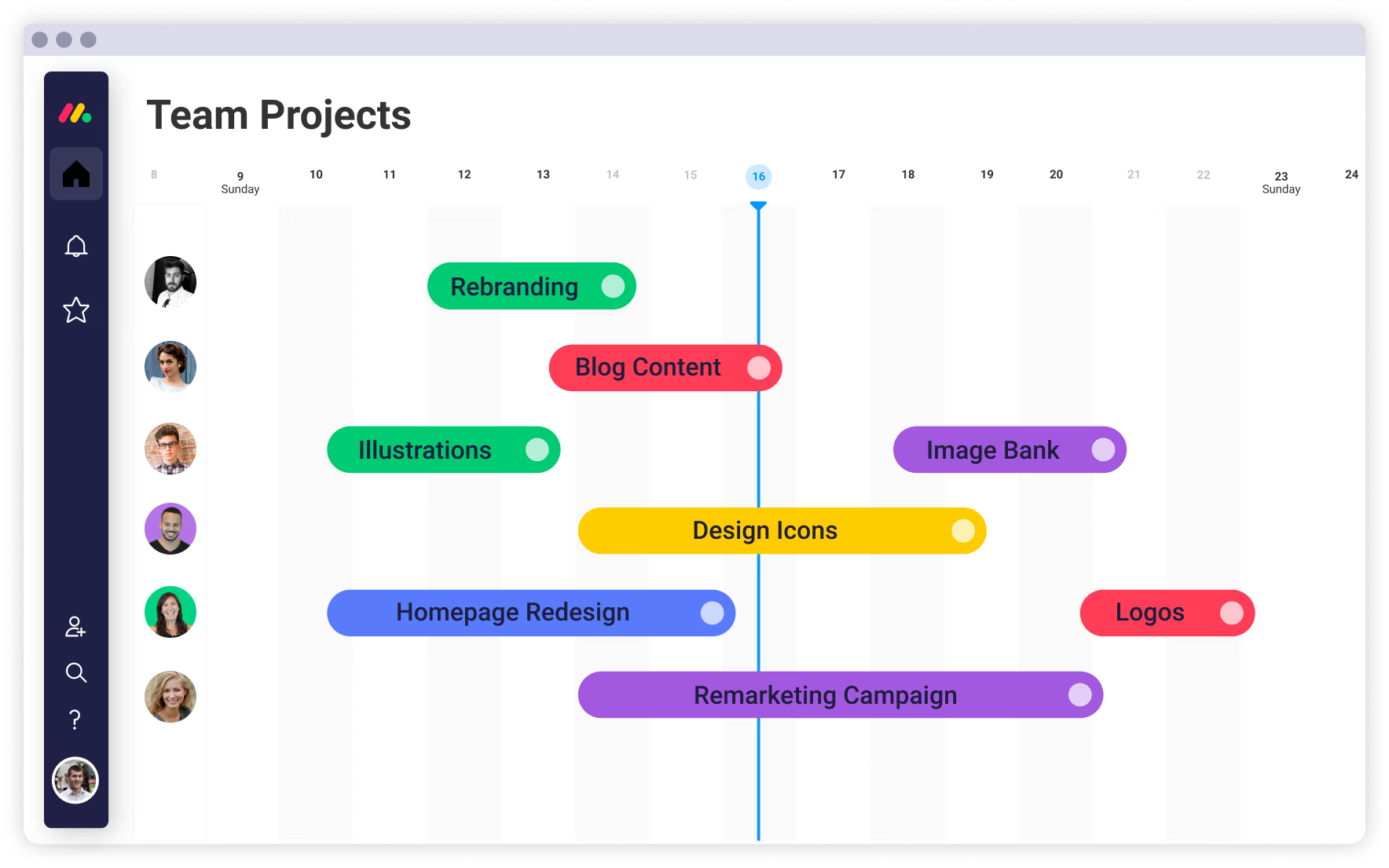
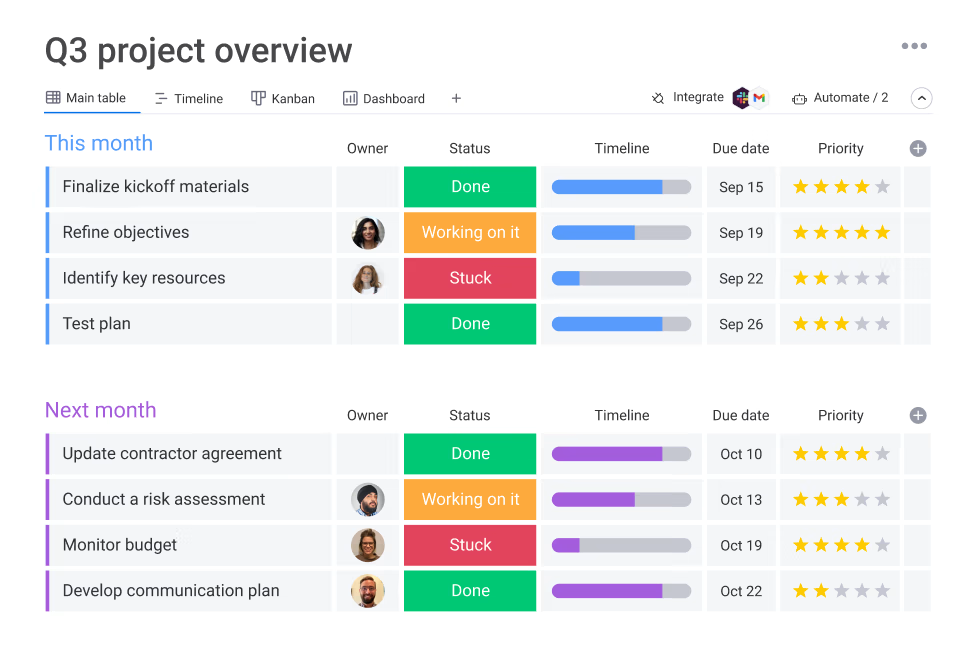
Monday.com is a work management platform that helps teams organize projects, tasks, processes, and workflows. It’s built around customizable boards, automations, and integrations, making it useful for replacing parts of Lark’s workspace
Key features
- Customizable boards to track tasks, deadlines, owners, and workflows
- Large template library for project management, CRM, content planning, and operations
- Integrations with tools like Slack, Gmail, Google Drive, Jira, and more
- Multiple views: Kanban, timeline, Gantt, calendar, workload, table
What I liked
- Extremely flexible structure
- Templates save setup time and help teams get started quickly
- Visual views (timeline, Gantt, workload) give strong clarity on who’s doing what
What I disliked
- Real-time communication isn’t built in
- Feels more like a project/work system than an all-in-one collaboration suite
- Smaller teams might find the higher tiers pricey once they scale
Pricing
- Basic plan starting around $49/month for small teams
- Standard plan around $79/month
- Pro plan around $119/month
Suitable for
- Teams focused on task tracking, project workflows, and structured work management
- Companies that need visibility into responsibilities, timelines, and progress
- Teams already using other chat or document tools and just need a project hub
How to start
- Go to monday.com
- Create a free account
- Pick a template (project tracking, CRM, content, etc.)
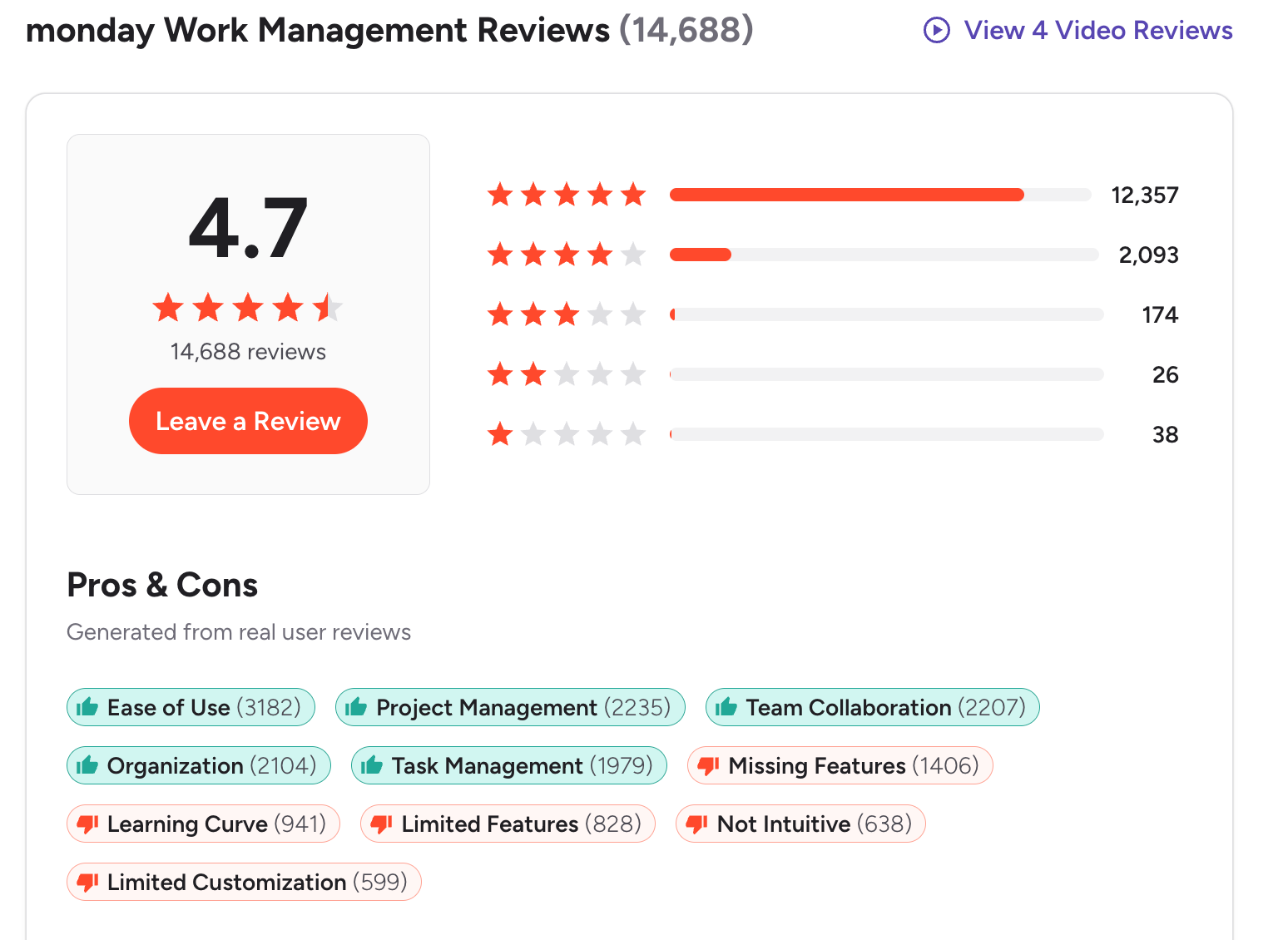
Monday.com Reviews (Source)
3. Coda
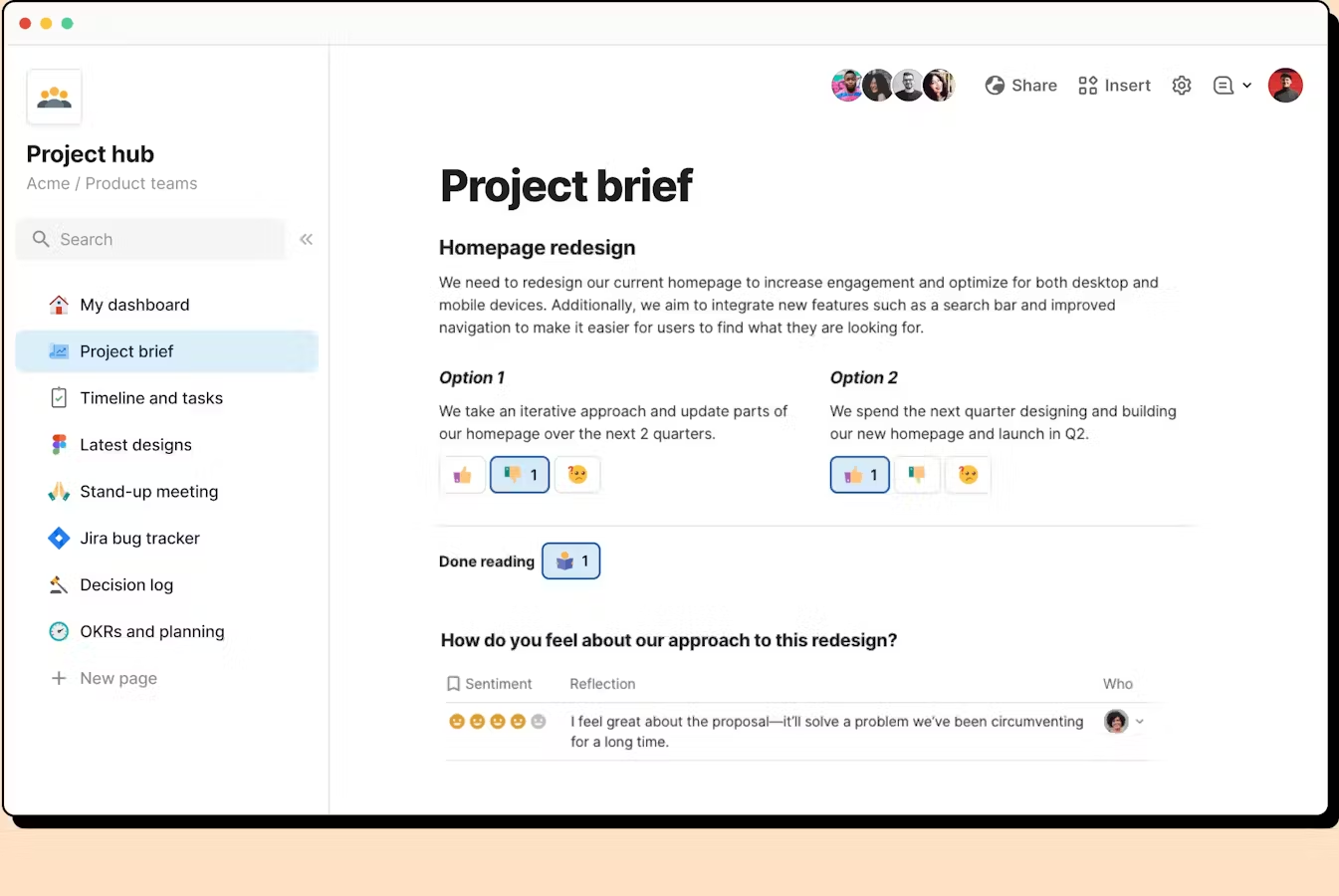
Coda is a flexible all-in-one workspace that blends documents, spreadsheets, databases, and lightweight apps into a single canvas. Teams use it to replace scattered docs, project tools, and spreadsheets with one customizable system.
Key features
- Unified doc that works like a doc, spreadsheet, and app in one
- Relational tables and formulas that let you model complex workflows
- Large library of templates for meeting notes, roadmaps, CRMs, team hubs, and more
- “Packs” that integrate with external tools like calendar, email, project trackers, and data sources
What I liked
- Extremely flexible - you can build docs, trackers, CRMs, or lightweight apps without switching tools
- Templates make setup fast and reduce the need to build from scratch
What I disliked
- Not a full communication suite - no built-in chat or video calls like Lark
- Some learning curve around formulas, relational tables, and customization
- Automations and integrations on the free plan can feel limited
Pricing
- Free plan
- Paid plans from 12$/month
Suitable for
- Teams wanting a customizable all-in-one workspace for docs, data, and workflows
- Groups replacing multiple tools like spreadsheets, project boards, wikis, or CRMs
How to start
- Go to Coda
- Create a free account
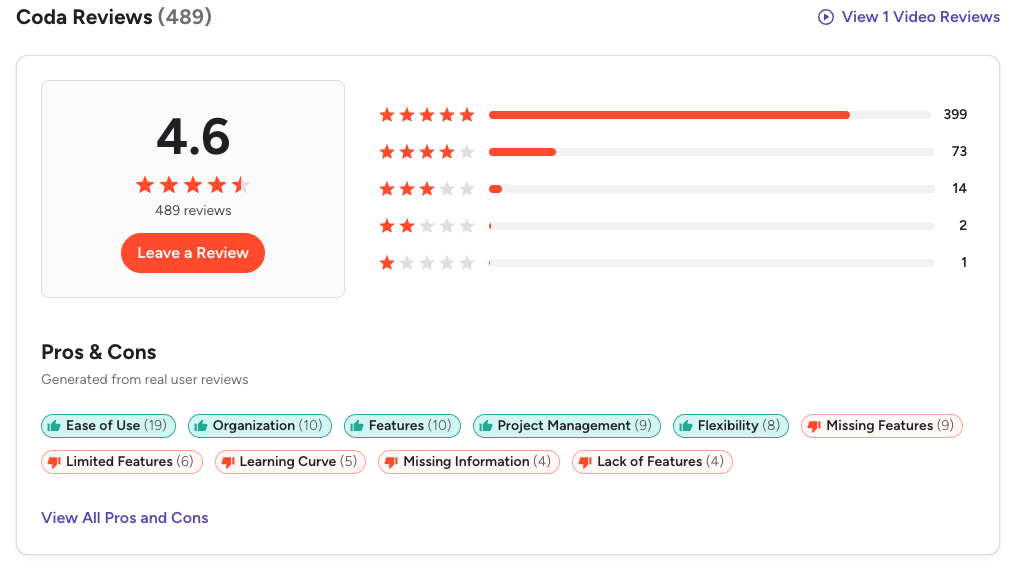
Coda Reviews (source)
4. Asana
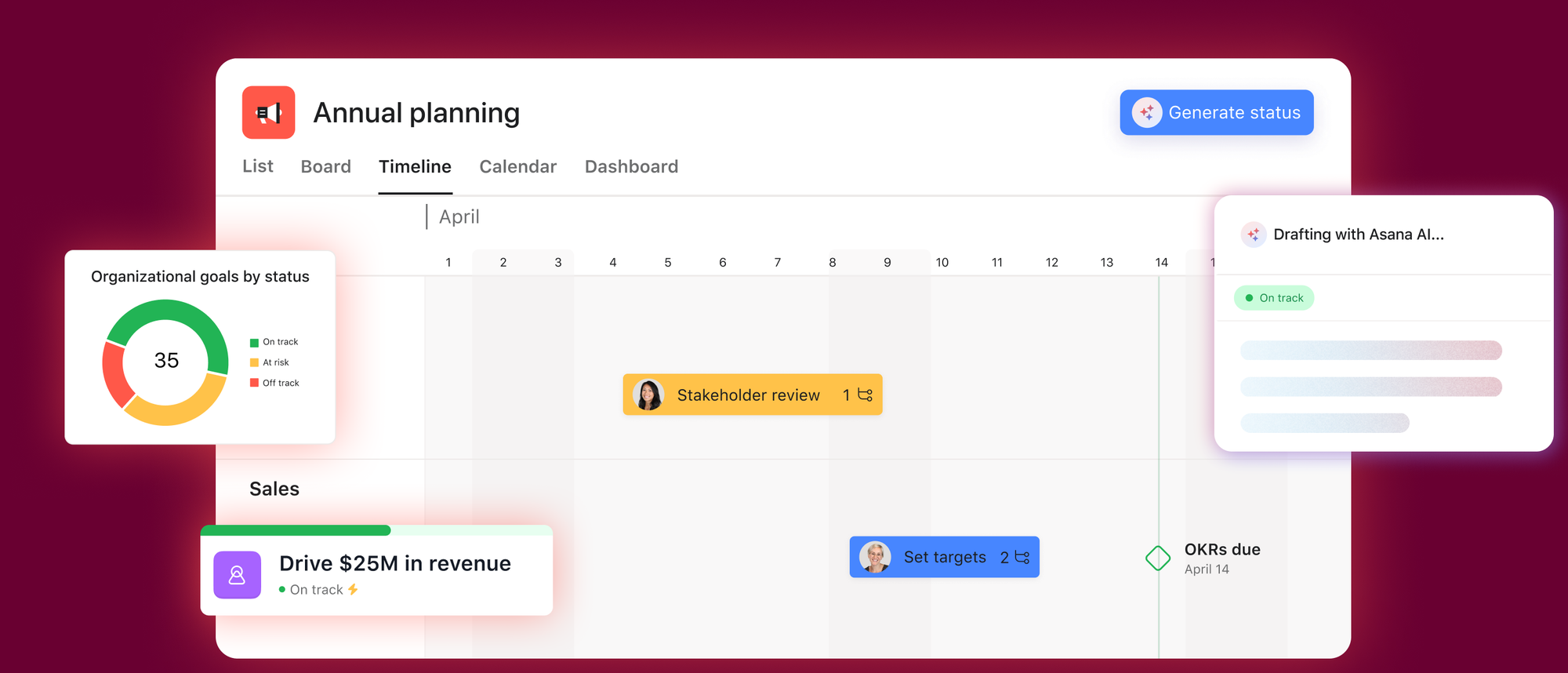
Asana is a project-management tool that helps teams organize tasks, deadlines, and workflows. It’s not an all-in-one suite like Lark, but it becomes a strong Lark alternative if your priority is structured project tracking rather than chat or documents.
Key features
- Multiple project views: List, Board, Timeline, and Calendar
- Task management with assignees, due dates, dependencies, and status updates
- Project reporting, dashboards, and workload tracking
- Integrations with Slack, Google Workspace, Teams, and other collaboration tools
What I liked:
- Strong for structured project management across teams
- Flexible views that fit different work styles
- Automations save time by reducing manual task updates
- Good for scaling teams with many parallel projects
What I disliked:
- No built-in chat, video meetings, or collaborative docs like Lark
- Requires pairing with other tools for communication (Slack, Zoom, etc.)
- Advanced features require higher-tier pricing
- Not ideal for teams wanting a single all-in-one workspace
Pricing:
- Free plan with basic features (popular for small teams)
- Premium plans starting around $10.99/user/month
Suitable for:
- Teams focused on project and task management
- Companies already using separate tools for chat and meetings
- Medium to large teams needing visibility across many workflows
- Organizations that value structured planning over all-in-one suites
How to start:
- Create a free Asana account
- Set up your first project using List or Board view
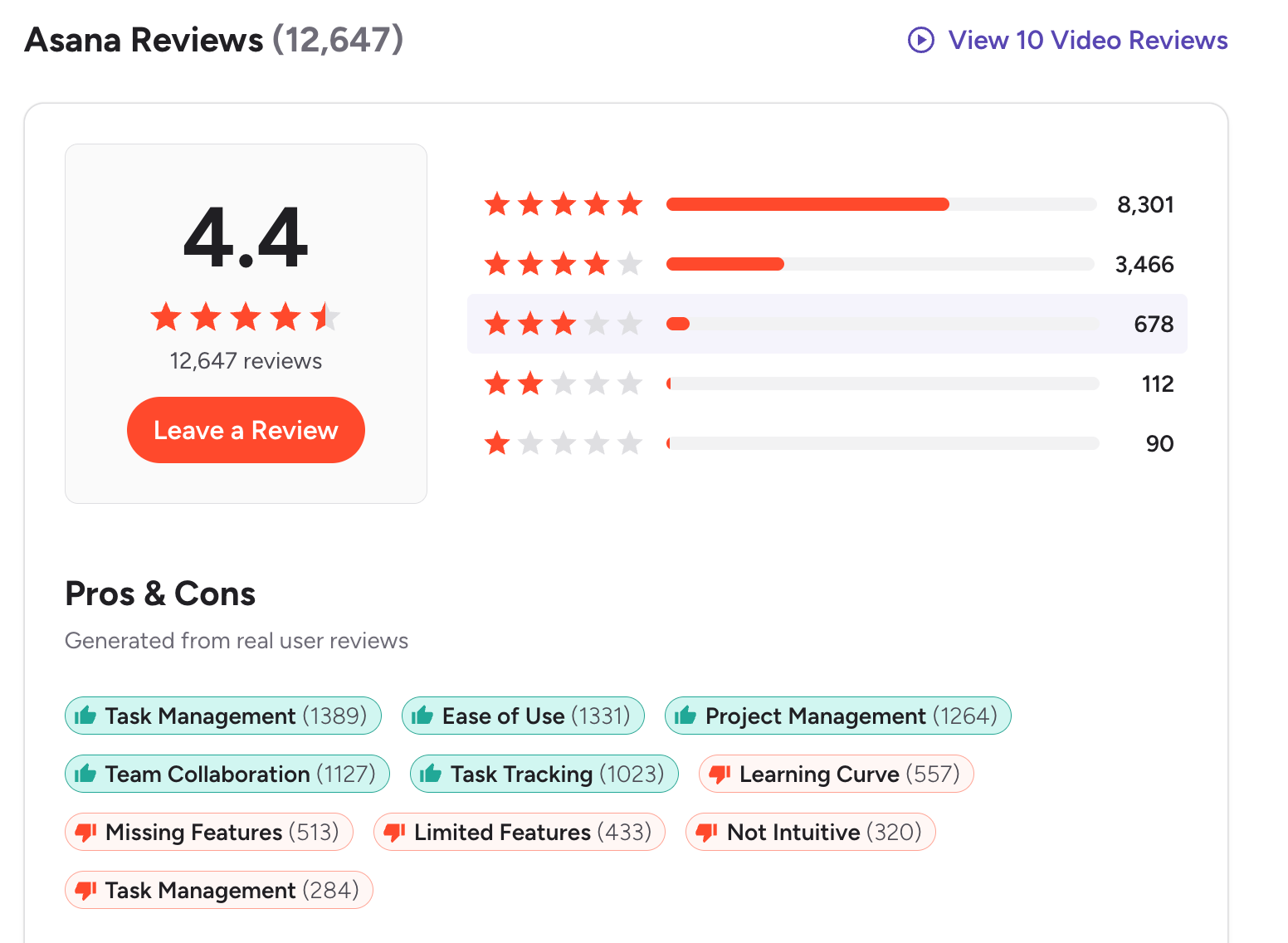
Asana reviews (source)
5. Notion
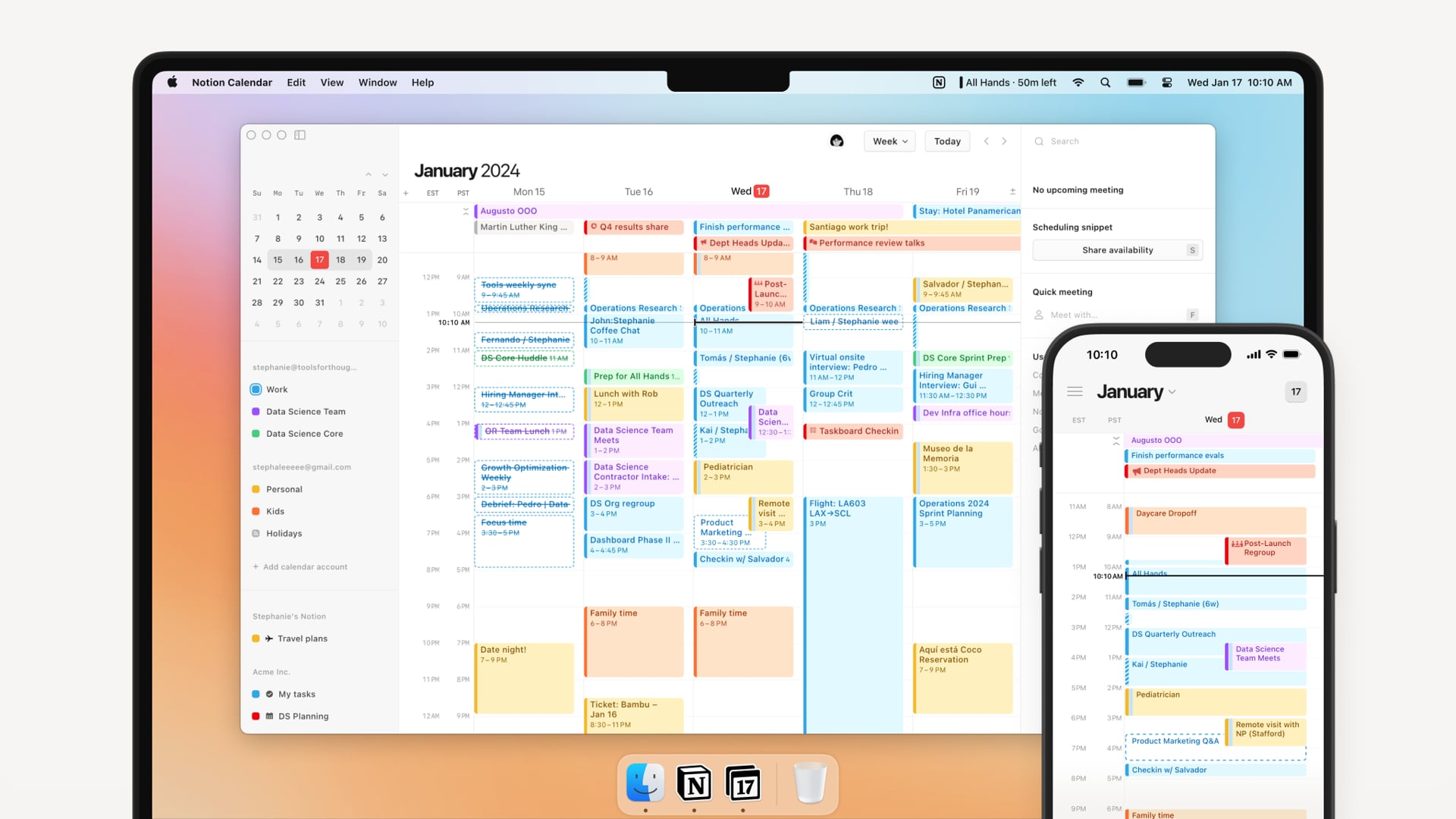
Notion is an all-in-one workspace for notes, docs, tasks, and project management. Many teams consider it a Lark alternative because it offers strong documentation and workflow flexibility, even though it doesn’t replace Lark’s real-time chat or video features.
Key features
- Flexible block-based editor for building notes, docs, wikis, and databases
- Project and task management with Kanban, calendar, and list views
- Team knowledge base for documentation and onboarding
- Large template library to speed up setup
What I liked
- Extremely customizable for different workflows (projects, docs, personal planning)
- Great for organizing information in a structured, scalable way
- Templates help you get started quickly
What I disliked
- No built-in chat or video calls like Lark
- Not ideal for rapid, real-time communication
- Some teams struggle to maintain consistent structure without strict guidelines
Pricing
- Free plan — suitable for individuals, unlimited pages/blocks
- Plus plan — around $10/user/month (annual billing)
- Business plan — around $20/user/month (annual billing), includes AI
Suitable for
- Teams focused on documentation, wikis, and project tracking
- Individuals who want an all-in-one workspace for notes and tasks
How to start
- Create a free Notion account
- Pick a template that matches your workflow
Notion reviews (source)

6. ClickUp
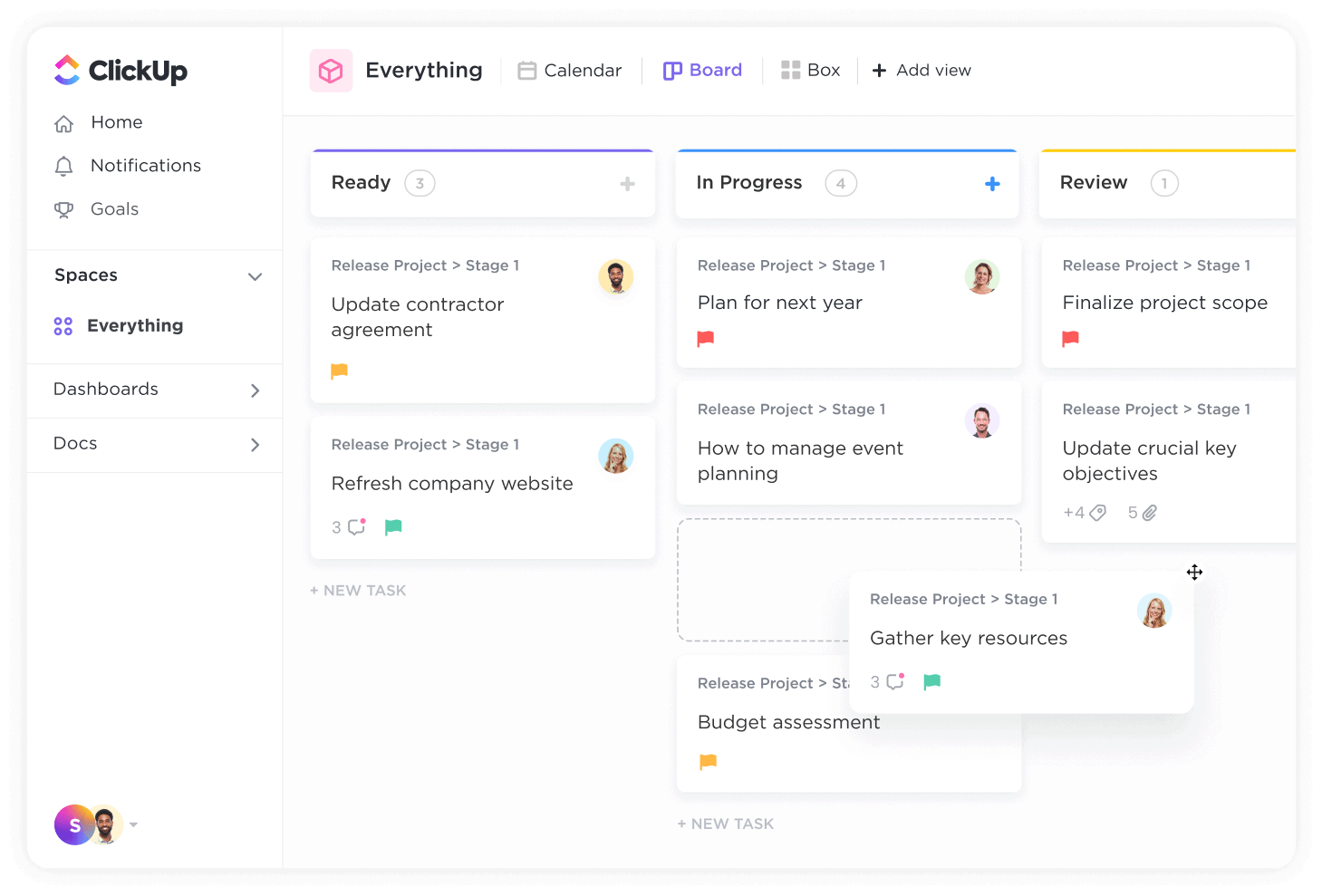
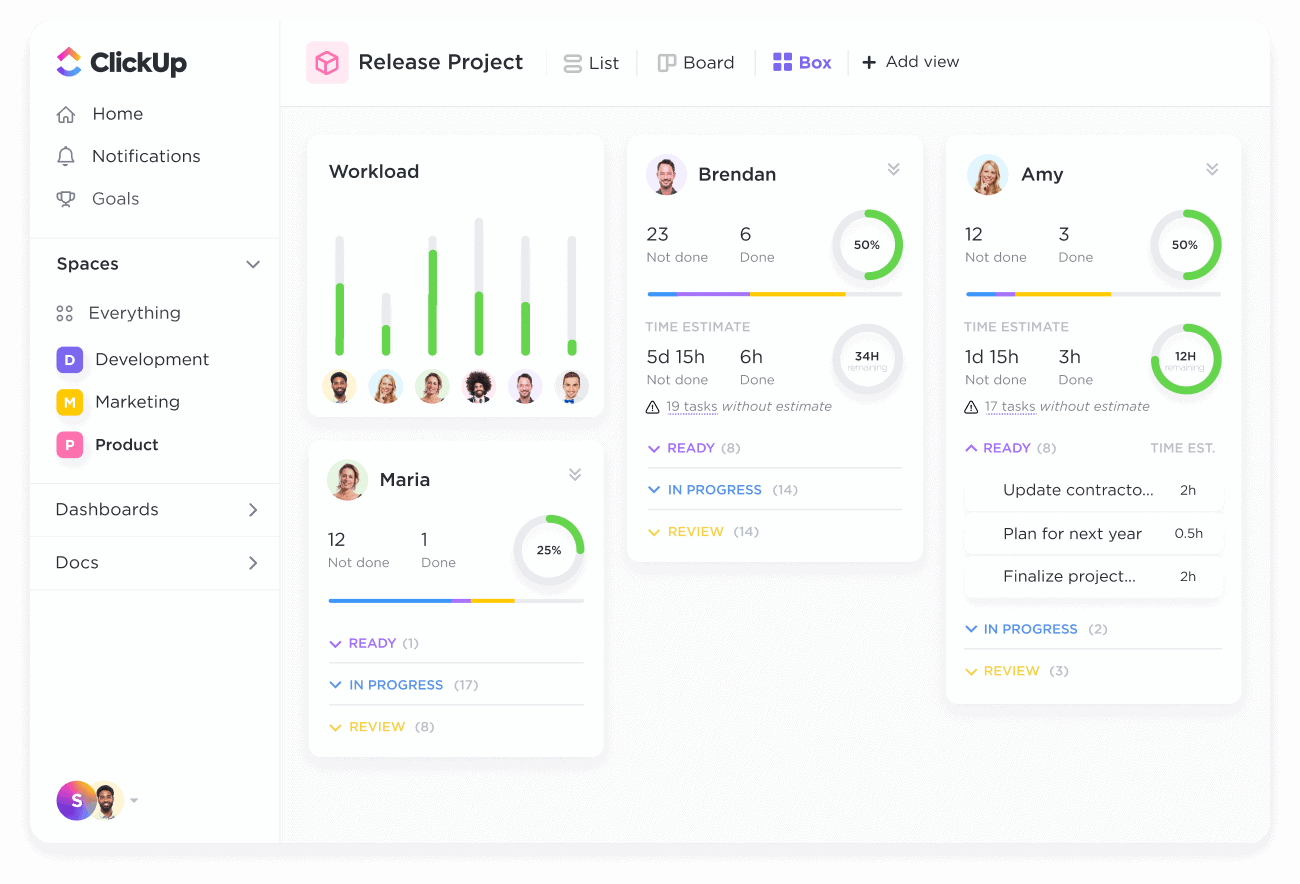
ClickUp is an all-in-one work platform that blends project management, docs, whiteboards, chat, and automation in one place. It’s often considered a strong Lark alternative for teams that want deeper workflow structure and more control over projects.
Key features
- Unified workspace for tasks, Docs, Whiteboards, and chat
- Multiple project views: List, Board, Gantt, Calendar, Timeline
- Built-in time tracking, dashboards, and reporting
- Real-time collaboration with comments, @mentions, chat, and shared docs
What I liked
- Powerful for teams that need structure, deadlines, and workflow clarity
- Reduces tool-sprawl by putting tasks, docs, and chat in one system
- Highly customizable to match different team styles and processes
What I disliked
- Can feel complex or overwhelming for beginners
- Chat, email, and meeting features aren’t as tightly integrated as in Lark
- Setup and customization require some upfront effort
- Works best when the team commits to using ClickUp as the core workspace
Pricing
- Free plan available
- Paid plans start around $10/user/month
Suitable for
- Teams that need strong project and task management
- Agencies, product teams, and operations-heavy businesses
- Teams with growing workflow complexity
How to start
- Go to ClickUp
- Create a free workspace
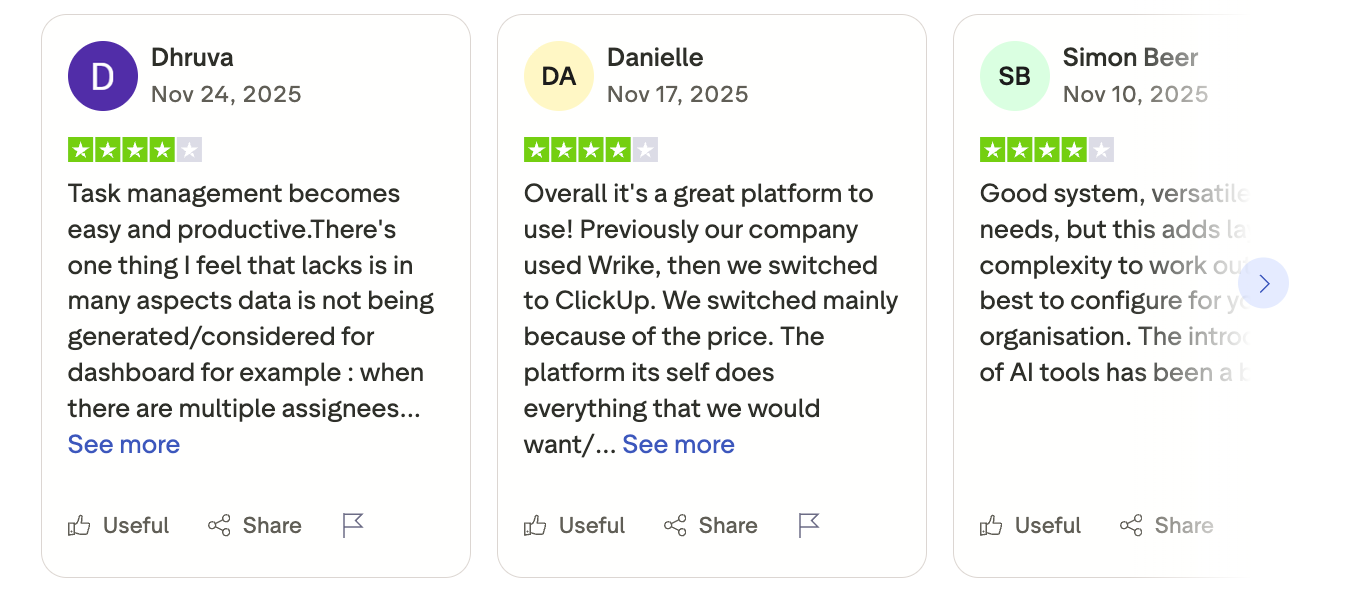
ClickUp Reviews (source)
7. Slite
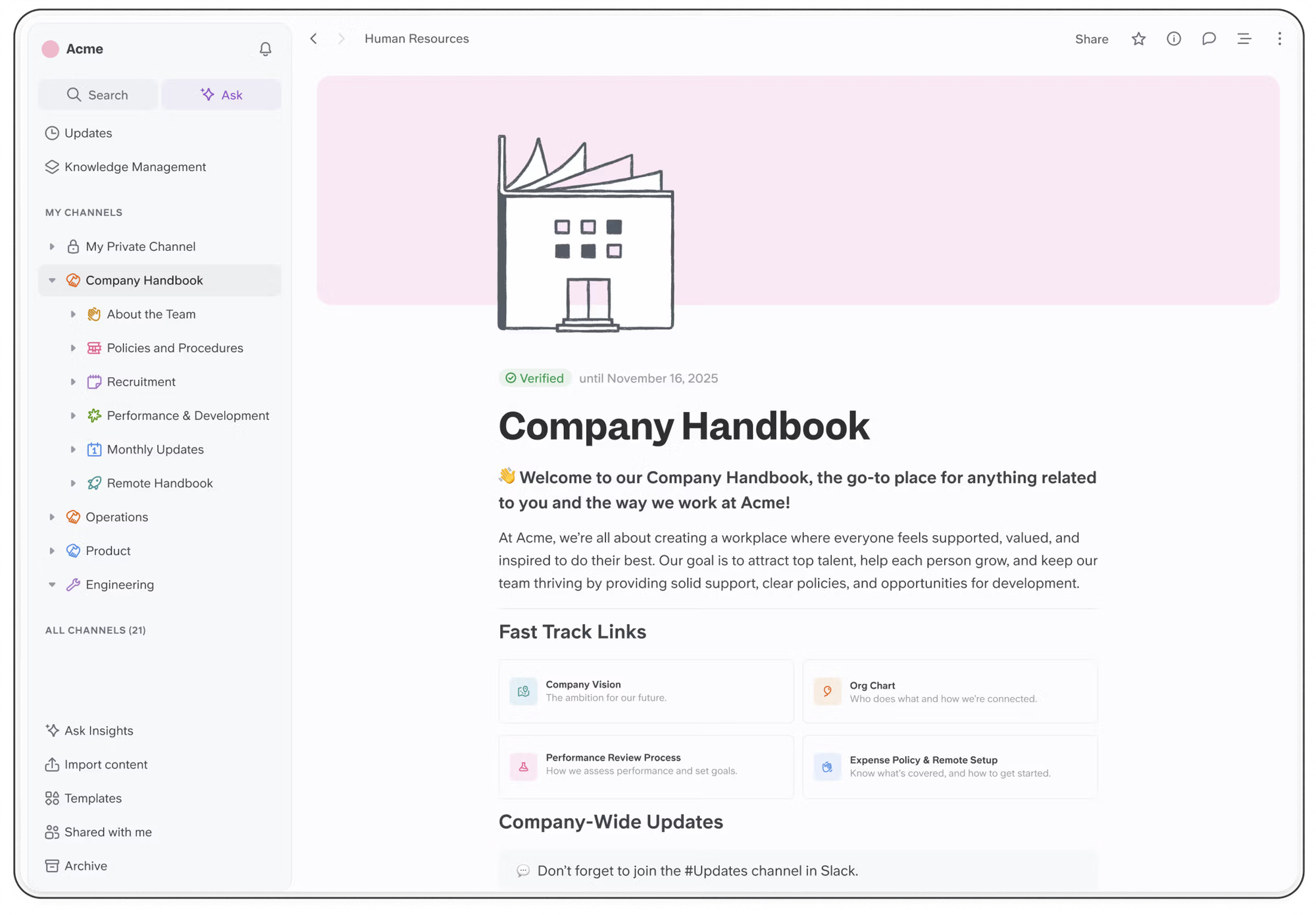
Slite is a collaborative knowledge management tool that helps teams organize meeting notes, SOPs, wikis, and internal processes in a simple, collaborative workspace. It’s often used as a replacement for heavier all-in-one suites when teams mainly need clean documentation rather than chat, calls, and complex workflows.
Key features
- Clean editor for writing internal docs, meeting notes, and project specs
- AI assistant search, summarization, and writing support
- Real-time co-editing, comments, and mentions for async collaboration
- Flexible structure using Collections and folders
What I liked
- Extremely simple and easy to onboard teams
- Great for creating a shared knowledge base without complexity
What I disliked
- It’s documentation-first, not an all-in-one suite like Lark
- No built-in chat, calls, or project management
- Governance and permissions are more basic than enterprise tools
Pricing
- Free plan
- Paid plans from 25$/month
Suitable for
- Teams that mainly need documentation, SOPs, meeting notes, or wikis
- Remote-first teams that rely heavily on async communication
- Startups or small teams wanting a simple, clean knowledge base
How to start
- Sign up for a free Slite workspace
- Create Collections for projects or departments
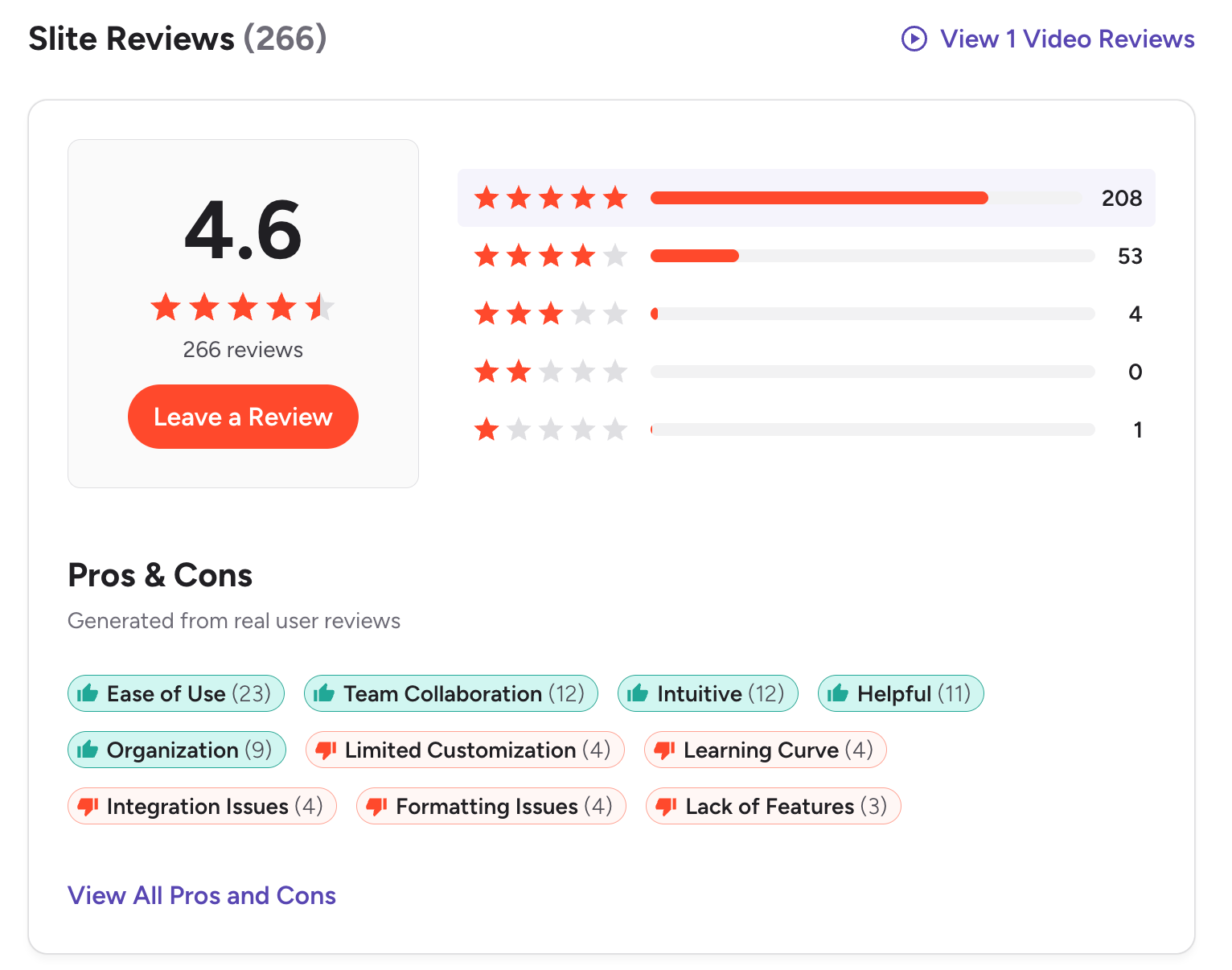
Slite Reviews (source)
🏁 Conclusion
Finding the right collaboration platform isn’t about choosing the “best” tool - it’s about choosing the one that fits how your team actually works. Lark is powerful, but it won’t satisfy every workflow, especially if you need deeper AI automation, more flexible documentation, or stronger project management.
The good news is that 2025 offers a wide range of Lark alternatives that can match different needs, from AI-first workspaces like Saner.AI to project-heavy tools like Monday and Asana.
The best next step is simple: test a couple of options, see which one feels intuitive, and choose the tool that reduces friction instead of creating more of it.
The right system should make work feel lighter, clearer, and easier - not more complicated.
The AI Assistant that organizes your day
FAQ: Best Lark Alternatives (2025 Guide)
1. What is Lark, and why are people looking for Lark alternatives?
Lark is an all-in-one platform combining docs, chat, meetings, cloud storage, and tasks.
People search for Lark alternatives when they need:
- More flexible documentation
- Stronger project management
- Better AI automation
- Simpler UI
- More integrations with existing tools
- Lower costs as they scale
Tools like Saner.AI, Coda, Slite, Monday, Asana, ClickUp, and Notion often fill these gaps.
2. What are the best Lark alternatives in 2025?
The most reliable alternatives to Lark include:
- Saner.AI
- Coda
- Slite
- Monday
- Asana
- ClickUp
- Notion
They cover everything from documentation to task management to AI automation.
3. Which Lark alternative is the best all-in-one workspace?
Saner.AI is the strongest all-in-one option if you want notes, tasks, calendar, and AI planning unified in one calm workspace.
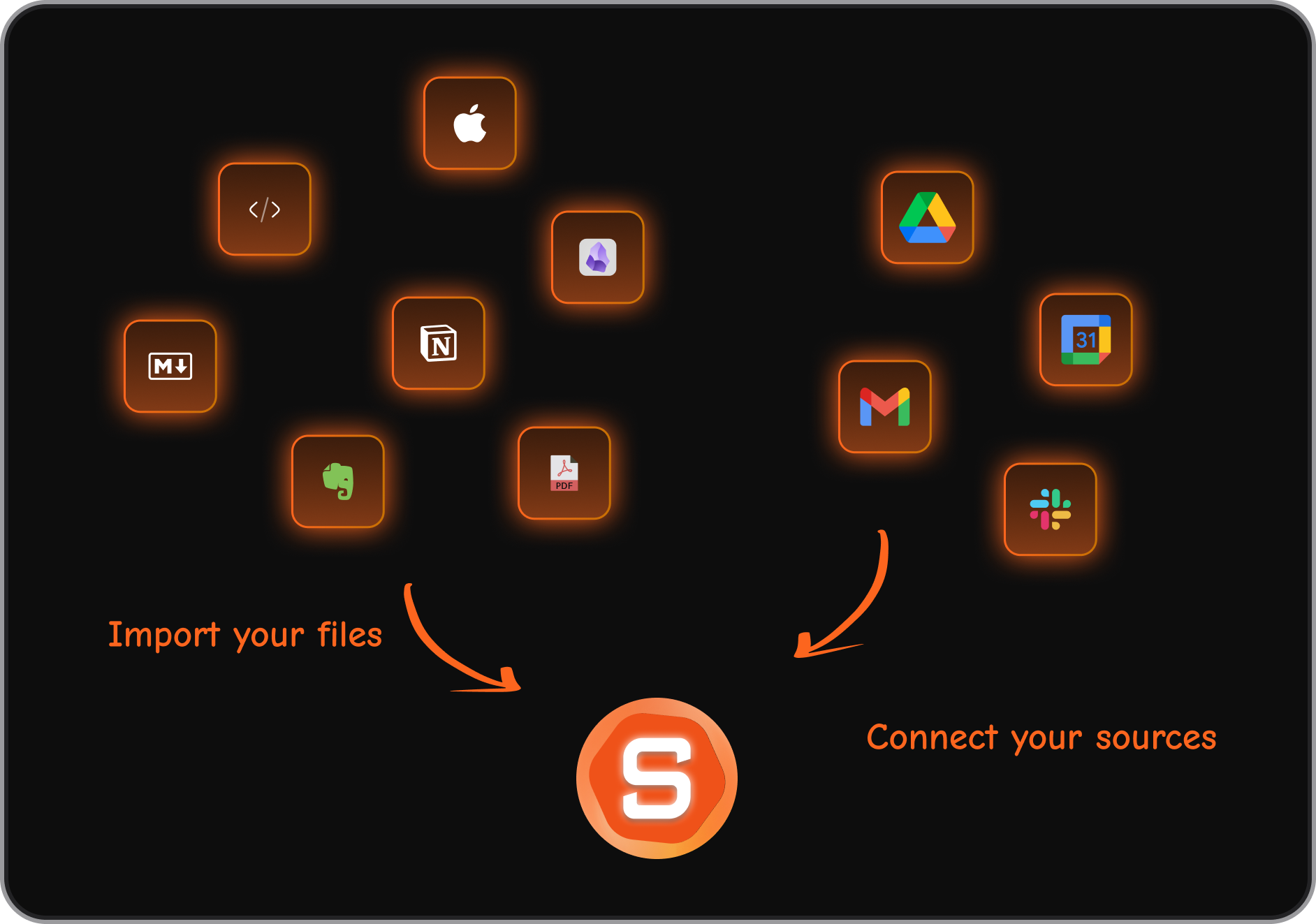
It replaces Lark’s scattered features with a single AI workflow.
4. Which alternatives are closest to Lark’s docs + collaboration combo?
If you mainly used Lark for shared docs and lightweight teamwork:
- Slite – simple, distraction-free docs
- Notion – flexible wiki + database features
- Coda – docs that behave like apps
These offer smoother writing and better long-term organization than Lark’s document editor.
5. What’s the easiest Lark alternative for small teams?
Small teams typically pick:
- Slite (minimal setup)
- Notion (easy onboarding)
- Saner.AI (chat-based, no configuration)
They work well without heavy workflows.
6. Which Lark alternative is best for task and project management?
If you need more robust task tools than Lark provides:
- Saner.AI – highly assistive workflows
- Asana – structured project tracking
- ClickUp – all-in-one tasks, docs, goals
These tools outperform Lark’s limited task features.
7. Which Lark alternative is best for documentation-heavy teams?
For teams that produce a lot of writing:
- Notion – best for wikis, SOPs, knowledge bases
- Coda – best for data-heavy, structured docs
- Saner.AI – clean and simple docs with AI assistant
They offer more clarity and organization than Lark’s doc environment.
8. Which Lark alternative has the best AI features?
If AI is your priority:
- Saner.AI → best for converting notes to tasks, planning your day, and surfacing context
- Notion AI → great for writing and summarization
- ClickUp AI → strong for project automation
Saner.AI is the most proactive; Notion and ClickUp are great for content.
9. What’s the best Lark alternative for ADHD-prone professionals?
Saner.AI is designed around minimizing overwhelm:
- Turns messy notes into tasks
- Plans your day automatically
- Reduces context switching
It’s more neurodivergent-friendly than traditional productivity platforms.
10. Which Lark alternative has the best integrations?
If you rely on integrations:
- Monday → deep enterprise integrations
- Asana → huge integration ecosystem
- ClickUp → strong API + automations
- Notion → growing integration library
More extensible than Lark’s limited ecosystem.
11. Are there free Lark alternatives?
Yes, these tools offer free tiers:
- Saner.AI – free AI search, tasks, notes, reminders
- Notion – unlimited personal pages
- Slite – basic docs
- ClickUp – free tasks and docs
- Coda – limited free docs
Plenty to get started without cost.
12. What’s the best Lark alternative for meeting notes?
If meeting documentation is your priority:
- Saner.AI → auto-extracts tasks from notes and preps your day
- Notion → templates + good linking
- Slite → simple recurring meeting formats
Saner.AI is best for follow-through, not just note storage.
13. Which Lark alternative is best for CEOs and founders?
Executives often choose:
- Saner.AI → unifies planning + follow-ups
- Notion → centralized decisions & knowledge
- Asana → cross-functional project overview
Saner.AI reduces mental load; Notion organizes knowledge; Asana coordinates teams.
14. What’s the best Lark alternative for remote teams?
Remote teams rely on:
- Slite → async communication
- Notion → documentation-first culture
- Saner.AI → quick retrieval + task automation
- ClickUp → strong assignment and timelines
Great for async work without chat-heavy noise.
15. What’s the best Lark alternative for content collaboration?
For writing and content workflows:
- Notion → content calendars + cross-linking
- Coda → editorial databases
- Slite → clean writing experience
- Saner.AI → summarization, drafting, and task extraction
These tools support content teams better than Lark’s mixed interface.
16. What’s the most affordable Lark alternative?
Cost-efficient options include:
- Saner.AI
- Notion
- ClickUp
- Slite
They scale more predictably than Lark’s seat-based model.
17. Which Lark alternative is best for fast-moving startups?
Startups typically choose:
- Saner.AI → for rapid knowledge management and planning
- Notion → one workspace for everything
- ClickUp → manage tasks, docs, workloads
These adapt quickly as teams change.
Stay on top of your work and life



