Martin Alternatives: We Tested and Reviewed The Best 5


No AI assistant is perfect for everyone. You might love the idea of TryMartin but find that:
- You prefer a tool that works better with your calendar system.
- You need something ADHD-friendly with less manual setup.
- You want a different pricing model or a stronger free plan.
- You’re looking for specific features like deep Google integration, advanced scheduling, or better long-term memory recall.
That’s why I went looking for the best Martin alternatives available
Key answer: What are the best Martin Alternatives?
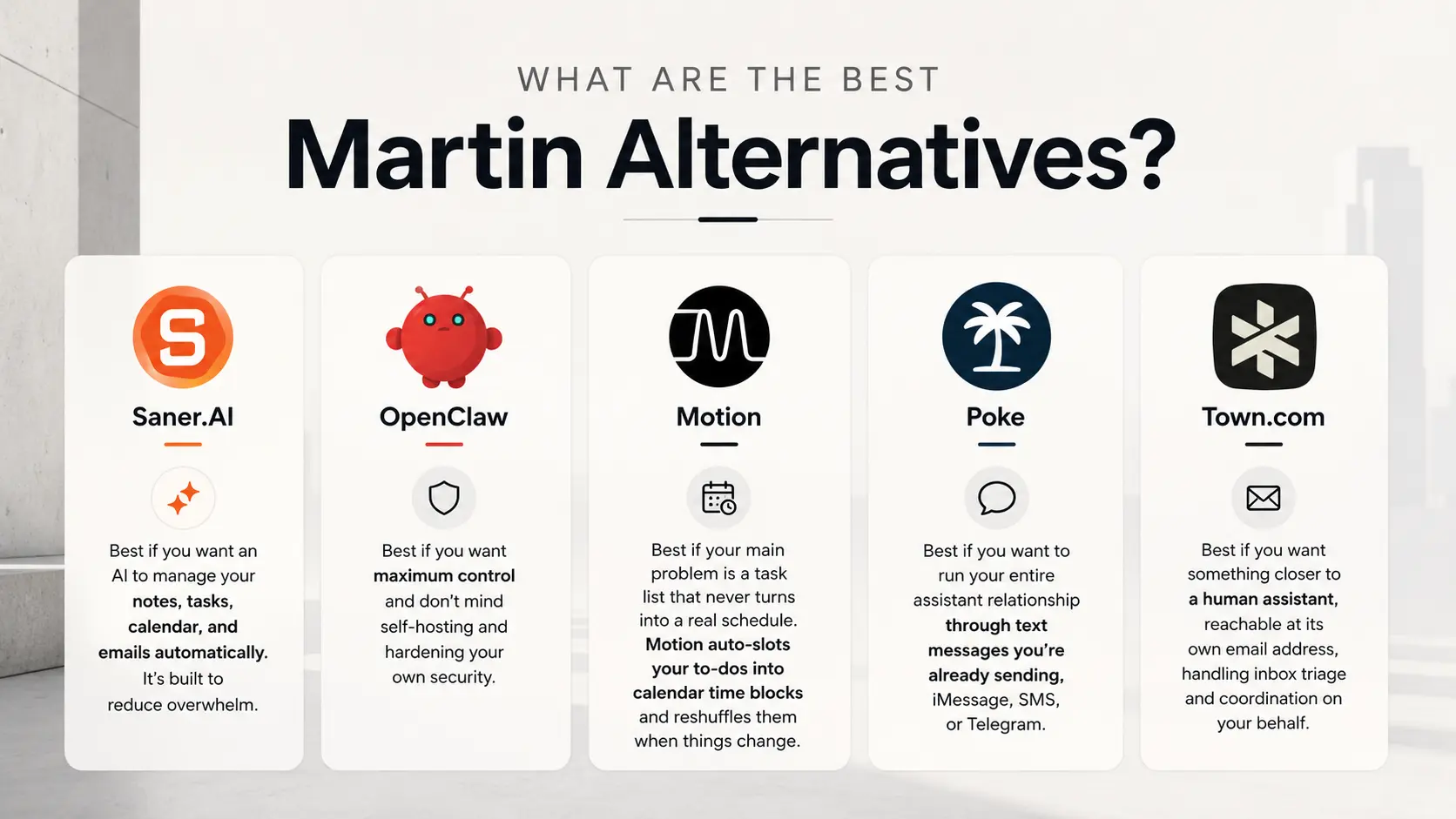
- Saner.AI — best if you want an AI to manage your notes, tasks, calendar, and emails automatically. It's built to reduce overwhelm
- OpenClaw — best if you want maximum control and don't mind self-hosting and hardening your own security.
- Motion — best if your main problem is a task list that never turns into a real schedule. Motion auto-slots your to-dos into calendar time blocks and reshuffles them when things change.
- Town.com — best if you want something closer to a human executive assistant, reachable at its own @town.com email address, handling inbox triage and coordination on your behalf.
- Poke — best if you want to run your entire assistant relationship through text messages you're already sending, iMessage, SMS, or Telegram.
How we chose these alternatives
I tested each tool over several weeks of actual daily use, connecting real calendars, real inboxes, and real to-do lists rather than running scripted demos. Here's what I weighed:
- Setup friction — how long it takes from signup to the tool actually being useful, and whether calendar or email integration breaks along the way.
- Channel flexibility — whether you can reach it through text, email, voice, or a dashboard, and whether that matches how you actually communicate day to day.
- Action depth — whether it just answers questions or can actually schedule, draft, send, and reorganize on your behalf.
- Reliability under complexity — how it holds up once a request has more than one moving part, not just simple single-step commands.
- Price-to-value ratio — what you're actually getting for the monthly cost, including free tier usability.
- Platform lock-in — whether it's cloud-only, whether you can export your data, and what happens if you want to leave.
What are the Best Martin Alternative?
The Best Martin Alternatives are Saner.AI, Claude, Town.com, Poke, and Motion.
1. Saner.AI
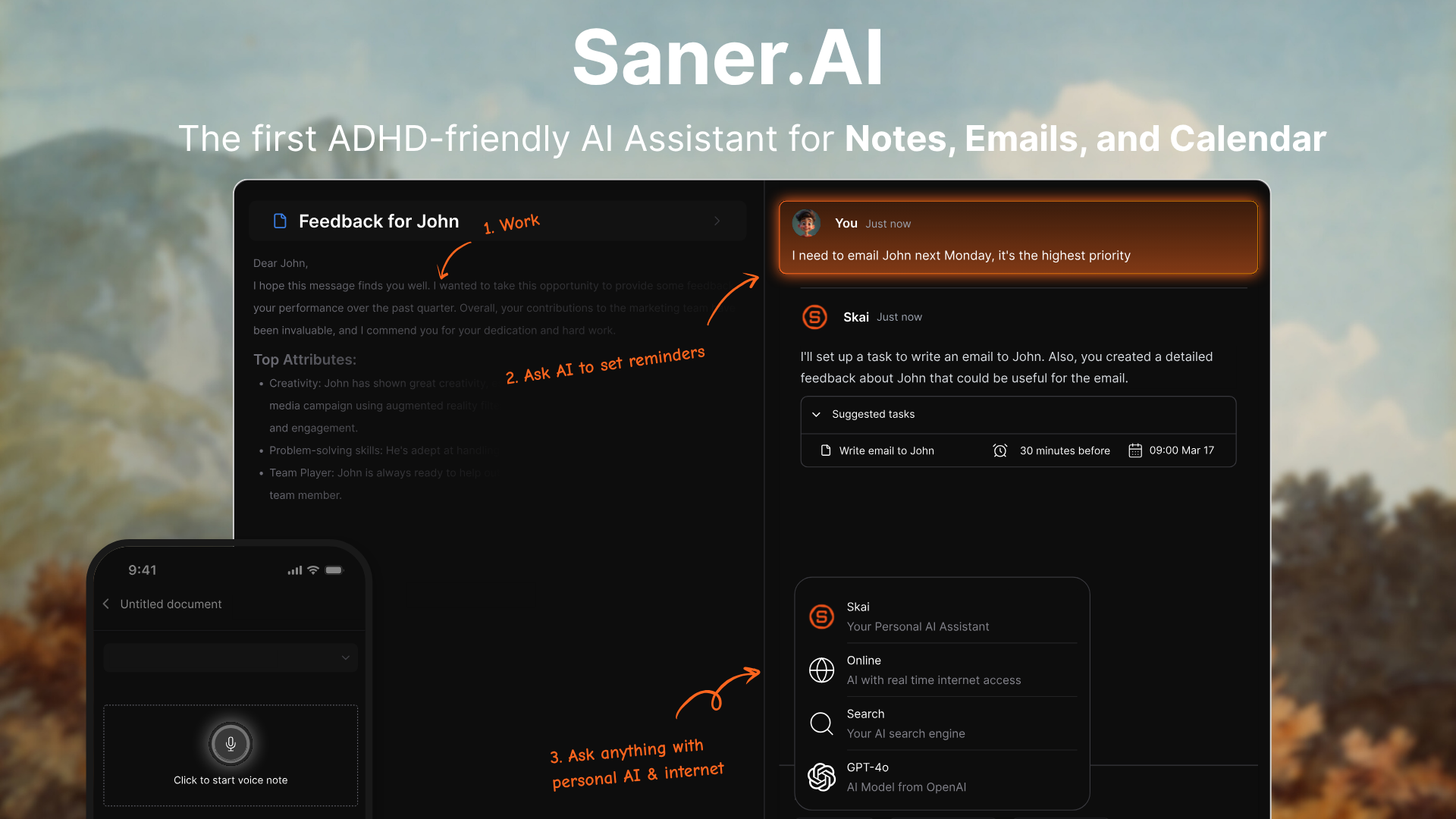
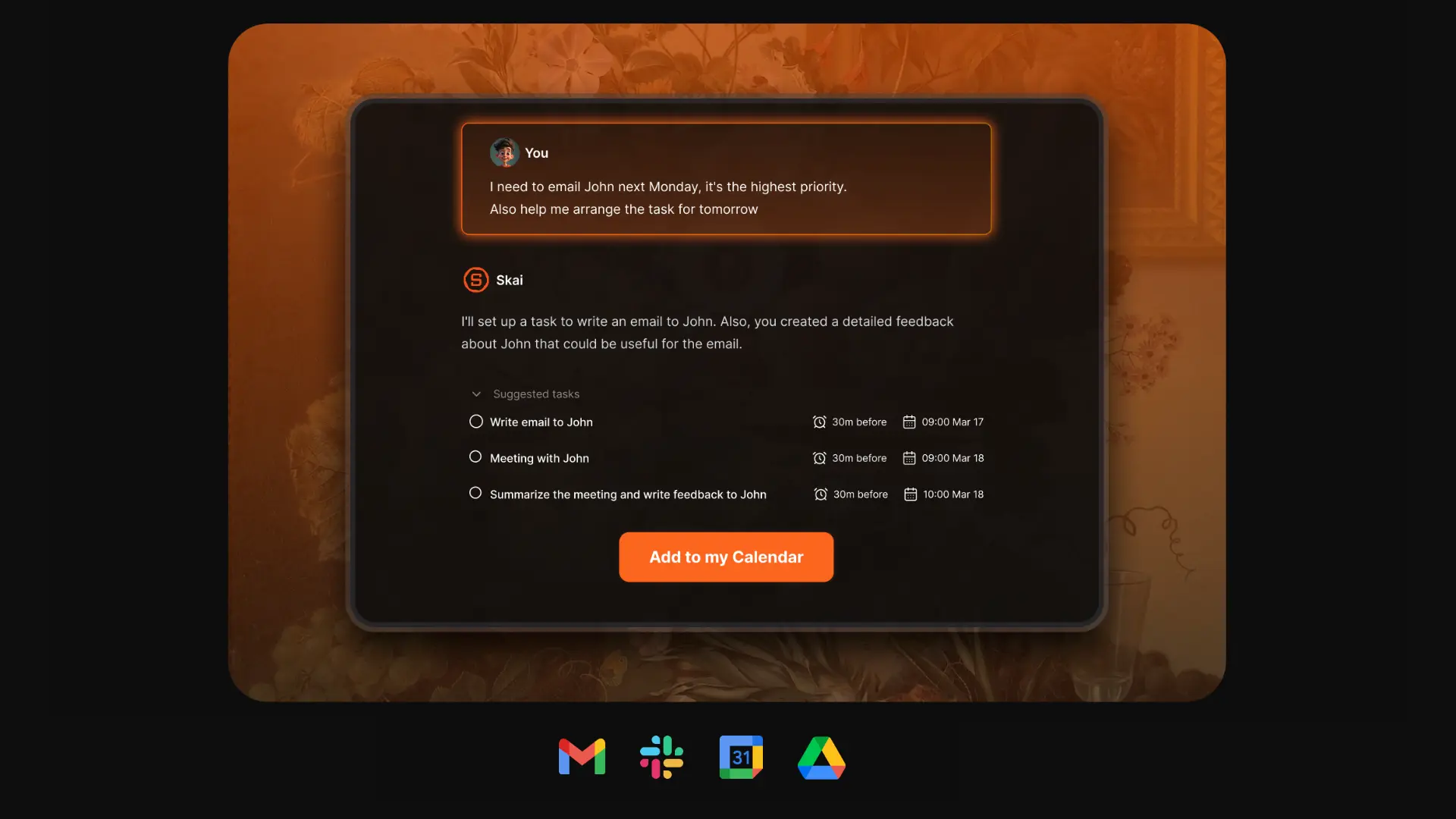
Saner.AI is an AI personal assistant that helps you capture, organize, and retrieve information without the chaos. It combines notes, tasks, and reminders in one place, powered by an AI that can understand your context and turn messy thoughts into actionable steps.
It’s ideal for busy professionals, entrepreneurs, and ADHD-prone individuals who want less context-switching and more clarity in their workflow.
Features
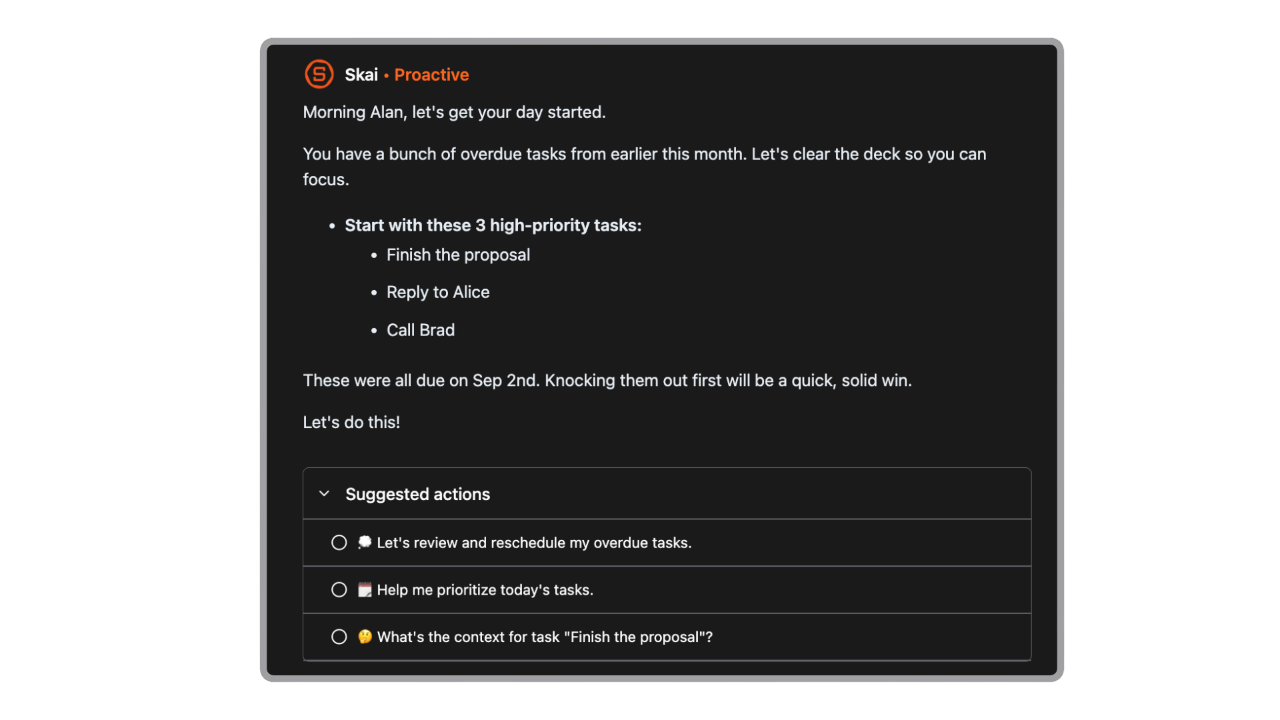
- Proactive Day Planning: Every morning, your AI automatically scans your emails, notes, and to-dos and gives you an optimal plan
- Knowledge Assistant: Ask questions and get answers from your notes and files
- AI Task Assistant: Helps you break down tasks, suggest solutions & remind you
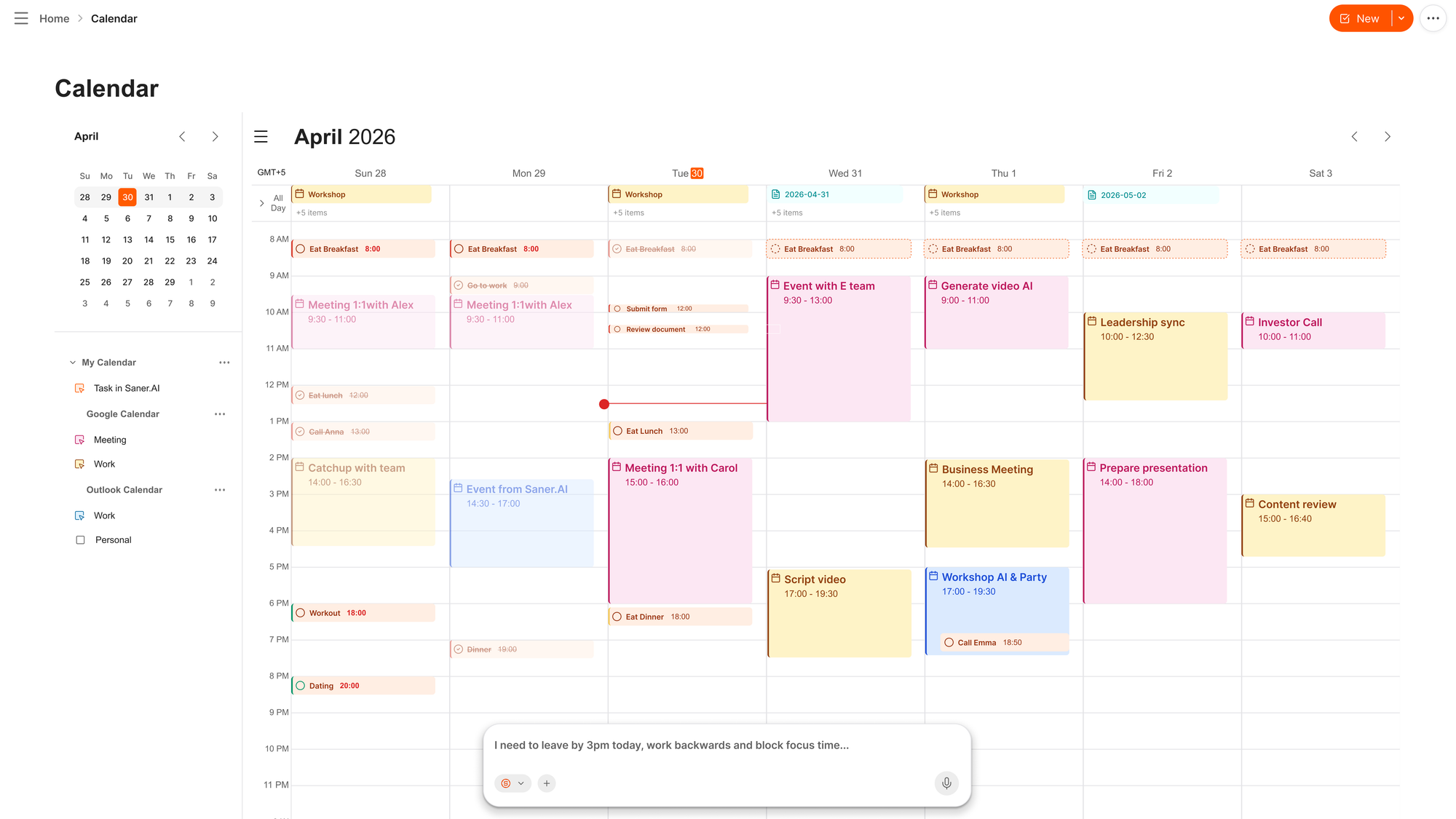
- AI calendar to schedule your day automatically
- Intuitive Interface: Easy to learn and use, even for beginners.
- Universal Inbox: Automatically extracts tasks and information from various sources (Emails, Slack, Notion, notes in Saner.AI, etc.)
Pros
- ✅ User-friendly interface designed to minimize distractions.
- ✅ Combines note-taking, task management, and AI assistance in one platform.
- ✅ The all-in-one setup means notes, tasks, and reminders actually work together
- ✅ Free plan available with no credit card required.
Cons
- ❌ Requires internet access for full functionality.
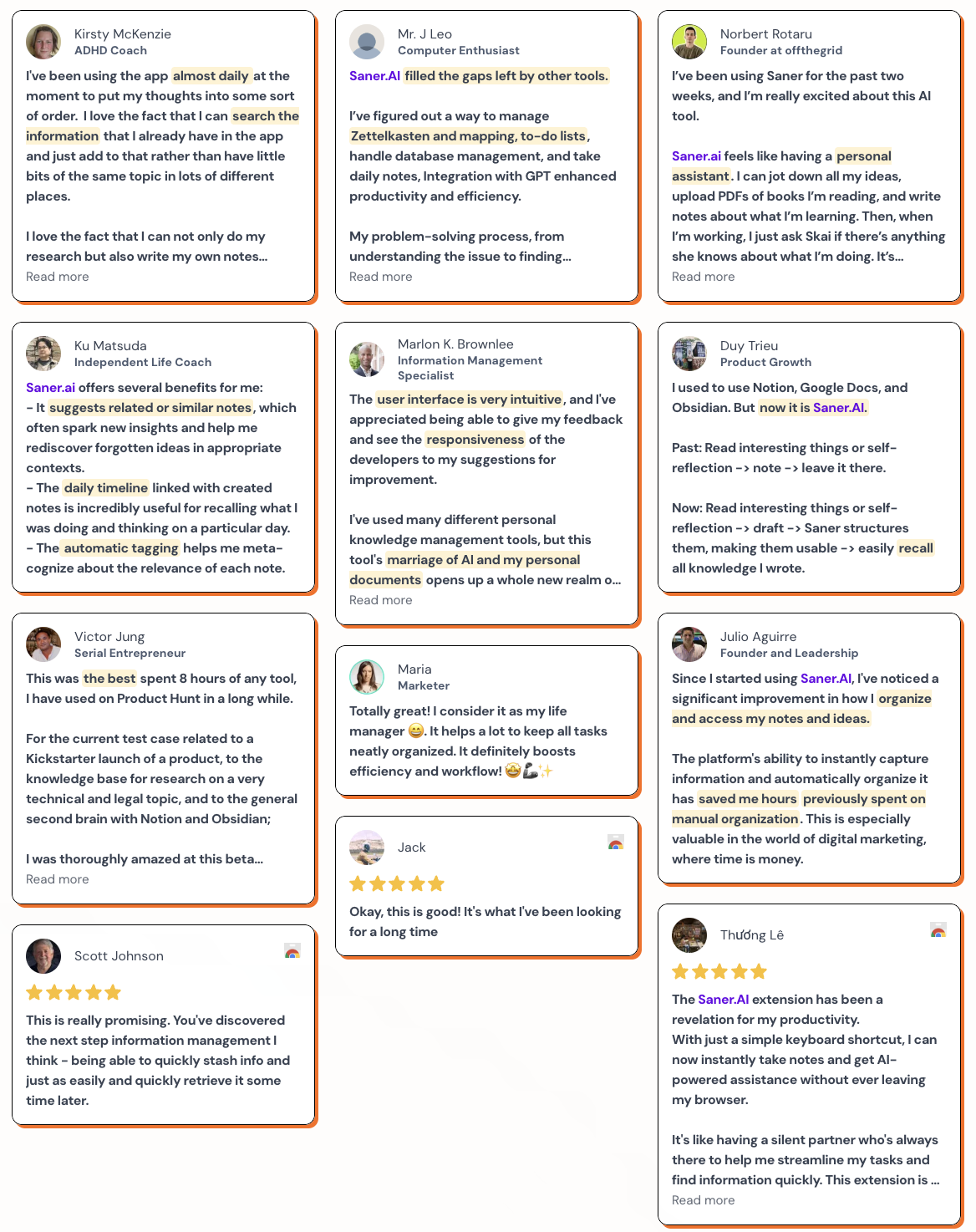
Saner.AI Reviews
Pricing
- Free plan available with core organization features.
- Paid plans from roughly $8/month, scaling up to a Standard tier around $16/month
Who is it suitable for?
- people with ADHD, or anyone drowning in scattered notes and half-finished tasks who needs one place that turns the mess into something actionable.
How to start using it?
- Start by dumping a week's worth of actual notes and to-dos into it rather than testing with a toy example. The value shows up once it has real, messy input to organize, not a clean sample task.

Stay of top of work with an AI Assistant
2. Motion
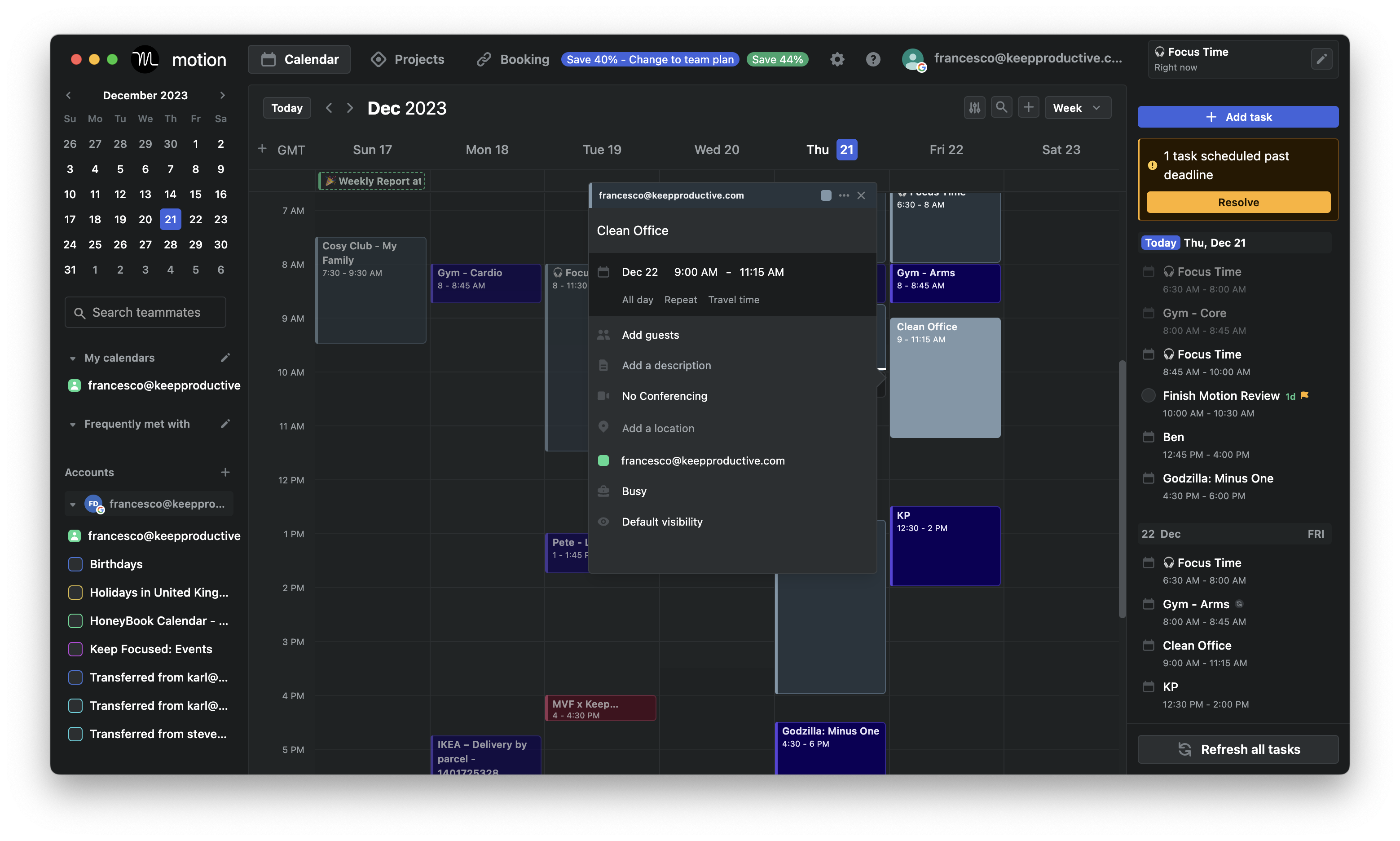
Motion is an AI productivity tool that combines calendar scheduling, task management, project tracking, and meeting notes into one platform
Features
- AI Calendar & Dynamic Time-Blocking: Automatically schedules tasks, meetings, and focus time, adjusting in real time.
- AI Project Manager & Gantt Views: Creates project plans in seconds, tracks progress, and visualizes timelines.
- Meeting Assistant & Booking Links: Schedules meetings with buffer time and avoids conflicts.
- AI Notetaker & Docs: Transcribes meetings, generates action items, and creates documents or SOPs.
Pros:
- Powerful AI meeting notes that turn discussions into actionable items.
- Combines multiple tools - calendar, task manager, project tracker, and doc creator - into one workspace.
Cons:
- Higher price point compared to some other tools, especially for teams.
- Slight learning curve to fine-tune scheduling preferences.
- Shifted to an enterprise focus, and the UI became cluttered
- Don't have an AI chat interface
Pricing:
- Pro/Individual plan: around $34/month
- Business/Team plans: starting from $29 per seat/month.
Suitable For:
- Small teams that want an all-in-one AI scheduling and project management assistant.
How to Start:
- Sign up for a free trial at Motion, connect your calendar and tools, set your working hours
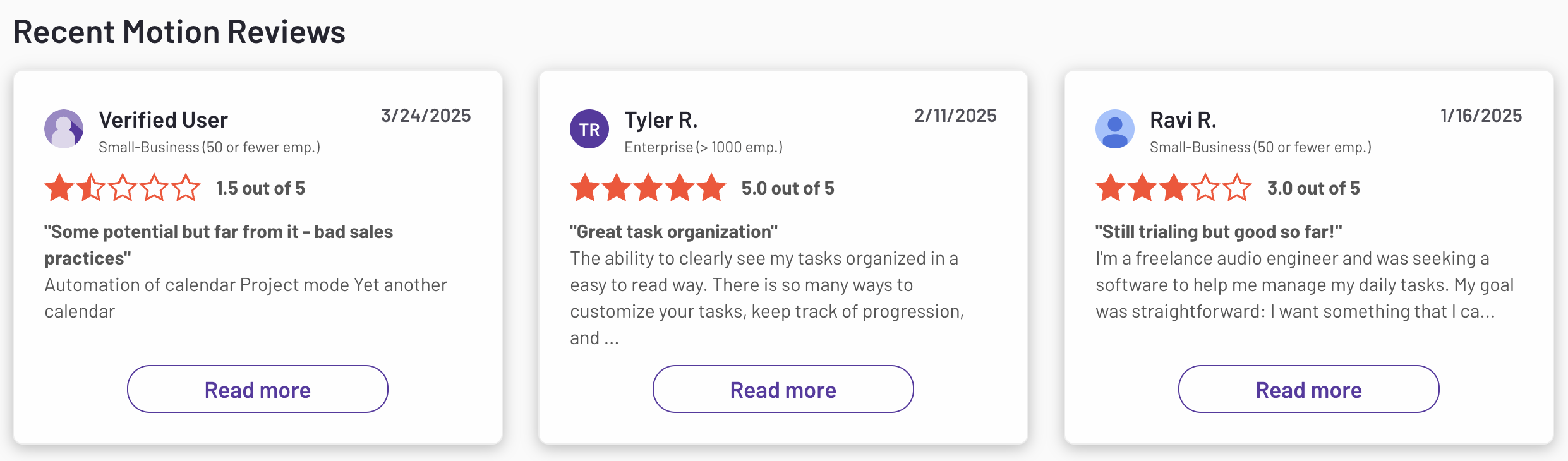
Motion reviews (source)
3. OpenClaw
OpenClaw is a different animal from everything else on this list. It's a free, open-source, self-hosted AI agent that runs on your own machine or server and connects to WhatsApp, Telegram, Discord, iMessage, and Slack. You bring your own model (Claude, GPT, Gemini, or Grok all plug in), and it gets real device access: files, browser control, command line, calendar, email. It's the most capable tool here, and also the one with the most well-documented security problems.
Key features
- Full local device access: it can read files, control a browser, and run shell commands, not just chat, which is what lets it complete multi-step tasks unattended.
- Model-agnostic and self-hosted: no vendor lock-in, no seat pricing, you choose the underlying LLM and where it runs.
Pros
- People genuinely find it transformative once it's running.
- The always-on, proactive design goes further than anything else on this list. Users describe it checking in on its own and handling tasks entirely hands-off while they're away from their phone.
Cons
- Security researchers have documented serious, repeated problems. CertiK found over 280 security advisories and more than 100 vulnerabilities in a short window, and the Dutch data protection authority advised against deploying it on systems with sensitive or regulated data (TechRadar).
- It can go wrong in very public ways. One user gave it access to iMessage to send a daily news digest, and it ended up bombarding him and his wife with over 500 messages and spamming random contacts (Bloomberg).
Pricing
- The software itself is free and open source.
- You pay for hosting (roughly $5 to $24/month for a basic VPS) plus your own LLM API usage, which varies by model and volume.
Suitable for
- Best for: technically comfortable users who want maximum control and don't mind being their own security team. Not a fit if you want something you can hand sensitive accounts to without a lot of hardening work first.
How to get started: Do not connect it to your primary email, banking, or password manager on day one. Start with a sandboxed VM, a throwaway calendar, and a low-stakes task like unsubscribing from newsletters, then expand access only as you build confidence in your own security setup.
4. Town

Town gives you a dedicated @town.com email address you forward things to, the same way you'd loop in a human EA. It watches your connected accounts and works proactively: drafting summaries, triaging recruiter spam, sending a Sunday-night briefing on the week ahead.
Key features
- A dedicated assistant email address you CC or forward to, rather than a chat window you have to remember to open.
- Pre-built routines: weekly planning briefings, meeting research delivered before you walk in, competitor monitoring, recruiter-spam detection.
Pros
- The routines are the standout feature in practice. One App Store reviewer said the routines are "the killer feature," running inbox triage, morning briefings, and monitoring on autopilot (App Store).
- It genuinely learns and adapts. The same reviewer noted it "remembers my preferences, learns how I work, and tailors everything to my role."
Cons
- Google Workspace only. If you're on Outlook or Microsoft 365, Town simply can't run your inbox
- Credit-based pricing means costs climb with usage, and the free tier's 30 chats a month is closer to a preview than a daily-use plan.
Pricing
- Free tier — 30 chats/month.
- Paid tiers — roughly $15 to $199/month based on credit usage, plus pay-as-you-go overage once you exceed your allotment.
Suitable for
- Best for: Google Workspace users who want inbox coordination handled the way a human assistant would, and don't mind a credit meter running in the background.
How to get started: Forward it a week's worth of real email; don't start with a clean inbox. The proactive routines only become useful once they have actual context to learn from, and the Sunday planning briefing is a good first thing to turn on.
5. Poke
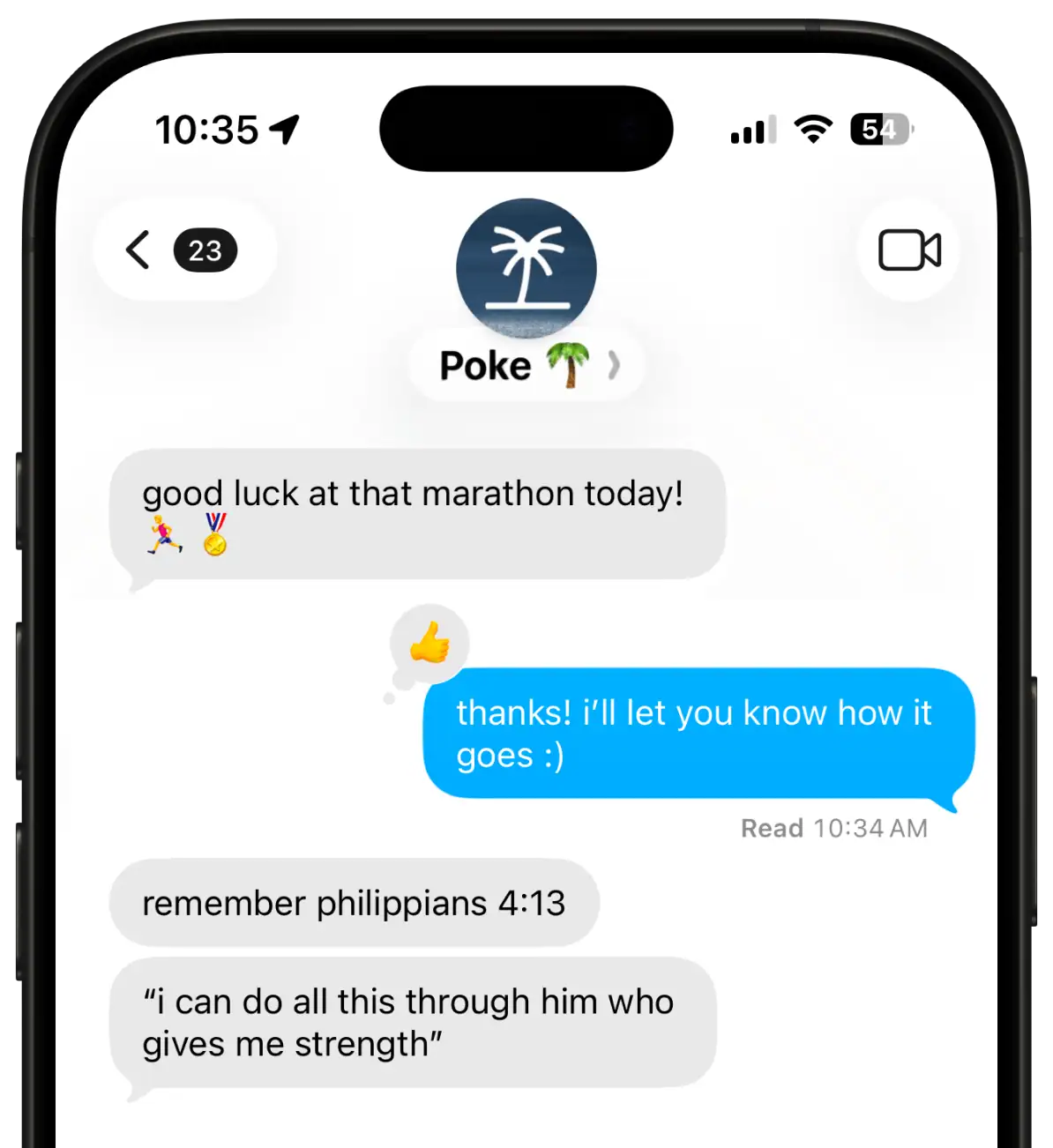
Poke's whole pitch is that you shouldn't need a new interface at all. You text it, iMessage, SMS, or Telegram, the same way you'd text a friend, and it handles scheduling, email drafts, and light automations from inside that conversation.
Key features
- Native messaging integration: no app to open, no dashboard to check, just the texting app already on your phone.
- Recipe-based automations: pre-built and shareable workflows for common tasks, plus custom integrations via MCP for people who want to go further.
Pros
- The conversational feel is the most-cited strength. One early reviewer wrote it's "surprisingly human-like at times" and that using it through iMessage "made me more patient" waiting for replies (Product Hunt).
- Genuinely proactive rather than purely reactive: it acts on routines and context without needing to be prompted every time.
Cons
- Pricing has been reported as inconsistent, with some users getting in cheaper than others during the onboarding negotiation, which reviewers flagged as frustrating (Product Hunt).
- Text-only interface caps how well it handles anything with more than a couple of steps. Simple asks feel effortless; complex ones feel cramped.
Pricing
- Free tier with limited messages and basic integrations.
- Pro — reported between $9.99 and $19/month depending on source; Poke's own FAQ lists Pro at $19/month.
- Ultra — $199/month for frontier-model access on every action, plus pay-as-you-go usage.
Suitable for
- Best for: people who already manage most of their life through text messages and want an assistant that fits into that habit rather than adding a new one.
How to get started: Connect Gmail or Outlook and your calendar first, then just start texting it real requests, scheduling something, drafting a reply. Keep early asks simple. That's where it performs best, and it'll tell you fast if the text-only format is going to bother you.
Conclusion

The real decision here isn't "which tool is best," it's "which problem do you actually have."
- If it's a scattered, ADHD-style organization problem, Saner.AI solves that specifically and costs less than everything else on this list.
- If it's a calendar that never matches your real priorities, Motion earns its price.
- If you want maximum autonomy and don't mind hardening your own security, OpenClaw goes further than anything here, at real risk.
Figure out which one of those problems is actually yours, then pick from that shorter list instead of the whole one.
Stay on top of your work and life
FAQ
What is the best Martin alternative for someone with ADHD?
Saner.AI is built specifically around ADHD and executive-function friction, not retrofitted with an "ADHD mode." It focuses on capturing messy input and organizing it automatically rather than requiring a rigid system upfront, which is the opposite of what most calendar-first tools like Motion ask of you.
Does Motion work with Outlook?
Yes. Motion syncs with Google Calendar, Outlook, and Apple Calendar, so switching calendar providers isn't a blocker for using it.
What should I look for in an AI personal assistant?
Start with whether you need a reactive tool (you ask, it answers) or a proactive one (it watches your inbox and calendar and acts without being asked). From there, weigh setup friction, which channels you actually use day to day, and whether the pricing model is flat or usage-based, since credit-based pricing can get expensive fast under heavy use.
Can OpenClaw replace a paid assistant like Martin or Town?
Technically yes, since it can do everything from drafting email to running browser automation, but it comes with real security trade-offs the paid tools don't. Multiple independent security audits have flagged serious vulnerabilities in OpenClaw, so it's a better fit for technically confident users than for someone who just wants something that works out of the box.
Is there a free AI personal assistant?
Saner.AI, Town.com, Poke, and Claude all offer usable free tiers, and OpenClaw's core software is free and open source, though you'll still pay for hosting and API usage. Motion and Martin don't have a permanent free plan, just short free trials.
How much does an AI personal assistant cost?
Costs range from $0 for OpenClaw's software (plus hosting and API fees) up to around $30/month for Martin's Pro tier or Motion's Business plan. Most tools on this list land between $8 and $21 a month for an individual paid plan.
What's the best AI assistant for a busy calendar?
Motion and Saner.AI specifically. Its auto-scheduling engine is built around one job, fitting tasks into real calendar time and reshuffling them as things change, and it does that job better than any general-purpose assistant on this list.
Is OpenClaw safe to use?
Not without real hardening work. Independent security researchers have documented over 100 vulnerabilities, and both Chinese regulators and the Dutch data protection authority have publicly warned against deploying it on systems with sensitive data. It's genuinely powerful, but treat it as a technical project, not a plug-and-play assistant.
What's the best AI assistant for knowledge workers overwhelmed by information?
Saner.AI is built for exactly that problem: scattered notes, emails, and tasks that need organizing rather than a calendar that needs scheduling. Motion and Martin solve adjacent but different problems: scheduling and multi-channel reach, not information overload itself.
How do I get started with an AI assistant?
Pick based on your actual bottleneck, not the flashiest feature list: organization points to Saner.AI, scheduling points to Motion, multi-channel reach points to Martin or Poke, and inbox-native delegation points to Town.com. Start with a real week of your own messy data or tasks rather than a clean test case, since that's where each tool's actual strengths and limits show up.
Never miss your deadlines again with your AI Assistant