Microsoft Copilot Alternatives: We Tested The 6 Best AI
The best Microsoft Copilot Alternatives are: ChatGPT, Claude, Gemini, Saner.AI, Notion AI, and Perplexity


You're paying $30 per user per month for an AI tool that only works inside Microsoft's apps - and you're wondering if there's a better way to spend that budget.
Well, you're in luck. In this post, I’ll walk you through top-tier Microsoft Copilot alternatives - AI assistants that give you smarter productivity, writing superpowers, and seamless automation without feeling locked into one ecosystem.
Quick Answer: What are the Best Microsoft Copilot Alternatives right now?
- Saner.AI: Best for individuals and teams who want AI that combines chat, task management, and knowledge organization in one place
- Claude: Best for long-form writing, document analysis, and nuanced reasoning tasks
- Gemini: Best if your team already lives in Google Workspace and wants a native AI assistant
- Notion AI: Best for teams that use Notion as their knowledge base and want AI built into that workflow
- Perplexity: Best for research-heavy work where you need answers grounded in real, cited sources
1. Why People Are Looking for Copilot Alternatives
Microsoft Copilot isn't a bad product. But some hard realities push a lot of people to look elsewhere.
- The cost adds up fast. The paid Copilot add-on runs $30 per user per month on top of an existing Microsoft 365 subscription. For a team of 50, that's $18,000 per year just for the AI layer.
- It doesn't work well outside Microsoft's walls. Copilot is built to work in Word, Excel, PowerPoint, Outlook, and Teams. The moment you step outside the M365 suite, the value drops sharply.
- Adoption has been harder than advertised.
2. How We Chose These Alternatives
We evaluated over 20 AI productivity tools over weeks, looking specifically at how they perform. To make this list, each tool had to do three things: work reliably, deliver value that's clear within the first week of use, and justify its price relative to what's available at the same tier.
Here's what we scored each tool on:
- Ease of use — Can someone get real value from it on day one, without training or technical setup?
- Output quality — Are the responses accurate, well-reasoned, and actually useful for real work tasks?
- Integration flexibility — Does the tool work across different apps and workflows, or is it limited to one platform?
- Task management and organization — Can it help you stay on top of your work, not just generate text?
- Pricing fairness — Does the free or entry-level tier offer meaningful value? Is the paid tier priced for what it delivers?
- User sentiment — What do actual users say on G2, Reddit, Capterra, and Product Hunt after using it for months?
- 66% of leaders say they wouldn’t hire someone without AI skills.
- 71% say they’d rather hire a less experienced candidate with AI skills than a more experienced candidate without them.
- And junior candidates may have a new edge: 77% of leaders say, with AI, early-in-career talent will be given greater responsibilities.
What Are The Best Microsoft Copilot Alternatives?
The best Microsoft Copilot Alternatives are: ChatGPT, Claude, Gemini, Saner.AI, Notion AI, and Perplexity
1. ChatGPT

ChatGPT is a powerful, multi-purpose AI assistant built by OpenAI.
It goes beyond simple text generation - ChatGPT can browse the web, write code, analyze files, plan your day, and generate images.
Key features
- Runs on GPT-5, with better reasoning, lower hallucinations, and a smoother user experience
- 60+ App Integrations (Business plan): The Business plan connects directly to Slack, Google Drive, SharePoint, GitHub, Atlassian, and dozens of other tools
- Agent Mode can browse, summarize, create spreadsheets, presentations, and run code for you
- Deep Research gives you citation-backed answers from the live web, useful for decision-making
What I liked:
- Agent Mode can complete tasks, not just give answers
- The interface is clean, fast, and works well on both desktop and mobile
- The free tier is genuinely useful, not just a teaser. Even without paying, you get access to GPT-5 for a reasonable number of daily queries.
What I disliked:
- Usage limits for Agent Mode and Deep Research can feel restrictive on lower-tier plans
- Some users don’t like the colder tone of GPT-5 compared to previous versions
"Sometimes the responses can sound a bit generic or too formal, so I need to rephrase things in my own tone." — reviews
- It won’t manage your calendar or send emails yet
Pricing:
- Free plan available (basic GPT‑5 access with limited features)
- Plus ($20/month)
- Pro (~$200/month)
Suitable for:
- Professionals, founders, and students who want a versatile AI that can assist with writing, research, and task execution
- Teams that need a shared workspace for chat-based planning, document handling, or technical workflows
How to start:
- Go to chatgpt.com and create a free account
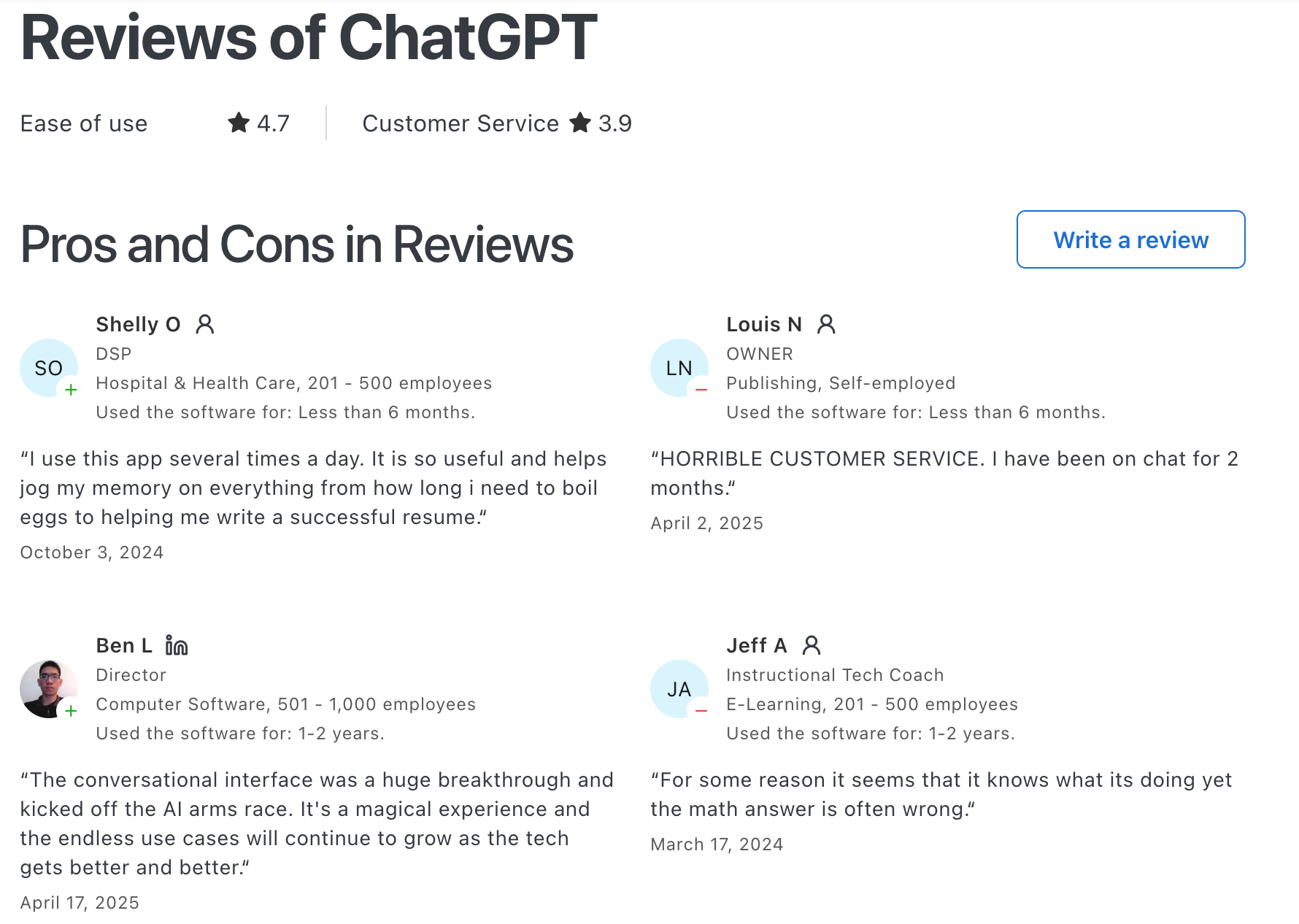
ChatGPT Reviews (source)
"ChatGPT solves the 'blank page' problem by acting as an instant brainstorming partner. The primary benefit is a massive reduction in drafting time." — reviews
"Users report inaccurate results from ChatGPT, especially in complex problem-solving scenarios, affecting its overall usefulness." — reviews
2. Google Gemini

Google Gemini is a powerful AI assistant from Google, built on multimodal models that handle text, images, audio, and video. It's not the strongest creative writer on this list, and it doesn't match Claude on nuanced reasoning.
Key features
- Multimodal input and output: Accepts text, images, audio, and video in one conversation
- Audio Overviews: Podcast-style summaries of your documents
- Video generation: Create short AI-generated clips with realistic lip-sync
- Workspace integration: Embedded into Gmail, Docs, Sheets, and Meet
What I liked:
- The multimodal capabilities are genuinely next-level. You can combine images, text, and audio in the same chat, and it just works.
- It’s deeply integrated with Google Workspace.
- The tiered model access is nice
What I disliked:
- The free tier is pretty limited. If you use Gemini a lot, you’ll hit the daily cap quickly.
- Writing quality is competent but tends toward the generic. For long-form content or anything where voice matters, it often needs significant editing
- While Gemini is smart, it doesn’t always show sources.
Pricing:
- Free plan with limited prompts and media generations
- AI Pro at ~$20/month includes 100 prompts/day, 1,000 images/day, 3 videos/day, audio summaries, and 2TB storage
- AI Ultra at ~$249/month with 500 prompts/day, 5 videos/day, Deep Think, and up to 30TB storage
Suitable for:
- Teams and individuals who live in Google Workspace and want AI that works inside the apps they already use - without switching tabs or copying context between tools.
How to start:
- Go to gemini.google.com and sign in with your Google account. If you have a Workspace subscription, connect your Gmail and Drive through the integrations panel
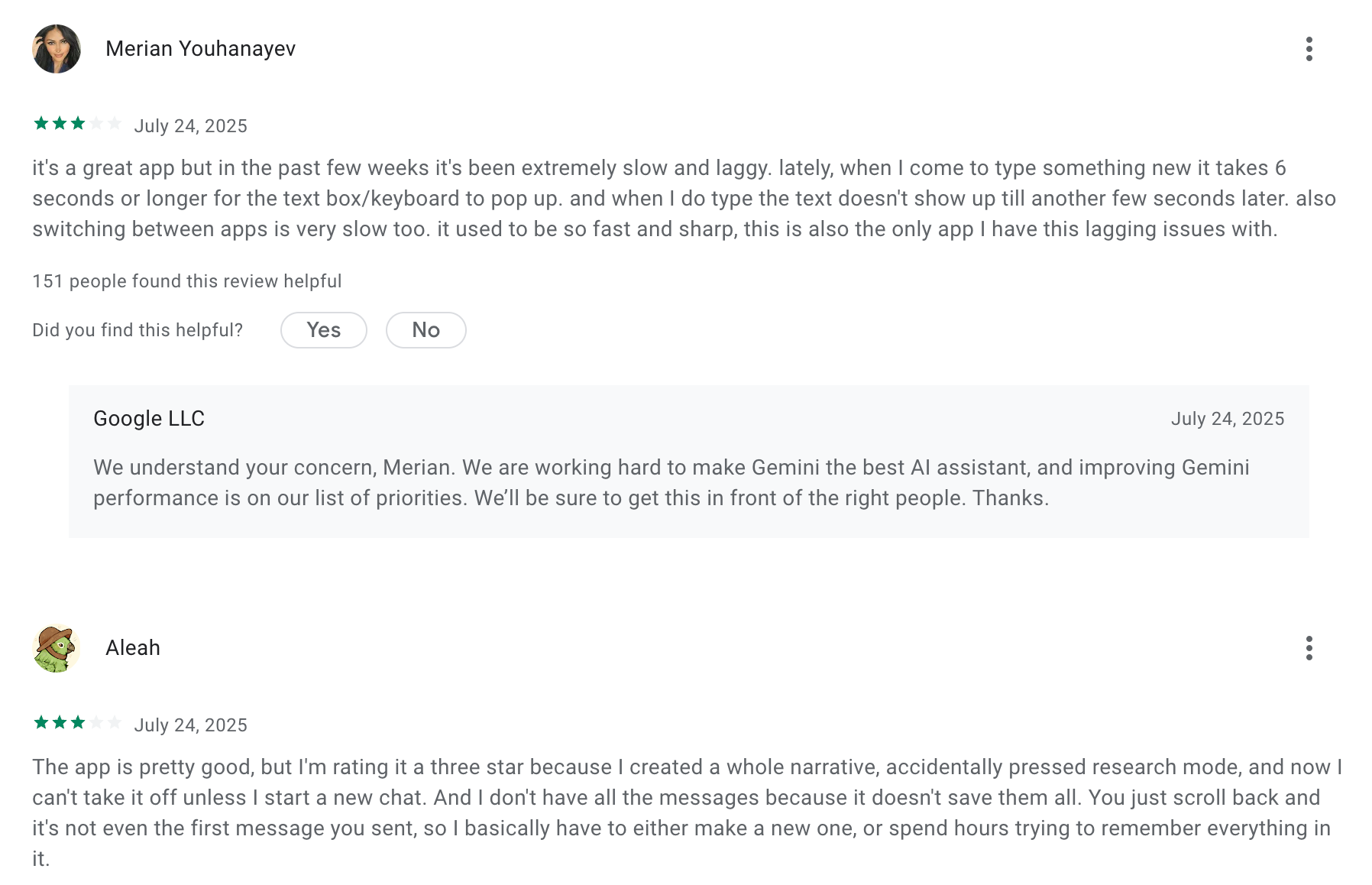
Google Gemini review (source)
"Gemini is highly capable, but it occasionally produces hallucinations — confidently stating incorrect information. I double-check its output against reliable sources." — reviews
3. Claude
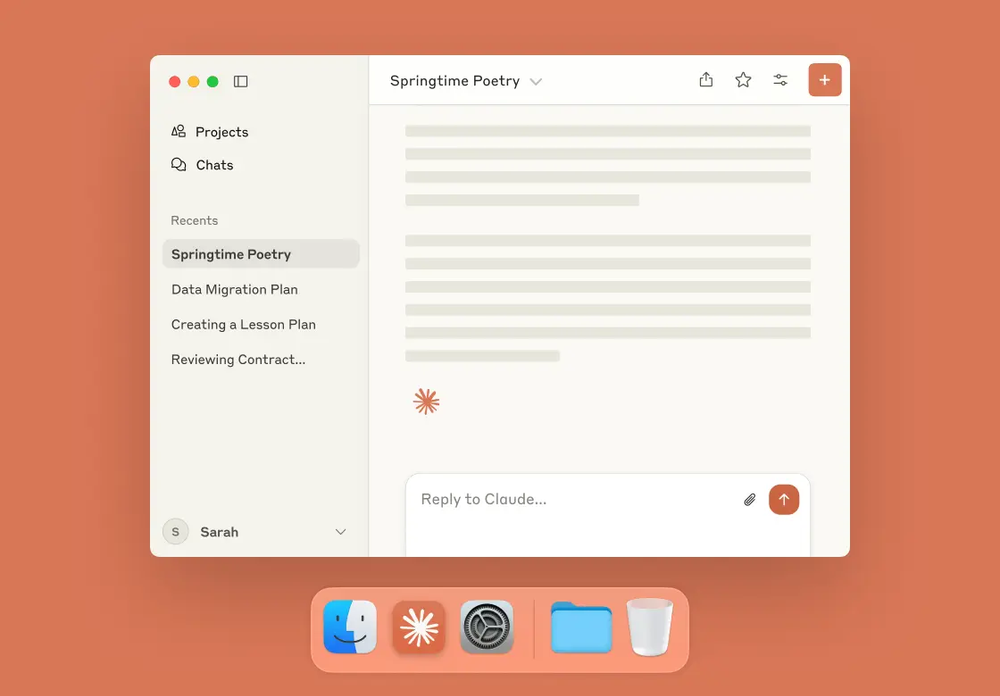
Claude is Anthropic’s advanced AI assistant designed to be helpful, honest, and harmless. It excels at tasks like writing, coding, studying, and deep reasoning -making it a strong alternative to Microsoft Copilot, especially if you want more flexibility beyond Microsoft 365.
Key features
- Large Context Window: 200K tokens means you can work with full documents without breaking them into chunks or losing track.
- Projects: Claude's Projects feature creates persistent workspaces where your instructions and uploaded documents carry across conversations.
"Claude's UI is very intuitive and flexible, track you to bring in your own documents and photos for a true multi-modal LLM." — reviews
- Claude Code: A terminal and VS Code extension that understands your full codebase context.
What I liked
- I find the writing quality noticeably better than what I get from other tools. It doesn't sound like AI wrote it
- Seamless app integrations let you pull in real tools instead of copy-pasting everything
- The reasoning on complex problems is strong. It walks through tradeoffs rather than just listing options.
What I disliked
- Usage limits on the paid tier are strict and unpredictable. If you're working with large documents, you can hit the cap mid-session, then wait hours for it to reset.
"The daily and weekly usage amounts have been slowly shrinking and it's obvious. It feels disingenuous to long-time customers to slowly shrink the service while also trying to increase prices." — reviews
- There's no built-in image generation, and fewer third-party integrations than ChatGPT. If your workflow depends on a broad tool ecosystem, you'll feel the gap.
- Doesn’t integrate natively with Microsoft tools like Excel or Teams
Pricing
- Free — $0 — Limited daily usage, access to Claude's core models
- Pro — $20/month — Higher usage limits, Projects, all Claude models including Opus
- Max — $100/month or $200/month — Significantly higher usage for power users
Suitable for:
- Writers, researchers, analysts, and developers who need high-quality output on long documents or complex reasoning tasks, and who are willing to manage around the usage limits.
How to start:
- Create an account at claude.ai — the free tier gives you a real sense of the tool's strengths. Set up a Project before your first serious session and upload any reference documents you'll come back to repeatedly.
Claude reviews (source)
"We use Claude extensively for creative ideation, copywriting, and rapid design prototyping. The main benefit is the sheer quality and 'human-like' feel of the output." — reviews
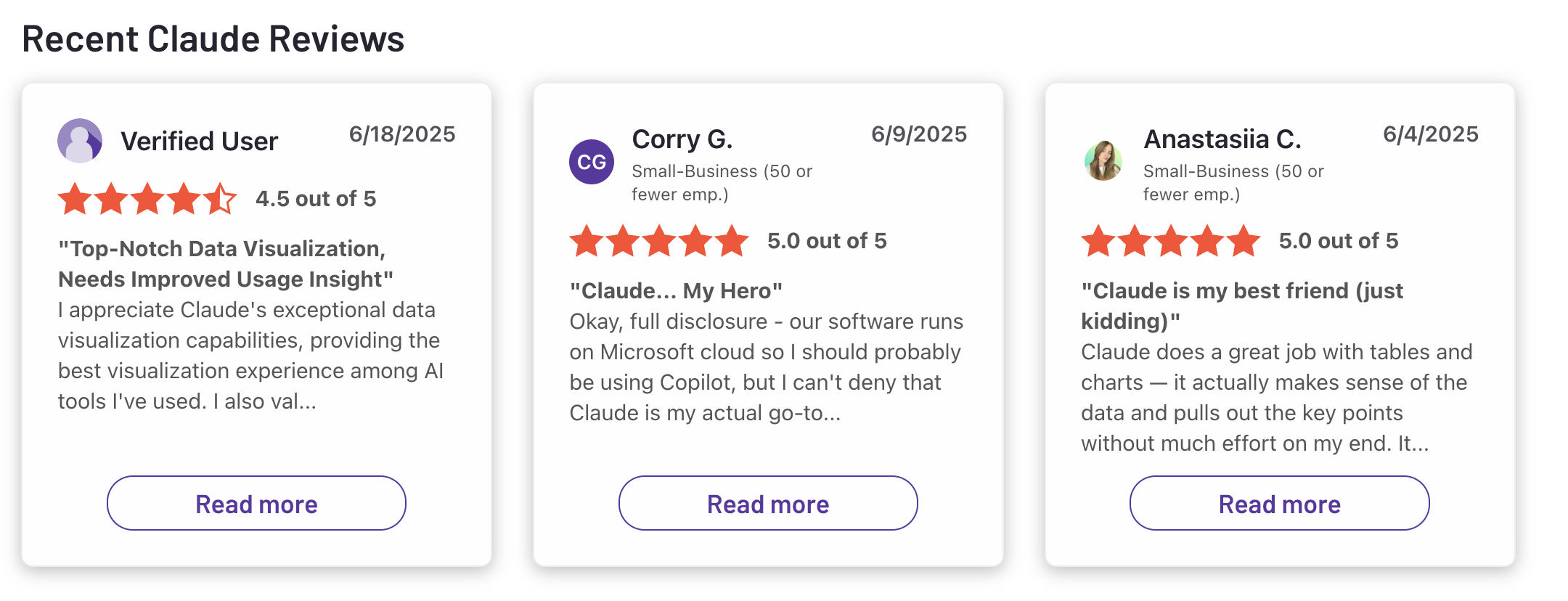
"I signed up for a paid month quickly and dove in on several projects. My initial impression quickly soured as Claude began hitting message limits, particularly if the conversation did not resolve in a few posts." — reviews
4. Notion
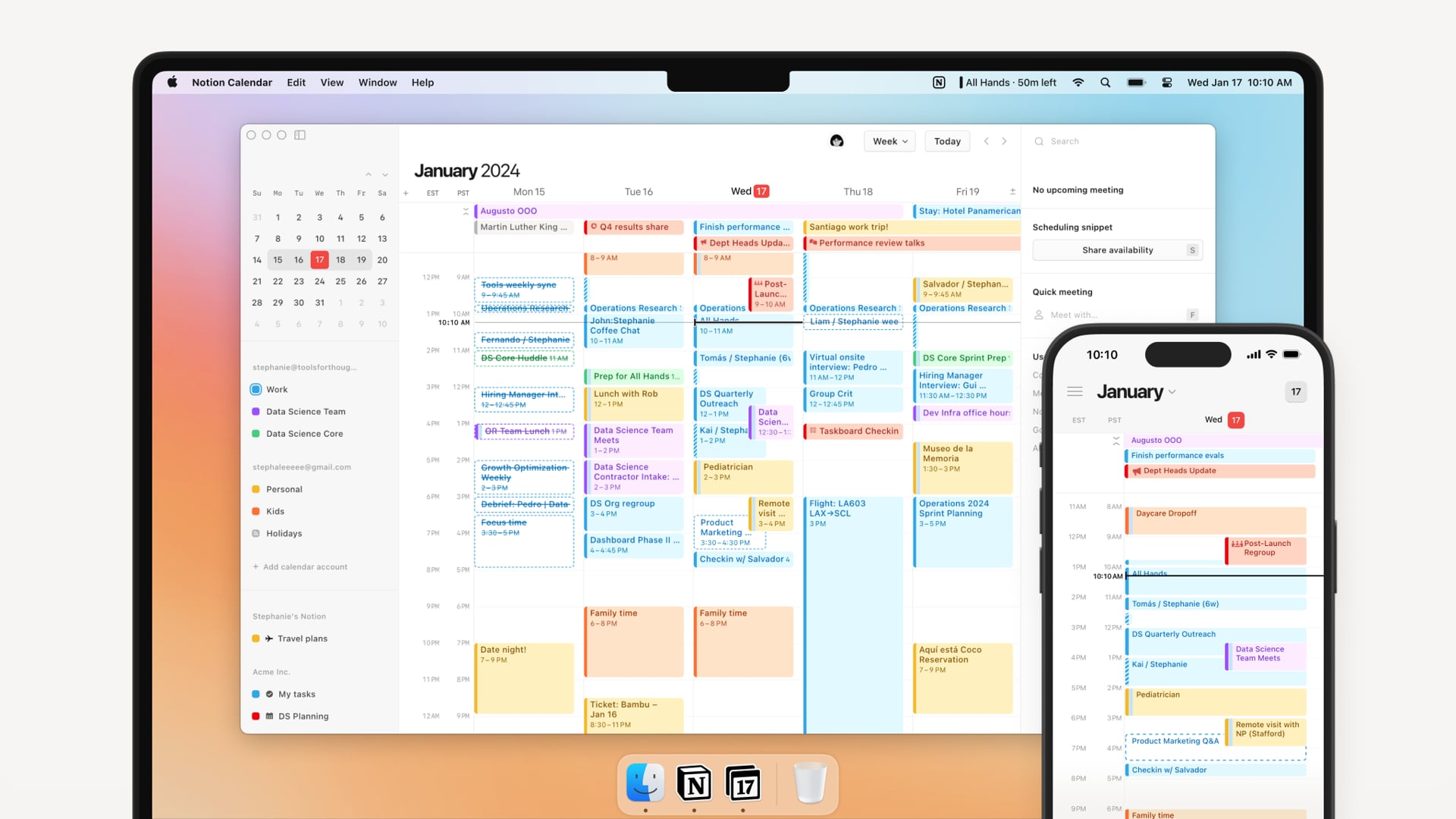
Notion AI is a built-in AI assistant inside your Notion workspace that helps you write, summarize, search, and organize faster - without ever leaving your notes or documents. It’s perfect for individuals and teams already using Notion to manage their work and want AI support to speed things up.
Key features
- Context-aware writing and summarization that understands the structure of your workspace
- AI-powered editing tools to fix grammar, rewrite content, or change tone
- Instant translations for global teams and multilingual projects
- Workspace-wide Q&A
What I liked
- Seamless integration - AI lives inside the tool you're already using
- Smart understanding of page content - better suggestions based on your own docs
- Versatile tools - from writing and brainstorming to summarizing and translating
What I disliked
- The learning curve can be steep if you’re just looking for a simple note app.
- Only works inside Notion
- Some AI responses need refinement or manual cleanup
- You need to already be invested in Notion to get full value
Pricing
- Free — $0 — Unlimited blocks for personal use, limited AI features
- Plus — $10/user/month (annual) — Team collaboration, limited AI
- Business — $20/user/month (annual) — Full AI access including AI Agents, Ask Notion, private teamspaces
Suitable for
- Notion users who want to level up productivity with AI
- Content creators, writers, and PMs managing lots of docs, notes, and pages
How to start
- Create or log in to your Notion workspace
- Upgrade to a paid plan or add the AI add-on
Notion reviews (source)

5. Perplexity
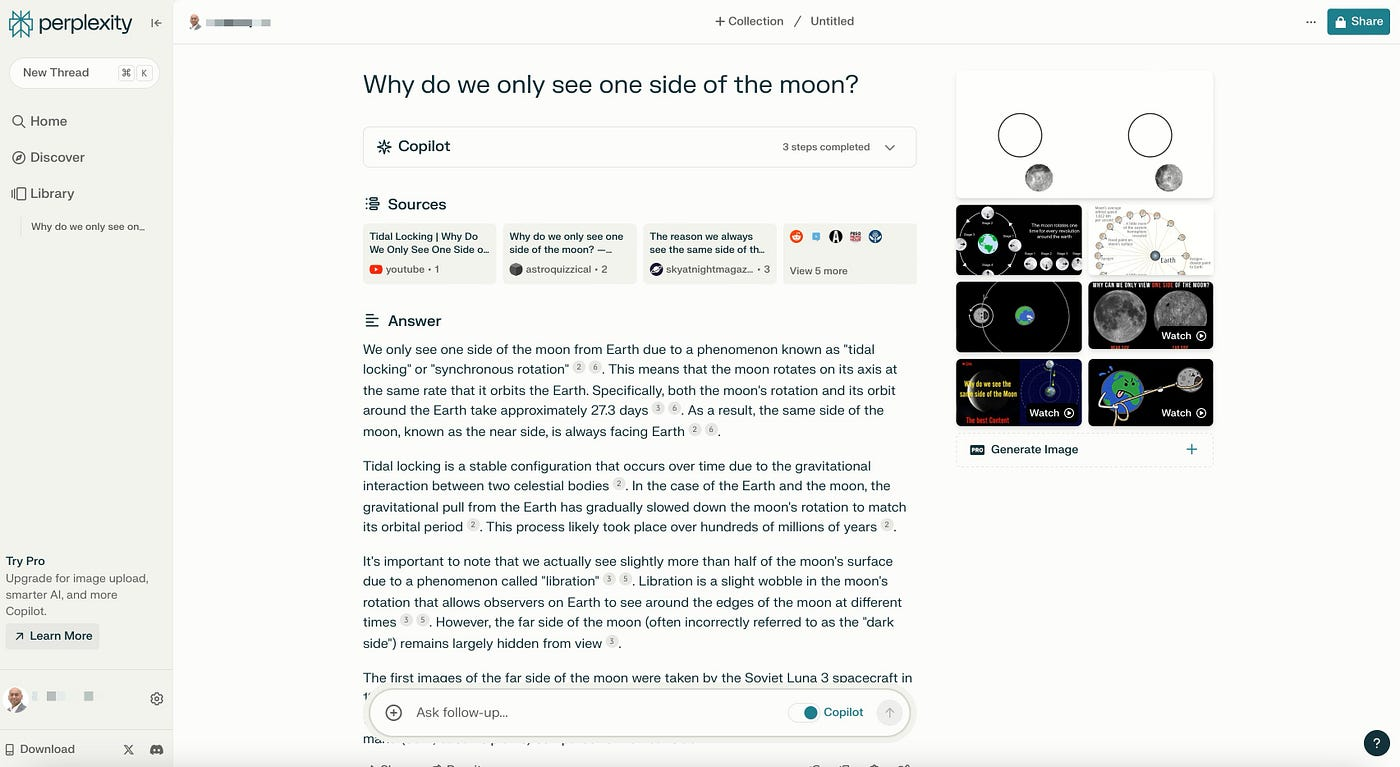
Perplexity is an AI conversational search engine that answers your questions by pulling real-time information from the web. It’s designed to be fast, reliable, and transparent - every answer includes citations so you can verify the source.
Key features
- Real-time search: pulls fresh answers from the live internet, not just training data
- Citation-backed responses: includes clickable sources so you can verify facts
- Spaces: Dedicated research environments where you can organize queries and findings by project, with persistent context and recurring automated searches.
- Research Assistant: deep-dive mode to explore complex topics or summarize long articles
What I liked
- The answers are transparent and well-sourced, making it easier to trust and follow up
- You can switch between top-tier models depending on what you need - like GPT for creativity or Claude for nuance
What I didn’t like
- Perplexity sometimes hallucinates citations or includes broken links in bibliographies
- It’s not ideal for workflows like ongoing code conversations or day planning
- At $20/month, the Pro plan is priced the same as ChatGPT Plus or Claude Pro — but it does significantly less outside of research. I
Pricing
- Free forever: includes unlimited Quick Searches and a few Pro searches per day
- Pro plan at $20/month or $200/year: unlocks 300+ Pro searches per day, Labs access, advanced model selection, and more
Suitable for
- Researchers and writers looking for verifiable, citation-backed answers
- Professionals who want fast insights and summaries to make informed decisions
How to start
- Go to perplexity.ai and sign up for a free account
- Start asking questions or exploring trending searches
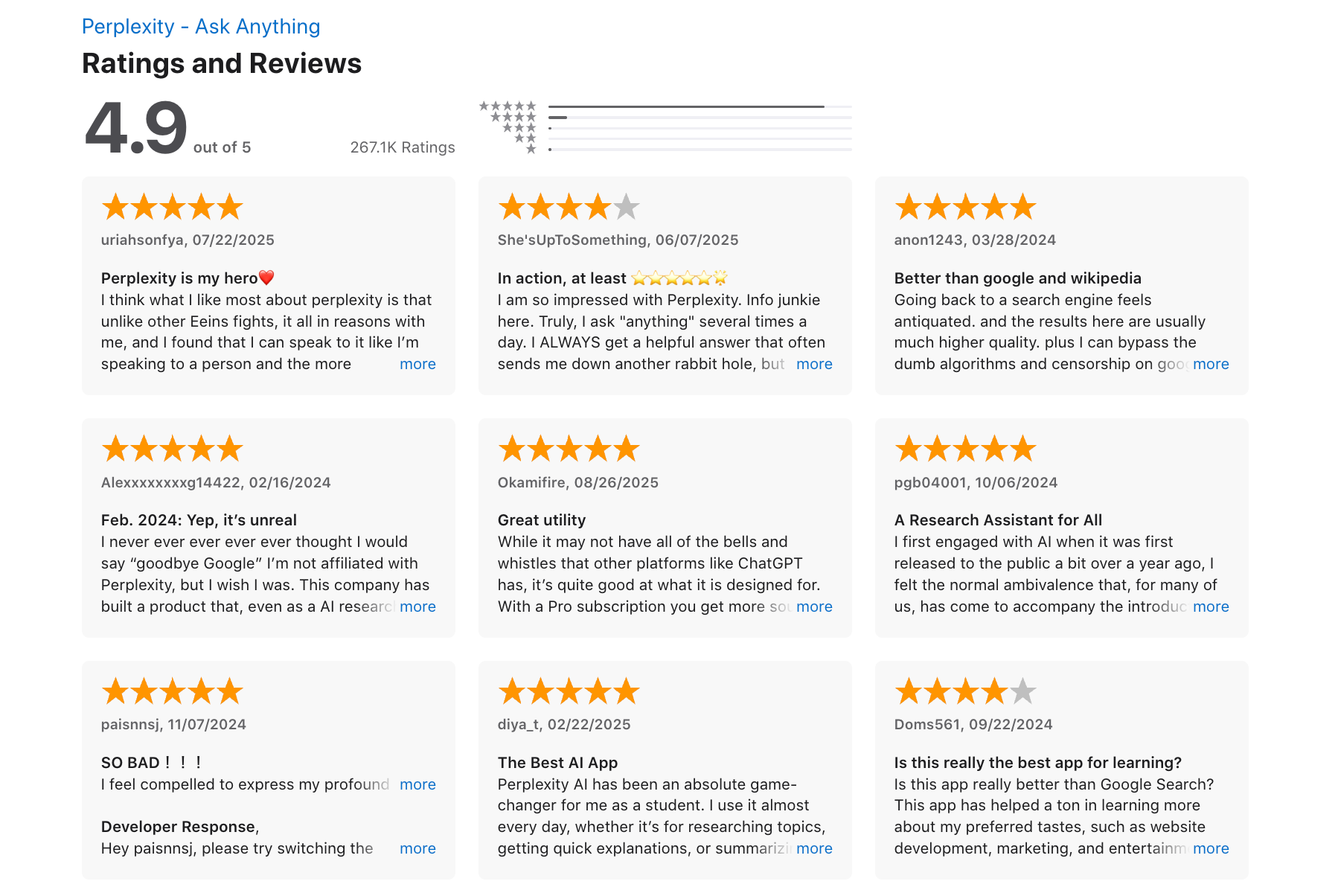
Perplexity reviews (source)
6. Saner.AI
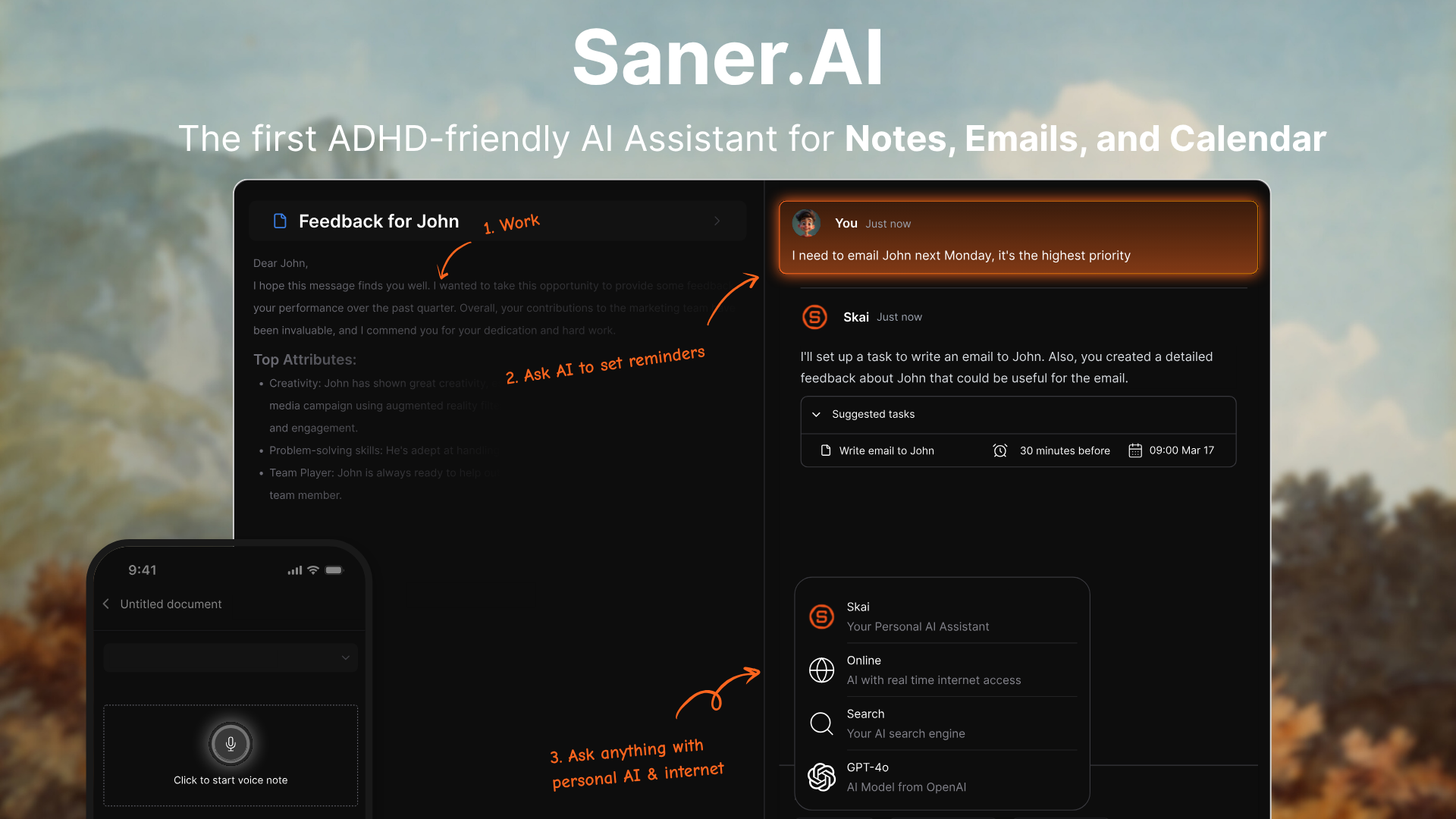
Saner.AI is a personal AI assistant designed to reduce mental clutter by helping you manage notes, emails, tasks, and plans in one place. Built with ADHD-prone and overwhelmed professionals in mind - transforming scattered thoughts into structured, searchable knowledge.
It’s one of the best Microsoft Copilot alternatives if you want something that feels more human, lets you think out loud, and supports nonlinear workflows.
Key features
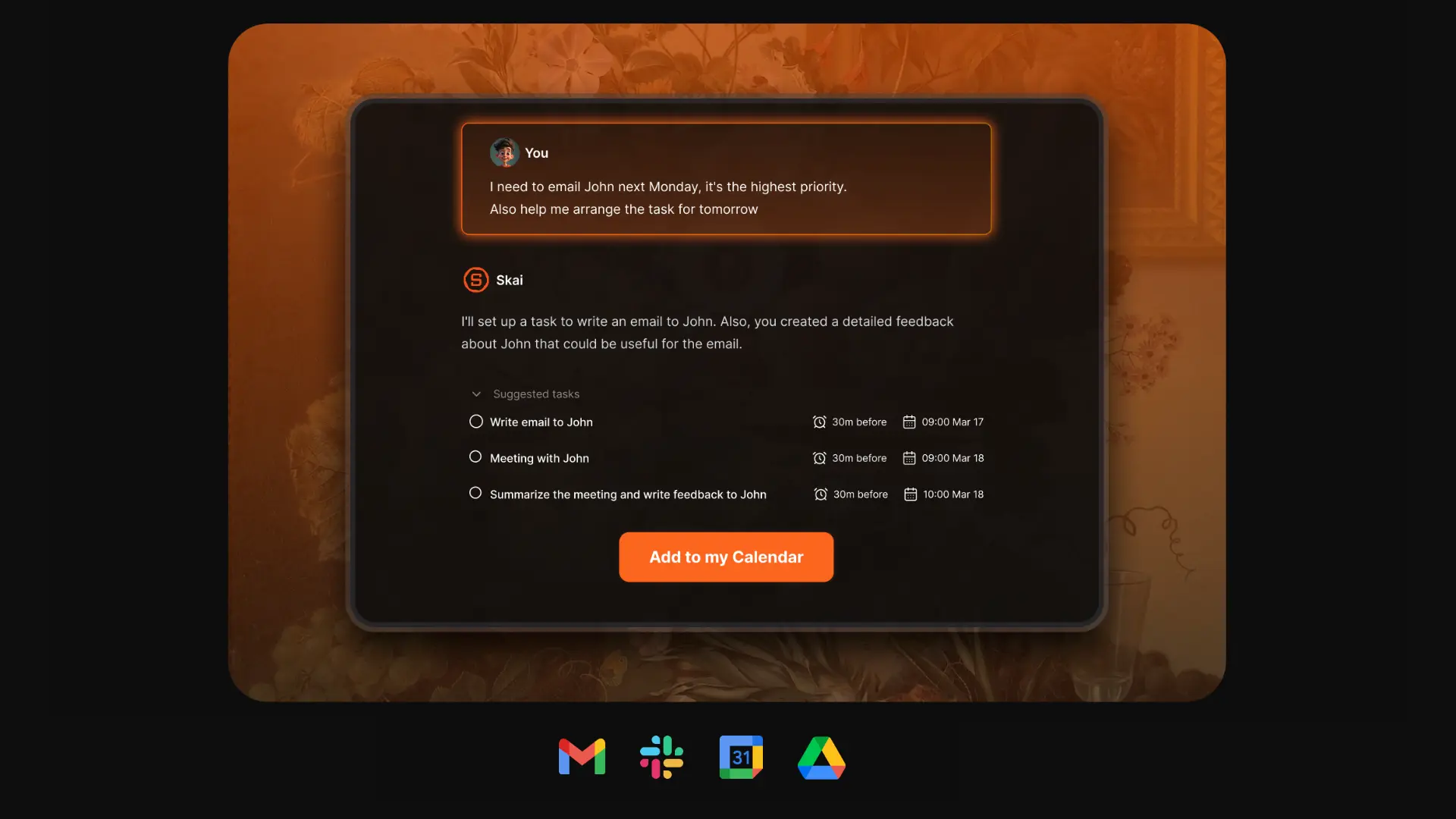
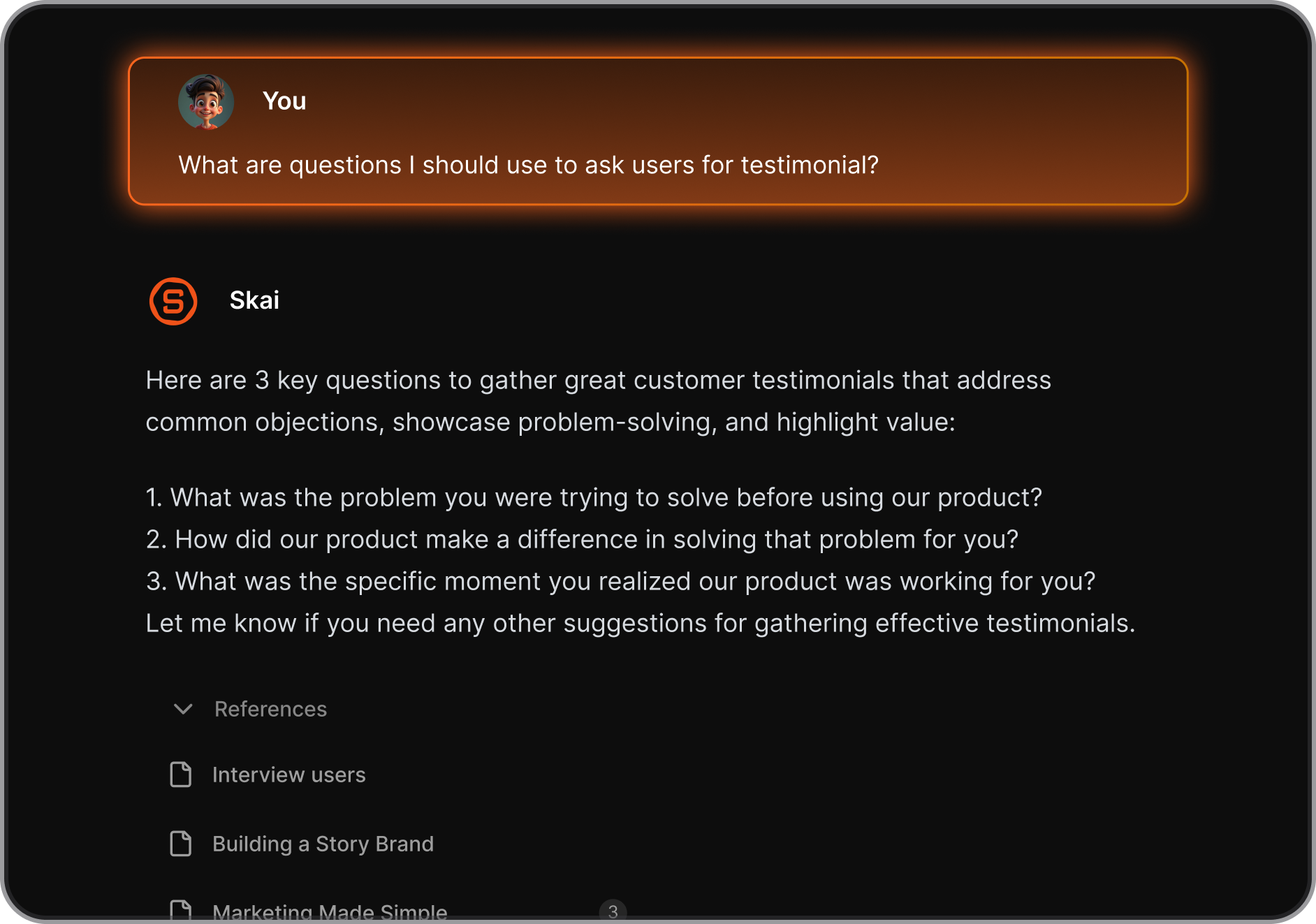
- Chat-style AI assistant (Skai) helps you summarize, search, and recall ideas from any note, email, or document
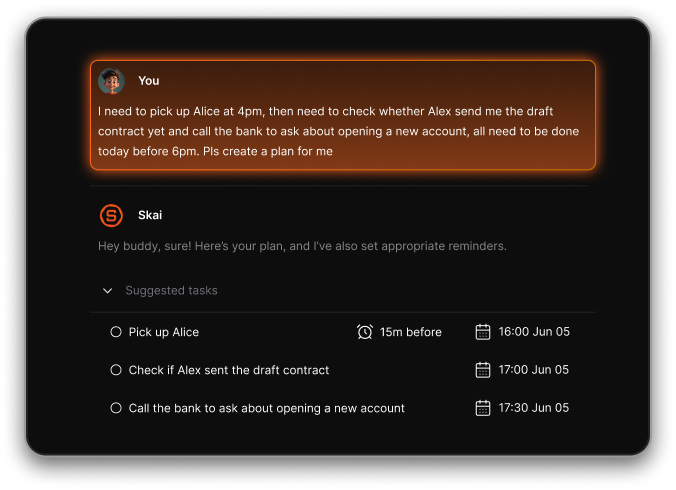
- Automatically pulls to-dos from your notes, inbox, or calendar and helps you break them into small, doable tasks
- Smart semantic search surfaces related insights even if you don’t remember exact keywords
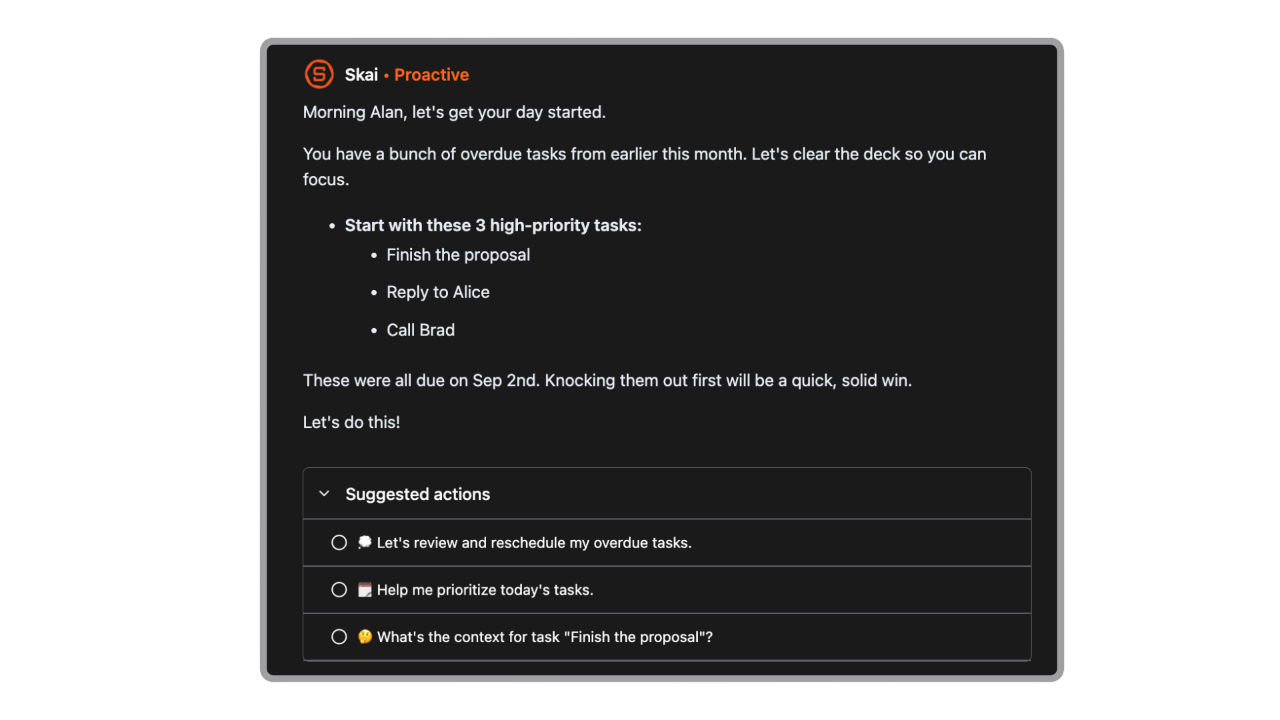
- Daily planning: Skai proactively creates your daily agenda based on what’s due, urgent, or forgotten
- ADHD-friendly design: minimalist workspace that removes distractions and reduces context-switching
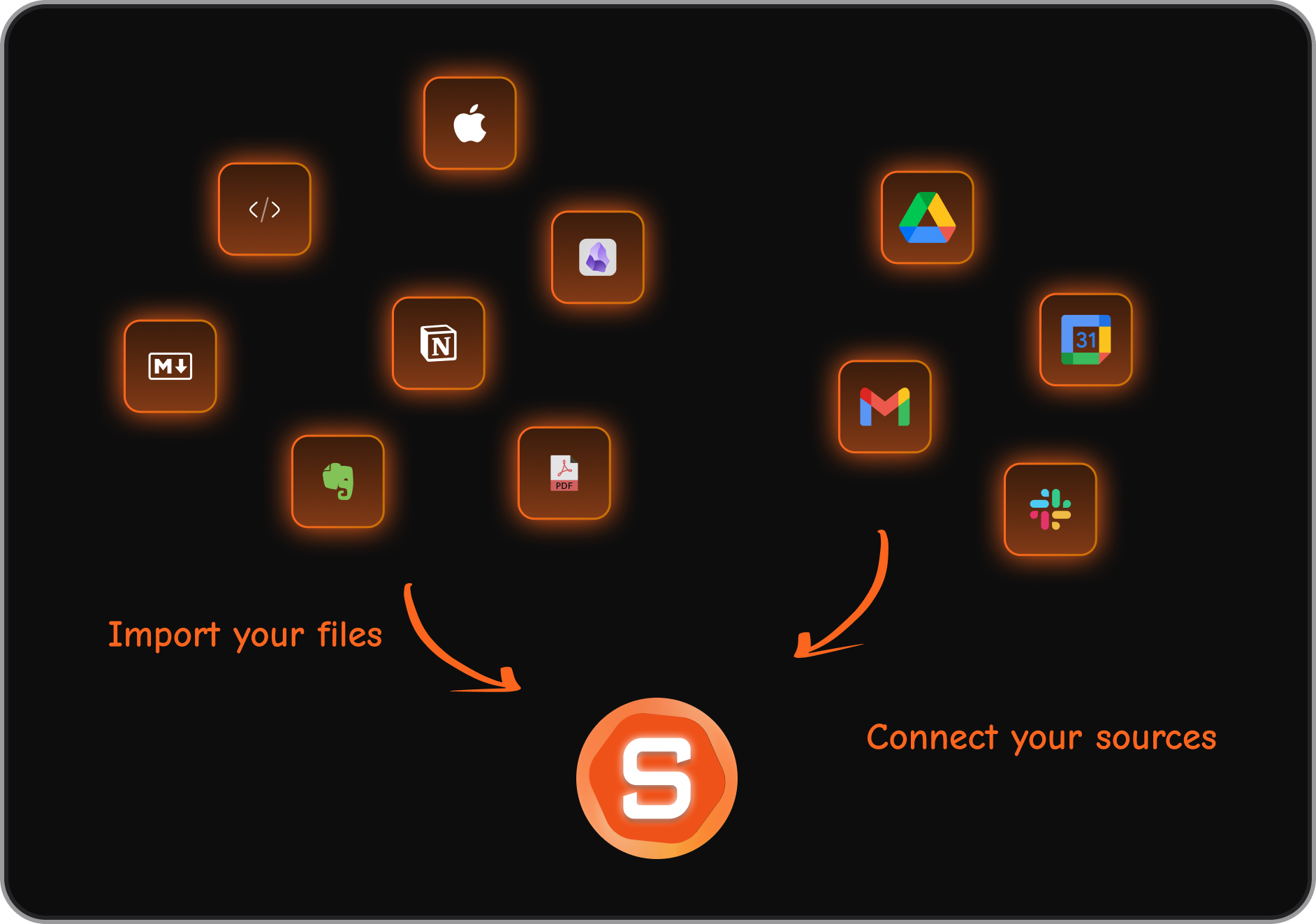
- Works with Gmail, Google Calendar, Google Drive, Slack, and PDFs—no need to jump between apps
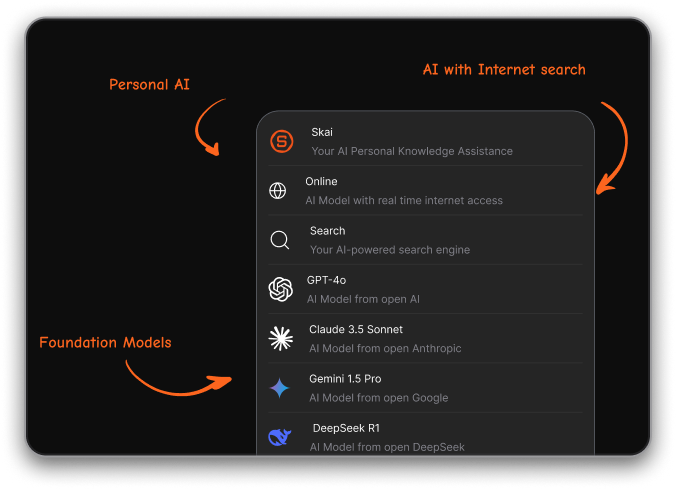
- Integrate many foundational models like Gemini, ChatGPT, Claude
What I liked
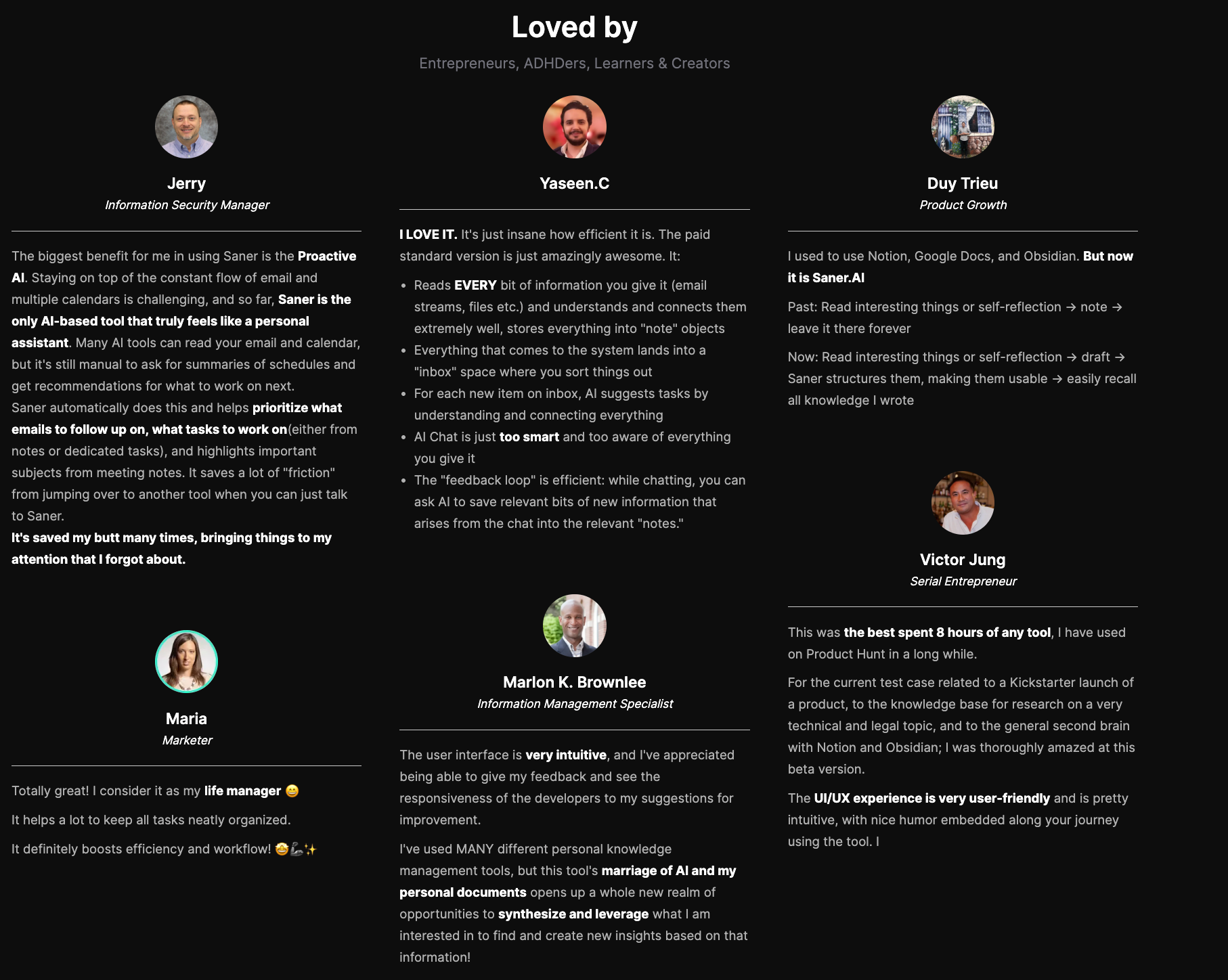
- It remembers everything across your work: emails, notes, documents, tasks - it’s like a mental safety net
- You can literally just talk to the AI, and it turns your mess into organized tasks and reminders
- The interface is calming - perfect if you get overwhelmed by traditional task managers or calendar tools
- Starts suggesting what to do the moment you log in, which saves the mental load of planning your day
Cons
- Requires internet access for full functionality
Saner.AI Reviews
Pricing
- Free — $0
- Starter — $8/month
- Standard — $16/month
Who is it suitable for?
- Knowledge workers, researchers, and professionals who deal with high volumes of information across multiple tools and want an AI that builds on their existing knowledge base - not just responds to one-off prompts.
How to start using it?
- Head to saner.ai, create a free account, and start dumping your thoughts, tasks, and documents.
- The AI will take care of organizing them - and help you plan your day with less stress.

Work more efficient with the top Microsoft Copilot Alternative
Conclusion: Finding the Right Microsoft Copilot Alternative
Microsoft Copilot is powerful - but it’s not the only option. Depending on what you need, one of these alternatives may actually fit better:
- ChatGPT if you value creativity, flexibility, and casual brainstorming.
- Saner.AI if you want an ADHD-friendly task flow and calm productivity.
- Claude if you work with long documents and need clear, structured reasoning.
- Perplexity AI if transparency and citation-backed research are essential.
- Notion AI if your whole workflow already lives inside Notion.
- Gemini if you’re deep into Google Workspace and want multimodal power.
The best Copilot alternative isn’t about chasing features - it’s about what feels natural in your workflow. Each tool has its own strengths, quirks, and pricing tiers.
👉 My advice: try a couple side by side for a week. You’ll quickly notice which one reduces friction, boosts focus, and makes your day easier.
In the end, the right AI assistant should feel less like a tool and more like a trusted partner in how you work.
Stay on top of your work with top Mircosoft Copilot Alternative
FAQ: Best Microsoft Copilot Alternatives
1. Why are people looking for Microsoft Copilot alternatives?
Microsoft Copilot is powerful - especially if you live in Microsoft 365. But many users find it:
- Expensive for individual users or startups
- Too deeply tied to Microsoft apps
- Limited in customization or third-party tool support
- Lacking flexibility compared to standalone AI tools
If you’re not all-in on Microsoft’s ecosystem - or want more control, personalization, or better pricing - Copilot alternatives like Saner.AI, ChatGPT, Claude, Gemini, Notion AI, and Perplexity might be a better fit.
2. What are the best Microsoft Copilot alternatives right now?
Here’s a quick list of top alternatives, each with its own strengths:
- Saner.AI – Combines AI search, tasks, notes, and calendar. Ideal for planning, context switching, and ADHD brains.
- ChatGPT – Great for general-purpose AI help. Flexible and customizable.
- Claude – Known for long context windows and clear reasoning.
- Gemini (Google) – Deeply integrated with Google Workspace apps like Docs and Gmail.
- Notion AI – Best for note-heavy users inside Notion.
- Perplexity – AI-powered answer engine with live web citations.
3. Which Microsoft Copilot alternative works best for task and calendar management?
If you're looking for productivity superpowers - not just text generation - Saner.AI is built for it:
- Turn notes into tasks
- Auto-schedule based on urgency and availability
- Pull tasks from emails and daily plans
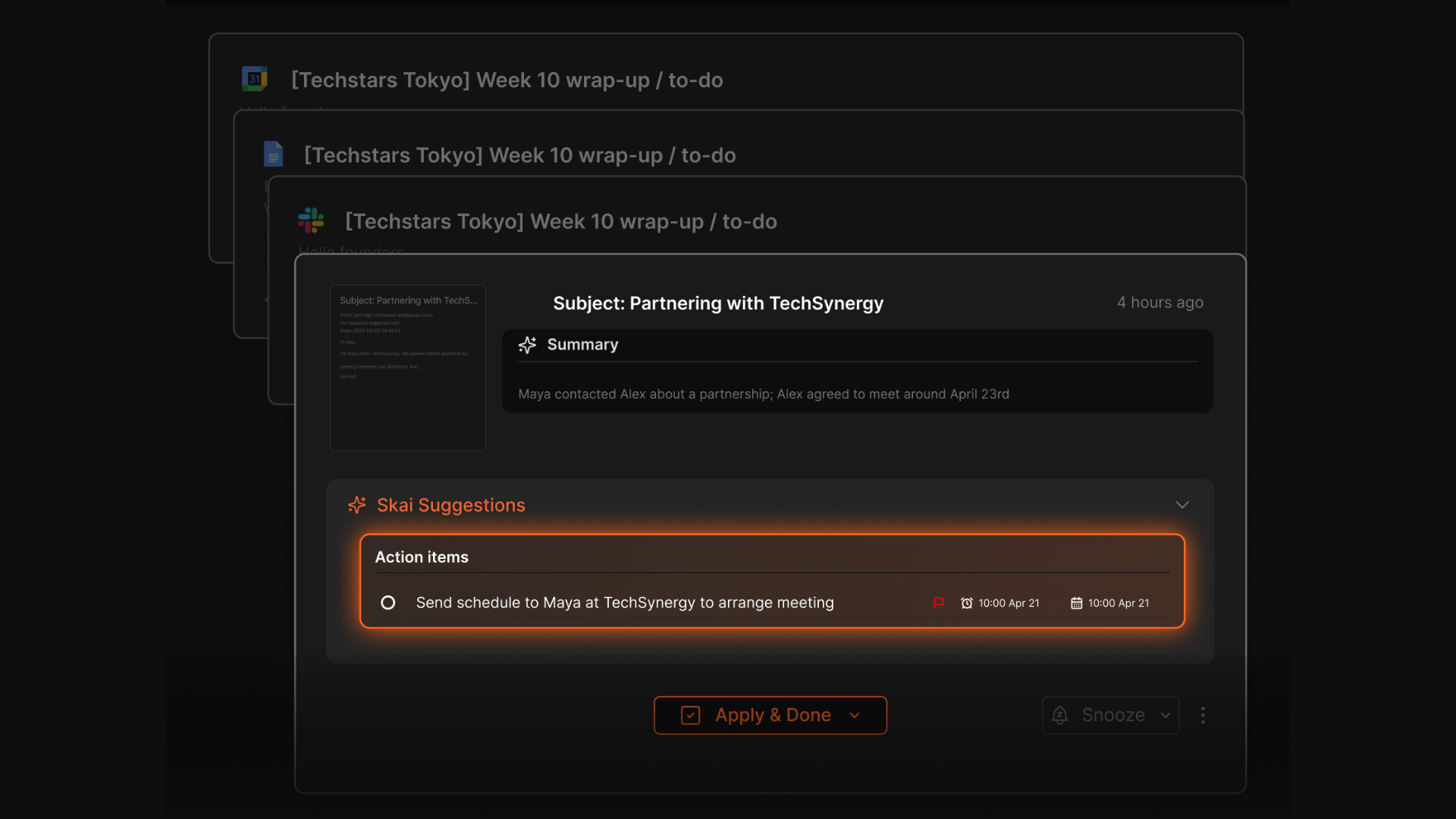
- See what needs doing without context switching
Copilot supports task suggestions, but Saner.AI offers a more proactive, personalized workflow across tools.
4. Which Copilot alternatives are best for email and document summarization?
For summarizing long documents or email threads:
- Claude: Great for reading long PDFs and docs thanks to its large context window.
- ChatGPT Plus: With GPT-4, handles multi-turn summarization with high fluency.
- Saner.AI: Summarizes emails, notes, and chats in context of your current goals.
- Gemini: Useful for Gmail and Docs users. Seamless if you're already in Google Workspace.
5. Are there free Microsoft Copilot alternatives?
Yes - many Copilot competitors offer generous free plans:
- ChatGPT – Free access
- Gemini – Free with Google account
- Saner.AI – Free plan includes AI note search, calendar sync, and task reminders
- Perplexity – Free with access to live web results and sources
6. Which Copilot alternative is best for professionals with ADHD or focus challenges?
Saner.AI is built with neurodiverse workflows in mind. It reduces distractions by:
- Turning scattered notes into clean action lists
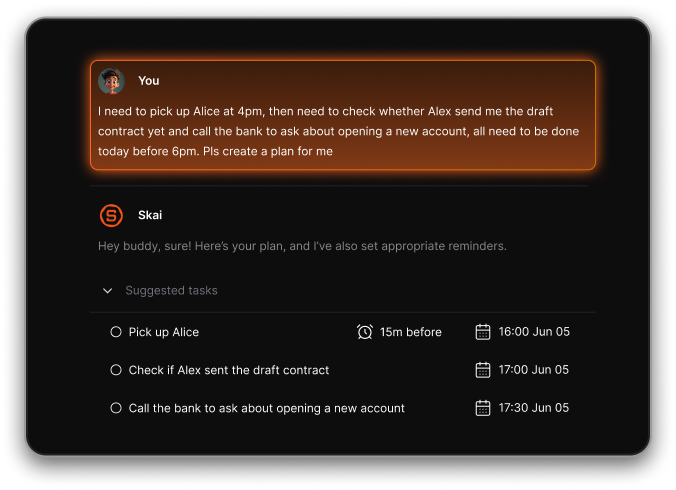
- Surfacing only what matters each day
- Helping you get started without overwhelm
If you struggle with executive dysfunction or context switching, Saner.AI offers structure without rigidity.
7. Which Copilot alternative is best for Google users?
If you're deep into Gmail, Google Calendar, and Docs:
- Gemini is tightly integrated with Google Workspace.
- Saner.AI also supports Google account sync for Calendar, Drive, and Gmail.
- Perplexity offers a lightweight, fast search layer on top of Google results.
8. Can these Copilot alternatives help me plan my day?
Yes. Several tools now offer proactive daily planning:
- Saner.AI: Creates a custom daily plan from your notes, tasks, and calendar
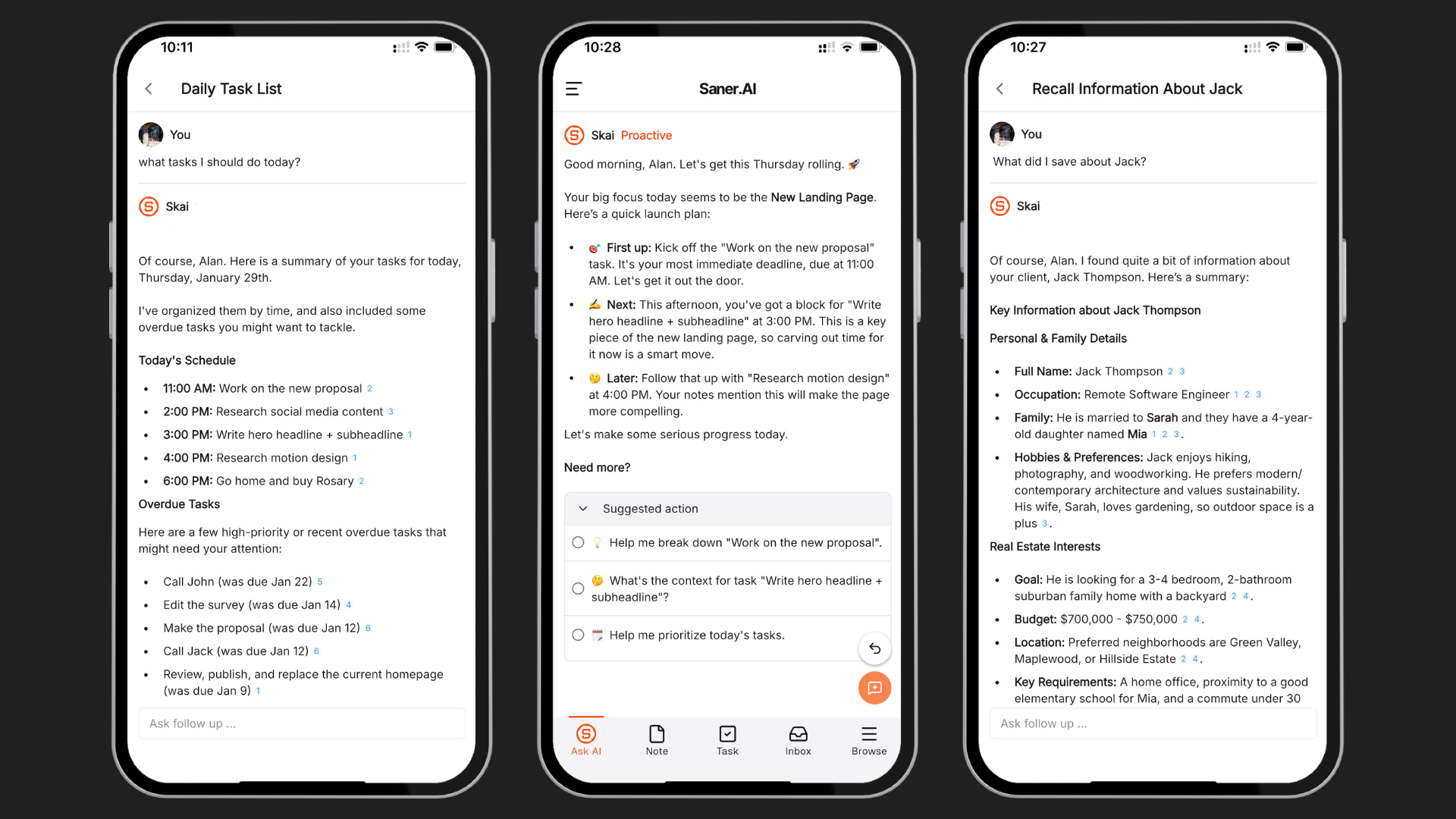
Copilot suggests actions inside apps, but it doesn’t yet offer holistic daily planning like Saner does.
9. Which AI tools are best for researching and answering questions?
For fast, accurate answers with references:
- Perplexity: Real-time search with citation-backed results
- ChatGPT + Browsing: Useful for general queries and ideation
- Claude: Great for reasoning-heavy or long-form queries
- Gemini: Good for Google-based learning
- Saner.AI: Great if you want to search your own notes, documents, or knowledge base
10. Can these Copilot alternatives integrate with my notes or files?
Yes, but capabilities vary:
- Saner.AI: Connects with Gmail, Google Drive, Calendar, and internal notes
- Notion AI: Lives inside your Notion workspace
- ChatGPT: Can search custom files if uploaded in a chat or with plugins
- Claude: Accepts file uploads for analysis and summarization
- Gemini: Integrated with Google Docs and Drive
11. Which Copilot alternative is best for entrepreneurs and startup founders?
Founders need speed, clarity, and fewer tools. Saner.AI is tailored for that:
- Turn chaotic brain dumps into organized action
- Find past investor notes, product plans, or meeting insights
- One tool for task tracking, notes, reminders, and daily focus
- Researchers might prefer Claude or Perplexity for deeper reasoning and source-based exploration.
12. Do Copilot alternatives support voice input?
Some do:
- Saner.AI – Yes, built-in voice-to-task
- ChatGPT, Claude, Gemini – Voice supported via mobile app
13. Final thoughts: What’s the best Microsoft Copilot alternative overall?
It depends on what you need:
- For task and day planning → Saner.AI
- For creative writing and chatting → ChatGPT
- For research and source-backed answers → Perplexity
- For Google ecosystem → Gemini
- For document-heavy work → Claude
- For note-first workflows → Notion AI
If you're overwhelmed by fragmented tools and want one place to think, plan, and follow through, Saner.AI is a strong choice.
Stay on top of your work and life effortlessly