Moltbot (Clawdbot) Alternatives: We Tested The 9 Best Tools
The Best Moltbot alternatives are: Saner.AI, Claude, Manus, ChatGPT, Gemini, Copilot, Zapier, Notion AI, and LangChain-based Agents

We tested the 9 Best Moltbot (Clawdbot) Alternatives
Moltbot (formerly Clawdbot) showed many people what an agentic AI assistant could look like: a system that doesn’t just chat, but can act across tools, remember context, and run workflows. For developers and power users, that promise is exciting. For others, the reality comes with friction.
Many people start looking for the best Moltbot alternatives because of setup complexity, security considerations, self-hosting overhead, limited UX, or a desire for something more focused on productivity or business workflows rather than experimentation.
This guide compares Moltbot competitors and AI agent alternatives across use cases, from self-hosted frameworks to cloud-based assistants.
You’ll learn how these tools differ, what they’re commonly used for, and when they make more sense than Moltbot
What Is Moltbot?
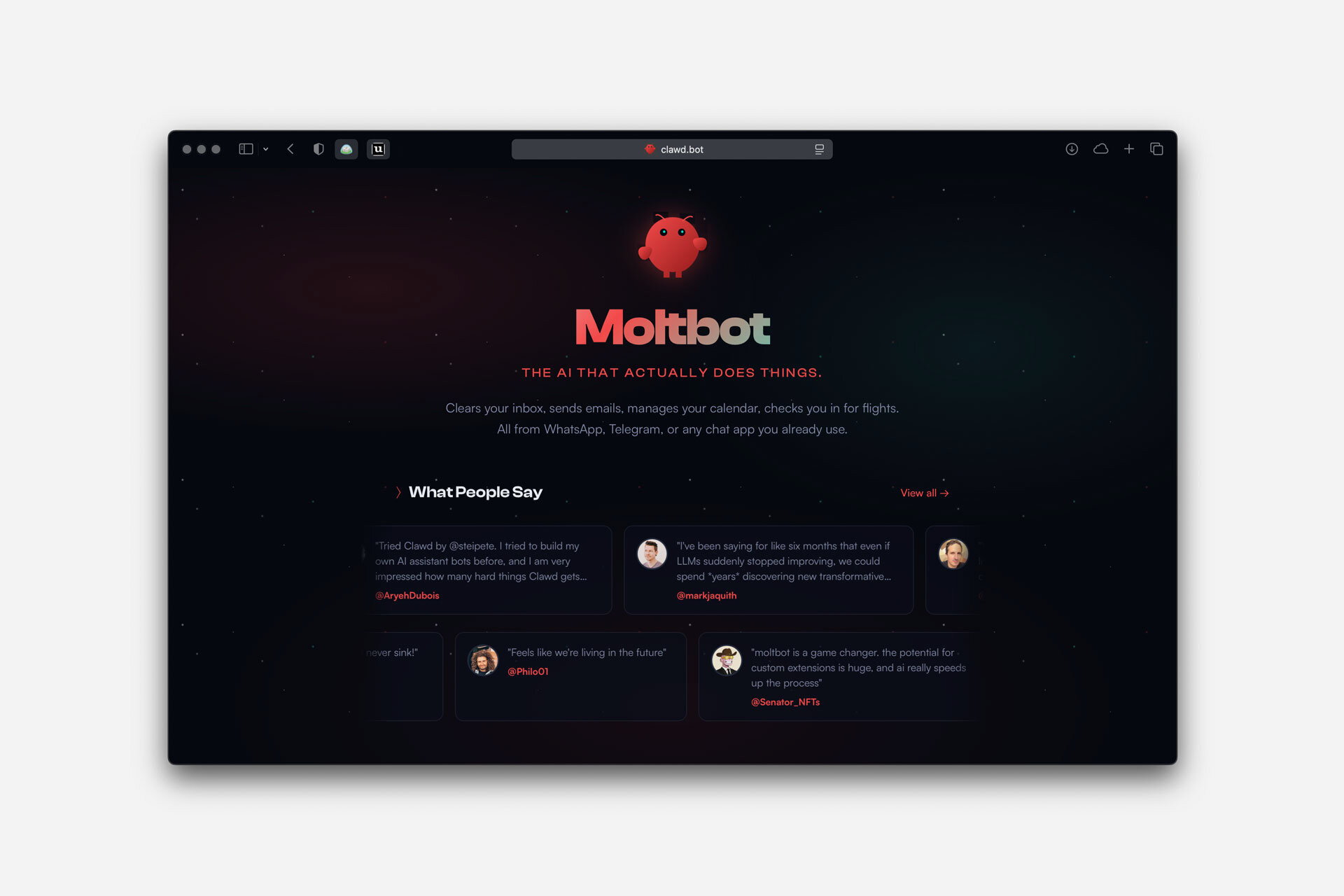
Moltbot (formerly known as Clawdbot) is a self-hosted, agentic AI assistant designed to operate more like an autonomous system than a traditional chatbot. Moltbot is built to take actions on your behalf - such as interacting with files, APIs, messages, or workflows - while maintaining memory and context over time.
What Makes a Good Moltbot Alternative?
A strong Moltbot (Clawdbot) alternative should deliver agent-like benefits without heavy technical overhead. Key factors include:
- Agentic capability – Can it plan and take actions, not just respond?
- Ease of use – Works out of the box without complex setup, servers, or coding.
- Hosting model – Self-hosted for control, or cloud-based for convenience.
- Integrations – Connects to email, calendars, files, APIs, or work tools.
- Privacy & control – Clear data handling and limited system access.
- Best-fit use case – Developers, business automation, or everyday productivity.
Now, let's dive in!
What Are The Best Moltbot Alternatives?
The Best Moltbot alternatives are: Saner.AI, Claude, Manus, ChatGPT, Gemini, Copilot, Zapier, Notion AI, and LangChain-based Agents
Best Moltbot Alternatives Comparison Table
| 🤖 Tool | 🎯 Primary Focus | ⚙️ Agentic / Automation | 🧑💻 Ease of Use (Low Technical Skill) | ☁️ Hosting | 👤 Best For |
|---|---|---|---|---|---|
| Saner.AI | Productivity, tasks, planning | ⚙️ Light (assistant-led) | ✅ Very easy | Cloud | Founders, knowledge workers, ADHD-prone users |
| Claude | Reasoning, writing, analysis | ⚙️ Limited | ✅ Easy | Cloud | Research, long-form thinking, writing |
| ChatGPT | General AI assistance | ⚙️ Moderate (tools/plugins) | ✅ Very easy | Cloud | Power users, flexible workflows |
| Gemini | Search & Google Workspace | ⚙️ Limited | ✅ Easy | Cloud | Google Docs, Gmail, research tasks |
| Copilot | Microsoft 365 productivity | ⚙️ Moderate (within apps) | ✅ Easy | Cloud | Office users, enterprise teams |
| Zapier | App-to-app automation | ⚙️ Rule-based automation | ✅ Easy (no-code) | Cloud | Business workflows, operations |
| Notion AI | Knowledge & docs | ⚙️ Minimal | ✅ Very easy | Cloud | Notes, docs, internal wikis |
| Manus | Autonomous AI agents | ⚙️ Strong (goal-driven agents) | ⚠️ Medium | Cloud | Agentic task execution, research, ops |
| LangChain-based Agents | Custom AI agents | ⚙️ Strong (full agentic) | ❌ Hard (requires coding) | Self / Cloud | Developers, custom systems |
1. Saner.AI
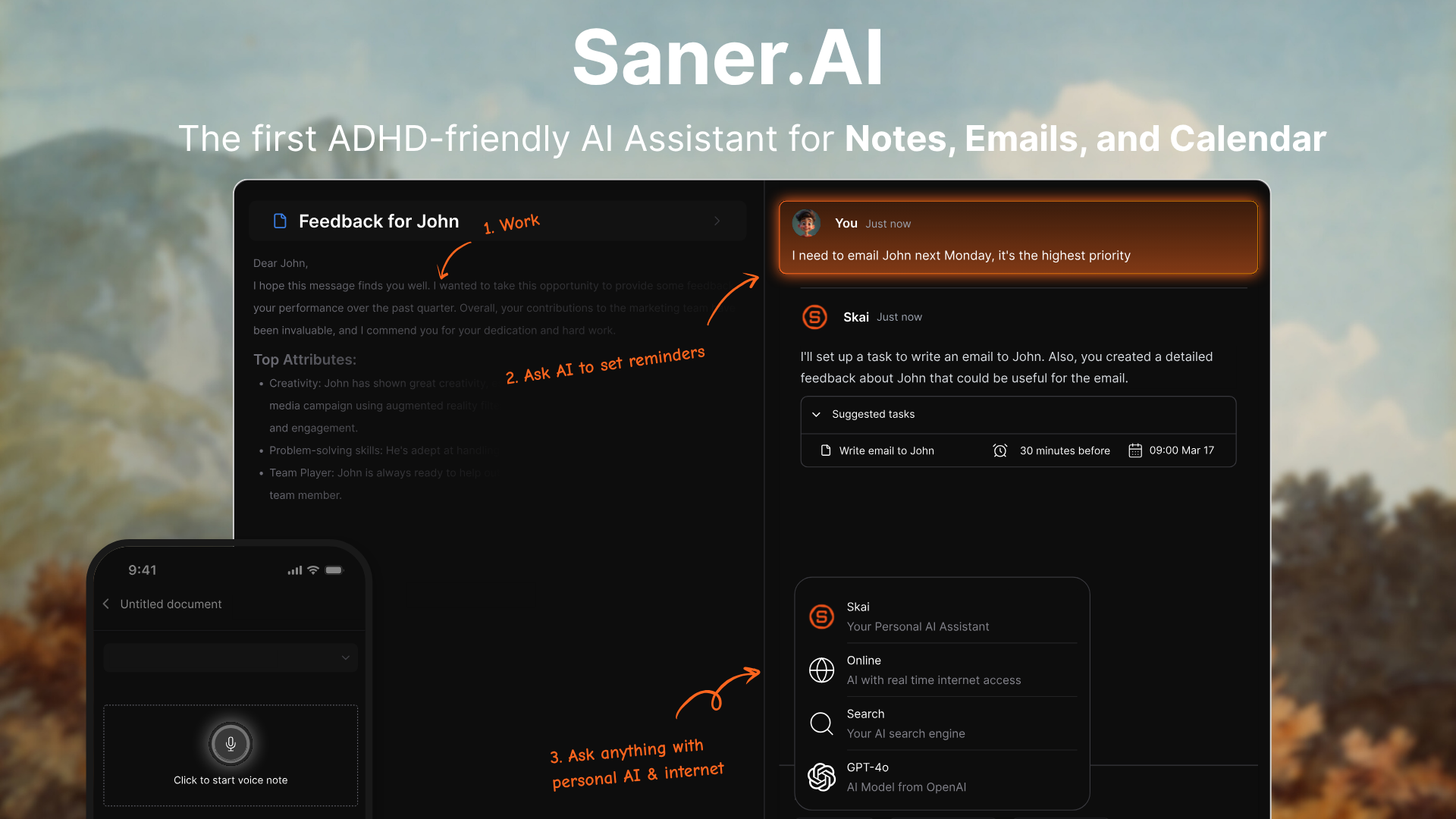
Saner.AI is an AI personal assistant that helps you manage notes, tasks, reminders, and planning through natural language. It's designed for everyday users who want results without setup or technical work. It's a strong alternative to Moltbot if you care more about ease of use than self-hosting or customization
Key features
- Chat-based interface to brain dump thoughts, create tasks, and organize information
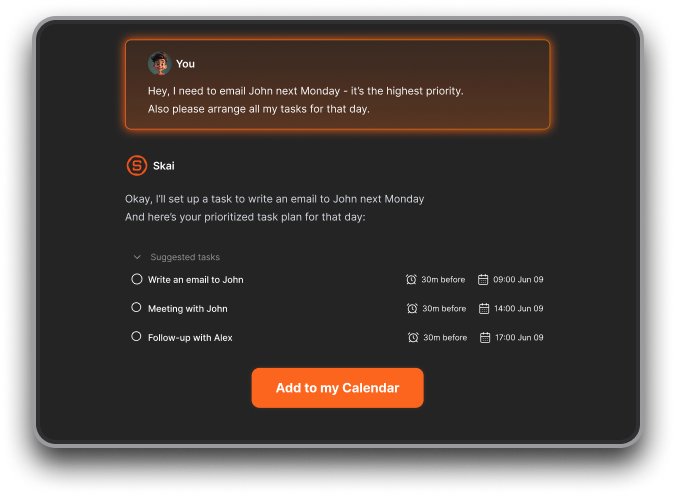
- Semantic search that lets you find information using natural language
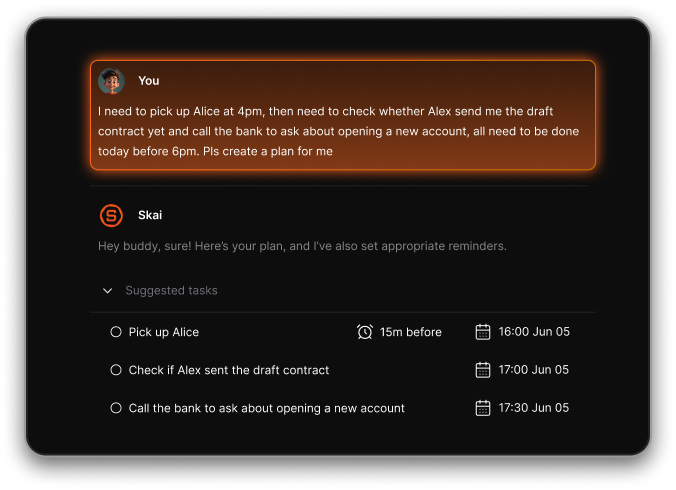
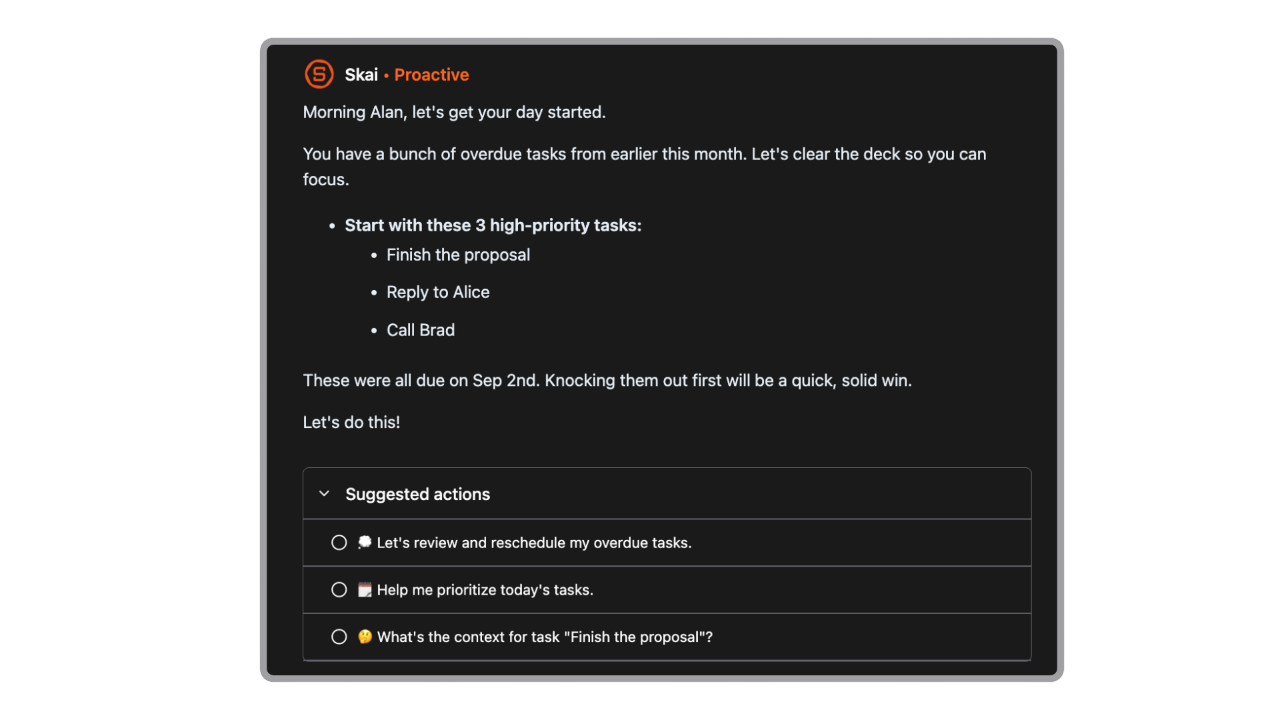
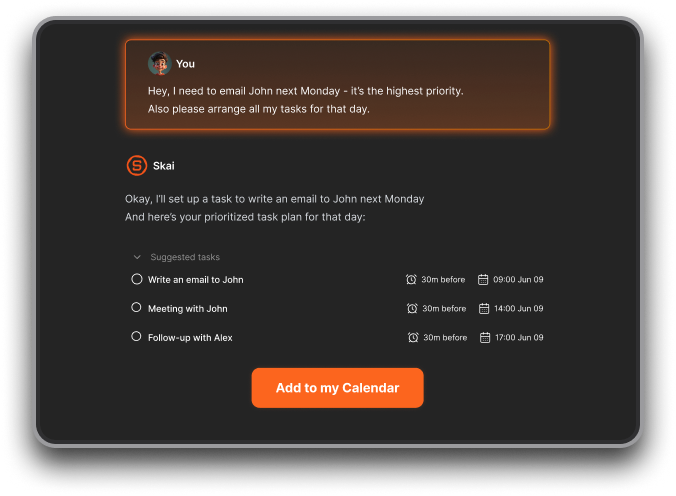
- AI planning: It automatically goes through your notes, emails, todos and plan your day based on what’s due or important
- Unified workspace for notes, tasks, email, calendar, and files
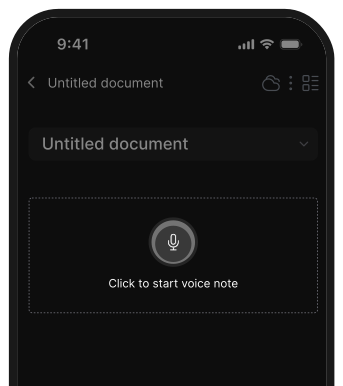
- Quick capture for voice notes, ideas, links, and documents
- Works across web, mobile, and browser extensions
What I liked
- Extremely easy to get started - sign up and start chatting, no setup required
- No coding, no hosting, no configuration of agents or workflows
- Everything lives in one place, which reduces context switching
- The interface feels friendly and intuitive, especially for non-technical users
Cons
- Requires internet access for full functionality
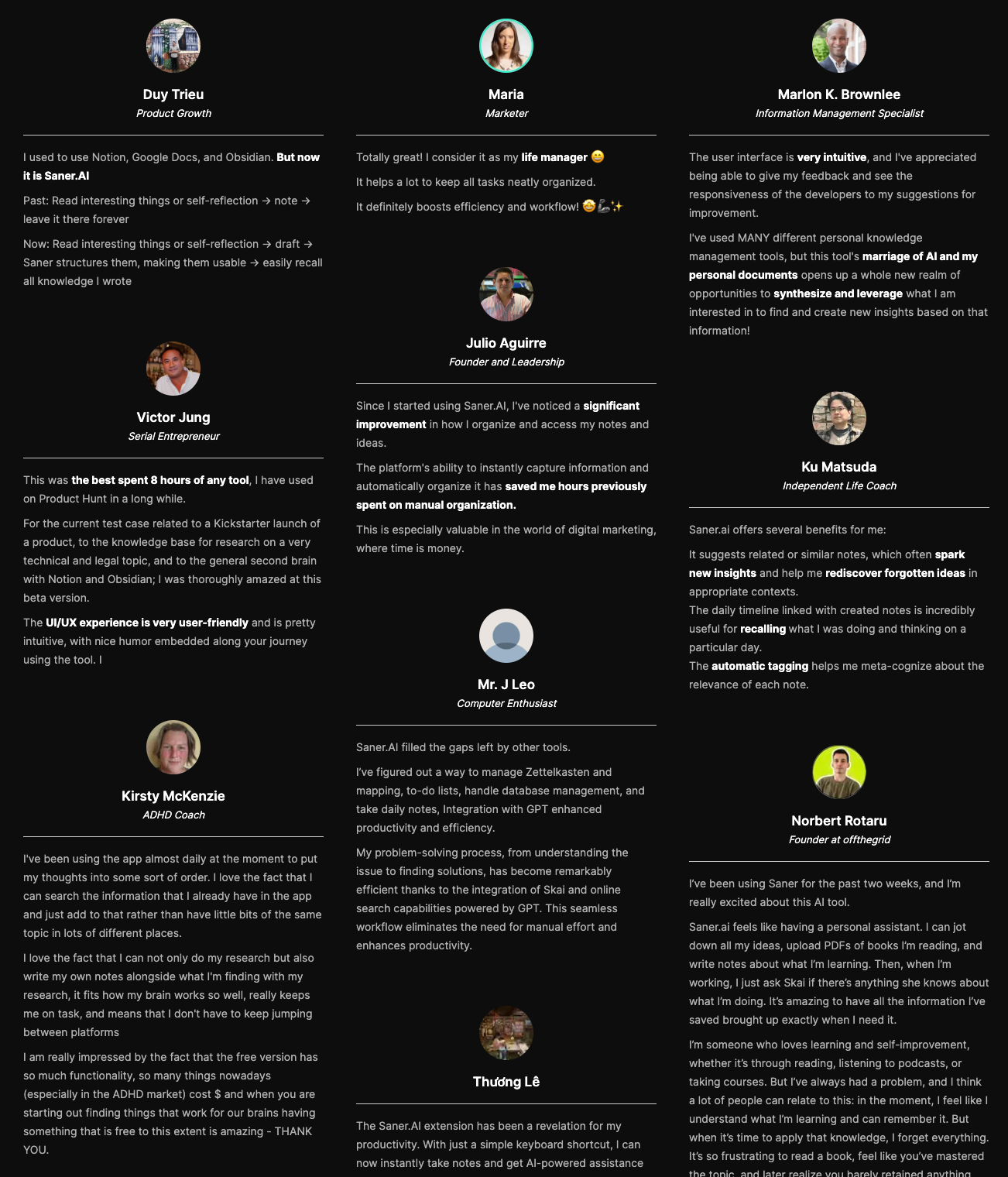
Saner.AI Reviews
Pricing
- Free plan available for basic use
- Paid plans start roughly in the $8–$16/month range
Who is it suitable for?
- Professionals, founders, and knowledge workers who want an AI assistant that “just works”
- Users overwhelmed by juggling multiple productivity apps
- People who want AI help without dealing with servers, APIs, or command lines
- Anyone who finds Moltbot powerful but too complex to set up or maintain
How to start using it?
- Go to Saner.AI
- Create a free account
- Start chatting to organize tasks, notes, and plans immediately

Work more efficient with your Top Moltbot Alternatives
2. Claude
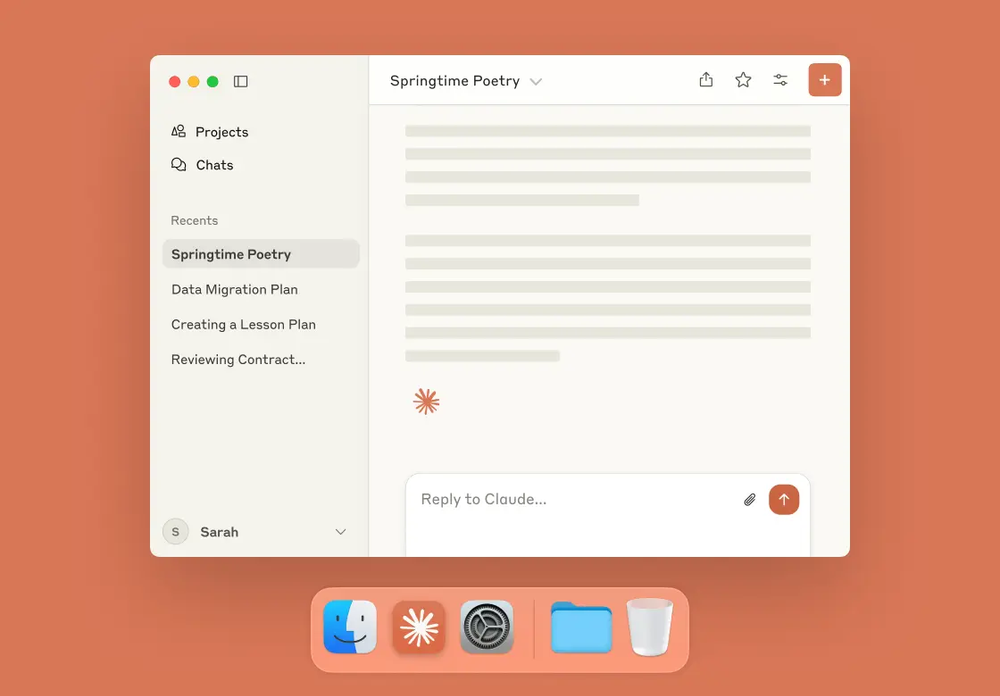
Claude is Anthropic’s cloud-hosted AI assistant focused on safe, deep reasoning, long-form thinking, and workplace productivity. It’s often considered a Moltbot alternative for users who want a powerful AI brain without running a self-hosted, action-executing agent.
Key features
- Advanced conversational AI for writing, summarizing, research, and reasoning
- Very large context window for handling long documents and complex tasks
- Web-based chat interface plus API access for developers
- Growing set of integrations via MCP Apps (Slack, Figma, Asana, Canva, etc.)
What I liked
- Strong reasoning and long-context performance, especially for planning, research, and structured thinking
- Clean, reliable chat experience that feels polished and predictable
- Flexible usage: works well as a standalone assistant or embedded via API
- Integrations are expanding, making it more useful inside real work tools
What I disliked
- Not automation-first like Moltbot; it doesn’t execute actions on your behalf by default
- Requires external tooling or middleware to match Moltbot-style proactive agents
- Less control over system-level behavior compared to self-hosted assistants
Pricing
- Free plan with limited messages.
- Pro plan at $20/month
- Team plan: $25–30 per user/month
Suitable for
- Users who want a cloud-hosted AI assistant for thinking, writing, and research
- Teams that value reliability and safety over deep system automation
- Developers who want to embed a strong reasoning model without managing infrastructure
- People who don’t want to self-host or maintain an AI agent
How to get started
- Go to Claude.ai
- Create a free account
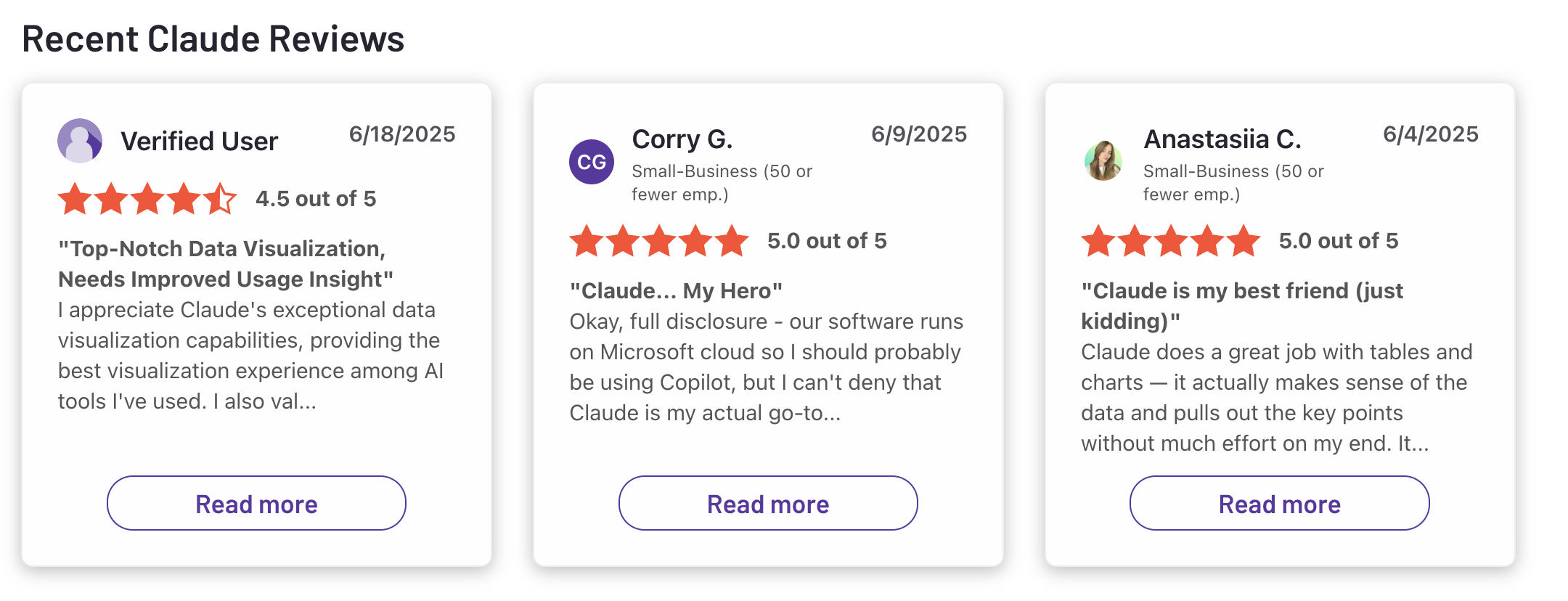
Claude reviews (source)
3. Zapier
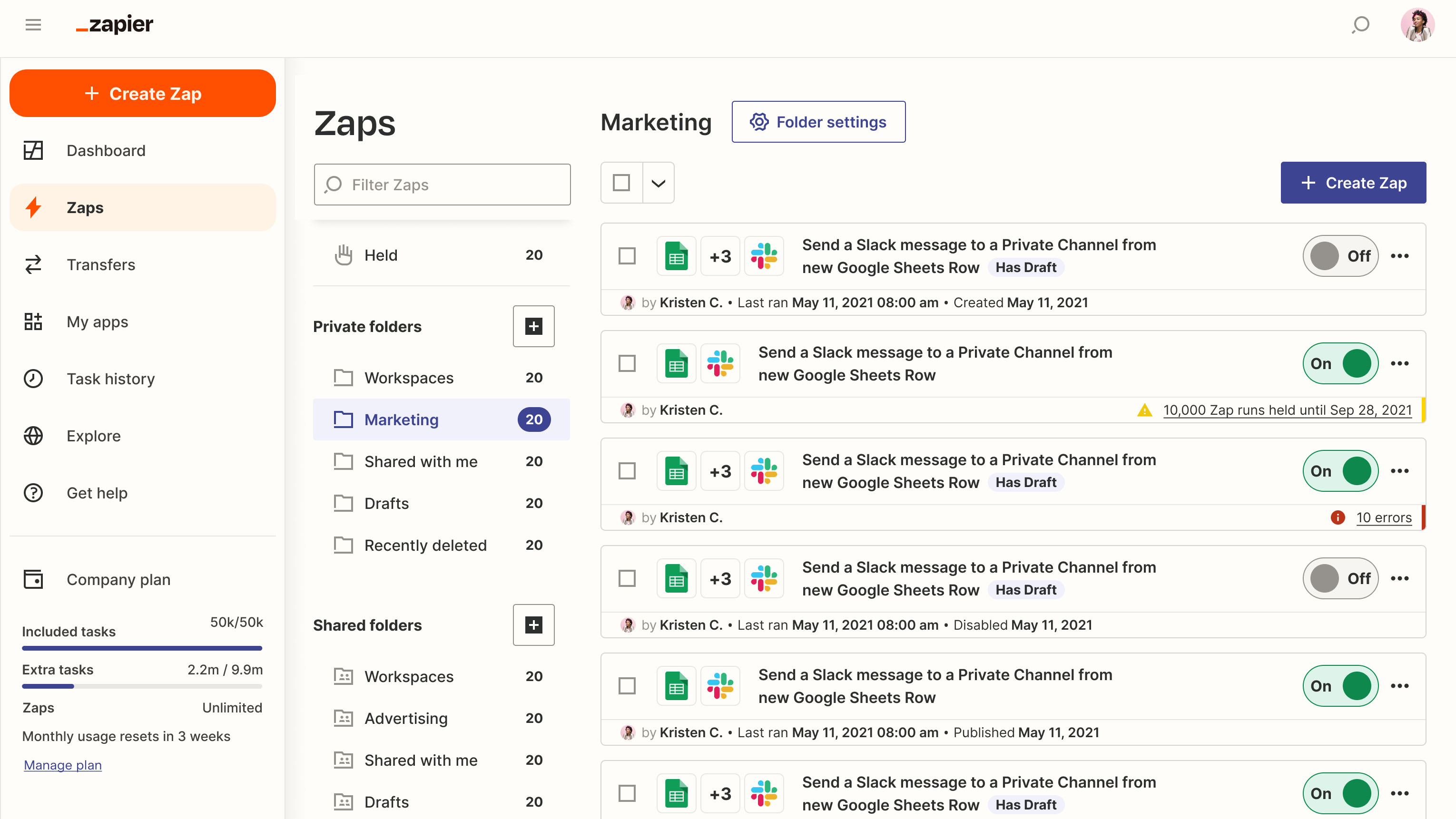
Zapier is a cloud-based automation platform that connects apps and automates workflows without code. It acts as a Moltbot alternative by automating real actions across tools, but focuses more on workflow automation than autonomous, self-hosted agents.
Key features
- No-code automation builder for triggers and actions (“Zaps”)
- Integrations with 8,000+ apps (email, CRM, calendars, databases, chat tools, etc.)
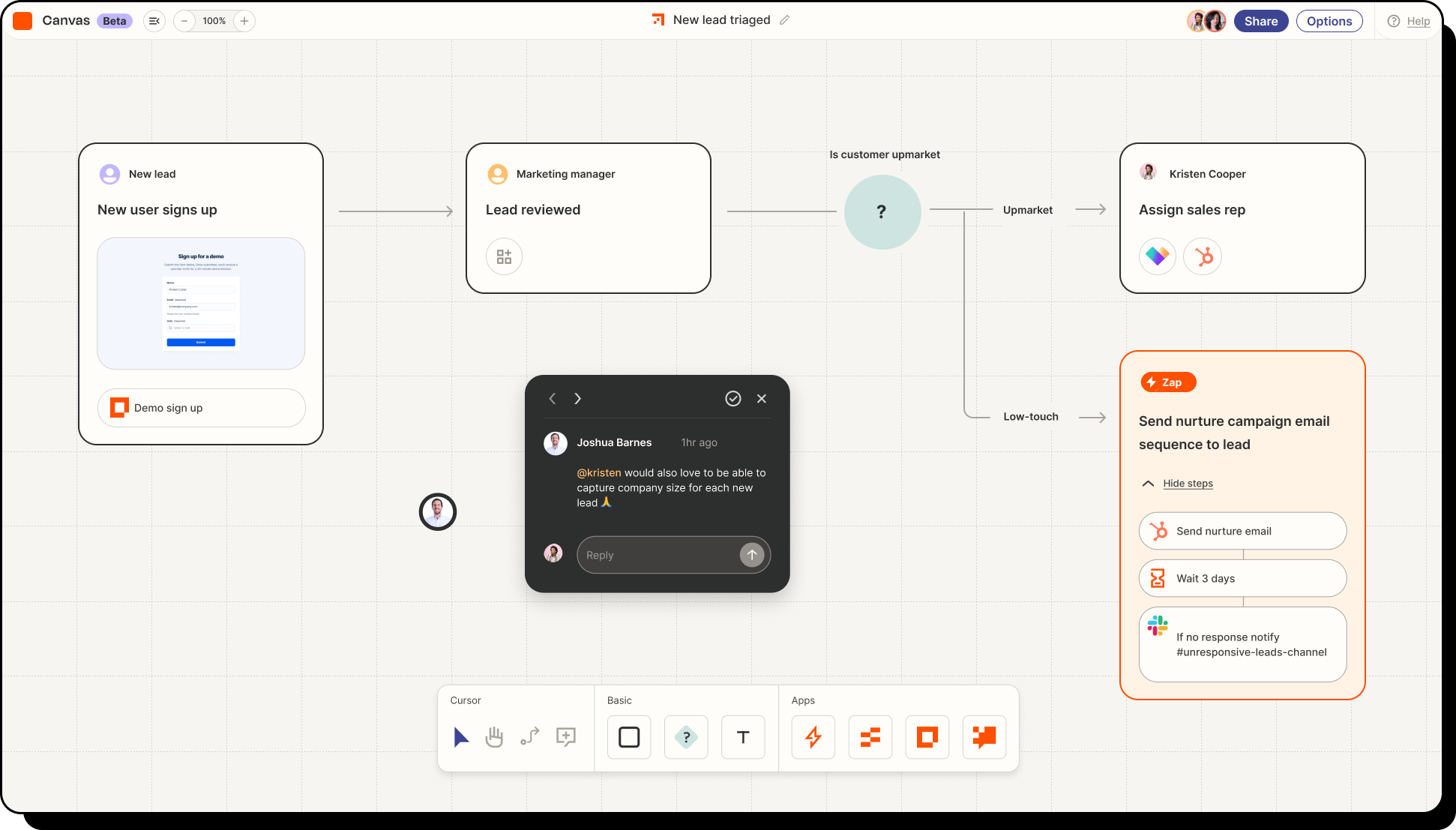
- Multi-step workflows with conditions and branching logic
- Pre-built automation templates to speed up setup
What I liked
- Extremely broad app support, so it fits into almost any SaaS stack
- Beginner-friendly UI with lots of templates and examples
- Reliable for production workflows that need to run at scale
What I disliked
- Not a true autonomous agent like Moltbot; it reacts to triggers instead of acting proactively
- Limited flexibility for highly custom or long-running agent-style behaviors
- Task-based pricing can get expensive as usage scales
- Cloud-only, so you don’t get the same data control or self-hosting benefits as Moltbot
Pricing
- Free plan available (100 tasks/month)
- Professional: $29.99/month
- Team: $103.50/month
Suitable for
- Teams that want reliable, no-code automation across many tools
- Businesses automating repetitive workflows like lead routing, notifications, data syncing
- Users who prefer convenience and scale over self-hosting and deep customization
How to start
- Go to Zapier
- Create a free account
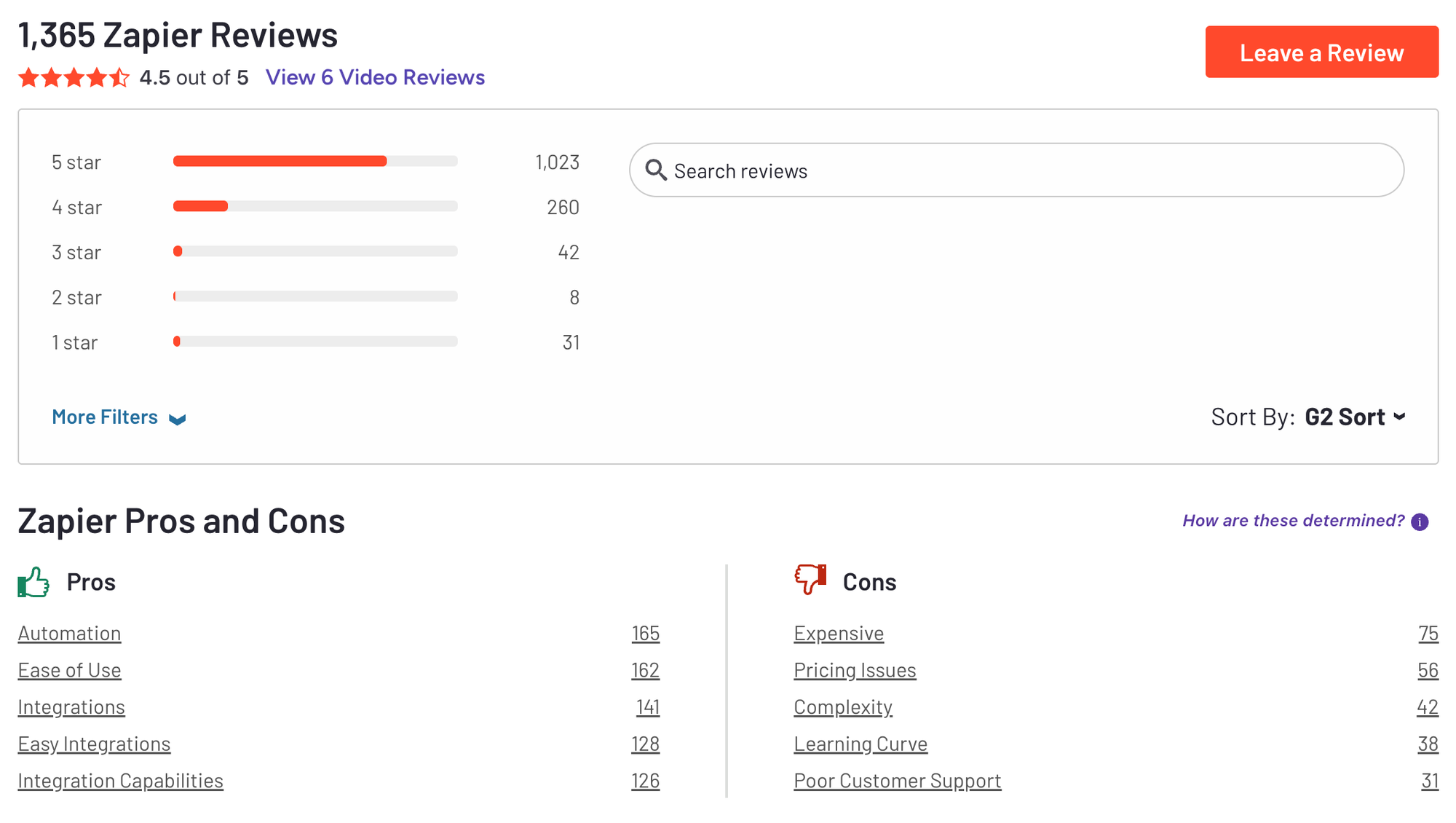
Zapier Reviews (Source)
4. Manus
Manus is a general-purpose autonomous AI agent that plans, executes, and delivers multi-step tasks end-to-end. It's positioned as a cloud-based alternative to self-hosted agents like Moltbot.
Key features
- An autonomous agent that can plan and execute multi-step workflows on its own.
- Cloud-hosted execution, so tasks keep running even when you’re offline.
- API access for integrating with apps, tools, and automation workflows.
- Designed to turn high-level goals into finished outputs (research, analysis, documents, code).
What I liked
- You can give it a goal and let it handle the steps, instead of micromanaging prompts.
- The API makes it useful for developers and advanced automation use cases.
- Being cloud-based removes the setup and maintenance burden of self-hosting.
What I disliked
- Results aren’t always perfectly reliable and may need human review.
Pricing
- 20$/month
Suitable for
- Users who want autonomous agents that actually finish workflows.
- Teams doing research, reporting, analysis, or multi-step automation.
- Developers who want to embed AI execution into products or internal tools.
How to start
- Go to manus.im.
- Create an account and choose a plan.
5. Google Gemini

Google Gemini is Google’s AI assistant and model platform designed for research, writing, reasoning, and productivity tasks. It’s deeply integrated across Google’s ecosystem, including Gmail, Docs, Drive, Sheets, Calendar, and Search. Compared to Moltbot, Gemini is less about self-hosted automation and more about cloud-based assistance inside tools people already use.
Key features
- Multimodal AI that understands and generates text, images, and code
- Native integration with Google Workspace apps (Gmail, Docs, Sheets, Slides, Drive)
- Custom task-specific assistants (“Gems”) you can create for recurring workflows
- Available via web app, mobile app, Workspace sidebar, and API
What I liked:
- Tight integration with Google tools reduces context switching and friction
- Very easy to get started if you already use Gmail and Docs
- Strong general-purpose reasoning for research, writing, and coding help
What I disliked:
- Not a self-hosted or local agent like Moltbot, so you have less control over data
- Automation is mostly reactive, not proactive - it responds when asked
- Best features are locked into Google’s ecosystem
- Personal Intelligence may raise privacy concerns for some users
Pricing:
- Free tier available on Android
- Premium plans start around $19.99/month
Suitable for:
- Users already deeply embedded in the Google ecosystem
- People who want a general AI assistant for writing, research, and productivity
- Teams that want AI help inside Docs, Gmail, and Sheets without setup
- Users who don’t need a self-hosted or autonomous agent
How to start:
- Go to Google Gemini
- Sign in with your Google account
- Use Gemini via the web app, mobile app, or Workspace sidebar
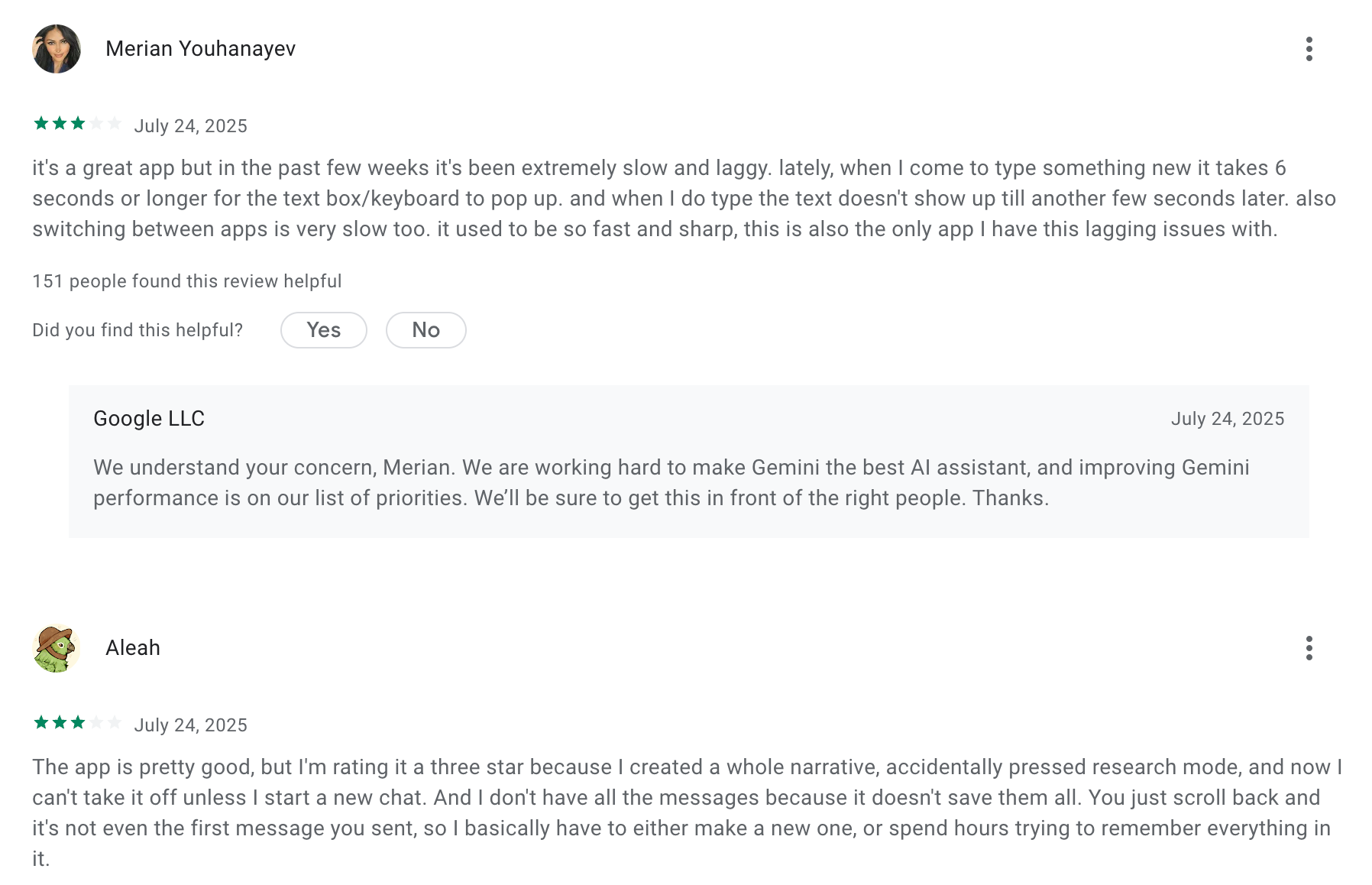
Google Gemini review (source)
6. ChatGPT

ChatGPT is a cloud-hosted AI assistant by OpenAI that can help plan, execute, and automate tasks using natural language. Compared to Moltbot, it focuses more on ease of use and broad integrations rather than self-hosting and full autonomy.
Key features
- Agent mode that can help plan and execute multi-step tasks
- Built-in connectors for tools like Google Drive, GitHub, HubSpot, and other productivity apps
- Strong natural-language understanding for complex instructions and workflows
- Task creation, reminders, and scheduling features (availability depends on plan)
What I liked:
- Very easy to get started with no setup or infrastructure required
- Strong reasoning and planning abilities for complex or ambiguous tasks
What I disliked:
- Cloud-only by default, unlike Moltbot’s local, self-hosted approach
- Less autonomous execution compared to persistent, always-on agents
- Advanced agent and integration features require a paid plan
- Limited control over low-level system actions compared to self-hosted assistants
Pricing:
- Free to download and use
- Plus plan: $20/month for GPT-4o access, image upload, and better performance.
- Team plan: Around $25–30/user/month
Suitable for:
- Users who want an AI assistant without self-hosting or technical setup
- Teams that already rely on cloud productivity tools
- People who value ease of use, strong reasoning, and flexibility over full autonomy and local control
How to start
- Go to ChatGPT
- Create an account
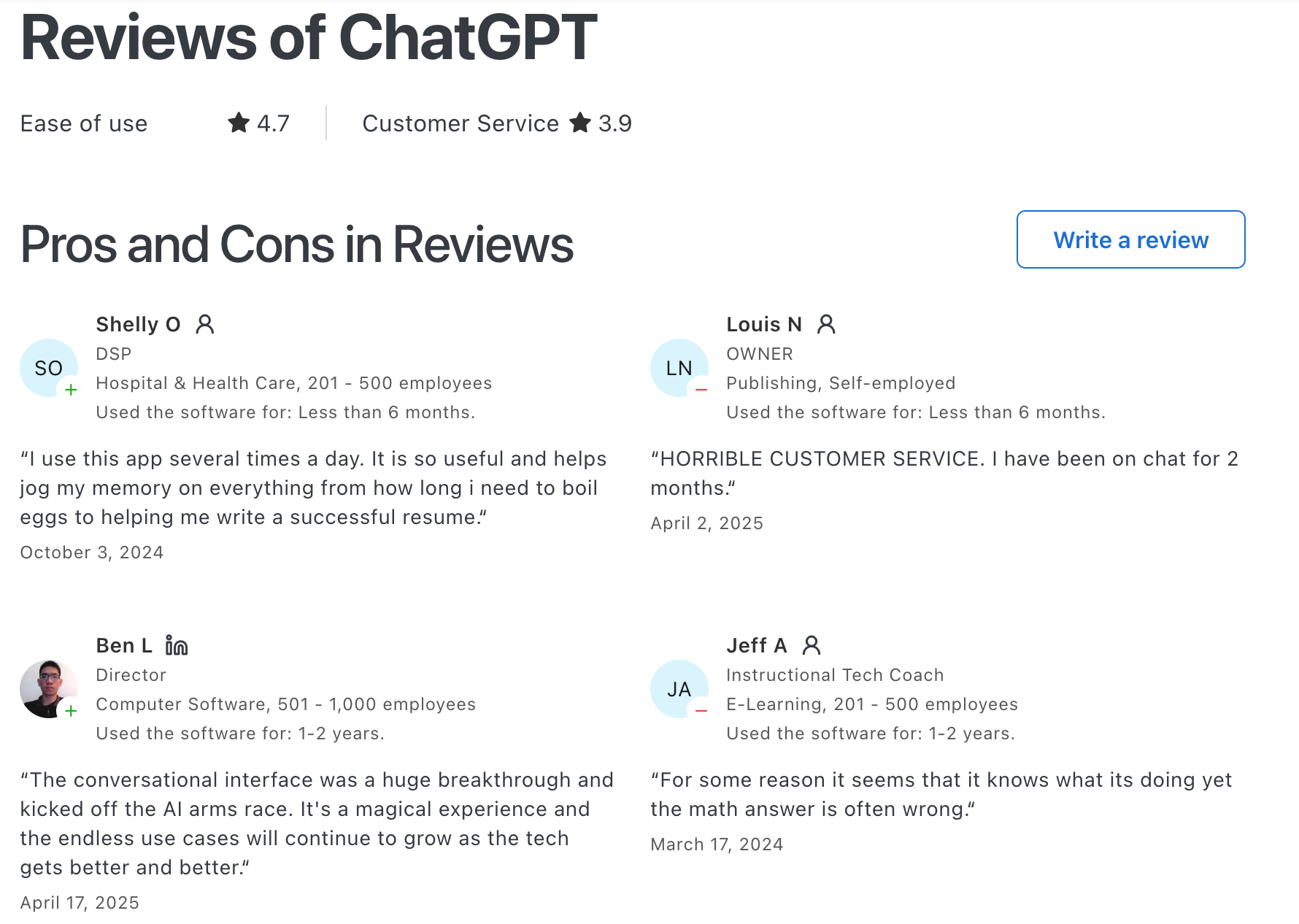
ChatGPT Reviews (source)
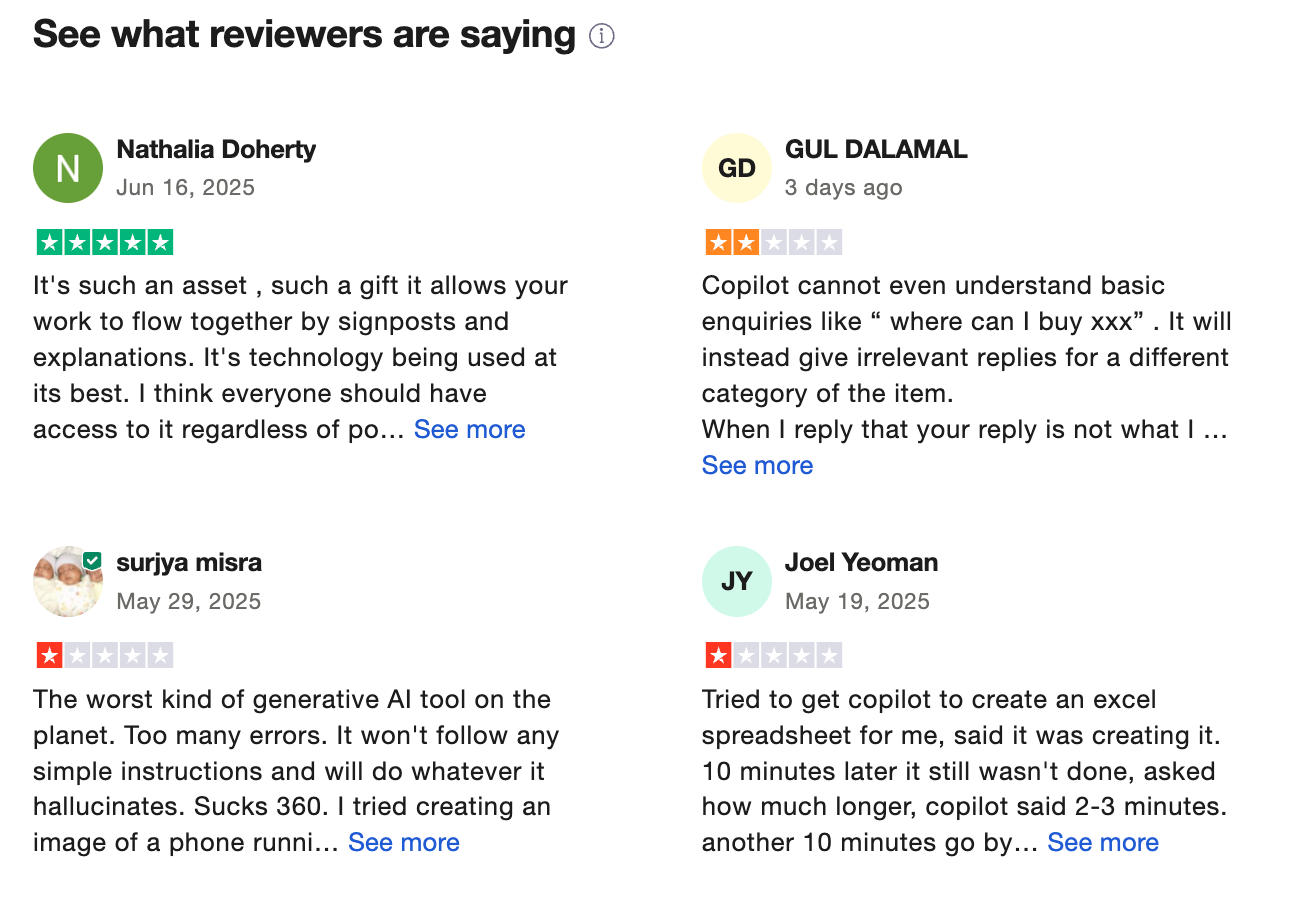
7. Microsoft Copilot
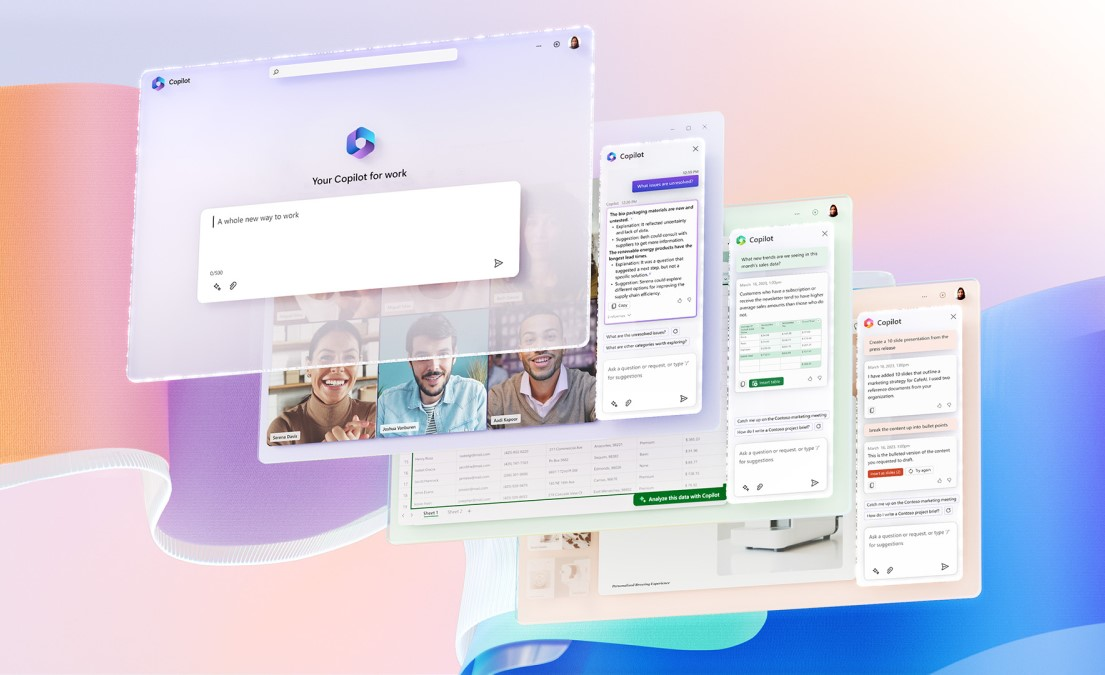
Microsoft Copilot is an AI assistant from Microsoft designed to improve productivity inside Microsoft apps. It's considered a Moltbot alternative mainly for users who want AI assistance inside existing tools, not a self-hosted agent that takes independent action
Key features
- Built directly into Microsoft 365 apps (Word, Excel, PowerPoint, Outlook, Teams)
- Context-aware suggestions based on documents, emails, and conversations
- Summarizes threads, drafts content, analyzes data, and creates presentations
- Integrated with Windows and Edge for system-level assistance
What I liked
- Works inside tools people already use every day
- Very low learning curve compared to agent-based systems
- Strong at writing, summarization, and data analysis
What I disliked
- Not autonomous - it won’t proactively run workflows or take actions for you
- Heavily dependent on the Microsoft ecosystem
- Limited flexibility compared to self-hosted or multi-tool AI agents
Pricing
- Free access is limited to basic features depending on your Microsoft plan.
- Individual users can get Microsoft 365 Premium with Copilot included for around $19.99/month.
- Business and enterprise users can add Copilot to Microsoft 365 for about $30/user/month.
Suitable for
- Teams already using Microsoft 365
- Professionals who want AI help with writing, analysis, and meetings
- Organizations that want AI support without managing infrastructure
How to start
- Sign in with a Microsoft account
- Enable Copilot via Microsoft 365, Windows, or Edge
Microsoft Copilot reviews (source)
8. Notion AI

Notion is a productivity-focused AI built directly into the Notion workspace. Unlike Moltbot, it operates within a workspace rather than acting across external apps like messaging platforms or system-level tools
Key features
- AI writing assistance inside Notion pages (drafts, summaries, rewrites)
- AI search across your entire workspace and connected knowledge
- Meeting notes, database autofill, and task suggestions from structured content
- Workspace-level AI agents that can run multi-step workflows inside Notion
What I liked
- AI lives exactly where your work already is
- Strong for team collaboration since insights and summaries are shared across projects
- Responses are grounded in your own workspace content, not generic prompts
What I disliked
- Locked into the Notion ecosystem, it doesn’t act across your broader digital life like Moltbot
- Requires a paid Notion plan with AI, which can get expensive for teams
- Automation is powerful, but mostly limited to internal workspace workflows
Pricing
- Free Notion plan available
- Notion AI included with paid plans (Business / Enterprise)
- Roughly ~$20 per user/month with AI features included
Suitable for
- Individuals and teams already using Notion as their main workspace
- Organizations trying to consolidate tools rather than add a separate AI assistant
How to start
- Go to Notion
- Upgrade to a plan that includes Notion AI
Notion reviews (source)

9. LangChain-based Agents
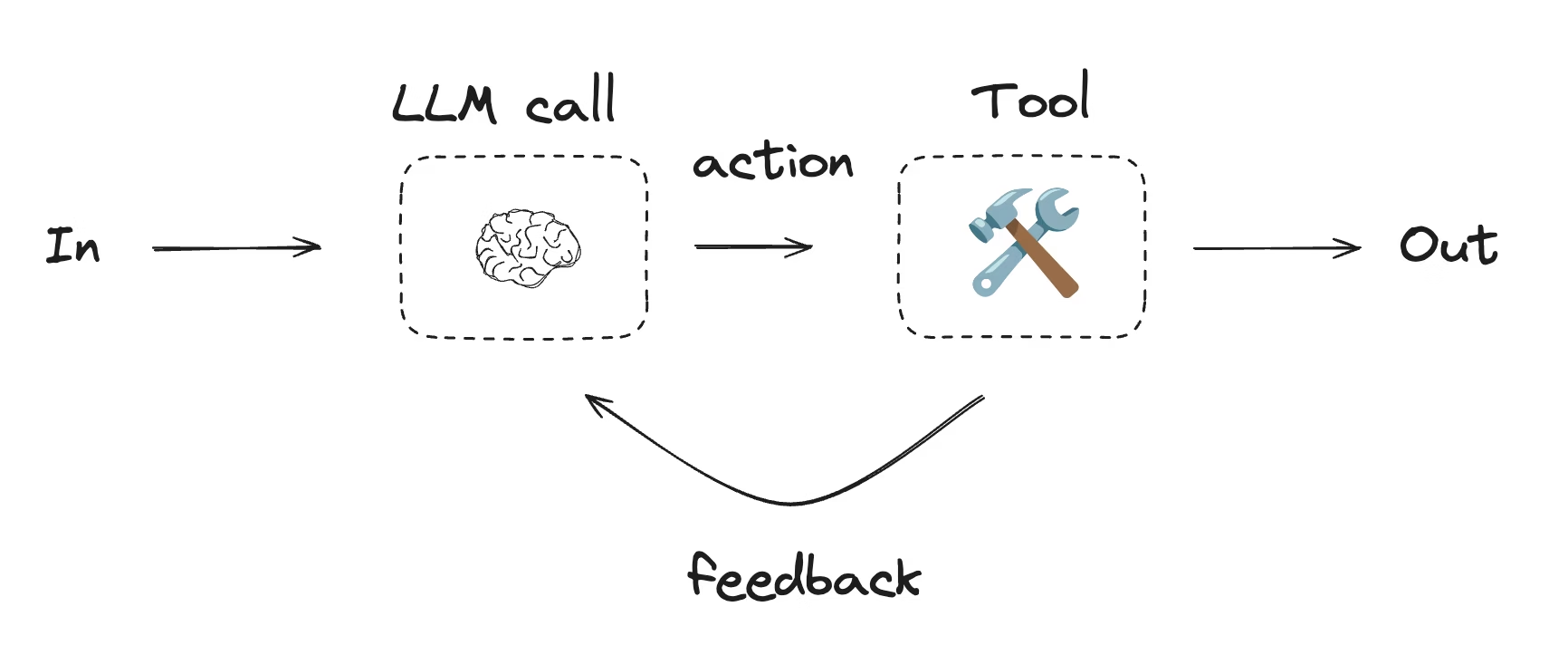
LangChain-based Agents are a developer-first AI agent framework built on the open-source LangChain library. Instead of a ready-made assistant like Moltbot, LangChain lets you code your own autonomous agents that can reason, use tools, remember context, and execute multi-step workflows inside your own apps or systems.
Key features
- Modular agent framework for reasoning, memory, and tool usage
- Deep integration with APIs, databases, search, and custom tools
- Built-in memory components for long-running and contextual workflows
- Supports multiple LLM providers (OpenAI, Anthropic, Hugging Face, etc.)
- Code-first flexibility to design highly customized agent logic
What I liked
- Extremely flexible if you’re technical
- Strong ecosystem with reusable components for prompts, memory, tools, and evaluation
- No model lock-in, making it easier to optimize for cost, latency, or accuracy
What I disliked
- High technical barrier compared to Moltbot or other turnkey agents
- No out-of-the-box UI, hosting, or deployment - everything must be built and maintained
- Reliability and orchestration require additional testing, monitoring, and guardrails
Pricing
- Free and open-source
- Ongoing costs come from LLM API usage, infrastructure, and hosting
Suitable for
- Developers and engineering teams building custom AI agents
- Companies with highly specific workflows that off-the-shelf agents can’t handle
- Products that need embedded, deeply integrated AI behavior
How to start
- Install the LangChain SDK from GitHub
- Follow tutorials to build a basic agent with tools and memory
- Connect an LLM provider and any required external APIs
Conclusion: Choosing the Best MoltBot Alternatives
Moltbot showed what’s possible when AI assistants move beyond chat and into agentic behavior, but that level of autonomy isn’t the right fit for everyone. For many users, the trade-offs - technical setup, security risk, and ongoing maintenance - outweigh the benefits.
The tools compared in this guide take different paths to solving the same problem: getting useful work done with AI.
- Some, like LangChain-based agents and Manus, stay close to Moltbot’s autonomous vision.
- Others, like Saner.AI, ChatGPT, Claude, and Notion AI, deliberately prioritize usability, clarity, and human control.
- Workflow tools such as Zapier and Copilot focus on reliability and integration rather than open-ended agency.
There is no single “best” Moltbot alternative. The right choice depends on how much autonomy you actually want, how technical you are, and how comfortable you are trading control for convenience.
For most people, especially non-technical users and productivity-focused professionals, an easier, safer, and more focused AI assistant like Saner.AI will deliver more value than a fully self-hosted agent.
Understanding that the trade-off is ultimately more important than choosing any specific tool.
Stay on top of your work with the top AI Assistant
Best Moltbot Alternatives: FAQ
1. What is Moltbot, and why are people looking for alternatives?
Moltbot is a self-hosted, open-source AI agent designed to take actions on your behalf - like running scripts, automating workflows, or interacting with apps via chat. It’s powerful, but also complex.
Many people search for Moltbot alternatives because they want:
- Less technical setup
- Better security and guardrails
- Tools that work out-of-the-box
- Clearer boundaries between “thinking” and “doing”
As a result, users often look for AI assistants, automation tools, or agent frameworks that are easier to manage and safer to use in real work.
2. What makes a good Moltbot alternative?
A strong Moltbot alternative usually offers at least one of the following:
- Actionable AI, not just chat
- Lower setup overhead than self-hosting
- Clear permissions and visibility into what the AI can do
- Built-in integrations with tools you already use
- Predictable behavior (no silent background actions)
Different tools solve this in different ways—some focus on productivity, others on automation, and others on agent development.
3. What are the best Moltbot alternatives right now?
Here are the most commonly compared Moltbot alternatives, depending on what you actually want to replace:
- Saner.AI – Personal AI for tasks, notes, reminders, and planning
- Claude – Strong reasoning and long-context AI assistant
- Manus – Autonomous AI agents that complete workflows
- ChatGPT – General-purpose AI with tools and plugins
- Gemini – AI tightly integrated with Google Workspace
- Copilot – AI embedded in Microsoft apps
- Zapier – Rule-based automation across apps
- Notion AI – AI inside a structured knowledge base
- LangChain-based agents – Developer frameworks for building custom AI agents
Each replaces part of what Moltbot does—but with different trade-offs.
4. Is Moltbot more powerful than its alternatives?
In raw flexibility, yes. Moltbot can:
- Run local commands
- Execute scripts
- Act autonomously with broad permissions
But that power comes with:
- Higher security risk
- More maintenance
- Less predictability
Most Moltbot alternatives intentionally limit scope to reduce risk and friction—making them more practical for everyday work.
5. What’s the best Moltbot alternative for personal productivity?
For personal productivity, most users don’t need a fully autonomous agent.
Saner.AI is often chosen because it:
- Turns messy thoughts into tasks
- Connects notes, calendar, and reminders
- Reduces context switching
- Works through natural conversation
It replaces Moltbot’s “assistant” role without requiring system-level access.
6. What’s the best Moltbot alternative for reasoning and thinking?
If you mainly use Moltbot for thinking, planning, or analysis, not automation:
- Claude excels at long-form reasoning and synthesis
- ChatGPT offers flexible tools and broad knowledge
These tools don’t act autonomously - but they’re more reliable for decision support.
7. What’s the best Moltbot alternative for autonomous workflows?
If you want goal-driven agents without self-hosting:
- Manus focuses on agents that complete multi-step tasks
- LangChain-based agents are ideal if you’re a developer who wants control
These options sit between Moltbot and traditional automation tools.
8. How is Zapier different from Moltbot?
Zapier is:
- Rule-based
- Deterministic
- Transparent
Moltbot is:
- Agent-driven
- Flexible
- Less predictable
If you want reliability over autonomy, Zapier is usually the safer alternative.
9. Is there a Moltbot alternative that works inside my existing tools?
Yes - several AI assistants live inside the apps you already use:
- Gemini works across Gmail, Docs, Calendar
- Copilot integrates with Word, Excel, Outlook
These tools trade autonomy for convenience and safety.
10. What Moltbot alternative is easier to use without setup?
If you want a Moltbot-like experience without installing, hosting, or configuring anything, you’re looking for a zero-setup AI assistant, not a self-hosted agent.
The easiest Moltbot alternatives with no technical setup are:
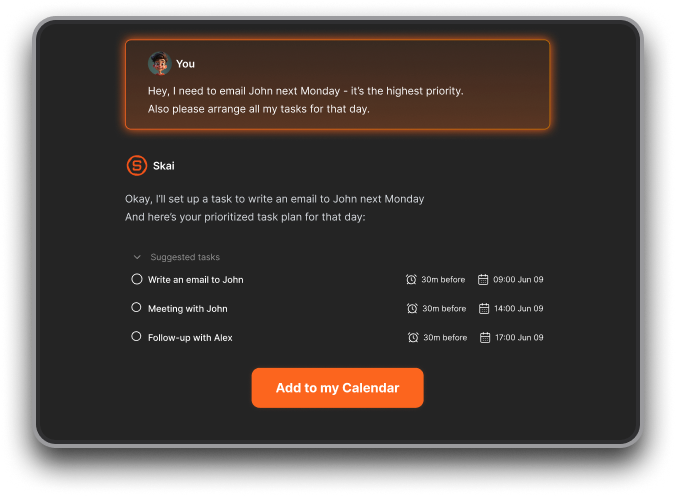
- Saner.AI – Works out of the box for tasks, reminders, notes, and planning. No workflows, scripts, or permissions to manage. You just type what’s on your mind, and it turns it into action.
- ChatGPT – Instantly usable in the browser, great for thinking and drafting, but limited when it comes to real task follow-through.
- Gemini – Easy if you already live in Google Workspace, though automation is mostly confined to Google’s ecosystem.
- Copilot – Zero setup inside Microsoft tools, but less flexible outside that environment.
Compared to Moltbot - which requires self-hosting, permissions, and ongoing maintenance - these tools are designed for people who want results immediately, not infrastructure to manage.
11. Do Moltbot alternatives support automation without coding?
Some do:
- Zapier – No-code workflows
- Manus – Agent-driven execution
- Saner.AI – Task and reminder automation via conversation
Others (like LangChain agents) require development skills.
12. What’s the best Moltbot (Clawdbot) alternative for ADHD or overwhelmed users?
Tools that reduce setup and decision fatigue tend to work best.
Saner.AI is often preferred because it:
- Doesn’t require systems or tags
- Handles reminders automatically
- Keeps everything in one calm workspace
This is very different from Moltbot’s “power user” approach.
13. What’s the best Moltbot alternative for non-technical people?
For non-technical users, Moltbot is often overkill. It requires self-hosting, configuration, and comfort with permissions, scripts, or infrastructure - things most people actively want to avoid.
In practice, the best Moltbot alternatives for non-technical people are
- Saner.AI for tasks, reminders, notes, and daily planning
- ChatGPT or Claude for thinking, writing, and decision support
- Gemini or Copilot if they already live inside Google or Microsoft tools
- Zapier for simple “if this, then that” automation without code
If you don’t want to manage servers, APIs, or agent permissions, these tools deliver most of Moltbot’s practical value - without the complexity or risk.
14. What’s the best Moltbot alternative overall?
There’s no single best tool - but there is a best fit:
- For thinking and writing → Claude or ChatGPT
- For personal productivity → Saner.AI
- For automation → Zapier or Manus
- For developers → LangChain-based agents
The best Moltbot alternative is the one that gives you results without increasing cognitive load.
Stay on top of your work and life