
Neurodivergent Apps for Adults: We Tested the Best 7 Tools in 2026

The Best 7 Neurodivergent Apps for Adults to Improve Productivity in 2026
In 2026, the landscape of neurodivergent-friendly tech has shifted from rigid planners to adaptive partners. Whether you are navigating ADHD, autism, or dyslexia, the right app acts as an external executive function, handling the "boring" mental labor so you can focus on your actual life.
In this article, we’ll look at how these platforms handle task paralysis, sensory overwhelm, and reading barriers, helping you decide which specific digital ecosystem fits your unique cognitive profile.
Quick guide: What are the Best neurodivergent apps for adults?
2. Finch: Best for emotional regulation and self-care, turning daily maintenance into a rewarding, low-pressure game.
3. Tiimo: Best for visual thinkers who struggle with time blindness and need an icon-based, color-coded timeline.
4. Goblin.tools: Best for breaking down overwhelm, using AI to turn "one big scary task" into tiny, manageable steps.
5. Headspace: Best for sensory grounding and mindfulness, with specific tracks designed for neurodivergent focus.
6. Forest: Best for gamified focus, helping you stay off your phone by growing a digital forest while you work.
7. Speechify: Best for dyslexia and reading fatigue, converting dense text into high-quality audio to bypass visual processing barriers.
Brief Look at the Neurodivergent Apps Market
AI & Tech Trends in Neurodivergent Apps (2026 Angle)
How We Chose These Apps
We evaluated each platform based on the specific challenges adults face in work and daily life:
- Executive Function Support: Does it help with "the start"? Can it break down complex projects or provide cues for task switching?
- Dopamine-Friendly Design: Is there a reward loop (like a pet or a growing tree) that makes mundane tasks feel satisfying?
- Visual & Auditory Accessibility: For those with dyslexia or processing delays, does the app offer text-to-speech or high-contrast, icon-heavy layouts?
- "Low-Spoons" Usability: Can you use the app on a day when your mental energy is at zero? Does it accommodate "bad brain days" without shaming you?
- Cognitive Load Reduction: Does the interface minimize clutter and "decision fatigue," or does it overwhelm you with too many options?
- Integration with Daily Life: Does it solve real-world problems, like understanding the "tone" of an email or estimating how long it takes to wash the dishes?
What are the Best Neurodivergent Apps for Adults?
The best Neurodivergent Apps for Adults are Saner.AI, Finch, Tiimo, Goblin, Headspace, Forest, and Speechify.
🧩 Comparison Table: Best Neurodivergent Apps in 2026
| App | Best For | Platforms | Pricing | Neurodivergent Support Strength |
|---|---|---|---|---|
| Saner.AI | All-in-one workspace for ADHD brains | Web, macOS, iOS (beta) | Free plan, Paid from $8/mo | ⭐⭐⭐⭐⭐ — Designed by ADHDers; reduces context switching |
| Tiimo | Visual daily planning for ADHD & autism | iOS, Android | Free plan, Premium $3–5/mo | ⭐⭐⭐⭐⭐ — Neurodivergent-first design |
| Goblin.tools | Executive dysfunction, breaking down tasks | Web, iOS (beta) | Free (donations welcome) | ⭐⭐⭐⭐ — Task breakdown, low-friction UX |
| Headspace | Emotional regulation and mindfulness | iOS, Android, Web | Free plan, Premium $12.99/mo | ⭐⭐⭐⭐ — ADHD & anxiety collections, gentle audio |
| Finch | Mood tracking and self-care habit building | iOS, Android | Free with in-app purchases | ⭐⭐⭐⭐ — Gamified, gentle nudges, emotional check-ins |
| Forest | Focus and time management via gamification | iOS, Android | $1.99 one-time purchase | ⭐⭐⭐ — Simple, motivating timer for deep work |
| Speechify | Reading support, text-to-speech for dyslexia | iOS, Android, Web | Free tier, Premium $139/year | ⭐⭐⭐⭐ — Audio-first, ideal for neurodivergent learners |
1) Saner.AI
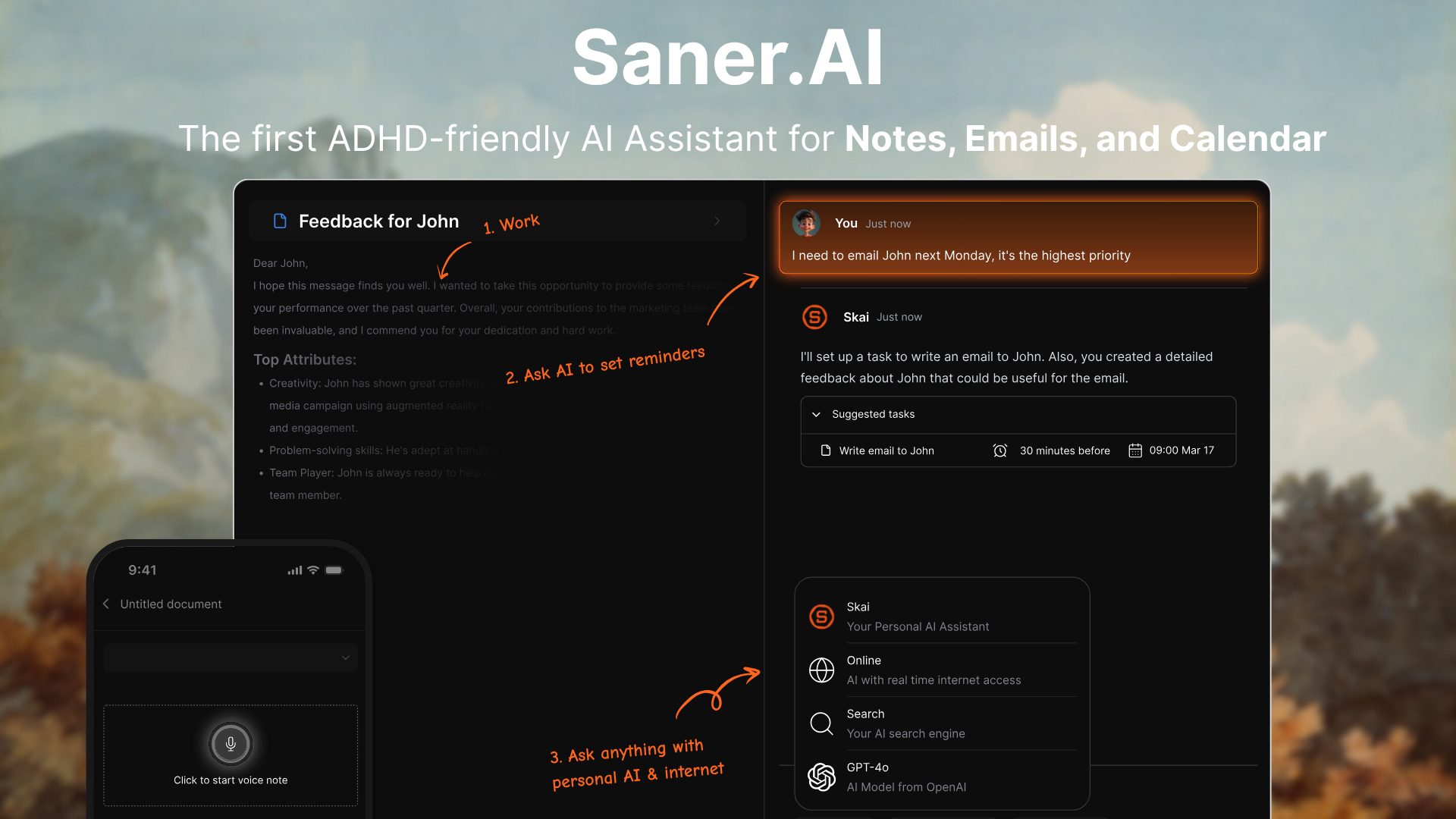
Saner.AI is an AI-powered personal knowledge management (PKM) and productivity system specifically engineered for the neurodivergent brain. Launched with a mission to cure information overwhelm, it functions as an Executive OS that centralizes notes, emails, files, and tasks into a unified, searchable knowledge graph.
In 2026, the hype surrounds its "Proactive AI" (Skai), which doesn't just store data but actively connects related ideas and schedules your day based on your natural cognitive load.
Key features
- Proactive AI Assistant (Skai): Unlike standard chatbots, Skai learns from your specific notes and documents to provide synthesized answers and proactive reminders.
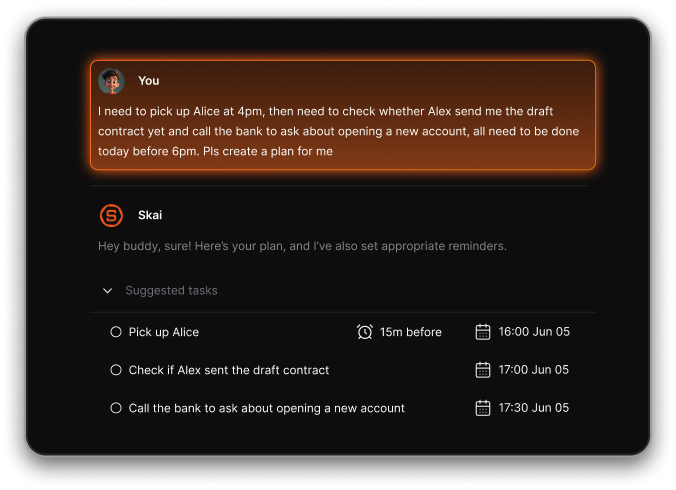
- Seamless Knowledge Graph & Semantic Search: The app automatically tags and categorizes your information, allowing you to search using natural language rather than remembering specific keywords.
"I was impressed that saner.ai answers questions based on my own knowledge through Skai. It handles the 'Brain' (memory), enabling me to handle the work." –Verified Review
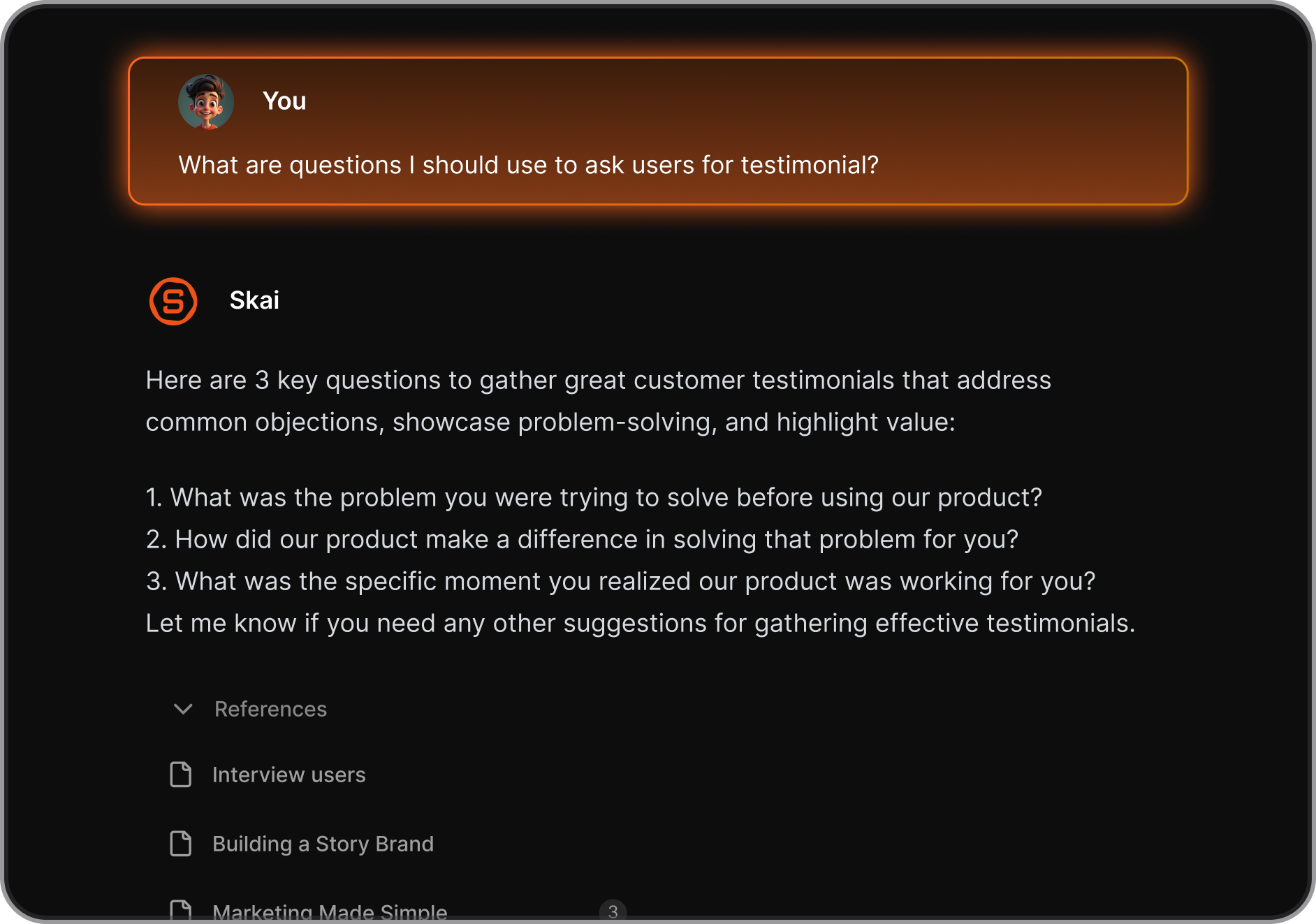
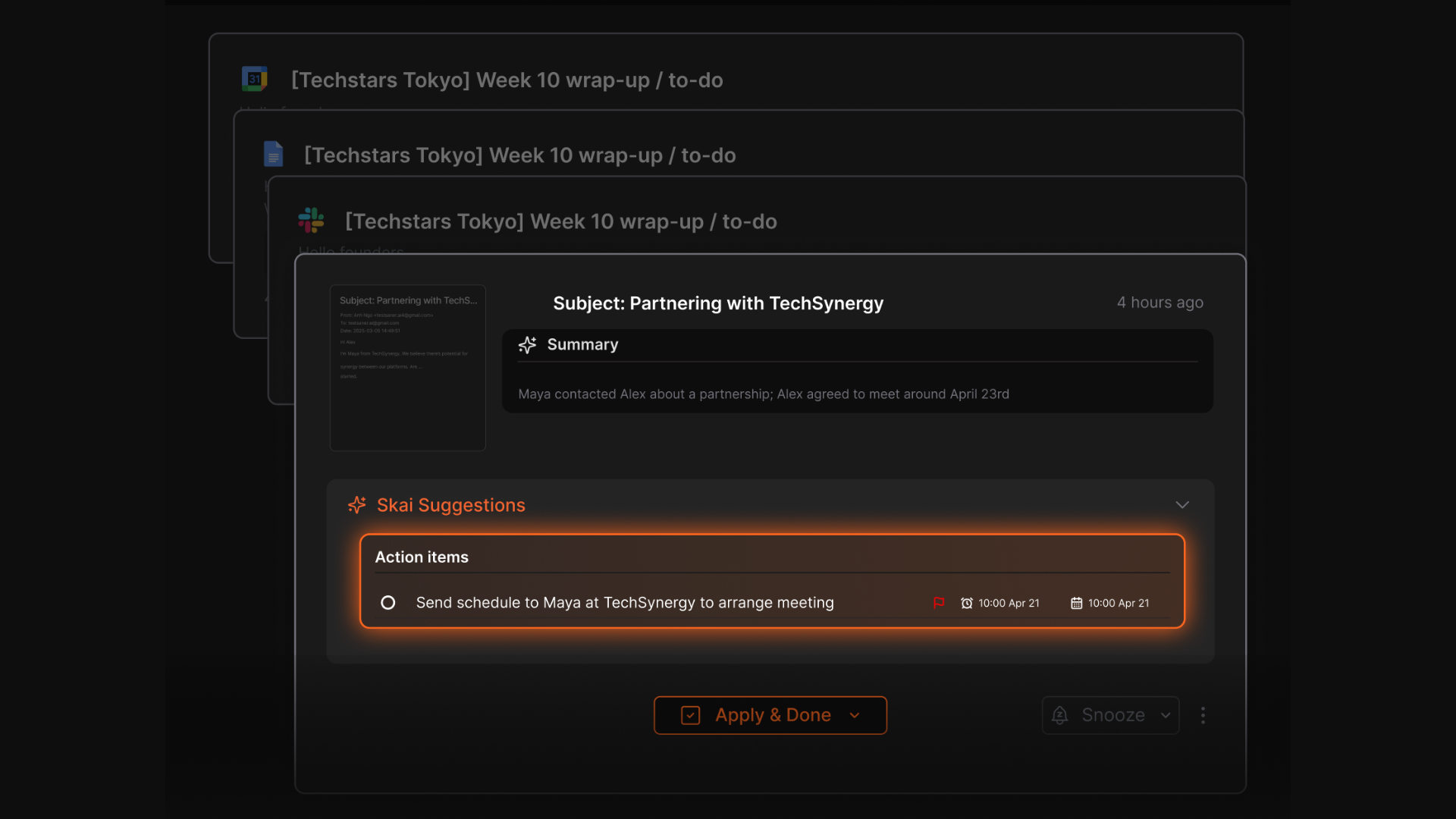
- Smart Task Assistant: Pulls to-dos from your emails and notes, helps you break tasks down, and set reminders
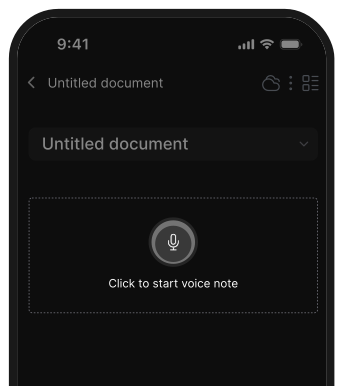
- High-Speed Quick Capture (Voice & Web): Designed to catch fleeting thoughts before they disappear, Saner.AI offers one-tap voice notes and a robust Chrome extension for instant saving.
- Unified Task & Calendar Integration: It bridges the gap between note-taking and execution by turning your thoughts directly into time-blocked calendar events.
Pros
- You don’t need to juggle tabs or tools - everything’s in one place, which helps with mental clarity
- Skai feels like a memory extension; it can recall past notes and surface things you forgot you saved
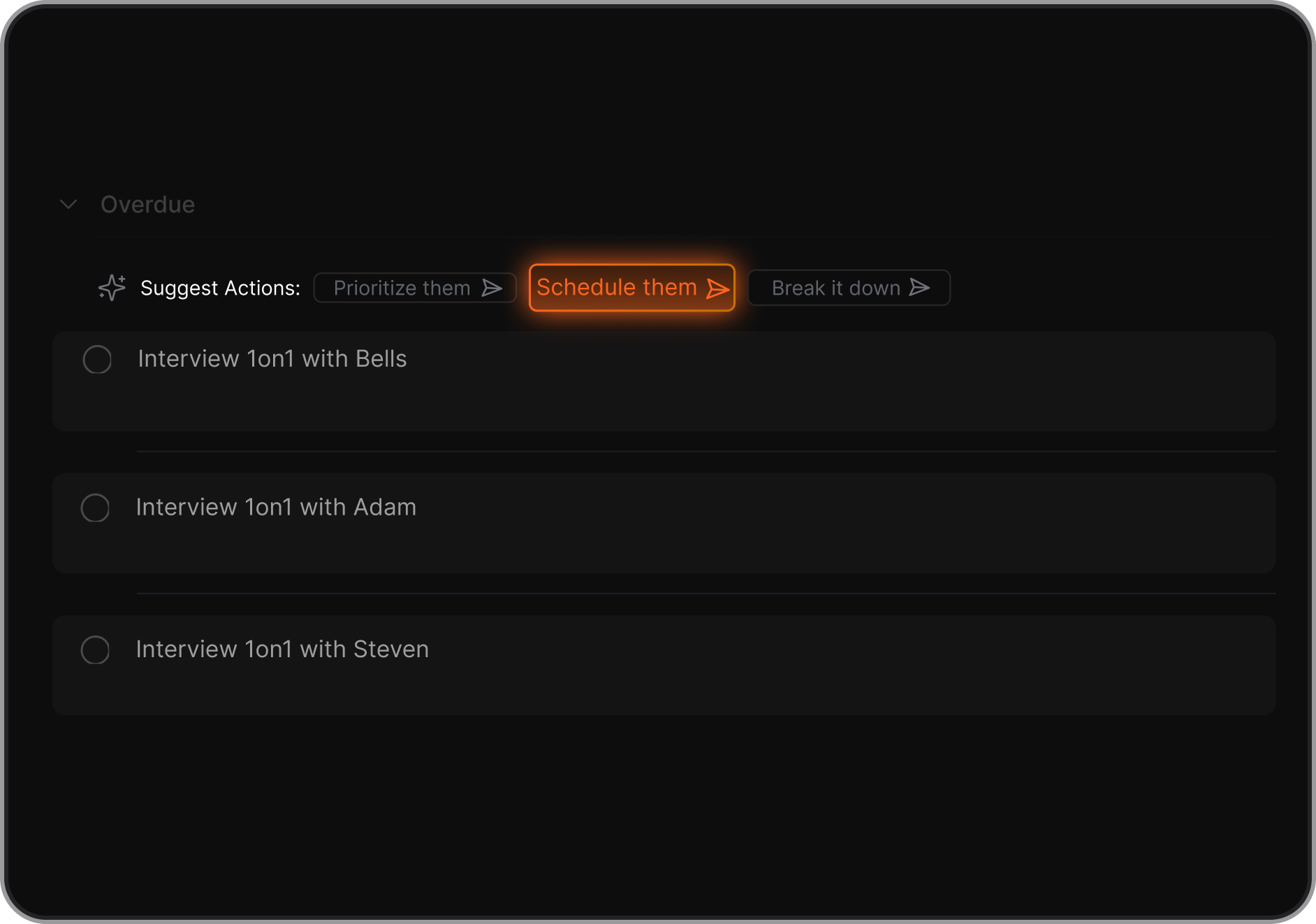
- Breaking down tasks into smaller steps is really helpful for ADHD-style planning
- The AI suggests sub-tasks for big projects, which helps me overcome that initial "ADHD paralysis."
- I like that it doesn't require me to set up a complex folder system, the AI just organizes everything for me in the background.
- I value the voice-to-text accuracy, which lets me dump my brain while I'm walking or cooking.
Cons:
- Requires internet access for full functionality
Pricing
- Free
- Starter: Monthly at $8/month, Annually at $6/month (with early user discount)
- Standard: Monthly at $16/month, Annually at $12/month (with early user discount)
Ideal for:
- ADHDers and neurodivergent individuals who want fewer tools and more clarity
- If you find manual organization (folders, tags, links) exhausting and prefer a system that "just knows" where things are, this is for you.
- It is particularly effective for those with ADHD who experience "out of sight, out of mind" syndrome.
Saner.AI review

"This was the best spent 8 hours of any tool I have used on Product Hunt in a long while. Saner makes the TOP 10 of my experience for the past 12 months." – Verified Review
How to start using it?
- Head to saner.ai and create a free account
- Import your notes, connect email, and start adding tasks or thoughts
- Try talking to Skai to organize everything for you.

Get organized effortlessly with AI
2) Tiimo
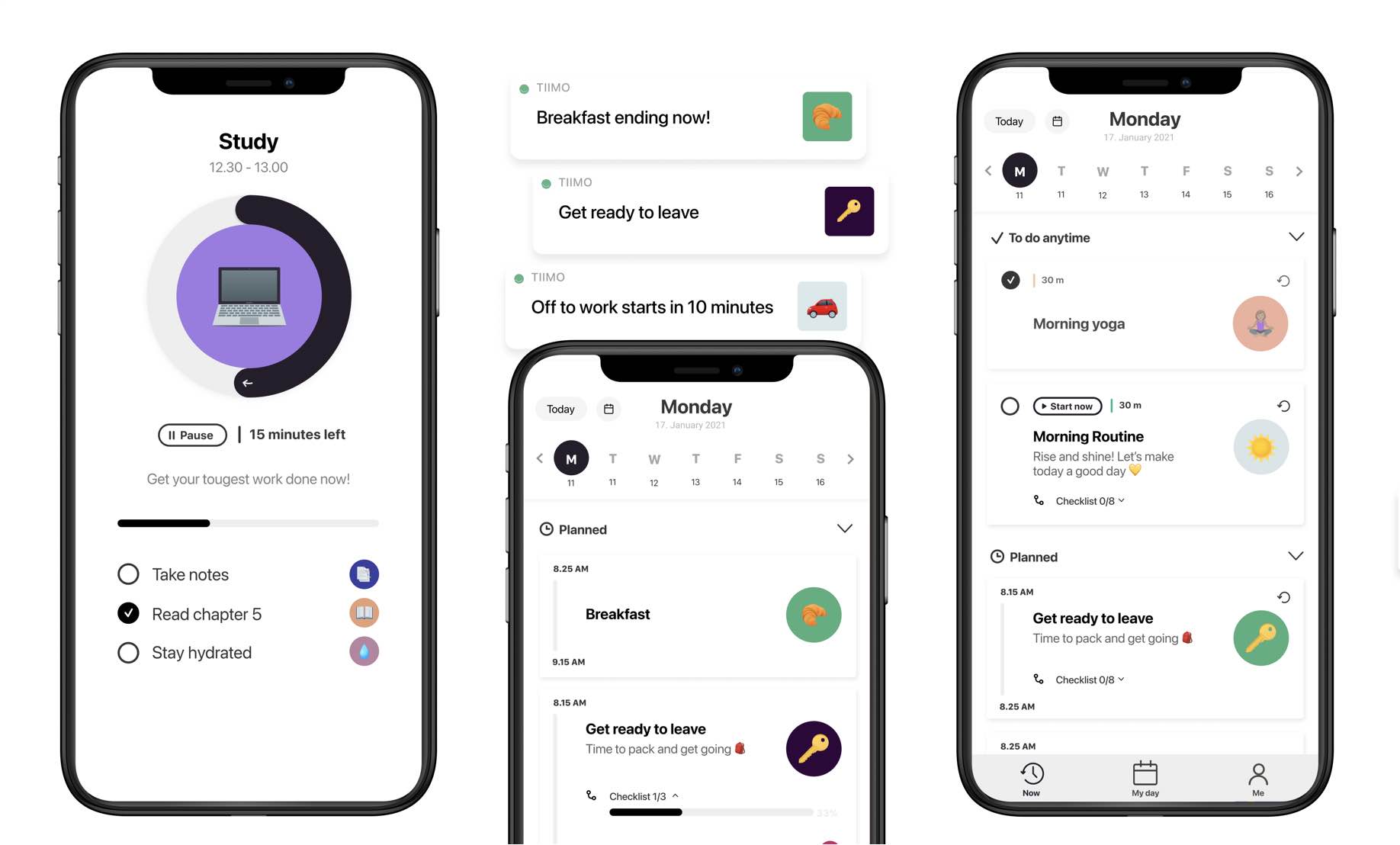
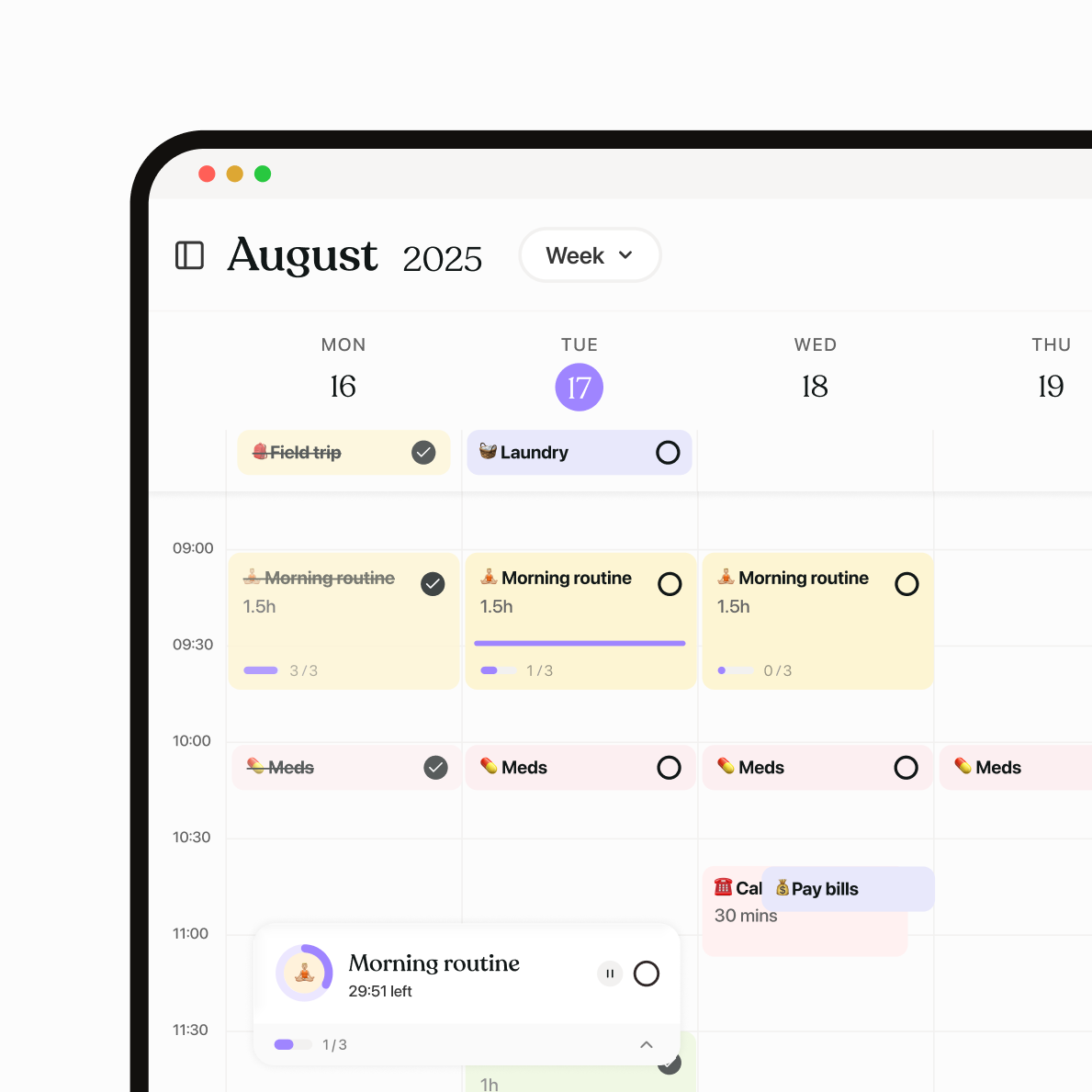
Tiimo is a visual daily planner and AI assistant specifically engineered for neurodivergent adults navigating ADHD, autism, and executive dysfunction. Rather than a traditional, text-heavy calendar, it uses color-coded timelines and icons to make time "tangible," effectively combating time blindness.
Key features
- AI Co-Planner & Task Breakdown: This feature acts as a "second brain" by taking a vague goal - like "clean the kitchen" - and automatically generating a logical sequence of sub-tasks with estimated durations.
- Visual Timeline & Time Blocking: Unlike standard lists, Tiimo transforms your day into a visual flow, using a "Focus Timer" that provides a calming countdown to guide you through each specific activity.
- "My Day" Planning Ritual: A streamlined daily ritual that forces a realistic look at your capacity, preventing the "infinite list" paralysis that often leads to burnout.
- Smart Notifications & Persistent Reminders: New for 2026, these reminders include "snoozable" alerts that ensure you don't lose track of a task even if you're hyper-focused on something else when the alert first fires.
"Its gentle reminders make it noninvasive, while still very effective!" — Verified Review
Pros
- I appreciate the non-judgmental tone of the AI; it never feels like it's "scolding" me for being behind schedule.
- The interface is high-contrast and visual without being "childish" or overstimulating.
- I value the one-way calendar sync that pulls in my work meetings so I can plan my chores around them in one view.
Cons
- Setting up routines and customizing reminders takes time
- Some users report performance issues on mobile, like lag or crashes when switching screens
- Not great for long-term planning or project management - it’s more about daily routines than complex workflows
- And you have to manually organize stuff yourself; you don't have an AI assistant to help you with it
Pricing
- Free version available with basic features
- Tiimo Pro unlocks full features with a 7-day free trial
Suitable for
- Users who want routine-building, task breakdowns, and gentle structure without rigid systems
- Great for kids, teens, or adults who want portable routine support across phone, tablet, and wearables
How to start
- Download Tiimo from the App Store or Google Play
- Set up a basic daily routine or to-do list to test the visual layout
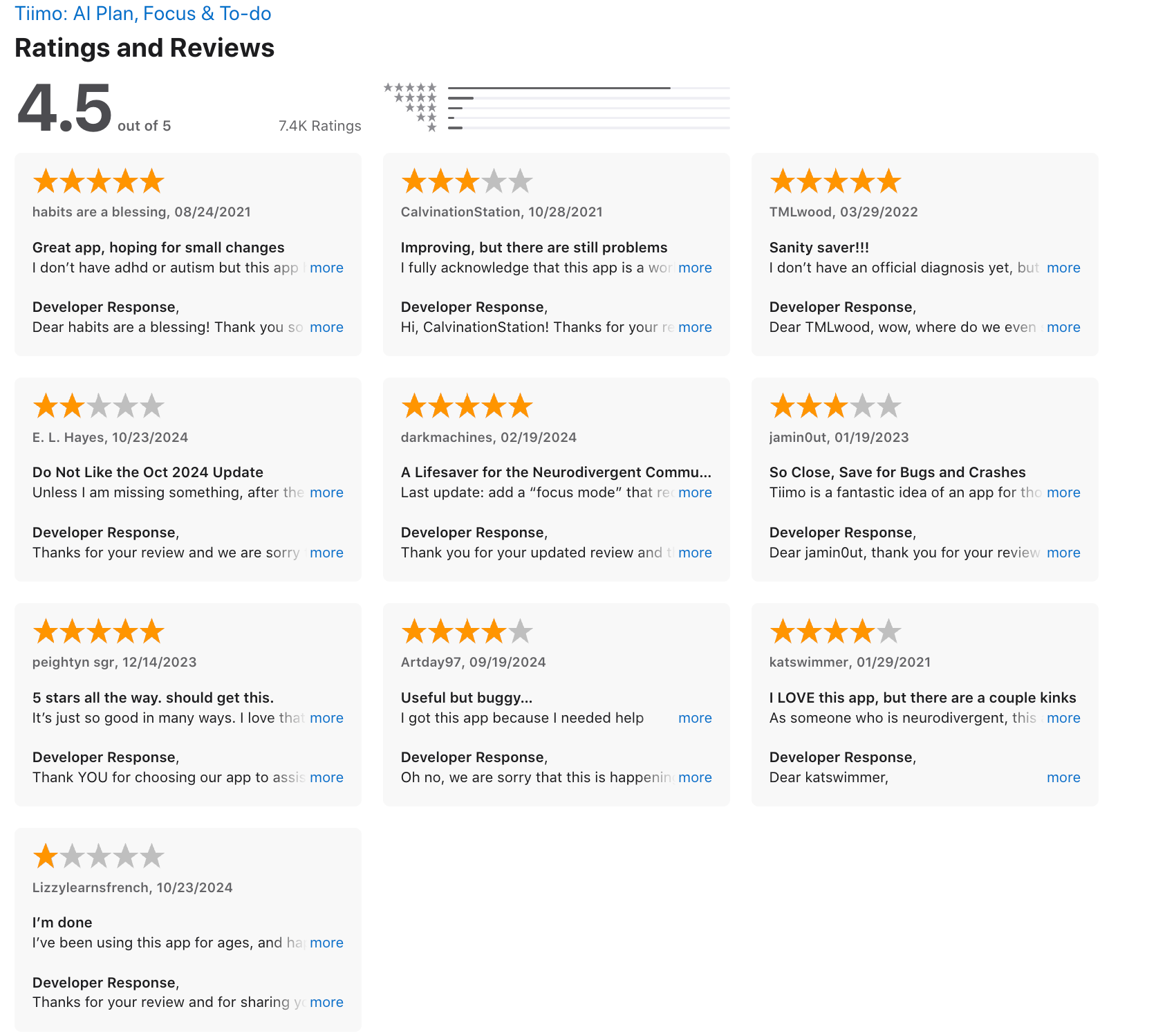
Tiimo Reviews (source)
3) Finch
Finch is a gamified self-care companion that transforms daunting daily tasks into "energy" for a virtual pet bird. Finch utilizes a low-pressure, "tamagotchi-style" interface to help adults with ADHD, Autism, and Anxiety manage executive dysfunction.
In 2026, it has gained massive traction for its "body-doubling" vibes and its refusal to use "streak-shaming," making it a safe haven for those who struggle with consistency.
Key features
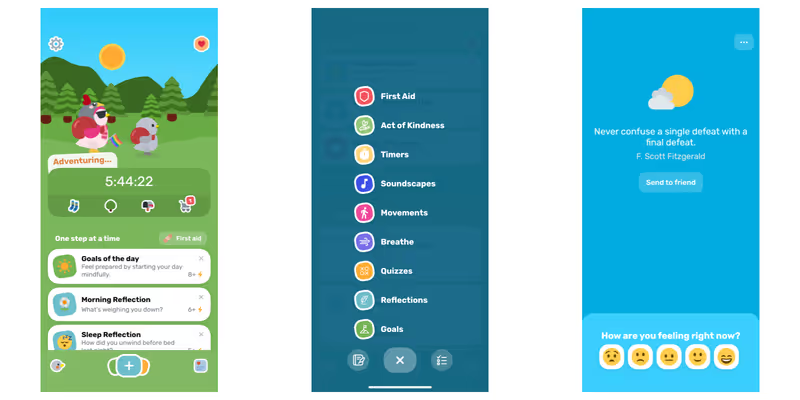
- Gamified Task Management: Every task you complete from "brushing your teeth" to "opening the blinds" - provides energy for your bird to go on adventures, making mundane chores feel like a rewarding quest.
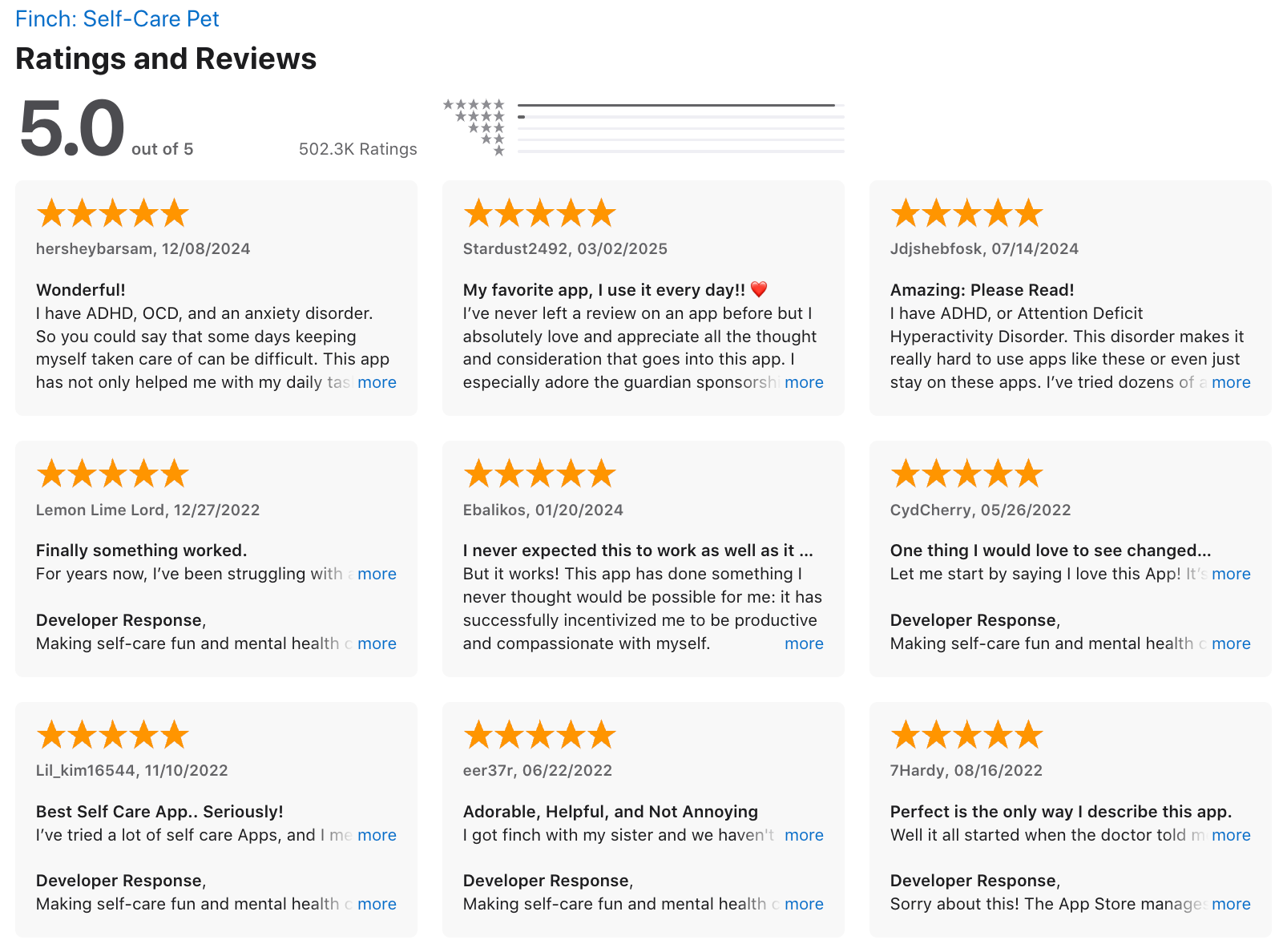
“I have ADHD, OCD, and an anxiety disorder… Finch helps me not just with tasks but makes me feel like I’m being cared for by my pet.” —Verified Review
- Low-Cognitive Load Reflections: The app offers quick, emoji-based mood check-ins and guided journaling prompts that help users identify emotional patterns without the "blank page" paralysis.
- First-Aid Mental Health Toolkit: Finch includes a dedicated "Emergency" tab with grounding exercises, breathing tools, and heavy-work activities designed to interrupt sensory meltdowns or anxiety spirals.
“The breathing and grounding exercises were surprisingly solid as quick ‘pause’ tools... they were enough to interrupt a spiral when I was doomscrolling.” —Verified Review
Pros
- I appreciate that it never punishes me for missing a day; my bird just waits for me to come back.
- I feel it’s helpful how the app breaks down complex goals into "micro-steps" that don't trigger my executive dysfunction.
- I like that there are zero ads, even on the free version, which keeps the interface clean and sensory-friendly.
- I feel more motivated to do "invisible chores" like drinking water when I know it helps my bird grow.
Cons
- The interface can feel a bit cluttered at first - there’s a lot going on with journeys, tools, check-ins, and rewards
- Goals sometimes feel rigid, and missing one can feel like a setback on low-energy days
- It may not be suitable for a working professional environment
- And you have to manually organize stuff yourself; you don't have an assistant to help you with it, like in Saner.AI
Pricing
- Free version available with core features
- Premium: Around $15/year on iOS, but up to $70/year on Android (yikes)
Suitable for
- Neurodivergent users with ADHD, anxiety, or executive dysfunction who need a positive way to build habits
- People who want gentle encouragement to care for themselves without harsh productivity expectations
How to start
- Download Finch from your device’s app store
- Create and name your Finch, then select your first self-care journey or goal
- Try a mood check-in and a journal entry to explore the emotional reflection tools
Finch reviews (source)
4) Goblin.tools
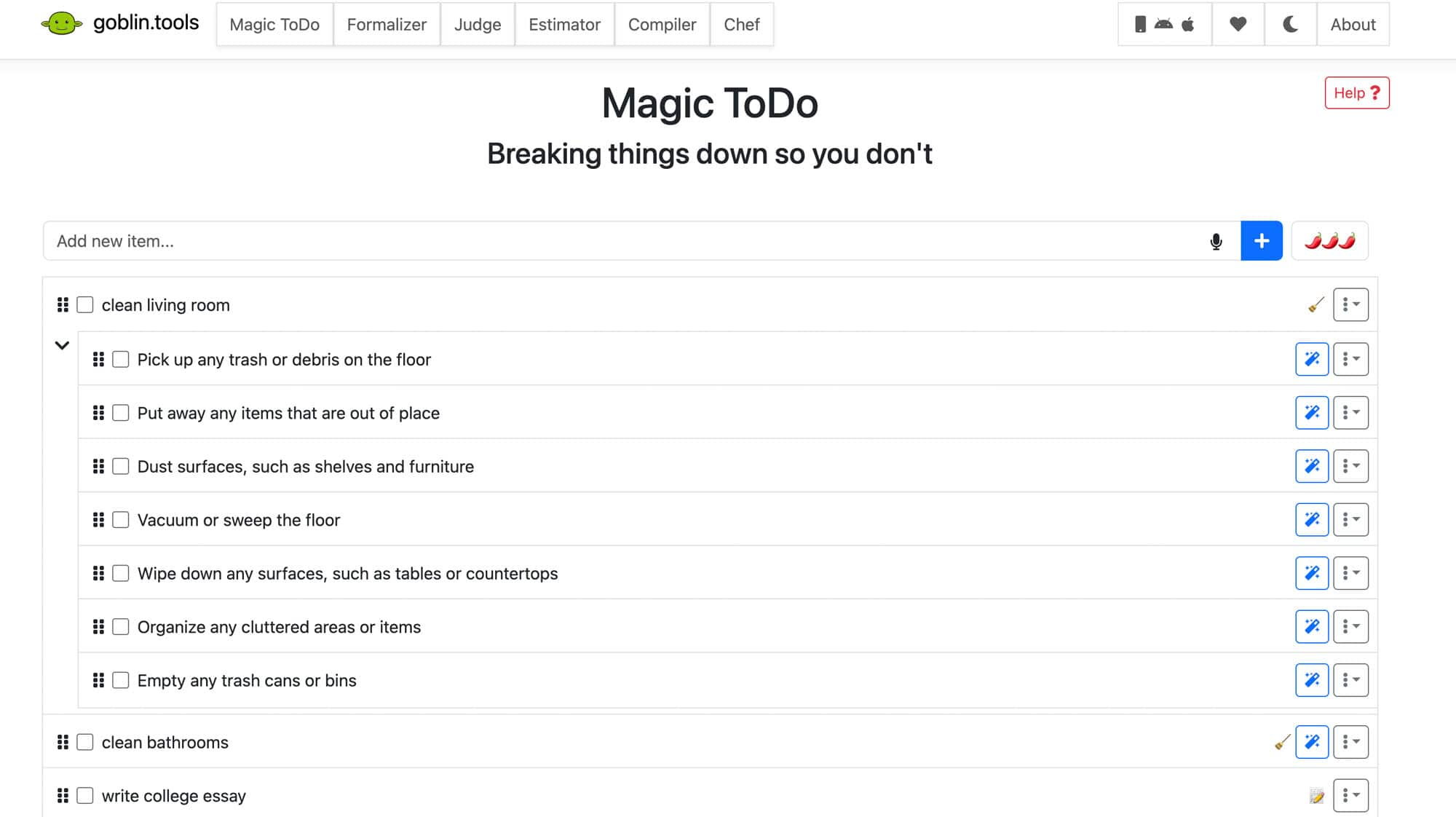
Goblin.tools is a curated collection of single-purpose AI utilities designed to lower the "cognitive load" of daily life. Rather than a rigid calendar, it acts as an external executive function that breaks down paralyzing tasks, deciphers social tones, and estimates time.
Key features
- Magic ToDo: This feature uses AI to turn a task into a nested list of manageable baby steps, effectively curing task paralysis.
"Magic ToDo has gone viral on social media for a reason: it automatically breaks down daunting tasks into manageable baby steps... It turns a mountain into a staircase." — Verified Review
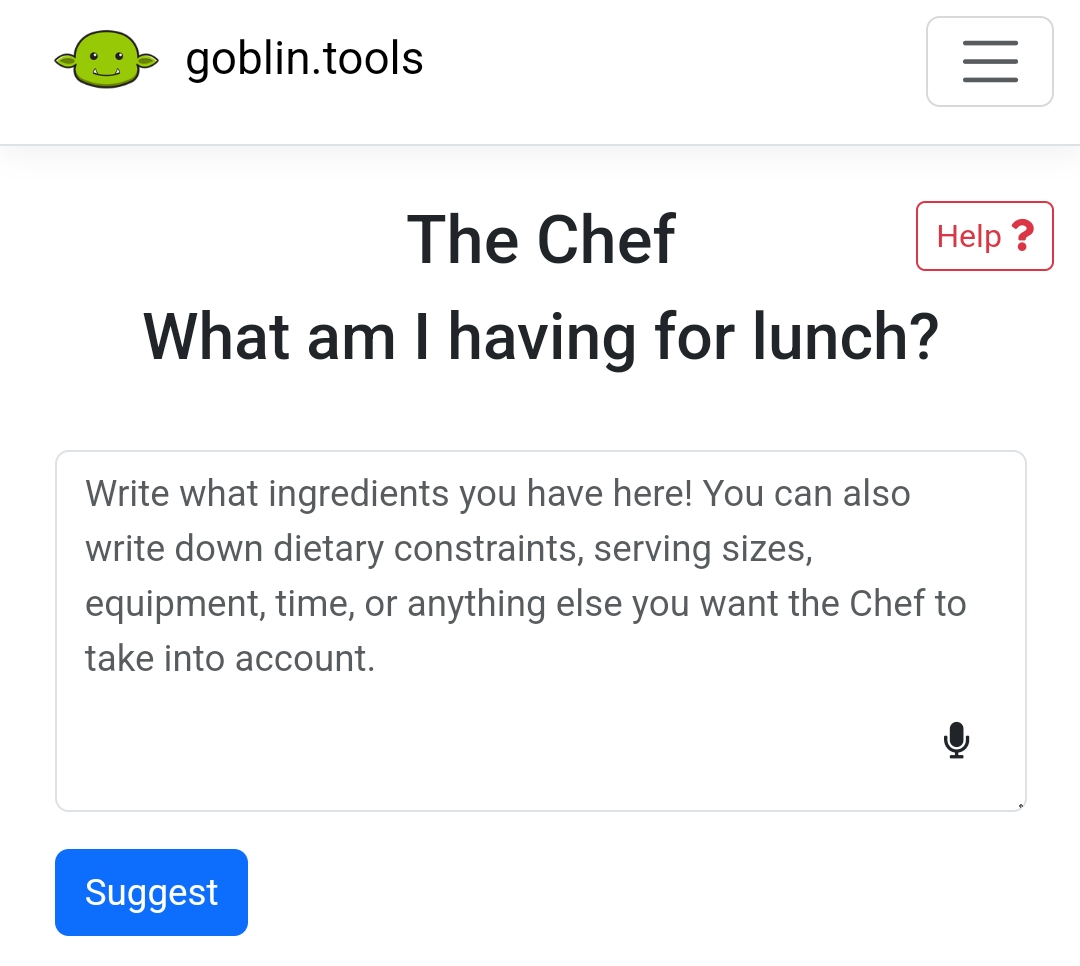
- The Formalizer: A sophisticated tone-shifter that converts "brain-dump" venting or blunt notes into professional, polite communication.
"Goblin tools has truly changed the way I write emails to my colleagues, and after quite some time of using it now, has even helped me learn how to speak more professionally!" — Verified Review
- The Judge: This tool analyzes the tone of received text (like a cryptic email from a boss) to help neurodivergent users interpret social nuances and reduce rejection sensitivity.
- The Estimator: Combats "time blindness" by predicting exactly how long a specific task will take based on its complexity.
Pros
- You can just open the tool you need without navigating a cluttered interface—perfect when your brain is overloaded
- Magic ToDo and Compiler work great together for getting unstuck and turning thoughts into action
- I appreciate the "spicy level" setting in Magic ToDo, which lets me choose how much help I need breaking things down.
Cons
- Each tool is separate, so you have to switch between them manually
- You can’t save data across devices unless you use the paid mobile app
- There’s no calendar, reminders, or task tracking over time- it’s not a planning tool, just a support system
- "The part I don't like is how it simplifies certain things. For example don't bother trying to plug anything crafty in there. Just doesn't work at all." — Verified Review
Pricing
- Web version is 100% free with no ads, accounts, or paywalls
- Mobile app is a one-time purchase (about $1.99–$4.99 depending on platform)
- No subscriptions or hidden upgrades—one payment unlocks the full app
Suitable for
- Neurodivergent users who struggle with task initiation, executive dysfunction, or communication anxiety
- Students, freelancers, or caregivers looking for accessible task and communication support
How to start
- Visit goblin.tools in your browser to use all tools instantly for free
- Try Magic ToDo for breaking down something you’ve been avoiding
5) Forest
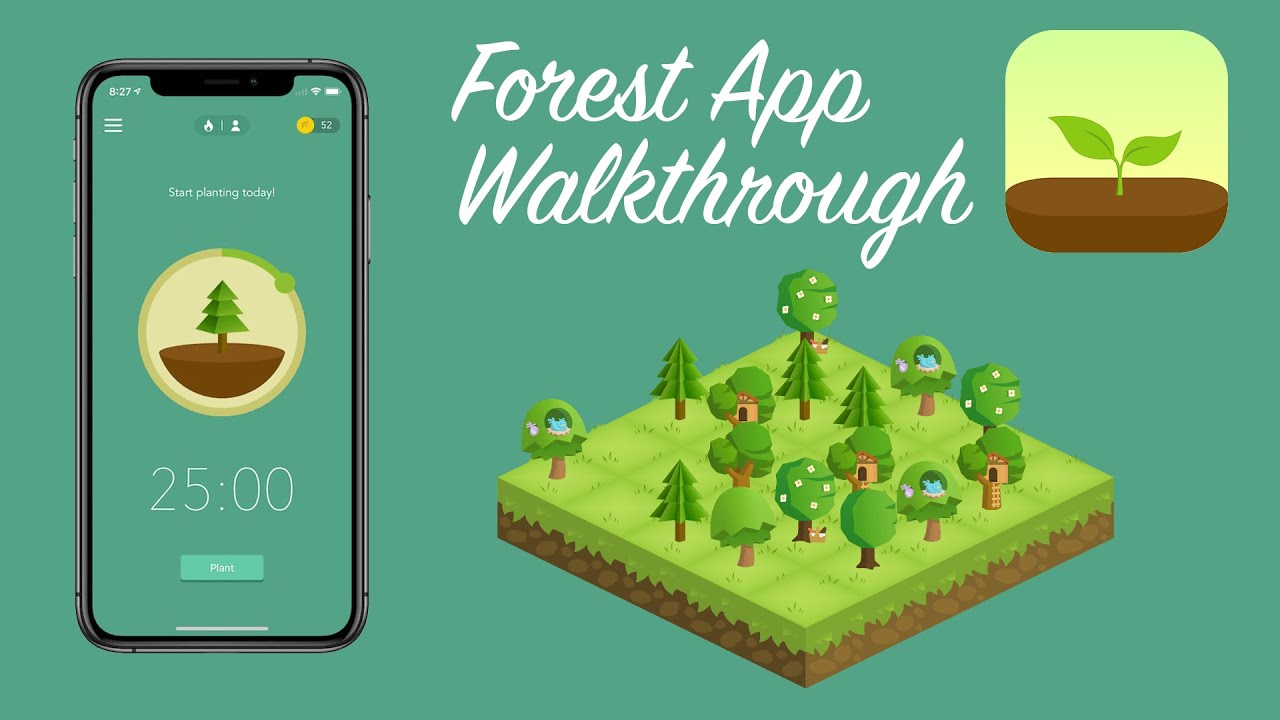
Forest is a gamified focus timer designed to combat digital distraction through "green" behavioral incentives. Users plant a virtual seed that grows into a tree during a set work session; however, if you leave the app to check social media or messages, your tree withers and dies.
Key features
- Gamified Focus Timer: The core mechanic uses visual stakes to provide the external dopamine hit often missing in standard Pomodoro timers.
- Customizable Allow Lists: Users can whitelist essential work apps, preventing the "all-or-nothing" lockout that often makes restrictive apps frustrating for ADHD users.
- Deep Statistics & Timeline: The app provides a detailed breakdown of where your time goes, helping users identify patterns in their executive function.
- Real-World Reforestation: Spending earned virtual coins allows users to partner with "Trees for the Future" to plant actual trees in the real world.
"An important plus: your focused time can be converted into planting real trees! The app is clean and updated regularly." — Verified Review
Pros
- I can label my sessions (Work, Study, Social) to see exactly where my energy drains occur.
- I like the "Plant Together" feature because it acts as virtual body doubling, keeping me accountable to friends.
- I appreciate the low entry cost compared to other subscription-heavy productivity tools in 2026.
- The threat of “killing” your tree helps resist the urge to mindlessly scroll or check notifications
- It supports time-blindness by showing a visible, growing progress marker instead of just counting minutes
Cons
- If you accidentally open a blocked app, your tree dies, which can feel discouraging on low-energy days
- The free version on Android is limited, and some key features (tags, syncing, friend focus) require a paid upgrade
- You need to build the habit of actually starting the timer, there’s no automation or proactive reminders
Pricing
- Free on Android (with optional in-app purchases)
- ~$4 one-time purchase on iOS
- No monthly fees or subscriptions
Suitable for
- ADHDers and neurodivergent users who struggle with phone addiction, impulsivity, or starting tasks
- Students, freelancers, or remote workers who need structure without using a full task manager
- People who want a fun, light-touch focus tool with visual progress instead of long to-do lists
How to start
- Download Forest from your app store (iOS or Android)
- Set your first focus session timer - start with something short like 15 or 25 minutes
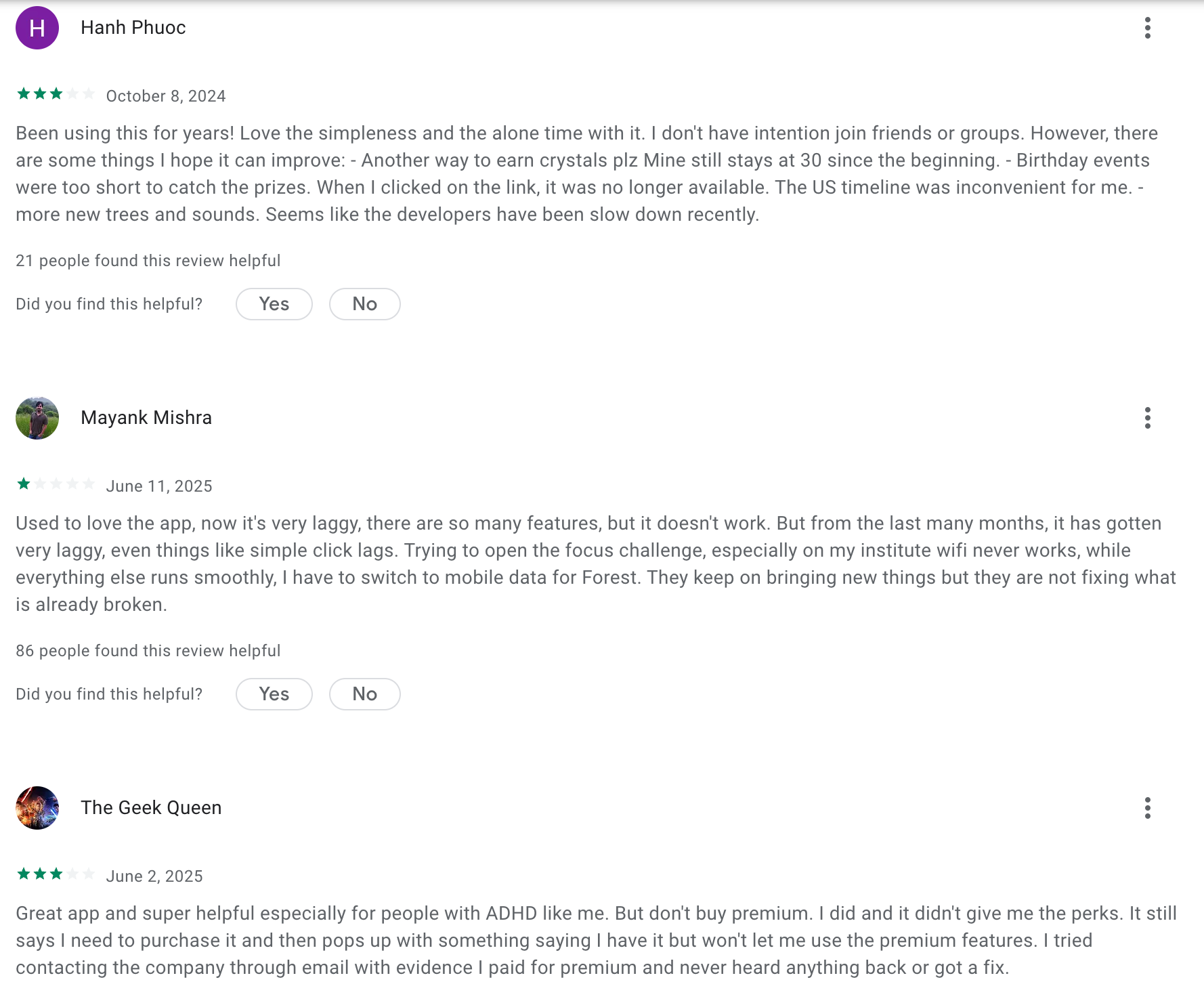
Forest Reviews (source)
6) Speechify
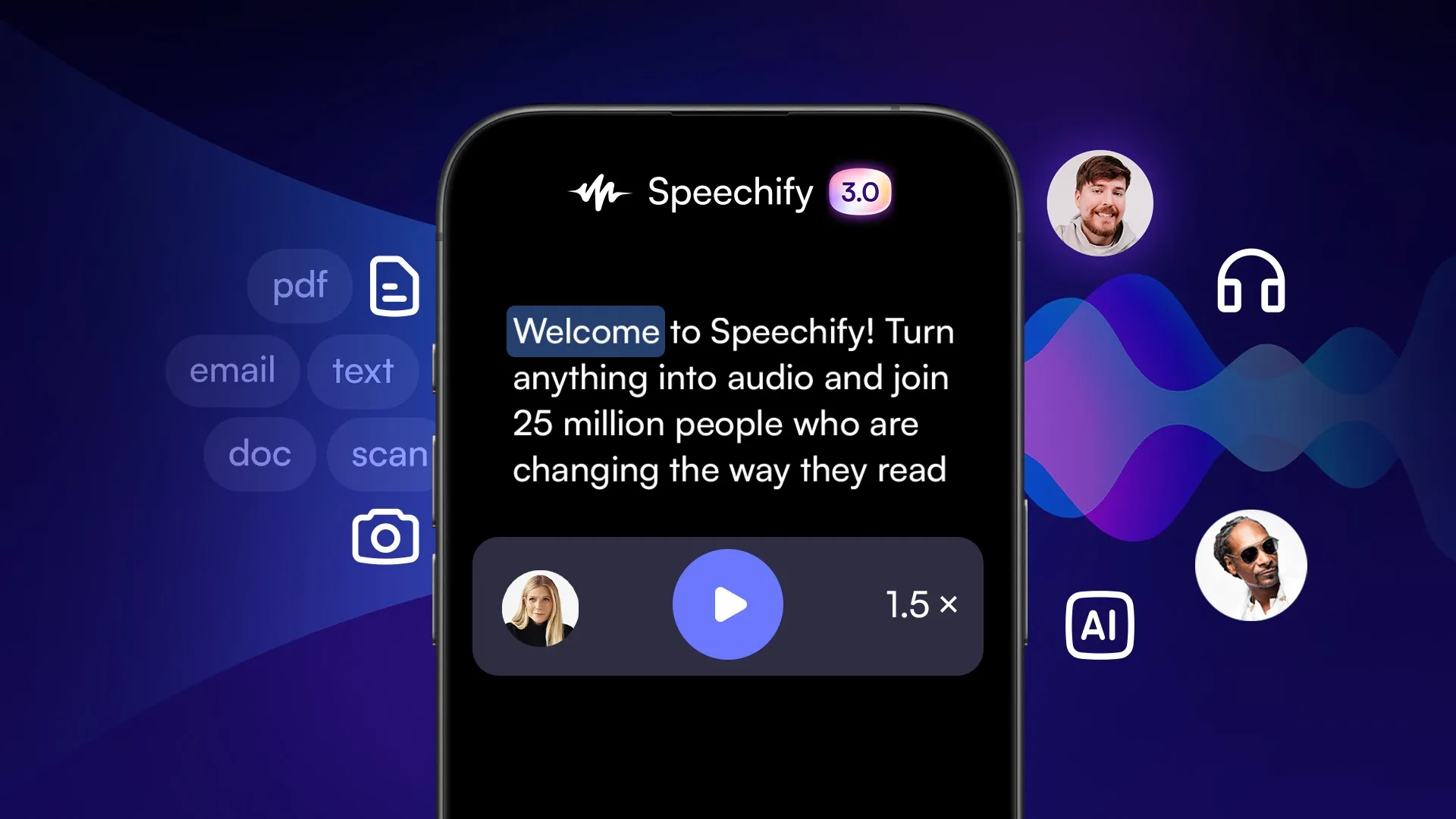
Speechify is a leading AI text-to-speech (TTS) application designed to convert any written text—from PDFs and physical books to emails and web articles- into high-quality, natural-sounding audio.
Originally developed to help individuals with dyslexia and ADHD, it has evolved into a powerhouse productivity tool in 2026, now featuring "Talk to Speechify" AI interactions.
Key features
- Ultra-Realistic AI Voices: The app utilizes advanced neural text-to-speech technology to provide voices that mimic human inflection, pacing, and emotion, moving far beyond the "robotic" tones of the past.
"The voices are shockingly natural... Speechify’s premium voices have emotion, proper pacing, and natural pauses. You actually forget it’s AI after a few minutes." —Verified Review
- Interactive AI Reading Assistant: In 2026, Speechify isn't just a reader; it's a tutor that understands the context of your documents, allowing you to ask questions or request summaries of the text on your screen.
"It’s like talking to ChatGPT, but faster and with more context... you can ask: 'What are the main takeaways?' or 'Quiz me on this essay.'" —Verified Review
- Advanced OCR & Cross-Platform Sync: The Optical Character Recognition (OCR) allows you to snap a photo of a physical book or document and have it read aloud instantly across all your synced devices.
"I photographed a few pages from a physical book, and Speechify read them back perfectly... I can start reading on Chrome and continue on iOS or Android." —Verified Review
Pros
- I appreciate how we can adjust the speed of voice. For me, the 2x speed allows me to process information without the "wall of text" anxiety common with ADHD.
- I feel it helpful that the celebrity voices (like Snoop Dogg) make boring study materials much more engaging.
- The active text highlighting that helps me follow along visually while I listen
- It cuts down reading fatigue and is especially helpful with dense, boring, or overwhelming documents
Cons
- The free plan is limited in voices, speed, and OCR - most useful features are locked behind Premium
- OCR sometimes struggles with complex page layouts, handwritten notes, or tables
- Some voices sound robotic or overly dramatic at higher speeds
Pricing
- Free plan includes basic text-to-speech, standard voices, and normal speed
- Premium plan costs around $139/year or $29/month
- Premium unlocks high-speed playback, OCR scanning, offline support, more voice and language options
Suitable for
- ADHDers, dyslexic users, or those with visual impairments who prefer auditory learning
- Students or researchers needing to absorb long readings or textbooks
How to start
- Download Speechify from the App Store, Google Play, or install the Chrome extension
- Try the free plan to test voice quality, speed control, and supported formats
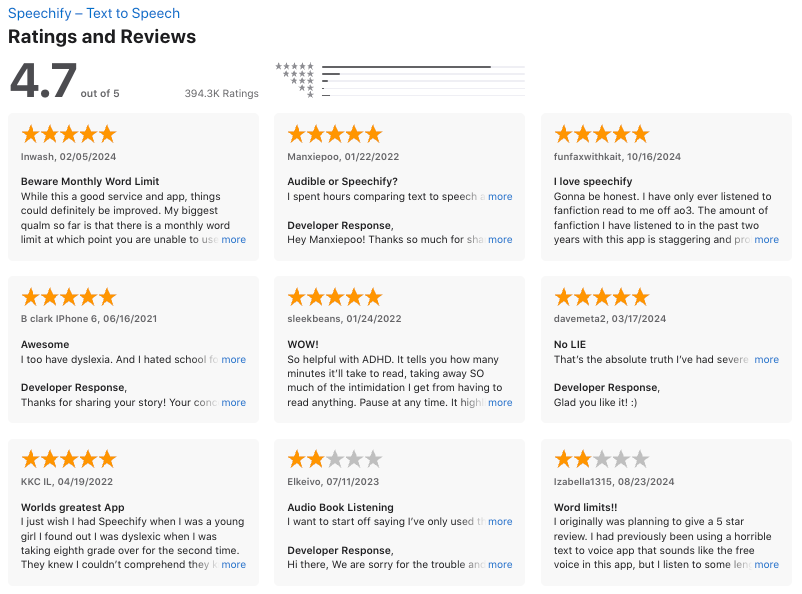
Speechify review (source)
7) Headspace
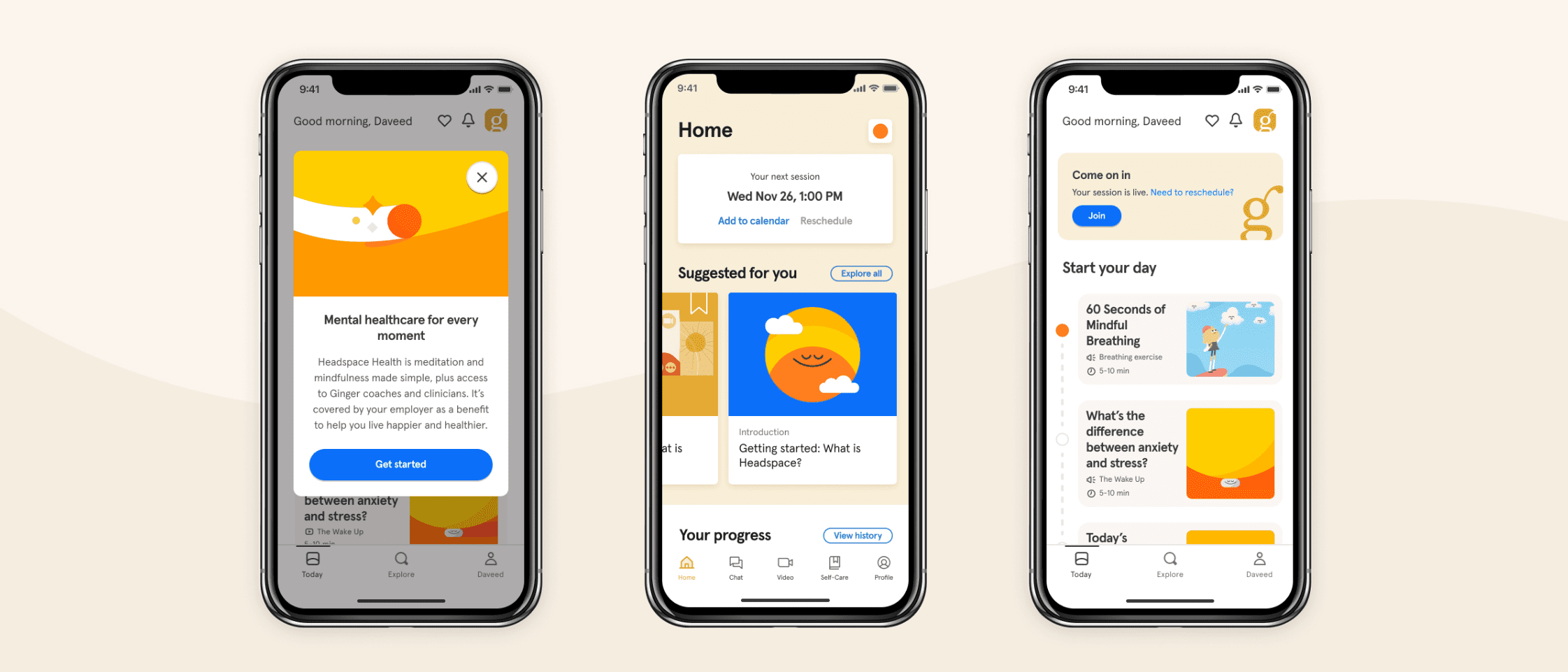
Headspace is a premier mental health and mindfulness platform that has evolved into a "gym for the mind," specifically designed to help users manage stress, improve focus, and regulate emotions. It serves as a structured tool to navigate executive dysfunction and sensory overload through science-backed meditation and "sleepcasts."
Key features
- Structured "Levels" and Courses: Headspace treats mindfulness like a curriculum rather than a random library, which is essential for neurodivergent individuals who thrive on clear progression and "gamified" milestones.
"This pedagogical structure is Headspace's superpower... It's like Duolingo for your mind, except the skill you're building is the ability to direct your own attention." —Verified Review
- Ebb: The AI Companion: The 2026 update features Ebb, a conversational AI that allows users to "vent" or reflect in real-time, providing instant resource recommendations based on the user’s current emotional state.
- High-Quality Animations & Visual Aids: The app uses distinctive, low-sensory-impact animations to explain abstract concepts like "noting" or "scanning," providing a visual anchor for those who struggle with auditory-only instructions.
"What I loved about the app was that it had different topics to choose from, funny animations and Andy's voice, it was perfect for me." —Verified Review
Pros
- I appreciate the "SOS" sessions for when I feel a meltdown or panic attack starting; they provide immediate, grounding instructions.
- The app uses progress bars and streaks, which hits the dopamine receptors I need as someone with ADHD to stay consistent.
- I like that the sleepcasts describe cozy, repetitive environments, it shuts down my "racing brain" better than standard white noise.
- The design and flow of the app are gentle and distraction-free.
Cons
- Subscription is pricey compared to other mental health apps, especially if you just use a few features
- There’s so much content that it can feel overwhelming
- Some sessions feel too long if you’re looking for short, practical tools in moments of distress
Pricing
- Free version includes a small selection of meditations and sleep tools
- Full access costs $12.99/month or around $69.99/year
- 14-day free trial often included with annual plan
Suitable for
- Headspace is best for neurodivergent adults who crave structure and struggle with "blank slate" meditation.
- If you find yourself easily bored or distracted by silence, the guided nature and visual components of Headspace make it more accessible than "zen-style" apps.
- It is particularly effective for those with ADHD (for focus) and Autism (for emotional regulation and sleep routines).
How to start
- Download Headspace on iOS or Android or use the web version
- Try the free meditations or a sleepcast before bed to test what works for you
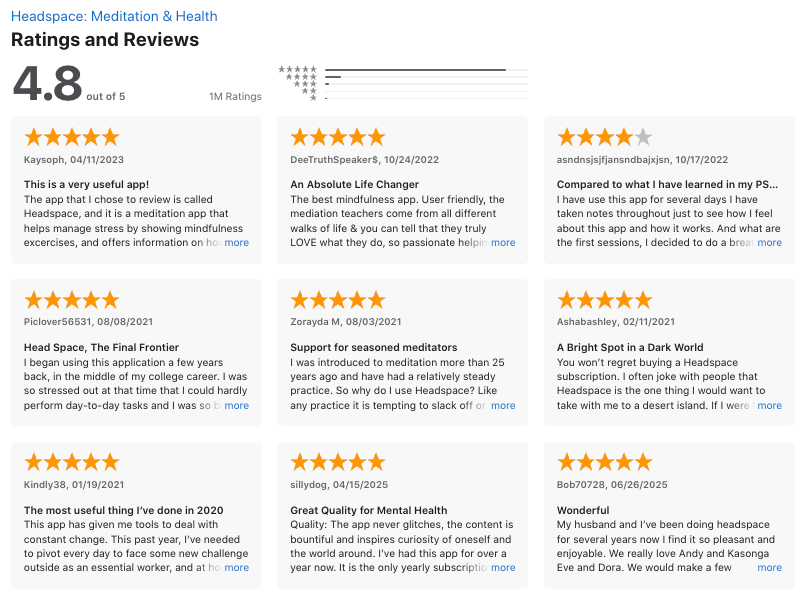
Headspace reviews (source)
💬 Final Thoughts: Your Brain Deserves Better Tools
If you’re neurodivergent, you’ve probably spent years trying to force your brain to fit systems that just weren’t built for you.
The truth is, you’re not broken - the tools were.
What’s exciting now is that more and more apps are finally being designed with neurodivergent brains in mind - or at least flexible enough to support the way you think, work, and feel.
From Saner.AI’s all-in-one ADHD workspace to Speechify's text-to-speech or Goblin.tools breaking tasks down when your brain just freezes - these tools can help take the weight off your executive function, emotional load, and attention span.
🧪 Try a few. Mix and match.
The right combination might just help you go from overwhelmed to organized, from stuck to starting, from scattered to supported.
Stay on top of your work and life
FAQ: Best Neurodivergent Apps
1. What are the best neurodivergent apps?
The best neurodivergent apps help with common challenges like focus, planning, memory, and emotional regulation. Popular options include:
- Saner.AI – AI workspace for notes, tasks, and reminders
- Tiimo – Visual daily planner designed for neurodivergent brains
- Goblin.Tools – AI-powered tool that breaks overwhelming tasks into steps
- Headspace – Meditation and mindfulness support for stress and overwhelm
- Finch – Self-care companion that helps with motivation and routines
- Forest – Focus timer with a fun “grow a tree” mechanic
- Speechify – Text-to-speech app for dyslexia or anyone who learns better by listening
2. What makes a good neurodivergent app?
Look for tools that are:
- Simple, not overwhelming – clean design, no steep learning curve
- Customizable – flexible for ADHD, autism, dyslexia, or mixed needs
- Low-friction – quick to open, fast to use, no endless setup
- Supportive – provides nudges, structure, or motivation when executive function dips
- Cross-device – works across phone, tablet, and computer
3. Which apps are best for ADHD?
- Saner.AI – Reduces context switching by combining notes, tasks, and calendar in one place
- Forest – Keeps you on track with focus sessions
- Tiimo – Visual daily planner that’s simple and non-intimidating
4. What’s the best app for executive dysfunction?
- Goblin.Tools – Breaks tasks into small, doable steps when starting feels impossible
- Saner.AI – Turns messy brain dumps into clear action items and reminders
5. Are there free neurodivergent apps?
Yes, many offer free versions:
- Saner.AI (free plan with AI reminders + calendar sync)
- Forest (basic version free, premium optional)
- Speechify (free tier with limited voices)
- Headspace and Finch (free basics, full access via subscription)
- Tiimo and Goblin.Tools (subscription-based but often with free trials)
6. Which neurodivergent apps help with motivation?
- Finch – Rewards you for completing self-care tasks with a growing digital pet
- Forest – Visual progress (trees/forest) makes staying focused more satisfying
- Saner.AI – Nudges you to follow through by reminding you of what matters
7. Which apps are best for dyslexia?
- Speechify – Reads text out loud in natural voices for easier comprehension
- Saner.AI – Lets you talk to it instead of typing, and finds notes by meaning, not spelling
8. Can neurodivergent apps replace traditional planners?
Yes - many people with ADHD or autism find digital tools easier than paper planners.
Apps like Tiimo and Saner.AI provide structure without requiring manual setup or constant maintenance.
9. Do these apps actually improve productivity?
Yes. By reducing overwhelm and supporting executive function, they help you:
- Start tasks you’d normally avoid (Goblin.Tools)
- Stay on track (Forest, Tiimo)
- Remember follow-ups (Saner.AI)
- Manage stress that drains focus (Headspace, Finch)
10. How do I choose the best neurodivergent app for me?
Ask yourself:
- Do I need help with focus (Forest, Saner.AI)?
- Do I need help with planning (Saner.AI, Goblin.Tools)?
- Do I need help with emotional regulation (Headspace, Finch)?
- Do I need help with reading or memory (Speechify, Saner.AI)?
Start with one tool that solves your biggest pain point - then layer in others if needed.
11. Which neurodivergent apps help with routines and structure?
Many neurodivergent people look for visual planners and routine builders:
- Tiimo – Excellent for visual schedules and structured daily planning
- Saner.AI – Converts brain dumps into clear tasks and reminders, reducing planning friction
- Finch – Helps you build daily habits and self-care routines with gentle motivation
12. How do I find apps that aren’t overwhelming or cluttered?
Minimal, calm, and simple apps are best. Look for:
- Limited menus and options (Goblin.Tools is a great example)
- Clean, uncluttered design (Tiimo, Saner.AI)
- No heavy setup required (Forest and Finch are quick to start)
13. Which apps are best for ADHD vs autism?
- ADHD: Saner.AI (task organization), Forest (focus sessions), Goblin.Tools (task breakdown)
- Autism: Tiimo (visual schedules), Headspace (mindfulness for sensory overwhelm), Finch (self-care motivation)
- Combined AuDHD: Many use a mix, e.g., Tiimo for structure + Saner.AI for task clarity
14. Which apps help with motivation and procrastination?
- Forest – Turns focus sessions into a gamified experience (trees grow when you stay off your phone)
- Finch – Rewards you with a growing companion for completing self-care and small wins
- Saner.AI – Nudges you to follow through on what you’ve written down. Give you a day plan every morning
15. Are there free apps for neurodivergent people?
Yes. Popular free (or free tier) options include:
- Saner.AI (basic plan free)
- Forest (free, with optional paid upgrade)
- Speechify (free tier with natural voices)
- Headspace and Finch (free basics, subscription for full access)
- Tiimo and Goblin.Tools (subscription-based, with trials or discounts)
16. What apps help with reading or dyslexia?
- Speechify – Reads text out loud in natural voices, great for dyslexia or when visual reading is tiring
- Saner.AI – Lets you talk to it instead of typing and retrieves notes based on meaning, not exact spelling
17. Which apps support emotional regulation or mental health?
- Headspace – Mindfulness and meditation reduce stress and sensory overwhelm
- Finch – Daily emotional check-ins and self-care routines
- Saner.AI – Clears mental clutter, helping reduce overwhelm from scattered thoughts
18. What makes an app hard to use for neurodivergent people?
Common complaints include:
- Overwhelming menus and too many features
- Complex setup that requires lots of executive effort
- Distracting colors, ads, or cluttered layouts
- Tools that require constant manual upkeep
19. Can I combine different apps for a full system?
Yes. For example:
- Saner.AI for organizing notes and tasks
- Forest for focus
- Speechify for reading support
- Headspace or Finch for emotional balance
This way, each app solves one problem without overwhelming you.
Stay on top of your work and life



