
We Tested 12 Obsidian Alternatives. Here are the 6 Best

The 6 Best Obsidian Alternatives in 2026
Obsidian is a powerful tool, but for most people, the setup never quite ends. You're maintaining the system instead of using it. If that sounds familiar, you're not alone. The good news is that a new wave of note-taking and knowledge management tools has quietly closed the gap, offering the same depth of thinking support without the overhead.
In this guide, we tested the top contenders to find which ones actually deliver on that promise- tools that let you capture ideas, build structure, and retrieve what you need without a computer science degree or a weekend of configuration.
Quick guide: What are the best Obsidian alternatives?
- Workflowy: Best for thinkers who prefer a clean, infinitely nested outline structure
- Evernote: Best people who want an media-rich workspace that syncs everywhere
- Notion: Best for teams that need notes, databases, and project management in one place
- Joplin: Best for privacy-conscious users who want a free, open-source Obsidian alternative
- Anytype: Best for users who want local-first storage with a modern interface
How we chose the best Obsidian alternatives
We evaluated each tool against the problems that send people searching for alternatives in the first place:
- Ease of setup: Can you get started in minutes, or does it require hours of configuration?
- Note organization: Does it support linking, tagging, folders, or AI-assisted structure?
- Search and retrieval: How quickly can you find what you saved, even if you can't remember where you put it?
- Collaboration: Can you share and co-edit with teammates, or is it built for solo use only?
- Cross-platform sync: Does it work seamlessly across devices without a paid add-on?
- Pricing: Is there a genuinely usable free tier, or does the real product sit behind a paywall?
What are the Best Obsidian Alternatives?
The best Obsidian Alternatives in 2026 are Saner.AI, Workflowy, Notion and Joplin, Evernote, and Anytype
1. Anytype
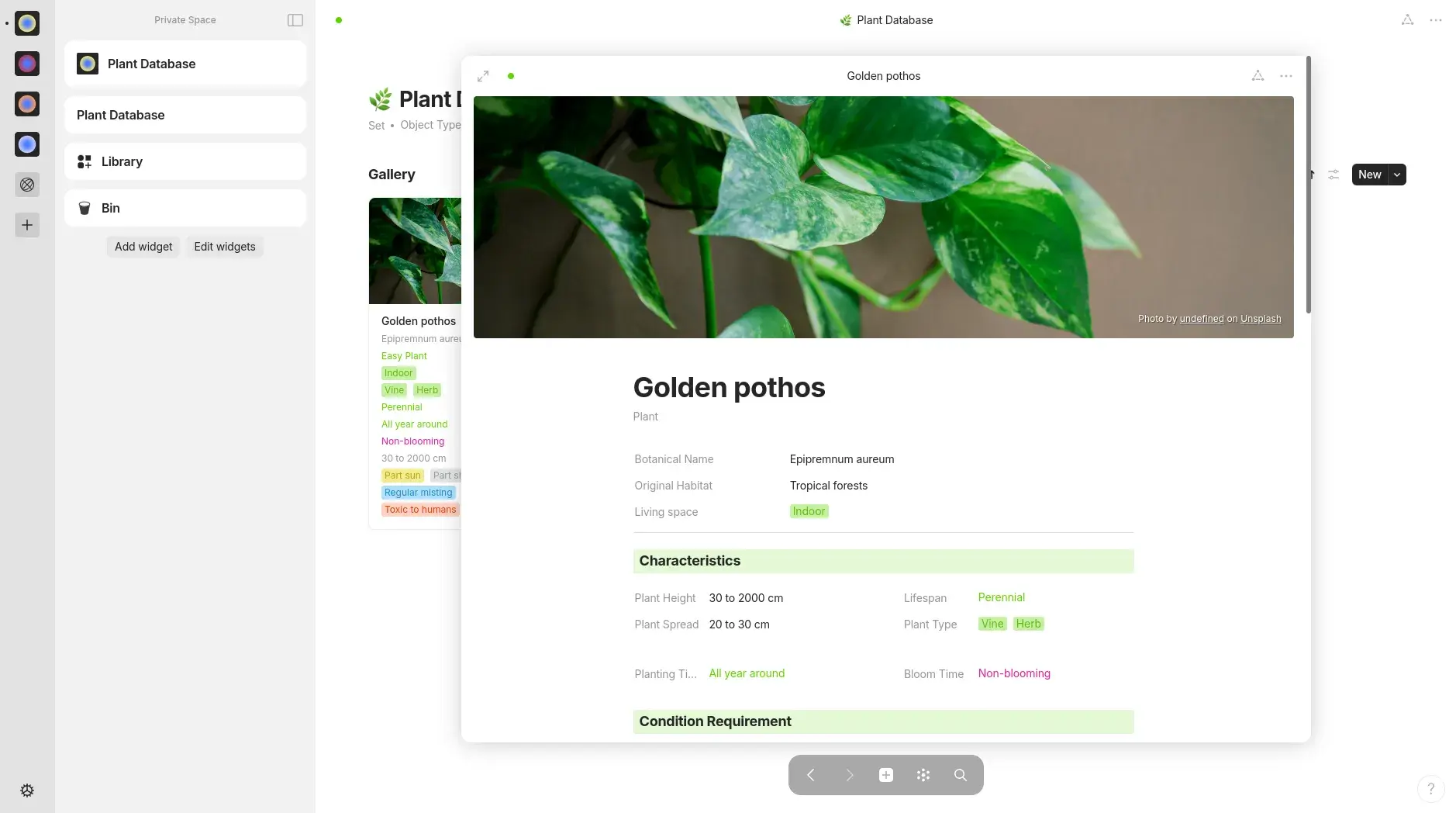
Anytype is a secure, local-first workspace for your notes, tasks, and ideas. It feels like a mashup of Obsidian, Notion, and Roam, built for people who care about privacy, structure, and offline access.
If you’re looking for Obsidian alternatives that go beyond plain markdown, Anytype is worth checking out.
Key features
- Local-First Storage with End-to-End Encryption. Your notes never sit on Anytype's servers. Everything is stored on your device first, encrypted with keys that only you hold.
"The privacy offered with Anytype, coupled with community-based updates, made this the perfect option." — Verified Review
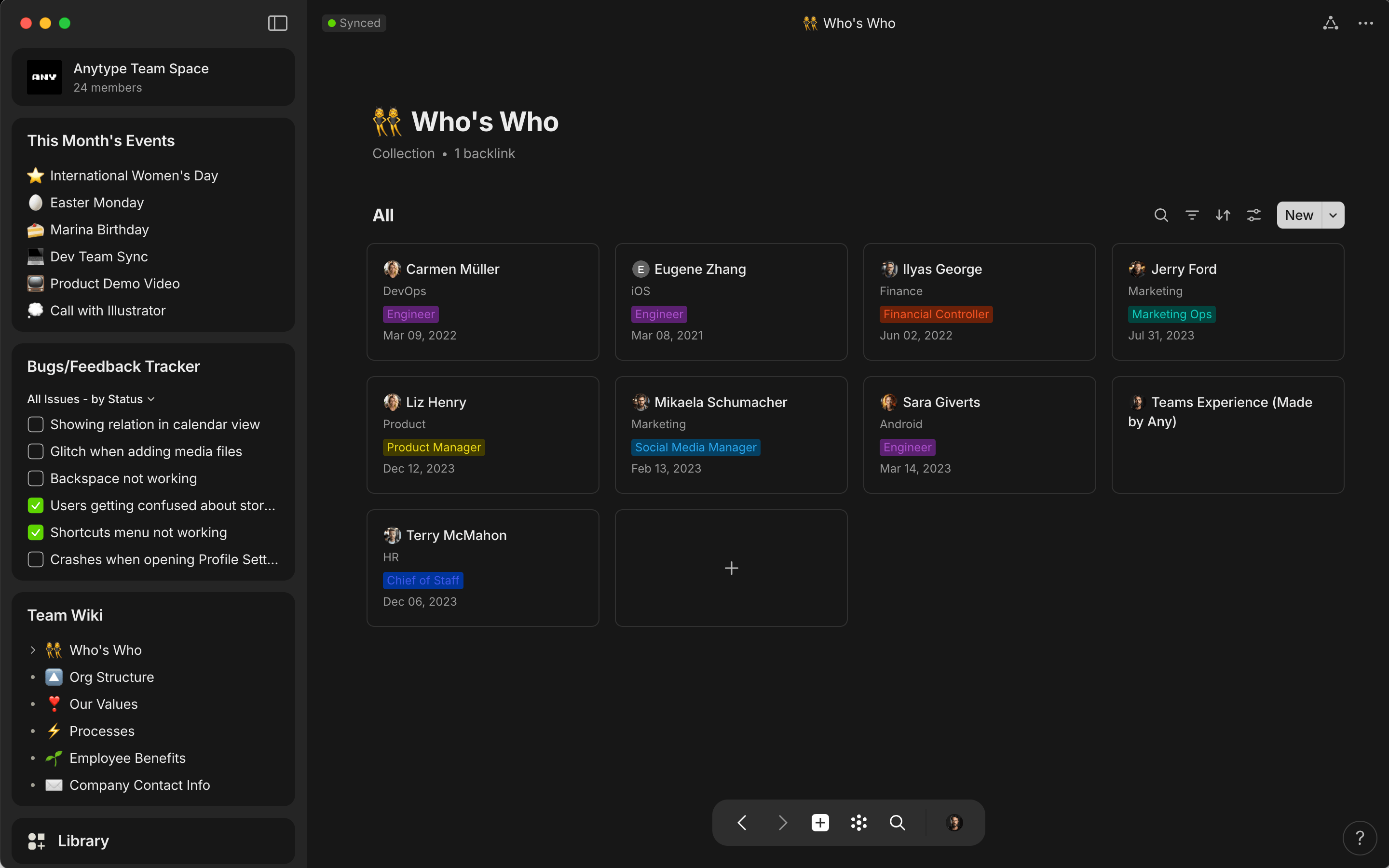
- Object-Based Data Model. Anytype treats every piece of information as an "Object" — a standalone unit with its own type, relations, and properties. You define the types yourself, which means the app bends to your workflow rather than the other way around.
"I have used Anytype daily for nearly 2 years. It never fails." — Verified Review
- Graph View. The graph view gives you a visual map of how all your objects connect. Click on a note and you can see every related page, task, or contact linked to it in real time.
Pros
- I liked how it combines structured databases with backlinking
- It syncs across devices without needing a paid plan, and everything stays encrypted
- The offline support is solid
Cons
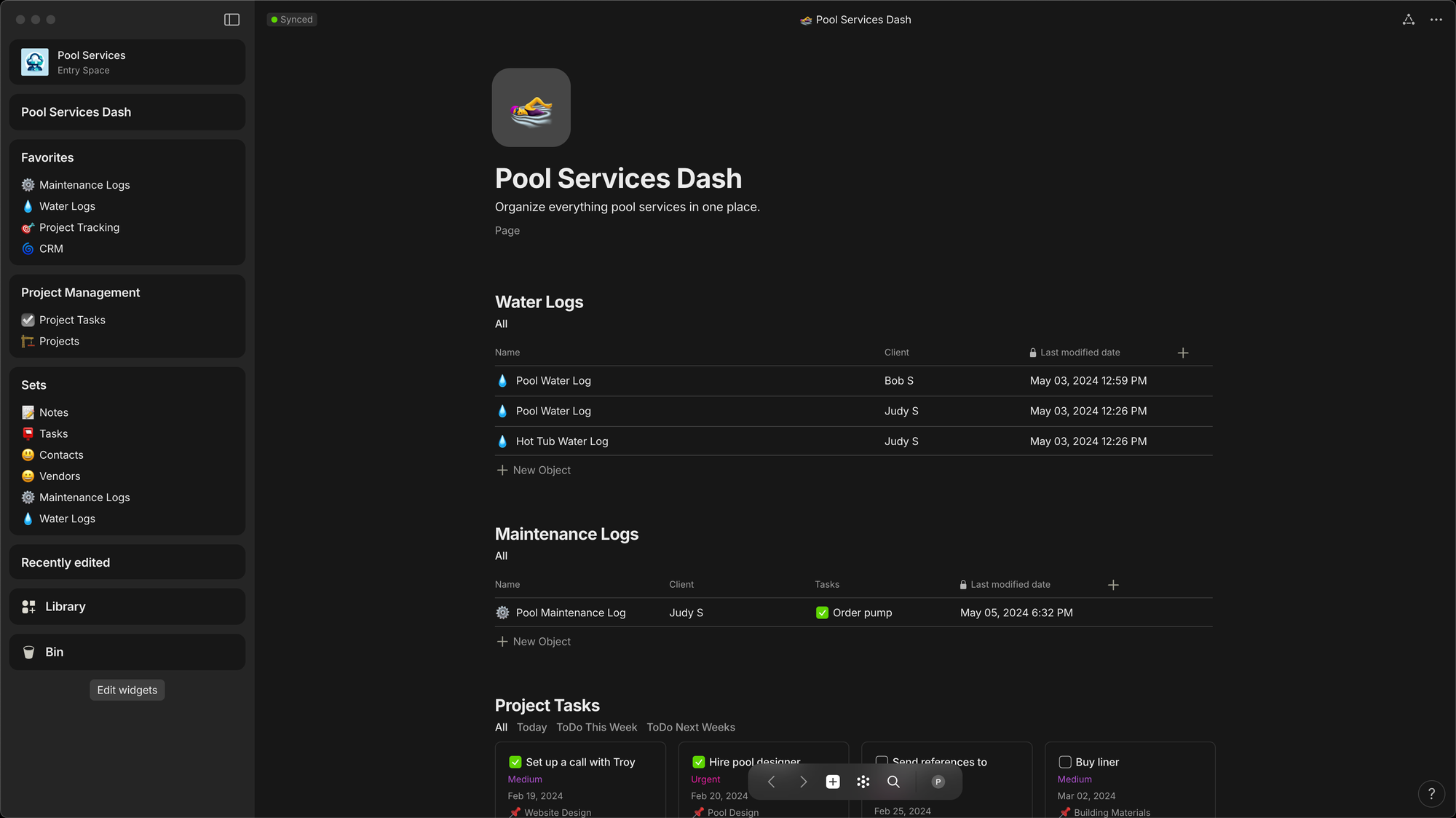
- The interface took me a while to figure out. It’s powerful, but not very intuitive at first
- Mobile apps are still a bit limited compared to desktop
- It doesn’t use markdown files under the hood, so it’s not as portable as Obsidian
- Don't support AI assistant for notes, tasks, and emails like Saner.AI
Pricing
| Plan | Monthly Equivalent | Billed | Free Version | Free Trial |
|---|---|---|---|---|
| Free | $0 | — | ✅ Yes | — |
| Builder | ~$8.25/mo | $99/year (annual only) | ❌ | ❌ |
| Co-Creator | ~$24.92/mo | $299/year (annual only) | ❌ | ❌ |
| Business | Custom | Contact sales | ❌ | ❌ |
Suitable for
- Researchers, journalists, and anyone handling sensitive client or personal data will get the most out of it.
- Solo freelancers and knowledge workers who want a Notion-style workspace without cloud dependency will also find it a strong fit.
- If you're currently using Obsidian for its offline and privacy properties but find yourself wishing for a proper database layer, Anytype fills that gap directly.
How to start
- Download the app, create a new vault, and start linking your notes and tasks into a web of ideas. It’s free to try.
Anytype review (Source)
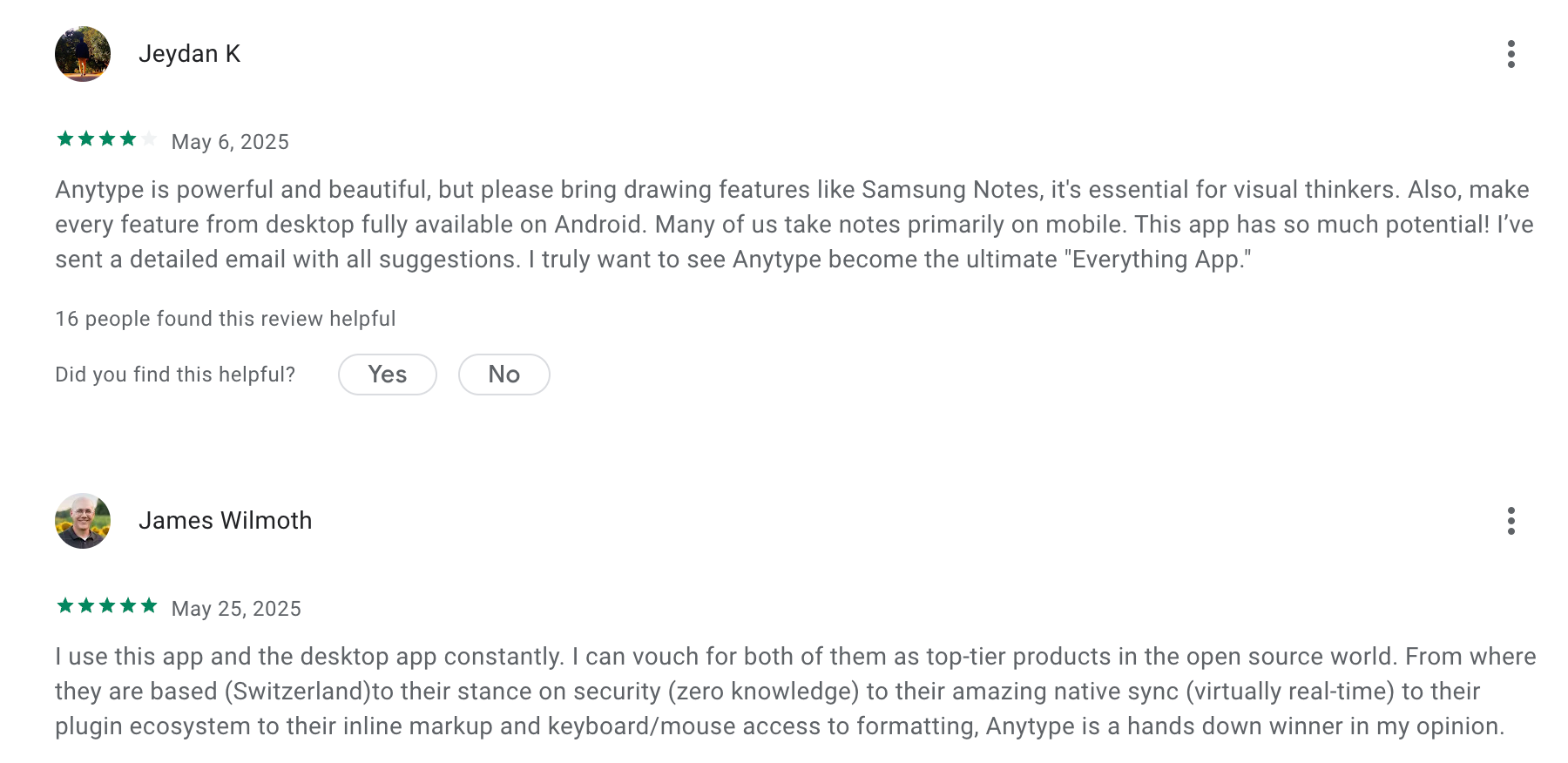
"I've been experimenting with Anytype as a replacement for Obsidian. It really shines when it comes to versioning and the ability to self host your own any-sync for usage across multiple devices." - verified review
"I've encountered a problem with the mobile app that seems to be exclusive to it since i don't have this problem on my pc. whenever I try to copy anything I wrote down in the app to my mobile clipboard. it just doesn't copy." - verified review
2. Saner.AI
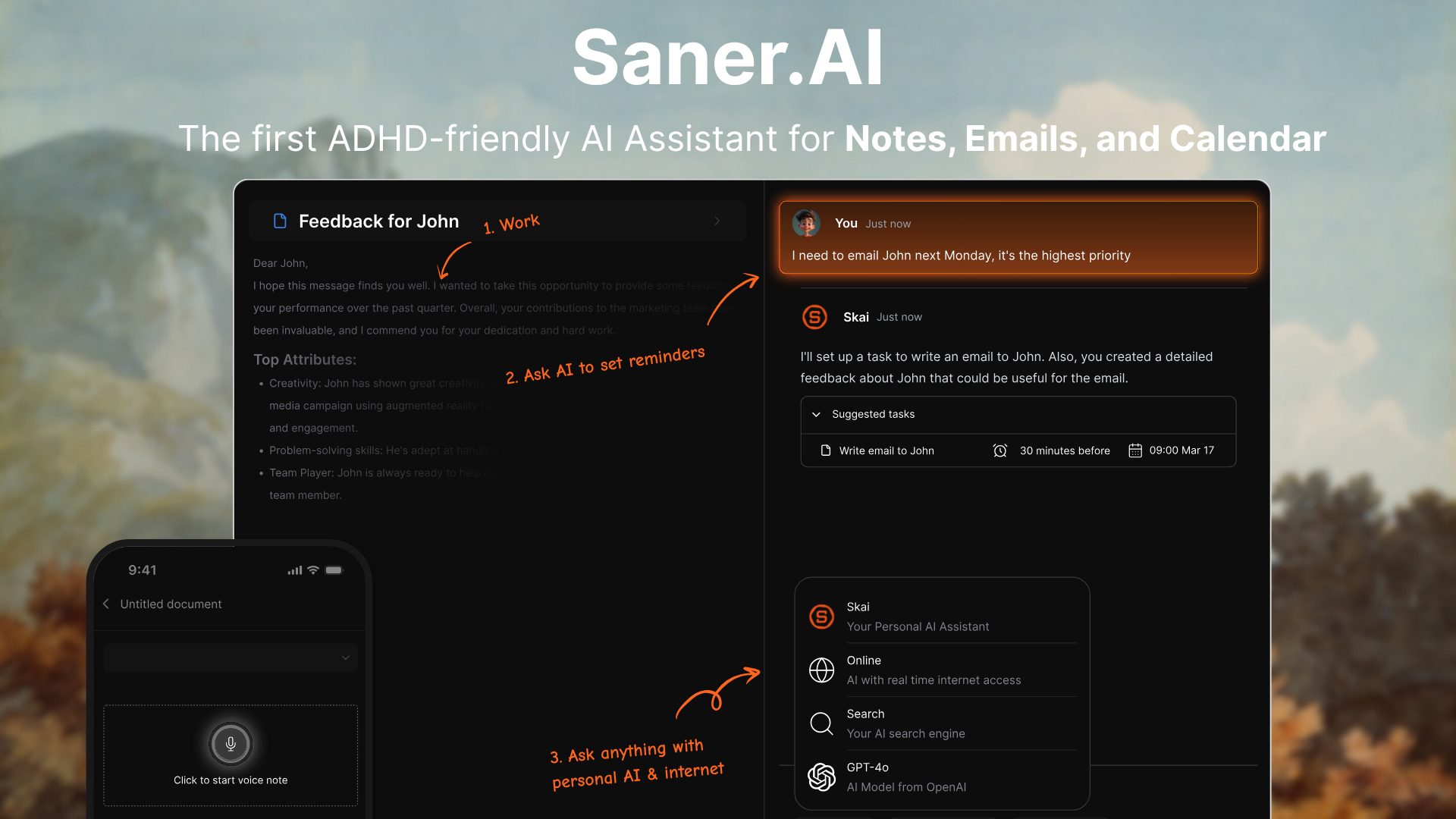
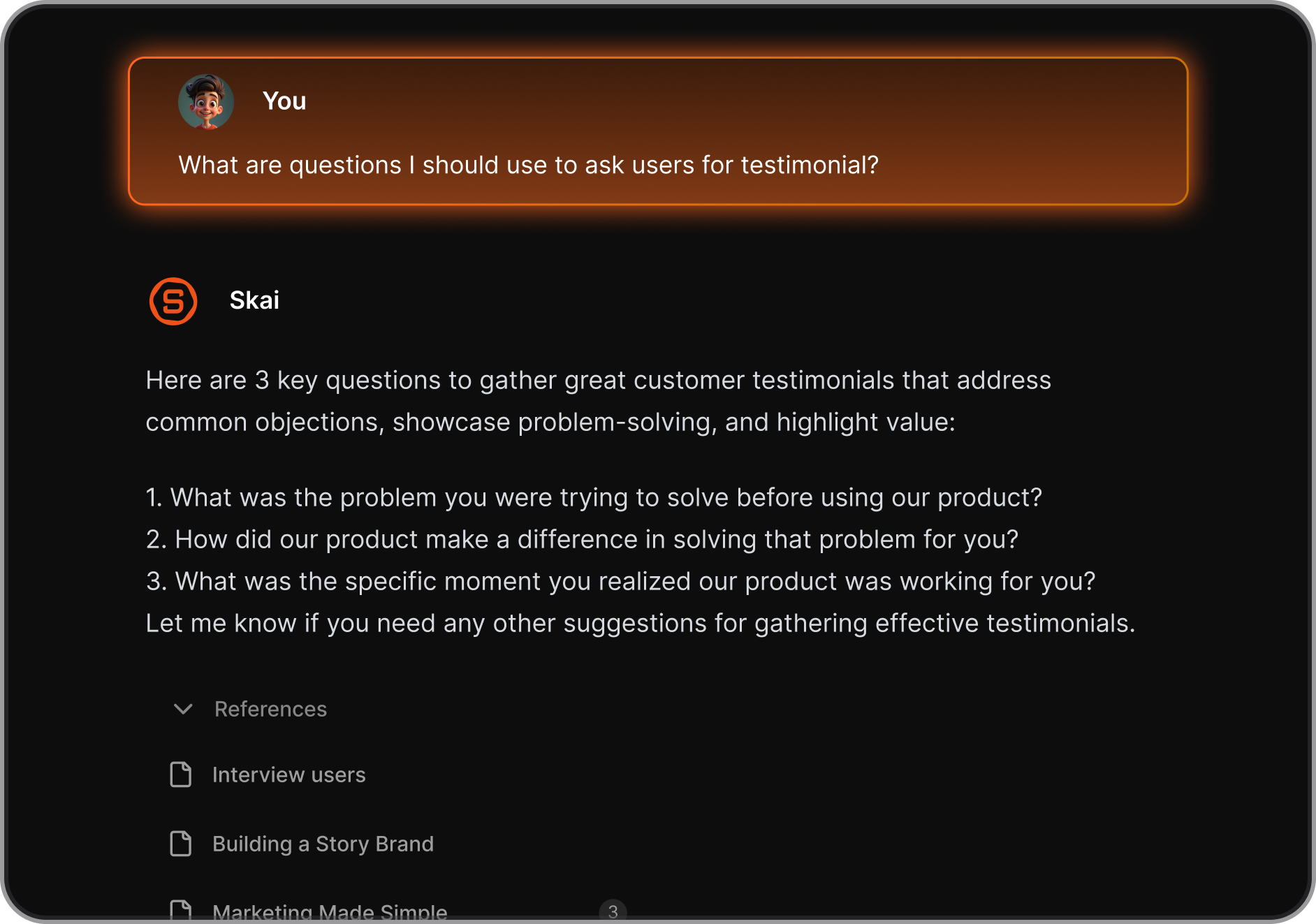
At the center of Saner.AI is an AI assistant named Skai, who runs in the background, categorizes what you capture, and links notes to each other as your knowledge base grows, and plans your day. The tool pulls in notes, PDFs, web clips, voice memos, and calendar tasks into one workspace, and lets you search it all using plain language.
Key features
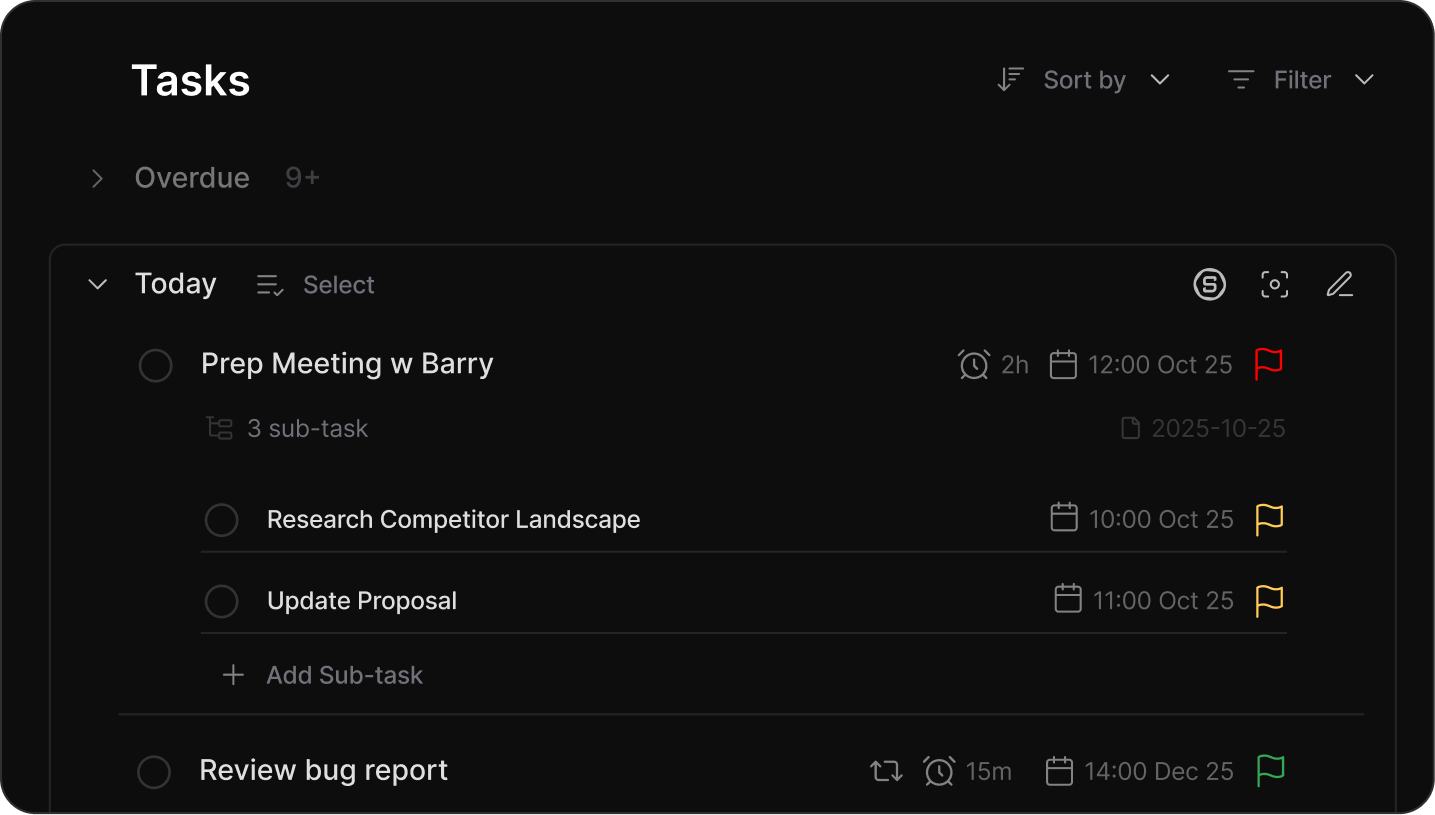
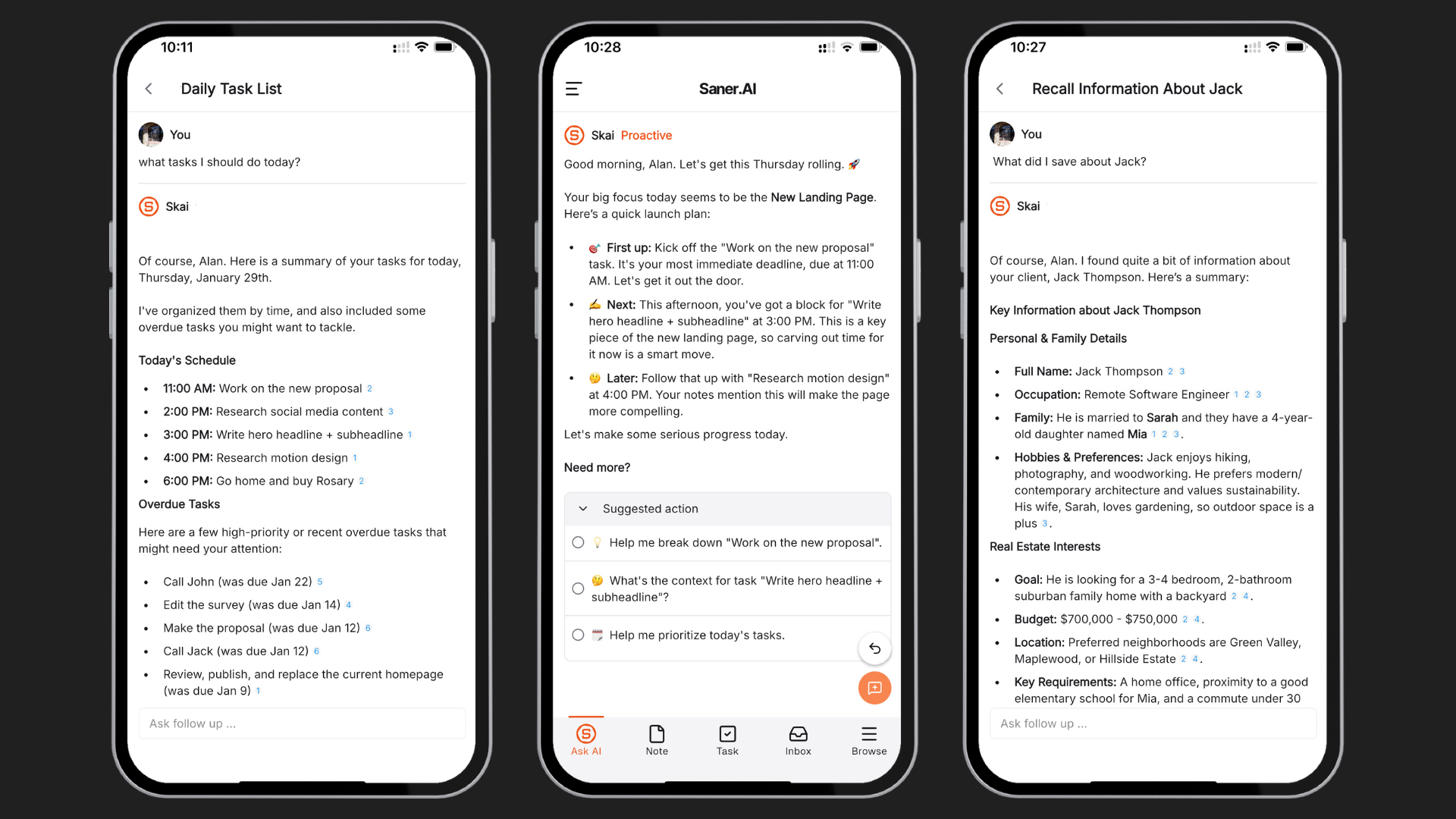
- AI task management and calendar integration. Beyond notes, Saner.AI integrates with your Google Calendar and treats your tasks and knowledge base as a single system. You can voice-input a task, and Skai schedules it and reminds you, then automatically plans a day plan for you based on it, then follows up when it's time to act on it.
"Totally great! I consider it as my life manager — it helps a lot to keep all tasks neatly organized. It definitely boosts efficiency and workflow!" — Verified review, Product Hunt
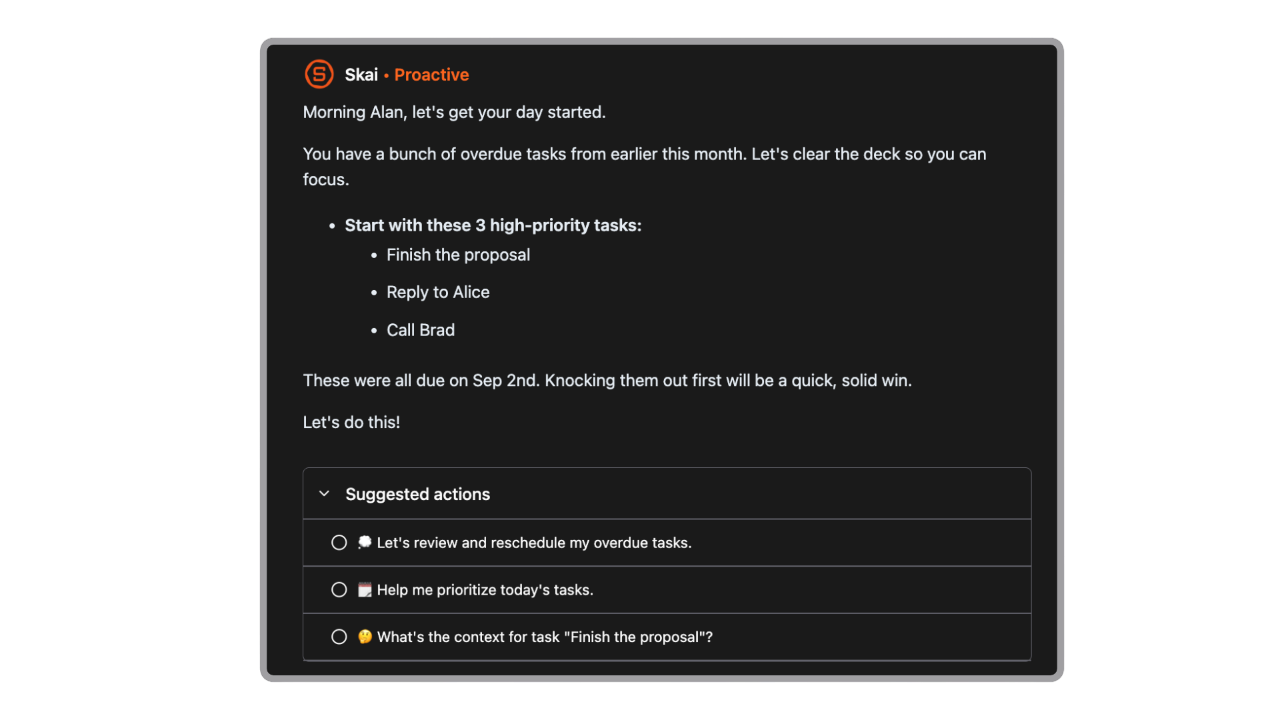
- Skai - AI assistant. Skai works alongside you, automatically tagging notes, grouping related ideas, and nudging you when something you captured weeks ago is relevant again.
"I was impressed that saner.ai answers questions based on my own knowledge through Skai... I would be happy if I could save all the information I come across in saner.ai and use Skai as my personal secretary." — Verified review
- Knowledge graph - connecting notes without manual linking. As you add notes, Skai maps connections between them so related ideas surface together, without you having to set anything up.
"This tool's marriage of AI and my personal documents opens up a whole new realm of opportunities to synthesize and leverage what I am interested in to find and create new insights." — Verified review
- Semantic search - find things without remembering exact words. You can type something like "that article about focus and noise" and it finds the right note even if none of those words appear in it.
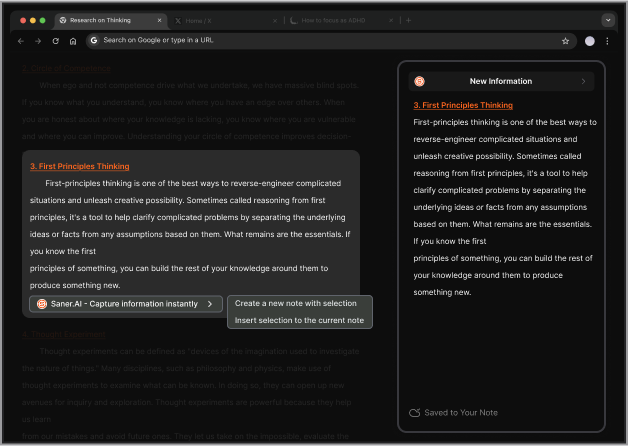
- Chrome extension — capture from anywhere without breaking focus. The Chrome extension lets you clip web articles, highlight passages, or jot a quick note directly from your browser without switching tabs or losing your place.
"I especially like the Chrome Extension. It's super handy, I can pull up a new note immediately alongside web articles, chatGPT,... It reduces the mental friction I have to suffer to note side by side on Mac." — Verified review
What I liked
- The chat interface actually works. It feels faster than clicking around folders in Obsidian
- I love that I can brain-dump thoughts, and Skai pulls out tasks or connects them to past ideas
- It’s a true all-in-one, email, calendar, notes, it’s all in one place, and that reduces overwhelm
- The design is super focused - no clutter, no noisy dashboards
Cons:
- I notice that most AI features require an internet connection, there's no offline mode, which stings on travel days
Pricing
| Plan | Monthly (billed monthly) | Monthly (billed annually) | AI Requests | Notes | Storage |
|---|---|---|---|---|---|
| Free | $0 | $0 | 30/month | 100 | 100MB |
| Starter | $12/month | $8/month | 50/day | 1,000 | 5GB |
| Standard | $20/month | $16/month | Unlimited | Unlimited | 100GB |
Ideal for
- Saner.AI fits people who are drowning in information and don't want to spend time organizing it.
- If you're a knowledge worker, freelancer, or researcher who keeps notes in five different places and can never find what you need, this is worth trying.
- It's especially strong for anyone with ADHD who finds Obsidian's setup and maintenance mentally exhausting.
- Solo content creators and marketers who need to capture ideas quickly and connect them to tasks will also get a lot of value here.
Saner.AI review

How to start using it?
- Visit the Saner.AI website and sign up for an account
- Explore the app's features, starting with basic note-taking and task creation.

Get the best AI Obsidian Alternative
3. Workflowy
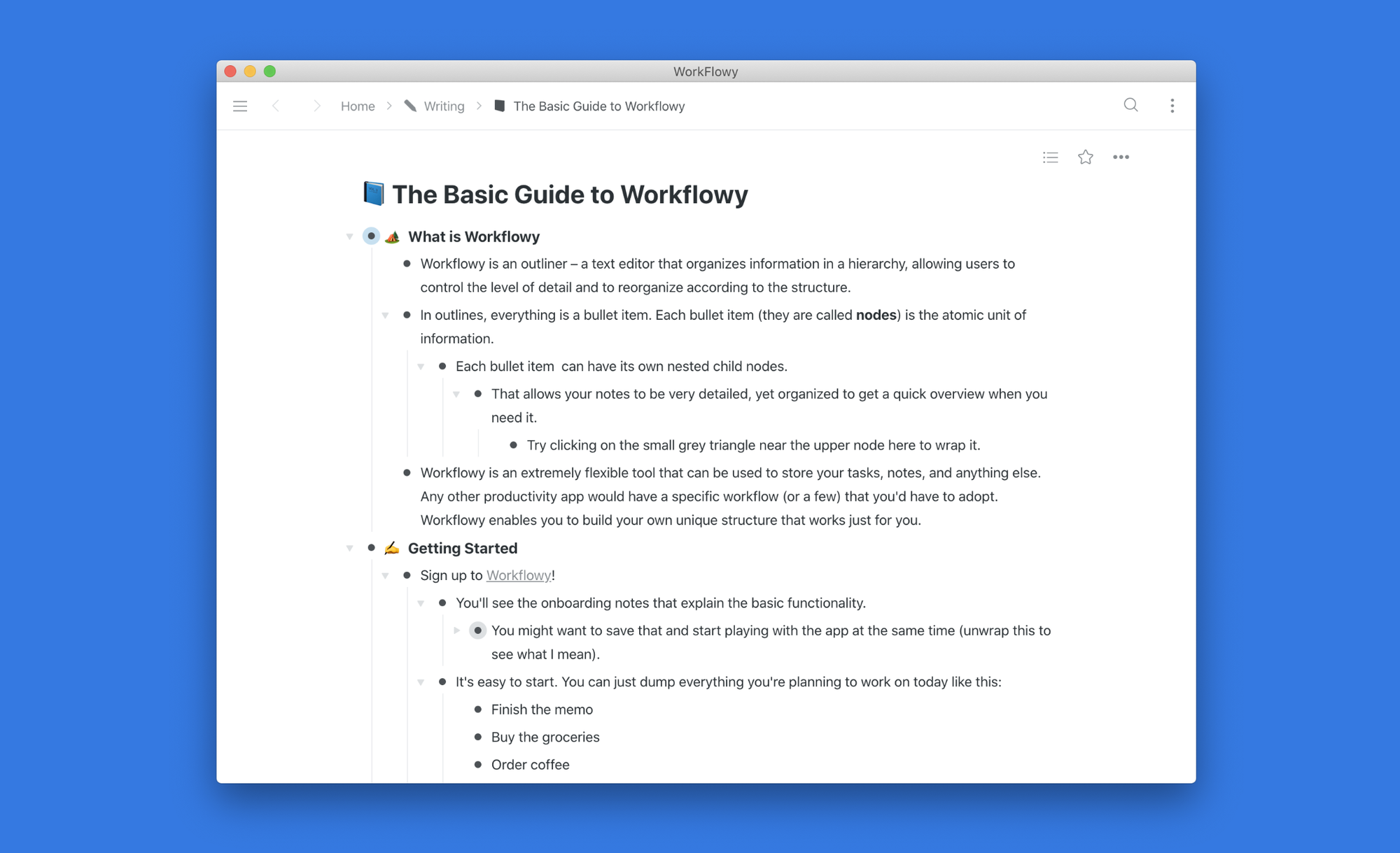
Workflowy is a minimalist outlining tool that organizes everything, tasks, notes, research, projects - into a single infinite document made of nested bullet points.
The core idea is simple: every bullet can expand into a world of its own, and you zoom in and out of your information the way your brain actually moves between ideas. It supports tags, filters, real-time collaboration, Kanban boards, and mirroring, but none of these scream at you until you need them.
Key features
- Infinite Nested Lists. You can plan a project at the top level, then drill into subtasks, notes, and supporting details without ever leaving the same view.
"I can start with a few very high-level categories and break each down into as many levels of sub-categories as I want." - verified review
- Zoom-In Navigation. Click on any bullet and WorkFlowy turns it into its own standalone page. This is how you work inside a project without losing your place in the bigger picture.
- Bullet Mirroring. WorkFlowy lets you mirror any bullet into multiple places in your document. The mirrored copy behaves identically to the original - edit one, the other updates
- Kanban View (Fractal Boards). WorkFlowy added Kanban boards as an optional view layer on top of its existing list structure. You don't have to rebuild your notes to use it, just switch the view.
Pros
- I like how clean and fast Workflowy feels
- The mirror feature is super useful. I can reuse a bullet in different places without copy-pasting.
- It loads instantly, even with big outlines.
- I appreciate that it works across all my devices, including Linux.
Cons
- The free plan limits you to 500 new bullets per month, which I hit pretty fast.
- It’s not great for attachments or formatting, it’s text only.
- There’s no local file storage, so everything lives in the cloud.
- If you're used to Obsidian's backlinks and plugins, Workflowy will feel too bare-bones.
- There's no AI assistant
Pricing
| Plan | Monthly Price | Annual Price | Free Version | Free Trial | Payment Methods |
|---|---|---|---|---|---|
| Free | $0 | $0 | ✅ Yes (limited nodes) | — | — |
| Pro | $8.99/month | $6.99/month (billed annually) | ❌ | ✅ 7 days | Credit/Debit Card |
| Teams | Contact WorkFlowy | Contact WorkFlowy | ❌ | ✅ 7 days | Credit/Debit Card |
Suitable for:
- Writers who outline before drafting, researchers managing layers of information, GTD practitioners, project managers who want a fast daily capture tool.
- Anyone with ADHD who needs to hide irrelevant content while they focus.
- It's also a strong pick for educators managing multiple courses or assignments across a semester.
How to start:
- Go to workflowy.com, sign up for free, and start outlining. Upgrade if you need more bullets or team features.
Workflowy review (source)
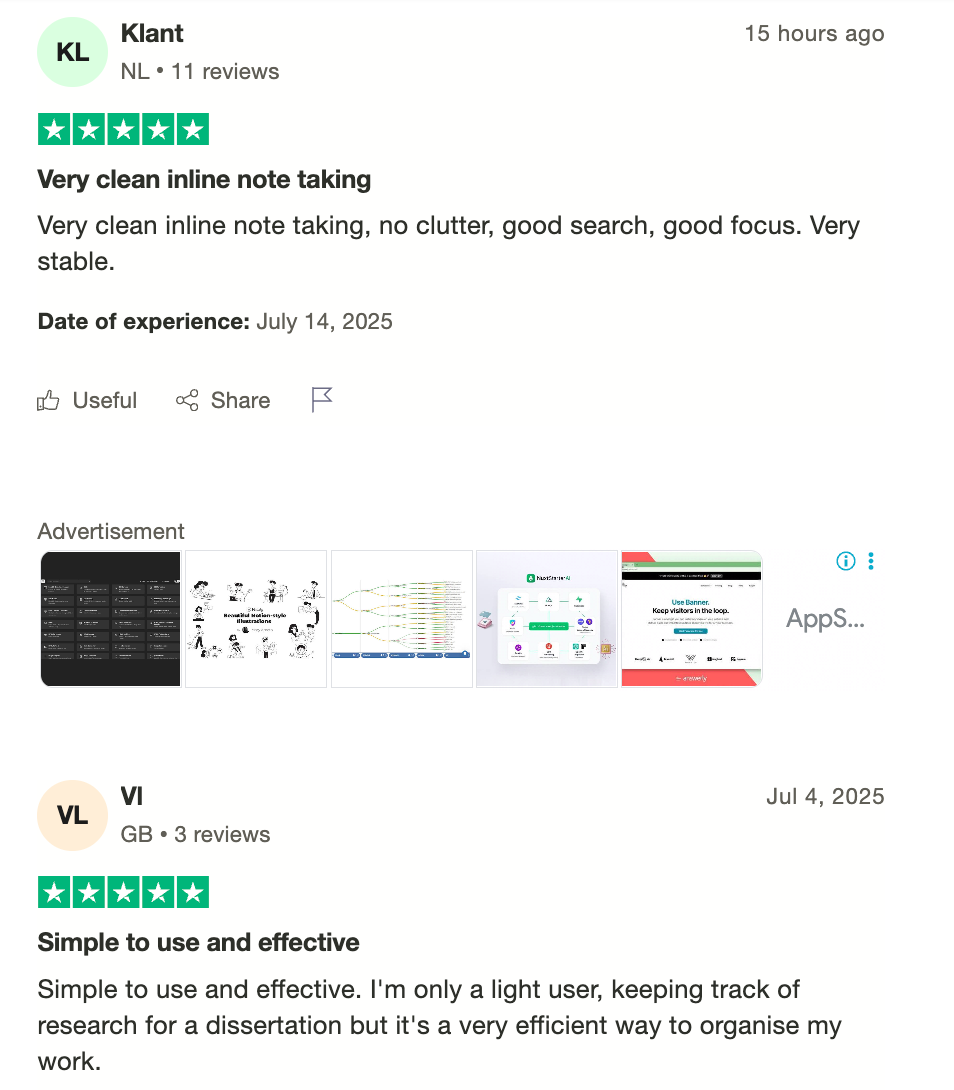
"Workflowy's most impressive feature is the fact that its design makes it extremely versatile... the single program can be used in a myriad of ways."— verified review
4. Notion
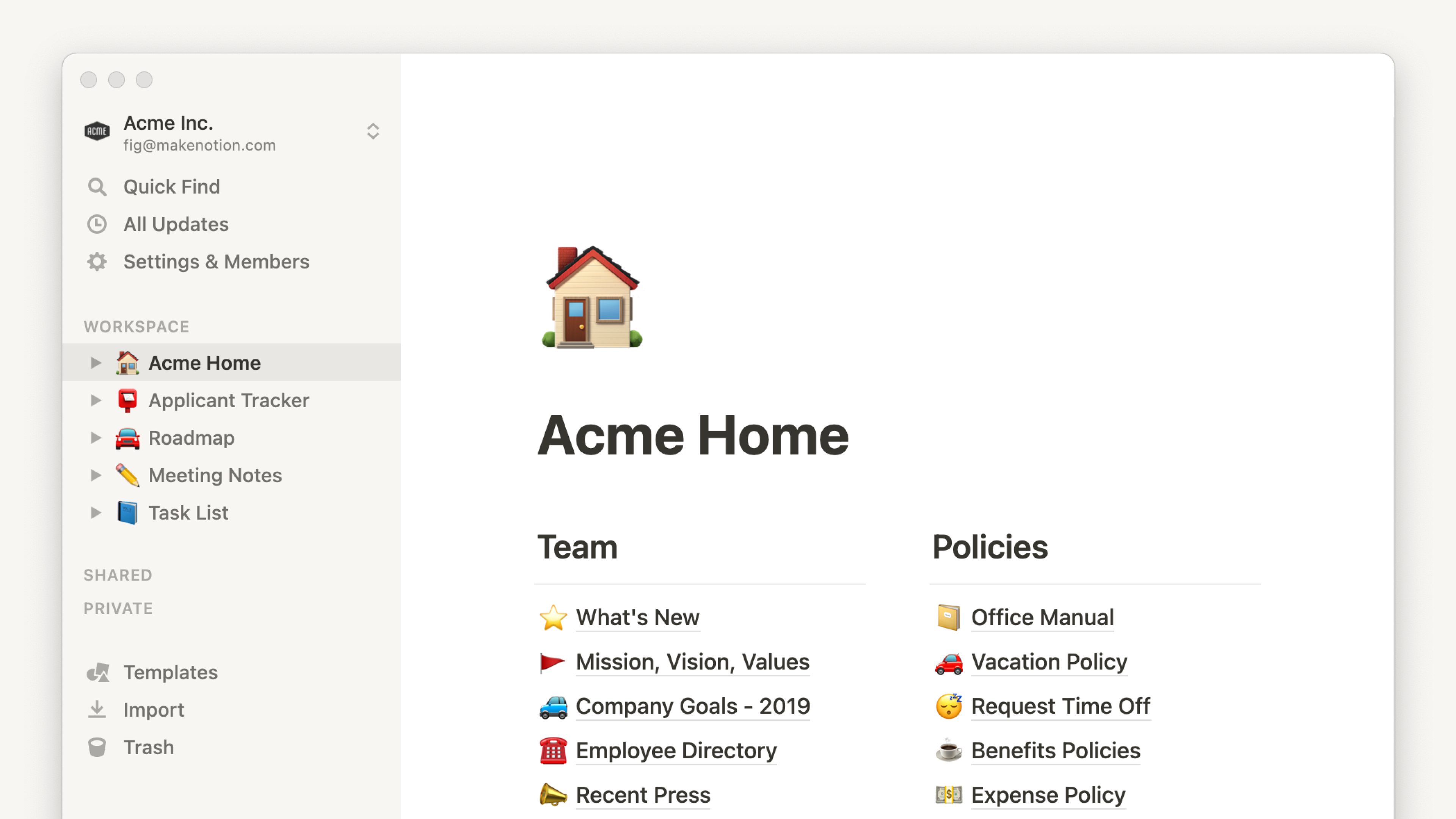
Notion is a cloud-based workspace that combines note-taking, project management, databases, and team wikis into a single environment. It's block-based, meaning every piece of content, whether it's a line of text, a task, a table, or an embedded file, is its own movable unit you can arrange however you want.
Key features
- Block-based editor and linked databases. Notion's block system lets you mix and match content types inside a single page, and linking databases together.
- Search and workspace organization. Notion indexes everything across all pages and databases, so as long as your naming is consistent, finding something takes seconds.
- Flexible templates and workspace customization. Notion has one of the largest template libraries of any productivity tool, with thousands of community-built setups.
"you can tailor your workspace to fit your needs with flexible layouts and templates." - verified review
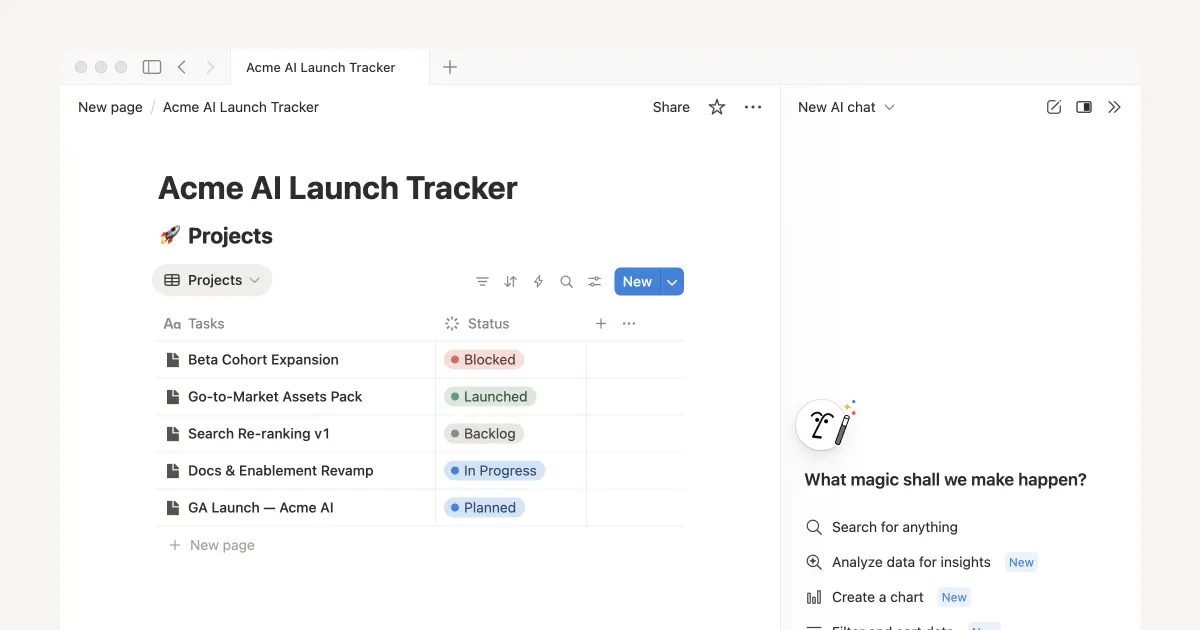
- Notion AI: meeting notes, writing, and agents. Notion's AI meeting notes feature uses a backslash command to start real-time transcription, and produces a full transcript, summary notes, and an AI summary dropped straight into your workspace.
Pros
- I like how versatile it is - I can write, plan, track, and collaborate in one place
- The template library makes it super easy to get started without feeling overwhelmed
- I like that real-time collaboration is built in by default. Invite someone to a page and they're in immediately, with changes syncing live.
Cons
- A messy workspace with inconsistent naming still produces messy search results.
- Reading and adding quick notes works fine, but building or editing database structures on a phone is genuinely frustrating.
- Sometimes it feels like there’s too much freedom… I spend more time organizing than doing
- Pricing can be a bit confusing with frequent plan updates
- No graph view
Pricing
| Plan | Monthly billing | Annual billing | Free version | Notion AI included |
|---|---|---|---|---|
| Free | $0 | $0 | Yes | Trial only |
| Plus | $12/user/month | $10/user/month | No | Trial only |
| Business | $20/user/month | $15/user/month | No | Yes (full access) |
| Enterprise | Custom | Custom | No | Yes (full access) |
Suitable for
- Content teams, marketers, and project managers who need a shared workspace with multiple views and live collaboration baked in.
- Freelancers and solopreneurs who want one home for notes, client tracking, and content planning without paying for separate tools
- Remote-first teams that need a shared wiki alongside project tracking get a lot of value from the fact that both live in the same tool.
How to start
- Go to Notion, sign up for free, play with some templates, and try out Notion AI to see if it fits your style.
Notions reviews (source)
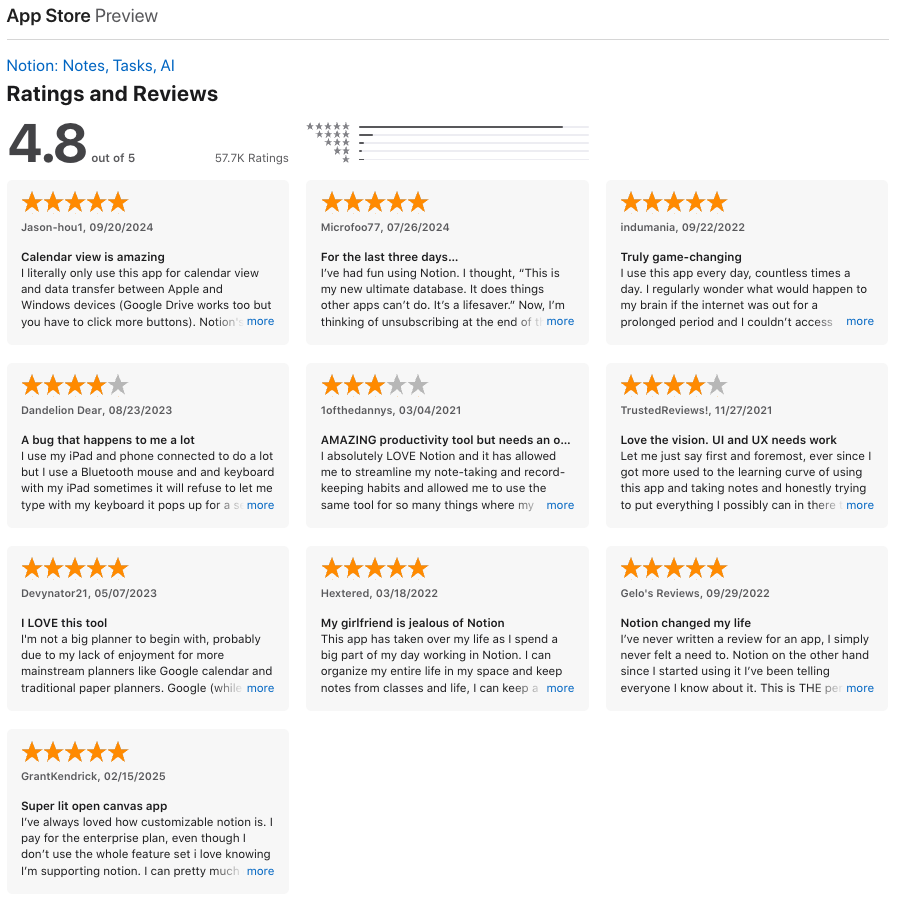
"I can plan my studies, track my daily routine, manage tasks, and organize everything in a structured way—from detailed modules to everyday activities. It feels like a personal system that I can design exactly how I want." - verified review
"The setup fatigue is a recurring pain point; I often find myself spending more time tinkering with the perfect dashboard layout or database property than actually doing the high-impact work I set out to do." - verified review
5. Joplin
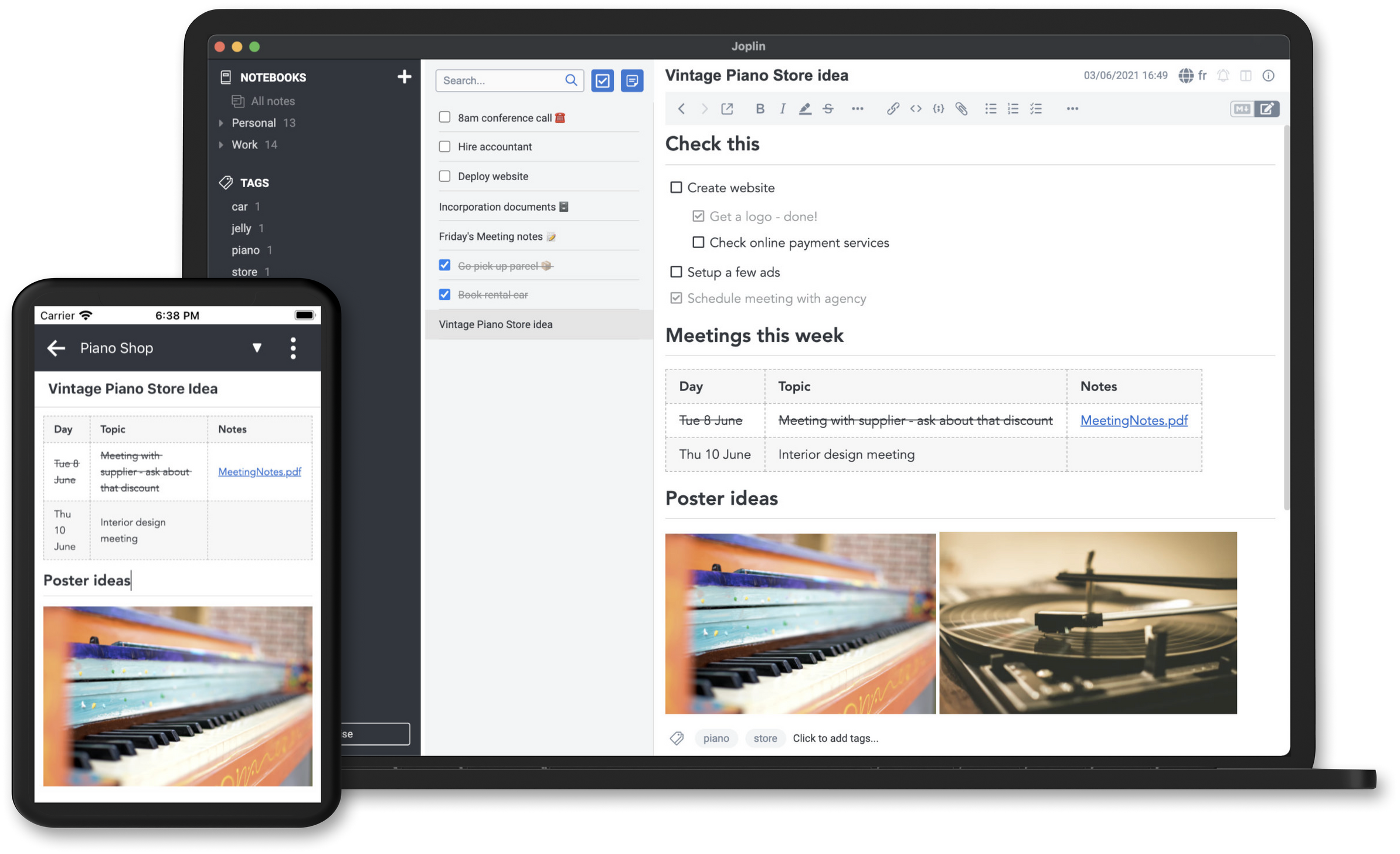
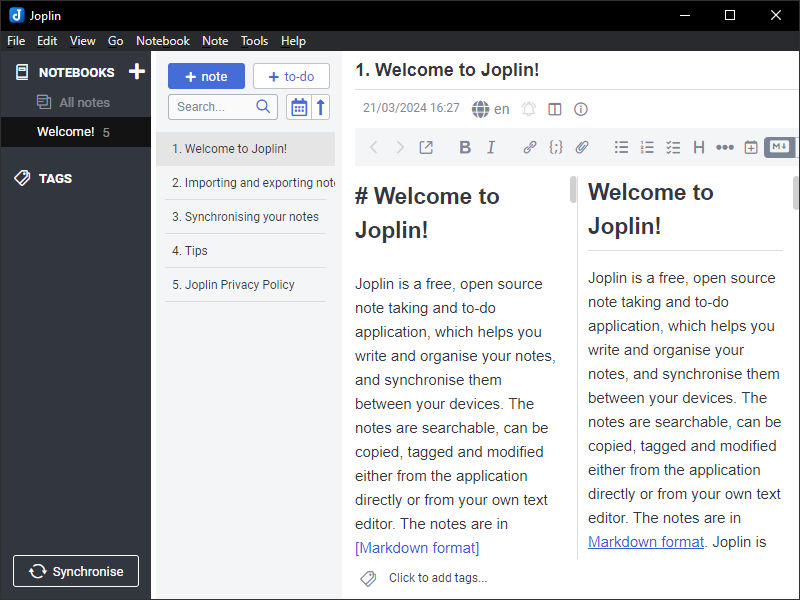
Joplin is a free, open-source note-taking and to-do app built by developer Laurent Cozic in 2017. It was originally designed as a privacy-focused alternative to Evernote, and it has since grown into one of the most trusted tools for people who want full control over their notes and data.
Key features
- Markdown editing with rich-text support. Joplin's editor is one of its strongest selling points. You can write in plain Markdown, switch to a side-by-side preview, or use the rich-text mode if you prefer a more visual experience.
"The Markdown editor, enhanced with plugins, lets me structure detailed notes with ease." — Verified review
- End-to-end encryption and data ownership. You can enable end-to-end encryption across all your notes, meaning your data is encrypted before it ever leaves your device.
"It's free, prioritises privacy with end-to-end encryption and gives you complete ownership of your data." — Verified review
- Cross-platform sync with multiple provider options. Joplin gives you a choice: Dropbox, OneDrive, Nextcloud, WebDAV, a local file system, or its own paid Joplin Cloud service.
- Plugin ecosystem. Joplin has over 100 community-built plugins that you can browse and install directly from the app by going to Tools > Options.
Pros
- I like that Joplin is fully open source and privacy-focused
- The plugin system is super flexible.
- Sync works well across devices, and you don’t have to use Joplin Cloud if you don’t want to.
- I appreciate having full control over where my notes are stored and synced
- I feel it is helpful that encryption is available at all, even if you have to opt into it manually
Cons
- The interface feels clunky at times - definitely not as sleek as Obsidian.
- No graph view, which is a big part of what makes Obsidian fun to use.
- You need a paid plan if you want web access via Joplin Cloud.
- It’s powerful, but the learning curve is steeper if you're not technical.
- No AI, tasks, or calendar assistant like Saner.AI
Pricing
| Plan | Monthly Price | Annual Price | Storage | Free Version | Free Trial |
|---|---|---|---|---|---|
| Core app (self-sync) | Free | Free | Your cloud | Yes | — |
| Basic (Joplin Cloud) | €2.99/month | €2.40/month (€28.69/year) | 2 GB | Yes | 14 days |
| Pro (Joplin Cloud) | €5.99/month | €4.79/month (€57.48/year) | 30 GB | Yes | 14 days |
| Teams (Joplin Cloud) | €7.99/user/month | €6.69/user/month | 50 GB | Yes | 14 days |
Suitable for
- People who want an Obsidian alternative that’s open-source, private, and packed with customization options, especially if you’re comfortable tinkering with plugins and syncing setups.
How to start
- Download the app on your desktop or mobile, start writing in Markdown, and choose a sync option that fits your workflow.
Joplin review (source)
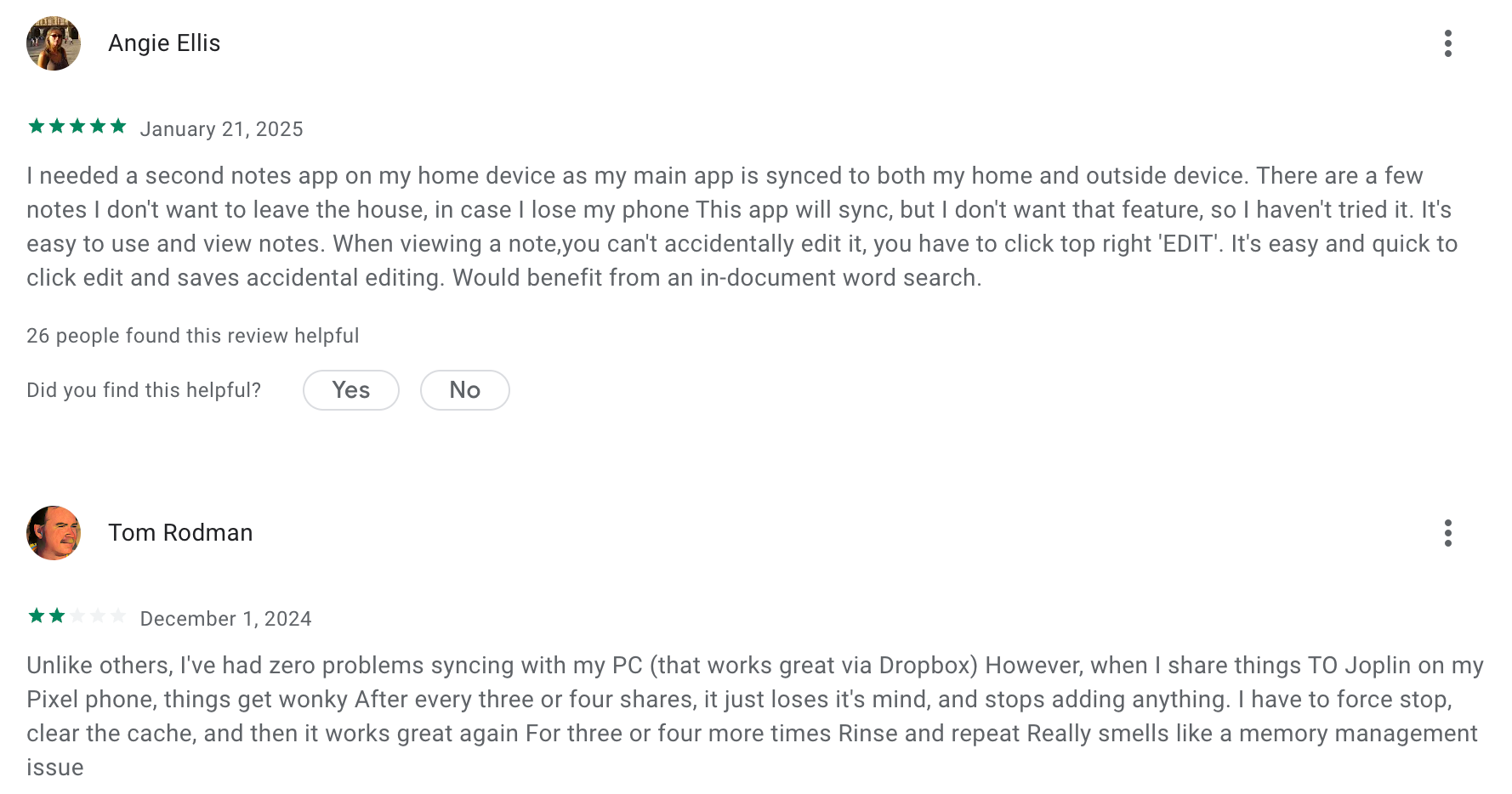
"I love the organizational structure of the notes, where you can have notebooks and different notes within them... I use it every day, and it is very easy to integrate into your daily life." — Verified review
"Trying to be patient but the initial import and sync of my OneNote notebooks has made both the desktop app and Android app crash/freeze." - verified review
6. Evernote
Evernote is one of the oldest names in digital note-taking, first launched in 2008 with a promise to help people "remember everything."
Key features
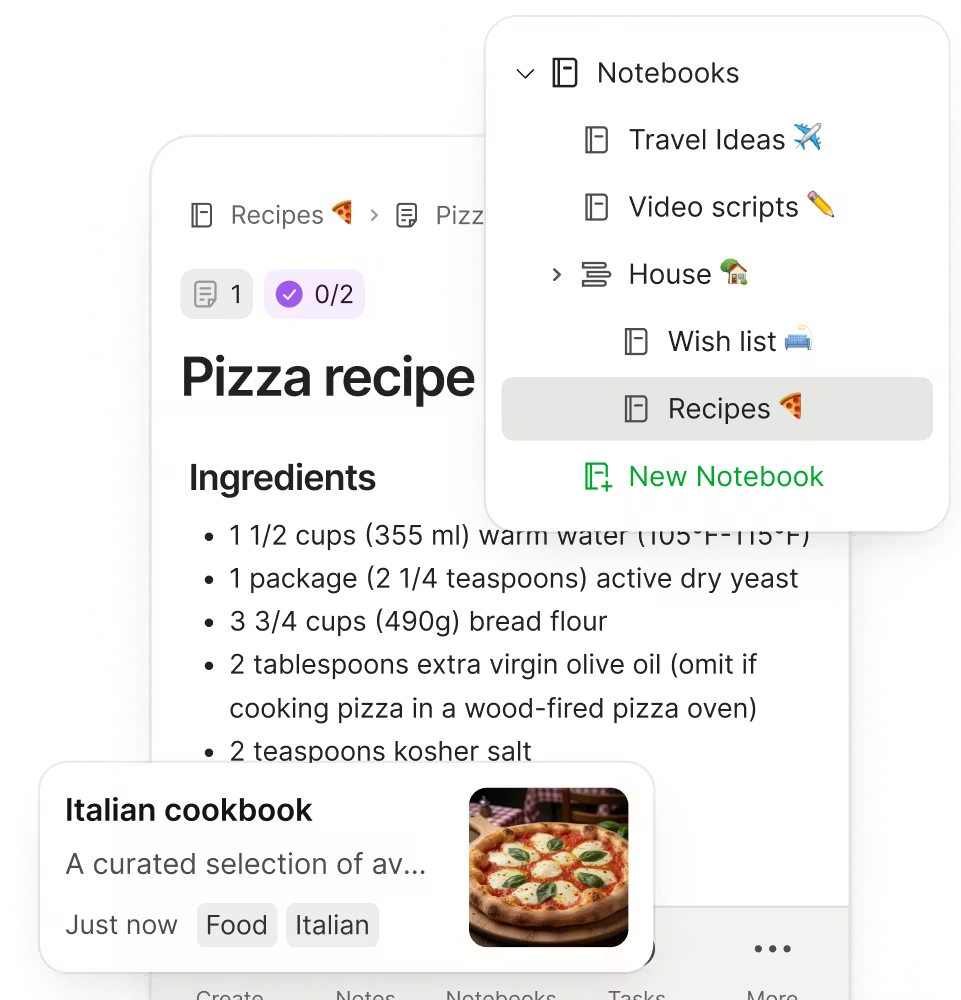
- Evernote organizes content through notebooks grouped into stacks. Notebooks, tags, and stacks let users categorize and structure information effectively without needing to configure anything custom.
- Its OCR system detects 11 handwritten and 28 typewritten languages from both handwritten notes and pictures of text, and paid users can search inside Microsoft Word docs and PDFs, as well as annotate PDFs directly
- Task management and calendar integration. Evernote added task management and calendar integration in recent years, allowing to-dos embedded in notes alongside scheduled events
Pros
- I like how fast the search is, typing a few words from a note taken years ago pulls it up instantly, even inside scanned PDFs
- I appreciate the document scanning and OCR quality;
Cons
- The free plan is very limited; you only get 50 notes and one device
- It can feel bloated if you’re just trying to take quick, clean notes
- Unlike Obsidian, it doesn’t support local Markdown files or graph-style linking
- If privacy or structure is important to you, Evernote may not be the right fit
- The AI assistant is not that helpful with tasks, emails
Pricing
| Plan | Monthly Price | Annual Price | Free Version | Free Trial | Payment Methods |
|---|---|---|---|---|---|
| Free | $0 | $0 | ✅ (50 notes, 1 device) | — | — |
| Starter | $14.99/mo | $8.25/mo | ❌ | 7 days | Credit/Debit Card |
| Advanced | $17.99/mo | $14.17/mo | ❌ | 7 days | Credit/Debit Card |
| Teams | $24.99/user/mo | Available | ❌ | 7 days | Credit/Debit Card |
Suitable for
- Researchers drowning in documents, professionals who clip and archive compulsively, or anyone whose workflow lives or dies on finding that one note from two years ago inside a scanned PDF.
How to start
- Head to evernote.com, create a free account, and try it out. The AI tools and offline support make a big difference, even on day one.
Evernote review (source)
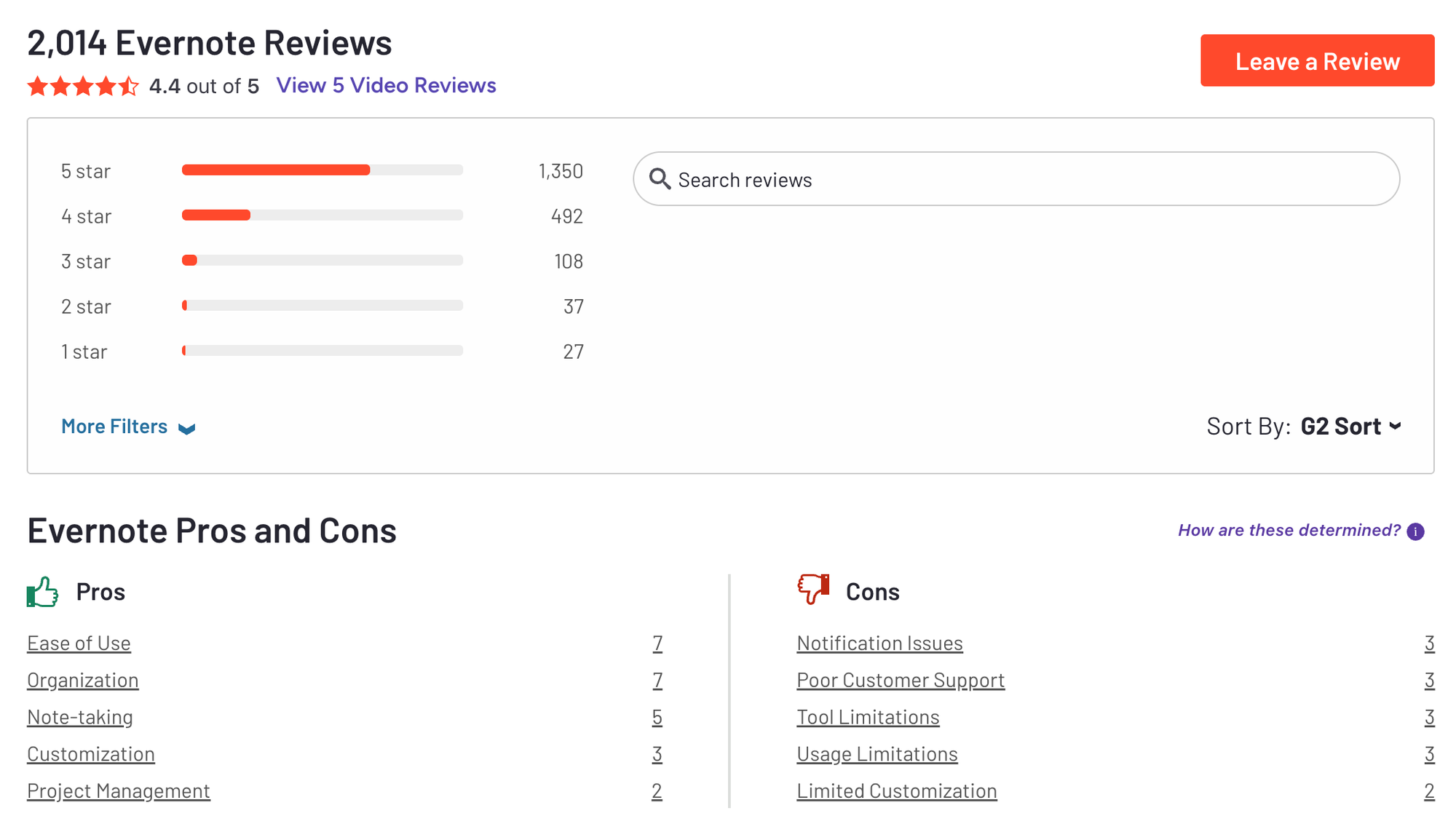
"Evernote helps me grab my random thoughts and voice recordings on the fly, and they are synced between my phone and laptop." — Verified review
"Unlike newer productivity tools, it lacks advanced features for task management, collaboration, or flexible databases." — Verified review
Conclusion
While Obsidian is a strong choice for personal note-taking and organization tasks, especially if you like to link your ideas together, it may not be the best fit for everyone.
The alternatives to Obsidian we've talked about each have their own benefits, depending on your needs. Whether you're looking for something simpler, better for working with others, or with more advanced features, there's probably an option that better suits what you're looking for.
The best note-taking tool is one that you use easily, helps you get more done, and can suggest ideas for you based on your notes.
Stay on top of your work and life
Obsidian Alternatives: FAQ
1. What are the best Obsidian alternatives in 2026?
If you're searching for tools like Obsidian but want something simpler, more collaborative, or more structured, here are the top alternatives people are using:
- Saner.AI – AI-first note system that helps you focus, prioritize, and connect ideas
- Notion – Flexible blocks, databases, and team collaboration
- Workflowy – Minimalist outliner for fast thinkers and nested thinkers
- Joplin – Open-source, markdown-based, great for privacy-focused users
- Anytype – Local-first and secure, ideal for people who want full data control
- Evernote – A classic that still works well for basic organization and web clipping
Each tool takes a different approach to managing your thoughts—choose based on how you think, not just what features sound cool.
2. Why do people switch from Obsidian?
Obsidian is powerful—but not for everyone. Common reasons people look for alternatives:
- Overwhelming setup – Requires custom plugins and folder systems to shine
- Lack of built-in collaboration – No native real-time editing with others
- Mobile and sync limitations – Needs paid sync or DIY cloud setups
- Plugin fatigue – Too many options can slow down actual thinking
If you're tired of tweaking and just want to use your notes, switching might make sense.
3. Which Obsidian alternative is easiest to use?
For beginners or those who want to skip the manual setup:
- Notion – Intuitive UI, templates, and collaboration-ready
- Saner.AI – No setup needed—just write, search, and let the AI assist
- Evernote – Simple and familiar if you’ve used it before
If you’ve ever opened Obsidian and thought, “Now what?”, these are better starting points.
4. What’s the best Obsidian alternative for focused thinking?
If you value clarity over clutter:
- Saner.AI – Designed to reduce context switching; combines notes, tasks, calendar, and AI
- Workflowy – Fast, outline-based, perfect for linear or hierarchical thinkers
- Joplin – No distractions, markdown-based, with a strong privacy stance
These tools help you think deeply without getting in your way.
5. Which Obsidian alternative has the best AI features?
Obsidian relies on third-party plugins for AI. If you're looking for AI built-in:
- Saner.AI – Understands your notes, reminds you of what matters, suggests next steps
- Notion AI – Great for summarizing content and generating ideas within your workspace
Saner is better if you're juggling too much. Notion works well if you already love its block-based structure.
6. Are there free alternatives to Obsidian?
Yes, many tools offer generous free plans:
- Saner.ai – Free tier includes AI note search, task reminders, and calendar sync
- Joplin – Completely free and open-source
- Workflowy – Free plan with limits, but enough for personal use
- Notion – Free for individuals
- Evernote – Free plan available (with feature limits)
- Anytype – Free during its beta phase
You don’t have to pay to get organized.
7. What’s the best Obsidian alternative for privacy and local control?
If local-first is non-negotiable:
- Anytype – Privacy-focused, local-first with peer-to-peer sync
- Joplin – Stores everything locally, with optional encrypted sync
- Workflowy (desktop app) – Works offline and stores data locally
These are ideal if you’re security-conscious or prefer total data ownership.
8. Which Obsidian alternative works best for ADHD or neurodivergent users?
If you find most tools overwhelming:
- Saner.AI – Designed by ADHDers for ADHDers; easy-to-use AI with an assistive AI assistant
- Workflowy – Minimal, clean interface with no extra distractions
- Notion – Can work well with templates, but easy to go down rabbit holes
The best tool is the one that helps you stay calm and focused, without needing perfect organization.
9. What’s the best Obsidian alternative for daily planning?
If you want to manage your thoughts and your schedule together:
- Saner.AI – Connects your notes with tasks and your calendar, so nothing gets lost
- Notion – Powerful templates for daily planning and habit tracking
- Workflowy – Great if you prefer outlining your day in bullets
Saner stands out for turning your notes into action items automatically.
10. Final thoughts: How do I choose the right Obsidian alternative?
Start by asking:
- Do I want AI help or a minimalist workspace?
- Is collaboration or privacy more important?
- Do I need tasks, calendar, and notes in one place?
If Obsidian feels like more work than it's worth, you're not alone. Whether you choose Saner.AI for AI productivity, Joplin for open-source simplicity, or Notion for all-in-one collaboration, the right tool should match your brain, not just your to-do list.
Stay on top of your notes with the top Obsidian Alternative



