
OneNote Alternatives: We Tested The Best 7 Free Apps
The Best OneNote Alternatives are Saner.AI, Evernote, Obsidian, Tana, Coda, GoodNotes, and Notion

The 7 Best OneNote Alternatives
If you’re searching for OneNote alternatives, you’re probably feeling the pain of cluttered notebooks, slow syncing, and an interface that hasn’t evolved fast enough for how we work in 2025.
OneNote is still a solid note-taking app, but many users find it limiting - especially those who want AI features, smoother cross-device workflows, stronger search, or better project and knowledge management.
Choosing the right OneNote replacement tools can genuinely change how you organize information, manage ideas, and collaborate with teams. This guide breaks down the best options today, how they compare, and which one fits your workflow.
1. What Is OneNote
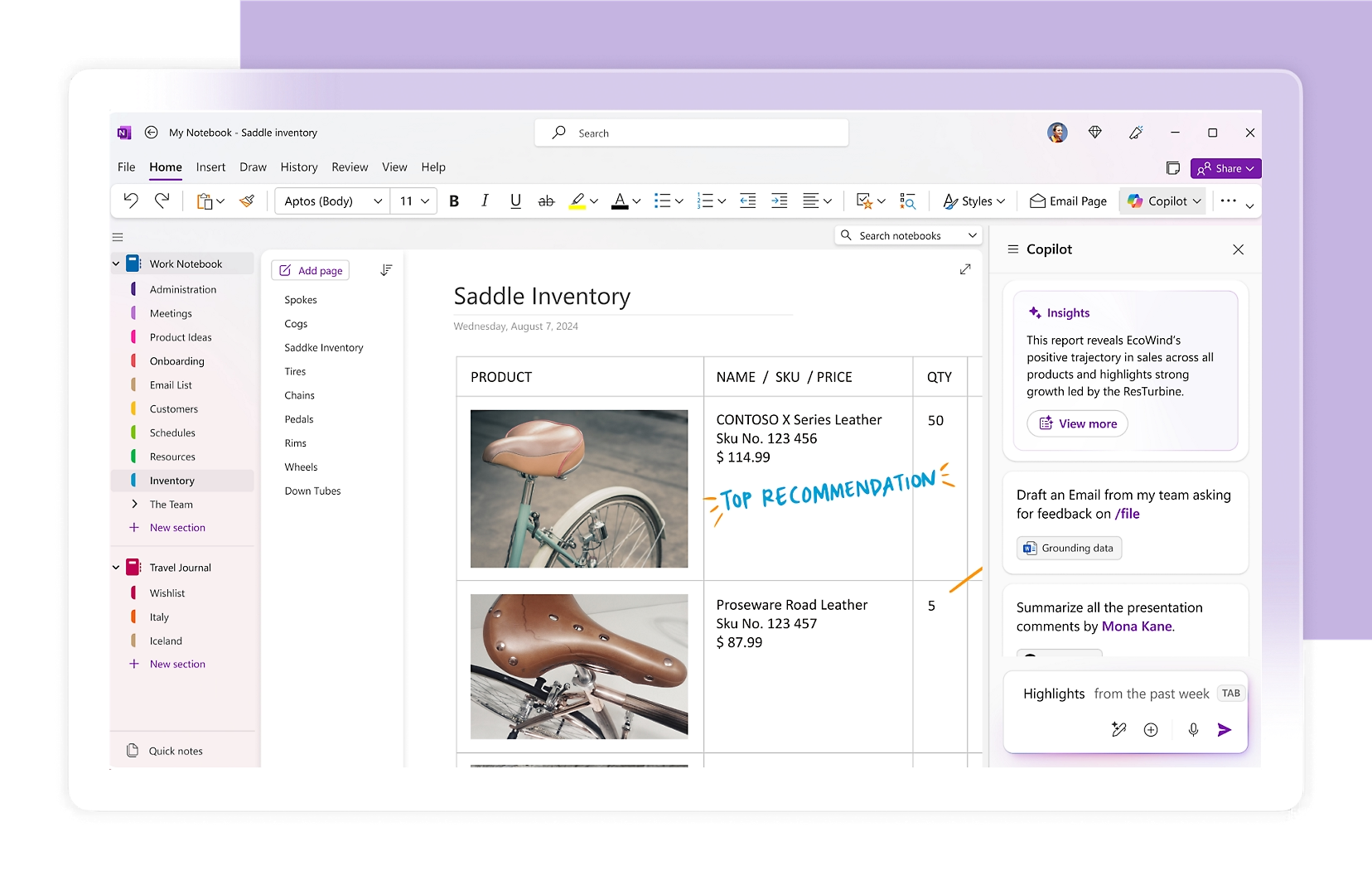
Microsoft OneNote is a digital notebook built around sections, pages, and handwriting-friendly notes. For people who rely heavily on structured thinking, research, or fast knowledge retrieval, OneNote can feel more like a file cabinet than an intelligent workspace.
2. Why People Look for OneNote Alternatives
Most users leave OneNote due to pain points such as:
- Slow sync across devices
- Chaotic notebooks once you have too many pages
- Weak AI search — can’t summarize or extract insights
- Poor cross-device workflow (especially Mac + mobile)
- Not built for power users like researchers or entrepreneurs
- No database, task, or project management
- Collaboration friction when used outside Microsoft ecosystem
Modern users expect their notes to work for them, not just store information.
3. How to Choose the Right OneNote Alternative
When comparing apps like OneNote, consider:
- AI capabilities (summaries, search, task extraction)
- Cross-platform performance (mobile + desktop speed)
- Note linking / knowledge graph
- Offline access
- Task + calendar integration
- Web clipper quality
- PDF + handwriting tools
- Collaboration features
- Pricing
- Export/import options
Now, let's dive in!
What are the Best OneNote Alternatives?
The Best OneNote Alternatives are Saner.AI, Evernote, Obsidian, Tana, Coda, GoodNotes and Notion
🧾 Comparison Table: Best OneNote Alternatives
| 🛠️ Tool | 👤 Best For | 🤖 AI Features | 💻 Platforms | 💰 Pricing | ⭐ Standout Feature |
|---|---|---|---|---|---|
| Saner.AI | Entrepreneurs, ADHD, researchers | Strong AI native | Web, desktop, mobile | Free + paid | AI organizes your notes automatically |
| Evernote | Students, general users | Basic | All major | Free + paid | Best web clipper |
| Obsidian | Researchers, writers | Plugin-based AI | Win/Mac/Linux/iOS/Android | Mostly free | Knowledge graph |
| Tana | Power users | Strong native AI | Web, desktop | Paid | SuperTags structure |
| Coda | Teams, ops | Good AI | Web, mobile | Free + paid | Docs + databases in one |
| GoodNotes | Students, iPad users | Light AI | iPad/iOS/Android/Windows | One-time/paid | Best handwriting |
| Notion | Teams, creators | Notion AI | Web, desktop, mobile | Free + paid | Customizable everything |
1. Saner.AI
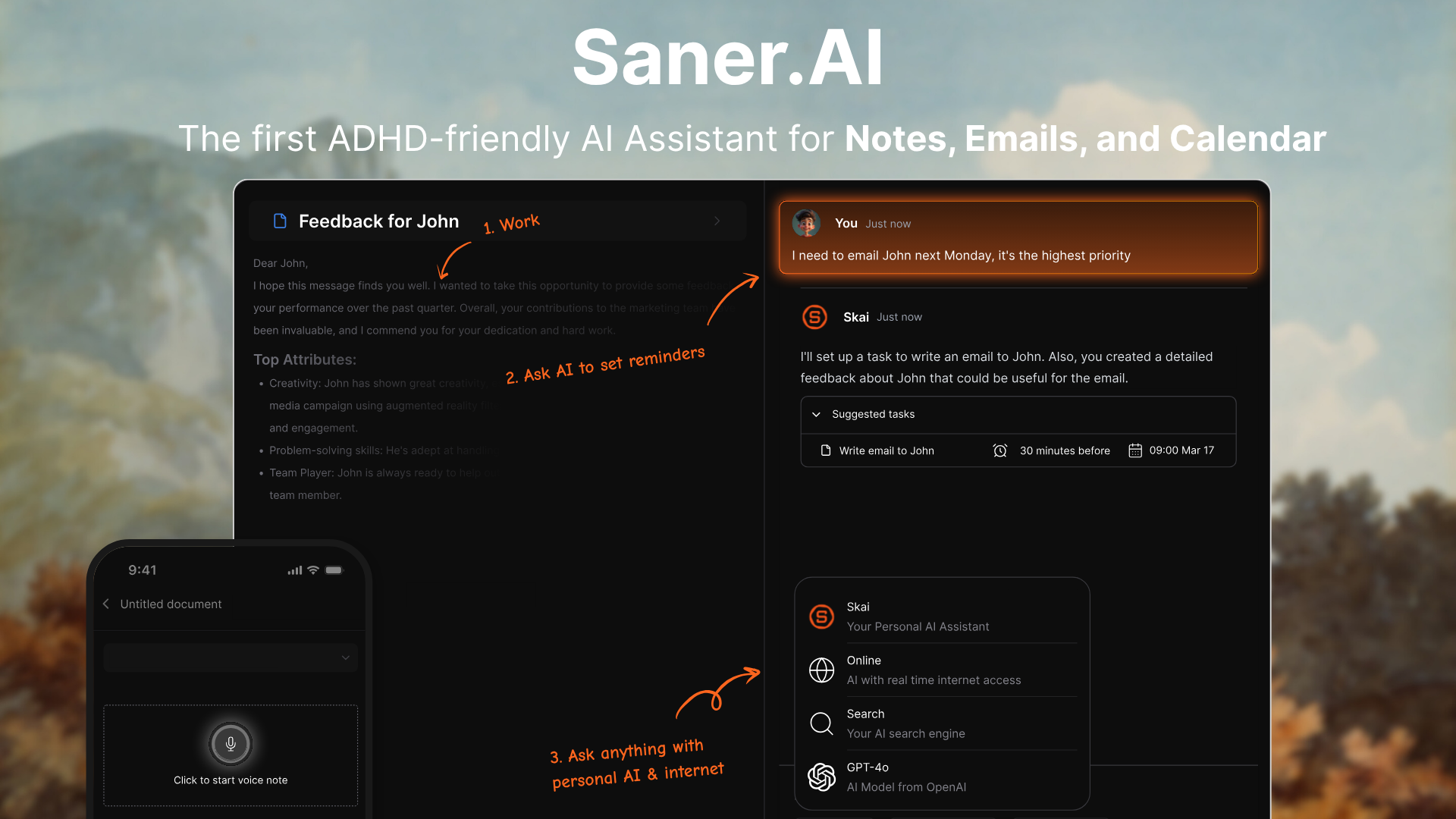
Saner.AI is an AI workspace that combines notes, tasks, email, and calendar into one place. It behaves more like a proactive AI Assistant than a traditional note app, making it a strong OneNote alternative for people who feel overwhelmed or struggle with organization, especially ADHD-prone users.
Key features
- Day Planning: The personal AI automatically goes through your emails, todos, calendar, and suggests an optimal day plan
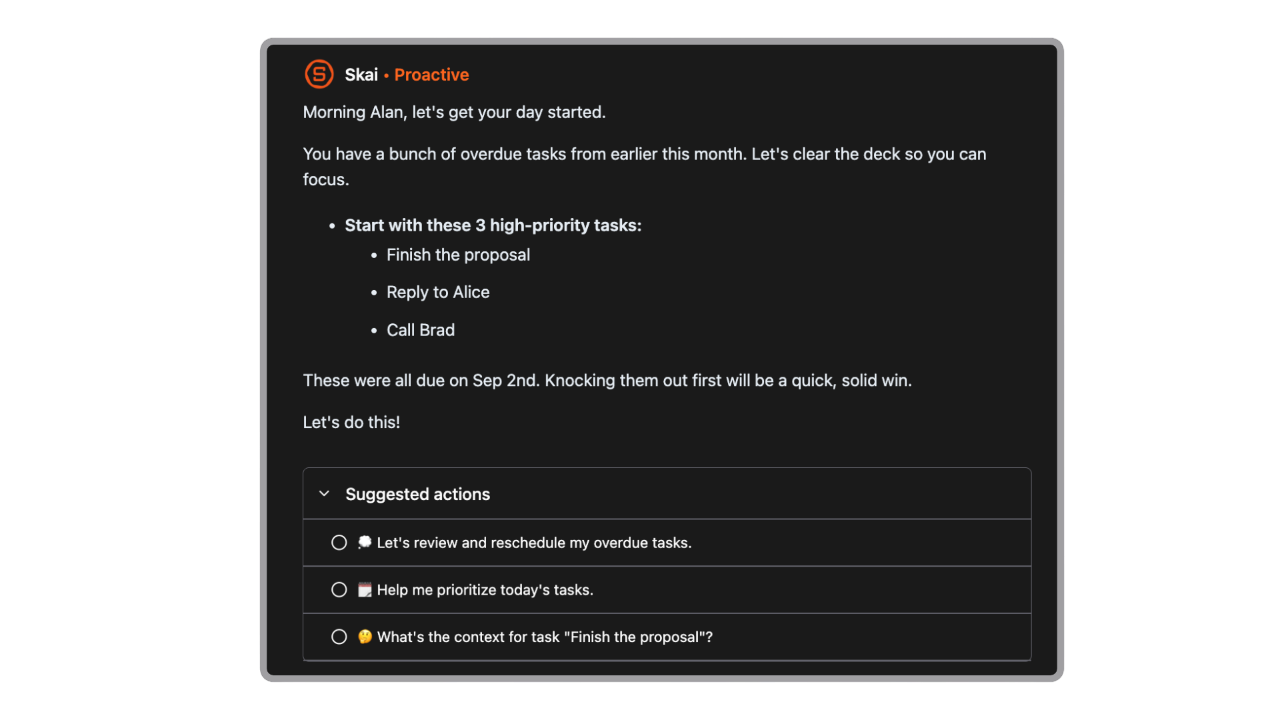
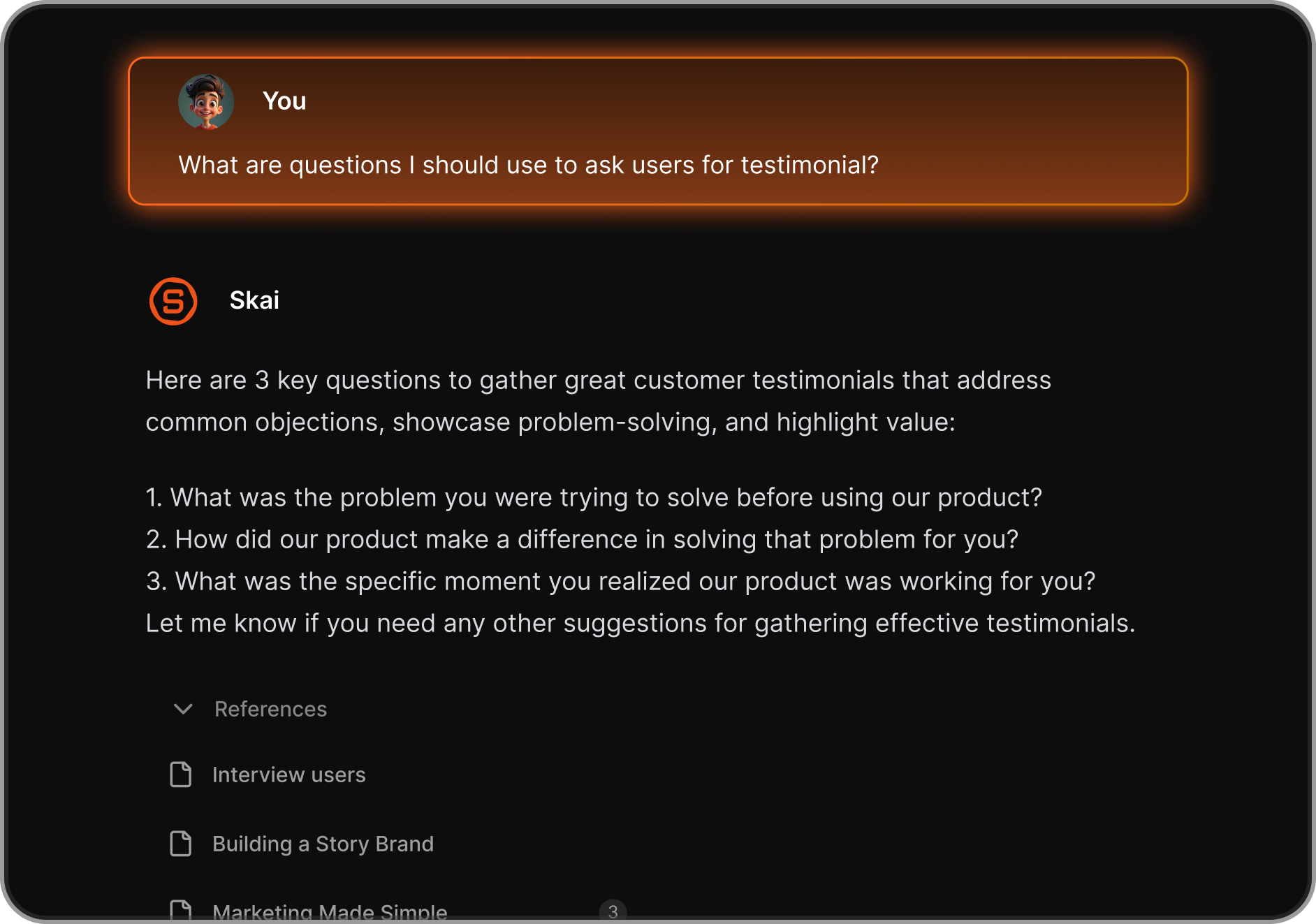
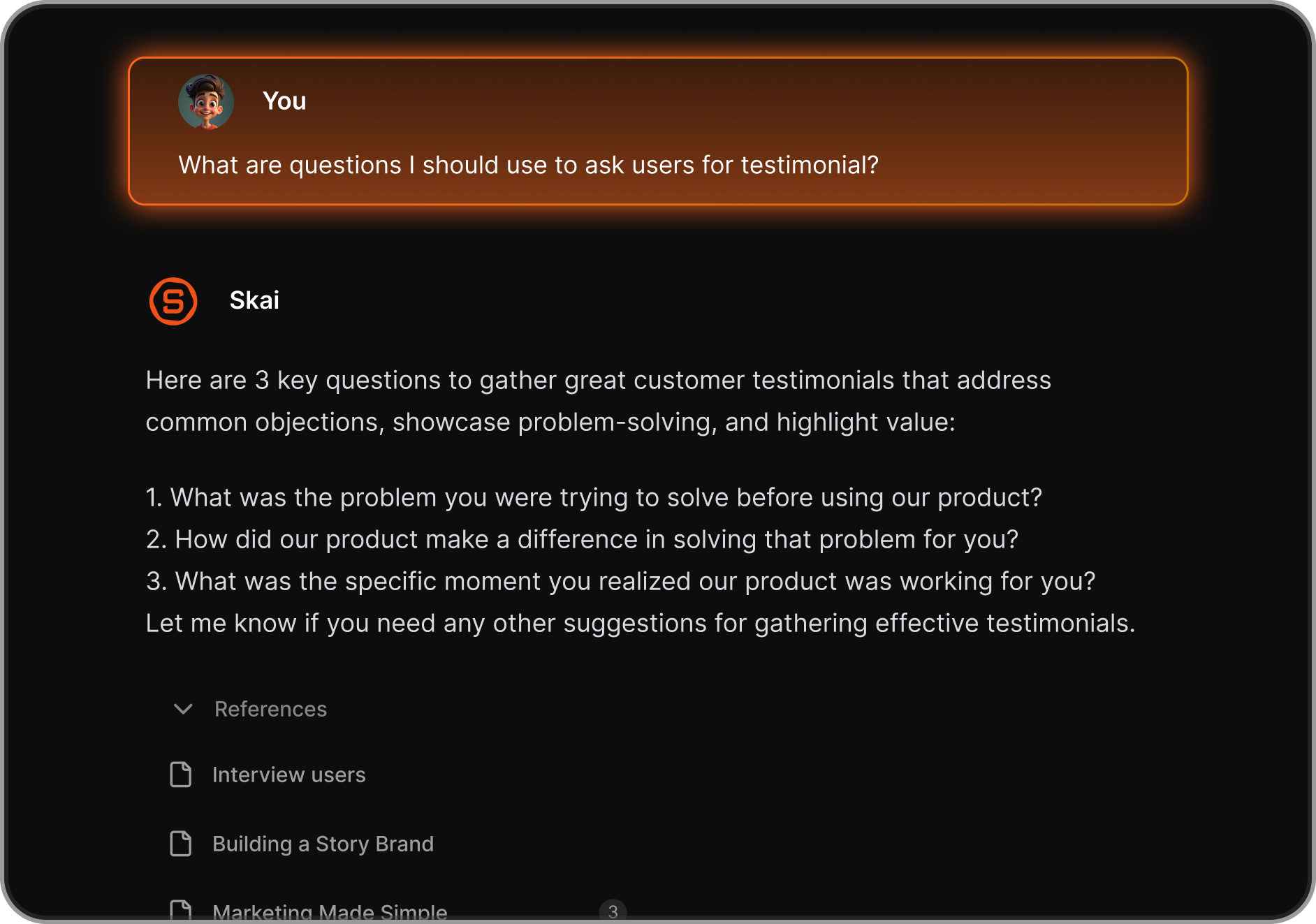
- AI assistant (Skai) that organizes notes automatically and links related ideas
- Semantic search that understands natural-language questions instead of exact keywords
- Unified workspace for notes, tasks, calendar, and email
- Quick capture across devices: mobile apps, web app, and Chrome extension

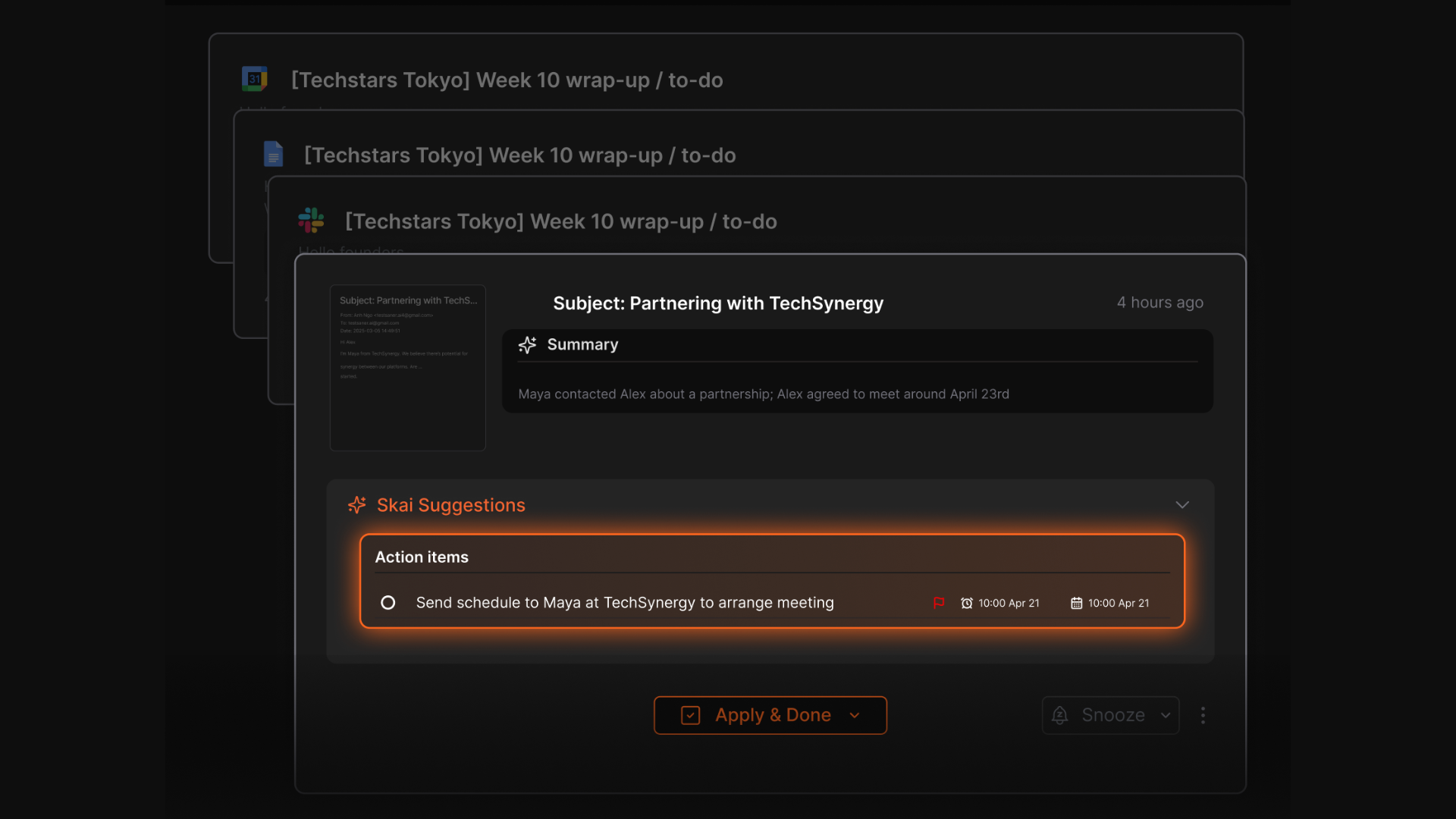
- Automatic task extraction from emails and notes
What I liked
- Capturing ideas is frictionless: text, voice, web clipping, mobile.
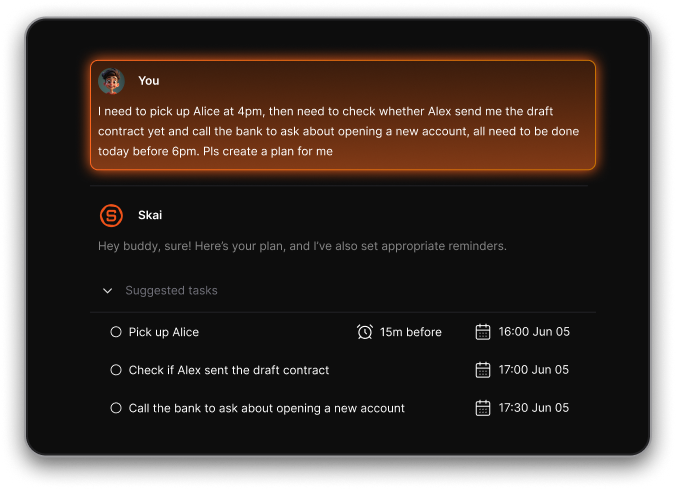
- It goes beyond note-taking. The AI actually pulls insights, connects ideas, and surfaces what matters.
- Replaces multiple apps: OneNote + task manager + calendar tool + email reminders.
Cons
- Not ideal for large teams or project timelines
Pricing
- Free plan: core notes + AI organization + semantic search
- Starter plan: around 8 USD/month annually or 12 USD/month monthly
- Standard plan: around 16 USD/month annually or 20 USD/month monthly
Who is it suitable for?
- People who want a smarter, AI-organized OneNote alternative
- Professionals who manage lots of notes, tasks, ideas, or research
- ADHD-prone users who benefit from reduced context-switching and proactive support
- Anyone who wants notes, tasks, emails, and calendar in one place instead of scattered across apps
Saner.AI review

How to start using it?
- Go to Saner.AI and create a free account
- Start capturing notes or brain-dumping ideas
- Let the AI organize everything and use semantic search to retrieve it

Stay on top of your life with the Top OneNote Alternative
2. Evernote
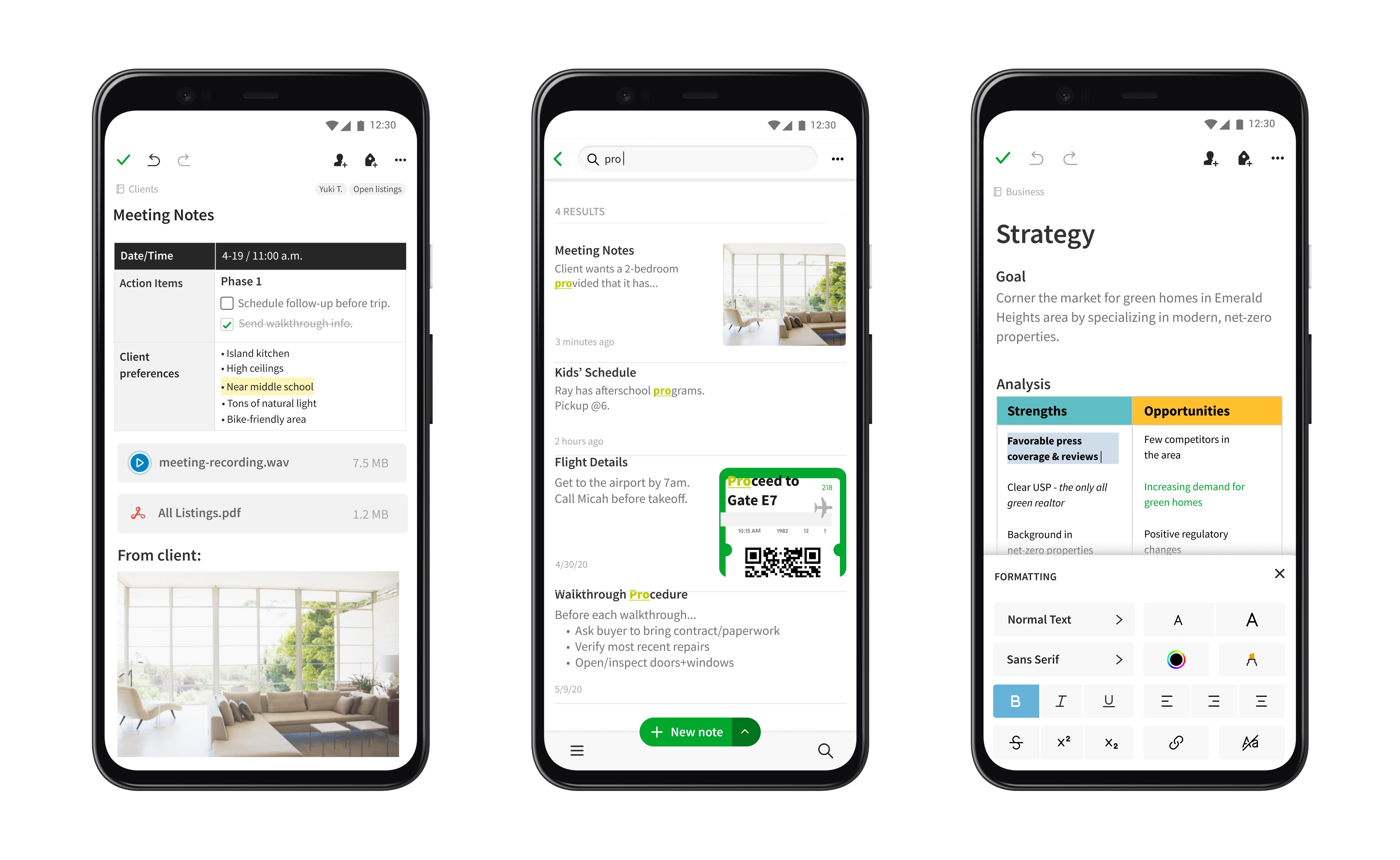
Evernote is a cross-platform note-taking tool that helps you capture ideas, organize information, and store documents in one searchable workspace. Many people pick it as a OneNote alternative because it’s more structured, more cross-platform friendly, and offers stronger tagging and search.
Key features
- Works on Windows, macOS, iOS, Android and web
- Supports text, images, PDFs, audio, file attachments and web clippings
- OCR for scanned images and PDFs
- Tag-based organization alongside notebooks
What I liked
- Strong organization: tags + notebooks + robust search
- Great for storing mixed media like PDFs, images, and scans
What I disliked
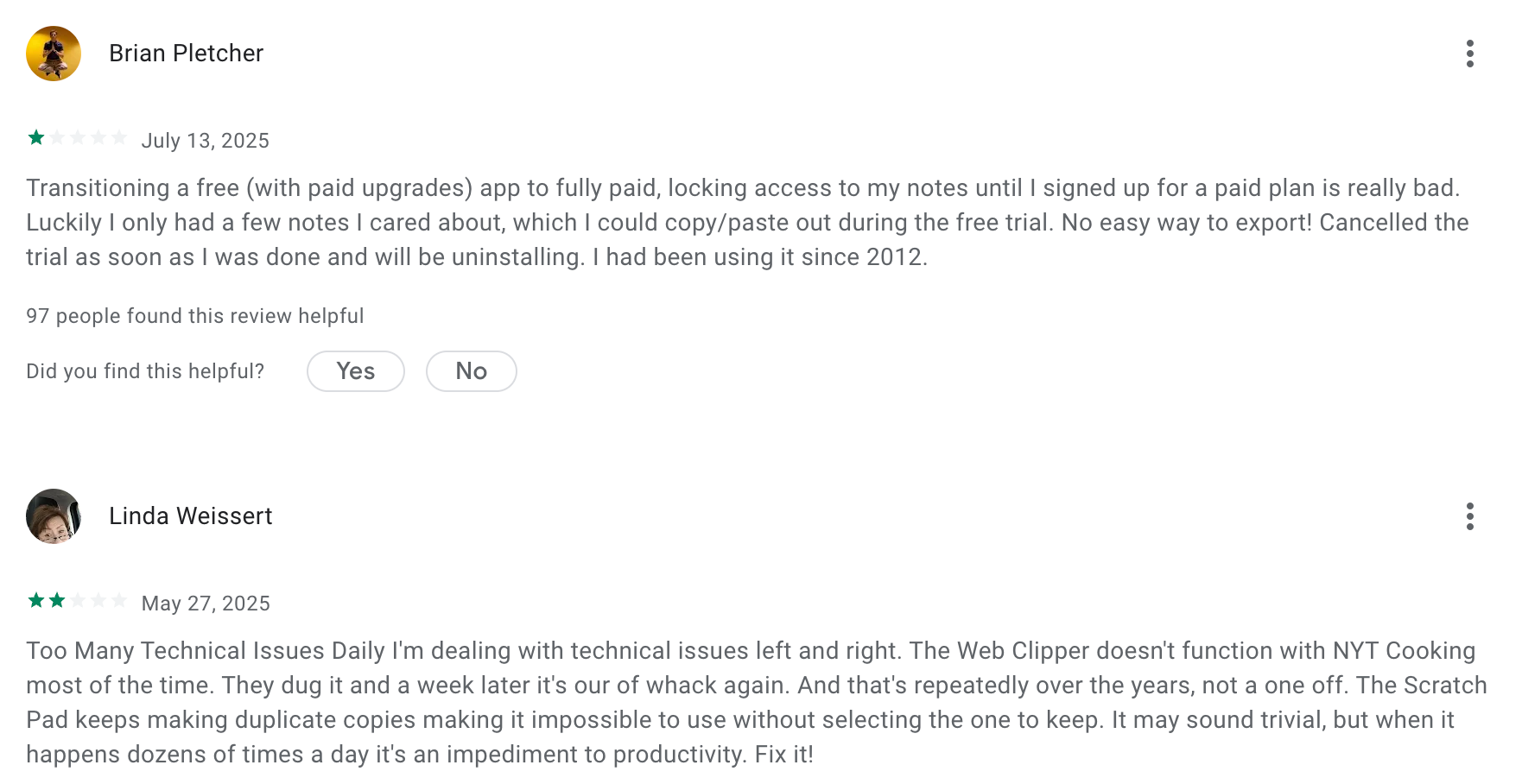
- Free plan is very limited, especially upload size and device sync
- Full functionality requires paid plans
- Less flexible canvas compared to OneNote’s “place anything anywhere” style
- No AI Assistant where you can chat with
- Mobile app is fine, but not the smoothest for editing or organizing complex notes
Pricing
- Free: Limited to 50 notes, 1 notebook, 1 device, 250 MB/month
- Personal: $12.99/month or $129.99/year
- Professional: $17.99/month or $169.99/year
- Teams: $24.99/user/month or $249.99/user/year
Suitable for
- Anyone who needs strong tagging, search, and structured organization
- People who store PDFs, images, scans, and web clippings in notes
- Students, researchers, and professionals with mixed-media workloads
How to start
- Go to Evernote
- Create a free account
Evernote reviews (source)
3. Tana
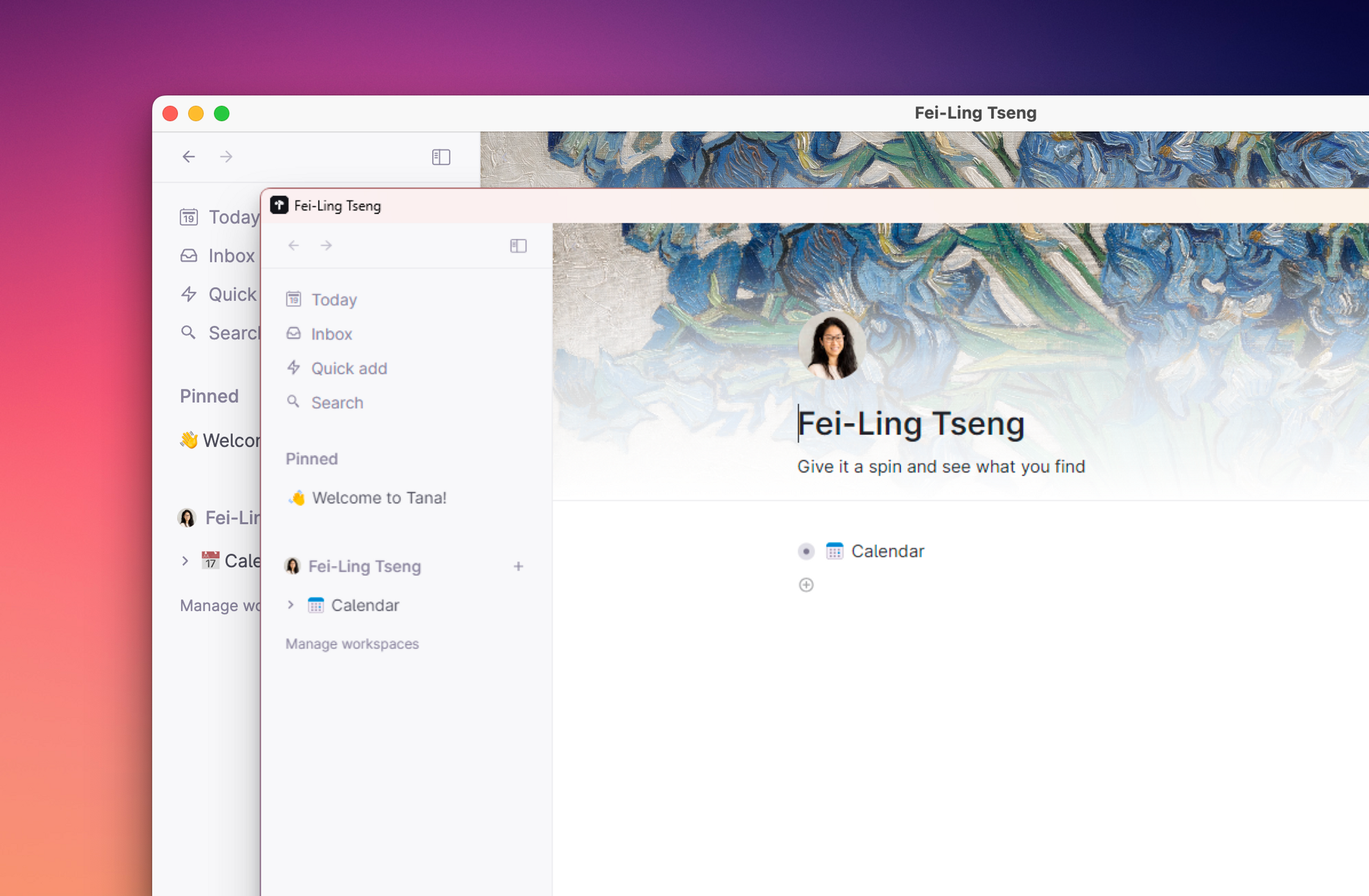
Tana is an AI note-taking app that lets you organize notes, tasks, and ideas in a connected, flexible system. Instead of static pages like OneNote, Tana uses nodes, links, and “supertags” to help you build a dynamic second brain that grows with your work.
Features
- Outliner-based editor where every piece of info is a node you can expand, rearrange, or link
- Supertags that turn notes into structured objects like tasks, projects, or people
- Knowledge graph that automatically links related ideas across your workspace
Pros
- The connected-graph structure makes it easy to link ideas without juggling folders
- You can start simple and gradually add structure with supertags when you’re ready
Cons
- The learning curve is real - thinking in nodes and supertags takes practice
- Can feel too complex if you only need simple notes like OneNote pages
- Collaboration isn’t as straightforward as more traditional page-based tools
Price
- Monthly at $18/month, Annually at $14/month
Suitable for:
- Knowledge workers building a personal second brain
- Students, researchers, and writers handling large volumes of interconnected notes
How to start:
- Create a free Tana account
- Use the daily notes page to capture tasks and thoughts
Tana Reviews (Source)
4. Coda
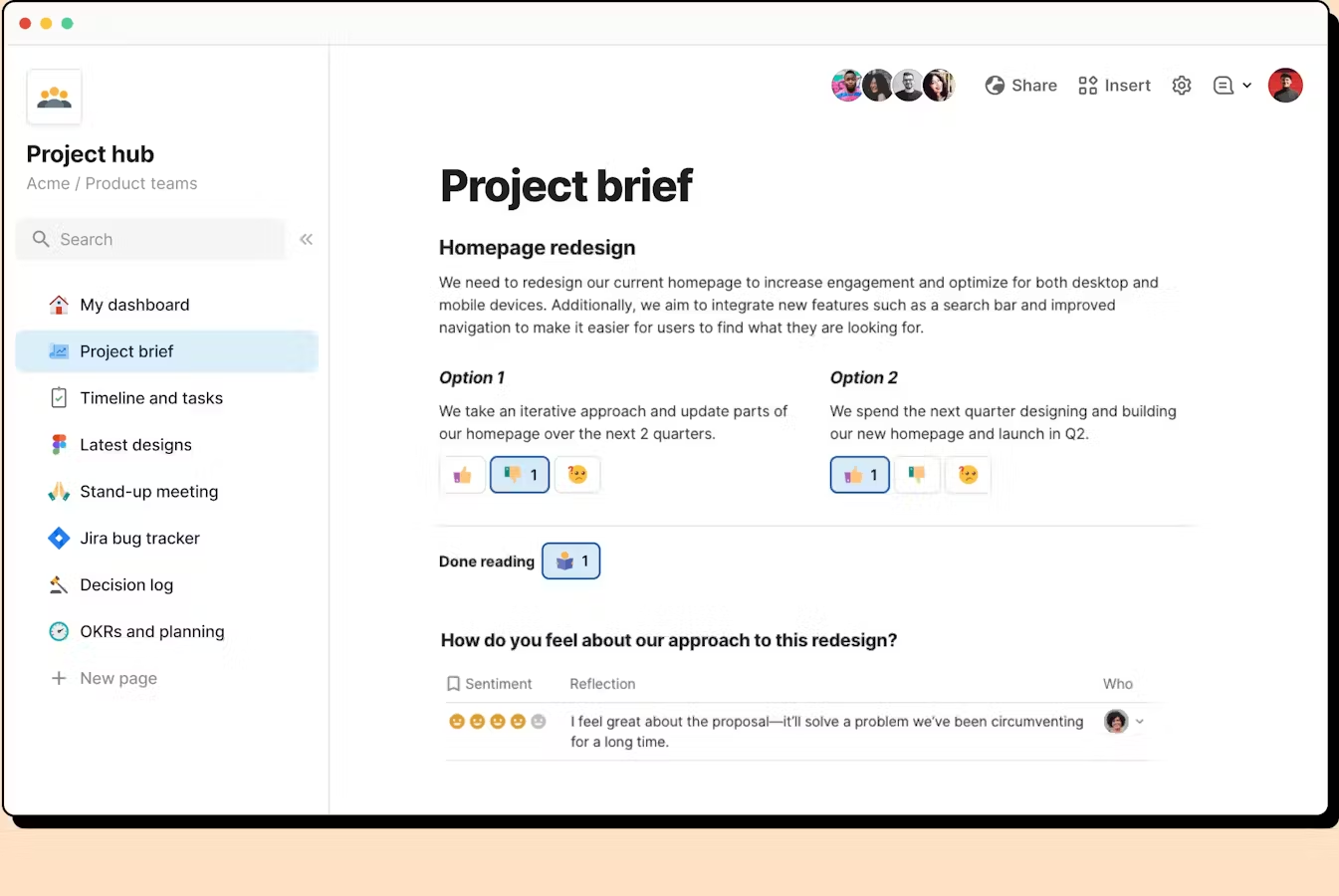
Coda is an all-in-one workspace that blends documents, spreadsheets, databases, and small automations into one place. Instead of simple notes, you can build interactive docs that act like wikis, trackers, project hubs, or lightweight apps
Key features
- Docs that combine text, tables, and spreadsheet-style formulas
- “Living documents” with buttons, automations, and interactive elements
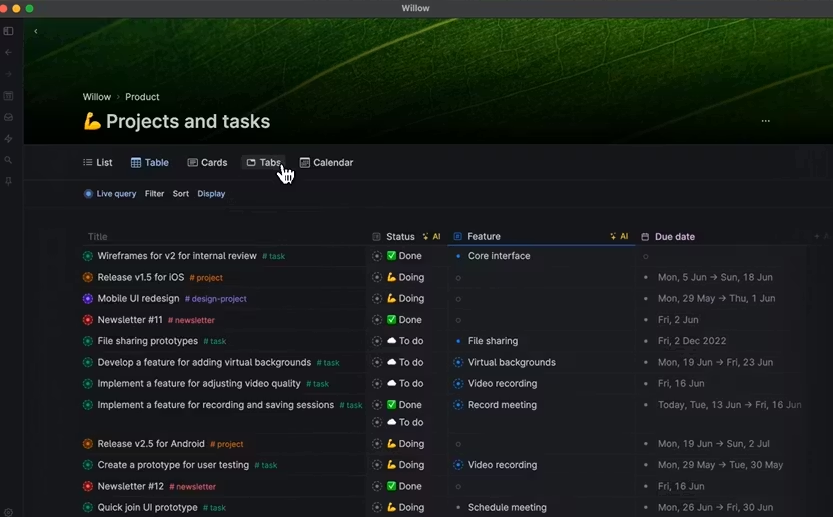
- Multiple data views such as tables, calendars, kanban boards, and lists
- Integrations with email, calendar, Slack, and other business tools
What I liked
- More powerful than traditional note apps
- Tables and databases help transform scattered notes into structured knowledge
What I disliked
- Not ideal for handwriting, sketching, or free-form notebook workflows
- Can feel complex if you just want simple text notes
- Advanced setups require time to learn formulas, views, and automations
Pricing
- Free plan
- Paid plans from 12$/month
Suitable for
- Teams building shared wikis, project hubs, or internal tools
- Users who prefer automation and multi-view data over simple notebooks
How to start
- Go to Coda and create a free account
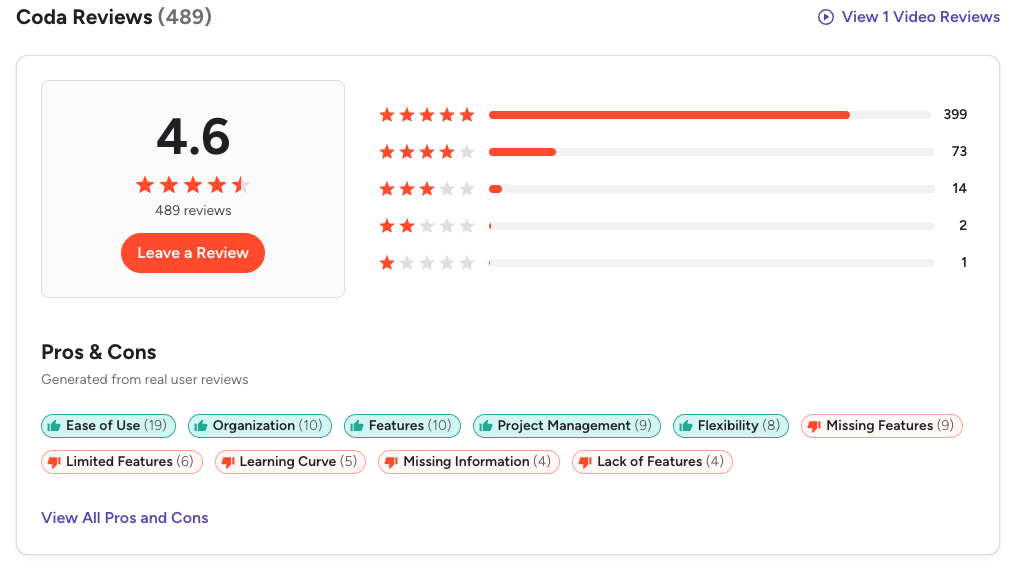
Coda Reviews (source)
5. Notion
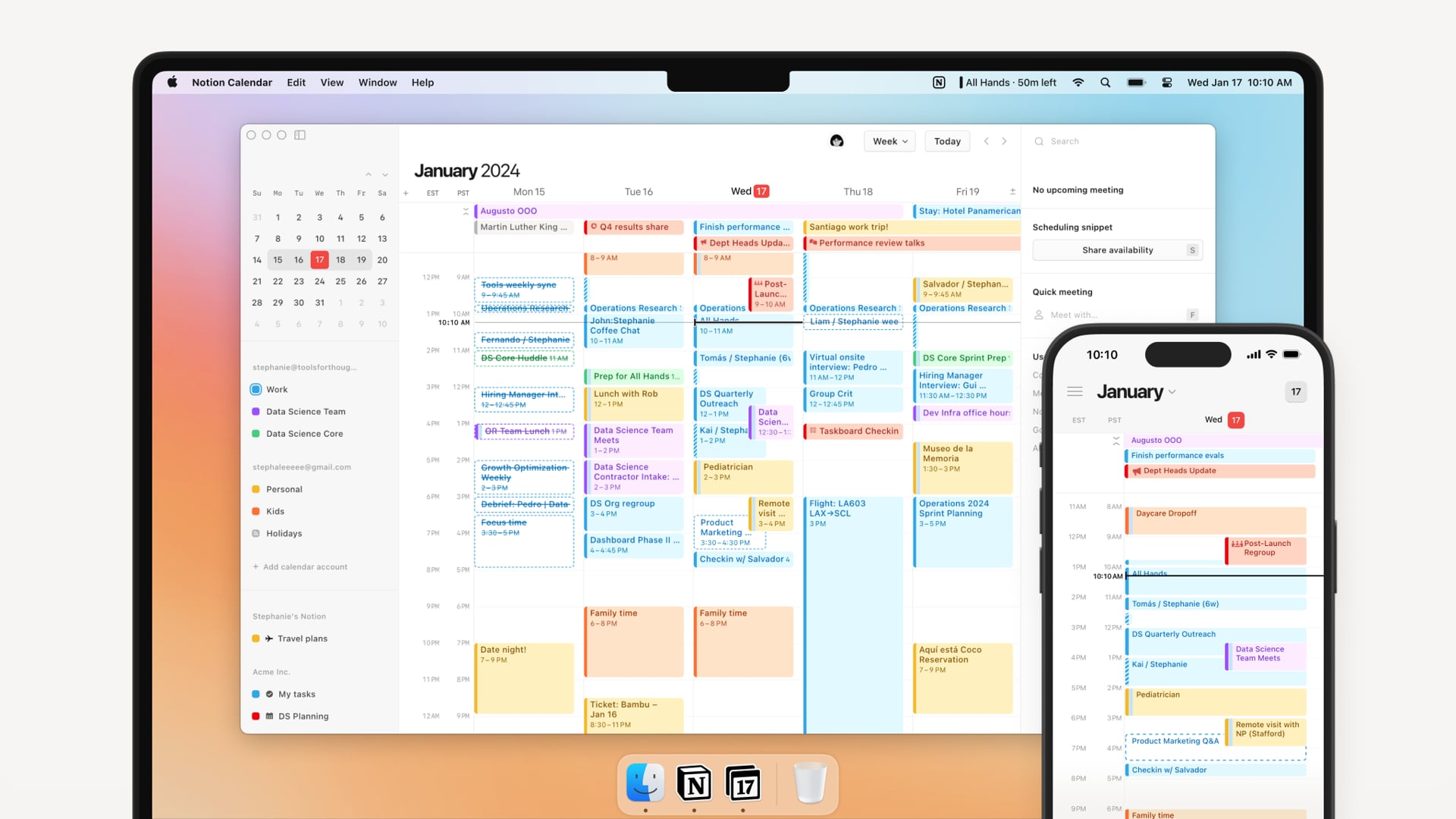
Notion is a flexible all-in-one workspace that lets you take notes, manage projects, organize documents, and build your own knowledge system. Many people switch to it as a OneNote alternative because it offers more structure, better customization, stronger collaboration, and deeper database features that go beyond simple notebooks.
Key features
- Flexible pages you can format into docs, wikis, or dashboards
- Powerful databases for tasks, notes, projects, and team knowledge
- AI Agent that summarizes, rewrites, generates content, and analyzes notes
What I liked
- Pages and databases are extremely customizable. You can build your own system instead of being stuck with notebook-style folders.
- The AI is built directly into the editor, so summarizing or turning notes into tasks is seamless.
- Great for both personal and team use. Works well as a company wiki or project hub.
What I disliked
- The learning curve can be steep for new users who just want simple notes.
- Databases become slow if you store very large or complex workspaces.
- Offline mode is still not as strong as tools like OneNote.
- Too much flexibility can make your workspace messy if you don’t have a system.
Pricing
- Free plan: Basic features, limited AI access.
- Plus plan: Around $10/user/month (billed annually).
- Business plan: About $20/user/month with full AI access.
Suitable for
- Teams looking for a central place to store notes, docs, and projects
- Students or professionals building a second brain or personal knowledge system
How to start
- Go to Notion
- Create a free workspace
- Start with a template or build your own pages
Notion reviews (source)

6. GoodNotes

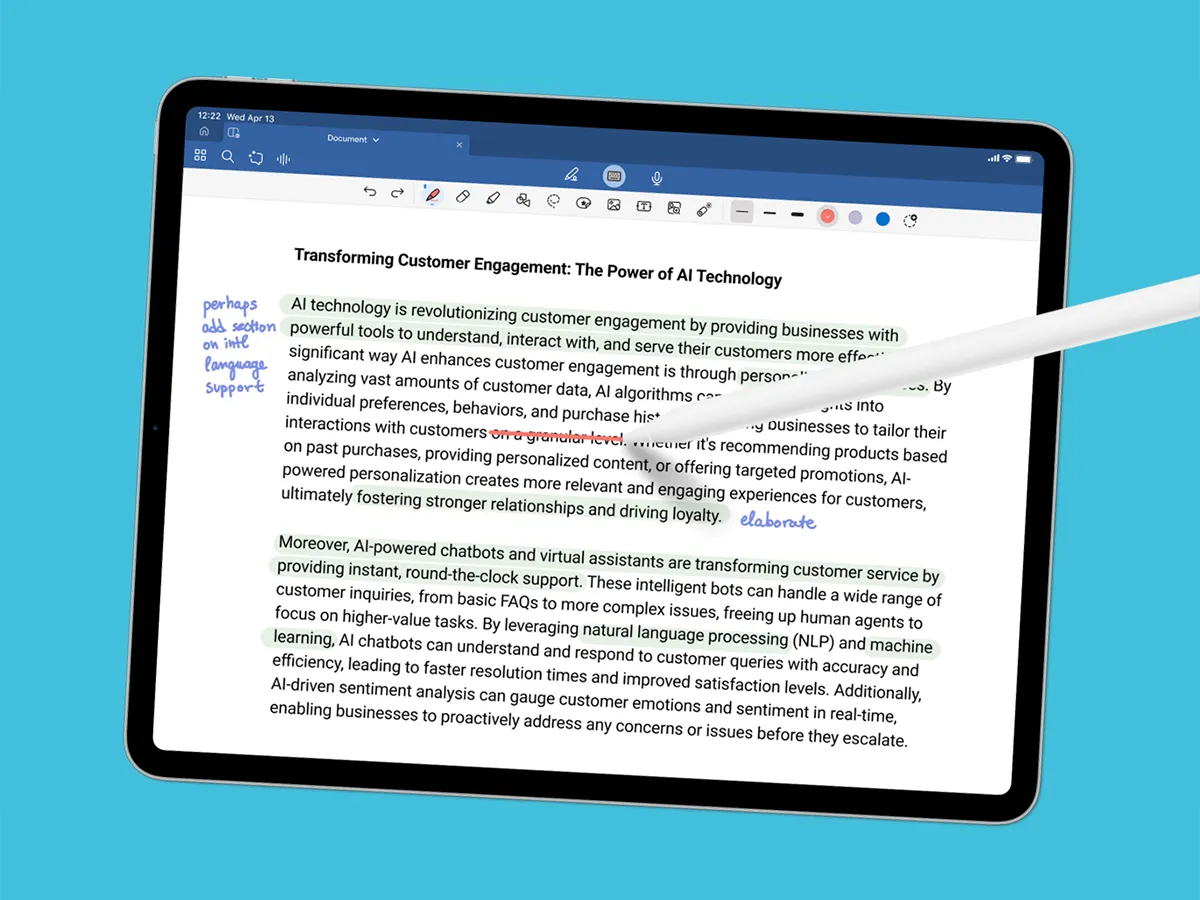
GoodNotes is a digital note-taking app built for handwritten notes, sketching, and annotating documents. Many people see it as a strong OneNote alternative, especially if they prefer writing with a stylus instead of typing.
Key features
- Natural, responsive handwriting experience
- AI handwriting search that recognizes messy writing
- Notebook-based organization with many templates
- PDF annotation tools for slides, textbooks, and contracts
What I liked
- Handwriting feels smooth and paper-like
- Great for marking up PDFs and study materials
- Visual notebooks make organization simple
What I disliked
- Not ideal for heavy typing or long written documents
- Collaboration isn’t as strong as OneNote
- Windows and Android versions still feel behind the iPad app
Pricing
- Free plan: Create up to 3 notebooks with basic tools
- Subscription: $9.99/year for unlimited notebooks and AI features
- One-time purchase: $29.99 (Apple devices only)
Suitable for
- Users who take most notes by hand
- Students who need strong PDF annotation tools
- Professionals who work mainly on tablets
- Anyone who finds OneNote too cluttered or typing-focused
How to start
- Install GoodNotes
- Create your first notebook
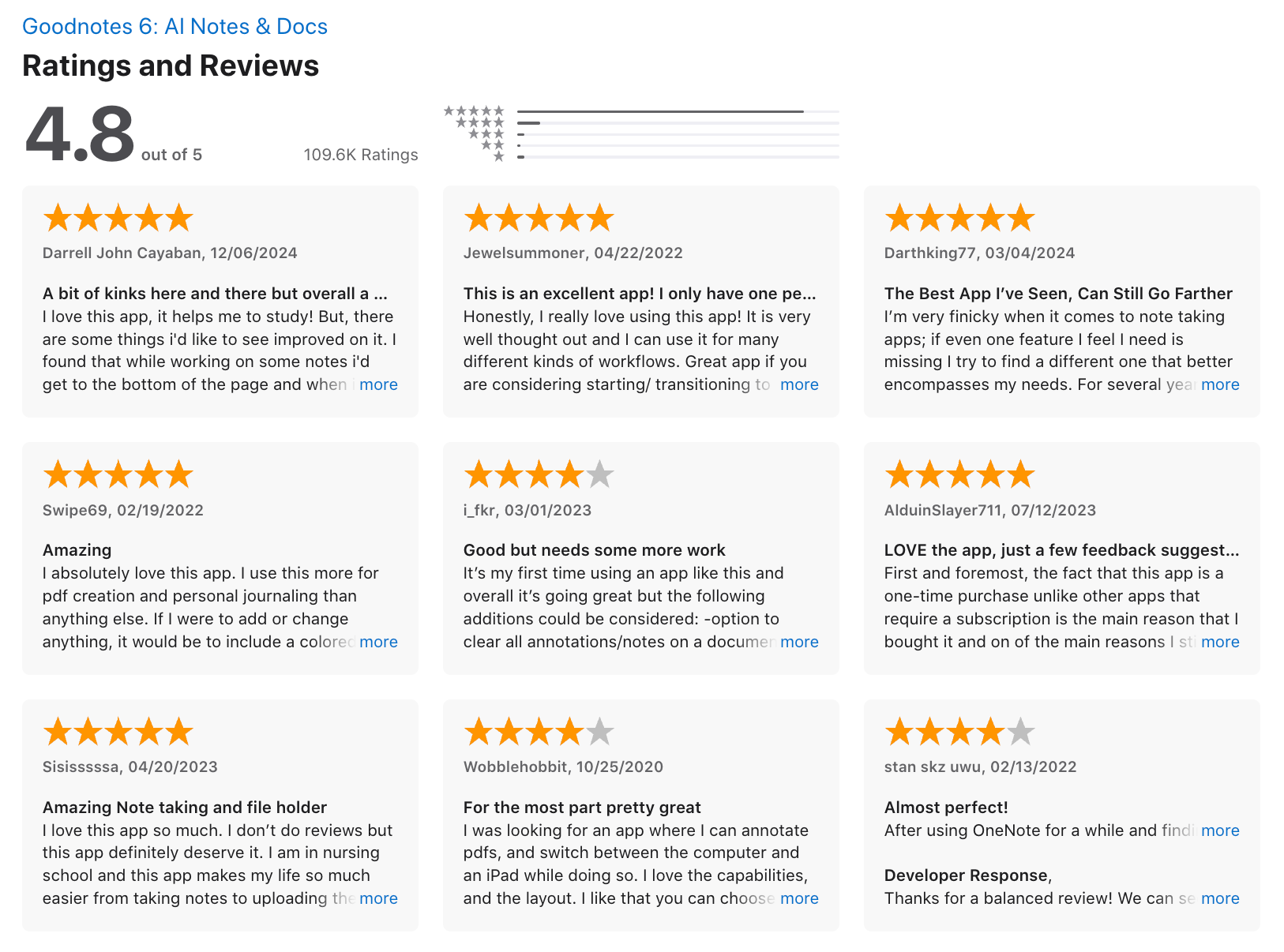
Goodnotes reviews (source)
7. Obsidian
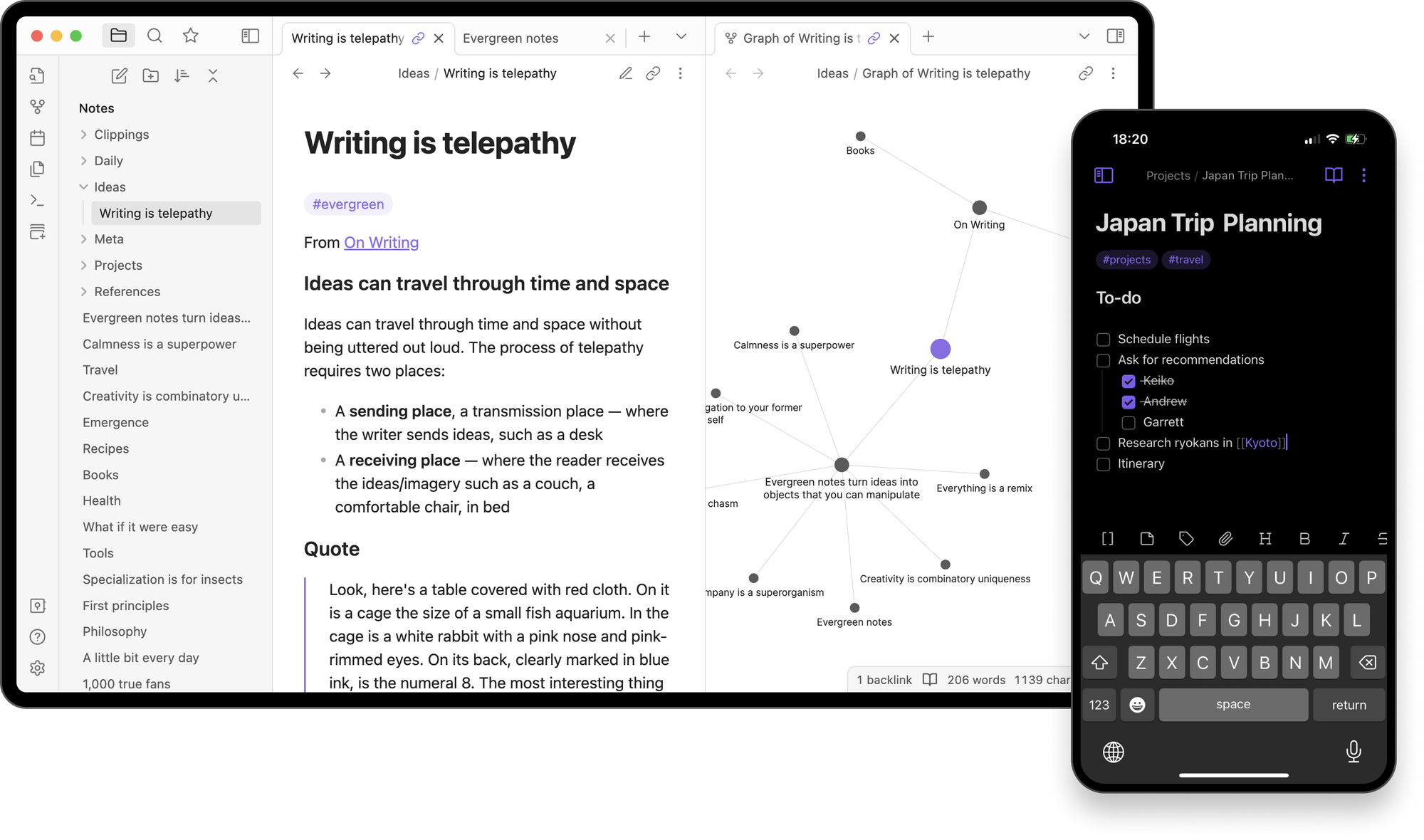
Obsidian is a local-first second brain app built on plain-text Markdown files. Many people choose it as a OneNote alternative because it offers deeper linking, more customization, and long-term knowledge management without being locked into a cloud ecosystem.
Key features
- Local Markdown file storage for full data ownership
- Bidirectional linking for connecting ideas
- Graph view to visualize relationships between notes
- Large plugin ecosystem with hundreds of community add-ons
What I liked
- Notes are future-proof because everything is plain text
- Linking and navigating ideas feels natural and fast
- The plugin ecosystem is one of the best in the note-taking space
- Works offline and remains stable even with large vaults
What I disliked
- Higher learning curve compared to OneNote’s notebook structure
- Sync isn’t included by default and requires add-on payment
- No handwriting or drawing support, which OneNote users often rely on
Pricing
- Free for personal use
- Sync: $5/month
- Sync Plus: $10/month
- Commercial license: $50/user/year
Suitable for:
- Knowledge workers, researchers, and students
- People who want a long-term, link-based knowledge system
- Users switching from OneNote who want more flexibility and data control
- Anyone who prefers offline, local-first apps for privacy and security
How to start:
- Download Obsidian
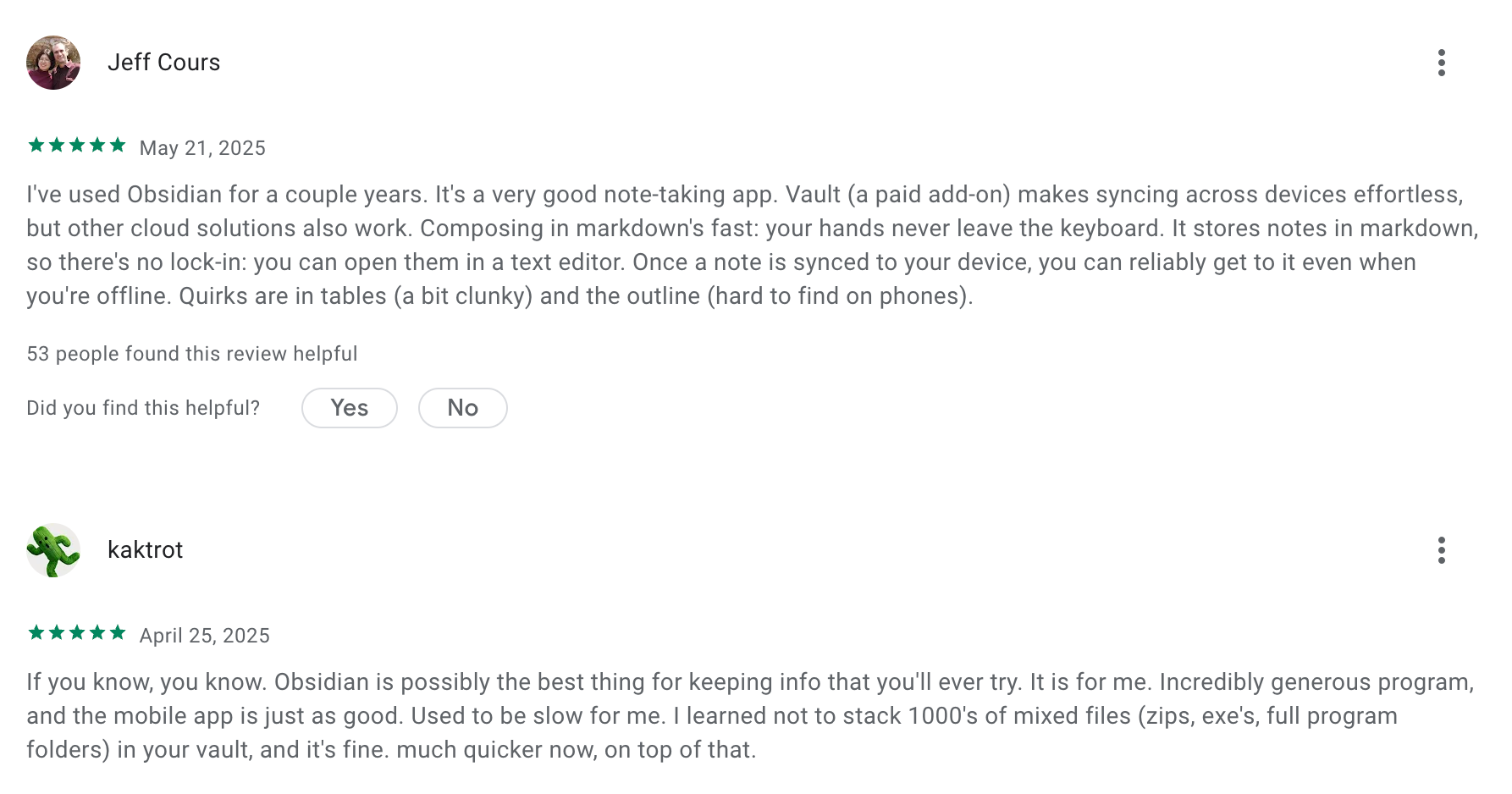
Obsidian review (source)
🏁 Conclusion
The best OneNote alternative in 2025 depends entirely on what you need most - speed, AI assistance, deep organization, handwriting, project management, or cross-device clarity. OneNote is still a good tool, but many users outgrow its structure and want something more modern.
If you prioritize AI and clarity, Saner.AI is the most advanced.
If you want handwriting, GoodNotes is unbeatable.
If you want databases and custom systems, Notion or Coda fit better.
If you want deep knowledge and linking, Obsidian or Tana are ideal.
Choose the tool that matches your workflow - not the other way around.
The AI Assistant that organizes your day
FAQ: Best OneNote Alternatives (2025 Guide)
1. What are the best OneNote alternatives in 2025?
If you’re looking for the best OneNote alternatives, the top options people compare today include:
- Saner.AI – AI-native note + task + calendar workspace
- Evernote – Classic cross-device note-taking with templates
- Obsidian – Local-first knowledge base with backlinking
- Tana – Flexible, AI outliner for advanced workflows
- Coda – Docs that act like apps (tables, automations, databases)
- GoodNotes – Handwriting-first tool for iPad users
- Notion – All-in-one docs, wikis, databases, and workspace pages
Each shines in different areas depending on whether you need better organization, better AI, better handwriting, or better project structure.
2. Why do people look for OneNote alternatives?
Common reasons users switch from OneNote include:
- Notes become messy or hard to retrieve
- Weak search when your notebook gets large
- Lacks native AI features for summarizing or planning
- Slow sync or inconsistent cross-device behavior
- Not ideal for project management or structured workflows
- Struggles to link ideas or build a personal knowledge system
Most people want tools that help them think better, find faster, and stay organized without manual effort.
3. Which OneNote alternative is best for organizing messy notes?
Saner.AI, Obsidian, and Tana rank highest here:
- Saner.AI automatically understands your notes and turns them into tasks, summaries, or reminders

- Obsidian uses backlinks and graph view to connect ideas
- Tana offers flexible tagging and structured data for complex knowledge systems
If you want something that cleans your chaos without much setup, Saner.AI is the simplest starting point.
4. What is the most AI OneNote alternative?
Saner.AI is the most AI-native replacement for OneNote
It goes beyond “AI features” and actually helps you:
- Turn brain dumps into tasks
- Summarize messy notes
- Retrieve anything conversationally
- Plan your day automatically
5. What’s the best OneNote alternative for handwriting or iPad users?
If handwriting is your main workflow:
- GoodNotes is the best for pen-first note-taking
- Notability (bonus mention) is also highly recommended
GoodNotes is the closest to “digital paper,” making it ideal for students, artists, and tablet-heavy workflows.
6. Which OneNote alternative is best for deep thinking and research?
Top picks:
- Saner.AI – great for research discovery, synthesizing long notes, and retrieving insights instantly
- Obsidian – backlinking, local-first, plugins
- Tana – powerful outliner, structured thinking
If your notes are long, academic, or interconnected, Obsidian or Tana are amazing.
If you're overwhelmed and want instant summaries and retrieval, Saner.AI is better.
7. What’s the best OneNote alternative for ADHD?
Users with ADHD prefer tools that reduce mental load.
Saner.AI is the top option because it:
- Turns messy thoughts into organized tasks automatically
- Suggests what to do next
- Helps reduce context switching
- Acts like a “second brain that keeps you on track”
GoodNotes or Notion require more manual setup, which may not be ideal for ADHD workflows.
8. Which OneNote alternative is best for work and project management?
Best work-focused options:
- Coda – documents that behave like apps, great for teams
- Notion – scalable for wikis, SOPs, and databases
- Saner.AI – ideal for solo operators, founders, and managers juggling many threads
If you want structure → Coda
If you want flexible pages → Notion
If you want “I tell it, it organizes” → Saner.AI
9. What’s the easiest OneNote replacement for beginners?
People new to note-taking apps find these easiest:
- Saner.AI – no setup, works through chat
- Evernote – familiar notebook structure
- GoodNotes – intuitive handwriting interface
Saner.AI is especially beginner-friendly since you can literally type or say what you want and it organizes everything.
10. What’s the best free OneNote alternative?
Top free options include:
- Notion Free Plan
- Obsidian Free Version
- Saner.AI Free Plan with AI search + tasks
- Google Keep (simple, lightweight)
- GoodNotes Free Tier (limited notebooks)
Best overall free alternative → Obsidian
Best free AI alternative → Saner.AI
11. Which OneNote alternative has the best search?
AI and semantic search are becoming must-have features.
Best search experiences:
- Saner.AI – finds what you meant
- Obsidian – great with plugins like Omnisearch
- Notion – good but not semantic by default
Saner.AI stands out if you constantly forget what you named your notes.
12. What’s the best OneNote alternative for teams?
If you’re collaborating often:
- Coda – powerful team docs with automations
- Notion – wikis, databases, multi-person projects
For personal workflows inside team environments, Saner.AI helps you manage your own tasks and notes even if your team is scattered across tools.
13. Is there an all-in-one alternative that combines notes, tasks, and calendar?
Yes - Saner.AI is the closest “full replacement” for OneNote plus your task app and calendar app.
It offers:
- Notes
- Tasks
- Calendar
- AI planning
- Chat-based workflows
- Automatic organization
This is ideal for people who don’t want to manage multiple tools.
14. What’s the best OneNote alternative for students?
For studying, reading, or class notes:
- GoodNotes – best handwriting
- Notion – class trackers, reading notes, study databases
- Saner.AI – for summarizing large readings and pulling insights fast
GoodNotes wins for handwritten notes.
Notion wins for organizing coursework.
Saner.AI wins for managing tasks + notes + deadlines in one place.
15. What’s the best OneNote alternative for iPhone, iPad, and Android users?
Cross-platform winners:
- Saner.AI – web + mobile + AI
- Evernote – stable across all devices
- Notion – works everywhere
- GoodNotes – best on iPad, expanding support
If you switch devices often, Evernote and Saner.AI offer the most frictionless sync.
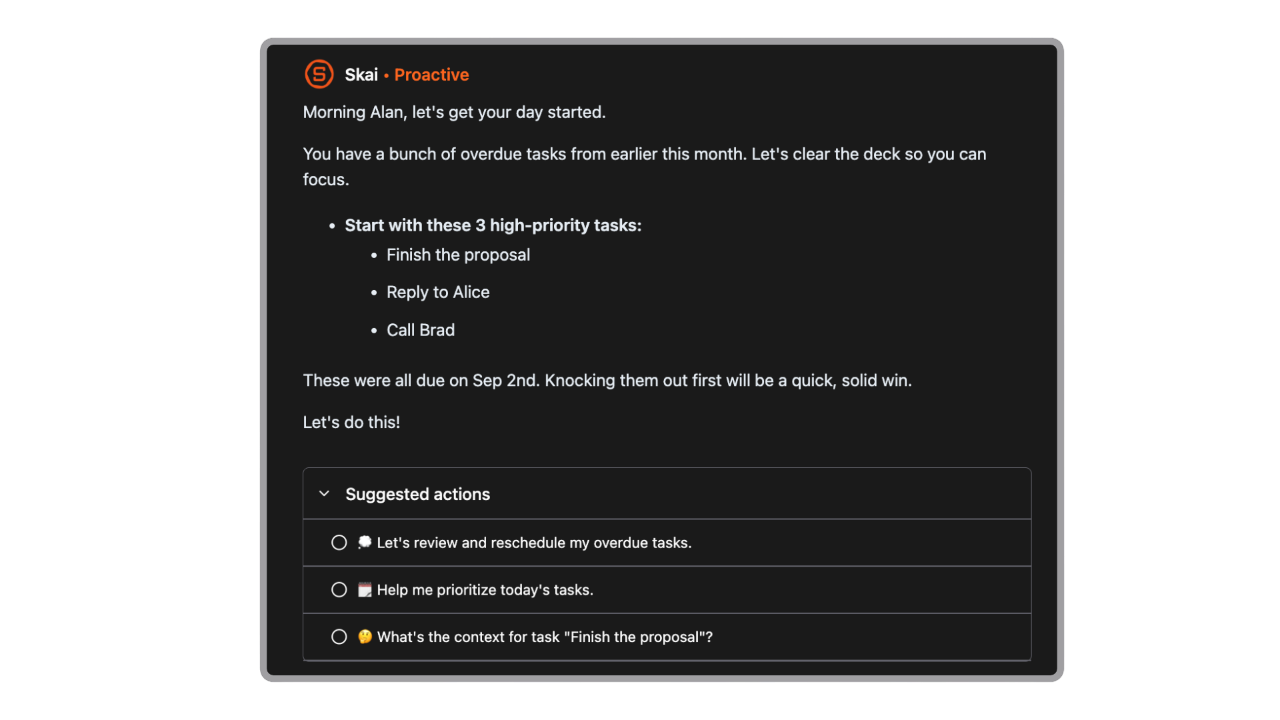
16. Which OneNote replacement helps with daily planning?
- Saner.AI – AI builds your daily plan automatically
- Notion – customizable templates
- Coda – build planning dashboards
- Tana – strong for structured daily notes
Saner.AI is the only one that creates your plan for you, not just lets you create pages.
18. Which OneNote alternative is best for linking ideas like a “second brain”?
Top picks:
- Obsidian – backlinking + graph
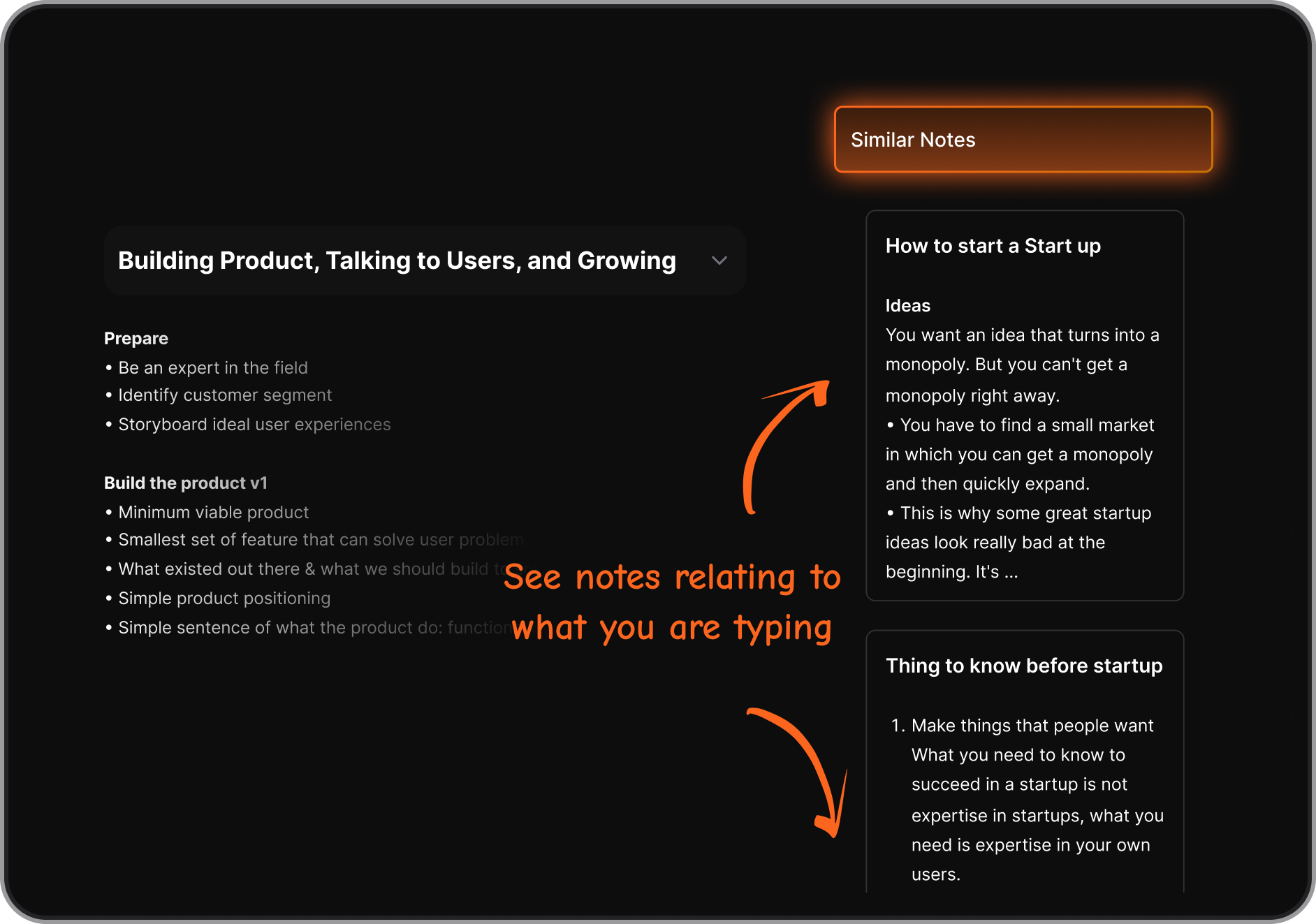
- Saner.AI – Similar notes + AI search
- Notion – databases with relations
19. What’s the most modern OneNote alternative?
In 2025, users usually point to:
- Saner.AI – AI-native workflow
- Notion – flexible modern workspace
- Tana – modern, structured notes
If you want something built for how people work today, Saner.AI and Tana feel the most up-to-date.
20. Which OneNote alternative is best overall?
There’s no one-size-fits-all answer, but here’s the quick summary:
- Best AI OneNote alternative → Saner.AI
- Best handwriting alternative → GoodNotes
- Best for teams → Notion or Coda
- Best for deep thinking → Obsidian or Tana
- Best free option → Obsidian
- Best all-in-one → Saner.AI
The “best” OneNote alternative depends on your workflow—but these tools collectively cover every use case better than OneNote does today.
Stay on top of your work and life



