
Personal Task Management Apps: We Tested the Best 30+
The Best Personal Task Management Apps are Saner.AI, Todoist, TickTick, Things 3, Microsoft To-Do, Trello, Any.do, and Notion


Here are the Best 8 Personal Task Management Apps
This guide breaks down the best personal task apps right now, tested across real-world work, life, and planning scenarios. You’ll find:
✔️ The top task apps ranked by features & accuracy
✔️ What each app is best for
✔️ Pros, cons & real-world limitations
✔️ A simple decision guide
✔️ FAQ
What Is a Personal Task Management App?
A personal task management app is a tool that helps you capture, organize, prioritize, and complete your daily tasks.
In 2026, the definition has expanded. Today’s task apps also:
- Sync across all your devices
- Organize tasks by project, tags, or priority
- Send smart reminders
- Use AI to plan your day
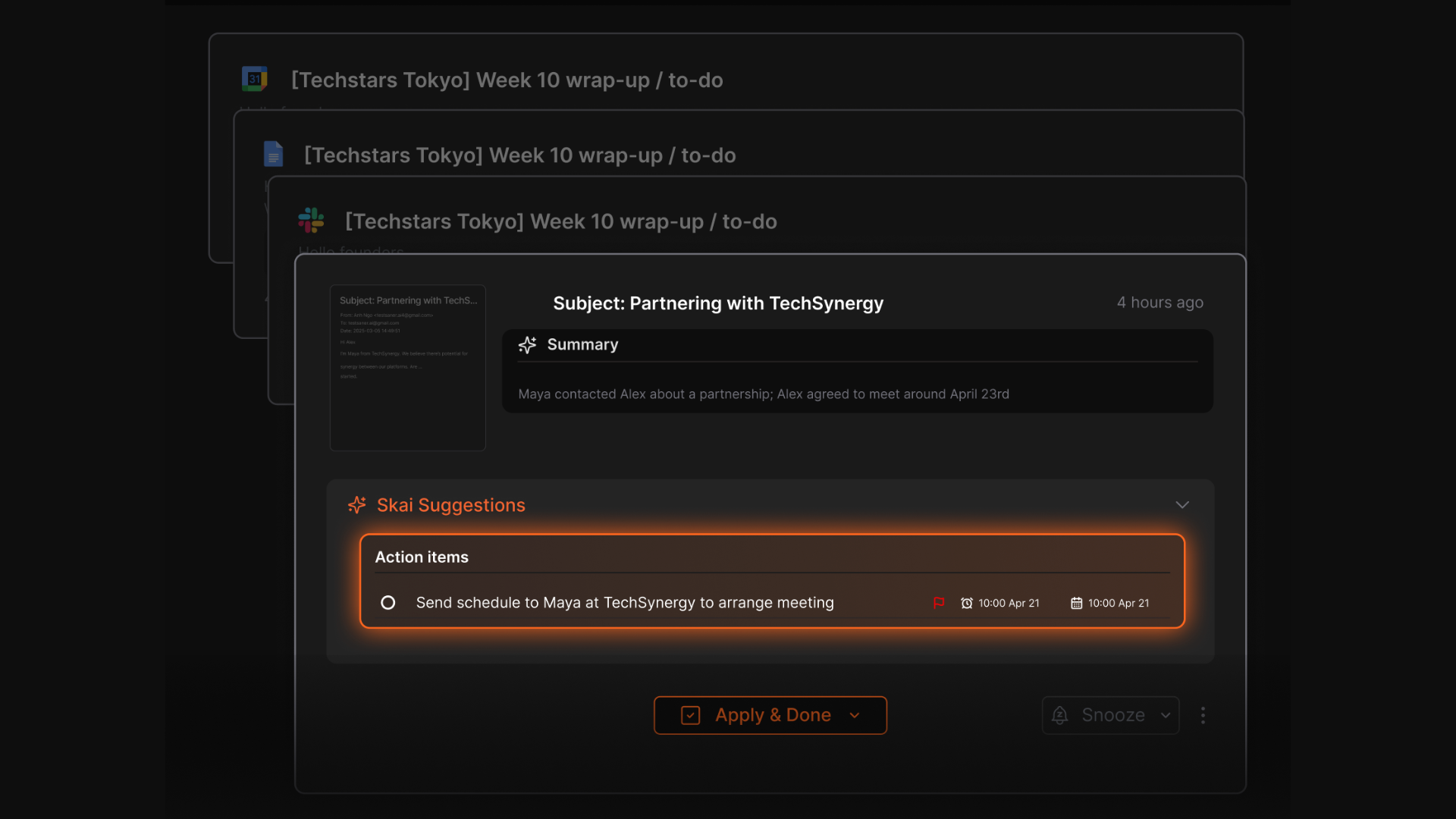
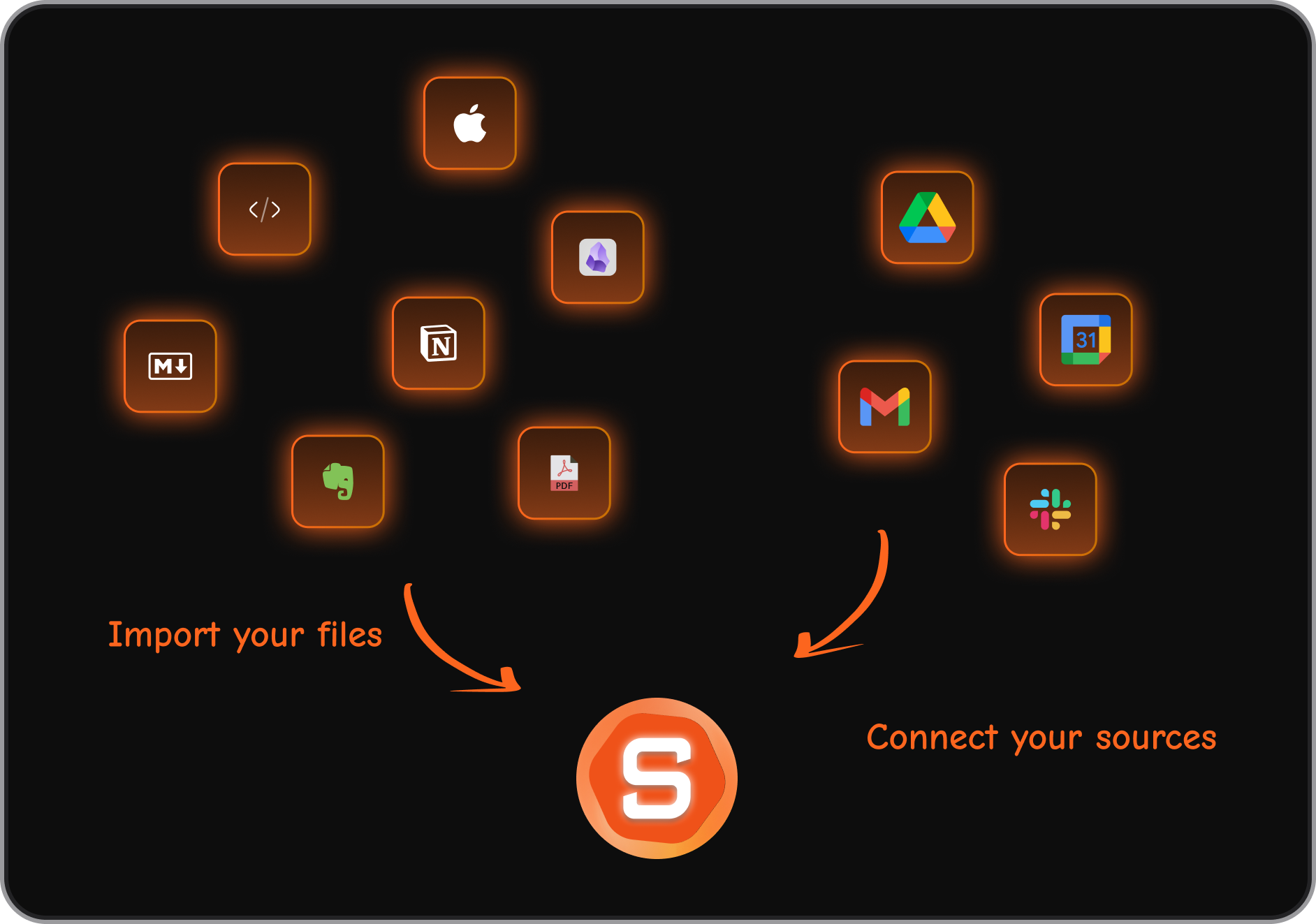
- Turn emails, notes, and meetings directly into tasks
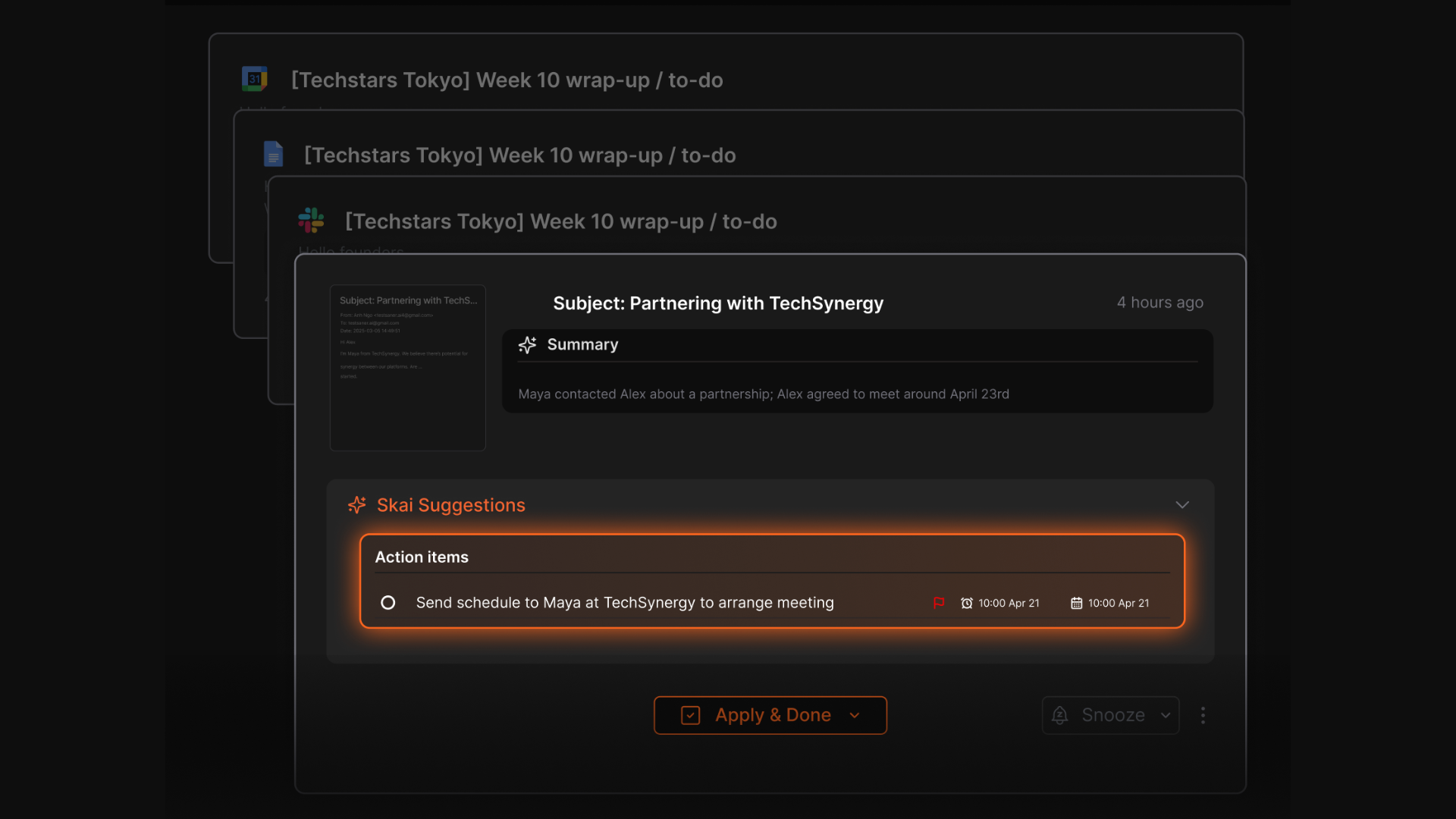
- Help you avoid context switching and mental overload
How I Tested These Task Apps
I tested each app for 14 days, doing everyday personal + work tasks. The evaluation criteria included:
Core Criteria
- Ease of use
- Speed (how long it takes to capture a task)
- AI features
- Cross-device syncing
- Integration with calendars, email, notes
- Smart reminders & overdue behavior
- Real-world reliability (e.g., does it actually remind you?)
Real-World Scenarios Tested
- Capturing tasks during meetings
- Email follow-up workflows
- Daily planning and prioritization
- Weekly review
- Long-term project organization
- Mobile on-the-go usage
- Quick capture from notifications/lock screen
- Dealing with 20+ tasks/day
- Handling overdue items
Now, let's dive in!
What are The Best Personal Task Management Apps?
The Best Personal Task Management Apps are Saner.AI, Todoist, TickTick, Things 3, Microsoft To-Do, Trello, Any.do, and Notion
Comparison Table: Best Personal Task Management Apps 2026
| App | Best For | Key Features | Pricing |
|---|---|---|---|
| Saner.AI | AI-first planning, ADHD brains, personal productivity | AI task extraction, daily plan, notes → tasks, email integration, proactive reminders | Free plan; Paid from ~$8/mo |
| Todoist | Beginners & everyday users | Tasks, labels, reminders, karma, cross-platform | Free; Premium ~$5/mo |
| TickTick | Habit tracking + fast tasking | Pomodoro, habits, calendar, priorities | Free; Premium ~$3/mo |
| Things 3 | Apple-focused simplicity | Areas, projects, elegant UI, deep macOS/iOS integration | One-time purchase |
| Microsoft To-Do | Windows + Office users | Lists, reminders, Outlook tasks sync | Free |
| Trello | Visual boards | Kanban boards, cards, workflow automation | Free; Premium from $5/user |
| Any.do | Simple daily planning | Tasks, sub-tasks, reminders, calendar view | Free; Premium ~$3/mo |
| Notion | Complex workflows & blended notes/tasks | Databases, templates, task boards, AI | Free; Plus from ~$10/mo |
1. Saner.AI
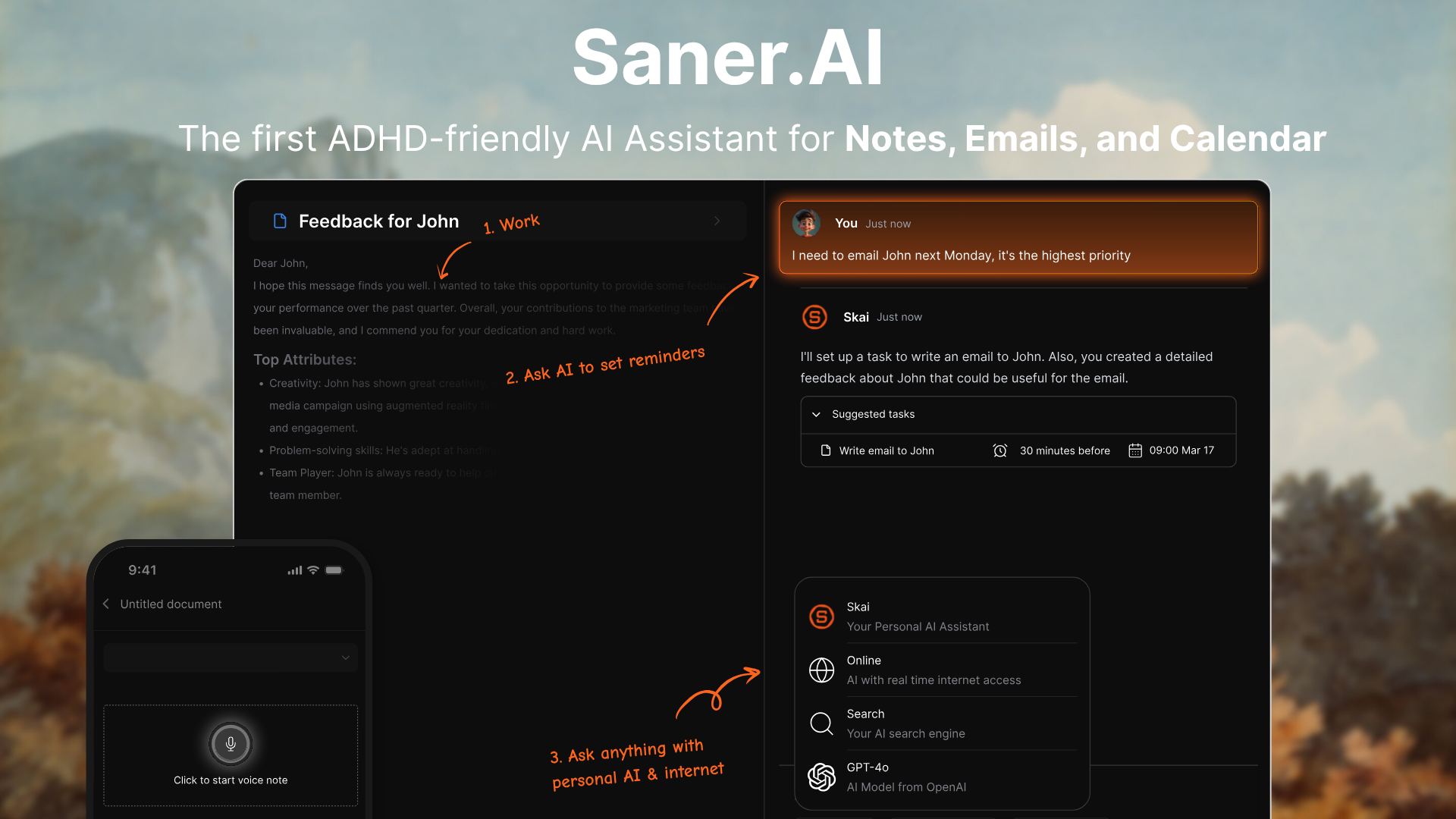
Saner.AI is an AI personal productivity app that helps you manage tasks, notes, emails, and ideas in one place. It’s designed for people who deal with constant information overload - especially entrepreneurs, knowledge workers, and ADHD-prone users who want a smarter, more automated task system.
Key features
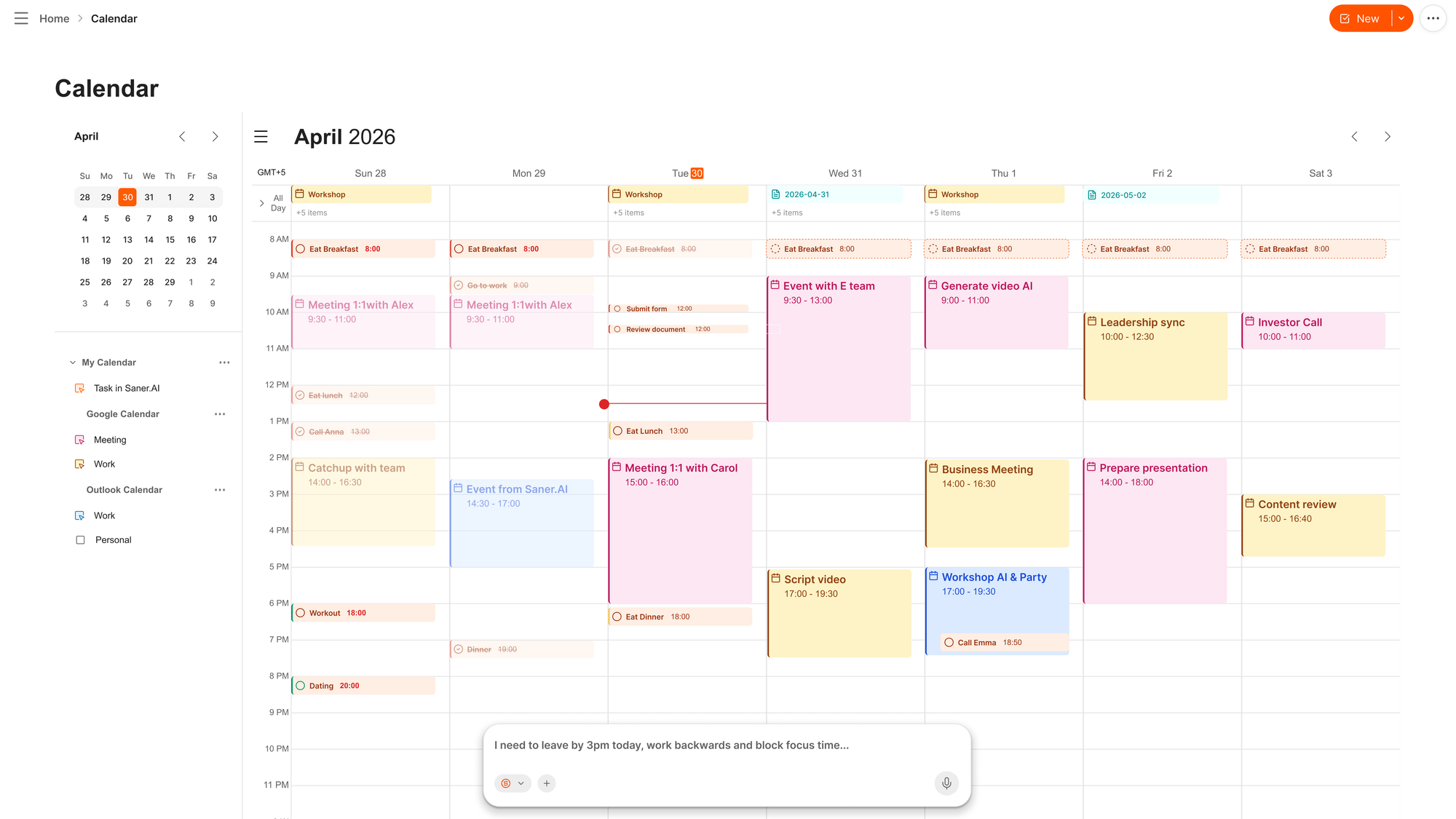
- Proactive Planner: Automatically goes through your inbox, notes, and calendar, and suggests an optimal plan for the day
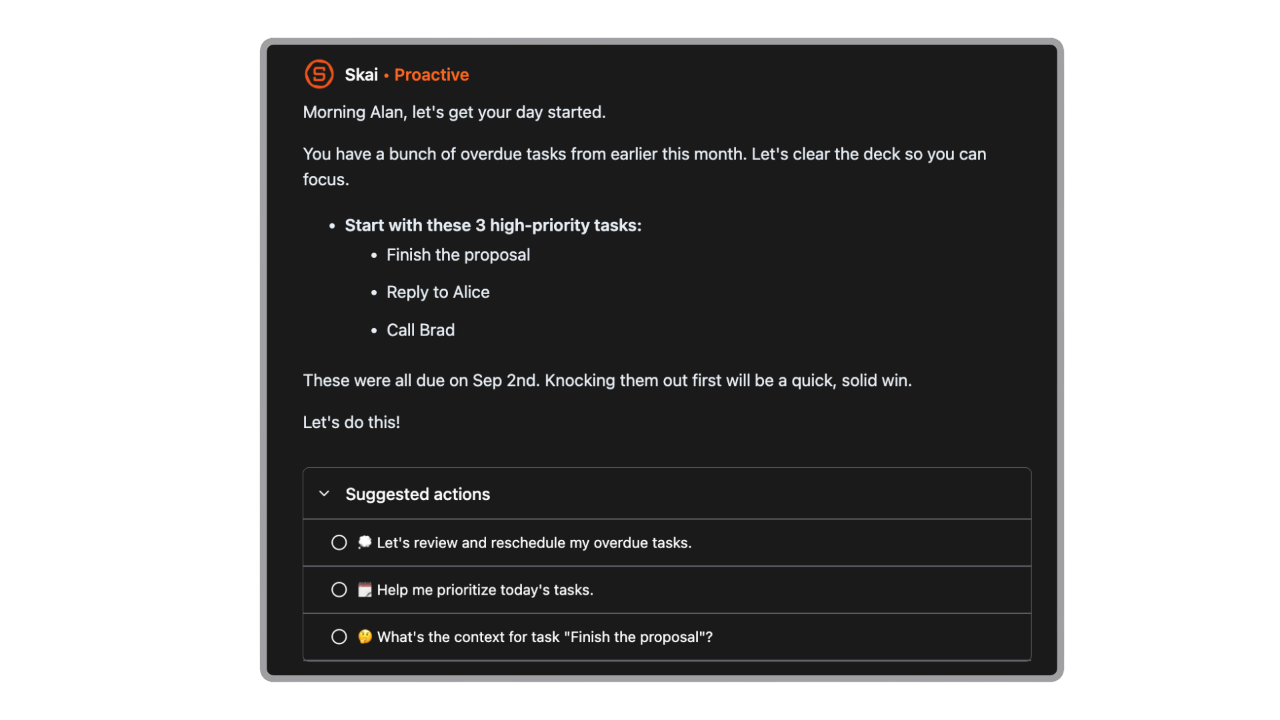
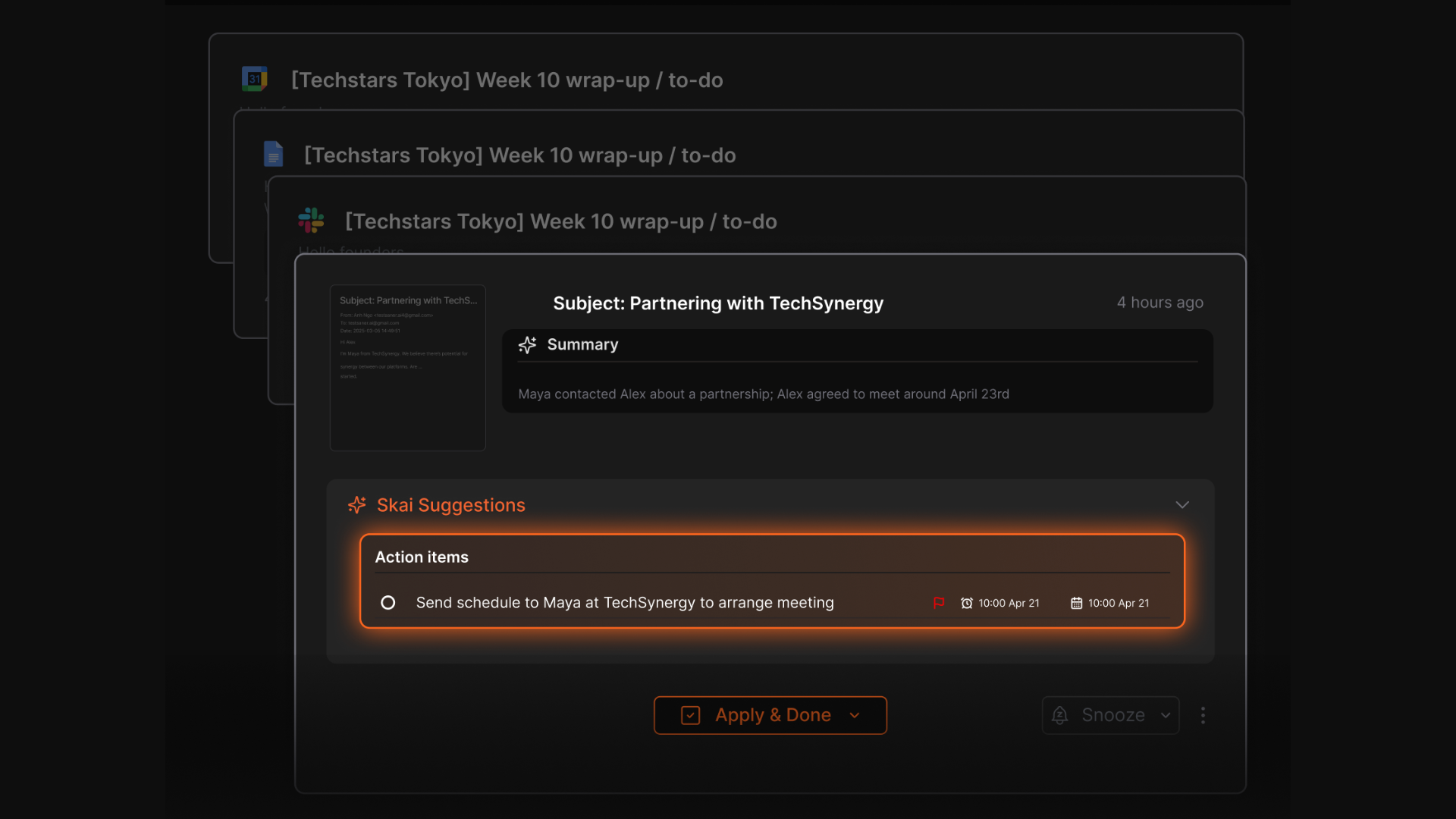
- AI assistant that organizes your notes, extracts tasks, tags items, and suggests deadlines
- Natural-language querying so you can search your work the way you think
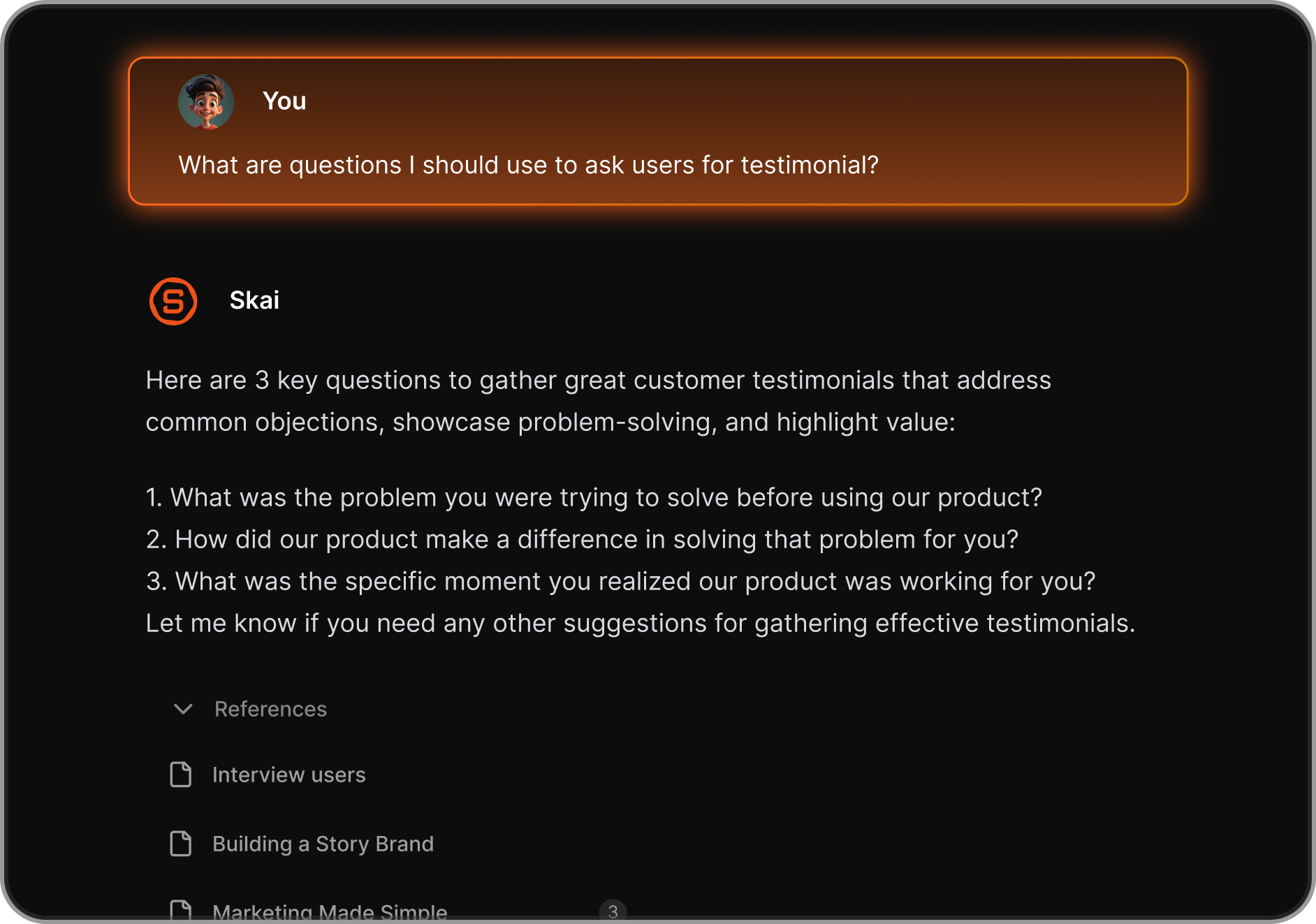
- Automatic capture from voice, email, browser, and documents
- Focused, low-clutter interface designed to reduce overwhelm
What I liked
- Reduces manual work by automatically organizing tasks and information
- You can just talk with AI, and it schedule tasks for you
- Great for people who receive ideas, emails, and notes from many channels
Cons
- Not ideal for large teams or project timelines
Pricing
- Free plan available
- Paid plans are roughly $8/month (Starter) and $16/month (Standard)
Who is it suitable for?
- People who want one place for tasks, notes, and ideas
- ADHD-prone users who struggle with context switching
- Knowledge workers and entrepreneurs who handle lots of information
- Anyone looking for an AI second brain rather than just a task list
Saner.AI review

How to start using it?
- Go to Saner.AI
- Create a free account

The Personal Task Management App that works with you
2. Todoist
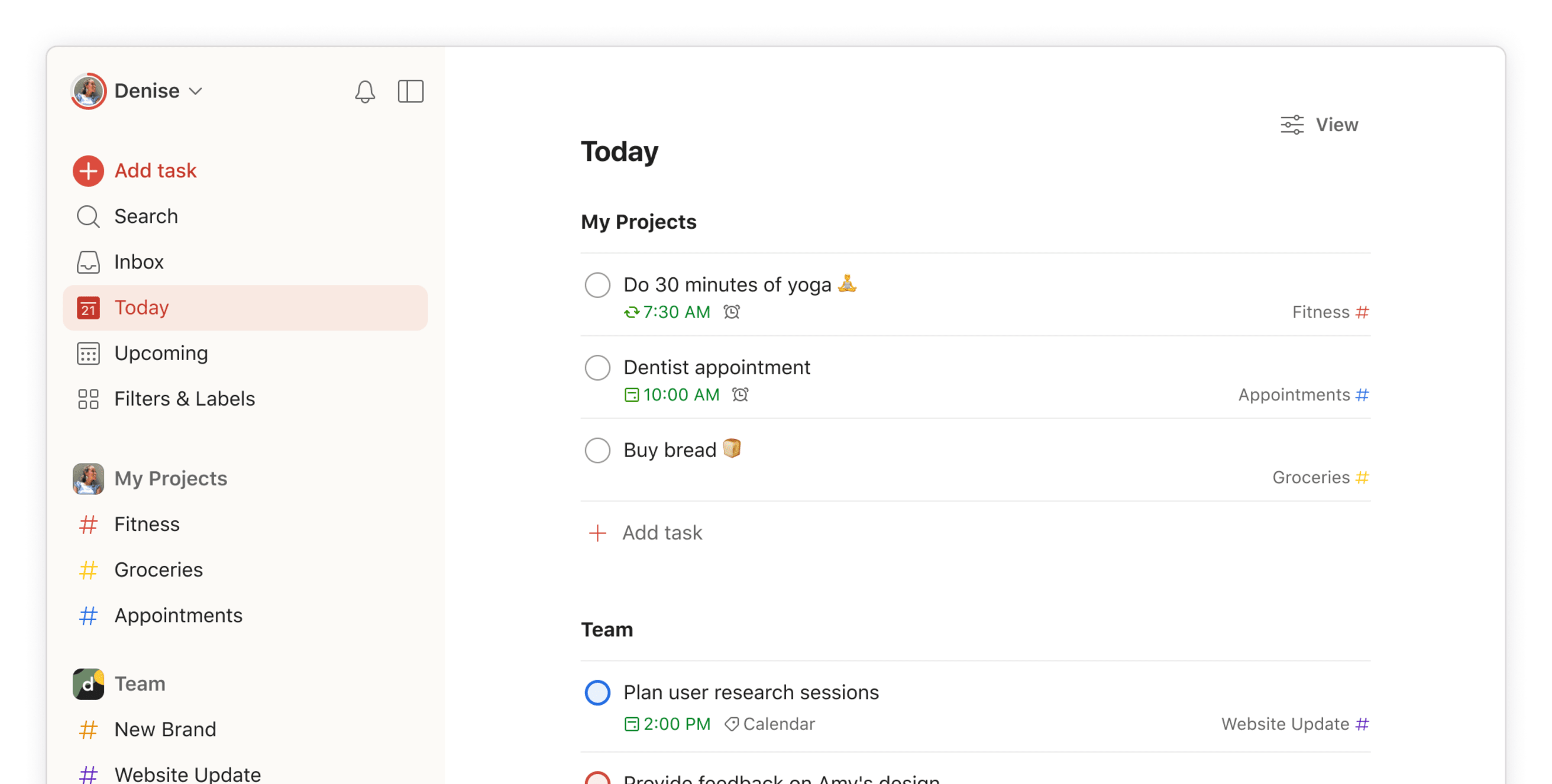
Todoist is a personal task-management app that helps you capture, organize, and complete tasks across your day. It works on every device, supports natural-language input, and gives you a clean structure for managing routines, errands, and personal projects.
Key features
- Recurring tasks for habits, routines, and long-term planning
- Projects, labels, and filters to organize tasks your way
- List view, board view, and calendar view (in paid plan)
- Fast sync across mobile, desktop, browser, and email add-ons
What I liked
- Reliable sync across devices makes it feel dependable for everyday life
- Scales well: simple enough for errands, structured enough for bigger projects
What I disliked
- Free plan is limited (only 5 active projects, fewer filters and features)
- Advanced features like calendar view, labels, and reminders require Pro
- Don't have a space to manage your notes
Pricing
- Free plan with up to 5 projects
- Pro plan at $5/month for advanced features like reminders and labels
- Business plan at $8/user/month with team tools and admin controls
Suitable for
- Individuals who want a clean, reliable personal to-do app
- Anyone managing personal routines, errands, goals, or solo projects
How to start
- Go to Todoist
- Create a free account
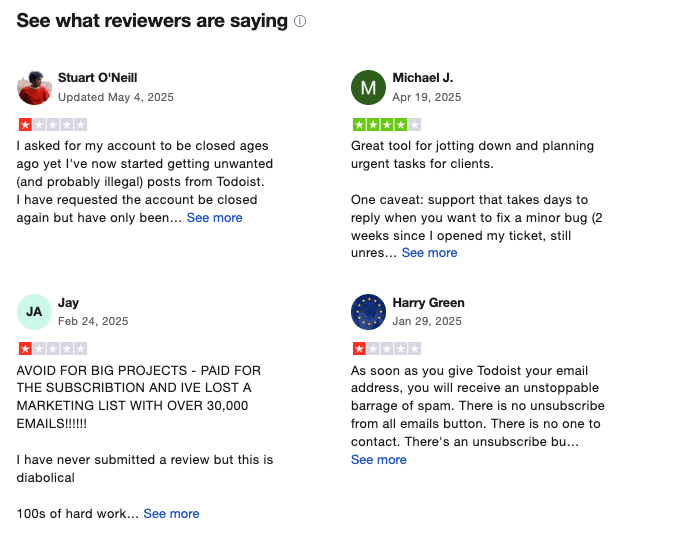
Todoist Reviews (source)
3. Microsoft Todo
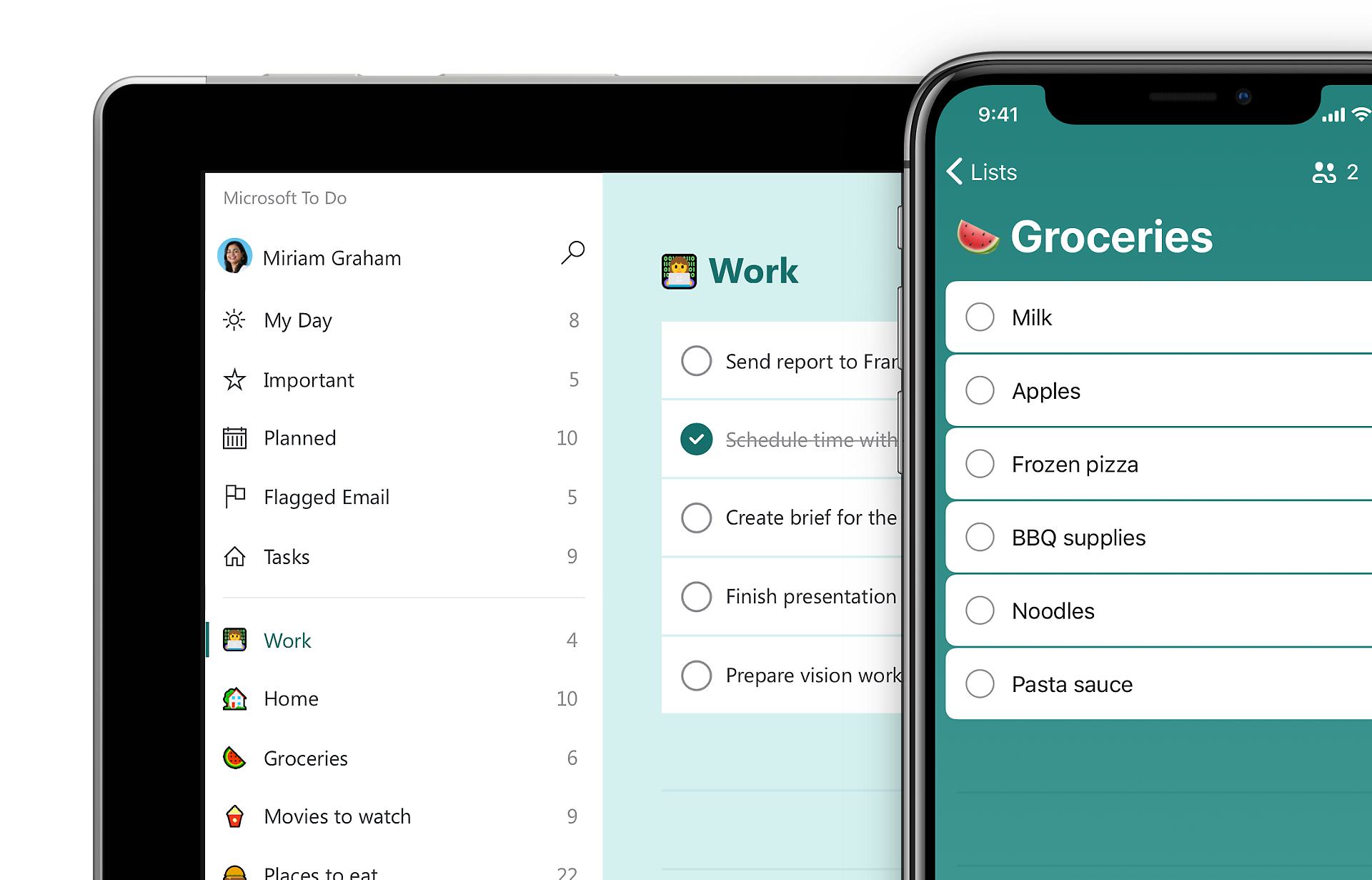
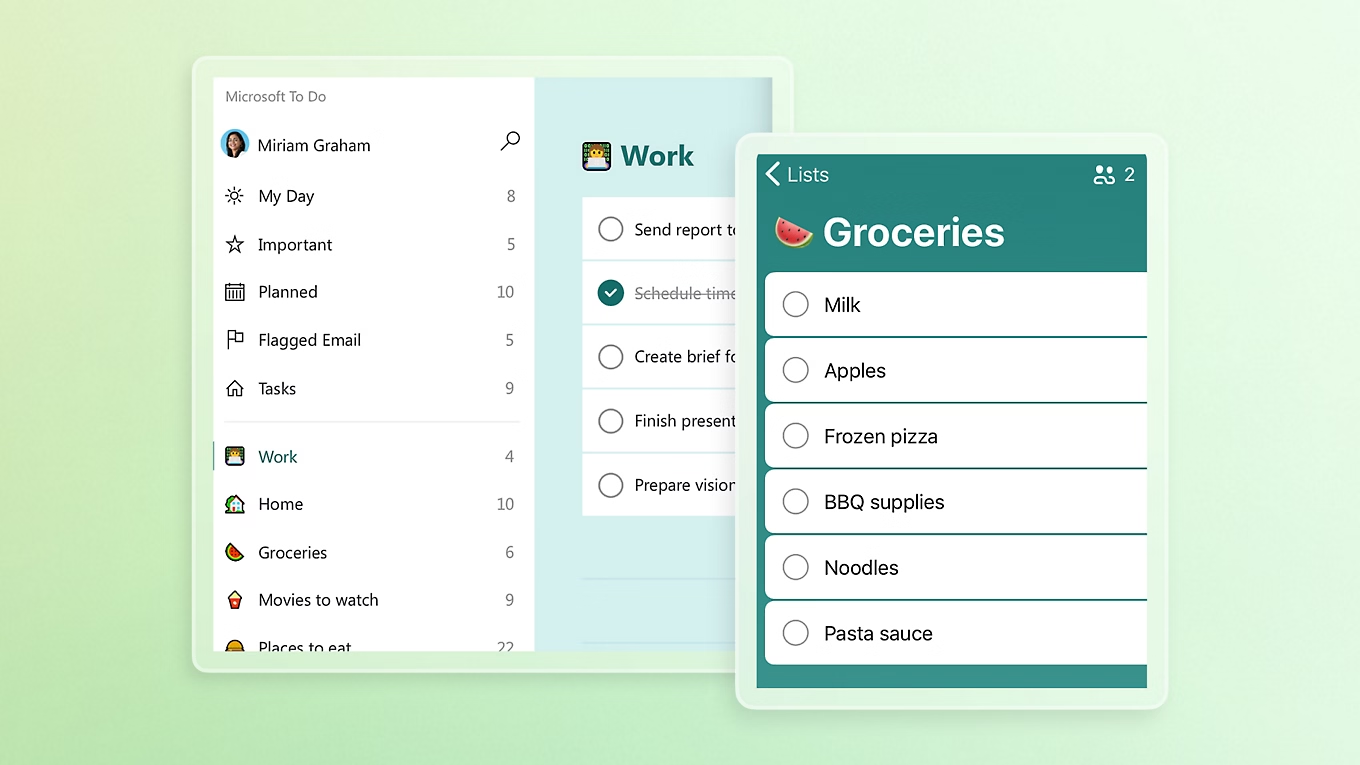
Microsoft To Do is a simple personal task-management app that helps you capture, organize, and track your daily tasks across all your devices. It’s built to be lightweight, easy to use, and deeply integrated with the Microsoft ecosystem.
Key features
- “My Day” view for daily planning with smart task suggestions
- Tasks with due dates, reminders, recurring schedules, and subtasks
- Sync across Windows, Mac, iOS, Android, and web
- Integration with Outlook (flagged emails turn into tasks)
What I liked
- Very easy for beginners - no setup friction
- Works smoothly across devices
- Great if you already use Microsoft 365 or Outlook
What I disliked
- Limited customization for advanced workflows
- Doesn’t offer smart AI features like prioritization or auto-scheduling
- Not ideal for complex collaboration or project management
Pricing
- Free with a Microsoft account
Suitable for
- Families or small groups who want to share lists without heavy tools
- People using Outlook, Windows, or Microsoft 365 at work
How to start
- Download Microsoft To Do or open the web version
- Sign in with your Microsoft account
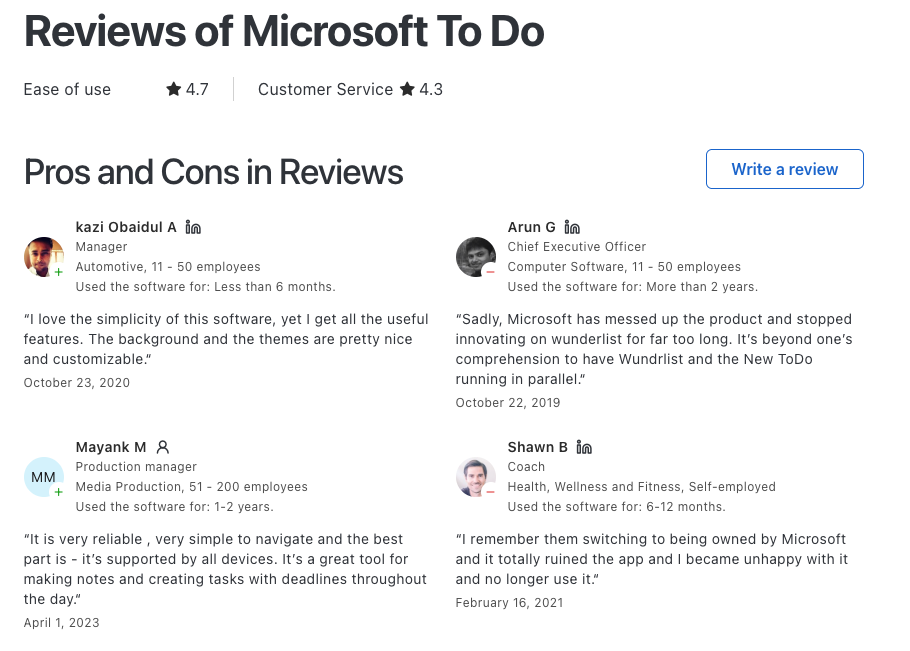
Microsoft To Do Reviews (source)
4. TickTick
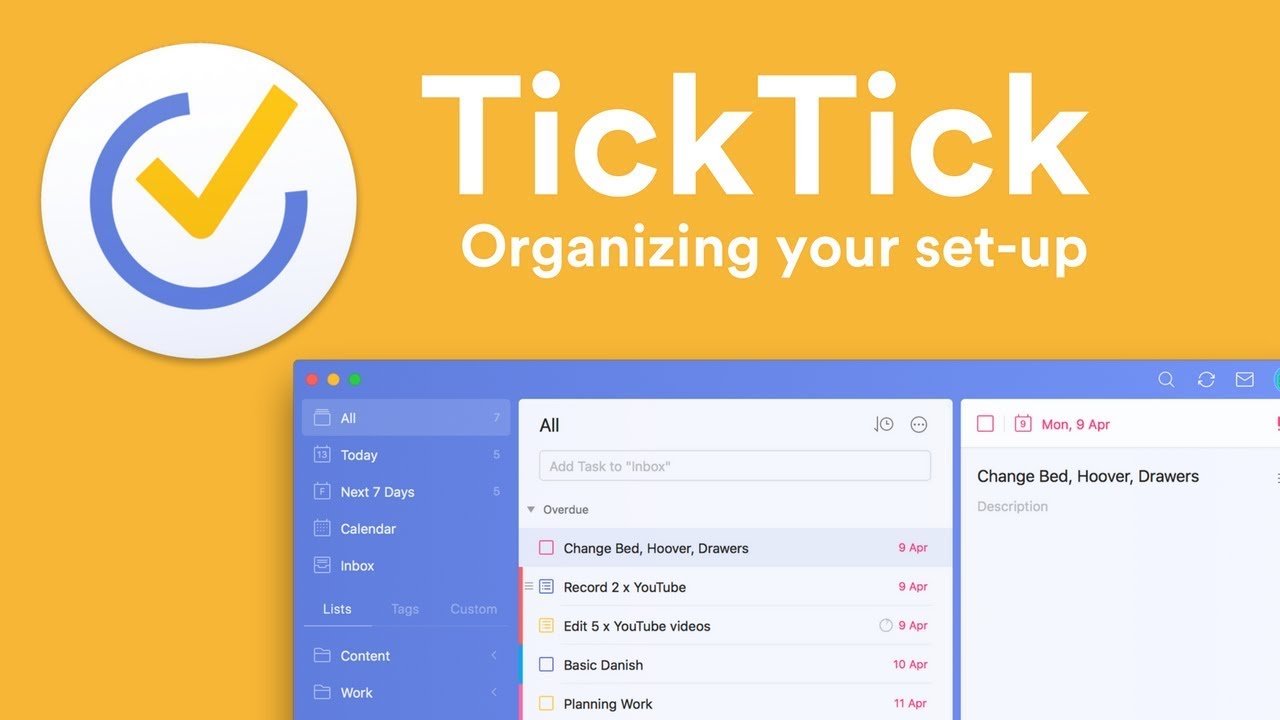
TickTick is a personal task-management app that helps you capture tasks, plan your schedule, build habits, and organise your day across all your devices. It blends to-do lists, calendar views, and productivity tools into one simple workspace.
Key features
- Quick task capture through typing, voice input, widgets, or natural-language parsing
- Multiple views, including list, Kanban board, calendar, and timeline
- Strong reminder system with recurring, custom, and location-based reminders
- Built-in habit tracker and Pomodoro timer
What I liked:
- Clean interface with fast entry methods for tasks on the go
- Combines task management, calendar, Pomodoro, and habits all in one app
- Clean interface
What I disliked:
- Full feature set has a learning curve if you want to use advanced filters or views
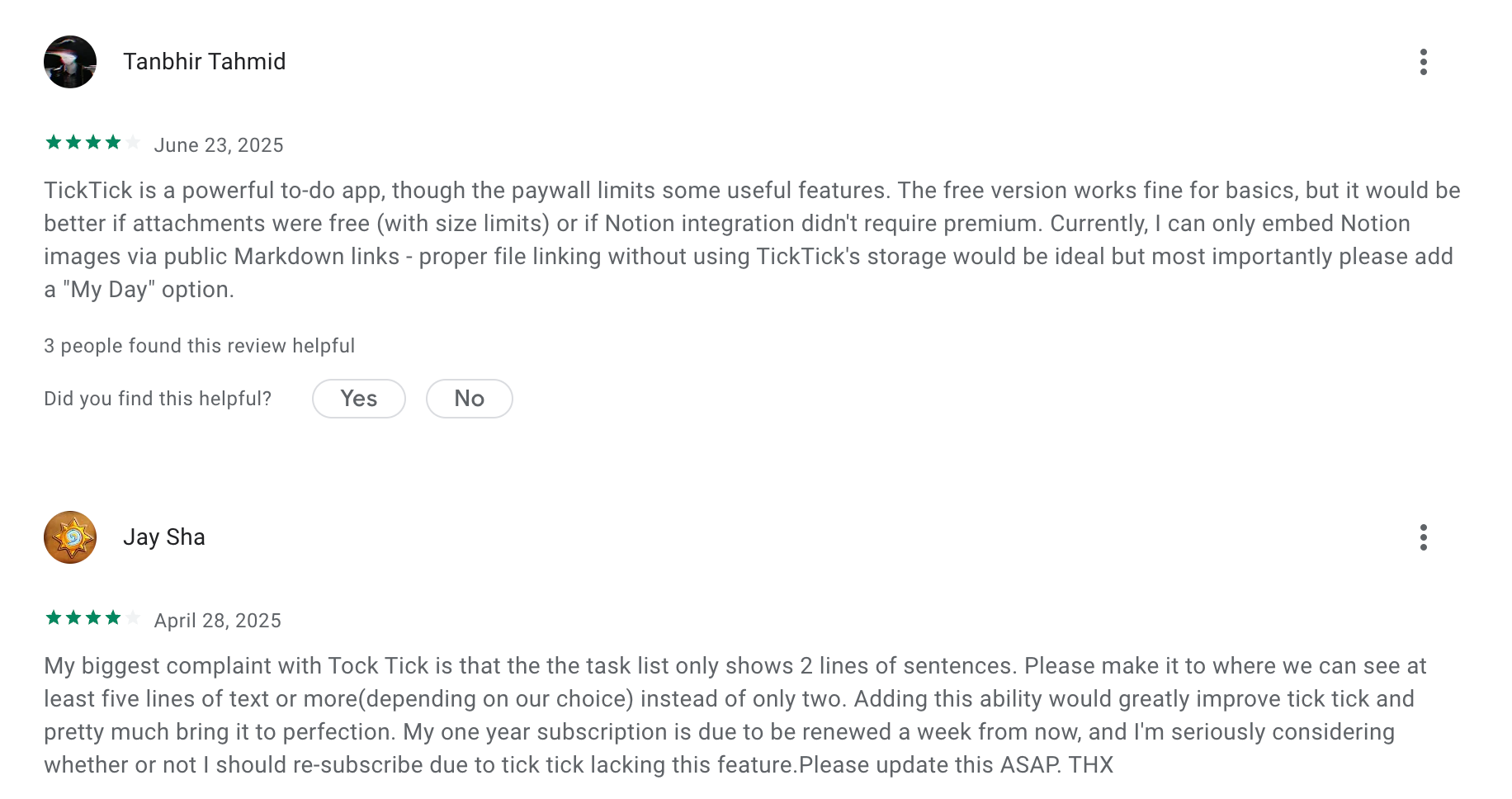
- No AI Assistant
Pricing:
- Free plan available
- Premium plan costs around $3.99/month
Suitable for:
- Students or professionals who want a simple but powerful daily planner
- Mobile-first users who need fast task capture
How to start:
- Download TickTick on your phone or computer
- Create a free account
TickTick review (source)
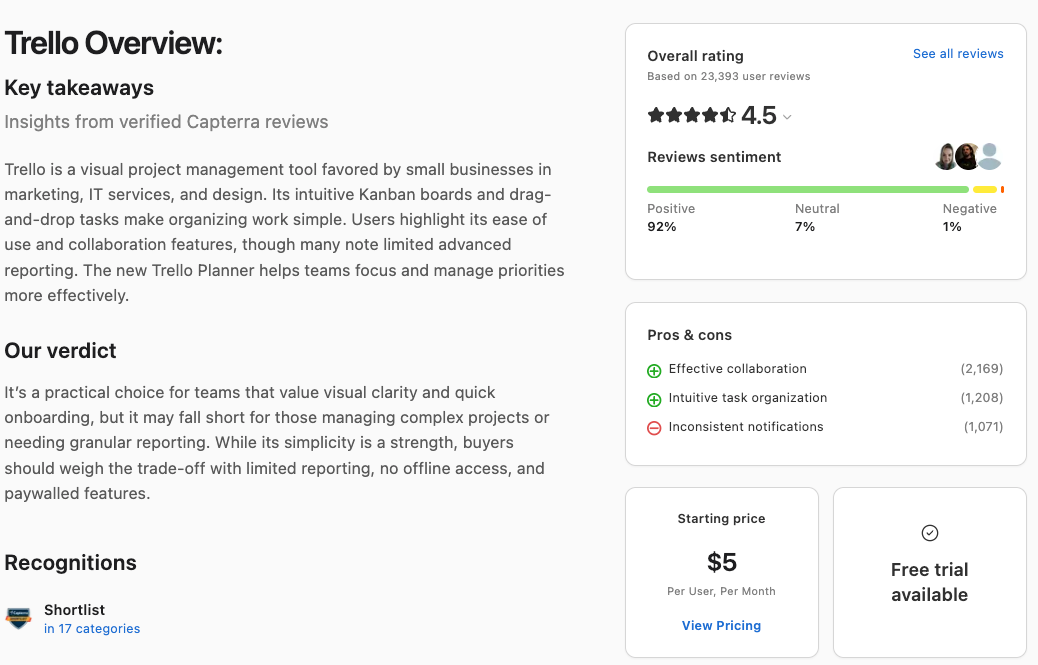
5. Trello
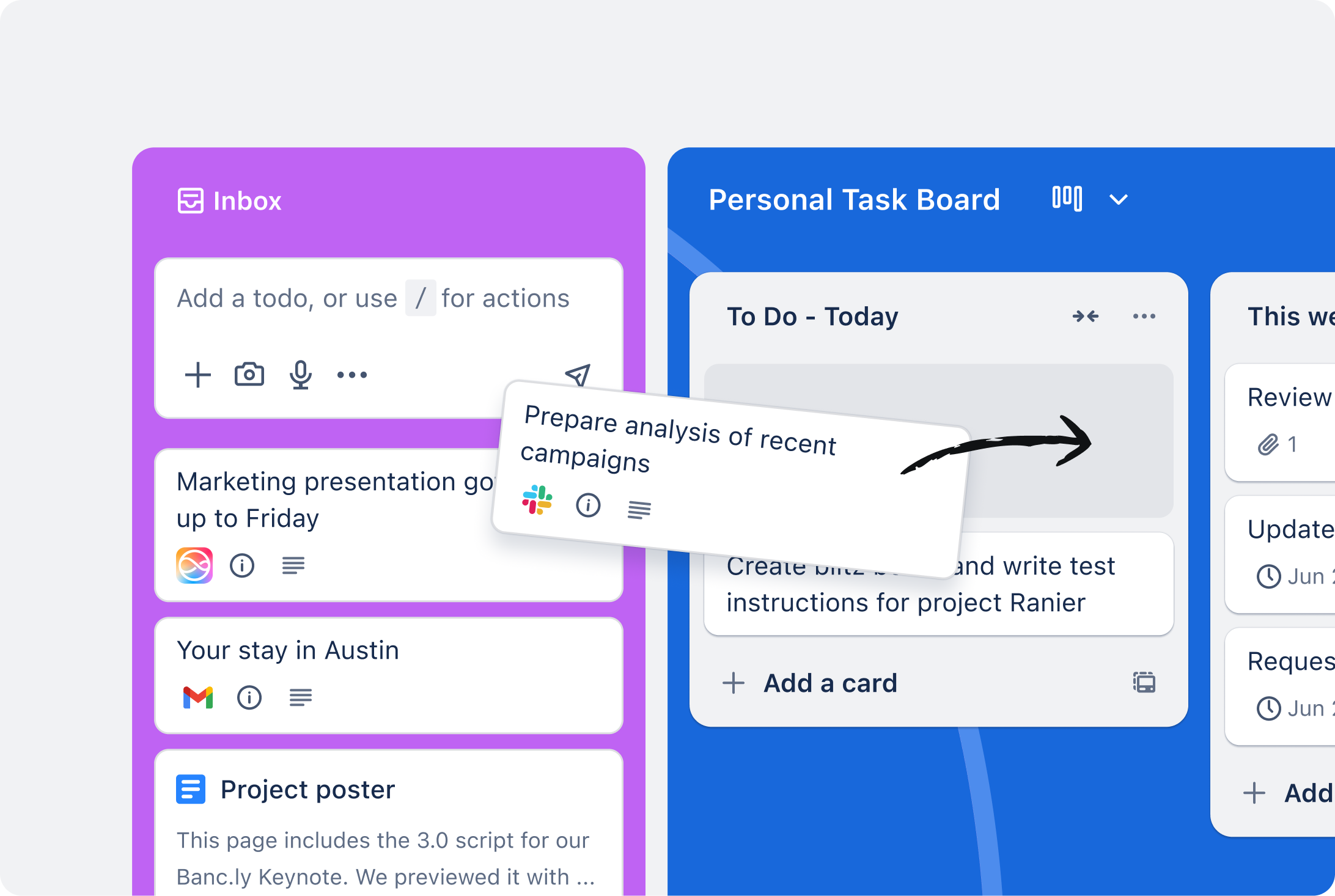
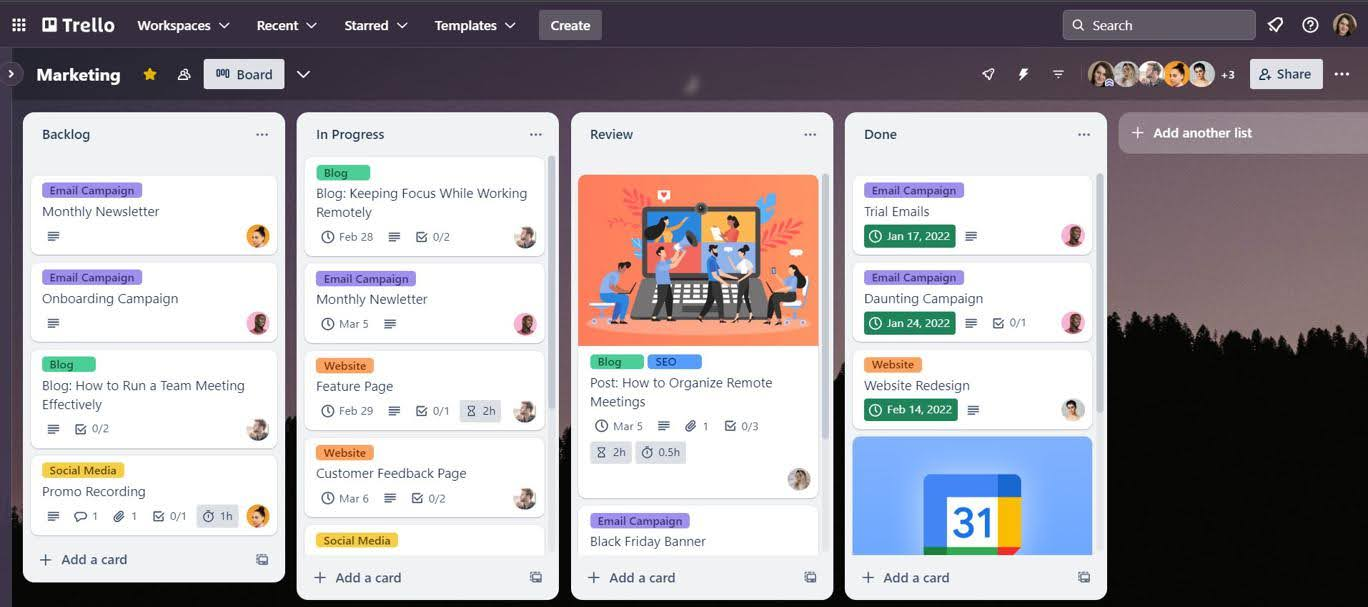
Trello is a visual task-management app that uses boards, lists, and cards to help you organize personal tasks. It’s simple, flexible, and works well whether you want a basic to-do list or a more structured personal workflow.
Key features
- Visual boards, lists, and cards to organize tasks
- Due dates, checklists, attachments, and labels inside each task
- Inbox and Planner features to capture tasks and schedule them on a calendar
- Integrations with email, calendar, Slack, and other tools
What I liked
- Very beginner-friendly and intuitive
- Visual drag-and-drop workflow makes tasks feel easy to manage
- Templates and integrations save setup time
What I disliked
- Some features feel heavy if you only want a lightweight personal to-do list
- Too many boards/lists can create maintenance overhead
Pricing
- Free plan
- Standard plan: $5/user/month billed annually
- Premium plan: $10/user/month billed annually
Suitable for
- Individuals who like visual task organization
- People who want a flexible personal task system
- Users who want to connect tasks with email or calendar
How to start
- Go to Trello
- Create a free account
Trello reviews (source)
6. Things 3
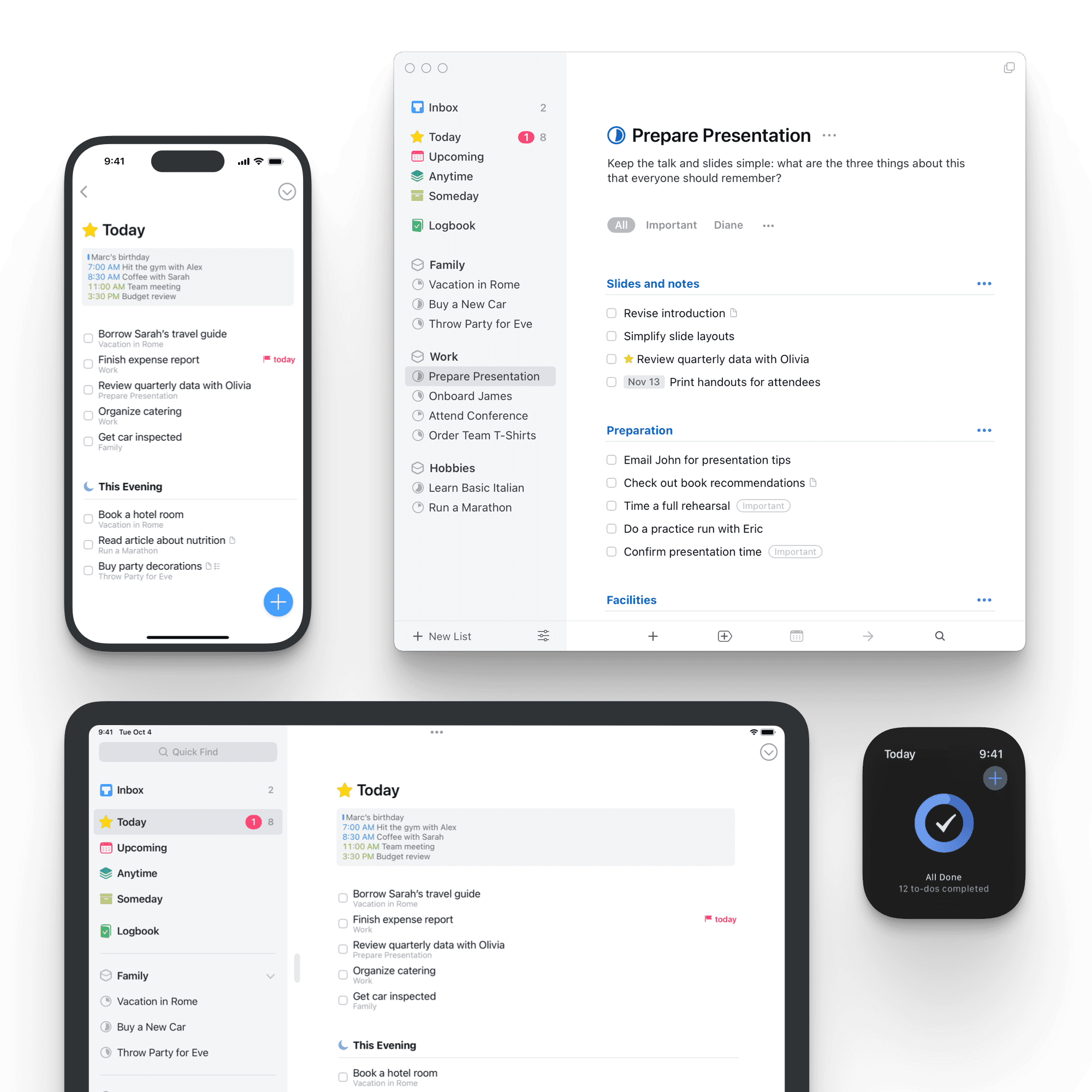
Things 3 is a personal task-management app built for Apple users who want a clean, structured way to organise tasks, projects, and routines. It focuses on clarity, ease of use and a calm interface that helps you stay on top of your day without feeling overwhelmed.
Key features
- Organises your life into Projects, Areas, and Tags for a flexible structure
- Today and Upcoming views surface what needs your attention now
- Checklists inside tasks let you break work into small steps
- Start dates and deadlines give clarity on when to begin and when to finish
What I liked:
- The interface is extremely clean and reduces mental clutter
- Great for personal, solo workflows where you don’t need team features
What I disliked:
- Apple-only, with no Windows, Android or web version
- Not ideal if you need collaboration or shared task features
- Not support AI assistant
Pricing:
- Mac app: $49.99 (one-time)
- Free trial available
Suitable for:
- Apple-only users who want a personal, simple but powerful task manager
- Solo professionals, freelancers, students and individuals managing their own work
How to start:
- Download Things 3 from the App Store on your Apple device
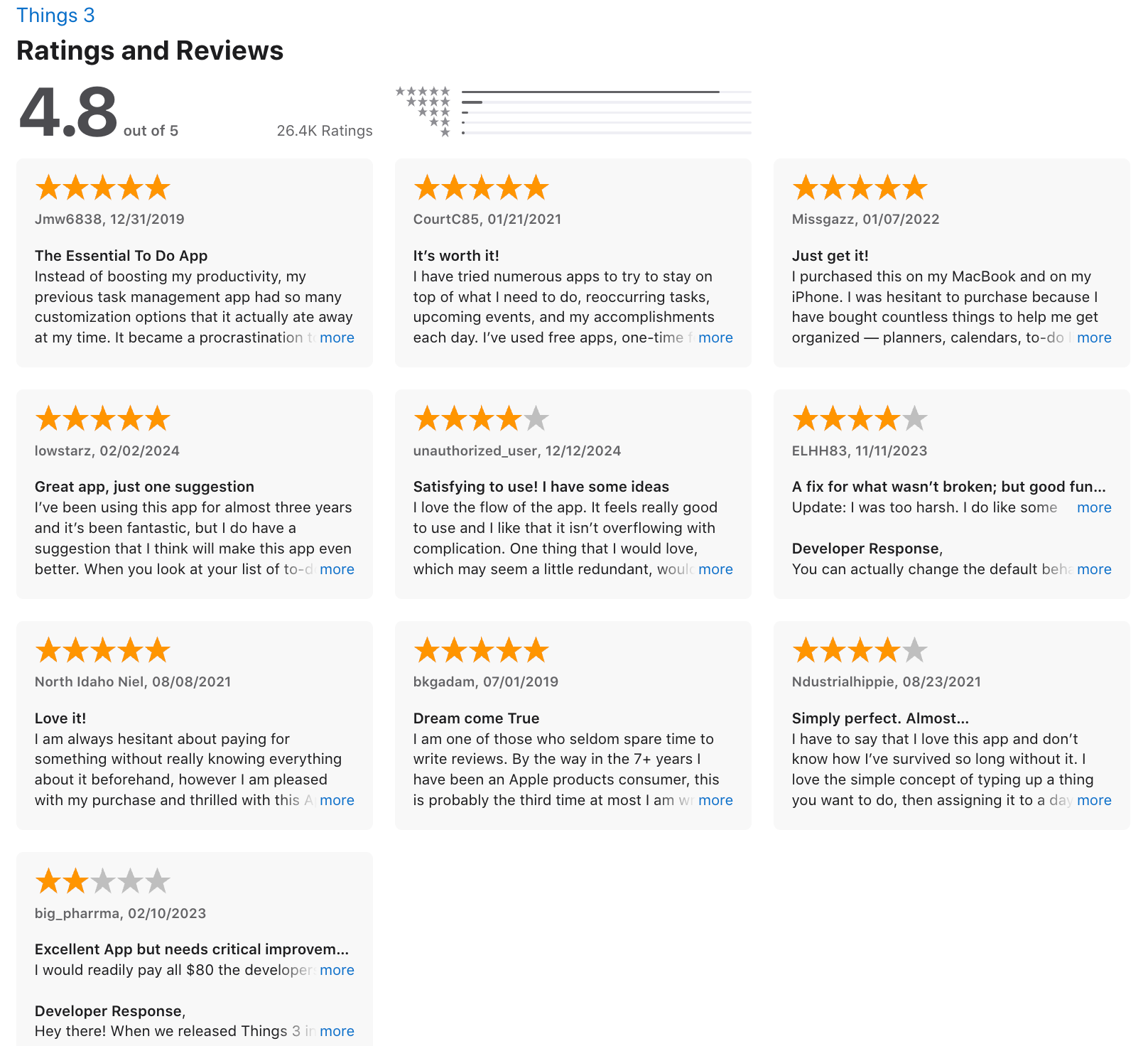
Things 3 review (source)
7. Any.do
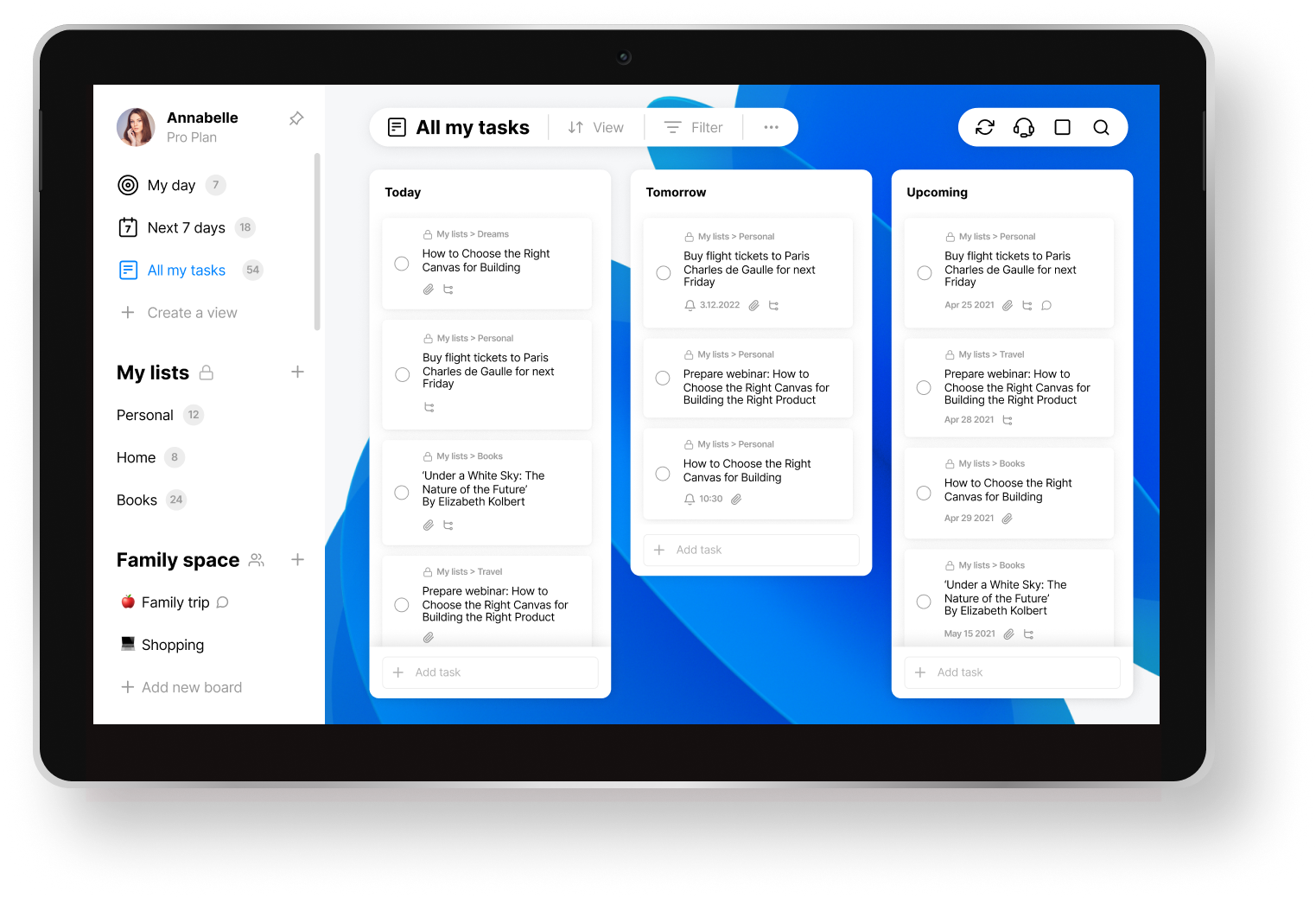
Any.do is a personal task-management app that helps you organise tasks, reminders, and calendar events in one place. It’s designed for everyday planning, staying on top of routine,s and keeping your week clear and structured.
Key features
- Unified workspace for tasks, reminders, and calendar events
- Cross-platform support across iOS, Android, web, and desktop
- Smart reminders, including recurring and location-based alerts
- Daily planner with a clear “next 7 days” view
What I liked:
- Very easy to use, beginner-friendly interface
- Tasks, reminders and calendar in the same app reduce context switching
- Strong sync across devices, especially on mobile
What I disliked:
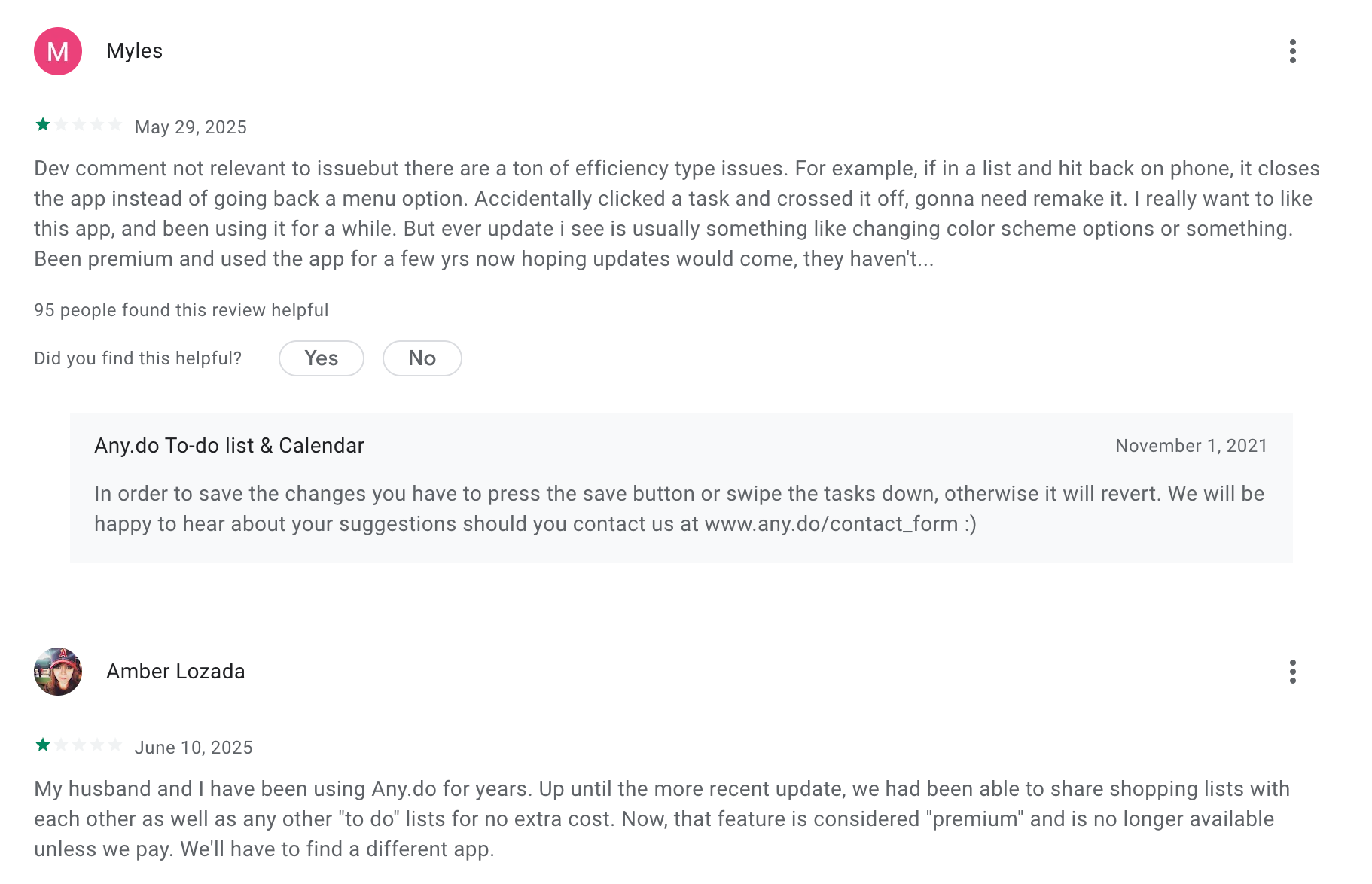
- Free plan is limited; many useful features sit behind the premium plan
- Not ideal for complex workflows or multi-layered project structures
Pricing:
- Premium plan starts around $7.99 per user per month with advanced reminders, tags, and themes.
- Family plan costs around $9.99 per month for up to four users.
Suitable for
- Individuals who want a clean, simple personal task manager
- People who rely heavily on reminders and daily planning
- Users who prefer mobile-first productivity tools
How to start
- Download Any.do or open the web app
- Create a free account
Any.do reviews (source)
8. Notion
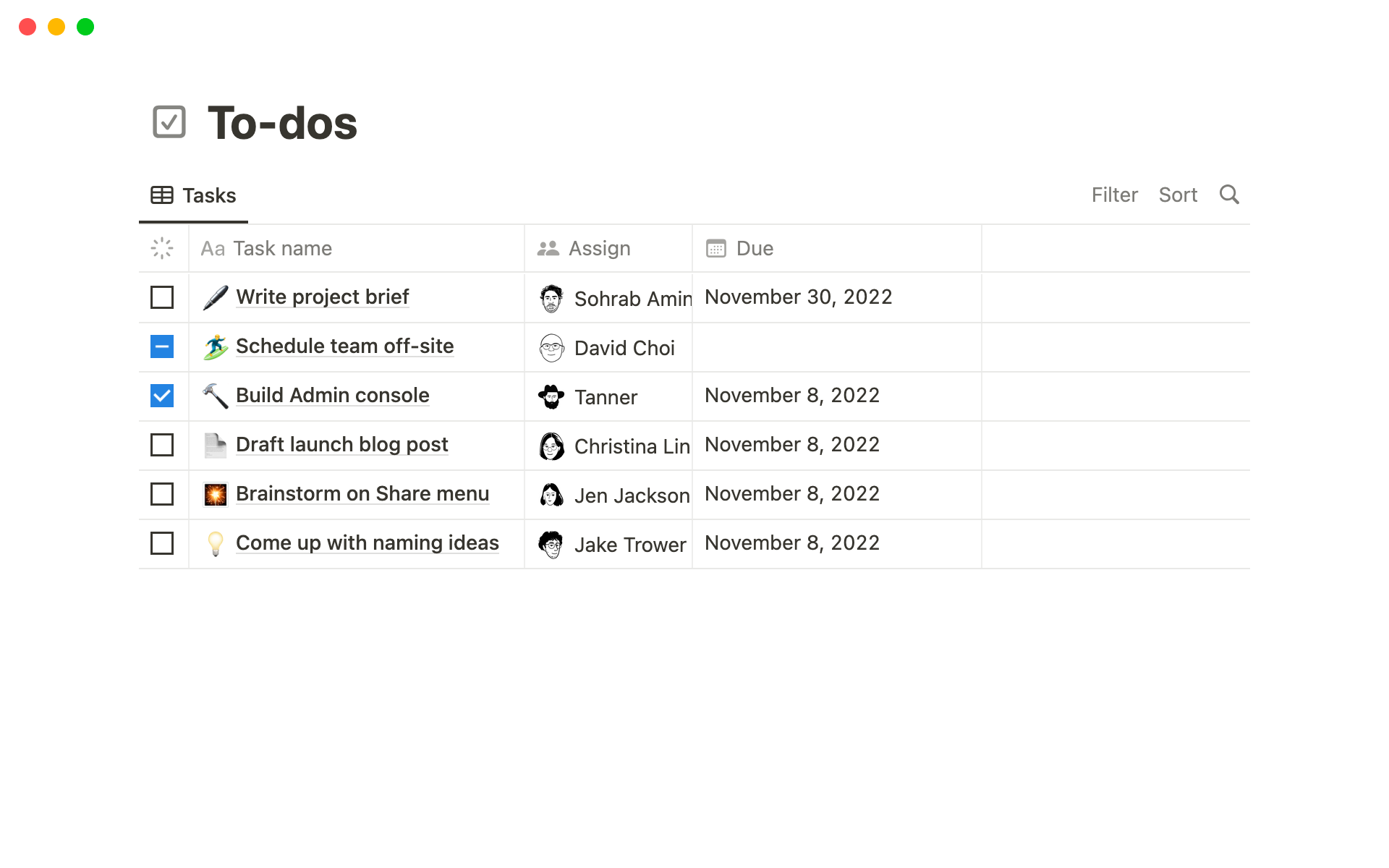
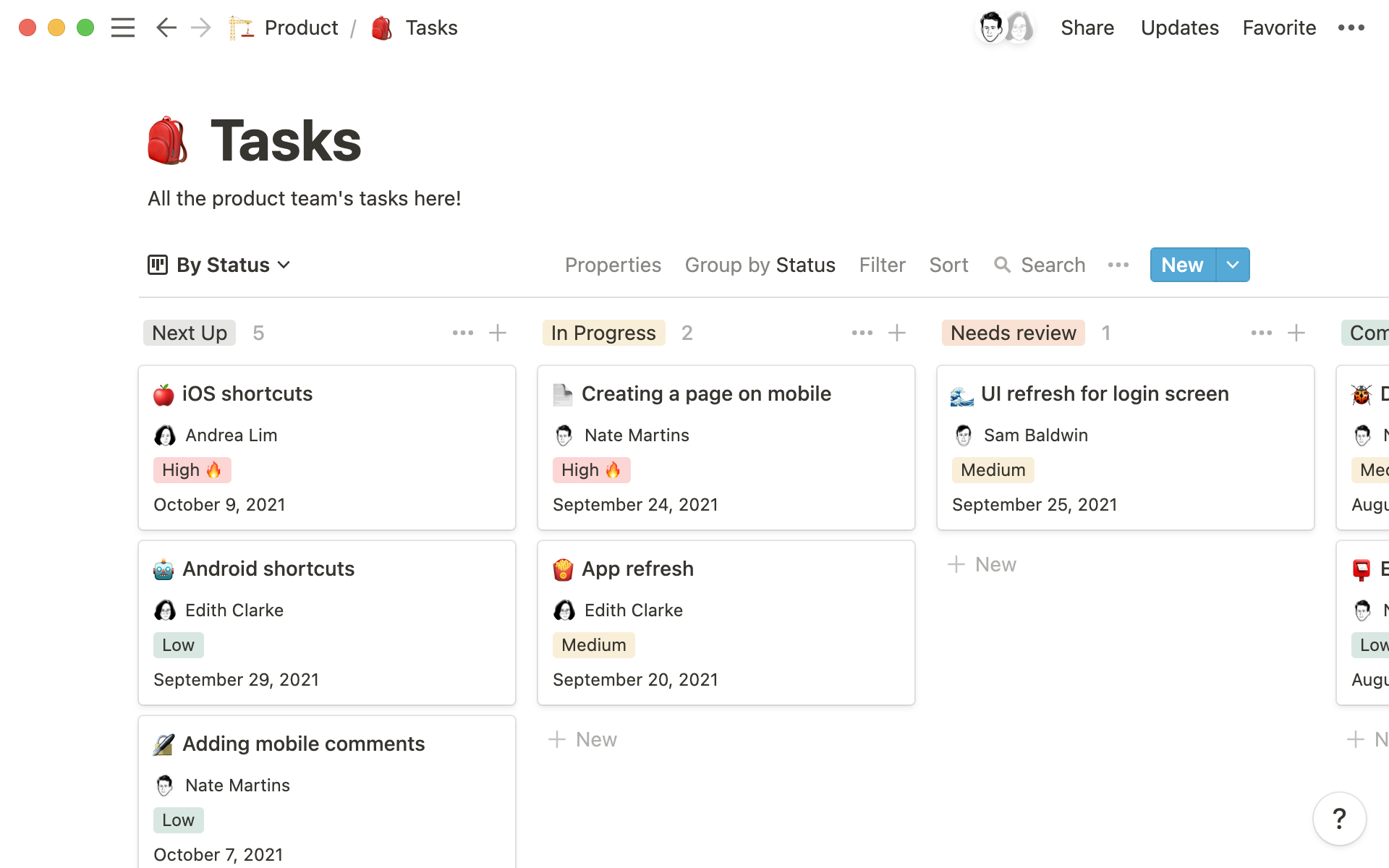
Notion is an all-in-one workspace you can turn into a personal task management system. You can create your own to-do lists, project trackers, and planning dashboards using databases, templates, and customizable views. It’s flexible enough to replace both a task app and a personal organizer.
Key features
- Custom task databases with fields for due date, priority, status, tags, or project
- Multiple views (table, list, Kanban, calendar) so you can see tasks the way you prefer
- Relation and hierarchy tools that link tasks to projects, goals, or notes for context
- Quick capture through pages, slash commands, or mobile app
What I liked
- Highly flexible and customizable for different task-management styles
- Tasks and notes live together, so you don’t lose context
What I disliked
- Setup takes time because everything is customizable
- Easy to over-engineer your system and complicate your workflow
- Lacks certain “task-app-native” features like smart lists or built-in reminders that dedicated apps have
Pricing
- Free plan: $0/month
- Plus plan: $10 per user/month (annual billing)
- Business plan: $20 per user/month
Suitable for:
- People who want a task manager that adapts to their workflow
- Users who want tasks, notes, and projects all inside one system
How to start:
- Sign up for a free Notion account
- Create a new “Tasks” database or choose a ready-made task-manager template
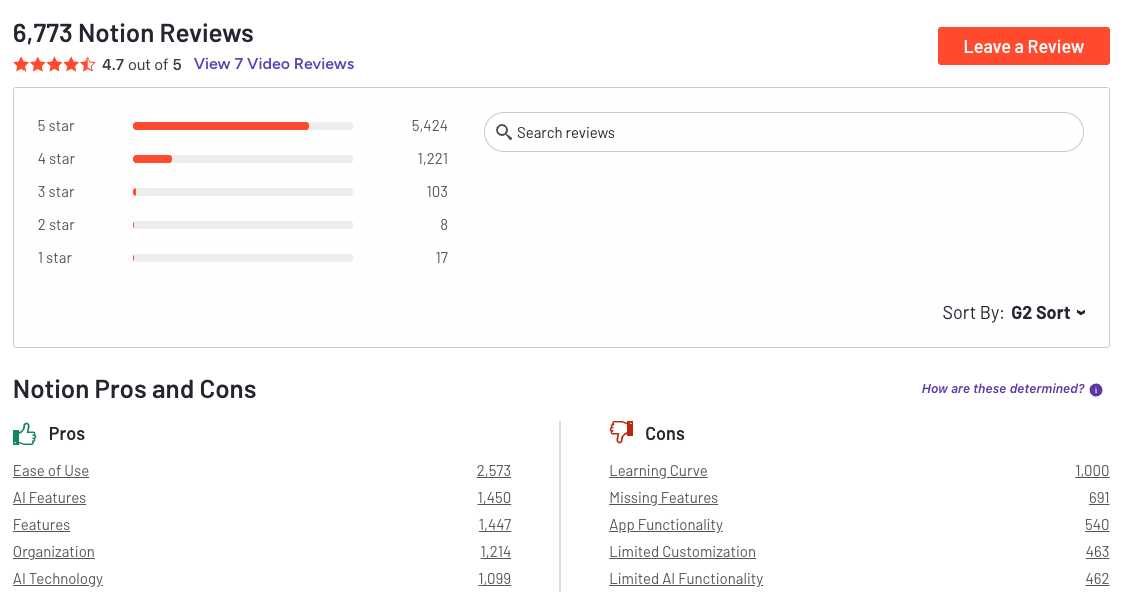
Notion Reviews (source)
Conclusion: Choose Clarity, Not Complexity
At the end of the day, the “best personal task management app” isn’t the one with the most features - it’s the one you actually use.
Some people want a simple list. Others need a whole system. And some of us need AI to keep everything from exploding.
The tools in this guide cover every type of workflow, personality, and planning style. Pick the one that feels natural, reduce the friction, and let the app carry more of the mental load for you.
Your future self will thank you.
Stay on top of your life with an AI Task Management Software
FAQ: Best Personal Task Management Apps (2026 Guide)
1. What is a personal task management app?
A personal task management app helps you organize your day-to-day work, track commitments, set reminders, and follow through on goals.
Instead of juggling sticky notes or switching between five apps, a task manager centralizes your:
- To-dos
- Projects
- Deadlines
- Recurring tasks
- Notes
- Priority lists
Top task management apps today include Saner.AI, Todoist, TickTick, Things 3, Microsoft To-Do, Trello, Any.do, and Notion - each built for different workflows and thinking styles.
2. What makes an app one of the “best personal task management apps”?
Apps stand out when they help you capture tasks quickly, prioritize smarter, and stay consistent.
The best ones offer:
- Fast task capture (text, voice, email, or AI extraction)
- Clear priority systems
- Cross-device sync
- Calendar integration
- Reminders that actually work
- AI features that reduce manual effort
- Simple, distraction-free design
Saner.AI goes further by combining notes, tasks, a calendar, and AI understanding in one place.
3. What can modern task management apps do?
Modern apps do more than store checklists. They help you think:
- Turn messages or notes into tasks automatically
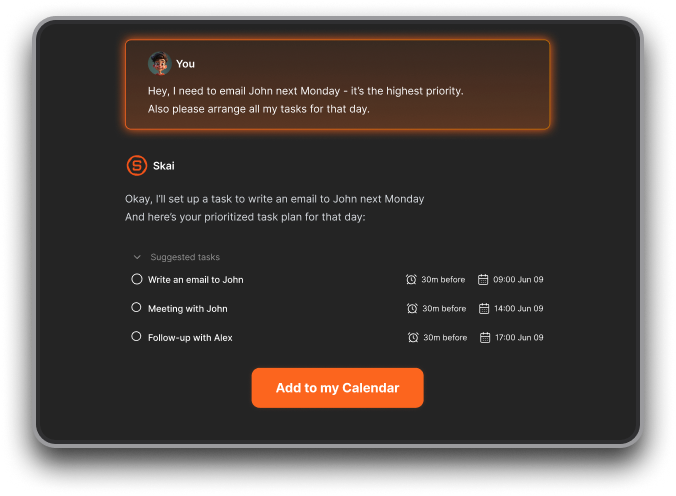
- Suggest priorities based on workload
- Auto-schedule tasks into your calendar
- Summarize long notes or meetings
- Help you stay organized without tags or folders
- Reduce context switching
Apps like Saner.AI use AI to understand your brain dump and turn it into a structured plan.
4. Are there free personal task management apps?
Yes - many top tools offer free plans:
- Saner.AI: free plan with AI task reminders, natural language tasks, and calendar sync
- Todoist: solid free tier for basic lists
- Microsoft To-Do: completely free
- Any.do: basic features included
- Trello: generous free kanban boards
- Notion: free for personal use
Great if you’re testing what workflow fits you.
5. Which is the best task management app for ADHD?
ADHD users need tools that reduce cognitive load, not add more rules.
Saner.AI works especially well because it:
- Turns messy thoughts into actionable tasks
- Reduces context switching
- Reminds you at the right time
- Lets you talk to it like an assistant
- Connects notes, tasks, and calendar automatically
TickTick and Todoist are also popular for their simple UI, but Saner.AI offers better support for fast-moving, overwhelmed minds.
6. Which personal task management app is best for work?
For professionals, the strongest options are:
- Saner.AI – all-in-one workspace with proactive reminders
- Todoist – clean, reliable task lists
- TickTick – list + habit tracker + calendar
- Notion – customizable for teams and docs
- Trello – best for visual project boards
Saner.AI stands out when you need tasks, notes, and meetings to live in one workflow.
7. Which app helps most with work-life balance?
Users often pick:
- Things 3 – for simplicity and beautiful design
- Saner.AI – for mental clarity and reducing overwhelm
- Microsoft To-Do – for personal + work lists on Windows/Office
- TickTick – for habit tracking + tasks in one place
If you want fewer apps and more clarity, Saner.AI is the easiest to maintain.
8. Do task management apps actually improve productivity?
Yes - especially when they:
- Reduce context switching
- Remind you at the right time
- Break projects into small steps
- Help you capture tasks instantly
- Keep all information in one place
AI apps like Saner.AI take it further by surfacing the task you should do next, not just showing a list.
9. Which personal task apps support voice commands?
Voice is becoming core to productivity. Here’s the breakdown:
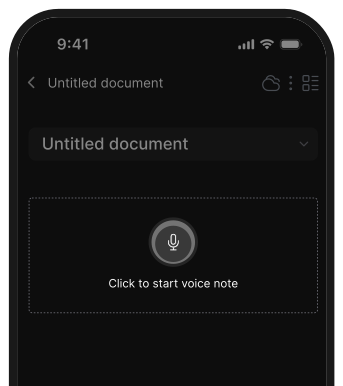
- Saner.AI – built-in voice-to-task
- Todoist – via Siri/Assistant/Alexa
- Any.do – strong voice assistant
- Microsoft To-Do – Cortana integration
- Things 3 – voice via Apple ecosystem
If you often think out loud, Saner.AI and Any.do are the smoothest.
10. Which apps can auto-schedule tasks into your calendar?
This feature is extremely searched for. Top options:
- Saner.AI – context-aware suggestions based on your workload
- Reclaim – AI dynamic scheduling
- Motion – auto-schedules tasks instantly
- TickTick – simple scheduling via calendar view
Saner.AI is more personalized because it reads your notes and priorities.
11. Best personal task app for entrepreneurs?
Entrepreneurs need speed, clarity, and reliable follow-through.
Top picks:
- Saner.AI – brain dump → plan, notes → tasks, investor notes retrieval
- Todoist – simple but powerful
- Notion – for project documentation
- TickTick – all-in-one productivity toolkit
Saner.AI is ideal if you're juggling many projects and want AI to help you think.
12. Which personal task app is best for managers?
Managers love tools that help with:
- Team follow-ups
- Meeting prep
- Priority updates
- Project tracking
Best options:
- Saner.AI – pulls up meeting notes, tasks, action items instantly
- Todoist – manageable shared projects
- Trello – visual team tracking
- Notion – team wikis + docs
Saner.AI shines when you need fast retrieval and cross-functional clarity.
13. Best personal task management app for CEOs?
CEOs choose tools that reduce noise and increase focus.
Top choices:
- Saner.AI – command center for tasks, decisions, notes
- Things 3 – beautiful and clutter-free
- Notion – for strategy docs and OKRs
Saner.AI is ideal if you want your system to remember everything for you.
14. Can task management apps help with meeting prep?
Yes - especially AI-powered apps.
With Saner.AI, you can ask:
- “What did I decide in last week’s meeting?”
- “What tasks came from the design review?”
It pulls everything—notes, tasks, summaries—so you walk in prepared.
15. What’s the difference between AI task apps and traditional ones?
Think of it like this:
Traditional apps = storage
AI apps = support
Traditional tools rely on:
- Manual tagging
- Manual sorting
- Manual reminders
AI-driven tools like Saner.AI:
- Turn text into tasks
- Auto-organize
- Remind you based on context
- Understand your priorities
- Reduce your mental load
You work less. The app works more.
16. Which personal task management app is the simplest?
If you want minimal setup:
- Microsoft To-Do – simplest, free
- Things 3 – cleanest design
- Todoist – predictable and easy
- Saner.AI – simple input, AI handles the organization
Things 3 is cleanest; Saner.AI is smartest.
17. Which personal task app is best for daily planning?
Users often choose:
- Saner.AI – gives a daily plan based on tasks, notes, and meetings
- TickTick – daily view + habit tracker
- Todoist – Today view with priorities
- Things 3 – perfect for focused individual planning
Saner.AI is best if you want AI to help you structure your day automatically.
18. How do I choose the best personal task management app for me?
Ask yourself:
- Do I want simple or customizable?
- Do I prefer lists or boards or chat-style input?
- Do I want AI to help me plan?
- Do I want everything in one place (tasks, notes, calendar)?
- Do I need collaboration?
Quick recommendation map
- Want AI organization → Saner.AI
- Want simple lists → Todoist / Microsoft To-Do
- Want design → Things 3
- Want habit + task combo → TickTick
- Want flexible workspace → Notion
- Want visual boards → Trello
Stay on top of your work and life



