
Routine Alternatives: We Tested The Best 7 Apps (Free & Paid)
The Best Routine Alternatives are Saner, Notion, Motion, Tana, Coda, Reclaim, and Clockwise


The 7 Best Routine.co Alternatives
If you’re searching for Routine alternatives, you’re probably looking for a daily planning or productivity app that offers more flexibility, automation, AI assistance, or collaboration features than Routine currently provides.
Routine.co is a minimal, calendar-centric planning tool known for its offline-first approach and clean interface. But as your planning needs grow, you may run into limitations such as:
- limited team collaboration
- a workflow heavily centered around the calendar
- not designed for high-volume task management
- limited integrations with external tools
- local-first structure that doesn’t suit cloud-workflow users
If that sounds like you, you’re in the right place.
Here are the best Routine alternatives to help you plan your day, manage tasks, and stay organized with less friction.
1. What Is Routine.co?
Routine.co is a Routine is an offline-first, AI-native work operating system that connects with your entire stack.
Routine drawbacks
These limitations often lead users to search for a Routine.co alternative:
- No advanced automations
- Limited integrations
- Local-first architecture doesn’t suit cloud-centric workflows
2. Why Look for a Routine Alternative?
Users typically explore Routine.co competitors because they want:
- more automations
- broader integrations
- cloud-first syncing
- stronger mobile/web parity
- more flexible task views (boards, lists, timelines)
- richer note-taking or knowledge management
- ADHD-friendly interfaces
- improved time-blocking automation
3. How to Choose the Right Routine.co Alternative
Use this quick decision framework:
- If you want AI-heavy planning → choose Saner.AI
- If you want an ADHD-friendly workflow → choose Saner.AI
- If you want strong team scheduling → choose Reclaim.ai or Clockwise
- If you want a deep database + tasks → choose Tana or Notion
- If you want automation + calendar control → choose Motion or Reclaim
- If you’re on a budget → choose Notion, Saner, or Coda (free tiers)
Now, let's dive in!
What are the Best Routine Alternatives?
The Best Routine Alternatives are Saner.AI, Motion, Reclaim.ai, Clockwise, Tana, Coda, and Notion
🧾 Comparison Table: Best Routine Alternatives
| 🛠️ Tool | 🎯 Best For / Use Case | 💪 Key Strengths | 💵 Starting Price | 🔄 Why It’s a Routine Alternative |
|---|---|---|---|---|
| Saner.AI | Individuals needing an AI-powered all-in-one workspace; ADHD-friendly workflows | • AI-driven notes, tasks, calendar in one place• Turns brain dumps into structured plans• Strong knowledge management + automation | Free plan; paid from ~$8/mo | Replaces Routine with a smarter AI workspace that connects notes, tasks, and calendar |
| Motion | People who want automatic time-blocking & scheduling | • Auto-schedules tasks into your calendar• Built-in project + task management | ~$19–29/mo | Offers far smarter scheduling and calendar automation compared to Routine |
| Reclaim.ai | Individuals/teams wanting automatic habits, routines & calendar optimization | • Automatically schedules habits, breaks, tasks• Syncs with many task apps | Free tier; paid from ~$8/mo | Supports dynamic scheduling & routines that Routine can’t automate |
| Clockwise | Teams needing meeting load optimization and better focus-time | • Protects focus time• Optimizes team meetings & availability | Starts around ~$6.75/user/mo | Great Routine alternative for team scheduling and reducing meeting chaos |
| Tana | Knowledge workers needing deep, structured note-taking + tasks | • Networked notes• Structured thinking with SuperTags | ~$10–20/mo | Better for deep notes & knowledge management than Routine’s lightweight notes |
| Coda | Teams needing flexible docs, tables & workflow automation | • Powerful docs + database hybrid• Custom workflows & automation | Free tier; paid from ~$10+/mo | Ideal if you need a flexible workspace that goes far beyond Routine’s capabilities |
| Notion | Anyone needing a free or flexible all-in-one notes + tasks workspace | • Notes, docs, databases, task boards• Huge template ecosystem | Free tier; paid from ~$8–15/mo | Great general-purpose workspace that replaces Routine for planning + docs |
1. Saner.AI
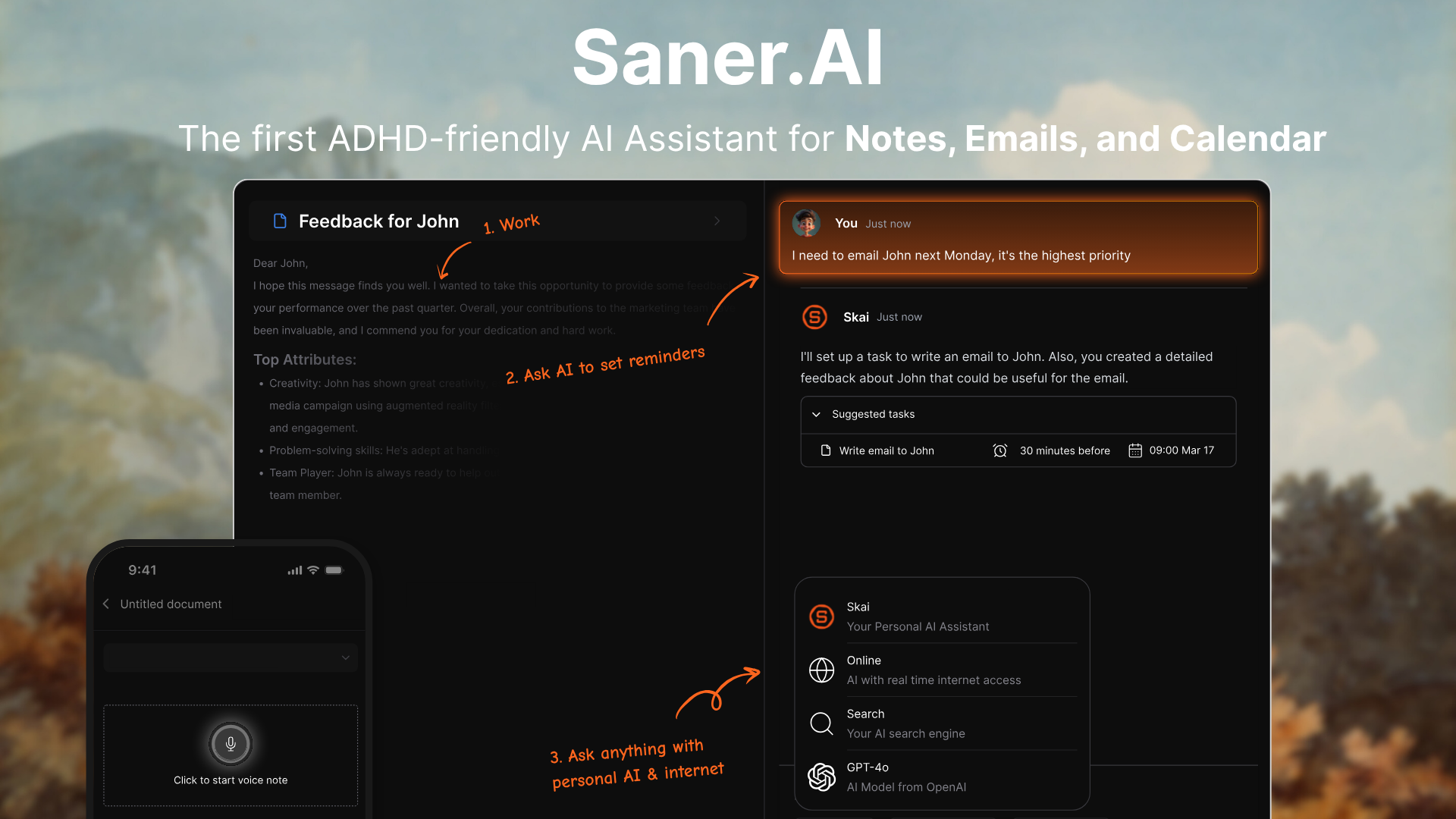
Saner.AI is an AI-powered workspace that combines notes, tasks, email, and calendar into one place. Instead of manually organizing everything, the AI assistant (Skai) helps you capture, structure, and retrieve information with far less effort. For many users, it feels like a simpler, more automated alternative to Routine.co.
Key features
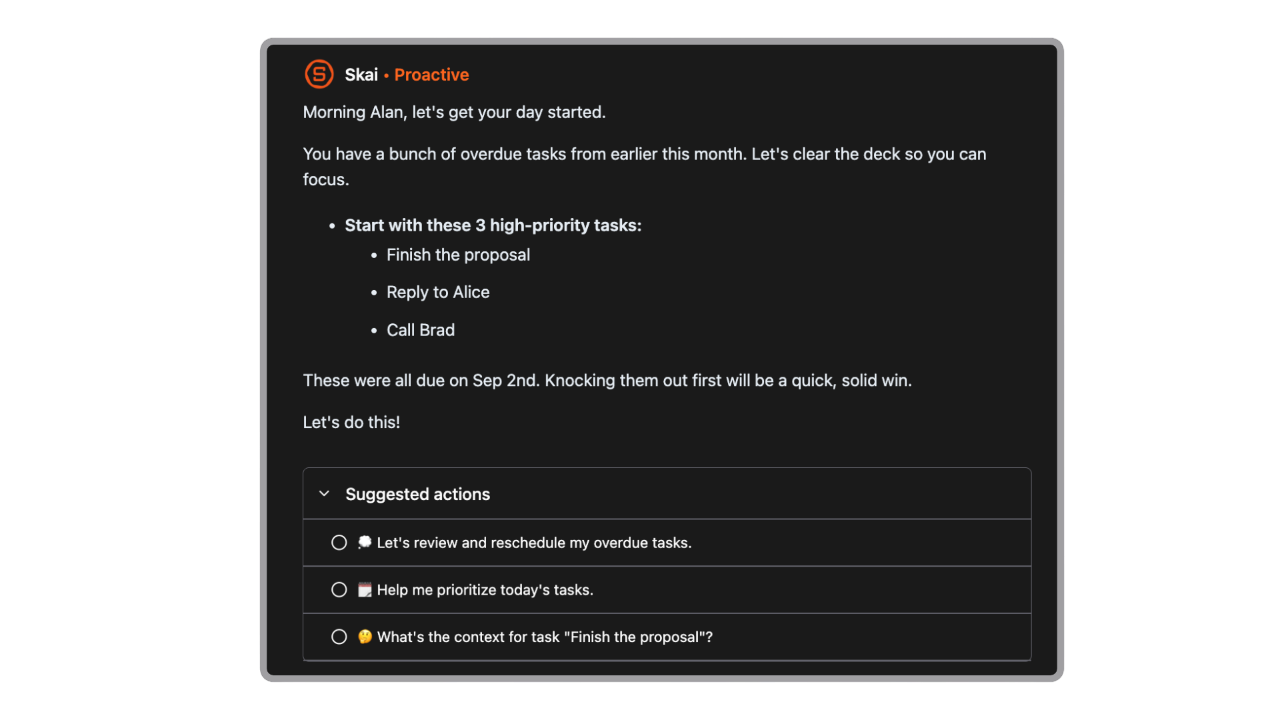
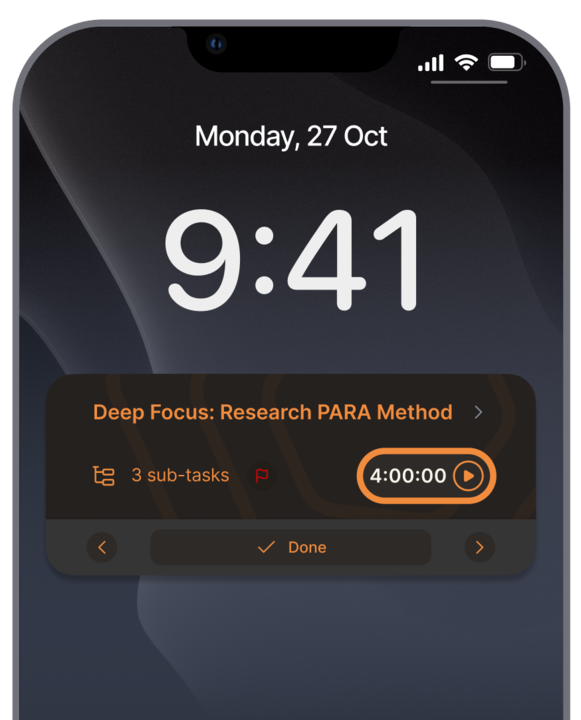
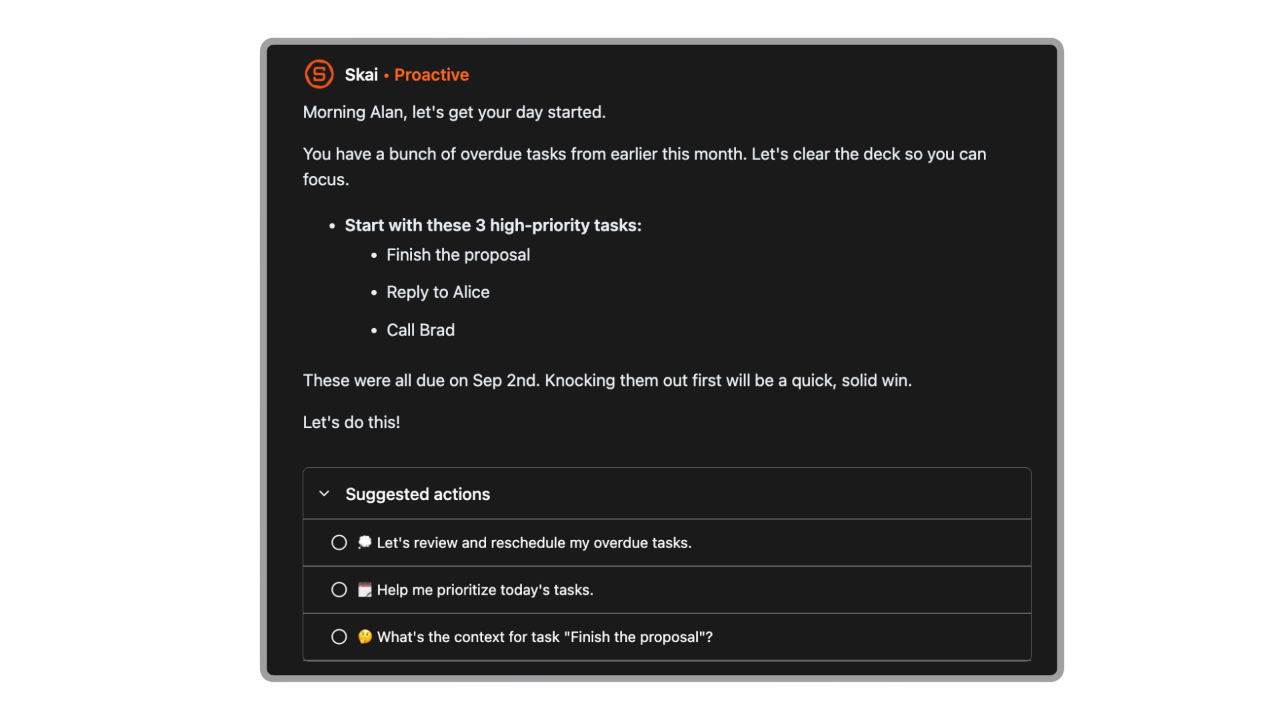
- Day Planning: The internal AI automatically goes through your emails, todos, calendar, and gives you an optimal day plan
- AI assistant that organizes notes, tasks, and ideas automatically
- Unified workspace for notes, tasks, calendar, and email
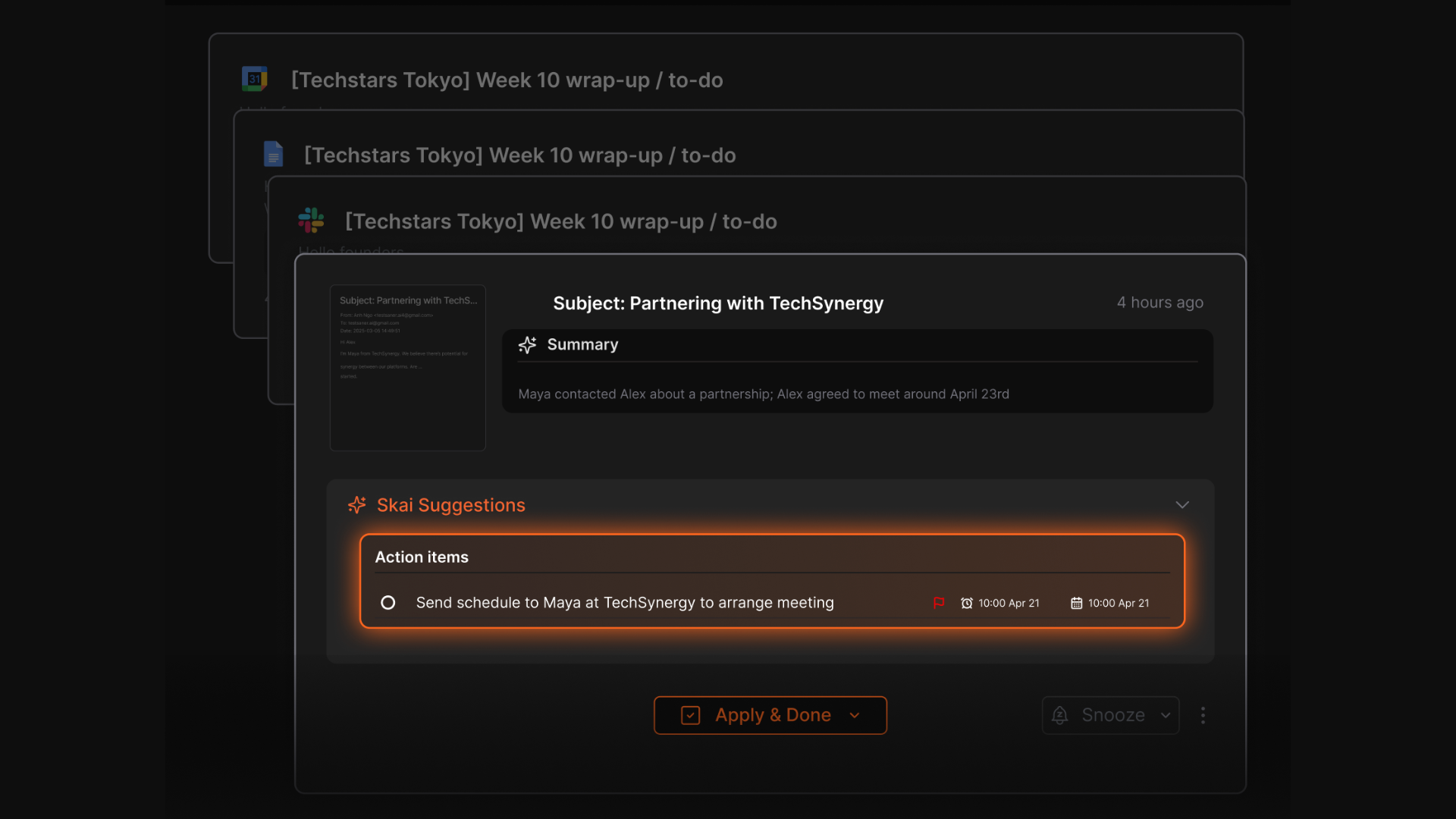
- Natural-language and semantic search that understands meaning, not keywords
What I liked
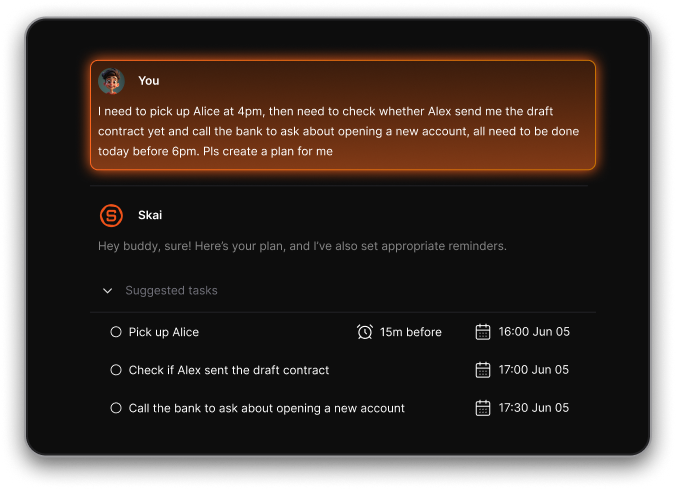
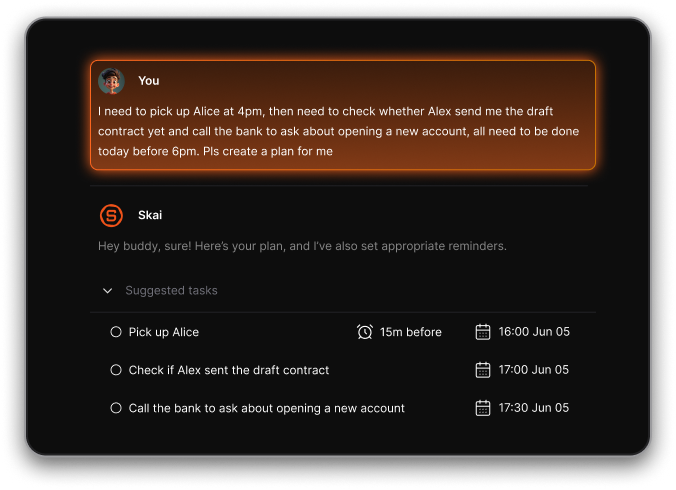
- Brain dump to tasks - convert your random thoughts into structured to-dos automatically
- Cross-platform support via web, iOS, Android, and Chrome extension
- Quick capture for text, voice, and imported content
Cons
- Not ideal for large teams or project timelines - no Gantt charts or complex task dependencies.
Pricing
- Free
- Starter: Monthly at $8/month, Annually at $6/month (with early user discount)
- Standard: Monthly at $16/month, Annually at $12/month (with early user discount)
Who is it suitable for?
- People with ADHD or anyone overwhelmed by juggling multiple apps
- Knowledge workers, entrepreneurs, researchers, and busy professionals
- Users who want quick capture + automatic organization instead of manual structuring
- Anyone who prefers simplicity over complex planners or routine builders
Why it’s the best Routine.co alternative
- Routine.co focuses heavily on planning and calendar structure
- Saner.AI focuses on reducing cognitive load by organizing everything for you
- Better suited for people who want automation, not manual routine setup
- Works as a “second brain,” not just a time-blocking tool
Saner.AI review

How to start using it?
- Go to Saner.AI
- Create a free account
- Dump a few notes, tasks, or voice memos
- Let the AI organize them and explore search, tasks, and scheduling

Stay on top of your life with Top Routine Alternative
2. Motion
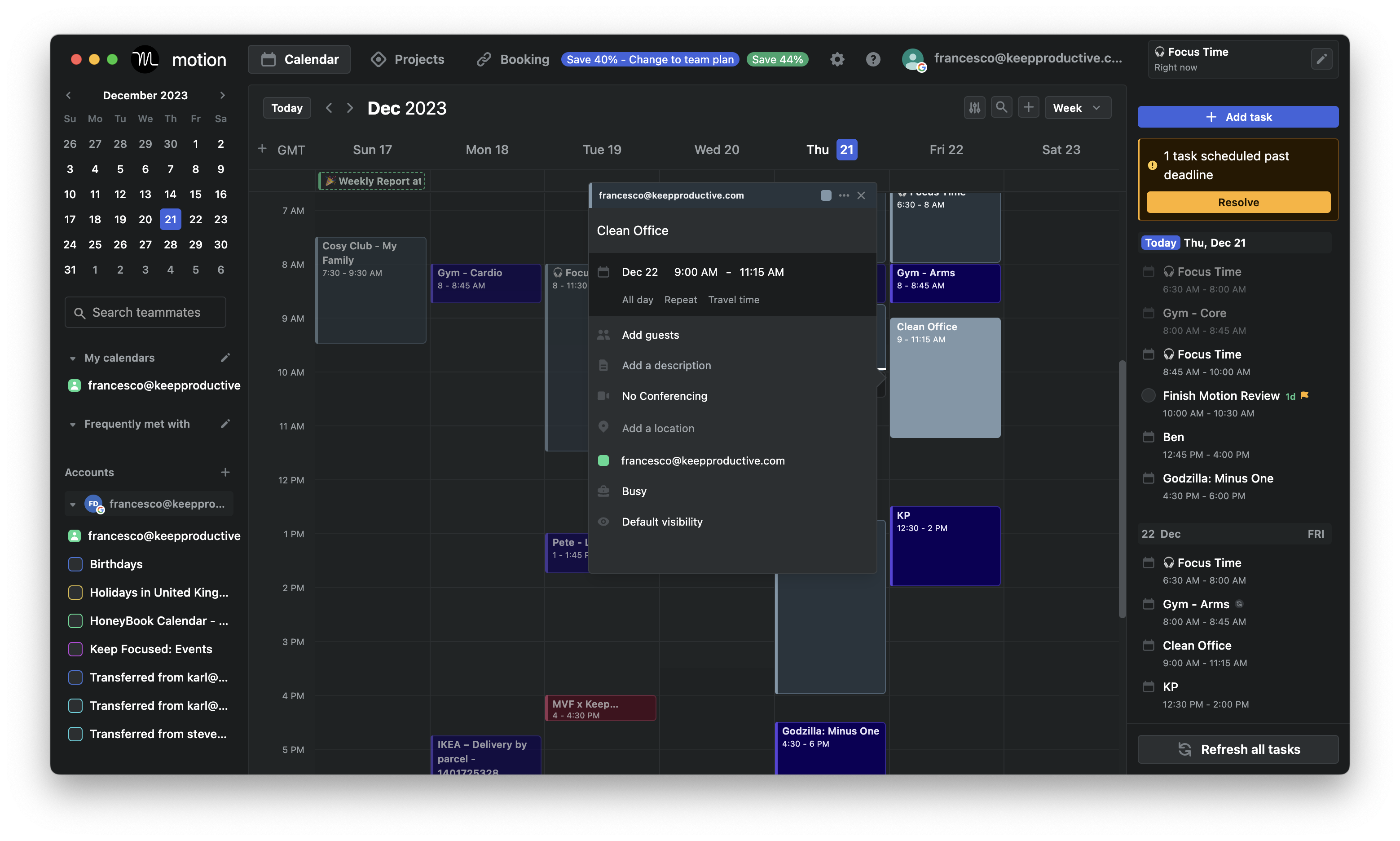
Motion is an AI productivity app that builds and updates your daily routine automatically. It combines calendar, tasks, and projects into one place so you don’t have to manually plan your day.
Key features
- AI scheduling that automatically arranges tasks around meetings, deadlines, and your available hours
- Intelligent rescheduling when new tasks or events appear
- Task and project management with lists, boards, and dependencies
- Meeting booking and unified calendar across Google/Outlook
What I liked:
- Recent updates add “AI workflow automation,” letting Motion draft plans and documents instead of starting from zero.
What I disliked:
- No permanent free plan. Only a 7-day trial before you must subscribe.
- Setup can feel overwhelming because Motion does a lot; it takes time to tune it.
- Mobile experience still lags behind desktop/web for heavy workflow use.
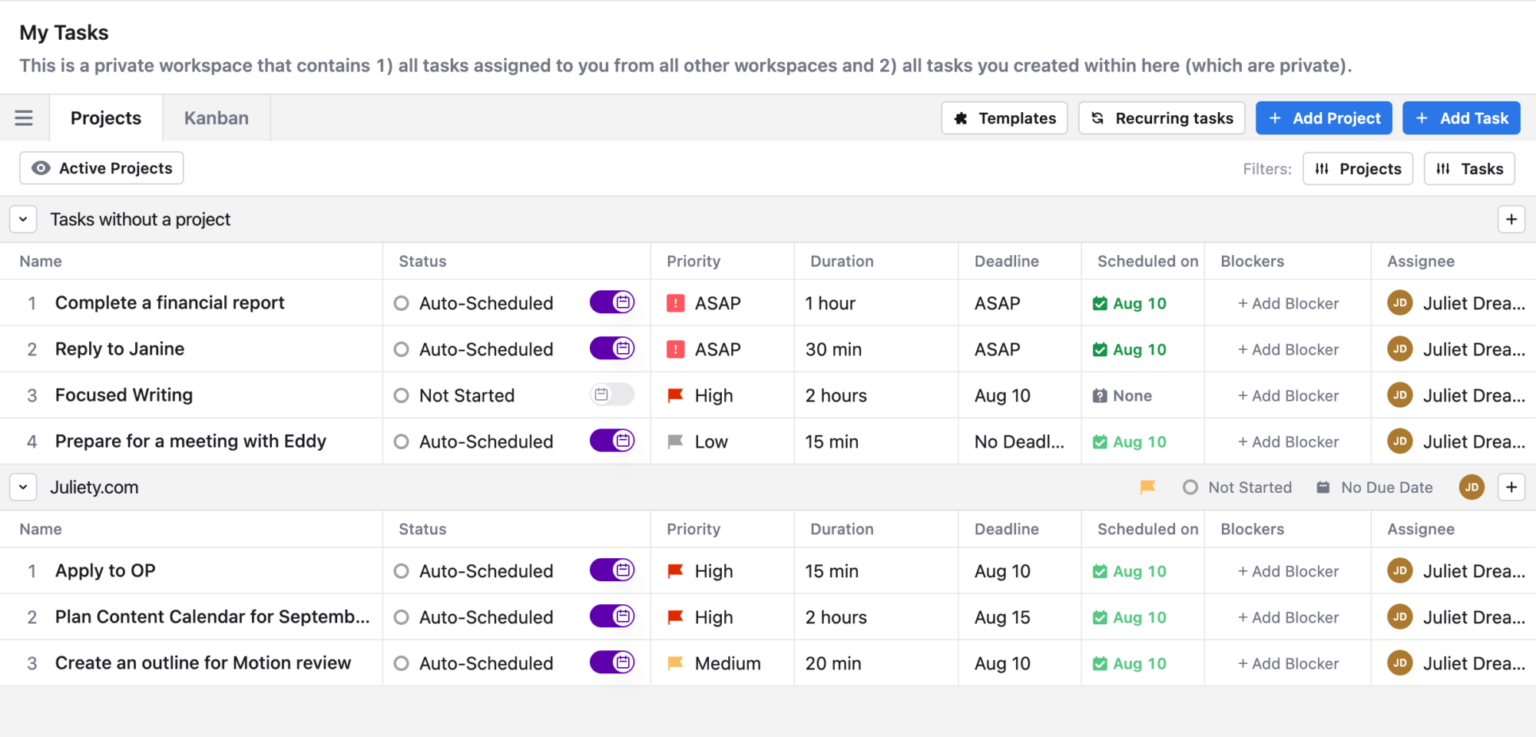
- Users with unpredictable or chaotic workflows may find the auto-scheduling occasionally misaligned until it learns their preferences.
Pricing:
- Free 7-day trial available.
- Paid plans start around $29/month (billed annually).
Suitable for:
- Freelancers or small teams that need both scheduling and project management
How to start:
- Sign up for Motion
- Connect your calendars
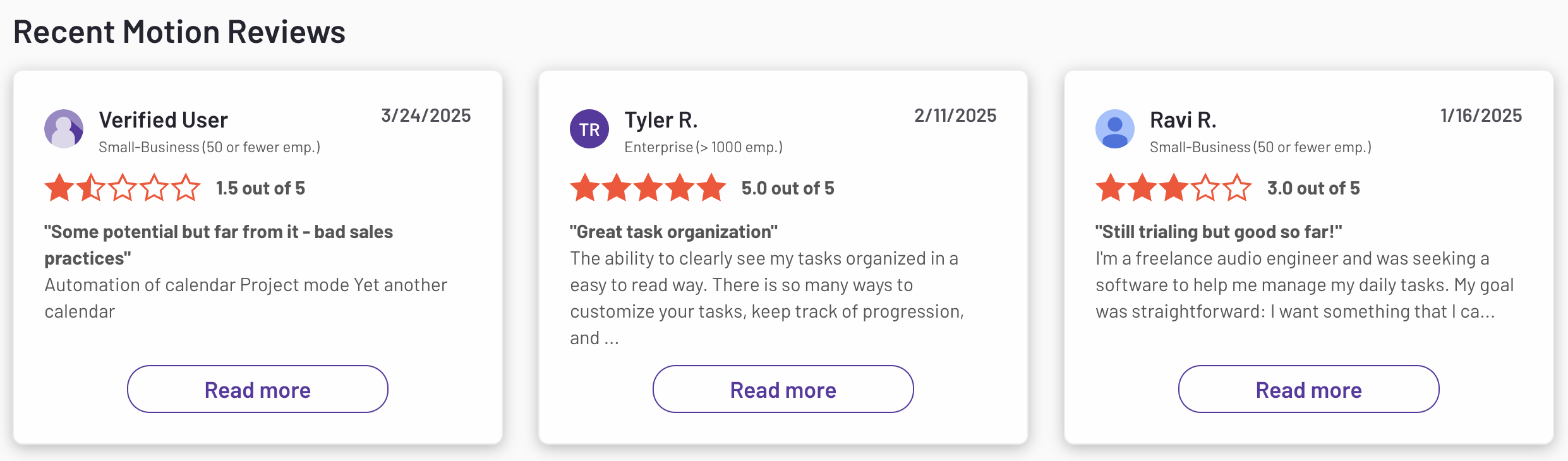
Motion reviews (source)
3. Tana
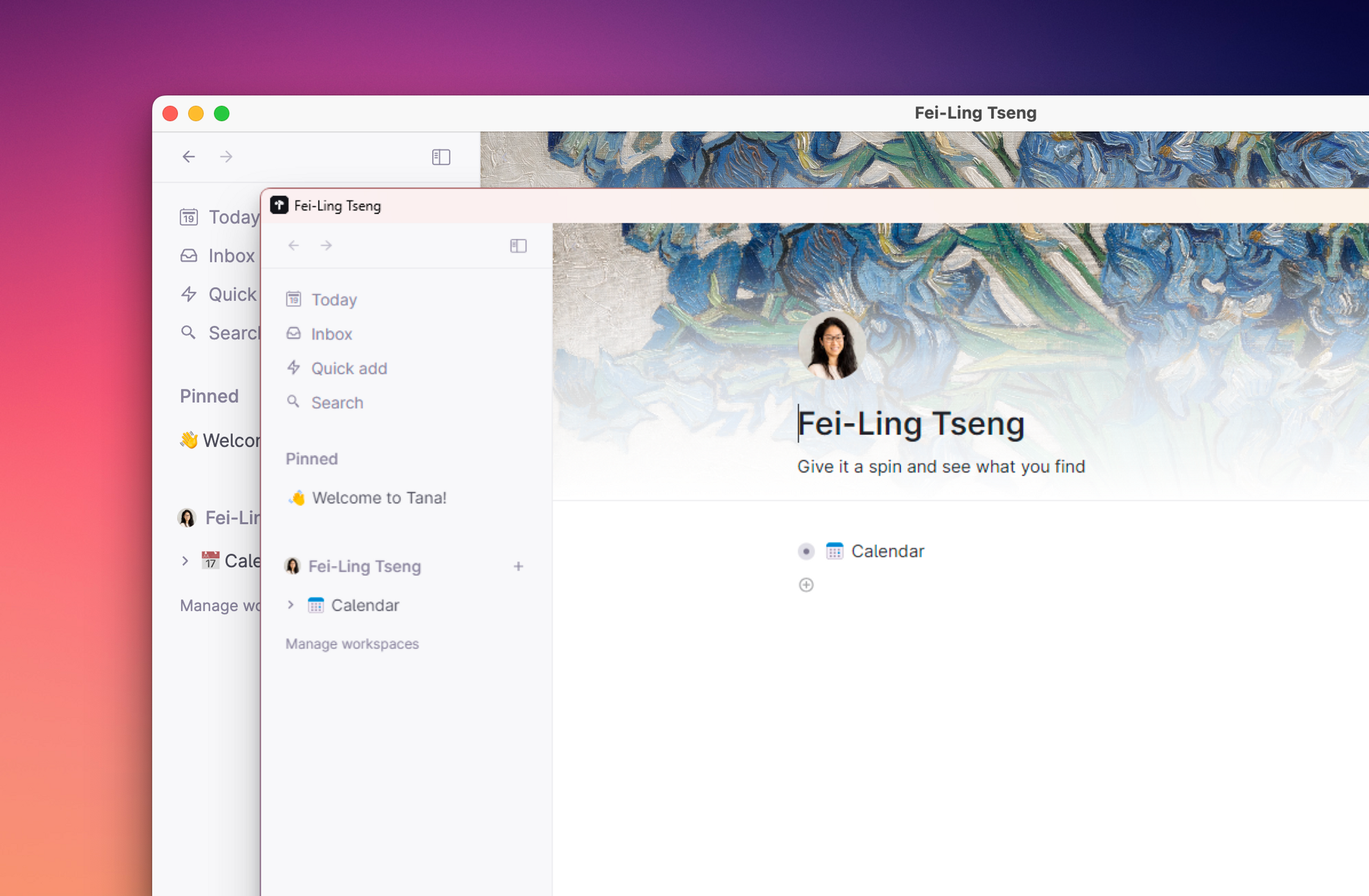
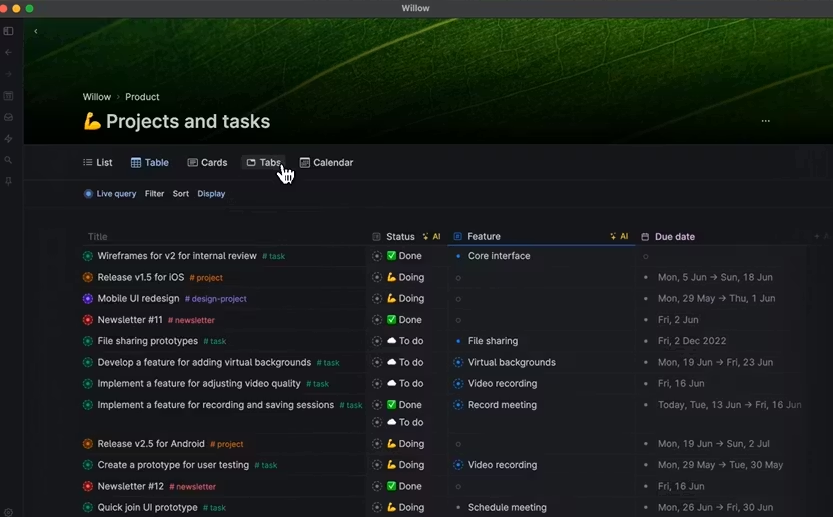
Tana is an AI note-taking and productivity workspace that combines outlines, tasks, projects, and knowledge management into one system. It’s flexible enough to replace routine apps by letting you build your own daily workflow with AI, templates, and structured tags.
Features
- Outline-style editor where every idea becomes a structured “node”
- Supertags and custom templates to turn notes into databases or workflows
- AI Meeting Notetaker that captures, summarizes, and links action items
- Voice memos with automatic transcription and smart linking
Pros
- Extremely flexible
- AI features save real time, especially with meeting notes and voice memos
- Great for reducing context switching since notes, tasks, and projects live in one place
Cons
- Steep learning curve, especially with supertags and custom structures
- Can feel too complex if you just want a simple notes or to-do app
- Mobile experience still not as smooth as desktop
- Export options and offline storage are limited compared to local-first apps
Price
- Monthly at $18/month, Annually at $14/month
Suitable for:
- Knowledge workers and entrepreneurs managing meetings, tasks, and big projects
- People who want to design their own workflow system instead of using fixed templates
How to start:
- Go to Tana and create a free account
- Start with a daily note to capture tasks and ideas
Tana Reviews (Source)
4. Coda
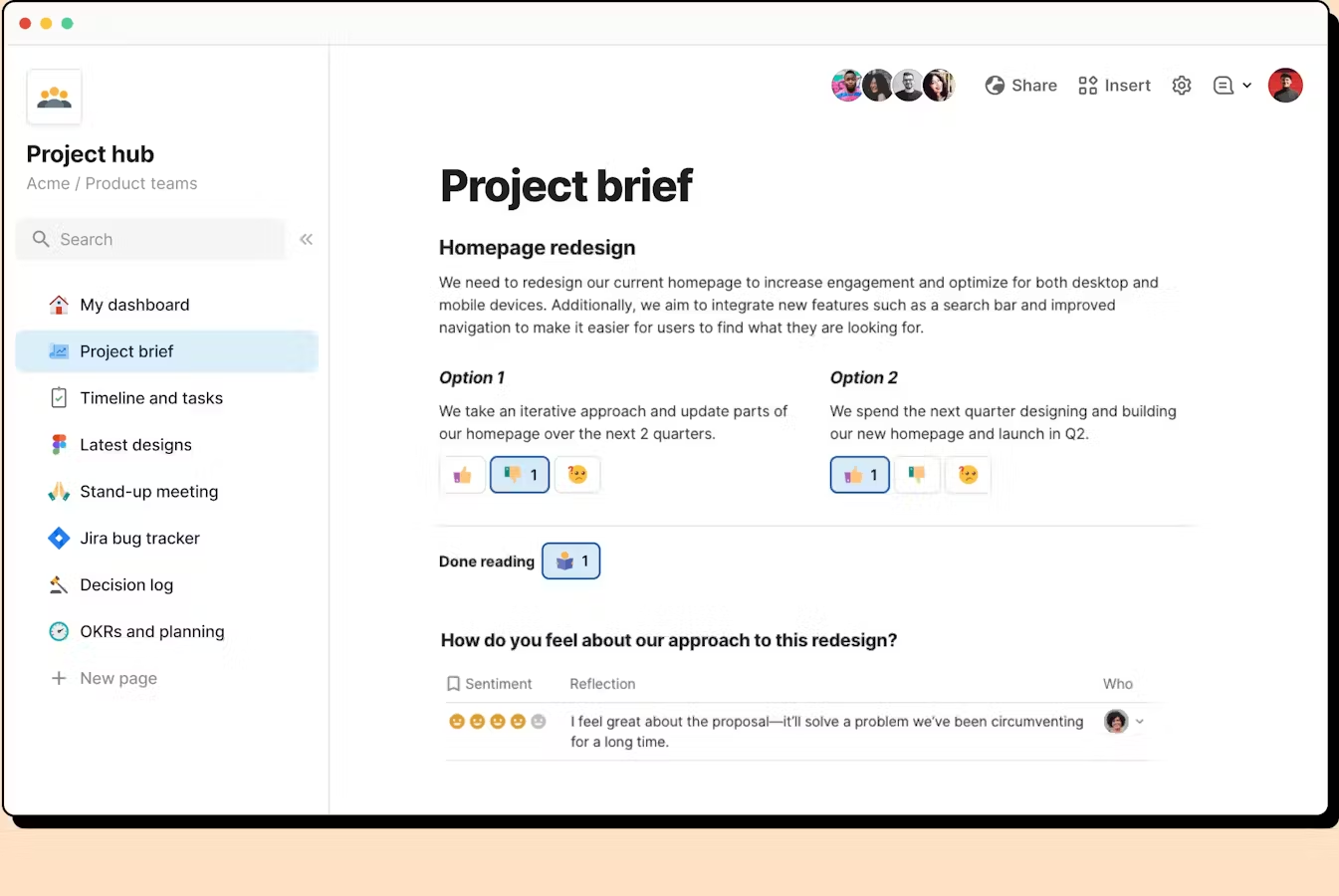
Coda is an all-in-one workspace that blends documents, spreadsheets, databases, and lightweight apps into a single place. It’s designed so you can build your own systems for tracking tasks, documenting processes, managing projects, and automating recurring routines
Key features
- Combines docs, tables, and databases in one place
- Flexible building blocks to create custom workflows
- Automation engine for recurring tasks and routine check-ins
- Integrations with calendars, email, and external apps
What I liked
- Highly customizable: you can turn a simple doc into a full routine dashboard
- Automation and formulas help reduce repetitive work
What I disliked
- Advanced setups (formulas, databases) have a learning curve
- Can feel heavy if you only need simple note-taking
- Complex automations still require testing and iteration
- Setup time is higher compared to plug-and-play routine apps
Pricing
- Free plan
- Paid plans from 12$/month
Suitable for
- Teams wanting a customizable system to replace multiple routine tools
How to start
- Go to Coda
- Create a free account
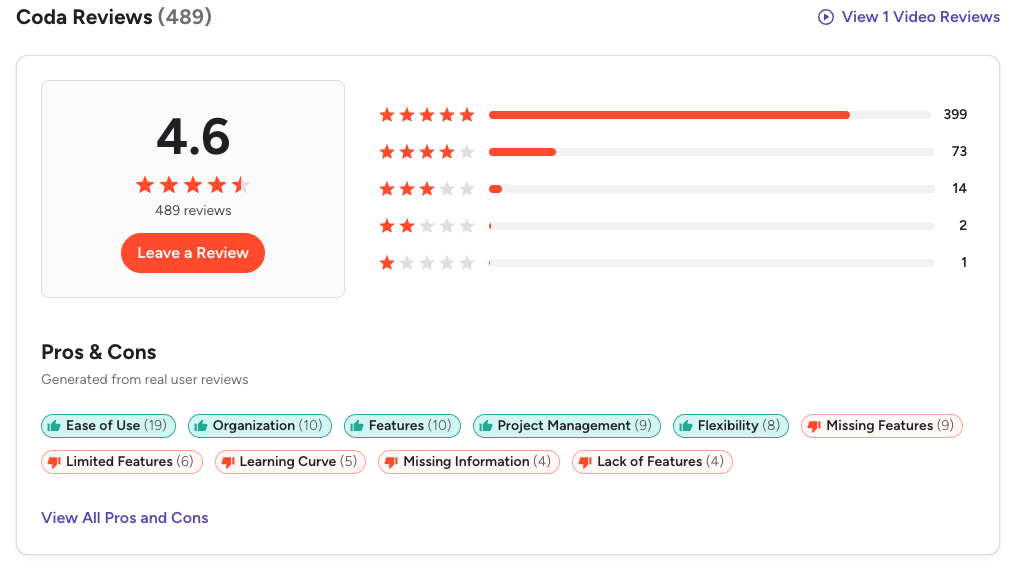
Coda Reviews (source)
5. Notion
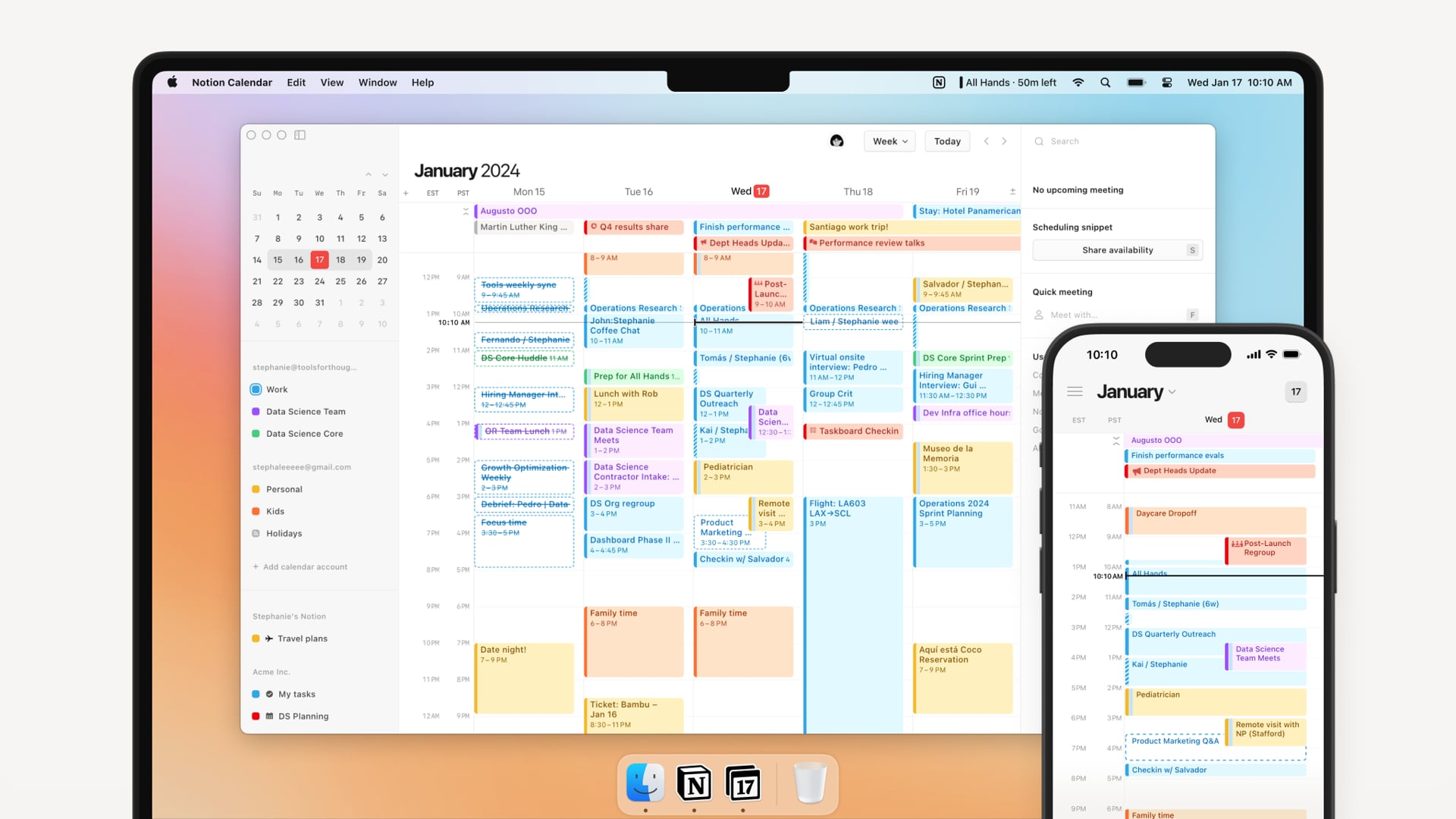
Notion is a flexible all-in-one workspace that lets you manage notes, tasks, projects, calendars, and now AI automation. With its 2025 updates, it can function as a strong alternative to routine or habit-tracking apps
Key features
- Large library of habit, routine, and life-management templates
- AI Agents: update pages, modify databases, and run multi-step workflows across your workspace
- Knowledge Base + Databases with multiple views (table, board, timeline) to organize routines however you like
What I liked
- Highly flexible for building personalized routines, habit trackers, planning systems, or weekly reviews
- Can combine life + work systems in a single hub instead of juggling multiple apps
What I disliked
- The learning curve can be steep, especially for new users who just want a simple daily planner.
- Advanced AI automations still require supervision for accuracy
- Custom setups can get cluttered if you create too many databases or pages
- Not ideal if you only need a fast, lightweight to-do list app
Pricing
- Free plan: Basic features, limited AI access.
- Plus plan: Around $10/user/month (billed annually).
- Business plan: About $20/user/month with full AI access.
Suitable for
- People who want one workspace for tasks, notes, habits, and long-term planning
- Users who want customizable daily/weekly routines instead of rigid templates
- Individuals or teams who want AI to help automate admin work and meeting notes
How to start
- Sign up for a free Notion account
- Pick a routine, habit, or daily planner template
Notion reviews (source)

6. Reclaim

Reclaim.ai is an AI assistant that automatically builds and protects your routines. It schedules tasks, meetings, habits, deep-work blocks, and breaks so your calendar always reflects your priorities without manual planning.
Key Features
- Automates deep work and focus time based on your goals
- Auto-schedules tasks, habits, routines, breaks, and buffer time
- Smart meeting scheduling that finds optimal slots across calendars
- Scheduling links for easy availability sharing
What I Liked
- Great for building a sustainable routine without micromanaging the calendar
- Automatically protects time for habits and deep work

What I Didn’t Like
- Automated scheduling may feel rigid if you prefer manual control
- Highly unpredictable days can clash with AI-scheduled blocks
- Creative or unstructured work may not fit time-blocking well
- If you’re hoping for a chat-style assistant you can talk to, like “Move my deep work to Friday,” Reclaim doesn’t have that kind of conversational interface
Pricing
- Free (Lite) plan available.
- Starter plan - around $10 per user/month.
- Business plan - around $15 per user/month.
Who It’s For
- Remote or hybrid teams dealing with scheduling conflicts
How to Get Started
- Sign up at Reclaim.ai
- Connect Google Calendar or Outlook
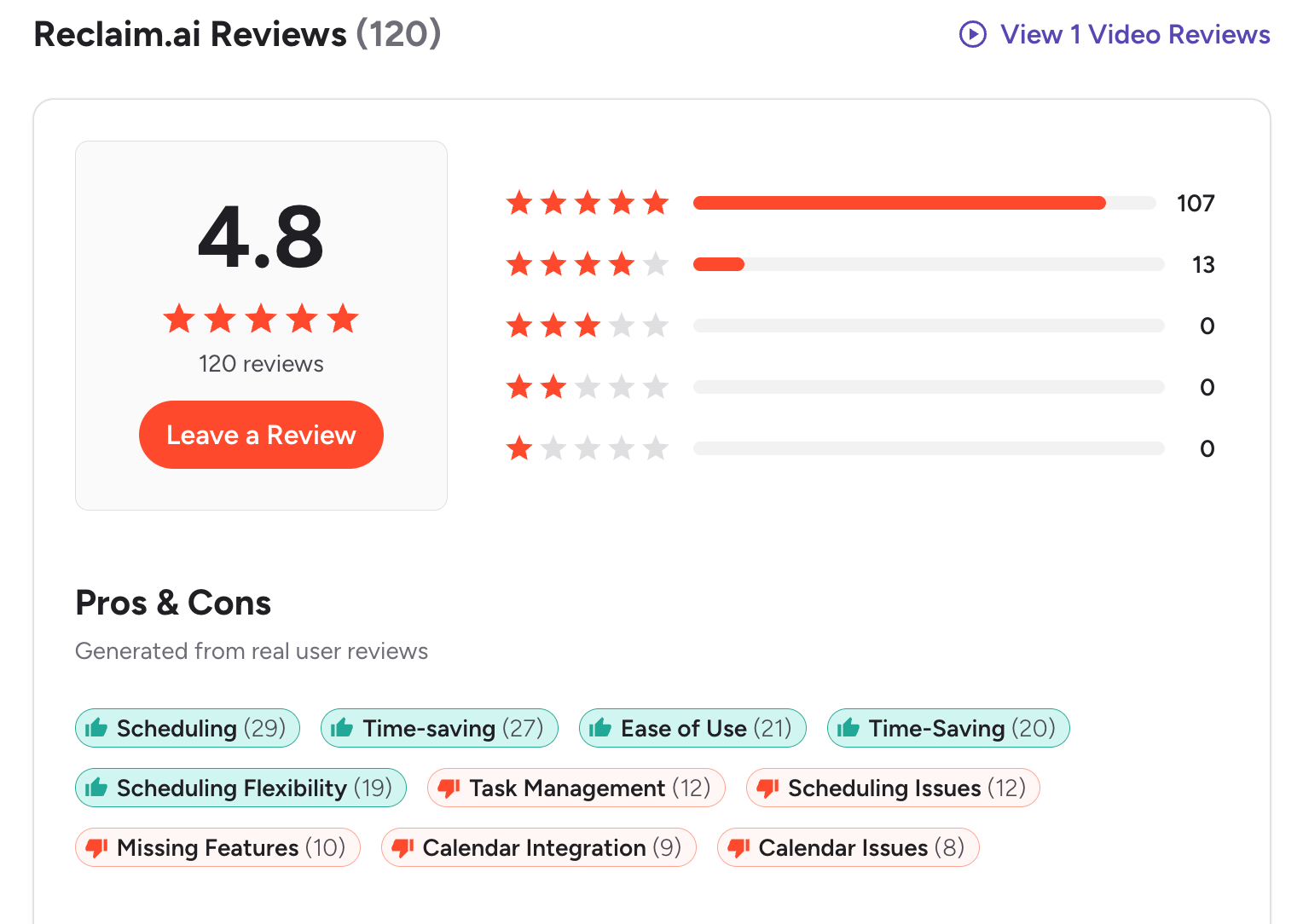
Reclaim.AI Reviews (source)
7. Clockwise
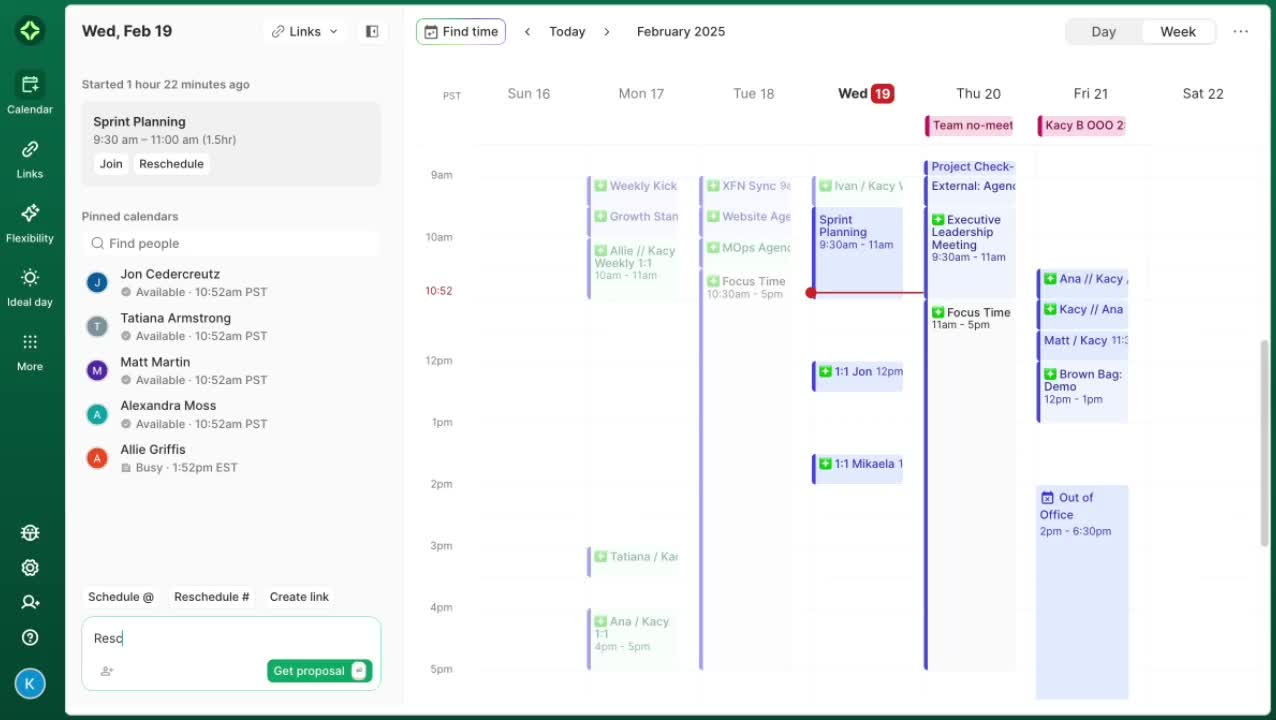
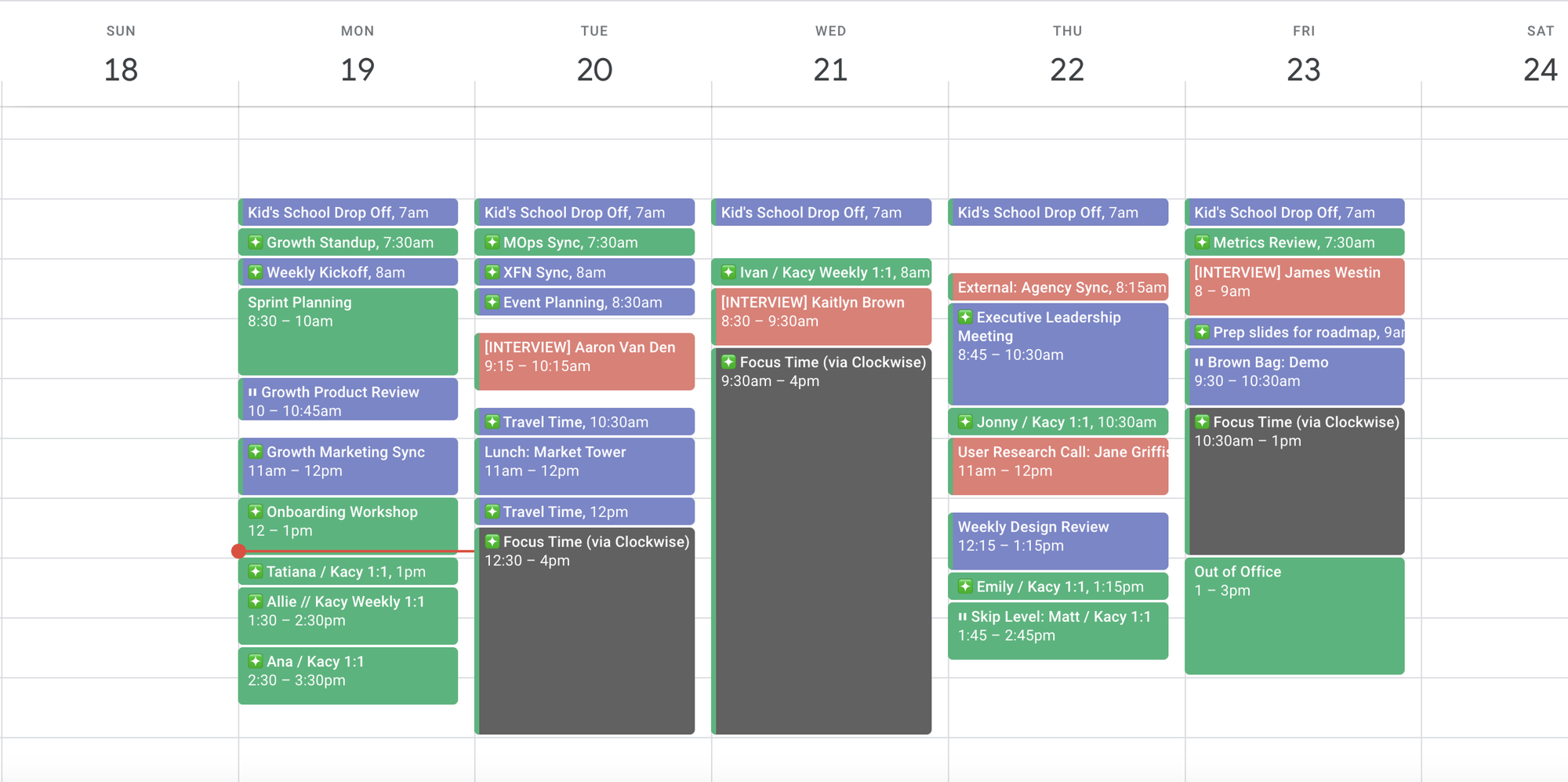
Clockwise is an AI calendar that automatically optimizes your calendar by rearranging flexible meetings, protecting deep-work time, and reducing daily scheduling friction.
Key features
- AI schedule optimization that minimizes conflicts and maximizes usable work blocks
- Automatic Focus Time creation by shifting flexible meetings
- Real-time schedule adjustments when new events appear
- Smart scheduling links for external meeting coordination
What I liked
- Helps you reclaim deep-work hours without manually fixing your calendar
- Recent updates improved the accuracy in creating predictable Focus Time
- Real-time suggestions make reacting to calendar changes easier
What I disliked
- Limited benefit if most of your meetings are external or fixed
- Not a full calendar replacement - you still need Google/Outlook for detailed edits
- Mobile experience can feel less smooth compared to native calendar apps
Pricing
- Free plan available
- Teams plan at $6.75/user/month
- Business plan at $11.50/user/month
Suitable for
- Teams with lots of internal meetings
- Professionals who need consistent deep-work blocks
How to start
- Sign up and connect your Google or Outlook calendar
- Mark which meetings are flexible vs fixed
🏁 Conclusion: Choosing the Right Routine.co Alternative for Your Workflow
Finding the right Routine.co alternative isn’t just about switching apps - it’s about choosing a system that matches how your brain works, how your days flow, and how much complexity you actually need.
The good news? There’s a perfect fit for every type of user:
- Saner.AI is the best pick if you want an AI-first workspace that organizes your notes, tasks, emails, and calendar with almost no friction.
- Motion is ideal, you want an AI employee that works on tasks for you.
- Reclaim.ai is great for automating habits, routines, and availability.
- Clockwise is built for teams drowning in meetings.
- Tana is for structured thinkers and knowledge-heavy workflows.
- Coda and Notion offer flexible, affordable workspaces if you want more control over how you organize your life and projects.
Ultimately, the “best” Routine alternative comes down to what you’re trying to improve: your time, your tasks, your focus, or your knowledge.
Pick the tool that aligns with your workflow - not the other way around - and you’ll feel the difference within a week: less chaos, fewer dropped balls, and a planning system you can actually stick to.
If you want an AI-first, unified workspace that reduces context switching and keeps your entire life organized, Saner.AI is the closest thing to a true upgrade from Routine.co.
The AI Assistant that organizes your day
FAQ: Best Routine.co Alternatives (Guide)
1. What is Routine.co, and why do people look for alternatives?
Routine.co is an all-in-one productivity workspace that combines tasks, calendar, notes, and contacts into one clean interface. Users often look for alternatives because they want:
- more advanced AI automation
- better team collaboration
- deeper integrations
- faster task ingestion
- or a more flexible “second brain” system
Common searches include: “Routine.co vs Motion,” “Routine alternative for ADHD,” “Routine calendar alternatives,” “Routine vs Notion/Tana,” and “Best AI task schedulers like Routine.”
2. What are the best Routine.co alternatives in 2026?
The tools most frequently compared to Routine include:
- Saner.AI – personal AI workspace for tasks, notes, email, and daily planning
- Motion – aggressive auto-scheduling and AI calendar
- Reclaim.ai – dynamic time-blocking for teams
- Clockwise – smart calendar optimization for workdays
- Tana – networked note-taking with powerful structured workflows
- Coda – document + database workspace for teams
- Notion – modular all-in-one workspace with templates and databases
Each is strong for different needs — from “AI that work with you” (Saner) to “AI that schedules for you” (Motion/Reclaim) to “tools for complex workflows” (Tana, Coda, Notion).
3. Which Routine.co alternative is best for daily planning?
If you want a daily planner that thinks instead of just displaying tasks:
- Saner.AI creates a daily plan from your notes, tasks, and meetings.
- Motion forces everything into your calendar with auto-scheduling.
- Reclaim.ai adjusts your schedule dynamically as things change.
For most people who want an assistant that understands context rather than a pure scheduler, Saner.AI offers a calmer, more human approach to planning.
4. Which Routine alternative is best for ADHD users?
Many ADHD users prefer tools that reduce overwhelm and context switching.
Top picks:
- Saner.AI – turns messy notes into tasks, reminds you at the right time, pulls up what matters automatically
- Notion – flexible, but requires heavy manual setup
Saner.AI is the simplest for ADHD users because it thinks with you, not against you.
5. Which Routine alternative offers the strongest AI automation?
If you’re looking for “AI that does the work,” here’s the quick breakdown:
- Saner.AI → turns notes/emails into tasks, surfaces priorities, and helps you follow through
- Reclaim.ai → protects focus time, habits, and meeting buffers
- Clockwise → optimizes your calendar around focus time
For full-context automation (notes → insights → tasks → reminders), Saner.AI is the closest to a personal chief of staff.
6. Which Routine alternative is best for team collaboration?
If teamwork matters, these tools stand out:
- Reclaim.ai – shared scheduling, team habits, meeting coordination
- Clockwise – team calendar optimization
- Coda – team dashboards, wikis, and collaborative docs
- Notion – flexible team knowledge hub
Routine is great for individuals, but teams usually need something deeper like Coda or Notion.
7. Which Routine.co alternative is best for combining notes + tasks?
Here’s the quick comparison:
- Saner.AI – notes automatically turn into structured tasks
- Tana – networked notes with advanced workflows
- Notion – flexible databases for building your own system
- Coda – document + spreadsheet hybrid
Saner.AI is best if you want the AI to handle the organization.
Tana/Notion are best if you enjoy designing your own system.
8. Which Routine alternative works best for scheduling?
If your main goal is better scheduling:
- Saner gives you automatic scheduling (great for busy founders).
- Reclaim.ai protects your focus blocks and habits automatically.
- Clockwise optimizes meeting times and energy levels.
9. Is there a Routine alternative with a true “AI workspace”?
Yes — Saner.AI is built specifically for this.
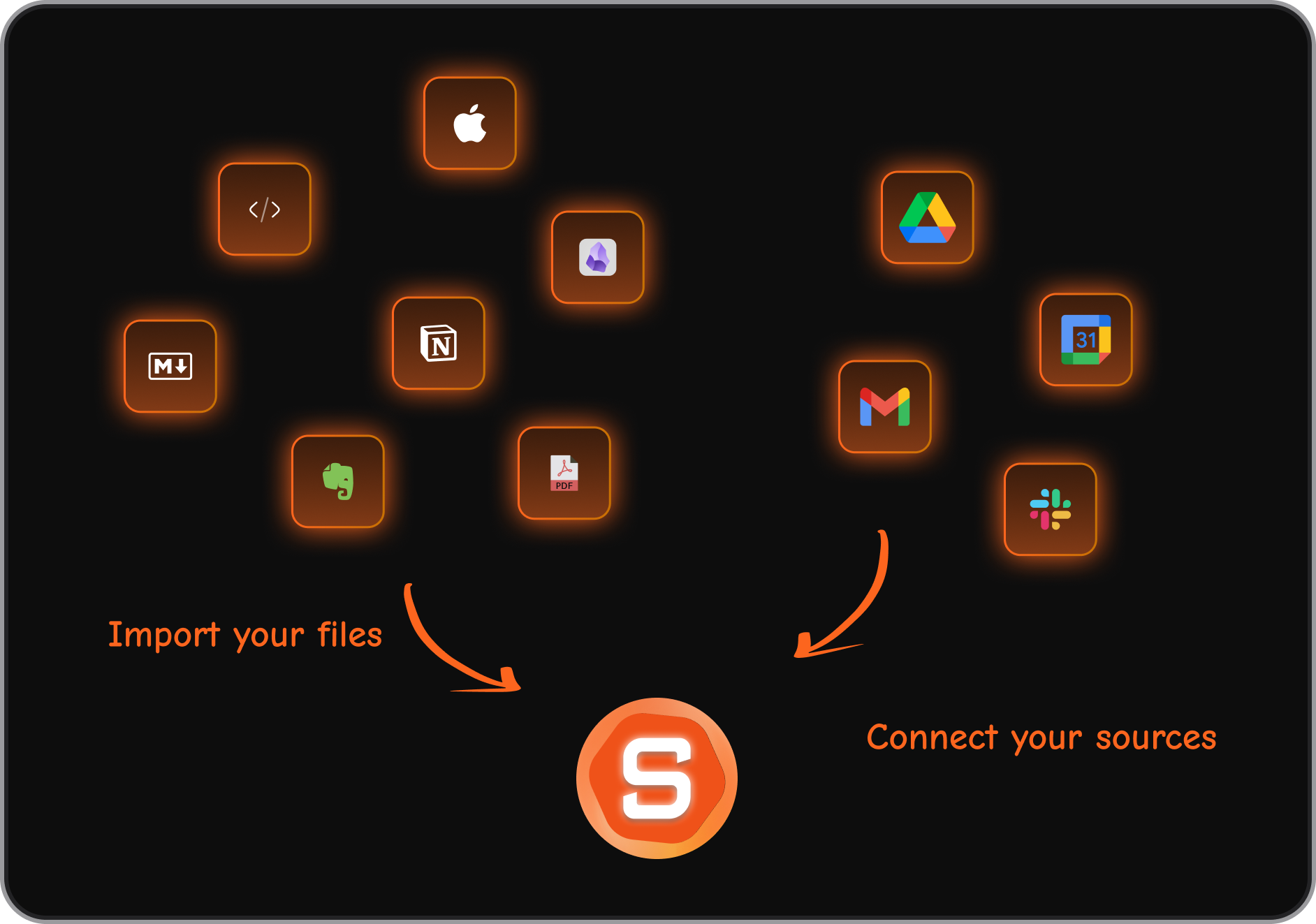
It combines:
- tasks
- notes
- calendar
- daily planning
- AI search across everything
For people searching “Routine alternative with AI workspace” or “all-in-one AI assistant for work,” Saner.AI is the closest match.
10. What’s the easiest Routine alternative for beginners?
If you want minimal setup:
- Saner.AI – no setup; start typing or talking and it organizes for you
- Motion – simple onboarding, but very structured
- Clockwise – plug-and-play for calendar optimization
Notion, Coda, and Tana require significantly more setup and customization.
11. Are there free Routine.co alternatives?
Yes — several tools offer generous free plans:
- Saner.AI (free plan with AI search, reminders, note → task)
- Clockwise (free for individuals)
- Notion (free for personal use)
- Coda (free tier with basic blocks)
- Tana (free starter plan)
Motion and Reclaim typically require paid plans for full features.
12. Which Routine alternative is best for entrepreneurs?
Entrepreneurs often need:
- fast capture
- idea organization
- follow-up reminders
- investor/meeting prep
- juggling many projects
Top choices:
- Saner.AI – ideal for capturing chaos and turning it into clarity
- Motion – good for forcing structure into a busy day
- Notion – powerful if you like building custom dashboards
Saner works best if you want something that keeps pace with your messy brain.
13. Best Routine alternative for managers?
Managers love tools that reduce cognitive overload.
Most helpful:
- Saner.AI – surfaces follow-ups, meeting notes, and tasks automatically
- Reclaim.ai – protects time from meeting sprawl
- Notion/Coda – good for team documentation and dashboards
If you want something that reminds you of what you owe each stakeholder, Saner is the strongest fit.
14. Can Routine alternatives help with meeting prep?
Yes — many do.
- Saner.AI can pull past notes, decisions, and tasks instantly.
- Motion helps reorder your schedule to prep faster.
- Reclaim.ai protects time before important meetings.
- Notion and Coda act as structured meeting docs.
Saner.AI is the only one that retrieves relevant context automatically via AI.
15. Which Routine alternative is best for executives?
Executives need clarity, follow-through, and context fast.
Top picks:
- Saner.AI – unified brain for tasks, decisions, strategy notes
- Motion – auto-schedules an extremely full calendar
- Reclaim – keeps the week structured without chaos
If you want a “command center for your mind,” Saner.AI is the closest equivalent.
16. How does Saner.AI compare to Routine.co?
Key differences:
- Routine is great for structured planning.
- Saner is built for thinking, remembering, summarizing, and follow-through.
- Saner handles notes + tasks + email + calendar in one place.
- Routine focuses more on calendar + tasks + notes, with less generative AI overlay.
If you want a true AI companion rather than a task/calendar tool, Saner wins.
17. Which Routine alternative reduces the most context switching?
The two best options:
- Saner.AI – integrates notes, tasks, email, events, and AI in one workspace
- Motion – reduces tool-switching by planning your entire day automatically
Others like Notion or Tana are strong but require manual setup, which can add friction.
18. How do I choose the right Routine.co alternative for me?
Here’s a simple guide:
Choose Saner.AI if you want…
→ an AI assistant that organizes your whole work life for you
Choose Motion if you want…
→ an AI agent that aggressively schedules every minute
Choose Reclaim if you want…
→ flexible automated time blocking without overwhelm
Choose Clockwise if you want…
→ better meeting flow and focus time
Choose Tana if you want…
→ a highly structured, networked second brain
Choose Notion/Coda if you want…
→ full customization and team documentation
Stay on top of your work and life



