Siri Alternatives: We Tested The 6 Best AI (Free & Paid)


We tested the 6 Best Siri Alternatives in 2026
Siri is convenient - but limited.
This guide explores the best Siri alternatives in 2026 - AI assistants and apps that actually go beyond what Siri can do.
Whether you’re looking for better accuracy, smarter task management, or a personal AI that learns from you, you’ll find an option here.
Quick answer: What are the best Siri alternatives?
- Bixby — best if you're on a Samsung phone and want commands built specifically around Samsung's own apps and settings. Free on Samsung devices.
- Saner.AI — best if what you actually want from Siri is an assistant that manages your tasks, notes, and calendar. Free tier; paid from $8/month.
- ChatGPT — best for natural, back-and-forth voice conversation and brainstorming out loud. Free tier; Plus at $20/month.
- Claude — best for long-form writing, research, and reasoning through a real problem, not phone or device control. Free tier; Pro at $20/month.
- Perplexity — best when you want an answer with actual cited sources instead of a confident guess. Free tier; Pro at $20/month.
- Gemini — best all-around Siri replacement if you're on Android, with the deepest Gmail, Calendar, and Maps integration. Free tier; Advanced at $19.99/month.
- Alexa — best for smart home control and the widest range of compatible devices. Free with Alexa+ conversational features on top.
How I chose these alternatives
I spent two weeks running the same daily questions and tasks through each assistant, on the actual device or app it's meant for rather than a side-by-side demo, and noted where each one broke down. I judged them on:
- Task execution — does it actually do the thing (set the reminder, draft the reply), or just tell you how to do it yourself.
- Conversational depth — can it handle a follow-up question that changes the subject mid-thread, or does it lose the plot after one exchange.
- Device and ecosystem fit — how well it plays with the phone, smart home, or apps you already use daily.
- Answer accuracy with sources — for factual questions, does it cite something real, or state things with false confidence.
- Setup and daily friction — how much configuration it takes before it's actually useful, not just a novelty for the first day.
What Are The Best Siri Alternatives in 2026?
The best Siri Alternatives are: Bixby, Saner.AI, ChatGPT, Claude, Perplexity, Gemini, Alexa
1. Bixby
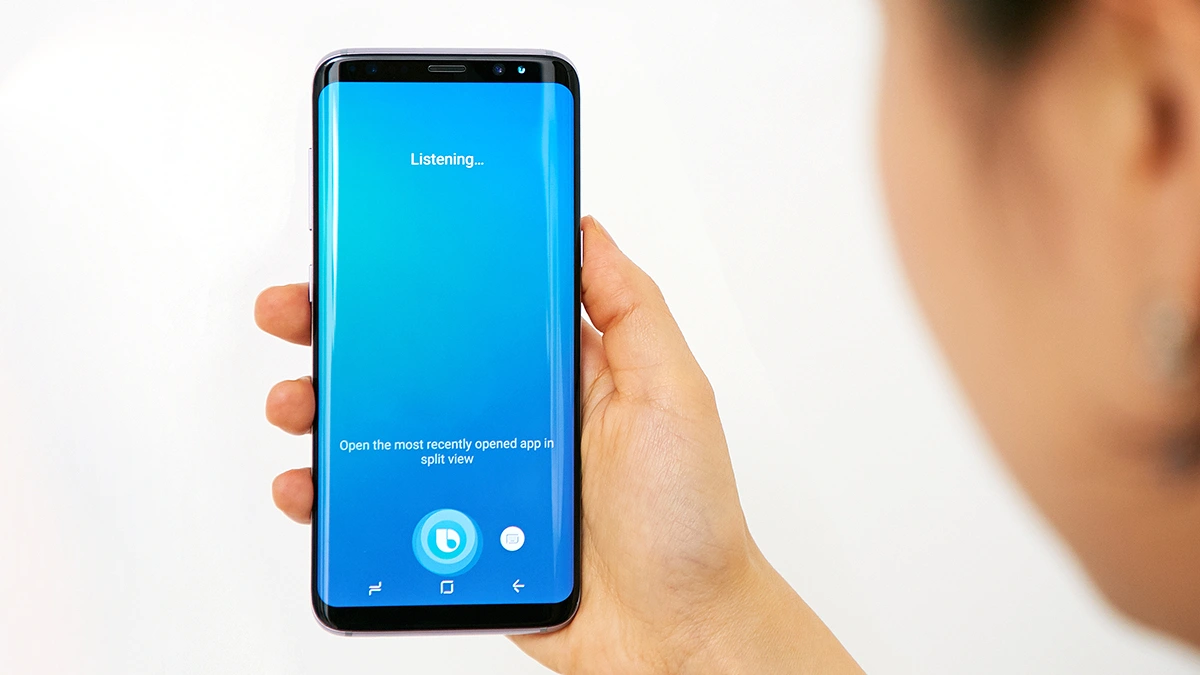
Bixby is Samsung’s built-in AI assistant, designed to help you control your phone, appliances, and smart home with voice and visual input. It’s more than just a Siri alternative - it gives you deeper system access, routines, and smart camera features that make everyday tasks faster and more hands-free.
Key features
- Voice control for system settings, apps, calls, messages, and device automation
- Bixby Vision for identifying objects, translating text, scanning QR codes, and reading images
- Integration with SmartThings to control home appliances, lights, and other connected devices
- Multi-device support across Samsung phones, TVs, earbuds, smartwatches, and appliances
What I liked
- Bixby gives deep system-level control - you can adjust phone settings or launch apps entirely by voice
- Vision features are genuinely helpful for translating real-world signs, scanning documents, or shopping via your camera
- You don’t need a separate subscription
What I disliked
- Not all devices get the latest Bixby AI upgrades - some features are limited to newer Samsung models
- Voice recognition isn’t always as flexible or accurate as newer assistants like ChatGPT or Gemini
- Generative AI features (like enhanced TV search or visual recognition) are still limited in rollout
Pricing
- Bixby is free and included on Samsung phones, TVs, and appliances
- No monthly cost or subscription required
- Some advanced features require newer Samsung hardware to work fully
Suitable for
- Samsung users who want a voice assistant that integrates tightly with their phone, TV, or home devices
How to start
- Make sure your Samsung device is updated to the latest One UI version
- Launch Bixby by pressing the side key or using the voice wake-up phrase
Bixby reviews (source)
2. Saner.AI - The Proactive Assistant
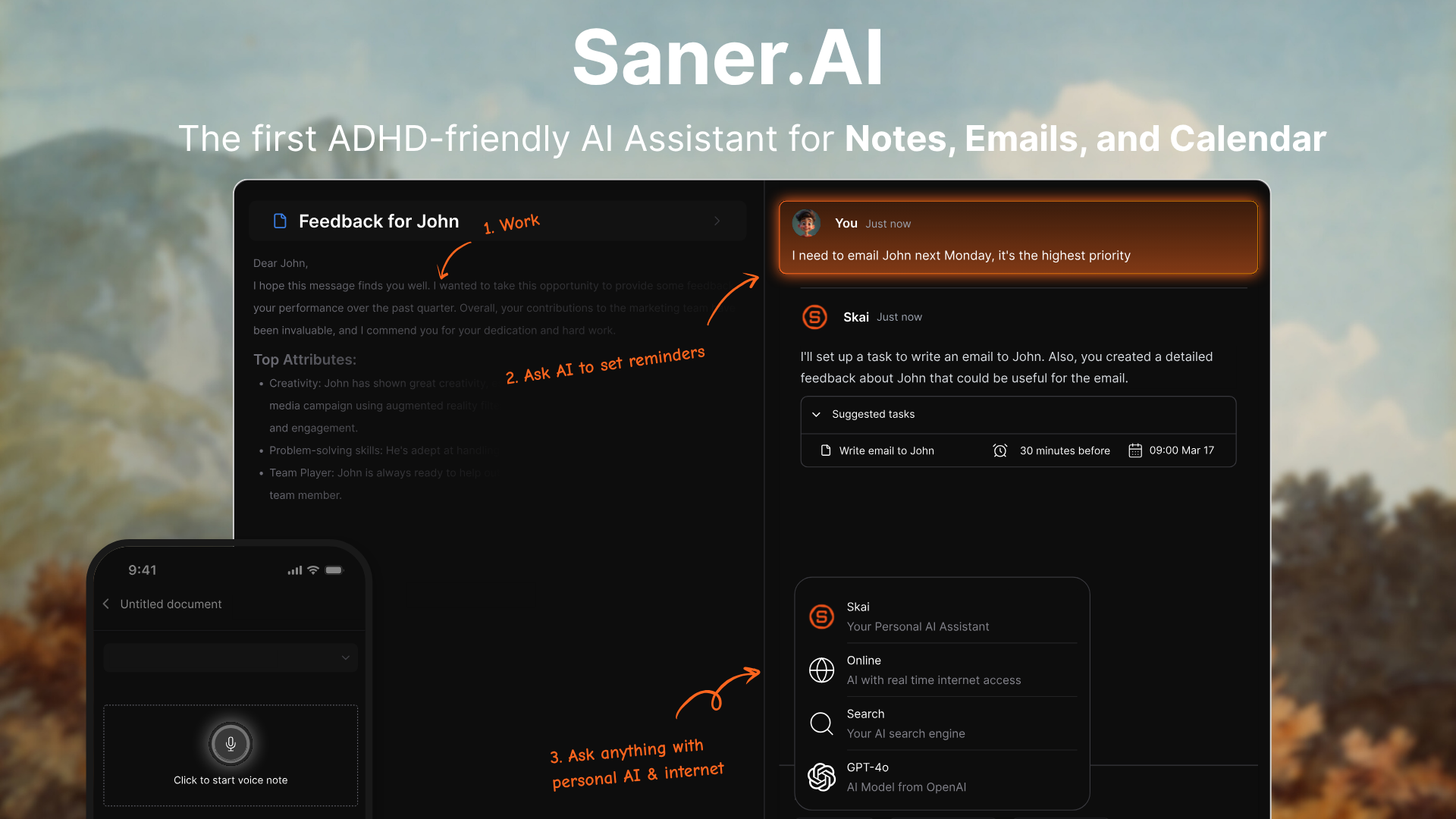
Saner.AI is an AI assistant designed to go far beyond Siri. While Siri handles simple voice commands, Saner.AI helps you plan your day, organize your notes, extract action items from emails, and remember what matters - all in one place.
It’s ideal for people who feel overwhelmed, forgetful, or scattered - especially ADHD-prone individuals - and need an assistant that does more than just respond.
Key features
- Semantic search that helps you find anything you vaguely remember, even across long documents or scattered inputs
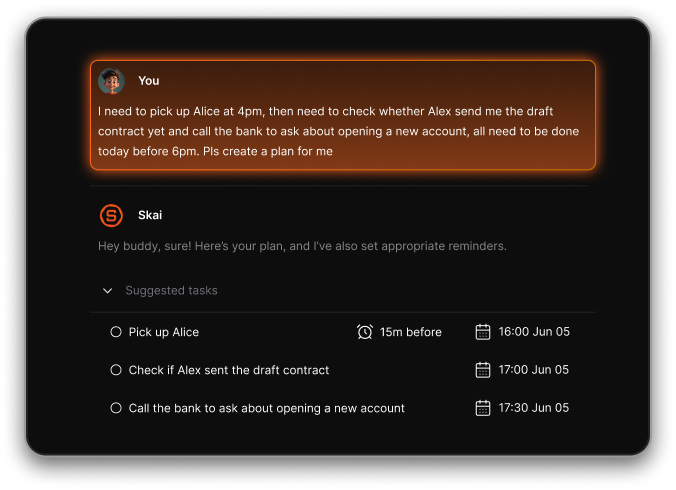
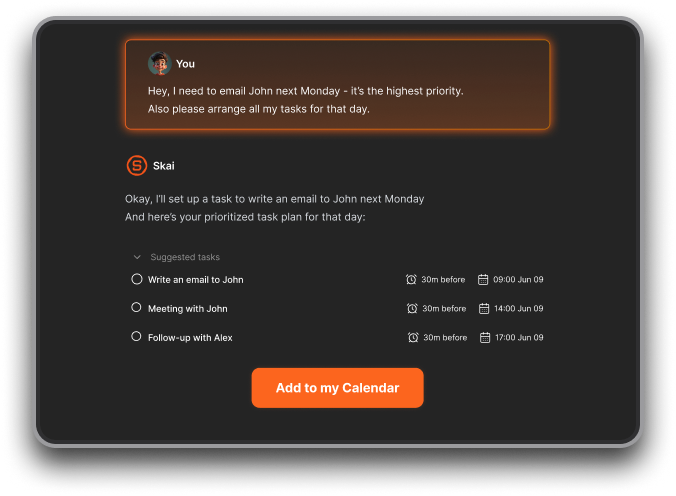
- AI that extracts tasks, reminders, and calendar actions from brain dumps or messy notes
- Unified inbox that connects notes, tasks, emails, and calendar into one searchable workspace
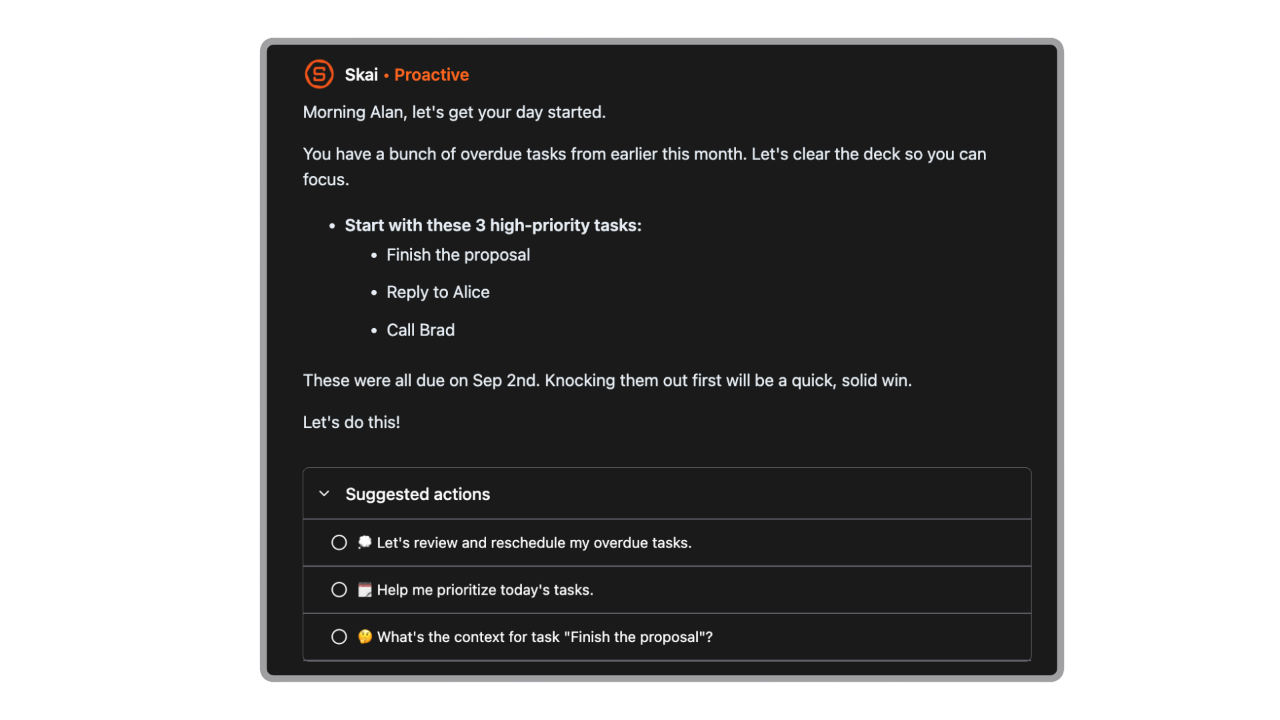
- Proactive daily planning: Saner suggests what to do based on your notes, tasks, and inbox - no setup needed
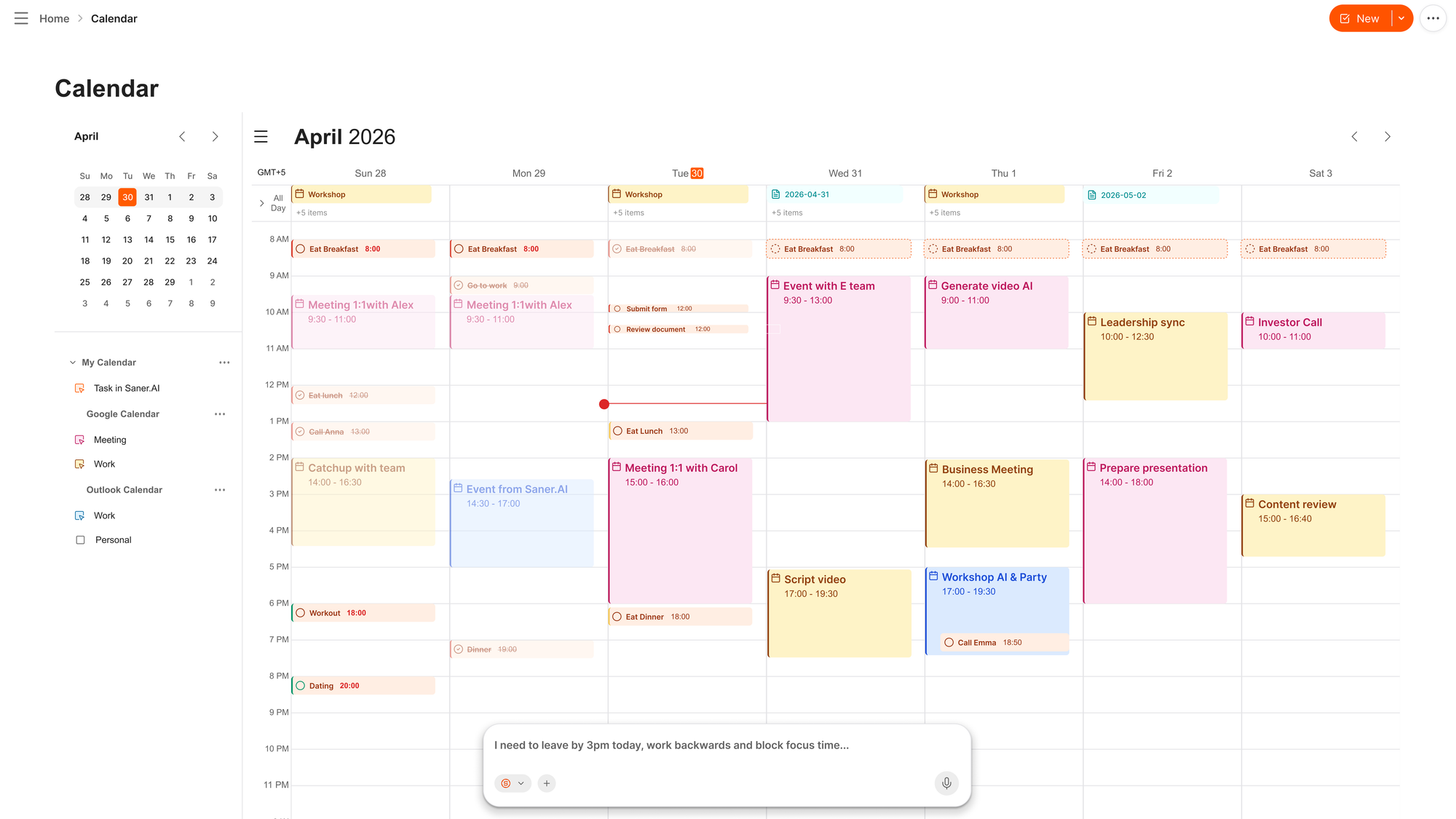
- AI calendar
- AI assistant that works conversationally - you can talk to it like “what did I say about the client last week?” and it’ll pull the answer
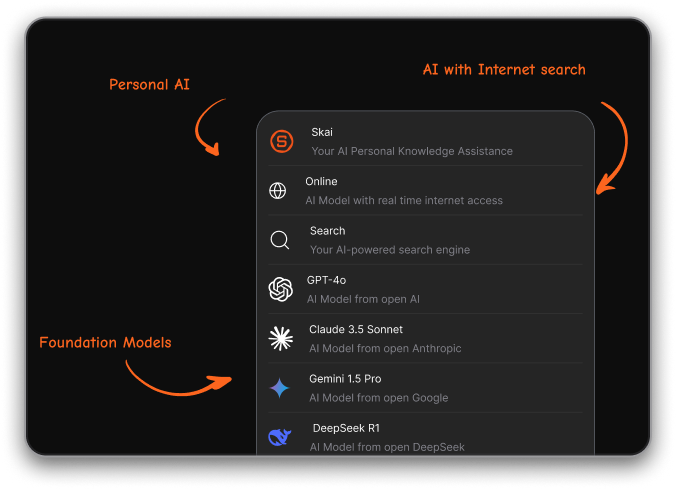
- Integrate many foundational models like Gemini, ChatGPT, Claude
What I liked
- Saner actually thinks with you - instead of just doing what you say, it suggests what to do next based on what you’ve captured
- You don’t have to remember where something is
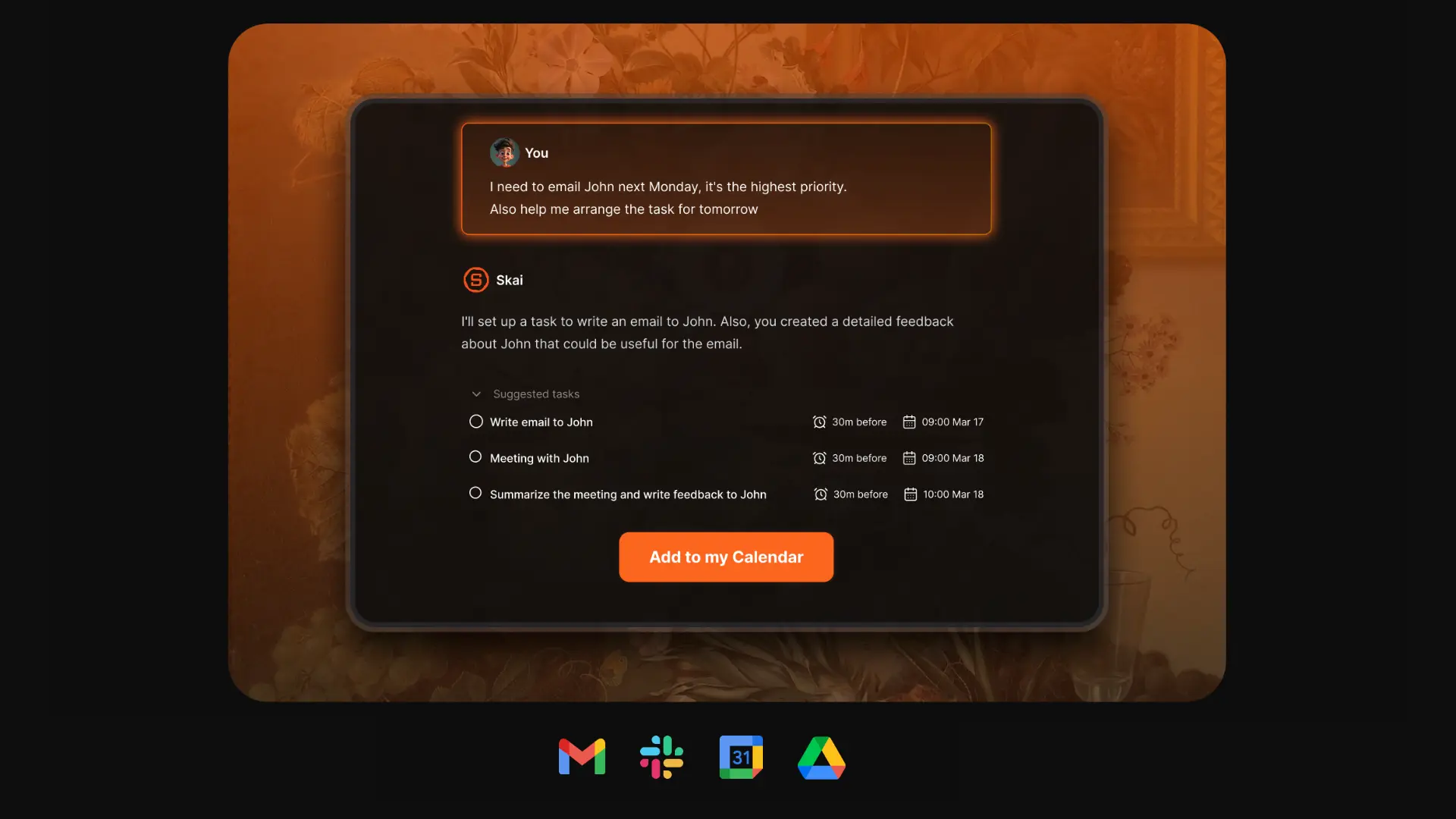
- It feels like a second brain, not just a voice assistant - much more helpful than Siri for actual daily work
Cons
- Requires internet access for full functionality
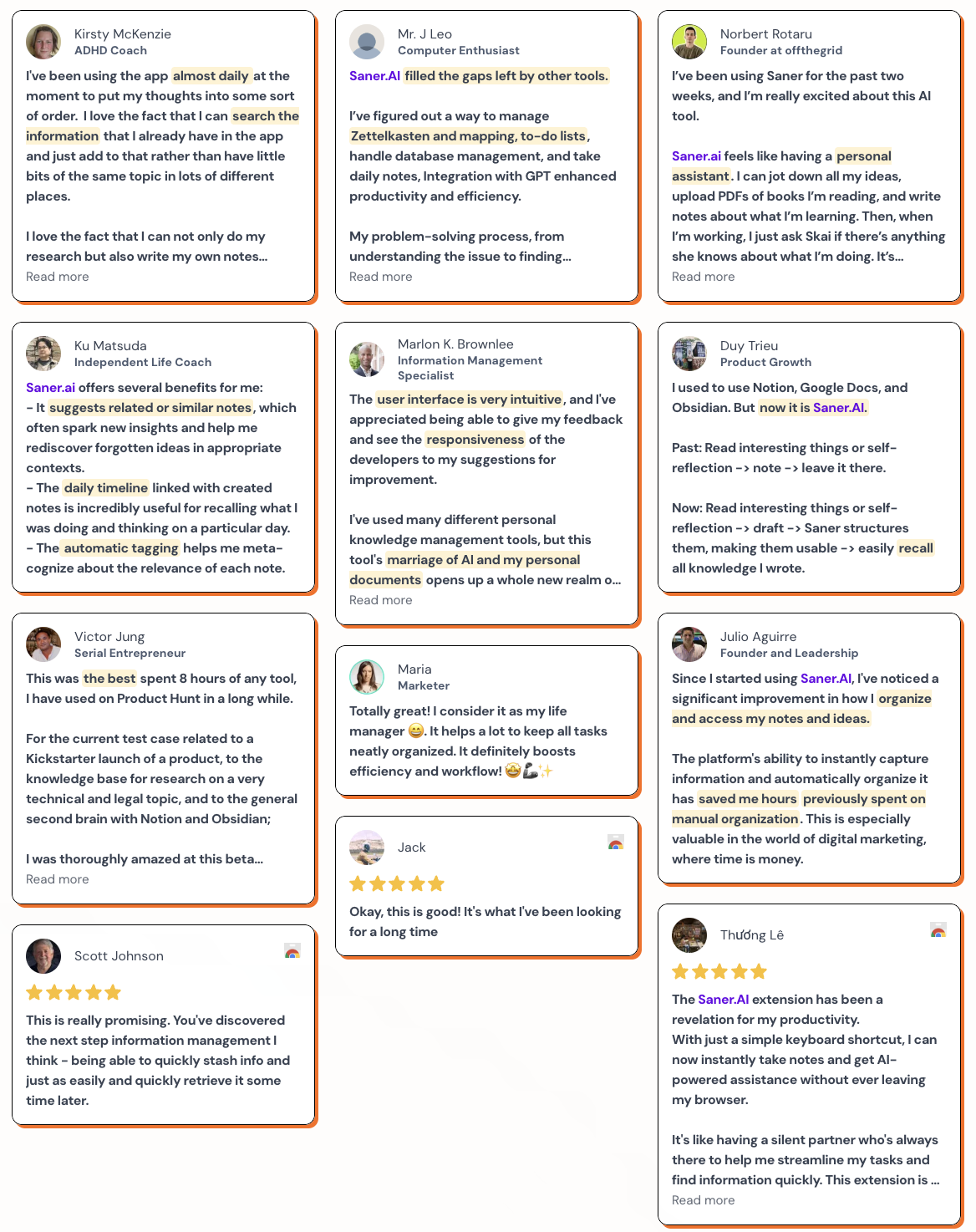
Saner.AI Reviews
Pricing
- Free
- Starter: Monthly at $8/month, Annually at $6/month
- Standard: Monthly at $16/month, Annually at $12/month
Who is it suitable for?
- People with ADHD or anyone who struggles to keep track of everything across apps
- Professionals who deal with lots of notes, tasks, and context switches
- Creatives, founders, or researchers who want a tool that captures messy thinking and turns it into structured action
- Anyone who wants an assistant that’s actually helpful - not just a voice that tells you the weather
How to start using it?
- Go to Saner.AI and sign up for a free account
- Connect your Google Calendar, Gmail, and Drive to pull in your data
- Dump some thoughts or forward an email - let the AI suggest tasks or calendar events

Work more efficient with your AI Personal Assistant
3. Alexa
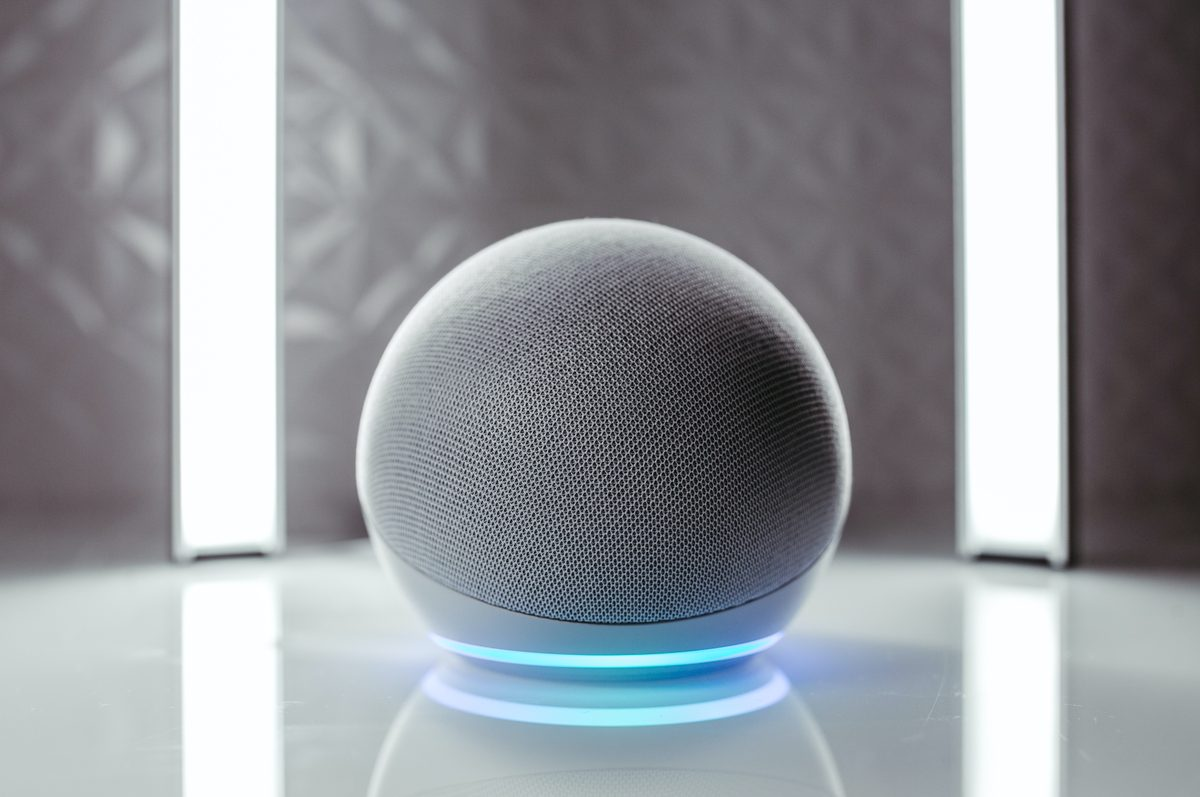
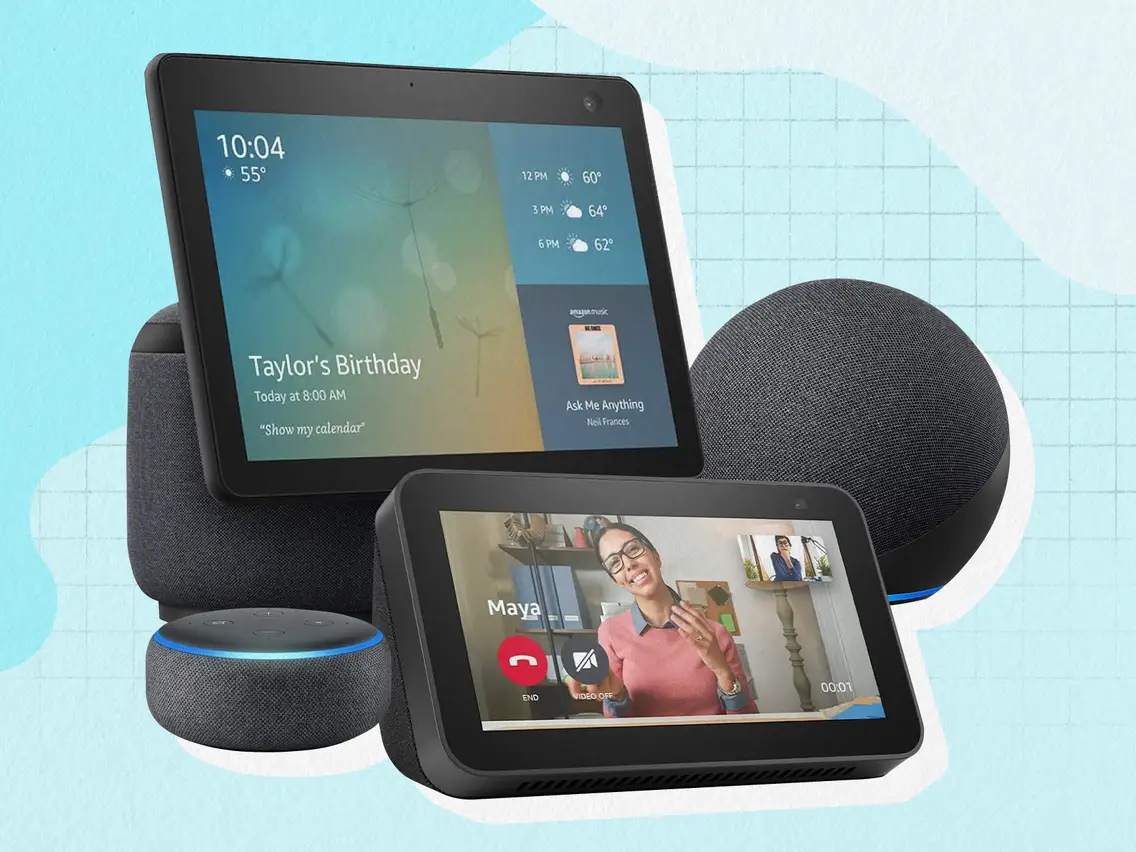
Alexa is Amazon’s voice assistant, and with the new Alexa+ upgrade, it goes far beyond what Siri can do. It doesn’t just respond to simple commands; it holds conversations, learns your preferences, controls your smart home, and helps you manage tasks hands-free.
Key features
- Generative AI built into Alexa+ for more conversational, context-aware responses
- Smart home integration with lights, locks, thermostats, appliances, and more
- Routines and automation for hands-free scheduling, reminders, and home control
- Multiple voice options and personalities, including kid-friendly and animal voices
What I liked
- Alexa+ feels more natural and responsive than ever - it can actually follow up and clarify things like a real assistant
- Works well across multiple devices, especially if you already use Echo speakers or displays
What I disliked
- Some older Echo devices don’t support Alexa+, so you might need a newer model to access full features
- Voice recordings are still processed in the cloud, with fewer local privacy options
- Alexa occasionally misunderstands commands or gives irrelevant AI-generated answers
- It's just a voice assistant; there's no workspace to work on
Pricing
- Alexa+ is free for Amazon Prime members
- For non-Prime users, Alexa+ costs around $19.99/month
Suitable for
- People who want a voice assistant that can hold a real conversation and learn over time
- Households with smart home devices that want reliable automation and control
How to start
- Make sure your device supports Alexa+ (Echo Show 8 and newer are prioritized)
- If you’re a Prime member, enable Alexa+ from your Alexa app or settings
Alexa reviews (source)
4. ChatGPT

ChatGPT is a conversational AI assistant that goes far beyond Siri. Instead of just setting timers or answering quick questions, it helps you plan, create, summarize, research, and organize across text, voice, images, and documents.
Key features
- Supports voice, text, image, and document input so you can talk, type, show, or upload
- Advanced voice mode with natural, expressive responses and interruptible dialogue
- Remembers context and can hold longer conversations or tasks without starting over
- Summarizes documents, images, and long notes with one prompt
What I liked:
- The Agent feature is good - you can give it multi-step instructions
- Voice + image + text support means you don’t have to switch between apps just to get something done
- It remembers what you’ve said, so you can build on past conversations or ideas
What I disliked:
- It doesn’t control phone functions (like “call Mom” or “turn on flashlight”) without external plugins or apps
- Still sometimes gives inaccurate or overly confident answers, especially with vague questions
- Some features, like advanced voice or faster speeds, require a paid plan
Pricing:
- Plus plan at $20/month
- Pro plan starts at $200/month
Suitable for:
- Professionals, students, and creatives who want to research, write, learn, or plan faster
- People who need help remembering things, breaking down complex tasks, or exploring ideas
How to start
- Sign up at chat.openai.com and try the free version
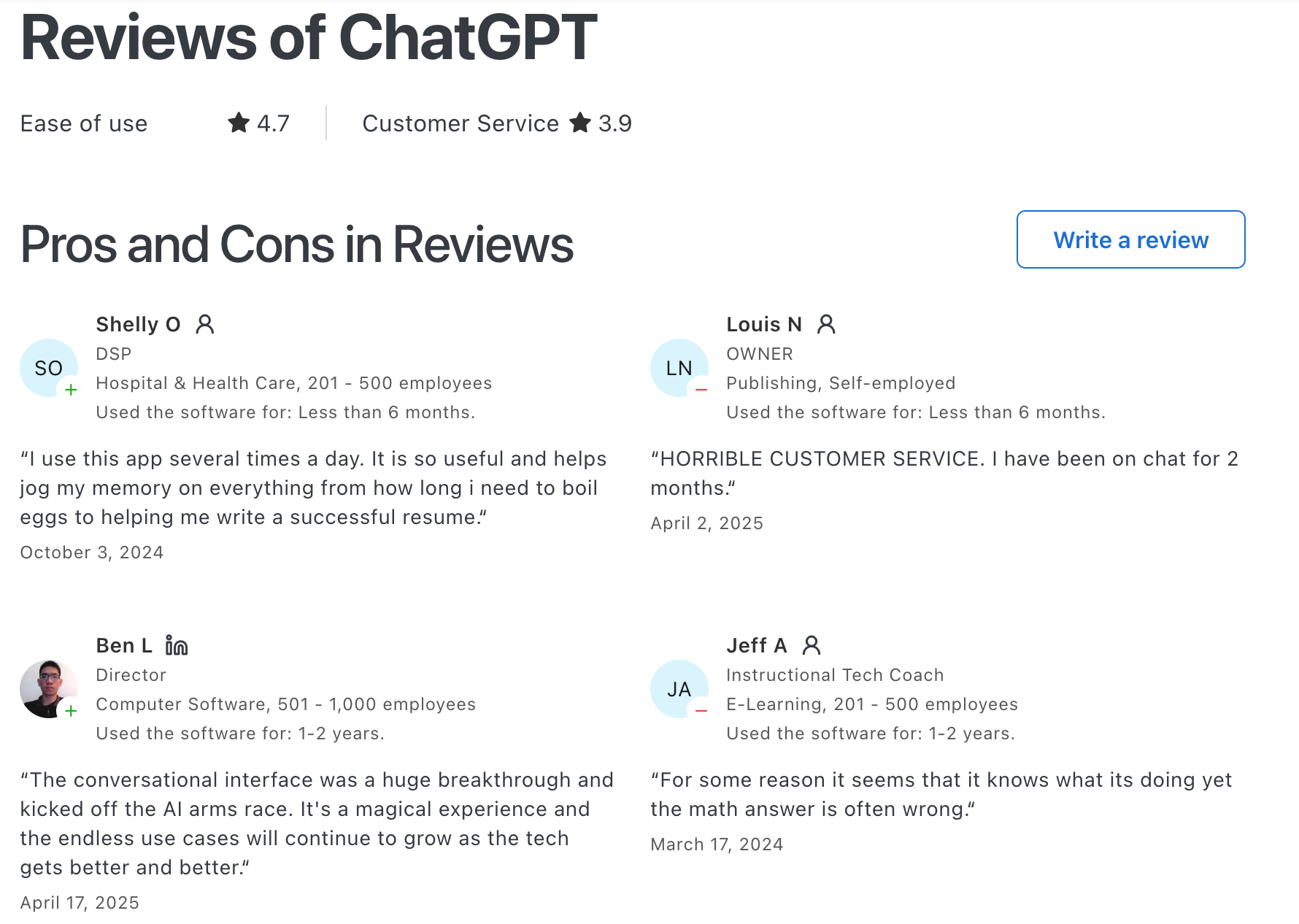
ChatGPT Reviews (source)
5. Gemini
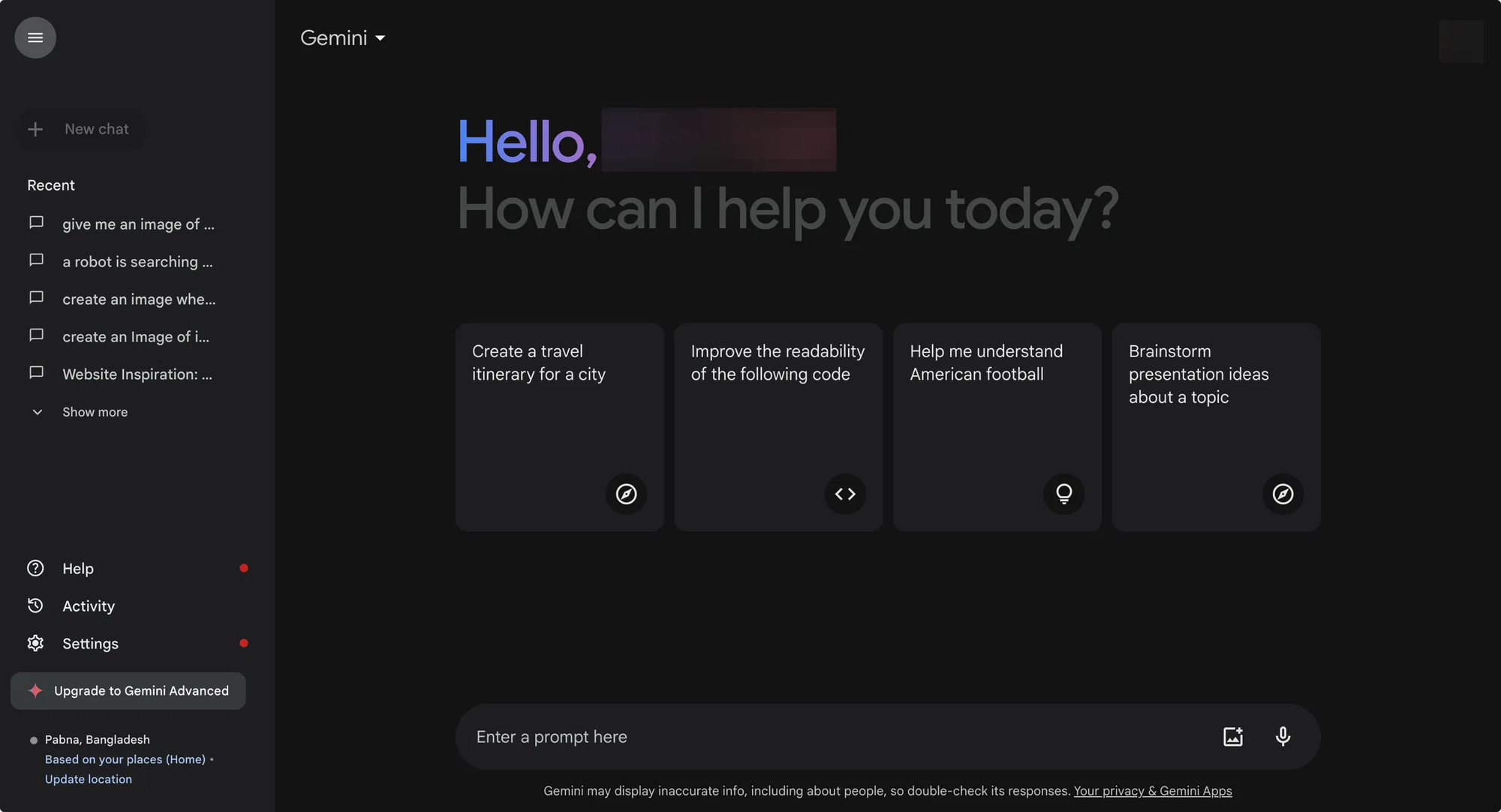
Gemini is Google’s next-generation AI assistant, built to replace Google Assistant and offer far more advanced capabilities than Siri. It works across voice, text, images, and your files
Key features
- Multimodal input: understands voice, text, images, screenshots, and documents
- Deep Research: can analyze long articles, summarize documents, or extract insights
- Long context support: handles large inputs like PDFs, code, or multi-part conversations
- Google Workspace integration: works with Gmail, Docs, Drive, Calendar, and Maps
What I liked:
- It’s far more capable than Siri - you can brainstorm, research, plan, or analyze with one tool
- When using Gmail or Docs, you can draft, summarize, or edit inside your apps
What I disliked:
- Some features (like voice control or “Assistant-style” device commands) are still limited or rolling out slowly
- Not all Android or Google devices support Gemini+ yet - you may need a newer phone or update
- May feel overwhelming at first if you’re only looking for basic reminders or voice queries
Pricing:
- Free plan with limited prompts and media generations
- AI Pro at ~$20/month
- AI Ultra at ~$249/month
Suitable for:
- Users who want a smarter voice assistant that works across apps, files, and content types
- Professionals and students working inside the Google ecosystem (Docs, Drive, Gmail)
How to start:
- Download the Gemini app on Android (or iOS via Google apps)
- Sign in with your Google Account and try the free version
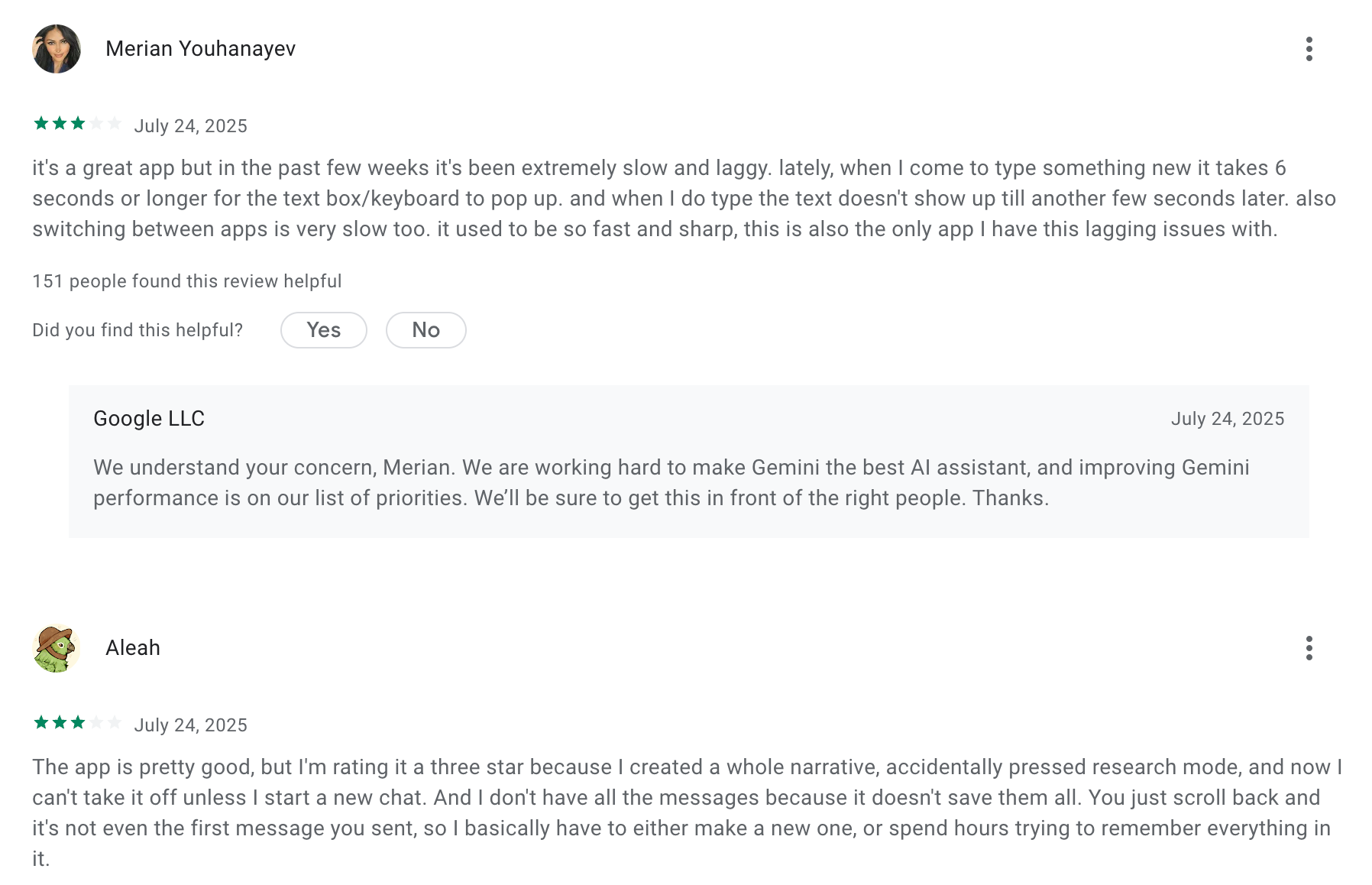
Google Gemini review (source)
6. Perplexity
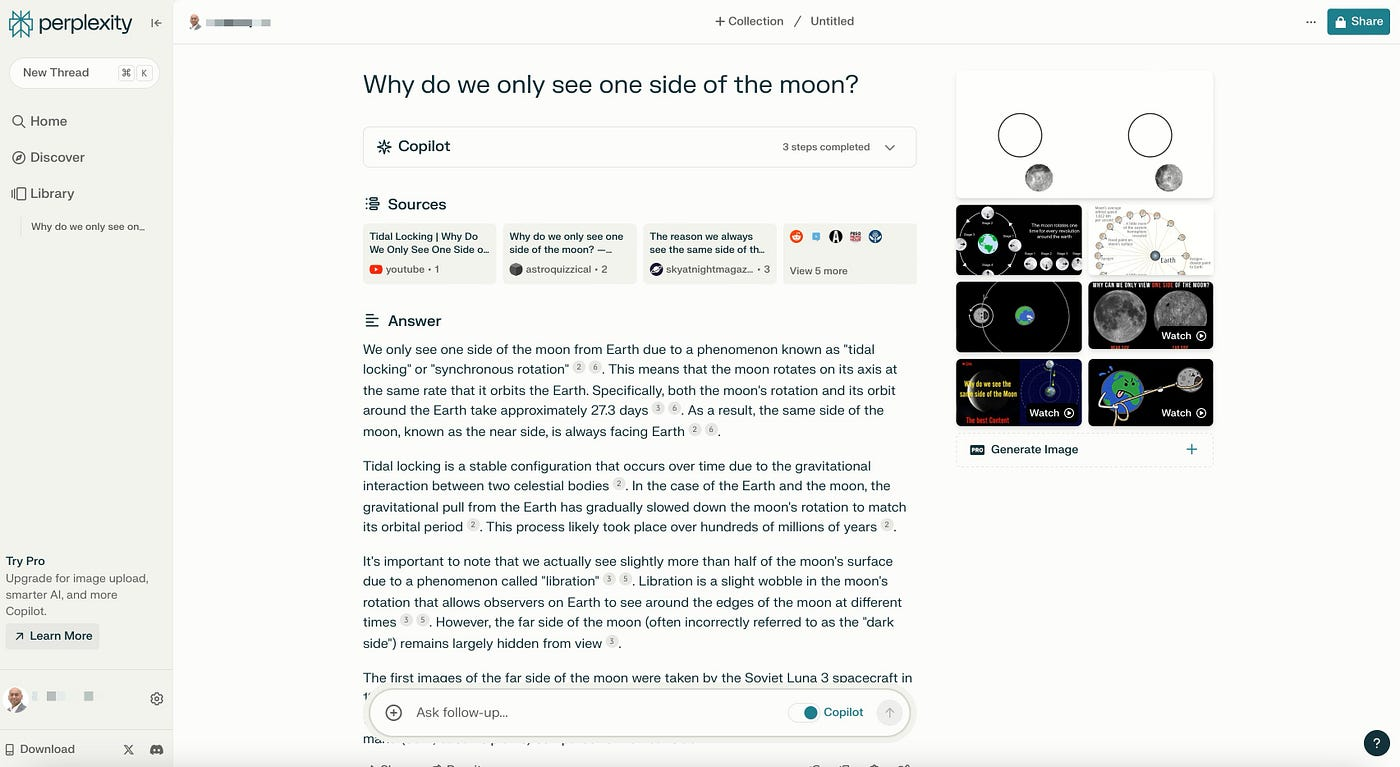
Perplexity is a real-time, conversational AI assistant that combines live web search with powerful AI reasoning. Unlike Siri, which mostly handles basic voice commands, Perplexity can answer complex questions, summarize long documents, cite its sources, and even help you browse and research
Key features
- Conversational AI search with real-time, citation-backed answers
- Follow-up questions that build on previous responses
- Focus modes for searching within academic sources, news, YouTube, Reddit, and more
What I liked
- Every answer comes with sources, so you can check facts without guessing
- Feels more like a research assistant than a voice bot
- Follow-up capability means you don’t have to restart your search every time.
What I didn’t like
- The Android assistant is promising but still limited in some real-world use cases
- No native iOS voice assistant support yet, so it’s not as hands-free as Siri
- It doesn't have a good UI for notes, to-dos, or calendar
Pricing
- Free plan includes unlimited basic searches, real-time web access, and limited daily use of Pro models
- Pro plan is around $20/month
Suitable for
- Students, researchers, and professionals who want trustworthy, cited answers in real time
- Writers, analysts, and marketers who need help summarizing sources, generating insights, or answering client questions
How to start
- Head to Perplexity on the web or mobile and start with the free plan
- Ask a few questions to get started
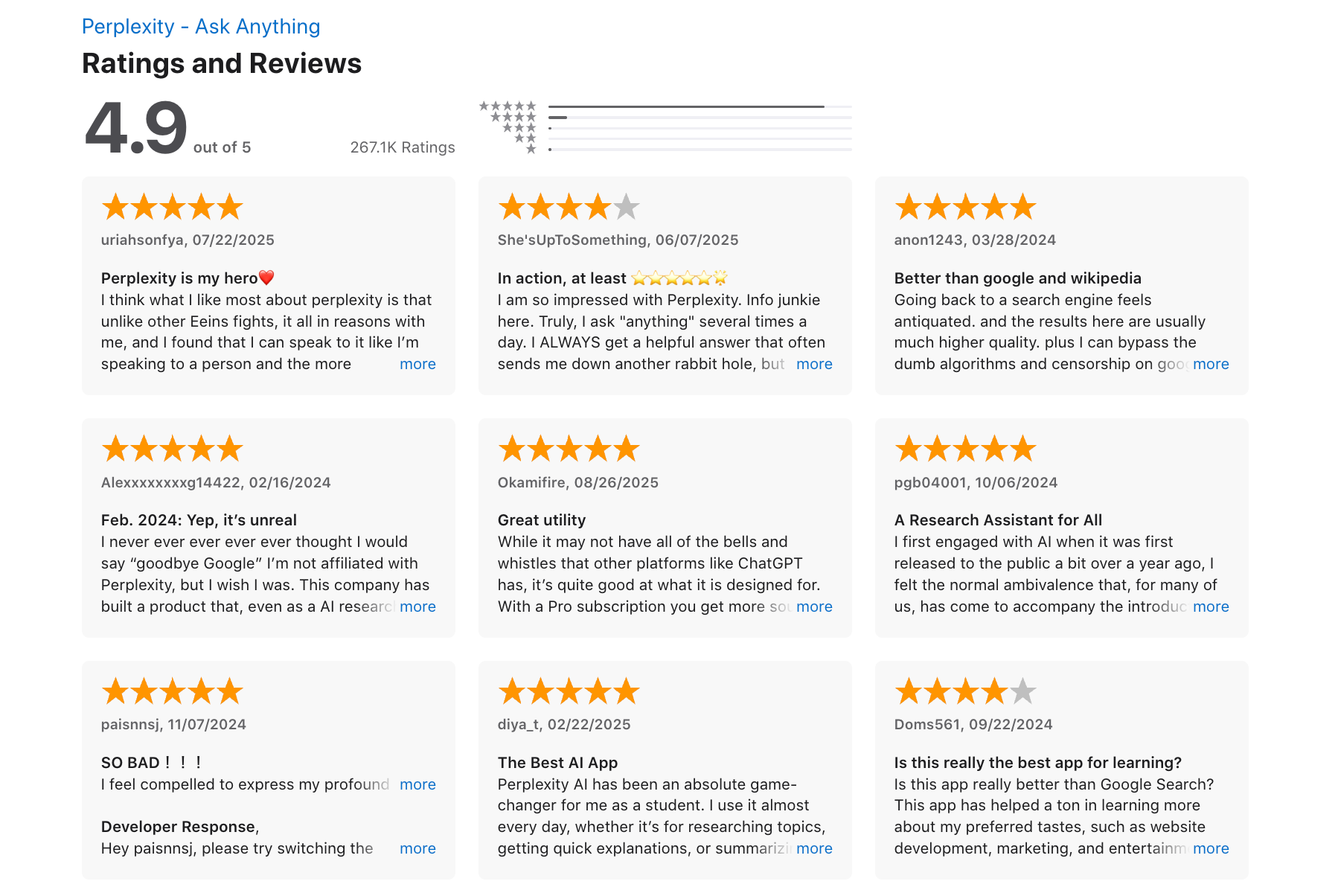
Perplexity reviews (source)
Conclusion: The Age of Smarter Assistants Has Arrived
Siri was groundbreaking when it launched - but in 2025, you have better choices.
Whether you're trying to:
- Plan your day without dropping the ball,
- Ask complex questions and get real answers,
- Automate tasks across devices,
- Or just find an AI that actually understands what you mean...
There’s a Siri alternative out there that fits.
🧠 If you want a conversational powerhouse → ChatGPT
🗂️ If you need help staying focused and organized → Saner.AI
🔍 If fast, reliable answers matter most → Perplexity AI
📅 If you're deep in Google apps → Gemini
🏠 If smart home is your thing → Alexa or Bixby
The key is picking the one that matches how you think, work, and live. Most of them have free versions, so you can test before committing.
It’s time to upgrade.
Stay on top of your work with top Siri Alternative
FAQ: Best Siri Alternatives
1. What are the best Siri alternatives in 2026?
If Siri feels too limited, you’re not alone. The best Siri alternatives today combine stronger AI, cross-platform support, and deeper integrations. Popular options include:
- Saner.AI – Focused on productivity, tasks, note and calendar organization
- ChatGPT – A conversational powerhouse with broad knowledge
- Claude – Known for long-context reasoning and safe outputs
- Perplexity – Great for fact-checked search and research
- Gemini – Google’s AI built into Workspace tools
- Alexa – Strong for smart home control and voice commands
- Bixby – Samsung’s assistant with device-level control
Each shines in different use cases, from managing tasks to controlling smart homes.
2. Why would someone look for a Siri alternative?
People search for Siri alternatives because Siri often feels:
- Too limited in integrations outside Apple’s ecosystem
- Less accurate in complex tasks compared to newer AI models
- Weak in personalization and contextual memory
Alternatives like Saner.AI or ChatGPT go beyond reminders - they handle notes, planning, and even research.
3. Which Siri alternative is best for productivity?
- Saner.AI stands out for professionals. It merges notes, tasks, and calendar in one AI-driven workspace. You can brain-dump, and it turns ideas into tasks with follow-through reminders.
- ChatGPT is also strong if you need writing help, brainstorming, or quick answers.
4. Which Siri alternative is best for research and knowledge?
- Perplexity – Ideal for fact-checked answers with sources.
- Claude – Handles long documents, meeting notes, or contracts with ease.
Both outperform Siri when you need depth, not just short voice replies.
5. Do Siri alternatives support multiple platforms?
Yes, many do. For example:
- Saner.AI, ChatGPT, Claude, and Perplexity – Work across iOS, Android, and web.
- Gemini – Native to Google Workspace and Android.
- Alexa & Bixby – Stronger in device and smart home control, but less universal.
6. Are any Siri alternatives free to use?
Yes, most offer free versions:
- Saner.AI – Free plan with AI task reminders and note search
- ChatGPT – Free tier limit usage
- Gemini – Free via Google accounts
- Perplexity – Free with limited daily searches
Alexa and Bixby are bundled with devices.
7. Which Siri alternative works best for ADHD users?
Saner.AI is designed by and for ADHD minds. It reduces context switching, auto-organizes notes into tasks, and reminds you of follow-ups without extra setup. It’s calmer than juggling multiple apps.
8. Which Siri alternative is best for entrepreneurs and managers?
- Saner.AI – Great for turning messy notes into clear next steps.
- Claude – Perfect if you’re reviewing long docs, investor decks, or research.
- Perplexity – Quick market research and fact-checked insights.
9. Can Siri alternatives handle voice commands?
Yes, but with differences:
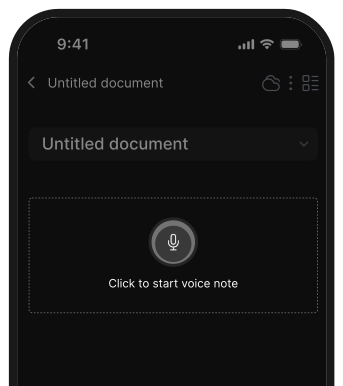
- Saner.AI – Voice-to-task and natural conversation.
- ChatGPT / Gemini – Voice support through integrations.
- Alexa & Bixby – Strongest at native voice commands, especially for smart homes.
10. Do Siri alternatives actually improve productivity?
Yes. Unlike Siri, these tools:
- Turn natural language into structured tasks
- Summarize long text and meetings
- Suggest priorities based on workload
- Surface old notes at the right moment

They reduce mental load and app switching, which is where Siri often falls short.
11. Which Siri alternative is best for smart homes?
If your main goal is controlling lights, speakers, or appliances:
- Alexa remains the strongest.
- Bixby works well in Samsung ecosystems.
AI assistants like Saner.AI or ChatGPT aren’t built for smart homes but excel in productivity.
12. How do Siri alternatives compare for work vs. personal life?
- Work: Saner.AI (productivity), Claude (docs), Perplexity (research).
- Personal life: Alexa (smart home), Gemini (Google integration), Bixby (device control).
- General help: ChatGPT works across both.
13. Do Siri alternatives keep context better than Siri?
Yes. Tools like Saner.AI, ChatGPT, and Claude remember what you said earlier in a session. Saner even links back to your old notes and tasks - something Siri doesn’t do.
14. Which Siri alternative is best overall?
It depends on your needs:
- Best for productivity & ADHD: Saner.AI
- Best for general knowledge: ChatGPT
- Best for long documents: Claude
- Best for fact-checked research: Perplexity
- Best for smart home: Alexa
- Best for Android ecosystem: Bixby
- Best for Google users: Gemini
15. Is there a good Siri alternative for older iPhone users?
Yes. Even if you’re on an older iPhone, you can still try:
- ChatGPT app – Works on iOS 16+ and gives far better conversational answers than Siri.
- Saner.AI – Cross-platform, runs in-browser too, so you don’t need the newest device.
- Alexa app – Works on iPhone, especially if you already use Echo devices.
You don’t need to upgrade your iPhone just to get a smarter assistant.
This is a major reason people look beyond Siri.
16. How do Siri alternatives compare to Google Assistant?
Google Assistant is stronger than Siri in real-world Q&A and smart home control, but it’s being phased out in Gemini. Compared to newer AI:
- ChatGPT / Claude – More creative, long-form, and contextual.
- Saner.AI – Focuses on productivity, not just answering questions.
- Perplexity – Stronger at fact-checking with live web results.
If you’re coming from Google Assistant, Gemini or Perplexity will feel the most familiar.
Stay on top of your work and life