
Slite Alternatives: We Tested The 7 Best Apps (Free & Paid)
The Best Slite Alternatives are Saner.AI, Coda, Supernotes, Tana, Routine, Motion and Notion

The 7 Best Slite Alternatives
If you’re searching for the best Slite alternatives, you’re probably looking for a knowledge-management tool that’s more flexible, more AI-native, or better suited for your growing team.
Slite is a popular documentation and wiki tool for remote teams - but it has limitations. While it’s excellent for simple, structured team docs, many teams outgrow it because they need more customization, stronger database capabilities, more robust AI workflows, or a platform that scales with complex processes.
Finding the right alternative matters for long-term knowledge management: onboarding new hires, creating consistent SOPs, preventing information silos, and choosing a workspace that matches how your team thinks and works.
In this guide, we’ll break down the best Slite alternatives - based on features, real-world use cases, pricing, and who each tool is best for.
1. What is Slite?
Slite is a collaborative documentation and knowledge-base platform built for remote and async teams. It allows teams to create wikis, SOPs, onboarding docs, meeting notes, and shared knowledge hubs in a clean, structured interface. Slite focuses on simplicity over complexity, making it easy for teams to write, organize, and share internal knowledge without a steep learning curve.
2. Why People Look for Slite Alternatives
Teams often start with Slite but eventually need more flexibility. Common reasons include:
- Needs more advanced workflow automation
- Not ideal for teams scaling into hundreds of users
- Limited database + customization compared to Notion or Coda
- Better for documentation, weaker for task/project management
- Teams wanting AI-native tools
- Pricing can grow quickly as team size increases
3. How I Tested These Alternatives
To create this list, I evaluated each tool through:
- Hands-on with each platform
- Checking for:
- ease of use
- AI features
- knowledge structure
- search quality
- real-time vs async collaboration
- integrations
- pricing fairness
- Reviewing user feedback, product roadmaps, and feature documentation
- Prioritizing tools that support async teams, remote collaboration, and AI workflows
Now, let's dive in!
What are the Best Slite Alternatives?
The Best Slite Alternatives are Saner.AI, Coda, Supernotes, Tana, Routine, Motion and Notion
🧾 Comparison Table: Best Slite Alternatives
| 🛠️ Tool | 🎯 Best Use Case / Strength | 🤖 AI / Smart Features | 📚 Knowledge Organization & Structure | 💰 Pricing (public info) |
|---|---|---|---|---|
| Saner.AI | AI-first knowledge + productivity hub combining notes, tasks, docs, email & calendar | Strong AI search, insights, summaries, cross-workspace reasoning | Unified workspace: notes, tasks, docs, email & calendar all indexed into one “second brain” | Free plan; paid plans around ~$8/month |
| Coda | Complex workflows, operational systems, structured internal tools | Strong AI + powerful automations, formulas, data actions | Table-first structure with formulas, views, and highly customizable building blocks | Free tier; paid plans from ~ $12/user/month |
| Notion | All-in-one flexible workspace: docs, wiki, tasks, databases | AI writing, summarization, Q&A search | Page–block structure + relational databases, many views (table, board, timeline) | Free plan; paid plans from ~$8–10/user/month |
| Supernotes | Lightweight fast note-taking + idea capture | Basic AI assistance | Card-based notes, backlinks, simple hierarchies | Free plan; paid upgrade available (~$8/month) |
| Tana | Personal knowledge system for research, thinking, content creation | AI summarization + semantic “supertags” | Node-based, graph-like structure, strong linking | Paid plan (generally around ~$10/month) |
| Routine | Personal planning: notes + tasks + calendar | AI summaries + planning assistance | Simple notes + tasks + planner structure | Free plan; paid plan $18/month |
| Motion | AI scheduling + time blocking for busy teams & individuals | Strong AI for scheduling, prioritization, re-planning | Task + project + schedule structure (not wiki-first) | Tiered pricing, typically ~$49/user/month |
1. Saner.AI
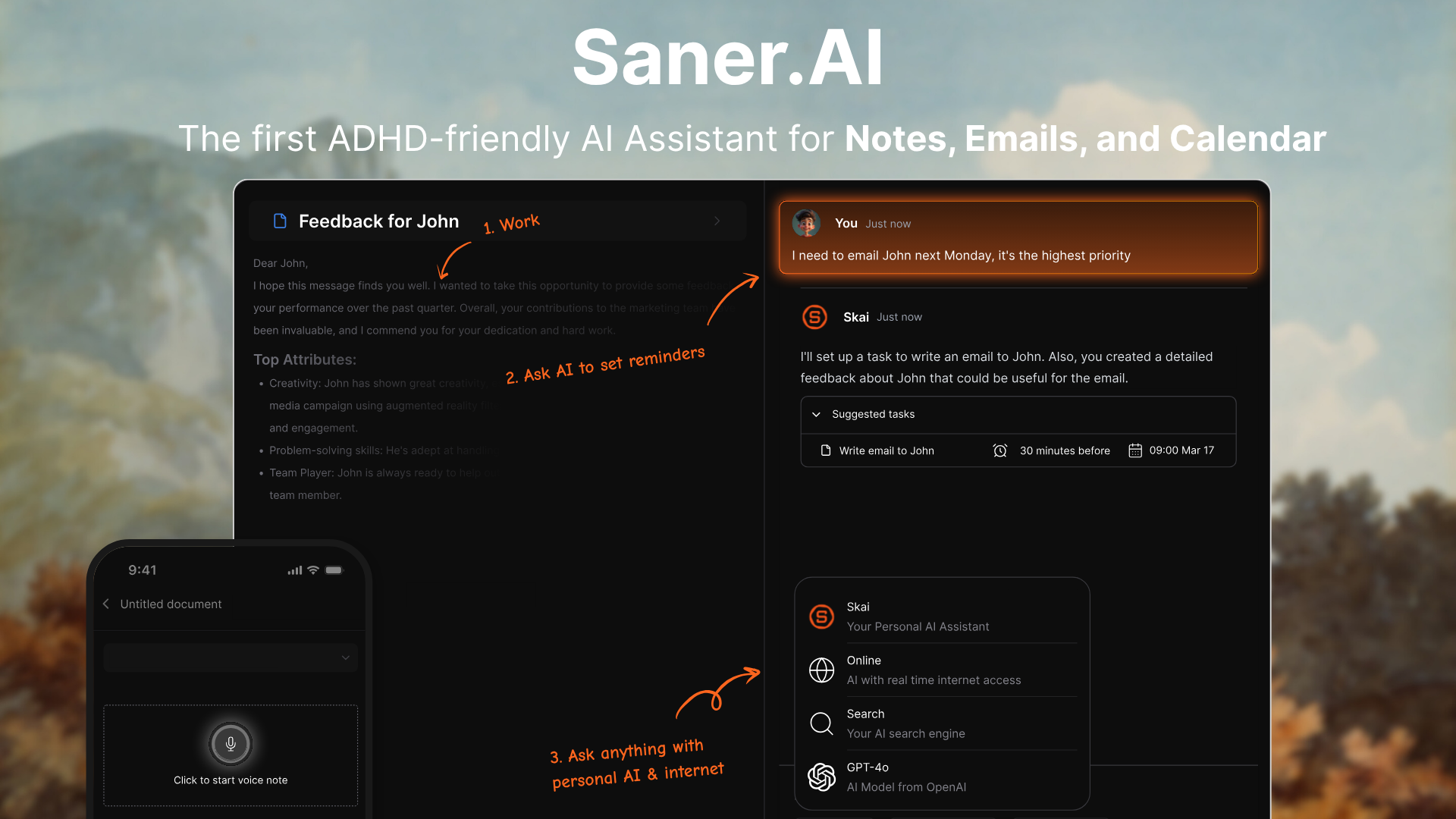
Saner.AI is an AI workspace that combines notes, tasks, emails, calendar events, and documents into one place. Instead of acting as a static knowledge base like Slite, it uses AI to automatically organize, surface, and connect your information so you can work with less friction.
Key features
- Proactive Planning: The personal AI automatically gives you an optimal day plan
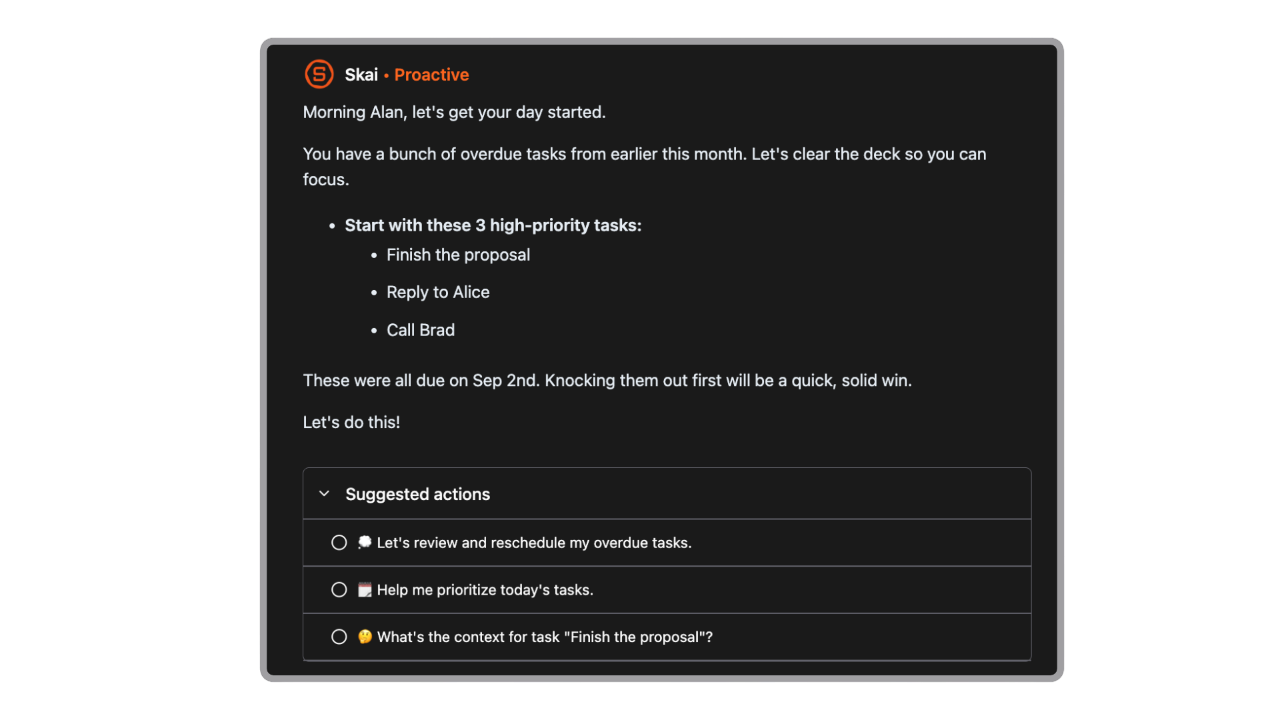
- AI assistant (“Skai”) that organizes and tags notes automatically
- Semantic search across notes, tasks, emails, calendar, and documents
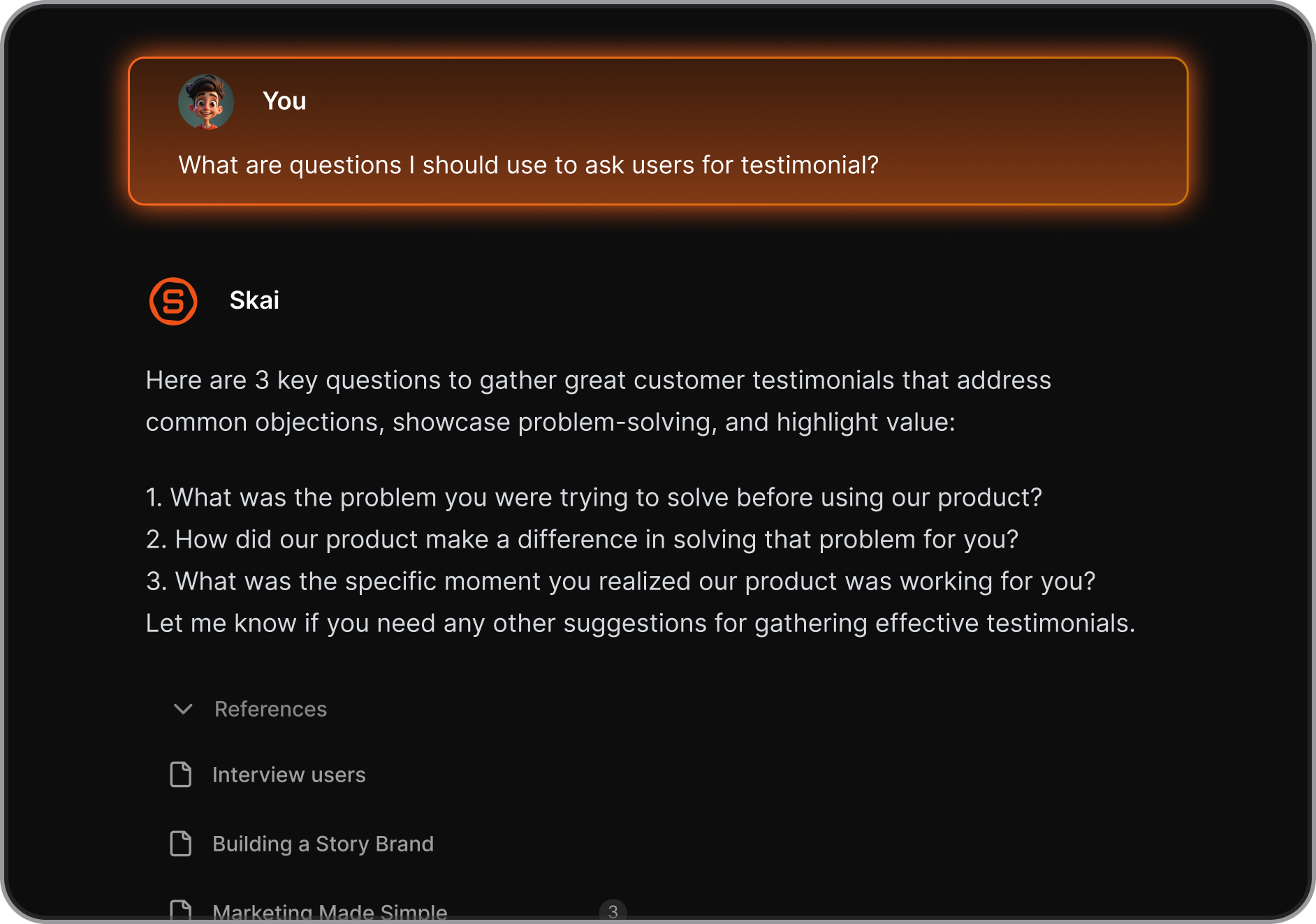
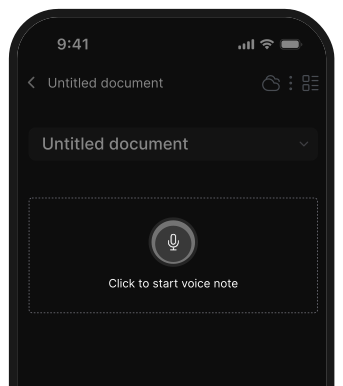
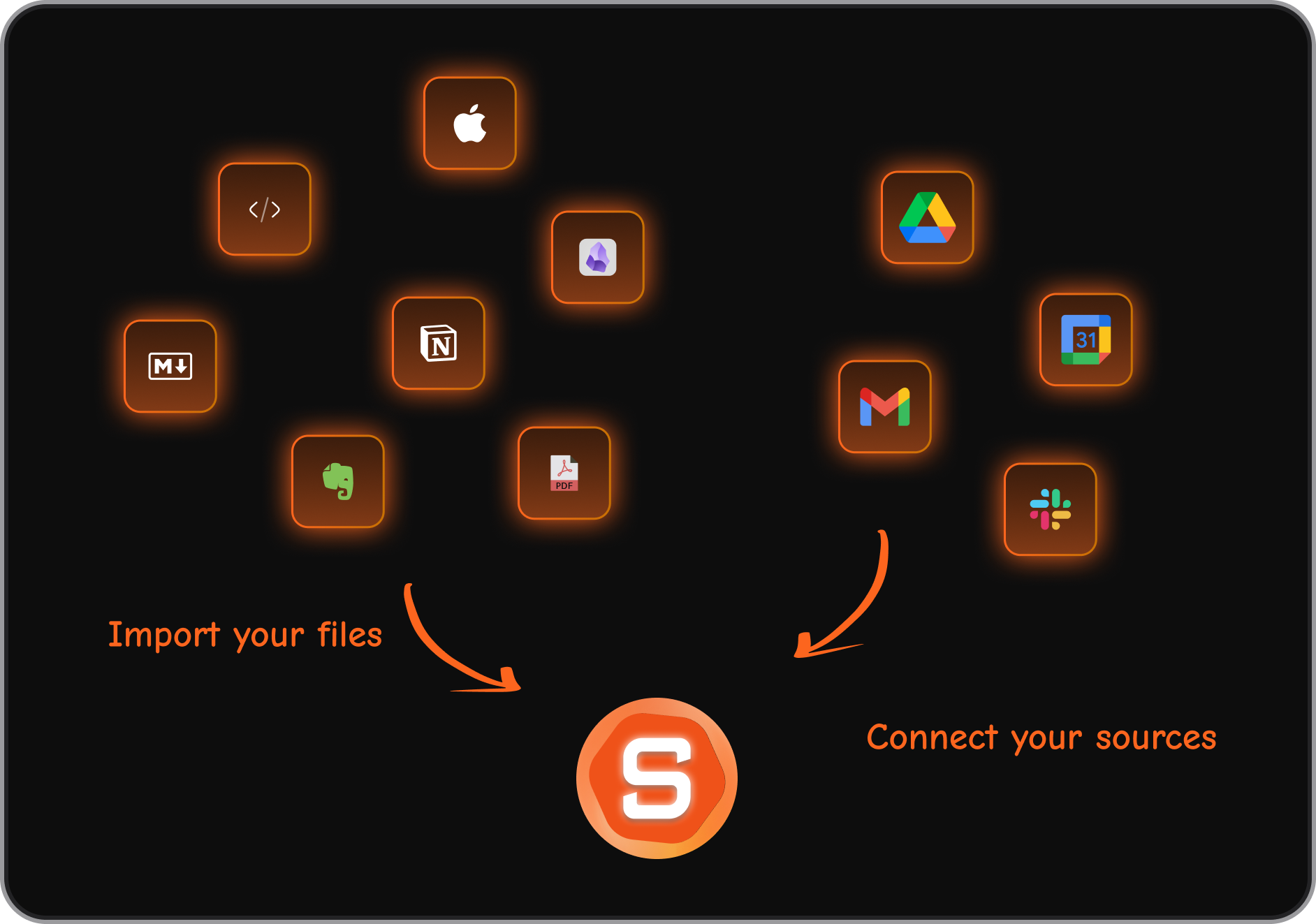
- Multi-format capture: voice notes, quick note via browser extension, file uploads, mobile input
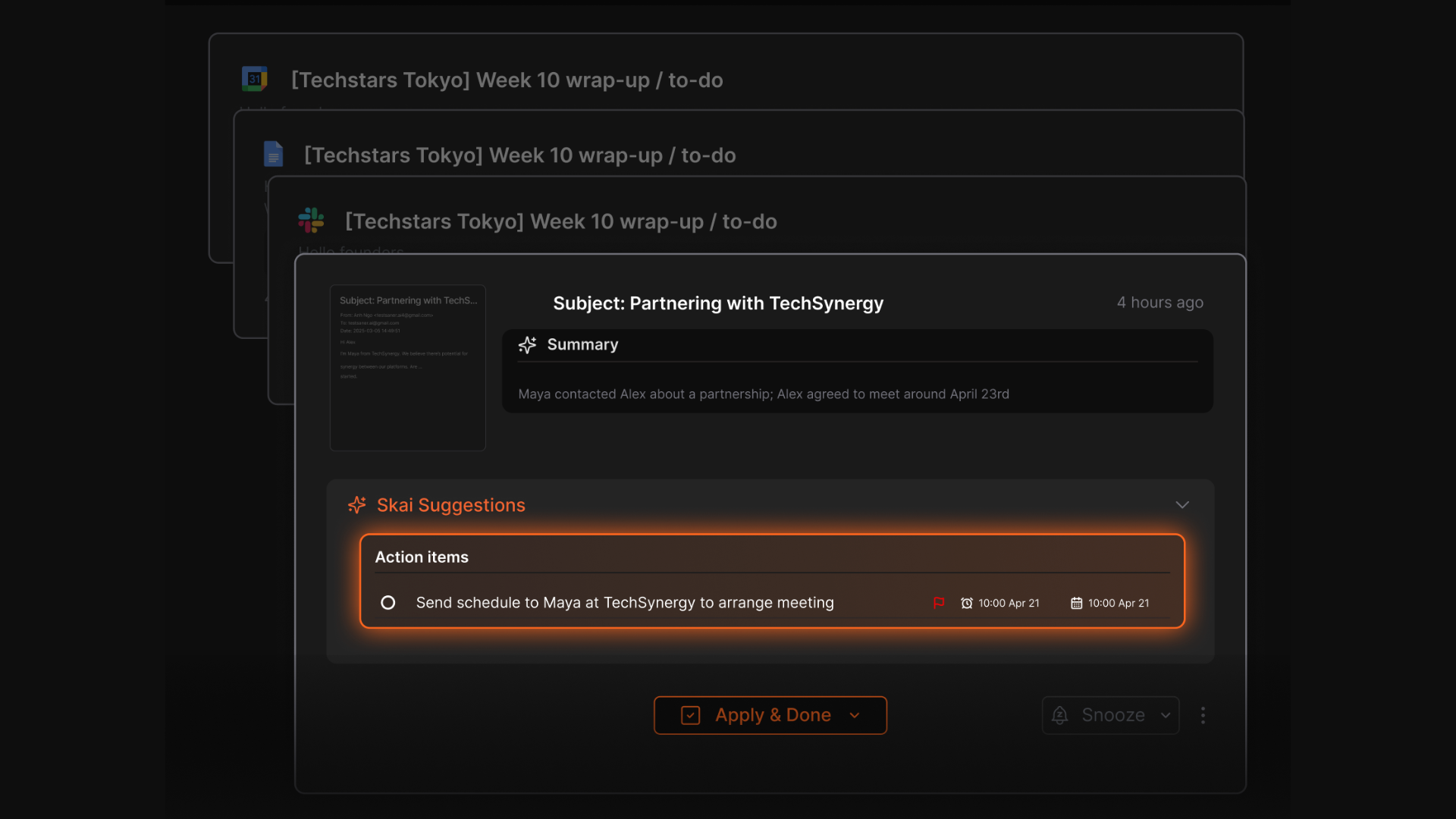
- Integrations with Gmail, Google Drive, Slack, calendar, and more
What I liked
- Acts like a “second brain” instead of a simple wiki - the AI actively retrieves and connects information for you
- Helps turn brain dumps and meeting notes into actionable tasks
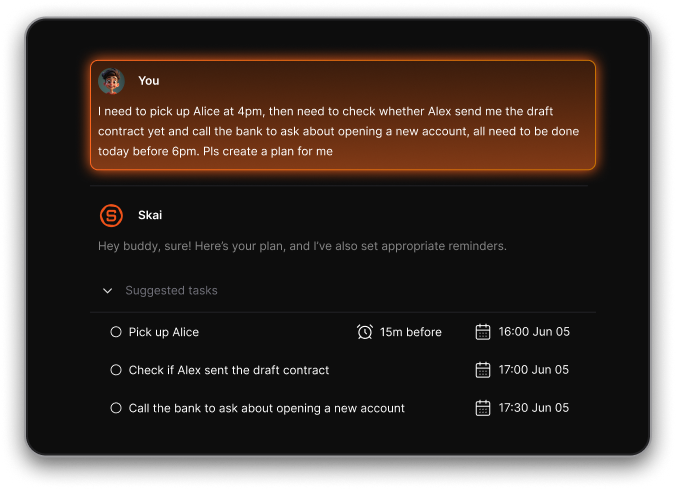
- Automatic task extraction from notes and emails
Cons
- Not ideal for large teams or project timelines.
Pricing
- Free plan with core features and usage limits
- Paid tiers around $8–$16/month for unlimited notes, full AI access, integrations, and more
Who is it suitable for?
- Individuals who need AI help to manage notes, tasks, emails, and docs together
- Freelancers, creators, researchers, and solopreneurs
- Users with ADHD or executive-function challenges
- Anyone who wants an all-in-one second-brain tool instead of juggling multiple apps
Saner.AI review

How to start using it?
- Go to Saner.AI
- Create a free account
- Import notes, emails, or connect integrations
- Let the AI auto-organize your workspace

Stay on top of your life with the Top Slite Alternative
2. Tana
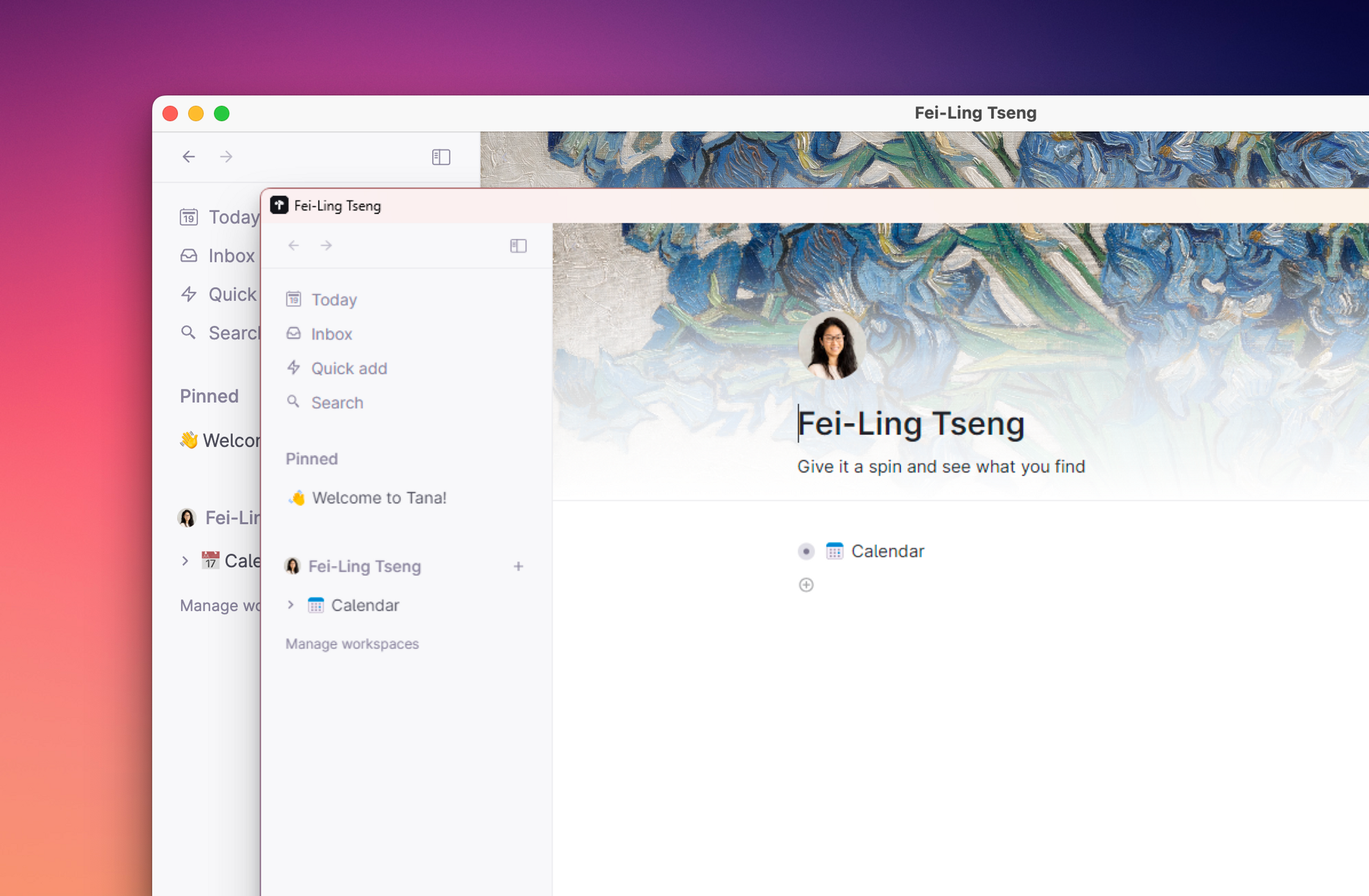
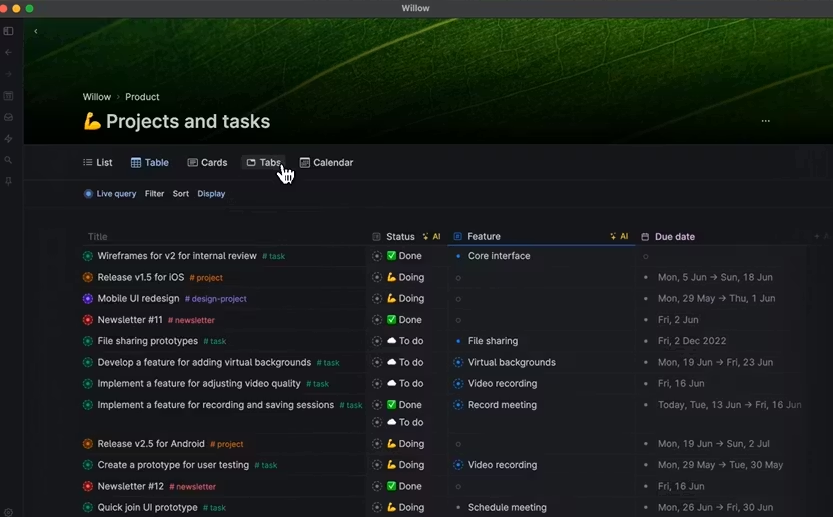
Tana is an AI workspace that combines outliner-style notes, a knowledge graph, and database-like structure. It works as a flexible Slite alternative for people who want more control over how their information is organized and connected.
Features
- Outliner + knowledge graph so every note becomes a linkable “node”
- Supertags that act like templates with predefined fields
- Powerful live search and queries to build custom views and dashboards
- AI tools for meeting transcription, summarization, and automatic linking
Pros
- Supertags make it easy to turn notes into structured data
- Notes, tasks, projects, and knowledge live in a single connected system
Cons
- Steeper learning curve than Slite because of nodes, tags, and queries
- Needs time to design your ideal structure - not plug-and-play
- Still a younger tool, so some integrations may feel limited
Price
- Monthly at $18/month, Annually at $14/month
Suitable for:
- Researchers, founders, and teams managing interconnected information
- People who want tasks + notes + projects in one system
How to start:
- Sign up on Tana’s website
- Start with simple notes using the outliner
Tana Reviews (Source)
3. Coda
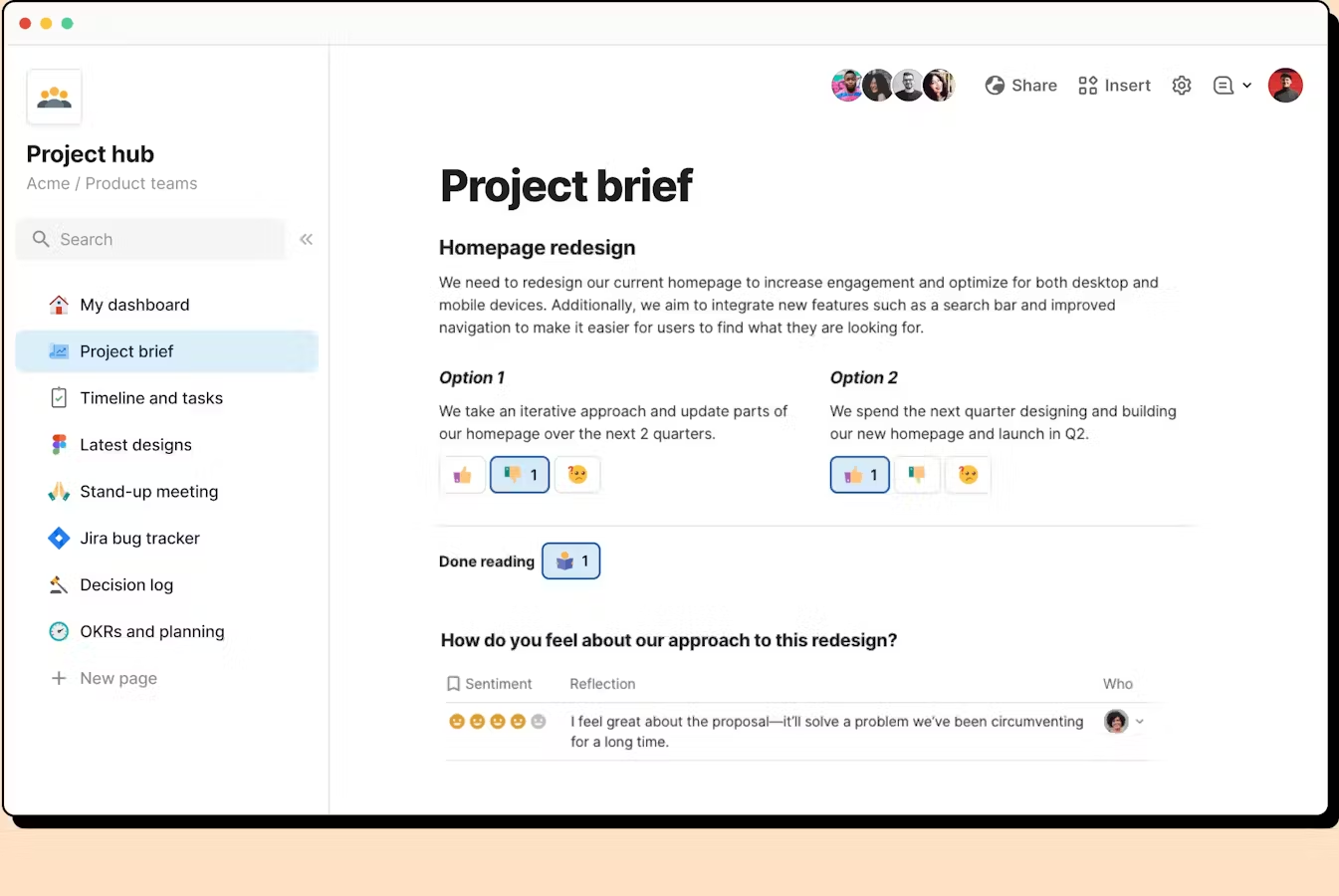
Coda is a flexible all-in-one knowledge management app that combines documents, tables, and workflows into a single place. It works as a Slite alternative if you need more structure, data handling, or customizable processes instead of just a simple team wiki.
Key features
- Hybrid of docs, spreadsheets, and databases in one place
- Packs (integrations) that connect Coda to email, calendar, CRMs, and other apps
- Buttons, automations, and formulas to build mini-apps inside docs
- Large template library for wikis, project hubs, trackers, and workflows
What I liked
- Very flexible. You can build simple docs or full internal tools depending on your needs.
- Templates and packs reduce setup time, so you don’t always start from zero.
What I disliked
- Steeper learning curve than Slite, especially for non-technical teams.
- Can feel heavy or overkill if you only need a clean documentation tool.
- Complex setups require tinkering and ongoing maintenance.
Pricing
- Free plan
- Paid plans from 12$/month
Suitable for
- Teams that want docs + data + workflows in one tool
- Companies building internal hubs, trackers, or collaborative processes
How to start
- Go to Coda
- Create a free account
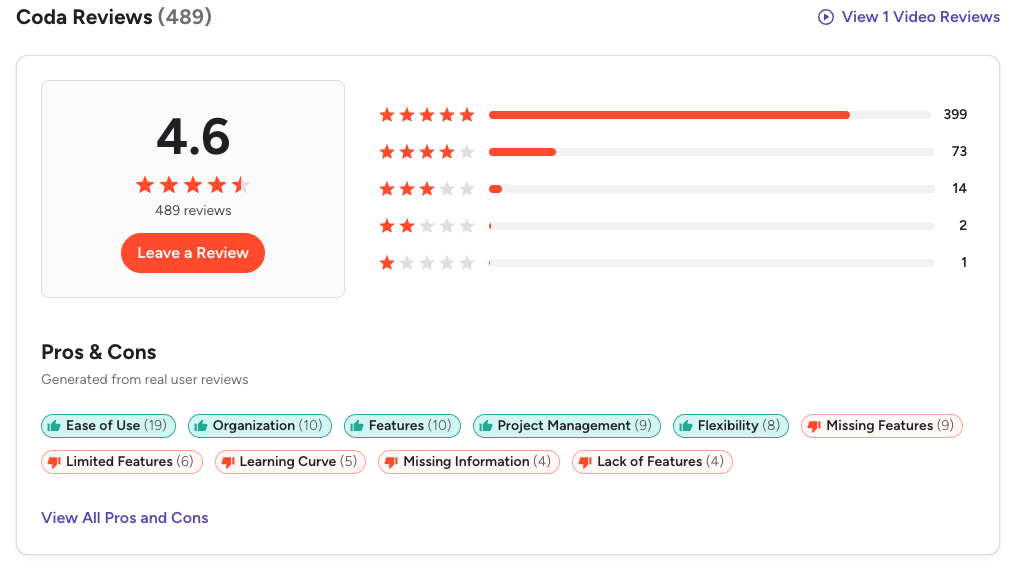
Coda Reviews (source)
4. Motion
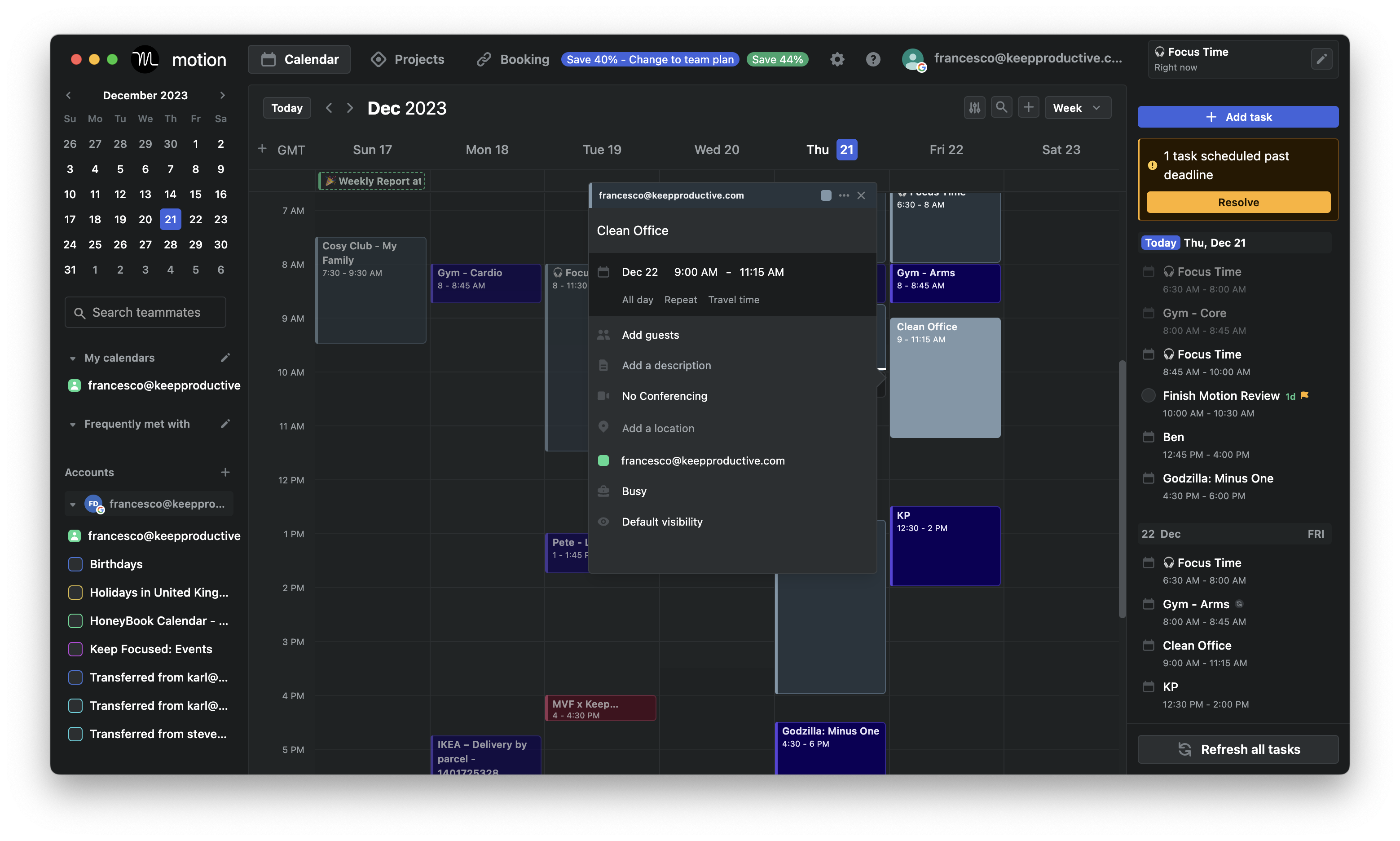
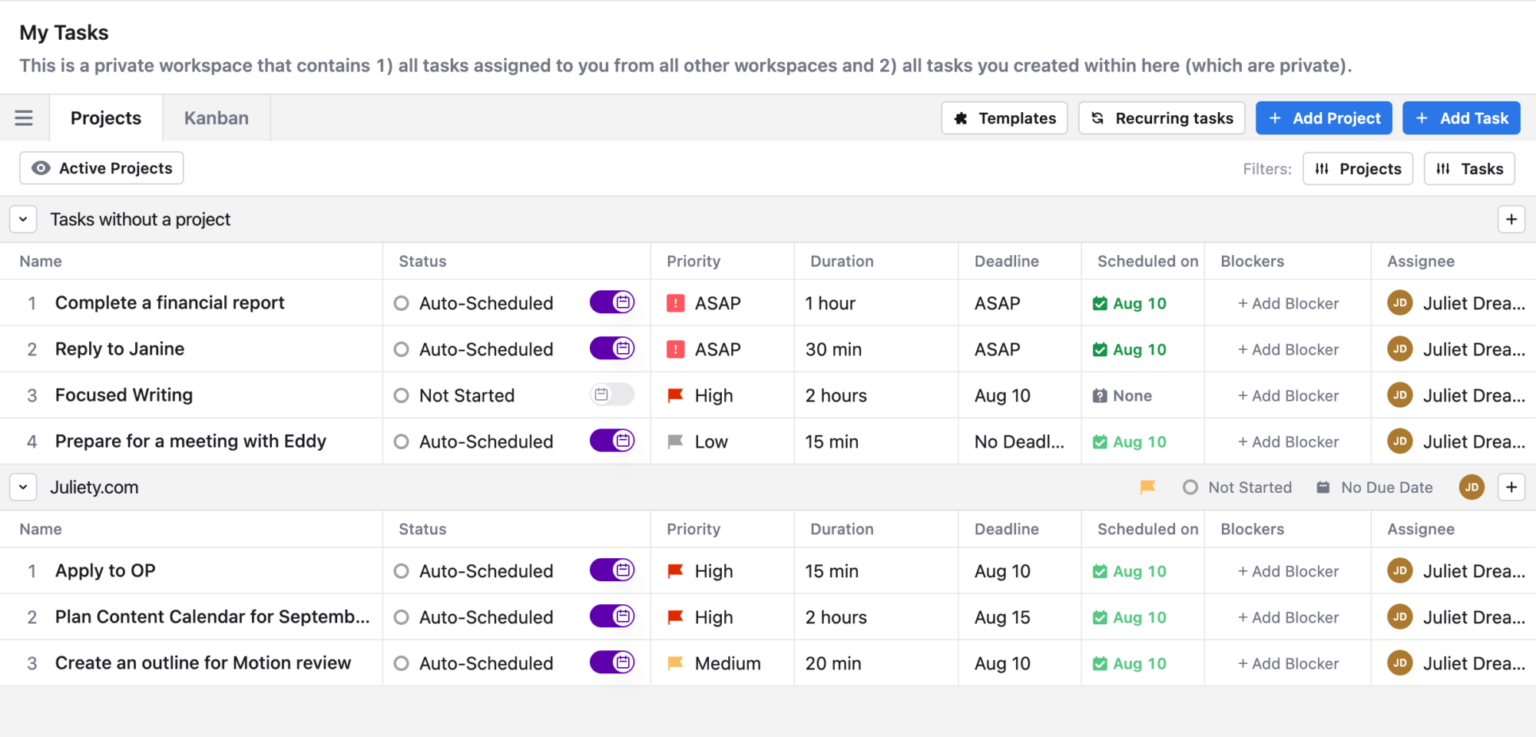
Motion is an AI platform that combines your tasks, calendar, projects, and notes in one place. It’s designed to automatically plan your day, slot tasks into your schedule, and reduce the manual work of time-blocking. While it isn’t a full documentation tool like Slite, it can act as a lightweight alternative if your team mainly needs simple notes plus strong task and scheduling features.
Key features
- Dynamic rescheduling automatically places tasks into your calendar based on priority and deadlines
- Unified workspace for tasks, projects, docs, and calendar
- AI meeting assistant that summarizes calls and extracts action items
- Collaboration features for assigning tasks, sharing calendars, and managing small team projects
What I liked:
- The auto-scheduler removes the mental load of deciding when to work on what
- Tasks, projects, notes, and calendar are in one view, so you switch apps less
What I disliked:
- The docs feature is basic compared to Slite or other knowledge-management tools
- Complex projects or large teams may outgrow its project-management capabilities
- Auto-scheduling can feel unpredictable if you prefer full manual control
- Not great for building a deep knowledge base
Pricing:
- Free 7-day trial available.
- Paid plans start around $49/month
Suitable for:
- Small teams who want AI employees and project management platform
How to start:
- Go to Motion
- Start the free trial
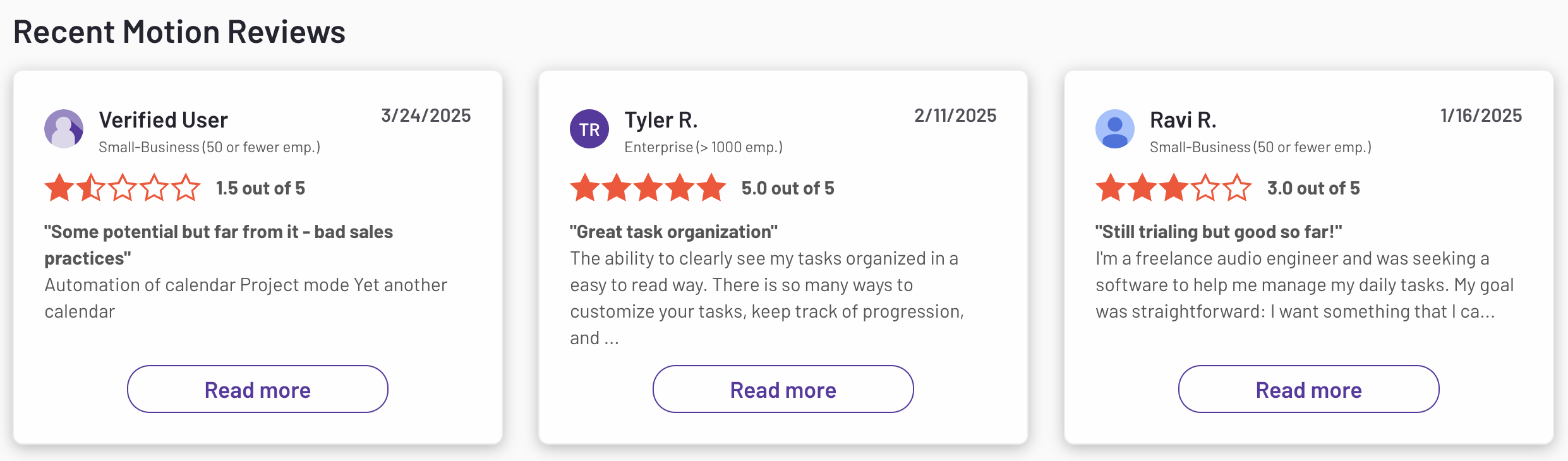
Motion reviews (source)
5. Notion
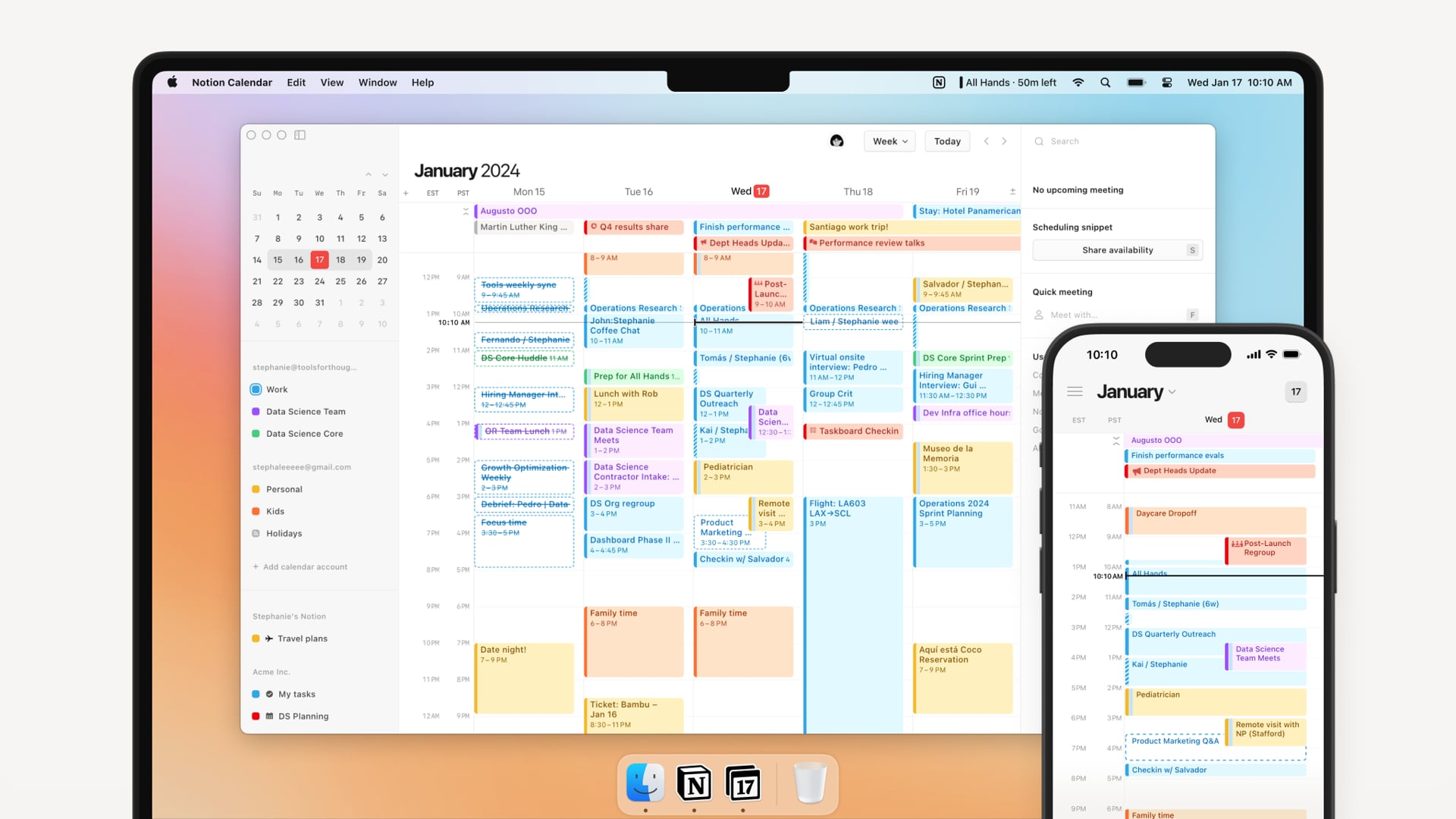
Notion is a workspace that lets you create notes, documents, wikis, and databases in one place. Many teams use it as a Slite alternative because it offers deeper customization, richer database features, and more control over how information is organized.
Key features
- Block-based editor for building pages with text, media, tables, embeds, and more
- Powerful databases with multiple views: table, board, list, gallery, calendar
- Large library of templates for wikis, project tracking, content planning, personal notes, and documentation
- Strong collaboration tools with comments, mentions, page sharing, and granular permissions
What I liked
- Extremely flexible
- Database views make it easy to organize information in a structured, scalable way
- Huge ecosystem of community templates to speed up setup
What I disliked
- Steeper learning curve
- Performance can slow down when workspaces get large or heavily nested
- Can become cluttered if no one maintains structure
Pricing
- Free plan — suitable for individuals, unlimited pages/blocks
- Plus plan — around $10/user/month (annual billing)
- Business plan — around $20/user/month (annual billing), includes AI
Suitable for
- Teams that want a customizable, multi-purpose workspace rather than a simple documentation tool
- Users who need databases, project tracking, and flexible page layouts
How to start
- Create a free Notion account
- Pick a template (wiki, docs, project tracker) or start from scratch
Notion reviews (source)

6. Routine
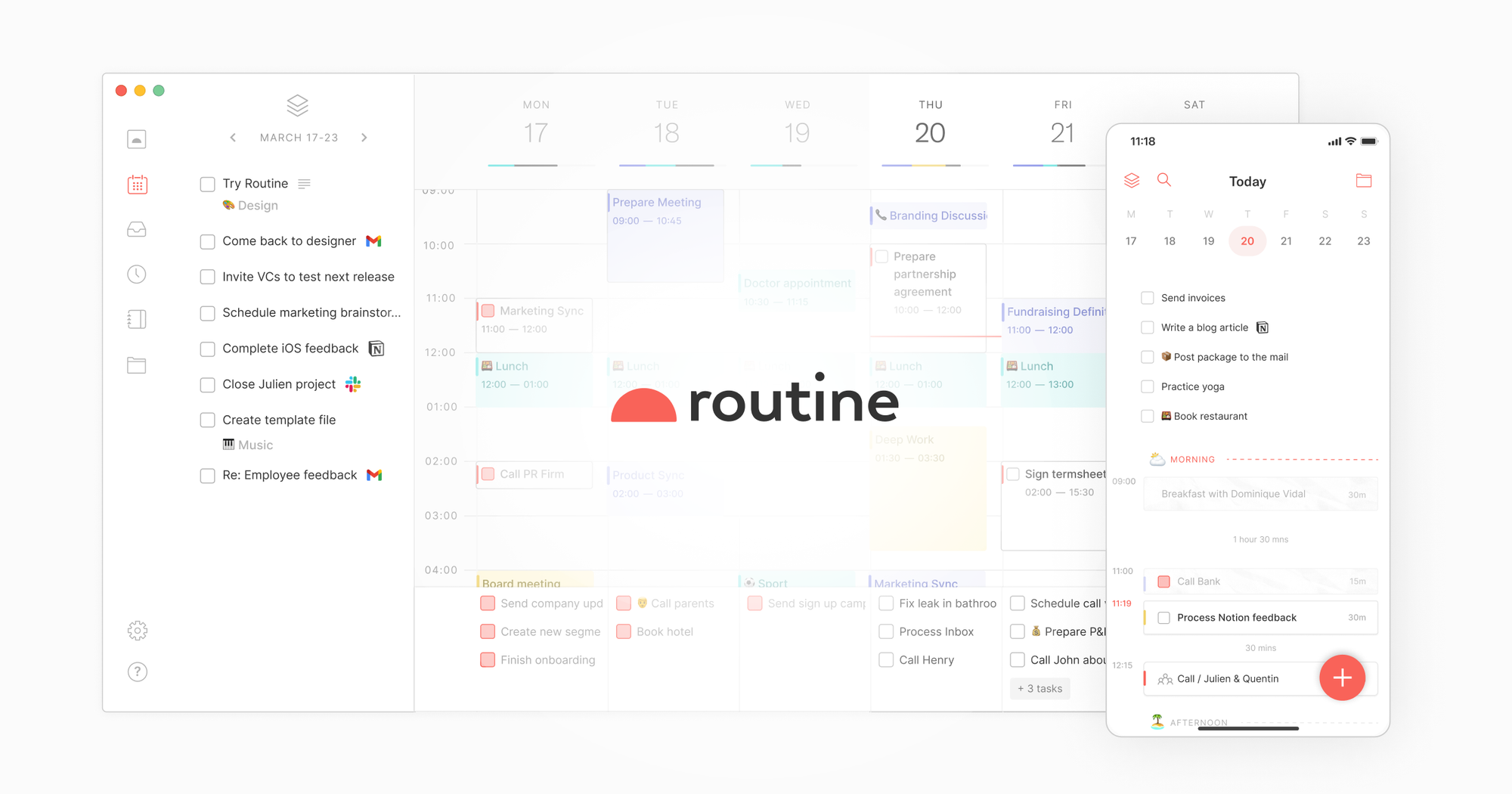
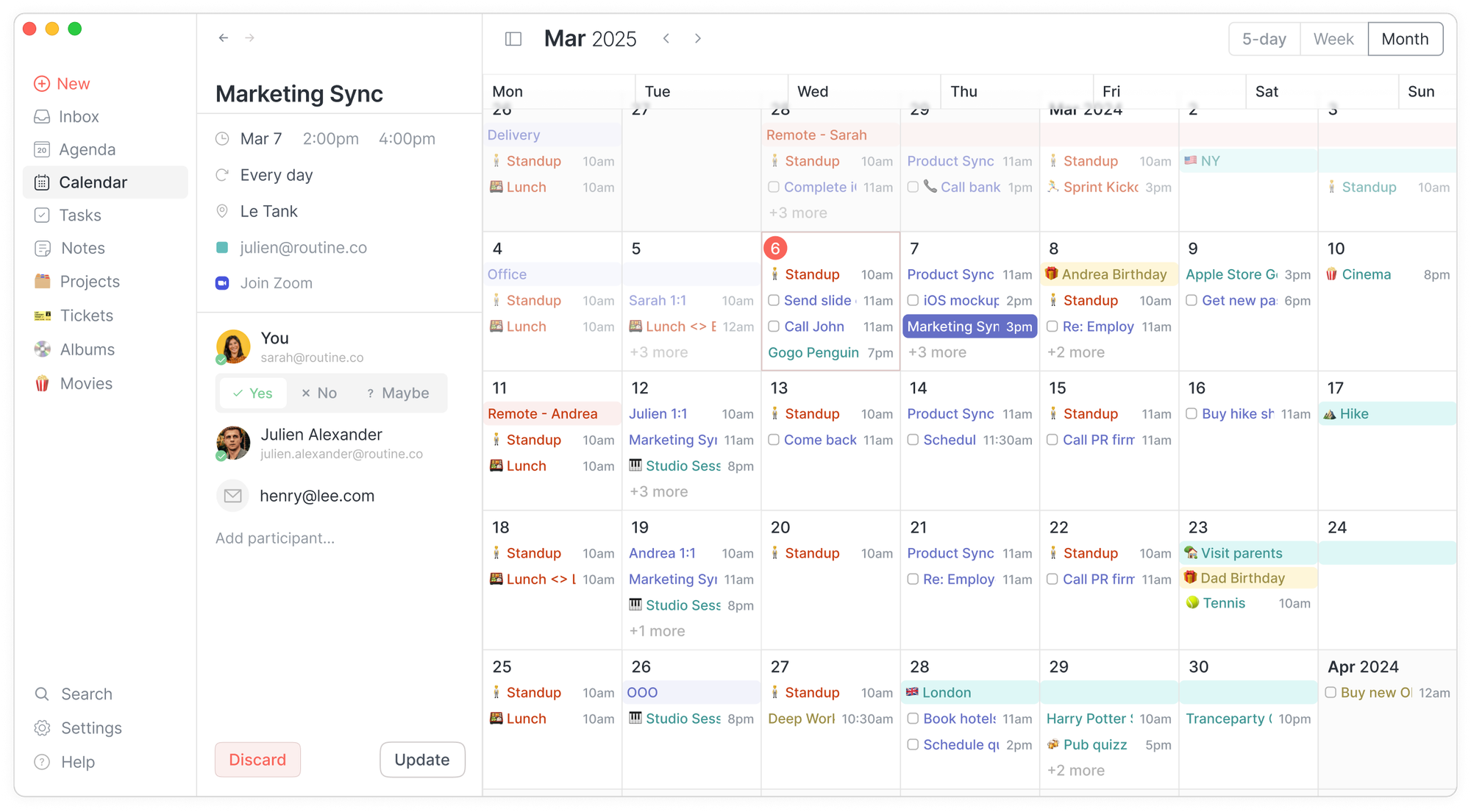
Routine.co is a productivity app that combines your calendar, tasks, planning, and light notes into one place. It works as a lightweight Slite alternative for people who want simple personal documentation plus daily planning in the same workspace.
Key Features
- Calendar, tasks, and notes in a single interface
- Weekly planner and time-blocking for scheduling tasks
- Universal inbox with quick-capture (global shortcut)
- Meeting notes tied to calendar events
What I Liked
- Combines planning, tasks, calendar, and notes without switching tools
- Clean, minimalist design that feels easy to use
What I Didn’t Like
- Notes are basic compared to Slite’s full documentation and collaboration tools
- Limited collaboration: not ideal for building team knowledge bases
- Lacks deeper project-management features or complex workflows
- There's no chat-style assistant that you can talk to, like “Move my deep work to Friday”
Pricing
- Free plan with core features
- Pro plan around $10/month
- Business plan around $15/month
Who It’s For
- Individuals who want tasks, notes, calendar, and planning in one place
- Freelancers or small teams that don’t need full documentation systems
How to Get Started
- Go to Routine.co and create a free account
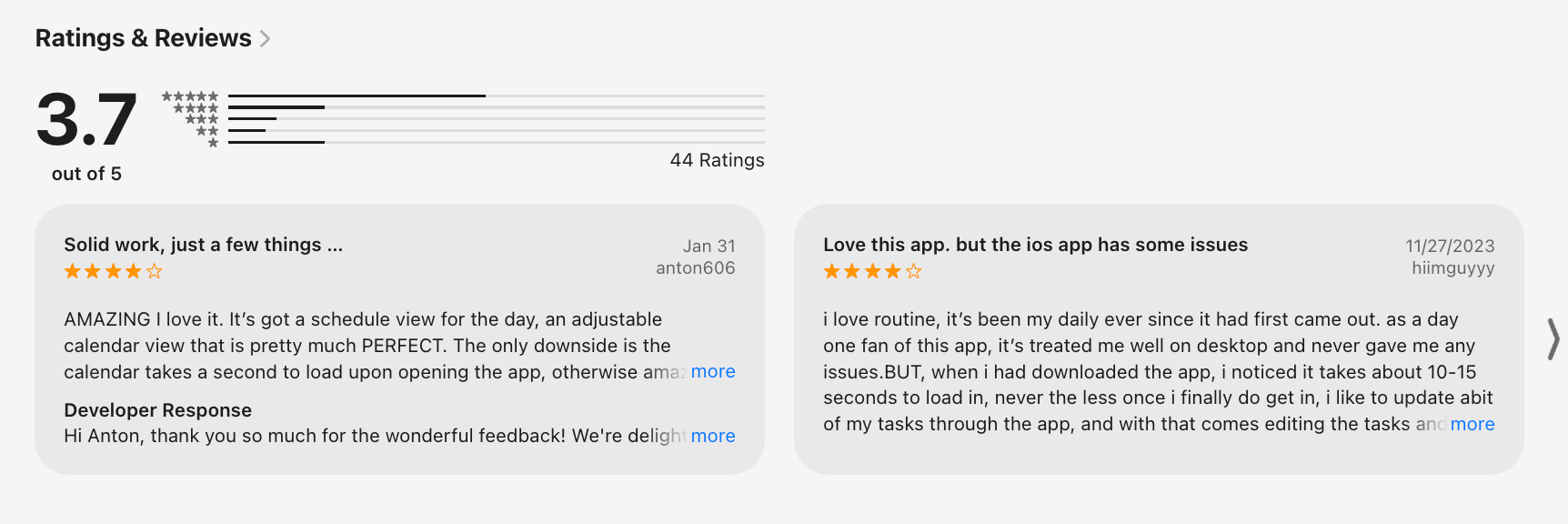
Routine Reviews (source)
7. Supernotes

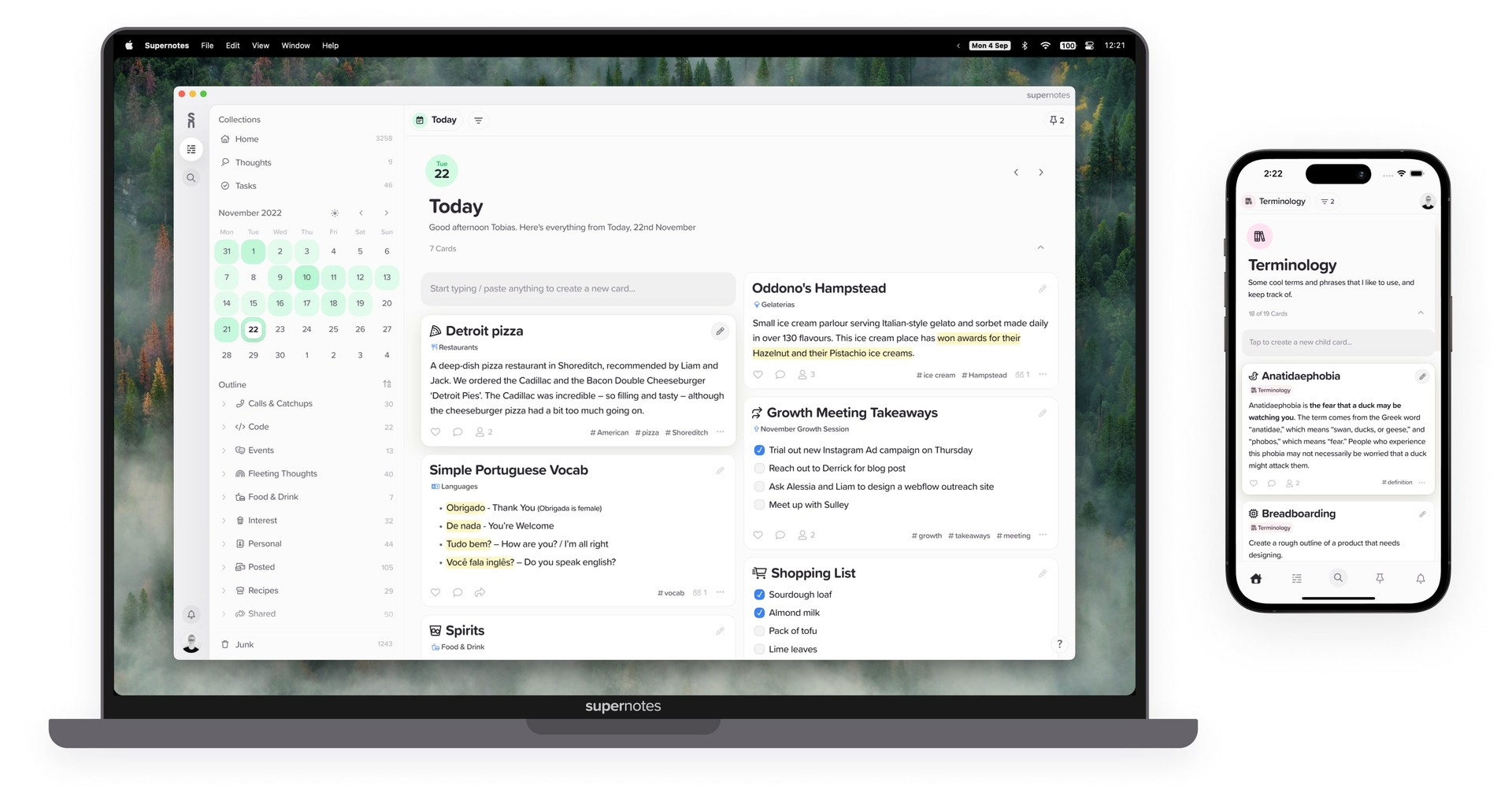
Supernotes is a note-taking app built around small “notecards” instead of long documents. It helps you capture ideas quickly, organize them flexibly, and collaborate without the heaviness of traditional doc tools.
Key features
- Notecard-style notes that keep information small, atomic, and easy to reorganize
- Rich content support: images, tables, checklists, math, code blocks
- Backlinks, filters, and graph view (2D/3D) to visualize how ideas connect
- Real-time collaboration and sharing, even with non-users
What I liked
- The notecard format makes information feel lighter and easier to manage
- Fast, clean interface with great keyboard shortcuts
- Linking, hierarchy, and graph view provide strong knowledge-mapping flexibility
What I disliked
- Not ideal for long structured documents or complex docs (where Slite performs better)
- Some users may find the card format too fragmented for big projects
Pricing
- Free plan with limited cards
- Unlimited plan around $11/month
Suitable for
- Students, researchers, and thinkers who like linked or Zettelkasten-style notes
- Teams needing lightweight shared notes
How to start
- Create a free account on Supernotes
- Start capturing ideas as notecards
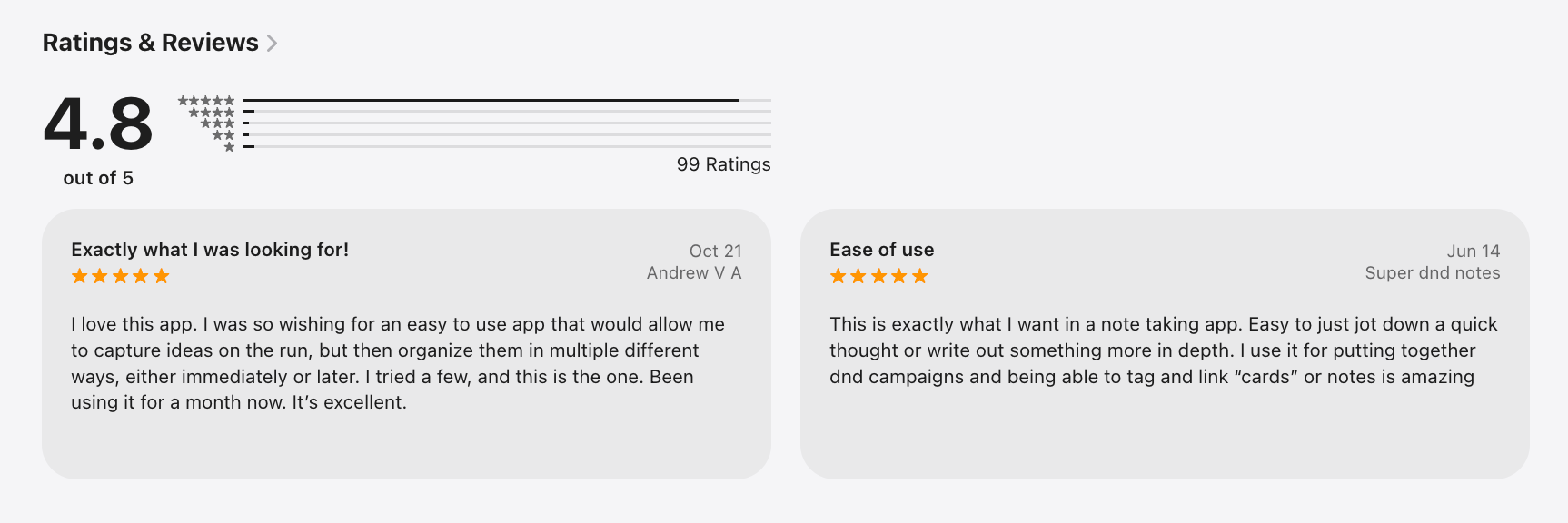
Supernotes Reviews (source)
🏁 Conclusion: Which Slite Alternative Is Best for You?
Slite is still a great tool for teams that want a clean, structured workspace for documentation, onboarding, and internal knowledge sharing. But as workflows become more complex - or as teams adopt AI-first ways of working — it’s natural to look for alternatives that offer more flexibility, better automation, deeper databases, or more powerful AI capabilities.
The good news: There’s no “one size fits all.”
Each Slite alternative shines in a different area.
Here’s the quick breakdown:
- Best AI-first knowledge assistant: Saner.AI
- Best all-in-one workspace: Notion
- Best for advanced workflows & automations: Coda
- Best for personal knowledge systems: Tana
- Best lightweight note-taking: Supernotes
- Best for AI agents: Motion
Ultimately, the right choice depends on how your team works:
Do you need structure or flexibility?
Do you want a traditional workspace or an AI-native experience?
Are you building a simple wiki or an end-to-end knowledge system?
If you pick the tool that matches your thinking style, collaboration habits, and workflow needs, you’ll create a knowledge environment that’s easier to maintain - and much easier to scale.
Ready to explore the alternatives? Start with the one that feels most natural to how you already work, and let your workflow guide the rest.
The AI Assistant that organizes your day
FAQ: Best Slite Alternatives in 2025
1. What is Slite, and why do people search for Slite alternatives?
Slite is a knowledge-management and documentation tool built for remote teams. It helps teams create wikis, SOPs, meeting notes, and internal documents in one shared workspace.
People usually look for Slite alternatives when they need:
- More flexible databases or project workflows (e.g., Notion, Coda)
- A faster, more minimal writing UX (e.g., Supernotes, Tana)
- Stronger AI search, synthesis, or context-aware insights (e.g., Saner.AI)
- Better task management or scheduling built in (e.g., Saner.AI, Motion)
- A more scalable all-in-one workspace for teams and docs (e.g., Notion)
2. What are the best Slite alternatives in 2025?
The most popular and powerful Slite alternatives include:
- Saner.AI – AI-native workspace for notes + tasks + calendar + insights
- Coda – Document + database hybrid with powerful automation
- Supernotes – Fast, card-based note system for teams and researchers
- Tana – Networked notes with schema + SuperTags for structured knowledge
- Routine – Productivity workspace combining notes, tasks, and planning
- Motion – AI scheduling + auto task management
- Notion – Flexible docs + databases + wikis for teams of all sizes
These tools cover the full range of use cases Slite users look for: documentation, team knowledge bases, daily workflows, and AI-powered retrieval.
3. Which Slite alternative is best for team knowledge bases?
Notion and Coda are the top picks.
- Notion is best for flexible wikis, SOPs, onboarding, project hubs
- Coda is best for teams that want docs + powerful databases + automation
Both offer richer layouts, more integrations, and higher scalability than Slite.
4. Which Slite alternative has the best AI features?
If AI is your priority, consider:
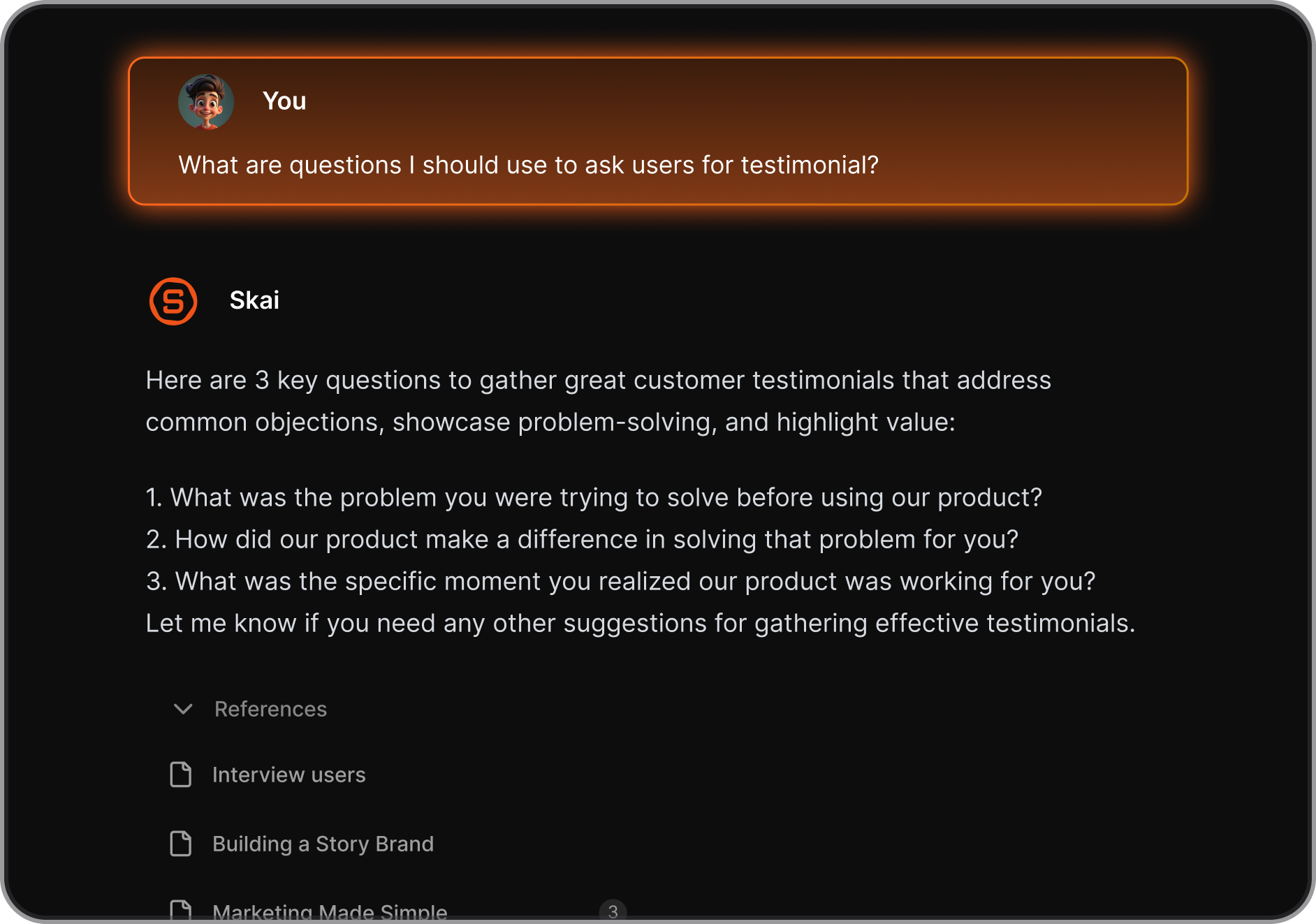
- Saner.AI – Understands your notes, extracts tasks, builds daily plans, and acts as a knowledgable AI assistant
- Tana – AI-powered autolinking, structure suggestions, and research workflows
- Notion AI – Summaries, drafting, and rewriting inside your documents
Saner.AI focuses more on precision retrieval + task/action awareness, while Notion AI leans more toward content generation.
5. Which Slite alternative is closest in simplicity and writing-first design?
Choose:
- Supernotes – Card-based writing with fast, collaborative knowledge capture
- Saner.AI – Minimal writing UX with powerful personal AI in the background
Both feel lighter than Notion or Coda and are ideal for teams who want clarity over complexity.
6. Which Slite alternative is best for remote teams?
For remote, async-first collaboration:
- Notion for team hubs, wikis, cross-functional documentation
- Coda for teams that rely heavily on automations and data workflows
- Saner.AI for teams who need fast retrieval, quick insights, and daily actionables
These tools help reduce silos and make information easier to find for distributed teams.
7. Which Slite alternative is best for project management?
Slite isn’t built for robust project management - but these tools are:
- Motion – Auto-schedules tasks, meetings, and workflows
- Routine – Combines notes + tasks + planning in one place
- Notion – Database-driven project management and templates
If your team wants docs and tasks integrated, Notion and Routine are the easiest upgrades.
8. Which Slite alternative supports powerful databases?
For structured data beyond simple documents:
- Coda (most advanced automation + tables + logic)
- Notion (versatile databases with relational features)
- Tana (networked, schema-driven structure with SuperTags)
These tools go far beyond Slite’s basic document structure.
9. What’s the best Slite alternative for research, thinking, and long-term knowledge?
Consider:
- Saner.AI – AI-powered synthesis and retrieval of messy notes
- Tana – Great for networked thinking and structured knowledge
- Supernotes – Lightweight, card-based knowledge capture
For people taking lots of notes and synthesizing insights, these outperform Slite significantly.
10. What’s the best Slite alternative for teams who want everything in one place?
Saner.AI and Notion are the most complete “all-in-one” options:
- Saner.AI if you need notes + tasks + email context + calendar + AI planning
- Notion if you need docs + tasks + databases + templates
Slite is excellent for docs, but it doesn’t combine calendars, tasks, or advanced AI.
11. Which Slite alternative is best for personal productivity?
If you’re solo or hybrid (team + personal use):
- Saner.AI – Daily planning, note understanding, task extraction
- Routine – Personal planning + time blocking
- Motion – Automated scheduling for your entire day
These tools help you work, not just write.
12. Which Slite alternative is best for documentation-heavy teams?
For SOPs, onboarding, process libraries, and team knowledge:
- Notion (best templates, best scalability)
- Coda (best automations and interactive docs)
Both support richer workflows than Slite while keeping documentation clean and central.
13. Which Slite alternative is best for ADHD or overwhelmed teams?
Many ADHD users find Slite too static. Better fits include:
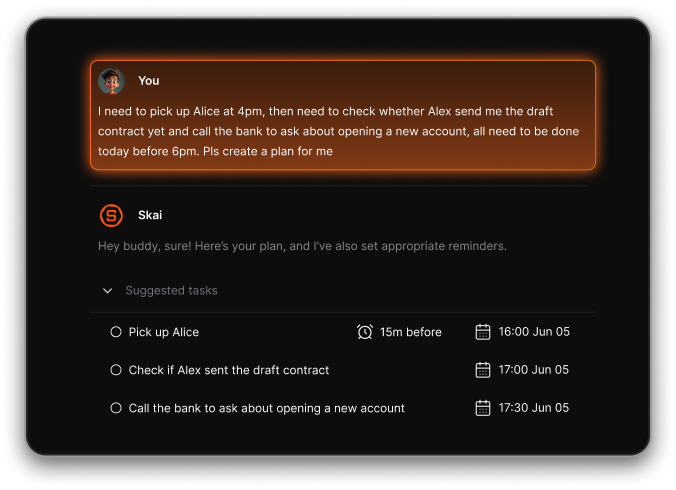
- Saner.AI – Understands brain dumps and turns them into tasks + priorities
- Routine – Simple planning with a clean interface
- Motion – Helps prevent overwhelm by scheduling tasks automatically
These tools help users stay on track without complicated systems.
14. Is there a free Slite alternative?
Yes — several of the best Slite alternatives offer generous free plans:
- Saner.AI – Free plan with AI note search, tasks, reminders
- Notion – Free personal plan
- Tana – Free plan for individuals
- Supernotes – Free tier with shared notes
- Coda – Free with limits
- Routine – Free personal plan
You can test most Slite alternatives without paying.
15. Which Slite alternative is easiest to learn?
If you want fast onboarding without complexity:
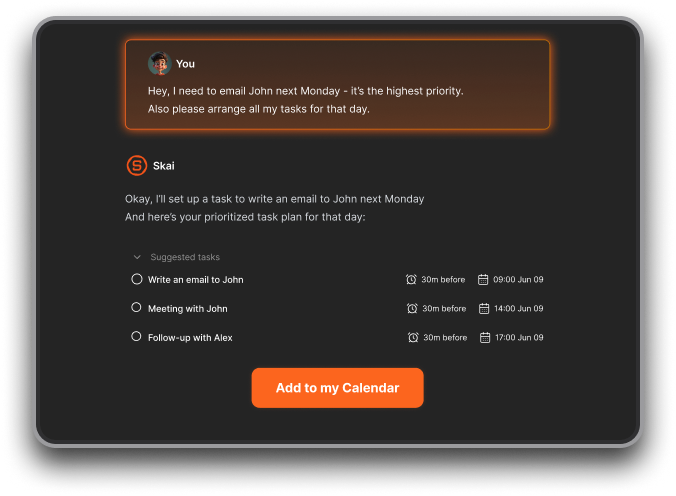
- Saner.AI – Just chat your thoughts; AI organizes for you
- Supernotes – Very low friction, ultra-fast
- Routine – Clean design, intuitive
Notion and Coda are more powerful but come with a learning curve.
16. Slite vs Saner.AI — how do they compare?
Choose Saner.AI if you want:
- AI search that understands meaning, not keywords
- Notes + tasks + calendar in one place
- Automatic extraction of action items
- Context-aware daily planning
Slite is great for team documentation, but Saner.AI is better for turning information into action.
27. Which Slite alternative is best overall?
It depends on what you need:
- Best for AI knowledge retrieval & personal planning: Saner.AI
- Best all-round team workspace: Notion
- Best for automation + workflows: Coda
- Best for fast writing: Supernotes
- Best for an AI employee: Motion
If you’re unsure, Saner.AI covers the widest range of use cases.
Stay on top of your work and life



