
Best Task Extractor from Emails and Notes: Turns the Chaos Into a To-Do List

You don't have a task management problem. You have a task capture problem.
The tasks are there, buried in your inbox, scattered across meeting notes, sitting in a Slack thread from three days ago, mentioned in a Google Doc someone shared last week. You know they exist. You just can't always find them before it's too late.
The best task extractor from emails and notes doesn't ask you to manually copy tasks into a system. It reads your communication and does it for you.
This post covers what to look for, what the research says about why manual capture fails, and which tools actually solve the problem.
I'm on the team behind Saner.ai. This post covers a topic we work on and includes a look at our product.
Quick answer
Best AI for Task Extraction overall: Saner.AI
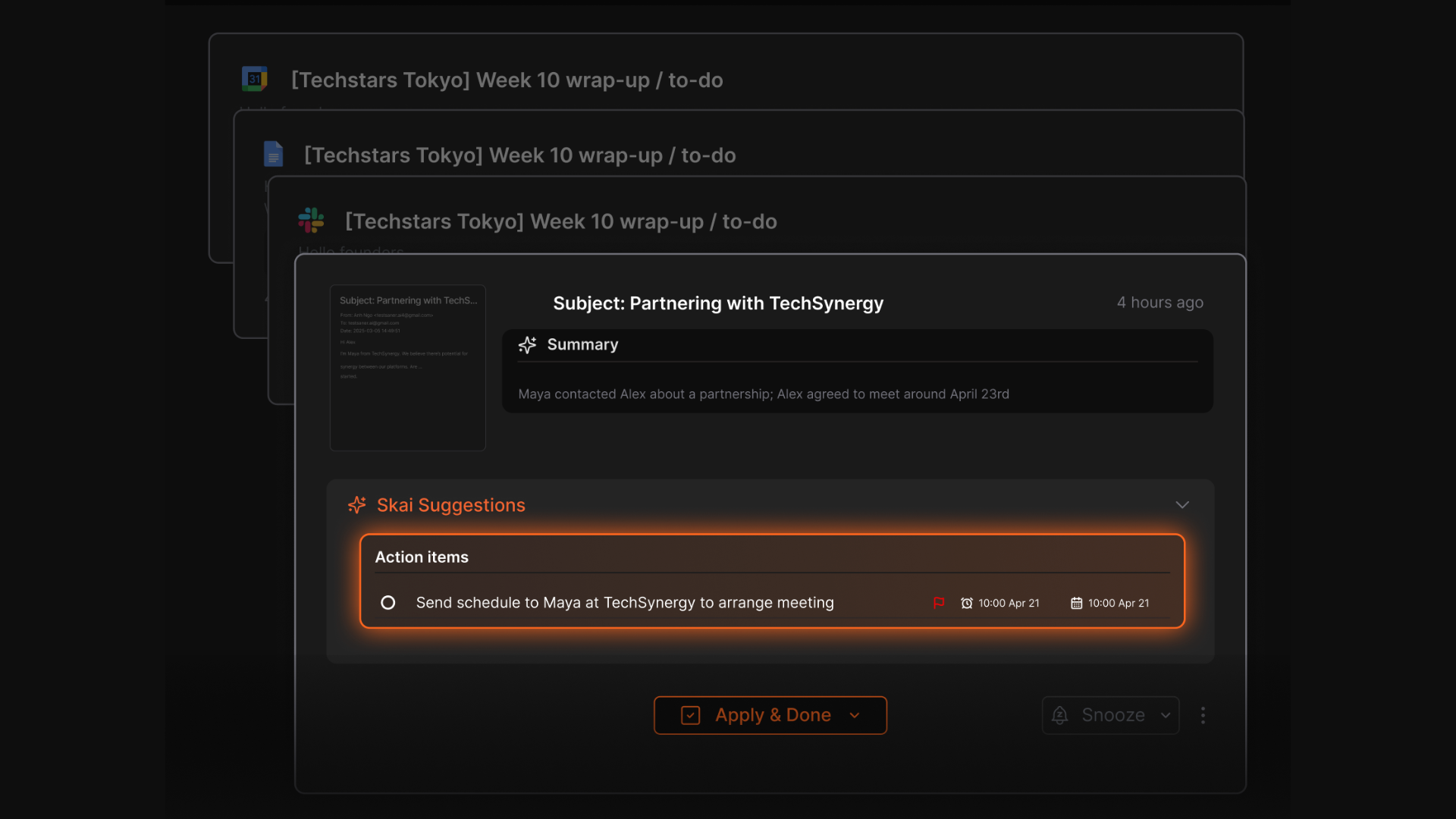
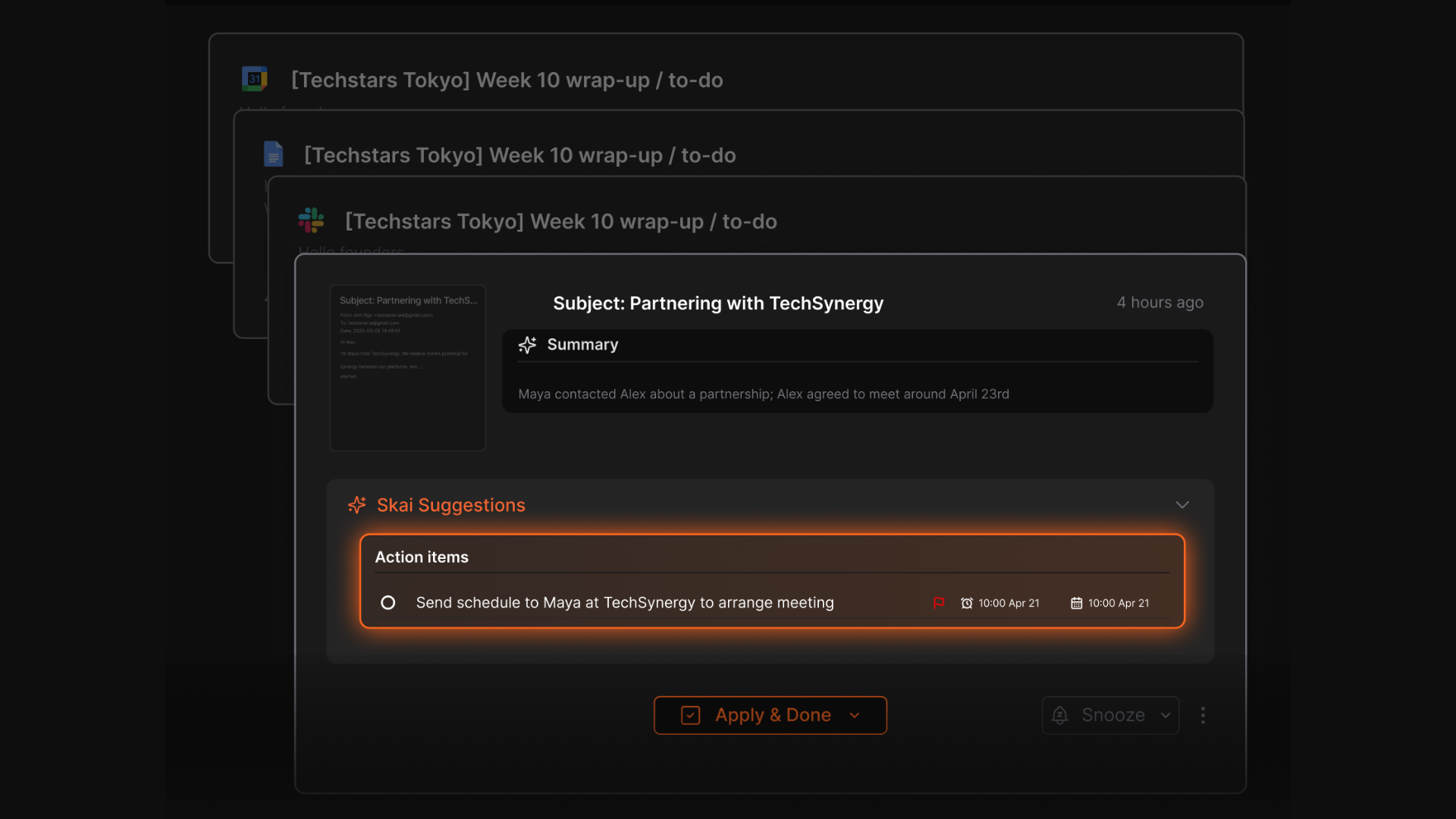
If you want one tool that pulls tasks automatically from emails, notes, Google Drive, Slack, and your calendar into one prioritized workspace, Saner.AI is the strongest option for knowledge workers and anyone dealing with information overload.
Its AI assistant Skai extracts action items in your inbox without prompting, connects related content across sources, and surfaces what actually needs your attention.
1. Why does manual task capture keep failing

Most productivity advice assumes the hard part is organizing your tasks. The harder part is actually getting them out of your email and into the system in the first place.
The working memory problem
When a client email says "Can you send me the updated deck by Thursday and also check in with Marcus about the budget numbers?", a person with reliable working memory holds both items long enough to log them. Most people don't. They handle the first item and forget the second.
The volume problem
With that volume, manually triaging emails for action items and logging them somewhere else is not a sustainable habit — it's a second job.
The app-switching tax
Workers using the highest number of apps waste up to 9.6 hours per week on coordination overhead. Every time you leave your email to log a task in Notion, then return to email, then check Slack, you're paying that tax.
The ADHD multiplier
For people with ADHD, all of this is significantly worse. ADHD affects executive function: the brain systems responsible for working memory, prioritization, and task initiation. These are the exact skills that manual task capture demands.
2. What a good task extractor actually does
Before getting into specific tools, here's what separates a genuine task extractor from a task manager that happens to connect to your email:
- Automatic extraction, not manual import. The tool reads your email and notes and identifies action items without you clicking "add task."
- Multi-source coverage. Tasks live in emails, yes, but also in meeting notes, shared documents, voice memos, and Slack threads.
- Context preservation. A bare task like "follow up with Marcus" means nothing two days later. Good extraction includes enough context to act on the task without digging back through the original source.
- Prioritization, not just listing. Extraction without prioritization produces a longer to-do list, not a more manageable one. The tool should surface what actually needs attention today.
- Works without maintenance. Any tool that requires daily upkeep to stay functional will eventually be abandoned. The best extractors work whether or not you actively manage them.
How is Saner.AI the best task extractor from emails and notes?
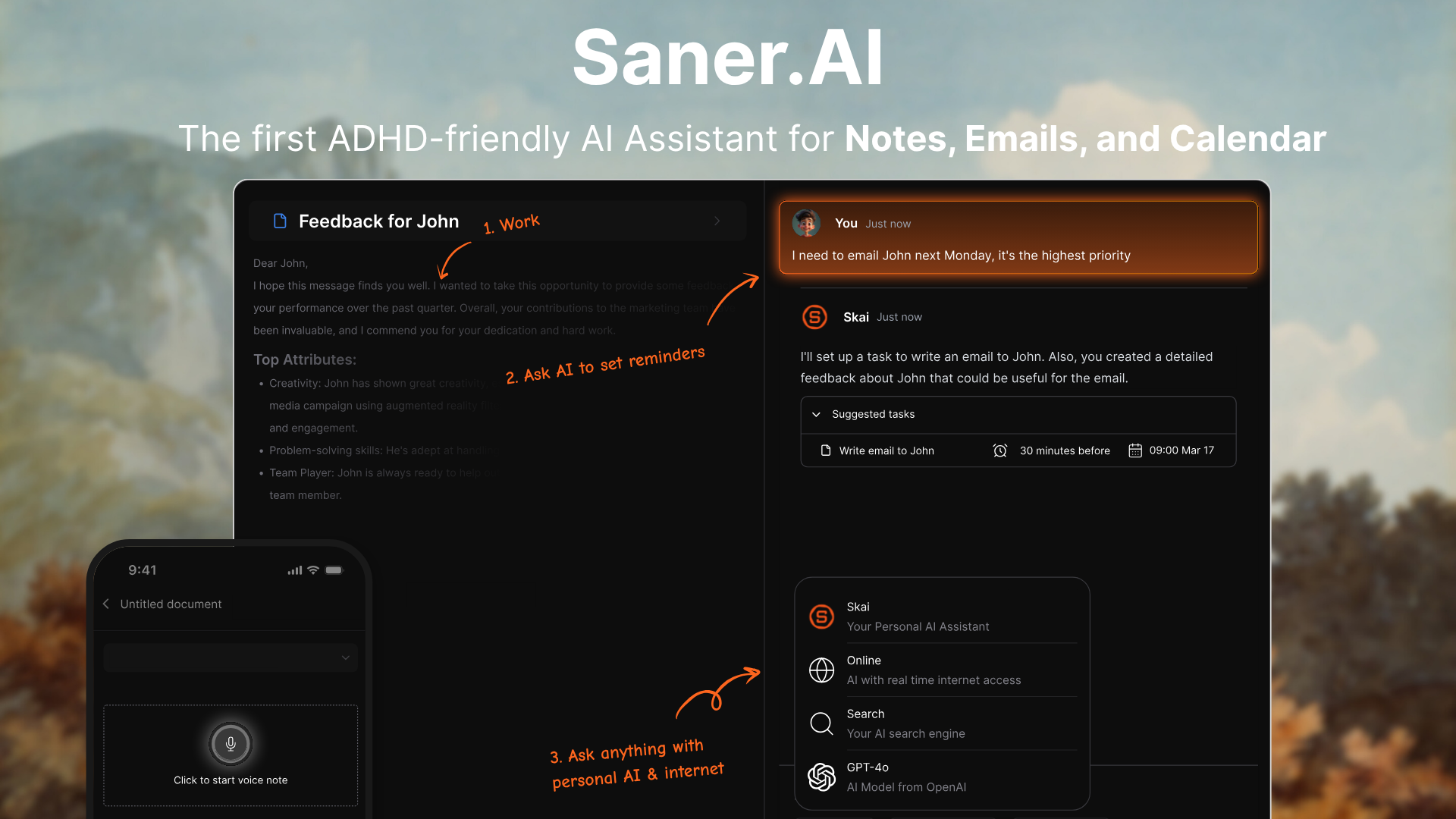
Saner.AI is an AI personal assistant built specifically for people who deal with high volumes of information across multiple formats. Its AI assistant, Skai, pulls tasks from emails, notes, documents, and connected apps automatically, without manual input.
How it works
Saner.AI connects to Gmail, Outlook, Google Drive, Slack, and your calendar. The AI then reads across all of these sources and identifies action items, deadlines, and follow-ups in your natural communication - the kind that shows up in the middle of a long email thread or buried in a meeting note. Tasks are surfaced in the Saner.AI inbox, so you always have context for what you're working on.
The interface is deliberately minimal, with a distraction-free mode for writing and thinking. You can search everything using natural language ("what did Maya send me about the Q3 report?"), and Skai will surface the relevant content regardless of where it lives.
Key features
- Automatic task extraction from emails, notes, Google Docs, and Slack
- Skai AI assistant with calendar awareness: knows your schedule when you ask "when can I work on this?"
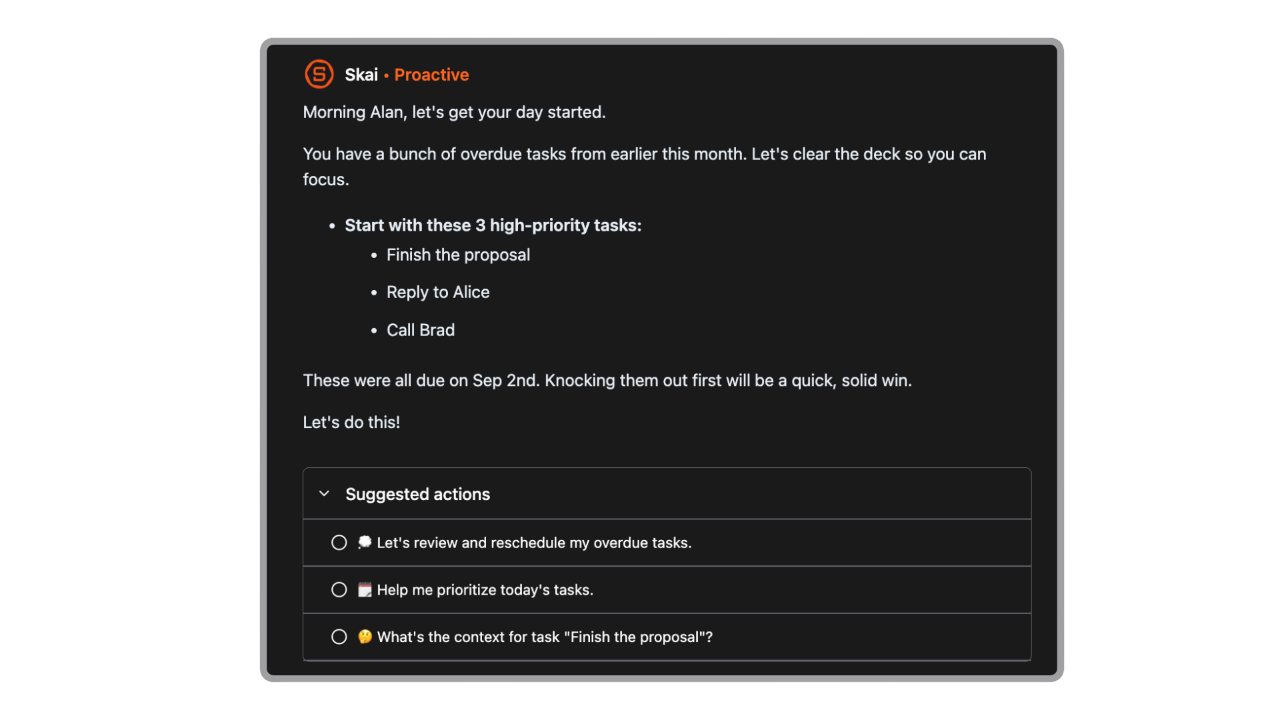
- Email summarization: surfaces what needs attention without making you read everything
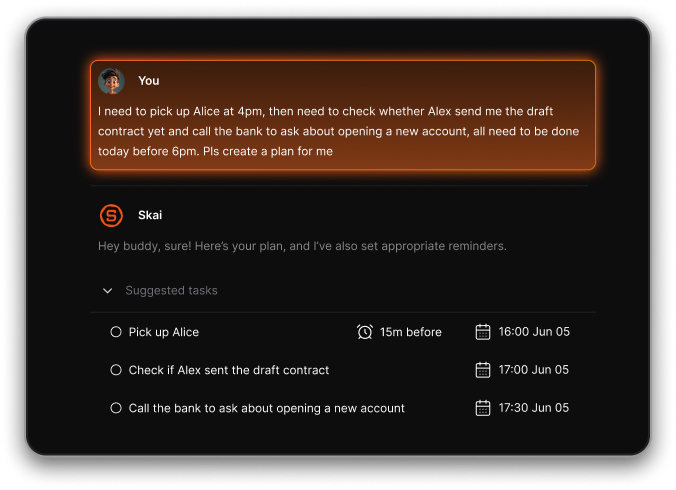
- Natural language task entry and due dates ("remind me Thursday morning")
- Voice capture on mobile for fast note and task input
- Chrome extension for one-click web clipping into your workspace
- Semantic search across all your notes and connected sources
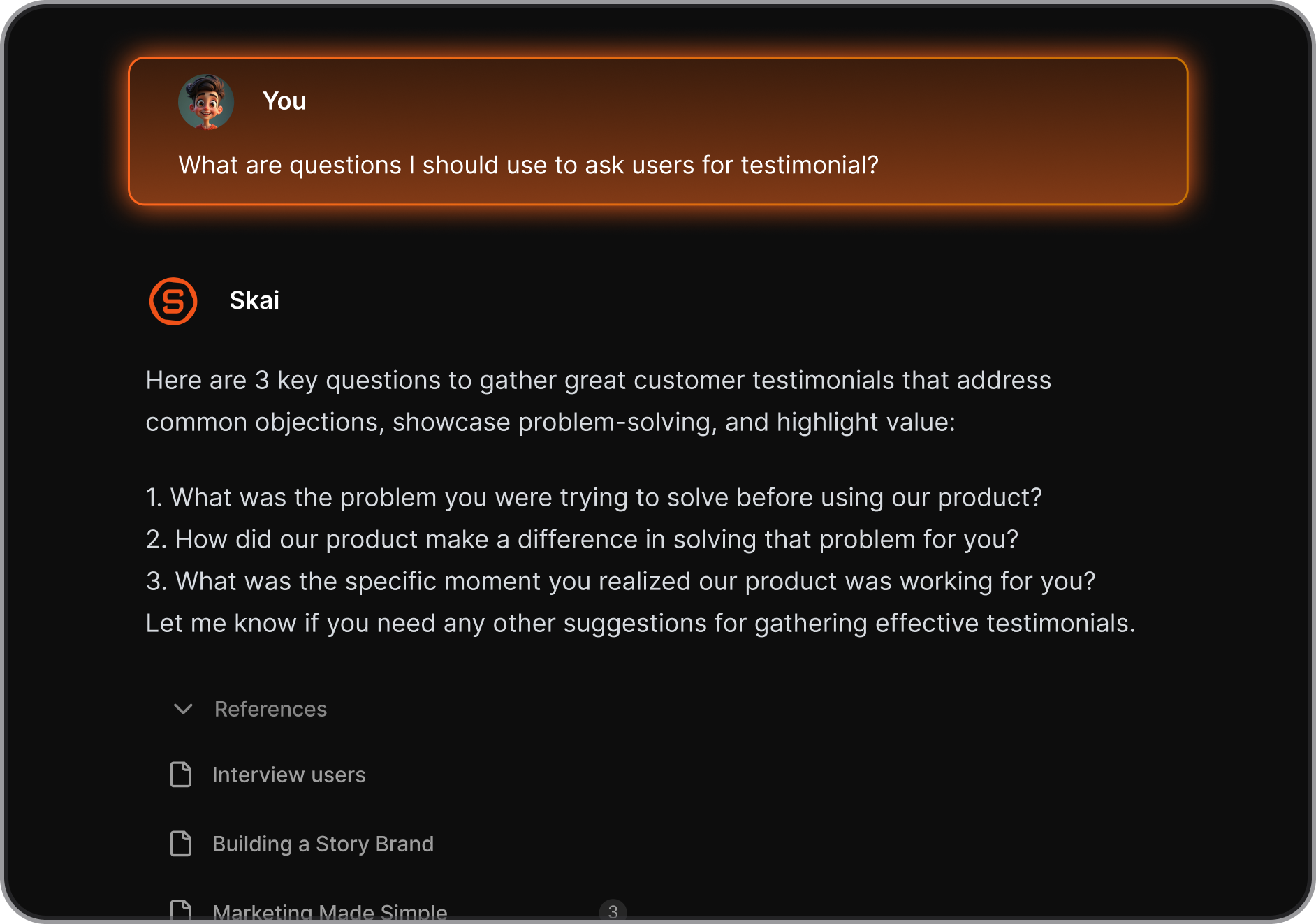
- Related note suggestions: surfaces relevant past content while you're working on something new
Who it's built for
- Knowledge workers, researchers, entrepreneurs, and people with ADHD. Saner.AI positions itself explicitly as built for people managing cognitive overload - not as an afterthought feature, but as the core design principle.
- For anyone who feels like their to-do list is an incomplete representation of what actually needs to happen, Saner.AI's automatic extraction changes that.
Pricing
- Free: 30 AI requests/month, 100 notes, 100MB storage
- Starter: $8/month — 50 AI requests/day, 1,000 notes, 5GB storage, team support
- Standard: $16/month — unlimited AI requests, unlimited notes, 100GB storage, founder support
The case for it
- People who use Saner.AI consistently say the same thing: it's the first tool that actually helps them get things done rather than just list them.
- The extraction is automatic, the context is preserved, and the interface doesn't demand daily maintenance to stay useful.
- For ADHD users especially, that last part matters more than any feature list.
What to watch
- And if you're looking for Gantt charts or complex project dependencies for a large team, Saner.AI isn't built for that.

Stay on top of your work and life
👉 Related: AI tools for ADHD
The real ROI: what captured tasks are actually worth
People calculate the ROI of productivity tools the wrong way. They estimate time saved and multiply by an hourly rate. That math understates it significantly.
The cost of a missed task isn't the 10 minutes it would have taken to complete it. It's what happens downstream.
What you reclaim
- Hours lost to inbox anxiety. Most knowledge workers spend time not just in email, but dreading email — the scan-and-close behavior, the avoidance loops, the end-of-day guilt check.
- Dropped commitments. A missed follow-up on a proposal doesn't just lose you one deal. It damages the relationship, feeds the client's perception that you're unreliable, and closes future opportunities you'll never know about. A missed deliverable reminder doesn't cost you the 30 minutes the task would have taken - it costs you the trust repair conversation, the rushed rework, and possibly the account.
- Cognitive overhead. Research by Dr. Glenn Wilson at the University of London found that constant email monitoring temporarily reduces effective IQ by 10 points. That's the cognitive tax of keeping half your attention on what you might be missing. When Saner.AI handles the monitoring, you get that bandwidth back.
- Context-switching recovery. At 23 minutes to refocus per interruption, and with workers interrupted every two minutes according to Microsoft's 2025 Work Trend Index, the math is brutal. Automatic task capture reduces how often you need to context-switch into email just to check whether you've missed something.
A day in the life: before and after task extraction

Before: without automatic task extraction
8:00 AM. Open email. 94 unread messages. Start reading. Get pulled into one thread for 20 minutes.
9:30 AM. Realize you have a call in 30 minutes with no idea what it's about. Scramble to find the original thread.
2:00 PM. Client asks about the deliverable you were supposed to send yesterday. You completely forgot it was in that email from last Thursday.
10:30 PM. Lying in bed, suddenly remember three things you were supposed to do today.
The result: Tasks missed. Relationships strained. The feeling of always being behind even on days you worked hard.
After: with Saner.AI
8:00 AM. Open Saner.AI. Skai has processed your emails overnight. You see seven tasks that need attention today, each with the relevant context. The deliverable that was buried in last Thursday's email is at the top, flagged with Thursday's deadline.
8:20 AM. Clear the urgent items. Ask Skai "what's on for my 9:30 call?" — it surfaces the original thread, the relevant docs, and the open questions.
9:25 AM. Walk into the call prepared.
5:00 PM. Everything that was captured actually got captured. Nothing fell through the gap between email and to-do list.
The volume of work didn't change. What changed is that nothing lives only in your inbox anymore.
What to look for when choosing a task extractor
- Source coverage matters more than feature count. A tool that extracts from email but not from notes or Slack will solve only part of the problem. Map where your tasks actually originate before choosing a tool.
- Automatic vs. semi-automatic. Some tools require you to forward emails or use a specific keyboard shortcut to trigger extraction. These are still manual systems, just with a shorter workflow. Genuinely automatic extraction happens without your involvement.
- Context preservation. A task without context is just a reminder to be confused later. The best extractors keep the source material linked to the task so you know what you were thinking when the item was created.
- Integration depth. Check whether the tool reads your email passively (summarizes without extracting) or actively (identifies and logs specific action items). These are meaningfully different behaviors.
- Maintenance requirements. Any system that requires daily grooming to stay accurate will eventually break down. Look for tools that work even when you're not actively managing them.
FAQ
What's the difference between a task manager and a task extractor?
A task manager stores and organizes tasks after you've entered them. A task extractor reads your communication and notes and identifies action items automatically, before any manual input. Most task managers don't extract. Saner.AI does both.
Can Saner.AI replace my email client?
Not yet - Saner.AI connects to your existing Gmail or Outlook account and reads from it. You still send and receive email through your existing client. Saner.AI handles the extraction and organization layer on top.
What if I use voice notes?
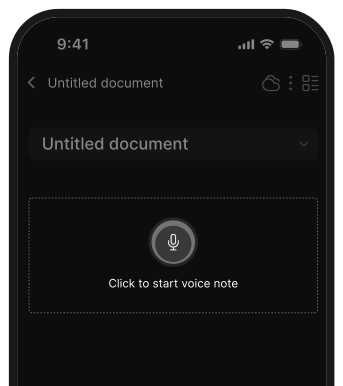
Saner.AI supports voice capture on mobile. You can record a voice note and Skai will process it, extract any tasks, and add them to your workspace alongside your written notes.
The bottom line
The gap between tasks that exist and tasks that actually get done has always been a capture problem, not an organization problem. Productivity apps spent years solving the wrong thing.
The tools that actually help are the ones that read your communication for you, pull out what needs action, and surface it when you need to see it - without requiring you to build and maintain the system yourself.
Saner.AI is the strongest option for knowledge workers who want to work across email, notes, documents, and connected apps in one place. It starts free, scales to $8-16/month for full access, and was built specifically for people who feel like they're always behind despite working hard.
Stay on top of your work and life