We tested 14 Time Blocking Planner Apps. Here are the Best 7
The Best Time Blocking Planner Apps in 2026 are Saner.AI, Google Calendar, Clockwise, TickTick, Reclaim.ai, Sunsama, and Motion


The Best 7 Time Blocking Planner Apps in 2026
Time blocking is a proven strategy for taking control of your day. In 2026, dozens of apps will make it easier than ever to map your tasks into your calendar, hour by hour.
This guide compares the best time-blocking planner apps for different needs: ADHD brains, busy professionals, students, and productivity nerds. Skip the overwhelm and find your perfect daily planner app
1. What is a time-blocking app?
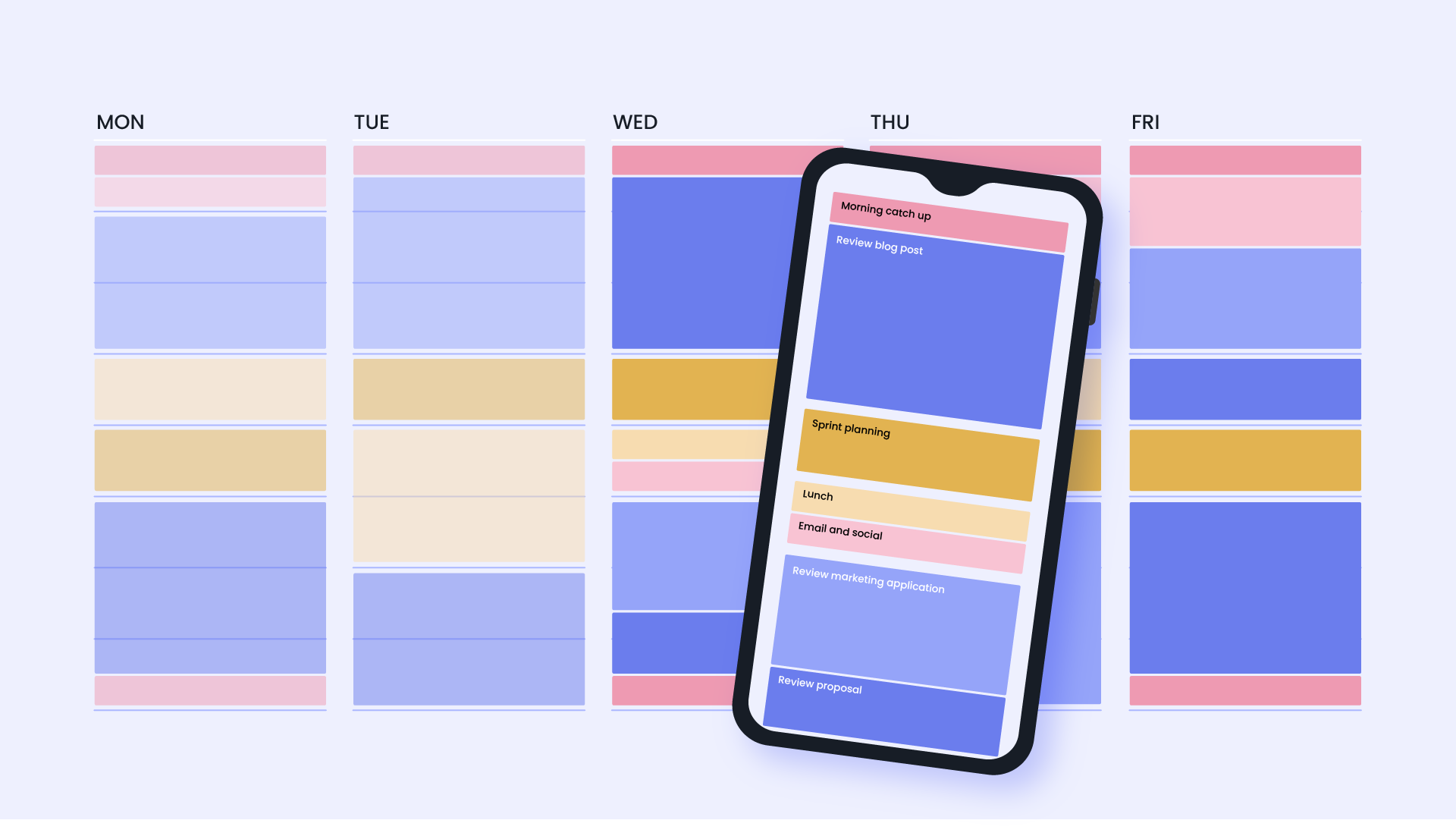
Time blocking is a productivity method where you divide your day into dedicated blocks of time for specific tasks or categories of work. Instead of relying on to-do lists, you assign every hour a purpose - meetings, deep work, emails, breaks.
How I evaluated these apps
I tested each planner for a minimum of two full work weeks, running my actual calendar through it rather than a demo workspace. I judged them on:
- Time-blocking accuracy — does it protect the block once it's set, or let a new meeting invite quietly overwrite it?
- Setup time — how long from signup to a usable calendar, since a planner that takes a weekend to configure loses the week it was supposed to save.
- Auto-scheduling quality — when you hand it a task list, does it place tasks somewhere realistic, or just wherever there's open space?
- Calendar sync depth — does it read and write to Google/Outlook cleanly, or does it create a second calendar you now have to check separately?
- Recovery from a broken day — when three meetings get rescheduled at once, does the plan adjust itself or fall apart?
What are the Best Time Blocking Planner Apps?
The Best Time Blocking Planner Apps in 2026 are Saner.AI, Sunsama, Google Calendar, Clockwise, TickTick, Reclaim.ai, Motion
⏰ Best Time-Blocking Apps in 2026 – Comparison Table
| App | 🎯 Best For | 🤖 AI Features | 📱 Platforms | 🆓 Free Plan | 💳 Paid Plan (Latest 2026) |
|---|---|---|---|---|---|
| Saner.AI | AI-powered daily planning & ADHD-friendly workflows | AI task breakdown, auto time-block suggestions, smart task organization | Web, iOS, Android | Free trial | From ~$8–15/month |
| Sunsama | Structured daily planning with guided workflows | Task prioritization suggestions, planning prompts | Web, Mac, Windows, iOS, Android | No free plan (trial available) | ~$20/month |
| Clockwise | Protecting focus time for teams | AI automatically rearranges meetings to create focus blocks | Web (Google Calendar / Outlook integration) | Yes | Teams plan from ~$6.75/user/month |
| Google Calendar | Simple calendar time blocking | Smart scheduling suggestions | Web, Android, iOS | Free | Free (included with Google Workspace) |
| TickTick | Task manager with calendar time blocking | Smart date parsing, task scheduling suggestions | Web, Windows, Mac, iOS, Android | Yes | Premium ~$3/month |
| Reclaim.ai | Automatic time blocking for tasks & habits | AI auto-schedules tasks, meetings, habits around your calendar | Web (Google Calendar integration) | Yes | Starter ~$10/month |
| Motion | Fully automated AI scheduling | AI automatically plans and reschedules tasks throughout the day | Web, iOS | No free plan (trial available) | Individual ~$19/month |
1. Google Calendar
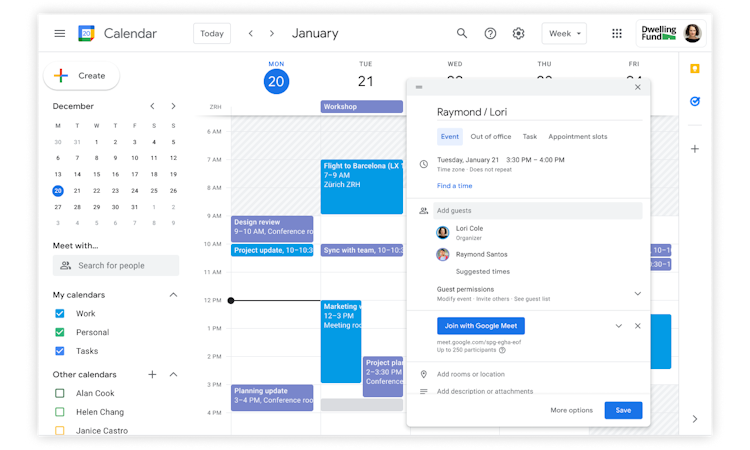
When I tested tools for time-blocking, I kept coming back to Google Calendar because it’s already part of many people’s daily workflow. For time-blocking specifically, I used it to reserve chunks of my day for focused work, meetings, and personal tasks. Instead of keeping tasks in a separate list, I could visually allocate time to them. The drag-and-drop interface makes it easy to move blocks around when plans change.
Key features
- I could create blocks for deep work, calls, or personal routines in seconds. If something changed, I just dragged the event to another slot.
- I tested using separate calendars for work, personal time, and side projects. Color-coding makes it easy to scan the day and see how time is distributed.
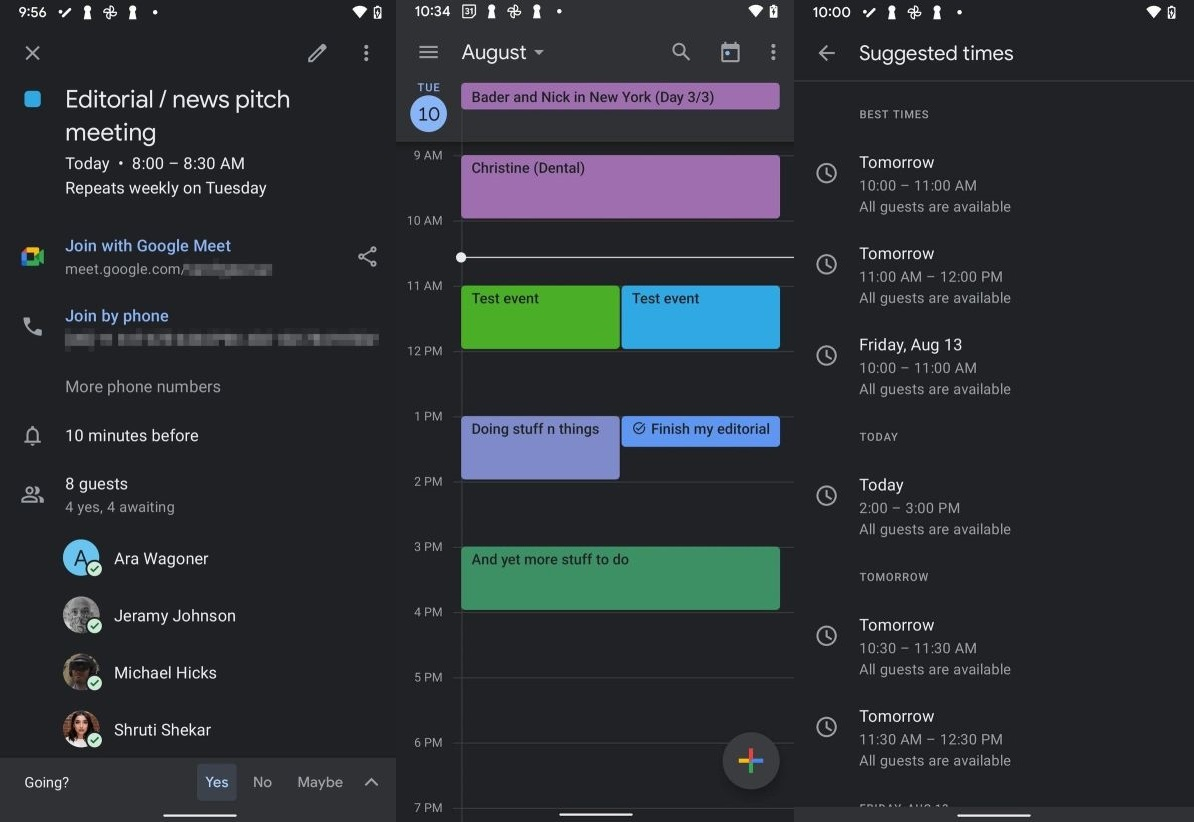
- Google Calendar automatically suggests meeting times based on availability. It also integrates with Google Meet and email invites, which reduces the back-and-forth of scheduling.
Pros
- The interface is familiar and intuitive, which makes it easy to stick with long-term.
- Calendar connects naturally with Gmail, Google Meet, and Google Tasks.
- I tested adding events from different devices and the updates appeared instantly.
Cons
- Google Calendar works best for scheduling time, not managing complex task lists.
- Unlike some newer productivity apps, Google Calendar doesn’t automatically schedule tasks into your day.
- In team environments, meeting invites can quickly fill the calendar. Without discipline, it’s easy for planned focus blocks to disappear.
Pricing
- Free plan: Free with a Google account
- Google Workspace plans:
- Business Starter – about $6 per user/month (annual billing)
- Business Standard – about $12 per user/month
- Business Plus – about $18 per user/month
Who it’s best for
- People who want a simple, reliable time-blocking tool without learning new software
- Teams already using Gmail, Google Meet, and other Google Workspace tools
- Professionals who primarily need a visual schedule rather than a full task management system
Google Calendar reviews (source)
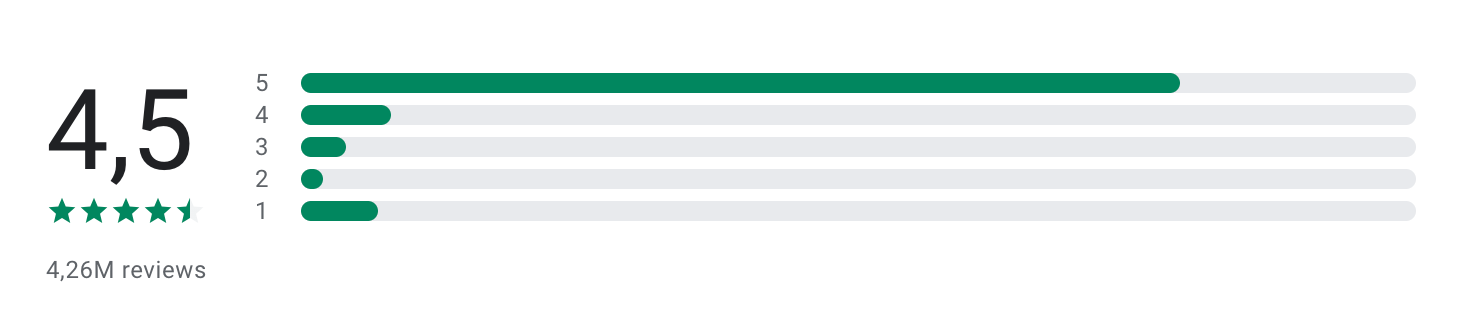
"I like the full screen widget. It helps me because of the color changing features. I put everything I need to do in blue or yellow and when it is complete I change it to green so I can easily see my progress. it gameifys it a bit making it something I continue to do." - Addison M
"Can't synch family calendars as it says all calendars are off. used to love this app. can't create events either. try to manually synch and it gives an error. cleared the cache now can only see tasks from the main calendar. can't even uninstall. " - Odessa Fulks
How to get started
- Go to Google Calendar
- Sign in with a Google account
- Start creating time blocks by adding events directly to your schedule.
2. Saner.AI
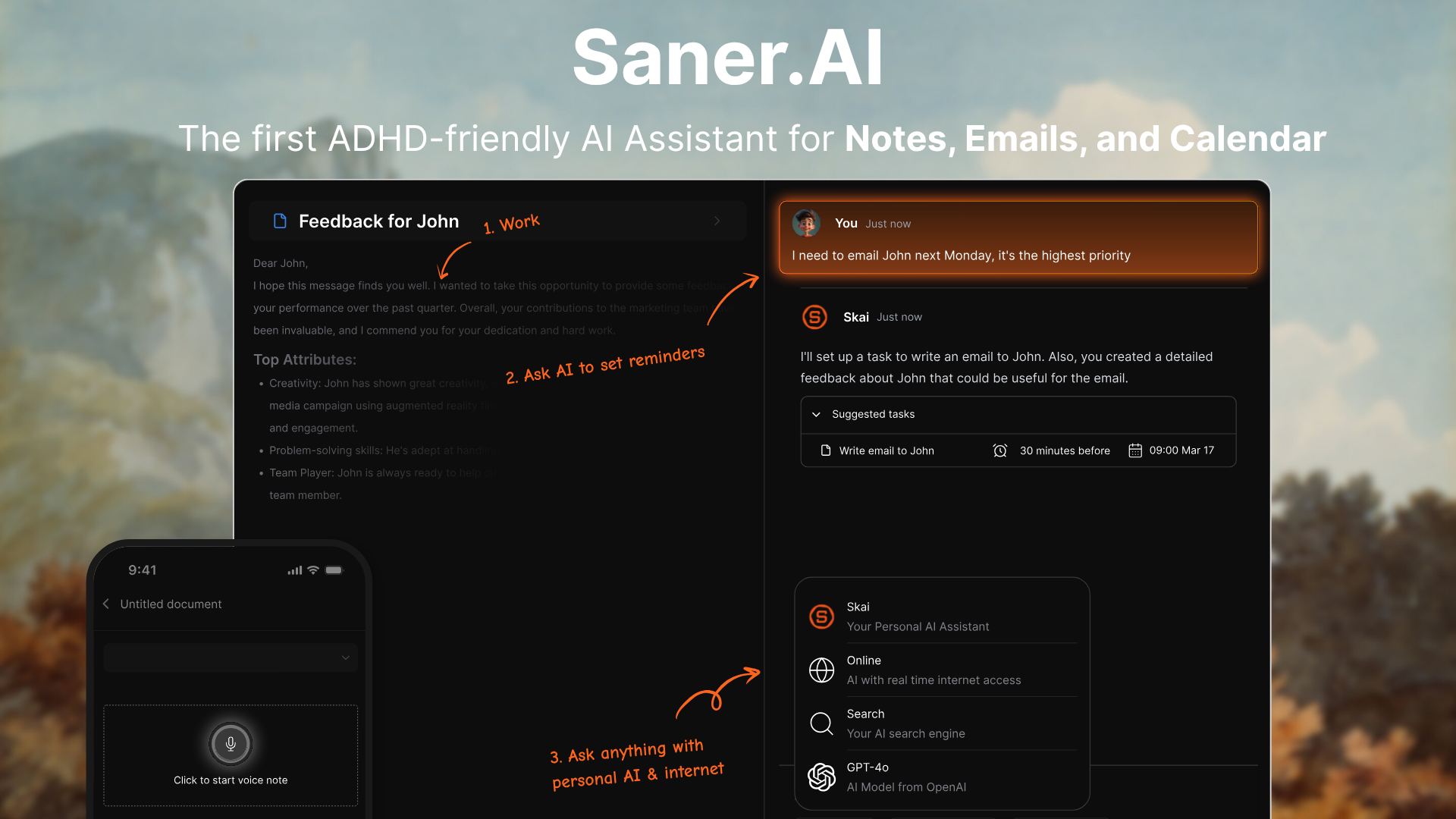
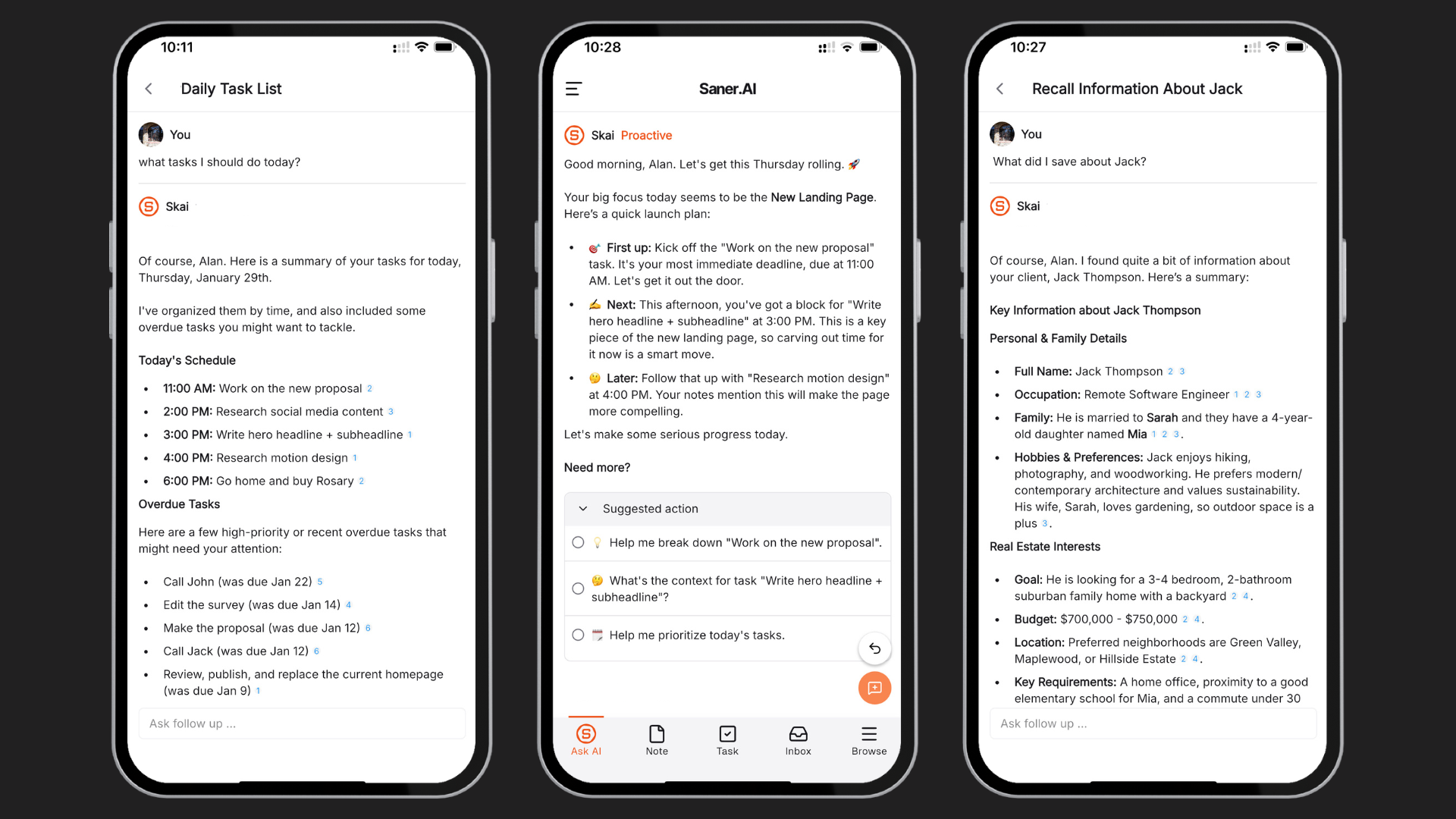
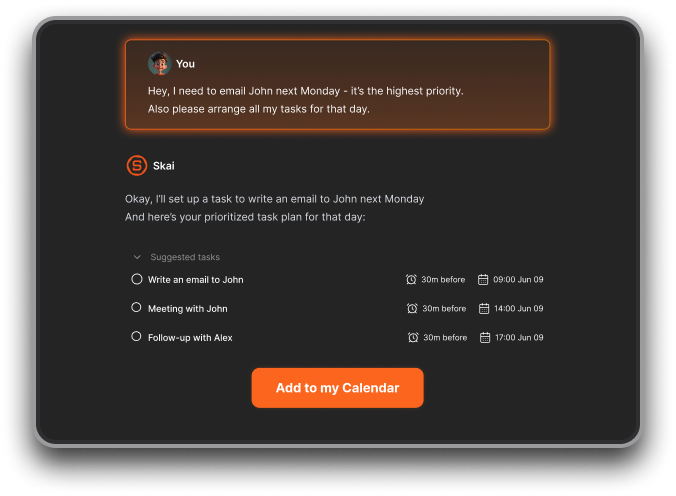
Saner.AI is an AI assistant with time-blocking. I could just type messy thoughts like “finish outline for blog, reply to Sarah, prepare slides,” and the system automatically structured them into tasks and priorities.
It also works as a central hub for information. Emails, notes, documents, and tasks can be pulled into one place. The idea is simple: instead of managing multiple productivity tools, you interact with a single AI assistant that helps you plan and retrieve information quickly.
Key features
- It groups related work, highlights urgent tasks, and reduces decision fatigue when planning the day.
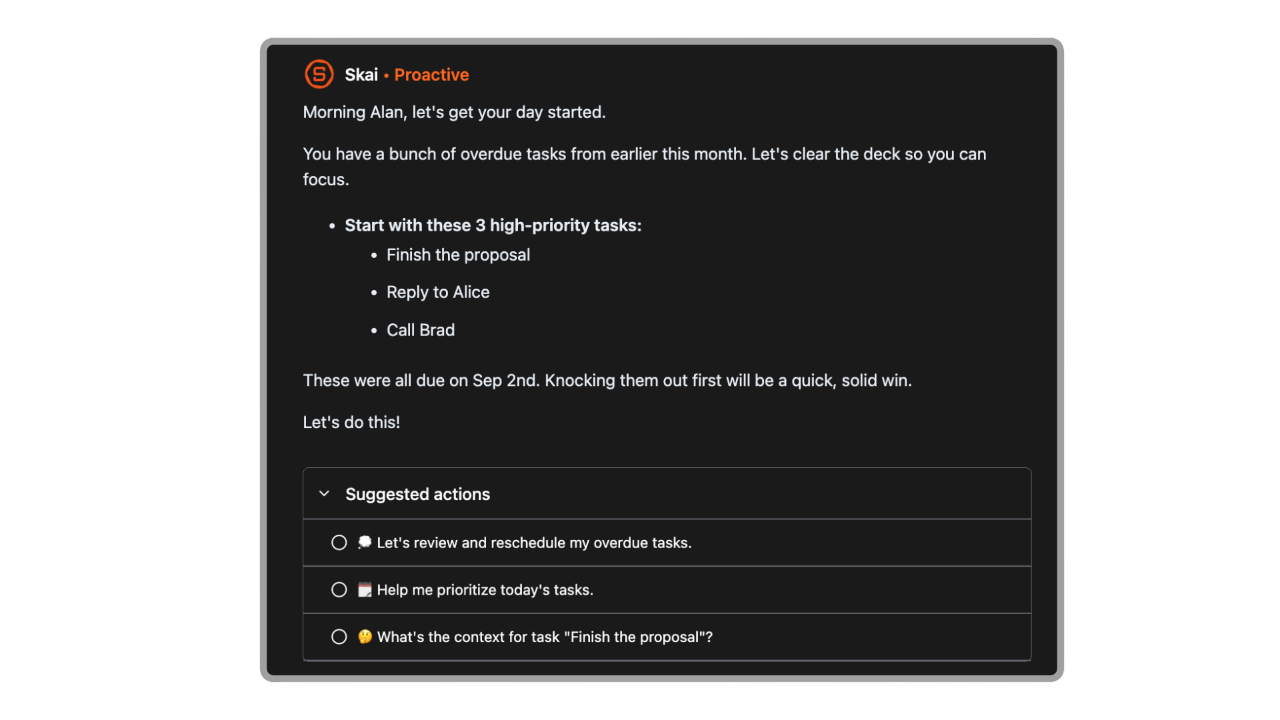
- AI-powered task capture and organization
I could write ideas naturally without worrying about formatting. The AI automatically turned them into structured tasks and organized them into a clean workflow.
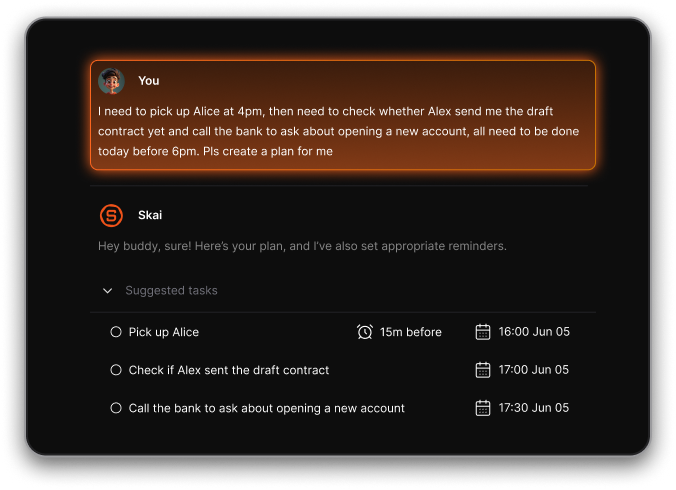
- AI calendar built-in to reschedule the day for you
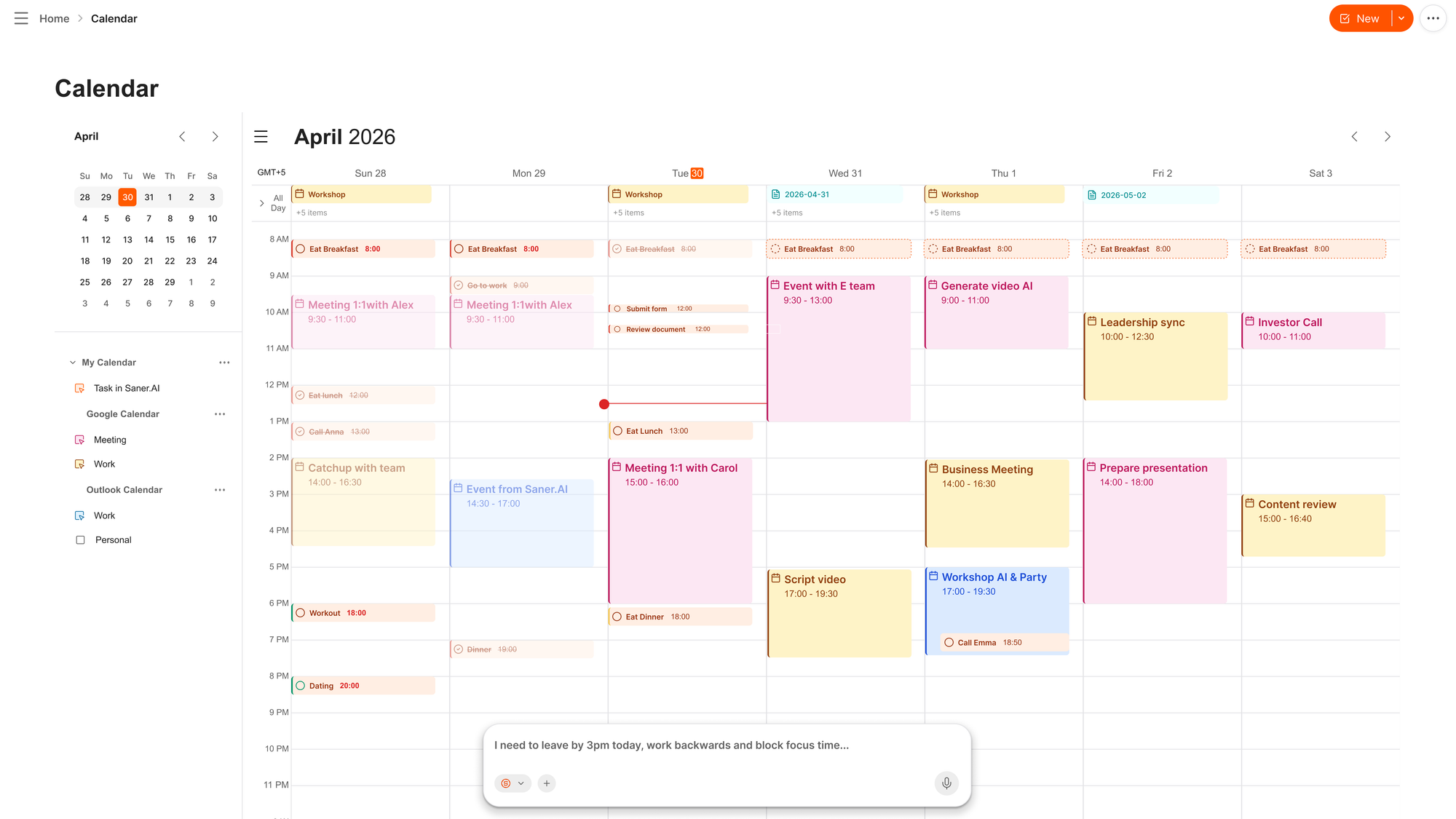
- Saner.AI integrates with tools like email, Google Drive, Slack, and calendars, allowing tasks and information from different sources to appear in one workspace.
What I liked
- I love that it just gets my day - no manual planning needed. I just need to log in, and it lays everything out for me.
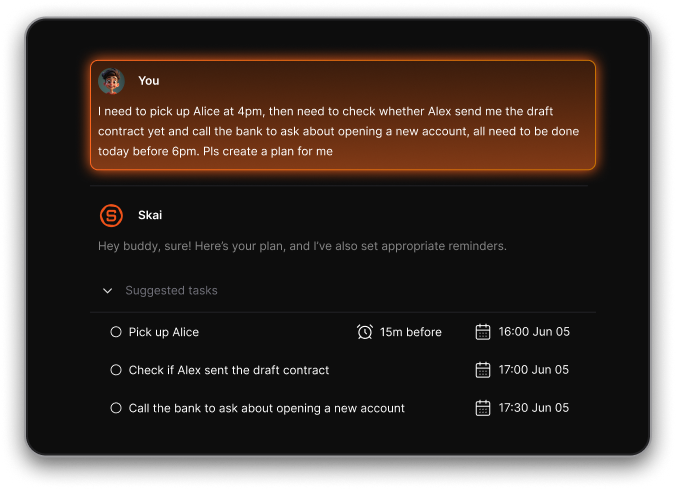
- Being able to talk to it casually (“I need to send a follow-up”) and have it turn that into a task is game-changing
- The AI doesn’t just schedule - it understands the context of what's related to the tasks
- The focus mode is great. No clutter, just one thing at a time.
- It feels especially useful when my brain’s scattered - I don’t lose track of things anymore
Cons
- Not ideal for large teams or project timelines - no Gantt charts or complex task dependencies.
Pricing
- Free
- Starter: Monthly at $8/month, Annually at $6/month (with early user discount)
- Standard: Monthly at $16/month, Annually at $12/month (with early user discount)
Who is it suitable for?
- Entrepreneurs, creatives, and anyone with ADHD or executive function challenges who wants a Daily Planner app that thinks with them. It’s for people who want to stay on track without micromanaging their own schedule.
Saner.AI review
"The biggest benefit for me in using Saner is the Proactive AI. Staying on top of the constant flow of email and multiple calendars is challenging, and so far, Saner is the only AI-based tool that truly feels like a personal assistant." - Jerry

How to start using it?
- Visit the Saner.AI website and sign up for an account
- Explore the app's features, starting with basic note-taking and task creation.

The AI Time Blocking App that works with you
3. Sunsama
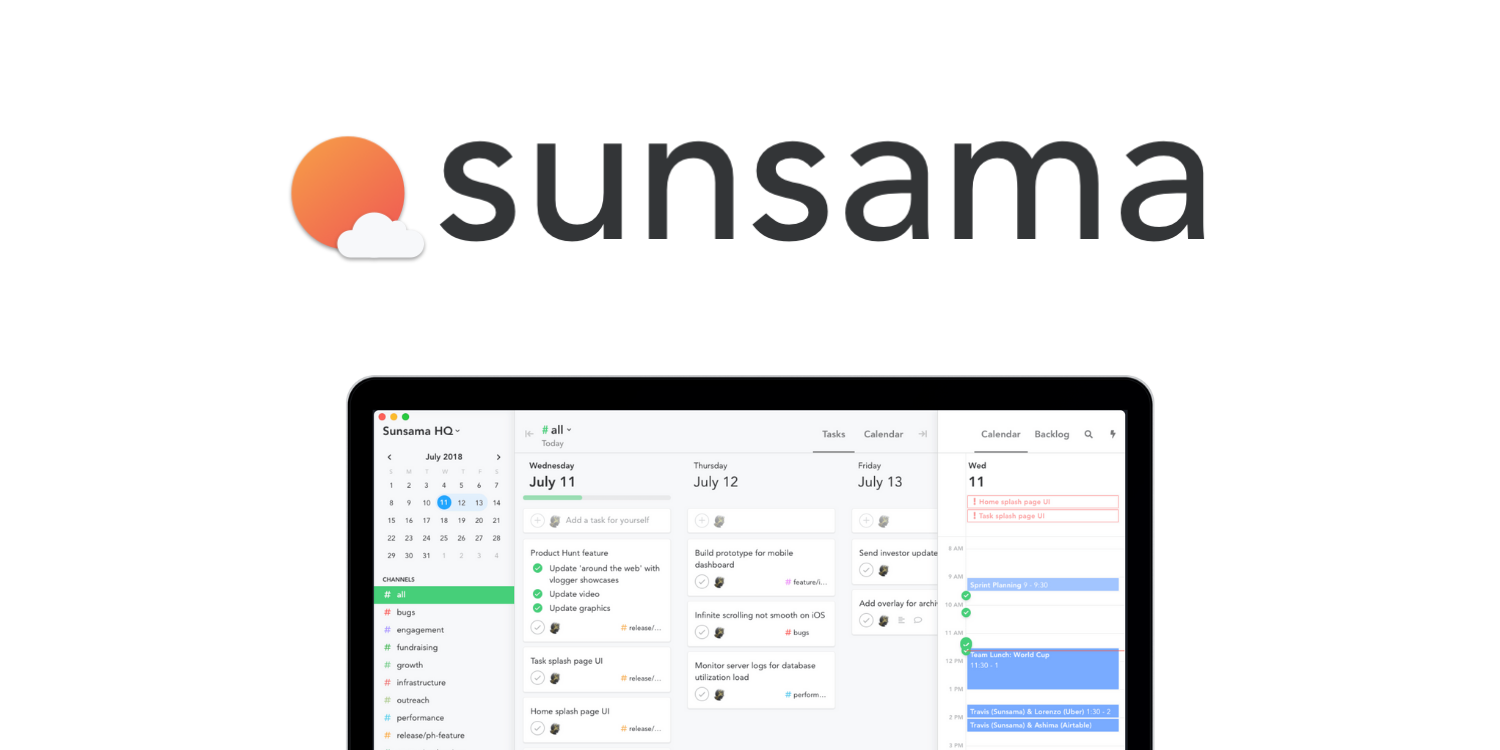
Sunsama is a thoughtful time-blocking planner app that helps you plan your day with intention. Each morning, it guides you through choosing what to work on, blocking time for tasks, meetings, and breaks.
Key features
- Guided daily planning: Pick your top tasks and block time for each
- Task + calendar view: Syncs with Google/Outlook and tools like Notion, Trello, Gmail, Asana
- Shutdown & weekly review rituals: Reflect and reset with simple prompts
- Focus mode: A clean, minimal view of just what matters today
What I liked
- I like the daily planning ritual.
- The drag-and-drop task blocking feels intuitive
- It pulls in tasks from Notion, Gmail, and Asana
What I disliked
- Can look overwhelming
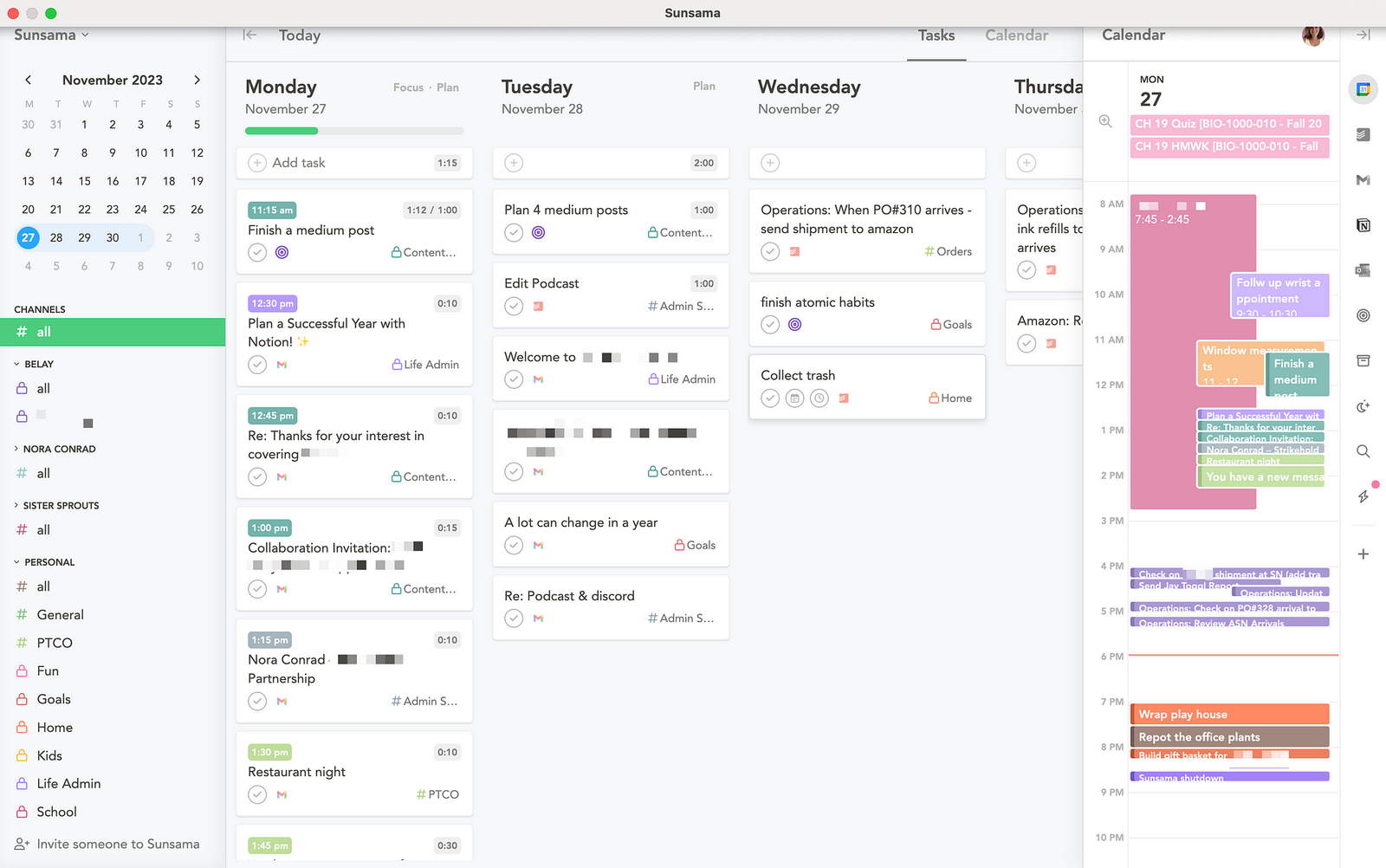
- The mobile app is fine for checking your plan, but full planning really needs a laptop.
- No smart AI assistant like Saner.AI, it’s all manual
- Not built for managing large or complex projects
Pricing
- 14-day free trial (no credit card needed)
- $20/month or $16/month billed annually
Suitable for
- Anyone who wants a calm, structured way to plan their day
How to start
- Just go to sunsama.com, start a free trial, and walk through the daily planning flow.
Sunsama review (source)
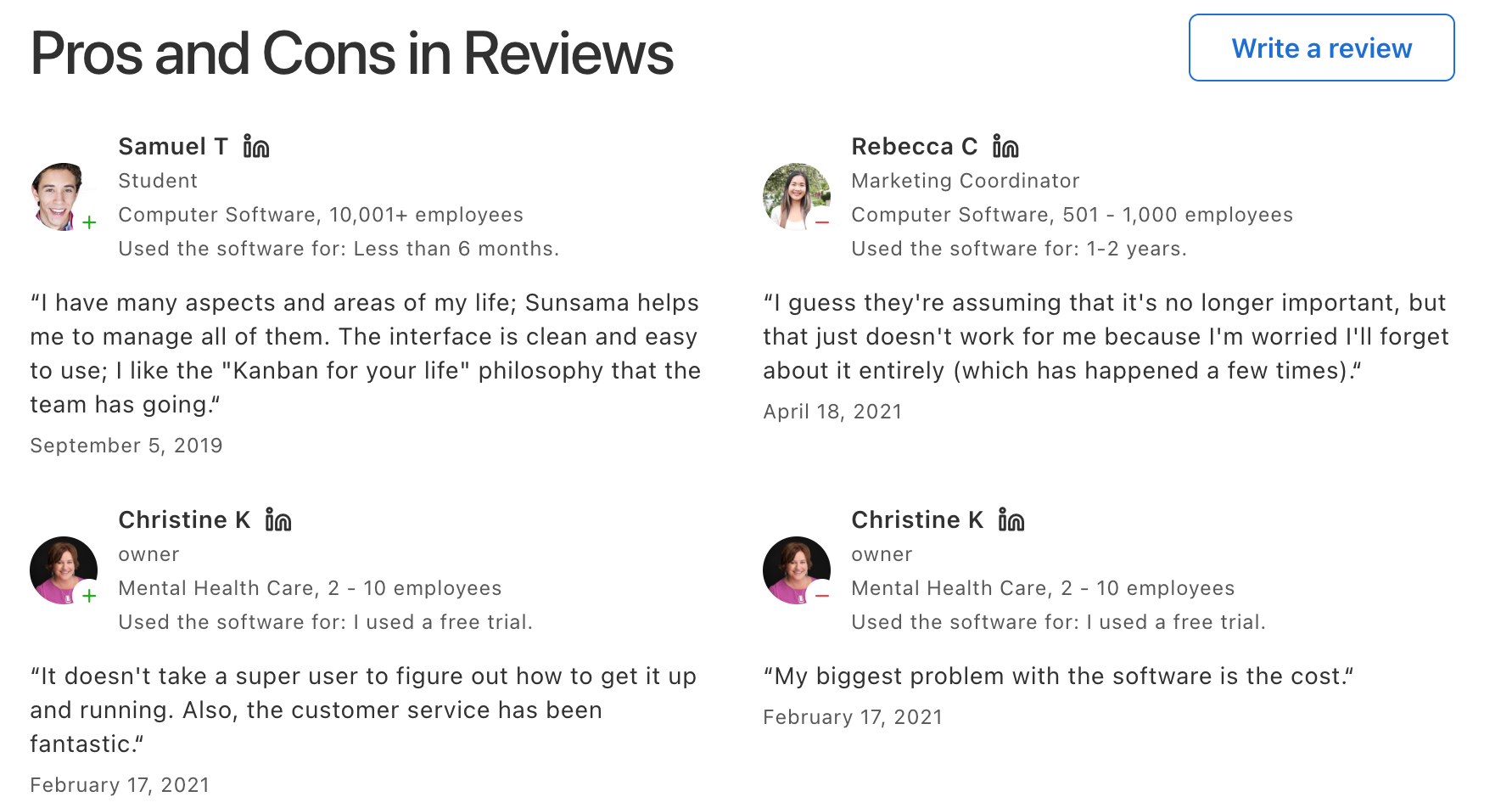
"Sunsama has a workflow that works very well for me with a morning routine that helps me to plan my day and gives me vision focused on the day, but sightlines into the week as well. It actively helps me to maximize efficiency without overloading my day." - Kim M
"It's a good tool, but it's a bit expensive, and the UI is outdated. Functionality is up to the standard." - Iroshan De zilva
4. TickTick

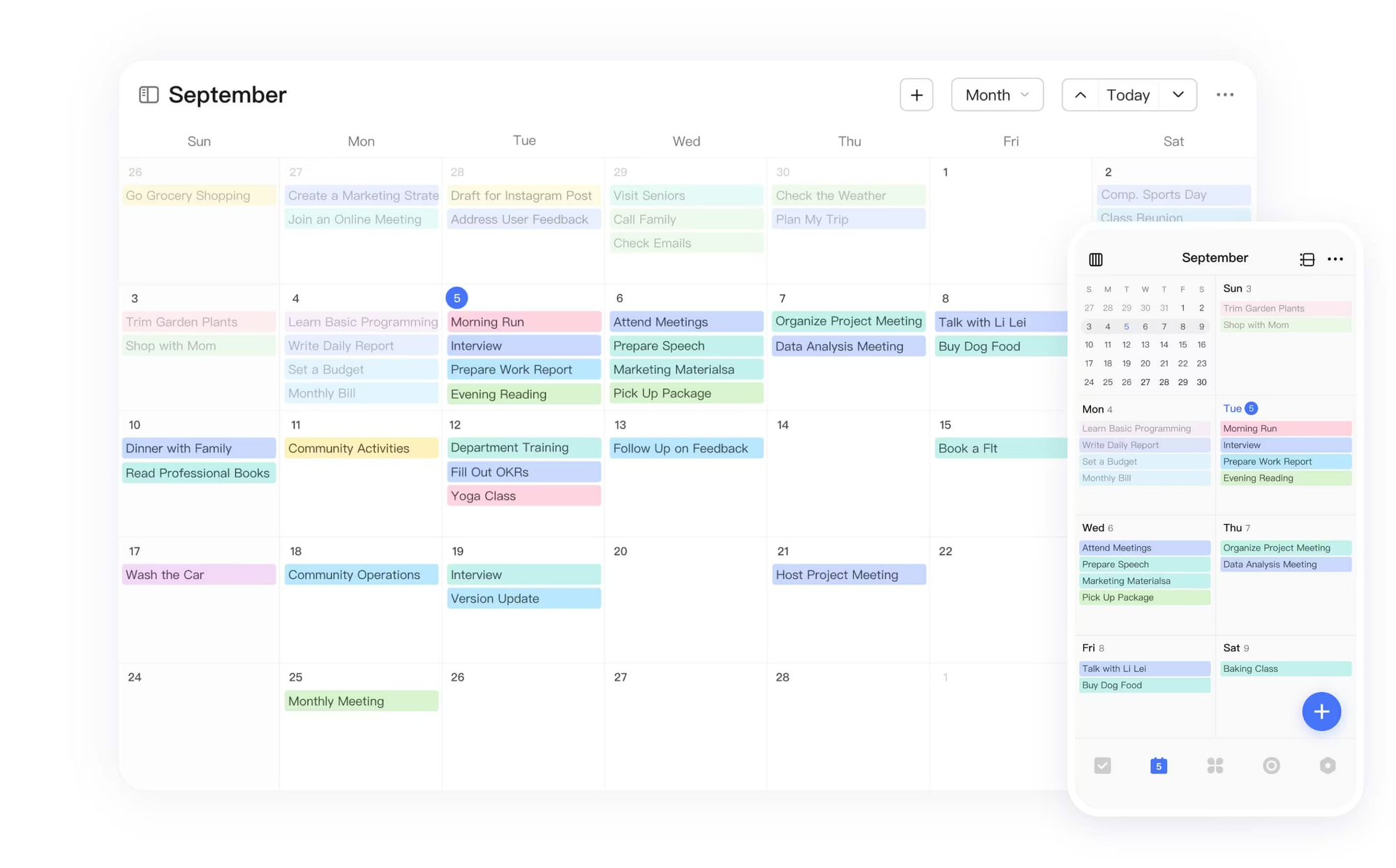
TickTick is a flexible time-blocking planner app. It blends to-dos, calendars, habits, and even a Pomodoro timer into a clean, intuitive interface that works across every device.
Key features
- Time Blocking Calendar: Drag and drop tasks directly into your calendar to block time
- Pomodoro Timer: Built-in focus timer tracks how long you actually work
- Recurring Habits: Set up routines like workouts, writing, or weekly reviews
- Calendar Sync: Connects with Google and Outlook to keep everything in one place
What I liked
- Time blocking is smooth
- The Pomodoro timer is great when I want to lock in
- Works across devices: mobile, desktop, even Apple Watch
What I disliked
- The calendar view is only available on desktop with the Premium plan
- No built-in AI assistant - you can’t just tell it to “schedule focus time” like Saner.AI
- Not ideal for complex project management—there’s no timeline or task dependencies
Pricing
- Free plan available
- Premium plan is $35.99/year (about $3/month)
- Discounted Education plan for students and teachers
Suitable for:
- Anyone who wants a no-fuss time blocking planner app with built-in focus tools.
How to start:
- Download TickTick, connect your calendar, and start dragging tasks into your day. It takes 5 minutes to set up, and you'll be planning like a pro right away.
TickTick review (source)
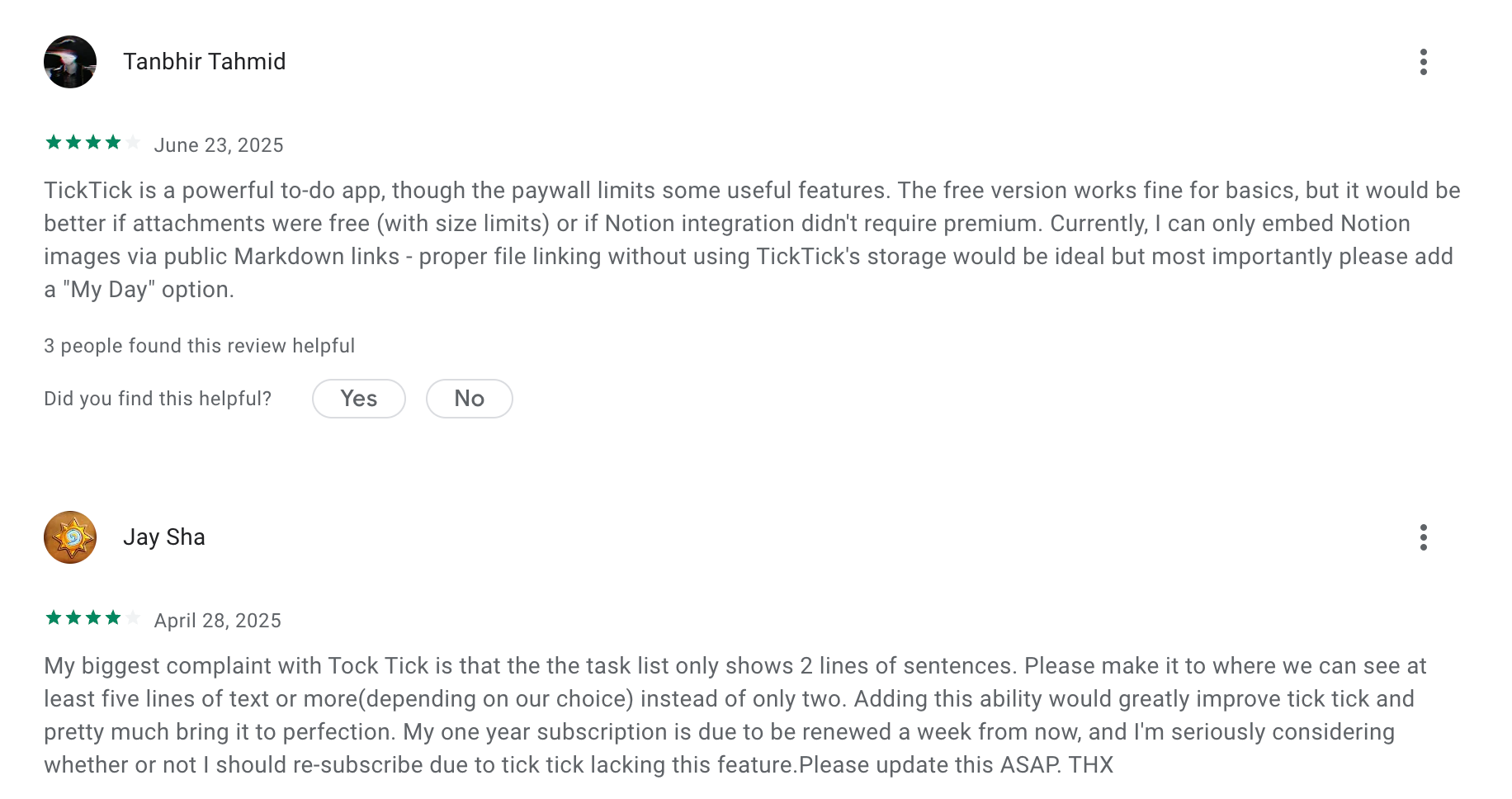
"Before using this app, I would struggle a lot with remembering things I had planned for the day, and it would always cause me to get into some trouble later because I just forget really important things. After a couple of days of using this app, I can definitely say a lot of stress has been taken off my shoulders." - Nya
"Unfortunately, it’s been overwhelming with too many features like Pomodoro timers and habit tracking that clutter the interface. After months, I have dozens of unmanageable tasks and still struggle to find what I need." - Dave Seidman
5. Clockwise
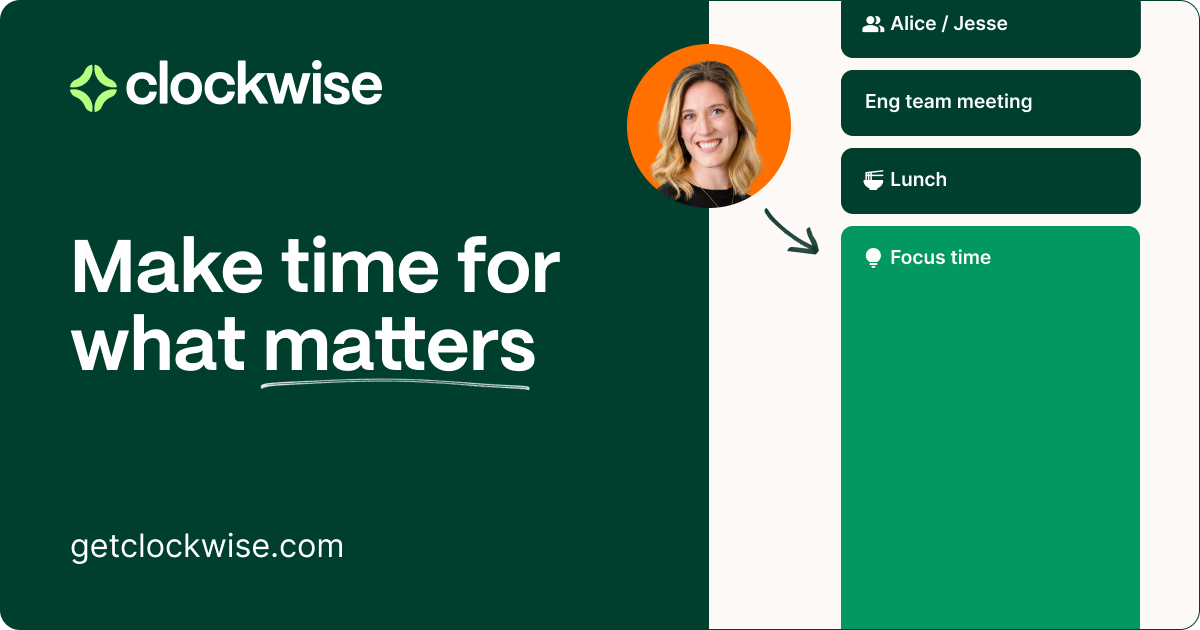
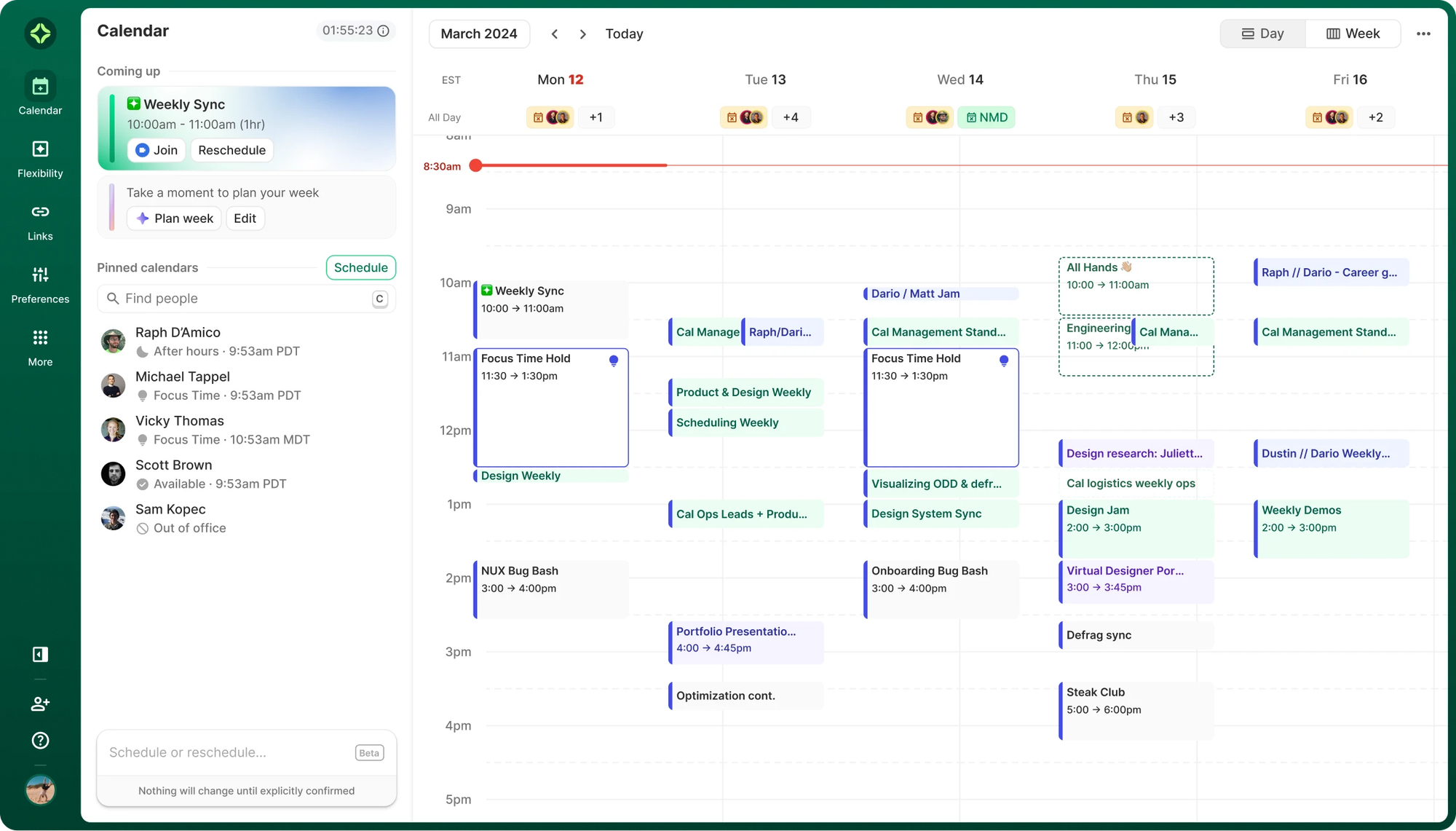
Instead of manually rearranging meetings and work blocks, Clockwise analyzes your calendar and moves flexible events to open up larger chunks of deep work.
Key features
- Clockwise automatically rearranges flexible meetings to reduce fragmentation in your schedule. I noticed it grouped meetings into clusters so my day had larger uninterrupted blocks for focused work.
- The tool can automatically schedule focus blocks on your calendar.
- For teams, Clockwise analyzes everyone’s calendars and finds the best meeting times with minimal disruption.
What I liked:
- I liked that it actively reorganizes meetings to create longer focus sessions.
- Once connected, the AI continuously optimizes your schedule without much manual input.
- It helps teams coordinate meetings without destroying everyone’s focus time.
What I disliked:
- Outlook and other calendar systems are not fully supported.
- If most meetings in your calendar are fixed, the AI has fewer opportunities to optimize.
- Individual users may not benefit as much compared to teams.
- Since the AI rearranges meetings automatically, it can take time to get comfortable with the system.
Pricing:
- Free plan:
- Teams plan: around $6.75 per user/month billed yearly (about $8/month billed monthly)
- Business plan: custom pricing for larger organizations.
Suitable for:
- Professionals with meeting-heavy calendars
- Remote teams trying to protect focus time
- Companies that want to reduce meeting overload
- Google Calendar users who want automatic schedule optimization
How to start:
- Go to Clockwise.com
- Sign up with your Google account
Clockwise Reviews (source)
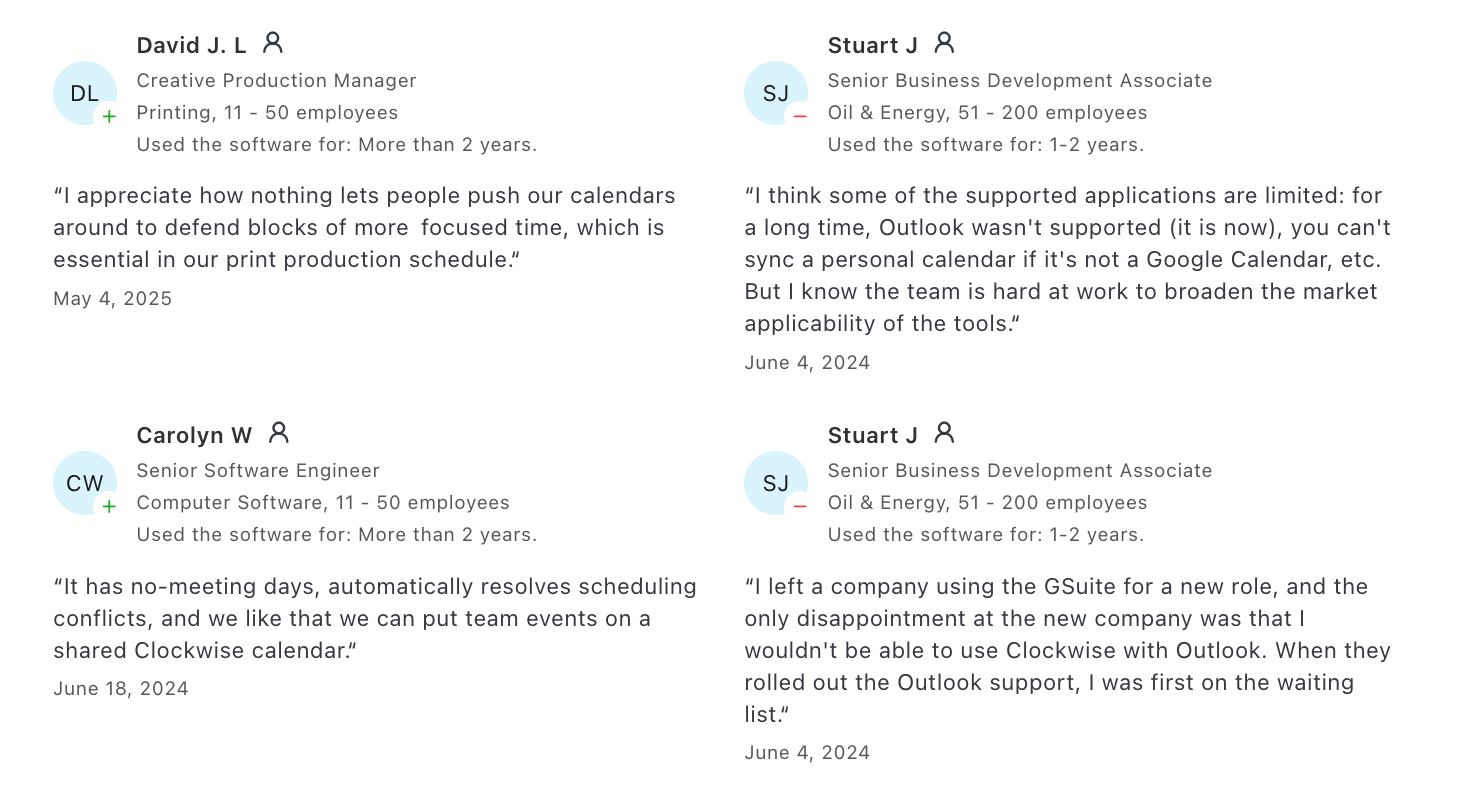
"Clockwise has become an indispensable tool for me at work. As someone who juggles a lot of meetings and deadlines, Clockwise helps me stay organized and make the most of my time. I especially love the automatic time blocking feature, which ensures I have dedicated focus time for my important tasks." - 𝐦𝐫𝐯𝐧
"Don't ask for permissions if you won't let the users in. Can't use the app, but already gave the permissions! Now I have to go to my calendar and remove them." - Mario M
6. Reclaim.ai

Reclaim.ai is an AI scheduling and time-blocking tool built on top of Google Calendar.
When I tested it, the biggest difference compared to traditional time-blocking apps was how dynamic the schedule is. Instead of dragging blocks around when meetings change, Reclaim automatically reschedules tasks and habits to protect your priorities.
Key features
- Smart Time Blocking: Defends time for deep work and priorities around existing meetings
- Smart Meetings: Finds the best time for everyone, and reschedules automatically if something comes up
- Habits: Blocks flexible routines like workouts, planning, or reading
- Task Sync: Pulls in tasks from Asana, Todoist, ClickUp, Linear, Google Tasks, and more
- Calendar Sync: Works with Google and (now in beta) Outlook to avoid double-booking
What I liked
- I like how it auto-books focus time around meetings
- Setting up habits like "reading" or "planning"
- It connects with all my task tools
What I disliked
- There’s still no mobile app, which makes it harder to manage on the go
- If you’re not on Google Calendar or Outlook, you’re kind of out of luck
- It’s not made for full project management - no timelines or task dependencies
- Don’t have a conversational AI you can chat with
Pricing
- Free Lite plan available
- Starter: $8/user/month
- Business: $12/user/month
- Enterprise: $18+/user/month
Suitable for
- Anyone who needs a Time Blocking Planner App to defend focus time, sync tasks, and automate their schedule
How to start
- Just sign up, connect your calendar, set your goals and habits, and Reclaim takes care of the rest.
Reclaim.AI Reviews (source)
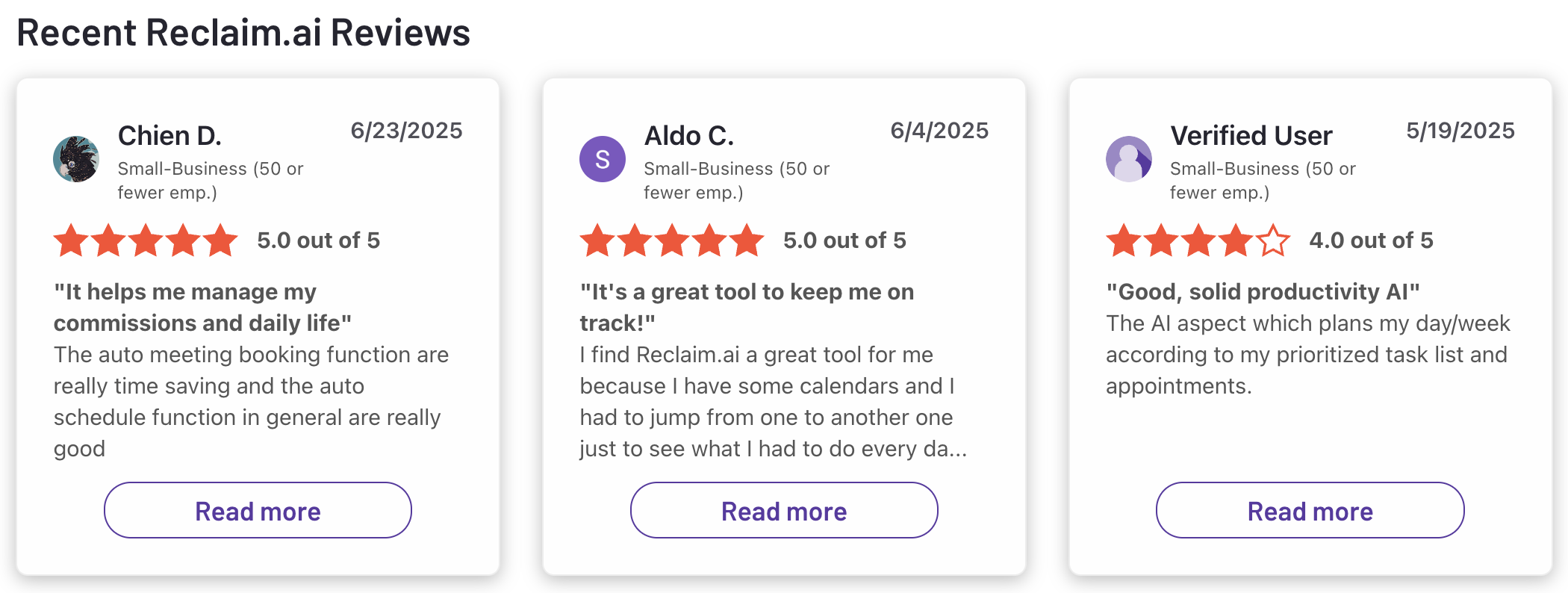
"Absolutely love Reclaim.ai! This is my third year subscribing and as a solopreneur and mum, it has helped me sync family commitments as well as work, but also helped me to focus and increased my productivity." - Zehra Jagani
"Keeps putting random and irrelevant events I to my Google calendar even after uninstalling it from my account." - Josh
7. Motion
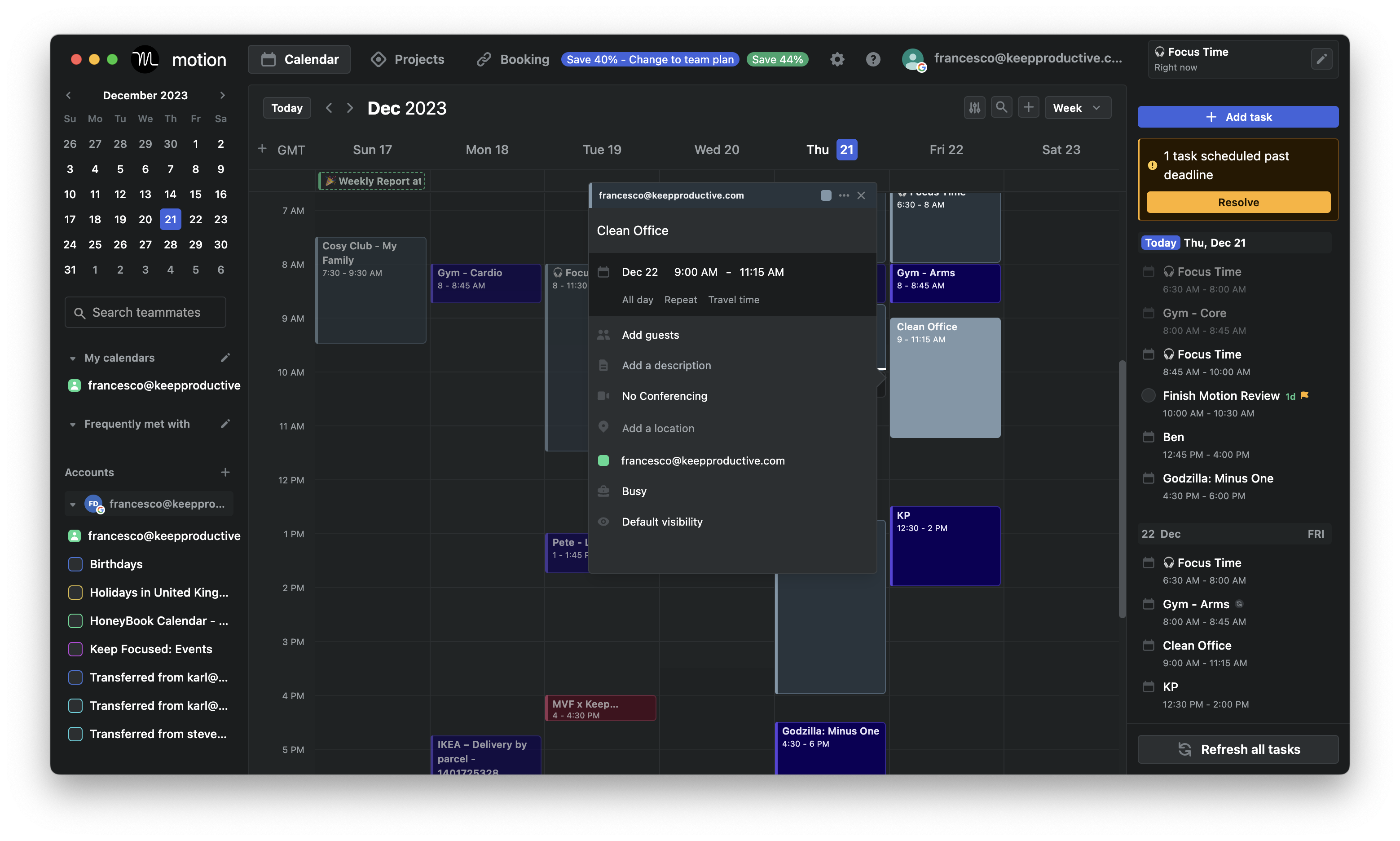
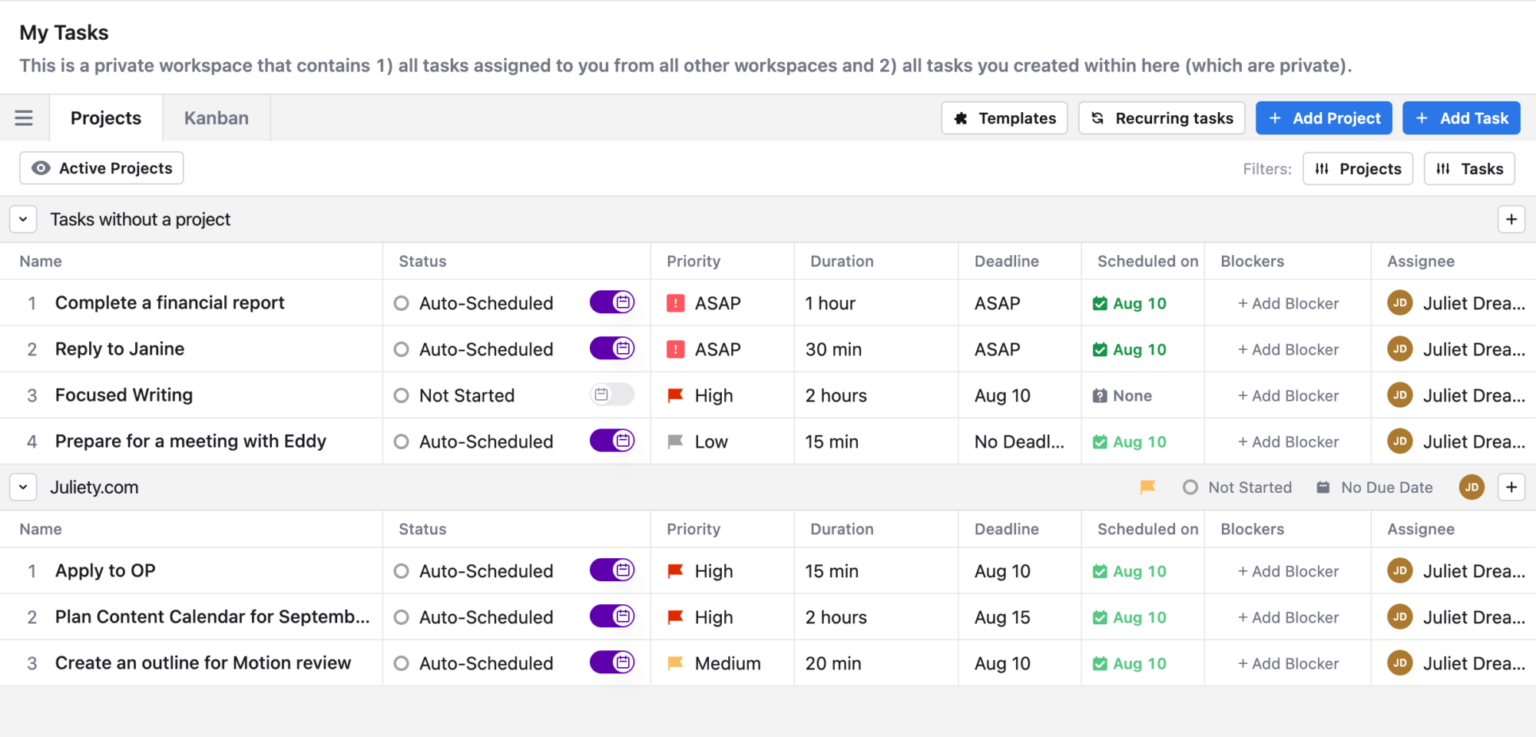
When I tested Motion, the main appeal was how little manual planning it required. I simply added tasks with estimated durations and due dates, and the AI placed them into open time slots in my calendar. If meetings were added later or priorities changed, the system automatically rescheduled tasks so deadlines stayed on track.
Key features
- I could add tasks with deadlines and estimated durations, and Motion automatically scheduled them into available calendar slots. If my calendar changed later, the system reshuffled tasks to keep everything realistic.
- Motion supports projects with multiple tasks and deadlines.
- The AI continuously evaluates deadlines and priorities to decide what should be scheduled first.
What I liked:
- I didn’t have to manually drag tasks onto my calendar, the AI handled scheduling automatically.
- Tasks with due dates are constantly prioritized so important work gets scheduled first.
- Motion replaces separate tools for task management, scheduling, and calendar planning.
- It’s especially useful when managing many tasks and meetings at once.
What I disliked:
- Motion is more expensive than basic task or calendar tools.
- Some users may prefer manually adjusting time blocks rather than relying on AI.
- You need to define priorities, task durations, and deadlines for the AI to work effectively.
- Most planning features are optimized for desktop use.
Pricing:
- Individual plan: about $30/month
- Team plan: around $12–$20 per user/month depending on team size and billing cycle
- Free trial: 7 days available
Suitable for:
- Professionals managing many tasks and deadlines
- Founders or freelancers juggling projects and meetings
- Teams that want automatic scheduling instead of manual time blocking
- People who prefer AI-managed planning
How to start:
- Go to UseMotion.com
- Sign up and connect your calendar
- Add tasks with deadlines and let the AI schedule them automatically.
Motion reviews (source)
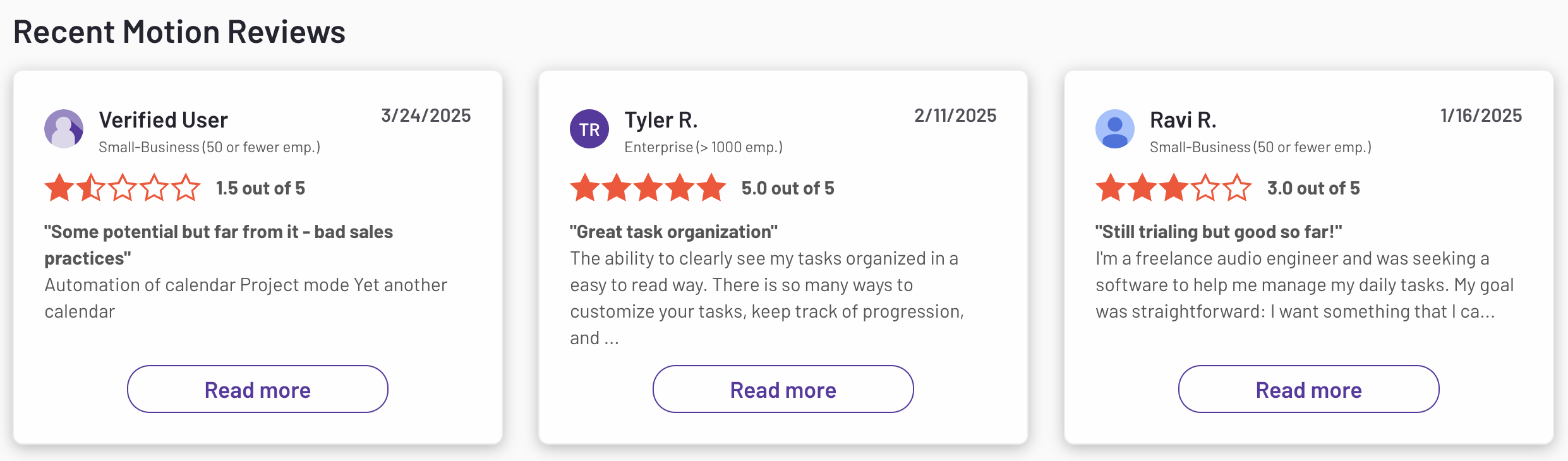
"Fantastic app, absolute game changer on planning my workload. Not only does it break things up into nice blocks of work, it helps keep me on track when I wander away." - Daniel Autumn
"I find it does not capture all of my incoming emails for my inbox. It is also really clunky on the project management side. I need to write a management report every week, and this does not help with High-level management." - Leonie Muller
Conclusion - Choosing The Best Time Blocking App in 2026
- Some people want structured daily planning where tasks and time blocks live side-by-side (apps like Sunsama or Google Calendar).
- Others prefer lightweight task managers with scheduling features (TickTick).
- And some rely on fully automated AI scheduling that dynamically moves blocks around their calendar (Reclaim.ai or Motion).
What matters most isn’t how powerful the tool is: it’s how naturally it fits your thinking style and daily workflow. The best time-blocking app should reduce mental clutter, help you focus on the next step, and make planning feel effortless rather than rigid.
If a tool helps you feel clearer about what to do next and less overwhelmed by your schedule, that’s the one worth keeping.
Stay on top of your work and life with the best time-blocking app
FAQ for Time-Blocking Planner Apps
1. What are Time Blocking Planner Apps?
Time blocking planner apps help you structure your day by assigning specific time slots to specific tasks. Instead of relying on an open-ended to-do list, you carve out blocks like “9–10 AM: strategy session” or “2–3 PM: emails.”
It’s like building a personalized schedule that fights distraction and protects focus.
Tools like Saner.AI, Reclaim lead the way, each offering different features like automation, AI, or manual planning.
2. What can Time Blocking Planner Apps do?
They help you plan smarter and work with more focus. Key features include:
- Automatically scheduling tasks based on your availability
- Reprioritizing when meetings or changes pop up
- Visualizing your day to avoid overcommitment
- Balancing deep work, admin tasks, and breaks
Some apps even analyze your habits and suggest optimal time slots.
3. How do I get started with time blocking?
Start by identifying 3–5 tasks you want to complete tomorrow. Then open your calendar and block time for each. Leave some buffer zones for unexpected tasks or breaks. Review how the day went and adjust. It doesn’t need to be perfect - just consistent.
4. What’s the best time-blocking planner app for ADHD?
Time blocking is especially helpful for ADHD because it creates external structure. Tools like:
- Sunsama: Encourages daily planning without pressure
- Saner.AI: Helps ADHD users organize thoughts automatically by connecting notes, tasks, and calendar
Look for features that reduce decision fatigue and support routines.
5. Which time-blocking app is best for work?
Professionals benefit from tools that combine flexibility with structure. Good options include:
- Reclaim: Adapts to meetings and preserves focus
- Saner.AI: Keeps tasks, notes, and schedule in one system, ideal for managing projects with less mental juggling
6. Do time-blocking, apps really improve productivity?
Yes. By setting clear boundaries and reducing decision-making during the day, they help you:
- Stick to priorities
- Avoid overcommitting
- Build better work habits
Time blocking shifts your mindset from reactive to intentional, and productivity follows.
7. Can I use voice commands with time blocking apps?
Some support it natively or through integrations:
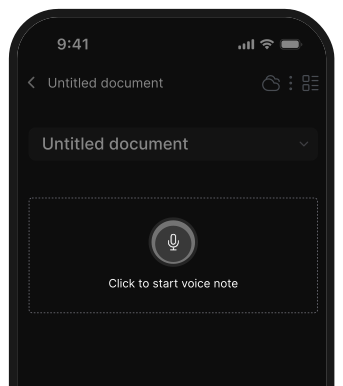
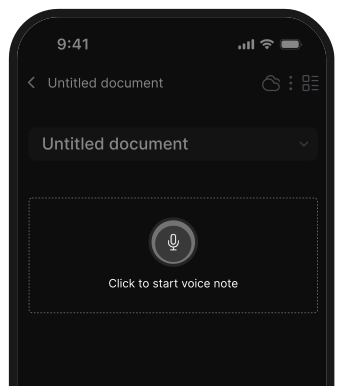
- Saner.AI: Convert voice notes directly into time-blocked tasks
8. Which time blocking apps auto-schedule tasks?
These apps save you the drag-and-drop headache:
- Reclaim: Balances habits, meetings, and tasks in your calendar
- Saner.AI: You can just chat with AI and it will schedule your tasks automatically
9. What’s the best time blocking planner app for entrepreneurs?
Entrepreneurs need flexible structure. Top picks include:
- Saner.AI: Turns scattered notes into scheduled action
- Sunsama: Encourages mindful daily planning
10. How can managers use time blocking apps?
Managers can use time blocks to balance meetings, strategy, and deep work:
- Block out recurring 1:1s and prep time
- Set boundaries for focused work
- Use visual daily plans to track priorities
Tools like Reclaim and Saner.AI help manage team chaos without dropping personal tasks.
11. How can CEOs benefit from time-blocking apps?
For CEOs, time blocking helps protect high-leverage work:
- Align your calendar with strategic priorities
- Make time for thinking, not just doing
- Review your week to avoid overloading
With apps like Saner.AI, your schedule becomes a leadership tool - not just a list of meetings.
12. Can time blocking help with focus?
Yes. It’s one of the best ways to improve deep focus by:
- Creating distraction-free blocks for important work
- Minimizing context switching
- Helping you say “no” to low-value tasks
Apps like Saner.AI are designed to protect your focus in real time.
13. What’s the best time-blocking planner for creatives?
Creatives need tools that support flow while adding light structure. Try:
- Todoist: Simple UI for time-blocking
- Saner.AI: Captures ideas and turns them into scheduled times
These tools help balance spontaneity with getting things done.
Stay on top of your work and life