
We Tested 15 UpNote Alternatives. Here are the best 7 Free Apps
The best UpNote Alternatives are Saner.ai, Obsidian, Logseq, Bear, Notion, Reflect, and Apple Notes


The 7 Best UpNote Alternatives
If you're searching for the best UpNote alternatives, you're likely feeling the limits of UpNote’s otherwise clean, distraction-free note-taking experience. Many users look for apps like UpNote because they want more advanced organization, true cross-platform syncing, AI assistant, better export options, or tools that scale beyond simple note lists.
UpNote is beloved for its simplicity, offline support, and elegant design - but it can fall short when your workflow grows. Missing integrations, limited hierarchy, and no real knowledge-management features often push people toward more flexible tools.
In this guide, we break down the top UpNote alternatives, who they’re best for, key features, pricing, pros/cons, and how to choose the right tool for your workflow.
1. What Is UpNote?
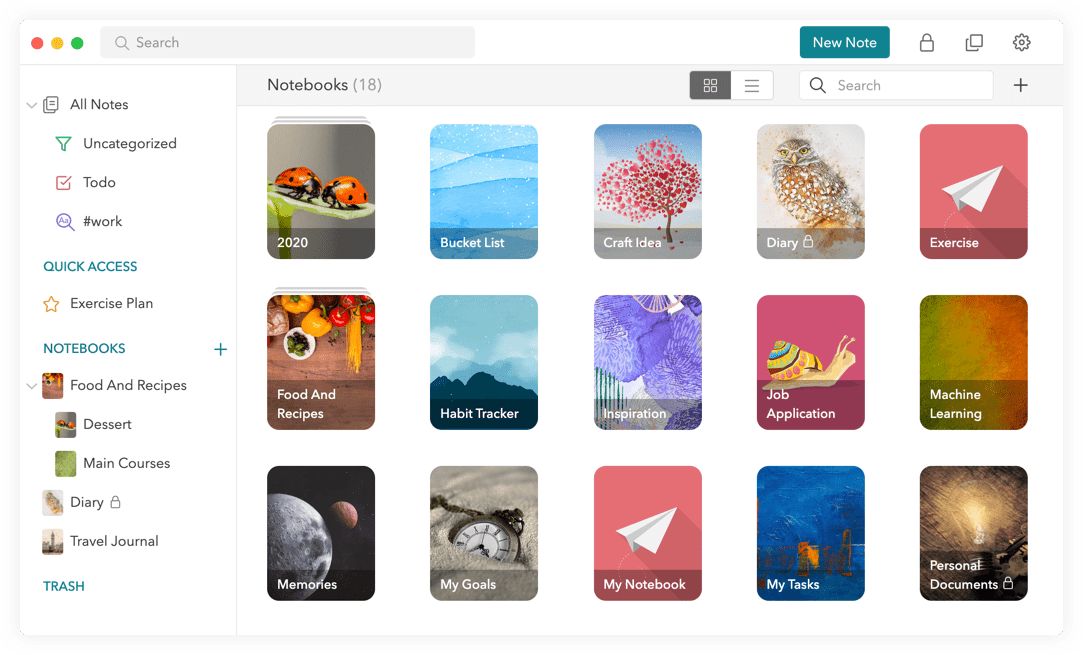
UpNote is a minimalist note-taking app known for its clean interface, offline support, and distraction-free writing experience. It’s great for quick notes, journaling, and simple organization using notebooks and tags.
But as your workflow grows, UpNote’s limitations - like the lack of integrations, advanced structure, AI features, or collaboration- often become more noticeable.
2. How I Tested These Alternatives
To create this list of best UpNote alternatives, I tested each tool using the same criteria:
- Note capture speed (how fast it feels to write)
- Organization strength (tags, linking, folders, search)
- AI features
- Cross-platform reliability
- Long-term scalability
- Pricing value
Now, let's dive in!
What are the best UpNote Alternatives?
The best UpNote Alternatives are Saner.ai, Obsidian, Logseq, Bear, Notion, Reflect, and Apple Notes
Comparison Table: Best UpNote Alternatives
| Tool | Best For | Platforms | AI Features | Organization Style | Price | Why Choose It Over UpNote |
|---|---|---|---|---|---|---|
| Saner.ai | Knowledge workers, overwhelmed users | Web, iOS, Android | Strong AI | Tags, Folders, semantic AI | Free + paid | AI that understands your notes |
| Obsidian | PKM power users | Win/Mac/Linux/iOS/Android | Plug-ins | Backlinks, graph, folders | Mostly free | Deep customization + ownership |
| Logseq | Outliner thinkers | Win/Mac/Linux/iOS/Android | Community plug-ins | Outliner + backlinks | Free | Structured thinking + journaling |
| Bear | Writers, Apple users | iOS/Mac | No | Tags | Paid | Beautiful, fast, simple |
| Notion | Productivity systems | All platforms | Strong AI | Databases | Free + paid | All-in-one workspace |
| Reflect | Minimalist PKM | Web, iOS | Yes | Backlinks | Paid | Light, fast, link-friendly |
| Apple Notes | Apple-only users | iOS/Mac | Limited | Folders + tags | Free | Great free option |
1. Saner.AI
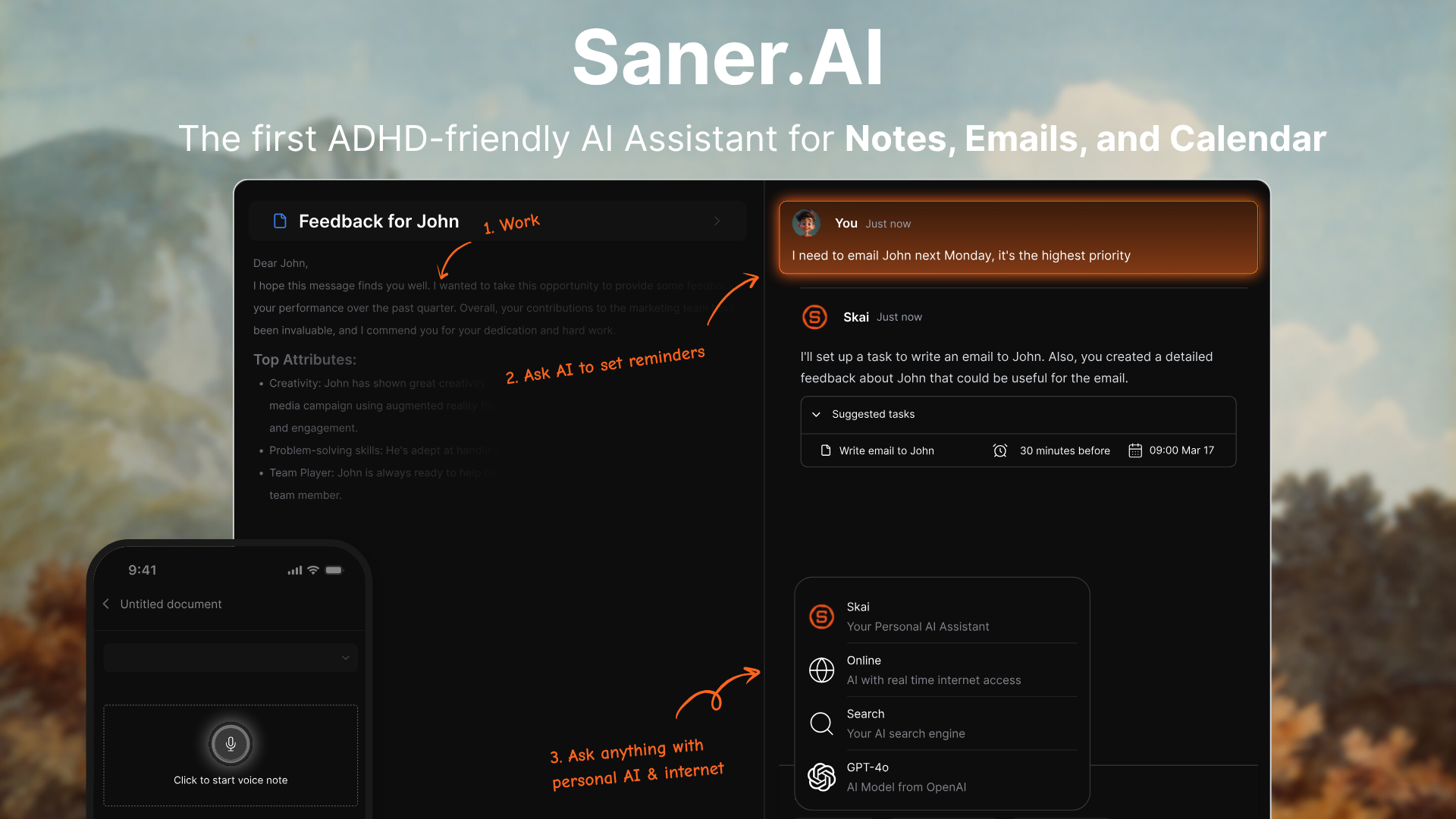
An AI workspace that combines notes, tasks, email, and calendar into one place. It’s designed to reduce context switching and help you recall information using natural language instead of folders or manual organization.
Key features
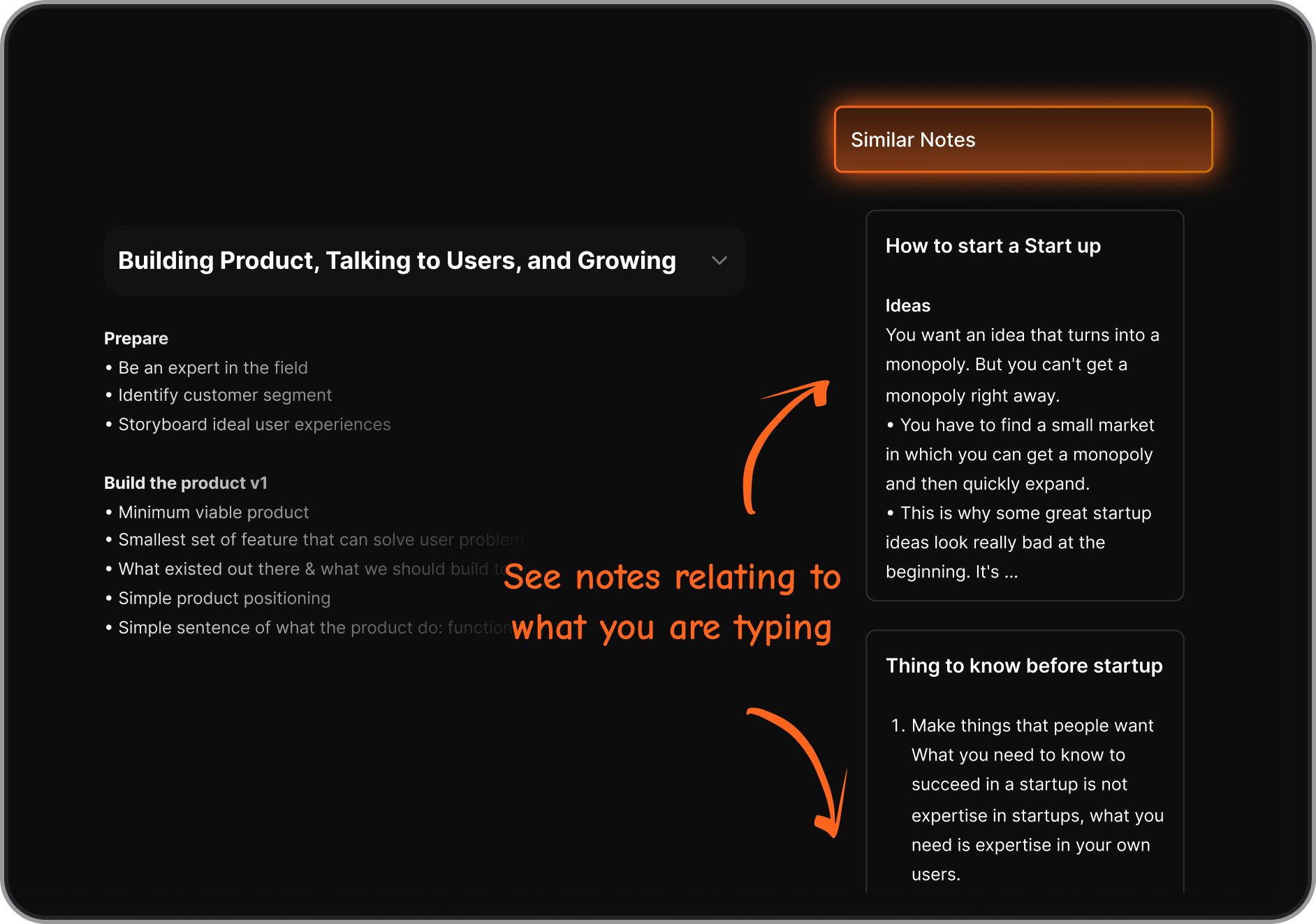
- Personal AI assistant that organizes, tags, and connects your notes automatically
- Natural language search that recalls ideas even without exact keywords
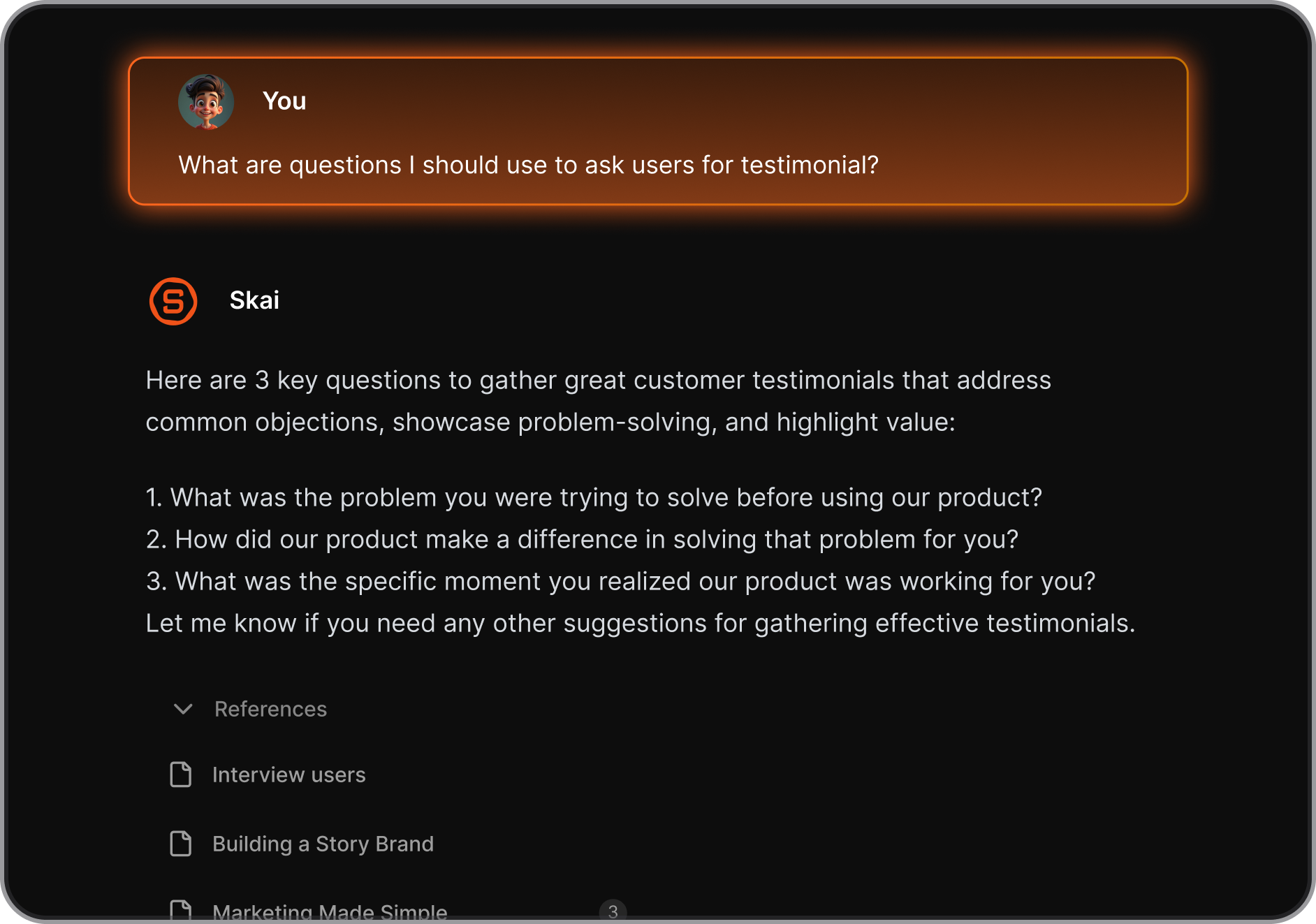
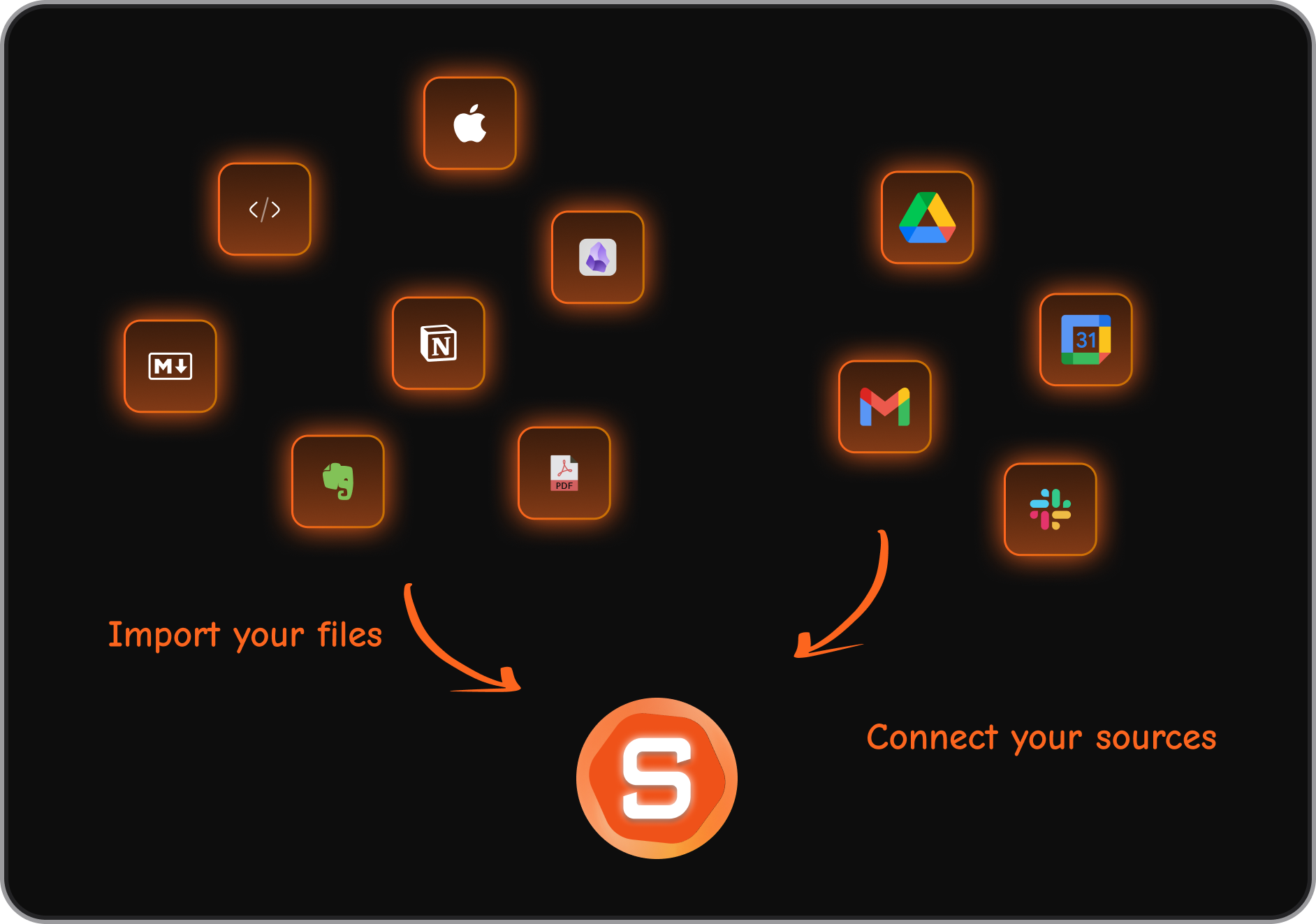
- integrations with Gmail, Drive, Slack, and other work tools
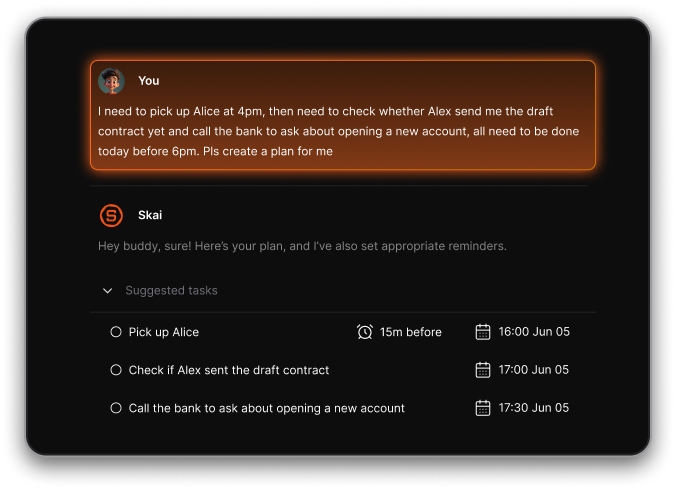
- Braindump to tasks: Just chat, and it’ll turn them into to-dos with reminders
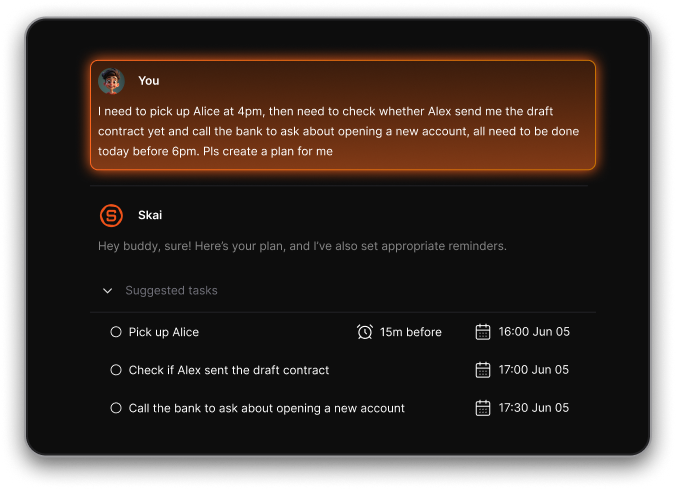
- Chrome extension + mobile apps for fast capture (text, voice, links)
What I liked
- AI actively organizes your notes for you, reducing the need for folders or tagging
- Search feels more like talking to an assistant tidy
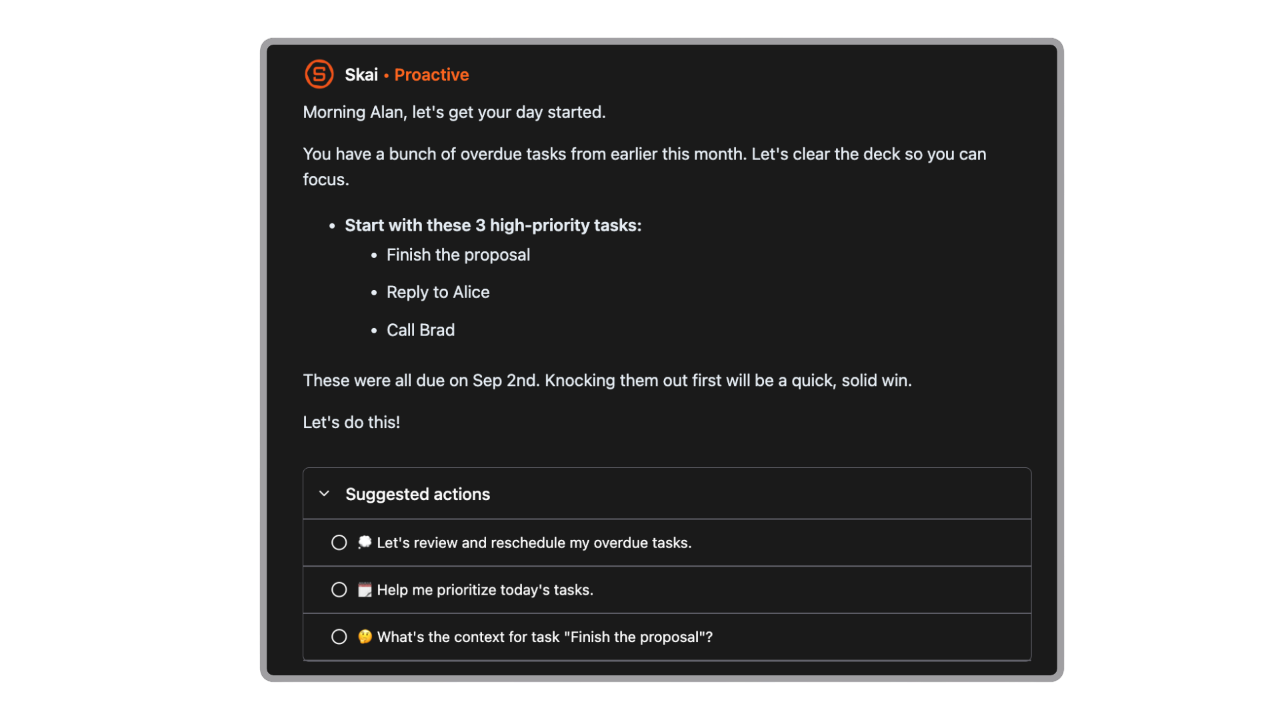
- Proactive Daily planning: It goes through my emails, notes, todos and gives me a day brief every morning
- Minimal setup required compared to complex PKM tools
Cons
- Requires internet access for full functionality.
Pricing
- Free plan available
- Paid plans start around $8/month (annual)
- Higher-tier plans around $16–20/month for full features
Suitable for
- Users who want an AI-organized alternative to UpNote
- People who struggle with remembering where notes live
- ADHD professionals who need help reducing context switching
- Anyone who wants natural language recall instead of manual structuring
Saner.AI Reviews

How to start
- Go to Saner.AI and create a free account
- Connect your email, drive, or other sources
- Start capturing notes and let the AI organize them

The top UpNote Alternative
2. Notion

Notion is an all-in-one workspace for notes, databases, tasks, and knowledge management - making it one of the most powerful UpNote alternatives if you want more structure, customization, and workflow features.
Key features
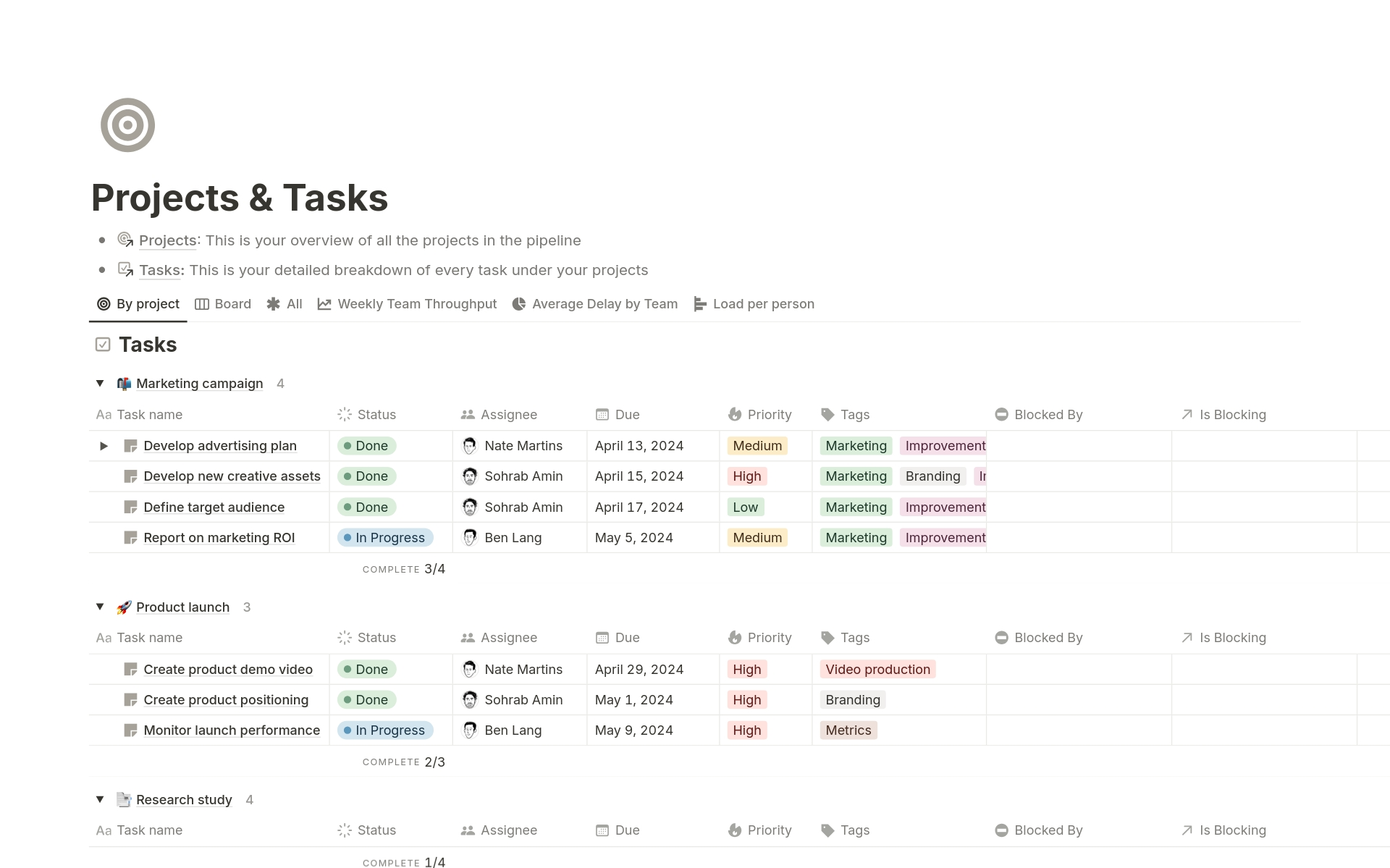
- Flexible pages built from blocks (text, embeds, tasks, databases, media, and more)
- Relational databases with multiple views: table, board, calendar, gallery
- Large template library for note-taking, project management, content planning, and wikis
- Built-in collaboration with shared workspaces, comments, and permissions
What I liked
- Extremely flexible - you can turn notes into full systems for projects, tasks, and knowledge bases
- Database views make organization far more powerful than traditional note apps
What I disliked
- Steeper learning curve compared to UpNote
- Writing experience can feel slower or more structured than pure note apps
- Flexibility can lead to over-customizing and spending too much time organizing instead of taking notes
Pricing
- Free plan
- Plus plan: $10/user/month (billed annually)
- Business plan: $20/user/month (billed annually)
Suitable for:
- Users who want notes + tasks + projects in one system
- Teams that need shared workspaces or wikis
- People who enjoy tailoring their own workflows instead of using a fixed structure
How to start:
- Go to Notion and create a free account
Notion reviews (source)

3. Logseq
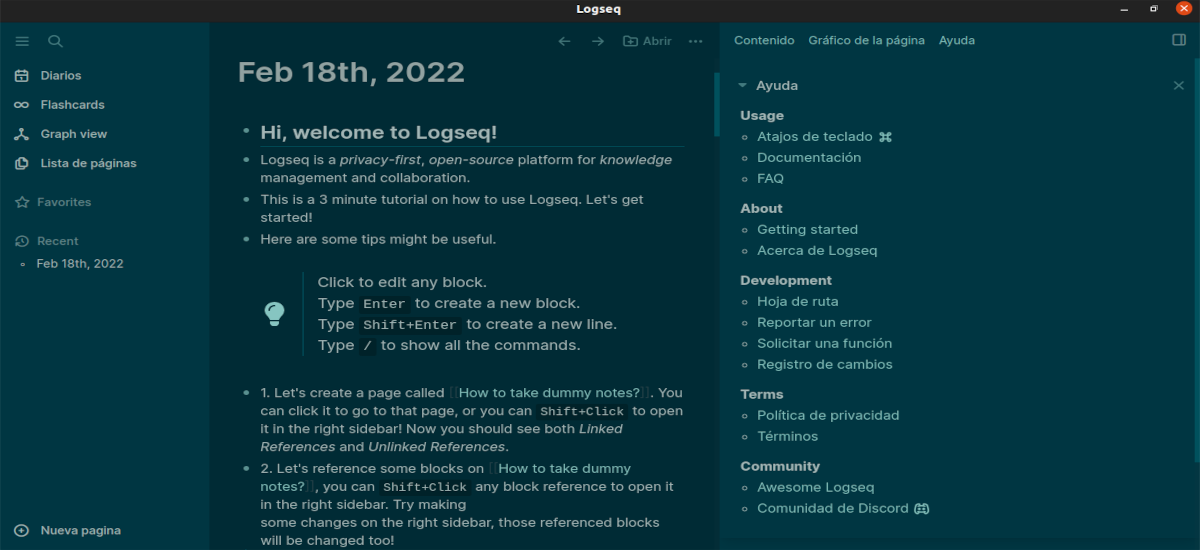
Logseq is a free, open-source note-taking and knowledge-management app that works as a powerful alternative to UpNote. Instead of simple notebooks, it focuses on outlining, backlinks, and building a connected knowledge base you fully own.
Key features
- Local-first Markdown and Org-mode files you fully control
- Outliner-style note structure with collapsible bullets
- Bidirectional links and graph view for exploring relationships between notes
- Built-in task management, daily journaling, and spaced-repetition flashcards
What I liked
- Strong data ownership thanks to local plain-text files
- Outline-first approach makes it easy to structure complex ideas
What I disliked
- Steeper learning curve than UpNote - better for power users than beginners
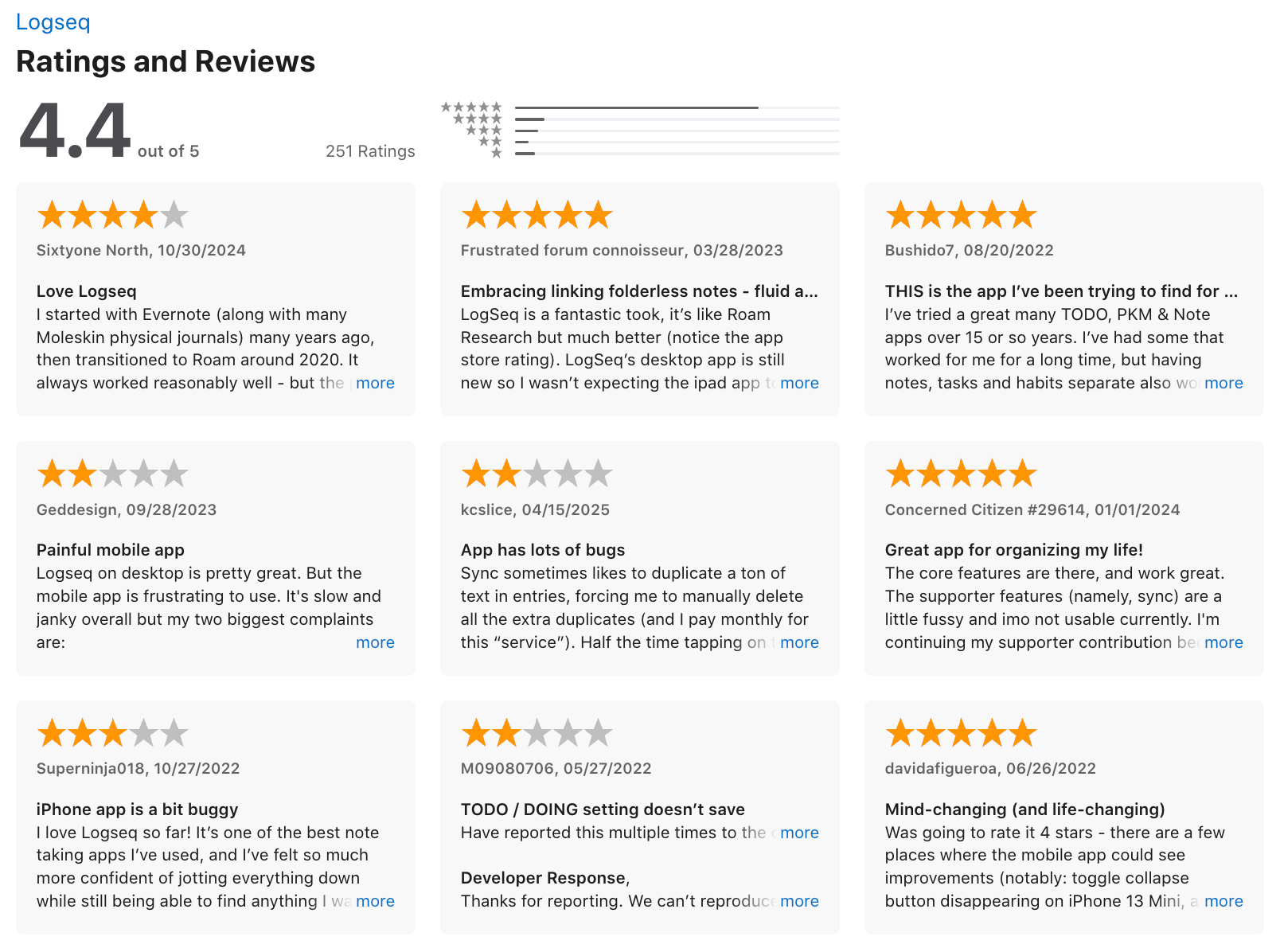
- Interface can feel less polished, especially on mobile
- Occasional sync or performance issues depending on your setup
- No AI Assistant
Pricing
- Free and open-source
- Optional paid Logseq Sync (currently in beta)
Suitable for
- People who want a knowledge base, not just a notebook
- Users who like outlining, backlinks, and graph-based thinking
- Researchers, students, writers, and anyone building a second brain
How to start
- Go to Logseq
- Download the desktop or mobile app
Logseq review (source)
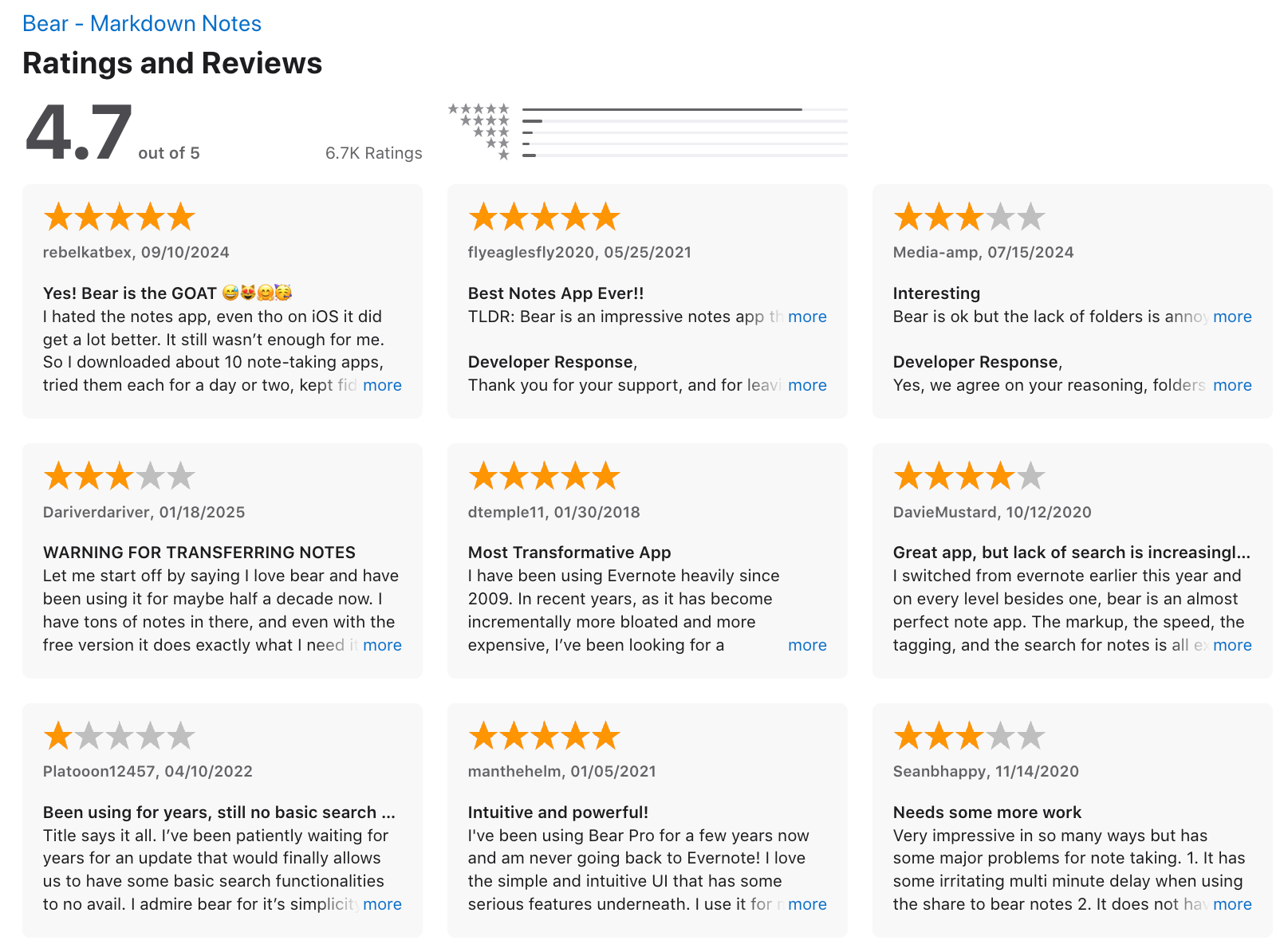
4. Bear
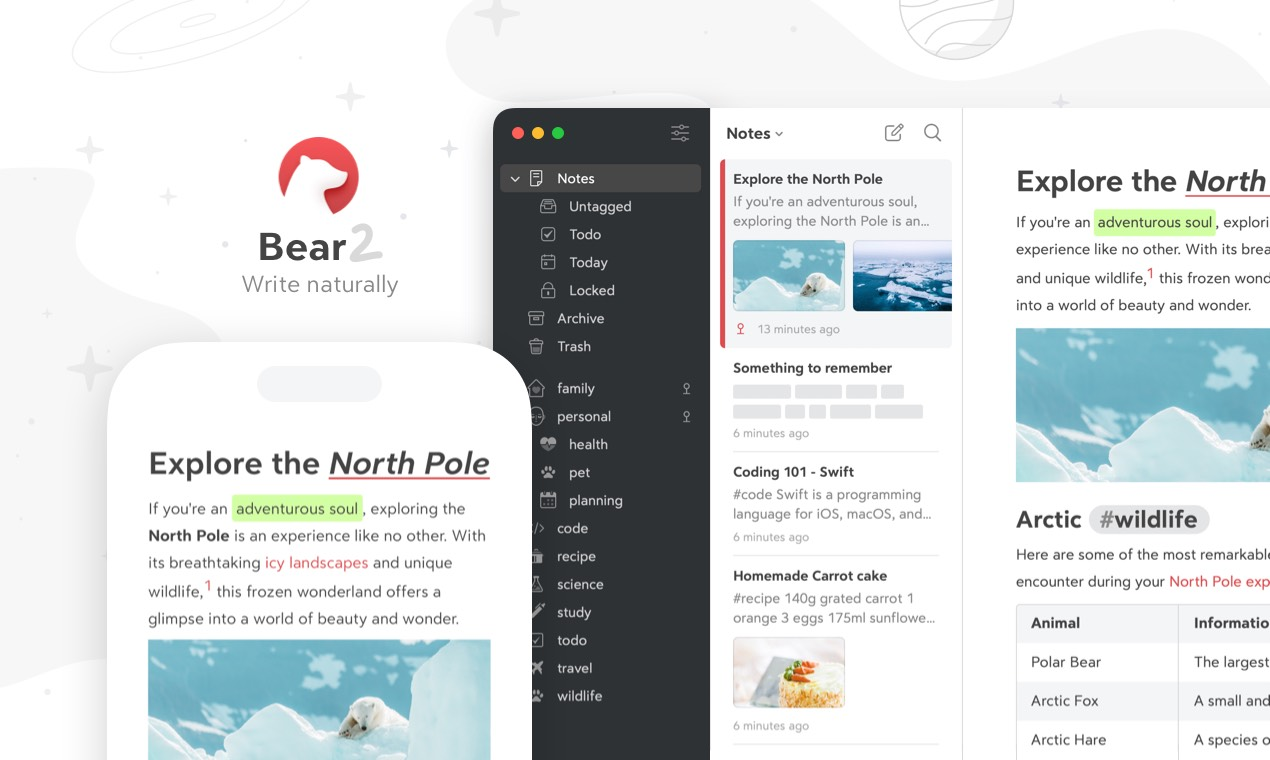
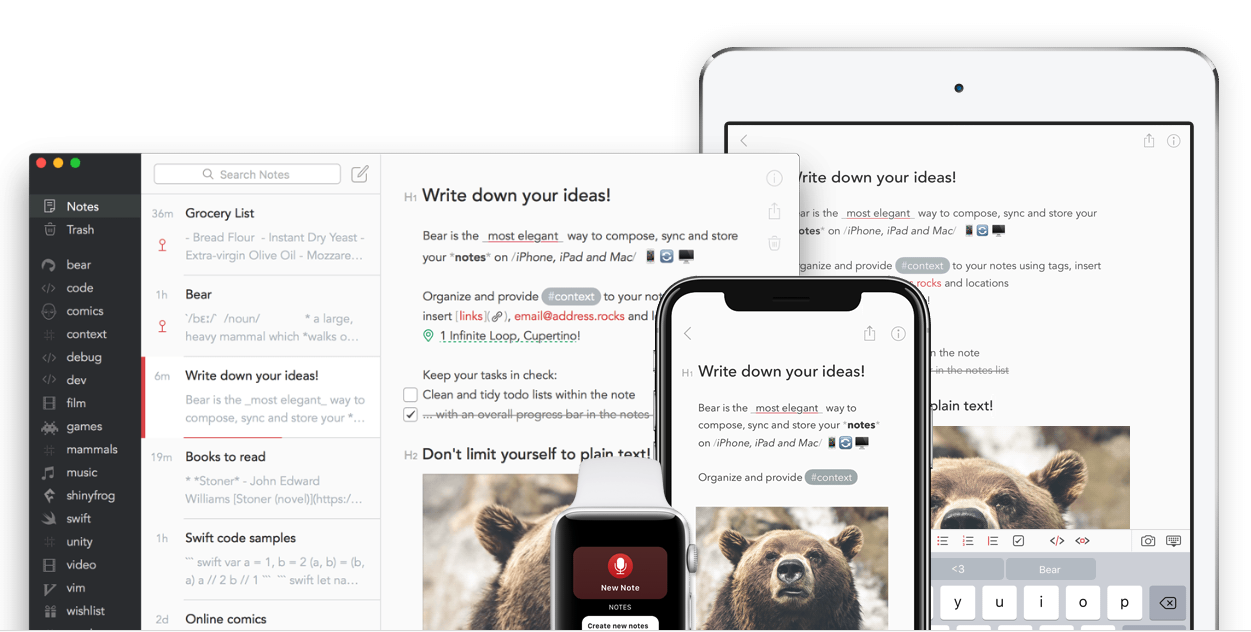
Bear is a minimalist, Markdown-first note-taking app for Apple users. It’s often chosen as an UpNote alternative because it offers cleaner writing, flexible tags, and fast performance - especially if you prefer a more lightweight workflow.
Key features
- Markdown-native editor with fast, smooth formatting
- Tag-based organization (including nested tags)
- iCloud sync across iPhone, iPad, and Mac (Pro)
- Export to PDF, DOCX, HTML, ePub, JPG, and more (Pro)
What I liked
- Minimal, clean design that keeps the focus on writing
- Tags make organization flexible compared to UpNote’s notebooks
- Markdown feels natural and fast for long-form writing
What I disliked
- Apple-only - no Windows, Android, or web version
- Nested tag system can feel unfamiliar for UpNote users
- Many core features (sync, export, themes, OCR) require a subscription
- No AI assistant to talk to your notes
Pricing
- Free version for basic notes
- Bear Pro: about $2.99/month or $29.99/year
Suitable for
- Users who prefer Markdown and tag-first organization
- Apple-only users who want fast, native apps
How to start
- Download Bear from the App Store
- Create your first note and add tags to organize
Bear reviews (source)
5. Reflect
Reflect is a networked note-taking app designed for fast capture, linked thinking. It’s a solid UpNote alternative if you want backlinks, daily notes, and a more “second brain” style workflow rather than a traditional notebook structure.
Key features
- Backlinks that let you connect ideas across notes
- Built-in AI for writing help, summarization, and transcription
- End-to-end encryption for privacy
- Daily notes and journaling workflow
What I liked
- It’s fast
- AI tools feel practical for drafting and clarifying ideas
- Strong security with encryption
What I disliked
- No Android app, which limits cross-platform users
- Only one paid plan, so no long-term free tier
- Less formatting flexibility than UpNote
- You don't have a comprehensive AI assistant like Saner.AI
- There’s no free tier, just a 14-day trial.
Pricing
- 14-day free trial
- $10/month billed annually
Suitable for
- Writers, researchers, and thinkers building a long-term knowledge base
- Anyone who prefers a connected “second brain” over a folder-based notebook
How to start
- Go to Reflect’s website
- Create an account
6. Apple Notes
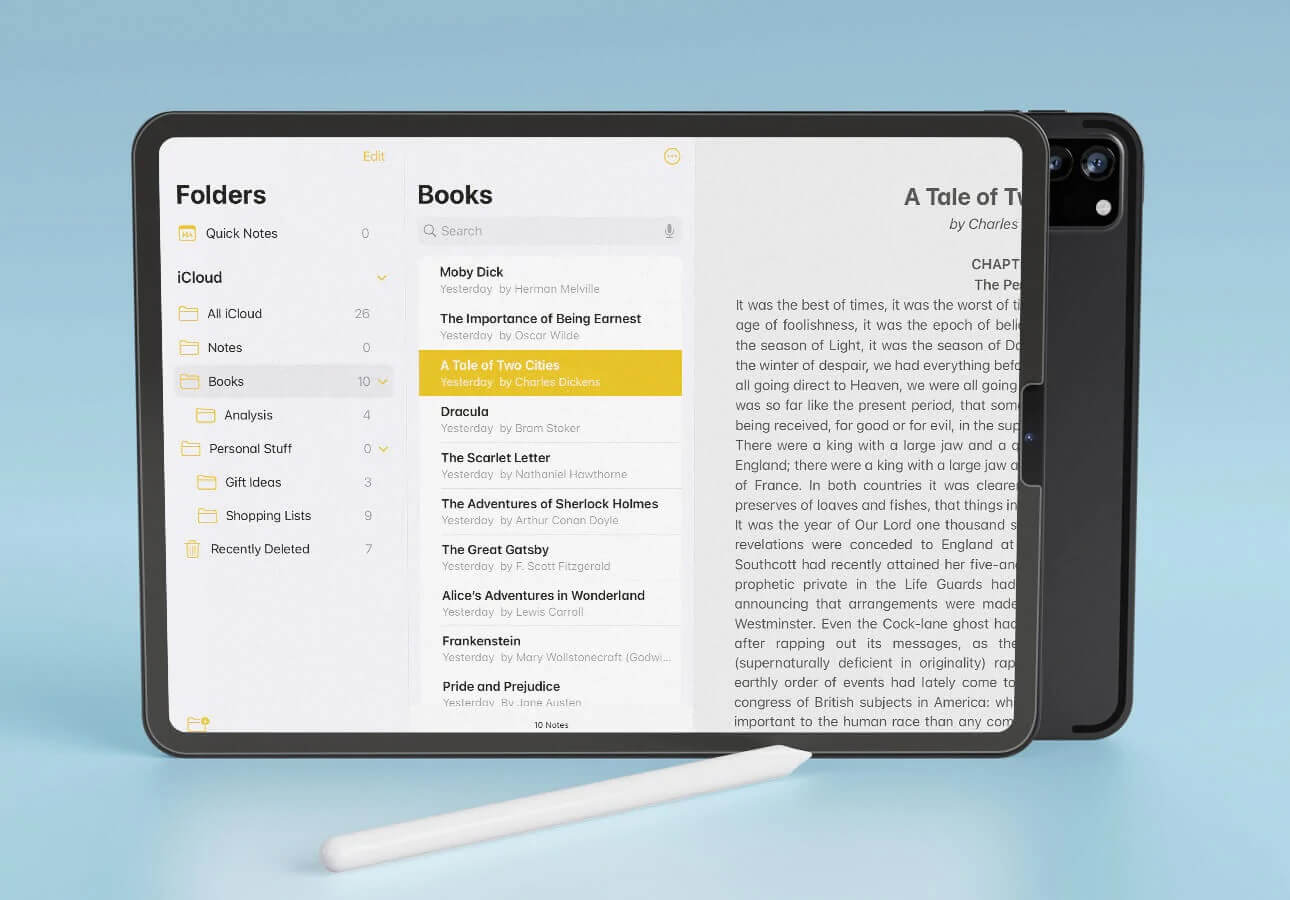
Apple Notes is the default note-taking app on iPhone, iPad, and Mac. It lets you capture text, drawings, scans, images, and checklists, all synced through iCloud. For users inside the Apple ecosystem, it works as a simple, reliable UpNote alternative.
Key features
- Deep integration across all Apple devices with iCloud sync
- Rich text notes with images, scans, PDFs, checklists, and attachments
- Handwriting and sketching support on iPad
- Tags, folders, pinned notes, and strong on-device search
What I liked
- Completely free and already installed on Apple devices
- Sync is seamless - everything updates instantly across iPhone, iPad, and Mac
- Great for mixed-media notes like scans, sketches, or photos
What I disliked
- Locked to the Apple ecosystem
- Organisation is more limited compared to UpNote’s notebooks, nested structure, and richer formatting controls
- Search and sorting are not as advanced as dedicated note apps
- Not suitable for people who want cross-platform access or knowledge management system

Pricing
- Free with every Apple device
- Additional iCloud storage may require a paid plan
Suitable for
- Apple-only users who want a simple and reliable note app
- Users who don’t need advanced organisational systems
How to start
- Open the Apple Notes app on any Apple device
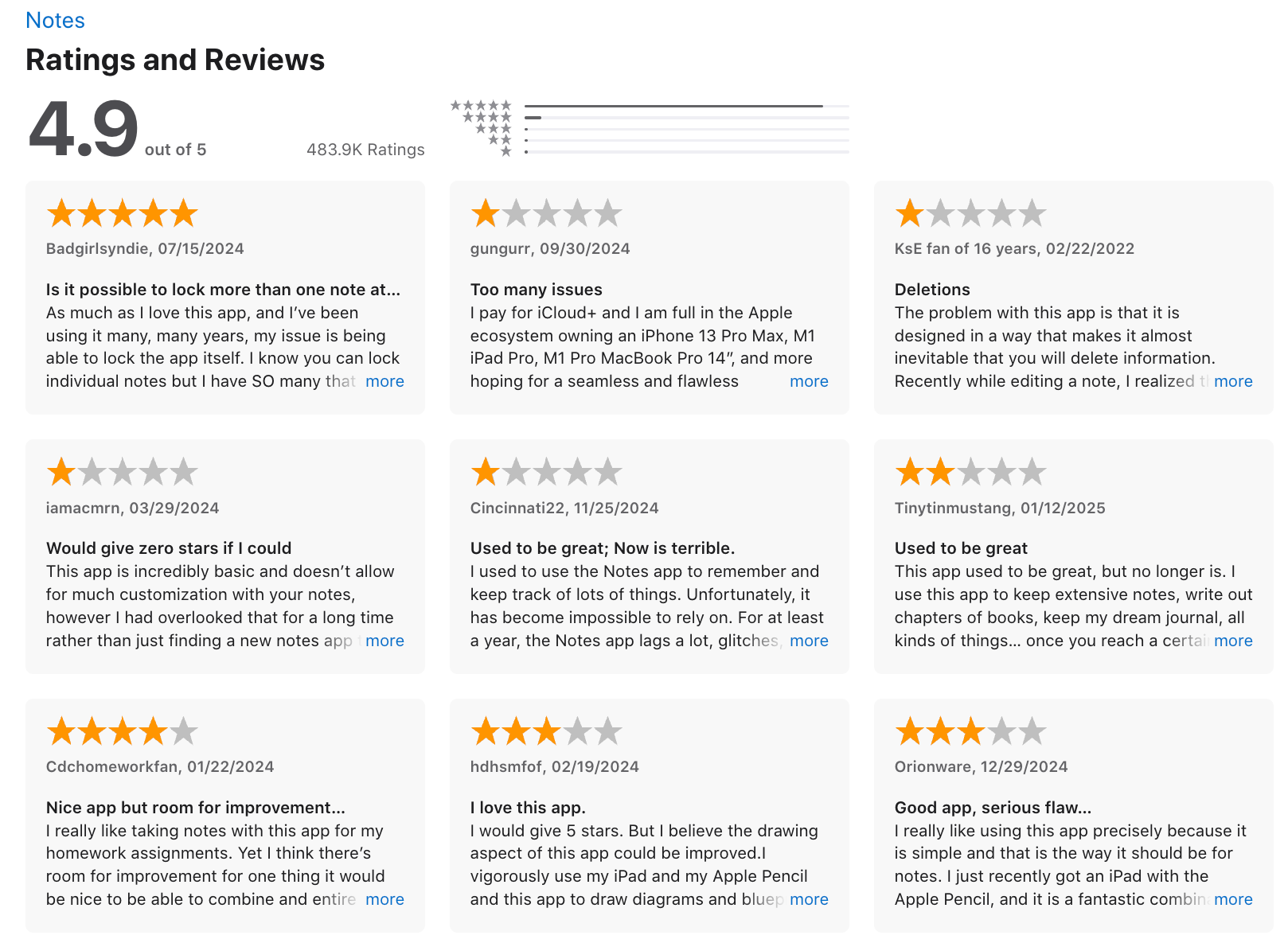
Apple Notes reviews (source)
7. Obsidian
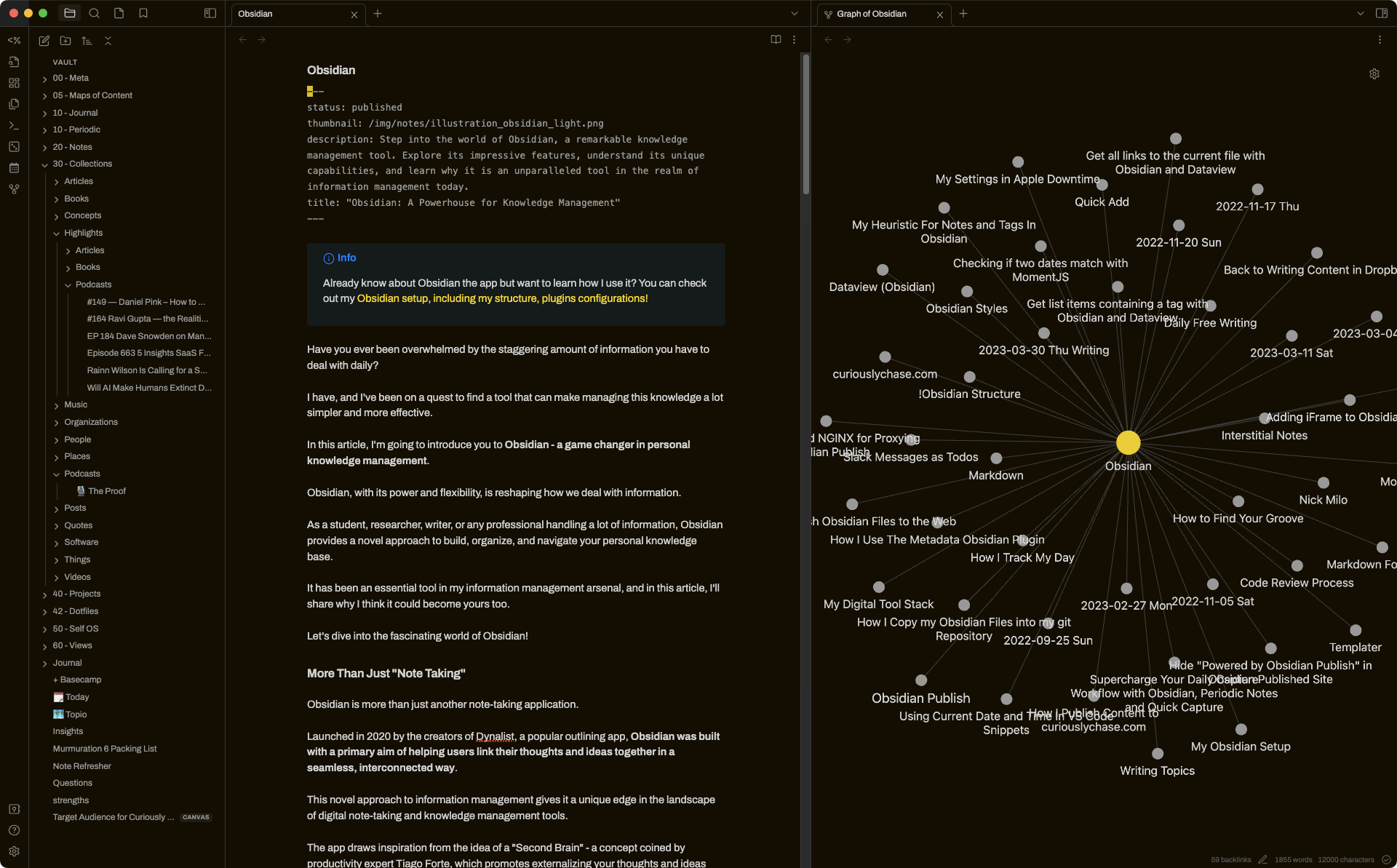
Obsidian is a markdown-based note-taking and knowledge-management app that stores everything in local text files. Compared to UpNote, it’s far more customizable and powerful - especially if you want to build a connected system of notes rather than a simple notebook.
Key features
- Local-first Markdown files you fully own
- Powerful internal linking with a visual graph view
- Large community plugin ecosystem to extend features
- Cross-platform apps on desktop and mobile
What I liked:
- Extremely flexible - you can shape Obsidian into almost any workflow
- Links and graph view make it great for building a “second brain”
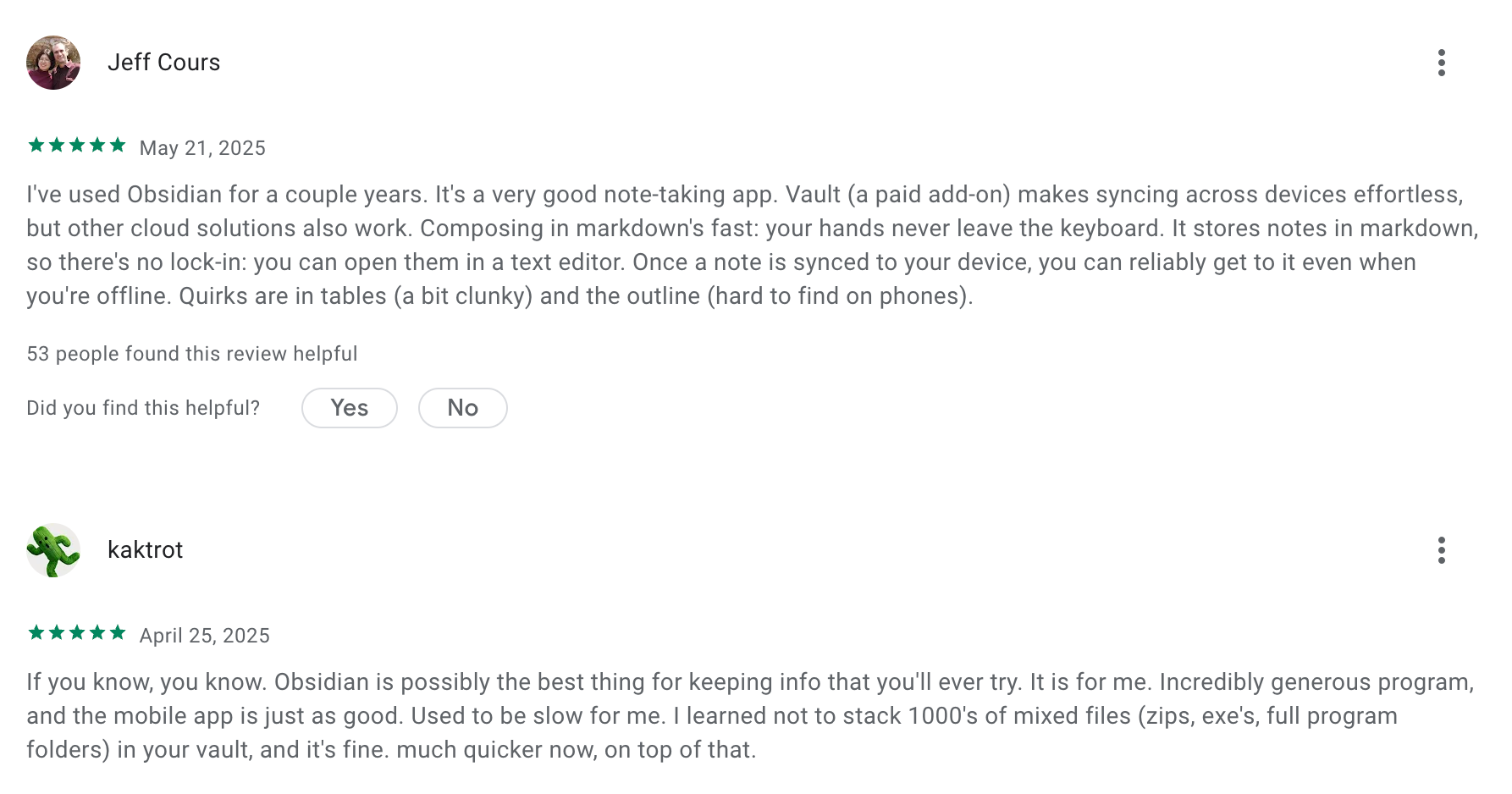
- Local storage means no lock-in and easy long-term ownership of your notes
What I disliked
- Steeper learning curve than UpNote — requires learning Markdown and some setup
- Many essential features rely on community plugins
- Mobile experience can feel less polished compared to simpler note apps
- Don't have an AI assistant built in
Pricing
- Free plan with all core features
- Sync plan: $5/month
- Sync + Publish plan: $10/month
Suitable for:
- Users who want more than a note app - a full personal knowledge system
- Researchers, writers, students, and long-term thinkers
How to start:
- Download Obsidian from the official website
- Create a new vault to store your notes
Obsidian review (source)
Conclusion: Which UpNote Alternative Is Best for You?
Choosing the best UpNote alternative comes down to how you take notes, how you think, and how much structure (or automation) you want in your workflow.
- If you want AI to help you organize, recall, and think better, Saner.ai is the strongest upgrade from UpNote by far.
- If you want something simple and elegant, Bear or Apple Notes will feel instantly familiar.
- If you want deep organization and total control, Obsidian or Logseq are unmatched.
- If you want an all-in-one productivity hub, Notion is the most flexible option.
UpNote is a good minimalist notes app, but it’s not designed for complex thinking, collaboration, or AI workflows. That’s where these alternatives shine.
No matter where you land, the best tool is the one that supports the way your brain works - letting you stay organized, think clearly, and turn ideas into action.
If you’re exploring apps like UpNote to level up your digital workflow in 2026, any of the tools in this guide will give you more power, flexibility, and long-term growth than UpNote alone.
Stay on top of your work and life
FAQ: Best UpNote Alternatives (2026 Guide)
1. What are the best UpNote alternatives?
If you love UpNote’s simplicity but need more power, flexibility, or AI-assistance, the top UpNote alternatives in 2026 include:
- Saner.ai – AI note, task & knowledge assistant
- Obsidian – Local-first, plugin-heavy knowledge base
- Logseq – Outliner-style PKM with backlinks & graph views
- Notion – All-in-one workspace with databases and templates
- Bear – Minimal, fast, Markdown-native writing app
- Reflect – Lightweight, private, AI-augmented notes
- Apple Notes – Simple, fast, native option for Apple users
Each tool solves a different pain point users often have with UpNote: limited AI support, weaker knowledge retrieval, no backlinking, and fewer workflow automations.
2. Why do people look for UpNote alternatives?
Common reasons include:
- Wanting better search & retrieval for large note libraries
- Needing AI features that turn notes into tasks or summaries
- Wanting backlinks, graph views, or PKM workflows
- Needing cross-platform flexibility
- Wanting task management integrated with notes
People switching away from UpNote usually need a system that grows with them—especially for work, research, ADHD-friendly workflows, or long-term knowledge management.
3. Which UpNote alternative is best for overall productivity?
Saner.ai is a strong choice here because it combines:
- Notes
- Tasks
- Calendar
- AI retrieval + reasoning
It’s built for people who want fewer apps and more follow-through. You write naturally, and Saner turns your notes into reminders, tasks, and resurfaced insights.
4. What’s the simplest, most minimal UpNote alternative?
- Sane.AI – Clean, fast designed
- Reflect – Lightweight and private, with ambient AI support
- Apple Notes – Native, fast, and no learning curve
Perfect for users who just want to type and not manage a complex system.
5. Which UpNote alternative has the best AI features?
If AI is your priority, three tools stand out:
- Saner.ai – AI that understands context, turns notes into tasks, and pulls up past info automatically
- Reflect – AI summaries and linked thinking
- Notion AI – Great for rewriting, summarizing, and creative drafting
Saner is the most “assistant-like,” while Notion AI is more of a writing helper.
6. What’s the best free UpNote alternative?
These tools offer generous free plans:
- Obsidian – Fully usable for free
- Logseq – Free and open-source
- Apple Notes – Free on Apple devices
- Notion – Free personal plan
- Saner.ai – Free plan with AI note search & task reminders
- Bear – Free with basic features
If you want power without paying, Obsidian or Logseq are the most robust.
7. Is Saner.ai a good UpNote alternative?
Yes - especially for users who want AI productivity rather than manual tagging or foldering. Saner.ai excels at:
- Understanding messy notes
- Turning thoughts into tasks
- Surfacing forgotten ideas
- Keeping you organized without rigid structure
It’s ideal for ADHD users, founders, managers, and overwhelmed knowledge workers.
8. Which alternative feels closest to UpNote’s simplicity?
Saner.AI and Reflect are closest in vibe:
- Clean UI
- Fast search
- Minimal friction
They feel elegant without adding too many “systems.”
9. What UpNote alternatives support backlinks or graph views?
If you want networked thinking:
- Obsidian
- Logseq
- Reflect
These support backlinking, daily notes, and idea mapping—something UpNote doesn’t offer.
10. Which alternative is best for organizing large amounts of notes?
For large libraries:
- Saner.ai (AI-first retrieval instead of manual structure)
- Obsidian (customizable structure + plugins)
- Notion (database-level organization)
Saner is best for “I don’t want to set up a system.”
Obsidian/Notion are best for tinkerers.
11. Which UpNote alternative works best for ADHD?
Two strong picks:
- Saner.ai – Turns chaos into tasks, reduces context switching
- Bear – Low friction, minimal distractions
Saner is best if you want AI to prompt you and help you follow through.
Bear is best if you want a simple, calming writing environment.
12. What’s the best UpNote alternative for writing?
Choose:
- Saner.AI – For distraction-free writing
- Obsidian – For writing + long-term knowledge storage
- Reflect – For journaling
UpNote users who mainly write often enjoy Bear the most.
13. How do I choose the right UpNote alternative?
Ask yourself:
- Do you want AI to assist your workflow? → Saner.ai
- Need backlinks + PKM? → Obsidian or Logseq
- Want databases + collaboration? → Notion
- Prefer simplicity? → Bear or Apple Notes
- Want privacy-first + minimal UI? → Reflect
Match the tool to your brain—not the other way around.
14. Which UpNote alternative is best for daily planning?
- Saner.ai – AI-powered daily brief + tasks from notes
- Notion – Template-heavy planning systems
- Logseq – Daily journaling workflow
Saner is the most effortless; Logseq is best for structured thinkers.
15. Are UpNote alternatives better for long-term productivity?
They can be, depending on your needs.
Alternatives like Saner, Obsidian, and Logseq support:
- Long-term retrieval
- Cross-note linking
- AI summaries
- Scalable organization
- Workflow automation
UpNote is great for writing, but these tools offer more growth.
Stay on top of your work and life



