Capacities Review: Is it worth it in 2026?

There's a moment that many PKM obsessives know well - you've outgrown your folders, Notion feels like managing a spreadsheet, and Obsidian is starting to look like a coding project. Capacities arrives at exactly that moment with a pitch that feels almost too good: forget folders, think in "objects" and let your knowledge connect itself.
Launched in 2022, Capacities has built a loyal following by rethinking how notes should be organized. Instead of putting everything into pages and subpages, it treats each piece of content - a book, a person, a meeting - as a typed object with its own properties. The idea is compelling. The execution? Mostly great, with some real caveats that are worth knowing before you commit.
The central tension is this: Capacities is different, but different also means a real learning curve, a mobile app that still has rough edges, and AI features that require setup before they actually work the way you'd want. Whether that trade-off is worth it depends a lot on who you are and how you work.
Key Takeaways
- The object-based system is novel and clicks for people who think relationally - but it takes real time to learn
- The desktop experience is polished and fast; the mobile app significantly lags behind
- AI is locked behind the Pro plan and has a daily usage limit, which is frustrating for users who want it to be a core part of their workflow
- There's no mass import tool, so migrating from Notion or Obsidian means doing it mostly by hand
- For people who want AI deeply woven into the act of capturing and retrieving notes, rather than bolted on as a side panel, tools like Saner.ai may serve them better
Capacities At a Glance
| Category | Score |
|---|---|
| Ease of Use | 6.5/10 |
| Features | 8/10 |
| Mobile App | 5.5/10 |
| AI Capabilities | 6/10 |
| Design & UI | 9/10 |
| Value for Money | 7.5/10 |
| Overall | 7/10 |
What Is Capacities?
Capacities is a personal knowledge management (PKM) app built around the concept of "objects." Instead of organizing notes into folders or pages, you define types - a Book object, a Person object, a Project object - and each one carries its own properties and links.
The pitch is that your brain doesn't think in folders. It thinks in things and connections. Capacities tries to mirror that by replacing hierarchical structure with a web of linked objects. You write in daily notes, tag things as you go, and over time, the app surfaces connections between pieces of knowledge you'd otherwise lose.
It runs on browser, desktop (Mac and Windows), and mobile (iOS and Android). There's no Linux app yet. The team is small, VC-free, and noticeably responsive to its community.
Core features include:
- Object-based knowledge management with custom types and properties
- Daily notes as the primary capture surface
- Bidirectional linking and a graph view
- Tags, collections, and backlinks
- AI assistant (Pro only) with daily usage limits
- Calendar integration (Pro)
- Readwise and Kindle highlight import (Pro)
- Task management embedded in notes
Capacities Features Breakdown
Object-Based Knowledge Management
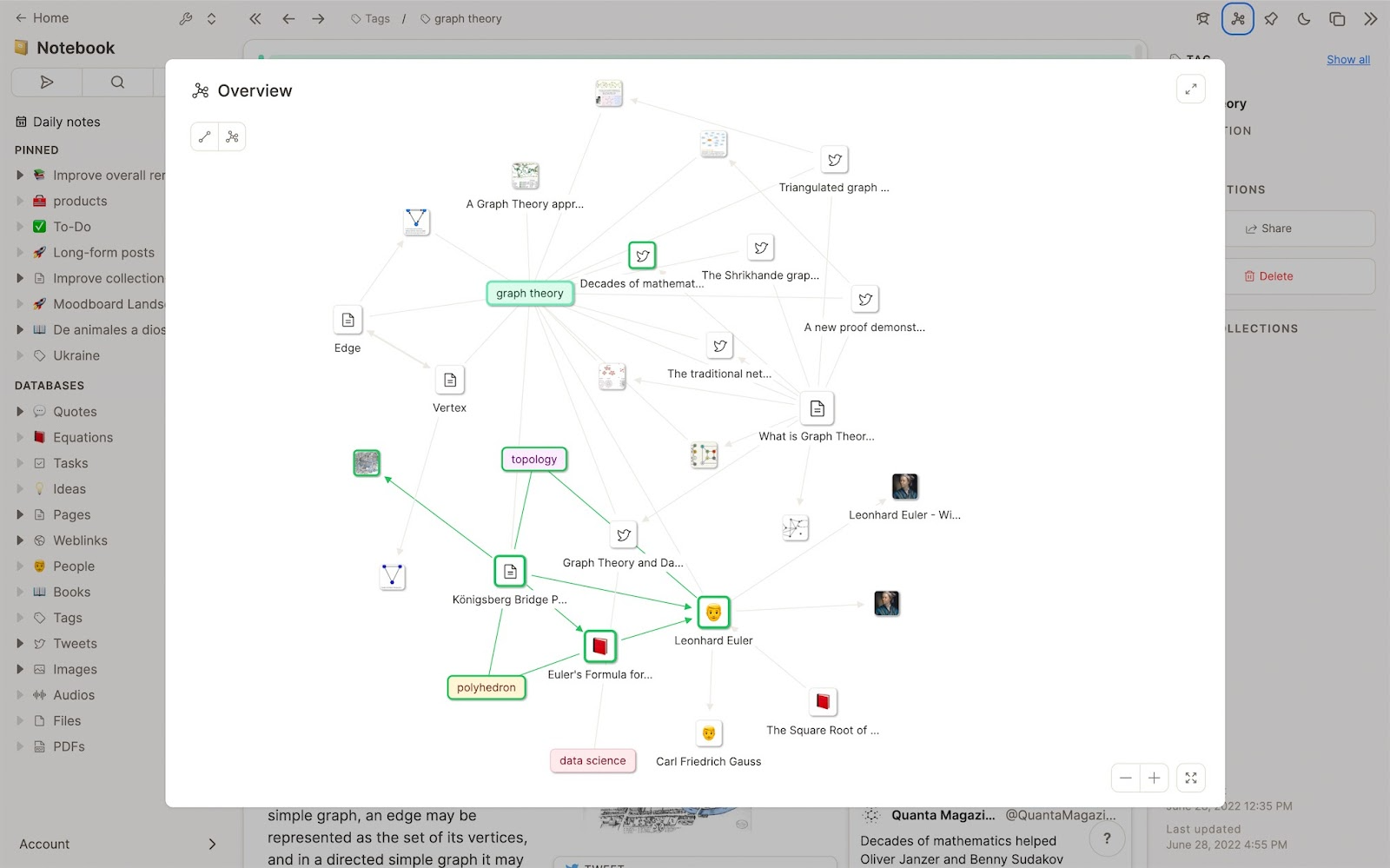
This is the thing that makes Capacities different from every other note app. When you want to take notes on a book, you don't just create a page called "Book Notes" - you create a Book object with properties like author, genre, rating, and reading status. Same with a meeting, a person, a project.
The result is that everything in your knowledge base is typed and queryable. You can see all books you've read, all people you've met, all projects in a given phase - without ever building a database manually.
It's not immediately obvious how to use it, though. Most people need a few days before it clicks.
Users find the object approach transformative once they get past the initial confusion. As one reviewer put it:
"It broke my brain at first. I'm used to dumping notes into folders or endless pages. Here? Everything's an object. Took me 3 days to stop fighting it. But when it clicked?" — reviews
The object system is clever. But it also means you have to make a structural decision for every piece of content. For fast, frictionless capture - especially on mobile - that overhead adds up.
Daily Notes
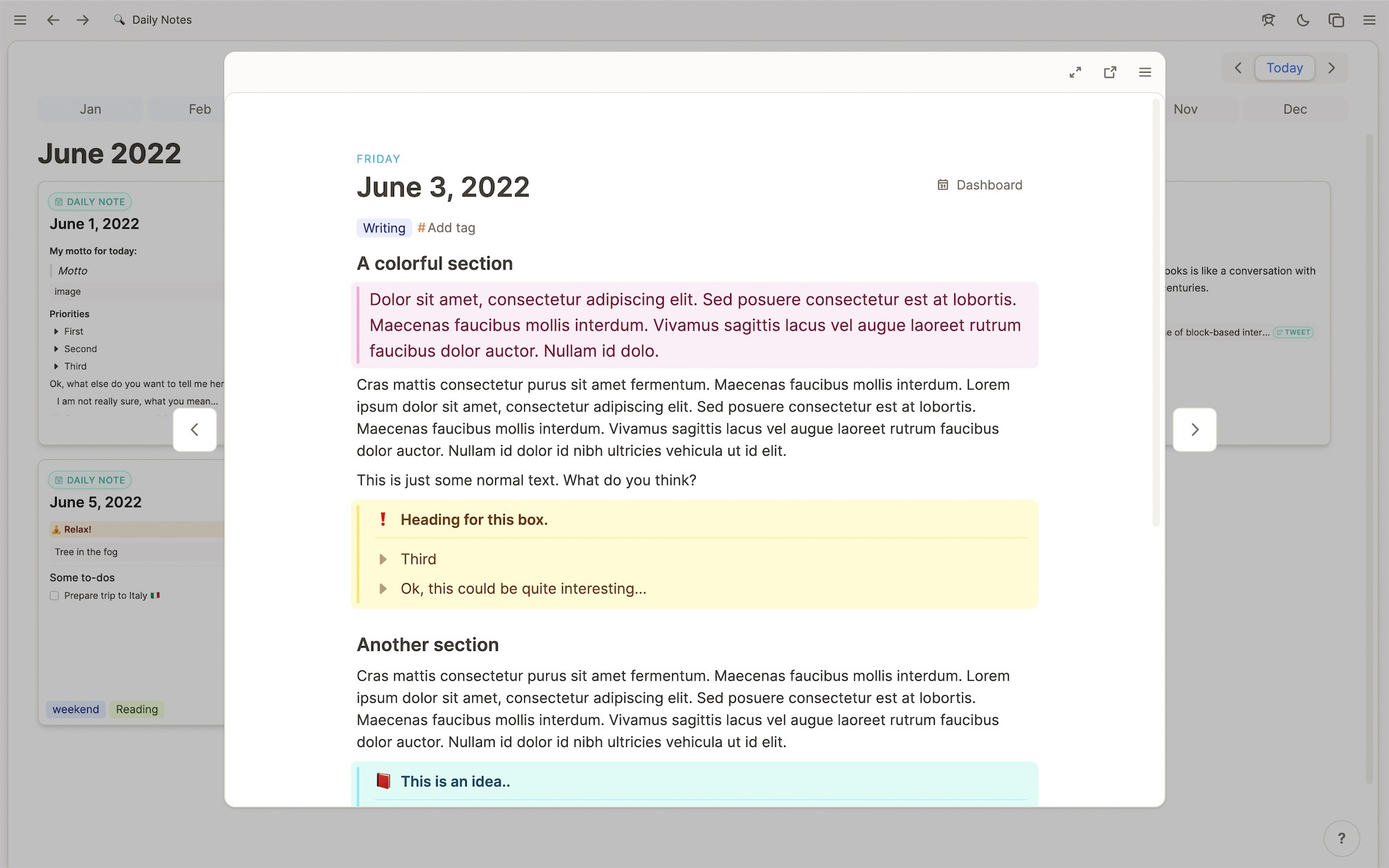
Capacities is built around the daily note as your default capture point. Every day gets its own note, and you can reference objects inline as you write. Looking back through your daily notes, you get a timeline of everything you were thinking about on any given day.
For people who journal, plan their day in writing, or want a chronological anchor for their knowledge work, this works well. It keeps the app feeling like a journal first and a database second.
One user described the experience:
"Knowing that I can scroll back through my daily note to see what I was doing over a period of time is fantastic." — reviews
AI Assistant
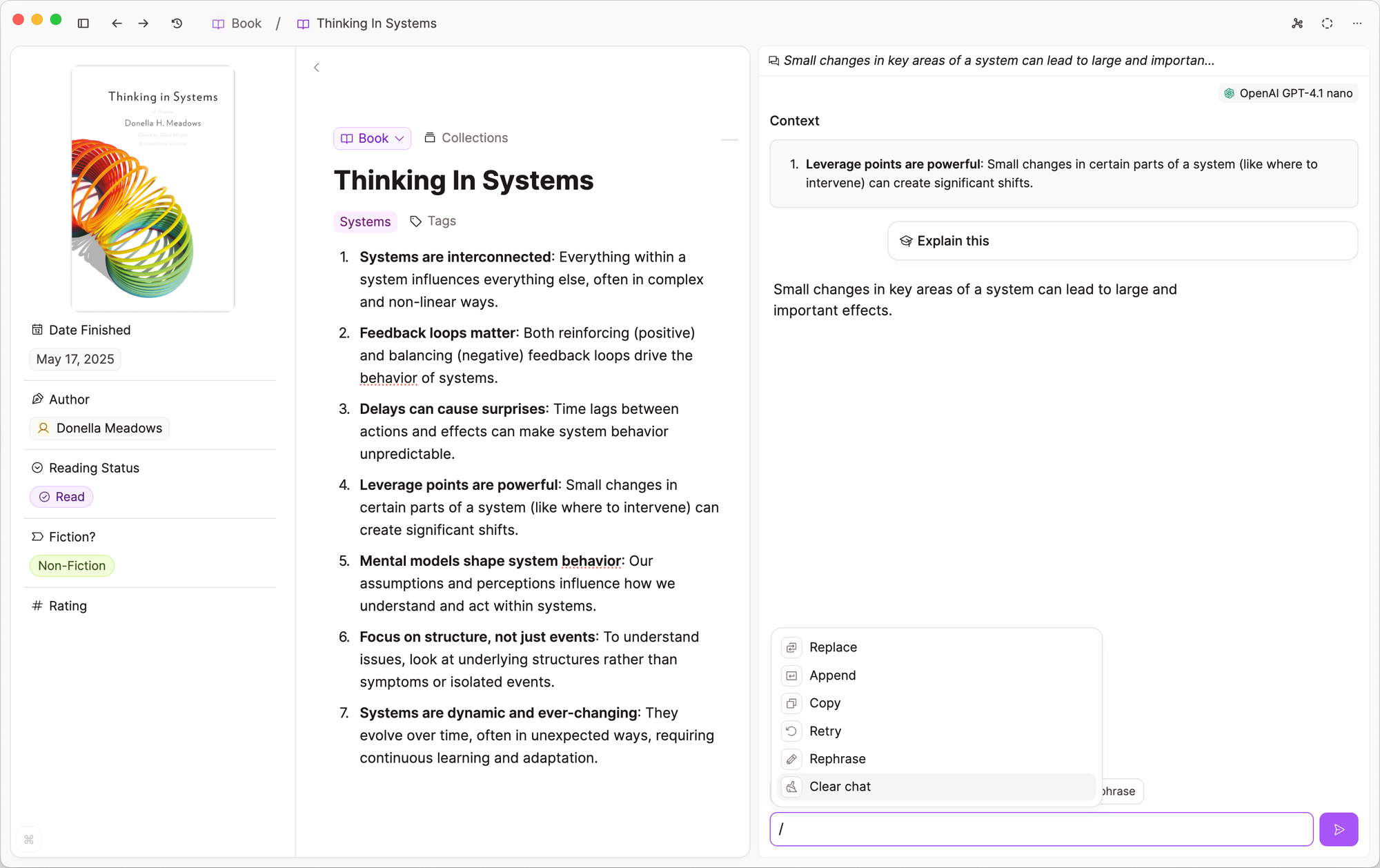
Capacities has an AI assistant, but there are a few things worth knowing before you get excited about it.
It's Pro-only. It has a daily usage budget. And until recently, if you wanted more than the daily allowance, you had to bring your own OpenAI API key. The team has since added support for multiple providers, Anthropic, Mistral, Perplexity, and you can now set spending limits per key.
The AI can answer questions about your notes, auto-fill object properties, and save chats as objects. It's useful. But it's not the kind of always-on, proactive intelligence that some users expect when they hear "AI-powered notes."
One user on noted a broader frustration with the team's AI priorities:
"They deprioritised AI to focus on building the tablet app and offline support which is just not that important for me and seems to ignore the current tech cycle." — reviews
For users who want AI to be a first-class part of note-taking - not a side panel you open separately - this is a real gap. Tools like saner.ai take a different approach, with an AI assistant (Skai) that automatically organizes, tags, and surfaces your notes without you having to prompt it, and works across email, calendar, and tasks from day one.
Graph View
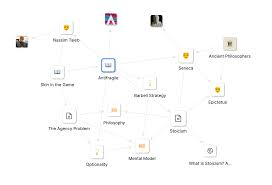
Capacities has a graph view that lets you see how your objects and notes connect visually. It's satisfying to look at and useful for discovering non-obvious connections in your knowledge base.
That said, it's not as powerful as Obsidian's graph, and there's no canvas feature for spatial note-taking. If visual mapping is core to how you think, this might leave you wanting more.
One user comparing the two noted:
"Capacities doesn't have anything along these lines at this stage in development... If a Canvas equivalent is a key part of your workflow, Capacities won't meet that need." — reviews
Mobile App
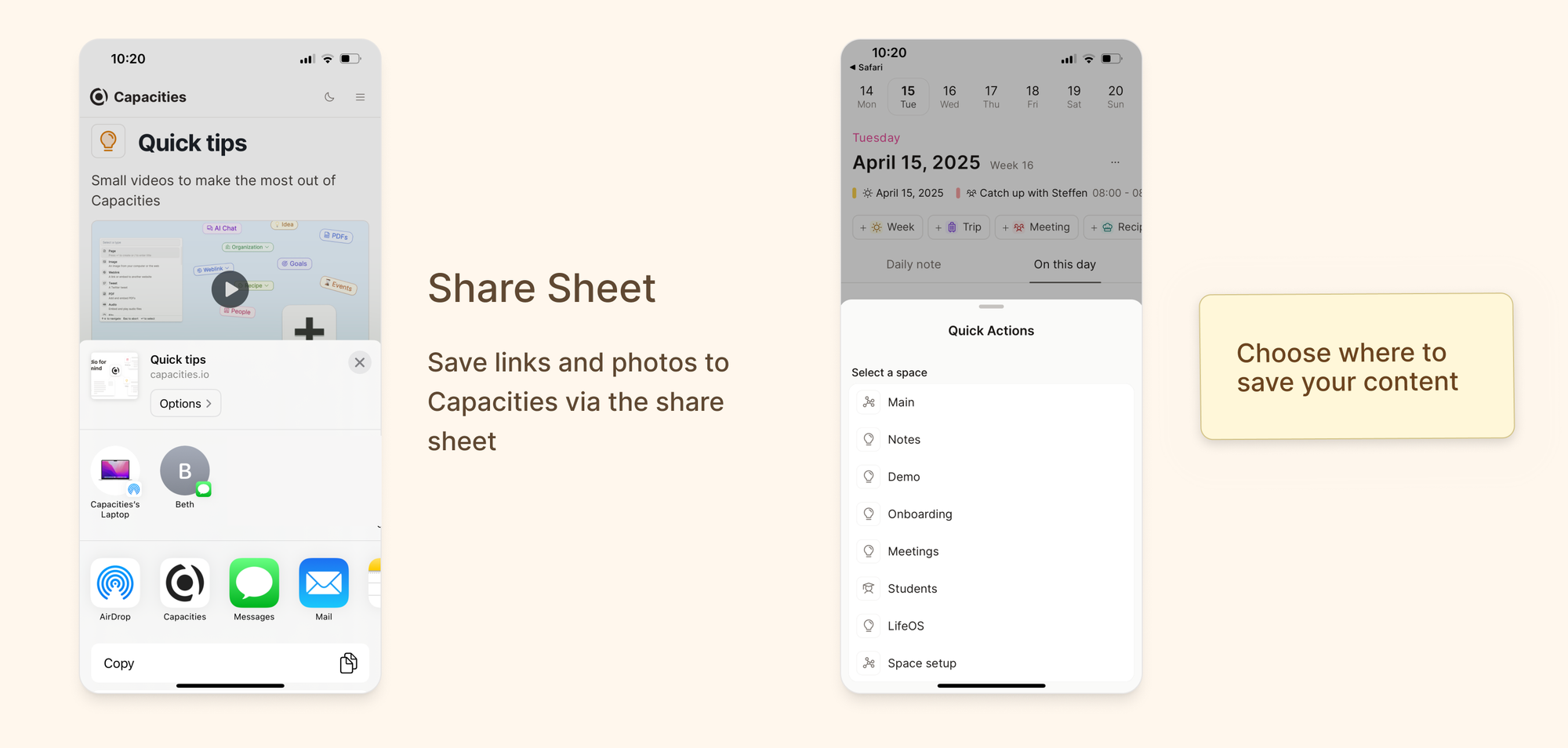
This is where things get noticeably rougher. The desktop and web experience is polished and fast. The mobile app has meaningful gaps - buggy editing, limited quick-capture, and no homescreen widget as of early 2026.
Several Google Play reviewers flagged real usability issues. One paid subscriber described needing a separate app just to capture thoughts on the go:
"I'm currently using another app to jot down notes, then later transferring to capacities — not ideal, especially as a paid subscriber." — reviews
Another went further:
"Phenomenal content as a desktop app, bafflingly poor execution on mobile. As other reviews have stated, the app is woefully buggy." — reviews
The team is actively working on this. But right now, if mobile is a big part of how you capture ideas, the gap between the desktop and mobile experience is something to factor in.
Web Clipper
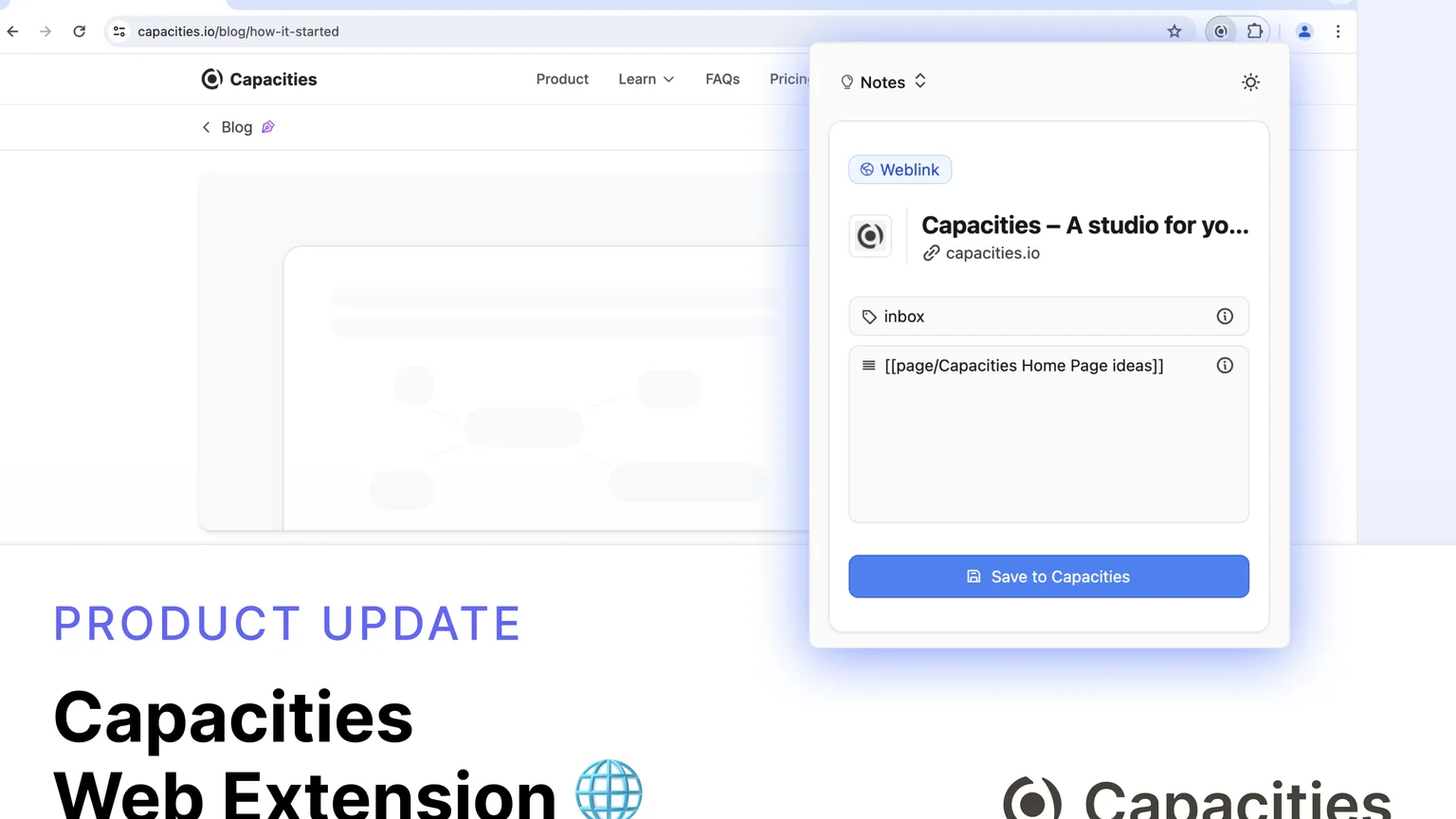
Capacities does have a web clipper, but it saves the link rather than the full page content. For people who want to pull articles, highlights, or page text directly into their knowledge base, this feels limited. The Readwise integration (Pro) helps fill the gap for reading workflows, but it's an extra step.
Capacities Pricing
| Plan | Monthly Price | Annual Price | Free Trial | Free Version |
|---|---|---|---|---|
| Free | $0 | $0 | No trial needed | Yes |
| Pro | $11.99/month | ~$9.99/month ($119.88/yr) | No | No |
| Builder | $14.99/month | Available | No | No |
The free plan is useful. AI features, calendar integration, unlimited file storage (free plan gets 5GB), API access, and Readwise sync are Pro-only.
Payment methods accepted: major credit cards.
Capacities Pros and Cons
| Pros | Cons |
|---|---|
| Genuinely novel object-based system | Steep learning curve — takes days to click |
| Beautiful, fast desktop experience | Mobile app is buggy and limited |
| Generous free plan | No bulk import tool from Notion or Obsidian |
| Active, transparent development team | AI is Pro-only with a daily usage budget |
| Strong privacy — EU servers, no VC pressure | Web clipper saves links, not full content |
| Bidirectional linking works well | Graph view not as powerful as Obsidian's |
| Readwise + Kindle integration (Pro) | No collaboration features for teams |
What People Say about Capacities
Capacities has a passionate user base. Most of the praise centers on the object system and the overall design. Most of the frustration centers on mobile, imports, and AI limitations.
On the positive side, long-time PKM users tend to describe it as a revelation:
"I have been into PKMs for over 5+ years now starting with Roam Research, and Obsidian, to Craft, Apple Notes, Bear... I have tried them all. Capacities is the ultimate tool for PKM." — reviews
But frustrations with the tagging system surfaced as an ongoing issue that went unaddressed
The free plan is frequently praised, but the limits of what's included in it have also caused friction:
"I will be shelving Capacities because it doesn't offer enough free features like you get with Notion and Anytype." — reviews
Who Is It Best For / Not Ideal For
Best for:
- Researchers, writers, and students who want a structured, interconnected knowledge base
- People who've outgrown folders and want to think in relationships rather than hierarchies
- Users whose primary work happens on desktop and who don't need constant mobile access
- Anyone building a long-term personal knowledge system and willing to invest time upfront
Not ideal for:
- People who need fast, frictionless mobile capture - the mobile app isn't there yet
- Teams - there's no meaningful collaboration feature
- Users migrating from Notion or Obsidian with large existing libraries — there's no bulk import
- Anyone who wants AI deeply integrated into everyday capture and retrieval, not just as an optional add-on
Capacities Alternatives Comparison
Capacities vs. Saner.ai
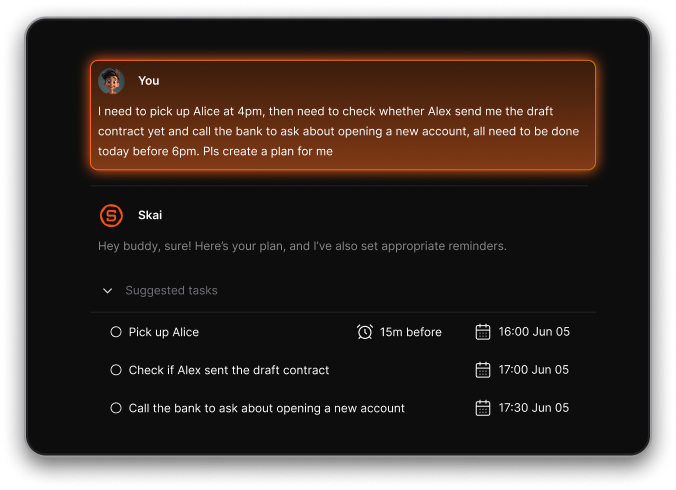
This is the comparison worth dwelling on. Capacities is built around structure - you define object types, build connections, and query them. Saner.ai is built around reducing friction - it automatically organizes, tags, and connects your notes using its AI assistant (Skai), without requiring you to set up any system first.
Where Capacities asks you to invest time upfront to define your objects and learn the system, saner.ai is designed to work immediately - especially for people with ADHD or anyone who finds the overhead of maintaining a knowledge system more exhausting than useful.
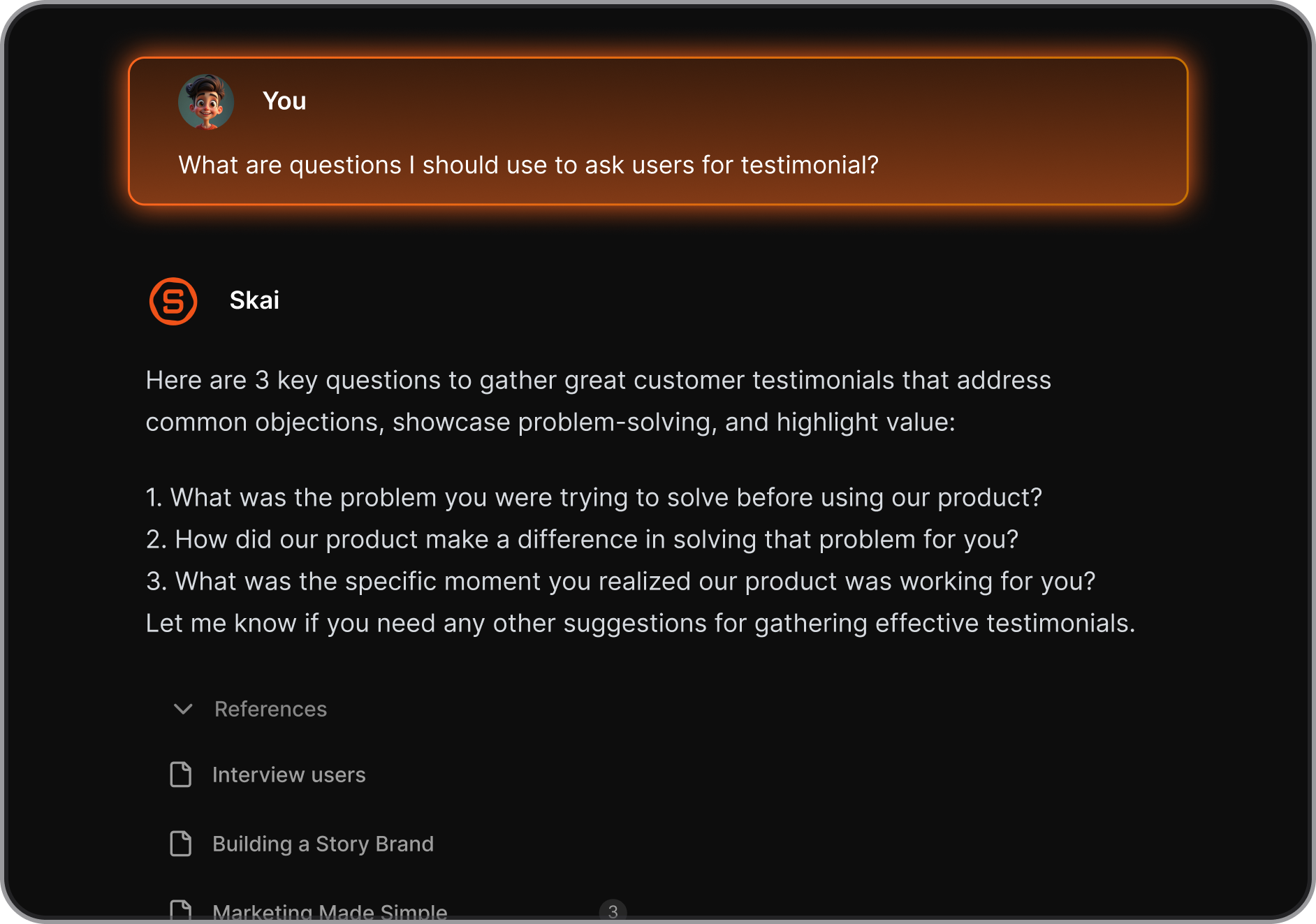
Capacities has a daily AI usage limit unless you bring your own API key. Saner.ai's AI is central to the product, not an add-on tier. And while Capacities' mobile app is still catching up to its desktop experience, Saner.ai is built with a mobile capture workflow.
For knowledge workers who want a beautiful, structured system they'll actively maintain, Capacities is excellent. For people who want AI to do most of the organizational work - and want that to extend into email, calendar, and tasks - saner.ai is a more complete fit.
| Feature | Capacities | Notion | Obsidian | saner.ai |
|---|---|---|---|---|
| Object-based structure | Yes | Partial | No | No |
| AI assistant | Pro only (daily limit) | Paid add-on | Plugin-based | Built-in (core feature) |
| Mobile experience | Limited | Good | Fair | Good |
| Proactive AI organization | No | No | No | Yes |
| Bulk import | No | Yes | Yes | Yes |
| Free plan | Yes | Yes | Yes | Yes |
| Team collaboration | No | Yes | Limited | No |
| Email/calendar integration | Calendar (Pro) | No | No | Yes |
Capacities vs. Notion
Notion is broader - it handles databases, team wikis, project management, and more. Capacities is narrower but more opinionated about how knowledge should be structured. Notion's AI is more mature and included in paid plans without a daily limit. If you're working with a team, Notion wins. If you're working alone and want a more knowledge-first tool, Capacities is more intentional.
Capacities vs. Obsidian
Obsidian is file-based, locally stored, and endlessly extensible through plugins. Capacities is cloud-based and curated - fewer options, but also less friction. Obsidian loads faster and has a more powerful graph. Capacities has a better UI out of the box and doesn't require plugin configuration to be useful. If you want full data ownership and maximum flexibility, Obsidian. If you want something that feels finished, Capacities.
Final Verdict
Capacities is one of the more thoughtfully designed PKM tools out there. The object-based system is a real idea, not just a feature list - and for the right person, it genuinely changes how they think about their notes. The desktop experience is fast and clean.
But it asks a lot of you. The learning curve is real. The mobile app is a clear weak point. The AI features - gated behind Pro and limited by daily budgets - feel like an afterthought compared to tools that have built AI into the core capture experience. And if you're coming from Notion or Obsidian with years of notes, you're mostly on your own getting them in.
If you want a structured, beautiful knowledge base and you work primarily on desktop, give Capacities a try - the free plan is generous enough to test it properly.
But if what you actually want is an AI assistant that helps you think without requiring you to build and maintain a system, you might find that Saner.ai's approach - proactive, integrated, and less dependent on your own upfront setup - gets you there faster.

Stay on top of your work and life
FAQ on Capacities
Is Capacities really free? Yes. The free plan includes unlimited notes, daily notes, backlinks, tags, graph view, and 5GB of storage. AI, calendar integration, and Readwise sync are Pro-only features.
What is the difference between the free and Pro plan? Pro ($11.99/month or ~$9.99/month billed annually) adds the AI assistant, calendar integration, Readwise/Kindle sync, API access, unlimited file storage, and access to premium icons and layouts. The Builder plan ($14.99/month) adds early access to beta features.
Does Capacities work offline? Capacities adopted an offline-first model, so basic reading and writing should work without a connection. That said, AI features and sync require internet access.
Can I migrate my notes from Notion or Obsidian into Capacities? Not easily. There's no bulk import tool currently. You can move content manually or page by page. The team has mentioned this is on the roadmap, but it's not available yet - and several users have cited this as a deal-breaker for switching.
Is Capacities good for ADHD? Some users with ADHD love it, particularly the daily-notes-first approach and the visual structure. Others find the object system adds cognitive overhead that works against them. If you have ADHD and want something more automated, Saner.ai was specifically designed with ADHD workflows in mind - its AI handles organization for you rather than asking you to set up a system.
How does the AI in Capacities actually work? The AI assistant is available to Pro subscribers. It can answer questions about your notes, auto-fill object properties, and chat in a side panel. You can bring your own API key from OpenAI, Anthropic, Mistral, or Perplexity to bypass the daily usage limit. It doesn't proactively organize or tag your notes - you have to invoke it.
Can I use Capacities with a team or share notes with others? No, and this is a deliberate design decision, not a missing feature. Capacities is built for individuals only. The team has written about this publicly. There's no team plan, no shared workspace, and no plans to add one.
How does Capacities compare to saner.ai for everyday note-taking? They solve different problems. Capacities asks you to build a structured system - you define your object types, set up properties, and maintain the architecture over time. It rewards people who enjoy designing their workflow.
Saner.ai takes the opposite approach: its AI assistant (Skai) does the organizing for you, automatically tagging, connecting, and surfacing notes without any manual setup.
Capacities is more powerful if you're willing to invest the time; Saner.ai gets you to a working system faster, especially if the overhead of maintaining a PKM is something you've struggled with before. Saner.ai also connects to email and calendar natively, which Capacities doesn't do beyond a read-only calendar view on Pro.
Stay on top of your work and life