ChatGPT Dots Alternatives: 5 best agents to use in 2026 (Free & Paid)

I work on the team that builds Saner.AI, an AI personal assistant. That means I've spent the last year watching every "AI that works for you" launch closely, often at 1 a.m.
OpenAI shipped ChatGPT Dots on September 29, 2026. After that, I dug through OpenAI's own launch docs, spent hours with each alternative, and read every early user review I could find.
This post is for anyone who wants an always-on assistant but doesn't like OpenAI, lives in Europe or the UK, or just doesn't want to hand one company the keys to their whole digital life.
Full disclosure: Saner.AI is our product, and it's on this list. I've tried to be harder on it than on the others. You'll see why in the cons.
Quick answer: What are the best ChatGPT Dots alternatives?
- Grok Bot: Closest to Dots in how it's built. Named bots share one cloud computer and learn tasks by watching you.
- Meta Muse: Best for personal errands like shopping, bookings, and forms in the US.
- OpenClaw: Best free, self-hosted option for technical users who want full control.
- Saner.AI: Best for proactive daily planning. It reads your email, calendar, notes, and tasks, then tells you what matters today.
- Claude Cowork: Best for document- and file-heavy work. It turns a described outcome into finished reports, spreadsheets, and organized folders.
What is ChatGPT Dots?
ChatGPT Dots are always-on AI agents that live inside ChatGPT. OpenAI announced them at DevDay on September 29, 2026. Each dot runs on GPT-6 Astra and gets its own cloud computer.
What a dot can do:
- Keep working between conversations. It works through the problem, decides next steps, and brings results back for you to review (OpenAI Help Center).
- Reach your apps. Dots connect to more than 4,000 apps through ChatGPT's plugins
- Meet you where you work. You can message or call a dot in ChatGPT on desktop, web, and mobile, or reach it in Slack and Teams.
- Look for work when it's idle. During that time, its connections to your apps are read-only
The catches, and why people may look for an alternative
- Price. Dots launched for Pro and Business Premium users only (OpenAI). Free, Go, and Plus users don't get one, so the cheapest way in is the $100/month Pro tier
- Region. Pro access excludes the European Economic Area, Switzerland, and the UK. Business Premium gets dots in all supported ChatGPT regions
- Setup. You have to create a dot in the ChatGPT desktop app or on desktop web. You can't create one on mobile, and mobile web isn't supported
- Usage. Chatting with your dot doesn't count toward your ChatGPT limits. Tasks it starts in Codex or ChatGPT Work do
- Mistakes. OpenAI itself tells users to review consequential work, because the agents can still make mistakes
What is an always-on AI agent like Dots?
An always-on AI agent is an assistant that keeps working after you close the chat. It remembers context, runs on a schedule or its own judgment, and comes back when it has results or needs a decision.
These AI agents cover two different jobs.
- Agents that act. Dots, Grok Bot, Muse, and OpenClaw have their own computer. They click through websites, fill in forms and buy things. That power has a cost: you hand over credentials, and when they get something wrong, the mistake happens in the real world.
- Assistants that know. Saner.AI sits here. It doesn't run a virtual computer. It reads what's already coming at you (emails, meetings, notes, half-finished tasks) and decides what deserves your attention today. It drafts and plans. You stay the one who presses send.
How we chose these ChatGPT Dots alternatives
We started with 10 tools that claim to be personal AI agents or assistants. We cut anything that only works when you're actively chatting. Then we ran the remaining five through weeks of real use, alongside the early user reviews on Product Hunt, the App Store, G2, Reddit, and hands-on press tests.
- Autonomy: how much the tool does without being prompted. That's the core promise of Dots.
- Proactivity: whether it surfaces what matters on its own or waits for instructions.
- Setup friction: minutes to first useful result, and whether you need a terminal.
- Trust controls: approvals, activity logs and what happens to your credentials. An agent with your email login is only as good as its guardrails.
- Real cost for one person: the price you'll actually pay for daily use, including usage caps.
- Availability: region, platform, and plan restrictions. This is Dots' biggest weakness.
What are the Best ChatGPT Dots alternatives?
the Best ChatGPT Dots alternatives are Grok Bot, Muse, OpenClaw, Claude Cowork and Saner.AI
1. Grok Bot: the closest thing to Dots, built by xAI
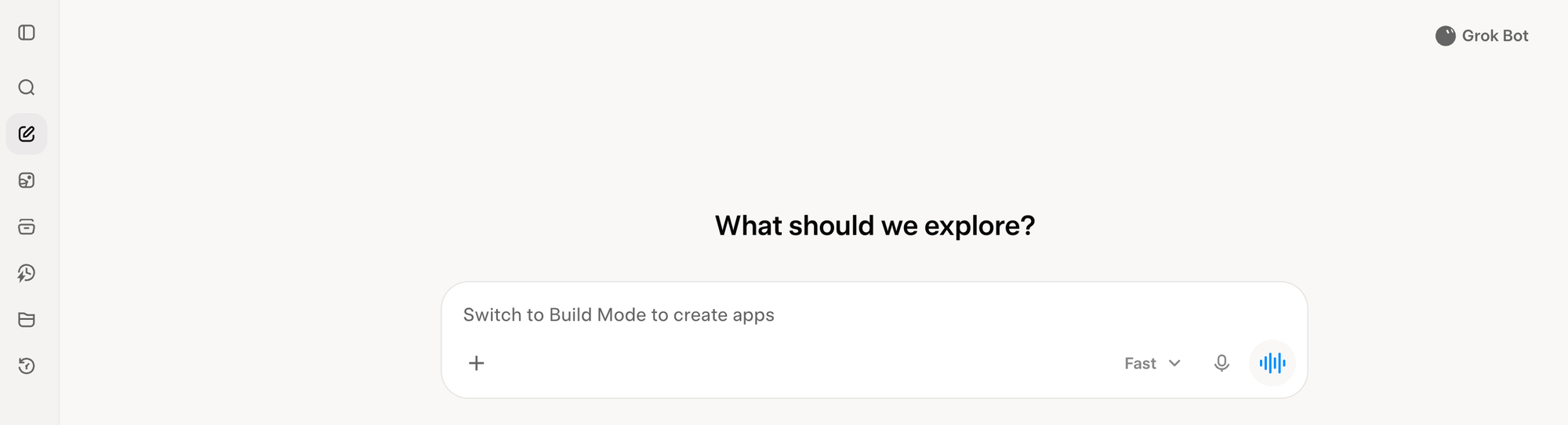
Grok Bot is xAI's always-on agent product. Instead of one assistant, you get a roster of named bots, each with a role, all sharing one dedicated cloud computer with a browser, file system and terminal. Structurally, it's the nearest match to Dots. It has one feature Dots doesn't: you can screen-record yourself doing a workflow once, and Grok Bot turns that recording into a repeatable skill
Key features
- Named bots with roles: Naming a bot "email triage" or "research bot" sets its job and suggests a workflow
- Teach-a-task: You show it a workflow once instead of writing a prompt. That's useful for sites with no API.
- Works on sites with no API: Bots sign into apps and websites and work across them, including platforms with no clean API or MCP.
- Bot-to-bot delegation: A "Chief of Staff" bot can coordinate specialist bots in shared threads
Pros
- I like that it has its own usage pool, so handing off work doesn't eat my Grok or Cursor allowance
- I like that it runs 24/7 on hosted hardware. There's nothing to maintain, unlike OpenClaw.
Cons
- I don't like that separate bots aren't separate security zones. Connect Gmail once and every bot can reach it.
- I don't like the governance gaps for business use: no scoped permissions or audit trail by default.
Pricing (see launch details)
- SuperGrok (from $30/month), SuperGrok Plus and SuperGrok Heavy (about $300/month): Grok Bot included, with its own usage.
- Cursor Pro, Pro+, Ultra and Cursor Teams: Grok Bot included.
Suitable for
- Best for: founders and small teams already paying for SuperGrok or Cursor.
- Best for: repetitive admin across websites with no clean API.
How to get started
- Install the desktop or iOS app (Android is still "coming soon"). Create one bot with a narrow job title, like "Inbox Triage."
2. Meta Muse: the best Dots alternative for personal errands
Muse is Meta's personal AI agent. It shops, books, fills forms, and handles email on your behalf. It runs on Muse Secure VM, a dedicated virtual machine that holds both the agent and your data, with a separate Sentinel agent that controls internet access
Key features
- Errands on your behalf: Shopping, movie tickets, appointments like tennis lessons, even school permission slips
- Credential vault: Logins go into secure storage that the main Muse agent can't see. Muse also checks with you before sending email or buying anything
- Activity feed: Every task shows the tool calls, searches, and steps it took. That matters when an agent spends your money.
- Subscription hunting: Users who connected bank and card statements used it to find and cancel forgotten subscriptions
Pros
- I like that it's approachable. No terminals, no prompt engineering.
- It doesn't flood me with approvals, but it stops before money or email.
- It lives in WhatsApp too, so there's no new app to open.
Cons
- I don't like that it often stalls before finishing the job.
- Amazon stopped it from browsing its store in CNN's test.
- It can make things up.
Pricing
- Free: metered usage, card on file required.
- Paid tier: about $20/month.
Suitable for
- Best for: US households drowning in bookings, forms, and returns.
- Best for: people already living in WhatsApp.
How to get started
- Download Muse, sign in with your phone number or email, and add a card. Start with public web tasks like "find three Thai places open Sunday near me."
3. OpenClaw: the best free, self-hosted Dots alternative
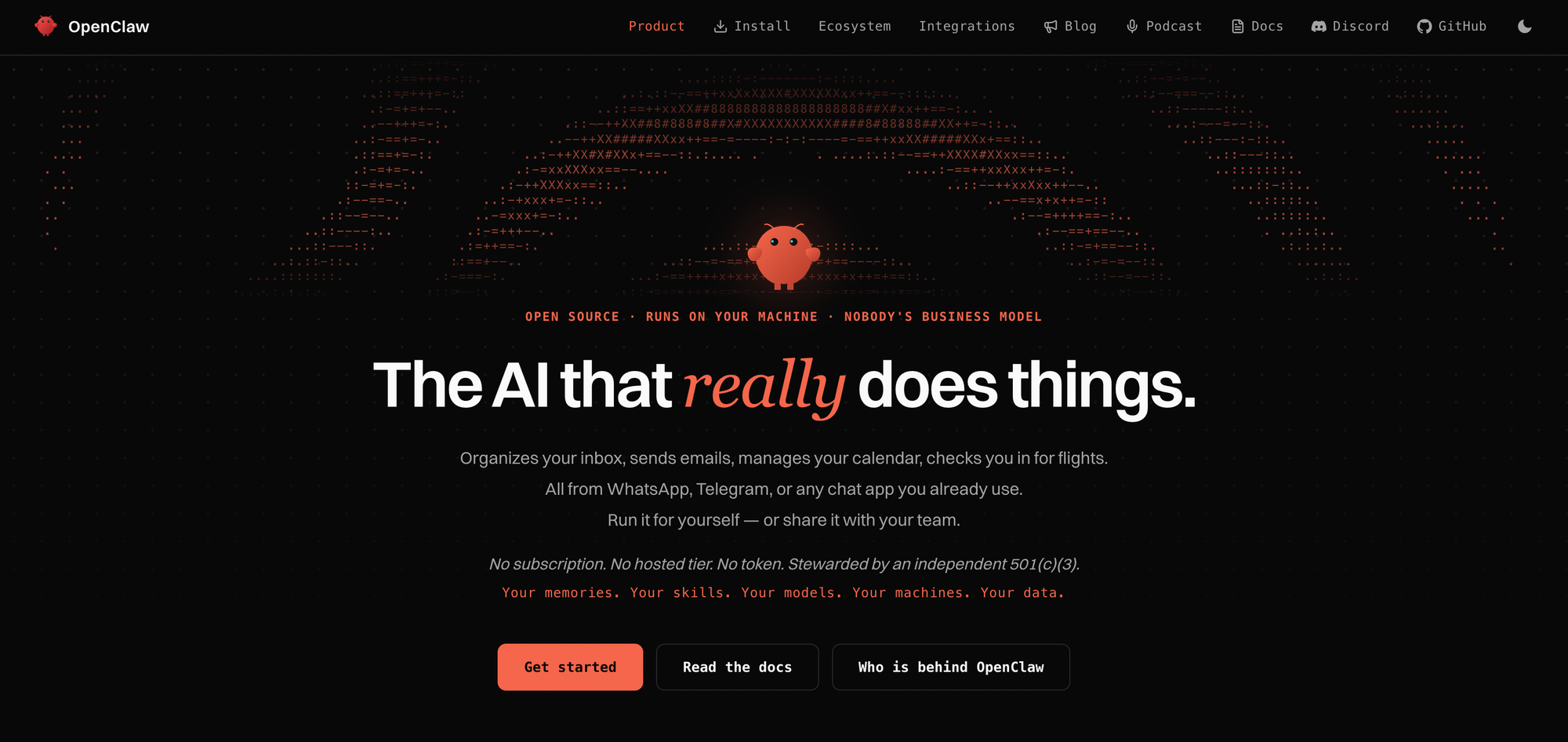
OpenClaw is the open-source personal agent that started the category. It runs on your own hardware, lives in your messaging apps, and works while you sleep. You pay for Dots in money. You pay for OpenClaw in setup time and security risk.
Key features
- Messaging-native: You talk to it through Telegram, Discord, WhatsApp or Slack.
- Runs on your machine: Your data and context stay on hardware you own.
- Self-extending skills: It can create and install its own skills when you ask in chat, and there's a large community skill marketplace.
- Model choice: You can use Claude, GPT, Grok, Gemini, DeepSeek or local models.
Pros
- I like that it costs nothing beyond my model API bill.
- I like that nobody can change the terms on me. It's my server and my data.
Cons
- I don't like that credentials reach the model, and prompt injection is out of scope for its security fixes.
- I don't like how unpredictable it can be.
- I don't like the setup. You need a terminal and patience.
- It remembers, but it doesn't organize what it knows.
Pricing
- OpenClaw: free and open source (MIT).
- Model costs: pay-as-you-go to your chosen AI provider, or $0 with local models.
- Hosting: your own machine, or a cheap cloud server if you want it on 24/7.
Suitable for
- Best for: developers and tinkerers who want full ownership.
- Best for: privacy-first users running local models.
How to get started
- Install it on a spare machine or a small cloud server, not your daily laptop. Connect a single messaging channel like Telegram
4. Saner.AI: If you want proactive help without handing over your accounts
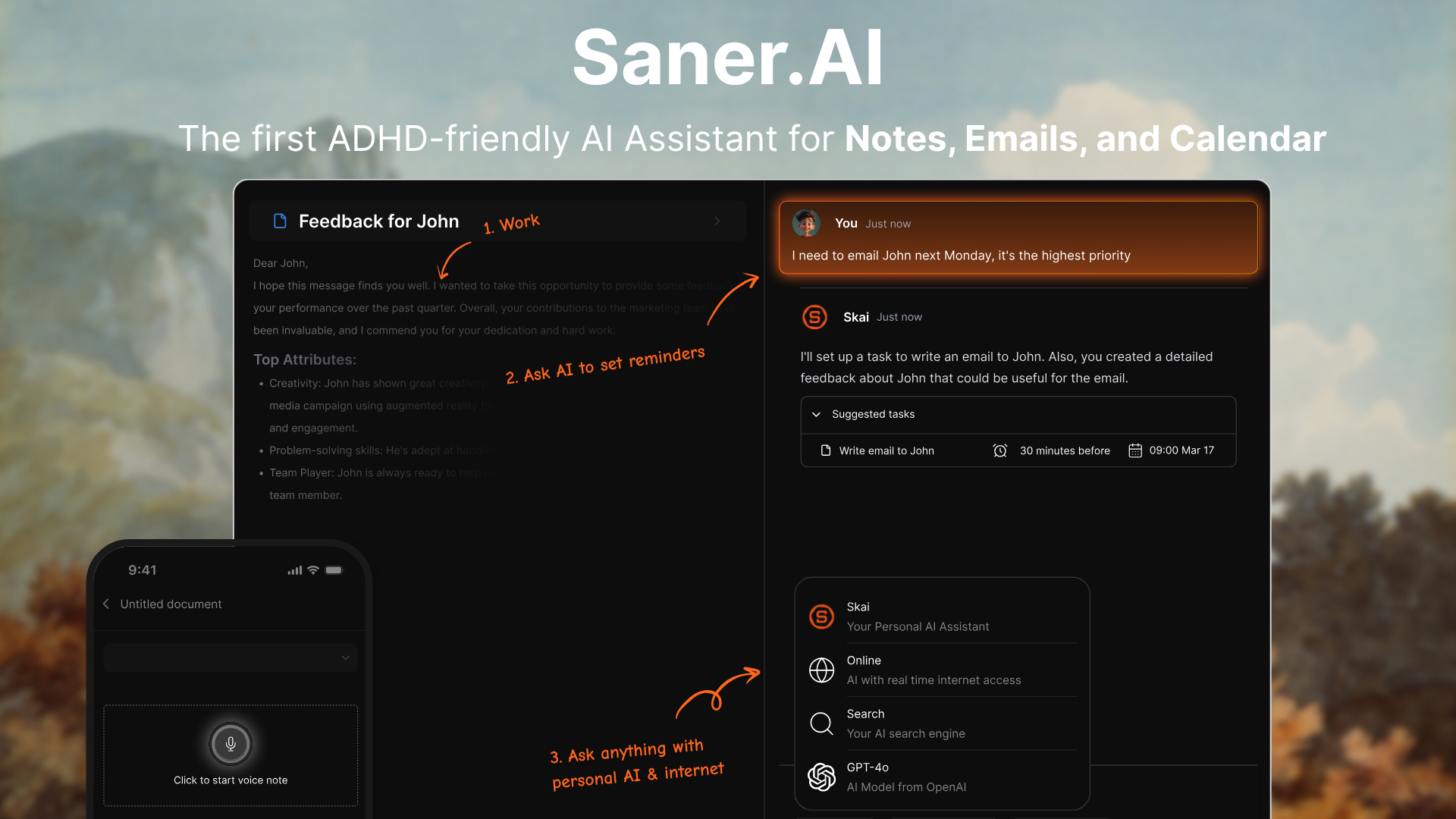
Saner.AI is an AI personal assistant that pulls your notes, email, calendar, and tasks into one place. Its assistant, Skai, uses all of that to plan your day. Dots goes out and does errands. Saner does the part that comes before errands: figuring out what actually needs doing and when. It was built for knowledge workers and people with ADHD.
Key features
- Proactive daily plan: Each morning Skai builds a plan from your emails, meetings, and open tasks, so you start with priorities instead of a blank to-do list.
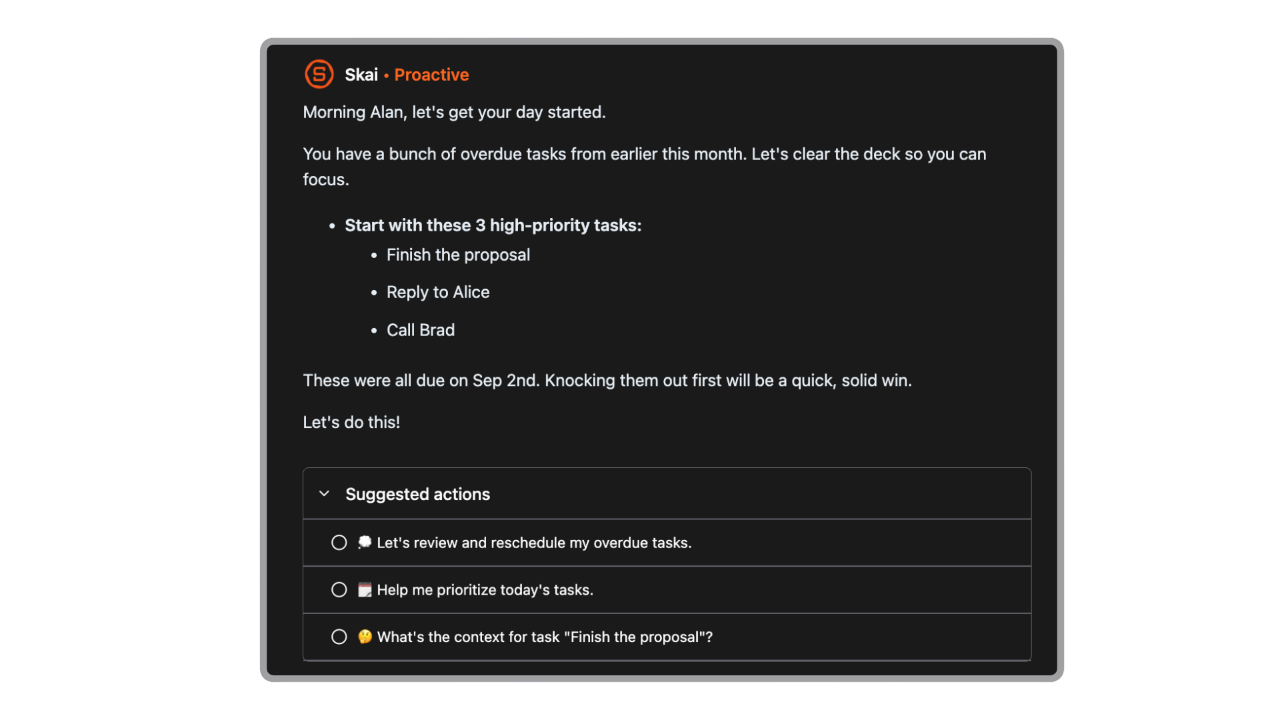
- Email-to-task extraction: It pulls action items out of Gmail or Outlook threads and turns them into tasks.
- Brain dump to tasks: Type or speak a messy stream of thoughts, and Saner splits it into tasks with reminders.
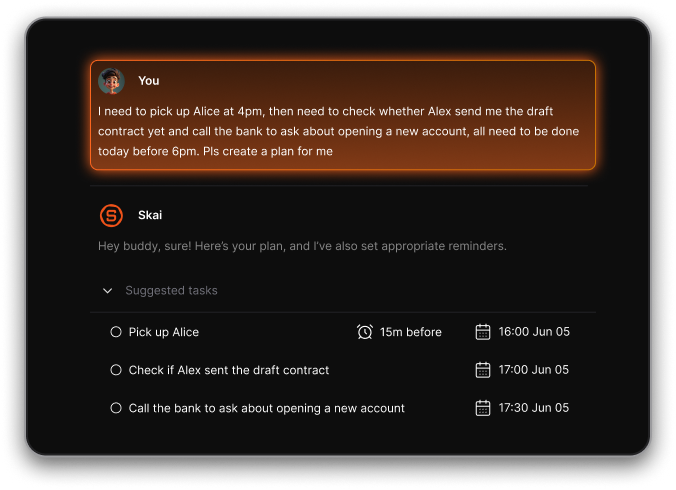
- Ask your own knowledge: Skai answers questions from your saved notes, files, and synced sources rather than the open web.
Pros
- I like that it tells me what to do first thing, without me opening five apps to figure it out.
- It's about a tenth of what Dots costs, and the free plan is enough to judge it in a week.
Cons
- It can't act for me on the web the way Dots, Muse, or Grok Bot can. It plans and drafts; it doesn't click.
- There are no real team workspaces yet.
Pricing (see pricing page)
- Free: $0.
- Starter: $12/month billed monthly, or $8/month billed yearly.
- Standard: $20/month billed monthly, or $16/month billed yearly.
Suitable for
- Best for: professionals juggling email, meetings, and scattered notes who want a daily plan without handing an agent their logins.
- Best for: people with ADHD who need an assistant that remembers and nudges.
- Best for: anyone on a budget who can't justify $100/month for Dots.
How to get started
- Sign up for free and connect Gmail or Outlook plus your calendar first. The daily plan is only as good as what Skai can see. In the first session, do a two-minute brain dump and ask Skai to plan tomorrow.

Stay on top of your work and life effortlessly
5. Claude Cowork: the Dots alternative for document-heavy work

Claude Cowork is Anthropic's agent mode inside the Claude apps. You describe an outcome, step away, and come back to finished work: formatted documents, organized files, synthesized research. Cowork runs sessions remotely in the cloud (in beta), so your work follows you across desktop, web, and mobile.
Key features
- Local file access: When a task needs a file on your computer or your browser, Claude reaches it through the Claude Desktop app.
- Scheduled tasks: Recurring tasks run remotely, even when your computer is asleep or the desktop app is closed.
- Dispatch: You send a task from your phone, and it runs in a full Cowork session. That's the closest Cowork gets to "text my agent."
- Approval modes: You choose between approving each step, letting Claude run with an automatic safety review, or skipping approvals
Pros
- The output is finished work (a spreadsheet with working formulas, a formatted report) rather than a plan I still have to execute.
- I like the approval modes. I can keep money and email tasks on manual while letting file cleanup run.
Cons
- I don't like how fast it eats my usage allowance.
- It doesn't remember between sessions unless I set up memory files myself.
Pricing (see pricing page)
- Pro: $20/month, or $17/month billed yearly
- Max 5x: about $100/month. Five times Pro usage.
- Max 20x: about $200/month. For all-day agent use
Suitable for
- Best for: existing Claude subscribers who want agent features without another subscription.
How to get started
- Open Claude on the web, desktop, or mobile, select "Cowork" in the message box, and describe an outcome rather than steps. Start with a low-risk task, like "sort this downloads folder and flag duplicates"
Quick-pick guide: which ChatGPT Dots alternative should you use?
- If you're on ChatGPT Plus and won't pay $100/month: Saner.AI, a proactive daily planner across email, calendar, and tasks, free or from $8/month.
- If your work ends in reports, spreadsheets, or decks: Claude Cowork, which turns a described outcome into finished files, from $20/month.
- If you already pay for Claude: Claude Cowork, agent mode at no extra cost on Pro, $20/month.
- If you want the closest thing to Dots without ChatGPT: Grok Bot, with named bots on their own cloud computer, from $30/month via SuperGrok.
- If you forget follow-ups buried in email: Saner.AI, which pulls tasks out of Gmail and Outlook threads automatically, from $8/month.
- If you repeat the same clicks on websites with no API: Grok Bot, whose teach-a-task records your workflow once, from $30/month.
- If you're in the US and want errands handled: Meta Muse, for shopping, bookings, and forms, metered free or about $20/month.
- If you have ADHD and need nudges, not more dashboards: Saner.AI, built around check-ins and brain-dump capture, free to start.
- If you'd rather message your agent in WhatsApp: Meta Muse (US, from free) or OpenClaw (anywhere, $0).
- If you're a developer who wants full control: OpenClaw, self-hosted and model-agnostic, $0 plus model costs.
- If you live in the EU or UK and Dots isn't available to you: Saner.AI (available worldwide, from $8/month) or Claude Cowork (from $20/month).
- If privacy means "nothing leaves my machine": OpenClaw with a local model, $0.
Conclusion
The real choice is between an agent that acts and an assistant that knows what to act on.
- If your bottleneck is doing (booking, filling, clicking), pick Grok Bot for work, Muse for home, or OpenClaw if you'll host it yourself.
- If your bottleneck is knowing what matters today, Saner.AI gets you there for a fraction of Dots' price, and Claude Cowork is the pick when the output is a document.
Start with the free tier of whichever matches your bottleneck, and give it one real week before paying.
FAQ
What is the best ChatGPT Dots alternative?
For most individuals, Saner.AI is the best Dots alternative. It covers the proactive side of Dots (knowing what needs doing and when) at a fraction of the cost. If you specifically want an agent with its own cloud computer that clicks through websites, Grok Bot is the closest match.
Is ChatGPT Dots free?
No. Dots aren't available on ChatGPT Free, Go or Plus. The cheapest route is ChatGPT Pro at $100/month, or a Business Premium seat at $100/month billed yearly
Can I use ChatGPT Dots on ChatGPT Plus?
No. OpenAI launched Dots for Pro and Business Premium users, with an Enterprise beta that admins can enable. Plus users who want something similar can try Saner.AI or Claude Cowork.
Are ChatGPT Dots available in Europe and the UK?
Not on personal plans. Pro excludes the EEA, Switzerland and the UK at launch, while Business Premium users get dots in all supported regions. OpenAI hasn't given a date for personal-plan access there.
What's the difference between ChatGPT Dots and Grok Bot?
Both give agents their own cloud computer. Grok Bot splits work across multiple named bots that share one machine, and it can learn tasks from a screen recording. Dots focuses on one agent per person that follows you across ChatGPT, Slack and Teams.
What's the difference between ChatGPT Dots and Claude Cowork?
Dots is built to carry projects forward over days and to look for work on its own. Cowork is built to turn a described task into a finished deliverable, with strong file handling. Cowork is also far cheaper to start, at $20/month on Claude Pro.
Is there a free alternative to ChatGPT Dots?
Yes. OpenClaw is free and open source if you can self-host it. Saner.AI and Meta Muse both have free tiers, though Muse requires a card on file and is US-only.
Can Saner.AI replace ChatGPT Dots?
It can replace the part of Dots most people actually want: proactive planning across email, calendar, and tasks. It can't replace the part where an agent logs into websites and completes errands. If you need both, pair Saner.AI with Muse or Grok Bot.
Does ChatGPT Dots work with Slack and Microsoft Teams?
Yes. You can reach your dot in Slack and Teams, and context carries over between channels. Text message support has been announced as coming soon
What should I look for in a ChatGPT Dots alternative?
Decide first whether you need an agent that acts or an assistant that plans. Then check four things: approvals and activity logs, where your credentials go, real monthly cost at your usage level, and whether it's available in your country.
How much do AI agents like Dots cost?
Prices range from $0 (OpenClaw with a local model) to around $300/month (SuperGrok Heavy). Most people land between $8 and $20/month with Saner.AI, Claude Pro or Muse. Dots starts at $100/month.
What's the best Dots alternative for people with ADHD?
Saner.AI. It's designed around task initiation and forgetting commitments, with morning plans, brain-dump capture, and check-ins. Errand agents like Muse can help too, but they don't fix the "what do I do next" problem.
Do I need to know how to code to use these alternatives?
Only for OpenClaw, which needs a terminal and some server setup. Saner.AI, Claude Cowork, Grok Bot, and Muse all work through plain-language chat.
Stay on top of your work and life effortlessly