
Honest Motion Reviews (2026): Features, Pricing, Pros, Cons, and Whether It’s Worth $49/Month

Motion has been everywhere on productivity Twitter and YouTube for the past couple of years. An AI that looks at everything on your plate - tasks, deadlines, meetings, priorities - and builds your day for you. And recently, it wants to become an AI employee for your business
I get why people are drawn to it. The idea of outsourcing daily scheduling to software sounds genuinely freeing. But after going through hundreds of actual user reviews on G2, Trustpilot, Capterra, and Reddit, the picture is more complicated. Motion does its core thing well. Some users swear by it. But there's a pattern in the complaints that's hard to ignore: a steep price that keeps going up, a UI that users have been calling clunky for two years with little improvement, a mobile app that barely works, and no real answer for people whose problem isn't scheduling - it's information overload.
That last point matters more than it sounds. A lot of knowledge workers don't struggle primarily with "when do I do this task?" They struggle with "I have 47 browser tabs open, my notes are all over the place, and I can't remember what I decided last Tuesday." Motion doesn't help with any of that. That's the honest thread running through this review.
Key takeaways
- Motion's auto-scheduling is genuinely good. If your calendar is chaos, it's worth trying.
- The 7-day trial is too short to get comfortable with it, and it converts to a paid subscription fast.
- No free plan. At $19/month minimum (annual billing), it's one of the pricier personal productivity apps out there.
- Project management and mobile are both noticeably weak compared to the calendar features.
- If your main problem is scattered notes, messy email, and information overload rather than scheduling, Motion won't solve it perfectly.
Motion at a glance
| Category | Score (out of 10) |
|---|---|
| AI scheduling | 9 |
| Ease of use / onboarding | 5 |
| Project management | 5 |
| Mobile experience | 5 |
| Pricing / value | 5 |
| Knowledge management | 2 |
| Customer support | 6 |
| Overall | 6/10 |
What is Motion?
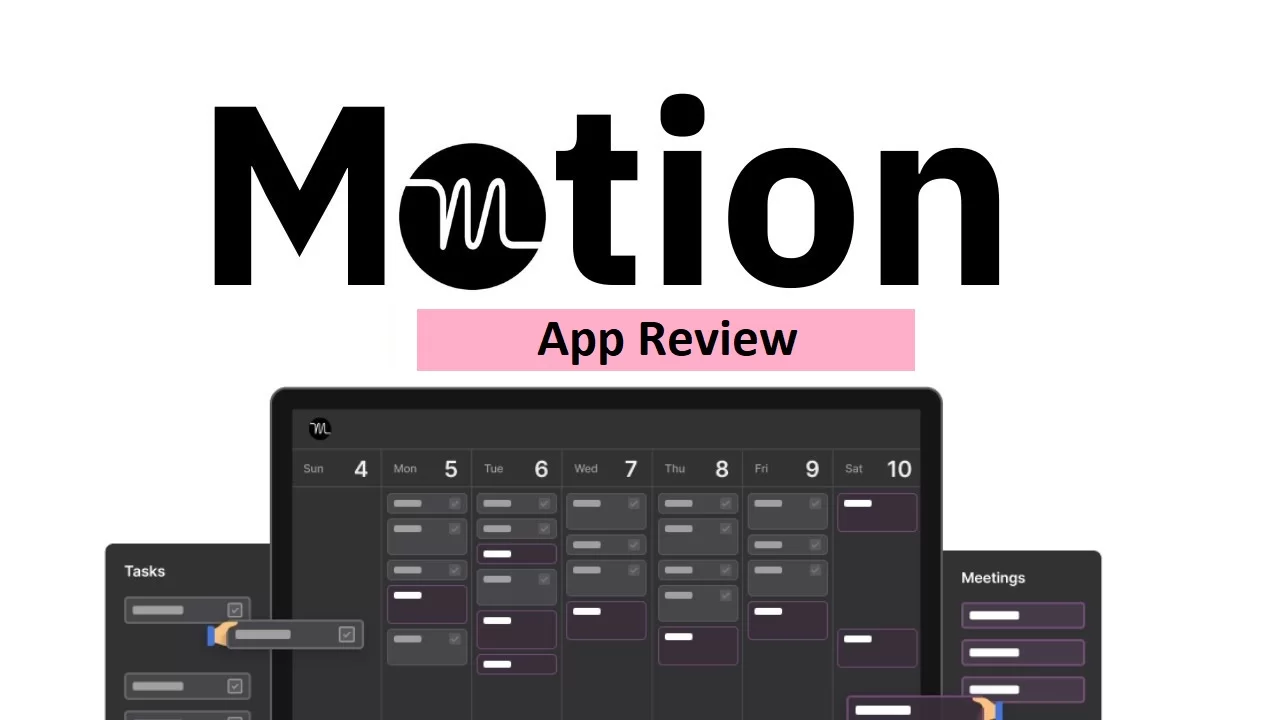
Motion is an AI productivity app that rolls a calendar, task manager, project manager, and meeting scheduler into one place. The whole idea is that you never have to manually decide when to work on something. You tell it your tasks and deadlines, and it schedules everything around your existing meetings - and reschedules automatically when things shift.
It pulls your Google, Outlook, and Apple calendars into one view. It has meeting booking links so you can stop the back-and-forth email chains. More recently, it added an AI note-taker that joins your meetings, transcribes them, and turns action items into calendar events. There are even "AI Employees" - virtual assistants with names like Alfred and Suki that handle things like email drafts and meeting prep.
It runs as a web app, desktop app (Mac and Windows), Chrome extension, and mobile app. Though as you'll see, "mobile app" is doing a lot of work in that sentence.
Features breakdown
AI auto-scheduling
This is the whole product in the beginning, really. You add a task, set a priority and deadline, and Motion finds a slot in your calendar to get it done. When something changes - a new meeting lands, a task takes longer than expected - it reshuffles everything else automatically.
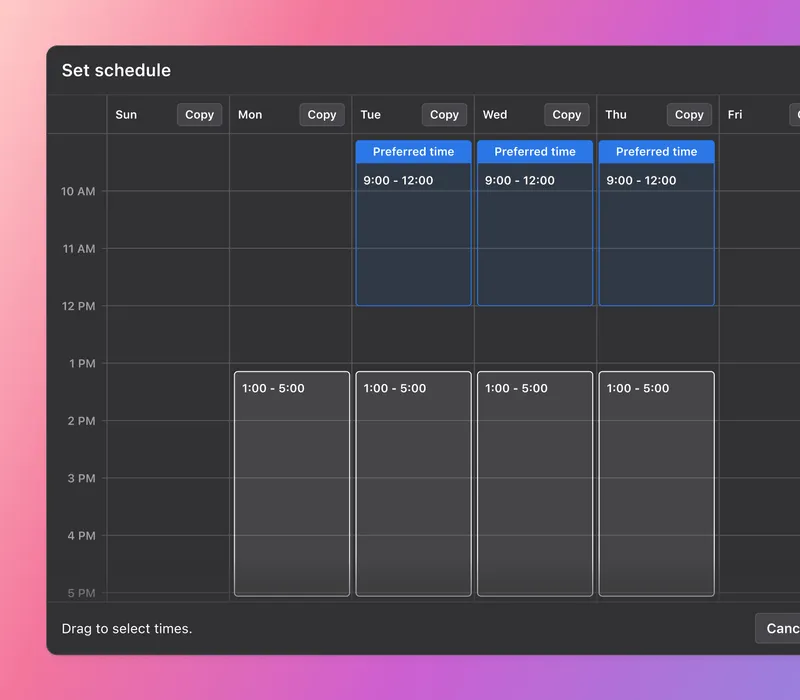
It works. That's not nothing. Users who stick with it long enough to set it up properly consistently say it changes how they start their mornings. Before adding tasks to Motion, you set your working hours and carve out time for personal things, and then it fills in the gaps.
"I sit down on Monday morning and my calendar is set up for me, ready to go." — reviews
Calendar sync
Motion pulls all your calendars (Google, Apple, Outlook - personal and work) into a single view. If you're currently juggling three or four separate calendars and checking each one for conflicts, this alone saves real time.
"I used Motion to sync my apple, google, work and personal calendars all in one spot. This allows me to check one calendar for conflicts instead of 5." — reviews
Meeting booking links
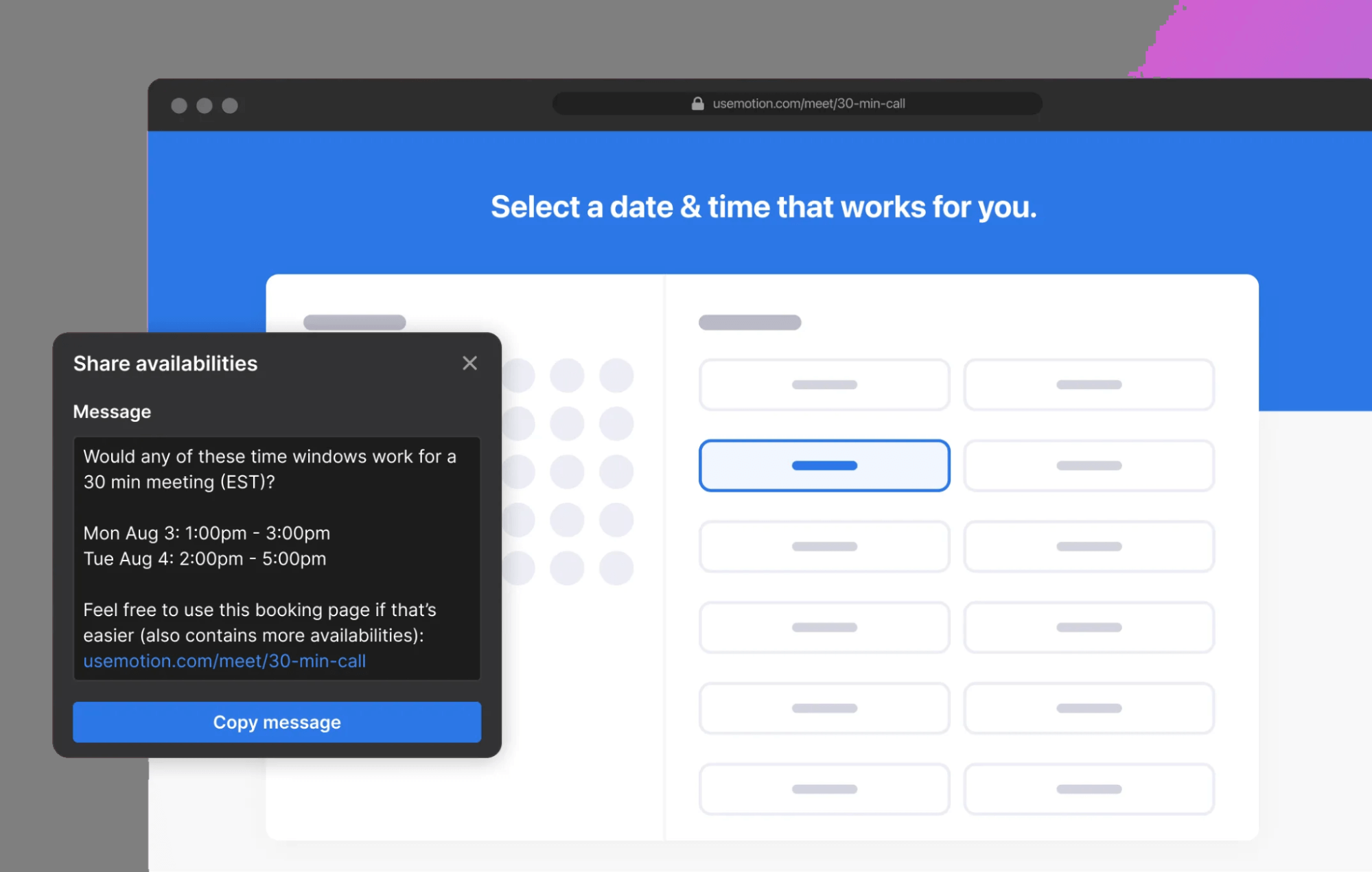
Motion has its own Calendly-style booking page. You set your availability, add buffers between meetings, cap how many calls you'll take in a day, and share a link. The interface for setting this up got a refresh and it's more intuitive now.
"Motion's meeting booking pages save me a ton of back-and-forth." — reviews
Project management
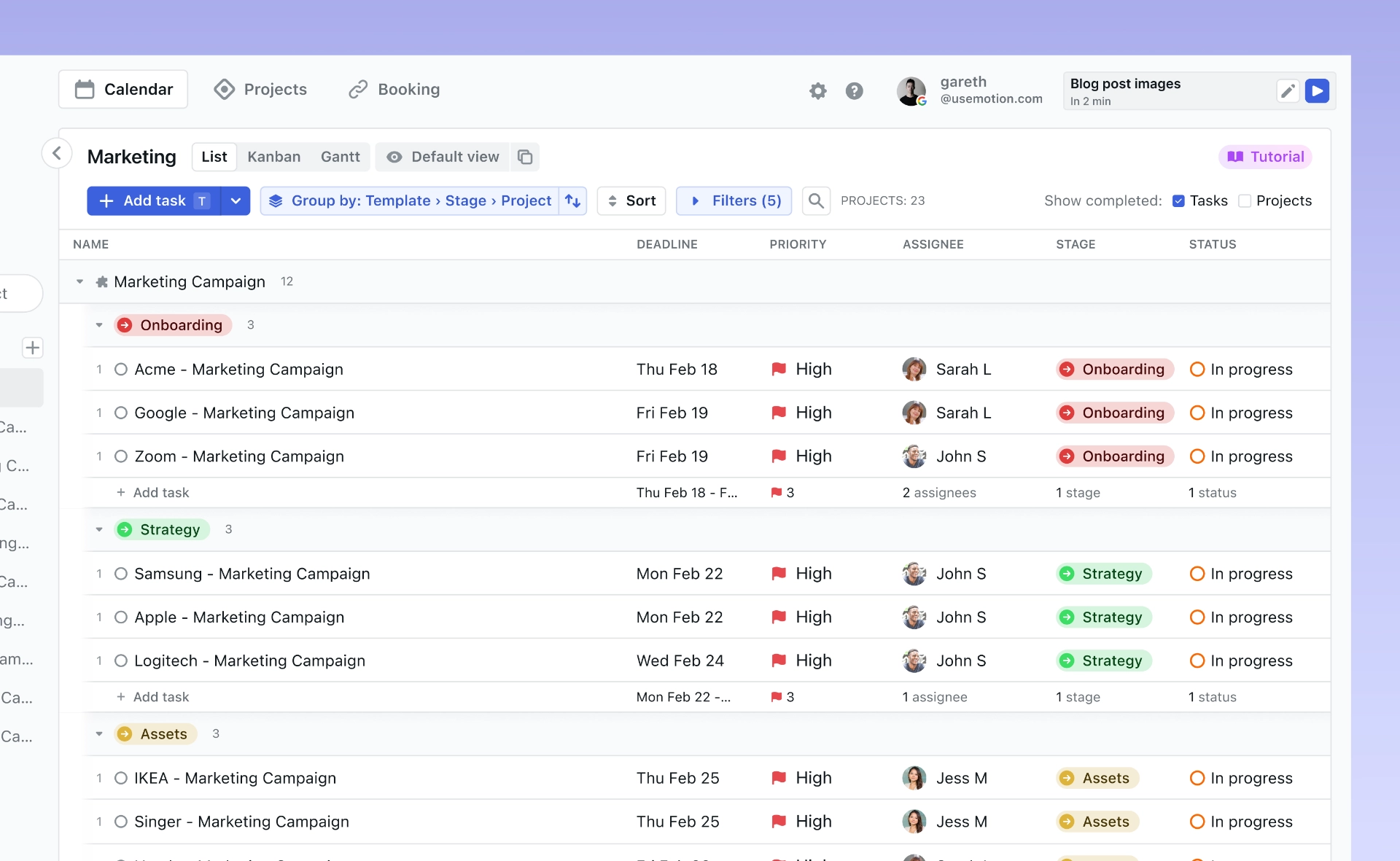
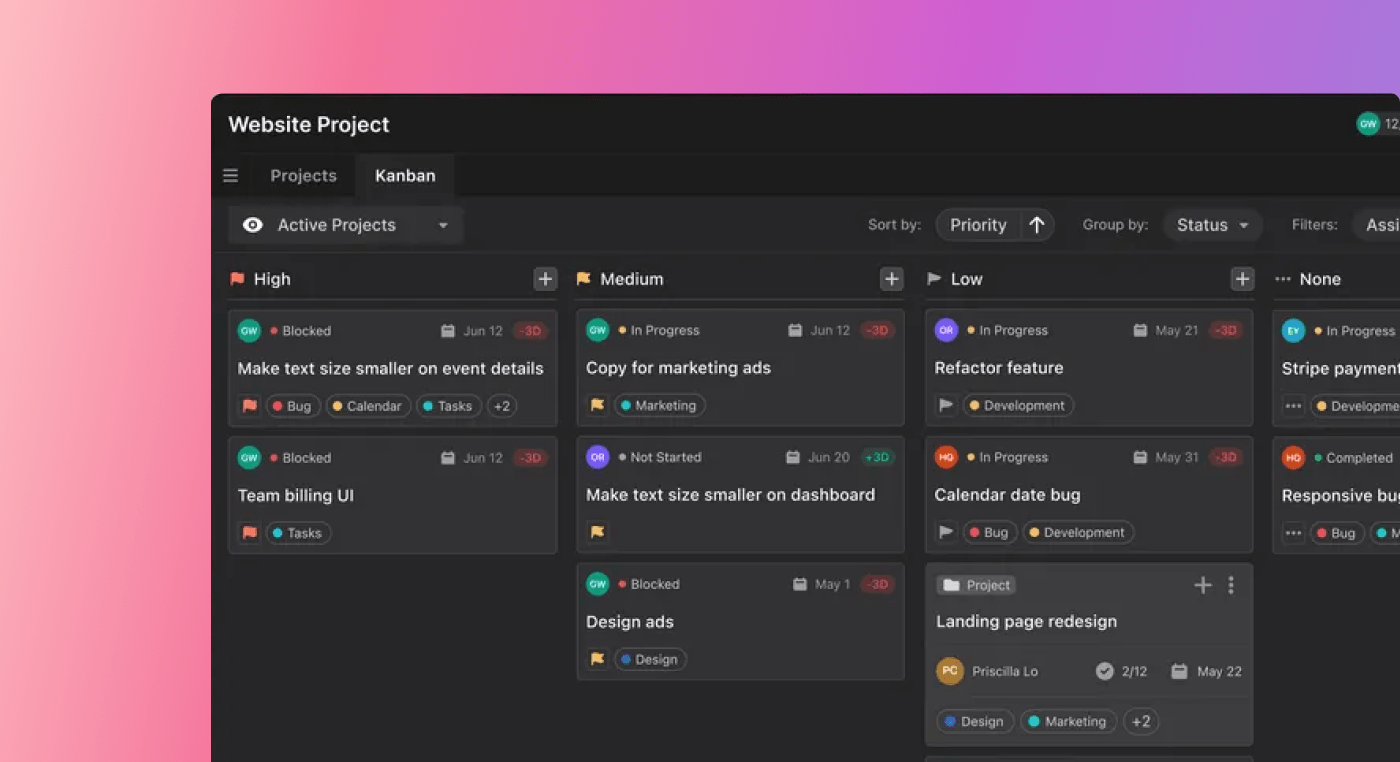
Motion lets you create projects, assign tasks, set dependencies, and view everything as a kanban board or list. On paper, this sounds good. In practice, long-term users are frustrated.
"We've been using Motion for about 2 years now and it's seemed to hardly evolve during our time using it. The AI calendar was the main draw, and works awesome, but the project management side of things..." — reviews
But others don't like the complex Motion design that much
The product's aimless development over the last year, leading to terrible bloat. The UI is still just as janky/crusty/clunky as it was when I signed up two years ago. Instead of polishing their product, the team went to chase trends instead. — reviews
Two years and the project management side hasn't kept pace. That's a real problem if you're paying for a team plan expecting a proper PM tool.
AI note-taker
Motion's note-taker joins your calls, records and transcribes them, summarizes what happened, and generates follow-up tasks that land directly on your calendar. For people who lose action items in meeting recordings, this is actually useful.
"The AI Notetaker actually pulled the right action items and put them straight on my calendar." — reviews
AI Employees
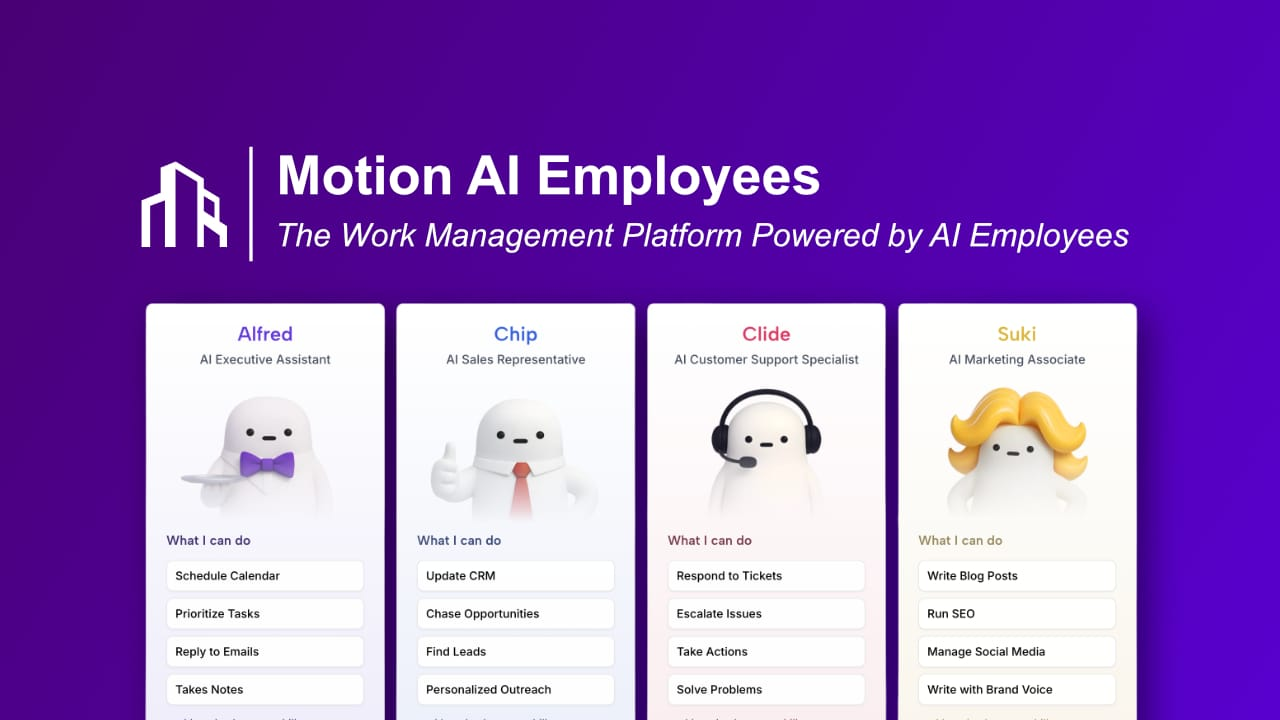
This is Motion's most ambitious feature. Think virtual AI assistants - a marketing assistant, a customer support bot, an executive assistant - that take on work and return completed tasks for your review. The idea is that you assign them work the same way you'd assign it to a real person.
"In September, they launched AI Employees—virtual AI assistants—which ended up saving me the first two hours of my workday by organizing my emails, responding to them, and helping me prepare for meetings by sorting through emails and meeting details." — reviews
Fair to note: this is the higher-tier add-on, priced well above the base plan.
Mobile app
Here's where things get honestly disappointing. The mobile app exists, but it's a stripped-down version of the desktop. You can see your tasks in list view, but not on the kanban board. It's fine for quick check-ins; it's not where you'd actually organize your week.
"The mobile app feels like a stripped-down afterthought compared to the desktop." — reviews
The desktop app can be buggy at times and is not as fast as I would like it to be. Hence, there are I am too lazy to organise my tasks and i end up not using motion for a week or so. The unusable mobile app also makes me use Motion less — reviews
If you primarily work from your phone, Motion is probably not the right tool yet.
Motion Pricing
Individual plan starts at $49/month and $29/month (yearly)
A few things worth flagging: there is no free plan at all. The 7-day trial is short, especially given how long it takes to actually set Motion up properly. And the trial auto-converts to a paid subscription — something that comes up in Trustpilot reviews more than once.
"The tool is very useful, but pricing has increased a few times. I wish there were a discount for students or military, that would help me justify the cost. As it stands right now, I'm not sure I'll be..." — reviews
Motion Overall Pros and Cons
| Pros | Cons |
|---|---|
| AI auto-scheduling actually works | No free plan — 7-day trial only |
| Cuts down on daily scheduling decisions | Steep learning curve |
| Calendar sync across multiple accounts | UI still feels cluttered after years of complaints |
| Meeting booking links built in | Mobile app is limited compared to desktop |
| AI note-taker links action items to calendar | Project management features haven't evolved |
| Auto-reschedules when plans change | Price has increased multiple times |
| Team workload visibility | No knowledge management or note synthesis |
| Trial auto-converts to paid (complaints on Trustpilot) |
What people say about Motion
People who love Motion tend to be the ones whose work is genuinely calendar-and deadline-heavy. Once they push through the setup, the auto-scheduling delivers on its promise.
"Motion has elevated my productivity to the max. I sit down on Monday morning and my calendar is set up for me, ready to go." — reviews
But the critical reviews are worth reading closely. The UI frustration is real and it's been around for a while.
"The UI is still just as janky/crusty/clunky as it was when I signed up two years ago. Instead of polishing their product, the team went to chase trends instead." — reviews
The billing experience is also a recurring sore spot.
"Free trial was automatically changed to a year membership. Tried to message them straight after, but was impossible because of the Cloudflare downage. Then messaged them a few days later..." — reviews
That's not a one-off. Auto-converting short trials to annual subscriptions with limited cancellation windows is a pattern that shows up across multiple reviews. Something to be aware of before you sign up.
Who Motion is best for - and who should probably look elsewhere
Good fit:
- Professionals with overloaded calendars and shifting deadlines
- Solopreneurs managing multiple client timelines
- Small teams that need shared scheduling and task visibility
- Anyone currently using separate apps for tasks, calendar, and meeting booking
Not a good fit:
- People whose main problem is information overload, not scheduling
- Teams that need real project management (Asana and ClickUp are better here)
- Anyone on a tight budget or needing a free plan
- People who mostly work on their phones
- Anyone who prefers to stay in control of their own daily planning rather than handing it fully to an AI
Motion Alternatives comparison
Motion vs. Saner.AI
This comparison matters most for users who feel like Motion solves one problem but completely ignores another.
Motion is focused on your calendar. Saner.AI is focused on your context - the notes, emails, tasks, and scattered information that pile up and make it hard to think straight. It doesn't just block time. It helps you find things you already know, pull tasks out of your emails and documents automatically, and plan from a clearer mental state.
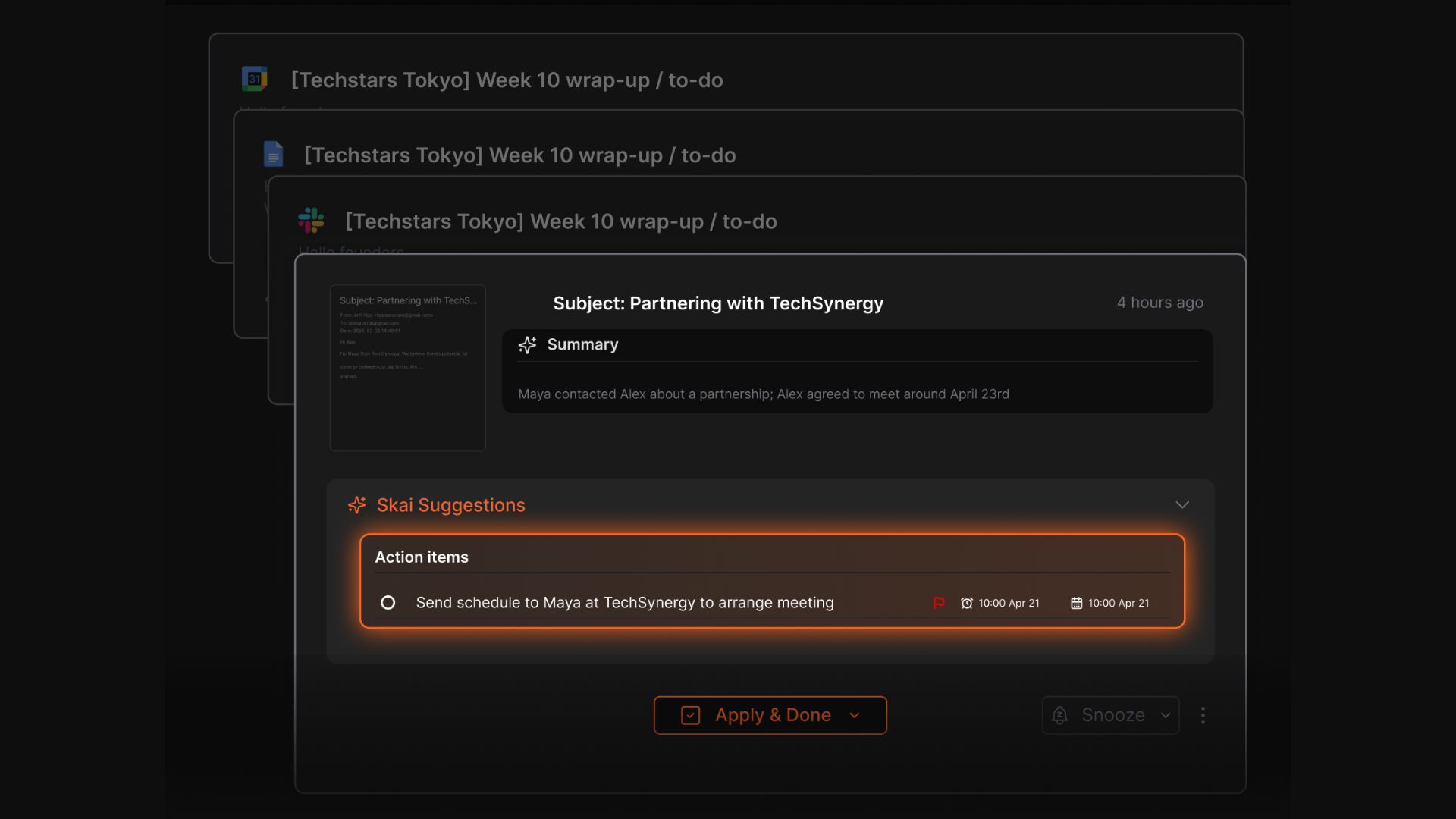
Saner.AI has a free plan. Motion doesn't. Saner.AI starts at $8/month paid, versus Motion's $49/month minimum. And Saner.AI was built with cognitive overload in mind - specifically useful for people with ADHD or anyone who finds rigid scheduling more stressful than helpful.
The honest way to put it: if you want your day planned for you, use Motion. If you want to get control of your information first and plan from there, use Saner.AI.
| Feature | Motion | Saner.AI |
|---|---|---|
| AI auto-scheduling | ✅ Best-in-class | ❌ Not the focus |
| Free plan | ❌ No | ✅ Yes |
| Starting price | $19/month (annual) | $8/month |
| Note-taking and knowledge management | ❌ Minimal | ✅ Core feature |
| Task extraction from emails/notes | ❌ No | ✅ Yes |
| Natural language search | ❌ No | ✅ Yes |
| Personal AI assistant | Basic (add-on) | ✅ Included |
| Calendar integration | ✅ Deep | ✅ Yes |
| Meeting booking links | ✅ Yes | ❌ No |
| Mobile experience | ⚠️ Limited | ⚠️ Improving |
| ADHD/focus support | ⚠️ Partial | ✅ Designed for it |
| Learning curve | ⚠️ Steep | ✅ Low |
Motion vs. Reclaim.ai
Reclaim is simpler, easier to start with, and has a free tier. It doesn't try to be a full PM hub. If you want AI time blocking without the setup overhead, Reclaim is worth looking at. Paid plans start at $10/seat/month.
Motion vs. Sunsama
Sunsama takes the opposite philosophical approach. Instead of letting AI plan your day, you spend a few minutes each morning choosing your priorities yourself. Some people find this more grounding. Others find it annoying. Depends entirely on how you work.
Motion vs. Asana / ClickUp
Motion is not a replacement for these. If your team does complex project tracking, has advanced reporting needs, or works on long multi-phase projects, Asana and ClickUp are still the better options. Motion's PM side is too limited.
Final verdict
Motion is a solid product for a specific type of person: someone with a packed calendar, constantly shifting deadlines, and enough discipline to push through a steep setup process. The AI scheduling is genuinely good, and when it works, it works well.
But the product has visible weaknesses that have been there for years. The UI is still clunky. The mobile app is underwhelming. The project management features haven't kept pace. There's no free plan, the trial is short and auto-converts to paid, and the price has gone up multiple times.
Most importantly, Motion has no answer for the other half of the knowledge worker problem: too much information everywhere, no way to find it, and no tool to help you think through what actually matters today. That's where Saner.AI is worth a serious look. It's cheaper, easier to start, and built for the messy reality of how most people actually work.
Try Motion if your calendar is out of control and you want a machine to run your day. Try Saner.AI if you're drowning in scattered notes and emails and you need to get your head straight before you can plan anything at all.

Stay on top of your work and life
FAQ on Motion Reviews
Does Motion have a free plan? No. There's a 7-day trial, and after that, the cheapest option is $49/month. No permanent free tier.
Is Motion worth the price? For people with genuinely calendar-heavy workloads, probably yes. For people with lighter scheduling needs, or anyone who needs knowledge management and note-taking as part of their workflow, the value is harder to justify at this price.
What do people complain about most? Across G2, Trustpilot, and Capterra, the most consistent complaints are: difficult onboarding, a UI that still feels cluttered, a weak mobile app, limited project management features, and pricing that has increased more than once.
How is Saner.AI different from Motion? Motion automates your calendar. Saner.AI helps you manage your information - notes, emails, tasks, and everything else scattered across your digital life. Saner.AI also has a free plan and starts at $8/month paid.
Can Motion replace Asana or ClickUp? No. It works for small team coordination and individual scheduling, but it doesn't have the depth for complex project management, advanced reporting, or large teams.
Who should use Motion? Busy professionals, solopreneurs, and small teams whose main challenge is too many tasks and not enough time. If your main challenge is information chaos rather than scheduling chaos, a different tool will serve you better.
Motion scheduled my day so tightly that I had no breathing room. Is that normal? Yes, and it's one of the most common complaints. Some users report that Motion packs their day too tightly, leaving no room for the unplanned work that inevitably shows up. The algorithm optimizes for fitting everything in, which can create a schedule that feels oppressive rather than helpful - The Business Dive
Why does Motion feel so overwhelming at first? Even though the setup looks straightforward, users often run into a learning curve early on — things like double-booked meetings, calendar sync issues, and figuring out where everything lives - Cybernews



