Mymind Reviews: Is it honestly worth it?

Mymind Honest Reviews: Beautiful Bookmarking or Just a Pretty Inbox You'll Never Clean?
Mymind has one of the best pitch: Save everything - links, images, articles, screenshots, notes - and the AI figures out where it goes. No folders. No tags. No decisions. Just a clean, private space that remembers things for you.
For people drowning in browser tabs, scattered bookmarks, and a dozen half-finished note apps, that pitch lands hard. And for a certain kind of user — visual, creative, solo — it genuinely delivers.
But spend a few months with mymind and the cracks show up. The search can miss obvious things. The pricing stings for a tool that can't connect to your calendar or your inbox. And if you need collaboration, task tracking, or anything that actually touches your work workflow, you're going to feel the walls close in pretty fast.
So who is mymind actually for? And if you need more than a beautiful scrapbook, what fills the gap?
Key Takeaways
- mymind is a private, AI bookmarking and capture tool. It auto-tags everything you save and surfaces it through search
- The design is good. Users consistently mention it as one of the nicest-looking apps in this space.
- The free plan is limited to 100 items. After that, you're paying at least $6.99/month for a tool with no integrations, no collaboration, and no task management.
- Search works well for most content types, but has real gaps - especially with specific titles or obscure saved items.
- If you need your second brain to connect with your actual work (email, calendar, tasks, Slack), mymind won't do it. Tools like saner.ai are built for that instead.
Mymind At a Glance
| Category | Score |
|---|---|
| Ease of Use | 9/10 |
| AI Features | 7/10 |
| Design & UI | 9.5/10 |
| Value for Money | 6.5/10 |
| Integrations | 4/10 |
| Task Management | 2/10 |
| Collaboration | 1/10 |
| Mobile Experience | 7/10 |
| Overall | 6.8/10 |
What Is Mymind?
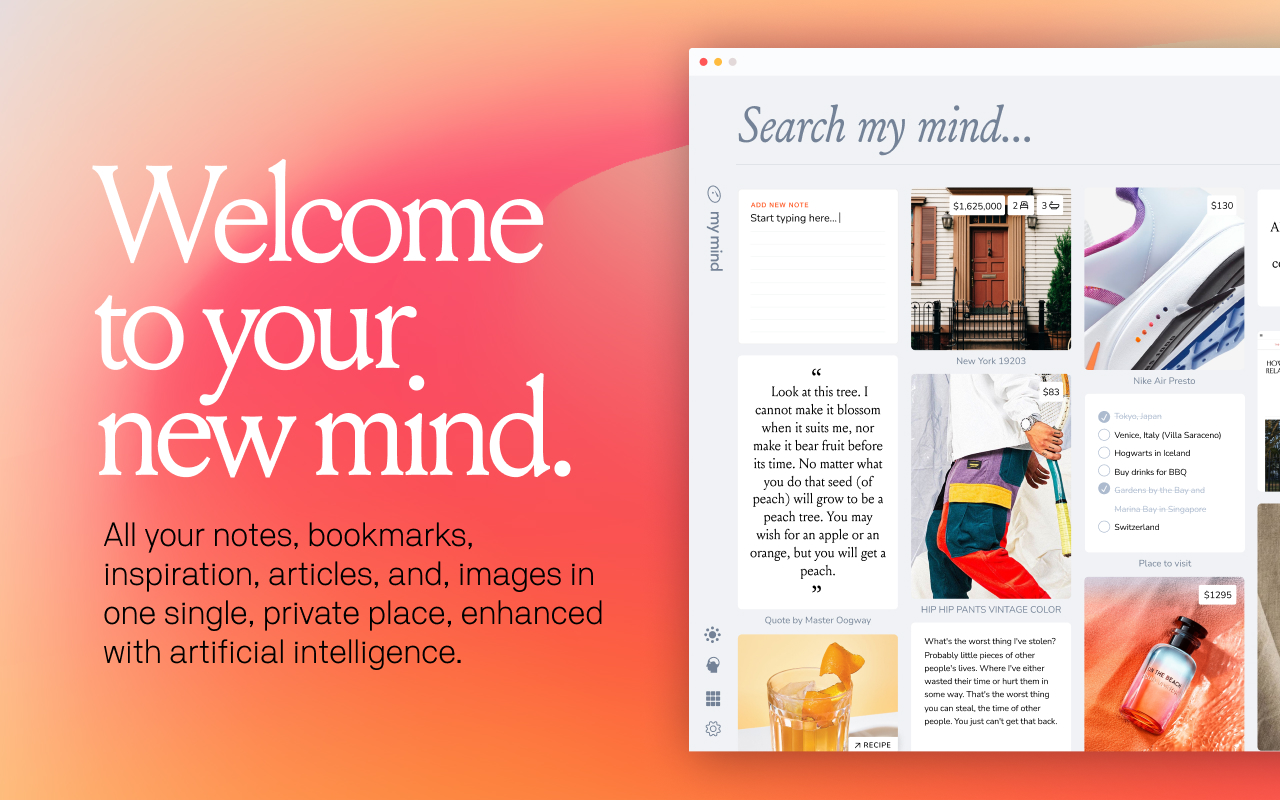
MyMind is a private digital capture tool. You save things to it - articles, links, images, notes, PDFs, recipes, tweets, YouTube videos - and it organizes them for you automatically using AI. There are no folders to build, no tagging system to maintain, and no social features of any kind.
The core use case is simple: stop losing things you want to remember. Instead of bookmarking a link and forgetting about it, or screenshotting an image and burying it in your camera roll, you save it to mymind and pull it up later through search. The AI reads what you saved, understands what it is, and tags it automatically.
Mymind launched as an independent, bootstrapped product. There are no ads, no data selling, and no investor pressure to grow in directions the founders don't want to go.
Core features include:
- AI auto-tagging for all saved content
- Visual grid layout showing saved cards
- Semantic and image-based search
- Reading mode (paid) for distraction-free article reading
- Spaces (smart collections based on tags or searches)
- Serendipity mode, which surfaces forgotten saved items one at a time
- Browser extension for Chrome and Safari
- iOS and Android apps
- Text recognition in images, screenshots, and handwriting
Now, let's dive in!
Mymind Features Breakdown
AI Auto-Tagging
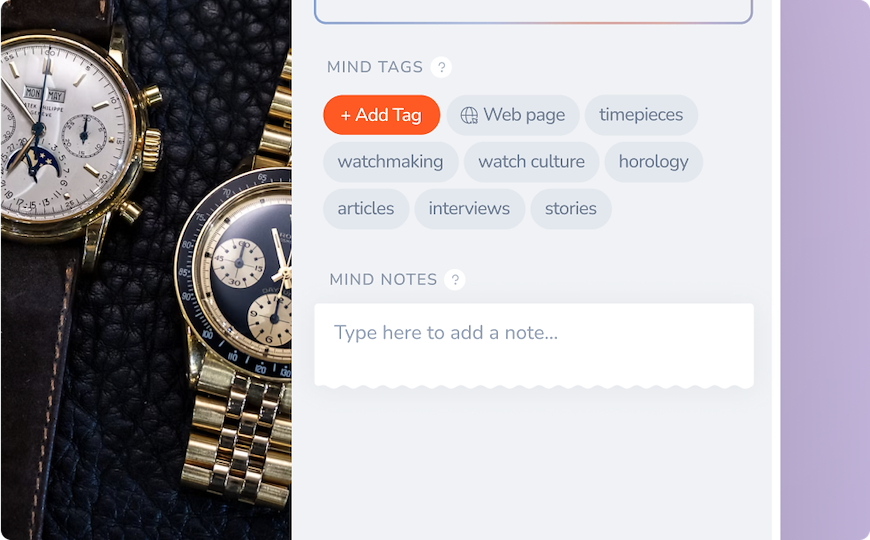
When you save anything to mymind, the AI reads it, figures out what it is, and applies tags automatically. An image of shoes gets tagged with color, style, and brand. An article about productivity gets labeled with its topic, author, and key ideas. You never decide how to file something.
The auto-tagging is accurate most of the time, and it's what makes mymind feel genuinely different from traditional bookmarking. You save without thinking, and the machine does the filing.
Users notice that the AI works better for visual content and general topics than for niche or domain-specific subjects. One user described their experience saving highly specific research material and finding the tags too broad to be useful — a real limitation for specialists. — reviews
Visual Search
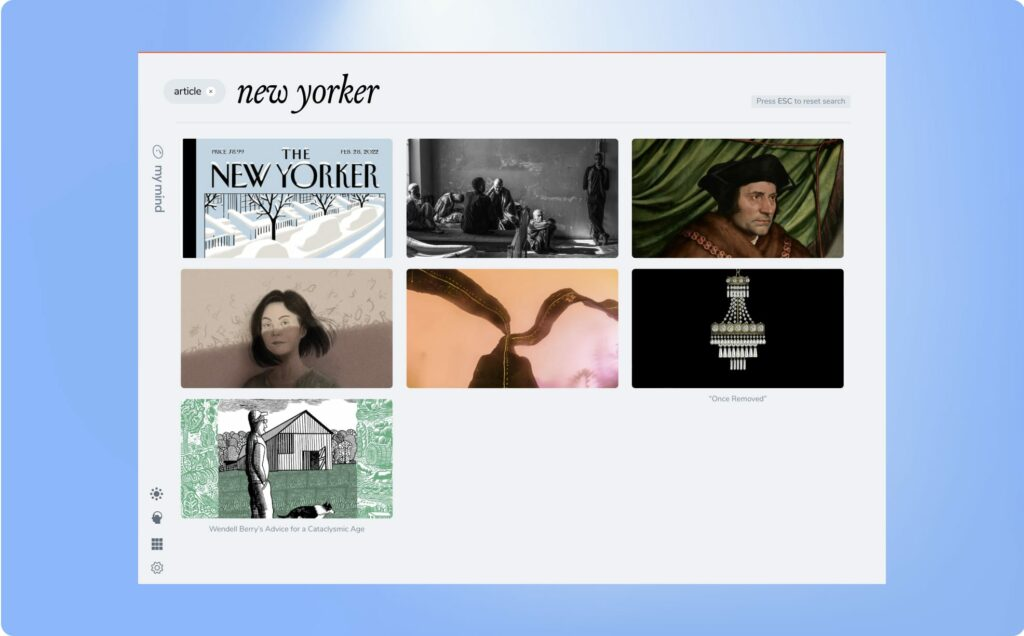
mymind can read text inside images. Saved a screenshot of a tweet? It reads the words in the image. Photographed a handwritten note? It indexes the handwriting. Saved an image of a color palette? You can search by color.
The visual memory feature is one of mymind's strongest selling points, especially for designers, mood-boarders, and visual thinkers who work with imagery more than text.
That said, users who rely on search for written content report mixed results. One reviewer noted that searching for the title of a book they had specifically bookmarked returned nothing — a jarring failure for the tool's primary feature. — reviews
Reading Mode
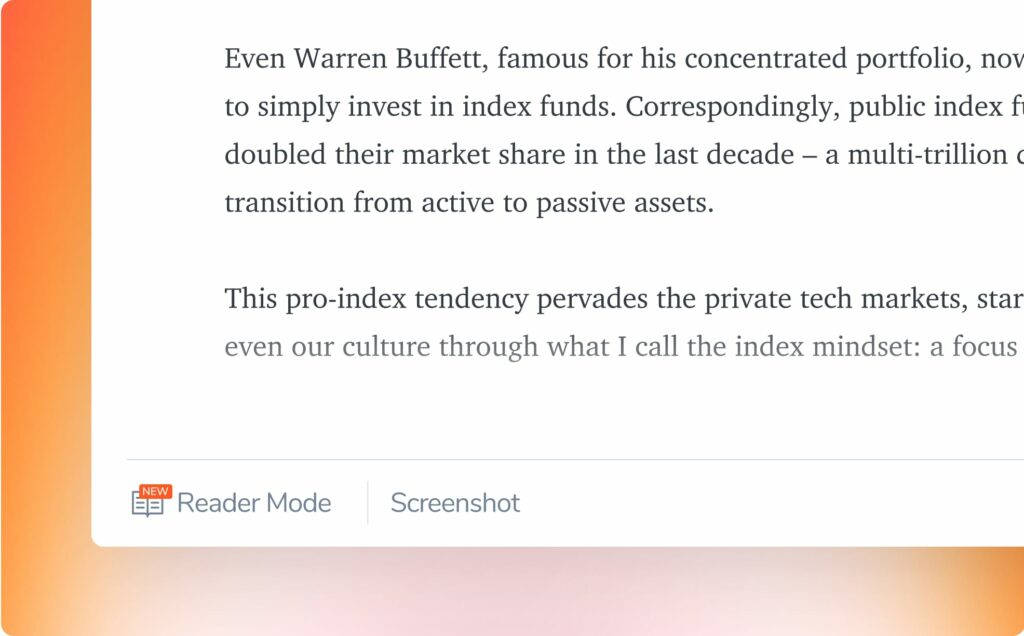
Mastermind plan subscribers can open saved articles in a clean reading view, stripped of ads, pop-ups, and page clutter. Articles are also archived in full, so if the original page goes offline or gets deleted, your copy stays.
Reading mode makes mymind a passable read-later app. The text is clean, the interface stays minimal, and saved articles are actually readable without distractions.
The catch is that reading mode is locked to the highest-paid tier. Users on the mid-tier plan save links but can't read them inside the app. Some find this a reasonable trade-off; others feel it's a core feature that shouldn't be paywalled. — reviews
Serendipity Mode
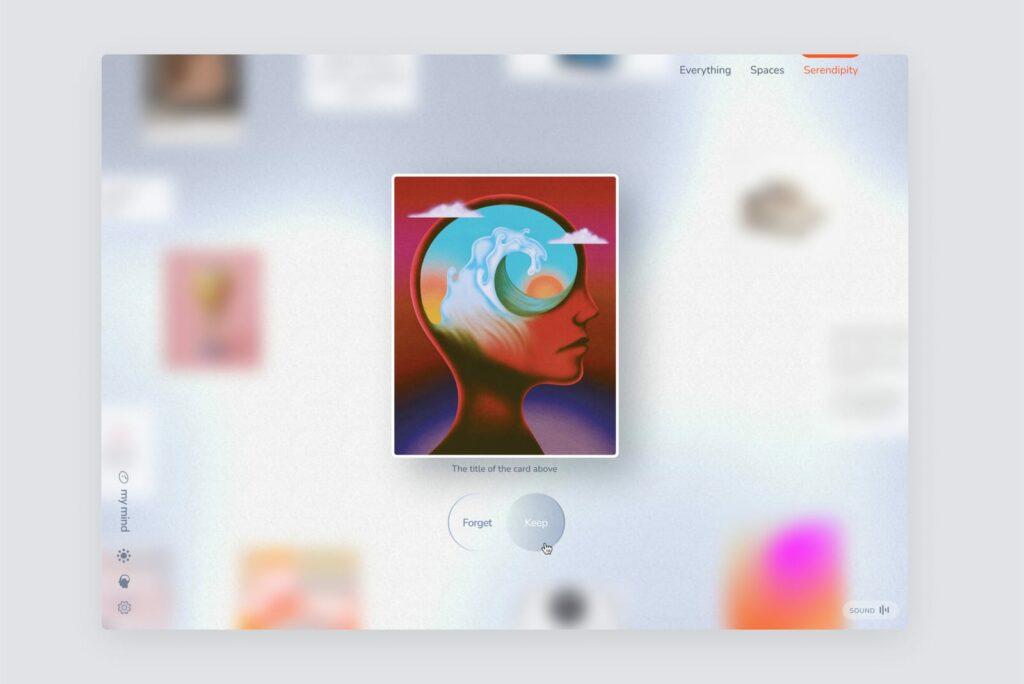
Serendipity shows you one saved item at a time in a full-screen view, chosen somewhat randomly from your collection. The idea is to resurface things you've saved and forgotten - insights, images, links that got buried under months of new saves.
It's a fun feature. Users who hoard information but rarely revisit it tend to enjoy it most.
Content collectors who save constantly describe the Serendipity feature as one of their favorite parts of mymind, saying it helps them reconnect with things they almost completely forgot they had saved. — reviews
Spaces
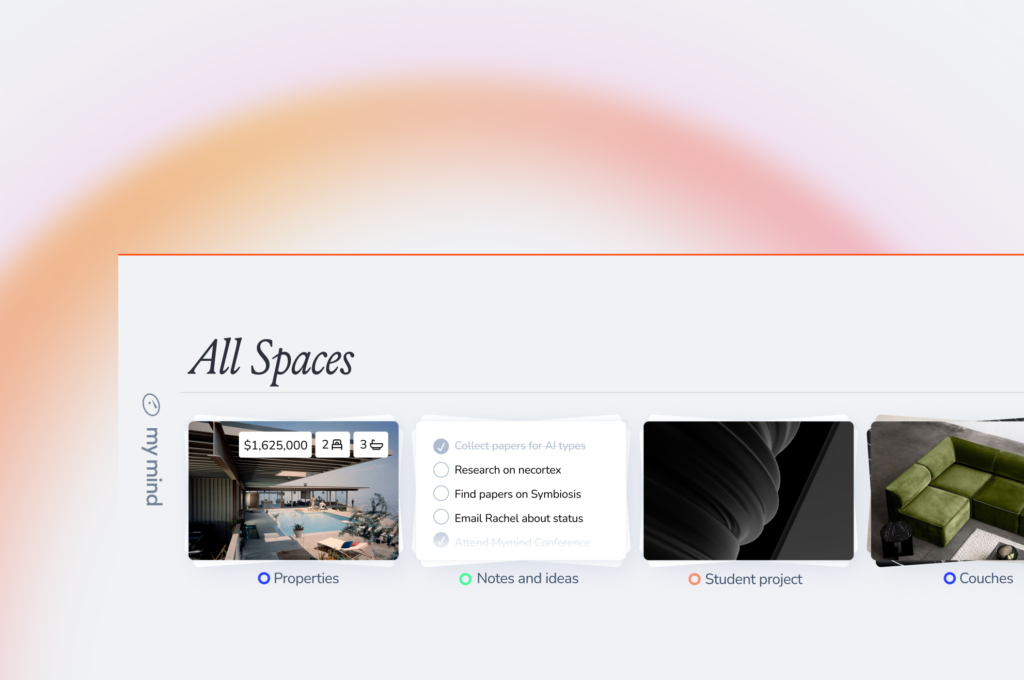
Spaces are smart collections. You can create a Space around a tag, a topic, or a search query, and mymind automatically populates it with matching saves. It's the closest thing to a folder system mymind has.
Spaces work well for people organizing creative projects, research phases, or inspiration boards. They're automatic - add something new that matches the Space's criteria, and it appears there without you doing anything.
Users who came from traditional folder-based tools sometimes find Spaces too passive. The inability to manually drag items into collections or customize the logic beyond search terms is a real limitation for more structured workflows. — reviews
Mymind Pricing
| Plan | Monthly Price | Annual Price | Free Version | Free Trial | Card Required |
|---|---|---|---|---|---|
| Guest (Free) | $0 | $0 | Yes (100 items) | N/A | No |
| Bookmarker | ~$5/month | — | No | 14 days | No |
| Student of Life | $6.99/month | — | No | 14 days | No |
| Mastermind | $12.99/month | — | No | 14 days | No |
| Newton (Team) | Coming soon | — | — | — | — |
The Guest plan caps out at 100 saved items. After that, you need a paid plan to keep saving. The Mastermind tier unlocks reading mode, full article backup, and the most advanced AI tagging.
Mymind Pros and Cons
| Pros | Cons |
|---|---|
| One of the best-designed apps in the space | Free plan capped at 100 items |
| AI auto-tagging works well for most content | No integrations with email, calendar, or Slack |
| Genuinely private — no ads, no tracking, no social features | No collaboration or sharing features |
| Image and text search (including inside images) is a strong differentiator | No task management whatsoever |
| Low friction to save — one click via browser extension | No import tools from other platforms |
| Serendipity mode is a unique and enjoyable feature | Search misses specific titles and niche content at times |
| Reading mode strips distractions from articles | Reading mode only available on the highest plan |
| Works across iOS, Android, Mac, and browser | iOS app has bugs — cursor behavior issues reported frequently |
| Focused roadmap from an independent team | No public API and no automation support |
What People Say
Positive reviews
mymind resonates especially strongly with ADHD users who say no other app has come close to handling the way their brains actually work. — reviews
"I love the app and it frees up my ADHD brain so much on a daily basis." — reviews
One group of teachers tested 20-30 similar apps and came back to mymind.
"mymind truly lives up to becoming your 'second mind.' As someone with terrible recall and who hates losing things, it brings me peace knowing I'll always be able to find it later." — reviews
Critical reviews
Pricing is the most common complaint. Users on a budget feel the subscription cost is high relative to what the app can actually do — especially compared to free alternatives. — reviews
"I really like this as a product idea. What I do not like is the concept of a continuous subscription cost." — reviews
The iOS experience is inconsistent. Multiple users report cursor bugs that require force-quitting the app. — reviews
"Every time I use the iOS version, after I click 'Space,' my cursor goes crazy and the whole app flies with my cursor here and there. I can't stop it unless I force quit the app." — reviews
No import tools mean starting from scratch. Users with years of bookmarks on Raindrop, Pocket, or Notion have nowhere to bring that content. — reviews
"There's no way I would or could leave behind years of material on other platforms." — reviews
The compatibility with other tools is a recurring issue. Users who want to take ideas from mymind into a canvas, document, or workflow hit a wall fast. — reviews
"Its compatibility within other stacks is lacking. Hard to take my ideas off this platform to create content or put into a canvas." — reviews
One writer who loved mymind eventually left over cost, finding another tool with similar functionality for 30% of the yearly price. — reviews
Who Is Mymind Best For?
Mymind fits people who collect things for inspiration, reference, or later reading — and who want to do it without setting up any system. If your main frustration is losing good stuff you found on the internet, mymind solves that.
It's a good match for:
- Designers, photographers, and visual creatives who work with images and aesthetics
- Writers and researchers who save articles, quotes, and references
- Privacy-conscious individuals who don't want their data touching ad networks
- Solo users who don't need to share anything with anyone
Not ideal for:
- Anyone who needs integrations with email, Slack, Google Calendar, or Drive
- Teams or collaborators - mymind has no sharing features
- Users with large existing libraries on other platforms, since there's no import tool
- People who want to turn saved ideas into tasks, projects, or output
- Budget-conscious users — the free plan is too limited for real daily use, and paid plans aren't cheap for what you get
- Developers and power users who want automation or API access
Mymind Alternatives Comparison
Mymind vs. Saner.ai
Mymind is a private inspiration and bookmarking vault. It's built for saving and rediscovering. Saner.ai is a personal productivity and knowledge management system built for getting things done with what you know.
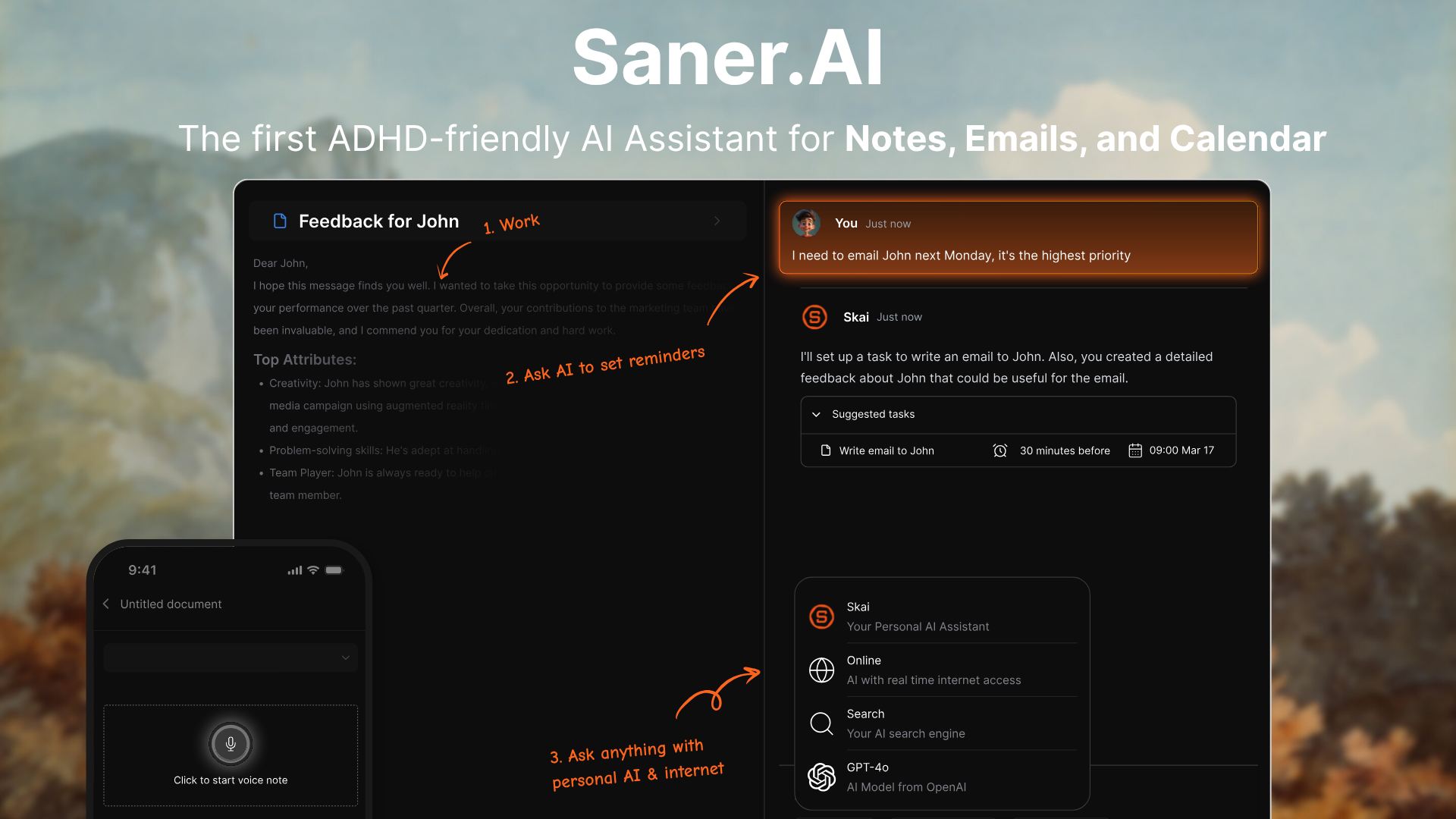
Where Saner.ai is stronger than mymind:
- Task management: Saner.ai has a full AI task system. You can ask Skai (the built-in AI assistant) to create tasks, prioritize your to-do list, set reminders, and break down projects. mymind has no task layer whatsoever.
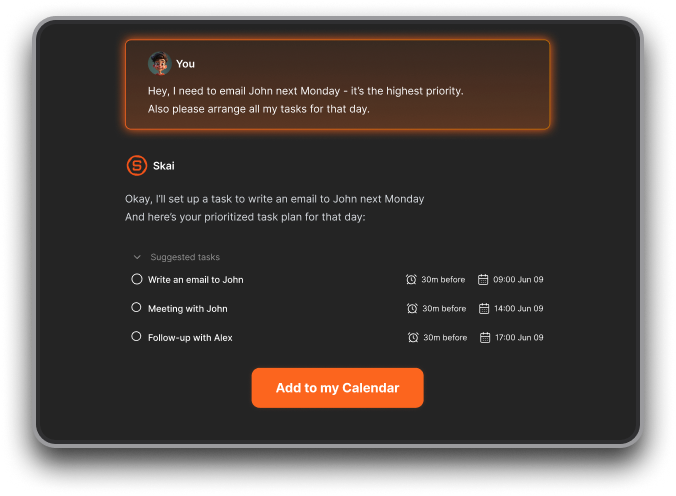
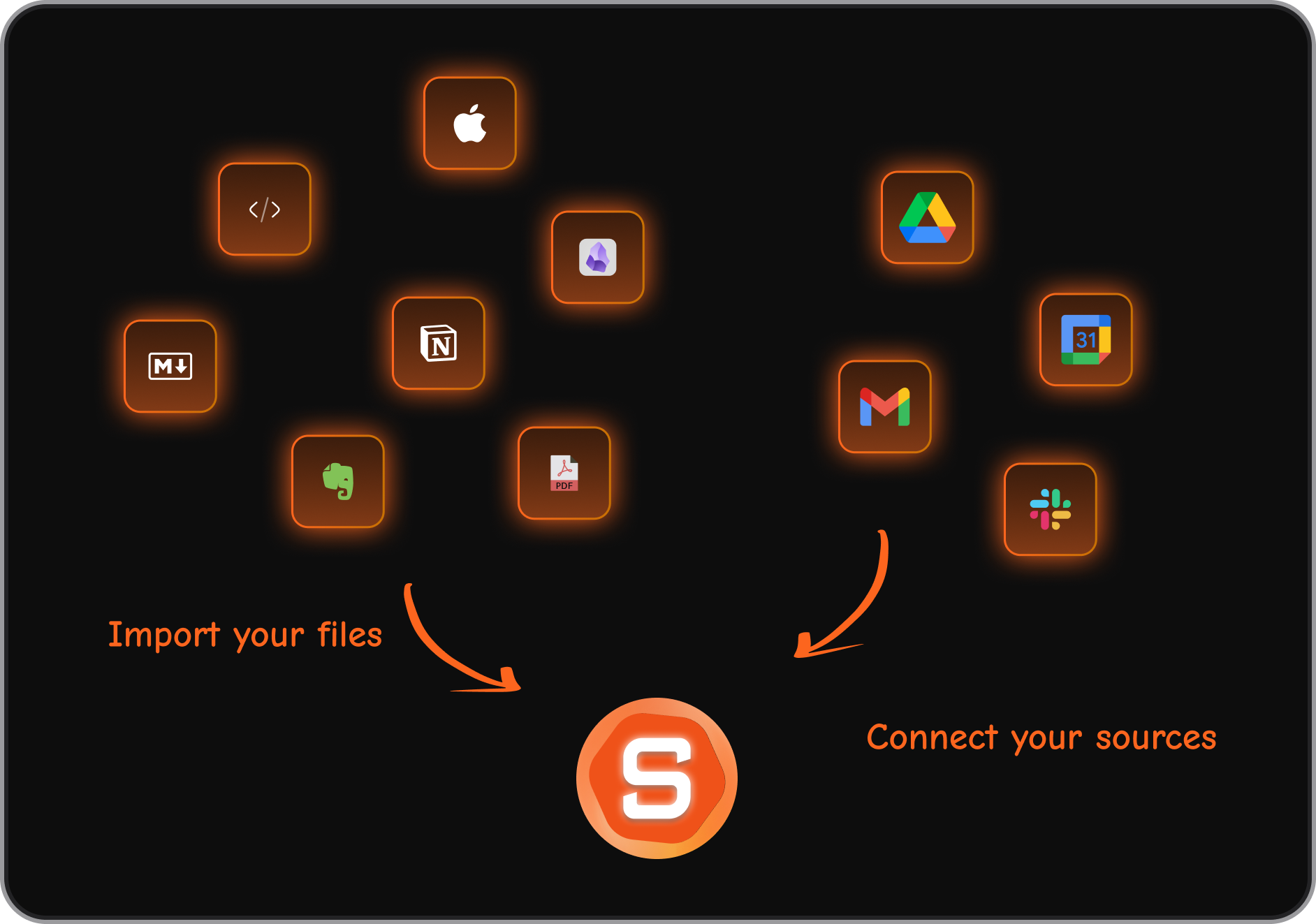
- Integrations: Saner.ai connects with Gmail, Slack, Google Drive, and Google Calendar. It can pull tasks and information from your inbox and suggest a daily plan. mymind has no integrations.
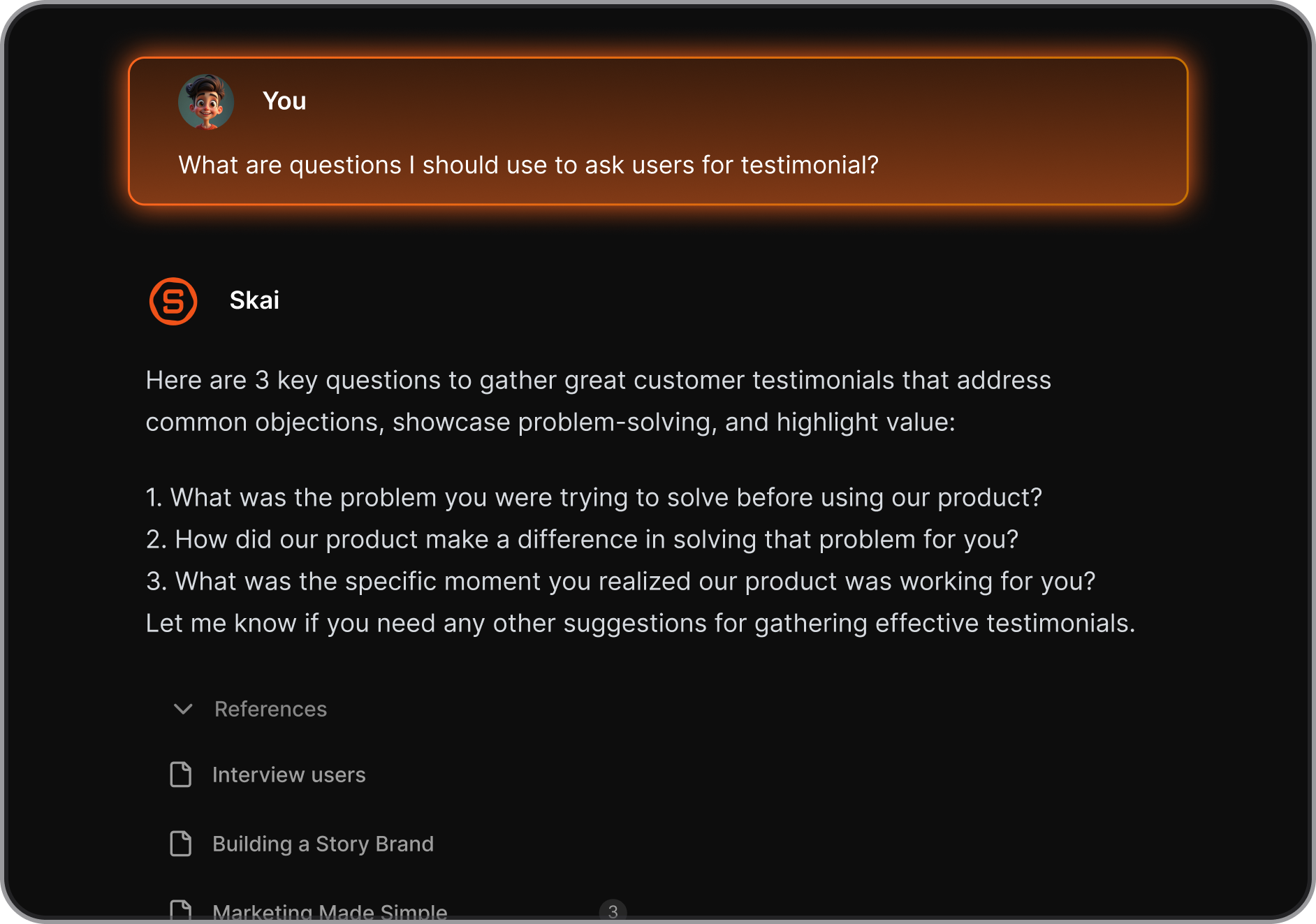
- AI assistant you can talk to: saner.ai lets you have a real conversation with your notes. Ask Skai "what did I save about content strategy?" or "what's on my plate today?" and it answers from your actual data.
- Voice capture: Saner.ai supports voice notes that get transcribed, tagged, and organized automatically. mymind doesn't have this.
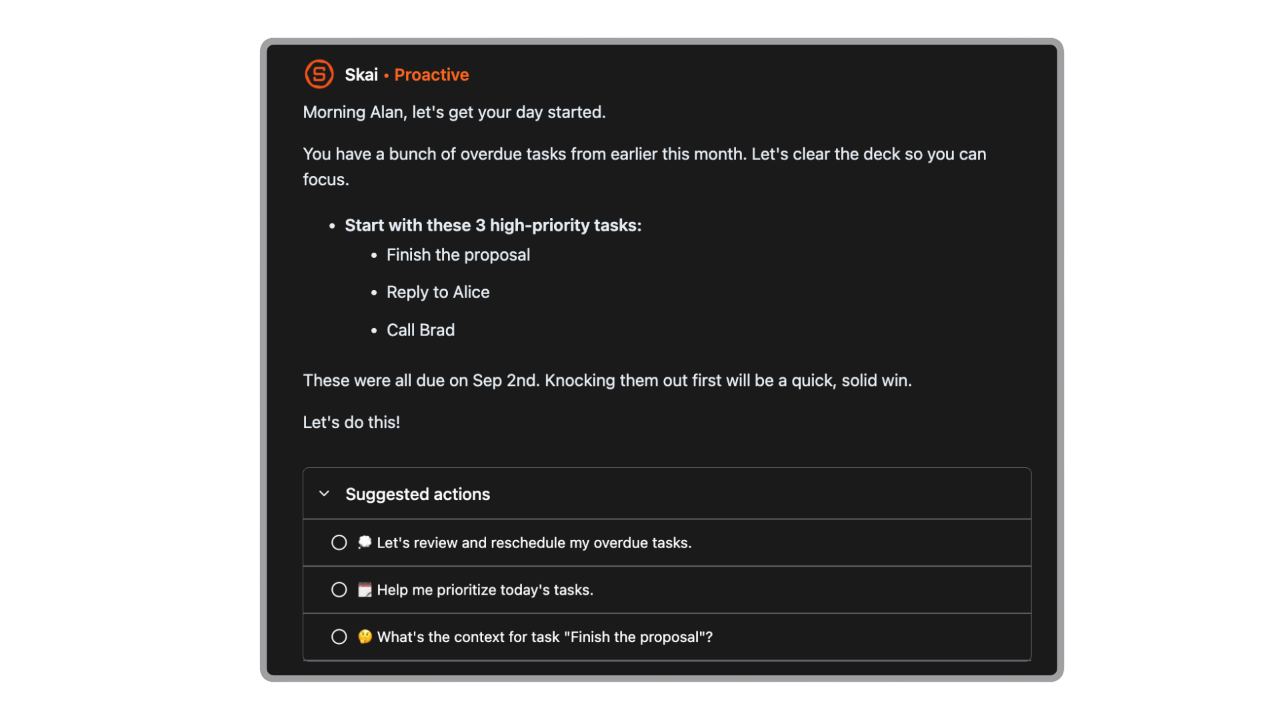
- Proactive day planning: Every morning, Saner.AI looks through your notes, tasks, calendar, and suggests the optimal schedule for you
- Free plan: saner.ai offers a functional free tier with 30 AI requests/month, 100 notes, and 100MB of storage. mymind's free plan also caps at 100 items but offers no AI assistant access.
- Multilingual support: saner.ai supports notes and AI interactions in multiple languages. mymind is English-only.
Where Mymind is stronger than saner.ai:
- Visual design and aesthetics
- Better for creative inspiration and mood boarding
Who should choose Saner.ai instead:
- Knowledge workers who need their notes to connect with their actual work tools
- ADHD users who need help not just capturing, but following through on tasks
- Professionals juggling email, calendar, notes, and Slack, and want one place for all of it
- Anyone who wants to talk to their knowledge base rather than just search it
- Teams and small groups that need to share and annotate together
Mymind and Saner.AI comparison table:
| Feature | mymind | saner.ai |
|---|---|---|
| AI auto-tagging | Yes | Yes |
| Visual/image search | Yes | No |
| Task management | No | Yes |
| AI assistant (chat with notes) | No | Yes (Skai) |
| Voice capture | No | Yes |
| Email integration | No | Yes (Gmail) |
| Slack integration | No | Yes |
| Calendar integration | No | Yes |
| Collaboration | No | Yes |
| Free plan | Yes (100 items) | Yes (30 AI req/month) |
| Starting price | $6.99/month | $8/month |
| Import from other tools | No | Yes |
| Multilingual | No | Yes |
| Focus mode | No | Yes |
| API access | No | No |
Mymind vs. Raindrop.io
Raindrop is the most direct functional comparison. It handles bookmarks, images, articles, and PDFs with a visual layout and good search. The difference is collaboration and flexibility - Raindrop allows shared collections, has a real free tier with no card limit, and lets you import from other tools.
Mymind beats Raindrop on design and AI tagging. Raindrop beats mymind on flexibility, import/export options, and price.
Mymind vs. Notion
Notion handles everything mymind does and much more. But that's also its problem for some users - Notion requires you to build and maintain your own system. mymind does that work automatically.
If you want zero setup and just need a capture layer, mymind is simpler. If you want a full workspace that connects notes, tasks, and databases, Notion is the stronger choice — though it comes with its own organizational overhead.
Final Verdict
Mymind is a lovely app for a specific type of person. If you spend a lot of time collecting things — images, articles, links, ideas — and you want a single beautiful place to keep them without maintaining any system, it works. The design is excellent. The auto-tagging saves real time.
But the more you depend on your tools to actually connect to your work, the more Mymind's walls show up. No integrations. No task layer. No way to import your existing library. No collaboration. A free plan so thin it barely counts. And pricing that, at $12.99/month for the top tier, sits in the same range as tools that do far more.
For creative professionals using Mymind as an inspiration board alongside other tools, it earns its place. For knowledge workers who want one tool that handles notes, tasks, email triage, and daily planning, it's not enough.
If that's you, Saner.ai handles the parts mymind doesn't - it connects to your inbox and calendar, lets you talk to your notes through an AI assistant, extracts tasks automatically, and helps you actually act on what you've saved. Start with Saner.ai's free plan and see your day get easier.

Stay on top of your work and life
FAQ on Mymind
Is mymind free to use? mymind has a free Guest plan that lets you save up to 100 items. After that, you need a paid subscription starting at $12.99/month.
Does mymind work offline? Partially. mymind has beta offline support for read-only access to saved content, but saving new items and full sync require an internet connection. The offline feature is opt-in and still in beta as of early 2025.
Can I share my mymind library with someone else? No. mymind is intentionally private and solo-only. There are no shared collections, public links, or team features. The upcoming Newton plan may introduce team functionality, but it hasn't launched yet.
Can I import my bookmarks from Raindrop, Pocket, or another tool? No. mymind doesn't currently support bulk import from other platforms. If you're switching from another tool, you start fresh. The team has explained this is partly by design — they want you to use mymind as a going-forward capture layer, not a migration destination.
How does mymind compare to Notion for a second brain? Notion gives you a lot more flexibility — databases, tasks, wiki-style pages, team collaboration, and integrations. But Notion requires you to build and maintain your own system. mymind does the organizing automatically. If you want zero setup and just need a private capture layer, mymind is simpler. If you want a full connected workspace, Notion or Saner.AI is more powerful.
Is mymind good for ADHD? The friction-free capture, automatic organization, and lack of folder decisions make it accessible for people who struggle with traditional organizational systems. That said, mymind only handles capture and recall - it doesn't help with task management, reminders, or planning, which are often where ADHD struggles show up most. Tools like Saner.AI pair better with ADHD workflows that go beyond just saving things.
Stay on top of your work and life