Sunsama vs Motion (2026): Which Is Actually Worth It?

Sunsama and Motion are both premium, have devoted fans, and solve real problems. But they solve very different problems, and picking the wrong one will cost you time, money, and a lot of frustration.
This post breaks down what each tool actually does, where real users say they fall short, and why a growing number of knowledge workers comparing Sunsama vs Motion are landing on a third option entirely.
Quick comparison: Sunsama vs Motion at a glance
| Sunsama | Motion | |
|---|---|---|
| Best for | Intentional daily planning | AI-powered auto-scheduling |
| Pricing | $20/month (annual) | $29/month (annual) |
| Free plan | No | No |
| Free trial | 14 days | 7 days |
| AI features | Limited (time estimates, task categorization) | Full auto-scheduling and rescheduling |
| Calendar integration | Google Calendar, Outlook | Google, Outlook, iCloud |
| Mobile app | View-only companion | Available but complex |
| Project management | No | Yes (lightweight) |
| G2 rating | 4.7/5 | 4.2/5 |
| Learning curve | Medium | High |
What is Sunsama?

Sunsama is a daily planner built around one specific idea: you should do fewer things, done with more intention. Every morning, it walks you through a 10-15 minute planning ritual. You review yesterday's work, pull tasks in from connected tools like Gmail, Asana, Trello, and Notion, estimate how long each one will take, and commit to what you're actually doing today.
It is not a project manager. It does not auto-schedule anything.
Sunsama is popular with remote workers and freelancers
What is Motion?
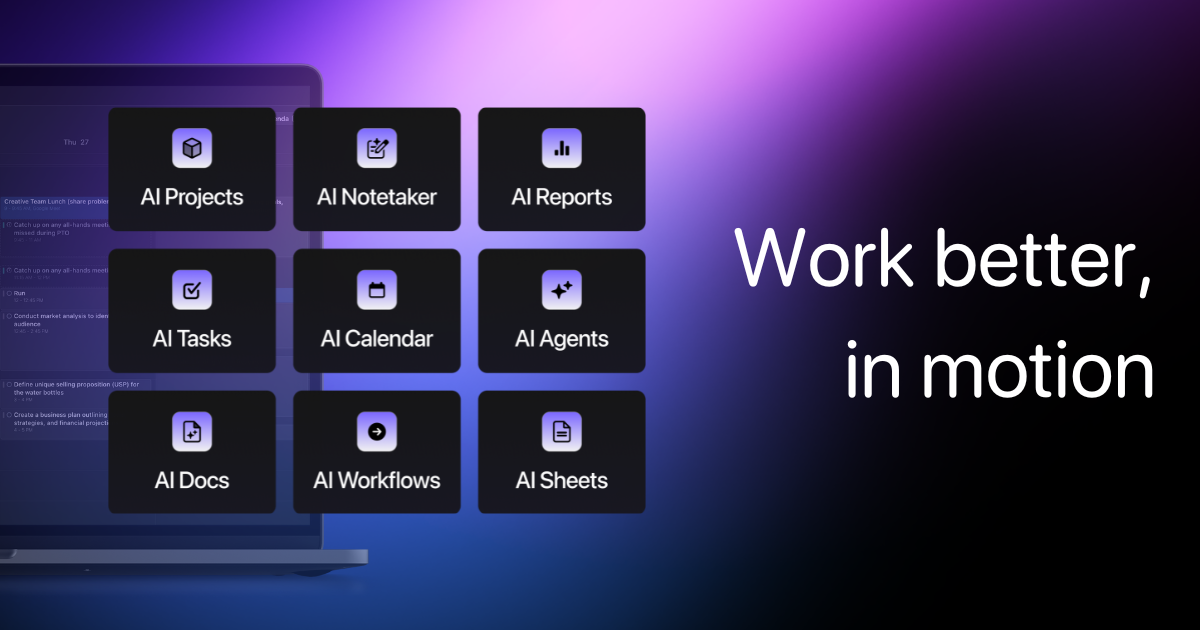
Motion is an AI scheduling tool that automates the parts of planning most people hate. You add tasks with deadlines and priorities, connect your calendar, and Motion fills in your schedule. If a meeting gets added, Motion shifts your tasks. If a deadline changes, Motion reshuffles everything automatically.
It also includes project management, a meeting booking feature, AI meeting notes, and AI docs. Motion positions itself as an AI employee rather than just a planner.
It has more than 1 million users and raised $60M at a $550M valuation. It is clearly doing something right. But the reviews tell a more complicated story.
Now, let's dive in!
Feature breakdown: Sunsama vs Motion
Daily planning

Sunsama's daily planning ritual is its signature feature. Each morning, the app asks what you want to get done today. You pull in tasks from connected tools, assign time estimates, and drag them onto your calendar. At the end of the day, a shutdown routine walks you through what you completed and what to carry forward.
Users who like this approach really like it.
"exceptional for those who struggle with ADHD and overwhelm" . reviews
The downside is that this ritual takes time every single day. If you miss a morning, the system starts to break down. And if you are already overwhelmed, spending 15 minutes planning before you can start working can feel like one more obstacle. Multiple users on Reddit describe eventually abandoning the tool because the ritual felt like a chore rather than a relief. reviews
Motion's planning is automatic. You feed it tasks and it figures out when you should do them based on your existing meetings, working hours, and deadlines. When something changes, it adjusts. Users who love this feature describe it as liberating. One G2 reviewer put it simply:
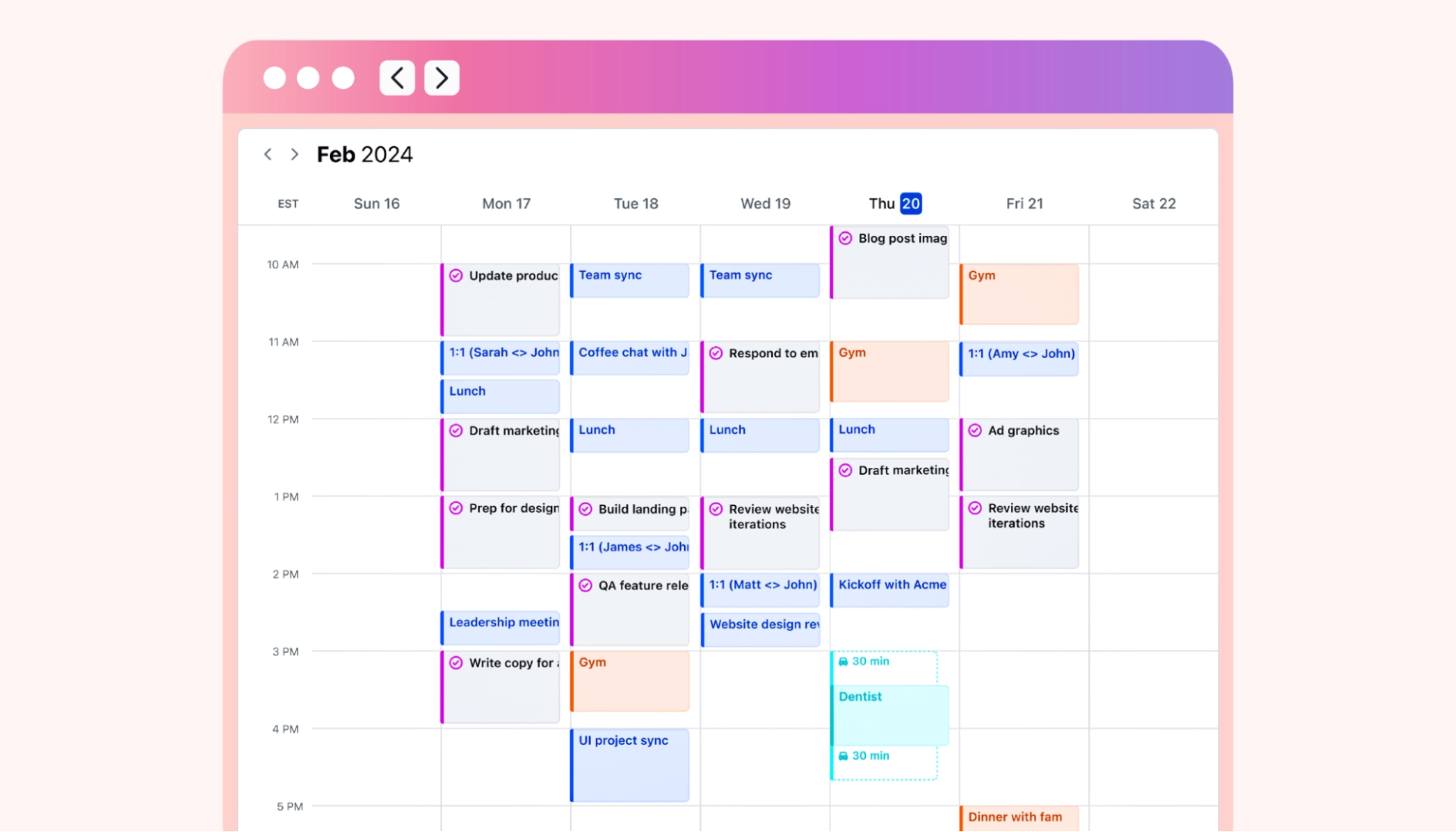
"I LOVE that it just tells me what to do." reviews
But "tells me what to do" only works well when the AI understands your priorities. Motion's auto-scheduler can pack your day so tightly no room for the unplanned work always shows up. Several users on Trustpilot report that the schedule Motion creates can feel more oppressive than helpful. reviews
AI and automation
This is where the two tools diverge most sharply.
Sunsama has limited AI. It can suggest time estimates for tasks and categorize them, but it does not move anything on your calendar automatically.
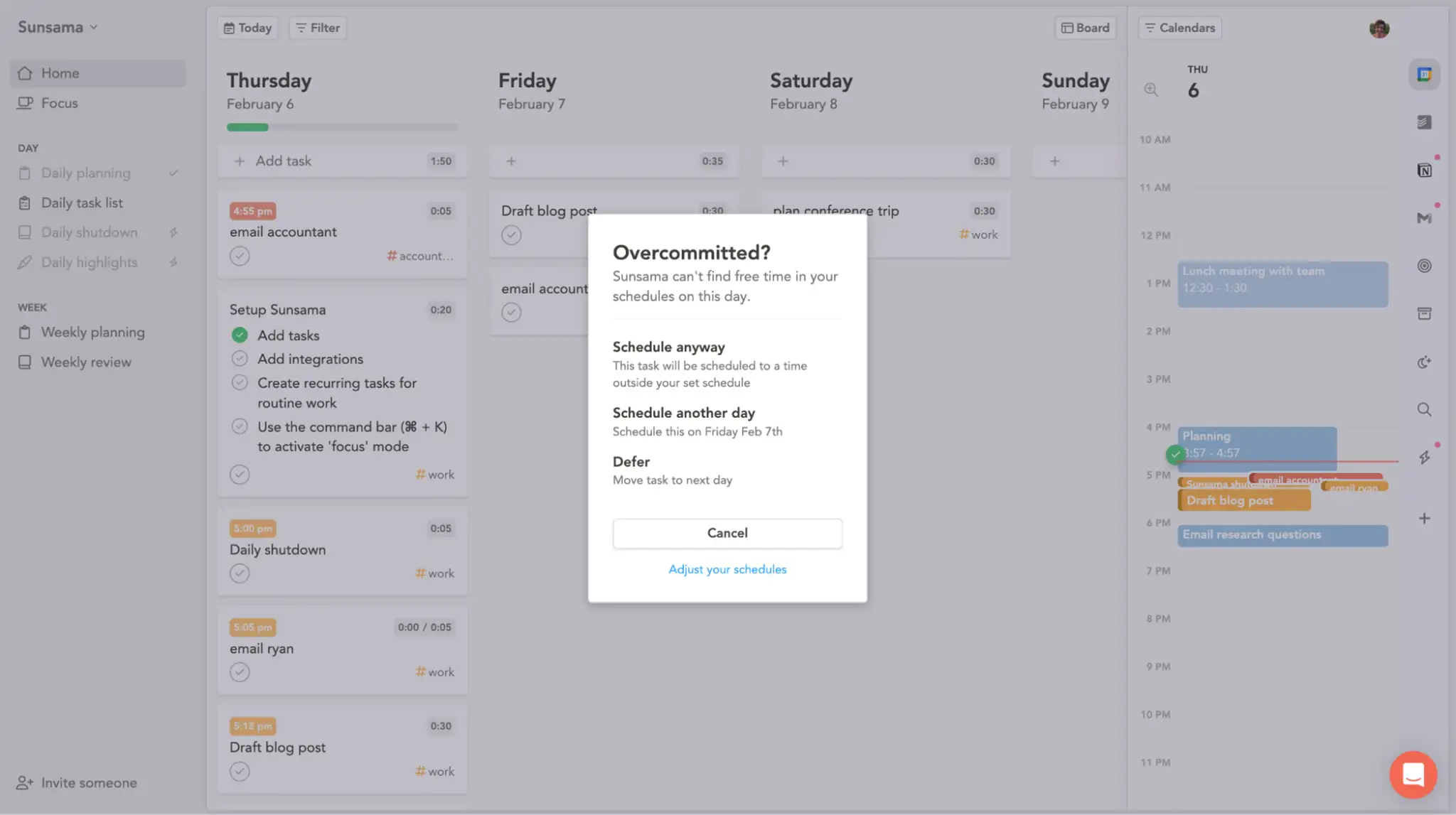
For users who like control, that is a feature. For users who are already drowning in tasks, that is a limitation. Sunsama is great for the planning ritual, but falls short for anyone who needs proactive help managing a high volume of work.
Motion has full AI scheduling and has been expanding aggressively. It now includes AI meeting notes, AI docs that convert text into tasks, and AI Employees (customizable AI bots that can draft emails, create project plans, and generate action items). For teams with complex workflows, this breadth is genuinely useful.
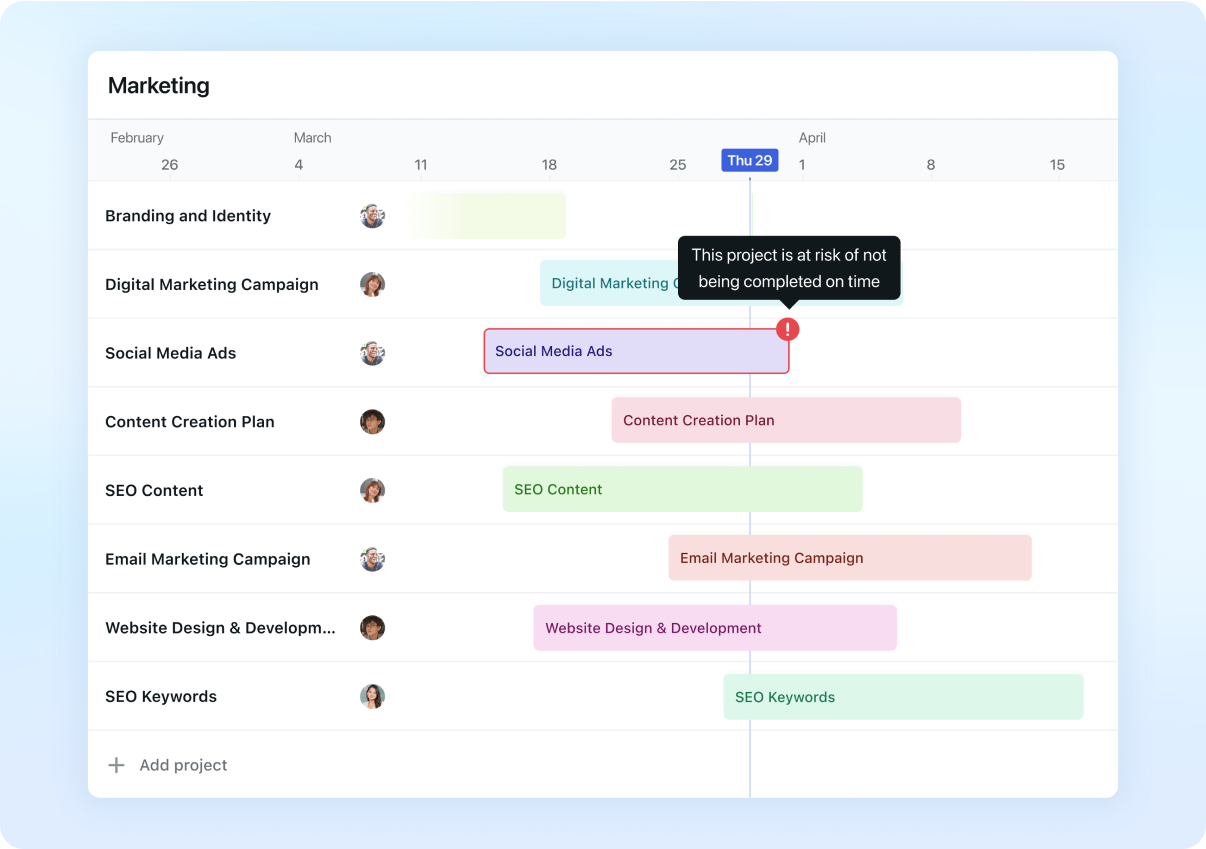
The catch is that Motion's AI requires proper setup to work well. You need to input accurate task durations, priorities, and deadlines. If those inputs are sloppy, the schedule it creates will be too. One G2 reviewer described a steep learning curve, specifically around getting the AI to behave the way they expected. reviews
Task management
Sunsama keeps task management simple.
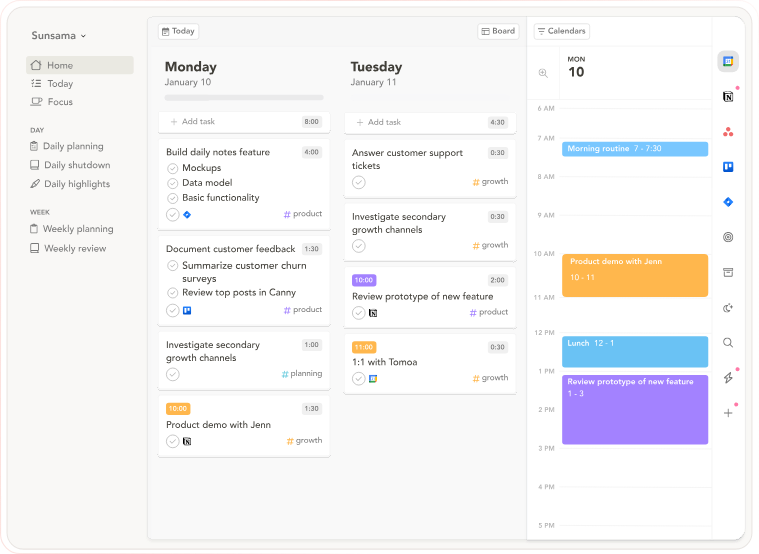
- Tasks live in four views: Inbox, Today, Upcoming, and All Tasks. You can assign projects, add labels, schedule tasks, and snooze them. What you cannot do is manage large, multi-phase projects.
"What Sunsama has a harder time with is managing tasks that have large scopes, i.e. reaching project level. If you are often managing various projects with many facets, tasks, timelines, and employees, I think there are probably better apps out there for you." reviews
Motion has more robust task management, including Kanban boards, Gantt charts, list views, and project timelines. It can handle team collaboration and task assignments. For small teams who do not want to pay for a full project management platform separately, this is a real advantage.
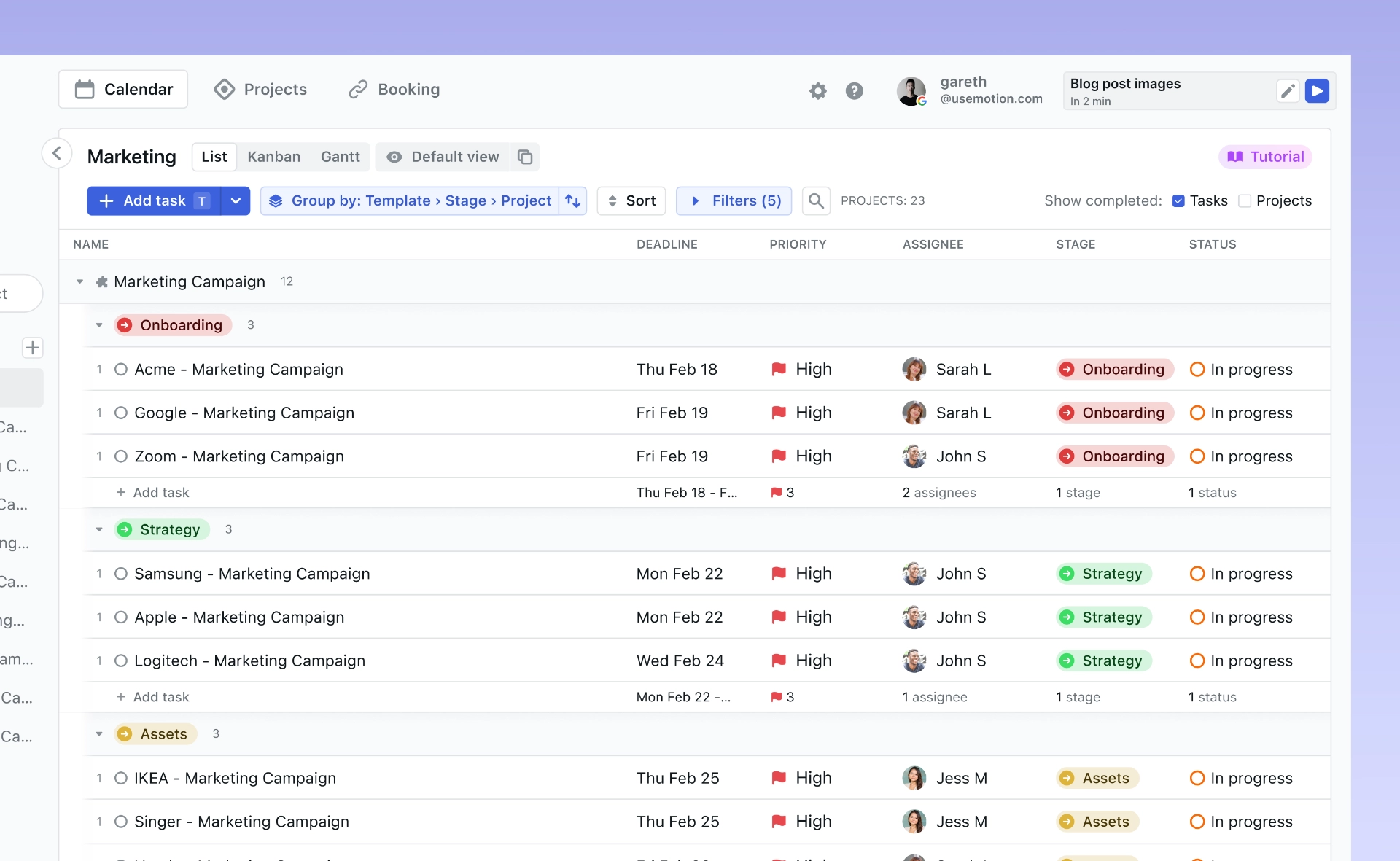
The tradeoff is complexity.
"there are too many buttons on the task list, making it difficult to select and categorize." reviews
Calendar integration
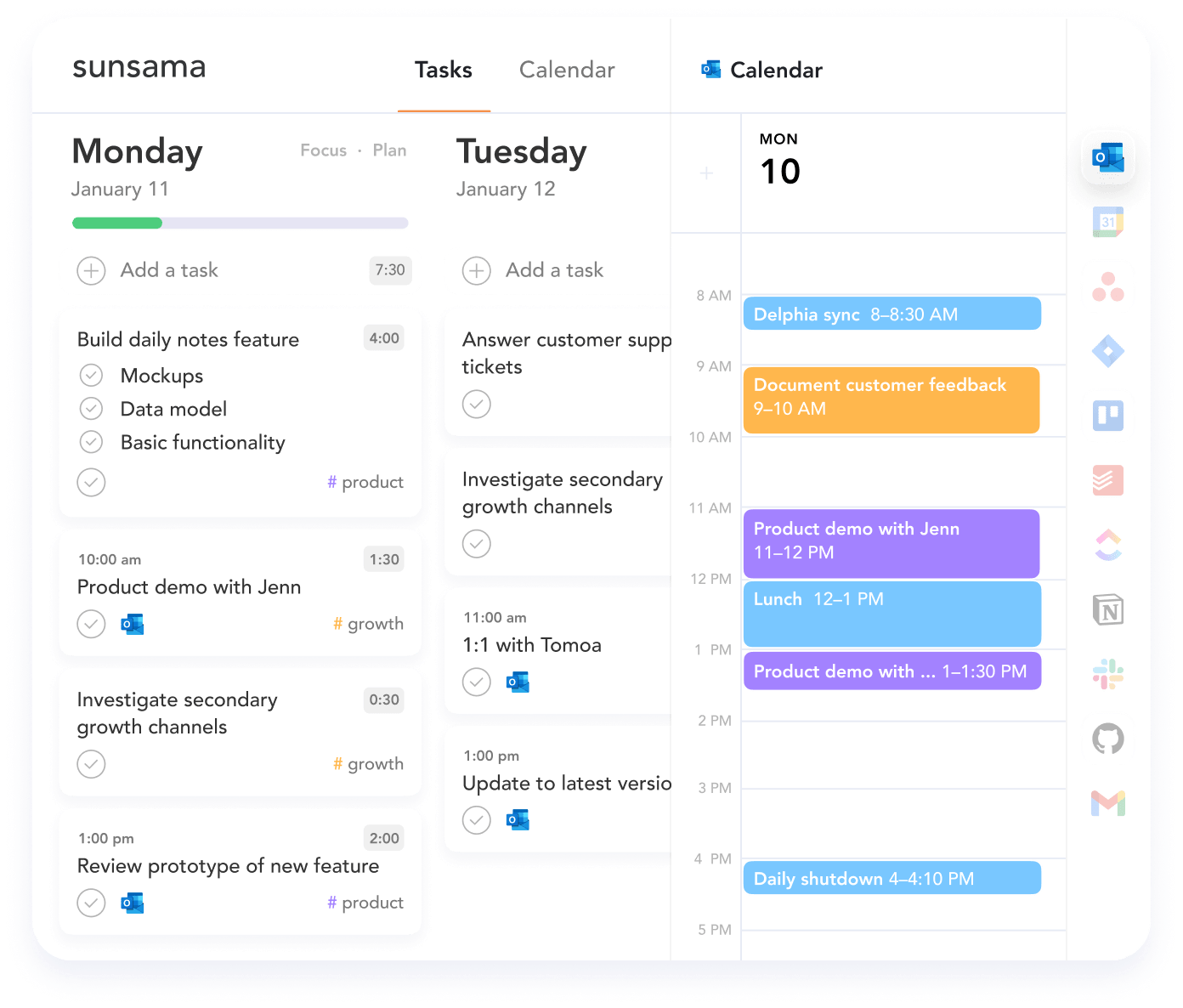
Sunsama syncs with Google Calendar and Outlook in both directions. Tasks you schedule show up in your calendar, and calendar events appear in your planner. The integration is solid, but some users have run into issues with color coding.
A few Capterra reviewers note that Sunsama fails to display events in the same color they appear in Google Calendar, which makes it harder to stay visually organized. reviews
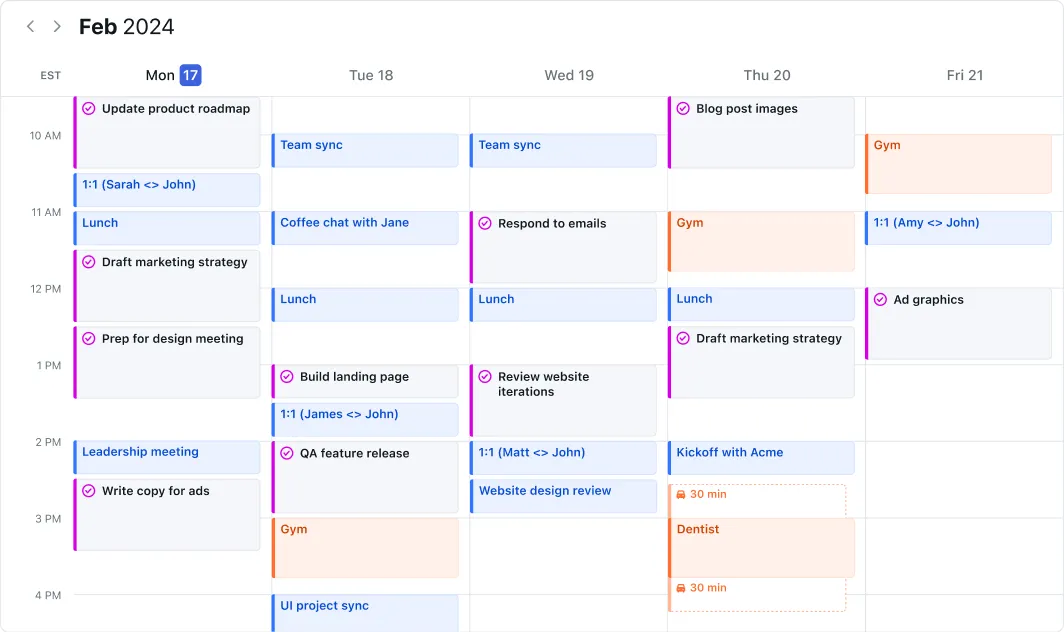
Motion supports Google, Outlook, and iCloud, and is better suited for users who manage multiple calendar accounts.
Integrations
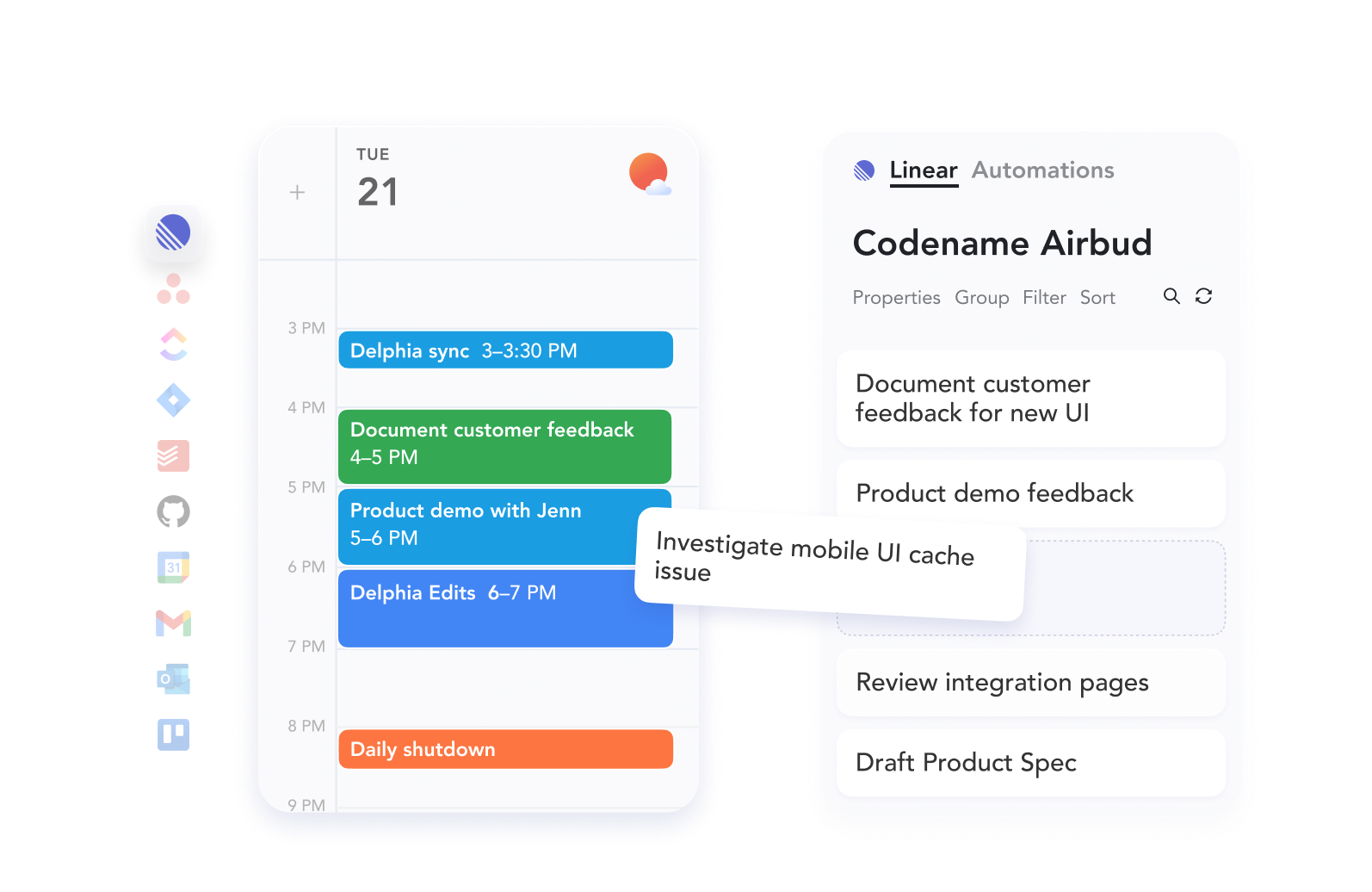
Sunsama connects with Asana, Trello, Todoist, ClickUp, Jira, Gmail, Notion, GitHub, and Slack, pulling tasks from each into your daily planner. Most users treat it as a daily planning layer on top of tools they already use
One notable gap: Sunsama only supports one account per integration.
"Sunsama lacked some core features I needed, specifically the ability to import tasks from multiple accounts of the same PM tool. For example, I needed to import tasks from two different Asana accounts but could only import from one." reviews
Motion does not pull tasks from external project management tools. It wants to be the system, not a layer on top of other systems.

If you are already running workflows in Asana, Notion, or ClickUp, switching to Motion means rebuilding everything inside Motion. For some users that is worth it. For others, especially freelancers embedded in client tools, it is a dealbreaker.
Mobile experience
Both tools struggle here, and it matters more than either company acknowledges.
Sunsama's mobile app is explicitly designed as a companion, not a replacement for the desktop version. You can check tasks and mark them complete, but you cannot run the full planning ritual from your phone.
One Capterra reviewer called the mobile experience "the Achilles' heel for a $20/month app." Multiple Android users flag that the app lacks functionality compared to the desktop version. reviews
Motion's mobile app is more feature-complete but still draws complaints. Users on Trustpilot report glitches, and the interface is described as complex on smaller screens. One reviewer noted "glitches in the mobile app" directly in a mostly positive Trustpilot review. reviews
The setup process also requires a desktop initially, which creates friction for new users trying to get started on the go.
Learning curve and ease of use
Sunsama is easy to start. The guided planning ritual tells you exactly what to do. Most users are productive within a day or two. The challenge is not starting; it is maintaining the habit.
Motion is harder to start. G2 reviewers consistently flag the learning curve as steep.
"It took me a while to find a system within Motion to manage my to-do's that works for me personally." reviews
"maximizing AI effectiveness requires understanding priorities, deadlines, and task dependencies" before the automation actually helps. reviews
The 7-day free trial is also a problem.
One G2 reviewer said they "binged on learning it doing nothing else, hyperfocused for the whole two weeks" on an extended trial and that was "only barely enough time to figure out if it was going to work." Seven days is not enough time to properly evaluate a tool with this much setup complexity. reviews
Sunsama and Motion Pricing
| Sunsama | Motion | |
|---|---|---|
| Monthly | $25/user | From $29/user |
| Annual | $20/user/month | From $19/user/month |
| Free plan | No | No |
| Free trial | 14 days | 7 days |
Neither tool has a free plan, and both have faced user criticism about the price-to-value balance.
Sunsama's $25/month monthly price (with no free tier and no refunds, only credits when you cancel) is a recurring complaint.
- One user on Software Advice specifically flagged: "Also, when I wanted to cancel, I would not get a refund, rather a credit." reviews
- A Reddit reviewer put it bluntly: "I like Sunsama but do not think it is worth roughly $200/year." reviews
Motion's pricing is higher and has gone up multiple times.
- On Trustpilot, one reviewer wrote: "Trying to charge $700+ for annual after a few days trial with no warning is crazy. Luckily my bank blocked the payment." reviews
The AI credit system is also a concern. Users on the Pro AI plan who rely heavily on AI features can burn through their included credits quickly, then face additional charges at $0.25 per 100 credits.
Pros and cons
Sunsama
Pros
- Guided daily planning ritual genuinely helps reduce overwhelm
- Clean, calming interface that users enjoy using
- Strong integrations with most major productivity tools
- Weekly review and shutdown routines build sustainable habits
Cons
- No free plan; no refunds on cancellation
- Mobile app is severely limited
- No auto-scheduling or proactive AI planning
- Only supports one account per integration
- $20/month annual is expensive for what is essentially a planning layer
- Manual 15-minute ritual every day becomes a chore for many users
Motion
Pros
- Auto-scheduling is genuinely impressive and saves planning time
- Strong multi-calendar support across Google, Outlook, and iCloud
- All-in-one setup replaces multiple tools for some users
- Meeting booking feature is clean and easy to share
- AI notes, docs, and project management in one place
Cons
- Steep learning curve; many users struggle to set it up properly
- Pricing is high and has increased multiple times
- Only 7 days to trial a complex tool
- AI credit system creates unpredictable additional costs
- No task import from external tools like Asana or Todoist
- Mobile experience draws consistent complaints
- UI described as cluttered and clunky by long-term users
- Schedules days too tightly, leaving no buffer for unplanned work
- No free plan
Who should use Sunsama?
- Freelancers and solopreneurs who want a daily planning ritual
- People using multiple task managers who need one consolidation layer
- Remote workers who struggle with work-life boundaries
- Knowledge workers who prefer manual control over automation
Who should use Motion?
- Professionals with calendar-heavy workdays and shifting deadlines
- Small teams who want project management and scheduling in one tool
- Users who are willing to invest time in setup to get automation payoff
- People whose primary problem is "when do I do this?" rather than "what should I do?"
Where both tools fall short: the knowledge worker problem
After going through hundreds of reviews across G2, Capterra, Trustpilot, and Reddit, one pattern keeps coming up for both Sunsama and Motion.
Neither tool addresses what a lot of knowledge workers actually struggle with most.
Sunsama and Motion are both calendar-task tools. They are good at organizing what you need to do and when you should do it. What they do not touch is the context around your work: the notes from a client call, the research you saved across twelve browser tabs, the email thread that spawned the task in the first place.
One Saner.AI review described this gap directly:
"You end up with a nicely organized task list and a calendar full of time blocks, but your actual knowledge is still scattered across Notion, Obsidian, Chrome bookmarks, and email threads." reviews
For a lot of people, that scattered information is the real bottleneck. Tasks do not exist in isolation. They come with context, and if that context is somewhere else, you are still switching between tools every time you sit down to work.
The alternative: Saner.AI
Saner.AI is built around the idea that tasks and knowledge belong together. Instead of being a standalone planner or a standalone scheduler, it works as an AI second brain that connects what you need to do with everything you know.
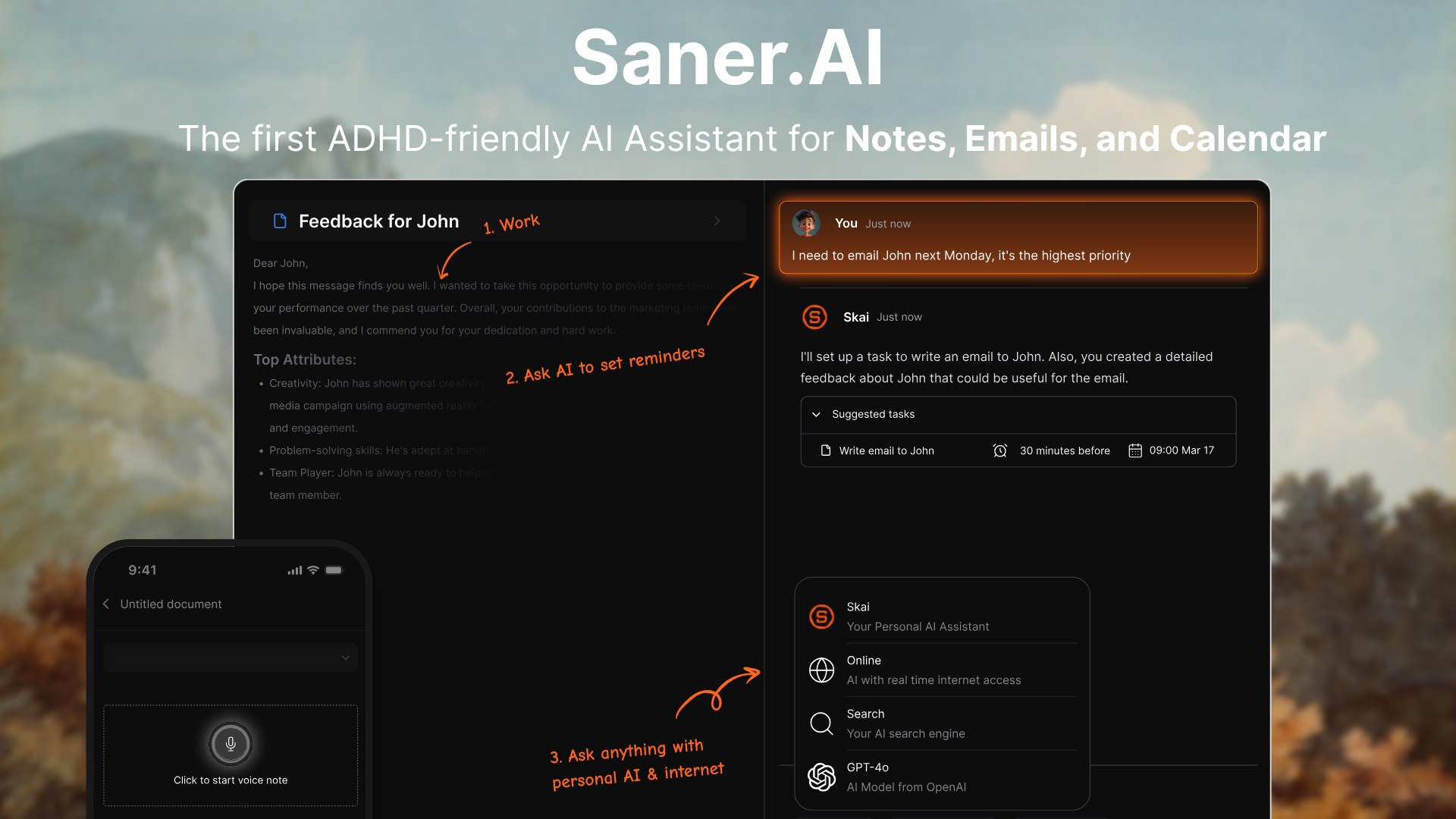
Where Saner.AI fits differently:
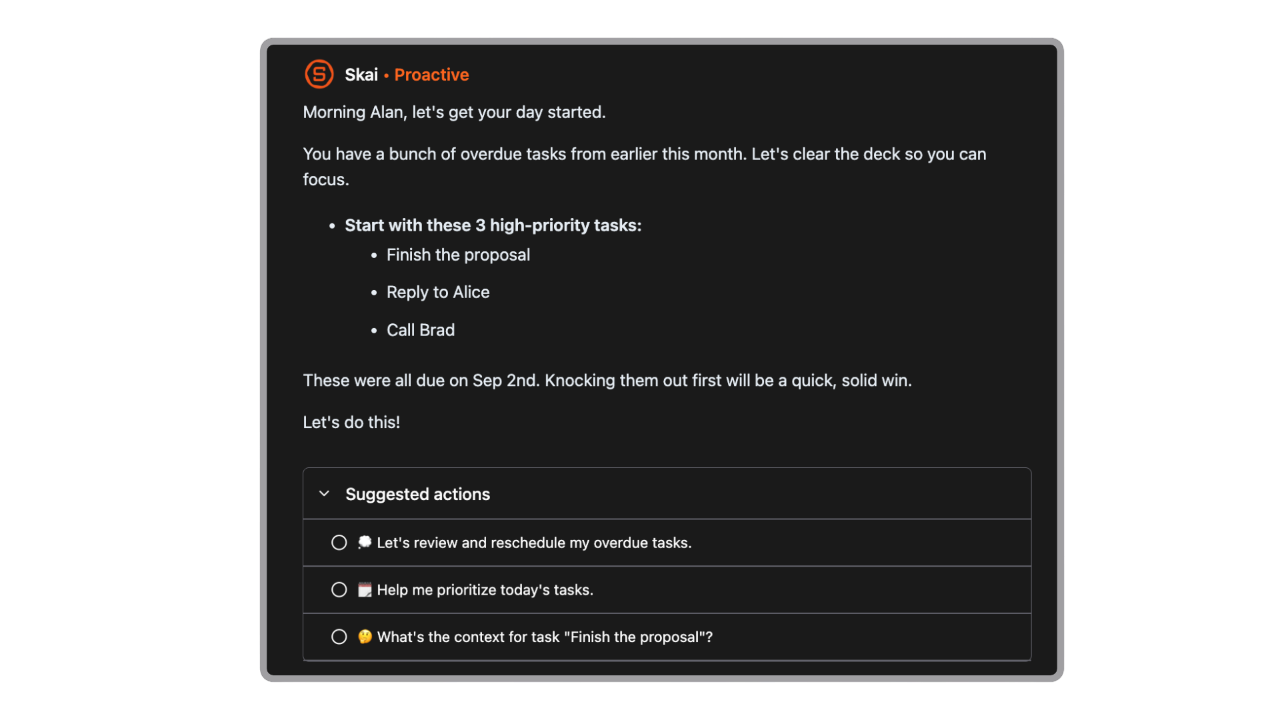
- AI-proactive planning without the setup overhead. Saner.ai's assistant can analyze your notes, emails, and tasks together to suggest your day's priorities, instead of waiting for you to curate them manually every morning.
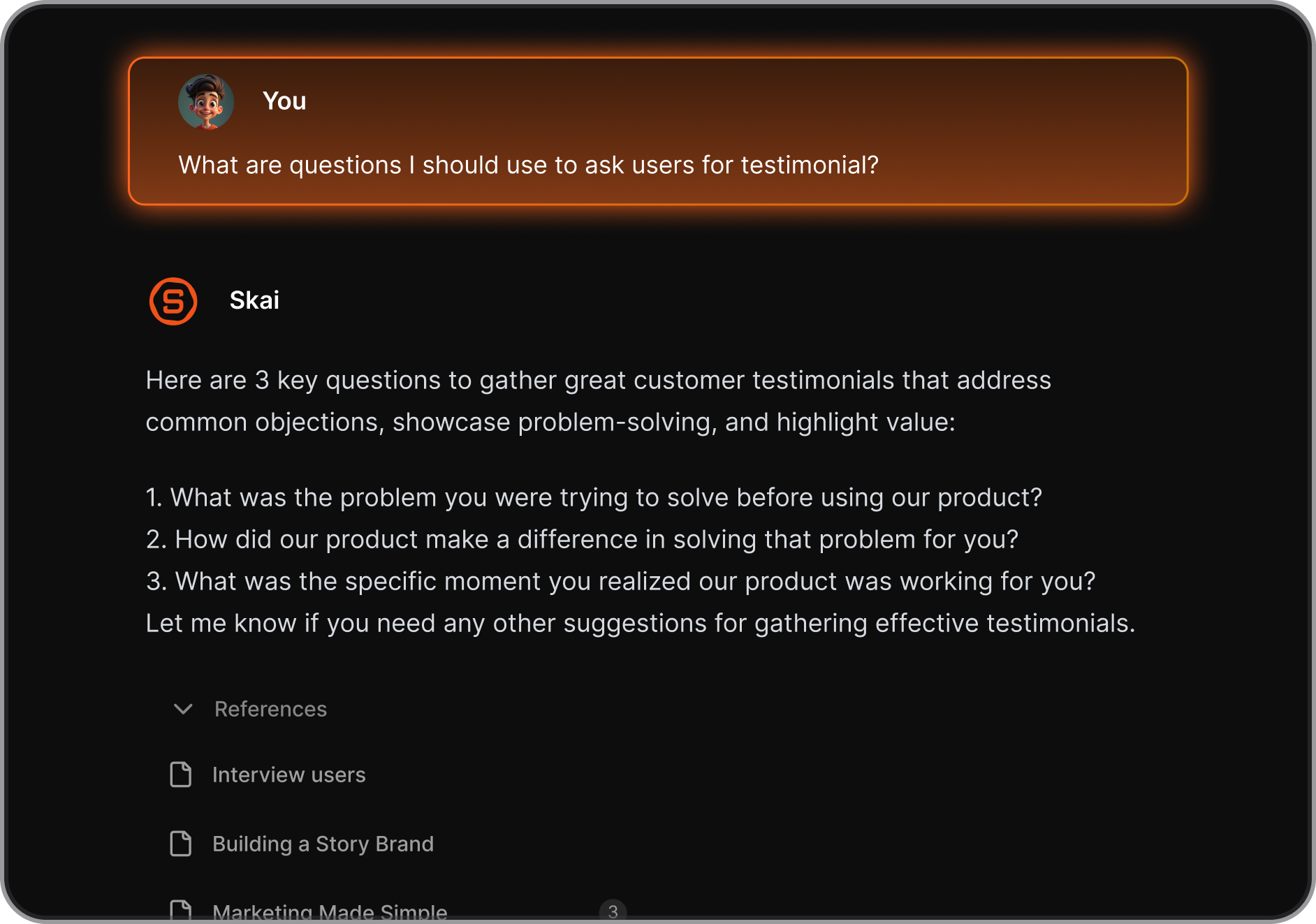
- Knowledge and tasks in the same place. Notes from a meeting, background research, and the follow-up task it generated all live together. You do not need a separate note-taking app.
- Free plan available. Saner.ai has a permanent free tier. Paid plans start at $8/month (Starter) and $16/month (Standard), both billed annually. For users who found Sunsama's $20/month hard to justify, or Motion's $29/month steep, the pricing gap is significant.
- No aggressive reshuffling. Unlike Motion's AI, which moves your tasks automatically without asking, Saner.AI suggests schedule changes and lets you approve them before anything changes.
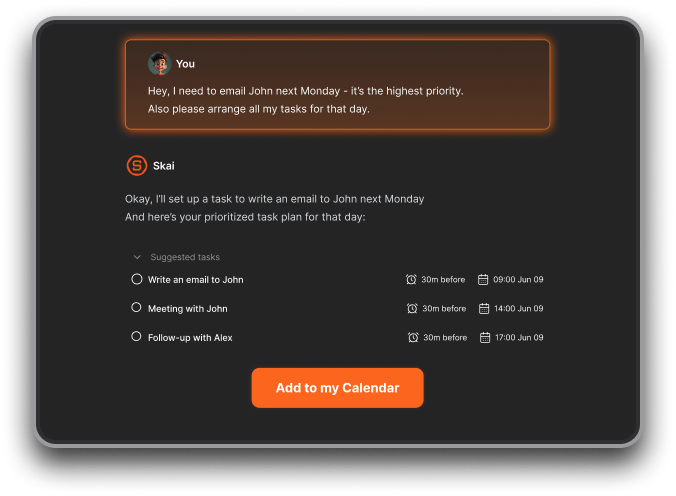
If your problem is "I have too much going on, and I do not know where to start" Saner.AI is worth trying before committing to either of the tools above.
Sunsama vs Motion: the verdict
Choose Sunsama if you want a calm, guided daily planning experience and are willing to spend 10-15 minutes each morning running the ritual. It is the better tool for people who want full control over their schedule and prefer thoughtful, manual planning over automation.
Choose Motion if your calendar is genuinely chaotic, you have constantly shifting deadlines, and you are willing to spend time setting it up properly. The AI scheduling is legitimately good when it works. But go in knowing the learning curve is real, the trial is short, and the price is high.
Consider Saner.AI if you need more than a task planner, you want AI assistance without handing over full control, or you want to start with a free plan before committing to a premium subscription.

Stay on top of your work and life
Frequently asked questions
Is Sunsama better than Motion? It depends what you need. Sunsama is better for guided, mindful daily planning with manual control. Motion is better for users who want an AI assistant to handle the scheduling automatically. Neither is better in absolute terms; they solve different problems.
Does Motion have a free plan? No. Motion has a 7-day free trial. After that, plans start at $49/month. There is no permanent free tier.
Does Sunsama have AI scheduling? No. Sunsama has added some AI features for suggesting time estimates and task categorization, but it does not auto-schedule your day.
What is the main difference between Sunsama and Motion? Sunsama asks you to plan your day manually each morning through a structured ritual. Motion plans your day for you using AI, automatically rescheduling when priorities shift. Sunsama gives you control. Motion gives you automation. The right choice depends on which problem you actually have.
Is Motion worth the price? For professionals with genuinely complex, meeting-heavy schedules, many users say yes. For lighter use cases or people who primarily need knowledge management and task organization, the price is harder to justify. The 7-day trial is not long enough to make a confident decision.
What are the best alternatives to Sunsama and Motion? Saner.AI, Reclaim AI, and Todoist are commonly mentioned alternatives. Saner.AI is worth looking at specifically if you want AI assistance alongside task and knowledge management, with a free plan to get started.
Stay on top of your work and life