Tana Reviews (2026): Is It Worth the Learning Curve?

Tana is an AI workspace that started life as an outliner and grew into something more ambitious. The pitch is that it replaces Notion, Roam Research, Airtable, and your task manager all at once, by treating every piece of information as a "node" in a connected knowledge graph. Everything links to everything. Now it's rolling out the AI meeting note taker as a stand-alone product.
That sounds great. And for a certain kind of user, it genuinely delivers. But there's a real question behind all the enthusiasm: is Tana actually usable by a normal person, or is it a power-user playground dressed up as a productivity tool? The learning curve is steep, the free plan is thin, and the pricing starts getting uncomfortable fast. Worth it? That depends a lot on who you are.
Key Takeaways
- Tana's Supertags system is novel - you can turn any note into a typed, structured object without leaving your writing flow
- The learning curve is one of the steepest in the note-taking apps space; most users spend days or weeks before things click
- The free plan is too limited to be useful as a long-term option (only 5 custom Supertags, no Google Calendar sync, no integrations on downgrade)
- The mobile app has improved, but still lags the desktop experience - not great if you work away from a computer often
- If you want simple, fast, and low setup, Tana is probably not your tool
Tana at a Glance
| Category | Score |
|---|---|
| Ease of use | 5/10 |
| Features | 9/10 |
| AI quality | 7.5/10 |
| Mobile experience | 5.5/10 |
| Pricing value | 6/10 |
| Collaboration | 5/10 |
| Data portability | 6/10 |
| Overall | 6.5/10 |
What Is Tana?
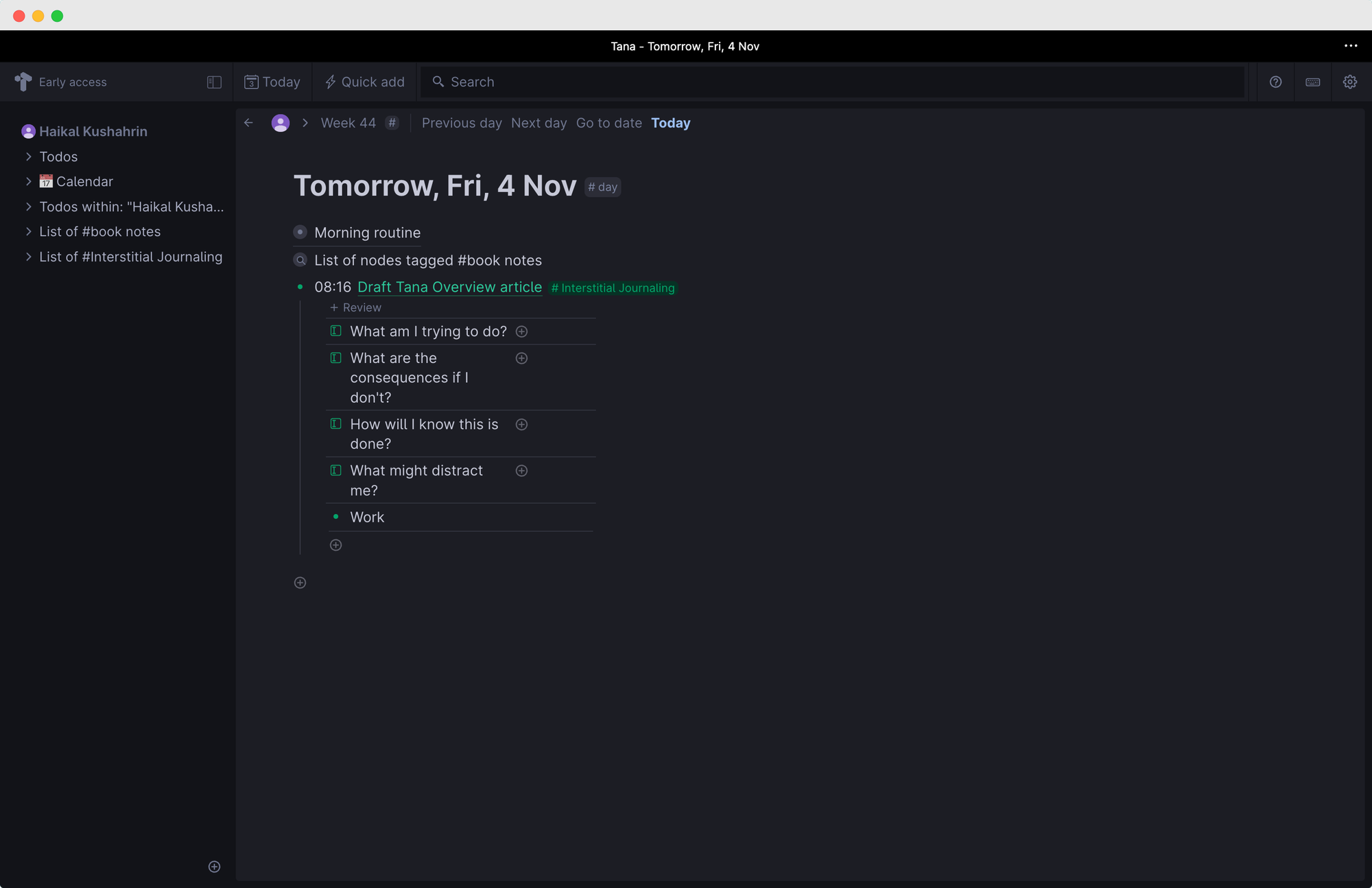
Tana is a knowledge management and note-taking workspace built around a graph model where everything is a node. Unlike tools that organize information into files and folders, Tana connects your notes, tasks, meetings, and contacts through bi-directional links. The result is something closer to a personal database than a traditional note app.
Founded by Olav Sindre Kringlebotn, Tana launched publicly after a long beta period and has since added AI meeting transcription, voice memos, Google Calendar sync, offline mode, and a full mobile app.
Core features include:
- Supertags (typed, structured note templates)
- Live search widgets (auto-updating filtered views)
- AI meeting notetaker (transcription without a bot joining your call)
- Voice memos with AI processing
- Daily notes page
- Google Calendar integration
- Command line interface (Ctrl+K)
- Workspace publishing
Tana Features Breakdown
Supertags
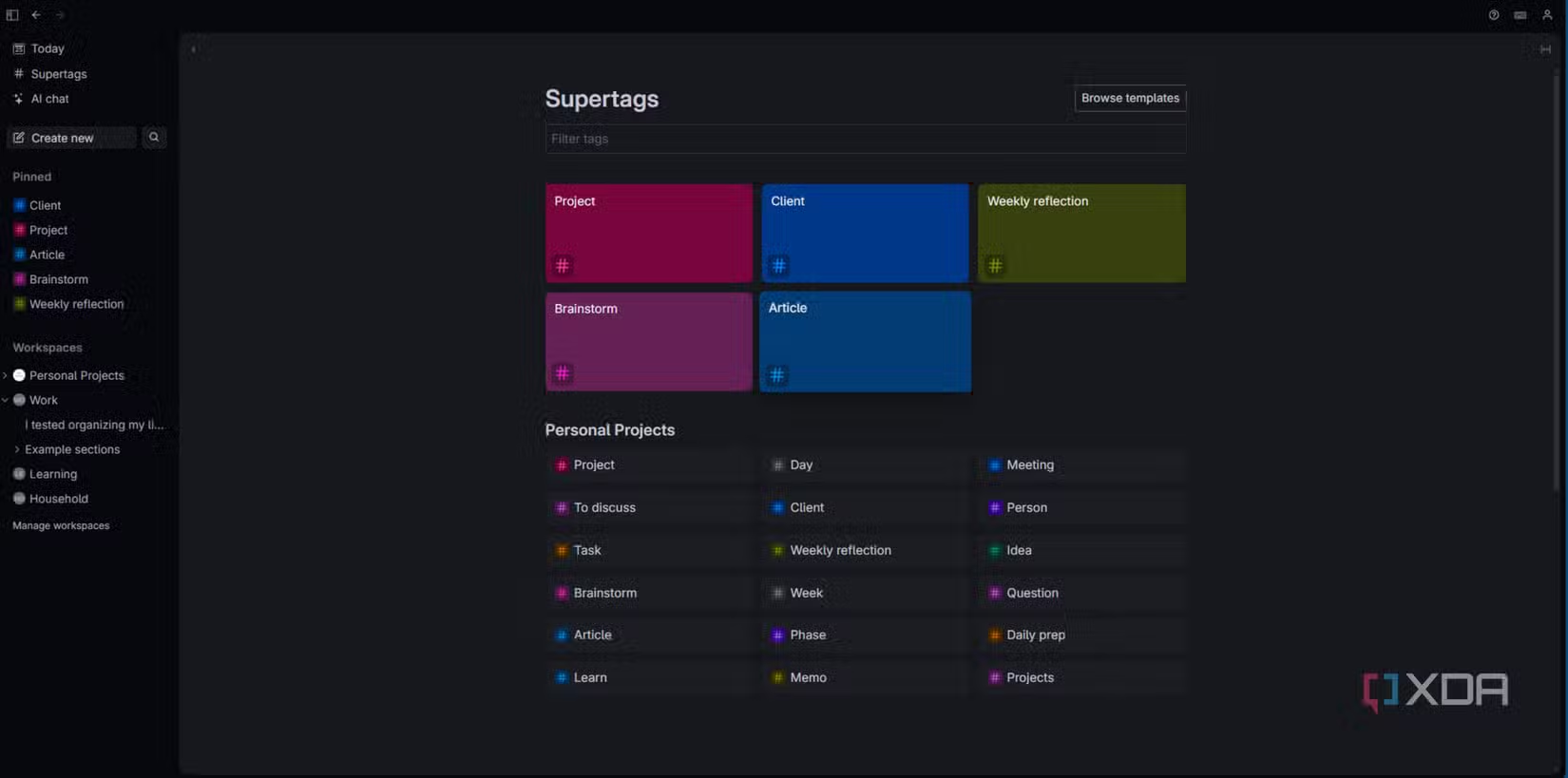
Supertags are the core concept that separates Tana from everything else. You tag any node with a word like #project or #person, and that node inherits a schema - a set of fields you define. Your note becomes a database entry. The node stays readable as a note, but it's also queryable as structured data.
Users who get past the learning curve consistently call this the best feature in any PKM tool they've tried. Once set up, it removes the friction of deciding where things go.
"I used Tana on and off for the past two years, but now I finally got the hang of it. I love the Supertags and I love how you can use your database in different views." – reviews
"Even for basic workflows, Tana can feel overwhelming. While you can jump in and start taking notes easily enough, trying to set up something like task management gets complicated quick." – reviews
AI Meeting Notetaker
Tana records meetings natively without sending a bot into your call. It transcribes the conversation, generates a summary, extracts action items, and links everything back to your knowledge graph - to the relevant projects, contacts, and notes already in your workspace.
One reviewer noted the transcription accuracy was genuinely impressive, including speaker identification. The meeting agent is one of the more useful AI features in any notes tool right now.
"I was impressed by the meeting agent's transcription, which was pretty accurate and was able to identify who was speaking at different times." – reviews
Voice Memos and Mobile Capture
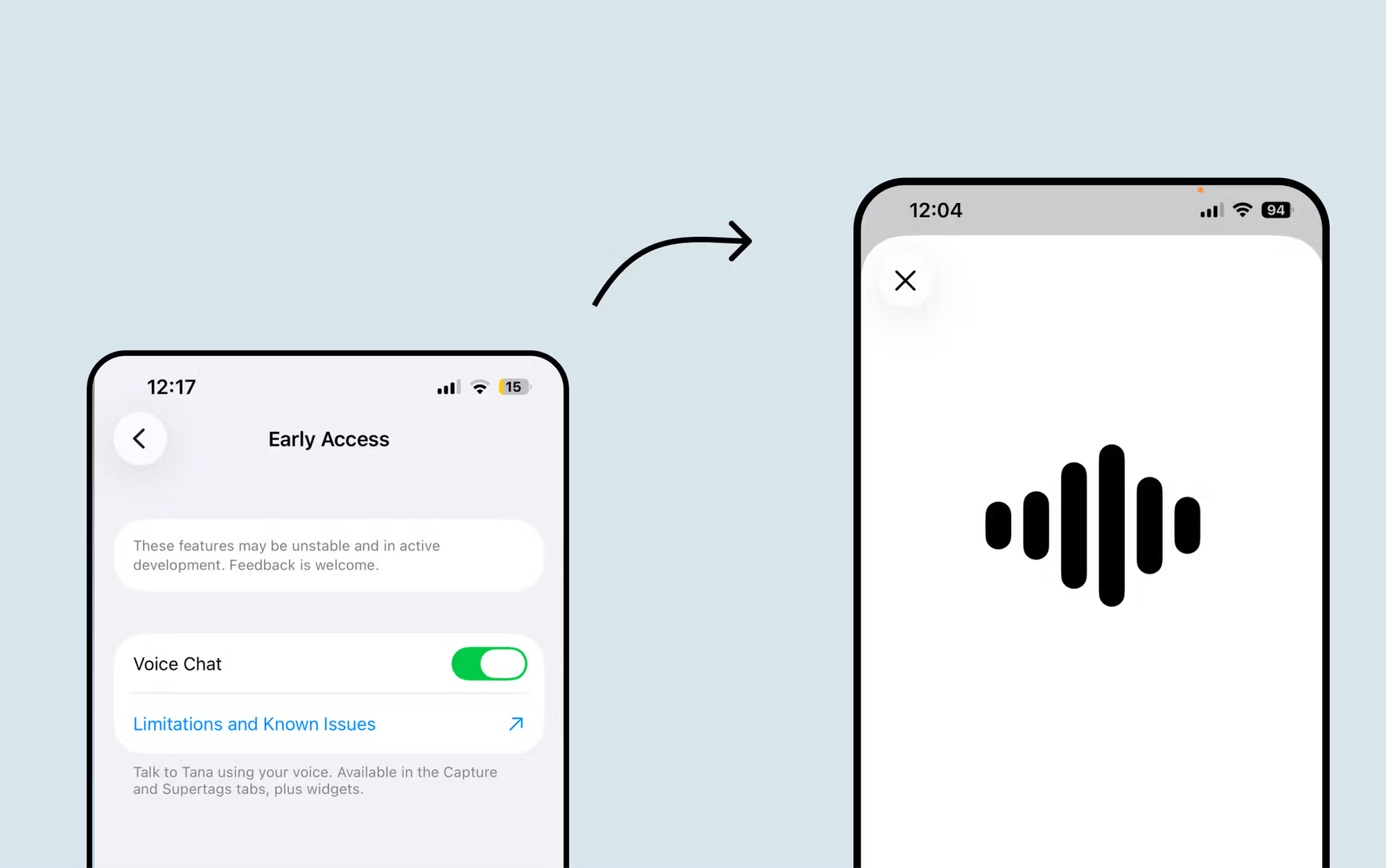
On mobile, you can record a voice note and Tana processes it according to your Supertag instructions - so it doesn't just transcribe, it organizes. You can speak out a list of ideas on your commute and they'll arrive structured in the right place by the time you're at your desk.
The mobile app has gotten meaningfully better, but users still find it lags the desktop in meaningful ways.
"There is still no easy way to navigate to the inbox. Anyway, great app to go with the desktop version." – reviews
"I need to be motivated and curious to set myself up right, but it's so worth it. I won't lie, you need to be motivated and curious to set yourself up right." – reviews
Live Search and Custom Views
You can build panels that auto-update based on filters - "all tasks due this week tagged with a specific project," displayed anywhere in your workspace. Tana refreshes them automatically as you add new nodes. This is the equivalent of Notion's filtered database views, but it lives inline and doesn't require creating a separate database page first.
"Tana is the first tool that truly adapts to how my brain works, rather than forcing me to adapt to it." – reviews
Daily Notes and Today Page
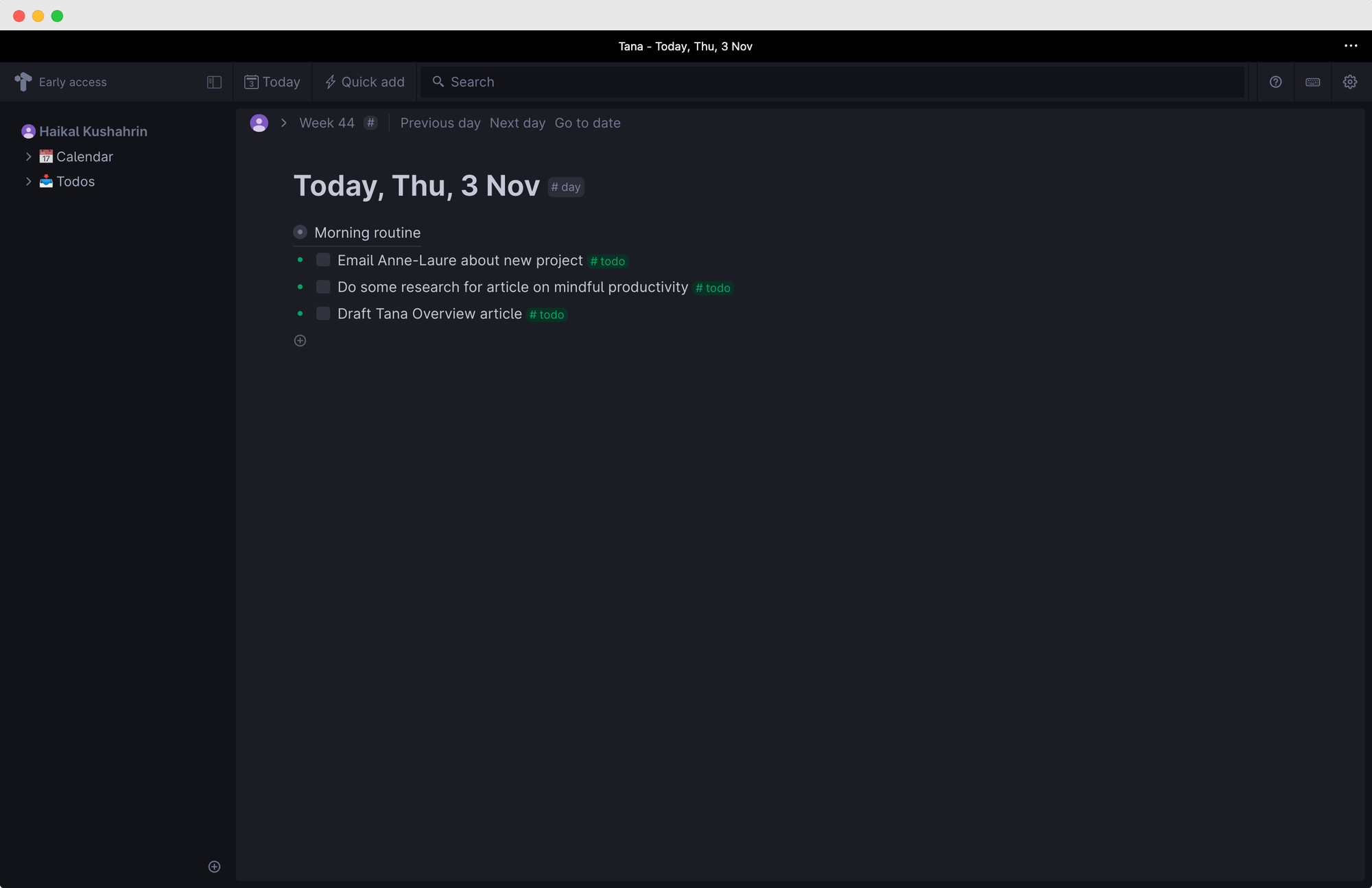
Every day in Tana gets its own node. You can dump anything there - thoughts, tasks, meeting notes - and the graph handles the connections. Tasks with due dates surface automatically on the relevant day.
One reviewer found the Today view underwhelming compared to the rest of the product, noting it's essentially just a catch-all for uncategorized items.
"I was underwhelmed by the Today view, which is the default place your notes and captured items go when you don't assign them to a Supertag." – reviews
Pricing
| Plan | Monthly | Annual | Free Trial | Free Version |
|---|---|---|---|---|
| Free | $0 | $0 | No (free plan available) | Yes (limited) |
| Plus | $10/mo | $8/mo | 14 days | — |
| Pro | $18/mo | $14/mo | 14 days | — |
The free plan includes 500 AI credits per month, up to 5 custom Supertags, 2 workspaces, and 0.5GB storage. Google Calendar sync and integrations are locked to paid plans. If you downgrade from a paid plan, you lose calendar sync and all active integrations - not just AI features.
Payment methods accepted: credit/debit card. Student and NGO discounts available (50% for students). No API access on any plan currently.
Tana Pros and Cons
| Pros | Cons |
|---|---|
| Supertags system is genuinely unique | Very steep learning curve |
| AI meeting transcription works well | Free plan too limited for real use |
| Everything connects — notes, tasks, people, projects | Requires credit card even for the free trial (recently changed for free plan signups) |
| Active development team, strong community | Mobile experience still behind desktop |
| Offline mode now available | No CSV export; JSON/Markdown only |
| Voice memo processing on mobile | AI chat generates generic results for some queries |
| No annoying bot joins your meetings | $14–18/mo is expensive for a solo user |
| Notion importer available | Limited third-party integrations |
| 61-language transcription support | Long-form writing is awkward in an outliner format |
What People Say
Real users generally break into two camps: those who invested the time to learn Tana and can't imagine going back, and those who found it too complicated and left.
The ones who stayed tend to have fairly complex workflows - multiple overlapping projects, lots of meetings, contacts that need to be tracked. The ones who left were looking for something faster to set up.
"I really like Tana, but it took me a while to start appreciating it because Tana has a huge learning curve." – reviews
"The app doesn't work the way I tend to think. And I think for what it is, it is incredibly expensive." – reviews
"$18 per month for Pro is just a lot of money. Especially if you're just starting out and don't know yet if you're going to use it." – reviews
"The export is technical, not user-friendly. If you ever want to switch to another tool, that becomes a project." – reviews
"When I first heard Tana was introducing AI I was skeptical. But after using it a little bit, it feels like a smart autocomplete for my mind." – reviews
"You cannot create inline tables, stack nodes side by side, add complex formulae, and there's no way to export nodes as PDF or Word files, which apps like Notion handle very well." – reviews
Who Is Tana Best For / Not Ideal For
Tana works best for people who:
- Work across many overlapping projects and need everything connected
- Attend a lot of meetings and want them logged automatically
- Are willing to spend a week (at minimum) setting things up before getting value
- Think naturally in structures, tags, and relationships
- Furthermore, if you want an AI assistant that automatically tells you what to follow up on, what you may miss, and what to prioritize, built into their workflow
Tana is probably not a good fit if you:
- Want to open an app and start writing without configuration
- Need strong collaboration features for a team
- Rely heavily on mobile for real work (not just capture)
- Want to export your data in standard formats without friction
- Are not a self-described "power user" of productivity tools
- Need inline tables, spreadsheets, or LaTeX support
Tana Alternatives Comparison
Tana vs. Saner.AI
This is where it gets interesting. Saner.AI takes a different approach entirely - it's built around reducing setup friction, not rewarding it.
Where Tana asks you to design your own Supertag schemas before they become useful, Saner.AI auto-tags and auto-organizes as you dump information in. The AI does the housekeeping, not you. Saner.AI also pulls in email, calendar, and tasks in a single view - no configuration required.
Furthermore, if you want an AI assistant that automatically tells you what to follow up on, what you may miss, and what to prioritize, Saner.AI has all that for you.
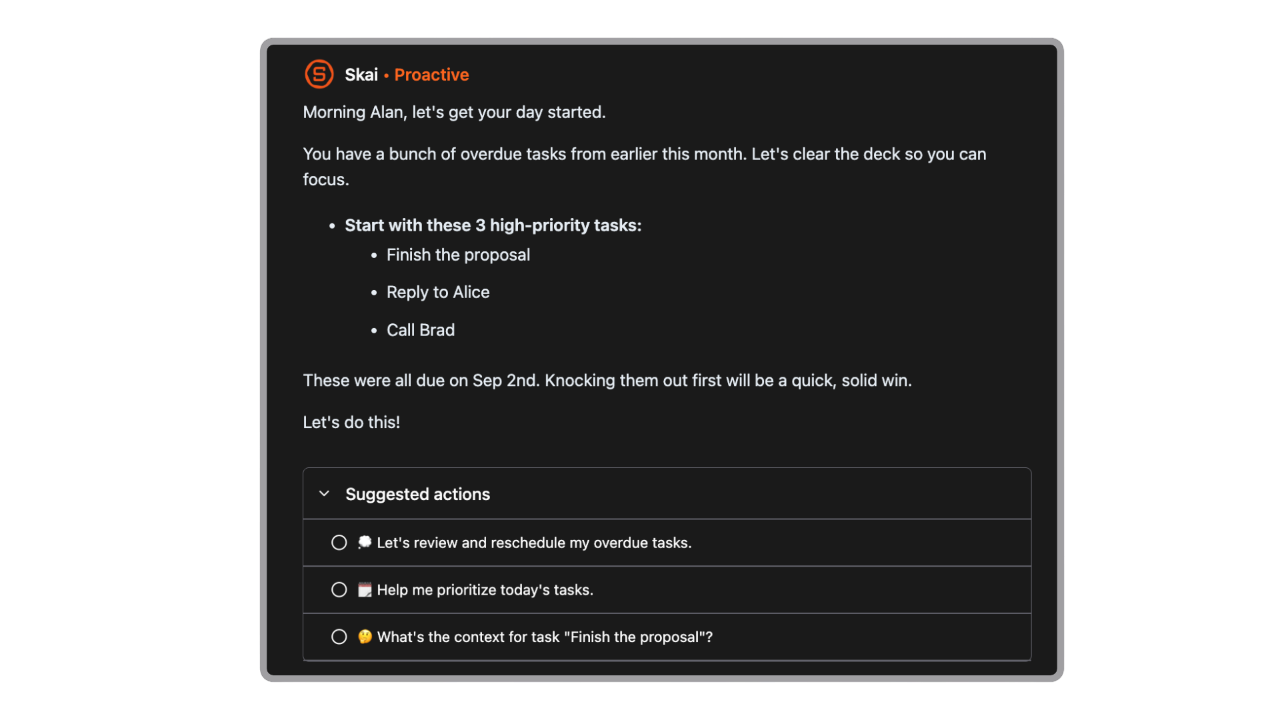
For people who want their notes connected to their work without spending a week on system design, Saner.AI is a more accessible entry point. Tana has more depth for power users. Saner.AI has more immediate value for everyone else.
| Feature | Tana | Notion | Obsidian | Saner.AI |
|---|---|---|---|---|
| Learning curve | Very high | Medium | Medium-High | Low |
| AI integration | Deep, native | Bolt-on | Plugin-based | Deep, native |
| Mobile experience | Improving | Good | Limited | Good |
| Data ownership | Cloud only | Cloud only | Local files | Cloud |
| Free plan | Very limited | More generous | Free | Free tier available |
| Best for | Power users | Teams | Privacy-first | Busy professionals |
| Setup time | Days/weeks | Hours | Hours | Minutes |

Stay on top of your work and life
Tana vs. Notion
Notion is more flexible for collaboration and has a much larger template library. It also has inline tables and better long-form writing support. Tana wins on note-to-data fluidity - the Supertag system genuinely collapses the gap between writing a note and creating a database entry.
Notion requires you to build that structure separately. If you're a solo knowledge worker, Tana is more powerful. If you're working with a team or need more polish, Notion is safer.
Tana vs. Obsidian
Obsidian stores everything as plain Markdown files on your device. Your data is yours, fully, forever. Tana stores your data on their servers. If that matters to you, Obsidian wins by default.
Tana has better built-in AI assistantreal-time and a more opinionated structure; Obsidian has better longevity, privacy, and a massive plugin ecosystem. Heavy AI users lean toward Tana; data-ownership-first users stay with Obsidian.
Final Verdict
Tana is one of the most technically interesting tools in the PKM space. The Supertag system is genuinely different, the AI meeting transcription works, and if you invest in learning how it thinks, you can build a knowledge setup that most other tools can't match.
But that "if" is doing a lot of work. Most people who try Tana don't stick with it, and the reviews make clear why: it requires a real-time investment before it pays off, the free plan won't let you experience what makes it special, and the pricing isn't cheap for what you get in the early weeks. The mobile app still has gaps. The export options are technical. And the AI chat, outside of the meeting tool, can be underwhelming.
If you love building systems, have the patience for a steep learning curve, and work across lots of interconnected projects, Tana might be worth the $18/month once you get through the setup phase. If you want something that helps you on day one without a tutorial series, it probably isn't.
For people who want the AI knowledge graph + AI task management without the engineering mindset required to unlock it, Saner.AI is worth a look - the AI does the connecting for you, which means you're up and running the same day instead of the same month.
FAQ on Tana
Is Tana free? There's a free plan with 500 AI credits/month, 5 custom Supertags, and 2 workspaces. It's genuinely free now without needing a credit card, but it's too limited to use as your main workspace long-term. Most of Tana's value sits behind the $10/month Plus plan.
Is Tana good for beginners? Honestly, no. Every reviewer who loves Tana mentions a learning curve. The tutorials are light for the depth of features, and it takes time to understand how nodes and Supertags should be structured before things click. If you're new to PKM tools, start somewhere simpler.
Can I export my data from Tana? Yes, you can export as Markdown or JSON. The caveat is that the export is technical, not plug-and-play. Moving your data to another tool isn't a 10-minute job - expect a project if you ever want to migrate.
How does Tana compare to Notion? Tana wins on the note-as-database concept and AI integration depth. Notion wins on collaboration, templates, long-form writing, inline tables, and a larger user community. Which is better depends entirely on your workflow.
Does Tana work on mobile? There are iOS and Android apps. They've improved significantly in 2025, but the desktop version is still where the full experience lives. Mobile works well for capture and voice memos, less so for deep editing or complex navigation.
Is Tana good for teams? Collaboration features exist (shared workspaces, co-editing, @mentions) but they're still fairly basic compared to tools built for teams. Offline mode also doesn't allow editing in shared workspaces. If team collaboration is your main need, Notion or Coda are stronger choices right now.
How does Tana handle long-form writing? Not really. Tana is an outliner at its core, which means every piece of content is a node in a hierarchy. Long-form writing feels awkward because you're always working in a tree structure rather than a free-flowing document. You can't create inline tables, stack nodes side by side, or export as PDF or Word. There's no equivalent to Notion's full-page documents or Obsidian's plain Markdown files.
Does Tana's offline mode work on mobile too? Mostly no. Offline mode on desktop (version 1.0.50 or newer) gives you full read and write access to personal workspaces, search, and linked references. On mobile, you can capture new notes offline but you can't browse or read your existing notes without a connection.