Best AI Tools to Organize Notes in 2026


Top AI Tools for Organizing Notes
In today’s fast-paced world, it’s easy to get buried under a mountain of notes, meeting minutes, project ideas, emails, and scattered thoughts. The real challenge? Keeping everything organized so you can find what you need - exactly when you need it.
That’s where AI note-taking tools come in.
These tools use artificial intelligence to help you stay on top of your information. They don’t just store your notes - they help you structure them, search across them instantly, summarize long content, and even connect your thoughts across projects or platforms.
The right tool can even turn your scattered brain dumps into a smart, searchable system. But before we dive into the best AI note tools out there, let’s get clear on what note organization actually means - and why AI makes a big difference.
What Is Note Organization?

It’s like creating playlists for your thoughts: grouping notes by topic, date, project, or priority.
When your notes are well-organized, your mind feels less cluttered. You can move faster, stay focused, and recall ideas without wasting time.
Whether it’s for school, work, side projects, or personal growth - structured notes help you think clearly and act confidently.
II. Why Use AI Tools to Organize Notes?
Here’s why AI tools are game-changers for anyone who takes a lot of notes:
- 🧠 Instant Search
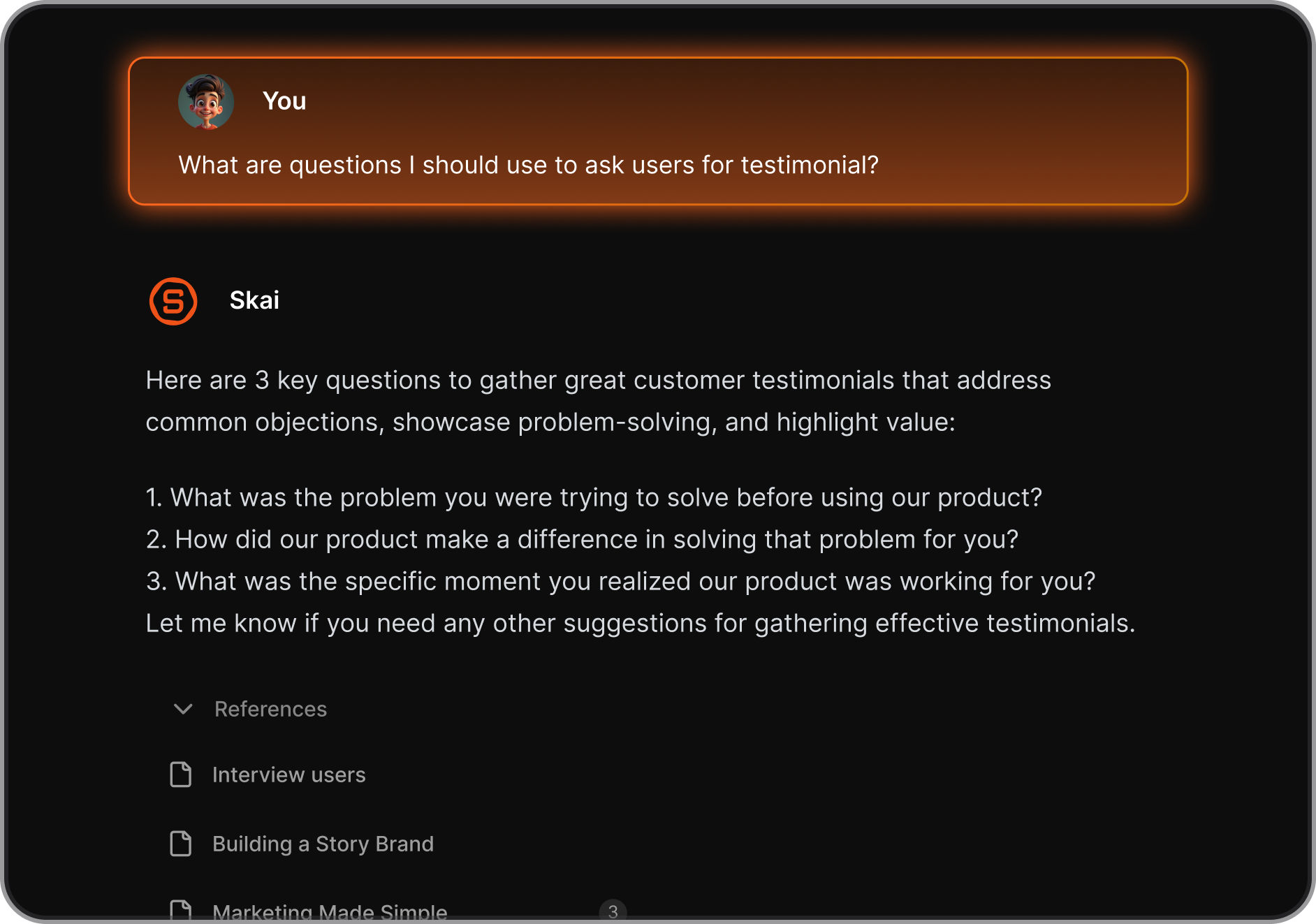
Need to find a note from last month? Or a task buried in yesterday’s meeting? AI can search across all your notes - by keyword, topic, or context - so you never lose track of important info.
- 📁 Auto-Sorting & Smart Tagging
Many AI note tools automatically categorize your notes by theme, project, or client. No need to manually tag everything - it just works in the background. - 📄 Summarization
Don’t have time to read that long brainstorm session or meeting transcript? AI can instantly pull out the main points and suggested action items. - 🔗 Seamless Integrations
These tools often sync with your calendar, email, and task managers - so your notes aren’t isolated. Everything connects, streamlining your entire workflow. - 🎙 Voice-Friendly
Prefer talking over typing? Some tools convert voice into structured notes, making it easier for ADHD-prone users or anyone who thinks better out loud.
Best AI Tools for Notes Organization in 2026
Best 4 AI Tools for Note Organization in 2026 are Saner.AI, Notion, Tana & Capacities.
Comparison Table: AI Tools for Note Organization (2026)
| Tool | ⭐ Key Strengths | 🎯 Best For | 💻 Platform | 💰 Pricing (Clear & Simple) |
|---|---|---|---|---|
| Saner.AI | AI-first note capture, automatic structuring, task + note unification, minimal setup | People with messy thoughts, ADHD users, managers who want one brain for notes & tasks | Web, Desktop (Mac/Windows) | Free plan available · Paid plans typically $8–15/month |
| Notion | Powerful databases, flexible templates, AI writing & summarization, team collaboration | Teams, companies, users who love building structured systems | Web, Desktop, iOS, Android | Free for individuals · Plus ~$10/month · Business ~$18/month |
| Tana | Graph-based notes, daily notes workflow, AI-powered commands, supertags | Advanced note-takers, PKM power users, system thinkers | Web (desktop-focused) | Free (limited) · Paid plans ~$10–14/month |
| Capacities | Object-based knowledge system, beautiful UI, context-first notes, AI assist | Creators, researchers, visual thinkers | Web, Desktop, iOS (limited) | Free plan · Pro ~$10–12/month |
1. Saner.AI
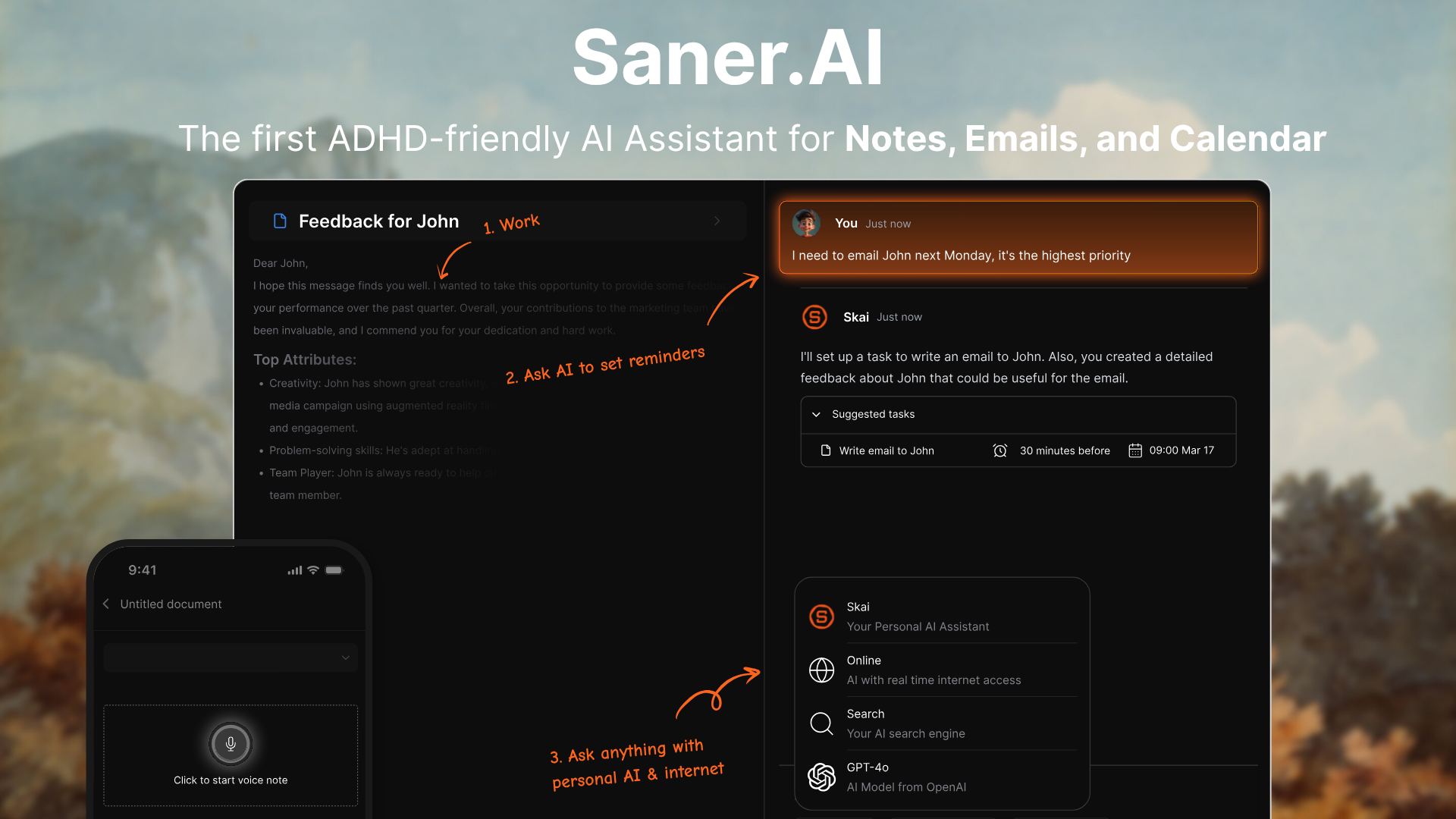
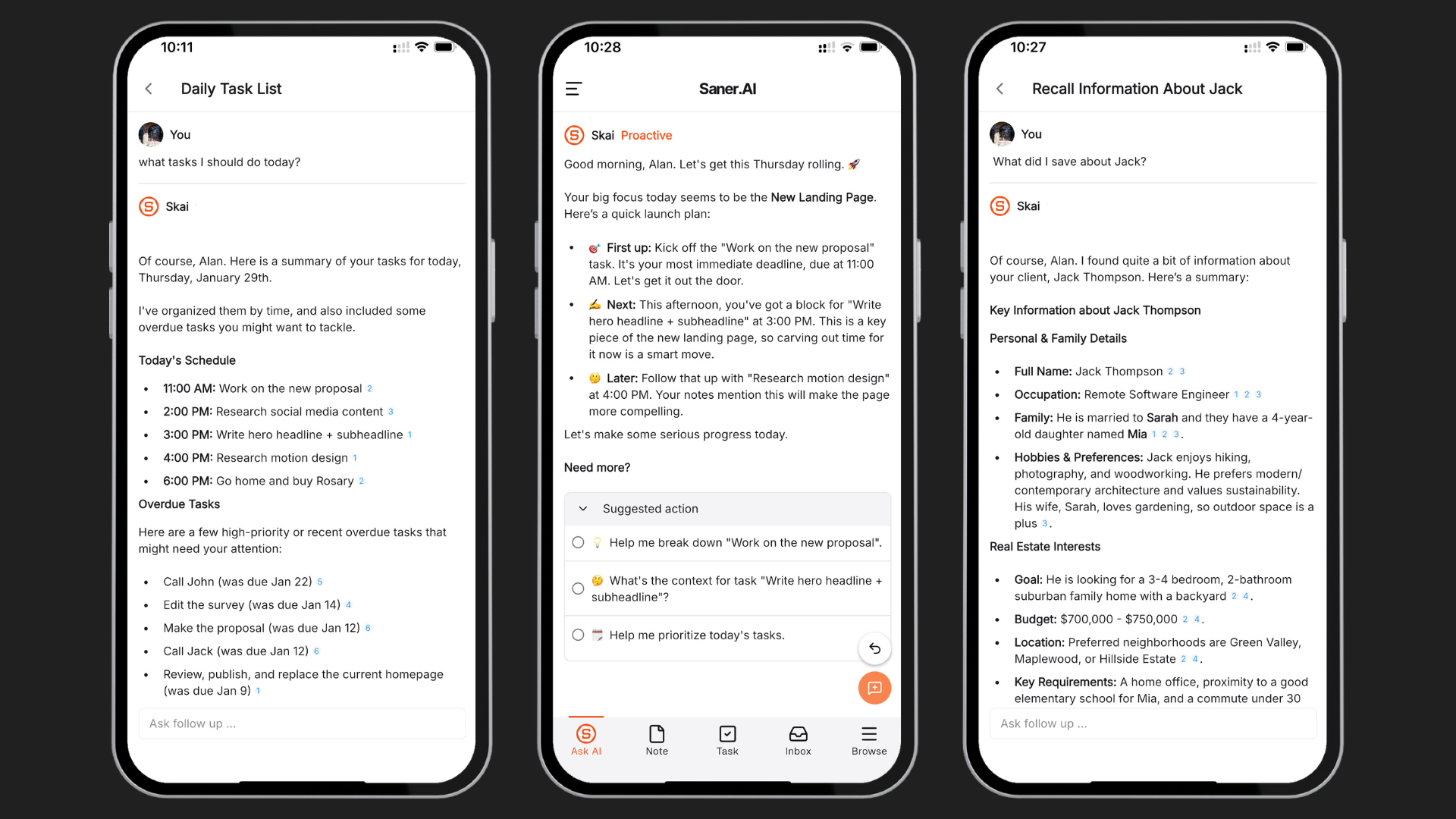
Saner.AI is a personal AI productivity assistant that helps you manage notes, tasks, calendar, and even email - all in one place. Designed with ADHD-friendly workflows in mind, it lets you offload thoughts, prioritize work, and get things done without the usual mental overload. You can chat with it like an assistant, and it’ll pull insights, create to-dos, plan your day, and check in with you.
Key features
- Unified workspace for notes, tasks, calendar, and email
- Chat-based AI assistant that understands your context and gets things done
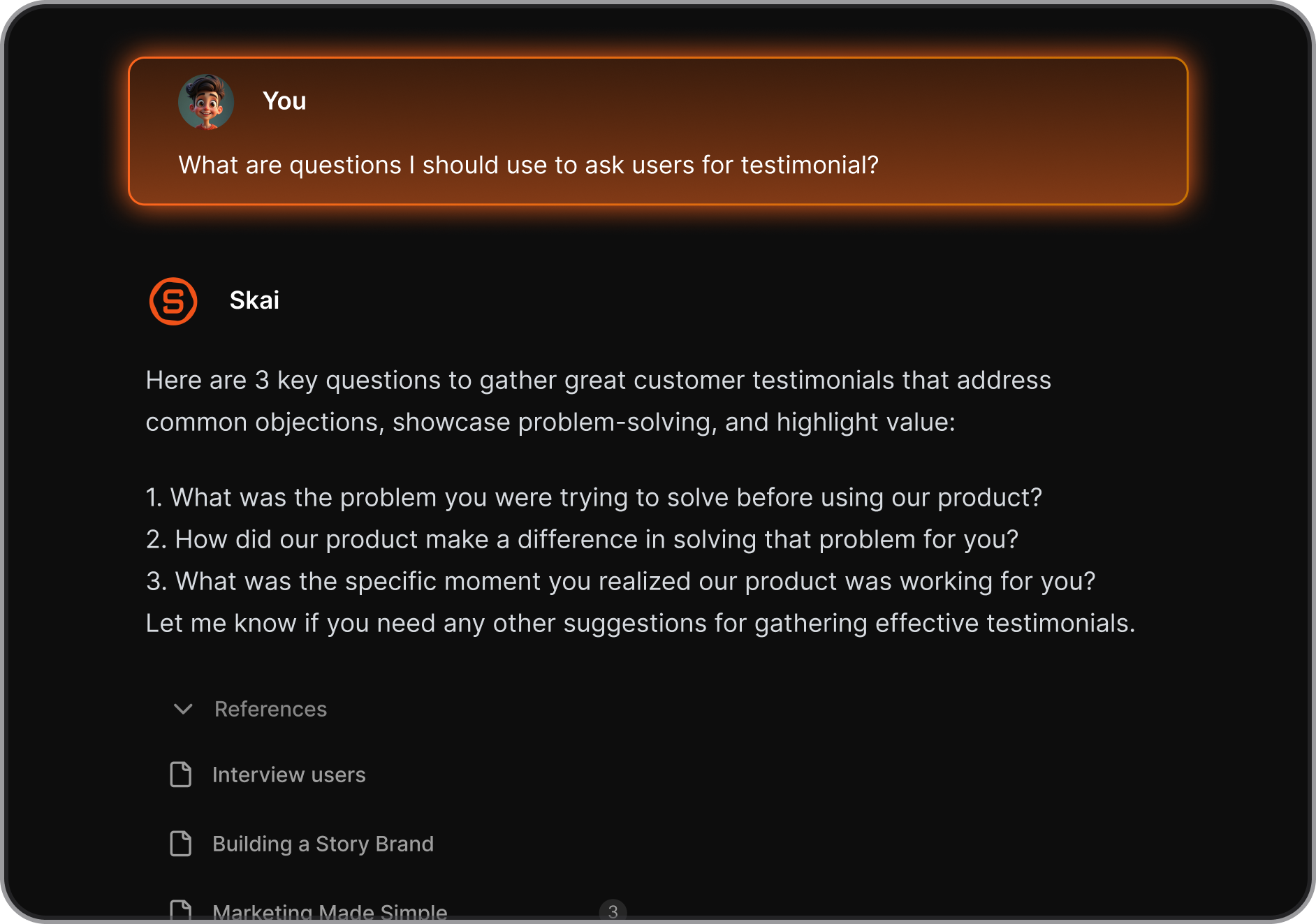
- Automatic to-do generation and scheduling based on what matters most.
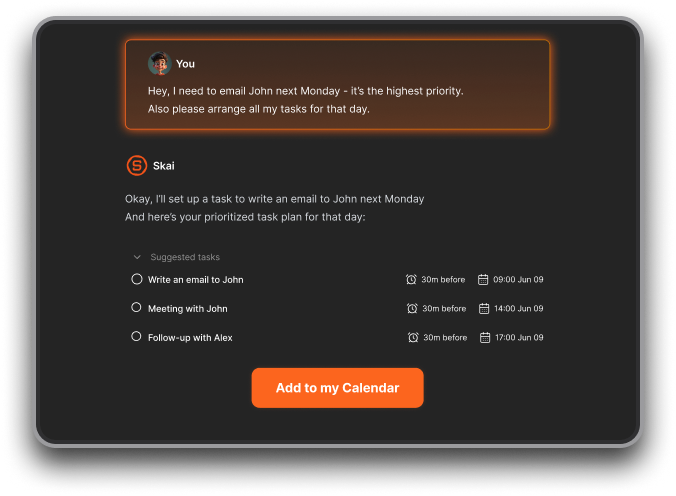
- Voice input and transcription for fast, unstructured capture
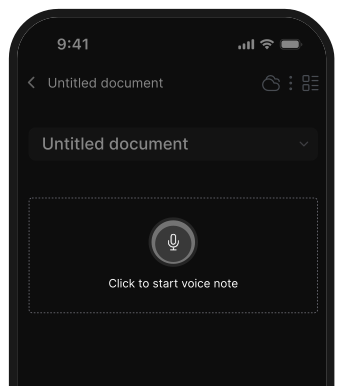
- Smart organization with tag suggestions, folders, and mind map view
- Bulk import from Notion, Apple Notes, Obsidian, PDFs, and more
- Chrome extension for saving from the web
- Designed with ADHD brains in mind
What I liked
- I can just dump thoughts, and the AI will turn them into structured tasks or reminders
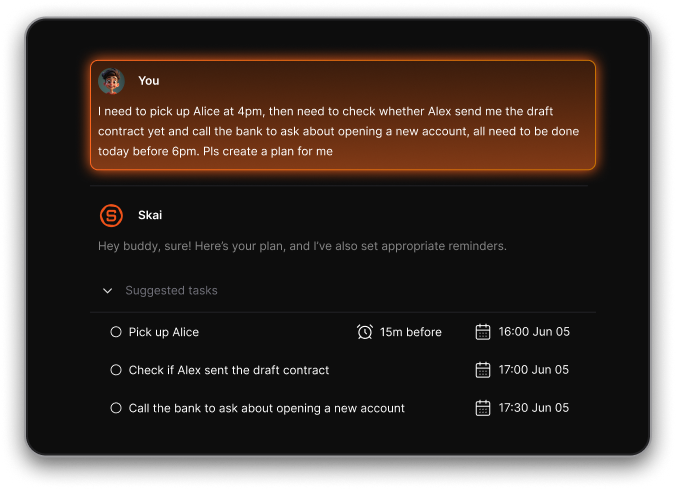
- The automatic daily planner is super helpful - it builds a schedule around your meetings and gives you focus time without needing manual tweaks
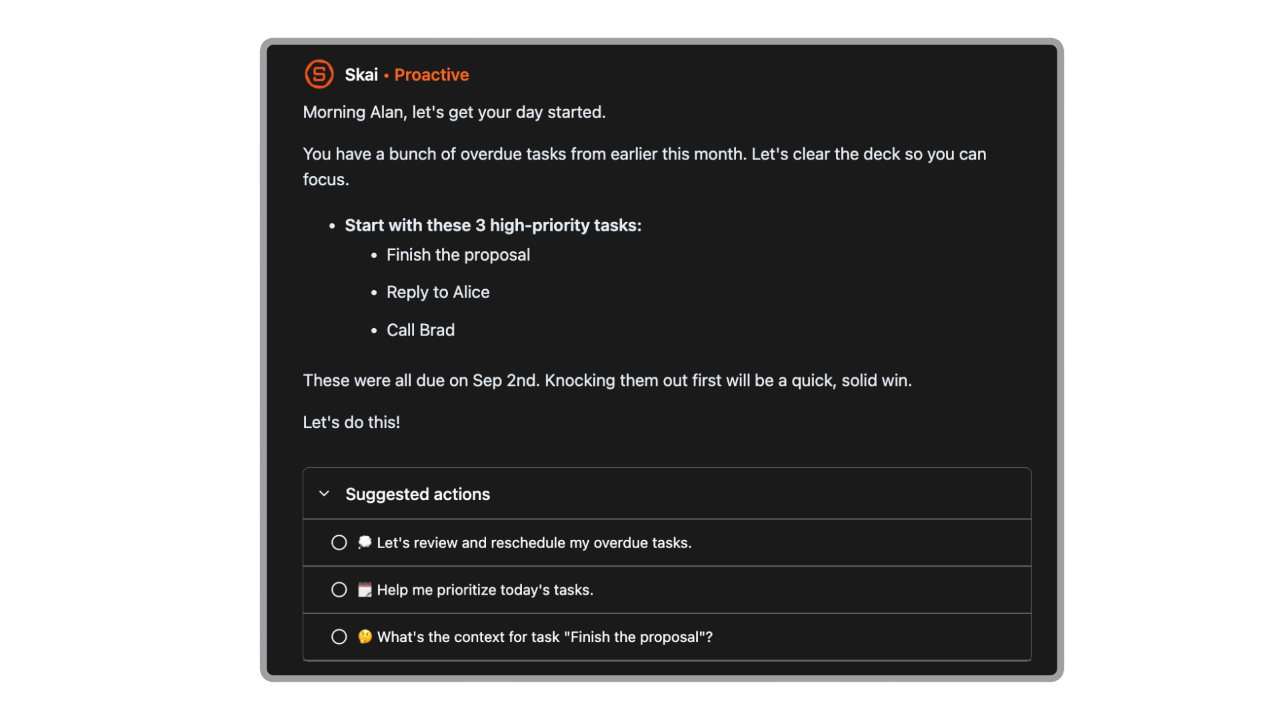
- It actually feels like a second brain - Skai remembers, organizes, and suggests things I’d otherwise forget
Cons
- Not ideal for large teams or project timelines - no Gantt charts or complex task dependencies.
Pricing
- Free
- Starter: Monthly at $8/month, Annually at $6/month (with early user discount)
- Standard: Monthly at $16/month, Annually at $12/month (with early user discount)
Who is it suitable for?
- Professionals, entrepreneurs, students, and creatives - especially those with ADHD or who feel overwhelmed juggling multiple tools.
Saner.AI review
"The biggest benefit for me in using Saner is the Proactive AI. Staying on top of the constant flow of email and multiple calendars is challenging, and so far, Saner is the only AI-based tool that truly feels like a personal assistant." - Jerry

How to start using it?
- Go to Saner.AI, sign up for a free account, import your notes or tasks, and start chatting with the AI assistant to help you organize and plan your day.

Stay on top of your work and life with an AI Note Organizers
2. Notion AI
Notion is an all-in-one productivity app that combines note-taking, project management, databases, wikis, and now AI features—all in one highly customizable workspace.
Key features
- Modular workspace with support for notes, tasks, calendars, wikis, and databases
- Built-in Notion AI to help with writing, summarizing, brainstorming, and Q&A on your content
- Custom templates and layouts to match your workflow
- Enterprise features like private teamspaces, version history, and SAML SSO
What I liked
- Everything is in one place - notes, tasks, projects, docs
- Customizable pages and templates make it easy to build your own system
What I disliked
- The flexibility can be overwhelming at first—there’s definitely a learning curve
- Offline access is limited - you’ll need an internet connection for full functionality
- Notion Mail is still early—only works with Gmail, and no Android or Windows version yet
Pricing
- Free plan available with limited block storage and 7-day version history
- Plus plan: $10 per user/month (billed annually) or $12 monthly
- Business plan: $15 per user/month (billed annually) or $20 monthly—includes full Notion AI
Suitable for
- Students, professionals, and teams who want a customizable workspace to organize everything
How to start
- Go to Notion’s website, sign up for the free plan, and start exploring notes, pages, and templates.
Notion reviews (source)

"I use Notion everyday for managing my projects, keeping track of ideas, and writing first drafts of content. The AI features are a bit oversold IMHO, but the core functionality is very useful and intuitive." Jacob
"Formatting isn't as standard as other platforms, or even document tools like Word or Docs. I have been unable to make visual changes (centering font, color fill in charts, eyedropper for colors) in ways that have become standard and expected across the industry. Not a deal breaker, just worth noting." Sarah Parks
3. Tana
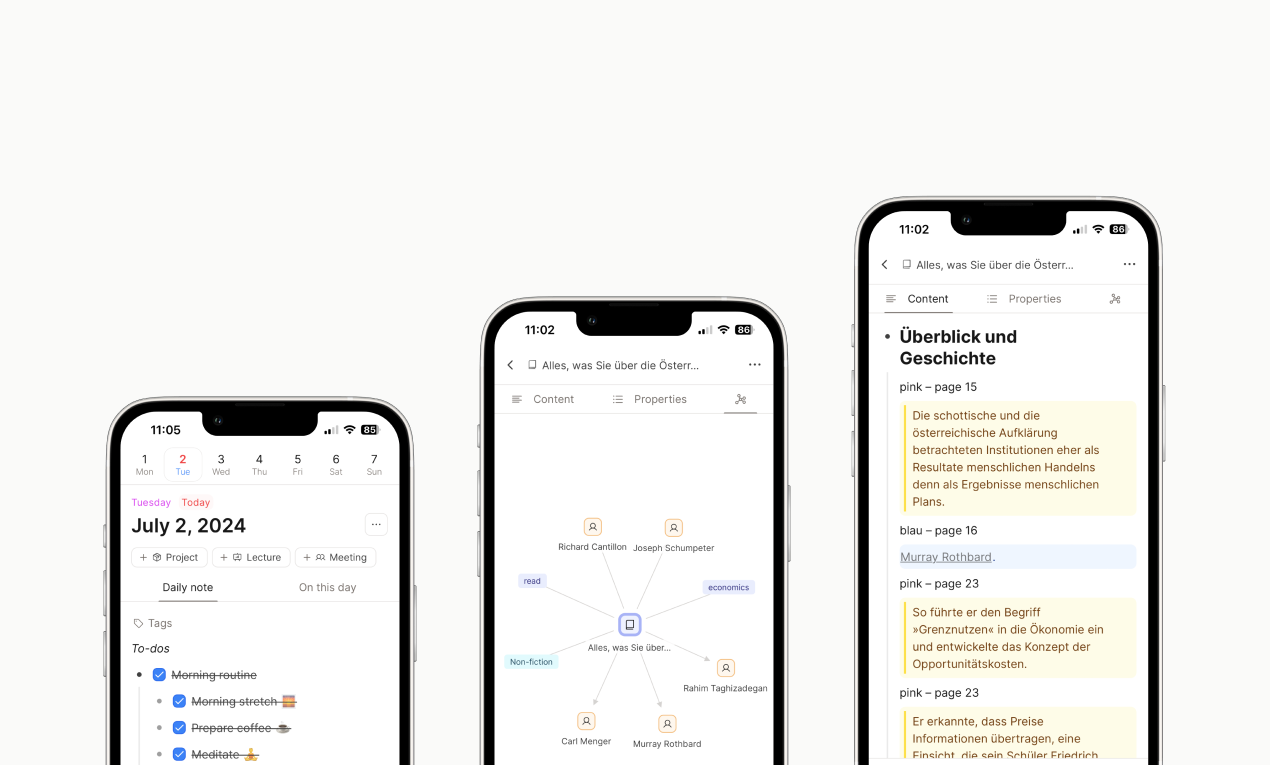
Tana is a graph-based productivity app that combines note-taking, task management, voice memos, and AI into one powerful workspace. Built on a “everything is a node” philosophy, Tana gives you the flexibility to turn ideas into actions, structure your thoughts, and create dynamic systems that evolve with your needs.
Key features
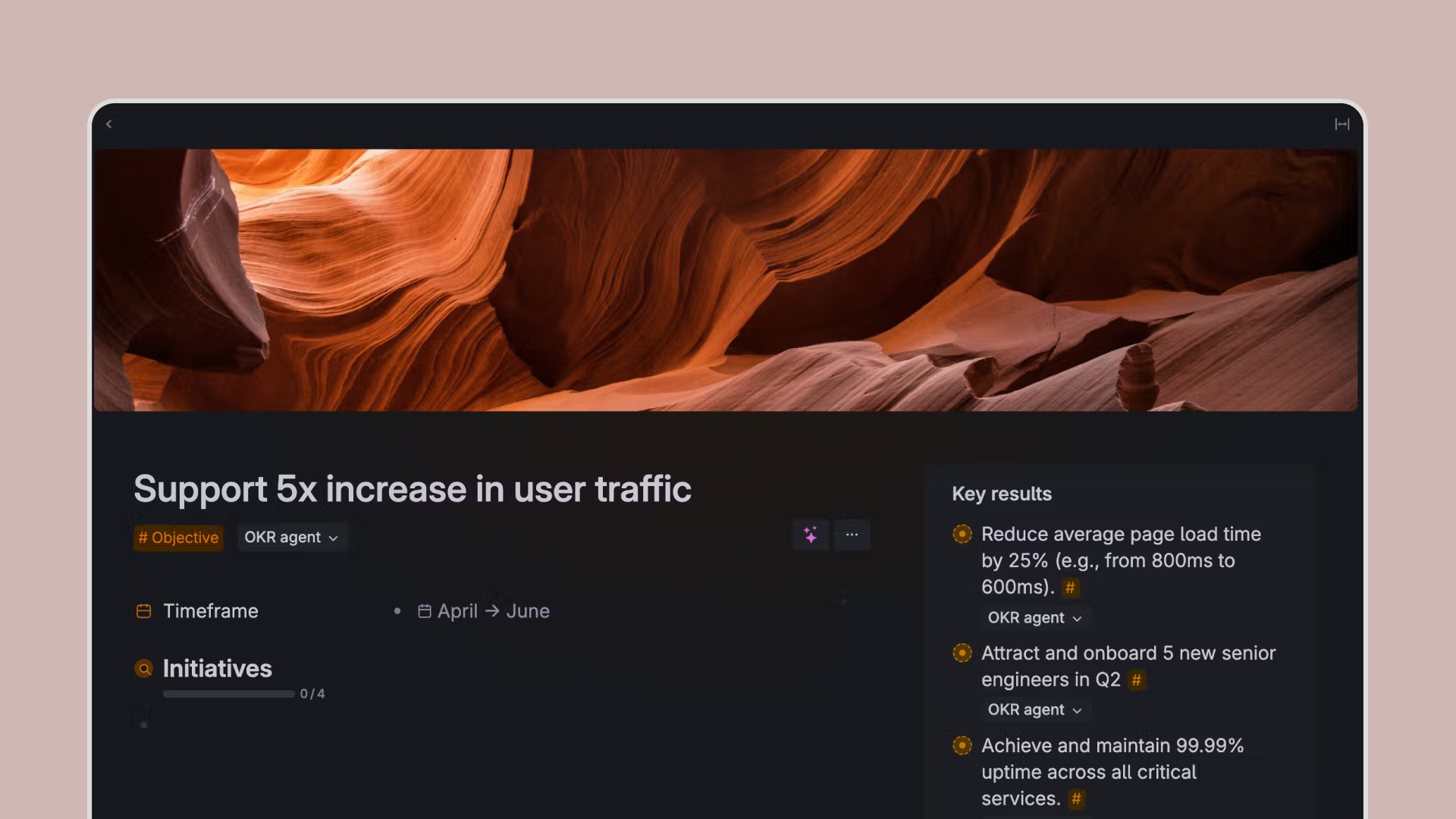
- Supertags and fields: turn notes into tasks, meetings, or custom objects
- Google Calendar integration: pulls in meetings and auto-summarizes them
- Built-in AI chat and command workflows
- Multiple layout views: outline, tabs, calendar, dashboards
- Semantic search across your entire graph
- Available on desktop and mobile
What I liked
- The supertag system is powerful once you get the hang of it
- Live queries make it easy to build dashboards and see only what matters
What I disliked
- There’s definitely a learning curve, especially around structuring supertags and queries
- The mobile app is improving but still limited for heavier editing or AI usage
- Exporting data or integrating with external tools can be a bit clunky
- Not the best fit if you want something minimal or distraction-free out of the box
Pricing
- Free tier available.
- Tana Plus: $10/month - voice memos, Google Calendar, AI chat
- Tana Pro: $17.99/month - advanced AI workflows, command nodes, higher limits
Suitable for
- Productivity power users, researchers, and teams who want to build flexible workflows for notes, meetings, and tasks.
- Those who love working in graphs and want more automation in their day.
How to start
- Go to tana.inc, sign up for a free account, and explore the templates.
Tana Reviews (Source)
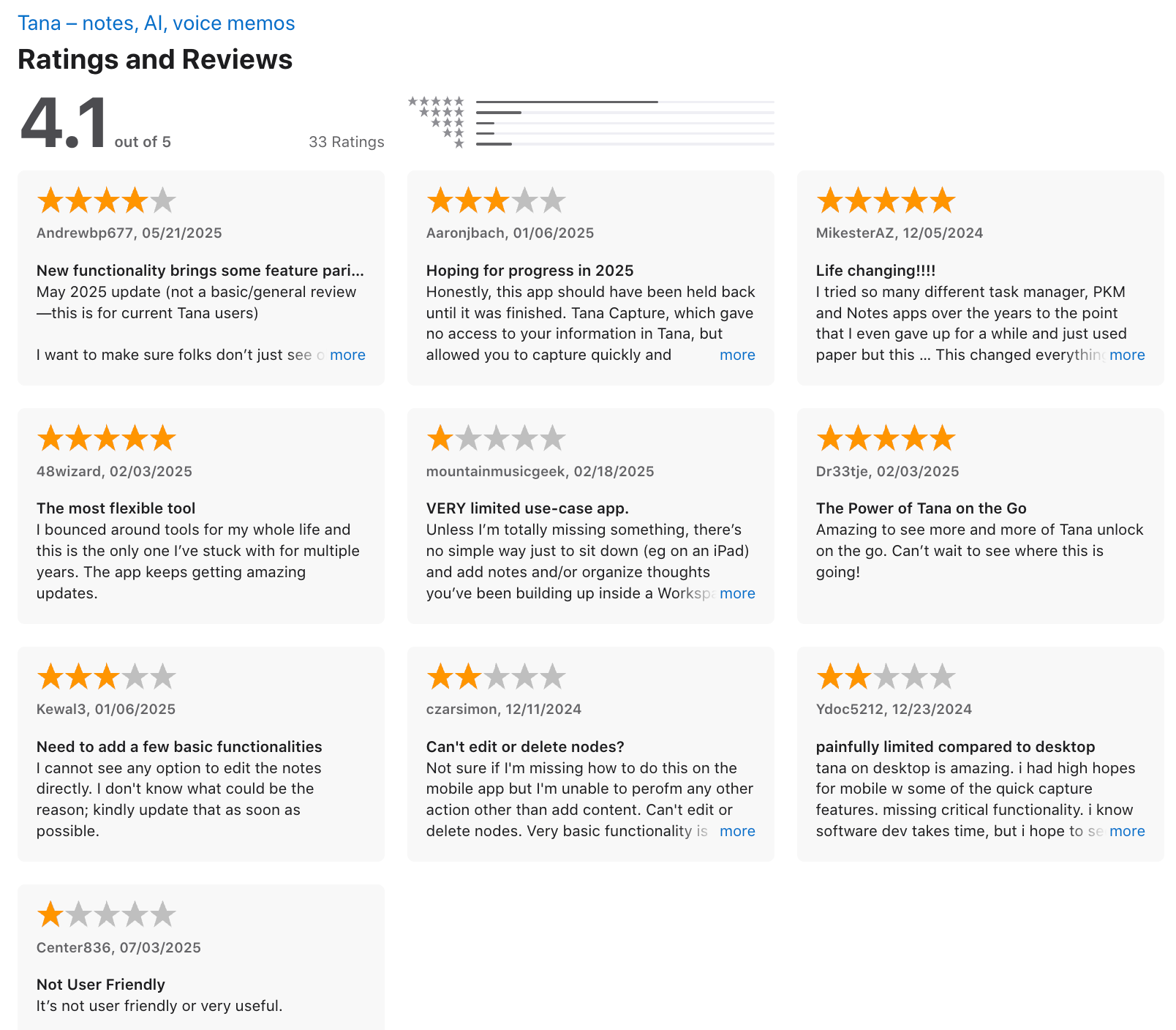
"I bounced around tools the whole life and this one is the one I've stuck with for multiple years. The app keeps geting amazing updates." - 48wizard
"Not sure if I am missing how to do this on mobile app but I'am unable to perform any action other than add content. Can't edit or delete notes. Very basic functionality is missing." - czarsimon
4. Capacities
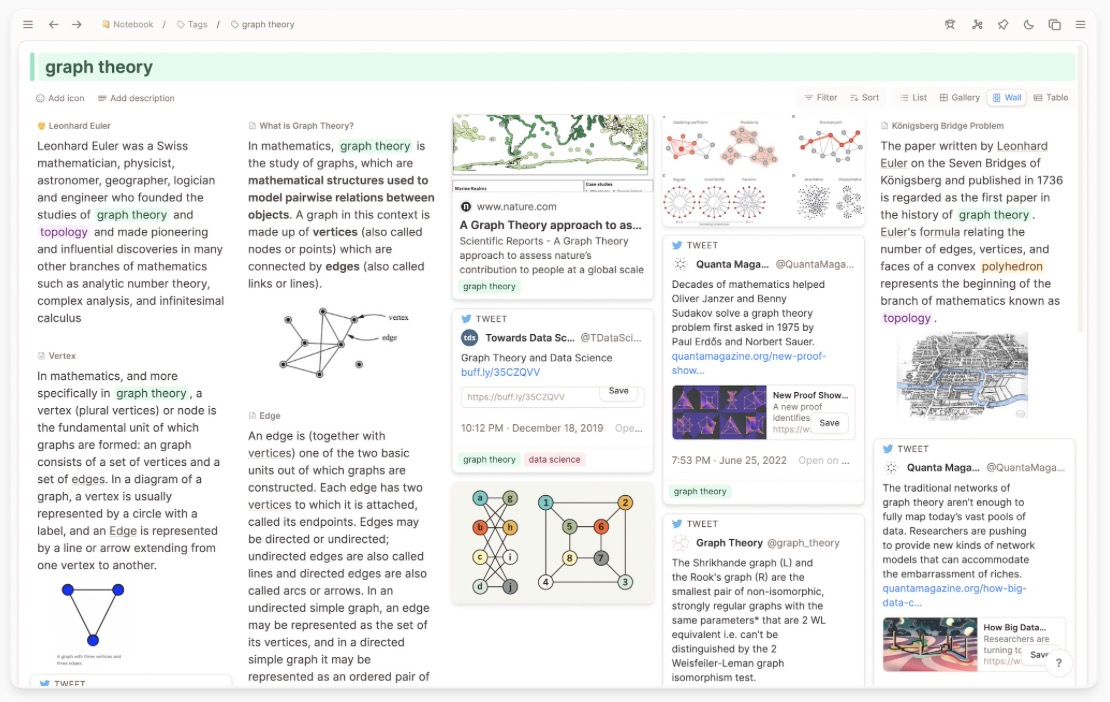
Capacities is a modern, object-based productivity app built for personal knowledge management. Unlike traditional folder-based systems, it lets you structure your thoughts around objects. It also includes a built-in AI assistant to help with organizing, summarizing, and querying your content.
Key features
- Object-based structure: notes and content are grouped by real-world objects instead of folders
- Built-in AI assistant: helps you query, summarize, and interact with your notes
- Mobile and desktop apps are available
- End-to-end encrypted and GDPR-compliant
What I liked
- The object-based approach feels natural and makes it easier to connect related thoughts
- Fast and responsive
What I disliked
- Steeper learning curve if you’re used to folder-based systems
- The mobile app is still evolving and can occasionally run into sync issues
- Lacks built-in task/project management features - best used as a PKM tool, not a full planner
- Don't have an AI assistant you can talk to
Pricing
- Free tier available.
- Paid plans with AI and advanced features start around €17.99/month or €199/year. A “Believer” tier offers early feature access.
Suitable for
- Writers, researchers, and deep thinkers who want a highly flexible, connected space to build their second brain. Especially great for those who prefer structured creativity over rigid folders.
How to start
- Go to capacities.io, sign up for a free account, and start capturing thoughts as objects.
Capacities Review (source)
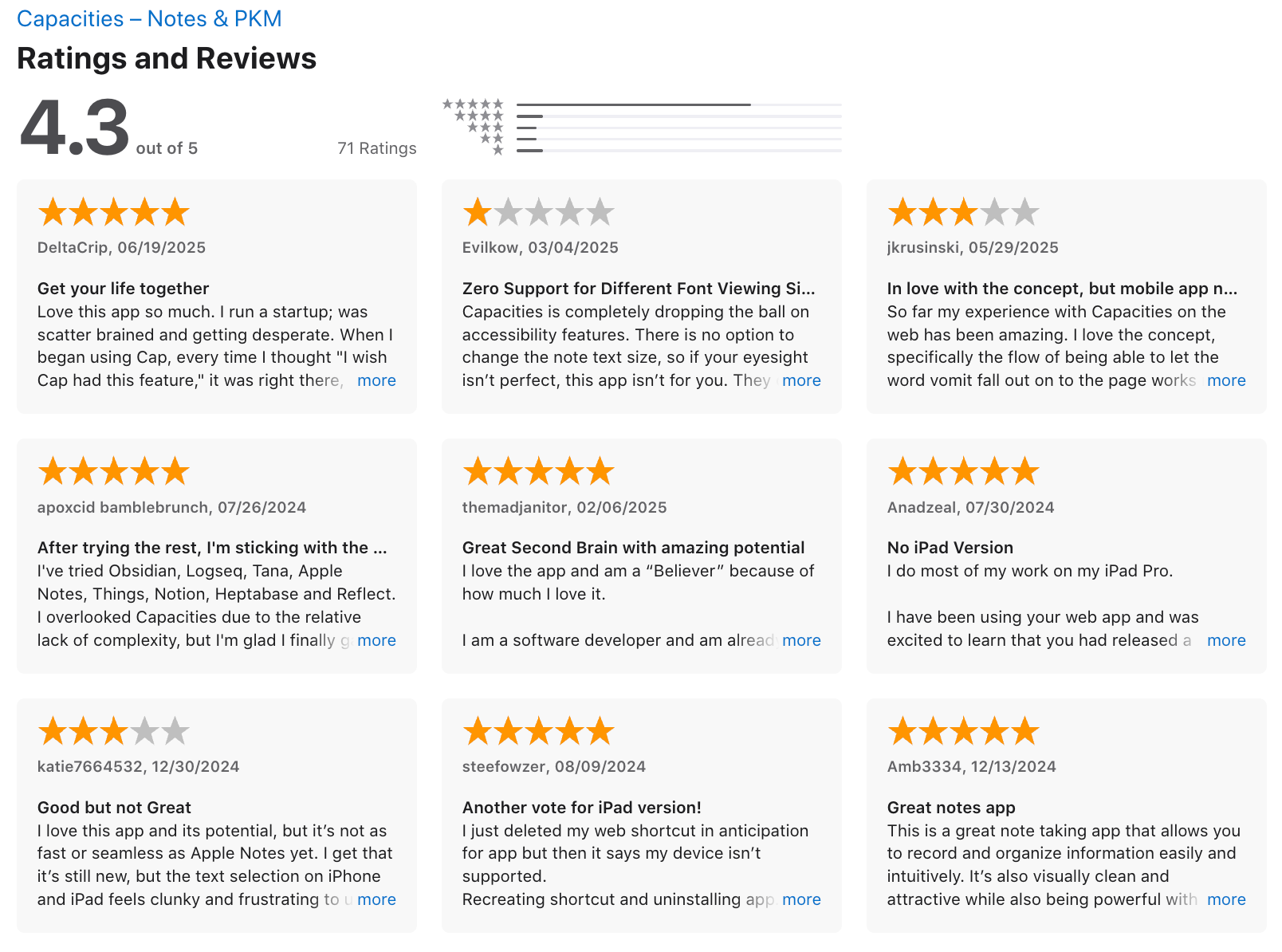
"The backlinks of Cap are unmatched. Tag system and search are powerful. Really thoughtful and involved team on board. Calendar/Time based notes ftw. Object based organization won me over (but took a hot second to learn)." - Delta Crip.
"I love this app and its potential, but it’s not as fast or seamless as Apple Notes yet. I get that it’s still new, but the text selection on iPhone and iPad feels clunky and frustrating to use." - katie7664532
Conclusion: Choosing the Best AI Tools for Note Organization in 2026
There’s no single best AI tool for note organization in 2026—because not everyone thinks, works, or captures ideas the same way.
Some people love building structured knowledge systems with tools like Notion, Tana, or Capacities. These platforms are powerful, flexible, and great for intentional, system-driven thinkers.
But for many people, the real struggle isn’t where to store notes—it’s the mental friction:
- Notes scattered across apps
- Ideas captured but never resurfacing
- Too much organizing, not enough thinking
That’s where Saner.AI stands out.
Instead of asking you to design a perfect structure upfront, Saner.AI works as a calm, context-aware assistant. You simply write things down: messy thoughts, meeting notes, reminders, and the AI helps connect, organize, and surface what matters when you need it.
👇 Ready to try?
Start with Saner.AI if you want note organization that adapts to you, not the other way around.
Stay on top of your work and life
FAQ: AI Tools for Note Organization (2026)
1. What are AI tools for note organization?
AI Tools for Note Organization use artificial intelligence to automatically structure, connect, and retrieve notes without manual folders or tags.
Instead of organizing notes for the system, you write naturally—and the AI handles categorization, linking, and recall.
Modern tools like Saner.AI, Notion, Tana, and Capacities focus on meaning, not structure.
2. How do AI note organization tools work?
They rely on natural language processing (NLP) and semantic search to understand what you meant, not just keywords.
Most AI Tools for Note Organization can:
- Detect topics and intent automatically
- Link related notes across time
- Surface relevant notes when context changes
- Reduce reliance on manual tags and folders
3. What problems do AI Tools for Note Organization solve?
They primarily reduce cognitive overhead.
Common problems they fix:
- Forgetting where you wrote something
- Notes scattered across apps
- Over-tagging or inconsistent naming
- Time wasted searching instead of thinking
AI tools shift note-taking from filing to thinking.
4. What are the best AI Tools for Note Organization in 2026?
Based on usability, intelligence, and real-world workflows, the top tools are:
- Saner.AI – AI-first, frictionless capture and retrieval
- Notion – Flexible workspace with AI add-ons
- Tana – Structured knowledge graphs
- Capacities – Concept-driven note modeling
Each fits different thinking styles and complexity levels.
5. How is Saner.AI different from traditional note apps?
Saner.AI is designed as an AI-first note organization system, not a document editor.
Key difference:
- You write freely (messy notes are fine)
- AI extracts tasks, reminders, and connections
- Notes resurface when relevant, not when searched
It emphasizes recall and follow-through over aesthetics.
6. Do AI Tools for Note Organization replace folders and tags?
In many cases, yes.
Modern AI tools:
- Auto-group notes by meaning
- Link concepts dynamically
- Let you search using natural questions
Folders become optional instead of mandatory.
7. Are AI note organization tools good for ADHD?
Yes, especially tools that reduce friction and context switching.
AI Tools for Note Organization help ADHD users by:
- Allowing fast brain dumps
- Eliminating rigid systems
- Resurfacing forgotten ideas automatically
Saner.AI is often preferred because it avoids complex setup and over-structuring.
8. Can AI tools organize messy or unstructured notes?
That’s one of their strongest use cases.
AI can:
- Interpret incomplete sentences
- Connect old and new notes
- Extract meaning from rough ideas
You don’t need “clean notes” for AI to work effectively.
9. How do AI Tools for Note Organization improve productivity?
They reduce time spent remembering and searching.
Productivity gains usually come from:
- Faster note retrieval
- Fewer missed follow-ups
- Less app switching
- Better continuity between thinking sessions
The value is mental clarity, not speed alone.
10. Are there free AI Tools for Note Organization?
Yes, most offer free tiers.
Examples:
- Saner.AI - Free plan with AI search and note capture
- Notion - Free personal workspace (AI limited)
- Capacities - Free core features
- Tana - Free version with usage caps
Free plans are usually enough to test fit before committing.
11. Which AI note tool is best for work and projects?
If your notes connect directly to tasks and deadlines, AI-first tools perform better.
Saner.AI works well for:
- Project notes → action items
- Meeting notes → follow-ups
- Ideas → next steps
It prioritizes execution, not just storage.
12. Can AI note tools help with meeting notes?
Yes. This is a common use case.
AI Tools like Saner.AI for Note Organization can:
- Summarize meetings
- Highlight decisions
- Track open action items
- Surface past discussion context
This reduces manual post-meeting cleanup.
13. How do AI note tools handle search differently?
Traditional search matches keywords.
AI search matches intent.
Instead of:
“Q3 roadmap final version”
You can ask:
“What did we decide about the Q3 roadmap?”
This is a core advantage of AI Tools for Note Organization.
14. What’s the learning curve for AI note organization tools?
It depends on structure.
- Saner.AI → minimal setup, write-first approach
- Notion & Tana → steeper learning curve
- Capacities → medium, concept-driven
Tools that adapt to your writing style tend to feel lighter.
15. How do AI Tools for Note Organization differ from traditional productivity apps?
Think of it this way:
- Traditional tools: you organize information
- AI tools: information organizes itself
With AI Tools for Note Organization, the system adapts to how you think, rather than forcing you into a structure.
Stay on top of your work and life