
Akiflow Alternatives: We Tested the Best 10 Apps (Free & Paid)
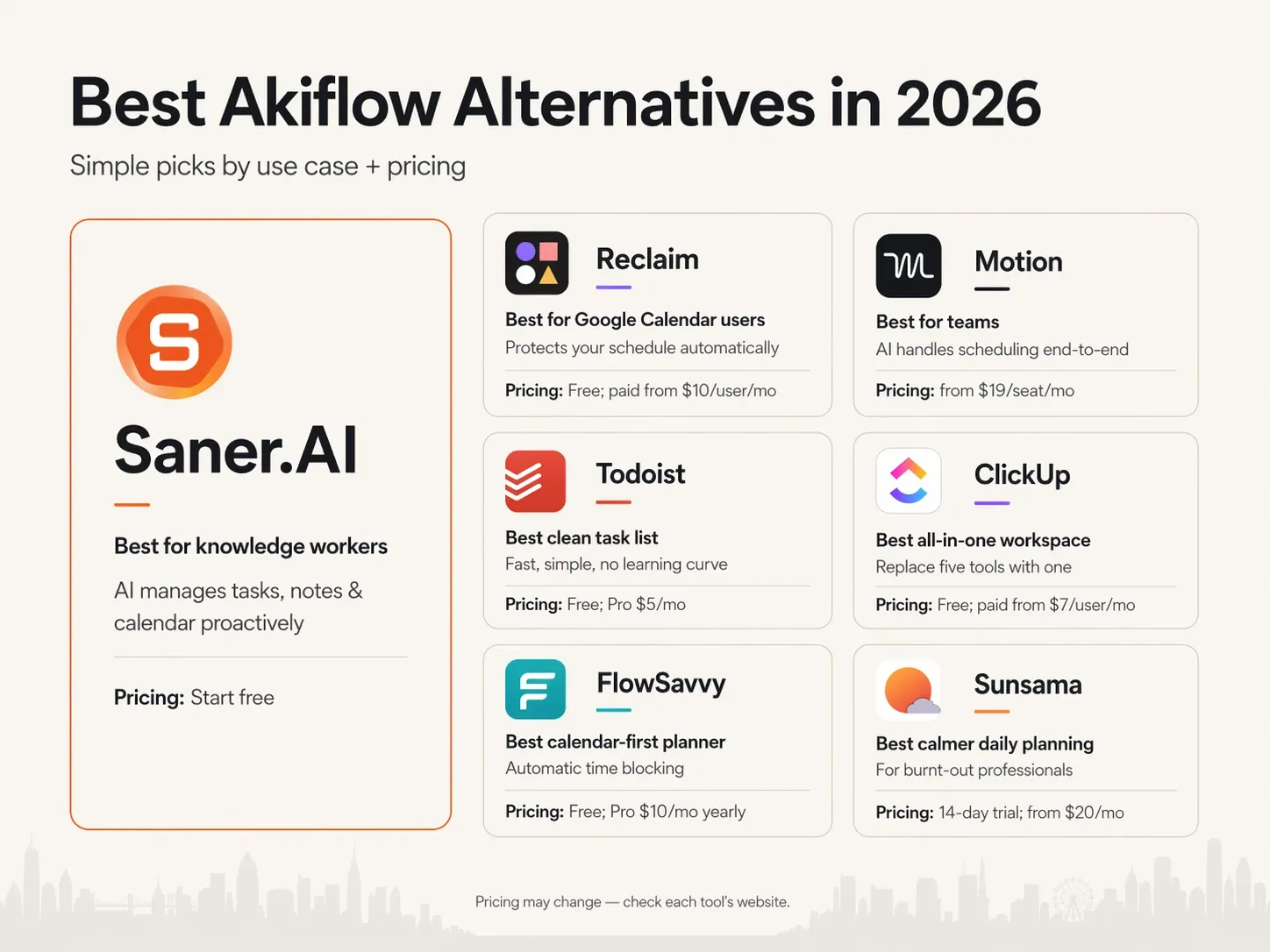
The best Akiflow Alternatives are: Saner.AI, Reclaim, Motion, Todoist, Microsoft To Do, Asana, ClickUp, Notion, Flowsavvy, Sunsama

We tested the 10 Best Akiflow Alternatives in 2026
You sit down at your desk with a fresh cup of coffee and open four different project management tabs. You drag a few urgent tasks directly into your calendar slots, feeling completely in control of your morning. You open Slack to answer a single question from a coworker. When you look up from your screen, two hours have vanished, and three new meeting invites are flashing on it.
You close your laptop out of sheer frustration. You were certain you only spent five minutes in chat, yet your entire morning plan is ruined.
This friction happens when your productivity tools start demanding more maintenance than the actual work you need to do. Akiflow aims to solve this by gluing your inbox and calendar together, but the cluttered interface and steep monthly price often turn it into just another chore.
I spent the last two weeks testing different time-blocking tools to see which ones actually keep you organized without taking over your life. If you want a cleaner, faster way to run your day, these Akiflow alternatives will help you get your schedule back under control.
Quick Answer: What's the Best Akiflow Alternative Right Now?
- Reclaim — Best for Google Calendar users who want their schedule protected automatically
- Motion — Best for teams who want AI to handle scheduling entirely
- Todoist — Best for people who want a clean, fast task list without any learning curve
- ClickUp — Best for teams that want to replace five tools with one
- FlowSavvy — Best for calendar-first planners who want automatic time blocking
- Sunsama — Best for burnt-out professionals who want a calmer, more intentional way to plan their day
1. What Is Akiflow?
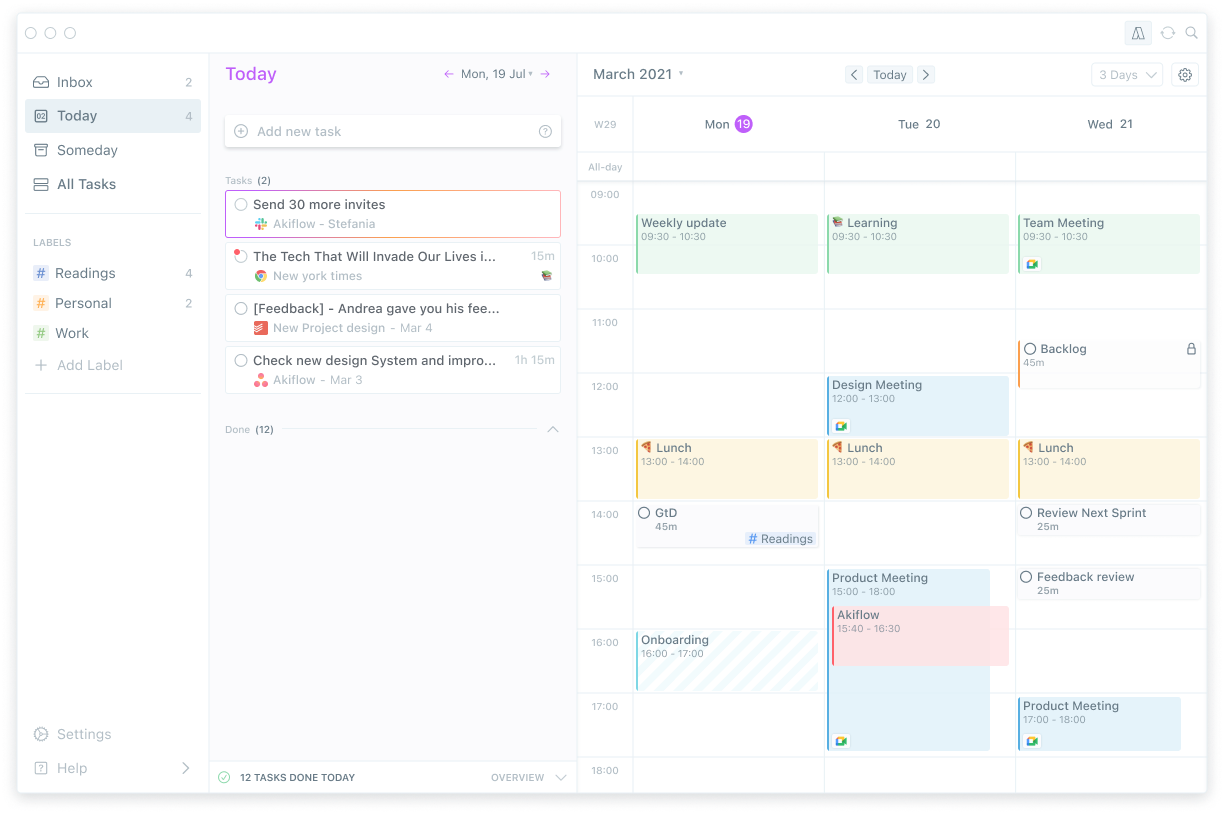
Akiflow is a productivity app that centralizes tasks from multiple tools and helps you plan your day using time blocks on a calendar.
Where Akiflow starts to break down is for people whose work is messy, creative, interrupt-driven, or cognitively demanding. For ADHD users or knowledge workers who switch contexts often, the rigidity and daily setup cost can outweigh the benefits.
2. Why People Look for Akiflow Alternatives?
Most people don’t leave Akiflow because it’s “bad.” They leave because it no longer fits how they think or work.
Common reasons include:
- High pricing compared to simpler tools
- Rigid workflow (heavy daily planning required)
- Limited AI assistance (mostly manual decision-making)
- Cognitive load for ADHD or creative users
Adding an expensive tool that takes weeks to master before it pays off doesn't help that number.
3. How We Chose These Akiflow Alternatives
We evaluated over 30 task management and daily planning tools across six months of testing, user review analysis, and direct comparison against Akiflow's core use case: unified task inbox, time blocking, and calendar integration. We narrowed the list to 10 tools that offer a meaningfully different or better experience for at least one type of user.
Here's what we looked at:
- Task capture and inbox management — How quickly and reliably does the tool collect tasks from other apps, emails, or direct input?
- Calendar integration and time blocking — Does the tool let you schedule tasks onto your calendar? Is that process manual, assisted, or fully automated?
- AI quality and usefulness — If the tool claims to use AI, does it actually save time or just add a chat interface on top of a to-do list?
- Pricing and free tier availability — What does the tool cost per month, and is there a free plan for someone who wants to test it properly before committing?
- Learning curve and setup time — How long before the tool is actually useful?
- Depth of project and team features — Can it handle more than personal task management?
Now let's dive in!
What Are The Best Akiflow Alternatives?
The best Akiflow Alternatives are: Saner.AI, Reclaim, Motion, Todoist, Microsoft To do, Asana, ClickUp, Notion, Flowsavvy, Sunsama
Comparison Table: Akiflow Alternatives at a Glance
| Tool | Best For | Free Plan | Starting Price | AI Scheduling | Time Blocking |
|---|---|---|---|---|---|
| Saner.AI | ADHD users, knowledge workers | Yes | $8/month | Yes | Yes |
| Reclaim | Google Calendar users | Yes (limited) | $8/seat/month | Yes (auto) | Yes |
| Motion | Teams, auto-scheduling | No | $19/seat/month | Yes (fully auto) | Yes |
| Todoist | Simple task management | Yes | $4/month | Limited | No |
| Microsoft To Do | Microsoft ecosystem users | Yes | Free | No | No |
| Asana | Teams and project management | Yes (limited) | $10.99/seat/month | Yes | Limited |
| ClickUp | All-in-one teams | Yes | $7/seat/month | Yes | Yes |
| Notion | Custom workspace builders | Yes | $12/seat/month | Yes (add-on) | Limited |
| FlowSavvy | Budget calendar planners | Yes | $6/month | Limited | Yes |
| Sunsama | Mindful daily planners | No | $20/month | No | Yes |
1. Saner.AI
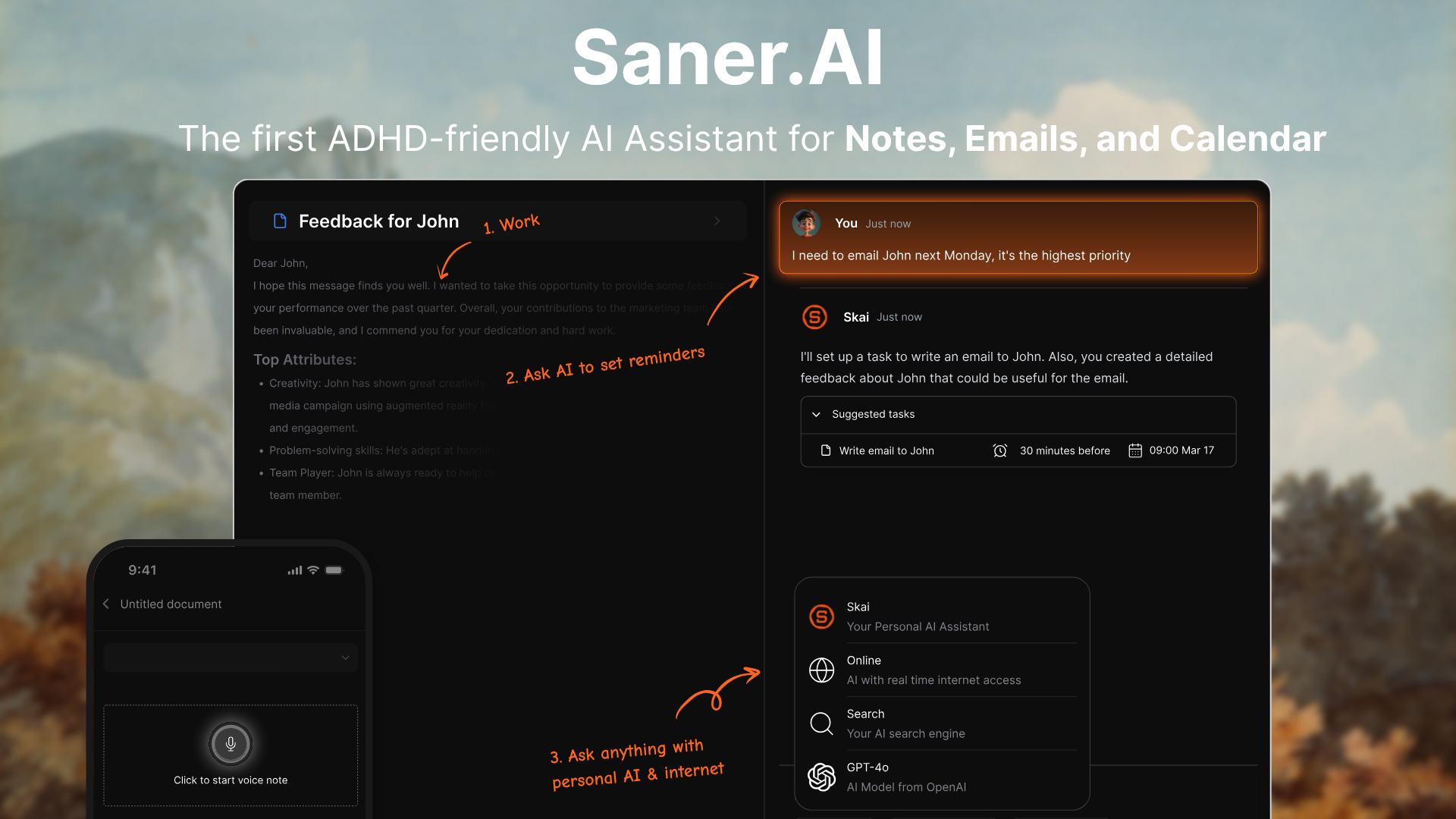
Saner.AI is an AI personal assistant designed to reduce mental load. Instead of manually organizing tasks, notes, and priorities, you simply write things down and let AI structure them for you.
It focuses on turning messy thoughts into actionable daily plans. The product is built for personal productivity, not team workflows. There’s no heavy setup or rigid system to maintain. You interact with it more like an external brain than a traditional task manager.
Key features
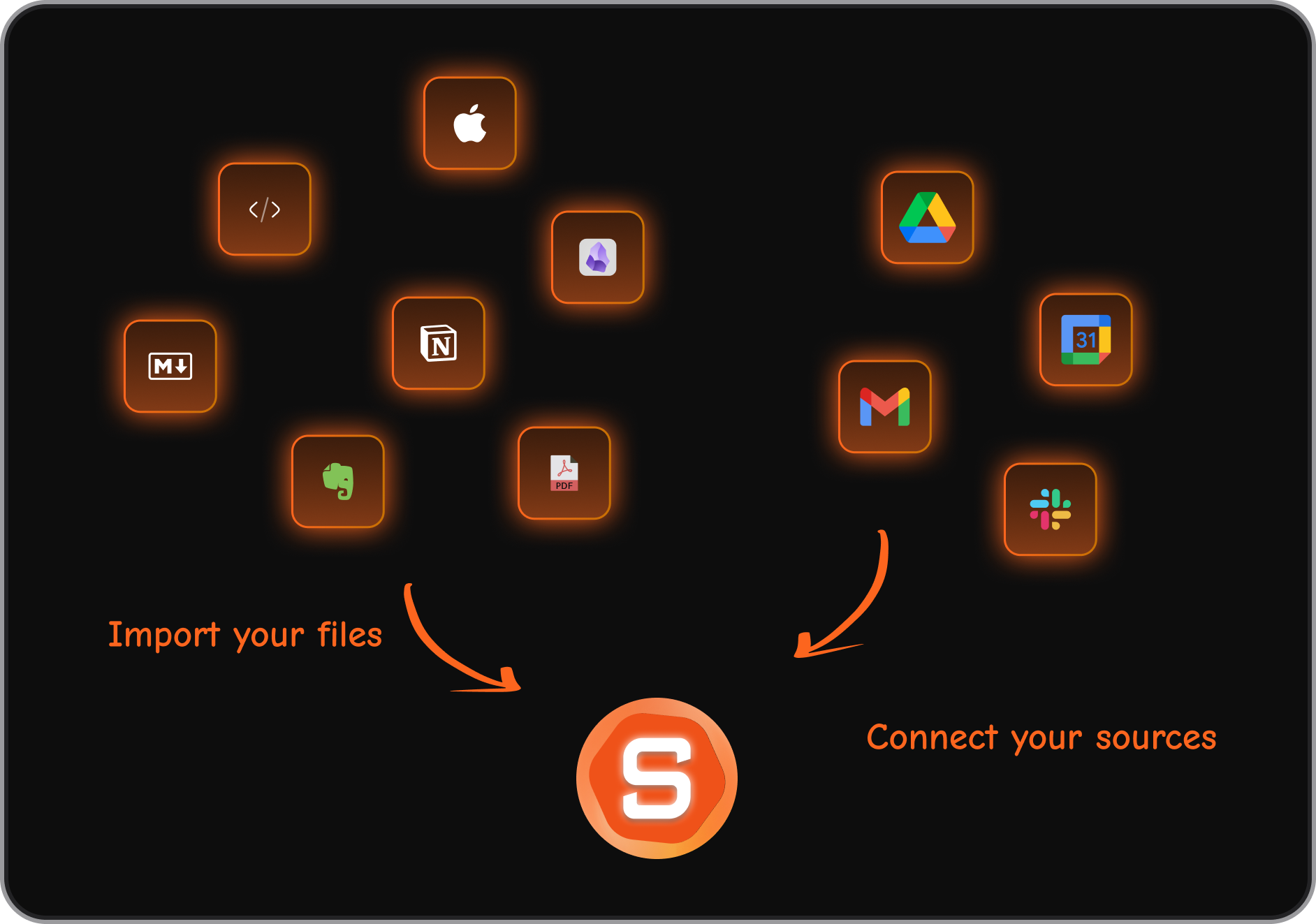
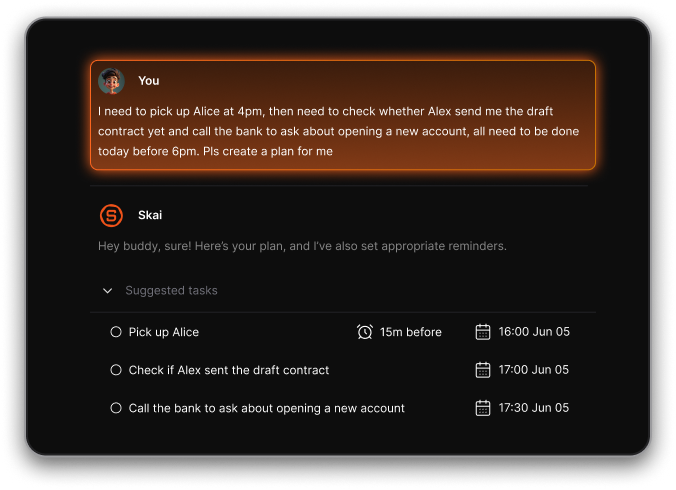
- Built-in AI assistant (Skai) that can search, summarize, and connect your ideas via natural language
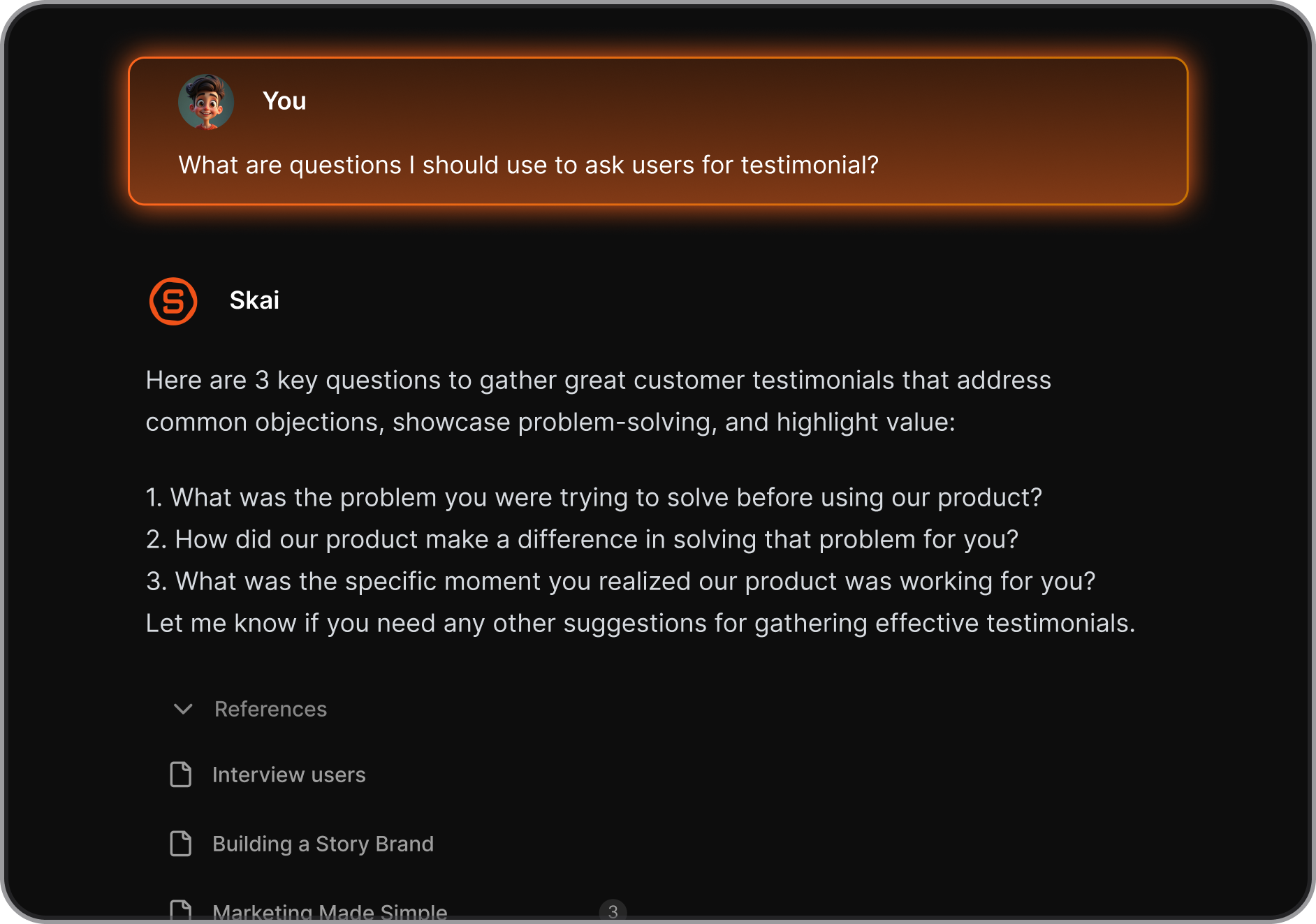
- You can dump tasks, ideas, and notes in natural language. Saner.AI automatically categorizes, prioritizes, and connects them without manual sorting.
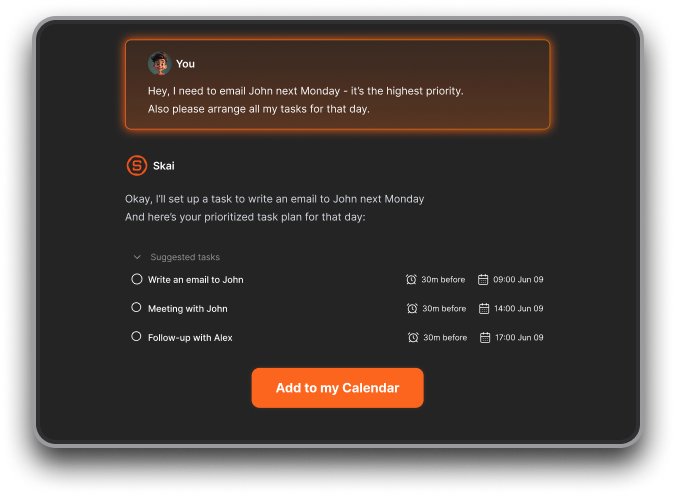
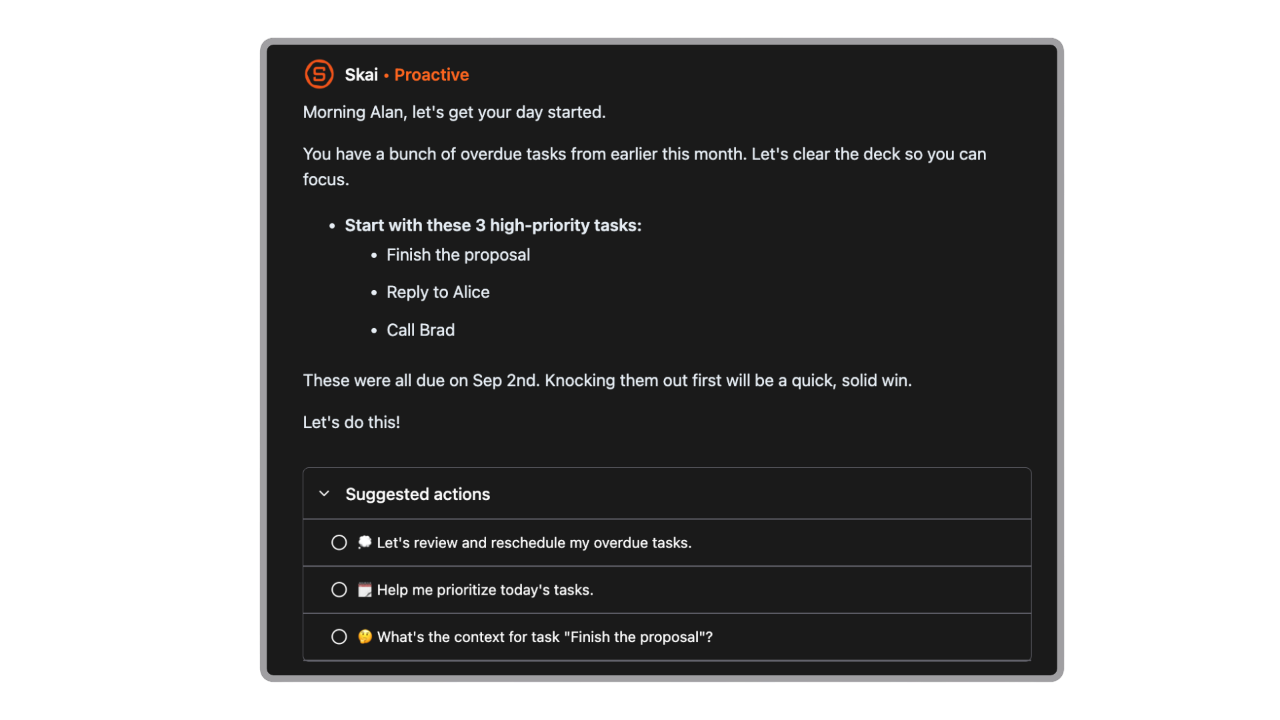
- The AI helps surface what matters today based on urgency, energy, and context, rather than static priority rules.
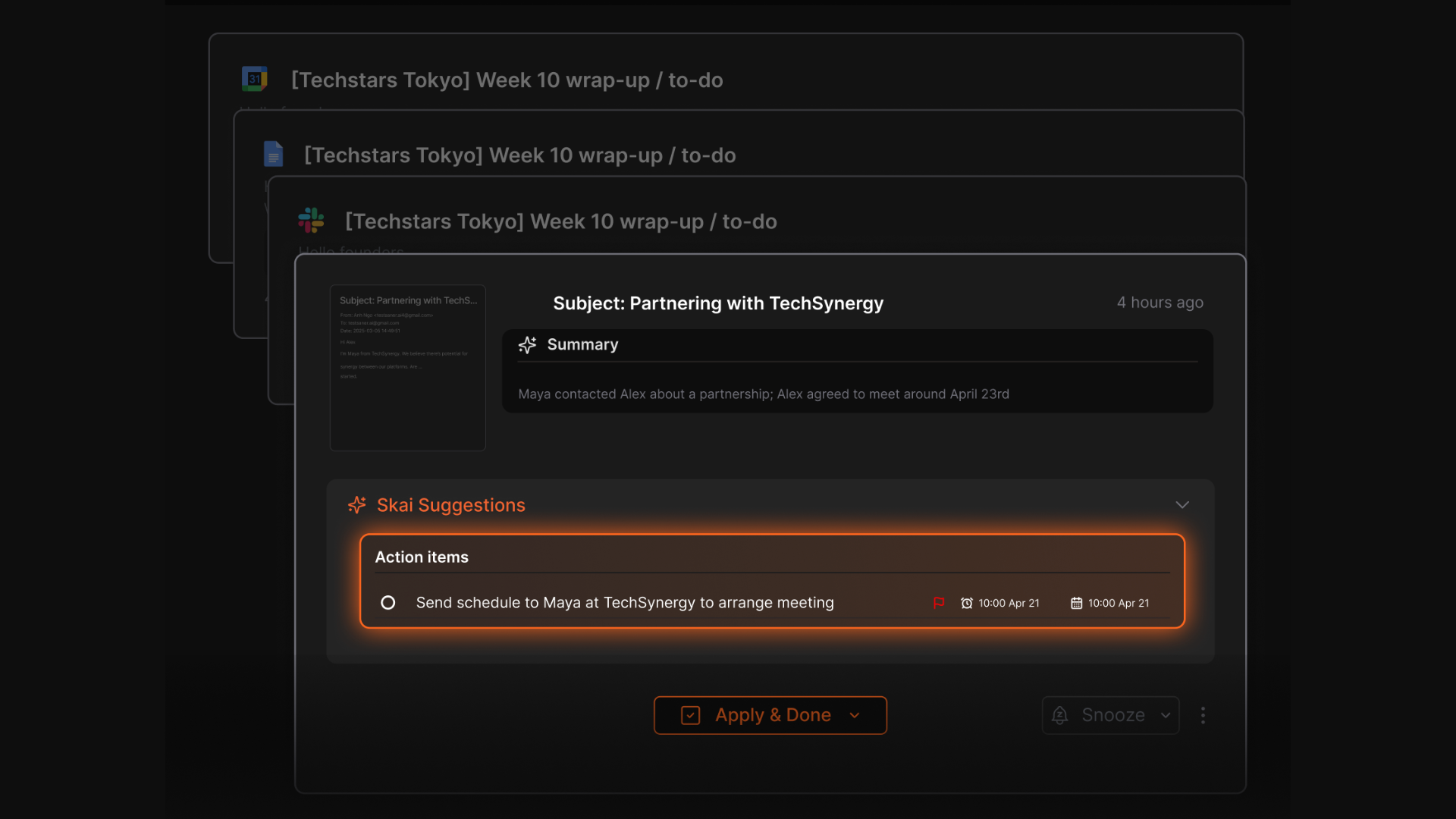
- Suggest action items from your emails and set reminders automatically
- Tasks and notes live in one place, reducing tool switching and duplicated thinking. This is especially helpful for people who think in fragments.
- Minimal structure upfront, fewer decisions to make, and no complex workflows to “maintain” over time.
What I liked
- You don’t need to plan how to plan. Writing things down is enough for the system to work
"I consider it as my life manager, it helps a lot to keep all tasks neatly organized." — reviews
- Less calendar-centric and less rigid, making it easier to stick with long term.
- The AI is used for organizing and prioritizing, not just summarizing or labeling.
- It feels built for neurodiverse users with a clean, calm interface that doesn’t distract
Cons
- Not ideal for large teams or project timelines
Pricing
- Free — $0 — Core note-taking, quick capture, basic AI organization, semantic search
- Pro — $8/month — Full AI features, advanced task management, integrations, multi-AI access
Who is it suitable for?
- Knowledge workers, researchers, writers, and ADHD users whose main challenge is information overload - not just scheduling.
Saner.AI review

How to start using it?
- Visit the Saner.AI website and sign up for an account
- Explore the app's features, starting with basic note-taking, task creation, and AI planner

Stay on top of your work with the Top Akiflow Alternative
2. Motion
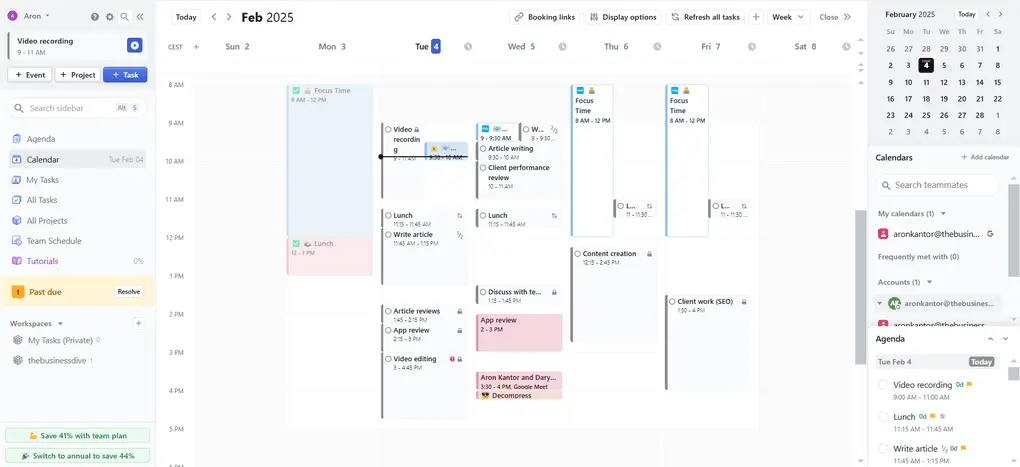
Motion is an AI-powered scheduling and task planning tool that automatically builds your daily schedule. You add tasks, priorities, deadlines, and meetings, and Motion rearranges everything into a realistic calendar. It’s designed to remove manual planning by constantly re-optimizing your day when things change.
Key features
- Motion places tasks directly into your calendar based on deadlines, priority, and available time.
- When plans change, Motion recalculates your entire day or week instantly. This helps prevent cascading delays and forgotten tasks.
- Tasks and meetings live in the same timeline, giving a single source of truth for your workday.
- The system is designed to tell you exactly what to do next, reducing decision fatigue.
What I liked
- I liked how Motion takes care of scheduling for me
"I love to schedule and combine different calendars of Google, Outlook, and Apple together and monitor my work closely." — reviews
- It’s also nice that I can coordinate with my team inside the same app, without needing Asana or other tools.
What I disliked
- There’s no free plan, and the price is high if you’re solo.
- It takes a lot of setup - you need to add deadlines, priorities, and time estimates to get the most out of it.
"Motion scheduled my day so tightly that I had no breathing room." — reviews
- Some features are easier to use on a desktop than mobile, which isn’t ideal if you’re often on the go.
- Motion doesn't have a chat assistant to ask it like "hey, remind me to do ABC"
Pricing
- Individual: about $19/month (billed yearly) or ~$34/month (monthly)
- Team plans available with per-user pricing
Suitable for
- Professionals who want strict, AI-managed time blocking and are comfortable letting software control their schedule.
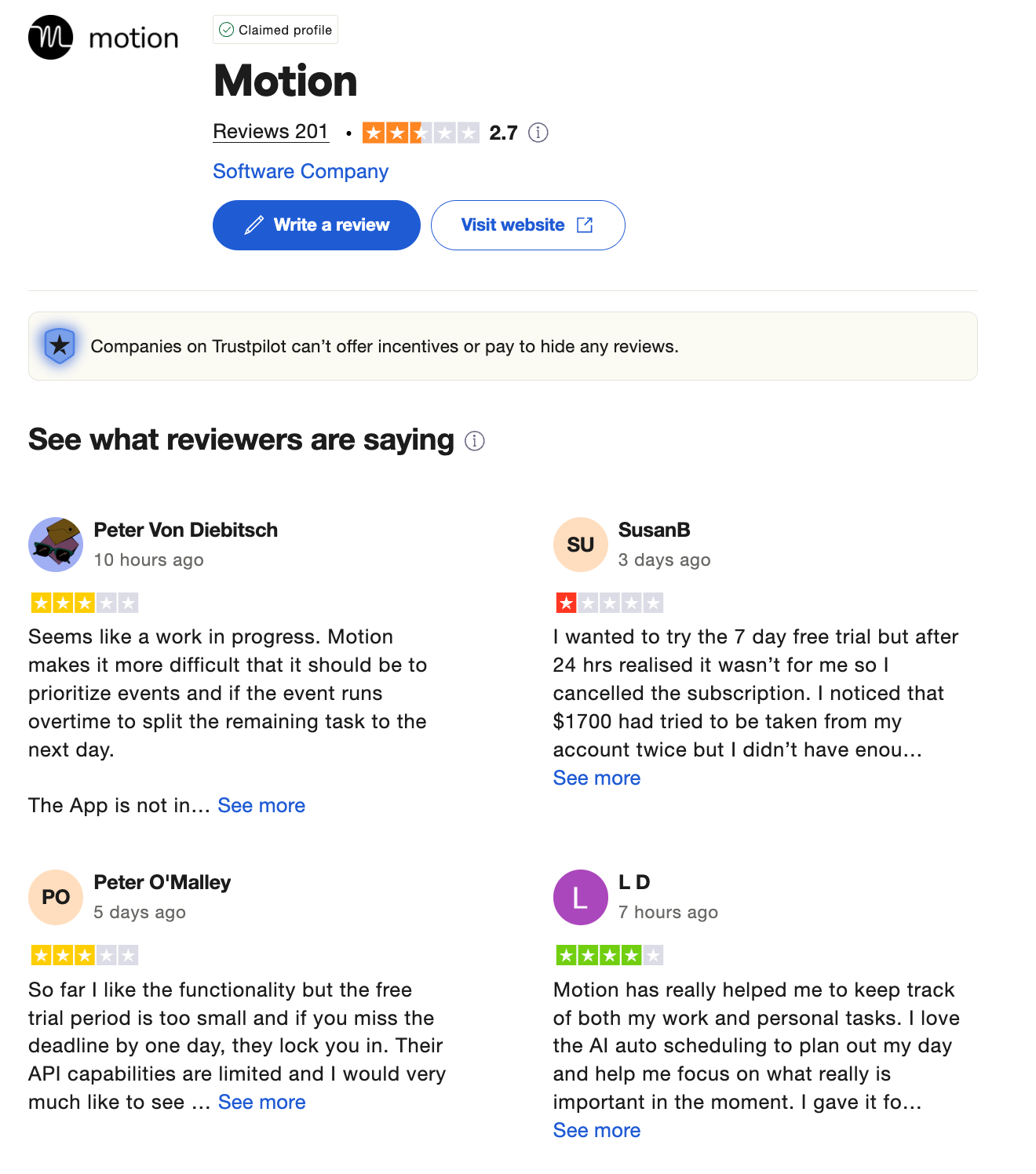
Motion reviews (source)
"The idea of outsourcing daily scheduling to software sounds genuinely freeing — and Motion does its core thing well." — reviews
"There were also certain things I wanted to do that I could not figure out especially with the way project management worked." — reviews
How to start
- Just sign up, connect your calendars, enter your tasks and work hours, and let the AI take it from there.
3. Todoist
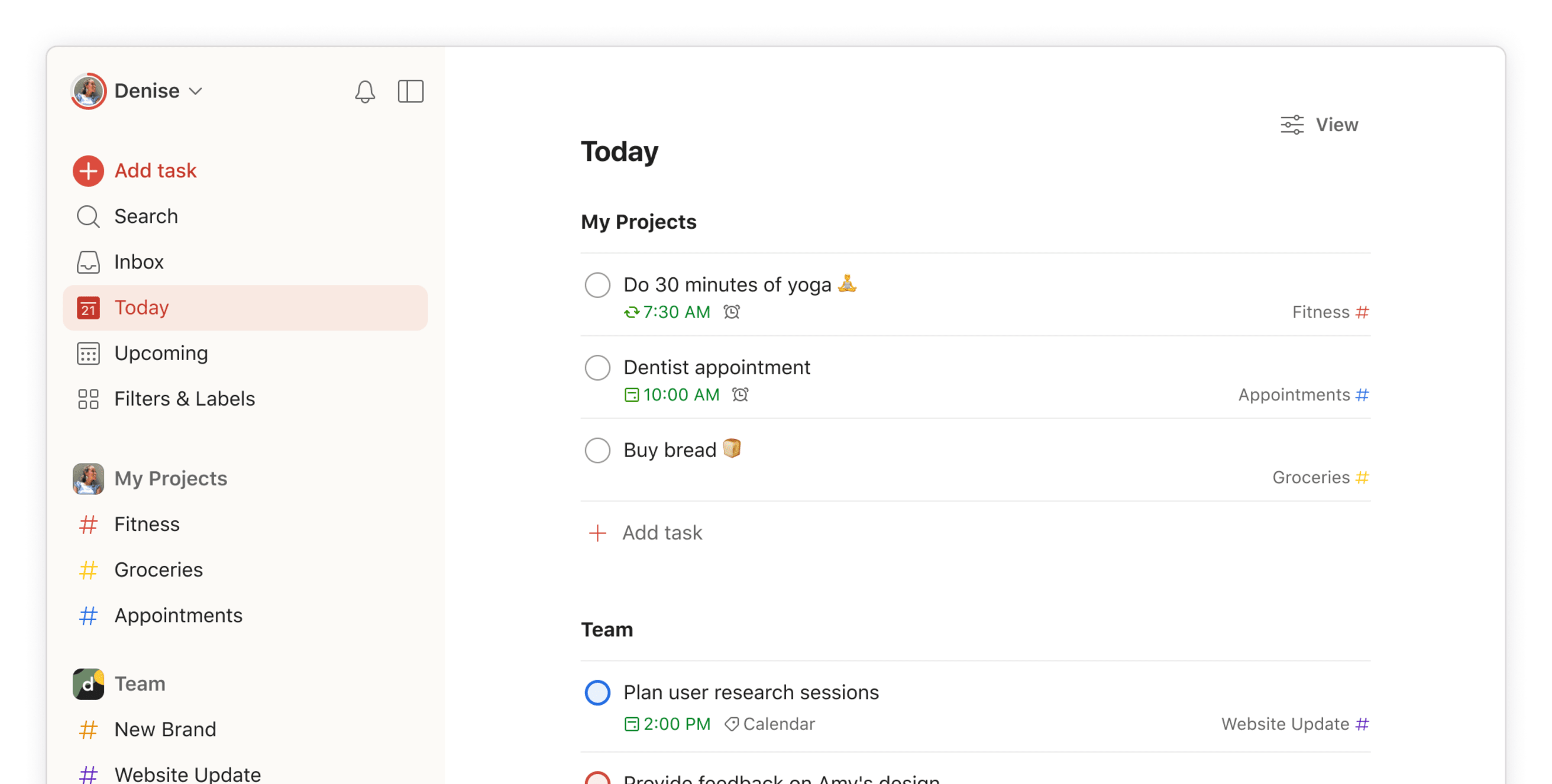
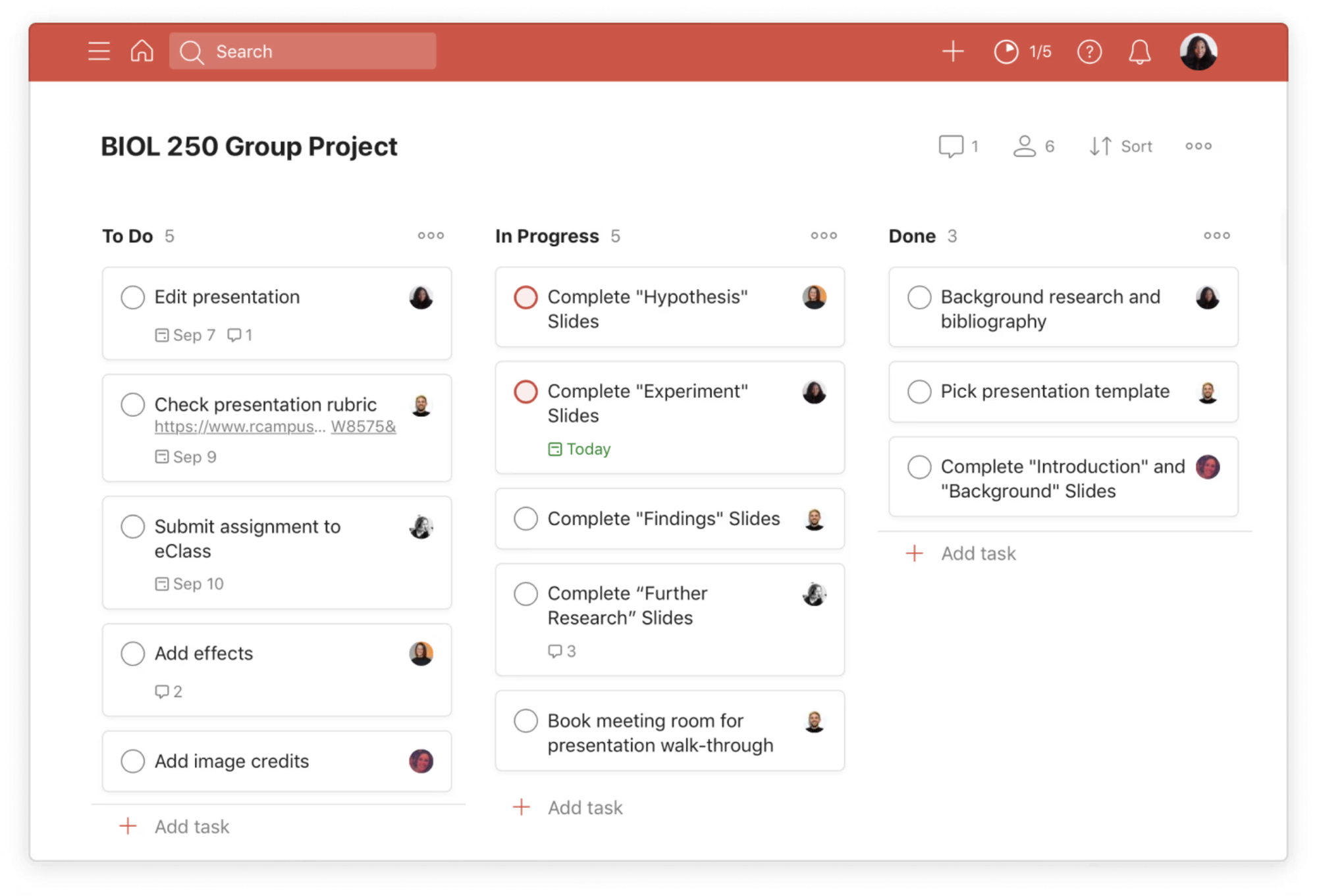
Todoist is a task management app focused on helping individuals and teams track to-dos, deadlines, and recurring tasks. It’s built around structured task lists with priorities, due dates, and labels. Instead of planning your day visually on a calendar like Akiflow, Todoist emphasizes task capture and execution.
Key features
- Tasks can be organized into projects and filtered using labels and priority levels, giving you flexible control over structure.
- Strong support for habits and repeating work, making it useful for long-term routines.
- Works across web, mobile, and desktop and integrates with tools like Google Calendar, email, and Slack.
What I liked
- I love the quick-add feature
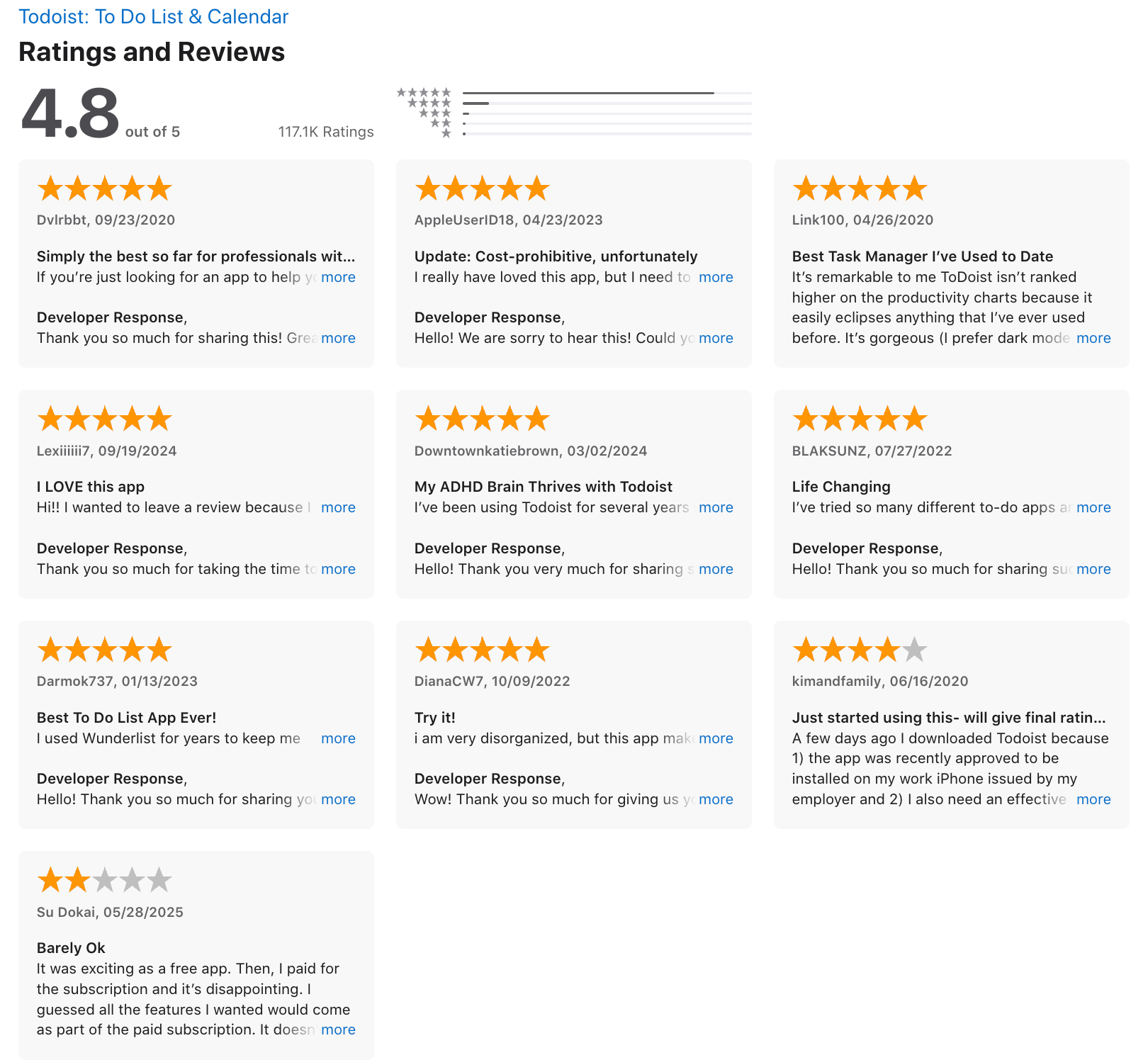
"The interface is intuitive, the user experience is smooth." — reviews
- Syncing across devices is seamless, and the calendar view makes planning easier
What I disliked
- The free plan is a bit limited - you’ll likely need Pro to really get value
- It’s not built for complex project planning (no Gantt charts or dependencies)
- AI can be hit or miss for more nuanced workflows
- You can't ask AI to reschedule, plan your day, etc
- It doesn't support document storage or email management
Pricing:
- Free
- Pr0: $5/user
- Business: $8/user
Suitable for:
- Individuals and small teams who want a reliable, affordable task manager with great mobile support — no learning curve required.
Todoist reviews (source)
"While Todoist is great for simple task lists, it lacks a built-in calendar and deep work planning." — reviews
Getting Started:
- Sign up on the Todoist website or download the app from your device's app store.
4. Reclaim
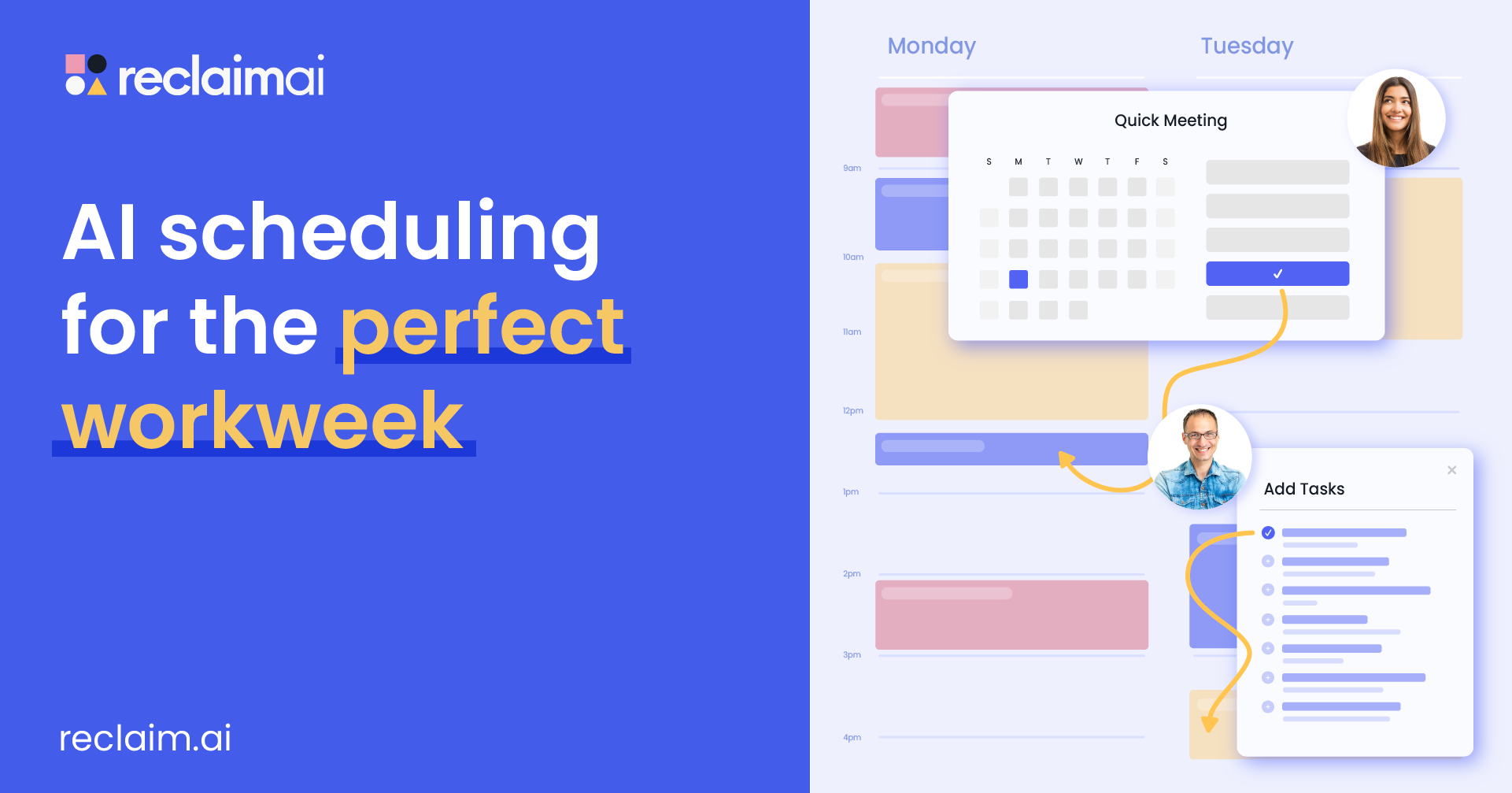
Reclaim.ai is an AI-powered calendar tool that automatically plans your tasks, habits, and breaks around your calendar. Instead of manually blocking time, the system continuously reschedules work when meetings move or priorities change.
Key features:
- Tasks are placed directly into your calendar based on priority, deadlines, and availability. When meetings shift, tasks are automatically rearranged.
- You can set rules for focus time, personal habits, breaks, and work-life boundaries. Reclaim actively defends these blocks from being overridden.
- Deep integration with Google Calendar makes it feel like an extension of your existing schedule, not a separate tool.
- Tasks compete for time based on urgency and importance, helping avoid overcommitted days.
What I liked:
- Helps prevent calendar overload and meeting sprawl without constant manual edits.
"Reclaim.ai is particularly valuable for protecting focus time in crowded calendars." — reviews
- Once set up, it requires minimal daily interaction to keep plans updated.
- Ideal if your day constantly changes due to calls and rescheduling.
- Makes it obvious when your schedule is too full.
What I didn’t love:
- No proper mobile app yet - works on mobile browser, but not ideal
"The complete lack of a native mobile app is a major failing." — reviews
- If you don’t use Google Calendar or Outlook, it’s not a great fit
- Not built for complex project management - no timelines or dependencies
- It’s not a chat app, so you can’t just say “schedule writing time tomorrow”- everything runs by rules
Pricing:
- Free Lite plan
- Starter plan around $10/month
- Business plan around $15/month
- Enterprise plans start around $18/month
Best for:
- Professionals who want an automated, calendar-driven that protects focus time and adapts to constant schedule changes.
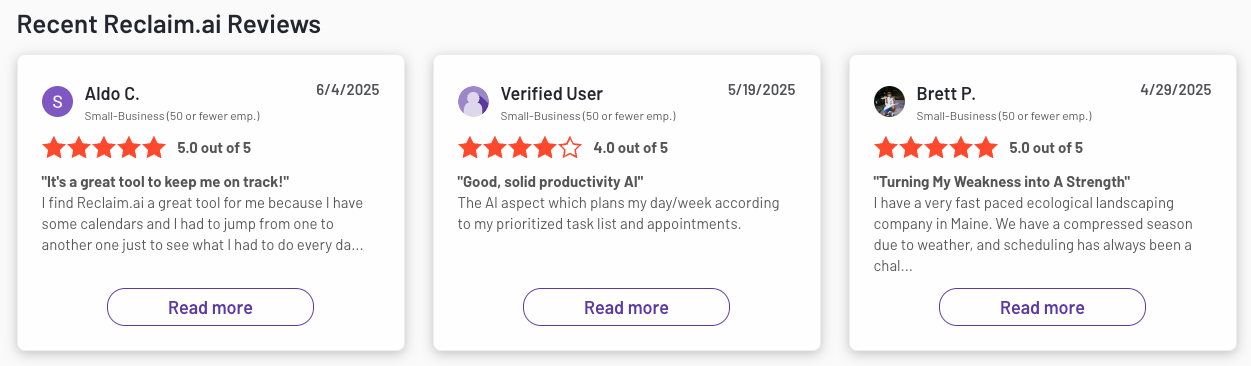
Reclaim reviews (source)
"Instead of constantly negotiating calendar space, it helps me to create a system that enforces my priorities." — reviews
How to start:
- Just connect your calendar, pick a few habits, and start with Reclaim
5. Asana

Asana is a work management platform designed to help teams plan, track, and execute work across projects. It focuses on making tasks visible, assignable, and trackable over time.
Users can organize work into projects, timelines, and workflows with clear ownership. Unlike Akiflow, Asana is not built for daily personal planning. It’s optimized for coordination, accountability, and cross-team clarity. Most value comes when multiple people collaborate in one system.
Key features
- Work is organized into projects with tasks, assignees, due dates, and statuses. This makes progress and ownership explicit across teams.
- Teams can choose how they visualize work depending on planning style and complexity.
- You can automate repetitive steps like status changes, task assignments, or notifications without code.
- Comments, mentions, and dashboards help teams align and managers track progress at a high level.
What I liked
- Everyone knows who is doing what and by when, reducing follow-ups and confusion.
- Integrates well with tools like Slack, Google Workspace, and other work apps.
- Strong ownership model makes it hard for tasks to “disappear.”
What I disliked
- It’s a bit much if you just need something lightweight - definitely more complex than Akiflow or Saner.AI
- More fields, views, and rules mean more decisions for individual users
- Requires structure, conventions, and ongoing hygiene to stay effective.
"The full feature set can feel overwhelming for new or smaller teams." — reviews
- AI features exist but are not focused on daily, context-aware planning.
Pricing
- Free plan (limited features, up to 10 teammates)
- Paid plans start around $10–$14 per user/month (billed monthly or yearly)
Suitable for
- Teams managing complex projects who want structure, automation, and visibility
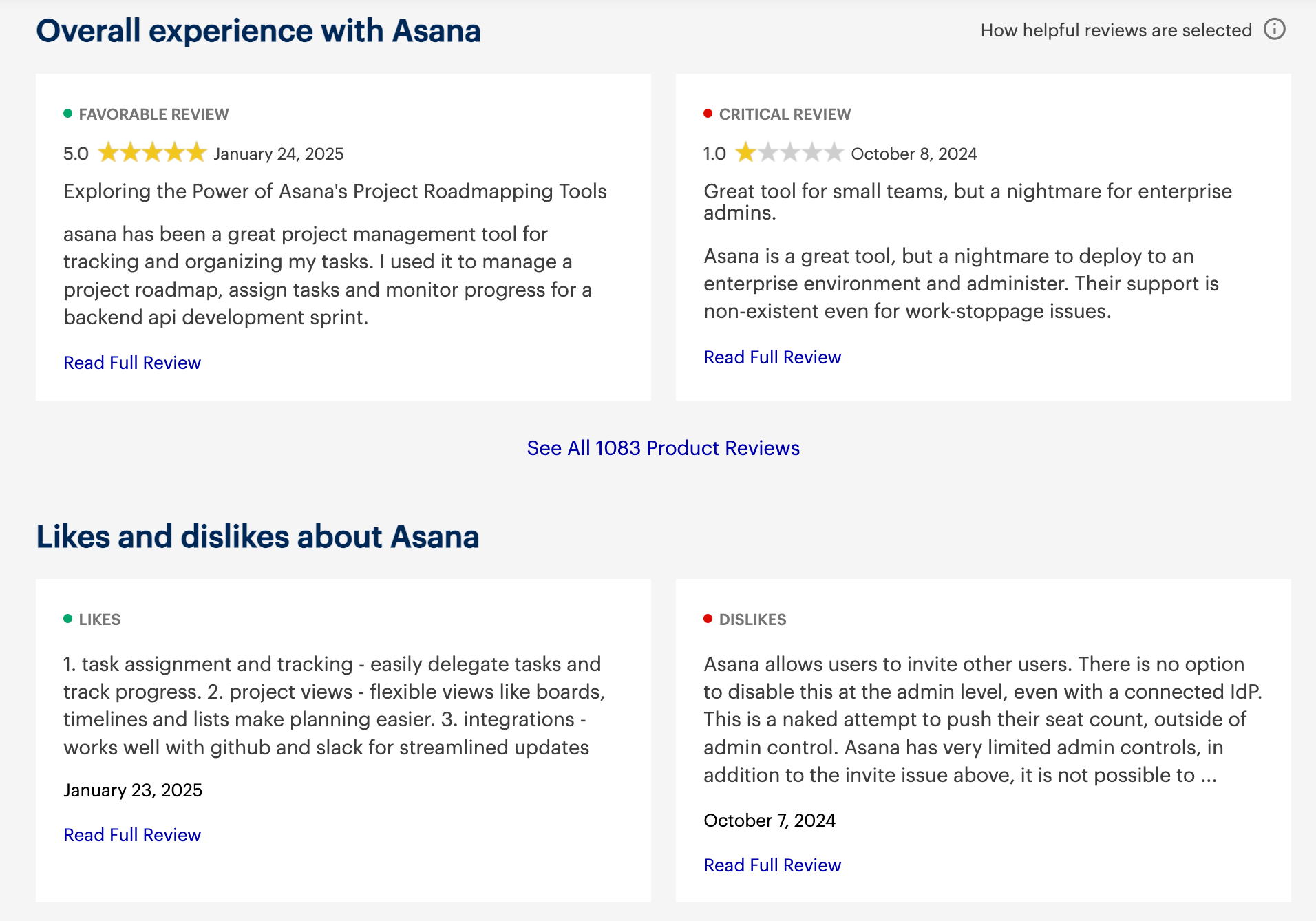
Asana reviews (source)
"The team recognized the feature set, though solid, as being able to overwhelm new users." — reviews
How to start
- Just create an account on Asana, pick your view (list, board, etc.), and try out the AI features to see if they fit your workflow.
6. ClickUp
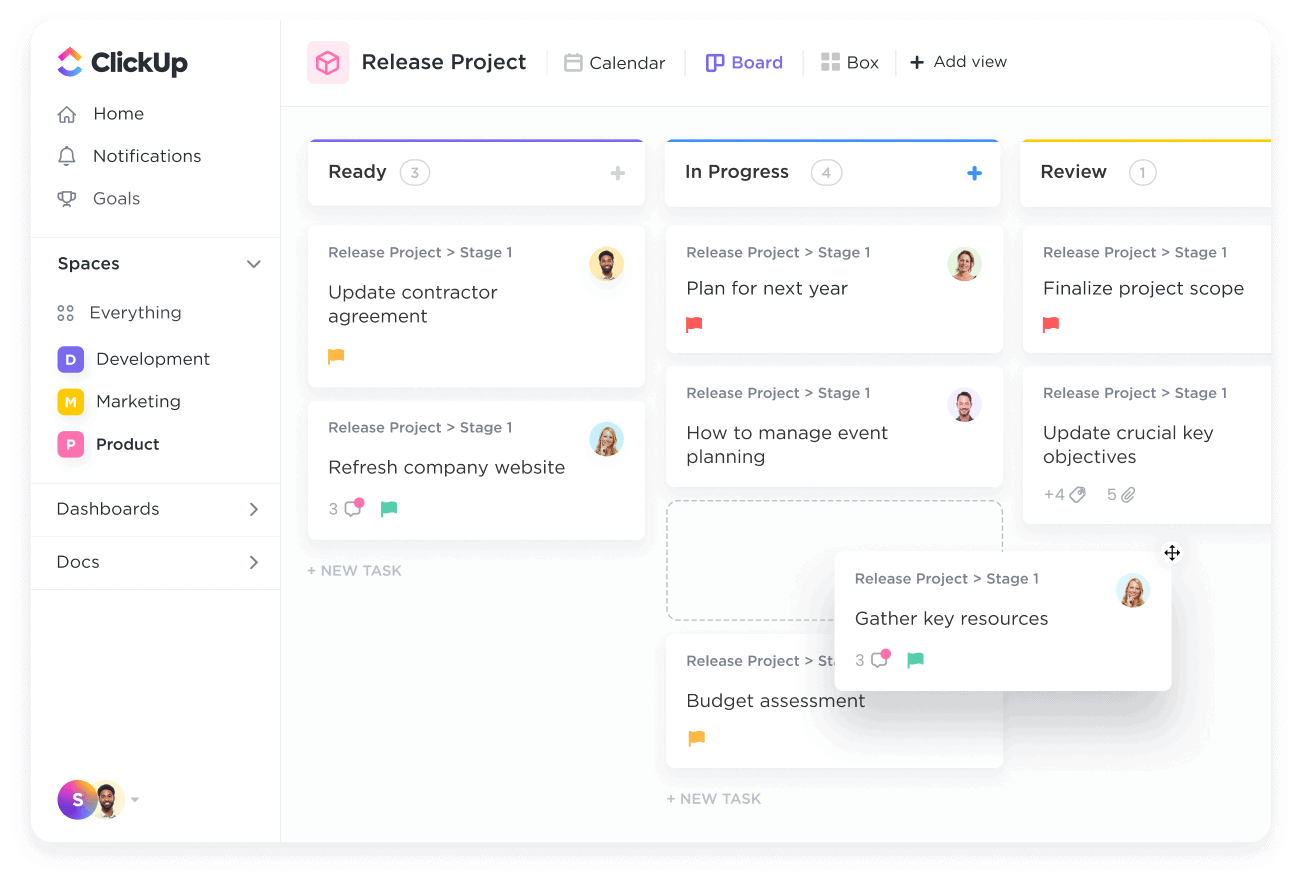
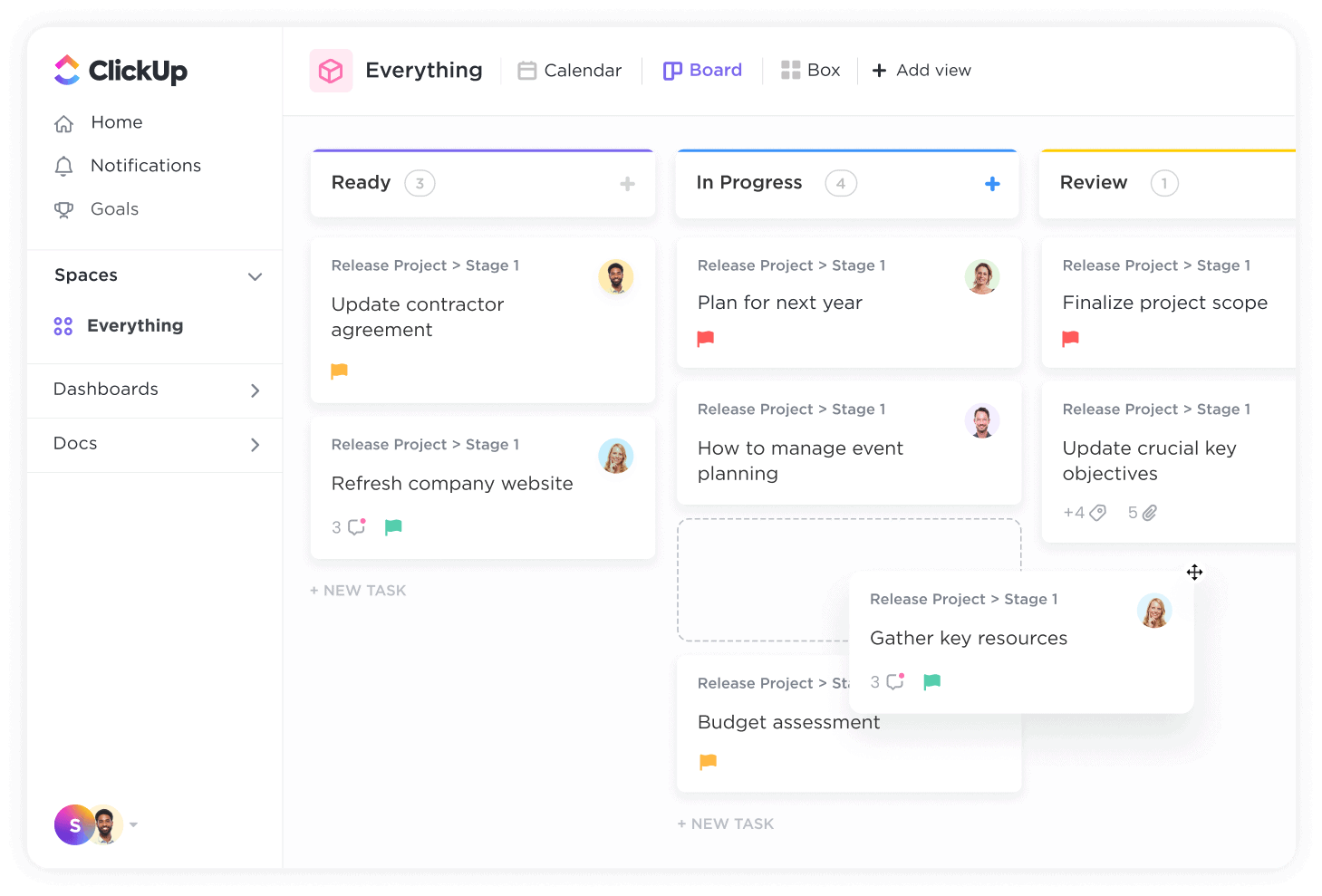
ClickUp is an all-in-one productivity and project management platform. It combines tasks, docs, goals, calendars, dashboards, and automation into a single workspace. Unlike Akiflow, which focuses on daily personal planning, ClickUp is built for structured work and long-term execution. It’s best seen as a work operating system rather than a daily planner.
Key features
- Tasks can include statuses, priorities, assignees, dependencies, custom fields, and views. This allows teams to model almost any workflow.
- You can switch between list, board, calendar, timeline, and Gantt views depending on how you plan or track work.
- Notes, SOPs, and goals live directly alongside tasks, reducing the need for separate tools.
- ClickUp supports rule-based automations and integrates with tools like Slack, Google Calendar, and GitHub.
What I liked
- Suitable for managing projects, teams, and cross-functional work in one place.
- Tasks, docs, tracking, and reporting are tightly integrated.
- Permissions, roles, and shared spaces make it team-ready.
- Compared to enterprise tools, pricing is relatively accessible.
What I disliked
- There’s a heavy learning curve. It can feel overwhelming at first
- Some parts of the UI feel cluttered, especially when setting up complex views
- If you only want a lightweight scheduling assistant, this might be overkill
Pricing
- Free plan available
- Paid plans start around $7–$12 per user/month, billed monthly or yearly
Suitable for
- People or teams who want more than just time blocking - ClickUp is a great Akiflow alternative if you need full project management, team collaboration, and built-in AI help, all in one place.
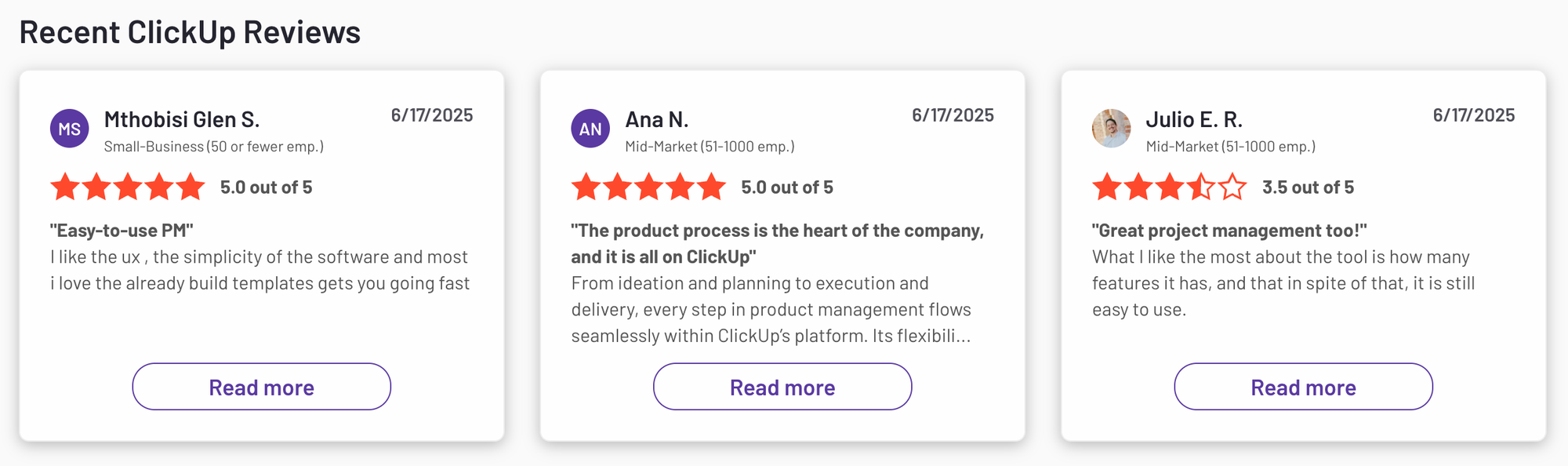
ClickUp review (source)
"There were also certain things I wanted to do that I could not figure out." — reviews
How to start
- Just sign up for the free plan, create a workspace, and try out the views and AI features.
7. Notion
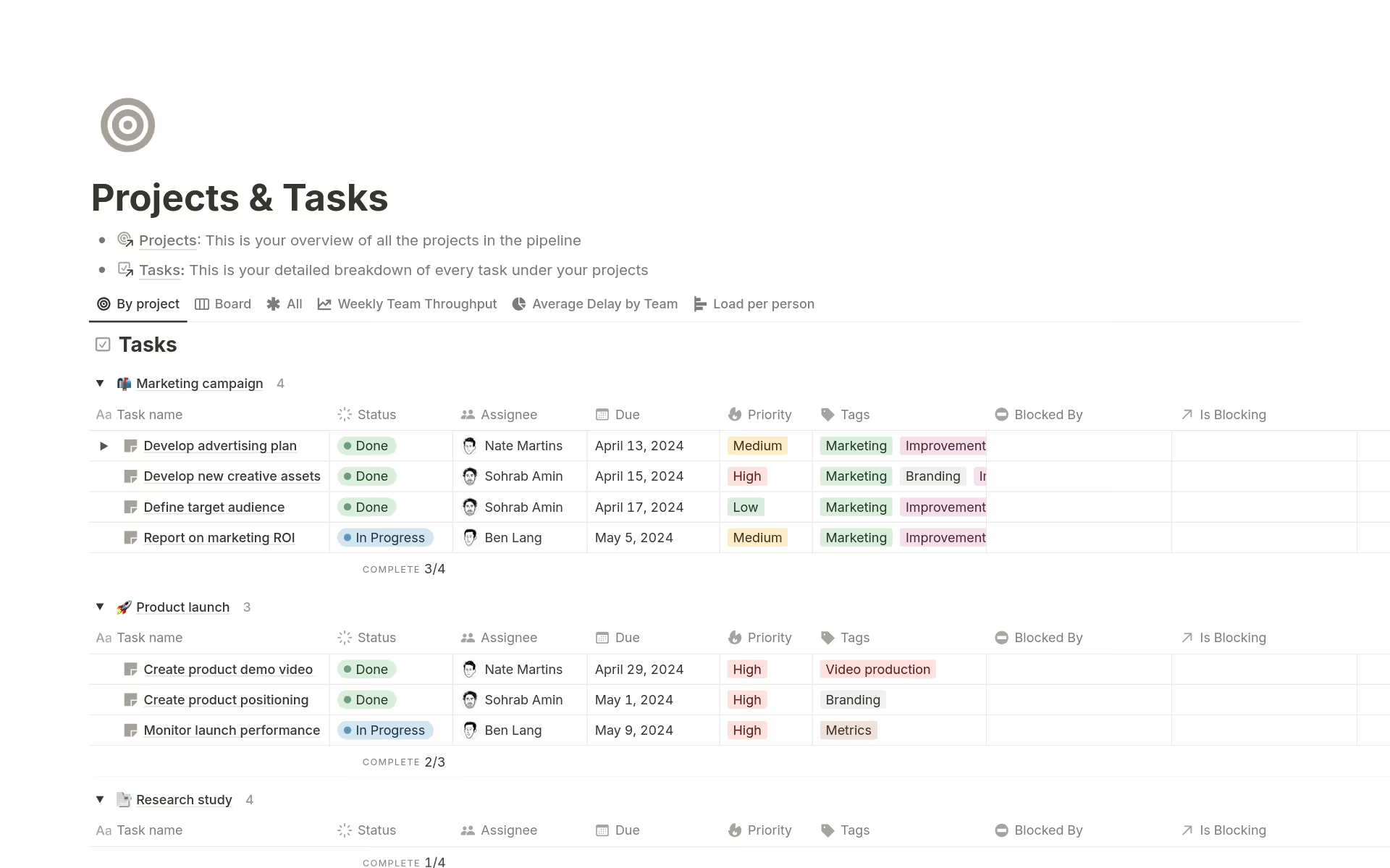
Notion is an all-in-one workspace that blends notes, tasks, calendars, and wikis. It's great if you want a flexible setup with full context behind your work. Lately, it’s added powerful features like Notion Calendar and AI, which make it worth considering if you're looking for Akiflow alternatives for a team.
Key features
- Calendar + tasks in one place: Connect Google Calendar and drag tasks into your schedule
- Notion Calendar: A separate calendar app with time blocking, availability links, and color coding
- Notion AI: Helps summarize notes, generate content, or answer questions inside your docs
- Templates + databases: Build custom task managers, CRMs, or planning dashboards
What I liked
- I like how everything - notes, tasks, events - is connected. I can link a calendar block to a project doc and get full context.
"Incredibly flexible. You can build pretty much any workflow you need." — reviews
- Notion AI is good at summarizing pages and refining writing
- The calendar app feels clean and flexible.
What I disliked
- The calendar is a separate app, which means switching back and forth between Notion and Notion Calendar.
- Google Calendar works well, but Outlook isn’t fully supported yet.
- It doesn’t do smart task scheduling like Akiflow or Saner.AI. I still have to manually drag and drop everything.
"Setting up effective workflows often requires significant customization, which can be time-consuming." — reviews
Pricing
- Free — $0 — Unlimited pages, basic AI trial, limited block history
- Plus — $12/user/month (billed annually) — Unlimited upload, more block history, invite guests
- Business — $18/user/month (billed annually) — Full Notion AI, SAML SSO, advanced analytics
Suitable for:
- People who want an all-in-one workspace for notes, tasks, and docs, with some scheduling features, but don’t need AI to plan their day for them.
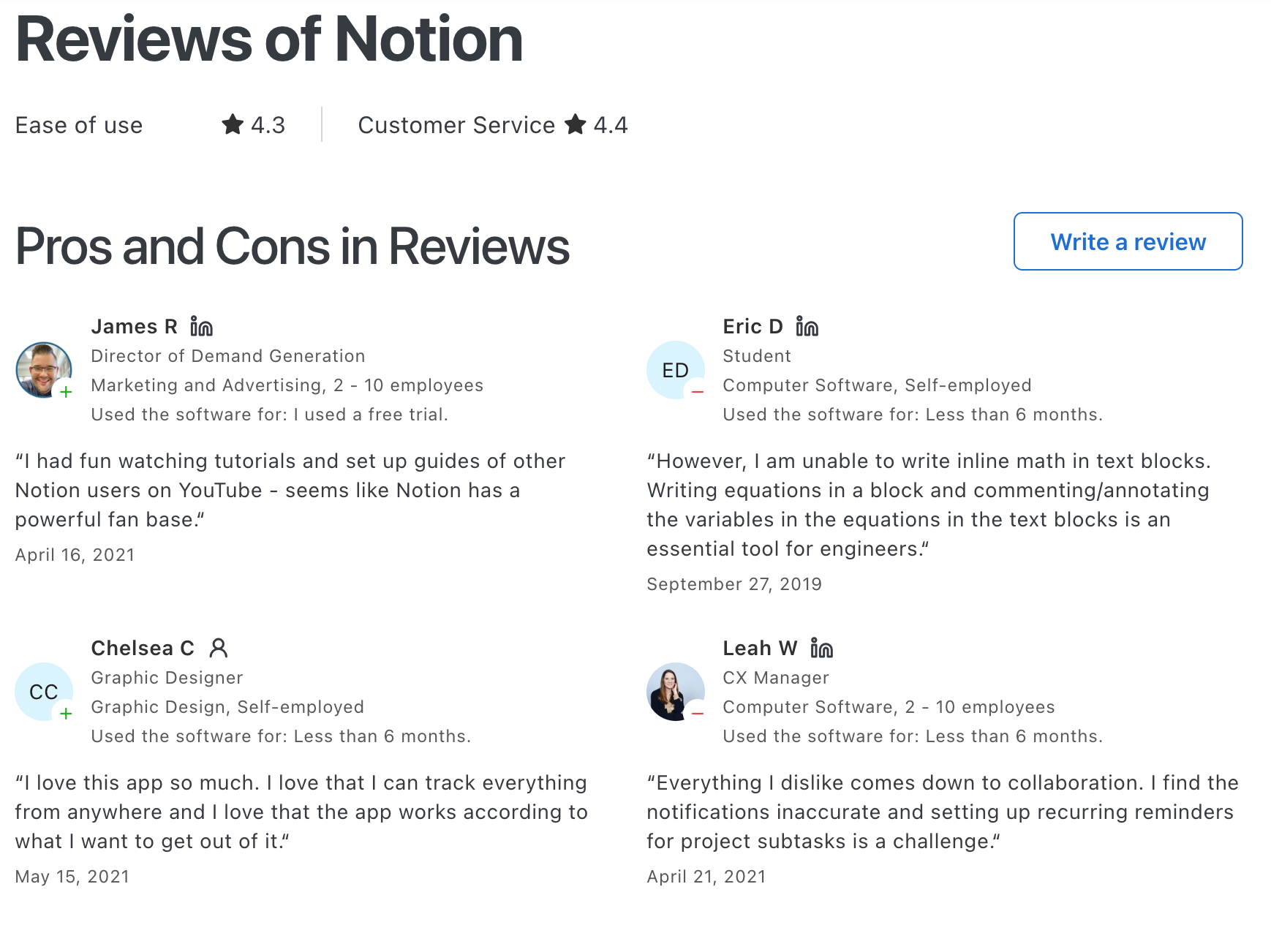
Notion reviews (source)
How to start:
- Just create a Notion account, download the Notion Calendar app, and connect your calendars. Then start building out your task dashboards or use a prebuilt template.
8. Flowsavvy
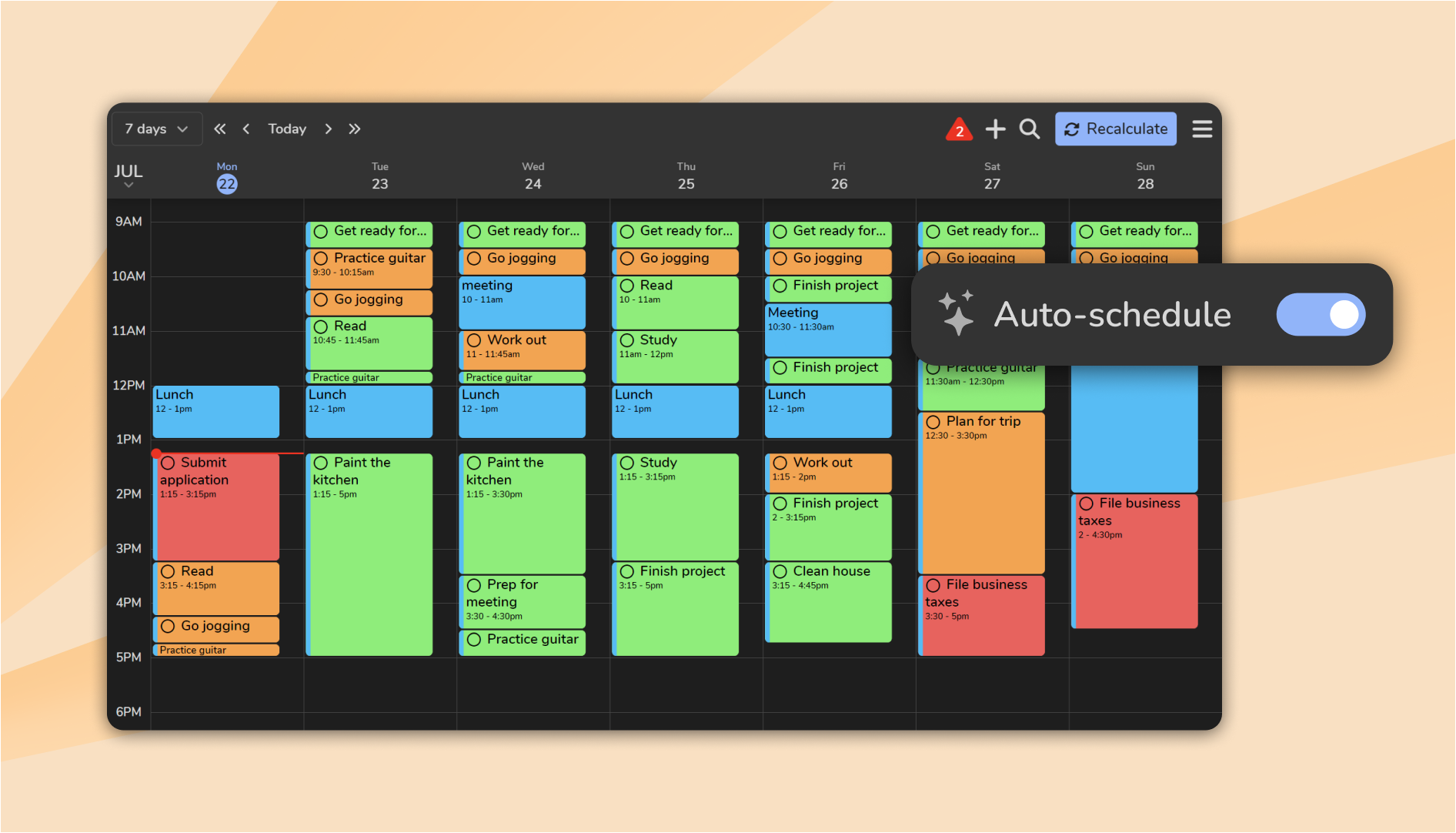
FlowSavvy is an AI-powered scheduling and time-blocking tool that automatically places your tasks into your calendar based on your availability and deadlines. It’s focused on personal weekly and daily planning rather than team project workflows.
Key features
- Enter tasks with durations and due dates, and FlowSavvy automatically distributes them across your calendar
- When events shift or new tasks come in, FlowSavvy recalculates your whole schedule with one click
- You can set habits and repeating tasks that intelligently resurface in your plan, and choose options that balance workload across days instead of squeezing everything early.
- Sync with Google Calendar, iCloud, and Outlook so your auto-scheduled tasks live alongside meetings and events with intuitive views and color coding by urgency.
What I liked
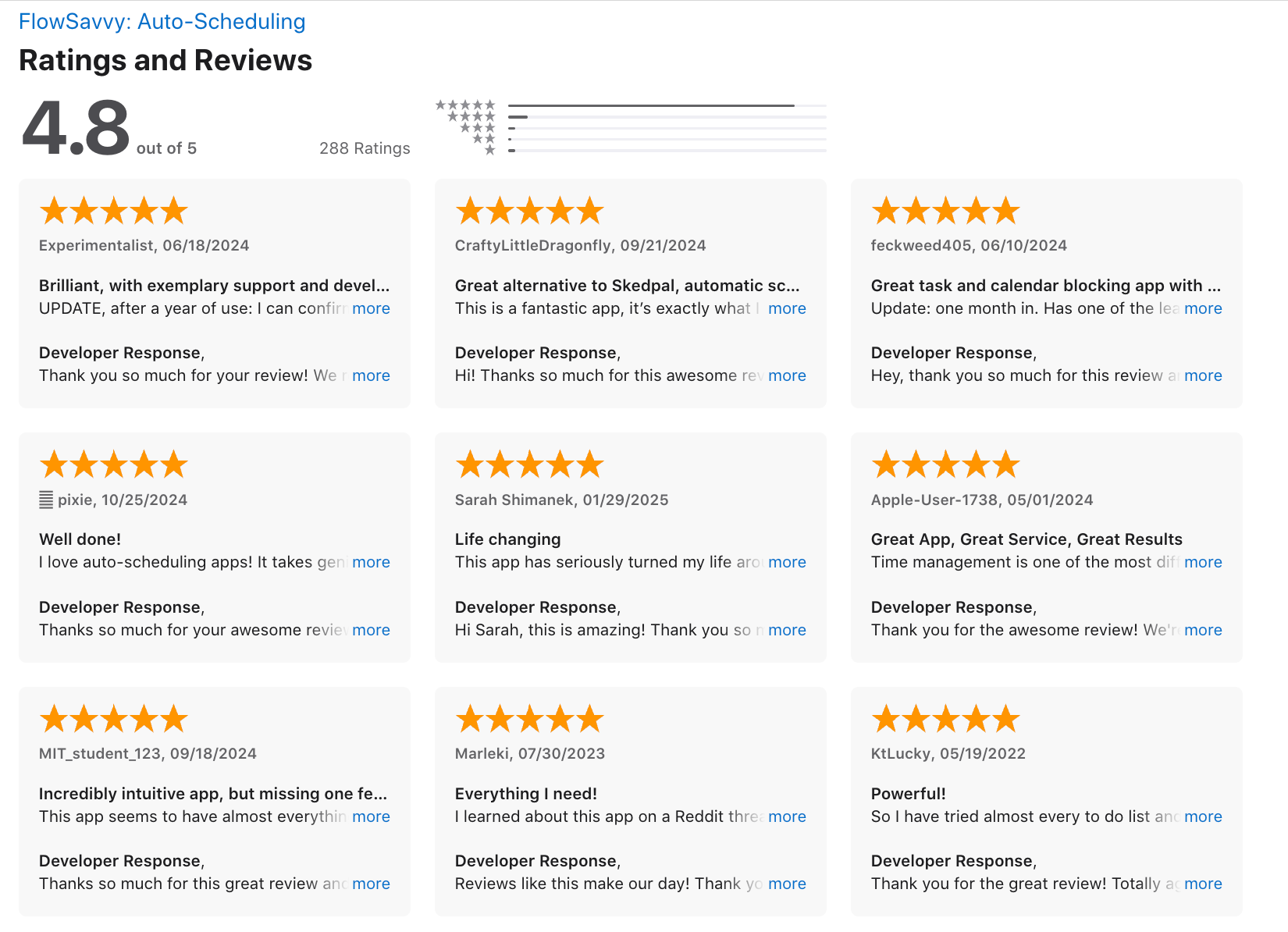
- FlowSavvy’s auto-scheduling means you don’t have to micromanage your calendar
"I dump everything in, set priorities, and it handles the rest. That reduction in cognitive load is significant." — reviews
- The schedule adjusts quickly when plans shift or new tasks arrive, saving time you’d otherwise spend manually moving blocks.
- Its ability to spread workload and factor in scheduling hours helps maintain work-life balance and reduce cognitive burden.
- Web, iOS, and Android support mean your schedule is available wherever you work.
What I didn’t like
- You don't have a chat assistant to chat with
- You can’t fully customize the time blocks - it follows its own logic
- Saw a few bugs, but the team seems to fix things quickly
Pricing
- Free plan available
- Pro plan is $7/month or $60/year
Suitable for
- Busy people who want an Akiflow Alternative that’s lightweight, automatic, and keeps their calendar sane without extra effort.
Flowsavvy review (source)
How to start
- Just create an account, sync your calendar, add your tasks, and FlowSavvy takes it from there.
9. Microsoft Todo
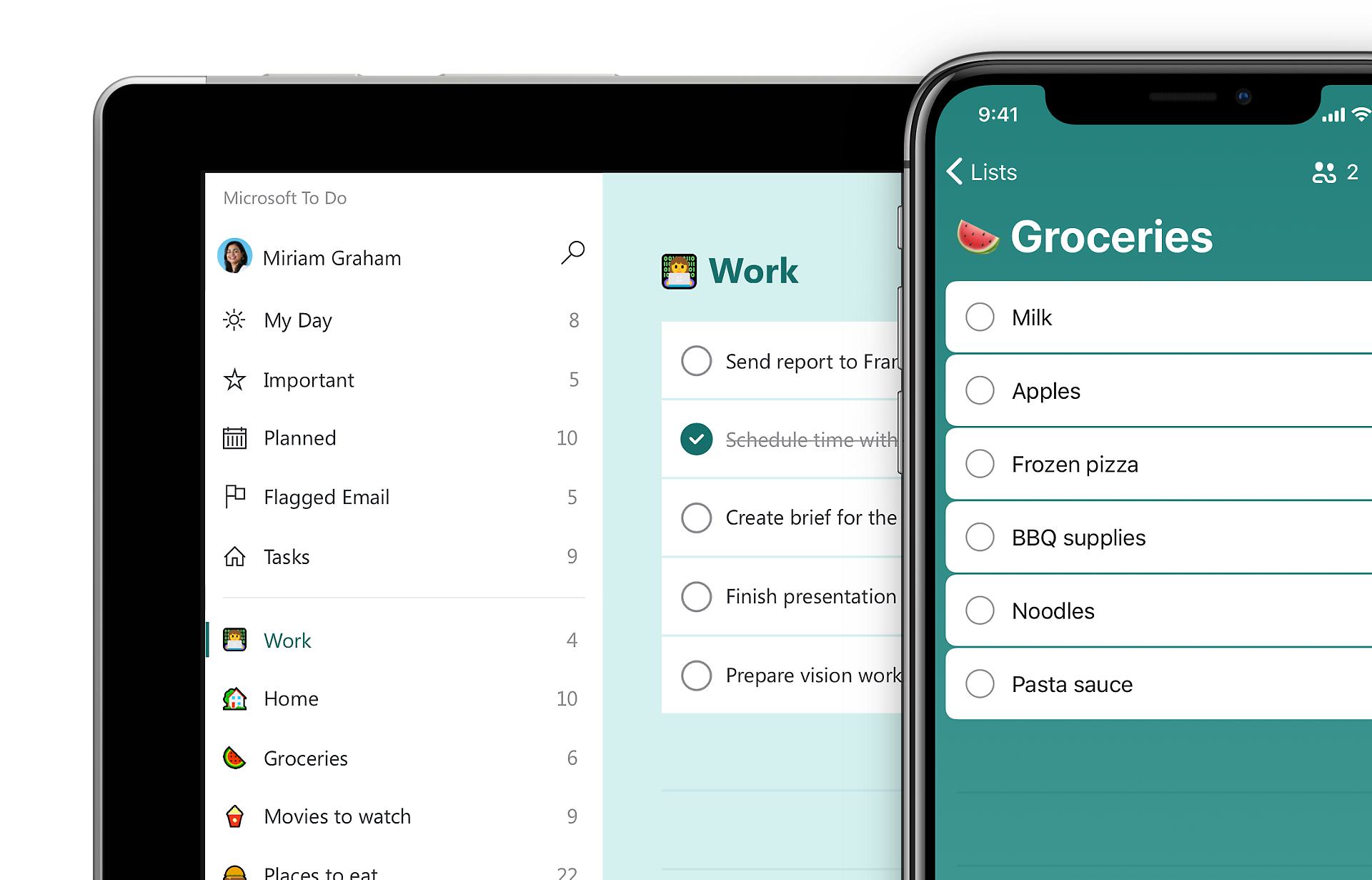
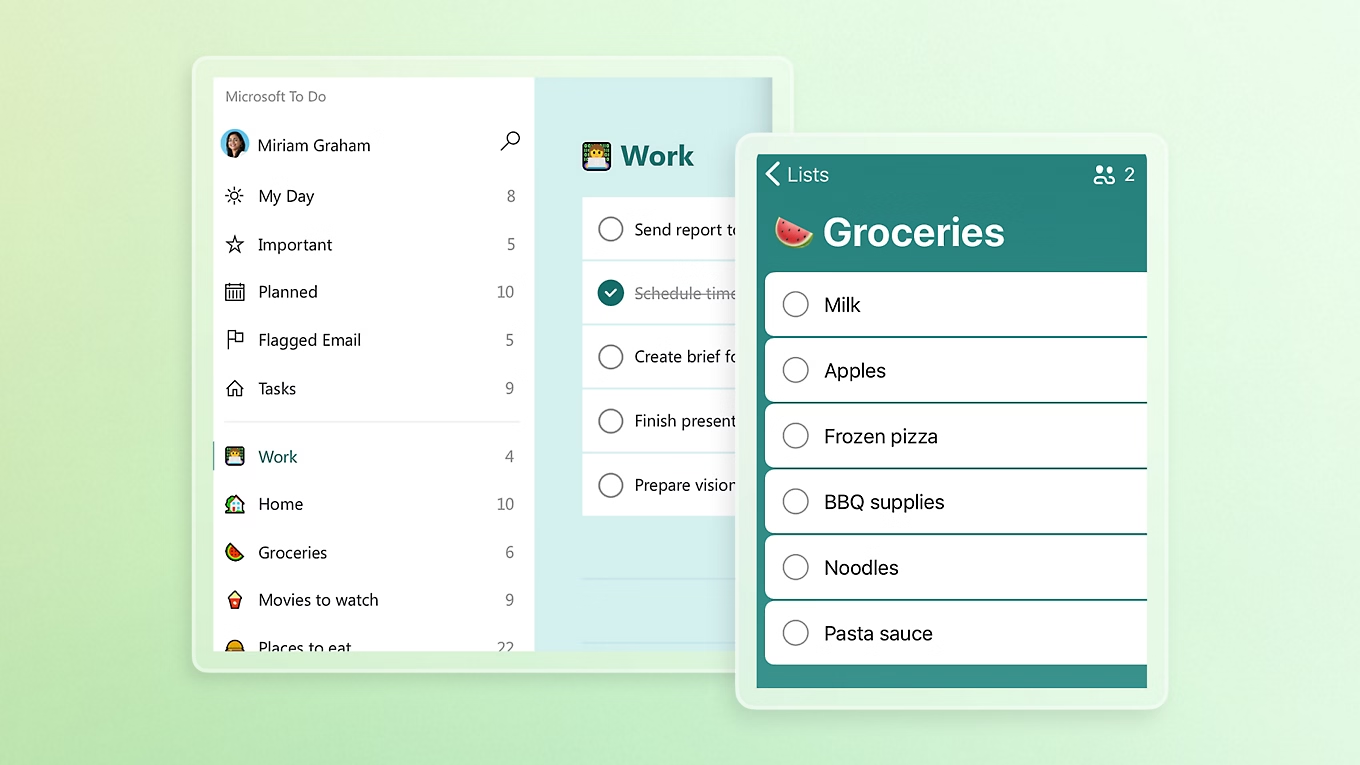
Microsoft To Do is a simple task manager that helps you stay organized across all your devices. It’s clean, intuitive, and surprisingly powerful - especially if you already use Outlook or Microsoft 365.
Great for anyone who just wants a reliable to-do list app without the learning curve.
Key features
- Task Lists: Create and organize multiple lists with subtasks (called “Steps”)
- Reminders: Set due dates, repeat schedules, and notifications
- File Attachments: Add files or images to tasks (up to 25 MB)
- Microsoft 365 Integration: Syncs with Outlook, Teams, and Planner
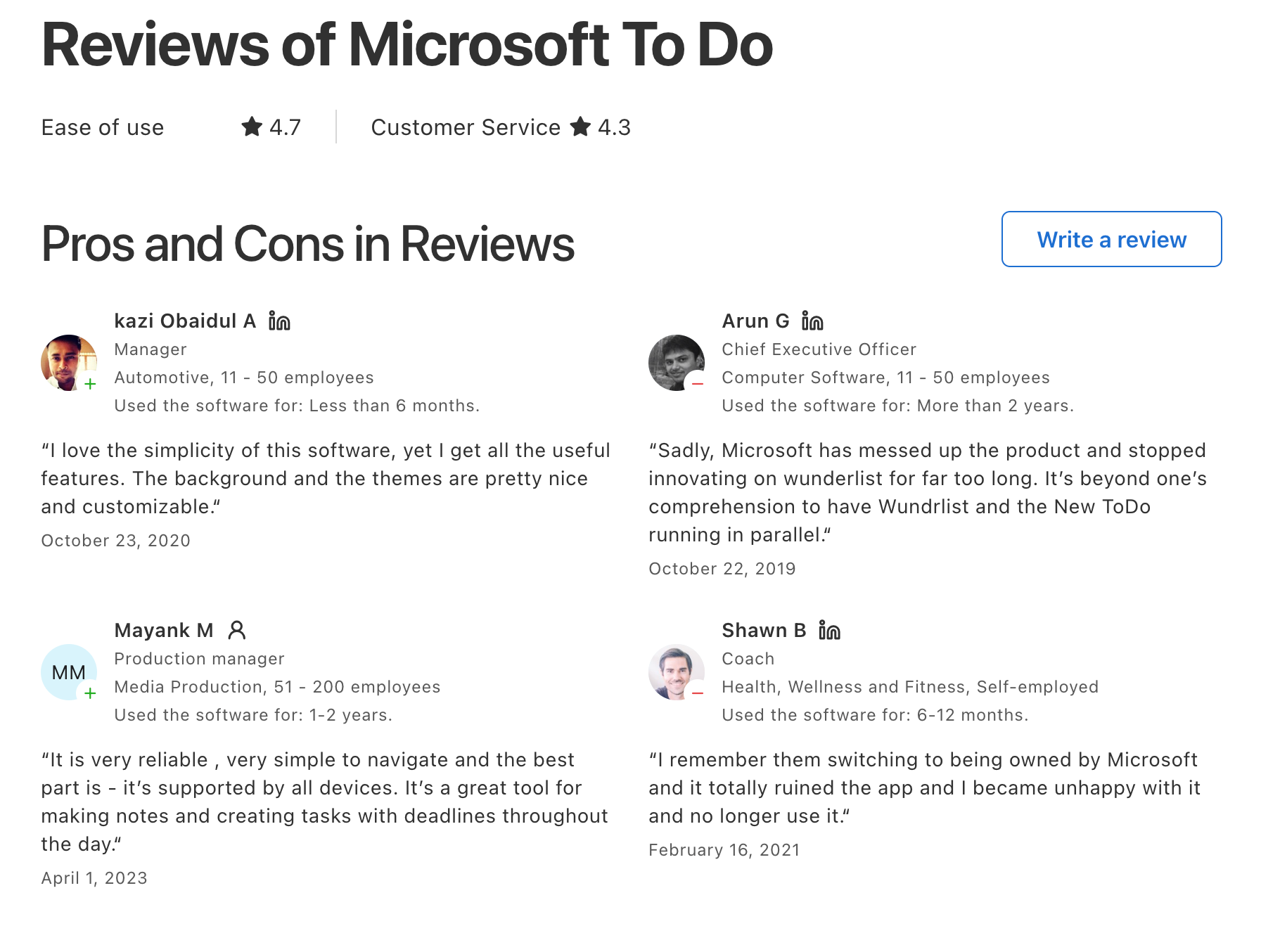
"Seamless integration with other Microsoft products." — reviews
What I liked
- It’s totally free - even the useful stuff like reminders, file uploads, and sharing
- “My Day” is super helpful to get a focused start without feeling overwhelmed
- Everything syncs instantly across devices, and it works great inside Microsoft apps I already use
What I disliked
- It’s not built for managing complex projects - no timelines or task dependencies
"Microsoft To Do excels in basic task management but lacks advanced features like Gantt charts, time tracking, or in-depth reporting." — reviews
- Views and filters are pretty basic, and search isn’t always reliable
- No offline mode if you're not connected, which can be limiting
- The mobile widget disappeared in a recent update, which I really miss
Pricing
- 100% free with a Microsoft account
Suitable for:
- Anyone looking for a no-fuss task manager that works across devices - especially if you're in the Microsoft ecosystem. It’s ideal for personal tasks, small teams, or students who want to stay organized without overthinking it.
Microsoft todo reviews (source)
"I track projects, use reminders, and interact with the app throughout the day." — reviews
How to start:
- Just download the app or go to the website, sign in with your Microsoft account, and you’re good to go.
10. Sunsama
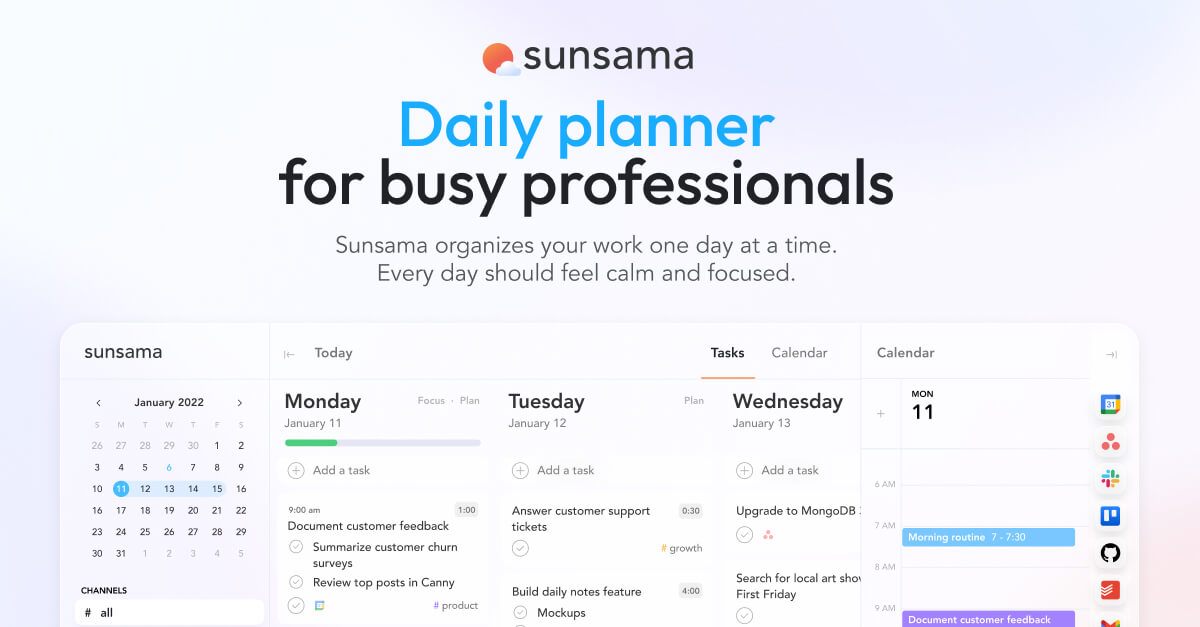
Sunsama takes a different philosophical approach than every other tool on this list. It's not trying to automate your day or pack your calendar efficiently. It's trying to get you to slow down, look at everything on your plate, and make a deliberate choice about what's actually worth doing today
Key features
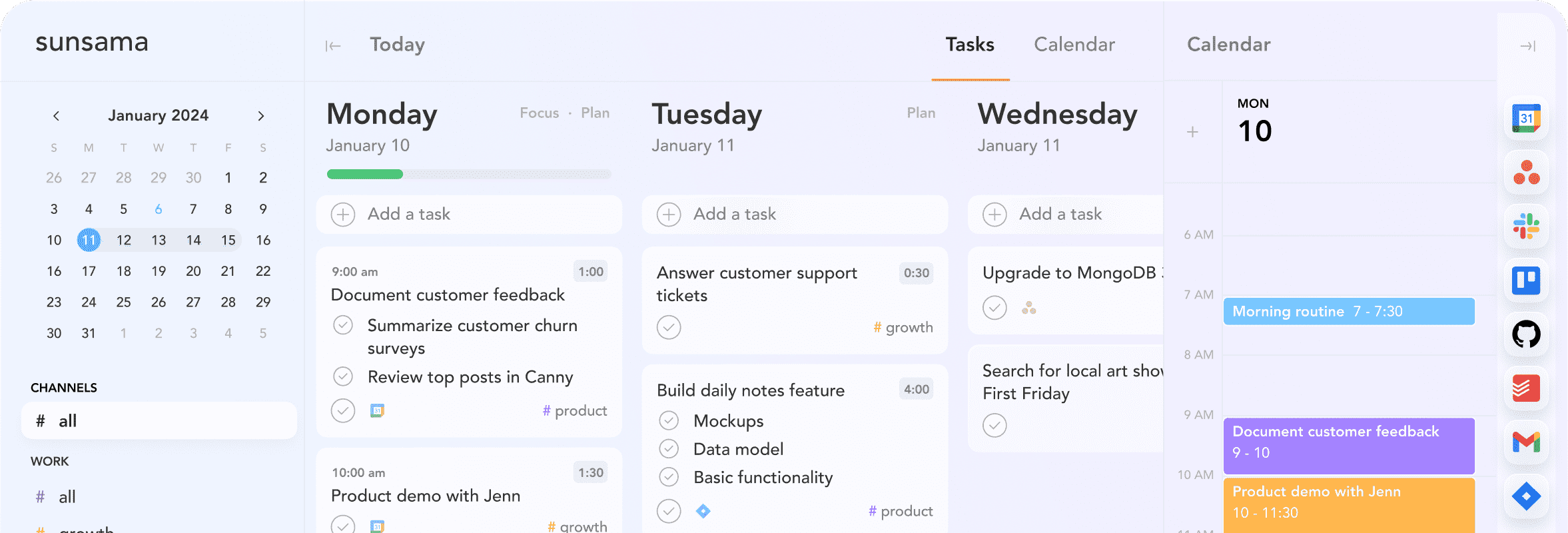
- Daily planning ritual: Sunsama walks you through a morning planning flow each day
- Time boxing: You drag tasks directly onto your calendar and see how much real time you're actually committing to.
- Tool integrations: Sunsama connects with Asana, ClickUp, Jira, GitHub, Todoist, Linear, Gmail, Slack, and Outlook
- Weekly review and analytics: Sunsama tracks what you completed, how long things took, and how your actual days compared to your planned days
What I liked
- The daily shutdown ritual has made a real difference for my work-life balance.
- The integrations actually work cleanly. Tasks update back to the original tool when checked off, which means Sunsama doesn't break the workflows your team is already using.
"Sunsama's integrations with Asana, Trello, Jira, GitHub etc. makes it so much easier to use." — reviews
What I disliked
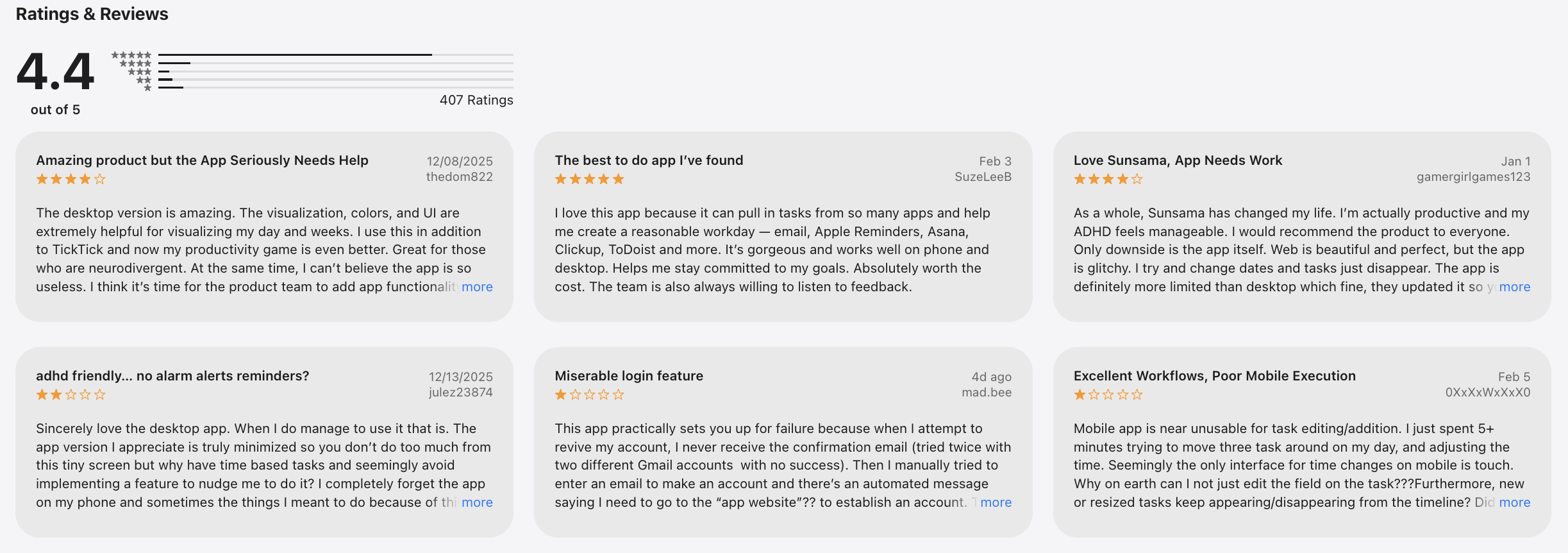
- The mobile app is widely described as a companion rather than a full replacement for the desktop. Time blocking in particular doesn't work well on mobile.
"One review described the mobile experience as 'the Achilles' heel' for a $20/month app." — reviews
- If you're looking for AI that plans your day for you, Sunsama is not that. It helps you plan it yourself, more thoughtfully.
"Neither tool does what most people mean when they say 'AI scheduling' in 2026." — reviews
Pricing
- Pro — $20/month
Suitable for
- Professionals experiencing burnout or chronic overcommitment who want a structured daily planning practice
Sunsama reviews (source)
How to start
- Go to Trello, sign up for free, and start building boards. The Planner and Inbox features are easy to pick up from there.
Conclusion: Choosing the Right Akiflow Alternative
There’s no single “best Akiflow alternative” for everyone in 2026, because not everyone plans, thinks, or works the same way.
- Some people need a calm, proactive AI that captures thoughts instantly and helps plan the day with less friction (that’s where Saner.AI clearly stands out).
- Others prefer classic task managers with structure and predictability like Microsoft To-Do or Todoist.
- Teams and power users may lean toward more complex systems such as ClickUp, Asana, or Notion.
- And if your focus is calendar automation, tools like Motion, reclaim.ai, or Flowsavvy may fit better.
What matters most when choosing among Akiflow alternatives isn’t feature count. It’s mental load.
The right tool should reduce friction, help you stay focused, and support your energy instead of constantly demanding it.
Stay on top of your work and life
FAQ about Akiflow Alternatives
1. What is an Akiflow Alternative?
An Akiflow alternative is any productivity tool that helps you organize tasks, calendar events, and notes - without the complexity or rigidity of Akiflow’s setup. Some alternatives use AI assistants to automate your planning, while others focus on minimalism, flexibility, or ADHD-friendly design.
If you’ve tried Akiflow but found it too manual or overwhelming, you’re not alone. Tools like Saner.AI, Reclaim, and Motion offer fresh approaches built around simplicity, automation, or natural language input.
2. Why would someone switch from Akiflow?
Common reasons people look for Akiflow alternatives:
- Too many manual steps to stay organized
- Not ADHD-friendly (requires rigid tagging and structure)
- Lacks deep AI assistance or natural language features
- Doesn’t integrate notes, emails, and calendar into one flow
Tools like Saner.AI offer more adaptive, less structured ways to manage chaos, great for fast-moving professionals and creative thinkers.
3. What’s the best Akiflow alternative for ADHD?
Saner.AI is built by ADHDers, for ADHDers. It minimizes context switching and helps users:
- Talk to the AI instead of building templates
- Turn brain dumps into clear, actionable tasks
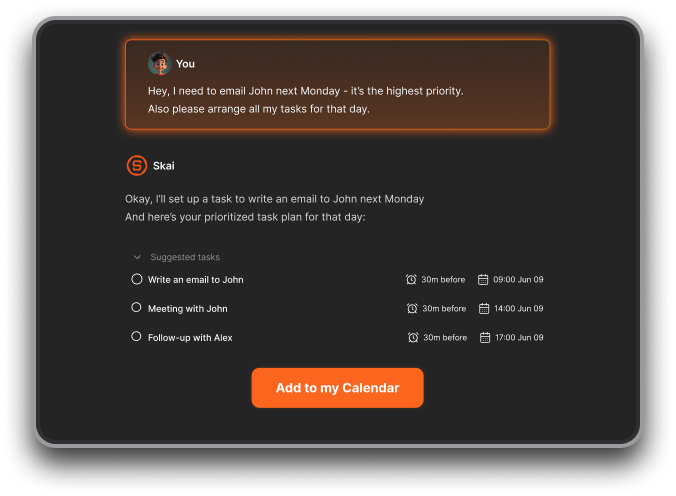
- Get automatic reminders without constant tweaking
- Focus on what matters without decision fatigue
If Akiflow feels like too much work, Saner.AI helps you feel organized without forcing structure.
4. Can I find an Akiflow alternative that uses AI?
Absolutely. Some leading AI-powered Akiflow alternatives include:
- Saner.AI - Combines AI with your notes, calendar, and Gmail to surface tasks, remind you, and summarize info
- Motion - Uses AI to auto-schedule your day based on task priority
- Reclaim - Focuses on smart calendar blocking using AI insights
Saner.AI stands out by being more conversational, context-aware, and built for people who juggle everything at once.
5. What’s the easiest Akiflow alternative to start with?
If you want to skip setup and start fast, try:
- Saner.AI - No templates or structure needed. Just talk to it like a second brain.
- ChatGPT with plugins - Useful if you’re already familiar with prompts
- Todoist with AI integrations - Lightweight, with optional automation
Saner.AI is especially helpful if your thoughts are scattered and you need a calm, central place to manage them.
6. Which Akiflow alternative is best for entrepreneurs?
Entrepreneurs need tools that reduce mental load. Saner.AI is the best for them by:
- Turning messy ideas into prioritized task lists
- Pulling up notes from old investor meetings instantly
- Syncing with email and calendar, so nothing slips
- Giving clarity with zero setup
Unlike Akiflow, you don’t have to manage your system. It manages itself.
7. Can I find a free Akiflow alternative?
Yes - here are the top free options:
- Saner.AI - Free tier includes AI task management, calendar sync, and note search
- ChatGPT (GPT) - Good for general AI help
- Notion AI (basic) - Offers AI blocks but requires manual structure
If you’re testing alternatives, Saner.AI gives you practical AI workflows without a learning curve.
8. How does Saner.AI compare to Akiflow?
Here’s a quick comparison:
| Feature | Saner.AI | Akiflow |
|---|---|---|
| AI-powered assistant | ✅ Built-in GPT-based AI | ❌ Limited version |
| Natural language task creation | ✅ Yes | ❌ Requires manual entry |
| ADHD-friendly design | ✅ Calm, no tagging needed | ❌ Can feel rigid or complex |
| Note + Calendar + Tasks combo | ✅ All-in-one AI workspace | ❌ Task + calendar only |
| Voice input | ✅ Yes | ❌ No |
| Free plan | ✅ Yes | ✅ Yes |
9. What’s the best Akiflow alternative for teams?
For team use, look for tools that blend automation with collaboration:
- Saner.AI - Great for solo leads managing shared workstreams. AI helps prep for meetings, surface shared docs, and track follow-ups.
- Motion - Auto-schedules tasks for teams
- Reclaim - Smart time blocking for shared calendars
If your team shares a lot of notes or email threads, Saner.AI can give each person clarity, without endless Slack scrolls.
10. Any hidden gems or underrated Akiflow alternatives?
Besides the usual suspects, here are some lesser-known but loved tools:
- Saner.AI - Combines Gmail, notes, tasks, and calendar in one calm workspace.
- Zeve AI Planner - Budget-friendly with AI auto-planning features.
- Vega - A lightweight tool that connects your inbox and calendar.
- LarkSuite - Combines productivity and communication in one platform.
If you want a powerful AI assistant that feels personal and works like a second brain, Saner.AI is one of the few tools that actually delivers.
11. What’s the best Akiflow alternative for entrepreneurs?
Founders often choose Saner.AI because it:
- Turns scattered ideas into clear next steps
- Resurfaces old context when planning
- Requires almost no setup
It works well for people who think faster than they organize.
12. Which Akiflow alternative is best for teams?
For team collaboration:
- Asana - Clear ownership and timelines
- ClickUp - Highly customizable workflows
- Notion - Shared docs + lightweight tasks
Akiflow and Saner are better suited for individual productivity, not team ops.
13. Is Trello a good Akiflow alternative?
Trello is a visual alternative, not a planning replacement.
It’s great for:
- Kanban-style workflows
- Simple project visibility
But it lacks AI planning and calendar intelligence.
14. What’s the difference between Akiflow and calendar-based tools like Reclaim?
- Saner.AI connects thoughts → tasks → reminders
- Akiflow centers on daily task planning
- Reclaim optimizes time blocks on your calendar
If your challenge is remembering and following through—not scheduling—Saner is more effective.
15. Which Akiflow alternative should I choose?
Choose based on how you actually work:
- Prefer structure → Todoist, Asana
- Want auto-scheduling → Motion, Reclaim
- Think messily, move fast, forget things → Saner.AI
There’s no single “best” Akiflow alternative - only the one that reduces your mental load the most.
Tired of Akiflow?



![ADHD Task Initiation and How to fix it [2026]](/content/images/size/w600/2026/08/generated_image--85-.webp)