
Best AI for Notes, Tasks, Email, and Calendar: What Covers All Four

TLDR:
- If you want one AI that can read and act on your notes, tasks, email, and calendar from a single chat, Saner.AI is the only tool in this roundup that covers all four natively.
- ChatGPT or Claude with connectors is great for asking questions about your inbox and calendar, but weaker at actually changing things.
- Motion is the best pick if your calendar runs your life and email doesn't.
- Notion is great for notes and projects, but as of September 22, 2026, it no longer has its own email inbox.
To write this post, I checked what each popular "all-in-one AI assistant" does. I used changelogs, help docs, and release notes, not marketing pages. A lot of tools that show up in other "best AI assistant" lists are missing at least one of the four things. Some are missing two!
Here's what you'll get from this post:
- A table showing which tools truly have notes, tasks, email, and calendar
- What each of the four main picks is good at, and where it falls short
- A copy-paste daily workflow you can try tomorrow morning
- A quick way to pick the right one for how you work
I work at Saner.ai. Same criteria, downsides included.
Which AI tools actually have notes, tasks, email, and calendar?
Only one AI tool on this list does all four natively with one AI on top: Saner.AI. Everything else either skips email, skips notes, or depends on a connector that can read but can't fully act.
✅ = native, have an interface and the AI can act on it · ⚠️ = partial (read-only, capture-only, or meeting notes only) · ❌ = not there
Tool | Notes | Tasks | Calendar | The honest catch | |
|---|---|---|---|---|---|
Saner.AI | ✅ | ✅ | ✅ Gmail + Outlook | ✅ Google + Outlook | Built for individuals, not big teams |
❌ | ❌ | ⚠️ drafts only, can't send | ✅ create, edit, delete | No home for notes or a to-do list | |
❌ | ❌ | ⚠️ read, send with approval | ⚠️ read-only | Can't put anything on your calendar | |
✅ docs | ✅ | ⚠️ forward emails in as tasks | ✅ | No inbox, priced for teams | |
✅ | ✅ | ❌ Mail shut down | ✅ | Email is now a connector for agents | |
⚠️ meeting notes | ✅ | ⚠️ triage + email-to-task | ✅ | Planner first, no real notes app | |
⚠️ meeting notes | ✅ | ⚠️ emails become tasks | ✅ | Reviewers ask for notes and docs | |
❌ | ✅ | ❌ | ✅ | A scheduler, not an assistant | |
❌ | ✅ | ⚠️ import as tasks | ✅ | Minimal AI, planning is mostly manual | |
✅ docs | ✅ | ⚠️ limited | ✅ | Weak on outside email and calendar |
Two things jumped out while I built this table:
- Notion's email is gone. A lot of 2026 roundups still list Notion Mail. Notion shut it down on September 22, 2026. Your Gmail history stays, and agents can still use a Gmail connector, but there's no Notion inbox anymore.
- "Has email" usually means "turns email into a task." That's useful. It's also not the same as reading, triaging, and replying from one place.
1. Saner.AI: the one that actually covers notes, tasks, emails, and calendar
Best for: people (especially ADHD brains) who want to talk to one assistant instead of managing four apps.
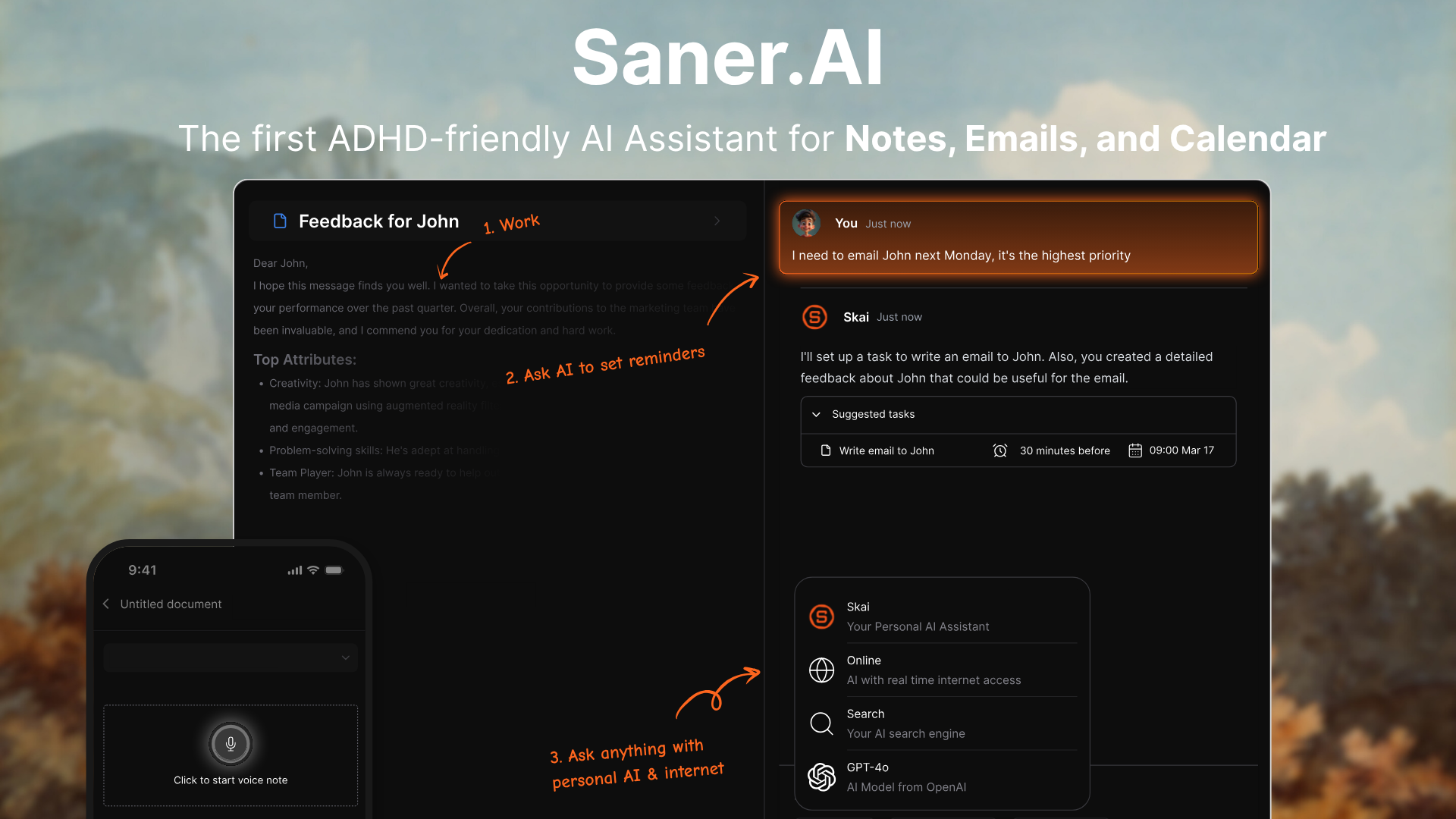
Most tools in this space started as one thing and bolted on the rest. Motion started as a calendar. Notion started as docs. ChatGPT started as a chatbot. Saner.AI was designed from day one as an assistant that sits on top of notes, tasks, email, and calendar, with one chat called Skai that can see it all.
What that looks like in practice:
- Talk to your calendar. Typing "reschedule the call with John to 4pm tomorrow" actually moves the event. No opening Google Calendar, no dragging.
- Brain dump, then walk away. Rant out a messy list, and it splits it into tasks, events, and notes.
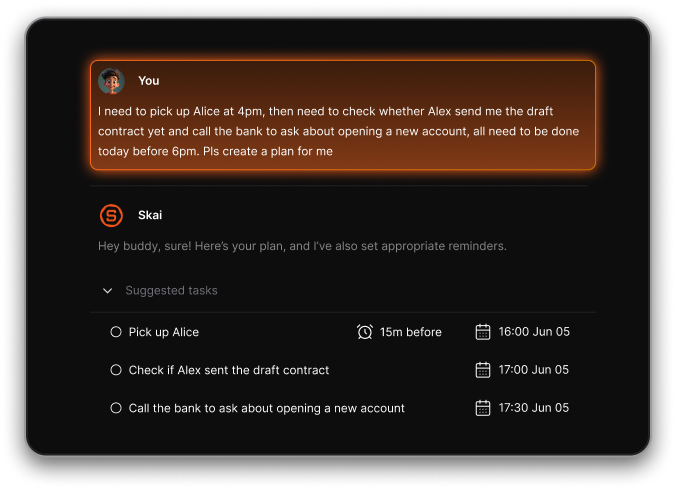
- Email that becomes work. It turns emails into tasks and its AI inbox suggests follow-ups and tasks for you to approve. It supports Gmail, and Outlook mail and calendar now sync too.
- A morning plan you didn't have to make. The proactive daily planning is built from your notes, tasks, email, and calendar. You open it, and it answers "where do I start?"
- Notes you can ask questions to. Capture by voice, the Chrome extension, or import, and it auto-tags and surfaces related notes later. You ask, it finds.
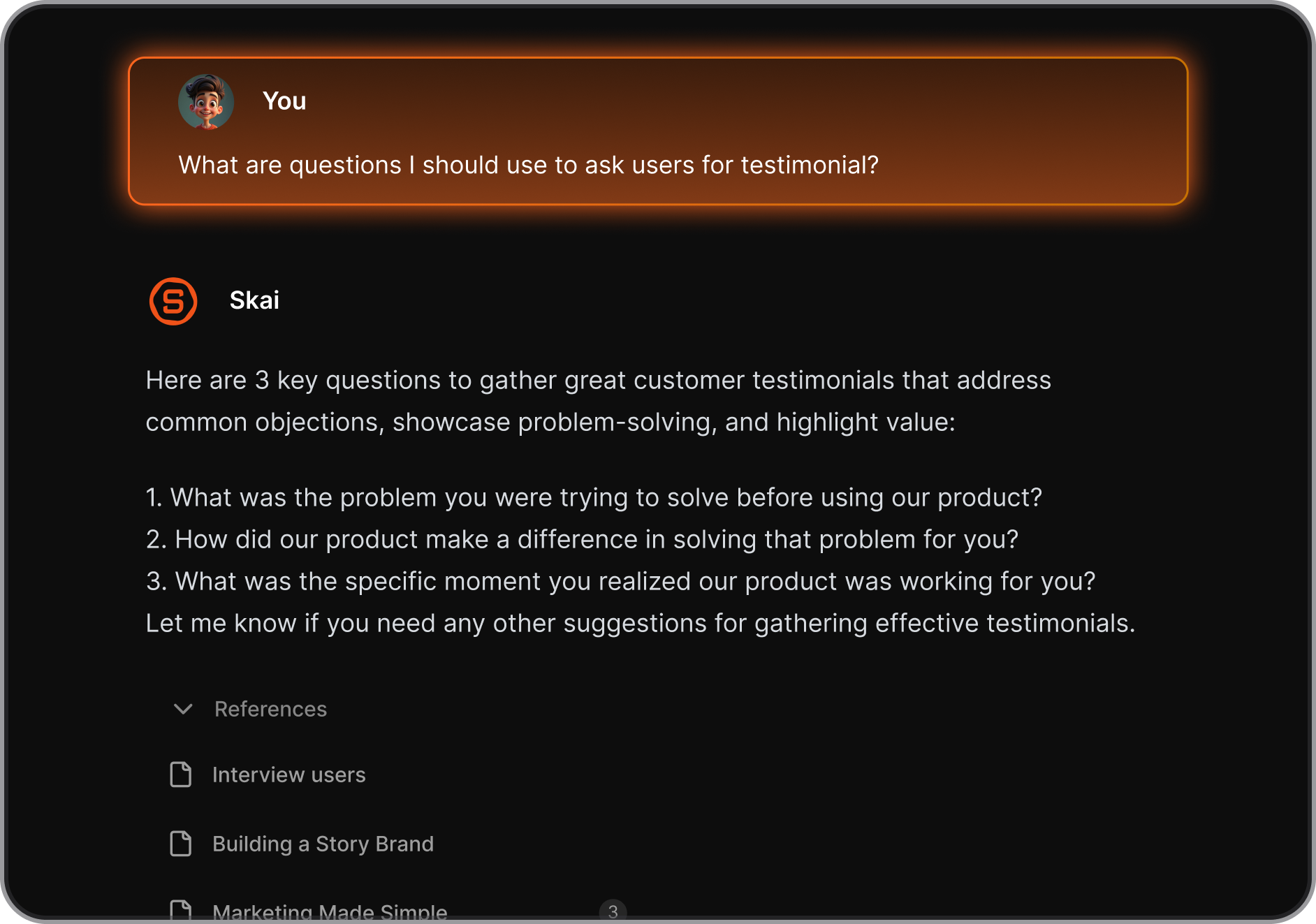
Plenty of AI tools can read your email and calendar, but you still have to ask. Saner brings it to you.
The catch:
- It's built for an individual's day, not a 40-person project board. Teams that need Gantt charts should look at Motion or ClickUp.
- If you only want a checklist, it's more tool than you need.
- It organizes your life. It is not ADHD treatment, and it doesn't pretend to be.
Price: free plan, paid plans at $8 and $16 a month billed yearly.

Stay on top of your work and life effortlessly
2. ChatGPT or Claude with connectors: smart, but it can't hold your stuff
Best for: people who already pay for ChatGPT or Claude and mostly want answers, not a system.
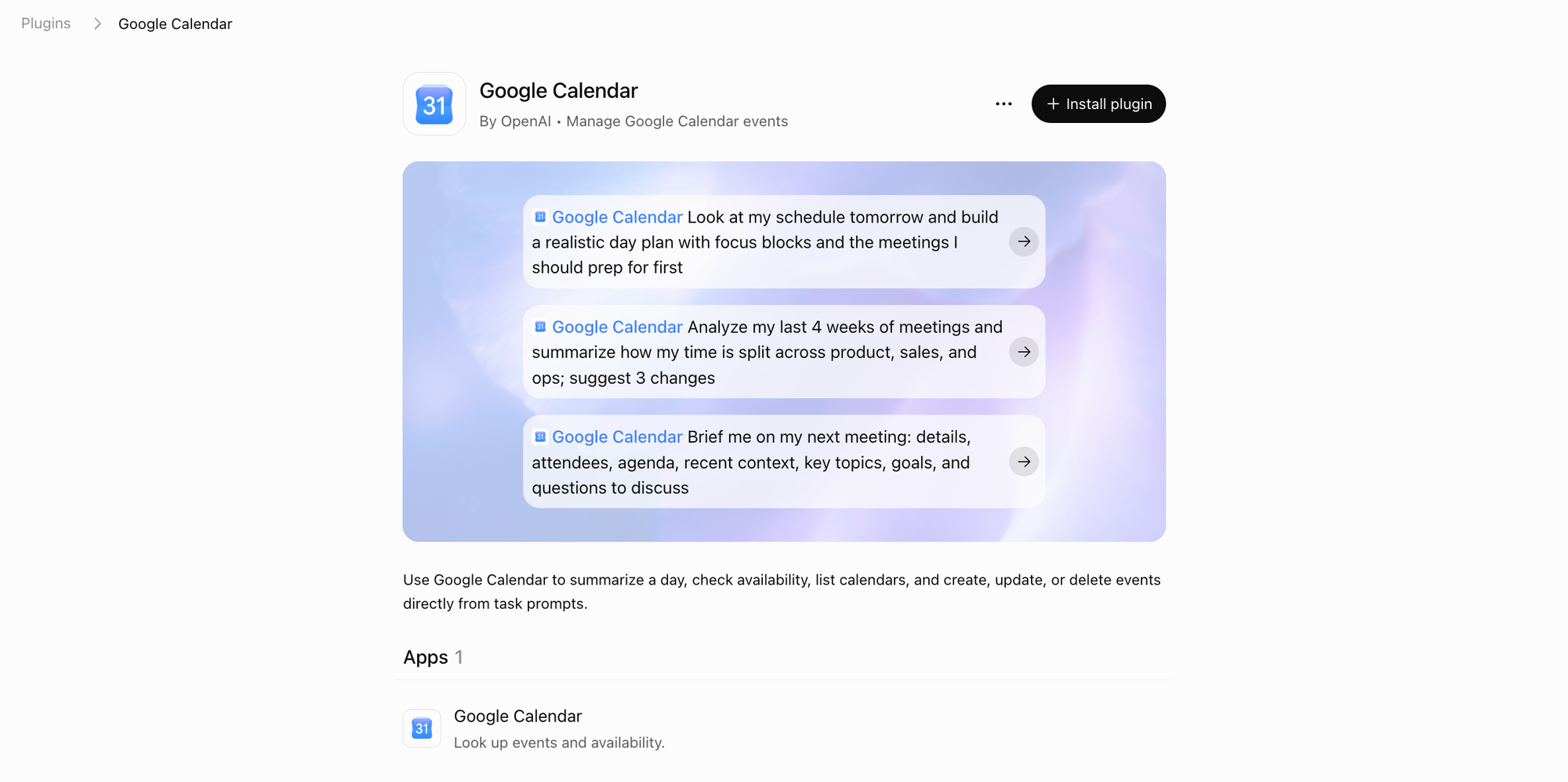
Hooking a chatbot up to Gmail and Google Calendar feels like magic the first time. "What did Matt say about the budget?" works great. The trouble starts when you want it to do things and see things, because each assistant has different gaps.
- Claude: Its Google Calendar connector can create, update, and delete events and find mutual availability. Gmail is draft-only. Anthropic's own help page says Claude can't send emails on your behalf, so you click send every time. It recently rolled out Claude Duet
- ChatGPT: It can pull context from Gmail, Google Calendar, and Outlook to draft agendas and follow-ups.
- Both: There's no task list and no notes app. Your "system" lives in chat history, which is a bit like keeping your to-do list on napkins at a really nice restaurant. The lack of an interface is the biggest drawback.
How to make it work anyway:
- Each morning, ask: "Summarize unread emails that need a reply from me, and list what's on my calendar today."
- Copy the action items into whatever task app you already use.
- With Claude, say "block 90 minutes for the proposal before my 2pm." With ChatGPT, do that part yourself.
The catch: you're still the glue, and you have to visualize everything in your brain.
3. Motion: the calendar that rebuilds itself
Best for: people whose biggest problem is "when do I actually do all this?", and small teams sharing workloads.
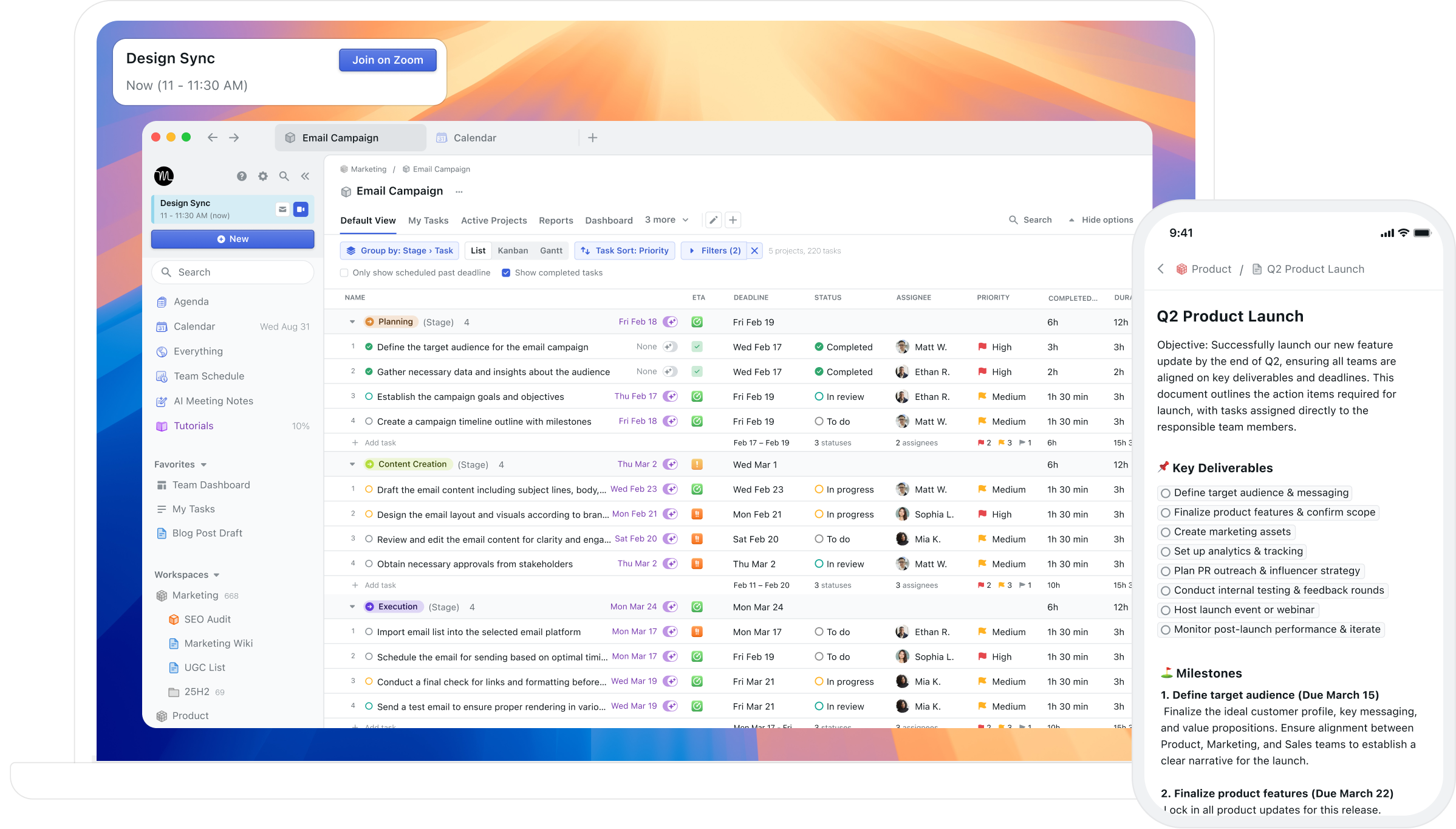
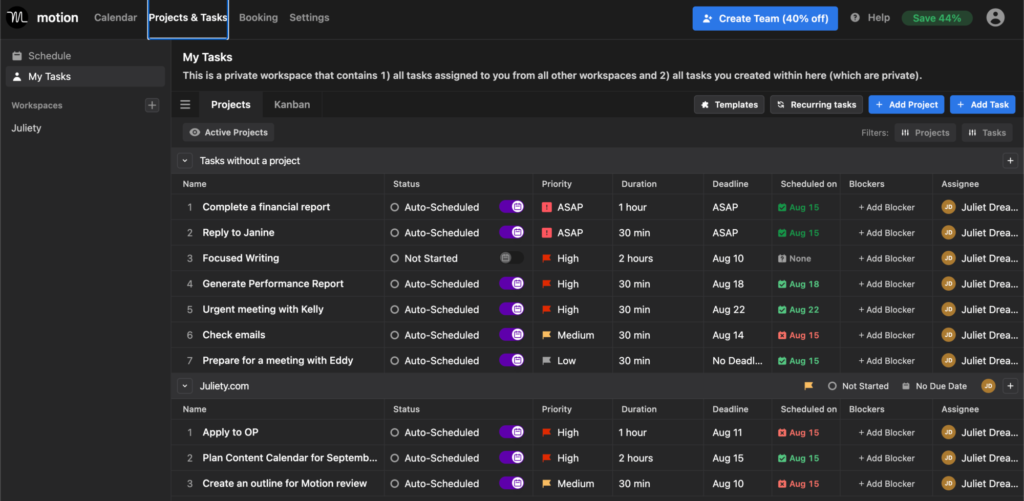
Motion's key feature is still auto-scheduling. You add a task with a deadline and a time estimate, and it finds the slot. Miss the slot, and it redraws your day without asking. In 2025 and 2026, it grew into what it calls a work "SuperApp," adding AI docs, wikis, sheets, meeting notetakers, and workflows.
What that gives you:
- Notes: ✅ AI docs and notes tied to your projects and calendar
- Tasks: ✅ full projects, dependencies, and priorities
- Calendar: ✅ the best auto-scheduler on this list
- Email: ⚠️ you can capture tasks by email or Siri, but there's no inbox to read and reply from
How to use it well:
- Put an honest time estimate on every task. Motion is only as good as your guesses (so, pad them).
- Mark hard deadlines as hard. Let everything else float.
- Forward the "can you do X by Friday" emails straight into Motion, then answer the email in Gmail.
The drawback:
- It costs real money. Pro AI is $49 monthly, with a monthly AI credit limit. And some people hate watching their day get rearranged by a robot. Test that feeling during the trial.
- The founders have moved on to a different project
- The interface is cluttered
4. Notion: amazing for notes, but email just left the building
Best for: people who already live in Notion and care more about organizing information than triaging an inbox.
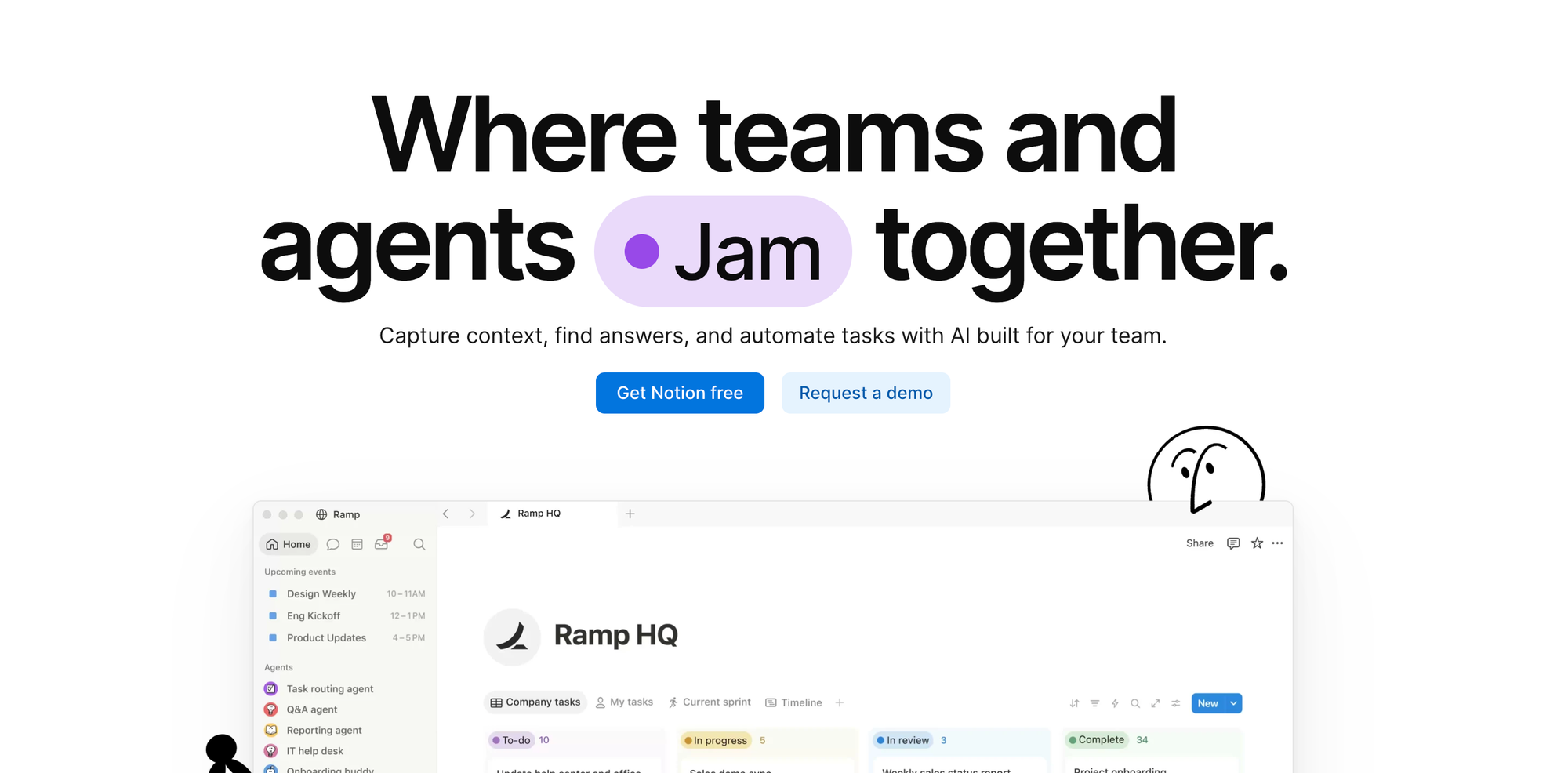
Notion is still the best place on this list to build a second brain. Docs, databases, projects, and wikis all connect. Notion Calendar shows any database with a date as calendar events, so your task database and your meetings sit side by side. And since April 2026, you can schedule meetings with Notion Agent.
Then there's email. Notion Mail launched in April 2025, and Notion announced in June 2026 that it would shut down on September 22, 2026. What's left is a Gmail connector that agents can use. Fine for automations. Not an inbox.
- Notes: ✅ the strongest here with lots of features
- Tasks: ✅ databases, as simple or as wild as you like
- Calendar: ✅ Notion Calendar, linked to your pages
- Email: ❌ inbox gone, connector only
How to use it well:
- Make one Tasks database with a Date property, then connect it to Notion Calendar.
- Build a Custom Agent with a weekly trigger that reads your Gmail and drops action items into that database.
- Do your actual replying in Gmail.
The catch: the setup is the product. If building systems is your idea of procrastination (hi, it's me), Notion will eat your whole Sunday. Full Notion AI with agents lives on the Business plan at $20 per user per month billed yearly.
A daily workflow you can copy tomorrow

This works with any tool above. It just takes fewer steps when one AI sees all four. Each step closes an open loop, which is what the plan-making research says quiets the background nagging.
Morning (10 minutes)
- Dump. Type or say everything in your head, unfiltered. Groceries, the client thing, that weird noise the car makes.
- Sort. Ask your AI: "Turn this into tasks, calendar events, and notes." In Saner.AI, that's one message. With a chatbot, you'll copy the output into your task app.
- Triage email. Ask: "Which emails from the last 24 hours need a reply or an action from me?" Turn each one into a task with a deadline.
- Pick three. Choose the three tasks that would make today a win. Not seven. Three.
- Block them. Put those three on your calendar as real time blocks. A task without a time slot is a wish.
During the day
- Batch email into two or three windows instead of reacting all day. Remember the stress cost of interruptions.
- When something new lands, capture it in one line and go back to what you were doing. Sort it later.
- When a meeting moves, tell your AI instead of opening the calendar: "Push my 3pm to Thursday, same time."
End of day (5 minutes)
- Ask: "What did I not finish, and what's due tomorrow?"
- Give every unfinished task a new day. Don't just let it rot in "today."
- Close the laptop. Your plan is holding the loops now, so your brain doesn't have to.
Which AI should you pick?
Pick the tool that closes the gap you feel most, then try it for one full week.
- "Everything is scattered, and I can't hold it all in my head." → Saner.AI. One chat across notes, tasks, email, and calendar.
- "I already pay for ChatGPT or Claude." → Connect Gmail and Calendar first. If you get tired of copy-pasting by Wednesday, that's your answer.
- "My calendar is chaos, and I have a team." → Motion.
- "I want a beautiful second brain and email can live elsewhere." → Notion.
Stay on top of your work and life effortlessly
FAQ
What is the best AI for notes, tasks, email, and calendar in one place? Saner.AI is the only tool in this comparison with all four built in and one AI assistant that can act across them, including Gmail and Outlook.
Does Notion still have email in 2026? No. Notion Mail shut down on September 22, 2026. Notion agents can still connect to Gmail.
Can ChatGPT add events to my Google Calendar? Through the official connector, ChatGPT can read your calendar but can't create or reschedule events. Claude's Google Calendar connector can create, edit and delete events.
Can Claude send emails from Gmail? No. It creates drafts, and you send them yourself.
Does Motion have email? Not as an inbox. You can forward emails into Motion to capture them as tasks.
Is task switching really that bad? Research says every switch costs time, and the cost grows with complex tasks (Rubinstein et al., 2001). Interruptions also raise stress and frustration (Mark et al., 2008).
Pick one, run the workflow above for five days, and see how quiet your head gets.