The 10 Best Asana Alternatives [2026 Update]
The best Asana Alternatives are Saner.AI, Linear, Monday.com, Any.do, Superlist, Todoist, ClickUp, Jira, Trello, and Notion


We tested the 10 Best Asana Alternatives
Asana is one of the most well-known project management tools on the market - but it’s not the right fit for everyone. Many teams, managers, and solo professionals actively search for Best Asana Alternatives because Asana can feel complex, rigid, or expensive for certain workflows.
This guide is for:
- Small and mid-sized teams
- Managers and founders
- Startups and remote teams
- Solo professionals and freelancers
- ADHD or overwhelm-prone users who want clarity, not more dashboards
Choosing the right Asana alternative matters. The wrong tool adds friction, slows decision-making, and increases cognitive load. The right one fades into the background and helps work move forward naturally.
In this guide, you’ll learn:
- Why people move away from Asana
- How we evaluated the best Asana alternatives
- A clear, side-by-side breakdown of top Asana competitors
- How to choose the best project management software for your working style
2. Why People Look for Asana Alternatives
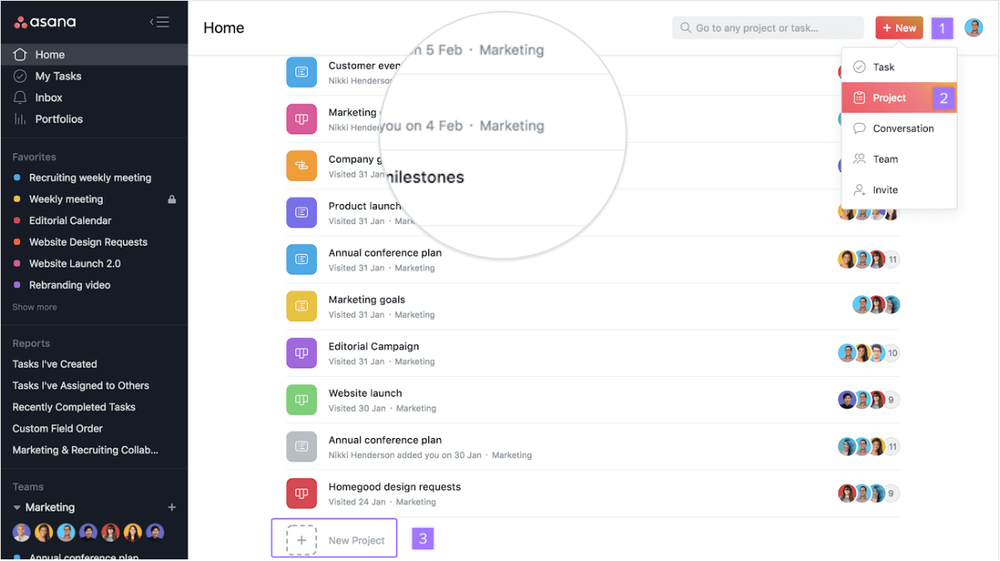
Asana is powerful, but that power comes with tradeoffs. Common reasons users switch include:
- Too much complexity
Overkill for simple task or project workflows. - Pricing limitations
Key features are locked behind higher tiers. - Steep learning curve
New users often feel overwhelmed by views, rules, and settings. - Poor fit for certain team sizes
Too heavy for individuals, not opinionated enough for large orgs. - Limited flexibility for personal workflows
Especially for users managing both tasks and information.
These pain points are why many people actively explore Asana competitors and simpler task management tools.
3. How We Evaluated the Best Asana Alternatives
To keep this guide practical and trustworthy, each tool was evaluated using the same criteria:
- Ease of use – How fast can someone get productive?
- Core task & project features – Tasks, projects, dependencies, views
- Collaboration – Comments, sharing, team visibility
- Automation & integrations – Rules, workflows, third-party tools
- Scalability – Can it grow with teams or complexity?
- Best use cases – Teams, individuals, managers, ADHD users
What are the best Asana Alternatives?
The best Asana Alternatives are Saner.AI, Linear, Monday.com, Any.do, Superlist, Todoist, ClickUp, Jira, Trello, and Notion
Best Asana Alternatives – Comparison Table
| 🧰 Tool | 🎯 Best for | ⭐ Key strength | 💰 Pricing (entry) | 👥 Team size fit |
|---|---|---|---|---|
| Saner.AI | Knowledge-heavy work | Tasks connected to notes & context | Freemium / Paid plans | Solo – Small teams |
| Linear | Product & engineering teams | Fast, opinionated issue tracking | Free + paid plans | Small – Mid teams |
| Monday.com | Cross-functional teams | Visual workflows & automation | Free + paid plans | Mid – Large teams |
| Any.do | Personal task management | Simple tasks & reminders | Free + paid plans | Solo – Small teams |
| Superlist | Lightweight team tasks | Clean UI & shared lists | Free + paid plans | Small teams |
| Todoist | Individual productivity | Fast capture & priorities | Free + paid plans | Solo – Small teams |
| ClickUp | All-in-one PM | Deep customization & features | Free + paid plans | Small – Large teams |
| Jira | Agile & dev teams | Advanced workflows & reporting | Free + paid plans | Mid – Large teams |
| Trello | Simple visual workflows | Easy Kanban boards | Free + paid plans | Solo – Small teams |
| Notion | Custom work systems | Flexible docs + databases | Free + paid plans | Solo – Mid teams |
1. Saner.AI
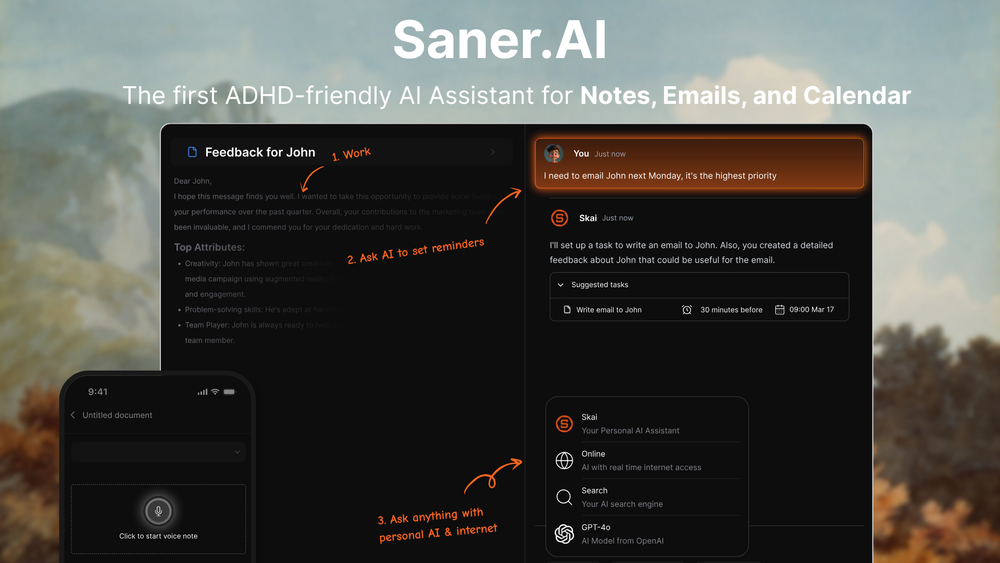
Saner.AI is an AI-powered personal productivity assistant that centralizes notes, tasks, emails, and ideas into one place.
It focuses on reducing cognitive load and overwhelm, making it a practical Asana alternative for individuals and small teams who want AI-driven prioritization instead of rigid project structures.
Key features:
- AI task capture that turns thoughts and ideas into to-dos
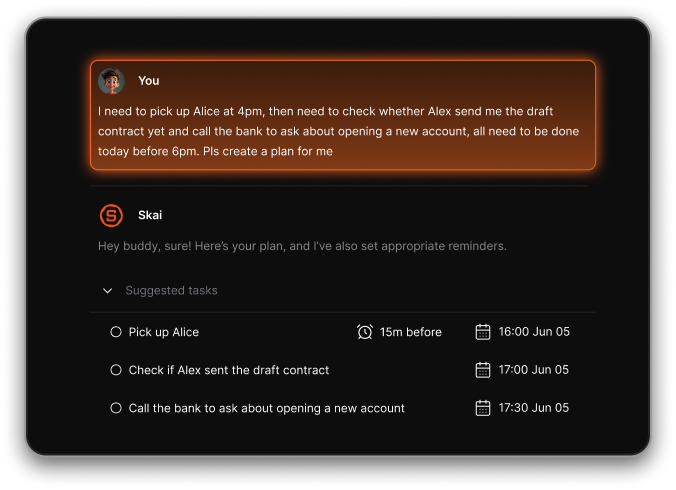
- AI assistant that automatically organizes notes and tasks across your work
- Natural-language search to find information without folders or complex systems
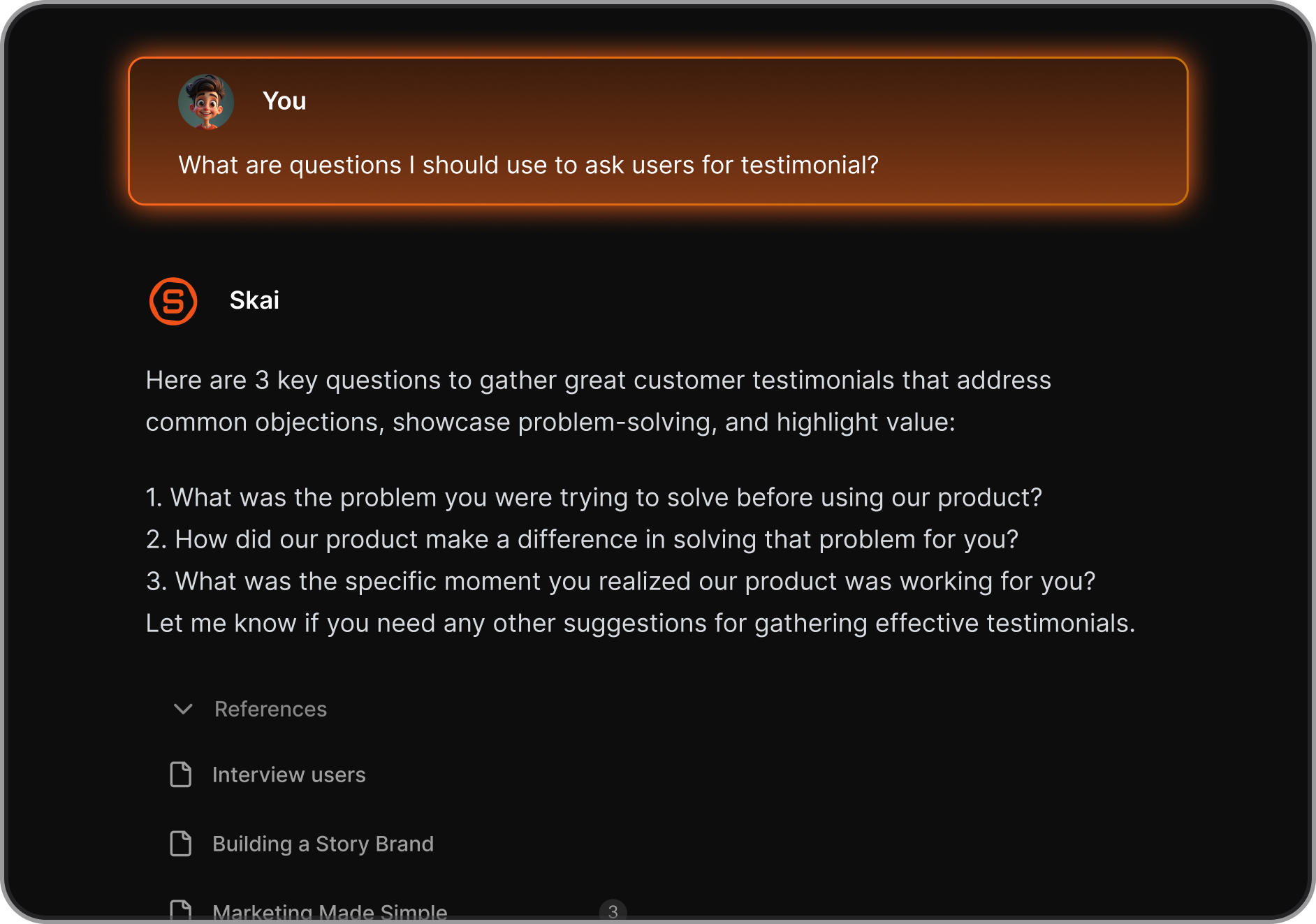
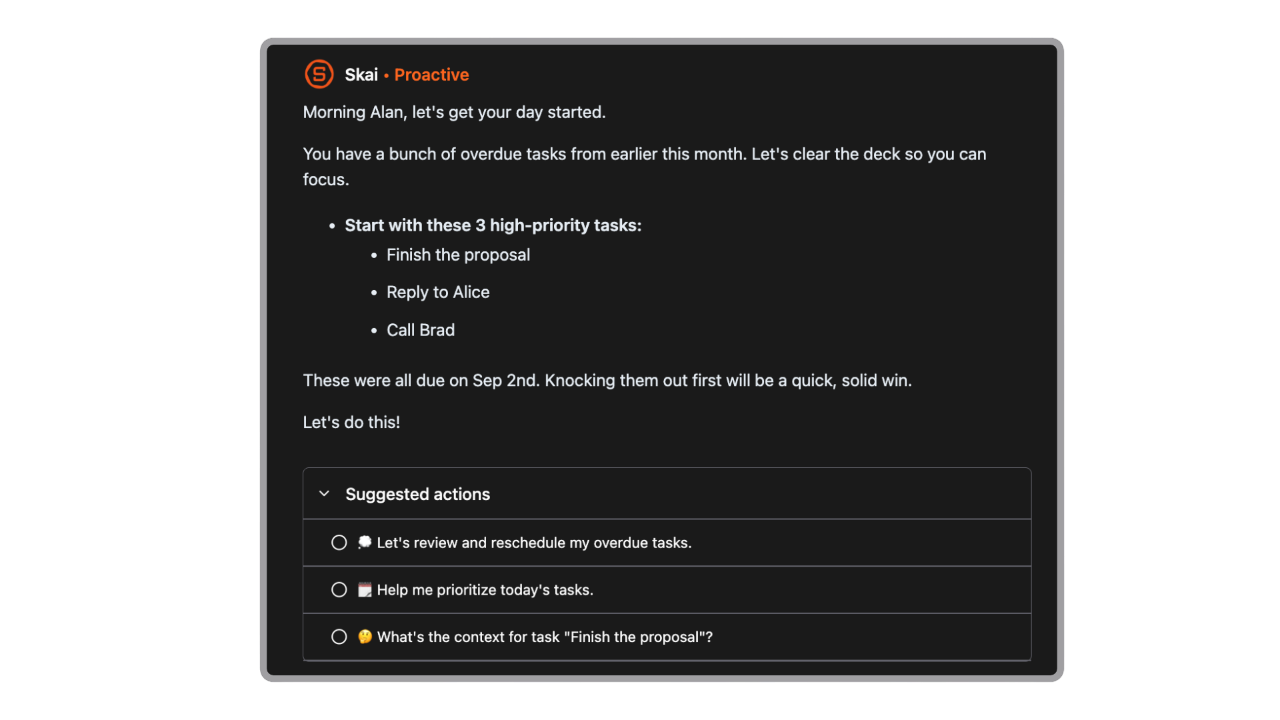
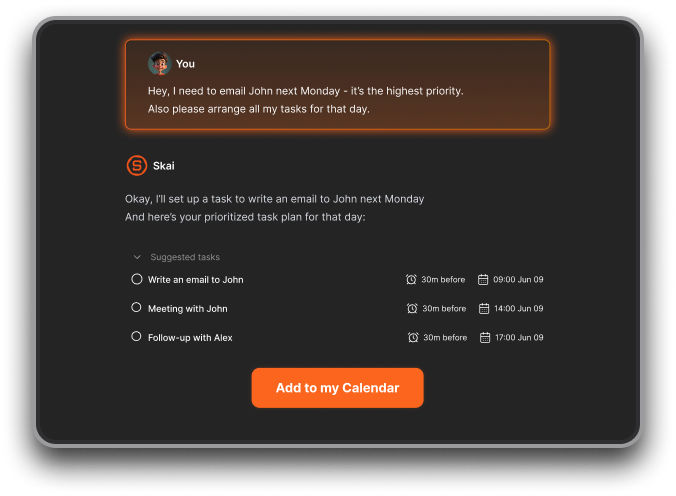
- Proactive daily plans generated automatically
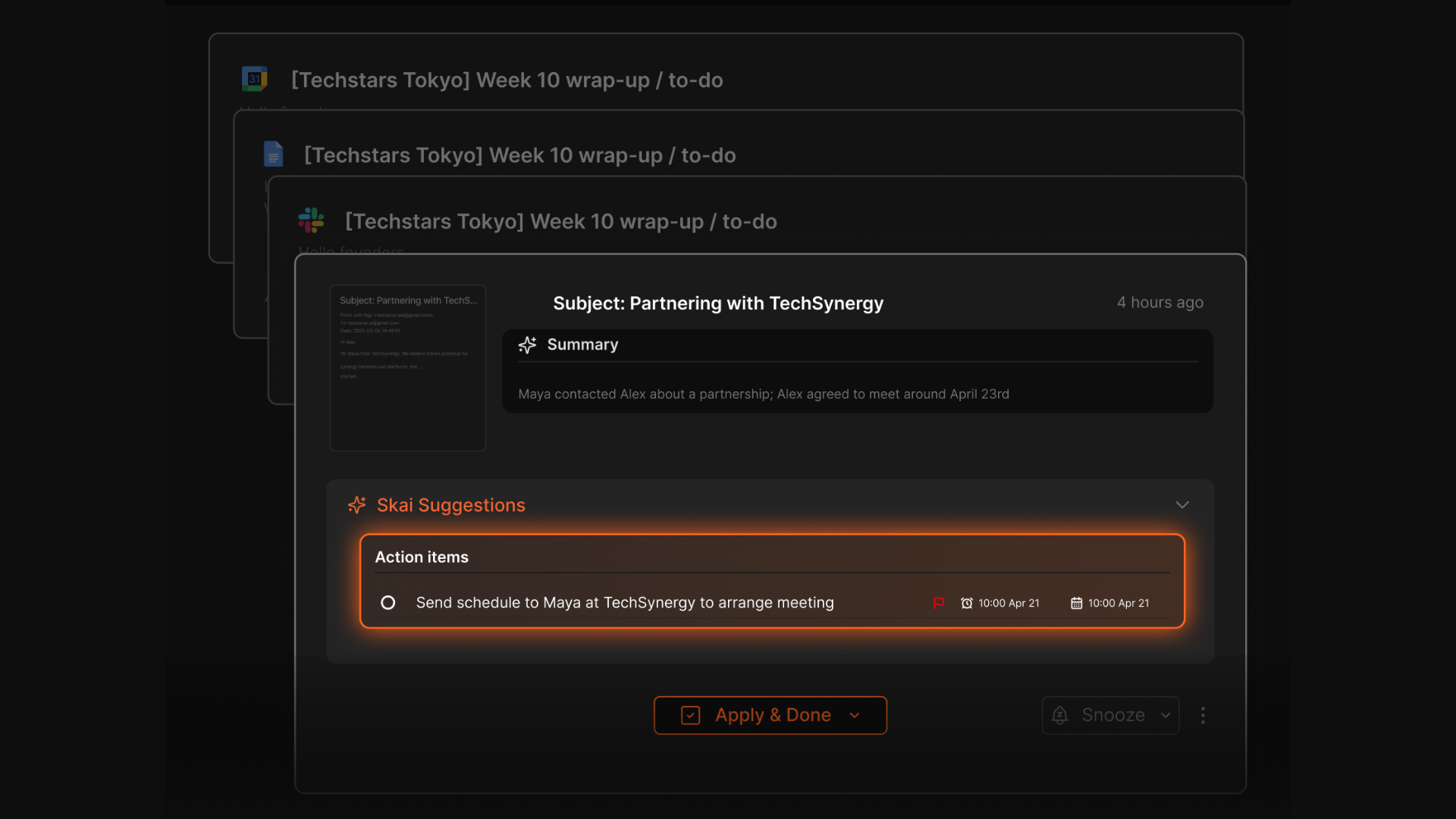
- Automatic task extraction from notes, emails, and inputs
What I liked
- You don’t need to design workflows or project boards to get started
- Great for brain dumps and messy inputs that still turn into actionable tasks
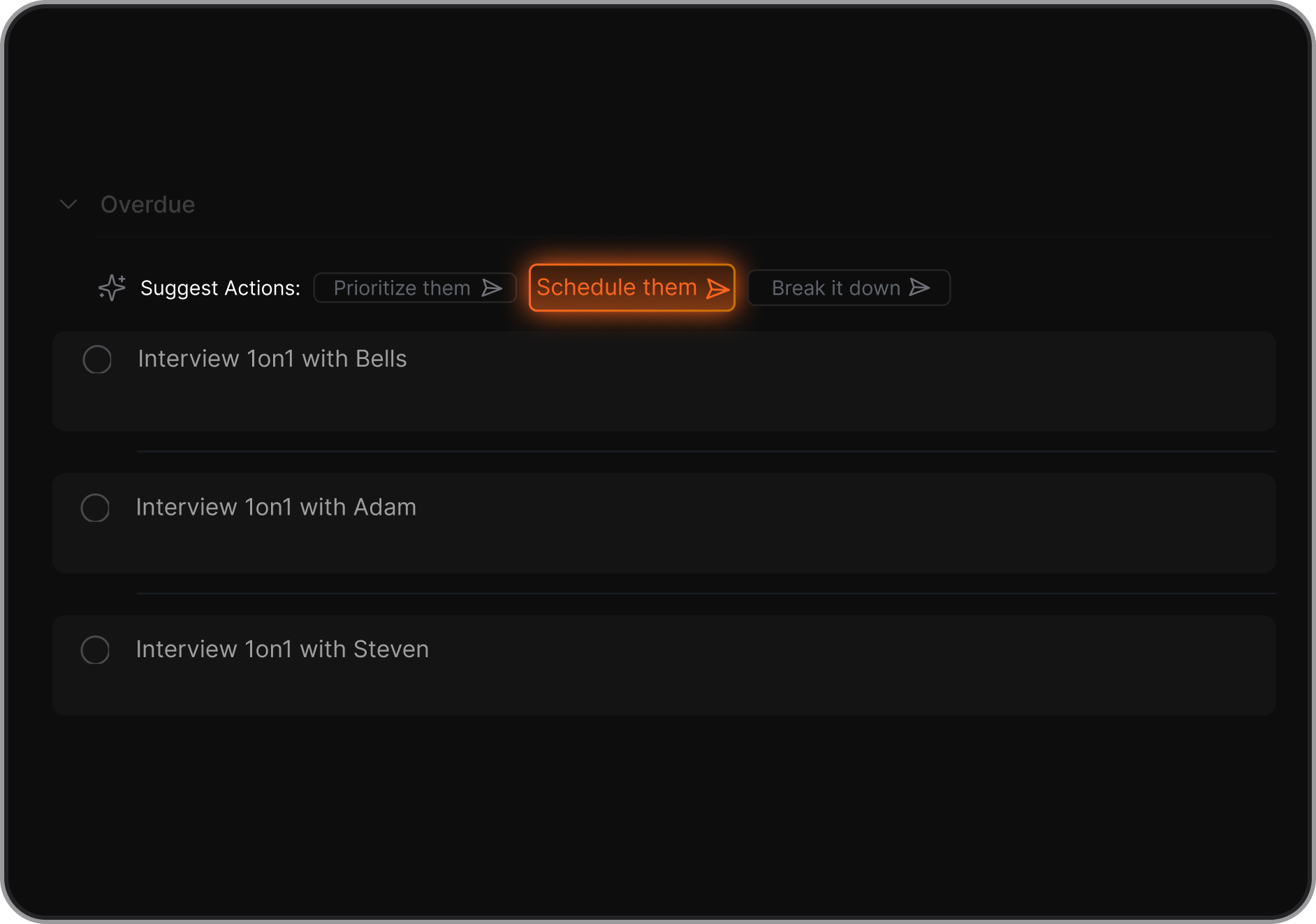
- AI suggestions for breaking down tasks and deciding what to do next
Cons
- Not a full-fledged project management app with Gantt Chart yet
Pricing
- Free plan with limited AI usage
- Paid plans start around $8/month
Who is it suitable for?
- Individuals or small teams overwhelmed by complex project tools
- Knowledge workers managing lots of notes, ideas, and tasks
- People who prefer AI-guided prioritization over manual planning
- ADHD-prone users who struggle with rigid systems like Asana
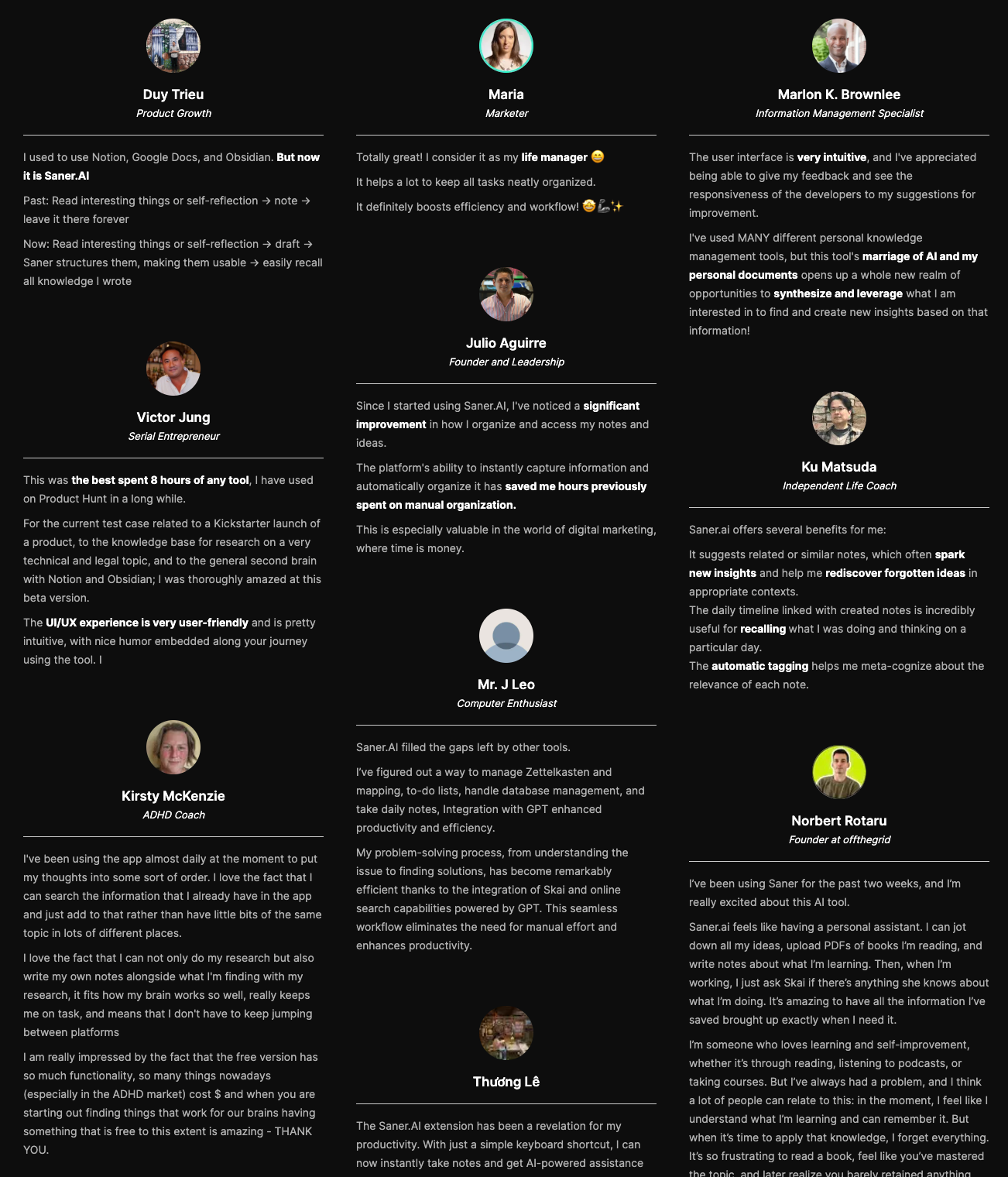
Saner.AI review
How to start using it?
- Go to Saner.AI
- Create a free account
- Start capturing notes and tasks and let the AI organize them

Stay on top of your work with the Top Asana Alternative
2. Linear
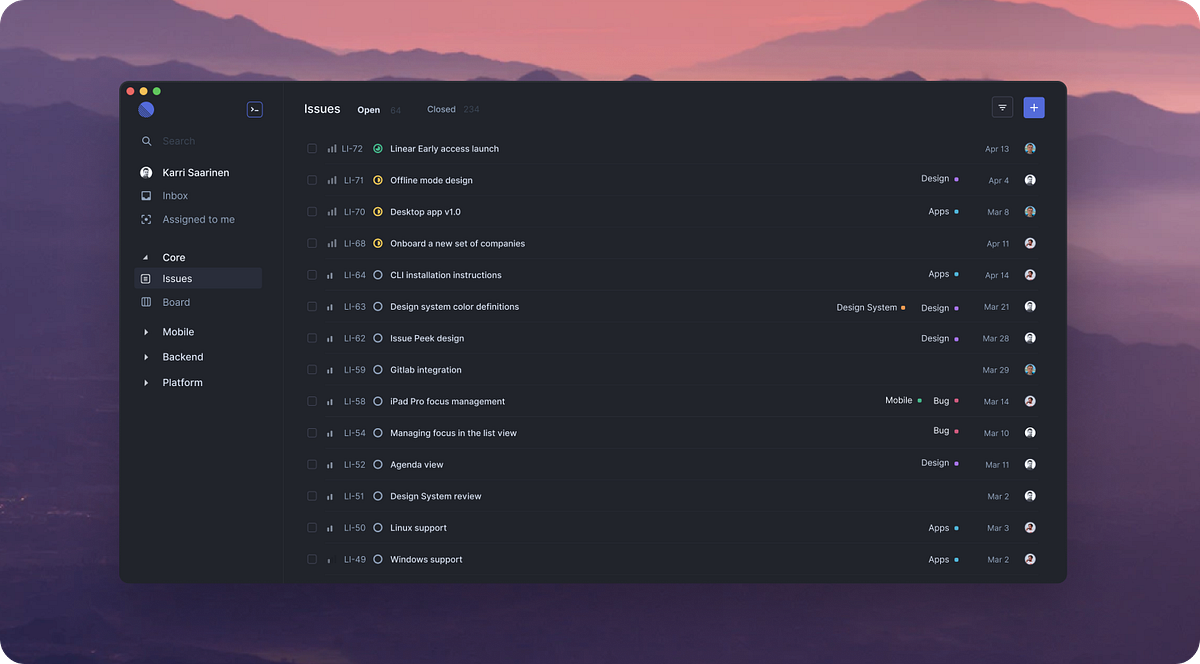
Linear is a fast, minimalist project management and issue-tracking tool built for modern product and software teams.
It’s often used as an Asana alternative by teams that want speed, clean design, and opinionated agile workflows instead of feature-heavy project management.
Key features
- Issue tracking for bugs, tasks, and technical work
- Cycles (sprints) for agile, time-boxed planning
- Projects and roadmaps to track milestones and progress
- Extremely fast, keyboard-first, low-friction UI
What I liked
- Very fast and smooth experience; everything feels responsive
- Designed specifically for product and engineering teams
- Opinionated workflows reduce setup and decision fatigue
What I disliked
- Narrower scope than Asana for cross-functional work
- Not ideal for marketing, HR, or operations teams
- Fewer advanced automations compared to Asana
Pricing
- Free plan with limited features
- Paid plans start around $8 per user/month (billed annually)
Suitable for
- Product and engineering teams
- Startups and tech companies that value speed and simplicity
- Teams already working heavily in GitHub-centric workflows
How to start
- Go to Linear
- Create a free account
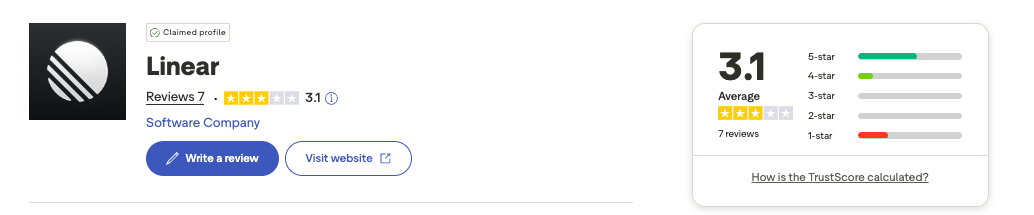
Linear review (source)
3. ClickUp

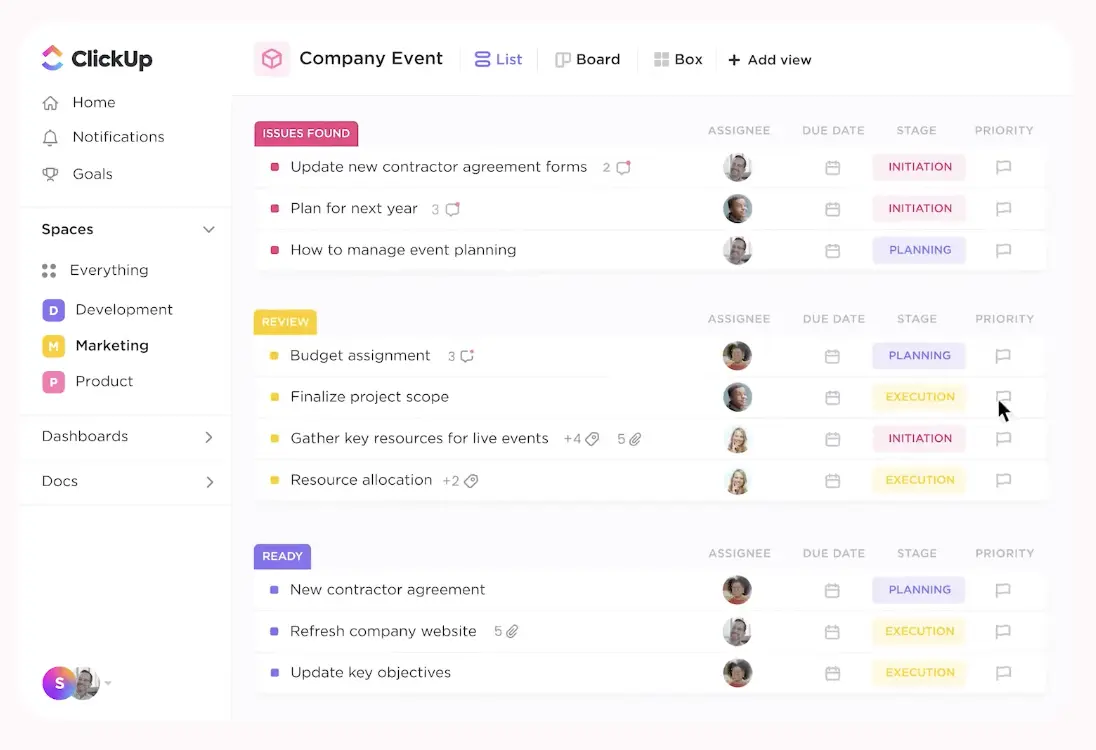
ClickUp is an all-in-one project and work management platform that’s often used as an alternative to Asana.
It combines tasks, docs, dashboards, chat, and automation into a single workspace to help teams plan, track, and execute work in one place.
Key features
- All-in-one workspace with tasks, docs, whiteboards, spreadsheets, and chat
- Multiple work views: list, board, calendar, Gantt, workload, and “Everything” view
- Highly customizable task management with subtasks, custom fields, priorities, and dependencies
- Built-in time tracking and reporting dashboards.
Pros
- Very flexible and feature-rich compared to Asana
- Multiple views make it easier to adapt to different team workflows
- Strong value for money compared to similar project management tools
Cons
- Steeper learning curve than Asana, especially for new users
- Interface can feel crowded due to the number of features
- Performance issues are occasionally reported on larger workspaces
Pricing
- Free plan with unlimited users and tasks
- Unlimited plan around $7 per user/month (billed annually)
- Business plan around $12 per user/month (billed annually)
Best for
- Teams that want more customization than Asana offers
- Businesses looking to consolidate tasks, docs, and collaboration into one tool
ClickUp review (source)
How to get started
- Go to ClickUp
- Create a free account
- Set up your workspace and start with a project template
4. Todoist
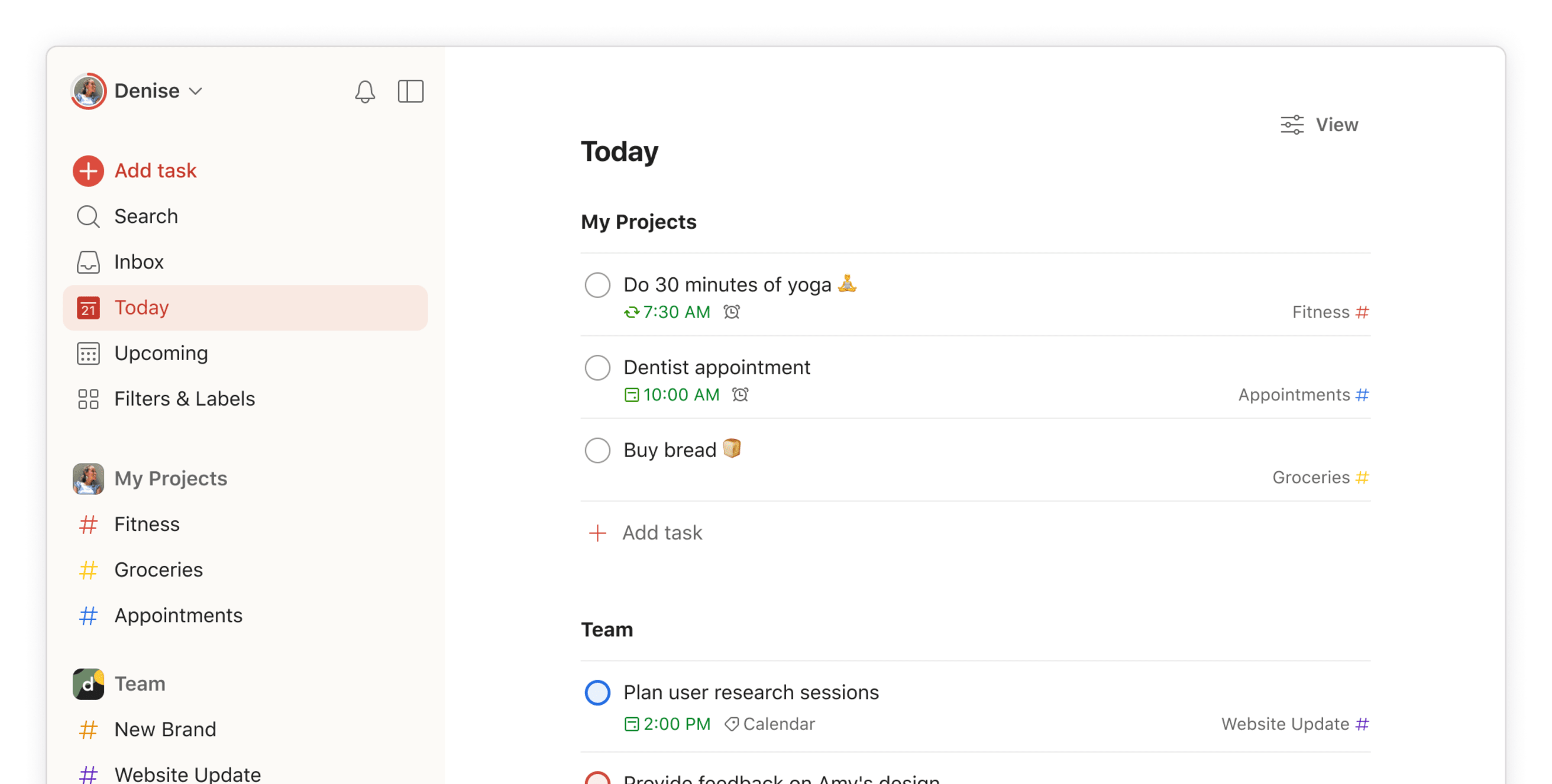
Todoist is a task and project management app that helps individuals and teams plan, track, and complete work with a clean, lightweight interface. As an Asana alternative, it focuses less on complex workflows and more on fast task capture, clear priorities, and day-to-day execution without overhead.
Key features
- Task lists with due dates, priorities, labels, and recurring schedules
- Projects and sections to organize work by goal or team
- Shared projects with comments and basic collaboration
- Integrations with email, calendar, Slack, and other productivity tools
What I liked:
- It’s fast and simple.
- Works well for personal task management and lightweight team projects.

What I disliked:
- Lacks advanced project management features like timelines, dependencies, notes management, or workload views.
- Not ideal for large teams with complex processes.
- Reporting and progress tracking are very limited compared to Asana.
- Collaboration features feel basic for cross-functional teams.
Pricing:
- Free plan with core task features
- Pro plan around $7/month per user
- Business plan around $10/month per user
Suitable for:
- Individuals who find Asana too complex for daily task management
- Small teams that want simple shared task lists
How to start:
- Go to Todoist
- Create a free account
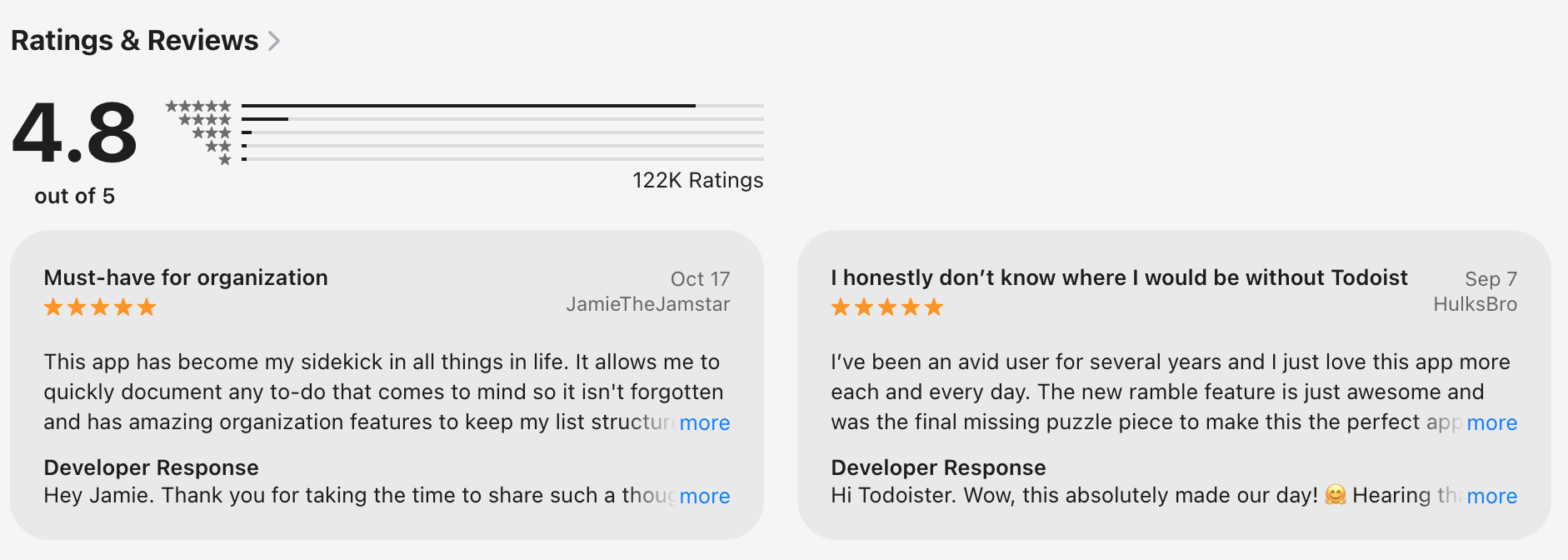
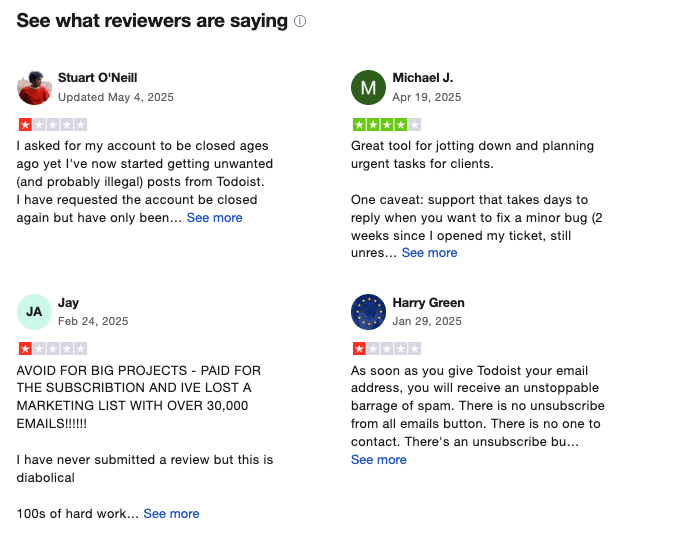
Todoist Reviews (source)
5. Trello
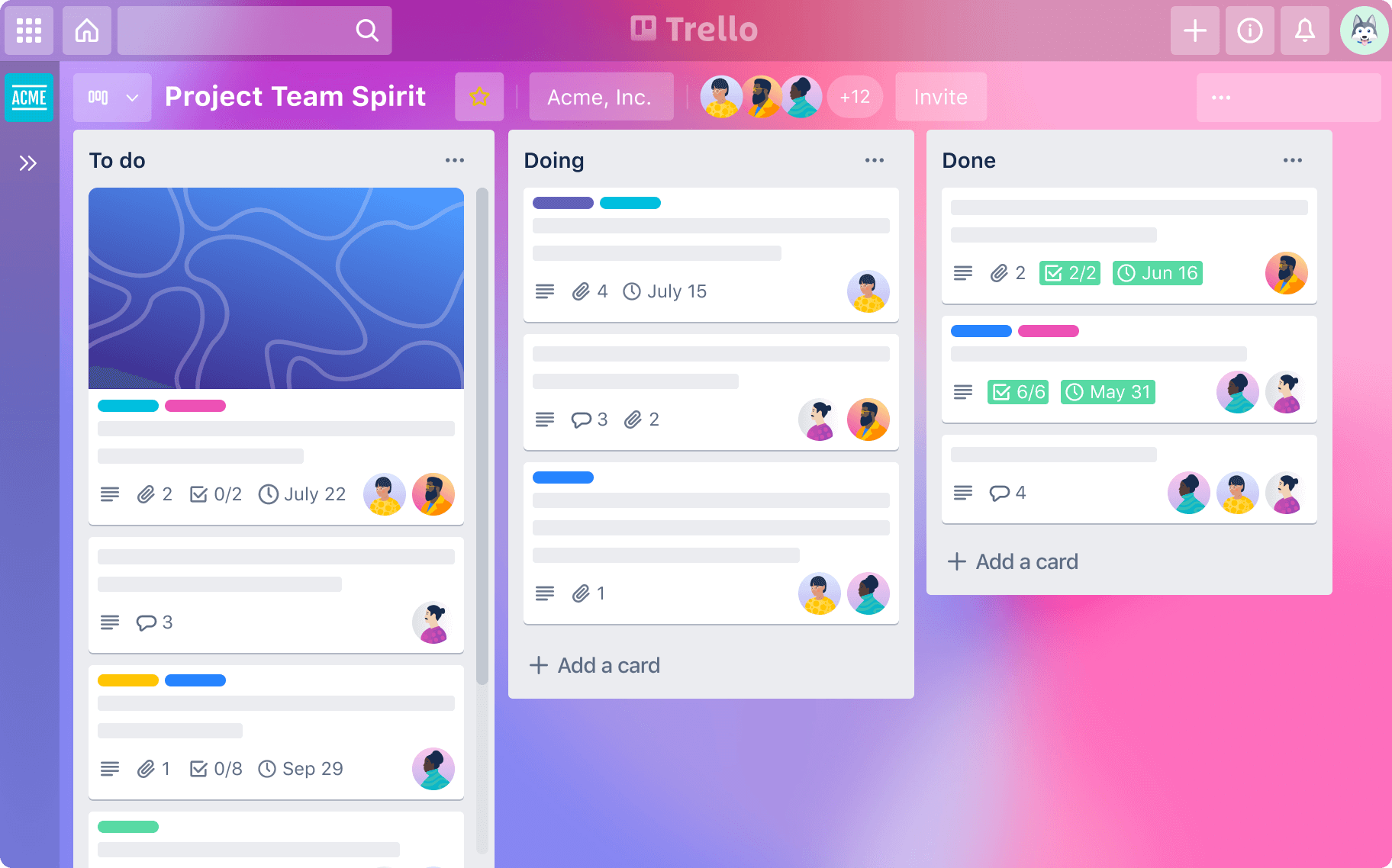
Trello is a visual project management and task-tracking tool that uses boards, lists, and cards to organize work. It’s often used as an Asana alternative for people who want something simpler, more visual, and easier to adopt without complex project planning.
Key features
- Kanban-style boards with lists and cards
- Drag-and-drop tasks with labels, checklists, due dates, and attachments
- Team collaboration with comments, assignments, and notifications
- Power-Ups (integrations) for calendars, automation, reporting, and external tools
Pros
- Very easy to use. You can understand the core workflow in minutes.
- Highly visual. Great for seeing task status at a glance.
- Flexible setup
Cons
- Limited for complex project management.
- No native task dependencies, timelines, or advanced reporting.
- You often need multiple Power-Ups to match Asana-level features.
- Limited AI assistance
Pricing
- Free plan available
- Paid plans start around $5–$6 per user/month
Best for
- Small teams and startups
- Visual thinkers who prefer Kanban boards
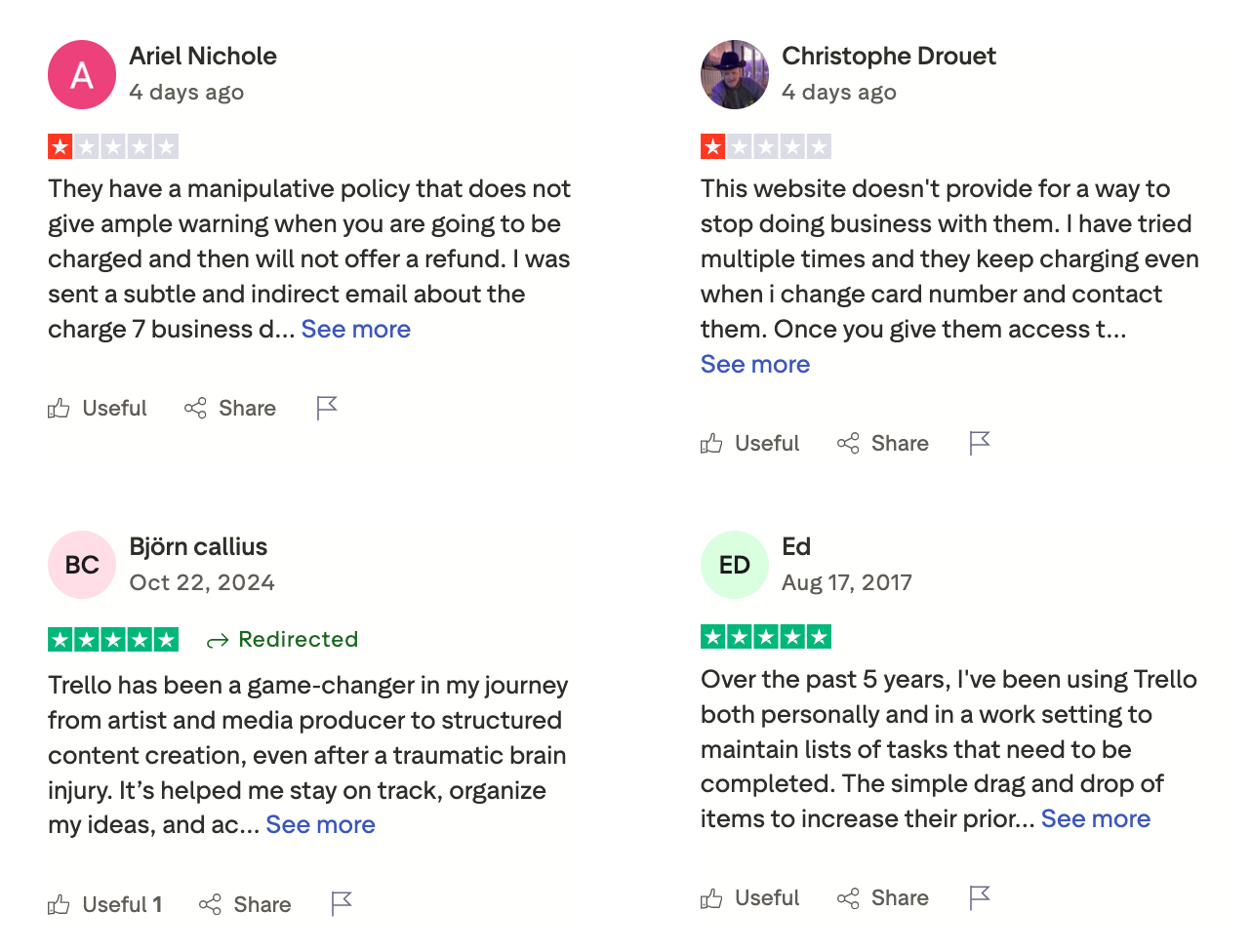
Trello review (source)
How to get started
- Go to Trello
- Create a free account
6. Monday.com

Monday.com is a work management and project planning platform often used as an Asana alternative by teams that want more flexibility and visual control over how work is tracked. It’s built as a “Work OS,” meaning you can customize boards, workflows, and dashboards to fit different teams like marketing, ops, product, HR, and sales.
Key features
- Customizable boards with list, Kanban, timeline, calendar, and Gantt views
- Visual dashboards with widgets for status, workload, progress, and metrics
- Workflow automations to reduce manual updates and repetitive actions
- Built-in collaboration with comments, file sharing, and activity logs
Pros
- Very flexible. You can adapt it to many workflows, not just classic project management
- Strong visual clarity. It’s easy to see what’s going on across projects at a glance
- Multiple views work well for complex or cross-team projects
Cons
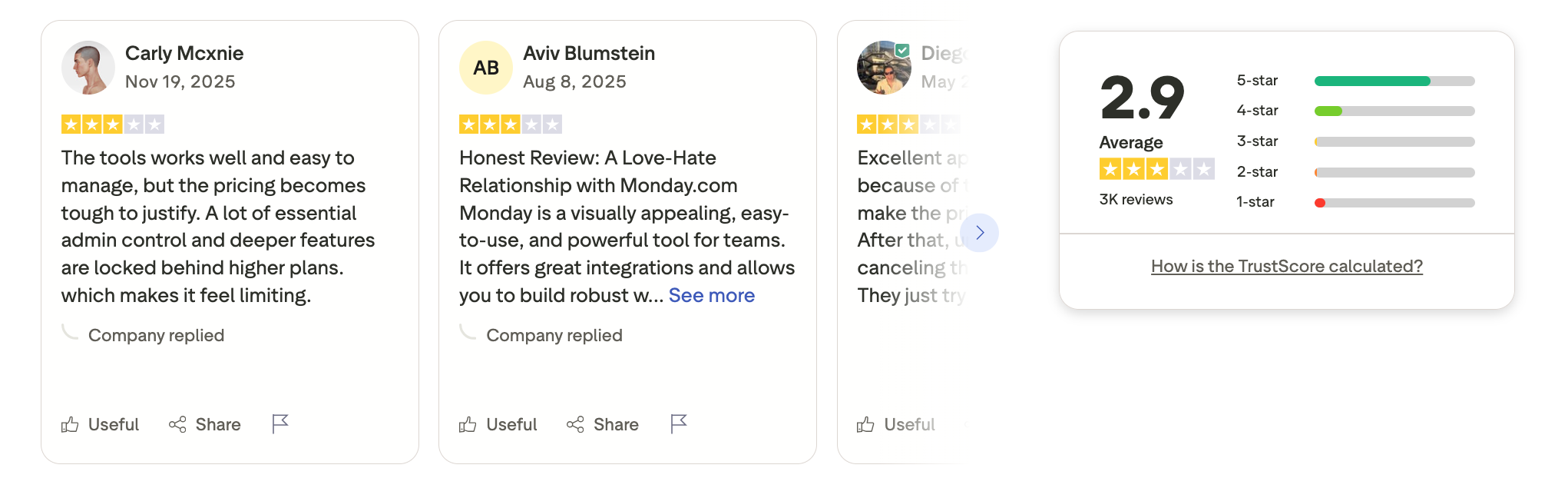
- Free plan is very limited and only supports two users
- Can feel overwhelming at first because there are so many options and settings
- Pricing scales quickly as you add users, automations, and integrations
Pricing
- Basic plan around $8–$10 per user/month
- Standard plan around $10–$12 per user/month
- Pro plan around $16–$20 per user/month
Best for
- Teams that want a highly visual and customizable alternative to Asana
- Businesses running cross-department projects and workflows
- Teams that rely on dashboards, reporting, and automation
Monday.com review (soucre)
How to get started
- Go to Monday.com
- Create a free account
- Pick a template or build a board from scratch
7. Any.do
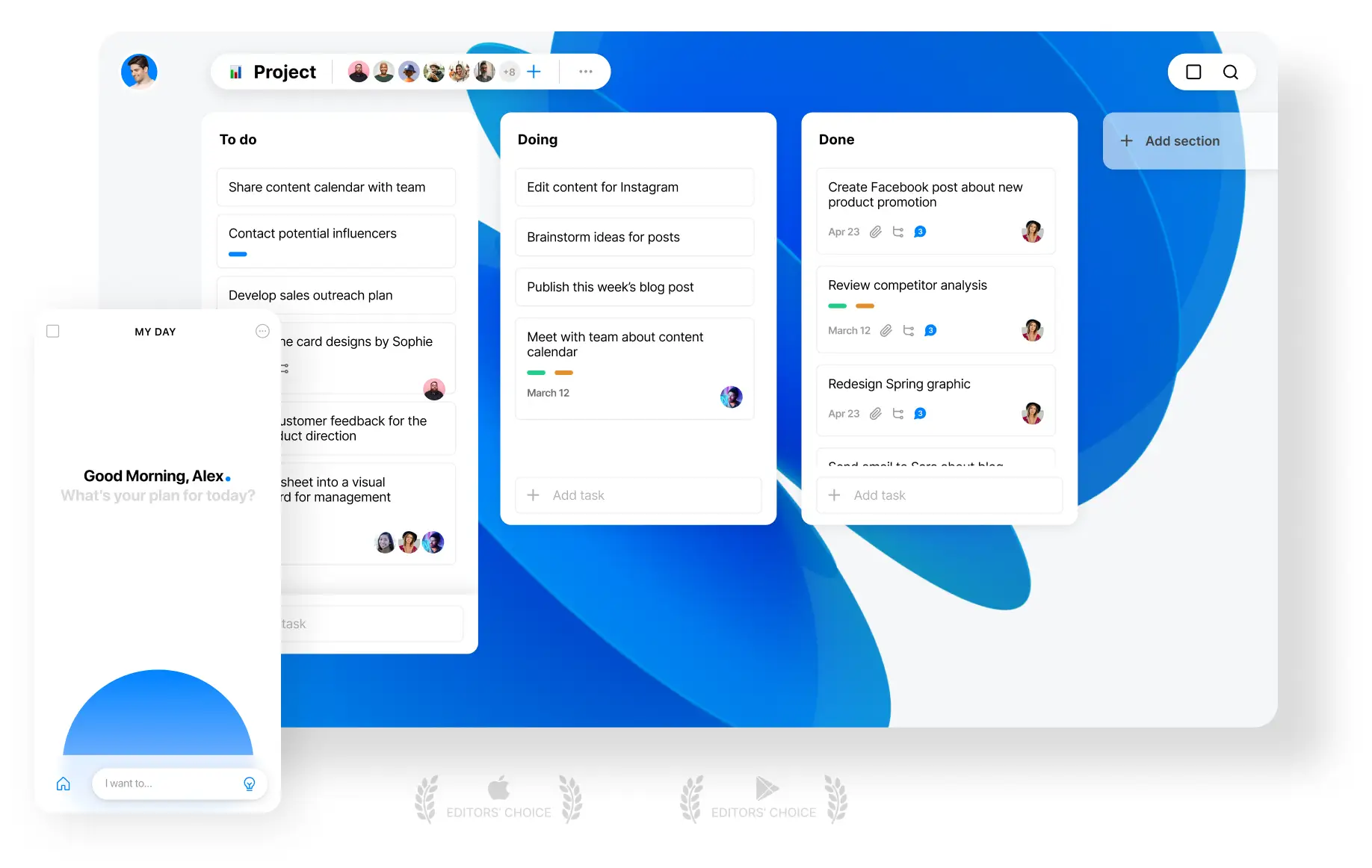
Any.do is a productivity and task-management tool that works as a lightweight Asana alternative for managing tasks, reminders, calendars, and simple team projects. It’s built for individuals and small teams who want structure without the complexity of full project-management software.
Key features
- Task lists with subtasks, reminders, and recurring tasks
- Calendar integration with a daily planning view
- Shared lists and basic team collaboration
- Ready-made templates for common workflows
What I liked
- Very easy to use. You can get started without onboarding or training.
- Clean interface that works well for daily task planning.
- Much cheaper than Asana for basic task and team needs.
What I disliked
- Not built for complex project management.
- No advanced features like dependencies, timelines, or workload tracking.
- Limited reporting and analytics compared to Asana.
- No AI assistant to help with tasks
Pricing
- Free plan with basic task features
- Premium plan starts around $4.99/month (annual billing)
Suitable for
- Individuals who want a simple daily planner instead of a complex task system
- Small teams that want shared to-do lists without complexity
How to start
- Go to Any.do
- Create a free account
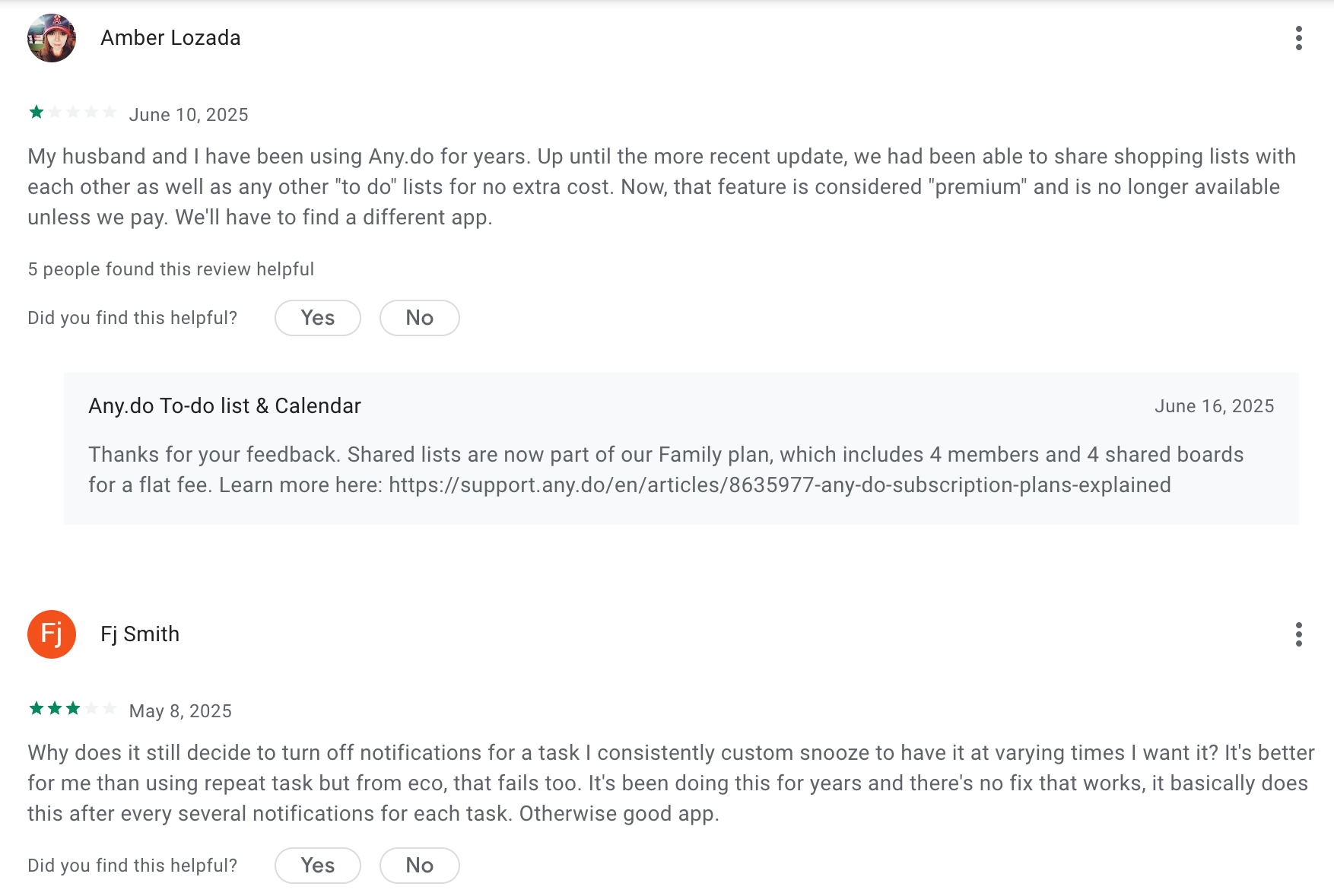
Any.do Review (source)
8. Superlist
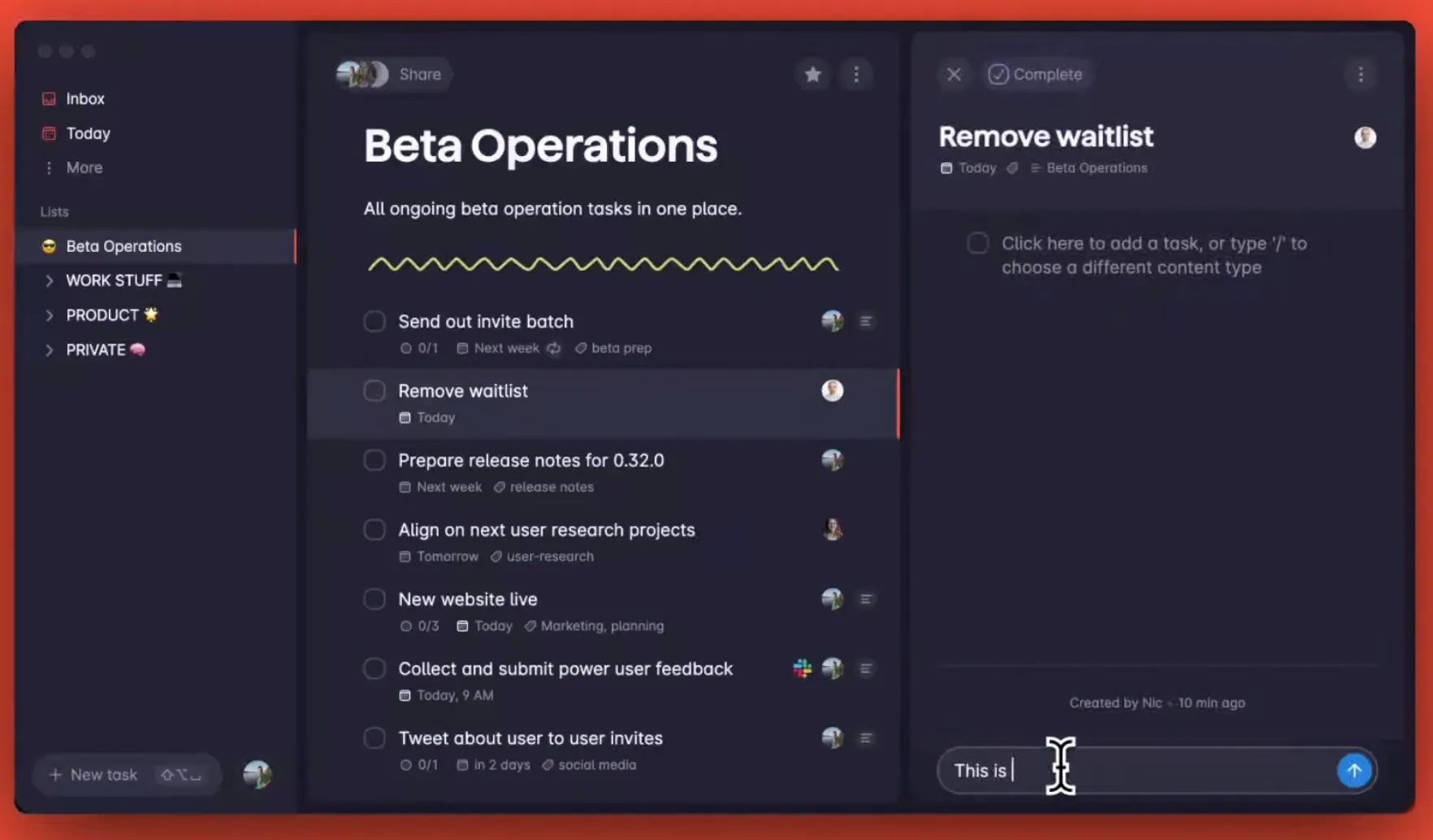
Superlist is a modern task and productivity app. It works well for individuals and small to mid-sized teams who want structure but not overhead.
Key features
- Tasks, sub-tasks, lists, and nested structures for projects
- Notes, attachments, due dates, tags, and reminders inside tasks
- Real-time collaboration with shared lists and task assignments
- In-task comments for lightweight team communication
What I liked
- Very clean and intuitive UI compared to heavier tools like Asana
- Easy to get started with almost no setup
- Tasks and notes live together, so context isn’t lost
What I disliked
- Not built for complex project management
- No advanced views like Gantt charts or workload planning
- Limited reporting and analytics
- Team features are still basic compared to Asana
- Large or highly structured projects can feel constrained
- No strong natural language task input and AI assistant compared to some competitors
Pricing
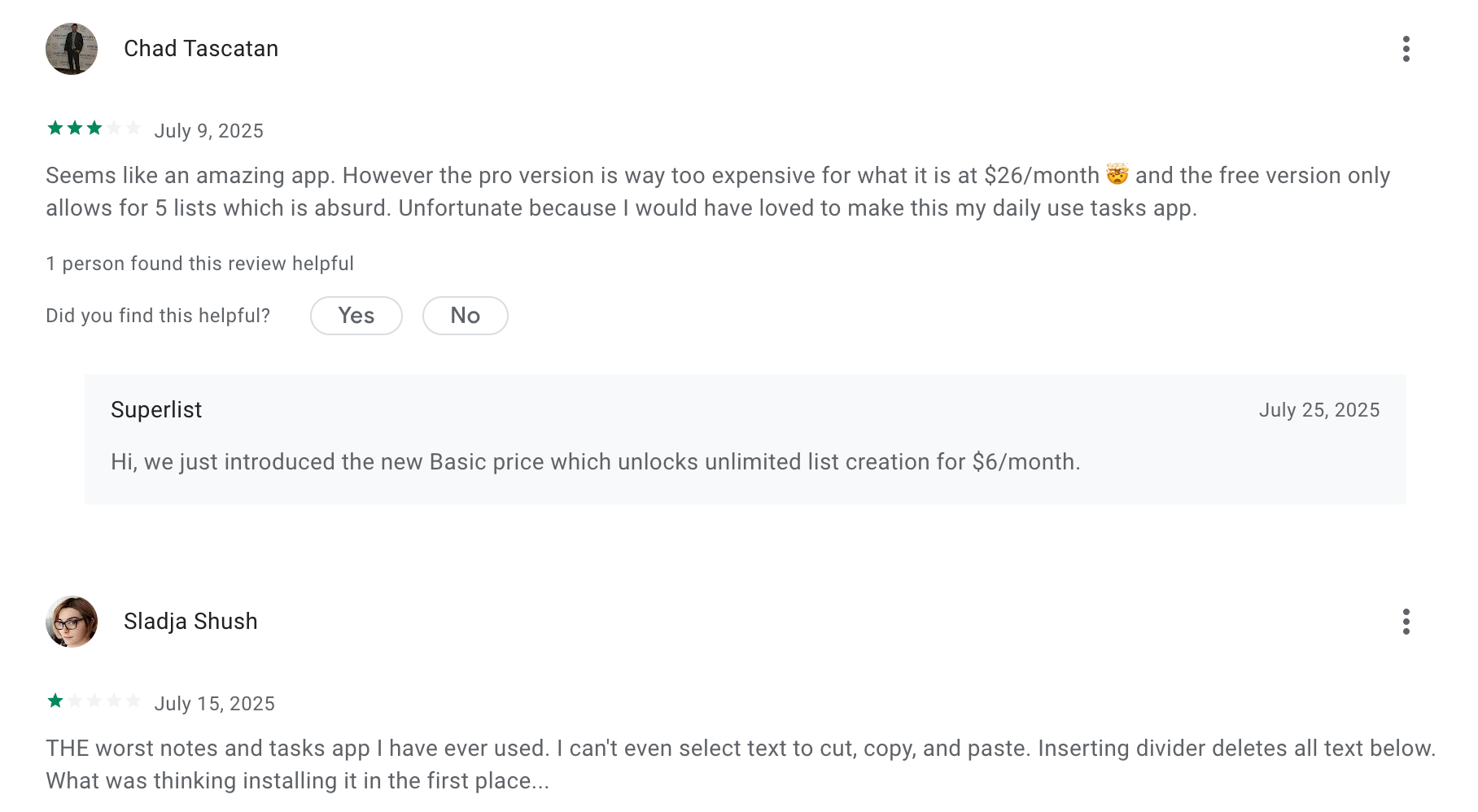
- Paid plan around $6 per user per month for unlimited lists and more features
Suitable for
- Small teams that need shared lists without heavy setup
How to start
- Small teams that find Asana too complex
- Teams that prioritize speed, clarity, and ease of use
Superlist reviews (source)
9. Jira
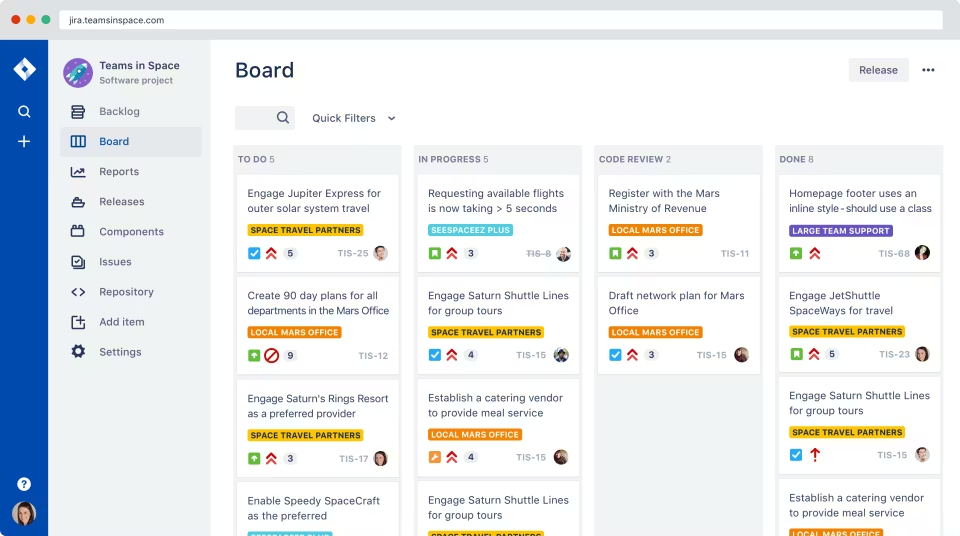
Jira is a project management and issue-tracking tool by Atlassian that can work as an Asana alternative, especially for teams that need more structure, customization, and agile workflows. It’s widely used by software teams but can also support non-technical project management when configured properly.
Key features
- Agile project management with Scrum and Kanban boards
- Built-in issue and bug tracking tied directly to tasks
- Highly customizable workflows, statuses, and fields
- Strong integrations with developer tools and the Atlassian ecosystem (Confluence, Bitbucket, CI/CD tools)
Pros
- Very powerful for teams running complex or Agile workflows
- Custom workflows let you model real processes instead of forcing a simple task list
- Excellent for tracking dependencies, bugs, and releases in one place
Cons
- Steeper learning curve compared to Asana
- Can feel overwhelming if you just want lightweight task management
- Setup and configuration take time to get right
Pricing
- Free plan for small teams.
- Paid plans start around $8/user/month.
Best for
- Software and product teams using Scrum or Kanban
- Teams that need detailed tracking, dependencies, and custom workflows
- Organizations that have outgrown Asana’s simplicity
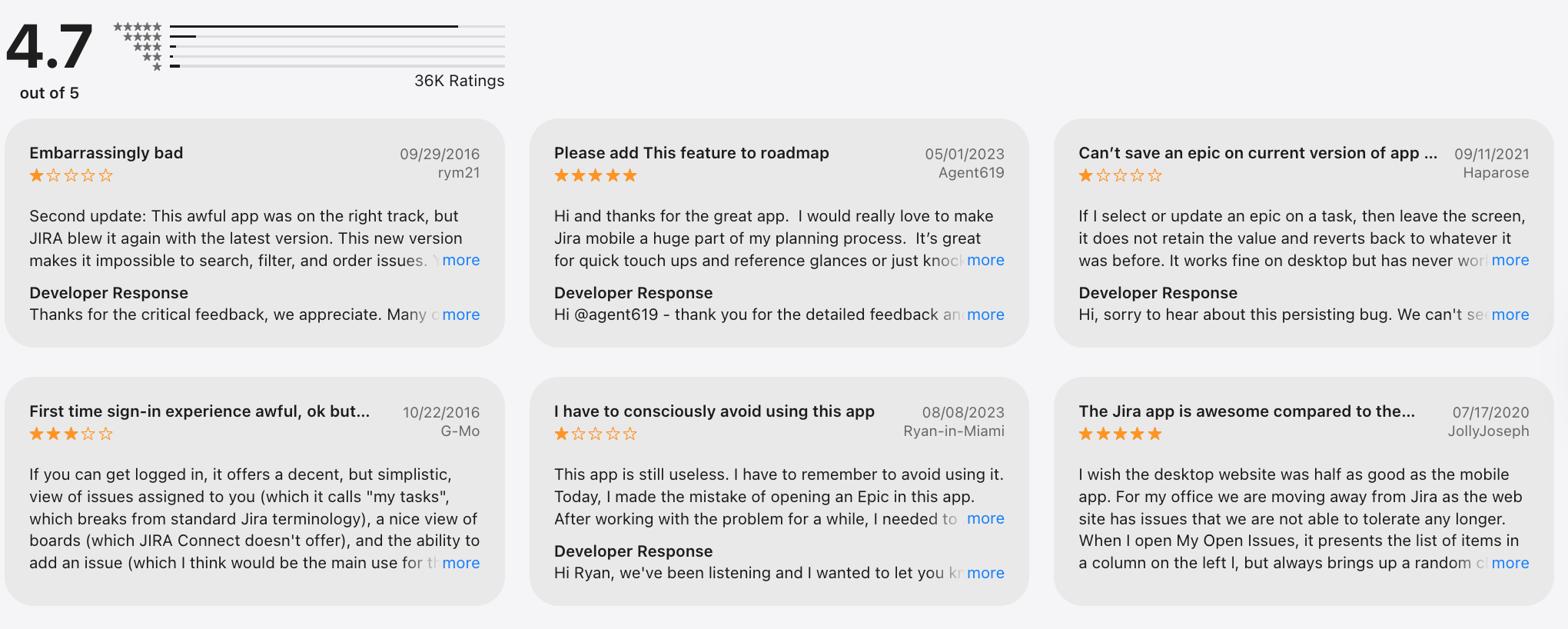
Jira review (source)
How to get started
- Create a free Jira account
- Choose a project type (Scrum or Kanban)
- Set up your board and workflows
10. Notion

Notion is a flexible workspace that combines notes, docs, databases, and task tracking in one highly customizable system. Unlike Asana’s structured project management approach, Notion works as an Asana alternative by letting you design your own project and task workflows from scratch.
Key features
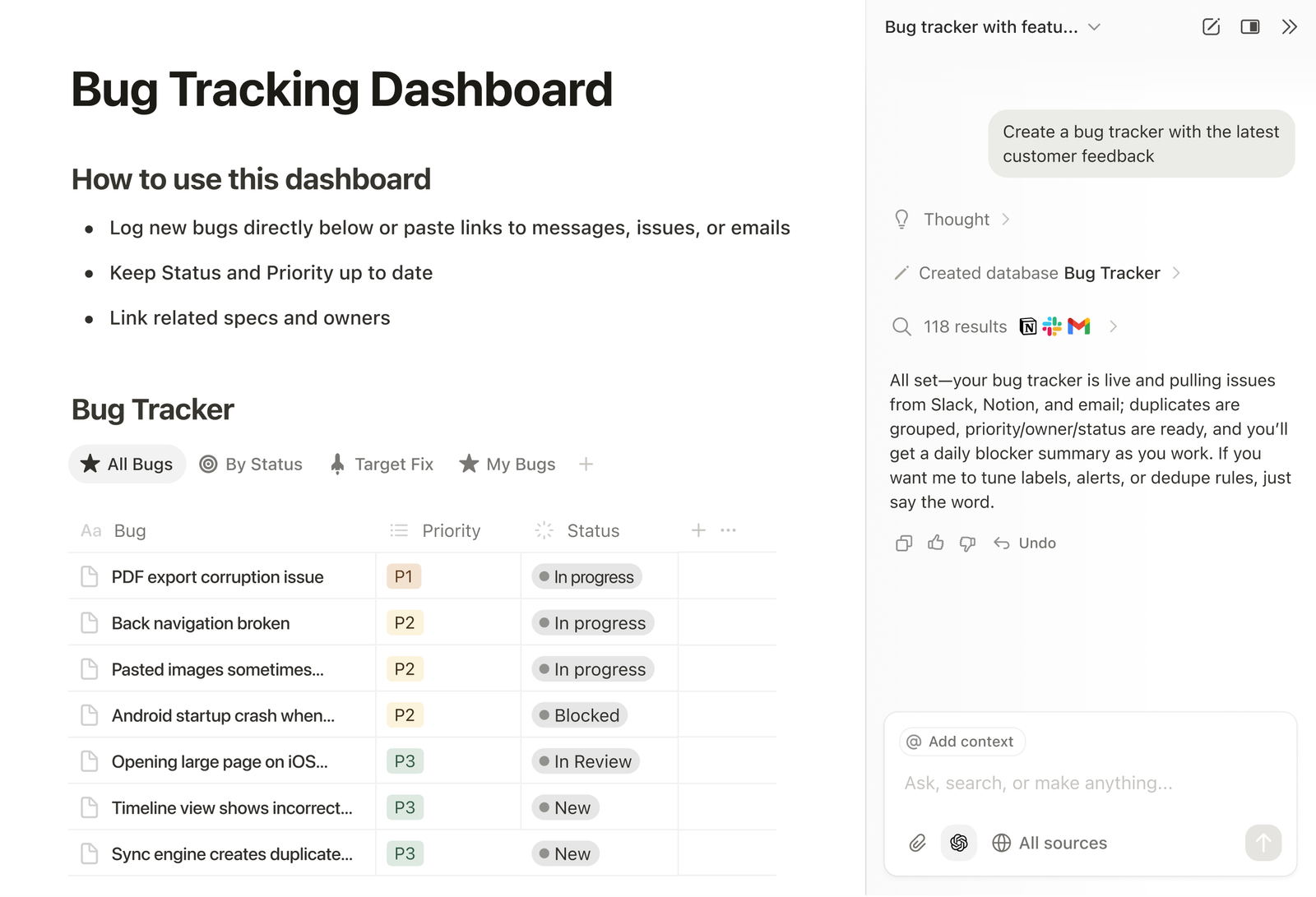
- Custom databases for tasks, projects, roadmaps, and workflows
- Multiple views for the same data (table, board, calendar, timeline)
- Pages that combine tasks with docs, notes, and context
- Templates for project management, sprint planning, and task tracking
Pros
- Extremely flexible. You’re not locked into a single project structure like in Asana.
- Tasks, docs, and knowledge live together instead of being split across tools.
Cons
- Not a true project management tool out of the box - setup is required.
- There’s a learning curve, especially if you’ve never built databases before.
- Advanced features like dependencies, automations, and reporting are weaker than Asana’s.
Pricing
- Free plan available.
- Paid plans start around $8/month.
Best for
- Individuals or small teams who want tasks, docs, and projects in one place
- Teams that prefer flexible, custom workflows over rigid PM systems
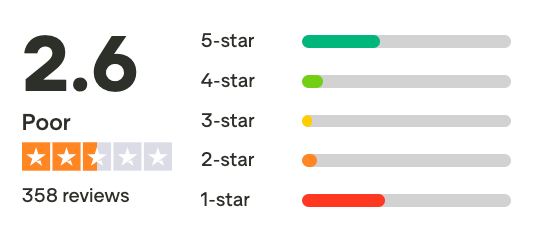
Notion review (source)
How to get started
- Go to Notion
- Create a free account
- Choose a project or task template
Conclusion: Choosing the Right Asana Alternatives
There’s no single “best” project management tool for everyone — and that’s exactly why so many people search for Asana alternatives in the first place.
Asana works well for teams that want structured project tracking and are comfortable with a more complex setup. But if your work feels slowed down by too many views, rules, or configuration steps, an alternative may be a better fit.
The tools in this guide solve different problems:
- Some work best when tasks, notes, and AI need to live together (like Saner.AI or Notion).
- Some focus on simplicity and speed (like Trello, Todoist, Any.do).
- Others offer deep structure and scalability for growing teams (like ClickUp, Jira, Monday.com).
- Some are designed for modern, focused workflows (like Linear).
The key takeaway: The best Asana alternative is the one that matches how your team actually works - not how a tool expects you to work.
Before switching, consider:
- How much structure you truly need
- Whether your team prefers flexibility or guardrails
- If the tool reduces mental overhead or adds to it
The right project management software should make progress feel easier, not heavier. Choose a tool that helps work move forward with less friction, clearer ownership, and better focus.
Stay on top of your work and life
FAQ: Best Asana Alternatives (2026 Guide)
1. What are the best Asana alternatives?
The best Asana alternatives depend on how you work and what you find limiting about Asana.
Popular options include:
- Saner.AI – AI-first task and knowledge management
- Linear – Fast, opinionated project tracking for product teams
- Monday.com – Visual workflows for cross-functional teams
- ClickUp – Highly customizable task and project management
- Notion – Flexible docs, databases, and light task tracking
- Trello – Simple Kanban boards
- Jira – Advanced tracking for engineering teams
- Todoist – Lightweight personal task management
- Any.do – Simple daily task planning
- Superlist – Clean, fast task lists for individuals and small teams
2. Why do people look for Asana alternatives?
Common reasons include:
- Asana feels too complex or heavy for daily work
- Too much manual setup and maintenance
- Weak personal task management compared to team projects
- Limited AI or automation support
- Friction between notes, tasks, and context
Many users want tools that feel lighter, smarter, or more opinionated than Asana.
3. Which Asana alternative is best for individuals or solo work?
If Asana feels overkill for solo work:
- Saner.AI focuses on turning notes, messages, and thoughts into tasks automatically
- Todoist and Superlist work well for clean, distraction-free task lists
- Any.do is popular for simple daily planning
These tools require less structure upfront than Asana.
4. What is the best Asana alternative for teams?
For teams, it depends on team type:
- Monday.com – Non-technical teams that want visual workflows
- ClickUp – Teams that want everything in one place
- Linear – Product and engineering teams who value speed and clarity
- Jira – Larger engineering organizations with complex workflows
Each solves different pain points that Asana users often run into.
5. Is there an AI-powered alternative to Asana?
Yes. Some modern Asana alternatives are built AI-first:
- Saner.AI understands your notes, meetings, and context and turns them into tasks
- ClickUp and Notion offer AI features, but mostly layered on top of existing systems
AI-native tools reduce manual task creation and organization, which is where many users struggle with Asana.
6. What’s the best Asana alternative for ADHD or overwhelmed users?
Users with ADHD often leave Asana because:
- Too many views and options
- High cognitive load
- Constant context switching
Saner.AI is often preferred because it:
- Works with messy notes and thoughts
- Auto-organizes tasks from natural language
- Reduces setup and system maintenance
7. Which Asana alternative is easiest to use?
If ease of use is the top priority:
- Saner.AI – Very low learning curve
- Todoist – Minimal, fast, and predictable
- Superlist – Modern UI with very little setup
These tools trade flexibility for simplicity.
8. What’s the best free Asana alternative?
Several Asana alternatives offer strong free plans:
- Saner.AI – Free plan includes AI task capture and reminders
- Todoist – Generous free tier for personal tasks
- Trello – Free Kanban boards
- Notion – Free for individuals
Free plans are usually enough for individuals or small teams testing alternatives.
9. What’s the best Asana alternative for startups?
Startups often prefer:
- Linear – Fast execution and product focus
- Saner.AI – Less admin, more action from notes and meetings
- ClickUp – All-in-one setup during early growth
The best choice depends on whether speed or structure matters more.
10. Can I migrate from Asana easily?
Most Asana alternatives support:
- CSV imports
- Basic task and project migration
- Manual setup for views and workflows
Tools like ClickUp, Monday.com, Saner.AI and Jira offer the smoothest migrations, while simpler tools may require manual cleanup.
11. Which Asana alternative works best with notes and meetings?
Asana is task-centric, not context-centric.
If you want tasks connected to notes and meetings:
- Saner.AI links tasks directly to notes, conversations, and reminders
- Notion works well if you’re already writing everything there
This is a common reason people switch away from Asana.
12. How do Asana alternatives differ from Asana?
In simple terms:
- Asana focuses on structured project management
- Many alternatives focus on speed, simplicity, or intelligence
Some replace Asana’s structure with:
- Automation, ADHD-friendly (Saner.AI)
- Opinionated workflows (Linear)
- Simplicity (Todoist, Trello)
The best Asana alternative is the one that removes friction from your way of working - not adds more features.
Stay on top of your work and life