
We Tested 14 AI Calendars. Here are the Best 7 in 2026
Best 7 AI Calendar in 2026: Saner.AI, Reclaim.AI, Motion, FlowSavvy, Morgen, Focuster, Skedpal

The massive hole in standard digital calendars is that they are entirely static; they treat your time like concrete when your day-to-day life is fluid. Traditional calendars force you to do the manual labor of rescheduling, dragging, and dropping blocks every single time life gets in the way.
The right calendar app fixes this by transforming your schedule from a rigid grid into a living assistant. Instead of you managing the calendar, the calendar manages itself. It understands the difference between a fixed meeting and a flexible task, automatically shifting your workload based on your priorities, deadlines, and actual availability.
In this article, we’ll look at how each platform handles last-minute disruptions, how effectively they protect your deep work from being fragmented by meetings, and the specific scheduling styles each one is built to serve.
Our top 3 picks for AI Calendar Apps in 2026
2. Reclaim.AI: Best for Google and Outlook users who want a highly customizable tool to automatically balance habits, tasks, and smart meeting links.
3. Motion: Best for teams and fast-paced professionals who want a heavy-duty algorithm to fully automate their daily project timelines.
What Is an AI Calendar?
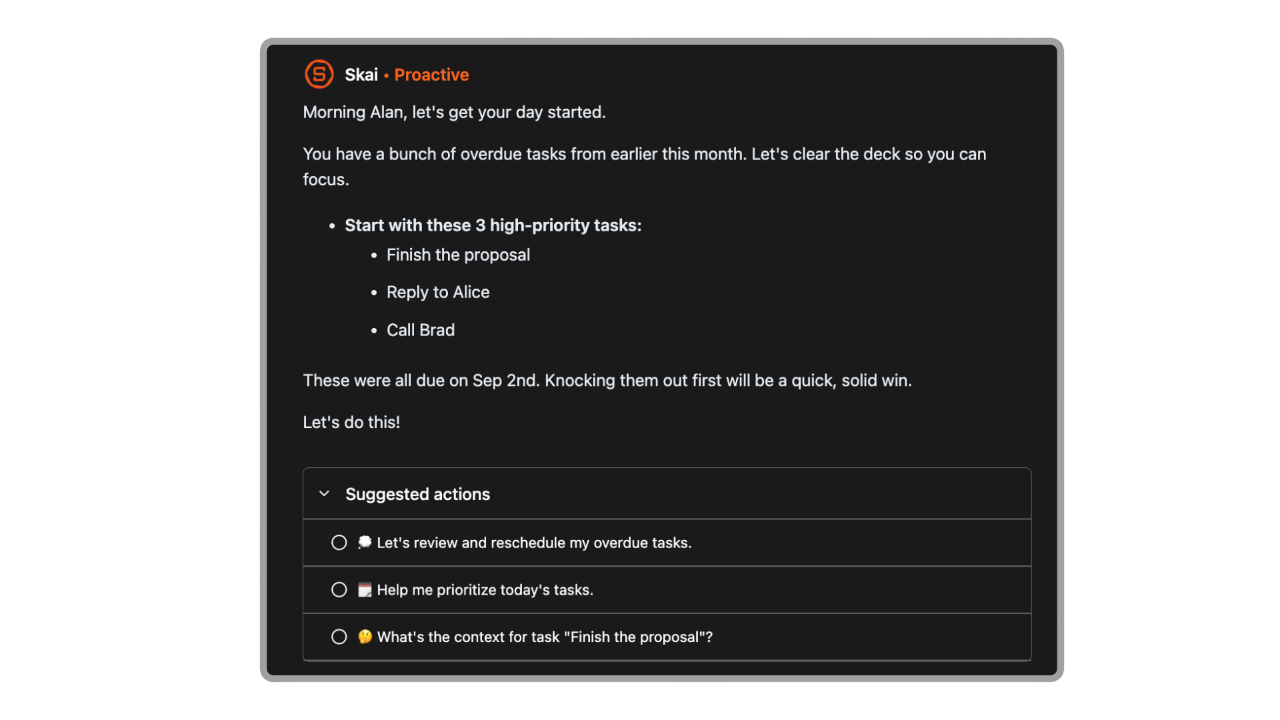
An AI calendar app is an intelligent auto-scheduler. It connects your to-do list directly to your calendar grid and uses machine learning to figure out the optimal time for you to actually complete your work.
How we chose the best AI calendars
The ultimate goal of an AI scheduler is to reduce your mental load, not add to it. We evaluated each platform based on the practical challenges of day-to-day work:
- Real-Time Rescheduling: How seamlessly does the AI rebuild your day with a single click when a meeting runs long or plans change?
- Task vs. Event Differentiation: Does it intelligently separate fixed commitments (like a client call) from flexible blocks (like writing a report)?
- Focus Time Protection: Can it automatically defend large blocks of uninterrupted time for deep work before non-urgent meetings can fragment your day?
- Onboarding & Simplicity: How much manual setup and tagging is required before the AI actually starts making smart decisions for you?
- Cross-Calendar Syncing: How reliably does it bridge your personal and professional calendars to prevent accidental double-bookings?
- Context Awareness: Can it read natural language or adapt to custom "scheduling hours" so it doesn't try to book a heavy creative project at 9:00 PM?
What are the Best AI Calendar Apps?
The Best AI Calendar Apps are Saner.AI, Reclaim.AI, Motion, Flowsavvy, Morgen, Focuster, and Skedpal
🧾 Comparison Table: Best AI Calendar Tools in 2026
| 🧰 App | 🎯 Best For | ⚙️ Key Features | 💰 Pricing (2026) |
|---|---|---|---|
| Saner.AI | AI-powered task + calendar planning | AI task capture, smart scheduling, daily prioritization, note-to-task workflow | Free; Paid ~$8–16/mo |
| Reclaim.ai | Automatic calendar optimization | AI time blocking, habit scheduling, smart meeting buffers | Free; Paid from $8/user/mo |
| Motion | Busy professionals & teams | AI scheduling, project planning, automatic task rearranging | From $19/user/mo |
| FlowSavvy | Students & ADHD users | Auto-rescheduling, drag-and-drop calendar, workload balancing | Free; Pro from $9/mo |
| Morgen | Unified calendar management | Multi-calendar sync, task planning, scheduling links | Free; Paid from $15/mo |
| Focuster | Deep work scheduling | Priority-based planning, focus blocks, calendar automation | From $10/mo |
| SkedPal | Flexible time blocking | AI smart scheduling, dynamic priorities, time maps | From $14.99/mo |
1. Saner.AI
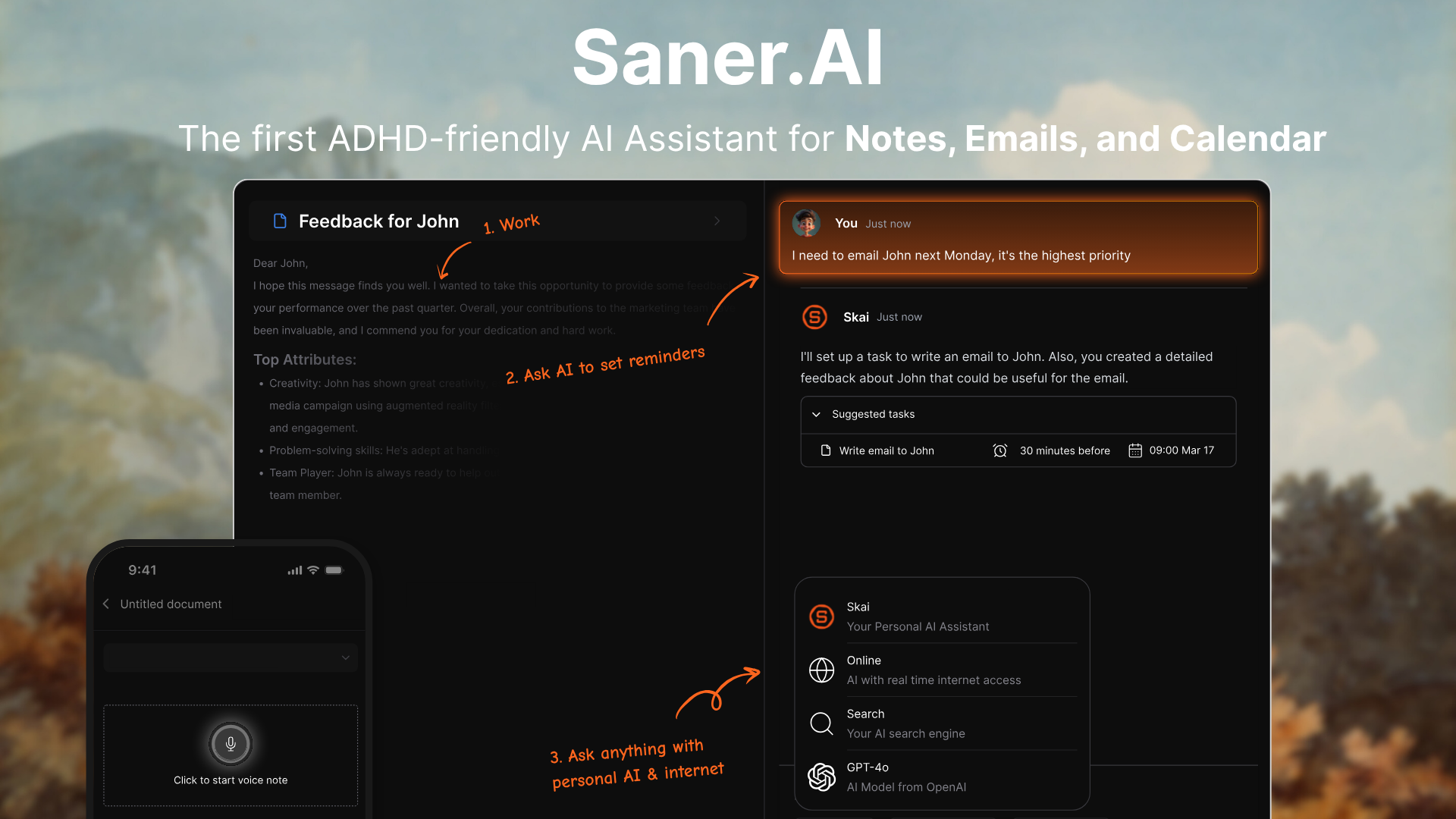
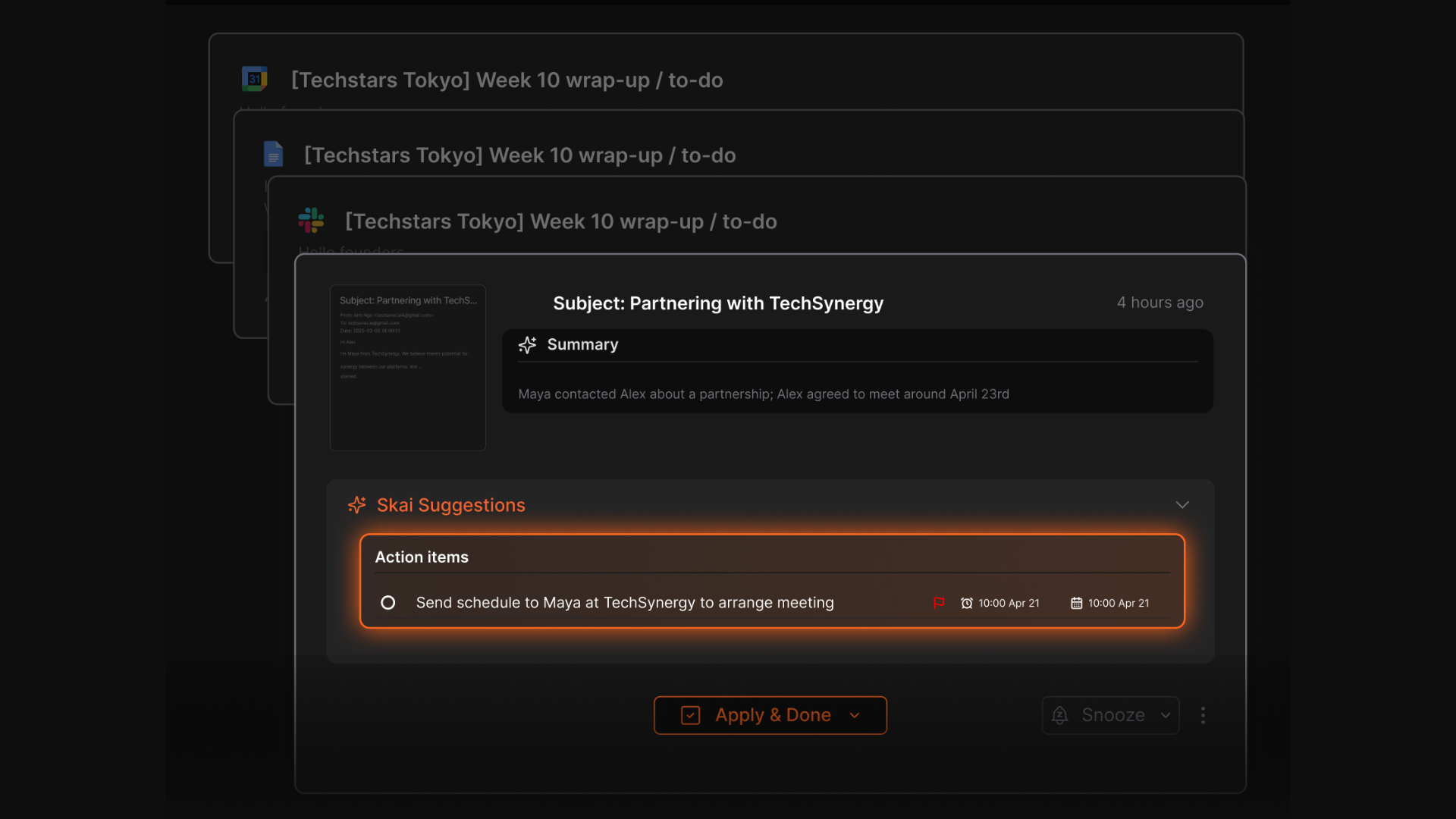
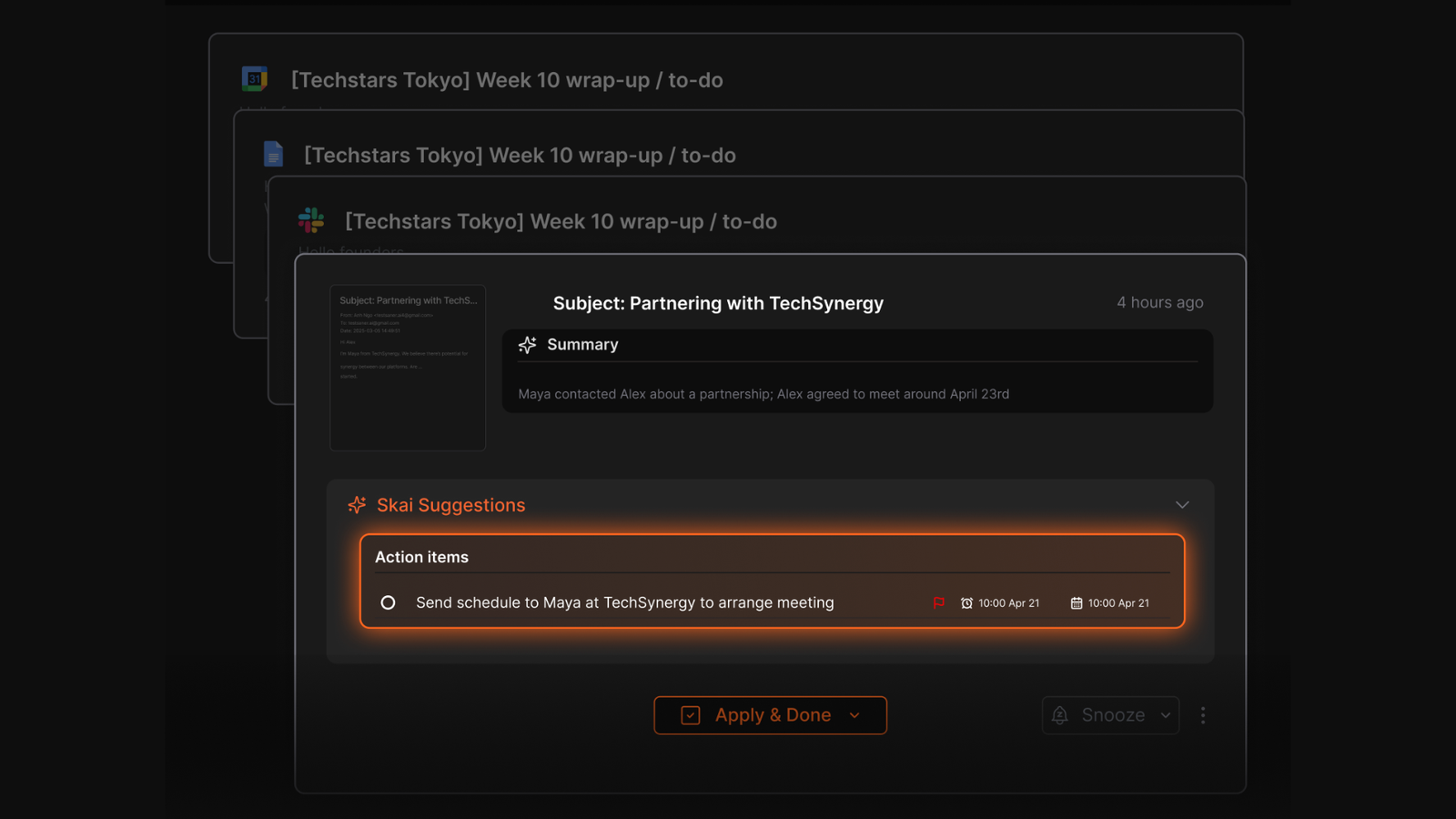
Saner.AI is an intelligent productivity workspace designed to eliminate the exhausting context switching between calendars, notes, and task managers. Saner.AI stands out by using its core AI assistant, Skai, to organically turn messy thoughts, scattered meeting transcripts, and incoming emails into structured, time-blocked daily schedules.
Key features
- AI Auto-Scheduling & Day Planning: Saner.AI dynamically constructs your daily schedule by interpreting context from your notes and tasks, rather than just forcing you into rigid, manual time blocks.
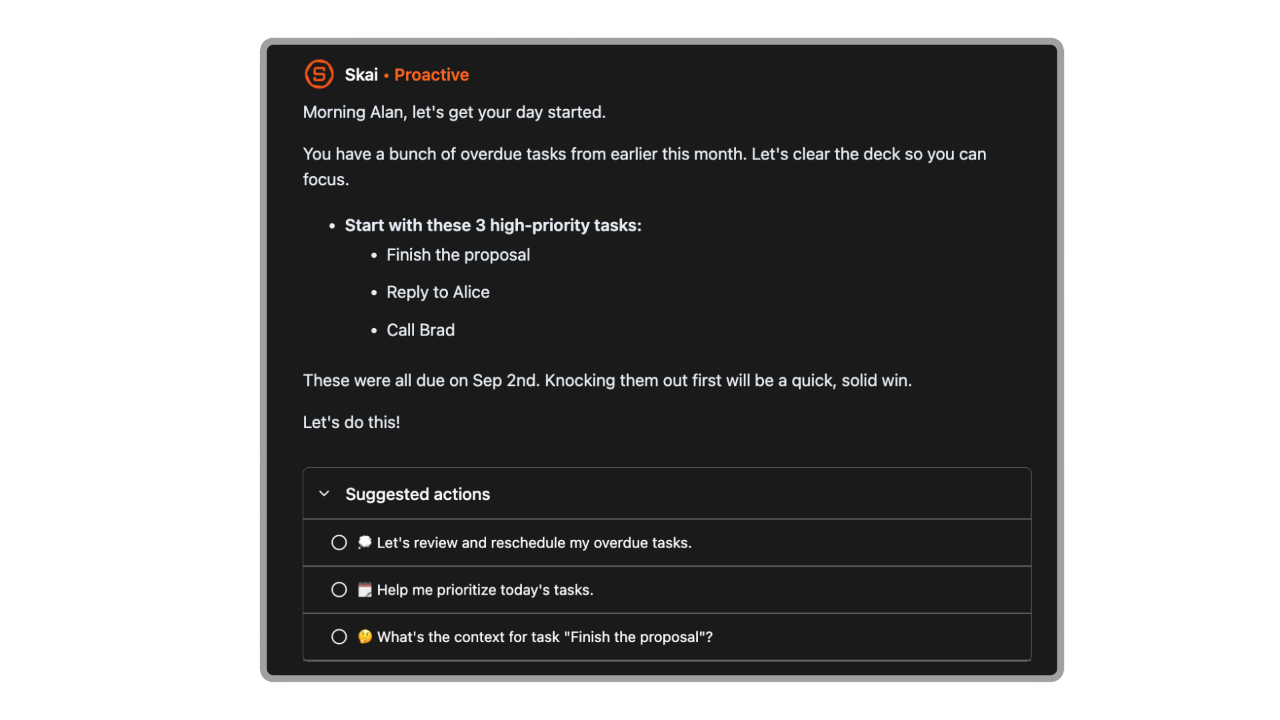
- Skai Task Assistant & Braindump Parsing: The embedded assistant, Skai, seamlessly parses unorganized thoughts, audio notes, or email threads and extracts actionable items straight into a timeline view.
"The best one I've used so far to make sense of my messy thoughts. It turns them to reminders, which saves so much time." — Verified Review
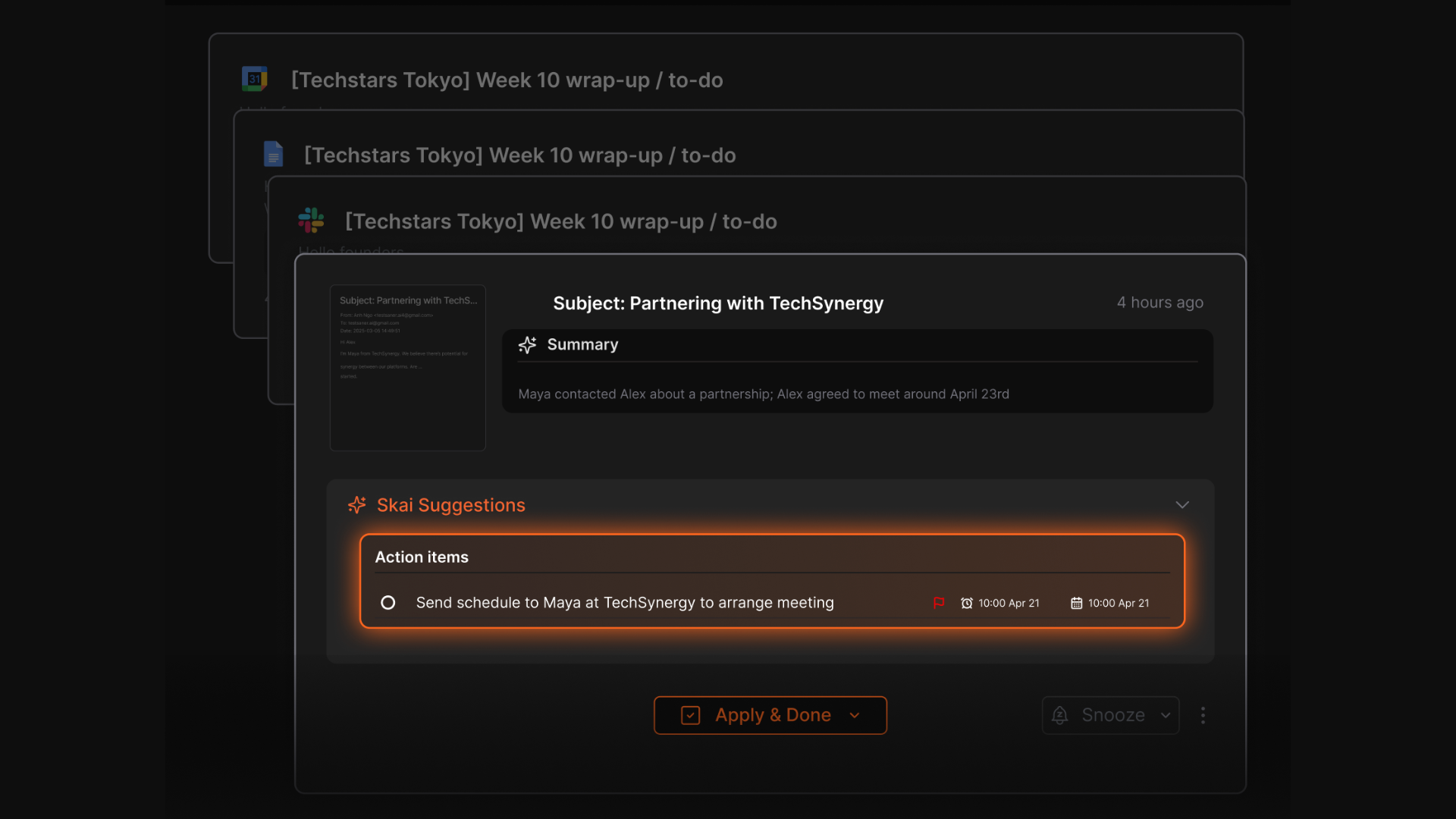
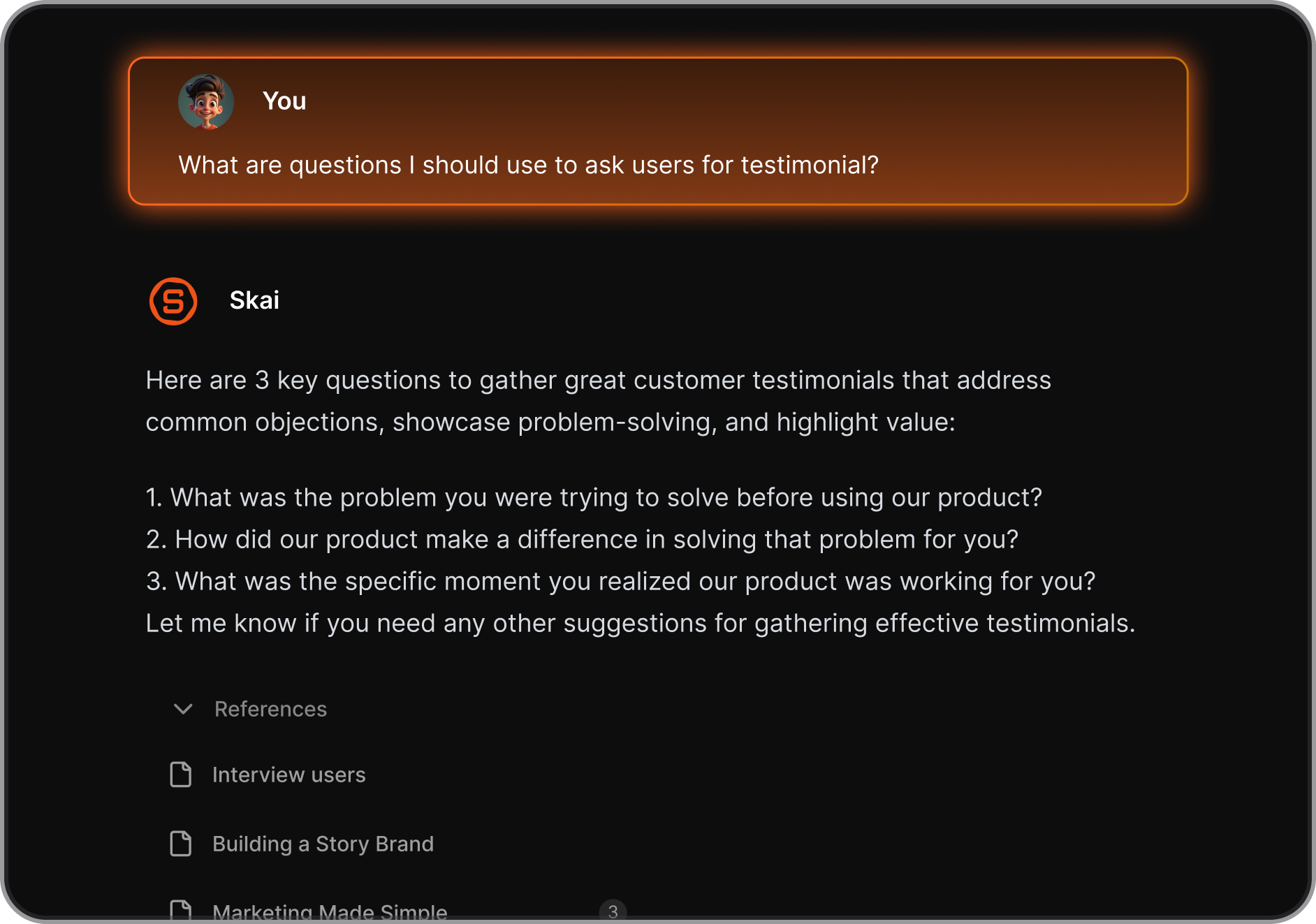
- Semantic Search & Contextual Synthesis: By linking multiple LLM models (like GPT-4 and Claude), Saner.AI allows users to search across their historical calendar events, personal documents, and notes simultaneously to generate smart answers.
- Calendar Sync: Connects with Google Calendar to avoid double-bookings and reflect your real availability
- Auto Reminders: Sets intelligent reminders for things you’re likely to forget.
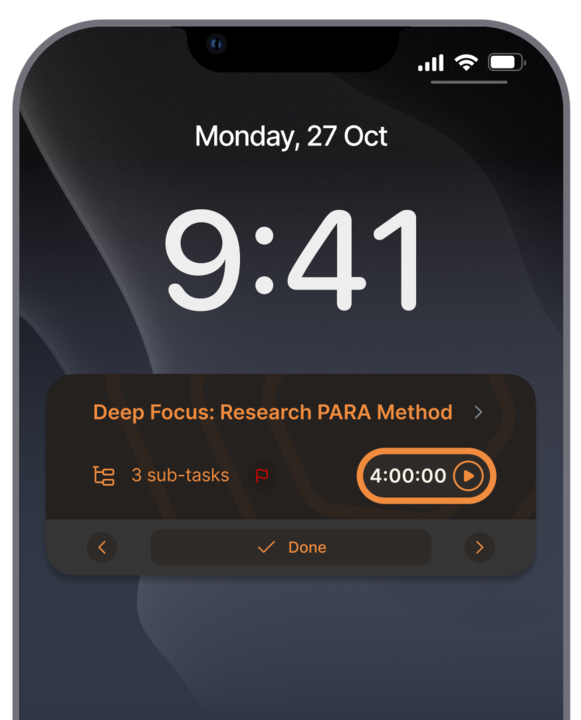
- Smart Organization: Automatically tags, groups, and links related notes and tasks so you can find what matters fast
Pros
- It turns a quick voice note or a chaotic "brain dump" into clear calendar tasks.
- I appreciate that it integrates my task list directly alongside my calendar view, massively reducing the fatigue of switching tabs.
- The AI assistant automatically suggests tags and pulls relevant historical notes when I am planning out a new event or project.
- I like having access to multiple AI models with clear citations right next to my active workspace.
Cons
- Not ideal for large teams or project timelines - no Gantt charts or complex task dependencies.
Pricing
- Free
- Starter: Monthly at $8/month, Annually at $6/month (with early user discount)
- Standard: Monthly at $16/month, Annually at $12/month (with early user discount)
Who is it suitable for?
- Saner.AI is ideally tailored for knowledge workers, freelancers, researchers, and entrepreneurs who deal with massive amounts of incoming information and struggle with executive dysfunction or time management.
- It is a gold option for professionals with ADHD who require an intuitive, low-friction entry point to turn abstract ideas into actionable calendar blocks without feeling overwhelmed by configuration.
Saner.AI review
"The biggest benefit for me in using Saner is the Proactive AI. Staying on top of the constant flow of email and multiple calendars is challenging, and so far, Saner is the only AI-based tool that truly feels like a personal assistant." - Jerry

How to start using it?
- Sign up and link your primary Google Calendar and Gmail account to feed your current commitments into the app.
- Use the quick capture box or voice note feature to write down your unorganized tasks for the week.
- Chat with the Skai assistant and say "Plan my day" to watch your braindump arrange itself into an optimized, time-blocked calendar schedule.

Stay on top of your work and life with the AI Calendar
2. Motion
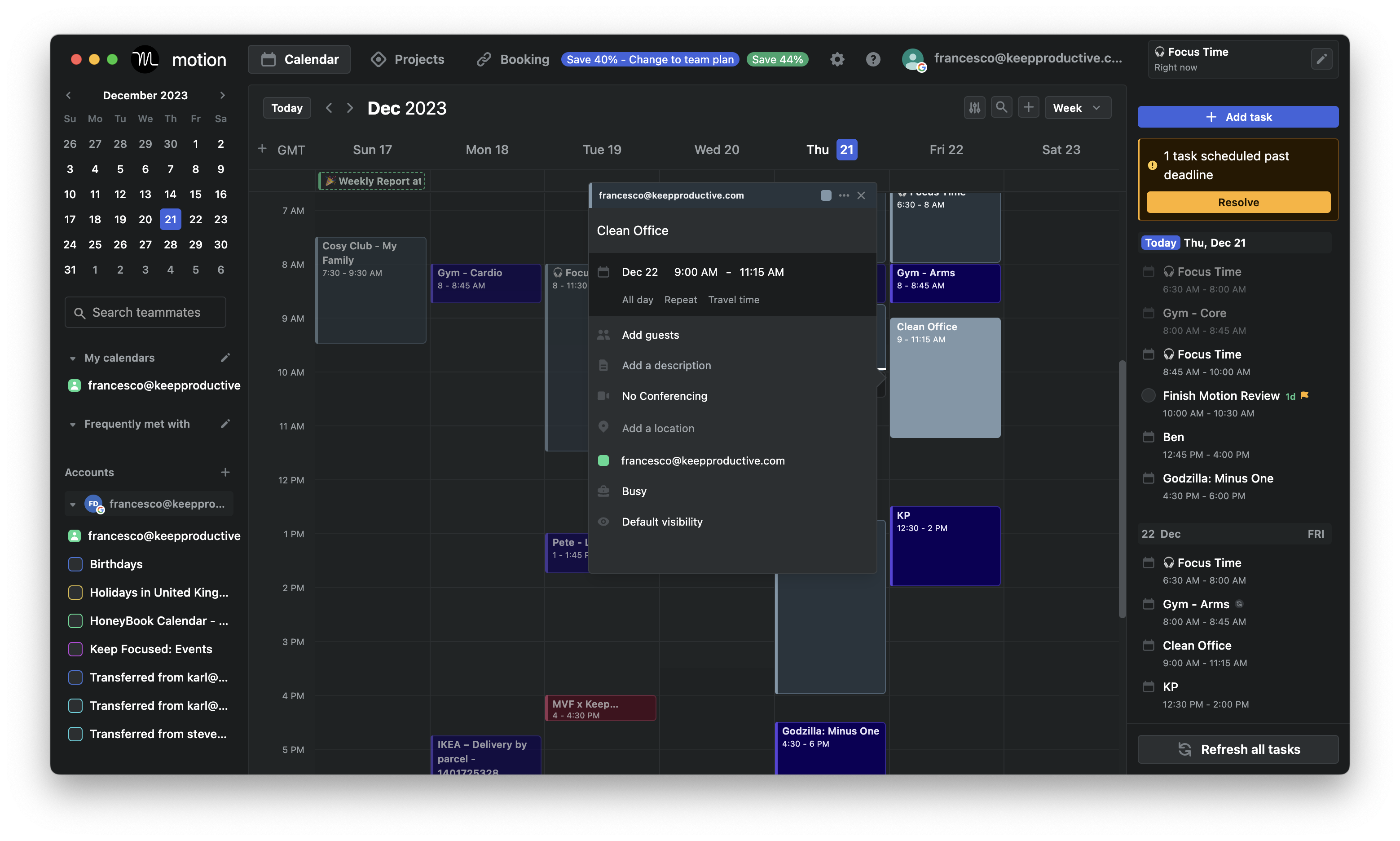
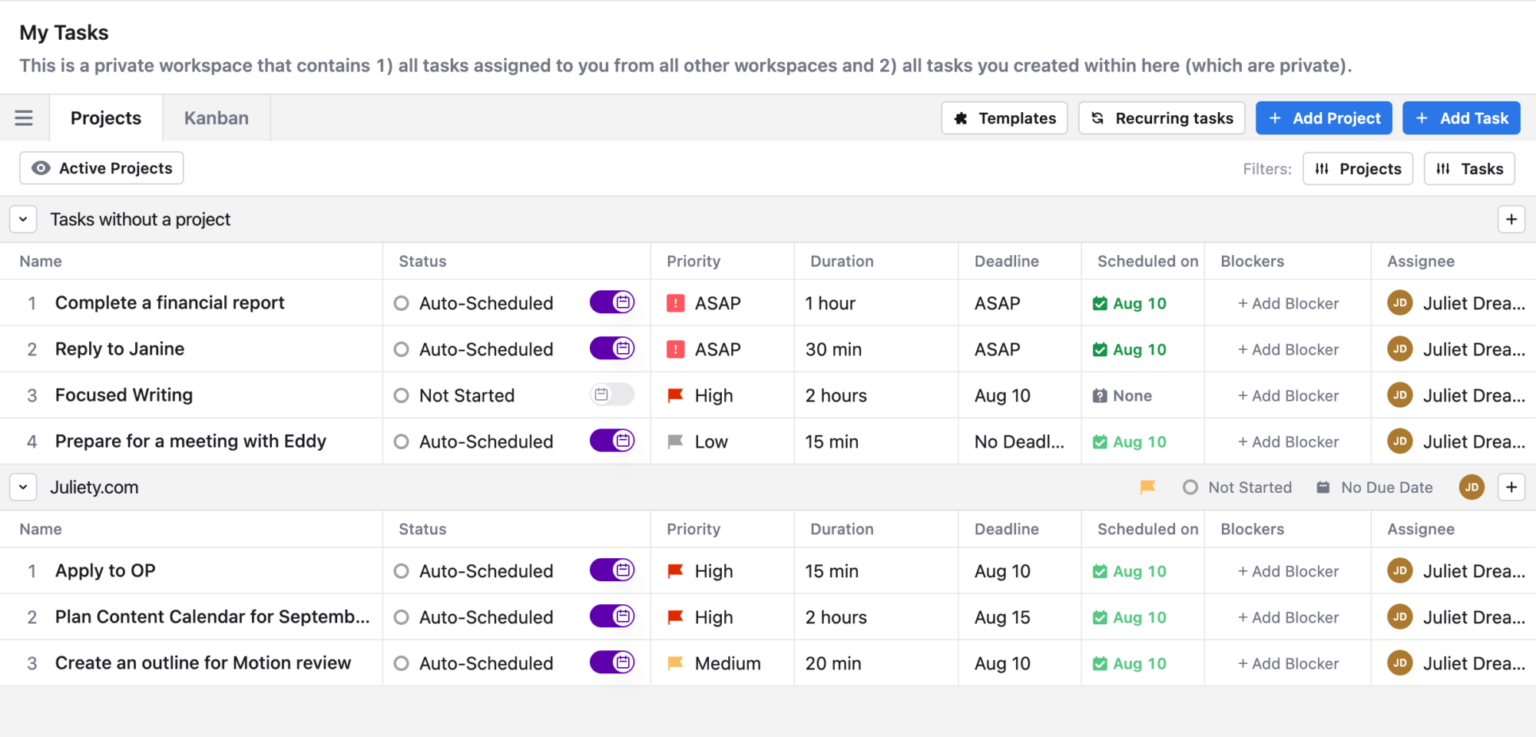
Motion is an all-in-one AI productivity app that seamlessly fuses your calendar, tasks, meetings, and project management into a single automated ecosystem.
It aggressively reshuffles an entire day's tasks instantly whenever unexpected meetings creep in, making it feel less like a static grid and more like a live, reactive digital executive assistant.
Key features
- AI Auto-Scheduling: Motion's primary engine calculates your task urgency, duration, and deadlines against your active working hours to autonomously time-block your day.
- Meeting Scheduler: Motion features a robust built-in meeting booker (similar to Calendly) that cross-references your automated task blocks
"Motion's meeting booking pages save me a ton of back-and-forth... It links up to my calendar and plans my monthly tasks around my meetings." — Verified review
- AI Meeting Recorder & Note Taker: An addition to the 2026 workspace, Motion's native assistant auto-joins calls, transcribes recordings, and maps extracted action items directly back into your project queue
Pros
- I appreciate how I don't have to waste 15 minutes every morning deciding what to work on;
- Motion aggressively blocks out focus time and marks me as "Busy" to external schedulers so my deep work is protected.
- I like that the project management dependencies and deadlines feel highly intelligent; if a deadline is threatened, it warns me days in advance.
Cons
- The price point is incredibly steep compared to traditional calendar alternatives
- The setup process has a steep learning curve and took me a good chunk of an afternoon to configure perfectly.
- I experience frustration with the mobile app
- The founders moved to different business
Pricing:
- Free trial (7–14 days depending on plan)
- $49/user/month for the AI Employee plan
Suitable for:
- Teams that want an AI calendar that actively plans their day, manages projects, and eliminates manual scheduling.
How to start:
- Head to usemotion.com, start a free trial, connect your calendar, and add tasks.
Motion reviews (source)
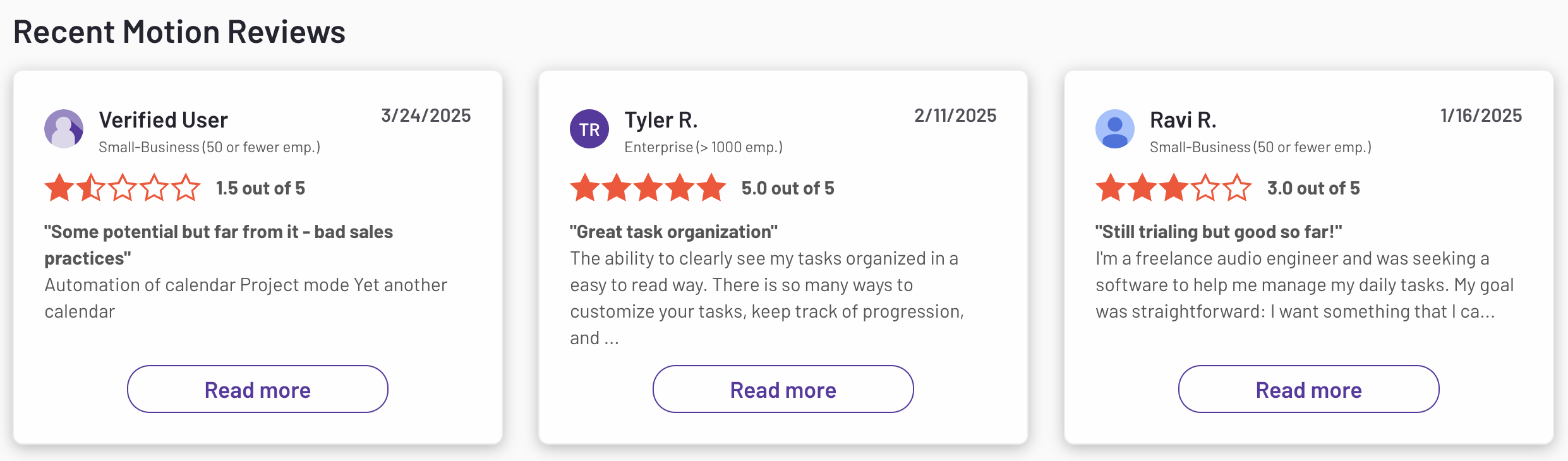
"I find it does not capture all of my incoming emails for my inbox. It is also really clunky on the project management side. I need to write a management report every week, and this does not help with High-level management." - Leonie Muller
3. Reclaim.AI

Reclaim.ai is an intelligent, adaptive scheduling layer that integrates directly into your existing Google Calendar or Microsoft Outlook setup to optimize your workweek.
Instead of forcing you to migrate to a brand-new project management ecosystem, it automatically blocks out time for deep work, tasks, personal habits, and breaks based on your real-time availability.
Key Features
- AI Focus Time Protection: Reclaim analyzes your upcoming workload and proactively secures open slots for high-priority thinking time before external meetings can claim them.
- Adaptive Task & Project Syncing: The app bridges the gap between your to-do lists and your actual availability by pulling tasks from platforms like Asana, Todoist, and Jira and auto-scheduling them around your fixed meetings.
- Smart Meetings & Dynamic Rescheduling: Instead of fighting back-and-forth email chains to find a free slot, Reclaim automatically tracks the availability of multiple team members to lock in a time and will instantly shuffle things around if a conflict pops up.
Pros
- The AI treats habits and routines as flexible blocks
- I feel it is helpful that it automatically pulls items directly from my favorite project managers
- I enjoy looking at the retrospective time analytics to see where my focus hours went over the previous week.
"Its ability to automatically prioritize and reschedule tasks and routines based on my real availability makes time management much more intentional and easier." - verified review

Cons
- Reclaim still lacks a dedicated, native mobile app in 2026, meaning I always have to rely on a desktop browser to tweak my core rules.
- The initial setup curve is slightly tedious, as you have to spend some real time setting up priority rules and windows for the AI to understand you correctly.
- I noticed that if you miss a deadline, the platform doesn't always send aggressive push notifications, meaning it’s still possible to let a quiet task slip.
"If I need to do something in the next two hours that was not on my schedule, reclaim would spend those entire 2 hours reshuffling my schedule and I will keep getting notified about it from my calendar." - verified review
Pricing
- Free plan with limited features
- Starter: $10/user/month
- Business: $15/user/month
Who It’s For
- Reclaim is great for solo professionals, startup teams, and anyone who’s calendar-fatigued.
How to Get Started
- Head over to reclaim.ai, create a free account, connect your Google Calendar, and let the AI start optimizing your day.
Reclaim.AI Reviews (source)
"Absolutely love Reclaim.ai! This is my third year subscribing and as a solopreneur and mum, it has helped me sync family commitments as well as work, but also helped me to focus and increased my productivity." - Zehra Jagani
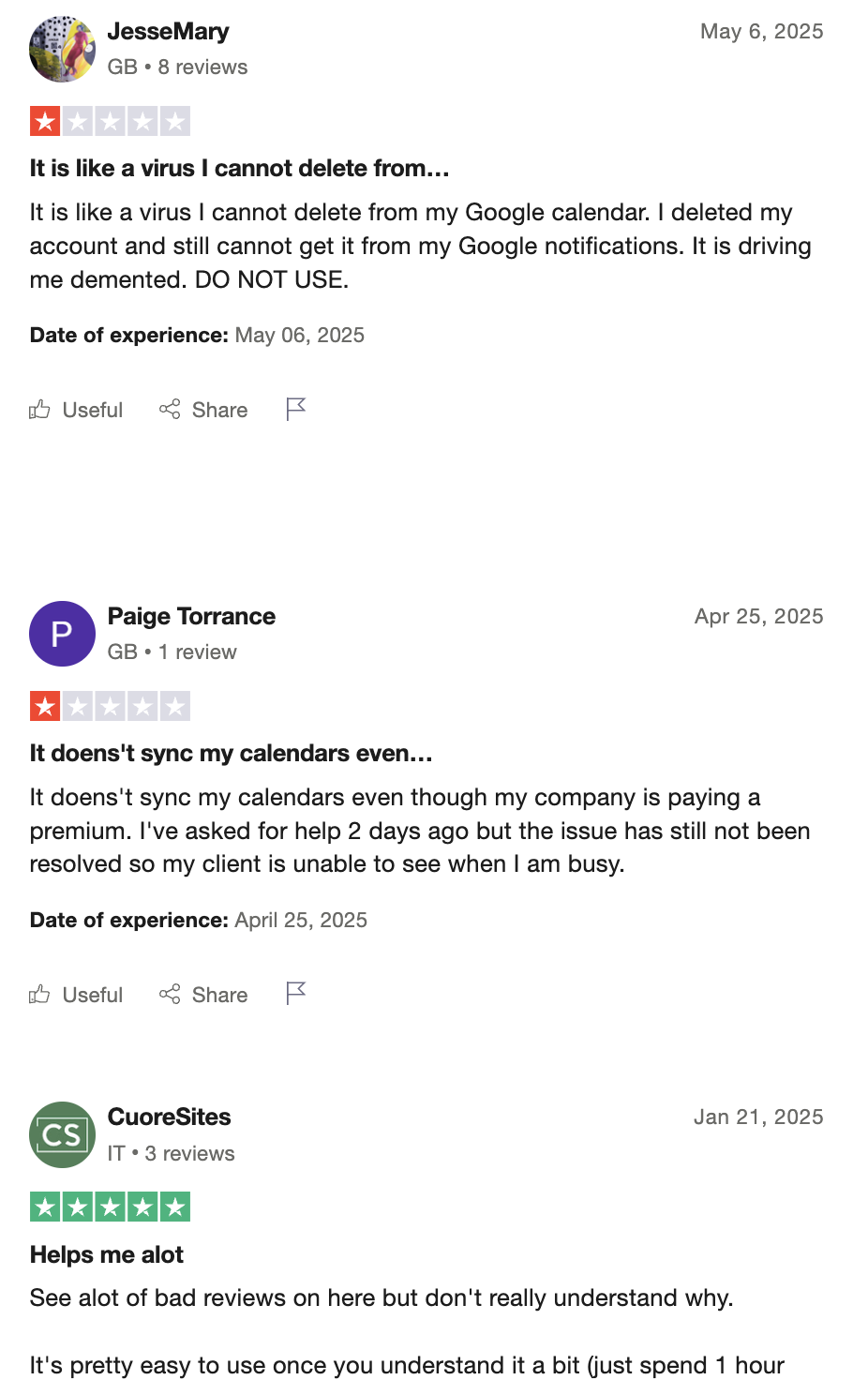
"I put the time of my meeting because I need it to happen at an exact time — and it automatically reschedules it. So now I have to go to my Google Calendar to set it up manually or move it back when it happens." - Jozef
4. FlowSavvy
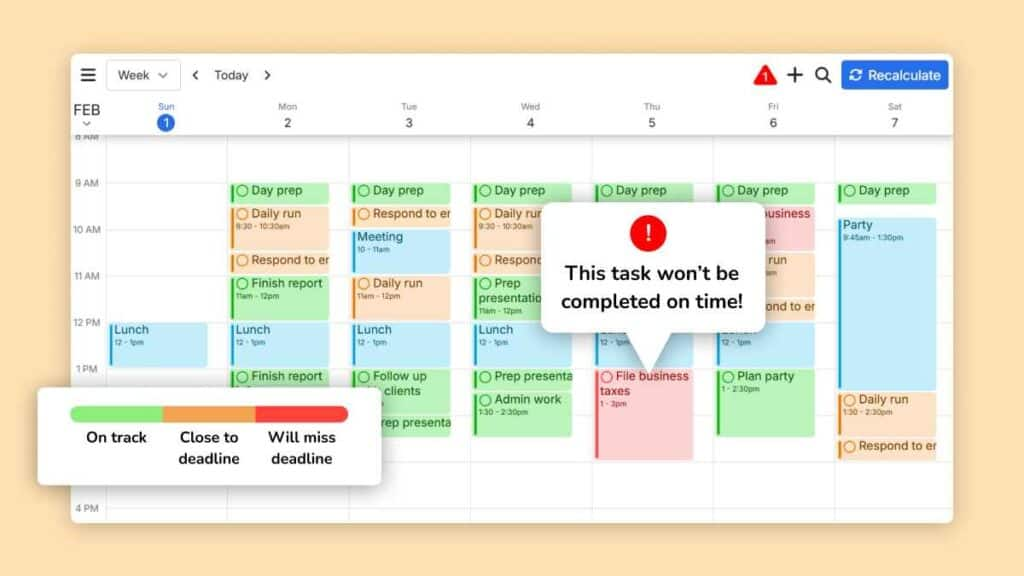
FlowSavvy is an AI calendar designed to turn chaotic to-do lists into an optimized, time-blocked daily game plan.
Key features
- Instant 1-Click Auto-Rescheduling: FlowSavvy intelligently recalculates your entire agenda the second a meeting runs long or plans shift
- Task Splitting & Balanced Workloads: The AI engine automatically breaks massive multi-hour projects into smaller, manageable chunks and distributes them evenly across your open calendar slots
- Smart Deadline Alerts & Color Coding: The app visually color-codes items based on urgency and flashes red warnings if a creeping deadline is impossible to hit with your current schedule constraints.
Pros
- It features true mobile-first apps for iOS and Android with complete feature parity to the desktop web version, rather than just basic companion apps.
- I love the 1-click recalculation feature because it instantly alleviates the guilt and anxiety of falling behind on my daily goals.
Cons
- It’s not a conversational AI - you can’t “chat” with it to schedule something
- You need to use the app interface directly, which may feel rigid for some
- No true collaboration features - FlowSavvy is mostly built for individuals, not teams
Pricing
- Free plan: Includes AI scheduling for up to 2 weeks ahead
- Pro plan: $7/month or $5/month billed annually
Suitable for
- Solo professionals, students, and anyone who wants their calendar to just work - without having to manually schedule every task.
How to start
- Sign up at FlowSavvy, connect your calendar, add a few tasks, and start using it
Flowsavvy reviews (source)
"I would use it as the single view into all my calendars even if the task auto-scheduling feature wasn't so amazing!" - Walker O'Brien
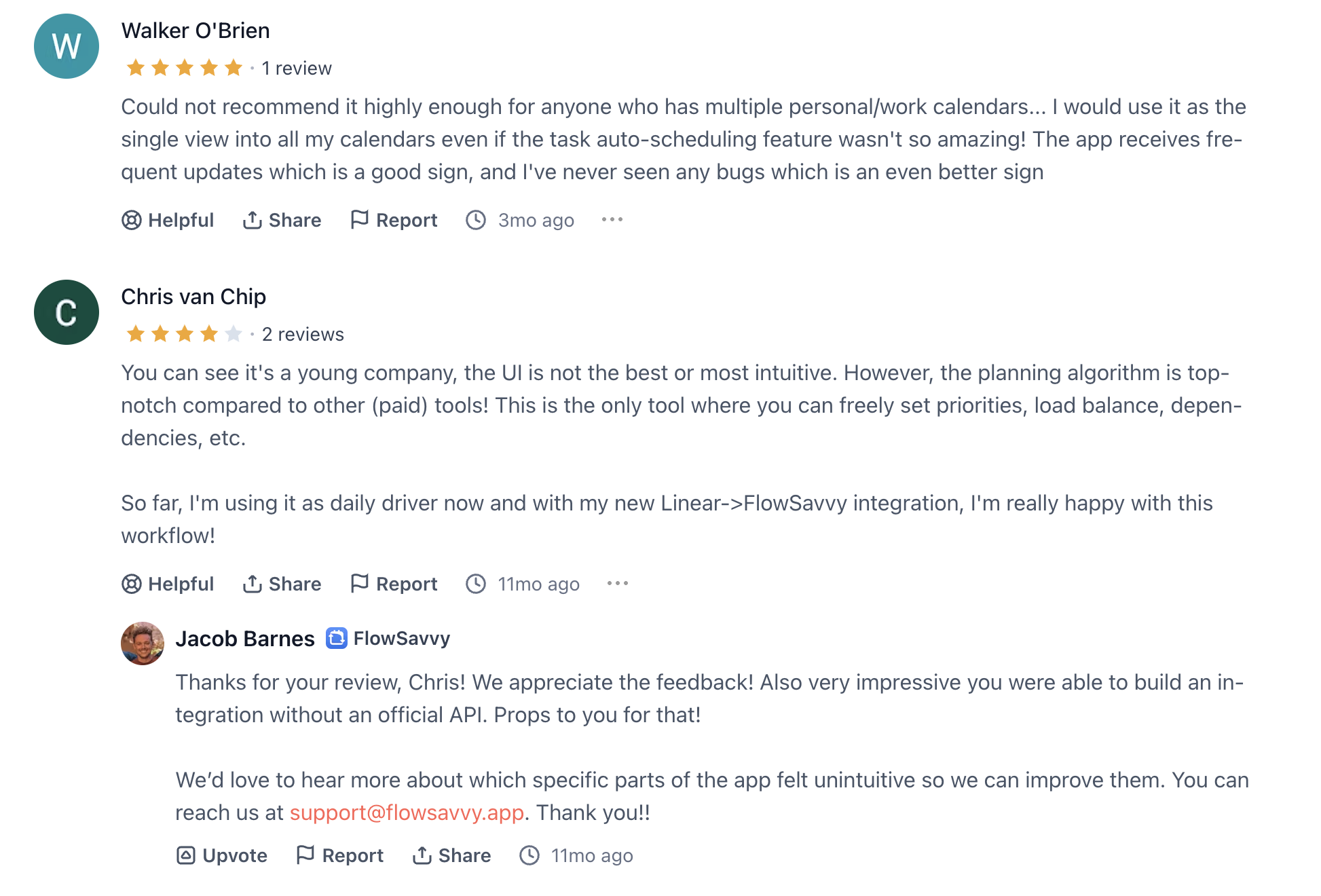
"...It wasn't as automated as I thought, and I spent more time adjusting fake deadlines and priorities. when I lost everything transferring list I didn't have the heart to start over with a few months left on my subscription." - DJ
5. SkedPal

SkedPal is an AI calendar app that turns your to-do list into a smart, time-blocked schedule. It automatically prioritizes and schedules your tasks around your real-life availability
Key features
- Dynamic Time-Blocking and Hyper-Scheduling: it finds the absolute best times in your week to execute specific tasks based on your energy levels and deadlines.
- Fuzzy Planning & Time Maps: Instead of forcing you to pick an exact time for a task, SkedPal allows you to assign tasks to broad timeframes (like "Best Effort Next Week" or "Decompression Time")
- Single-Click Rescheduling (The "Nudge" Feature): When your day inevitably goes off the rails, SkedPal recalculates your entire schedule instantly, moving uncompleted tasks to the next best available slot.
Pros
- It integrates seamlessly with my existing Outlook and Google Calendars so I never double-book myself.
- The flexibility of the NLP (Natural Language Processing) input lets me type "Draft report by Friday 3pm" and let the AI handle the rest.
Cons
- I feel the learning curve is exceptionally steep compared to simpler AI calendars; it took me a few days to fully trust and understand the system.

- There’s no full-featured mobile app, just a mobile-friendly web version
- Not built for collaborative project management - no dependencies, timelines, or team visibility
- No AI Assistant to chat with to manage tasks
Pricing
- Free trial available (14 days)
- Core plan: $9.95/month (basic AI scheduling, single calendar sync, task priorities)
- Pro plan: $14.95/month (longer planning horizon, multiple calendars, smart reminders, time tracking)
Suitable for
- Solo professionals, freelancers, and productivity-focused individuals who want to protect deep work time and automate their daily planning without juggling multiple apps.
How to start
- Head to skedpal.com, sign up for the free trial, and walk through the onboarding
SkedPal Reviews (source)
"I've been using SkedPal for over four years now and I never want to change. The tool structures my day, makes sure that nothing slips through the cracks and keeps me accountable." - Michael N
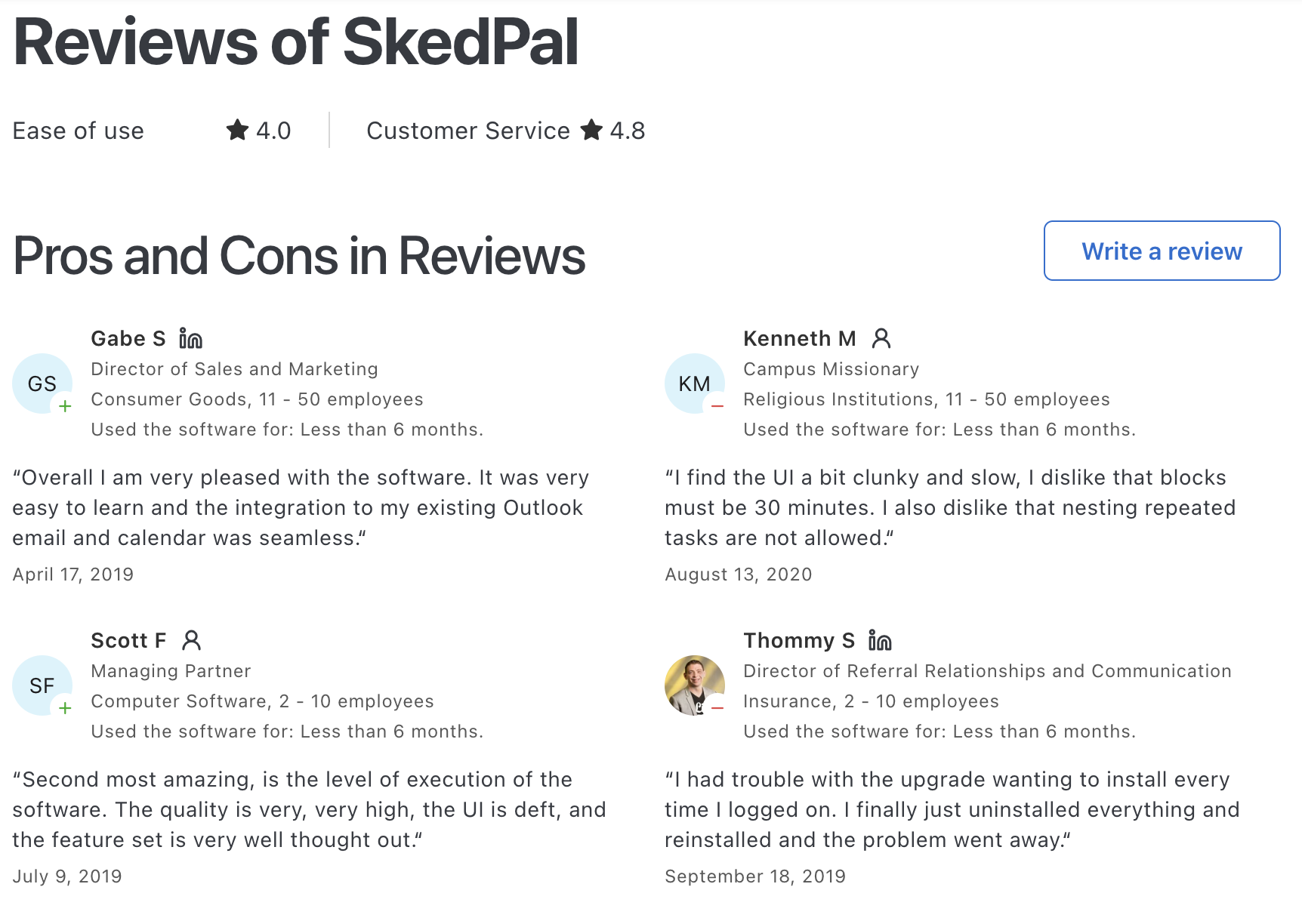
"After 6 months of usage I still struggle with understanding how it works and how tasks will be scheduled." - Harald B
6. Focuster
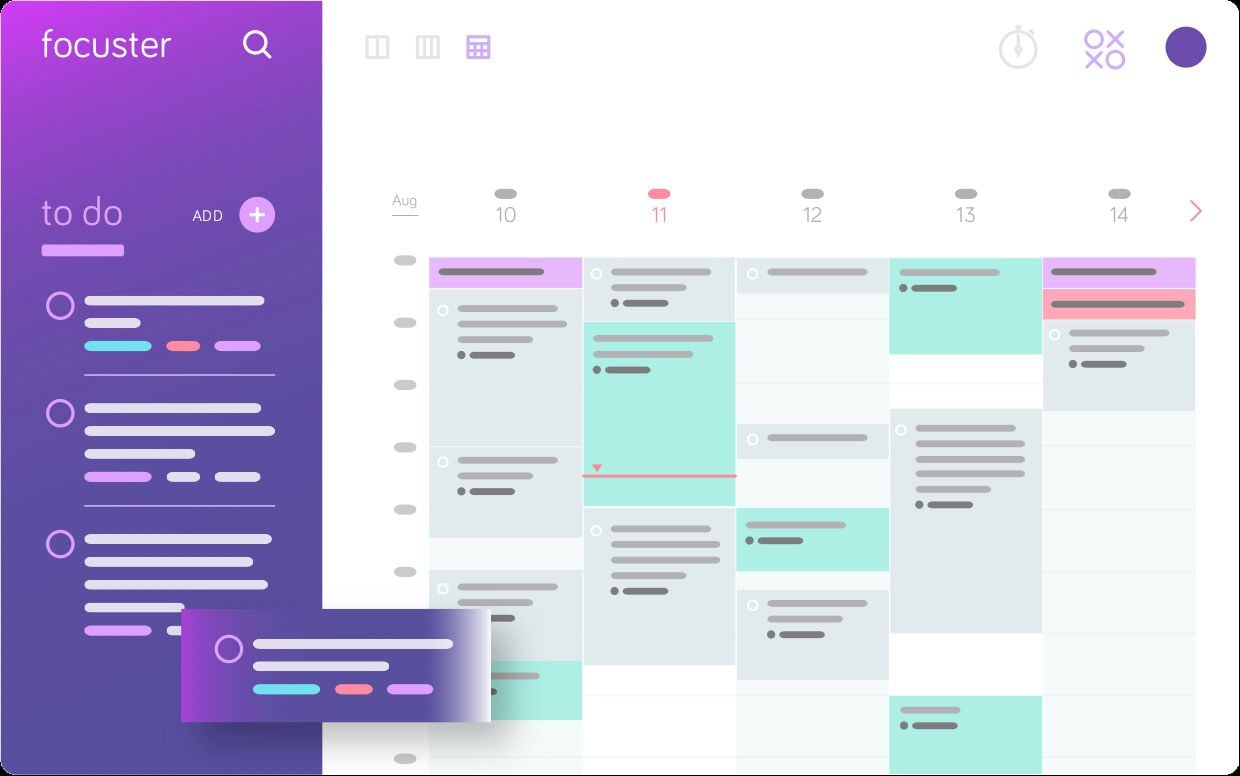
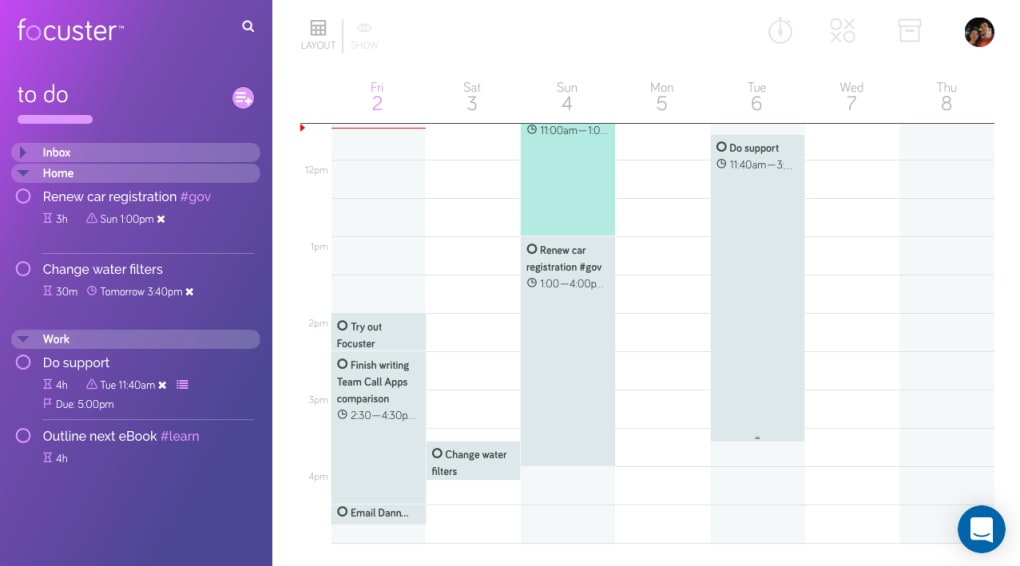
Focuster is an AI calendar assistant designed for busy professionals who want to bridge the gap between their daily to-do lists and actual execution. It automatically schedules your high-priority tasks into the empty slots of your Google Calendar
Key features
- Auto-Scheduling & Smart Time-Blocking: Focuster automatically analyzes your calendar availability and seamlessly drops your task list into open time slots so you don't have to manually block out your day.
"The automated scheduling feature is fantastic. If you don't get to a task, it simply moves it forward to the next available slot." – Verified Review
- Integrated Focus Reminders: The platform sends intelligent, non-intrusive notifications to keep you locked into your current time-blocked activity and steer you away from digital distractions.
- Dynamic Rescheduling: If a meeting runs over or an urgent task disrupts your flow, Focuster’s AI automatically shifts the rest of your daily tasks to the next available openings without breaking your momentum.
Pros
- I appreciate how it automates the tedious chore of manual time-blocking.
- It syncs bi-directionally with Google Calendar, keeping my personal and professional life in perfect harmony.
- I like the clean, minimalist interface that prevents me from feeling overwhelmed by a massive daily workload.
Cons
- Only works with Google Calendar, so Outlook or Apple Calendar users are out of luck
- No full free plan - just a limited trial, and pricing details aren’t super transparent
- Lacks a dedicated mobile app, which makes it harder to use on the go
- Don't have an AI Assistant that you can converse with
- It’s more of a solo productivity tool - teams needing visibility or collaboration features may need more
Pricing
- Free trial available
- Paid plan starts from 14.99$/month
Suitable for
- Freelancers, founders, and productivity-minded individuals who want an AI calendar that helps them focus on deep work
How to start
- Go to focuster.com, connect your Google Calendar, and let it start auto-scheduling your most important tasks for the day.
Focuster Reviews (Source)
"What I love most about it is how it automatically reschedules your tasks for another day and organizes them in a specific order for you." - EU Radni

"Does what it says, but there is ZERO support and any useful features need an update which I was seriously considering but again, no support." - Brian Tegridy
7. Morgen
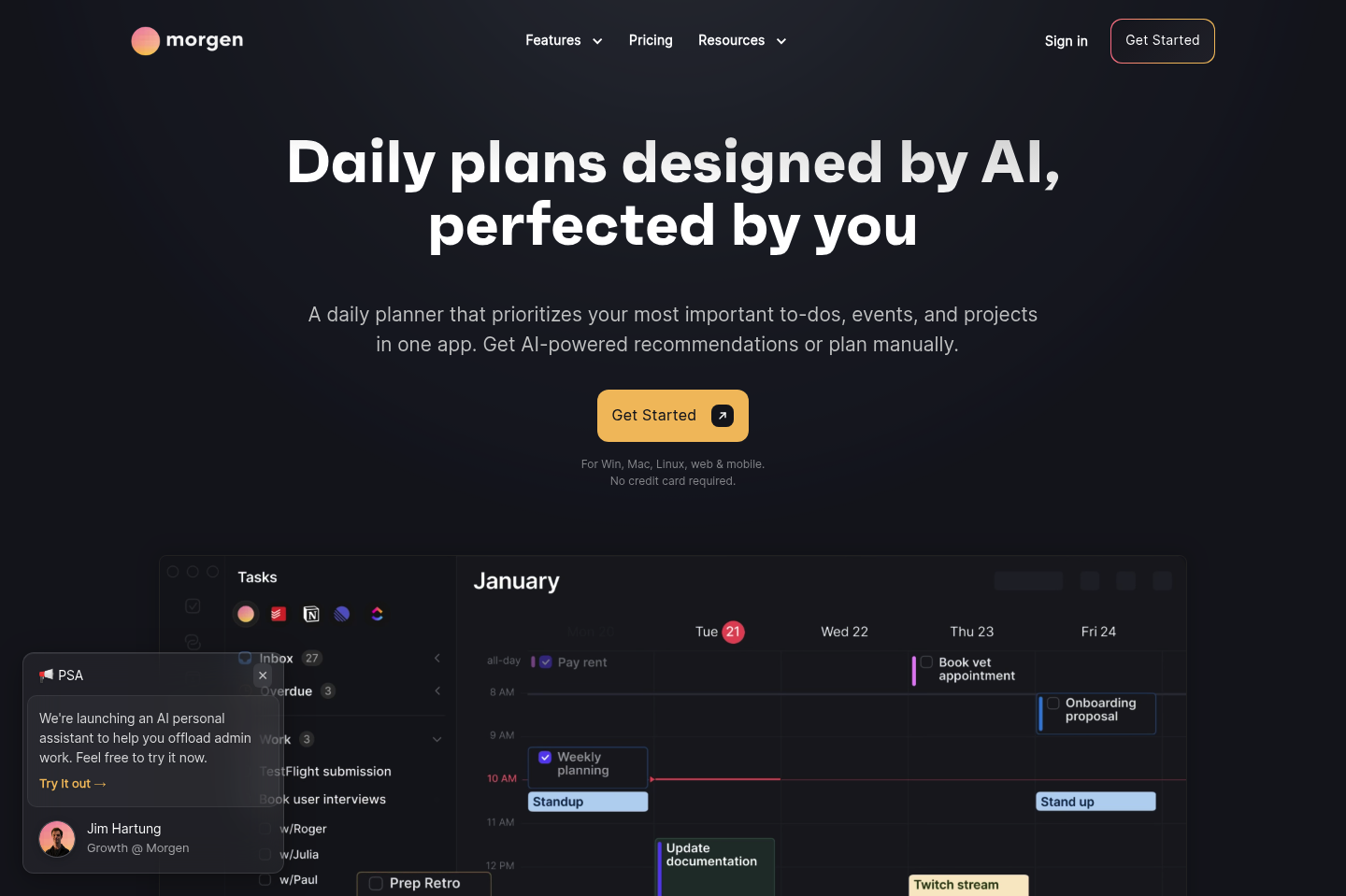
Morgen is a daily planner that aggregates all your personal and professional accounts while suggesting optimized time blocks for your tasks. It has a unique philosophy of balancing advanced machine-learning automation with absolute user autonomy.
Key features
- AI Planner & Time Blocking: Morgen uses predictive intelligence to evaluate your task priorities, due dates, and available time slots, generating optimized 1-to-8-day schedule previews that split large tasks and insert realistic buffers.
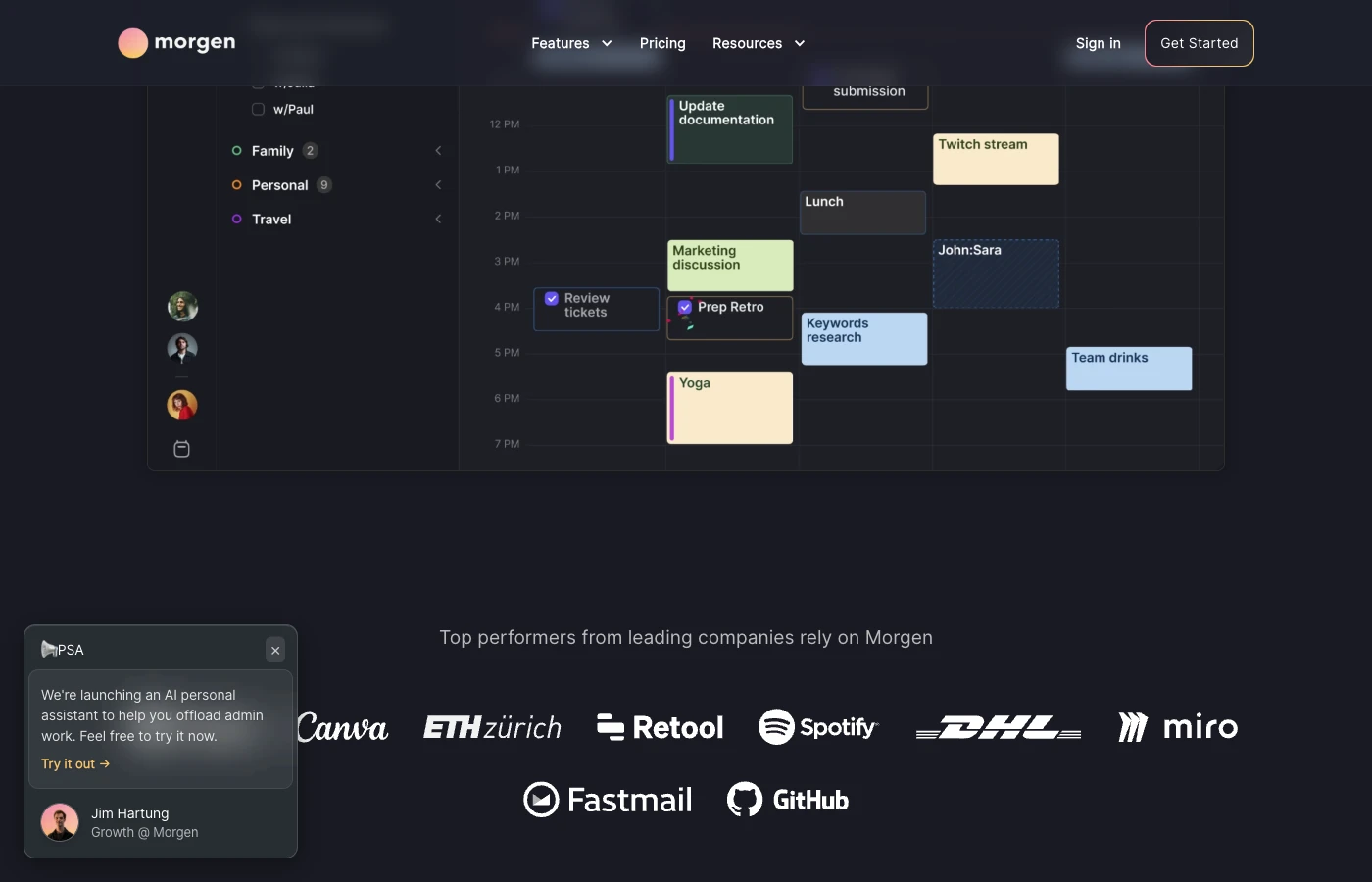
- Multi-Calendar Aggregation: The platform provides flawless two-way synchronization across Google Calendar, Outlook, iCloud, Fastmail, and CalDAV accounts.
- Task Management Integrations: It features read-and-write integrations that let you drag and drop tasks straight from Notion, Todoist, ClickUp, Linear, and Obsidian directly onto your timeline.
Pros
- I appreciate the "preview and approve" philosophy of the AI planner
- It runs smoothly across Mac, Windows, Linux, iOS, and Android, meaning my entire cross-platform productivity stack is natively covered.
- I value the visual design; the aesthetic, typography, and keyboard shortcuts make time-blocking a fast and satisfying daily ritual.
Cons
- I feel the mobile app is still a bit restricted compared to the desktop version, particularly when trying to fine-tune task lengths on the go.
- The smart frames occasionally sync to secondary calendars in a way that looks a little cluttered if you don't manage your view layers carefully.
Pricing
- Free plan available
- Pro: $30/month
- Team: $25/seat
Suitable for
- Morgen is tailor-made for power users, freelancers, and cross-functional professionals who juggle multiple client calendars alongside native task managers like Notion or ClickUp.
How to start
- Install the Morgen client on your desktop or mobile device and sync your primary calendar accounts (Google, Outlook, or iCloud).
- Head to the integrations tab to sync your preferred external workspace tools.
- Set your daily focus frames (e.g., Deep Work, Meetings) and let the AI generate a tailored schedule template for you to approve.
Morgen reviews (source)
"I particularly like that I can drag tasks directly into the calendar and link it with multiple accounts, which is really well implemented." - verfied review
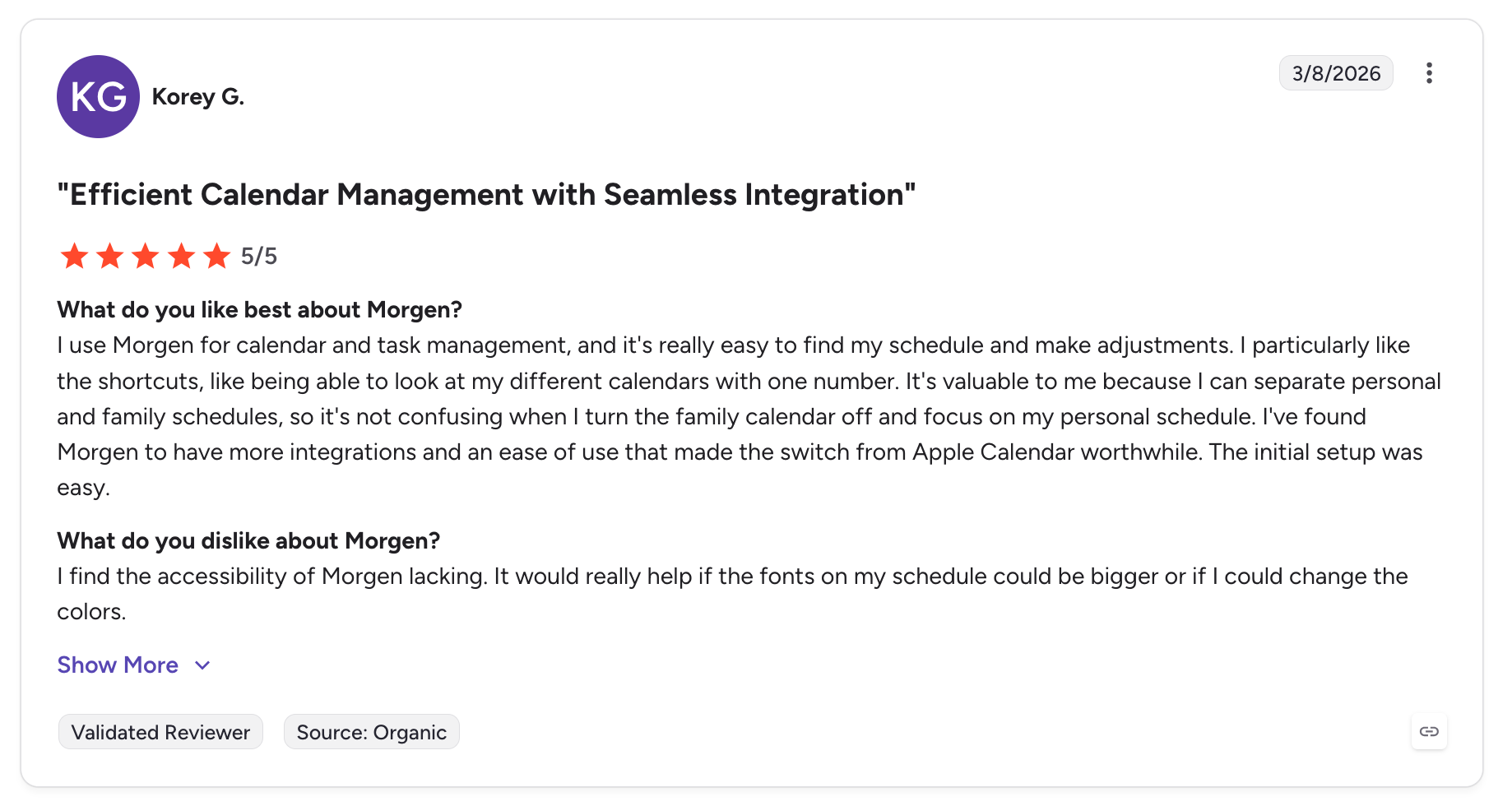
"The smart frame shows in google calendar as an event, and it makes the calendar chaotic and difficult to handle. The archived tasks are listed but can not check the details." - verified review
Conclusion
Time management shouldn’t feel like a second job.
AI calendars exist to take the heavy lifting off your shoulders - automating the parts of planning that drain you, so you can focus on what actually matters.
Whether you're an entrepreneur juggling chaos, a remote worker drowning in meetings, or someone who just wants to feel on top of things for once, there’s an AI calendar out there that fits your brain and your schedule.
You don’t need to overhaul your life overnight. Try one tool. Let it handle one part of your day. Then see how it feels to finally have a calendar that adapts to you - not the other way around.
You deserve time that works for you. Start there.
Stay on top of your work and life with best AI Calendar app
AI Calendar: Frequently Asked Questions (FAQ)
1. What is an AI Calendar?
An AI Calendar is a smart scheduling tool powered by artificial intelligence. Instead of manually moving tasks around, it automates scheduling, blocks time for deep work, and even helps prioritize what matters.
It’s like having a personal assistant who understands your workload, habits, and goals - and makes real-time decisions for your calendar.
Popular AI calendar tools include:
- Saner.AI – Combines tasks, notes, emails, and calendar into one smart workspace
- Reclaim.ai – Automates scheduling with smart time blocking
- Motion – Reorders your daily plan based on deadlines and changes
- Flowsavvy, SkedPal, Focuster, Morgen – Each offers different spins on smart planning
2. What can an AI Calendar actually do?
A well-designed AI calendar can:
- Auto-schedule tasks based on urgency, energy levels, and deadlines
- Block time for deep work, habits, or breaks (no manual tweaks)
- Reschedule intelligently when priorities shift
- Sync with your existing calendar tools (Google, Outlook, etc.)
- Help reduce context switching by organizing everything in one place
Some tools like Saner.AI even go further - turning your notes, rants, and emails into a prioritized plan for the day.
3. Who should use an AI Calendar?
AI Calendars are great for:
- Busy professionals juggling meetings and deep work
- Entrepreneurs & freelancers managing multiple roles
- Remote workers who need structure and flexibility
- ADHD individuals who struggle with time blindness or task overload
- Managers & executives who want to spend less time planning, more time deciding
4. Is there a free AI calendar app?
Yes! Here are a few options with free tiers:
- Saner.AI – Free plan includes AI task planner, calendar sync, and natural language reminders
- Reclaim.ai – Offers a generous free plan with smart time blocking
- Morgen – Free for individuals to optimize meeting schedules
Each tool differs in approach - Saner focuses on context-aware task planning, while others prioritize meeting logistics.
5. How is an AI Calendar different from Google Calendar?
Google Calendar is static - you manually schedule tasks and meetings.
AI Calendars are dynamic - they:
- Adjust your schedule automatically when conflicts arise
- Prioritize focus time and protect it
- Suggest when to work on tasks based on your day
- Help you follow through, not just remember what to do
It’s the difference between a digital calendar and a proactive assistant.
6. Can an AI Calendar plan my entire day?
Yes. Tools like Saner.AI, Motion, and Flowsavvy can:
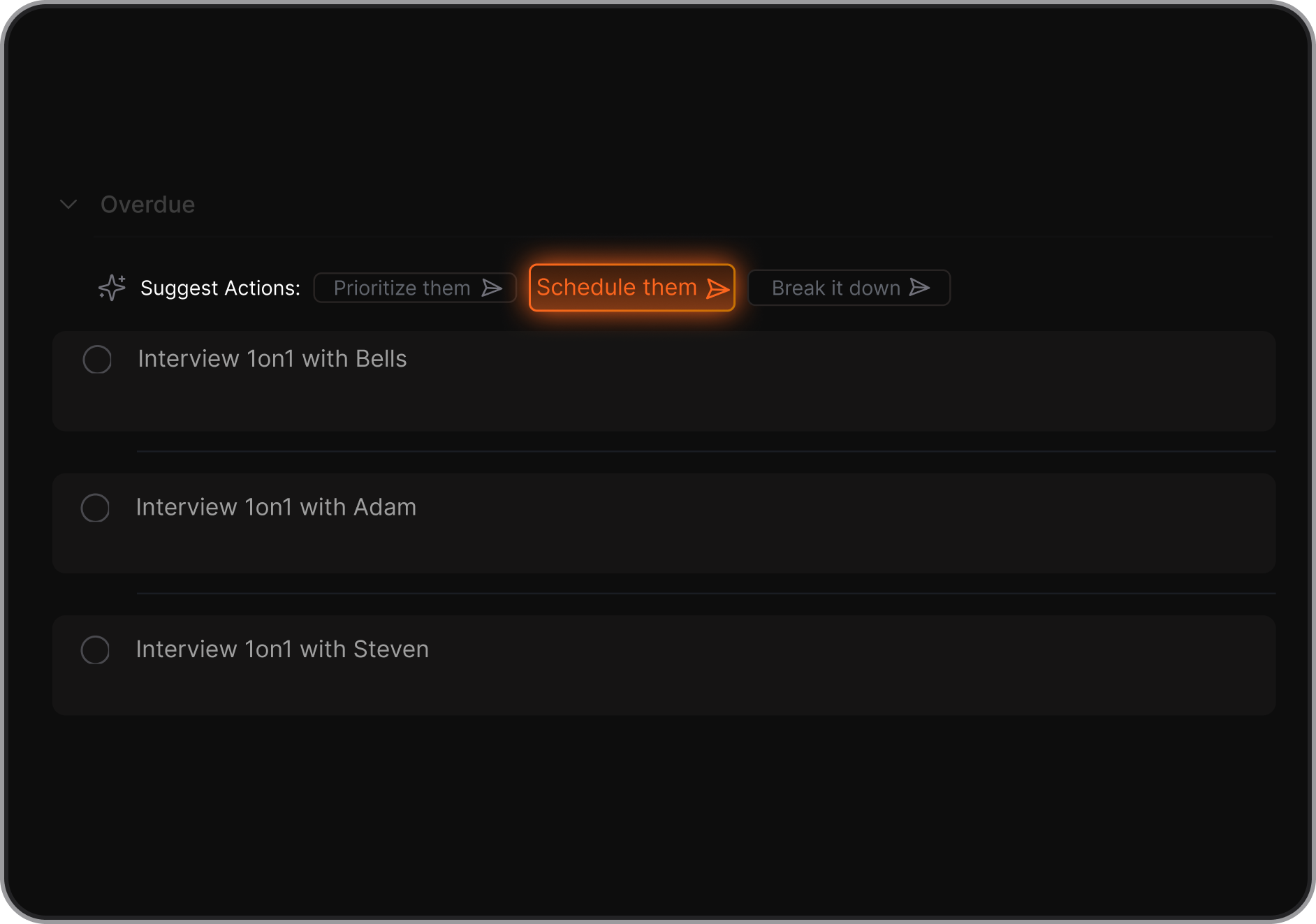
- Take your task list and map it onto your calendar
- Consider your energy, workload, and past habits
- Adapt throughout the day when things shift
- Even help break down large projects into smaller chunks
Saner.AI goes a step further - it can pull from your notes, emails, and documents to surface the right tasks for the right time.
7. Which AI Calendar is best for ADHD?
For ADHD brains, the best ADHD calendar does more than scheduling, it reduces overwhelm.
✅ Saner.AI stands out here. It:
- Translates thoughts or notes into actionable, scheduled tasks
- Helps you remember things without needing to be hyper-organized
- Keeps your system calm and non-chaotic
- Doesn’t rely on complex labels or manual setups
8. Do AI Calendars integrate with Google Calendar or Outlook?
Yes, most AI calendar tools sync seamlessly with your existing calendar.
- Saner.AI – Syncs with Google Calendar; adds AI on top of your day
- Reclaim, Motion, Morgen – Built to work directly with Google Calendar
- SkedPal – Works with Outlook and Google Calendar
- Flowsavvy – Syncs and rebalances automatically
They don’t replace your calendar - they make it smarter.
9. Can AI Calendars help with focus time?
Absolutely. This is one of their best features.
AI Calendars can:
- Automatically block time for deep work, breaks, and routines
- Protect your most productive hours
- Reschedule less urgent items when you’re overloaded
- Reduce decision fatigue by mapping out your next step
Reclaim focus on protecting focus time for teams. Saner.AI adds personalized context - like nudging you to act on notes or follow-ups during those focus blocks.
10. Which AI Calendar is best overall?
It depends on your needs:
| Tool | Best for |
|---|---|
| Saner.AI | All-in-one workspace for tasks, notes, calendar—ideal for ADHD, solo operators, thinkers |
| Reclaim | Dynamic time blocking for professionals & teams |
| Motion | Priority-based task scheduling for busy calendars |
| Flowsavvy | Automatic task planning for individuals |
| SkedPal | Smart time mapping for habit-based planning |
| Focuster | Visual focus planning with AI priority hints |
11. Will using an AI Calendar actually make me more productive?
Yes - especially if you feel buried under meetings, to-dos, or decision fatigue.
AI Calendars help by:
- Automating the “when” so you focus on the “what”
- Breaking down goals into manageable steps
- Preventing burnout by adding balance (breaks, recovery time)
- Nudging you to follow through on priorities
People using Saner.AI often say it’s the first tool that actually helps get things done, not just list them.
12. What’s the future of AI Calendars?
We’re moving toward fully adaptive daily planning.
Imagine a calendar that:
- Understands your emails, notes, and deadlines
- Plans your day with minimal input
- Learns what works best for your brain
- Reschedules things for you based on changing priorities
Tools like Saner.AI are leading that shift - turning disconnected apps into one cohesive brain space.
The AI Calendar that organizes your day