ClickUp Alternatives: We tested the 10 best apps [2026 Updated]
The best ClickUp Alternatives are Saner.AI, Linear, Monday.com, Asana, Jira, Todoist, Airtable, Coda, and Notion


The Best 10 ClickUp Alternatives
ClickUp promises to replace many tools with one platform. For some teams, that works. For many others, it doesn’t.
People start searching for Best ClickUp Alternatives when ClickUp feels heavy: too many features, too many views, too much setup, and a learning curve that never quite ends. Instead of helping workflow, it becomes something you manage around.
This guide is for founders, managers, operators, and knowledge workers—especially ADHD-prone users—who want tools that feel clearer, lighter, and easier to maintain. You’ll learn why teams leave ClickUp, how to choose a better fit, and which alternatives actually work well depending on how you think and work.
Why People Look for ClickUp Alternatives
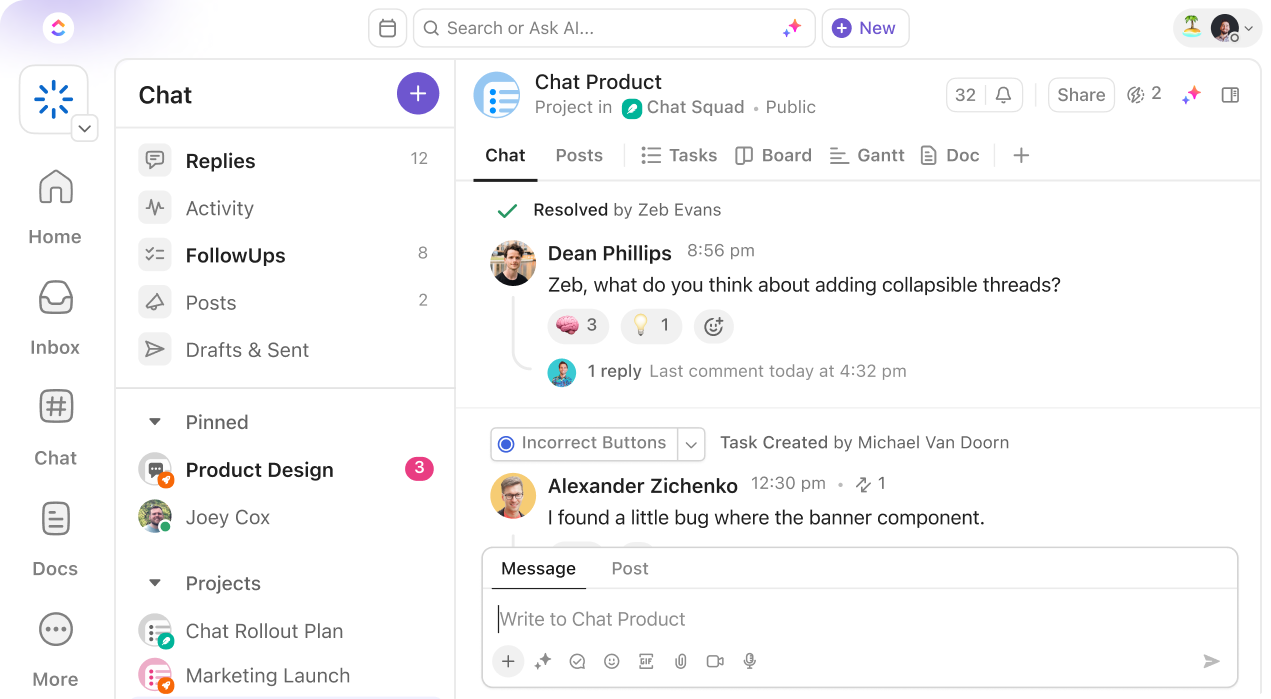
Most teams don’t leave ClickUp because it’s “bad.” They leave because it’s too much.
Common reasons include:
- Feature overload
ClickUp tries to do everything which can create friction instead of clarity. - Setup & maintenance fatigue
You often need ongoing configuration just to keep things usable. - Hard for ADHD brains
Too many options, views, and nested structures can increase cognitive load. - Tasks vs knowledge mismatch
ClickUp is task-first. Teams that think in notes, context, and ideas often feel constrained. - Steep learning curve for teams
Onboarding new teammates takes time and documentation.
If any of these feel familiar, a ClickUp competitor with a clearer focus may serve you better.
How to Choose the Right ClickUp Alternative
Before jumping into tools, it helps to self-qualify. The “best” alternative depends on how you work.
Here’s a simple decision framework:
Team size
- Solo / small teams → lighter tools with minimal setup
- Larger teams → structured workflows, permissions, and reporting
Primary use case
- Tasks & execution → task-focused tools
- Knowledge & thinking → note-first or hybrid systems
- Planning & operations → structured databases or workflows
Learning curve
- Do you want something usable in a day, or are you okay with training?
Flexibility vs structure
- Flexible tools adapt to you
- Structured tools enforce consistency
AI capabilities
- Helpful if you manage lots of notes, ideas, or unstructured input
- Less critical for pure execution tracking
Now let's dive in!
What are the best ClickUp Alternatives?
The best ClickUp Alternatives are Saner.AI, Linear, Monday.com, Asana, Jira, Todoist, Airtable, Coda, Todoist, and Notion
Comparison Table: Best ClickUp Alternatives
| 🧰 Tool | 💡 Primary Strength | 🎯 Best Use Case | 🧠 Ease of Use | 👥 Ideal Team Type |
|---|---|---|---|---|
| Saner.AI | AI-assisted knowledge & thinking | Capturing ideas, notes, research, sense-making | ⭐⭐⭐⭐☆ | Founders, knowledge workers, ADHD-prone users |
| Linear | Speed & focus | Product and engineering execution | ⭐⭐⭐⭐☆ | Startup dev teams |
| Monday.com | Visual workflows | Structured operations & cross-team work | ⭐⭐⭐☆☆ | SMBs, ops teams |
| Asana | Task orchestration | Project execution with clear ownership | ⭐⭐⭐☆☆ | Teams managing defined projects |
| Jira | Agile & issue tracking | Software development & sprints | ⭐⭐☆☆☆ | Large engineering teams |
| Airtable | Flexible databases | Custom workflows & structured data | ⭐⭐⭐☆☆ | Ops, PMs, data-heavy teams |
| Coda | Docs + logic | Document-centric systems & internal tools | ⭐⭐⭐☆☆ | Teams building workflows in docs |
| Todoist | Simplicity | Personal and lightweight task management | ⭐⭐⭐⭐⭐ | Individuals, small teams |
| Notion | All-in-one workspace | Knowledge + light project management | ⭐⭐⭐☆☆ | Knowledge-heavy teams |
1. Saner.AI
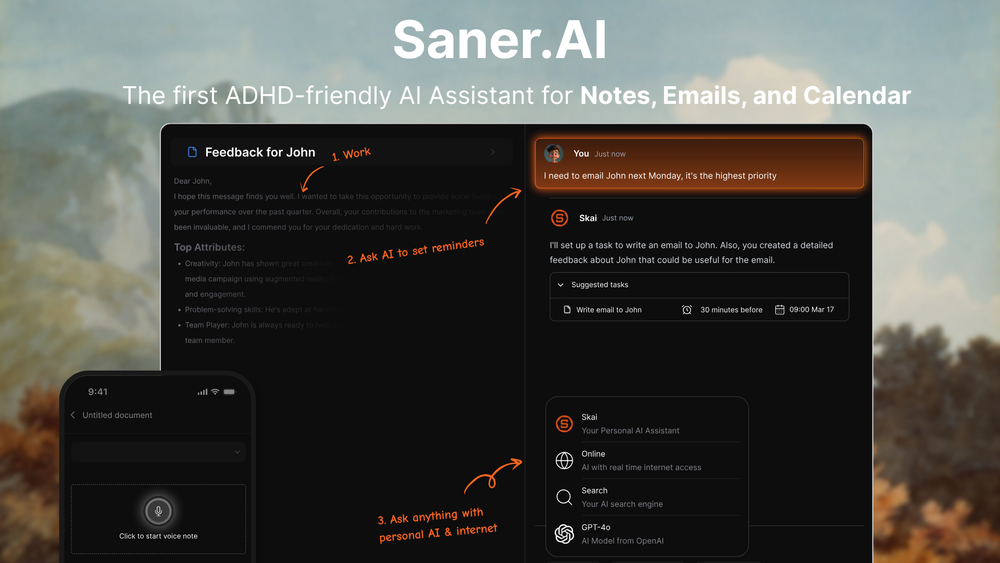
Saner.AI is an AI productivity assistant that helps you capture, organize, and act on information automatically. As a ClickUp alternative, it focuses less on manual project management and more on reducing mental load with AI organization.
Key features:
- AI inbox that captures notes, ideas, tasks, and context in one place
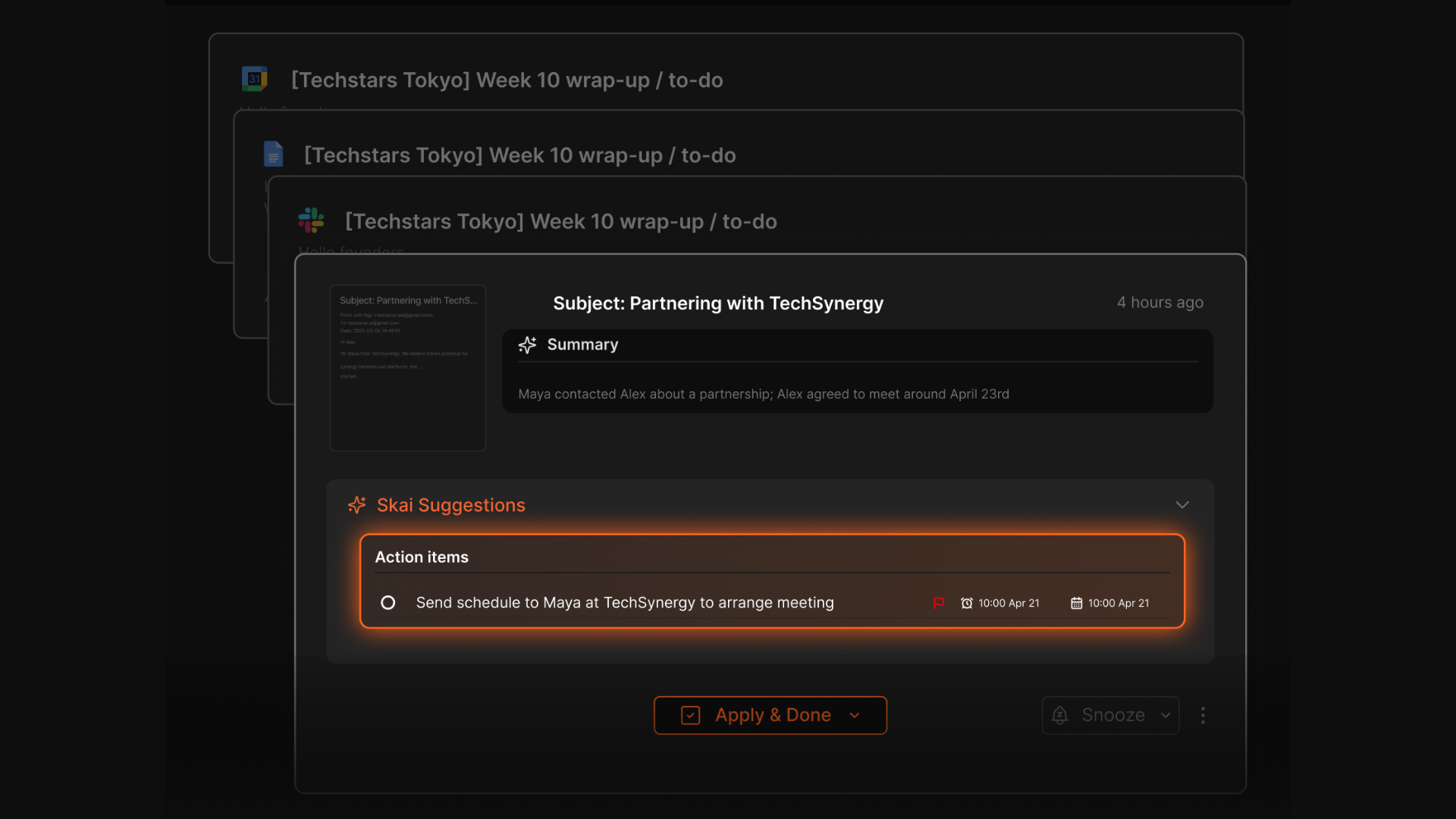
- Automatic task extraction from notes, meetings, and conversations
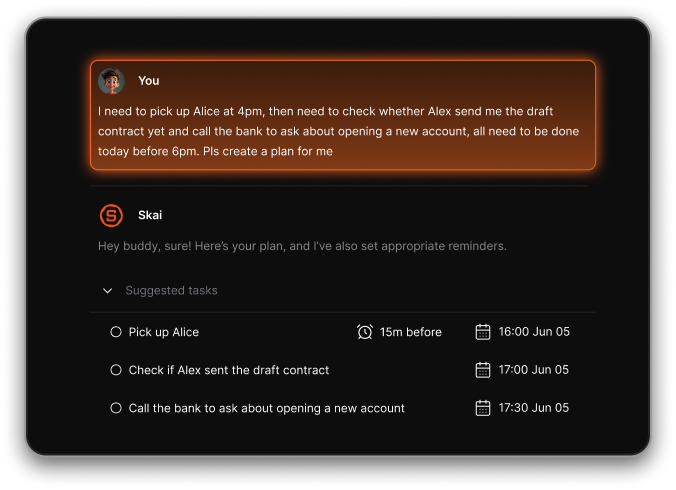
- Natural-language search to find information without remembering keywords
- AI assistant that connects related notes and surfaces insights
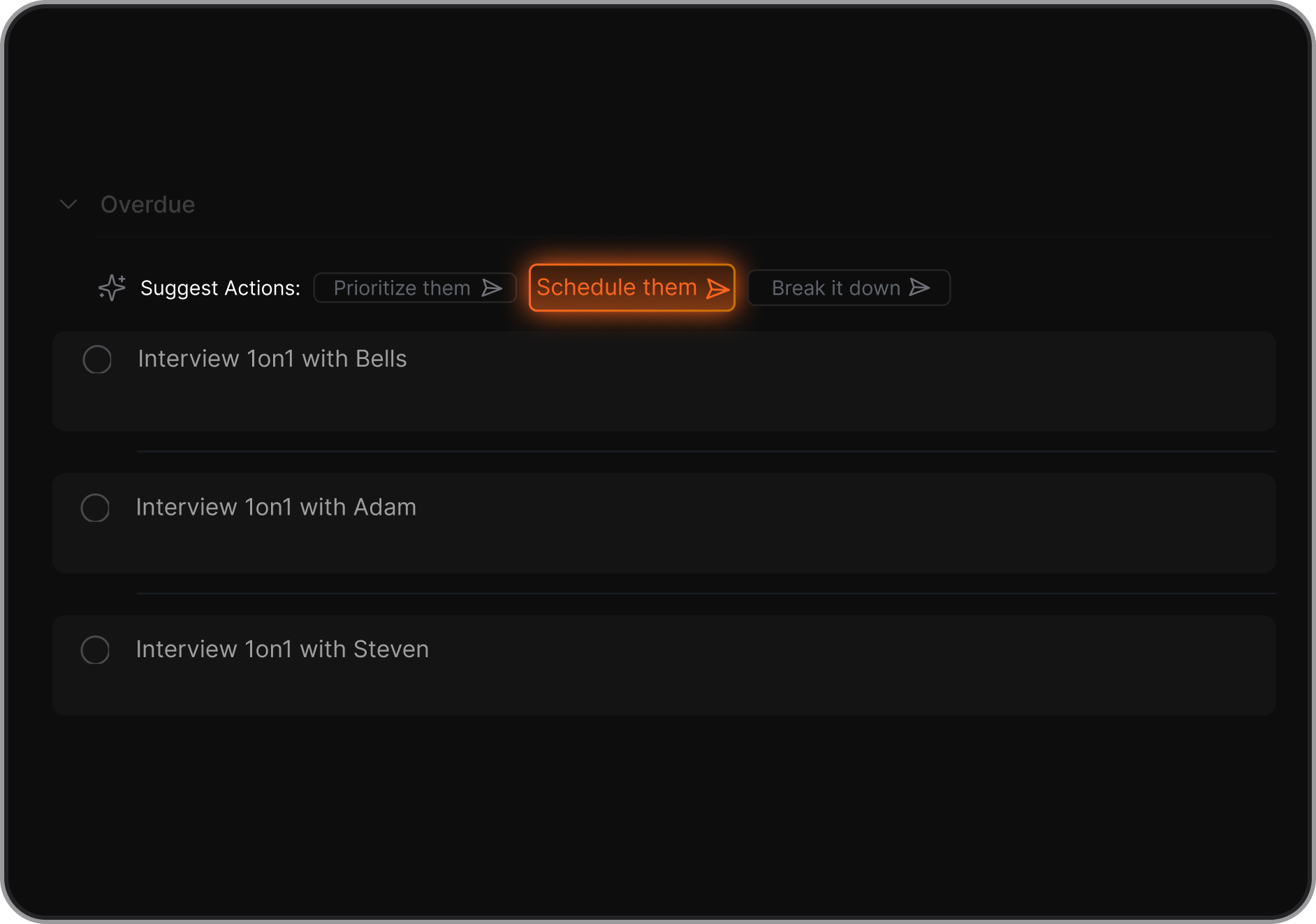
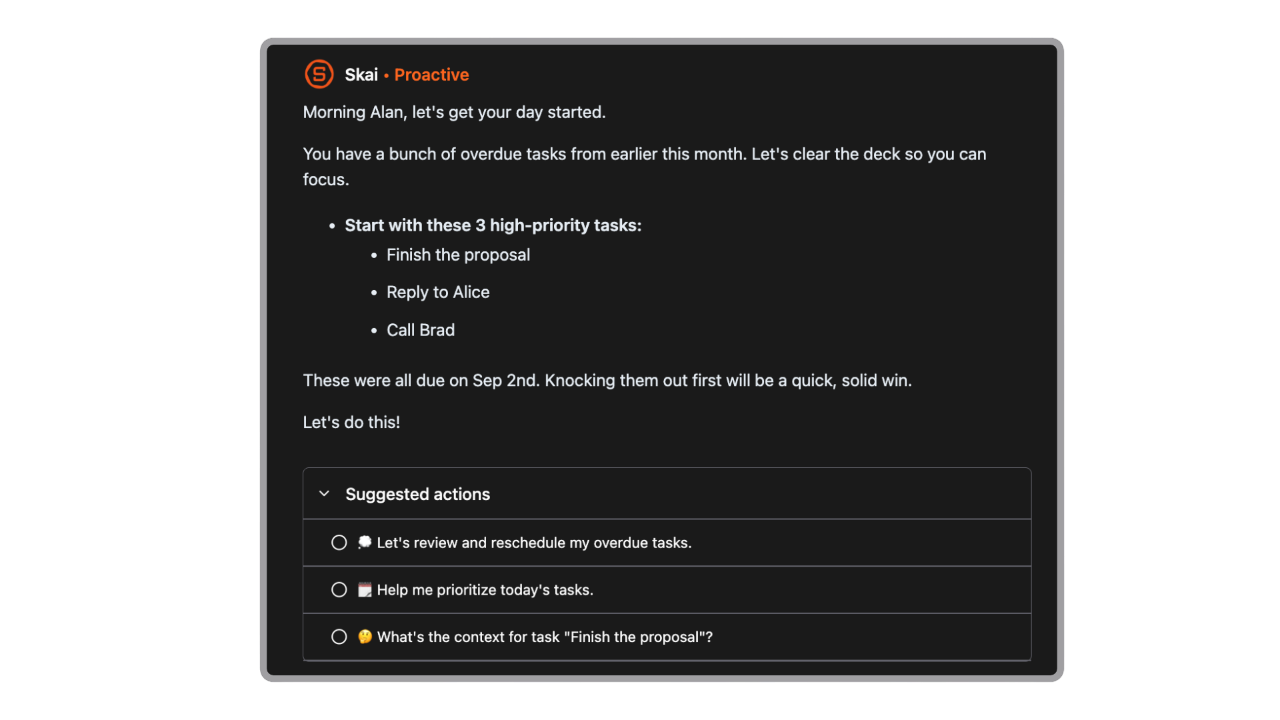
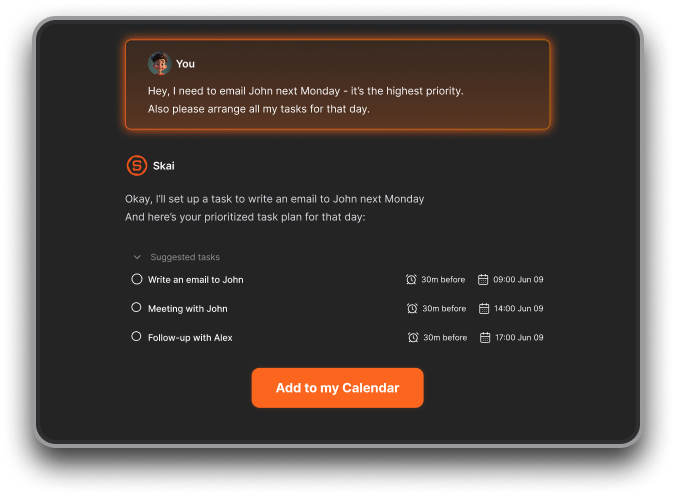
- Proactive daily plans generated automatically
- Automatic task extraction from emails
What I liked
- Much less setup than traditional tools like ClickUp
- Tasks are created from real context, not manual entry
- Feels calmer and less overwhelming than feature-heavy PM tools
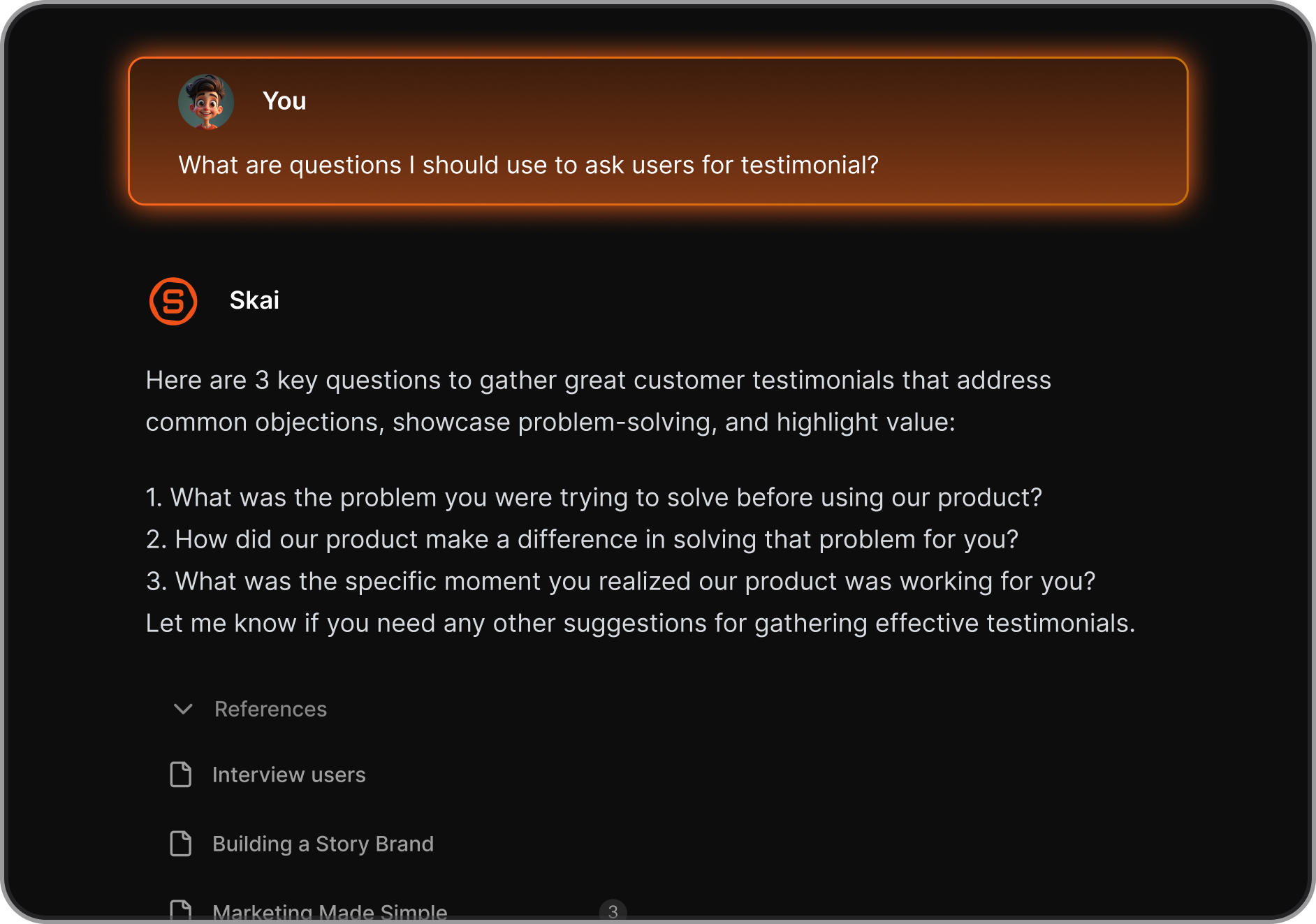
- AI suggestions for breaking down tasks and deciding what to do next
Cons
- Not a visual kanban tool like Trello
Pricing
- Free plan with limited AI usage
- Paid plans start around $8/month
Who is it suitable for?
- Individuals or small teams overwhelmed by tasks, notes, and constant context switching
- Founders, managers, and knowledge workers who don’t want to “manage the tool”
- People looking for a calmer, AI-first alternative to ClickUp
- ADHD-prone users who benefit from automatic organization
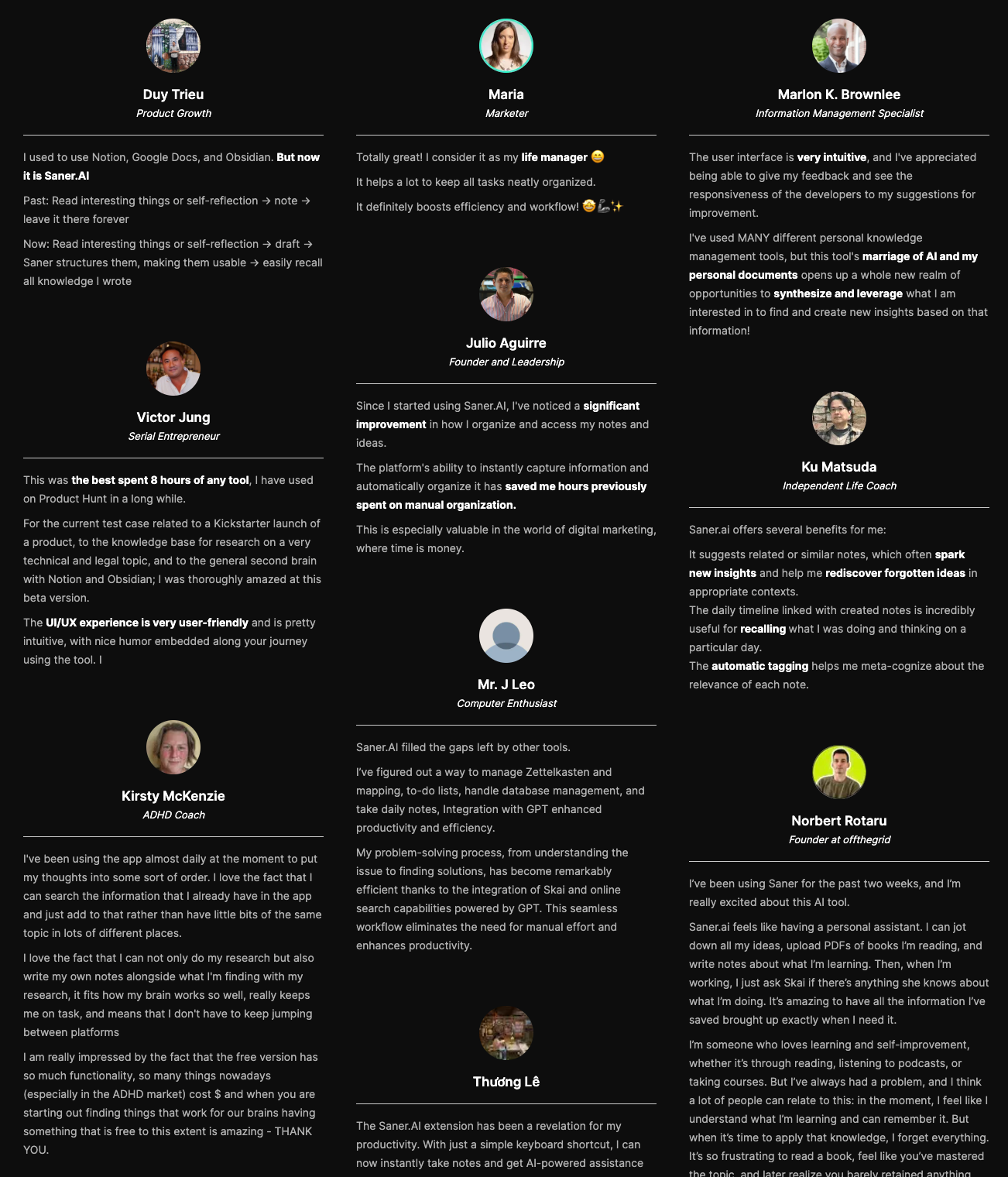
Saner.AI review
How to start using it?
- Create a free Saner.AI account
- Start capturing notes and tasks naturally
- Let the AI organize and surface what matters

Stay on top of your work with the Top ClickUp Alternative
2. Linear
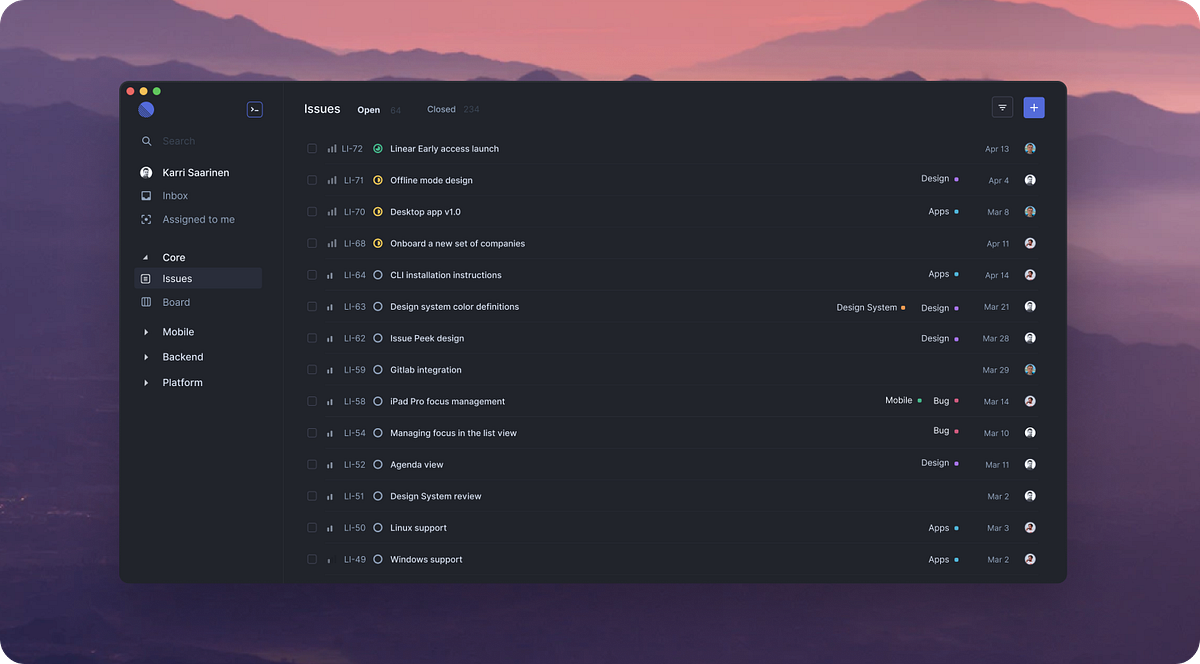
Linear is a fast, minimalist project management and issue-tracking tool built for speed and clarity. It’s often used as a ClickUp alternative by teams that want fewer features, less setup, and a faster workflow. Best known for issue tracking, sprint planning, and lightweight roadmaps rather than all-in-one project management
Key features
- Clean, minimalist interface focused on fast task and issue tracking
- Sprint and cycle planning for agile teams
- Product roadmaps and milestone tracking
- Strong integrations with tools like GitHub and Slack
What I liked
- Very fast and intuitive compared to heavier tools like ClickUp
- Focused feature set keeps teams from feeling overwhelmed
- Easy to adopt with little onboarding or setup
What I disliked
- Not a full ClickUp replacement for non-technical teams
- Limited customization compared to ClickUp’s views and automations
- No native Gantt, calendar, or advanced workload views
Pricing
- Free plan with basic issue tracking and integrations
- Paid plans start around $10 per user per month
Suitable for
- Software and product teams replacing ClickUp’s complexity
- Startups that want speed over feature depth
How to start
- Go to Linear
- Create a free account
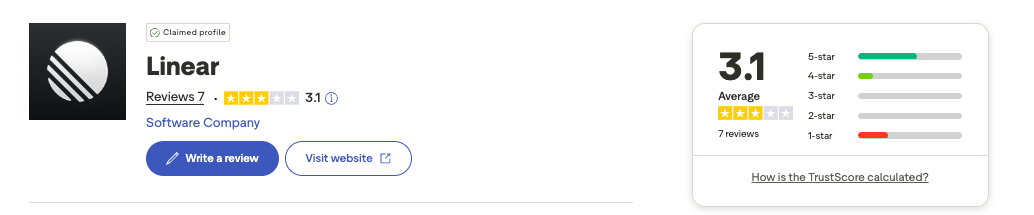
Linear review (source)
3. Monday.com

Monday.com is a cloud-based work operating system and project management tool often used as a ClickUp alternative. It helps teams plan, track, and manage work using visual boards, customizable workflows, automations, dashboards, and collaboration tools - without needing code.
Key features
- Visual, board-based task and project management with color-coded columns
- No-code workflow builder and automation rules for repetitive tasks
- Custom dashboards for tracking progress across teams and projects
- Large template library for common workflows (projects, marketing, sales, ops)
Pros
- Very intuitive and beginner-friendly compared to ClickUp
- Visual layout makes project status easy to understand at a glance
- Automations are powerful but still accessible for non-technical users
Cons
- Can get expensive as team size grows
- Advanced project management features are less deep than ClickUp
- Free plan is quite limited for larger or more complex teams
Pricing
- Free plan available with basic features
- Paid plans typically start around $9 per user/month
Best for
- Teams that want a more visual and easier-to-learn alternative to ClickUp
- Businesses that need custom workflows without technical setup
How to start
- Go to monday.com
- Create a free account
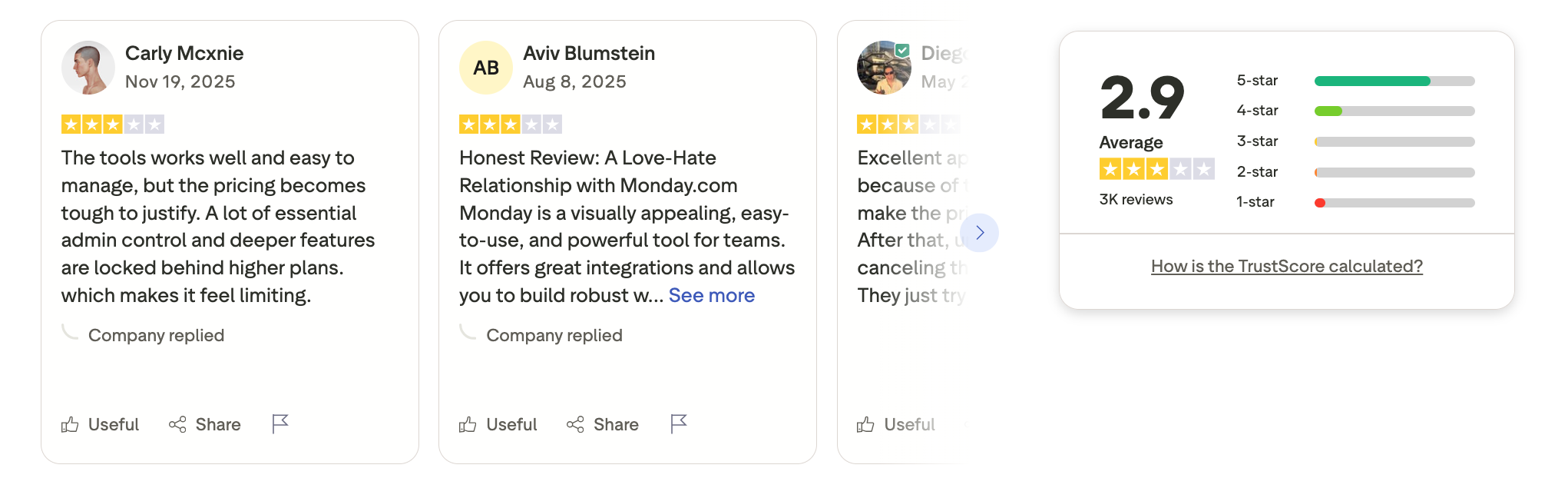
Monday.com review (soucre)
4. Jira
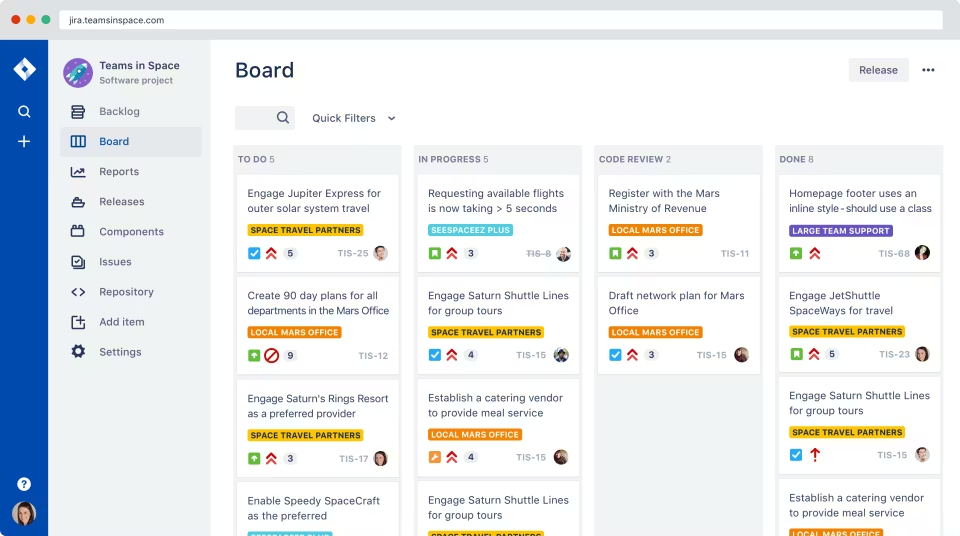
Jira is a project management and issue-tracking tool by Atlassian, widely used by software and engineering teams. It’s often considered a ClickUp alternative for teams that need more structured workflows, strong Agile support, and deep developer integrations.
Key features
- Scrum and Kanban boards for sprint planning and execution
- Advanced issue and bug tracking (tasks, stories, epics, bugs)
- Custom workflows, statuses, and automation rules
- Agile reports like burndown charts, velocity, and backlog insights
Pros
- Very strong for Agile and software development workflows
- Highly customizable workflows for complex processes
- Excellent issue tracking and reporting for engineering teams
Cons
- Steep learning curve, especially for non-technical users
- Interface can feel heavy compared to ClickUp
- Less flexible for general work (content, ops, personal tasks) without plugins
Pricing
- Free plan for small teams.
- Paid plans start around $8/user/month.
Best for
- Software development and engineering teams
- Agile-driven organizations using Scrum or Kanban
- Teams that need detailed tracking, audit trails, and structured processes
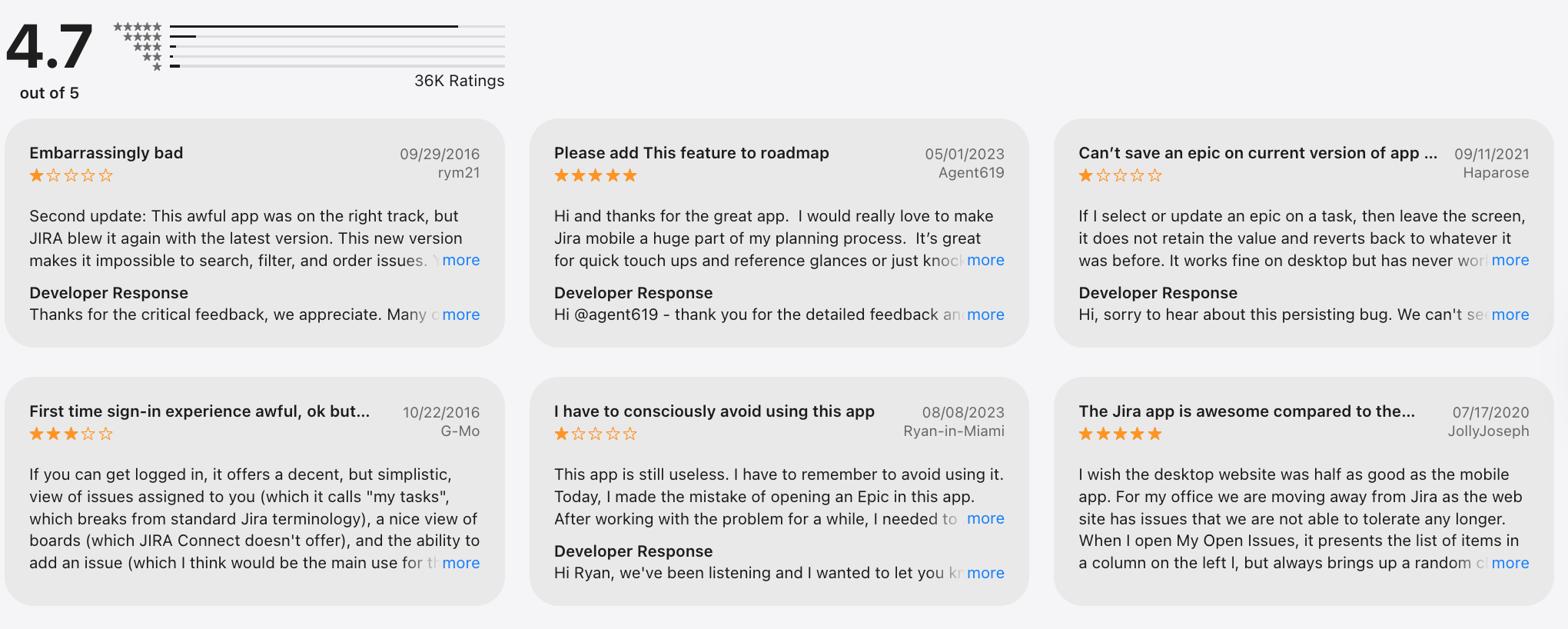
Jira review (source)
How to get started
- Create an Atlassian account
- Choose Jira Software or Jira Work Management
5. Asana

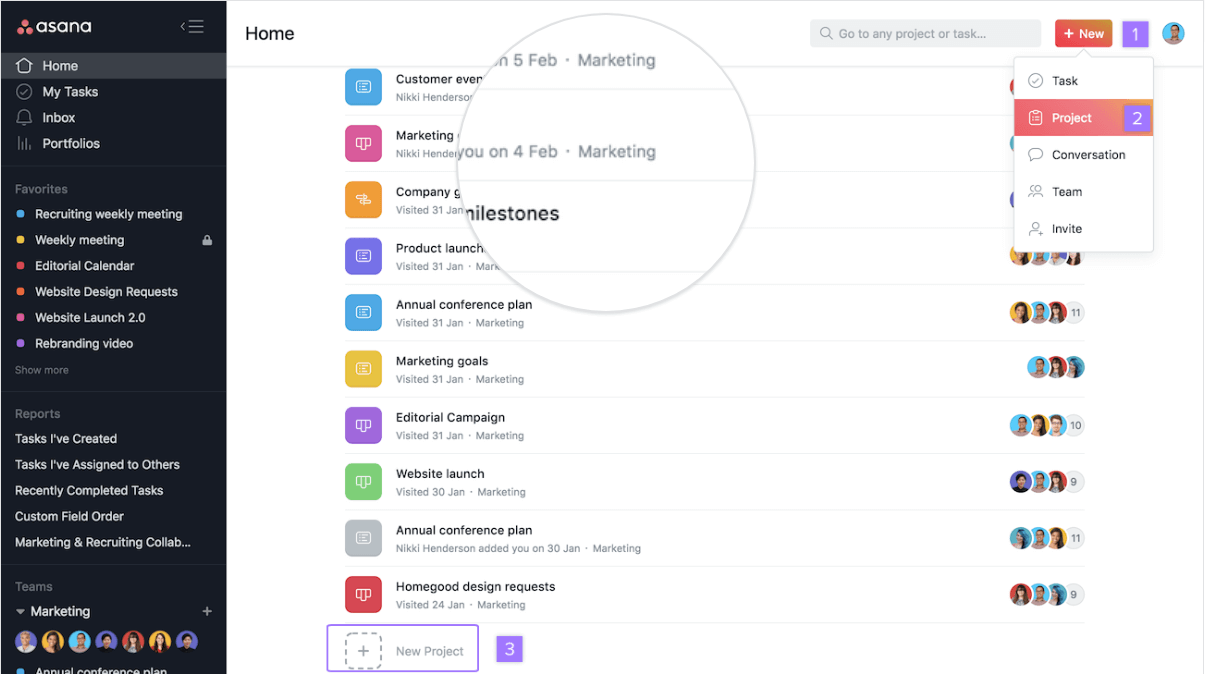
Asana is a work management and project tracking tool that helps teams plan, organize, and execute projects across tasks, timelines, and teams. As a ClickUp alternative, Asana focuses more on clarity, structure, and ease of use rather than being an all-in-one, highly customizable workspace.
Key features
- Task and project management with lists, boards, and timelines
- Dependencies and milestones to track complex projects
- Automation rules for recurring workflows
- Workload and reporting tools for team visibility
Pros
- Very intuitive UI. Most teams can get started with almost no onboarding.
- Strong task dependencies and timelines, which are easier to use than ClickUp’s for many users.
Cons
- Less flexible than ClickUp if you want deep customization or everything in one place.
- Advanced features (automation, reporting, workload) are locked behind higher plans.
- No AI assistant to talk to manage tasks
Pricing
- Free plan with basic task and project management
- Paid plans start around $10–$11 per user/month
Best for
- Teams that want a cleaner, simpler alternative to ClickUp
- Project-driven teams that rely on timelines and dependencies
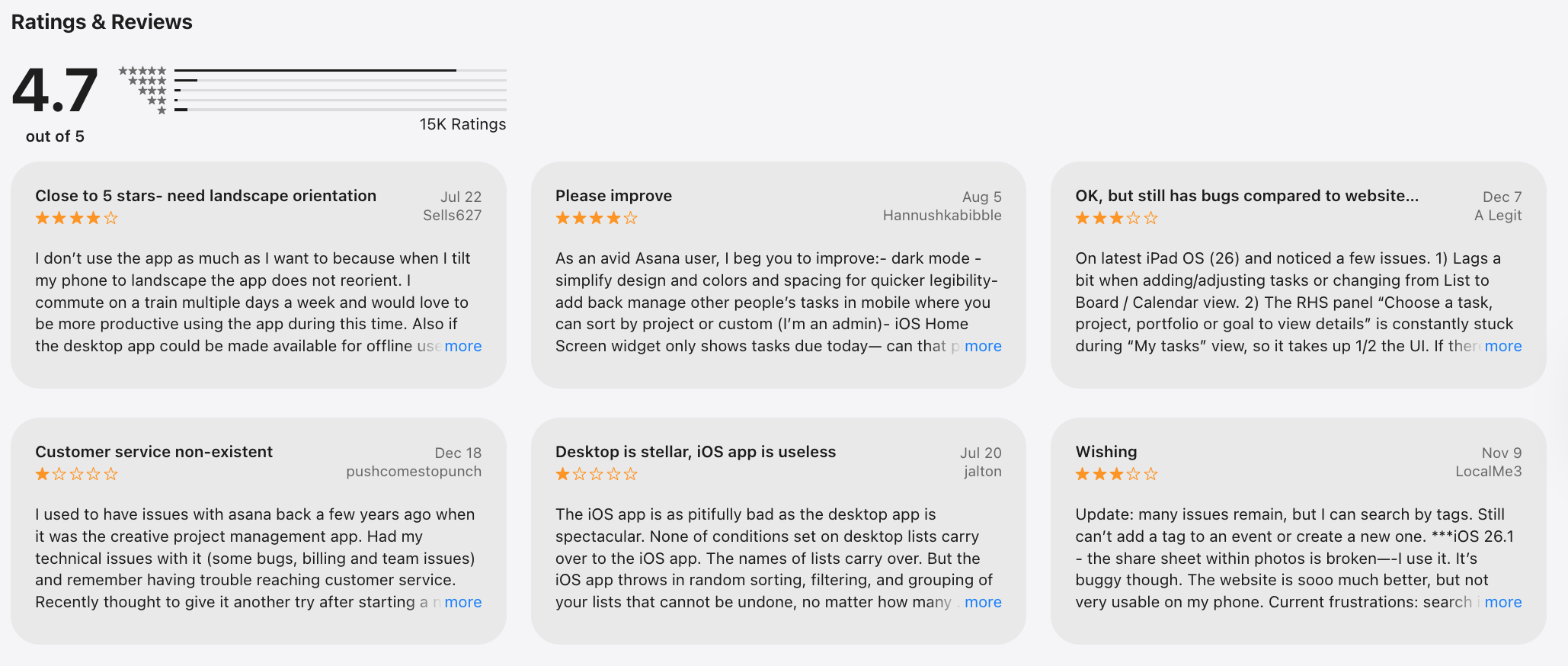
Asana review (sources)
How to get started
- Go to Asana
- Create a free account
6. Airtable
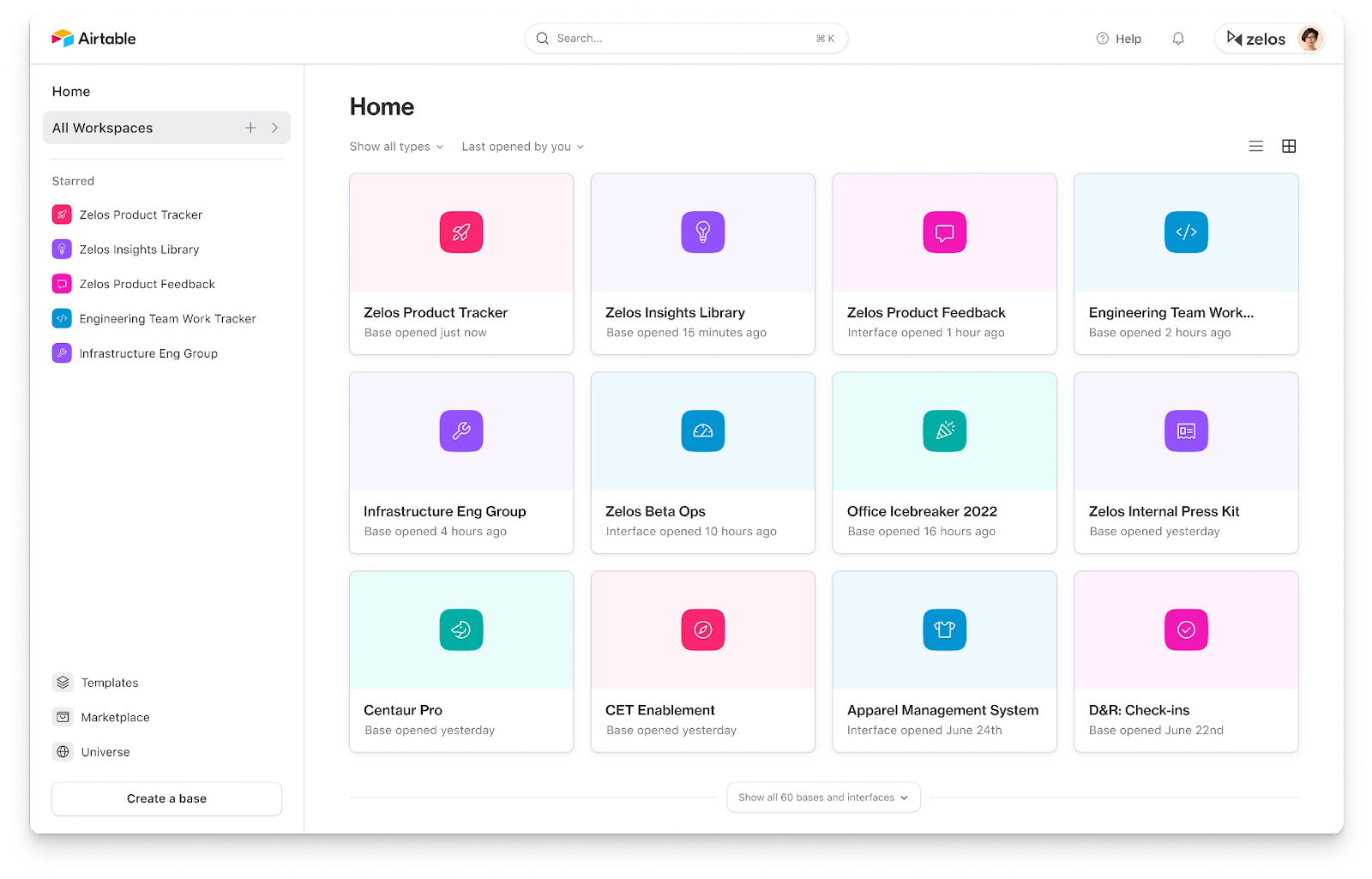
Airtable is a cloud-based spreadsheet-database hybrid that teams use to organize data, build custom workflows, and visually track work. As a ClickUp alternative, it works best for teams that want flexible structure and custom views rather than an opinionated, all-in-one task manager.
Key features
- Spreadsheet-style interface with relational database capabilities (linked records, custom fields)
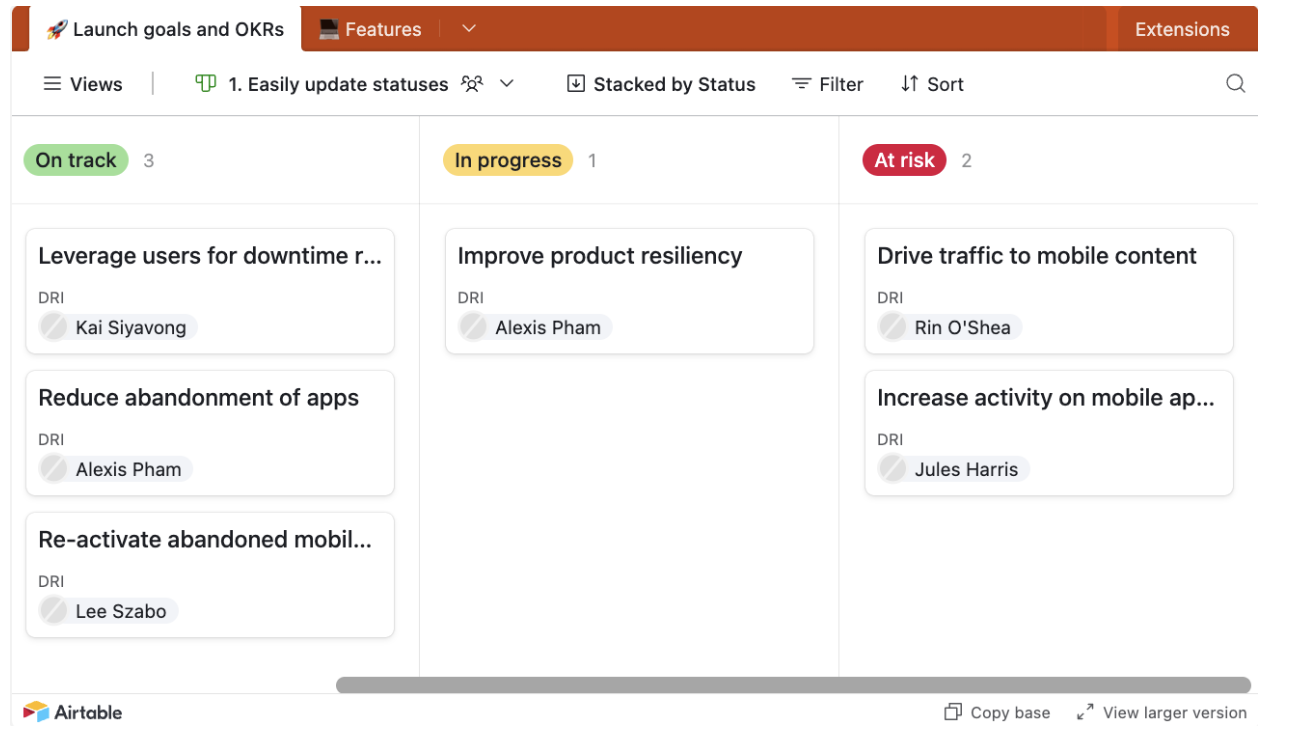
- Multiple views: grid, Kanban, calendar, gallery, timeline
- Automations to trigger actions based on rules and conditions
- Large template library (content calendars, CRM, product planning, ops)
What I liked
- Very flexible. You can model almost any workflow if you’re willing to design it.
- Great for visual thinkers. Switching between views helps teams see work from different angles.
What I disliked
- Not a true task or project management hub out of the box like ClickUp.
- Collaboration features feel lighter compared to dedicated PM tools.
- Advanced automations and complex setups can become hard to maintain over time.
Pricing
- Free plan with basic features and usage limits
- Plus plan around $20 per user/month (billed annually)
- Pro plan around $45+ per user/month
Suitable for
- Teams that want a flexible, data-first alternative to ClickUp
- Marketing, ops, product, or content teams managing structured information
- Teams building internal tools like CRMs, planning boards, or tracking systems
How to start
- Go to Airtable
- Create a free account
- Choose a template and customize it to your workflow
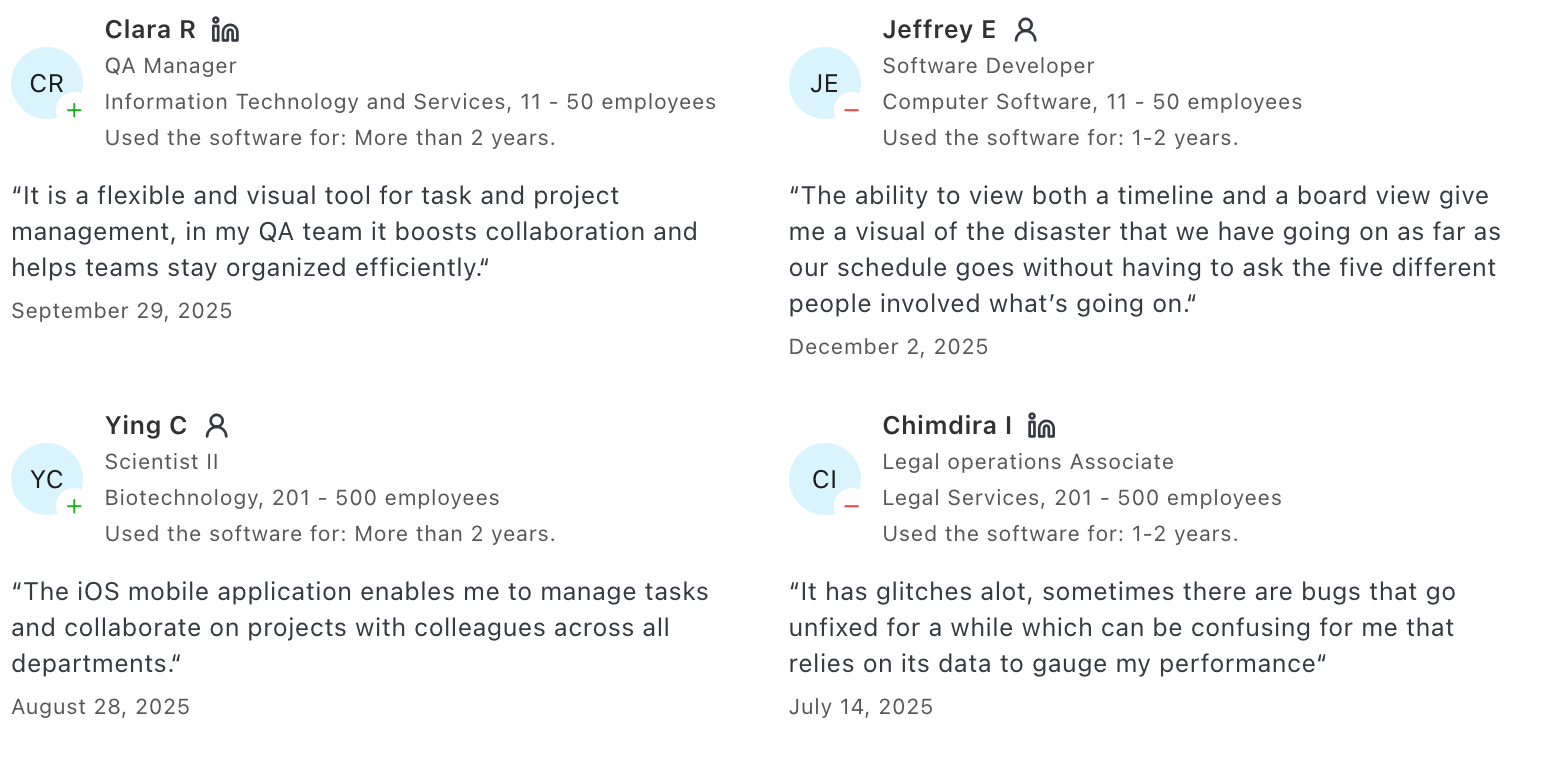
Airtable reviews (source)
7. Notion

Notion is an all-in-one productivity and workspace app that combines note-taking, task management, databases, and collaboration in one place.
It’s often used as a ClickUp alternative by teams that want more flexibility and less rigid project management structure.
Key features
- Custom pages and blocks for docs, tasks, wikis, databases, kanban boards, and calendars
- Powerful database system with filters, relations, and linked views
- Large template library for tasks, projects, knowledge bases, and dashboards
- Real-time collaboration with comments, sharing, and permissions
Pros
- Extremely flexible - you can design workflows exactly how your team thinks
- Combines docs, notes, and lightweight project tracking in one workspace
- Templates reduce setup time and help you get started faster
Cons
- Task and project management is more basic than ClickUp
- Limited native automations and no built-in time tracking
- Flexibility comes with a learning curve that can feel overwhelming
Pricing
- Free plan with unlimited pages
- Plus plan around $10/user/month
- Business plan around $20/user/month
Best for
- Individuals who want notes, tasks, and knowledge in one place
- Small teams that value customization over strict task management
- Projects that mix documentation and execution
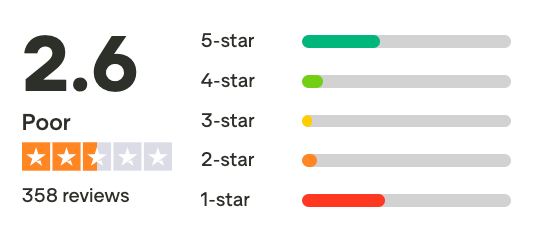
Notion review (source)
How to get started
- Go to Notion
- Create a free account
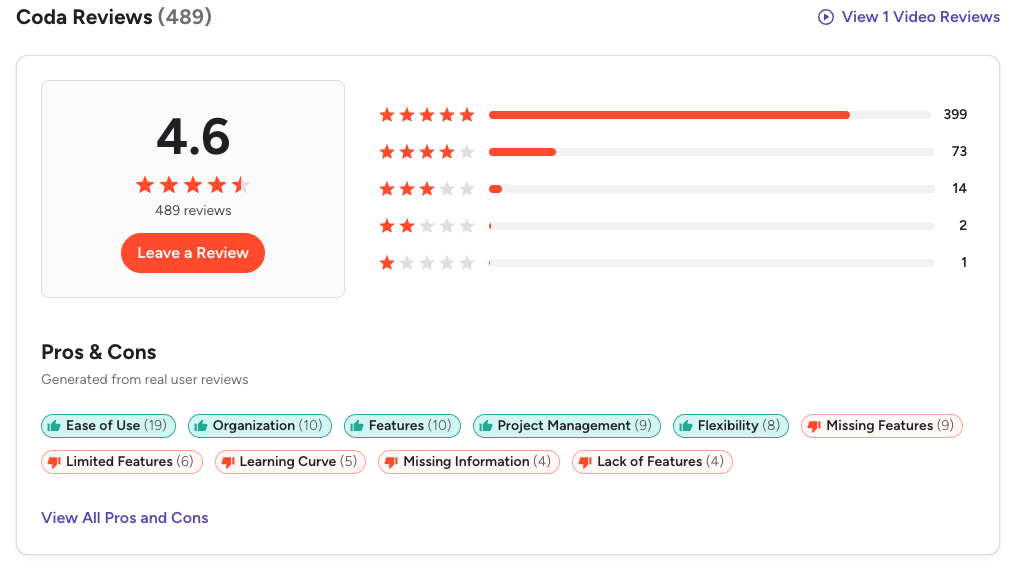
8. Coda
Coda is a flexible collaborative workspace that combines documents, spreadsheets, databases, and automation into a single platform. As a ClickUp alternative, it focuses less on rigid task hierarchies and more on letting teams build custom workflows, dashboards, and internal tools inside interactive docs.
Key features
- All-in-one docs that behave like apps with tables, formulas, and buttons
- Flexible database-style tables you can link and reference anywhere
- Custom templates for project tracking, roadmaps, and team hubs
- Automations to trigger actions when data changes
What I liked
- Very flexible compared to ClickUp’s fixed structure
- Docs, data, and workflows live in one place instead of separate tools
- Great for building internal tools, wikis, and lightweight project systems
What I disliked
- Not a task-first tool out of the box
- Requires setup to replace ClickUp-style task management
- Learning curve around formulas and building custom systems
Pricing
- Free plan
- Paid plans from 12$/month
Suitable for
- Teams that want custom workflows instead of rigid project structures
- Knowledge-heavy teams combining docs, tasks, and databases
- Businesses that want to replace multiple tools with one flexible workspace
How to start
- Go to Coda.io
- Create a free account
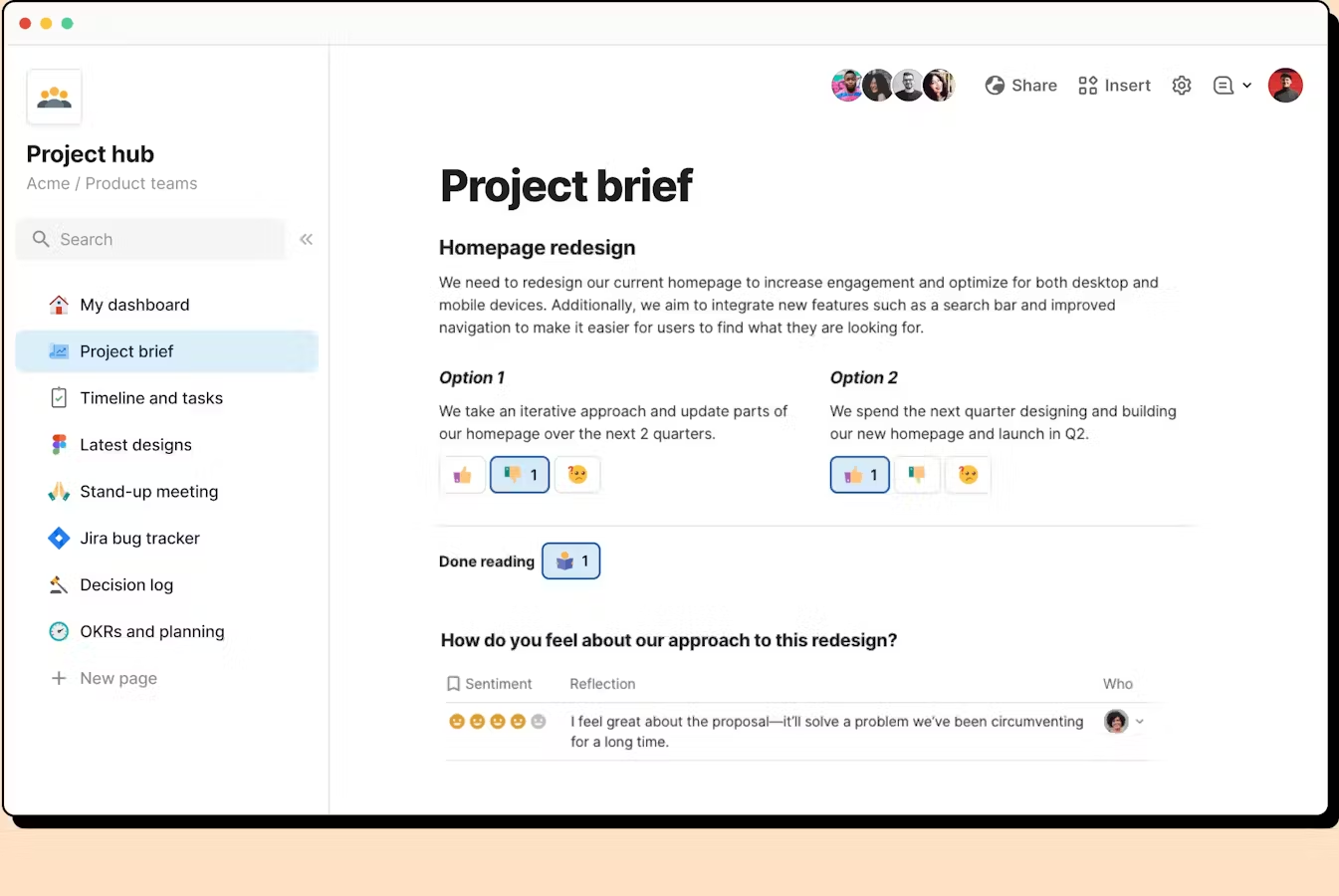
Coda Reviews (source)
9. Todoist
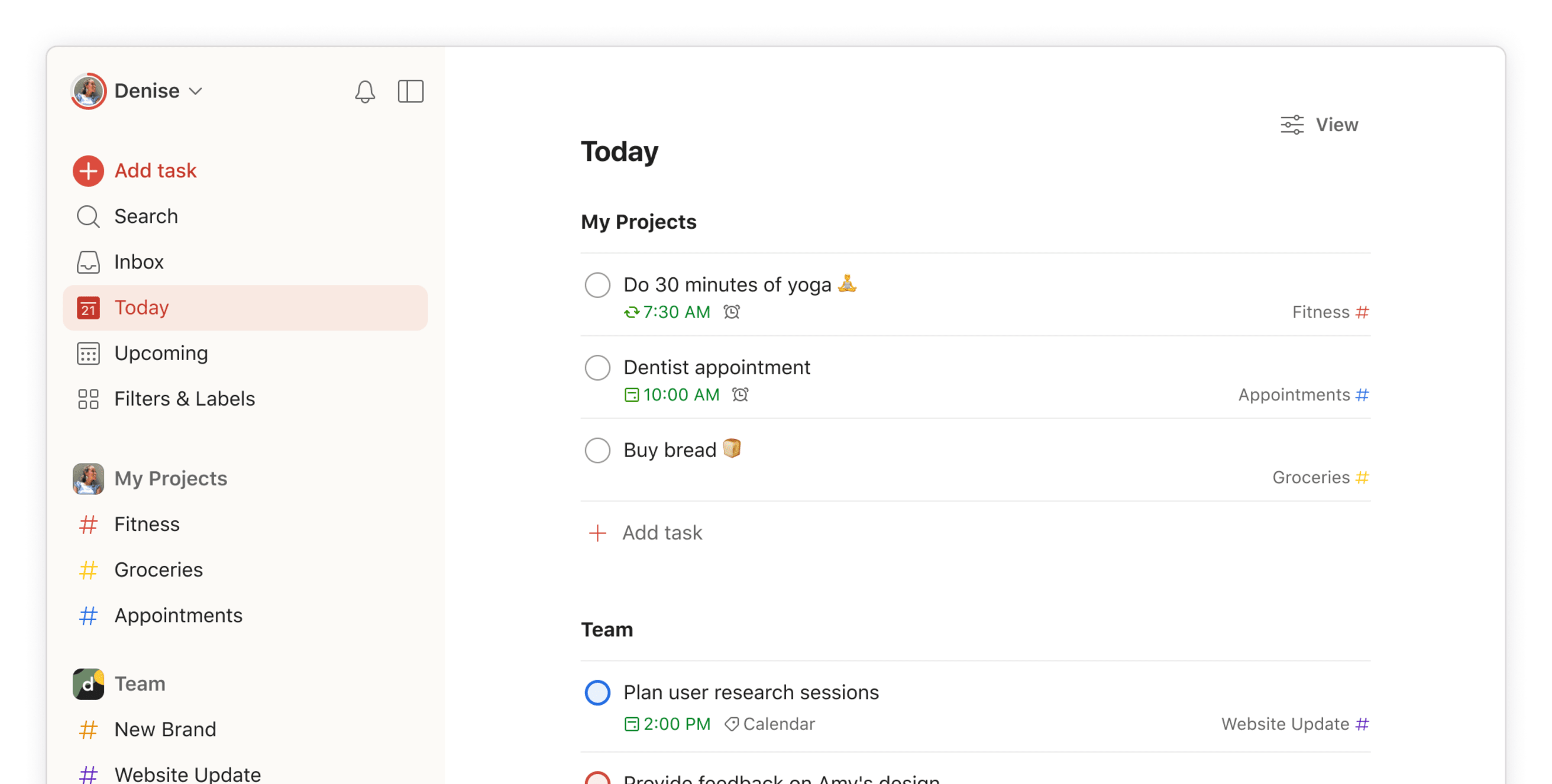
Todoist is a task-management and productivity app designed to help individuals and small teams organize to-dos, projects, and reminders. Compared to ClickUp, it’s much lighter and simpler. Many people use it as a ClickUp alternative when they want less setup, fewer features, and more focus on getting tasks done.
Key features
- Task creation with due dates, priorities, projects, and sections
- Recurring tasks, reminders, filters, and labels
- Shared projects for basic team collaboration
- Works across web, desktop, mobile, and email
What I liked:
- Extremely easy to use. You can start organizing tasks in minutes.
- The interface is clean and distraction-free compared to ClickUp.

What I disliked:
- Lacks advanced project management features like Gantt charts, timelines, and complex automations, notes management, or workload views.
- Collaboration is basic. It’s shared task lists and comments, not full team coordination.
Pricing:
- Free plan with core task features
- Pro plan around $7/month per user
- Business plan around $10/month per user
Suitable for:
- Small teams that don’t need heavy project management
How to start:
- Go to Todoist
- Create a free account
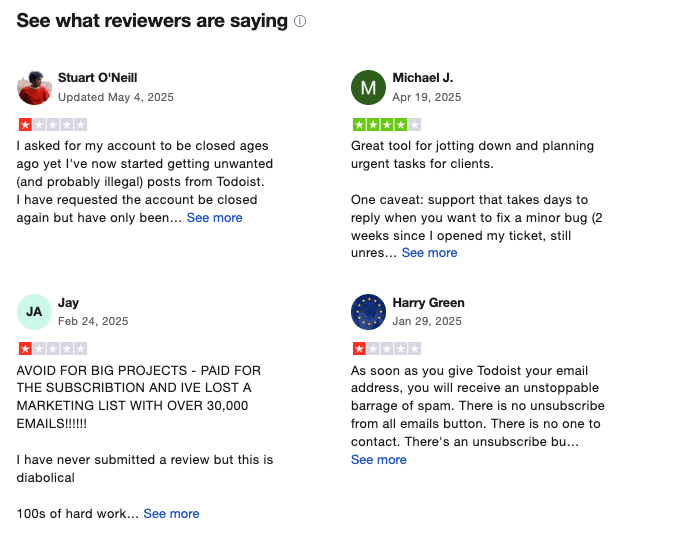
Todoist Reviews (source)
10. Trello
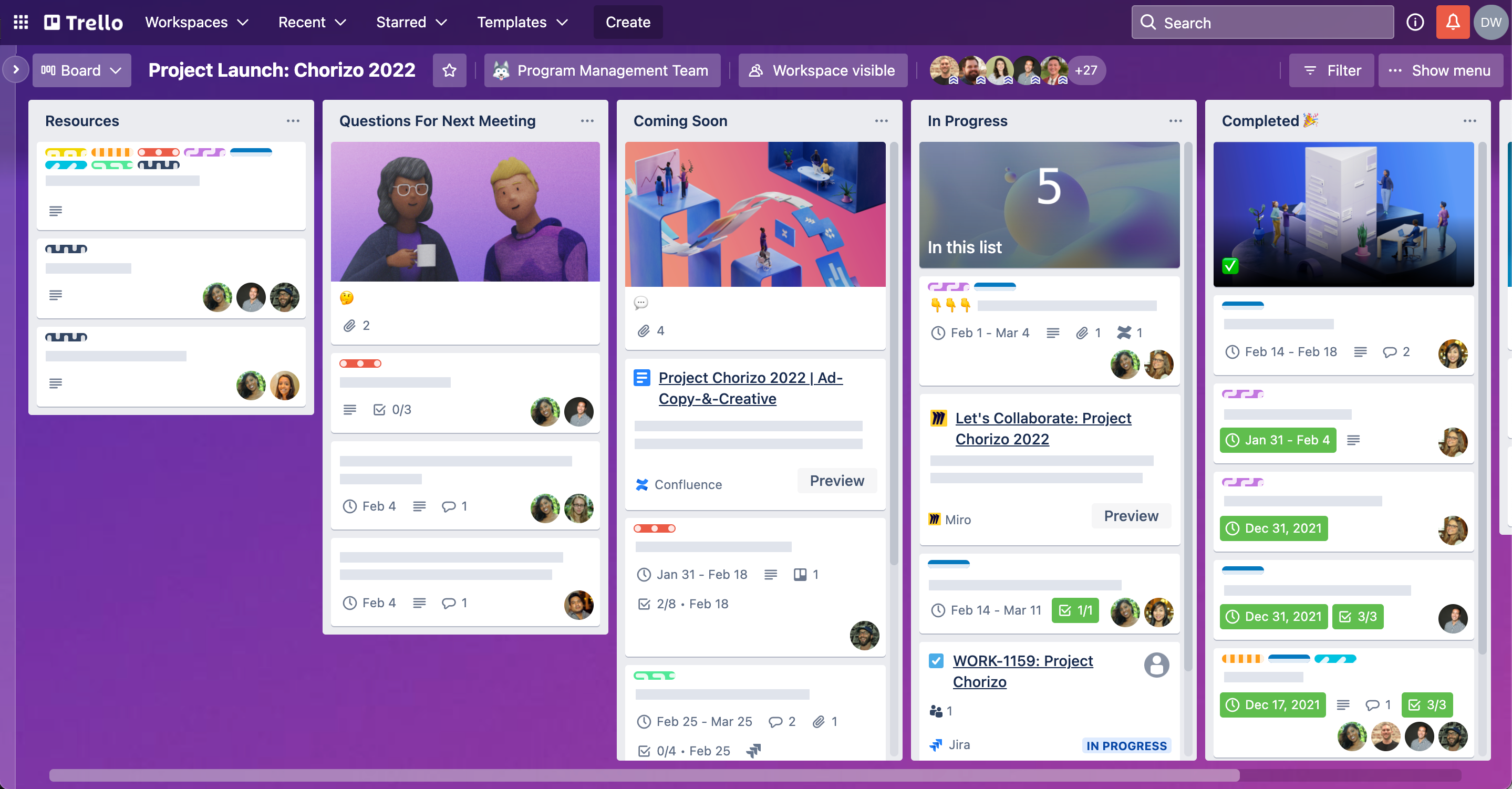
Trello is a visual project and task management tool built around boards, lists, and cards. As a ClickUp alternative, it focuses on simplicity and Kanban-style workflows rather than an all-in-one workspace.
Key features
- Visual boards, lists, and cards for drag-and-drop task management
- Butler automation for simple no-code rules and recurring actions
- Integrations with tools like email, calendars, Slack, and file storage
- Multiple views on paid plans, including calendar, timeline, and dashboard
Pros
- Extremely easy to learn and use, even for non-technical users
- Clean, visual layout
- Fast setup with little configuration needed
Cons
- Limited for complex project management compared to ClickUp
- Advanced features often require paid Power-Ups
- Not ideal for large teams with dependencies, reporting, or layered workflows
- Limited AI assistance
Pricing
- Free plan available
- Paid plans start around $5–$6 per user/month
Best for
- Individuals or small teams who want a simple ClickUp alternative
- Teams that prefer visual Kanban boards over complex dashboards
- Projects where speed and clarity matter more than advanced controls
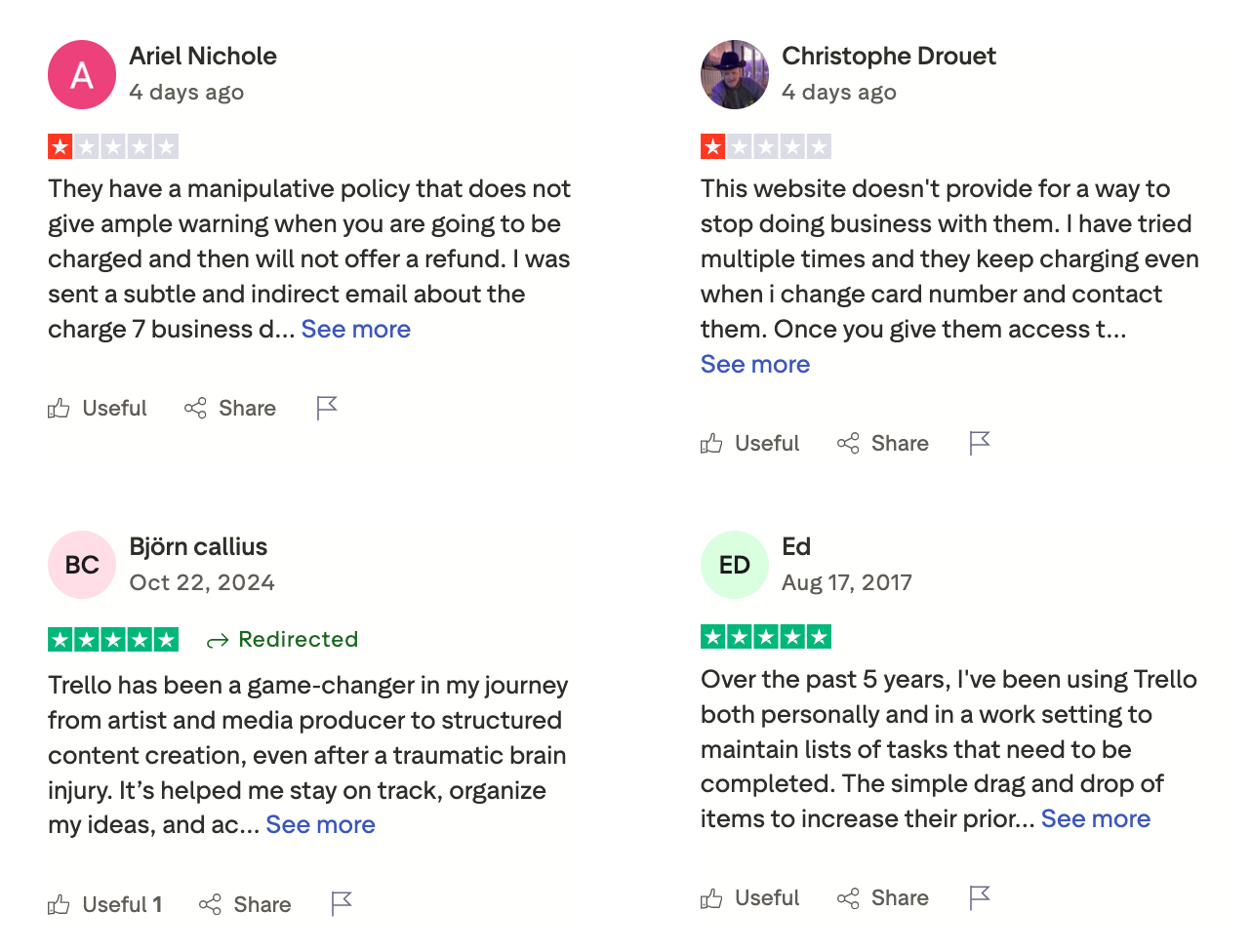
Trello review (source)
How to get started
- Go to Trello
- Create a free account
Conclusion: Choose Clarity Over Complexity
ClickUp isn’t a bad tool. It’s just built for a very specific kind of team—one that’s willing to invest time in setup, maintenance, and ongoing customization.
If you’re here, you’re probably looking for something different.
The best ClickUp alternatives aren’t the ones with the most features. They’re the ones that reduce friction, match how your brain works, and make progress feel lighter instead of heavier. For some teams, that means a cleaner task system. For others, it means better support for knowledge, thinking, or focus.
There’s no universal “best” choice. A product team may thrive in Linear. An ops-heavy team might prefer Monday.com or Asana. Knowledge workers and ADHD-prone users often do better Saner.AI that don’t demand constant configuration.
The real goal isn’t to replace ClickUp with another all-in-one platform. It’s to build a system that gives you clarity, not overhead.
Start there. Everything else gets easier.
Stay on top of your work and life
FAQ: Best ClickUp Alternatives (2026 Guide)
1. What is a ClickUp alternative?
A ClickUp alternative is a productivity or project management tool that replaces some—or all—of ClickUp’s functionality, often with less complexity or a more focused experience.
People usually look for alternatives because ClickUp can feel:
- Overwhelming or bloated
- Slow to set up and maintain
- Too rigid for personal workflows or ADHD brains
Popular ClickUp alternatives include Saner.AI, Linear, Monday.com, Asana, Jira, Trello, Airtable, Coda, Todoist, and Notion—each solving a different pain point.
2. Why do people look for alternatives to ClickUp?
Most users don’t leave ClickUp because it’s “bad.”
They leave because it’s too much.
Common reasons include:
- Too many features that go unused
- High setup and maintenance cost (mentally, not just financially)
- Complex permissions, spaces, and views
- Friction between thinking and doing
Many ClickUp alternatives prioritize clarity, speed, or focus over all-in-one power.
3. What are the best ClickUp alternatives for simple task management?
If you mainly want tasks without overhead, these tools stand out:
- Saner.AI – Turns notes, messages, and ideas into tasks automatically
- Todoist – Clean, fast, great for personal and lightweight work
- Trello – Visual Kanban boards with almost zero setup
These tools trade advanced configuration for ease of use and follow-through.
4. What’s the best ClickUp alternative for teams?
For structured team collaboration, these are strong ClickUp replacements:
- Asana – Clear project timelines, dependencies, and responsibilities
- Monday.com – Highly customizable workflows for ops and business teams
- Linear – Extremely fast, opinionated tool for product and engineering teams
Each offers better focus than ClickUp for specific team styles.
5. Is there a ClickUp alternative that feels less overwhelming?
Yes—and this is one of the most searched reasons behind “Best ClickUp Alternatives.”
Tools that intentionally reduce cognitive load:
- Saner.AI – Minimal interface, AI-first, no complex hierarchy
- Todoist – Opinionated simplicity
- Linear – Very few knobs, extremely fast
If ClickUp felt like “too many buttons,” these tools are often a relief.
6. What’s the best ClickUp alternative for ADHD users?
For ADHD brains, the biggest enemy is context switching.
Tools that help:
- Reduce manual organization
- Surface the right task at the right time
- Avoid complex systems
Saner.AI is especially helpful here - it lets you write naturally and handles structure in the background, instead of forcing you to manage tags, folders, and statuses.
7. What’s the best ClickUp alternative for notes + tasks together?
If your work starts as messy thoughts, not predefined tasks:
- Saner.AI – Thoughts automatically turn into tasks and reminders
- Coda – Docs with embedded workflows
- Notion – Flexible notes + databases (manual setup required)
This category matters for founders, researchers, and managers who think before they plan.
8. Are there free ClickUp alternatives?
Yes—most tools offer free tiers:
- Saner.AI – Free plan with AI reminders, note search, and calendar sync
- Todoist – Free for personal task management
- Trello – Free Kanban boards
- Notion – Free for individuals
Free plans are often enough unless you need advanced team controls.
9. Which ClickUp alternative is best for project planning?
For structured projects:
- Asana – Best overall balance of power and clarity
- Monday.com – Best for operational workflows
- Airtable – Best for data-heavy or custom planning
If ClickUp felt cluttered, these tools feel more intentional.
10. What’s the best ClickUp alternative for entrepreneurs?
Entrepreneurs need tools that move work forward, not manage tools.
Strong fits:
- Saner.AI – AI gives you a day plan automatically
- Notion – Business wiki + planning hub
- Todoist – Fast personal execution
The best choice depends on whether your bottleneck is thinking, planning, or doing.
11. Can ClickUp alternatives handle reminders and follow-ups better?
Yes - many do this better than ClickUp.
- Todoist – Reliable, fast reminders
- Saner.AI – Context-aware reminders from notes and conversations
- Asana – Task-based follow-ups inside projects
If reminders matter more than dashboards, ClickUp is often overkill.
12. How do I choose the best ClickUp alternative for my needs?
Ask yourself:
- Do I work solo or with a team?
- Do I need structure—or freedom?
- Do my tasks start as ideas or tickets?
Then match:
- Ideas → Saner.AI, Notion
- Execution → Saner.AI, Todoist, Trello
- Team projects → Asana, Monday.com, Linear
The “best” ClickUp alternative is the one that gets out of your way.
Stay on top of your work and life
[Last updated in 2026]