10 Best Microsoft To Do Alternatives [2026 Update]
The best Microsoft To Do Alternatives are Saner.AI, Ticktick, Asana, Any.do, Superlist, Todoist, Apple Reminders, Things, Structured, and Notion


We Tested The 10 Best Microsoft To Do Alternatives
If you’re searching for the Best Microsoft To Do Alternatives, you’re likely feeling the limits of a simple checklist app. Microsoft To Do works well for basic tasks, but many professionals outgrow it when they need better prioritization, planning, cross-tool context, or team workflows.
This guide compares the most reliable Microsoft To Do alternatives - from minimalist to-do list apps to advanced task management tools for professionals. You’ll learn what each tool does best, where it falls short, and how it compares to Microsoft To Do, so you can choose the right replacement based on how you actually work.
What Is Microsoft To Do?
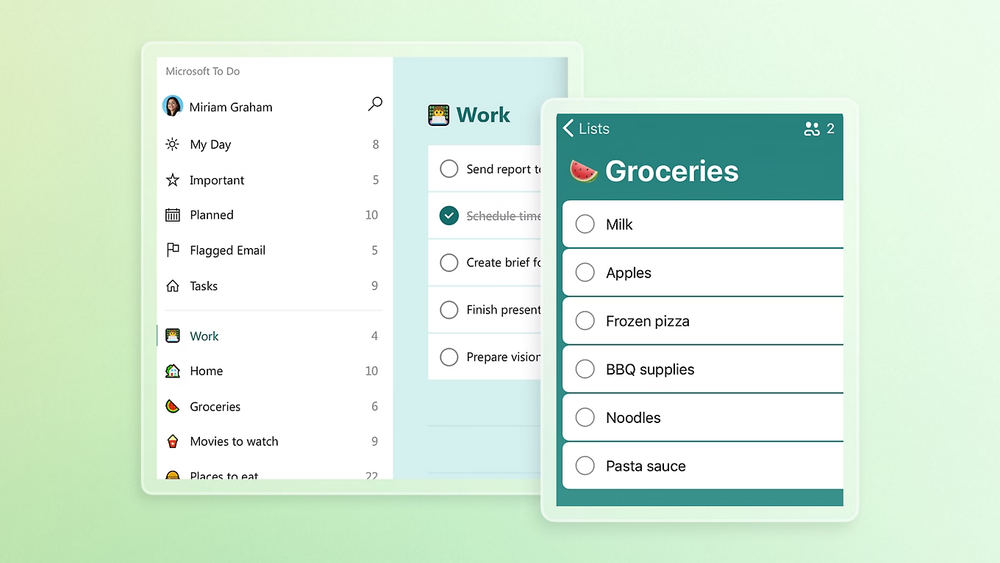
Microsoft To Do is a free task management app by Microsoft that focuses on simple personal task lists.
Best for
- Individuals who want a lightweight, no-friction to-do list
- Users already deep in the Microsoft 365 ecosystem
Where it falls short
- Limited prioritization and planning tools
- Weak support for complex projects or workflows
- Minimal automation or intelligence
- Not ideal for teams or advanced productivity systems
Why Look for Microsoft To Do Alternatives?
People usually switch from Microsoft To Do for practical reasons - not because it’s “bad,” but because it’s too basic for growing needs.
Common reasons include:
- Limited task hierarchy and planning depth
- Weak prioritization beyond simple lists
- Poor scalability for team or project-based work
- Lack of automation or an AI-assisted organization
- Minimal support for context, notes, or knowledge alongside tasks
How These Microsoft To Do Alternatives Were Tested
To keep this guide practical and trustworthy, each tool was tested using the same real-world criteria - not feature lists or marketing claims.
How I evaluated each app:
- Used it for real task management (daily tasks, recurring work, priorities)
- Tested setup speed and learning curve
- Checked how well tasks scale from simple lists to more complex workflows
- Evaluated cross-platform consistency (web, mobile, desktop)
- Compared how clearly tasks stay organized over time
- Noted friction points, limitations, and “overhead” costs
What are the best Microsoft To Do Alternatives?
The best Microsoft To Do Alternatives are Saner.AI, Ticktick, Asana, Any.do, Superlist, Todoist, Apple Reminders, Things, Structured, and Notion
Microsoft To Do Alternatives Comparison Table
| 🛠 Tool | 🎯 Best for | ⭐ Key strengths | 💻 Platforms | 🔁 How it compares to Microsoft To Do |
|---|---|---|---|---|
| Saner.AI | Knowledge workers, deep focus | AI task + note organization, contextual search | Web | Goes far beyond lists by adding AI, context, and connected thinking |
| TickTick | Personal productivity power users | Calendar views, habits, timers, reminders | Web, iOS, Android, Mac, Windows | More structured planning and prioritization |
| Asana | Teams & projects | Task assignments, timelines, reporting | Web, iOS, Android | Built for team workflows, not simple personal lists |
| Any.do | Simple daily planning | Clean UI, daily planner, reminders | Web, iOS, Android, Windows | Slightly more polished daily planning |
| Superlist | Modern professionals | Fast UI, collaboration, shared tasks | Web, iOS, Android | More modern, collaborative, and flexible |
| Todoist | Cross-platform task management | Filters, priorities, integrations | Web, iOS, Android, Mac, Windows | More powerful organization and flexibility |
| Apple Reminders | Apple-only users | OS-level integration, Siri | iOS, macOS | Similar simplicity, better Apple integration |
| Things | GTD-style personal workflows | Clean design, structured projects | iOS, macOS | More intentional structure, less basic |
| Structured | Visual daily planners | Timeline-based day planning | iOS, macOS | Focuses on time blocks instead of lists |
| Notion | Custom productivity systems | Databases, notes + tasks combined | Web, iOS, Android | Far more customizable, but heavier |
1. Saner.AI
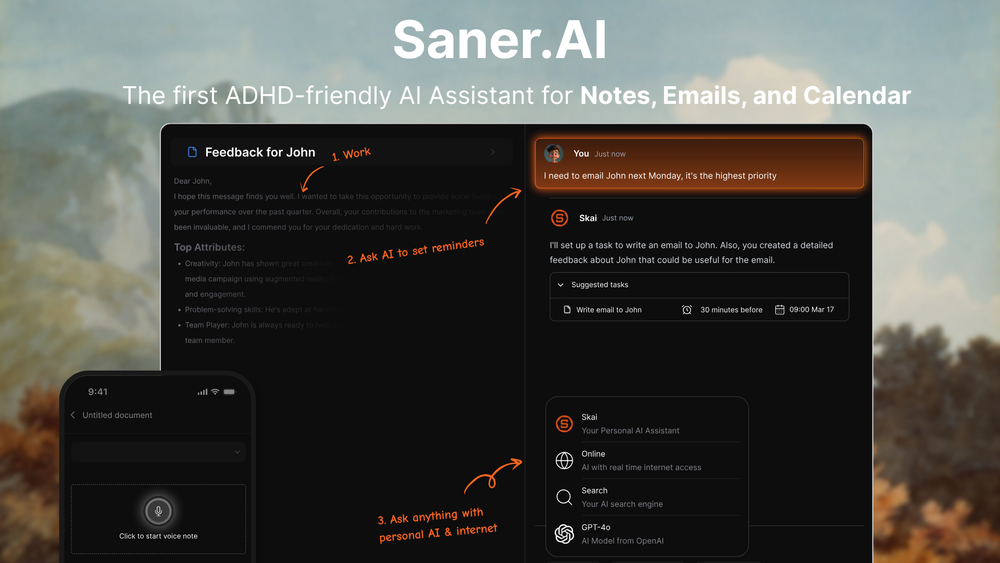
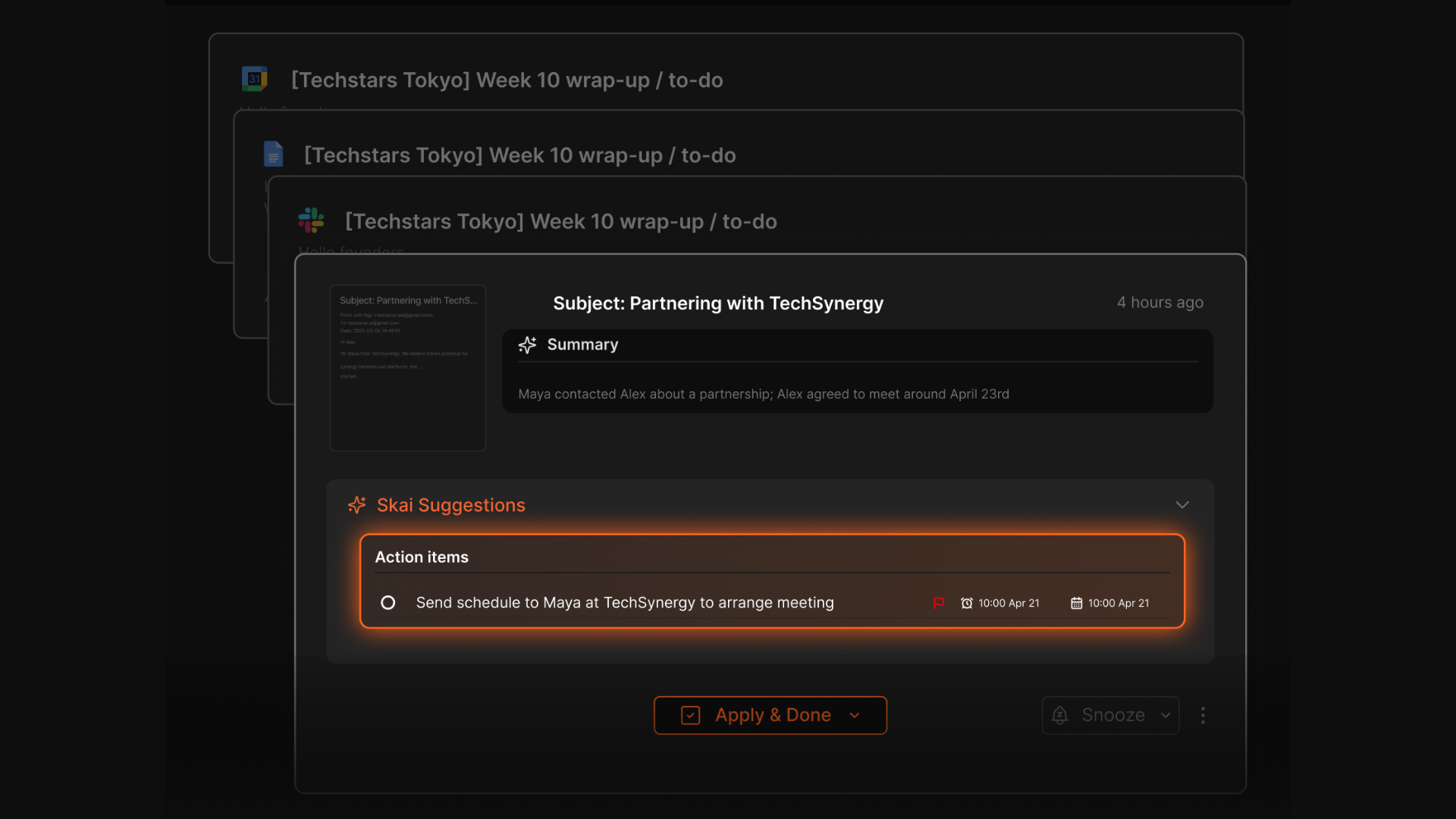
Saner.AI is an AI-powered productivity assistant that helps you manage tasks, notes, reminders, and plans through natural language. Instead of manually adding todos like Microsoft To Do, it focuses on capturing thoughts and turning them into actionable tasks automatically.
Key features:
- AI task capture that turns notes, messages, and ideas into todos
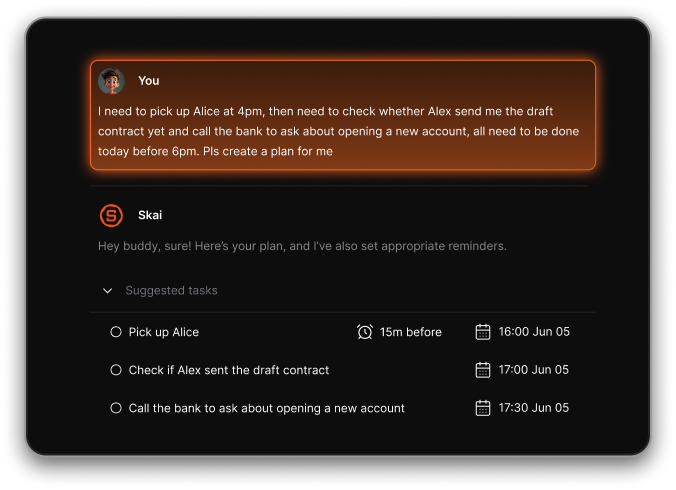
- Natural language chat to create, edit, and prioritize tasks
- Unified inbox for tasks, notes, and reminders in one place
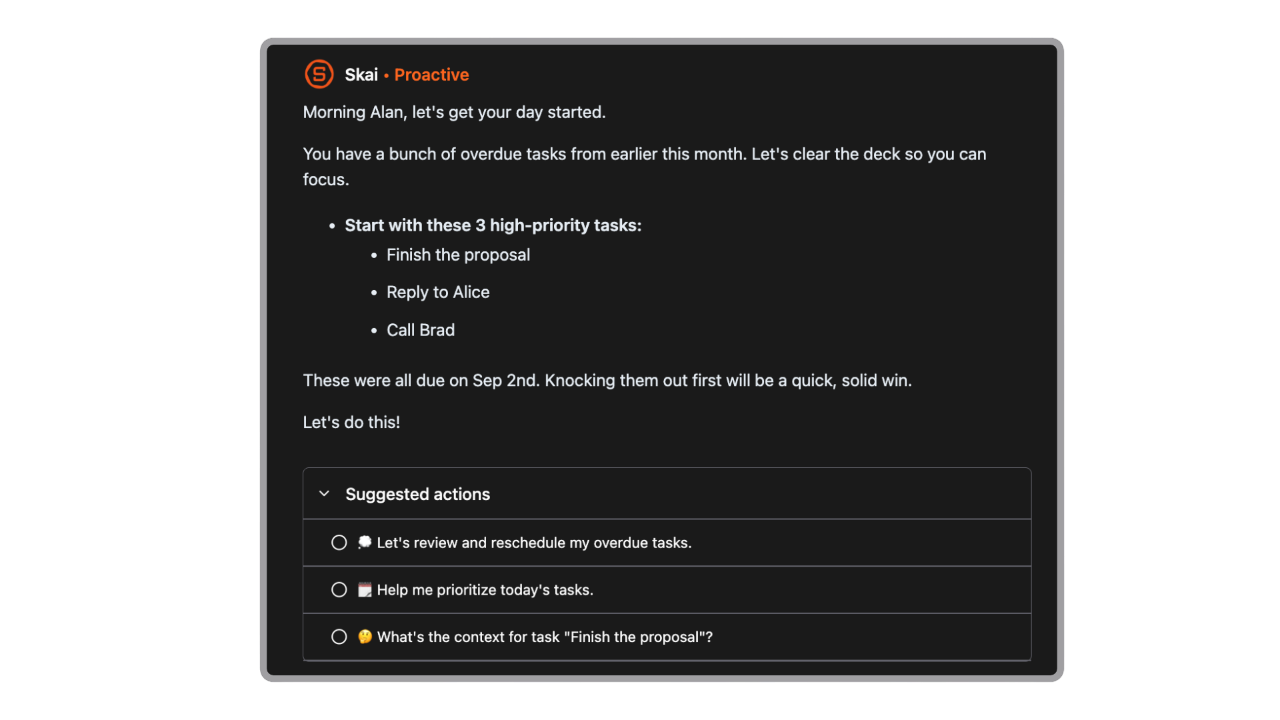
- Proactive daily plans generated automatically
- Calendar and email context so tasks aren’t isolated from your schedule
What I liked
- Feels more like talking to an assistant than managing a checklist
- Reduces mental load by organizing messy thoughts into clear actions
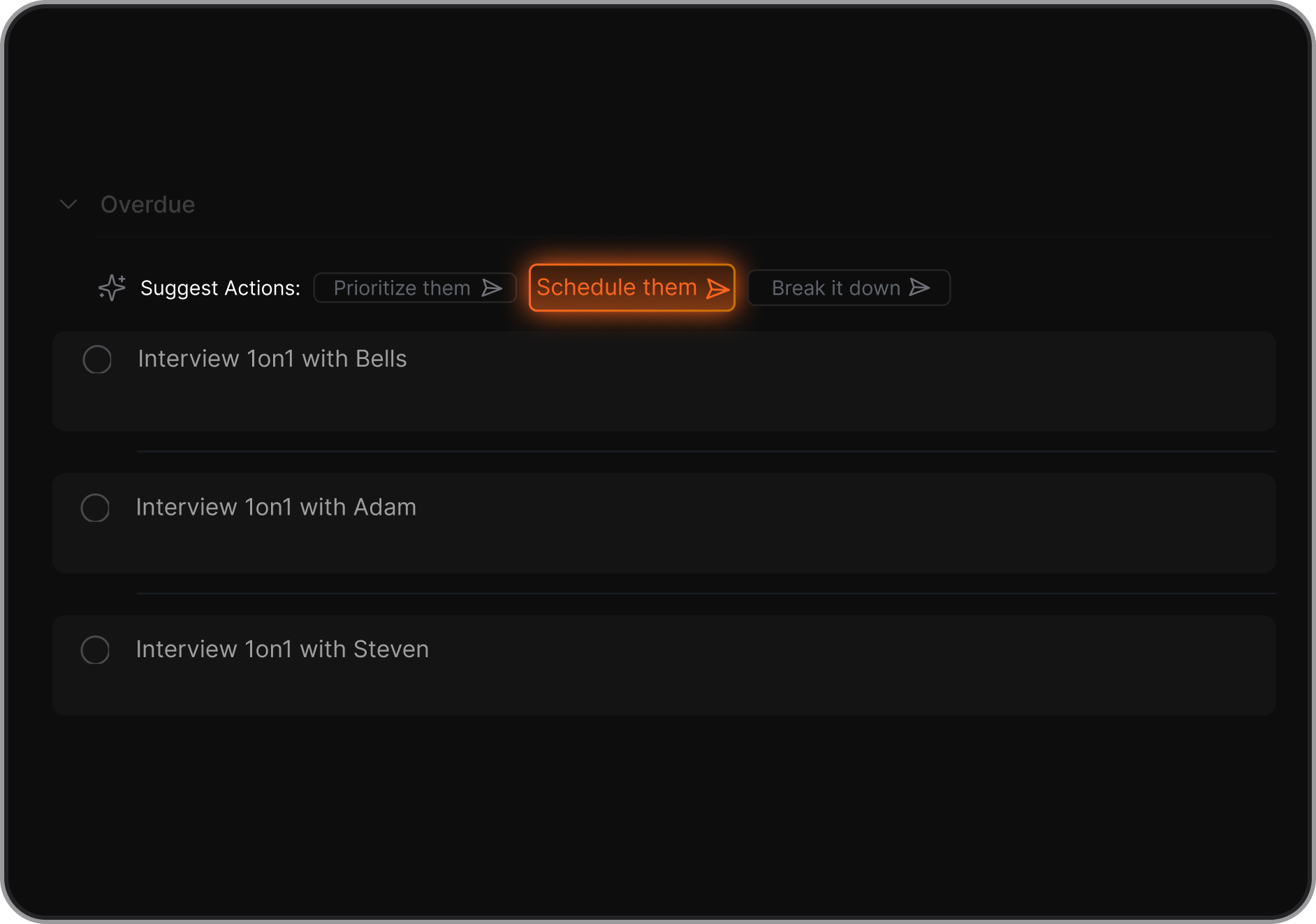
- AI suggestions for breaking down tasks and deciding what to do next
Cons
- Not a full-fledged project management app with Gantt Chart yet
Pricing
- Free plan with basic AI features
- Paid plans unlock deeper AI assistance and automation from 8$/month
Who is it suitable for?
- People looking for a smarter alternative to Microsoft To Do
- Users who feel overwhelmed by traditional to-do list apps
- ADHD-prone professionals who prefer guidance over manual planning
- Individuals who want tasks, notes, and planning in one system
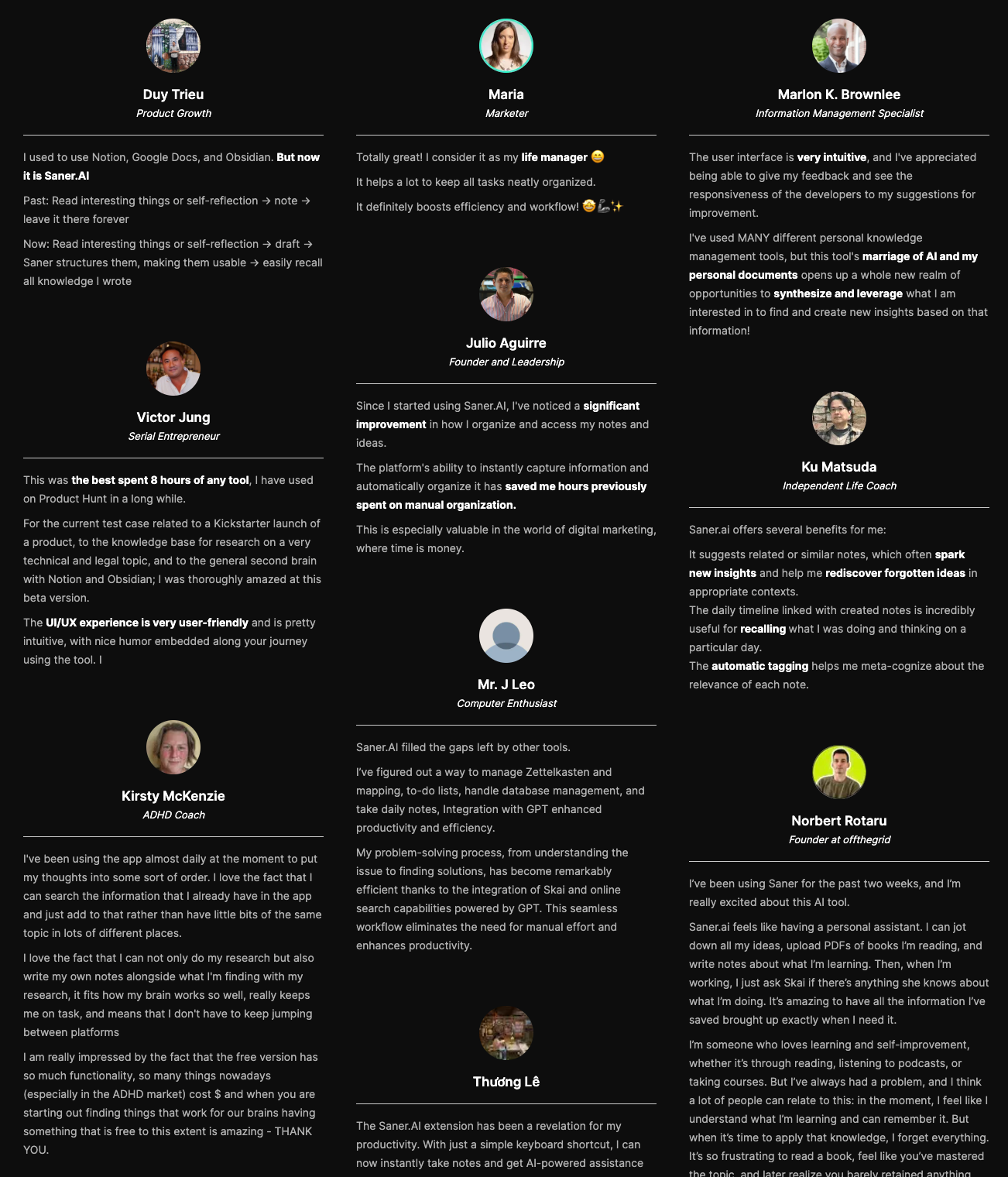
Saner.AI review
How to start using it?
- Create a free account
- Add thoughts, notes, or tasks in plain language
- Let the AI organize and surface what matters next

Stay on top of your work with the Top Microsoft To Do Alternative
2. Todoist
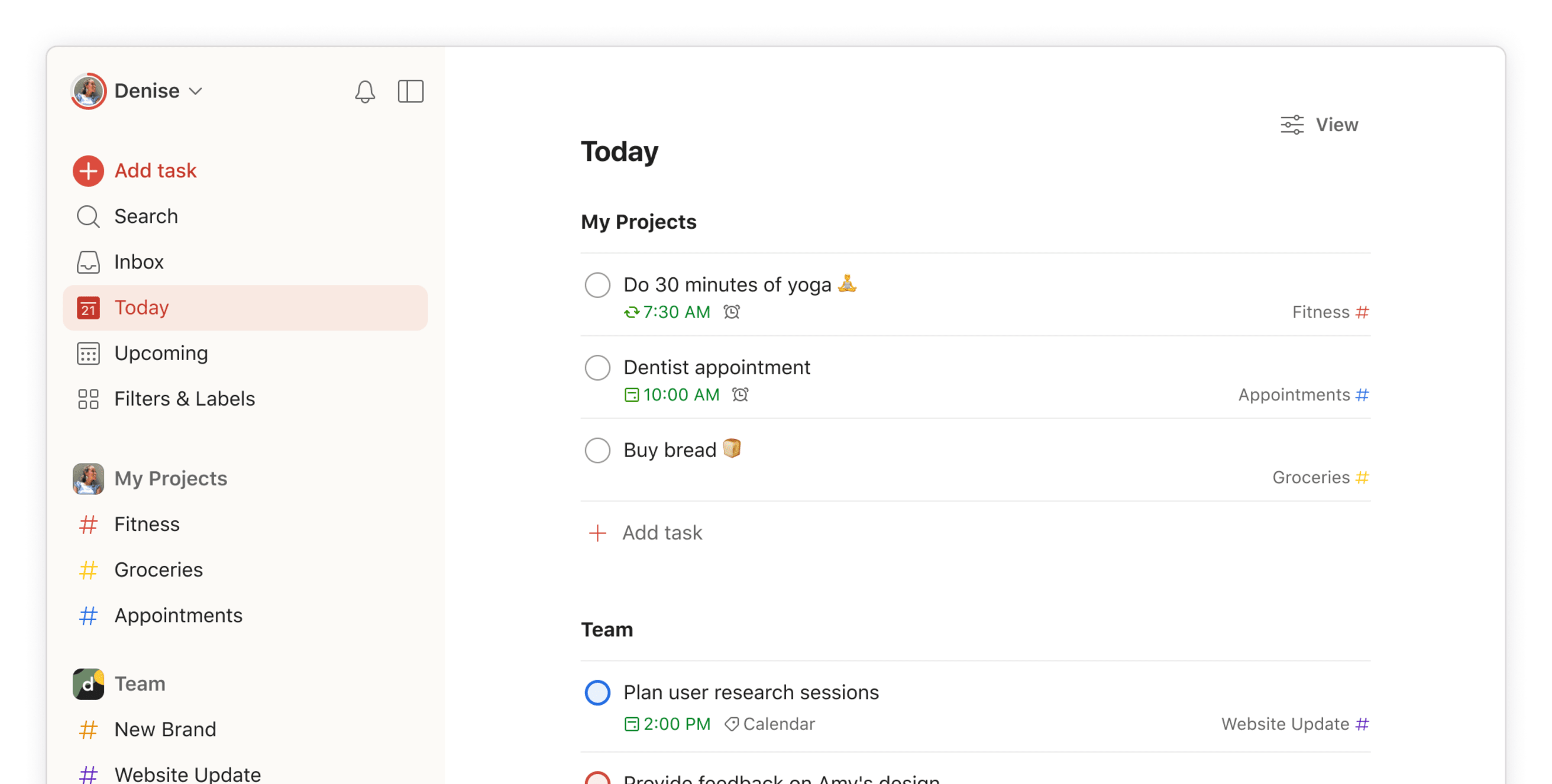
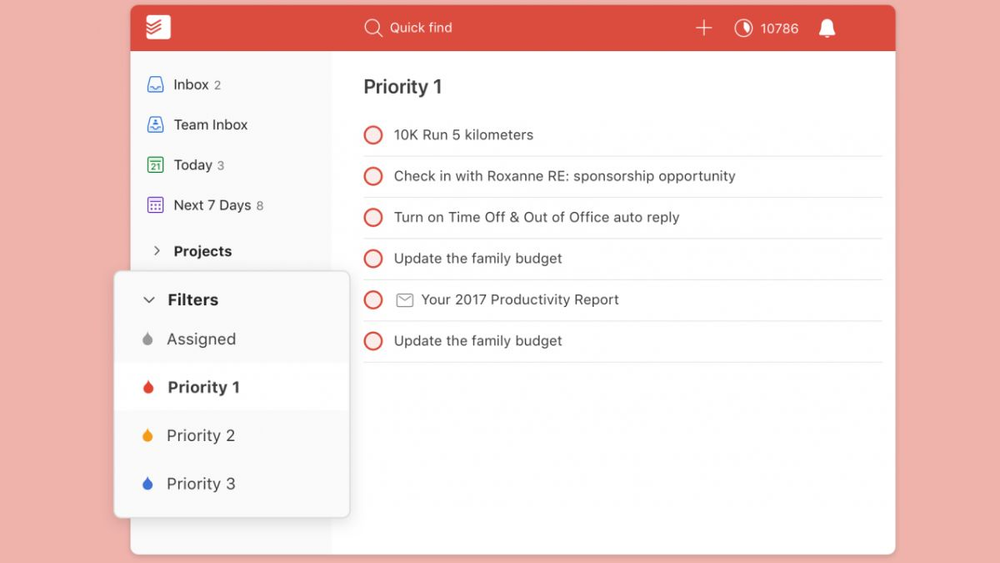
Todoist is a cross-platform task and project management app often used as a more powerful alternative to Microsoft To Do. Compared to Microsoft To Do, it offers deeper organization, more flexible views, and broader integrations for more complex workflows.
Key features
- Nested projects, priorities, labels, and filters
- List, board (Kanban), and planned views
- Task sharing, assignment, and comments for collaboration
- Integrations with calendars, Slack, Zapier, and many other tools
What I liked
- Much more powerful organization than Microsoft To Do
- Natural language input makes adding tasks fast
- Supports collaboration, which Microsoft To Do lacks
What I disliked
- Free plan is limited and pushes you to upgrade quickly
- Filters and labels take time to learn
- Reminders and some advanced features require a paid plan
- Don't have a space to manage your notes
Pricing
- Free plan with up to 5 projects
- Pro plan at $5/month for advanced features like reminders and labels
- Business plan at $8/user/month with team tools and admin controls
Suitable for
- People who’ve outgrown simple to-do lists
- Users who want priorities, tags, and advanced task organization
- Small teams that need shared task tracking
How to start
- Go to Todoist
- Create a free account
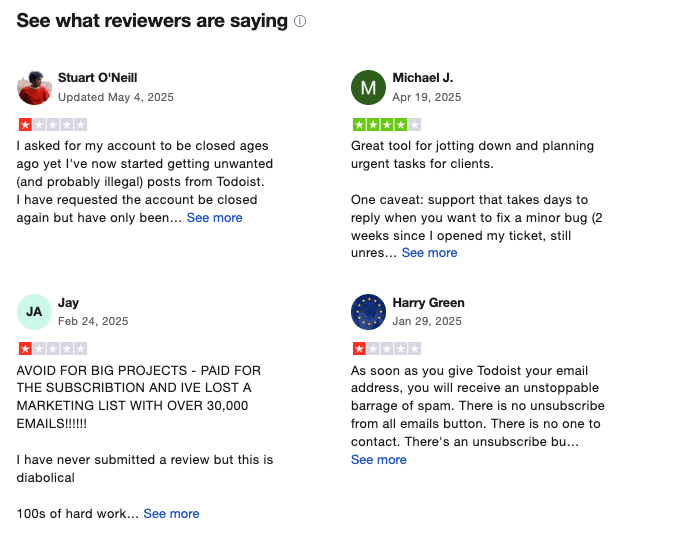
Todoist Reviews (source)
3. Asana

Asana is a work and project management platform that helps teams plan, track, and collaborate on tasks and projects. Compared to Microsoft To Do, Asana goes beyond simple checklists and supports structured projects, timelines, automation, and team coordination.
Key features
- Task and project organization using lists, boards, timelines, and calendars
- Subtasks, task dependencies, due dates, and priorities
- Team collaboration with comments, file attachments, and notifications
- Pre-built templates for common workflows and project types
What I liked
- Much more powerful than a basic to-do app for managing real projects
- Strong collaboration features make teamwork visible and aligned
- Flexible views let different people work the way they prefer
What I disliked
- Learning curve is steeper than Microsoft To Do
- Can feel heavy or overwhelming if you only need a personal task list
- Advanced features require paid plans and add cost for teams
Pricing
- Free plan with basic task and project management
- Paid plans start around $10–11 per user per month for timelines, automation, and advanced reporting
Suitable for
- Teams managing shared tasks and multi-step projects
- Managers who need visibility into progress and dependencies
How to start
- Go to Asana
- Create a free account
- Set up a project and start adding tasks
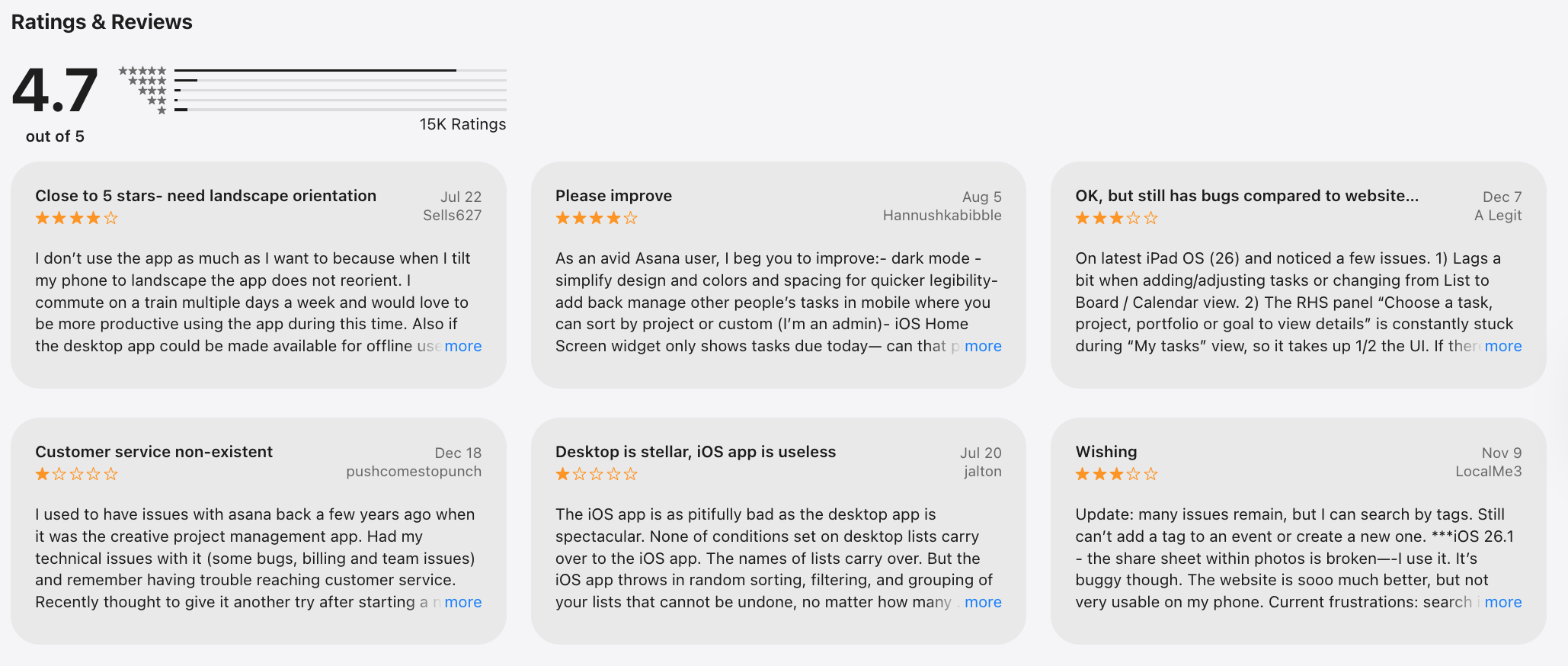
Asana review (sources)
4. Any.do
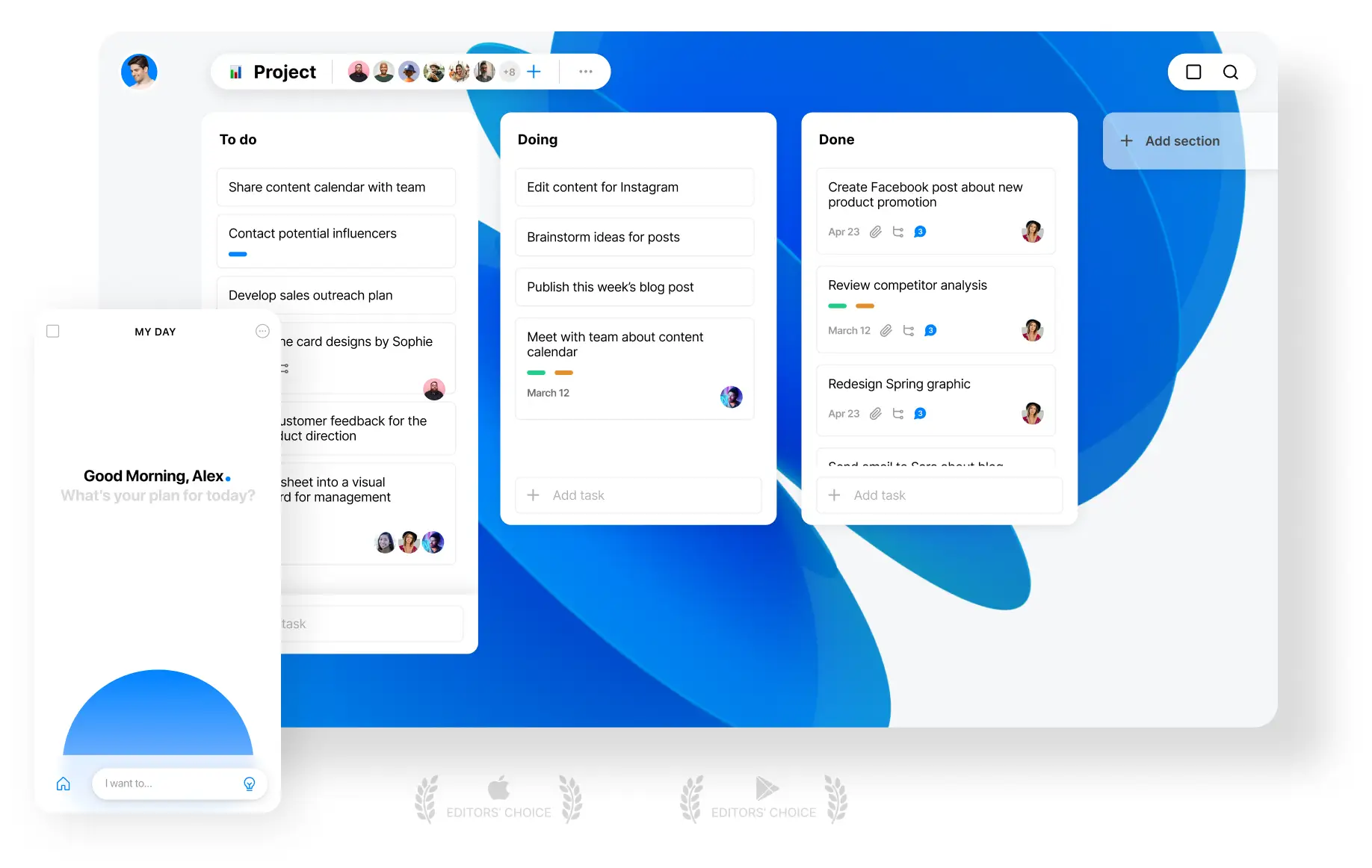
Any.do is a cross-platform task and to-do list app that works well as a Microsoft To Do alternative if you want more than basic lists. It combines tasks, reminders, and calendar planning in one place, with stronger cross-platform support and collaboration features.
Key features
- Task and to-do list management with subtasks, due dates, and recurring tasks
- Built-in calendar view that shows tasks alongside your schedule
- Cross-device sync on Web, iOS, Android, Mac, and Windows
- List and task sharing for collaboration
What I liked
- More flexible than Microsoft To Do when it comes to reminders and planning
- Calendar + tasks in one view makes it easier to plan days visually
- Clean, simple interface that’s easy to learn
What I disliked
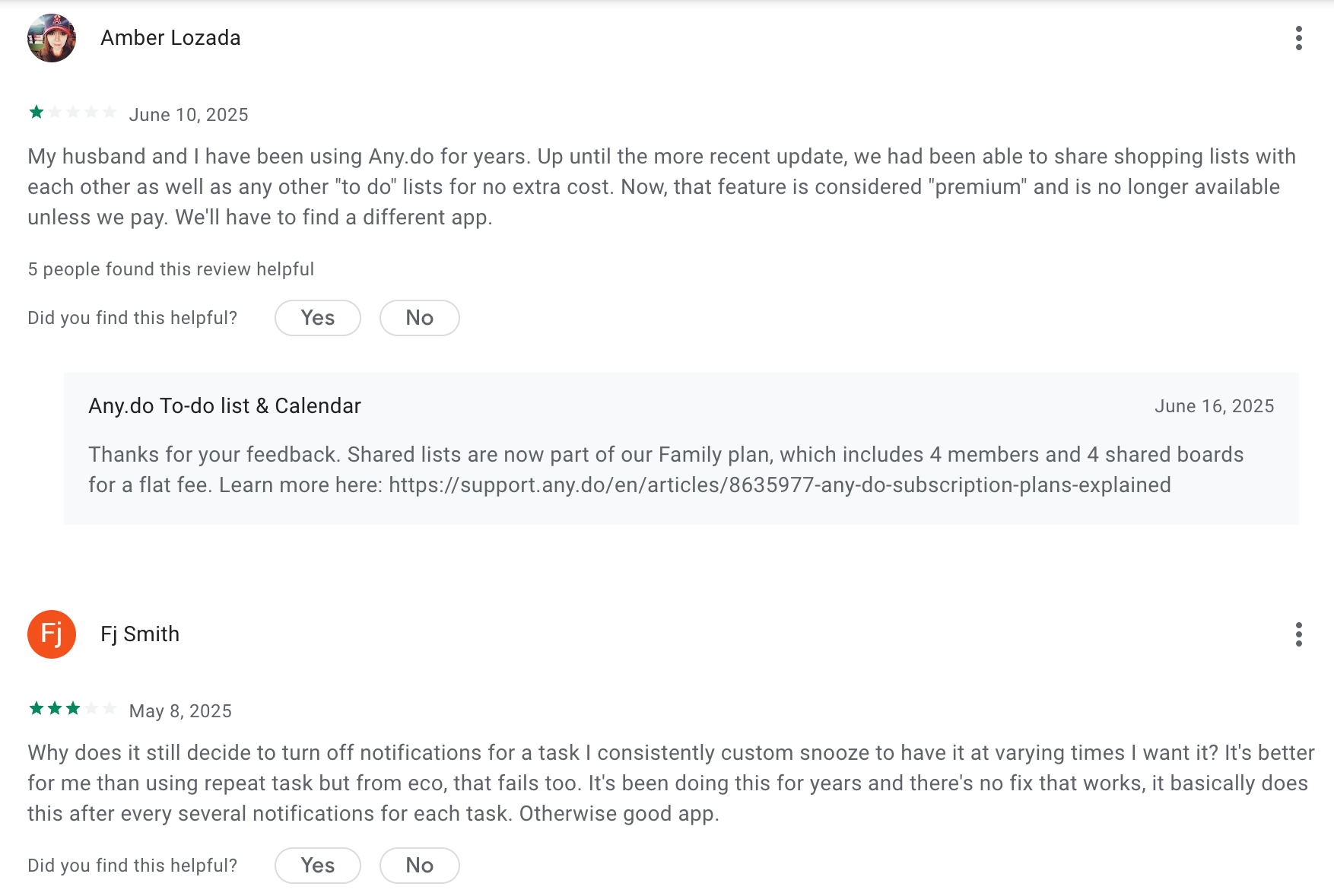
- Many useful features are locked behind the paid plan
- Sync issues can happen occasionally, especially with shared lists
- Not as deeply integrated with Microsoft tools like Outlook or Teams
- No AI assistant to help with tasks
Pricing
- Free plan with basic task and list features
- Premium plan (roughly $5–8/month when billed annually) for advanced reminders, integrations, and collaboration
Suitable for
- Individuals who want a simple daily planner instead of a complex task system
- Users who like seeing tasks and calendar events together
- Individuals or small teams who need better reminders and cross-platform access
How to start
- Go to Any.do
- Create a free account
- Set up your first task list and connect your calendar
Any.do Review (source)
5. Superlist
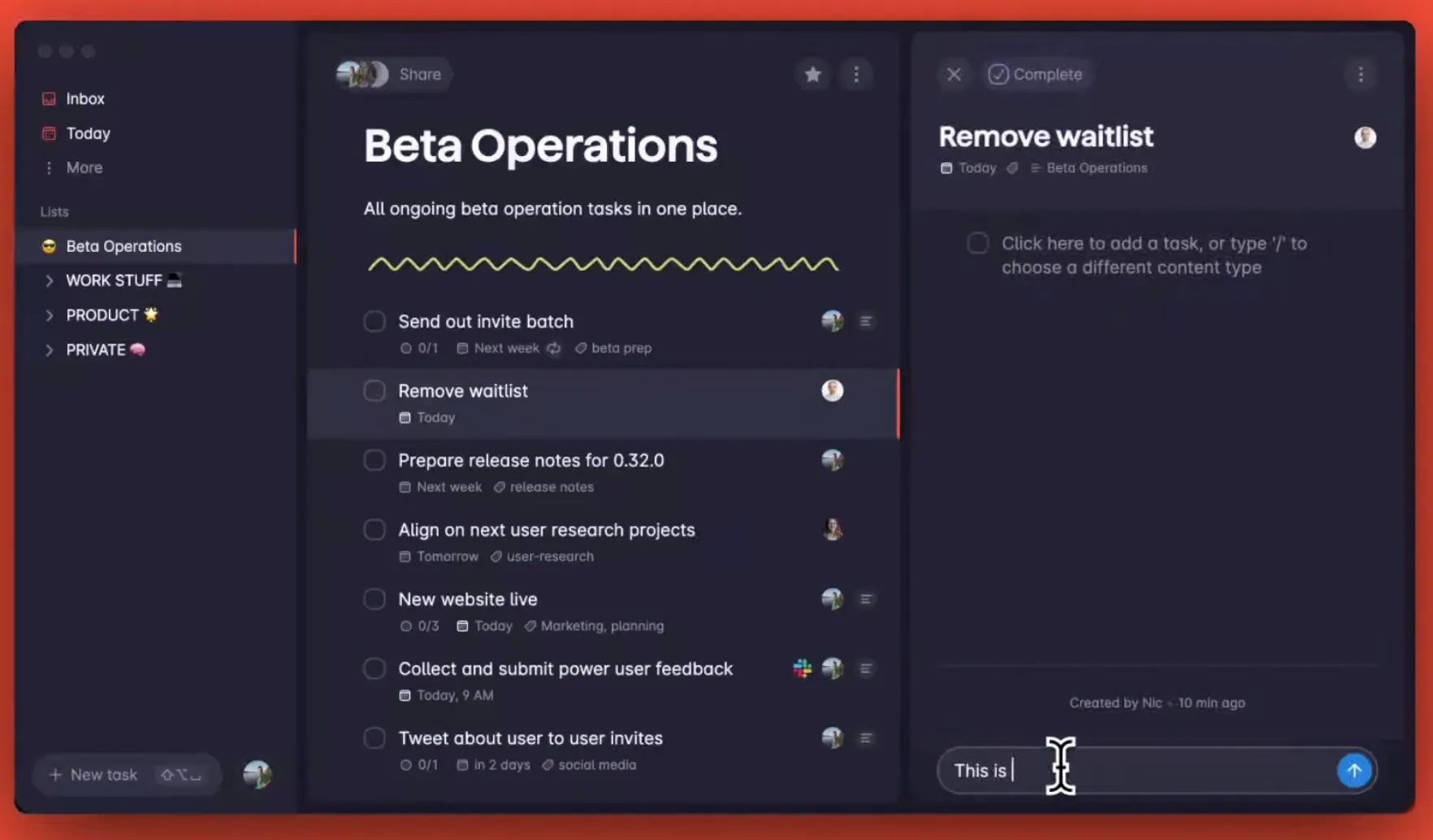
Superlist is a modern task management app designed to help individuals and small teams organize tasks, notes, and projects in one place. It’s often seen as a Microsoft To Do alternative for people who want more structure, flexibility, and collaboration without jumping into a heavy project management tool.
Key features
- Create tasks, lists, and subtasks with deep nesting for complex projects
- Notes and rich text built directly into tasks and lists
- Shared lists and real-time collaboration for teams and partners
- Cross-platform apps on iOS, Android, Web, and macOS with fast sync
What I liked
- Infinite nesting makes it easy to break big goals into small steps
- Collaboration works well for small teams, couples, or shared projects
What I disliked
- Still a relatively young product, so some features feel incomplete
- No strong natural language task input and AI assistant compared to some competitors
- Advanced scheduling and calendar views are limited
Pricing
- Free plan available
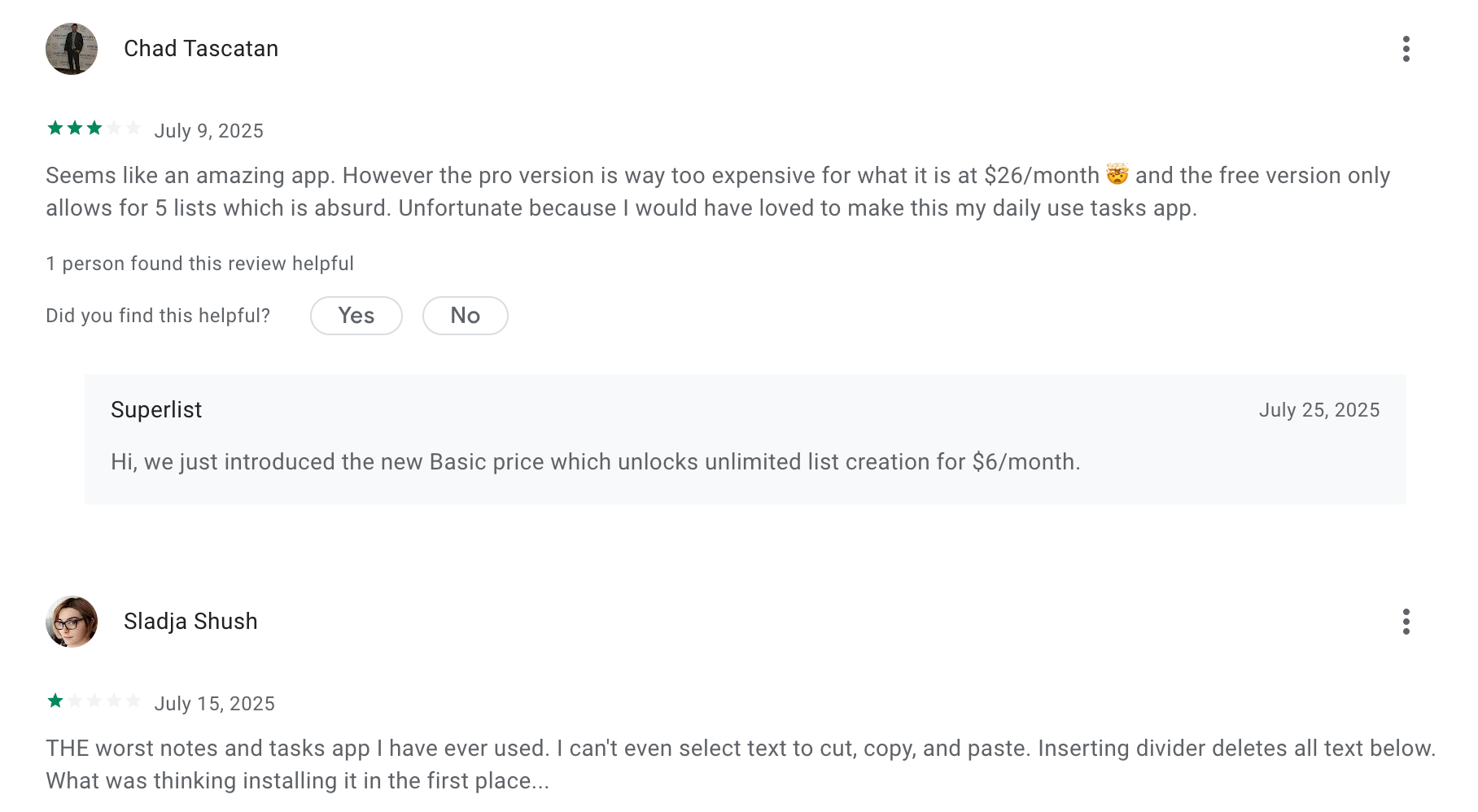
- Basic: $6/month
- Pro: $25/user/month
Suitable for
- Small teams that need shared lists without heavy setup
How to start
- Go to superlist.com, create a free account, and set up your first lists
Superlist reviews (source)
6. Apple Reminders
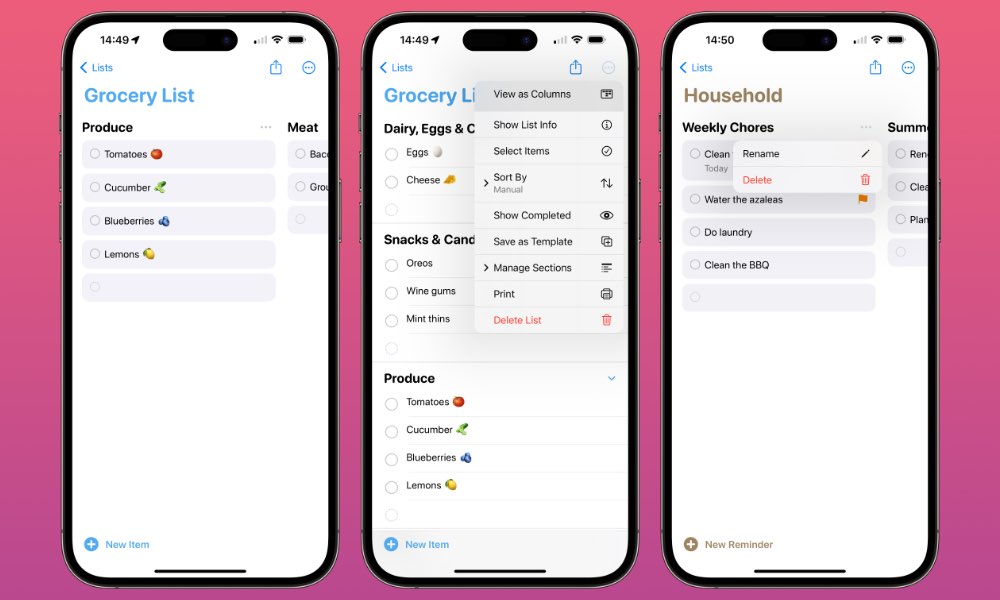
Apple Reminders is the built-in task and reminder app on Apple devices. It helps you create to-dos, set alerts, and manage simple tasks across iPhone, iPad, Mac, Apple Watch, and visionOS. As a Microsoft To Do alternative, it focuses more on simplicity and deep ecosystem integration rather than advanced task management.
Key features
- Create tasks and to-dos with due dates and reminders
- Location-based reminders (for example, remind you when you arrive home)
- Tags and Smart Lists for basic organization
- Shared lists with other Apple users
What I liked
- Free and already installed on Apple devices
- Very easy to use with almost no setup
- Location-based reminders are genuinely useful
What I disliked
- No Android or Windows apps, unlike Microsoft To Do
- Limited advanced features for complex tasks or project management
- Collaboration works, but is basic compared to dedicated task tools
Pricing
- Free with iOS, iPadOS, macOS, watchOS, and visionOS
Suitable for
- People are fully invested in the Apple ecosystem
- Users who want a simple, no-friction Microsoft To Do alternative
- Personal task tracking, reminders, and lightweight shared lists
How to start
- Open the Reminders app on your Apple device
- Sign in with your Apple ID to sync across devices
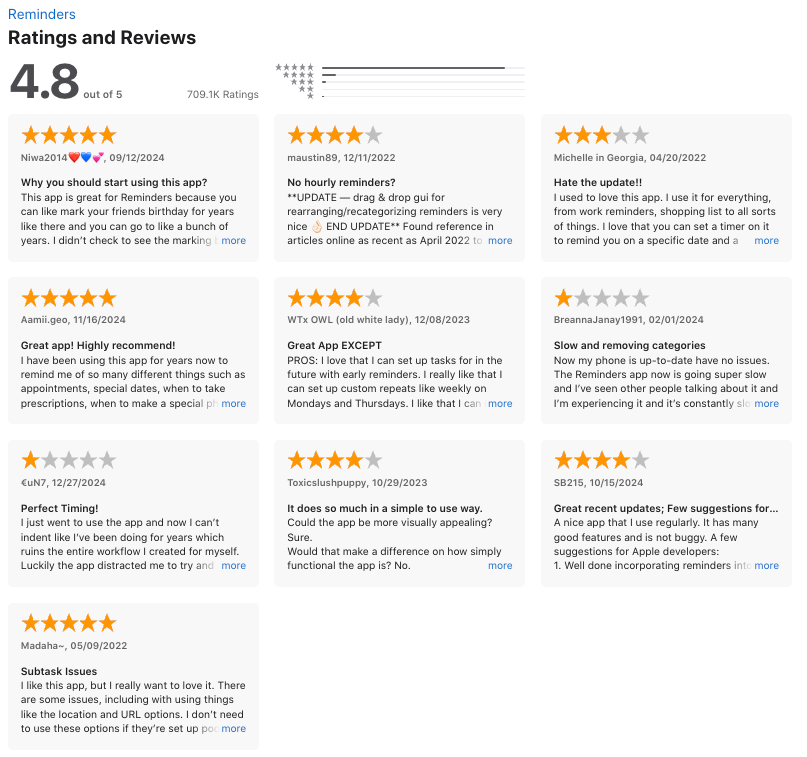
Apple Reminders Review (source)
7. TickTick
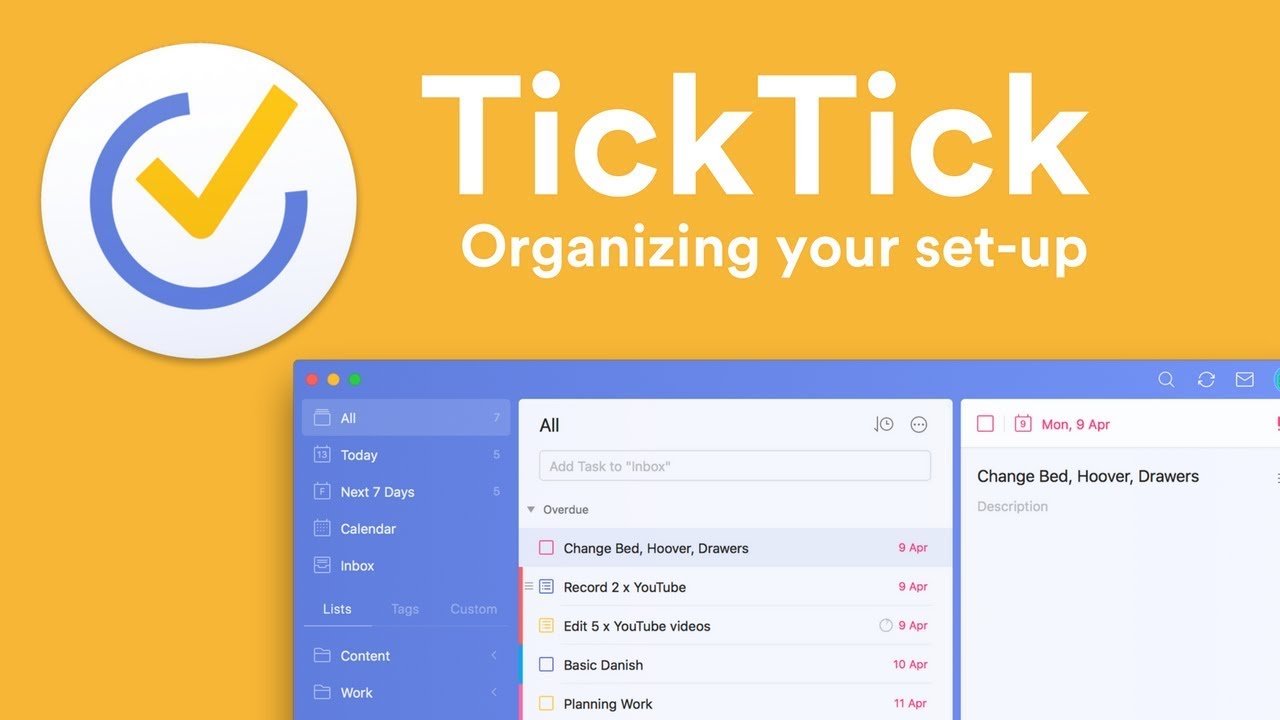
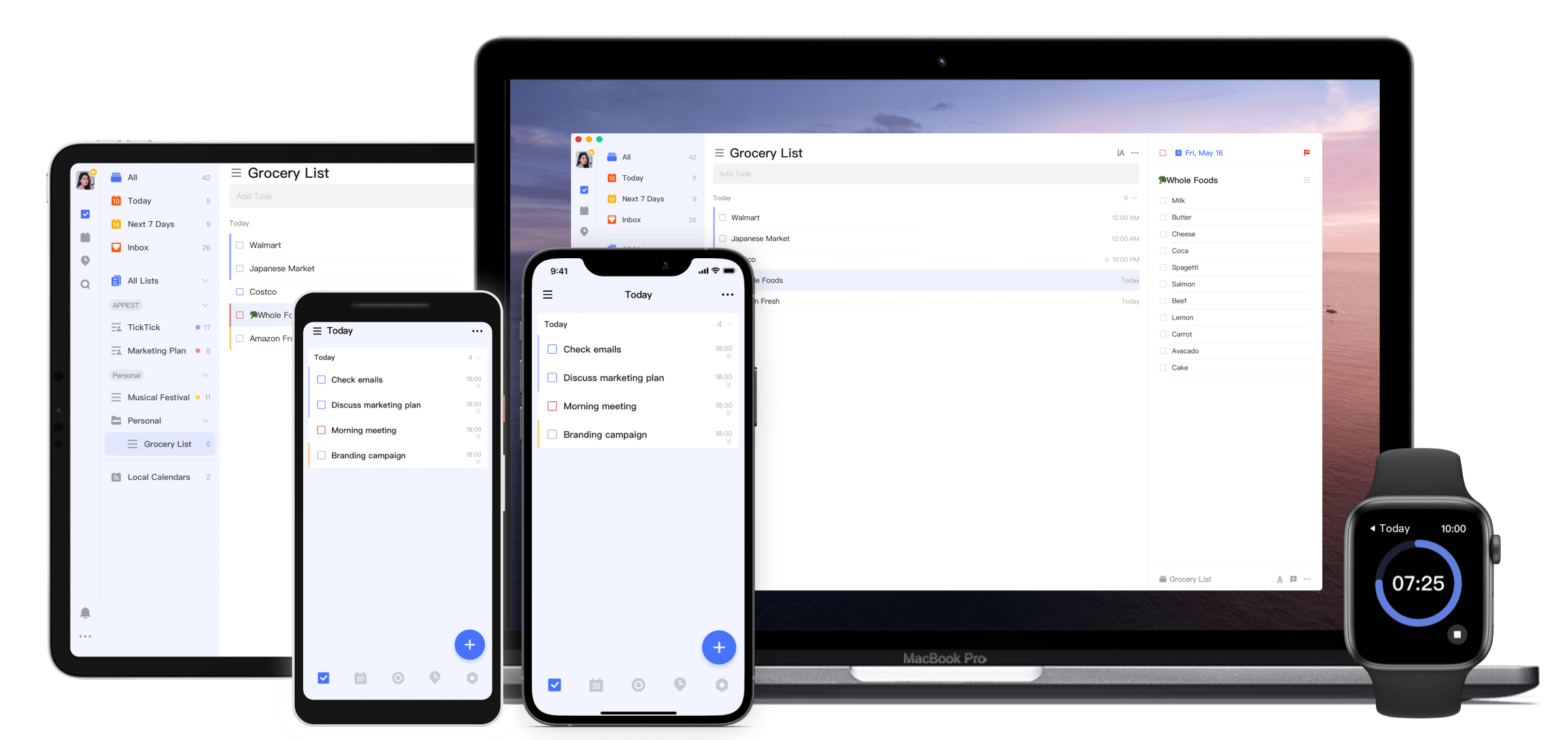
TickTick is a cross-platform task manager and productivity app often used as a Microsoft To Do alternative. It keeps the core to-do list experience but adds stronger planning, calendar views, time-management tools, and focus features.
Key features
- Task lists with due dates, priorities, recurring tasks, subtasks, and reminders
- Multiple calendar views and calendar subscriptions (premium)
- Built-in Pomodoro timer and habit tracker
What I liked
- Pomodoro and habit tracking are built in, so you don’t need extra apps
- Calendar views make it easier to see tasks in context
What I disliked
- Not as deeply integrated with the Microsoft ecosystem (Outlook, Teams)
- No AI assistant for task management
Pricing
- Free plan with core task management and basic features
- Premium plan around $3–4/month or ~$28/year
- Premium unlocks advanced views, filters, unlimited lists, and full productivity tools
Suitable for
- Users who like mixing tasks, calendars, habits, and focus timers in one app
How to start
- Download the TickTick app or open the web version
- Create a free account
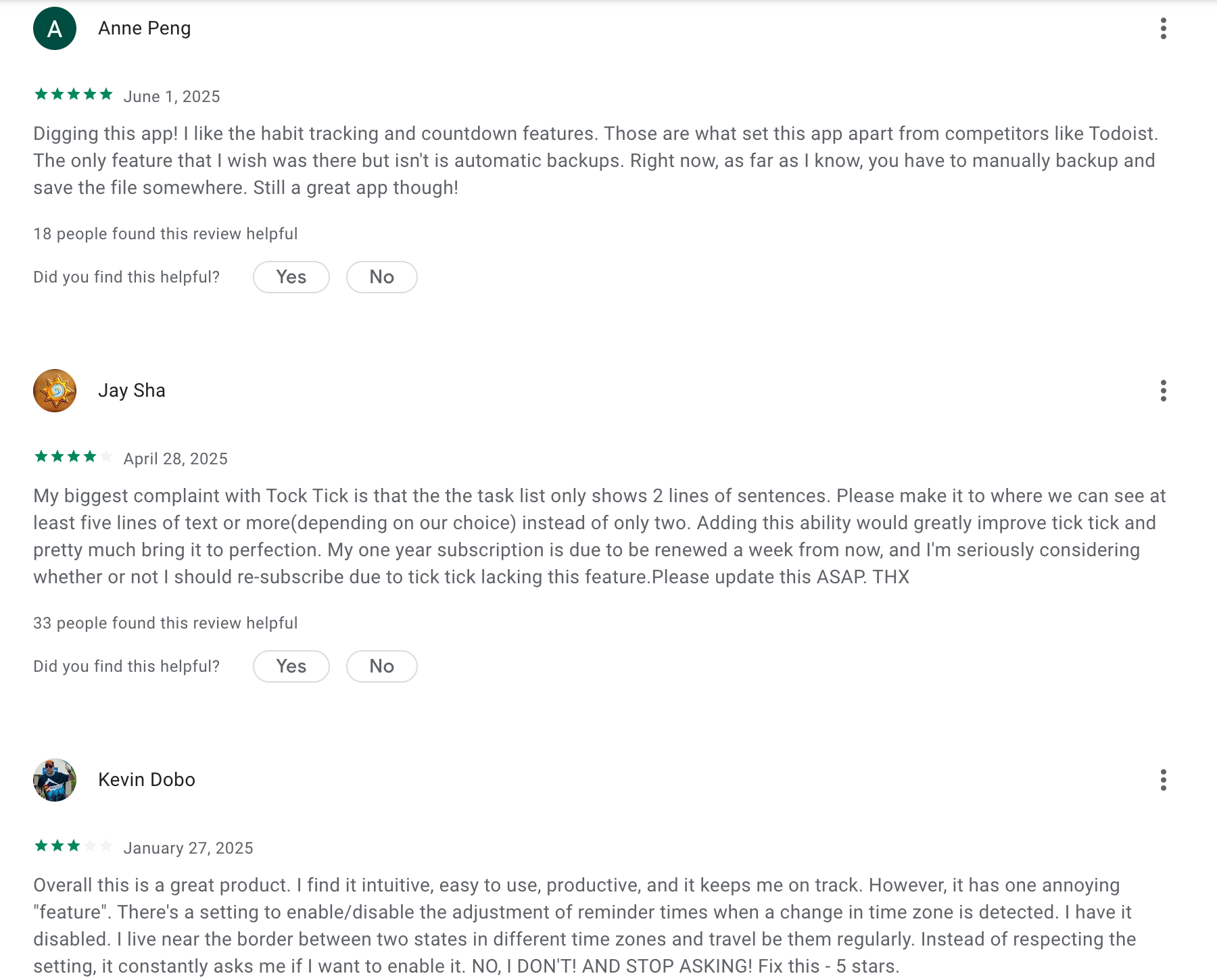
TickTick Reviews (Source)
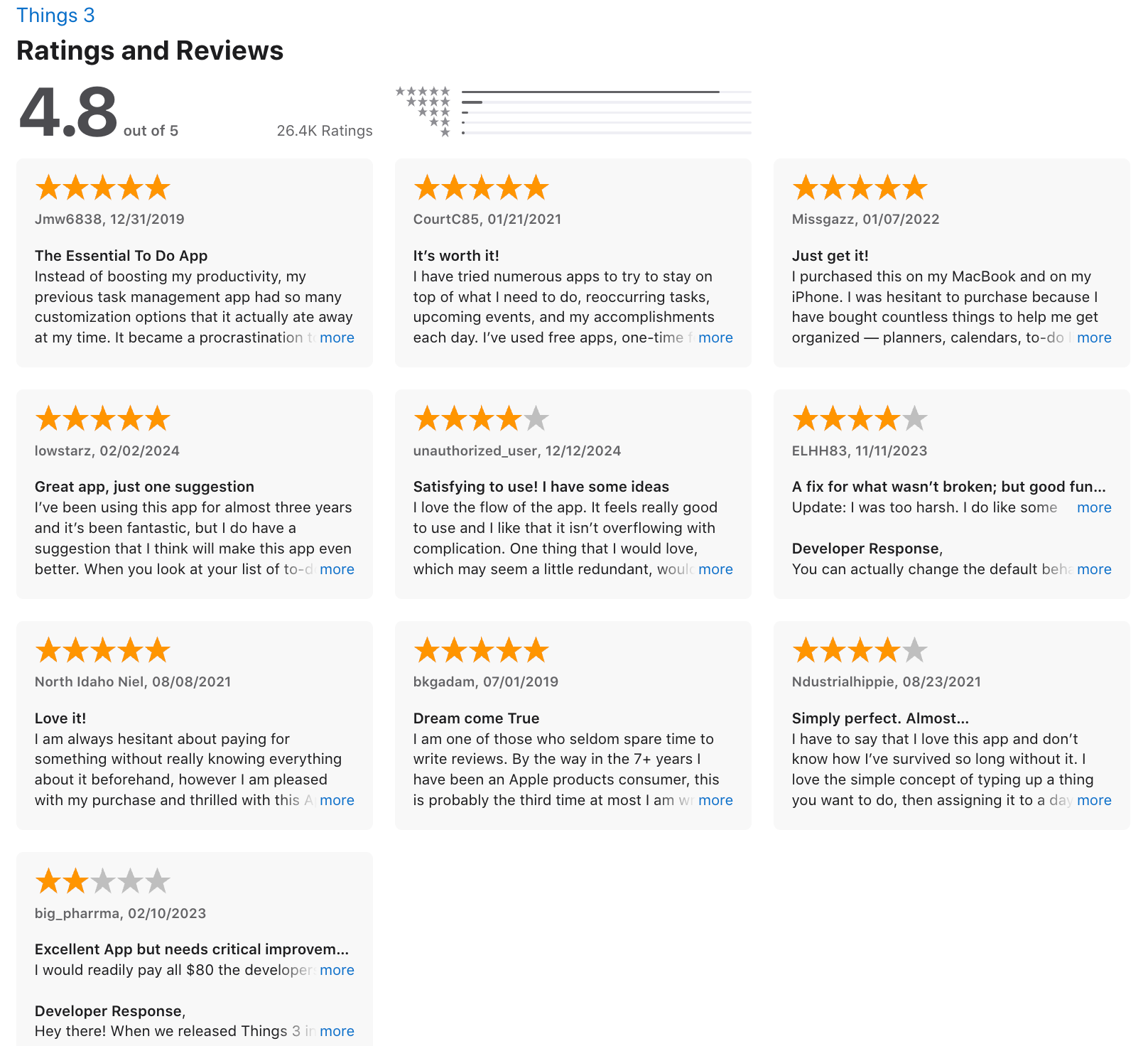
8. Things 3

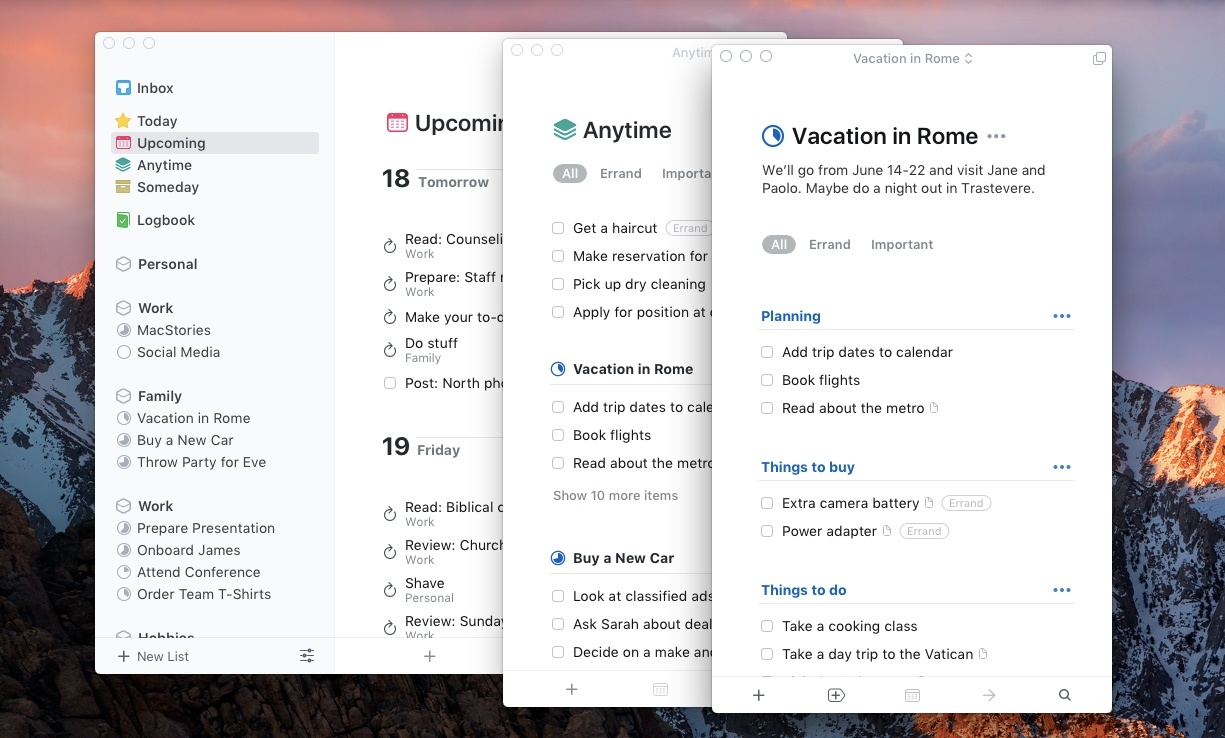
Things 3 is a personal task management app for Apple devices that many people use as an alternative to Microsoft To Do when they want a calmer, more structured way to manage tasks and projects. It focuses on individual productivity rather than team collaboration.
Key features
- To-do lists with deadlines, reminders, and sub-tasks
- Project-based organization with areas, sections, and nested tasks
- Today and Upcoming views to plan daily and weekly work
- Calendar integration so tasks and events live side by side
What I liked
- The design is clean, minimal, and very easy on the brain
- The app feels fast and intentional, with almost no clutter
- One-time purchase pricing instead of a subscription
What I disliked
- Apple-only, with no Windows, Android, or web version
- No collaboration or task sharing, unlike Microsoft To Do
- You have to buy separate versions for Mac, iPhone, and iPad
- Lacks advanced features like AI assistant
Pricing
- One-time purchase per platform
- iPhone app around $10
- iPad app around $20
- Mac app around $50
Suitable for
- Individuals who want a focused, personal task manager
- Apple users who prefer native apps over cross-platform tools
How to start
- Download Things 3 from the App Store on your Apple device
- Add tasks to the Inbox
Things 3 review (source)
9. Structured
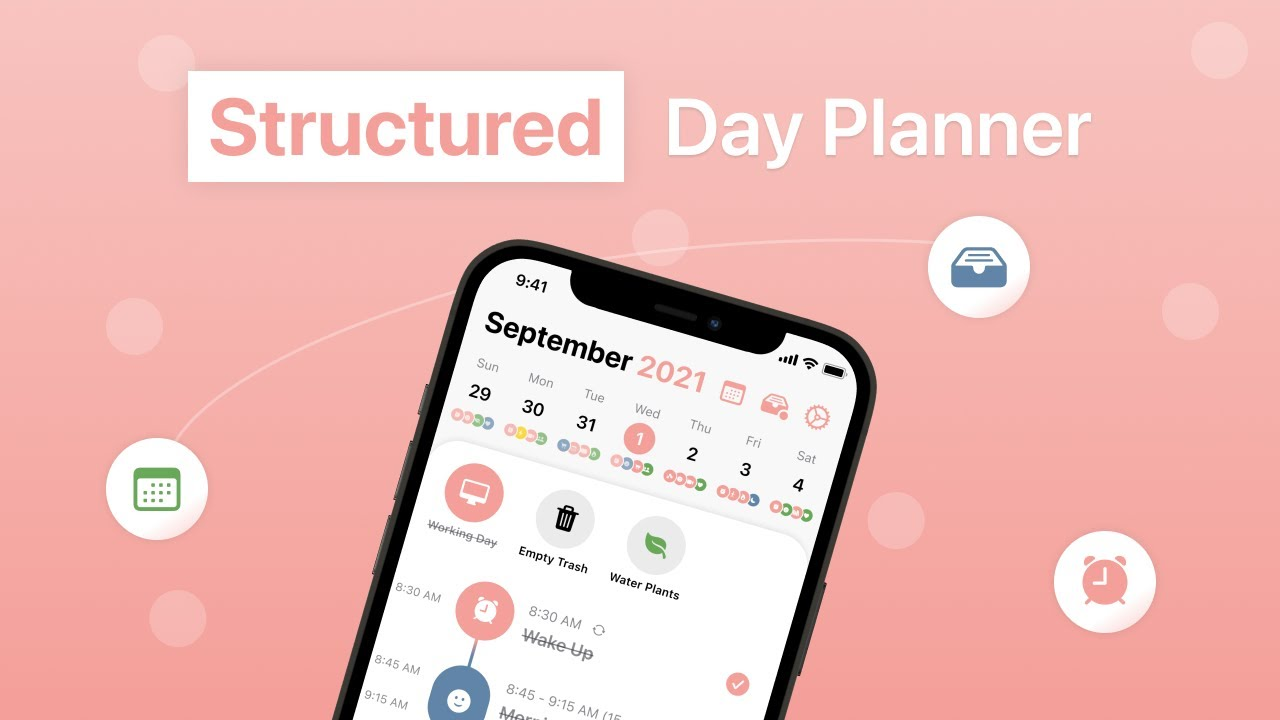
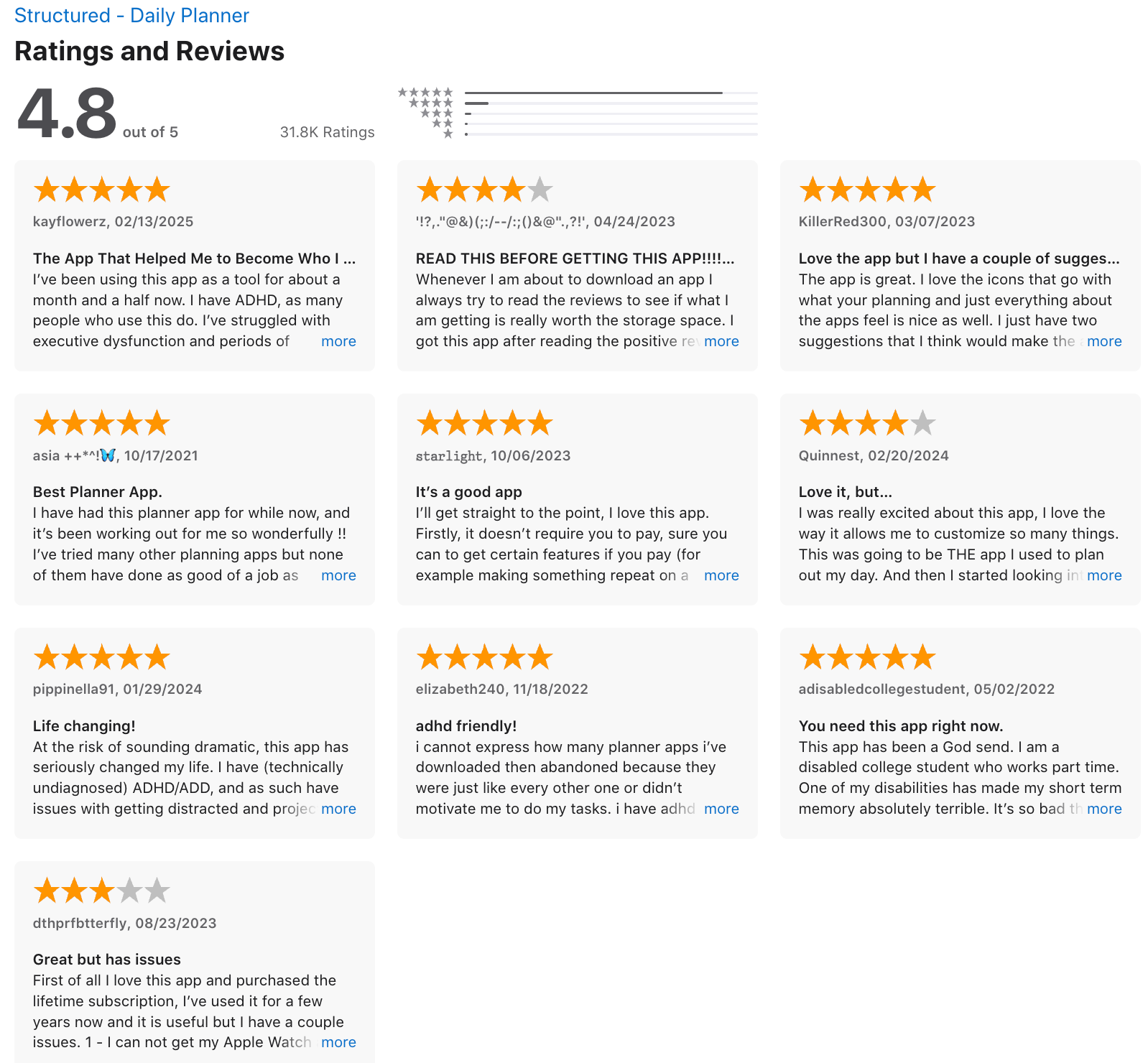
Structured is a visual daily planner that helps you organise your day using a timeline instead of simple lists. It combines tasks, calendar events, routines, and focus tools into one structured view, making it a strong alternative to Microsoft To Do for people who prefer time-based planning.
Key features
- Visual timeline that shows your entire day in one place
- Tasks can be scheduled directly into time blocks
- Calendar integration (Google Calendar, Outlook, etc.)
- Built-in focus timer and habit tracking
What I liked
- The timeline view makes it much easier to see when work actually happens
- Planning feels more intentional than a simple checklist
What I disliked
- Weaker AI agent and assistant
- Not built for teamwork or task assignment
- Limited project management features compared to more advanced tools
Pricing
- Free plan with basic daily planning features
- Paid plan unlocks advanced features, syncing, and integrations
Suitable for
- People who want a visual, time-blocked alternative to Microsoft To Do
- Users who plan their day around schedules, not just task lists
How to start
- Download Structured on your device
- Create a free account
Structured review (source)
10. Notion

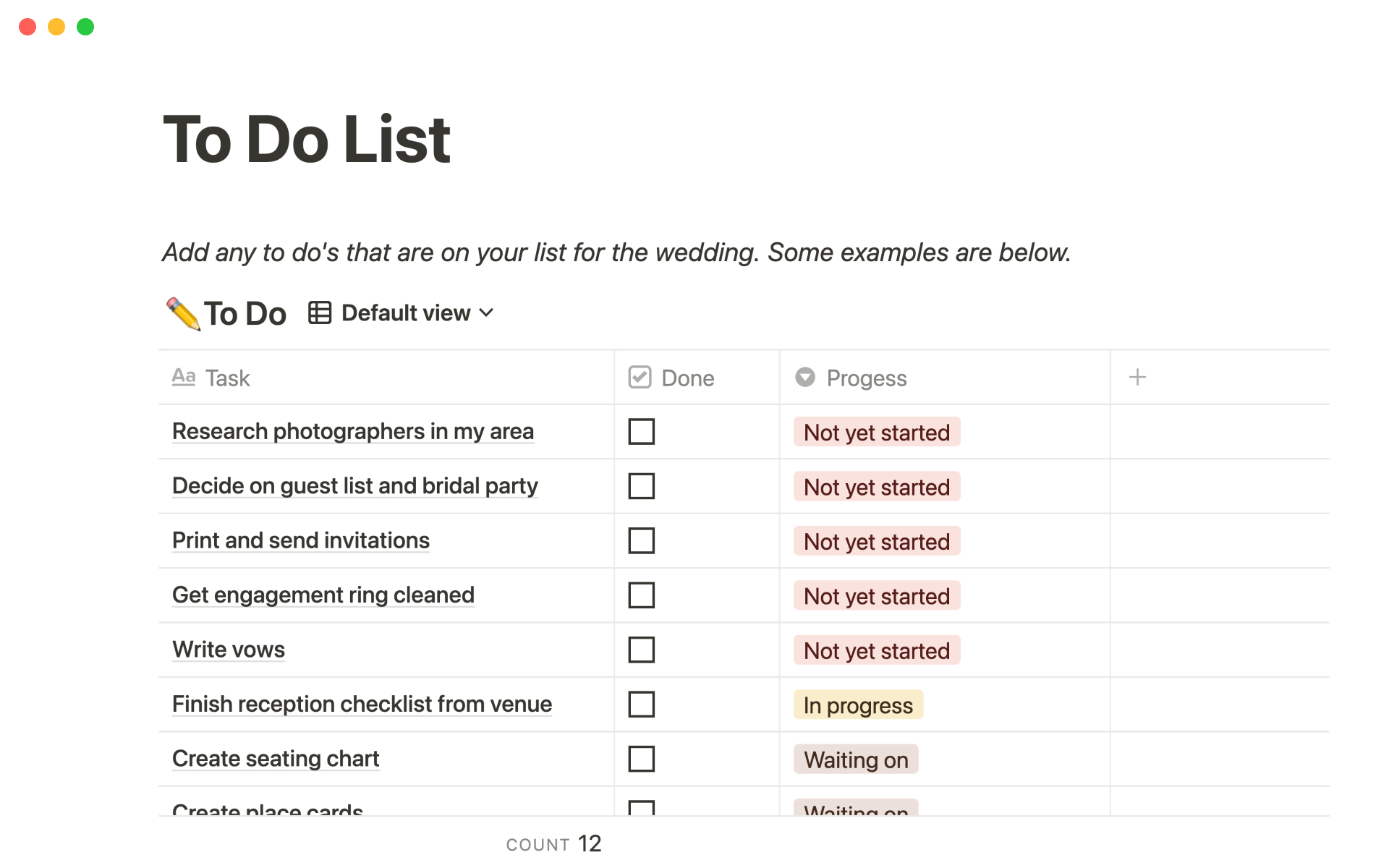
Notion is an all-in-one workspace that can replace Microsoft To Do by combining tasks, projects, notes, and planning into a single flexible system. Instead of a simple checklist, Notion lets you build custom task managers that scale from personal to-dos to complex team workflows.
Key features
- Flexible task databases with due dates, priorities, statuses, and assignees
- Multiple views for tasks (list, board, calendar, timeline)
- Deep linking between tasks, notes, projects, and documents
- Automations for recurring tasks, status changes, and reminders
What I liked
- Extremely flexible. You can recreate Microsoft To Do and go far beyond it.
- Tasks don’t live in isolation. They connect to notes, projects, and goals.
What I disliked
- Setup takes time. You don’t get a ready-to-use task system out of the box.
- Can feel overwhelming if you just want quick, lightweight to-dos.
- Mobile task entry is slower compared to dedicated to-do apps.
Pricing
- Free plan with generous personal use features
- Paid plans start around $10–$15 per user/month for teams
Suitable for
- People managing tasks alongside notes, projects, or knowledge bases
- Teams that want tasks embedded inside documentation and workflows
How to start
- Go to Notion
- Create a free account
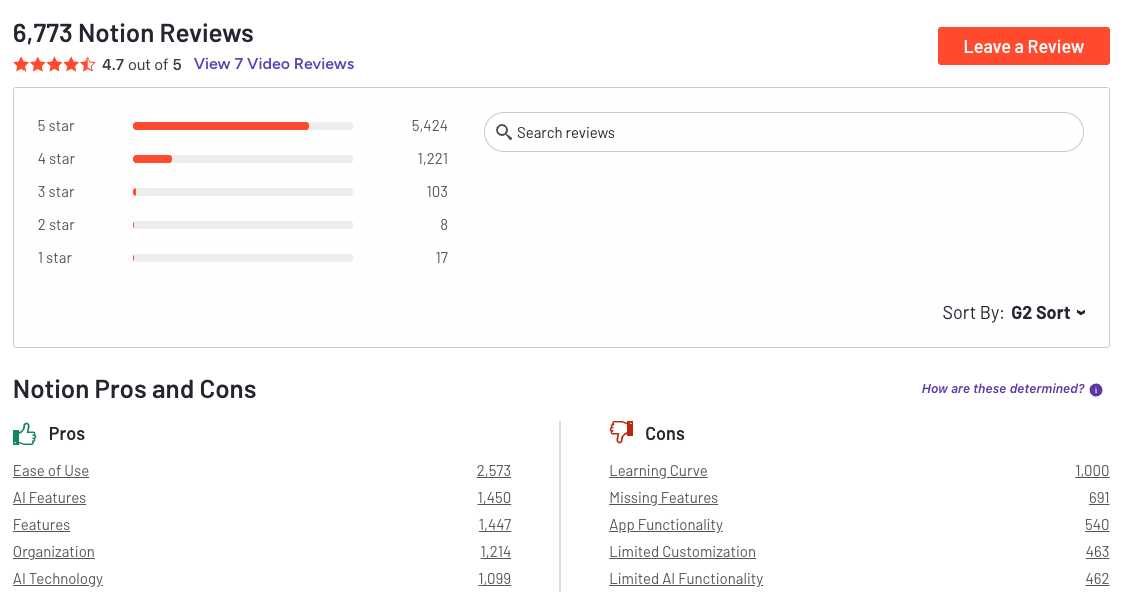
Notion Reviews (source)
Conclusion: Choosing the Right Microsoft To Do Alternatives
Microsoft To Do is a solid starting point for managing everyday tasks - but it isn’t built for every way of working. As responsibilities grow, many people need more structure, better planning, collaboration, or tools that connect tasks with context and information.
The best Microsoft To Do alternative depends on how you work:
- If you want something simple and familiar, Apple Reminders may be enough
- If you manage projects or teams, Asana offers clearer oversight
- If your work involves thinking, notes, and decisions - not just checklists - Saner.AI can make a real difference
There’s no universally “best” task manager. The right choice is the one that fits your workflow, reduces friction, and helps you stay consistent without adding complexity. Start with what feels natural, and let the tool support your work
Stay on top of your work and life
FAQ: Best Microsoft To Do Alternatives
1. What are the best Microsoft To Do alternatives in 2026?
The best Microsoft To Do alternatives depend on how you manage tasks, not just where you list them.
Popular options include:
- Saner.AI – Best for turning messy notes and thoughts into clear tasks using AI
- Todoist – Great for fast, cross-platform task capture
- TickTick – Strong for habits, recurring tasks, and focus timers
- Asana – Ideal for team-based work and structured projects
- Notion – Flexible all-in-one workspace for notes, tasks, and docs
- Apple Reminders – Simple, native option for Apple users
- Things – Clean, opinionated task manager for Mac and iOS
- Any.do, Superlist, and Structured – Solid alternatives depending on workflow style
If Microsoft To Do feels too basic or disconnected, these tools offer more flexibility, automation, or clarity.
2. Why do people switch away from Microsoft To Do?
Most people don’t leave Microsoft To Do because it’s “bad.” They leave because it stops scaling with their work.
Common reasons include:
- Tasks feel disconnected from notes, emails, or meetings
- No smart prioritization or context awareness
- Limited support for planning across projects
- Too manual for people who think in ideas, not checklists
That’s why many users move toward tools that combine tasks + context, not just lists.
3. Which Microsoft To Do alternative is best for ADHD or overwhelmed users?
If you struggle with task overwhelm or forgetting why a task exists, context matters more than features.
- Saner.AI is especially helpful for ADHD users because it:
- Turns notes and thoughts into tasks automatically
- Reduces context switching
- Surfaces what matters without rigid systems
More structured tools like Things or Structured can also work well if you prefer visual clarity and routines.
4. Is there a Microsoft To Do alternative that uses AI?
Yes. This is one of the biggest gaps in Microsoft To Do.
- Saner.AI uses AI to:
- Extract tasks from notes and meetings
- Understand what you mean, not just what you type
- Bring back relevant context when you need it
Most traditional task managers still rely on manual input, tags, and folders.
5. What’s the best Microsoft To Do alternative for simple task lists?
If you mainly want a clean replacement without complexity:
- Saner.AI – Fast, reliable, works everywhere
- Apple Reminders – Best for Apple-only users
- Any.do – Simple with light planning features
These feel familiar to Microsoft To Do users but smoother and more polished.
6. Which Microsoft To Do alternative is best for teams?
Microsoft To Do is mainly a personal task tool. For team collaboration:
- Asana – Strong for task ownership, timelines, and dependencies
- Notion – Flexible for shared docs, tasks, and team knowledge
If you manage people or projects, a shared system matters more than individual checklists.
7. Can Microsoft To Do alternatives replace both tasks and notes?
Some can.
- Saner.AI and Notion are designed to connect tasks with notes and context
- Most traditional task apps focus only on execution, not thinking
If your tasks usually come from meetings, reading, or brainstorming, this distinction is important.
8. What’s the best Microsoft To Do alternative for daily planning?
For planning your day, not just storing tasks, these tools help:
- Saner.AI – Helps decide what matters today based on context
- Structured – Visual timeline of your day
- TickTick – Combines tasks, habits, and focus time
Daily planning works best when priorities are surfaced automatically, not guessed.
9. Are there Microsoft To Do alternatives that work offline?
Yes, but support varies:
- Things – Excellent offline support on Apple devices
- Apple Reminders – Fully offline on iOS/macOS
Offline needs matter if you travel or work across devices frequently.
10. What’s the best Microsoft To Do alternative for professionals and knowledge workers?
For people juggling meetings, notes, and follow-ups:
- Saner.AI stands out because it:
- Connects tasks to the thinking behind them
- Reduces mental load
- Helps you pick up work exactly where you left off
This is especially useful for managers, founders, researchers, and consultants.
11. How do I choose the right Microsoft To Do alternative?
Ask yourself:
- Do I need simple lists or thinking + tasks together?
- Am I managing myself, projects, or a team?
- Do I want manual control or AI assistance? -> Saner.AI is a good choice
If Microsoft To Do feels limiting, the right alternative isn’t “more features” - it’s better alignment with how you think and work.
Stay on top of your work and life